Budderfly R0710021 Dual Band Outlet User Manual

Budderfly LLC Dual Band Outlet

User Manual

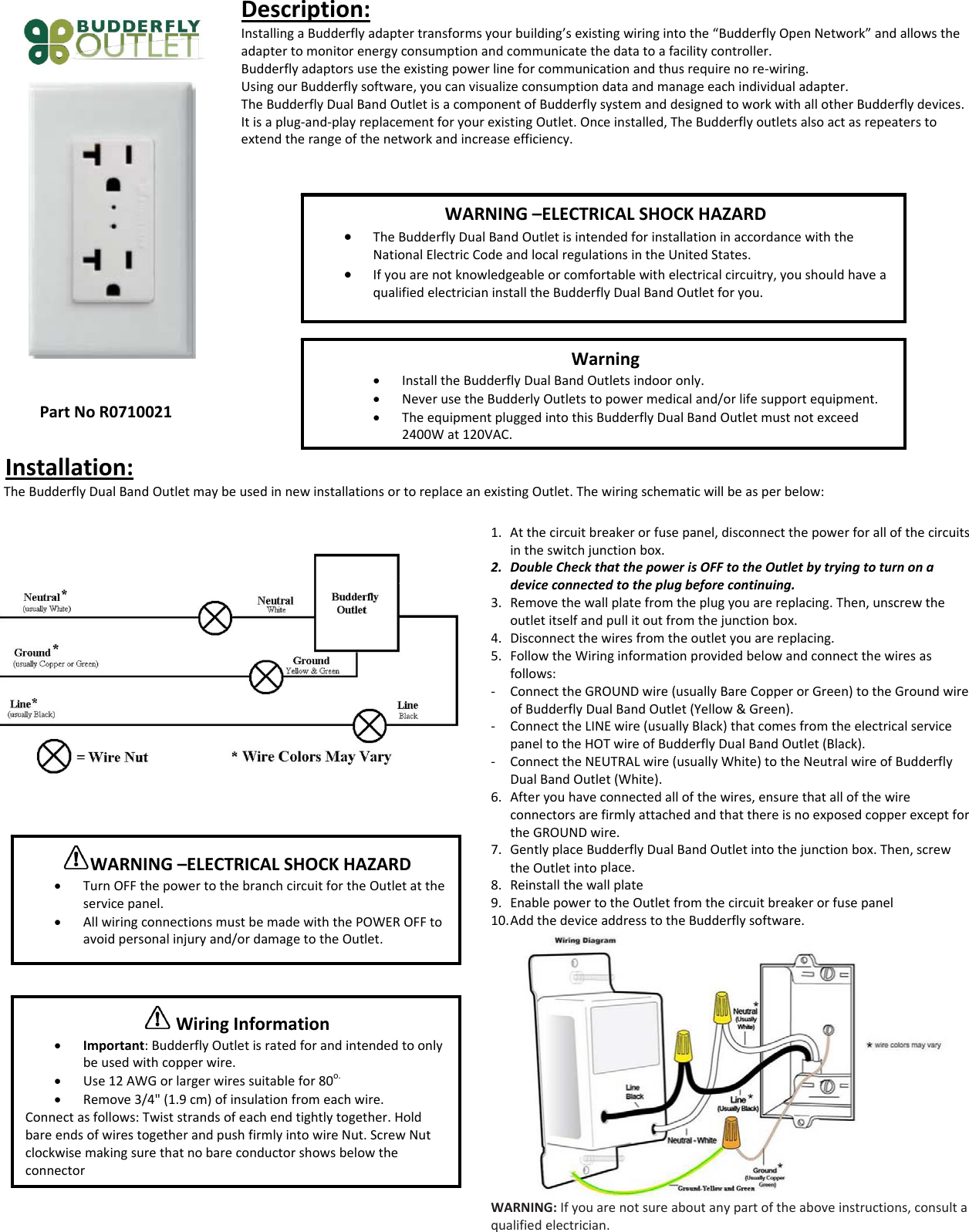
PartNoR0710021Description:InstallingaBudderflyadaptertransformsyourbuilding’sexistingwiringintothe“BudderflyOpenNetwork”andallowstheadaptertomonitorenergyconsumptionandcommunicatethedatatoafacilitycontroller.Budderflyadaptorsusetheexistingpowerlineforcommunicationandthusrequirenore‐wiring.UsingourBudderflysoftware,youcanvisualizeconsumptiondataandmanageeachindividualadapter.TheBudderflyDualBandOutletisacomponentofBudderflysystemanddesignedtoworkwithallotherBudderflydevices.Itisaplug‐and‐playreplacementforyourexistingOutlet.Onceinstalled,TheBudderflyoutletsalsoactasrepeaterstoextendtherangeofthenetworkandincreaseefficiency.Installation:TheBudderflyDualBandOutletmaybeusedinnewinstallationsortoreplaceanexistingOutlet.Thewiringschematicwillbeasperbelow:1. Atthecircuitbreakerorfusepanel,disconnectthepowerforallofthecircuitsintheswitchjunctionbox.2. DoubleCheckthatthepowerisOFFtotheOutletbytryingtoturnonadeviceconnectedtotheplugbeforecontinuing.3. Removethewallplatefromtheplugyouarereplacing.Then,unscrewtheoutletitselfandpullitoutfromthejunctionbox.4. Disconnectthewiresfromtheoutletyouarereplacing.5. FollowtheWiringinformationprovidedbelowandconnectthewiresasfollows:‐ ConnecttheGROUNDwire(usuallyBareCopperorGreen)totheGroundwireofBudderflyDualBandOutlet(Yellow&Green).‐ ConnecttheLINEwire(usuallyBlack)thatcomesfromtheelectricalservicepaneltotheHOTwireofBudderflyDualBandOutlet(Black).‐ ConnecttheNEUTRALwire(usuallyWhite)totheNeutralwireofBudderflyDualBandOutlet(White).6. Afteryouhaveconnectedallofthewires,ensurethatallofthewireconnectorsarefirmlyattachedandthatthereisnoexposedcopperexceptfortheGROUNDwire.7. GentlyplaceBudderflyDualBandOutletintothejunctionbox.Then,screwtheOutletintoplace.8. Reinstallthewallplate9. EnablepowertotheOutletfromthecircuitbreakerorfusepanel10. AddthedeviceaddresstotheBudderflysoftware.WARNING:Ifyouarenotsureaboutanypartoftheaboveinstructions,consultaqualifiedelectrician.WARNING–ELECTRICALSHOCKHAZARD• TheBudderflyDualBandOutletisintendedforinstallationinaccordancewiththeNationalElectricCodeandlocalregulationsintheUnitedStates.• Ifyouarenotknowledgeableorcomfortablewithelectricalcircuitry,youshouldhaveaqualifiedelectricianinstalltheBudderflyDualBandOutletforyou.Warning• InstalltheBudderflyDualBandOutletsindooronly.• NeverusetheBudderlyOutletstopowermedicaland/orlifesupportequipment.• TheequipmentpluggedintothisBudderflyDualBandOutletmustnotexceed2400Wat120VAC.WARNING–ELECTRICALSHOCKHAZARD• TurnOFFthepowertothebranchcircuitfortheOutletattheservicepanel.• AllwiringconnectionsmustbemadewiththePOWEROFFtoavoidpersonalinjuryand/ordamagetotheOutlet.WiringInformation• Important:BudderflyOutletisratedforandintendedtoonlybeusedwithcopperwire.• Use12AWGorlargerwiressuitablefor80o.• Remove3/4"(1.9cm)ofinsulationfromeachwire.Connectasfollows:Twiststrandsofeachendtightlytogether.HoldbareendsofwirestogetherandpushfirmlyintowireNut.ScrewNutclockwisemakingsurethatnobareconductorshowsbelowtheconnector
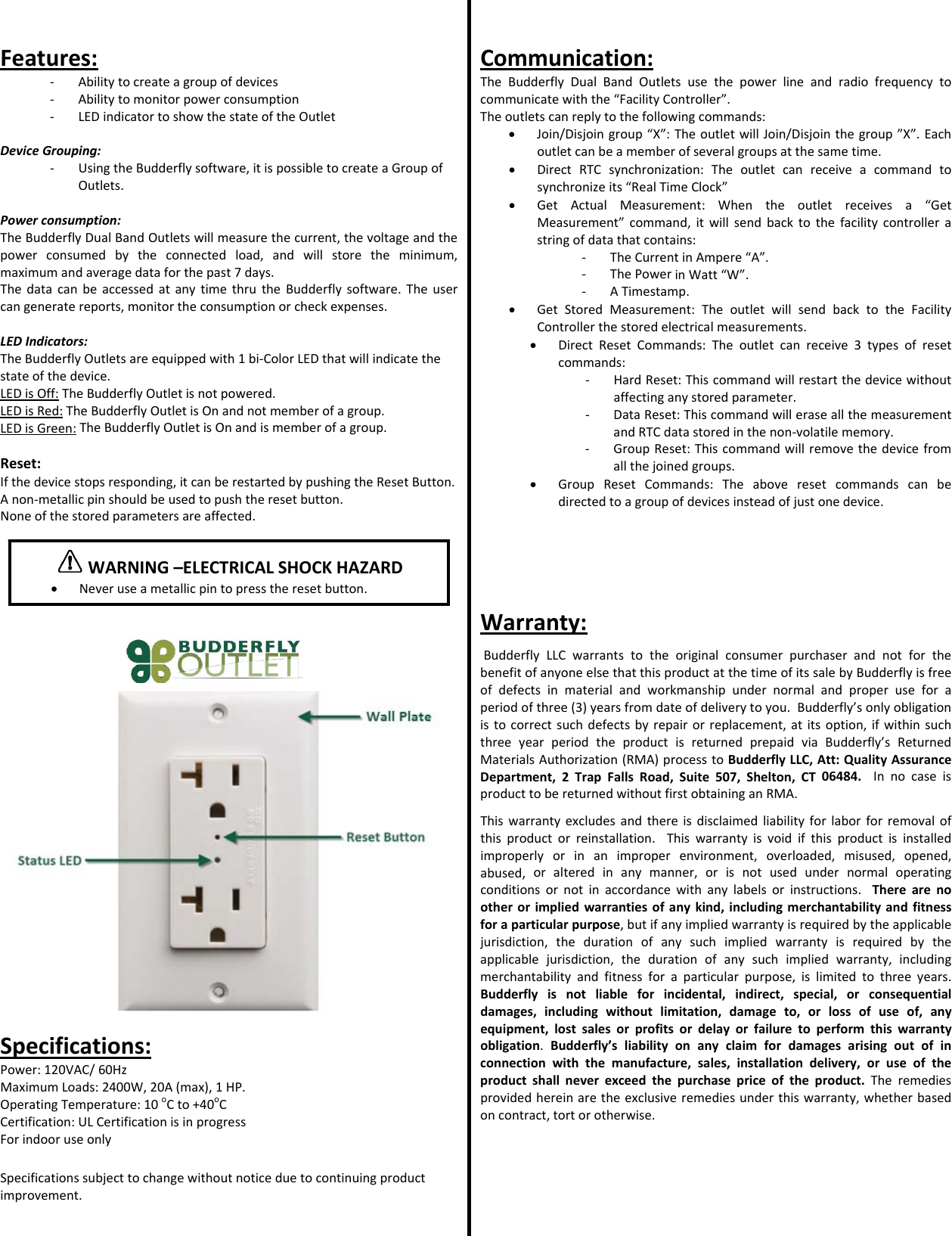
Features:‐ Abilitytocreateagroupofdevices‐ Abilitytomonitorpowerconsumption‐ LEDindicatortoshowthestateoftheOutletDeviceGrouping:‐ UsingtheBudderflysoftware,itispossibletocreateaGroupofOutlets.Powerconsumption:TheBudderflyDualBandOutletswillmeasurethecurrent,thevoltageandthepowerconsumedbytheconnectedload,andwillstoretheminimum,maximumandaveragedataforthepast7days.ThedatacanbeaccessedatanytimethrutheBudderflysoftware.Theusercangeneratereports,monitortheconsumptionorcheckexpenses.LEDIndicators:TheBudderflyOutletsareequippedwith1bi‐ColorLEDthatwillindicatethestateofthedevice.LEDisOff:TheBudderflyOutletisnotpowered.LEDisRed:TheBudderflyOutletisOnandnotmemberofagroup.LEDisGreen:TheBudderflyOutletisOnandismemberofagroup.Reset:Ifthedevicestopsresponding,itcanberestartedbypushingtheResetButton.Anon‐metallicpinshouldbeusedtopushtheresetbutton.Noneofthestoredparametersareaffected.Specifications:Power:120VAC/60HzMaximumLoads:2400W,20A(max),1HP.OperatingTemperature:10oCto+40oCCertification:ULCertificationisinprogressForindooruseonlySpecificationssubjecttochangewithoutnoticeduetocontinuingproductimprovement.Communication:TheBudderflyDualBandOutletsusethepowerlineandradiofrequencytocommunicatewiththe“FacilityController”.Theoutletscanreplytothefollowingcommands:• Join/Disjoingroup“X”:TheoutletwillJoin/Disjointhegroup”X”.Eachoutletcanbeamemberofseveralgroupsatthesametime.• DirectRTCsynchronization:Theoutletcanreceiveacommandtosynchronizeits“RealTimeClock”• GetActualMeasurement:Whentheoutletreceivesa“GetMeasurement”command,itwillsendbacktothefacilitycontrollerastringofdatathatcontains:‐ TheCurrentinAmpere“A”.‐ ThePowerinWatt“W”.‐ ATimestamp.• GetStoredMeasurement:TheoutletwillsendbacktotheFacilityControllerthestoredelectricalmeasurements.• DirectResetCommands:Theoutletcanreceive3typesofresetcommands:‐ HardReset:Thiscommandwillrestartthedevicewithoutaffectinganystoredparameter.‐ DataReset:ThiscommandwilleraseallthemeasurementandRTCdatastoredinthenon‐volatilememory.‐ GroupReset:Thiscommandwillremovethedevicefromallthejoinedgroups.• GroupResetCommands:Theaboveresetcommandscanbedirectedtoagroupofdevicesinsteadofjustonedevice.Warranty:BudderflyLLCwarrantstotheoriginalconsumerpurchaserandnotforthebenefitofanyoneelsethatthisproductatthetimeofitssalebyBudderflyisfreeofdefectsinmaterialandworkmanshipundernormalandproperuseforaperiodofthree(3)yearsfromdateofdeliverytoyou.Budderfly’sonlyobligationistocorrectsuchdefectsbyrepairorreplacement,atitsoption,ifwithinsuchthreeyearperiodtheproductisreturnedprepaidviaBudderfly’sReturnedMaterialsAuthorization(RMA)processtoBudderflyLLC,Att:QualityAssuranceDepartment,2TrapFallsRoad,Suite507,Shelton,CT06484.InnocaseisproducttobereturnedwithoutfirstobtaininganRMA.Thiswarrantyexcludesandthereisdisclaimedliabilityforlaborforremovalofthisproductorreinstallation.Thiswarrantyisvoidifthisproductisinstalledimproperlyorinanimproperenvironment,overloaded,misused,opened,abused,oralteredinanymanner,orisnotusedundernormaloperatingconditionsornotinaccordancewithanylabelsorinstructions.Therearenootherorimpliedwarrantiesofanykind,includingmerchantabilityandfitnessforaparticularpurpose,butifanyimpliedwarrantyisrequiredbytheapplicablejurisdiction,thedurationofanysuchimpliedwarrantyisrequiredbytheapplicablejurisdiction,thedurationofanysuchimpliedwarranty,includingmerchantabilityandfitnessforaparticularpurpose,islimitedtothreeyears.Budderflyisnotliableforincidental,indirect,special,orconsequentialdamages,includingwithoutlimitation,damageto,orlossofuseof,anyequipment,lostsalesorprofitsordelayorfailuretoperformthiswarrantyobligation.Budderfly’sliabilityonanyclaimfordamagesarisingoutofinconnectionwiththemanufacture,sales,installationdelivery,oruseoftheproductshallneverexceedthepurchasepriceoftheproduct.Theremediesprovidedhereinaretheexclusiveremediesunderthiswarranty,whetherbasedoncontract,tortorotherwise.WARNING–ELECTRICALSHOCKHAZARD• Neveruseametallicpintopresstheresetbutton.
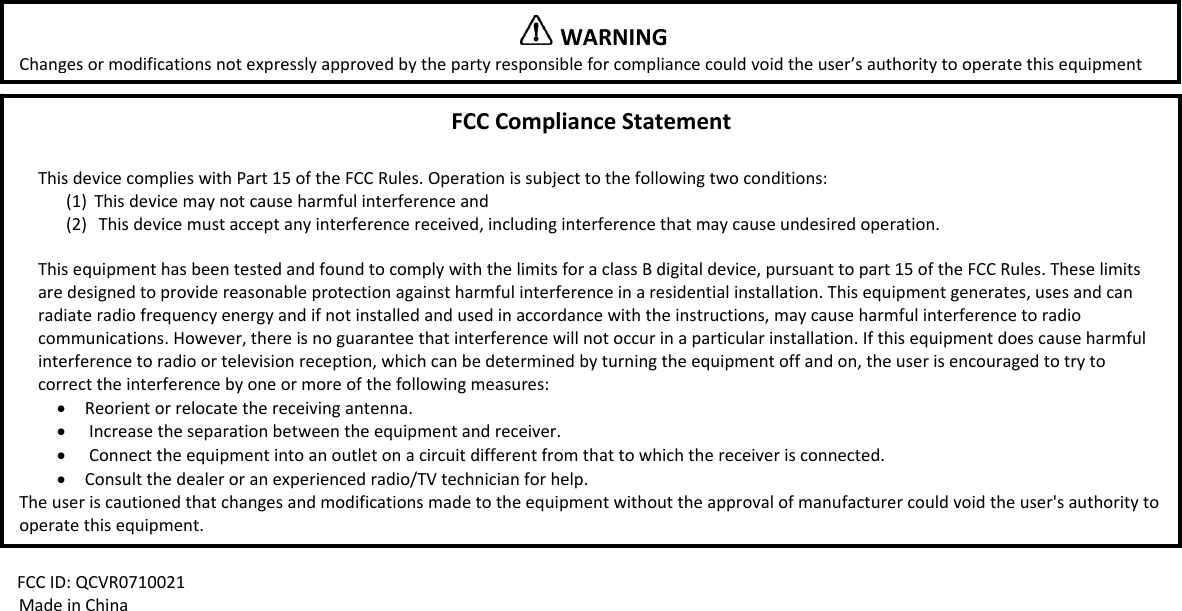
FCCID:QCVR0710021MadeinChinaWARNINGChangesormodificationsnotexpresslyapprovedbythepartyresponsibleforcompliancecouldvoidtheuser’sauthoritytooperatethisequipmentFCCComplianceStatementThisdevicecomplieswithPart15oftheFCCRules.Operationissubjecttothefollowingtwoconditions:(1) Thisdevicemaynotcauseharmfulinterferenceand(2) Thisdevicemustacceptanyinterferencereceived,includinginterferencethatmaycauseundesiredoperation.ThisequipmenthasbeentestedandfoundtocomplywiththelimitsforaclassBdigitaldevice,pursuanttopart15oftheFCCRules.Theselimitsaredesignedtoprovidereasonableprotectionagainstharmfulinterferenceinaresidentialinstallation.Thisequipmentgenerates,usesandcanradiateradiofrequencyenergyandifnotinstalledandusedinaccordancewiththeinstructions,maycauseharmfulinterferencetoradiocommunications.However,thereisnoguaranteethatinterferencewillnotoccurinaparticularinstallation.Ifthisequipmentdoescauseharmfulinterferencetoradioortelevisionreception,whichcanbedeterminedbyturningtheequipmentoffandon,theuserisencouragedtotrytocorrecttheinterferencebyoneormoreofthefollowingmeasures:• Reorientorrelocatethereceivingantenna.• Increasetheseparationbetweentheequipmentandreceiver.• Connecttheequipmentintoanoutletonacircuitdifferentfromthattowhichthereceiverisconnected.• Consultthedealeroranexperiencedradio/TVtechnicianforhelp.Theuseriscautionedthatchangesandmodificationsmadetotheequipmentwithouttheapprovalofmanufacturercouldvoidtheuser'sauthoritytooperatethisequipment.

Navigation menu