CMITECH UMX-10 Iris CAMERA User Manual

CMITECH Co.,Ltd. Iris CAMERA

User Manual

  User grapSome of t www.cmi-Copyright         phics and screethe contents in-tech.com t 2016,allrigh       en shots in thisn this manual mhtsreservedUMIris Intuitiv Interna LAN / Rfunctio Options guide may vamay differ fromMX‐10sRecoU(v0.1ve face disal automaRS485 Suons nal face imary from actuam current opeNextGognitioUser Man.1, July 1splay posatic motoupport indmage capal rating library rGeneronSysnual1, 2016)sitioning rized tilt cdependenture and release rationstemcameras nt input aface recoand outpuognition v0.1.1July2016ut
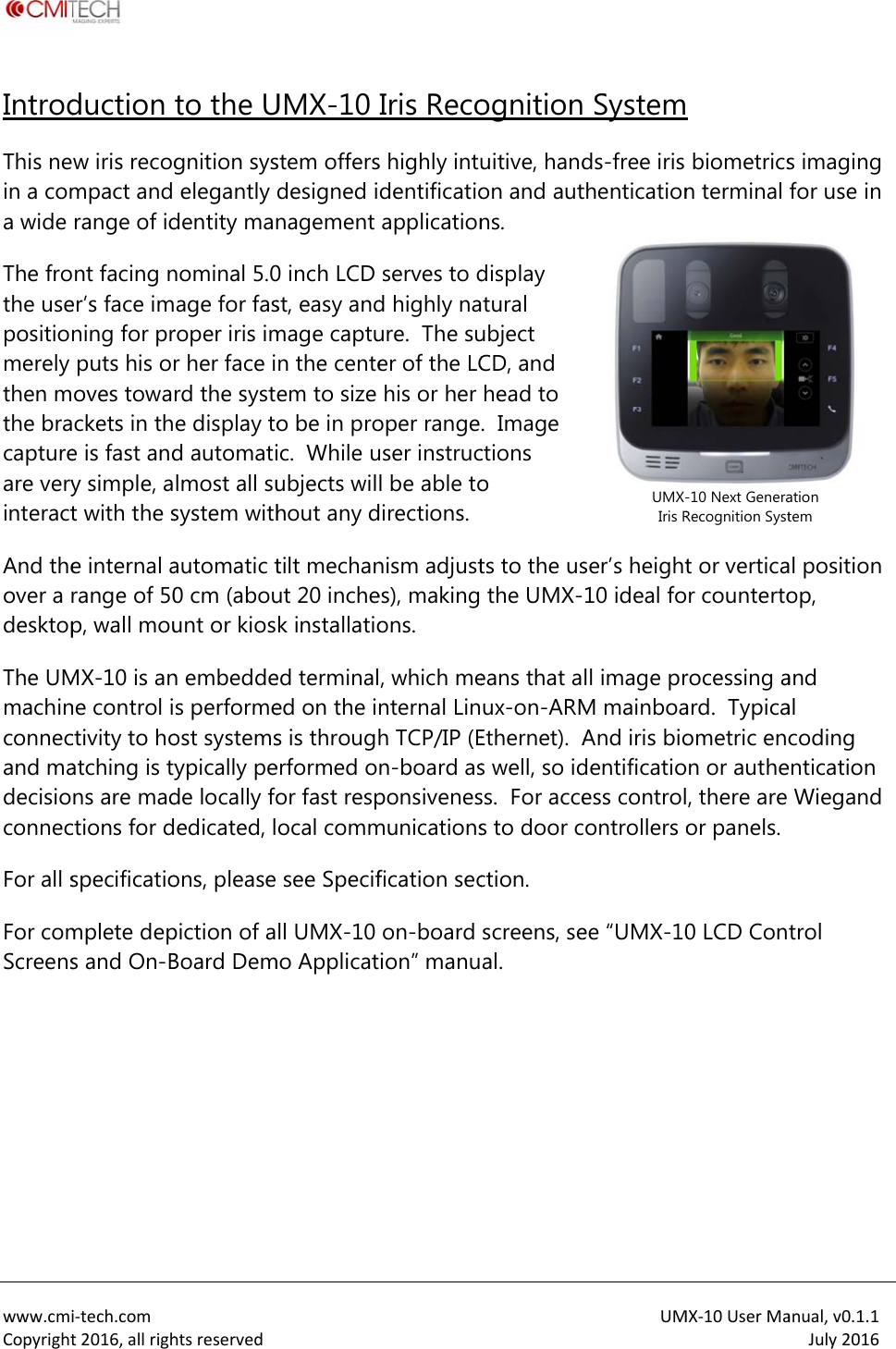
 www.cmiCopyrightIntrodThis nein a coma wide The frothe usepositionmerely then mthe bracaptureare veryinteractAnd theover a rdesktopThe UMmachinconnecand madecisioconnecFor all sFor comScreens i‐tech.comt2016,allrighduction w iris recogmpact and range of idnt facing ner’s face imning for prputs his oroves towackets in the is fast andy simple, at with the se internal arange of 50p, wall mouMX-10 is anne control ictivity to hoatching is tyns are madctions for dspecificatiomplete deps and On-Bhtsreservedto the Ugnition syselegantly dentity mannominal 5.0age for fasroper iris imr her face ird the syste display tod automatilmost all susystem withautomatic t0 cm (abouunt or kiosn embeddes performeost systemsypically pede locally foedicated, lons, please piction of aBoard Dem UMX-10 stem offersdesigned inagement 0 inch LCD st, easy andmage captun the centeem to size o be in proic.  While uubjects wilhout any dtilt mechanut 20 inchek installatioed terminaled on the ins is througherformed oor fast respocal commsee Specifll UMX-10mo ApplicatIris Recos highly intudentificatioapplicationserves to dd highly naure.  The suer of the LChis or her oper range.user instrucl be able todirections. nism adjustes), making ons. , which menternal Linh TCP/IP (En-board asponsivenesmunicationsfication secon-board ion” manuognitionuitive, handon and autns.   display tural ubject CD, and head to .  Image ctions o ts to the usthe UMX-eans that aux-on-ARMEthernet).  As well, so idss.  For acces to door cction. screens, seal. UM Systemds-free iris thenticationser’s height10 ideal foll image prM mainboaAnd iris biodentificatioess controlontrollers oee “UMX-10UMX-Iris RMX‐10UserMa biometricsn terminal t or verticaor countertorocessing aard.  Typicaometric enon or authe, there are or panels. 0 LCD Con-10 Next GeneraRecognition Systanual,v0.1.1July2016s imaging for use in al position op, and al coding entication Wiegand trol ation tem
 www.cmiCopyrightKey F Iris u Con Inte Posiothe Simu On-1:1 ( Opt Ft Sf Sup Opt Opt Sup Kens Stan232, Con Exte Tam Acce Integ Mee1979 Desi i‐tech.comt2016,allrigheatures user interfactactless iris rnal, automitioning guider languageultaneous dboard iris e(authenticational CombFace as primto iris recogSupplementface recognports dual fimized imagimized imagports imagisington lockndard comm, dual Wieganection cabernal audio cmper switch oess control (grated Smaets CE mark,94-6 2011 sign and prohtsreservedce with intuimaging at atic face andance vocals available wdual iris reconcoding andtion) or 1:N ined Face amary modalignition tal face reconition followfactor autheging for diffge capture fng of all irisk slot standamunications and I/O, TTLbles with preconnector on rear pan(AC) configurt Card read, FCC, IEC 62standard oduction me itive LCD dirange of 35d iris camerlizations selwith .wav filognition witd matching,(identificatind Iris modity, with faceognition in cws iris recognentication wficult ambiefor most suns colors ard  connectorsL, and dry coess-in connenel uration includer (choice 2471 eye saeet ISO 9001splay face p5 to 45 cm sra tilt mechaectable on /e substitutioh typical cap, with internon) modesdes: e recognitiocase of iris rnition attemith card or Pnt lighting cnglasses, gla and protocontact relayectors includudes wall mof basic MiFfety, and Ro1 2011 standpositioning, stand-off anism with n/ off and deon pture speednal data bason rejects derecognition mpt PIN conditionsasses, and fcols for TCP/y ded in accesmount plateFare / DesFioHS standardard UMlike smart pnominal heielay time.  Ed of under 1e of up to 1ecisions autfailure-to-cacial veils /IP (Ethernessories kitre card or Hrds.  Iris recoMX‐10UserMaphone “selfiight range onglish stand1 second 10,000 usersomatically scapture (FTCet RJ-45), RSHID multi-claognition meanual,v0.1.1July2016e”  of 50 cm dard, all s in either switch over C), so that S-484 and -ass reader)eets ISO
 www.cmiCopyrightAcces IncludesPower suPower coconnectBasic Mi(internalStandardWall moID I/O cadevice, aconnectIncludesdry contAC I/O cdevice, aconnectIncludes232, TTLFerrite cBack covtype)  i‐tech.comt2016,allrighssories Ks: upply (IEC Cord (IEC C14or type by ciFare / DesFil) d back coverount bracket ables with pand pig tails ions s cables for Rtact relay cables with pand pig tails ions s cables for WL (2), dry conore and diodver / plate schtsreservedKit 13 female) 4 male), powountry re card readr ush in connefor externalRS 485, RS 2push in connfor externalWiegand (2),ntact relay de crew (M4) (n wer side der ectors for  32, TTL (2), nectors for  , RS 485, RS not security ID MManagementVersion Yes Yes No Yes No Yes No Yes Yes UMt Ac&MX‐10UserMaccess Contro& AttendanceYesYesYesYesYesNo YesYesYesanual,v0.1.1July2016ol and Time e Versionss s s s s s s s
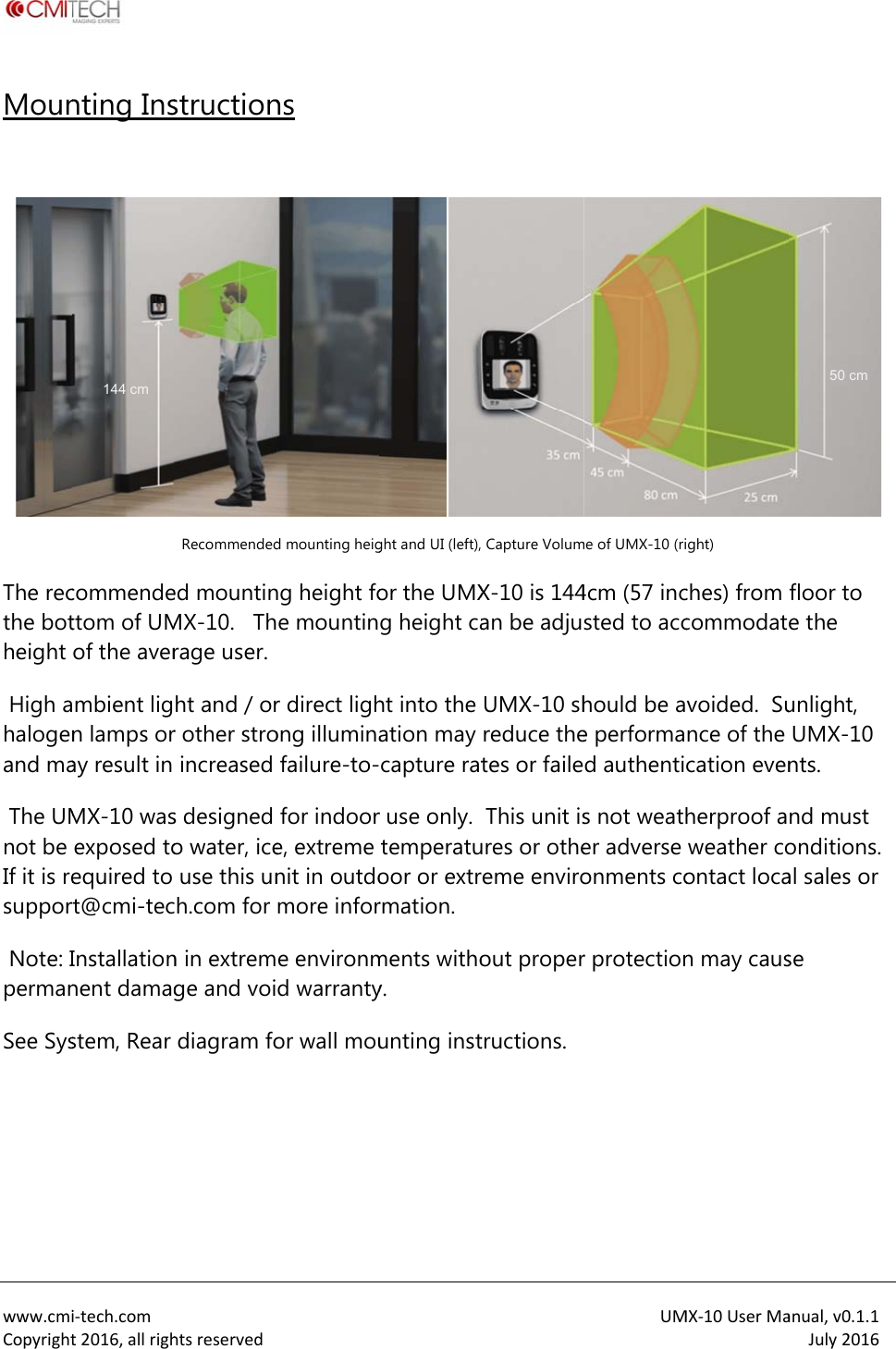
 www.cmiCopyrightMoun The recthe botheight  High ahalogenand ma The UMnot be If it is resuppor Note: IpermanSee Sys   i‐tech.comt2016,allrighnting Inscommendettom of UMof the avermbient lign lamps oray result in MX-10 wasexposed toequired to rt@cmi-tecInstallationnent damagstem, Rear 144 cm htsreservedstructionRecommendeded mountinMX-10.   Thrage user. ht and / orr other stroincreased s designed o water, iceuse this unh.com for n in extremge and voidiagram fo ns d mounting heigng height foe mountinr direct lighong illuminafailure-to-for indoore, extreme nit in outdomore infore environmd warrantyor wall mou ght and UI (left),or the UMXg height caht into the ation may capture ratr use only.  temperatuoor or extrrmation. ments withoy. unting inst Capture VolumX-10 is 144an be adjuUMX-10 shreduce thetes or faileThis unit isures or otheeme enviroout propertructions. UMme of UMX-10 (ri4cm (57 incsted to acchould be ae performad authentis not weather adverse onments cor protectionMX‐10UserMaight) ches) from commodatvoided.  Sunce of the cation evenherproof aweather coontact locan may causanual,v0.1.1July2016 floor to e the unlight, UMX-10 nts. nd must onditions.  al sales or se 50 cm
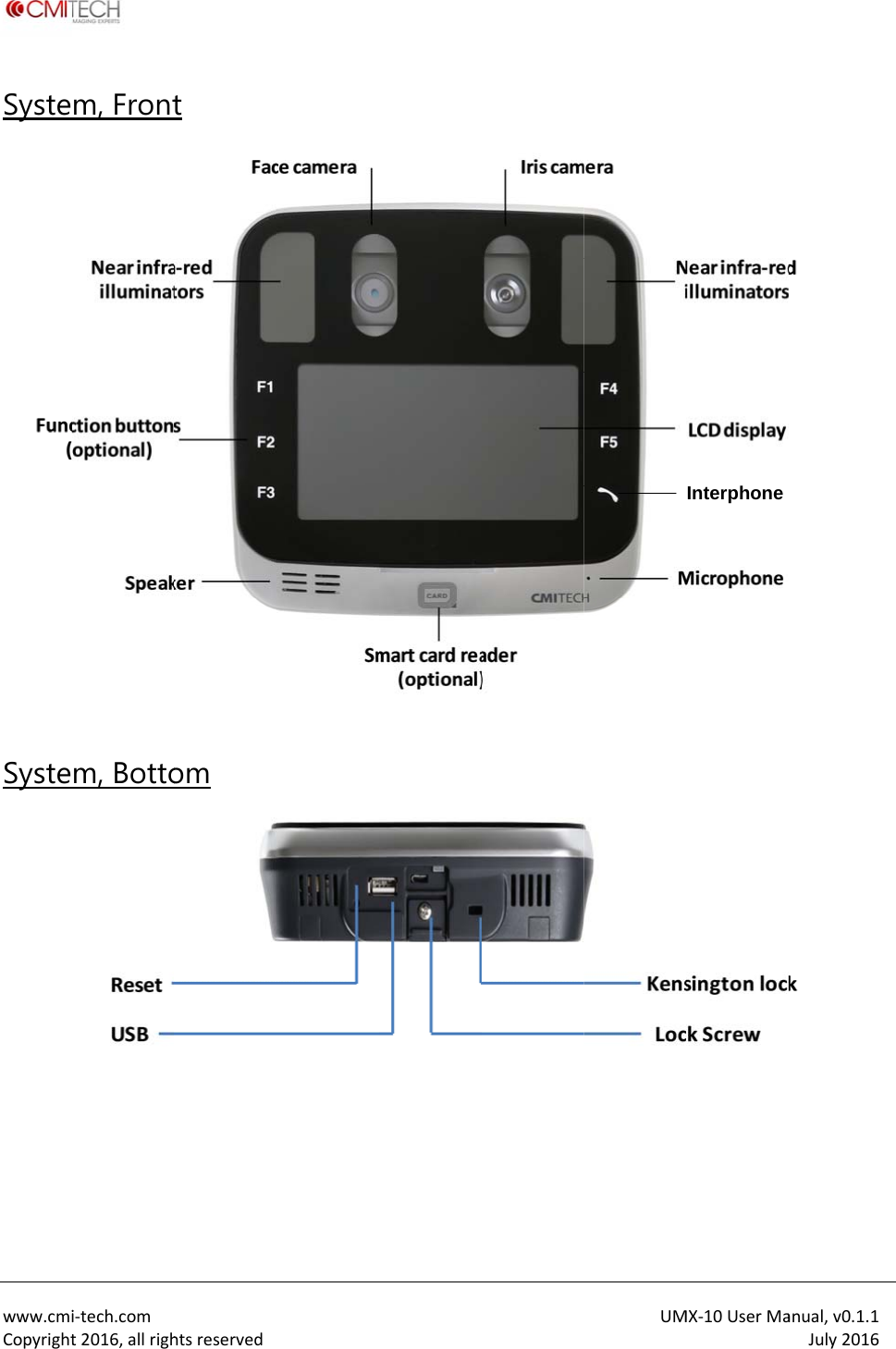
 www.cmiCopyrightSyste Syste          i‐tech.comt2016,allrighm, Frontm, Bottohtsreservedt om UMMX‐10UserMaInterphone anual,v0.1.1July2016
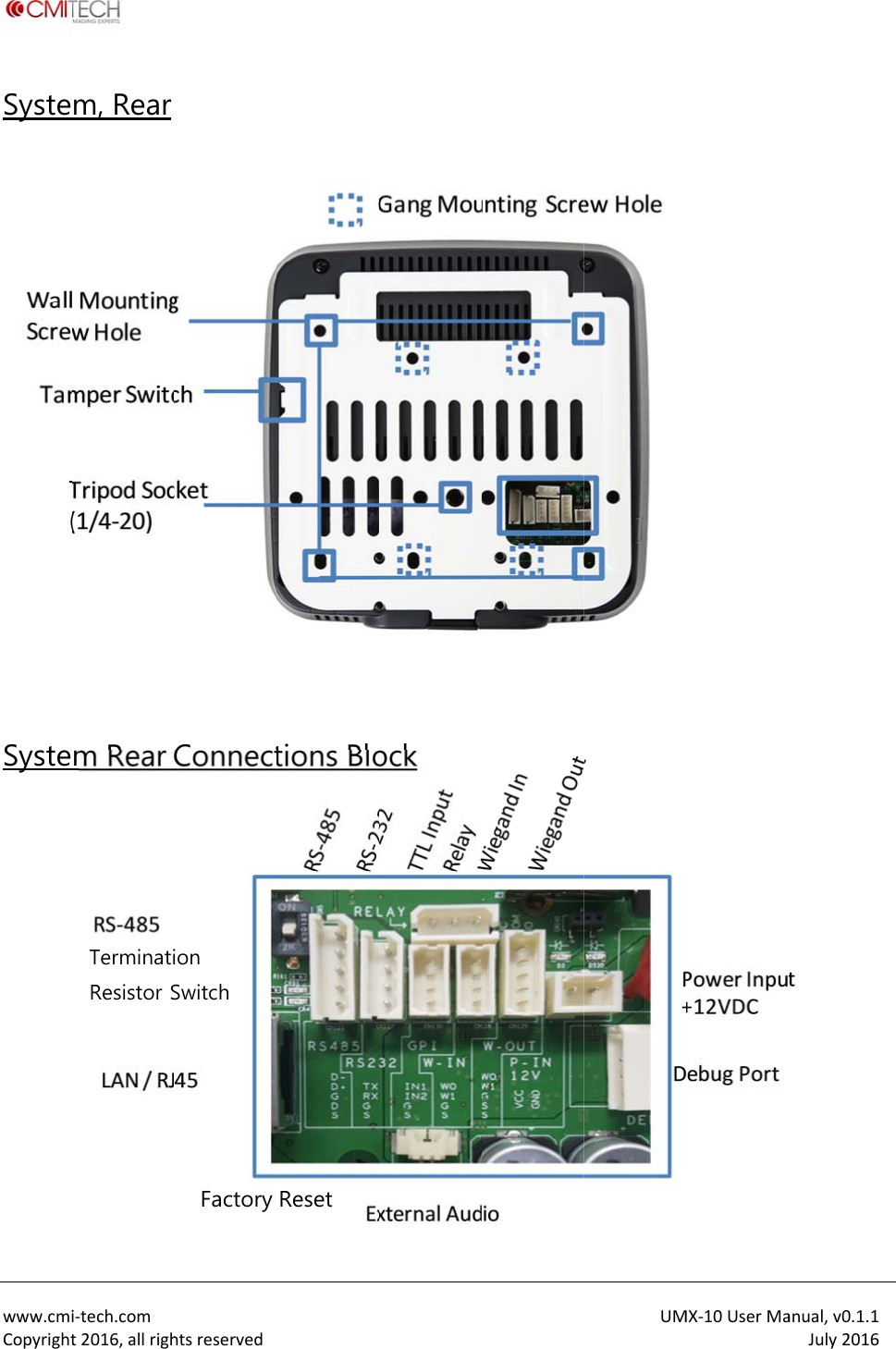
 www.cmiCopyrightSyste            Syste    i‐tech.comt2016,allrighm, Rear m Rear CTerminatiResistor ShtsreservedConnect ion Switch Factory tions BloReset ock  UMMX‐10UserMaanual,v0.1.1July2016
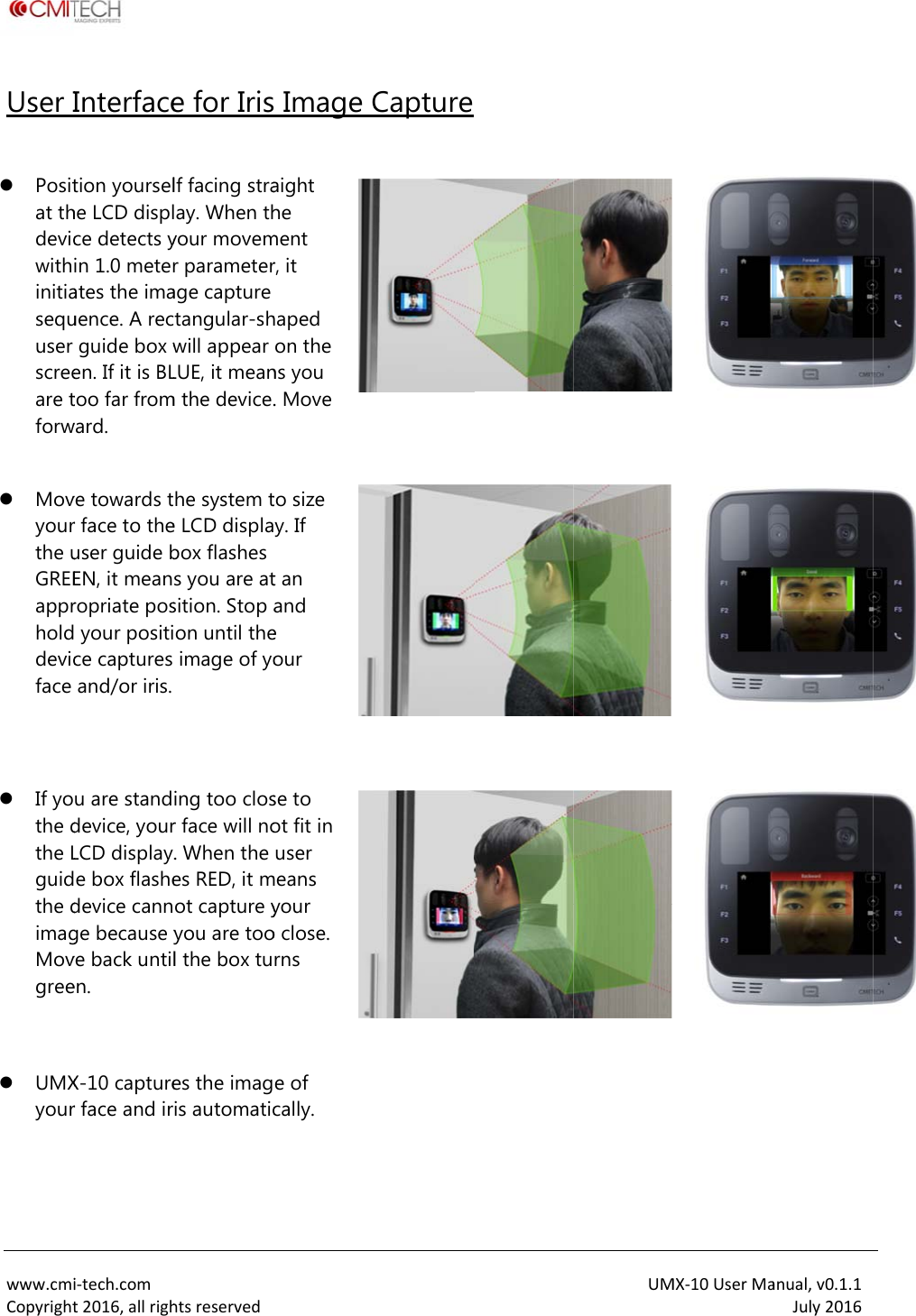
 www.cmiCopyrightUser I  Positat thdevicwithinitiasequuser screeare tforw   Movyourthe uGREEapprholddevicface     If yothe dthe Lguidthe dimagMovgree    UMXyour  i‐tech.comt2016,allrighInterfacetion yourselhe LCD displce detects yin 1.0 meterates the imauence. A recguide box wen. If it is BLtoo far fromward. ve towards tr face to theuser guide bEN, it meanropriate pos your positice captures and/or iris. u are standdevice, yourLCD display.e box flashedevice cannge because yve back untilen. X-10 capturer face and irhtsreservede for Irislf facing straay. When thyour movemr parameterage capture tangular-shwill appear LUE, it meanm the device.he system te LCD displabox flashes s you are atsition. Stop aon until theimage of yoing too closr face will no. When the es RED, it mot capture yyou are tool the box tues the imagis automatic  Image Caight he ment r, it haped on the ns you . Move   to size y. If t an and e our  se to ot fit in user means your o close. rns   e of cally.  Capture  UMMX‐10UserMa       anual,v0.1.1July2016
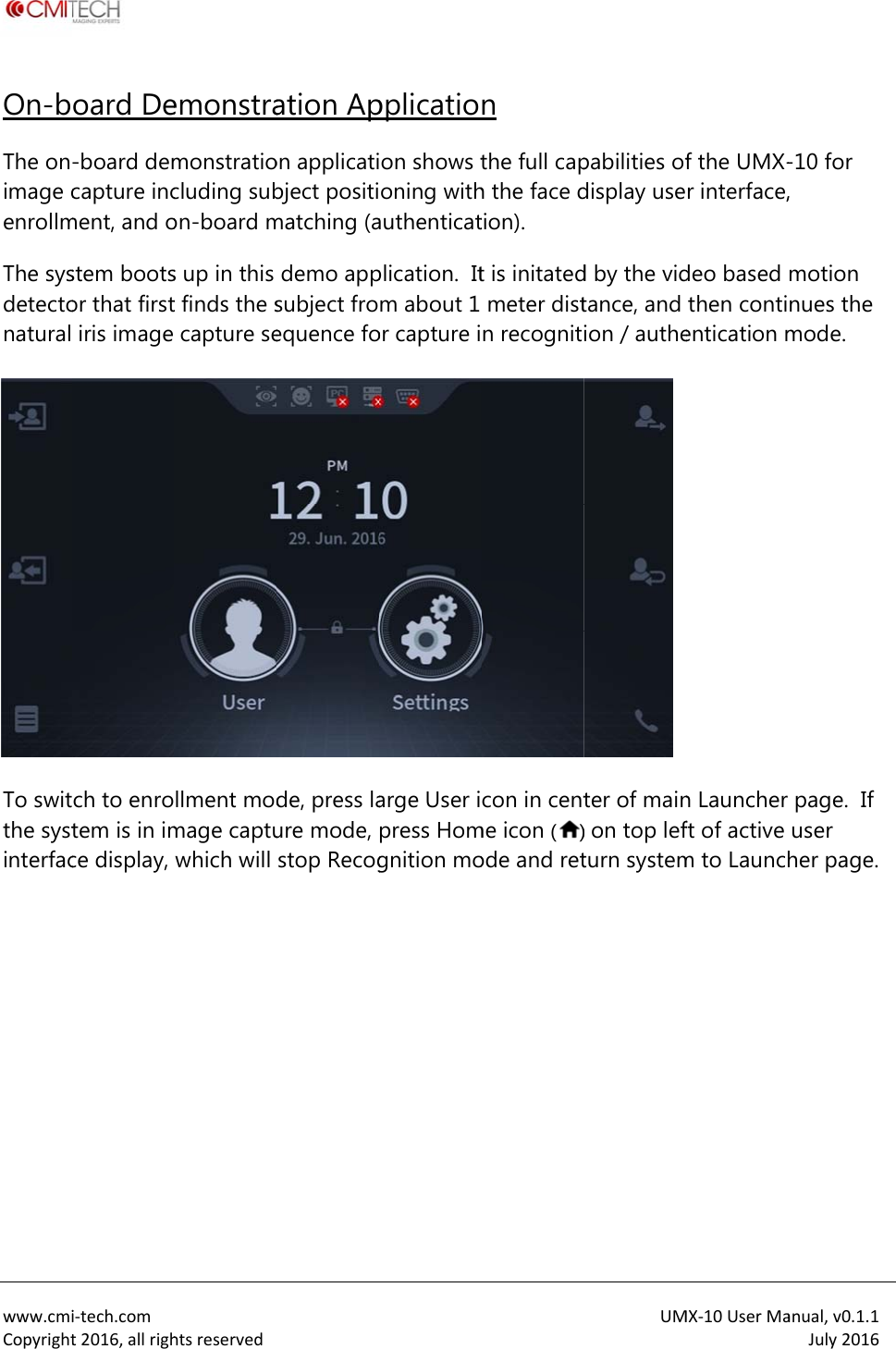
 www.cmiCopyrightOn-bThe onimage cenrollmThe sysdetectonatural  To switthe systinterfac i‐tech.comt2016,allrighoard De-board demcapture incment, and ostem bootsor that firstiris image ch to enrotem is in imce display, htsreservedemonstramonstratiocluding subon-board ms up in this t finds the scapture sellment modmage captuwhich will  ation Apon applicatibject positimatching (ademo appsubject froequence fode, press laure mode, stop Recogpplicatioon shows toning withauthenticatplication.  Itm about 1 or capture iarge User ipress Homgnition mon the full caph the face dtion). t is initatedmeter distn recognitcon in centme icon ()ode and retUMpabilities ofdisplay used by the vidtance, and ion / autheter of main) on top lefturn systemMX‐10UserMaf the UMX-r interface,deo based then contientication mn Launcher ft of active m to Launchanual,v0.1.1July2016-10 for , motion nues the mode. page.  If user her page.
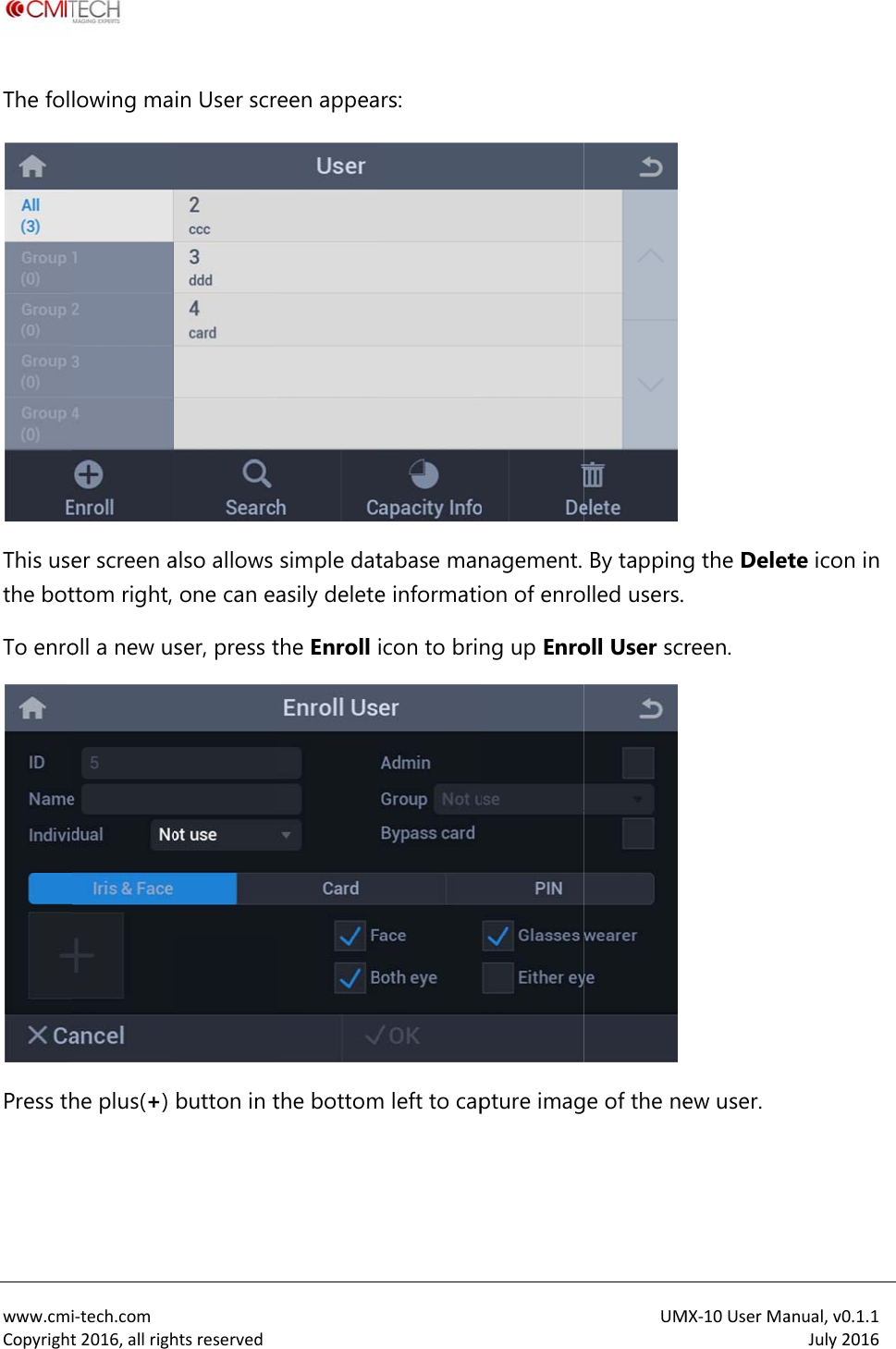
 www.cmiCopyrightThe fol This usethe botTo enroPress th i‐tech.comt2016,allrighlowing maer screen attom right, oll a new ushe plus(+) htsreservedin User scralso allows one can easer, press tbutton in t een appeasimple datasily deletethe Enroll ithe bottomrs: tabase mane informatiicon to brinm left to capnagement. on of enrong up Enropture imagUMBy tappingolled users. oll User scrge of the neMX‐10UserMag the Deletreen.  ew user. anual,v0.1.1July2016te icon in
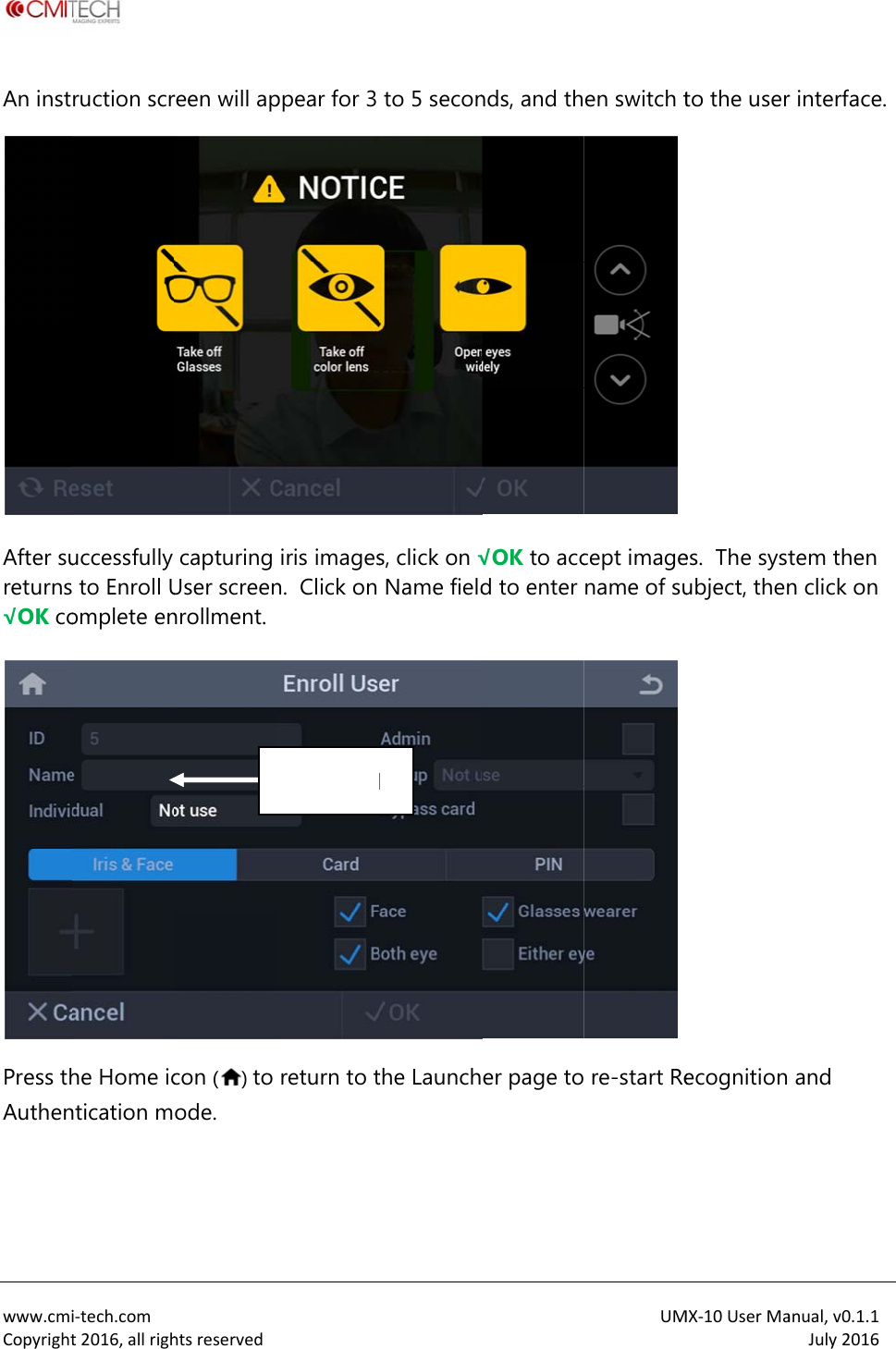
 www.cmiCopyrightAn instAfter sureturns√OK co Press thAuthen i‐tech.comt2016,allrighruction scruccessfully  to Enroll Uomplete enhe Home icntication mhtsreservedreen will apcapturing User screennrollment. con () to ode.  Nppear for 3 iris imagesn.  Click on return to tName fieldto 5 secons, click on √Name fieldthe Launchd nds, and th√OK to accd to enter er page toUMen switch tcept imagename of su re-start ReMX‐10UserMato the useres.  The systubject, thenecognition anual,v0.1.1July2016r interface. tem then n click on  and
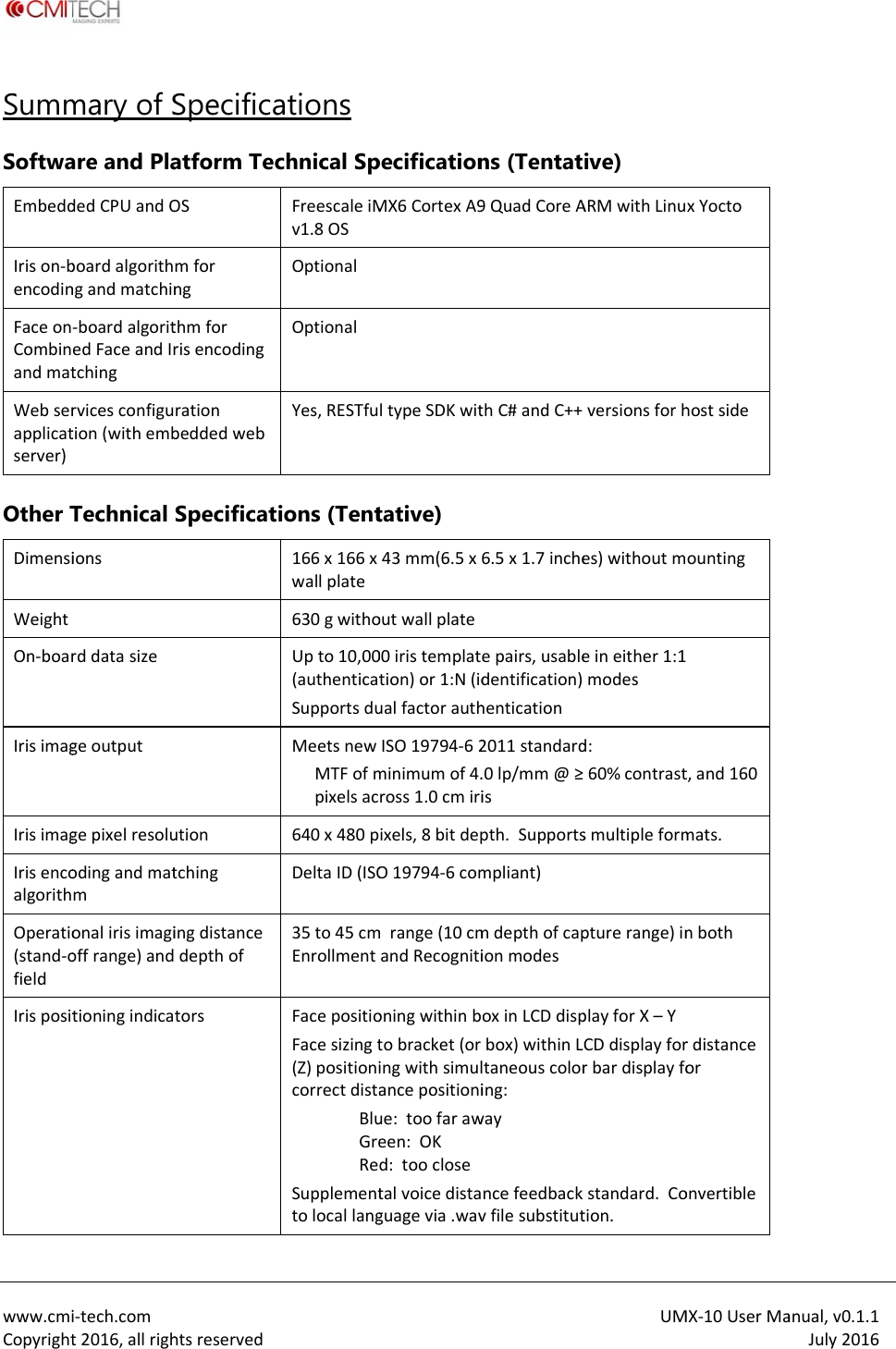
 www.cmiCopyrightSummSoftwaEmbeddIrison‐bencodinFaceonCombinandmatWebserapplicatserver)Other TDimensiWeightOn‐boarIrisimagIrisimagIrisencoalgorithOperatio(stand‐ofieldIrispositi‐tech.comt2016,allrighmary of Sare and PladedCPUandOboardalgorithngandmatchin‐boardalgoritedFaceandIrtchingrvicesconfigution(withembTechnical ionsrddatasizegeoutputgepixelresoluodingandmatmonalirisimagioffrange)andtioningindicahtsreservedSpecificaatform TecOSmforngthmforrisencodingrationbeddedwebSpecificatutiontchingingdistancedepthoftorsations chnical SpFreescaleiMv1.8OSOptionalOptionalYes,RESTfuions (Tent166x166xwallplate630gwithoUpto10,00(authenticatSupportsduMeetsnewMTFofmpixelsac640x480pDeltaID(ISO35to45cmEnrollmentFacepositioFacesizingt(Z)positionicorrectdistaBluGreReSupplementtolocallangpecificationMX6CortexA9ltypeSDKwittative) 43mm(6.5xoutwallplate00iristemplattion)or1:N(idualfactorauthISO19794‐62minimumof4.ross1.0cmiriixels,8bitdepO19794‐6commrange(10cmandRecognitioningwithinbtobracket(oringwithsimulancepositioniue:toofaraween:OKd:tooclosetalvoicedistaguagevia.wavns (Tentat9QuadCoreAthC#andC++6.5x1.7incheepairs,usabledentification)hentication2011standard.0lp/mm@≥ispth.Supportsmpliant)mdepthofcapionmodesoxinLCDdispbox)withinLltaneouscoloring:wayncefeedbackvfilesubstitutUMive) ARMwithLinuversionsforhes)withoutmeineither1:1modesd:60%contrastsmultipleformpturerange)inplayforX–YCDdisplayforrbardisplayfostandard.Cotion.MX‐10UserMaxYoctohostsideountingt,and160mats.nbothrdistanceoronvertibleanual,v0.1.1July2016
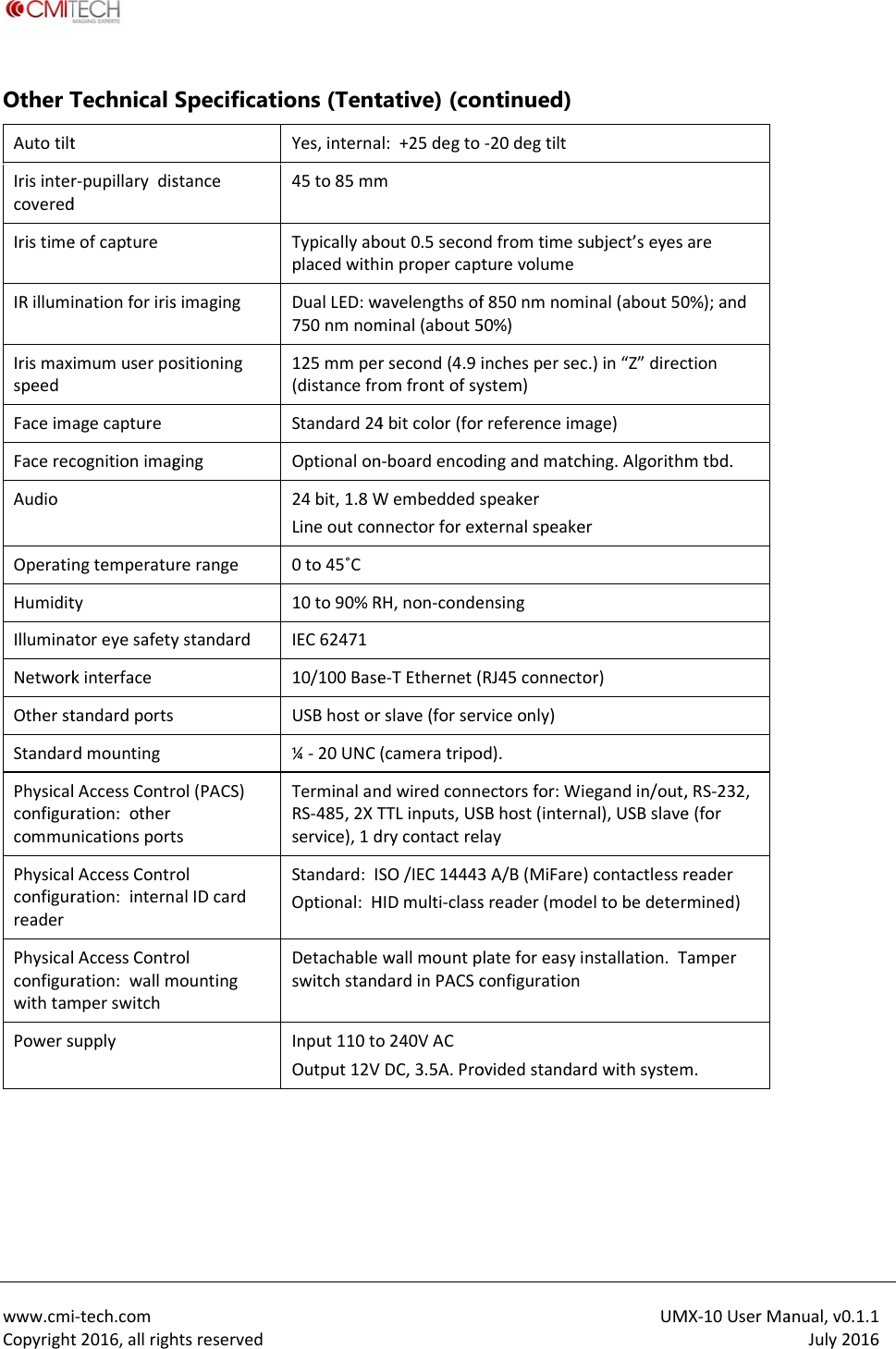
 www.cmiCopyrightOther TAutotiltIrisintercoveredIristimeIRillumiIrismaxspeedFaceimFacerecAudioOperatiHumiditIlluminaNetworkOtherstStandarPhysicalconfigurcommuPhysicalconfigurreaderPhysicalconfigurwithtamPowers  i‐tech.comt2016,allrighTechnical tr‐pupillarydisdeofcaptureinationforirisimumuserpoagecapturecognitionimagngtemperatutyatoreyesafetykinterfacetandardportsdmountinglAccessContrration:othernicationsportlAccessContrration:internlAccessContrration:wallmmperswitchsupplyhtsreservedSpecificatstancesimagingositioninggingrerangeystandardrol(PACS)tsrolalIDcardrolmounting ions (TentYes,interna45to85mmTypicallyabplacedwithDualLED:w750nmnom125mmper(distancefroStandard24Optionalon24bit,1.8WLineoutcon0to45˚C10to90%RIEC6247110/100BaseUSBhostor¼‐20UNCTerminalanRS‐485,2XTservice),1dStandard:IOptional:HDetachableswitchstandInput110toOutput12Vtative) (coal:+25degtombout0.5seconinpropercaptwavelengthsofminal(about5rsecond(4.9iomfrontofsy4bitcolor(forn‐boardencodWembeddedsnnectorforexRH,non‐condee‐TEthernet(rslave(forser(cameratripondwiredconnTTLinputs,USdrycontactrelSO/IEC14443HIDmulti‐classwallmountpdardinPACSco240VACVDC,3.5A.Prontinued)‐20degtiltdfromtimesturevolumef850nmnom50%)inchespersecystem)rreferenceimdingandmatchspeakerxternalspeakeensingRJ45connectorviceonly)od).ectorsfor:WiSBhost(internlay3A/B(MiFaresreader(modlateforeasyiconfigurationovidedstandarUMsubject’seyesinal(about50c.)in“Z”direcage)hing.Algorithmeror)egandin/out,nal),USBslave)contactlessreltobedeternstallation.TrdwithsystemMX‐10UserMaare0%);andctionmtbd.,RS‐232,e(forreaderrmined)Tamperm.anual,v0.1.1July2016
 www.cmiCopyrightConta  CMITec#904,25,Anyang‐s431‐815RTel:+82.Fax:+82.Contact:si‐tech.comt2016,allrighact InforhCompany248Beon‐gil,i,Gyeonggi‐doRepublicofKo70.8633.8278.31.624.4490sales@cmi‐techtsreservedrmation  y,Ltd.Simin‐daero,o,orea8ch.comDongan‐gu,CM2033SanTel:ITechAmer3GatewayPlaJose,CA9511(1)408573‐6UMrica,Inc.ace,Suite50010USA6930MX‐10UserMaanual,v0.1.1July2016
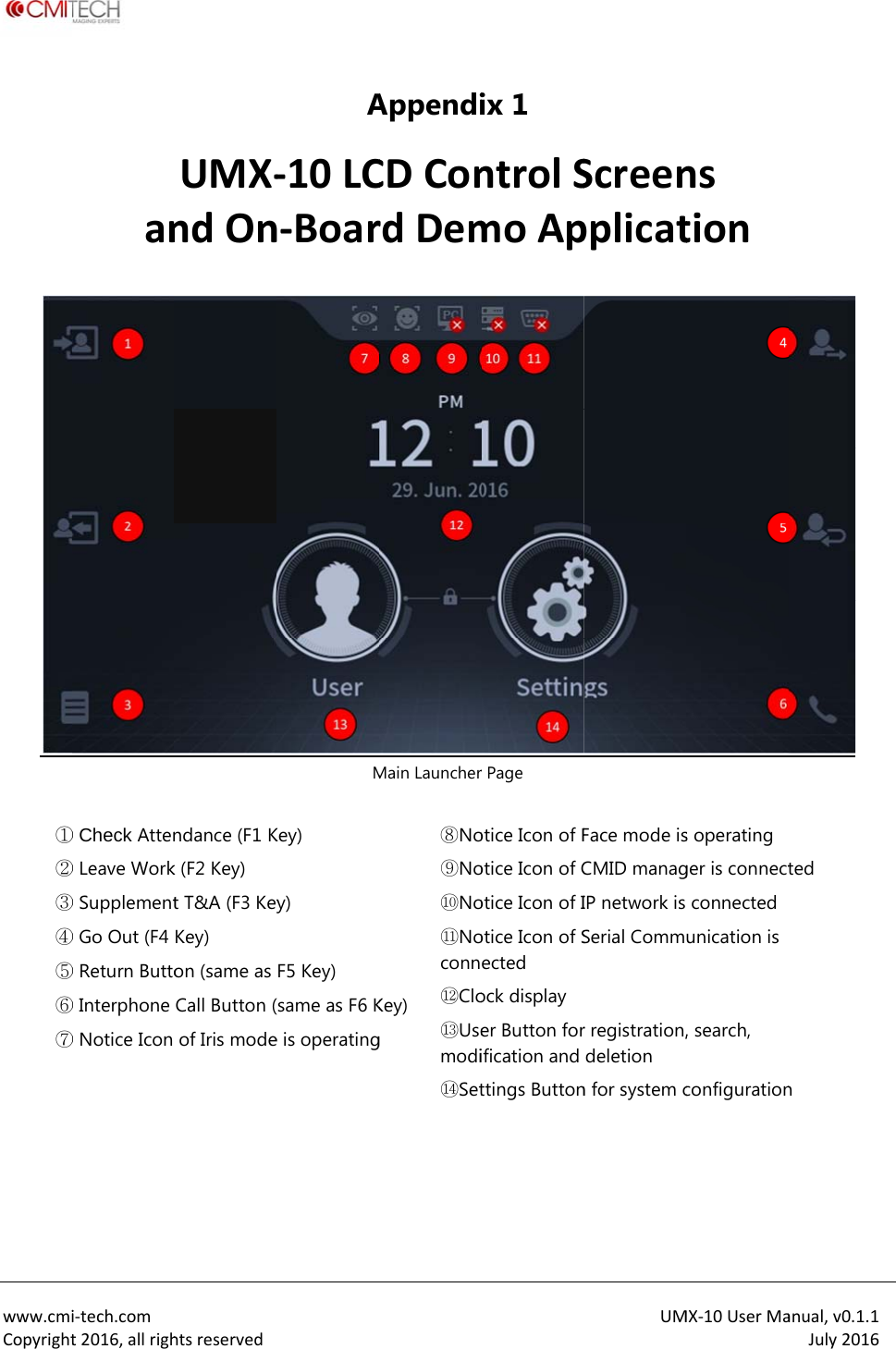
 www.cmiCopyright ①②③④⑤⑥⑦     i‐tech.comt2016,allrighan① Check Atten② Leave Work③ Supplement④ Go Out (F4 ⑤ Return Butto⑥ Interphone ⑦ Notice Icon htsreservedUMX‐ndOnndance (F1 Kk (F2 Key) t T&A (F3 KeyKey) on (same as Call Button (of Iris modeA‐10LCn‐BoarMKey) y) F5 Key) (same as F6 Ke is operatingAppendiCDConrdDemMain Launcher Key) g ⑧No⑨No⑩No⑪Noconn⑫Clo⑬Usemodi⑭Set ix 1 ntrolSmoApr Page otice Icon of Fotice Icon of Cotice Icon of Iotice Icon of Sected ock display er Button forification and ttings ButtonUMScreenpplicatFace mode isCMID managIP network is Serial Commr registration,deletion n for system cMX‐10UserManstions operating ger is connectconnected unication is , search, configurationanual,v0.1.1July2016 ted n
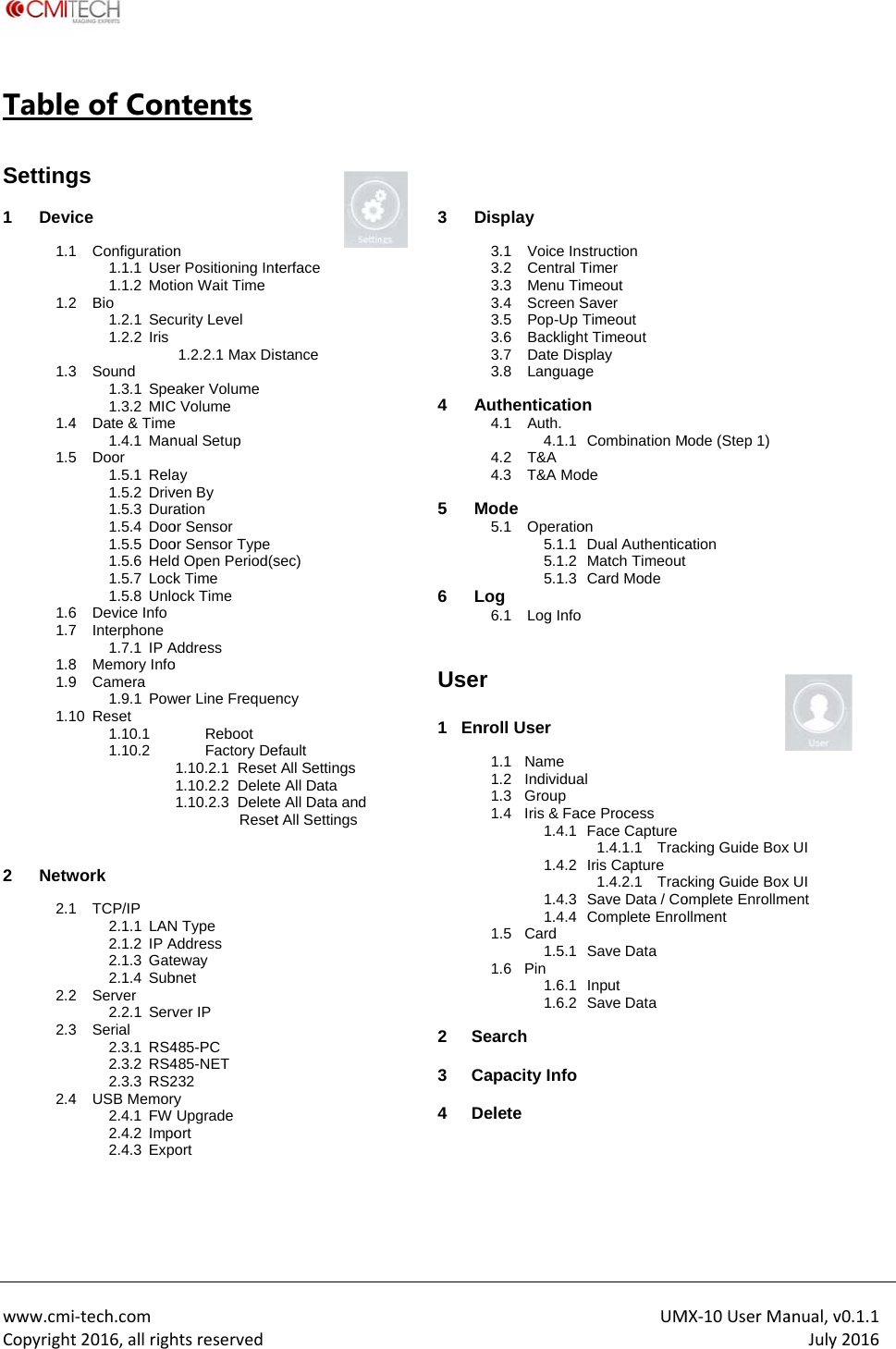
 www.cmiCopyrightTable Setting 1 Devi 1.11.21.31.41.51.61.71.81.91.1 2 Netw 2.12.22.32.4  i‐tech.comt2016,allrighe of Congs ice 1 Configuration1.1.1 Use1.1.2 Moti2 Bio 1.2.1 Sec1.2.2 Iris 3 Sound 1.3.1 Spe1.3.2 MIC4  Date & Time1.4.1 Man5 Door 1.5.1 Rela1.5.2 Driv1.5.3 Dura1.5.4 Doo1.5.5 Doo1.5.6 Held1.5.7 Lock1.5.8 Unlo6 Device Info 7 Interphone 1.7.1 IP A8 Memory Info9 Camera 1.9.1 Pow10 Reset 1.10.1 1.10.2 work 1 TCP/IP 2.1.1 LAN2.1.2 IP A2.1.3 Gate2.1.4 Sub2 Server 2.2.1 Serv3 Serial 2.3.1 RS42.3.2 RS42.3.3 RS24 USB Memory2.4.1 FW 2.4.2 Impo2.4.3 Exphtsreservedntents n er Positioning Intion Wait Time urity Level 1.2.2.1 Max Diseaker Volume C Volume e nual Setup ay ven By ation or Sensor or Sensor Type d Open Period(sk Time ock Time Address o wer Line FrequenReboot Factory De1.10.2.1  Reset 1.10.2.2  Delete1.10.2.3  Delete ResetN Type Address eway bnet ver IP 485-PC 485-NET 232 y Upgrade ort ort  terface stance sec) ncy efault All Settings e All Data e All Data andt All Settings   3 D  4 A 5 M6 L  User 1   En  2 S3 C4 D Display 3.1 Voice Ins3.2 Central T3.3 Menu Tim3.4 Screen S3.5 Pop-Up T3.6 Backligh3.7 Date Dis3.8 LanguagAuthentication4.1 Auth. 4.1.14.2 T&A 4.3 T&A ModMode 5.1 Operatio5.1.15.1.25.1.3Log 6.1 Log Infor  nroll User 1.1 Name 1.2 Individua1.3 Group 1.4  Iris & Fac1.4.11.4.21.4.31.4.41.5 Card 1.5.11.6 Pin 1.6.11.6.2Search Capacity InfoDelete UMstruction Timer meout Saver Timeout t Timeout splay ge n Combination Mde on Dual AuthenticaMatch Timeout Card Mode al ce Process Face Capture1.4.1.1  TracIris Capture 1.4.2.1  TracSave Data / CoComplete EnroSave Data Input Save Data MX‐10UserMaMode (Step 1) ation cking Guide Boxcking Guide Boxomplete Enrollmollment anual,v0.1.1July2016x UI x UI ent
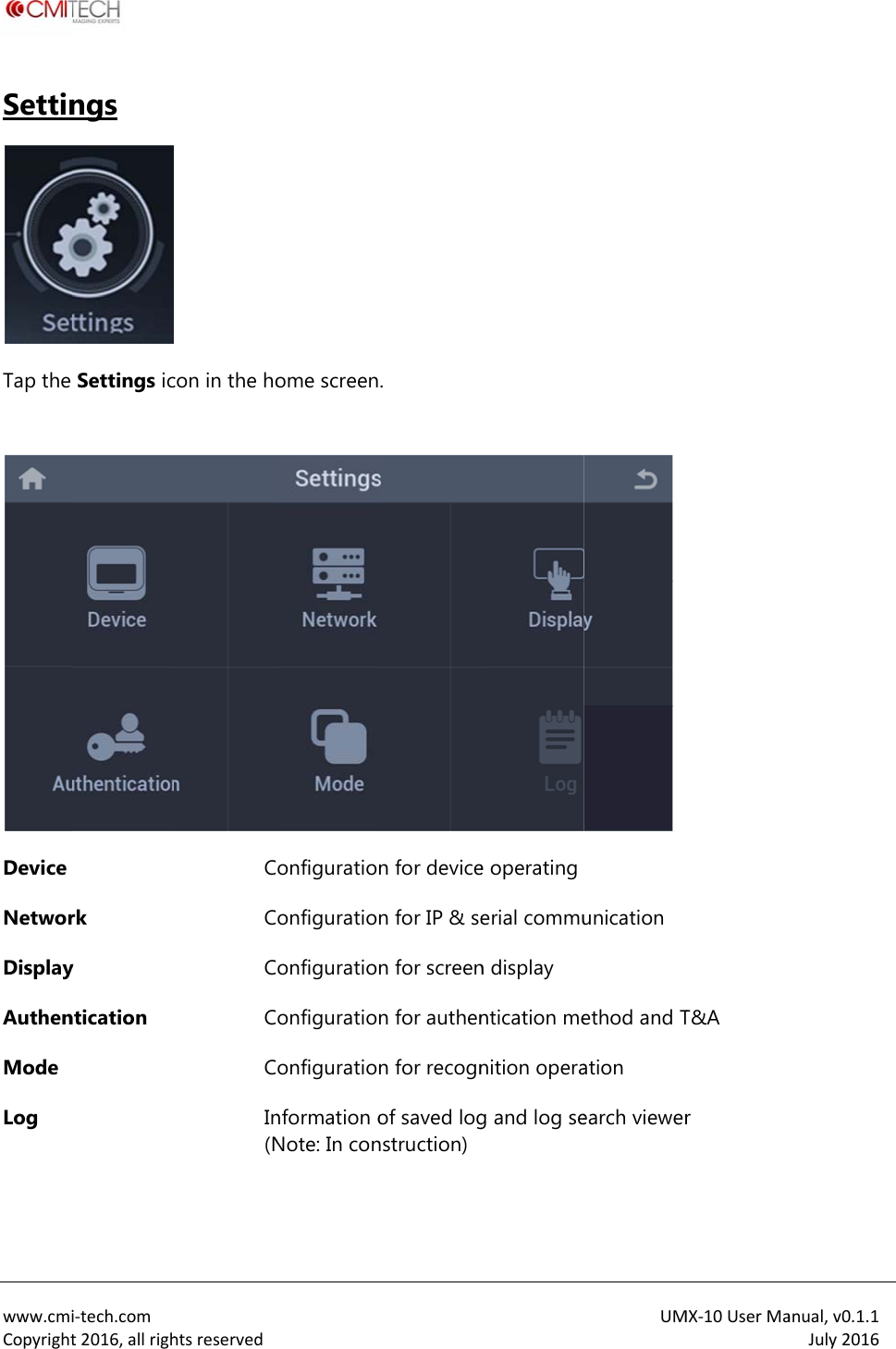
 www.cmiCopyrightSettinTap the  Device NetworDisplayAuthenMode Log   i‐tech.comt2016,allrighngs  Settings icrk y ntication htsreservedcon in the hoCCCCCIn(N ome screenonfigurationonfigurationonfigurationonfigurationonfigurationnformation oNote: In con. n for devicen for IP & sen for screenn for authenn for recognof saved lognstruction)e operatingerial commun display ntication menition operag and log seUMunication ethod and Tation earch viewerMX‐10UserMaT&A r  anual,v0.1.1July2016
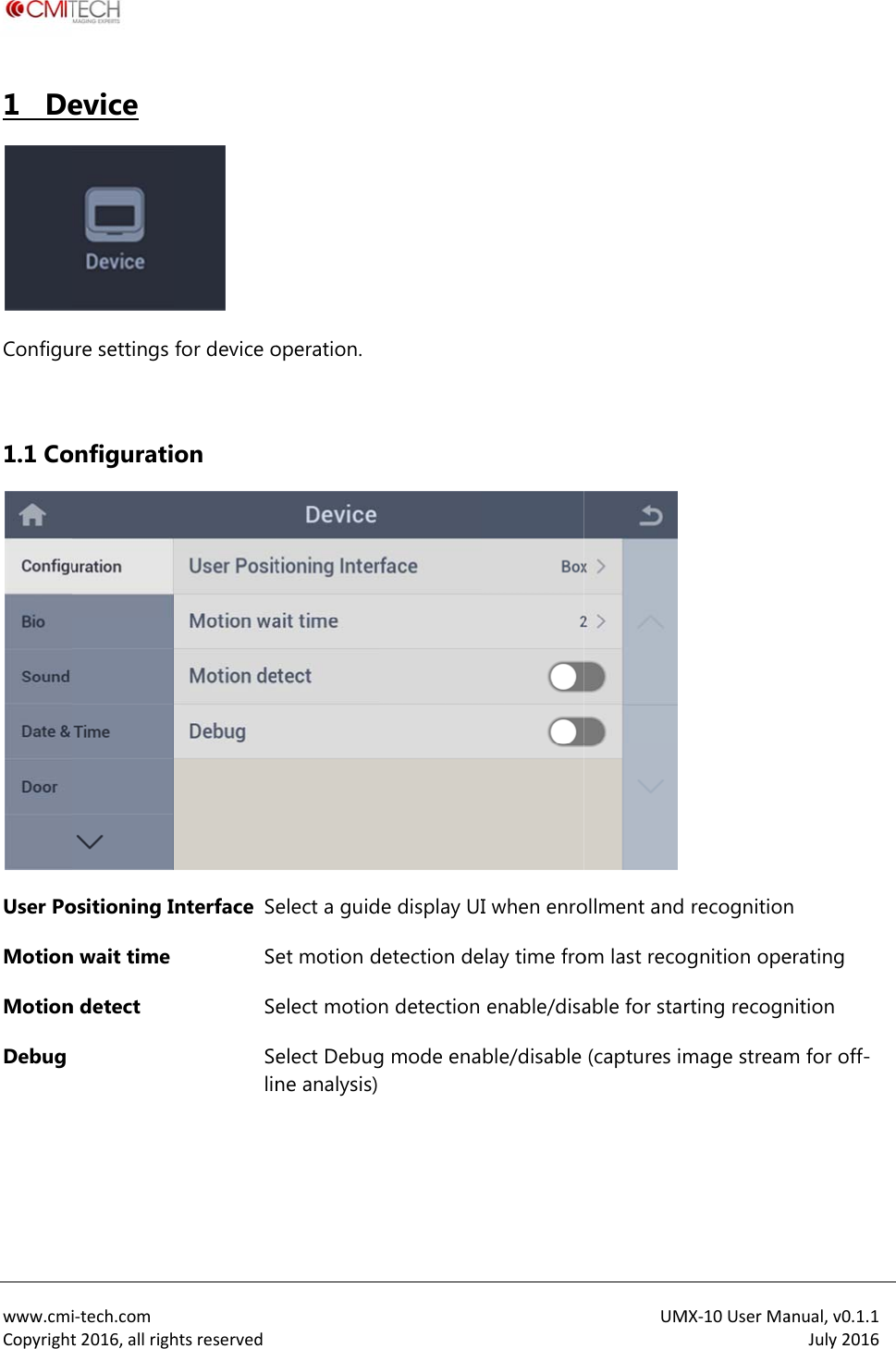
 www.cmiCopyright1   De Configu 1.1 CoUser PoMotionMotionDebug   i‐tech.comt2016,allrighevice ure settings onfiguratiositioning In wait time n detect htsreserved for device oon nterface SeSeSeSelin operation.elect a guidet motion delect motioelect Debugne analysis)e display UIdetection den detection g mode enaI when enroelay time froenable/disable/disable UMollment and om last recoable for star(captures imMX‐10UserMarecognitiongnition operting recognmage streamanual,v0.1.1July2016n erating nition m for off-
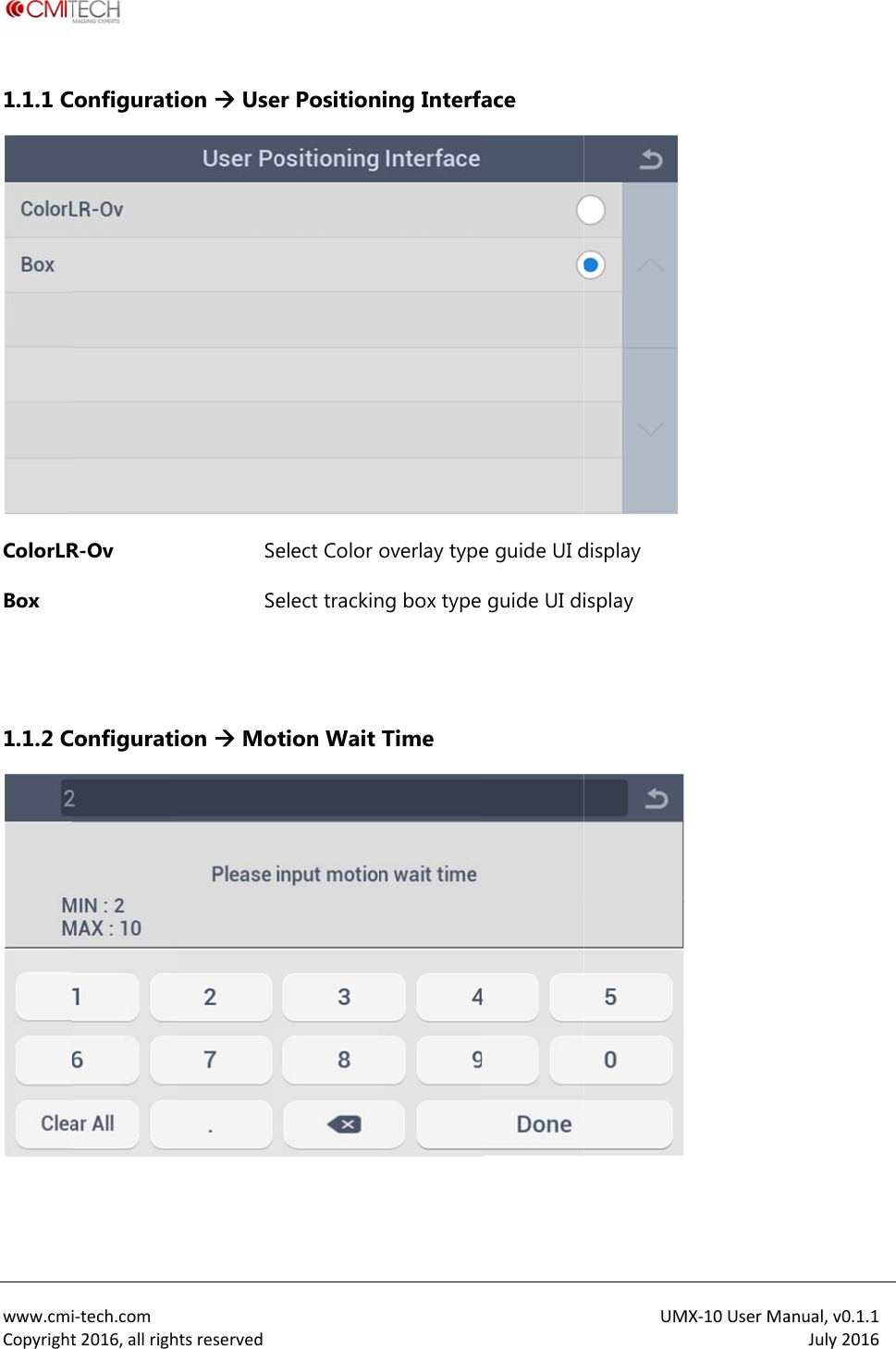
 www.cmiCopyright1.1.1 CColorLRBox   1.1.2 C i‐tech.comt2016,allrighConfiguratR-Ov Configurathtsreservedion  UseSeSeion  Mo er Positionelect Color elect trackintion Wait ning Interfaoverlay typeng box type Time ace e guide UI d guide UI diUMdisplay isplay  MX‐10UserMaanual,v0.1.1July2016
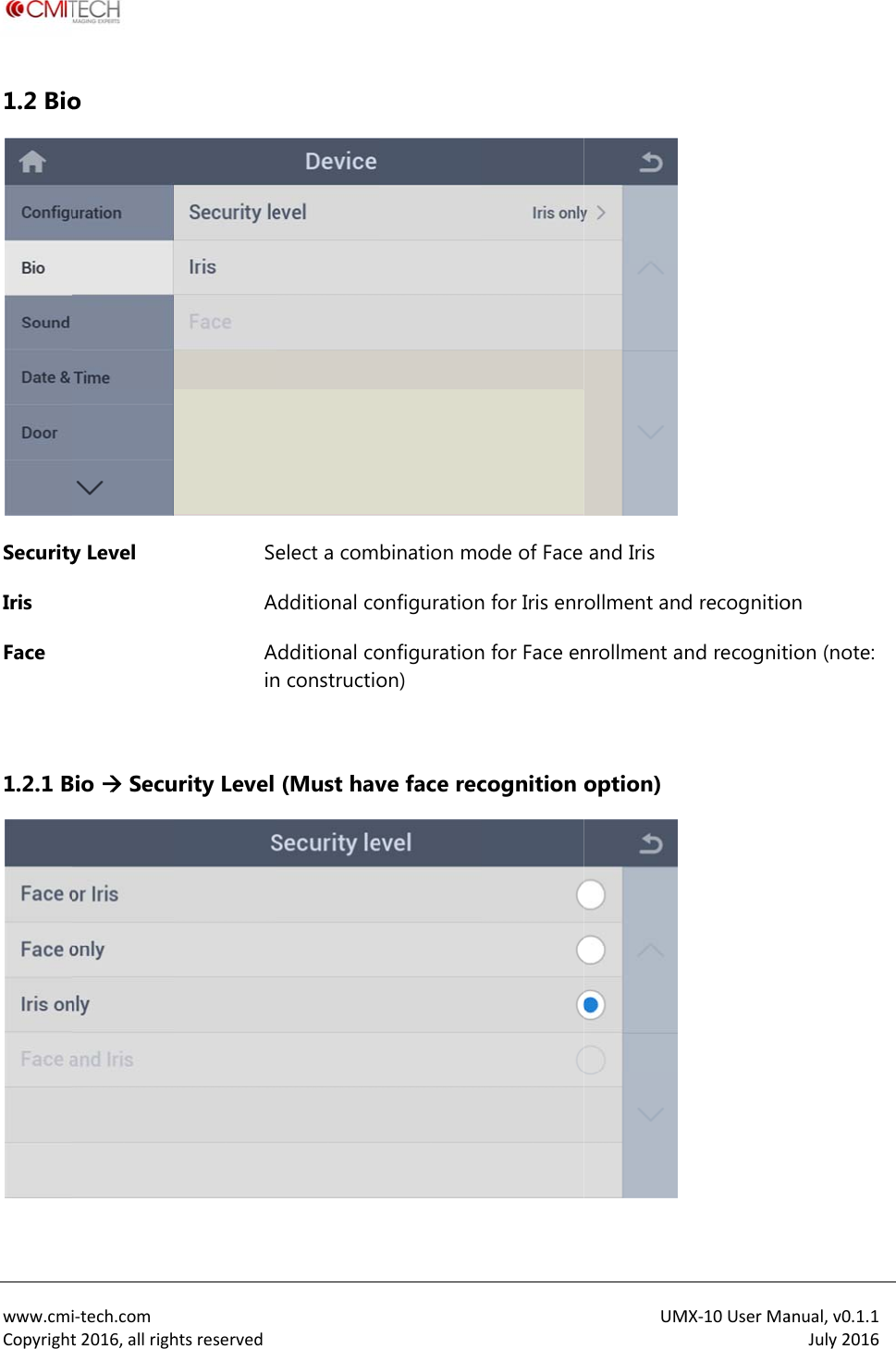
 www.cmiCopyright1.2 BioSecurityIris Face   1.2.1 Bi‐tech.comt2016,allrigho  y Level Bio  SecuhtsreservedSeAAinurity Level elect a comAdditional coAdditional con constructio(Must havbination moonfigurationonfigurationon) ve face recode of Face n for Iris enrn for Face encognition UMand Iris ollment andnrollment anoption) MX‐10UserMad recognitiond recognitanual,v0.1.1July2016on ion (note:
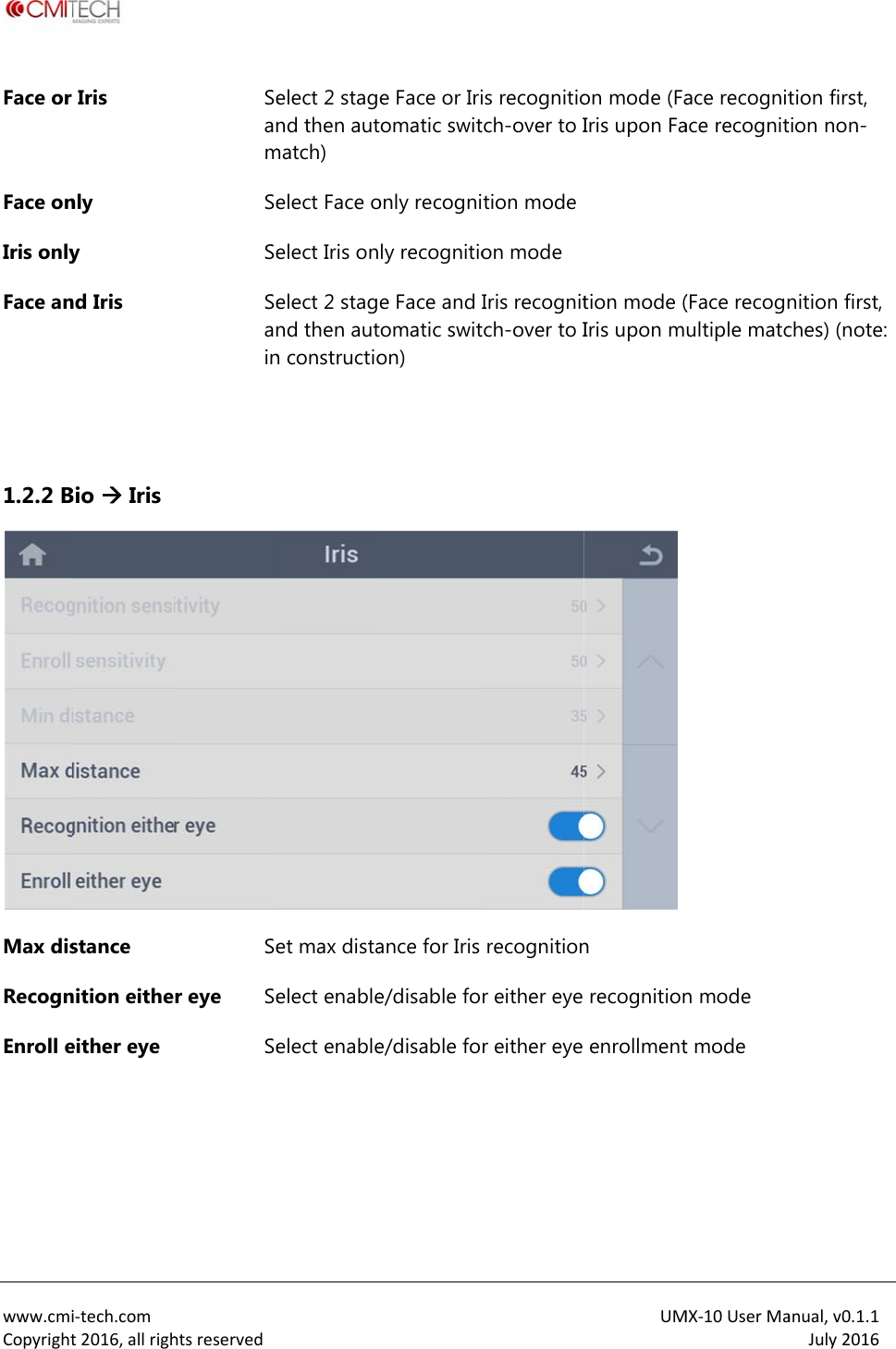
 www.cmiCopyrightFace or Face onIris onlyFace an  1.2.2 BMax disRecognEnroll e i‐tech.comt2016,allrighIris nly y nd Iris Bio  Iris stance nition eitheeither eye htsreservedSeanmSeSeSeaninSer eye SeSe elect 2 stagnd then autmatch) elect Face oelect Iris onelect 2 stagnd then autn constructioet max distaelect enableelect enablee Face or Iritomatic switonly recognily recognitioe Face and tomatic switon) ance for Iris e/disable foe/disable fois recognitiotch-over to Ition modeon mode Iris recognittch-over to Irecognitionr either eye r either eye UMon mode (FaIris upon Fation mode (Iris upon mn recognitionenrollmentMX‐10UserMaace recognitace recognit(Face recognultiple matcn mode t mode anual,v0.1.1July2016tion first, tion non-nition first, ches) (note:
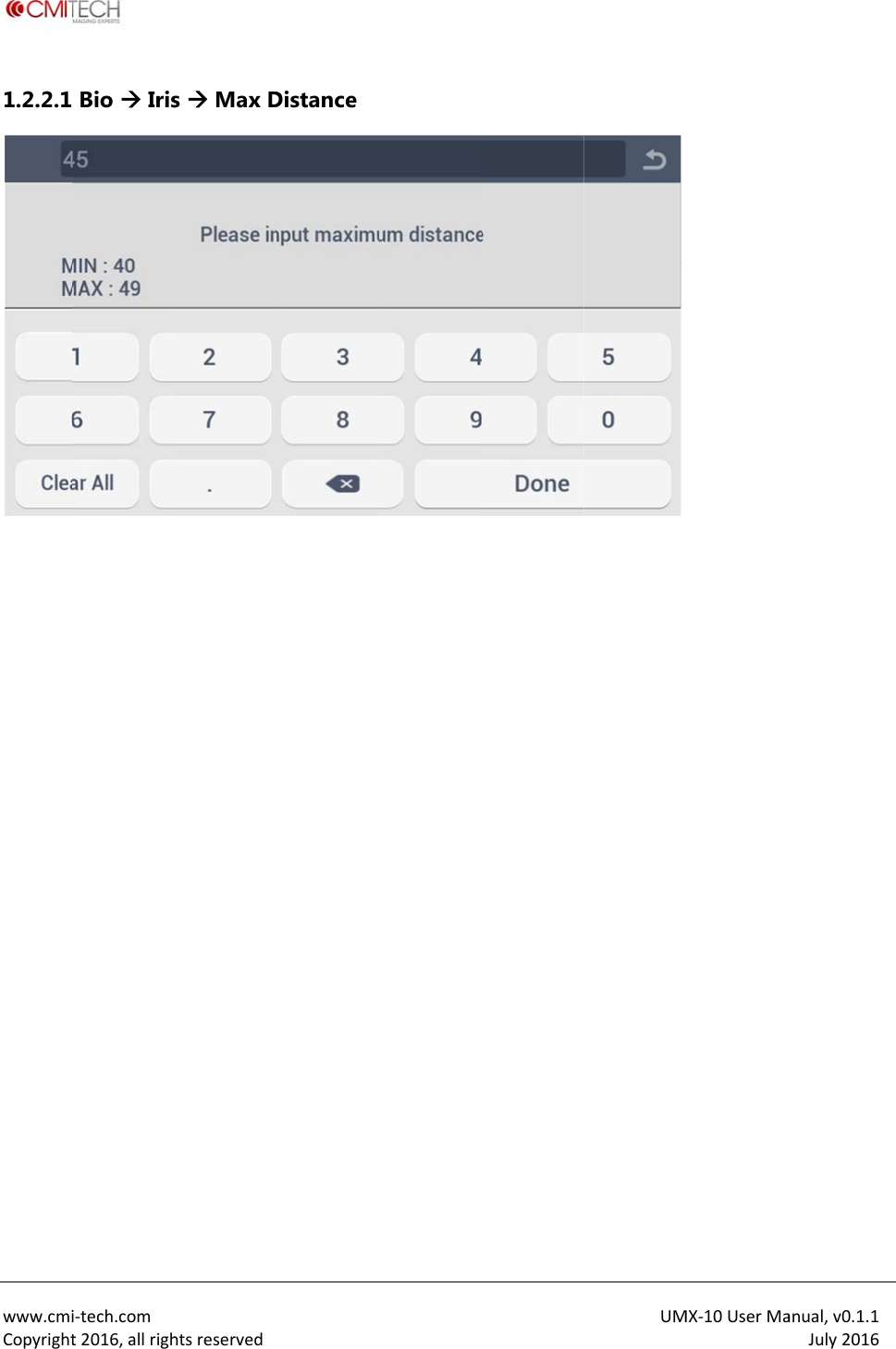
 www.cmiCopyright1.2.2.1 i‐tech.comt2016,allrigh Bio  Irishtsreserveds  Max D Distance UM MX‐10UserMaanual,v0.1.1July2016
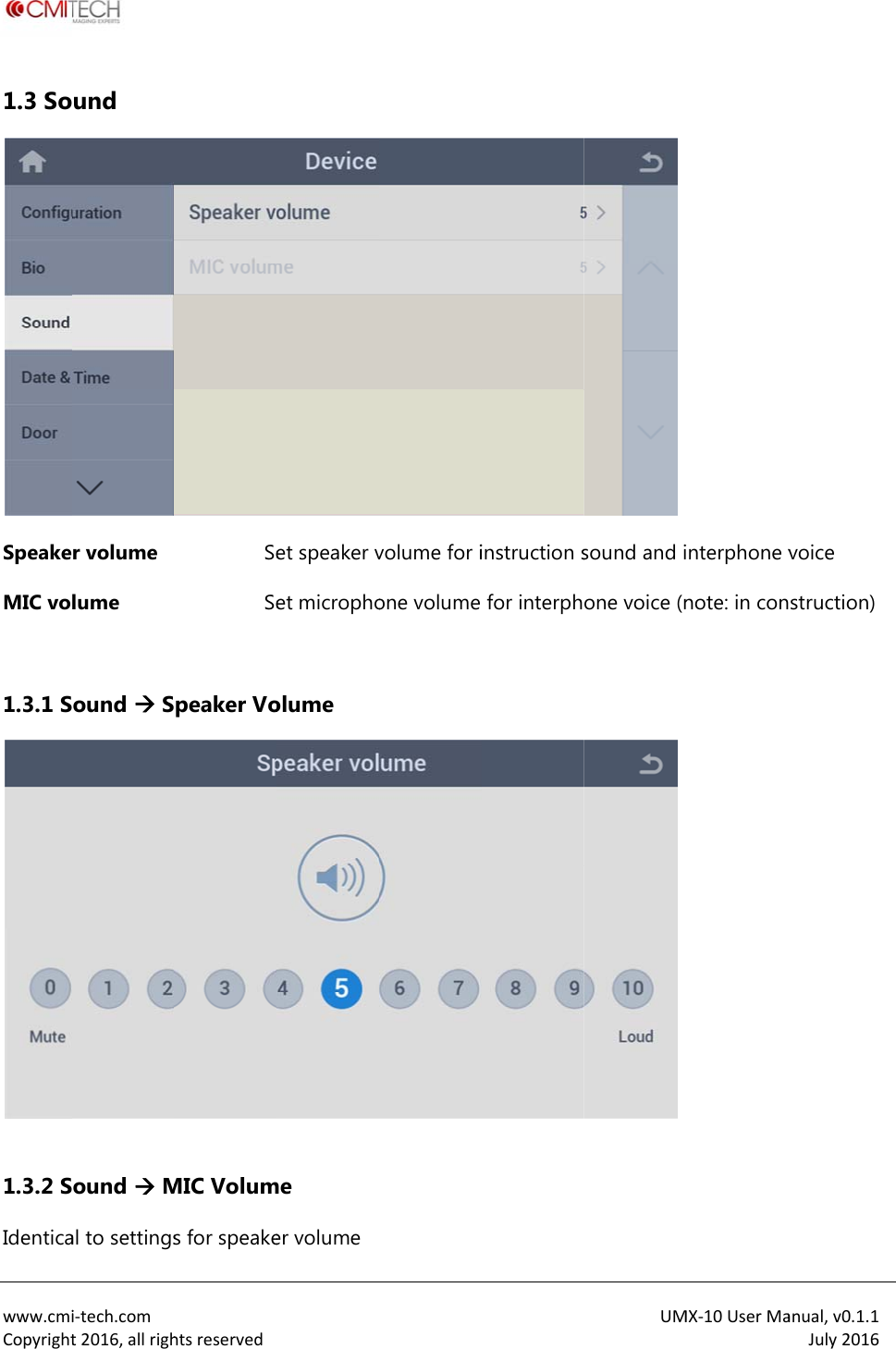
 www.cmiCopyright1.3 SoSpeakeMIC vo 1.3.1 S 1.3.2 SIdenticai‐tech.comt2016,allrighund r volume lume ound  Sound  Mal to settingshtsreservedSeSepeaker VoMIC Volums for speakeet speaker vet microphoolume me er volumevolume for ione volume instruction sfor interphUMsound and ione voice (n MX‐10UserMainterphone vnote: in conanual,v0.1.1July2016voice struction)
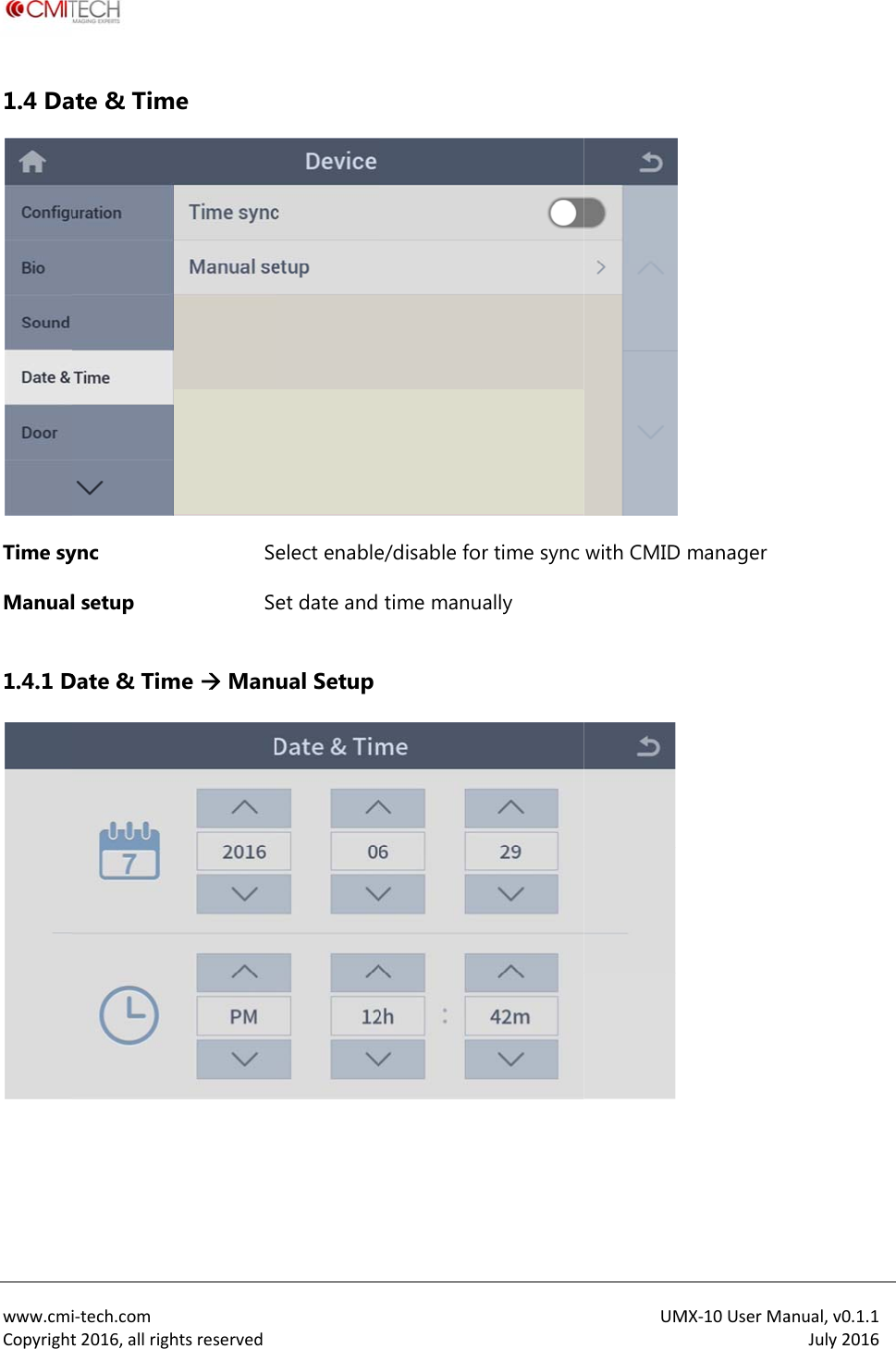
 www.cmiCopyright1.4 DaTime syManual 1.4.1 D i‐tech.comt2016,allrighate & Timync l setup Date & Timhtsreservede  SeSeme  Manu elect enableet date and ual Setupe/disable fotime manur time sync ally UMwith CMID MX‐10UserMamanager anual,v0.1.1July2016
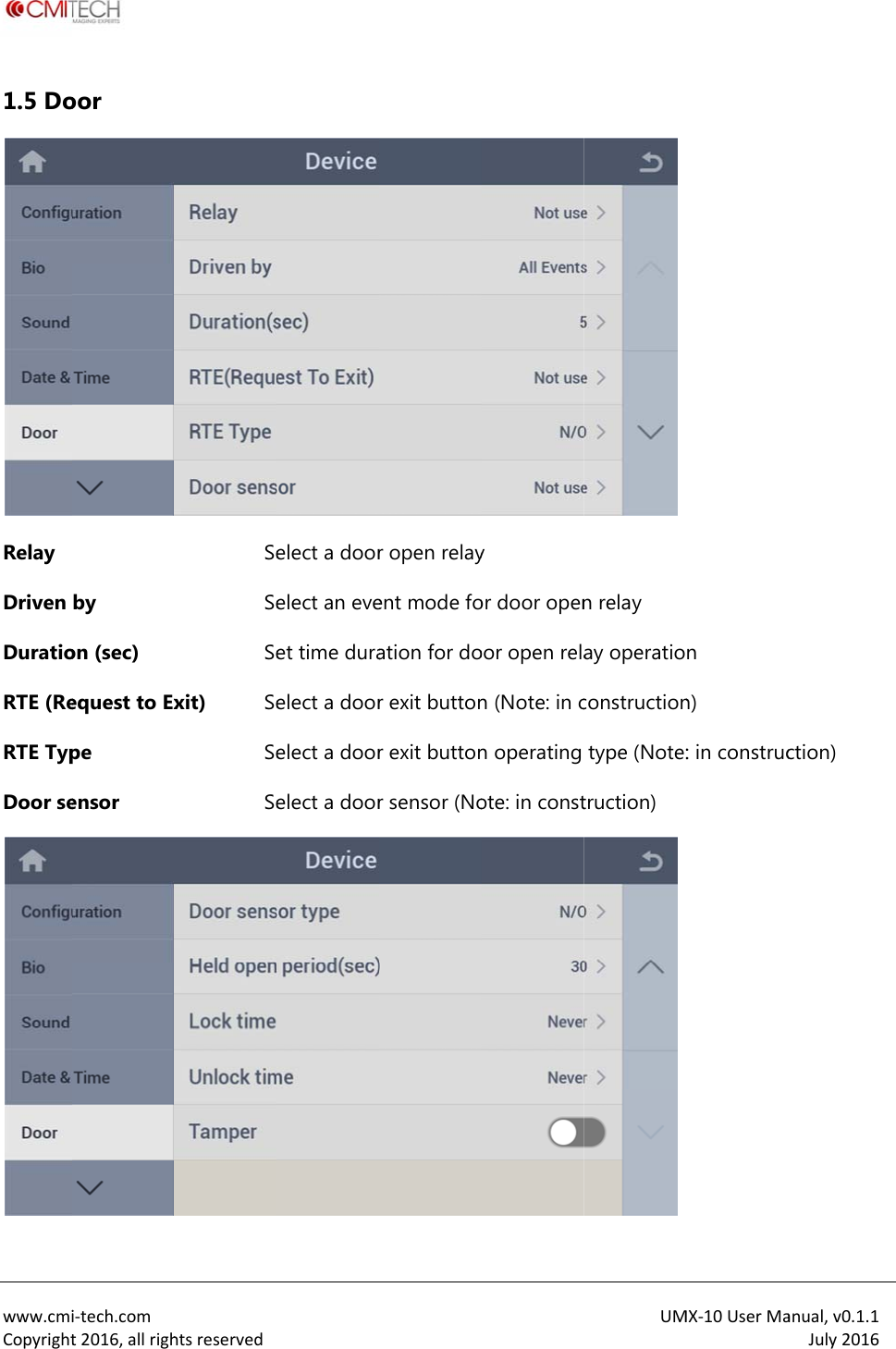
 www.cmiCopyright1.5 DoRelay Driven DuratioRTE (ReRTE TypDoor sei‐tech.comt2016,allrighoor by on (sec) equest to Expe ensor htsreservedSeSeSexit) SeSeSeelect a doorelect an eveet time duraelect a doorelect a doorelect a doorr open relayent mode foation for dor exit buttonr exit buttonr sensor (Noy or door openoor open relan (Note: in cn operating ote: in constUMn relay ay operatioconstructiontype (Note:truction) MX‐10UserMan n) : in construcanual,v0.1.1July2016ction)
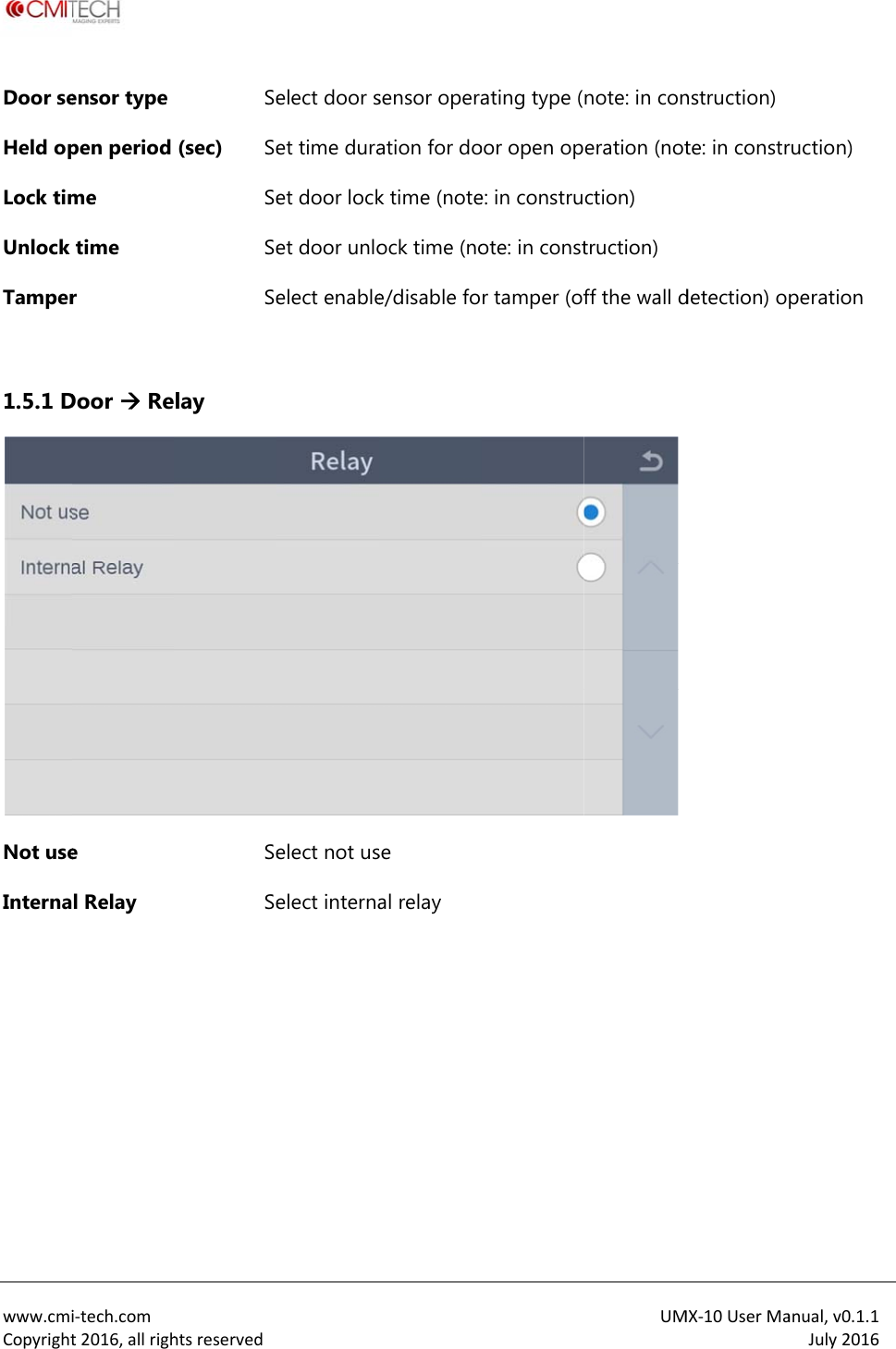
 www.cmiCopyrightDoor seHeld opLock timUnlock Tamper 1.5.1 DNot useInterna  i‐tech.comt2016,allrighensor type pen period me time r Door  Ree l Relay htsreservedSe(sec) SeSeSeSelay SeSe elect door set time duraet door locket door unloelect enableelect not uselect internasensor operaation for dok time (noteock time (noe/disable fose al relay ating type (oor open ope: in construote: in constr tamper (ofUMnote: in coneration (notction) truction) ff the wall d MX‐10UserManstruction) te: in constrdetection) oanual,v0.1.1July2016ruction) peration
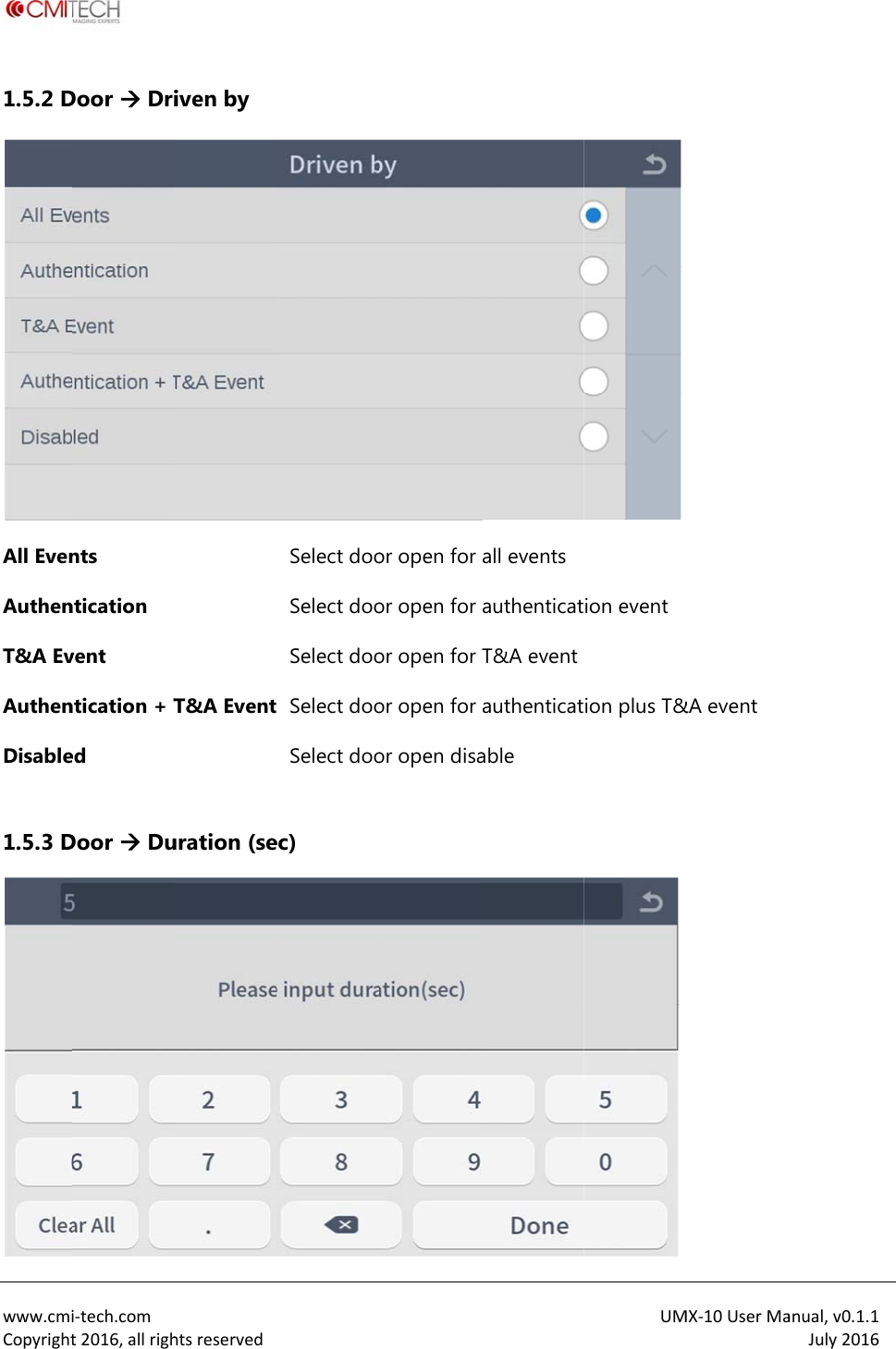
 www.cmiCopyright1.5.2 DAll EvenAuthenT&A EvAuthenDisable 1.5.3 Di‐tech.comt2016,allrighDoor  Drints ntication vent ntication + Ted Door  Duhtsreservediven by T&A Event uration (seSelect dooSelect dooSelect doo Select dooSelect dooec) or open for or open for or open for or open for or open disaall events authenticatT&A eventauthenticatable UM ion event ion plus T& MX‐10UserMa&A event anual,v0.1.1July2016
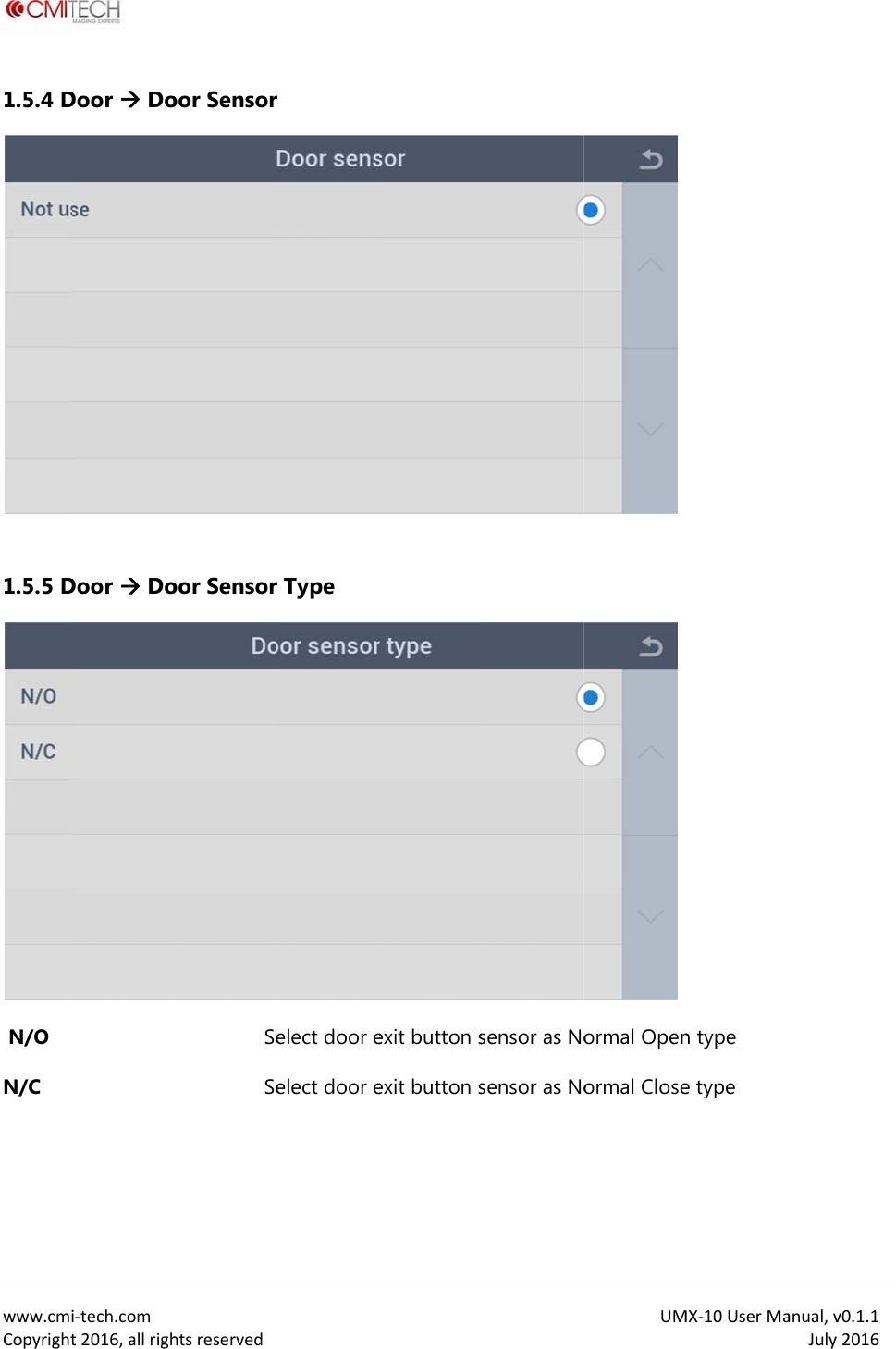
 www.cmiCopyright1.5.4 D 1.5.5 D N/O N/C   i‐tech.comt2016,allrighDoor  DoDoor  Dohtsreservedoor Sensoroor SensorSeSe r r Type elect door eelect door eexit button sexit button ssensor as Nosensor as NoUMormal Openormal CloseMX‐10UserMan type e type anual,v0.1.1July2016
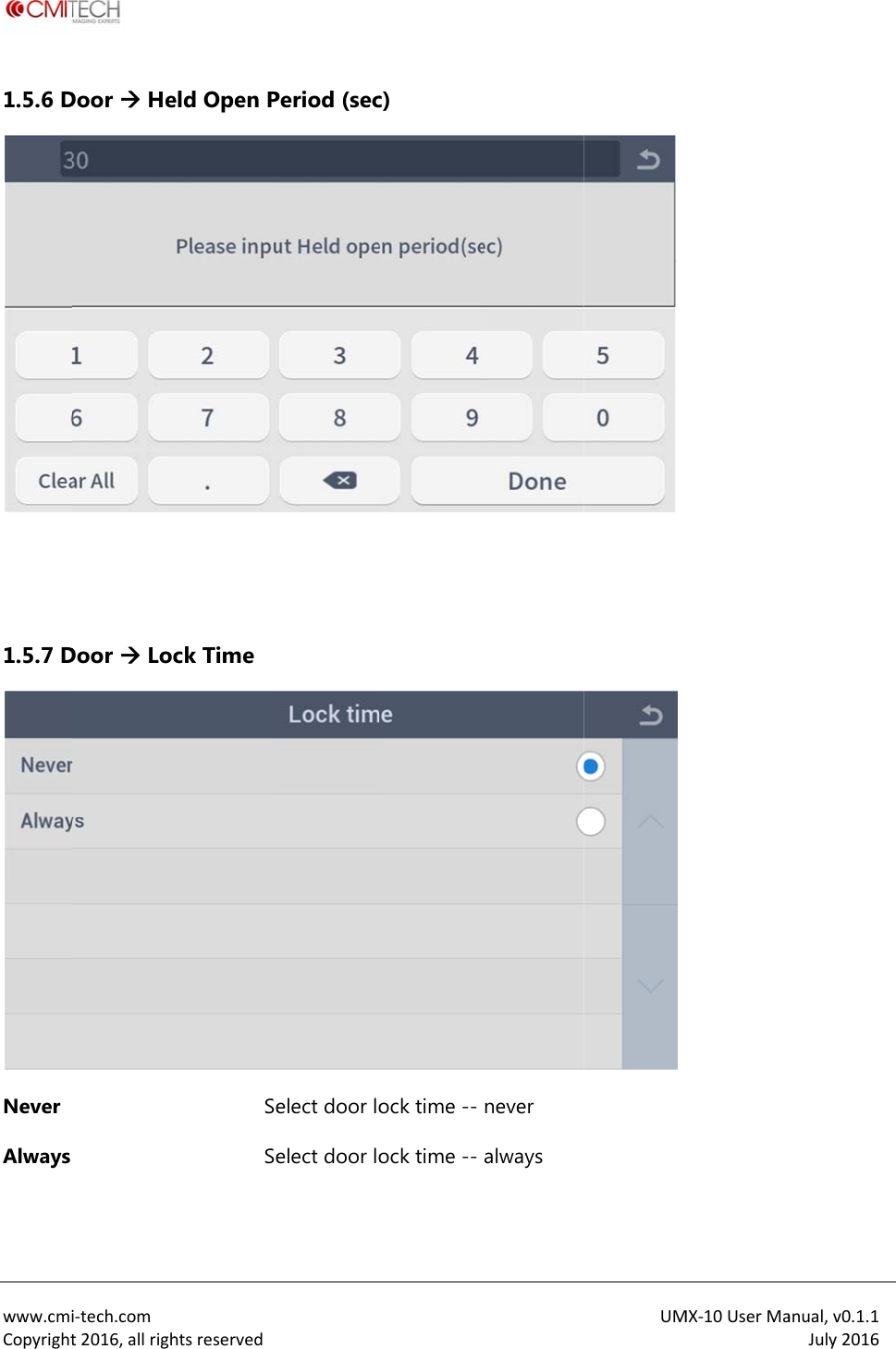
 www.cmiCopyright1.5.6 D  1.5.7 DNever Always  i‐tech.comt2016,allrighDoor  HeDoor  Lochtsreservedeld Open Pck Time SeSePeriod (secelect door loelect door loc) ock time --ock time --never always UMMX‐10UserMaanual,v0.1.1July2016
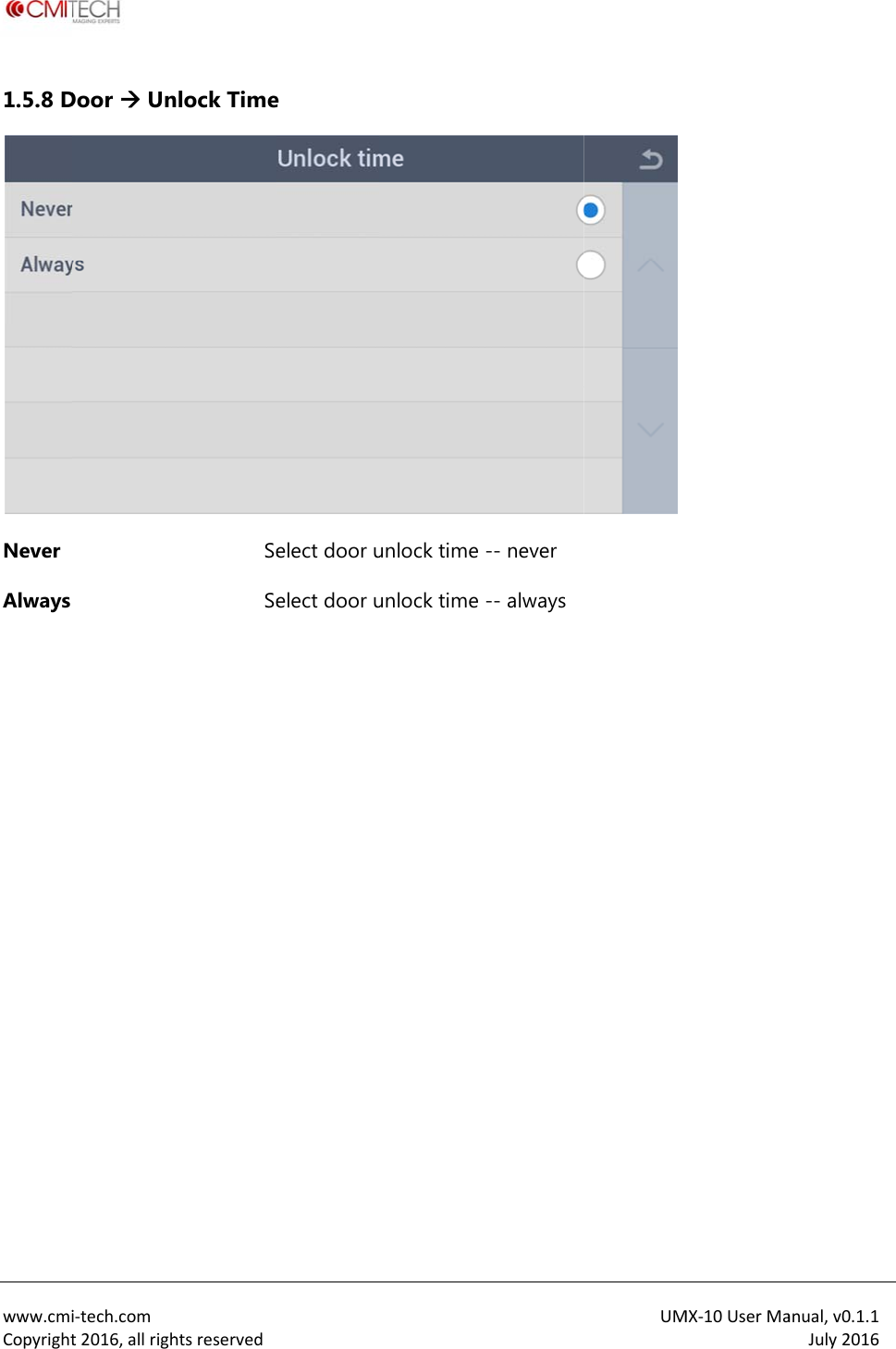
 www.cmiCopyright1.5.8 DNever Always   i‐tech.comt2016,allrighDoor  Unhtsreservednlock TimeSeSe e elect door uelect door uunlock time unlock time -- never -- always UMMX‐10UserMaanual,v0.1.1July2016
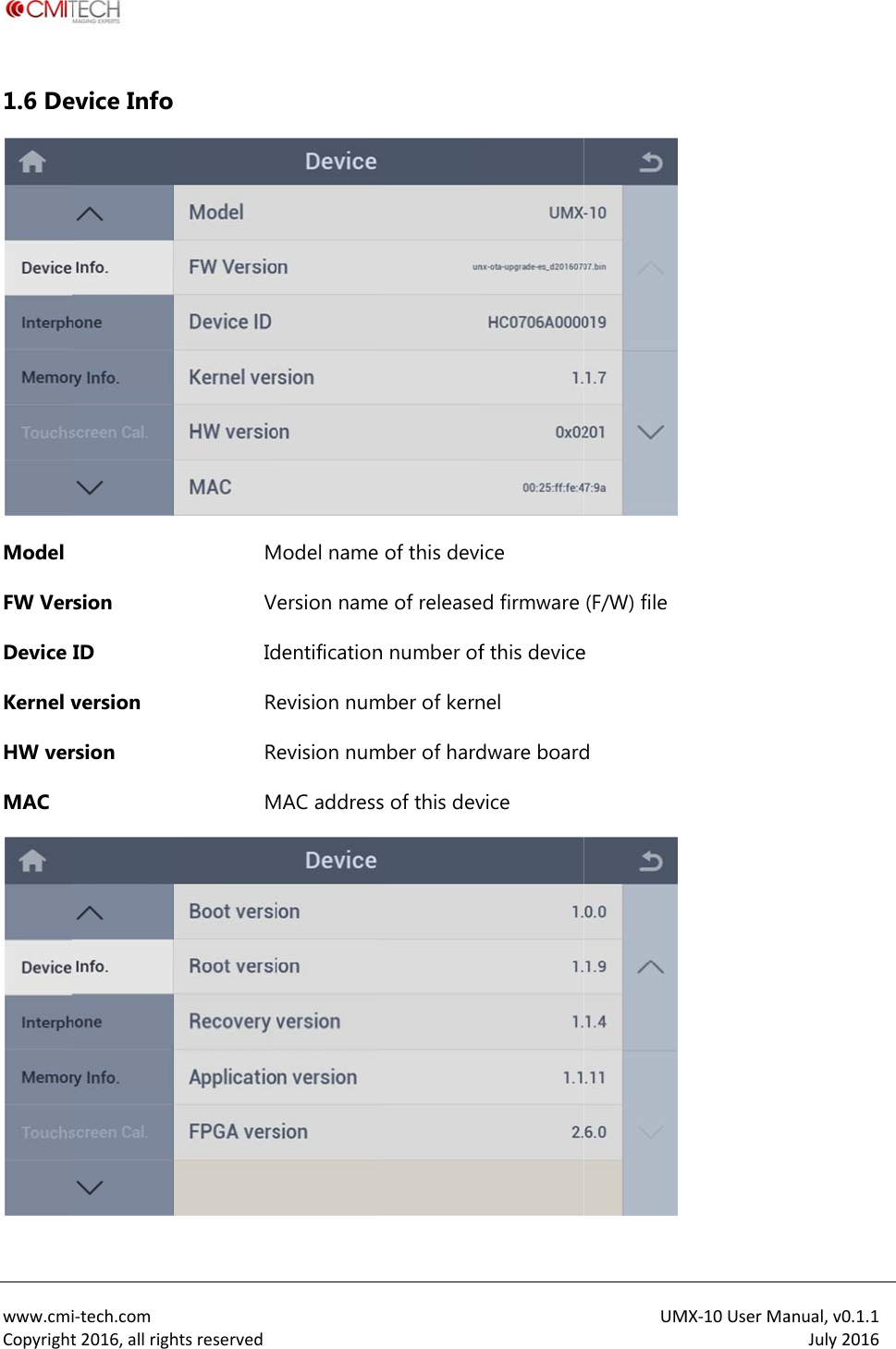
 www.cmiCopyright1.6 DeModel FW VerDevice Kernel vHW verMAC i‐tech.comt2016,allrighevice Info rsion ID version rsion htsreservedMVIdRRMModel name ersion namedentificationevision numevision numMAC addressof this devie of releasen number ofmber of kernmber of hards of this device d firmware f this devicenel dware boardvice UM(F/W) file e d MX‐10UserMaanual,v0.1.1July2016
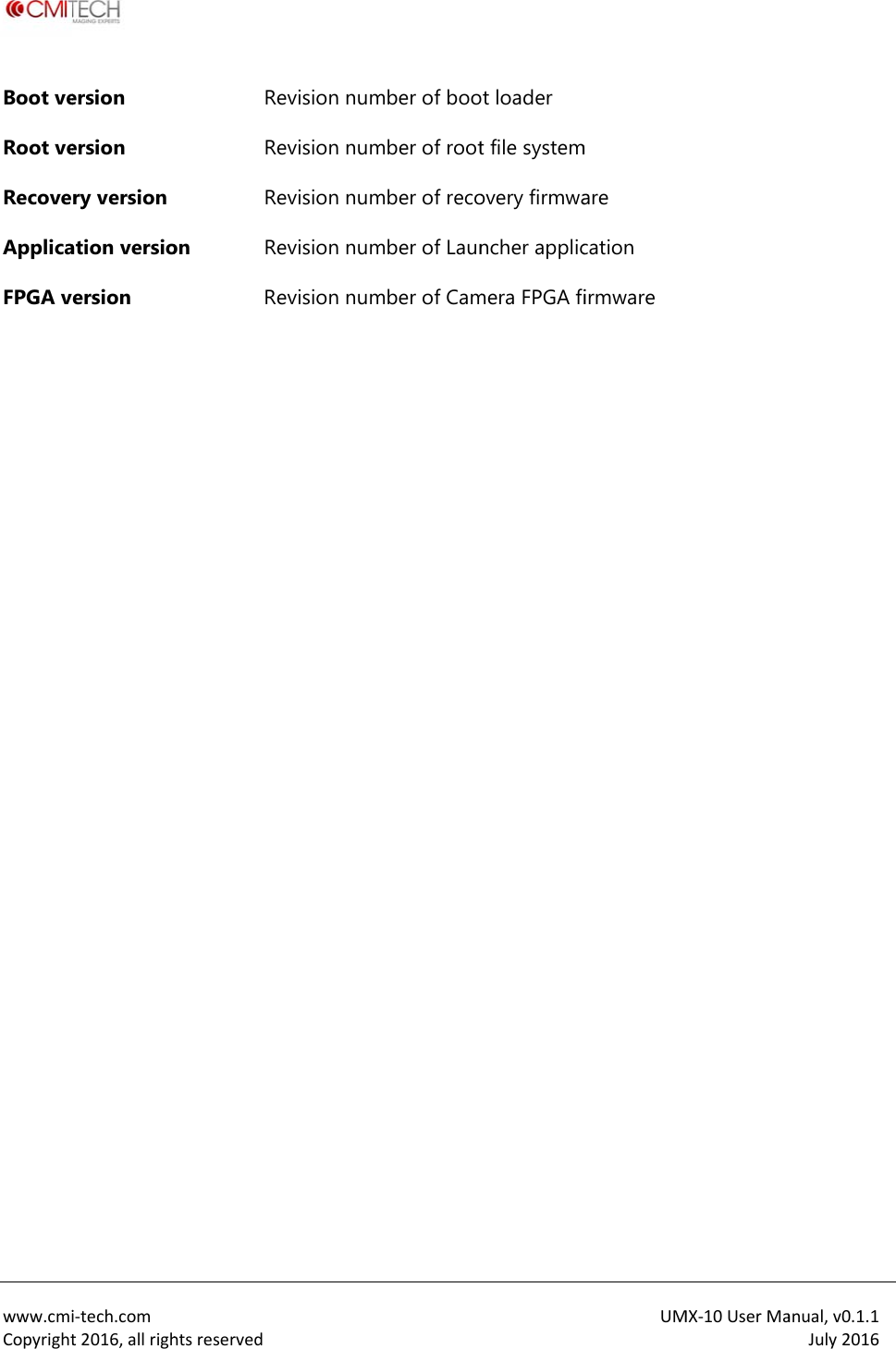
 www.cmiCopyrightBoot veRoot veRecoveApplicaFPGA v  i‐tech.comt2016,allrighersion ersion ry version ation versioersion htsreservedRRRon RR evision numevision numevision numevision numevision nummber of boomber of rootmber of recomber of Launmber of Camt loader t file systemovery firmwancher applicmera FPGA fiUMm are cation irmware MX‐10UserMaanual,v0.1.1July2016
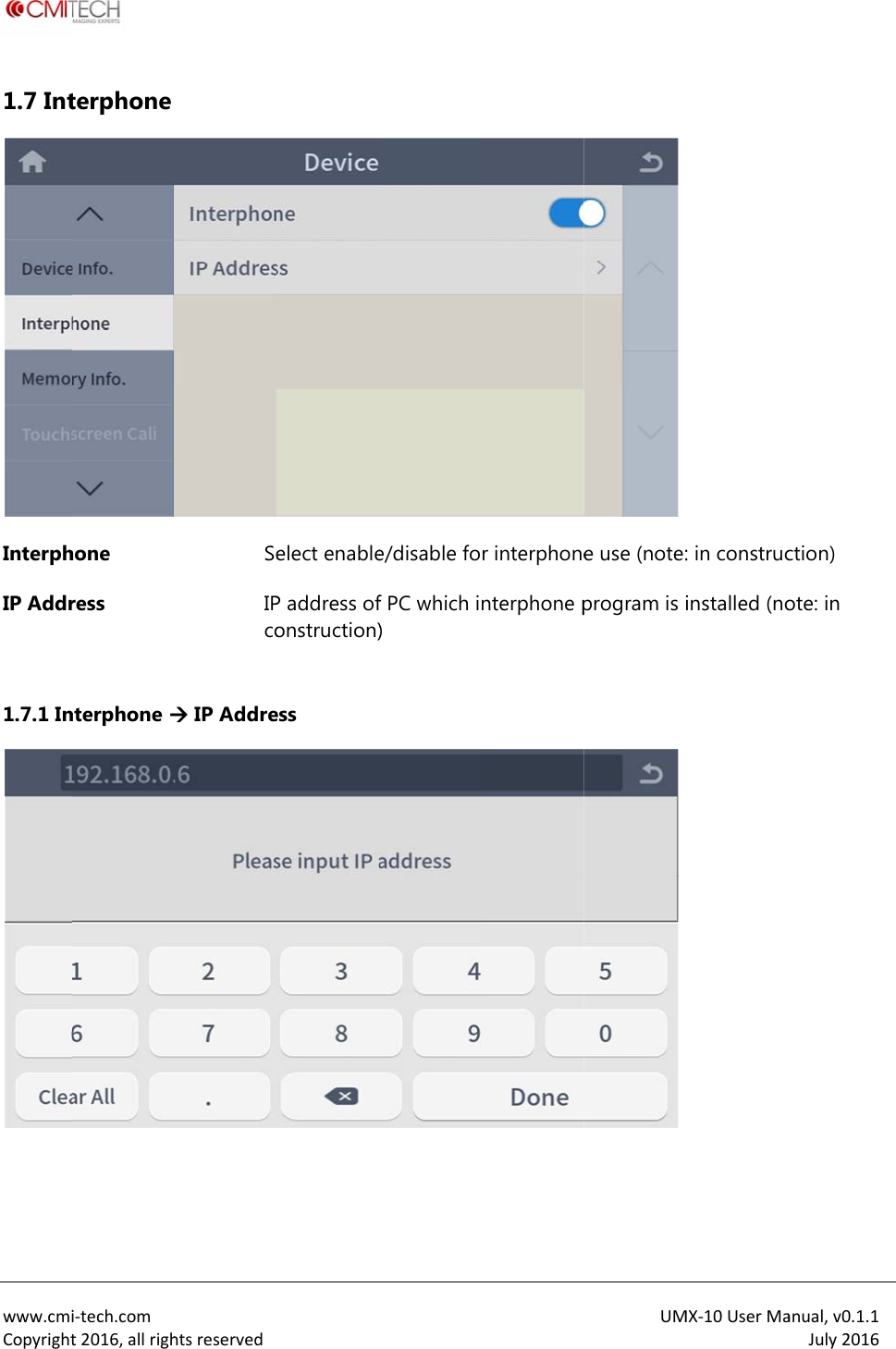
 www.cmiCopyright1.7 IntInterphIP Addr 1.7.1 In  i‐tech.comt2016,allrighterphone hone ress nterphone htsreservedSeIPco IP Addre elect enableP address ofonstruction)ess e/disable fof PC which i) r interphonenterphone pUM e use (note:program is i MX‐10UserMa: in construcinstalled (noanual,v0.1.1July2016ction) ote: in
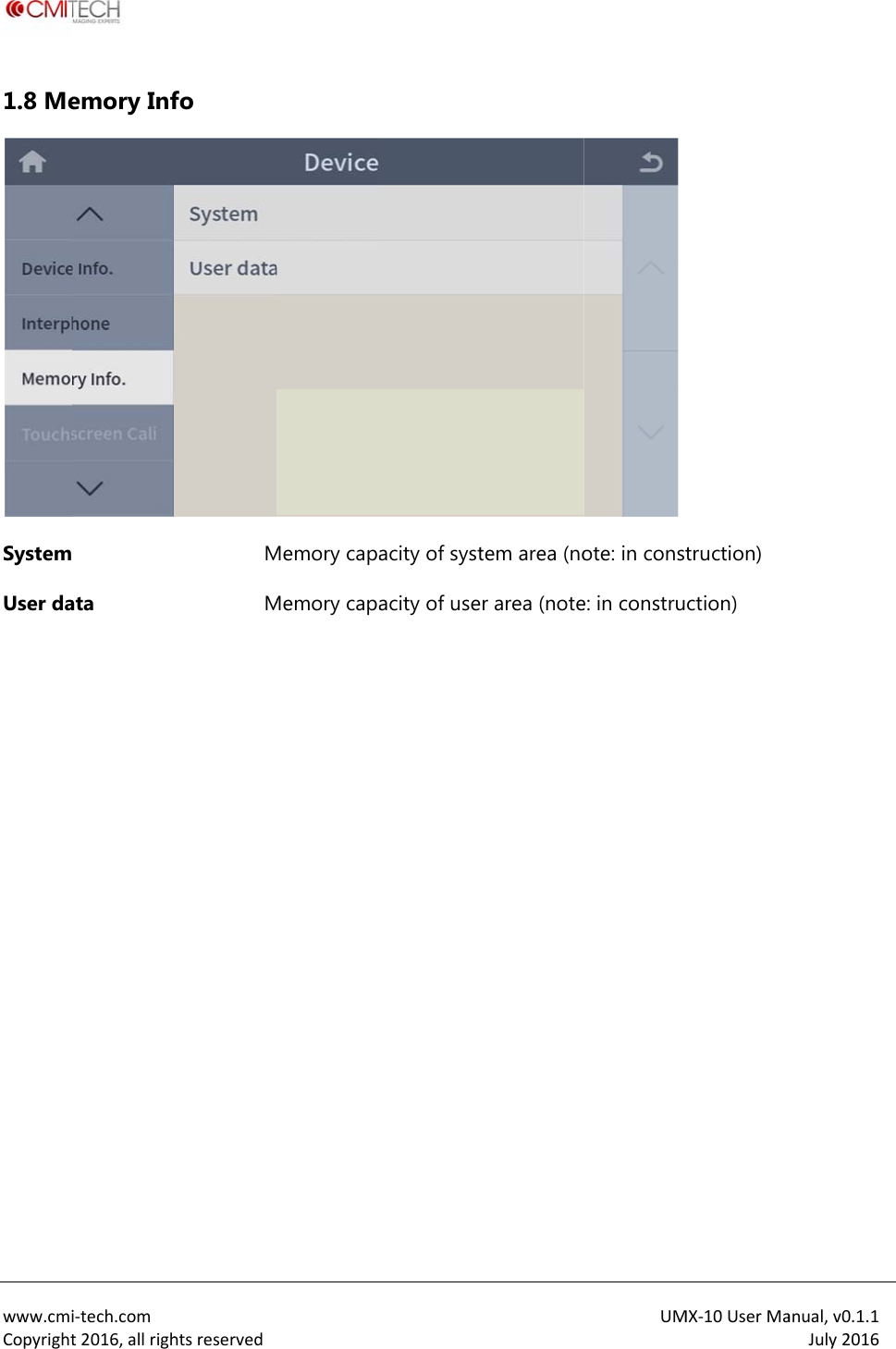
 www.cmiCopyright1.8 MeSystemUser da  i‐tech.comt2016,allrighemory Inf ata htsreservedfo MM Memory capaMemory capaacity of systacity of usetem area (nor area (noteUM ote: in conste: in construMX‐10UserMatruction) ction) anual,v0.1.1July2016
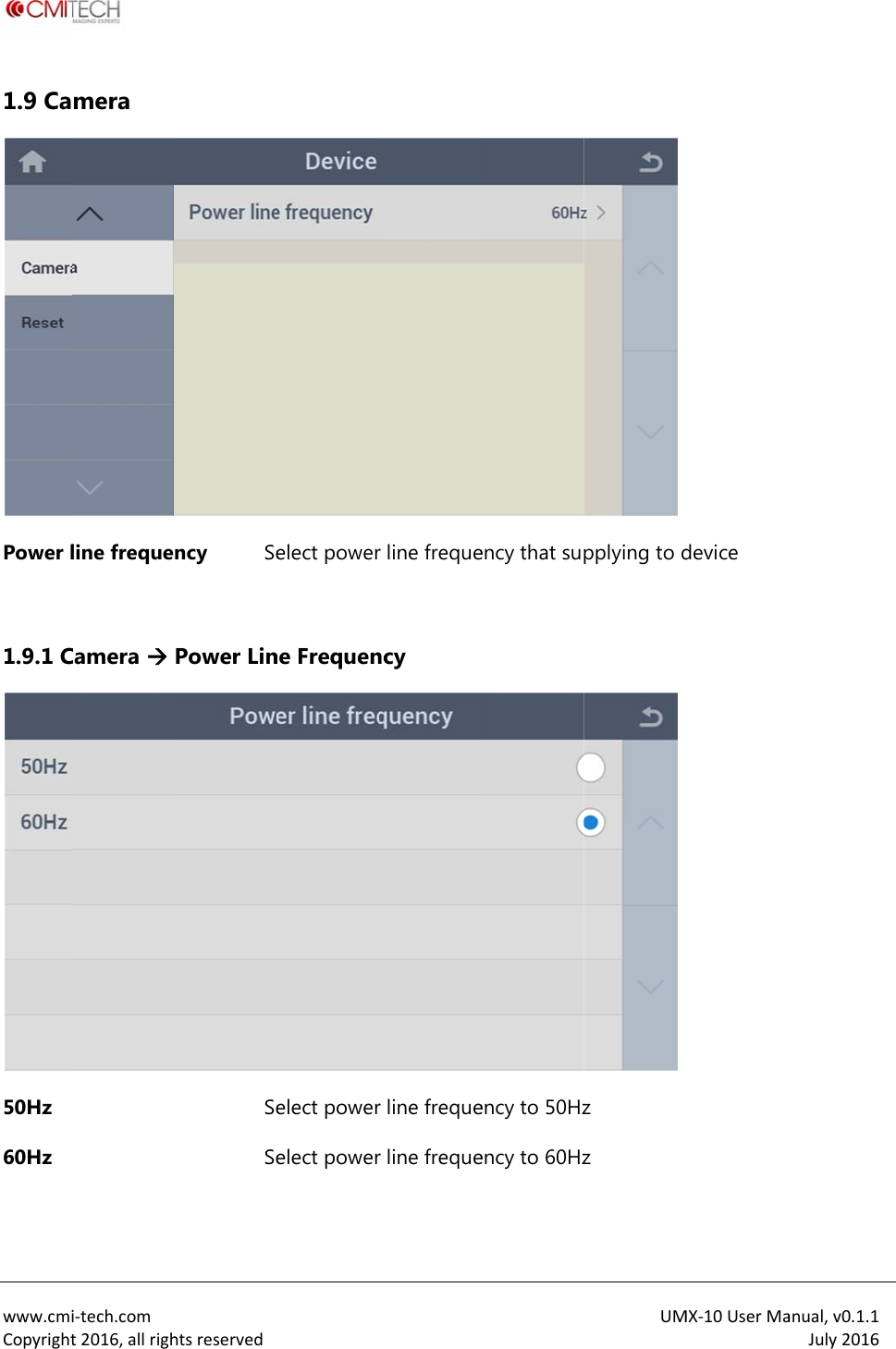
 www.cmiCopyright1.9 CaPower l 1.9.1 C50Hz 60Hz   i‐tech.comt2016,allrighmera line frequeCamera  htsreservedncy SePower LinSeSe elect powerne Frequenelect powerelect powerr line frequency r line frequer line frequeency that suency to 50Hzency to 60HzUMpplying to dz z MX‐10UserMadevice anual,v0.1.1July2016
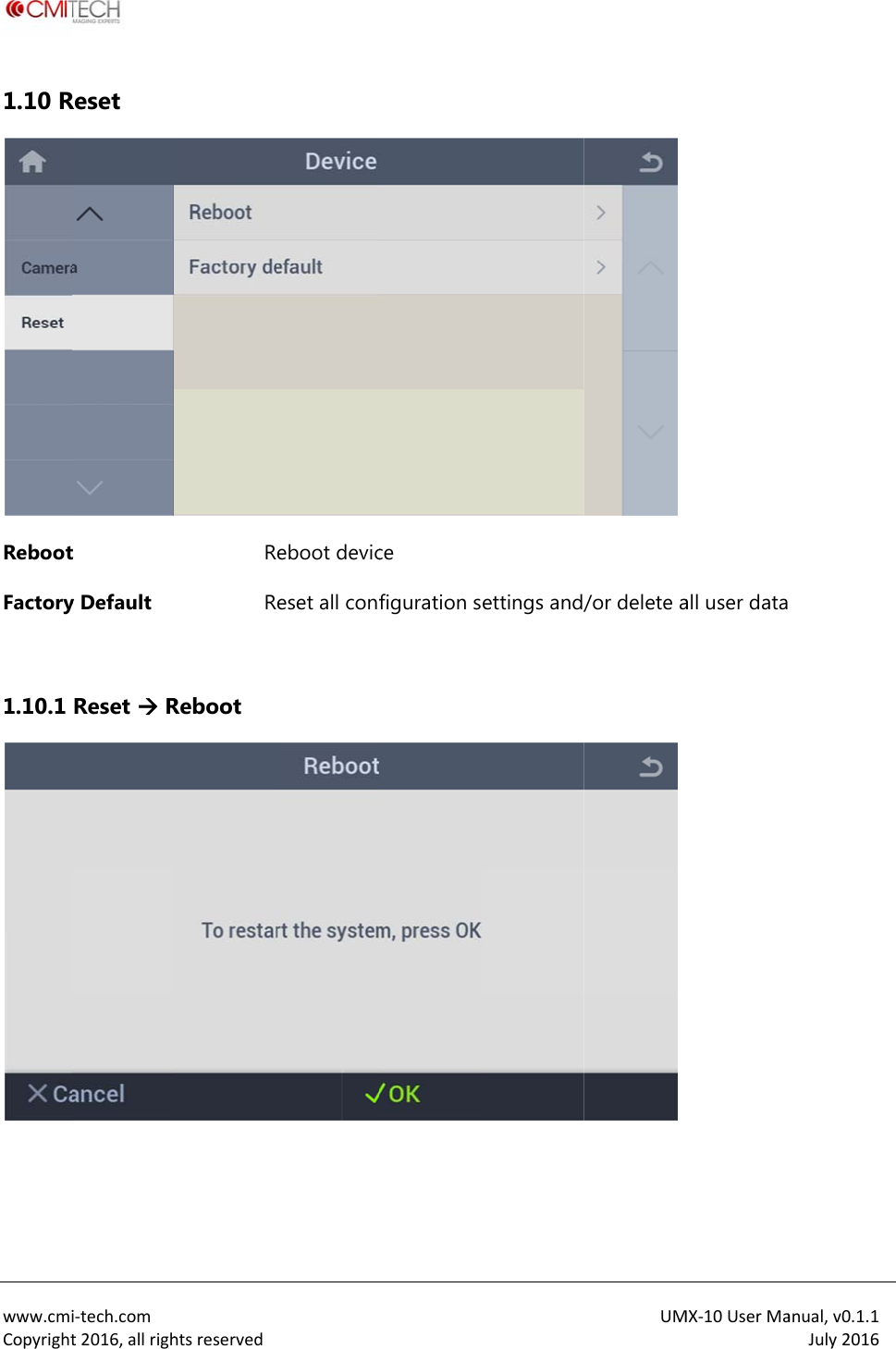
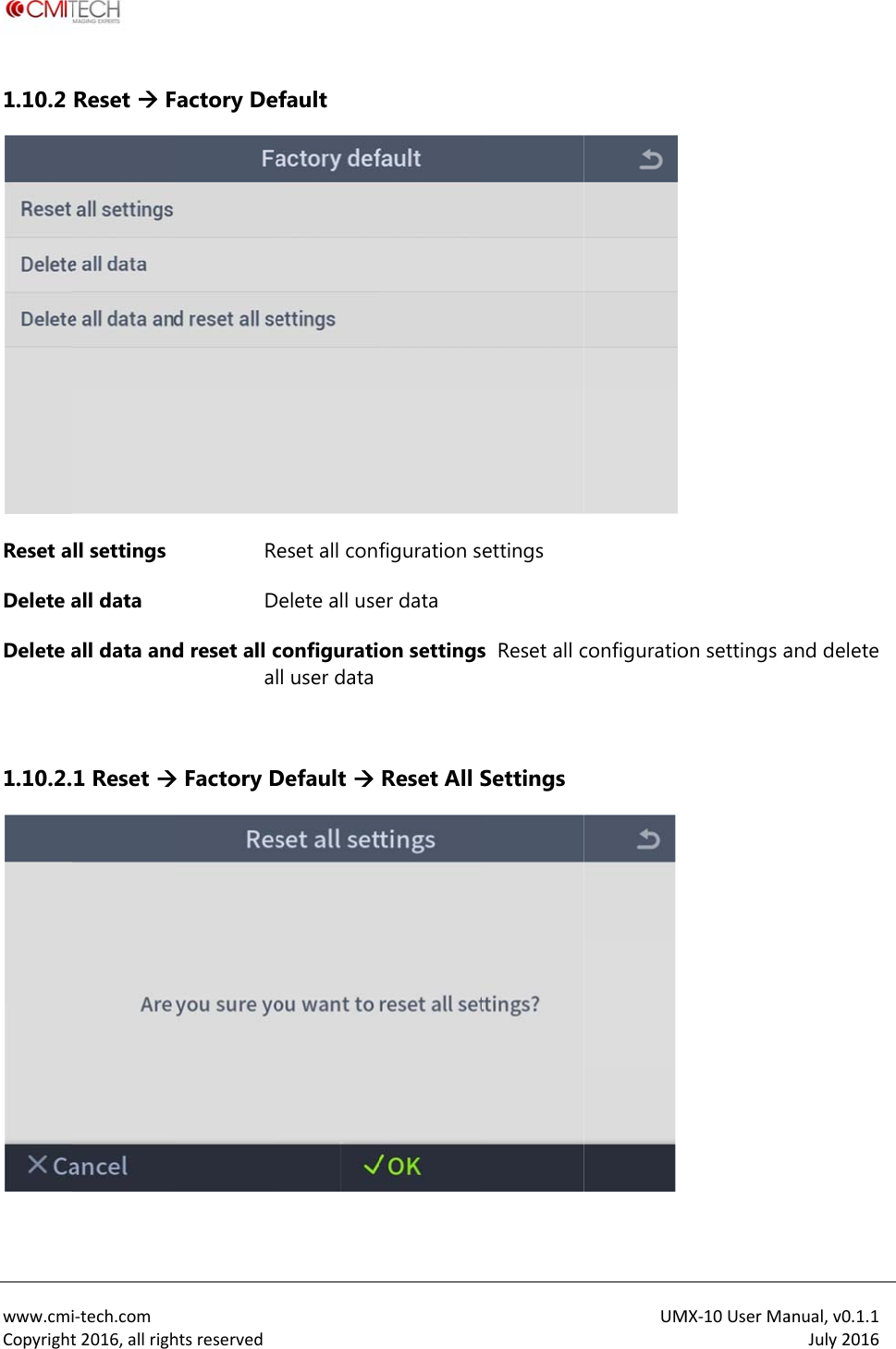
 www.cmiCopyright1.10 RRebootFactory 1.10.1   i‐tech.comt2016,allrighReset t y Default Reset  RhtsreservedRRReboot  eboot deviceset all confce figuration settings and/UM/or delete aMX‐10UserMaall user dataanual,v0.1.1July2016
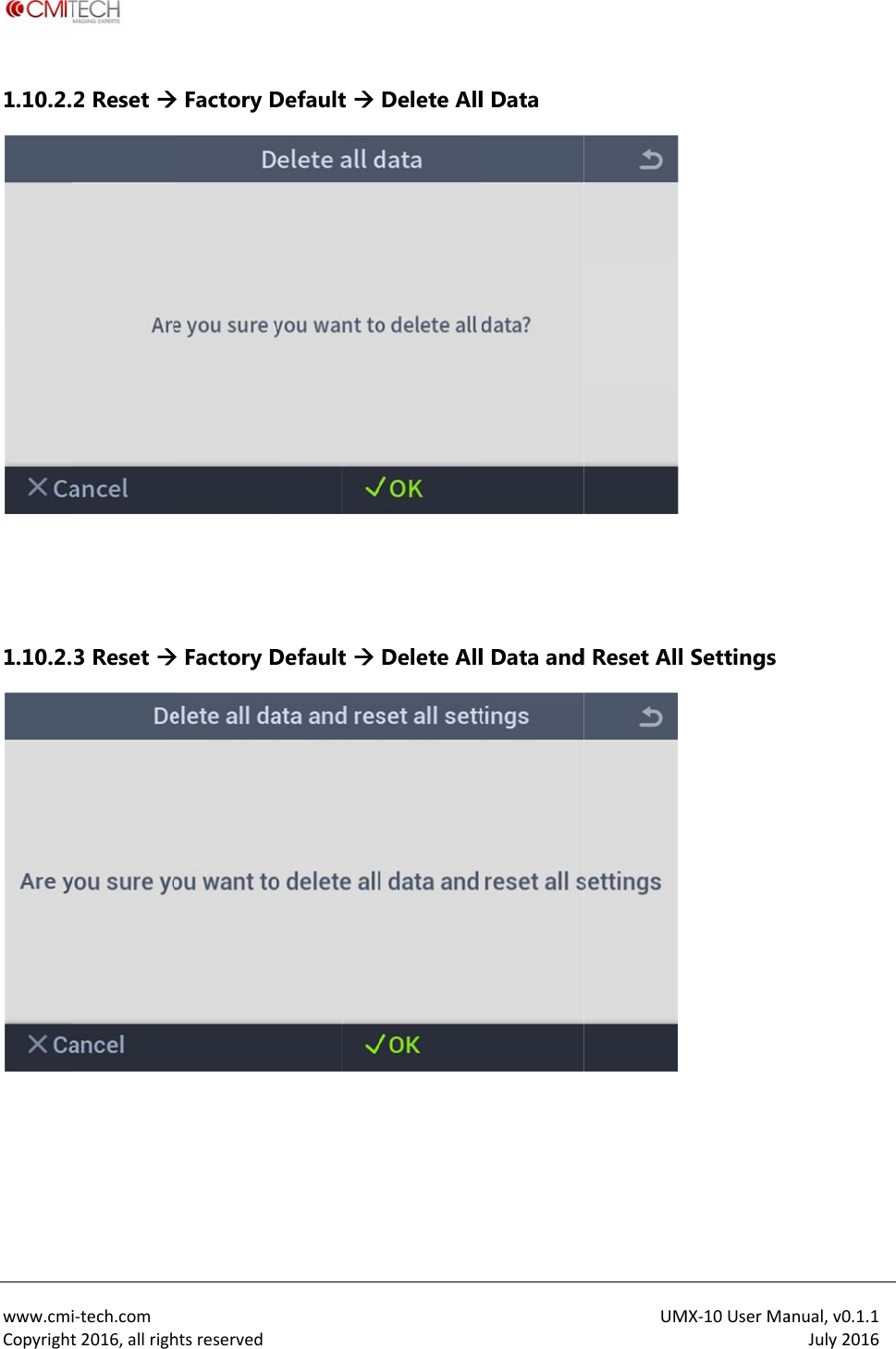
 www.cmiCopyright1.10.2 Reset aDelete aDelete a 1.10.2. i‐tech.comt2016,allrighReset  Fll settings all data all data and1 Reset htsreservedFactory DeRDd reset all cal Factory Default eset all confDelete all useconfiguratill user dataDefault figuration ser data on settingsReset All Settings s  Reset all cSettings UMconfiguratioMX‐10UserMaon settings aanual,v0.1.1July2016and delete
 www.cmiCopyright1.10.2.  1.10.2.  i‐tech.comt2016,allrigh2 Reset 3 Reset htsreserved Factory D Factory D Default Default Delete AllDelete Alll Data l Data andUM d Reset All MX‐10UserMaSettings anual,v0.1.1July2016
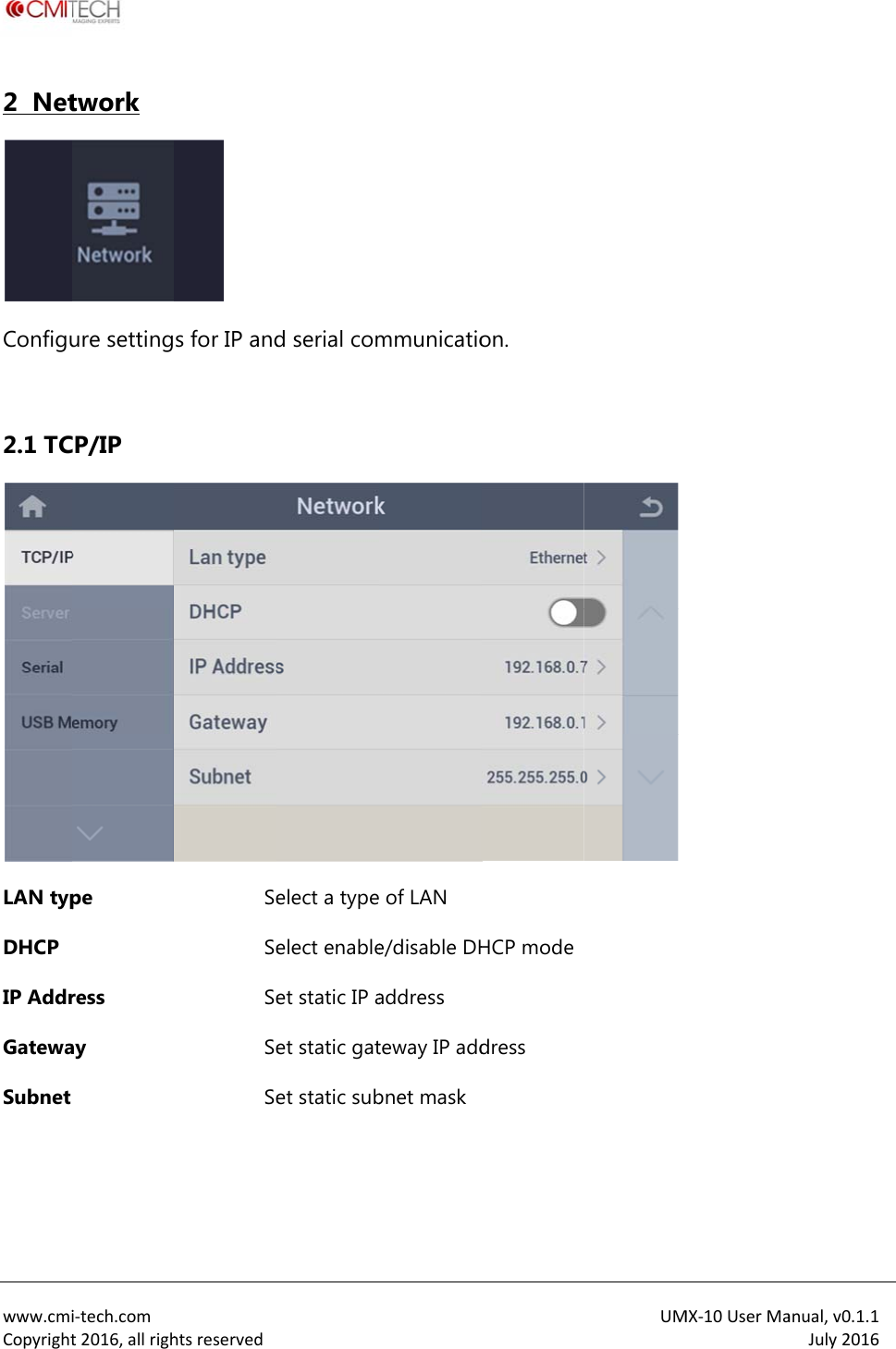
 www.cmiCopyright2  NetConfigu 2.1 TCLAN typDHCP IP AddrGatewaSubnet  i‐tech.comt2016,allrightwork ure settingCP/IP pe ress ay htsreserved s for IP andSeSeSeSeSe d serial comelect a typeelect enableet static IP aet static gatet static submmunicatio of LAN e/disable DHaddress teway IP addbnet maskon. HCP modedress UM MX‐10UserMaanual,v0.1.1July2016
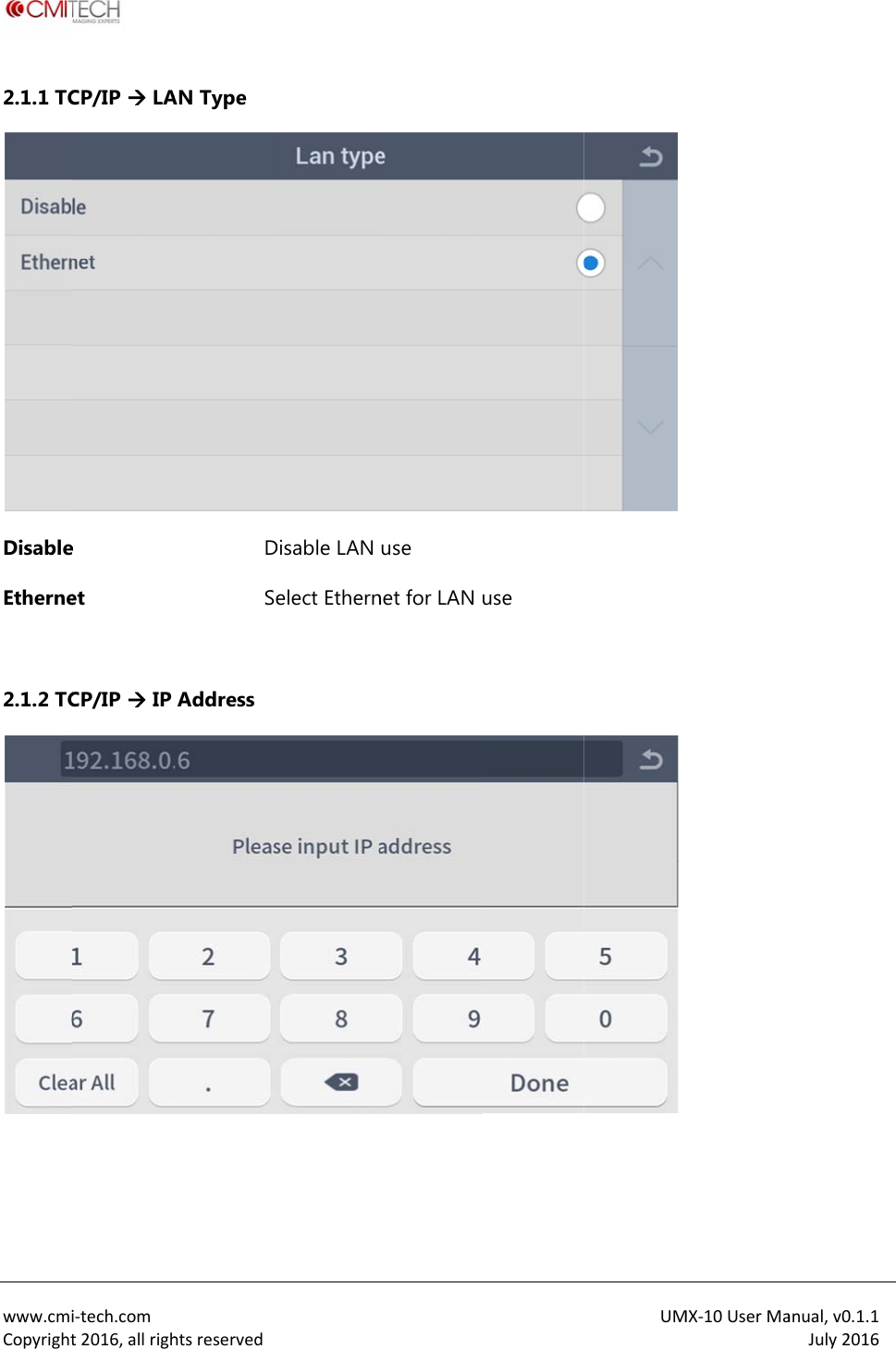
 www.cmiCopyright2.1.1 TCDisableEtherne 2.1.2 TC  i‐tech.comt2016,allrighCP/IP  LAe et CP/IP  IP htsreservedAN Type DSeAddress  Disable LAN elect Ethernuse net for LAN use UM MX‐10UserMaanual,v0.1.1July2016
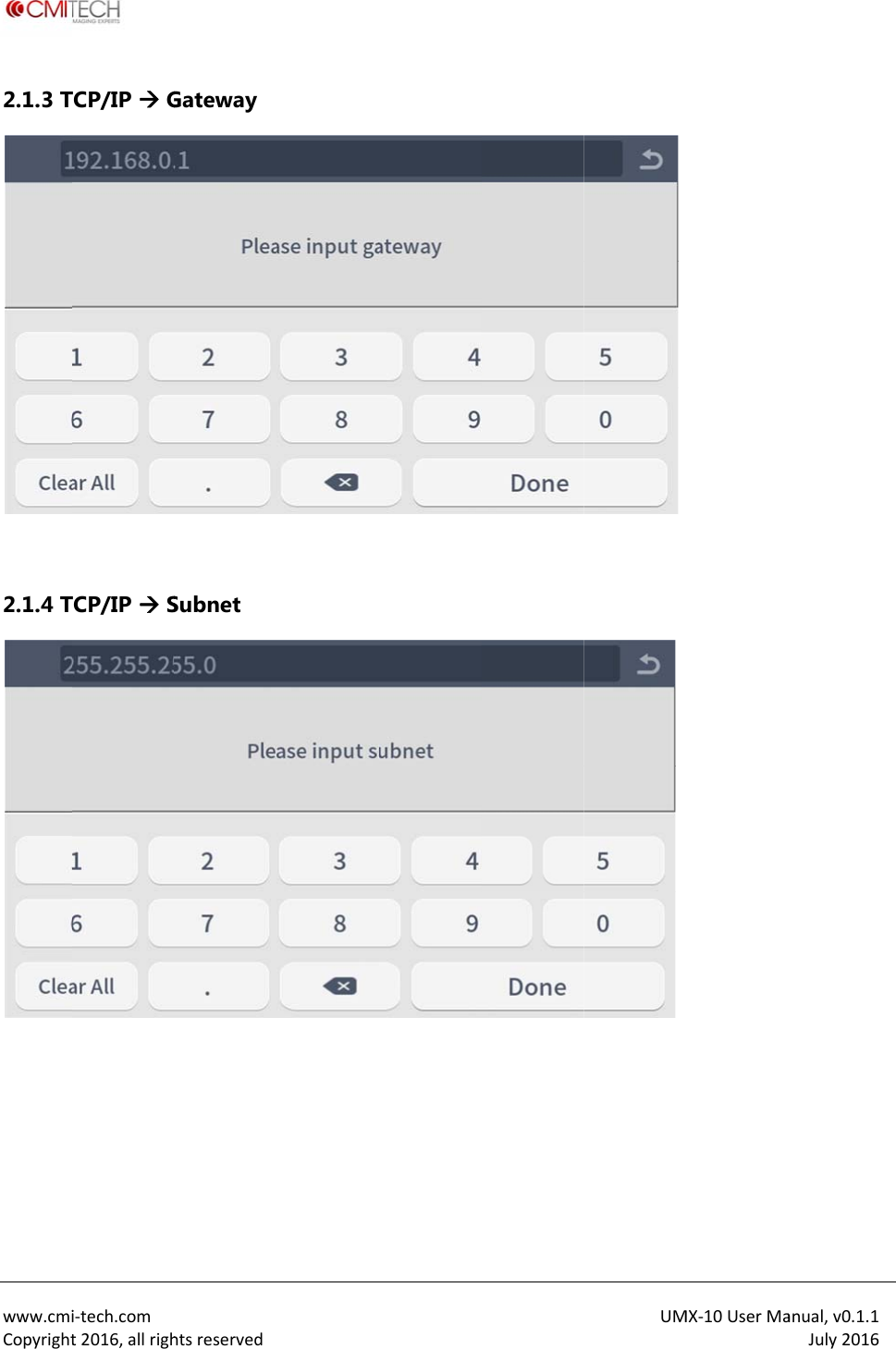
 www.cmiCopyright2.1.3 T 2.1.4 T  i‐tech.comt2016,allrighTCP/IP  GTCP/IP  ShtsreservedGateway Subnet  UM MX‐10UserMaanual,v0.1.1July2016
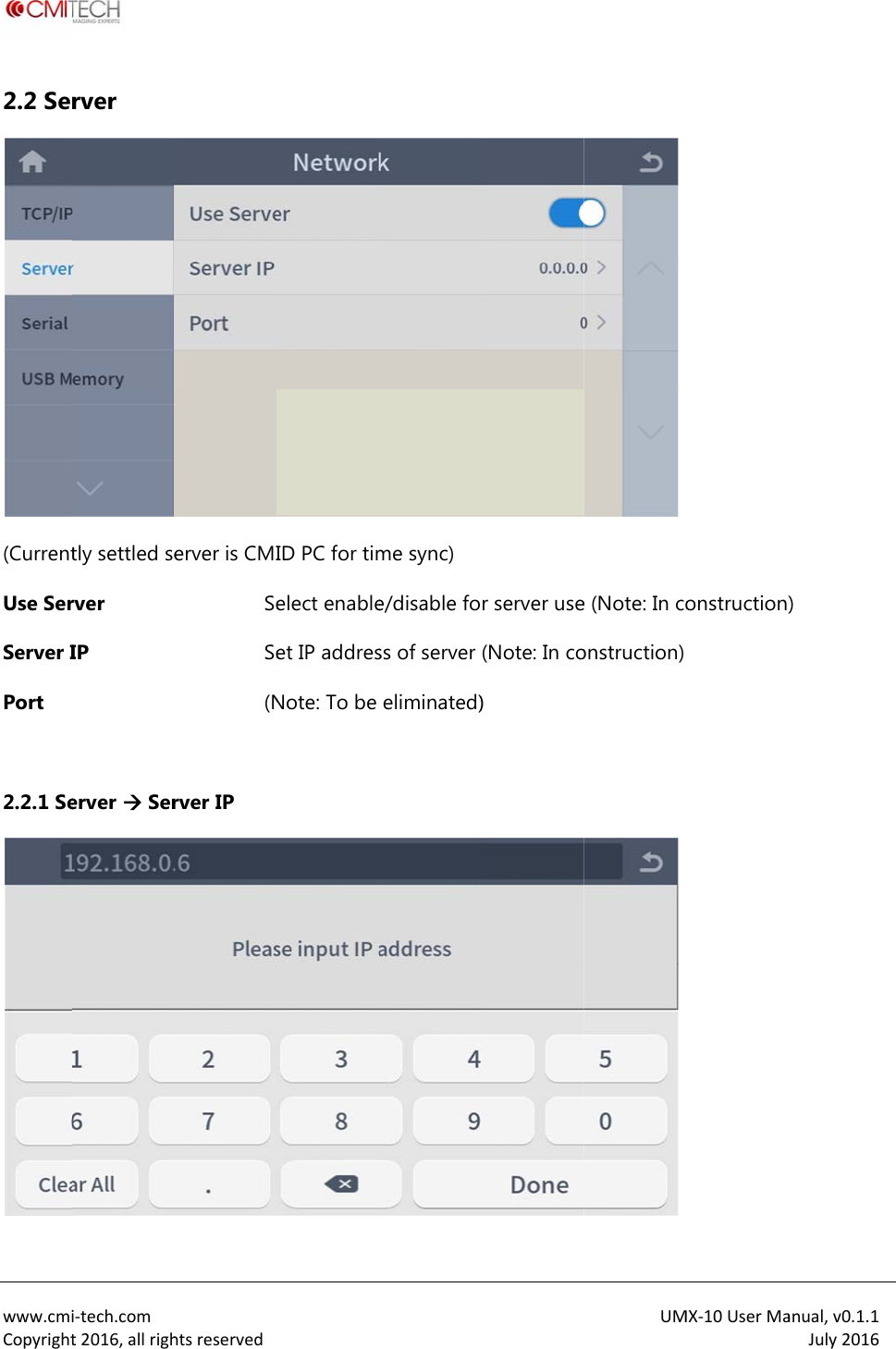
 www.cmiCopyright2.2 Ser(CurrentUse SerServer IPort  2.2.1 Se i‐tech.comt2016,allrighrver tly settled server IP erver  Serhtsreservederver is CMISeSe(Nrver IP  ID PC for timelect enableet IP addresNote: To be me sync) e/disable foss of server eliminated)r server use(Note: In co) UM e (Note: In coonstruction)  MX‐10UserMaonstruction)anual,v0.1.1July2016)
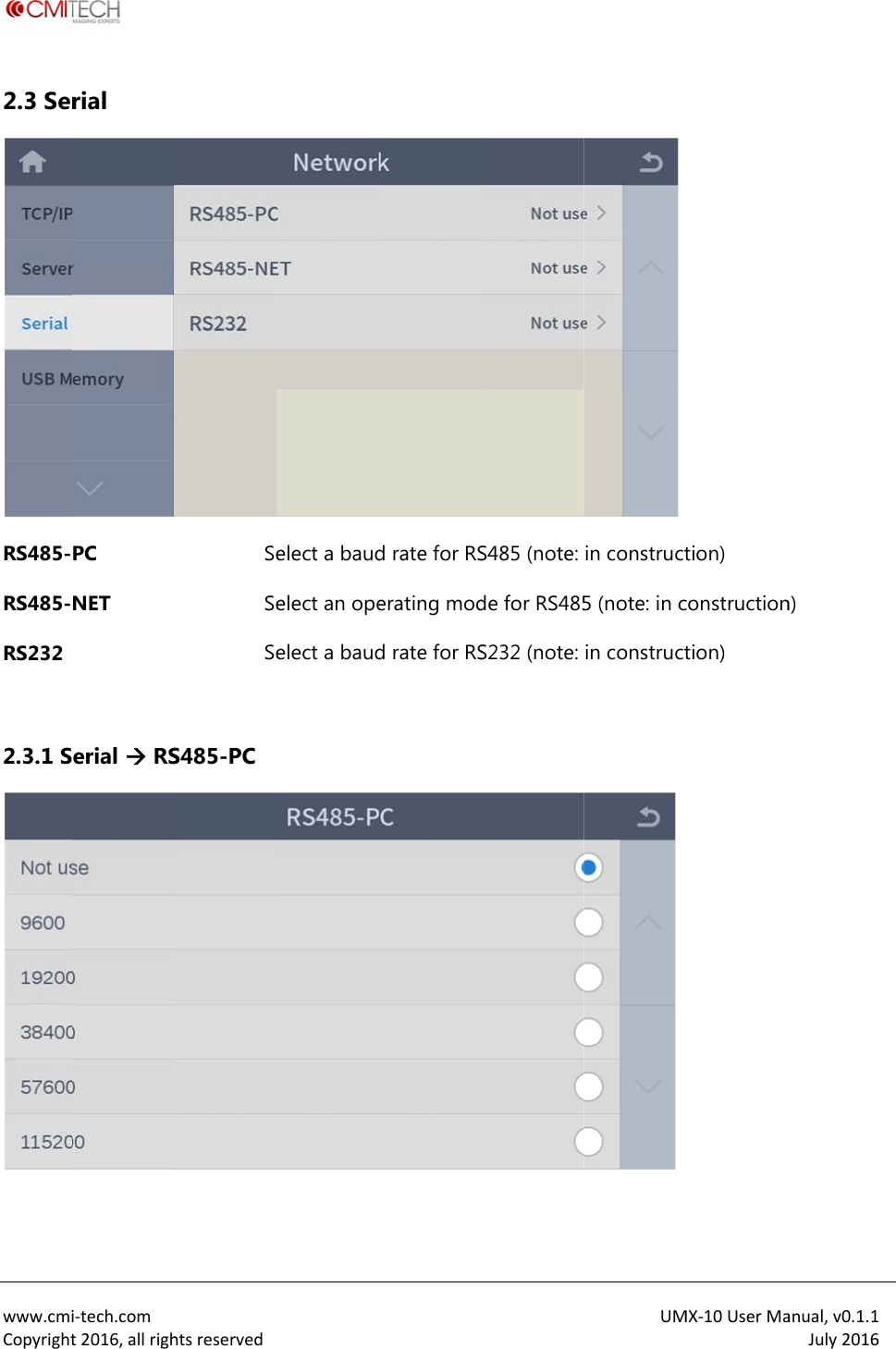
 www.cmiCopyright2.3 SerRS485-RS485-RS232  2.3.1 S i‐tech.comt2016,allrighrial PC NET erial  RShtsreservedSeSeSeS485-PC elect a baudelect an opeelect a baudd rate for RSerating modd rate for RSS485 (note: de for RS485S232 (note: UM in construct5 (note: in cin constructMX‐10UserMation) constructiontion) anual,v0.1.1July2016n)
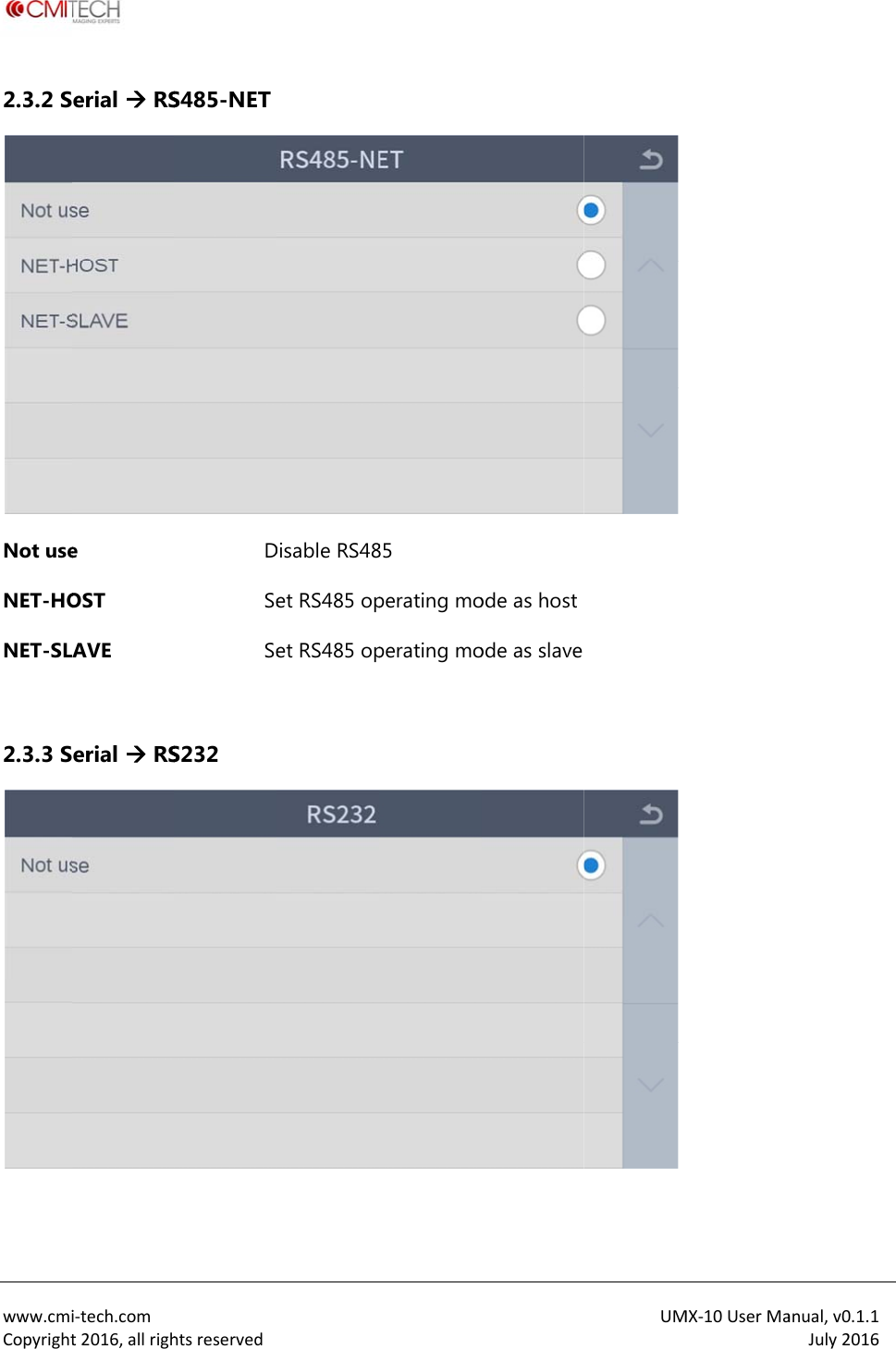
 www.cmiCopyright2.3.2 SNot useNET-HONET-SL 2.3.3 S i‐tech.comt2016,allrigherial  RSe OST AVE erial  RShtsreservedS485-NET DSeSeS232 Disable RS48et RS485 opet RS485 op85 perating moperating moode as hostode as slaveUM  MX‐10UserMaanual,v0.1.1July2016
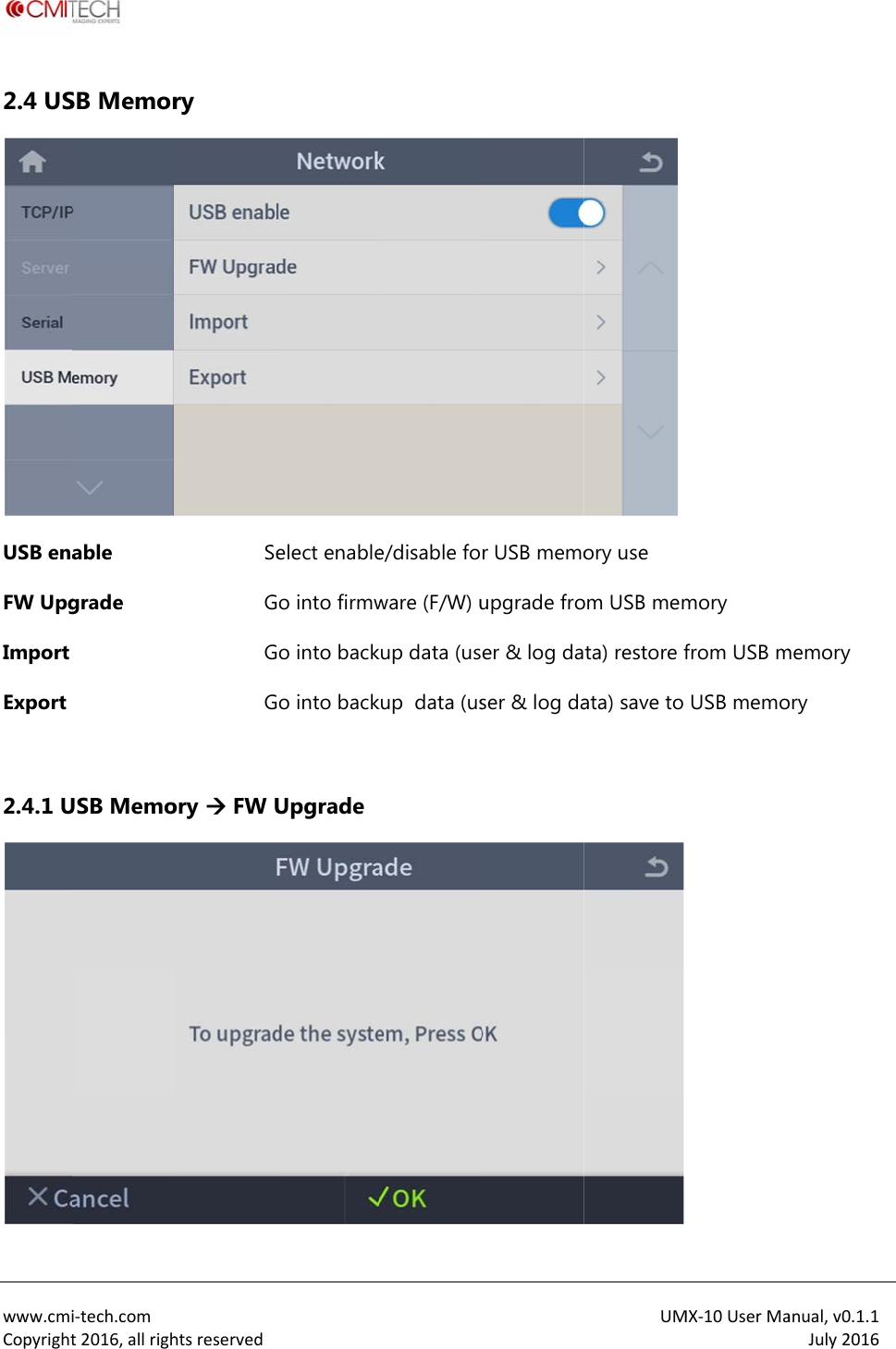
 www.cmiCopyright2.4 USUSB enaFW UpgImport Export  2.4.1 Ui‐tech.comt2016,allrighSB Memorable grade USB Memohtsreservedry SeGGGory  FW Uelect enableo into firmwo into backo into backUpgradee/disable foware (F/W) ukup data (uskup  data (usr USB memoupgrade froer & log daser & log daUMory use om USB memta) restore fata) save to  MX‐10UserMamory from USB mUSB memoanual,v0.1.1July2016memory ory
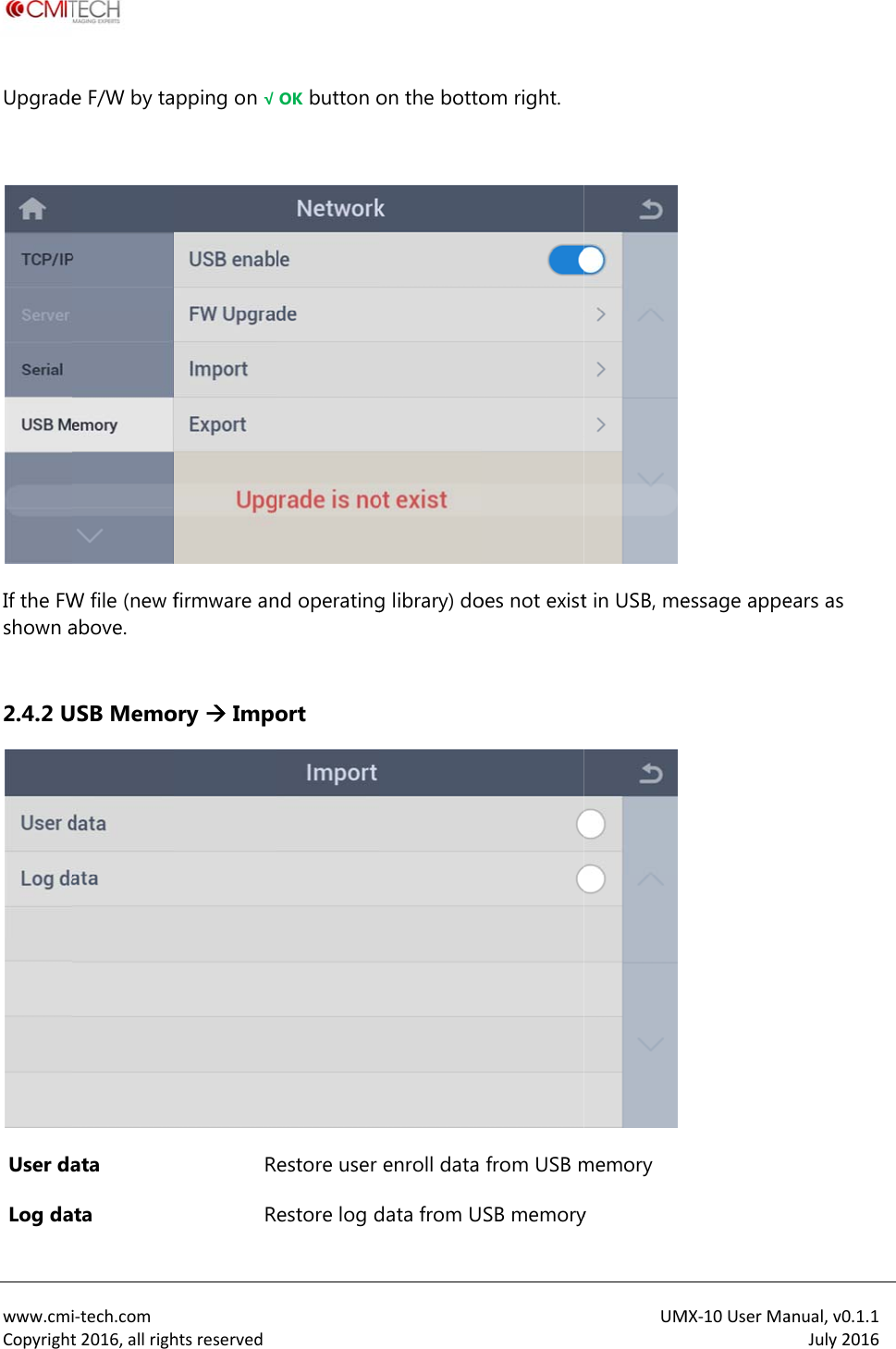
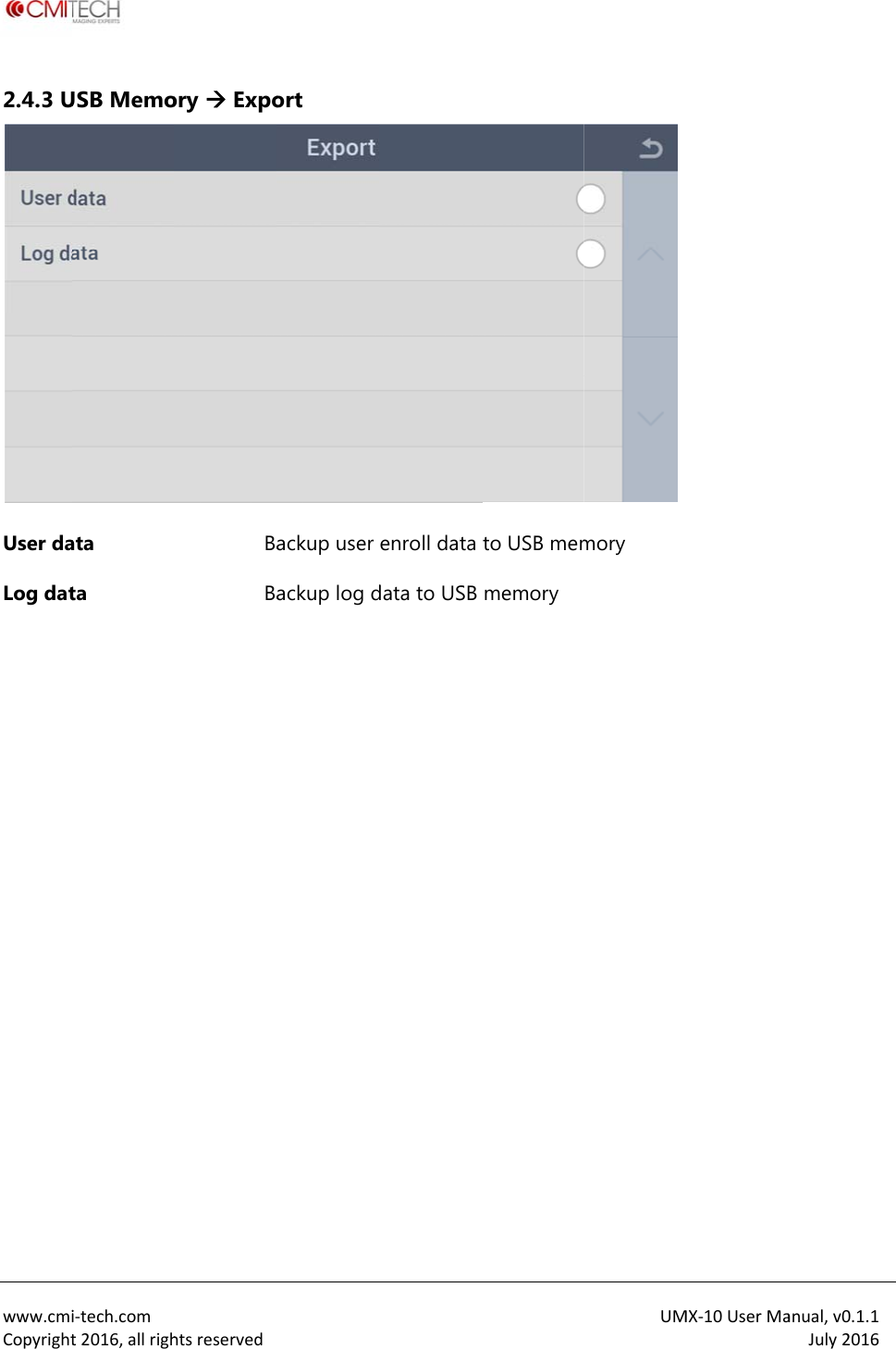
 www.cmiCopyrightUpgrade If the FWshown a 2.4.2 U User da Log dai‐tech.comt2016,allrighe F/W by taW file (new fabove. USB Memoata ata htsreservedpping on √ firmware anory  ImpoRROK button ond operatingort  estore user estore log don the bottog library) doenroll data data from Uom right. oes not existfrom USB mSB memoryUMt in USB, mememory yMX‐10UserMaessage appeanual,v0.1.1July2016ears as
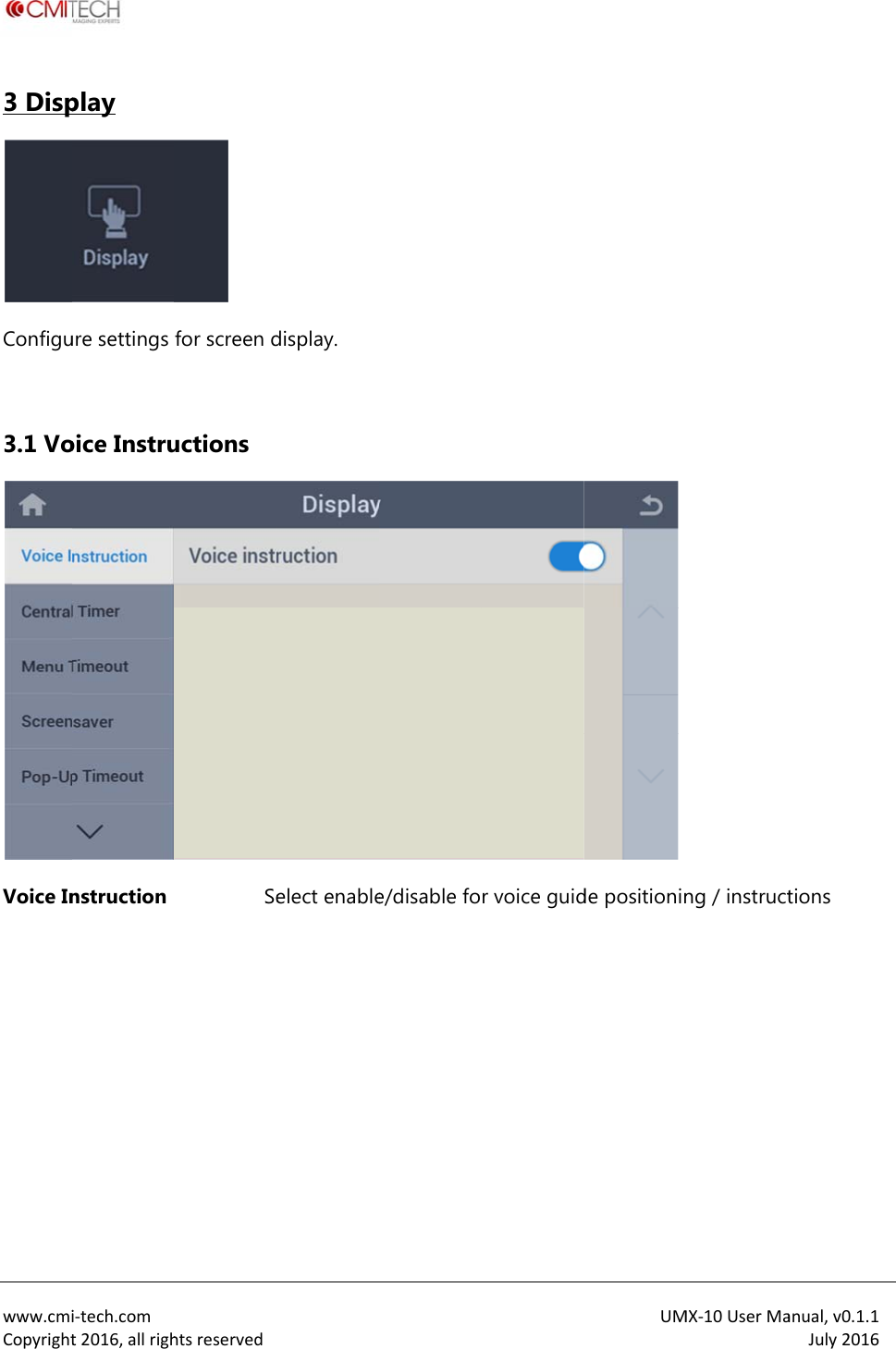
 www.cmiCopyright2.4.3 UUser daLog dat  i‐tech.comt2016,allrighUSB Memoata ta htsreservedory  ExpoBaBa ort ackup user ackup log denroll data data to USB to USB memmemory UMmory MX‐10UserMaanual,v0.1.1July2016
 www.cmiCopyright3 DispConfigu 3.1 VoVoice In  i‐tech.comt2016,allrighplay ure settings oice Instrunstruction htsreserved for screen ductions Se display. elect enablee/disable for voice guidUM de positioninMX‐10UserMang / instructanual,v0.1.1July2016tions
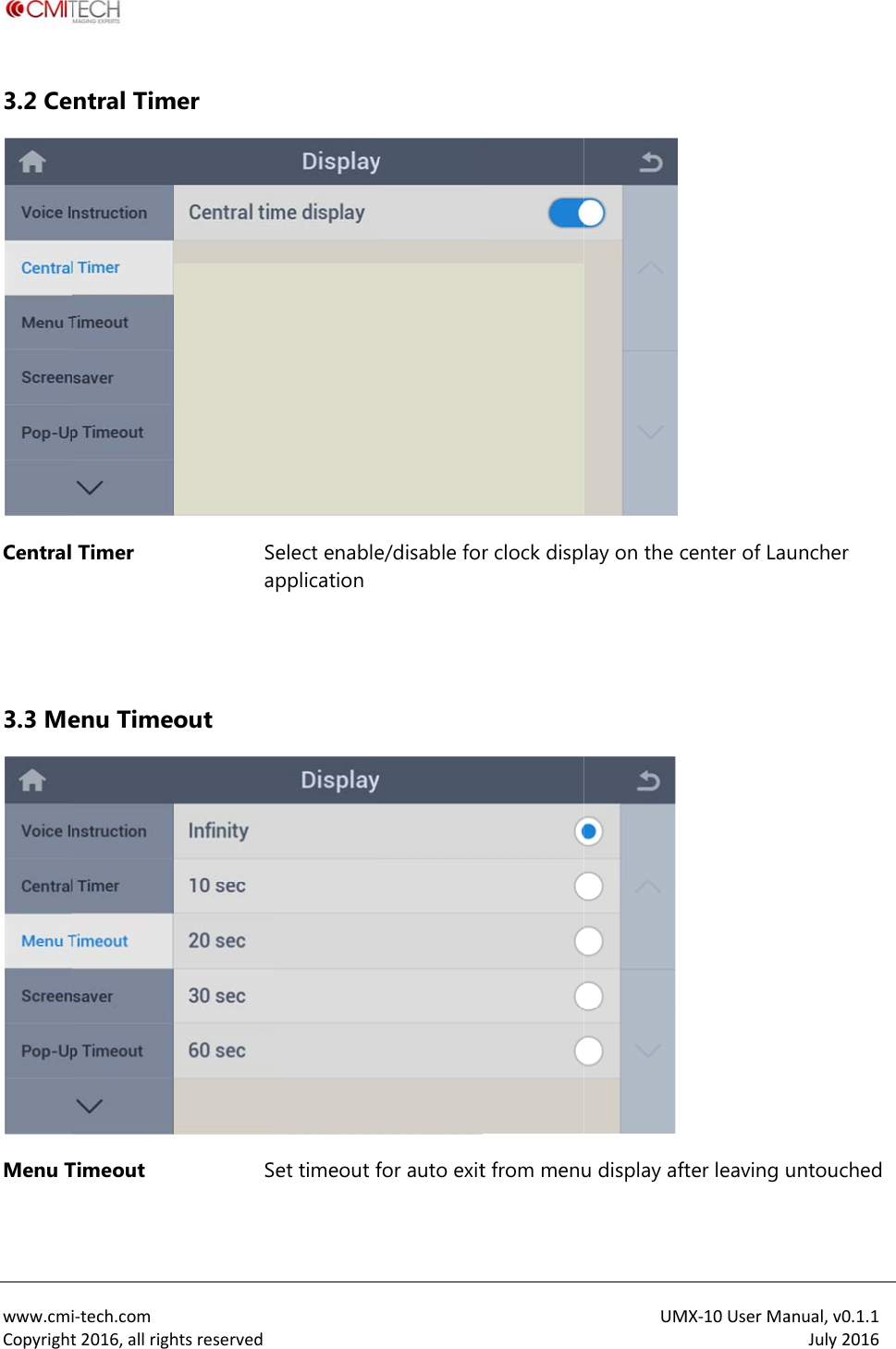
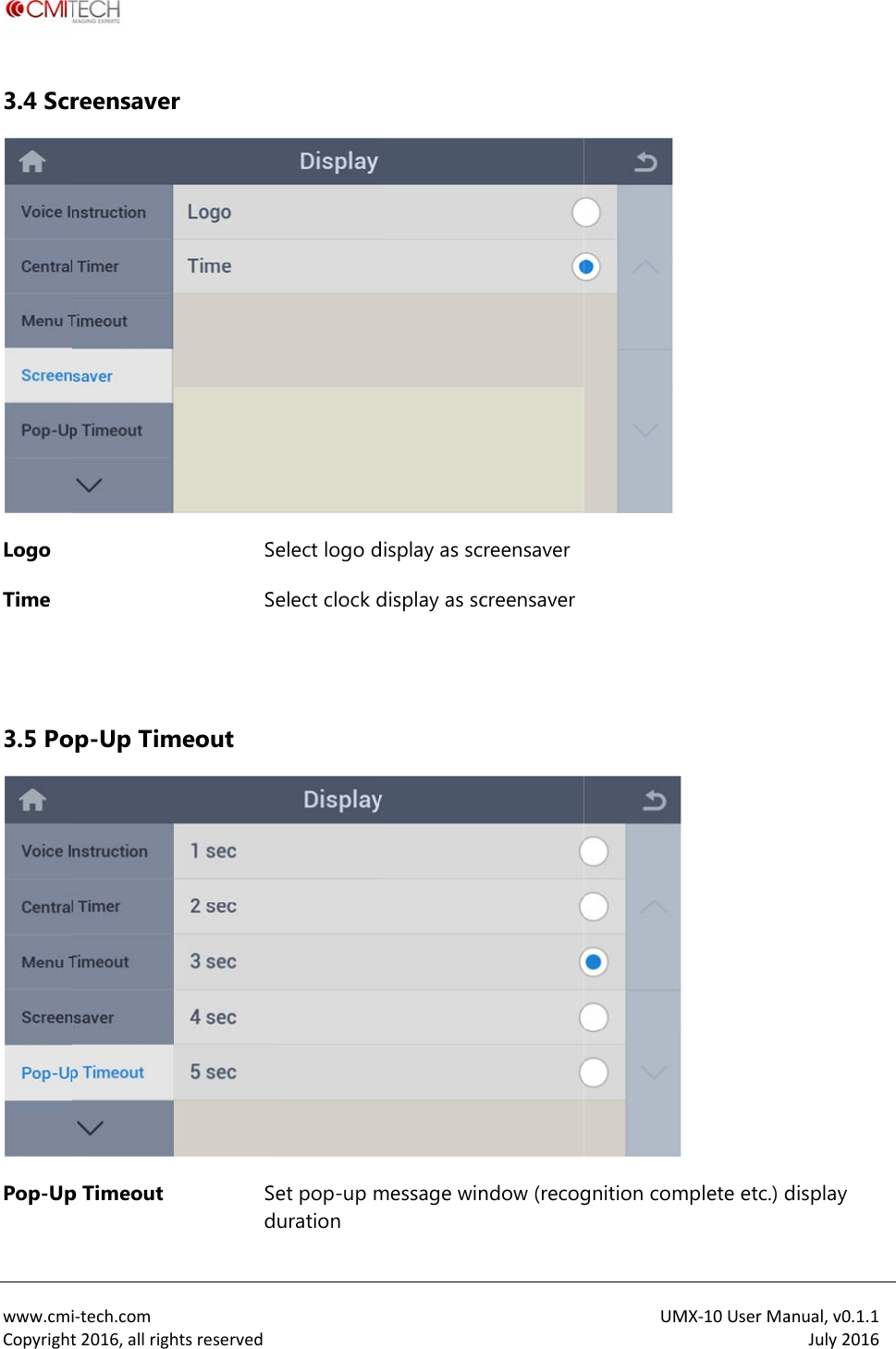
 www.cmiCopyright3.2 CeCentral   3.3 MeMenu T i‐tech.comt2016,allrighntral Tim Timer enu TimeoTimeout htsreservedmer Seapout Se elect enablepplicationet timeout fe/disable fofor auto exitr clock dispt from menuUMlay on the cu display aftMX‐10UserMacenter of Lauter leaving uanual,v0.1.1July2016uncher untouched
 www.cmiCopyright3.4 ScrLogo Time   3.5 PoPop-Upi‐tech.comt2016,allrighreensaverop-Up Timp Timeout htsreservedr SeSemeout Sedelect logo delect clock det pop-up muration display as scdisplay as scmessage wincreensavercreensaverndow (recogUM gnition comMX‐10UserMamplete etc.) danual,v0.1.1July2016display
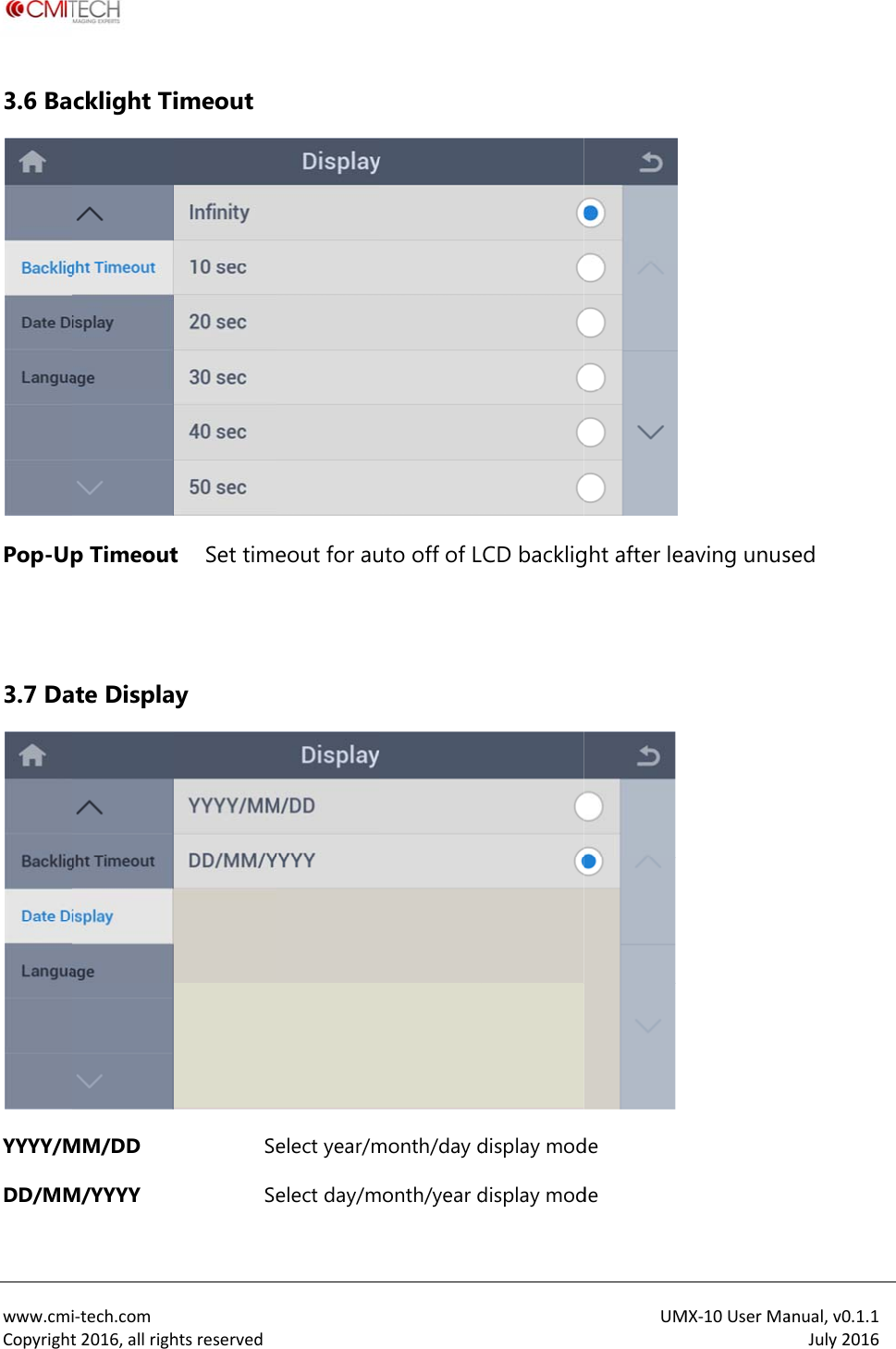
 www.cmiCopyright3.6 BaPop-Up  3.7 DaYYYY/MDD/MM i‐tech.comt2016,allrighcklight Tip Timeoutate DisplaMM/DD M/YYYY htsreservedimeout t Set timey SeSe eout for auelect year/melect day/muto off of Lmonth/day dmonth/year dCD backligdisplay moddisplay modUMght after leade de MX‐10UserMaaving unusanual,v0.1.1July2016sed
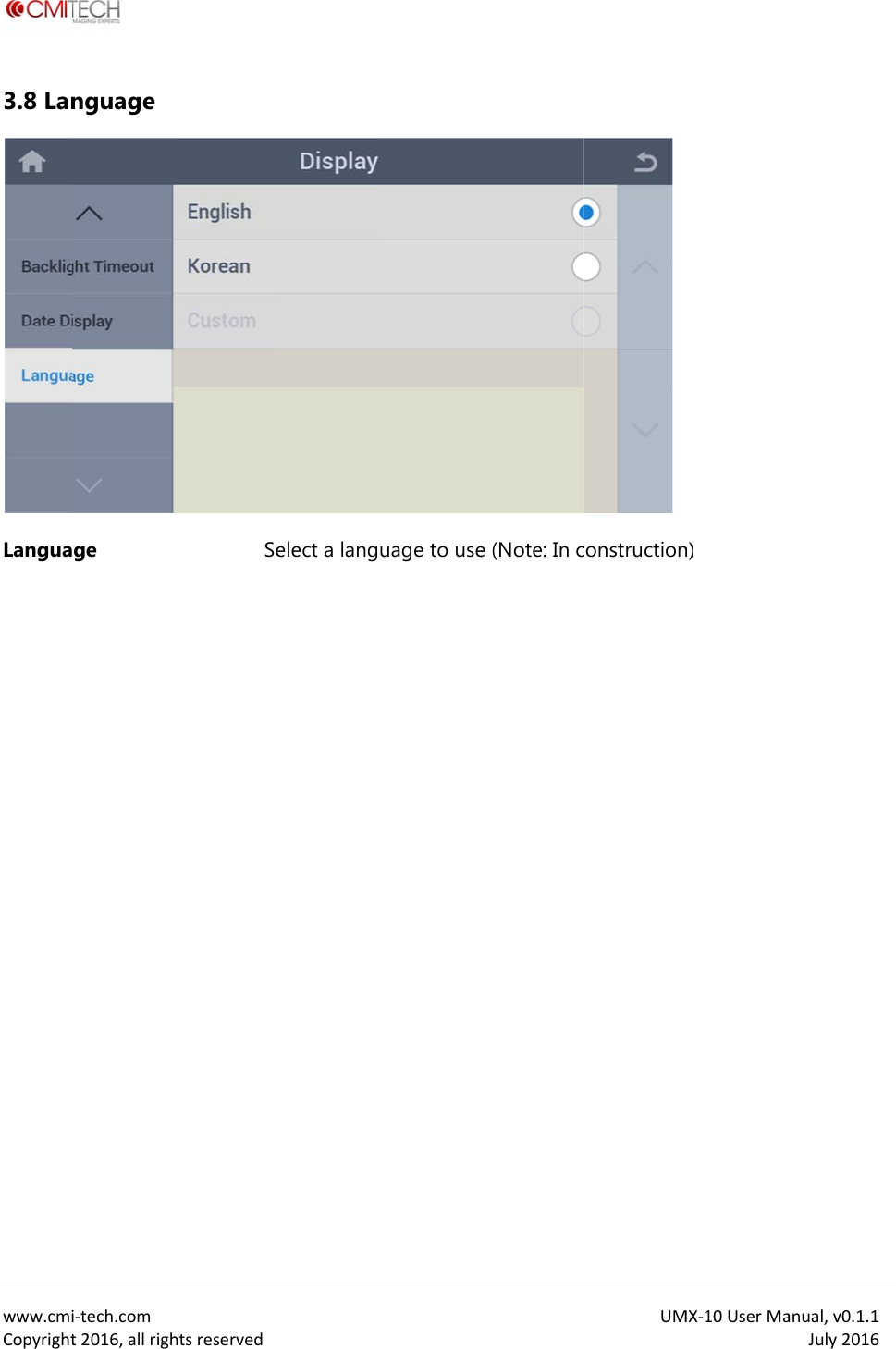
 www.cmiCopyright3.8 LanLangua i‐tech.comt2016,allrighnguage ge htsreservedSe elect a language to usee (Note: In cUMconstructionMX‐10UserMan) anual,v0.1.1July2016
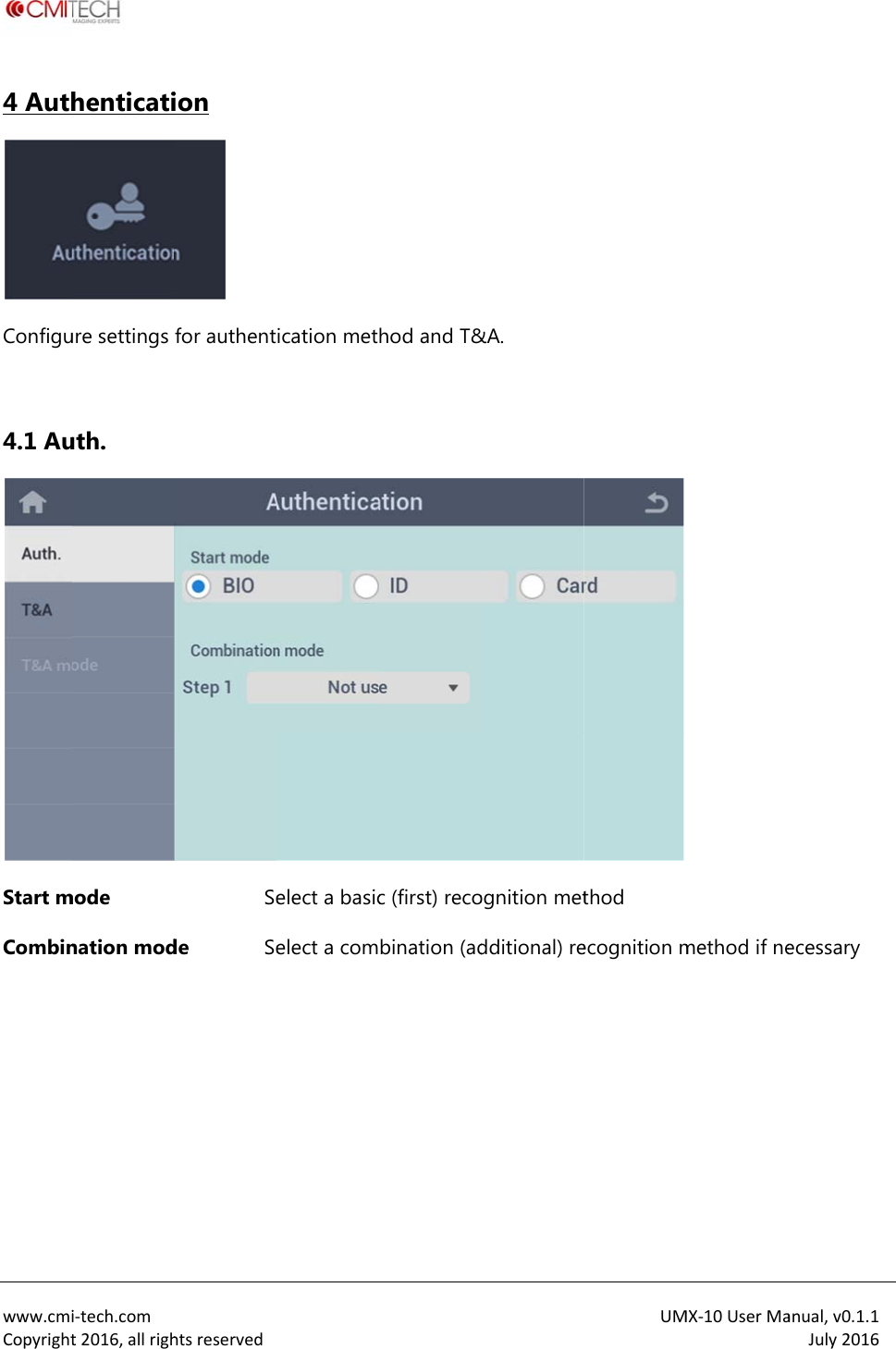
 www.cmiCopyright4 AuthConfigu 4.1 AuStart mCombin  i‐tech.comt2016,allrighhenticatiure settings uth. mode nation modhtsreservedion  for authentSede Se ication metelect a basicelect a comhod and T&c (first) recobination (ad&A. ognition metdditional) reUM thod ecognition mMX‐10UserMamethod if neanual,v0.1.1July2016ecessary
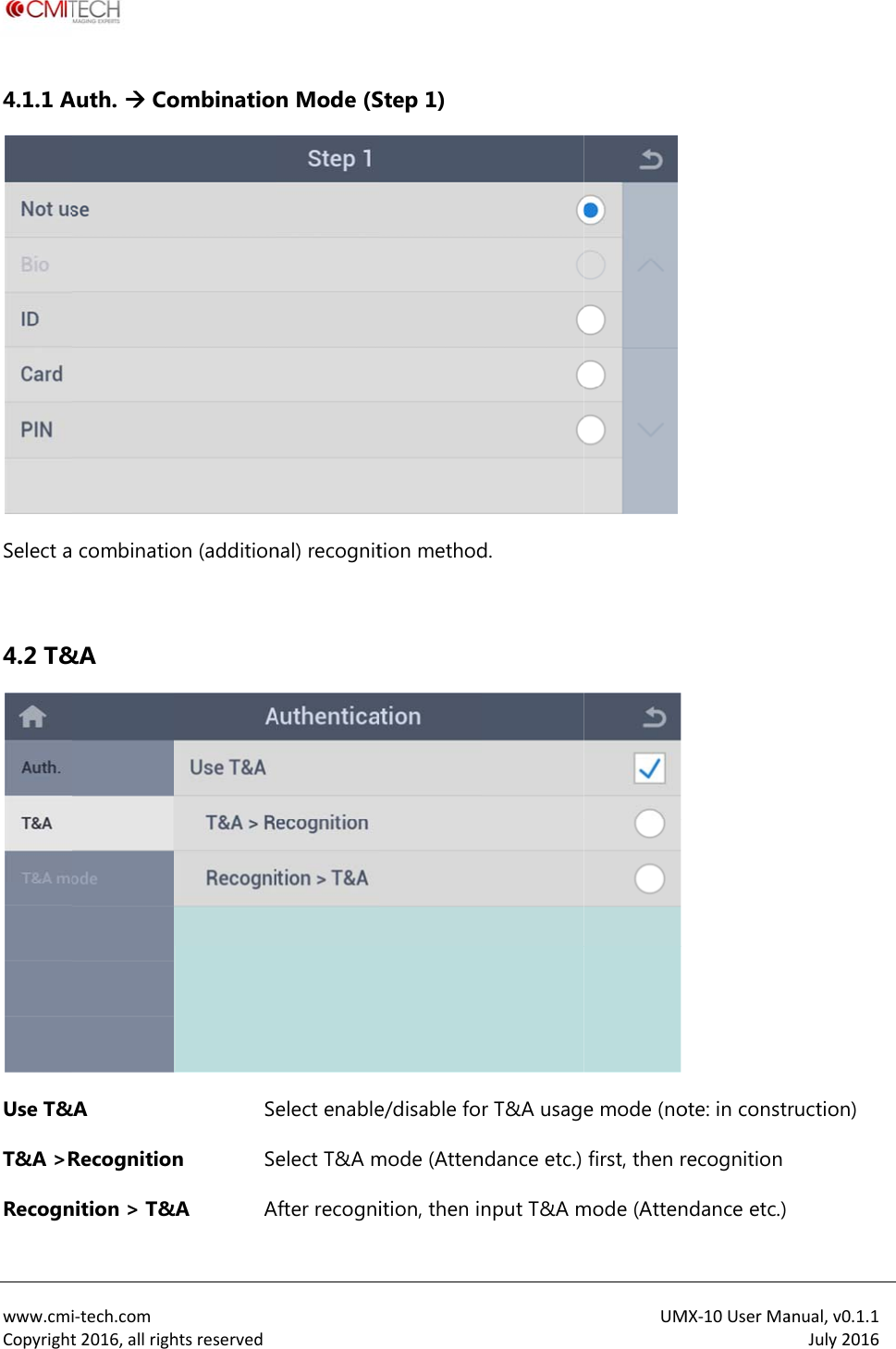
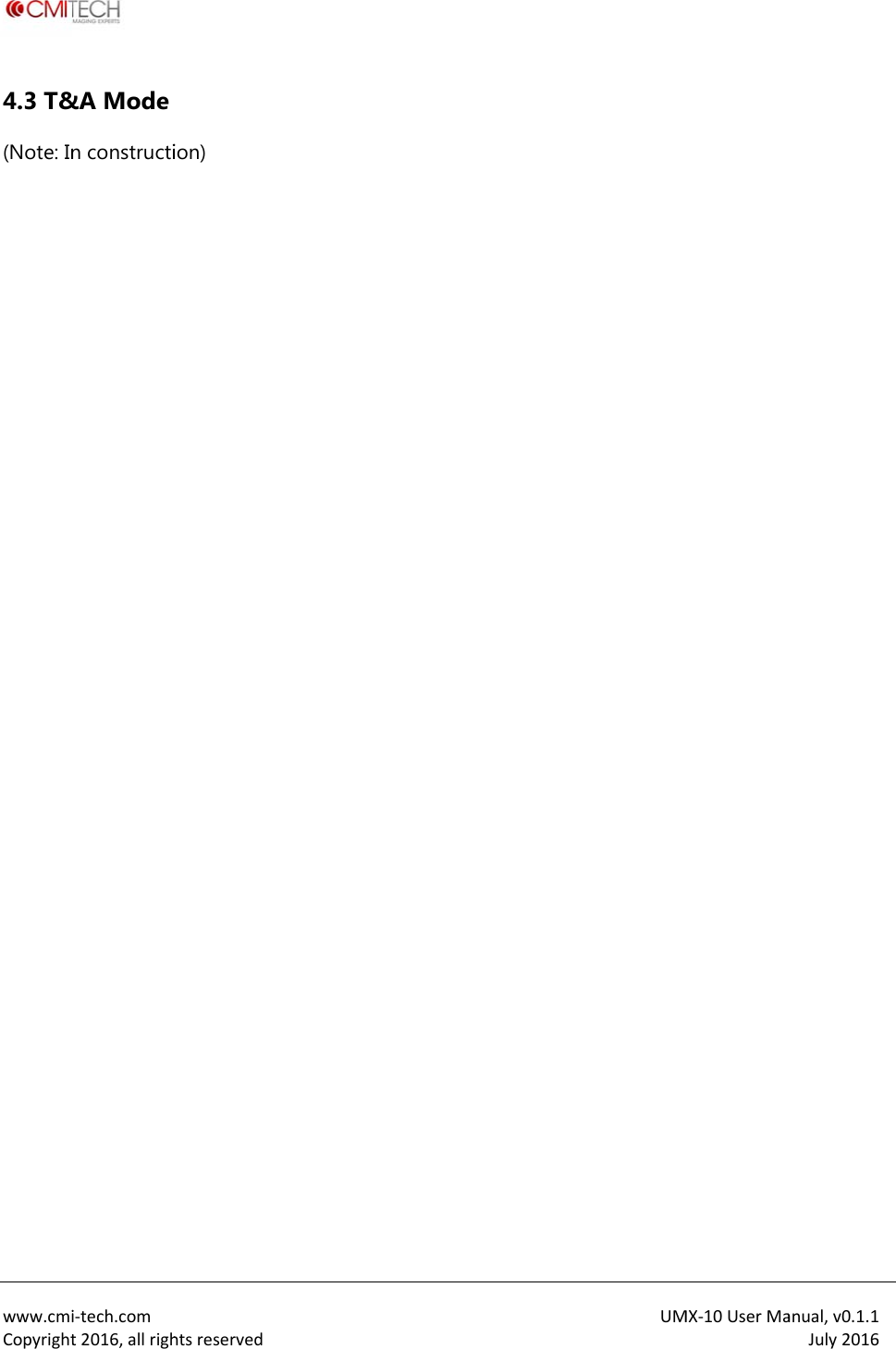
 www.cmiCopyright4.1.1 ASelect a 4.2 T&Use T&T&A >RRecogn i‐tech.comt2016,allrighAuth.  Co combinatio&A &A Recognitionnition > T&htsreservedombinationon (additionSen Se&A An Mode (Snal) recognitelect enableelect T&A mAfter recogniStep 1) tion methode/disable fomode (Attenition, then id. r T&A usagndance etc.) nput T&A mUM e mode (nofirst, then rmode (AttenMX‐10UserMaote: in constrecognition ndance etc.) anual,v0.1.1July2016ruction)
 www.cmiCopyright4.3 T&(Note: In i‐tech.comt2016,allrigh&A Mode n constructihtsreservedion)  UMMX‐10UserMaanual,v0.1.1July2016
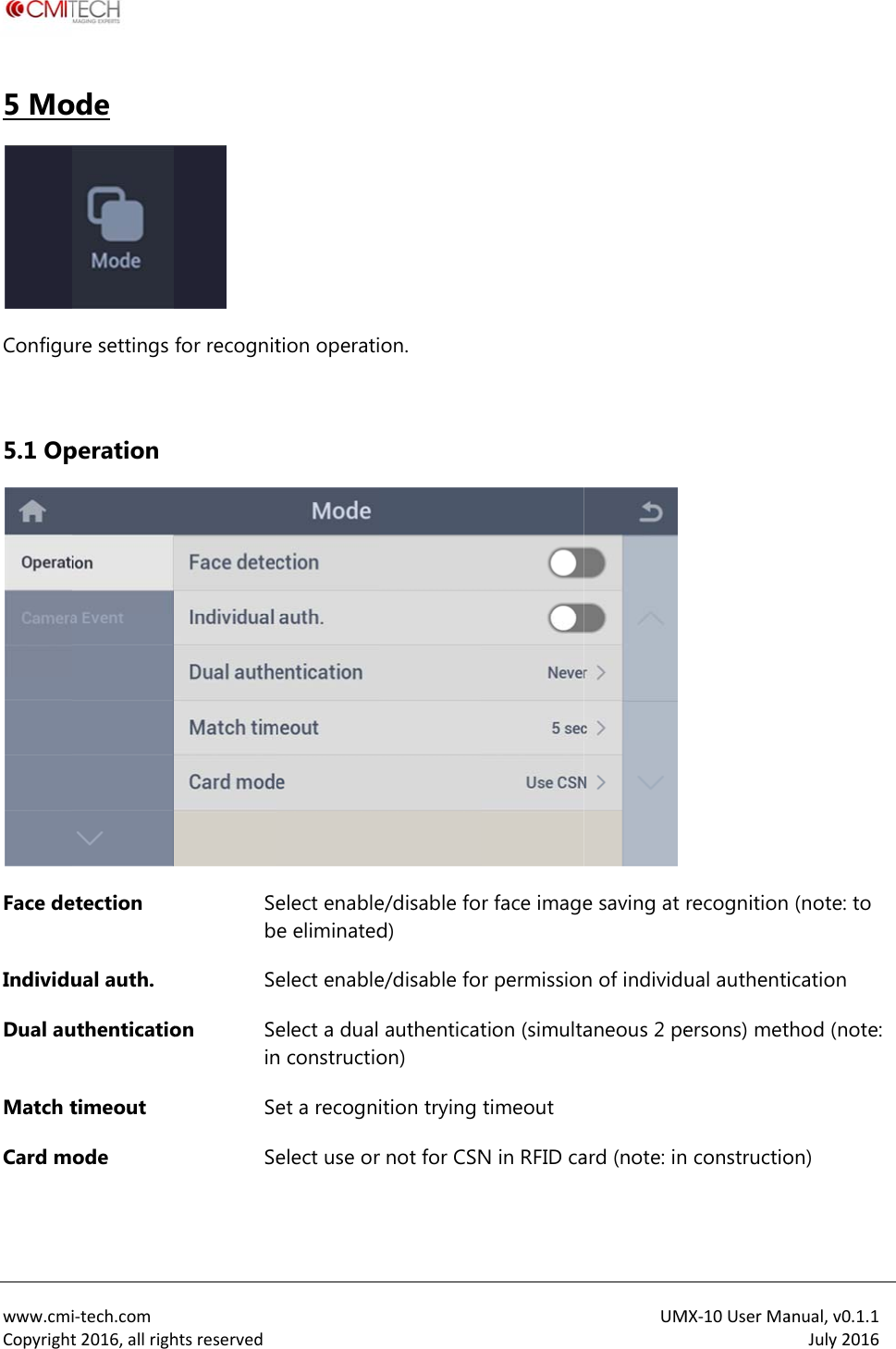
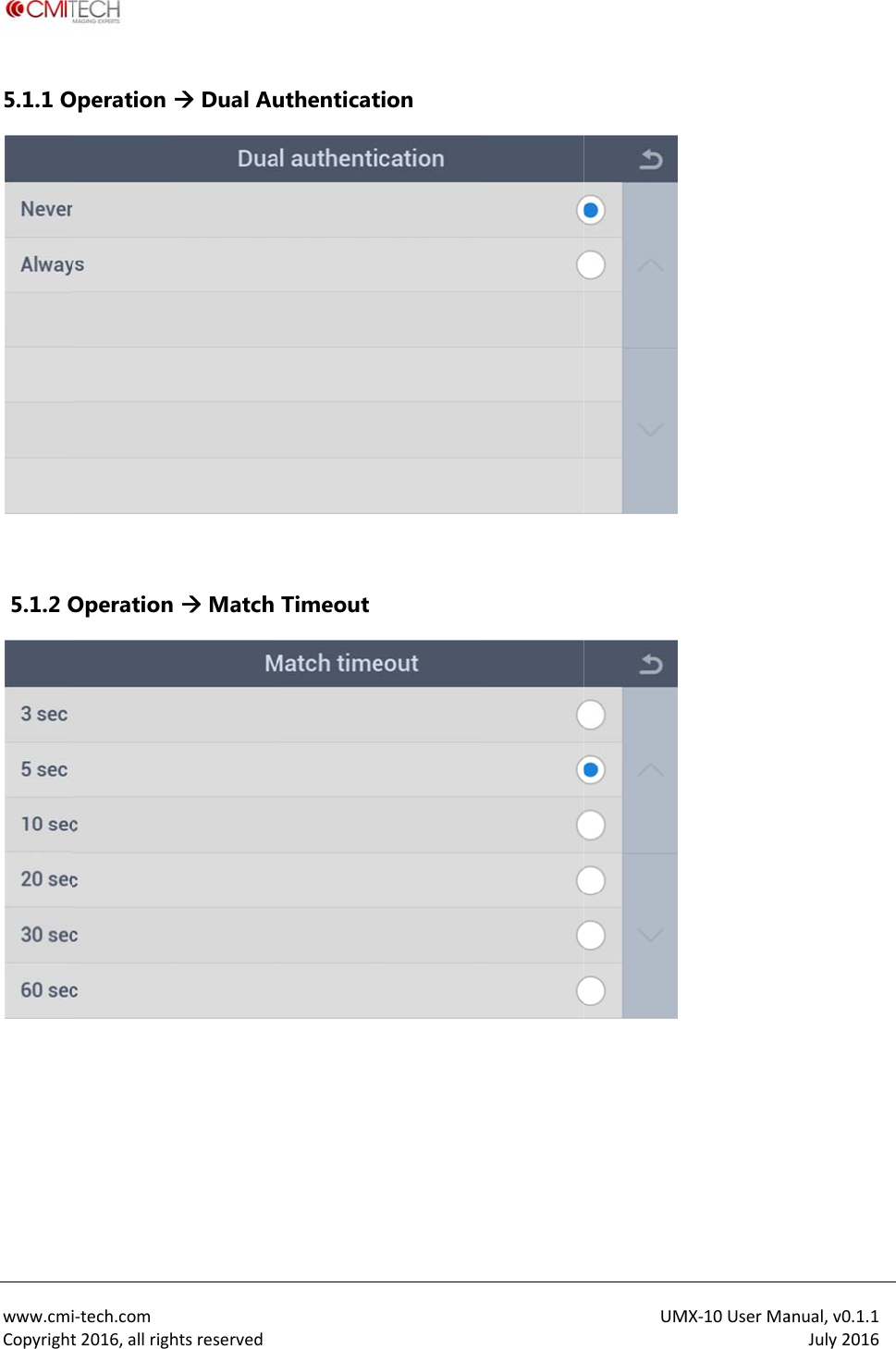
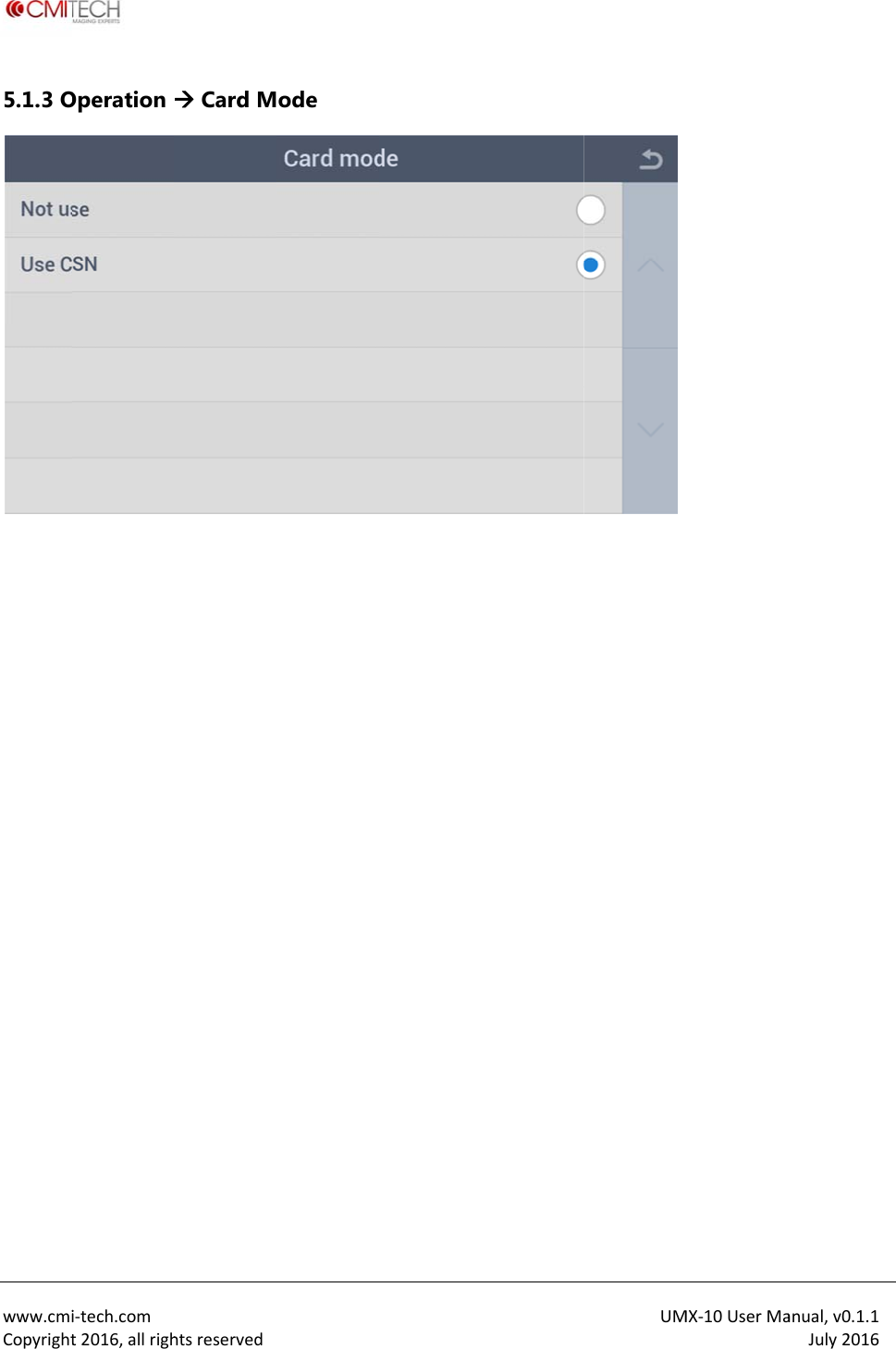
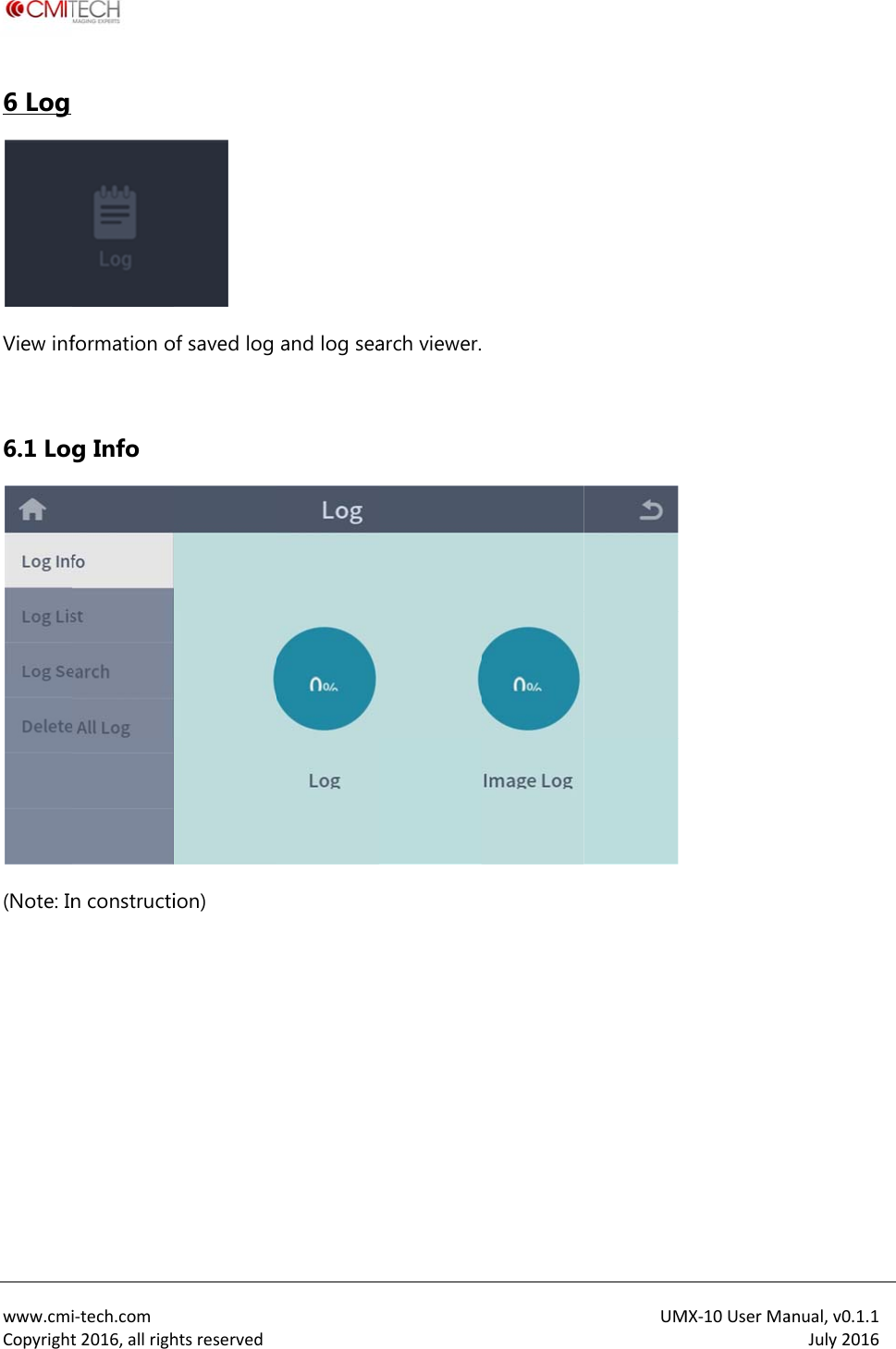
 www.cmiCopyright5 MoConfigu 5.1 OpFace deIndividuDual auMatch tCard m i‐tech.comt2016,allrighode ure settings peration etection ual auth. uthenticatiotimeout ode htsreserved for recognitSebSeon SeinSeSe  tion operatielect enablee eliminatedelect enableelect a dual n constructioet a recognelect use orion. e/disable fod) e/disable foauthenticaton) ition trying r not for CSNr face imager permissiontion (simultatimeout N in RFID caUMe saving at n of individuaneous 2 peard (note: inMX‐10UserMarecognitionual authentiersons) met constructioanual,v0.1.1July2016 (note: to ication hod (note: on)
 www.cmiCopyright5.1.1 O  5.1.2 O  i‐tech.comt2016,allrighOperation Operation htsreserved Dual Au Match  uthenticatTimeouttion UMMX‐10UserMaanual,v0.1.1July2016
 www.cmiCopyright5.1.3 O  i‐tech.comt2016,allrighOperation htsreserved Card M ode UMMX‐10UserMaanual,v0.1.1July2016
 www.cmiCopyright6 Log View inf 6.1 Log(Note: In   i‐tech.comt2016,allrighformation og Info n constructihtsreserved of saved log ion)  and log seaarch viewer. UM MX‐10UserMaanual,v0.1.1July2016
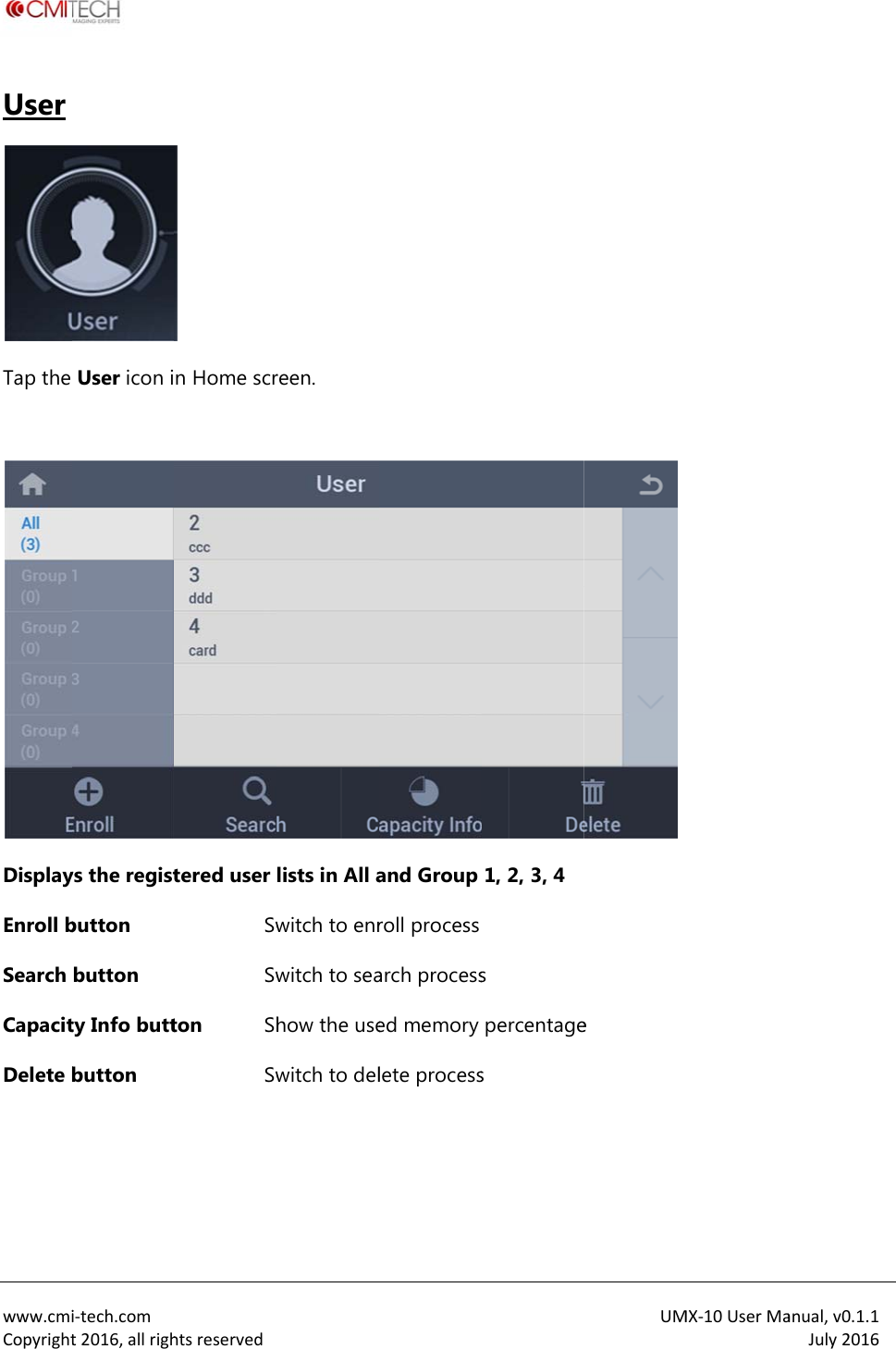
 www.cmiCopyrightUser Tap the  DisplayEnroll bSearch CapacitDelete b  i‐tech.comt2016,allrighUser icon iys the registbutton button ty Info buttbutton htsreserved n Home scrtered user SwSwton ShSw reen. lists in All awitch to enrwitch to seahow the usewitch to deland Group roll process arch processed memory lete process1, 2, 3, 4  s percentages  UMe MX‐10UserMaanual,v0.1.1July2016
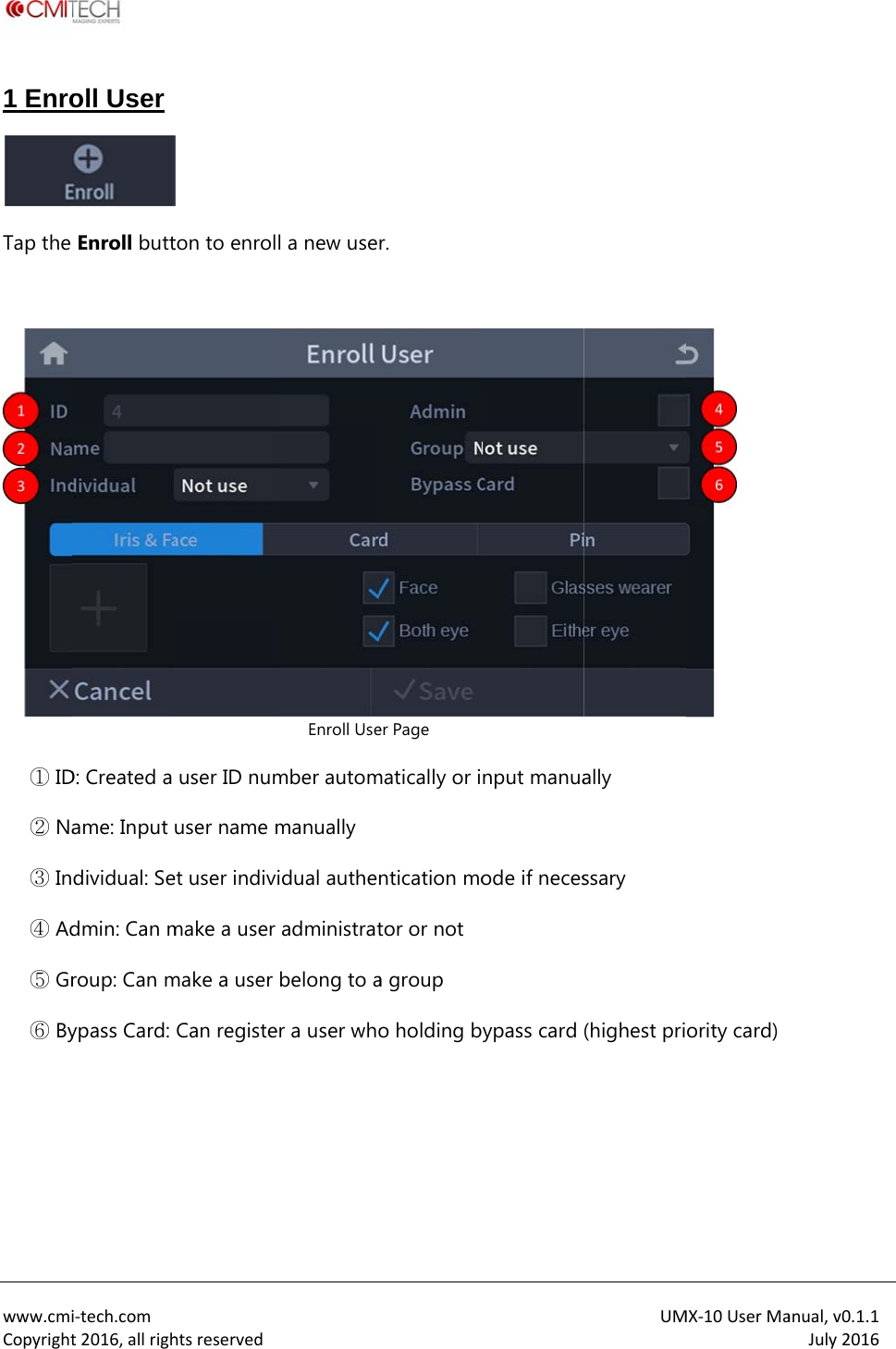
 www.cmiCopyright1 EnroTap the   ① ID② Na③ In④ Ad⑤ Gr⑥ By i‐tech.comt2016,allrigholl User  Enroll buttD: Created a ame: Input dividual: Sedmin: Can mroup: Can mypass Card: htsreservedton to enroluser ID numuser name met user indivmake a user make a user Can registe l a new useEnroll Usember autommanually idual autheadministratbelong to aer a user whor. er Page matically or intication motor or not a group o holding bnput manuaode if necesypass card UMally ssary (highest priMX‐10UserMa ority card) anual,v0.1.1July2016
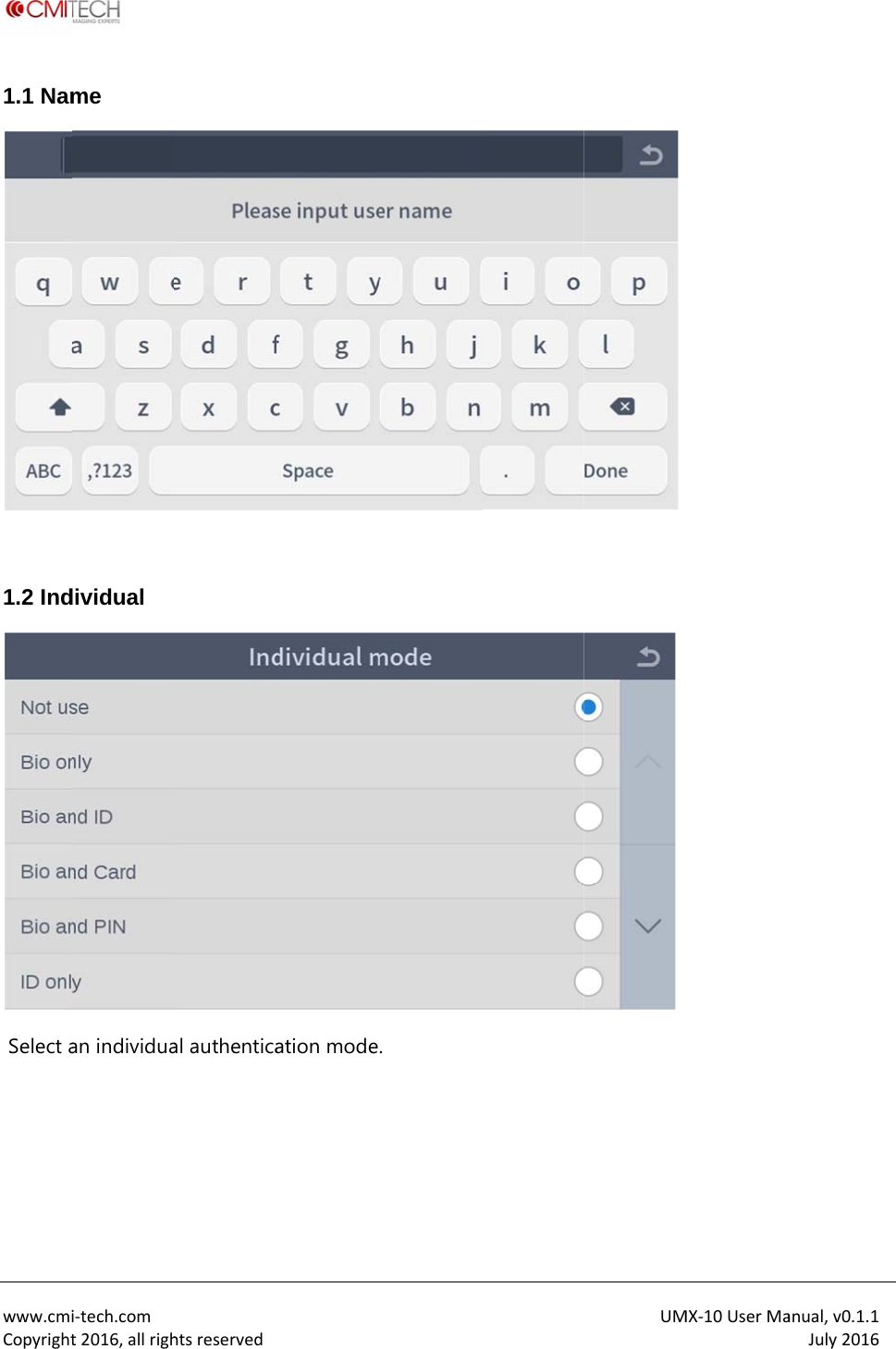
 www.cmiCopyright1.1 Nam 1.2 Ind Select a  i‐tech.comt2016,allrighme dividual an individuahtsreservedal authentica ation mode. UM MX‐10UserMaanual,v0.1.1July2016
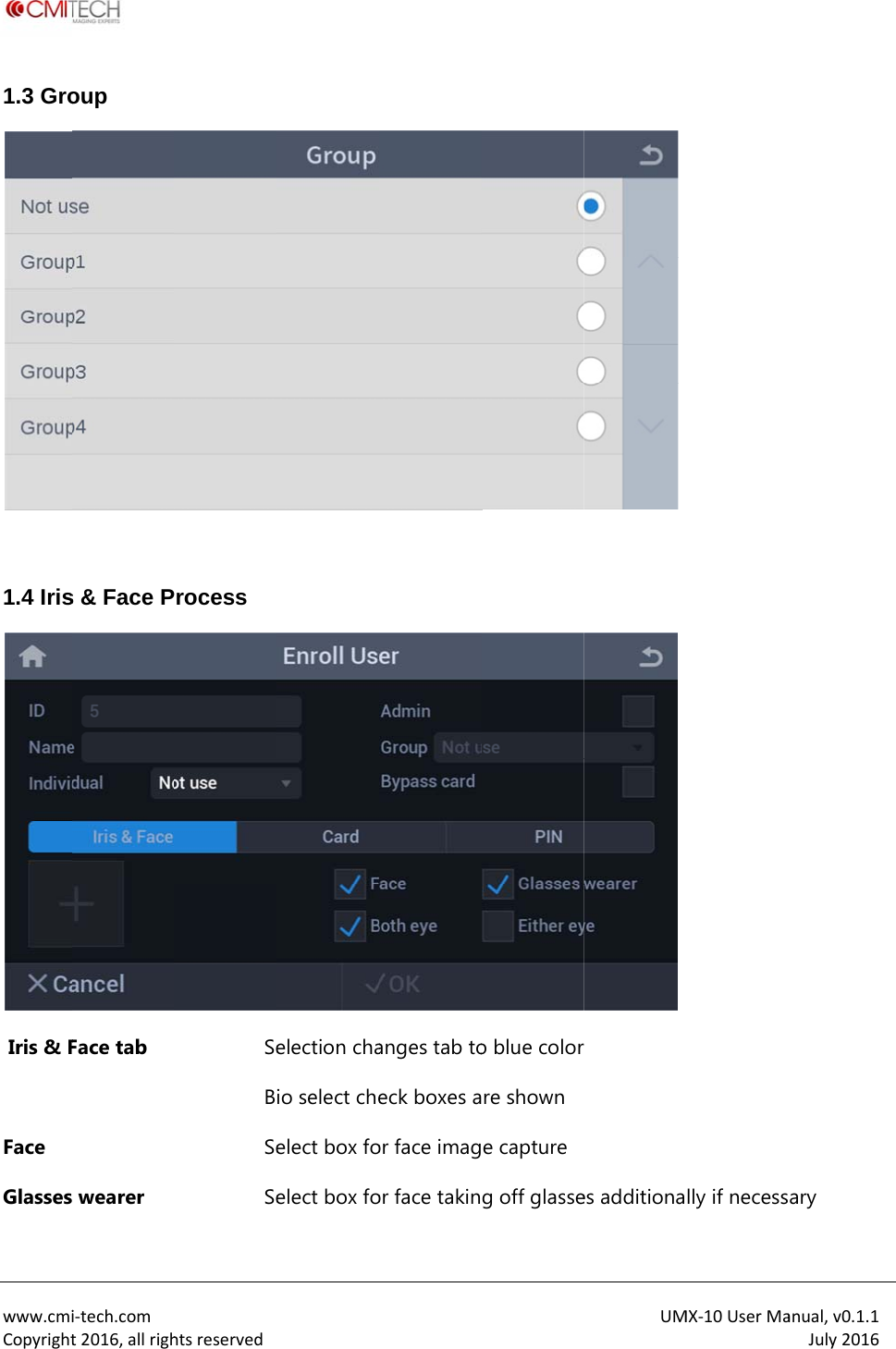
 www.cmiCopyright1.3 Gro 1.4 Iris Iris & F Face Glassesi‐tech.comt2016,allrighoup s & Face PFace tab  wearer htsreservedrocess SeBSeSeelection chaio select cheelect box foelect box foanges tab toeck boxes aor face imagor face takino blue colorre shown e captureg off glasseUM  es additionaMX‐10UserMally if necessanual,v0.1.1July2016ary
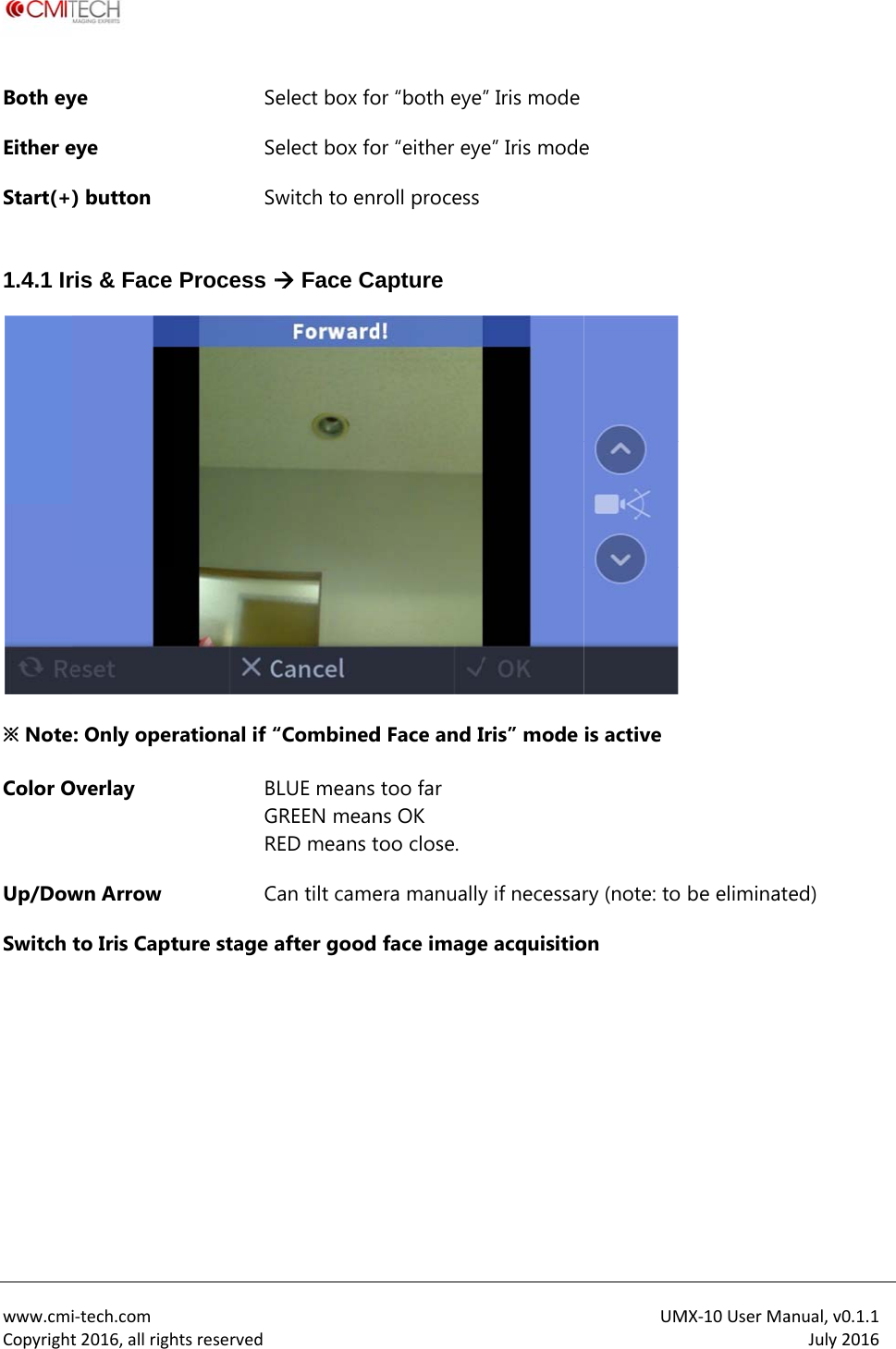
 www.cmiCopyrightBoth eyEither eStart(+) 1.4.1 Ir※ NoteColor OUp/DowSwitch   i‐tech.comt2016,allrighye eye ) button ris & Face : Only operOverlay wn Arrow to Iris CapthtsreservedSeSeSwProcess rational if “BGRCture stage a elect box foelect box fowitch to enr Face Ca“CombinedLUE means REEN meanED means tan tilt cameafter good or “both eyeor “either eyroll process apture d Face and Itoo far ns OK oo close. era manuallyface image” Iris modee” Iris mode Iris” mode y if necessare acquisitioUMe  is active  ry (note: to on MX‐10UserMabe eliminatanual,v0.1.1July2016ed)
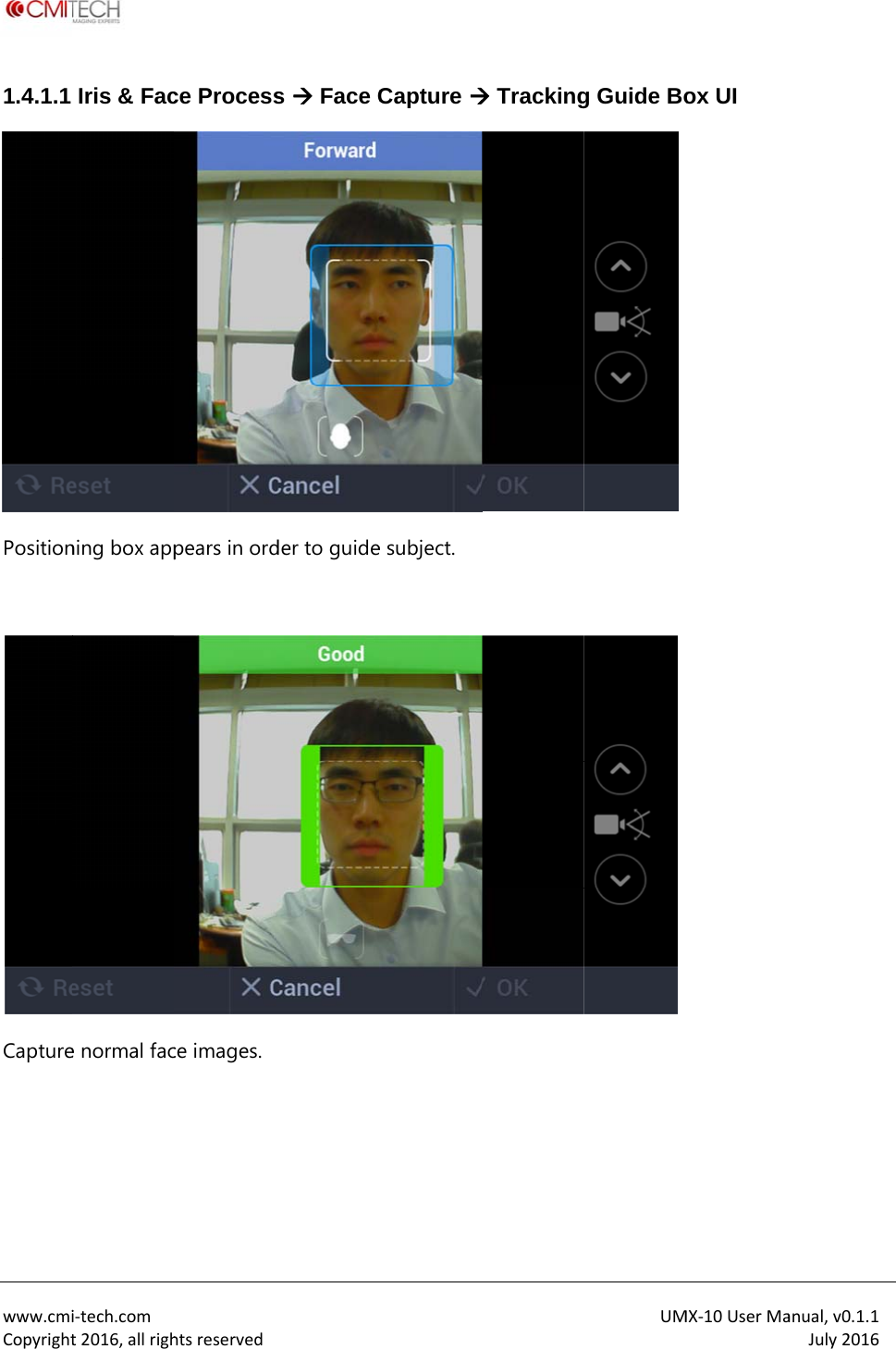
 www.cmiCopyright1.4.1.1 Position Capture i‐tech.comt2016,allrighIris & Facning box appe normal fachtsreservedce Processpears in ordce images. s  Face Cder to guideCapture e subject.  TrackingUMg Guide Bo MX‐10UserMaox UI anual,v0.1.1July2016
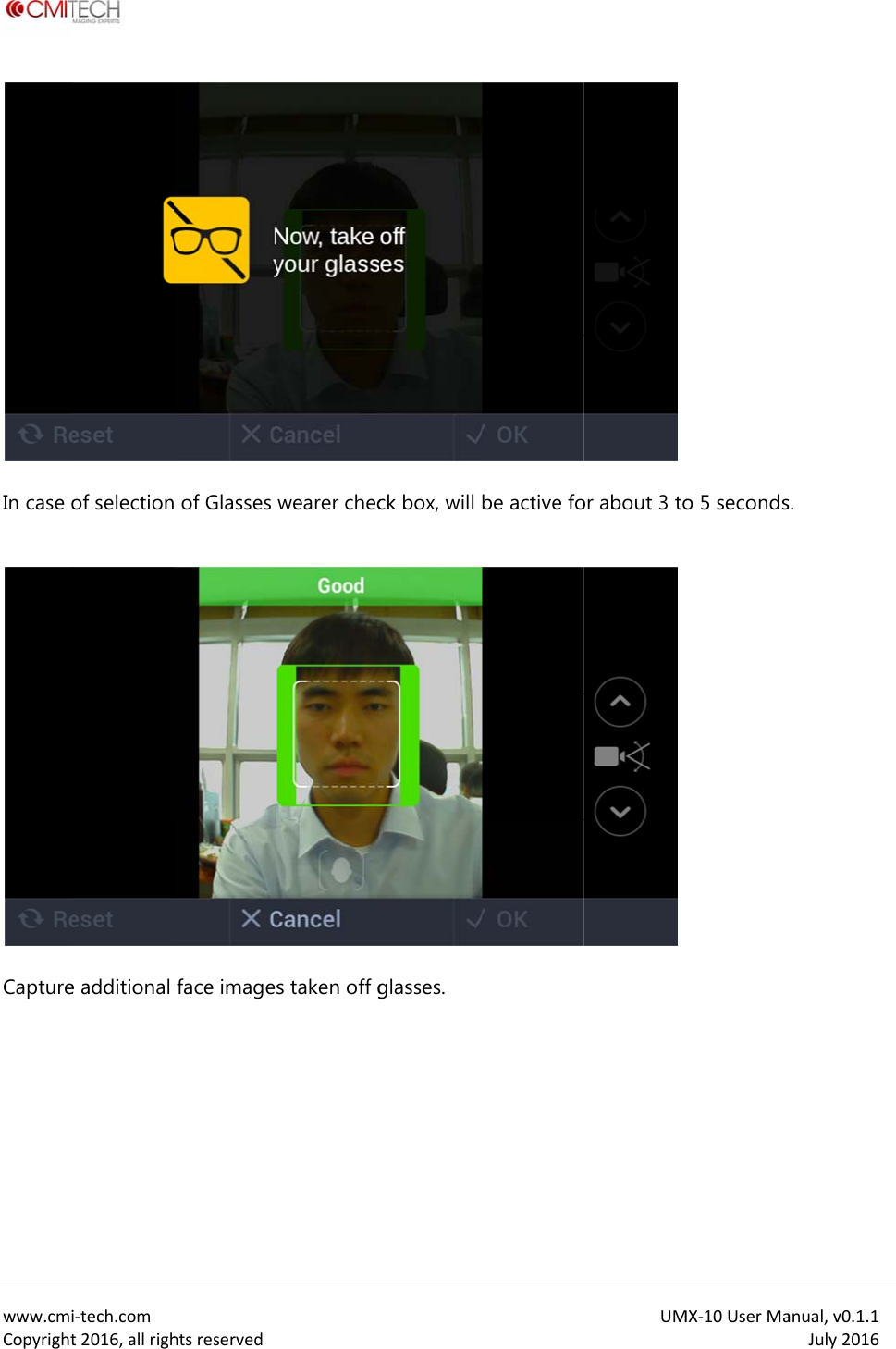
 www.cmiCopyrightIn case o Capture   i‐tech.comt2016,allrighof selectione additional htsreserved of Glasses face images wearer checs taken off gck box, will glasses. be active foUMor about 3 toMX‐10UserMao 5 secondsanual,v0.1.1July2016s.
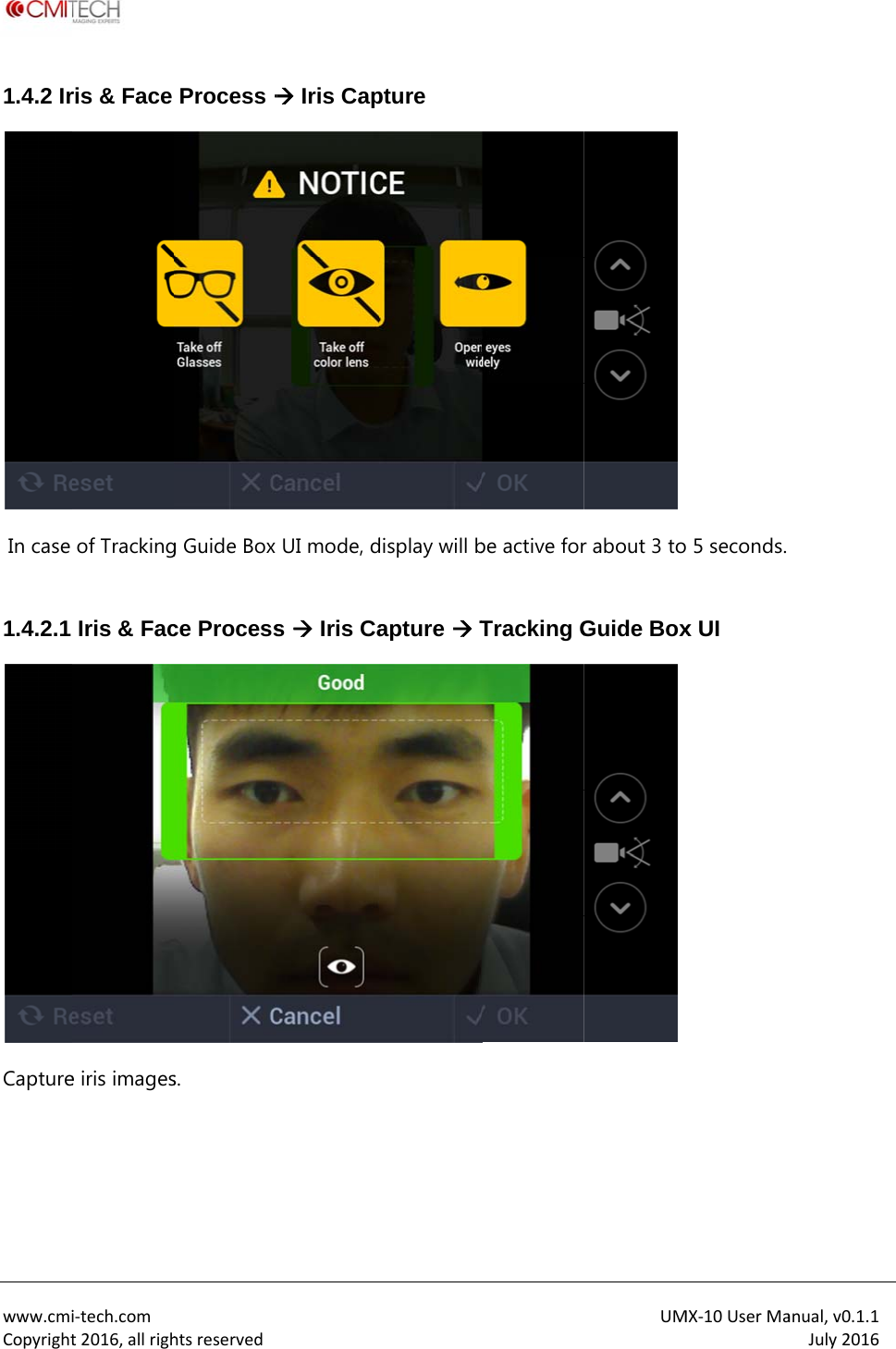
 www.cmiCopyright1.4.2 Ir In case  1.4.2.1 Capture   i‐tech.comt2016,allrighris & Face of TrackingIris & Face iris imageshtsreservedProcess g Guide Box ce Processs.   Iris CapUI mode, ds  Iris Capture display will bapture  Tbe active forTracking GUMr about 3 toGuide BoxMX‐10UserMa 5 seconds. x UI anual,v0.1.1July2016
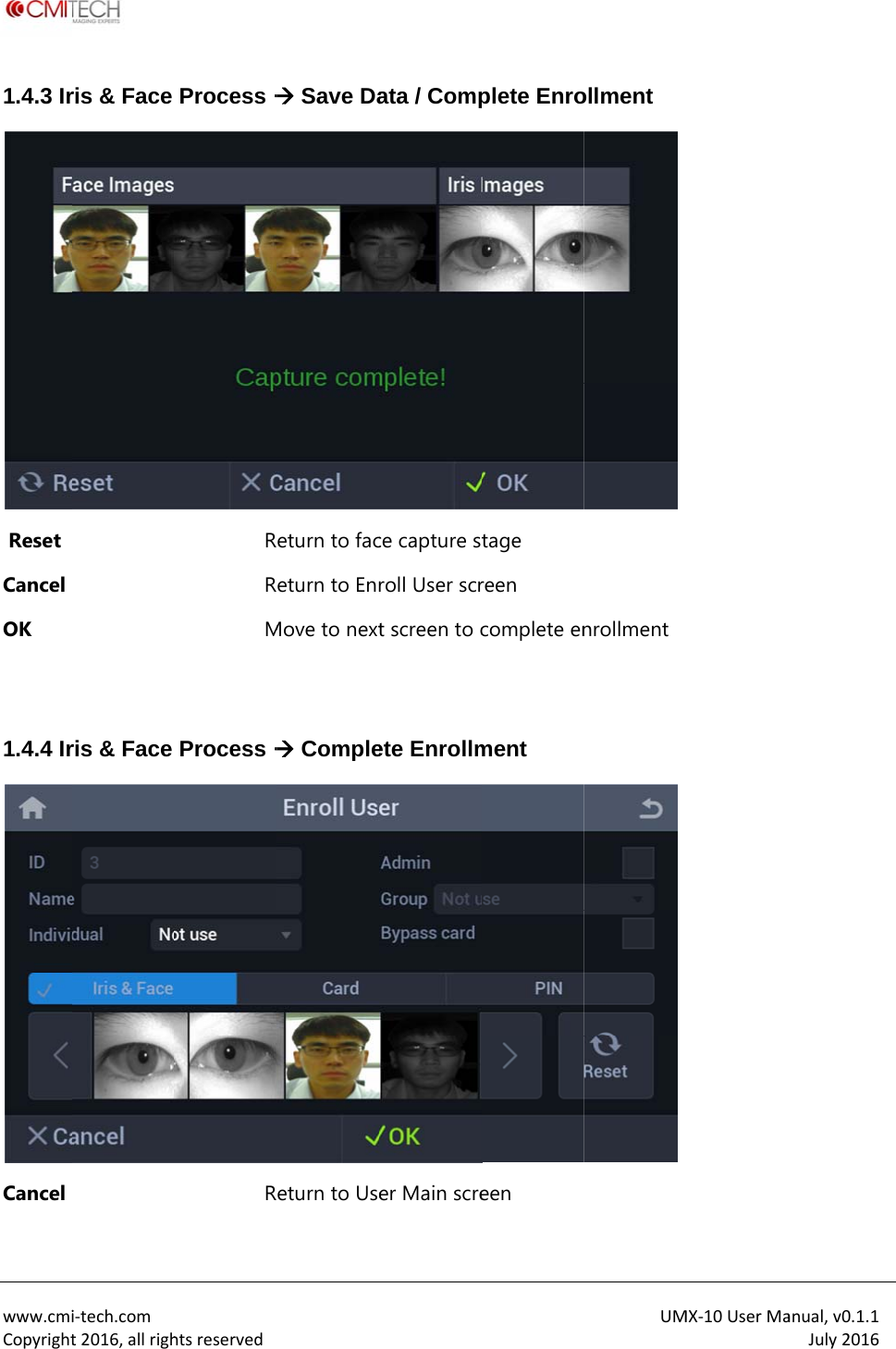
 www.cmiCopyright1.4.3 Ir Reset Cancel OK  1.4.4 IrCancel i‐tech.comt2016,allrighris & Face ris & Face htsreservedProcess RRM Process R Save Daeturn to faceturn to EnrMove to next Compleeturn to Useata / Compce capture sroll User scrt screen to cete Enrollmer Main screplete Enrotage reen complete enment een UMollment nrollment MX‐10UserMaanual,v0.1.1July2016
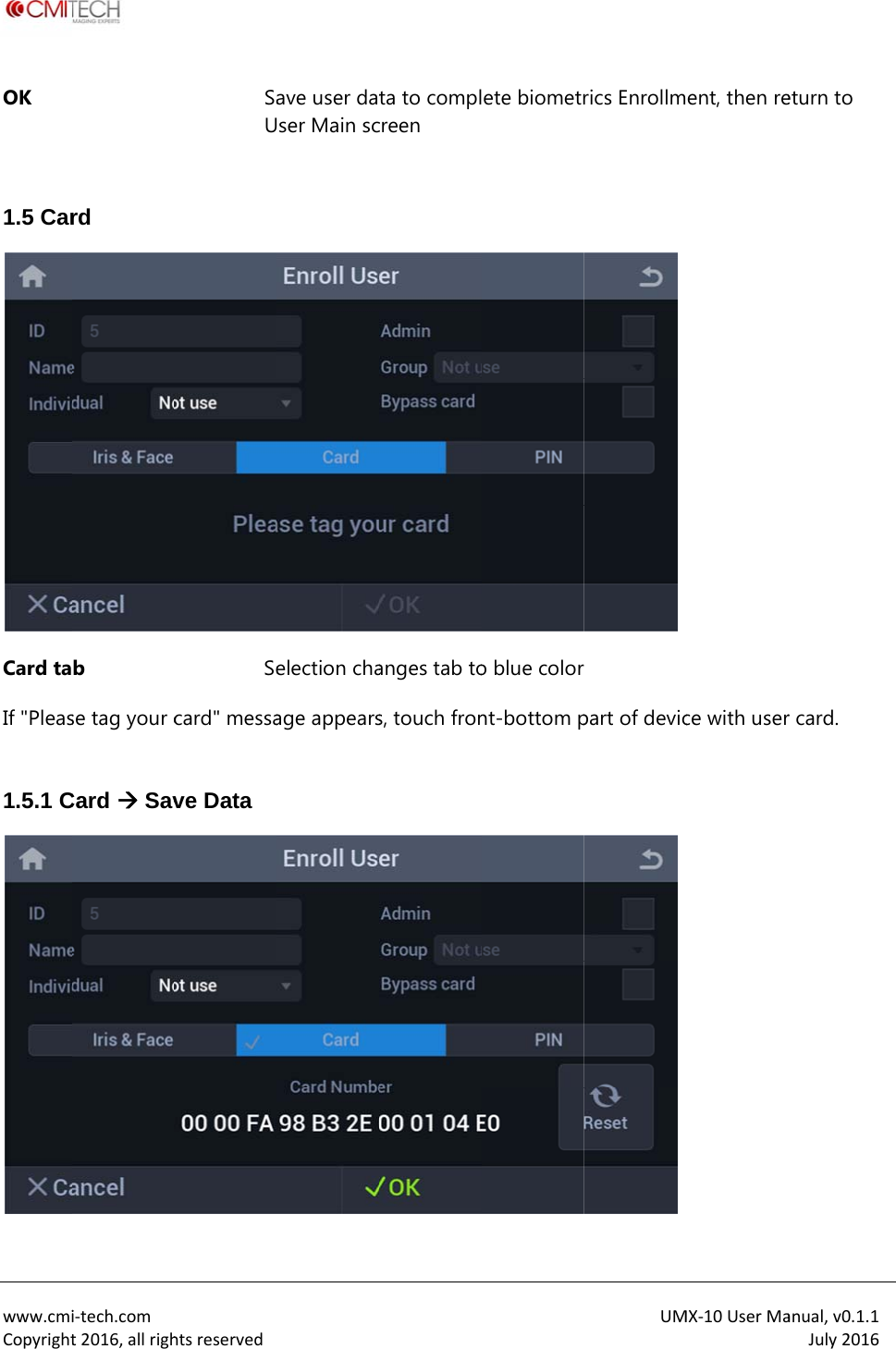
 www.cmiCopyrightOK  1.5 CarCard taIf "Pleas 1.5.1 Ci‐tech.comt2016,allrighrd b se tag your cCard  SavhtsreservedSaUSecard" messave Data ave user datser Main scelection chaage appearsta to complcreen anges tab tos, touch fronete biometro blue colornt-bottom pUMrics Enrollm  part of devicMX‐10UserMaent, then rece with useranual,v0.1.1July2016eturn to r card.
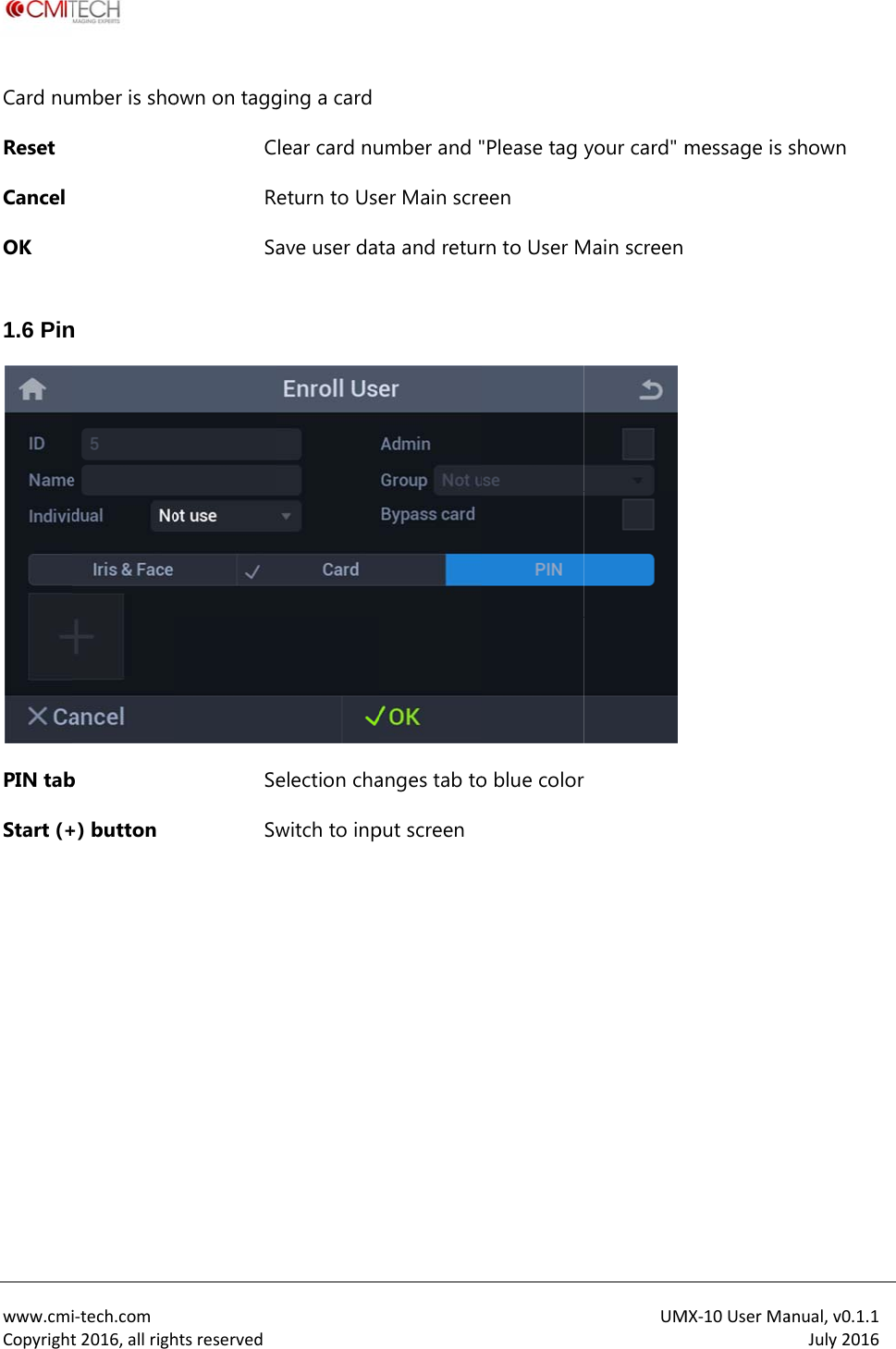
 www.cmiCopyrightCard nuReset Cancel OK  1.6 PinPIN tabStart (+ i‐tech.comt2016,allrighumber is shon b +) button htsreservedown on taggCRSaSeSw ging a cardlear card nueturn to Useave user datelection chawitch to inpumber and "er Main screta and returanges tab toput screen "Please tag een rn to User Mo blue colorUMyour card" mMain screen  MX‐10UserMamessage is anual,v0.1.1July2016shown
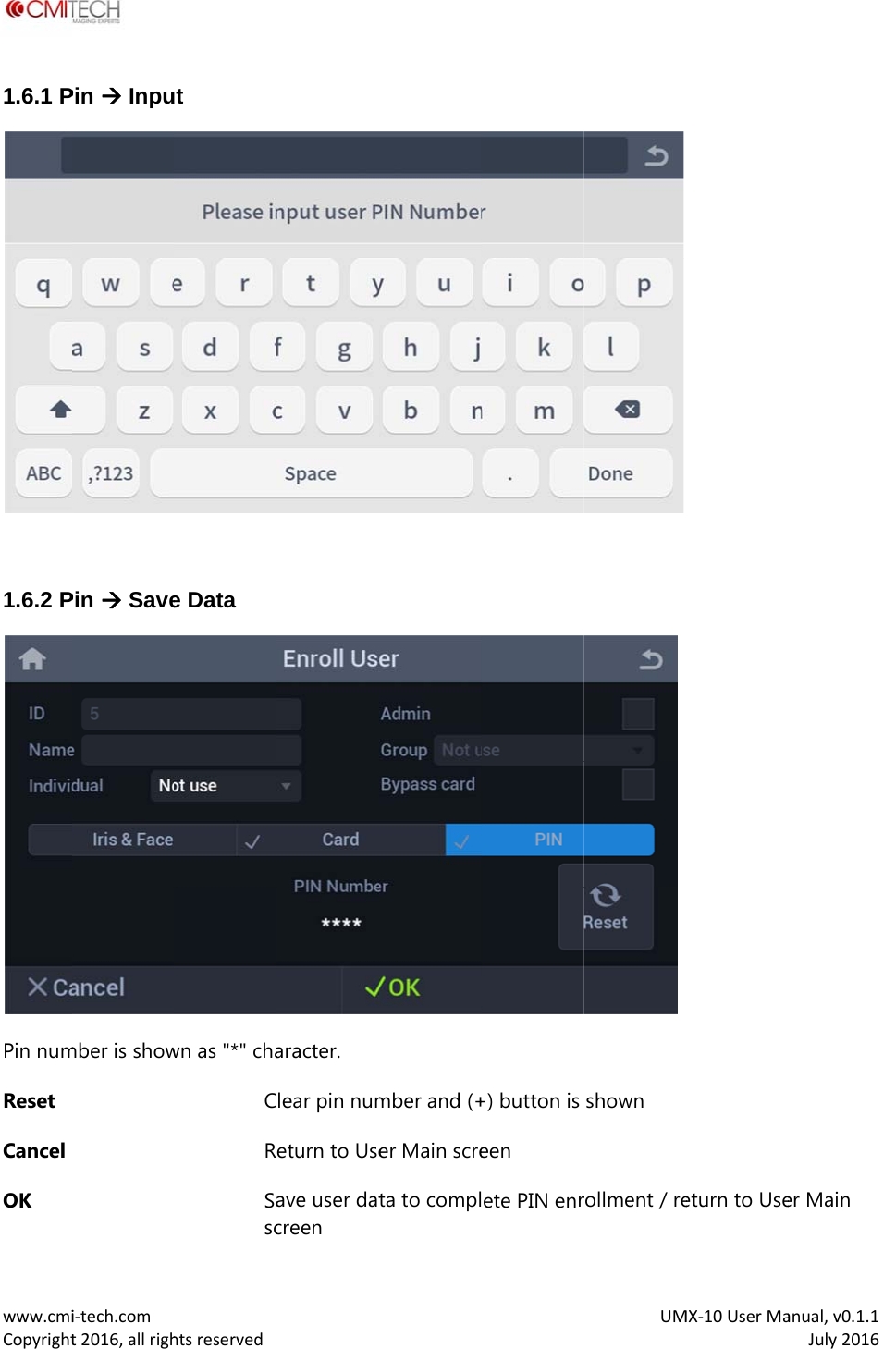
 www.cmiCopyright1.6.1 P 1.6.2 PPin numReset Cancel OK i‐tech.comt2016,allrighPin  InpuPin  Savember is showhtsreservedt e Data wn as "*" chaCRSascaracter. lear pin numeturn to Useave user datcreen mber and (+er Main screta to compl+) button is een ete PIN enrUM shown rollment / reMX‐10UserMaeturn to Useanual,v0.1.1July2016er Main
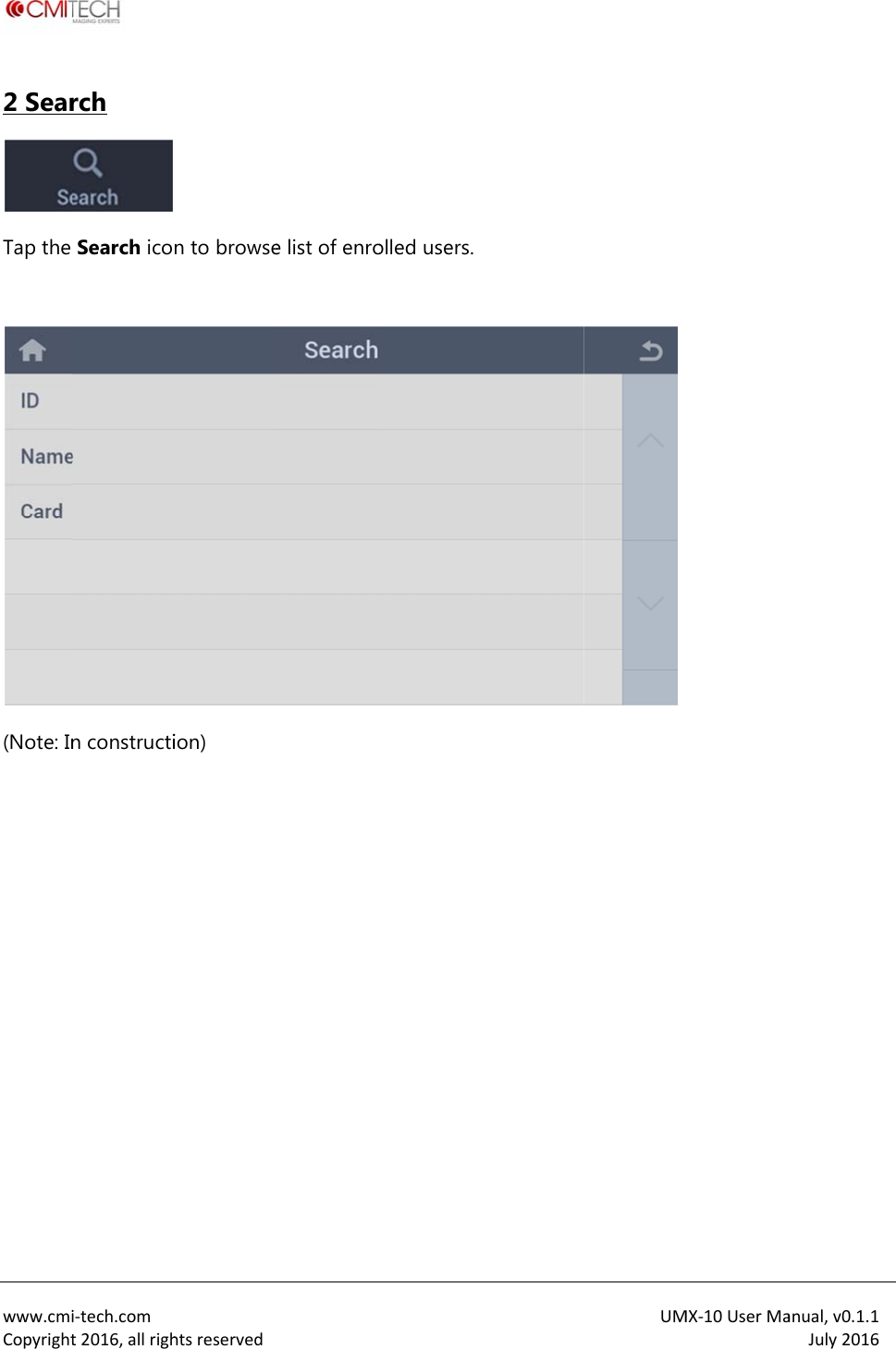
 www.cmiCopyright2 SearTap the  (Note: In  i‐tech.comt2016,allrighrch   Search icon constructihtsreservedn to browseion)  e list of enroolled users.UMMX‐10UserMaanual,v0.1.1July2016
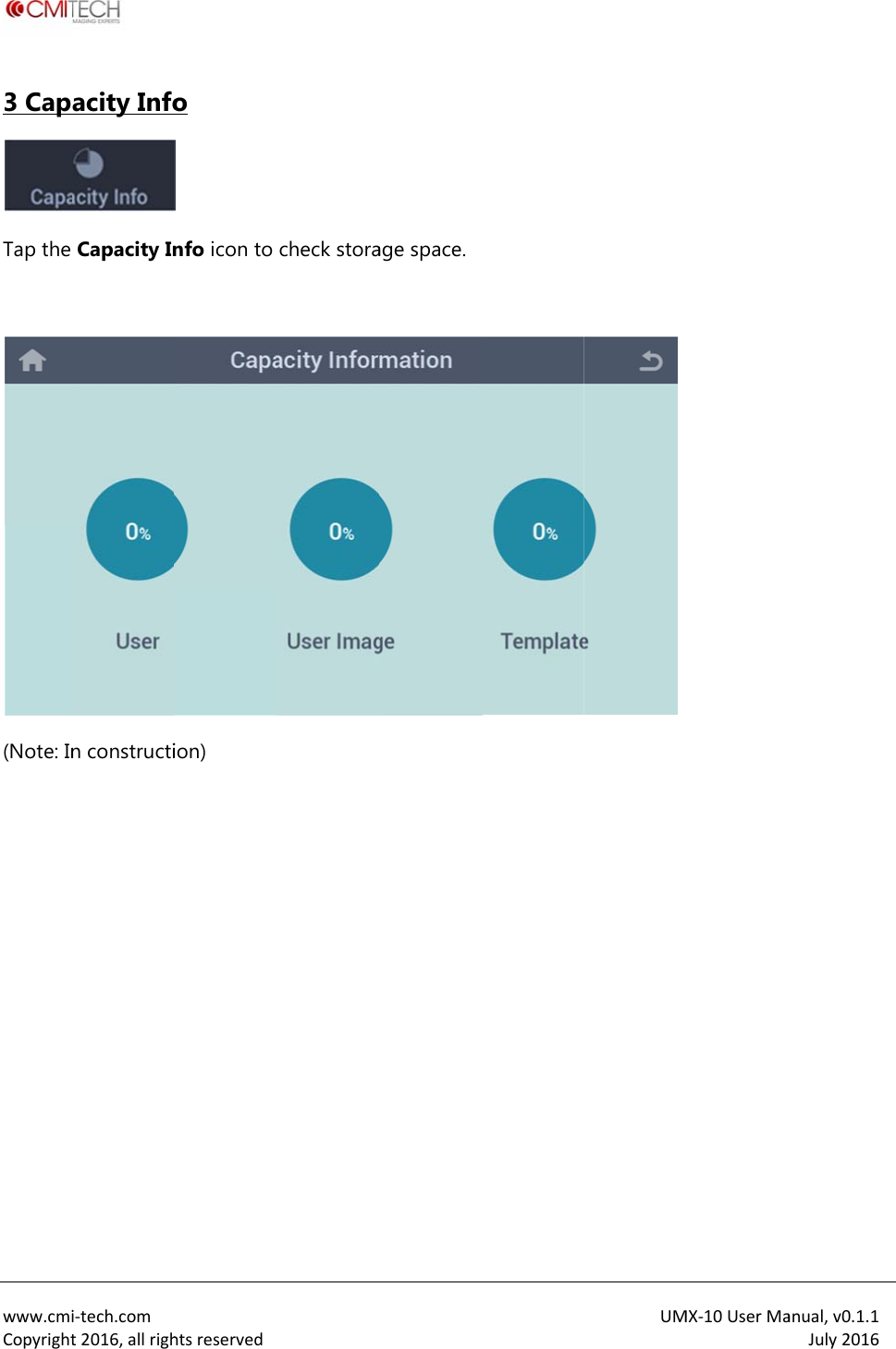
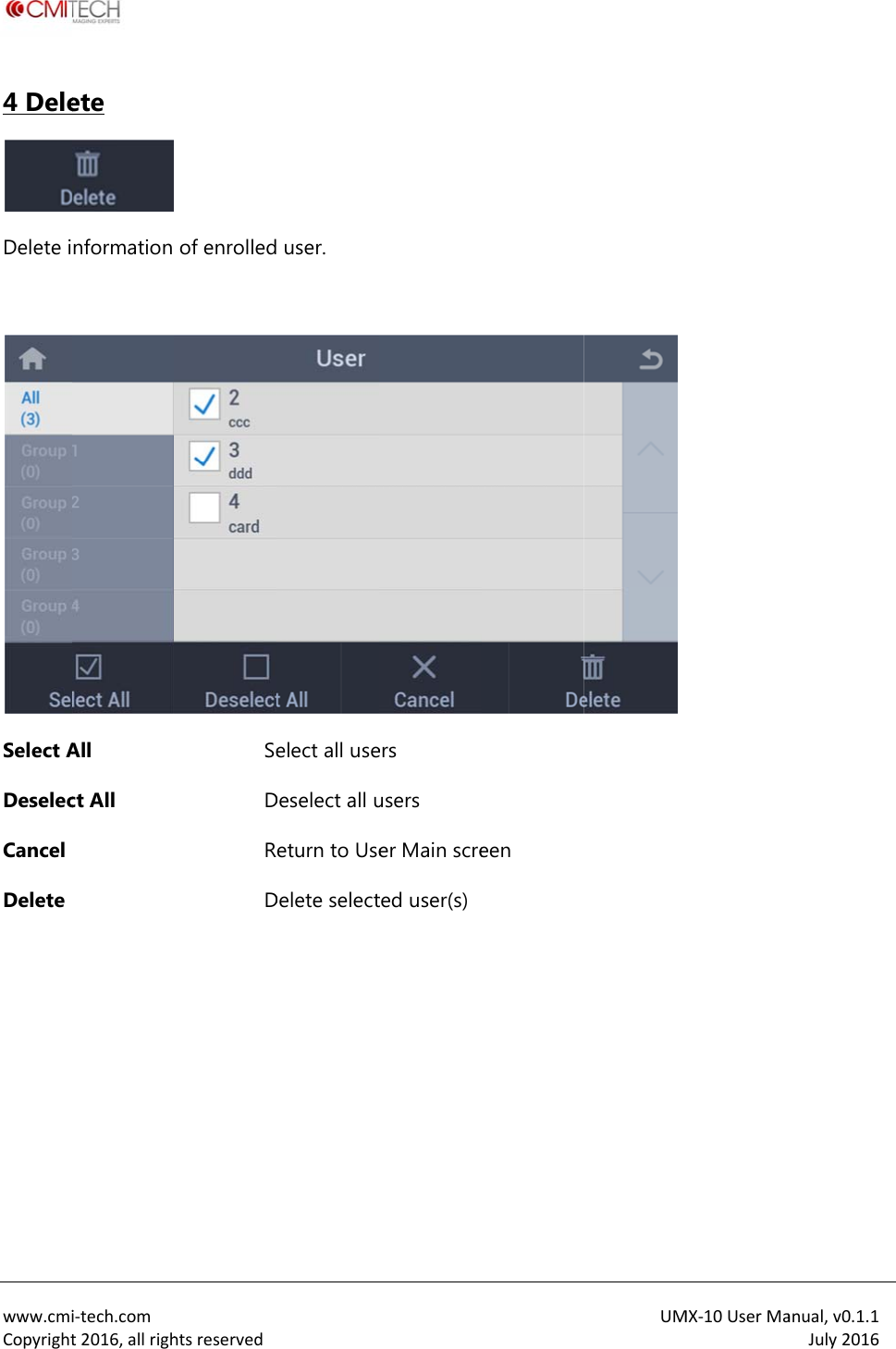
 www.cmiCopyright3 CapTap the  (Note: In   i‐tech.comt2016,allrighacity InfoCapacity Inn constructihtsreservedo   nfo icon to ion)  check storaage space.UMMX‐10UserMaanual,v0.1.1July2016
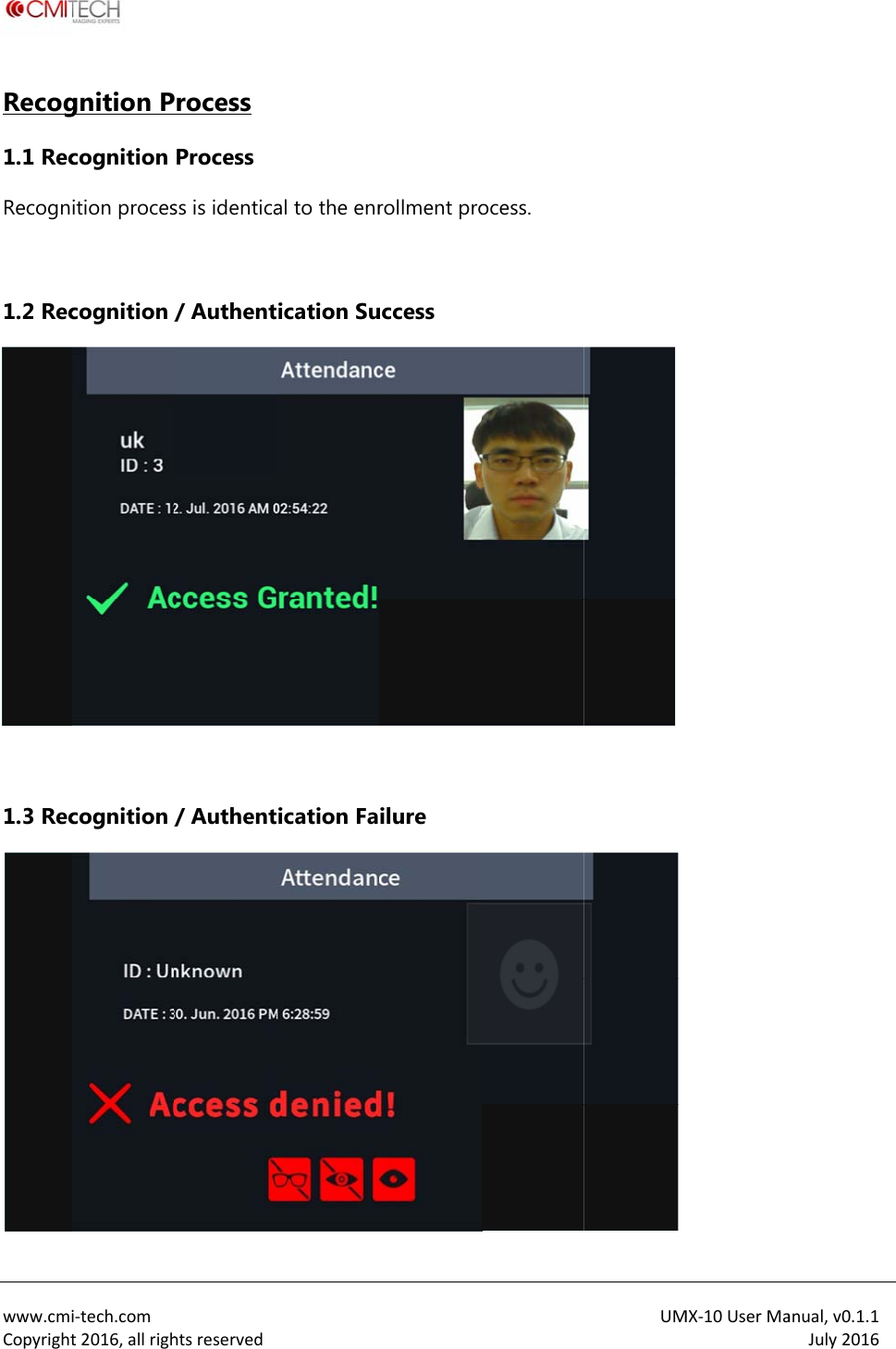
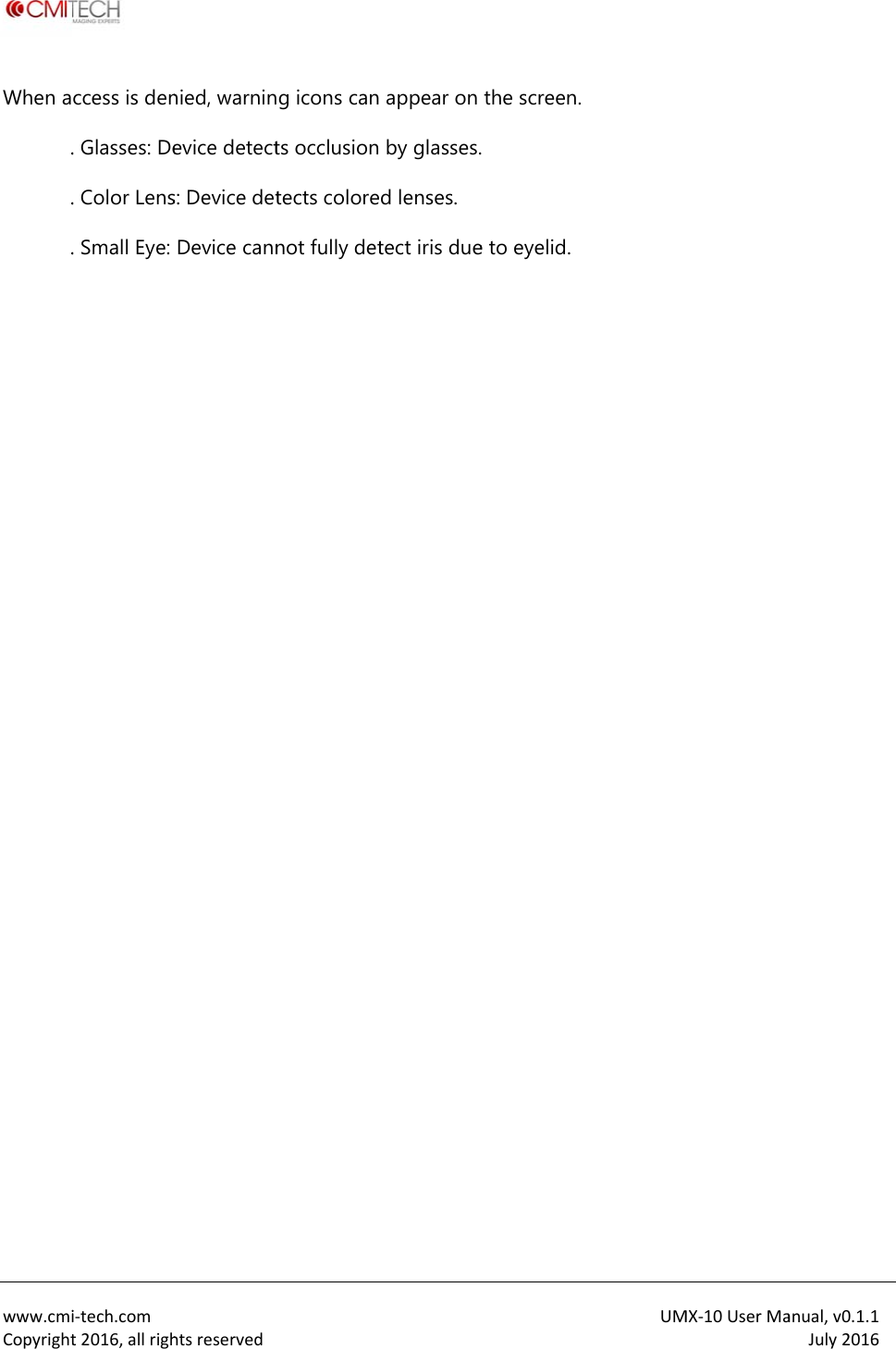
 www.cmiCopyright4 DeleDelete i Select ADeselecCancel Delete   i‐tech.comt2016,allrighete  nformation All ct All htsreservedof enrolledSeDRD  user. elect all useDeselect all ueturn to UseDelete selecters users er Main screted user(s)een UMMX‐10UserMaanual,v0.1.1July2016
 www.cmiCopyrightRecog1.1 RecRecogn 1.2 Rec 1.3 Reci‐tech.comt2016,allrighgnition Pcognition ition procescognition /cognition /htsreservedrocess Process ss is identica/ Authent/ Authental to the enrication Suication Farollment prouccess ilure ocess. UM MX‐10UserMaanual,v0.1.1July2016
 www.cmiCopyrightWhen a .  . .                   i‐tech.comt2016,allrighccess is den. Glasses: De. Color Lens. Small Eye: htsreservednied, warninevice detects: Device detDevice canng icons cants occlusiontects colorenot fully det appear on  by glasses.d lenses. tect iris duethe screen. e to eyelid.UMMX‐10UserMaanual,v0.1.1July2016
 www.cmiCopyrightFCC REQCautionnot expapproveoperateequipmNOTE: TOperatio1. This d2. This dmay cauundesireThis equDigital Dpursuangeneratuses, anaccordathe instrHoweveinstallatthis equwhich cai‐tech.comt2016,allrighQUIREMENT: Any changressly ed by the re the ent. This device con is subjecdevice may device must use ed operatiouipment hasDevice, nt to Part 15es, nd can radiaance with ructions, maer, there is ntion. If uipment doean be htsreservedTS PART 15 ges or modifesponsible focomplies wict to the follnot cause h accept anyn. s been teste5 of the FCCte radio freqay cause hano guarantees cause harfications in or complianth Part 15 oowing two harmful intery interferenced and founC Rules. Thesquency enermful interfee that interfrmful interfeconstructionce could voof the FCC Rconditions;rface, andce received, d to complyse limits arergy and, if nerence to raference will erence to ran of this deoid the userRules. including iny with the lie designed tnot installedadio communot occur inadio or televUMvice which a's authority nterference mits for a Cto this equipd and used iunications.n a particulavision receptMX‐10UserMaare to that Class B pment in ar tion, anual,v0.1.1July2016
 www.cmiCopyrightdetermito try tocorrect 1. Reorie2. Increa3. Conn4. Consui‐tech.comt2016,allrighned by turno interferenceent or relocase the sepaect the equult the dealehtsreservedning the rade by one or cate the recearation betwipment intoer or an expio or televismore of theeiving antenween the eqo an outlet operienced rasion off ande following nna. quipment anon another cadio/TV tech on, the usemeasures.nd receiver.circuit. hnician for hUMer is encourahelp. MX‐10UserMaaged anual,v0.1.1July2016

Navigation menu