Contents
- 1. User Manual
- 2. User Manual_20200213_v1 - User manual_EN-45N
User Manual
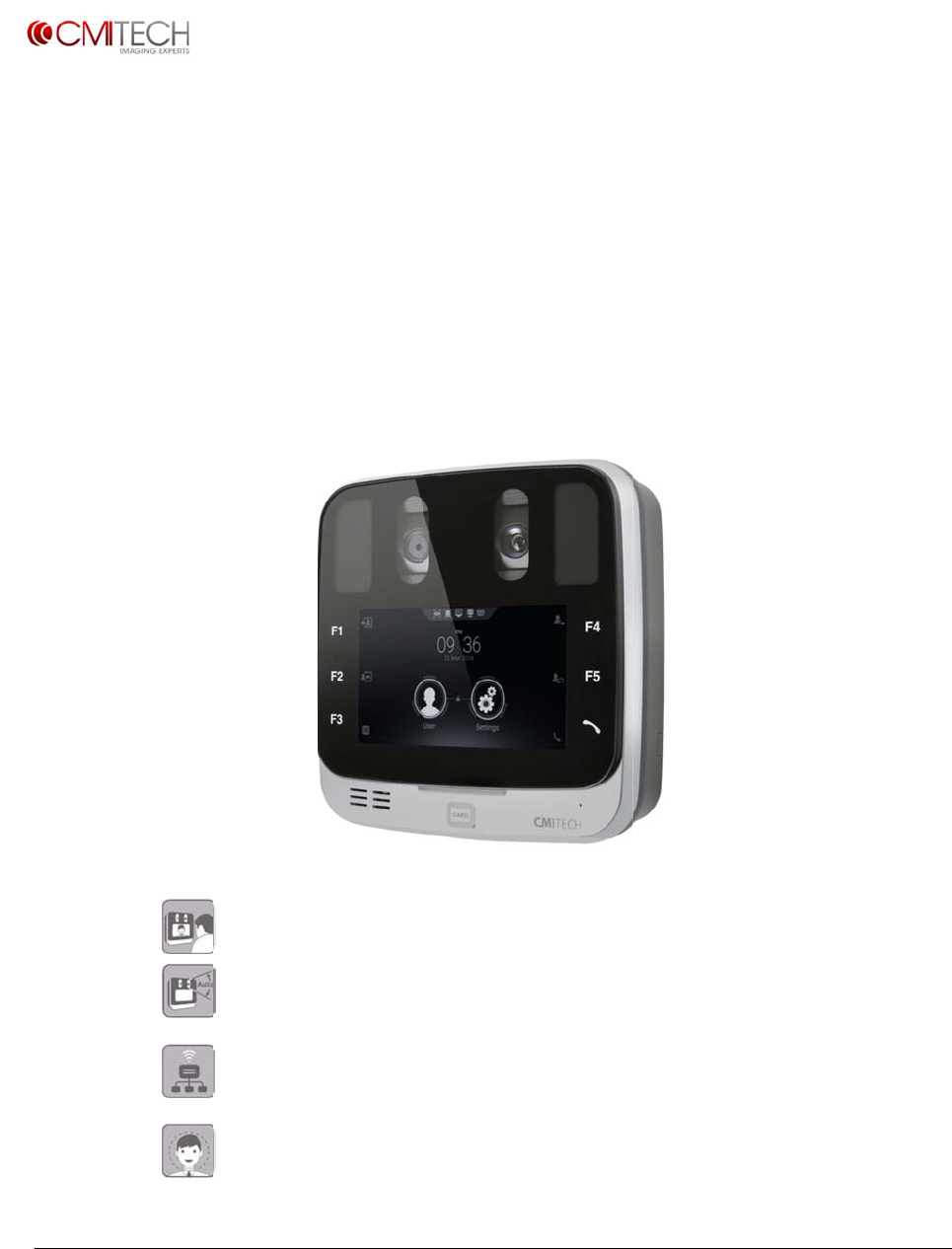
User gra
p
Some of
t
www.cmi
-
Copyrigh
t
p
hics and scre
e
t
he contents i
n
-
tech.com
t
2016
,allrig
h
e
n shots in thi
s
n
this manual
m
h
tsreserved
U
M
Iri
s
Intuiti
v
Intern
a
LAN /
R
functi
o
Optio
n
s
guide may v
a
m
ay differ fro
m
M
X‐10
s
Rec
o
U
(v0.1
v
e face di
s
a
l autom
a
R
S485 S
u
o
ns
n
al face i
m
a
ry from actu
a
m
current ope
Next
G
o
gniti
o
U
ser Ma
n
.1, July
1
splay po
s
a
tic moto
u
pport in
d
m
age cap
a
l
rating library
r
G
ene
r
o
nSy
s
n
ual
1
, 2016)
s
itioning
rized tilt
c
d
epende
n
ture and
r
elease
r
ation
s
tem
cameras
n
t input
a
face rec
o
a
nd outp
u
o
gnition
v0.1.1
July2016
u
t
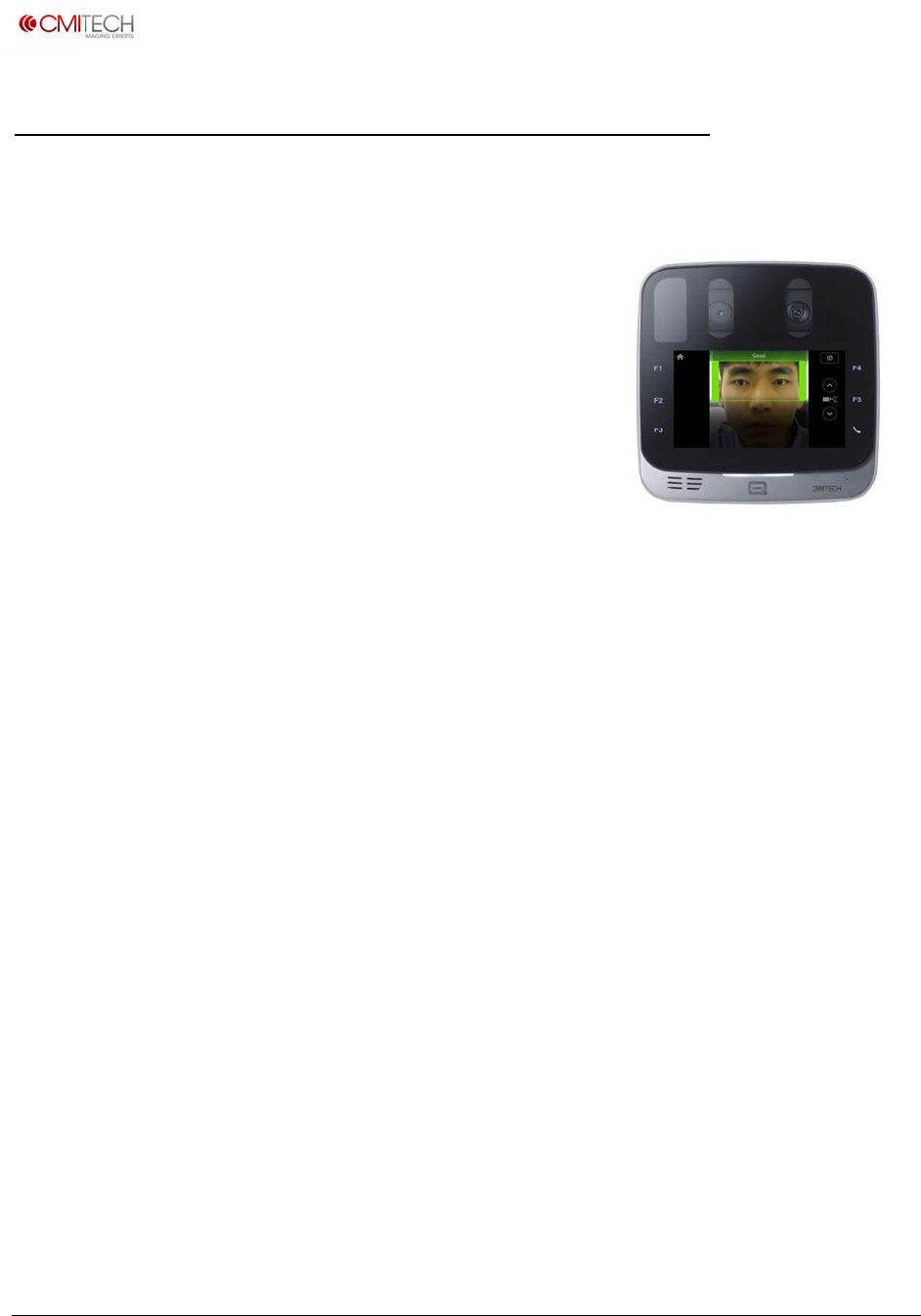
www.cm
i
Copyrigh
t
Intro
d
This ne
in a co
m
a wide
The fro
the us
e
positio
n
merely
then m
the bra
captur
e
are ver
y
interac
t
And th
e
over a
r
deskto
p
The U
M
machi
n
conne
c
and m
a
decisio
conne
c
For all
s
For co
m
Screen
s
i
‐tech.com
t
2016,allrig
h
d
uction
w iris reco
g
m
pact and
range of i
d
nt facing
n
e
r’s face im
n
ing for p
r
puts his o
r
oves towa
ckets in th
e
is fast an
d
y
simple, a
t
with the
s
e
internal
a
r
ange of 5
0
p
, wall mo
u
M
X-10 is a
n
n
e control i
c
tivity to h
o
a
tching is t
y
ns are ma
d
c
tions for d
s
pecificati
o
m
plete de
p
s
and On-
B
h
tsreserved
to the
U
g
nition sy
s
elegantly
d
entity ma
n
n
ominal 5.
0
age for fa
s
r
oper iris i
m
r
her face i
rd the syst
e display t
o
d
automat
i
lmost all s
u
s
ystem wit
h
a
utomatic
t
0
cm (abo
u
u
nt or kios
n
embedd
e
s perform
e
o
st system
s
y
pically p
e
d
e locally f
o
edicated, l
o
ns, please
p
iction of a
B
oard De
m
U
MX-10
s
tem offer
s
designed i
n
agement
0
inch LCD
s
t, easy an
d
m
age capt
u
n the cent
e
em to size
o
be in pr
o
i
c. While
u
u
bjects wil
h
out any d
t
ilt mecha
n
u
t 20 inch
e
k installati
o
e
d terminal
e
d on the i
n
s
is throug
h
e
rformed o
o
r fast res
p
ocal com
m
see Speci
f
ll UMX-10
m
o Applicat
Iris Rec
o
s
highly int
u
dentificati
o
applicatio
n
serves to
d
d
highly na
u
re. The s
u
e
r of the L
C
his or her
o
per range
.
u
ser instru
c
l be able t
o
d
irections.
n
ism adjus
t
e
s), making
o
ns.
, which m
e
n
ternal Lin
h
TCP/IP (
E
n-board a
s
p
onsivene
s
m
unication
s
f
ication se
c
on-board
ion” manu
o
gnition
u
itive, han
d
o
n and aut
n
s.
d
isplay
tural
u
bject
C
D, and
head to
. Image
c
tions
o
t
s to the u
s
the UMX-
e
ans that a
ux-on-AR
M
E
thernet).
A
s
well, so i
d
s
s. For acc
e
s
to door c
c
tion.
screens, s
e
al.
U
M
System
d
s-free iris
t
henticatio
n
s
er’s heigh
t
10 ideal fo
ll image p
r
M
mainbo
a
A
nd iris bi
o
d
entificatio
e
ss control
ontrollers
o
e
e “UMX-1
0
UMX
-
Iris
R
M
X‐10UserM
a
biometric
s
n
terminal
t
or vertic
a
o
r countert
o
r
ocessing
a
a
rd. Typic
a
o
metric en
o
n or auth
e
, there are
o
r panels.
0
LCD Con
-
10 Next Gener
a
R
ecognition Sys
t
a
nual,v0.1.1
July2016
s
imaging
for use in
a
l position
o
p,
a
nd
a
l
coding
e
ntication
Wiegand
trol
a
tion
t
em

www.cm
i
Copyrigh
t
Key F
Iris
u
Con
Inte
Pos
i
oth
e
Sim
u
On-
1:1
(
Opt
F
t
S
f
Sup
Opt
Opt
Sup
Ken
s
Sta
n
232
,
Con
Ext
e
Ta
m
Acc
e
Inte
g
Me
e
197
9
Des
i
i
‐tech.com
t
2016,allrig
h
eatures
u
ser interfa
c
tactless iris
rnal, autom
i
tioning gui
d
e
r language
u
ltaneous
d
board iris e
(
authentica
t
ional Comb
F
ace as pri
m
t
o iris reco
g
S
upplemen
t
f
ace recog
n
ports dual
f
imized ima
g
imized ima
g
ports imagi
s
ington loc
k
n
dard com
m
,
dual Wieg
a
nection ca
b
e
rnal audio
c
m
per switch
o
e
ss control
(
g
rated Sma
e
ts CE mark
,
9
4-6 2011
s
i
gn and pr
o
h
tsreserved
c
e with intu
imaging at
atic face an
d
ance voca
l
s available
w
d
ual iris rec
o
ncoding an
d
t
ion) or 1:N
ined Face a
m
ary modal
i
g
nition
t
al face rec
o
n
ition follo
w
f
actor auth
e
g
ing for dif
f
g
e capture
f
ng of all iri
s
k
slot stand
a
m
unications
a
nd I/O, TT
L
b
les with pr
e
c
onnector
o
n rear pa
n
(
AC) config
u
rt Card rea
d
,
FCC, IEC 6
2
s
tandard
o
duction m
e
itive LCD di
range of 3
5
d iris came
r
l
izations sel
w
ith .wav fil
o
gnition wit
d
matching
,
(identificati
nd Iris mo
d
i
ty, with fac
e
o
gnition in
c
w
s iris recog
n
e
ntication w
f
icult ambie
f
or most su
n
s
colors
a
rd
connectors
L
, and dry c
o
e
ss-in conn
e
n
el
u
ration incl
u
d
er (choice
2
471 eye sa
e
et ISO 900
1
splay face
p
5
to 45 cm
s
r
a tilt mech
a
ectable on
/
e substituti
o
h typical ca
p
,
with inter
n
on) modes
d
es:
e
recogniti
o
c
ase of iris
r
n
ition atte
m
ith card or
P
nt lighting
c
n
glasses, gl
a
and proto
c
o
ntact rela
y
e
ctors inclu
d
u
des wall
m
of basic Mi
F
fety, and R
o
1
2011 stan
d
p
ositioning,
s
tand-off
a
nism with
n
/
off and d
e
o
n
p
ture spee
d
n
al data bas
o
n rejects d
e
r
ecognition
m
pt
P
IN
c
onditions
a
sses, and f
c
ols for TCP
/
y
d
ed in acce
s
m
ount plate
F
are / DesFi
o
HS standa
r
d
ard
U
M
like smart
p
n
ominal he
i
e
lay time. E
d
of under
1
e of up to
1
e
cisions aut
failure-to-
c
acial veils
/
IP (Ethern
e
s
sories kit
re card or
H
r
ds. Iris rec
o
M
X‐10UserM
a
p
hone “selfi
i
ght range
o
nglish stan
d
1
second
1
0,000 user
s
omatically
s
c
apture (FT
C
e
t RJ-45), R
S
H
ID multi-cl
a
o
gnition m
e
a
nual,v0.1.1
July2016
e”
o
f 50 cm
d
ard, all
s
in either
s
witch over
C
), so that
S
-484 and -
a
ss reader)
e
ets ISO

www.cm
i
Copyrigh
t
Acce
s
Include
s
Power s
u
Power c
o
connect
Basic M
i
(interna
l
Standar
d
Wall m
o
ID I/O c
a
device,
a
connect
Include
s
dry con
t
AC I/O
c
device,
a
connect
Include
s
232, TT
L
Ferrite c
Back co
v
type)
i
‐tech.com
t
2016,allrig
h
s
sories
K
s
:
u
pply (IEC C
o
rd (IEC C1
4
or type by c
i
Fare / DesFi
l
)
d
back cove
r
o
unt bracket
a
bles with p
a
nd pig tails
ions
s
cables for
R
t
act relay
c
ables with
p
a
nd pig tails
ions
s
cables for
W
L
(2), dry co
n
ore and dio
d
v
er / plate s
c
h
tsreserved
K
it
13 female)
4
male), po
w
ountry
re card rea
d
r
ush in conn
e
for external
R
S 485, RS 2
p
ush in con
n
for external
W
iegand (2)
,
n
tact relay
d
e
c
rew (M4) (
n
w
er side
d
er
e
ctors for
32, TTL (2),
n
ectors for
,
RS 485, RS
n
ot security
ID
M
M
anagemen
t
Version
Yes
Yes
No
Yes
No
Yes
No
Yes
Yes
U
M
t
A
c
&
M
X‐10UserM
a
c
cess Contr
o
&
Attendanc
e
Yes
Yes
Yes
Yes
Yes
No
Yes
Yes
Yes
a
nual,v0.1.1
July2016
o
l and Time
e
Versions
s
s
s
s
s
s
s
s
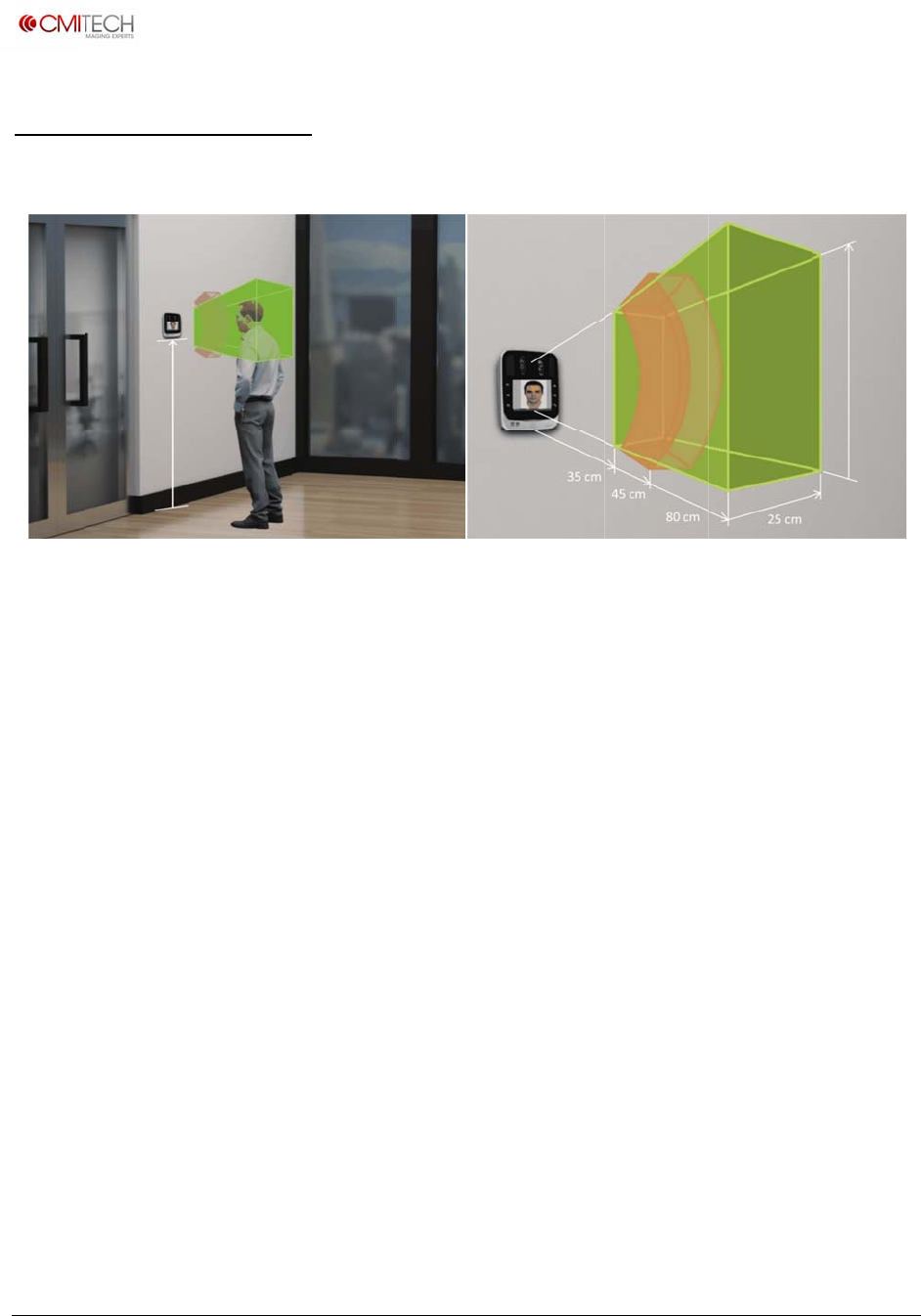
www.cm
i
Copyrigh
t
Mou
n
The re
c
the bo
t
height
High a
haloge
n
and m
a
The U
M
not be
If it is r
e
suppor
Note:
I
perma
n
See Sy
s
i
‐tech.com
t
2016,allrig
h
n
ting In
s
c
ommend
e
t
tom of U
M
of the ave
r
mbient lig
n
lamps o
r
a
y result in
M
X-10 wa
s
exposed t
o
e
quired to
r
t@cmi-tec
I
nstallatio
n
n
ent dama
g
s
tem, Rear
144 cm
h
tsreserved
s
tructio
n
Recommende
d
e
d mounti
n
M
X-10. Th
r
age user.
ht and / o
r
r
other str
o
increased
s
designed
o
water, ic
e
use this u
n
h.com for
n
in extrem
g
e and voi
diagram f
o
n
s
d
mounting hei
g
n
g height f
o
e mountin
r
direct lig
h
o
ng illumin
a
failure-to-
for indoo
r
e
, extreme
n
it in outd
o
more info
r
e environ
m
d warrant
y
o
r wall mo
u
g
ht and UI (left),
o
r the UM
X
g height c
a
h
t into the
a
tion may
capture ra
t
r
use only.
temperat
u
o
or or extr
r
mation.
m
ents with
o
y
.
u
nting ins
t
Capture Volu
m
X
-10 is 14
4
a
n be adju
UMX-10 s
h
reduce th
e
t
es or faile
This unit i
s
u
res or oth
e
eme envir
o
o
ut prope
r
t
ructions.
U
M
m
e of UMX-10 (ri
4
cm (57 in
c
sted to ac
c
h
ould be a
e
performa
d authenti
s
not weat
h
e
r adverse
o
nments c
o
r
protectio
n
M
X‐10UserM
a
i
ght)
c
hes) from
c
ommodat
voided. S
u
nce of the
cation eve
n
h
erproof a
weather c
o
o
ntact loc
a
n
may cau
s
a
nual,v0.1.1
July2016
floor to
e the
u
nlight,
UMX-10
n
ts.
nd must
o
nditions.
a
l sales or
s
e
50 cm
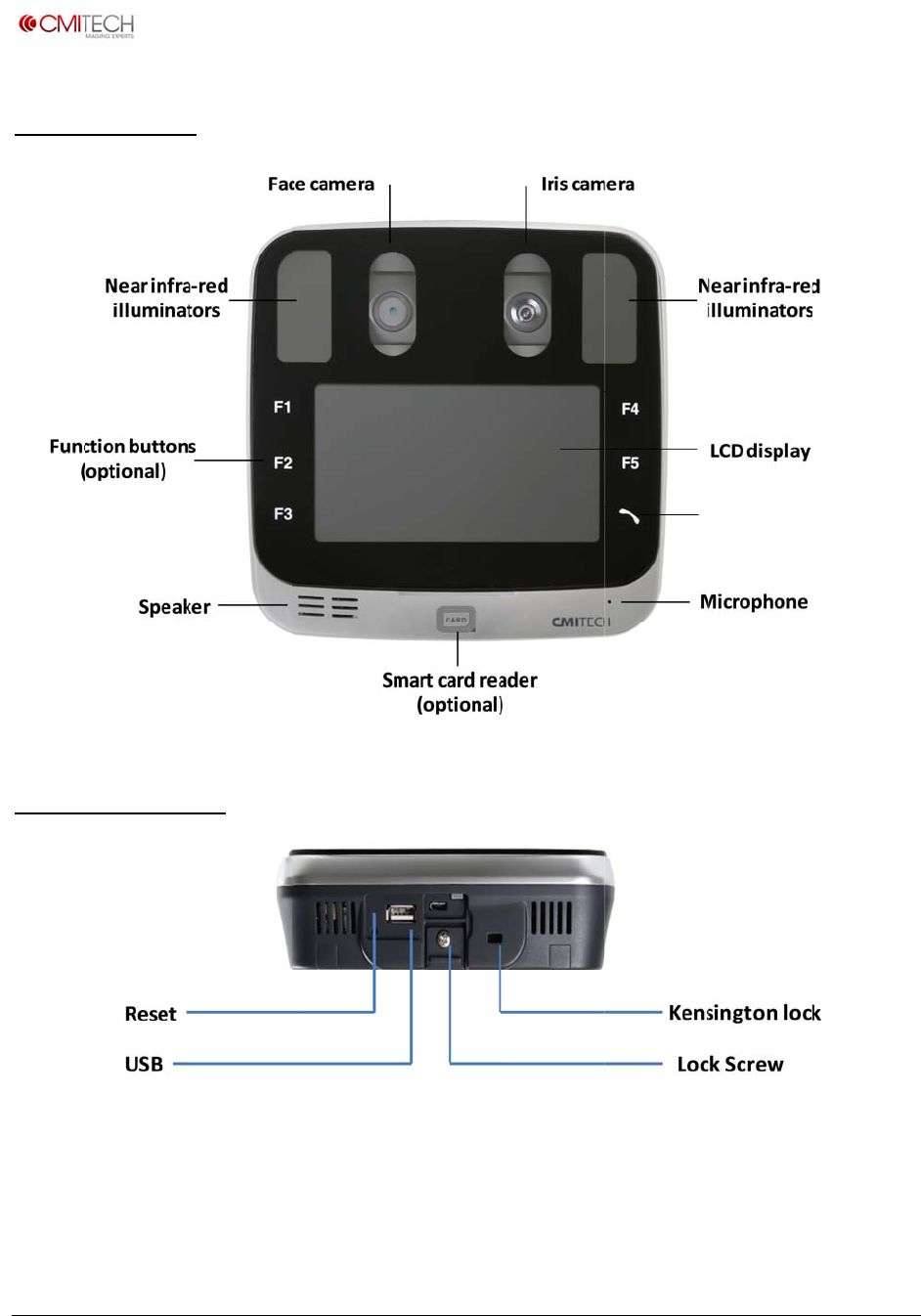
www.cm
i
Copyrigh
t
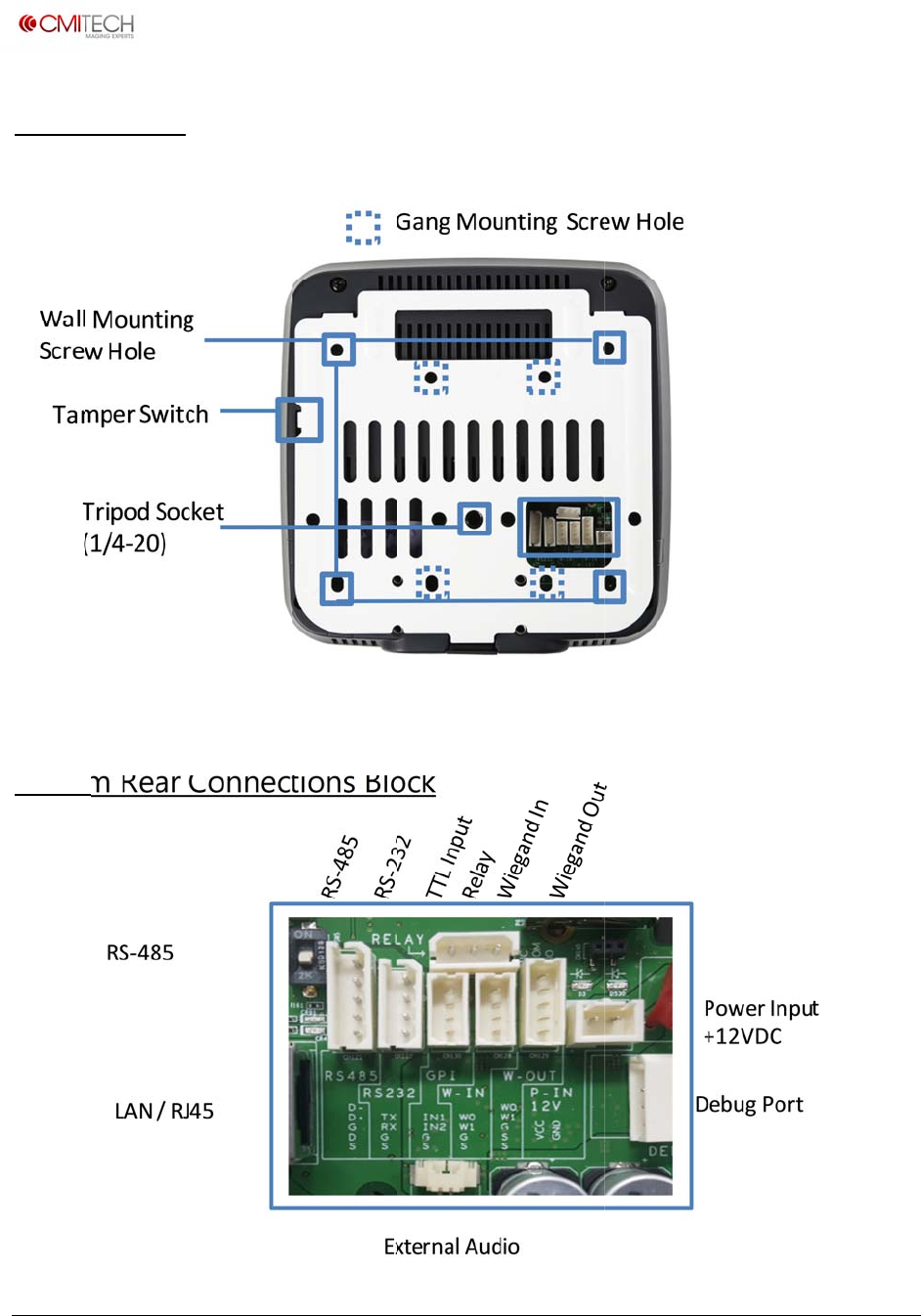
Syste
Syste
i
‐tech.com
t
2016,allrig
h
m, Fron
t
m, Bott
o
h
tsreserved
t
o
m
U
M
M
X‐10UserM
a
Interphone
a
nual,v0.1.1
July2016
www.cm
i
Copyrigh
t
Syste
Syste
i
‐tech.com
t
2016,allrig
h
m, Rear
m Rear
C
Terminat
i
Resistor
S
h
tsreserved
C
onnec
t
i
on
S
witch
Factory
t
ions Bl
o
Reset
o
ck
U
M
M
X‐10UserM
a
a
nual,v0.1.1
July2016
www.cm
i
Copyrigh
t
User
I
Posi
t
at t
h
devi
c
with
initi
a
seq
u
user
scre
e
are
t
for
w
Mo
v
you
r
the
u
GRE
E
app
r
hold
devi
c
face
If yo
the
d
the
L
guid
the
d
ima
g
Mo
v
gre
e
UM
X
you
r
i
‐tech.com
t
2016,allrig
h
I
nterfac
e
t
ion yourse
l
h
e LCD displ
c
e detects
y
in 1.0 mete
r
a
tes the im
a
u
ence. A rec
guide box
w
e
n. If it is B
L
t
oo far fro
m
w
ard.
v
e towards t
r
face to th
e
u
ser guide
b
E
N, it mean
r
opriate po
s
your positi
c
e captures
and/or iris.
u are stand
d
evice, you
r
L
CD display
.
e box flash
e
d
evice cann
g
e because
y
v
e back unti
l
e
n.
X
-10 captur
e
r
face and ir
h
tsreserved
e
for Iris
l
f facing str
a
ay. When t
h
y
our move
m
r
paramete
r
a
ge capture
tangular-s
h
w
ill appear
L
UE, it mea
n
m
the device
.
he system
t
e
LCD displa
b
ox flashes
s you are a
t
s
ition. Stop
a
on until th
e
image of y
o
ing too clo
s
r
face will n
o
. When the
e
s RED, it
m
ot capture
y
y
ou are to
o
l
the box tu
e
s the imag
is automati
c
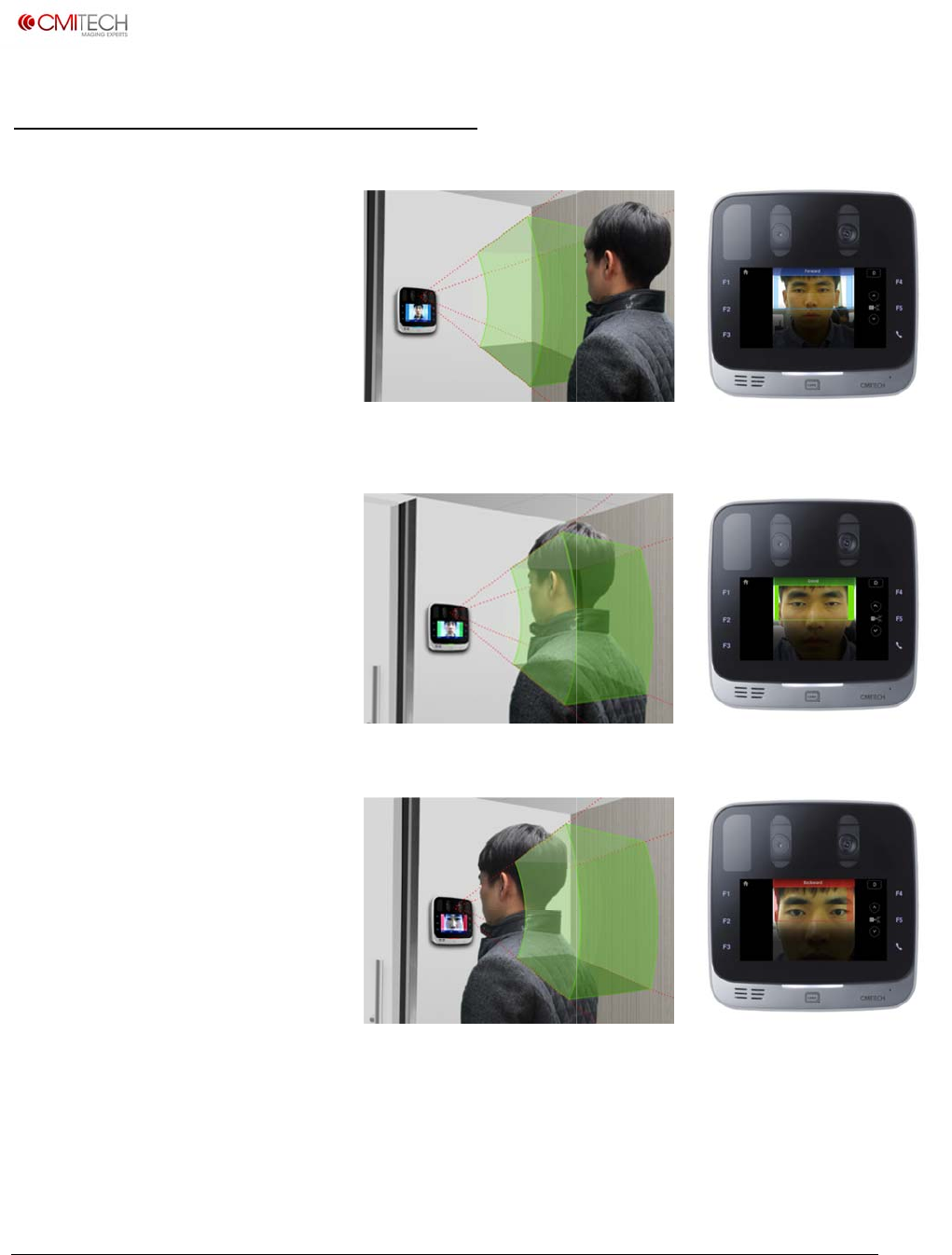
Image
C
a
ight
h
e
m
ent
r
, it
h
aped
on the
n
s you
.
Move
t
o size
y. If
t
an
and
e
o
ur
s
e to
o
t fit in
user
m
eans
y
our
o
close.
rns
e of
c
ally.
C
apture
U
M
M
X‐10UserM
a
a
nual,v0.1.1
July2016
www.cm
i
Copyrigh
t
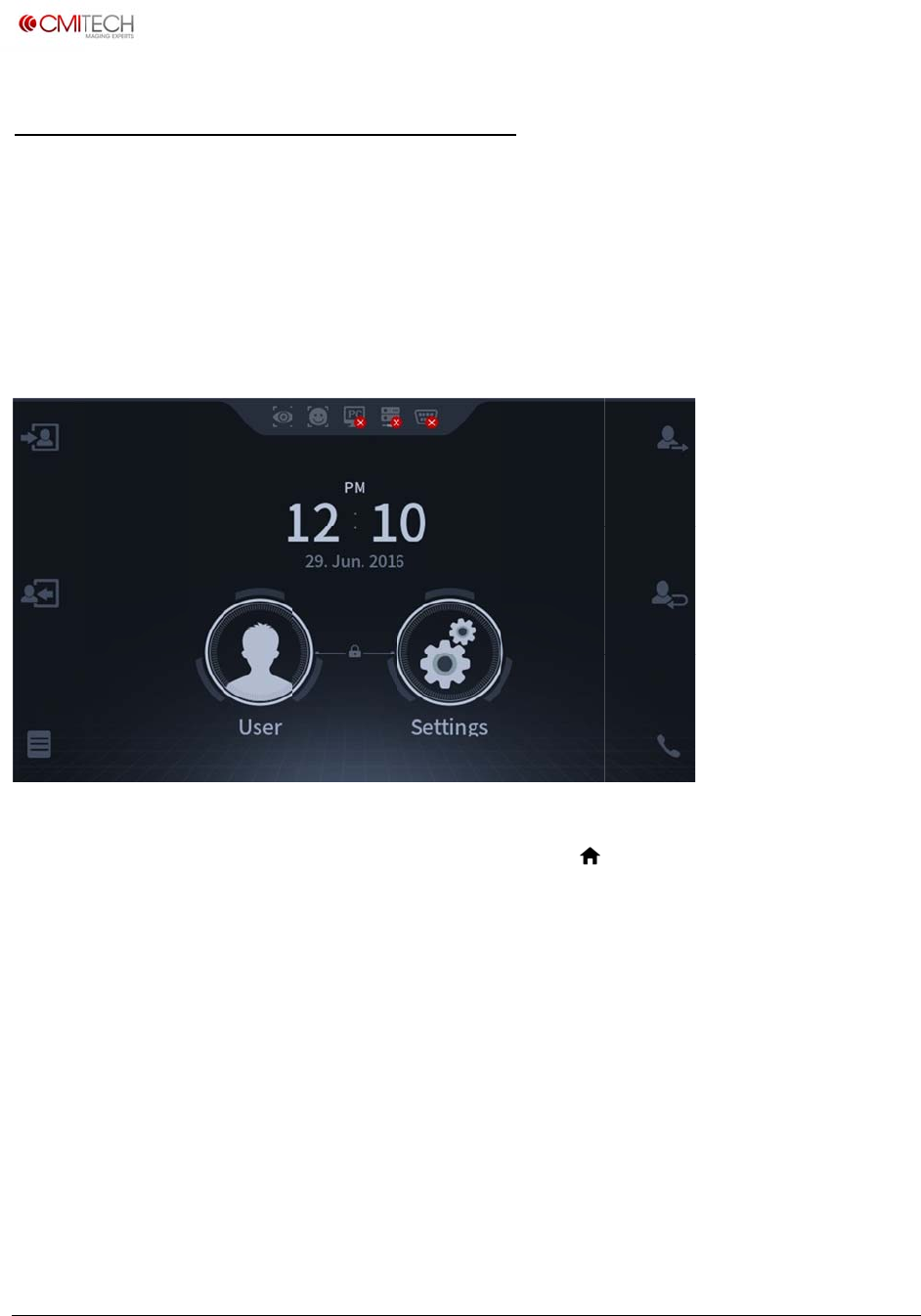
On-b
The on
image
c
enroll
m
The sy
s
detect
o
natural
To swit
the sys
t
interfa
c
i
‐tech.com
t
2016,allrig
h
oard D
e
-board de
m
c
apture in
c
m
ent, and
o
s
tem boot
s
o
r that first
iris image
ch to enro
t
em is in i
m
c
e display,
h
tsreserved
e
monstr
a
m
onstratio
c
luding su
b
o
n-board
m
s
up in this
t
finds the
s
capture s
e
llment mo
d
m
age capt
u
which will
a
tion A
p
o
n applicati
b
ject positi
m
atching (
a
demo ap
p
s
ubject fro
e
quence f
o
d
e, press l
a
u
re mode,
stop Reco
g
p
plicatio
on shows
t
oning wit
h
a
uthentica
t
p
lication. I
t
m about 1
o
r capture i
a
rge User i
press Ho
m
g
nition m
o
n
t
he full ca
p
h
the face
d
t
ion).
t
is initate
d
meter dis
t
n recognit
con in cen
t
m
e icon
(
)
o
de and re
t
U
M
p
abilities o
f
d
isplay use
d
by the vi
d
t
ance, and
ion / auth
e
t
er of mai
n
)
on top le
f
t
urn syste
m
M
X‐10UserM
a
f
the UMX
-
r interface
,
d
eo based
then conti
e
ntication
m
n
Launcher
f
t of active
m
to Launc
h
a
nual,v0.1.1
July2016
-
10 for
,
motion
nues the
m
ode.
page. If
user
h
er page.
www.cm
i
Copyrigh
t
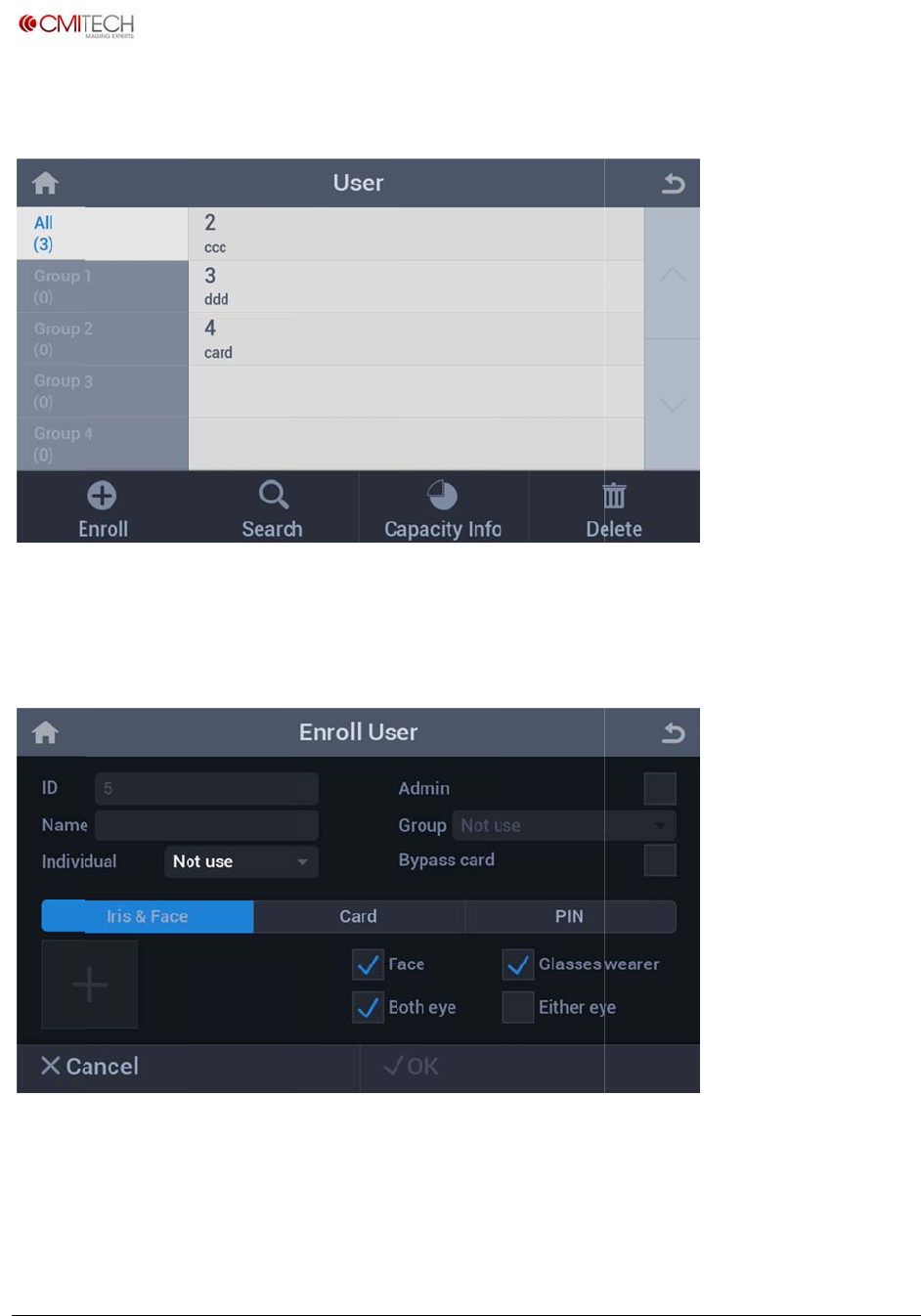
The fol
This us
e
the bo
t
To enr
o
Press t
h
i
‐tech.com
t
2016,allrig
h
lowing ma
e
r screen
a
t
tom right,
o
ll a new u
s
h
e plus(+)
h
tsreserved
in User scr
a
lso allows
one can e
a
s
er, press
t
button in
t
een appea
simple da
t
a
sily delet
e
t
he Enroll
i
t
he botto
m
rs:
t
abase ma
n
e
informati
i
con to bri
n
m
left to ca
p
n
agement.
on of enr
o
n
g up Enr
o
p
ture ima
g
U
M
By tappin
g
o
lled users.
o
ll User sc
r
g
e of the n
e
M
X‐10UserM
a
g
the Dele
t
r
een.
e
w user.
a
nual,v0.1.1
July2016
t
e icon in
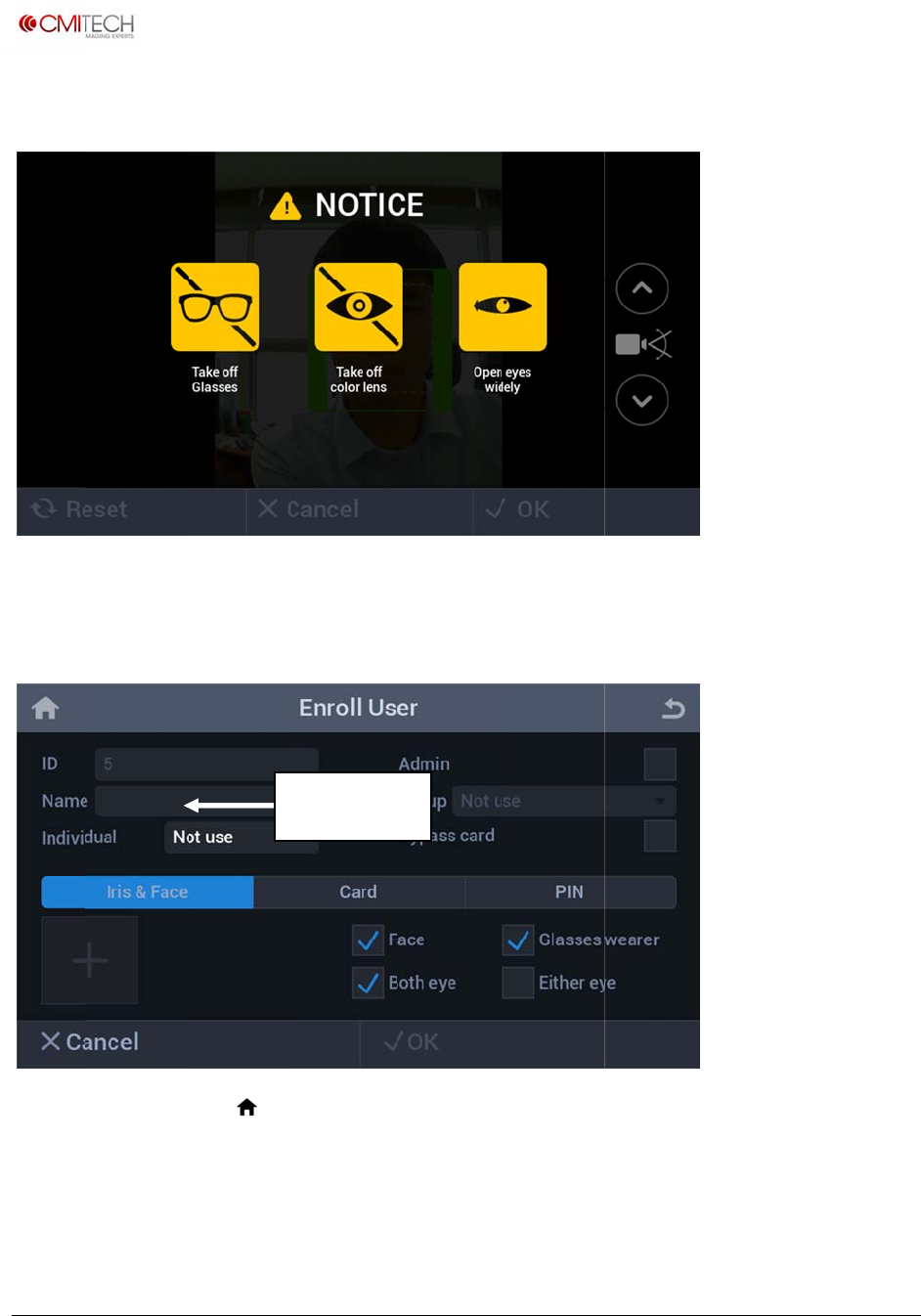
www.cm
i
Copyrigh
t
An inst
After s
u
returns
√OK c
o
Press t
h
Authe
n
i
‐tech.com
t
2016,allrig
h
ruction sc
r
u
ccessfully
to Enroll
U
o
mplete e
n
h
e Home i
c
n
tication m
h
tsreserved
r
een will a
p
capturing
U
ser scree
n
n
rollment.
c
on
()
to
ode.
N
p
pear for 3
iris image
s
n
. Click on
return to
t
N
ame fiel
d
to 5 seco
n
s
, click on
√
Name fiel
d
t
he Launch
d
n
ds, and th
√
OK to ac
c
d
to enter
er page to
U
M
en switch
t
c
ept imag
e
name of s
u
re-start R
e
M
X‐10UserM
a
t
o the use
r
e
s. The sys
t
u
bject, the
n
e
cognition
a
nual,v0.1.1
July2016
r
interface.
t
em then
n
click on
and
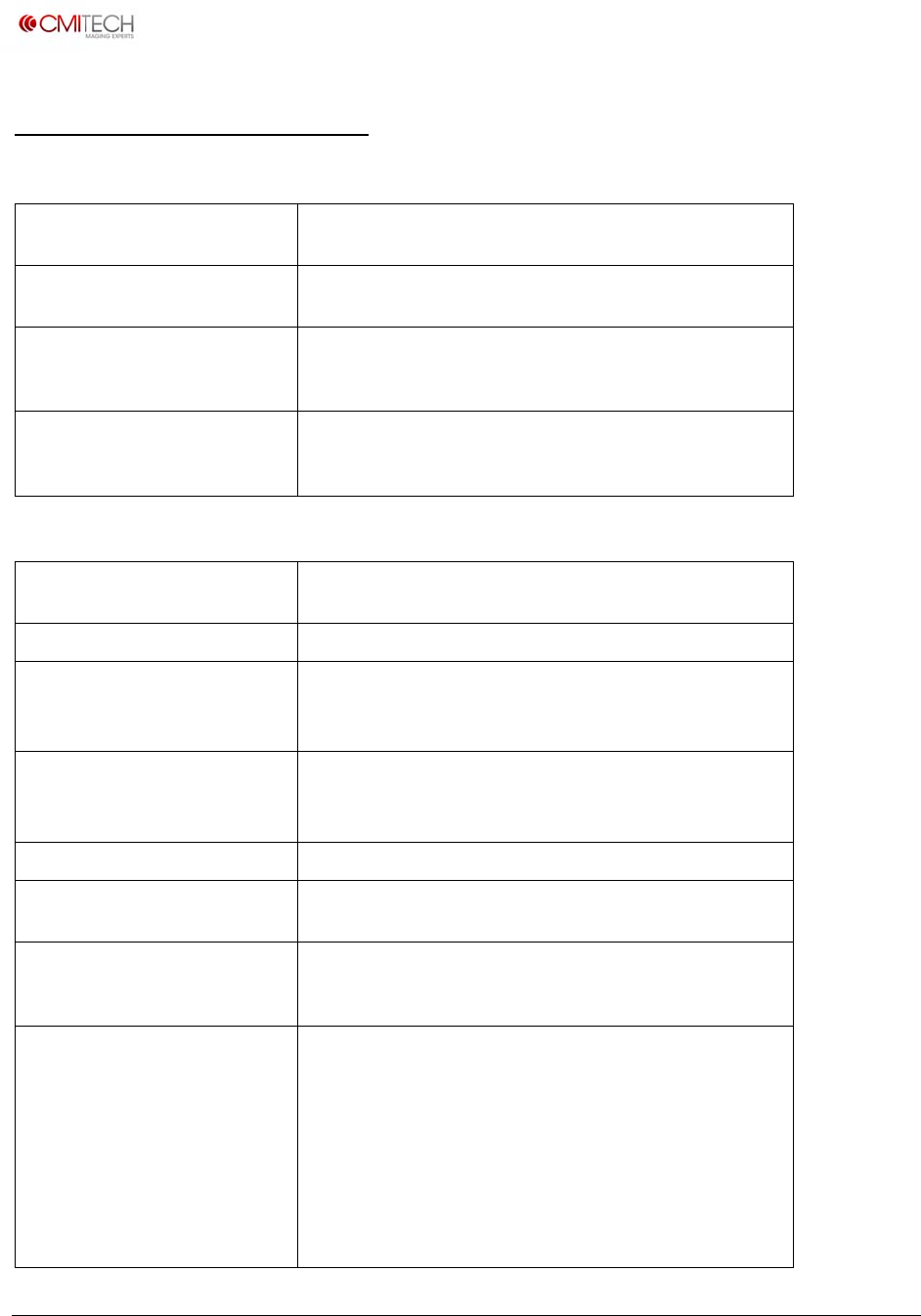
www.cm
i
Copyrigh
t
Sum
m
Softw
a
Embed
d
Irison‐
b
encodi
n
Faceon
Combin
andma
t
Webse
r
applica
t
server)
Other
T
Dimens
i
Weight
On‐boa
r
Irisima
g
Irisima
g
Irisenc
o
algorith
Operati
o
(stand‐
o
field
Irisposi
t
i
‐tech.com
t
2016,allrig
h
m
ary of
S
a
re and Pl
a
d
edCPUand
O
b
oardalgorith
n
gandmatchi
n
‐boardalgori
t
edFaceandI
r
t
ching
r
vicesconfigu
t
ion(withem
b
T
echnical
i
ons
r
ddatasize
g
eoutput
g
epixelresol
u
o
dingandma
t
m
o
nalirisimag
i
o
ffrange)and
t
ioningindica
h
tsreserved
S
pecific
a
a
tform Te
c
O
S
mfor
n
g
t
hmfor
r
isencoding
ration
b
eddedweb
Specificat
u
tion
t
ching
i
ngdistance
depthof
tors
a
tions
c
hnical S
p
Freescalei
M
v1.8OS
Optional
Optional
Yes,RESTfu
ions (Ten
t
166x166x
wallplate
630gwith
o
Upto10,0
0
(authentica
t
Supportsd
u
Meetsnew
MTFof
m
pixelsac
640x480p
DeltaID(IS
O
35to45c
m
Enrollment
Facepositi
o
Facesizing
t
(Z)position
i
correctdist
a
Bl
u
Gr
e
Re
Supplemen
t
tolocallan
g
p
ecificatio
n
M
X6CortexA
9
ltypeSDKwi
t
t
ative)
43mm(6.5x
o
utwallplate
0
0iristemplat
tion)or1:N(i
d
u
alfactoraut
h
ISO19794‐6
2
m
inimumof4
.
ross1.0cmir
i
ixels,8bitde
p
O
19794‐6co
m
m
range(10c
m
andRecognit
i
o
ningwithinb
t
obracket(or
i
ngwithsimu
l
a
nceposition
i
u
e:toofara
w
e
en:OK
d:tooclose
t
alvoicedista
g
uagevia.wa
v
n
s (Tentat
9
QuadCore
A
t
hC#andC++
6.5x1.7inch
e
epairs,usabl
e
d
entification)
h
entication
2
011standar
d
.
0lp/mm@≥
i
s
p
th.Support
s
m
pliant)
m
depthofca
p
i
onmodes
oxinLCDdis
p
box)withinL
l
taneouscolo
r
i
ng:
w
ay
ncefeedback
v
filesubstitu
t
U
M
ive)
A
RMwithLinu
versionsfor
h
e
s)withoutm
e
ineither1:1
modes
d
:
60%contras
t
s
multiplefor
m
p
turerange)i
n
p
layforX–Y
CDdisplayfo
r
r
bardisplayf
o
standard.C
o
t
ion.
M
X‐10UserM
a
xYocto
h
ostside
ounting
t
,and160
m
ats.
n
both
r
distance
o
r
o
nvertible
a
nual,v0.1.1
July2016
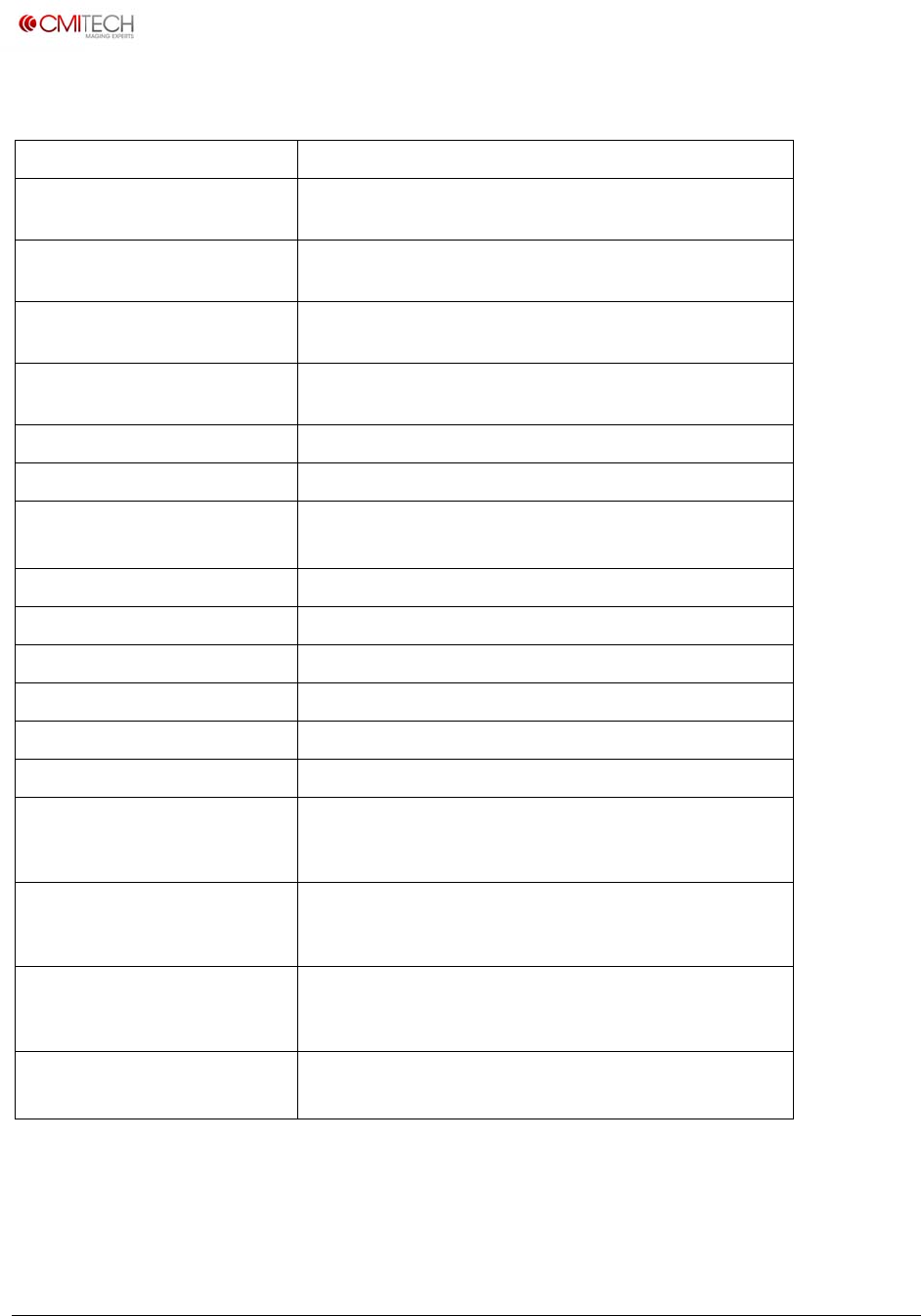
www.cm
i
Copyrigh
t
Other
T
Autotil
t
Irisinte
r
covere
d
Iristim
e
IRillum
i
Irismax
speed
Faceim
Facere
c
Audio
Operati
Humidi
t
Illumin
a
Networ
k
Others
t
Standar
Physica
l
configu
r
commu
Physica
l
configu
r
reader
Physica
l
configu
r
withta
m
Power
s
i
‐tech.com
t
2016,allrig
h
T
echnical
t
r
‐pupillarydi
s
d
e
ofcapture
i
nationforiri
s
imumuserp
o
agecapture
c
ognitionima
g
ngtemperatu
t
y
a
toreyesafet
y
kinterface
t
andardports
dmounting
l
AccessCont
r
r
ation:other
nicationspor
t
l
AccessCont
r
r
ation:intern
l
AccessCont
r
r
ation:wall
m
m
perswitch
s
upply
h
tsreserved
Specificat
s
tance
s
imaging
o
sitioning
g
ing
rerange
y
standard
r
ol(PACS)
t
s
r
ol
alIDcard
r
ol
m
ounting
ions (Ten
t
Yes,intern
a
45to85m
m
Typicallya
b
placedwith
DualLED:
w
750nmno
m
125mmpe
r
(distancefr
o
Standard2
4
Optionalo
n
24bit,1.8
W
Lineoutco
n
0to45˚C
10to90%
R
IEC62471
10/100Bas
e
USBhosto
r
¼‐20UNC
Terminala
n
RS‐485,2X
T
service),1
d
Standard:I
Optional:
H
Detachable
switchstan
d
Input110t
o
Output12
V
t
ative) (co
a
l:+25degto
m
b
out0.5secon
inpropercap
t
w
avelengthso
f
m
inal(about
5
r
second(4.9
i
o
mfrontofs
y
4
bitcolor(fo
r
n
‐boardenco
d
W
embedded
s
n
nectorfore
x
R
H,non‐cond
e
e
‐TEthernet(
r
slave(forse
r
(cameratrip
o
n
dwiredconn
T
TLinputs,U
S
d
rycontactre
l
SO/IEC1444
3
H
IDmulti‐clas
s
wallmountp
d
ardinPACS
c
o
240VAC
V
DC,3.5A.Pr
o
ntinued)
‐20degtilt
dfromtime
s
t
urevolume
f
850nmnom
5
0%)
inchesperse
c
y
stem)
r
referenceim
d
ingandmatc
h
s
peaker
x
ternalspeak
e
e
nsing
RJ45connect
o
r
viceonly)
o
d).
ectorsfor:Wi
S
Bhost(inter
n
l
ay
3
A/B(MiFare
s
reader(mod
lateforeasyi
c
onfiguration
o
videdstanda
r
U
M
s
ubject’seyes
inal(about5
0
c
.)in“Z”dire
c
age)
h
ing.Algorith
m
e
r
o
r)
egandin/out
,
n
al),USBslav
e
)contactless
r
eltobedete
r
nstallation.
T
r
dwithsyste
m
M
X‐10UserM
a
are
0
%);and
c
tion
m
tbd.
,
RS‐232,
e
(for
r
eader
r
mined)
T
amper
m
.
a
nual,v0.1.1
July2016

www.cm
i
Copyrigh
t
Cont
a
CMITec
#904,25,
Anyang‐s
431‐815
R
Tel:+82.
Fax:+82
.
Contact:
s
i
‐tech.com
t
2016,allrig
h
a
ct Info
r
hCompan
y
248Beon‐gil,
i,Gyeonggi‐d
o
R
epublicofK
o
70.8633.827
8
.
31.624.4490
s
ales@cmi‐te
c
h
tsreserved
r
mation
y
,Ltd.
Simin‐daero,
o
,
o
rea
8
c
h.com
Dongan‐gu,
CM
203
3
San
Tel:
ITechAme
r
3
GatewayPl
a
Jose,CA951
1
(1)408573‐
6
U
M
r
ica,Inc.
a
ce,Suite500
1
0USA
6
930
M
X‐10UserM
a
a
nual,v0.1.1
July2016
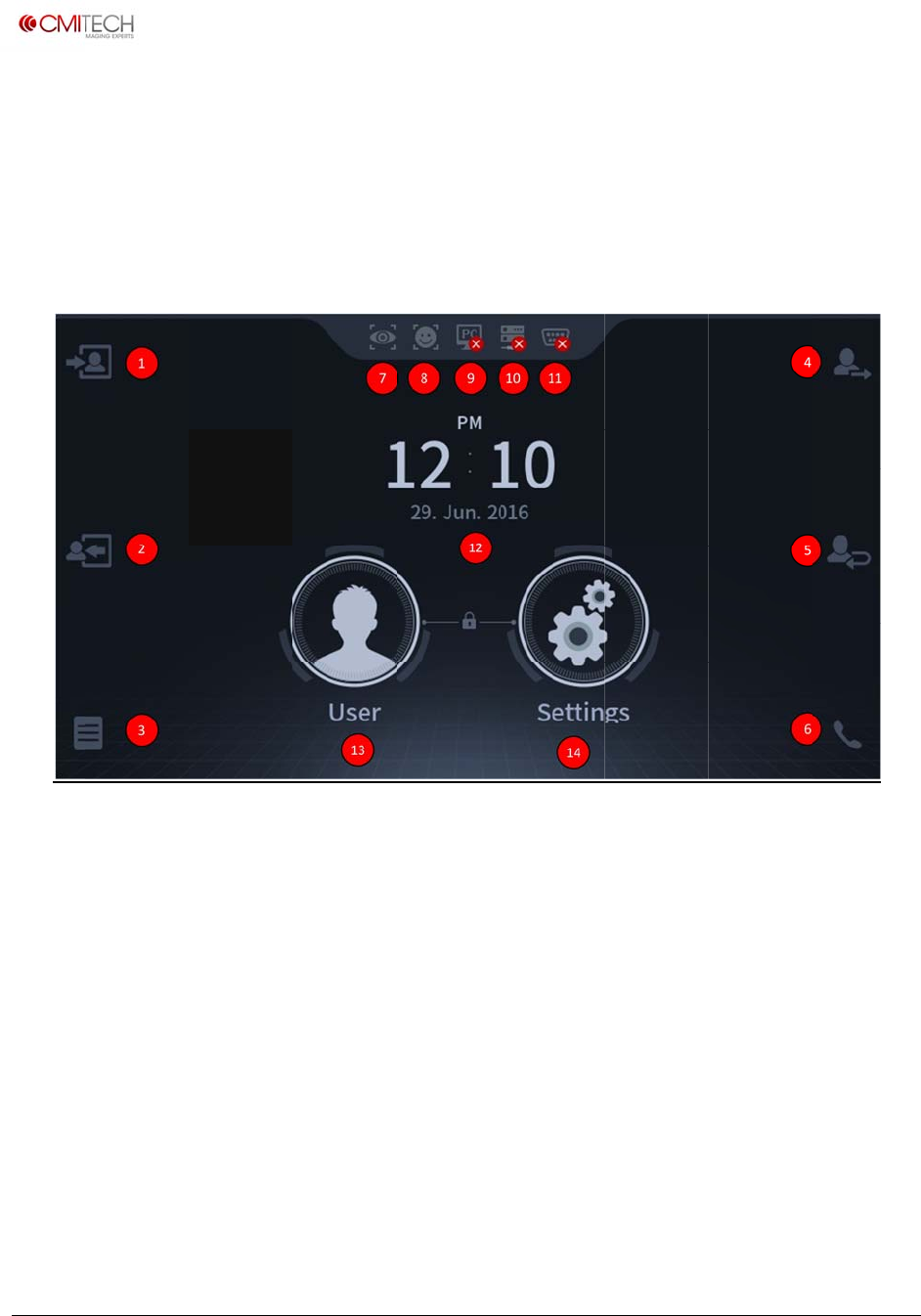
www.cm
i
Copyrigh
t
①
②
③
④
⑤
⑥
⑦
i
‐tech.com
t
2016,allrig
h
a
n
①
Check Atte
n
②
Leave Wor
k
③
Supplemen
t
④
Go Out (F4
⑤
Return Butt
o
⑥
Interphone
⑦
Notice Icon
h
tsreserved
UMX
‐
n
dO
n
n
dance (F1
K
k
(F2 Key)
t
T&A (F3 Ke
y
Key)
o
n (same as
Call Button
(
of Iris mode
A
‐
10L
C
n
‐Boa
r
M
K
ey)
y
)
F5 Key)
(
same as F6
K
e
is operatin
g
A
ppend
i
C
DCo
n
r
dDe
m
M
ain Launche
r
K
ey)
g
⑧N
o
⑨N
o
⑩N
o
⑪N
o
conn
⑫Cl
o
⑬Us
e
modi
⑭Se
t
i
x 1
n
trol
S
m
oA
p
r
Page
o
tice Icon of
F
o
tice Icon of
C
o
tice Icon of
I
o
tice Icon of
S
ected
o
ck display
e
r Button fo
r
i
fication and
t
tings Butto
n
U
M
S
cree
n
p
plica
t
F
ace mode i
s
C
MID mana
g
I
P network is
S
erial Comm
r
registration
,
deletion
n
for system
c
M
X‐10UserM
a
n
s
t
ion
s
operating
g
er is connec
t
connected
unication is
,
search,
c
onfiguratio
n
a
nual,v0.1.1
July2016
t
ed
n

www.cm
i
Copyrigh
t
Tabl
e
Settin
g
1 Dev
i
1.
1
1.
2
1.
3
1.
4
1.
5
1.
6
1.
7
1.
8
1.
9
1.
1
2 Net
w
2.
1
2.
2
2.
3
2.
4
i
‐tech.com
t
2016,allrig
h
e
of Co
n
g
s
i
ce
1
Configuratio
n
1.1.1 Us
e
1.1.2 Mot
i
2
Bio
1.2.1 Sec
1.2.2 Iris
3
Sound
1.3.1 Sp
e
1.3.2 MI
C
4
Date & Tim
e
1.4.1 Ma
n
5
Door
1.5.1 Rel
a
1.5.2 Dri
v
1.5.3 Dur
a
1.5.4 Do
o
1.5.5 Do
o
1.5.6 Hel
d
1.5.7 Loc
k
1.5.8 Unl
o
6
Device Info
7
Interphone
1.7.1 IP
A
8
Memory Inf
o
9
Camera
1.9.1 Po
w
1
0 Reset
1.10.1
1.10.2
w
ork
1
TCP/IP
2.1.1 LA
N
2.1.2 IP
A
2.1.3 Gat
e
2.1.4 Su
b
2
Server
2.2.1 Ser
v
3
Serial
2.3.1 RS
4
2.3.2 RS
4
2.3.3 RS
2
4
USB Memor
y
2.4.1 FW
2.4.2 Imp
o
2.4.3 Exp
h
tsreserved
n
tents
n
e
r Positioning In
t
ion Wait Time
urity Level
1.2.2.1 Max Di
s
e
aker Volume
C
Volume
e
n
ual Setup
a
y
v
en By
a
tion
o
r Sensor
o
r Sensor Type
d
Open Period(
s
k
Time
o
ck Time
A
ddress
o
w
er Line Freque
n
Reboot
Factory D
e
1.10.2.1 Reset
1.10.2.2 Delet
e
1.10.2.3 Delet
e
Rese
t
N
Type
A
ddress
e
way
b
net
v
er IP
4
85-PC
4
85-NET
2
32
y
Upgrade
o
rt
ort
t
erface
s
tance
s
ec)
n
cy
e
fault
All Settings
e
All Data
e
All Data and
t
All Settings
3
D
4
A
5
M
6
L
Use
r
1 En
2
S
3
C
4
D
D
isplay
3.1 Voice In
s
3.2 Central
T
3.3 Menu Ti
m
3.4 Screen
S
3.5 Pop-Up
T
3.6 Backligh
3.7 Date Di
s
3.8 Langua
g
A
uthenticatio
n
4.1 Auth.
4.1.1
4.2 T&A
4.3 T&A Mo
d
M
ode
5.1 Operati
o
5.1.1
5.1.2
5.1.3
L
og
6.1 Log Info
r
n
roll User
1.1 Name
1.2 Individua
1.3 Group
1.4 Iris & Fa
c
1.4.1
1.4.2
1.4.3
1.4.4
1.5 Card
1.5.1
1.6 Pin
1.6.1
1.6.2
S
earch
C
apacity Info
D
elete
U
M
s
truction
T
imer
m
eout
S
aver
T
imeout
t Timeout
s
play
g
e
n
Combination
M
d
e
o
n
Dual Authentic
a
Match Timeout
Card Mode
a
l
c
e Process
Face Capture
1.4.1.1 Tra
c
Iris Capture
1.4.2.1 Tra
c
Save Data / C
o
Complete Enro
Save Data
Input
Save Data
M
X‐10UserM
a
M
ode (Step 1)
a
tion
c
king Guide Bo
x
c
king Guide Bo
x
o
mplete Enrollm
o
llment
a
nual,v0.1.1
July2016
x
UI
x
UI
ent
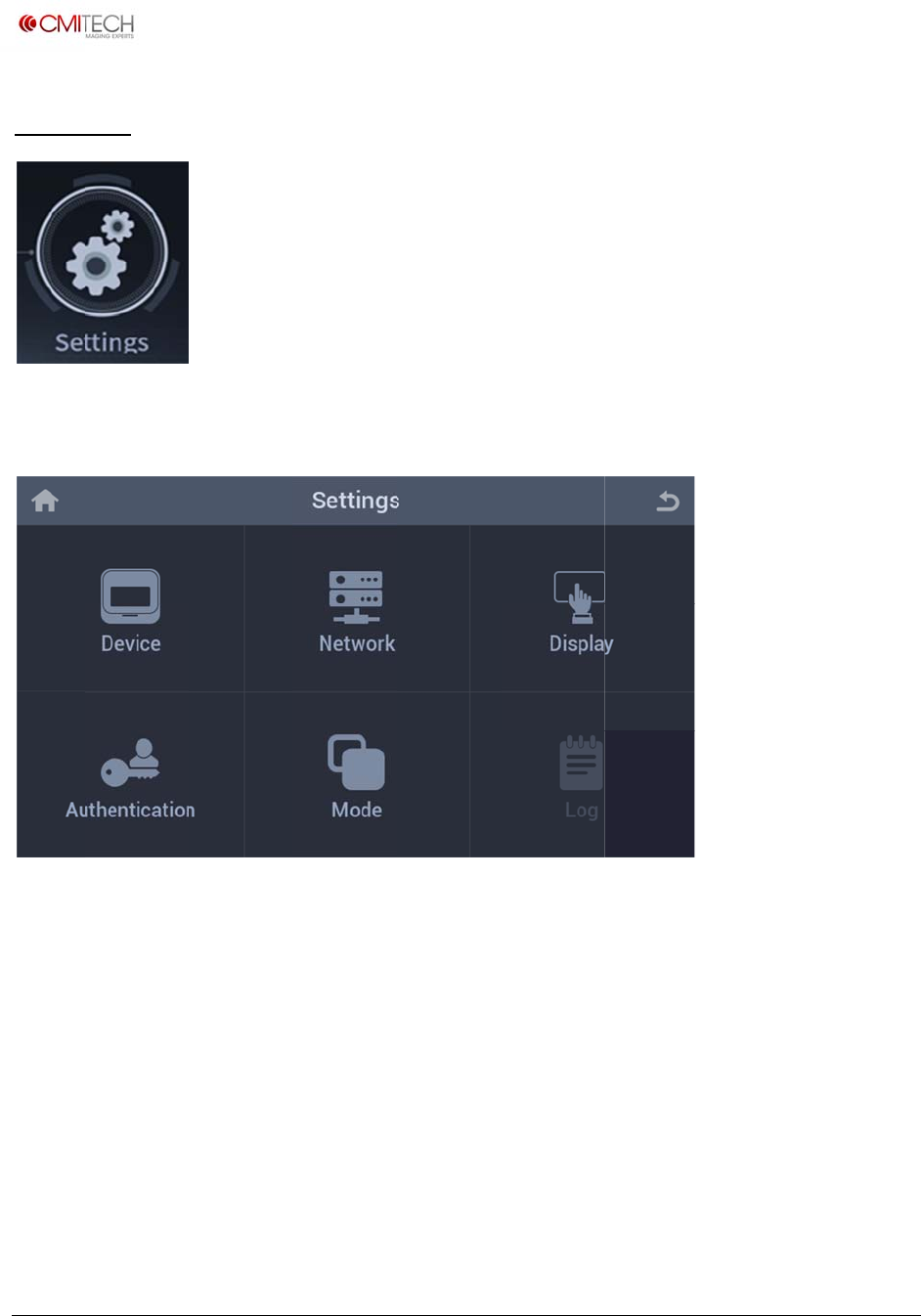
www.cm
i
Copyrigh
t
Setti
n
Tap the
Device
Netwo
r
Displa
y
Authe
n
Mode
Log
i
‐tech.com
t
2016,allrig
h
n
gs
Settings i
c
r
k
y
n
tication
h
tsreserved
c
on in the h
o
C
C
C
C
C
I
n
(
N
o
me screen
onfiguratio
n
onfiguratio
n
onfiguratio
n
onfiguratio
n
onfiguratio
n
n
formation
o
N
ote: In co
n
.
n
for devic
e
n
for IP & s
e
n
for scree
n
n
for authe
n
n
for recog
n
o
f saved lo
g
n
struction)
e
operating
e
rial comm
u
n
display
n
tication m
e
n
ition oper
a
g
and log s
e
U
M
u
nication
e
thod and
T
a
tion
e
arch viewe
r
M
X‐10UserM
a
T
&A
r
a
nual,v0.1.1
July2016
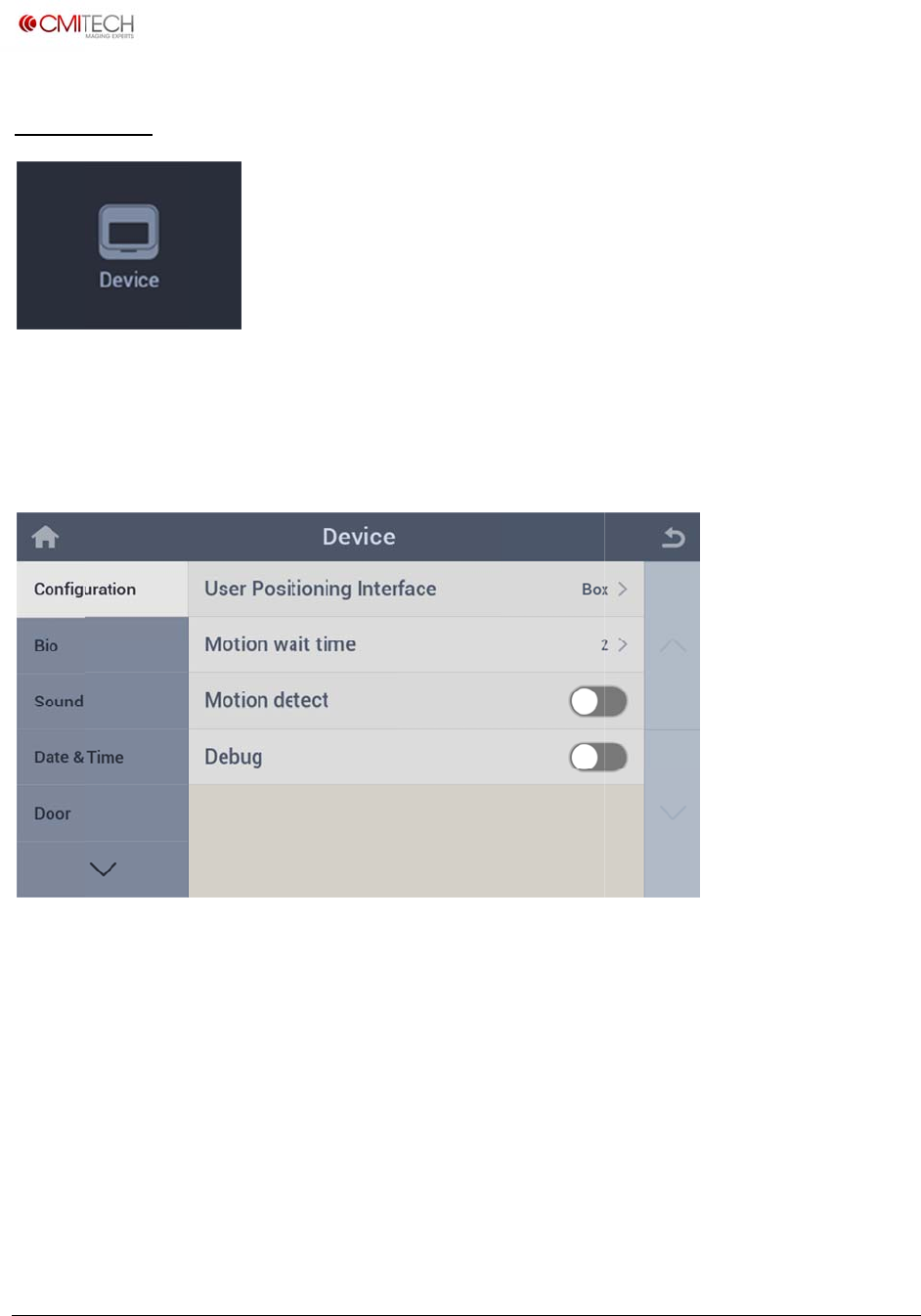
www.cm
i
Copyrigh
t
1 D
e
Config
u
1.1 C
o
User P
o
Motio
n
Motio
n
Debug
i
‐tech.com
t
2016,allrig
h
e
vice
u
re settings
o
nfigurati
o
sitioning I
n
wait time
n
detect
h
tsreserved
for device
o
on
nterface S
e
S
e
S
e
S
e
li
n
o
peration.
e
lect a guid
e
t motion
d
e
lect motio
e
lect Debu
g
n
e analysis)
e display U
I
d
etection d
e
n detection
g
mode ena
I
when enr
o
e
lay time fr
o
enable/dis
a
ble/disable
U
M
o
llment and
o
m last reco
a
ble for sta
r
(captures i
m
M
X‐10UserM
a
recognitio
n
gnition op
e
r
ting recog
n
m
age strea
m
a
nual,v0.1.1
July2016
n
e
rating
n
ition
m
for off-
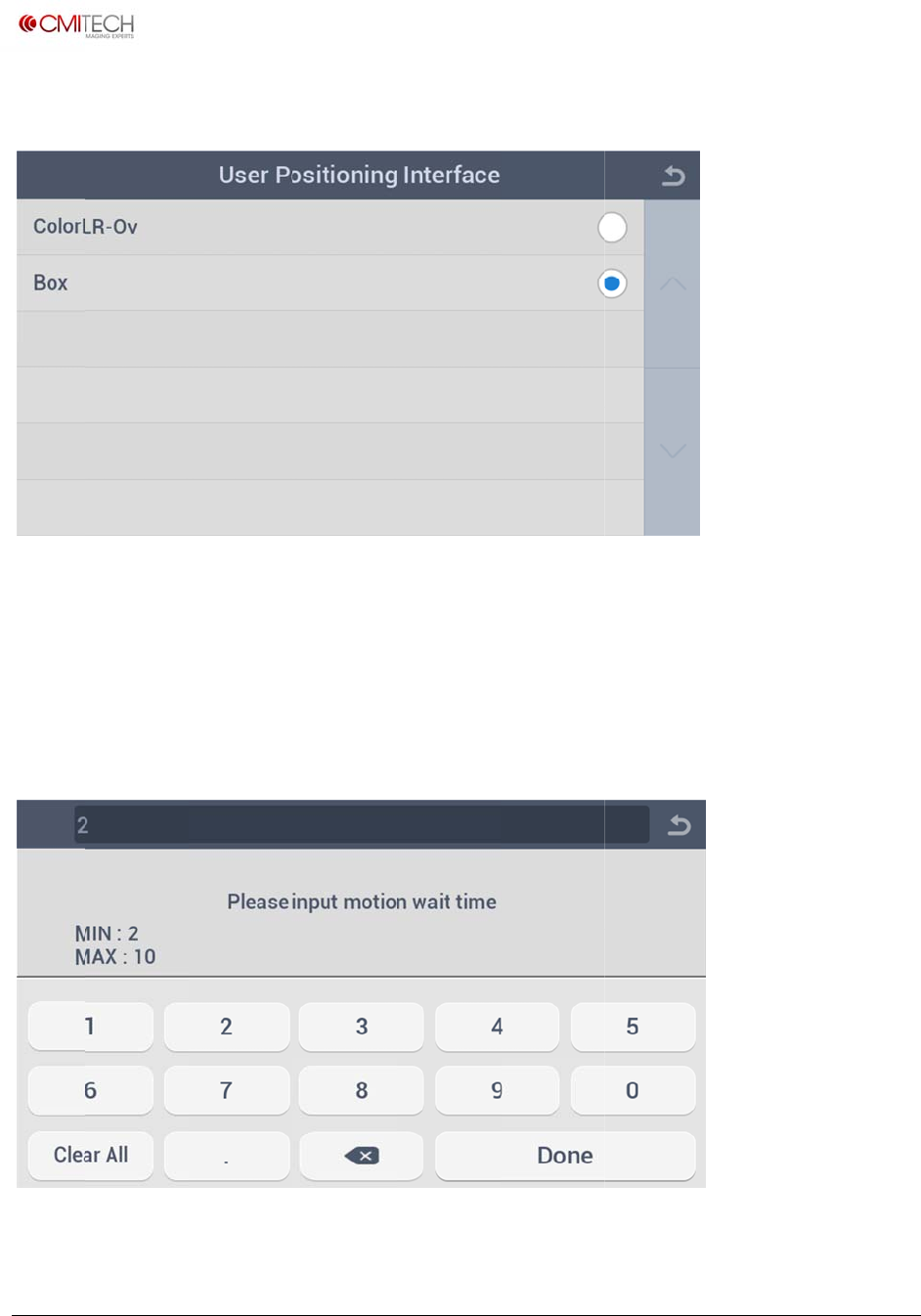
www.cm
i
Copyrigh
t
1.1.1
C
ColorL
R
Box
1.1.2
C
i
‐tech.com
t
2016,allrig
h
C
onfigurat
R
-Ov
C
onfigurat
h
tsreserved
ion Us
e
S
e
S
e
ion Mo
e
r Positio
n
e
lect Color
e
lect tracki
n
tion Wait
n
ing Interf
a
overlay typ
e
n
g box type
Time
a
ce
e
guide UI
d
guide UI d
i
U
M
d
isplay
i
spla
y
M
X‐10UserM
a
a
nual,v0.1.1
July2016
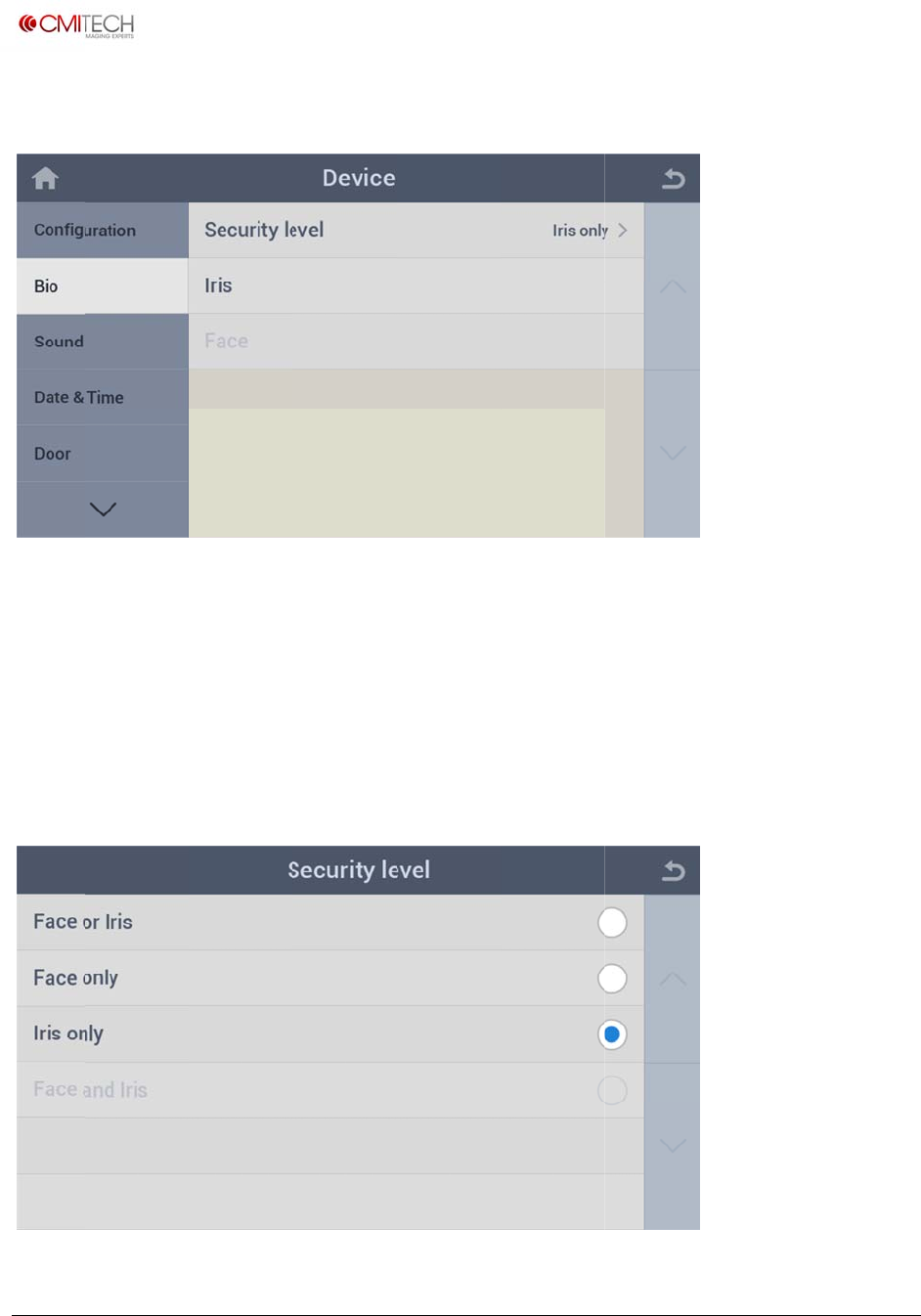
www.cm
i
Copyrigh
t
1.2 Bi
o
Securit
y
Iris
Face
1.2.1
B
i
‐tech.com
t
2016,allrig
h
o
y
Level
B
io Sec
u
h
tsreserved
S
e
A
A
i
n
u
rity Level
e
lect a com
A
dditional c
o
A
dditional c
o
n
constructi
o
(Must ha
v
bination m
o
o
nfiguratio
n
o
nfiguratio
n
o
n)
v
e face re
c
o
de of Face
n
for Iris enr
n
for Face e
n
c
ognition
U
M
and Iris
ollment an
d
n
rollment a
n
option)
M
X‐10UserM
a
d
recogniti
o
n
d recognit
a
nual,v0.1.1
July2016
o
n
ion (note:
www.cm
i
Copyrigh
t
Face or
Face o
n
Iris onl
y
Face a
n
1.2.2
B
Max di
s
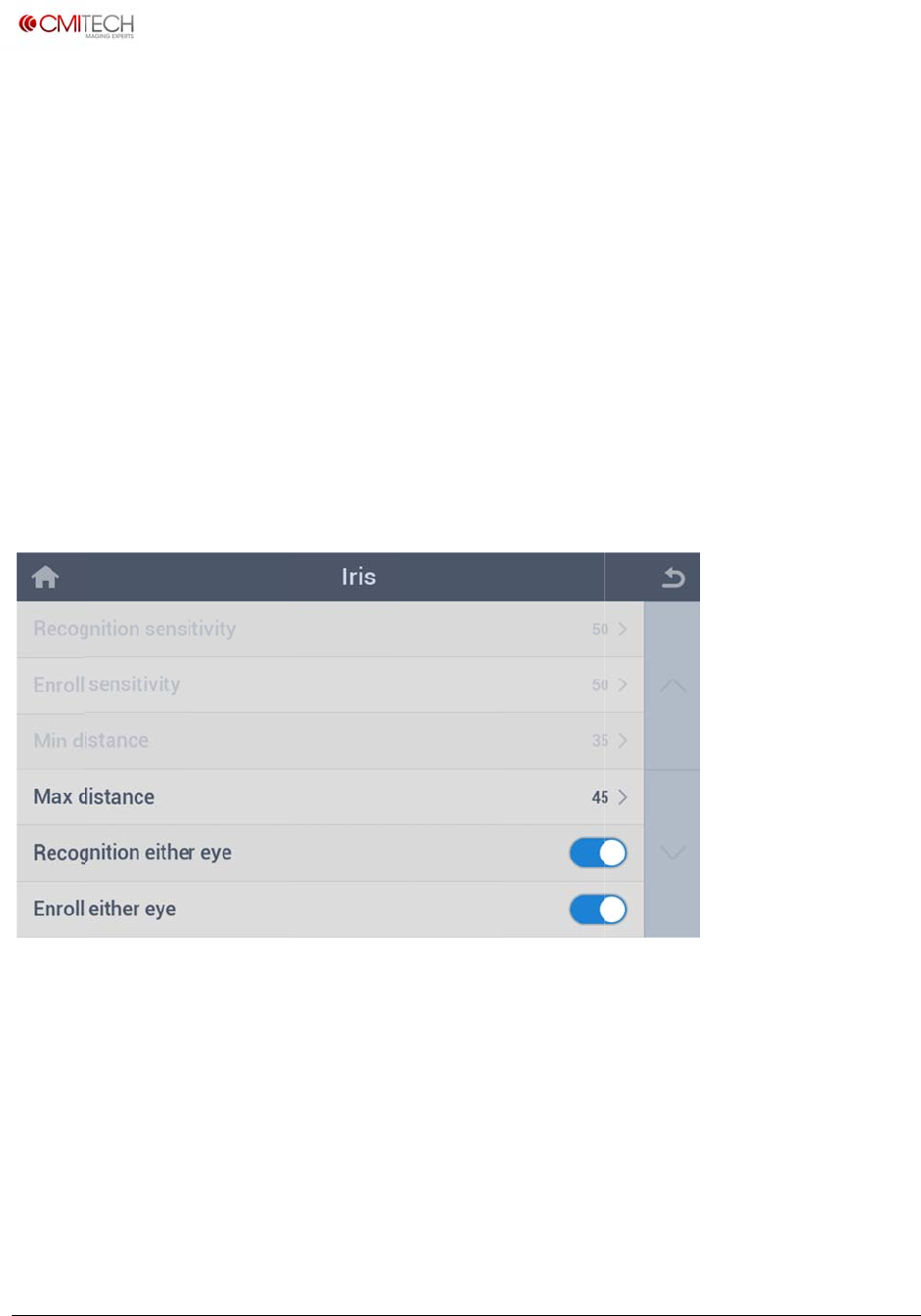
Recog
n
Enroll
e
i
‐tech.com
t
2016,allrig
h
Iris
n
ly
y
n
d Iris
B
io Iris
s
tance
n
ition eithe
e
ither eye
h
tsreserved
S
e
a
n
m
S
e
S
e
S
e
a
n
i
n
S
e
r eye S
e
S
e
e
lect 2 stag
n
d then au
t
m
atch)
e
lect Face
o
e
lect Iris on
e
lect 2 stag
n
d then au
t
n
constructi
o
e
t max dist
a
e
lect enabl
e
e
lect enabl
e
e Face or Ir
i
t
omatic swi
t
o
nly recogni
ly recogniti
o
e Face and
t
omatic swi
t
o
n)
a
nce for Iris
e
/disable fo
e
/disable fo
i
s recogniti
o
t
ch-over to
I
tion mode
o
n mode
Iris recogni
t
t
ch-over to
I
recognitio
n
r either eye
r either eye
U
M
o
n mode (F
a
I
ris upon F
a
t
ion mode
(
I
ris upon m
n
recognitio
n
enrollmen
t
M
X‐10UserM
a
a
ce recogni
t
a
ce recogni
t
(
Face recog
n
ultiple mat
c
n
mode
t
mode
a
nual,v0.1.1
July2016
t
ion first,
t
ion non-
n
ition first,
c
hes) (note:
www.cm
i
Copyrigh
t
1.2.2.1
i
‐tech.com
t
2016,allrig
h
Bio Iri
s
h
tsreserved
s
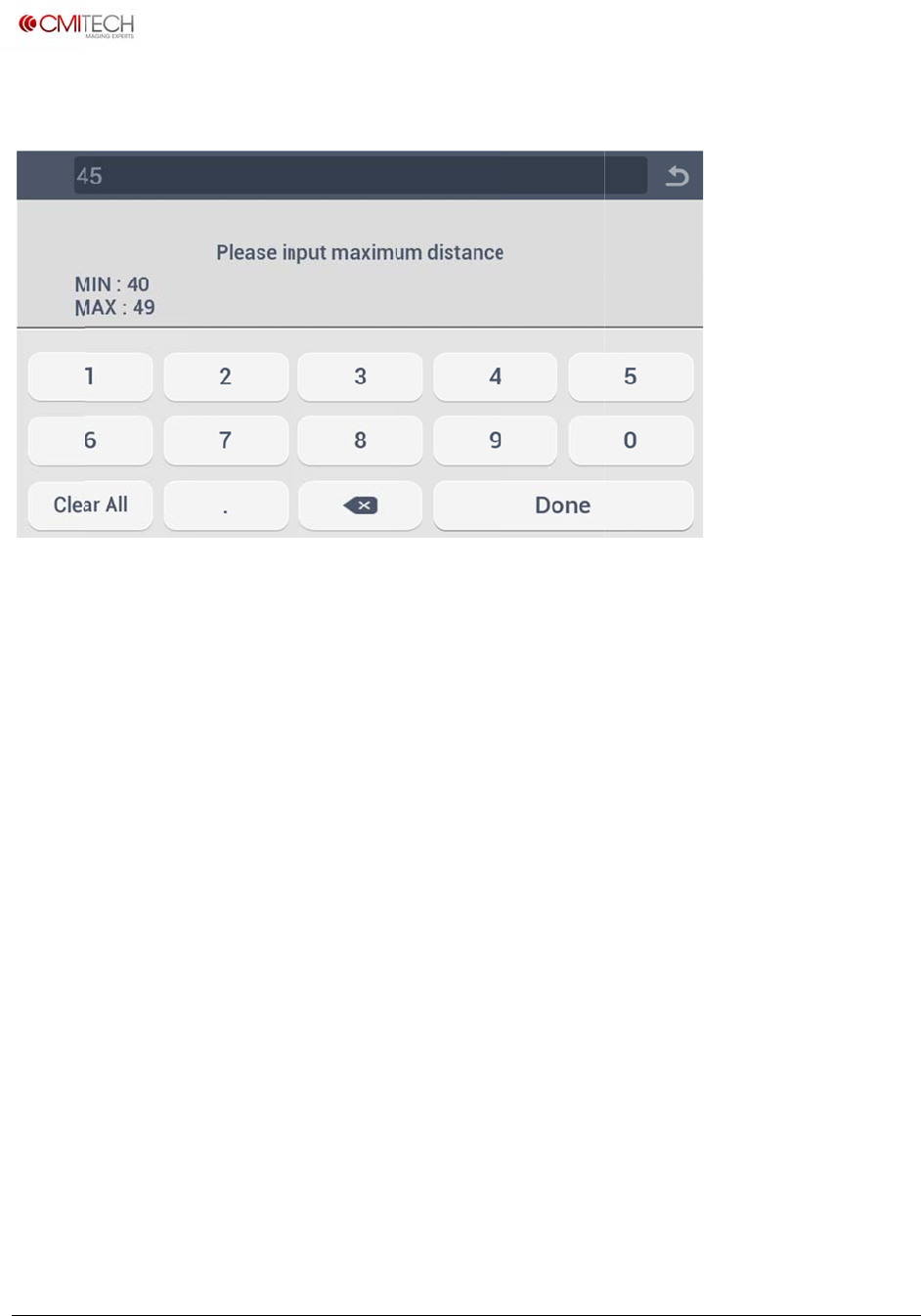
Max
D
D
istance
U
M
M
X‐10UserM
a
a
nual,v0.1.1
July2016
www.cm
i
Copyrigh
t
1.3 So
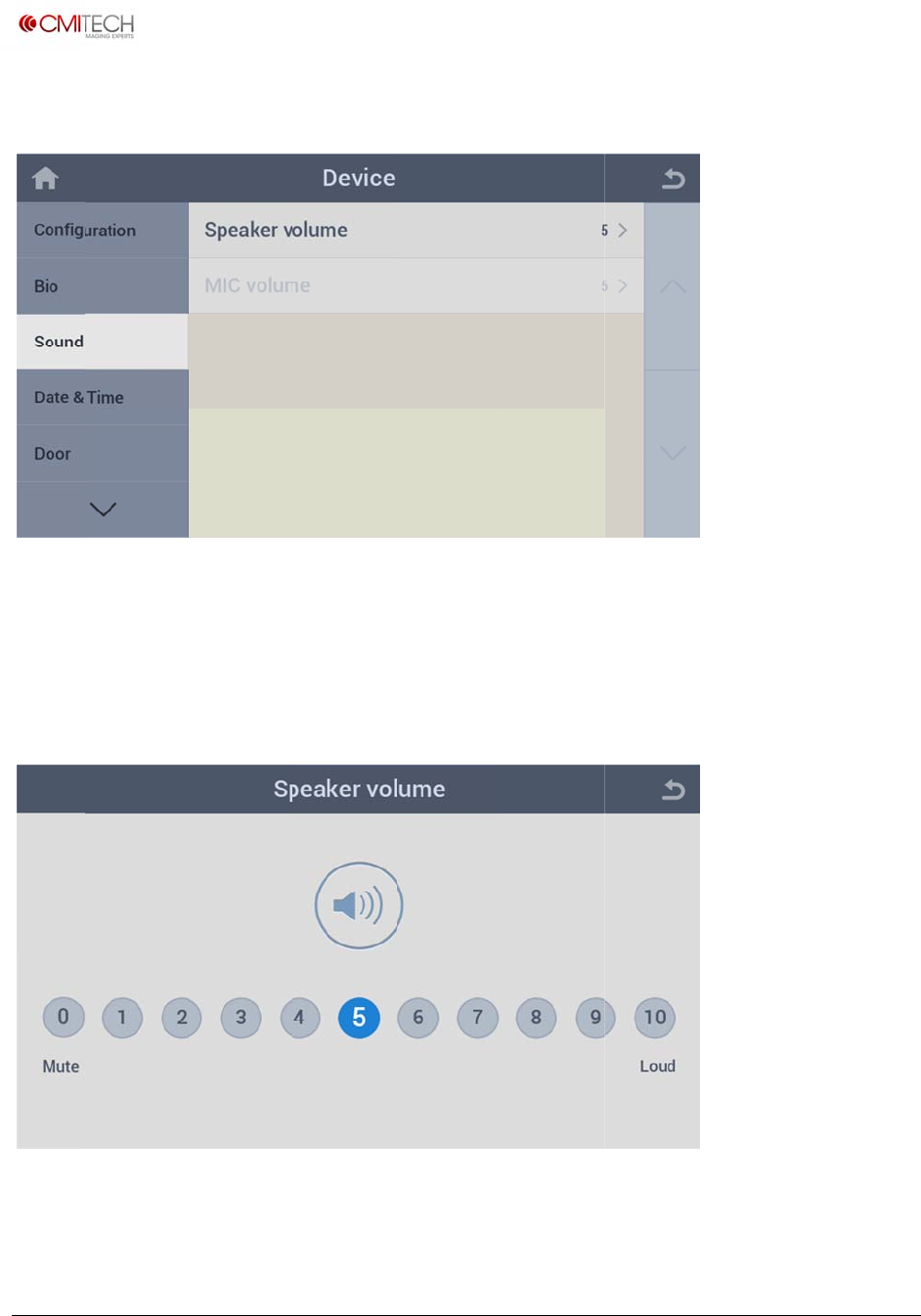
Speake
MIC vo
1.3.1 S
1.3.2 S
Identic
a
i
‐tech.com
t
2016,allrig
h
und
r volume
lume
ound S
ound
M
a
l to setting
s
h
tsreserved
S
e
S
e
peaker V
o
M
IC Volu
m
s
for speak
e
e
t speaker
v
e
t microph
o
o
lume
m
e
e
r volume
v
olume for
i
o
ne volume
i
nstruction
s
for interph
U
M
s
ound and i
one voice (
n
M
X‐10UserM
a
i
nterphone
v
n
ote: in con
a
nual,v0.1.1
July2016
v
oice
struction)
www.cm
i
Copyrigh
t
1.4 D
a
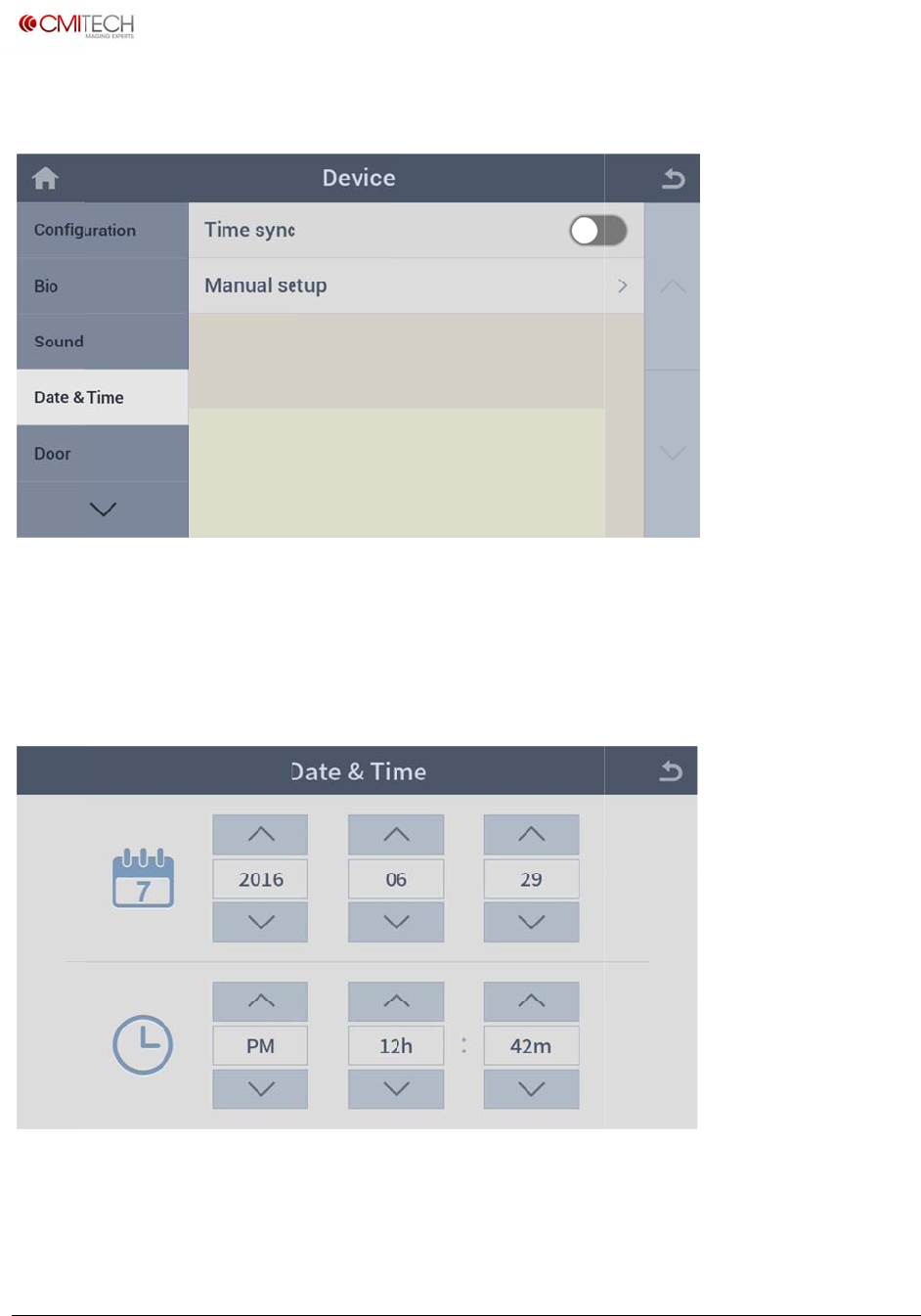
Time s
y
Manua
l
1.4.1
D
i
‐tech.com
t
2016,allrig
h
a
te & Tim
y
nc
l
setup
D
ate & Ti
m
h
tsreserved
e
S
e
S
e
m
e Man
u
e
lect enabl
e
e
t date and
u
al Setup
e
/disable fo
time manu
r time sync
ally
U
M
with CMID
M
X‐10UserM
a
manager
a
nual,v0.1.1
July2016
www.cm
i
Copyrigh
t
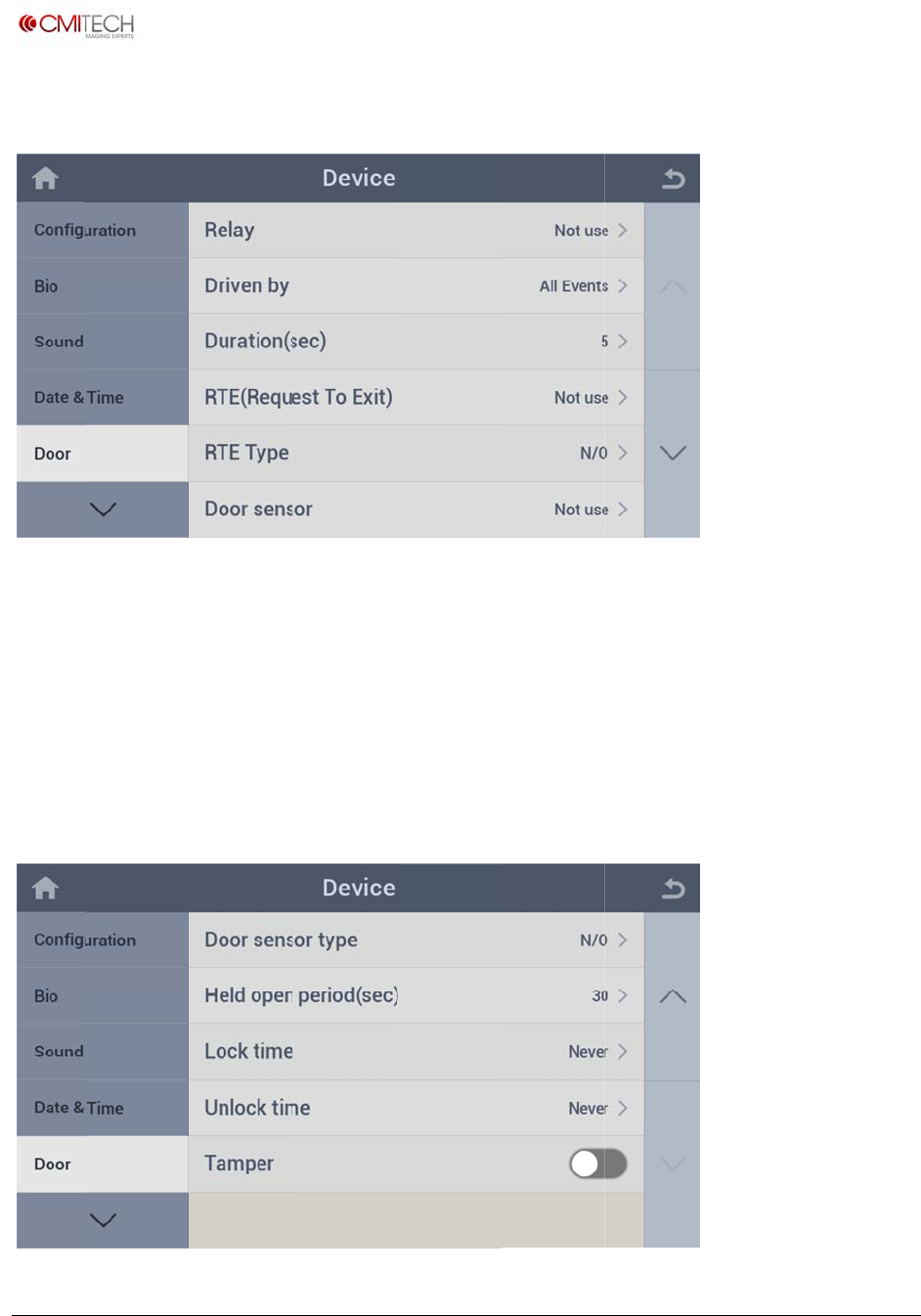
1.5 D
o
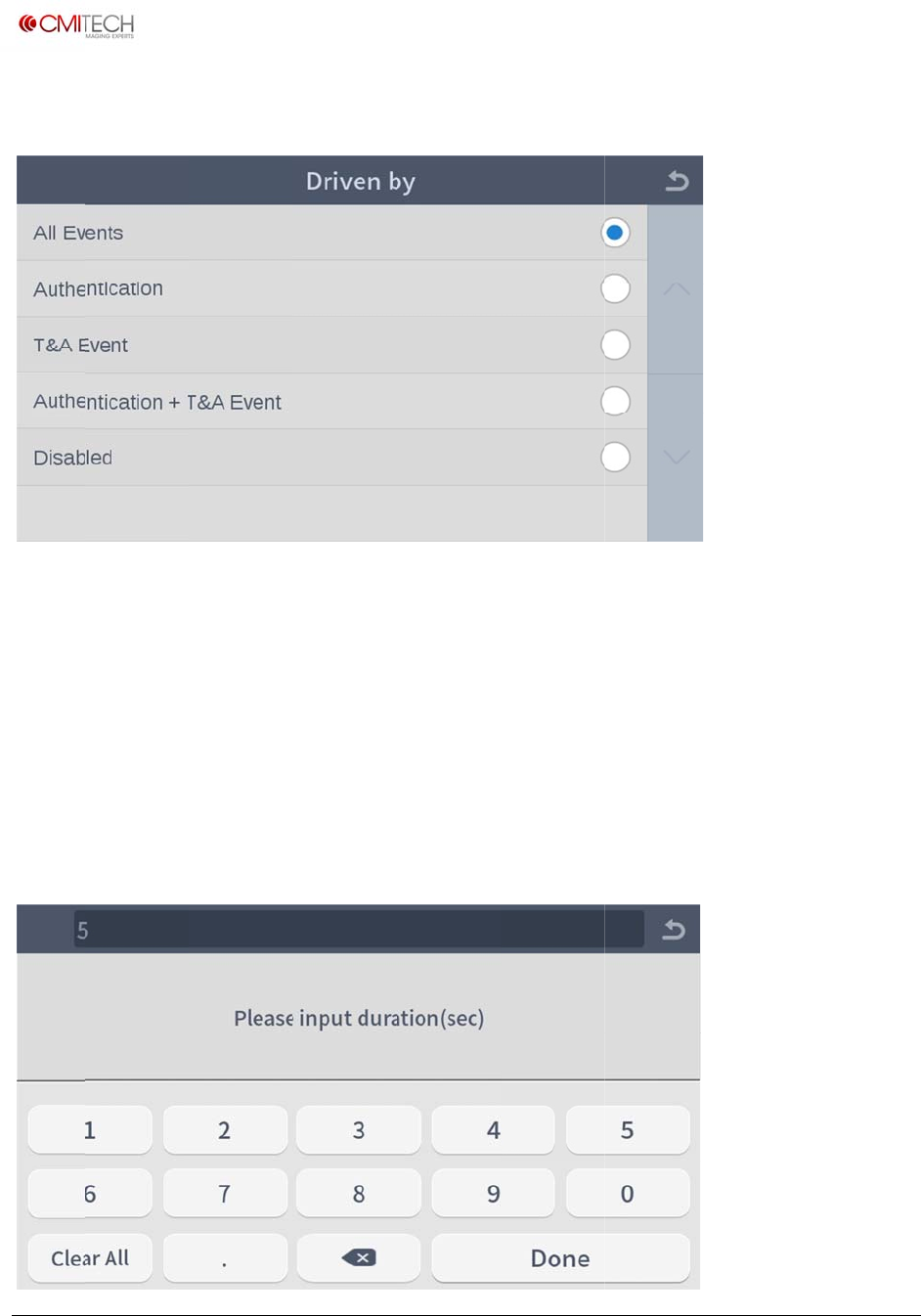
Relay
Driven
Durati
o
RTE (R
e
RTE Ty
p
Door s
e
i
‐tech.com
t
2016,allrig
h
o
or
by
o
n (sec)
e
quest to E
x
p
e
e
nsor
h
tsreserved
S
e
S
e
S
e
x
it) S
e
S
e
S
e
e
lect a doo
r
e
lect an ev
e
e
t time dur
a
e
lect a doo
r
e
lect a doo
r
e
lect a doo
r
r
open rela
y
e
nt mode f
o
a
tion for d
o
r
exit butto
n
r
exit butto
n
r
sensor (N
o
y
o
r door ope
n
o
or open rel
a
n
(Note: in
c
n
operating
o
te: in cons
t
U
M
n
rela
y
a
y operatio
c
onstructio
n
type (Note
:
t
ruction)
M
X‐10UserM
a
n
n
)
:
in constru
c
a
nual,v0.1.1
July2016
c
tion)
www.cm
i
Copyrigh
t
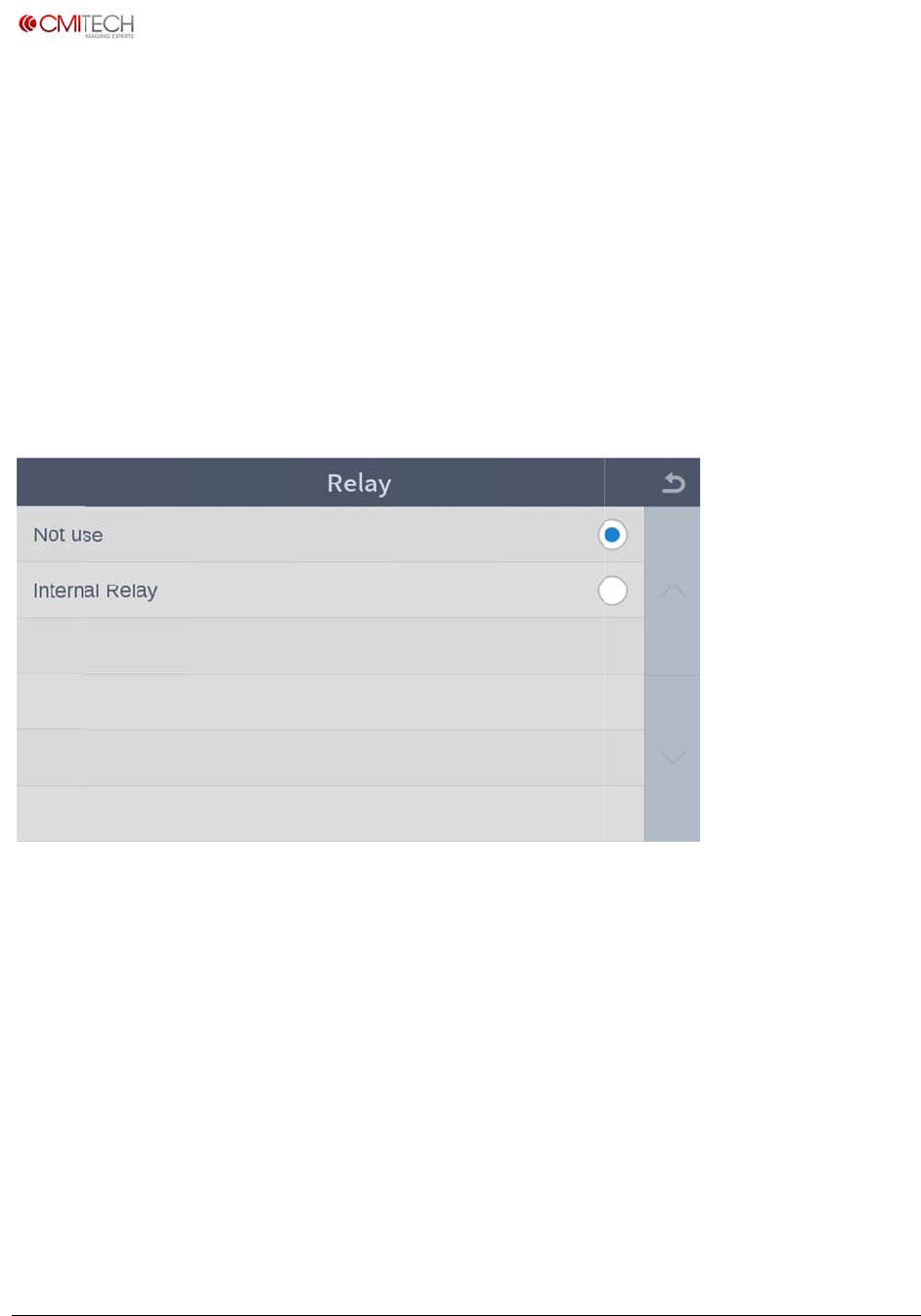
Door s
e
Held o
p
Lock ti
m
Unlock
Tampe
r
1.5.1
D
Not us
e
Interna
i
‐tech.com
t
2016,allrig
h
e
nsor type
p
en period
m
e
time
r
D
oor Re
e
l Relay
h
tsreserved
S
e
(sec) S
e
S
e
S
e
S
e
lay
S
e
S
e
e
lect door
s
e
t time dur
a
e
t door loc
k
e
t door unl
o
e
lect enabl
e
e
lect not u
s
e
lect intern
a
s
ensor oper
a
a
tion for d
o
k
time (not
e
o
ck time (n
o
e
/disable fo
s
e
a
l relay
a
ting type (
o
or open op
e
: in constru
o
te: in cons
t
r tamper (o
f
U
M
note: in co
n
eration (no
t
ction)
t
ruction)
f
f the wall
d
M
X‐10UserM
a
n
struction)
t
e: in const
r
d
etection) o
a
nual,v0.1.1
July2016
r
uction)
peration
www.cm
i
Copyrigh
t
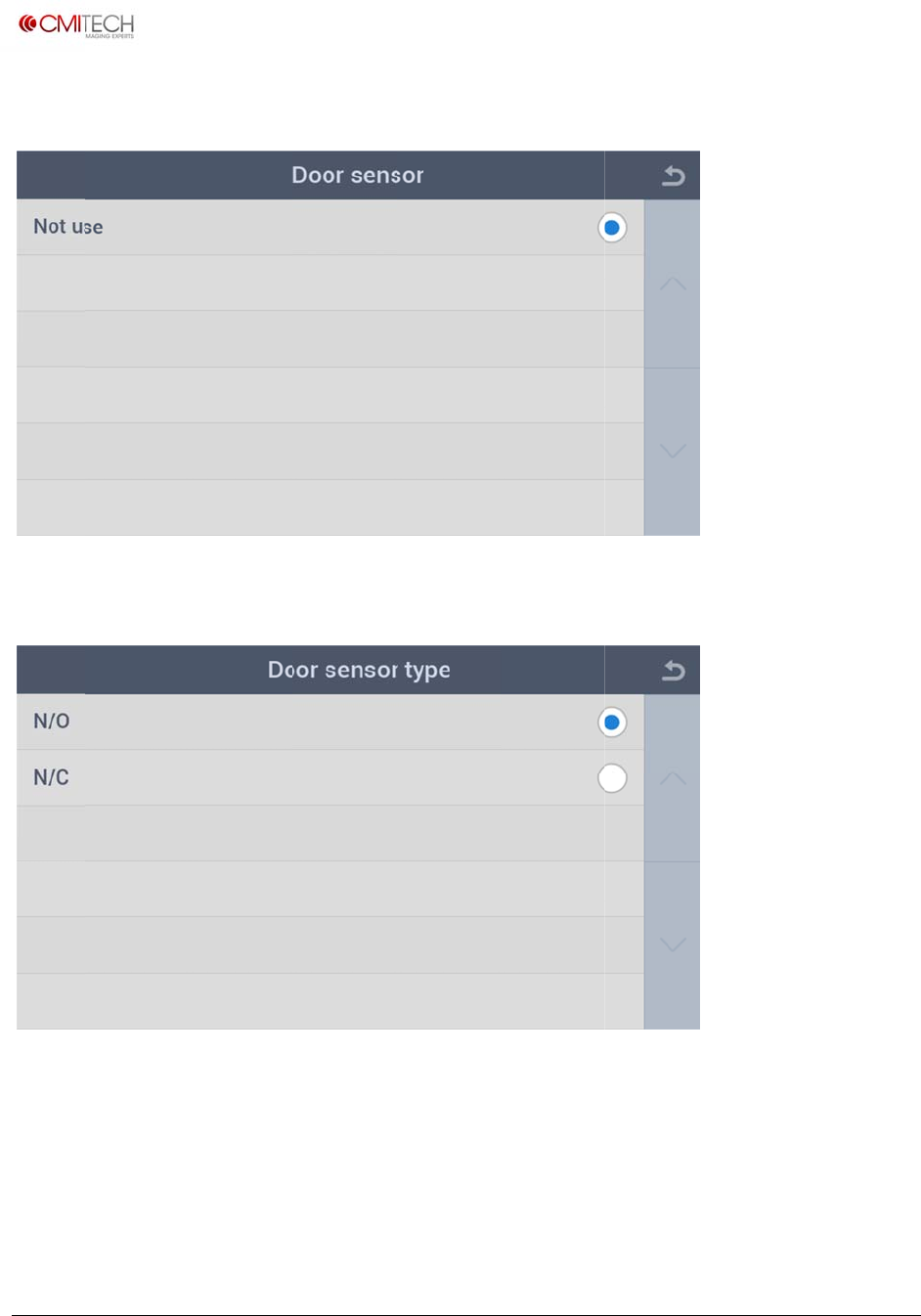
1.5.2
D
All Eve
n
Authe
n
T&A E
v
Authe
n
Disabl
e
1.5.3
D
i
‐tech.com
t
2016,allrig
h
D
oor Dr
i
n
ts
n
tication
v
ent
n
tication +
T
e
d
D
oor D
u
h
tsreserved
i
ven by
T
&A Event
u
ration (s
e
Select do
o
Select do
o
Select do
o
Select do
o
Select do
o
e
c)
o
r open for
o
r open for
o
r open for
o
r open for
o
r open dis
a
all events
authenticat
T&A event
authenticat
a
ble
U
M
ion event
ion plus T
&
M
X‐10UserM
a
&
A event
a
nual,v0.1.1
July2016
www.cm
i
Copyrigh
t
1.5.4
D
1.5.5
D
N/O
N/C
i
‐tech.com
t
2016,allrig
h
D
oor D
o
D
oor D
o
h
tsreserved
o
or Senso
r
o
or Senso
r
S
e
S
e
r
r
Type
e
lect door
e
e
lect door
e
e
xit button
s
e
xit button
s
s
ensor as N
o
s
ensor as N
o
U
M
ormal Ope
n
ormal Clos
e
M
X‐10UserM
a
n
type
e
type
a
nual,v0.1.1
July2016
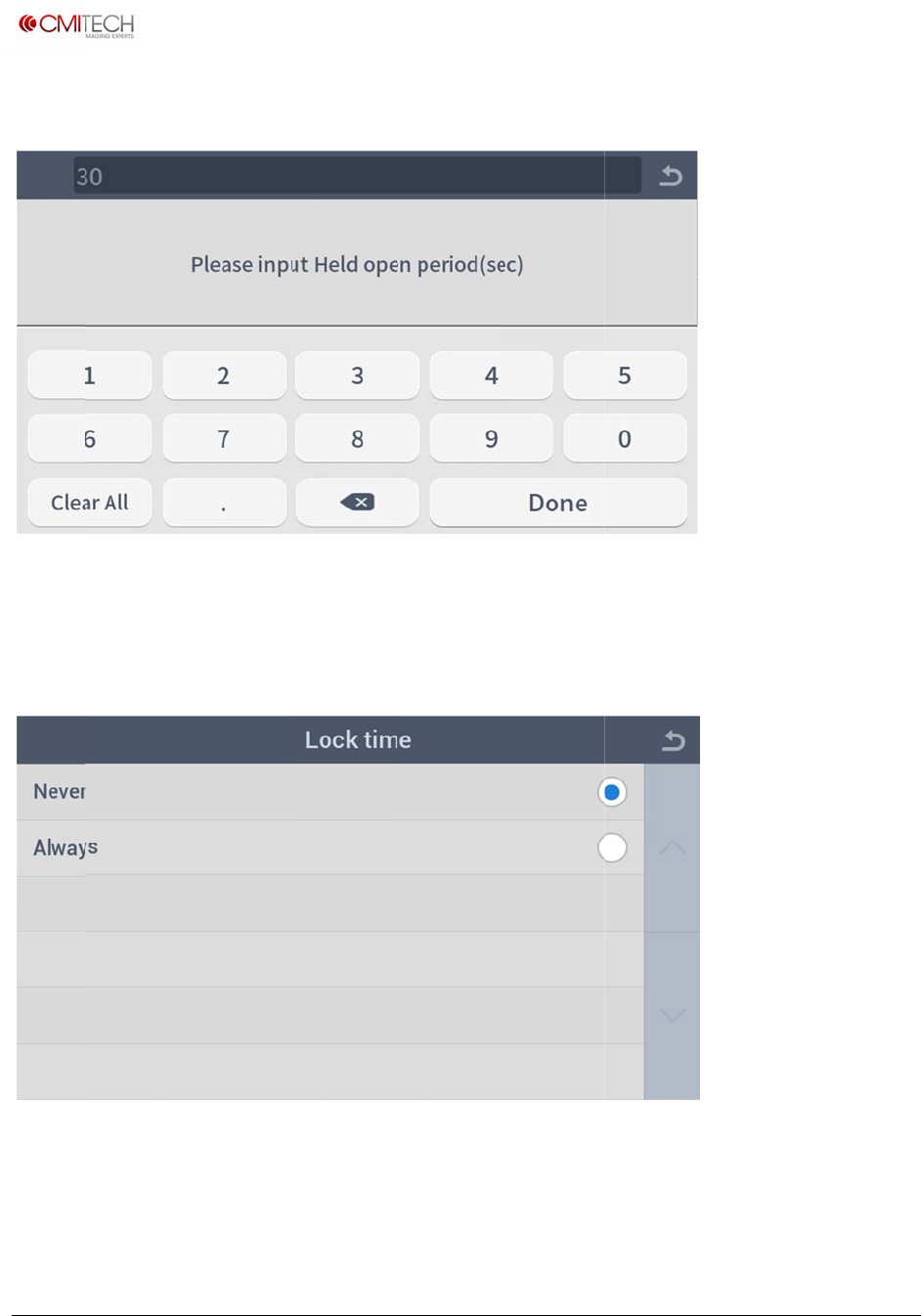
www.cm
i
Copyrigh
t
1.5.6
D
1.5.7
D
Never
Always
i
‐tech.com
t
2016,allrig
h
D
oor H
e
D
oor Lo
c
h
tsreserved
e
ld Open
P
c
k Time
S
e
S
e
P
eriod (se
c
e
lect door l
o
e
lect door l
o
c
)
o
ck time --
o
ck time --
never
always
U
M
M
X‐10UserM
a
a
nual,v0.1.1
July2016
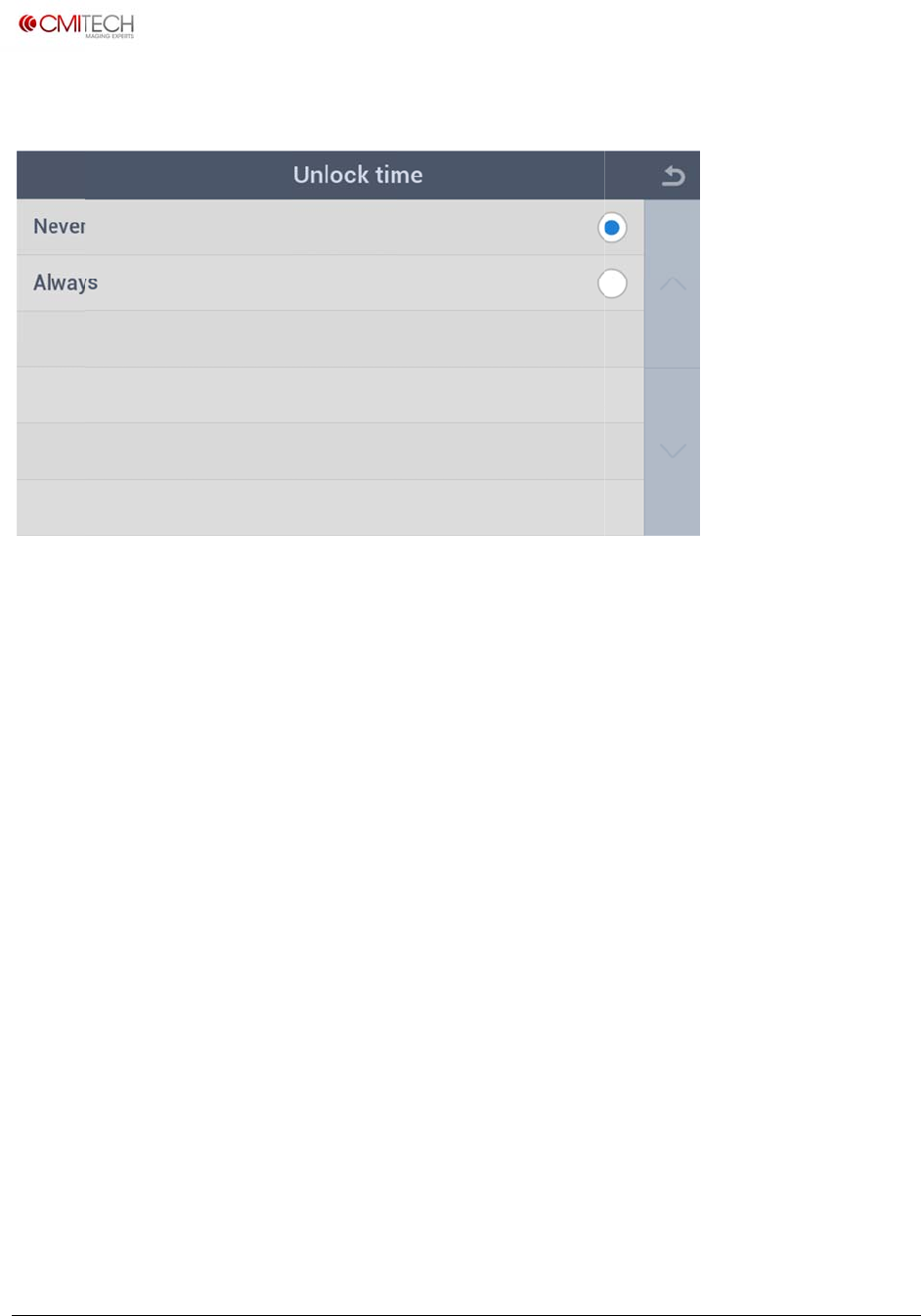
www.cm
i
Copyrigh
t
1.5.8
D
Never
Always
i
‐tech.com
t
2016,allrig
h
D
oor U
n
h
tsreserved
n
lock Tim
e
S
e
S
e
e
e
lect door
u
e
lect door
u
u
nlock time
u
nlock time
-- never
-- always
U
M
M
X‐10UserM
a
a
nual,v0.1.1
July2016
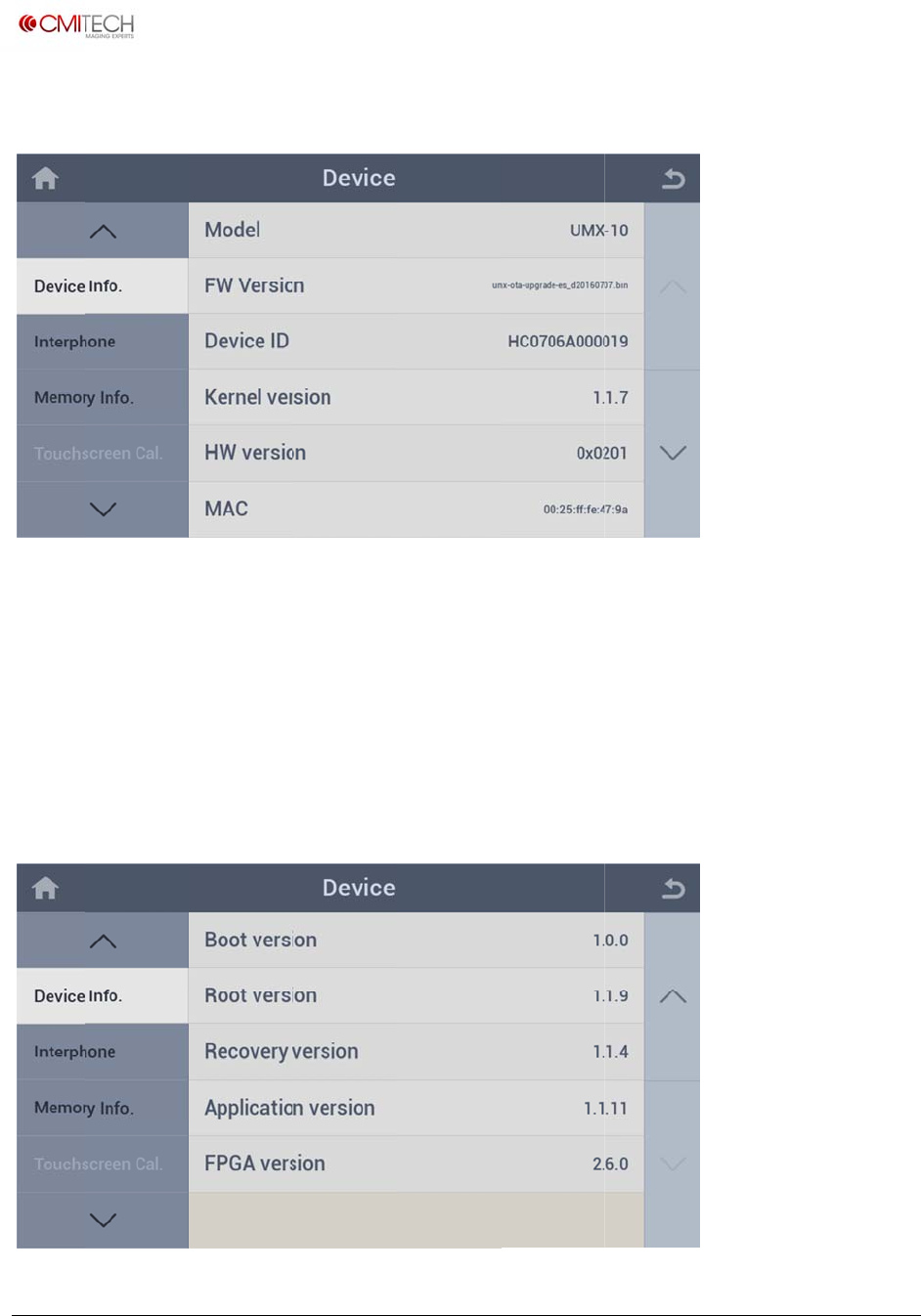
www.cm
i
Copyrigh
t
1.6 D
e
Model
FW Ve
r
Device
Kernel
v
HW ve
r
MAC
i
‐tech.com
t
2016,allrig
h
e
vice Info
r
sion
ID
v
ersion
r
sion
h
tsreserved
M
V
I
d
R
R
M
M
odel name
ersion nam
e
d
entificatio
n
evision nu
m
evision nu
m
M
AC addres
s
of this dev
i
e
of release
n
number o
f
m
ber of ker
n
m
ber of har
d
s
of this de
v
i
ce
d firmware
f
this devic
e
n
el
d
ware boar
d
v
ice
U
M
(F/W) file
e
d
M
X‐10UserM
a
a
nual,v0.1.1
July2016

www.cm
i
Copyrigh
t
Boot v
e
Root v
e
Recove
Applic
a
FPGA v
i
‐tech.com
t
2016,allrig
h
e
rsion
e
rsion
ry version
a
tion
v
ersi
o
ersion
h
tsreserved
R
R
R
o
n R
R
evision nu
m
evision nu
m
evision nu
m
evision nu
m
evision nu
m
m
ber of boo
m
ber of roo
t
m
ber of rec
o
m
ber of Lau
n
m
ber of Ca
m
t loader
t
file syste
m
o
very firmw
a
n
cher appli
c
m
era FPGA f
i
U
M
m
a
re
c
ation
i
rmware
M
X‐10UserM
a
a
nual,v0.1.1
July2016
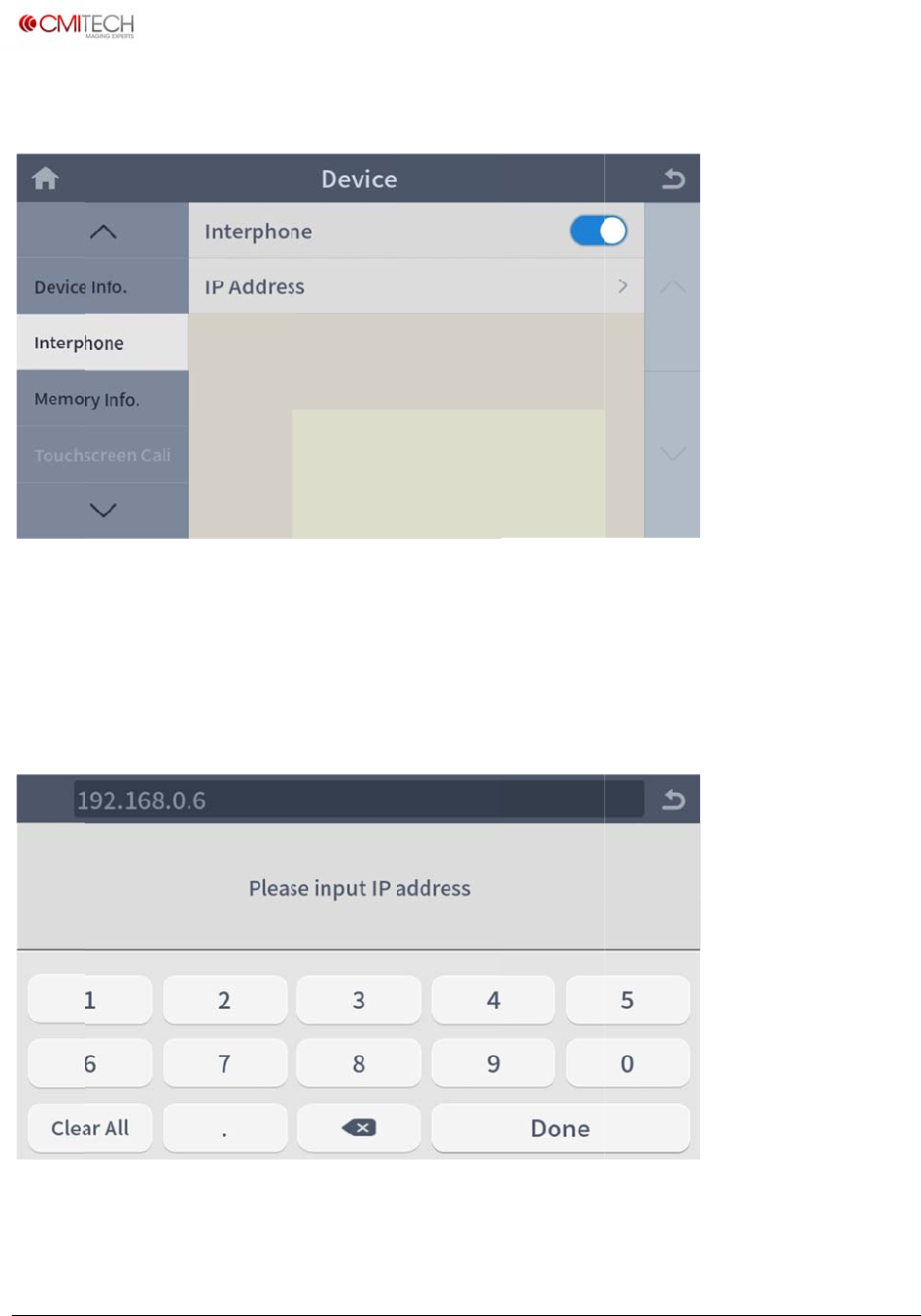
www.cm
i
Copyrigh
t
1.7 In
t
Interp
h
IP Add
r
1.7.1 I
n
i
‐tech.com
t
2016,allrig
h
t
erphone
h
one
r
ess
n
terphone
h
tsreserved
S
e
I
P
c
o
IP Addr
e
e
lect enabl
e
P
address o
f
o
nstruction
)
e
ss
e
/disable fo
f
PC which i
)
r interphon
e
nterphone
p
U
M
e use (note
:
p
rogram is
i
M
X‐10UserM
a
:
in constru
c
i
nstalled (n
o
a
nual,v0.1.1
July2016
c
tion)
o
te: in
www.cm
i
Copyrigh
t
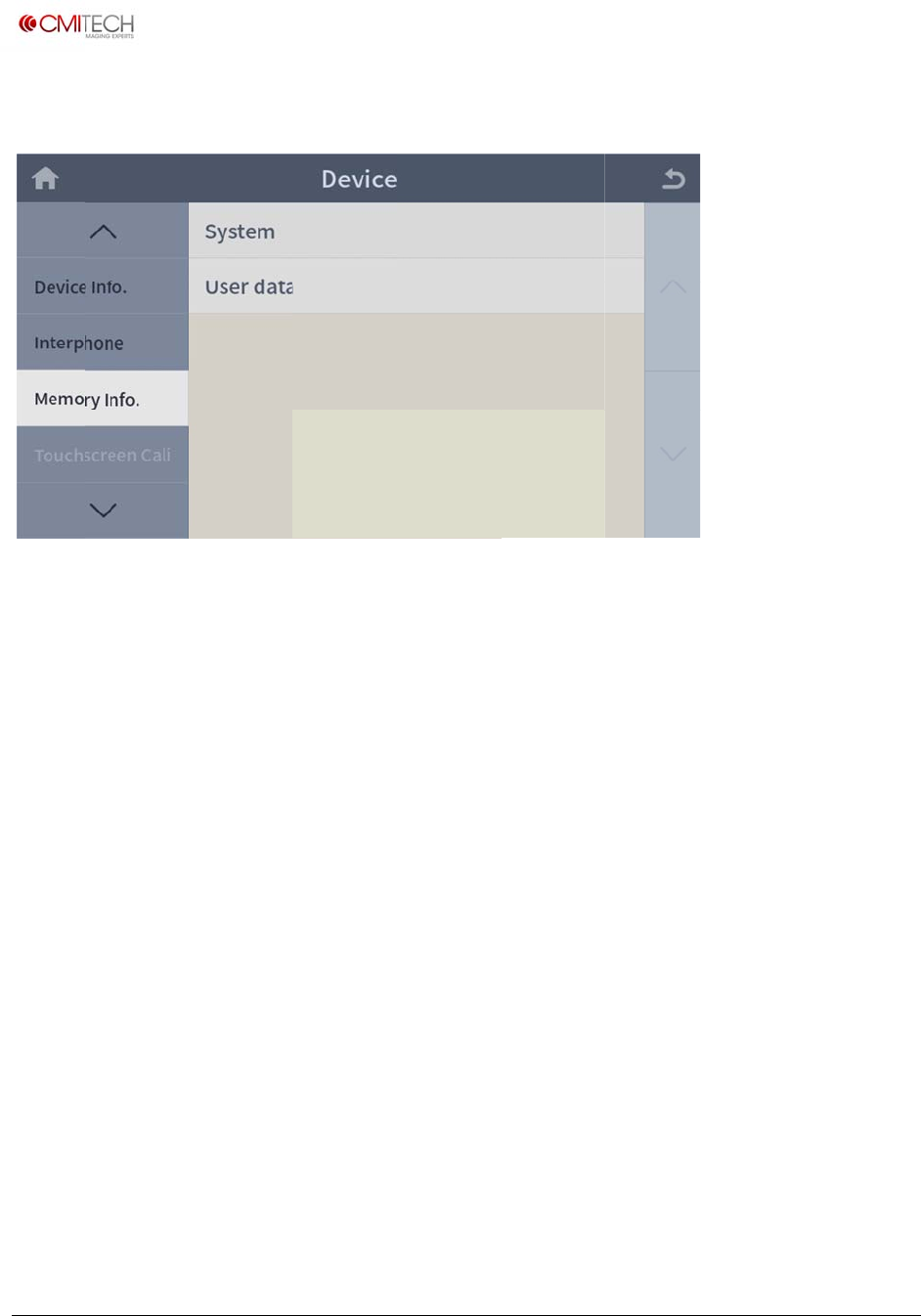
1.8 M
e
System
User d
a
i
‐tech.com
t
2016,allrig
h
e
mory In
f
a
ta
h
tsreserved
f
o
M
M
M
emory cap
a
M
emory cap
a
a
city of sys
t
a
city of use
t
em area (n
o
r area (not
e
U
M
o
te: in cons
t
e
: in constru
M
X‐10UserM
a
t
ruction)
ction)
a
nual,v0.1.1
July2016
www.cm
i
Copyrigh
t
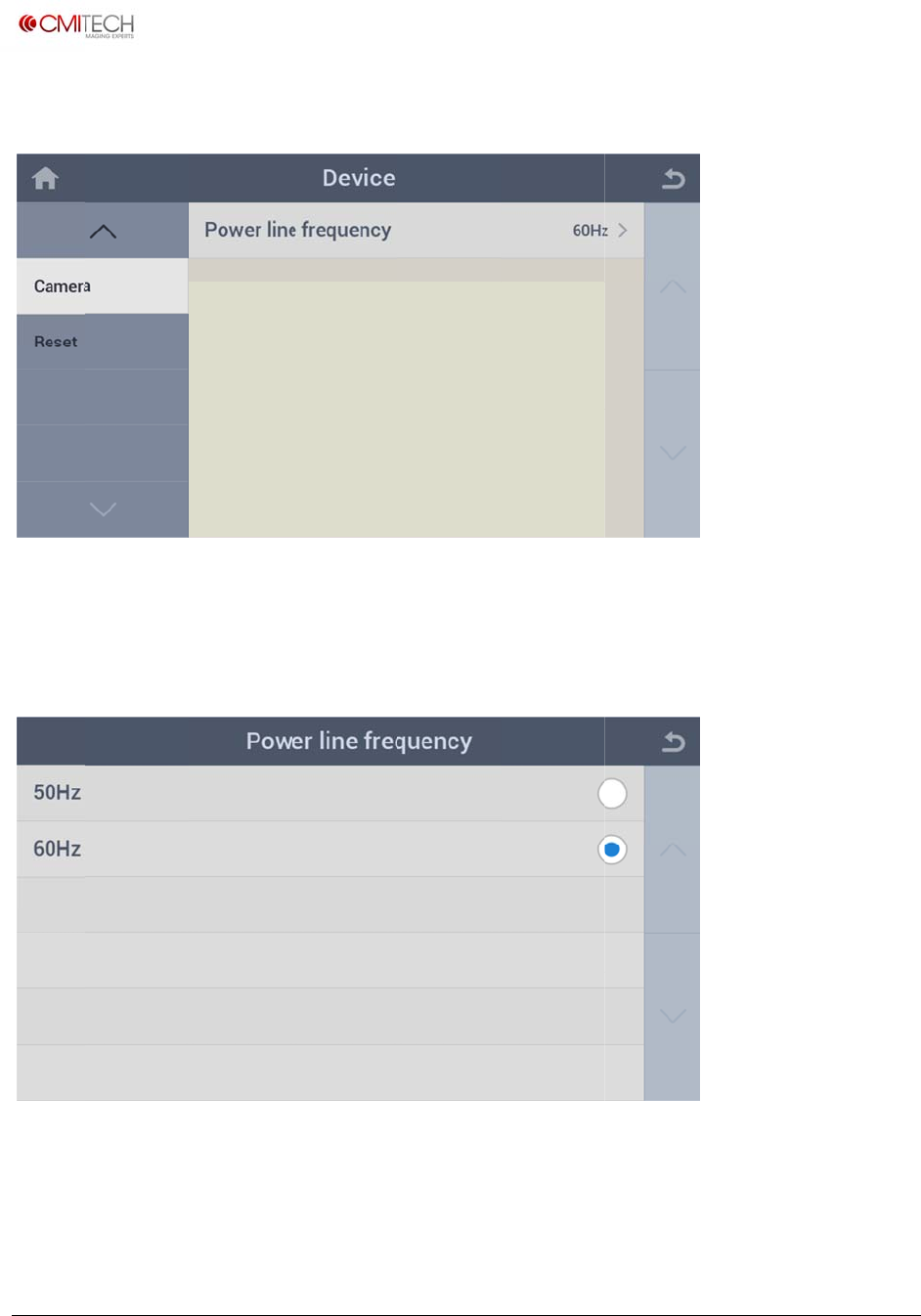
1.9 Ca
Power
l
1.9.1
C
50Hz
60Hz
i
‐tech.com
t
2016,allrig
h
mera
l
ine freque
C
amera
h
tsreserved
ncy S
e
Power Li
n
S
e
S
e
e
lect powe
r
n
e Freque
n
e
lect powe
r
e
lect powe
r
r
line frequ
e
n
cy
r
line frequ
e
r
line frequ
e
e
ncy that su
e
ncy to 50H
z
e
ncy to 60H
z
U
M
pplying to
d
z
z
M
X‐10UserM
a
d
evice
a
nual,v0.1.1
July2016
www.cm
i
Copyrigh
t
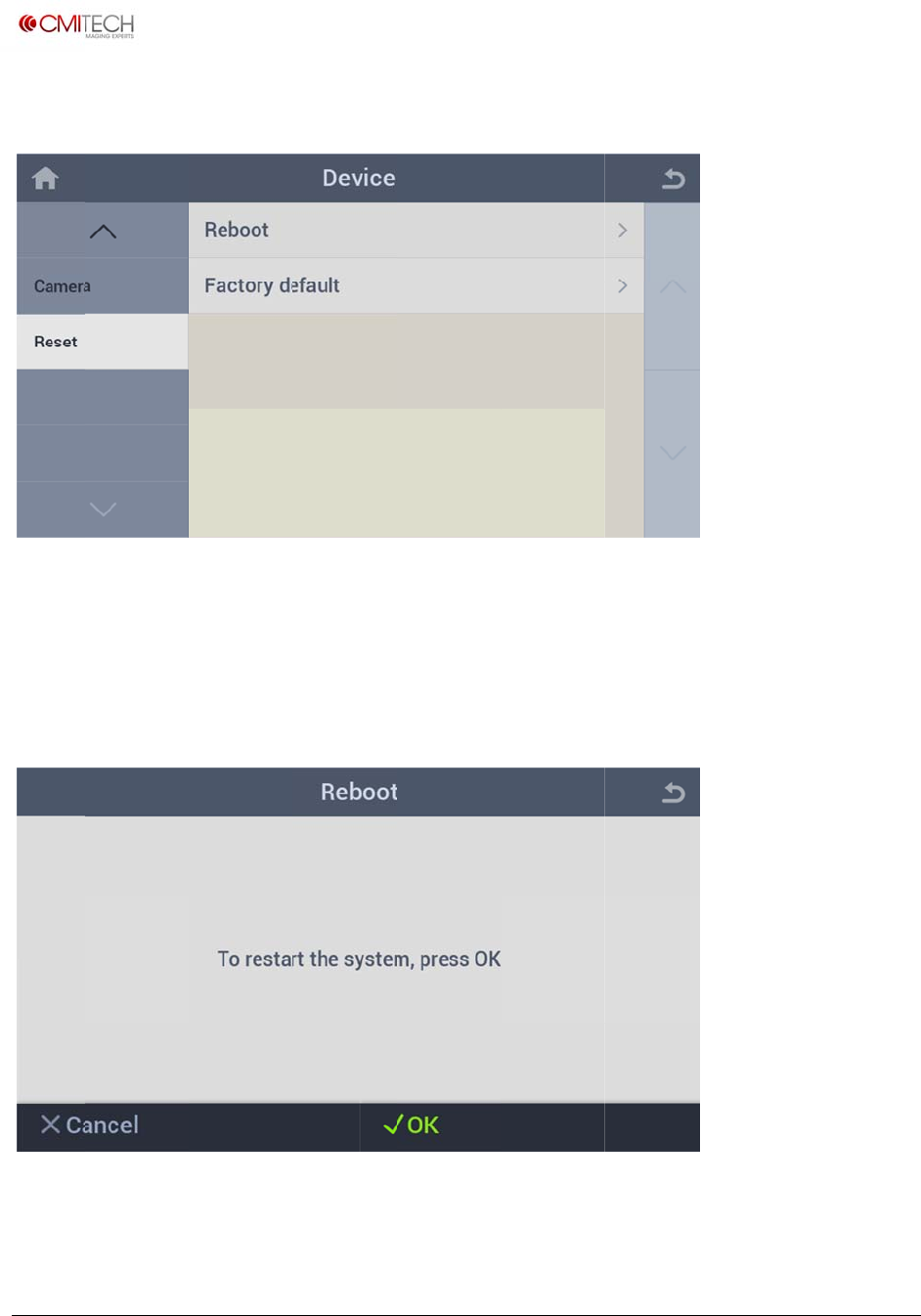
1.10
R
Reboo
t
Factor
y
1.10.1
i
‐tech.com
t
2016,allrig
h
R
eset
t
y
Default
Reset
R
h
tsreserved
R
R
R
eboot
eboot devi
c
eset all con
f
c
e
figuration settings and
/
U
M
/
or delete
a
M
X‐10UserM
a
a
ll user data
a
nual,v0.1.1
July2016
www.cm
i
Copyrigh
t
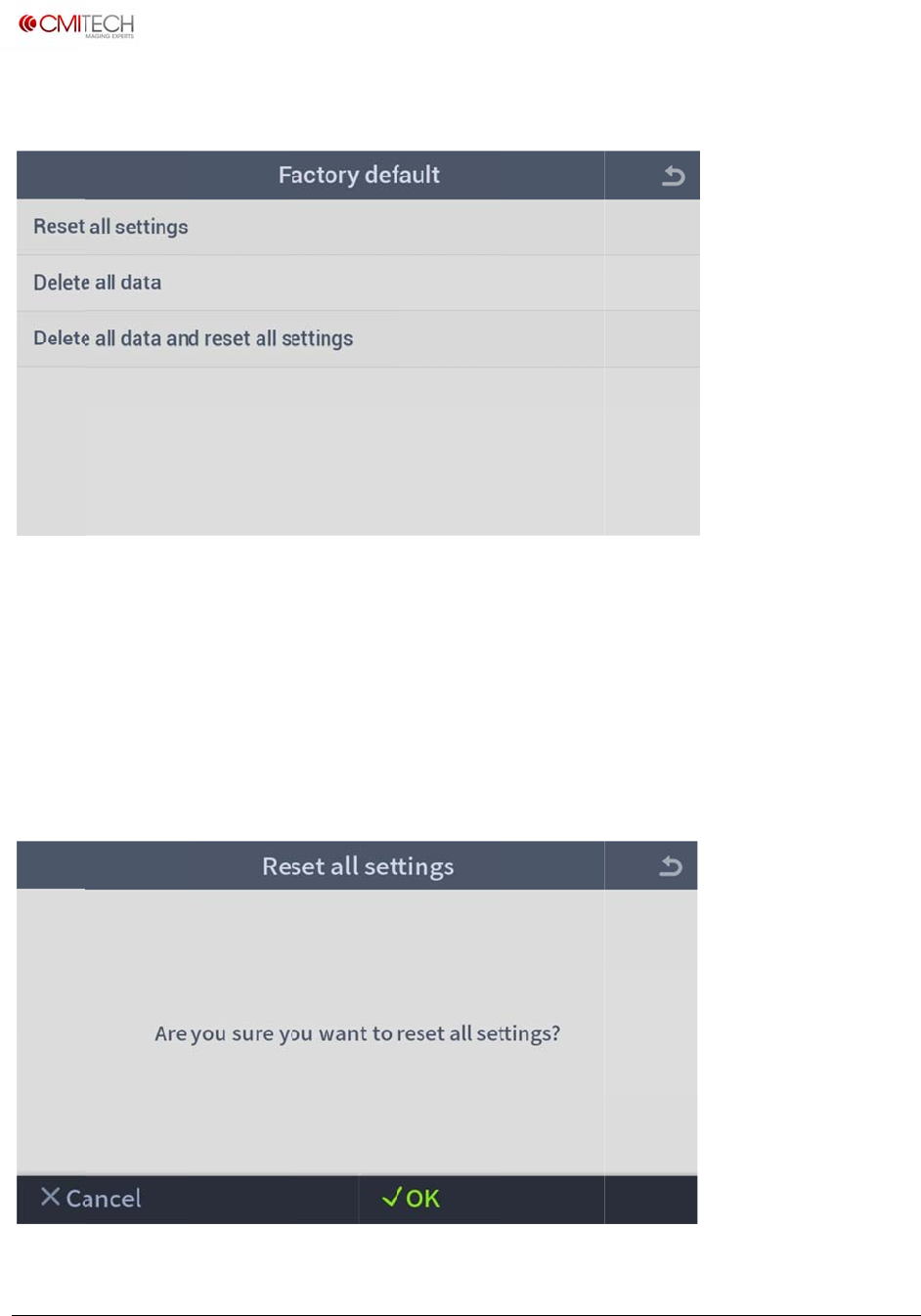
1.10.2
Reset a
Delete
a
Delete
a
1.10.2.
i
‐tech.com
t
2016,allrig
h
Reset
F
ll settings
a
ll data
a
ll data an
d
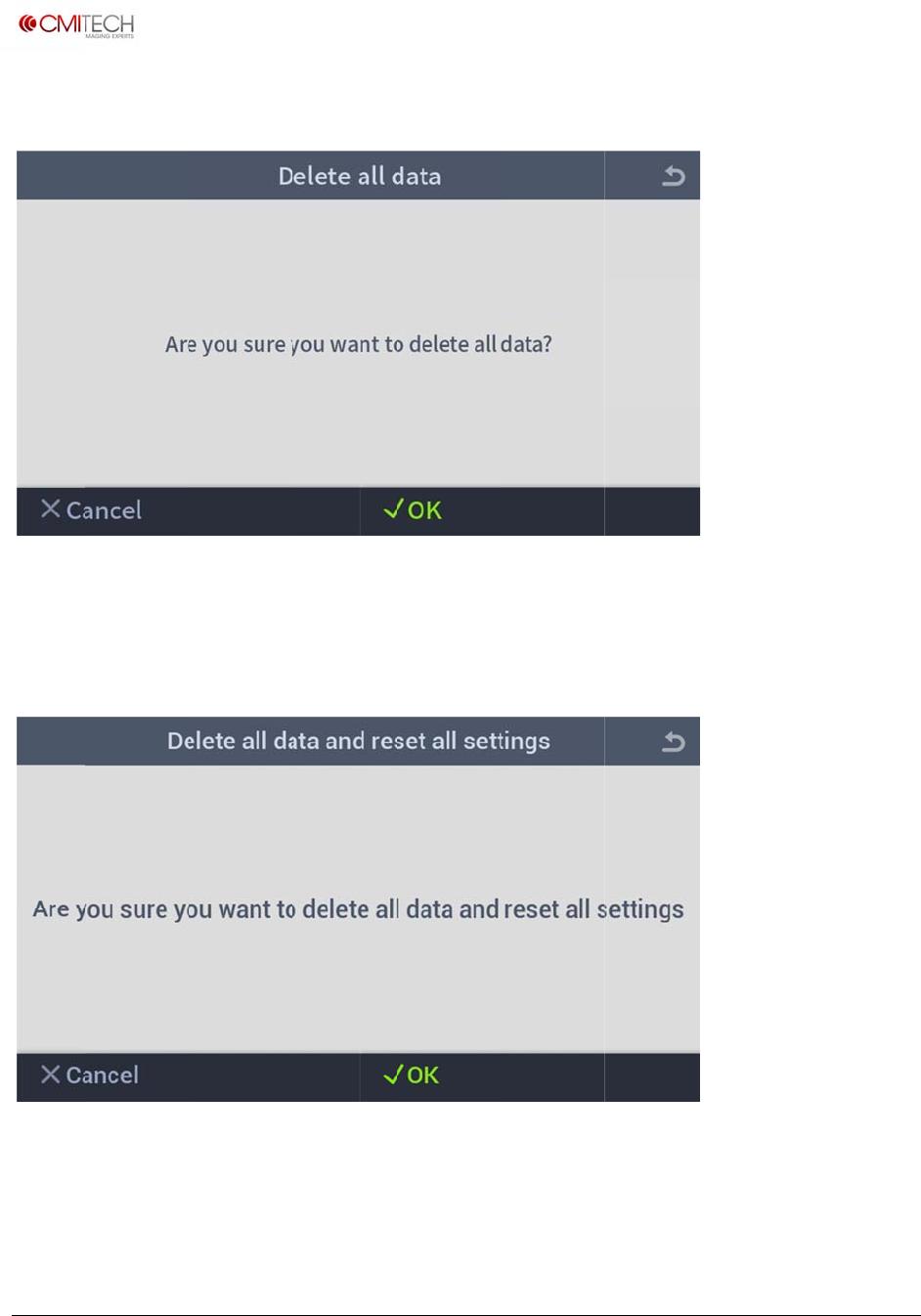
1 Reset
h
tsreserved
F
actory D
e
R
D
d
reset all
c
a
l
Factory
D
e
fault
eset all con
f
D
elete all us
e
c
onfigurati
l
l user data
D
efault
figuration s
e
r data
on setting
s
Reset All
S
ettings
s
Reset all
c
S
ettings
U
M
c
onfigurati
o
M
X‐10UserM
a
o
n settings
a
a
nual,v0.1.1
July2016
a
nd delete
www.cm
i
Copyrigh
t
1.10.2.
1.10.2.
i
‐tech.com
t
2016,allrig
h
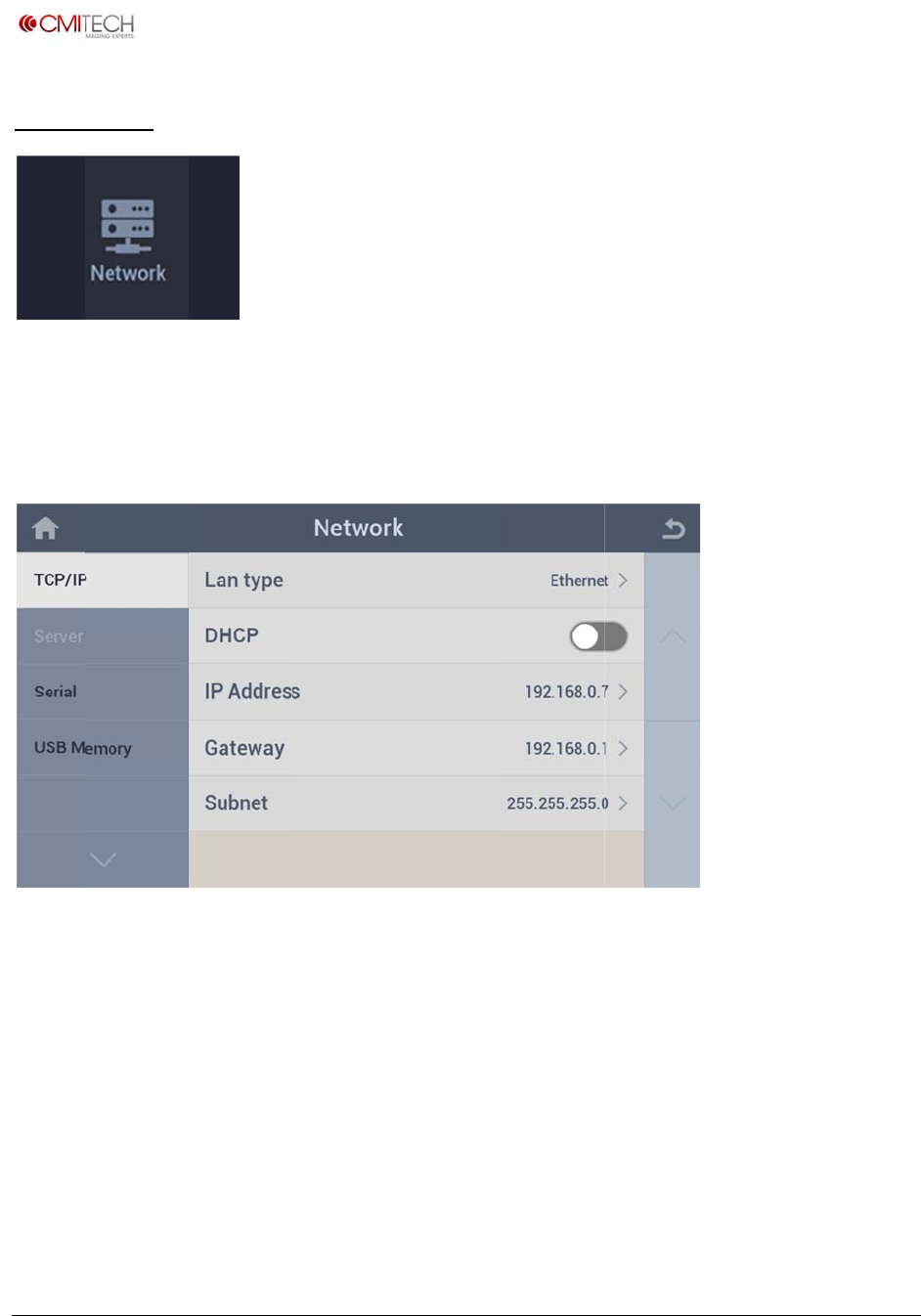
2 Reset
3 Reset
h
tsreserved
Factory
D
Factory
D
D
efault
D
efault
Delete Al
l
Delete Al
l
l
Data
l
Data and
U
M
d
Reset All
M
X‐10UserM
a
Settings
a
nual,v0.1.1
July2016
www.cm
i
Copyrigh
t
2 Ne
t
Config
u
2.1 T
C
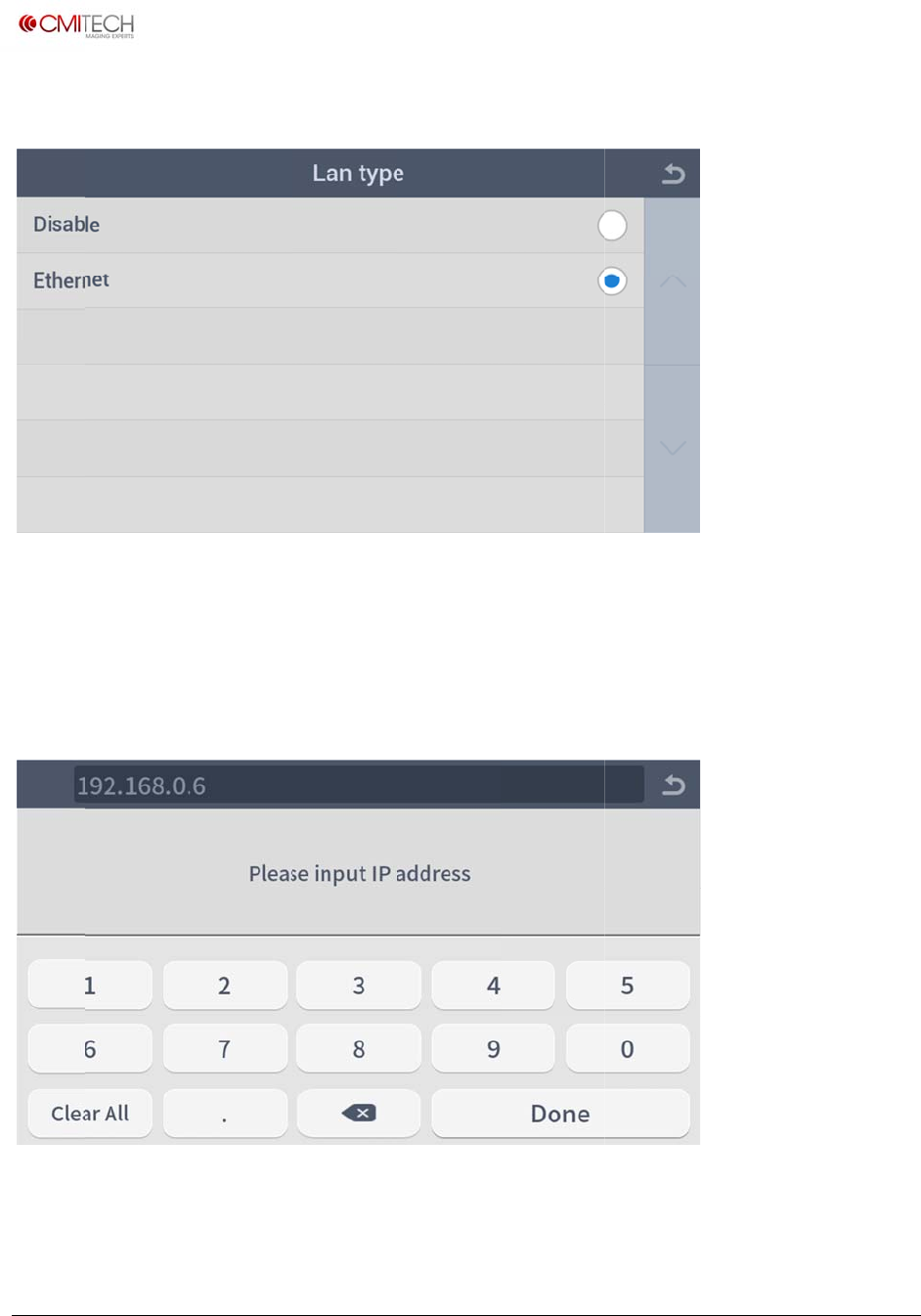
LAN t
yp
DHCP
IP Add
r
Gatew
a
Subnet
i
‐tech.com
t
2016,allrig
h
t
work
u
re setting
C
P/IP
p
e
r
ess
a
y
h
tsreserved
s for IP an
d
S
e
S
e
S
e
S
e
S
e
d
serial co
m
e
lect a type
e
lect enabl
e
e
t static IP
a
e
t static ga
t
e
t static su
b
m
municati
o
of LAN
e
/disable D
H
a
ddress
t
eway IP ad
d
b
net mask
o
n.
H
CP mode
d
ress
U
M
M
X‐10UserM
a
a
nual,v0.1.1
July2016
www.cm
i
Copyrigh
t
2.1.1 T
C
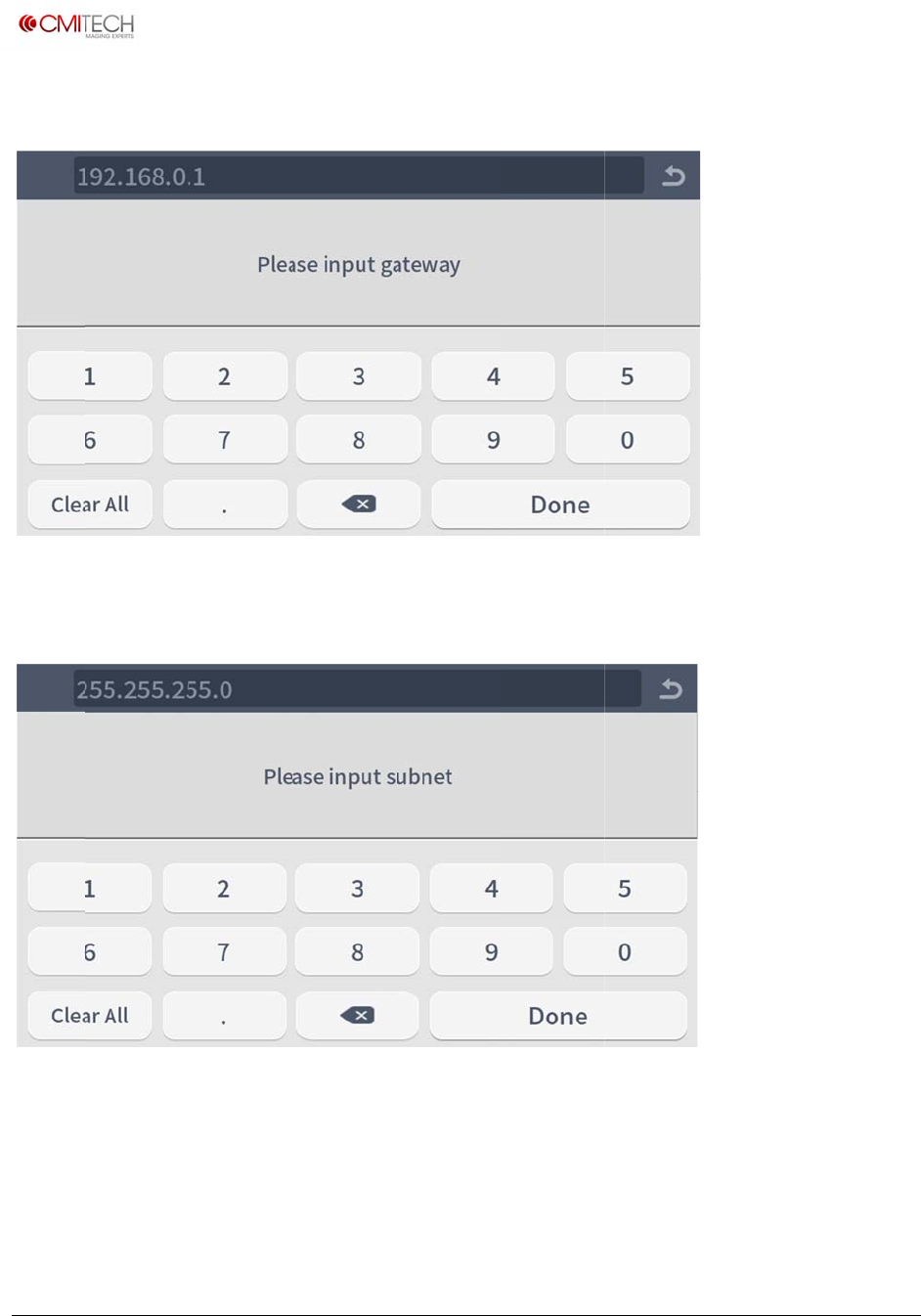
Disabl
e
Ethern
e
2.1.2 T
C
i
‐tech.com
t
2016,allrig
h
C
P/IP L
A
e
e
t
C
P/IP IP
h
tsreserved
A
N Type
D
S
e
Address
D
isable LAN
e
lect Ether
n
use
n
et for LAN use
U
M
M
X‐10UserM
a
a
nual,v0.1.1
July2016
www.cm
i
Copyrigh
t
2.1.3
T
2.1.4
T
i
‐tech.com
t
2016,allrig
h
T
CP/IP
G
T
CP/IP
S
h
tsreserved
G
ateway
S
ubnet
U
M
M
X‐10UserM
a
a
nual,v0.1.1
July2016
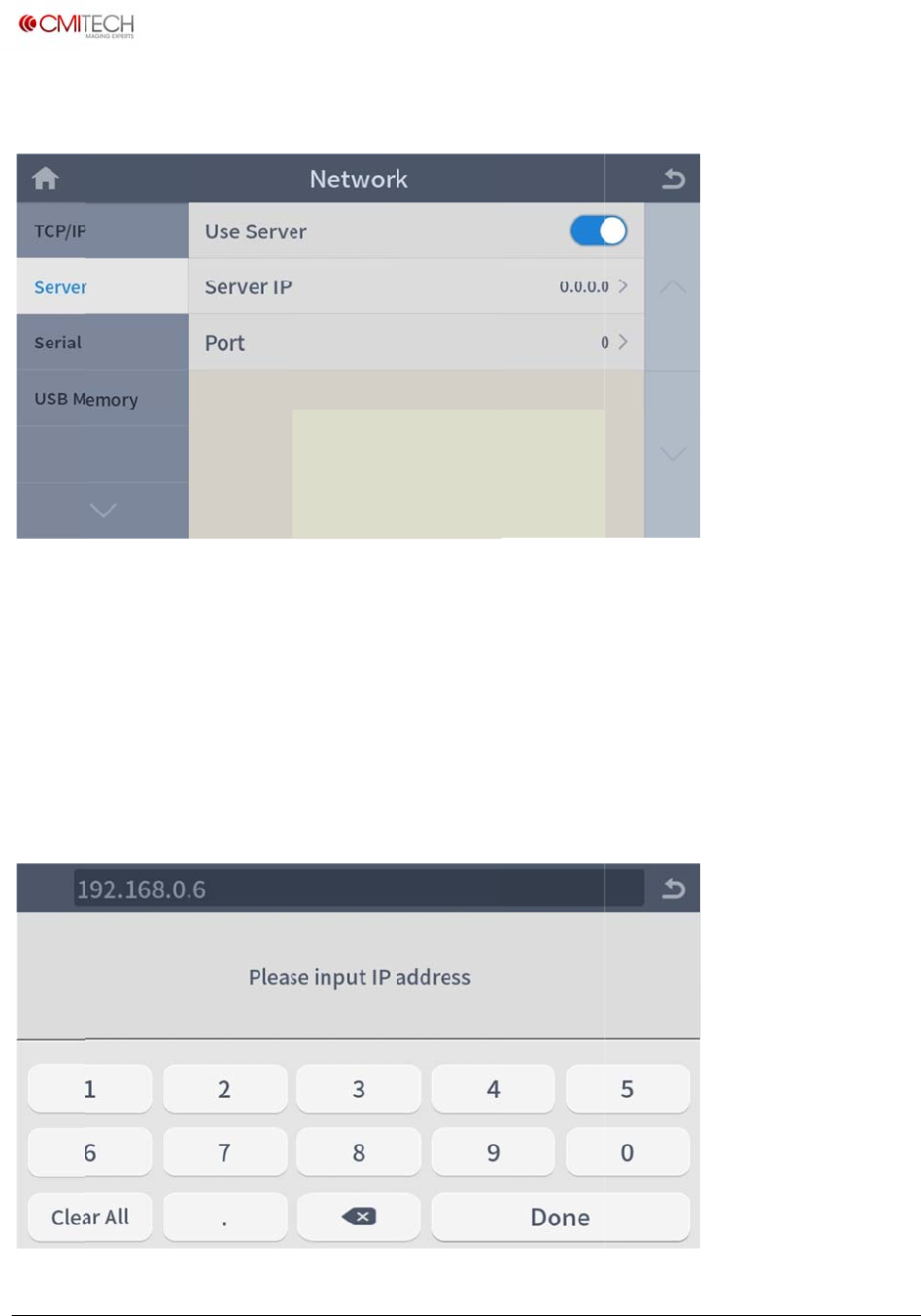
www.cm
i
Copyrigh
t
2.2 Se
r
(Curren
t
Use Se
r
Server
I
Port
2.2.1 S
e
i
‐tech.com
t
2016,allrig
h
rver
t
ly settled s
e
r
ver
I
P
e
rver Se
r
h
tsreserved
e
rver is CM
I
S
e
S
e
(
N
r
ver IP
I
D PC for ti
m
e
lect enabl
e
e
t IP addre
s
N
ote: To be
m
e sync)
e
/disable fo
s
s of server
eliminated
)
r server us
e
(Note: In c
o
)
U
M
e
(Note: In c
o
o
nstruction)
M
X‐10UserM
a
o
nstruction
)
a
nual,v0.1.1
July2016
)
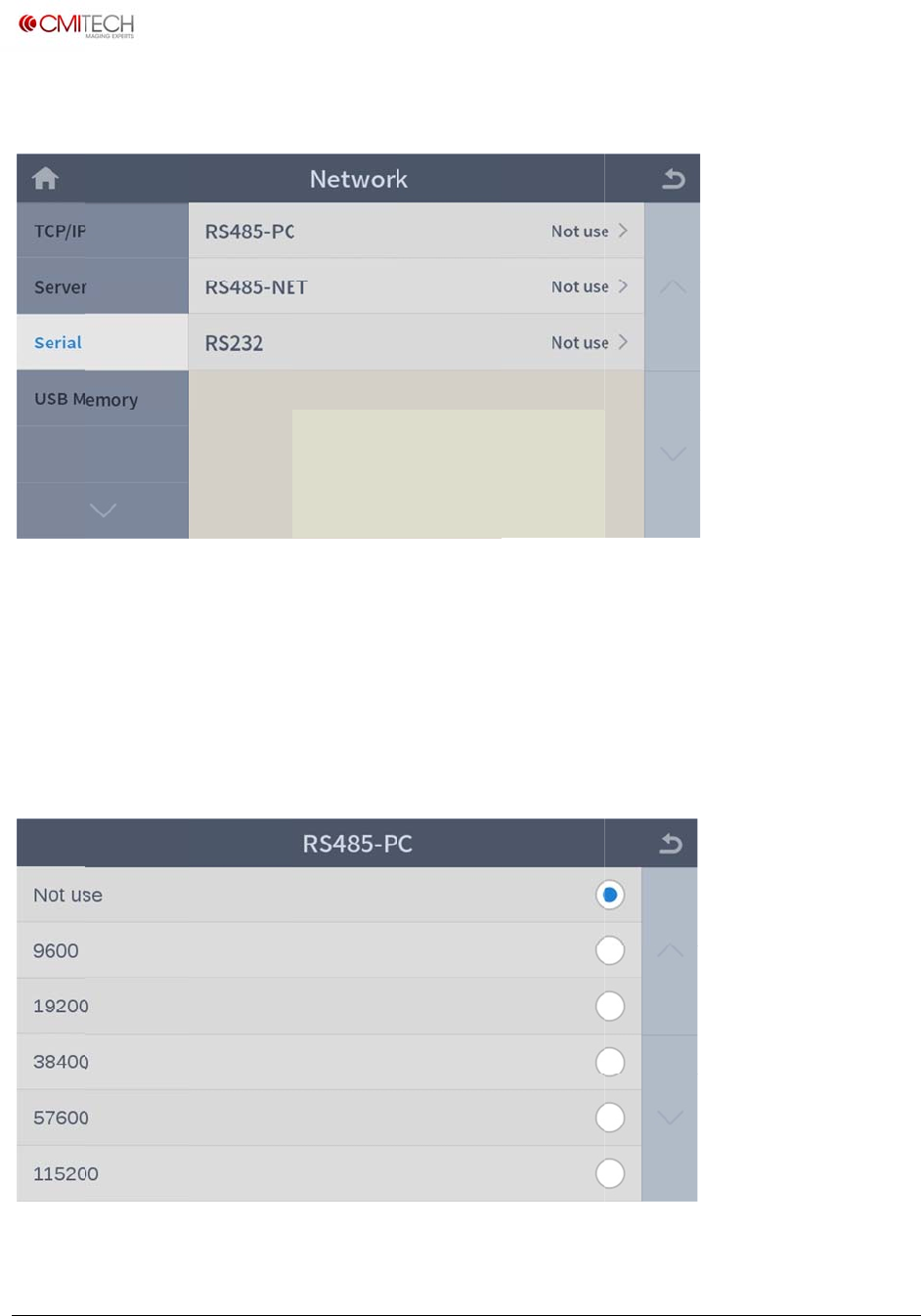
www.cm
i
Copyrigh
t
2.3 Se
r
RS485-
RS485-
RS232
2.3.1 S
i
‐tech.com
t
2016,allrig
h
rial
PC
NET
erial R
S
h
tsreserved
S
e
S
e
S
e
S
485-PC
e
lect a bau
d
e
lect an op
e
e
lect a bau
d
d
rate for R
S
e
rating mo
d
d
rate for R
S
S
485 (note:
d
e for RS48
5
S
232 (note:
U
M
in construc
t
5
(note: in
c
in construc
t
M
X‐10UserM
a
t
ion)
c
onstructio
n
t
ion)
a
nual,v0.1.1
July2016
n
)
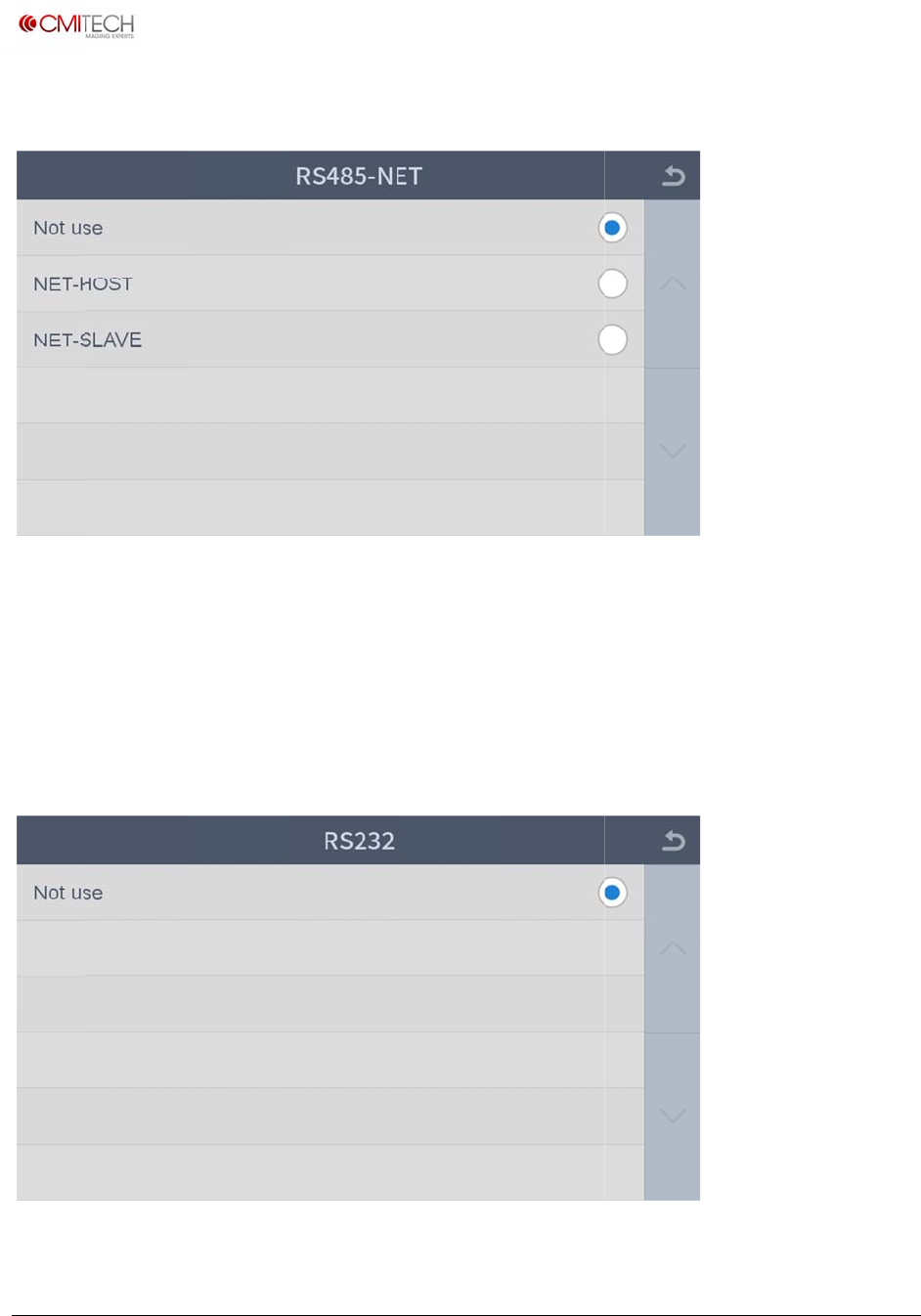
www.cm
i
Copyrigh
t
2.3.2 S
Not us
e
NET-H
O
NET-SL
2.3.3 S
i
‐tech.com
t
2016,allrig
h
erial R
S
e
O
ST
AVE
erial R
S
h
tsreserved
S
485-NET
D
S
e
S
e
S
232
D
isable RS4
8
e
t RS485 o
p
e
t RS485 o
p
8
5
p
erating m
o
p
erating m
o
o
de as host
o
de as slave
U
M
M
X‐10UserM
a
a
nual,v0.1.1
July2016
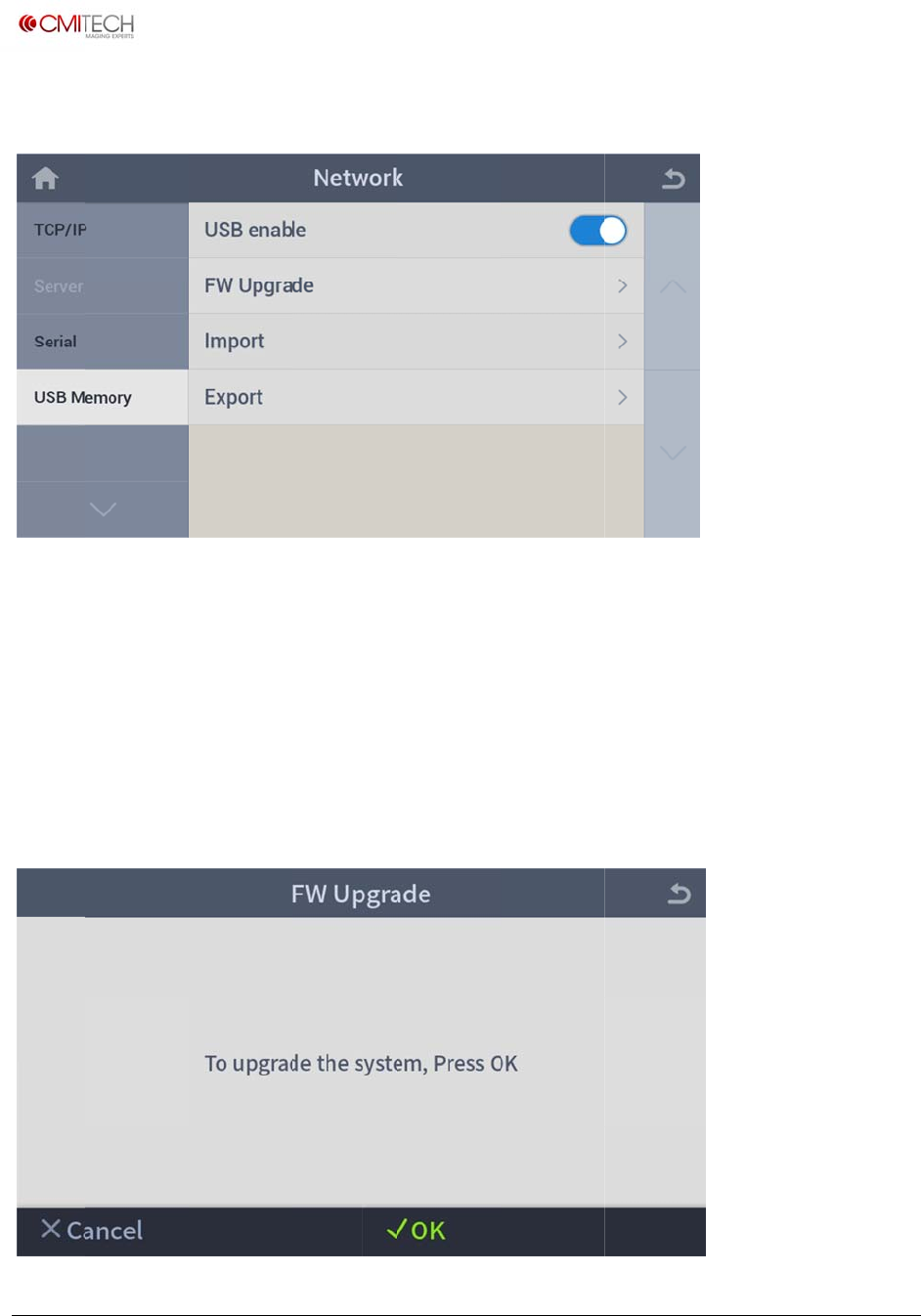
www.cm
i
Copyrigh
t
2.4 U
S
USB en
a
FW Up
g
Import
Export
2.4.1
U
i
‐tech.com
t
2016,allrig
h
S
B Memo
r
a
ble
g
rade
U
SB Mem
o
h
tsreserved
r
y
S
e
G
G
G
o
ry FW
U
e
lect enabl
e
o into firm
w
o into bac
k
o into bac
k
U
pgrade
e
/disable fo
w
are (F/W)
u
k
up data (us
k
up data (u
s
r USB mem
o
u
pgrade fr
o
er & log da
s
er & log d
a
U
M
o
ry use
o
m USB me
m
ta) restore
f
a
ta) save to
M
X‐10UserM
a
m
ory
f
rom USB
m
USB mem
o
a
nual,v0.1.1
July2016
m
emory
o
ry
www.cm
i
Copyrigh
t
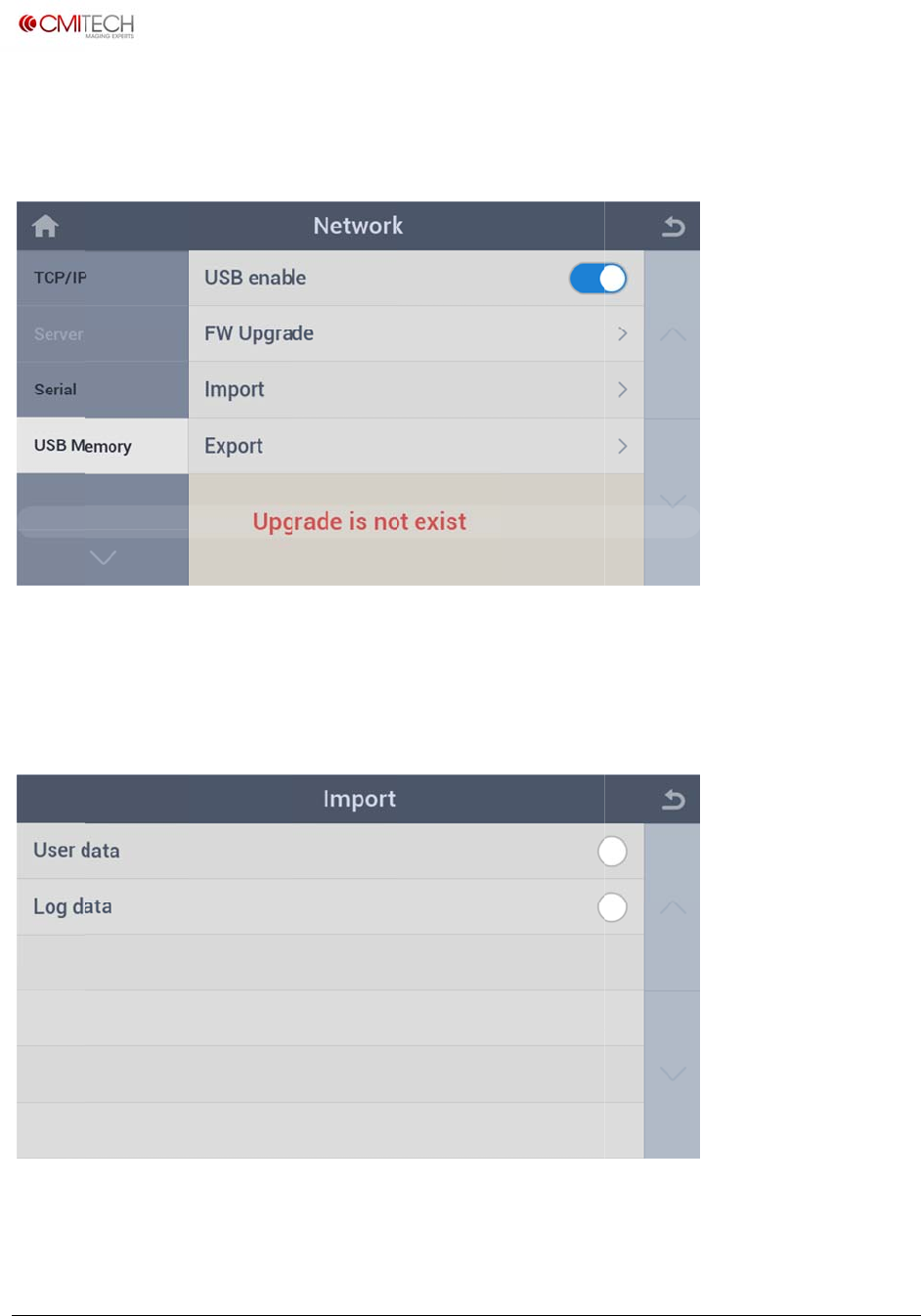
Upgrad
e
If the F
W
shown
a
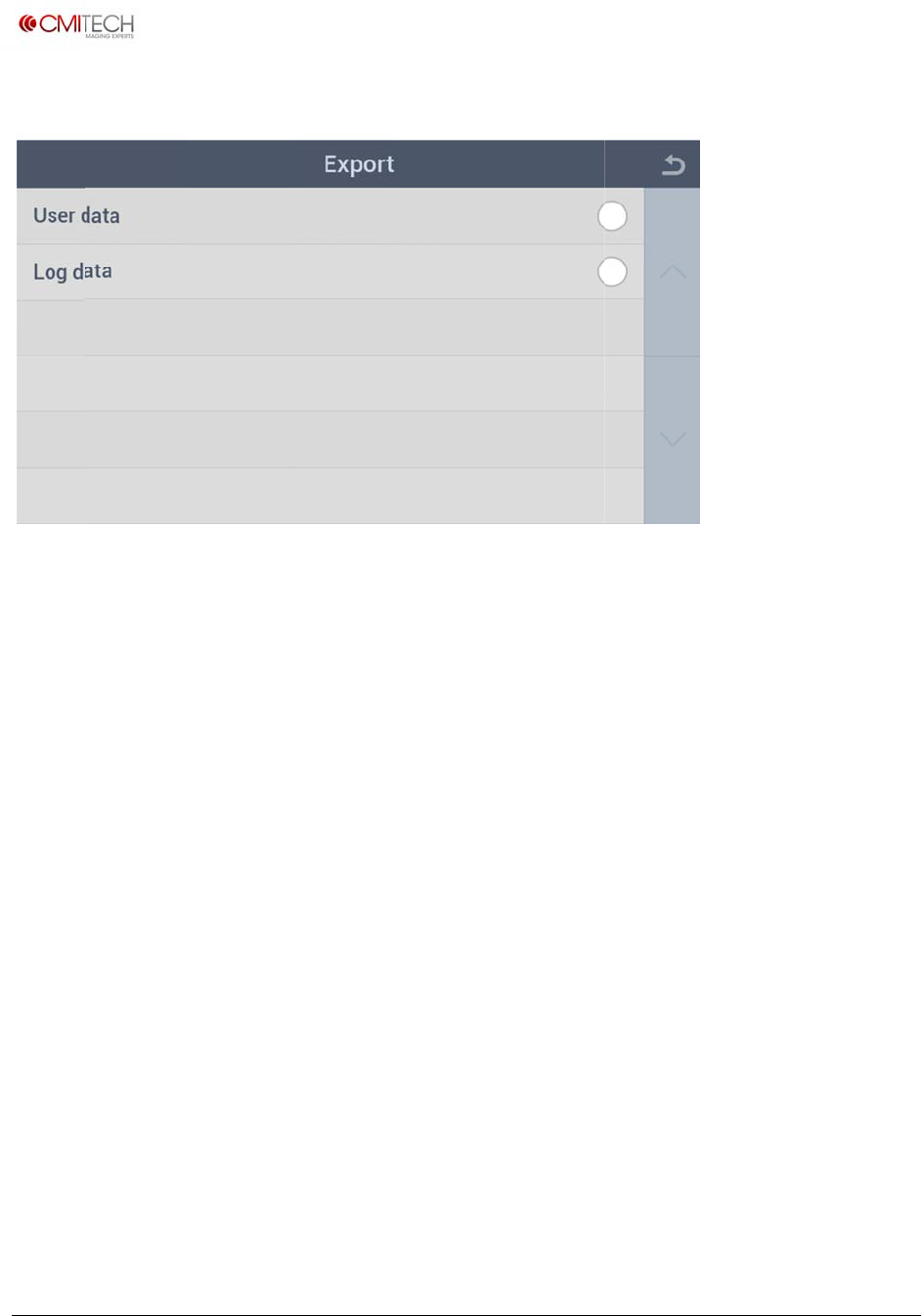
2.4.2
U
User d
a
Log d
a
i
‐tech.com
t
2016,allrig
h
e
F/W by ta
W
file (new
f
a
bove.
U
SB Mem
o
a
ta
a
ta
h
tsreserved
pping on
√
f
irmware a
n
o
ry Imp
o
R
R
OK
button
o
n
d operatin
g
o
rt
estore user
estore log
d
o
n the bott
o
g
library) d
o
enroll data
d
ata from U
o
m right.
o
es not exis
t
from USB
m
SB memor
y
U
M
t
in USB, m
e
m
emory
y
M
X‐10UserM
a
e
ssage app
e
a
nual,v0.1.1
July2016
e
ars as
www.cm
i
Copyrigh
t
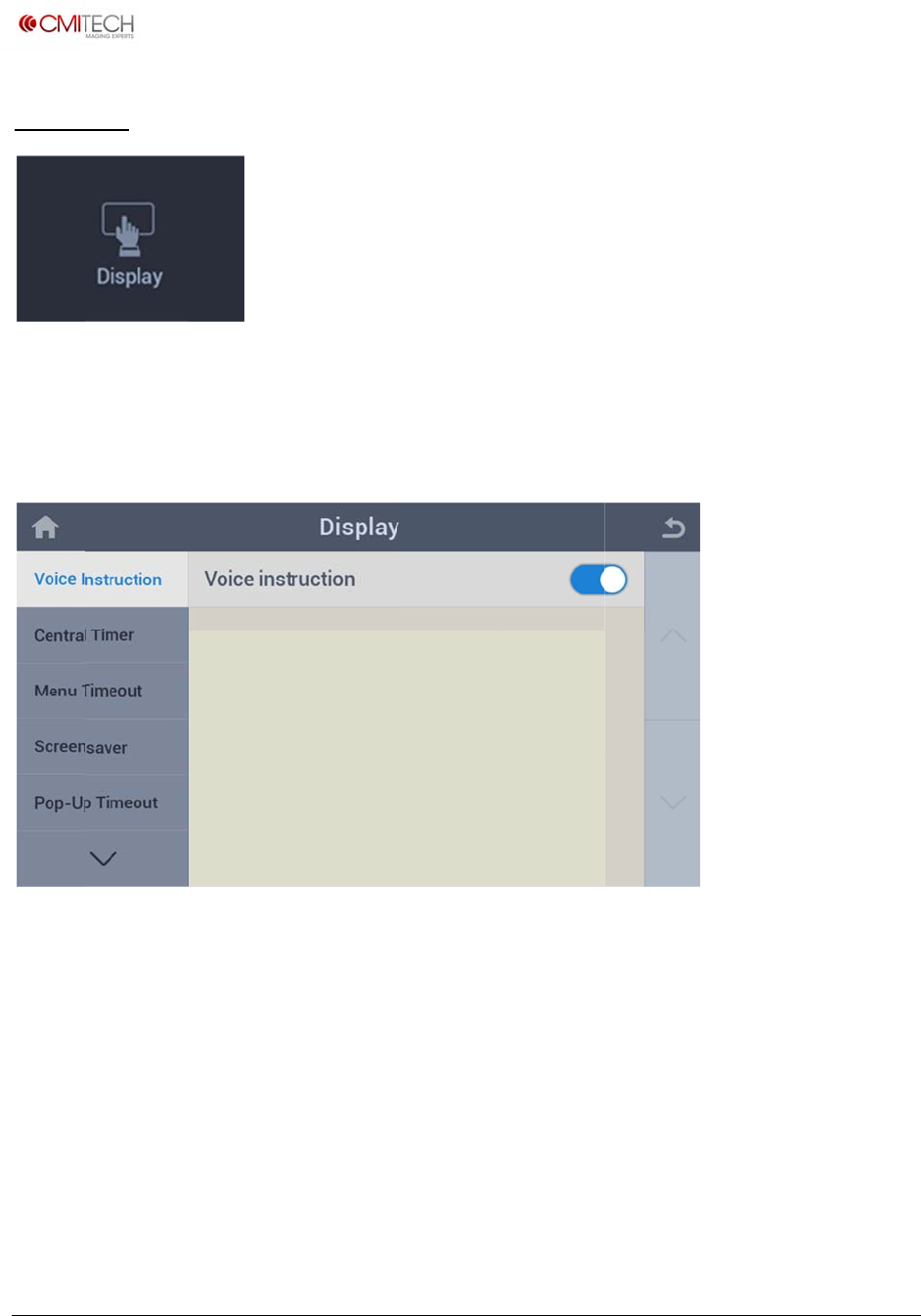
2.4.3
U
User d
a
Log da
t
i
‐tech.com
t
2016,allrig
h
U
SB Mem
o
a
ta
t
a
h
tsreserved
o
ry Exp
o
B
a
B
a
o
rt
a
ckup user
a
ckup log
d
enroll data
d
ata to USB
to USB me
m
memory
U
M
m
ory
M
X‐10UserM
a
a
nual,v0.1.1
July2016
www.cm
i
Copyrigh
t
3 Dis
p
Config
u
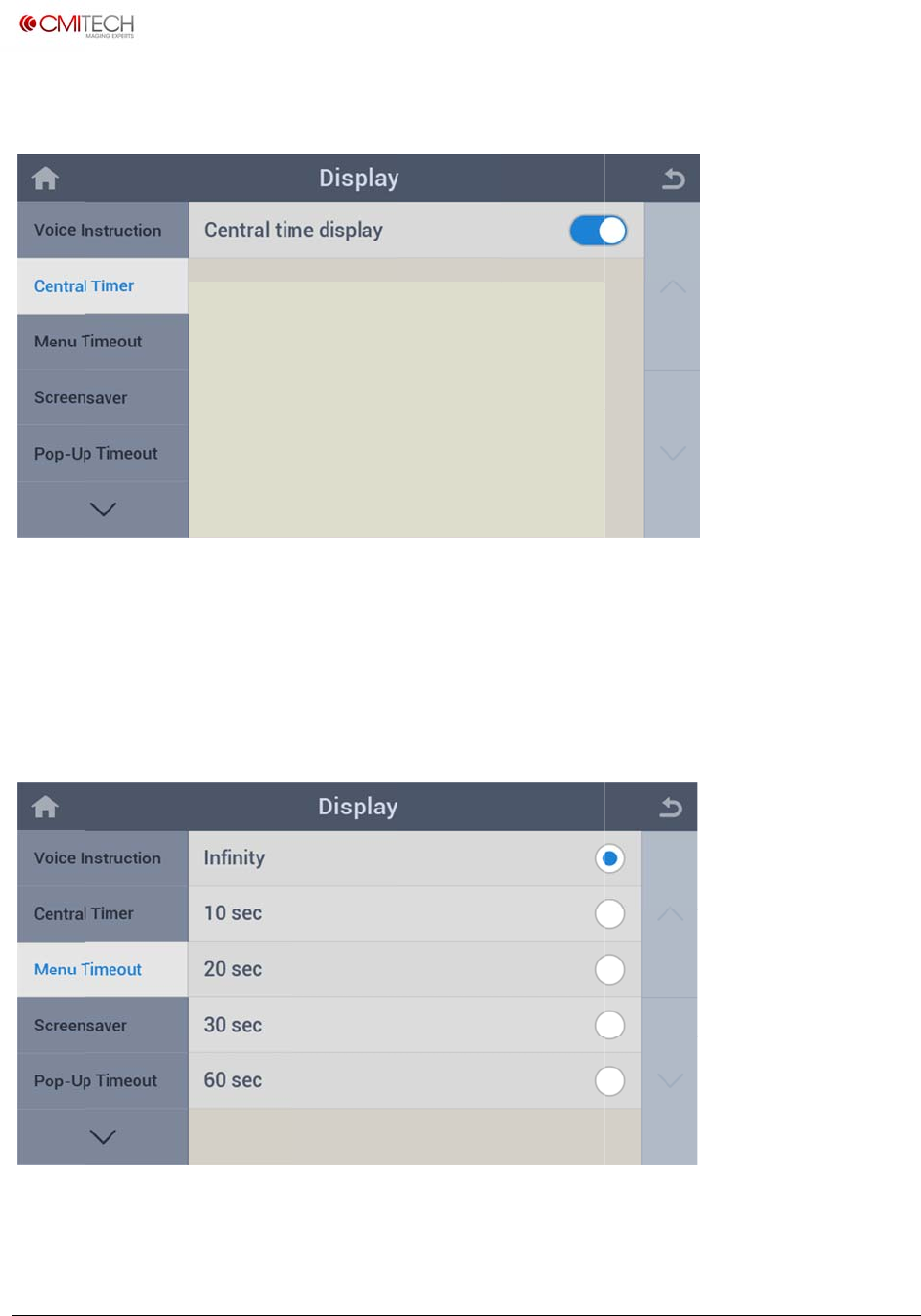
3.1 V
o
Voice I
n
i
‐tech.com
t
2016,allrig
h
p
lay
u
re settings
o
ice Instr
u
n
struction
h
tsreserved
for screen
d
u
ctions
S
e
d
isplay.
e
lect enabl
e
e
/disable for voice gui
d
U
M
d
e positioni
n
M
X‐10UserM
a
n
g / instruc
t
a
nual,v0.1.1
July2016
t
ions
www.cm
i
Copyrigh
t
3.2 Ce
Central
3.3 M
e
Menu
T
i
‐tech.com
t
2016,allrig
h
ntral Ti
m
Timer
e
nu Time
o
T
imeout
h
tsreserved
m
er
S
e
a
p
o
ut
S
e
e
lect enabl
e
p
plication
e
t timeout
f
e
/disable fo
f
or auto exi
t
r clock disp
t
from men
u
U
M
lay on the
c
u
display af
t
M
X‐10UserM
a
c
enter of La
u
t
er leaving
u
a
nual,v0.1.1
July2016
u
ncher
u
ntouched
www.cm
i
Copyrigh
t
3.4 Sc
r
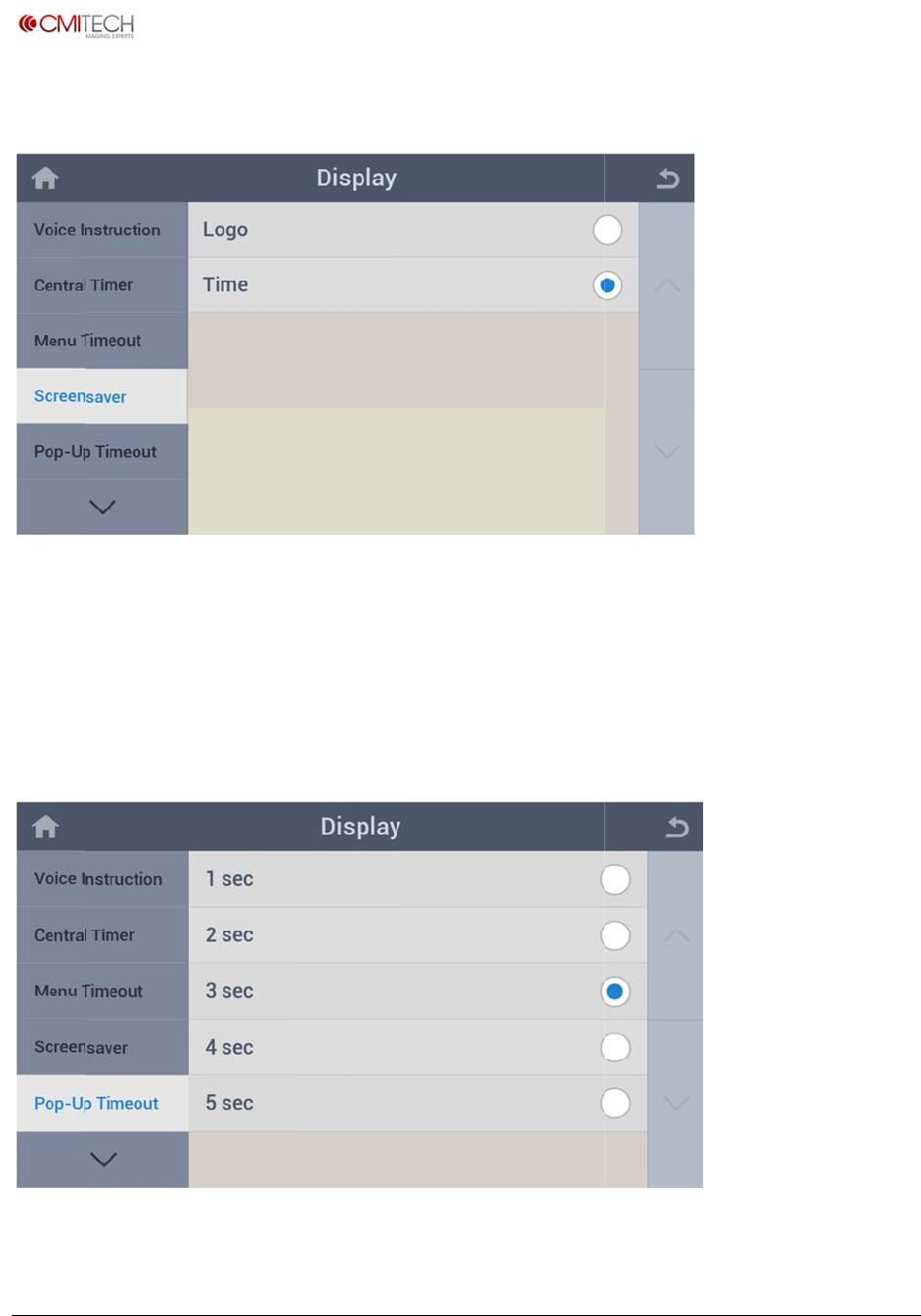
Logo
Time
3.5 P
o
Pop-U
p
i
‐tech.com
t
2016,allrig
h
r
eensave
r
o
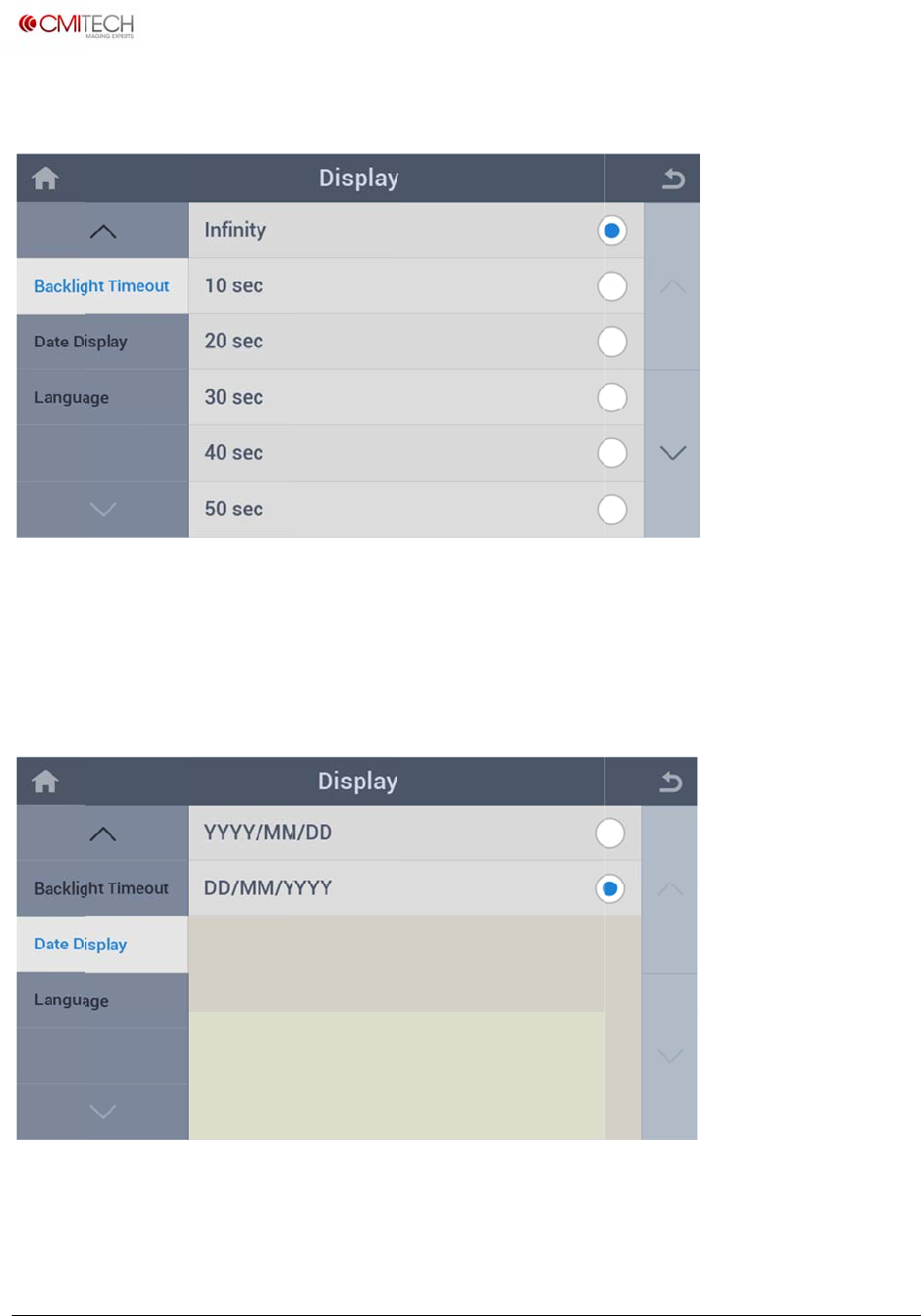
p-Up Ti
m
p
Timeout
h
tsreserved
r
S
e
S
e
m
eout
S
e
d
e
lect logo
d
e
lect clock
d
e
t pop-up
m
uration
d
isplay as s
c
d
isplay as s
c
m
essage wi
n
c
reensaver
c
reensaver
n
dow (reco
g
U
M
g
nition co
m
M
X‐10UserM
a
m
plete etc.)
d
a
nual,v0.1.1
July2016
d
isplay
www.cm
i
Copyrigh
t
3.6 Ba
Pop-U
p
3.7 D
a
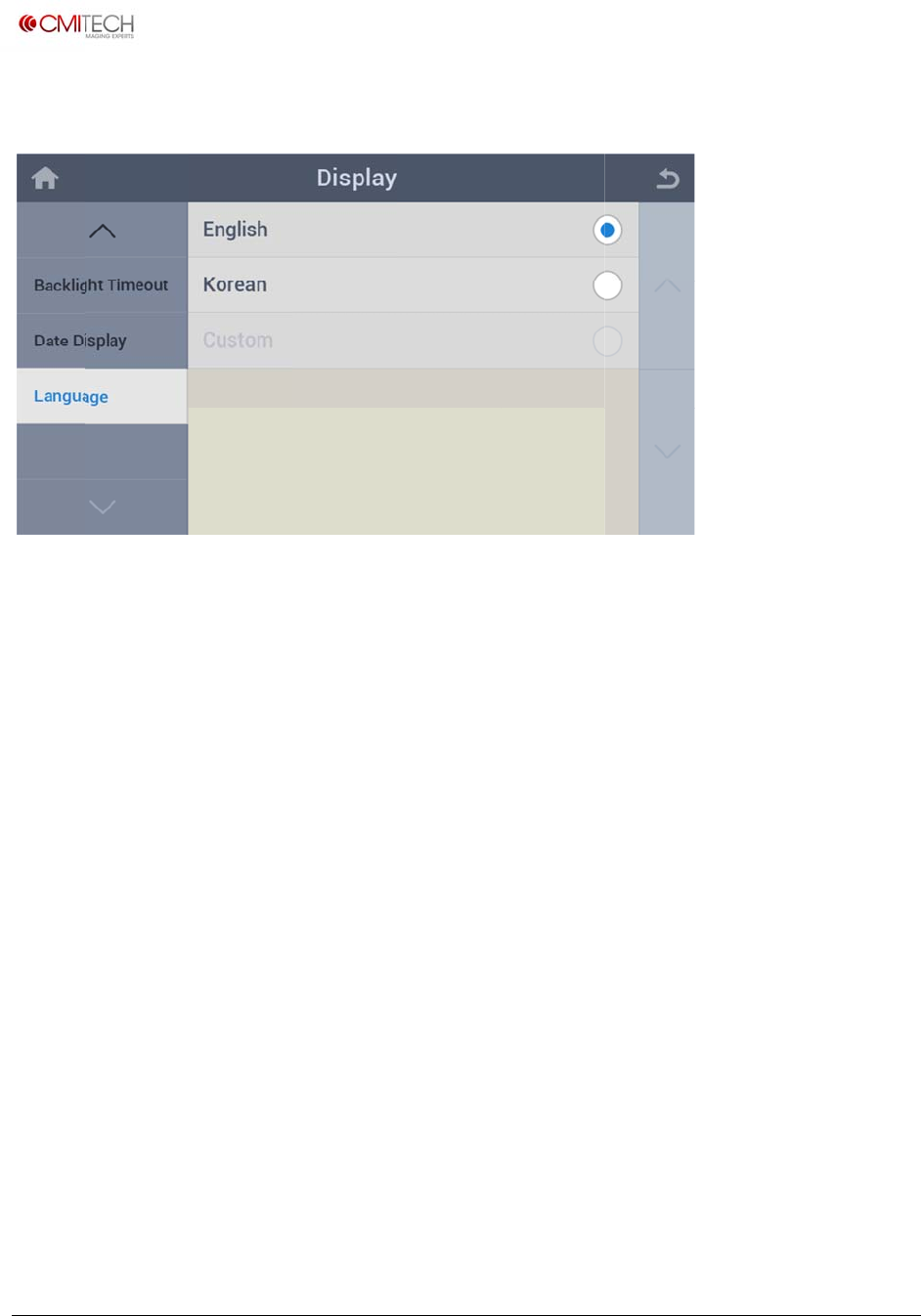
YYYY/
M
DD/M
M
i
‐tech.com
t
2016,allrig
h
cklight T
i
p
Timeou
t
a
te Displa
M
M/DD
M
/YYYY
h
tsreserved
i
meout
t
Set tim
e
y
S
e
S
e
e
out for a
u
e
lect year/
m
e
lect day/
m
u
to off of L
m
onth/day
d
m
onth/year
d
CD backli
g
d
isplay mo
d
d
isplay mo
d
U
M
g
ht after le
a
d
e
d
e
M
X‐10UserM
a
a
ving unu
s
a
nual,v0.1.1
July2016
s
ed
www.cm
i
Copyrigh
t
3.8 La
n
Langua
i
‐tech.com
t
2016,allrig
h
n
guage
ge
h
tsreserved
S
e
e
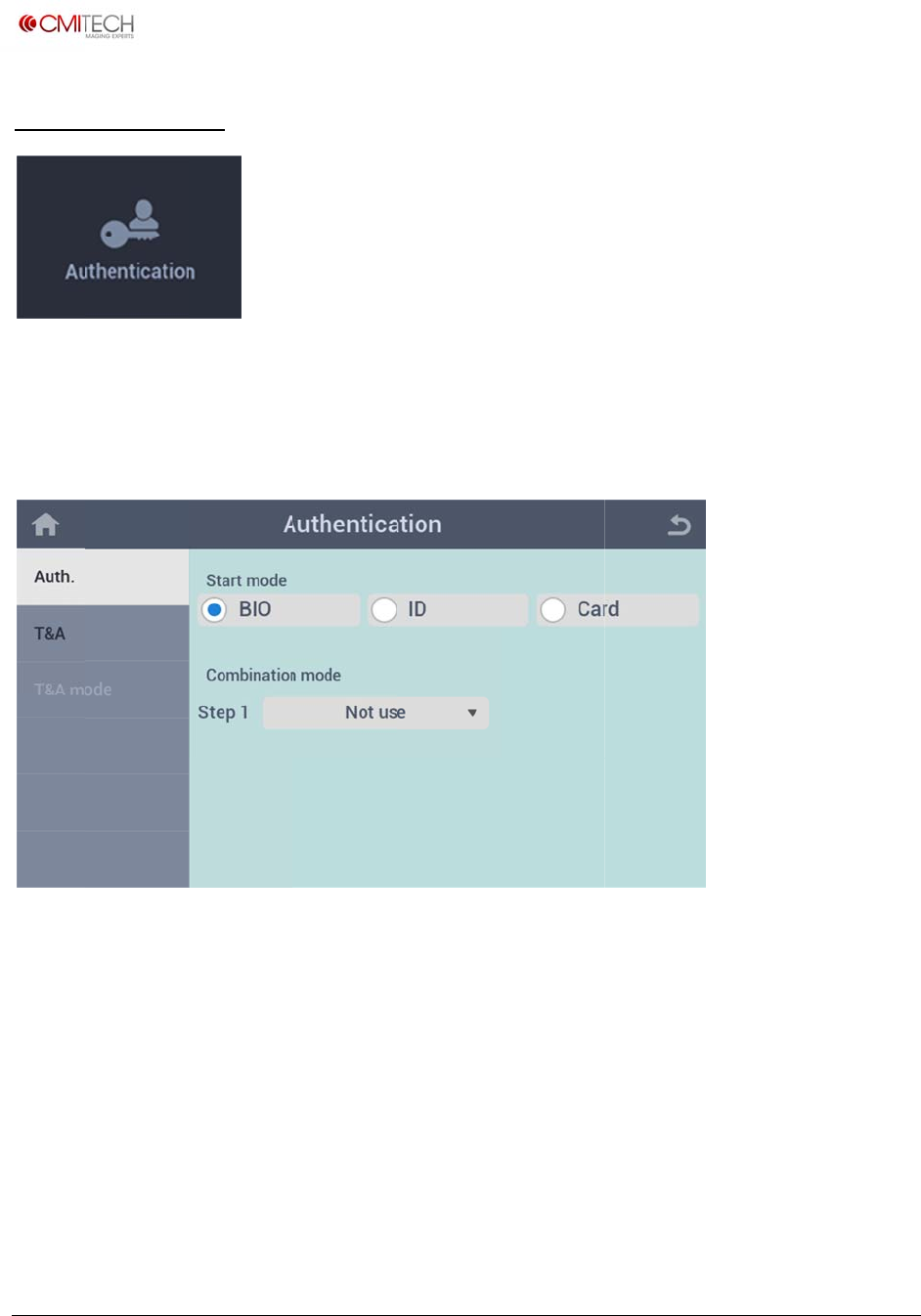
lect a language to us
e
e
(Note: In
c
U
M
c
onstructio
n
M
X‐10UserM
a
n
)
a
nual,v0.1.1
July2016
www.cm
i
Copyrigh
t
4 Aut
h
Config
u
4.1 A
u
Start
m
Combi
n
i
‐tech.com
t
2016,allrig
h
h
enticat
i
u
re settings
u
th.
m
ode
n
ation mo
d
h
tsreserved
i
on
for authent
S
e
d
e S
e
ication met
e
lect a basi
c
e
lect a com
hod and T
&
c
(first) rec
o
bination (a
d
&
A.
o
gnition me
t
d
ditional) r
e
U
M
t
hod
e
cognition
m
M
X‐10UserM
a
m
ethod if n
e
a
nual,v0.1.1
July2016
e
cessary
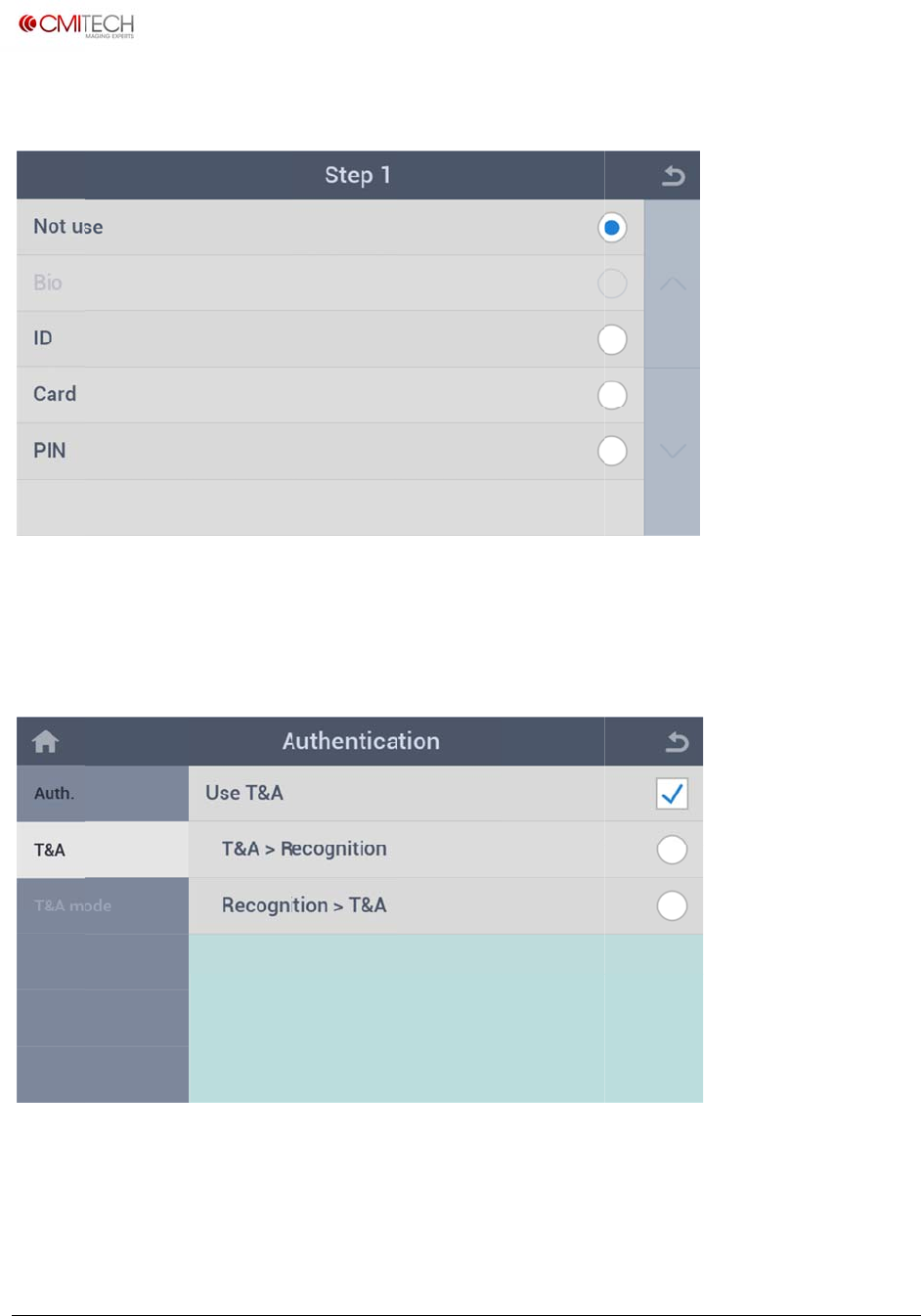
www.cm
i
Copyrigh
t
4.1.1
A
Select a
4.2 T
&
Use T
&
T&A >
R
Recog
n
i
‐tech.com
t
2016,allrig
h
A
uth. C
o
combinati
o
&
A
&
A
R
ecognitio
n
n
ition > T
&
h
tsreserved
o
mbinatio
n
o
n (additio
n
S
e
n
S
e
&
A
A
n
Mode (
S
n
al) recogni
t
e
lect enabl
e
e
lect T&A
m
A
fter recogn
i
S
tep 1)
t
ion metho
d
e
/disable fo
m
ode (Atte
n
i
tion, then i
d
.
r T&A usag
n
dance etc.)
nput T&A
m
U
M
e mode (n
o
first, then
r
m
ode (Atte
n
M
X‐10UserM
a
o
te: in const
r
ecognition
n
dance etc.)
a
nual,v0.1.1
July2016
ruction)

www.cm
i
Copyrigh
t
4.3 T
&
(Note: I
n
i
‐tech.com
t
2016,allrig
h
&
A Mode
n
construct
i
h
tsreserved
i
on)
U
M
M
X‐10UserM
a
a
nual,v0.1.1
July2016
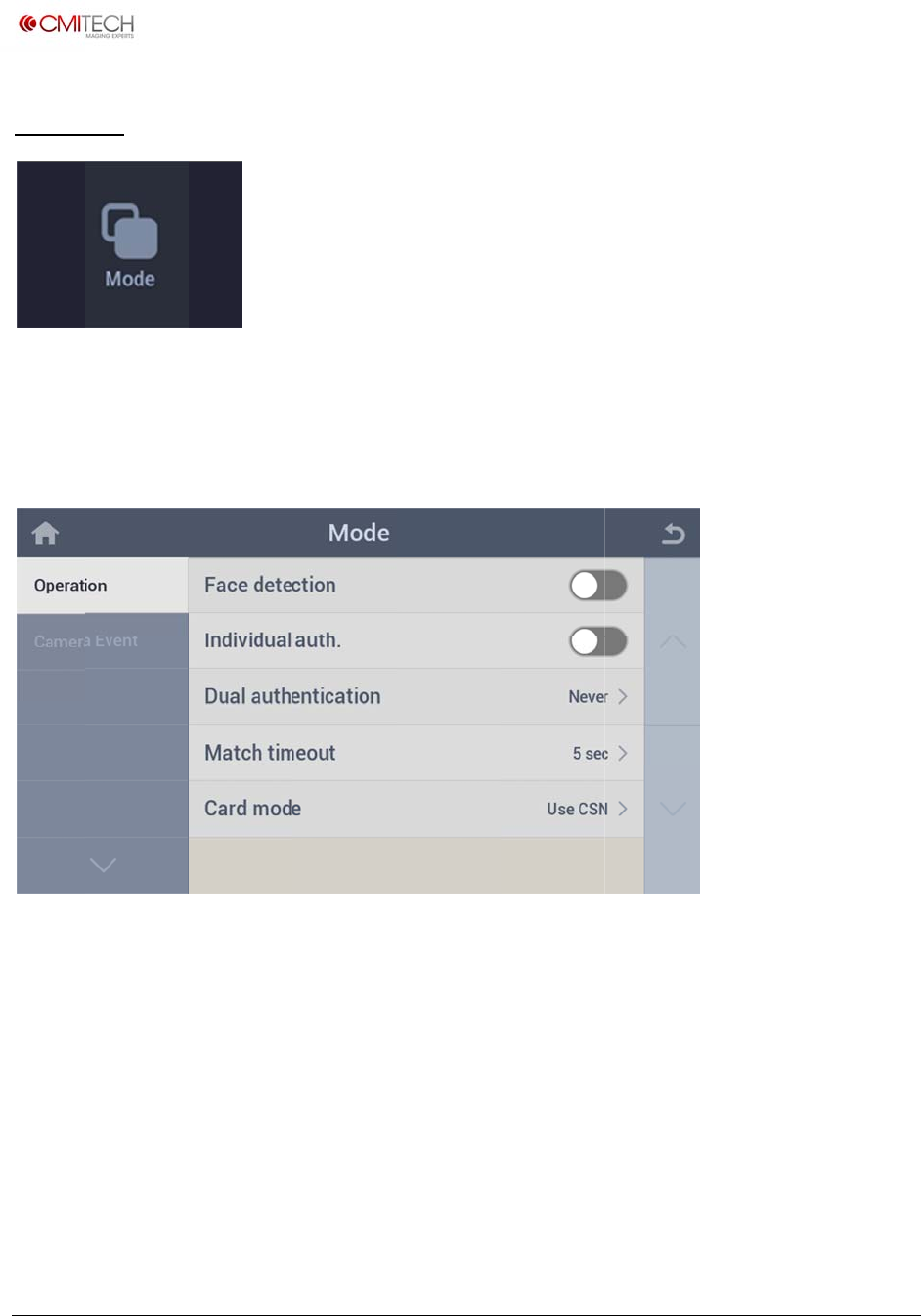
www.cm
i
Copyrigh
t
5 M
o
Config
u
5.1 O
p
Face d
e
Individ
u
Dual a
u
Match
t
Card m
i
‐tech.com
t
2016,allrig
h
o
de
u
re settings
p
eration
e
tection
u
al auth.
u
thenticati
o
t
imeout
ode
h
tsreserved
for recogni
t
S
e
b
S
e
o
n S
e
i
n
S
e
S
e
t
ion operati
e
lect enabl
e
e eliminate
d
e
lect enabl
e
e
lect a dual
n
constructi
o
e
t a recogn
e
lect use o
r
i
on.
e
/disable fo
d
)
e
/disable fo
authentica
t
o
n)
ition trying
r
not for CS
N
r face imag
e
r permissio
n
t
ion (simult
a
timeout
N
in RFID c
a
U
M
e
saving at
n
of individ
u
a
neous 2 p
e
a
rd (note: in
M
X‐10UserM
a
recognition
u
al authent
i
e
rsons) met
constructi
o
a
nual,v0.1.1
July2016
(note: to
i
cation
hod (note:
o
n)
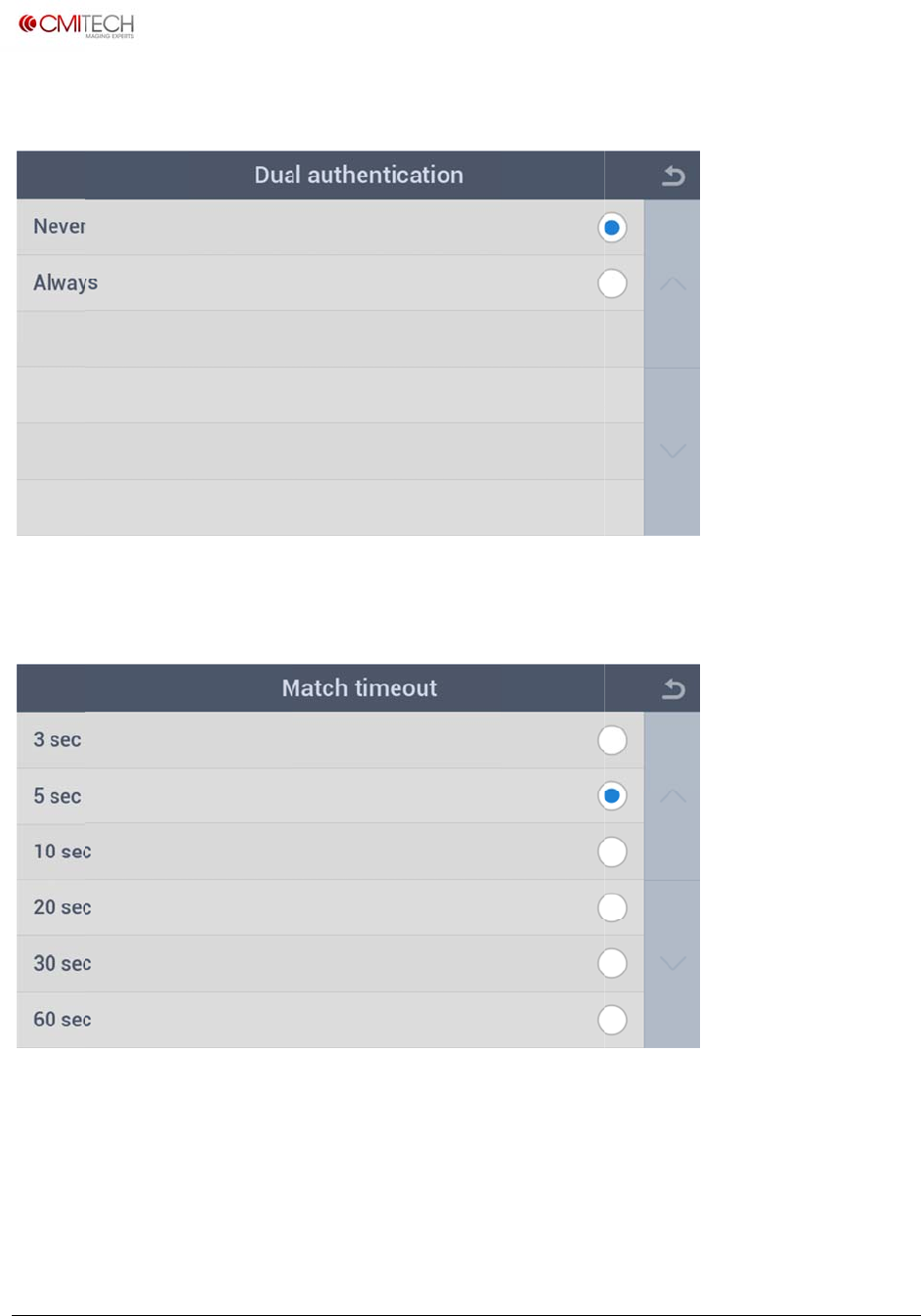
www.cm
i
Copyrigh
t
5.1.1
O
5.1.2
O
i
‐tech.com
t
2016,allrig
h
O
peration
O
peration
h
tsreserved
Dual A
u
Match
u
thentica
t
Timeout
t
ion
U
M
M
X‐10UserM
a
a
nual,v0.1.1
July2016
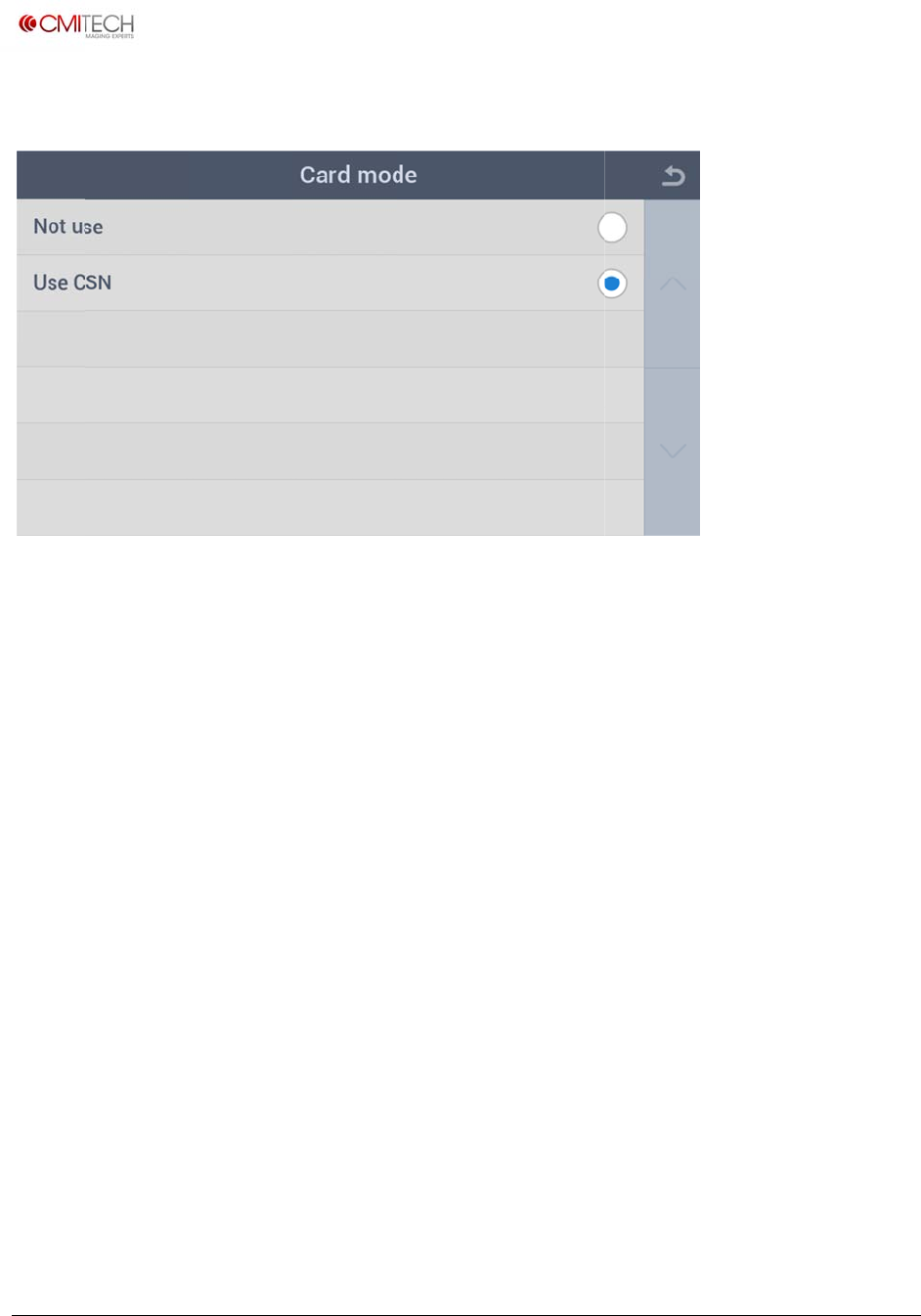
www.cm
i
Copyrigh
t
5.1.3
O
i
‐tech.com
t
2016,allrig
h
O
peration
h
tsreserved
Card M
ode
U
M
M
X‐10UserM
a
a
nual,v0.1.1
July2016
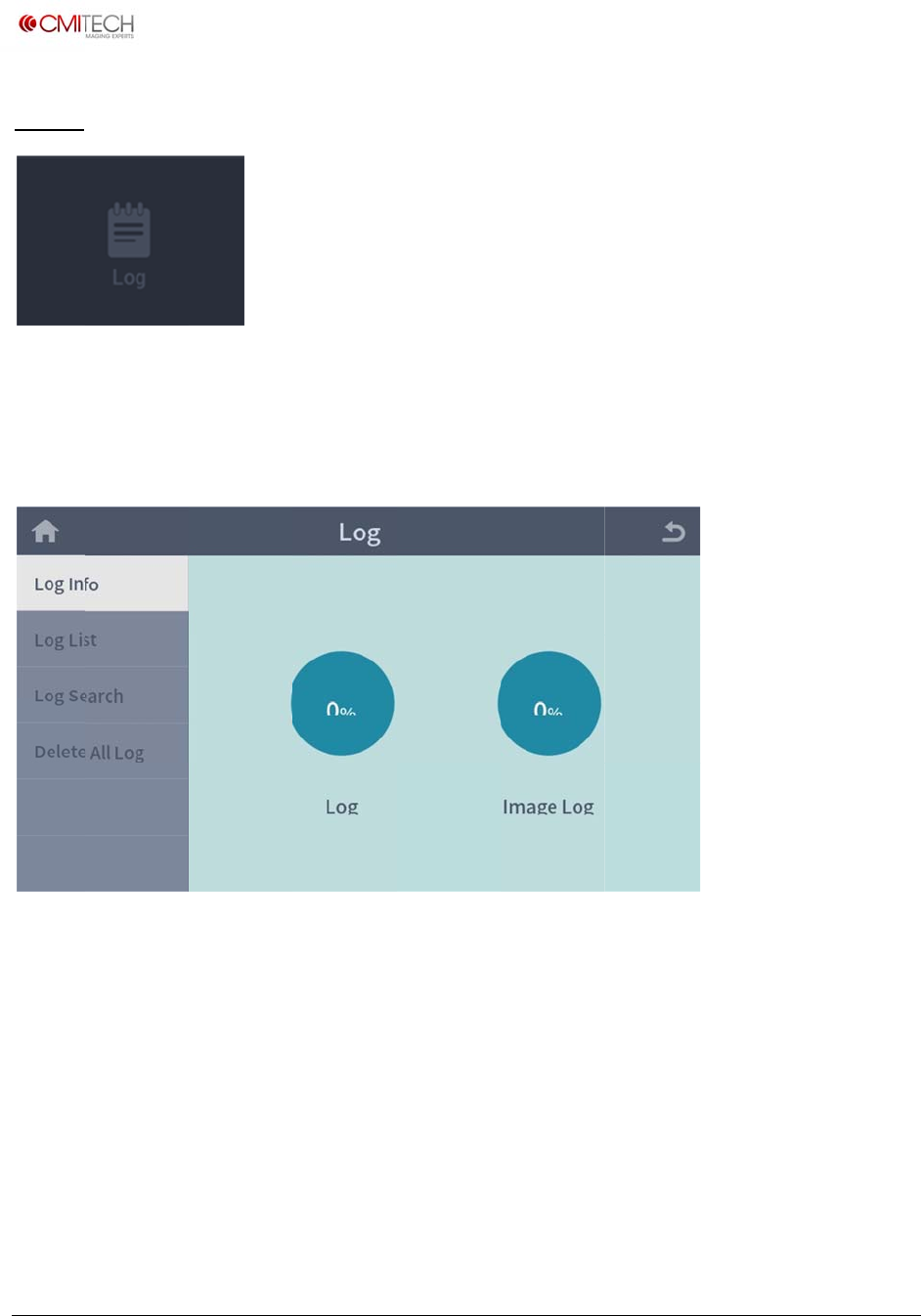
www.cm
i
Copyrigh
t
6 Log
View in
f
6.1 Lo
g
(Note: I
n
i
‐tech.com
t
2016,allrig
h
f
ormation
o
g
Info
n
construct
i
h
tsreserved
o
f saved log
i
on)
and log se
a
a
rch viewer.
U
M
M
X‐10UserM
a
a
nual,v0.1.1
July2016
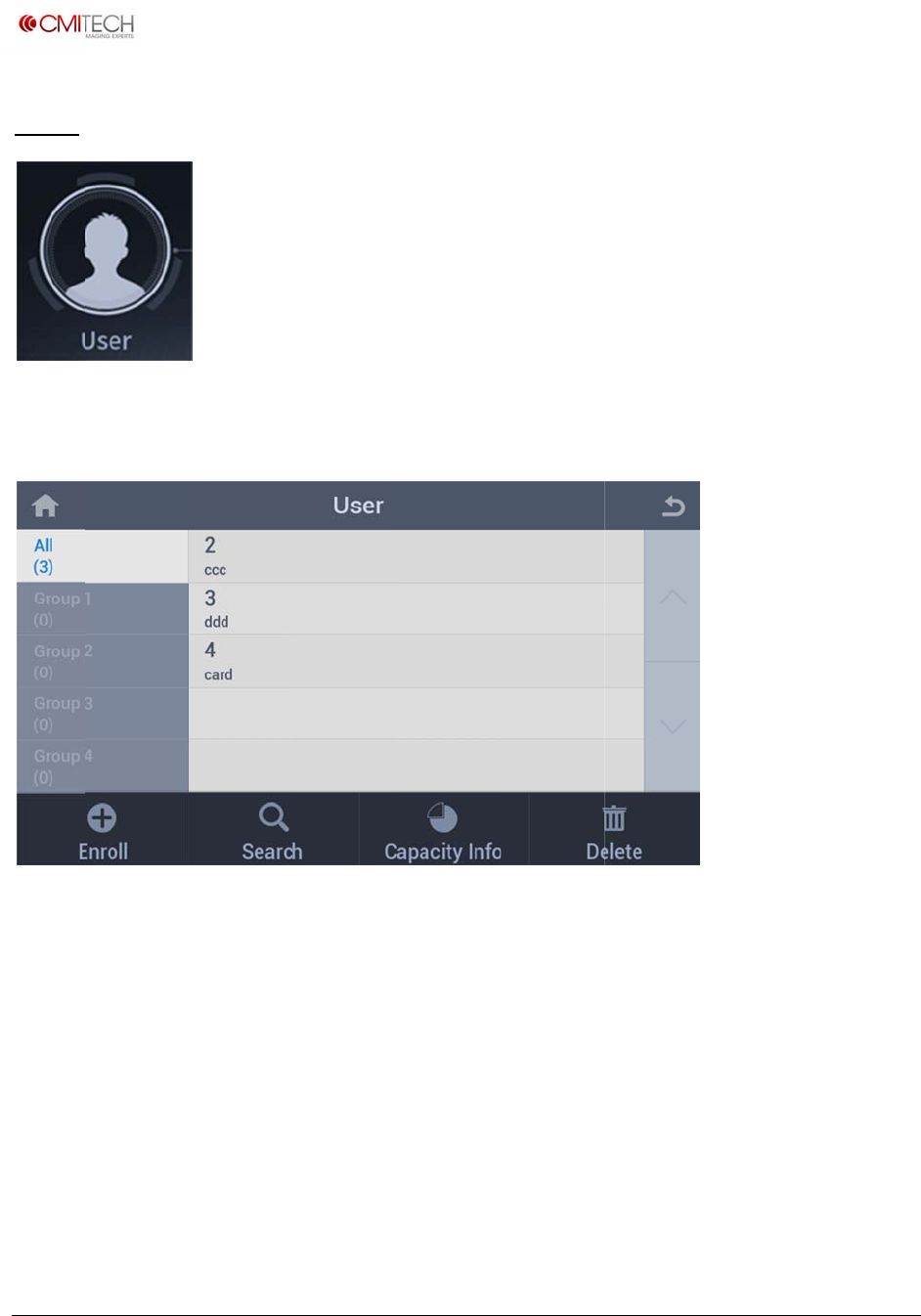
www.cm
i
Copyrigh
t
User
Tap the
Displa
y
Enroll
b
Search
Capaci
t
Delete
b
i
‐tech.com
t
2016,allrig
h
User icon i
y
s the regis
t
b
utton
button
t
y Info but
t
b
utton
h
tsreserved
n Home sc
r
t
ered user
S
w
S
w
t
on S
h
S
w
r
een.
lists in All
a
w
itch to en
r
w
itch to se
a
h
ow the us
e
w
itch to de
l
a
nd Group
r
oll process
a
rch proces
s
e
d memory
l
ete proces
s
1, 2, 3, 4
s
percentag
e
s
U
M
e
M
X‐10UserM
a
a
nual,v0.1.1
July2016
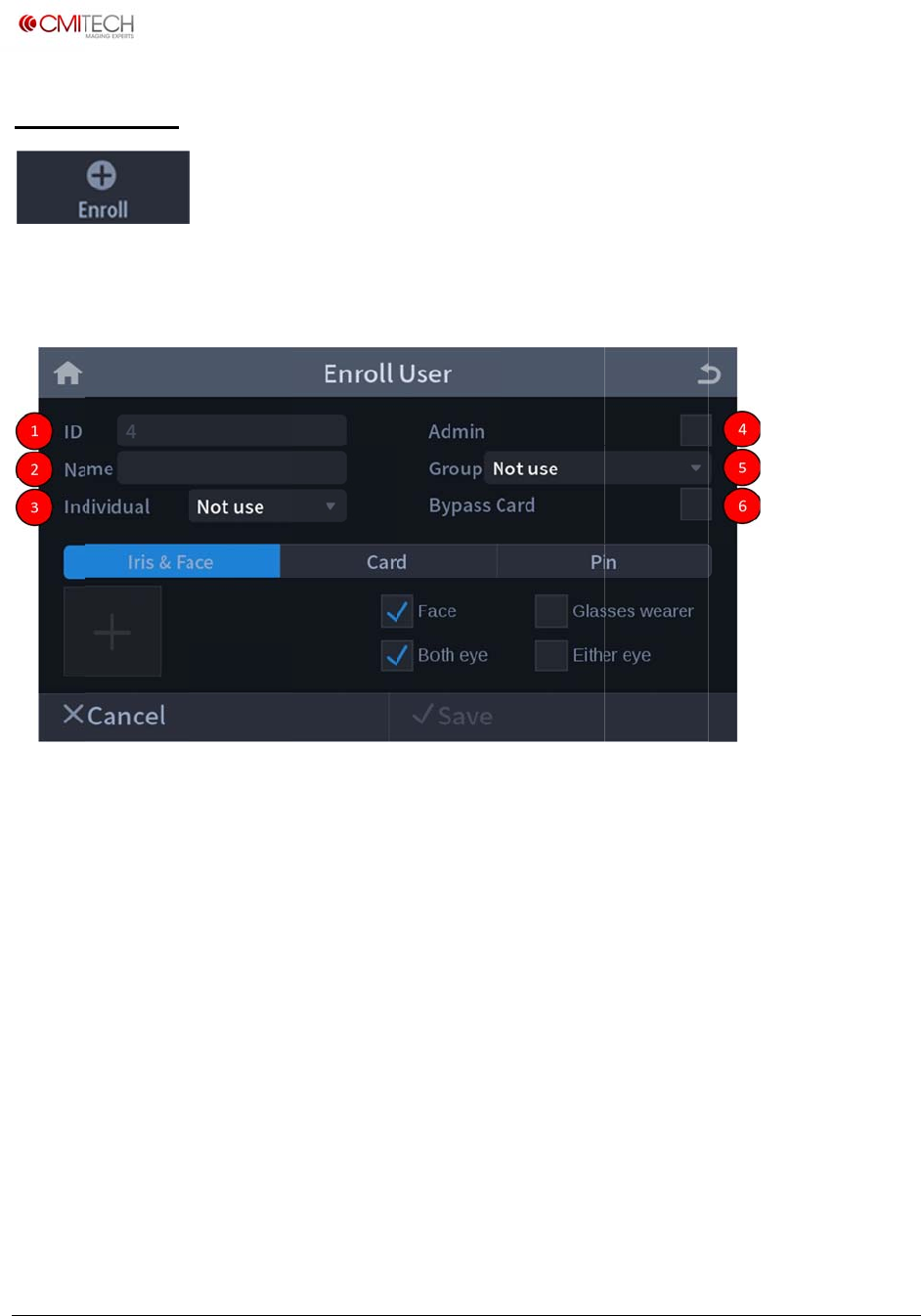
www.cm
i
Copyrigh
t
1 Enr
o
Tap the
① I
D
② N
a
③ In
④ A
d
⑤ G
r
⑥ B
y
i
‐tech.com
t
2016,allrig
h
o
ll User
Enroll but
t
D
: Created a
a
me: Input
dividual: S
e
d
min: Can
m
r
oup: Can
m
y
pass Card:
h
tsreserved
t
on to enrol
user ID nu
m
user name
m
e
t user indiv
m
ake a user
m
ake a user
Can regist
e
l a new use
Enroll Us
e
m
ber auto
m
m
anually
idual authe
administra
t
belong to
a
e
r a user wh
o
r.
e
r Page
m
atically or i
ntication m
o
t
or or not
a
group
o
holding b
nput manu
a
o
de if nece
s
ypass card
U
M
a
lly
s
sary
(highest pri
M
X‐10UserM
a
ority card)
a
nual,v0.1.1
July2016
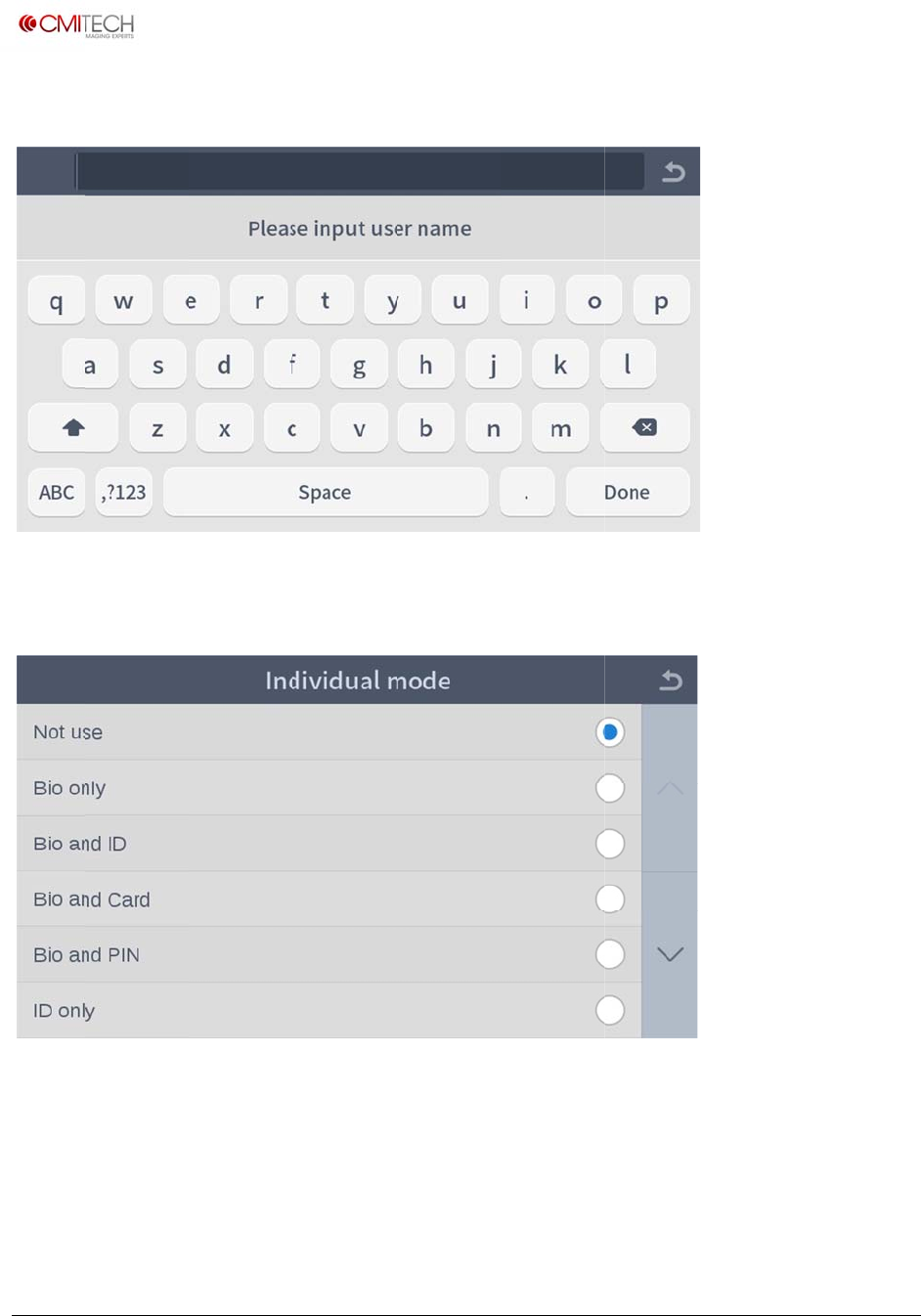
www.cm
i
Copyrigh
t
1.1 Na
m
1.2 In
d
Select
a
i
‐tech.com
t
2016,allrig
h
m
e
d
ividual
a
n individu
a
h
tsreserved
a
l authentic
a
a
tion mode.
U
M
M
X‐10UserM
a
a
nual,v0.1.1
July2016
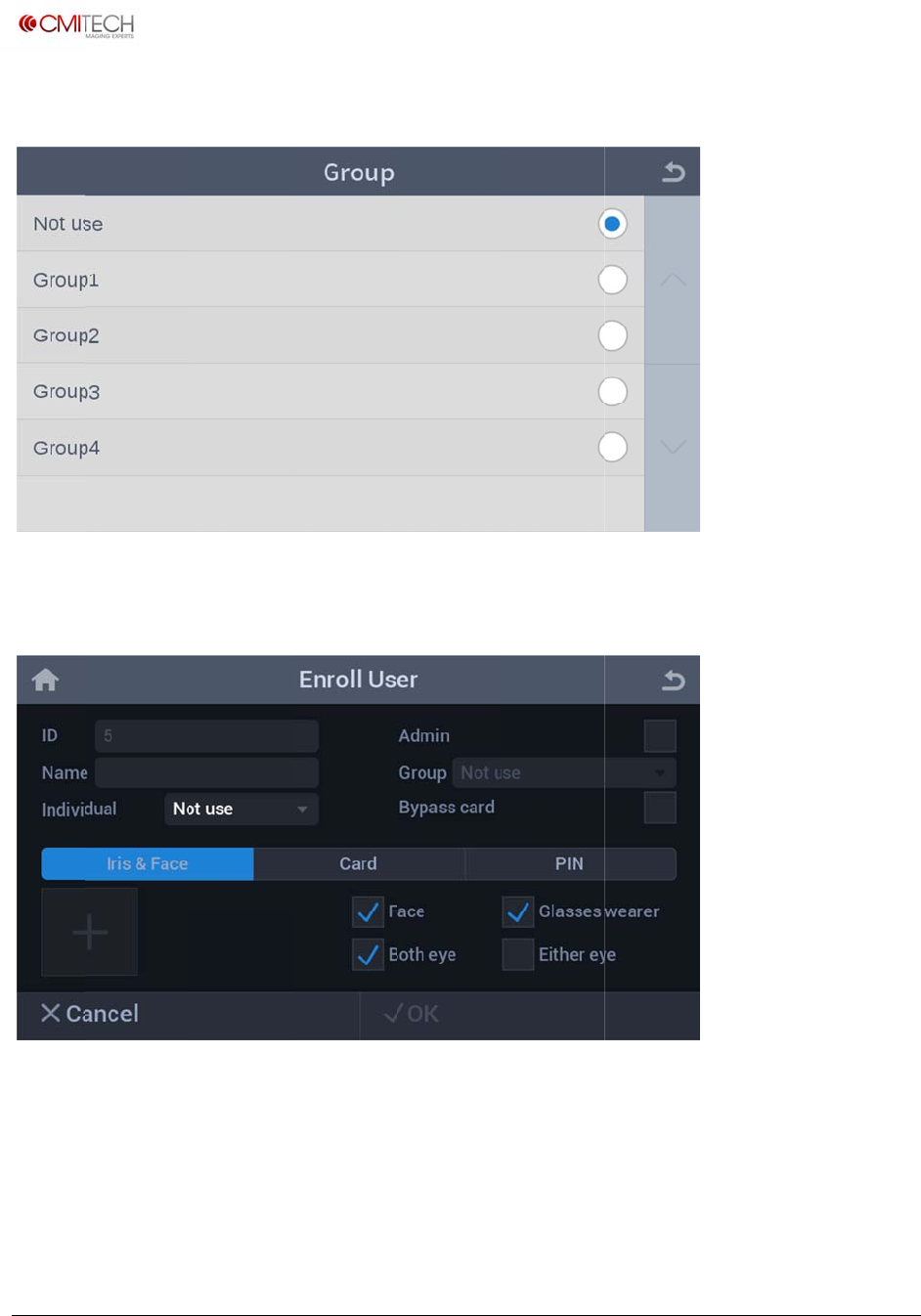
www.cm
i
Copyrigh
t
1.3 Gr
o
1.4 Iri
s
Iris &
F
Face
Glasses
i
‐tech.com
t
2016,allrig
h
o
up
s
& Face P
F
ace tab
wearer
h
tsreserved
rocess
S
e
B
S
e
S
e
e
lection ch
a
io select ch
e
e
lect box f
o
e
lect box f
o
a
nges tab t
o
e
ck boxes a
o
r face imag
o
r face takin
o
blue color
re shown
e capture
g off glass
e
U
M
e
s additiona
M
X‐10UserM
a
lly if necess
a
nual,v0.1.1
July2016
ary
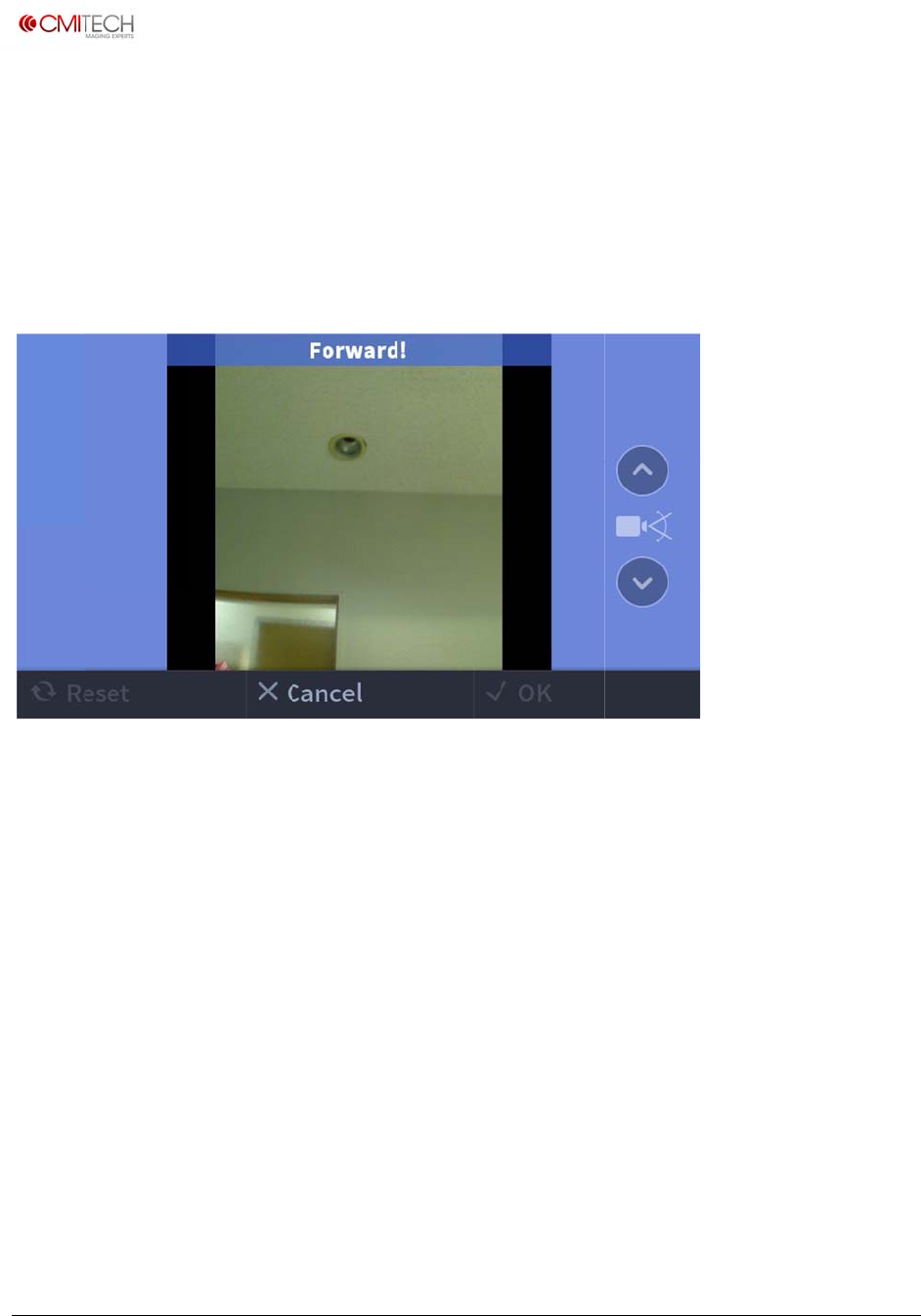
www.cm
i
Copyrigh
t
Both e
y
Either
e
Start(+
)
1.4.1 I
r
※ Note
Color
O
Up/Do
w
Switch
i
‐tech.com
t
2016,allrig
h
y
e
e
ye
)
button
r
is & Face
: Only ope
r
O
verlay
w
n Arrow
to Iris Cap
t
h
tsreserved
S
e
S
e
S
w
Process
r
ational if
“
B
G
R
C
t
ure stage
a
e
lect box f
o
e
lect box f
o
w
itch to en
r
Face C
a
“
Combine
d
LUE means
REEN mea
n
ED means t
an tilt cam
e
a
fter good
o
r “both eye
o
r “either ey
r
oll process
a
pture
d
Face and
I
too far
n
s OK
oo close.
e
ra manuall
y
face imag
e
” Iris mode
e” Iris mod
e
I
ris” mode
y
if necessa
r
e
acquisiti
o
U
M
e
is active
r
y (note: to
o
n
M
X‐10UserM
a
be eliminat
a
nual,v0.1.1
July2016
ed)
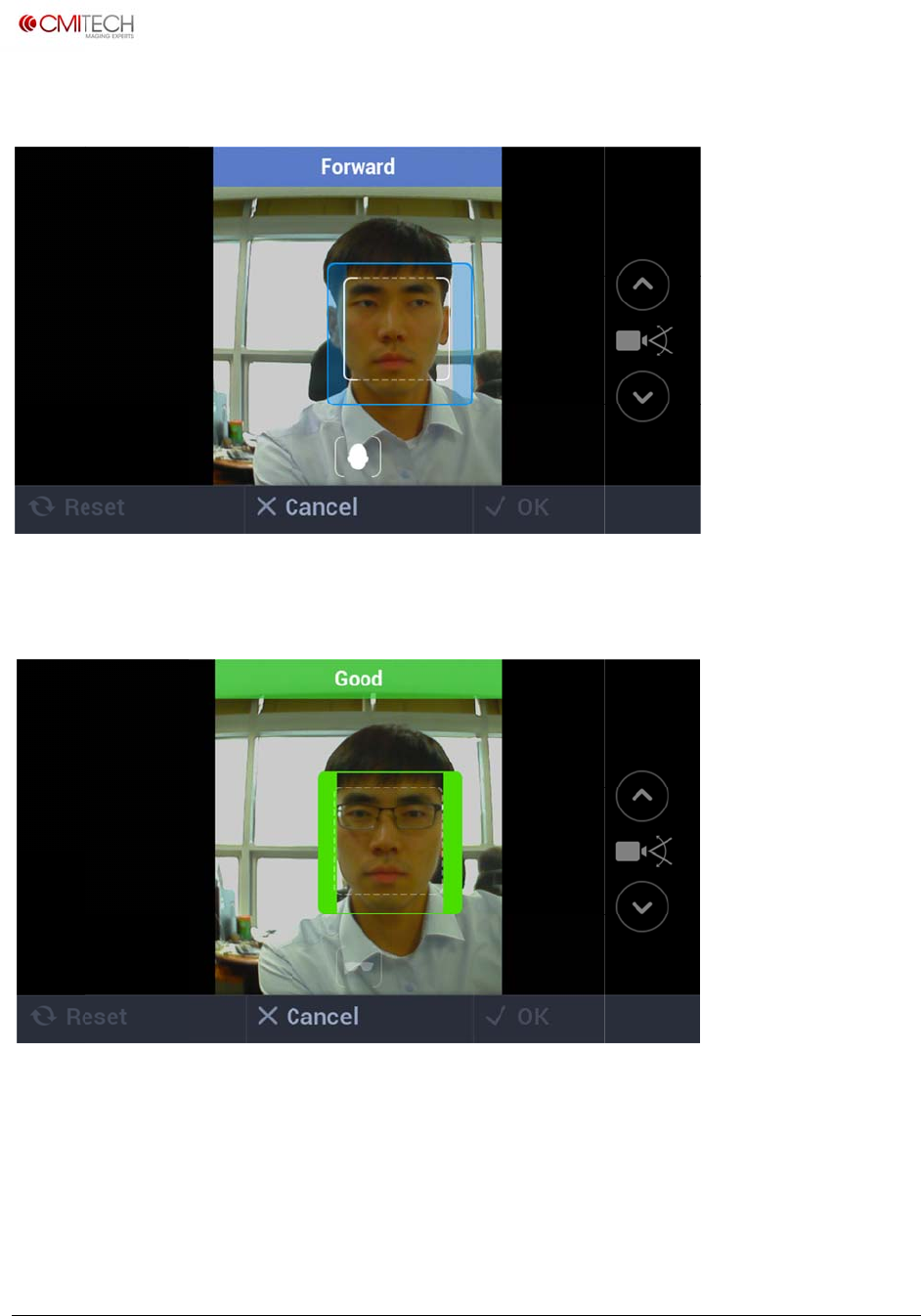
www.cm
i
Copyrigh
t
1.4.1.1
Positio
n
Captur
e
i
‐tech.com
t
2016,allrig
h
Iris & Fa
c
n
ing box ap
p
e
normal fa
c
h
tsreserved
c
e Proces
s
p
ears in or
d
c
e images.
s
Face
C
d
er to guid
e
C
apture
e
subject.
Trackin
g
U
M
g
Guide B
o
M
X‐10UserM
a
o
x UI
a
nual,v0.1.1
July2016
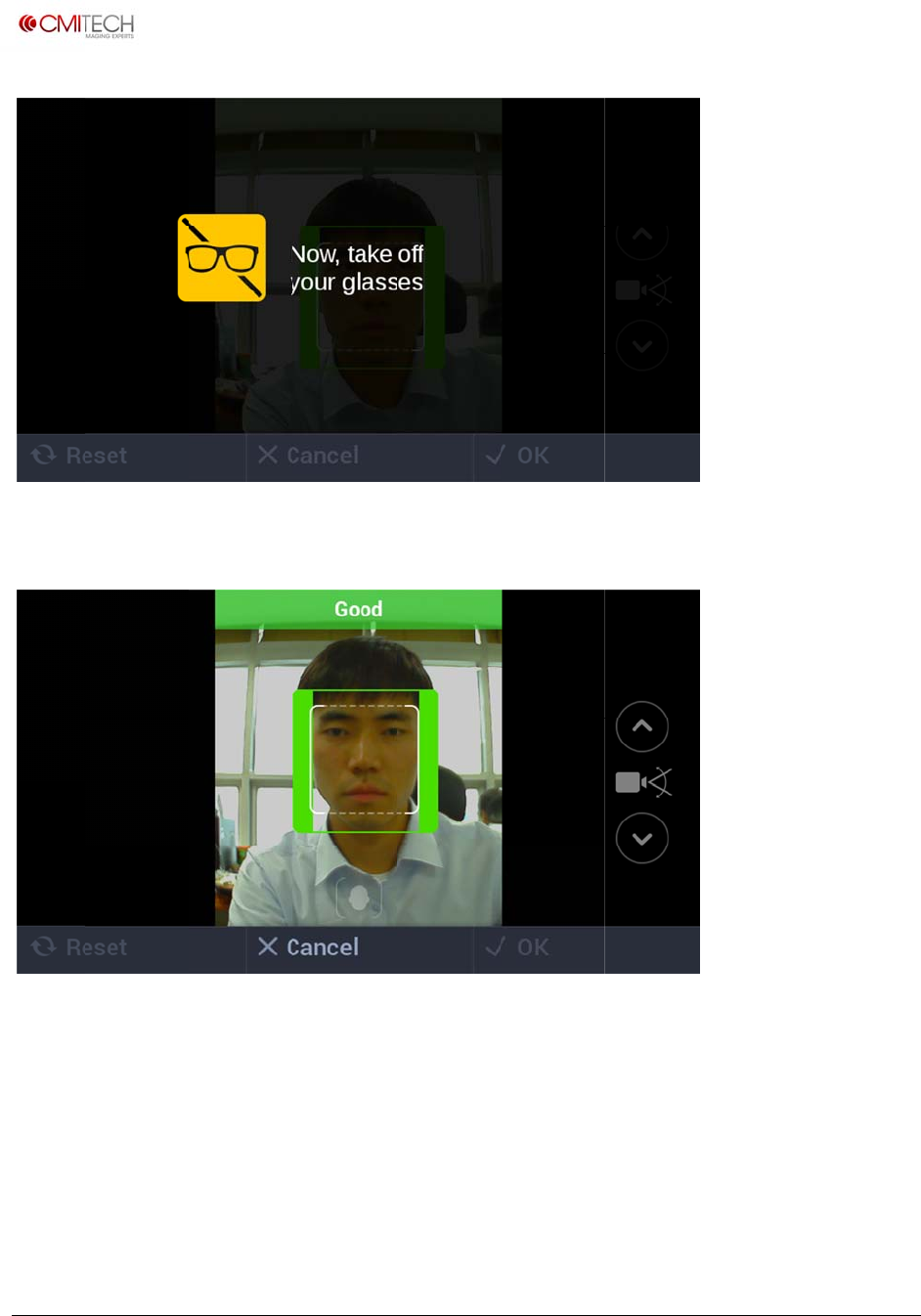
www.cm
i
Copyrigh
t
In case
o
Captur
e
i
‐tech.com
t
2016,allrig
h
o
f selection
e
additional
h
tsreserved
of Glasses
face image
s
wearer che
c
s taken off
g
c
k box, will
g
lasses.
be active f
o
U
M
o
r about 3 t
o
M
X‐10UserM
a
o
5 second
s
a
nual,v0.1.1
July2016
s
.
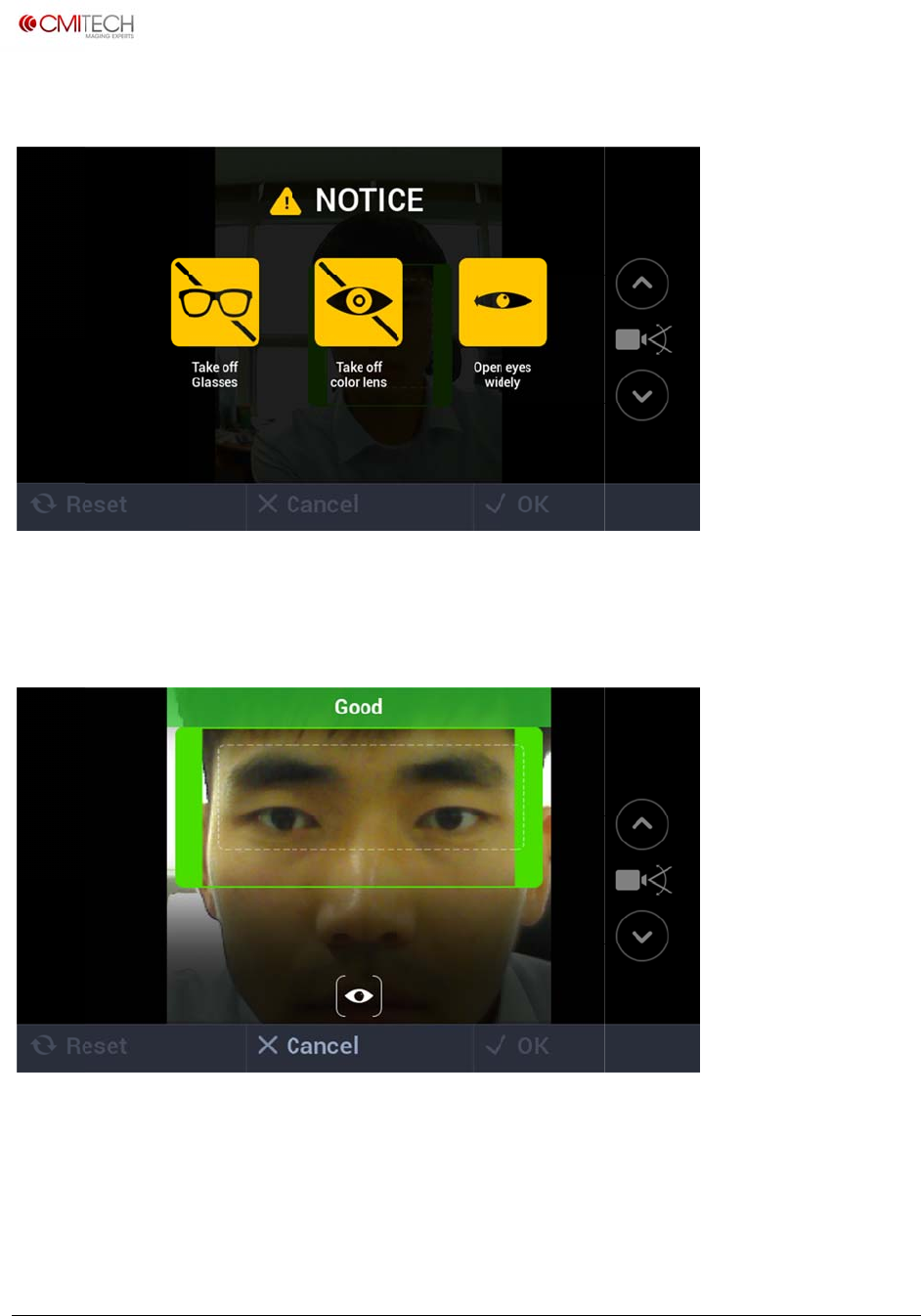
www.cm
i
Copyrigh
t
1.4.2 I
r
In case
1.4.2.1
Captur
e
i
‐tech.com
t
2016,allrig
h
r
is & Face
of Trackin
g
Iris & Fa
c
e
iris image
s
h
tsreserved
Process
g
Guide Box
c
e Proces
s
s
.
Iris Ca
p
UI mode,
d
s
Iris C
a
p
ture
d
isplay will
b
a
pture
T
b
e active fo
r
T
racking
G
U
M
r
about 3 to
G
uide Bo
x
M
X‐10UserM
a
5 seconds.
x
UI
a
nual,v0.1.1
July2016
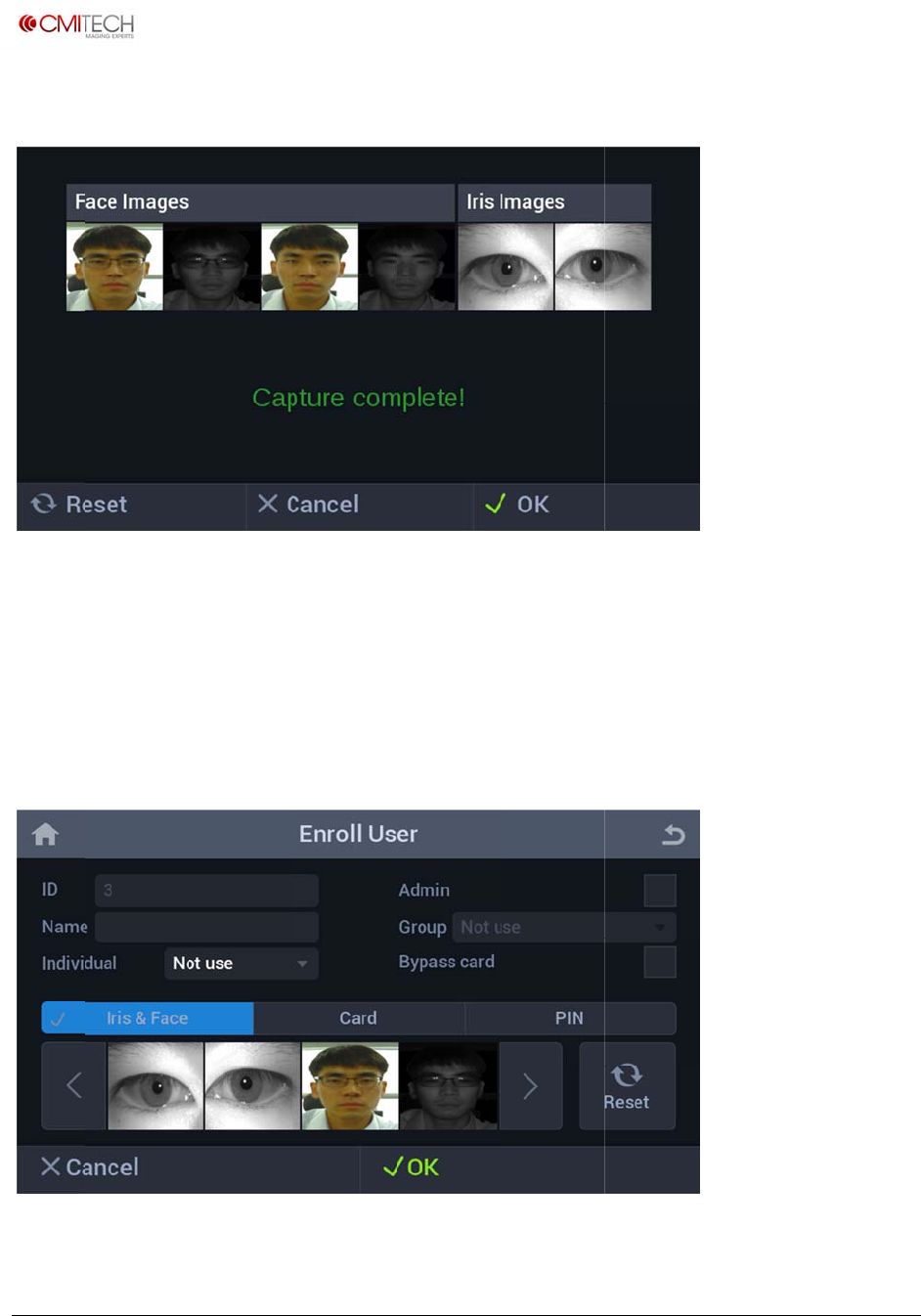
www.cm
i
Copyrigh
t
1.4.3 I
r
Reset
Cancel
OK
1.4.4 I
r
Cancel
i
‐tech.com
t
2016,allrig
h
r
is & Face
r
is & Face
h
tsreserved
Process
R
R
M
Process
R
Save D
a
eturn to fa
c
eturn to En
r
M
ove to nex
t
Compl
e
eturn to Us
e
a
ta / Com
p
c
e capture s
r
oll User sc
r
t
screen to
c
e
te Enroll
m
er Main scr
e
p
lete Enr
o
tage
r
een
c
omplete e
n
m
ent
e
en
U
M
o
llment
n
rollment
M
X‐10UserM
a
a
nual,v0.1.1
July2016
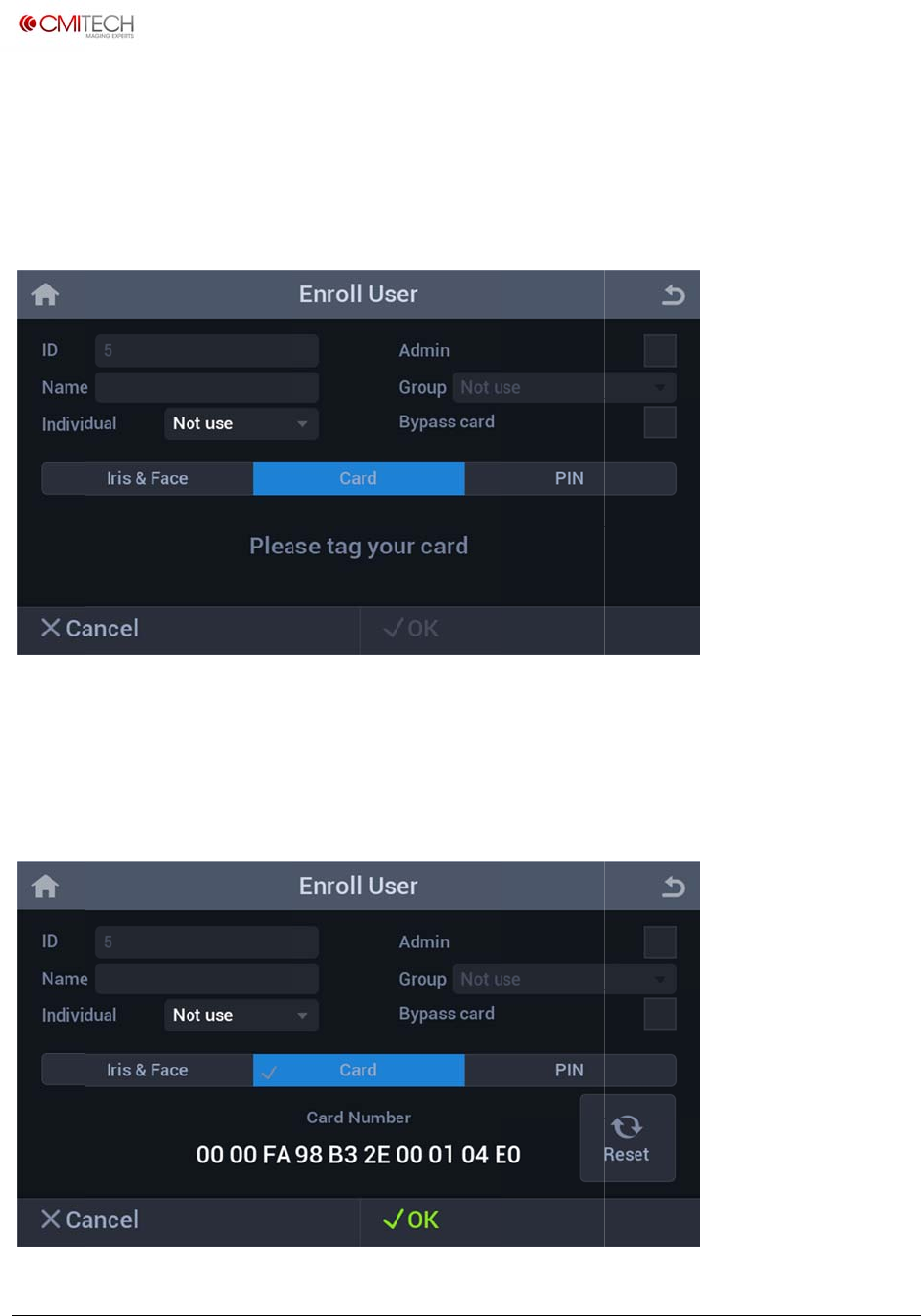
www.cm
i
Copyrigh
t
OK
1.5 Ca
r
Card ta
If "Plea
s
1.5.1
C
i
‐tech.com
t
2016,allrig
h
r
d
b
s
e tag your
c
C
ard Sa
v
h
tsreserved
S
a
U
S
e
c
ard" mess
a
v
e Data
a
ve user da
t
ser Main s
c
e
lection ch
a
a
ge appear
s
t
a to compl
c
reen
a
nges tab t
o
s
, touch fro
n
ete biomet
r
o
blue color
n
t-bottom
p
U
M
r
ics Enrollm
p
art of devi
c
M
X‐10UserM
a
ent, then r
e
c
e with use
r
a
nual,v0.1.1
July2016
e
turn to
r
card.
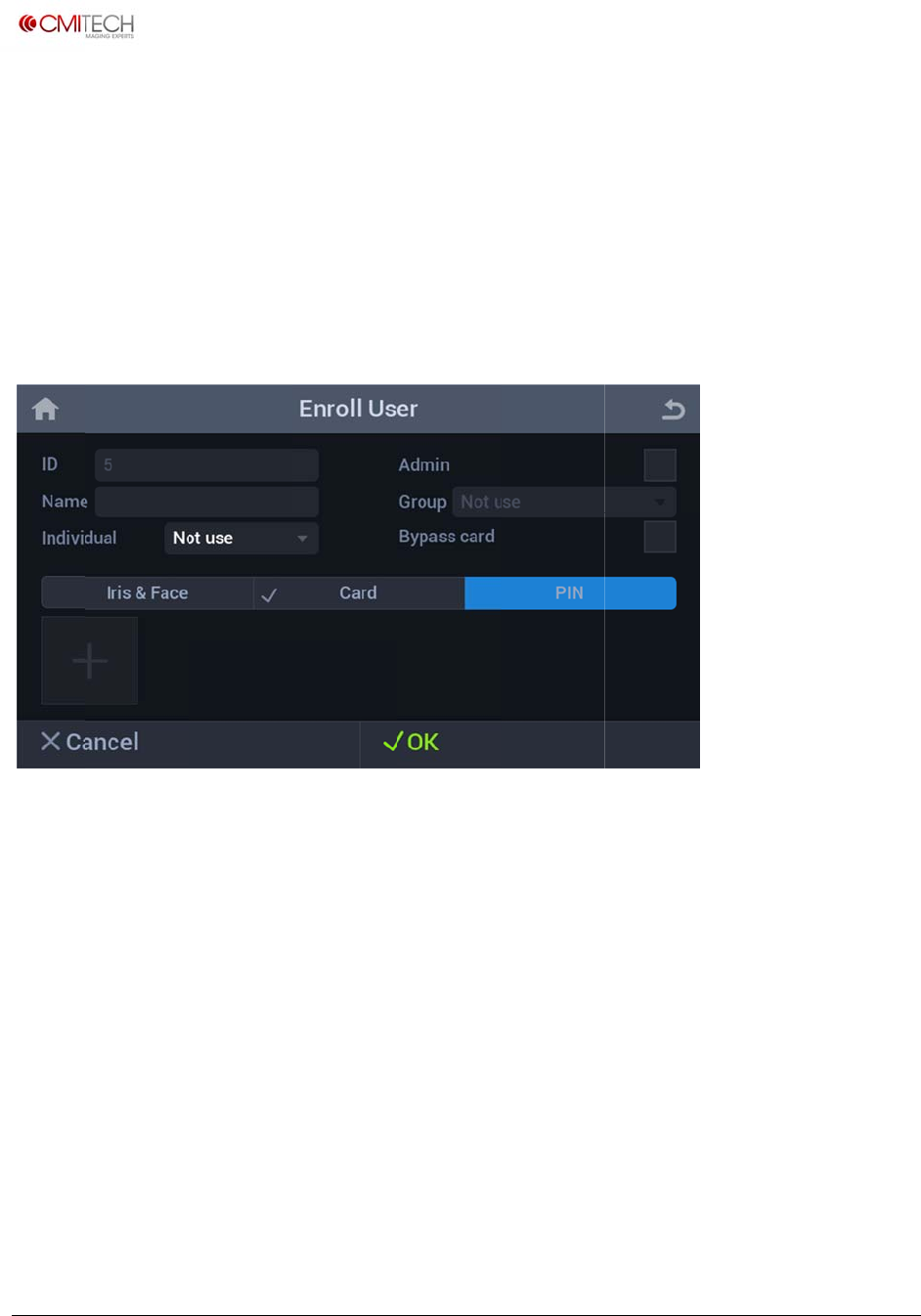
www.cm
i
Copyrigh
t
Card n
u
Reset
Cancel
OK
1.6 Pi
n
PIN ta
b
Start (
+
i
‐tech.com
t
2016,allrig
h
u
mber is sh
o
n
b
+
) button
h
tsreserved
o
wn on tag
g
C
R
S
a
S
e
S
w
g
ing a card
lear card n
u
eturn to Us
e
a
ve user da
t
e
lection ch
a
w
itch to in
p
u
mber and
"
e
r Main scr
e
t
a and retu
r
a
nges tab t
o
p
ut screen
"
Please tag
e
en
r
n to User
M
o
blue color
U
M
your card"
m
M
ain screen
M
X‐10UserM
a
m
essage is
a
nual,v0.1.1
July2016
shown
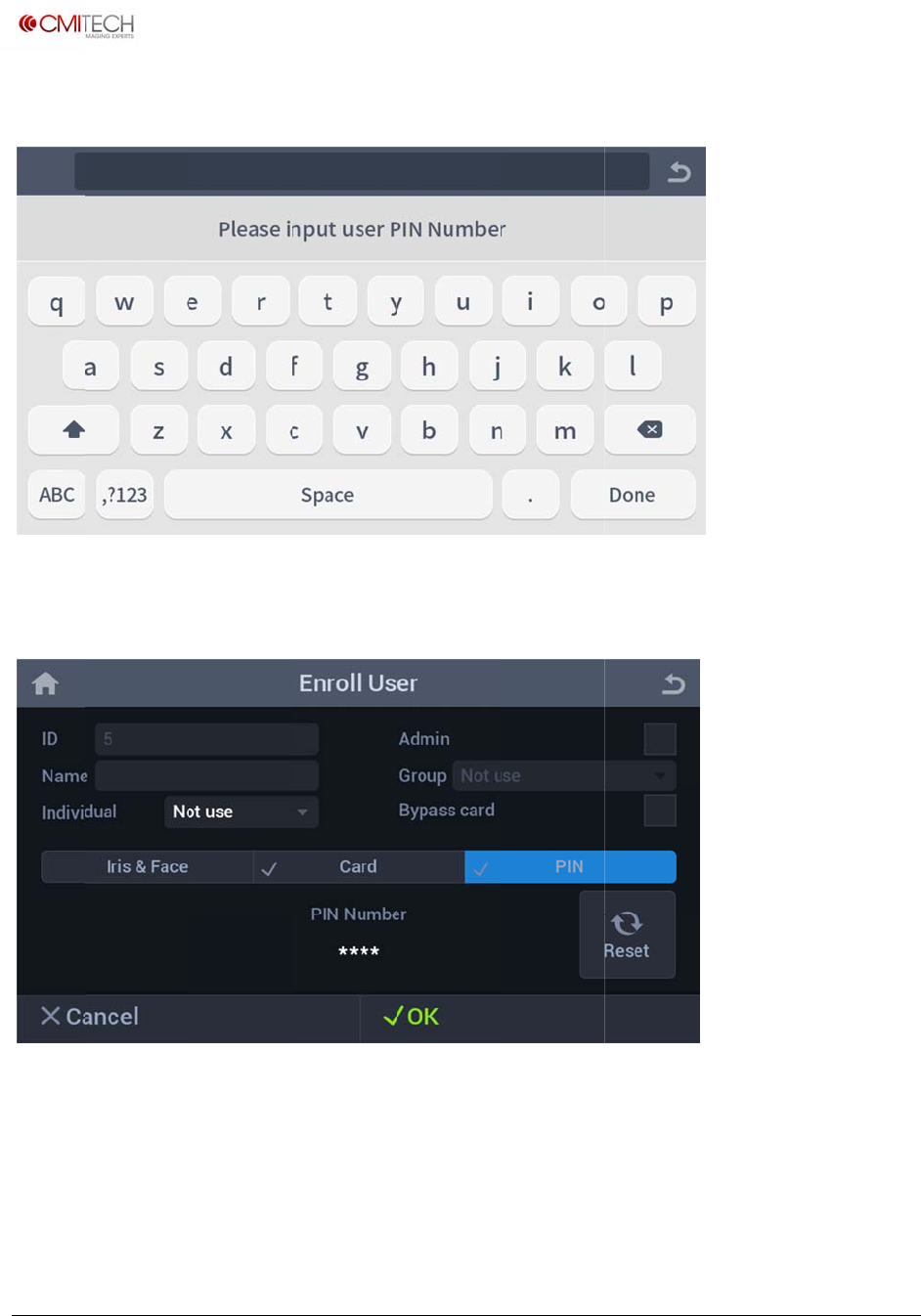
www.cm
i
Copyrigh
t
1.6.1
P
1.6.2
P
Pin nu
m
Reset
Cancel
OK
i
‐tech.com
t
2016,allrig
h
P
in Inpu
P
in Sav
e
m
ber is sho
w
h
tsreserved
t
e
Data
w
n as "*" ch
a
C
R
S
a
s
c
a
racter.
lear pin nu
m
eturn to Us
e
a
ve user da
t
c
reen
m
ber and (
+
e
r Main scr
e
t
a to compl
+
) button is
e
en
ete PIN en
r
U
M
shown
r
ollment / r
e
M
X‐10UserM
a
e
turn to Us
e
a
nual,v0.1.1
July2016
e
r Main
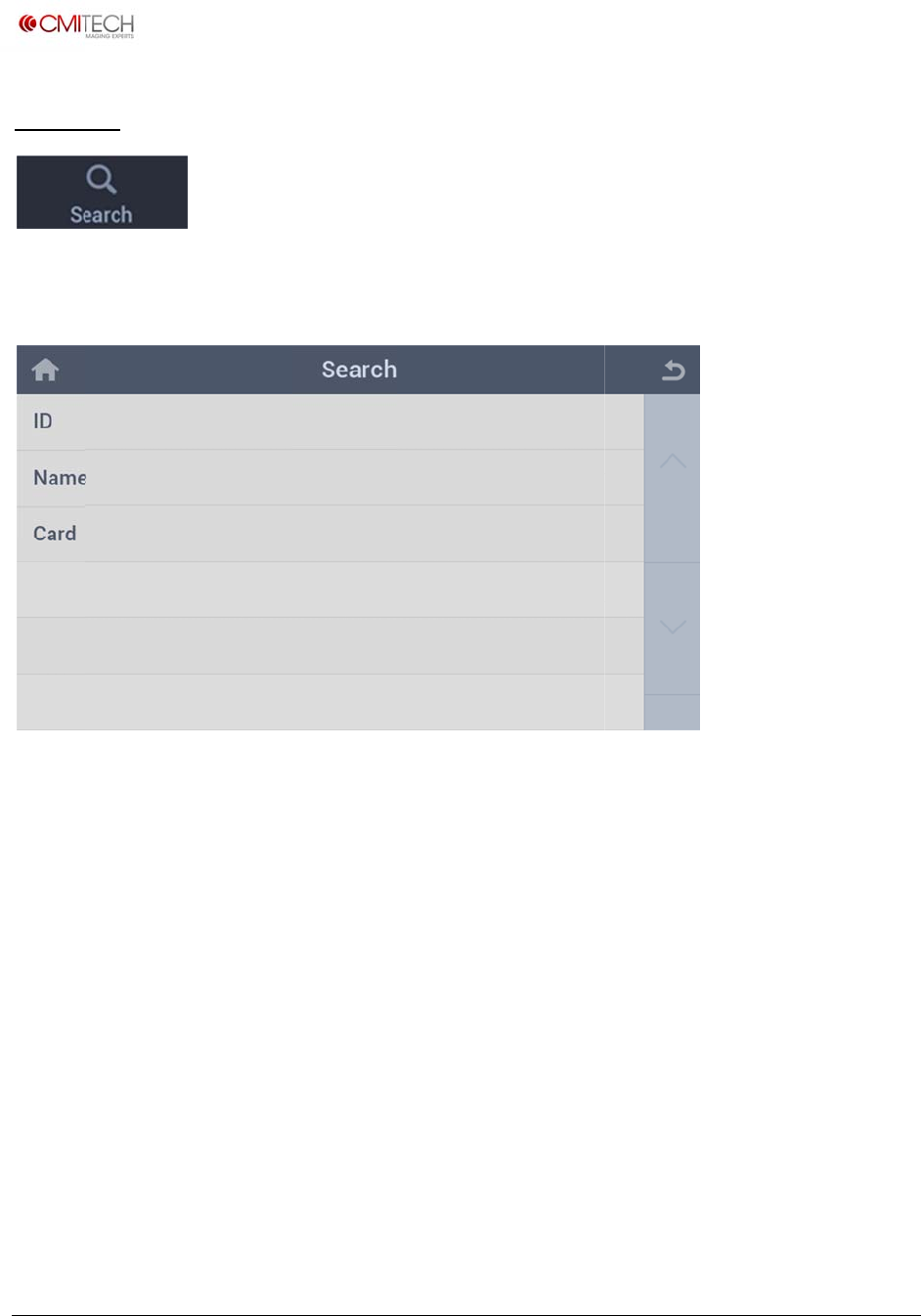
www.cm
i
Copyrigh
t
2 Sea
r
Tap the
(Note: I
n
i
‐tech.com
t
2016,allrig
h
r
ch
Search ico
n
construct
i
h
tsreserved
n to brows
e
i
on)
e
list of enr
o
o
lled users.
U
M
M
X‐10UserM
a
a
nual,v0.1.1
July2016
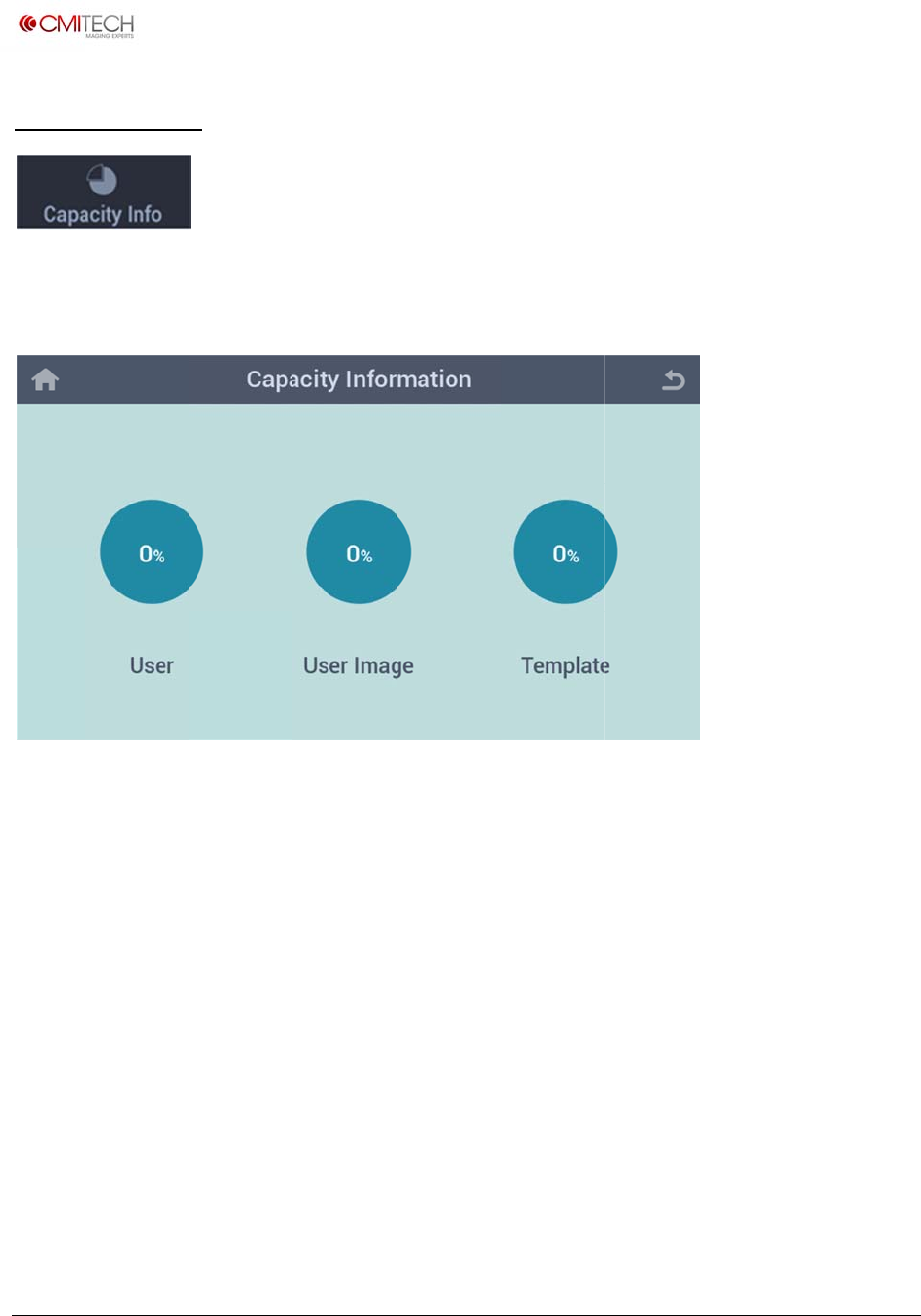
www.cm
i
Copyrigh
t
3 Cap
Tap the
(Note: I
n
i
‐tech.com
t
2016,allrig
h
acity Inf
o
Capacity I
n
n
construct
i
h
tsreserved
o
n
fo icon to
i
on)
check stor
a
a
ge space.
U
M
M
X‐10UserM
a
a
nual,v0.1.1
July2016
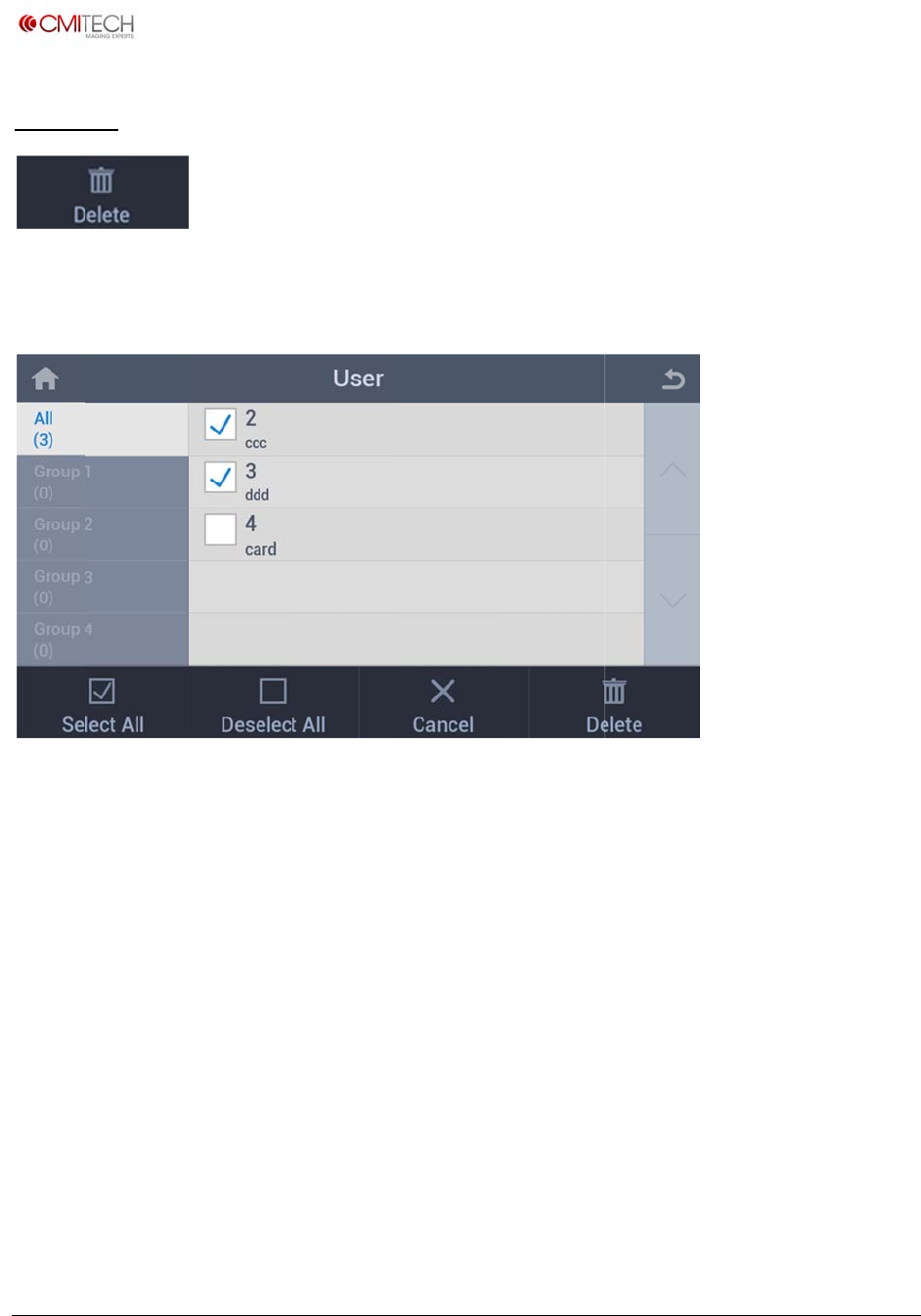
www.cm
i
Copyrigh
t
4 Del
e
Delete i
Select
A
Desele
c
Cancel
Delete
i
‐tech.com
t
2016,allrig
h
e
te
nformation
A
ll
c
t All
h
tsreserved
of enrolled
S
e
D
R
D
user.
e
lect all us
e
D
eselect all
u
eturn to Us
e
D
elete selec
t
e
rs
u
sers
e
r Main scr
e
t
ed user(s)
e
en
U
M
M
X‐10UserM
a
a
nual,v0.1.1
July2016
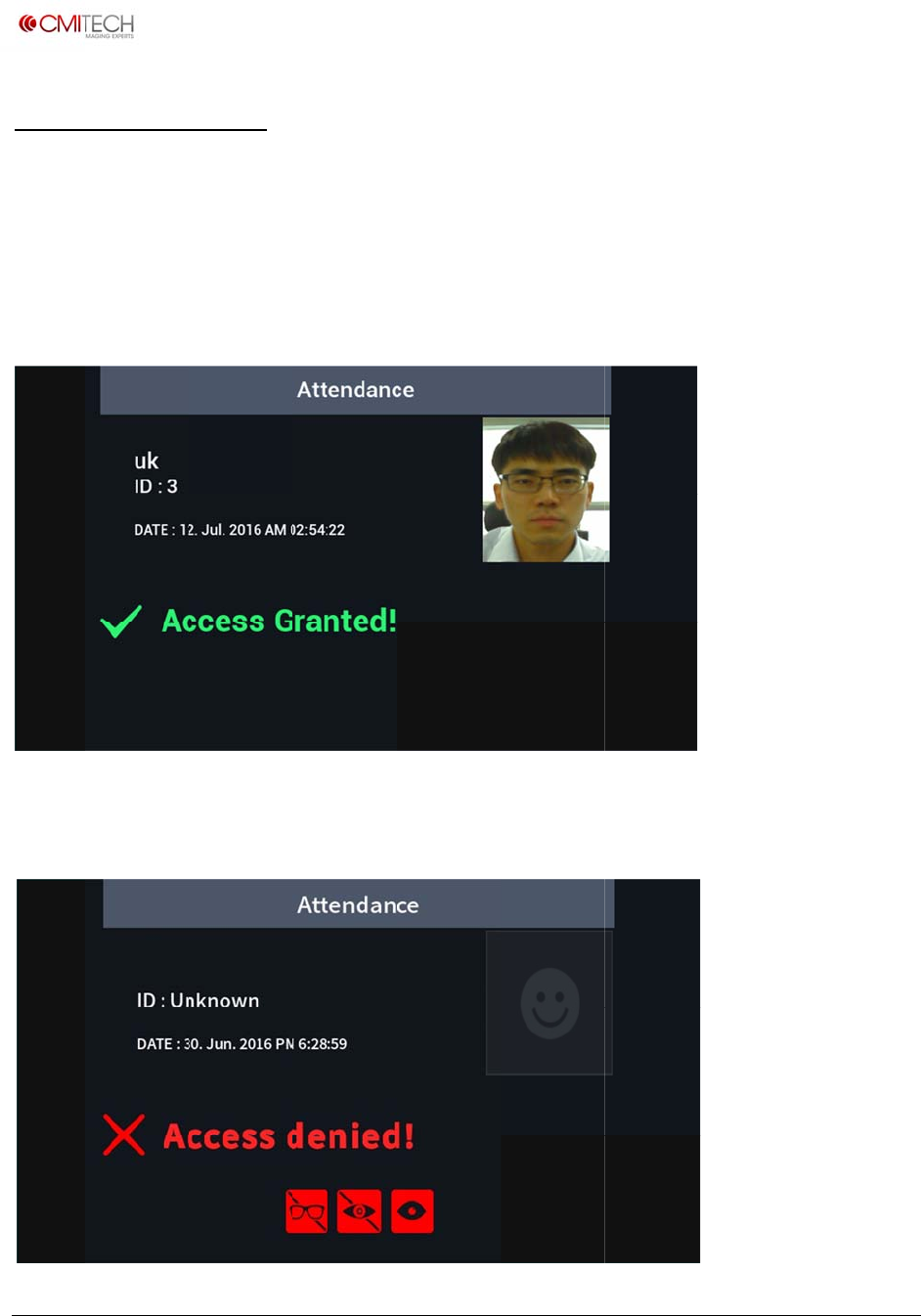
www.cm
i
Copyrigh
t
Reco
g
1.1 Re
c
Recogn
1.2 Re
c
1.3 Re
c
i
‐tech.com
t
2016,allrig
h
g
nition P
c
ognition
ition proce
s
c
ognition
/
c
ognition
/
h
tsreserved
rocess
Process
s
s is identic
a
/
Authent
/
Authent
a
l to the en
r
ication S
u
ication Fa
r
ollment pr
o
u
ccess
ilure
o
cess.
U
M
M
X‐10UserM
a
a
nual,v0.1.1
July2016

www.cm
i
Copyrigh
t
When a
.
.
.
i
‐tech.com
t
2016,allrig
h
ccess is de
n
.
Glasses: D
e
.
Color Len
s
.
Small Eye:
h
tsreserved
n
ied, warnin
e
vice detec
t
s
: Device de
t
Device can
n
g icons can
t
s occlusion
t
ects colore
n
ot fully de
t
appear on
by glasses.
d lenses.
t
ect iris du
e
the screen.
e
to eyelid.
U
M
M
X‐10UserM
a
a
nual,v0.1.1
July2016

www.cm
i
Copyrigh
t
FCC RE
Q
Caution
not exp
approv
e
operate
equipm
NOTE:
T
Operati
o
1. This
d
2. This
d
may ca
u
undesir
e
This eq
u
Digital
D
pursua
n
generat
uses, a
n
accord
a
the inst
r
Howev
e
installa
t
this eq
u
which c
a
i
‐tech.com
t
2016,allrig
h
Q
UIREMEN
T
: Any chan
g
ressly
e
d by the r
e
the
ent.
T
his device
c
o
n is subje
c
d
evice may
d
evice must
u
se
e
d operatio
u
ipment ha
s
D
evice,
n
t to Part 1
5
es,
n
d can radia
a
nce with
r
uctions, m
a
e
r, there is
n
t
ion. If
u
ipment do
e
a
n be
h
tsreserved
T
S PART 15
g
es or modi
f
e
sponsible f
o
c
omplies wi
c
t to the foll
not cause h
accept an
y
n.
s
been test
e
5
of the FC
C
te radio fre
q
a
y cause ha
n
o guarante
e
s cause ha
r
fications in
o
r complia
n
th Part 15
o
owing two
h
armful inte
r
y
interferen
c
e
d and foun
C
Rules. The
s
q
uency ene
rmful interf
e
e that inter
f
r
mful interf
e
constructio
n
ce could v
o
o
f the FCC
R
conditions;
r
face, and
c
e received,
d to compl
y
s
e limits ar
e
rgy and, if
n
e
rence to r
a
f
erence will
e
rence to r
a
n of this de
o
id the user
R
ules.
including i
n
y
with the li
e
designed
t
n
ot installe
d
a
dio comm
u
not occur i
n
a
dio or tele
v
U
M
vice which
a
's authority
n
terference
mits for a
C
t
o this equi
p
d
and used
i
u
nications.
n
a particul
a
v
ision recep
t
M
X‐10UserM
a
a
re
to
that
C
lass B
p
ment
i
n
a
r
t
ion,
a
nual,v0.1.1
July2016

www.cm
i
Copyrigh
t
determi
to try t
o
correct
1. Reori
e
2. Incre
a
3. Conn
4. Cons
u
i
‐tech.com
t
2016,allrig
h
ned by tur
n
o
interferenc
e
e
nt or relo
c
a
se the sep
a
ect the equ
u
lt the deal
e
h
tsreserved
n
ing the rad
e
by one or
c
ate the rec
e
a
ration bet
w
ipment int
o
e
r or an ex
p
io or televi
s
more of th
e
e
iving ante
n
w
een the e
q
o
an outlet
o
p
erienced r
a
s
ion off and
e
following
n
na.
q
uipment a
n
o
n another
c
a
dio/TV tec
h
on, the us
e
measures.
n
d receiver.
c
ircuit.
h
nician for
h
U
M
e
r is encour
a
h
elp.
M
X‐10UserM
a
a
ged
a
nual,v0.1.1
July2016