Canton Elektronik and KG DM50 911 SOUNDBAR (Soundbar Speaker) User Manual
Canton Elektronik GmbH & Co. KG 911 SOUNDBAR (Soundbar Speaker)
Contents
- 1. Manual
- 2. User manual
User manual

PLH | Porsche Lizenz- und Handelsgesellschaft mbH & Co. KG
Grönerstraße 5 | 71636 Ludwigsburg | Deutschland
Declaration
Déclaration
Caution
This device complies with Part 15 of the FCC Rules / Industry
Canada licence-exempt RSS standard(s). Operation is subject
to the following two conditions: (1) this device may not cause
harmful interference, and (2) this device must accept any
interference received, including interference that may cause
undesired operation.
Changes or modifications not expressly approved by the party
responsible for compliance could void the user's authority to
operate the equipment.
This equipment has been tested and found to comply with the
limits for a Class B digital device, pursuant to part 15 of the
FCC Rules. These limits are designed to provide reasonable
protection against harmful interference in a residential
installation. This equipment generates, uses and can radiate
radio frequency energy and, if not installed and used in
accordance with the instructions, may cause harmful
interference to radio communications. However, there is no
guarantee that interference will not occur in a particular
installation. If this equipment does cause harmful interference
to radio or television reception, which can be determined by
turning the equipment off and on, the user is encouraged to try
to correct the interference by one or more of the following
measures:
- Reorient or relocate the receiving antenna.
- Increase the separation between the equipment and
receiver.
- Connect the equipment into an outlet on a circuit
different from that to which the receiver is connected.
- Consult the dealer or an experienced radio/TV
technician for help.
Under Industry Canada regulations, this radio transmitter may
only operate using an antenna of a type and maximum (or
lesser) gain approved for the transmitter by Industry Canada.
To reduce potential radio interference to other users, the
antenna type and its gain should be so chosen that the
equivalent isotropically radiated power (e.i.r.p.) is not more than
that necessary for successful communication.
MPE Reminding
To satisfy FCC / IC RF exposure requirements, a separation
distance of 20 cm or more should be maintained between the
antenna of this device and persons during device operation. To
ensure compliance, operations at closer than this distance is
not recommended.
A
ttention
Le présent appareil est conforme aux CNR d'Industrie Canada
applicables aux appareils radio exempts de licence.
L'exploitation est autorisée aux deux conditions suivantes : (1)
l'appareil ne doit pas produire de brouillage, et (2) l'utilisateur
de l'appareil doit accepter tout brouillage radioélectrique subi,
même si le brouillage est susceptible d'en compromettre le
fonctionnement.
Conformément à la réglementation d'Industrie Canada, le
présent émetteur radio peutfonctionner avec une antenne d'un
type et d'un gain maximal (ou inférieur) approuvé pour
l'émetteur par Industrie Canada. Dans le but de réduire les
risques de brouillage radioélectrique à l'intention des autres
utilisateurs, il faut choisir le type d'antenne et son gain de sorte
que la puissance isotrope rayonnée équivalente (p.i.r.e.) ne
dépasse pas l'intensité nécessaire à l'établissement d'une
communication satisfaisante.
MPE Avis
Les antennes installées doivent être situées de facon à ce que
la population ne puisse y être exposée à une distance de moin
de 20 cm. Installer les antennes de facon à ce que le personnel
ne puisse approcher à 20 cm ou moins de la position centrale
de l’ antenne.
La FCC des éltats-unis stipule que cet appareil doit être en tout
temps éloigné d’au moins 20 cm des personnes pendant son
functionnement.

porsche design
911 SOUNDBAR
Porsche Design® is a registered trademark
Porsche Lizenz- und Handelsgesellschaft mbH & Co. KG
Groenerstrasse 5 | 71636 Ludwigsburg | Germany
www.porsche-design.com
DS_Betriebsanleitung_911_Soundbar_210x148mm_RZ_v10.indd 34-1 09.11.15 09:43

INSTRUCTIONS
Deutsch 4
English 34
Español 64
Français 94
Italiano 124
Nederlands 154
Polski 184
DS_Betriebsanleitung_911_Soundbar_210x148mm_RZ_v10.indd 2-3 09.11.15 09:43
[ DE ] 911 Soundbar
4 | 5
INHALT
Sicherheitshinweise ...........................................Seite 5
Auspacken ......................................................Seite 10
Aufstellen ........................................................Seite 10
Einspielen ........................................................Seite 10
Inbetriebnahme der Fernbedienung ................. S eite 11
Anschluss-Terminal .......................................... Seite 11
Anschluss ........................................................ Seite 12
Bedienung ....................................................... Seite 13
Displayanzeigen............................................... Seite 14
Erweiterte Sound-Funktionen ..........................Seite 16
Wiedergabe via Bluetooth® Technologie ..........Seite 19
Ein- bzw. Ausschaltautomatik [
AUT
] ................Seite 20
ECO Standby [
ECO
] ........................................Seite 21
WILLKOMMEN IN DER WELT VON PORSCHE DESIGN
Von 0 auf 100 in 3,5 Sekunden. Bis zu 9.000 Umdrehungen pro Minute. 315 km/h in der Spitze. Für die Einen sind das
nur Zahlen – für uns sind es die Noten einer Symphonie für den Sportwagen: Der Sound des 911 GT3.
Lassen Sie sich von unserer Leidenschaft für innovative Technik begeistern und freuen Sie sich auf ein atemberaubendes
Klangerlebnis. Mit der 911 Soundbar, dem high-end 2.1 Virtual Surround Sound System mit der Original-Abgasanlage
eines 911 GT3.
SICHERHEITSHINWEISE
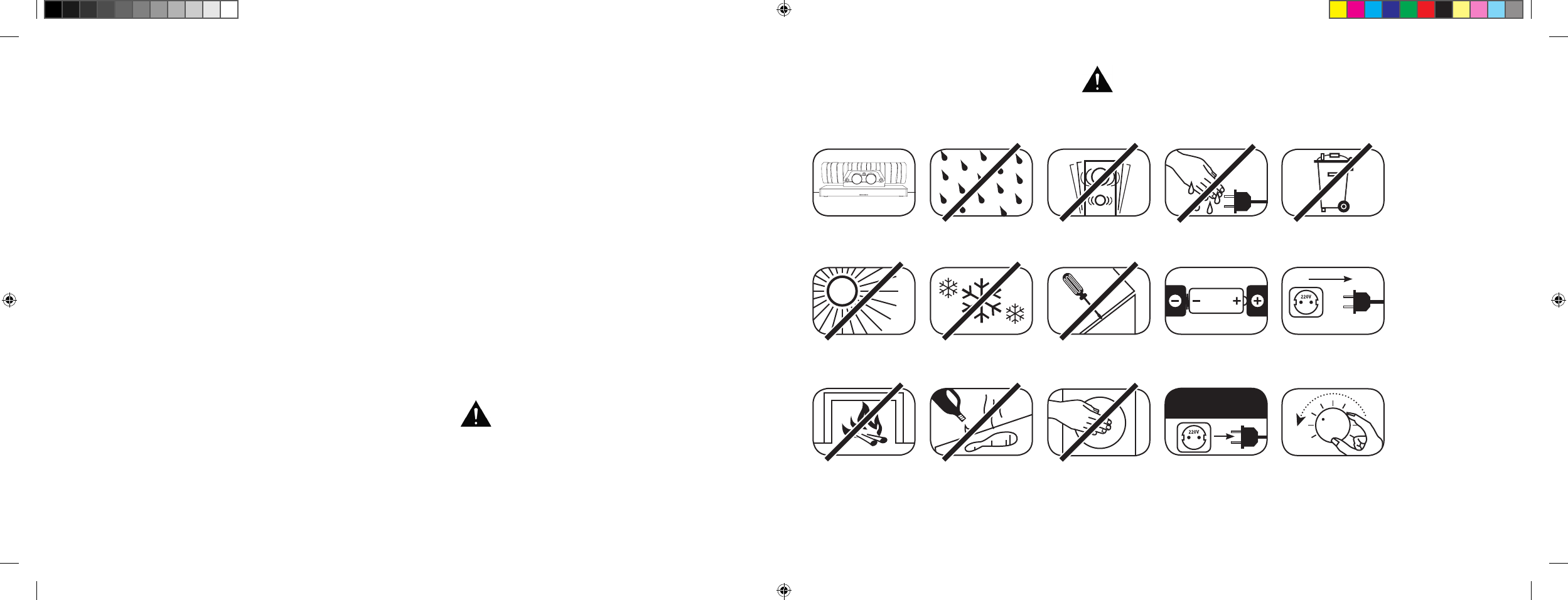
Bitte beachten Sie die Sicherheitshinweise bei der Wahl des richtigen Platzes für Ihre 911 Soundbar sowie bei deren Pflege und Bedienung.
Wählen Sie einen
ebenen Untergrund
Feuchtigkeit
vermeiden
Erschütterungen
vermeiden
Direkte
Sonneneinstrahlung
vermeiden
Abstand zu
Wärmequellen
sicherstellen
Vor extremer Kälte
schützen
Zur Reinigung
keine aggressiven,
alkoholhaltigen oder
scheuernden Mittel
einsetzen
Gehäuse nicht öffnen
Nicht in die
Gehäuseöffnung und
Endrohrblende greifen
Netzstecker bei
Gewitter ziehen
Netzkabel nicht mit
nassen Händen anfassen
Bei Batterie und
Fernbedienung auf
richtige Polung achten
Nicht im Hausmüll
entsorgen
Die sachgemäße Handhabung der 911 Soundbar fällt
in die Verantwortung des Anwenders. Porsche Design
kann keine Verantwortung für Schäden oder Unfälle
übernehmen, die durch unsachgemäße Aufstellung
oder unsachgemäßen Anschluss verursacht werden.
Freien Zugang zum
Netzstecker gewährleisten
Bei Überlastung
System leiser drehen
Automatische Wahl des BT Eingangs [
SEL
] .....Seite 22
IR-Lernfunktion ................................................Seite 23
IR-Löschfunktion .............................................Seite 25
Fehlersuche .....................................................Seite 26
Technische Daten ............................................Seite 30
Weitere wichtige Informationen ........................ Seite 31
Lizenzhinweise ................................................Seite 32
DS_Betriebsanleitung_911_Soundbar_210x148mm_RZ_v10.indd 4-5 09.11.15 09:43
[ DE ] 911 Soundbar
6 | 7
WICHTIGE SICHERHEITSUNTERWEISUNG
Lesen und befolgen Sie alle Anweisungen.
Bewahren Sie diese Anweisungen auf.
Beachten Sie alle Warn- und Sicherheitshinweise.
Betreiben Sie dieses Gerät nur in gemäßigtem Klima [
nicht in tropischem Klima
].
Betreiben Sie dieses Gerät nicht in Höhen von über 2.000 m über dem Meeresspiegel.
Betreiben Sie dieses Gerät nur im Innenbereich, nicht im Außenbereich oder in Feuchträumen.
Um die Gefahr eines Brandes oder Stromschlages zu vermeiden, darf das Gerät weder Regen noch Nässe ausgesetzt werden.
Betreiben Sie dieses Gerät nicht in der Nähe von Wasser.
Setzen Sie dieses Gerät keinem Tropf- oder Spritzwasser aus.
Starke Temperaturschwankungen führen zu Kondensniederschlag [
Wassertröpfchen
] im Gerät. Warten Sie mit der Inbetrieb nahme,
bis sich die entstandene Feuchtigkeit verflüchtigt hat [
mind. 3 Stunden
].
Stellen Sie keine Gegenstände auf das Gerät, die mit Flüssigkeiten gefüllt sind [
wie z. B. Vasen
].
Stellen Sie kein offenes Feuer, wie z. B. brennende Kerzen, auf oder in die Nähe des Gerätes.
Stellen Sie das Gerät nicht in die Nähe von Wärmequellen wie z. B. Heizkörpern, Wärmespeichern, Öfen oder sonstigen Geräten [
auch Verstärkern
],
die Wärme erzeugen.
Verhindern Sie direkte Sonneneinstrahlung.
Halten Sie einen Freiraum von wenigstens 5 cm um das Gerät herum ein.
Verhindern Sie in keinem Fall die Schutzfunktion von gepolten oder geerdeten Steckern: Ein gepolter Stecker hat 2 Stifte, von denen einer breiter ist
als der andere. Ein geerdeter Stecker hat einen dritten Erdungsstift. Der breite bzw. dritte Stift dient Ihrer Sicherheit. Falls der Stecker nicht in Ihre
Steckdose passt, wenden Sie sich an einen qualifizierten Elektriker, um die veraltete Steckdose auszutauschen.
Zur Vermeidung eines elektrischen Schlages, verbinden Sie den Netzstecker nur mit Steckdosen oder Verlängerungen, bei denen die Kontaktstifte
vollständig eingesteckt werden können, um freiliegende Kontaktstifte zu vermeiden.
Berühren Sie niemals Signal- und Netzkabel mit nassen Händen.
Treten Sie nicht auf das Netzkabel und klemmen Sie es nicht ein, insbesondere nicht im Bereich der Stecker, Steckdosen und an der Stelle, an der
das Kabel aus dem Gerät geführt wird.
Bei Geräten ohne Netzschalter, bei denen der Netzstecker bzw. die Geräte-Netzbuchse als Trenneinrichtung dient, muss der Stecker des Netzkabels
bzw. die Geräte-Netzbuchse jederzeit frei zugänglich sein.
Trennen Sie bei Gewittern oder längerem Nichtgebrauch das Gerät vom Stromnetz.
Um das Gerät komplett vom Stromnetz zu trennen, ziehen Sie das Netzkabel aus der Steckdose.
Schalten Sie das Gerät vor dem Anschließen oder Abziehen von Anschlussleitungen immer aus.
Immer an den Steckern und nicht an den Leitungen ziehen.
Stellen Sie das Gerät gemäß den Herstellerhinweisen auf.
Wählen Sie immer einen ebenen Untergrund. Das Gerät muss lotrecht stehen.
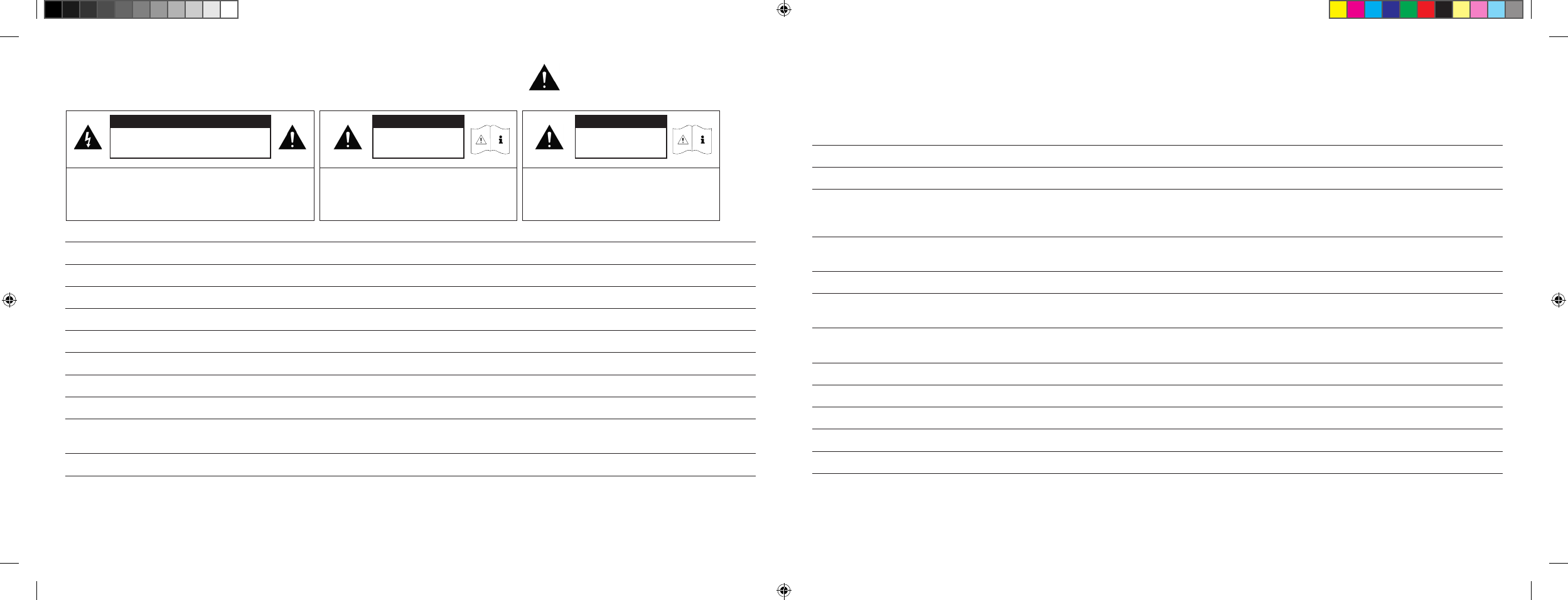
ACHTUNG
Gefahr eines elektrischen Schlages.
Nicht öffnen!
ACHTUNG:
Zur Vermeidung eines Brandes oder eines elektrischen Schlages
das Gerät nicht öffnen. Das Gerät enthält keine vom Benutzer zu
wartenden Teile. Lassen Sie Wartungs- und Reparaturarbeiten
nur von qualifizierten Fachkräften [
Servicepersonal
] durchführen.
ACHTUNG
Lebensgefahr!
ACHTUNG:
Knopfzelle [
Batterie
] nicht verschlucken.
Gefahr innerer chemischer Verbrennungen.
Es besteht Lebensgefahr!
ACHTUNG
Explosionsgefahr!
ACHTUNG:
Auswechselbare Lithium-Batterien!
Bei unsachgemäßem Austausch besteht
Explosions gefahr. Batterien nur durch den
selben oder einen Vergleichstyp ersetzen.
DS_Betriebsanleitung_911_Soundbar_210x148mm_RZ_v10.indd 6-7 09.11.15 09:43
[ DE ] 911 Soundbar
8 | 9
Hinweis
Üben Sie keine Gewalt auf Bedienelemente, Anschlüsse und Leitungen aus.
Das Gerät darf nur mit der auf dem Gerät oder dem Typenschild spezifizierten Spannung und Frequenz betrieben werden.
Stecken Sie keine Gegenstände oder Körperteile in die Öffnungen des Gerätes. Stromführende Teile im Inneren des Gehäuses könnten berührt und/
oder beschädigt werden. Dies kann zu Kurzschlüssen, elektrischen Schlägen und Feuerentwicklung führen.
Verwenden Sie nur Befestigungsmaterial und Zubehör, welches vom Hersteller zugelassen ist und/oder mit dem Gerät mitgeliefert wird.
Verwenden Sie nur Rollwagen, Ständer, Stative, Halter oder Tische, die allen in den Sicherheitsunterweisungen erwähnten Anforderungen
gerecht werden. Wenn Sie einen Rollwagen verwenden, bewegen Sie den Rollwagen/Geräte-Verbund nur vorsichtig, um Schäden und
Verletzungen durch Umkippen zu vermeiden.
Reinigen Sie dieses Gerät nur mit einem sauberen, trockenen Tuch.
Verwenden Sie zur Reinigung keine aggressiven, alkoholhaltigen oder scheuernden Mittel.
Zur Vermeidung eines elektrischen Schlages das Gehäuse nicht öffnen! Das Gerät enthält keine vom Benutzer zu wartenden Teile.
Wenden Sie sich bei allen Reparatur- und Wartungsarbeiten an Ihr Porsche Zentrum. Dies ist dann erforderlich, wenn das Gerät in irgendeiner Weise
beschädigt ist, wie z. B. bei Beschädigungen von Netzkabeln oder Steckern, wenn Flüssigkeiten oder Gegenstände in das Gerät gelangt sind, dieses
Regen oder Feuchtigkeit ausgesetzt wurde, nicht ordnungsgemäß funktioniert oder fallen gelassen wurde.
Nehmen Sie keine Veränderungen am Gerät oder Zubehör vor. Nicht autorisierte Veränderungen können die Sicherheit, die Einhaltung von Gesetzen
oder die Systemleistung beeinträchtigen. In diesem Fall kann die Betriebserlaubnis/Garantie erlöschen.
Falls bei der Wiedergabe Tonverzerrungen wie z. B. unnatürliches Klopfen, Pochen oder hochfrequentes Klicken auftreten, ist der Lautstärkepegel
umgehend zu reduzieren.
Um mögliche Gehörschäden zu vermeiden, hören Sie nicht über einen längeren Zeitraum bei hohen Pegeln. Unterbrechen Sie die Wiedergabe,
falls Sie Klingel- oder Pfeifgeräusche in den Ohren hören oder den Eindruck haben, hohe Töne [
auch kurzzeitig
] nicht mehr wahrnehmen
zu können.
Neue sowie gebrauchte Batterien sind von Kindern fernzuhalten. Geräte, bei denen das Batteriefach nicht sicher geschlossen werden kann,
dürfen nicht weiter verwendet werden und sind von Kindern fernzuhalten.
Die mit diesem Gerät gelieferte Fernbedienung enthält eine Knopfzelle als Batterie. Ein Verschlucken der Knopfzelle kann in nur 2 Stunden zu
ernsthaften inneren Verbrennungen und damit zum Tod führen!
Bei Verdacht auf verschluckte oder in sonstige Körperöffnungen eingeführte Knopfzellen ist umgehend ein Arzt aufzusuchen.
Achten Sie bei der Batterie-Entsorgung auf die Umwelt. Batterien müssen bei einer Batterie-Sammelstelle entsorgt werden.
Batterien dürfen keinen hohen Temperaturen ausgesetzt werden, wie z. B. direkter Sonneneinstrahlung, Feuer oder Ähnlichem.
Batterien müssen entsprechend dem Polaritätsaufdruck korrekt eingelegt werden. Falsches Einsetzen kann zu Beschädigungen führen.
Verwenden Sie ausschließlich die für das Gerät spezifizierten Batterien oder Akkus.
Bei den mitgelieferten Batterien handelt es sich nicht um Akkus, d. h. diese Batterien dürfen nicht wieder aufgeladen werden.
Das Gerät und/oder der Beipack kann Kleinteile enthalten, die verschluckt werden können.
Daher nicht geeignet für Kinder unter 3 Jahren.
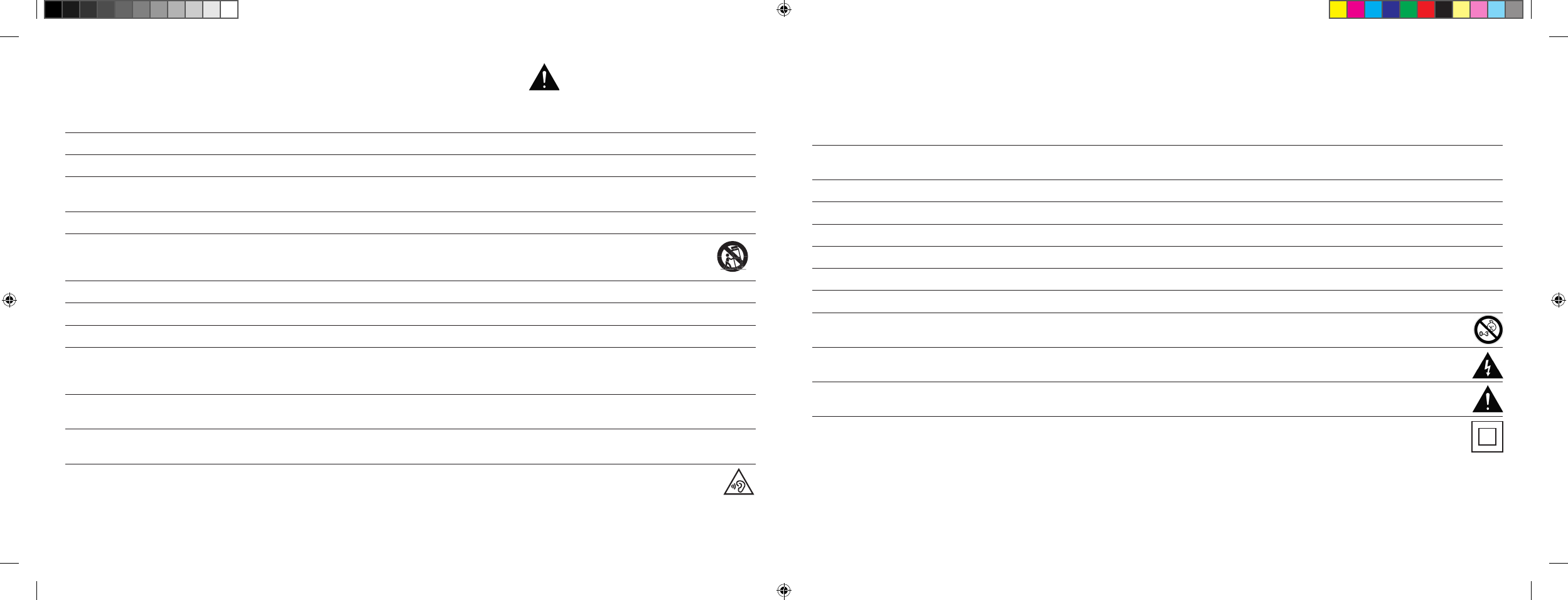
Dieses Symbol weist Sie auf nicht isolierte, gefährliche Spannungen im Inneren des Gehäuses hin, die eine ausreichende Stärke [
Amplitude
]
haben, um einen Brand oder elektrischen Schlag zu verursachen.
Dieses Symbol weist Sie auf wichtige Bedienungs- und Instandhaltungsanweisungen in den mitgelieferten Begleitunterlagen [
Anleitung
] hin.
Dieses Symbol kennzeichnet Schutzklasse II-Geräte, bei denen der Schutz vor einem elektrischen Schlag während des bestimmungs -
gemäßen Betriebs durch eine doppelte oder verstärkte Isolation gewährleistet wird und daher kein Schutzleiteranschluss erforderlich ist.
WICHTIGE SICHERHEITSUNTERWEISUNG
DS_Betriebsanleitung_911_Soundbar_210x148mm_RZ_v10.indd 8-9 09.11.15 09:43
[ DE ] 911 Soundbar
10 | 11
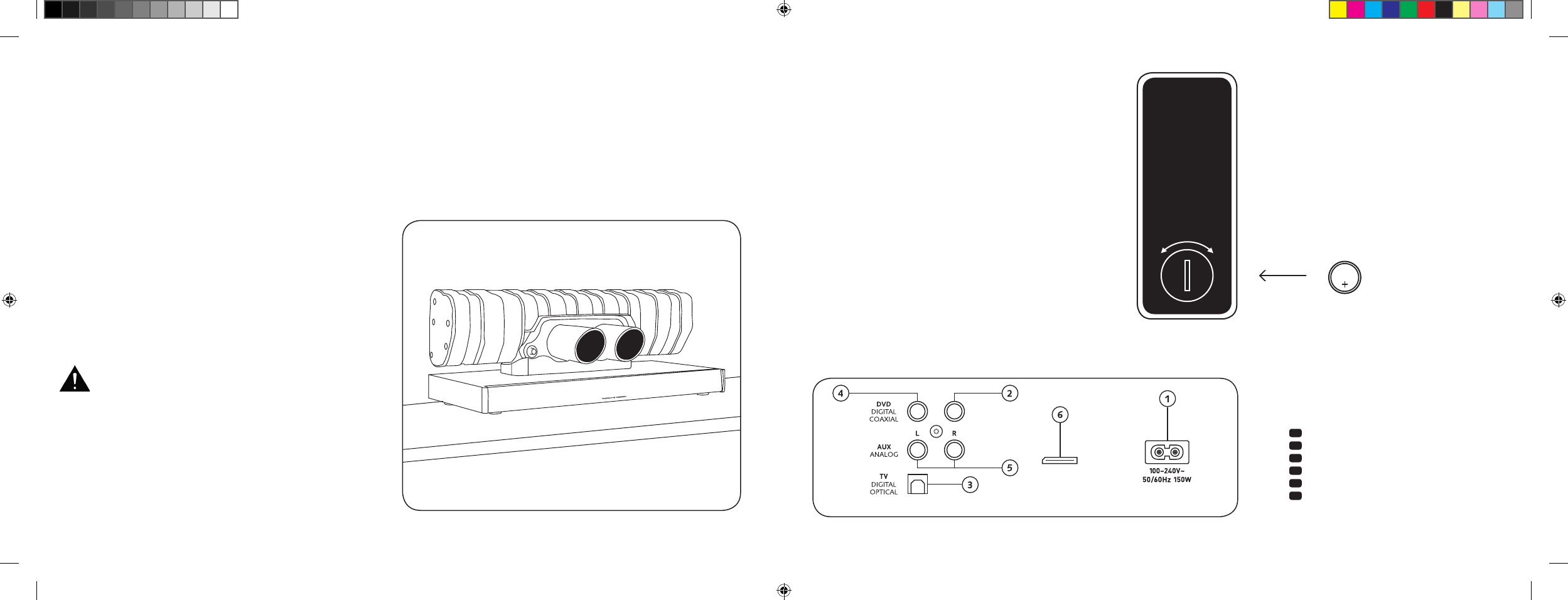
ANSCHLÜSSE
911 SOUNDBAR
1 Buchse Stromversorgung
2 Ausgang – Ext. Subwoofer
3 Eingang – TV [
optisch
]
4 Eingang – DVD [
coaxial
]
5 Eingang – AUX [
analog
]
6 Buchse Service
INBETRIEBNAHME
DER FERNBEDIENUNG
Die mitgelieferte Batterie ist bereits in die Fernbedienung
eingelegt. Zur Inbetriebnahme entfernen Sie lediglich die
Schutzfolie. Achten Sie bei einer Ersatzbatterie darauf, dass
diese entsprechend den Polaritätsmarkierungen [
+/–
] korrekt
eingelegt wird. Verwenden Sie ausschließlich die für dieses
System spezifizierte Batterie [
CR 2032
].
Hinweis: Die mitgelieferte Batterie ist für den Probegebrauch
vorge sehen und hat daher eventuell eine geringere Lebensdauer.
ANSCHLUSS-TERMINAL
911 Soundbar
SUB OUT
Service
Fernbedienung
[
Rückseite
]
AUFSTELLEN
Platzieren Sie die 911 Soundbar auf einer ebenen Fläche.
AUSPACKEN
Packen Sie den Karton vorsichtig aus und überprüfen Sie,
ob alle hier aufgeführten Teile enthalten sind:
1 x 911 Soundbar
1 x Fernbedienung inkl. Batterie
4 x Netzkabel [
je 1 x EU, UK, US, AUS
]
1 x optisches digitales Audiokabel
1 x Stereo Cinch-Kabel
1 x digitales Cinch-Kabel
EINSPIELEN
Einspielphase bis zur Entfaltung der maximalen
Klang eigen schaften: 15 – 20 Betriebsstunden.
– Bitte in dieser Zeit in normaler Lautstärke hören
– Extrem hohe Pegel vermeiden
– Unterschiedlichstes Tonmaterial hören
CR 2032
AUF ZU
Jede 911 Soundbar ist ein Einzelstück. Der in der
911 Soundbar verbaute Endschalldämpfer des
Porsche 911 GT3 wird im regulären Serienprozess
gefertigt. Um die Authentizität zu unterstreichen,
sind Schweißnähte und Verfärbungen durch den
Schweißprozess bewusst sichtbar.
Deshalb können wir keine Reklamationen auf
Grund von Nicht-Gefallen der Endschalldämpfer-
Oberfläche [
Schweißnähte, Anlaufstellen,
Verfärbungen, Schweißspritzer, etc
] akzeptieren.
Vielen Dank für Ihr Verständnis.
DS_Betriebsanleitung_911_Soundbar_210x148mm_RZ_v10.indd 10-11 09.11.15 09:43
[ DE ] 911 Soundbar
12 | 13
ANSCHLUSS
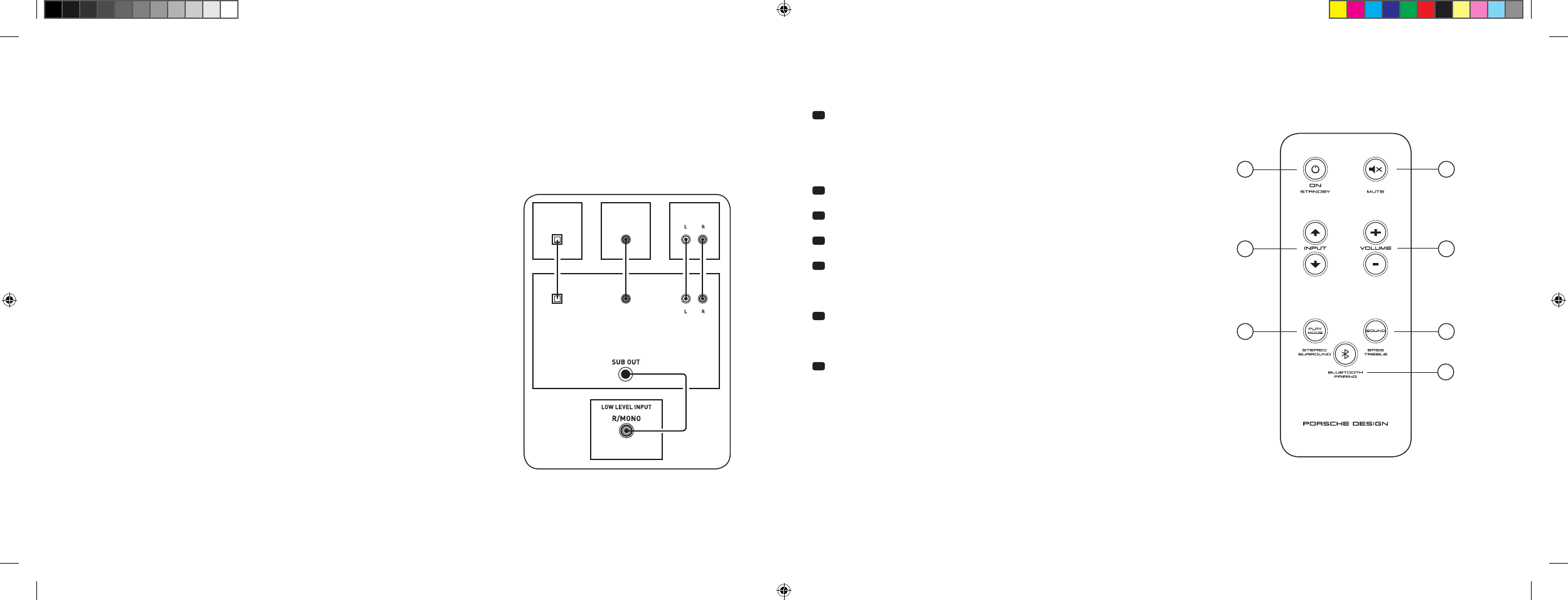
Bitte achten Sie darauf, dass vor dem Anschließen alle elektrischen Komponenten ausgeschaltet sind. Ihre 911 Soundbar verfügt über 3 frei wählbare
Eingänge. Grundsätzlich genügt es, wenn Sie einen dieser Eingänge mit Ihrem TV-Gerät verbinden und alle weiteren Zuspieler am TV-Gerät anschließen.
Um eine bestmögliche Tonwiedergabe zu erzielen, empfiehlt es sich Sat-Receiver, Blu-Ray- oder DVD-Player direkt mit der 911 Soundbar zu verbinden.
Je nach Art und Ausstattung der verwendeten Quelle kann zwischen folgenden Möglichkeiten gewählt werden:
BEDIENUNG
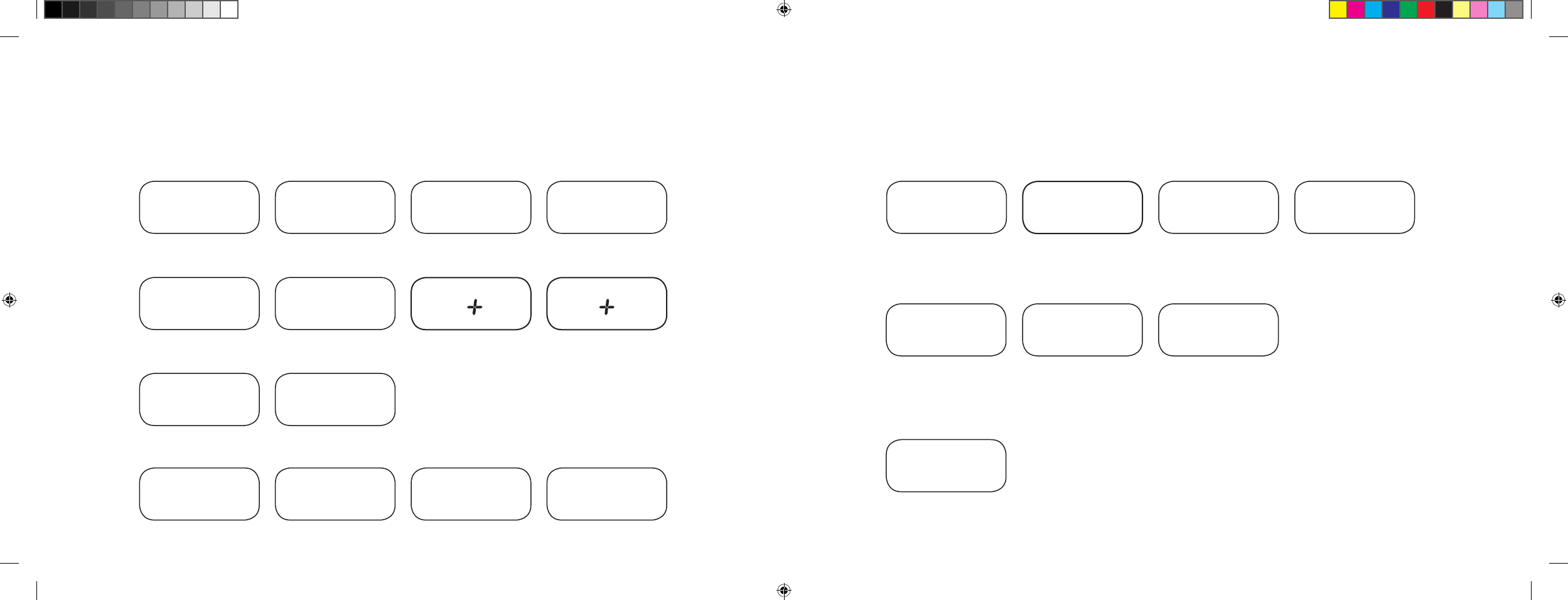
Fernbedienung
1 Power
ON – LED leuchtet grün [
Ein
]
Standby – LED leuchtet rot [
Bereitschaft
]
911 Soundbar vom
Stromnetz getrennt – LED leuchtet nicht [
Aus
]
2 Mute [
Stummschaltung
]
3 Input [
Tonquellenauswahl
]
4 Volume [
Lautstärkeeinstellung
]
5 Play Mode [
Wiedergabemodus
]
Stereo – für Musikwiedergabe
Surround – virtueller Raumklang für Heimkino-Wiedergabe
6 Sound [
Klangeinstellung
]
Bass – Anpassung über Volume [
+6... –6 dB
]
Treble – Anpassung über Volume [
+6... –6 dB
]
7 Bluetooth®-Pairing
Verbindung mit einer Bluetooth® -Funktechnologie-fähigen Quelle
Memory-Funktion
Nach einer vorübergehenden Trennung vom Stromnetz schaltet sich
die 911 Soundbar automatisch in den zuletzt gewählten Zustand.
Alle Einstellungen [
z. B. An/Aus, Lautstärke
] bleiben bestehen.
SUB
DIGITAL MOVIE
DVD
DVDTV
TV
AUX
AUX
TV – Digitaleingang [
OPTICAL
]
Moderne TV-Geräte verfügen über einen optischen Audio-Ausgang [
Toslink
].
Verbinden Sie diesen mit dem durch „TV“ gekennzeichneten Eingang der 911 Soundbar.
Diese Verbindung garantiert eine optimale Signalübertragung und beste Tonqualität.
Achtung: Schutzkappen des mitgelieferten optischen Kabels entfernen!
DVD – Digitaleingang [
COAXIAL
]
Zur Übertragung des DVD-Tonsignals verbinden Sie den digitalen Coax-Ausgang
Ihres Blu-Ray oder DVD-Players mit der durch „DVD“ gekennzeichneten Buchse
der 911 Soundbar. Zur Übertragung des Bildsignals muss Ihr DVD-Player zusätzlich
mit dem TV-Gerät verbunden werden. Der mit „DVD“ gekennzeichnete Eingang
der 911 Soundbar kann auch gewählt werden, wenn Ihr TV-Gerat über keinen
optischen Ausgang verfügt.
AUX – Analogeingang
Sollte Ihr TV-Gerät nur mit einem als „Pre-Out“ bezeichneten Audio-Ausgang ausgestattet
sein, dann verbinden Sie diesen mittels abgeschirmtem Stereo Cinch-Kabel mit dem
mit „AUX“ gekennzeichneten analogen Eingang der 911 Soundbar. Ansonsten dient dieser
Eingang zur Verbindung mit Videorecordern oder Spielekonsolen.
SUB – Analogausgang
Diesen Ausgang verwenden Sie, wenn ein externer aktiver Subwoofer angeschlossen werden
soll. SUB OUT ist in der Grundeinstellung nicht aktiv und muss über die Fernbedienung
freigeschaltet werden. Siehe Seite 16 „Erweiterte Sound-Funktionen“.
4
ON
STANDBY
1
3
5 6
7
2
DS_Betriebsanleitung_911_Soundbar_210x148mm_RZ_v10.indd 12-13 09.11.15 09:43
[ DE ] 911 Soundbar
14 | 15
DISPLAYANZEIGEN
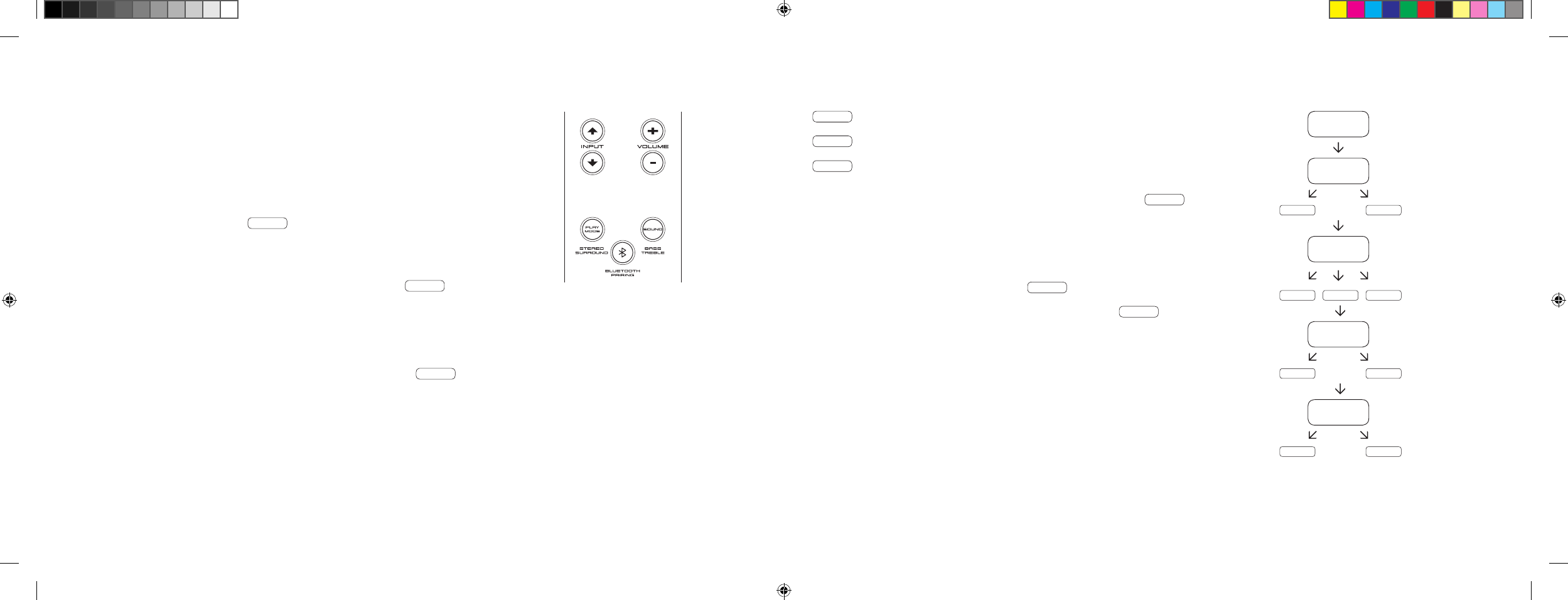
Die 911 Soundbar verfügt über ein Multifunktions-Display, das bei einem von der Fernbedienung gesendeten Befehl für ca. 5 Sekunden aufleuchtet.
Die wichtigsten Anzeigen und ihre Bedeutung sind hier aufgeführt. Der Standby-Modus der 911 Soundbar wird durch eine rot leuchtende LED
angezeigt. Ist Ihre 911 Soundbar in Betrieb, leuchtet diese LED grün.
Input
Soundmode
Playmode
TV Eingang [
optisch
]
TV
Volume [
0 – 99
]
V30
Stereo
ST
Pairing Mode
BTP
DVD Eingang [
coaxial
]
DVD
Stumm [
Mute
]
---
Surround
SUR
Verbindung hergestellt
CON
AUX Eingang [
analog
]
AUX
Bassregelung [
+/– 6
]
B 6
Verbindung unterbrochen
DIS
Bluetooth®
BT
Höhenregelung [
+/– 6
]
T 6
Fehlermeldung
FAI
Bluetooth®
Setup Funktionen
Akt./Deakt. Einschalt automatik
für optischen
und coaxialen Eingang
AUT
Akt./Deakt.
automatische Auswahl
BT Eingang
SEL
Akt./Deakt.
ECO Standby
ECO
IR-Lernfunktion
Erlernen
Infrarot-Codes
IRL
Erweiterte Sound-Funktionen
Verzögerung Ton-
wiedergabe [
LipSync
]
LIP
Akt./Deakt.
SUB OUT
SUB
Akt./Deakt.
Dolby Dynamic Range
Compression
DRC
Auswahl
Aufstellungsweise
EQ
DS_Betriebsanleitung_911_Soundbar_210x148mm_RZ_v10.indd 14-15 09.11.15 09:43
[ DE ] 911 Soundbar
16 | 17
ERWEITERTE SOUND-FUNKTIONEN
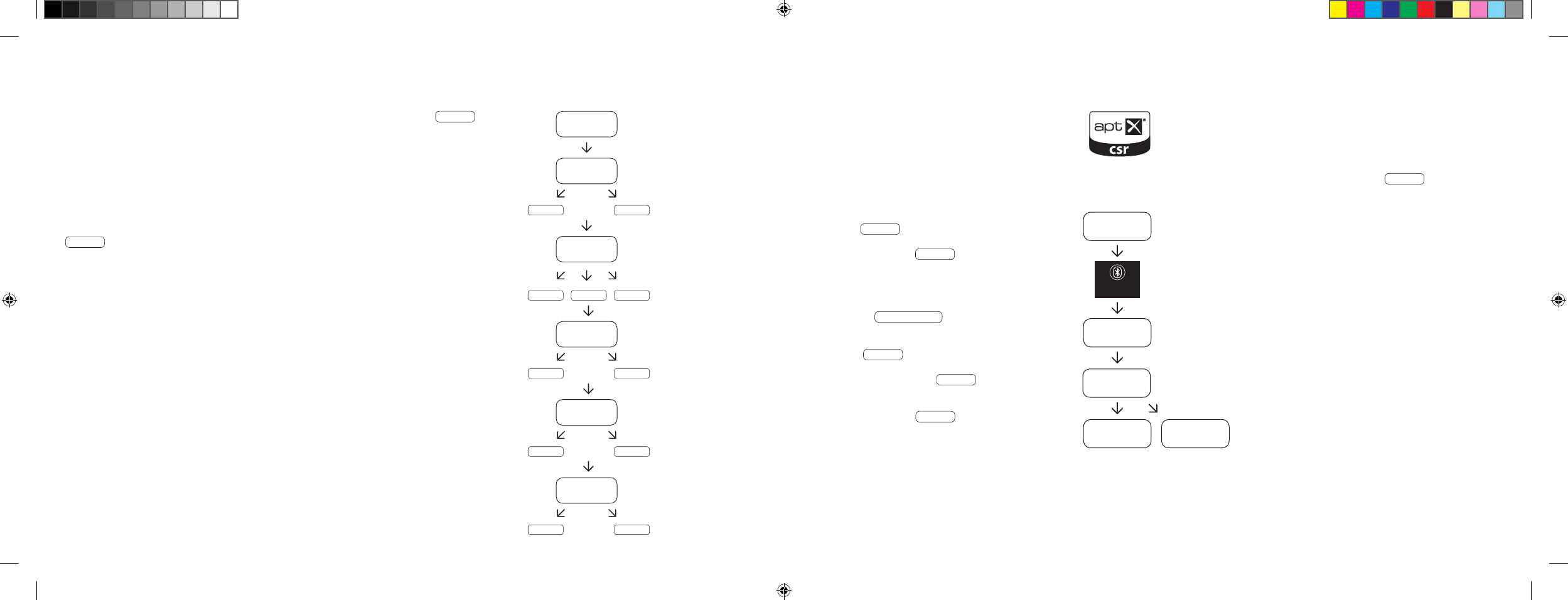
Das Menü für erweiterte Sound-Funktionen bietet Ihnen die Möglichkeit, bei nicht
lippen synchroner Tonwiedergabe korrigierend einzu greifen, den Ausgang für einen
kabelgebundenen externen Subwoofer zu aktivieren, die Tonwiedergabe an den gewählten
Aufstellungsort anzupassen, sowie die Dolby-Funktion „Dynamic Range Compression“
ein- bzw. auszuschalten.
Halten Sie die mit „Sound“ gekennzeichnete Taste auf der Fernbedienung für länger als
3 Sekunden gedrückt, gelangen Sie in das Menü „Erweiterte Sound-Funktionen“ und das
Display in der 911 Soundbar springt auf LIP .
Mit den „Volume +/–“ Tasten kann jetzt die Tonwiedergabe in Schritten von jeweils
10 ms verzögert werden, um den Ton an das ,,verspätete“ Bild anzupassen.
Nach erneutem kurzen Drücken der „Sound“ Taste springt das Display auf SUB .
Mit den „Volume +/–“ Tasten kann jetzt der Ausgang für einen externen Subwoofer ein- bzw.
ausgeschaltet werden. Achtung, bei aktiviertem SUB OUT wird die Tonwiedergabe der
Soundbar bei 80 Hz begrenzt. Frequenzen unterhalb von 80 Hz werden an den externen
Subwoofer geleitet.
Drücken Sie ein weiteres Mal kurz die „Sound“ Taste, springt das Display auf EQ .
Mit den „Volume +/–“ Tasten kann jetzt zwischen 3 voreingestellten Equalizer-
Presets gewählt und die Wiedergabe an den Aufstellungsort angepasst werden.
EQ1 für eine frei aufgestellte 911 Soundbar, z. B. auf einem Sideboard.
EQ2 für eine Aufstellung mit Flat-TV an der Wand hängend.
EQ3 für eine Aufstellung der 911 Soundbar in einem Rack oder Regal.
Nach einem weiteren Drücken der „Sound“ Taste springt das Display auf DRC .
„Dynamic Range Compression“ ist eine Einstelloption von Dolby Laboratories. Bei
aktivierter Funktion kann bei Dolby-codierten Datenströmen der Dynamikbereich
automatisch verringert werden, was Lautstärkeunterschiede reduziert. Leise Töne
werden dabei angehoben und laute abgesenkt.
Mit den „Volume +/–“ Tasten kann die Funktion DRC ein- bzw. ausgeschaltet werden.
Nach erneutem Drücken der „Sound“ Taste springt das Display auf VOL .
Mit dieser [
Schutz-
] Funktion „Volume“ können Sie den maximal einstellbaren Laut stärkepegel
begrenzen, d. h. die Lautstärke [
Anzeige im Display
] kann im Betrieb nicht mehr über den hier
eingestellten Wert hinaus erhöht werden.
Mit den „Volume +/–“ Tasten können Sie nun den gewünschten Lautstärkewert einstellen
[
0–99, wobei 99 das Maximum darstellt
].
LIP
SUB
ON OFF
EQ
EQ1 EQ2 EQ3
DRC
ON OFF
VOL
099
…
DS_Betriebsanleitung_911_Soundbar_210x148mm_RZ_v10.indd 16-17 09.11.15 09:43
[ DE ] 911 Soundbar
18 | 19
WIEDERGABE VIA BLUETOOTH® TECHNOLOGIE
Voraussetzung für die Anmeldung
– Die Bluetooth® Funktion muss am mobilen
Endgerät aktiviert sein.
– Das mobile Endgerät muss mindestens den
Bluetooth® Standard 2.0 unterstützen.
– Das mobile Endgerät muss sich in Reichweite
der 911 Soundbar befinden [
max. 10 m
].
Anmeldevorgang
– Eingang BT wählen.
– Taste „Bluetooth®-Pairing“ betätigen.
– Im Display erscheint BTP .
– Sie haben nun 30 Sekunden Zeit zur
Anmeldung Ihres mobilen Endgerätes.
– Starten Sie den Suchlauf an Ihrem
mobilen Endgerät.
– Wählen Sie 911 SOUNDBAR als Wieder gabegerät.
– Die Verbindung stellt sich nach Bestätigung
automatisch her und wird Ihnen mit der
Meldung CON im Display angezeigt.
– Sollte die Verbindung fehlgeschlagen sein,
erhalten Sie die Meldung FAI .
– Sollte das mobile Endgerät einen Zugangscode
verlangen, geben sie 0000 ein.
– Erscheint im Display DIS , ist Ihr mobiles
Endgerät außer Reichweite oder abgemeldet.
Betrieb eines mobilen Endgeräts
– Das jeweils zuletzt mit der 911 Soundbar verbundene
Gerät stellt automatisch die Verbindung her, sofern
die Bluetooth® Funktion aktiviert und der Eingang für
die Bluetooth®-Wiedergabe gewählt ist. Sie erhalten
in diesem Fall die Meldung CON .
– Starten Sie die Wiedergabe eines Mediums auf Ihrem
mobilen Endgerät und es wird automatisch der Ton
auf der 911 Soundbar ausgegeben.
Hinweis: Die 911 Soundbar kann bis zu 3 Bluetooth®
Geräte verwalten. Siehe auch Kapitel „Automatische
Wahl des BT Eingangs“ auf Seite 22.
BT
BTP
CON FAI
BLUETOOTH
PAIRING
911
SOUNDBAR
Nach einem weiteren kurzen Druck auf die „Sound“ Taste springt das Display auf VOI .
Verwenden Sie die „Voice“ Funktion, um die Sprachverständlichkeit sowohl im Stereo- als
auch Surroundbetrieb zu erhöhen. Hierdurch können Sie z. B. Dialoge [
Sprache
] bei Filmen
mit lauten Effekten besser verstehen.
Mit den „Volume +/–“ Tasten können Sie die „Voice“ Funktion ein- bzw. ausschalten
[
ON bzw. OFF
].
Durch erneutes Drücken der „Sound“ Taste gelangen Sie wieder zum Anfang des Menüs
LIP .
Menü verlassen
Durch erneutes Drücken der „Sound“ Taste für länger als 3 Sekunden können Sie das
Menü „Erweiterte Sound-Funktionen“ wieder verlassen.
Erhält die 911 Soundbar für länger als 30 Sekunden keinen Eingabebefehl von der
Fern bedienung, springt die Menüführung automatisch in den Normalmodus zurück.
LIP
SUB
ON OFF
EQ
EQ1 EQ2 EQ3
DRC
ON OFF
VOL
099
VOI
ON OFF
…
DS_Betriebsanleitung_911_Soundbar_210x148mm_RZ_v10.indd 18-19 09.11.15 09:43
[ DE ] 911 Soundbar
20 | 21
Ist diese Funktion aktiviert [
ON
], erkennt das Gerät ein am optischen oder coaxialen Eingang anliegendes Signal. Wird ein Signal detektiert
[
z. B. Einschalten des Quellgerätes
], schaltet die 911 Soundbar selbsttätig ein. Befindet sich kein Signal am gewählten Eingang [
z. B. nach Abschalten
des Quellgeräts
], wird die 911 Soundbar nach 30 Sekunden automatisch in den AUT Standby-Zustand versetzt. Ist diese Funktion deaktiviert [
OFF
],
muss die 911 Soundbar manuell ein- bzw. abgeschaltet werden.
Im Auslieferzustand ist diese Funktion deaktiviert [
OFF
].
Zur Aktivierung/Deaktivierung dieser Funktion gehen Sie wie folgt vor:
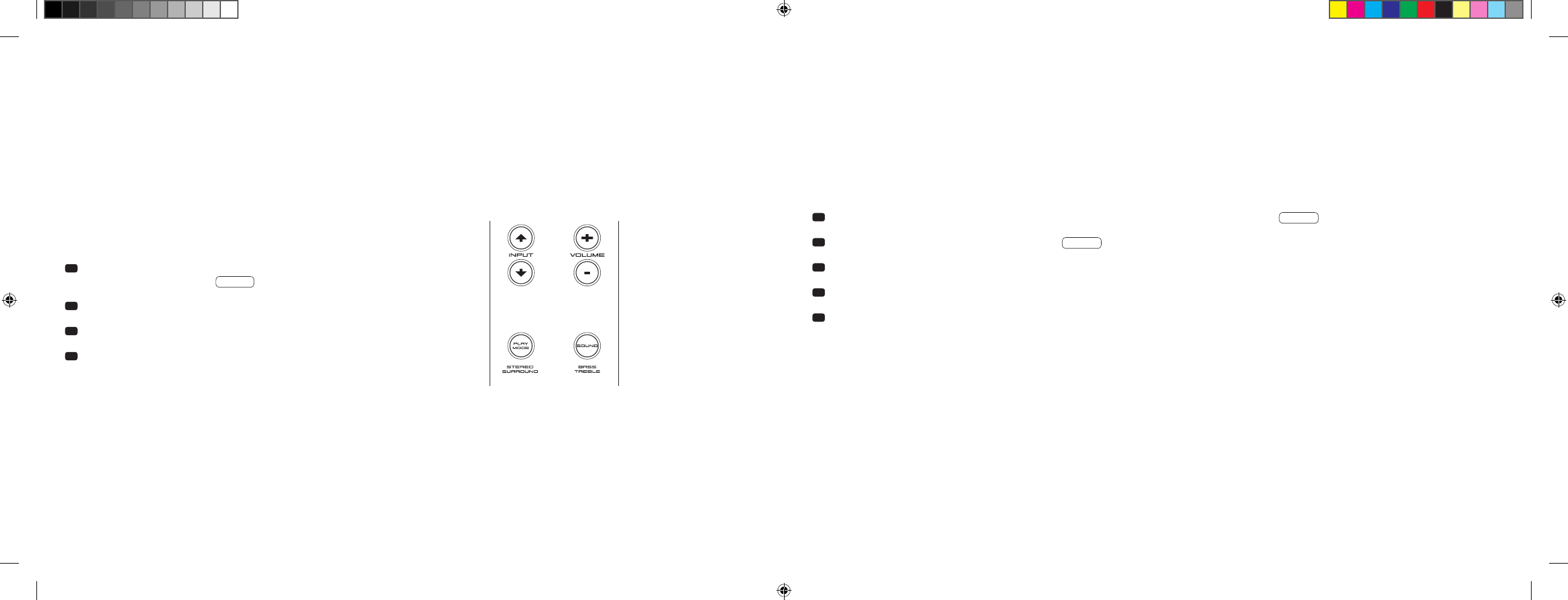
1 Halten Sie bei eingeschaltetem Gerät die „Play Mode“ Taste für mehr
als 3 Sekunden gedrückt, bis AUT im Display erscheint.
2 Durch Drücken der „Volume +“ Taste aktivieren Sie die Funktion [
ON
].
3 Durch Drücken der „Volume –“ Taste deaktivieren Sie die Funktion [
OFF
].
4 Verlassen Sie das Menü, indem Sie abermals die „Play Mode“ Taste für
mehr als 3 Sekunden gedrückt halten. Erfolgt innerhalb von 10 Sekunden
keine Eingabe, verlässt das Gerät das Konfigurationsmenü automatisch.
Bemerkung: Die Ein-/Abschaltautomatik funktioniert ausschließlich beim optischen und coaxialen Digitaleingang. Wird das Gerät über die „ON/Standby“
Taste in den Standby-Zustand versetzt, ist ein automatisches Einschalten nicht möglich.
Das Gerät erkennt ein Signal ausschließlich an dem gewählten Digitaleingang. Ein Signal, welches sich an dem anderen als dem gewählten Digitaleingang
befindet, kann nicht detektiert werden.
SETUP – FUNKTIONEN
EIN- BZW. ABSCHALTAUTOMATIK [
AUT
]
1 Halten Sie bei eingeschaltetem Gerät die „Play Mode“ Taste für mehr als 3 Sekunden gedrückt, bis AUT im Display erscheint.
2 Drücken Sie erneut kurz die „Play Mode“ Taste, bis ECO im Display erscheint.
3 Durch Drücken der „Volume +“ Taste aktivieren Sie die Funktion [
ON
].
4 Durch Drücken der „Volume –“ Taste deaktivieren Sie die Funktion [
OFF
].
5 Verlassen Sie das Menü, indem Sie abermals die „Play Mode“ Taste für mehr als 3 Sekunden gedrückt halten.
Erfolgt innerhalb von 10 Sekunden keine Eingabe, verlässt das Gerät das Konfigurationsmenü automatisch.
ECO STANDBY [
ECO
]
Ist diese Funktion aktiviert [
ON
], wird das Gerät automatisch in den ECO Standby-Zustand versetzt, wenn es für eine Stunde kein Signal am gewählten
Eingang detektiert. Ist diese Funktion deaktiviert [
OFF
], muss die 911 Soundbar manuell abgeschaltet werden.
Im Auslieferzustand ist diese Funktion aktiviert [
ON
].
Zur Aktivierung/Deaktivierung dieser Funktion gehen Sie wie folgt vor:
Bemerkung: Diese Funktion wird automatisch deaktiviert, wenn die Funktion AUT aktiviert wird.
DS_Betriebsanleitung_911_Soundbar_210x148mm_RZ_v10.indd 20-21 09.11.15 09:43
[ DE ] 911 Soundbar
22 | 23
AUTOMATISCHE WAHL DES BT EINGANGS [
SEL
]
Ist diese Funktion aktiviert [
AUT
], wechselt die 911 Soundbar automatisch auf den Eingang BT, sobald sie vom Mobilgerät ein Audiosignal detektiert.
Ist diese Funktion deaktiviert [
MAN
], muss der Eingang manuell gewählt werden.
Im Auslieferzustand ist diese Funktion deaktiviert [
MAN
].
Zur Aktivierung/Deaktivierung dieser Funktion gehen Sie wie folgt vor:
Bemerkung: Abhängig vom verwendeten Mobilgerät kann bei aktivierter Automatik die 911 Soundbar auch beim Tippen einer Nachricht oder bei
anderen Systemtönen auf den BT Eingang schalten.
Wenn die SEL Funktion aktiviert [
AUT
] ist, kann der BT Eingang nicht mehr über die „Input“ Taste gewählt werden. In diesem Modus kann die
911 Soundbar, unabhängig vom gewählten Signaleingang, mit dem Mobilgerät gekoppelt werden.
1 Halten Sie bei eingeschaltetem Gerät die „Play Mode“ Taste für mehr als 3 Sekunden gedrückt, bis AUT im Display erscheint.
2 Drücken Sie erneut kurz die „Play Mode“ Taste, bis SEL im Display erscheint.
3 Durch Drücken der „Volume +“ Taste aktivieren Sie die Funktion [
AUT
].
4 Durch Drücken der „Volume –“ Taste deaktivieren Sie die Funktion [
MAN
].
5 Verlassen Sie das Menü, indem Sie abermals die „Play Mode“ Taste für mehr als 3 Sekunden gedrückt halten.
Erfolgt innerhalb von 10 Sekunden keine Eingabe, verlässt das Gerät das Konfigurationsmenü automatisch.
IR-LERNFUNKTION
Die 911 Soundbar kann den Infrarot-Code Ihrer TV-Fernbedienung lernen und ermöglicht es so, die Funktionen der 911 Soundbar und des TV-Geräts
mit einer Fernbedienung zu steuern. Dabei kann jede beliebige Taste der TV-Fernbedienung mit den Befehlen für die 911 Soundbar belegt werden.
Achten Sie bei der Tastenwahl darauf, dass die Befehle für die 911 Soundbar und das TV-Gerät dabei nicht im Konflikt stehen. So empfiehlt es sich,
die internen Lautsprecher des TV-Gerätes nach Anschluss der 911 Soundbar zu deaktivieren.
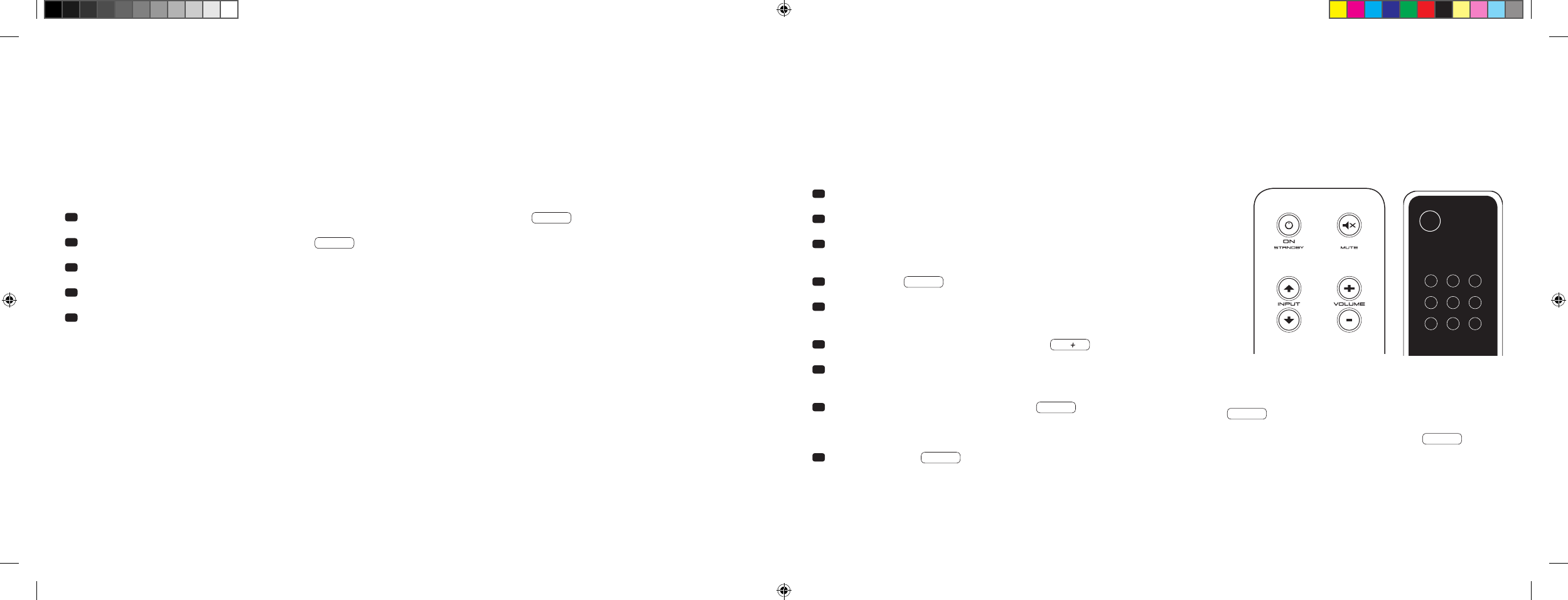
1 Halten Sie die Fernbedienung Ihres TV-Gerätes bereit.
2 Schalten Sie die 911 Soundbar ein.
3 Drücken Sie die „ON/Standby“ Taste der Fernbedienung der 911 Soundbar
ca. 5 Sekunden.
4 Im Display blinkt IRL .
5 Drücken Sie auf der Fernbedienung der 911 Soundbar die gewünschte
Funktion, z. B. „Volume +“.
6 Im Display blinkt jetzt die gewählte Funktion, z. B. V.
7 Drücken Sie innerhalb 20 Sekunden die zu belegende Taste auf der
TV-Fernbedienung.
8 Bei erfolgreicher Übertragung leuchtet im Display OK und Sie können
mit der Programmierung der nächsten Tastenfunktion z. B. „Volume –“
fortfahren.
9 Erscheint im Display FAI ist die Übertragung fehlgeschlagen und
Sie müssen die Schritte 5 bis 8 noch einmal wiederholen.
TV-Fernbedienung
ON
STANDBY
Hinweis: Die rote „ON/Standby“ Taste der Porsche Fernbedienung
ist doppelt belegt. Durch einmaliges Drücken, im Display erscheint
dann ON , kann die Einschaltfunktion gelernt werden. Drückt
man die rote „ON/Standby“ Taste der Porsche Fernbedienung
zweimal kurz hintereinander, erscheint im Display STB und die
Standby- bzw. Ausschaltfunktion kann gelernt werden. Sollte Ihre
TV-Fernbedienung nur über eine Taste für den Befehl „Ein-“ und
„Ausschalten“ verfügen, müssen trotzdem beide Funktionen, „ON“
und „Standby“, mit diesem Befehl belegt werden.
DS_Betriebsanleitung_911_Soundbar_210x148mm_RZ_v10.indd 22-23 09.11.15 09:43

[ DE ] 911 Soundbar
24 | 25
Menü verlassen
Durch erneutes Drücken der „ON/Standby“ Taste für länger als 5 Sekunden können Sie das Menü „IR-Lernfunktion“ wieder verlassen. Erhält die
911 Soundbar für länger als 60 Sekunden keinen Eingabebefehl von der Fernbedienung, springt die Menüführung automatisch in den Normalmodus zurück.
Direktwahl der Signaleingänge
Zusätzlich zu der „Input
“ und „Input
“ Taste können Sie die Signaleingänge TV, DVD, AUX und Bluetooth® bei Verwendung Ihrer TV- oder Universal-
fernbedienung auch direkt auswählen, d. h. Sie können den gewünschten Eingang einer Taste auf Ihrer Fernbedienung zuweisen.
1 Halten Sie, während Sie sich im IR-Lernmenü IRL befinden, eine der beiden „Input“ Tasten auf der Porsche Fernbedienung für 3 Sekunden
gedrückt, gelangen Sie in das Direktwahl-Menü. Im Display blinkt DVD .
2 Sie können dem Eingang „DVD“ nun eine Taste auf Ihrer TV-Fernbedienung zuordnen.
Hinweis: Wenn Sie im Normalbetrieb diese Taste auf Ihrer TV-Fernbedienung drücken, springt die 911 Soundbar direkt auf den DVD-Eingang.
3 Drücken Sie die gewünschte Taste auf Ihrer TV-Fernbedienung. Wurde der Infrarot [
IR
]-Code erfolgreich von der 911 Soundbar gelernt, zeigt das
Display kurz OK und anschließend den nächsten Eingang TV .
4 Konnte der Code nicht gelernt werden, oder sollten Sie innerhalb von 10 Sekunden keine Taste an Ihrer Fernbedienung drücken, zeigt das Display kurz
FAI um anzuzeigen, dass kein Code gelernt wurde. Danach zeigt das Display weiterhin blinkend DVD , und Sie können erneut bzw. weiterhin
den Code für den Eingang „DVD“ lernen.
5 Sollten Sie dem Eingang „DVD“ keine Taste zuordnen wollen, drücken Sie kurz die „Input
“ Taste, um manuell zum Eingang „TV“ zu gelangen.
6 Um den Eingängen TV, AUX und/oder Bluetooth® eine Taste auf Ihrer TV-Fernbedienung zuzuordnen, wiederholen Sie die unter Punkt 2–5
beschriebenen Schritte.
7
Um das Direktwahl-Menü wieder zu verlassen, drücken Sie erneut eine der beiden „Input“ Tasten für 3 Sekunden und Sie gelangen in das übergeordnete
IR Lernmenü IRL . Wenn Sie im Direktwahl-Menü die „ON/Standby“ Taste für 3 Sekunden gedrückt halten, springt das System aus dem IR Lern-
menü in den Normalbetrieb. Im Display steht kurz FIN , um anzuzeigen, dass der IR-Lernmodus beendet wurde.
Hinweis: Aufgrund der Vielzahl von Infrarot-Codes kann nicht garantiert werden, dass jede Fernbedienung von der 911 Soundbar gelernt werden kann.
IR-LÖSCHFUNKTION
Um die von der 911 Soundbar gelernten Funkbefehle der TV-Fernbedienung wieder zu löschen, gehen Sie bitte wie folgt vor:
1 Schalten Sie die 911 Soundbar ein.
2 Drücken Sie die „ON/Standby“ Taste der Porsche Fernbedienung für ca. 5 Sekunden.
3 Im Display blinkt IRL .
4 Drücken Sie die „Mute“ Taste der Porsche Fernbedienung für ca. 5 Sekunden.
5 Im Display erscheint CLR für ca. 5 Sekunden. Die 911 Soundbar wechselt danach automatisch in den Normalbetrieb.
DS_Betriebsanleitung_911_Soundbar_210x148mm_RZ_v10.indd 24-25 09.11.15 09:43

[ DE ] 911 Soundbar
26 | 27
FEHLERSUCHE
Anbei finden Sie eine Übersicht der am häufigsten auftretenden Probleme. Sollten Sie weiterführende Fragen haben, wenden Sie sich bitte an Ihren
Porsche Design Store bzw. Ihr Porsche Zentrum, kontaktieren Sie unsere Service-Hotline unter 0800 9000 911 [
+49 [
0
]711 911 0 aus dem Ausland
]
oder senden Sie uns eine Email an contact@porsche-design.com
Problem Mögliche Ursache Lösung
911 Soundbar
schaltet nicht ein.
Netzkabel nicht mit Steckdose und /oder
911 Soundbar verbunden.
Verbindung herstellen.
911 Soundbar reagiert
nicht auf Fernbedienung.
1. Die Batterie ist leer. 1. Batterie auswechseln, beim Einlegen auf die richtige
Polung achten.
2. Schutzfolie nicht entfernt. 2. Schutzfolie an der Fernbedienung entfernen.
Tonwieder gabe zu leise. Volume der 911 Soundbar oder des Quellgeräts
zu niedrig eingestellt.
Lautstärke mittels „Volume“ Taste erhöhen.
Lautstärke des Quellgeräts erhöhen.
Keine Ton wiedergabe. 1. Tonformat des Quellgerätes falsch ausgewählt
[
Digitaleingang „TV“ und „DVD“
].
1. Bitte prüfen Sie die korrekte Einstellung Ihres Quellgerätes.
„DTS“ kodierte Ausgabeformate können nicht wieder-
gegeben werden.
2. Zuspieler gibt kein Signal aus. 2. Digitalausgang am Quellgerät nicht freigeschaltet, Lautstärke-
regelung steht evtl. auf „Null“ [
bitte Anleitung des Gerätes zur
Hand nehmen
].
3. Kabel nicht korrekt verbunden / defektes Kabel. 3.1. Überprüfen Sie die Verbindung des Zuspielers zur 911 Soundbar
und wechseln Sie gegebenenfalls das Kabel aus.
3.2. Überprüfen Sie, ob die Schutzkappen am Stecker des optischen
Kabels entfernt sind.
Problem Mögliche Ursache Lösung
911 Soundbar brummt. 1. Signalleitungen vom Quellgerät zur 911 Soundbar
zu lang [
Aux
].
1. Kürzere Signalleitungen verwenden.
2. Verwendete Signalleitung nicht abgeschirmt oder
die Abschirmung an der verwendeten Leitung
unterbrochen [
defekt
].
2. Leitung gegen eine geschirmte Leitung austauschen.
3. Erdungsschleife [
Brummschleife
] „erzeugt“. 3. Eine Erdungsschleife kann entstehen, wenn mind. 2 mit Signal-
leitungen [
Cinch
] verbundene Geräte mit Schutz kontaktstecker
[
z. B. Verstärker und Computer
] an örtlich getrennten Steckdosen
angeschlossen sind. Alle mit der 911 Soundbar verbundenen
Geräte mit Schutzkontaktstecker an einer Steckdosenleiste
[
Vielfachsteckdose
] anschließen.
4. Ein nicht entstörter Verbraucher
[
z. B. Kühlschrank ] am Netz.
4. Mögliche Störquellen zum Testen ausschalten; betreffendes
Gerät entstören lassen, falls das Brummgeräusch verschwindet,
oder zunächst die Störquelle an einer anderen Netzphase [
L1, L2
oder L3
] anschließen [
falls erforderlich, einen Fachmann zu Rate
ziehen
]; speziellen „Mantelstromfilter“ [
im Fachhandel erhältlich
]
zwischen Quellgerät und 911 Soundbar schalten, um das
Brummen zu eliminieren; Netzstecker drehen, um die sogenannte
Brummspannung zu reduzieren [
besonders wichtig, wenn das
Quellgerät nicht geerdet ist
].
DS_Betriebsanleitung_911_Soundbar_210x148mm_RZ_v10.indd 26-27 09.11.15 09:43

[ DE ] 911 Soundbar
28 | 29
Problem Mögliche Ursache Lösung
Keine Wiedergabe über
die Bluetooth® Funk-
technologie.
1. Es besteht keine Verbindung zwischen der
911 Soundbar und dem mobilen Endgerät.
1. Verbinden Sie Ihr mobiles Endgerät wie beschrieben.
2. Das mobile Endgerät ist gekoppelt, aber es erfolgt
keine Wiedergabe.
2.1. Das mobile Endgerät muss erneut verbunden werden.
2.2. Stellen Sie die Lautstärke am mobilen Endgerät auf den
maximal möglichen Wert ein.
2.3. Erhöhen Sie die Lautstärke der 911 Soundbar.
2.4. Stellen Sie sicher, dass Störquellen wie z. B. ein WLAN-Router
oder ein Laptop nicht in direkter Nähe zur 911 Soundbar
aufgestellt sind.
2.5. Gleichzeitiger Betrieb über WLAN und Bluetooth® Verbindung
von einem mobilen Endgerät ist in den meisten Fällen nicht
störungsfrei möglich [
WLAN am Endgerät deaktivieren
].
3. Sie befinden Sich außerhalb der Reichweite
[
max. 10 m ].
3. Verringern Sie den Abstand zwischen 911 Soundbar und
mobilem Endgerät.
Der BT Eingang ist über
die „Input“ Tasten nicht
wählbar.
Die SEL Funktion ist aktiviert [
AUT
].Die Umschaltung geschieht in diesem Falle automatisch, sobald die
911 Soundbar ein Audiosignal vom Mobilgerät detektiert.
Problem Mögliche Ursache Lösung
Das Gerät schaltet
bei optischem und
coaxialem Eingang nicht
automatisch ein.
1. Die AUT Funktion ist werksseitig deaktiviert [
OFF
]. 1. Aktivieren Sie die AUT Funktion [
ON
] [
Seite 20
].
2. Das Gerät wurde über die „Power“ Taste in den
Standby-Zustand geschaltet.
2. Schalten Sie das Gerät über die „Power“ Taste der Fern-
bedienung ein und warten Sie künftig bis es automatisch
in den Standby-Zustand schaltet.
3. Das Gerät wurde auf den anderen Digitaleingang
geschaltet, auf dem kein Signal anliegt und hat sich
automatisch abgeschaltet.
3. Schalten Sie das Gerät über die „Power“ Taste der Fern-
bedienung ein und wählen Sie den Digitaleingang, an dem
sich das gewünschte Quellgerät befindet.
Die 911 Soundbar schal-
tet nicht automatisch auf
den BT Eingang.
1. Die SEL Funktion ist deaktiviert [
MAN
]. 1. Aktivieren Sie die SEL Funktion [
AUT
].
2. Bei Ihrem mobilen Endgerät ist Bluetooth®
deaktiviert.
2. Aktivieren Sie Bluetooth® an Ihrem mobilen Endgerät.
3. Die 911 Soundbar ist mit einem anderen
mobilen Endgerät verbunden.
3. Deaktivieren Sie Bluetooth® bei dem anderen mobilen Endgerät.
4. Das mobile Endgerät ist nicht mit der
911 Soundbar gekoppelt.
4. Koppeln Sie Ihr mobiles Endgerät mit der 911 Soundbar
[
Seite 19
].
Die 911 Soundbar
schaltet ungewollt auf
den BT Eingang.
Dies kann passieren, wenn Ihr mobiles Endgerät
Systemtöne wie z. B. das Tippen der Tastatur ausgibt.
1. Deaktivieren Sie die SEL Funktion [
MAN
].
2. Deaktivieren Sie diese Systemtöne an Ihrem mobilen Endgerät.
DS_Betriebsanleitung_911_Soundbar_210x148mm_RZ_v10.indd 28-29 09.11.15 09:43

[ DE ] 911 Soundbar
30 | 31
TECHNISCHE DATEN
Spannungsversorgung
– Betriebsspannung 100–240 V~
– Betriebsfrequenz 50/60 Hz
– Leistungsaufnahme ECO Standby = 0,39 W [
Werkseinstellung
]
– Leistungsaufnahme AUT Standby = ca. 4,5 W
– Leistungsaufnahme Leerlauf [
kein Ausgangssignal
] = ca. 8,4 W
– Leistungsaufnahme maximal = ca. 150 W
Ein-/Ausgangspegel Analog
– AUX = max. 2,0 V [
effektiv
]
– SUB OUT = max. 2,0 V [
effektiv
]
Decoder
– Dolby Digital
– PCM [
32 kHz…96 kHz/8 Bit…24 Bit
]
Informationen über den „bestimmungsgemäßen Betrieb“
Die 911 Soundbar ist zur Verwendung in geschlossenen Räumen konzipiert
und darf nicht im Freien oder in nasser Umgebung verwendet werden.
Das Gerät darf nicht umgebaut oder verändert werden. Schließen Sie
die 911 Soundbar so an, wie in der Anleitung beschrieben und beachten
Sie die Sicherheitshinweise. Betreiben Sie das Gerät ausschließlich mit
der auf dem Typenschild spezifizierten Netzspannung und -frequenz.
Informationen über einen umweltgerechten Betrieb
Schalten Sie zur Reduzierung der Leistungsaufnahme die 911 Soundbar
bei Nichtgebrauch durch Drücken der Taste „ON/Standby“ in
den Bereitschafts-Modus [
Standby
]. Dies reduziert den Stromverbrauch
und senkt Ihre
Stromrechnung.
WEITERE WICHTIGE INFORMATIONEN
Informationen zur CE-Kennzeichnung
Innerhalb der Europäischen Union in Verkehr gebrachte
Elektro- und Elektronikgeräte müssen mit einem CE-Kenn-
zeichen versehen sein, um anzuzeigen, dass das Gerät
den geltenden Anforderungen [
z. B. zur elektromagnetischen
Verträglichkeit oder zur Gerätesicherheit
] entspricht.
Entsorgungshinweise
Gemäß der EU-Richtlinie über Elektro- und Elektronik-Altge räte
dürfen mit diesem Symbol gekennzeichnete Geräte nicht mit
dem Siedlungsabfall [
Hausmüll
] entsorgt werden. Bitte infor-
mieren Sie sich bei Bedarf bei Ihrem zuständigen Entsorgungs-
unternehmen oder der Gemein de-/Stadtverwaltung über die
für Sie kosten freie Entsorgung. Sie dient sowohl dem Umwelt-
und Gesundheitsschutz als auch der Einsparung von [
seltenen
]
Rohstoffen durch Wiederverwertung [
Recycling
].
Batterien dürfen ebenfalls nicht mit dem allgemeinen Haus-
haltsmüll entsorgt werden. Sie müssen getrennt gesammelt
und bei einer Batterie-Sammelstelle abgegeben werden. Werfen
Sie leere Batterien unentgeltlich in die z. B. beim Handel auf-
gestellten Sammelbehälter. Nicht ordnungsgemäß entsorgte
Batterien können der Gesundheit von Menschen und Tieren
und/oder der Umwelt schaden.
Virtualizer
– DTS TruSurround
Bluetooth®
– Bluetooth® Standard 3.0 [
A2DP
]
– Unterstützt CSR aptX® Dekodierung
– Reichweite bis zu 10 m
– Frequenzbereich 2.400–2.483,5 MHz [
2.4 GHz ISM Band
]
– Max. Sendeleistung 10 mW [
+10 dBm
]
Umgebungstemperaturen
– Minimum 5 °C [
41 °F
]
– Maximum 35 °C [
95 °F
]
DS_Betriebsanleitung_911_Soundbar_210x148mm_RZ_v10.indd 30-31 09.11.15 09:43

[ DE ] 911 Soundbar
32 | 33
Manufactured under license from
Dolby Laboratories. Dolby and the
double-D symbol are registered
trademarks of Dolby Laboratories.
For DTS patents, see
http://patents.dts.com. Manufactured
under license from DTS Licensing
Limited. DTS, the Symbol and DTS and
the Symbol together are registered
trademarks, and DTS TruSurround is
a trademark of DTS, Inc. © DTS, Inc.
All Rights Reserved.
Bluetooth®:
The Bluetooth® word mark and logos are
registered trademarks owned by Bluetooth®
SIG, Inc., and any use of such marks by
Porsche Design is under license. Other
trademarks and trade names are those of
their respective owners.
aptX®:
The aptX® software is copyright CSR plc or its
group companies. All rights reserved. The aptX®
mark and the aptX logo are trademarks of
CSR plc or one of its group companies and may
be registered in one or more jurisdictions.
LIZENZHINWEISE
DS_Betriebsanleitung_911_Soundbar_210x148mm_RZ_v10.indd 32-33 09.11.15 09:43
[ EN ] 911 Soundbar
34 | 35
CONTENTS
Safety advice ................................................... Page 35
Unpacking .......................................................Page 40
Installation .......................................................Page 40
Initiating ........................................................... Page 40
Setting up the remote control ..........................Page 41
Connection terminal ........................................Page 41
Connecting your 911 Soundbar .......................Page 42
Operation ........................................................Page 43
Display indications ...........................................Page 44
Extended sound functions ...............................Page 46
Playback via Bluetooth® Technology ................Page 49
Automatic on/off function [
AUT
] .......................Page 50
Eco Standby [
ECO
] .........................................Page 51
WELCOME TO THE WORLD OF PORSCHE DESIGN
From 0 to 100 in 3.5 seconds. Up to 9,000 revolutions per minute. With a top speed of 315 km/h. For some these are
only numbers, but for us they are the notes in a symphony for the sports car – the sound of the 911 GT3.
Let our passion for innovative technology inspire you, and prepare to enjoy this breathtaking sound experience with the
911 Soundbar – the high-end 2.1 virtual surround-sound system made from an original 911 GT3 exhaust system.
SAFETY ADVICE
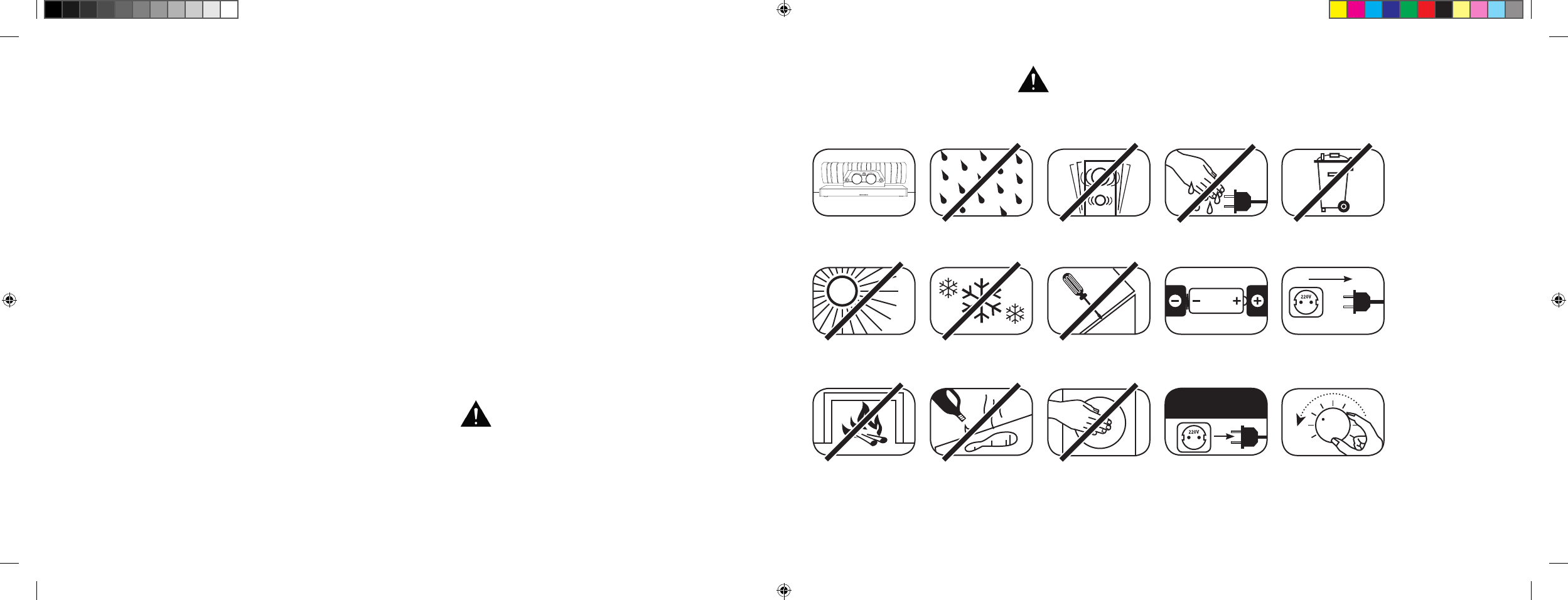
Please follow the safety advice when positioning and maintaining your 911 Soundbar.
Choose a level surface Avoid moisture Avoid vibrations
Avoid direct sunlight
Keep away from
heat sources
Protect against
extreme cold
Do not use aggressive,
alcohol-based or
abrasive cleaning agents
Do not open housing
Do not reach inside
the speaker or
exhaust system
Unplug the device during
thunderstorms
Never touch the power
cable with wet hands
Ensure correct
polarity for battery and
remote operation
Do not discard in
household rubbish
The user is responsible for ensuring that the
911 Soundbar is correctly positioned and connected.
Porsche Design cannot accept any responsibility
for damages or accidents caused by inappropriate
positioning or connection.
Keep access to
socket clear
In case of overload
turn the volume down
Automatic selection of BT input [
SEL
] ..............Page 52
IR learning function ..........................................Page 53
IR delete function .............................................Page 55
Troubleshooting ...............................................Page 56
Technical specifications ...................................Page 60
Further information ..........................................Page 61
License information .........................................Page 62
DS_Betriebsanleitung_911_Soundbar_210x148mm_RZ_v10.indd 34-35 09.11.15 09:43
[ EN ] 911 Soundbar
36 | 37
IMPORTANT SAFETY INSTRUCTIONS
Read and follow all instructions.
Keep these instructions.
Heed all warnings.
Use this device only in moderate climates [
not in tropical climates
].
Do not operate this device at altitudes in excess of 2,000 m above sea level.
For indoor use only. Do not use outdoors or in humid rooms.
To reduce the risk of fire and electric shock, do not expose this device to rain or moisture.
Do not use this device near water.
The device should not be exposed to dripping or splashing.
Strong fluctuations in temperature lead to condensation [
water droplets
] forming inside the device. Wait until the moisture has evaporated
before starting up the device [
min. 3 hours
].
Objects filled with liquids [
such as vases
] should not be placed on the device.
No naked flame source, such as lighted candles, should be placed on or beside the device.
Do not install the device near any heat sources such as radiators, heat registers, stoves, or other devices [
incl. amplifiers
] that produce heat.
Prevent exposure to direct sunlight.
Observe a free space of at least 5 cm around the device.
Do not disregard the safety purpose of a polarized or ground plug: a polarized plug has two blades, with one wider than the other. The wide blade
is provided for your safety. Should the provided plug not fit into your outlet, consult an electrician for replacement of the obsolete outlet.
To prevent electric shock, do not use the plug with an extension cord, receptacle, or inappropriate outlet unless the blades can be fully inserted
to prevent blade exposure.
Never touch signal- nor power cords with wet hands.
Protect the power cord from being walked on or pinched, particularly at the plug, electrical outlet, and at the point at which the power cord
meets the device.
Where the mains plug or an appliance coupler is used as the disconnect device, the mains plug of the power cord or appliance coupler should
always be accessible.
Unplug the device during lightning storms or when unused for long periods of time.
To completely disconnect this apparatus from the mains, disconnect the power cord from the electrical outlet.
Power down the device before connecting or disconnecting any cable.
Always pull the plugs and not the cables.
Install the device in accordance with the manufacturer’s instructions.
Always choose a level surface. The device should always be in perfect vertical alignment.
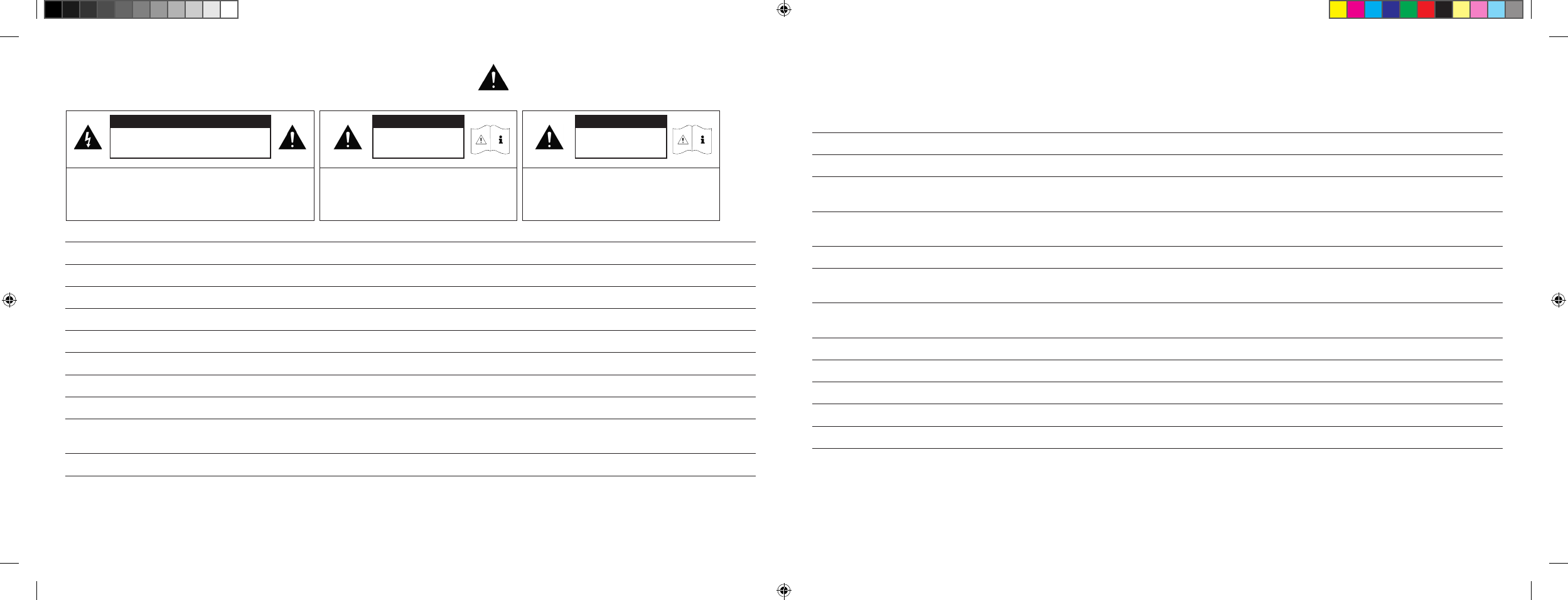
CAUTION
Risk of electric shock.
Do not open!
CAUTION:
To reduce the risk of fire and electric shock, do not open the
device. There are no serviceable parts inside.
Refer all servicing to qualified service personnel only.
CAUTION
Danger of life!
CAUTION:
Do not ingest battery. Chemical burn hazard.
Danger of life!
CAUTION
Danger of explosion!
CAUTION:
Replaceable lithium batteries! Danger of
explosion if battery is incorrectly replaced.
Replace only with the same or equivalent type.
DS_Betriebsanleitung_911_Soundbar_210x148mm_RZ_v10.indd 36-37 09.11.15 09:43
[ EN ] 911 Soundbar
38 | 39
Notices
Do not use force on operating elements, connections or cables.
The device may only be operated with the voltage and frequency specified on the device.
To prevent components inside the device being damaged, never insert any objects or body parts into its openings. Failure to follow this advice could
lead to short circuiting, electric shock and fire.
Only use attachments and accessories specified by the manufacturer and/or provided with the device.
Only use trollies, stands, tripods, brackets and tables that are approved of in the safety instructions.
Use caution when using a trolly to transport the device to avoid injury from overturn.
Clean the device only with a clean, dry cloth.
Do not use aggressive, alcohol-based or abrasive cleaning agents.
To reduce the risk of electric shock, do not open the device. There are no serviceable parts inside.
Refer to your Porsche Centre for all repair work and servicing. Servicing is required when the device has been damaged in any way, such as damage
to the power supply cord or plug, liquid being spilled or objects falling into the device, exposure of the device to rain or moisture, or if it does not
operate normally or has been dropped.
Do not make any modification to the device or its accessories. Unauthorized alterations may affect the safety, regulatory compliance, or the system
performance. In this case, the operating licence/warranty can expire.
Turn down the volume level immediately if sound distortions, such as unnatural knocking, beating or high-frequency clicking, can be heard.
To prevent possible hearing damage, do not listen at high volume levels for long periods. Stop playback if you can hear ringing or
whistling sounds in your ear or if you have the impression [
even for short times
] that you can no longer detect high tones.
Keep new and used batteries away from children. If the battery compartment does not close securely, stop using the product and
keep it away from children.
The remote control supplied with this product contains a coin/button cell battery. If the coin/button cell battery is swallowed, it can cause severe
internal burns in just 2 hours and can lead to death.
If you think batteries might have been swallowed or placed inside any part of the body, seek immediate medical attention.
Batteries must be inserted correctly, as shown on the polarity imprint. Incorrectly replaced batteries might cause damage.
Please keep the environmental aspects of battery disposal in mind. Batteries must be disposed of at a battery collection point.
Batteries should not be exposed to excessive heat such as sunshine, fire or the like.
Only use batteries or rechargeable batteries specified for this apparatus.
The batteries supplied are not rechargeable batteries and may therefore not be recharged.
The apparatus and/or the accessory bag may contain small parts that represent a choking hazard.
It is, therefore, not suitable for children under the age of 3.
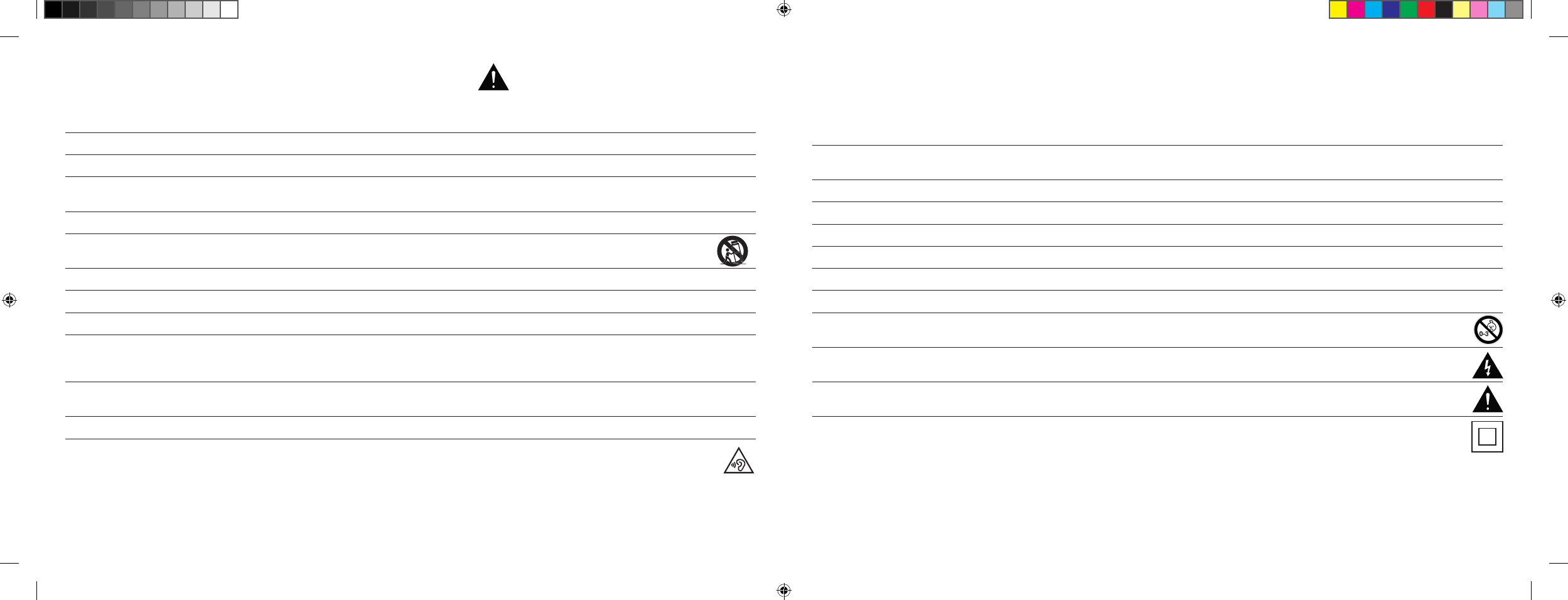
This symbol is intended to alert the user to the presence of uninsulated dangerous voltage within the product’s enclosure that may be
of sufficient magnitude to constitute risk of fire and electric shock.
This symbol is intended to alert the user to the presence of important operating and maintenance instructions in the literature
accompanying this product.
This symbol denotes equipment with Class II Protection Rating. These devices are deemed to be fully protected against the risk of electric
shock during normal use by means of double or reinforced insulation, and therefore require no earthing conductor.
IMPORTANT SAFETY INSTRUCTIONS
DS_Betriebsanleitung_911_Soundbar_210x148mm_RZ_v10.indd 38-39 09.11.15 09:43
[ EN ] 911 Soundbar
40 | 41
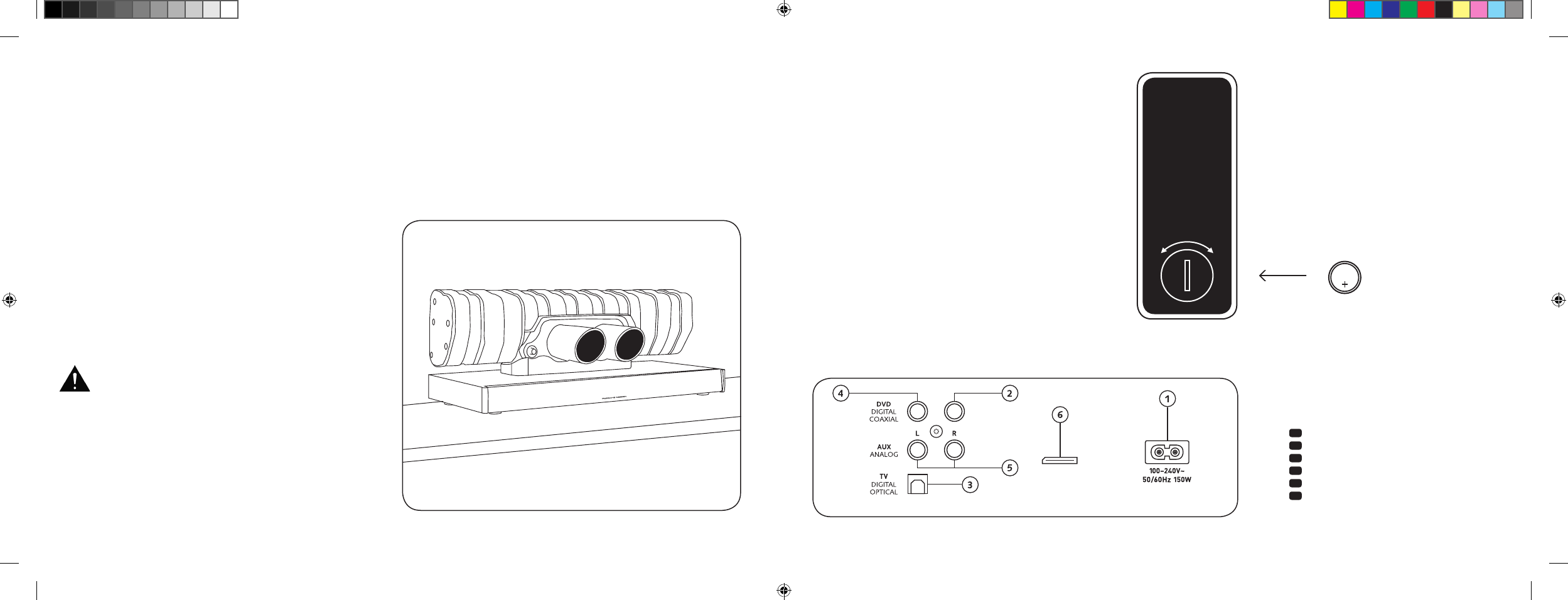
CONNECTIONS
911 SOUNDBAR
1 Power Inlet
2 Output – Ext. Subwoofer
3 Input – TV [
optical
]
4 Input – DVD [
coaxial
]
5 Input – AUX [
analogue
]
6 Jack service
SETTING UP THE
REMOTE CONTROL
The remote control comes with a battery already installed.
Simply remove the protective film to activate. When replacing
the battery, ensure that it is correctly inserted according to
the polarity markings [
+/–
]. Only use the battery specified for
this system [
CR2032
].
Note: The battery provided is intended for test use and may
therefore have a shorter lifespan.
CONNECTION TERMINAL
911 Soundbar
SUB OUT
Service
Remote control
[
Back
]
INSTALLATION
The 911 Soundbar should be positioned on a flat surface.
UNPACKING
Unpack the box carefully and check that all of the
following parts are present:
1 x 911 Soundbar
1 x Remote control incl. battery
1 x Mains cable [
1 x EU, UK, US, AUS ]
1 x Optical digital audio cable
1 x Stereo RCA cable
1 x Digital RCA cable
INITIATING
Maximum sound quality requires an initiating time
of 15–20 operating hours.
– During this time, operate the loudspeaker at normal volume
– Avoid high volume levels
– Listen to a variety of music
CR2032
OPEN CLOSED
Each 911 Soundbar is unique. The Porsche 911 GT3
silencer that is used in the 911 Soundbar is
manu factured in the regular series production.
Weld seams and discolouration are purposely
retained to validate its authenticity.
For this reasons, complaints about the surface of
the silencer [weld steams, contact points, disco-
louration, weld spatter, etc.] cannot be accepted.
We appreciate your understanding.
DS_Betriebsanleitung_911_Soundbar_210x148mm_RZ_v10.indd 40-41 09.11.15 09:43
[ EN ] 911 Soundbar
42 | 43
CONNECTING YOUR 911 SOUNDBAR
Please ensure that all electrical components are switched off before connecting. Your 911 Soundbar has three optional inputs. In principle, it is
enough to connect one of these inputs with your TV and all further devices to your TV. However, to achieve the best possible sound, we recommend that
you connect your satellite receiver, Blu-Ray or DVD player directly to the 911 Soundbar. The following options are possible, depending on the type
and fittings of the source used:
OPERATION
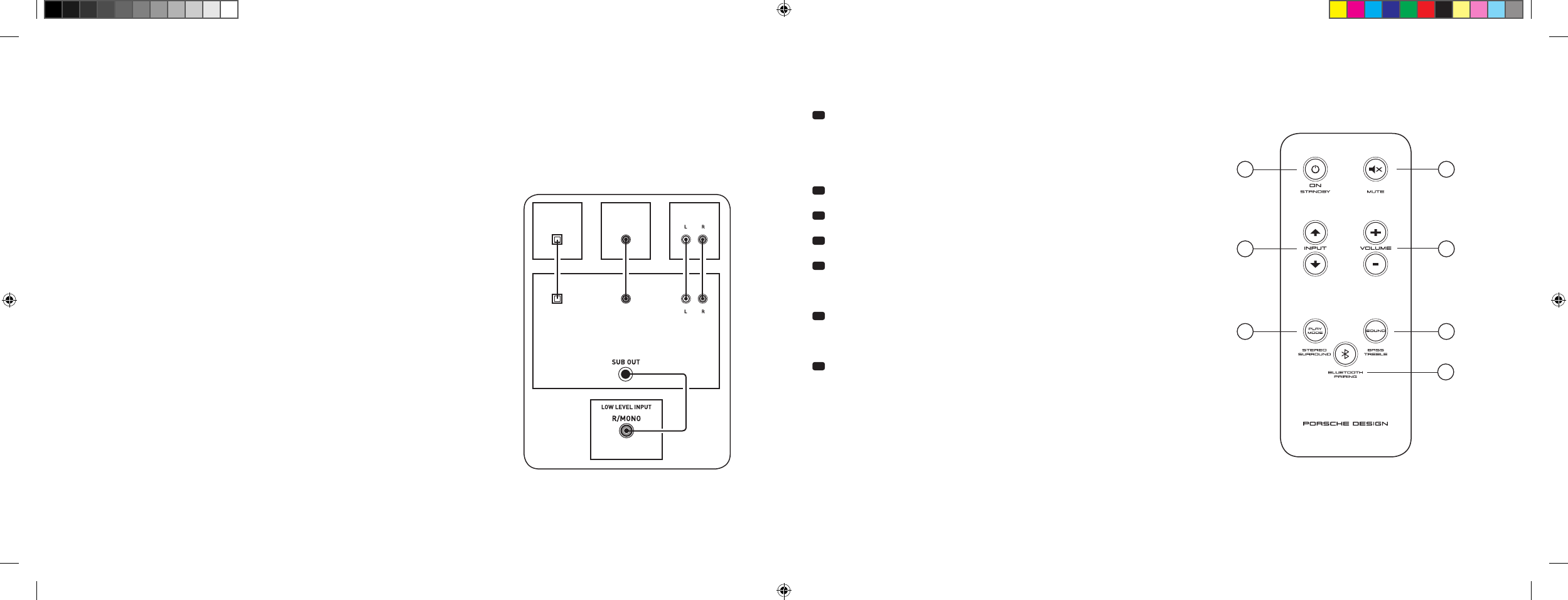
Remote control
1 Power
ON – LED shines green
Standby – LED shines red
911 Soundbar disconnected
from the mains – LED not illuminated [
Off
]
2 Mute [
muting
]
3 Input [
signal source selection
]
4 Volume [
volume control up/down
]
5 Play Mode
Stereo – for music
Surround – virtual surround sound for home cinema
6 Sound
Bass – Adjustment via Volume control [
+6... –6 dB
]
Treble – Adjustment via Volume control [
+6... –6 dB
]
7 Bluetooth® Pairing
Connection with a Bluetooth® Wireless Technology enabled source
Memory Function
After the 911 Soundbar has been temporarily disconnected
from the mains, it automatically returns to the last mode selected.
All settings [
e. g. ON/OFF, volume
] remain in place.
SUB
DIGITAL MOVIE
DVD
DVDTV
TV
AUX
AUX
TV – Digital input [
OPTICAL
]
Modern TV devices have an optical audio output [
Toslink
]. Connect this with the input
marked ‘TV’ on the 911 Soundbar. This connection guarantees optimal signal transmission
and best sound quality.
Important: Remove protective caps from optical cable before inserting.
DVD – Digital input [
COAXIAL
]
To transmit the DVD sound signal, connect the digital coaxial output of your Blu-Ray
or DVD player with the jack marked ‘DVD’ on the 911 Soundbar. To transmit the picture
signal, your DVD player must also be connected to the TV. The input marked ‘DVD’
on the 911 Soundbar can be selected if your TV does not have an optical output.
AUX – Analogue input
If your TV only has an audio output marked ‘Pre-Out’, then connect it using the shielded
stereo RCA cable plugged into the analogue input on the 911 Soundbar marked ‘AUX’.
Otherwise this input can be used to connect video recorders or game consoles.
SUB – Analogue output
Use this output when you want to connect an external active subwoofer. ‘SUB OUT’ is
not active in the basic setting and needs to be activated using the remote control.
See ‘Extended sound functions’ on page 46.
4
ON
STANDBY
1
3
5 6
7
2
DS_Betriebsanleitung_911_Soundbar_210x148mm_RZ_v10.indd 42-43 09.11.15 09:43
[ EN ] 911 Soundbar
44 | 45
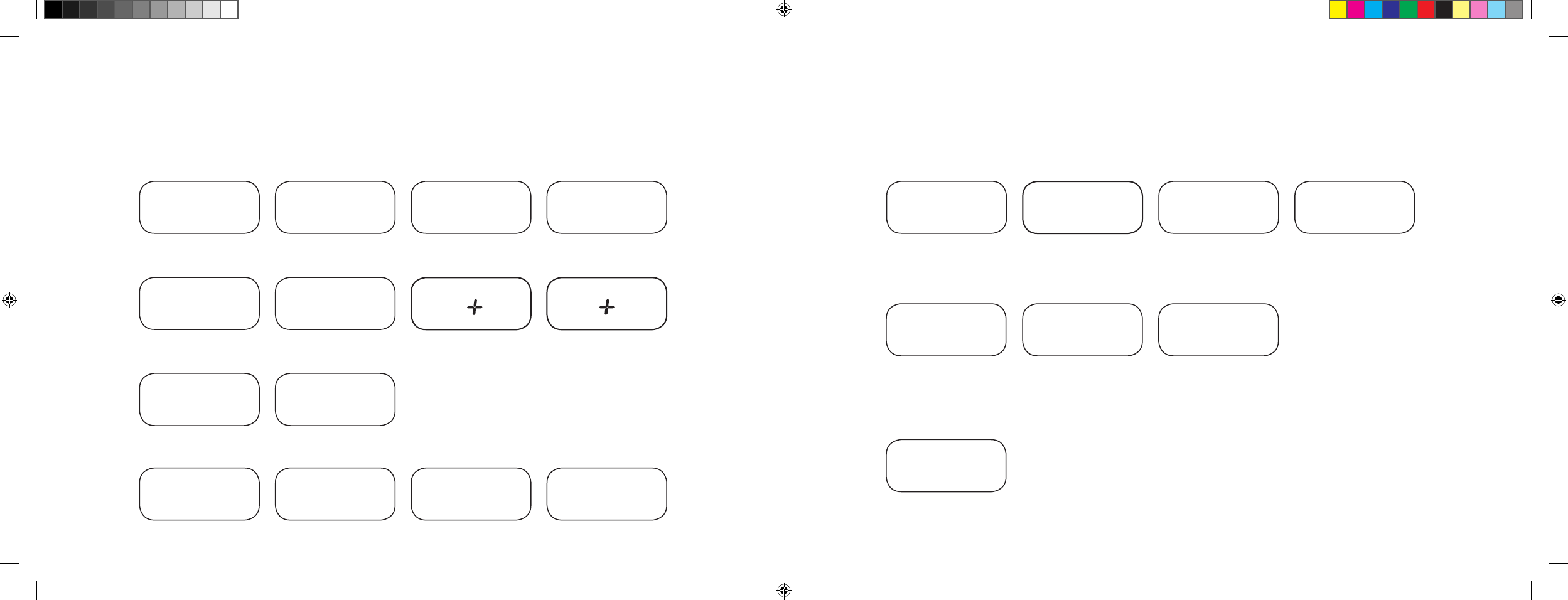
DISPLAY INDICATIONS
The 911 Soundbar has a multifunctional display that lights up blue for approx. 5 seconds in response to a remote control command. The most important
readouts and their meanings are shown below. The standby mode of the 911 Soundbar is indicated by a red LED light. When your 911 Soundbar is in
operation, this LED is green.
Input
Sound Mode
Play Mode
TV input [
optical
]
TV
Volume [
0 – 99
]
V30
Stereo
ST
Pairing Mode
BTP
DVD input [
coaxial
]
DVD
Mute
---
Surround
SUR
Connection established
CON
AUX input [
analogue
]
AUX
Bass level [
+/– 6
]
B 6
Disconnected
DIS
Bluetooth®
BT
Treble level [
+/– 6
]
T 6
Error message
FAI
Bluetooth®
Set-up functions
Act./Deact. automatic
ON/Standby for optical and
coaxial input
AUT
Act./Deact. automatic
BT input selection
SEL
Act./Deact.
ECO Standby
ECO
IR learning function
Learn infrared codes
IRL
Extended sound functions
LipSync
LIP
Act./Deact.
SUB OUT
SUB
Act./Deact.
Dolby Dynamic Range
Compression
DRC
Select
installation mode
EQ
DS_Betriebsanleitung_911_Soundbar_210x148mm_RZ_v10.indd 44-45 09.11.15 09:43
[ EN ] 911 Soundbar
46 | 47
EXTENDED SOUND FUNCTIONS
The menu for extended sound functions offers you the chance to correct out-of-sync
playback, to activate the output for a wired external subwoofer, to adjust the playback to suit
the location, and to switch the Dolby function ‘Dynamic Range Compression’ on or off.
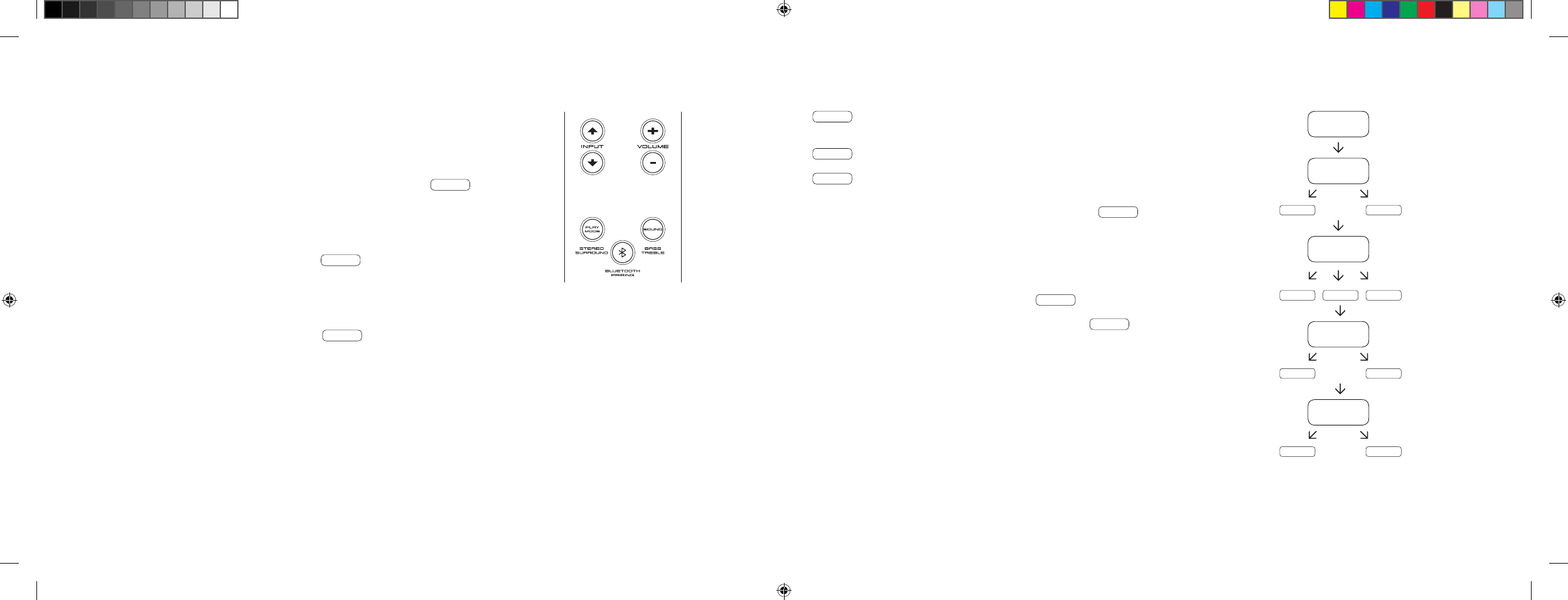
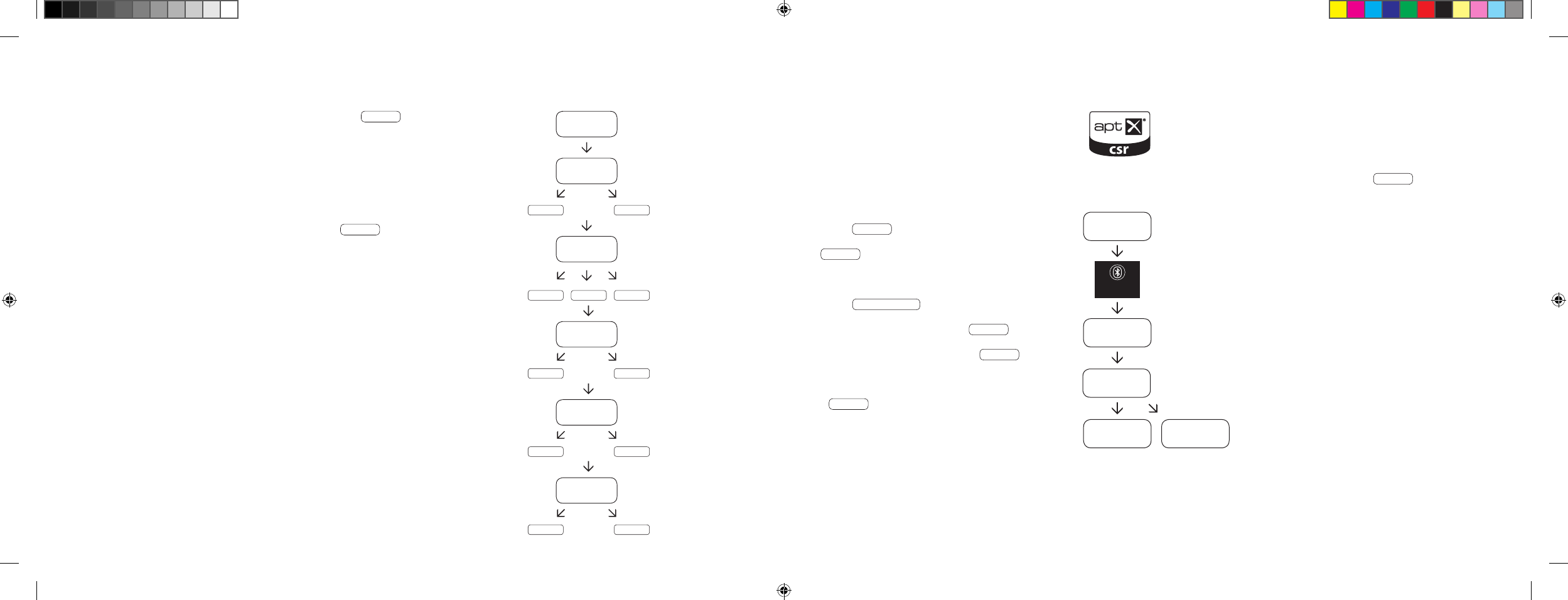
If you press and hold the key marked ‘Sound’ on the remote control for longer than
3 seconds, you will enter the ‘Extended Sound Functions’ menu and the display LIP
will appear on the 911 Soundbar.
You can now use the ‘Volume +/–’ keys to delay the playback in 10 ms intervals to
synchronise the sound with the ‘delayed’ image.
Press the ‘Sound’ key briefly once more and the display SUB will appear.
The ‘Volume +/–’ keys can also be used to switch the output for an external subwoofer on
or off. Please note: when the SUB OUT is activated, the playback of the 911 Soundbar will
be limited to 80 Hz. Frequencies below 80 Hz are sent to the external subwoofer.
Press the ‘Sound’ key once again briefly and the display EQ will appear.
Now use the ‘Volume +/–’ keys to choose between three pre-set equaliser settings
to adjust the playback to suit the location.
EQ1 for a free-standing 911 Soundbar e. g. on a sideboard with a flat-screen TV
on the wall [
factory setting
].
EQ2 for a set-up where a flat-screen TV is positioned on top of the 911 Soundbar.
EQ3 for a set-up where the 911 Soundbar is in a rack or on a shelf.
When the ‘Sound’ key is pressed again the display changes to DRC .
‘Dynamic Range Compression’ is a setting option created by Dolby Laboratories. When
activated, the dynamic range of Dolby encoded data streams can be automatically reduced,
which also reduces differences in volume. This makes it possible to enhance quiet tones
and suppress loud ones.
The ‘Volume +/–’ keys can be used to switch the DRC function on or off.
After pressing the ‘Sound’ key again, the display switches to VOL .
You can limit the maximum volume setting with the [
protective
] function ‘Volume’ in such a
way that the sound level [
shown in the display
] cannot be turned up above the set value.
You can then use the ‘Volume +/–’ keys to set the desired volume [
0–99, with 99 representing
the maximum
].
LIP
SUB
ON OFF
EQ
EQ1 EQ2 EQ3
DRC
ON OFF
VOL
099
…
DS_Betriebsanleitung_911_Soundbar_210x148mm_RZ_v10.indd 46-47 09.11.15 09:43
[ EN ] 911 Soundbar
48 | 49
PLAYBACK VIA BLUETOOTH® TECHNOLOGY
Registration requirements
– The Bluetooth® function must be activated on
the mobile end device.
– The mobile end device must support Bluetooth®
standard 2.0 at a minimum.
– The mobile end device must be within range of the
911 Soundbar [
max. 10 m
].
Registration process
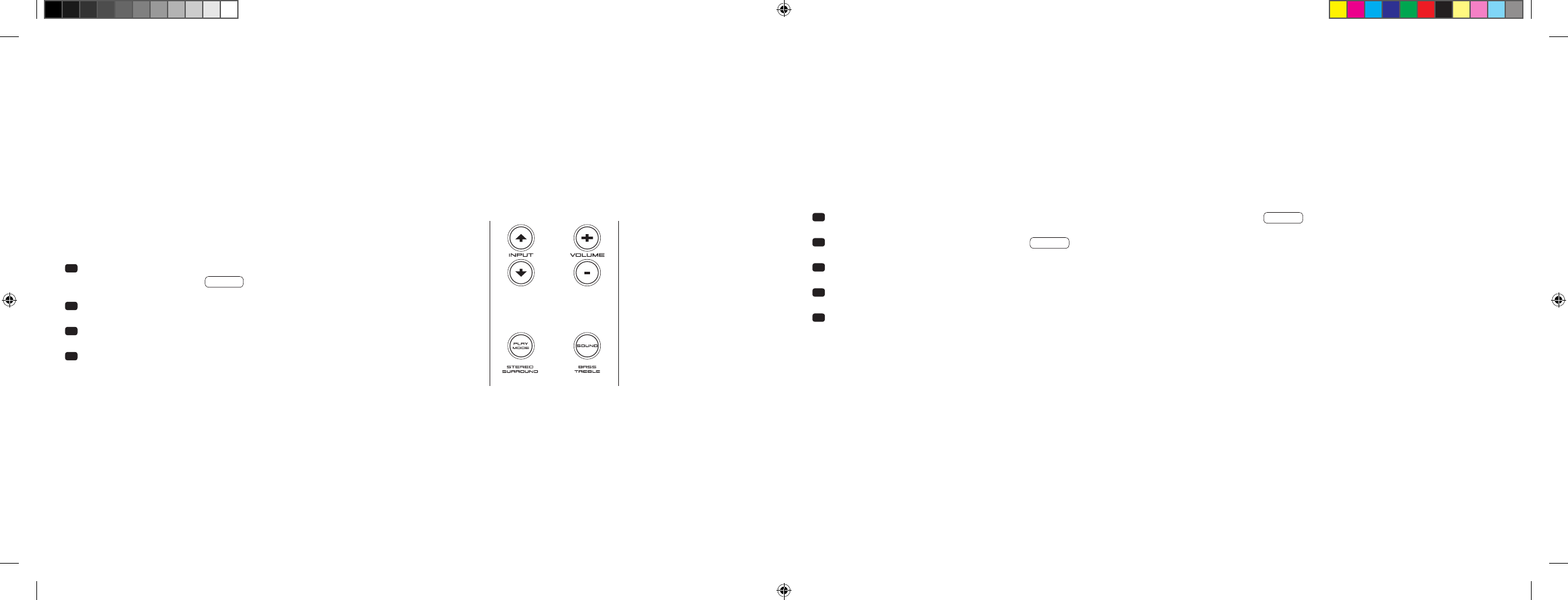
– Select BT input.
– Press the ‘Bluetooth® Pairing’ button.
– BTP appears on the display.
– Now you have 30 seconds to register
your mobile end device.
– Start the search run on your mobile end device.
– Select 911 SOUNDBAR as the playback device.
– Once confirmed, the connection will be made
automatically and will appear as CON in
the display.
–
If the connection fails, the message
FAI
will
appear.
– If the mobile end device requires an access code,
enter 0000.
– If DIS appears in the display, your mobile end
device is out of range or logged out.
Operating a mobile end device
–
The device most recently connected to the
911 Soundbar
connects automatically when the
Bluetooth® function is activated and the input
for Bluetooth® playback has been selected.
In this case the message
CON
will appear.
– Start the playback of a medium on your mobile end
device and the sound will automatically be generated
by the 911 Soundbar.
Note: The
911 Soundbar
can manage up to three
Bluetooth® devices. See also the chapter ‘Automatic
selection of BT input [
SEL
]’ on page 52.
BT
BTP
CON FAI
BLUETOOTH
PAIRING
911
SOUNDBAR
If you briefly press the ‘Sound’ key again, the display switches to VOI .
Use the ‘Voice’ function to increase the speech intelligibility in the stereo as well as the
surround mode. By doing so, you can better understand dialogue [
speech
] in films with loud
sound effects, for example.
With the
‘
Volume +/–
’
keys you can activate respectively deactivate the
‘
Voice
’
function
[
ON or OFF
]
.
Press the ‘Sound’ key again to return to the top of the menu LIP .
Exit menu
Press and hold the ‘Sound’ key again for longer than 3 seconds to exit the ‘Extended Sound
Functions’ menu.
If the 911 Soundbar does not receive any input instruction from the remote control within a
period of 30 seconds, the menu navigation returns automatically to normal mode.
LIP
SUB
ON OFF
EQ
EQ1 EQ2 EQ3
DRC
ON OFF
VOL
099
VOI
ON OFF
…
DS_Betriebsanleitung_911_Soundbar_210x148mm_RZ_v10.indd 48-49 09.11.15 09:43
[ EN ] 911 Soundbar
50 | 51
When this function is activated [
ON
], the device identifies a signal through the optical or coaxial input. When a signal is detected [
e. g. by switching
on the source device
], the 911 Soundbar turns itself on. If no such signal is detected on the selected input [
e.
g. when the source device has
been switched off
], the 911 Soundbar will automatically go into AUT standby mode after 30 seconds. When the function is deactivated [
OFF
], the
911 Soundbar needs to be switched on and off manually.
The device is supplied with the function deactivated [
OFF
].
To activate/deactivate this function, proceed with the following steps:
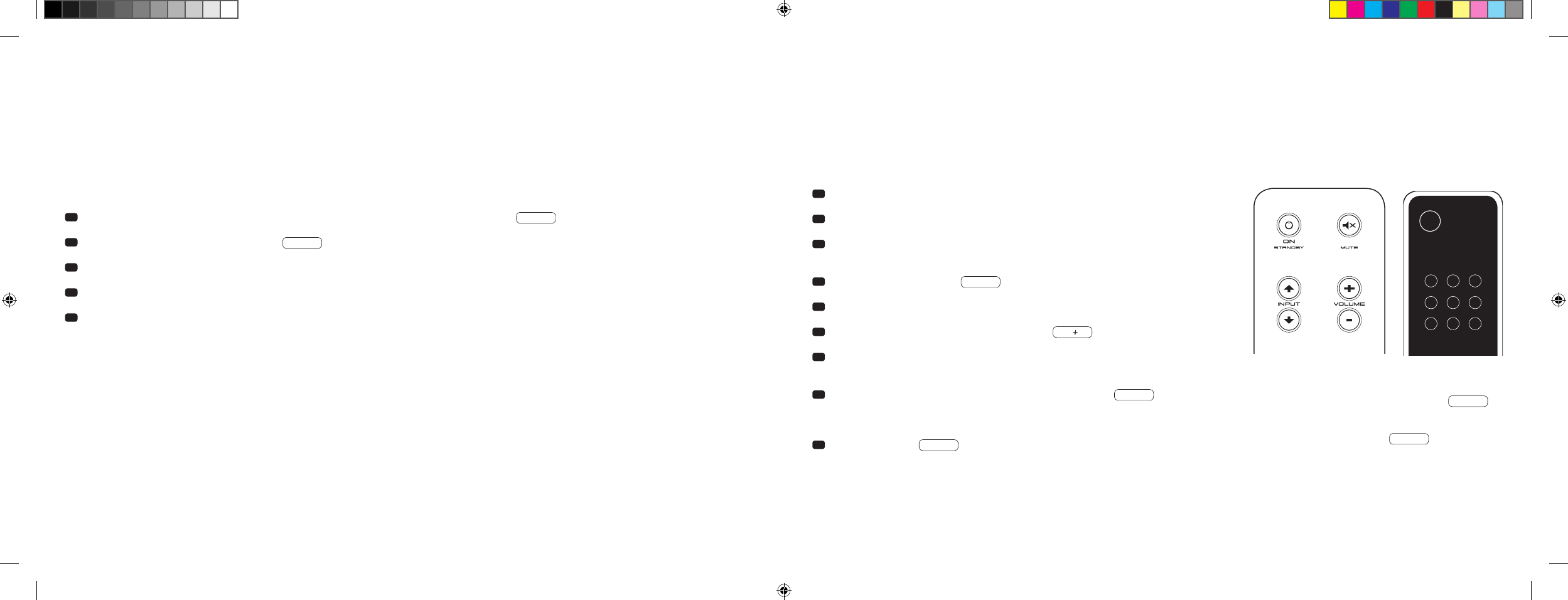
1 With the device switched on, press and hold the ‘Play Mode’ key for
more than 3 seconds, until AUT appears on the display.
2 Press the ‘Volume +’ key to activate the function [
ON
].
3 Press the ‘Volume –’ key to deactivate the function [
OFF
].
4 Exit the menu by again pressing and holding the ‘Play Mode’ key for
more than 3 seconds. If no input has appeared within 10 seconds, the
device will automatically exit the configuration menu.
Comment: The automatic switching on/off function only works for optical and coaxial digital input. If the device is set to standby mode using the
‘ON/Standby’ key on the remote control, it is not possible for the device to switch on automatically.
The device only identifies a signal at the selected digital input. A signal that appears other than at the selected digital input cannot be detected.
SET-UP FUNCTIONS
AUTOMATIC ON/OFF FUNCTION [
AUT
]
1 With the device switched on, press and hold the ‘Play Mode’ key for more than 3 seconds, until AUT appears on the display.
2 Press the ‘Play Mode’ key again briefly, until ECO appears on the display.
3 Press the ‘Volume +’ key to activate the function [
ON
].
4 Press the ‘Volume –’ key to deactivate the function [
OFF
].
5 Exit the menu by again pressing and holding the ‘Play Mode’ key for more than 3 seconds. If no input has appeared within
10 seconds, the device will automatically exit the configuration menu.
ECO STANDBY [
ECO
]
When this function is activated [
ON
], the device automatically goes into standby mode if no signal is detected on the selected input for one hour.
When this function is deactivated [
OFF
], the 911 Soundbar has to be switched off manually.
The device is supplied with this function activated [
ON
].
To activate/deactivate this function, proceed with the following steps:
Comment: This function is automatically deactivated if the AUT function is activated.
DS_Betriebsanleitung_911_Soundbar_210x148mm_RZ_v10.indd 50-51 09.11.15 09:43
[ EN ] 911 Soundbar
52 | 53
AUTOMATIC SELECTION OF BT INPUT [
SEL
]
When this function is activated [
AUT
], the 911 Soundbar automatically switches to the BT input when it detects an audio signal from a mobile device.
When this function is deactivated [
MAN
], the input must be selected manually.
The device is supplied with this function deactivated [
MAN
].
To activate/deactivate this function, proceed with the following steps:
Comment: Depending on the used mobile end device, the 911 Soundbar can also be switched to the BT input by typing a message or by sound of
other system tones if the SEL function is activated [
AUT
].
When the SEL function is activated [
AUT
], the BT input can no longer be selected using the ‘Input’ key. In this mode, the 911 Soundbar can be
connected to the mobile end device regardless of the selected signal input.
1 With the device switched on, press and hold the ‘Play Mode’ key for more than 3 seconds, until AUT appears on the display.
2 Press the ‘Play Mode’ key again briefly, until SEL appears on the display.
3 Press the ‘Volume +’ key to activate the function [
AUT
].
4 Press the ‘Volume –’ key to deactivate the function [
MAN
].
5 Exit the menu by again pressing and holding the ‘Play Mode’ key for more than 3 seconds.
If no input has appeared within 10 seconds, the device will automatically exit the configuration menu.
IR LEARNING FUNCTION
The 911 Soundbar can learn the infrared code of your TV remote control and therefore allows you to control the functions of the 911 Soundbar and TV
device via one remote control. You can allocate the instructions for the 911 Soundbar to any key of the TV remote control. When choosing a key, make
sure that the instructions for the 911 Soundbar do not conflict with the TV device. We recommend that you deactivate the internal loudspeaker of the
TV device once the 911 Soundbar is connected.
1 Hold the TV remote control in position.
2 Switch the 911 Soundbar on.
3 Press and hold the ‘On/Standby’ key of the Porsche remote control for
approx. 5 seconds.
4 The display shows a flashing IRL .
5 Press the wanted function on the Porsche remote control, e. g. ‘Volume +’.
6 Now the display shows the chosen function, e. g. V.
7 Within 20 seconds, press the key you wish to allocate to this function on
the TV remote control.
8 Once this has been successfully allocated, the display will show OK
and you can continue with the programming of the next key function, e. g.
‘Volume –’.
9 If the display shows FAI this means the allocation has failed and you
should repeat steps 5 to 8.
TV remote control
ON
STANDBY
Note: The red ‘On/Standby’ key on the Porsche remote control has
a dual function. Press it once and the display will show ON
,
which allows the switching-on function to be programmed.
If the
red ‘On/Standby’ key on the Porsche remote control is pressed twice
in quick succession, the display will show STB and the standby
or switching-off function can be programmed. If your TV remote
control has only one key for the ‘On’ and ‘Off’ functions, both the ‘On’
and ‘Standby’ functions must still be allocated with this command.
DS_Betriebsanleitung_911_Soundbar_210x148mm_RZ_v10.indd 52-53 09.11.15 09:43

[ EN ] 911 Soundbar
54 | 55
Exit menu
Press and hold the ‘ON/Standby’ key again for longer than 5 seconds to exit the ‘IR learning function’ menu. If the 911 Soundbar does not receive any
input instructions from the remote control within a period of 60 seconds, the menu navigation returns to normal mode automatically.
Direct selection of the signal inputs
In addition to the ‘Input
’ and ‘Input
’ function, you can directly select the signal inputs TV, DVD, AUX and Bluetooth® when using your TV or universal
remote control. That means you can allocate the desired input to a key on your remote control.
1 While you are still in the IR learning menu IRL , press one of the Input keys on the Porsche remote control for 3 seconds to access the direct
selection menu. DVD flashes in the display.
2 You can now allocate the ‘DVD’ input to a key on your TV remote control.
Note: If you press this key on the remote control while the speaker is in normal mode, the
911 Soundbar
switches directly to the DVD input.
3 Press the desired key on the remote control. If the infrared [
IR
] code has been successfully memorised by the
911 Soundbar
, OK appears
briefly in the display followed by the next input TV .
4 If the code has not been memorised or if you do not press any key on your remote control within 10 seconds, FAI appears briefly in the display
to indicate that no code has been memorized. DVD then flashes again in the display and you can rememorise the code for the DVD input.
5 If you do not want to allocate a key to the DVD input, briefly press the ‘Input
’ key to manually access the TV input.
6 To allocate the TV, AUX and/or Bluetooth® inputs to a key on your remote control, repeat steps 2 to 5.
7
To exit the direct selection menu, press one of the two input keys again for 3 seconds to access the higher level IR learning menu
IRL
. If you press
the
‘
ON/Standby
’
key for 3 seconds while still in the direct selection menu, the system switches from this menu to the normal mode.
FIN
appears
briefly in the display to indicate that the IR learning mode has ended.
Note: Due to the variety of infrared codes, it is not possible to guarantee that every IR remote control signal can be learned by the 911 Soundbar.
IR DELETE FUNCTION
To delete the TV remote control commands learned by the 911 Soundbar, you need to follow these steps:
1 Switch the 911 Soundbar on.
2 Press the ‘On/Standby’ key on the Porsche remote control for approx. 5 seconds.
3 The display will flash IRL .
4 Press the ‘Mute’ key of the Porsche remote control for approx. 5 seconds.
5 The display will show CLR for approx. 5 seconds. The 911 Soundbar will then switch automatically back to normal operation.
DS_Betriebsanleitung_911_Soundbar_210x148mm_RZ_v10.indd 54-55 09.11.15 09:43

[ EN ] 911 Soundbar
56 | 57
TROUBLESHOOTING
Here is an overview of the most common problems. If you have any further questions, please contact your Porsche Design Store, your Porsche Centre
or call our service hotline on +49 [
0
]711 911-0 or send us an email at contact@porsche-design.com
Problem Possible cause Solution
911 Soundbar system
does not turn on.
Power cable not connected to the power
outlet and/or 911 Soundbar.
Check connection.
911 Soundbar does
not respond to remote
control.
1. The battery is empty. 1. Replace battery, observe correct polarity at insertion.
2. Protective foil has not been removed. 2. Remove the protective foil from remote control.
Sound reproduction
too soft.
Volume of 911 Soundbar or source device is set
too low.
Increase the volume using the ‘Volume’ button.
Increase the volume of the source device.
No sound reproduction. 1. Sound format of the source device wrongly
selected [
Digital input ‘TV’ and ‘DVD’
].
1. Please check the correct setting of your source device.
‘DTS’ encoded output formats cannot be reproduced.
2. Source device not producing any signal. 2. Digital output on the source device not activated
[
please refer to device instructions
].
3. Cable not correctly connected/faulty cable. 3.1. Check the connection of the source device to the 911 Soundbar
and change the cable where necessary.
3.2. Please check if you have removed the protective caps from the
provided optical cable.
Problem Possible cause Solution
911 Soundbar hums. 1. Signal cable from source device to 911 Soundbar
too long [
AUX
].
1. Use shorter signal cable.
2. Signal cable is not shielded or shielding has
been damaged [
defective
].
2. Exchange the signal cable with a shielded one.
3. Ground loop [
ripple pick-up
] generated. 3. A ground loop can be generated when two or more devices
connected via a signal line [
RCA
] are plugged into separate
sockets [
e. g. amplifier and computer
]. Plug all safety class I
devices [
with a safety plug
] connected to the 911 Soundbar
into one multiple outlet stripe.
4. Another piece of equipment on the same
circuit has no interference suppression
[
e. g. refrigerator ].
4. Switch off possible sources of interference to test; unplug the
device concerned to see if the humming noise disappears or
connect the source of interference to a different circuit [
L1, L2 or
L3
]. Where necessary, take advice from your electrician. Insert a
special ‘sheath current filter’ [
available from specialist retailers
]
between the amplifier and the 911 Soundbar to eliminate the
humming. Turn the power plug round to reduce the so-called
ripple voltage [
particularly important if the source device is not
earthed
].
DS_Betriebsanleitung_911_Soundbar_210x148mm_RZ_v10.indd 56-57 09.11.15 09:43

[ EN ] 911 Soundbar
58 | 59
Problem Possible cause Solution
No playback via
Bluetooth®.
1. There is no connection between the
911 Soundbar and the mobile end device.
1. Connect your mobile end device as described.
2. The mobile end device is paired but no playback
takes place.
2.1. The mobile end device must be connected again.
2.2. Set the volume on the mobile end device to maximum.
2.3. Increase the volume of the 911 Soundbar.
2.4. Insure that interference sources like a WLAN router or laptop
are not set up in direct proximity of the 911 Soundbar.
2.5. Concurrent operation of WLAN and Bluetooth® connection
from a mobile end device is not possible without interferences
in most cases [
disable WLAN at your mobile device
].
3. You are out of range [
max. 10 m
]. 3. Reduce the distance between the 911 Soundbar and your mobile
end device.
The BT input cannot
be selected using the
‘Input’ keys.
The SEL function is activated [
AUT
]. In this case, the switching process happens automatically as
soon as the 911 Soundbar detects an audio signal from the
mobile end device.
Problem Possible cause Solution
The device does not
switch on automatically
from the optical
or coaxial input.
1. The preset [
factory setting
] for the AUT function is
OFF [
disabled
].
1. Activate the AUT function [
ON
] [
Page 50
].
2. The device was switched off via the ‘ON/Standby’
key of the Porsche remote control.
2. Switch on the 911 Soundbar via the ‘ON/Standby’ key on the
remote control and wait in future until it switches automatically
to the standby mode.
3. The device was switched to the other digital input,
which receives no signal and has switched itself off
automatically.
3. Switch the device on using the ‘Power’ key on the remote
control and select the digital input that is connected to the
desired source device.
The 911 Soundbar does
not switch automatically
to the BT input.
1. The SEL function is deactivated [
MAN
]. 1. Activate the SEL function [
AUT
].
2. Bluetooth® has been deactivated on your mobile
end device.
2. Activate Bluetooth® on your mobile end device.
3. The 911 Soundbar is connected to a different
mobile end device.
3. Deactivate Bluetooth® on the other mobile end device.
4. The mobile end device is not connected to the
911 Soundbar.
4. Connect your mobile end device to the 911 Soundbar [
Page 49
].
The 911 Soundbar
switches to the BT input
inadvertently.
This can happen when your mobile device produces
system tones, e. g. typing on the keyboard.
1. Deactivate the SEL function [
MAN
].
2. Deactivate the system tones on your mobile end device.
DS_Betriebsanleitung_911_Soundbar_210x148mm_RZ_v10.indd 58-59 09.11.15 09:43

[ EN ] 911 Soundbar
60 | 61
TECHNICAL SPECIFICATIONS
Power supply
– Operating voltage 100–240 V
– Operating frequency 50/60 Hz
– Power consumption ECO Standby = 0.39 W [
factory setting
]
– Power consumption AUT Standby = ca. 4.5 W
– Power consumption in idle mode [
no output signal
] = ca. 8.4 W
– Power consumption maximal = ca. 150 W
In-/Output level analogue
– AUX = max. 2.0 V [
effective
]
– SUB OUT = max. 2.0 V [
effective
]
Decoder
– Dolby Digital
– PCM [
32 kHz…96 kHz/8 Bit…24 Bit
]
Information for ‘normal use’
T
he 911 Soundbar is designed for indoor use and must not be used
outdoors or in wet conditions. The devices must not be modified or altered
in any way. Connect the 911 Soundbar as described in the instructions and
pay attention to the warning notices. Only operate the device with the mains
voltage and frequency specified on the rating plate.
Information about environmentally friendly operation
Use the standby function to minimise electricity usage and operating costs.
To reduce the electricity usage of the device when not in use, press the
‘
On/Standby
’
. This saves electricity.
FURTHER INFORMATION
Information about CE labelling
All electrical and electronic equipment sold in the European
Union must carry a CE mark to show that the device in question
complies with the legal requirements [
e. g. electromagnetic
compatibility or safety requirements
].
Disposal instructions
In accordance with the regulations governing the disposal of
old electrical and electronic equipment, all devices that carry
this symbol may not be disposed of in general household waste.
If required, please contact your local recycling centre or the
local authorities to find out about free disposal. This serves to
protect the environment and public health, as well as saving
[
scarce
] resources through recycling.
Batteries should not be disposed of in general household waste.
They should be collected separately and taken to a battery
collection point. You can dispose of empty batteries free of
charge in collection containers, e. g. at retail outlets. Batteries
that are not properly disposed of can be harmful to humans
and animals and/or the environment.
Virtualiser
– DTS TruSurround
Bluetooth®
– Bluetooth® Standard 3.0 [
A2DP
]
– Supports CSR aptX® decoding
– Range up to 10 m
– Frequency range 2,400–2,483.5 MHz [
2.4 GHz ISM Band
]
– Max. emitted radiated power 10 mW [
+10 dBm
]
Ambient temperature
– Minimum 5 °C [
41 °F
]
– Maximum 35 °C [
95 °F
]
DS_Betriebsanleitung_911_Soundbar_210x148mm_RZ_v10.indd 60-61 09.11.15 09:43

[ EN ] 911 Soundbar
62 | 63
Manufactured under license from
Dolby Laboratories. Dolby and the
double-D symbol are registered
trademarks of Dolby Laboratories.
For DTS patents, see
http://patents.dts.com. Manufactured
under license from DTS Licensing
Limited. DTS, the Symbol and DTS and
the Symbol together are registered
trademarks, and DTS TruSurround is
a trademark of DTS, Inc. © DTS, Inc.
All Rights Reserved.
Bluetooth®:
The Bluetooth® word mark and logos are
registered trademarks owned by Bluetooth®
SIG, Inc., and any use of such marks by
Porsche Design is under license. Other
trademarks and trade names are those of
their respective owners.
aptX®:
The aptX® software is copyright CSR plc or its
group companies. All rights reserved. The aptX®
mark and the aptX logo are trademarks of
CSR plc or one of its group companies and may
be registered in one or more jurisdictions.
LICENSING INFORMATION
DS_Betriebsanleitung_911_Soundbar_210x148mm_RZ_v10.indd 62-63 09.11.15 09:43
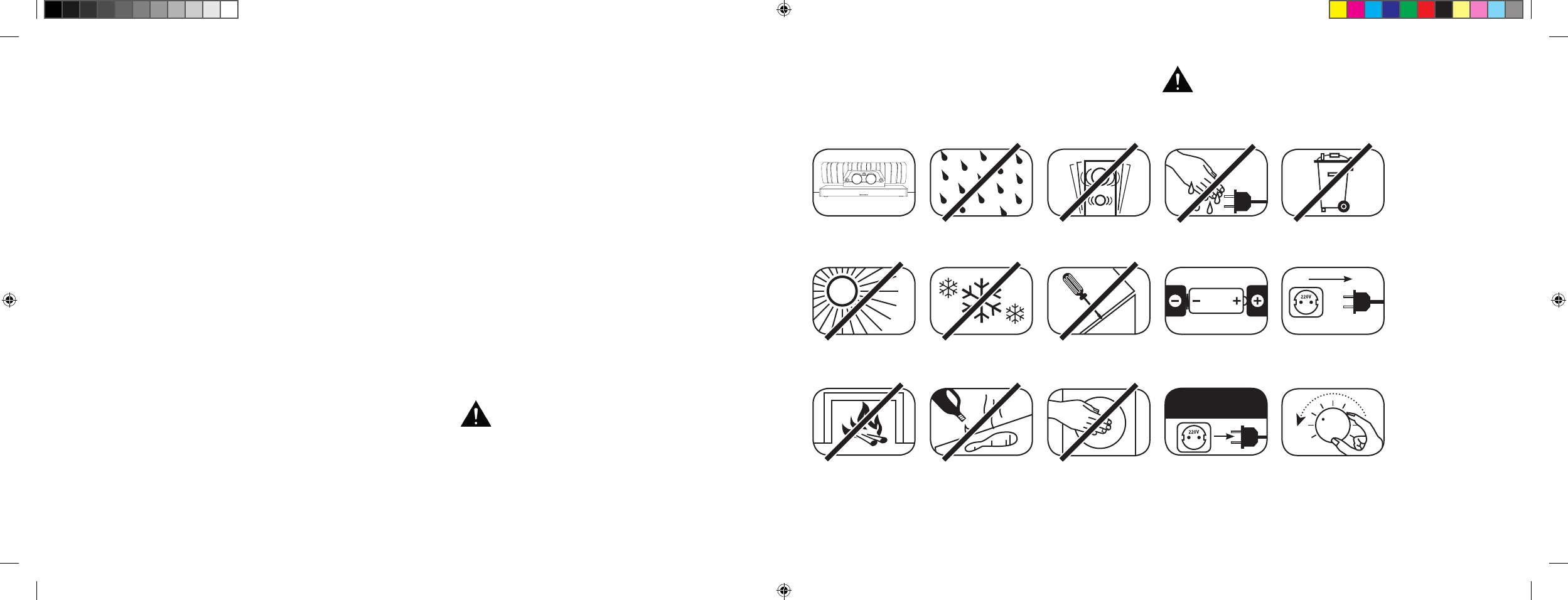
[ ES ] Barra de sonido 911
64 | 65
ÍNDICE
Instrucciones de seguridad...........................Página 64
Desembalaje................................................. Página 70
Instalación .................................................... Página 70
Despliegue del sonido .................................. Página 70
Manejo del mando a distancia ...................... Página 71
Terminal de conexiones ................................ Página 71
Conexión ...................................................... Página 72
Manejo ......................................................... Página 73
Indicaciones de la pantalla ............................ Página 74
Funciones de sonido ampliadas .................... Página 76
Reproducción a través de la
tecnología Bluetooth® ................................... Página 79
Sistema automático de encendido
y apagado [
AUT
] ...........................................Página 80
BIENVENIDO AL MUNDO DE PORSCHE DESIGN
De 0 a 100 en 3,5 segundos. Hasta 9000 revoluciones por minuto. 315 km/h a la cabeza. Para algunos solo son
números; para nosotros son las notas de una sinfonía para el coche deportivo: el sonido del 911 GT3.
Déjese fascinar por nuestra pasión por la tecnología innovadora y espere expectante una experiencia de sonido
que impresiona. Con la barra de sonido 911, el sistema Virtual Surround Sound 2.1 de alta tecnología con el tubo
de escape original de un 911 GT3.
INDICACIONES DE SEGURIDAD
Tenga en cuenta las indicaciones de seguridad a la hora de escoger el lugar adecuado para su barra de sonido 911, así como en lo que a su
cuidado y manejo se refiere.
Escoger una base plana Evitar la humedad Evitar sacudidas
Evitar la luz
del sol directa
Mantenerlo alejado
de fuentes de calor
Proteger del frío extremo
Para su limpieza, no
utilizar productos
agresivos que contentan
alcohol o abrasivos
No abrir la carcasa
No tocar la apertura
de la carcasa ni el
embellecedor del escape
Desenchufar los
enchufes en caso
de tormenta
No tocar el cable de red
con las manos húmedas
Prestar atención a los
polos de las pilas del
mando a distancia
No tirar a la basura
doméstica
El manejo adecuado de la barra de sonido 911 es
responsabilidad del usuario. Porsche Design no
asume
ninguna responsabilidad por daños o accidentes
que
hayan sido provocados por un montaje o una conexión
no adecuadas.
Garantizar libre acceso
al enchufe de red
Bajar el volumen del
sistema en caso de
sobrecarga
Standby ECO [
ECO
] ..................................... Página 81
Selección automática de la
entrada BT [
SEL
] .......................................... Página 82
Función de memorización IR.........................Página 83
Función de borrado IR .................................. Página 85
Búsqueda de errores .................................... Página 86
Características técnicas................................Página 90
Otra información importante ......................... Página 91
Información sobre la licencia ........................Página 92
DS_Betriebsanleitung_911_Soundbar_210x148mm_RZ_v10.indd 64-65 09.11.15 09:43
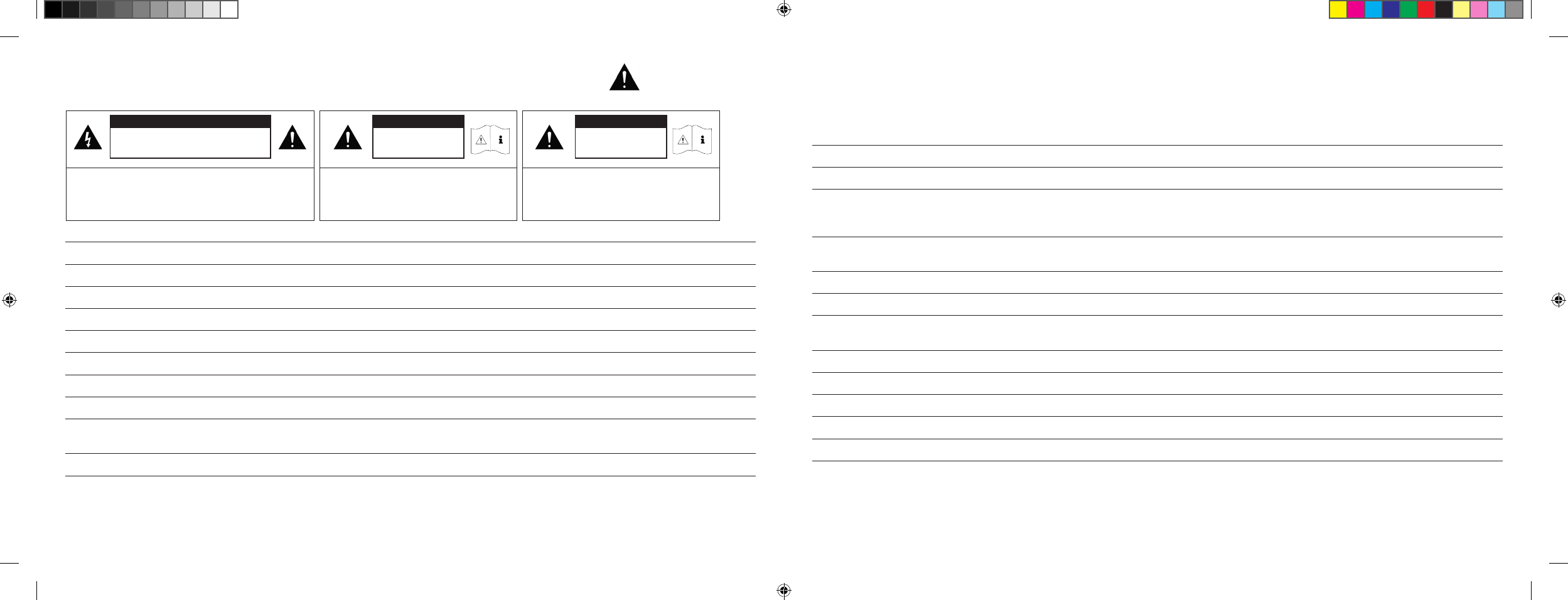
66 | 67
INSTRUCCIONES IMPORTANTES DE SEGURIDAD
Lea y siga todas las indicaciones.
Conserve estas instrucciones.
Respete todas las indicaciones de advertencia y seguridad.
Utilice el aparato solo en un ambiente templado [
no en un clima tropical
].
No utilice el aparato en alturas superiores a los 2000 m por encima del nivel del mar.
Utilice el aparato solo en interiores, no en exteriores ni en habitaciones húmedas.
Para evitar el peligro de incendio o de una descarga eléctrica el aparato no puede estar expuesto a la lluvia ni a la humedad.
No utilice el aparato cerca del agua.
No exponga el aparato a gotas de agua ni a agua pulverizada.
Las fuertes oscilaciones de temperatura producen condensación [
gotitas de agua
] en el aparato. Antes de ponerlo en funcionamiento,
espere a que la condensación se haya evaporado [
mín. 3 horas
].
No coloque sobre el aparato objetos que estén llenos de agua [
como, por ejemplo, jarrones
].
No ponga fuego como, por ejemplo, velas ardiendo, ni sobre ni cerca del aparato.
No coloque el aparato próximo a fuentes de calor como, por ejemplo, calefactores, acumuladores, hornos u otros aparatos
[
tampoco amplificadores
] que generen calor.
Evite la luz del sol directa.
Mantenga una distancia de 5 cm alrededor del aparato.
No suprima en ningún caso la función de protección de enchufes polarizados o con toma a tierra: los enchufes polarizados tienen dos patillas, una
de las cuales es más ancha que la otra. Los enchufes con toma a tierra tienen una tercera patilla de tierra; esta segunda/tercera patilla sirve para su
seguridad. En caso de que el enchufe no entre en la toma de corriente, solicite a un electricista cualificado que le cambie dicha toma obsoleta.
Para evitar una descarga eléctrica conecte el enchufe solo con tomas de corriente o prolongaciones en las que las patillas de contacto puedan
enchufarse por completo para evitar que algunas queden libres.
No toque nunca el cable de red y de señal con las manos húmedas.
No pise el cable de red y no lo aprisione, sobre todo en la zona del enchufe, las tomas de corriente o en el punto en el que el cable sale del aparato.
En aquellos aparatos sin interruptor de corriente en los que el enchufe de red o el conector de red del aparato funcione como dispositivo de
separación, el enchufe del cable de red o del conector de red del aparato debe estar accesible en todo momento.
En caso de tormenta o ante periodos prolongados de inactividad desconecte el aparato de la red eléctrica.
Para desconectar completamente el aparato de la red eléctrica extraiga el cable de red de la toma de corriente.
Antes de conectar o desconectar los cables de conexión apague siempre el aparato.
Tire siempre del enchufe y no del cable.
Instale el aparato siempre de forma acorde con las instrucciones del fabricante.
Escoja siempre una base plana. El aparato debe estar vertical.
ATENCIÓN
Peligro de descarga eléctrica. No abrir.
ATENCIÓN:
Para evitar un incendio o una descarga eléctrica no abrir el
aparato. El usuario no puede realizar el mantenimiento de las
piezas del mismo. Solo especialistas cualificados [
personal de
servicio técnico
] puede llevar a cabo trabajos de mantenimiento
y reparación.
ATENCIÓN
Peligro de muerte
ATENCIÓN:
No tragar la pila de botón. Peligro
de quemaduras químicas internas.
Existe peligro de muerte.
ATENCIÓN
Peligro de explosión
ATENCIÓN:
Pilas de litio intercambiables. Si se cambian
de forma inadecuada hay peligro de explosión.
Cambiar las pilas solo por unas iguales u otras
de un tipo similar.
[ ES ] Barra de sonido 911
DS_Betriebsanleitung_911_Soundbar_210x148mm_RZ_v10.indd 66-67 09.11.15 09:43
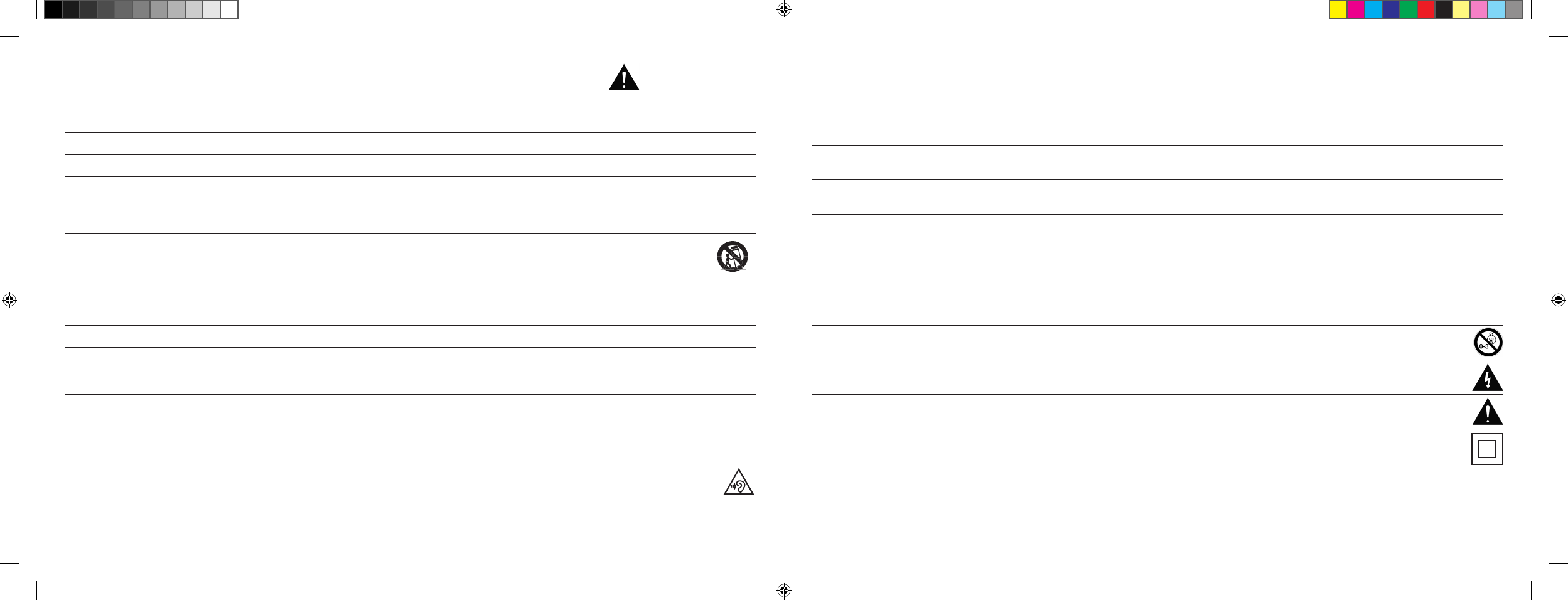
68 | 69
Aviso
No ejerza fuerza sobre los elementos de manejo, las conexiones y los cables.
El aparato solo se puede utilizar con la tensión y la frecuencia especificadas en el aparato o en la placa de características.
No introduzca objeto alguno ni partes del cuerpo en los orificios del aparato; podría entrarse en contacto y/o dañar piezas que conducen la corriente
en el interior de la carcasa y esto podría producir cortocircuitos, descargas eléctricas y fuego.
Utilice solo material de fijación y accesorios que hayan sido aprobados por el fabricante y/o que hayan sido suministrados con el aparato.
Utilice solo carritos con ruedas, apoyos, trípodes, soportes o mesas que cumplan con todas las indicaciones de seguridad
mencionadas en las instrucciones de seguridad. Si utiliza un carrito de ruedas, mueva el conjunto del carro y el aparato con mucho
cuidado para evitar daños y lesiones provocadas por caídas.
Limpie el aparato solo con un paño limpio y seco.
Para su limpieza utilice productos que no sean agresivos, que no contengan alcohol y que no sean abrasivos.
No abra la carcasa para evitar una descarga eléctrica. El usuario no puede realizar el mantenimiento de las piezas del mismo.
Para cualquier trabajo de reparación o de mantenimiento contacte con su Centro Oficial Porsche. Esto es obligatorio cuando el aparato ha resultado
dañado en forma alguna, por ejemplo, daños en el cable de red o en el enchufe, cuando han penetrado líquidos u objetos en el aparato, cuando
haya estado expuesto a lluvia o humedad, cuando no funciona como corresponde o cuando haya sufrido una caída.
No realice modificación alguna en el aparato o los accesorios. Las modificaciones no autorizadas pueden afectar a la seguridad, el cumplimiento de
leyes o el rendimiento del sistema. En este caso puede extinguirse la homologación/garantía.
En el caso de que durante la reproducción se produzcan distorsiones en el sonido como, por ejemplo, golpeteos artificiales, retumbe o se oiga
un clic de alta frecuencia, baje de inmediato el volumen.
Para evitar posibles daños auditivos, no utilice un volumen demasiado elevado durante un periodo prolongado de tiempo. Interrumpa la
reproducción si nota pitidos o silbidos en el oído, o si tiene la impresión de no poder percibir sonidos agudos [
aunque sea brevemente
].
Mantenga alejadas de los niños tanto las pilas nuevas como las usadas. Los aparatos en los que el compartimento de las pilas no se pueda cerrar
con seguridad no pueden seguir utilizándose y deben mantenerse alejados de los niños.
El mando a distancia enviado junto con este aparato lleva una pila de botón que le sirve de batería. Si se traga dicha pila de botón, en solo 2 horas
esta puede producir quemaduras internas graves y provocar la muerte.
En caso de que sospeche que se ha ingerido la pila de botón o que esta se haya introducido en cualquier orificio corporal debe buscar ayuda
médica de inmediato.
Respete el medio ambiente cuando se deshaga de la pila; deposítela en un contenedor específico para ella.
Las pilas no deben someterse a altas temperaturas como, por ejemplo, la radiación solar directa, fuego u otros similares.
Las pilas deben colocarse respetando la indicación de polaridad correspondiente. Una colocación inadecuada puede producir daños.
Utilice exclusivamente pilas o baterías específicas para el aparato.
Las pilas suministradas conjuntamente no son acumuladores, es decir, no son pilas recargables.
El aparato y/o los bultos adicionales pueden contener piezas pequeñas que pueden ingerirse,
por lo que no son aptos para niños menores de tres años.
Este símbolo le indica tensiones peligrosas no aisladas en el interior de la carcasa que tienen una potencia [
amplitud
] suficiente
como para causar fuego o una descarga eléctrica.
Este símbolo muestra indicaciones de manejo o de mantenimiento importantes en los documentos
adjuntos suministrados [
instrucciones
].
Este símbolo marca la clase de protección II: aparatos en los que un aislamiento reforzado o doble garantiza protección ante una
descarga eléctrica durante el uso acorde con las disposiciones, por lo que no requieren un borne de puesta a tierra.
INSTRUCCIONES IMPORTANTES DE SEGURIDAD
[ ES ] Barra de sonido 911
DS_Betriebsanleitung_911_Soundbar_210x148mm_RZ_v10.indd 68-69 09.11.15 09:43
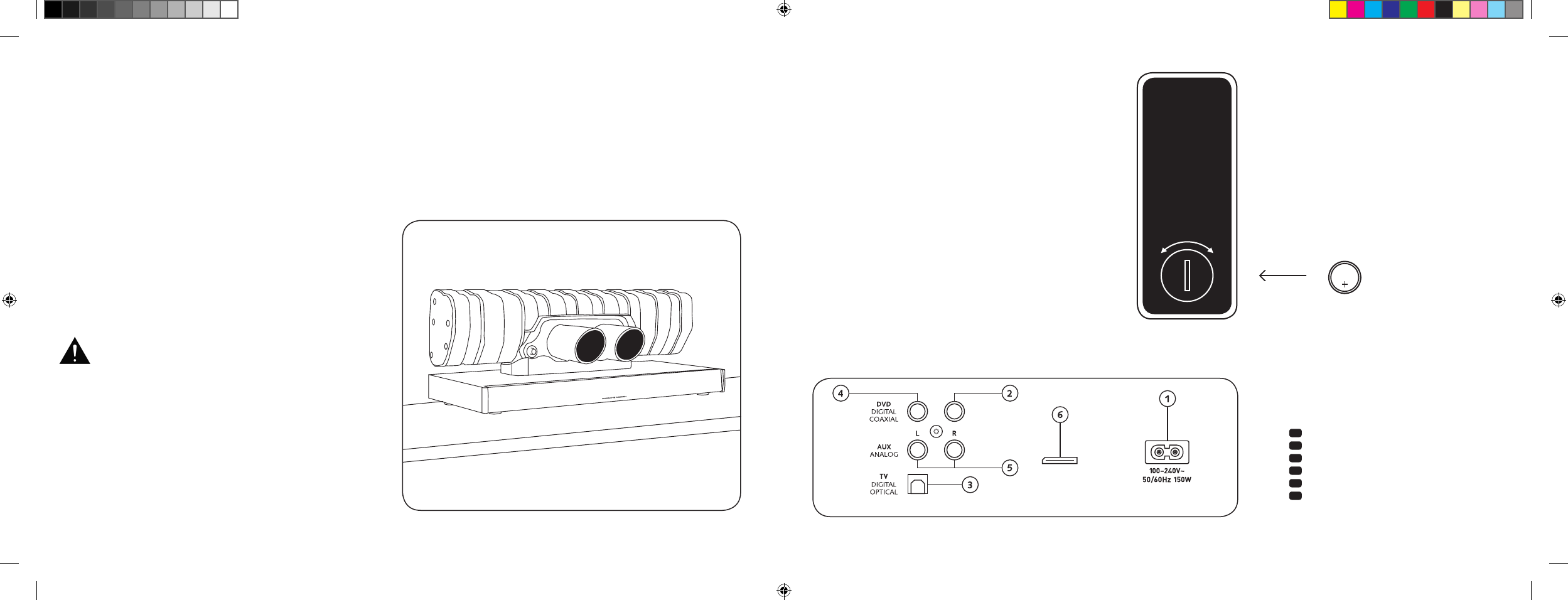
70 | 71
CONEXIONES DE LA
BARRA DE SONIDO 911
1 Conector de suministro de corriente
2 Salida: subwoofer externo
3 Entrada: TV [
óptica
]
4 Entrada: DVD [
coaxial
]
5 Entrada: AUX [
analógica
]
6 Conector de mantenimiento
MANEJO DEL MANDO
A DISTANCIA
La pila adjunta ya está colocada en el mando a distancia.
Para que funcione solo tiene que retirar la lámina protectora.
En el momento de cambiar la pila compruebe que se coloca
correctamente respetando las marcas de polaridad [
+/–
]. Utilice
únicamente la pila especificada para este sistema [
CR 2032
].
Aviso: la pila suministrada está concebida para un uso de
prueba por lo que puede tener una vida útil reducida.
TERMINAL DE CONEXIONES
Barra de sonido 911
SUB OUT
Service
Mando a distancia
[
parte posterior
]
INSTALACIÓN
Coloque la barra de sonido 911 sobre una superficie plana.
DESEMBALAJE
Desembale la caja con cuidado y compruebe que contenga
todas las piezas listadas a continuación:
1 barra de sonido 911
1 mando a distancia con pilas
4 cables de red [
1 respectivamente para la Unión Europea,
Reino Unido, Estados Unidos, Australia
]
1 cable de audio digital óptico
1 conector RCA estéreo
1 conector RCA digital
DESPLIEGUE DE SONIDO
Fase de adaptación hasta el despliegue de las características
máximas de sonido: 15-20 horas de funcionamiento.
– Durante ese periodo utilice un volumen normal
– Evite niveles demasiado altos
– Escuche tipos de sonido lo más diferentes posible
CR 2032
ABIERTO CERRADO
Cada barra de sonido 911 es una pieza única. El
silenciador del Porsche 911 GT3 incorporado a la
barra de sonido 911 pertenece a la fabricación
en serie habitual. Para resaltar su autenticidad,
los cordones de soldadura y las decoloraciones
que produce el proceso de soldadura son visibles
intencionadamente.
Por ese motivo no aceptamos
reclamaciones
en caso de que no le agrade la superficie del
silenciador [
cordones de soldadura, puntos de
contacto, decoloraciones, gotas de
soldadura,
etc.
]. Le agradecemos su comprensión.
[ ES ] Barra de sonido 911
DS_Betriebsanleitung_911_Soundbar_210x148mm_RZ_v10.indd 70-71 09.11.15 09:43
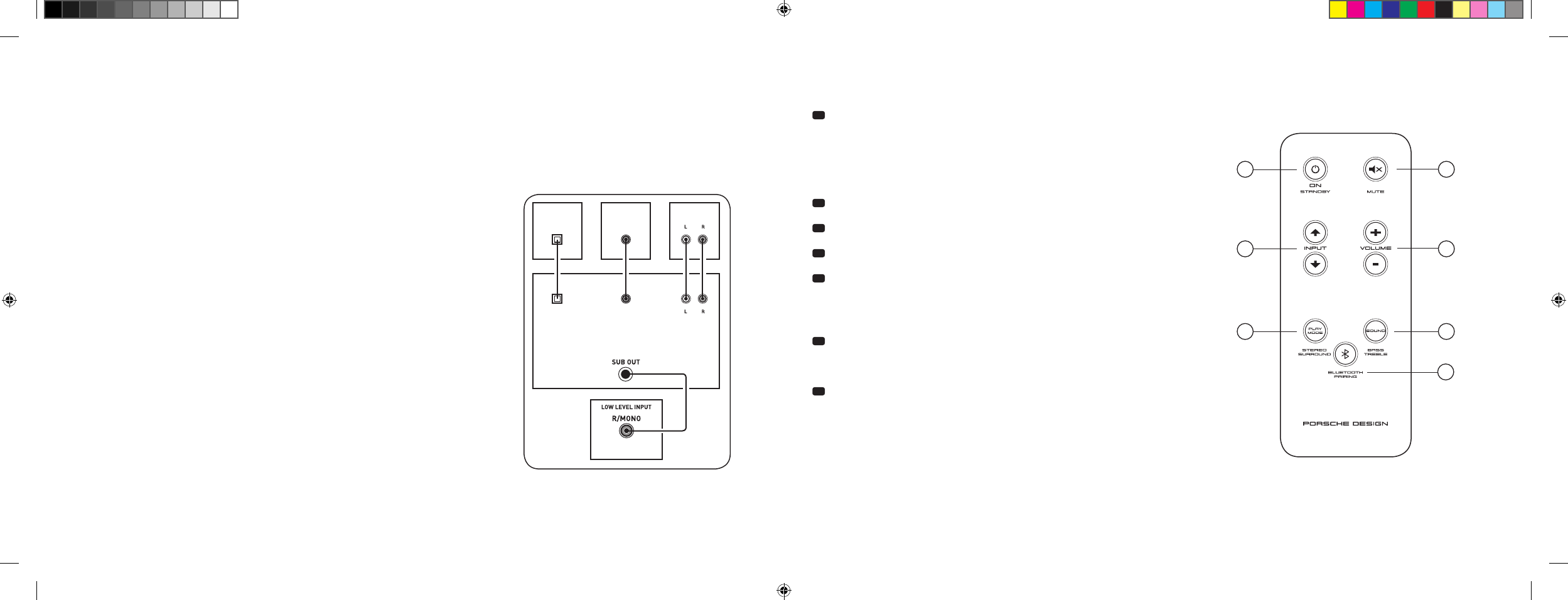
72 | 73
CONEXIÓN
Antes de conectarlos, compruebe que todos los componentes eléctricos están desactivados. Su barra de sonido 911 dispone de 3 entradas de libre
configuración; por lo general es suficiente con que conecte una de esas entradas a su televisor y conecte el resto de reproductores adicionales a dicho
televisor. Para conseguir la mejor reproducción de sonido posible se recomienda conectar receptores de satélite y reproductores de Blu-ray o DVD directa-
mente a la barra de sonido 911. En función del tipo y del equipamiento del dispositivo de origen utilizado se puede elegir entre las siguientes opciones:
MANEJO
Mando a distancia
1 Power
ON: – el LED se ilumina de color verde [
conectada
]
Standby: – el LED se ilumina de color rojo
[
lista para funcionar
]
Barra de sonido 911
desconectada de la red eléctrica: – el LED no está iluminado [
apagada
]
2 Mute [
silencio
]
3 Input [
selección de la fuente de audio
]
4 Volume [
ajuste del volumen
]
5 Play Mode [
modo de reproducción
]
Estéreo: – para la reproducción de música
Envolvente: – sonido ambiente virtual para la reproducción
de home cinema
6 Sound [
ajuste de sonido
]
Bass – ajuste con el volumen [
+6... –6 dB
]
Tremble – ajuste con el volumen [
+6... –6 dB
]
7 Emparejamiento Bluetooth®
Conexión con un dispositivo de origen que cuente con la tecnología de radio
Bluetooth®
Función de memoria
Tras una desconexión pasajera de la red eléctrica, la barra de sonido 911 regresa
al último estado seleccionado. Se conservan todos los ajustes [
por ejemplo,
encendido/apagado, volumen
].
SUB
DIGITAL MOVIE
DVD
DVDTV
TV
AUX
AUX
Entrada digital de televisión [
ÓPTICA
]
Los televisores modernos cuentan con una salida de audio óptica [
Toslink
]. Conéctela a la
salida marcada con «TV» de su barra de sonido 911. Esta conexión garantiza una transmisión
óptima de la señal y la mejor calidad de sonido.
Atención: retirar las tapas de protección del cable óptico suministrado.
Entrada digital DVD [
COAXIAL
]
Para transmitir el sonido del DVD, conecte la salida coaxial digital de su reproductor de
Blu-ray o DVD con el conector marcado con «DVD» de su barra de sonido 911. Para
transmitir la señal de imagen, el reproductor de DVD debe estar conectado además al
televisor. La entrada marcada con «DVD» de la barra de sonido 911 también se puede
seleccionar cuando su televisor no dispone de salida óptica.
Entrada analógica AUX
Si su televisor solo cuenta con una salida de audio marcada como «Pre-Out», utilice un
conector RCA estéreo blindado para conectarla con la entrada analógica marcada con «AUX»
de la barra de sonido 911. Por lo demás, esta entrada sirve para la conexión con grabadoras
de vídeo o videoconsolas.
Salida analógica SUB
Utilice esta salida cuando quiera conectar un subwoofer externo activo. En la configuración
básica SUB OUT no está activo y debe habilitarse mediante el mando a distancia.
Consulte la página 76 «Funciones de sonido ampliadas».
4
ON
STANDBY
1
3
5 6
7
2
[ ES ] Barra de sonido 911
DS_Betriebsanleitung_911_Soundbar_210x148mm_RZ_v10.indd 72-73 09.11.15 09:43
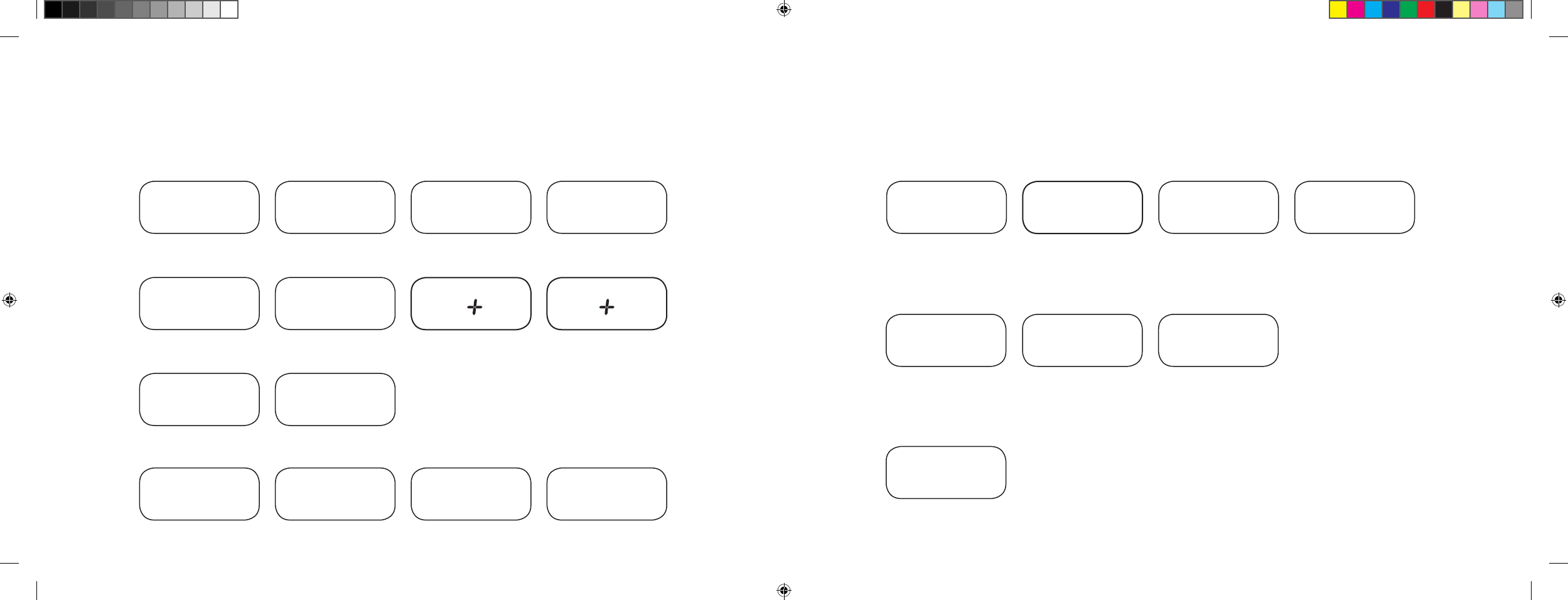
74 | 75
INDICACIONES DE LA PANTALLA
La barra de sonido 911 cuenta con una pantalla multifunción que se ilumina durante aprox. 5 segundos si el mando a distancia envía algún comando.
A continuación aparece una lista de las indicaciones más importantes y de su significado. El modo standby de la barra de sonido 911 se indica
mediante un LED iluminado en color rojo. Si la barra de sonido 911 está en funcionamiento, el color del LED es verde.
Entrada
Modo de sonido
Modo de reproducción
Entrada TV [
óptica
]
TV
Volumen [
0 – 99
]
V30
Estéreo
ST
Modo de emparejamiento
BTP
Entrada DVD [
coaxial
]
DVD
Sin sonido [
Mute
]
---
Envolvente
SUR
Conexión establecida
CON
Entrada AUX [
analógica
]
AUX
Regulación de bajos
[
+/– 6
]
B 6
Conexión interrumpida
DIS
Bluetooth®
BT
Regulación de altos [
+/– 6
]
T 6
Mensaje de error
FAI
Bluetooth®
Funciones de configuración
Activación/desactivación del
sistema automático de conexión
para la entrada óptica y coaxial
AUT
Activación/desactivación
de la selección automática
entrada BT
SEL
Activación/desactivación
del standby ECO
ECO
Función de memorización IR
Memorizar códigos
infrarrojos
IRL
Funciones de sonido ampliadas
Retardo de la
reproducción de sonido
[
LipSync
]
LIP
Activación/desactivación
SUB OUT
SUB
Activación/desactivación
de la compresión de
rango dinámico dolby
DRC
Selección de forma
de montaje
EQ
[ ES ] Barra de sonido 911
DS_Betriebsanleitung_911_Soundbar_210x148mm_RZ_v10.indd 74-75 09.11.15 09:43
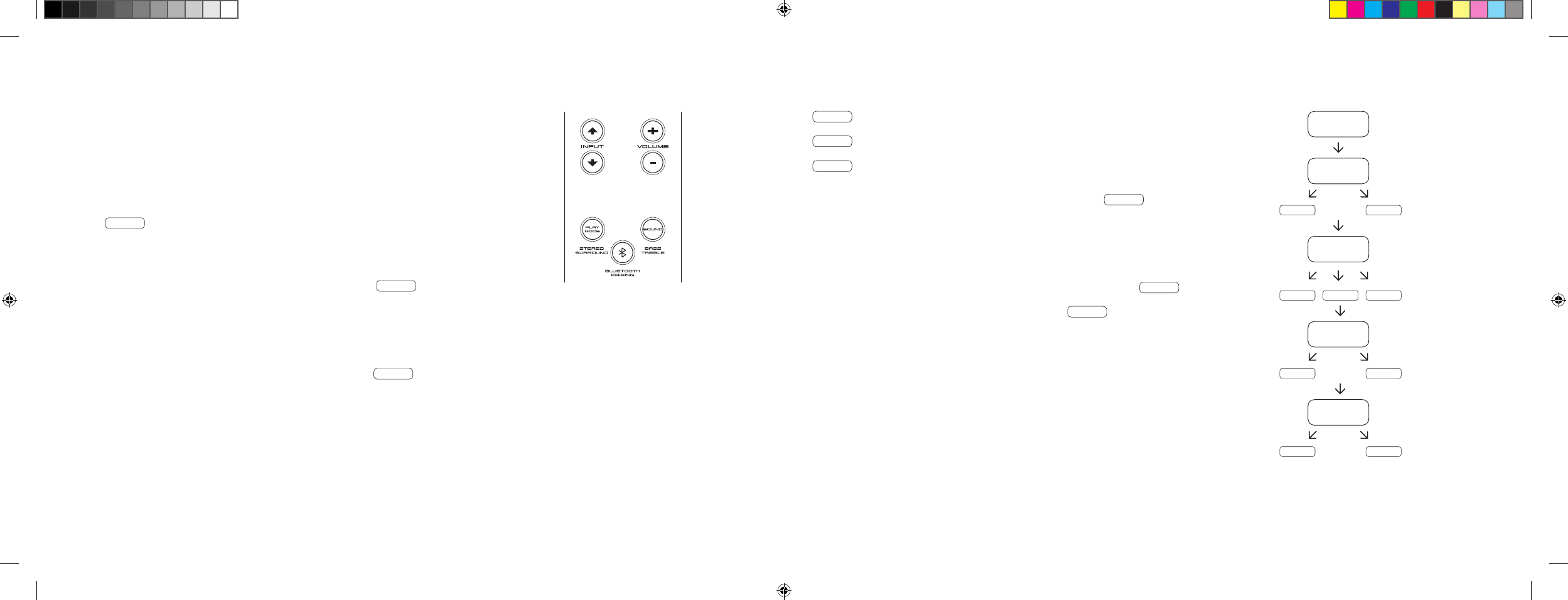
76 | 77
FUNCIONES DE SONIDO AMPLIADAS
El menú para funciones de sonido ampliadas le ofrece la opción de corregir la reproducción del
sonido si esta no es síncrona con los movimientos de los labios, activar la salida para un subwoofer
externo conectado por cable, ajustar la reproducción del sonido al lugar de instalación elegido y
conectar y desconectar la función dolby «Compresión de rango dinámico».
Mantenga pulsada durante más de 3 segundos la tecla «Sound» del mando a distancia para
acceder al menú «Funciones de sonido ampliadas»; la pantalla de la barra de sonido 911
muestra LIP .
Con las teclas «Volumen +/–» puede retardarse la reproducción del sonido en pasos
de 10 ms para ajustar dicho sonido a la imagen «retrasada».
Si se vuelve a pulsar brevemente la tecla «Sound» la pantalla pasa a SUB .
Con las teclas «Volumen +/–» puede activarse o desactivarse la salida para un subwoofer
externo. Atención: si SUB OUT está activado, la reproducción de sonido de la barra de
sonido está limitada a 80 Hz. Las frecuencias por debajo de 80 Hz se envían al subwoofer
externo.
Si pulsa brevemente de nuevo la tecla «Sound», la pantalla muestra EQ .
Con las teclas «Volumen +/–» puede seleccionarse uno de los tres preajustes
de ecualizador para adaptar la reproducción al lugar de colocación.
EQ1 para una barra de sonido 911 de libre colocación por ejemplo sobre un tablero lateral.
EQ2 para la colocación con una televisión plana colgada en la pared.
EQ3 para colocar la barra de sonido 911 en un anaquel o una estantería.
Con una nueva pulsación de la tecla «Sound» la pantalla pasa a DRC .
«Compresión de rango dinámico» es una opción de ajuste de Dolby Laboratories. Si la
función está activada, los flujos de datos codificados para dolby del rango dinámico se
reducen de forma automática, lo que minimiza las diferencias de volumen. Los tonos
bajos se elevan y los altos se mitigan.
Con las teclas «Volumen +/–» puede activarse o desactivarse la función DRC .
Si se vuelve a pulsar la tecla «Sound» la pantalla pasa a VOL .
Con esta función [
de protección
] «Volumen» puede limitar el nivel de volumen máximo que
se puede ajustar, es decir, el volumen [
indicación en la pantalla
] no puede incrementarse por
encima del valor aquí ajustado durante el funcionamiento.
Con las teclas «Volumen +/–» puede ajustar a continuación la potencia deseada del volumen
[
0–99, siendo 99 el máximo
].
LIP
SUB
ON OFF
EQ
EQ1 EQ2 EQ3
DRC
ON OFF
VOL
099
…
[ ES ] Barra de sonido 911
DS_Betriebsanleitung_911_Soundbar_210x148mm_RZ_v10.indd 76-77 09.11.15 09:43
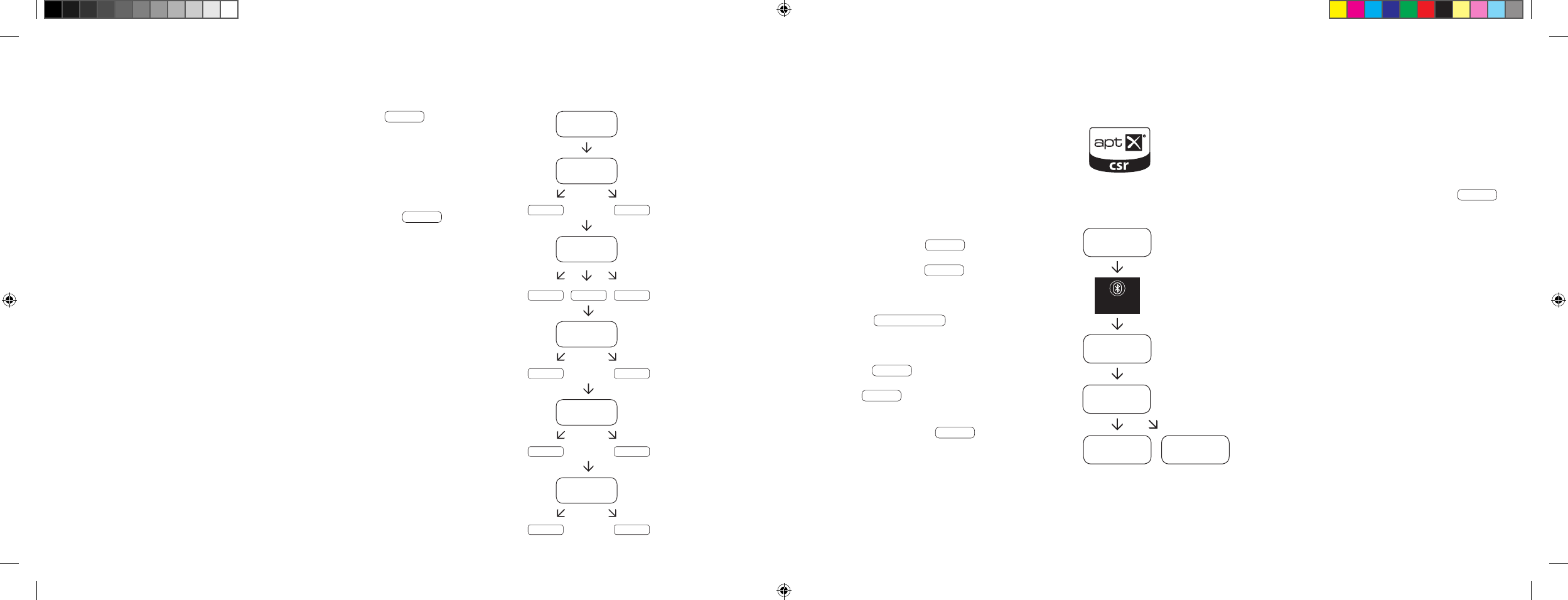
78 | 79
REPRODUCCIÓN A TRAVÉS DE LA
TECNOLOGÍA BLUETOOTH®
Requisitos previos para el registro
– La función Bluetooth® debe estar activada
en el terminal móvil.
– El terminal móvil debe admitir al menos el
estándar 2.0 de Bluetooth®.
– El terminal móvil debe estar en radio de alcance
de la barra de sonido 911 [
máx. 10 m
].
Proceso de registro
– Seleccionar la entrada BT .
– Pulsar la tecla «Emparejamiento Bluetooth®».
– En la pantalla aparece BTP .
– En ese momento dispone de 30 segundos
para registrar su terminal móvil.
– Inicie el proceso de búsqueda en su terminal móvil.
– Seleccione 911 SOUNDBAR como aparato de
reproducción.
– La conexión se establece automáticamente tras
la confirmación y se le indica en la pantalla con
el mensaje CON .
– Si la conexión ha sido errónea recibirá el
mensaje FAI .
– Si el terminal móvil solicita un código de acceso,
introduzca 0000.
– Si en la pantalla aparece DIS su terminal móvil
está fuera del rango de alcance o desconectado.
Manejo de un terminal móvil
– El último aparato que se haya conectado a la barra
de sonido 911 establece automáticamente la conexión
siempre que la función Bluetooth® esté activada y
la entrada esté configurada para la reproducción
Bluetooth®. En este caso recibe el mensaje
CON
.
– Inicie la reproducción de un archivo en su terminal
móvil y el sonido se transferirá de inmediato a la
barra de sonido 911.
Aviso: La barra de sonido 911 admite hasta 3 aparatos
Bluetooth®. Consulte también el capítulo «Selección
automática de la entrada BT» en la página 82.
BT
BTP
CON FAI
BLUETOOTH
PAIRING
911
SOUNDBAR
Con una nueva pulsación breve de la tecla «Sound» la pantalla pasa a VOI .
Utilice la función «Voice» para incrementar la compresión del lenguaje tanto en el
funcionamiento estéreo como en el envolvente. Esta función le permite, por ejemplo,
entender mejor los diálogos [
lengua
] en películas con efectos altos.
Con las teclas «Volumen +/–» puede activar y desactivar la función «Voice» [
ON u OFF
].
Si pulsa nuevamente la tecla «Sound» accede de nuevo al inicio del menú LIP .
Salir del menú
Para salir del menú de «Funciones de sonido ampliadas» vuelva a mantener pulsada la tecla
«Sound» durante más de 3 segundos.
Si durante 30 segundos la barra de sonido 911 no recibe ningún comando procedente del
mando a distancia, la guía del menú regresa automáticamente al modo normal.
LIP
SUB
ON OFF
EQ
EQ1 EQ2 EQ3
DRC
ON OFF
VOL
099
VOI
ON OFF
…
[ ES ] Barra de sonido 911
DS_Betriebsanleitung_911_Soundbar_210x148mm_RZ_v10.indd 78-79 09.11.15 09:43
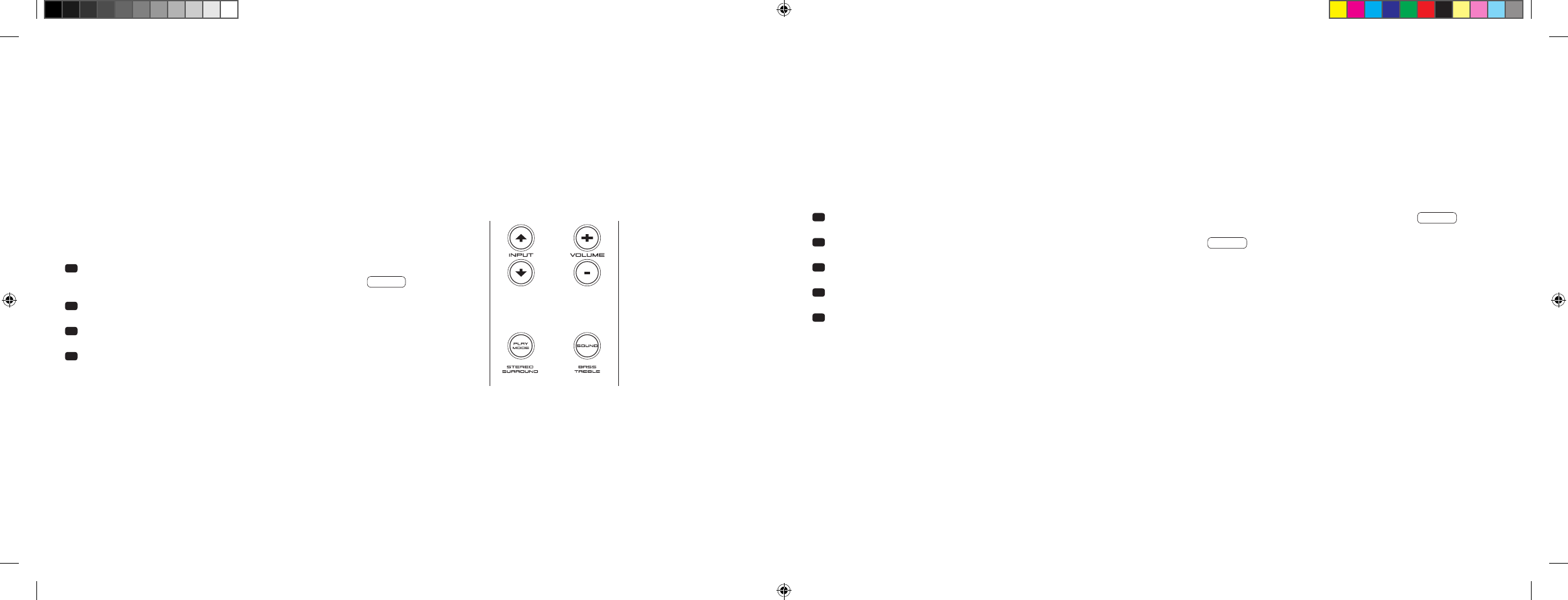
80 | 81
Si esta función está activada [
ON
] el aparato reconoce la señal que haya en la entrada óptica o coaxial. Si se detecta una señal [
por ejemplo, la
conexión de un dispositivo de origen
] la barra de sonido 911 se conecta por sí sola. Si no se encuentra ninguna señal en la entrada seleccionada
[
por ejemplo, tras desconectar el dispositivo de origen
], la barra de sonido 911 pasa automáticamente al cabo de 30 segundos al estado standby
AUT. Si esta función está desactivada [
OFF
], la barra de sonido 911 debe activarse y desactivarse manualmente.
El aparato se entrega con esta función desactivada [
OFF
].
Para activarla/desactivarla, proceda como se indica a continuación:
1 Con el aparato encendido mantenga pulsada la tecla «Play Mode»
durante más de 3 segundos hasta que en la pantalla aparezca AUT .
2 Pulsando la tecla «Volume +» se activa la función [
ON
].
3 Pulsando la tecla «Volume –» se desactiva la función [
OFF
].
4 Salga del menú manteniendo de nuevo pulsada la tecla «Play Mode»
durante más de 3 segundos. Si no se pulsa ninguna tecla en un plazo de
10 segundos, el aparato sale automáticamente del menú de configuración.
Observación: el sistema automático de conexión/desconexión solo funciona con la entrada digital óptica y coaxial. Si mediante la tecla «ON/Standby»
el aparato pasa al estado de standby, la conexión automática no será posible.
El aparato solo reconoce una señal en la entrada digital elegida. Cualquier otra señal que no esté en la entrada digital seleccionada no se va a detectar.
FUNCIONES DE CONFIGURACIÓN
SISTEMA AUTOMÁTICO DE ENCENDIDO Y APAGADO [
AUT
]
1 Con el aparato encendido mantenga pulsada la tecla «Play Mode» durante más de 3 segundos hasta que en la pantalla aparezca AUT .
2 Pulse de nuevo brevemente la tecla «Play Mode» hasta que en la pantalla aparezca ECO .
3 Pulsando la tecla «Volume +» se activa la función [
ON
].
4 Pulsando la tecla «Volume –» se desactiva la función [
OFF
].
5 Salga del menú manteniendo de nuevo pulsada la tecla «Play Mode» durante más de 3 segundos. Si no se pulsa ninguna tecla en un plazo de
10 segundos, el aparato sale automáticamente del menú de configuración.
STANDBY ECO [
ECO
]
Si esta función está activada [
ON
], el aparato pasa automáticamente al modo standby ECO cuando transcurre una hora sin que se detecte ninguna
señal en la entrada seleccionada. Si esta función está desactivada [
OFF
], la barra de sonido 911 debe desactivarse manualmente.
El aparato se entrega con esta función activada [
ON
].
Para activarla/desactivarla, proceda como se indica a continuación:
Observación: esta función se desactiva de forma automática al activar la función AUT.
[ ES ] Barra de sonido 911
DS_Betriebsanleitung_911_Soundbar_210x148mm_RZ_v10.indd 80-81 09.11.15 09:43
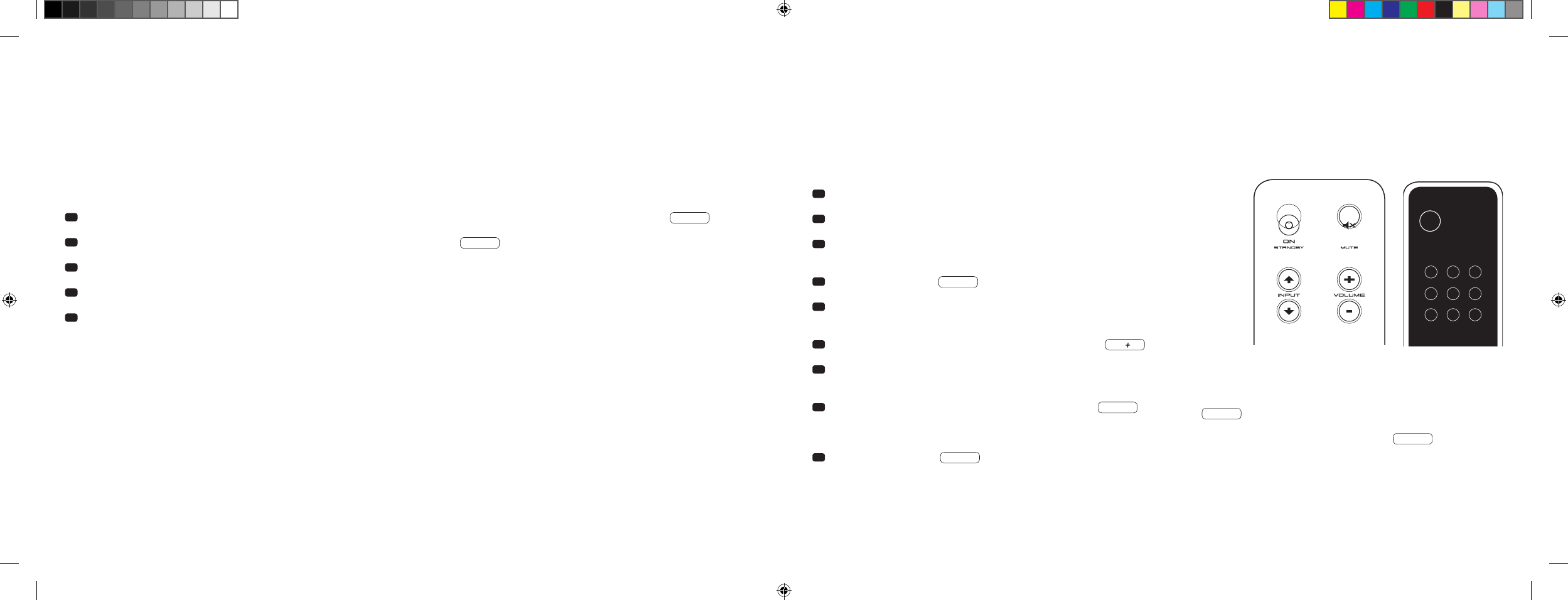
82 | 83
SELECCIÓN AUTOMÁTICA DE LA ENTRADA BT [
SEL
]
Si esta función está activada [
AUT
], la barra de sonido 911 cambia automáticamente a la entrada BT tan pronto como detecta una señal de audio
de un móvil. Si esta función está desactivada [
MAN
], la entrada debe seleccionarse manualmente.
El aparato se entrega con esta función desactivada [
MAN
].
Para activarla/desactivarla, proceda como se indica a continuación:
Observación: en función del móvil utilizado, con el sistema automático activado, la barra de sonido 911 puede cambiar a la entrada BT al teclear un
mensaje o con otros tonos del sistema.
Cuando la función SEL está activada [
AUT
], la entrada BT no puede seleccionarse a través de la tecla «Input». En este modo, la barra de sonido 911
puede emparejarse con el móvil independientemente de la entrada de señal elegida.
1 Con el aparato encendido mantenga pulsada la tecla «Play Mode» durante más de 3 segundos hasta que en la pantalla aparezca AUT .
2 Pulse de nuevo brevemente la tecla «Play Mode» hasta que en la pantalla aparezca SEL .
3 Pulsando la tecla «Volume +» se activa la función [
AUT
].
4 Pulsando la tecla «Volume –» se desactiva la función [
MAN
].
5 Salga del menú manteniendo de nuevo pulsada la tecla «Play Mode» durante más de 3 segundos. Si no se pulsa ninguna tecla en un
plazo de 10 segundos, el aparato sale automáticamente del menú de configuración.
FUNCIÓN DE MEMORIZACIÓN IR
La barra de sonido 911 puede memorizar el código de infrarrojos del mando a distancia de su televisor, lo que le permite manejar las funciones de la
barra de sonido 911 y del televisor con un único mando a distancia. Cualquier tecla del mando a distancia puede asignarse a comandos para la
barra de sonido 911. A la hora de elegir las teclas compruebe que los comandos para la barra de sonido 911 no entren en conflicto con el televisor.
Por ello se recomienda desactivar el altavoz interno del televisor tras conectar la barra de sonido 911.
1 Tenga preparado el mando a distancia del televisor.
2 Encienda la barra de sonido 911.
3 Mantenga pulsada la tecla «ON/Standby» del mando a distancia Porsche
durante aprox. 5 segundos.
4 En la pantalla parpadea IRL .
5 Pulse en el mando a distancia Porsche la función deseada,
por ejemplo, «Volume +».
6
En la pantalla parpadea la función seleccionada, por ejemplo
V
.
7 En los 20 segundos siguientes pulse la tecla que quiera asignar del
mando a distancia del televisor.
8 En el caso de una transferencia exitosa en la pantalla se ilumina OK
y puede continuar programando la siguiente función de teclas, por ejemplo
«Volume –».
9 Si en la pantalla aparece FAI , la transferencia ha fallado y deberá
repetir de nuevo los pasos 5 a 8.
Mando a distancia
del televisor
ON
STANDBY
Aviso: la tecla roja «ON/Standby» del mando a distancia Porsche
tiene una doble función. Si se pulsa una vez, en la pantalla aparece
ON y se puede memorizar la función de encendido. Si se
pulsa dos veces seguidas la tecla roja «ON/Standby» del mando
a distancia Porsche, en la pantalla aparece STB y se puede
memorizar la función de standby o la de desconexión. Si el mando
a distancia de su televisor solo tiene una tecla para el comando
«Encender» y «Apagar», ambas funciones «ON» y «Standby» deben
asignarse a este comando.
[ ES ] Barra de sonido 911
DS_Betriebsanleitung_911_Soundbar_210x148mm_RZ_v10.indd 82-83 09.11.15 09:43

84 | 85
Salir del menú
Para salir del menú de «Función de memorización IR» vuelva a mantener pulsada la tecla «ON/Standby» durante más de 5 segundos. Si durante 60 segundos
la barra de sonido 911 no recibe ningún comando procedente del mando a distancia, la guía del menú regresa automáticamente al modo normal.
Selección directa de las entradas de señal
Además de la tecla «Input
» e «Input
» también puede seleccionar de forma directa las entradas de señal TV, DVD, AUX y Bluetooth® utilizando el mando
a distancia de su televisor o mando universal, es decir, puede asignar a la entrada deseada una tecla del mando a distancia.
1 Mientras está en el menú de memorización IRL mantenga pulsada una de las dos teclas „Input“ del mando a distancia Porsche durante
3 segundos para acceder al menú de selección directa. En la pantalla parpadea DVD .
2 Ahora puede asignar una tecla del mando a distancia de su televisor a la entrada «DVD».
Aviso: cuando durante el funcionamiento normal pulsa esta tecla en el mando a distancia de su televisor, la barra de sonido 911 cambia directamente
a la entrada DVD.
3 Pulse la tecla deseada en el mando de su televisor. Si la barra de sonido 911 memorizó correctamente el código de infrarrojos [
IR
], la pantalla
muestra brevemente OK y a continuación la siguiente entrada TV .
4 Si no se consiguió memorizar el código o si en los 10 segundos siguientes no pulsa ninguna tecla del mando a distancia, en la pantalla aparece
brevemente FAI para indicar que no se memorizó ningún código. Seguidamente la pantalla sigue parpadeando DVD y puede memorizar de
nuevo o continuar con el código para la entrada DVD.
5 Si no quiere asignar ninguna tecla a la entrada DVD, pulse brevemente la tecla «Input» para acceder manualmente a la entrada [
TV
].
6 Para asignar una tecla del mando a distancia del televisor a las entradas TV, AUX y/o Bluetooth® repita los pasos descritos en los puntos 2–5.
7
Para salir de nuevo del menú de selección directa, vuelva a pulsar ambas teclas de Input durante 3 segundos y accederá al menú de memorización
IR superior
IRL . Cuando en el menú de selección directa mantiene pulsada la tecla «ON/Standby» durante 3 segundos, el sistema sale del menú
de memorización IR y vuelve al funcionamiento normal. En la pantalla se muestra brevemente FIN para indicar que se ha salido del modo de
memorización.
Aviso: debido a la gran cantidad de códigos infrarrojos no se puede garantizar que la barra de sonido 911 pueda memorizar todos los mandos a
distancia existentes.
FUNCIÓN DE BORRADO IR
Para borrar de nuevo los comandos inalámbricos que ha memorizado la barra de sonido 911 del mando a distancia de la televisión, proceda como
se indica a continuación:
1 Encienda la barra de sonido 911.
2 Mantenga pulsada la tecla «ON/Standby» del mando a distancia Porsche durante aprox. 5 segundos.
3 En la pantalla parpadea IRL .
4 Mantenga pulsada la tecla «Mute» del mando a distancia Porsche durante aprox. 5 segundos.
5 En la pantalla se muestra CLR durante aprox. 5 segundos. A continuación la barra de sonido 911 pasa de forma automática al
modo de funcionamiento normal.
[ ES ] Barra de sonido 911
DS_Betriebsanleitung_911_Soundbar_210x148mm_RZ_v10.indd 84-85 09.11.15 09:43

86 | 87
BÚSQUEDA DE ERRORES
A continuación aparece una sinopsis de los problemas más frecuentes. Si tiene más preguntas al respecto, diríjase a su Porsche Design Store o a
su Centro Oficial Porsche, o póngase en contacto con nuestro servicio de atención telefónica en el número
+49 [
0
]711 911-0 o remítanos un correo
electrónico a contact@porsche-design.com
Problema Causas posibles Solución
La barra de sonido 911
no se enciende.
El cable de red no está conectado con la toma
de corriente y/o la barra de sonido 911.
Establezca la conexión.
La barra de sonido 911
no reacciona ante el
mando a distancia.
1. Las pilas están agotadas. 1. Cambie las pilas; al colocarlas preste atención a la polaridad
correcta.
2. No ha retirado la lámina de protección. 2. Retire la lámina de protección del mando a distancia.
Sonido muy bajo. El volumen de la barra de sonido 911 o del aparato
origen está configurado muy bajo.
Suba el volumen con la tecla «Volume».
Suba el volumen del aparato de origen.
No se reproduce el
sonido.
1. El formato de sonido del aparato origen se ha
seleccionado de forma incorrecta [
entrada digital
«TV» y «DVD»
].
1. Compruebe la configuración correcta del aparato origen.
Los formatos de salida codificados como «DTS» no
se pueden reproducir.
2. El reproductor adicional no da señal. 2. Salida digital del aparato origen no habilitada, la regulación del
volumen puede que esté en «cero» [
comprobar las instrucciones
del aparato
].
3. El cable no está correctamente conectado/está
defectuoso.
3.1. Compruebe la conexión del reproductor adicional con la barra
de sonido 911 y, en caso necesario, cambie el cable.
3.2. Compruebe si se ha retirado la tapa de protección del enchufe
del cable óptico.
Problema Causas posibles Solución
La barra de sonido 911
zumba.
1. Los cables de señal del aparato origen a la barra
de sonido 911 son demasiado largos [
Aux
].
1. Utilice cables de señal más cortos.
2. El cable de señal utilizado no está blindado o el
blindaje del cable usado está roto [
defectuoso
].
2. Cambie el cable por otro que esté blindado.
3. Se «crea» un bucle de tierra [
bucle de zumbido
]. 3. Se puede producir un bucle de tierra cuando hay conectados al
menos dos aparatos unidos mediante cables de señal [
RCA
] con
enchufes con toma de tierra [
por ejemplo, un amplificador y un
ordenador
] en tomas de corriente separadas localmente. Todos
los aparatos conectados con la barra de sonido 911 con enchufes
con toma de tierra deberían estar conectados a una regleta de
enchufes.
4.
En la red hay un elemento [
por ejemplo,
un frigorífico
]
que no tiene las interferencias
eliminadas.
4. Desconecte las posibles fuentes de interferencias; haga que el
aparato en cuestión deje de producir interferencias, si el ruido
de zumbido desaparece o conecte la fuente de interferencias en
otra fase de red [
L1, L2 o L3
] [
en caso necesario, consultar con
un técnico especializado
]; conecte «filtros de refrigeración fría»
especiales [
disponibles en comercios especializados
] entre el
aparato origen y la barra de sonido 911 para eliminar el zumbido;
gire el enchufe para reducir la llamada tensión de zumbido
[
especialmente importante cuando el aparato origen no cuenta
con toma a tierra
].
[ ES ] Barra de sonido 911
DS_Betriebsanleitung_911_Soundbar_210x148mm_RZ_v10.indd 86-87 09.11.15 09:43

88 | 89
Problema Causas posibles Solución
No hay reproducción a
través de la tecnología
inalámbrica Bluetooth®.
1. No hay conexión entre la barra de sonido 911 y
el terminal móvil.
1. Utilice el terminal móvil de la forma descrita.
2. El terminal móvil está emparejado pero no hay
reproducción.
2.1. Empareje de nuevo el terminal móvil.
2.2. Configure el volumen del terminal móvil al valor máximo posible.
2.3. Suba el volumen de la barra de sonido 911.
2.4. Compruebe que no haya ninguna fuente de interferencias
ubicada en la proximidad inmediata de la barra de sonido 911
tal como un router de red inalámbrica o un portátil.
2.5. En la mayoría de los casos no es posible que funcionen a la
vez la conexión a través de la red inalámbrica y de Bluetooth®
de un terminal móvil sin que se produzcan interferencias
[
desactivar la red inalámbrica del terminal
].
3. Está fuera del rango de alcance [
máx. 10 m
]. 3. Reduzca la distancia entre la barra de sonido y el terminal móvil.
La entrada BT no se
puede seleccionar con
las teclas de «Input».
La función SEL está activada [
AUT
]. En estos casos la conmutación es inmediata tan pronto como la
barra de sonido 911 detecta una señal de audio del dispositivo
móvil.
Problema Causas posibles Solución
El aparato no se conecta
de forma automática
con la entrada óptica y
coaxial.
1. La función AUT está desactivada de fábrica [
OFF
]. 1. Active la función AUT [
ON
] [
página 80
].
2. El aparato se ha puesto en modo standby a través
de la tecla de «Power».
2. Encienda el aparato a través de la tecla «Power» del mando a
distancia y espere seguidamente a que pase de forma automática
al estado standby.
3. El aparato se ha configurado para otra entrada
digital y no hay ninguna señal, por lo que se
ha desconectado automáticamente.
3. Conecte el aparato a través de la tecla «Power» del mando a
distancia y seleccione la entrada digital en la que se encuentra
el dispositivo de origen deseado.
La barra de sonido 911
no se conecta automáti-
camente con la entrada
BT.
1. La función SEL está desactivada [
MAN
]. 1. Active la función SEL [
AUT
].
2. El Bluetooth® está desactivado en su
terminal móvil.
2. Active el Bluetooth® en su terminal móvil.
3. La barra de sonido 911 está conectada con otro
terminal móvil.
3. Desactive el Bluetooth® del otro terminal móvil.
4. El terminal móvil no está emparejado con la
barra de sonido 911.
4. Empareje el terminal móvil con la barra de sonido 911
[
página 79
].
La barra de sonido 911
se conecta sin desearlo
con la entrada BT.
Esto puede pasar cuando su terminal móvil emite
sonidos del sistema como, por ejemplo, al pulsar
las teclas.
1. Desactive la función SEL [
MAN
].
2. Desactive los sonidos del sistema de su terminal móvil.
[ ES ] Barra de sonido 911
DS_Betriebsanleitung_911_Soundbar_210x148mm_RZ_v10.indd 88-89 09.11.15 09:43

90 | 91
CARACTERÍSTICAS TÉCNICAS
Suministro de tensión
– Tensión de funcionamiento 100–240 V~
– Frecuencia de funcionamiento 50/60 Hz
– Consumo de energía standby ECO = 0,39 W [
ajuste de fábrica
]
– Consumo de energía standby AUT = aprox. 4,5 W
– Consumo de energía marcha en vacío [
sin salida de señal
]
= aprox. 8,4 W
– Consumo de energía máximo = aprox. 150 W
Nivel de entrada y salida analógica
– AUX = máx. 2,0 V [
efectiva
]
– SUB OUT = máx. 2,0 V [
efectiva
]
Descodificador
– Dolby Digital
– PCM [
32 kHz…96 kHz/8 Bit…24 Bit
]
Información sobre el «uso acorde con las disposiciones»
La barra de sonido 911 está concebida para ser usada en habitaciones
cerradas y no se puede utilizar al aire libre o en entornos húmedos. El
aparato no puede desmontarse ni tampoco modificarse. Conecte la barra
de sonido 911 tal y como se describe en las instrucciones y observe las
indicaciones de seguridad. Utilice el aparato únicamente con la tensión y la
frecuencia de red especificadas en la placa de características.
Información sobre el uso respetuoso con el medio ambiente
Para reducir el consumo de energía de la barra de sonido 911 mientras no
está en uso, active el modo listo para usar
[
standby
]
pulsando la tecla
.
Este modo «ahorra electricidad» y reduce su factura eléctrica.
OTRA INFORMACIÓN IMPORTANTE
Información sobre el marcado CE
Los aparatos electrónicos y eléctricos puestos en circulación
dentro de la Unión Europea deben contar con el marcado
CE como demostración de que el aparato se corresponde
con los requisitos exigidos [
por ejemplo de la compatibilidad
electromagnética o de seguridad del aparato
].
Indicaciones de eliminación
De acuerdo con la directriz UE sobre aparatos electrónicos y
eléctricos viejos, los aparatos marcados con este símbolo no
se pueden eliminar con la basura residencial [
residuos domés-
ticos
]. En caso necesario solicite información a la empresa de
residuos responsable o la gestión de su comunidad/ciudad
sobre la eliminación gratuita. Ello contribuye a proteger el medio
ambiente y también la salud, pero también a ahorrar materias
primas [
escasas
] mediante el reciclaje.
Las pilas tampoco deben desecharse con la basura doméstica
general. Deben agruparse de forma separada y entregarse en
un punto de recogida de pilas. Tire las pilas vacías de forma
gratuita, por ejemplo, en los contenedores de recogida colo-
cados en los comercios. Las pilas no eliminadas de forma
acorde con la legislación pueden dañar la salud de personas
y animales y/o el medio ambiente.
Virtualizador
– DTS TruSurround
Bluetooth®
– Estándar 3.0 de Bluetooth® [
A2DP
]
– Admite descodificación CSR aptX®
– Alcance de hasta 10 m
– Rango de frecuencias 2.400–2.483,5 MHz [
2.4 GHz banda ISM
]
– Potencia de emisión máx. 10 mW [
+10 dBm
]
Temperaturas de entorno
– Mínimo 5 °C [
41 °F
]
– Máximo 35 °C [
95 °F
]
[ ES ] Barra de sonido 911
DS_Betriebsanleitung_911_Soundbar_210x148mm_RZ_v10.indd 90-91 09.11.15 09:43

92 | 93
Manufactured under license from
Dolby Laboratories. Dolby and the
double-D symbol are registered
trademarks of Dolby Laboratories.
For DTS patents, see
http://patents.dts.com. Manufactured
under license from DTS Licensing
Limited. DTS, the Symbol and DTS and
the Symbol together are registered
trademarks, and DTS TruSurround is
a trademark of DTS, Inc. © DTS, Inc.
All Rights Reserved.
Bluetooth®:
The Bluetooth® word mark and logos are
registered trademarks owned by Bluetooth®
SIG, Inc., and any use of such marks by
Porsche Design is under license. Other
trademarks and trade names are those of
their respective owners.
aptX®:
The aptX® software is copyright CSR plc or its
group companies. All rights reserved. The aptX®
mark and the aptX logo are trademarks of
CSR plc or one of its group companies and may
be registered in one or more jurisdictions.
INFORMACIÓN SOBRE LA LICENCIA
[ ES ] Barra de sonido 911
DS_Betriebsanleitung_911_Soundbar_210x148mm_RZ_v10.indd 92-93 09.11.15 09:43
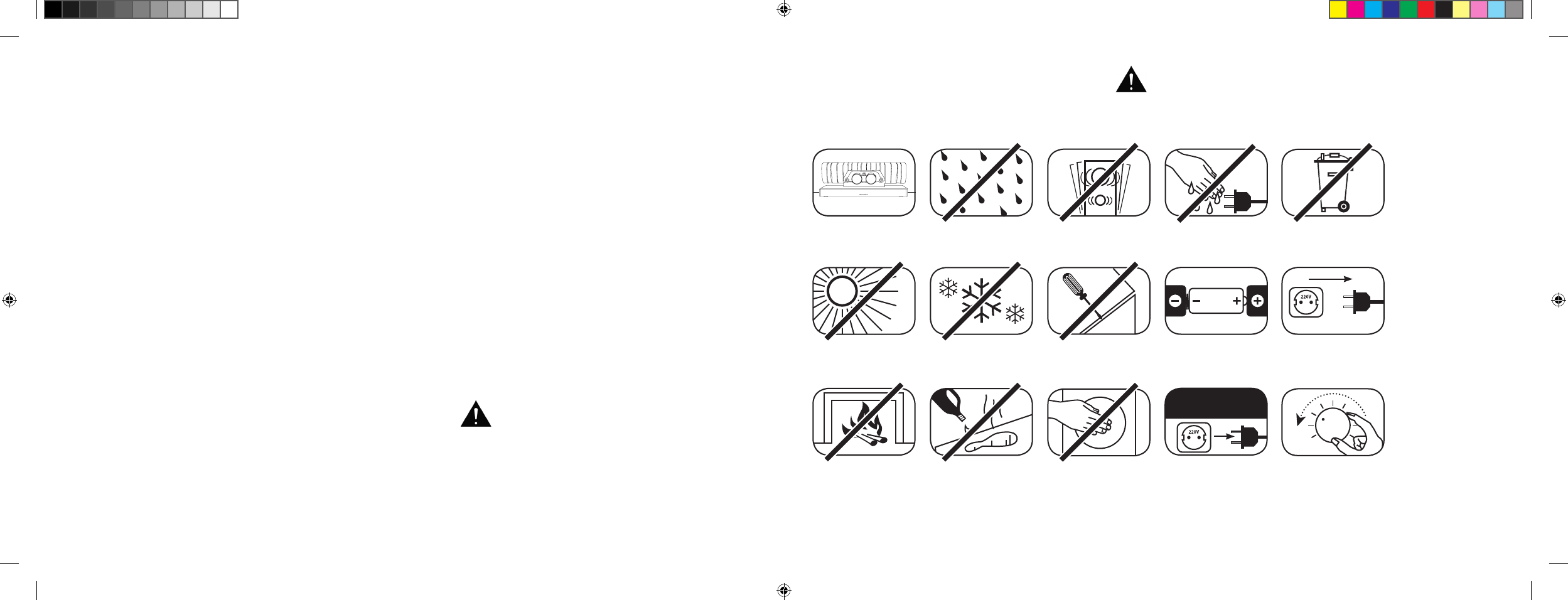
[ FR ] Barre de son 911
94 | 95
SOMMAIRE
Consignes de sécurité .....................................Page 95
Déballage ......................................................Page 100
Installation .....................................................Page 100
Rodage .........................................................Page 100
Mise en service de la télécommande .............Page 101
Terminal de raccordement ............................. Page 101
Raccordement ...............................................Page 102
Utilisation .......................................................Page 103
Indications à l’écran ....................................... Page 104
Fonctions sonores élargies ............................Page 106
Restitution via la technologie Bluetooth® ........ Page 109
Allumage / arrêt automatique [
AUT
] ............... Page 110
Veille ECO [
ECO
] ........................................... Page 111
BIENVENUE DANS L’UNIVERS DE PORSCHE DESIGN
De 0 à 100 km / h en 3,5 secondes. Jusqu’à 9 000 tours par minute. 315 km / h en pointe. Pour certains, ce ne sont
que des chiffres – pour nous, ce sont les notes d’une symphonie pour une voiture de sport : le son de la 911 GT3.
Laissez-vous exalter par notre passion pour les technologies novatrices et vivez une expérience sonore époustouflante
avec la barre de son 911, le système de son surround virtuel haute définition 2.1 doté du système d’échappement
authentique d’une 911 GT3.
CONSIGNES DE SÉCURITÉ
Veuillez respecter les consignes de sécurité lors du choix de l’emplacement adéquat pour votre barre de son 911 ainsi que lors de son entretien et
de son utilisation.
Choisir un support plat Éviter l’humidité Éviter les chocs
Éviter une exposition
directe au soleil
Tenir à l’écart des
sources de chaleur
Protéger des
températures très basses
Ne pas utiliser de
produits agressifs,
abrasifs ou contenant de
l’alcool lors du nettoyage
Ne pas ouvrir le boîtier
Ne pas saisir par
l’ouverture du
boîtier ni par la sortie
d’échappement
Débrancher en
cas d’orage
Ne pas saisir le
cordon secteur avec
les mains humides
Veiller à insérer les piles
dans la télécommande
selon la bonne polarité
Ne pas jeter dans les
ordures ménagères
L’utilisateur est responsable de l’utilisation conforme
de la barre de son 911. Porsche Design décline toute
responsabilité quant aux dommages ou accidents
causés par une installation ou un raccordement non
conformes.
Assurer un accès
libre à la prise
Baisser le son du système
en cas de surcharge
Sélection automatique de l’entrée BT [
SEL
] ... Page 112
Fonction d’apprentissage IR .......................... Page 113
Fonction d’annulation IR ................................ Page 115
Recherche d’erreurs ...................................... Page 116
Caractéristiques techniques ..........................Page 120
Autres informations importantes .................... Page 121
Informations relatives à la licence ...................Page 122
DS_Betriebsanleitung_911_Soundbar_210x148mm_RZ_v10.indd 94-95 09.11.15 09:43
96 | 97
[ FR ] Barre de son 911
INSTRUCTIONS DE SÉCURITÉ IMPORTANTES
Lire et suivre l’ensemble des instructions.
Conserver la présente notice.
Observer toutes les consignes de sécurité et les avertissements.
Utiliser uniquement cet appareil sous un climat tempéré [
pas sous un climat tropical
].
Ne pas utiliser cet appareil à une altitude supérieure à 2 000 m.
Utiliser uniquement cet appareil en intérieur, ne pas utiliser en extérieur ou dans des espaces humides.
Afin d’éviter les risques d’incendie ou de décharge électrique, l’appareil ne doit pas être exposé à la pluie ou à l’humidité.
Ne pas utiliser cet appareil à proximité de l’eau.
Ne pas exposer cet appareil à des gouttes ou éclaboussures.
Les fortes variations de température entraînent la formation de condensation [
gouttes d’eau
] dans l’appareil. Attendre que l’humidité générée
s’évapore avant de mettre l’appareil en service [
minimum 3 heures
].
Ne pas poser d’objets contenant des liquides sur l’appareil [
par exemple des vases
].
Ne pas placer de flamme nue, telle que des bougies allumées, sur ou à proximité de l’appareil.
Ne pas placer l’appareil à proximité de sources de chaleur, telles qu’un chauffage, un accumulateur de chaleur, un four ou d’autres appareils
[
même un amplificateur
] produisant de la chaleur.
Empêcher une exposition directe au soleil.
Garder un espace libre d’au moins 5 cm autour de l’appareil.
N’empêcher en aucun cas la fonction protectrice des prises polarisées ou avec mise à la terre : une prise polarisée dispose de deux broches, l’une
étant plus large que l’autre. Une prise avec mise à la terre dispose d’une troisième broche avec mise à la terre. La troisième broche ou la broche
large participent à améliorer votre sécurité. Dans le cas où la prise mâle ne s’intégrerait pas dans la prise femelle, s’adresser à un électricien qualifié
afin de remplacer la prise femelle obsolète.
Afin d’éviter une décharge électrique, connecter uniquement une prise mâle sur une prise femelle ou sur une rallonge sur laquelle les broches
peuvent être entièrement enfichées afin d’empêcher tout contact entre l’utilisateur et les broches.
Ne jamais toucher les câbles de signal et d’alimentation avec des mains mouillées.
Ne pas marcher sur le câble d’alimentation et ne pas le pincer, en particulier au niveau des prises et au point de sortie du câble.
Pour les appareils sans interrupteur d’alimentation, pour lesquels la prise mâle ou la prise femelle de l’appareil sert de dispositif de séparation,
la prise du câble d’alimentation ou la prise femelle de l’appareil doit être accessible à tout moment.
Mettre l’appareil hors tension en cas d’orage ou de longue période d’inutilisation.
Afin de mettre l’appareil entièrement hors tension, débrancher le câble d’alimentation de la prise secteur.
Toujours éteindre l’appareil avant de brancher ou débrancher tout câble de raccordement.
Toujours tirer sur la prise et non sur le câble.
Mettre l’appareil en place conformément aux instructions du fabricant.
Toujours choisir un support plat. L’appareil doit être placé à la verticale.
ATTENTION
Risque de décharge électrique.
Ne pas ouvrir !
ATTENTION :
Ne pas ouvrir l’appareil afin d’éviter un incendie ou une décharge
électrique. L’appareil ne contient aucune pièce à entretenir par
l’utilisateur. Faites effectuer les travaux de maintenance et
de réparation uniquement par des professionnels qualifiés
[
personnel de maintenance
].
ATTENTION
Danger de mort !
ATTENTION :
Ne pas avaler la pile-bouton [
pile
]. Danger de
brûlures chimiques internes. Danger de mort !
ATTENTION
Risque d’explosion !
ATTENTION :
Piles au lithium remplaçables !
Il existe un risque d’explosion en cas de
remplacement non conforme. Remplacer
uniquement les piles par un type de pile
identique ou comparable.
DS_Betriebsanleitung_911_Soundbar_210x148mm_RZ_v10.indd 96-97 09.11.15 09:43
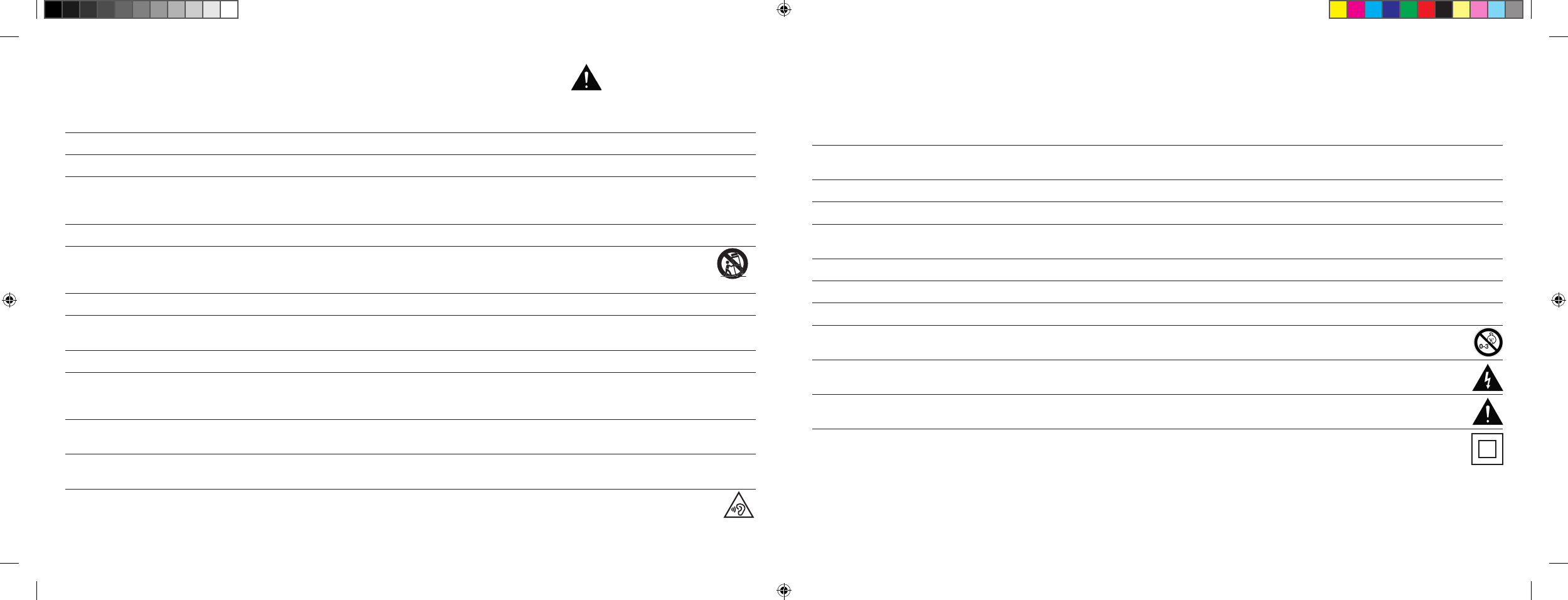
98 | 99
[ FR ] Barre de son 911
Instructions
Ne pas forcer sur les éléments de commande, les branchements et les câbles.
L’appareil doit être utilisé avec la tension et la fréquence spécifiées sur l’appareil ou sur la plaque signalétique.
N’insérer aucun objet ni aucune partie du corps dans les ouvertures de l’appareil. Les pièces conductrices situées à l’intérieur du boîtier
pourraient être touchées et / ou endommagées. Le non-respect de cette consigne peut entraîner des courts-circuits, des décharges
électriques et des départs de feu.
Utiliser uniquement les éléments de fixation et les accessoires autorisés par le fabricant et / ou fournis avec l’appareil.
Utiliser uniquement des chariots, supports, pieds, manches ou tables qui respectent toutes les exigences indiquées dans les consignes
de sécurité. En cas d’utilisation d’un chariot, déplacer uniquement l’assemblage chariot-appareil avec précaution afin d’éviter tout
dommage ou toute blessure par basculement.
Nettoyer l’appareil uniquement avec un chiffon propre et sec.
Ne pas utiliser de produits agressifs, abrasifs ou contenant de l’alcool lors du nettoyage. Afin d’éviter une décharge électrique, ne pas ouvrir le
boîtier. L’appareil ne contient aucune pièce à entretenir par l’utilisateur.
Veuillez vous adresser à votre Centre Porsche pour tous les travaux de réparation et d’entretien.
Ceci s’avère nécessaire lorsque l’appareil est endommagé d’une quelconque façon, par exemple en cas de détérioration des câbles d’alimentation
ou des prises, lorsque des liquides ou des objets se sont introduits dans l’appareil, si celui-ci a été exposé à la pluie ou à l’humidité, s’il ne fonctionne
pas de façon conforme ou a fait une chute.
N’apporter aucune modification à l’appareil ou aux accessoires. Les modifications non autorisées peuvent altérer la sécurité, le respect des lois ou
la performance du système. Dans ce cas, l’autorisation d’exploitation / la garantie peuvent expirer.
Si des distorsions sonores telles qu’un tapotement ou un battement artificiel ou encore un cliquetis à haute fréquence se font entendre, réduire le
volume sans attendre.
Afin d’éviter toute perte d’audition éventuelle, ne pas utiliser l’appareil à haut volume pendant une trop longue durée. Si vous entendez des
bruits de sonnerie ou des sifflements provenant de vos oreilles ou si vous avez l’impression de ne plus percevoir les sons aigus [
même
temporairement ], interrompez l’écoute.
Les piles, qu’elles soient nouvelles ou usagées, doivent être tenues hors de portée des enfants. Les appareils dont le compartiment à piles ne peut
plus être fermé de façon sécurisée ne doivent plus être utilisés et doivent être tenus hors de portée des enfants.
La télécommande fournie avec cet appareil comprend une pile-bouton. Une ingestion de cette pile-bouton peut causer en seulement 2 heures des
brûlures internes sérieuses et entraîner la mort !
En cas de doute quant à l’ingestion ou à l’insertion dans d’autres orifices corporels de la pile-bouton, consulter immédiatement un médecin.
Respecter l’environnement lors de l’élimination de la pile. Les piles doivent être mises au rebut dans un point de collecte des piles.
Les piles ne doivent pas être exposées à de très hautes températures, par exemple exposées directement au soleil, placées à proximité d’un feu
ou exposées à toute autre source de chaleur.
Les piles doivent être placées correctement selon les symboles de polarité imprimés. Un placement erroné peut entraîner des détériorations.
Utiliser exclusivement les piles ou les piles rechargeables spécifiées pour l’appareil.
Les piles fournies ne sont pas des piles rechargeables, ce qui implique que ces piles ne doivent pas être de nouveau chargées.
L’appareil et / ou le kit peuvent contenir des petites pièces susceptibles d’être ingérées. Par conséquent, ils ne sont pas adaptés à des
enfants de moins de trois ans.
Ce symbole indique que l’intérieur du boîtier présente des tensions électriques non isolées et dangereuses disposant d’une amplitude
suffisante [
amplitude
] pouvant causer un incendie ou une décharge électrique.
Ce symbole indique que les documents d’accompagnement fournis [
notice
] contiennent des instructions d’utilisation et d’entretien essentielles.
Ce symbole signale la classe de protection II – les appareils pour lesquels la protection contre une décharge électrique lors d’un
fonctionnement conforme est assurée par une double isolation ou par une isolation renforcée, ce qui implique qu’aucun raccordement
à la terre n’est nécessaire.
INSTRUCTIONS DE SÉCURITÉ IMPORTANTES
DS_Betriebsanleitung_911_Soundbar_210x148mm_RZ_v10.indd 98-99 09.11.15 09:43
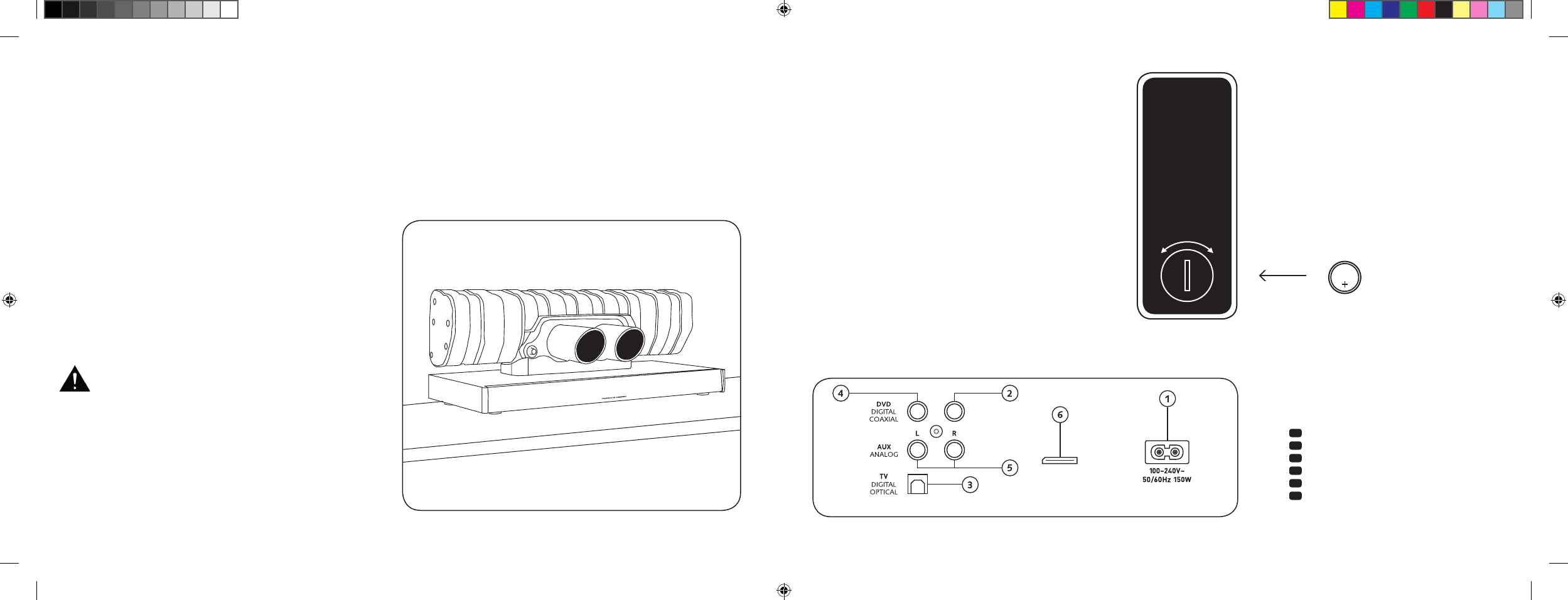
100 | 101
[ FR ] Barre de son 911
BRANCHEMENTS
BARRE DE SON 911
1 Prise femelle alimentation
2 Sortie – caisson de basse ext.
3 Entrée – TV [
optique
]
4 Entrée – DVD [
coaxiale
]
5 Entrée – AUX [
analogique
]
6 Prise femelle service
MISE EN SERVICE DE
LA TÉLÉCOMMANDE
La pile fournie est déjà insérée dans la télécommande. Afin
de la mettre en service, retirez simplement le film de protection.
En remplaçant la pile, veillez à ce que celle-ci soit insérée
correctement selon les marquages de polarité [
+ / –
]. Utilisez
exclusivement les piles spécifiées pour ce système [
CR 2032
].
Remarque : la pile fournie est prévue pour une utilisation en
phase de test et peut donc éventuellement avoir une faible
durée de vie.
TERMINAL DE RACCORDEMENT
Barre de son 911
SUB OUT
Service
Télécommande
[ arrière
]
INSTALLATION
Placez la barre de son 911 sur une surface plane.
DÉBALLAGE
Déballez le carton avec précaution et vérifiez si tous les éléments
détaillés ici sont présents :
1 x barre de son 911
1 x télécommande avec pile
4 x câbles d’alimentation [
1 x EU, 1 x UK, 1 x US, 1 x AUS
]
1 x câble audio numérique optique
1 x câble Cinch stéréo
1 x câble Cinch numérique
RODAGE
Phase de rodage jusqu’au déploiement de la qualité sonore
maximale : 15 à 20 heures de fonctionnement.
– Pendant cette période, veuillez écouter à un volume normal
– Évitez les volumes extrêmement élevés
– Écoutez différents supports sonores
CR 2032
OUVERT FERMÉ
Chaque barre de son 911 est un exemplaire unique. Le
silencieux arrière de la Porsche 911 GT3 monté dans la barre
de son 911 est fabriqué dans le cadre du processus de
production en série régulier. Afin de souligner l’authenticité,
les soudures et les décolorations causées par le processus
de soudure ont volontairement été laissées apparentes.
Par conséquent, nous ne pourrons accepter aucune ré-
clamation sur le fait que la surface du silencieux arrière ne
plaise pas [
soudures, points d’oxydation, décolorations,
projections de soudure, etc.
]. Merci de votre compréhension.
DS_Betriebsanleitung_911_Soundbar_210x148mm_RZ_v10.indd 100-101 09.11.15 09:43
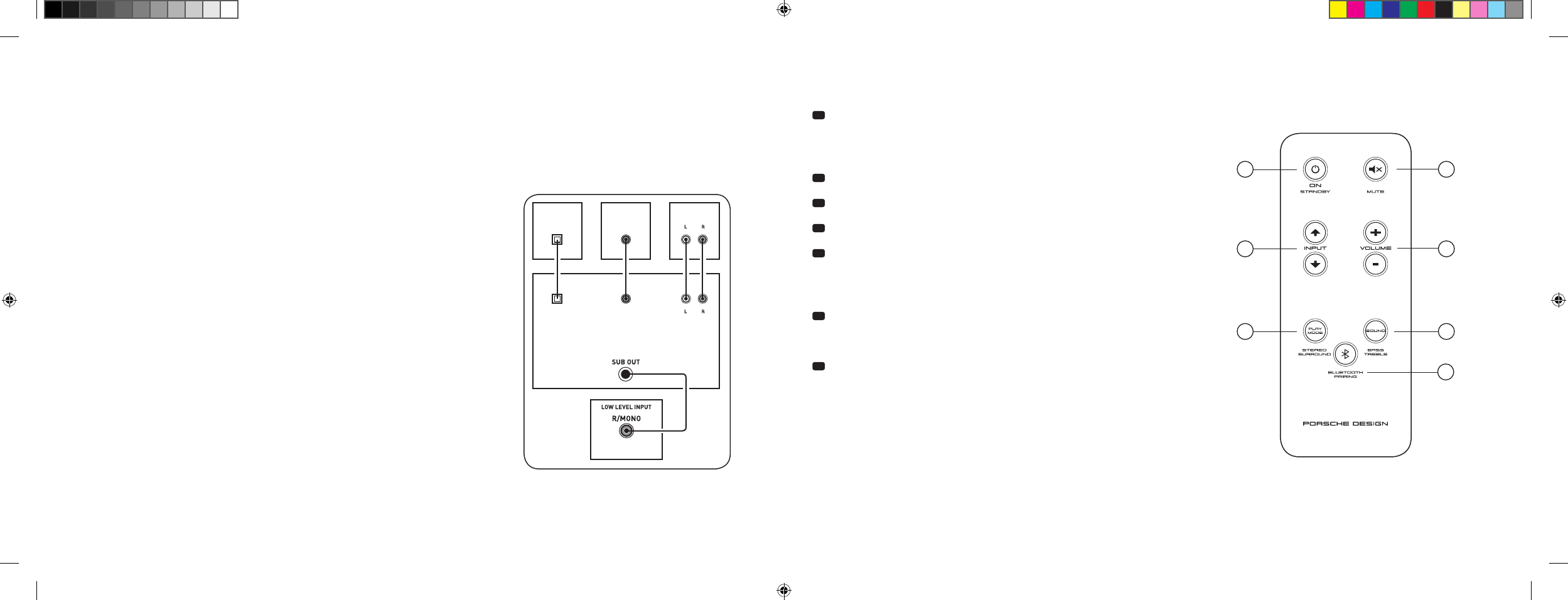
102 | 103
[ FR ] Barre de son 911
RACCORDEMENT
Avant de procéder au branchement, veillez à ce que tous les composants électriques soient éteints. Votre barre de son 911 dispose de 3 entrées
au choix. En principe, il suffit de raccorder l’une de ces entrées au téléviseur et de brancher tous les autres lecteurs au téléviseur. Afin d’atteindre la
meilleure restitution sonore possible, il est recommandé de raccorder directement à la barre de son 911 le récepteur satellite, le lecteur Blu-ray ou
le lecteur DVD. Selon le type et l’équipement de la source utilisée, il est possible de choisir entre les possibilités suivantes :
UTILISATION
Télécommande
1 Power
ON – la LED est allumée en vert [
on
]
Standby – la LED est allumée en rouge [
veille
]
La barre de son est hors tension – la LED est éteinte [
off
]
2 Mute [
mode silencieux
]
3 Input [
sélection des sources sonores
]
4 Volume [
réglage du volume
]
5 Play Mode [
mode de lecture
]
Stereo – pour la lecture de musique
Surround – un son surround virtuel pour une
restitution home cinéma
6 Son [
réglage du son
]
Bass – ajustement via volume [
+6 à –6 dB
]
Treble – ajustement via volume [
+6 à –6 dB
]
7 Bluetooth®-Pairing
Connexion à une source compatible avec la technologie sans fil Bluetooth®
Fonction mémoire
Après une mise hors tension passagère, la barre de son 911 s’allume
automatiquement dans le dernier état sélectionné. Tous les paramètres
[
par exemple activé / désactivé, volume
] sont conservés.
SUB
DIGITAL MOVIE
DVD
DVDTV
TV
AUX
AUX
TV – Entrée numérique [
OPTIQUE
]
Les téléviseurs modernes disposent d’une sortie audio optique [
Toslink
]. Raccordez cette
sortie avec l’entrée « TV » de la barre de son 911. Cette connexion garantit une transmission
optimale du signal et la meilleure qualité de son.
Attention : retirez le capot de protection du câble optique fourni !
DVD – Entrée numérique [
COAXIALE
]
Afin de permettre la transmission du signal sonore DVD, connectez la sortie numérique
coaxiale de votre lecteur Blu-ray ou DVD avec la sortie femelle « DVD » de la barre de son 911.
Afin de permettre la transmission du signal vidéo, votre lecteur DVD doit de plus être
connecté avec le téléviseur. L’entrée « DVD » de la barre de son 911 peut également être
choisie lorsque votre téléviseur n’est équipé d’aucune sortie optique.
AUX – Entrée analogique
Si votre téléviseur est uniquement équipé d’une sortie audio qualifiée de « pre-out »,
connectez cette sortie avec l’entrée analogique « AUX » de la barre de son 911 à l’aide
du câble Cinch stéréo blindé. Dans le cas contraire, cette entrée est utilisée pour le
raccordement de magnétoscopes ou de consoles de jeux vidéo.
SUB – Sortie analogique
Utilisez cette sortie lorsque vous devez raccorder un caisson de basses externe actif.
SUB OUT n’est pas actif dans le réglage de base et doit être activé via la télécommande.
Voir page 106 « Fonctions sonores élargies ».
4
ON
STANDBY
1
3
5 6
7
2
DS_Betriebsanleitung_911_Soundbar_210x148mm_RZ_v10.indd 102-103 09.11.15 09:43
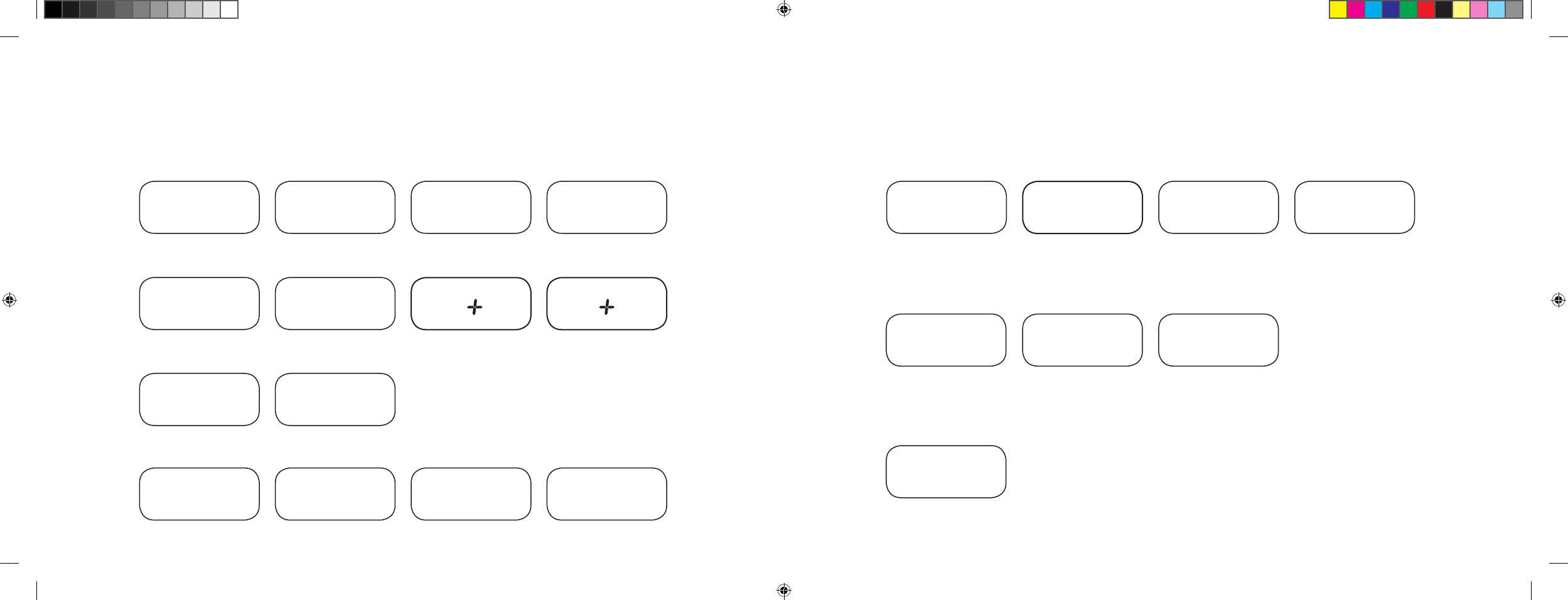
104 | 105
[ FR ] Barre de son 911
INDICATIONS À L’ÉCRAN
La barre de son 911 est équipée d’un écran multifonctions qui s’allume pendant env. cinq secondes lorsqu’il reçoit une commande envoyée depuis la
télécommande. Les principales indications et leur signification sont détaillées ici. Le mode veille de la barre de son 911 est indiqué par une LED allumée
en rouge. Si votre barre de son 911 est en service, la LED est allumée en vert.
Input
Soundmode
Playmode
Entrée TV [
optique
]
TV
Volume [
0 – 99
]
V30
Stéréo
ST
Mode d’appairage
BTP
Entrée DVD [
coaxiale
]
DVD
Silencieux [
Mute
]
---
Surround
SUR
Connexion établie
CON
Entrée AUX [
analogique
]
AUX
Réglage des basses
[
+ / – 6
]
B 6
Connexion interrompue
DIS
Bluetooth®
BT
Réglage des aigus
[
+ / – 6
]
T 6
Message d’erreur
FAI
Bluetooth®
Fonctions de configuration
Activation / désactivation de
l’allumage automatique pour
l’entrée optique et coaxiale
AUT
Activation / désactivation
de la sélection
automatique de l’entrée BT
SEL
Activation / désactivation
veille ECO
ECO
Fonction d’apprentissage IR
Apprentissage de
codes infrarouges
IRL
Fonctions sonores élargies
Retardement de la
restitution sonore
[
LipSync
]
LIP
Activation / désactivation
SUB OUT
SUB
Activation / désactivation
Dolby Dynamic Range
Compression
DRC
Sélection du mode
d’installation
EQ
DS_Betriebsanleitung_911_Soundbar_210x148mm_RZ_v10.indd 104-105 09.11.15 09:43
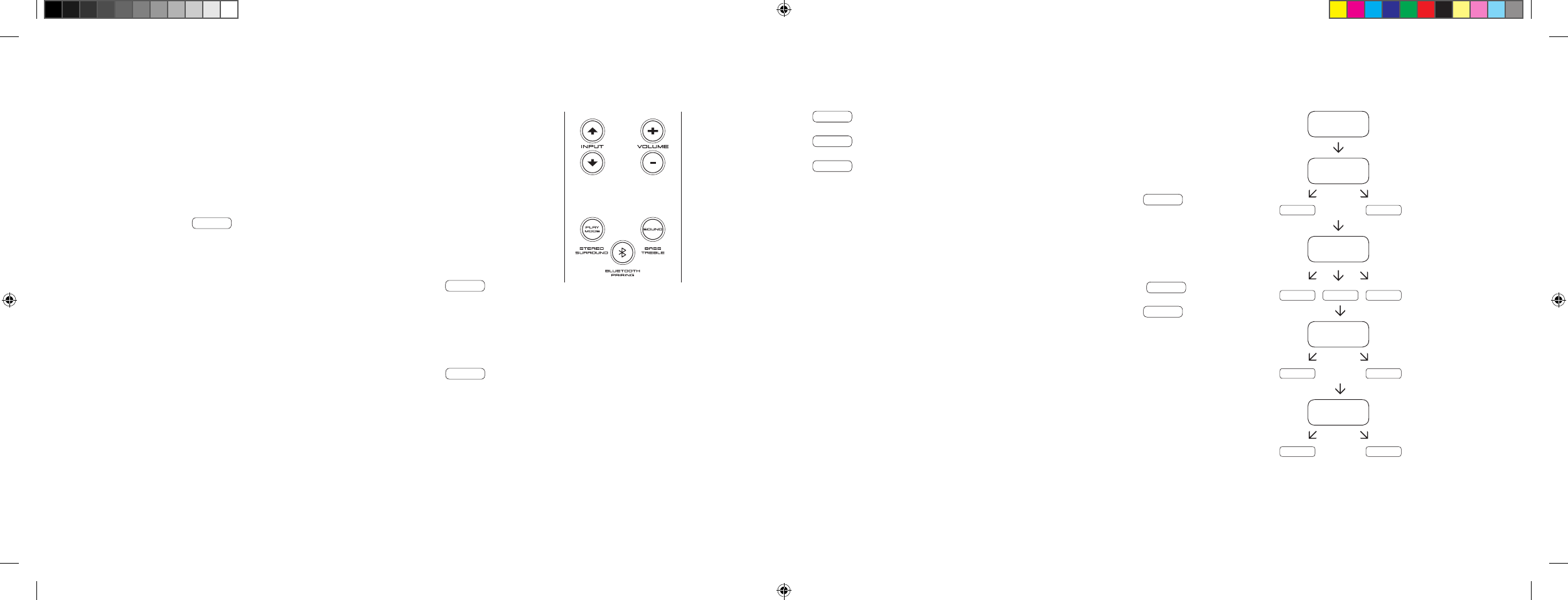
106 | 107
[ FR ] Barre de son 911
FONCTIONS SONORES ÉLARGIES
Le menu des fonctions sonores élargies vous offre la possibilité d’intervenir pour corriger
le son en cas de restitution sonore sans synchronisation labiale, d’activer la sortie pour un
caisson de basses externe raccordé par câble, d’adapter la restitution sonore au lieu choisi
pour l’installation ainsi que d’activer ou de désactiver la fonction Dolby « Dynamic Range
Compression ».
Si vous maintenez la touche « Sound » de la télécommande enfoncée pendant plus de
3 secondes, vous parvenez dans le menu « Fonctions sonores élargies » et l’écran de la
barre de son 911 passe sur LIP .
Les touches « Volume + / – » permettent dans ce cas de retarder la restitution sonore par
tranches de 10 ms afin d’adapter le son à l’image « retardée ».
En appuyant une nouvelle fois brièvement sur la touche « Sound », l’écran passe sur
SUB
.
Les touches « Volume + / – » permettent alors d’activer / désactiver la sortie pour un caisson
de basses externe. Attention, en cas d’activation de SUB OUT, la restitution sonore de la
barre de son est limitée à 80 Hz. Les fréquences inférieures à 80 Hz sont dirigées vers le
caisson de basses externe.
En appuyant une nouvelle fois brièvement sur la touche « Sound », l’écran passe sur
EQ
.
Les touches « Volume + / – » permettent dans ce cas de choisir entre trois préréglages de
l’égalisateur et d’adapter la restitution au lieu de l’installation.
EQ1 pour une barre de son 911 posée librement par exemple sur un buffet.
EQ2 pour une installation avec un écran plat suspendu au mur.
EQ3 pour une installation de la barre de son 911 sur un rack ou une étagère.
En appuyant une nouvelle fois sur la touche « Sound », l’écran passe sur DRC .
« Dynamic Range Compression » est une option de réglage de Dolby Laboratories. Si la
fonction est activée, la plage dynamique peut être automatiquement réduite pour les flux de
données encodés en Dolby, ce qui réduit les différences de volume. Les sons faibles sont
ainsi augmentés et les sons forts sont abaissés.
Les touches « Volume + / – » permettent d’activer / désactiver la fonction DRC .
En appuyant une nouvelle fois sur la touche « Sound », l’écran passe sur VOL .
Grâce à cette fonction [
de protection
] « Volume », vous pouvez limiter le volume maximum
réglable, ce qui signifie que le volume [
indication à l’écran
] ne pourra plus dépasser la valeur
réglée ici lors du fonctionnement.
Les touches « Volume + / – » permettent dans ce cas de paramétrer la valeur de volume
souhaitée [
de 0 à 99, 99 représentant la valeur maximale
].
LIP
SUB
ON OFF
EQ
EQ1 EQ2 EQ3
DRC
ON OFF
VOL
099
…
DS_Betriebsanleitung_911_Soundbar_210x148mm_RZ_v10.indd 106-107 09.11.15 09:43
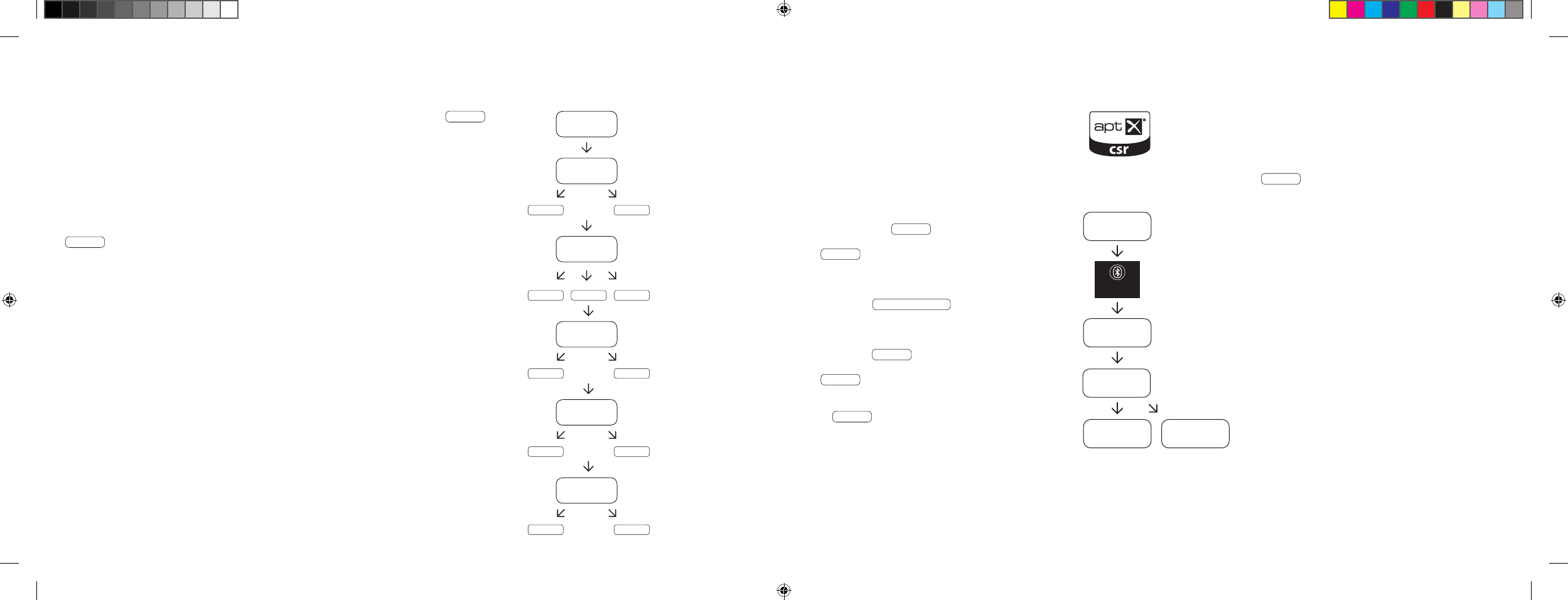
108 | 109
[ FR ] Barre de son 911
RESTITUTION VIA LA TECHNOLOGIE BLUETOOTH®
Conditions préalables à la connexion
– La fonction Bluetooth® doit être activée sur
le terminal mobile.
– Le terminal mobile doit supporter au minimum
Bluetooth® standard 2.0.
– Le terminal mobile doit être situé à portée de
la barre de son 911 [
max. 10 m
].
Procédure de connexion
– Choisir l’entrée BT .
– Appuyer sur la touche « Bluetooth® Pairing ».
– BTP apparaît à l’écran.
– Vous avez désormais 30 secondes pour
connecter votre terminal mobile.
– Lancez la recherche sur votre terminal mobile.
– Choisissez 911 SOUNDBAR comme appareil
de restitution.
– La connexion est automatiquement établie
après validation et est affichée à l’écran avec
l’indication CON .
– En cas d’échec de la connexion, l’indication
FAI s’affiche.
– Si le terminal mobile exige un code d’accès,
saisir 0000.
– Si DIS apparaît à l’écran, votre terminal mobile
est hors de portée ou déconnecté.
Fonctionnement d’un terminal mobile
– Le dernier appareil connecté à la barre de son 911
établit automatiquement la connexion si la fonction
Bluetooth® est activée et si l’entrée pour la diffusion
Bluetooth® est sélectionnée. Dans ce cas, l’indication
CON apparaît.
– Si vous lancez la restitution d’un média sur votre
terminal mobile, le son est automatiquement
transféré sur la barre de son 911.
Remarque : la barre de son 911 peut gérer jusqu’à
3 appareils Bluetooth®. Voir également le chapitre
« Sélection automatique de l’entrée BT » en page 112.
BT
BTP
CON FAI
BLUETOOTH
PAIRING
911
SOUNDBAR
En appuyant une nouvelle fois brièvement sur la touche « Sound », l’écran passe sur
VOI
.
Utilisez la fonction « Voice » afin d’augmenter l’audibilité des paroles en fonctionnement stéréo
ou surround. De cette façon, vous pouvez par exemple mieux comprendre les dialogues
[
langue
] dans les films avec des effets spéciaux bruyants.
Les touches « Volume + / – » permettent d’activer / désactiver la fonction « Voice »
[
ON ou OFF
].
En appuyant une nouvelle fois sur la touche « Sound », vous revenez au début du menu
LIP .
Quitter le menu
En appuyant une nouvelle fois sur la touche « Sound » pendant plus de 3 secondes,
vous avez la possibilité de quitter à nouveau le menu « Fonctions sonores élargies ».
Si la barre de son ne reçoit aucune commande de la télécommande pendant plus de
30 secondes, la navigation dans le menu repasse automatiquement en mode normal.
LIP
SUB
ON OFF
EQ
EQ1 EQ2 EQ3
DRC
ON OFF
VOL
099
VOI
ON OFF
…
DS_Betriebsanleitung_911_Soundbar_210x148mm_RZ_v10.indd 108-109 09.11.15 09:43

110 | 111
[ FR ] Barre de son 911
Si cette fonction est activée [
ON
], l’appareil reconnaît un signal proche de l’entrée optique ou coaxiale. Si un signal est détecté [
par exemple
allumage de l’appareil source
], la barre de son 911 s’allume automatiquement. Si aucun signal ne se trouve à l’entrée sélectionnée [
par exemple
après l’arrêt de l’appareil source
], la barre de son 911 est placée automatiquement en mode veille AUT après 30 secondes. Si cette fonction est
désactivée [
OFF
], la barre de son 911 doit être allumée / éteinte manuellement.
À la livraison du produit, cette fonction est désactivée [
OFF
].
Afin d’activer / désactiver cette fonction, procédez comme suit :
1 Lorsque l’appareil est allumé, maintenez la touche « Play Mode »
enfoncée pendant plus de 3 secondes jusqu’à ce que AUT
apparaisse à l’écran.
2 Appuyez sur la touche « Volume + » pour activer la fonction [
ON
].
3 Appuyez sur la touche « Volume – » pour désactiver la fonction [
OFF
].
4
Appuyez à nouveau pendant plus de 3 secondes sur la touche
« Play Mode » pour quitter le menu. Si aucune commande n’est
effectuée dans les 10 secondes, l’appareil quitte automatiquement
le menu de configuration.
Remarque : la fonction d’allumage / arrêt automatique fonctionne exclusivement pour les entrées numériques optique et coaxiale. Si l’appareil est placé
en mode veille via la touche « ON / Standby », l’allumage automatique est impossible.
L’appareil reconnaît uniquement un signal sur l’entrée numérique sélectionnée. Un signal se situant sur une autre entrée numérique que celle sélectionnée
ne peut être détecté.
CONFIGURATION – FONCTIONS
ALLUMAGE / ARRÊT AUTOMATIQUE [
AUT
]
1 Lorsque l’appareil est allumé, maintenez la touche « Play Mode » enfoncée pendant plus de 3 secondes jusqu’à ce que AUT apparaisse
à l’écran.
2 Appuyez à nouveau brièvement sur la touche « Play Mode » jusqu’à ce que ECO apparaisse à l’écran.
3 Appuyez sur la touche « Volume + » pour activer la fonction [
ON
].
4 Appuyez sur la touche « Volume – » pour désactiver la fonction [
OFF
].
5 Appuyez à nouveau pendant plus de 3 secondes sur la touche « Play Mode » pour quitter le menu. Si aucune commande n’est effectuée
dans les 10 secondes, l’appareil quitte automatiquement le menu de configuration.
VEILLE ECO [
ECO
]
Si cette fonction est activée [
ON
], l’appareil est automatiquement placé en mode veille ECO lorsqu’aucun signal n’est détecté à l’entrée sélectionnée
pendant une heure. Si cette fonction est désactivée [
OFF
], la barre de son 911 doit être éteinte manuellement.
À la livraison du produit, cette fonction est activée [
ON
].
Afin d’activer / désactiver cette fonction, procédez comme suit :
Remarque : cette fonction est automatiquement désactivée lorsque la fonction AUT est activée.
DS_Betriebsanleitung_911_Soundbar_210x148mm_RZ_v10.indd 110-111 09.11.15 09:43
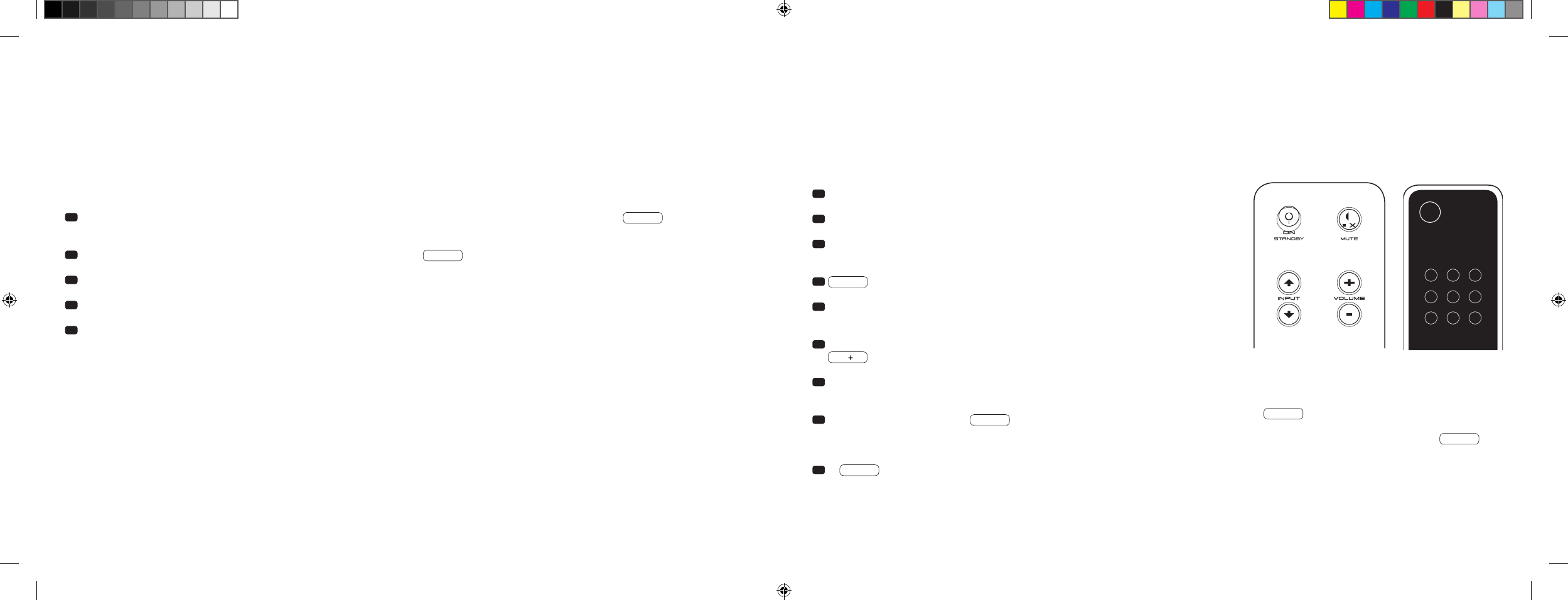
112 | 113
[ FR ] Barre de son 911
SÉLECTION AUTOMATIQUE DE L’ENTRÉE BT [
SEL
]
Si cette fonction est activée [
AUT
], la barre de son 911 passe automatiquement sur l’entrée BT dès qu’un signal audio est détecté par l’appareil mobile.
Si cette fonction est désactivée [
MAN
], l’entrée doit être sélectionnée manuellement.
À la livraison du produit, cette fonction est désactivée [
MAN
].
Afin d’activer / désactiver cette fonction, procédez comme suit :
Remarque : selon l’appareil mobile utilisé, la barre de son 911 peut basculer sur l’entrée BT si le mode automatique est activé, par exemple en tapant
un sms ou dans le cas d’autres alertes sonores.
Lorsque la fonction SEL est activée [
AUT
], l’entrée BT ne peut plus être sélectionnée via la touche « Input ». Dans ce mode, la barre de son 911
peut être connectée à l’appareil mobile indépendamment de l’entrée de signal sélectionnée.
1 Lorsque l’appareil est allumé, maintenez la touche « Play Mode » enfoncée pendant plus de 3 secondes jusqu’à ce que AUT apparaisse
à l’écran.
2 Appuyez à nouveau brièvement sur la touche « Play Mode » jusqu’à ce que SEL apparaisse à l’écran.
3 Appuyez sur la touche « Volume + » pour activer la fonction [
AUT
].
4 Appuyez sur la touche « Volume – » pour désactiver la fonction [
MAN
].
5 Appuyez à nouveau pendant plus de 3 secondes sur la touche « Play Mode » pour quitter le menu. Si aucune commande n’est effectuée dans les
10 secondes, l’appareil quitte automatiquement le menu de configuration.
FONCTION D’APPRENTISSAGE IR
La barre de son 911 peut assimiler le code infrarouge de la télécommande de votre téléviseur permettant ainsi de commander les fonctions de la
barre
de son 911 et du téléviseur avec une seule télécommande. Les commandes pour la barre de son 911 peuvent être attribuées à l’ensemble des
touches de la télécommande du téléviseur. Lors du choix des touches, veillez à ce que les commandes pour la barre de son 911 et celles du téléviseur
n’entrent pas en conflit. Il est ainsi recommandé de désactiver les haut-parleurs internes du téléviseur une fois la barre de son 911 raccordée.
1 Tenez prête la télécommande de votre téléviseur.
2 Allumez la barre de son 911.
3 Appuyez sur la touche « ON / Standby » de la télécommande Porsche
pendant env. 5 secondes.
4 IRL clignote à l’écran.
5 Appuyez sur la fonction souhaitée sur la télécommande Porsche, par
exemple « Volume + ».
6 La fonction sélectionnée clignote maintenant à l’écran, par exemple
V.
7 Appuyez sur la touche de la télécommande du téléviseur à laquelle vous
souhaitez attribuer la commande au cours des 20 secondes suivantes.
8 En cas de réussite du transfert, OK apparaît à l’écran et vous
pouvez poursuivre avec la programmation de la touche de fonction
suivante, par exemple « Volume – ».
9 Si FAI apparaît à l’écran, le transfert a échoué et vous devez
répéter les étapes 5 à 8.
Télécommande du
téléviseur
ON
STANDBY
Remarque : la touche rouge « ON / Standby » de la télécommande
Porsche a une double attribution. En appuyant une seule fois sur
cette touche, ON apparaît à l’écran et la fonction d’allumage
peut être assimilée. En appuyant sur la touche rouge « ON / Stand-
by » de la télécommande Porsche deux fois d’affilée, STB
apparaît à l’écran et la fonction de mise en veille ou d’arrêt peut
être assimilée. Si la télécommande de votre téléviseur
ne dispose
que d’une seule touche pour la commande « Allumage » et « Arrêt »,
les fonctions « ON » et « Standby » doivent tout de même être
attribuées à cette commande.
DS_Betriebsanleitung_911_Soundbar_210x148mm_RZ_v10.indd 112-113 09.11.15 09:43

114 | 115
[ FR ] Barre de son 911
Quitter le menu
En appuyant une nouvelle fois sur la touche « ON / Standby » pendant plus de 5 secondes, vous avez la possibilité de quitter à nouveau le menu
« Fonction d’apprentissage IR ». Si la barre de son 911 ne reçoit aucune commande de la télécommande pendant plus de 60 secondes, la navigation
dans le menu repasse automatiquement en mode normal.
Choix direct des entrées de signal
En plus des touches « Input
» et « Input
», vous pouvez également sélectionner directement les entrées de signal TV, DVD, AUX et Bluetooth® lors
de l’utilisation de la télécommande de votre téléviseur ou de votre télécommande universelle, ce qui signifie que vous pouvez attribuer l’entrée souhaitée
à une touche de votre télécommande.
1 Si vous maintenez enfoncée l’une des deux touches « Input » de la télécommande Porsche pendant 3 secondes lorsque vous vous trouvez dans le
menu d’apprentissage IR IRL , vous parvenez dans le menu de choix direct. DVD clignote à l’écran.
2 Vous pouvez désormais attribuer une touche de la télécommande de votre téléviseur à l’entrée « DVD ».
Remarque : lorsque vous appuyez sur cette touche de la télécommande de votre téléviseur en fonctionnement normal, la barre de son 911 bascule
directement sur l’entrée DVD.
3 Appuyez sur la touche souhaitée de la télécommande de votre téléviseur. Si le code infrarouge [
IR
] a été assimilé avec succès par
la barre de son 911, l’écran affiche brièvement OK puis la prochaine entrée TV .
4 Si le code n’a pas pu être assimilé ou si vous n’avez pas appuyé sur une touche de votre télécommande au cours des 10 secondes suivantes,
l’écran affiche brièvement FAI afin de signaler qu’aucun code n’a été assimilé. DVD continue ensuite de clignoter à l’écran et vous pouvez
à nouveau ou continuer d’assimiler le code pour l’entrée DVD.
5 Dans l’éventualité où vous ne souhaiteriez pas attribuer de touche à l’entrée DVD, appuyez brièvement sur la touche « Input
» afin d’accéder
manuellement à l’entrée [
TV
].
6 Afin d’attribuer une touche à la télécommande de votre téléviseur pour les entrées TV, AUX et / ou Bluetooth®, répétez les étapes détaillées
aux points 2 à 5.
7
Afin de quitter à nouveau le menu de choix direct, appuyez une nouvelle fois sur l’une des touches Input pendant 3 secondes afin de parvenir au
menu d’assimilation IR supérieur
IRL
. Lorsque vous maintenez enfoncée la touche « ON / Standby » dans le menu de choix direct pendant
3 secondes,
le système bascule du menu d’assimilation IR au fonctionnement normal.
FIN
s’affiche brièvement à l’écran afin de signaler
que le mode
d’apprentissage IR est terminé.
Remarque : en raison du grand nombre de codes infrarouges, il est impossible de garantir que chaque télécommande puisse être assimilée par la barre de son 911.
FONCTION D’ANNULATION IR
Afin d’annuler les commandes de la télécommande de votre téléviseur assimilées via la barre de son 911, veuillez procéder comme suit :
1 Allumez la barre de son 911.
2 Appuyez sur la touche « ON / Standby » de la télécommande Porsche pendant env. 5 secondes.
3 IRL clignote à l’écran.
4 Appuyez sur la touche « Mute » de la télécommande Porsche pendant env. 5 secondes.
5 CLR apparaît à l’écran pendant env. 5 secondes. La barre de son 911 passe ensuite automatiquement en fonctionnement normal.
DS_Betriebsanleitung_911_Soundbar_210x148mm_RZ_v10.indd 114-115 09.11.15 09:43

116 | 117
[ FR ] Barre de son 911
RECHERCHE D’ERREURS
Vous trouverez ci-joint un aperçu des problèmes survenant le plus souvent. Si vous deviez avoir d’autres questions, veuillez vous adresser à votre
Porsche Design Store ou à votre Centre Porsche, contactez notre hotline de service après-vente au
+49 [
0
]711 911 0 ou envoyez-nous un e-mail à
l’adresse contact@porsche-design.com
Problème Cause possible Solution
La barre de son 911
ne s’allume pas.
Le câble d’alimentation n’est pas raccordé à la prise
et / ou à la barre de son 911.
Effectuer le branchement.
La barre de son 911
ne réagit pas à la
télécommande.
1. La pile est déchargée. 1. Changer la pile. Veiller à insérer la pile selon la bonne polarité.
2. Le film de protection n’est pas retiré. 2. Retirer le film de protection de la télécommande.
La restitution sonore
est trop faible.
Le volume de la barre de son 911 ou de l’appareil
source est réglé à un niveau trop bas.
Augmenter le volume à l’aide de la touche « Volume ».
Augmenter le volume de l’appareil source.
Aucune restitution
sonore.
1. Le format sonore de l’appareil source a été
sélectionné de façon incorrecte [
entrée numérique
« TV » et « DVD »
].
1. Veuillez vérifier que l’appareil source est correctement paramétré.
Les formats de sortie codés en « DTS » ne peuvent pas
être restitués.
2. Le lecteur ne transmet aucun signal. 2. La sortie numérique sur l’appareil source n’est pas activée, le
volume est éventuellement réglé sur « zéro » [
veuillez vous référer
à la notice de l’appareil
].
3. Le câble n’est pas branché correctement / le câble
est défectueux.
3.1. Vérifiez la connexion du lecteur avec la barre de son 911 et
remplacez le câble si nécessaire.
3.2. Vérifiez si les capots de protection sur la prise du câble optique
sont retirés.
Problème Cause possible Solution
La barre de son 911
émet un bourdonne-
ment.
1. Les câbles de signal reliant l’appareil source à
la barre de son 911 sont trop longs [
Aux
].
1. Utiliser des câbles de signal plus courts.
2. Le câble de signal utilisé n’est pas blindé ou le
blindage du câble utilisé est discontinu [
défaut
].
2. Remplacer le câble par un câble blindé.
3. Génération d’une boucle de terre [
boucle de
masse
].
3. Une boucle de terre peut survenir lorsqu’au moins deux appareils
reliés avec des câbles de signal [
Cinch
] sont raccordés à des
prises séparées localement par des prises de contact de sécurité
[
par exemple un amplificateur et un ordinateur
]. Brancher tous
les appareils reliés à la barre de son 911 à un bloc multiprise
[
multiprise
] avec des prises de contact de sécurité.
4. Un récepteur non déparasité est installé sur le
réseau [
par exemple un réfrigérateur
].
4. Éteindre les possibles sources de perturbation ; laisser l’appareil
concerné se déparasiter si le bourdonnement disparaît ou bran-
cher tout d’abord la source de perturbation sur une autre phase
secteur [
L1, L2 ou L3
] [
si nécessaire, faire appel à un spécialiste
] ;
allumer le « filtre passe-haut » spécial [
disponible en commerce
spécialisé
] entre l’appareil source et la barre de son 911 afin
d’éliminer le bourdonnement ; tourner la prise afin de réduire la
tension d’ondulation [
important en particulier lorsque l’appareil
source n’est pas mis à la terre
].
DS_Betriebsanleitung_911_Soundbar_210x148mm_RZ_v10.indd 116-117 09.11.15 09:43

118 | 119
[ FR ] Barre de son 911
Problème Cause possible Solution
Aucune restitution via
la technologie sans fil
Bluetooth®.
1.
Aucune connexion n’existe entre la barre de son 911
et le terminal mobile.
1. Connecter le terminal mobile de la façon indiquée.
2. Le terminal mobile est connecté, mais aucune
restitution ne se produit.
2.1. Le terminal mobile doit être connecté à nouveau.
2.2. Régler le volume du terminal mobile sur la valeur maximale.
2.3. Augmenter le volume de la barre de son 911.
2.4. S’assurer que les sources de perturbation, telles qu’un
routeur WLAN ou un ordinateur portable, ne sont pas placées
à proximité directe de la barre de son 911.
2.5. Dans la plupart des cas, le fonctionnement simultané via
WLAN et connexion Bluetooth® d’un terminal mobile n’est
pas possible sans perturbations [
désactiver le WLAN sur
le terminal
].
3. Vous êtes hors de portée [
max. 10 m
]. 3. Réduisez la distance entre la barre de son et le terminal mobile.
L’entrée BT ne peut être
choisie avec les touches
« Input ».
La fonction SEL est activée [
AUT
]. Dans ce cas, le basculement s’effectue automatiquement dès
lors que la barre de son 911 détecte un signal audio de l’appareil
mobile.
Problème Cause possible Solution
L’appareil ne s’allume
pas automatiquement
avec l’entrée optique et
coaxiale.
1. La fonction AUT a été désactivée en usine [
OFF
]. 1. Activer la fonction AUT [
ON
] [
page 110
].
2. L’appareil a été placé en mode veille via la touche
« Power ».
2. Allumer l’appareil avec la touche « Power » de la télécommande
et attendre à l’avenir que l’appareil passe automatiquement en
mode veille.
3. L’appareil a été basculé sur l’autre entrée
numérique sur laquelle aucun signal n’est
disponible et s’est éteint automatiquement.
3.
Allumer l’appareil avec la touche « Power » de la télécommande
et
choisir l’entrée numérique sur laquelle est situé l’appareil source
souhaité.
La barre de son 911 ne
bascule pas automati-
quement sur l’entrée BT.
1. La fonction SEL est désactivée [
MAN
]. 1. Activer la fonction SEL [
AUT
].
2. La fonction Bluetooth® est désactivée sur le
terminal mobile.
2. Activer la fonction Bluetooth® sur le terminal mobile.
3. La barre de son 911 est connectée à un autre
terminal mobile.
3. Désactiver la fonction Bluetooth® sur l’autre terminal mobile.
4. Le terminal mobile n’est pas connecté à la barre
de son 911.
4. Connecter le terminal mobile à la barre de son 911 [
page 109
].
La barre de son 911
bascule de façon intem-
pestive sur l’entrée BT.
Ceci peut arriver lorsque l’appareil mobile émet des
sons système, par exemple une tonalité émise en
appuyant sur les touches du clavier.
1. Désactiver la fonction SEL [
MAN
].
2. Désactiver les sons système sur l’appareil mobile.
DS_Betriebsanleitung_911_Soundbar_210x148mm_RZ_v10.indd 118-119 09.11.15 09:43

120 | 121
[ FR ] Barre de son 911
CARACTÉRISTIQUES TECHNIQUES
Tension d’alimentation
– Tension de service 100–240 V~
– Fréquence de service 50 / 60 Hz
– Puissance consommée en mode veille ECO = 0,39 W [
paramètre usine
]
– Puissance consommée en mode veille AUT = env. 4,5 W
–
Puissance consommée en mode inactif [
aucun signal d’entrée
]
= env. 8,4 W
– Puissance consommée maximale = env. 150 W
Niveau d’entrée / de sortie numérique
– AUX = max. 2,0 V [
effectifs
]
– SUB OUT = max. 2,0 V [
effectifs
]
Décodeur
– Dolby Digital
– PCM [
32 kHz…96 kHz / 8 bits…24 bits
]
Informations concernant le « fonctionnement conforme »
La barre de son 911 est conçue pour une utilisation dans des espaces
fermés et ne doit pas être utilisée en plein air ou dans un environnement
humide. L’appareil ne doit pas être démonté ou modifié. Branchez la barre
de son 911 de la façon décrite dans la notice et respectez les consignes de
sécurité. Utilisez uniquement l’appareil avec la tension et la fréquence de
secteur spécifiées sur la plaque signalétique.
Informations sur un fonctionnement respectueux de
l’environnement
Si vous n’utilisez pas la barre de son 911, placez-la en mode veille
à l’aide de la touche « ON / Standby » afin de réduire la puissance
consommée. Cette mesure permet d’« économiser de l’électricité »
et de réduire votre facture d’électricité.
AUTRES INFORMATIONS IMPORTANTES
Informations concernant le marquage CE
Les appareils électriques et électroniques mis en circulation au
sein de l’Union européenne doivent être dotés d’un marquage
CE afin d’indiquer que l’appareil correspond aux exigences
légales [
par exemple en matière de compatibilité électromagné-
tique ou de sécurité
].
Indications concernant l’élimination
Conformément à la directive UE sur les appareils électriques et
électroniques usagés, les appareils marqués de ce symbole ne
doivent pas être éliminés avec les déchets urbains [
ordures
ménagères
]. En cas de besoin, veuillez vous informer auprès
de votre entreprise d’enlèvement des déchets compétente ou
de l’administration communale / municipale sur une élimination
gratuite. Une telle élimination participe à la protection de
l’environnement et de la santé et permet d’économiser des
matières premières [
rares
] grâce au recyclage [
recyclage
].
De même, les piles ne doivent pas être éliminées avec les ordures
ménagères générales. Elles doivent être collectées de façon
séparée et déposées auprès d’un organisme de collecte de
piles. Vous pouvez par exemple jeter gratuitement vos piles
usagées dans le bac de collecte placé dans un commerce. Les
piles éliminées de façon non conforme peuvent nuire à la santé
des êtres humains et des animaux et / ou de l’environnement.
Virtualizer
– DTS TruSurround
Bluetooth®
– Bluetooth® standard 3.0 [
A2DP
]
– Supporte le décodage CSR aptX®
– Portée de max. 10 m
– Plage de fréquence 2 400 – 2 483,5 MHz [
2,4 GHz bande ISM
]
– Puissance d’émission max. 10 mW [
+10 dBm
]
Température ambiante
– Minimum 5 °C [ 41 °F
]
– Maximum 35 °C [ 95 °F
]
DS_Betriebsanleitung_911_Soundbar_210x148mm_RZ_v10.indd 120-121 09.11.15 09:43

122 | 123
Manufactured under license from
Dolby Laboratories. Dolby and the
double-D symbol are registered
trademarks of Dolby Laboratories.
For DTS patents, see
http://patents.dts.com. Manufactured
under license from DTS Licensing
Limited. DTS, the Symbol and DTS and
the Symbol together are registered
trademarks, and DTS TruSurround is
a trademark of DTS, Inc. © DTS, Inc.
All Rights Reserved.
Bluetooth®:
The Bluetooth® word mark and logos are
registered trademarks owned by Bluetooth®
SIG, Inc., and any use of such marks by
Porsche Design is under license. Other
trademarks and trade names are those of
their respective owners.
aptX®:
The aptX® software is copyright CSR plc or its
group companies. All rights reserved. The aptX®
mark and the aptX logo are trademarks of
CSR plc or one of its group companies and may
be registered in one or more jurisdictions.
INFORMATIONS RELATIVES À LA LICENCE
[ FR ] Barre de son 911
DS_Betriebsanleitung_911_Soundbar_210x148mm_RZ_v10.indd 122-123 09.11.15 09:43
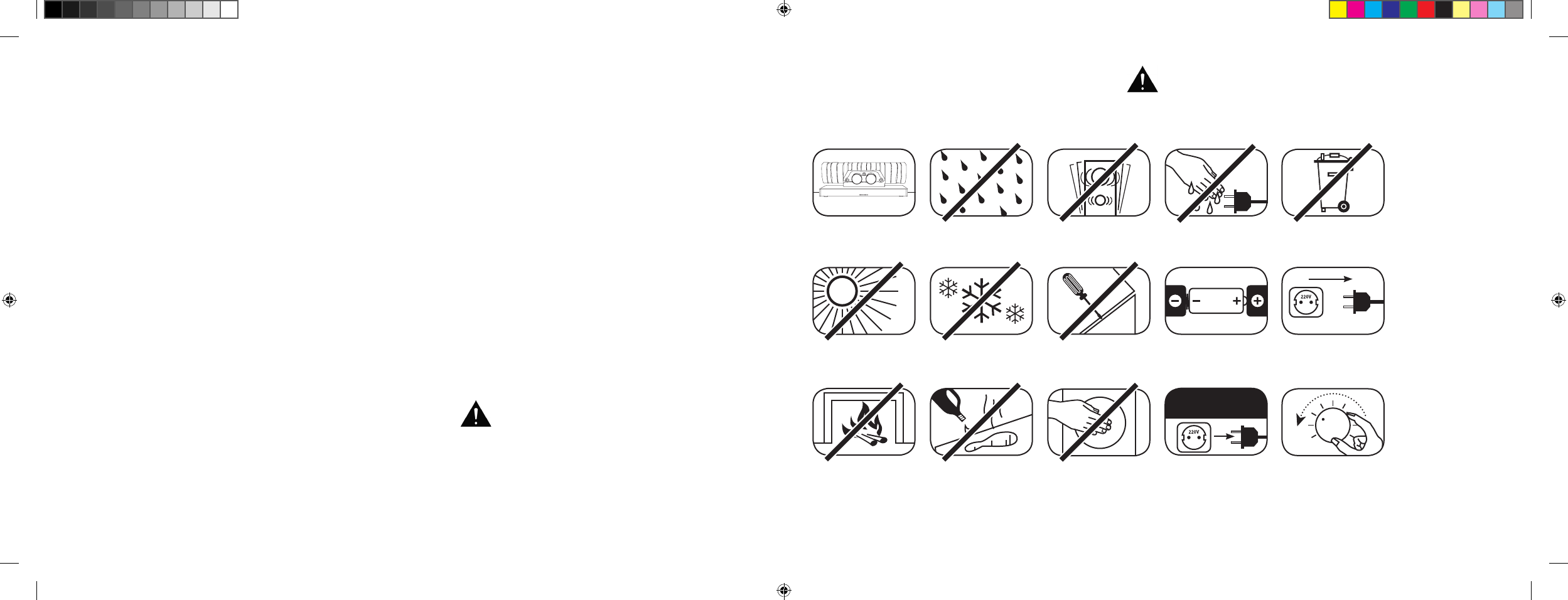
[ IT ] Soundbar 911
124 | 125
INDICE
Indicazioni di sicurezza ............................... Pagina 125
Apertura della confezione ........................... Pagina 130
Installazione ............................................... Pagina 130
Avvio .......................................................... Pagina 130
Messa in funzione del telecomando ............ Pagina 131
Terminale di collegamento .......................... Pagina 131
Collegamento ............................................. Pagina 132
Utilizzo ........................................................ Pagina 133
Display ....................................................... Pagina 134
Funzioni audio avanzate .............................. Pagina 136
Riproduzione con tecnologia Bluetooth® ..... Pagina 139
Accensione e spegnimento
automatico [
AUT
] ........................................ Pagina 140
Stand-by ECO [
ECO
] ...................................Pagina 141
BENVENUTI NEL MONDO DI PORSCHE DESIGN
Da 0 a 100 in 3,5 secondi, fino a 9.000 giri al minuto, velocità massima di 315 km/h. Per alcuni sono solo numeri,
mentre per noi sono le note di una sinfonia dedicata alla vettura sportiva: il suono della 911 GT3.
Lasciatevi ispirare dalla nostra passione per l’innovazione tecnologica e scoprite l’eccellenza di un’esperienza acustica
davvero unica grazie alla Soundbar 911, il Virtual Surround Sound System 2.1 di alta gamma con impianto di scarico
originale della 911 GT3.
INDICAZIONI DI SICUREZZA
Si prega di seguire le indicazioni di sicurezza per la scelta della giusta posizione in cui installare la Soundbar 911, nonché per la sua
manutenzione e l’utilizzo.
Scegliere una
superficie piana
Evitare il contatto
con l’umidità
Evitare vibrazioni
e scuotimenti
Evitare l’esposizione
alla luce solare diretta
Mantenere la distanza
da fonti di calore
Proteggere dal
freddo estremo
Per la pulizia non
utilizzare sostanze
aggressive, a base di
alcol o abrasive
Non aprire
l’alloggiamento
Non infilare le
mani nell’apertura
dell’alloggiamento e nel
terminale di scarico
Estrarre la spina di
alimentazione durante
un temporale
Non toccare il cavo di
alimentazione con le
mani bagnate
Rispettare la corretta
polarità di batteria
e telecomando
Non gettare nei
rifiuti domestici
L’utilizzo corretto della Soundbar 911 è di responsabilità
dell’utente. Porsche Design non si assume alcuna
responsabilità per lesioni o danni causati da installazione
o collegamento errati.
Garantire il libero accesso
alla spina di alimentazione
Abbassare il volume
in caso di sovraccarico
del sistema
Selezione automatica dell’ingresso BT [
SEL
]
Pagina 142
Funzione di apprendimento a infrarossi ....... Pagina 143
Funzione di cancellazione a infrarossi ......... Pagina 145
Risoluzione dei problemi ............................. Pagina 146
Specifiche tecniche .................................... Pagina 150
Altre informazioni importanti ........................Pagina 151
Informazioni sulla licenza ............................ Pagina 152
DS_Betriebsanleitung_911_Soundbar_210x148mm_RZ_v10.indd 124-125 09.11.15 09:43
[ IT ] Soundbar 911
126 | 127
IMPORTANTI ISTRUZIONI DI SICUREZZA
Leggere e seguire tutte le istruzioni.
Conservare queste istruzioni.
Osservare tutte le avvertenze e le indicazioni di sicurezza.
Utilizzare questo dispositivo solo in climi temperati [
non tropicali
].
Non utilizzare questo dispositivo ad altitudini superiori ai 2.000 metri sopra il livello del mare.
Utilizzare questo dispositivo solo in ambienti chiusi, non all’aperto o in ambienti umidi.
Per evitare il rischio di incendi o scosse elettriche, non esporre l’apparecchio alla pioggia o a condizioni di umidità.
Non utilizzare l’apparecchio in prossimità dell’acqua.
Non esporre l’apparecchio a gocce o schizzi.
Le variazioni di temperatura causano la formazione di condensa [
goccioline di acqua
] nel dispositivo. Attendere che l’umidità sia evaporata prima
di accendere l’apparecchio [
minimo 3 ore
].
Non posizionare oggetti pieni di liquidi sul dispositivo [
es. vasi
].
Non posizionare fiamme libere, come candele accese, sopra o vicino all’apparecchio.
Non posizionare il dispositivo in prossimità di fonti di calore come termosifoni, accumulatori di calore, stufe o altri apparecchi [
compresi amplificatori
]
che irradiano calore.
Evitare l’esposizione alla luce solare diretta.
Mantenere uno spazio libero di almeno 5 cm intorno all’apparecchio.
Non ostacolare in alcun caso la funzione protettiva di spine polarizzate o con messa a terra: una spina polarizzata ha due contatti, uno dei quali è più
largo dell’altro. Una spina con messa a terra è dotata di terzo contatto per la messa a terra. Il contatto largo o il terzo contatto in dotazione servono
a garantire la sicurezza dell’utente. Se la spina non si inserisce nella propria presa elettrica, contattare un elettricista per sostituire la presa obsoleta.
Per evitare scosse elettriche, collegare la spina di alimentazione solo a prese o prolunghe in cui i poli possano essere inseriti completamente,
per evitare contatti esposti.
Non toccare mai il cavo di segnale o di alimentazione con le mani bagnate.
Non calpestare il cavo di alimentazione e non schiacciarlo, soprattutto non nella zona delle spine, delle prese e nel punto in cui il cavo esce
dall’apparecchio.
Negli apparecchi senza interruttore di rete, in cui la spina o l’ingresso di alimentazione del dispositivo servono da interruttore, la spina del cavo
di rete o l’ingresso di alimentazione devono essere facilmente accessibili.
In caso di temporale o di mancato utilizzo per periodi di tempo prolungati, scollegare il dispositivo dalla rete di alimentazione.
Per scollegare completamente il dispositivo dall’alimentazione elettrica, estrarre il cavo di alimentazione dalla presa a muro.
Spegnere sempre l’apparecchio prima di collegare o scollegare i cavi.
Per estrarre i cavi tirare sempre tenendo in mano la spina e non i cavi.
Installare il dispositivo in conformità con le istruzioni del produttore.
Scegliere sempre una superficie piana. Il dispositivo deve essere posizionato perpendicolarmente.
ATTENZIONE
Rischio di scosse elettriche.
Non aprire!
ATTENZIONE:
Per evitare incendi o scosse elettriche non aprire il dispositivo.
Il dispositivo non contiene componenti regolabili o riparabili
dall’utente. Fare eseguire lavori di manutenzione e
riparazione esclusivamente da personale tecnico qualificato
[
personale di assistenza
].
ATTENZIONE
Pericolo di morte!
ATTENZIONE:
Non ingerire la batteria a bottone [
batteria
].
Pericolo di ustioni chimiche interne.
Sussiste il pericolo di morte!
ATTENZIONE
Pericolo di esplosione!
ATTENZIONE:
Batterie al litio sostituibili! In caso di sostituzione
scorretta sussiste il pericolo di esplosione.
Sostituire le batterie solo con prodotti identici
o dello stesso tipo.
DS_Betriebsanleitung_911_Soundbar_210x148mm_RZ_v10.indd 126-127 09.11.15 09:43
[ IT ] Soundbar 911
128 | 12 9
Nota
Non esercitare pressione sugli elementi di comando, i collegamenti e i cavi.
Il dispositivo deve essere allacciato solo alla tensione e con la frequenza indicate sull’apparecchio o sulla targhetta identificativa.
Non inserire oggetti o parti del corpo nelle aperture dell’apparecchio, in quanto si potrebbero toccare o danneggiare i componenti elettrici all’interno
dell’alloggiamento. Ciò può provocare cortocircuiti, scosse elettriche e incendi.
Utilizzare solo fissaggi e accessori approvati dal produttore e/o forniti insieme al dispositivo.
Utilizzare solo carrelli, supporti, treppiedi, staffe o tavoli che soddisfino tutti i requisiti indicati nelle istruzioni di sicurezza.
Se si utilizza un carrello, spostare delicatamente il gruppo carrello/apparecchio per evitare danni e lesioni dovute al ribaltamento.
Pulire l’apparecchio solo con un panno pulito e asciutto.
Per la pulizia non utilizzare sostanze aggressive, a base di alcol o abrasive.
Per evitare scosse elettriche non aprire il dispositivo! Il dispositivo non contiene componenti regolabili o riparabili dall’utente.
Contattare il Centro Porsche per tutti i lavori di riparazione e manutenzione. Ciò è necessario se l’apparecchio risulta danneggiato, come ad esempio
in caso di danni ai cavi o alle spine, qualora liquidi o oggetti siano penetrati nel dispositivo, nel caso in cui l’apparecchio sia stato esposto a pioggia o
umidità, non funzioni correttamente o sia caduto.
Non apportare modifiche al dispositivo o agli accessori. Le modifiche non autorizzate possono influire sulla sicurezza, la conformità ai requisiti di
legge o le prestazioni. In questo caso può inoltre estinguersi l’approvazione/garanzia dell’apparecchio.
Qualora durante la riproduzione si notino distorsioni del suono quali picchiettii innaturali, colpetti o clic ad alta frequenza, ridurre immediatamente il
livello del volume.
Per evitare possibili danni all’udito si consiglia di non tenere alto il volume per un periodo di tempo prolungato. Interrompere la riproduzione
se si sentono fischi o squilli nelle orecchie o si ha l’impressione di non essere più in grado di percepire i toni alti [
anche brevemente
].
Tenere le batterie nuove e usate fuori della portata dei bambini. Non utilizzare i dispositivi in cui il vano batterie non può più essere chiuso in modo
sicuro e tenerli lontani dai bambini.
Il telecomando fornito con questo apparecchio contiene una batteria a bottone. L’ingestione della batteria può causare gravi ustioni interne e quindi
la morte in sole 2 ore!
Qualora si sospetti che la batteria sia stata ingerita o introdotta in altri orifizi anatomici, si consiglia di consultare immediatamente un medico.
Rispettare l’ambiente durante lo smaltimento della batteria. Smaltire le batterie presso un punto di raccolta autorizzato.
Non esporre le batterie ad alte temperature, come alla luce solare diretta, fuoco o simili.
Inserire le batterie rispettando la corretta polarità. L’inserimento non corretto può causare danni.
Utilizzare solo le pile o batterie ricaricabili specificate per il dispositivo.
Le pile in dotazione non sono batterie ricaricabili, pertanto non devono essere ricaricate.
L’apparecchio e/o l’imballaggio possono contenere piccole parti che potrebbero essere ingerite, pertanto non sono adatti all’uso
da parte di bambini di età inferiore ai tre anni.
Questo simbolo indica tensioni pericolose non isolate presenti all’interno dell’alloggiamento con una potenza sufficiente [
ampiezza
]
a causare un incendio o scosse elettriche.
Questo simbolo indica importanti istruzioni operative e di manutenzione nella documentazione in dotazione [
manuale
].
Questo simbolo indica apparecchi con classe di protezione II, per i quali è garantita la protezione contro le scosse elettriche, in caso di
utilizzo corretto, grazie a un isolamento doppio o rinforzato e per i quali non occorre pertanto alcun conduttore di terra.
IMPORTANTI ISTRUZIONI DI SICUREZZA
DS_Betriebsanleitung_911_Soundbar_210x148mm_RZ_v10.indd 128-129 09.11.15 09:43
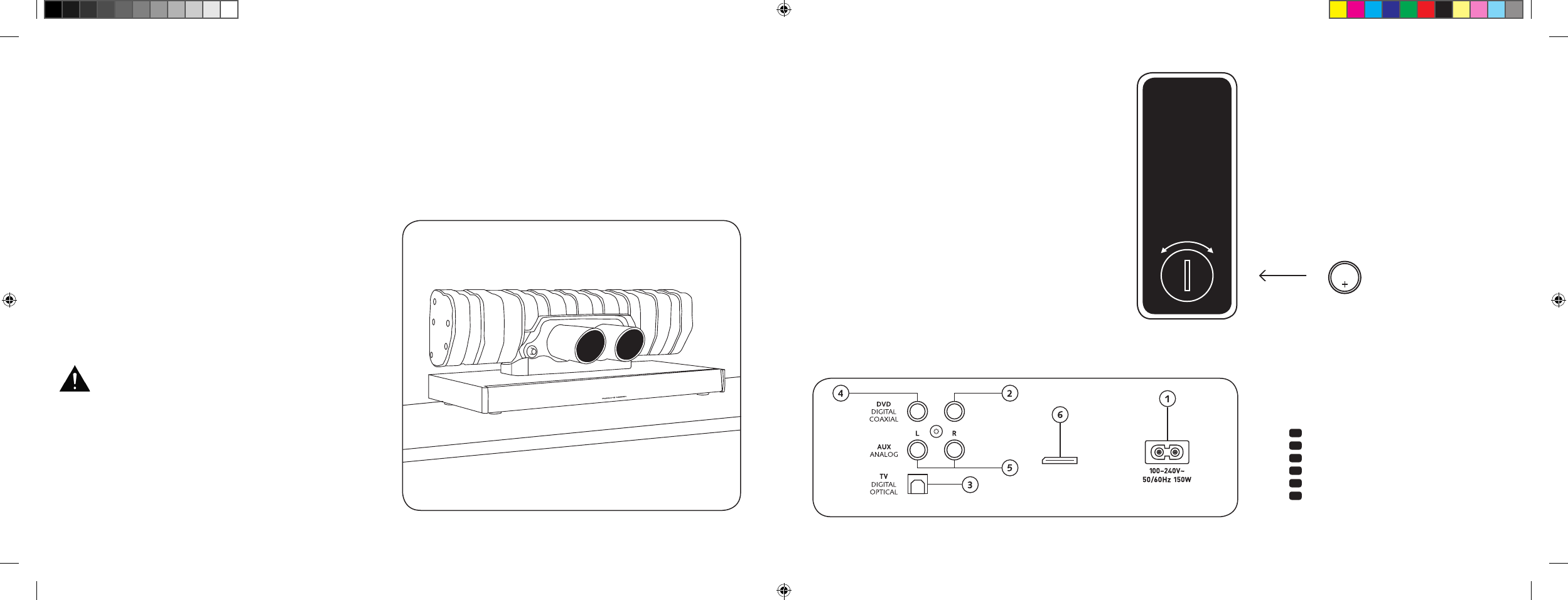
[ IT ] Soundbar 911
130 | 131
COLLEGAMENTI
SOUNDBAR 911
1 Ingresso alimentazione elettrica
2 Uscita – subwoofer esterno
3 Ingresso – TV [
ottico
]
4 Ingresso – DVD [
coassiale
]
5 Ingresso – AUX [
analogico
]
6 Presa di servizio
MESSA IN FUNZIONE
DEL TELECOMANDO
La batteria in dotazione è già inserita nel telecomando.
Per mettere in funzione il telecomando basta solo rimuovere
la pellicola protettiva. Quando si inseriscono nuove batterie
assicurarsi di rispettare le polarità [
+/-
]. Utilizzare solo batterie
adatte a questo sistema e indicate come tali [
CR 2032
].
Nota: La batteria in dotazione è destinata all’uso di prova e
può quindi avere una durata ridotta.
TERMINALE DI
COLLEGAMENTO
Soundbar 911
SUB OUT
Service
Telecomando
[ retro
]
INSTALLAZIONE
Posizionare la Soundbar 911 su una superficie piana.
APERTURA DELLA
CONFEZIONE
Aprire con cautela la scatola e controllare che
siano presenti tutti i seguenti componenti:
1 Soundbar 911
1 telecomando inclusa batteria
4 cavi di rete [
1 per UE, UK, USA, AUS
]
1 cavo audio digitale ottico
1 cavo RCA stereo
1 cavo RCA digitale
AVVIO
Fase di avvio che permette di sviluppare la massima qualità
del suono: 15-20 ore di funzionamento.
– In tale periodo consigliamo di ascoltare musica a volume normale
– Evitare livelli sonori estremamente elevati
– Ascoltare vari tipi di materiale sonoro
CR 2032
APERTO CHIUSO
Ogni Soundbar 911 è un pezzo unico. Il silenziatore
della Porsche 911 GT3 integrato nella Soundbar 911
è prodotto secondo un regolare procedimento di
lavorazione di serie. Per sottolineare l’autenticità,
saldature e decolorazioni dovute al processo di
saldatura sono lasciate volutamente visibili.
Per
questo motivo non possiamo accettare reclami
relativi
all’estetica della superficie del silenziatore
[
cordoni di saldatura, colori di rinvenimento, deco-
lorazioni,
spruzzi di saldatura, ecc.
]. Grazie per la
gentile
comprensione.
DS_Betriebsanleitung_911_Soundbar_210x148mm_RZ_v10.indd 130-131 09.11.15 09:43
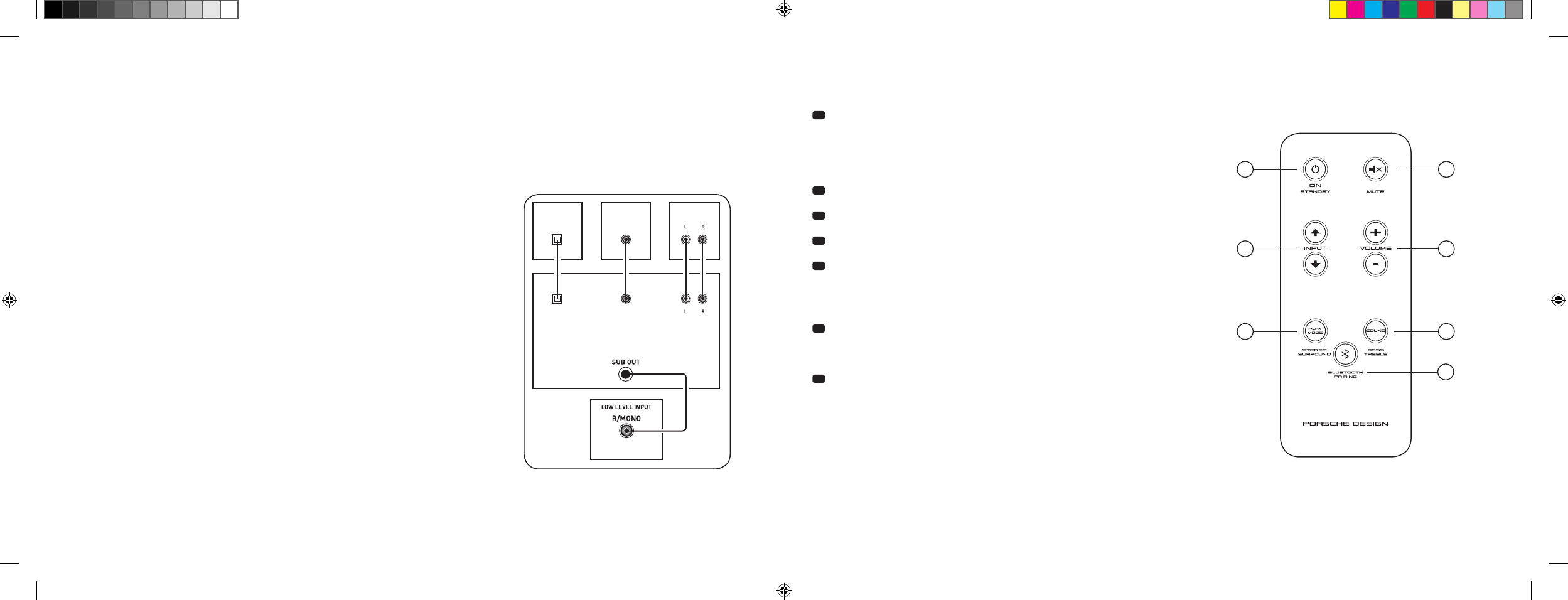
[ IT ] Soundbar 911
132 | 133
COLLEGAMENTO
Prima di collegare l’apparecchio assicurarsi che tutti i componenti elettrici siano spenti. La Soundbar 911 dispone di 3 ingressi selezionabili. In linea
di principio è sufficiente connettere uno degli ingressi al televisore e collegare tutte le altre utenze al televisore. Per ottenere una migliore riproduzione
sonora, si consiglia di collegare ricevitore satellitare, lettore DVD o Blu-ray direttamente alla Soundbar 911. A seconda della natura e delle caratteristiche
della fonte utilizzata, è possibile scegliere tra le seguenti possibilità:
UTILIZZO
Telecomando
1 Power
ON – La spia LED è verde [
apparecchio acceso
]
Stand-by
– La spia LED è rossa
[
apparecchio in stand-by
]
La Soundbar 911 è scollegata
dalla rete elettrica – La spia LED è spenta [
apparecchio spento
]
2 Mute [
modalità silenziosa
]
3 Input [
selezione sorgente sonora
]
4 Volume [
regolazione volume
]
5 Play Mode [
riproduzione
]
Stereo – Per la riproduzione musicale
Surround – Audio surround virtuale per la riproduzione del
sistema home cinema
6 Sound [
impostazioni audio
]
Bass – Regolazione tramite il tasto Volume
[
+6... –6 dB
]
Treble
– Regolazione tramite il tasto Volume [
+6... –6 dB
]
7 Collegamento Bluetooth®
Per connettersi a una sorgente abilitata all’utilizzo della tecnologia wireless
Bluetooth®
Funzione Memory
Dopo una temporanea separazione dalla rete di alimentazione, la Soundbar 911 passa
automaticamente allo stato selezionato più di recente. Tutte le impostazioni [
es. ON/
OFF, volume
] rimangono invariate.
SUB
DIGITAL MOVIE
DVD
DVDTV
TV
AUX
AUX
TV – ingresso digitale [
OTTICO
]
I televisori moderni dispongono di un’uscita audio ottica [
Toslink
]. Collegarla con l’ingresso
contrassegnato con «TV» della Soundbar 911. Questo collegamento assicura il trasferimento
ottimale del segnale e un’ottima qualità acustica.
Attenzione: Rimuovere i cappucci di protezione del cavo ottico in dotazione!
DVD – ingresso digitale [ COASSIALE
]
Per trasferire il segnale audio del DVD, è necessario collegare l’uscita coassiale digitale
del lettore Blu-ray o DVD alla presa contrassegnata con «DVD» della Soundbar 911.
Per trasmettere il segnale dell’immagine, il lettore DVD deve essere anche collegato
al televisore. L’ingresso della Soundbar 911 contrassegnato con «DVD» può essere
selezionato anche se il televisore non dispone di uscita ottica.
AUX – ingresso analogico
Qualora l’apparecchio TV fosse dotato solo di uscita audio «pre-out», collegarla tramite
il cavo RCA stereo schermato all’ingresso analogico della Soundbar 911 contrassegnato
con «AUX». Questo ingresso viene altrimenti utilizzato per collegare i videoregistratori o
le consolle di gioco.
SUB – uscita analogica
Questa uscita si utilizza per collegare un subwoofer esterno. SUB OUT non è attivo per
impostazione predefinita e deve essere attivato tramite il telecomando. Vedi «Funzioni audio
avanzate» a pagina 136.
4
ON
STANDBY
1
3
5 6
7
2
DS_Betriebsanleitung_911_Soundbar_210x148mm_RZ_v10.indd 132-133 09.11.15 09:43
[ IT ] Soundbar 911
134 | 135
DISPLAY
La Soundbar 911 dispone di un display multifunzione che si illumina per circa 5 secondi ogni volta che un comando viene inviato dal telecomando.
I principali indicatori e i relativi significati sono elencati qui. La modalità stand-by della Soundbar 911 è indicata da un LED rosso, mentre quando la
Soundbar 911 è in funzione la spia diventa verde.
Ingresso
Soundmode
Riproduzione
Ingresso TV [
ottico
]
TV
Volume [
0 – 99
]
V30
Stereo
ST
Modalità collegamento
BTP
Ingresso DVD [
coassiale
]
DVD
Silenzioso [
Mute
]
---
Surround
SUR
Connessione stabilita
CON
Ingresso AUX [
analogico
]
AUX
Regolazione dei bassi
[
+/– 6
]
B 6
Connessione interrotta
DIS
Bluetooth®
BT
Regolazione degli alti
[
+/– 6
]
T 6
Errore
FAI
Bluetooth®
Funzioni di impostazione
Attivazione/disattivazione
accensione automatica per
ingresso ottico e coassiale
AUT
Attivazione/disattivazione
selezione automatica
ingresso BT
SEL
Attivazione/disattivazione
stand-by ECO
ECO
Funzione di apprendimento a infrarossi
Apprendimento di
codici a infrarossi
IRL
Funzioni audio avanzate
Ritardo riproduzione audio
[
LipSync
]
LIP
Attivazione/disattivazione
SUB OUT
SUB
Attivazione/disattivazione
Dolby Dynamic Range
Compression
DRC
Selezione posizionamento
EQ
DS_Betriebsanleitung_911_Soundbar_210x148mm_RZ_v10.indd 134-135 09.11.15 09:43
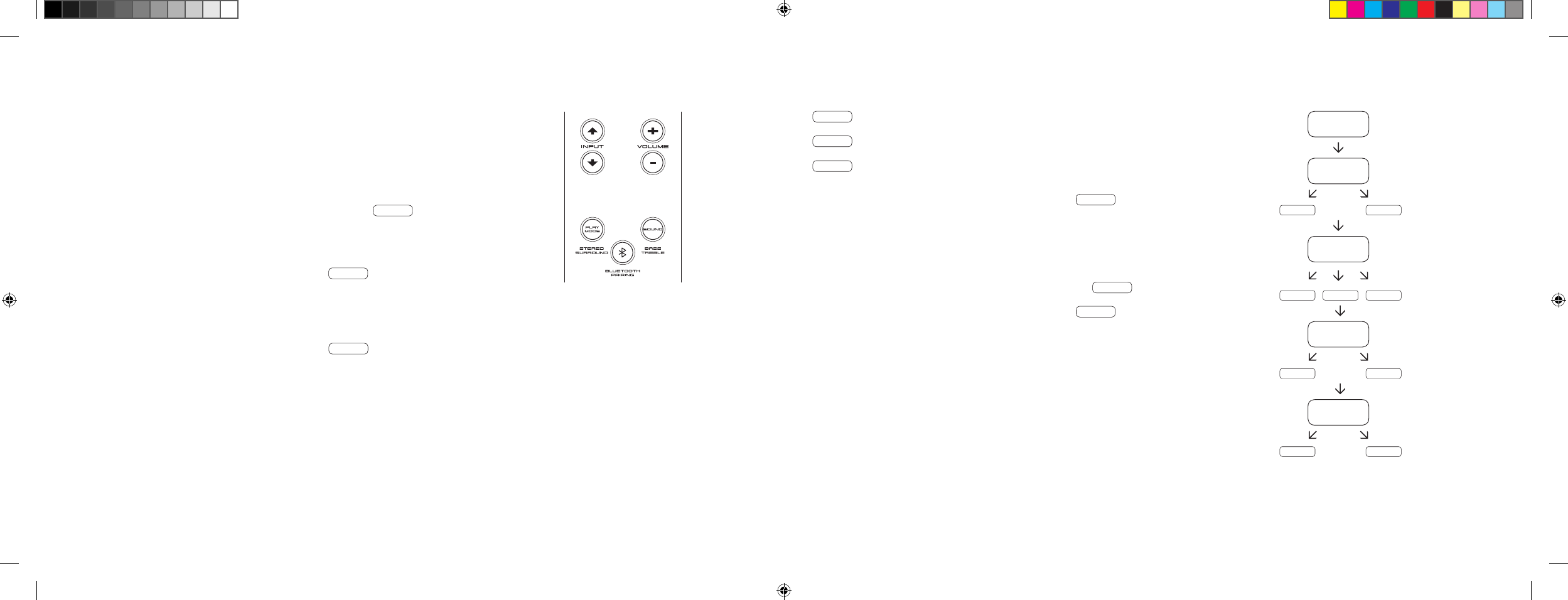
[ IT ] Soundbar 911
136 | 137
FUNZIONI AUDIO AVANZATE
Il menu per le funzioni audio avanzate offre la possibilità di intervenire in caso di riproduzione
audio non sincronizzata, abilitare l’uscita via cavo per un subwoofer esterno, regolare il suono
in base al posizionamento selezionato, nonché attivare/disattivare la funzione Dolby «Dynamic
Range Compression».
Tenendo premuto il tasto «Sound» del telecomando per più di 3 secondi, si passa al menu
«Funzioni audio avanzate» e il display della Soundbar 911 visualizza LIP .
Con i tasti «Volume +/–» si può ritardare il suono a scatti di 10 ms per adeguarlo
alle immagini «in ritardo».
Premendo nuovamente il tasto «Sound» il display passa a SUB .
Con i tasti «Volume +/–» si può attivare/disattivare l’uscita per il subwoofer esterno.
Attenzione: Con SUB OUT attivato la riproduzione audio della Soundbar è limitata a 80 Hz.
Le frequenze inferiori agli 80 Hz vengono inviate al subwoofer esterno.
Premendo nuovamente il tasto «Sound» il display passa a EQ .
Con i tasti «Volume +/–» si può ora scegliere fra tre impostazioni dell’equalizzatore e adeguare
la riproduzione alla posizione dell’apparecchio.
EQ1 per posizionare la Soundbar 911 ad esempio su una credenza.
EQ2 per un’installazione a parete con TV a schermo piatto.
EQ3 per un posizionamento della Soundbar 911 su uno scaffale o un ripiano.
Premendo nuovamente il tasto «Sound» il display passa a DRC .
«Dynamic Range Compression» è un’opzione di regolazione di Dolby Laboratories.
Quando viene attivata permette di ridurre automaticamente la gamma dinamica dei
flussi di dati codificati Dolby, minimizzando così le differenze di volume. I suoni deboli
vengono alzati e quelli alti abbassati.
Con i tasti «Volume +/–» si può attivare/disattivare la funzione DRC .
Premendo nuovamente il tasto «Sound» il display passa a VOL .
Con la funzione [
protettiva
] «Volume» è possibile limitare il livello massimo del volume,
vale a dire il volume [
visibile nel display
] non può essere alzato più del valore impostato.
Con i tasti «Volume +/–» è possibile impostare il volume desiderato.
[
0–99, in cui 99 è il massimo
].
LIP
SUB
ON OFF
EQ
EQ1 EQ2 EQ3
DRC
ON OFF
VOL
099
…
DS_Betriebsanleitung_911_Soundbar_210x148mm_RZ_v10.indd 136-137 09.11.15 09:43
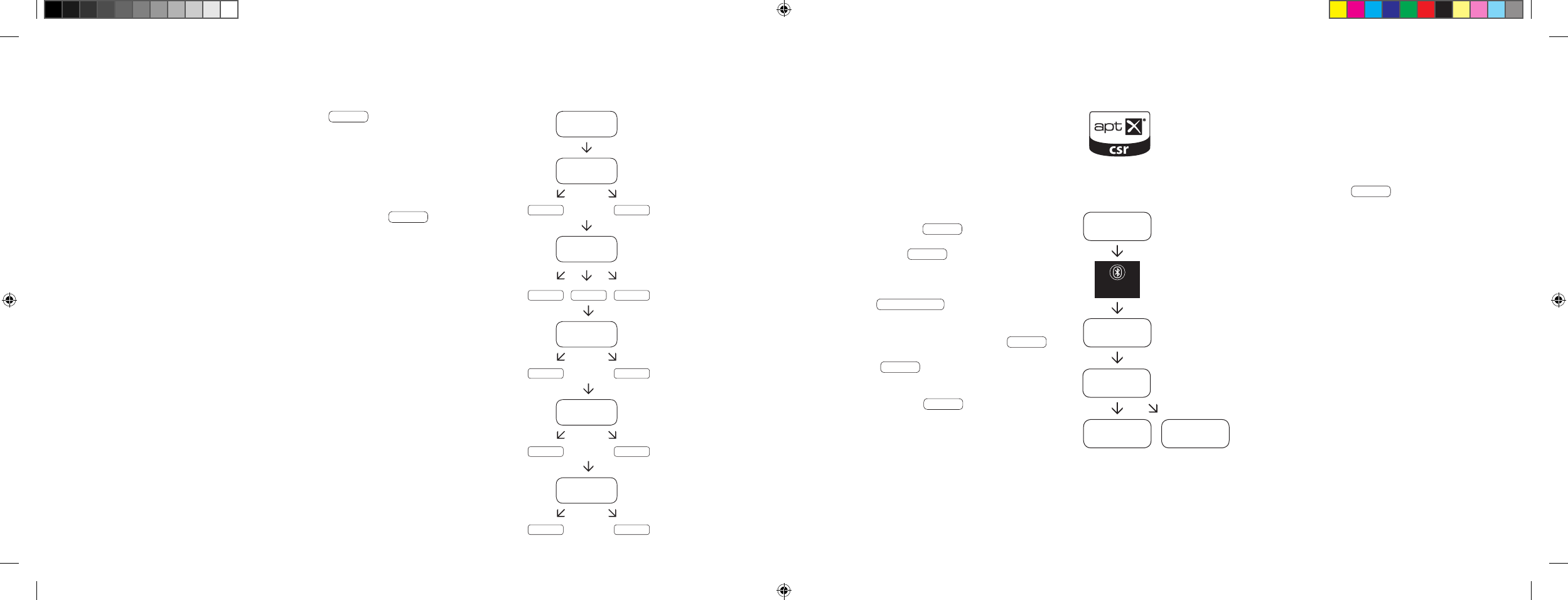
[ IT ] Soundbar 911
138 | 139
RIPRODUZIONE CON TECNOLOGIA BLUETOOTH®
Requisiti per il collegamento
– La funzione Bluetooth® deve essere abilitata sul
dispositivo mobile.
– Il dispositivo mobile deve supportare almeno lo
standard Bluetooth® 2.0.
– Il dispositivo mobile deve trovarsi entro la portata
della Soundbar 911 [
max. 10 m
].
Procedimento di collegamento
– Selezionare l’ingresso BT .
– Premere il tasto «Bluetooth® Pairing».
– Sul display appare BTP .
– Ora si hanno a disposizione 30 secondi
per collegare il dispositivo mobile.
– Avviare la ricerca sul dispositivo mobile.
– Selezionare 911 SOUNDBAR come dispositivo
di riproduzione.
– La connessione si crea automaticamente dopo la
conferma e sul display viene visualizzato CON .
– Se la connessione non è riuscita, viene visualizzato
il messaggio FAI .
– Se il dispositivo mobile richiede un codice di
accesso, digitare 0000.
– Se il display visualizza DIS , il dispositivo mobile
è fuori portata o spento.
Utilizzo di un dispositivo mobile
– Il dispositivo collegato più di recente con la
Soundbar 911 stabilisce automaticamente la
connessione, a condizione che la funzione
Bluetooth® sia attivata e sia stato selezionato
l’ingresso per la riproduzione tramite Bluetooth®.
In tal caso apparirà CON .
– Avviando la riproduzione dei file multimediali
sul proprio dispositivo mobile, il suono verrà
auto maticamente emesso dalla Soundbar 911.
Nota: La Soundbar 911 può connettersi a un massimo
di 3 apparecchi Bluetooth®. Vedi anche «Selezione
automatica dell’ingresso BT» a pagina 142.
BT
BTP
CON FAI
BLUETOOTH
PAIRING
911
SOUNDBAR
Premendo nuovamente il tasto «Sound» il display passa a VOI .
Utilizzare la funzione «Voice» per aumentare l’intelligibilità del parlato sia in modalità Stereo
che Surround. In questo modo si possono capire meglio ad esempio i dialoghi [
lingua
] dei
film con forti effetti sonori.
Con i tasti «Volume +/–» si può attivare/disattivare la funzione «Voice» [
ON o OFF
].
Premendo nuovamente il tasto «Sound» il display torna al menu iniziale LIP .
Uscire dal menu
Premendo nuovamente il tasto «Sound» per oltre 3 secondi si esce dal menu
«Funzioni audio avanzate».
Se la Soundbar 911 non riceve comandi per oltre 30 secondi dal telecomando,
il menu torna automaticamente alla modalità normale.
LIP
SUB
ON OFF
EQ
EQ1 EQ2 EQ3
DRC
ON OFF
VOL
099
VOI
ON OFF
…
DS_Betriebsanleitung_911_Soundbar_210x148mm_RZ_v10.indd 138-139 09.11.15 09:43
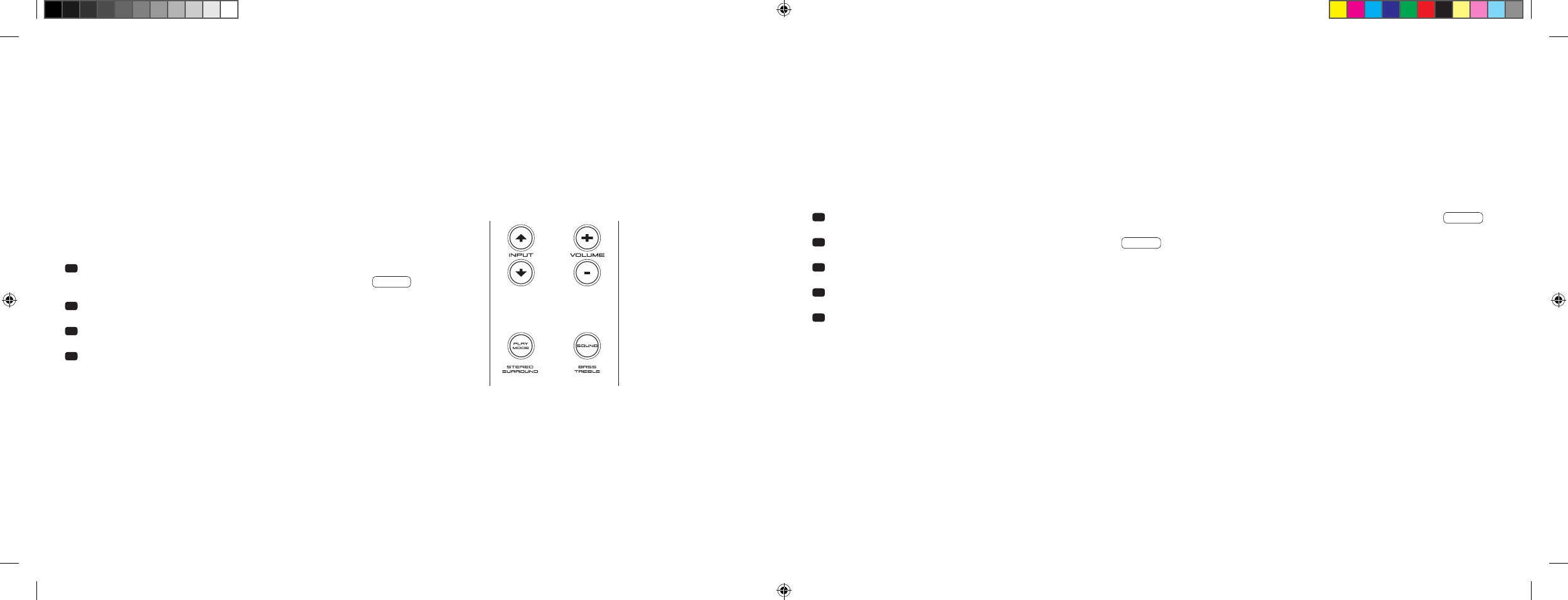
[ IT ] Soundbar 911
140 | 141
Quando questa funzione è attivata [
ON
], il dispositivo rileva un segnale presso l’ingresso ottico o coassiale. Se viene rilevato un segnale
[
es. accensione del dispositivo sorgente
], la Soundbar 911 si accende automaticamente. Se all’ingresso non viene rilevato alcun segnale
[
es. spegnendo il dispositivo sorgente
], la Soundbar 911 passa automaticamente in modalità stand-by dopo 30 secondi. Se questa funzione
è disattivata [
OFF
], la Soundbar 911 deve essere accesa o spenta manualmente.
Al momento della consegna, questa funzione è disattivata [
OFF
].
Per attivare/disattivare questa funzione procedere come segue:
1 Mentre l’apparecchio è acceso premere e tenere premuto il tasto «Play
Mode» per più di 3 secondi, finché sul display viene visualizzato AUT .
2 Premendo il tasto «Volume +» si attiva la funzione [
ON
].
3 Premendo il tasto «Volume -» si disattiva la funzione [
OFF
].
4 Per uscire dal menu premere nuovamente il tasto «Play Mode» per
più di 3 secondi. Se non viene dato alcun comando entro 10 secondi,
il dispositivo esce automaticamente dal menu di configurazione.
Nota: L’accensione/Lo spegnimento automatico funziona solo sull’ingresso digitale ottico e coassiale. Se si mette il dispositivo in stand-by con il tasto
«ON/Standby», la funzione di accensione automatica non è disponibile.
Il dispositivo rileva un segnale solo all’ingresso digitale selezionato. Un segnale presente in un altro ingresso digitale rispetto a quello selezionato non può
essere rilevato.
FUNZIONI DI IMPOSTAZIONE
ACCENSIONE E SPEGNIMENTO AUTOMATICO [
AUT
]
1 Mentre l’apparecchio è acceso premere e tenere premuto il tasto «Play Mode» per più di 3 secondi, finché sul display viene visualizzato AUT .
2 Premere di nuovo il tasto «Play Mode» finché il display visualizza ECO .
3 Premendo il tasto «Volume +» si attiva la funzione [
ON
].
4 Premendo il tasto «Volume -» si disattiva la funzione [
OFF
].
5 Per uscire dal menu premere nuovamente il tasto «Play Mode» per più di 3 secondi. Se non viene dato alcun comando entro 10 secondi,
il dispositivo esce automaticamente dal menu di configurazione.
STAND-BY ECO [
ECO
]
Quando viene attivata questa funzione [
ON
], l’apparecchio passa automaticamente in stand-by ECO se non rileva alcun segnale all’ingresso selezionato
per oltre un’ora. Se questa funzione è disattivata [
OFF
], la Soundbar 911 deve essere spenta manualmente.
Al momento della consegna, questa funzione è attivata [
ON
].
Per attivare/disattivare questa funzione procedere come segue:
Nota: Questa funzione si disattiva automaticamente quando viene attivata la funzione AUT.
DS_Betriebsanleitung_911_Soundbar_210x148mm_RZ_v10.indd 140-141 09.11.15 09:43
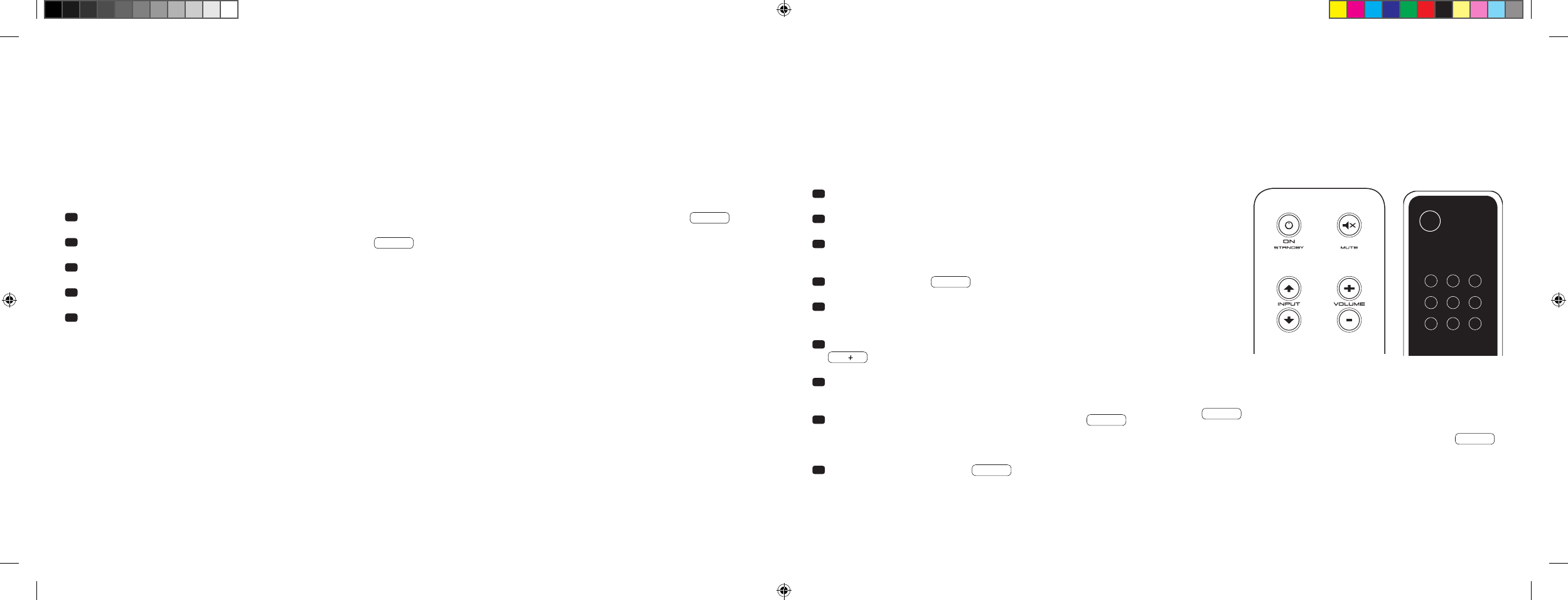
[ IT ] Soundbar 911
142 | 14 3
SELEZIONE AUTOMATICA DELL’INGRESSO BT [
SEL
]
Quando viene attivata questa funzione [
AUT
], la Soundbar 911 passa automaticamente all’ingresso BT non appena rileva un segnale audio del
dispositivo mobile. Se questa funzione è disattivata [
MAN
], l’ingresso deve essere selezionato manualmente.
Al momento della consegna, questa funzione è disattivata [
MAN
].
Per attivare/disattivare questa funzione procedere come segue:
Nota: A seconda del dispositivo mobile utilizzato, con il sistema automatico attivato, la Soundbar 911 può passare all’ingresso BT anche durante
la digitazione di un messaggio o in caso di riproduzione di altri suoni di sistema.
Quando la funzione SEL è abilitata [
AUT
] non può più essere selezionato l’ingresso BT con il tasto «Input». In questa modalità la Soundbar 911 può
essere associata al dispositivo mobile indipendentemente dall’ingresso del segnale selezionato.
1
Mentre l’apparecchio è acceso premere e tenere premuto il tasto «Play Mode» per più di 3 secondi, finché sul display viene visualizzato
AUT
.
2 Premere di nuovo il tasto «Play Mode» finché il display visualizza SEL .
3 Premendo il tasto «Volume +» si attiva la funzione [
AUT
].
4 Premendo il tasto «Volume -» si disattiva la funzione [
MAN
].
5 Per uscire dal menu premere nuovamente il tasto «Play Mode» per più di 3 secondi. Se non viene dato alcun comando entro 10 secondi,
il dispositivo esce automaticamente dal menu di configurazione.
FUNZIONE DI APPRENDIMENTO A INFRAROSSI
La Soundbar 911 può memorizzare il codice a infrarossi del telecomando del televisore, permettendo di controllare con un solo telecomando le
funzioni della Soundbar 911 e del televisore. In questo modo i comandi della Soundbar 911 possono essere assegnati a qualsiasi tasto del telecomando
del televisore. Assicurarsi tuttavia che i comandi della Soundbar 911 e del televisore non siano in conflitto. Si consiglia di disattivare gli altoparlanti
interni del televisore dopo aver collegato la Soundbar 911.
1 Tenere pronto il telecomando del televisore.
2 Accendere la Soundbar 911.
3 Premere il tasto «ON/Standby» del telecomando Porsche per circa
5 secondi.
4 Nel display lampeggia IRL .
5 Premere la funzione desiderata sul telecomando Porsche, ad esempio
«Volume +».
6 Sul display lampeggia ora la funzione selezionata, ad esempio
V.
7 Premere entro 20 secondi il tasto del telecomando del televisore da
assegnare alla funzione.
8 Se la trasmissione è riuscita, sul display viene visualizzato OK e
si può continuare con la programmazione della funzione successiva,
ad esempio «Volume –».
9 Se sul display viene visualizzato FAI , la trasmissione non è riuscita
ed è necessario ripetere i passaggi da 5 a 8.
Telecomando TV
ON
STANDBY
Nota: Il tasto «ON/Standby» rosso del telecomando Porsche ha
una doppia funzione. Premendolo una volta, sul display apparirà
ON e potrà essere memorizzata la funzione di accensione.
Premendo due volte in rapida successione il tasto rosso «ON/
Standby» del telecomando Porsche, apparirà sul display STB
e potrà essere memorizzata la funzione di stand-by/spegnimento.
Se il telecomando TV disponesse solo di un tasto per il comando
«accensione» e «spegnimento», devono essere in ogni caso
assegnate entrambe le funzioni, «ON» e «stand-by», a questo
comando.
DS_Betriebsanleitung_911_Soundbar_210x148mm_RZ_v10.indd 142-143 09.11.15 09:43

[ IT ] Soundbar 911
144 | 145
Uscire dal menu
Premendo nuovamente il tasto «ON/Standby» per oltre 5 secondi si esce dal menu «Funzione di apprendimento a infrarossi». Se la Soundbar 911 non
riceve comandi per oltre 60 secondi dal telecomando, il menu torna automaticamente alla modalità normale.
Selezione diretta degli ingressi del segnale
Oltre che con il tasto «Input
» e «Input
», quando si utilizza il telecomando del televisore o universale si possono anche selezionare gli ingressi del segnale
TV, DVD, AUX e Bluetooth® direttamente, vale a dire che è possibile assegnare l’ingresso desiderato a un tasto del telecomando.
1 Dal menu di apprendimento a infrarossi IRL tenere premuto uno dei due tasti «Input» del telecomando Porsche per 3 secondi per
accedere al menu di selezione diretta. Nel display lampeggia DVD .
2 Ora si può assegnare all’ingresso «DVD» un tasto del telecomando TV.
Nota: Premendo questo tasto del telecomando TV durante il normale funzionamento, la Soundbar 911 passa direttamente all’ingresso DVD.
3 Premere il tasto desiderato del telecomando TV. Se il codice a infrarossi [
IR
] è stato memorizzato con successo dalla Soundbar 911, il display
visualizzerà OK e quindi l’ingresso successivo TV .
4 Se il codice non è stato memorizzato o sul telecomando non è stato premuto alcun tasto per 10 secondi, il display visualizzerà brevemente FAI
per indicare che non è stato memorizzato alcun codice. Successivamente nel display continuerà a lampeggiare DVD , quindi si potrà provare a
memorizzare di nuovo il codice per l’ingresso DVD.
5 Se non si desidera assegnare all’ingresso DVD alcun tasto, premere brevemente il tasto «Input
» per selezionare manualmente l’ingresso [
TV
].
6 Per assegnare un tasto del telecomando TV agli ingressi TV, AUX e/o Bluetooth®, ripetere le operazioni descritte al punto 2–5.
7
Per uscire dal menu di selezione diretta, premere nuovamente uno dei due tasti
«
Input
»
per 3 secondi per accedere al menu di apprendimento IR
superiore
IRL . Tenendo premuto il tasto «ON/Standby» nel menu di selezione diretta per 3 secondi, il sistema passa dalla funzione di apprendi-
mento IR alla modalità di funzionamento normale. Nel display appare brevemente FIN per indicare che la modalità di apprendimento IR è stata
terminata.
Nota: Data la moltitudine di codici a infrarossi non si può garantire che la Soundbar 911 sia in grado di memorizzare ogni tipo di telecomando.
FUNZIONE DI CANCELLAZIONE A INFRAROSSI
Per cancellare i comandi del telecomando TV appresi dalla Soundbar 911 procedere come segue:
1 Accendere la Soundbar 911.
2 Premere il tasto «ON/Standby» del telecomando Porsche per circa 5 secondi.
3 Sul display lampeggerà IRL .
4 Premere il tasto «Mute» del telecomando Porsche per circa 5 secondi.
5 Sul display apparirà CLR per circa 5 secondi. La Soundbar 911 passerà automaticamente alla modalità di funzionamento normale.
DS_Betriebsanleitung_911_Soundbar_210x148mm_RZ_v10.indd 144-145 09.11.15 09:43

[ IT ] Soundbar 911
146 | 147
RISOLUZIONE DEI PROBLEMI
Qui di seguito riportiamo una panoramica dei problemi più comuni. In caso di ulteriori domande si prega di rivolgersi al proprio Porsche Design Store o
Centro Porsche, di contattare il nostro servizio di assistenza al numero + 49 [
0
] 711 911 0 o di inviare un’e-mail a contact@porsche-design.com
Problema Possibile causa Soluzione
La Soundbar 911
non si accende.
Cavo di alimentazione non collegato alla
presa e/o alla Soundbar 911.
Creare il collegamento.
La Soundbar 911 non
reagisce al telecomando.
1. La batteria è scarica. 1. Sostituire la batteria rispettando la corretta polarità.
2. La pellicola protettiva non è stata rimossa. 2. Rimuovere la pellicola protettiva del telecomando.
Il volume è troppo
basso.
Il volume della Soundbar 911 o dell’apparecchio
sorgente è regolato su un livello troppo basso.
Aumentare il volume con il tasto «Volume».
Aumentare il volume del dispositivo sorgente.
Non viene riprodotto
alcun suono.
1. Il formato audio del dispositivo sorgente è stato
selezionato in modo errato [
ingresso digitale «TV»
e «DVD»
].
1. Si prega di controllare la corretta regolazione del dispositivo
sorgente. I file codificati nel formato «DTS» non possono
essere riprodotti.
2. Il dispositivo sorgente non emette alcun segnale. 2. L’uscita digitale sul dispositivo sorgente non è attiva, il volume è
forse impostato su «zero» [
consultare il manuale del dispositivo
].
3. Il cavo non è collegato correttamente/cavo
difettoso.
3.1. Controllare il collegamento tra il dispositivo sorgente e la
Soundbar 911 e, se necessario, sostituire il cavo.
3.2. Controllare che i cappucci di protezione sulla spina del cavo
ottico siano stati rimossi.
Problema Possibile causa Soluzione
La Soundbar 911
emette un ronzio.
1.
I cavi di segnale che collegano il dispositivo sorgente
alla Soundbar 911 sono troppo lunghi [
Aux
].
1. Utilizzare cavi più corti.
2.
Il cavo di segnale non è schermato o la schermatura
del cavo è interrotta [
difettosa
].
2. Sostituire il cavo con un cavo schermato.
3. Si verifica un ground loop [
anello di massa
].3.
Il ground loop può verificarsi quando almeno due dispositivi collegati
con cavi di segnale [
RCA
] sono connessi a spine con messa a terra
[
es. amplificatore e computer
] separate. Collegare tutti i dispositivi
connessi alla Soundbar 911 con spina dotata di messa a terra a
una presa multipla.
4. Un’utenza non schermata [
es. frigorifero
] è
collegata alla rete.
4.
Disattivare le possibili fonti di disturbo procedendo per esclusione;
far schermare gli apparecchi per eliminare le interferenze, se il
ronzio scompare, oppure collegare la sorgente di interferenza a
un’altra fase [
L1, L2 o L3
] [
se necessario consultare un esperto
];
inserire un filtro isolante antidisturbo [
disponibile nei negozi
specializzati
] tra il dispositivo sorgente e la Soundbar 911 per
eliminare il ronzio; ruotare la spina per ridurre la cosiddetta
ondulazione residua [
particolarmente importante quando il
dispositivo sorgente non è messo a terra
].
DS_Betriebsanleitung_911_Soundbar_210x148mm_RZ_v10.indd 146-147 09.11.15 09:43

[ IT ] Soundbar 911
148 | 149
Problema Possibile causa Soluzione
La tecnologia di
riproduzione tramite
Bluetooth® non funziona.
1. Non c’è connessione tra la Soundbar 911 e il
dispositivo mobile.
1. Collegare il dispositivo mobile come descritto sopra.
2. Il dispositivo mobile è collegato, ma non viene
riprodotto alcun suono.
2.1. Il dispositivo mobile deve essere ricollegato.
2.2. Regolare il volume del dispositivo mobile sul livello massimo.
2.3. Alzare il volume della Soundbar 911.
2.4. Assicurarsi che le fonti di interferenza come router wireless o
computer portatili non si trovino in prossimità della Soundbar 911.
2.5. L’utilizzo simultaneo tramite connessione Wi-Fi e Bluetooth® da
un dispositivo mobile è in molti casi impossibile da realizzare
senza interferenze [
disabilitare il Wi-Fi sul dispositivo
].
3. Il dispositivo è fuori portata [
max. 10 m
]. 3. Ridurre la distanza tra Soundbar 911 e dispositivo mobile.
L’ingresso BT non è
selezionabile con i tasti
«Input».
La funzione SEL è attivata [
AUT
]. Il passaggio all’ingresso BT avviene automaticamente appena la
Soundbar 911 rileva un segnale audio del dispositivo mobile.
Problema Possibile causa Soluzione
L’apparecchio non si
accende automatica-
mente sull’ingresso
ottico e quello coassiale.
1. La funzione AUT è disattivata in base alle imposta-
zioni di fabbrica [
OFF
].
1. Attivare la funzione AUT [
ON
] [
Pagina 140
].
2. Il dispositivo è stato messo in modalità stand-by
con il tasto «Power».
2. Accendere l’apparecchio con il tasto «Power» del telecomando
e in futuro attendere che passi automaticamente alla modalità
stand-by.
3. Il dispositivo è stato spostato sull’altro ingresso
digitale, su cui non vi è alcun segnale, e si è spento
automaticamente.
3. Accendere l’apparecchio con il tasto «Power» del telecomando
e selezionare l’ingresso digitale a cui è collegato il dispositivo
sorgente desiderato.
La Soundbar 911 non
passa automaticamente
all’ingresso BT.
1. La funzione SEL è disattivata [
MAN
]. 1. Attivare la funzione SEL [
AUT
].
2. Il Bluetooth® è disattivato sul dispositivo mobile. 2. Attivare il Bluetooth® sul dispositivo mobile.
3. La Soundbar 911 è collegata a un altro
dispositivo mobile.
3. Disattivare il Bluetooth® sull’altro dispositivo mobile.
4. Il dispositivo mobile non è associato alla
Soundbar 911.
4. Associare il dispositivo mobile alla Soundbar 911 [
Pagina 139
].
La Soundbar 911 passa
all’ingresso BT senza
aver ricevuto il comando.
Questo può accadere se il dispositivo mobile emette
suoni di sistema, come ad esempio toccando la
tastiera.
1. Disattivare la funzione SEL [
MAN
].
2. Disattivare i suoni di sistema del dispositivo mobile.
DS_Betriebsanleitung_911_Soundbar_210x148mm_RZ_v10.indd 148-149 09.11.15 09:43

[ IT ] Soundbar 911
150 | 151
SPECIFICHE TECNICHE
Alimentazione elettrica
– Tensione di esercizio 100–240 V~
– Frequenza di esercizio 50/60 Hz
– Assorbimento di potenza in stand-by
ECO = 0,39 W [
impostazione di fabbrica
]
– Assorbimento di potenza in stand-by AUT = circa 4,5 W
– Assorbimento di potenza a vuoto [
senza segnale di uscita
] = circa 8,4 W
– Assorbimento di potenza massimo = circa 150 W
Livello ingresso/uscita analogico
– AUX = max. 2,0 V [
effettivo
]
– SUB OUT = max. 2,0 V [
effettivo
]
Decoder
– Dolby Digital
– PCM [
32 kHz…96 kHz/8 bit…24 bit
]
Informazioni sulla «conformità alla destinazione d’uso»
La Soundbar 911 è progettata per l’utilizzo in ambienti chiusi e non deve
essere utilizzata all’aperto o in ambienti umidi. Non alterare o modificare il
dispositivo. Collegare la Soundbar 911 come descritto nelle istruzioni e os-
servare le indicazioni di sicurezza. Utilizzare l’apparecchio esclusivamente
alla tensione e la frequenza specificate.
Informazioni sull’utilizzo ecologico
In caso di mancato utilizzo mettere in stand-by la Soundbar 911 per ridurre
il consumo di energia premendo il tasto
«
ON/Standby
»
.
.
Ciò permette di risparmiare energia e ridurre la bolletta elettrica.
ALTRE INFORMAZIONI IMPORTANTI
Informazioni sulla marcatura CE
Le apparecchiature elettriche ed elettroniche immesse sul
mercato dell’Unione Europea devono essere munite di una
marcatura CE per indicare che rispondono ai requisiti applicabili
[
es. compatibilità elettromagnetica o sicurezza delle
apparecchiature
].
Istruzioni per lo smaltimento
Secondo la direttiva europea sulle apparecchiature elettriche
ed elettroniche, i dispositivi contrassegnati da questo simbolo
non devono essere smaltiti insieme ai rifiuti domestici. Invitiamo
a informarsi presso la società locale di smaltimento rifiuti o
l’amministrazione comunale sulle possibilità di smaltimento
gratuito, che aiutano a proteggere l’ambiente e la salute, nonché
a non sprecare le [
rare
] materie prime tramite il riciclaggio.
Nemmeno le batterie vanno smaltite insieme ai rifiuti domestici,
ma devono essere consegnate a un punto di raccolta autorizzato.
È possibile anche gettare le batterie gratuitamente nei contenitori
per la raccolta situati presso vari esercizi commerciali. Le bat-
terie smaltite impropriamente possono danneggiare la salute
dell’uomo e degli animali e/o l’ambiente.
Virtualizzatore
– DTS TruSurround
Bluetooth®
– Standard Bluetooth® 3.0 [
A2DP
]
– Supporta la decodifica CSR aptX®
– Portata fino a 10 m
– Gamma di frequenza 2.400–2.483,5 MHz [
banda ISM 2,4 GHz
]
– Potenza max. di trasmissione 10 mW [
+10 dBm
]
Temperature ambiente
– Minimo 5 °C [ 41 °F
]
– Massimo 35 °C [ 95 °F
]
DS_Betriebsanleitung_911_Soundbar_210x148mm_RZ_v10.indd 150-151 09.11.15 09:43

[ IT ] Soundbar 911
152 | 153
Manufactured under license from
Dolby Laboratories. Dolby and the
double-D symbol are registered
trademarks of Dolby Laboratories.
For DTS patents, see
http://patents.dts.com. Manufactured
under license from DTS Licensing
Limited. DTS, the Symbol and DTS and
the Symbol together are registered
trademarks, and DTS TruSurround is
a trademark of DTS, Inc. © DTS, Inc.
All Rights Reserved.
Bluetooth®:
The Bluetooth® word mark and logos are
registered trademarks owned by Bluetooth®
SIG, Inc., and any use of such marks by
Porsche Design is under license. Other
trademarks and trade names are those of
their respective owners.
aptX®:
The aptX® software is copyright CSR plc or its
group companies. All rights reserved. The aptX®
mark and the aptX logo are trademarks of
CSR plc or one of its group companies and may
be registered in one or more jurisdictions.
INFORMAZIONI SULLA LICENZA
DS_Betriebsanleitung_911_Soundbar_210x148mm_RZ_v10.indd 152-153 09.11.15 09:43
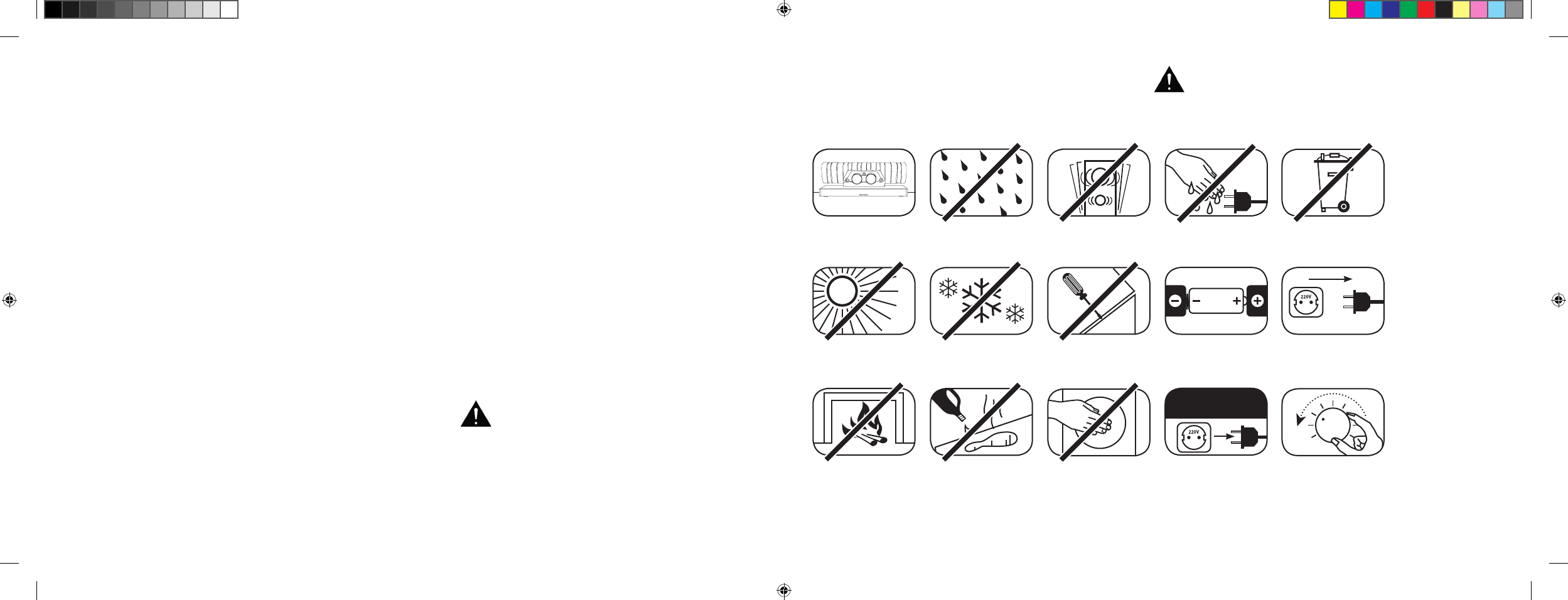
[ NL ] 911 Soundbar
154 | 155
INHOUD
Veiligheidsvoorschriften .............................. pagina 155
Uitpakken ................................................... pagina 160
Installeren ................................................... pagina 160
Inspelen ...................................................... pagina 160
In gebruik nemen van
de afstandsbediening ................................. pagina 161
Aansluitklem ............................................... pagina 161
Aansluiten................................................... pagina 162
Bedienen .................................................... pagina 163
Displaysymbolen ........................................ pagina 164
Geavanceerde sound-functies .................... pagina 166
Afspelen via Bluetooth® technologie ........... pagina 169
Automatisch in-/uitschakelen [
AUT
] .............pagina 170
WELKOM IN DE WERELD VAN PORSCHE DESIGN
Van 0 tot 100 in 3,5 seconden. Tot 9000 toeren per minuut. Een topsnelheid van 315 km/h. Voor sommigen zijn het
gewoon cijfers – maar voor ons zijn het de noten van een symfonie voor de sportwagen: de sound van de 911 GT3.
Laat u inspireren door onze passie voor innovatieve technologie en verheug u op een adembenemende geluidservaring.
Met de 911 Soundbar, het high-end 2.1 Virtual Surround Sound System met het originele uitlaatsysteem van een 911 GT3.
VEILIGHEIDSVOORSCHRIFTEN
Let op de veiligheidsvoorschriften bij het kiezen van de juiste locatie voor uw 911 Soundbar en ook bij het onderhoud en de bediening ervan.
Kies een vlakke
ondergrond
Vermijd vocht Vermijd schokken
Vermijd direct zonlicht
Houd het apparaat
uit de buurt van
warmtebronnen
Bescherm het apparaat
tegen extreme koude
Reinig het apparaat
niet met agressieve,
alcoholhoudende of
schurende middelen
Open de behuizing niet
Grijp niet in de
opening van de behuizing
of in de uitlaat
Trek de stekker uit het
stopcontact bij onweer
Raak het netsnoer niet
aan met natte handen
Zorg dat de polen van de
batterij in de juiste richting
wijzen in de afstandsbediening
Niet bij het
huisvuil doen
De gebruiker is verantwoordelijk voor het juiste gebruik
van de 911 Soundbar. Porsche Design is niet verant-
woordelijk voor schade of ongevallen veroorzaakt door
een onjuiste installatie of aansluiting.
Zorg dat de stekker
onbelemmerd
bereikbaar is
Verlaag het
syste emvolume
bij
overbelasting
ECO-stand-by [
ECO
] ...................................pagina 171
Automatische selectie van de
BT-ingang [
SEL
] ..........................................pagina 172
IR-inleerfunctie ............................................pagina 173
IR-wisfunctie ................................................pagina 175
Probleemoplossing ......................................pagina 176
Technische specificaties ............................. pagina 180
Andere belangrijke informatie.......................pagina 181
Licentiegegevens ........................................ pagina 182
DS_Betriebsanleitung_911_Soundbar_210x148mm_RZ_v10.indd 154-155 09.11.15 09:43
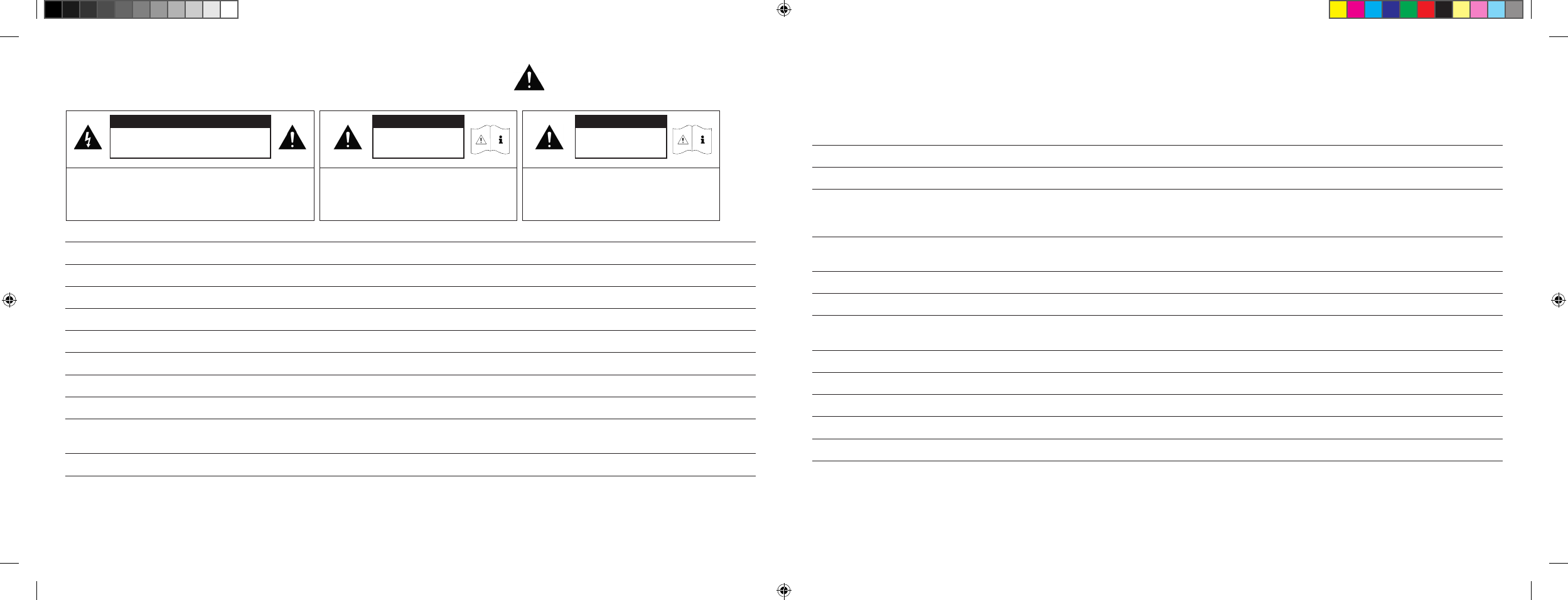
[ NL ] 911 Soundbar
156 | 157
BELANGRIJKE VEILIGHEIDSINSTRUCTIE
Lees en volg alle instructies.
Bewaar deze gebruikershandleiding.
Volg alle waarschuwingen en veiligheidsvoorschriften.
Gebruik dit apparaat alleen in een gematigd klimaat [
niet in een tropisch klimaat
].
Gebruik dit apparaat niet op een hoogte van meer dan 2000 m boven de zeespiegel.
Gebruik dit apparaat alleen binnenshuis, niet buiten of in vochtige ruimten.
Dit apparaat mag niet worden blootgesteld aan regen of vocht om brand en elektrische schokken te voorkomen.
Gebruik dit apparaat niet in de buurt van water.
Houd dit apparaat uit de buurt van waterdruppels of -spetters.
Sterke temperatuurschommelingen veroorzaken condensatie [
waterdruppeltjes
] in het apparaat. Gebruik het apparaat pas nadat het ontstane
vocht verdampt is [
min. 3 uur
].
Plaats geen voorwerpen die water bevatten op het apparaat [
bijv. vazen
].
Plaats geen open vlammen op of in de buurt van het apparaat, bijv. brandende kaarsen.
Plaats het apparaat niet in de buurt van warmtebronnen zoals radiatoren, kachels, ovens of andere apparaten [
ook versterkers
]
die warmte opwekken.
Vermijd direct zonlicht.
Zorg voor minstens 5 cm vrije ruimte rond het apparaat.
Probeer in geen geval de veiligheidsfunctie van gepolariseerde of geaarde stekkers te omzeilen. Een gepolariseerde stekker heeft twee pennen,
waarvan de ene breder is dan de andere. Een geaarde stekker heeft een derde aardepen. De brede c. q. derde pen is voor de veiligheid. Als de
stekker niet in uw stopcontact past, moet u het oude stopcontact door een gekwalificeerde elektricien laten vervangen.
Sluit de stekker om elektrische schokken te voorkomen alleen aan op stopcontacten of verlengsnoeren waar de contactpennen volledig in passen
zodat ze niet bloot kunnen liggen.
Raak de signaalkabel en het netsnoer nooit met natte handen aan.
Trap niet op het netsnoer en knel het niet af, vooral niet in de buurt van de stekker, stopcontacten en op de plaats waar het snoer uit het apparaat komt.
Bij apparaten zonder netschakelaar, waarbij de netstekker of de netbus van het apparaat als scheiding fungeert, moet de stekker van het netsnoer
of de netbus van het apparaat altijd vrij bereikbaar zijn.
Koppel het apparaat volledig van het elektriciteitsnet tijdens onweer of als u het langdurig niet gebruikt.
Trek daarvoor het netsnoer uit het stopcontact.
Schakel het apparaat vóór het aansluiten of loskoppelen van kabels altijd uit.
Trek altijd aan de stekkers en nooit aan de snoeren.
Installeer het apparaat volgens de instructies van de fabrikant.
Kies altijd een vlakke ondergrond. Zorg dat het apparaat loodrecht staat.
LET OP
Kan elektrische schokken veroorzaken.
Niet openen!
LET OP:
Open het apparaat niet om brand of elektrische schokken
te voorkomen. Het apparaat bevat geen onderdelen die door
de gebruiker moeten worden onderhouden. Laat onderhoud
en reparaties alleen door gekwalificeerd personeel
[
servicepersoneel
] uitvoeren.
LET OP
Levensgevaar!
LET OP:
Slik de knoopcel [
batterij
] niet in. Dit kan
inwendige chemische brandwonden veroorzaken.
Er bestaat levensgevaar!
LET OP
Explosiegevaar!
LET OP:
Verwisselbare lithiumbatterijen!
Bij onjuiste vervanging bestaat explosiegevaar.
Vervang de batterijen alleen door batterijen van
hetzelfde type.
DS_Betriebsanleitung_911_Soundbar_210x148mm_RZ_v10.indd 156-157 09.11.15 09:43
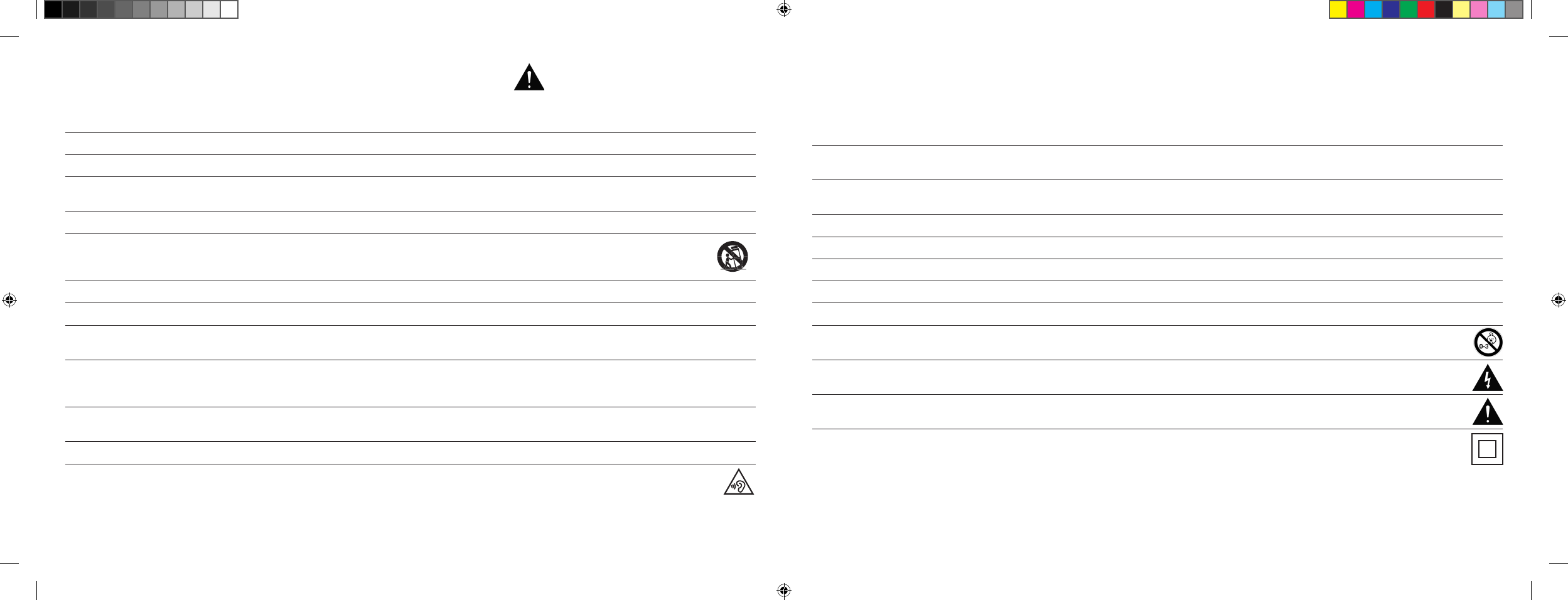
[ NL ] 911 Soundbar
158 | 159
NB
Ga niet hardhandig om met de bedieningselementen, aansluitingen en kabels.
Het apparaat mag alleen worden gebruikt met de op het apparaat of het typeplaatje aangegeven spanning en frequentie.
Steek geen voorwerpen of lichaamsdelen in de openingen van het apparaat. Anders kunnen stroomvoerende delen in de behuizing worden
aangeraakt en/of beschadigd. Dit kan kortsluiting, elektrische schokken en brand veroorzaken.
Gebruik alleen bevestigingsmiddelen en accessoires die door de fabrikant zijn goedgekeurd en/of met het apparaat zijn meegeleverd.
Gebruik alleen rolwagens, standaards, statieven, houders of tafels die voldoen aan alle in de veiligheidsinstructies genoemde
eisen. Beweeg bij gebruik van een wagentje de combinatie wagentje/apparaat heel voorzichtig om schade en letsel door kantelen
te voorkomen.
Reinig dit apparaat alleen met een schone, droge doek.
Gebruik geen agressieve, alcoholhoudende of schurende reinigingsmiddelen.
Open het apparaat niet om elektrische schokken te voorkomen! Het apparaat bevat geen onderdelen die door de gebruiker moeten worden
onderhouden.
Neem voor alle reparaties en onderhoud contact op met uw Porsche Centrum. Dit is nodig als het apparaat op enige wijze beschadigd is, bijv. bij
beschadiging van netsnoeren of stekkers, wanneer er vloeistoffen of voorwerpen in het apparaat terecht zijn gekomen of als het werd blootgesteld
aan regen of vocht, niet goed werkt of is gevallen.
Breng geen wijzigingen aan het apparaat of de accessoires aan. Ongeoorloofde wijzigingen kunnen de veiligheid, de naleving van wetten of de
werking van het systeem in gevaar brengen. In dat geval kan de goedkeuring voor gebruik/garantie vervallen.
Verlaag het volume onmiddellijk bij geluidsvervormingen tijdens het afspelen, zoals onnatuurlijk kloppen, bonzen of hoogfrequente klikken.
Luister om mogelijke gehoorschade te voorkomen niet gedurende langere tijd met een hoog volume. Bij kloppende of fluitende geluiden in de
oren of als u de indruk hebt dat u hoge tonen [
ook al is het maar kort
] niet meer kunt horen, moet u het afspelen onderbreken.
Houd nieuwe en gebruikte batterijen uit de buurt van kinderen. Als het batterijvak niet meer goed sluit, mag u het apparaat niet meer gebruiken en
moet u het uit de buurt van kinderen houden.
De meegeleverde afstandsbediening bevat een knoopcelbatterij. Inslikken van de knoopcel kan in slechts 2 uur tijd ernstige inwendige brandwonden
en zelfs de dood veroorzaken!
Raadpleeg onmiddellijk een arts wanneer het vermoeden bestaat dat een knoopcel werd ingeslikt of in andere lichaamsopeningen terecht is
gekomen.
Let op het milieu bij het afvoeren van batterijen. Batterijen moeten bij een inzamelpunt voor batterijen worden afgegeven.
Stel batterijen niet bloot aan hoge temperaturen, bijv. direct zonlicht, vuur en dergelijke.
Zorg bij het plaatsen van de batterijen altijd dat de polen in de juiste richting wijzen om beschadiging te vermijden.
Gebruik alleen voor het apparaat voorgeschreven batterijen of accu’s.
De meegeleverde batterijen zijn geen accu’s, m. a. w. u mag ze niet opladen.
Het apparaat en/of de verpakking kunnen kleine onderdelen bevatten die ingeslikt kunnen worden.
Het is dan ook niet geschikt voor kinderen jonger dan drie jaar.
Dit symbool duidt op de aanwezigheid van niet-geïsoleerde gevaarlijke spanningen in de behuizing, die krachtig genoeg zijn
[
voldoende amplitude hebben
] om brand of elektrische schokken te veroorzaken.
Dit symbool duidt op belangrijke bedienings- en onderhoudsinstructies in de meegeleverde documenten [
handleiding
].
Dit symbool staat voor Veiligheidsklasse II-apparatuur, waarbij bescherming tegen elektrische schokken tijdens het beoogd gebruik
gegarandeerd wordt door een dubbele of versterkte isolatie zodat geen aardverbinding nodig is.
BELANGRIJKE VEILIGHEIDSINSTRUCTIE
DS_Betriebsanleitung_911_Soundbar_210x148mm_RZ_v10.indd 158-159 09.11.15 09:43
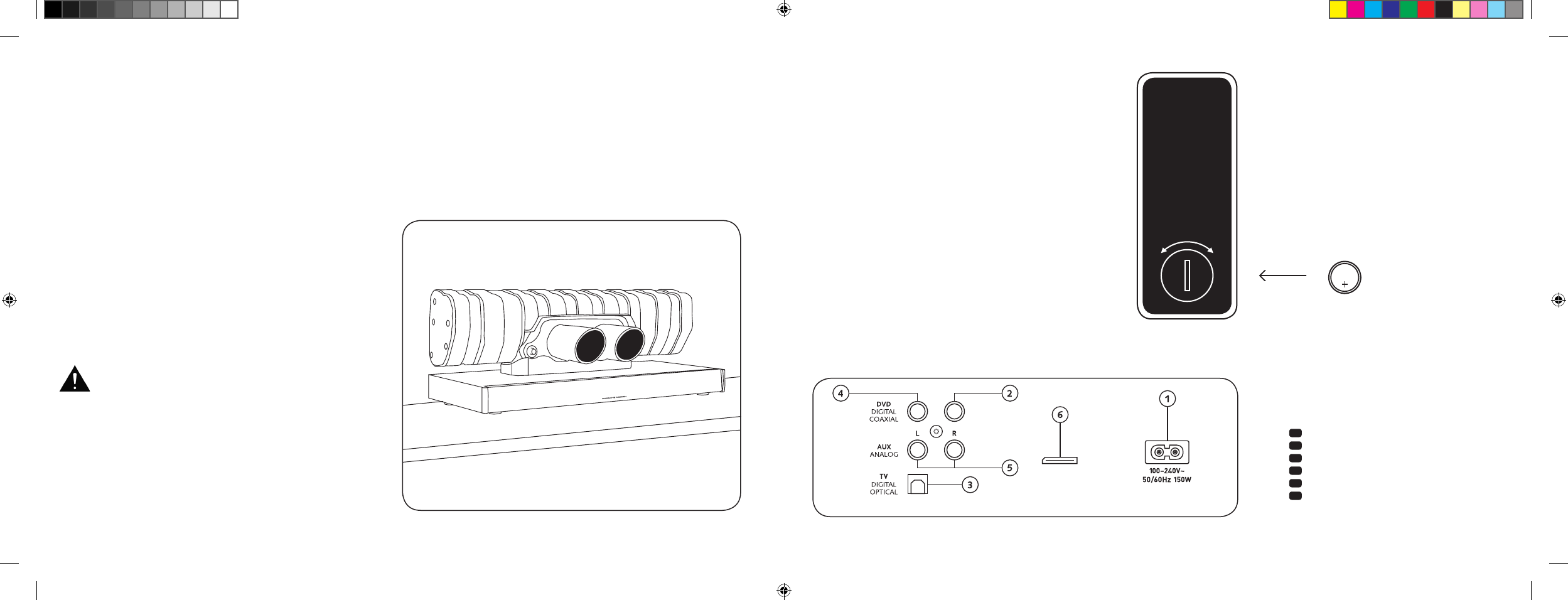
[ NL ] 911 Soundbar
160 | 161
AANSLUITINGEN
911 SOUNDBAR
1 Bus stroomvoorziening
2 Uitgang – Ext. Subwoofer
3 Ingang – TV [
optisch
]
4 Ingang – DVD [
coaxiaal
]
5 Ingang – AUX [
coaxiaal
]
6 Bus service
IN GEBRUIK NEMEN VAN
DE AFSTANDSBEDIENING
De meegeleverde batterij zit al in de afstandsbediening. Verwijder
gewoon de beschermfolie en u kunt de afstandsbediening gebruiken.
Let er bij het vervangen van een batterij op dat de polen [
+/-
]
in de juiste richting wijzen. Gebruik alleen de voor dit systeem
voorgeschreven batterij [
CR 2032
].
NB: De meegeleverde batterij is een monster en kan daarom een
kortere levensduur hebben.
AANSLUITKLEM
911 Soundbar
SUB OUT
Service
Afstandsbediening
[ achterka nt
]
INSTALLEREN
Plaats de 911 Soundbar op een vlakke ondergrond.
UITPAKKEN
Pak de doos voorzichtig uit en ga na of alle hieronder
opgesomde onderdelen aanwezig zijn:
1 x 911 Soundbar
1 x afstandsbediening incl. batterij
4 x netsnoer [
telkens 1 x EU, UK, US, AUS
]
1 x optische digitale audiokabel
1 x stereo cinch-kabel
1 x digitale cinch-kabel
INSPELEN
Inspeelfase totdat de optimale klankeigenschappen
zijn bereikt: 15–20 bedrijfsuren.
– Luister in deze fase met normaal volume
– Vermijd extreem hoge niveaus
– Luister naar een brede variatie aan audiomateriaal
CR 2032
OPEN DICHT
Elke 911 Soundbar is een unicum. De uitlaat van
de Porsche 911 GT3 die in de 911 Soundbar is
gemonteerd, wordt in de reguliere serieproductie
gemaakt. Om de authenticiteit te benadrukken,
zijn lasnaden en kleurafwijkingen door het lassen
bewust zichtbaar.
Om die reden kunnen wij
dan ook geen klachten
accepteren omdat het oppervlak van de uitlaat
[
lasnaden, aanzetten, verkleuringen, lasspatten etc.
]
u
niet bevalt. Bedankt voor uw begrip.
DS_Betriebsanleitung_911_Soundbar_210x148mm_RZ_v10.indd 160-161 09.11.15 09:43
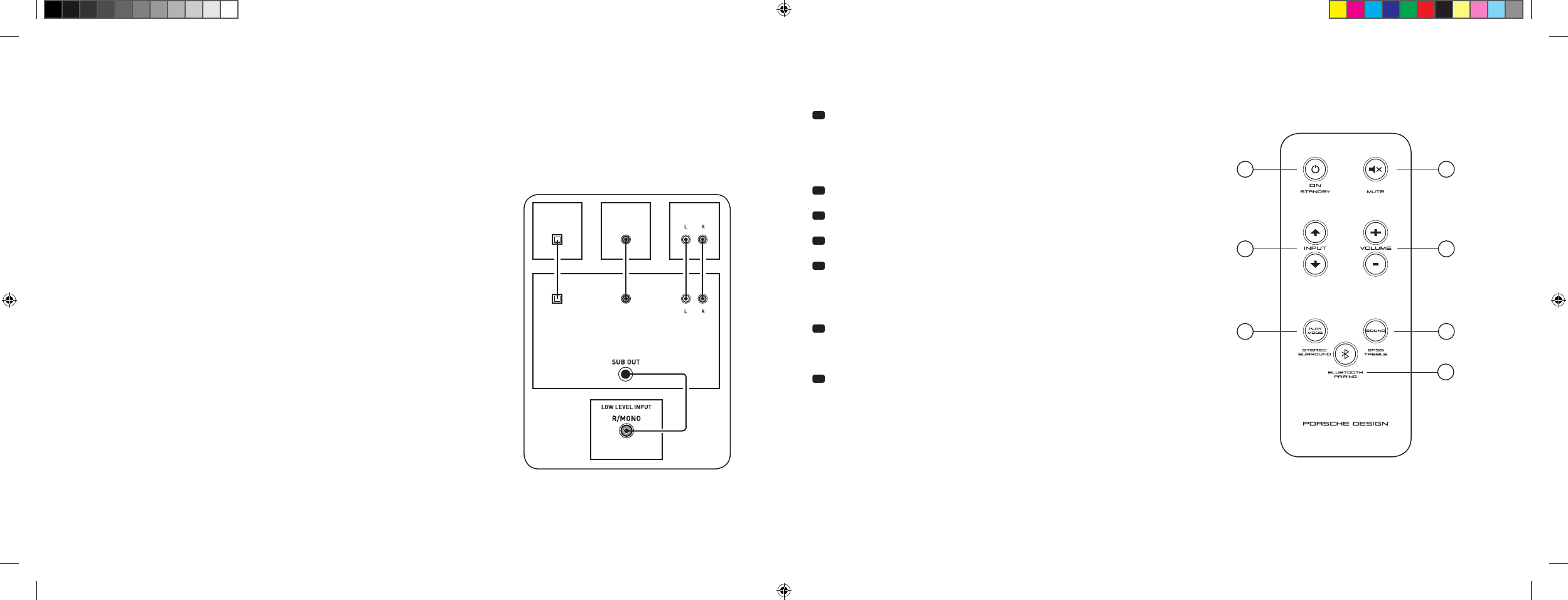
[ NL ] 911 Soundbar
162 | 163
AANSLUITEN
Schakel alvorens het apparaat aan te sluiten eerst alle elektrische componenten uit. Uw 911 Soundbar heeft 3 vrij te kiezen ingangen. In principe
volstaat het om een van deze ingangen aan te sluiten op uw televisie, waar u dan alle andere apparaten op aan kunt sluiten. Voor de best mogelijke
geluidskwaliteit is het raadzaam een satellietontvanger, Blu-Ray- of dvd-speler rechtstreeks op de 911 Soundbar aan te sluiten. Afhankelijk van het
type en de uitrusting van de gebruikte bron kunt u uit de volgende opties kiezen:
BEDIENEN
Afstandsbediening
1 Power
ON – led brandt groen [
Aan
]
Stand-by – led brandt rood [
Klaar
]
Soundbar niet aangesloten
op stroomnet – led brandt niet [
Uit
]
2 Mute [
Geluid uitgeschakeld
]
3 Input [
Geluidsbronselectie
]
4 Volume [
Volumeregeling
]
5 Play Mode [
Afspeelmodus
]
Stereo – voor het afspelen van muziek
Surround – virtuele kamervullende geluidsweergave
voor thuisbioscoopsystemen
6 Sound [
Geluidsinstellingen
]
Bass – aanpassen via volume [
+6... -6 dB
]
Treble – aanpassen via volume [
+6... -6 dB
]
7 Bluetooth®-Pairing
Koppelen met een voor draadloze Bluetooth®-technologie geschikte bron
Memoryfunctie
Nadat de 911 Soundbar een tijdje niet op het stroomnet is aangesloten,
worden automatisch de laatst gekozen instellingen gebruikt. Alle instellingen
[
bijv. aan/uit, volume
] blijven behouden.
SUB
DIGITAL MOVIE
DVD
DVDTV
TV
AUX
AUX
TV – Digitale ingang [ OPTISCH
]
Moderne tv-toestellen zijn voorzien van een optische audio-uitgang [
Toslink
]. Sluit deze
aan op de ingang ‘TV’ op de 911 Soundbar. Deze aansluiting garandeert een optimale
signaaloverdracht en de beste geluidskwaliteit.
Let op: Verwijder de beschermdoppen van de meegeleverde optische kabel!
DVD – Digitale ingang [
COAXIAAL
]
Voor de overdracht van het dvd-audiosignaal sluit u de digitale coaxiale uitgang van de
Blu-Ray- of dvd-speler aan op de bus ‘DVD’ op de 911 Soundbar. Voor overdracht van het
beeldsignaal moet u uw dvd-speler ook aansluiten op de tv. Als uw tv-toestel geen optische
uitgang heeft, kunt u ook de ingang ‘DVD’ op de 911 Soundbar gebruiken.
AUX – Analoge ingang
Als uw tv-toestel alleen over een audio-uitgang ‘Pre-Out’ beschikt, kunt u uw tv aansluiten
door de afgeschermde stereo cinch-kabel in de analoge uitgang ‘AUX’ van de 911 Soundbar
te steken. Deze ingang dient verder voor het aansluiten van videorecorders en spelconsoles.
SUB – Analoge uitgang
Deze uitgang is bedoeld voor het aansluiten van een externe actieve subwoofer. SUB OUT
is standaard niet geactiveerd en moet via de afstandsbediening worden ingeschakeld. Zie
pagina 166 – Geavanceerde sound-functies.
4
ON
STANDBY
1
3
5 6
7
2
DS_Betriebsanleitung_911_Soundbar_210x148mm_RZ_v10.indd 162-163 09.11.15 09:43
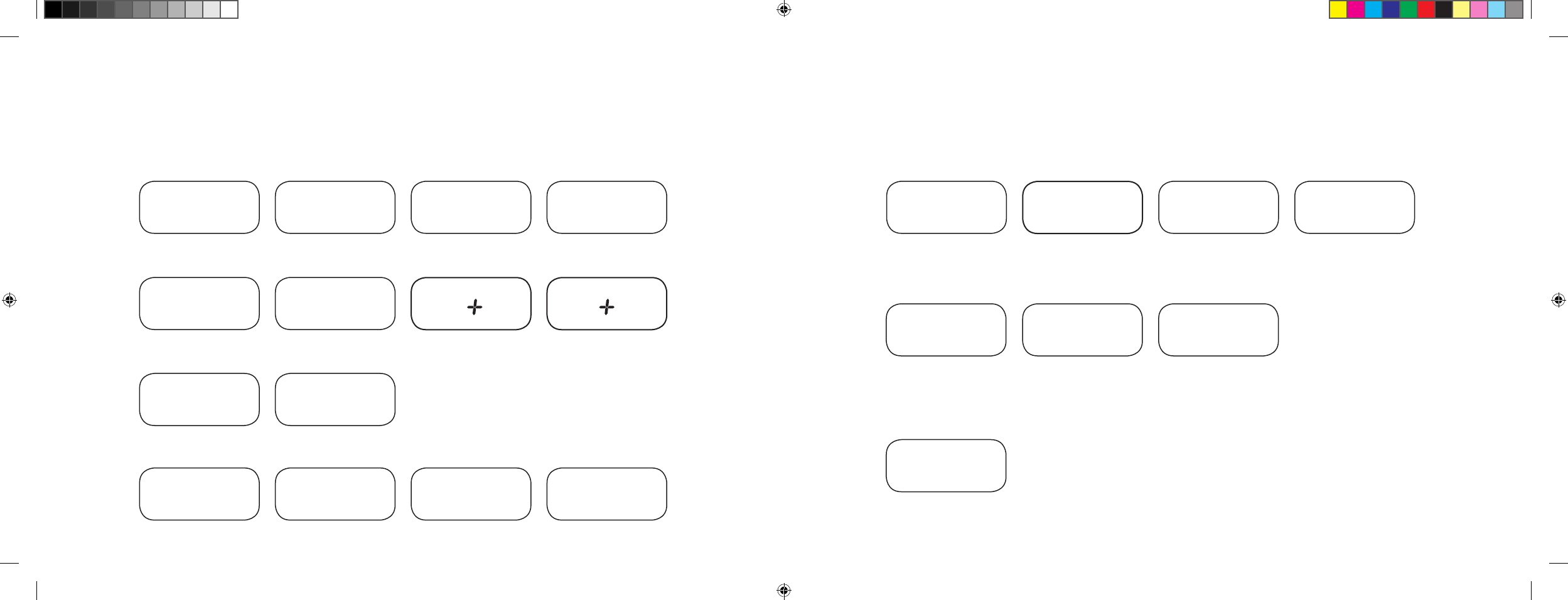
[ NL ] 911 Soundbar
164 | 165
DISPLAYSYMBOLEN
De 911 Soundbar is voorzien van een multifunctionele display, die ca. vijf seconden wordt verlicht wanneer er een opdracht wordt gegeven met de
afstandsbediening. Hieronder vindt u een overzicht van de belangrijkste symbolen en hun betekenis. Een rode led betekent dat de 911 Soundbar in
stand-by-modus staat. Een groene led betekent dat de 911 Soundbar is ingeschakeld.
Input
Soundmode
Playmode
TV-ingang [
optisch
]
TV
Volume [
0 – 99
]
V30
Stereo
ST
Pairing Mode
BTP
DVD-ingang [
coaxiaal
]
DVD
Geluid uitgeschakeld
[
Mute
]
---
Surround
SUR
Verbinding gemaakt
CON
AUX-ingang [
analoog
]
AUX
Bassregeling [
+/– 6
]
B 6
Verbinding verbroken
DIS
Bluetooth®
BT
Hoge-tonenregeling [
+/– 6
]
T 6
Foutmelding
FAI
Bluetooth®
Instelfuncties
In-/uitschakelen automatische
schakelaar voor optische en
coaxiale ingang
AUT
In-/uitschakelen
automatische selectie
BT-ingang
SEL
In-/uitschakelen
ECO stand-by
ECO
IR-inleerfunctie
Infraroodcode inleren
IRL
Geavanceerde sound-functies
Vertraagde audio
[ LipSync
]
LIP
In-/uitschakelen
SUB OUT
SUB
In-/uitschakelen
Dolby Dynamic Range
Compression
DRC
Selectie
installatiemethode
EQ
DS_Betriebsanleitung_911_Soundbar_210x148mm_RZ_v10.indd 164-165 09.11.15 09:43
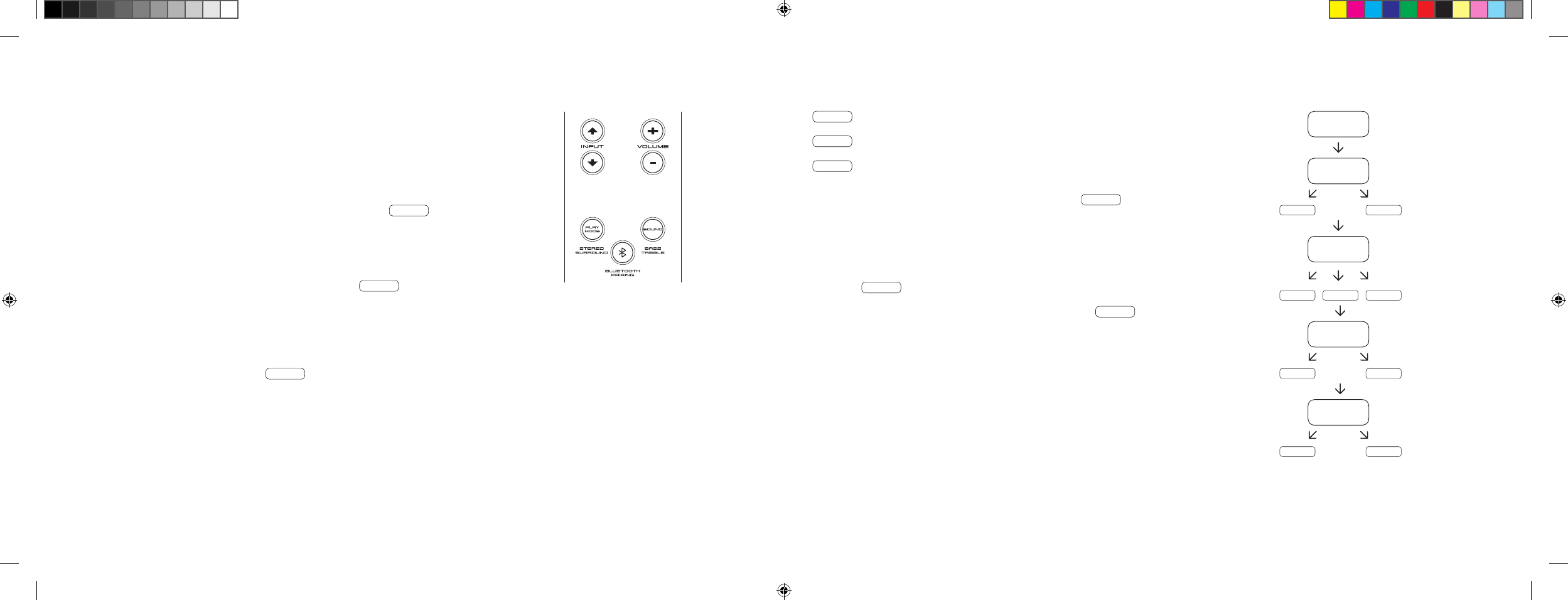
[ NL ] 911 Soundbar
166 | 167
GEAVANCEERDE SOUND-FUNCTIES
Via het menu voor geavanceerde sound-functies kunt u de geluidsvertraging corrigeren,
de uitgang voor een bekabelde externe subwoofer activeren, de geluidsweergave aanpassen
aan de geselecteerde locatie en de Dolby-functie ‘Dynamic Range Compression’ in- of
uitschakelen.
Wanneer u de knop ‘Sound’ op de afstandsbediening minstens 3 seconden ingedrukt houdt,
wordt het menu ‘Geavanceerde sound-functies’ geopend en verschijnt LIP op de
display van de 911 Soundbar.
U kunt nu met de knop ‘Volume +/-’ het afgespeelde geluid in stappen van 10 ms vertragen
om de audio aan te passen aan het ‘vertraagde’ beeld.
Wanneer u vervolgens kort op de knop ‘Sound’ drukt, verschijnt SUB op de display.
Nu kunt u met de knop ‘Volume +/-’ de uitgang voor een externe subwoofer in- of
uitschakelen. Let op: wanneer SUB OUT is ingeschakeld, is de geluidsweergave van de
soundbar beperkt tot 80 Hz. Frequenties onder 80 Hz worden naar de externe subwoofer
gevoerd.
Druk nogmaals kort op de knop ‘Sound’ en EQ verschijnt op de display.
Met de knop ‘Volume +/-’ kunt u een van drie vooraf ingestelde equalizer-presets kiezen en
het afspelen aanpassen aan de locatie.
EQ1 voor een 911 Soundbar die helemaal alleen staat, bijv. op een dressoir.
EQ2 voor een configuratie met een flatscreen-tv, aan de wand bevestigd.
EQ3 voor een 911 Soundbar in een rack of op een schap.
Wanneer u nogmaals op de knop ‘Sound’ drukt, verschijnt DRC op de display.
‘Dynamic Range Compression’ is een instelling van Dolby Laboratories. Wanneer de functie is
ingeschakeld, kan het dynamisch bereik bij met Dolby-gecodeerde datastromen automatisch
worden verkleind, wat volumeverschillen reduceert. Zachte geluiden worden versterkt en harde
geluiden afgezwakt.
De functie DRC kan met de knop ‘Volume +/-’ worden in- resp. uitgeschakeld.
Wanneer u nu nogmaals op de knop ‘Sound’ drukt, verschijnt VOL op de display.
Met deze ‘Volume’-[
beveiligings
] functie kunt u het maximaal instelbare volume beperken,
zodat het volume [
weergave op de display
] deze grenswaarde niet meer kan overschrijden.
Nu kunt u met de knop ‘Volume +/–’ het gewenste volume instellen [
0–99, waarbij 99 het
maximum is
].
LIP
SUB
ON OFF
EQ
EQ1 EQ2 EQ3
DRC
ON OFF
VOL
099
…
DS_Betriebsanleitung_911_Soundbar_210x148mm_RZ_v10.indd 166-167 09.11.15 09:43
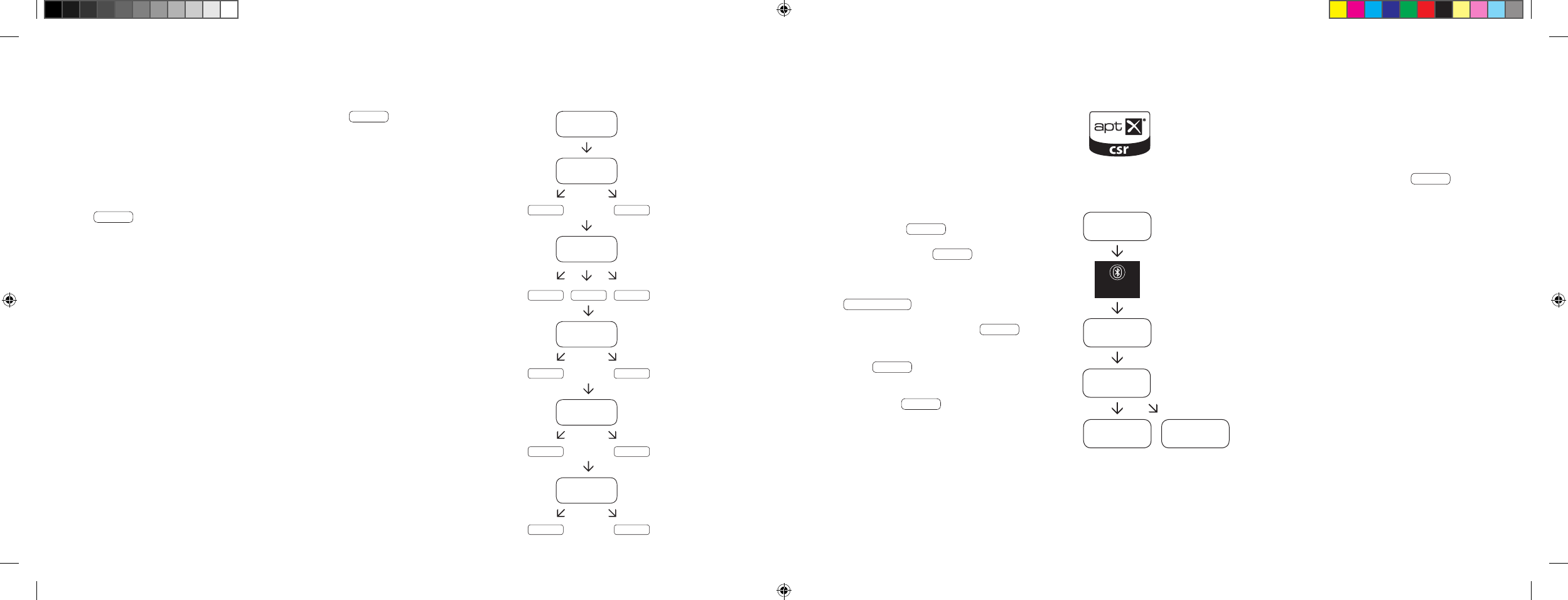
[ NL ] 911 Soundbar
168 | 169
AFSPELEN VIA BLUETOOTH®-TECHNOLOGIE
Vereisten voor aanmelden
– De Bluetooth®-functie moet ingeschakeld zijn
op het mobiele eindapparaat.
– Het mobiele eindapparaat moet de Bluetooth®-
standaard 2.0 of hoger ondersteunen.
– Het mobiele eindapparaat moet zich binnen het
bereik van de 911 Soundbar bevinden [
max. 10 m
].
Aanmelden
– Selecteer ‘Ingang’ BT .
– Druk op ‘Bluetooth®-Pairing’.
– Op de display verschijnt BTP .
– U hebt 30 seconden om uw mobiele
eindapparaat aan te melden.
– Start de zoekfunctie op uw mobiele eindapparaat.
– Kies 911 SOUNDBAR als afspeelapparaat.
– Nadat uw keuze is bevestigd, wordt er automatisch
verbinding gemaakt en het bericht CON
verschijnt op de display.
– Als de verbinding is mislukt, verschijnt
het bericht FAI .
– Indien het mobiele eindapparaat om een
toegangscode vraagt, voert u 0000 in.
– Als op de display DIS verschijnt, is uw
mobiele eindapparaat buiten bereik of afgemeld.
Bediening van een mobiel eindapparaat
– Er wordt automatisch verbinding gemaakt met de
911 Soundbar door het laatst aangesloten apparaat,
mits de Bluetooth®-functie is ingeschakeld en de
ingang voor Bluetooth®-afspelen is geselecteerd.
In dit geval verschijnt het bericht CON .
– Begin met het afspelen van een medium vanaf uw
mobiele apparaat. De audio wordt dan automatisch
op de 911 Soundbar afgespeeld.
NB: De 911 Soundbar kan tot 3 Bluetooth®-apparaten
beheren. Zie ook ‘Automatische selectie van de BT-
ingang’ op pagina 172.
BT
BTP
CON FAI
BLUETOOTH
PAIRING
911
SOUNDBAR
Wanneer u opnieuw kort op de knop ‘Sound’ drukt, verschijnt VOI op de display.
Met de ‘Voice’-functie kunt u de spraakverstaanbaarheid zowel in stereo als in surround
verbeteren. Daardoor kunt u bijv. dialogen [
spraak
] bij films met luide effecten beter verstaan.
Met de knop ‘Volume +/–’ kunt u de ‘Voice’-functie in- en uitschakelen [
ON resp. OFF
].
Door nogmaals op de knop ‘Sound’ te drukken, keert u weer terug naar het begin van het
menu LIP .
Menu sluiten
Houd de knop ‘Sound’ nogmaals minstens 3 seconden ingedrukt om het menu
‘Geavanceerde sound-functies’ weer te verlaten.
Als de 911 Soundbar meer dan 30 seconden geen opdracht krijgt van de afstandsbediening,
schakelt de menunavigatie automatisch weer naar de normale modus over.
LIP
SUB
ON OFF
EQ
EQ1 EQ2 EQ3
DRC
ON OFF
VOL
099
VOI
ON OFF
…
DS_Betriebsanleitung_911_Soundbar_210x148mm_RZ_v10.indd 168-169 09.11.15 09:43
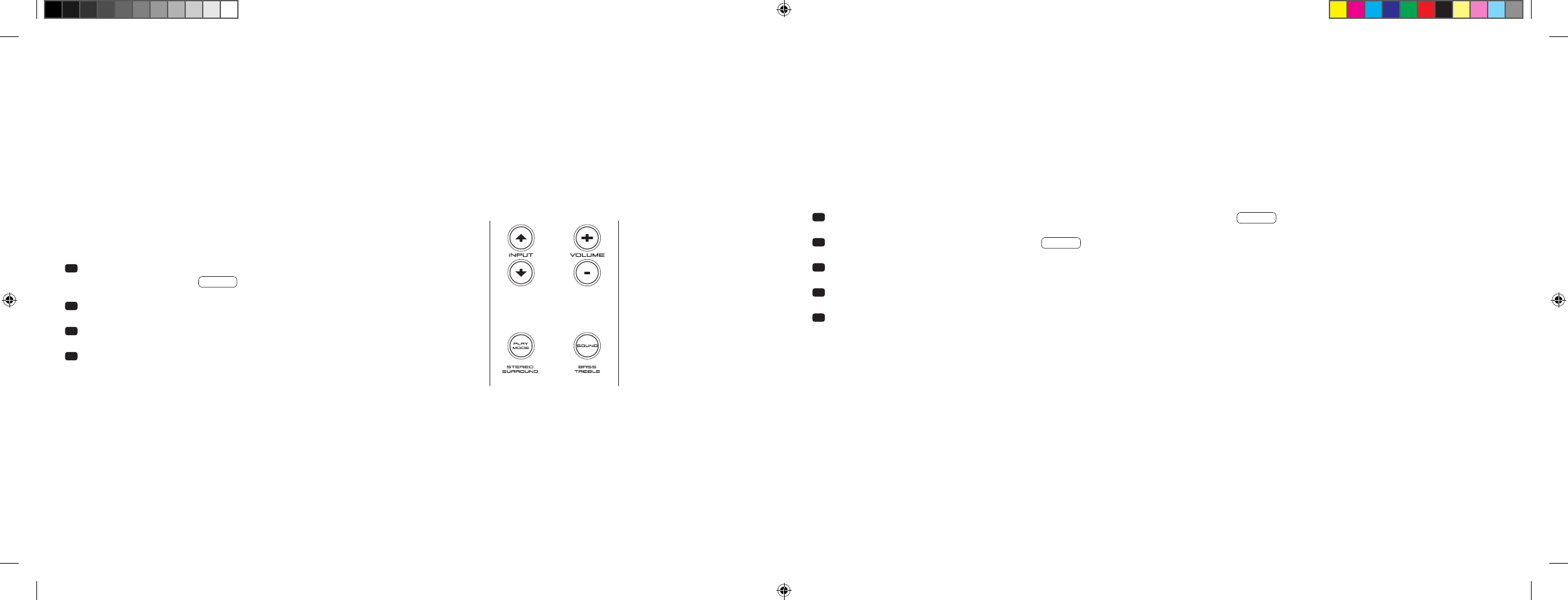
[ NL ] 911 Soundbar
170 | 171
Wanneer deze functie is ingeschakeld [
ON
], zal het apparaat een signaal aan de optische of de coaxiale ingang herkennen. Bij detectie van een
signaal [
bijv. wanneer het bronapparaat wordt ingeschakeld
], wordt de 911 Soundbar automatisch ingeschakeld. Als er geen signaal is aan de
geselecteerde ingang [
bijv. nadat het bronapparaat werd uitgeschakeld
], wordt de 911 Soundbar na 30 seconden automatisch in de AUT stand-
by-stand gezet. Wanneer deze functie is uitgeschakeld [
OFF
], moet u de 911 Soundbar handmatig in- of uitschakelen.
Deze functie is af fabriek uitgeschakeld [
OFF
] en kan als volgt worden in-/uitgeschakeld:
1 Schakel het apparaat in en houd de knop ‘Play Mode’ minstens
3 seconden ingedrukt tot AUT verschijnt op de display.
2 Druk op de knop ‘Volume +’ om de functie in te schakelen [
ON
].
3 Druk op de knop ‘Volume -’ om de functie uit te schakelen [
OFF
].
4 Om het menu te sluiten, houd u de knop ‘Play Mode’ nogmaals minstens
3 seconden ingedrukt. Als er gedurende 10 seconden geen invoer wordt
ontvangen, zal het apparaat het configuratiemenu automatisch sluiten.
Opmerking: De automatische aan-/uitfunctie werkt alleen met de optische en coaxiale digitale ingang. Wanneer het apparaat met de knop
‘ON/Stand-by’ in stand-by wordt gezet, is automatisch inschakelen niet mogelijk.
Het apparaat zal uitsluitend een signaal aan de geselecteerde digitale ingang herkennen. Een signaal aan een andere digitale ingang kan niet
worden herkend.
INSTELFUNCTIES
AUTOMATISCH IN-/UITSCHAKELEN [
AUT
]
1 Schakel het apparaat in en houd de knop ‘Play Mode’ minstens 3 seconden ingedrukt tot AUT verschijnt op de display.
2 Druk opnieuw kort op de knop ‘Play Mode’ tot ECO verschijnt op de display.
3 Druk op de knop ‘Volume +’ om de functie in te schakelen [
ON
].
4 Druk op de knop ‘Volume -’ om de functie uit te schakelen [
OFF
].
5 Om het menu te sluiten, houd u de knop ‘Play Mode’ nogmaals minstens 3 seconden ingedrukt. Als er gedurende 10 seconden geen invoer wordt
ontvangen, zal het apparaat het configuratiemenu automatisch sluiten.
ECO-STAND-BY [
ECO
]
Als deze functie is ingeschakeld [
ON
], wordt het apparaat automatisch in ECO stand-by-modus gezet wanneer het gedurende een uur geen signaal
detecteert aan de geselecteerde ingang. Wanneer deze functie is uitgeschakeld [
OFF
], moet u de 911 Soundbar handmatig uitschakelen.
Deze functie is af fabriek ingeschakeld [
ON
] en kan als volgt worden in-/uitgeschakeld:
Opmerking: Deze functie wordt automatisch uitgeschakeld wanneer de AUT-functie wordt ingeschakeld.
DS_Betriebsanleitung_911_Soundbar_210x148mm_RZ_v10.indd 170-171 09.11.15 09:43
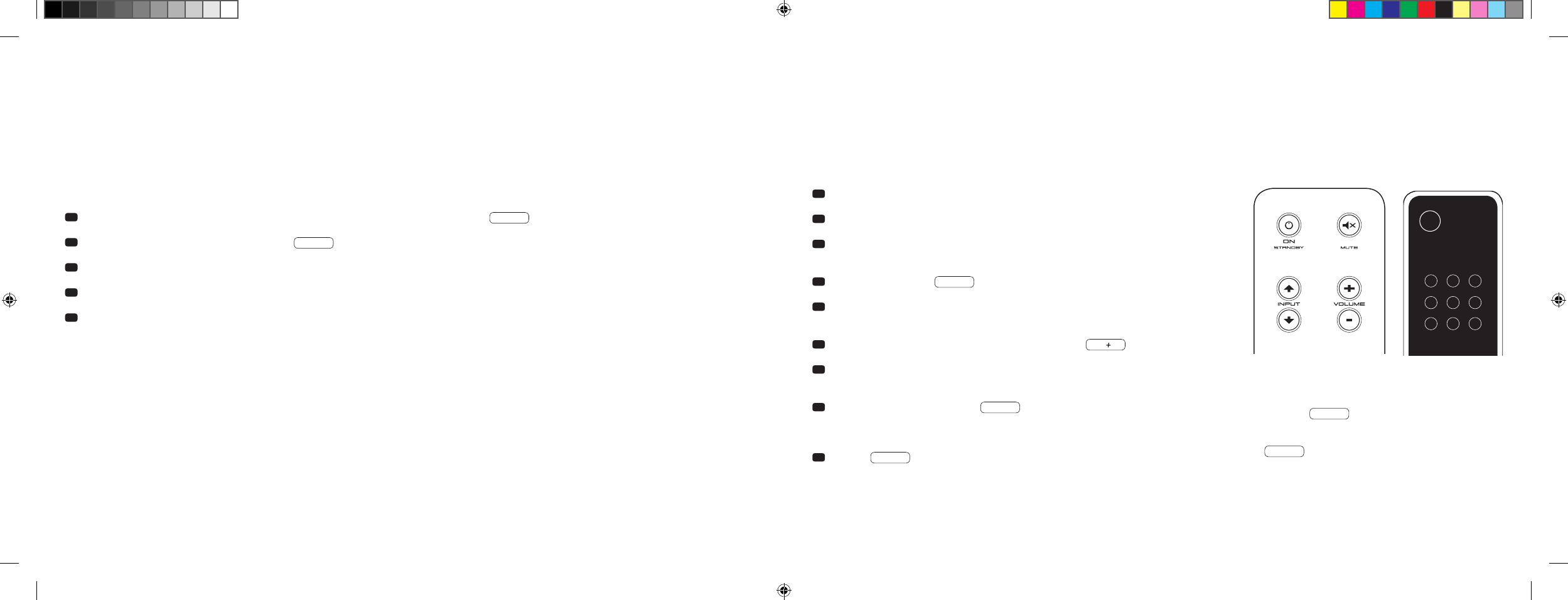
[ NL ] 911 Soundbar
172 | 173
AUTOMATISCHE SELECTIE VAN DE BT-INGANG [
SEL
]
Wanneer deze functie is ingeschakeld [
AUT
], selecteert de 911 Soundbar de BT-ingang zodra er een audiosignaal wordt opgevangen van het mobiele
apparaat. Wanneer deze functie is uitgeschakeld [
MAN
], moet u de ingang handmatig selecteren.
Deze functie is af fabriek uitgeschakeld [
MAN
] en kan als volgt worden in-/uitgeschakeld:
Opmerking: Afhankelijk van het mobiele apparaat dat wordt gebruikt, kan de 911 Soundbar wanneer de automatische functie is ingeschakeld bij het
typen van een bericht of bij andere systeemgeluiden overschakelen op de BT-ingang.
Wanneer de SEL-functie is ingeschakeld [
AUT
], is het niet meer mogelijk om de BT-ingang met de knop ‘Input’ te selecteren. In deze modus kan de
911 Soundbar, ongeacht de geselecteerde signaalingang, aan het mobiele apparaat worden gekoppeld.
1 Schakel het apparaat in en houd de knop ‘Play Mode’ minstens 3 seconden ingedrukt tot AUT verschijnt op de display.
2 Druk opnieuw kort op de knop ‘Play Mode’ tot SEL verschijnt op de display.
3 Druk op de knop ‘Volume +’ om de functie in te schakelen [
AUT
].
4 Druk op de knop ‘Volume -’ om de functie uit te schakelen [
MAN
].
5 Om het menu te sluiten, houdt u de knop ‘Play Mode’ nogmaals minstens 3 seconden ingedrukt. Als er gedurende
10 seconden geen invoer wordt ontvangen, zal het apparaat het configuratiemenu automatisch sluiten.
IR-INLEERFUNCTIE
De 911 Soundbar kan de infraroodcode van de afstandsbediening van uw tv inleren zodat u de functies van uw 911 Soundbar en van uw tv-toestel
met een enkele afstandsbediening kunt bedienen. U kunt elke willekeurige toets op de afstandsbediening van uw tv aan de opdrachten van de
911 Soundbar toewijzen. Let er bij het kiezen van toetsen wel op dat de opdrachten voor de 911 Soundbar en die voor de tv niet met elkaar in strijd
zijn. Zo kunt u de interne luidspreker van het tv-toestel na aansluiting van de 911 Soundbar het best uitschakelen.
1 Zorg dat u de afstandsbediening van uw tv bij de hand hebt.
2 Schakel de 911 Soundbar in.
3 Druk op de Porsche afstandsbediening ong. 5 seconden op de knop
‘ON/Stand-by’.
4 Op de display knippert IRL .
5 Druk nu op de gewenste functie op de Porsche afstandsbediening,
bijv. ‘Volume +’.
6 De geselecteerde functie knippert nu op de display, bijv. V.
7 Druk binnen 20 seconden op de toe te wijzen knop op de
afstandsbediening van de tv.
8 Als de toewijzing is geslaagd, gaat OK branden op de display en
kunt u doorgaan met het programmeren van de volgende knopfunctie,
bijv. ‘Volume’.
9 Wanneer FAI verschijnt op de display, dan is de toewijzing mislukt
en moet u stap 5 t/m 8 herhalen.
TV-afstandsbediening
ON
STANDBY
NB: De rode knop ‘ON/Stand-by’ van de Porsche afstandsbedie-
ning heeft twee functies. Wanneer u deze knop een keer drukt,
op de display verschijnt ON , kan de inschakelfunctie worden
ingeleerd. Wanneer u kort twee keer na elkaar op de rode knop
‘ON/Stand-by’ van de Porsche afstandsbediening drukt, verschijnt
op de display STB en kan de stand-by- resp. uitschakelfunctie
worden ingeleerd. Als de afstandsbediening van uw tv slechts een
aan-/uitknop heeft, moeten beide functies ‘ON’ en ‘Stand-by’ toch
met deze opdracht worden ingeleerd.
DS_Betriebsanleitung_911_Soundbar_210x148mm_RZ_v10.indd 172-173 09.11.15 09:43

[ NL ] 911 Soundbar
174 | 175
Menu sluiten
Wanneer u de knop ‘Stand-by’ nogmaals minstens 5 seconden ingedrukt houdt, kunt u het menu ‘IR-inleerfunctie’ weer verlaten. Als de 911 Soundbar
meer dan 60 seconden geen opdracht krijgt van de afstandsbediening, schakelt de menunavigatie automatisch weer naar de normale modus over.
De signaalingangen direct selecteren
Naast met de knoppen ‘Input
’ en ‘Input
’ kunt u de signaalingangen TV, DVD, AUX en Bluetooth® ook direct selecteren met de afstandsbediening
van uw tv- of universele afstandsbediening, d. w. z. u kunt de gewenste ingang toewijzen aan een knop op uw afstandsbediening.
1 Houd in het IR-inleermenu IRL een van de twee knoppen „Input“ op de Porsche afstandsbediening 3 seconden ingedrukt om het menu voor
directe selectie te openen. Op de display knippert DVD .
2 U kunt op de afstandsbediening van uw tv slechts een knop toewijzen aan de ingang ‘DVD’.
NB: Als u tijdens normaal bedrijf op deze knop op de afstandsbediening van de tv drukt, schakelt de 911 Soundbar direct over op de DVD-ingang.
3 Druk op de gewenste knop op de afstandsbediening van uw tv. Indien de infrarood [
IR
]-code met succes van de 911 Soundbar is ingeleerd,
verschijnt eerst kort OK en dan de volgende ingang TV op de display.
4 Als de code niet kon worden ingeleerd, of als u binnen 10 seconden niet op een knop op uw afstandsbediening drukt, verschijnt kort FAI op de
display om aan te geven dat er geen code werd ingeleerd. DVD blijft dan knipperen op de display en kunt u opnieuw of nogmaals de code voor de
ingang ‘DVD’ inleren.
5 Als u geen knop wilt toewijzen aan de ingang ‘DVD’, drukt u kort op de knop ‘Input
’ om handmatig naar de ingang [
TV
] te gaan.
6 Om op de afstandsbediening van uw TV een knop toe te wijzen aan de ingangen TV, AUX en/of Bluetooth®, herhaalt u stap 2 t/m 5.
7
Om het menu voor directe selectie weer te sluiten, houdt u een van de twee input-knoppen opnieuw 3 seconden ingedrukt, waarna het hogere IR-
inleermenu
IRL verschijnt. Als u in het menu voor directe selectie de knop ‘ON/Stand-by’ 3 seconden ingedrukt houdt, schakelt het systeem
over van IR-inleermenu naar normaal bedrijf. Op de display verschijnt kort FIN om aan te geven dat de IR-inleermodus werd beëindigd.
NB: Vanwege de grote verscheidenheid aan infraroodcodes kan niet worden gegarandeerd dat elke afstandsbediening vanaf de 911 Soundbar kan
worden ingeleerd.
IR-WISFUNCTIE
Ga als volgt te werk als u de op de 911 Soundbar ingestelde draadloze verzendopdrachten van de afstandsbediening van uw tv wilt wissen:
1 Schakel de 911 Soundbar in.
2 Druk op de afstandsbediening van de 911 Soundbar ong. 5 seconden op de knop ‘ON/Stand-by’.
3 Op de display knippert IRL .
4 Druk op de afstandsbediening van de 911 Soundbar ong. 5 seconden op de knop ‘Mute’.
5 Op de display verschijnt ongeveer 5 seconden CLR . De 911 Soundbar schakelt daarna automatisch over naar normaal bedrijf.
DS_Betriebsanleitung_911_Soundbar_210x148mm_RZ_v10.indd 174-175 09.11.15 09:43

[ NL ] 911 Soundbar
176 | 177
PROBLEEMOPLOSSING
Hierna vindt u een overzicht van veel voorkomende problemen. Voor verdere vragen kunt u contact opnemen met uw Porsche Design Store of uw
Porsche Centrum of onze service-hotline op het nummer +49 [
0
]711 911 0 of stuur een e-mail naar contact@porsche-design.com
Probleem Mogelijke oorzaken Oplossing
De 911 Soundbar
kan niet worden
ingeschakeld.
Het netsnoer is niet verbonden met het stopcontact
en/of de 911 Soundbar.
Sluit het netsnoer aan.
De 911 Soundbar
reageert niet op de
afstandsbediening.
1. De batterij is leeg. 1. Vervang de batterij en zorg dat de polen in de juiste richting
wijzen.
2. De beschermfolie is niet verwijderd. 2. Verwijder de beschermfolie van de afstandsbediening.
Het geluid is te zacht. Het volume van de 911 Soundbar of het bronapparaat
is te laag ingesteld.
Verhoog het volume met de knop ‘Volume’.
Verhoog het volume van het bronapparaat.
Er is geen geluid. 1. Het geselecteerde audioformaat van het bronap-
paraat is niet juist geselecteerd [
digitale ingang ‘TV’
en ‘DVD’ ].
1.
Controleer of uw bronapparaat juist is ingesteld. Outputformaten
in ‘DTS’-codering afspelen is niet mogelijk.
2. Ander apparaat geeft geen signaal. 2. De digitale uitgang op het bronapparaat is niet geactiveerd, het
volume staat mogelijk op ‘nul’ [
raadpleeg de handleiding van het
apparaat ].
3. De kabel is niet goed aangesloten/defect. 3.1. Controleer de aansluiting van het andere apparaat met de
911 Soundbar en vervang indien nodig de kabel.
3.2. Controleer of de beschermdoppen van de stekker van de
optische kabel zijn verwijderd.
Probleem Mogelijke oorzaken Oplossing
911 Soundbar maakt
een zoemend geluid.
1. De signaalkabels van het bronapparaat naar de
911 Soundbar zijn te lang [
AUX
].
1. Gebruik kortere signaalkabels.
2. De gebruikte signaalkabel is niet afgeschermd
of de afscherming van de gebruikte kabel is
verbroken [
defect
].
2. Vervang de kabel door een afgeschermde kabel.
3. Er is een ‘aardlus’ [
zoemend geluid
].3.
Een aardlus kan ontstaan indien minstens twee met signaal-
kabels [
cinch
] verbonden apparaten met geaarde stekkers
[
bijv. versterker en computer
] op fysiek gescheiden stopcontac-
ten zijn aangesloten. Sluit alle op de 911 Soundbar aangesloten
apparaten aan op een stekkerdoos [
verdeeldoos
].
4. Er zit een niet-ontstoorde verbruiker [
bijv. koelkast
]
op het netwerk.
4. Schakel mogelijke storingsbronnen uit; laat het betrokken
apparaat ontstoren indien het zoemen ophoudt, of sluit de
storingsbron eerst aan op een andere netfase [
L1, L2 of L3
]
[
raadpleeg indien nodig een specialist
]; breng een speciale
‘mantelfilter’ [
verkrijgbaar in de vakhandel
] aan tussen het
bronapparaat en de 911 Soundbar om het zoemen te elimineren;
draai de netstekker om de zogenaamde rimpelspanning te redu-
ceren [
zeer belangrijk wanneer het bronapparaat niet is geaard
].
DS_Betriebsanleitung_911_Soundbar_210x148mm_RZ_v10.indd 176-177 09.11.15 09:43

[ NL ] 911 Soundbar
178 | 179
Probleem Mogelijke oorzaken Oplossing
Er wordt geen audio
afgespeeld via de
draadloze Bluetooth®-
technologie.
1. Er is geen verbinding tussen de 911 Soundbar en
het mobiele eindapparaat.
1. Maak verbinding met uw mobiele eindapparaat zoals beschreven.
2. Het mobiele eindapparaat is gekoppeld, maar er
wordt niets afgespeeld.
2.1. Maak opnieuw verbinding met het mobiele eindapparaat.
2.2. Zet het volume op het mobiele eindapparaat op de hoogste
waarde.
2.3. Verhoog het volume van de 911 Soundbar.
2.4. Controleer of er geen storingsbronnen zoals een WLAN-router
of laptop staan in de directe omgeving van de 911 Soundbar.
2.5. Gelijktijdig WLAN en Bluetooth® gebruiken op een mobiel
eindapparaat is in de meeste gevallen niet mogelijk zonder
storingen [
schakel WLAN uit op eindapparaat
].
3. U bent buiten het bereik [
max. 10 m
]. 3. Verklein de afstand tussen de
911
Soundbar en het
eindapparaat.
De BT-ingang kan niet
worden geselecteerd via
de ‘input’-knoppen.
De SEL-functie is ingeschakeld [
AUT
].
In dit geval wordt automatisch omgeschakeld zodra de 911 Soundbar
een audiosignaal van het mobiele apparaat detecteert.
Probleem Mogelijke oorzaken Oplossing
Het apparaat wordt
niet automatisch
ingeschakeld bij de
optische en coaxiale
ingang.
1. De AUT-functie werd af fabriek uitgeschakeld [
OFF
]. 1. Schakel de AUT-functie in [
ON
] [
pagina 170
].
2. Het apparaat werd via de knop ‘Power’ in stand-by
gezet.
2. Schakel het apparaat in met de ‘Power’-knop van de afstands-
bediening en wacht voortaan tot het automatisch naar stand-by
schakelt.
3. Het apparaat werd naar de andere digitale ingang
overgeschakeld die geen signaal heeft en is auto-
matisch uitgeschakeld.
3. Schakel het apparaat in met de ‘Power’-knop van de afstands-
bediening en selecteer de digitale ingang voor het gewenste
bronapparaat.
De 911 Soundbar scha-
kelt niet automatisch
naar de BT-ingang.
1. De SEL-functie is uitgeschakeld [
MAN
]. 1. Schakel de SEL-functie in [
AUT
]
2. Bluetooth® is uitgeschakeld op uw mobiele
eindapparaat.
2. Schakel Bluetooth® in op uw mobiele eindapparaat.
3. De 911 Soundbar is met een ander mobiel
eindapparaat verbonden.
3. Schakel Bluetooth® uit op de andere mobiele eindapparaat.
4. De mobiele eindapparaat is niet met de
911 Soundbar gekoppeld.
4. Koppel uw mobiele eindapparaat met de 911 Soundbar
[
pagina 169
].
De 911 Soundbar scha-
kelt onbedoeld naar de
BT-ingang.
Dit kan gebeuren wanneer uw mobiele eindapparaat
systeemgeluiden zoals toetsenbordklikken afspeelt.
1. Schakel de SEL-functie uit [
MAN
].
2. Schakel deze functie uit op uw mobiele eindapparaat.
DS_Betriebsanleitung_911_Soundbar_210x148mm_RZ_v10.indd 178-179 09.11.15 09:43

[ NL ] 911 Soundbar
180 | 181
TECHNISCHE SPECIFICATIES
Voeding
– Bedrijfsspanning 100–240 V~
– Frequentie 50/60 Hz
– Opgenomen vermogen in ECO stand-by = 0,39 W [
fabrieksinstelling ]
– Opgenomen vermogen in AUT stand-by = ca. 4,5 W
– Opgenomen vermogen stationair [
geen uitgangssignaal
] = ca. 8,4 W
– Opgenomen vermogen max. = ca. 150 W
In-/uitgangsniveau analoog
– AUX = max. 2,0 V [
effectief
]
– SUB OUT = max. 2,0 V [
effectief
]
Decoder
– Dolby Digital
– PCM [
32 kHz…96 kHz/8 bit…24 bit
]
Informatie betreffende ‘beoogd gebruik’
De 911 Soundbar is ontworpen voor gebruik in gesloten ruimtes en mag
niet buiten of in vochtige omgevingen worden gebruikt. Het apparaat
mag niet worden gewijzigd of aangepast. Sluit de 911 Soundbar aan zoals
beschreven in de instructies en neem de veiligheidsvoorschriften in acht.
Gebruik het apparaat alleen met de op het typeplaatje aangegeven
netspanning en -frequentie.
Informatie betreffende milieuvriendelijk gebruik
Zet de 911 Soundbar wanneer deze niet in gebruik is om het opgenomen
vermogen te verminderen met de knop ‘ON/Standby’ in de stand-by-
modus
. Zo bespaart u stroom en geld.
ANDERE BELANGRIJKE INFORMATIE
Informatie over de CE-markering
Elektrische en elektronische apparatuur die in de Europese
Unie in omloop wordt gebracht, moet van een CE-markering
zijn voorzien waaruit blijkt dat het apparaat voldoet aan de
toepasselijke eisen [
bijv. betreffende elektromagnetische
compatibiliteit of productveiligheid
].
Informatie over afvoer
Volgens de EU-richtlijn betreffende afgedankte elektrische en
elektronische apparatuur mogen apparaten met dit symbool niet
samen met het huishoudelijk afval [
huisvuil
] worden afgevoerd.
Neem indien nodig contact op met uw plaatselijke afvalverwerker
of met het gemeente-/stadsbestuur voor informatie over gratis
afvoer. Zo beschermt u het milieu en de gezondheid en bespaart
[
zeldzame
] grondstoffen door hergebruik [
recycling
].
Batterijen mogen ook niet samen met het algemeen huisvuil
worden afgevoerd. Verzamel ze apart en breng ze naar een inza-
melpunt voor batterijen. U kunt lege batterijen gratis inleveren bij
verzameltonnen die bijv. in winkels staan. Niet goed afgevoerde
batterijen kunnen schadelijk zijn voor de gezondheid van mens
en dier en/of het milieu.
Virtualizer
– DTS TruSurround
Bluetooth®
– Bluetooth® standaard 3.0 [
A2DP
]
– Ondersteunt CSR aptX®-decodering
– Bereik tot 10 m
– Frequentiebereik 2.400–2.483,5 MHz [
2,4 GHz ISM-band
]
– Max. zendvermogen 10 mW [
+10 dBm
]
Omgevingstemperatuur
– Minimum 5 °C [ 41 °F
]
– Maximum 35 °C [ 95 °F
]
DS_Betriebsanleitung_911_Soundbar_210x148mm_RZ_v10.indd 180-181 09.11.15 09:43

[ NL ] 911 Soundbar
182 | 183
Manufactured under license from
Dolby Laboratories. Dolby and the
double-D symbol are registered
trademarks of Dolby Laboratories.
For DTS patents, see
http://patents.dts.com. Manufactured
under license from DTS Licensing
Limited. DTS, the Symbol and DTS and
the Symbol together are registered
trademarks, and DTS TruSurround is
a trademark of DTS, Inc. © DTS, Inc.
All Rights Reserved.
Bluetooth®:
The Bluetooth® word mark and logos are
registered trademarks owned by Bluetooth®
SIG, Inc., and any use of such marks by
Porsche Design is under license. Other
trademarks and trade names are those of
their respective owners.
aptX®:
The aptX® software is copyright CSR plc or its
group companies. All rights reserved. The aptX®
mark and the aptX logo are trademarks of
CSR plc or one of its group companies and may
be registered in one or more jurisdictions.
LICENTIEGEGEVENS
DS_Betriebsanleitung_911_Soundbar_210x148mm_RZ_v10.indd 182-183 09.11.15 09:43
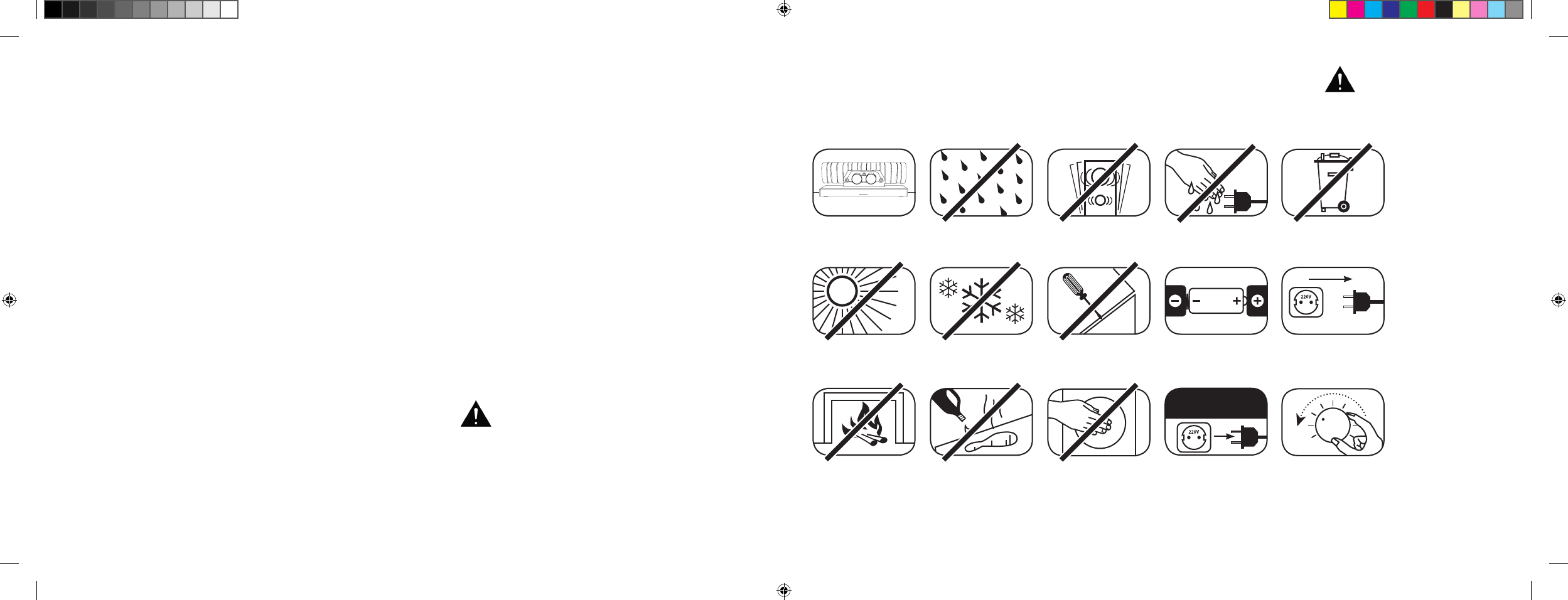
[ PL ] 911 Soundbar
184 | 185
SPIS TREŚCI
Wskazówki dotyczące bezpieczeństwa ....... strona 185
Rozpakowywanie ........................................strona 190
Ustawienie urządzenia ................................. strona 190
Wgrywanie ..................................................strona 190
Uruchomienie pilota zdalnego sterowania .... strona 191
Terminal ....................................................... strona 191
Podłączenie ................................................. strona 192
Obsługa ....................................................... strona 193
Wskazania na wyświetlaczu ......................... strona 194
Rozszerzone funkcje dźwięku ...................... strona 196
Odtwarzanie za pomocą
technologii Bluetooth® ................................. strona 199
Automatyka włączania i wyłączania [
AUT
]....strona 200
WITAMY W ŚWIECIE PORSCHE DESIGN
Od 0 do 100 w 3,5 sekundy. Do 9000 obrotów na minutę. Maksymalna prędkość 315 km/h. Dla niektórych są to tylko
liczby – dla nas to oceny symfonii samochodu sportowego: dźwięk 911 GT3.
Daj się zachwycić naszą pasją do innowacyjnych technologii i ciesz się z doznań dźwiękowych zapierających dech
w piersiach. Z 911 Soundbar, systemem high-end 2.1 Virtual Surround Sound System z oryginalnym układem
wydechowym 911 GT3.
WSKAZÓWKI DOTYCZĄCE BEZPIECZEŃSTWA
Prosimy przestrzegać wskazówek dotyczących bezpieczeństwa przy wyborze właściwego miejsca na 911 Soundbar oraz podczas jego
konserwacji i obsługi.
Wybrać płaskie podłoże Unikać wilgoci Unikać drgań
Unikać bezpośredniego
działania światła
słonecznego
Odstęp od źródeł ciepła
Chronić przed ekstremal-
nym chłodem
Do czyszczenia nie
stosować środków agre-
sywnych, zawierających
alkohol lub szorujących
Nie otwierać obudowy
Nie wkładać rąk do
otworu w obudowie i
zaślepki na końcu rury
Wyjąć wtyczkę z
gniazdka podczas burzy
Nie dotykać przewodu
sieciowego mokrymi
rękami
Zwrócić uwagę na
prawidłowe bieguny
baterii i pilota zdalnego
sterowania
Nie wyrzucać do śmieci
Właściwa obsługa 911 Soundbar jest w zakresie
odpowiedzialności użytkownika. Porsche Design
nie może ponosić odpowiedzialności za szkody lub
wypadki spowodowane wskutek niewłaściwego
zainstalowania lub niewłaściwego podłączenia.
Zapewnić swobodny
dostęp do wtyku
sieciowego
W przypadku
przeciążenie
ściszyć układ
ECO Standby [
ECO
] .................................... strona 201
Automatyczny wybór wejścia BT [
SEL
] ........strona 202
Funkcja uczenia się na podczerwień ............ strona 203
Funkcja kasowania na podczerwień .............strona 205
Wyszukiwanie błędów .................................strona 206
Dane techniczne .......................................... strona 210
Inne ważne informacje ................................. strona 211
Wskazówki dotyczące licencji ...................... strona 212
DS_Betriebsanleitung_911_Soundbar_210x148mm_RZ_v10.indd 184-185 09.11.15 09:43
[ PL ] 911 Soundbar
186 | 187
WAŻNA INSTRUKCJA BEZPIECZEŃSTWA
Przeczytać i przestrzegać wszystkich instrukcji.
Zachować niniejszą instrukcję.
Przestrzegać wszystkich ostrzeżeń i wskazówek dotyczących bezpieczeństwa.
Użytkować to urządzenie tylko w umiarkowanym klimacie [ nie w klimacie tropikalnym
].
Nie użytkować tego urządzenia na wysokości ponad 2000 m n. p. m.
Użytkować to urządzenie tylko wewnątrz pomieszczeń, a nie na zewnątrz lub w pomieszczeniach wilgotnych.
Aby uniknąć niebezpieczeństwa pożaru lub porażenia prądem elektrycznym, urządzenie nie może być narażone na deszcz lub wilgoć.
Nie użytkować tego urządzenia w pobliżu wody.
Nie narażać tego urządzenia na kapiącą lub pryskającą wodę.
Silne wahania temperatury powodują osadzanie się kondensatu [
kropelek wody
] w urządzeniu. Odczekać z uruchomieniem, aż powstałą wilgoć
wyparuje [
co najmniej 3 godziny
].
Nie stawiać na urządzeniu żadnych przedmiotów wypełnionych cieczami [
np. wazonów
].
Nie stawiać otwartego ognia, jak np. zapalonych świec, na lub w pobliżu urządzenia.
Nie ustawiać urządzenia w pobliżu źródeł ciepła, jak np. grzejników, akumulatorów ciepła, pieców i innych urządzeń [
także wzmacniaczy
],
które wytwarzają ciepło.
Unikać bezpośredniego działania światła słonecznego.
Zachować wolną przestrzeń wokół urządzenia równą co najmniej 5 cm.
W żadnym razie nie uniemożliwiać ochronnej funkcji wtyczek biegunowych lub wtyczek z uziemieniem: wtyczka biegunowa ma dwa bolce,
z których jeden jest szerszy niż drugi. wtyczka z uziemieniem ma trzeci bolec uziemiający. Szeroki lub trzeci bolec służy Państwa bezpieczeństwu.
Jeżeli wtyczka nie pasuje do gniazdka, to należy zwrócić się do wykwalifikowanego elektryka w celu wymiany przestarzałego gniazdka.
Aby uniknąć porażenia prądem, wkładać wtyczkę sieciową tylko do gniazdek lub przedłużaczy, do których można całkowicie włożyć kołki wtykowe,
aby uniknąć swobodnie leżących kołków wtykowych.
Nigdy nie dotykać przewodów sygnałowych i sieciowych mokrymi rękami.
Nie stawać na przewód sieciowy i nie zaciskać go, w szczególności w obszarze wtyczek, gniazdek i w miejscu, w którym przewód
wychodzi z urządzenia.
W przypadku urządzeń bez wyłącznika sieciowego, w których wtyk sieciowy lub gniazdo sieciowe w urządzeniu służy jako urządzenie rozłączające,
wtyk kabla sieciowego lub gniazdo sieciowe muszą być zawsze łatwo dostępne.
W przypadku burzy i dłuższego nieużywania odłączyć urządzenie od sieci elektrycznej.
Aby całkowicie odłączyć urządzenie sieci elektrycznej, wyciągnąć kabel sieciowy z gniazdka.
Zawsze wyłączyć urządzenie przed podłączeniem lub wyciągnięciem przewodów przyłączeniowych.
Zawsze ciągnąć za wtyczkę, a nie przewody.
Ustawić urządzenie zgodnie ze wskazówkami producenta.
Wybrać zawsze płaskie podłoże. Urządzenie musi stać w pionie.
UWAGA
Niebezpieczeństwo porażenia prądem
elektrycznym. Nie otwierać!
UWAGA:
Aby uniknąć wybuchu pożaru lub porażenia prądem, nie otwierać
urządzenia. Urządzenie nie ma części, które mogą być konserwo-
wane przez użytkownika. Prace konserwacyjne i naprawy zlecać
tylko wykwalifikowanym specjalistom [
serwisantom
].
UWAGA
Zagrożenie dla życia!
UWAGA:
Nie połknąć baterii guzikowej.
Niebezpieczeństwo wewnętrznych oparzeń
chemicznych. Istnieje zagrożenie dla życia!
UWAGA
Niebezpieczeństwo
wybuchu!
UWAGA:
Wymienne baterie litowe!
Niebezpieczeństwo wybuchu w przy
padku nieprawidłowej wymiany. Baterie
wymieniać tylko na tego samego lub
porównywalnego typu.
DS_Betriebsanleitung_911_Soundbar_210x148mm_RZ_v10.indd 186-187 09.11.15 09:43
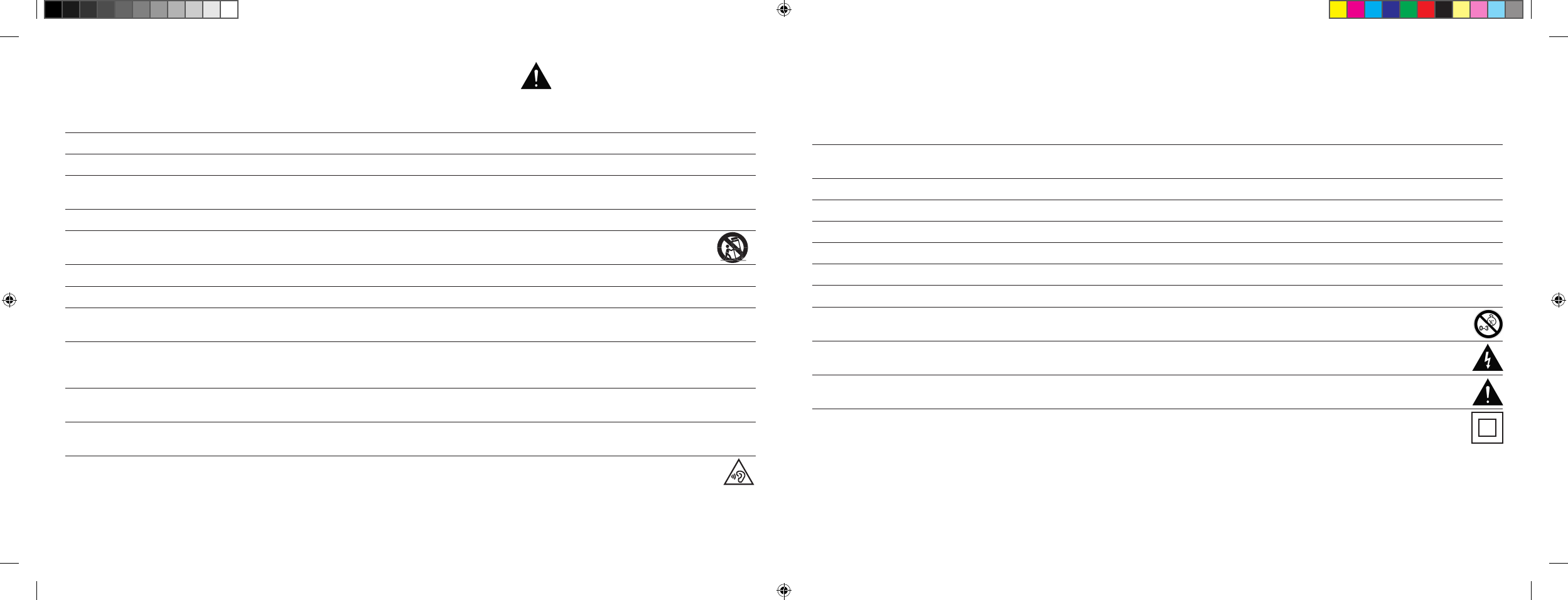
[ PL ] 911 Soundbar
188 | 189
Wskazówka
Nie wywierać siły na elementy obsługi, przyłącza i przewody.
Urządzenie może pracować tylko z napięciem i częstotliwością podanymi na tabliczce znamionowej.
Nie wkładać żadnych przedmiotów lub kończyn do otworów w urządzeniu. Można dotknąć i/lub uszkodzić części wewnątrz obudowy,
przewodzące prąd. Może to prowadzić do krótkich zwarć, porażenia prądem elektrycznym i powstania pożaru.
Stosować tylko materiały do mocowania i akcesoria dopuszczone przez producenta i\lub dostarczony wraz z urządzeniem.
Stosować tylko wózki na kółkach, stojaki, statywy, wsporniki lub stoliki wyszczególnione przez producenta lub sprzedane z urządzeniem.
Stosując wózek na kółkach należy go ostrożnie przesuwać, aby uniknąć uszkodzeń i obrażeń wskutek jego przewrócenia.
Czyścić urządzenie tylko czystą, suchą szmatką.
Do czyszczenia nie stosować środków agresywnych, zawierających alkohol lub szorujących.
Nie otwierać urządzenia, aby uniknąć porażenia prądem elektrycznym. Urządzenie nie ma części, które mogą być konserwowane przez
użytkownika.
W przypadku wszelkich napraw i prac konserwacyjnych należy się zwrócić do serwisu Porsche. Jest to wymagane wówczas, kiedy urządzenie jest
w jakikolwiek sposób uszkodzone, np. w przypadku uszkodzeń kabli sieciowych lub wtyczek, jeżeli do urządzenia dostały się ciecze lub przedmioty,
zostało ono narażone na deszcz lub wilgoć, nie działa prawidłowo lub zostało zrzucone.
Nie dokonywać żadnych zmian w urządzeniu lub osprzęcie. Nieautoryzowane zmiany mogą wpłynąć ujemnie na bezpieczeństwo, przestrzeganie
przepisów ustawowych lub na moc układu. W tym przypadku wygasa świadectwo homologacyjne/gwarancja.
Jeżeli podczas odtwarzania występują zniekształcenia dźwięku, takie jak np. nienaturalne pukanie, pulsowanie lub klikanie o wysokiej częstotliwości,
to niezwłocznie należy zmniejszyć poziom głośności.
Aby uniknąć możliwych uszkodzeń słuchu, nie słuchać w dłuższym okresie czasu na wysokich poziomach. Przerwać odtwarzanie,
jeżeli w uszach słychać będzie dzwonienie lub gwizdanie lub mając wrażenie, że nie można już postrzegać wysokich dźwięków
[
również w krótkim czasie
].
Nowe i zużyte baterie trzymać z dala od dzieci. Urządzenia, w których nie można bezpiecznie zamknąć komory na baterie, nie mogą być dalej
używane i trzeba je trzymać z dala od dzieci.
Dostarczony z tym urządzeniem pilot zdalnego sterowania jako baterię ma baterię guzikową. Połknięcie baterii guzikowej może doprowadzić tylko
w ciągu 2 godzin do poważnych poparzeń wewnętrznych i tym samym do śmierci!
W przypadku podejrzenia o połknięcie baterii guzikowych lub wprowadzonych do innych otworów w ciele należy niezwłocznie zgłosić się do lekarza.
W przypadku utylizacji baterii zwrócić uwagę na ochronę środowiska. Baterie należy oddać do punktu zbierania baterii.
Baterii nie wolno narażać na wysokie temperatury, jak np. bezpośrednie działanie promieni słonecznych, ogień i tym podobne.
Baterie należy wkładać prawidłowo zgodnie z nadrukiem biegunowości. Nieprawidłowe włożenie baterii może spowodować uszkodzenia.
Stosować wyłącznie baterie lub akumulatory przeznaczone do tego urządzenia.
W przypadku dołączonych baterii nie chodzi tutaj o akumulatory, tzn. tych baterii nie można ponownie ładować.
Urządzenie i/lub opakowanie mogą zawierać drobne części, które mogą zostać połknięte.
Dlatego nie nadaje się dla dzieci poniżej trzech lat.
Ten symbol wskazuje na nieizolowane, niebezpieczne napięcia wewnątrz obudowy, mające wystarczające natężenie [
amplitudę
],
aby wywołać pożar lub spowodować porażenie prądem elektrycznym.
Ten symbol wskazuje na ważne instrukcje obsługi i konserwacji w dostarczonych dokumentach towarzyszących [
instrukcja
].
Ten symbol oznacza klasę ochrony II-urządzenia, w przypadku których ochrona przed porażeniem prądem elektrycznym podczas pracy
zgodnej z przeznaczeniem jest zagwarantowana poprzez podwójną lub wzmocnioną izolację i dlatego nie jest wymagane podłączenie
przewodu ochronnego.
WAŻNA INSTRUKCJA BEZPIECZEŃSTWA
DS_Betriebsanleitung_911_Soundbar_210x148mm_RZ_v10.indd 188-189 09.11.15 09:43
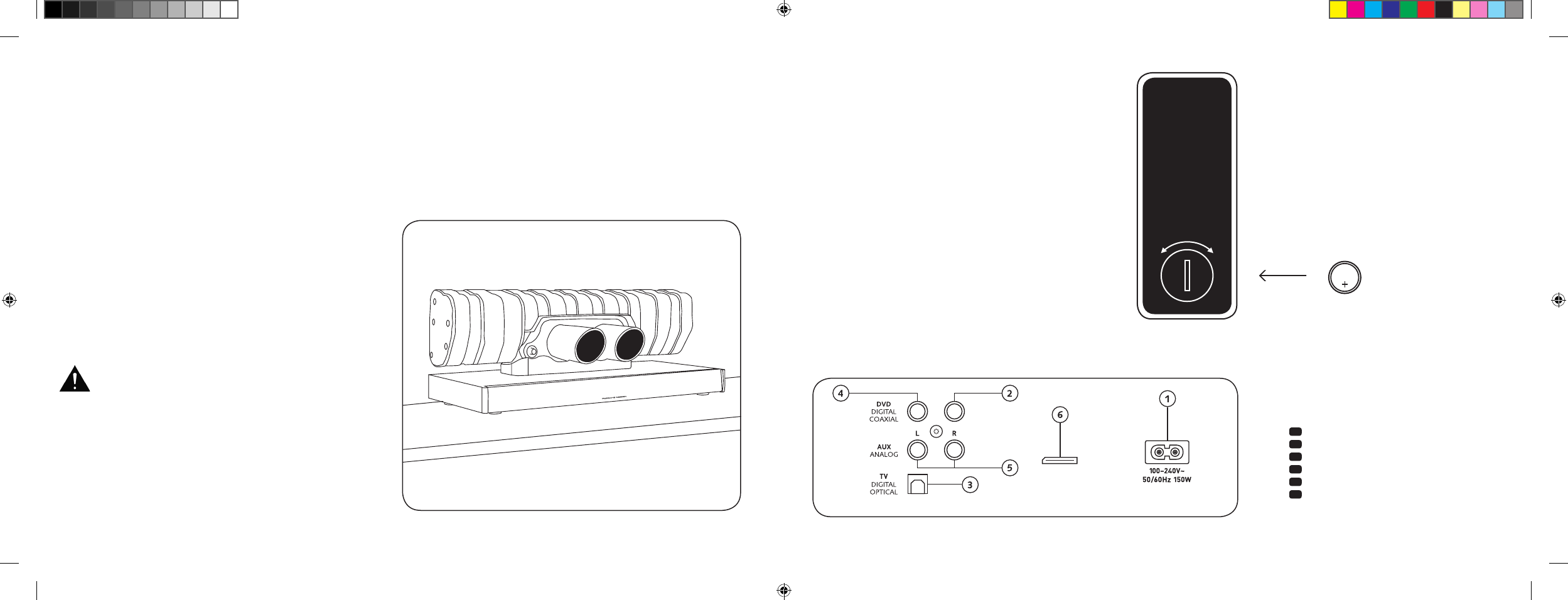
[ PL ] 911 Soundbar
190 | 191
PRZYŁĄCZA
911 SOUNDBAR
1 Gniazdo zasilania
2 Wyjście – zewn. subwoofer
3 Wejście – TV [
optyczny
]
4 Wejście – DVD [
koncentryczne
]
5 Wejście – AUX [
analogowe
]
6 Gniazdo serwisowe
URUCHOMIENIE PILOTA
ZDALNEGO STEROWANIA
Dostarczona bateria jest już włożona do pilota zdalnego
sterowania. W celu jego uruchomienia należy jedynie usunąć
folię ochronną. W przypadku baterii zapasowej zwrócić uwagę,
aby była ona włożona prawidłowo zgodnie z oznaczeniami
biegunowości [
+/-
]. Stosować wyłącznie baterię przeznaczoną
dla tego systemu [
CR 2032
].
Wskazówka: Dołączona bateria jest przeznaczona do użycia
na próbę i dlatego ma ewentualnie mniejszą żywotność.
TERMINAL DO PRZYŁĄCZY
911 Soundbar
SUB OUT
Service
Pilot zdalnego sterowania
[ tylna strona
]
USTAWIENIE URZĄDZENIA
Ustawić głośnik 911 Soundbar na płaskiej powierzchni.
ROZPAKOWYWANIE
Rozpakować ostrożnie karton i sprawdzić, czy są w nim
wszystkie wymienione tutaj części:
1 x 911 Soundbar
1 x pilot zdalnego sterowania z baterią
4 x kabel sieciowy [
po 1 x EU, UK, US, AUS
]
1 x optyczny cyfrowy kabel audio
1 x kabel stereo z wtykami cinch
1 x kabel cyfrowy z wtykami cinch
WGRYWANIE
Faza wgrywania aż do wykształcenia się
maksymalnych właściwości dźwięku:
15–20 godzin pracy.
– Proszę słuchać w tym czasie z normalną głośnością
– Unikać bardzo wysokiego poziomu
– Słuchać najróżniejszego materiału dźwiękowego
CR 2032
OTWARTY ZAMKNIĘTY
Każdy 911 Soundbar jest pojedynczą sztuką.
Zintegrowany z głośnikiem 911 Soundbar tłumik
końcowy Porsche 911 GT3 jest produkowany
w normalnym procesie seryjnym. Aby podkreślić
autentyczność, spawy i przebarwienia wskutek
procesu spawania są celowo widoczne.
Dlatego nie możemy zaakceptować żadnych
reklamacji z powodu niepodobania się powierzchni
tłumika końcowego [
spawy, miejsca nalotów,
odbarwienia, odpryski spawalnicze itp.
].
Dziękujemy za Państwa zrozumienie.
DS_Betriebsanleitung_911_Soundbar_210x148mm_RZ_v10.indd 190-191 09.11.15 09:43
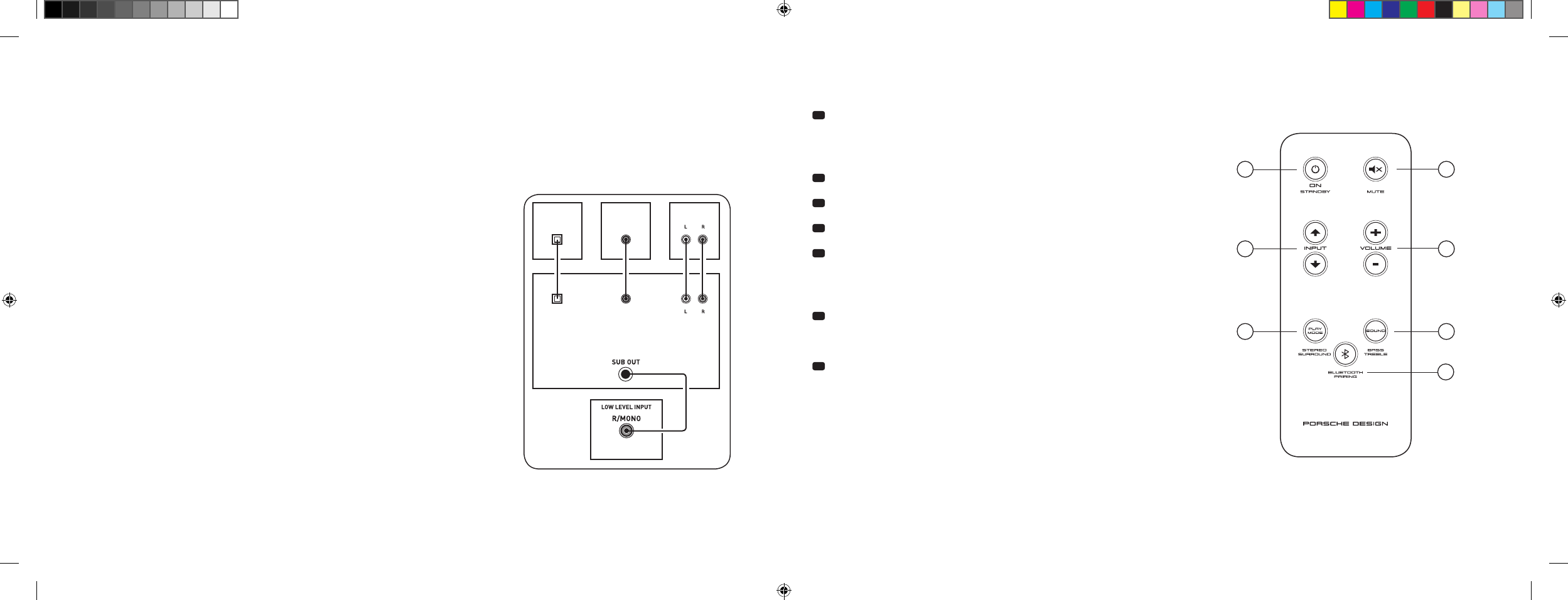
[ PL ] 911 Soundbar
192 | 193
PODŁĄCZENIE
Proszę zwrócić uwagę, aby przed podłączeniem wszystkie komponenty elektryczne były wyłączone. Głośnik 911 Soundbar posiada 3 wejścia do
wyboru. Zasadniczo wystarczy, jeśli połączy się jedno z tych wejść z telewizorem i podłączy się wszystkie inne odtwarzacze do telewizora. Aby uzyskać
możliwie jak najlepsze odtwarzanie dźwięku, zaleca się połączenie odbiornika satelitarnego, odtwarzacza Blu-ray lub DVD bezpośrednio z głośnikiem
911 Soundbar. W zależności od rodzaju i wyposażenia zastosowanego źródła można wybierać pomiędzy następującymi możliwościami:
OBSŁUGA
Pilot zdalnego sterowania
1 Zasilanie
ON – świeci się zielona lampka LED [
Wł.
]
Standby – świeci się czerwona lampka LED [
gotowość
]
Soundbar odłączony od sieci – lampka LED nie świeci się [
Wył.
]
2 Mute [
wyciszenie
]
3 Input [
wybór źródła dźwięku
]
4 Volume [
regulacja głośności
]
5 Play Mode [
tryb odtwarzania
]
Stereo – do odtwarzania muzyki
Surround – wirtualny dźwięk przestrzenny do
odtwarzania kina domowego
6 Sound [ regulacja dźwięku
]
Bass –
dopasowanie za pomocą Volume
[
+6... –6 dB
]
Treble –
dopasowanie za pomocą Volume
[
+6... –6 dB
]
7 Parowanie Bluetooth®
Połączenie ze źródłem pracującym w technologii bezprzewodowej Bluetooth®
Funkcja pamięci
Po wcześniejszym odłączeniu od sieci głośnik 911 Soundbar włącza się
automatycznie do ostatnio wybranego stanu. Zachowane zostają wszystkie
ustawienia [
np. wł./wył. głośność
].
SUB
DIGITAL MOVIE
DVD
DVDTV
TV
AUX
AUX
TV – wejście cyfrowe [
OPTYCZNE
]
Nowoczesne telewizory mają optyczne wyjście audio [
Toslink
]. Połączyć je z wejściem
głośnika 911 Soundbar oznaczonego jako „TV”. Połączenie to gwarantuje optymalną
transmisję sygnału i najlepszą jakość dźwięku.
Uwaga: Zdjąć kapturki ochronne z dołączonego kabla optycznego!
DVD – wejście cyfrowe [
KONCENTRYCZNE
]
Do transmisji sygnału audio DVD należy połączyć cyfrowe wyjście koncentryczne
odtwarzacza Blu-ray lub DVD z gniazdem głośnika 911 Soundbar oznaczonego jako
„DVD”. Do przesyłania sygnału obrazu odtwarzacz DVD musi być dodatkowo połączony
z telewizorem. Można również wybrać wejście głośnika 911 Soundbar oznaczonego
jako „DVD”, jeżeli telewizor nie ma wyjścia optycznego.
AUX – wejście analogowe
Jeżeli telewizor jest wyposażony tylko w wyjście audio oznaczone jako „Pre-Out”, to należy
je połączyć ekranowanym kablem stereo z wtykami cinch z wejściem analogowym głośnika
911 Soundbar oznaczonym jako „AUX”. W przeciwnym razie wejście to służy do połączenia
z magnetowidami lub konsolami do gier.
SUB – wyjście analogowe
Stosować to wyjście, jeżeli podłączony ma być zewnętrzny aktywny subwoofer. SUB OUT w
ustawieniu podstawowym nie jest aktywne i trzeba je podłączyć za pomocą pilota zdalnego
sterowania. Patrz strona 196 „Rozszerzone funkcje dźwięku”.
4
ON
STANDBY
1
3
5 6
7
2
DS_Betriebsanleitung_911_Soundbar_210x148mm_RZ_v10.indd 192-193 09.11.15 09:43
[ PL ] 911 Soundbar
194 | 195
WSKAZANIA NA WYŚWIETLACZU
Głośnik 911 Soundbar posiada wielofunkcyjny wyświetlacz, który na ok. pięć sekund włącza się w przypadku polecenia wysyłanego z pilota.
Najważniejsze wskaźniki i ich znaczenie są podane tutaj. Tryb gotowości głośnika 911 Soundbar jest wskazywany przez świecącą się czerwoną
diodę LED. Jeżeli Twój 911 Soundbar jest włączony, to świeci się ta lampka LED na zielono.
Input
Tryby dźwięku
Tryb odtwarzania
Wejście TV [
optyczne
]
TV
Volume [
0 – 99
]
V30
Stereo
ST
Tryb powiązania
BTP
Wejście DVD
[
koncentryczne
]
DVD
Wyciszenie [
Mute
]
---
Surround – dźwięk
przestrzenny
SUR
Ustanowiono połączenie
CON
Wejście AUX [
analogowe
]
AUX
Regulacja basów [
+/– 6
]
B 6
Połączenie przerwane
DIS
Bluetooth®
BT
Regulacja tonów wysokich
[
+/– 6
]
T 6
Komunikat o błędzie
FAI
Bluetooth®
Funkcje ustawienia
Włączenie i wyłączenie auto-
matyki włączania dla wejścia
optycznego i koncentrycznego
AUT
Włączenie i wyłączanie
automatycznego wyboru
wejścia BT
SEL
Włączenie i wyłączenie
ECO Standby
ECO
Funkcja uczenia się na podczerwień
Uczenie się kodów na
podczerwień
IRL
Rozszerzone funkcje dźwięku
Opóźnienie odtwarzania
dź wię ku [ Li pSy nc
]
LIP
Włączenie i wyłączenie
SUB OUT
SUB
Włączanie i wyłączanie
kompresji dynamiki
Dolby Dynamic Range
Compression
DRC
Wybór sposobu
ustawienia
EQ
DS_Betriebsanleitung_911_Soundbar_210x148mm_RZ_v10.indd 194-195 09.11.15 09:43
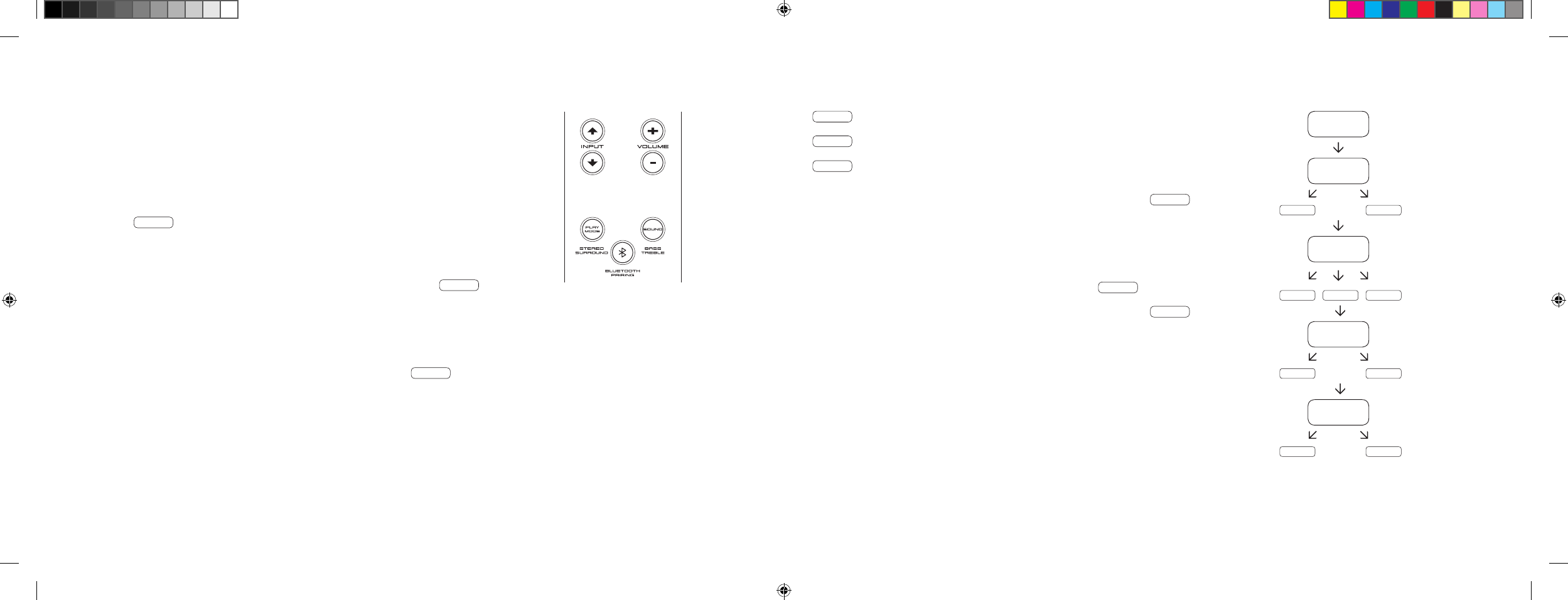
[ PL ] 911 Soundbar
196 | 197
ROZSZERZONE FUNKCJE DŹWIĘKU
Menu dla rozszerzonych funkcji dźwięku daje możliwość korygującej ingerencji w przypadku
niezsynchronizowanego z ustami odtwarzania dźwięku w celu włączenia zewnętrznego,
podłączonego za pomocą kabla subwoofera, dostosowania odtwarzania dźwięku do
wybranego miejsca ustawienia oraz do włączenia lub wyłączenia funkcji Dolby „Dynamic
Range Compression” [
kompresji dynamiki
].
Nacisnąć i przytrzymać na pilocie przycisk oznaczony jako „Sound” prze ponad 3 sekundy,
przejść do menu „Rozszerzone funkcje dźwięku” i wyświetlacz na głośniku 911 Soundbar
przeskoczy na LIP .
Przyciskami „Volume +/-” można teraz opóźnić odtwarzanie dźwięku w krokach co 10 ms,
aby dopasować dźwięk do „opóźnionego” obrazu.
Po ponownym krótkim naciśnięciu przycisku „Sound” wyświetlacz przeskakuje na SUB .
Przyciskami „Volume +/-” można włączyć lub wyłączyć wyjście dla zewnętrznego subwoofera.
Uwaga, w przypadku włączonego SUB OUT odtwarzanie dźwięku przez głośnik
911 Soundbar jest ograniczone do 80 Hz. Częstotliwości poniżej 80 Hz są kierowane do
subwoofera
zewnętrznego.
Nacisnąć krótko kolejny raz przycisk „Sound” – wyświetlacz przeskakuje na EQ .
Przyciskami „Volume +/-” można teraz wybrać między trzema wstępnie ustawionymi
ustawieniami korektora i dostosować odtwarzanie dźwięku do miejsca ustawienia.
EQ1 dla swobodnie ustawionego głośnika 911 Soundbar, np. na kredensie.
EQ2 dla ustawienia z telewizorem płaskim zawieszonym na ścianie.
EQ3 dla ustawienia głośnika 911 Soundbar na szafce lub regale.
Po ponownym naciśnięciu przycisku „Sound” wyświetlacz przeskakuje na DRC .
„Dynamic Range Compression” jest opcją ustawienia firmy Dolby Laboratories. W przypadku
włączonej funkcji można przy kodowanych przez Dolby strumieniach danych automatycznie
zmniejszyć zakres dynamiki, redukując różnice głośności. Ciche dźwięki są tym samym
podnoszone, a głośne obniżane.
Przyciskami „Volume +/-” można włączyć lub wyłączyć funkcję DRC .
Po ponownym naciśnięciu przycisku „Sound” wyświetlacz przeskakuje na VOL .
Za pomocą tej funkcji [
ochronnej
] „Volume” można ograniczyć maksymalnie regulowany
poziom głośności, tzn. głośności [
wskazanie na wyświetlaczu
] w trakcie pracy nie można
zwiększyć powyżej ustawionej tutaj wartości.
Przyciskami „Volume +/-” można teraz ustawić pożądaną głośność
[
0–99, gdzie 99 reprezentuje poziom maksymalny
].
LIP
SUB
ON OFF
EQ
EQ1 EQ2 EQ3
DRC
ON OFF
VOL
099
…
DS_Betriebsanleitung_911_Soundbar_210x148mm_RZ_v10.indd 196-197 09.11.15 09:43
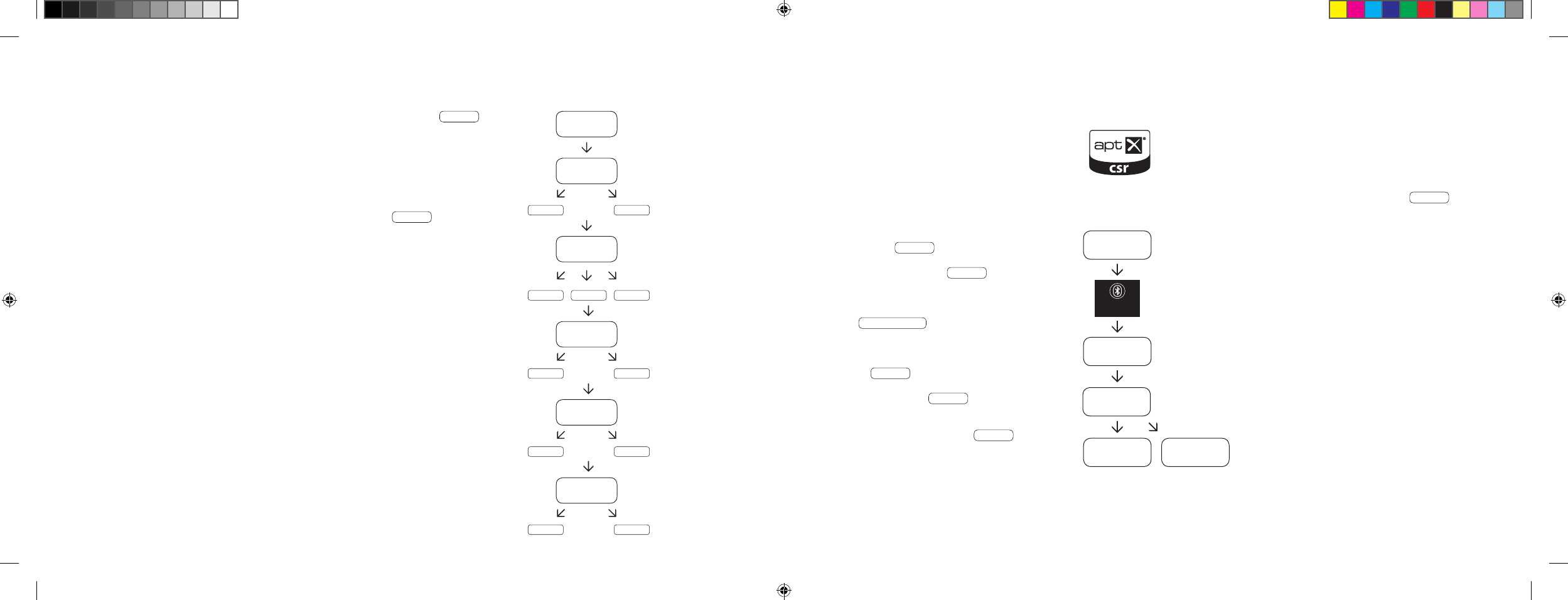
[ PL ] 911 Soundbar
198 | 199
ODTWARZANIE ZA POMOCĄ TECHNOLOGII
BLUETOOTH®
Warunek dla logowania
– Funkcja Bluetooth® musi być włączona na urządzeniu
mobilnym.
– Urządzenie mobilne musi obsługiwać przynajmniej
Bluetooth® standard 2.0.
– Urządzenie mobilne musi znajdować się w zasięgu
głośnika 911 Soundbar [
maks. 10 m
].
Proces logowania
– Wybrać wejście BT .
– Nacisnąć przycisk „Bluetooth®-Pairing”.
– Na wyświetlaczu pojawi się BTP .
– Teraz mają Państwo 30 sekund na
zalogowanie urządzenia mobilnego.
– Rozpocząć wyszukiwanie na urządzeniu mobilnym.
– Wybrać 911 SOUNDBAR jako urządzenia
odtwarzające.
– Nawiązane zostanie automatycznie połączenie,
po potwierdzeniu, a na wyświetlaczu pojawi się
komunikat CON .
– Jeżeli połączenie nie powiodło się, to zostanie
wyświetlony komunikat FAI .
– Jeżeli urządzenie mobilne zażąda kodu dostępu,
to należy wpisać 0000.
– Kiedy na wyświetlaczu pojawi się DIS , to
urządzenie mobilne jest poza zasięgiem lub jest
wylogowane.
Funkcjonowania urządzenia mobilnego
– Urządzenie połączone ostatnio z głośnikiem
911 Soundbar ustanowi automatycznie połączenie,
o ile włączona jest funkcja Bluetooth® i wybrano
wejście dla odtwarzania Bluetooth®. W tym przypadku
zostanie wyświetlony komunikat CON .
– Uruchomić odtwarzanie multimediów na Twoim
urządzeniu mobilnym, a w głośniku 911 Soundbar
automatycznie będzie odtwarzany dźwięk.
Wskazówka: Głośnik 911 Soundbar może zarządzać
maksymalnie 3 urządzeniami posiadającymi Bluetooth®.
Patrz także rozdział „Automatyczny wybór wejścia BT”
na stronie 202.
BT
BTP
CON FAI
BLUETOOTH
PAIRING
911
SOUNDBAR
Po ponownym krótkim naciśnięciu przycisku „Sound” wyświetlacz przeskakuje na VOI .
Stosować funkcję „Voice” [
głos
], aby zwiększyć zrozumiałość mowy zarówno w trybie stereo,
jak i trybie dźwięku przestrzennego. W ten sposób można lepiej zrozumieć np. dialogi [
język
]
w przypadku filmów z głośnymi efektami.
Przyciskami „Volume +/-” można włączyć lub wyłączyć funkcje „Voice” [
ON lub OFF
].
Naciskając ponownie przycisk „Sound” powraca się do początku menu LIP .
Opuszczanie menu
Naciskając ponownie przycisk „Sound” na dłużej niż 3 sekundy można ponownie opuścić
menu „Rozszerzone funkcje dźwięku”.
Jeżeli głośnik 911 Soundbar nie otrzyma przez ponad 30 sekund żadnego polecenia do
wprowadzenia z pilota zdalnego sterowania, to sterowanie menu powraca automatycznie
do trybu normalnego.
LIP
SUB
ON OFF
EQ
EQ1 EQ2 EQ3
DRC
ON OFF
VOL
099
VOI
ON OFF
…
DS_Betriebsanleitung_911_Soundbar_210x148mm_RZ_v10.indd 198-199 09.11.15 09:43
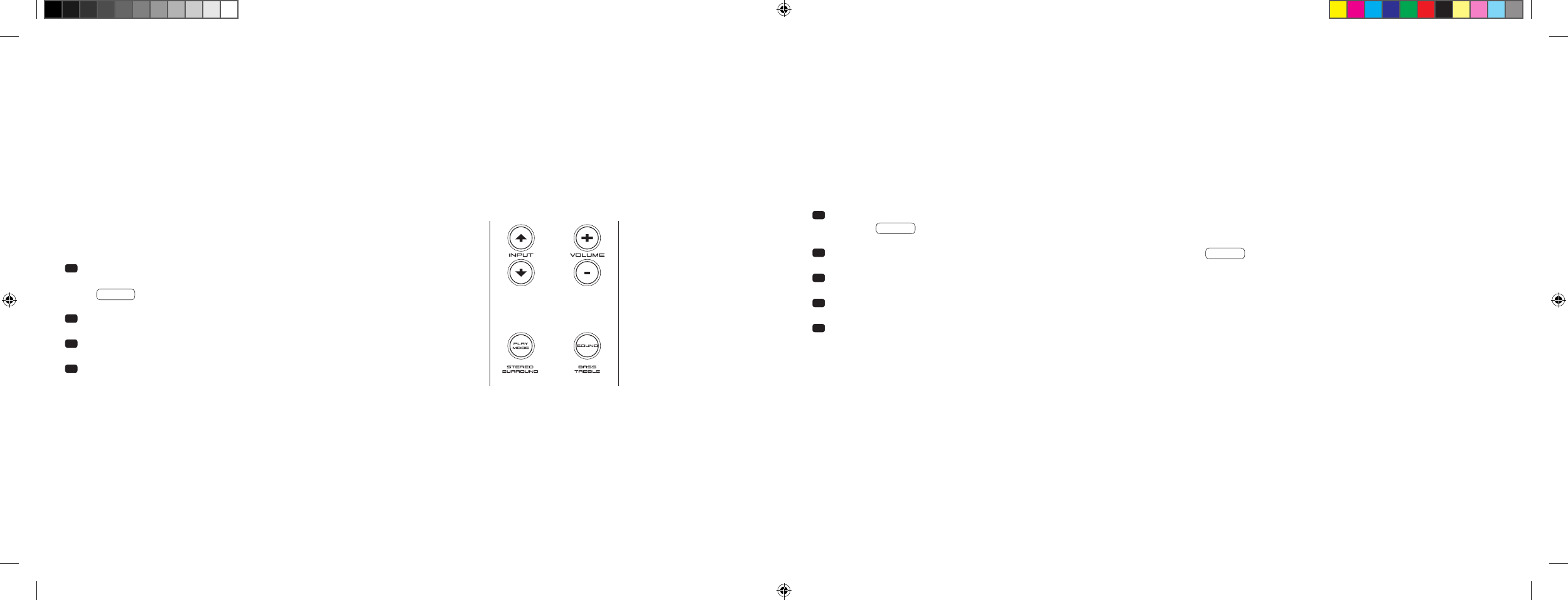
[ PL ] 911 Soundbar
200 | 201
Jeżeli funkcja ta jest włączona [
ON
], to urządzenie wykrywa sygnał występujący na wejściu optycznym lub koncentrycznym. Jeżeli wykryty będzie
sygnał [
np. włączenie urządzenia źródłowego
], to głośnik 911 Soundbar włączy się samoczynnie. Jeżeli na wybranym wejściu nie ma sygnału
[
np. po wyłączeniu urządzenia źródłowego
], to głośnik 911 Soundbar zostanie po 30 sekundach przełączony automatycznie w stan gotowości
AUT Standby. Jeżeli funkcja ta jest wyłączona [
OFF
], to głośnik 911 Soundbar należy włączyć lub wyłączyć ręcznie.
W chwili dostawy funkcja ta jest wyłączona [
OFF
].
W celu włączenia lub wyłączenia tej funkcji należy postępować w następujący sposób:
1
Nacisnąć i przytrzymać przy włączonym urządzeniu przycisk „Play Mode”
[
tryb odtwarzania
] przez dłużej niż 3 sekundy, aż na wyświetlaczu pojawi
się AUT .
2 Naciskając przycisk „Volume +” włączyć tę funkcję [
ON
].
3 Naciskając przycisk „Volume -” wyłączyć tę funkcję [
OFF
].
4 Wyjść z menu przytrzymując wciśnięty przycisk „Play Mode” przez
ponad 3 sekundy. Jeżeli w ciągu 10 sekund nie nastąpi żadne wprowad-
zenie danych, to urządzenie automatycznie opuści menu konfiguracji.
Uwaga: Automatyka włączania i wyłączania działa wyłącznie w przypadku optycznego i koncentrycznego wejścia cyfrowego. Jeżeli urządzenie zostanie
przestawione w stan gotowości za pomocą przycisku „ON/Standy”, to automatyczne włączanie nie jest możliwe.
Urządzenie wykrywa sygnał wyłącznie na wybranym wejściu cyfrowym. Nie można wykryć sygnału, który znajduje się na innym aniżeli na wybranym
wejściu cyfrowym.
FUNKCJE USTAWIENIA
AUTOMATYKA WŁĄCZANIA I WYŁĄCZANIA [
AUT
]
1 Nacisnąć i przytrzymać przy włączonym urządzeniu przycisk „Play Mode” [
tryb odtwarzania
] przez dłużej niż 3 sekundy, aż na wyświetlaczu
pojawi się AUT .
2 Nacisnąć ponownie na krótko przycisk „Play Mode”, aż na wyświetlaczu pojawi się ECO .
3 Naciskając przycisk „Volume +” włączyć tę funkcję [
ON
].
4 Naciskając przycisk „Volume -” włączyć tę funkcję [
OFF
].
5 Wyjść z menu przytrzymując wciśnięty przycisk „Play Mode” przez ponad 3 sekundy. Jeżeli w ciągu 10 sekund nie nastąpi żadne wprowadzenie
danych, to urządzenie automatycznie opuści menu konfiguracji.
ECO STANDBY [
ECO
]
Jeżeli funkcja ta jest włączona [
ON
], to urządzenie automatycznie przechodzi w stan ECO Standby, jeżeli przez godzinę na wybranym
wejściu nie wykryto żadnego sygnału. Jeżeli funkcja ta jest wyłączona [
OFF
], to głośnik 911 Soundbar należy wyłączyć ręcznie.
W chwili dostawy funkcja ta jest włączona [
ON
].
W celu włączenia lub wyłączenia tej funkcji należy postępować w następujący sposób:
Uwaga: Funkcja ta jest wyłączana automatycznie, jeżeli włączona jest funkcja AUT.
DS_Betriebsanleitung_911_Soundbar_210x148mm_RZ_v10.indd 200-201 09.11.15 09:43
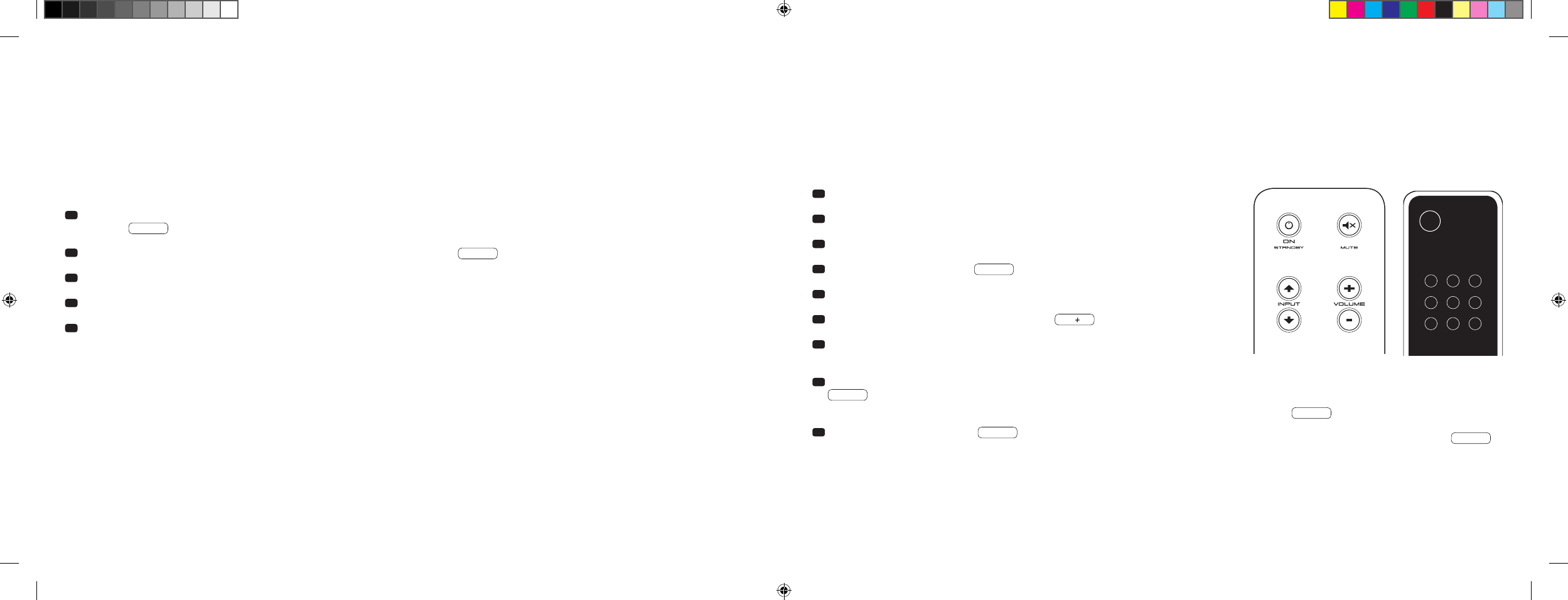
[ PL ] 911 Soundbar
202 | 203
AUTOMATYCZNY WYBÓR WEJŚCIA BT [
SEL
]
Jeżeli funkcja ta jest włączona [
AUT
], to głośnik 911 Soundbar przełącza się automatycznie na wejście BT, jak tylko urządzenie mobilne wykryje sygnał
audio. Jeżeli funkcja ta jest wyłączona [
MAN
], to należy wybrać to wejście ręcznie.
W chwili dostawy funkcja ta jest wyłączona [
MAN
].
W celu włączenia lub wyłączenia tej funkcji należy postępować w następujący sposób:
Uwaga: W zależności od użytego urządzenia mobilnego przy włączonej automatyce głośnik 911 Soundbar może się przełączyć na wejście BT także
podczas pisania wiadomości lub innych dźwiękach systemowych.
Jeżeli włączona jest funkcja SEL [
AUT
], to wejścia BT nie można wybrać za pomocą przycisku „Input”. W tym trybie głośnik 911 Soundbar można
połączyć z urządzeniem mobilnym, niezależnie od wybranego wejścia sygnału.
1 Nacisnąć i przytrzymać przy włączonym urządzeniu przycisk „Play Mode” [
tryb odtwarzania
] przez dłużej niż 3 sekundy, aż na wyświetlaczu
pojawi się AUT .
2 Nacisnąć ponownie na krótko przycisk „Play Mode”, aż na wyświetlaczu pojawi się SEL .
3 Naciskając przycisk „Volume +” włączyć tę funkcję [
AUT
].
4 Naciskając przycisk „Volume -” wyłączyć tę funkcję [
MAN
].
5 Wyjść z menu przytrzymując wciśnięty przycisk „Play Mode” przez ponad 3 sekundy. Jeżeli w ciągu 10 sekund nie nastąpi żadne wprowadzenie
danych, to urządzenie automatycznie opuści menu konfiguracji.
FUNKCJA UCZENIA SIĘ NA PODCZERWIEŃ
Głośnik 911 Soundbar może nauczyć się kodu IR z pilota zdalnego sterowania telewizora i umożliwia sterowanie funkcjami głośnika 911 Soundbar
i telewizora za pomocą pilota.. Każdemu dowolnemu przyciskowi na pilocie telewizora można przypisać polecenia dla głośnika 911 Soundbar.
W trakcie wyboru przycisków zwrócić uwagę na to, aby polecenia dla głośnika 911 Soundbar i telewizora nie były przy tym ze sobą sprzeczne.
Zaleca się zatem, aby wyłączyć wewnętrzne głośniki telewizora po podłączeniu głośnika 911 Soundbar.
1 Przytrzymać w gotowości pilota telewizora.
2 Włączyć głośnik 911 Soundbar.
3 Nacisnąć przycisk „ON/Standby” na pilocie Porsche na ok. 5 sekund.
4 Na wyświetlaczu zacznie migać IRL .
5 Nacisnąć na pilocie Porsche żądaną funkcję, np. „Volume +”.
6 Na wyświetlaczu miga teraz wybrana funkcja, np. V.
7 Nacisnąć w ciągu 20 sekund na przypisywany przycisk na pilocie
telewizora.
8 W przypadku pomyślnego przeniesienia na wyświetlaczu zaświeci się
OK i można kontynuować programowanie następnych funkcji
przycisków, np. „Volume -”.
9 Jeżeli na wyświetlaczu pojawi się FAI , to przenoszenie nie
powiodło się i należy powtórzyć kroki od 5 do 8.
Pilot do telewizora
ON
STANDBY
Wskazówka: Czerwony przycisk „ON/Standby” na pilocie Porsche
jest zajęty podwójnie. Przez jednokrotne naciśnięcie na wyświetlaczu
pojawi się wówczas ON , funkcja włączania może się uczyć.
Naciskając dwukrotnie po kolei na krótko czerwony przycisk „ON/
Standby” na pilocie Porsche na wyświetlaczu pojawi się STB
i funkcja gotowości lub funkcja wyłączenia może się uczyć. Jeżeli pilot
Państwa telewizora ma tylko jeden przycisk dla polecenie „Włączanie”
i „Wyłączanie”, to mimo tego obie te funkcje, „ON” i „Standby”, muszą
być obłożone tym poleceniem.
DS_Betriebsanleitung_911_Soundbar_210x148mm_RZ_v10.indd 202-203 09.11.15 09:43

[ PL ] 911 Soundbar
204 | 205
Opuszczanie menu
Naciskając ponownie przycisk „ON/Standby” na dłużej niż 5 sekund można ponownie opuścić menu „Funkcja uczenia się na podczerwień”. Jeżeli głośnik
911 Soundbar nie otrzyma przez ponad 60 sekund żadnego polecenia do wprowadzenia z pilota zdalnego sterowania, to sterowanie menu powraca
automatycznie do trybu normalnego.
Bezpośredni wybór wejść sygnałów
Oprócz przycisków „Input
” i „Input
” można wybrać bezpośrednio wejścia sygnałów TV, DVD, AUX i Bluetooth® także przy użyciu pilota Państwa
telewizora lub pilota uniwersalnego, tzn. można przypisać żądane wejście do przycisku na pilocie.
1 Przytrzymując wciśnięty przez 3 sekundy jeden z dwóch przycisków „Input” na pilocie Porsche w trybie uczenia się na podczerwień IRL ,
przechodzi się do menu wyboru bezpośredniego. Na wyświetlaczu zacznie migać DVD .
2 Wejściu „DVD” można teraz przypisać przycisk na pilocie do telewizora.
Wskazówka: Jeżeli w trybie normalnym przycisk ten naciśnie się na pilocie telewizora, to głośnik 911 Soundbar przeskakuje bezpośrednio na wejście
DVD.
3 Nacisnąć na żądany przycisk na pilocie telewizora. Jeżeli kod podczerwieni [
IR
] pomyślnie nauczył się od głośnika 911 Soundbar, to wyświetlacz na
krótko pokaże OK i następnie następne wejście TV .
4 Jeżeli kod ten nie został przyjęty lub jeżeli nie naciśnie się w ciągu 10 sekund żadnego przycisku na pilocie, to wyświetlacz na krótko pokaże
FAI , aby wskazać, że żaden kod nie został nauczony. Następnie wyświetlacz migając pokazuje nadal DVD i można ponownie lub nadal uczyć
kod dla wejścia DVD.
5 Jeżeli wejściu DVD nie zostanie przypisany żaden przycisk, to należy na krótko nacisnąć przycisk „Input
”, aby ręcznie przejść do wejścia [
TV
].
6 Aby wejściom TV, AUX i/lub Bluetooth® przypisać przycisk na pilocie Twojego telewizora, należy powtórzyć czynności opisane w punktach 2–5.
7
Aby ponownie wyjść z menu wyboru bezpośredniego, należy nacisnąć ponownie jeden z przycisków Input na 3 sekundy i w ten sposób przechodzi się
do nadrzędnego menu uczenia się na podczerwień
IRL . Przytrzymując przez 3 sekundy wciśnięty w menu wyboru bezpośredniego przycisk „ON/
Standby” system przechodzi z menu nauczania na podczerwień do trybu normalnego. Na wyświetlaczu na krótko wyświetla się FIN ,
aby wskazać, że tryb uczenia się na podczerwień został zakończony.
Wskazówka: Ze względu na mnogość kodów na podczerwień nie można zagwarantować, że każdy pilot zdalnego sterowania może się nauczyć od
głośnika 911 Soundbar.
FUNKCJA KASOWANIA NA PODCZERWIEŃ
Aby ponownie skasować nauczone się od głośnika 911 Soundbar polecenia radiowe dla pilota telewizora, należy postępować w następujący sposób:
1 Włączyć głośnik 911 Soundbar.
2 Nacisnąć przycisk „ON/Standby” na pilocie Porsche na ok. 5 sekund.
3 Na wyświetlaczu zacznie migać IRL .
4 Nacisnąć przycisk „Mute” na pilocie Porsche na ok. 5 sekund.
5 Na wyświetlaczu na ok. 5 sekund pojawi się CLR . Głośnik 911 Soundbar przechodzi następnie automatycznie na tryb normalny.
DS_Betriebsanleitung_911_Soundbar_210x148mm_RZ_v10.indd 204-205 09.11.15 09:43

[ PL ] 911 Soundbar
206 | 207
WYSZUKIWANIE BŁĘDÓW
W załączeniu znajduje się zestawienie najczęściej występujących problemów. W przypadku dalszych prosimy o kontakt ze sklepem Porsche Design
Store lub z centrum Porsche, z naszą infolinią pod numerem + 49 [
0
] 711 911 0 lub o wysłanie maila na adres contact@porsche-design.com
Problem Możliwe okoliczności Rozwiązanie
Głośnik 911 Soundbar
nie włącza się.
Kabel sieciowy nie jest podłączony do gniazdka i/lub
z głośnikiem 911 Soundbar.
Wykonać połączenie.
911 Soundbar nie reaguje
na pilota.
1. Bateria jest wyczerpana. 1. Wymienić baterię, podczas wkładania zwrócić uwagą na
prawidłową biegunowość.
2. Nie usunięto folii ochronnej. 2. Usunąć folię ochronną z pilota.
Za ciche odtwarzanie
dźwięków.
Głośność 911 Soundbar lub urządzenia źródłowego
jest ustawiona zbyt nisko.
Zwiększyć głośność przyciskiem „Volume”.
Zwiększyć głośność urządzenia źródłowego.
Brak odtwarzania
dźwięku.
1. Niepoprawnie wybrano format audio urządzenia
źródłowego [
wejście cyfrowe „TV” i „DVD”
].
1. Proszę sprawdzić prawidłowe ustawienie urządzenia źródłowego.
Nie można odtwarzać formatów edytowanych „DTS”.
2. Odtwarzacz nie emituje sygnału. 2. Wyjście cyfrowe na urządzeniu źródłowym nie jest włączone,
regulator głośności jest ewentualnie ustawiony na „Zero”
[
proszę wziąć do ręki instrukcję dla tego urządzenia
].
3. Kabel nie jest poprawnie podłączony/lub jest
uszkodzony.
3.1. Sprawdzić połączenie odtwarzacza z głośnikiem 911 Soundbar
i w razie potrzeby wymienić kabel na nowy.
3.2. Sprawdzić, czy zdjęto kapturki ochronne z wtyczki kabla
optycznego.
Problem Możliwe okoliczności Rozwiązanie
Głośnik 911 Soundbar
brzęczy.
1. Przewody sygnałowe między urządzeniem
źródłowym a głośnikiem 911 Soundbar są za długie
[
Aux
].
1. Zastosować krótsze przewody sygnałowe.
2. Zastosowany przewód sygnałowy nie jest ekrano-
wany lub ekran na zastosowanym przewodzie jest
przerwany [
uszkodzony
].
2. Wymienić przewód na przewód ekranowany.
3. Pętla uziemienia [
pętla brzęczenia
] „produkuje się”. 3. Pętla uziemienia może powstać, jeżeli co najmniej dwa urządzenia
połączone przewodami sygnałowymi [
cinch
] są podłączone
z wtykami z zestykiem ochronnym [
np. wzmacniacz lub komputer
]
do miejscowo oddzielonych gniazdek wtykowych. Podłączyć
wszystkie urządzenia połączone z głośnikiem 911 Soundbar za
pomocą wtyczek z zestykiem ochronnym do listwy z gniazdkami
[
gniazdo wielokrotne
].
4. W sieci jest odbiornik [
np. lodówka
] bez eliminacji
zakłóceń.
4. Wyłączyć możliwe źródła zakłóceń do testowania; usunąć
zakłócenia na danym urządzeniu, jeżeli brzęczenie zaniknie lub
najpierw podłączyć źródło zakłóceń do innej fazy [
L1, L2 i L3
]
[
jeśli to konieczne, zasięgnąć porady fachowca
]; włączyć spec-
jalny „filtr osłony prądowej” [
dostępny w sprzedaży
] pomiędzy
urządzenie źródłowe a głośnik 911 Soundbar, aby wyeliminować
to brzęczenie; obrócić wtyk sieciowy, aby zmniejszyć tak zwane
napięcie brzęczące [
szczególnie ważne, kiedy urządzenie
źródłowe nie jest uziemione
].
DS_Betriebsanleitung_911_Soundbar_210x148mm_RZ_v10.indd 206-207 09.11.15 09:43

[ PL ] 911 Soundbar
208 | 209
Problem Możliwe okoliczności Rozwiązanie
Brak odtwarzania za
pośrednictwem techno-
logii bezprzewodowej
Bluetooth®.
1. Nie ma połączenia pomiędzy 911 Soundbar
a urządzeniem mobilnym.
1. Podłączyć urządzenie mobilne jak to opisano.
2. Urządzenie mobilne jest podłączone, ale nie ma
odtwarzania.
2.1. Urządzenie mobilne musi być ponownie podłączone.
2.2. Ustawić głośność na urządzeniu mobilnym na maksymalnie
możliwą wartość.
2.3. Zwiększyć głośność na głośniku 911 Soundbar.
2.4. Upewnić się, że źródła zakłóceń, jak np. router bezprzewo-
dowy lub laptop nie są ustawione w bezpośrednim sąsiedztwie
głośnika 911 Soundbar.
2.5. W większości przypadków nie jest możliwa jednoczesna praca
za pomocą sieci WiFi i połączenia Bluetooth® urządzenia mobil-
nego bez zakłóceń [
wyłączyć WiFi na urządzeniu końcowym
].
3. Znajdują się Państwo poza zasięgiem [
maks. 10 m
].
3. Zmniejszyć odległość między głośnikiem Soundbar
a urządzeniem mobilnym.
Nie można wybrać
wejścia BT przyciskami
„Input”.
Włączona jest funkcja SEL [
AUT
].
Przełączanie następuje w tym przypadku automatycznie, o ile
głośnik 911 Soundbar wykryje sygnał audio z urządzenia mobilnego.
Problem Możliwe okoliczności Rozwiązanie
Urządzenie nie włącza
się automatycznie na
wejściu optycznym
i koncentrycznym.
1. Funkcja AUT jest fabrycznie wyłączona [
OFF
]. 1. Włączyć funkcję AUT [
ON
] [
strona 200
].
2. Urządzenie zostało przełączone przyciskiem
„Power” w stan gotowości.
2. Włączyć urządzenie przyciskiem „Power” na pilocie i w
przyszłości odczekać, aż przełączy się automatycznie w stan
gotowości.
3. Urządzenie zostało przełączone na inne wejście
cyfrowe, na którym nie ma sygnału i wyłączyło się
automatycznie.
3. Włączyć urządzenie przyciskiem „Power” na pilocie i wybrać
wejście cyfrowe, na którym znajduje się żądane urządzenie
źródłowe.
Głośnik 911 Soundbar
nie przełącza się auto-
matycznie na wejście BT.
1. Wyłączona jest funkcja SEL [
MAN
]. 1. Włączyć funkcję SEL [
AUT
].
2. W telefonie komórkowym wyłączony jest
Bluetooth®.
2. Włączyć Bluetooth® w telefonie komórkowym.
3. Głośnik 911 Soundbar jest połączony z innym
telefonem komórkowym.
3. Wyłączyć Bluetooth® na drugim telefonie komórkowym.
4. Telefon komórkowy nie jest podłączony do głośnika
911 Soundbar.
4. Połączyć telefon komórkowy z głośnikiem 911 Soundbar
[
strona 199
].
Głośnik 911 Soundbar
przełącza się w niez-
amierzony sposób na
wejście BT.
Może się tak zdarzyć, jeżeli urządzenie mobilne
wydaje dźwięki systemowe, takie jak np. pisanie na
klawiaturze.
1. Wyłączyć funkcję SEL [
MAN
].
2. Wyłączyć te dźwięki systemowe na urządzeniu mobilnym.
DS_Betriebsanleitung_911_Soundbar_210x148mm_RZ_v10.indd 208-209 09.11.15 09:43

[ PL ] 911 Soundbar
210 | 211
DANE TECHNICZNE
Zasilanie napięciem
– Napięcie robocze 100–240 V ~
– Częstotliwość robocza 50/60 Hz
– Pobór mocy w trybie ECO Standby = 0,39 W [
ustawienie fabryczne
]
– Pobór mocy w trybie AUT Standby = ok. 4,5 W
–
Pobór mocy w stanie bezczynności
[
brak sygnału wyjściowego
]
=
ok. 8,4 W
– Pobór mocy maksymalnie = ok. 150 W
Poziom na wejściu/wyjściu analogowym
– AUX = maks. 2,0 V [
efektywnie
]
– SUB OUT = maks. 2,0 V [
efektywnie
]
Dekoder
– Dolby Digital
– PCM [
32–96 kHz / 8–24 bit
]
Informacje na temat „użytkowania zgodnie z przeznaczeniem”
Głośnik 911 Soundbar został zaprojektowany do stosowania w pomie-
szczeniach zamkniętych i nie może być stosowany na zewnątrz ani
w wilgotnym otoczeniu. Urządzenia nie wolno modyfikować ani zmieniać.
Głośnik 911 Soundbar należy podłączyć tak, jak to opisano w instrukcji
i przestrzegać zasad bezpieczeństwa. Używać urządzenia wyłącznie
z
napięciem sieciowym i częstotliwością określonymi na tabliczce znamionowej.
Informacje o eksploatacji w sposób nieszkodliwy dla środowiska
W celu zmniejszenia poboru mocy przełączyć nieużywany głośnik
911 Soundbar w tryb gotowości
[
Standby
]
naciskając na przycisk
„ON/Standby”
. To pozwala zaoszczędzić prąd i obniżyć rachunki
za energię elektryczną.
INNE WAŻNE INFORMACJE
Informacje na temat oznakowania CE
Sprzęt elektryczny i elektroniczny wprowadzony na rynek na
terenie Unii Europejskiej musi być wyposażony w oznakowanie
CE wskazujące, że sprzęt ten odpowiada obowiązującym
wymaganiom [
np. dotyczącym kompatybilności elektromagne-
tycznej lub bezpieczeństwa urządzeń
].
Wskazówki dotyczące utylizacji
Zgodnie z dyrektywą UE w sprawie zużytego sprzętu elektrycz-
nego i elektronicznego nie wolno wyrzucać urządzeń oznako-
wanych tym symbolem razem z odpadami komunalnymi
[
odpa-
dy
i śmieci z gospodarstw domowych
]. W razie potrzeby proszę
zasięgnąć informacji w lokalnym zakładzie utylizacji odpadów
lub urzędzie gminy lub miasta na temat bezpłatnej utylizacji.
Służy ona ochronie środowiska i zdrowia ludzkiego, a także
oszczędności [
rzadkich
] surowców poprzez ich odzyskanie
[
recykling
].
Baterii nie wolno również utylizować z odpadami gospodarstwa
domowego. Muszą one być zbierane oddzielnie i oddawane do
punktu zbiórki baterii. Wyczerpane baterie należy nieodpłatnie
wyrzucać np. do pojemników ustawionych w sklepach.
Nieprawidłowo zutylizowane baterie mogą szkodzić zdrowiu
ludzi i zwierząt i/lub środowisku naturalnemu.
Wirtualizer
– DTS TruSurround
Bluetooth®
– Bluetooth® Standard 3.0 [
A2DP
]
– Obsługuje dekodowanie CSR aptX®
– Zasięg do 10 m
– Zakres częstotliwości 2.400–2.483,5 MHz [
2.4 GHz pasmo ISM
]
– Maks. moc nadawcza 10 mW [
+10 dBm
]
Temperatury otoczenia
– Minimum 5 °C [ 41 °F
]
– Maksimum 35 °C [ 95 °F
]
DS_Betriebsanleitung_911_Soundbar_210x148mm_RZ_v10.indd 210-211 09.11.15 09:43

[ PL ] 911 Soundbar
212 | 213
Manufactured under license from
Dolby Laboratories. Dolby and the
double-D symbol are registered
trademarks of Dolby Laboratories.
For DTS patents, see
http://patents.dts.com. Manufactured
under license from DTS Licensing
Limited. DTS, the Symbol and DTS and
the Symbol together are registered
trademarks, and DTS TruSurround is
a trademark of DTS, Inc. © DTS, Inc.
All Rights Reserved.
Bluetooth®:
The Bluetooth® word mark and logos are
registered trademarks owned by Bluetooth®
SIG, Inc., and any use of such marks by
Porsche Design is under license. Other
trademarks and trade names are those of
their respective owners.
aptX®:
The aptX® software is copyright CSR plc or its
group companies. All rights reserved. The aptX®
mark and the aptX logo are trademarks of
CSR plc or one of its group companies and may
be registered in one or more jurisdictions.
WSKAZÓWKI DOTYCZĄCE LICENCJI
DS_Betriebsanleitung_911_Soundbar_210x148mm_RZ_v10.indd 212-213 09.11.15 09:43