Capital Prospect GG318 Remote Transmitter User Manual
Capital Prospect Ltd Remote Transmitter
User manual
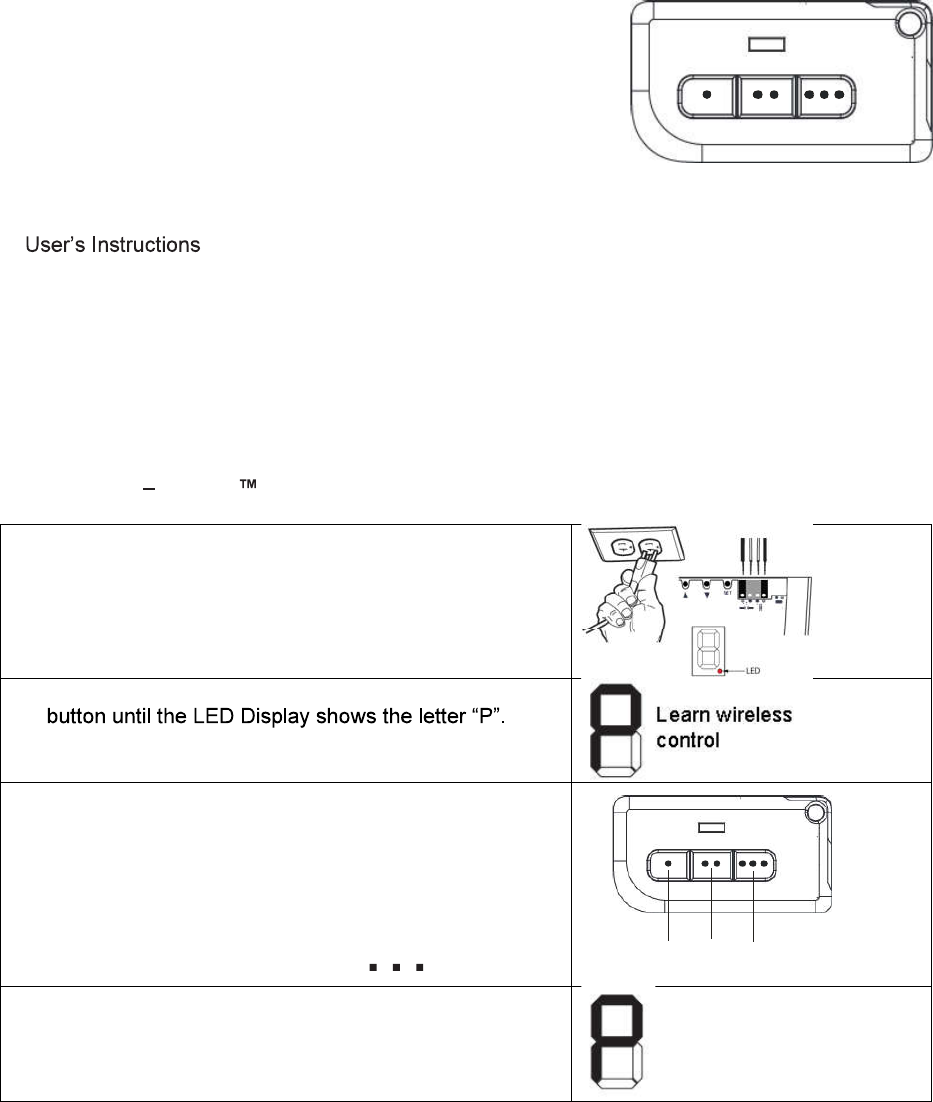
3-Button Remote MODEL: GG-318 Preliminary Copy
1. INTRODUCTION
Thank you for your purchase of Skylink® remote transmitter,
Model GG-318.
The following items are included in this package:
- One of GG-318 Remote
- Lithium Battery CR-2032 (Installed)
- Mounting accessories
-
Follow one or more instructions below to program transmitter GG-318 to the Skylink® receiver
or Skylink® garage door opener you want to control.
2. PROGRAMMING
2a. PROGRAMMING A REMOTE TRANSMITTER TO THE SKYLINK® GARAGE DOOR
OPENER ATOMS SERIES
1. Connect the opener to an approved power source.
The dot in the LED display stays on.
2. Press the [Set] button for one second, and release the
3. Within 30 seconds, press any button on the remote
that you would like to program to the opener.
Note:
[
.
] = Button 1, [
..
] = Button 2, [ ] = Button 3
4. Once the button on the remote is programmed. The
LED segment will off and emits one beep indicating
the programming successfully
231
Button
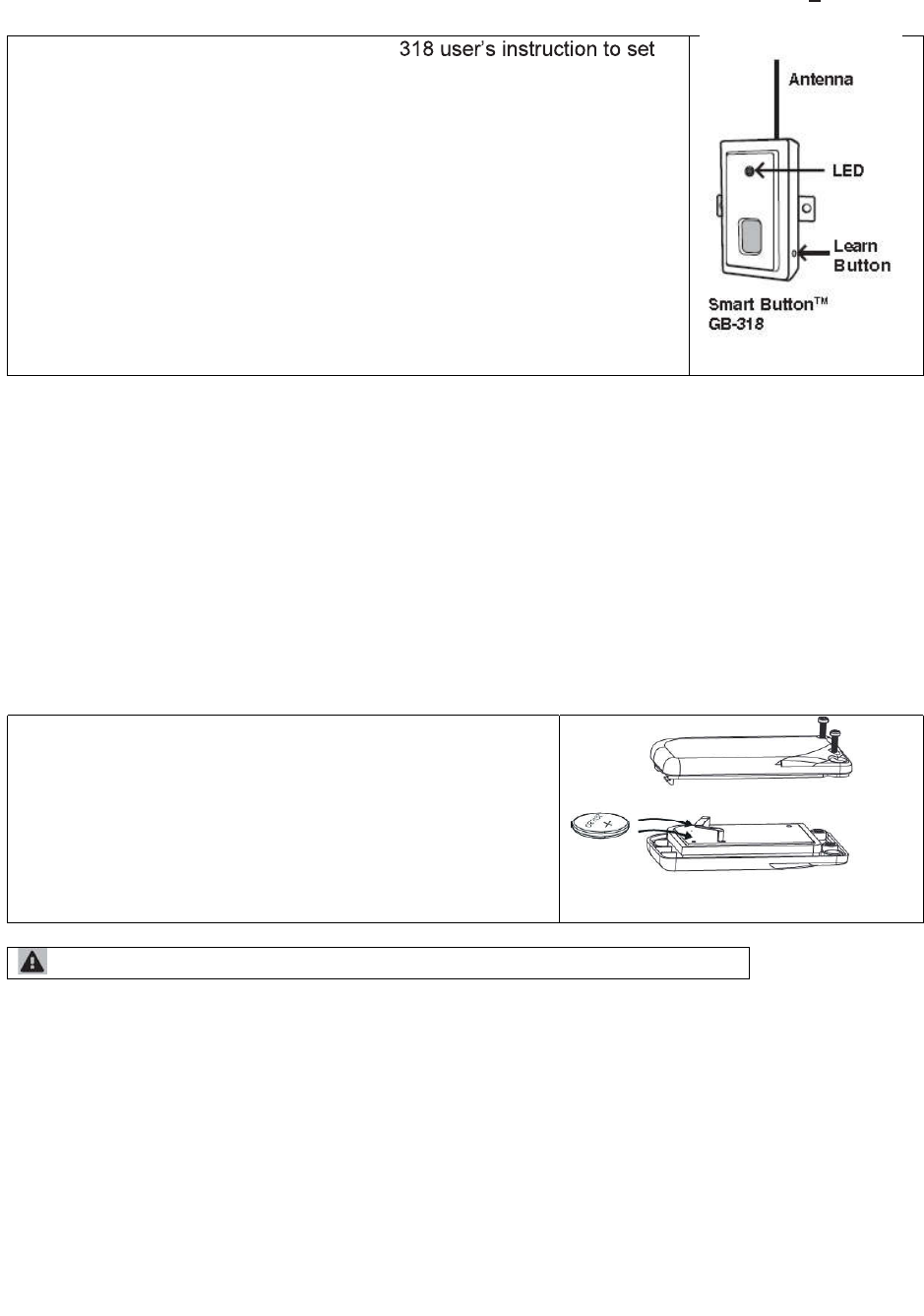
2b. PROGRAMMING A REMOTE TRANSMITTER TO THE SKYLINK® RECEIVER GB-318
Refer to the receiver Smart Button
TM
GB-
up the unit.
1. Press the learn button on the side of the Smart ButtonTM GB-318.
2. Once the learn button is pressed, the LED will
flash quickly. Release
the learn button.
3. Within 30 seconds, press any one of the 3 buttons
on the transmitter
that you want to program to the receiver.
4. Once the remote control is programmed, the LED will flash slowly, in
the same way as it flashes in standby mode.
5. You may now operate the garage door opener with this new remote
control.
6. To program this transmitter to control another receiver, repeat
process (1) to (4) to program another button on the remote transmitter.
3. OPERATION
Press the programmed button to open/close the garage door or receiver.
4. BATTERY REPLACEMENT
The remote come with a 3 Volt lithium battery (CR 2032) installed. It is time to change the
battery when the red LED on the transmitter does not turn on when either button is pressed.
To replace the battery:
1. Undo the screw on the back of the remote.
2. Pry out the back cover from the remote
3. Take out the old battery.
4. Place the new battery in position. Be sure the
polarity is correct.
5. Close the back cover with the screw.
Battery Disposal - Dispose used battery according to local regulation.
5.WARNING
This device complies with Part 15 of the FCC Rules and Industry Canada licence-exempt RSS
standard(s). Operation is subject to the following two conditions: (1) this device may not cause harmful
interference, and (2) this device must accept any interference received, including interference that may
cause undesired operation.
This device complies with Part 15 of the FCC rules. Operation is subject to the following two conditions:
1) this device may not cause harmful interference, and
2) this device must accept any interference received, including interference that may cause undesired
operation.
changes or modifications not expressly approved by the party responsible for compliance could void
your authority to operate the equipment.
6. WARRANTY
If, within one year from date of purchase, this product should become defective (except battery),
due to faulty workmanship or materials, it will be repaired or replaced, without charge. Proof of
purchase and a Return Authorization are required.
7. CUSTOMER SERVICE
If you would like to
- find out the up-to-date specifications
- know more about features and applications
- download documents, i.e. user’s instructions
- order Skylink products
or if you have difficulty getting products to work, please:
1. visit our FAQ section at www.skylinkhome.com, or
2. email us at support@skylinkhome.com, or
3. call our toll free at 1-800-304-1187 from Monday to Friday, 9 am to 5 pm EST. Fax (800) 286-
1320
CUSTOMER SERVICE
17 Sheard Avenue, Brampton, Ontario, Canada L6Y 1J3
Email:support@skylinkhome.com
http://www.skylinkhome.com
©2016 SKYLINK GROUP
This device complies with Industry Canada's licence-exempt RSSs. Operation is subject to the following two
conditions:
(1) This device may not cause interference; and
(2) This device must accept any interference, including interference that may cause undesired operation of the
device.
Cet appareil est conforme aux CNR exempts de licence d'Industrie Canada. Le fonctionnement est soumis aux
deux conditions suivantes:
(1) Ce dispositif ne peut causer des interférences; et
(2) Cet appareil doit accepter toute interférence, y compris les interférences qui peuvent causer un mauvais
fonctionnement de l'appareil.