Chengdu Ledong Information Technology RSC1 RSC1 User Manual x

Chengdu Ledong Information Technology Co., Ltd RSC1 x

User Manual

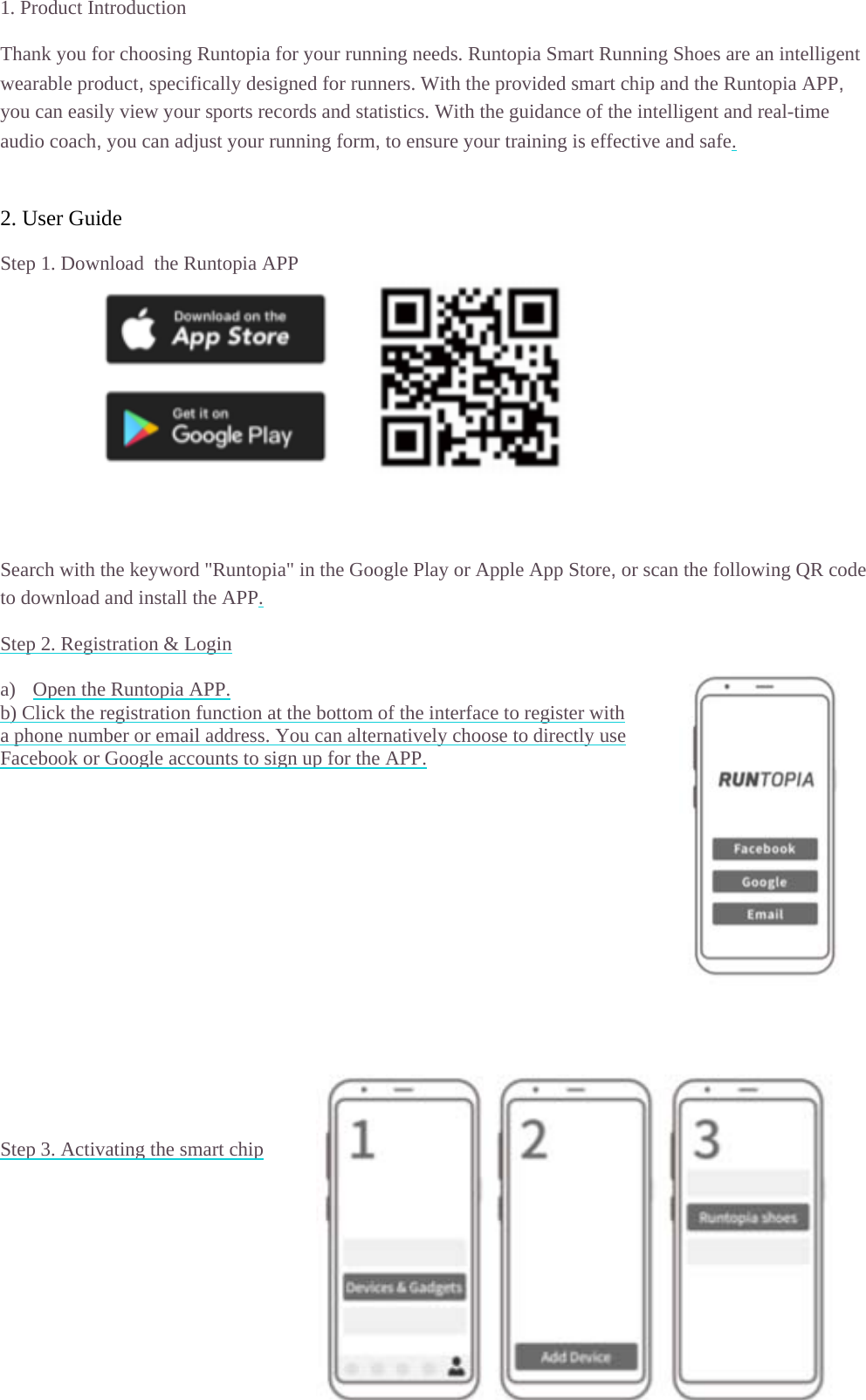
1. Product I Thank you fwearable pryou can easaudio coach 2. User GuStep 1. Dow            Search withto download Step 2. Reg a) Open thb) Click thea phone numFacebook o                Step 3. Acti      Introduction for choosingroduct, specisily view youh, you can aduide wnload  the Rh the keyword and install gistration & Lhe Runtopia Ae registrationmber or emair Google accivating the smg Runtopia fofically desigur sports recodjust your runRuntopia APPd "Runtopia"the APP. Login APP. n function at til address. Ycounts to signmart chip or your runnigned for runnords and statinning form, tP " in the Googthe bottom oYou can alternn up for the Aing needs. Runers. With theistics. With tto ensure yougle Play or Aof the interfacnatively chooAPP. untopia Smae provided smthe guidanceur training isApple App Stce to registerose to directlart Running Smart chip anof the intellis effective antore, or scan r with ly use Shoes are an d the Runtopigent and reand safe. the followinintelligent pia APP, al-time ng QR code
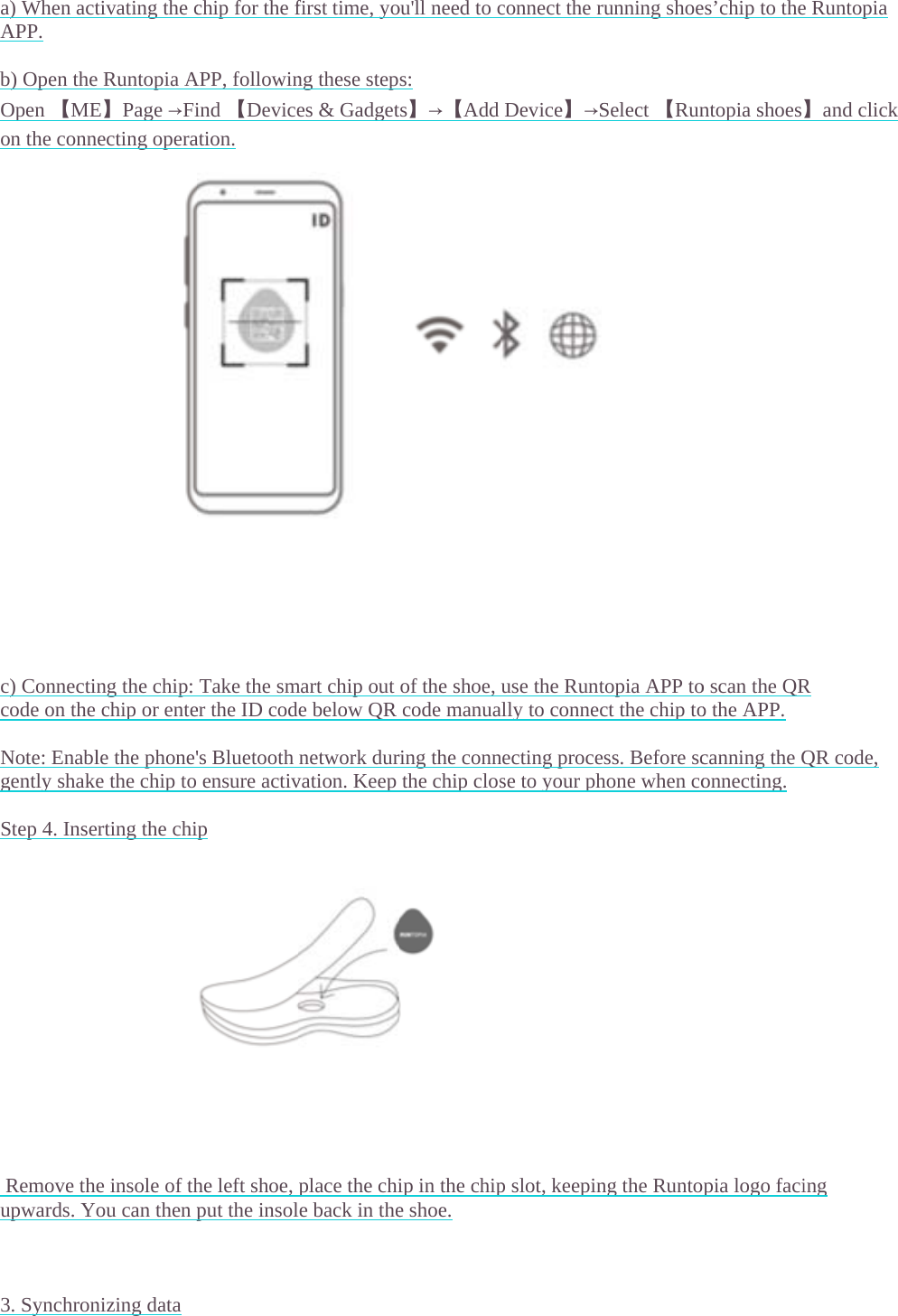
  a) When actAPP.  b) Open theOpen 【MEon the conn                      c) Connecticode on the Note: Enablgently shak Step 4. Inse               Remove thupwards. Y   3. Synchrontivating the ce Runtopia AE】Page →Finecting operang the chip:  chip or entele the phone'e the chip toerting the chie insole of thou can then pnizing data chip for the fAPP, followinind 【Deviceation. Take the smer the ID cod's Bluetooth  ensure activip he left shoe, put the insolfirst time, yong these stepes & Gadgetmart chip oute below QRnetwork durvation. Keepplace the chile back in theou'll need to cs:  ts】→【Addof the shoe,code manuaring the connthe chip closip in the chipe shoe. connect the rDevice】→Suse the Runtally to connecnecting procese to your php slot, keepinrunning shoeSelect 【Runtopia APP toct the chip toess. Before schone when cong the Runtoes’chip to thentopia shoeso scan the QRo the APP. canning the Qonnecting. pia logo facie Runtopia 】and click R QR code, ing
 a) Runninuploade b) ImportingShoes] page  Note: Enablensure activ  4. Replacing                 a) Chip battAPP. Reme  b) When repreattaching  5. Please noa) Do not b)  Do notc)  Do notd)  It is rec   6. Chip paraShell materiShell size: 3Waterproof Product weiProduct shaBattery voltBattery capOperating te   g with your ped and displag data from re and synchrle the phone'vation. Keep g the batterytery life is abember to replplacing the bthe cover, mote press the chit use corrosivt use the devicommended ameters ial: PC 32 * 28MM frating: IPX6ight: 7g ape: round tage: 3V acity: 220mAemperature: phone and Aayed after yorunning shoeonize your d's Bluetooth the chip closy bout 8 monthlace the battebattery, use thmake sure to pip cover withve chemical cice in envirothat you syn6 AH 14℉-104℉APP: If conneur run. Remees when runndata manuallynetwork durse to your phhs, this can bery when neche providedpress tightlyh great force,cleaners whenments withnchronize you/ -10℃-40℃ection is normember to starning withouty. ring the synchhone when coe viewed oncessary. tool inside thto ensure the, or use any hen cleaning eh strong Electur data manu℃ mal, your runrt and end yoyour phone:hronization ponnecting.the Power dhe chip box te chip remainhard objectsequipment.tromagneticually every 7nning data wour run on th: On the APPprocess. Gendisplay of theto open the cns waterprooto hit the devInterference days to prevwill automatiche APP. P, open the [Rntly shake thee running shochip cover. Wof. vice. . vent data inacally be Runtopia e chip to oes on the When accuracy.
 FCC Statement  This equipment has been tested and found to comply with the limits for a Class B digital device, pursuant to part 15 of the FCC rules. These limits are designed to provide reasonable protection against harmful interference in a residential installation. This equipment generates, uses and can radiate radio frequency energy and, if not installed and used in accordance with the instructions, may cause harmful interference to radio communications. However, there is no guarantee that interference will not occur in a particular installation. If this equipment does cause harmful interference to radio or television reception, which can be determined by turning the equipment off and on, the user is encouraged to try to correct the interference by one or more of the following measures: -Reorient or relocate the receiving antenna. -Increase the separation between the equipment and receiver. -Connect the equipment into an outlet on a circuit different from that to which the receiver is connected. -Consult the dealer or an experienced radio/TV technician for help. To assure continued compliance, any changes or modifications not expressly approved by the party. Responsible for compliance could void the user’s authority to operate this equipment. (Example- use only shielded interface cables when connecting to computer or peripheral devices). This equipment complies with Part 15 of the FCC Rules. Operation is subject to the following two conditions: (1) This device may not cause harmful interference, and (2) This device must accept any interference received, including interference that may cause undesired operation. RF warning statement: The device has been evaluated to meet general RF exposure requirement. The device can be used in portable exposure condition without restriction.

Navigation menu