Chuango Security Technology KP20 KP-20 Security Keypad User Manual

Chuango Security Technology Corporation KP-20 Security Keypad

User Manual

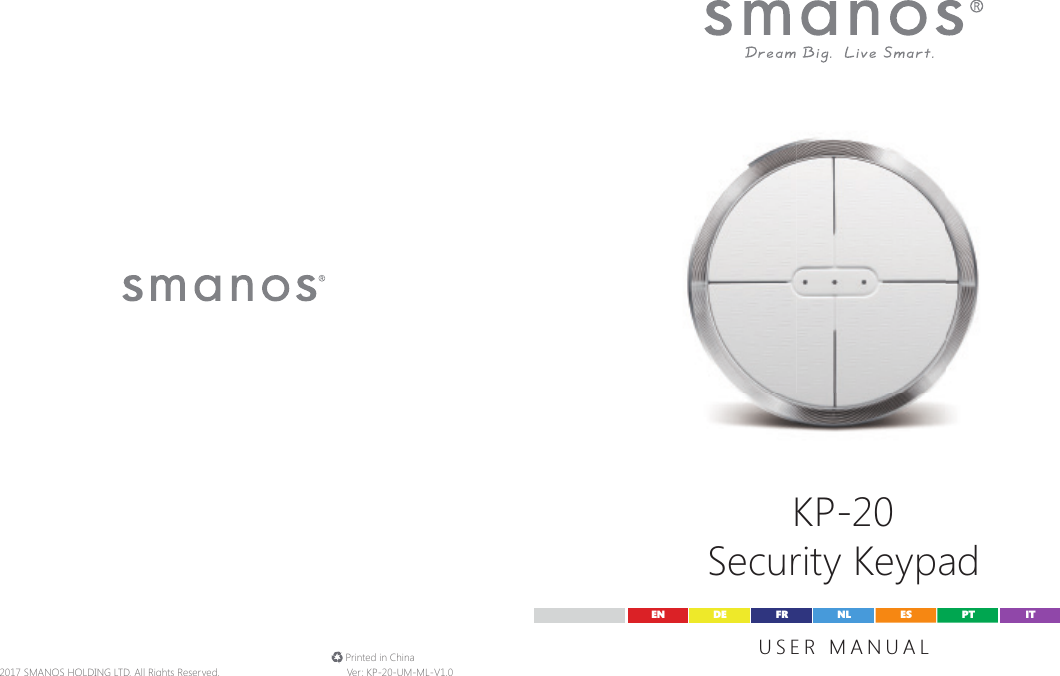
KP-20Security KeypadUSER MANUALEN DE ESFR PTNL IT© 2017 SMANOS HOLDING LTD. All Rights Reserved. Ver: KP-20-UM-ML-V1.0 Printed in China
FCC STATEMENT1. This device complies with Part 15 of the FCC Rules.Operation is subject to the following two conditions:(1) This device may not cause harmful interference, and(2) This device must accept any interference received, including interference that may cause undesired operation.2. Changes or modications not expressly approved by the party responsible for compliance could void the user’s authority to operate the equipment.NOTE: This equipment has been tested and found to comply with the limits for a Class B digital, pursuant to Part 15 or the FCC Rules. These limits are designed to provide reasonable protection against harmful interference in a residential installation. This equipment generates, uses and can radiate radio frequency energy and, if not in stalled and used in accordance with the instructions, may casue harmful interference to radio communications, However, there is no guarantee that interference will not occur in a particular installation. If the equipment does cause harmful interference to radio or television reception, which can be determined by turning the equipment off and on, the user is encouraged to try to correct the interference by one or more of the following measures:--- Reorient or relocate the receiving antenna.--- Increase the separation between the equipment and receiver.--- Connect the equipment into an outlet on a circuit different  from that to which the receiver is connected.--- Consult the dealer or an experienced radio/ TV technician for help.Industry Canada NoticeThis device complies with Industry Canada licence-exempt RSS standard(s).1. Operation is subject to the following two conditions:(1) this device may not cause interference, and  (2) this device must accept any interference, including interferencethat may cause undesired operation of the device."2.Changes or modications not expressly approved by the party responsible for compliance could void the user’s authority to operate the equipment.Avis d'Industrie CanadaLe présent appareil est conforme aux CNR d'Industrie Canada applicablesaux appareils radio exempts de licence. L'exploitation est autoriséeaux deux conditions suivantes : (1) l'appareil ne doit pas produirede brouillage, et (2) l'utilisateur de l'appareil doit accepter toutbrouillage radioélectrique subi, même si le brouillage est susceptibled'en compromettre le fonctionnement. Cet appareil numérique ne dépasse pas les Rèlements sur l'interférence radio par un appareil numérique de classe B stipulées dans les Règlement sur l'interférenceredio d'industrie Canada.
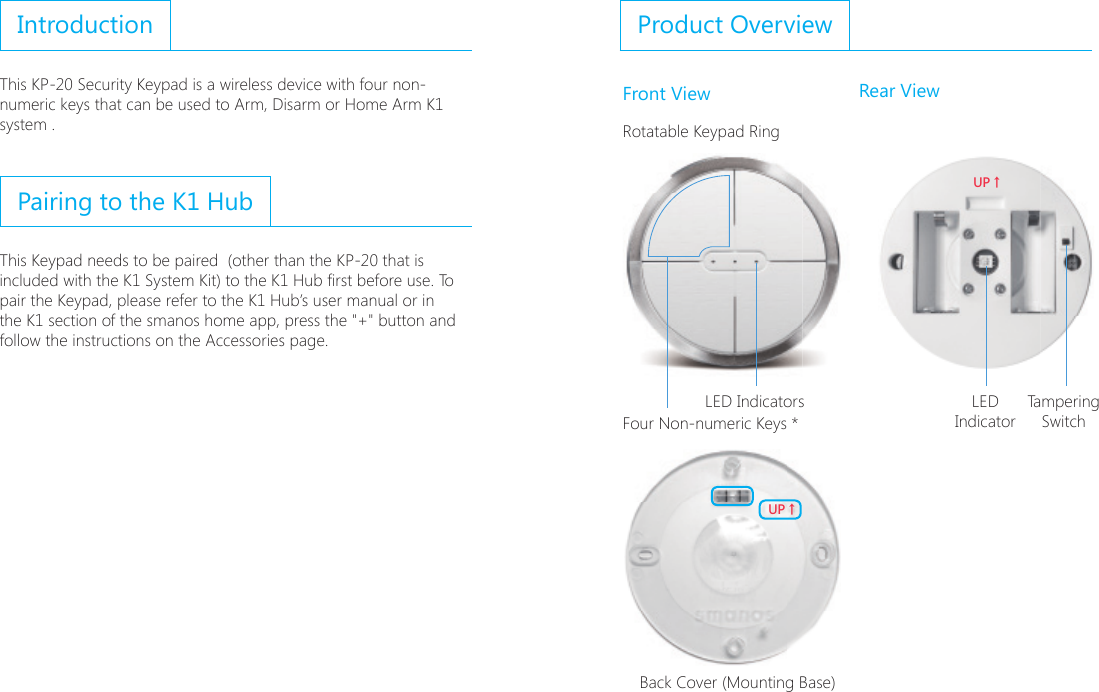
IntroductionThis KP-20 Security Keypad is a wireless device with four non-numeric keys that can be used to Arm, Disarm or Home Arm K1 system .Pairing to the K1 HubThis Keypad needs to be paired  (other than the KP-20 that is included with the K1 System Kit) to the K1 Hub rst before use. To pair the Keypad, please refer to the K1 Hub’s user manual or in the K1 section of the smanos home app, press the "+" button and follow the instructions on the Accessories page.Product OverviewFront View Rear ViewRotatable Keypad Ring;6ɑ;6ɑFour Non-numeric Keys * ;6ɑ;6ɑBack Cover (Mounting Base)LED Indicators TamperingSwitchLED Indicator
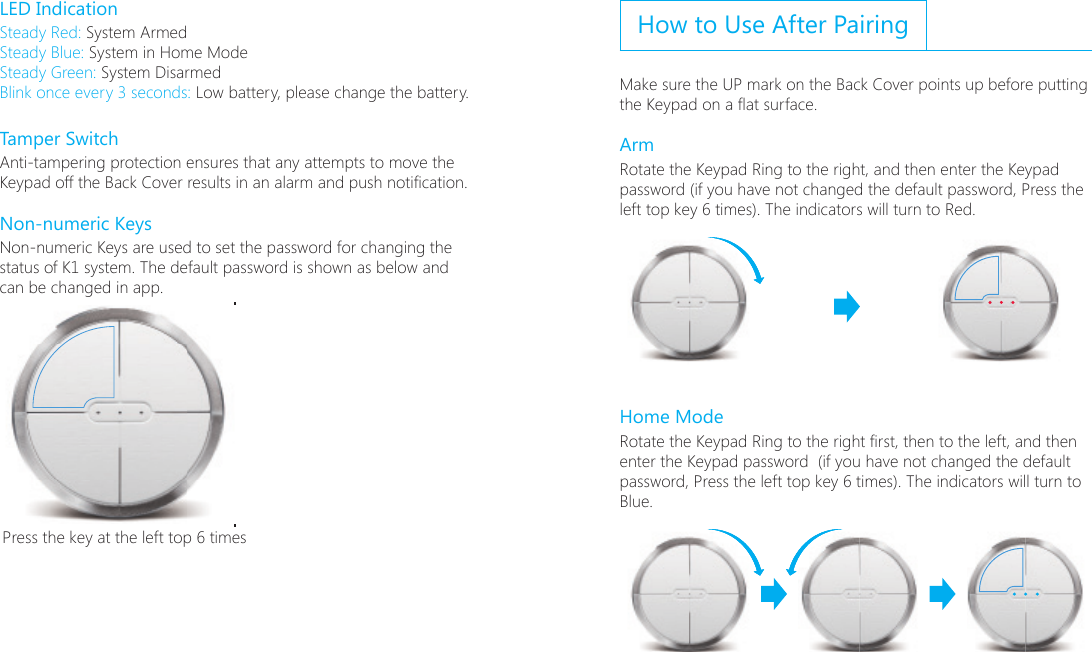
LED IndicationSteady Red: System ArmedSteady Blue: System in Home ModeSteady Green: System DisarmedBlink once every 3 seconds: Low battery, please change the battery.Tamper SwitchAnti-tampering protection ensures that any attempts to move the Keypad off the Back Cover results in an alarm and push notication.Non-numeric KeysNon-numeric Keys are used to set the password for changing the status of K1 system. The default password is shown as below and can be changed in app.;6ɑ;6ɑPress the key at the left top 6 timesHow to Use After PairingMake sure the UP mark on the Back Cover points up before putting the Keypad on a at surface.Arm Rotate the Keypad Ring to the right, and then enter the Keypad password (if you have not changed the default password, Press the left top key 6 times). The indicators will turn to Red.Home ModeRotate the Keypad Ring to the right rst, then to the left, and then enter the Keypad password  (if you have not changed the default password, Press the left top key 6 times). The indicators will turn to Blue.
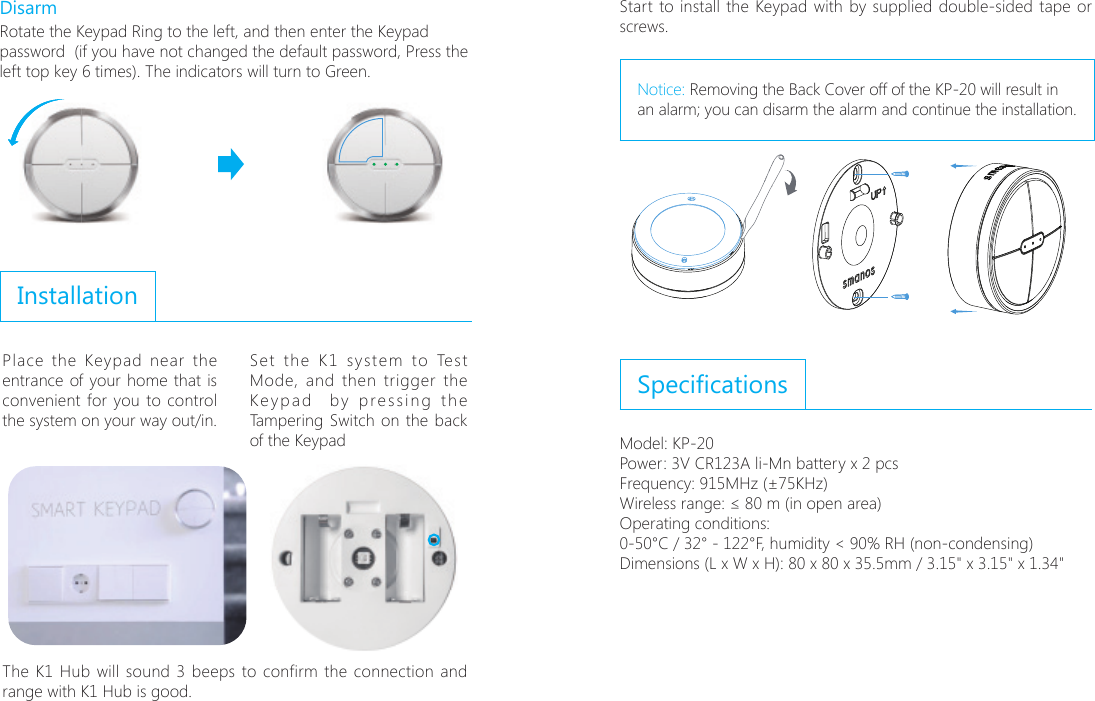
DisarmRotate the Keypad Ring to the left, and then enter the Keypad password  (if you have not changed the default password, Press the left top key 6 times). The indicators will turn to Green.InstallationPlace the Keypad near the entrance of your home that is convenient for you to control the system on your way out/in. Set the K1 system to Test Mode, and then trigger the Keypad  by pressing the Tampering Switch on the back of the Keypad;6ɑ;6ɑ  The K1 Hub will sound 3 beeps to confirm the connection and range with K1 Hub is good.Start to install the Keypad with by supplied double-sided tape or screws.Notice: Removing the Back Cover off of the KP-20 will result in an alarm; you can disarm the alarm and continue the installation.SpecicationsModel: KP-20Power: 3V CR123A li-Mn battery x 2 pcsFrequency: 868MHz/EU or 915MHz/Americas (±75KHz)Wireless range: ≤ 80 m (in open area)Operating conditions: 0-50°C / 32° - 122°F, humidity < 90% RH (non-condensing)Dimensions (L x W x H): 80 x 80 x 35.5mm / 3.15" x 3.15" x 1.34"Frequency: 915MHz (±75KHz)

Navigation menu