Chuango Security Technology WK8000 Wireless Keypad User Manual
Chuango Security Technology Corporation Wireless Keypad
UserManual.wiki
>
Chuango Security Technology
>
WK8000 User Manual
User Manual
Navigation menu
Upload a User Manual
Namespaces
Wiki Guide
HTML
PDF
Info
Views
User Manual
Discussion / Help
Navigation
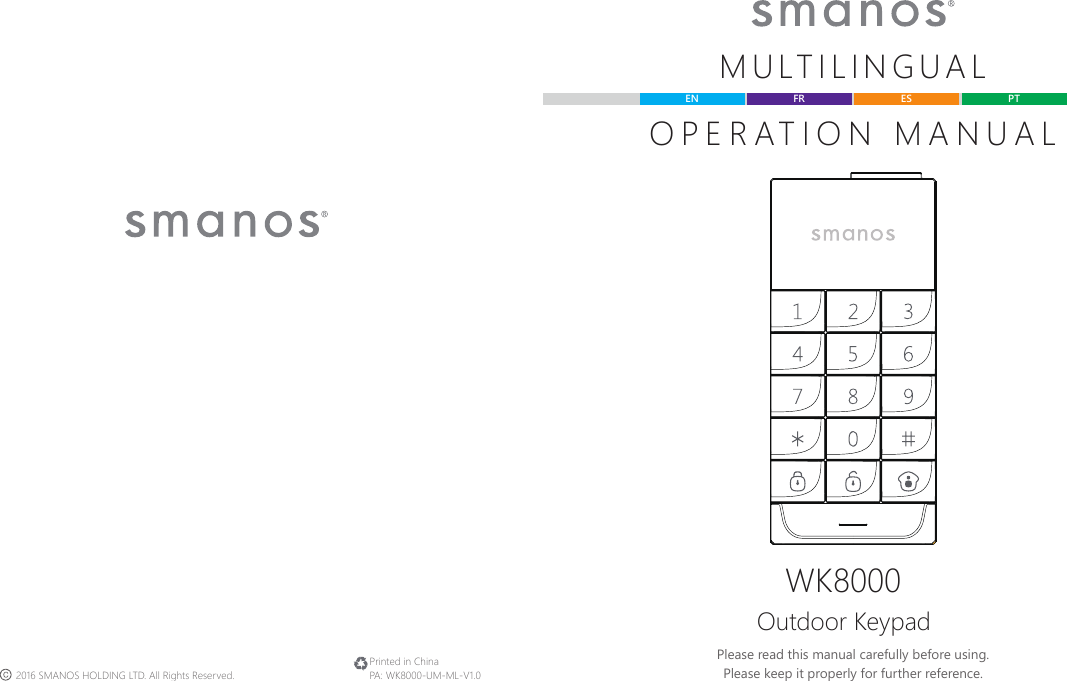
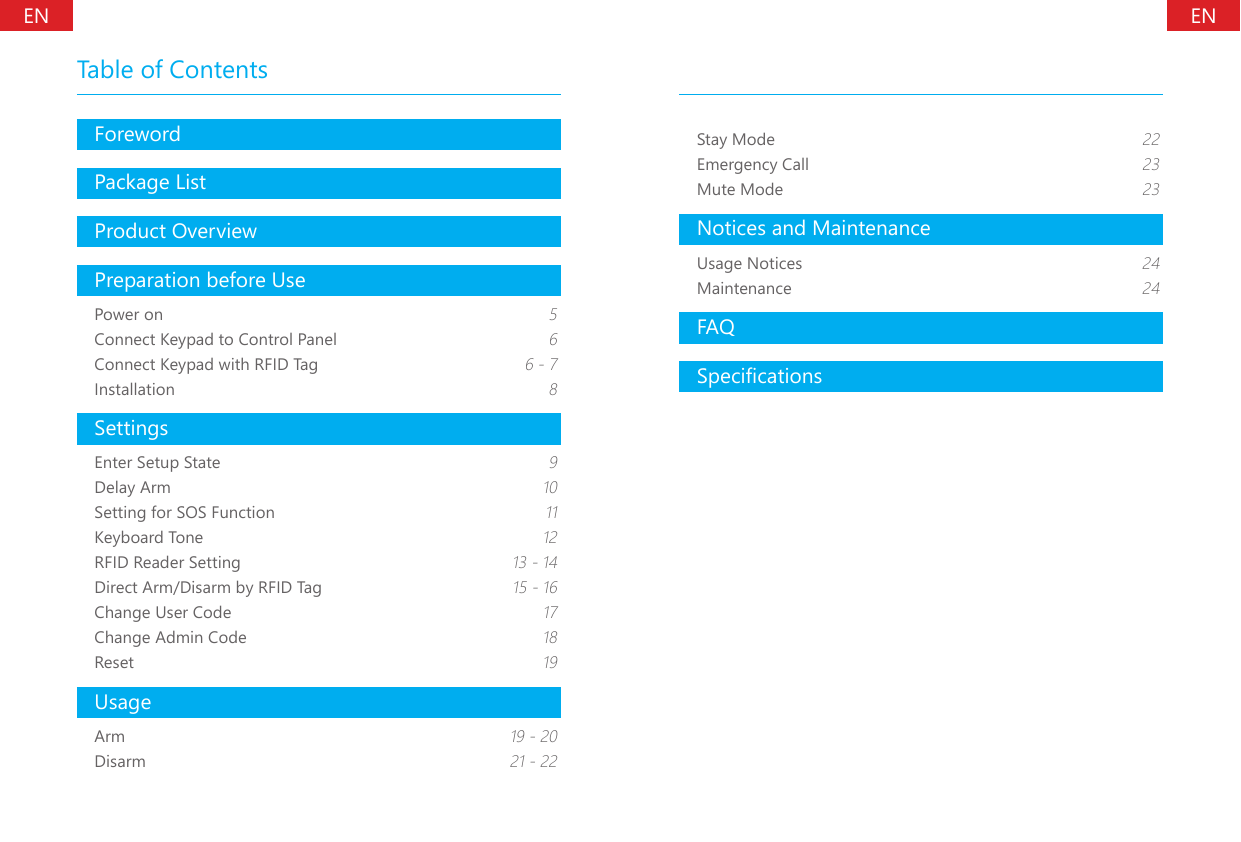
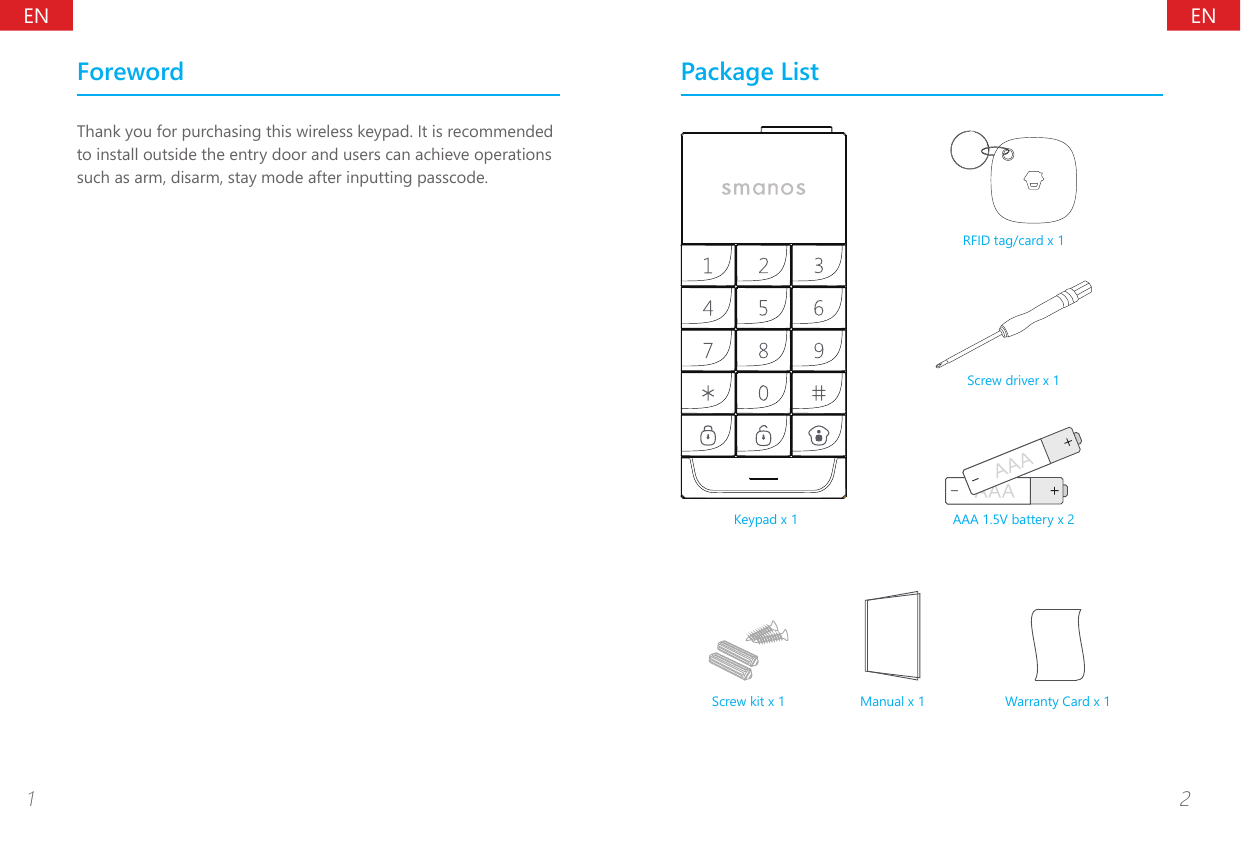
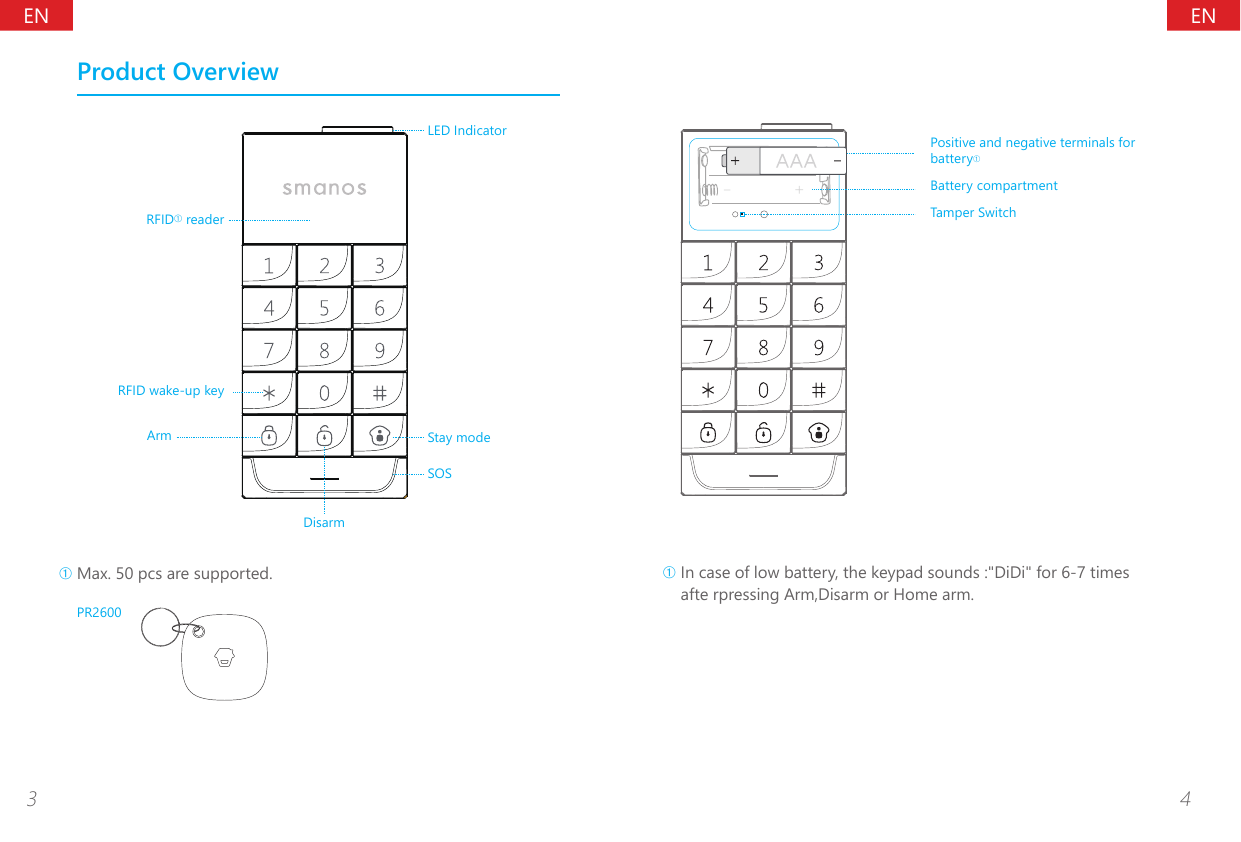
![ENEN5 6Change batteriesSlide the cover of the RFID reader, loose the screws of the four corners, open the lid of the battery compartment, change the batteries. Then cover all parts back.Note: Open the lid of the battery compartment will trigger tamper switch, please dismiss the alarm by following the disarm instruction in page 21~22.Preparation before UsePower onFirst time to useJust remove the insulating strip, the keypad will give o a long beep and the LED light will be on until the beep stops.Connect Keypad to Control PanelMake sure the control panel is in connecting state, input user codeâ or admin codeê on keypad, and then press any key of . The connection succeeds after one beep.User can remotely control the panel via keypad after connection.(For detailed connection steps, please refer to the user manuals of panels.)Note: If the control panel beeps three times after inputting the user code or the admin code, that means the code is wrong, After 6 wrong inputs, the keypad will be locked for 20 seconds. If the control panel beeps twice when connecting, it means the keypad is already connected with the panel.â The default user code is 1234.ê The default admin code is 123456.Connect Keypad with RFID Tag1. Input [admin code + #] to wake up keypad.](https://usermanual.wiki/Chuango-Security-Technology/WK8000/User-Guide-3085567-Page-5.png)
![ENEN7 82. Press [9], one beep is heard and the LED indicator is on. Keypad enters learning state.3. Tap the RFID tag on the reader RFID reader, the connection succeeds after one beep and the LED indicator goes out.If two beeps are heard, it indicates the RFID tag has been connected before.To clear the connection of all RFID tags, input [admin code + #] to wake up the keypad and then press down [9] for six seconds. All connected RFID tags will be deleted.InstallationBefore using the keypad to control the system, you have to install it to the doorframe or on the wall.Step 1, slide the cover of the RFID reader gently, loose four small screws, open the lid of the battery compartment.Step 2, loose the big screw on the right of the tamper until the back bracket is out.Step 3, x the bracket to the target place with the screws, please notice the direction ( mark upwards).Step 4, aim the keypad to the bracket, tighten it with screws, gently lid the RFID reader cover at last.Note: Opening the lid of the battery compartment will trigger tamper switch, please disarm the alarm by following the disarm instruction in page 21~22.](https://usermanual.wiki/Chuango-Security-Technology/WK8000/User-Guide-3085567-Page-6.png)
![ENEN9 10SettingsThe keypad should enter setup state before all settings.Enter Setup StateInput [admin code + #] to wake up keypad.Press [3] to enter setup state, the LED indicator is on.Under setup state, if there is no operation within 10 seconds, the keypad will exit setup state automatically. Or you can press [#] to exit. Delay ArmWhen the alarm system is armed, detectors will start working immediately. If you are at home during the time, an alarm will be triggered. After setting delay arm, press on the keypad, the arm signal will be sent to the control panel after the set time.If the control panel and the keypad both set a delay time, the actual delay time is the total of both times.Delay Arm2 delay time Enter setup state, input:When one beep is heard and the LED indicator keeps on for 10 seconds, the setup is successful.Once the delay time is set, when you arm the keypad, it will beep once every two seconds to remind you to leave. The reminding rhythm will speed up in the last 15 seconds. After the delay time, the control panel enters arm state.Note: User can input digital 0-250 which refers to 0-250 seconds. Default setting: 0, no delay.](https://usermanual.wiki/Chuango-Security-Technology/WK8000/User-Guide-3085567-Page-7.png)
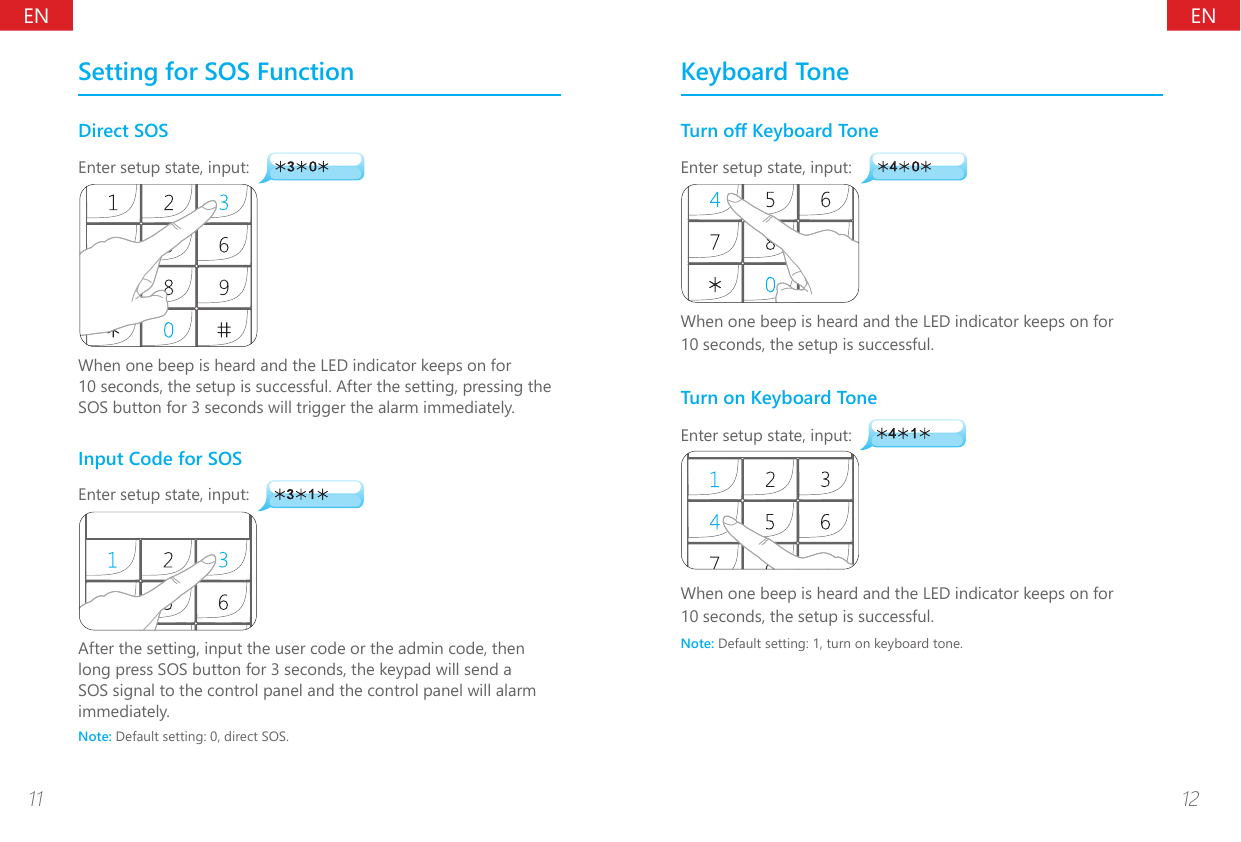
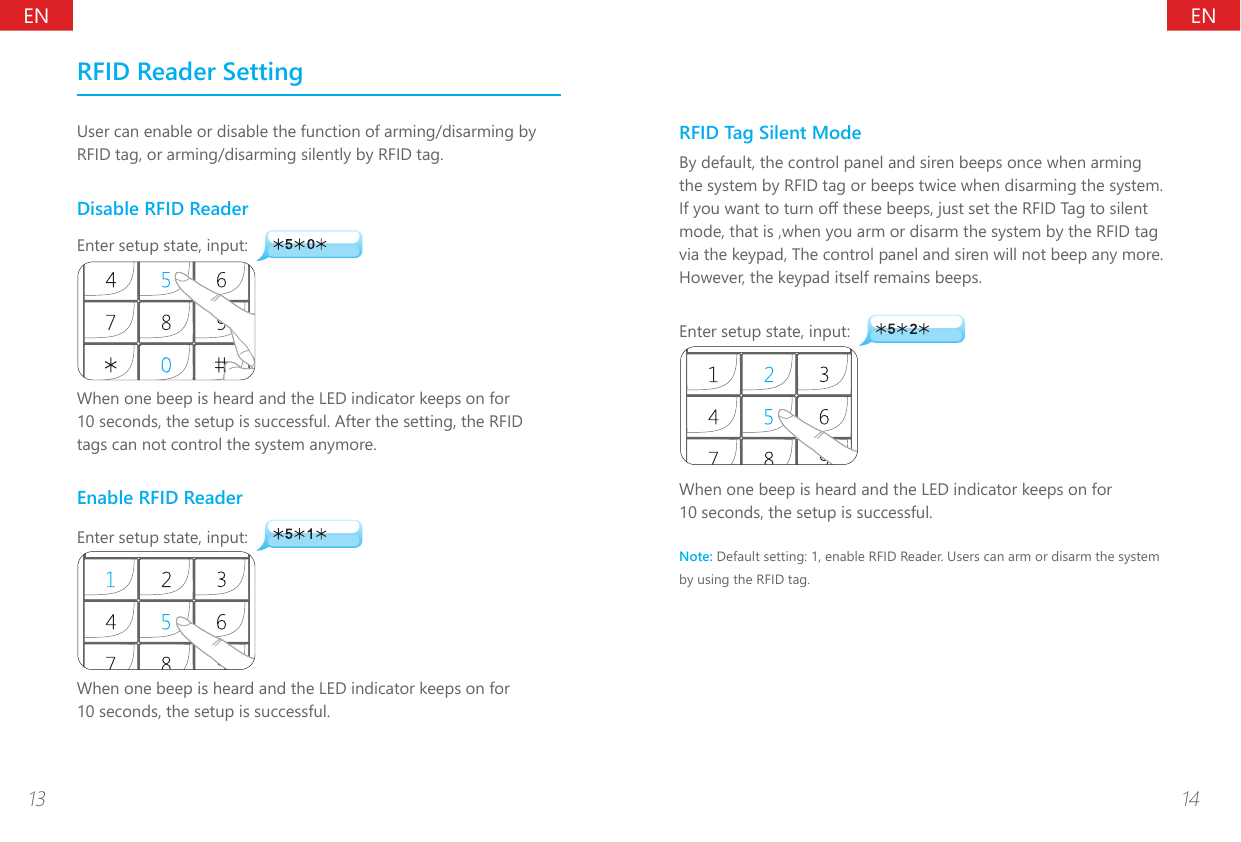
![ENEN15 16Direct Arm/Disarm by RFID TagWhen direct Arm/Disarm by RFID tag is enabled, users can directly tap RFID tags to Arm/Disarm the system. However, the function consumes power greatly. It is suggested to disable the function, that is, set the keypad is in sleeping state. Users need to press the [*] key before tapping RFID tags.Disable Direct Arm/Disarm by RFID TagEnter setup state, input:When one beep is heard and the LED indicator keeps on for 10 seconds, the setup is successful. After the setting, you need to press the [*] before arming/disarming the system.Enable Direct Arm/Disarm by RFID TagUser can Arm/Disarm the system by RFID tag directly, which is convenient but consumes more power.Enter setup state, input:When one beep is heard and the LED indicator keeps on for 10 seconds, the setup is successful.Note: Default setting: 1, enable the function of direct Arm/Disarm by RFID tag.](https://usermanual.wiki/Chuango-Security-Technology/WK8000/User-Guide-3085567-Page-10.png)
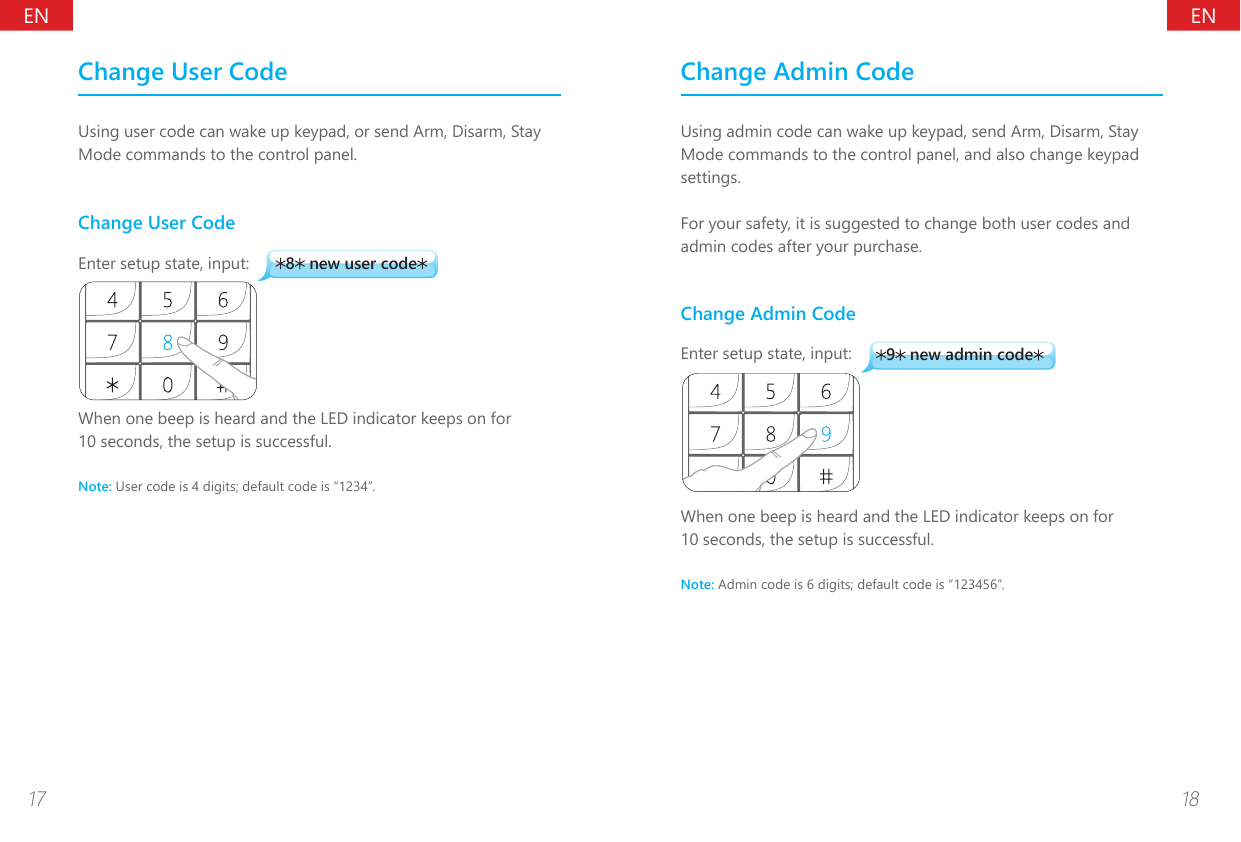
![ENEN19 20ResetAfter reset,both user code and admin code and other settings will be restored to default but the connected RFID tags are still valid.Enter setup state, input:When one beep is heard and the LED indicator keeps on for 10 seconds, the setup is successful.UsageThe keypad can be used as a remote control. User code or admin code should be input before the operation of Arm, Disarm, Stay Mode, and Mute Mode.ArmUsing keypad to armInput user code or admin code, and press key, the LED indicator ashes once and the keypad beeps once and sends arm signal to the control panel.When the alarm panel receives the signal, the siren will beep once. The alarm system enters armed state.Using RFID Tag to ArmIf direct arm is enabled,just tap the RFID tag twice within 3 seconds on the keypad to arm the system.If direct arm is disabled,user needs to press [*]to wake up the keypad and then tap RFID tag twice within 3 seconds on the keypad to arm the system.](https://usermanual.wiki/Chuango-Security-Technology/WK8000/User-Guide-3085567-Page-12.png)
![ENEN21 22DisarmUsers can disarm alarm system by pressing keypad or by using RFID tags.Using Keypad to DisarmInput user code or admin code, and press key, the LED indicator ashes once and the keypad beeps once and sends disarm signal to the control panel.When the alarm panel receives the signal, the siren will beep twice and the Disarm indicator will light on, the alarm system enters disarmed state. In this state, the sensors being triggered will not cause an alarm.Using RFID Tag to DisarmIf direct disarm by RFID tag is disabled, user needs to press [*] to wake up the keypad and then tap the RFID tag on reader to disarm the system.If direct disarm by RFID tag is enabled, user is able to tap the RFID tag on the reader to disarm the system.Stay ModeInput user code or admin code, and press key, the LED indicator ashes once and the keypad beeps once and sends stay mode signal to the control panel.When the alarm panel receives the signal, the siren will beep once, the alarm system enters stay mode state.All the sensors in other zones are armed to prevent the intruder except that the motion detector in Home Mode Zone is disarmed, so people can move freely at home.](https://usermanual.wiki/Chuango-Security-Technology/WK8000/User-Guide-3085567-Page-13.png)
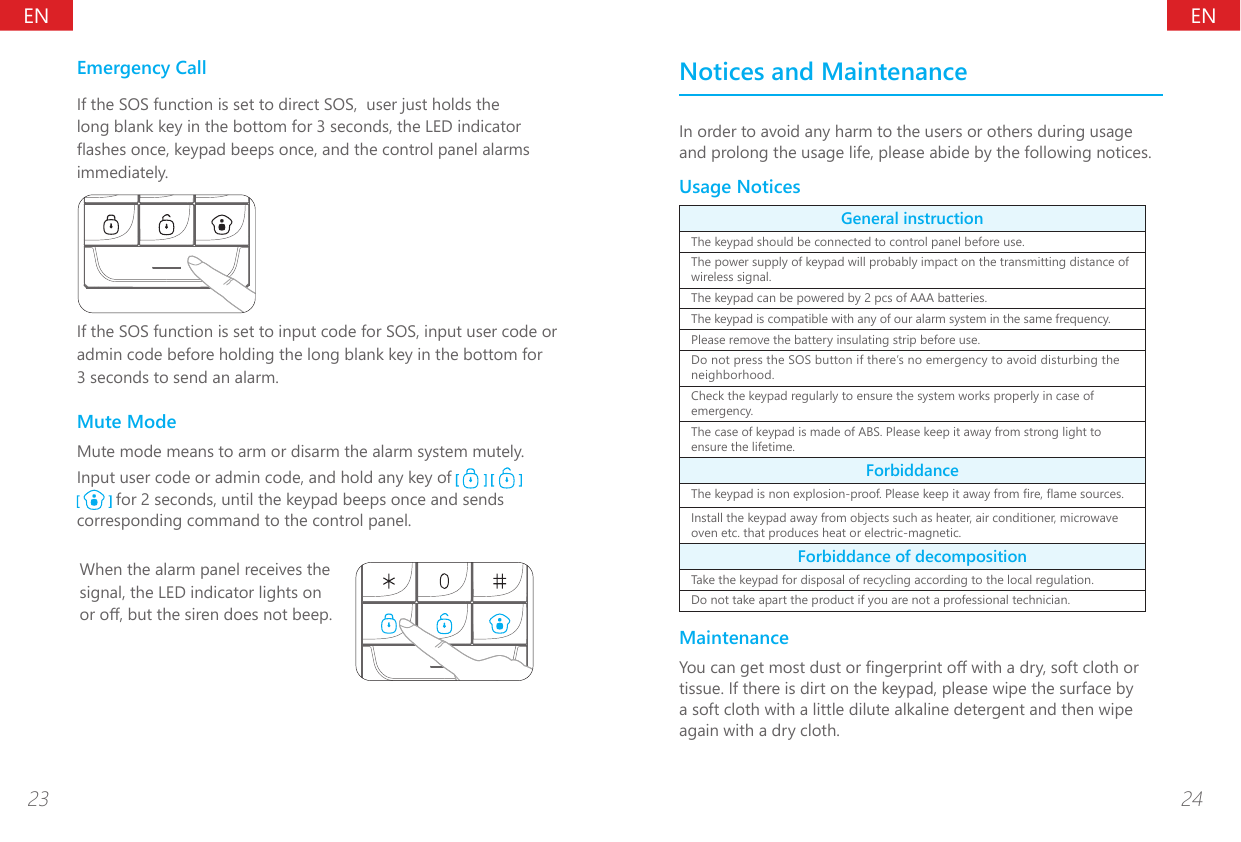
![ENEN25 26FAQProblem Cause SolutionNo response from keypadLow battery Please change the batteryThe positive and negative terminals are reversedFollow the right terminal direction and insert the battery againKeypad is locked by inputting wrong passcode continually more than 6 timesKeypad will be unlocked after non-operation for 20 secondsKeypad cannot connect to control panelNo response from alarm panelMake sure the alarm panel is powered onMake sure the alarm panel enters learning stateAlarm panel beeps twice Keypad has been learnedNo response from the control panel by operating on keypadKeypad is not learned to control panelPlease connect the keypad to the control panel by following the manual instructionDistance between keypad and control panel is too farPlease move the keypad in a proper distance where control panel can receive the signal of keypadIt’s recommended to buy signal repeater to extend the distanceCannot arm/disarm by RFID TagsThe RFID tags are not learned to keypadPlease connect the RFID tag to control panel by following the manual instructionRFID reader is disabled. Enter setup state and activate the RFID reader.Direct disarm by RFID tag is disabled. Disarm after pressing [*] keyKeypad cannot be programmedKeypad is not waked up Please input [admin code+#] to wake up the keypadKeypad doesn’t enter setup state Please input [admin code+#], and press [3] to enter setup stateKeypad cannot be armed, disarmed and in stay modeHaven't input user code or admin code before operationPlease input the user code or admin code before operationSpecicationsProduct Name:Outdoor KeypadModel No.:WK8000Power Supply:2 pcs of AAA batteriesStatic Current:<20μA (powered by batteries)Transmitting Current:<22mARFID Tags Supported:50pcsTransmitting Distance:<80m ( in open area)Radio Frequency:915MHz and 125kHzHousing Material:ABS plasticWaterproof Rating:IP55Operating Condition:Temperature: -20°C~+55°CRelative Humidity: <80% (non-condensing)Dimensions:157.5 x 70 x 20.7 mmOutput Power:No more than 50dBuV at 3m(125KHz)](https://usermanual.wiki/Chuango-Security-Technology/WK8000/User-Guide-3085567-Page-15.png)