Chung Hsin Electric and Machinery Mfg AVS-5801T 5.8 GHz Audio/Video Sender User Manual AVS 5800B D111 manual modified960628
Chung-Hsin Electric & Machinery Mfg. corp. 5.8 GHz Audio/Video Sender AVS 5800B D111 manual modified960628
Users manual
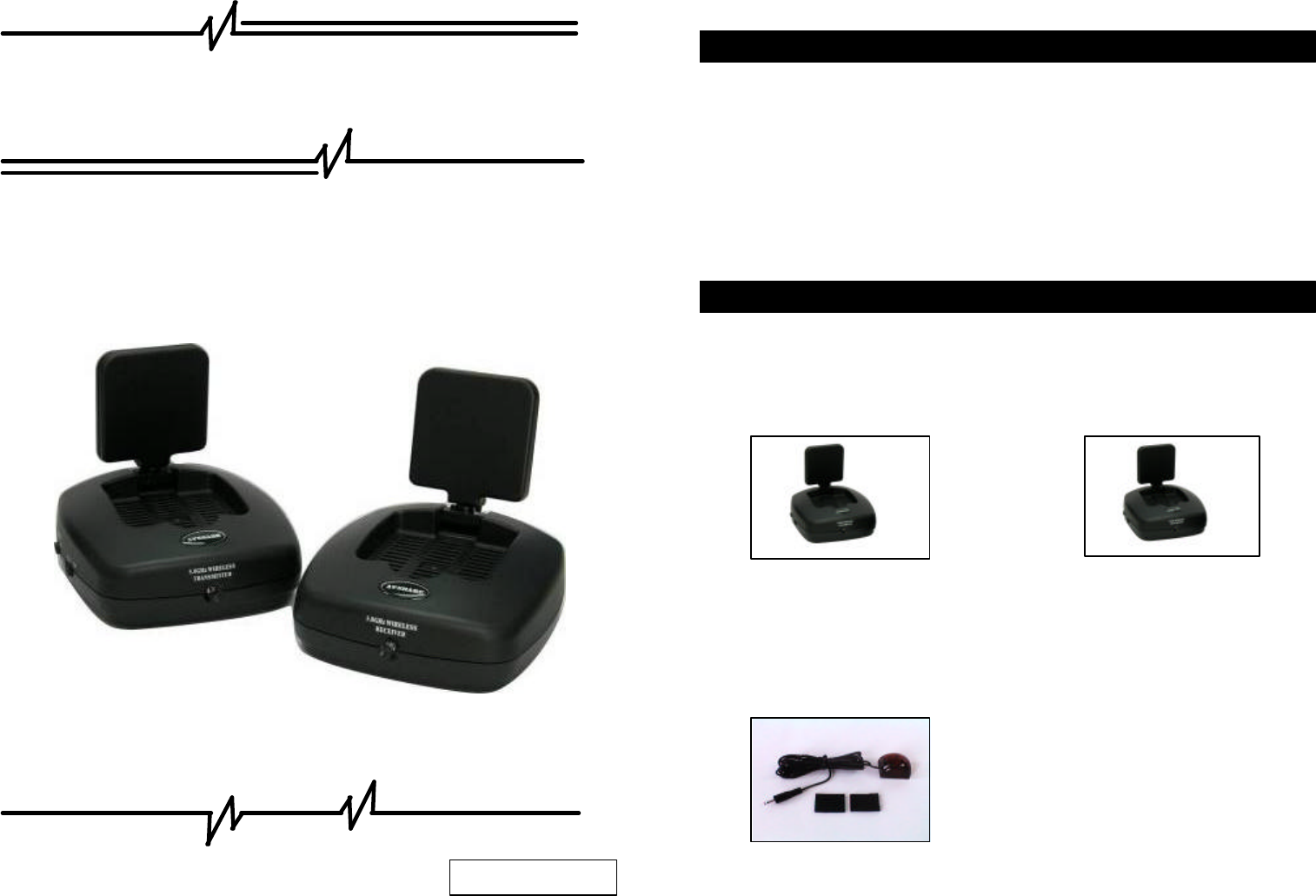
Model: AVS-5801
5.8 GHz Audio/Video Sender
1. Package Content………………………………………………1
2. Panel Control and Function……...……………………………2
3. Setup Guide…………………..………………….……………4
4. Orient Transmitter/Receiver for optimal performance…….… .5
5. Important Safety Information… .……………………..…..……6
Check to make sure that all units shown as below are enclosed. If something
missed, please contact your dealer.
1. 5.8GHz Transmitter x 1 2. 5.8GHz Receiver x 1
UHF: 433.92MHz (European)
UHF: 418MHz (USA Standard)
3. IR Mouse x 1 / fasten strips x 2
4. Accessories
1. Package Content
1
Contents
2507V58RL01B
European Standard:
(1) Power Adapters (230V) x 2 (2) RCA to Scart cable x 2
USA Standard
(1) Power Adapters (120V) x 2 (2) RCA Cable x 2
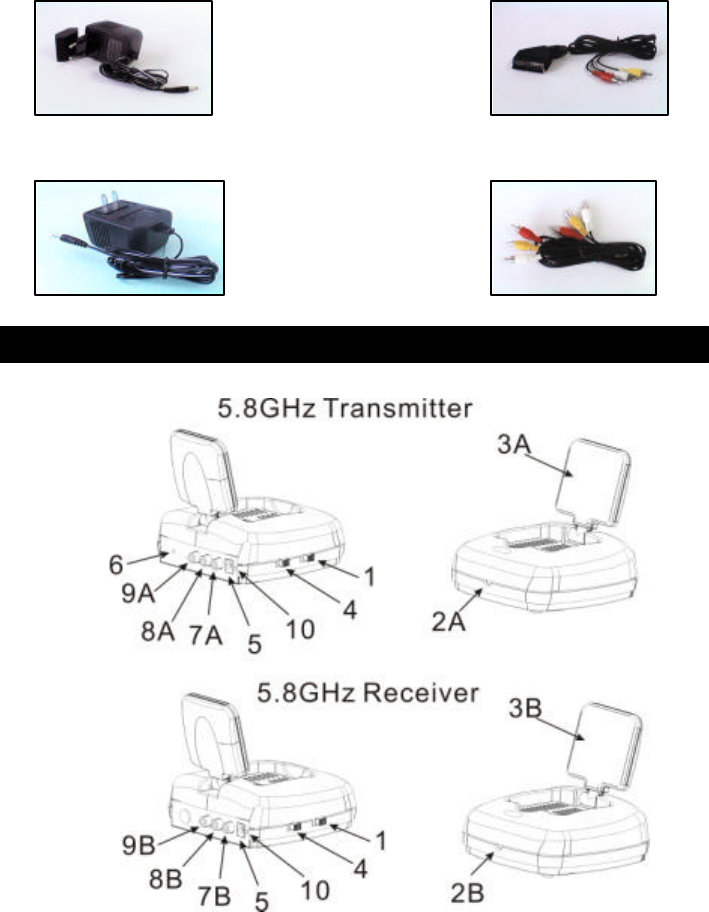
1. – Channel selection switch to find optimal reception, the transmitter and
receiver must to be Configured as the same channel.
2A –Remote control LED sends IR rays, to remotely control the source AV
equipment.
2B –Remote control LED receives IR rays from remote controller.
3A – Directional 5.8GHz A/V antenna sends A/V signal from source
equipment.
3B – Directional 5.8GHz A/V antenna receives audio and video signal.
4 – Power on/off switch.
5 – DC power input, connect to power supply. (9v).
6 – IR Mouse output, to remotely control source AV equipment.
7A –Video Jack, (yellow), input from source AV equipment.
7B –Video Jack, (yellow), output to TV.
8A –Audio Jack, Right (red), input from source AV equipment.
8B –Audio Jack, Right (red), output to TV.
9A –Audio Jack, Left (white), input from source AV equipment.
9B –Audio Jack, Left (white), output to TV.
10 –Power LED.
2. Panel Control and Function
3
2
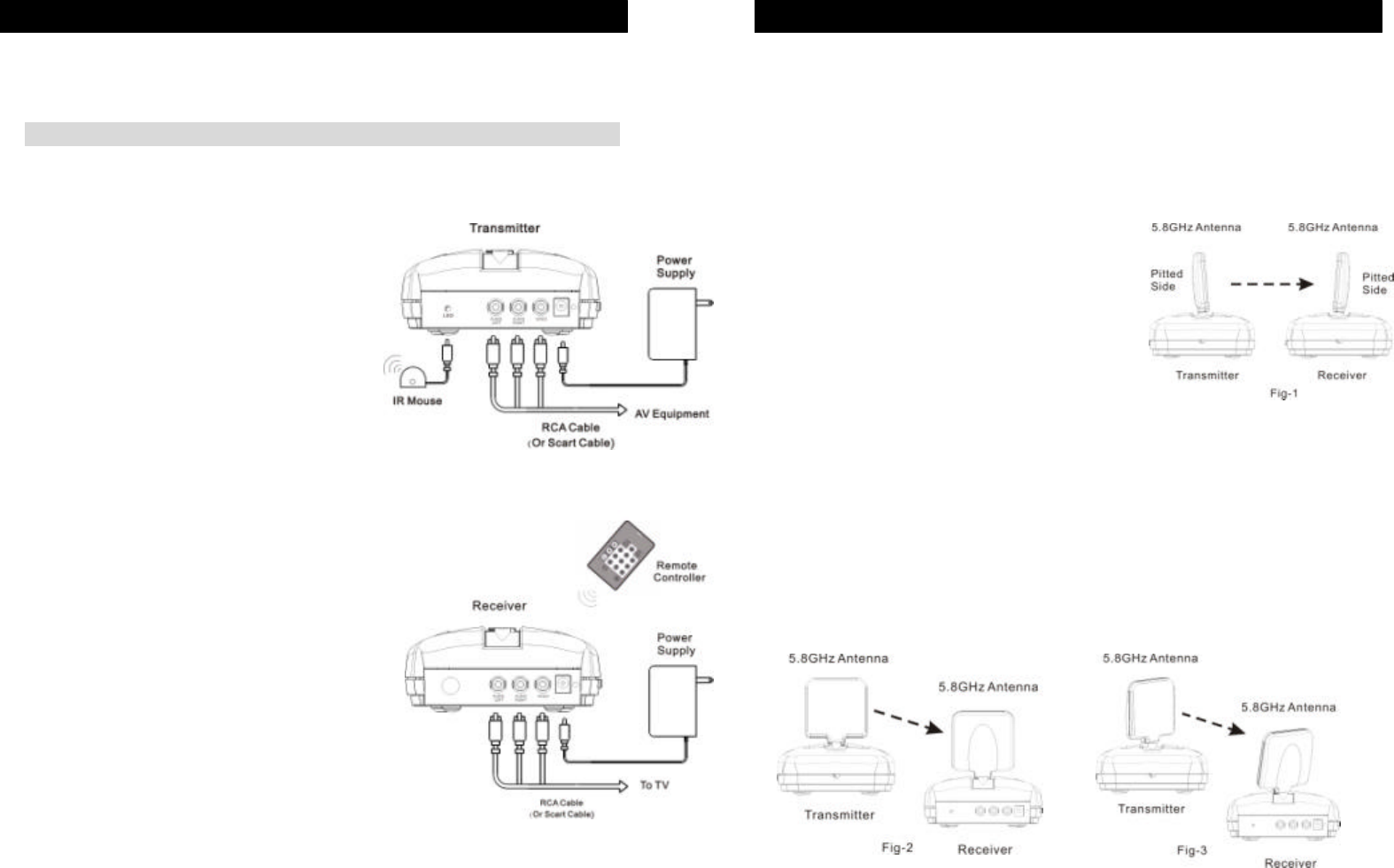
To enjoy a life of wireless video and audio, just connect the transmitter to any
A/V source you like and connect the receiver to a TV, monitor or speaker in
another location.
□ Transmitter
□ Receiver
For optimal performance, both the audio/video and remote control antennas
should be carefully oriented as described below. For maximum transmitting
range, try to minimize obstacles (e.g. your TV or other electronics, large
furniture) where between the transmitter and receiver.
Orients the 5.8GHz A/V Antennas
NOTE: Make sure the ON/OFF switch is in the
「OFF」
position before connection
3. Setup Guide
1.
Connect one end of the RCA cable (or
scart cable) to the audio and video jacks,
and connect the other end to a source
device via its “AV output”.
2. Connect t
he DC plug of the adapter to the
DC jack, and connect the power supply to
an outlet.
3.
Fix IR mouse next to or in front of IR
sensor of source device, or alternatively
have transmitter
facing directly toward the
source device.
4. Orient Transmitter/Receiver for optimal performance
The system delivers high-
quality audio and
video by using directional antennas, which must
be oriented in the best ways. The antennas are
designed to be able to vertically and
horizontally
pivot and rotate in almost any direction.
In most situations, the flat-pitted face of the antennas on both the tr
ansmitter
and receiver should be facing one another and perpendicular (at a right angle)
to an imaginary line drawn between the two units. Three examples are shown
as Fig-1, Fig-2 and Fig-
3. Since all homes are different, for optimal reception,
additional
slight pivots or rotations may be necessary. If the transmitter and
receiver are less than 10 feet apart, suggest that the antennas are lying on their
casings since the distance is so short. 1
Connect one end of the RCA cable (or
scart cable) to the audio and video jacks
and connect the other end to a TV (or
monitor, speakers) via its “AV input”.
2 Connect the
DC plug of the adapter to
the DC jack, and connect the
power
supply to an outlet.
4
5
3. Keep the IR window oriented toward front when using your source device
remote
controller.

To prevent fire or shock hazard, do not expose this product to rain and
moisture. For example: do not use near a bathtub, washbowl, kitchen sink, or
laundry tub, in a wet basement, or nearby a swimming pool. To avoid electric
shock, do not take apart this product, provided as an accessory. This product
should be operated only under power supply. Do not overload wall outlets and
extension outlets as this can result in the risk of fire or electric shock.
6
5. Important Safety Information
□ NOTE:
This equipment has been tested and found to comply with the limits regulated
by FCC and CE. These limits are designed to provi
de reasonable protection
against harmful interference in a residential installation. This equipment
generates, uses and can radiate radio frequency energy and, if not installed
and used in accordance with the instruction, may cause harmful interference
to
radio communications. The change or modifications no expressly approved
by the party responsible for compliance could void the user’s authority to
operate the equipment. To comply with the FCC RF exposure compliance
requirements, no change to the antenna o
r the device is permitted. Any
change to the antenna or the device could result in the device exceeding the
RF exposure requirements and void user’s authority to operate the device.