Cocoon Labs CS03A Security camera User Manual

Cocoon Labs Ltd Security camera

User Manual

Setup guide
Before you startVisit cocoon.life/app and download the Cocoon app to your iOS or Android smartphone.This guide provides some useful tips for the simple setup process.If you need any help visit help.cocoon.life to nd more information or to chat to us.Home security without the hassle
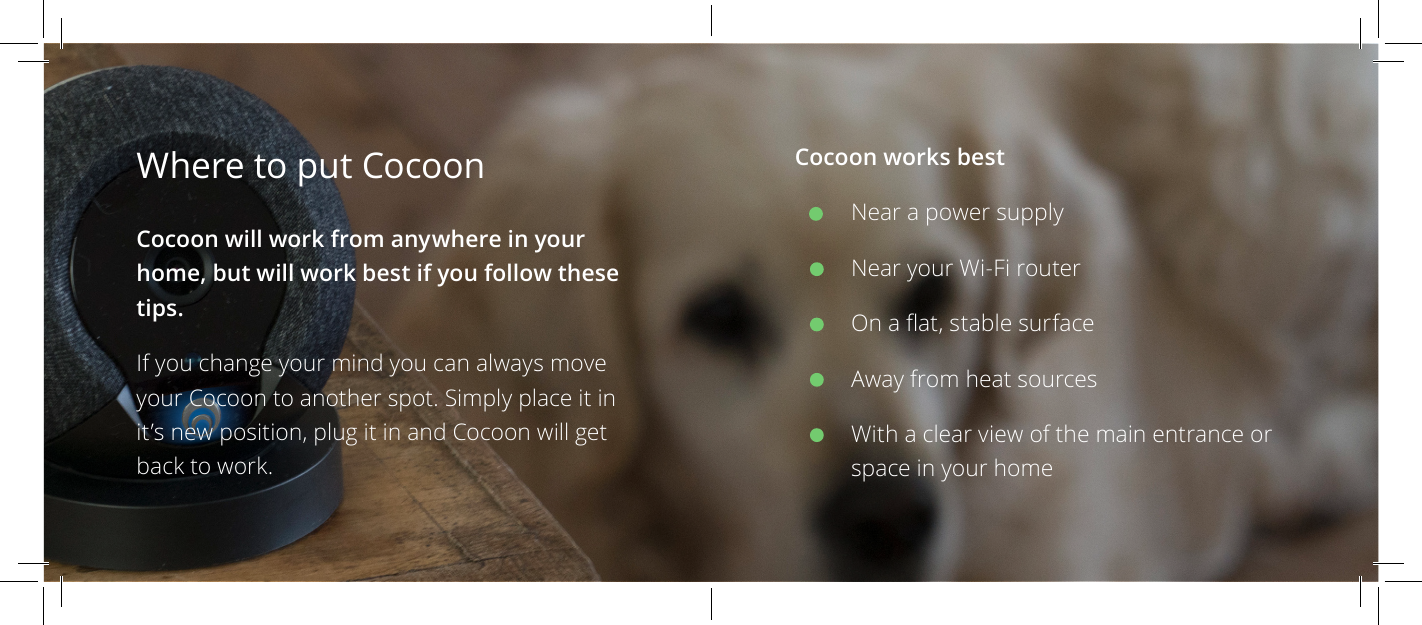
Cocoon works bestNear a power supplyNear your Wi-Fi routerOn a at, stable surfaceAway from heat sourcesWith a clear view of the main entrance or space in your homeWhere to put Cocoon Cocoon will work from anywhere in your home, but will work best if you follow these tips.If you change your mind you can always move your Cocoon to another spot. Simply place it in it’s new position, plug it in and Cocoon will get back to work.
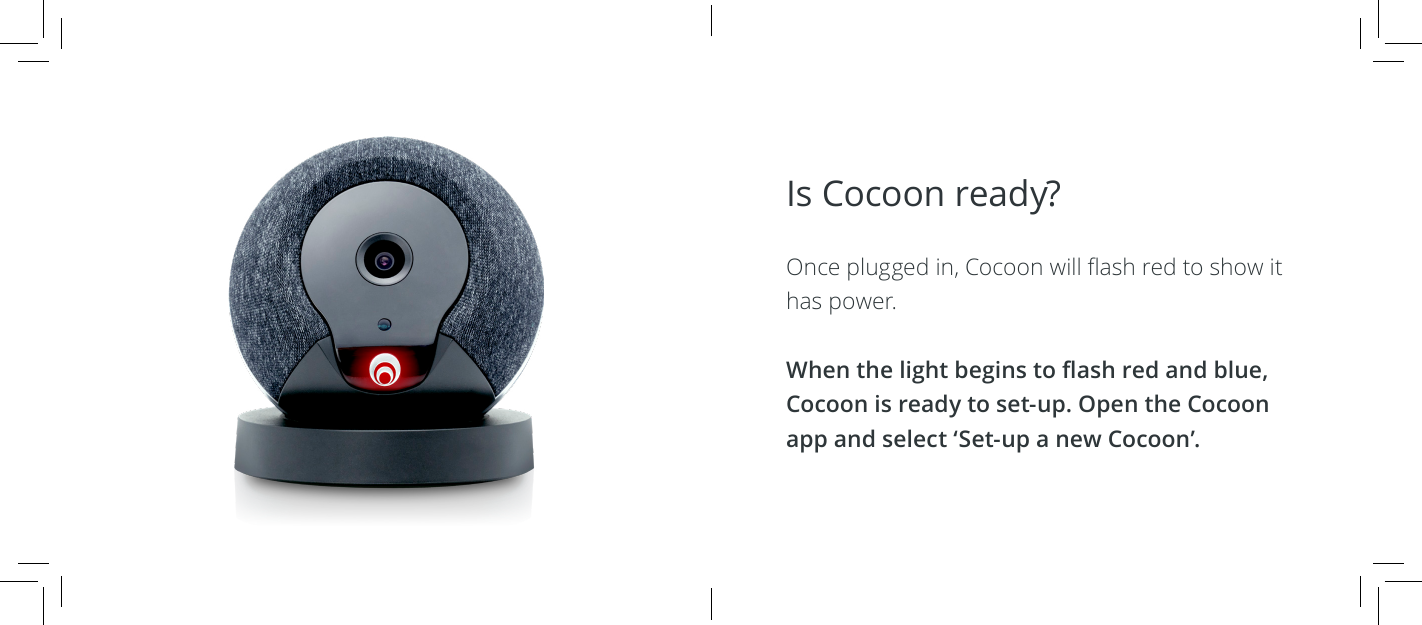
Is Cocoon ready?  Once plugged in, Cocoon will ash red to show it has power.When the light begins to ash red and blue, Cocoon is ready to set-up. Open the Cocoon app and select ‘Set-up a new Cocoon’.
Are you ready?  Make sure your phone is connected to the Wi-Fi network you’d like Cocoon to use.Check that your location is turned on and turn up the volume on your phone - the app sends Cocoon all the information it needs using sound.Remember, to set Cocoon up, you shouldHave your phone connected to Wi-Fi 2.4GHz (802.11 g/n)Have location services turned onAllow Cocoon permission Location, Microphone and Notications (iOS only)
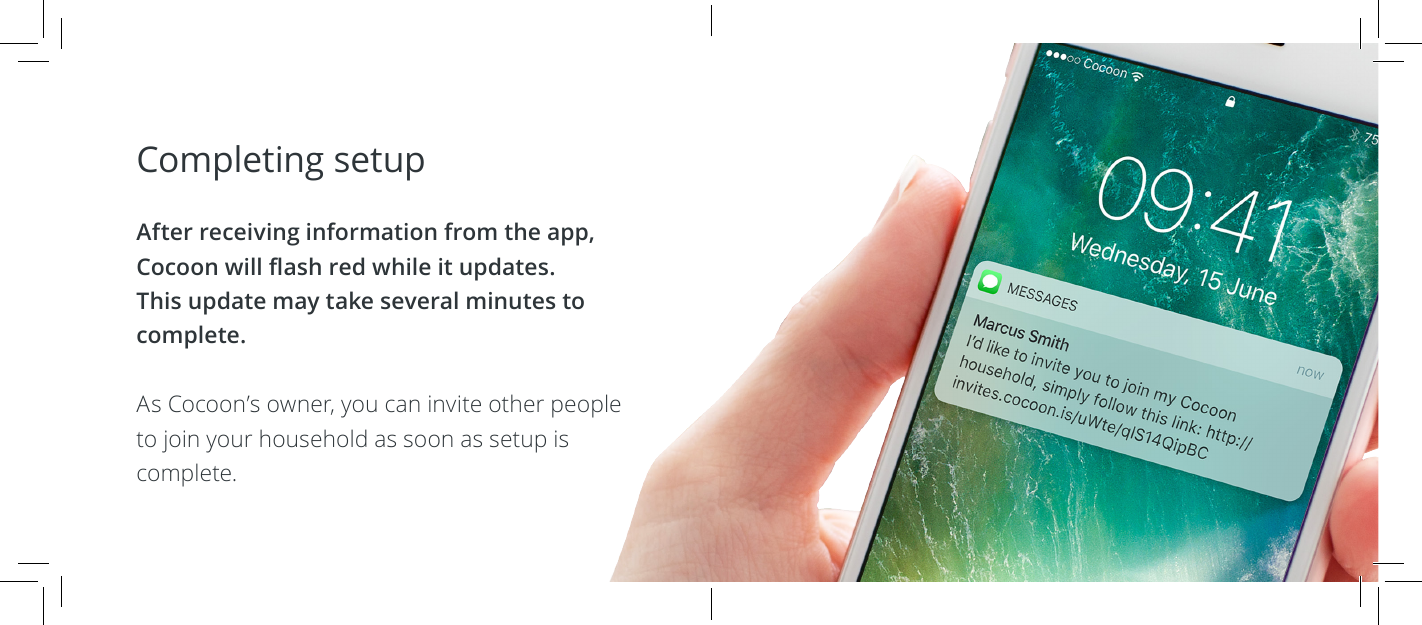
Completing setup  After receiving information from the app, Cocoon will ash red while it updates. This update may take several minutes to complete.As Cocoon’s owner, you can invite other people to join your household as soon as setup is complete.
Your Cocoon household should include everyone with a smartphone and keys to your home. Cocoon then knows who should and shouldn’t be there.If people without smartphones or pets are at your home while you’re away, it’s likely Cocoon will send you an alert.
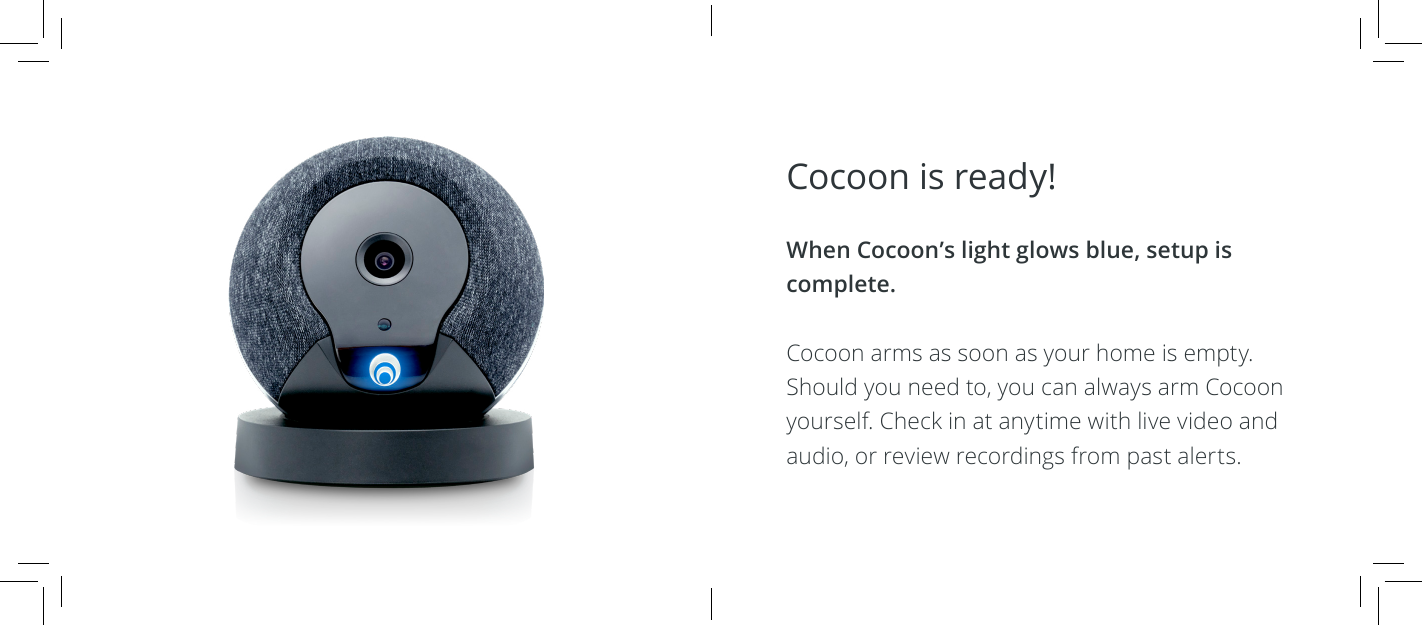
Cocoon is ready!  When Cocoon’s light glows blue, setup is complete.Cocoon arms as soon as your home is empty. Should you need to, you can always arm Cocoon yourself. Check in at anytime with live video and audio, or review recordings from past alerts.
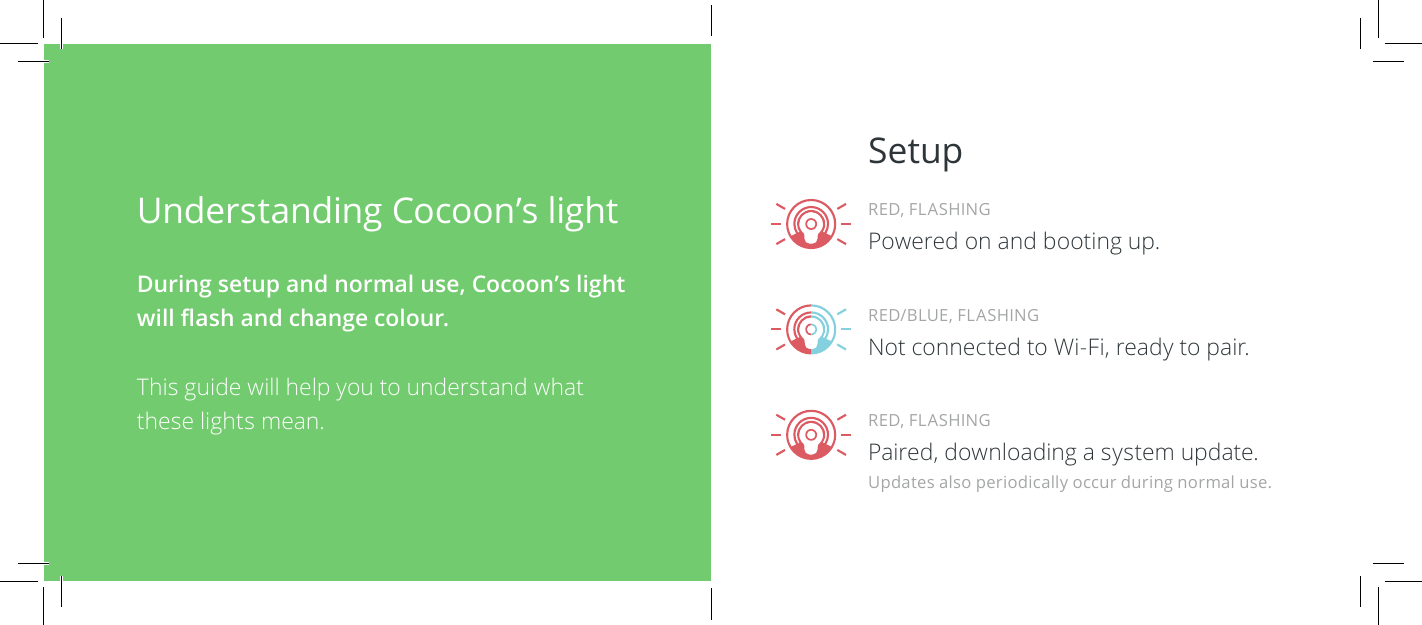
Understanding Cocoon’s light During setup and normal use, Cocoon’s light will ash and change colour.This guide will help you to understand what these lights mean.SetupRED, FLASHINGPaired, downloading a system update.RED/BLUE, FLASHINGNot connected to Wi-Fi, ready to pair.RED, FLASHINGPowered on and booting up.Updates also periodically occur during normal use.
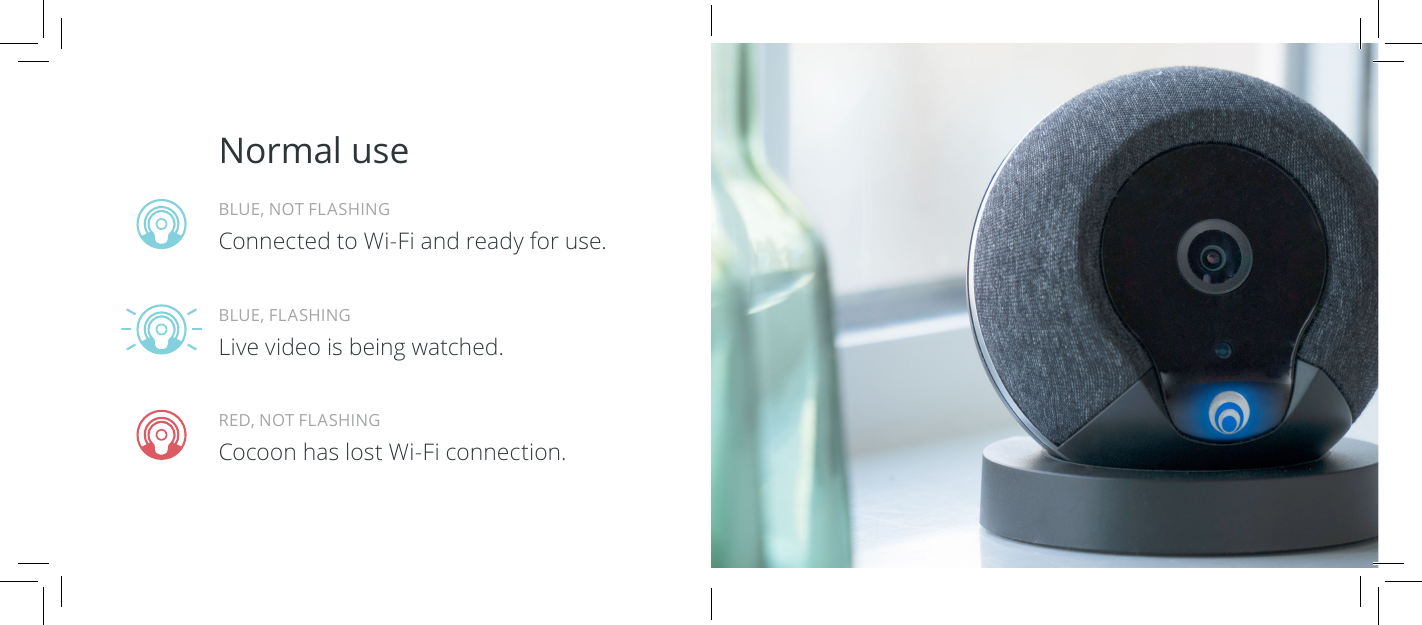
Normal useRED, NOT FLASHINGCocoon has lost Wi-Fi connection.BLUE, FLASHINGLive video is being watched.BLUE, NOT FLASHINGConnected to Wi-Fi and ready for use.
Love your Cocoon?If you have a minute to spare, we’d love to know what you think of Cocoon. Please leave your review on:Trustpilot Amazon GoogleWe’re here to help  If you have any problems, questions, or just want some help, our team are on hand. You can contact us on:cocoon.life/support support@cocoon.life
Legal & Warranty InformationUsing Cocoon Review the documentation before using Cocoon. Retain documentation for future reference, or see www.cocoon.life/legal for warranty information.Warning Security systems cannot compensate you for the loss of life or property. Like all practical systems Cocoon has limitations and can be disabled by an intruder. Use Cocoon as part of a comprehensive security solution including high-quality locks and doors.Safety and Handling Use indoors only. Do not use below 0ºC or above 35ºC. Do not install the product near a radiator or heat source. Do not cover the product. Keep cables out of reach of children and infants. Do not disassemble the product. There are no user serviceable parts inside.Cocoon One-Year Limited Warranty Summary Cocoon warrants the included hardware product and accessories against defects in materials and workmanship for one year from the date of original retail
purchase. Cocoon does not warrant against normal wear and tear (including cosmetic damage), or damage caused by accident (including spillage of liquid), abuse, alteration, improper storage, unusual stress, unauthorised repair or operation of the product outside the intended uses described by Cocoon. To obtain service visit www.cocoon.life/support. If during this warranty period a defect arises and you submit a valid claim to Cocoon and return the product in accordance with our instructions, we will at our option, either (i) repair the product using new or refurbished parts (ii) replace the product with a new or refurbished product, or (iii) refund the purchase price of the product. In the event the product or component is no longer available, Cocoon will, at its discretion, replace your product with a product of similar function. This is your sole remedy under this warranty. A replacement or repaired product assumes the longer of the remaining warranty period of the original product or 90 days from the date of replacement or repair. Cocoon does not warrant that the operation of the product will be uninterrupted or error-free. Technical service or device repair may be restricted to original country of sale. Call charges and international shipping charges may apply. Warranty benets are in addition to rights provided under local consumer laws. You may be required to furnish proof of purchase details when making a claim under this warranty. This limited warranty is transferable from the original owner to subsequent purchasers, but the warranty period will not be extended. This warranty does not cover products marked “sample,” “Not For Sale,” or “as is.” This warranty does not cover products that have been subject to: (a) modications, alterations, tampering, or improper maintenance or repairs; (b) handling, storage, installation, testing, or use not in accordance with the User’s Guide, Placement Guidelines, or other instructions provided by Cocoon; (c) abuse or misuse of the product; (d) breakdowns, uctuations, or interruptions in electric power or the telecommunications network; or (e) Acts of God, including but not limited to lightning, ood, tornado, earthquake, or hurricane. This Limited Warranty does not cover consumable parts, unless damage is due to defects in materials or workmanship of the product, or software (even if packaged or sold with the product). Repairs are subject to the full terms and detailed information on obtaining service available at www.cocoon.life/legal.Use our claim form located at www.cocoon.life/contact
LIMITATION OF LIABILITY. IN NO EVENT WILL COCOON BE LIABLE FOR ANY CONSEQUENTIAL, INCIDENTAL, EXEMPLARY, OR SPECIAL DAMAGES, INCLUDING ANY DAMAGES FOR LOST DATA, LIFE, OR LOST PROFITS, ARISING FROM OR RELATING TO THIS LIMITED WARRANTY OR THE PRODUCT, AND COCOON TOTAL CUMULATIVE LIABILITY ARISING FROM OR RELATED TO THIS LIMITED WARRANTY OR THE PRODUCT WILL NOT EXCEED THE AMOUNT ACTUALLY PAID FOR THE PRODUCT BY THE ORIGINAL PURCHASER. There are no other warranties, express or implied, except as required by law. Implied warranties required by law include the implied warranty of condition of quality, merchantability and tness for a particular purpose, and such implied warranties, if any, are limited in duration to the term of this warranty.This Limited Warranty gives you specic legal rights. You may also have legal rights specic to your state, province, or jurisdiction. In some cases, some or all of the limitations in this Limited Warranty may not apply in your state. In that case, the terms of this Limited Warranty will apply to the extent permitted by applicable law. For a full understanding of your legal rights please refer to the laws applicable in your specic jurisdiction. You also have the right to contact a relevant consumer advisory service.FCC Compliance StatementThis device complies with part 15 of the FCC rules. Operation is subject to the following two conditions:(1) This device may not cause harmful interference, and(2) This device must accept any interference received, including interference that may cause undesired operation.Warning: Changes or modications to this unit not expressly approved by the party responsible for compliance could void the user authority to operate the equipment.(1) To comply with requirements, a separation distance of at least 20 cm must be maintained between the antenna of this device and all persons.(2) This Transmitter must not be co-located or operating in conjunction with any other antenna or transmitter.NOTE: This equipment has been tested and found to comply with the
that to which the receiver is connected.limits for a Class B digital device, pursuant to Part 15 of the FCC Rules.These limits are designed to provide reasonable protection againstharmful interference in a residential installation. This equipmentgenerates, uses and can radiate radio frequency energy and, if notinstalled and used in accordance with the instructions, may causeharmful interference to radio communications.However, there is no guarantee that interference will not occurin a particular installation. If this equipment does cause harmfulinterference to radio or television reception, which can be determinedby turning the equipment of  and on, the user is encouraged to try tocorrect the interference by one or more of the following measures:•Reorient or relocate the receiving antenna. Increase theseparation between the equipment and receiver.•Connect the equipment into an outlet on a circuit dif erent from•Consult the dealer or an experienced radio/TV technician for help.Company name: Cocoon Labs Ltd.Company address: 46 The Calls, Leeds, West Yorkshire, LS27EY,United KingdomFCC ID: 2AENXCS03AModel No: CS03AUse with other equipment This product has demonstrated EMCcompliance when used with the supplied power supply and cable. Useof the product with other equipment can void the user’s authority tooperate product.The product must be plugged directly into a properly wired AC powerline and must not be “daisy-chained” together in serial fashion withother power strips.Power adaptor: FullPower USB Power SupplyModel: SAW06D-050-0800UDInput: 100-240V~50/60Hz 300mAOutput: 5.0V 800mA
AU+NZ Compliance Statement:This product displays the Regulatory Compliance Mark (RCM) to show that it complies with relevant Australian and New Zealand regulations.EU Compliance Statement:Cocoon Labs Limited hereby declares that this wireless device is in compliance with all applicable EU Directives including with the essential requirements and other relevant provisions of the RED Directive (2014/53/EU). A copy of the EU Declaration of Conformity is available at www.cocoon.life/legal.
CS03A-012018-1

Navigation menu