Country Mate Technology CAHBTSPORT Bluetooth Earbuds User Manual NS CAHBTEP01 NS CAHBTEP01 C 16 0044 QSG V1 TRI ai

Country Mate Technology Ltd Bluetooth Earbuds NS CAHBTEP01 NS CAHBTEP01 C 16 0044 QSG V1 TRI ai

Users Manual

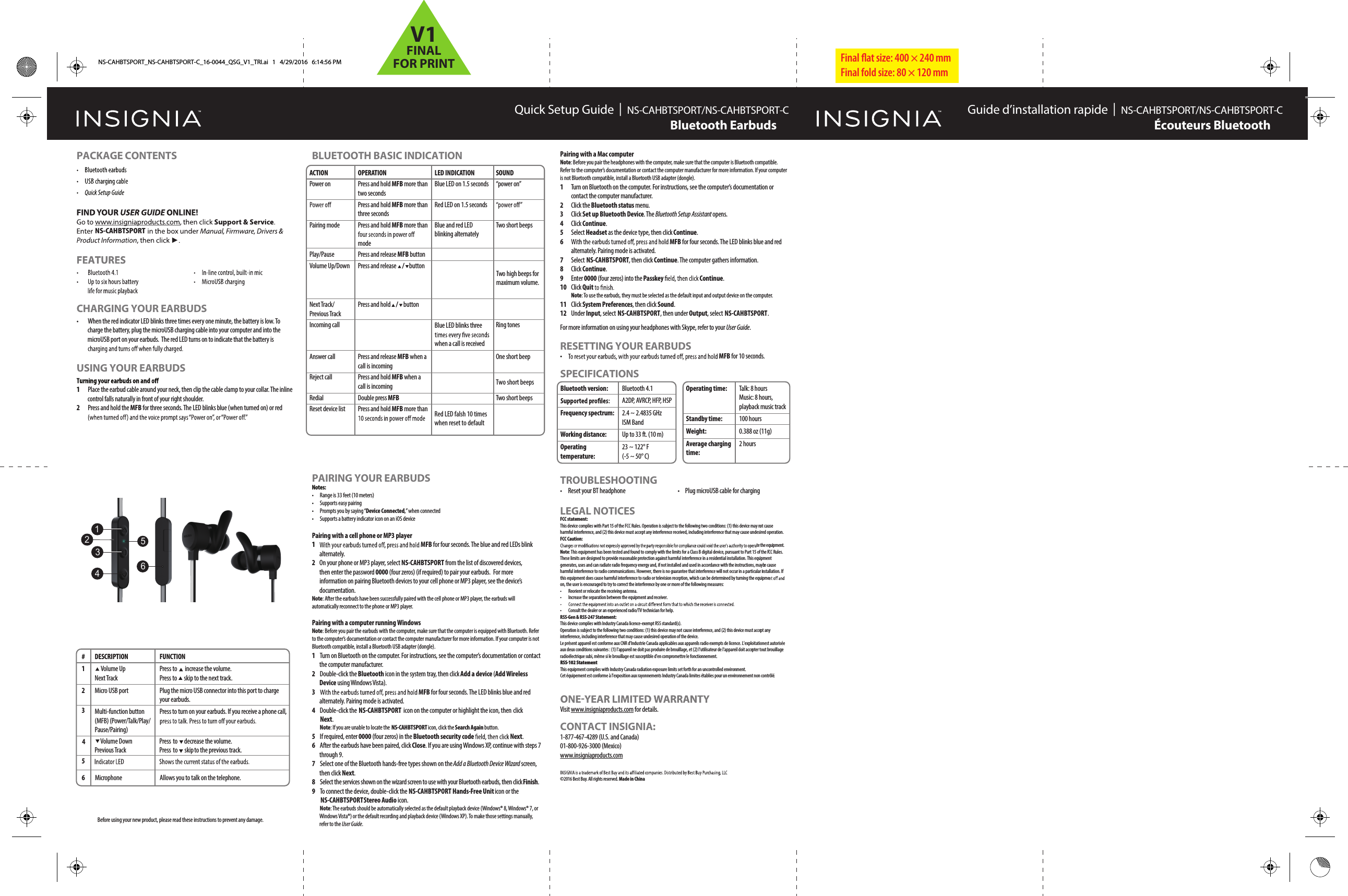
Final flat size: 400 × 240 mm Final fold size: 80 × 120 mmQuick Setup Guide  |  NS-CAHBTSPORT/NS-CAHBTSPORT-C NS-CAHBTSPORT/NS-CAHBTSPORT-CBluetooth EarbudsPACKAGE CONTENTSCHARGING YOUR EARBUDS•  When the red indicator LED blinks three times every one minute, the battery is low. To charge the battery, plug the microUSB charging cable into your computer and into the microUSB port on your earbuds.  The red LED turns on to indicate that the battery is USING YOUR EARBUDS1  Place the earbud cable around your neck, then clip the cable clamp to your collar. The inline control falls naturally in front of your right shoulder.2  Press and hold the MFB for three seconds. The LED blinks blue (when turned on) or red BLUETOOTH BASIC INDICATIONBluetooth version:Frequency spectrum:Working distance:Operating temperature:Bluetooth 4.1A2DP, AVRCP, HFP, HSP2.4 ~ 2.4835 GHz ISM BandUp to 33 ft. (10 m)23 ~ 122° F (-5 ~ 50° C)Operating time:Standby time:Weight:Average charging time:Talk: 8 hoursMusic: 8 hours, playback music track100 hours0.388 oz (11g)2 hoursPAIRING YOUR EARBUDSNotes:•  Range is 33 feet (10 meters)•  Supports easy pairing•  Prompts you by saying “Device Connected,” when connected•  Supports a battery indicator icon on an iOS devicePairing with a cell phone or MP3 player 1MFB for four seconds. The blue and red LEDs blink alternately. 2  On your phone or MP3 player, select  NS-CAHBTSPORTNS-CAHBTSPORT from the list of discovered devices, then enter the password 0000 (four zeros) (if required) to pair your earbuds. For more information on pairing Bluetooth devices to your cell phone or MP3 player, see the device’s documentation.Note: After the earbuds have been successfully paired with the cell phone or MP3 player, the earbuds will automatically reconnect to the phone or MP3 player.Pairing with a computer running WindowsNote: Before you pair the earbuds with the computer, make sure that the computer is equipped with Bluetooth. Refer to the computer’s documentation or contact the computer manufacturer for more information. If your computer is not Bluetooth compatible, install a Bluetooth USB adapter (dongle).1  Turn on Bluetooth on the computer. For instructions, see the computer’s documentation or contact the computer manufacturer.2  Double-click the Bluetooth icon in the system tray, then click Add a device (Add Wireless Device using Windows Vista).3MFB for four seconds. The LED blinks blue and red alternately. Pairing mode is activated.4 Double-click the  NS-CAHBTSPORT  icon on the computer or highlight the icon, then click Next. Note: If you are unable to locate the  NS-CAHBTSPORT icon, click the Search Again button.5 If required, enter 0000 (four zeros) in the Bluetooth security code Next.6 After the earbuds have been paired, click Close. If you are using Windows XP, continue with steps 7 through 9. 7 Select one of the Bluetooth hands-free types shown on the Add a Bluetooth Device Wizard screen, then click Next.8 Select the services shown on the wizard screen to use with your Bluetooth earbuds, then click Finish.9 To connect the device, double-click the  NS-CAHBTSPORT Hands-Free Unit icon or the  NS-CAHBTSPORT  Stereo Audio icon. Note: The earbuds should be automatically selected as the default playback device (Windows® 8, Windows® 7, or Windows Vista®) or the default recording and playback device (Windows XP). To make those settings manually, refer to the User Guide.Pairing with a Mac computer Note: Before you pair the headphones with the computer, make sure that the computer is Bluetooth compatible. Refer to the computer’s documentation or contact the computer manufacturer for more information. If your computer is not Bluetooth compatible, install a Bluetooth USB adapter (dongle).1 Turn on Bluetooth on the computer. For instructions, see the computer’s documentation or contact the computer manufacturer.2 Click the Bluetooth status menu.3 Click Set up Bluetooth Device. The Bluetooth Setup Assistant opens. 4 Click Continue.5 Select Headset as the device type, then click Continue.6 MFB for four seconds. The LED blinks blue and red alternately. Pairing mode is activated.7 Select NS-CAHBTSPORT, then click Continue. The computer gathers information.8 Click Continue.9 Enter 0000 (four zeros) into the Passkey  Continue.10 Click Quit  Note: To use the earbuds, they must be selected as the default input and output device on the computer.11 Click System Preferences, then click Sound.12 Under Input, select NS-CAHBTSPORT, then under Output, select NS-CAHBTSPORT.For more information on using your headphones with Skype, refer to your User Guide.RESETTING YOUR EARBUDS•MFB for 10 seconds.SPECIFICATIONSBefore using your new product, please read these instructions to prevent any damage.ACTIONPower onPairing modePlay/PauseVolume Up/DownNext Track/Previous TrackIncoming callAnswer callReject callRedialReset device listOPERATIONPress and hold MFB more than two secondsPress and hold MFB more than three secondsPress and hold MFB more than modePress and release MFB buttonPress and release   /  buttonPress and hold    buttonPress and release MFB when a call is incomingPress and hold MFB when a call is incomingDouble press MFB Press and hold MFB more than LED INDICATIONBlue LED on 1.5 secondsRed LED on 1.5 secondsBlue and red LED blinking alternatelyBlue LED blinks three when a call is receivedSOUND“power on”Two short beeps      oTw  highbeeps formaximum volume. Ring tonesOne short beepTRed LED falsh 10 times when reset to defaultTwo short beepswo short beeps TROUBLESHOOTING•  Reset your BT headphone  •  Plug microUSB cable for chargingLEGAL NOTICESFCC statement:This device complies with Part 15 of the FCC Rules. Operation is subject to the following two conditions: (1) this device may not cause harmful interference, and (2) this device must accept any interference received, including interference that may cause undesired operation. FCC Caution:te the equipment.Note: This equipment has been tested and found to comply with the limits for a Class B digital device, pursuant to Part 15 of the FCC Rules. These limits are designed to provide reasonable protection against harmful interference in a residential installation. This equipment generates, uses and can radiate radio frequency energy and, if not installed and used in accordance with the instructions, maybe cause harmful interference to radio communications. However, there is no guarantee that interference will not occur in a particular installation. If this equipment does cause harmful interference to radio or television reception, which can be determined by turning the equipmeon, the user is encouraged to try to correct the interference by one or more of the following measures:• Reorient or relocate the receiving antenna.•  Increase the separation between the equipment and receiver.• Consult the dealer or an experienced radio/TV technician for help.RSS-Gen & RSS-247 Statement:This device complies with Industry Canada licence-exempt RSS standard(s).Operation is subject to the following two conditions: (1) this device may not cause interference, and (2) this device must accept any interference, including interference that may cause undesired operation of the device.Le présent appareil est conforme aux CNR d'Industrie Canada applicables aux appareils radio exempts de licence. L'exploitation est autorisée aux deux conditions suivantes : (1) l'appareil ne doit pas produire de brouillage, et (2) l'utilisateur de l'appareil doit accepter tout brouillage radioélectrique subi, même si le brouillage est susceptible d'en compromettre le fonctionnement.RSS-102 StatementThis equipment complies with Industry Canada radiation exposure limits set forth for an uncontrolled environment.Cet équipement est conforme à l'exposition aux rayonnements Industry Canada limites établies pour un environnement non contrôlé.Visit www.insigniaproducts.com for details.CONTACT INSIGNIA:1-877-467-4289 (U.S. and Canada)01-800-926-3000 (Mexico)www.insigniaproducts.com©2016 Best Buy. All rights reserved. Made in China Guide d’installation rapide  |  Écouteurs BluetoothNS-CAHBTSPORT_NS-CAHBTSPORT-C_16-0044_QSG_V1_TRI.ai   1   4/29/2016   6:14:56 PM#  DESCRIPTION1 2 Multi-function button (MFB) (Power/Talk/Play/Pause/Pairing) 3 5  Volume Down Previous Track6 FUNCTION  Volume UpNext TrackPress  to  increase the volume.Press  to  skip to the next track.Press to turn on your earbuds. If you receive a phone call, Press  to  decrease the volume.Press to  skip to the previous track.Micro USB port Plug the micro USB connector into this port to charge your earbuds.Microphone Allows you to talk on the telephone.4123645 / V1FINALFOR PRINT

Navigation menu