Covert Scouting Cameras 5472 Code Black LTE User Manual L4 AG Manual V0 0 1

Covert Scouting Cameras, Inc Code Black LTE L4 AG Manual V0 0 1

User manual

CodeBlackLTE5472UsermanualWatchthesetupvideoonourwebsiteat:www.covertscoutingcameras.com
Whatyouwillneedtosetthiscameraup:‐InternetAccesstoChooseYourPlan.https://secure.covert‐wireless.com‐Atleast4AABatteries‐SDCard.
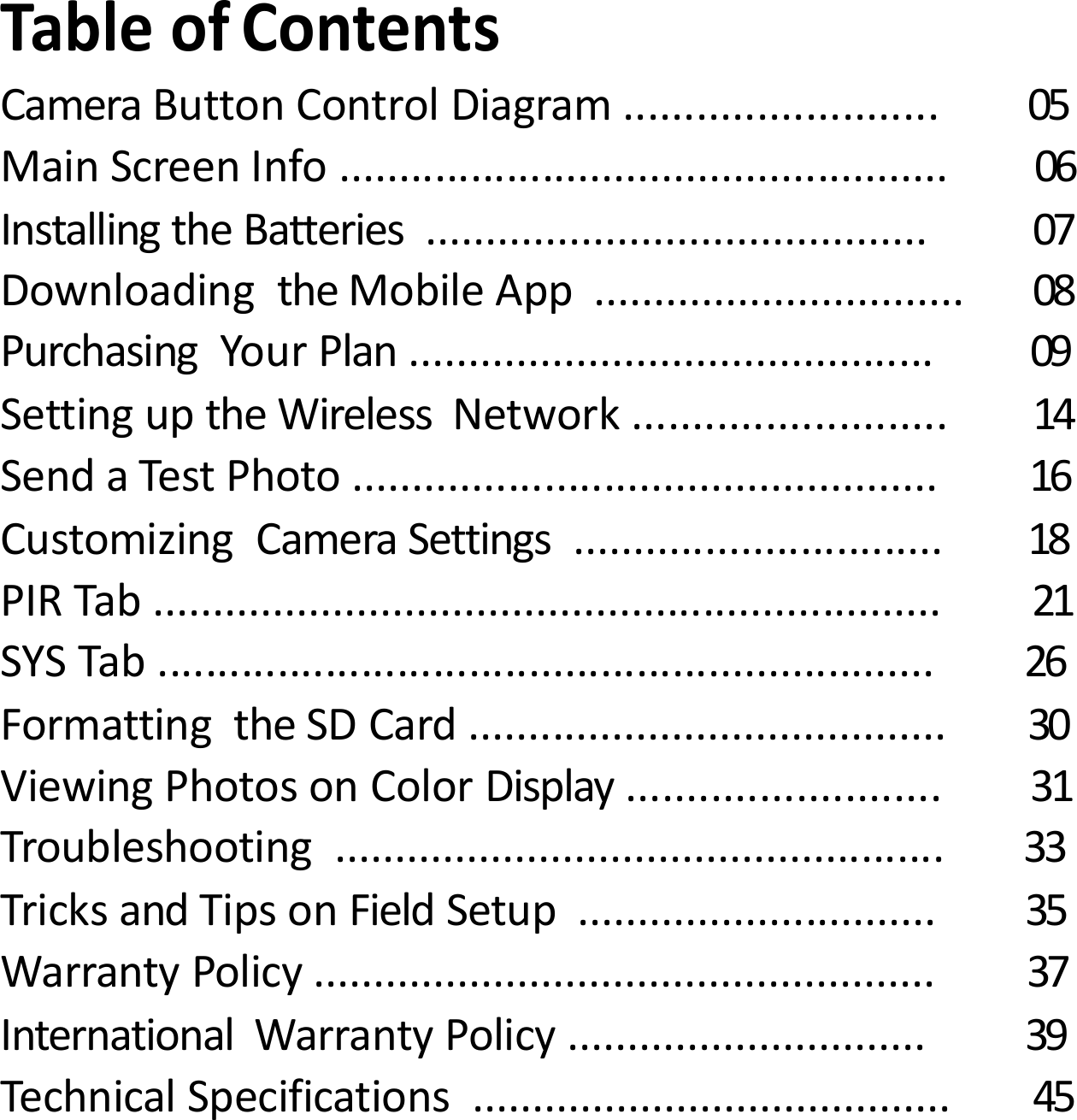
TableofContentsCameraButtonControlDiagram.......................... 05MainScreenInfo................................................... 06InstallingtheBatteries.......................................... 07DownloadingtheMobileApp............................... 08PurchasingYourPlan............................................ 09SettinguptheWirelessNetwork.......................... 14SendaTestPhoto................................................. 16CustomizingCameraSettings............................... 18PIRTab.................................................................. 21SYSTab................................................................. 26FormattingtheSDCard........................................ 30ViewingPhotosonColorDisplay.......................... 31Troubleshooting................................................... 33TricksandTipsonFieldSetup.............................. 35WarrantyPolicy.................................................... 37InternationalWarrantyPolicy.............................. 39TechnicalSpecifications........................................ 45
Congratulationsonyourpurchaseofthe5472CovertScoutingCamera!Wetrulyvalueyourbusinessandwillcontinuetoprovideyoutopqualitycustomerserviceshouldyoueverneedhelpwithanyofourproducts.Checkoutourotherproductsonourwebsiteat:www.covertscoutingcameras.comWehopeyouenjoyhasslefreeperformancefromthisqualityproductforyearstocome.CovertScoutingCameras,Inc.4338GreenridgeSpaRoadLewisburg,KY42256
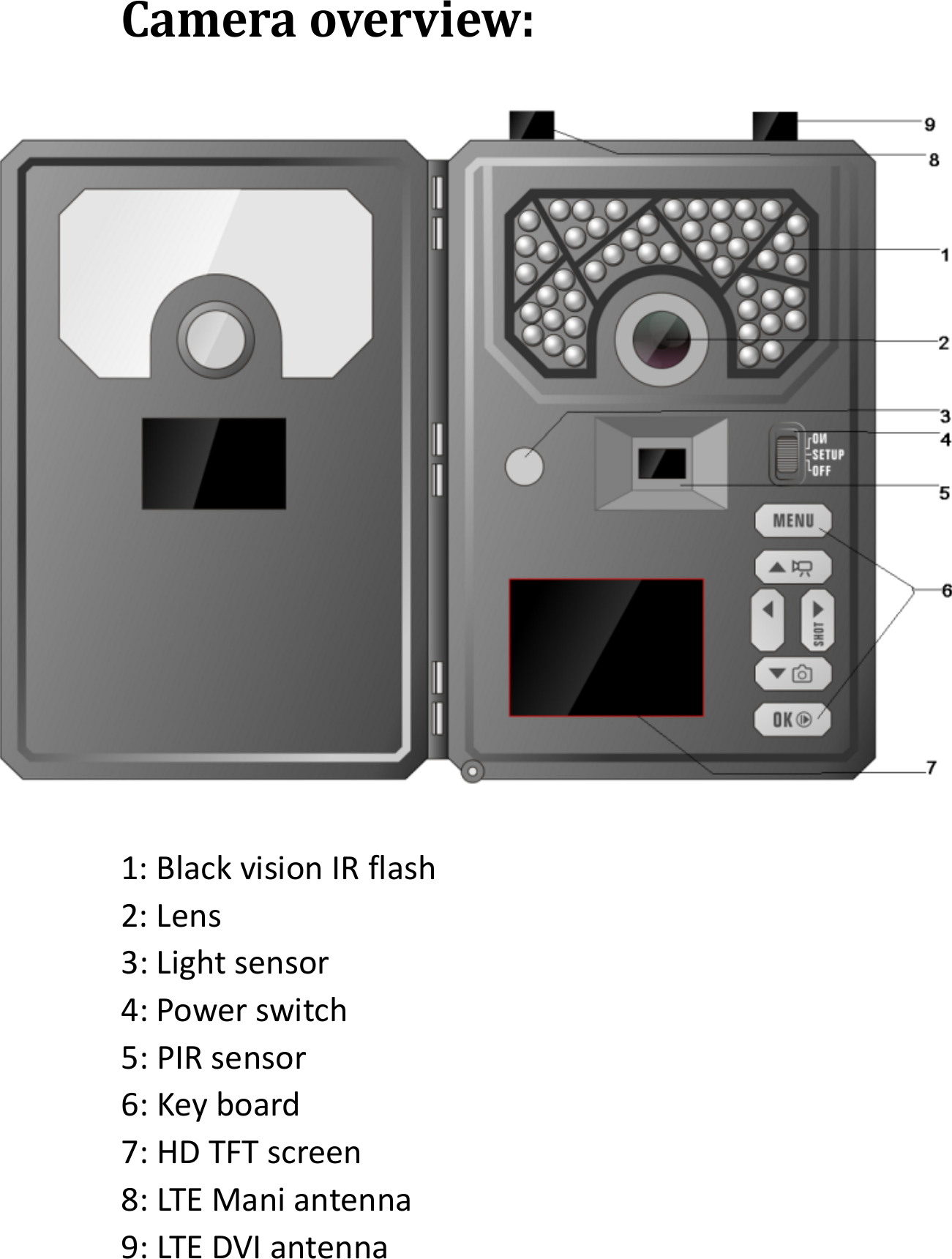
Cameraoverview:1:BlackvisionIRflash2:Lens3:Lightsensor4:Powerswitch5:PIRsensor6:Keyboard7:HDTFTscreen8:LTEManiantenna9:LTEDVIantenna
Installingthebatteries:Your5472canfunctionshorttermon4‐AAbatteries.Improvedbatterylifeon8‐AA,butwesuggestyouuse12‐AAbatteriestogetthemostoutofyourcamerasbatterylife.UsingCovertrechargeableNiMH,2300mAh,AAbatterieswillextendthebatterylifesignificantlywhenpairedwithaCovertSolarPanel.DISCLAIMER:Donotuseexternalpowersource(Example:SolarPanel)withnon‐rechargeableAAbatteriesinstalledincamera.Installbatteriesbyslidingthetopbatteryintothesleeve,thendepressingthespringwiththeotherbatteryandsnappingdowninplace.Payattentiontothe(+)or(‐)moldedintoeachsleevetodetermineifyouinsertthepositiveornegativeendintothesleevefirst.Negativebatteryterminalalwayscontactsthespring.
DownloadingtheMobileApp:Search"CovertWireless"inyourGooglePlayStoreorAppleAppStore.AccessingtheWebPortal:Openyourwebbrowserto:www.covert‐wireless.com
PurchasingyourPlan:FollowthesesimplestepstoactivateorrenewanAT&Tplan:1.Openyourwebbrowserto:https://secure.covert-wireless.com2.Selectthetypeofplanyou'dliketoadd3.Followthepromptstoselectyourrateplan,enteryourpersonal/billinginformationandcompleteyourpurchase.4.Logbackintoyouraccount.5.EntertheICCIDnumberlocatedontheSIMcardincludedwithyourcamera.ThenentertheIMEIforyourcamerafoundontheinsidewhitelabelofthecameraorontheouterpackaging.(Figure5.)Figure56.Clickthegreenactivatebuttonandrefreshyourpage.
7.Renameyourcamerainthenicknamefieldprovided.(OPTIONAL)ActivatingMultipleCameras:SameRatePlan‐Toactivatemultiplecamerasonthesamerateplan,simplyentertheICCIDandIMEInumberundersaidrateplanandclickactivate.Note:Youcanactivateasmanycamerasasyou’dlikeonarateplan.Rateplansareaperdevicecharge.DifferentRatePlan‐Toactivatecamerasonadifferentrateplan,scrolltoPurchaseAdditionalSubscriptionPlans.Selecttheproviderandtherateplanofyourchoice.ThiswilladdtherateplanoptionunderMyServicesandEquipment.
OtherPlanInformation:AutoRenew:CovertWirelessplansautomaticallyrenew,howeverthereisnolong‐termcontract.Tooptoutofyourbillingforcertainmonths,simplyhoveroverthe“active”buttonandclick.Youwillnolongerbebilledforservicesuntilyoulogbackintoyouraccountand“clicktoactivate.”
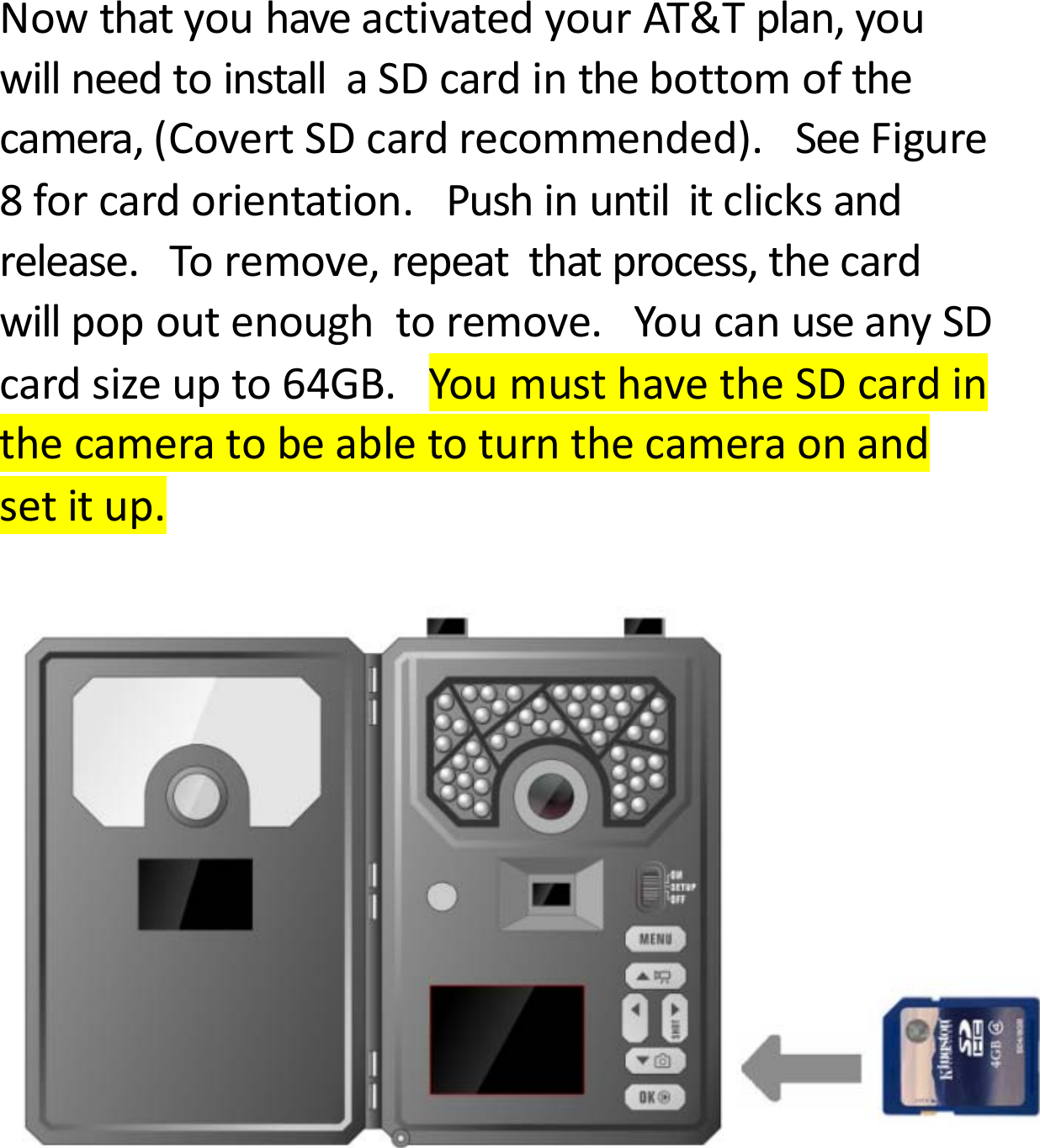
NowthatyouhaveactivatedyourAT&Tplan,youwillneedtoinstallaSDcardinthebottomofthecamera,(CovertSDcardrecommended).SeeFigure8forcardorientation.Pushinuntilitclicksandrelease.Toremove,repeatthatprocess,thecardwillpopoutenoughtoremove.YoucanuseanySDcardsizeupto64GB.YoumusthavetheSDcardinthecameratobeabletoturnthecameraonandsetitup.
Settingupthewirelessnetwork:NETtab:WhilefindingthenetworkyouwillseethewordsSearchingSignal,inredonthescreen.ThecamerawillthensayConnectingtoServerasitisconnectingtotheserver.OnceyouseeAT&Tinthetoprightcorner,youarereadytomoveon.QuickTip:IfyourcamerasaysConnectionFailed,turnthecameraOFFthenbackON.(PowerCycle.)Definitions:INSTANT:TurnswirelessfeatureONtosendapictureeverytimethecameraistriggered.
DownloadFirmware:Anytimeyourcameraneedsafirmwareupdate,itwillbeautomaticallypushedtoyourcamera.Whenyougocheckyourcamera,weencourageyoutoscrolltotheNETTabanddownloadthelatestfirmwareversionincasethere’sbeenanupdate.ThentakeoutyourSDcard,lockitandputitinyourcamera.Turnyourcameraontosetup,scrolltotheSYStabandscrolldowntodefaultset.PressOK.Thenturnyourcameraoff,unlockyourSDcardandputinbackinyourcamera.ImportantNote:Anytimeyoumakechangesdirectlytothecamera,pressOKtosavethechangesonyourcameraandchoose“Uploadsettings”inSYStosyncthechangesdirectlytothewebportal.
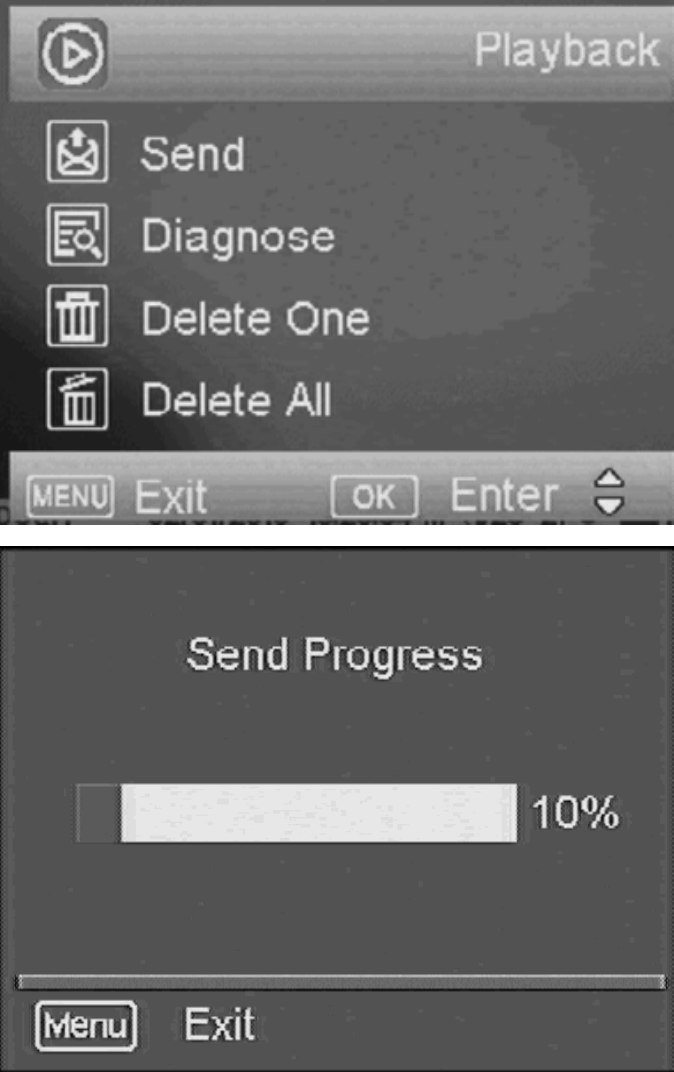
Sendatestphoto:Thisisagreatwaytomakesurethatyourcameraisworkingproperlybeforeleavingyourcamerasetupremotely.1)PressthebuttonthathastheCAMERAsymbolonit(1)timetomanuallytakeaphotowiththecamera.Youwillknowthataphotohasbeentakenbecausethephotocounteronthescreenwillsay001.2)PressthePLAYbutton,locatedunderMENU,toenterthePlaymodeandthenpresstheMENUbutton.Youwillseethefollowingscreen.3)Pressthe▼tohighlighttheSENDoptionandpressOK.4)TheLCDscreenwillstarttocountupfromstep1to4withbriefpausesbetweennumbers.OnceyouseeSendSuccessful,youhavesuccessfullysentyourfirstphotoandyourcameraisreadytotakephotos.PressPLAYtoreturntothemainmenu

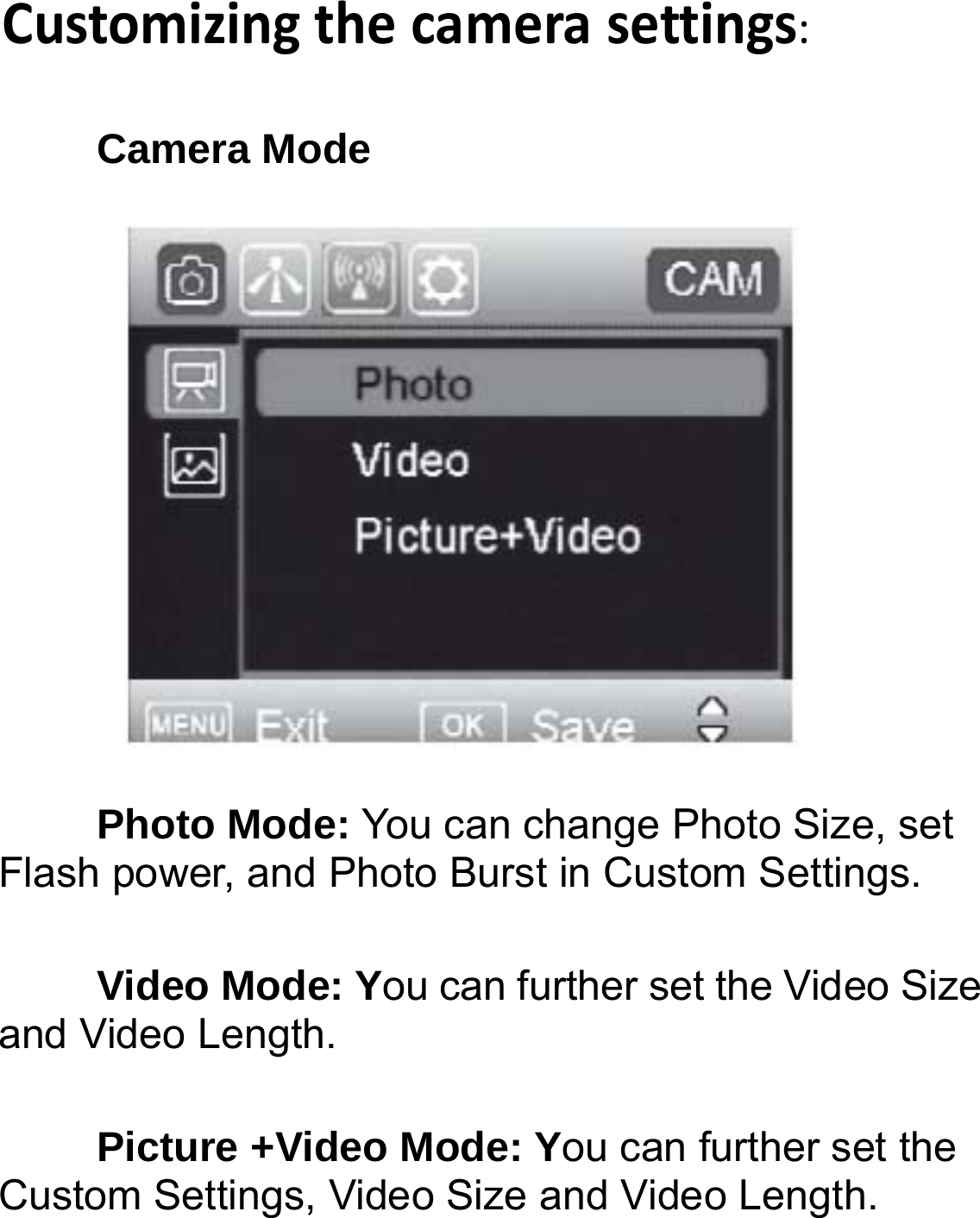
Customizingthecamerasettings:Camera Mode   Photo Mode: You can change Photo Size, set Flash power, and Photo Burst in Custom Settings. Video Mode: You can further set the Video Size and Video Length. Picture +Video Mode: You can further set the Custom Settings, Video Size and Video Length. 
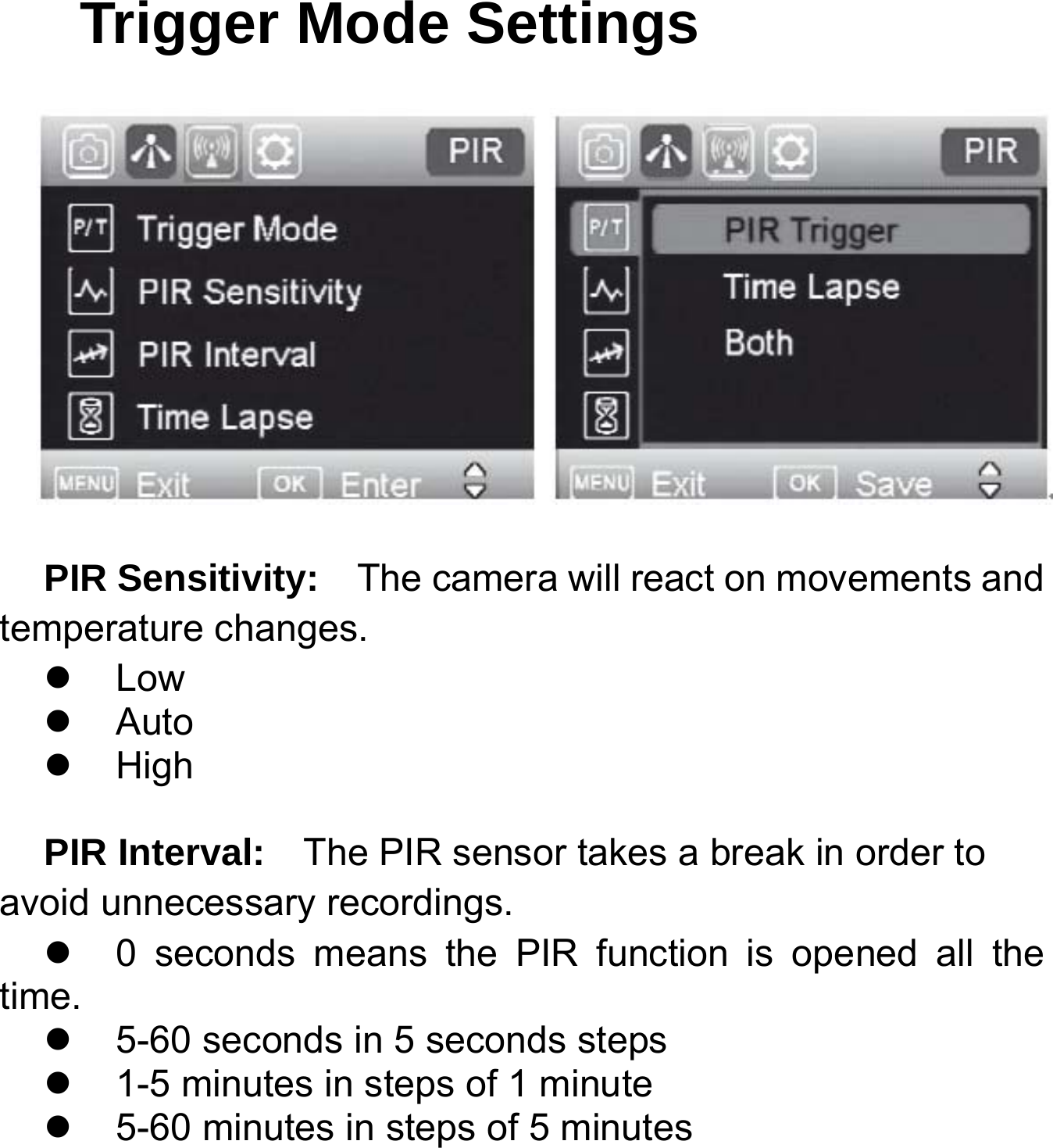
Trigger Mode Settings  PIR Sensitivity:    The camera will react on movements and temperature changes.  Low  Auto  High  PIR Interval:    The PIR sensor takes a break in order to avoid unnecessary recordings.   0 seconds means the PIR function is opened all the time.   5-60 seconds in 5 seconds steps   1-5 minutes in steps of 1 minute   5-60 minutes in steps of 5 minutes
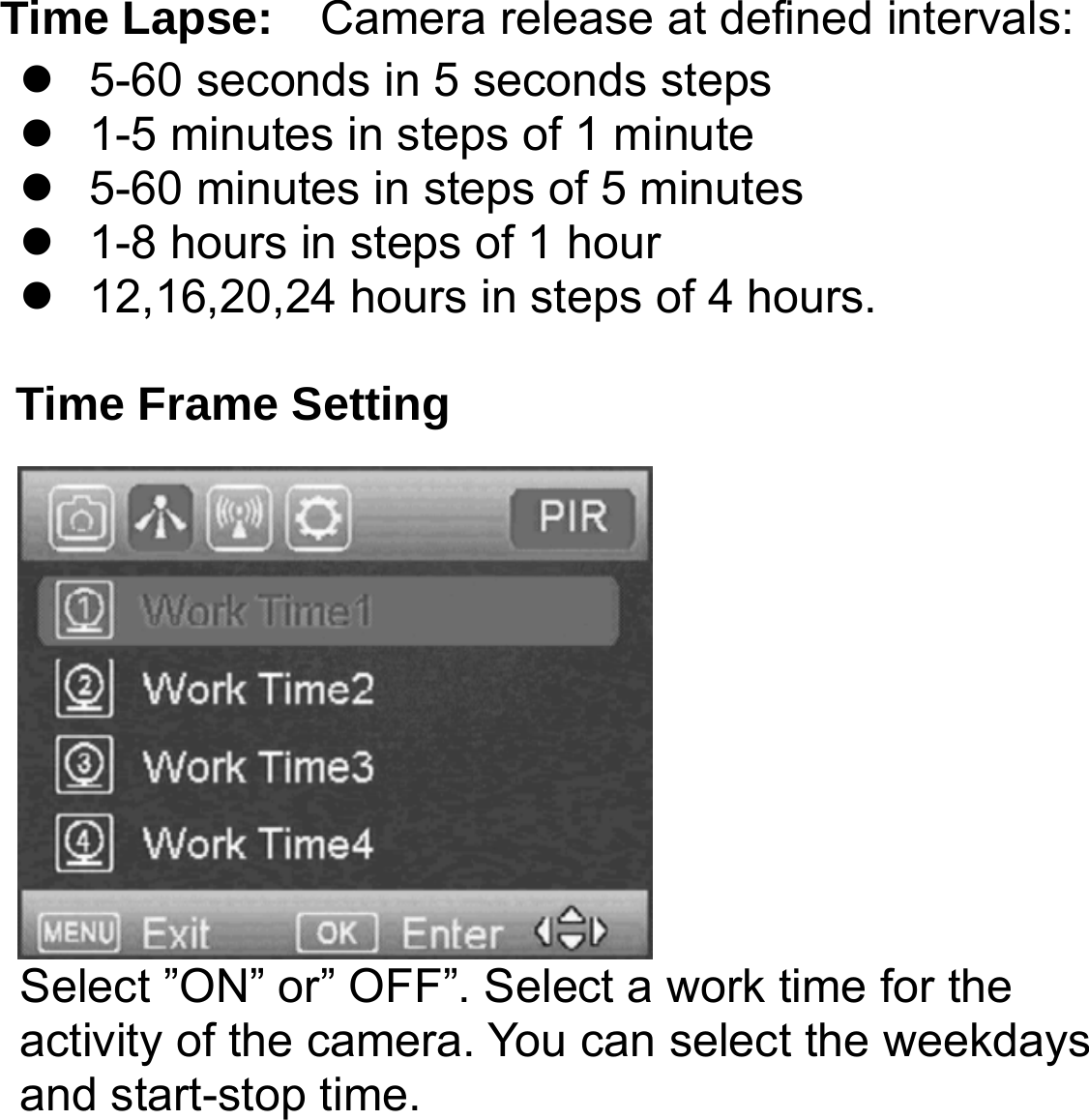
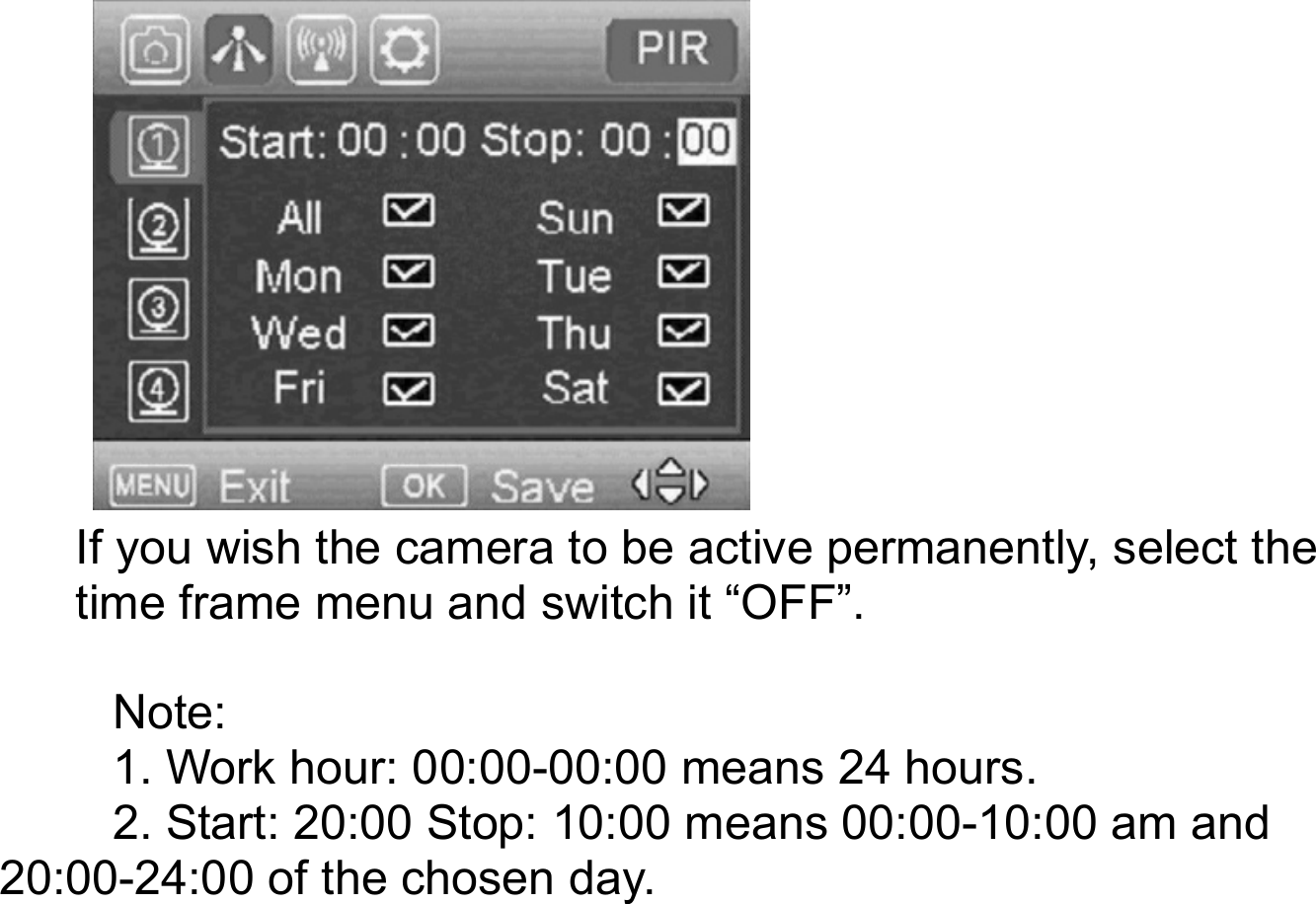
    Time Lapse:  Camera release at defined intervals:   5-60 seconds in 5 seconds steps   1-5 minutes in steps of 1 minute   5-60 minutes in steps of 5 minutes   1-8 hours in steps of 1 hour   12,16,20,24 hours in steps of 4 hours.  Time Frame Setting Select ”ON” or” OFF”. Select a work time for the activity of the camera. You can select the weekdays and start-stop time.
            If you wish the camera to be active permanently, select the time frame menu and switch it “OFF”.  Note:  1. Work hour: 00:00-00:00 means 24 hours. 2. Start: 20:00 Stop: 10:00 means 00:00-10:00 am and 20:00-24:00 of the chosen day.
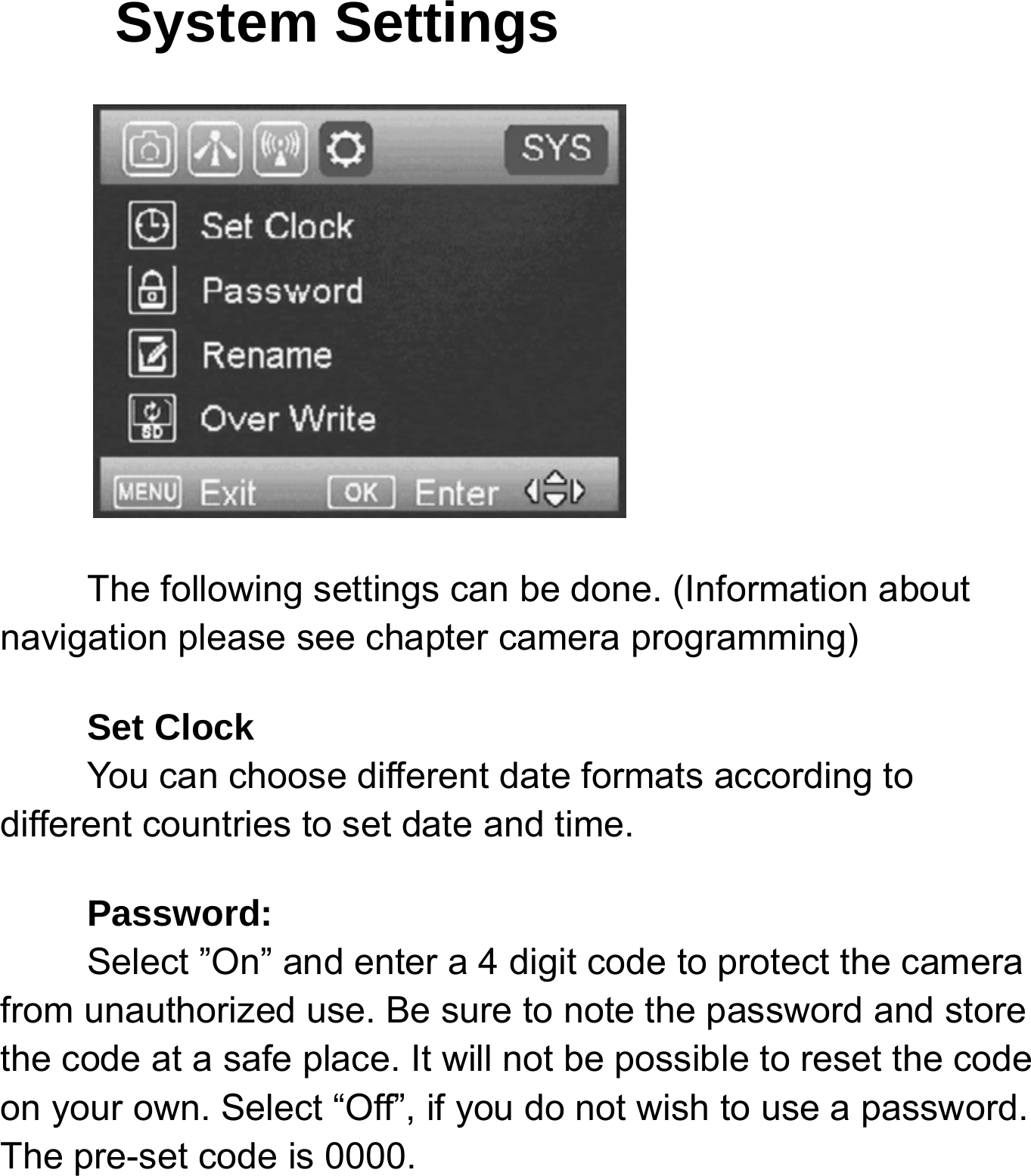
System Settings The following settings can be done. (Information about navigation please see chapter camera programming) Set Clock     You can choose different date formats according to different countries to set date and time. Password:    Select ”On” and enter a 4 digit code to protect the camera from unauthorized use. Be sure to note the password and store the code at a safe place. It will not be possible to reset the code on your own. Select “Off”, if you do not wish to use a password. The pre-set code is 0000.
     Rename:   Enter a name that will be shown on each picture stamp.   Overwrite Save the new data file to overwrite the old data file when SD card is full.  SD card formatting:  Delete all data of your memory card. Be sure that you won’t need the data any more.  Default:   With a reset to factory settings, all your own settings will be lost.   Software Version:   Indicate the software version in case of contact to our service agents.
AUXILIARYPOWER:Yourcameracomeswithastandard4mmAuxiliarypowerjack.Covertoffersanauxiliarycabletoextendyourbatterylifewithanexternal6,9or12voltbattery.Inordertouse12volt,youmustusetheCovertauxiliarybatterycable.WealsosellaCovertSolarPaneltodirectlyhookuptoyourcameraforoptimalbatteryusage.MINIUSB:YourcameracanuseaminiUSBcabletohookuptoyourcomputerorTVtolookatthephotos.
Troubleshooting:COMMONERRORMESSAGES:“LOGINFAIL”“SENDFAIL”“NETWORKBUSY”Reasonsforerror:LoginFail:1.Theserviceinyourareaisinsufficienttorunthecamera.2.Makesurethatyourantennaisattachedsecurely.3.Makesurethefirmwareonyourdeviceisthemostup‐to‐dateversion.SendFail:1.Thecameradoesnothavesufficientservicetosendthepicture.Makesureyouhavesetupan
accountandselectedarateplanfromsecure.covert‐wireless.com2.YouhaveenteredyourICCIDand/orIMEInumberincorrectly.ClicktheRedXtodeletethecamerafromyoursecure.covert‐wireless.comaccountandaddthecorrectinformation.NetworkBusy:1.TheAT&TNetworkserviceproviderisbusy.2.Thecameradoesnothavesufficientservicetosendthepicture.3.Networkbusycanalsomeanthereisn’tenoughmoneyonyouraccountwithAT&T.NoSIM:1.TaketheSIMcardoutandreinsertit.Ensureitclicksintoplace.Ifit’sacellularserviceissueyoumayneedtopurchaseaboosterantennafromCovertScoutingCamerastohelpboostthesignal.Thesecanbeveryeffectiveinboostingthesignaltoyourcamerainapoorsignalarea.
Ifyouarestillhavingproblems,contactcustomerserviceat877‐462‐1799ore‐mailsupport@dlccovert.comIfyoue‐mailorhavetoleaveamessage,wewillgetbacktoyouasquicklyaswecan.CannotaccesstheSET‐UPmenu:Reasonsforissue:1)SDcardnotinserted2)SDcardiscorrupted3)BatteriesarelowSuggestionstoremedy1)InstallnewSDcard2)ReplacebatteriesTricksandtipsonfieldsetup:Forbestresults,mountthecameraapproximately3feetoffthegroundfacingstraightforward,aslevelaspossible.
Toenhancetheflash,werecommendpositioningthecamerainanareawithabackdroptoreflectthemaximumamountoflight.Forinstance,placethecamera20‐30’fromafieldedgefacingthewoods.Fortheinsideoftimber,positioningthecamerafacingathicketapproximately20‐30’away.Trytosetthecameraupsoit’snotfacingdirectlyintothesuneitherinthemorningortheeveningwhengamemovementisatitspeak.UsetheCovertTree60mountingsystemtomountthecamerauphigherpointingdownonthemforabetterlook.Worksgreatwhenyoudon’thaveastraighttreetoattachto.Includedinthismanualisanextra“O”ring/sealforyourCovert5472.Youdon’tneedtodoanythingwiththisseal.TheFWversionisreferencetoourengineerstoensureaspeedyandefficientwarrantyrepairshouldtheneedarise.
CovertScoutingCamerasWarranty:CovertScoutingCameraswarrantiesthisproductforaperiodoftwo(2)yearsfromthedateofpurchase.Thiswarrantyonlycoversmanufacturer’sdefectsanddoesnotcoverdamagecausedbymisuseorabuseoftheproduct.Thiswarrantyincludestwoyearsrepairorreplacementserviceonproductfromdateofpurchase.Ifyouhaveproblemswiththisproduct,pleasedonotcontactthestoreyoupurchaseditfrom.ContactCovertScoutingCamerasCustomerServicetollfreeat877‐462‐1799ore‐mailsupport@dlccovert.com.**Proofofpurchaserequiredforreplacement**CovertWarrantyPolicyandProcedure:ToreceiverepairorreplacementbyCovertScoutingCamerastwoyearwarranty,weaskyoutodothefollowing:
‐AllreturnsmusthaveaReturnAuthorization(RA#)priortosendinginthecamera.1.E‐mailorcallourcustomerservicedepartment.‐support@dlccovert.com‐tollfree:877‐462‐1799Pleaseexplaintothetechnicianwhatissuesyouarehavingwithyourcamera.2.IfyouareaskedtoreturnyourcameratoCovertScoutingCameras,youwillberesponsibleforthecostofshippingtoCovertScoutingCameras.Inreturn,Covertwillprovidefastandexceptionalserviceaswellasincurthecostofshippingbacktoyou.(OnlywithintheContinentalUnitedStates.)3.Pleaseincludethefollowinginformationwhensendinginyourcamera.‐RA#onoutsideofpackage‐Returnaddress‐TelephoneandEmailaddress‐Briefdescriptionoftheproblem‐Copyofproofofpurchase
4.Pleasemakesurealltheaccessoriesareremoved(i.e.SDCards,batteries,solarpanelsSIMcards,straps,ETC.)beforeshipping.AllaccessoriesreceivedbyCovertScoutingCameraswillNOTbereturned.5.Thiswarrantyonlycoversmanufacturer’sdefectsanddoesnotcoverdamagedcausedbymisuseorabuseoftheproduct.CovertInternationalWarrantyPolicyandProcedure:1.OutsidetheUS,serviceistheavailablethroughthedistributor/resellerofpurchase.2.AllreturnsmusthaveanRA#providedbyCovert.CopyofProofofPurchaseisrequiredforallreturns.3.Covertisnotresponsibleforlostordamagedproductsincurredduringtheshippingprocess.
4.Insuranceforreturnsisatthediscretionofthecustomer.Additionalchargesapplyforreturnshipping.Inthemaintenanceoftheproduct,CovertScoutingCamerasmayuseneworlike‐newassembliesorproductsforequalorimprovedquality.Alldefectiveparts,assemblies,andproductsbecomethepropertyofCovert.ReturnsandclaimswillbehandledaccordingtothecurrentCovertScoutingCameras,Inc.procedure.Thesewarrantiesshallnotapplytoanydefect,failureordamagecausedbyimproperuseorinadequatemaintenanceandcare.Covertshallnotbeobligatedunderthesewarrantiestorepair:a.DamageresultingfromattemptsbypersonnelotherthanCovertrepresentativestoinstall,repairorservicetheproductunlessdirectedbyaCovertrepresentative.
b.Damage,malfunctionordegradationofperformanceresultingfromimproperuseorconnectiontoincompatibleequipmentormemory.c.Damage,malfunction,ordegradationofperformancecausedbytheuseofnon‐CovertsuppliesorconsumablesortheuseofCovertsuppliesnotspecifiedforusewiththisproduct.d.Anitemthathasbeenmodifiedorintegratedwithotherproductswhentheeffectofsuchmodificationorintegrationincreasesthetimeordifficultyofservicingtheproductordegradesperformanceorreliability.e.Toperformusermaintenanceorcleaningortorepairdamage,malfunction.f.Damage,malfunctionordegradationofperformanceresultingfromuseoftheproductinanenvironmentnotmeetingtheoperatingspecificationssetforthintheusermanual.
g.Damage,malfunctionordegradationofperformanceresultingfromfailuretoproperlyprepareandtransporttheproductasprescribedinpublishedproductmaterials.h.Anyfailuretoregistertheproductwarrantywithin10daysofpurchase.i.Toreplaceitemsthathavebeenrefilled,areusedup,abused,misused,ortamperedwithinanyway.j.Toinstallreplacementitemsthatarenotconsideredcustomerreplaceable.k.TosupportsoftwarenotsuppliedbyCovertl.Toprovidesoftwareorfirmwareupdatesorupgrades.AnyserviceidentifiedintheabovelistandprovidedbyCovertattheCustomer’srequestshallbeinvoicedtothecustomer,atCovert’sthencurrentratesforparts,laborandshipping.THEABOVEWARRANTIESAREGIVENBYCOVERTWITHRESPECTTOTHISPRODUCTANDITSRELATED
ITEMSINLIEUOFANYOTHERWARRANTIES,EXPRESSORIMPLIED.COVERTANDITSVENDORSDISCLAIMANYIMPLIEDWARRANTIESOFMERCHANTABILITYORFITNESSFORAPARTICULARPURPOSEORANYSIMILARSTANDARDIMPOSEDBYAPPLICABLELEGISLATION.COVERT’SREPONSIBILITYTOREPAIRORREPLACE,FORDEFECTIVEPRODUCTSANDRELATEDITEMSISSOLEANDEXCLUSIVEREMEDYPROVIDEDTOTHECUSTOMERFORBREACHOFTHESEWARRANTIES.Somestates,provinces,andcountriesdonotallowtheexclusionorlimitationofincidentalorconsequentialdamagesorexclusionsorlimitationonthedurationofimpliedwarrantiesorconditions,sotheabovelimitationsorexclusionsmaynotapplytoyou.Thiswarrantygivesyouspecificlegalrights,andyoumayhaveotherrightsthatvarybystate,province,orcountry.TOTHEEXTENTALLOWEDBYLOCALLAW,EXCEPTFORTHEOBLIGATIONSSPECIFICALLYSETFORTHINTHISWARRANTYSTATEMENT,INNOEVENTSHALL
COVERTANDITSVENDORSBELIABLEFORANYINDIRECT,SPECIAL,INCIDENTALORCONSEQUENTIALDAMAGES(INCLUDINGLOSSOFPROFITS)WHETHERBASEDONCONTRACT,TORT,ORANYOTHERLEGALTHEORYANDIRRESPECTIVEOFWHETHERCOVERTORTHEVENDORHASADVANCENOTICEOFTHEPOSSIBILITYOFSUCHDAMAGES.
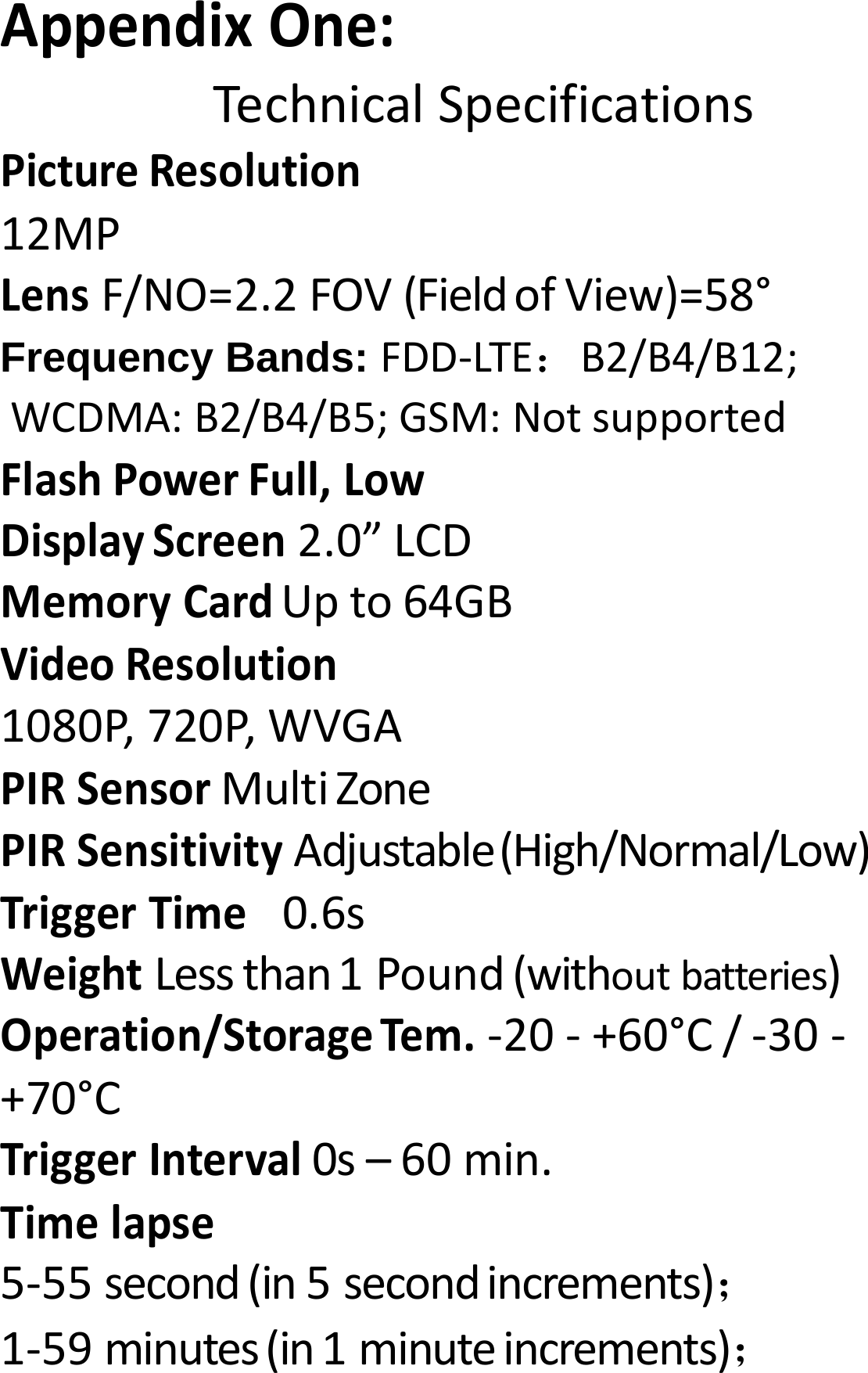
AppendixOne:TechnicalSpecificationsPictureResolution12MPLensF/NO=2.2FOV(FieldofView)=58°Frequency Bands: FDD‐LTE:B2/B4/B12; WCDMA:B2/B4/B5;GSM:NotsupportedFlashPowerFull,LowDisplayScreen2.0”LCDMemoryCardUpto64GBVideoResolution1080P,720P,WVGAPIRSensorMultiZonePIRSensitivityAdjustable(High/Normal/Low)TriggerTime 0.6sWeightLessthan1Pound(withoutbatteries)Operation/StorageTem.‐20‐+60°C/‐30‐+70°CTriggerInterval0s–60min.Timelapse5‐55second(in5secondincrements);1‐59minutes(in1minuteincrements);
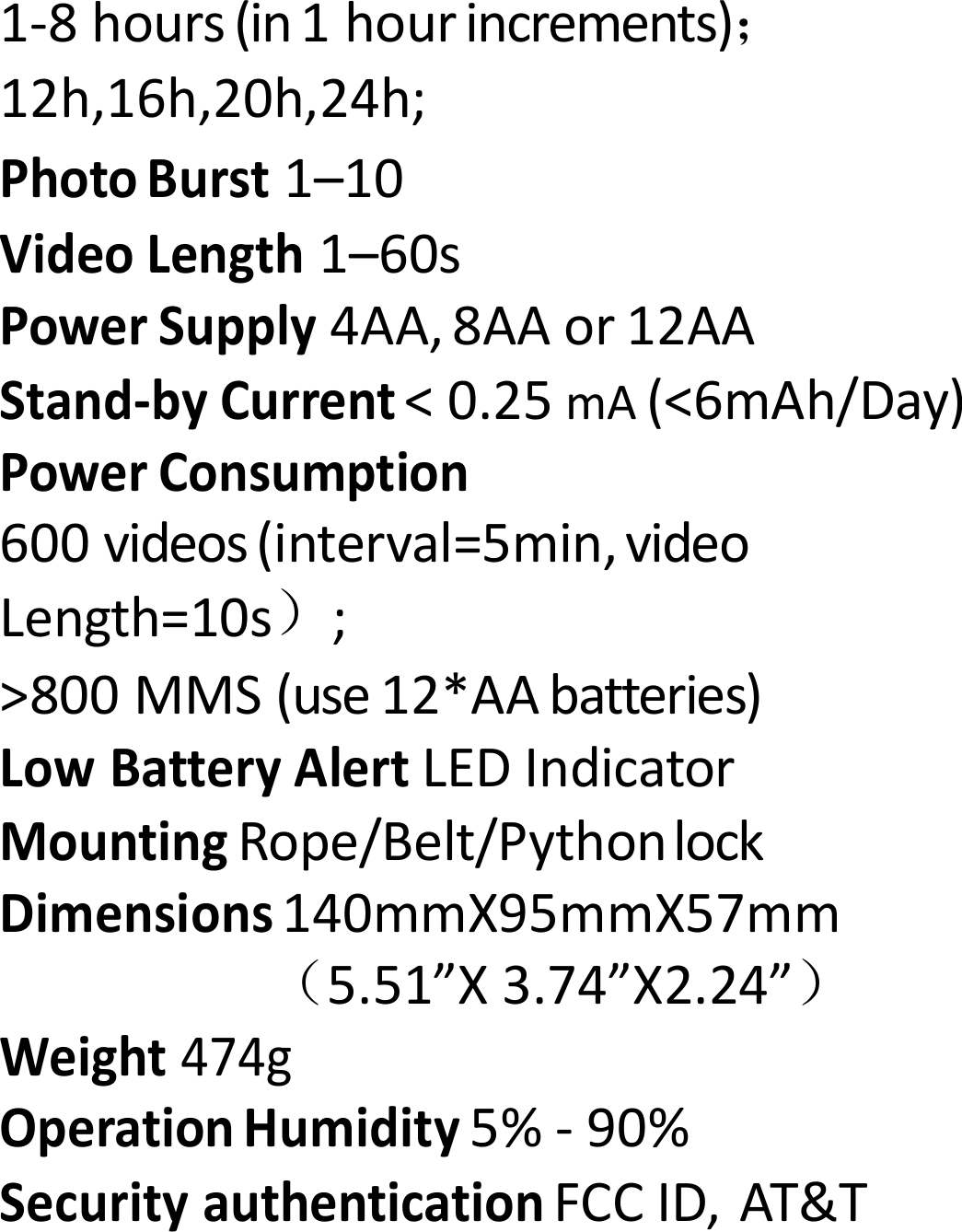
1‐8hours(in1hourincrements); 12h,16h,20h,24h;PhotoBurst1–10VideoLength1–60sPowerSupply4AA,8AAor12AAStand‐byCurrent<0.25mA(<6mAh/Day)PowerConsumption600videos(interval=5min,videoLength=10s);>800MMS(use12*AAbatteries)LowBatteryAlertLEDIndicatorMountingRope/Belt/PythonlockDimensions140mmX95mmX57mm(5.51”X3.74”X2.24”)Weight474gOperationHumidity5%‐90%SecurityauthenticationFCCID,AT&T
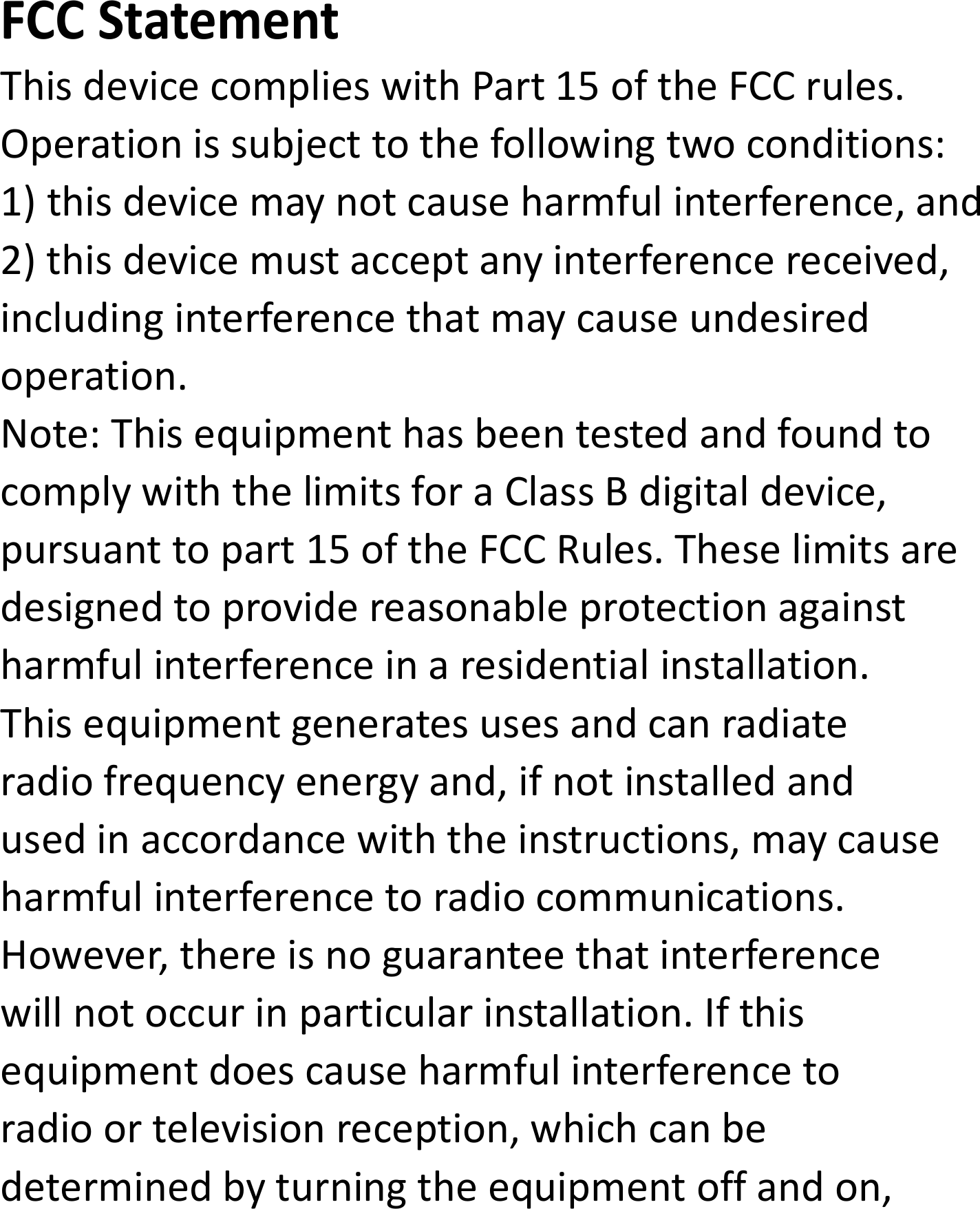
FCCStatementThisdevicecomplieswithPart15oftheFCCrules.Operationissubjecttothefollowingtwoconditions:1)thisdevicemaynotcauseharmfulinterference,and2)thisdevicemustacceptanyinterferencereceived,includinginterferencethatmaycauseundesiredoperation.Note:ThisequipmenthasbeentestedandfoundtocomplywiththelimitsforaClassBdigitaldevice,pursuanttopart15oftheFCCRules.Theselimitsaredesignedtoprovidereasonableprotectionagainstharmfulinterferenceinaresidentialinstallation.Thisequipmentgeneratesusesandcanradiateradiofrequencyenergyand,ifnotinstalledandusedinaccordancewiththeinstructions,maycauseharmfulinterferencetoradiocommunications.However,thereisnoguaranteethatinterferencewillnotoccurinparticularinstallation.Ifthisequipmentdoescauseharmfulinterferencetoradioortelevisionreception,whichcanbedeterminedbyturningtheequipmentoffandon,
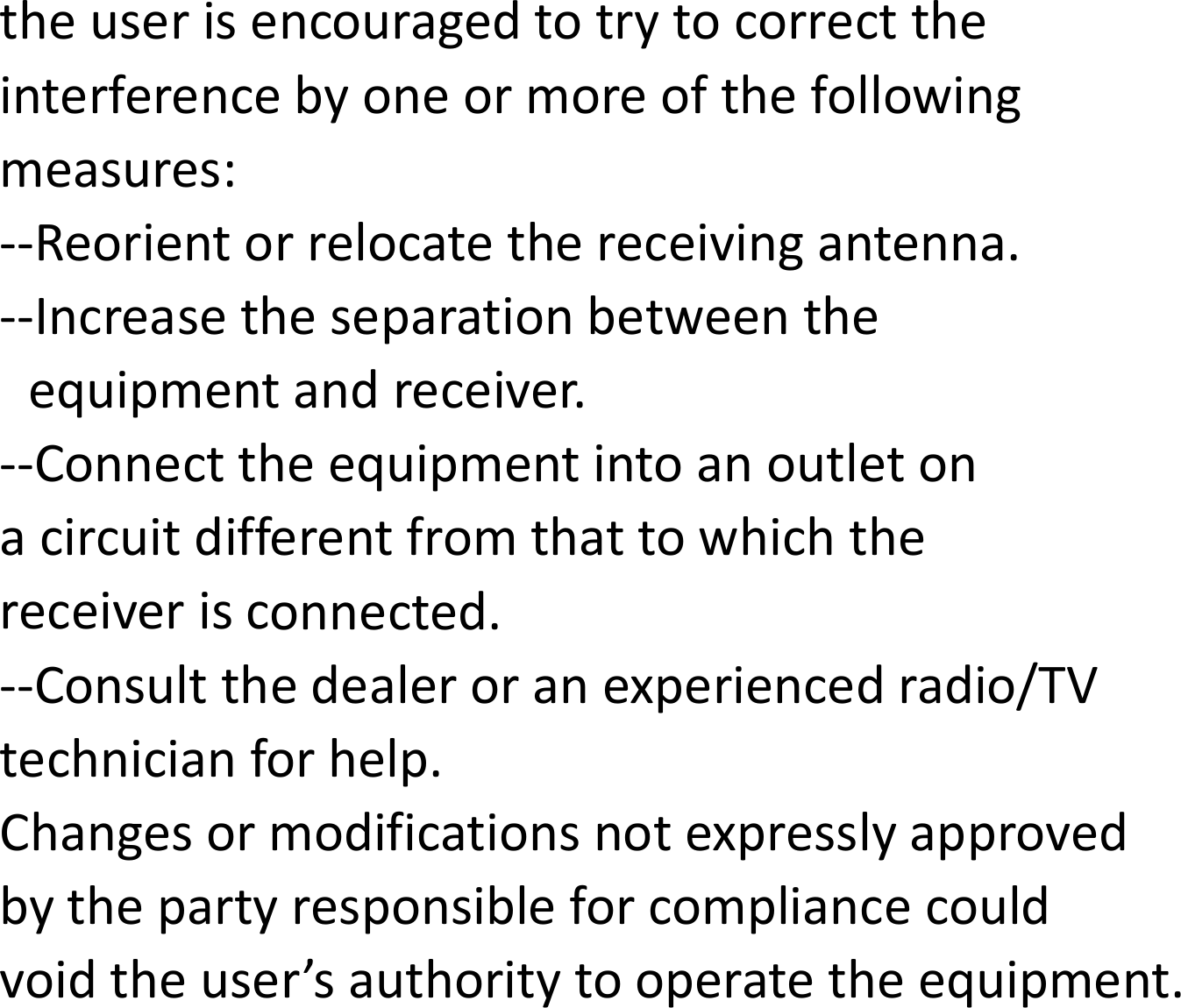
theuserisencouragedtotrytocorrecttheinterferencebyoneormoreofthefollowingmeasures:‐‐Reorientorrelocatethereceivingantenna.‐‐Increasetheseparationbetweentheequipmentandreceiver.‐‐Connecttheequipmentintoanoutletonacircuitdifferentfromthattowhichthereceiverisconnected.‐‐Consultthedealeroranexperiencedradio/TVtechnicianforhelp.Changesormodificationsnotexpresslyapprovedbythepartyresponsibleforcompliancecouldvoidtheuser’sauthoritytooperatetheequipment.
RF Exposure StatementThisequipmentcomplieswithFCCradiationexposurelimitssetforthforanuncontrolledenvironment.Thisequipmentnormaluseshouldbeinstalledandoperatedwithminimumdistance20cmbetweentheradiator&yourbody.

Navigation menu