Creatix Polymedia CTX712AV2 802.11b WLAN miniPCI Card User Manual Installation of the Wireless LAN card ctx 712A
Creatix Polymedia GmbH 802.11b WLAN miniPCI Card Installation of the Wireless LAN card ctx 712A
Users Manual
Installation of the Wireless LAN card CTX 712A
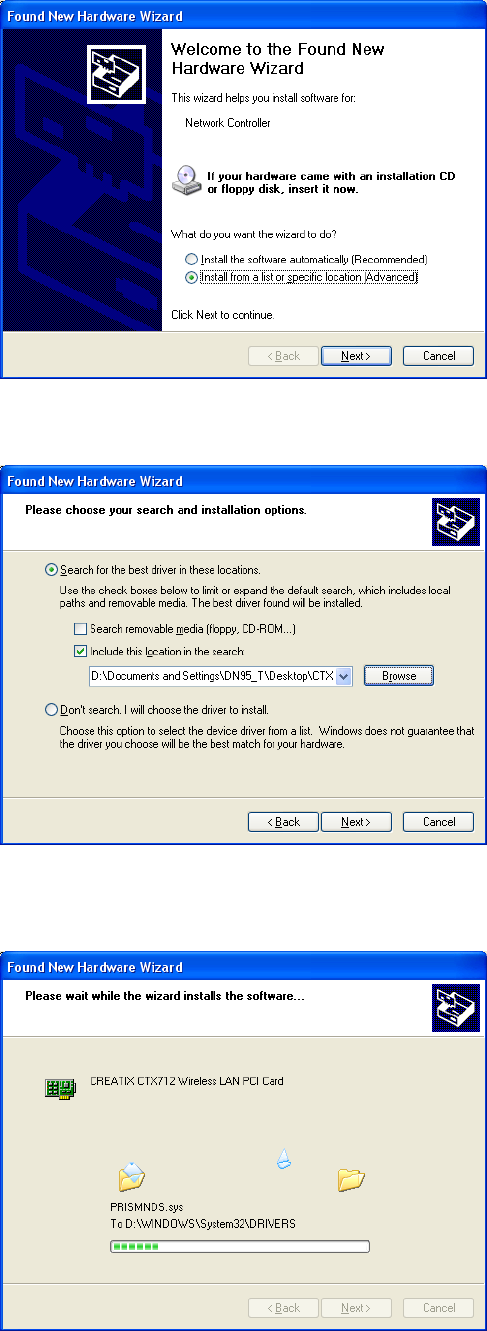
After starting the PC, the Wireless LAN card is found as a New Hardware “Network
Controller”:
Click on „Install from a list or a specific
location“ and then „Next>“
Choose the directory where the driver was
unzipped and click on „Next>“
The driver files will be copied.
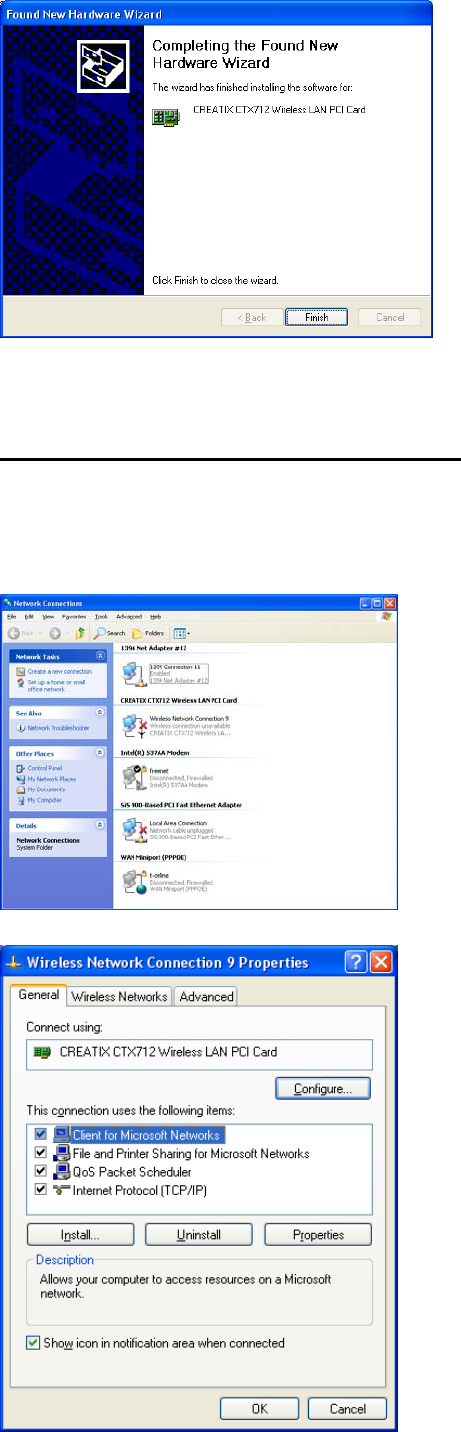
Finish the driver installation with a click on the
„Finish“ button.
Configuration of the Wireless LAN Card:
To configure the WLAN Card go to the “Network Connections” < start – control panel >
and click on the connection of the “Creatix CTX712 Wireless LAN PCI Card” with the
right mouse button to go to the context menu < Properties >.
Go to “Wireless Network”.
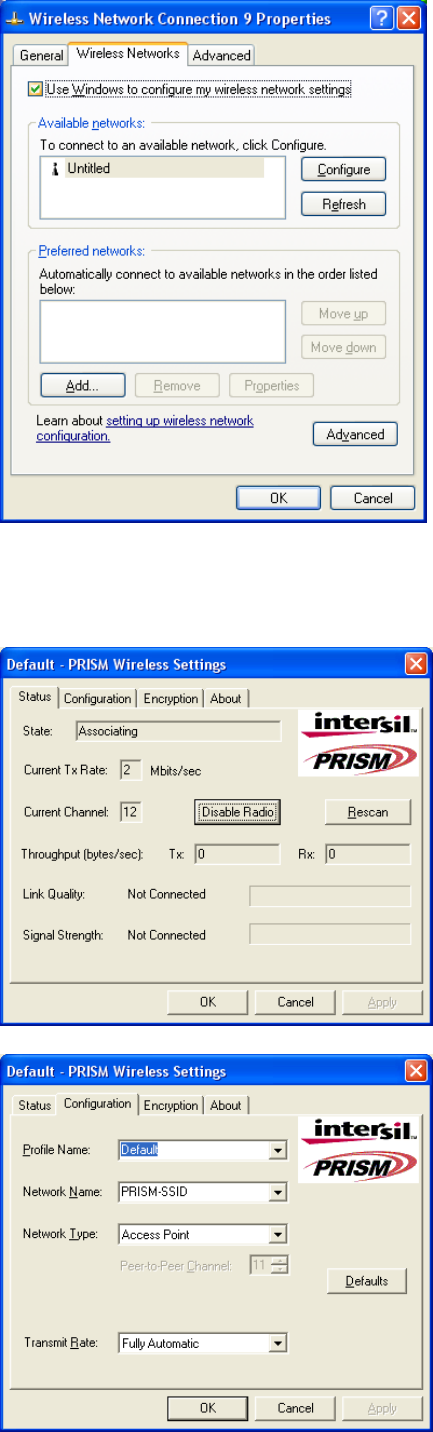
Delete the check mark “Use Windows to
configure my wireless network settings” to
use the configuration file of the card.
Configuration file (look at the task bar):
Go to “Configuration”.
Here you can set your “Network Name” and
“Network Type”.
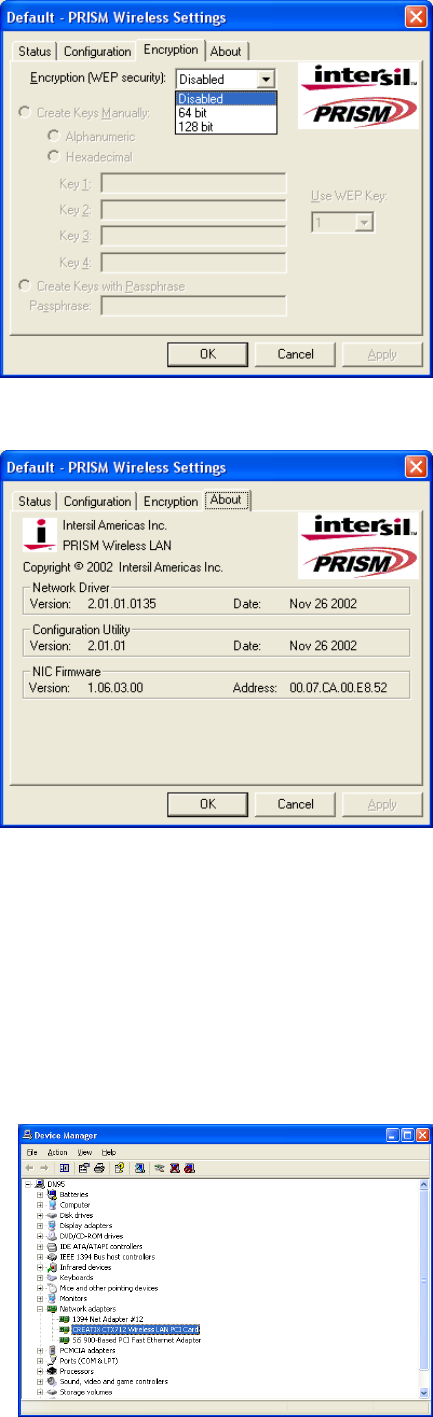
In this Window you can set the “WEP
encryption”.
This Window gives you information about the
driver version and the firmware.
Deinstallation of the Wireless LAN card CXT 712A
Go to the Control Panel “<System – Hardware – Device Manager>”:
Click on the icon Creatix CTX712 Wireless LAN
PCI Card under Network Adapters and delete this
entry.
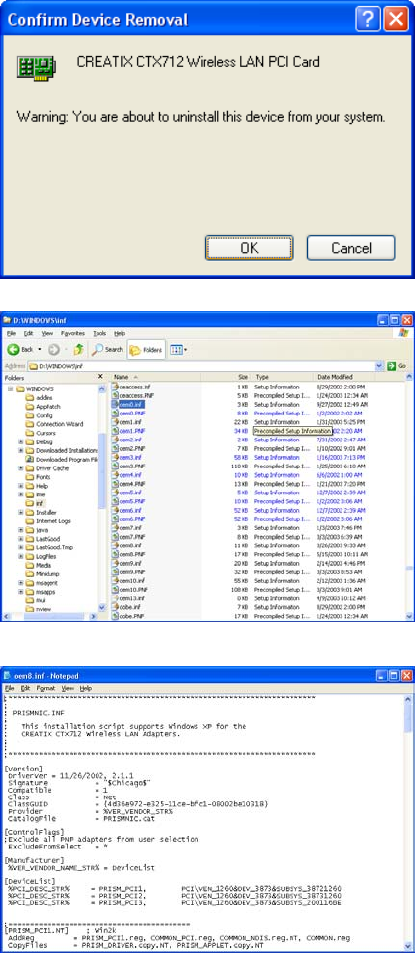
Press the button „OK“ to remove the driver.
Go into the hidden directory \Windows\Inf.
Check all “oem*.inf” files (they can be opened by
double click) to find the oem*.inf file
“Prismnic.inf” (Wireless LAN Card):
“Delete” this file.
After deleting the file shut down your PC to
remove the card or restart to install a new update
for the driver.
Regulatory Statements
FCC Certification
The United States Federal Communication Commission and the Canadian Department of
Communication have established certain rules governing the use of electronic equipment.
Part15, Class B
This device complies with Part 15 of the FCC Rules.
Operation is subject to the following two conditions:
(1) This device my not cause harmful interference, and
(2) this device must accept any interference received, including interference that may
cause undesired operation. This equipment has been tested and found to comply with
the limits for a Class B digital device, pursuant to Part 15 of the FCC Rules. These
limits are designed to provide reasonable protection against harmful interference in a
residential installation. This equipment generates, uses and can radiate radio
frequency energy and, if not installed and used in accordance with the instructions,
may cause harmful interference to radio communications. However, there is no
guarantee that interference will not occur in a particular installation. If this equipment
does cause harmful interference to radio or on, the user is encouraged to try to correct
the interference by one or more of the following measures:
- Reorient or relocate the receiving antenna.
- Increase the separation between the equipment and receiver.
- Connect the equipment into an outlet on a circuit different from that to which the
receiver is connected.
- Consult the dealer or an experienced radio/TV technician for help.
Caution:
1.
2.
3.
This equipment complies with FCC radiation exposure limits set forth for an uncontrolled
environment. This equipment should be installed and operated with minimum distance
20cm between the radiator and your body.
This transmitter must not be co-located or operating in conjunction with any other
antenna or transmitter.
Changes or modifications made to this equipment not expressly approved by Creatix
Polymedia GmbH may void the FCC authorization to operate this equipment