7.3.1.2 Packet Tracer Skills Integration Challenge Instructions
7.3.1.2%20Packet%20Tracer%20-%20Skills%20Integration%20Challenge%20Instructions
7.3.1.2%20Packet%20Tracer%20-%20Skills%20Integration%20Challenge%20Instructions
User Manual:
Open the PDF directly: View PDF  .
.
Page Count: 3
© 2016 Cisco and/or its affiliates. All rights reserved. This document is Cisco Public. Page 1 of 3
Packet Tracer - Skills Integration Challenge
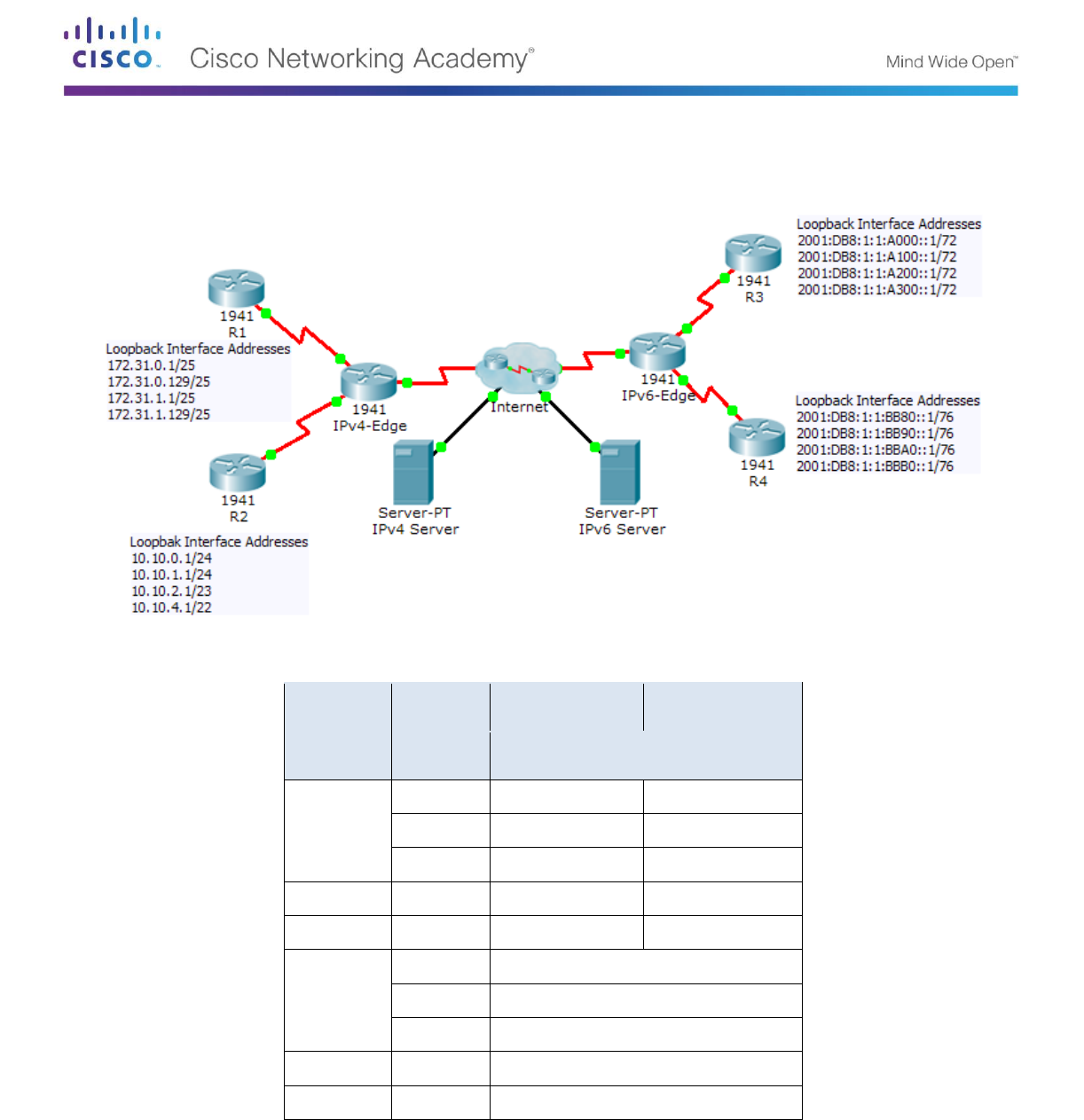
Topology
Addressing Table
Device
Interface
IPv4 Address
Subnet Mask
IPv6 Address/Prefix
IPv4-Edge
S0/0/0
172.31.6.1
255.255.255.252
S0/0/1
10.10.8.1
255.255.255.252
S0/1/0
209.165.200.226
255.255.255.224
R1
S0/0/0
172.31.6.2
255.255.255.252
R2
S0/0/1
10.10.8.2
255.255.255.252
IPv6-Edge
S0/0/0
2001:DB8:A001:6::1/64
S0/0/1
2001:DB8:A001:7::1/64
S0/1/0
2001:DB8:CAFE:1::2/64
R3
S0/0/0
2001:DB8:A001:7::2/64
R4
S0/0/1
2001:DB8:A001:6::2/64
Scenario
In this activity, you are tasked with implementing EIGRP for IPv4 and IPv6 on two separate networks. Your
task includes enabling EIGRP, assigning router-IDs, changing the hello timers, configuring EIGRP summary
routes and limiting EIGRP advertisements.
Packet Tracer - Skills Integration Challenge
© 2016 Cisco and/or its affiliates. All rights reserved. This document is Cisco Public. Page 2 of 3
Requirements
EIGRP for IPv4
Implement EIGRP on IPv4 enabled routers using Autonomous System 1.
- Use the classful network address for the loopback interfaces.
- Use the wildcard mask to advertise the /30 networks between R1, R2 and IPv4-Edge.
- Use the default method to only allow EIGRP updates out the active EIGRP serial interfaces.
- Advertisements should not be summarized.
Configure a directly attached default route on IPv4-Edge and propagate it in EIGRP updates.
Configure the serial interfaces between R1, R2 and IPv4-Edge to send hellos every 10 seconds.
On R1 and R2, configure an EIGRP summary route for the loopback networks.
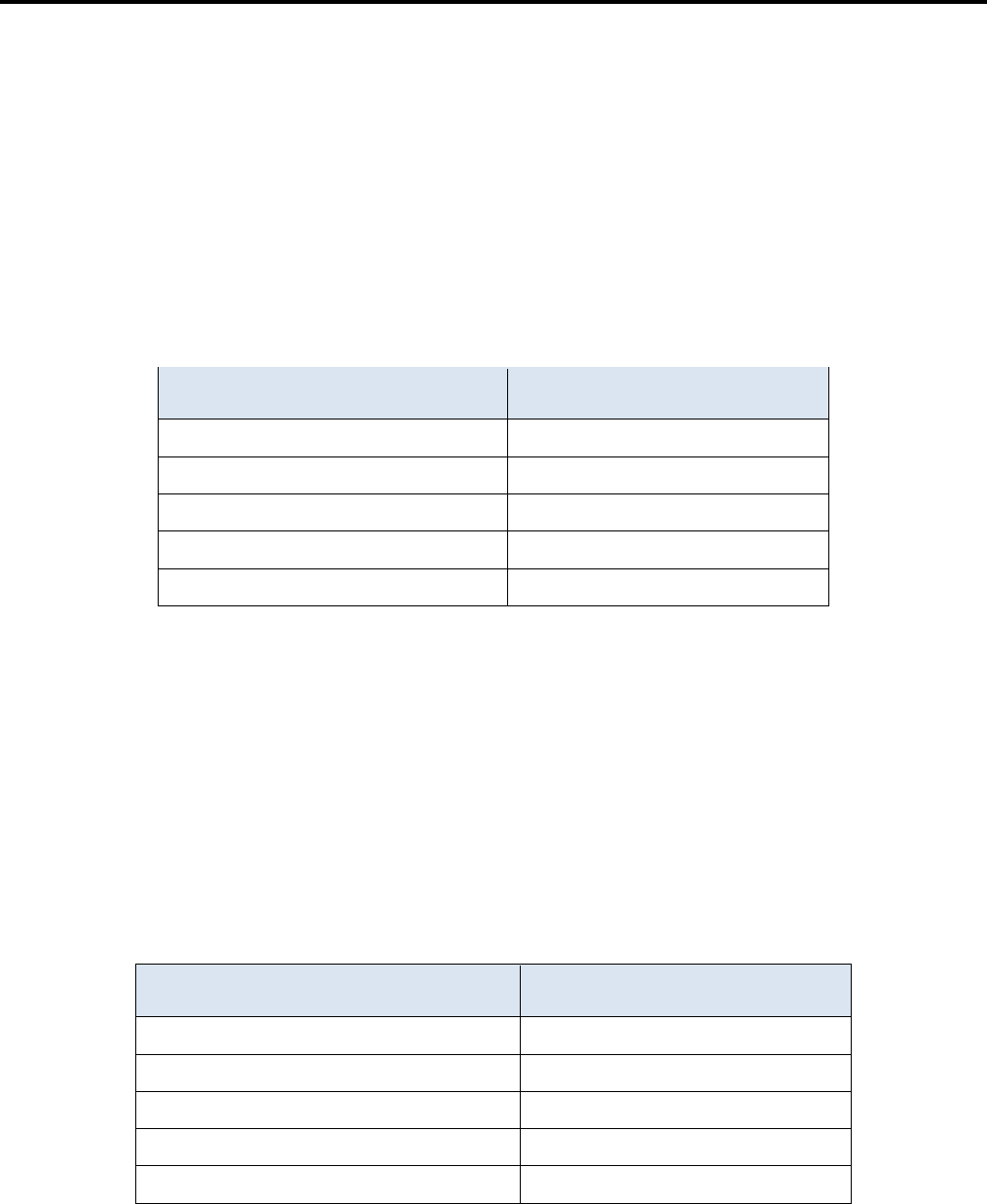
R1 Loopback Networks
R2 Loopback Networks
172.31.0.0/25
10.10.0.0/24
172.31.0.128/25
10.10.1.0/24
172.31.1.0/25
10.10.2.0/23
172.31.1.128/25
10.10.4.0/22
Summary:
Summary:
R1 and R2 should only have four EIGRP routes in the routing table, one of which is the default route
(D*EX). IPv4-Edge should only have two EIGRP routes in the routing table.
Verify R1 and R2 can ping the IPv4 Server. IPv4 Server should also be able to ping every loopback
address on R1 and R2.
EIGRP for IPv6
Implement EIGRP on IPv6 enabled routers using Autonomous System 1.
- Assign IPv6-Edge with the router-ID of 1.1.1.1
- Assign R3 with the router-ID of 3.3.3.3
- Assign R4 with the router-ID of 4.4.4.4
Configure a directly attached default route on IPv6-Edge and propagate it in EIGRP updates.
On R3 and R4, configure an EIGRP summary route for the loopback networks.
R3 Loopback Networks
R4 Loopback Networks
2001:DB8:1:1:A000::1/72
2001:DB8:1:1:BB80::1/76
2001:DB8:1:1:A100::1/72
2001:DB8:1:1:BB90::1/76
2001:DB8:1:1:A200::1/72
2001:DB8:1:1:BBA0::1/76
2001:DB8:1:1:A300::1/72
2001:DB8:1:1:BBB0::1/76
Summary:
Summary:
R3 and R4 should only have four EIGRP routes in the routing table, counting the default external route.
IPv6-Edge should only have two EIGRP routes in the routing table.
Packet Tracer - Skills Integration Challenge
© 2016 Cisco and/or its affiliates. All rights reserved. This document is Cisco Public. Page 3 of 3
Verify R3 and R4 can ping the IPv6 Server. IPv6 Server should also be able to ping every loopback
address on R3 and R4.
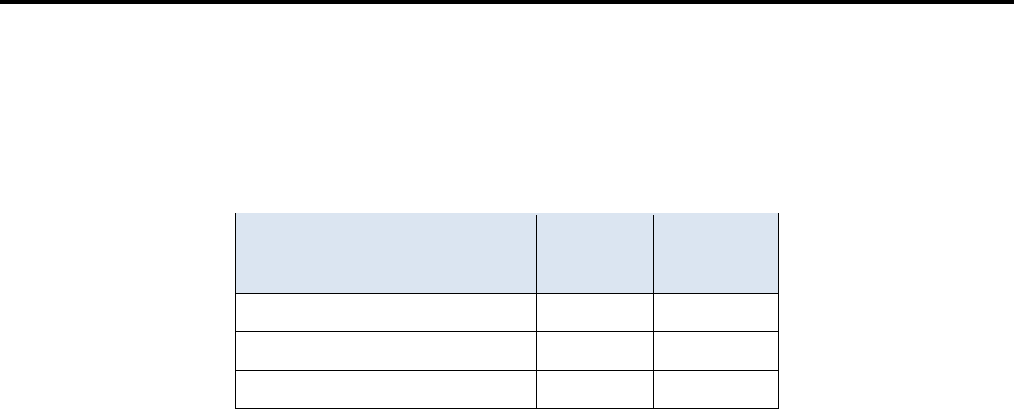
Suggested Scoring Rubric
Note: Packet Tracer does not currently grade EIGRP for IPv6 summary routes. Therefore, part of your grade
depends on routing table verification by your instructor.
Scored Work
Possible
Points
Earned
Points
IPv6-Edge Routing Table
10
Packet Tracer Score
90
Total Score
100
