MCIR001 Manual
MCIR001%20Manual
User Manual:
Open the PDF directly: View PDF  .
.
Page Count: 8
MCIR001 User Manual
OEM
Version 1.0
2011-12-2

MCIR001 Manual
1.Product Information
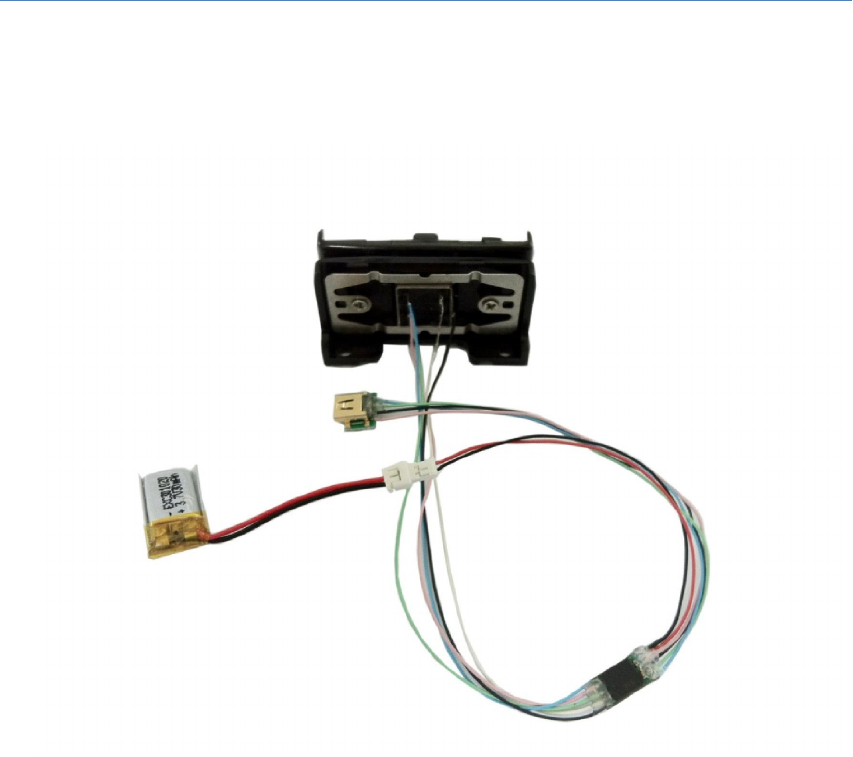
MCIR001 is portable data collector. It's a portable magnetic swipe reader, which is
specially designed for magnetic stripe data collection anytime and anywhere without
computer. Large memory can collect 32000 data. Built-in Time clock indicates every
transaction date and time. Data is read from the card and kept into the memory then
downloaded to the computer.
Features:
- Ultra low power consumption - Less than 10uA when idle and less than 80uA
when a card is being swiped
- Reads interrupted swipes in both directions
- Reads all magnetic cards
- Low voltage operation
- Swipe Direction – bidirectional
- Data downloadable to the computer via USB cable
- Time stamp shows date and time with every transaction
- Hardware imbedded password protection
- 3-track version can collect all three tracks data
- Fully encrypted
- Stores 32000 card scans
- All swipes are time stamped
- Data retained even if power is removed
- No programming required, easy to use as 1- 2 -3
Applications:
- Any movable data collection (Trade shows, Racing events)
- Point of sales
- Law enforcement (DMV card)
- Attendance (Student ID, Membership card)
- Conference Attendance
- Classroom Attendance
- Meeting Attendance
- Door Locking Systems
ISO Standard
Track1 210bpi, 79 Alphanumeric Characters
Track2 75bpi, 40 Numeric characters
Track3 210bpi, 107 Numeric characters
MCIR001 Manual
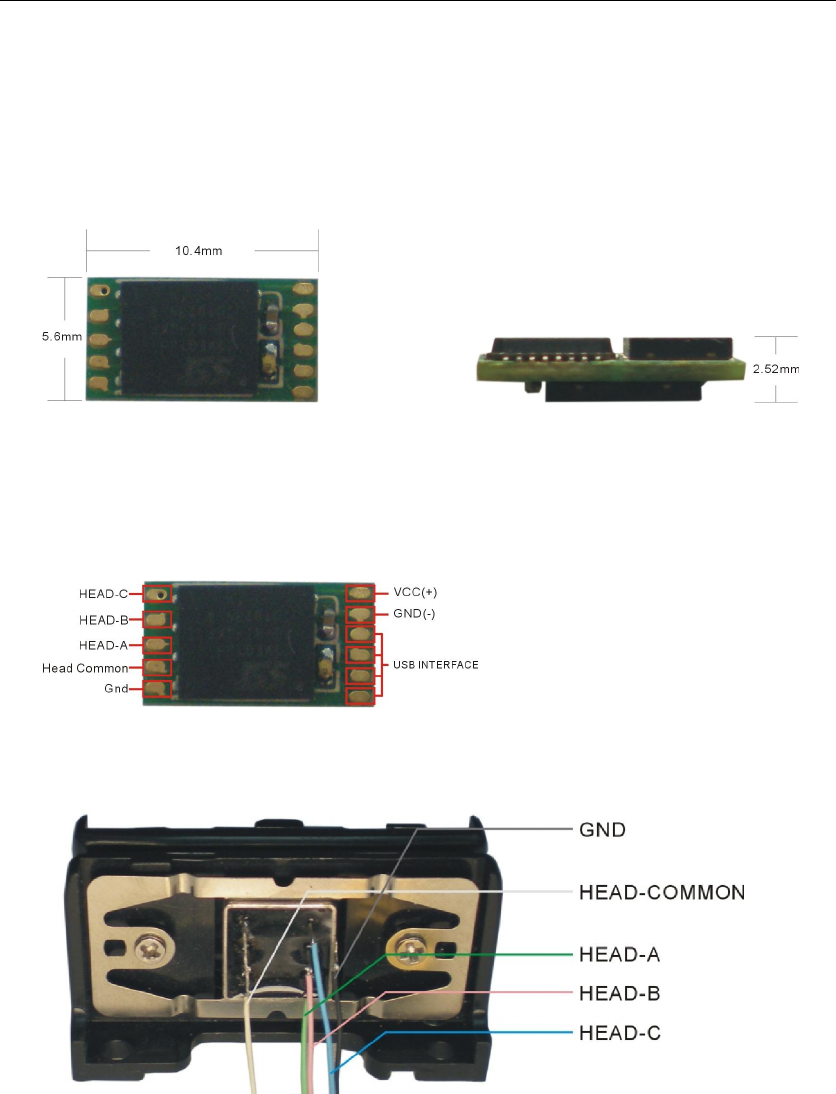
2.Parts identification
MCIR001 overview
MCIR001 Pin configuration
The portable magnetic stripe reader, plastic rail is ideal to test your MCIR001. It
includes a 3 track low profile head which can be used to read up to 1,000,000
cards.
MCIR001 Manual
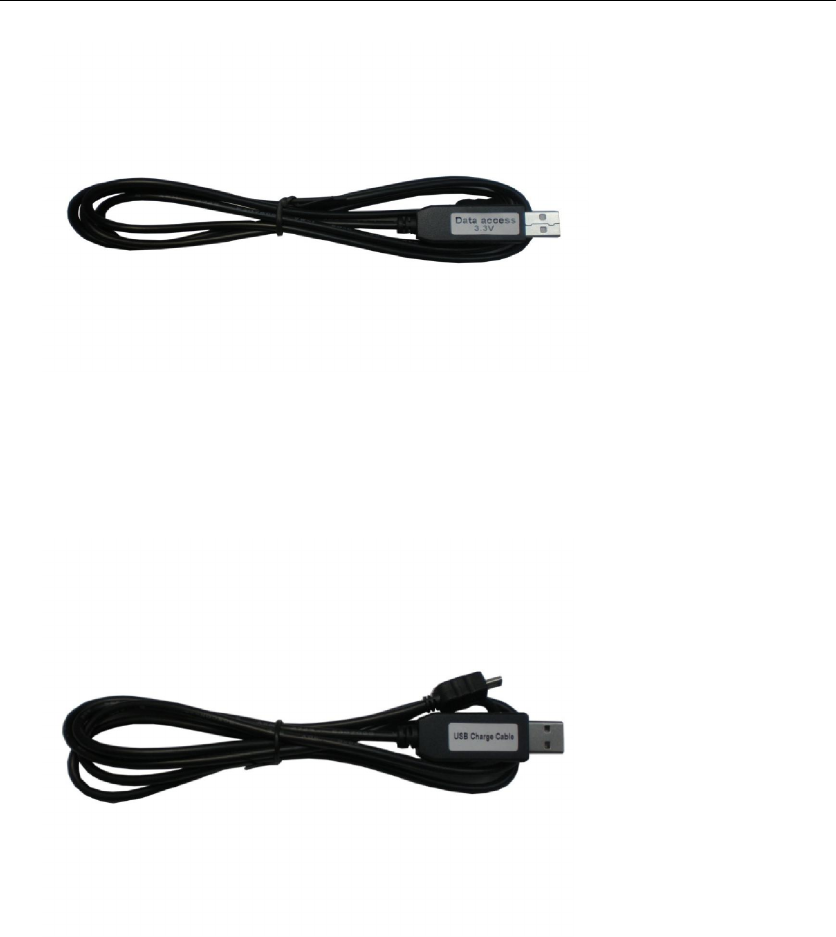
USB Data Cable: connect the MCIR001 to your computer.
Warning: Although this cable looks like a standard mobile phone cable, it is not; it
contains a USB to Serial Port convertor and a custom pin layout therefore it
cannot be replaced by any other cable made by other manufacturers.
Using other cables with your MCIR001 will damage it and void its warranty.
USB Charger Cable: charging the battery.
Charge:
1) Connect the charger to the PC or other equipment with 5V DC power
through USB port. There’s a red LED flickering.
2) Connect MCIR001 to the charger through mini USB. The red LED will be light.
3) Waiting for the red LED turning off, it means the battery is full.
Warning: Don’t mistake the USB charge to USB cable.
3.Software installation and usage
3.1 Install driver guide
The software for MCIR001 has been designed and tested on Windows XP and
Windows 7 and so on (all Windows system, 32 and 64bit).
We do not guarantee or support its usage on any other operating system.
MCIR001 Manual
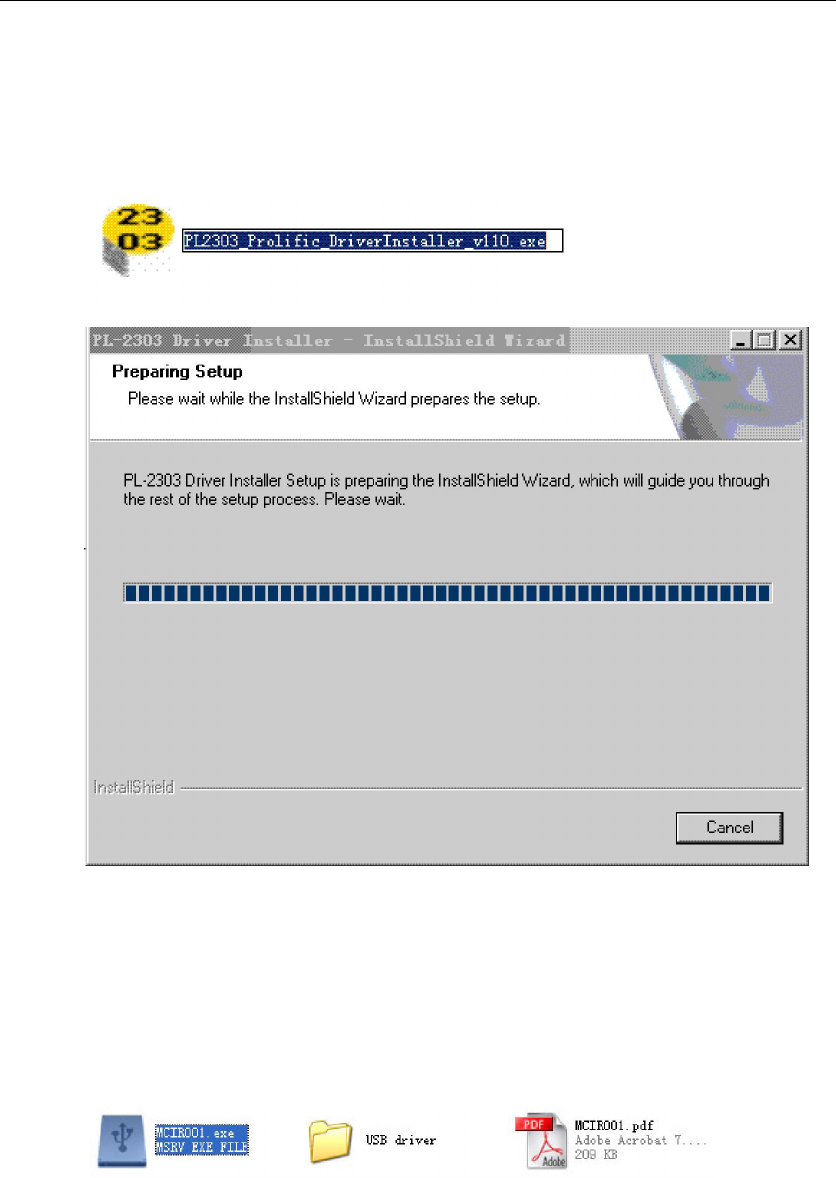
a) Insert the CD into your CD-Rom
b) Run file F:\USB driver \PL2303_Prolific_DriverInstaller_v1417.exe ( “F” is
your DVD-ROM drive), If the instructions above are insufficient, please refer
to the following documents for a very detailed installation of the drivers.
F:\USB driver \ releasenote.txt
3.2 Using the software
The software which is used to download ,command and view the data form the
MCIR001 is called MCIR001.exe.
1) Connect to MCIR001
Connect MCIR001 to PC with the USB cable.
2) Start MCIR001
On CD-ROM there is a file called MCIR001, copy MCIR001.exe to computer
first, double click on its icon in order to start it, please observe the picture
upper, highlighted with the file need to double click on.
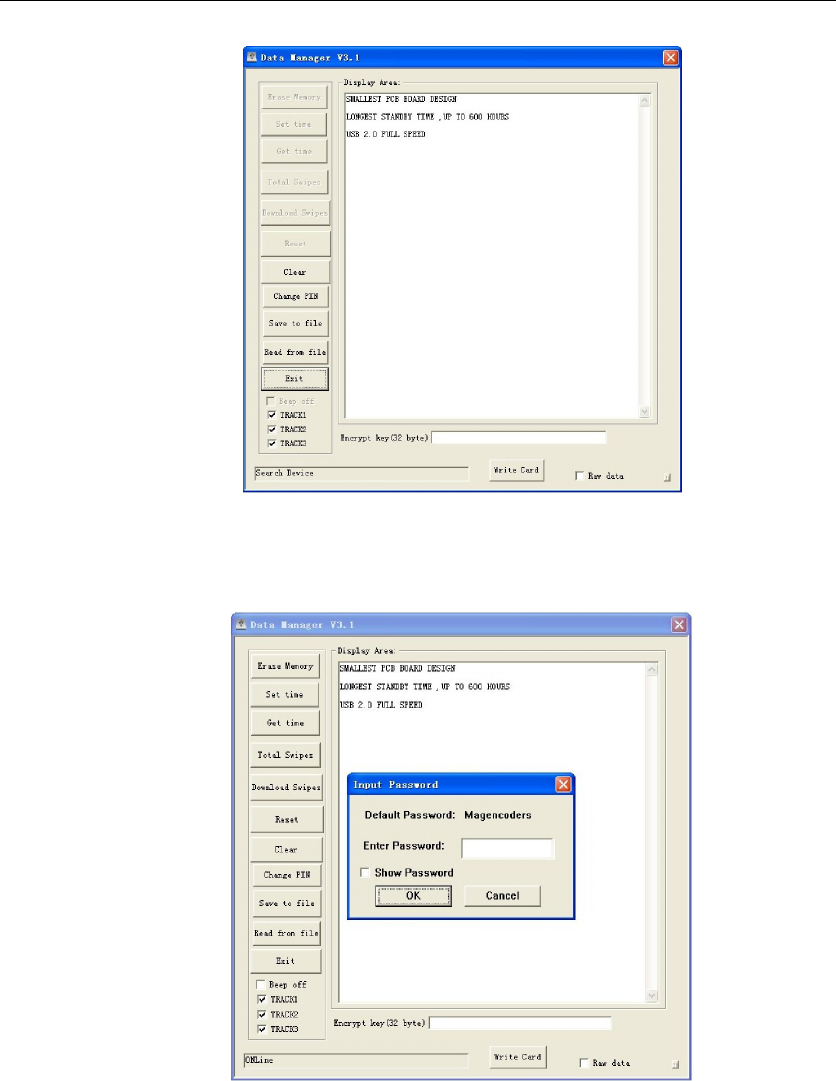
The window as follow:
MCIR001 Manual
MCIR001 has connected to the MCIR001.exe and will ask for a password.
The default one is “Magencoders", you can change it later. For the moment,
type in the password and press “OK”.
3.3 Software Description
- Erase Memory
It will clear all the record in MCIR001, that is , remove all records from
memory, use this operate, you must confirm the original valid data has been
correctly downloaded, otherwise all the records will be lost.
- Set time
Update system time with the collector within the date, time, setting, you
must verify the system date/time is correct.
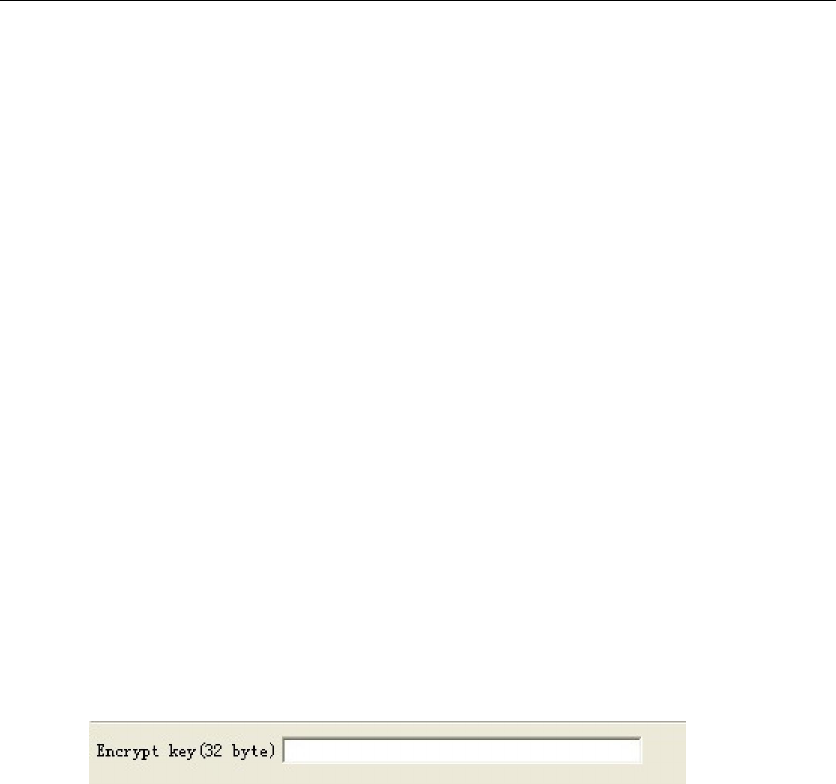
MCIR001 Manual
- Get time
Check the collector’s clock.
- Total Swipe
Check the number of records, which includes not completely correct and
completely correct.
- Download Swipes
Download data to the current document file. Data records, there may be
some missing data in a Record: ① the Record no data was replaced with
“Blank”;② data of the record, but to read out with error, will be filled
“Error”, the user can be edit, make a choice.
- Reset
Data collection generate a host-start, something which can be used to test
the connection is correct, the work of the collector is normal.
- Clear
Clear the display content.
- Chang PIN
Change the password for your device.
Warning: if you forget the new password you will not be able to access the
device anymore and we cannot be able to help you.
- Save to file
Save the data to computer, you can select a folder, or it will save the data to
the software directory directly. Note: please type the key to the blank box.
- Read from file
Read the data has been saved.
- Exit
Close MCIR001.exe
- Beep off
Whether the buzzer beep
- Write Card
Sent the data directly to the M80 magnetic card reader writers
4.Connections
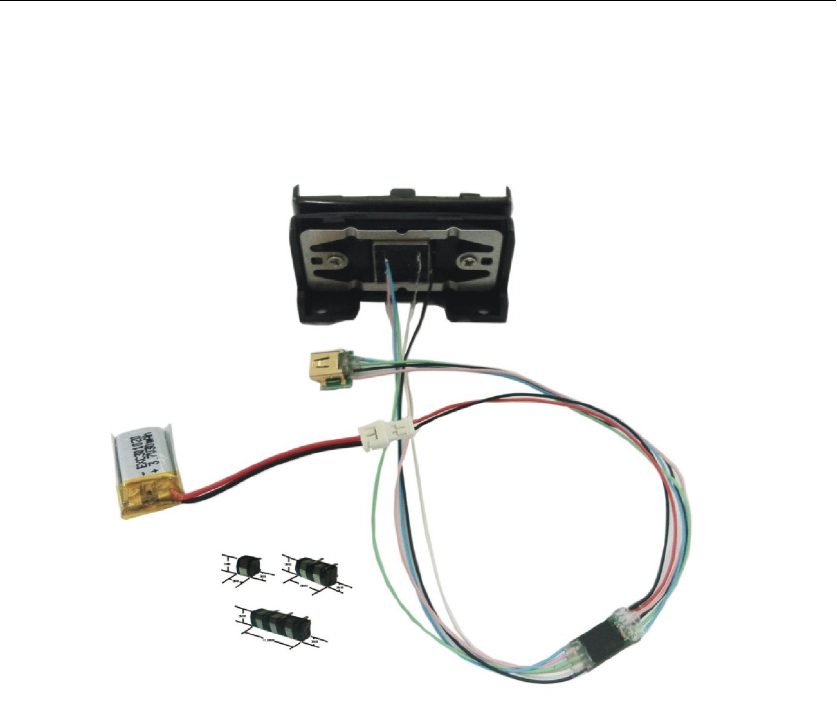
The MCIR001 is static sensitive therefore you need to handle it in a static free
environment. This means that you need to wear at least an antistatic bracelet when
you touch the electronics. If you do not wear static protection gear you risk
damaging your reader!
MCIR001 Manual
5. Examples for Application
