WP 34S Owner's Manual 3 0
User Manual:
Open the PDF directly: View PDF  .
.
Page Count: 103 [warning: Documents this large are best viewed by clicking the View PDF Link!]
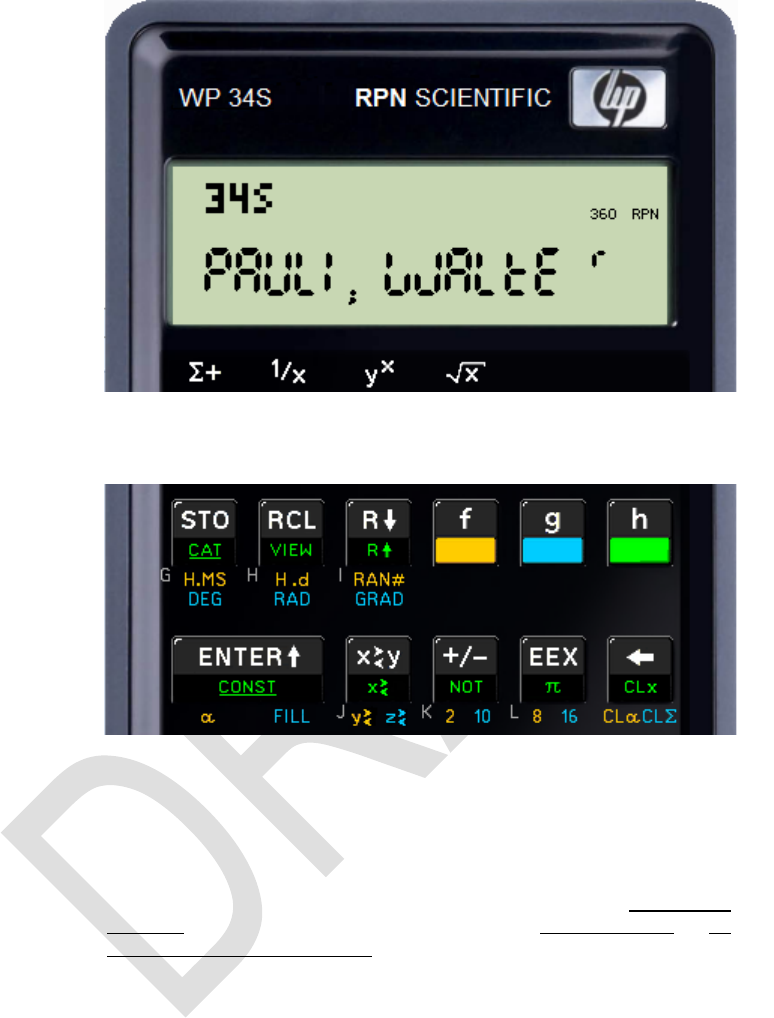
Edition 3.0
Page 1 of 103
This file is part of WP 34S.
WP 34S is free software: you can redistribute it and / or modify it un-
der the terms of the GNU General Public License as published by the
Free Software Foundation, either version 3 of the License, or (at your
option) any later version.
WP 34S is distributed in the hope that it will be useful, but without any
warranty; without even the implied warranty of merchantability or fit-
ness for a particular purpose. See the GNU General Public License
for more details.
You should have received a copy of the GNU General Public License
along with WP 34S. If not, please see http://www.gnu.org/licenses/ .
First aid for those complaining about getting trapped in an unexpected
or unwanted calculator mode while playing around before reading:
(i.e. ) will bring you back to floating point mode.
3.0 Work in Progress

Edition 3.0
Page 2 of 103
TABLE OF CONTENTS
Welcome ..................................................................................................................... 4
Print Conventions ....................................................................................................... 6
Getting Started ........................................................................................................... 6
......................................................... 7
Real and Integer Operations ..................................................................................... 14
Statistical Distributions, Probabilities etc. ................................................................. 15
Matrices .................................................................................................................... 16
Complex Operations ................................................................................................. 17
Memory ..................................................................................................................... 18
Stack Mechanics ...................................................................................................... 20
Comparing and Addressing Real Numbers .............................................................. 22
Comparing and Addressing Complex Numbers ........................................................ 23
Addressing Labels .................................................................................................... 24
Display and Modes ................................................................................................... 25
Fonts......................................................................................................................... 32
Index of Operations .................................................................................................. 33
A - C ..................................................................................................................................34
D - F ..................................................................................................................................37
G - I ...................................................................................................................................41
J - L ...................................................................................................................................43
M - O .................................................................................................................................46
P - R ..................................................................................................................................49
S - U ..................................................................................................................................54
V - Z ..................................................................................................................................58
- ..................................................................................................................................61
- the End ........................................................................................................................64
Alphanumeric input:...........................................................................................................67
Non-programmable Control, Clearing and Information Commands ...................................69

Edition 3.0
Page 3 of 103
Catalogs ................................................................................................................... 71
Catalog Contents in Detail: ................................................................................................74
Addressing Catalog Items .................................................................................................77
Constants ..........................................................................................................................78
Unit Conversions ...............................................................................................................82
Predefined Global Alpha Labels ........................................................................................86
Messages ................................................................................................................. 86
Programmed Input and Output ................................................................................. 89
Interactive Programming ........................................................................................... 90
Interrupting a Program for Display of Information ..............................................................90
Temporary Displays ..........................................................................................................91
Data Input .........................................................................................................................91
Hotkeys .............................................................................................................................91
Keyboard Codes ...............................................................................................................92
Direct Keyboard Access ....................................................................................................93
Appendix A: Support for Flashing, Serial I/O etc. ..................................................... 94
How to Flash Your HP 20b or 30b .....................................................................................94
Commands for Handling Flash Memory on Your WP 34S .................................................95
Mapping of Memory Regions to Emulator State Files ........................................................96
Data Transfer Between Your WP 34S and Your PC (SAM-BA) .........................................96
Data Transfer Between Your WP 34S and Your PC (Serial I/O) ........................................97
More Keyboard Commands Employing ON .......................................................................98
Appendix B: More Routines and Commands ............................................................ 99
Library Routines ................................................................................................................99
Internal Commands (Use at Your Own Risk) .....................................................................99
Appendix C: Release Notes .................................................................................... 102

Edition 3.0
Page 4 of 103
... you still have your HP-20b Business Consultant or your HP-30b Business Professional sitting on
your desk unchanged as produced by HP, please turn to Appendix A for some instructions how to
convert it into a full fledge WP 34S yourselft want to bother with cables on
your desk connecting it to your computer, with flashing the calculator firmware and attaching a sticky
overlay, you may purchase e.g. a HP-30b-based WP 34S readily in the internet:
http://www.thecalculatorstore.com/epages/eb9376.sf/en_GB/?ObjectPath=/Shops/eb9376/Products/%22WP34s%20Pack%22
(We apologize for the small font it allows this hyperlink fitting into one print line).
The first way may just cost your time, the second will cost you some money at the store. If you choose
buying your WP 34S at the address mentioned, we (the developers) will get a modest fraction of the
price. Both ways, however, are proven to work it is your choice.
For the following, we assume the flashing is done and you hold a WP 34S in your hands.
WELCOME
Dear user, now you have got it: your own WP 34S. It uses the mechanics and hard-
ware of the HP-20b Business Consultant or the new HP-30b Business Professional,
so you benefit from their unexcelled processor speed. And with the HP-30b you get
the famous rotate-and-click keys in addition, giving the tactile feedback appreciated
in vintage Hewlett-Packard calculators for decades.
On the other hand, the firmware and user interface of the WP 34S were thoroughly
thought through and discussed by us, newly designed and written from scratch,
loaded with functions, pressed into the little memory provided, and tested over and
over again to give you a fast and compact scientific calculator like you have
never had before.
The WP 34S function set is based on the famous HP-42S RPN Scientific, the most
powerful programmable RPN calculator built so far 1. We expanded this set, incorpo-
rating the functionality of the renowned HP-16C, the fraction
mode of the HP-32SII, probability distributions as featured by the HP-21S, and added
many more useful functions for mathematics, statistics, physics, engineering,
programming etc. like
+ s, (all of these in real and
complex domains), the error function, incomplete regularized Beta and Gamma,
testing for primality,
+ many statistical distributions and their inverses like Poisson, Binomial, Geome-
tric as well as Cauchy-Lorentz, Exponential, Logistic, Weibull for reliability ana-
lysis, Lognormal and Gaussian with arbitrary means and standard deviations,
+ programmable sums and products, first and second derivatives,
+ extended date and time calculations based on a real time clock,
1 Though the HP-42S was sold in 1988 already, this statement holds still. Due to hardware restric-
tions, the matrix math of the HP-42S cannot be supported by the WP 34S. Matrices are covered,
however, by a package of basic commands.

Edition 3.0
Page 5 of 103
+ integer computing in arbitrary bases from binary to hexadecimal,
+ financial operations like mean rate of return and margin calculations,
+ 80 conversions, mainly between universal SI and old Imperial units,
+ 50 fundamental physical constants as precise as known today by national stan-
dards institutes like NIST or PTB, plus some more out of mathematics, astro-
nomy, and surveying,
+ complete Greek and extended Latin letter fonts covering many languages on
this planet (upper and lower case in two font sizes each).
The WP 34S is the first RPN calculator overcoming the limits of a 4-level stack
forget worries about stack overflow in calculations. It features a choice of two stack
sizes expanded by a complex LASTx register: traditional four stack levels for HP
compatibility, eight levels for convenient calculations in complex domain, advanced
real calculus, vector algebra, or for whatever application you have in your mind. You
find a full set of commands for stack handling and navigation in either size.
Furthermore, your WP 34S features over 100 general purpose registers, 104 user
flags, 506 program steps in working memory, more than 4000 in flash, a 31 byte al-
pha register for message generation, and 4 programmable hotkeys for your favorite
functions or routines. And you may backup your work in battery-fail-safe memory.
Your WP 34S is the result of a long range collaboration of two individuals, an Austral-
ian and a German. We did this in our free time, so you may call it our hobby (though
some people close to us found different names for this). From its very beginning, our
project was discussed on the forum of the Museum of HP Calculators
(www.hpmuseum.org), so we want to express our gratitude to all the international
contributors there who taught us a lot and brought their ideas and support in several
stages of our project. Special thanks go to Marcus von Cube (Germany) supporting
us in bringing the WP 34S to life, starting with an emulator for v1.14, allowing wide-
spread use and convenient testing. From v1.17 on, the software runs on the real
hardware as well. A very useful assembler / disassembler is supplied by Neil Hamil-
ton (Canada) since v1.18 and even a symbolic preprocessor was added with v2.1.
We baptized our baby WP 34S in honor of one of the most powerful LED pocket cal-
culators, the HP-34C of 1979. The WP 34S is our humble approach with the hard-
ware given to a future 43S we can only dream of becoming the successor of the
HP-42S once. May the WP 34S help in convincing those having access to more re-
sources than us: covering the market of serious scientific instruments is worthwhile.
Firmware-wise, we have carefully checked everything we could think of to our best
knowledge, so our hope may be justified the WP 34S is free of bugs. Anyway, we
promise we will continue improving the WP 34S whenever it turns out being neces-
sary so if you discover any strange result, please report it to us, and if it is revealed
to be an internal error we will provide you with an update as soon as we have got one
ourselves. We did show short response times so far, and we will continue this way.
Enjoy!
Paul Dale and Walter Bonin

Edition 3.0
Page 6 of 103
PRINT CONVENTIONS
Please note:
Throughout this manual, standard font is Arial. Specific terms, names or titles are
printed in italics. Hyperlinks are underlined. Bold italic letters like n are used for va-
riables. Calculator commands e.g. ENTER are generally called by their names,
printed in capitals for easy recognition. Each and every command featured is listed in
the Index of Operations below.
This font is taken for explicit references to keys.
Register addresses are printed using bold Times New Roman, while lower case italic
letters of this font are employed for register contents. So, for example, y lives in stack
level Y, r45 in general purpose register R45, and alpha in the alpha register, re-
spectively. Overall stack contents are quoted in the order [ x, y, z
All this holds unless stated otherwise explicitly.
GETTING STARTED
If you know how to deal with a good old HP RPN scientific calculator, you can
start with your WP 34S right away. Use the following as a reference manual.
Else we recommend you get an HP-42S Owner’s Manual. It is available at low
cost on the DVD distributed by the Museum of Hewlett-Packard Calculators
(www.hpmuseum.org). There are also other sources in the internet.
Please read Part 1 of said manual as a starter. This part includes an excellent
introduction to RPN. This RPN is a very effective method making , , , ,
, and keys obsolete in calculations. Once you got used to it you will
most probably never employ a calculator featuring again.
Part 2 of said manual will support you when you are heading for programming
your WP 34S for easy handling of repeated or iterative computations. Further
documentation, also about the other calculators mentioned above and in the fol-
lowing text, will add valuable information it is all readily accessible on a single
DVD from said source.
Most commands on your WP 34S will work as they did on the HP-42S. This little
manual here is meant as a supplement showing you all the new features. It contains
all the necessary information including some formulas and technical explanations but
is not intended to replace textbooks about mathematics, statistics, physics, pro-
gramming, or the like.
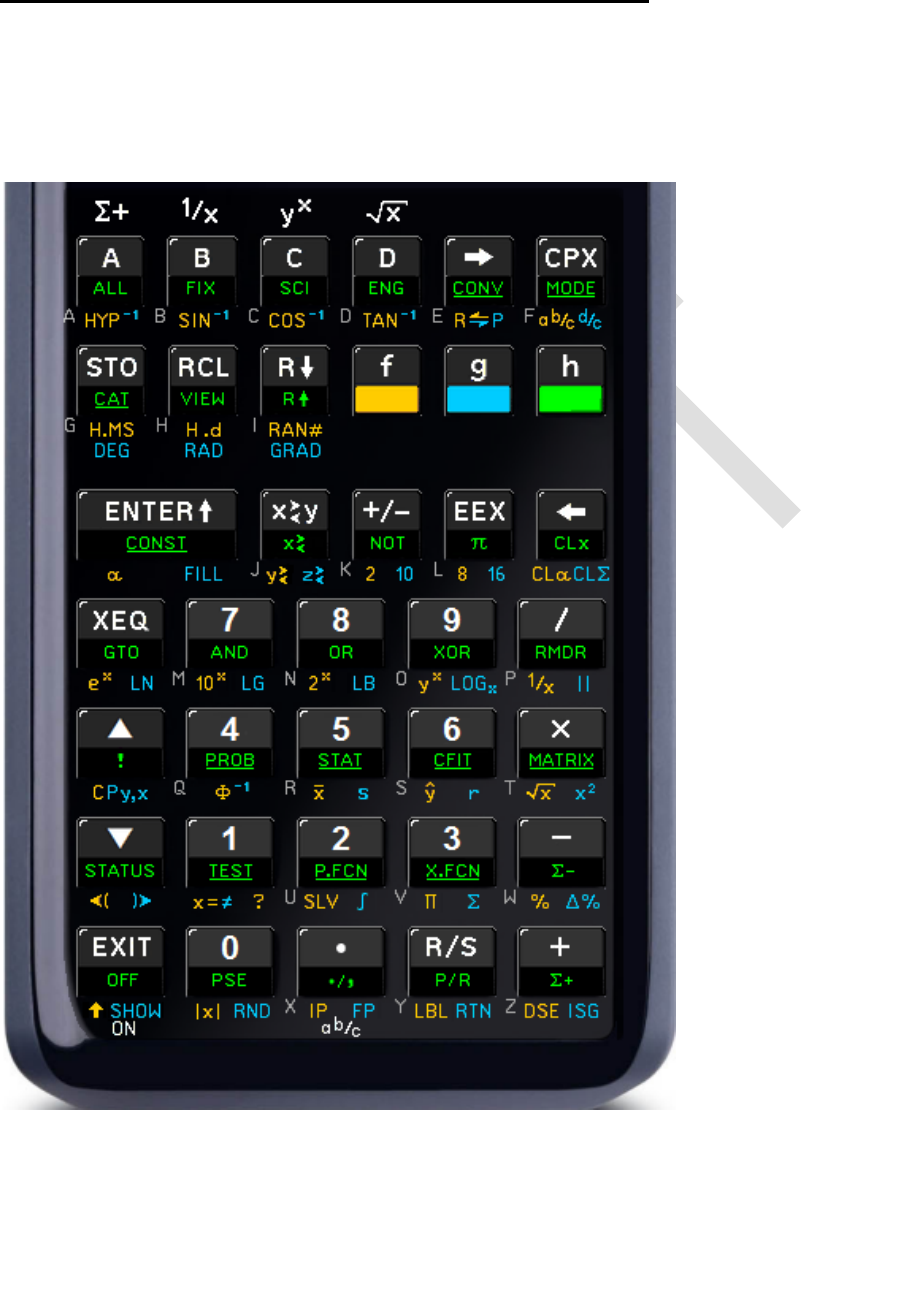
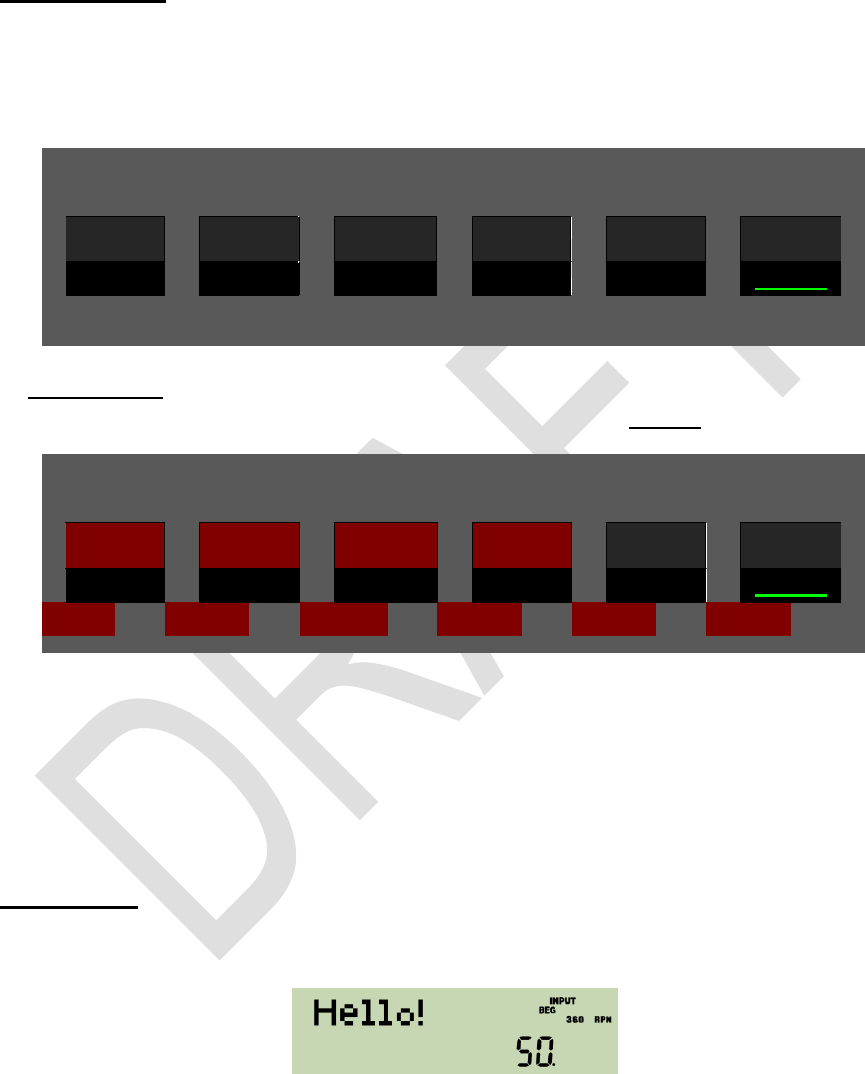
The following text starts presenting the keyboard as it will be active in various modes,
so you know where to find what you are looking for. It continues explaining the mem-
ory, addressing items therein, the display and indicators used to give you feedback
what is going on. Then the major part of this booklet is taken by the index of all the
operations, catalog contents, constants and conversions featured. It closes with a list
of messages the WP 34S will display if special conditions prevent it from executing
your command as expected.
Edition 3.0
Page 7 of 103
KEYBOARD AND HOW TO ACCESS IT?
Let us investigate your WP 34S in default state. Take off the battery cover, locate the
little RESET hole between the batteries, and use a paper clip to reset. This will erase
all user contents and give you a fresh start.
As usual, white labels execute the default primary function of the respective key.
There are further
(secondary) func-
tions provided for
34 keys. Their la-
bels are printed
next to the white
ones in golden,
blue, green or grey
color.
Green labels are
placed on the
slanted faces of 34
keys. Golden and
blue labels are
printed below of
the respective key
on the key plate of
the WP 34S. Grey
letters are put bot-
tom left of 26 keys.
Labels printed un-
derlined open cata-
logs.
To access a gol-
den, blue, or green
label, use the pre-
fix , , or ,
respectively.
E.g. the key preceded by
will calculate the arithmetic mean values of the data accumulated in the sta-
tistic registers via ,
will return the standard deviations for the same data via ,
will open a catalog of supplementary statistic functions via .
The grey letter R will become relevant in alpha mode, e.g. for input of text.

Edition 3.0
Page 8 of 103
These prefixes allow for easily accessing a multiple of the 37 primary functions the
keyboard can take. You may keep the respective prefix pressed if you want to call
several functions in sequence showing the same label color. Any numeric entry will
just fill the display and is interpreted when completed, not earlier.
Time for a little example. Please take your WP 34S and press
(i.e. the bottom left key) to turn your calculator on. You will get
Unless specified otherwise, we shall quote the numeric results only in the fol-
lowing, i.e. here.
Now let us assume you want to fence a little patch of land 40 feet long and 30
feet wide. You have set the first corner post (A) already, and also the second
(B) in a distance of 30 feet from A. Where do you place the third post (C) to be
sure setting up the fence forming a proper rectangle? Simply enter:
(this key is for separating two numbers in input here)
( is reached via and )
So, just take a 90 feet rope, nail its one end on post A and the other one on B,
fetch the loose loop and walk 40 feet away. As soon as both parts of the rope
are tightly stretched, stop and place post C there. You may set the fourth post
the same way.
This method works for arbitrary rectangles. Your WP 34S does the calculation
of (or whatever lengths apply for you) automatically. You just care
for the land, the rope, hammer and nails. And it will be up to you to set the
posts!
As in this example, we will generally refer to shifted functions like by just printing
the colored label in this text and omit the prefix key of corresponding color, since re-
dundant.
By the way, by pressing the function POL is called, converting rectangular to
polar coordinates. Most labels printed on your WP 34S simply call operations carry-
ing the same name as the respective label. There are, however, also a number of
cases like . Thus, let us introduce them, starting top left on the keyboard:
, , , and are called hotkeys, since they immediately call the user
programs carrying these labels if defined. If the respective labels are not (yet)
defined, these keys act as , , , or , respectively.

Edition 3.0
Page 9 of 103
is the prefix for hyperbolic functions, as is for their inverses (see
SINH, COSH, TANH, ASINH, ACOSH, and ATANH). In analogy, stands
for ASIN, etc.
is the prefix for five immediate conversions: trailed by , ,
, , or will convert x , i.e. the value currently displayed. The
respective function names all begin with . Additionally, trailed by , ,
, or will show x converted to an integer number of the respective base
until the next keystroke. And furthermore, is employed for indirect address-
ing.
calls REC, converting polar to rectangular coordinates in 2d. So the pair
takes care of the two classic coordinate transformations.
is mainly employed as a prefix for calling complex operations. See the re-
spective paragraph below for more.
and enter the fraction mode for proper and improper fractions, re-
spectively (see PROFRC and IMPFRC).
and represent the two time modes, where stands for decim-
al hours, but also for floating point numbers in general (see DECM).
enters alpha mode, while , , , or will enter integer modes for
calculating with binary, octal, decimal, or hexadecimal numbers ).
calls x! in default floating point mode.
toggles radix marks (see RDX, and RDX. ), programming mode,
upper and lower case in alpha mode, and calls ABS.
These were all the special labels featured. You will find each and every command
provided on your WP 34S below in the index of operations for your reference, to-
gether with the necessary individual explanation.
In four decades of pocket calculators, a wealth of nice to sophisticated application
examples were invented and described by different authors more and better than
we can ever create ourselves. Also it is not our intention to copy these old examples.
Instead, we recommend the DVD mentioned above once more: it contains all the us-
er guides, handbooks, and manuals of vintage Hewlett Packard calculators. Be as-
sured that almost everything described there for any scientific calculator can be done
on your WP 34S as well, just significantly faster.
Let us return to our introductory example for two remarks:
1. There is no need to enter any units. The example will work with meters as
well, for example.
2. Although we entered integer numbers only for both sides of our little ground,
the calculation was executed in default floating point mode of your WP 34S.
This calculator mode allows for decimal fractions of e.g. feet in input and out-
put as well. Another mode lets you key in proper fractions like e.g. 6 ¼.
Edition 3.0
Page 10 of 103
Before you suffer from feet fractions, however, we want to briefly show you some ad-
ditional modes your WP 34S features (you will find a complete list of all modes pro-
vided in a separate chapter further below).
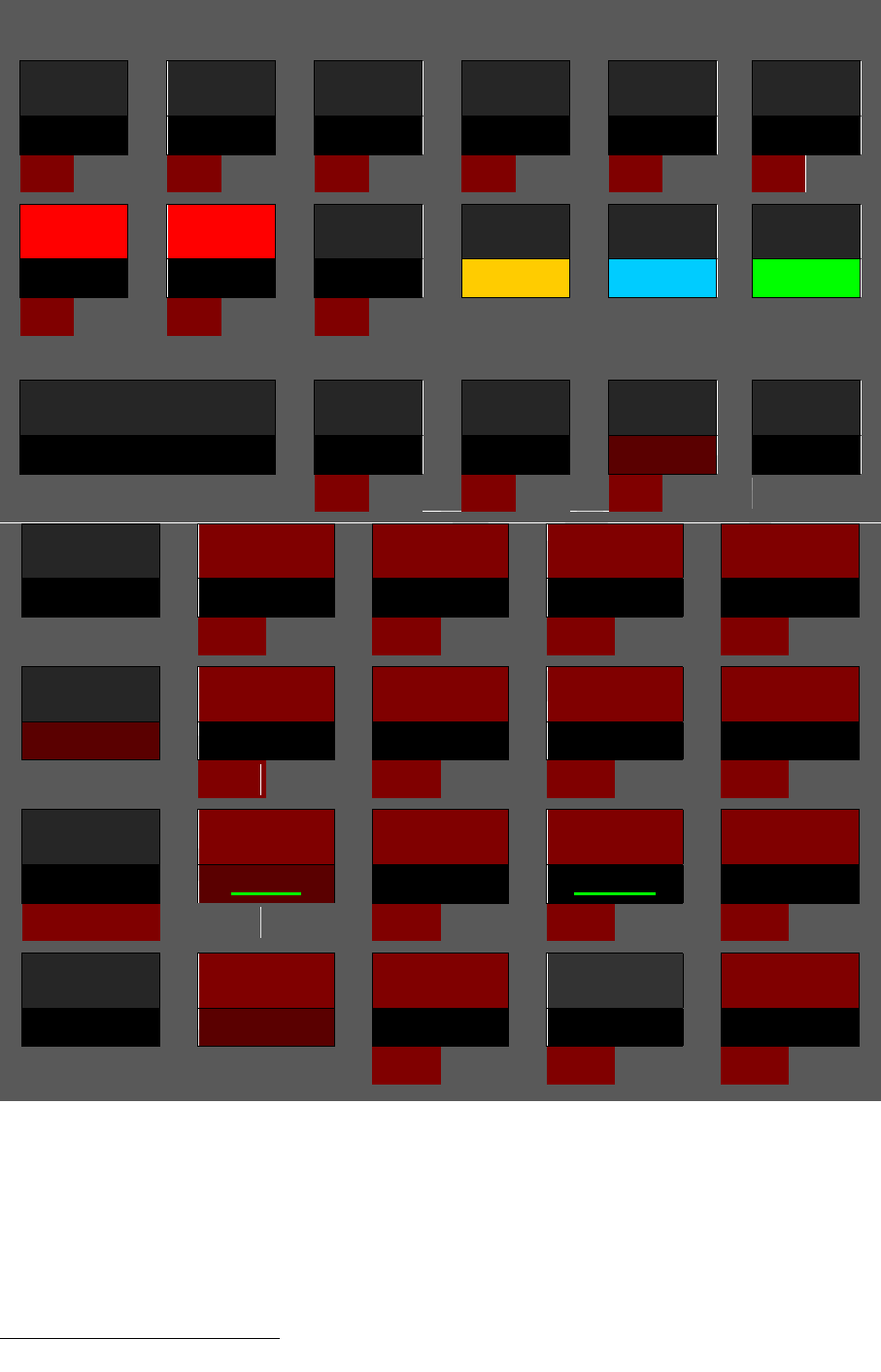
Integer modes are meant to deal with integers only in input, output, and calcula-
tions. This is useful for computer logic and similar applications. Your WP 34S allows
for binary, ternary, etc. through hexadecimal computing. In these modes, operations
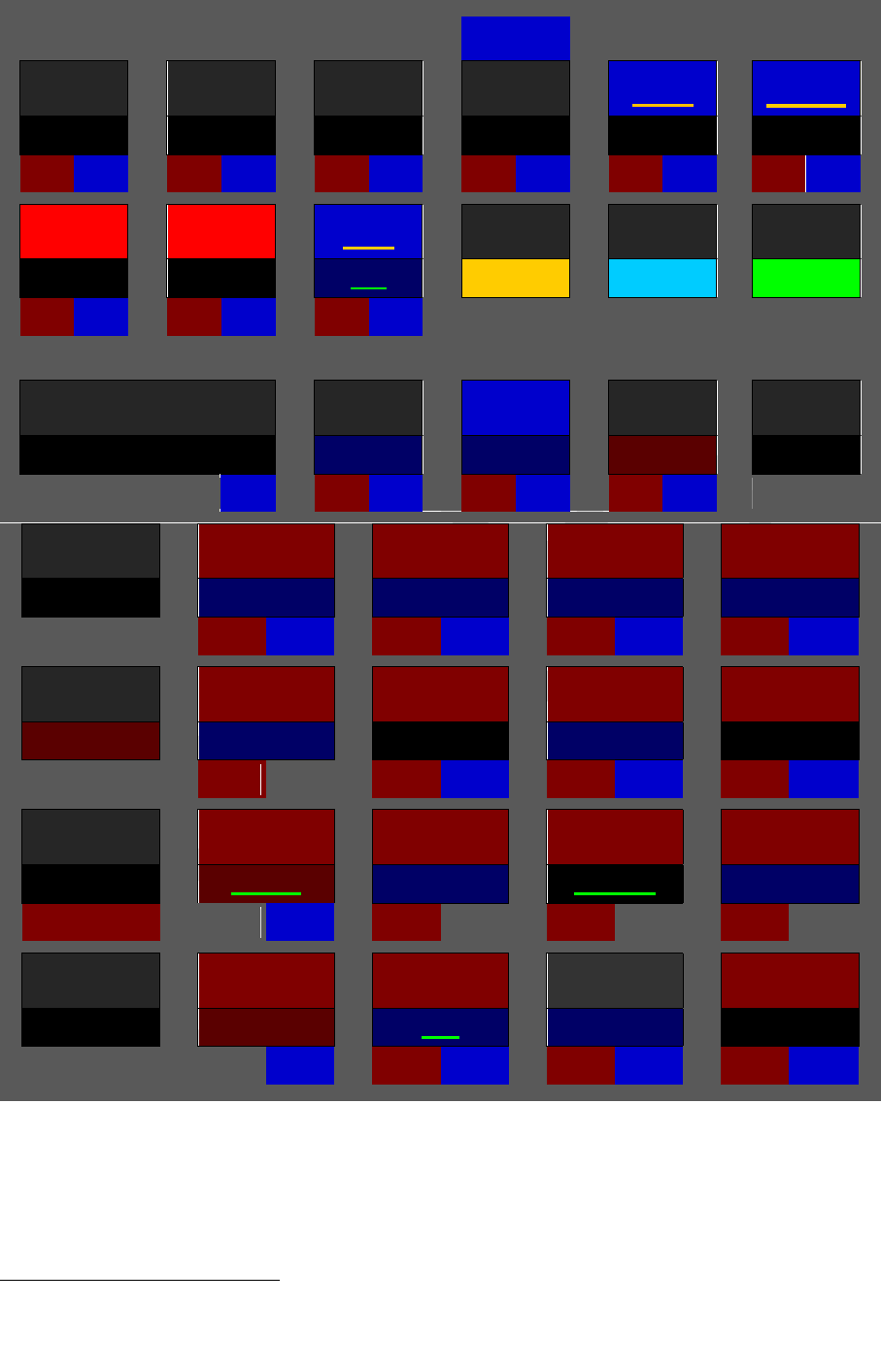
for obvious reasons. Thus, for integer bases up to ten, the
top row of keys on your WP 34S will effectively work as shown here:
y X
√
x
A
B
C
D
MODE
In hexadecimal integer mode, primary functions of these top keys will change to be-
come numeric input, so will be used for accessing their default primary functions:
y X
√
x
A
B
C
D
MODE
A
B
C
D
E
F
The dark red background is used to highlight changed key functionality here. Prefix
will access the default primary functions
Calculating in bases , those keys not needed for numeric input will work as
shown in the first picture above. In any integer base, attempts to enter an illegal digit
like e.g. 4 in binary will be blocked.
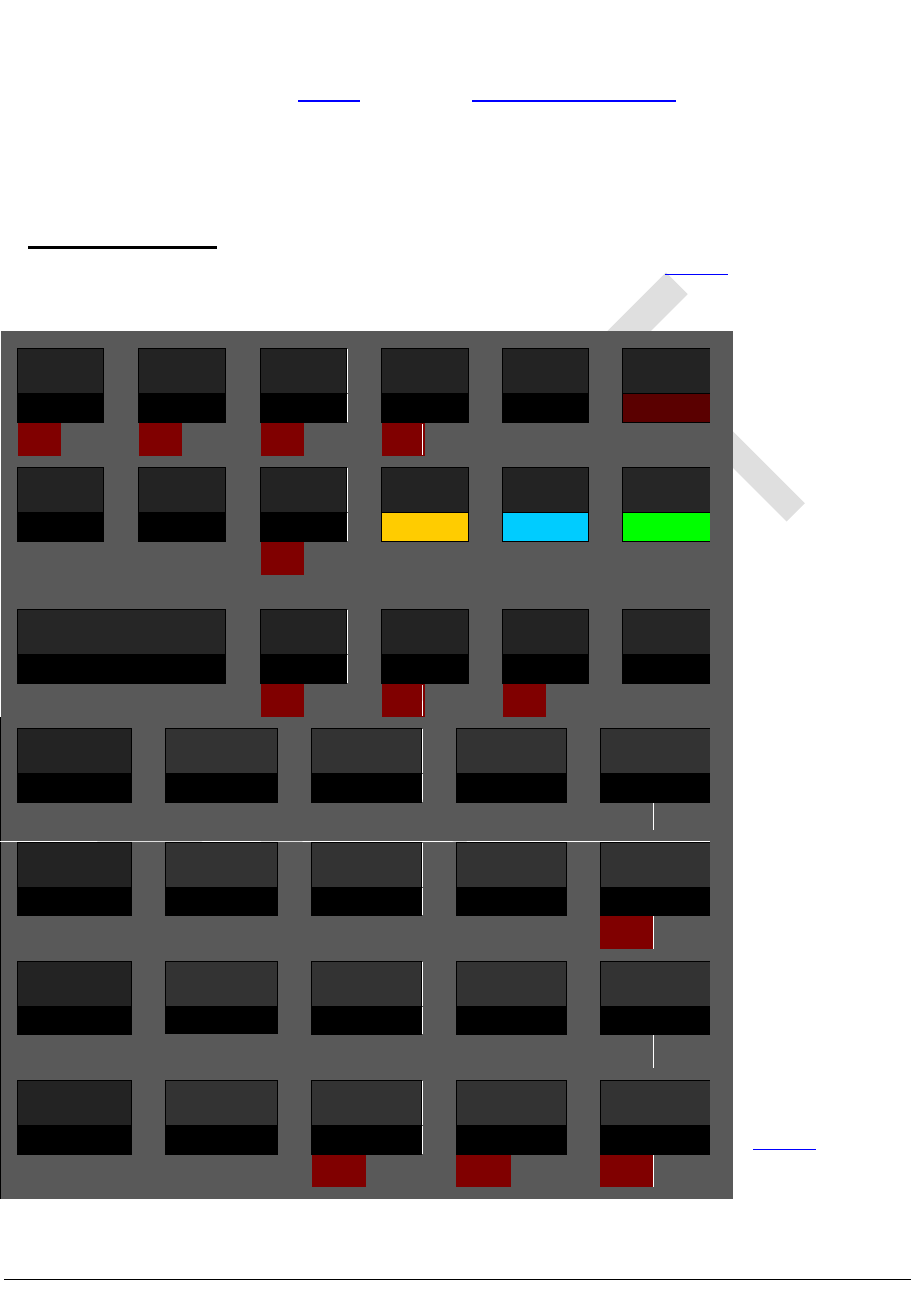
Alpha mode is designed for text entry, e.g. for prompts. In this mode, the alpha reg-
ister is displayed in the upper part of the LCD, and the numeric line (kept from your
last calculation) is accessible by commands only. The display may look like this:
In alpha mode, almost all the mathematical operations are neither needed nor appli-
cable. So the keyboard is redefined automatically when you enter alpha mode, as
shown overleaf.
Edition 3.0
Page 11 of 103
1/x
A
B
C
D
E
F
STO
RCL
f
g
h
VIEW
G
H
I
ENTER
CLx
J
K
L
CL
XEQ
7
8
9
/
M
N
O
P
4
5
6
×
!
Q
R
S
T
1
2
3
STATUS
TEST
X.FCN
(
)
U
V
W
EXIT
0
+
OFF
PSE
X
Y
Z
All labels printed on dark red background in this picture append characters to alpha
immediately or via alpha catalogs. Primary function of most keys is appending the
letter printed bottom left of this key grey on the key plate. Alpha mode starts with
capitals, and toggles upper and lower case. appends a space. As in integer
modes, will access default primary functions wherever necessary 2.
Looking at the standard labels on the keyboard, we can safely offer more:
2 The digits 0 and 1 may also be called using or , respectively.
Edition 3.0
Page 12 of 103
1/x
√
_
_
CPX
A
B
C
D
E
F
STO
RCL
R
f
g
h
VIEW
R
G
H
I
ENTER
±
\
CLx
J
K
L
-
CL
XEQ
7
8
9
/
&
|
£
M
N
O
P
4
5
6
×
!
?
$
Q
R
S
T
1
2
3
STATUS
TEST
X.FCN
(
)
U
V
W
EXIT
0
+
OFF
PSE
. / ,
¥
X
Y
Z
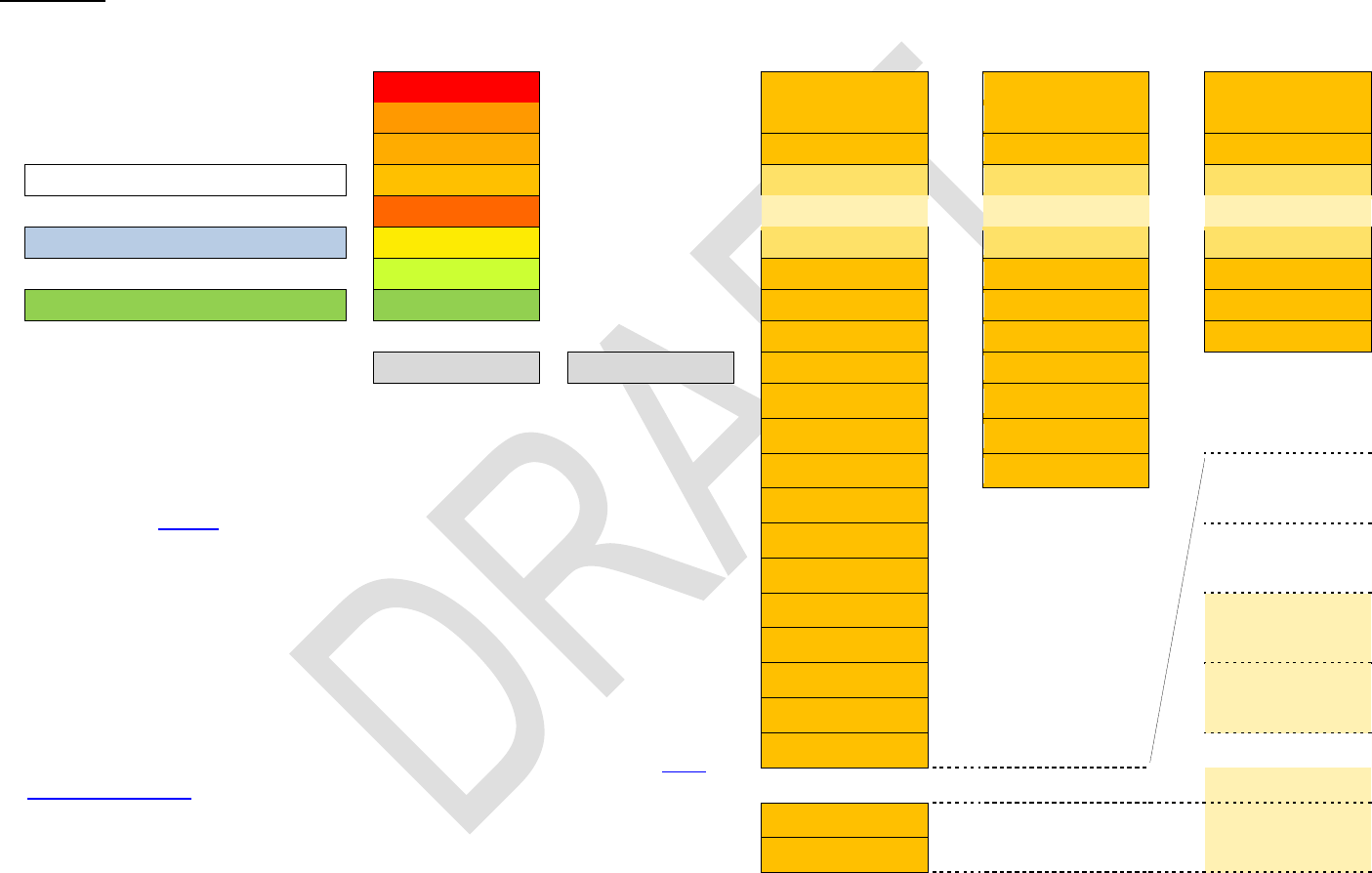
All labels printed on dark blue background here append characters to alpha as well,
but deviate from the labels printed on your WP 34S keyboard at these locations.
Prefix leads to homonymic Greek letters where applicable 3. And gives
access to logic symbols via the Boolean operations, to as well
3 according to ancient Greek pronunciation. And we assigned Gamma also to C due to
the alphabet, Chi to H since this letter comes next in pronunciation, and Iota also to . Three
Greek letters require special handling: Psi is accessed via (below ), Theta via
Edition 3.0
Page 13 of 103
as to four currency symbols located next to the %-command as follows: $ at the letter
S, at U for Euro, £ at P, ¥ at Y for Yen or Yuan and % at .
The catalogs accessible via , , , , , and feature
even more characters (see below). See the index of operations for STO, RCL, and
more alpha commands.
When alpha exceeds 31 characters, the leftmost character(s) are discarded.
A temporary alpha mode is entered during input processing in comparisons and in
memory addressing, e.g. during storing. Examples are shown below. See the respec-
tive virtual keyboard here:
MODE
A
B
C
D
I
ENTER
J
K
L
This mode is
left automati-
cally when
sufficient cha-
racters are put
in for the re-
spective com-
mand.
Special rules
apply for T
and Z see
below.
7
8
9
/
4
5
6
×
T *
1
2
3
0
+
X
Y
Z *
(below and following ), and Eta via . Omicron is not featured since looking
exactly like the Latin letter in either case. Where we printed Greek capitals with lower contrast,
they look like the respective Latin letters in our fonts. Greek professors, we count on your under-
standing.

Edition 3.0
Page 14 of 103
REAL AND INTEGER OPERATIONS
Most of the commands your WP 34S features are mathematical operations or func-
2.34 or or 5.6E-7, and work with them. Please note integer numbers like 8, 9, 10, or
-1 are just a subset of real numbers.
Most real number functions provided operate on one number only the number cur-
rently displayed. For example, key in
and press
since 0.72 = 0.49
Generally, such functions replace x (i.e. the number currently displayed) by the result
f(x) .
Some of the most popular mathematical functions, however, operate on two num-
bers. Think of + and , for example. On your WP 34S, such a two-number real func-
tion replaces x by the result f(x, y) . Now the stack enters the game. Think of it like a
pile of numbers. For subtracting two numbers, you need to know them first, then you
So having an account of 1,234 US$ and taking 56.7 US$ from it is solved as follows:
enter first number
separates the two numbers in input as in the
very first example above
enter second number
subtract it from the first
By , the first number so a second separate number
can be entered in sequence. The operation takes its input from the lowest two
stack levels X and Y but needs only X to put its result in. Knowing your WP 34S fea-
tures more than only two stack levels, level Y is then filled with the content of the next
higher level, i.e. z . This goes on for higher levels, as shown below. Please note the
top stack level content is repeated then (since there is nothing else available for fill-
ing). You may use this top level repetition for some nice tricks.
There are also a few three-number real functions included e.g. I and %MRR re-
placing x by the result f(x, y, z) . Then Y is filled with t and so on, and the content of
the top level is repeated twice.
Some real functions (e.g. DECOMP) operate on one number but return two. Other
operations (like RCL or SUM) do not consume any stack input at all but just return
one or two numbers. Then these extra number(s) will be pushed on the stack, taking
one level per real number.

Edition 3.0
Page 15 of 103
STATISTICAL DISTRIBUTIONS, PROBABILITIES ETC.
You will find a lot of statistics in your WP 34S, going far beyond the Gaussian distri-
bution. Many preprogrammed functions are implemented here for the first time in an
RPN calculator we packed all in what we always had missed. All of these functions
have a few features in common:
Discrete statistical distributions (e.g. Poisson, Binomial) are confined to integers.
Whenever we sum up a probability mass function (pmf 4) to get a cumulated
distribution function (cdf) we start at . Thus,
mPnpmF m
n
0
)()(
.
Whenever we integrate a function, we start at the left end of the integration inter-
val. Thus, integrating a continuous probability density function (pdf) to get a
cdf typically works as
xPdfxF
x
)(
.
Typically, F starts with a very shallow slope, becomes steeper then, and runs out
with a decreasing slope while slowly approaching 100%. Obviously you get the
most precise results on the left side of the cdf using P . On its right side, howev-
Q = 1 – P is more precise: since P comes very close
to 100% there, you may see 1.0000 displayed while e.g. P = 0.99996 in reality.
On your WP 34S, with an arbitrary cdf named XYZ you find the name XYZ -1 for its
inverse and XYZP for the pdf or pmf, unless stated otherwise explicitly.
a-
tion, employing a particular confidence level (e.g. 95%), you must know your ob-
jective:
o Do you want to know the upper limit, under which the
probability of 95%? Then take 0.95 as the argument of the inverse cdf to get
said limit, and remember there is an inevitable chance of 100% 95% = 5%
o Do you want an upper and ? Then there
is an inevitable chance of 5% / 2 = 2.5% for said value being less than the
4 In a nutshell, discrete
model. The pmf then tells the probability to observe a certain number of such events, e.g. 7. And the
cdf tells the probability to observe up to 7 such events, but not more.
For doing statistics with continuous statistical variables e.g. the heights of three-year-old toddlers
similar rules apply: Assume we know the applicable mathematical model. Then the respective cdf
tells the probability for their heights being less than an arbitrary limit value, for example less than 1m.
And the corresponding pdf telll-
dren of this age.
WARNING: This is a very coarse sketch of this topic only please turn to textbooks about statis-
tics to learn dealing with it properly.
The terms pmf and pdf translate cdf to

Edition 3.0
Page 16 of 103
lower limit and an equal chance for it being greater than the upper limit. So
you shall use 0.025 and 0.975 as arguments in two subsequent calculations
using the inverse cdf to get both limits.
Turn to a good statistics textbook for more information, also about the terminology
used and the particular distributions provided.
MATRICES
Numbers arranged in a flat grid like in a table are called matrices by the mathemati-
cians. If you do not know matrices, feel free to leave them aside you can use your
WP 34S perfectly without them.
Else please note your WP 34S features a set of operations for adding, multiplying,
inverting and transposing matrices, as well as for manipulating rows in such matrices.
In general, the respective commands are building blocks designed to provide the low
level support routines for creating more useful matrix functions as keystroke pro-
grams. I.e. they represent the basic linear algebra subprograms of the WP 34S ma-
trix support. There are, however, also functions featured for computing determinants
as well as for solving systems of linear equations.
A matrix is represented within your WP 34S by its descriptor, formatted bb.rrcc
with
rr being the number of its rows and
cc the number of its columns. Thus the matrix has rr × cc elements.
These elements are stored in consecutive registers starting at base address
|bb| . See below to learn about the registers of your WP 34S.
Example: A descriptor 7.0203 represents a 2×3 matrix let us call it (M). As you
know, its six elements are arranged in two rows and three columns, and are num-
bered as follows:
The descriptor tells us now where to find the values of these elements:
m11 = r07 , m12 = r08 , m13 = r09 , m21 = r10 , m22 = r11 , and m23 = r12 .
If cc is omitted in a descriptor, it is set to rr so a square matrix is assumed. The max-
imum number of matrix elements is 100 it is the number of general purpose regis-
ters available. A vector descriptor looks like bb.01cc or bb.rr01 .

Edition 3.0
Page 17 of 103
COMPLEX OPERATIONS
Mathematicians know more complicated items than real numbers. The next step are
complex numbers. If you do not know them, leave them aside you can use your
WP 34S perfectly without them.
Else please note your WP 34S supports many operations in complex domain as well.
The key is employed as a prefix for calling complex functions. E.g.
calls the complex cosine, and it is displayed and listed as CCOS (the
elevated C is the signature for complex functions on your WP 34S). All such functions
operating on complex numbers do so in Cartesian coordinates exclusively. Each
complex number occupies two adjacent registers: the lower one for its real part and
the higher one for its imaginary part.
Generally, if an arbitrary real function f
x only, then its complex sibling Cf will operate on the
complex number xc = x + i y .
one register, e.g. R12, then Cf will operate on R12 and R13.
x and y, then Cf will operate on x, y, z and t .
Where one-number real functions replace x by the result f(x) , one-argument com-
plex functions replace x by the real part and y by the imaginary part of the complex
result Cf(xc) . Higher stack levels remain unchanged. Such functions are C1/x, CABS,
CANGLE, CCUBE, CCUBERT, CFIB, CFP, CIP, CRND, CSIGN, CW, CW-1, Cx!, Cx2, C√‾,
C+/–, Cthe logarithmic and exponential functions with bases 10, 2 and e, as well
as hyperbolic, trigonometric, and their inverses.
Two-number real functions replace x by the result f(x, y) . Analogously, two-
argument complex functions replace x by the real part and y by the imaginary part of
the complex result Cf(xc, yc) . The next stack levels are filled with the complex con-
tents of higher levels, and the complex number contained in the top two stack levels
is repeated as shown below. Such complex functions are CLOGX, Cyx, CC// ,
and the basic arithmetic operations in complex domain.
Where complex operations (like CRCL) do not consume any stack input at all but just
return a complex number, this will be pushed on the stack taking two levels.
Edition 3.0
Page 18 of 103
MEMORY
Stack registers
General purpose
registers
User flags
Program steps
D *
R00
00
000
C *
R01
01
001
B *
R02
02
002
Mode
A *
T
Alpha (31 bytes)
Z
Y
R85
97
504
Display
X
R86 x2 y)
98
505
R87 x
99
506
L
I **
R88 x²
A
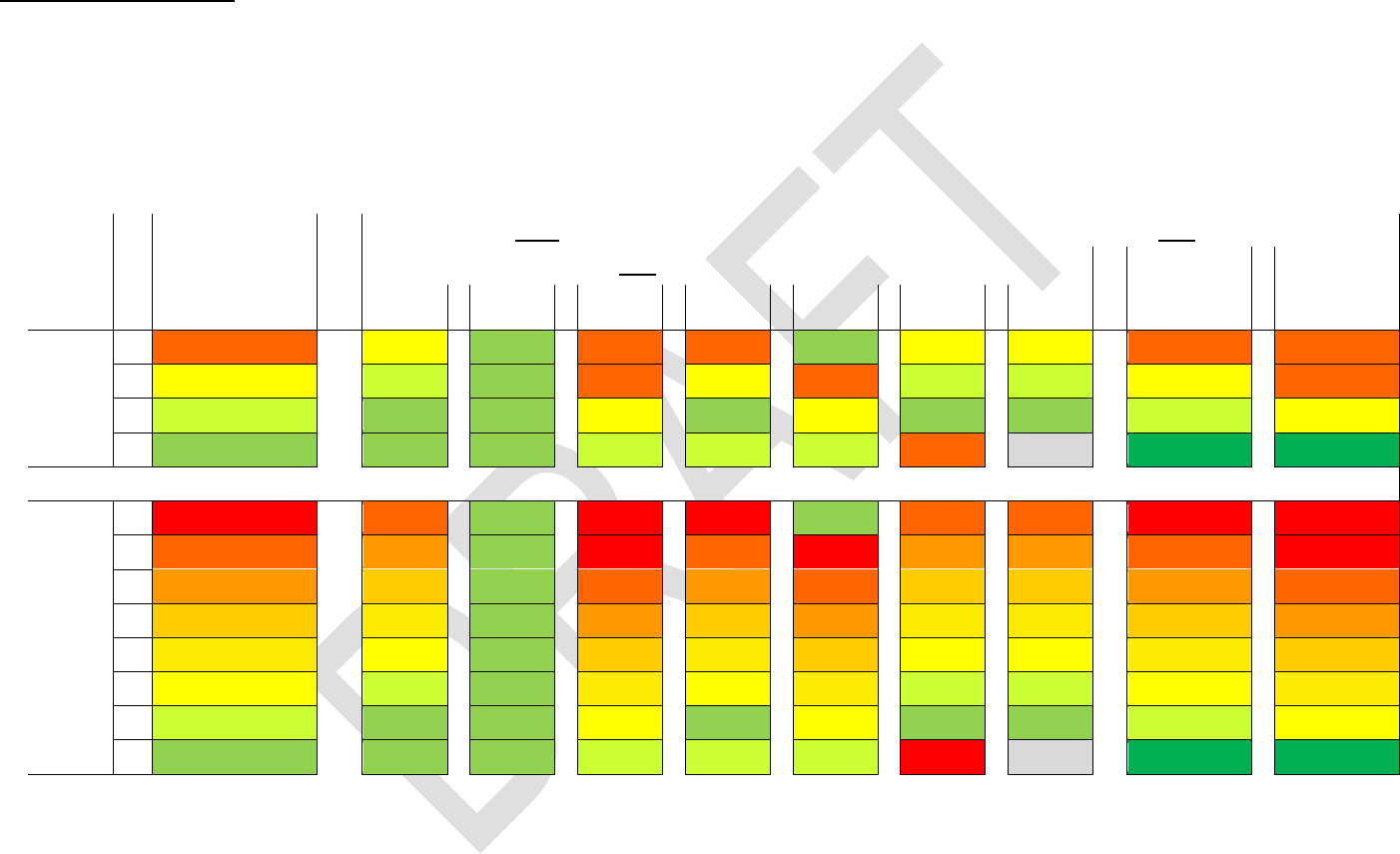
For the first time ever in a calculator, your WP 34S offers a
choice of 4 or 8 stack levels. So either T or D will be the top level.
Registers A - D will be allocated as stack registers if required.
Please see below for top level repetition and stack contents in
complex calculations. While register L takes the real part of the
last argument, I takes the imaginary part when a complex func-
tion was executed (see CLASTx).
Using , registers R86 - R99 will contain statistical sums as
indicated. J and K may be taken for parameters of statistical dis-
tributions.
Unless required for the purposes just mentioned, A - D, I, J, and
K are available as additional general purpose registers. For indi-
rect addressing, the stack levels and named registers carry the
numbers as shown at right.
For information about the flags, please turn overleaf.
R89 y
B Big, overflow
R90 y²
C Carry
R91 x y)
D Danger
X = R100
R92 n
Y = R101
R93 x)
Z = R102
R94 x)
T = R103
R95 y)
A = R104
R96 y)
B = R105
R97 x lny)
C = R106
R98 x ln y)
D = R107
R99 y ln x)
L = R108
I = R109
J ***
J = R110
K ***
K = R111

Edition 3.0
Page 19 of 103
Flags
Flags A, B, C and D may be used the same way, but the sys-
tem checks them, too. Flag s-
play. In integer modes, flags B and C will be set by the system
in analogy to the overflow and carry bits of the HP-16C. Some
integer operations (like shift and rotate) also read flag C. Flag D
may be set by the user to allow special results (infinities and
non-numeric results) without getting an error. The system only
reads D.
For indirect addressing
103.
In addition to the RAM provided, your WP 34S allows you to
access flash memory for voltage-fail safe storage of user pro-
grams and data. Flash memory features up to ten segments
(regions, banks) of 1 kB each. Segment 0 is the backup region,
holding the image of the entire program memory, registers and
calculator state as soon as you completed a SAVE. The other
segments hold programs only. Alphanumeric labels (see below)
in flash can be called via XEQ like in RAM. This allows creating
program libraries in flash. Use CAT to see the labels defined
already.
Flash memory is ideal for backups or other long-living data, but
shall not be used for repeated transient storage like in pro-
grammed loops (since it will not survive more than some 10,000
flashes). Registers and standard user program memory, resid-
ing in RAM on the opposite, are designed for frequent data
changes but will not hold data with the batteries removed. So
both kinds of memory have specific advantages and disadvan-
tages you shall take into account for optimum benefit and long
lasting joy with your WP 34S.
Find more about flash memory in Appendix A below.
Furthermore, there is a memory section called XROM x-
, where some additional routines live. Though
written in user code, these are read only and thus can be
called, executed, but not edited. For you, it shall make no dif-
ference whether a preprogrammed routine executes in ROM or
XROM.
Structuring program memory and jumping around in it is eased
by labels you may tag to any program steps as known from
previous programmable pocket calculators. Your WP 34S fea-
tures a full set of alphanumeric labels as described below.
When a command like e.g. GTO xy is encountered, with xy
representing one, two or three characters (like A, BC, 12, Tst,
Pg3, x1µ, etc.), your WP 34S will search this label xy using the
following method:
1. If xy is purely numeric, it will be searched forward from the
current position of the program pointer. When the end of
the program space is reached without finding xy, the quest
will continue at the start of the current segment. No other
segments will be searched. This is as known from vintage
HP calculators.
2. Else, i.e. if xy is an alpha label of up to three characters of
arbitrary case, searching will start at program step 000 and
cover the entire memory in the order RAM, flash segments
, 1, 0, and XROM, independent of the position of the
program pointer.
Edition 3.0
Page 20 of 103
STACK MECHANICS
The following assumes you are familiar with RPN else please turn to the HP-42S Owner’s Manual first.
The fate of particular stack register contents depends on the operation executed, its domain (real or complex) and the stack size cho-
sen. Real functions in a 4-level stack work as known for decades. In a larger stack, everything works alike on your WP 34S just with
more levels for intermediate results. Please note only the contents of X are displayed in any case. See below for details of the stack
mechanics:
Level
Assumed
stack contents
at the begin-
ning:
Stack contents after
real functions of
real stack register operations
one
number
like x2
two
numbers
like /
ENTER
FILL
DROP
xy
R
R
LASTx
With 4
stack
levels
T
t
z
x
t
t
x
z
z
t
t
Z
z
y
x
t
z
t
y
y
z
t
Y
y
x
x
z
x
z
x
x
y
z
X
x
x
x
y
y
y
t
last x
x2
y / x
With 8
stack
levels
D
d
c
x
d
d
x
c
c
d
d
C
c
b
x
d
c
d
b
b
c
d
B
b
a
x
c
b
c
a
a
b
c
A
a
t
x
b
a
b
t
t
a
b
T
t
z
x
a
t
a
z
z
t
a
Z
z
y
x
t
z
t
y
y
z
t
Y
y
x
x
z
x
z
x
x
y
z
X
x
x
x
y
y
y
d
last x
x2
y / x
Calculating formulas from inside out stays a wise strategy in either stack. With more levels, however, stack overflow will hardly ever
happen, even with the most advanced formulas you compute in your life as a scientist or engineer.
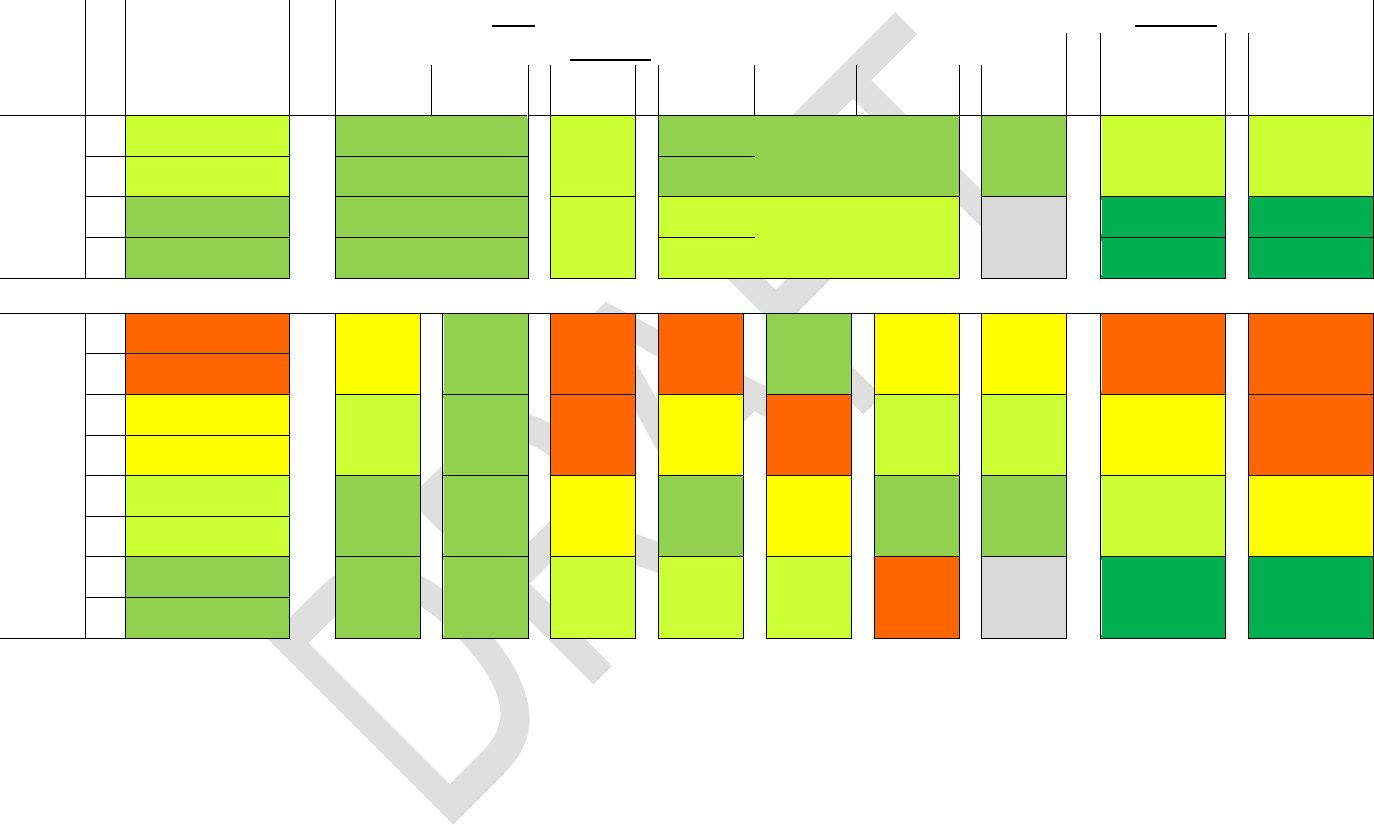
Edition 3.0
Page 21 of 103
Calculating with complex numbers uses two registers or stack levels for each such number as explained above and shown here:
Level
Assumed
stack contents
at the begin-
ning:
Stack contents after
complex functions of
complex stack register operations
one
number
like Cx2
two
numbers
like C/
CENTER
CFILL
CDROP
Cxy
CR
CR
CLASTx
With 4
stack
levels
T
Im(yc) = Im(tc)
Im( xc )
yc = tc
Im( xc )
xc
xc
yc = tc
yc = tc
Z
Re(yc) = Re(tc)
Re( xc )
Re( xc )
Y
Im( xc )
Im( xc )
yc
Im( yc )
yc
last xc
Im( (xc)2 )
Im( yc / xc )
X
Re( xc )
Re( xc )
Re( yc )
Re( (xc)2 )
Re( yc / xc )
With 8
stack
levels
D
Im( tc )
zc
xc
tc
tc
xc
zc
zc
tc
tc
C
Re( tc )
B
Im( zc )
yc
xc
tc
zc
tc
yc
yc
zc
tc
A
Re( zc )
T
Im( yc )
xc
xc
zc
xc
zc
xc
xc
yc
zc
Z
Re( yc )
Y
Im( xc )
xc
xc
yc
yc
yc
tc
last xc
(xc)2
yc
/
xc
X
Re( xc )
So, an 8-level stack gives you the same flexibility in complex domain you are used to with a 4-level stack in real domain.
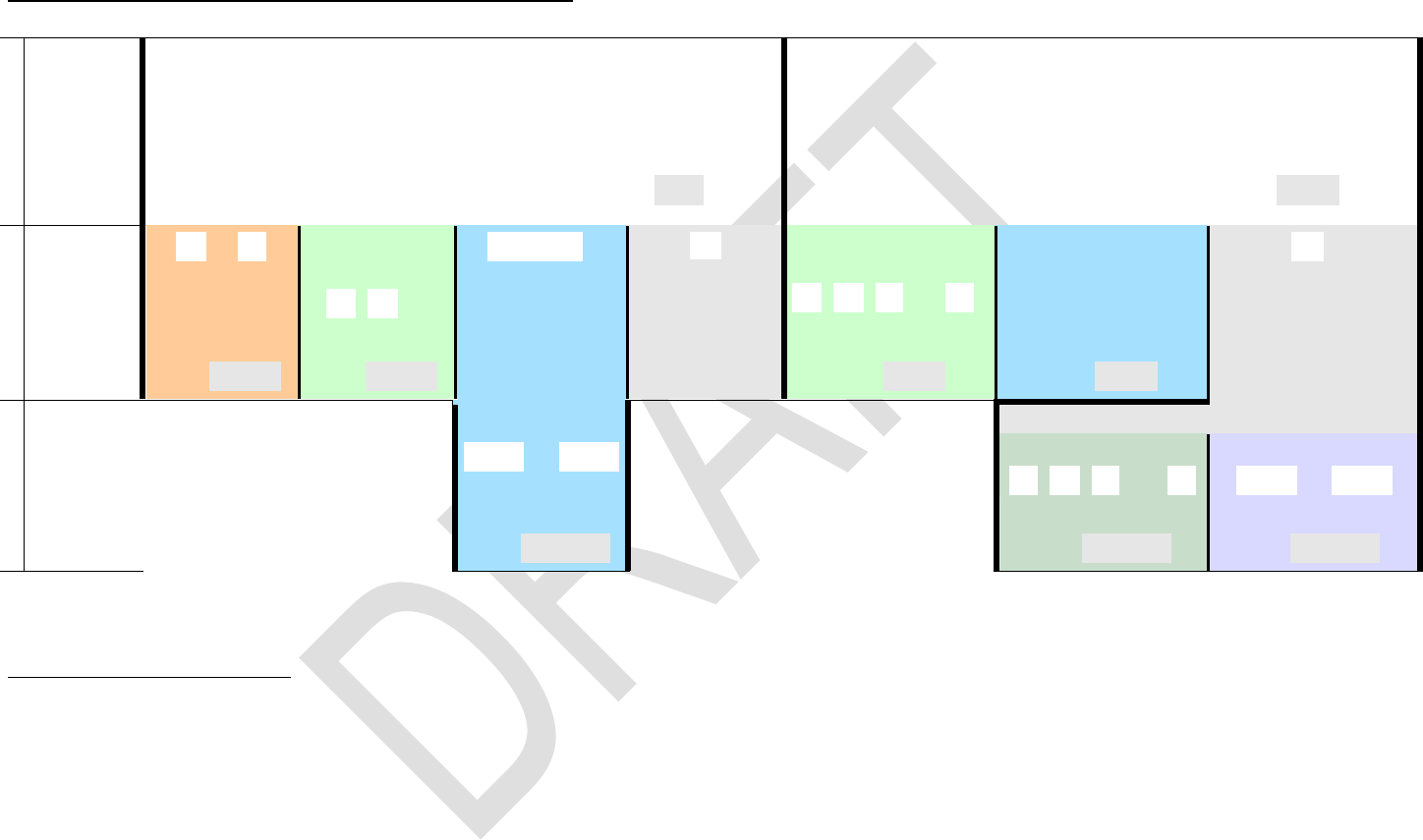
Edition 3.0
Page 22 of 103
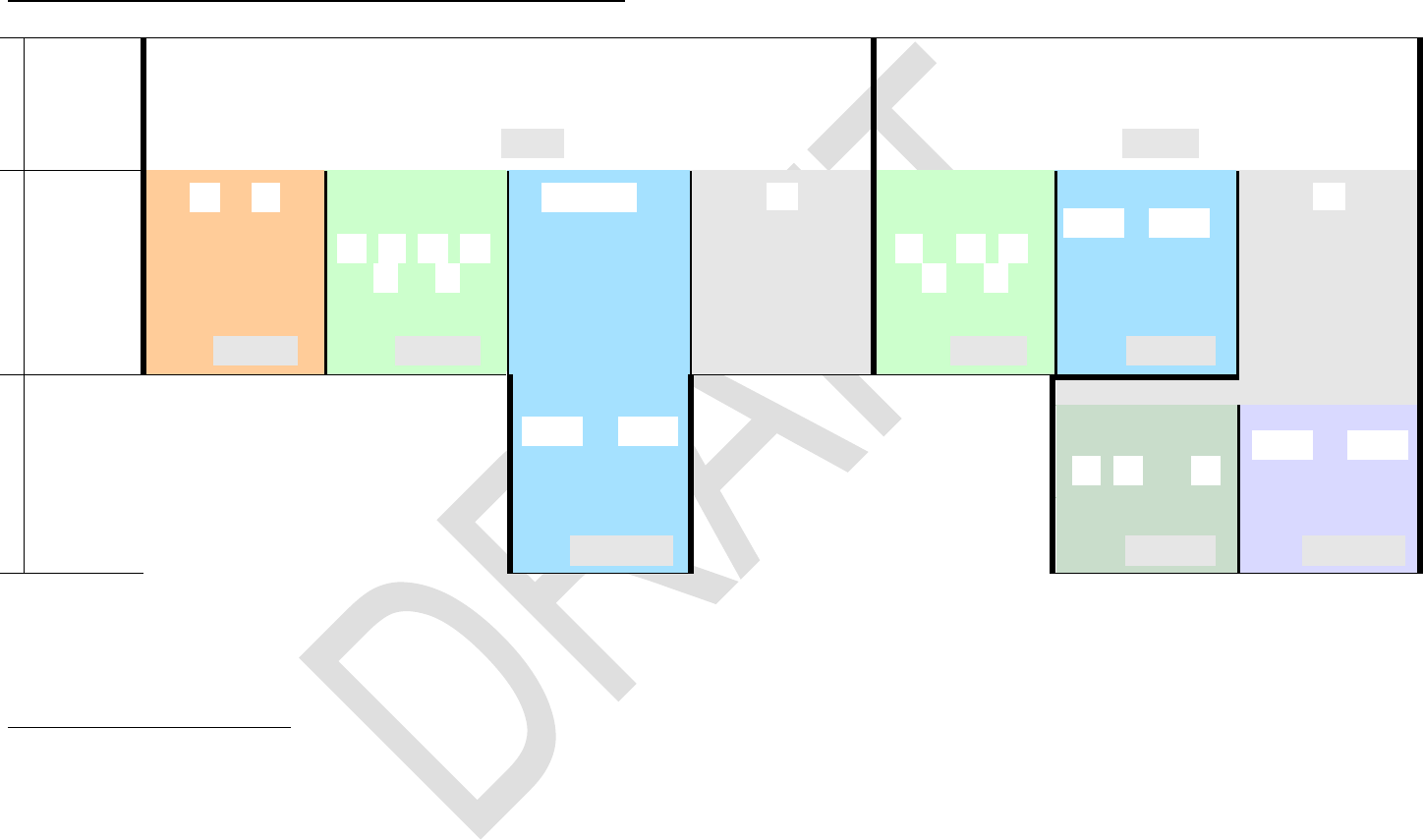
COMPARING AND ADDRESSING REAL NUMBERS
1
User input
, , , , , , or
, , , , , , , ,
, , , , , , , , ,
, , , , bit or flag commands, etc.
Dot matrix
display
OP _ (with temporary alpha mode set), e.g.
OP _ (with temporary alpha mode set), e.g.
5
2
User input
or
Stack level or
named reg.
, , ...
6
leaves temp.
alpha mode.
opens indirect
addressing.
Stack level or
named register
, , , .. , 7
Number of register
or flag or bit(s)
or decimals 8
9
opens indirect
addressing.
Dot matrix
display
OP n
e.g.
OP x
e.g.
OP r_
OP _
OP x
e.g.
OP nn
e.g.
OP _
3
User input
Compares x
with the
number 0.
Compares x
with the num-
ber on stack
level Y.
Register no.
Look right for
more about
indirect ad-
dressing.
Sets scientific display
with the number of
decimals specified
in stack level Z.
Stack level etc.
, , , ... ,
Register number
Dot matrix
display
OP r nn
e.g.
OP x
e.g.
OP nn
e.g.
Compares x
with the number
stored in R23.
Shows the content of
the register where L
is pointing to.
Stores x into the loca-
tion where R45 is
pointing to.
5 For and , any of , , , , , or may precede step 2, except in RCLM and STOM. VIEW, And
calls ENGOVR, calls SCIOVR. See the index of operations.
6 You may skip this for register numbers >19.
7 Exceptions: RCL T, RCL× T, RCL Z, RCL+ Z require an preceding or , e.g. for the latter. This holds for STO as well.
8 Legal register numbers are 00 lag numbers are 00 , with the four top flags directly addressed via ,
, , and . Legal numbers of decimals are bit numbers 0 to 63, and integer word size up to 64 bits. For numbers
<10, you may key in e.g. instead of . Please take into account some registers may be allocated to special applications.
9 Works for all commands taking a parameter or argument except DELP.
Edition 3.0
Page 23 of 103
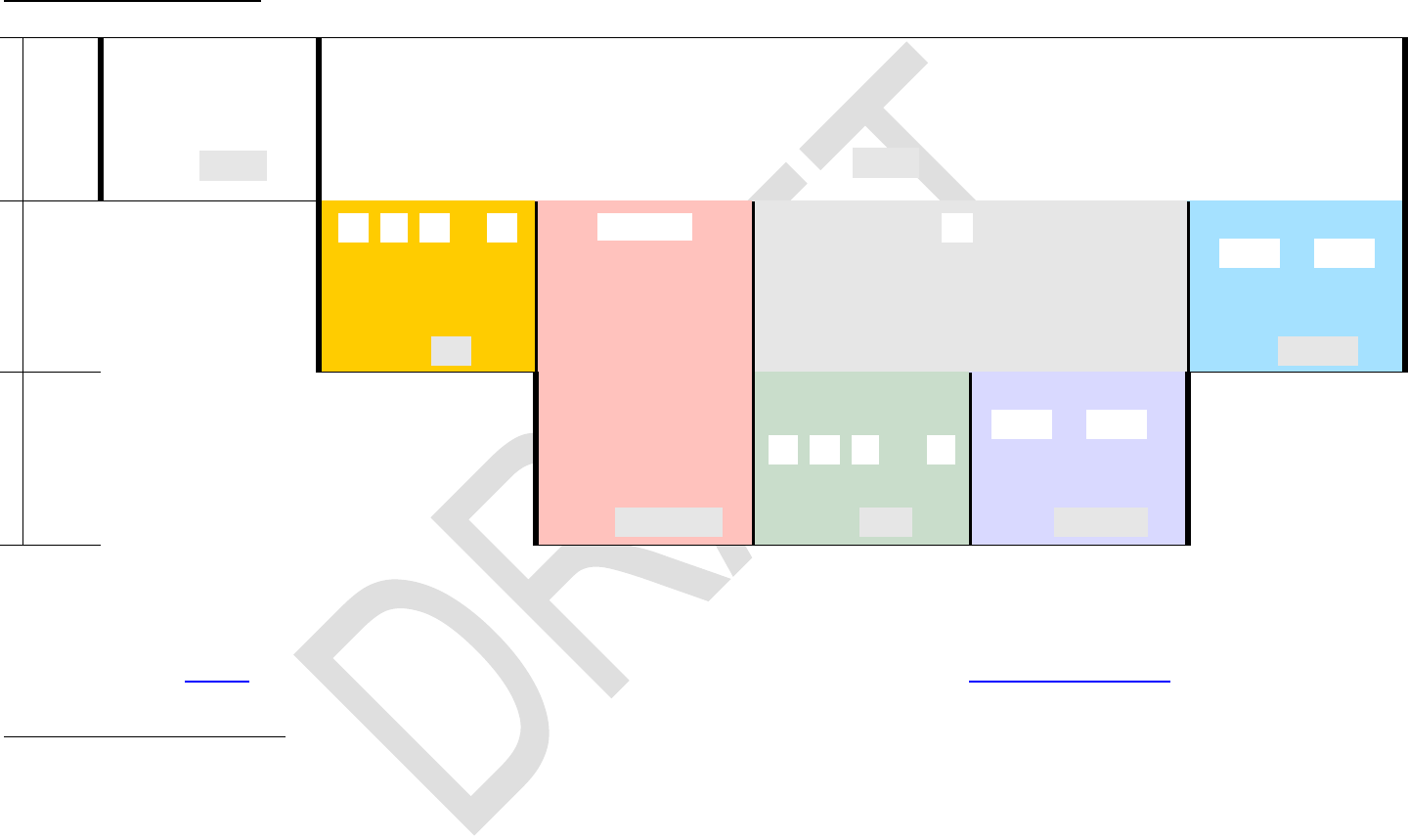
COMPARING AND ADDRESSING COMPLEX NUMBERS
1
User input
or
, , or
Dot matrix
display
OP _ (with temporary alpha mode set)
e.g.
OP _ (with temporary alpha mode set)
e.g.
10
2
User input
or
Stack level or
named register
, , , ,
, or
11
leaves temp.
alpha mode
opens indirect
addressing.
Stack level or
named register
12, , ,
, or
Register number
.. 13
opens indirect
addressing.
Dot matrix
display
OP n
e.g.
OP x
e.g.
OP r_
OP _
OP x
e.g.
OP nn
e.g.
OP _
3
User input
Compares x + i y
with the real
number 0.
Compares x + i y
with z + i t .
Register number
Look right for
more about indi-
rect addressing.
This is CLASTx.
Stack level or
named register
, , ... ,
Register number
Dot matrix
display
OP r nn
e.g.
OP x
e.g.
OP nn
e.g.
Compares x + i y
with r26 + i r27 .
Swaps x with the contents of the
register where Z is pointing to,
and y with the contents of
the next one.
Stores x + i y into
2 consecutive reg-
isters, starting with
the one where R45
is pointing to.
10 For and , any of , , , or may precede step 2. See the index of operations.
11 You may skip this keystroke for register numbers >19.
12 Exceptions: CRCL Z, CRCL + Z, CSTO Z, and CSTO + Z require an preceding , e.g. for the latter.
13 You may key in e.g. instead of . Take care of pairs, since a complex operation will always affect two registers: the one specified and the
one following this. We strongly recommend storing complex numbers with their real parts at even register numbers. Please take into account some registers
may be allocated to special applications.
Edition 3.0
Page 24 of 103
ADDRESSING LABELS
1
User
input
, , , or
, , , , , , , , or
Dot
matrix
display
XEQ label
e.g.
OP _
e.g.
2
User
input
Calls the function
labeled C.
, , , or
sets alpha mode.
14
opens indirect addressing and
sets temporary alpha mode.
2-digit numeric label
Dot matrix
display
OP label
e.g.
OP _
OP nn
e.g.
3
User
input
Sums up the function
labeled B.
Alphanumeric
label
( 3 characters 15)
Stack level
or named register
, , , ... ,
Register number
16
Dot matrix
display
label
e.g.
OP x
e.g.
OP nn
e.g.
Solves the function F1µ
(with F1µ keyed in as
explained in footer).
Integrates the
function whose label
is on stack level T.
Executes the routine
whose label
is in R44.
Additionally, see above for the way your WP 34S searches labels, and look up GTO in the index of operations for two special cases
applying to this command exclusively.
14 Works with all these operations except .
15 The 3rd character terminates entry and closes alpha mode again shorter labels need a closing . For the example given here you just press
and you are done. Statements including alpha labels decrement the number of free program steps by 2.
WARNING:
16 Some registers may be allocated to special applications. Please check the memory table above.
Edition 3.0
Page 25 of 103
DISPLAY AND MODES
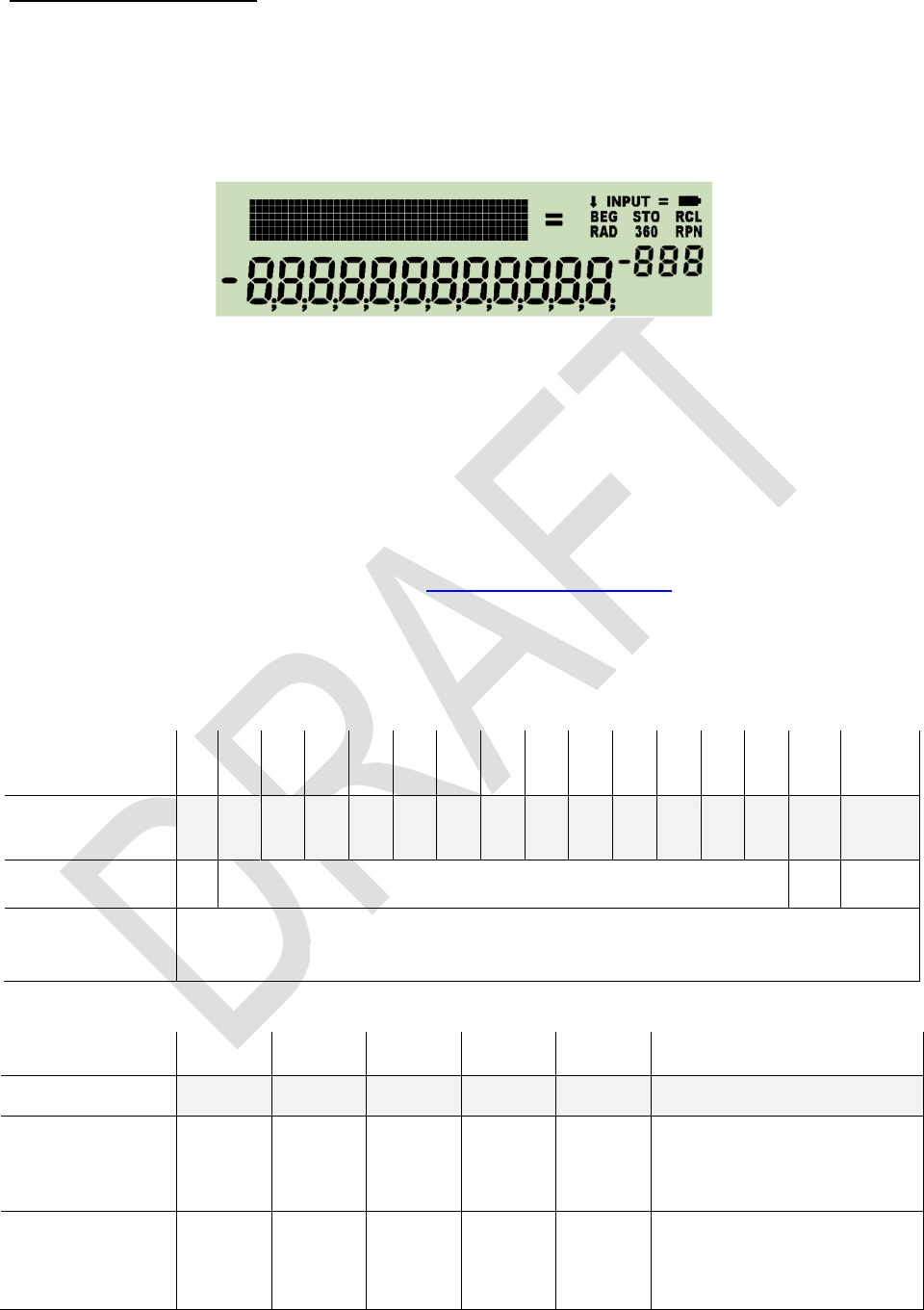
The display features three sections: numeric, dot matrix and fixed symbols. The numeric
section features a minus sign and 12 digits for the mantissa, as well as a minus sign and
3 digits for the exponent. The dot matrix is 6 dots high and 43 dots wide, allowing for
some 7 to 12 characters, depending on their widths. The fixed symbols (except the big
annunciators, and are for indicating modes.
The dot matrix section above is used for
1. indicating some more modes than the annunciators allow,
2. passing additional information to the user.
The numeric section in the lower part of the LCD is used for displaying numbers in dif-
ferent formats, for status, or messages.
If two or more requests concur for display space, the items will be shown according to
their priorities as follows:
1. error messages as described in a paragraph further below,
2. special information as explained below,
3. information about the modes the calculator is running in.
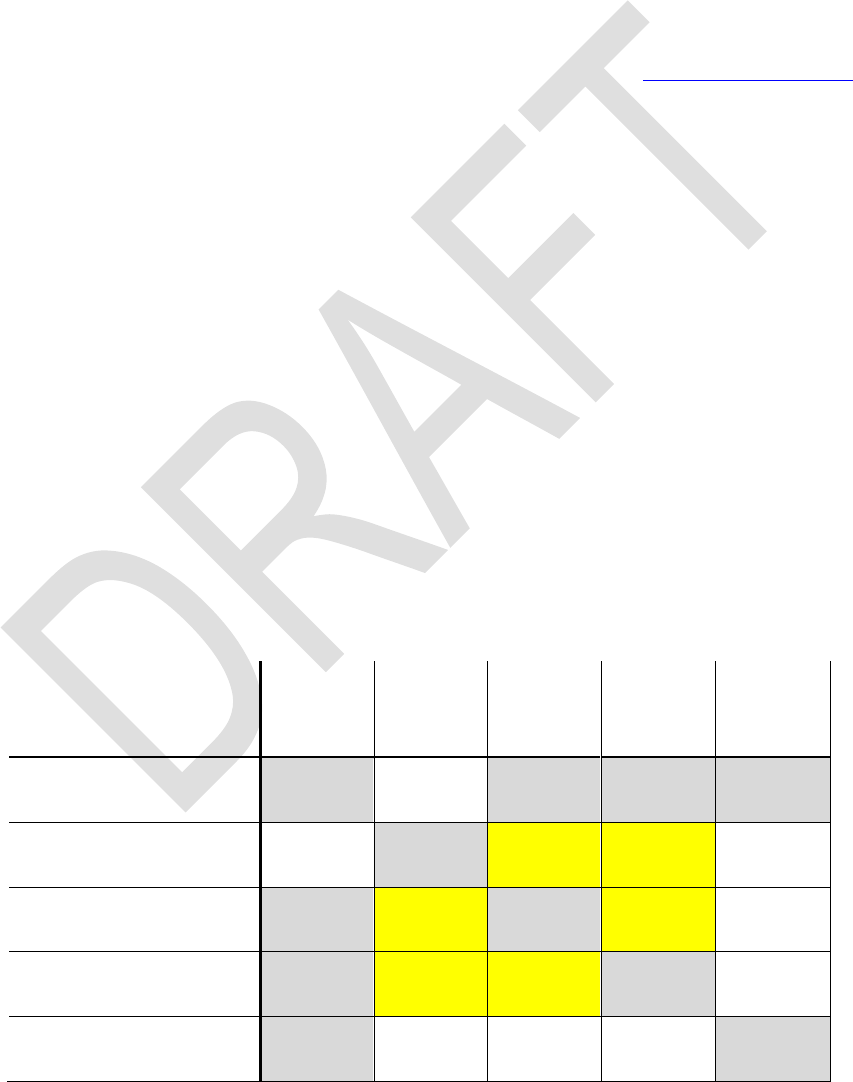
The annunciators or specific characters in the LCD signal the modes:
Integer base or
mode name
2
3
4
5
6
7
8
9
10
11
12
13
14
15
16
DECM
Signal
in the exponent
b
3
4
5
6
7
o
9
d
-1
-2
-3
-4
-5
h
BASE3, , BASE7, , BASE9, , , BASE15
Cleared by
any other BASE setting, FRACT, , .
, , , , and TIME will set DECM
Mode name
PRG
FRC
Signal
STO
INPUT
360
RAD
G
ON
,
2nd in input
BASE1, FRACT
OFF
1
, TIME,
, , ,
Edition 3.0
Page 26 of 103
BEG indicates the program pointer standing at step 000 of program memory. A running
program is signaled by a flashing RCL annunciator. RPN may be lit permanently. Time
modes (12h / 24h) are seen in the time string directly. The numeric format of fraction
mode is unambiguous as well. Further settings are signaled in the dot matrix section,
like the different date modes being indicated there by Y.MD or M.DY. Defaults D.MY and
DECM are not indicated. Please check the examples below.
Some mode and display settings may be stored and recalled collectively by STOM and
RCLM. These are stack depth and contrast set, complete decimal display settings, trig
mode, choices for date and time display, the parameters of integer and fraction mode,
curve fitting model and rounding mode selected. STOM stores this information in the
register you specify. RCLM recalls the contents of such a register and sets the calculator
modes accordingly. Please note the user is responsible for recalling valid mode data
else your WP 34S may be driven into a lockup state! See the index of operations for
more information about changing modes and the individual commands employed.
Some regional combinations may be set at once using a single command:
SETCHN sets 24h, Y.MD, decimal point, and E3OFF;
SETEUR sets 24h, D.MY, decimal comma, E3ON, and JG1582 (these settings
apply also to South America);
SETIND sets 24h, D.MY, decimal point, E3OFF, and JG1752;
SETUK sets 12h, D.MY, decimal point, E3ON, and JG1752.
SETUSA sets 12h, M.DY, decimal point, E3ON, and JG1752;
Please note the people living in the area of the former Soviet Union, in South Africa, In-
donesia, and Vietnam use the decimal comma as well, but have different settings for
dates and times.
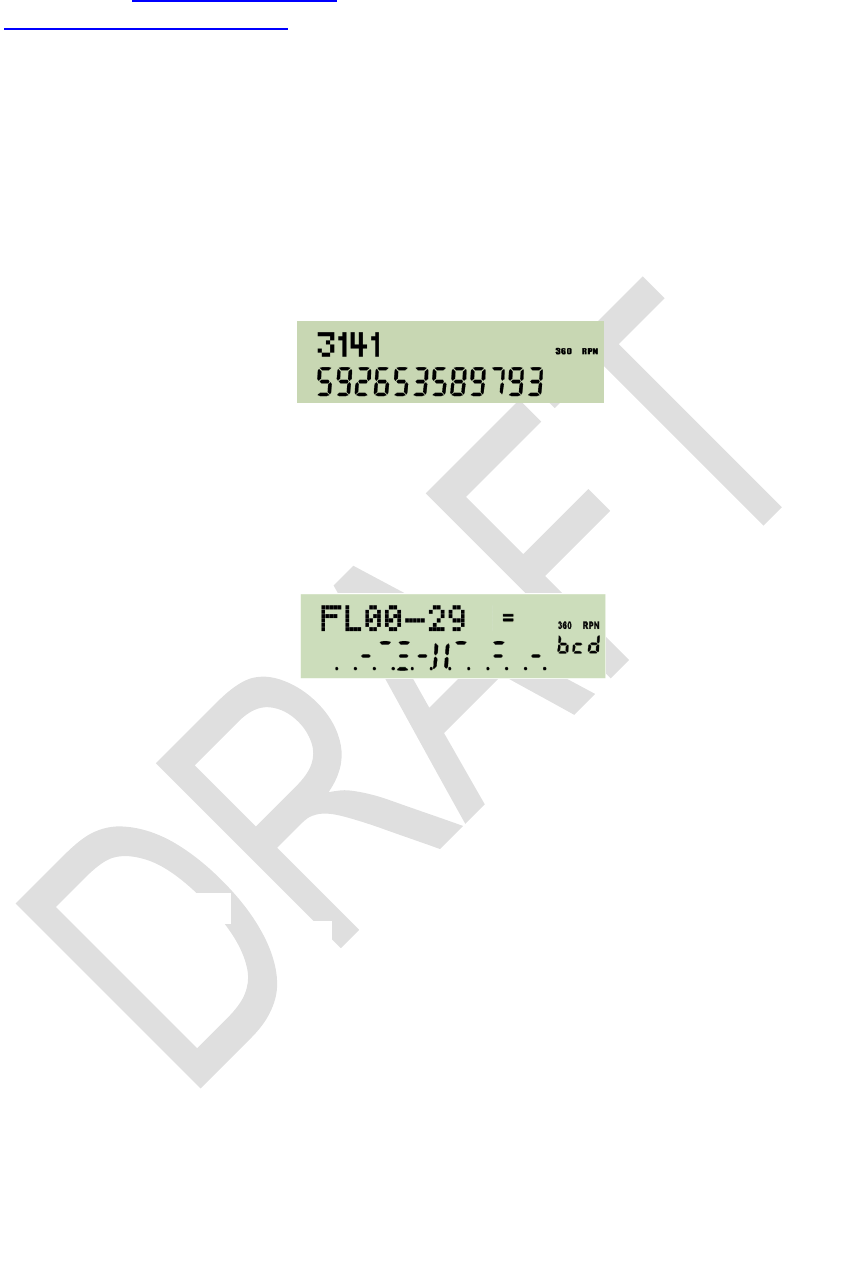
Especially the angular modes deserve a closer look: there are three of them, DEG, RAD,
and GRAD. And degrees (DEG) may be displayed in decimal numbers as well as in
hours, minutes, seconds and hundredth of seconds (H.MS). Conversions are provided
for going from one to the other:
From
to
degrees
H.MS
decimal
degrees
radians
gon
(grad)
current
angular
mode
degrees H.MS
H.MS
decimal degrees
H .d
rad°
G°
DEG
radians
°rad
Grad
RAD
gon/grad
°G
radG
GRAD
current angular mode
DEG
RAD
GRAD
Edition 3.0
Page 27 of 103
Please see the index of operations for the commands printed on white background, and
the catalog of unit conversions for those printed on yellow.
Some commands and modes use the display in a special way. They are listed below in
order of falling priority:
1. VERS generates a display similar to the one shown on the title page of this manual.
Pressing any key will delete this message and return to previous state.
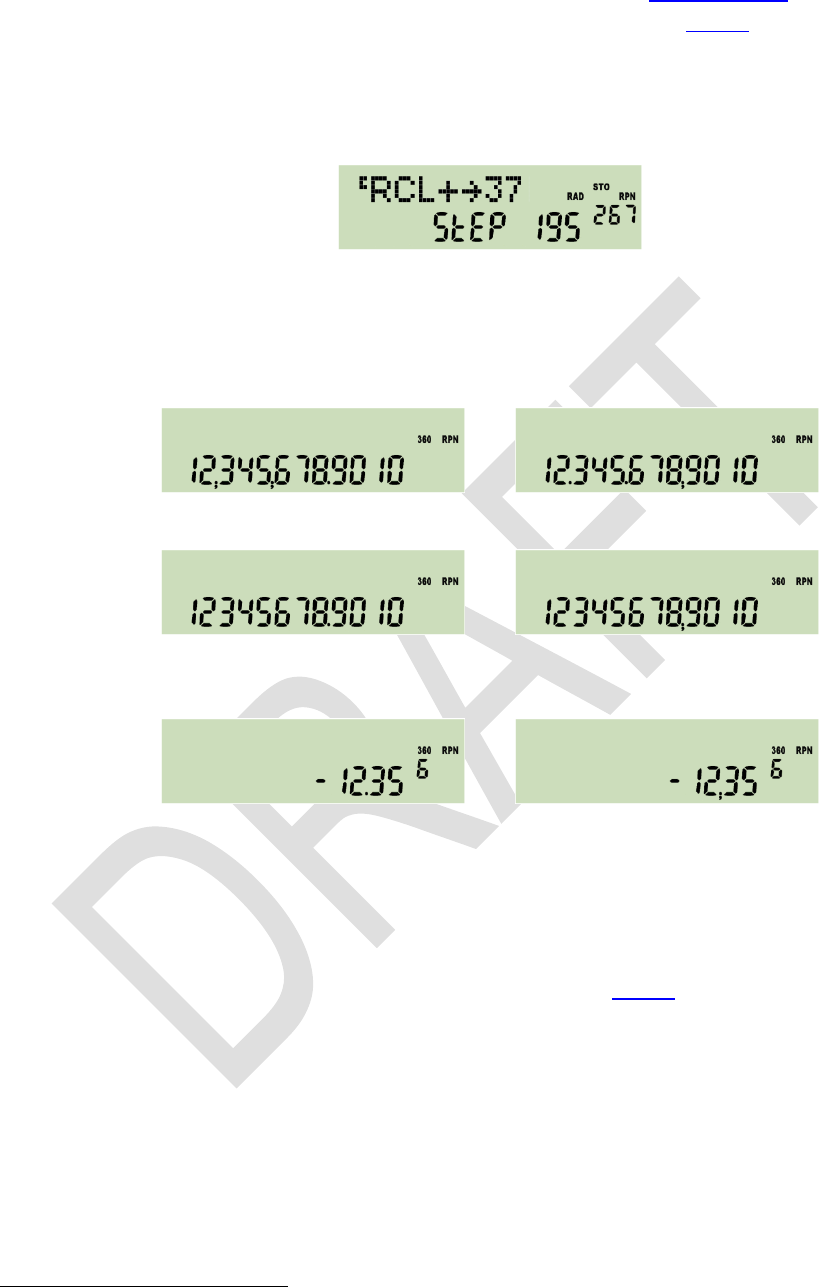
2. SHOW displays the full mantissa of x, i.e. all sixteen digits present internally. E.g.
returns
.
Pressing any key will return to previous display.
3. STATUS shows the status of 30 user flags very concisely in one display, allowing an
immediate status overview after some training. If e.g. flags 2, 3, 5, 7, 11, 13, 14, 17,
19, and 23 are set, and labels B, C, and D are defined in program memory, STATUS
will display this:
Within the numeric section, each row of horizontal bars in the mantissa shows the
status of 10 flags. When a flag is set, the respective bar turns black. So here the top
row of bars indicates flags 0 and 1 are clear, 2 and 3 set, and flag 4 clear. Then, the
divider II separates the first group of five flags from the next. Top row bars on its right
side indicate flags 5 and 7 are set. Next row of bars shows flags 11, 13, 14, 17, 19
are set, and in the lowest row only flag 23 is set. All other flags in the range from 10
to 29 are clear.
Scrolling down by will display flags 10 - 39, then 20 - 49 etc. until 70 - 99, 80 - D,
and 90 - D. Scrolling up by reverts this. Alternatively, pressing a digit, e.g. 5, will
show up to 30 flags starting with 10 times this digit, e.g. flags 50 - 79. The numeric
exponent always indicates the status of the hotkeys top left on the keyboard if all
four labels are used in program memory then ALL will be displayed there.
The status will be displayed until any key is pressed but , , or a digit.
4. During command input, the dot matrix displays the command chosen until input is
completed, i.e. until all required trailing parameters are entered. The prefixes , ,
and are shown until they are resolved. If you pressed any of , , or erro-
neously, recovery is as easy as follows:
o = NOP = = = =
o = =
= =
= =
Edition 3.0
Page 28 of 103
In addressing, progress is recorded as explained in the tables above in detail. You
may cancel such pending operations by as described below.
5. In programming mode, the numeric display indicates the program step (000 505)
in the mantissa and the number of free steps in the exponent, while the dot matrix
shows the command contained in the respective step, e.g.:
6. For floating point decimal numbers, the mantissa will be displayed adjusted to the
right, the exponent to the left. Within the mantissa, either points or commas may be
selected as radix marks 17, and additional marks may be chosen to separate thou-
sands. Assume the display set to FIX 4, then 12.345678901 millions may look like:
or
with thousands separators on, and without them like:
or
These separators may also be beneficial in integer or fraction modes described be-
low. With ENG 3 and after changing the sign, the same number will look like this:
or
If the last operation executed was a complex one, a capital C is displayed top left in
the dot matrix pointing to the fact that you find the result of this function in X and Y.
Floating point decimal numbers within may be entered easily.
Using a decimal mantissa, even numbers down to 10 394 can be keyed in. The calcu-
lator works with numbers down to 10 398 correctly. Smaller values are set to zero.
For results , error 4 or 5 will appear (see below).
7. In integer modes, numbers are displayed adjusted to the right as well. Word size
and complement setting are indicated in the dot matrix using a format xx.ww, with xx
being 1c or 2c , respectively, un for unsigned, or sm for
sign-and-mantissa mode. Sign and first
the second third an overflow. Integer bases
are indicated as follows:
17 Starting here, decimal input is written using a point as radix mark throughout this manual, although sig-
capable to read radix points and interpret them correctly than vice versa.
Edition 3.0
Page 29 of 103
Base
2
3
4
5
6
7
8
9
10
11
12
13
14
15
16
Sign and 1st digit of
exponent displayed
b
3
4
5
6
7
o
9
d
-1
-2
-3
-4
-5
h
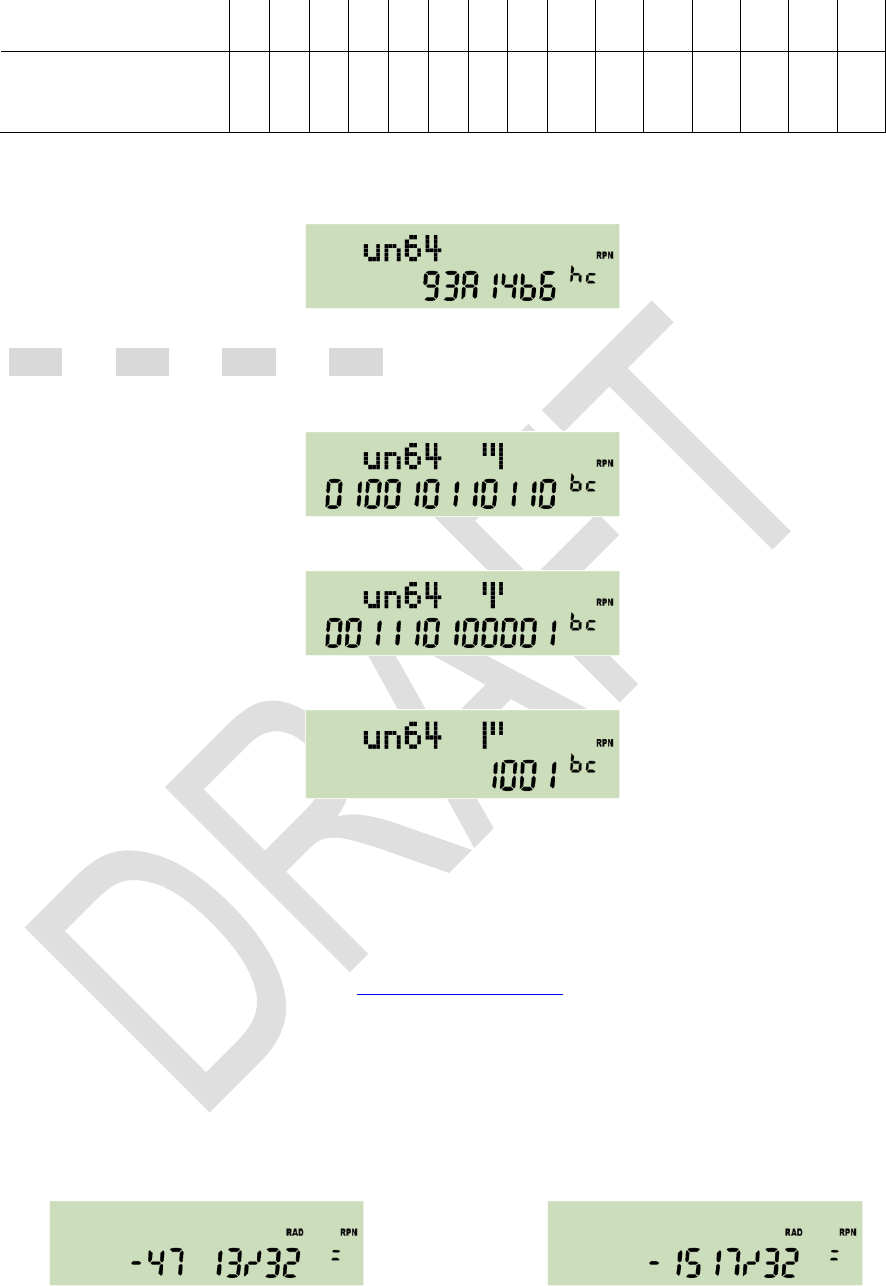
The example shows the WP 34S displaying an arbitrary number in unsigned hexade-
cimal mode with word size 64 and carry set:
After changing to binary mode, this number will need 28 digits, being
1001001110100001010010110110. The 12 least significant digits will be displayed
initially together with an indication that there are three display windows in total with
the rightmost shown:
Now press and you will get the next 12 digits in the middle window:
Press again to show the most significant digits:
If leading zeros were turned on, there will be six display windows in this case, with
ros.
Please note numeric input is limited to 12 digits in any integer base.
8. Fraction mode works similar to HP-35S. In particular, DENMAX sets the maximum
allowable denominator (see the index of operations). Display will look like in the ex-
amples below. If the fraction is exactly equal, slightly less, or greater than the floating
point number converted, , respectively.
This mode can handle numbers with absolute values < 100,000 and > 0.0001. Maxi-
mum denominator is 9999. Underflows as well as overflows will be displayed in the
format set before fraction mode was entered.
Now assume your WP 34S being reset. Key in -47.40625 and you will see:
or after : .
mode, respectively, to indicate this mode.
Squaring the improper fraction shown above results in
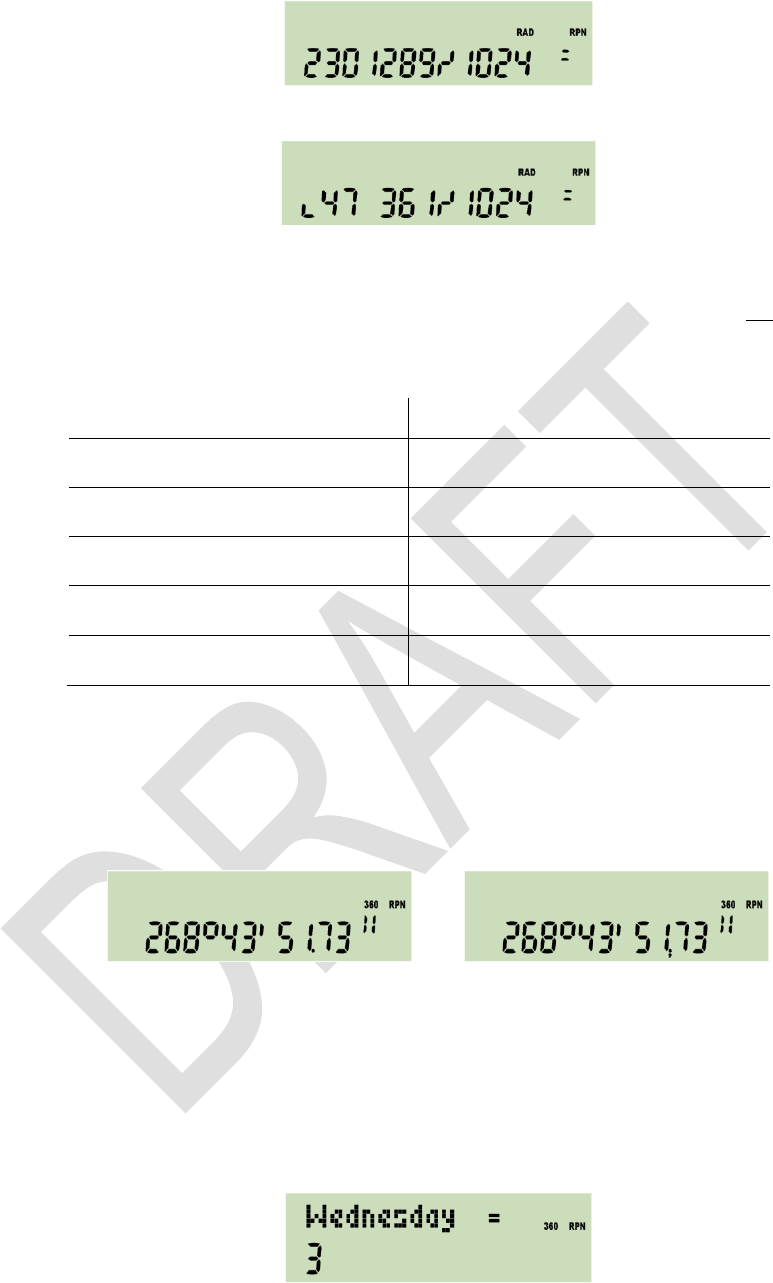
Edition 3.0
Page 30 of 103
Now, enter for converting this result into a proper fraction. You will get
with a little hook left of the first digit shown. This indicates the leading number is dis-
played incompletely there are at least two digits preceding 47 but no more display
space. Press to unveil the integer part of this proper fraction is 2247.
Input in fraction mode is straightforward and logically coherent:
Key in:
and get in proper fraction mode:
( = 0.12 )
( = 1 0/2 ! )
For comparison, please note the HP-32SII reads the last input here as ½ which is,
however, not consistent with its other input interpretations in fraction mode.
9. In H.MS display mode, format is hhhh°mm'ss.dd" with the number of hours or
degrees limited to 9000. Output may look like this:
or
depending on the radix setting. For decimal times less than 5ms or 0.005 angular
the exponent section.
overflow, and the value is displayed modulo 9000.
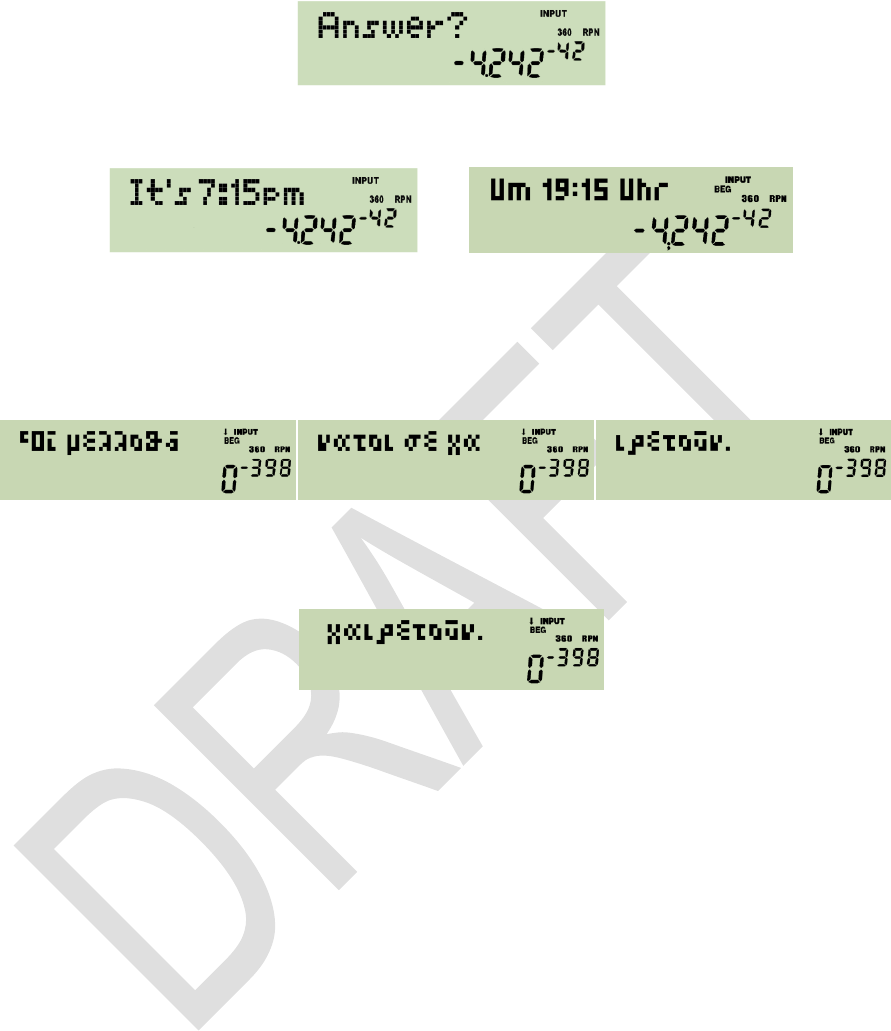
10. Output of the function WDAY will look as follows for an input of 1.13201 in M.DY
mode (equivalent to inputs of 13.01201 in D.MY or 2010.0113 in Y.MD):
Expect similar displays after DAYS+. Dates before the year 8 may be indicated dif-
ferently to what they really were due to the inconsistent application of the leap year
rule before this.
Edition 3.0
Page 31 of 103
11. In alpha mode, the alpha register is displayed in the dot matrix, showing the last
characters it is containing, while the numeric section keeps the result of the last nu-
meric operation, e.g.:
Different information may be appended to alpha. See the commands starting with
in the index of operations below
or
depending on time mode setting (12h / 24h). And DATE will append depending on
date format setting either 2011-04-16 or 16.04.2011 or 04/16/2011 to alpha.
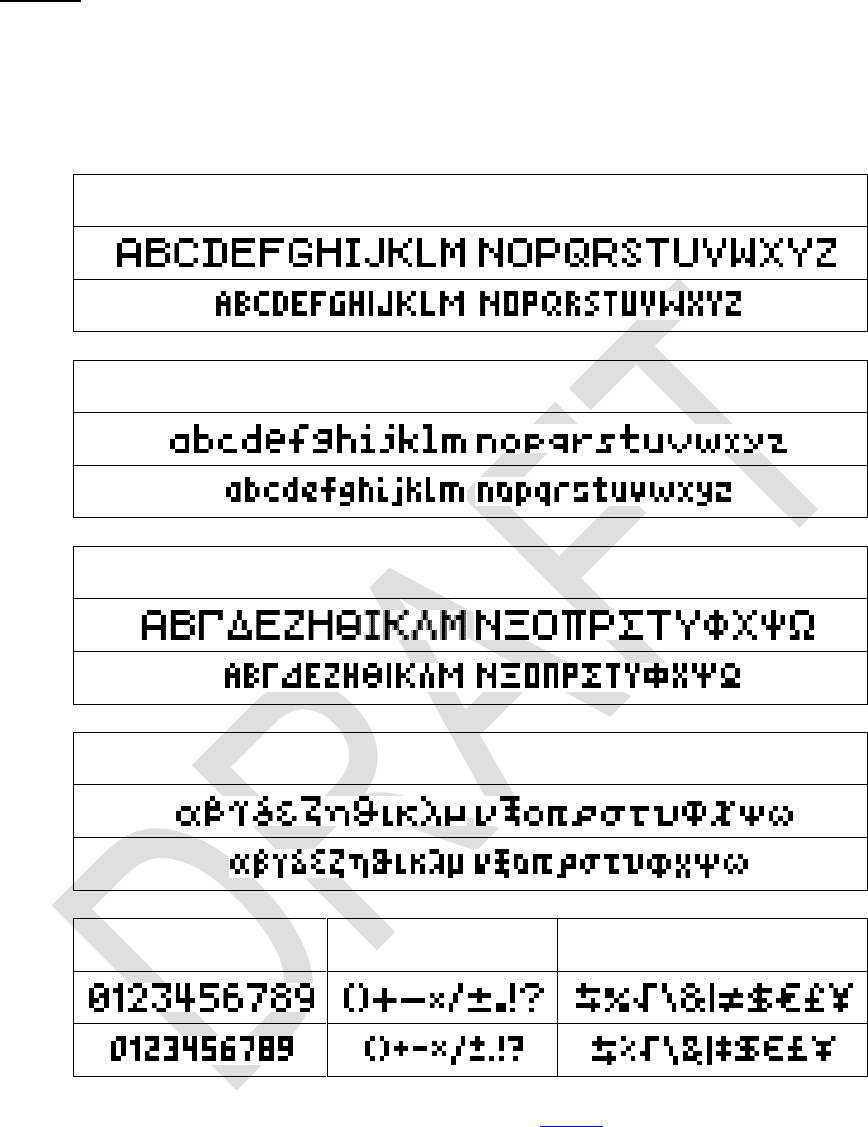
Please note alpha may contain up to 31 characters. And your WP 34S features a rich
set of special letters. So you may easily store a message like
Use and for browsing it in steps of 6 characters. Browsing to the left will stop
with the very first characters shown, browsing to the right stops showing the right end
completely, i.e.
in this very special case.
All keyboard input will be interpreted according to the mode set at input time.
Edition 3.0
Page 32 of 103
FONTS
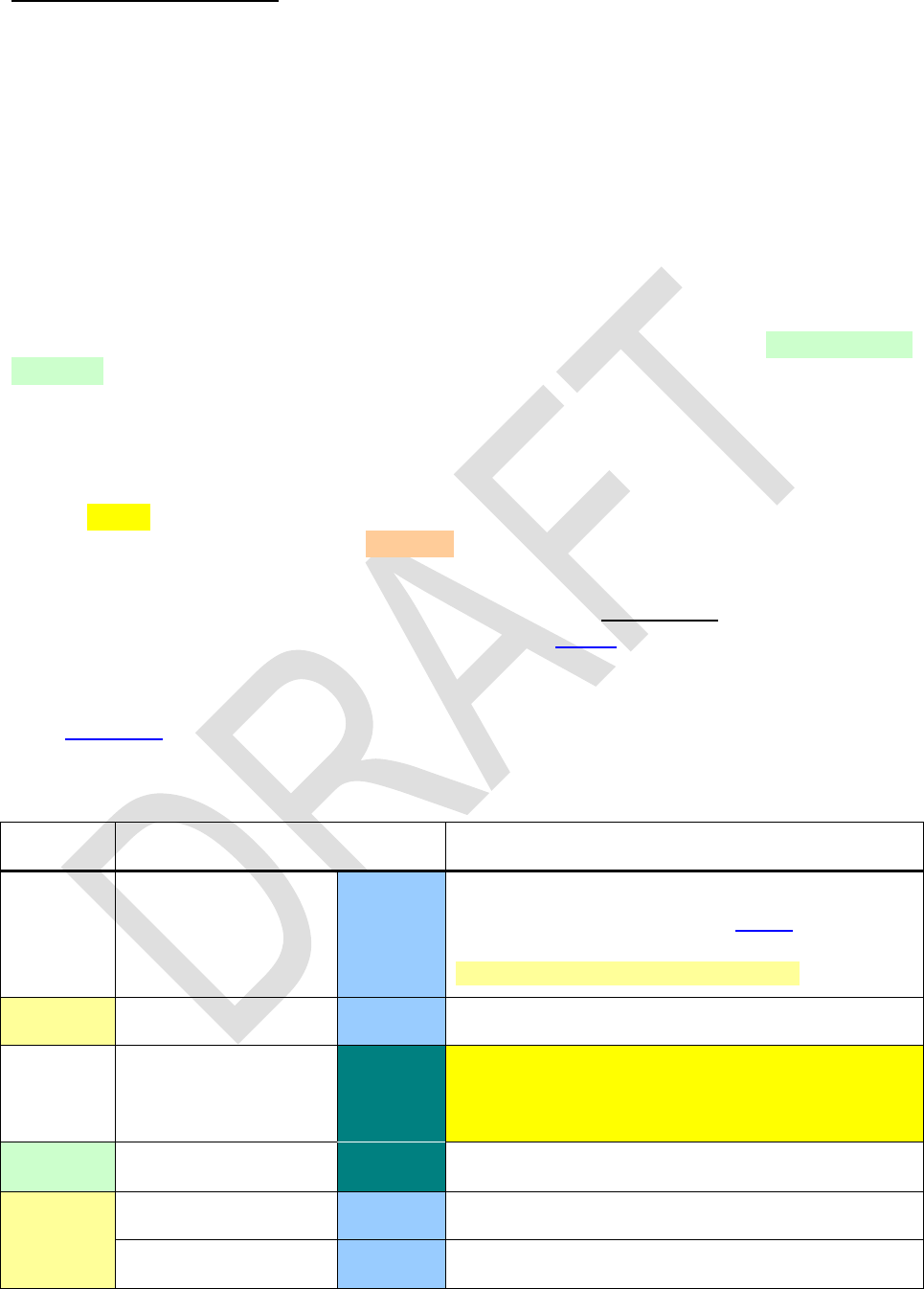
Your WP 34S features a large and a small font. Both are
distributed in 2004. Some letters were added and some modified for better legibility,
since the dot matrix is only 6 pixels high here. The following tables show the characters
directly accessible through the keyboard:
A B C D E F G H I J K L M
N O P Q R S T U V W X Y Z
a b c d e f g h i j k l m
n o p q r s t u v w x y z
0 1 2 3 4 5 6 7 8 9
()+- × / ± . ! ?
\ £ ¥
More characters live in the alpha catalogs you find below.
Edition 3.0
Page 33 of 103
INDEX OF OPERATIONS
All commands available are found below with their names and keystrokes necessary.
Names printed in bold face in this list belong to functions directly accessible on the key-
board, the other commands may be picked from catalogs. The command names will
show up identically catalogs and in program listings unless specified otherwise explicite-
ly. Sorting in index and catalogs is case insensitive and works in the following order:
Z, , ( ) + × / ± , . ! ? : ;
% & \ ^ | G [ ] { }
Super- and subscripts are handled like normal characters in sorting. The fifth last item in
the sorting order list above is the indicator for the angular mode GRAD.
Generally, functions and keystroke programming will work as on HP-42S, bit and integer
functions as on HP-16C, unless stated otherwise under remarks. Especially, all tests will
truefalserom the keyboard; if called in a program,
they will skip the next program line if the test is false. Please refer to the manuals of the
vintage calculators mentioned for additional information about traditional commands.
Functions available on the WP 34S for the first time on an RPN calculator are high-
lighted yellow under remarks, while operations carrying a familiar name but deviating in
their functionality here are marked light red.
Parameters will be taken from the lowest stack level(s) unless mentioned explicitly in
the 2nd column then they must follow the command. If underlined, they may also be
specified using indirect addressing, as shown in the tables above. Some parameters of
statistical distributions must be given in registers J and K if specified.
In the following, each function is listed stating the mode(s) it will work in, abbreviated by
their indicatorsstands for a Boolean AND, a comma for an OR,
and a noto e.g. 2X works in all modes but alpha. All operations may
also be entered in mode PRG unless stated otherwise explicitly.
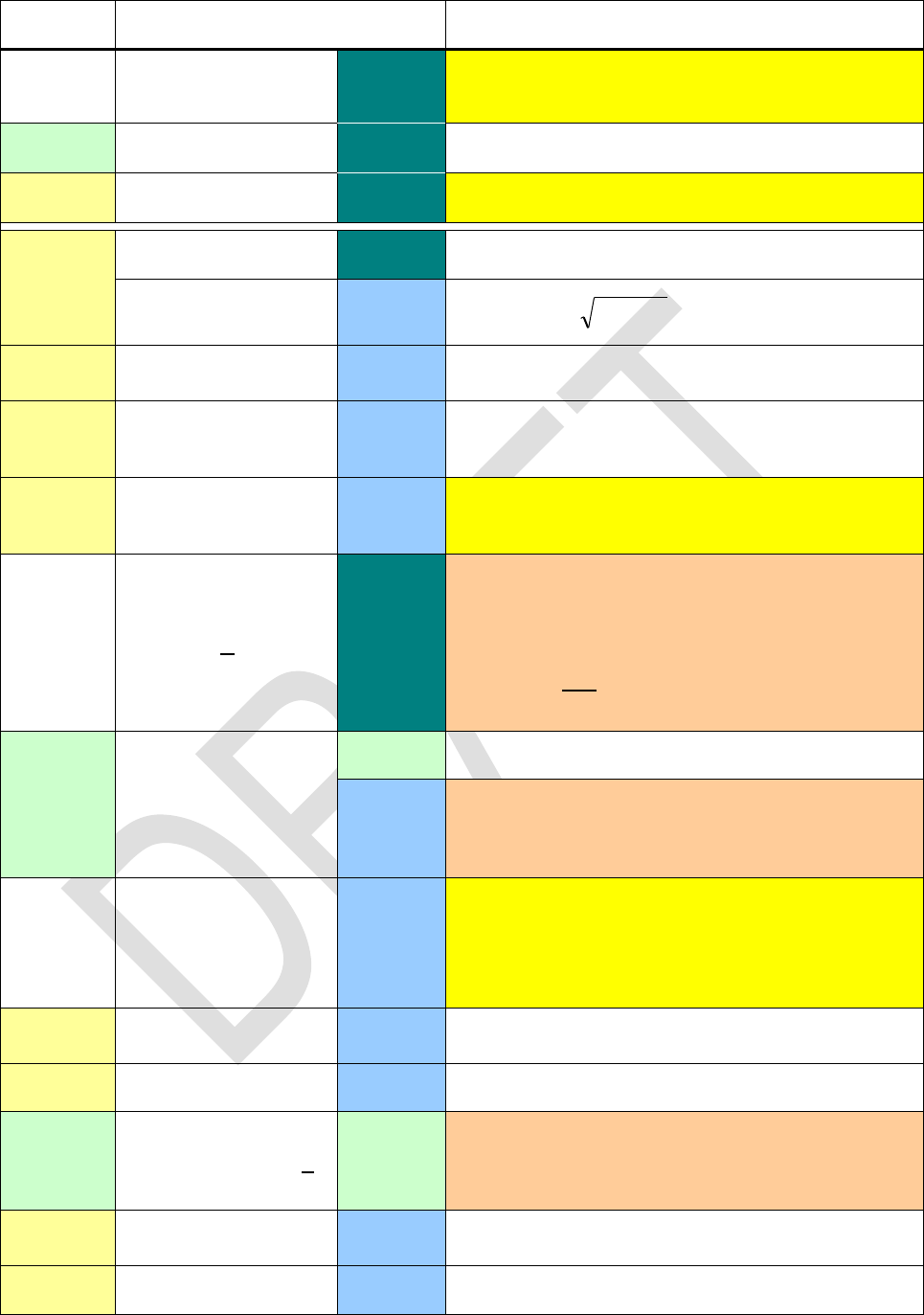
Name
Keys to press
in modes
Remarks
C
DECM
Indicates an operation allowing complex input(s)
and/or complex results (see above). The prefix
may be heading all functions whose
names are printed in italics in this list.
10 x
DECM
12h
\
Sets 12h time display mode meaning 1:23 be-
comes 1:23 AM and 13:45 becomes 1:45 PM.
1COMPL
\
HP-16C.
1/x
DECM
DECM
Shortcut as long as label B is not defined yet.
Edition 3.0
Page 34 of 103
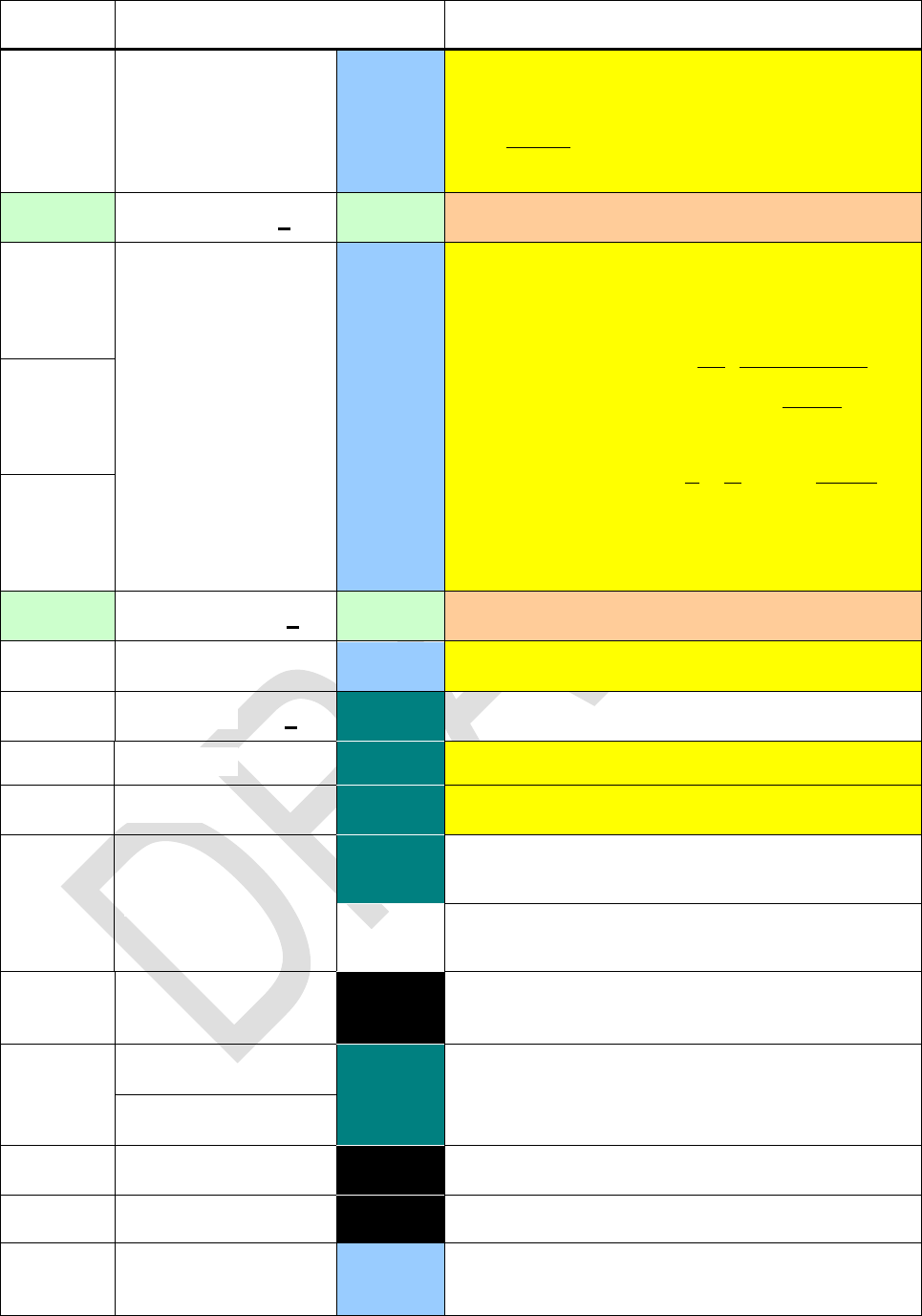
Name
Keys to press
in modes
Remarks
24h
\
Sets 24h time display mode meaning 1:23 AM
becomes 1:23, and 1:45 PM becomes 13:45.
2COMPL
\
HP-16C.
2 x
x
\
A - C
ABS
\
Returns the absolute value.
DECM
Returns
22 yxr
in X and clears Y.
ACOS
DECM
Returns
xarccos
.
ACOSH
DECM
Inverse hyperbolic cosine, known as arcosh.
Note there is no need for pressing here.
AGM
DECM
Returns the arithmetic-geometric mean of x and
y .
ALL
n
\
ALL 00 works like ALL in HP-42S. For x > 1013,
however, display will switch to SCI or ENG with
the maximum number of digits necessary (see
SCIOVR / ENGOVR). The same will happen if
and more than 12 digits are required
to show x completely.
AND
Integer
Works bitwise as in HP-16C.
DECM
Works like AND in HP-28S, i.e. x and y are in-
terpreted before executing this operation. 0 is
ANGLE
DECM
Returns the angle between positive x-axis and
the straight line from the origin to the point
(x, y) , i.e.
. This is a two-number
function, it consumes y.
ASIN
DECM
Returns
xarcsin
.
ASINH
DECM
Inverse hyperbolic sine, known as arsinh.
ASR
ASR n
Integer
Works like n (up to 63) consecutive ASR com-
mands in HP-16C, corresponding to a division
by 2n . ASR 0 executes as NOP, but loads L.
ATAN
DECM
Returns
xarctan
.
ATANH
DECM
Inverse hyperbolic tangent, known as artanh.

Edition 3.0
Page 35 of 103
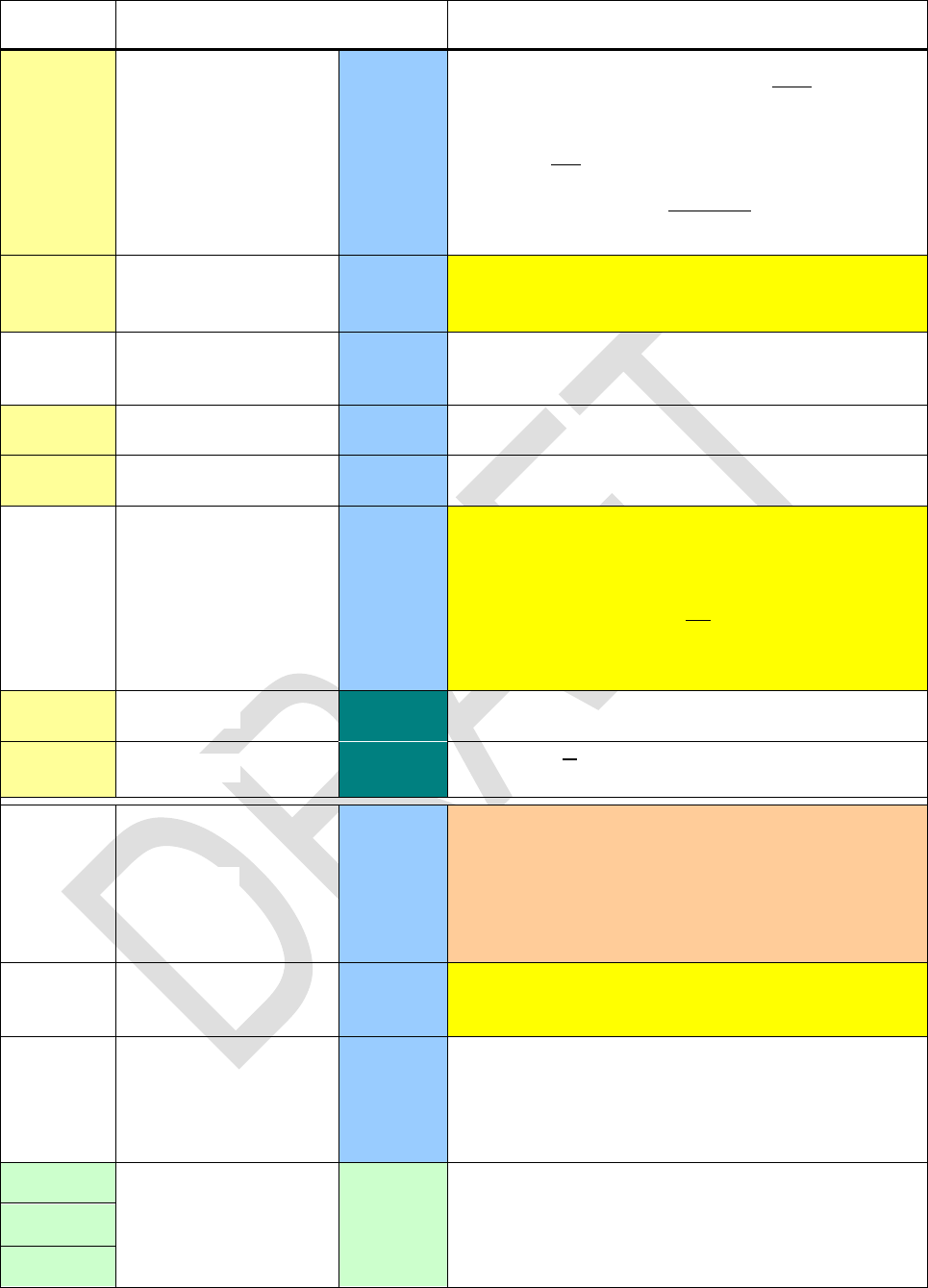
Name
Keys to press
in modes
Remarks
BACK
BACK n
PRG
Jumps n program steps backwards (1 n 99).
So e.g. BACK 01 goes to the previous step.
Reaching step 000 stops program execution.
BASE
BASE n
\
Sets the base for integer calculations, with
2 n 16. Popular bases are directly accessible
on the keyboard. Current integer base setting is
indicated in the exponent as explained above.
Furthermore, BASE0 equals DECM, and BASE1
calls FRACT. See below.
ATTENTION: Going from DECM to any integer
mode, the current stack contents will be trun-
cated. Going from integer to DECM, the current
stack contents will be converted. Other register
contents will not!
BASE10
BASE16
BASE2
BASE8
BATT
DECM
Measures the battery voltage in the range be-
tween 1.9V and 3.4V and returns this value.
Integer
As above but returns the voltage in 0.1V units.
BC?
BC? n
Integer
Tests the specified bit in x .
BestF
DECM
Selects the best curve fit model, maximizing the
correlation like BEST does in HP-42S.
Binom
DECM
Binomial distribution with the number of suc-
cesses g in X, the probability of a success p0 in
J and the sample size n in K:
BinomP 18 returns
gn
g
Bpp
g
n
pngp
000 1);;(
.
Binom returns
m
g
BB pngppnmF
0
00 );;();;(
,
with the maximum number of successes
m in X.
Binom 1 returns m for given probabilities FB in X
and p in J with sample size n in K.
BinomP
Binom 1
Bn
DECM
Returns the Bernoulli number for an integer n >
0 given in X:
nnB n
n 11 1
18 BinomP equals BINOMDIST(g; n; p0; 0) and Binom equals BINOMDIST(m; n; p0; 1) in MS Excel.
Edition 3.0
Page 36 of 103
Name
Keys to press
in modes
Remarks
Bn*
DECM
Returns the Bernoulli number according to its old
definition for integer n > 0 given in X:
n
n
Bn
n2
2
!22
2
*
. See below for .
BS?
BS? n
Integer
Tests the specified bit in x .
Cauch
DECM
Cauchy-Lorentz distribution (also known as Lo-
rentz or Breit-Wigner distribution) with the loca-
tion x0 specified in J and the shape
in K :
CauchP returns
2
0
1
11
xx
xfCa
,
Cauch returns
0
arctan
1
2
1xx
xFCa
.
Cauch1 returns x for a given probability FCa in X,
with location x0 in J and shape
in K.
CauchP
Cauch 1
CB
CB n
Integer
Clears the specified bit in x .
CEIL
DECM
x .
CF
CF n
\
Clears the flag specified.
CLALL
\PRG
Clears all registers and programs if confirmed.
CLFLAG
\
Clears all user flags.
CLP
\PRG
Positions the program pointer to step 000 and
clears the subroutine return stack.
PRG
Clears all the program memory if confirmed. Not
programmable.
CLREG
All
Clears all general purpose registers. The stack
and its contents are kept.
CLSTK
\
Clears all stack registers, i.e. X through T or
X through D, respectively. All other register con-
tents are kept.
CLx
All
Clears X only, disabling stack lift as usual.
CL
All
Clears the alpha register like CLA in HP-42S.
DECM
Clears all statistical sums in the respective gen-
eral purpose registers.
Edition 3.0
Page 37 of 103
Name
Keys to press
in modes
Remarks
COMB
DECM
Returns the number of possible sets of y items
taken x at a time. No item occurs more than
once in a set, and different orders of the same x
items are not counted separately.
Formula:
!!
!
,xyx
y
x
y
Cxy
CONJ
DECM
Changes the sign of y , thus returning the com-
plex conjugate of xc .
CORR
DECM
Returns the correlation coefficient for the current
statistical data and curve fitting model.
COS
DECM
Returns the cosine of the angle in X.
COSH
DECM
Returns the hyperbolic cosine of x.
COV
DECM
Returns the population covariance for two data
sets. It depends on the fit model selected. For
LinF, it calculates
iiiixy yxyxn
n
COV 2
1
See sxy for the sample covariance.
CUBE
\
Returns x3 .
CUBERT
\
Returns
.
D - F
DATE
DECM
Recalls the date from the real time clock and
displays it in the numeric section in the format
selected. See D.MY, M.DY, and Y.MD.
The function DATE of HP-12C corresponds to
DAYS+ in your WP 34S (see below).
DAY
DECM
Assumes x containing a date in the format se-
lected and extracts the day.
DAYS+
DECM
Works like DATE in HP-12C, adding x days on a
date in Y in the format selected and displaying
the resulting date including the day of week in
the same format as WDAY does.
DBLR
Integer
Double precision commands for remainder, mul-
tiplication and division like in HP-16C.
DBL ×
DBL /
Edition 3.0
Page 38 of 103
Name
Keys to press
in modes
Remarks
DEC
DECr
\
Decrements r by one, equivalent to 1 STO r ,
but without modifying the stack.
DECM
\
Sets default decimal mode for calculations.
DECOMP
FRC
Decomposes x (after converting it into an impro-
per fraction, if applicable), resulting in a stack
[numerator(x), denominator(x), y, z] or
[num(x), den(x), y, z, t, a, b, c] , respectively.
Reversible by division.
DEG
DECM
Sets angular mode to degrees.
DEG
DECM
Takes x as degrees and converts them to the
angular mode currently set.
DENANY
\
Sets default fraction format like in HP-35S, al-
lowing maximum precision. Any denominator up
to the value set by DENMAX may appear.
DENFAC
\
With e.g. DENMAX = 60, possible denominators
are 2, 3, 4, 5, 6, 10, 12, 15, 20, 30, and 60.
DENFIX
\
Sets fixed denominator format, i.e. the denomi-
nator equaling DENMAX always.
DENMAX
\
Works like /c in HP-35S, but maximum deno-
minator settable is 9999. It will be set to this val-
ue if x < 1 or x > 9999 at execution time. For
x = 1 the current setting is recalled.
DET
\
Takes a descriptor of a square matrix in X and
returns the determinant of the matrix. The matrix
is not modified.
DISP
DISP n
DECM
Changes the number of decimals shown while
keeping the basic display format (FIX, SCI,
ENG) as is. With ALL set, DISP will change the
switchover point (see ALL).
DROP
\
Drops x . See above for details and CDROP.
DSE
r
PRG
Given cccccc.fffii in r , DSE decrements r
by ii, skipping next program line if then
ccccccc fff . If r features no fractional part
then fff is 0 and ii is set to 1.
Note that neither fff nor ii can be negative,
and DSE makes only sense with cccccc > 0.
Edition 3.0
Page 39 of 103
Name
Keys to press
in modes
Remarks
DSL
DSLr
PRG
Works like DSE but skips if ccccccc < fff .
DSZ
DSZr
PRG
Decrements r by one, and skips if
1r
the-
reafter. Known from the HP-16C.
D.MY
\
Sets the format for date display.
DJ
DECM
Takes x as a date in the format selected and
converts it to a Julian day number according to
DR
DECM
Please see the catalog of conversions below for
conversions from degrees to radians.
E3OFF
\
Toggle the thousands separator (either a point
or a comma depending on the radix setting).
E3ON
ENG
n
\
Sets engineering display format.
ENGOVR
\
Numbers exceeding the range displayable in
ALL or FIX will be shown in engineering format.
See SCIOVR.
ENTER
\
See above for details.
ENTRY?
All
Checks the entry flag. This internal flag is set if:
any character is entered in alpha mode, or
any command is accepted for entry (be it
via , a function key, or with
a partial command line).
erf
DECM
Returns the error function or its complementary:
x
dexerf
0
2
2
and
)(1 xerfxerfc
erfc
ERR
ERR n
PRG
Raises the error specified and clears the re-
turn stack. See below for the respective error
codes.
EVEN?
\
Checks if x is integer and even.
e x
DECM
ExpF
DECM
Selects the exponential curve fit model
xa
eay 1
0
.
Edition 3.0
Page 40 of 103
Name
Keys to press
in modes
Remarks
Expon
DECM
Exponential distribution with the rate
-
in J :
ExponP 19 returns
x
Ex exf
-
-
,
Expon returns
x
Ex exF
-
1
.
Expon 1 returns the survival time ts for a given
probability FEx in X and rate
-
in J.
ExponP
Expon 1
EXPT
DECM
Returns the exponent h of the number displayed
. Compare MANT.
ex -1
eX-1
DECM
Returns more accurate results for the fractional
part of eX with x 0 .
FAST
...
All
-
up default and is kept for fresh batteries.
FB
FB n
Integer
Invx .
FC?
FC? n
etc.
\
Tests if the flag specified is clear. Clears, flips, or
sets this flag after testing, if applicable.
FC?C
FC?F
FC?S
FF
FF n
\
Flips the flag specified.
FIB
\
Returns the Fibonacci number Fx .
FILL
\
Copies x to all stack levels. See details above.
FIX
n
\
Sets fixed point display format.
FLOOR
DECM
Returns the largest integex .
FP
DECM
Returns the fractional part of x .
FP?
\
Tests x for having a nonzero fractional part.
FRACT
\
Sets fraction mode like in HP-35S, but keeps
display format as set by PROFRC or IMPFRC.
FS?
FS? n
etc.
\
Tests if the flag specified is set. Clears, flips, or
sets this flag after testing, if applicable.
FS?C
FS?F
FS?S
19 The pdf corresponds to EXPONDIST(x;
-
; 0) and the cdf to EXPONDIST(x;
-
; 1) in MS Excel.
Edition 3.0
Page 41 of 103
Name
Keys to press
in modes
Remarks
FP(x)
DECM
F-distribution. The cdf F(x) equals 1 - Q(F) in
HP-21S. The degrees of freedom are specified
in J and K.
F(x)
F 1(p)
f(x)
f(x) label
DECM
Return the first or second derivative of f(x), re-
spectively, with the function f(x) being specified
in a routine starting with LBL label. The return
stack will have y, z, and t cleared and the posi-
tion x in L.
Either command will attempt to call a user rou-
tine labeled 'step size dx. If
that routine is not defined, a step size of 0.1 is
employed instead.
f(x)
f(x) label
G - I
GCD
\
Returns the Greatest Common Divisor of x
and y .
Geom
DECM
Geometric distribution:
GeomP returns
m
Ge ppmf 00 1
,
Geom returns
1
0
11
m
Ge pmF
, being
the probability for a first success after m = x
Bernoulli experiments. The probability p0 for
a success in each such experiment must be
specified in J.
Geom 1 returns the number of failures f before
the first success for given probabilities FGe in X
and p0 in J.
GeomP
Geom 1
GRAD
DECM
Sets angular mode to gon or grads.
GRAD
DECM
Takes x as given in gon or grads and converts
them to the angular mode currently set.
GTO
label
PRG
Inserts an unconditional branch to label.
\PRG, \
Positions the program pointer to label.
,
, , or
\
Positions the program
pointer
(not programmable)
labels, if defined.
nnn
to step nnn .
to step 000 .
GTO
\
Takes the first three characters of alpha (or less
if there are less available) as a label and posi-
tions the program pointer to it.
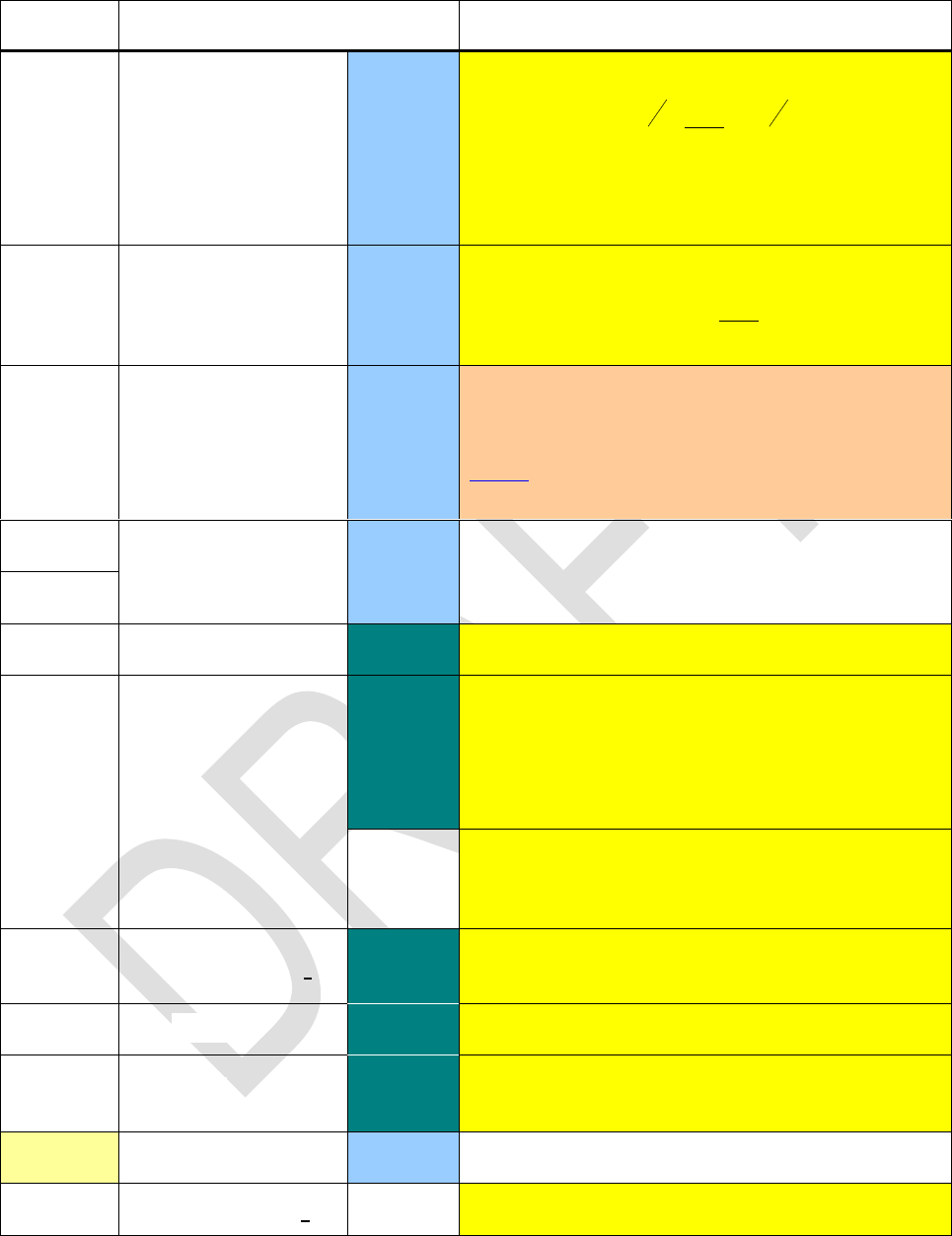
Edition 3.0
Page 42 of 103
Name
Keys to press
in modes
Remarks
Hn
DECM
Hermite's polynomials for probability:
22
22
1x
n
n
x
n
ne
dx
d
exH
with n in Y,
solving the differential equation
02'2" xfnxfxxf
.
Hnp
DECM
Hermite's polynomials for physics:
22
1x
n
n
x
n
np e
dx
d
exH
with n in Y.
H.MS
DECM
Assumes X containing decimal hours or de-
grees, and displays them converted in the format
hhhh°mm’ss.dd” as shown in the paragraph
above. Will return to the previous decimal dis-
play with the next keystroke thereafter.
H.MS+
DECM
Assumes X and Y containing times or degrees
in the format hhhh.mmssdd , and adds or sub-
tracts them, respectively.
H.MS
IBASE?
\
Returns the integer base set (see BASE).
IMPFRC
\
Sets fraction mode allowing improper fractions in
display (i.e. 5/3 instead of 1 2/3). Converts x ac-
e-
cimal equivalents of x must not exceed 100,000.
Compare PROFRC.
FRC
Allows displaying improper fractions. Thus con-
verts a proper fraction in X into the equivalent
improper fraction, if applicable.
INC
INCr
\
Increments r by one, equivalent to 1 STO+ r ,
but without modifying the stack.
INTM?
\
Tests if your WP 34S is in an integer mode.
INT?
\
Tests x for being an integer, i.e. having a frac-
tional part equal to zero. Compare FP?.
IP
DECM
Returns the integer part of x .
ISE
ISEr
PRG
Works like ISG but skips if ccccccc fff .
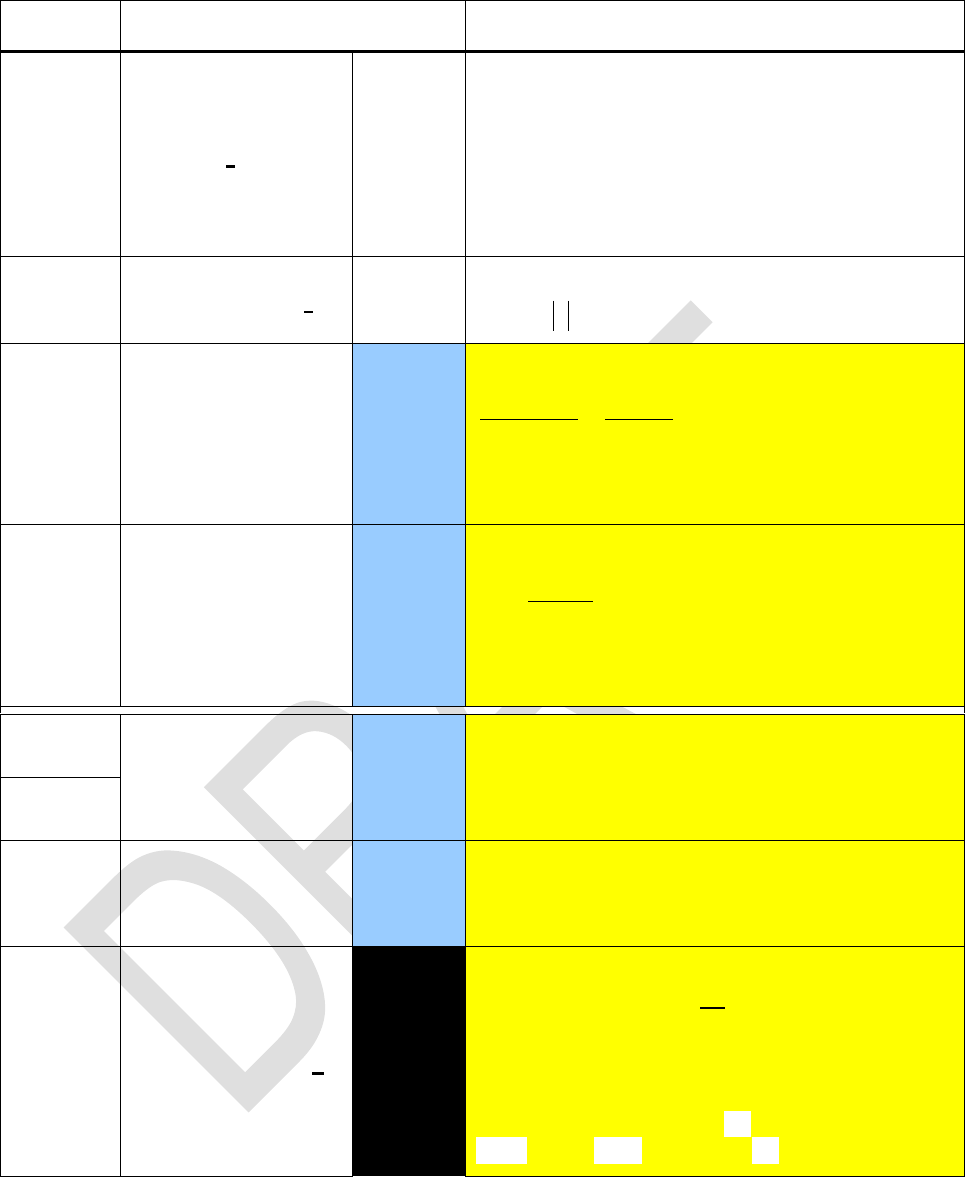
Edition 3.0
Page 43 of 103
Name
Keys to press
in modes
Remarks
ISG
r
PRG
Given cccccc.fffii in r , this function in-
crements r by ii, skipping next program line if
then ccccccc > fff. If r features no fractional
part then ii is set to 1.
Note that neither fff nor ii can be negative,
but cccccc can.
ISZ
ISZr
PRG
Increments r by one, skipping next program line
if then
1r
. Known from the HP-16C.
I
DECM
Returns the regularized incomplete beta function
xz
y
xdttt
zyzy
zyx
0
1
11
,
1
,
,,
with
x
being the incomplete beta function and
see below).
I
DECM
Returns the regularized incomplete gamma func-
tion
x
yx
,
with
y
tx dtetyx
0
1
,
being the
lower incomplete gamma function. For see be-
low.
J - L
JG1582
DECM
These two commands reflect different dates the
Gregorian calendar was introduced in different
large areas of the world. DJ and JD will be
calculated accordingly.
JG1752
JD
DECM
Takes x as a Julian day number and converts it
to a date according to JG... in the format se-
lected
KEY?
KEY? a
All
Tests if a key was pressed while a program was
running or paused. If no key was pressed, the
next program step after KEY? will be executed,
else it will be skipped and the code of said key
will be found in address a . Key codes start top
left and correspond to the rows and columns on
the keyboard so e.g. corresponds to 11,
to 16, to 21, and to 75.
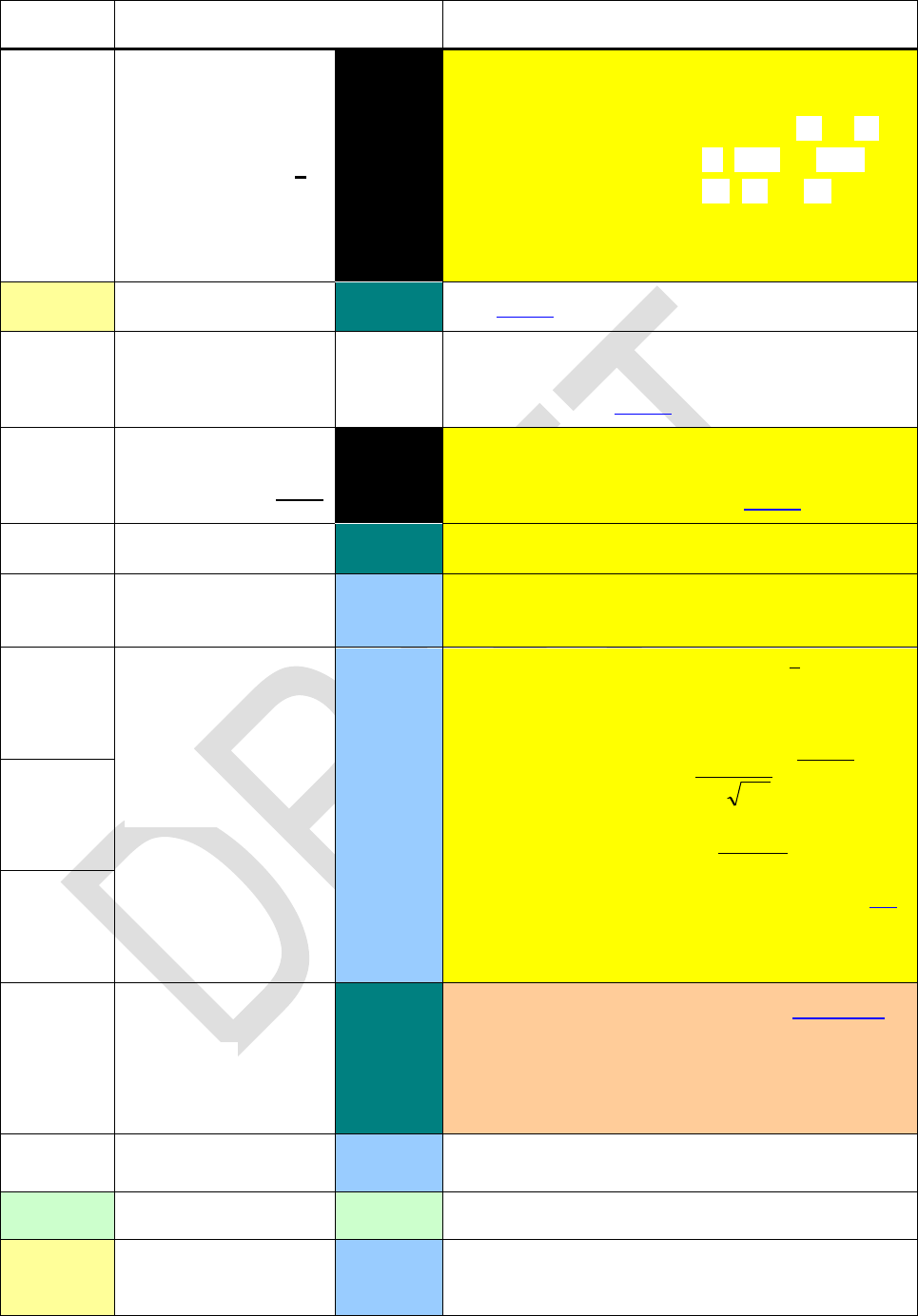
Edition 3.0
Page 44 of 103
Name
Keys to press
in modes
Remarks
KTY?
KTY? a
All
Assumes a key code in address a . Checks this
code and returns
,
10 if it corresponds to , , or ,
11 if it corresponds to , , or ,
12 if it corresponds to any other key.
May help in user interaction with programs.
LASTx
\
See above for details.
LBL
label
PRG
Identifies programs and routines for execution
and branching. See opportunities for specifying
label in the table above.
LBL?
LBL?label
All
Tests for the existence of the label specified,
anywhere in program memory. See opportunities
for specifying label in the table above.
LCM
\
Returns the Least Common Multiple of x and y.
LEAP?
DECM
Takes x as a date in the format selected, ex-
tracts the year, and tests for a leap year.
LgNrm
DECM
Lognormal distribution with
g
xln
specified
in J and
ln
in K. See g and below.
LgNrmP returns
2
2
2
ln
2
1
x
Ln e
x
xf
,
LgNrm returns
x
xFLn
ln
with Φ(z)
denoting the standard normal cdf.
LgNrm 1 returns x for a given probability FLn in
X, µ in J, and σ in K.
LgNrmP
LgNrm 1
LINEQS
\
Takes a base register in X, a vector descriptor in
Y, and a descriptor of a square matrix in Z.
Solves the system of linear equations
and returns the filled out vector de-
scriptor in X.
LinF
DECM
Selects the linear curve fit model
xaay 10
.
LJ
Integer
Left adjust as in HP-16C.
LN
DECM
Returns the natural logarithm of x , i.e. the loga-
rithm of x for base e.
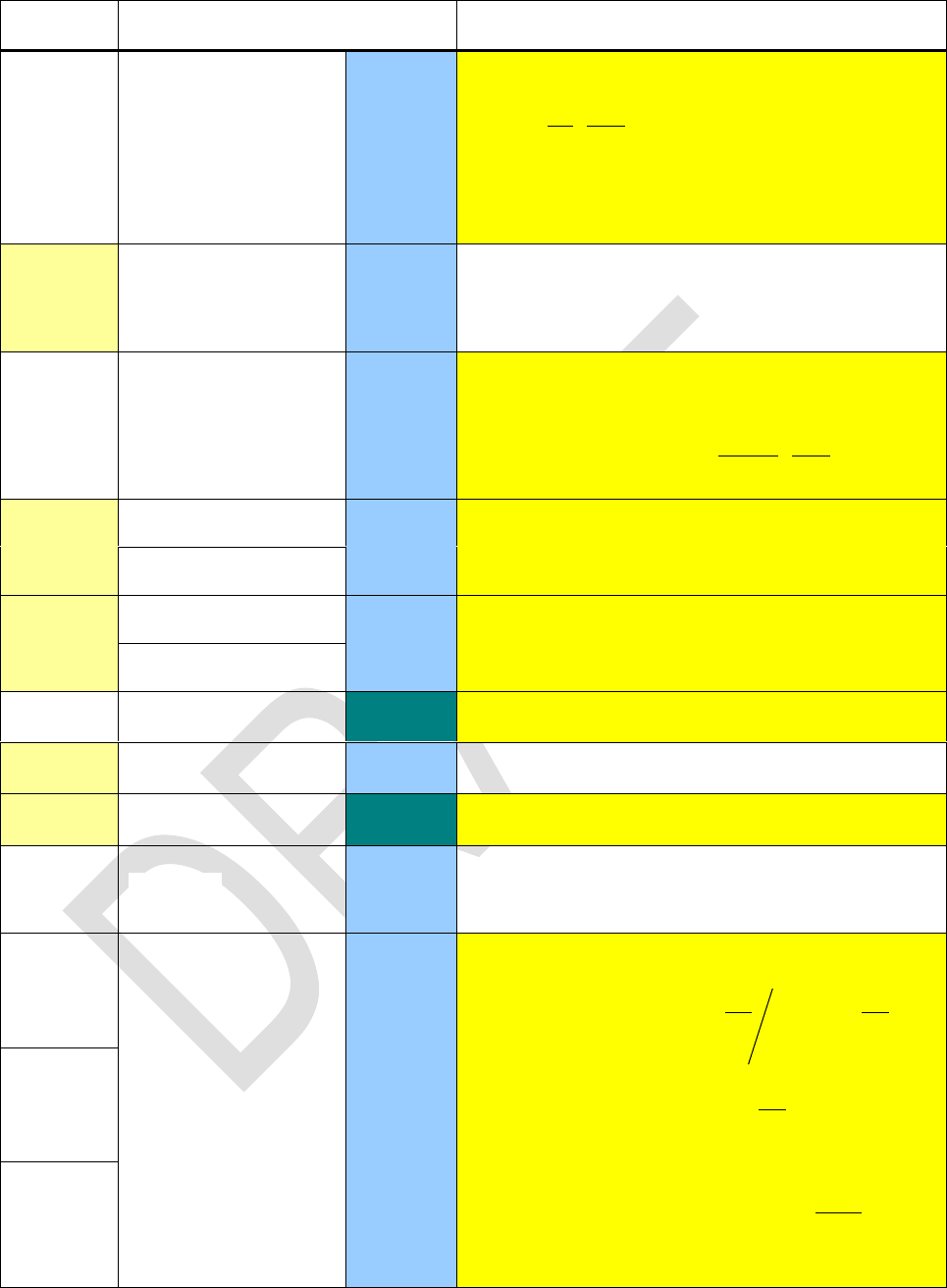
Edition 3.0
Page 45 of 103
Name
Keys to press
in modes
Remarks
Ln
DECM
Laguerre's polynomials (compare Lnbelow):
xLex
dx
d
n
e
xL n
xn
n
nx
n)0(
!
with n in Y,
solving the differential equation
0'1" nyyxyx
.
LN1+x
LN1+x
DECM
Natural logarithm of values close to zero. Re-
turns
x1ln
, providing a much higher accu-
racy in the fractional part of the result.
Ln
DECM
Laguerre's generalized polynomials with n in Y
and in Z:
xn
n
nx
nex
dx
d
n
ex
xL
!
)(
.
LN β
LN
DECM
Returns the natural logarithm of β func-
tion. See there.
LN
LN Γ
LN
DECM
Returns the natural logarithm of x) . See there.
LN
LOAD
\
Restore the entire backup. Compare SAVE.
LOG10
DECM
Returns the logarithm of x for base 10.
LOG2
\
Returns the logarithm of x for base 2.
LogF
DECM
Selects the logarithmic curve fit model
xaay ln
10
.
Logis
DECM
Logistic distribution with μ given in J and s in K .
LogisP returns
2
1
s
x
s
x
Lg esexf
,
Logis returns
1
1
s
x
Lg exF
.
Logis 1 returns
p
p
spFLg 1
ln
1
for a
probability p given in X, μ in J, and s in K.
LogisP
Logis 1
Edition 3.0
Page 46 of 103
Name
Keys to press
in modes
Remarks
LOGx
DECM
Returns the logarithm of y for base x .
DECM
Returns the complex logarithm of z + i t for the
complex base x + i y .
LZOFF
\
Toggles leading zeros like flag 3 does in
HP-16C. Relevant in integer modes only.
LZON
L.R.
DECM
Returns the parameters a1 and a0 of the fit curve
through the data points accumulated, according
to the model selected, and pushes them on the
stack. For a straight regression line, a0 is the y-
intercept and a1 the slope.
M - O
MANT
DECM
Returns the mantissa m of the number displayed
. Compare EXPT.
MASKL
MASKL n etc.
Integer
Work like MASKL and MASKR on HP-16C, but
with the mask length following the command in-
stead of taken from X.
MASKR
MAX
\
Returns the maximum (minimum) of x and y .
MIN
MIRROR
Integer
Reflects the bit pattern in x
(e.g. 000101 becomes 101000 for word size 6).
MONTH
DECM
Assumes x containing a date in the format se-
lected and extracts the month.
MR
O
W+×
DECM
Takes a matrix descriptor in X, a destination row
number in Y, a source row number in Z, and a
real number in T. It multiples each element mzi
by t and adds it to myi . The stack is unchanged.
M.ROW+× is similar to PPC M3.
MR
O
W×
DECM
Takes a matrix descriptor in X, a row number in
Y, and a real number in Z. It multiples each
element myi by z. The stack is unchanged.
M.ROW× is similar to PPC M2.
MR
O
W
DECM
Takes a matrix descriptor in X and two row
numbers in Y and Z. It swaps the contents of
rows y and z. The stack is unchanged. M.ROW
is similar to PPC M1.
MSG
MSG n
PRG
Throws the error message specified. It will va-
nish with the next keystroke. See below for the
respective error codes. Compare ERR.
Edition 3.0
Page 47 of 103
Name
Keys to press
in modes
Remarks
M+×
DECM
Takes two matrix descriptors in X and Y, and a
real number z. Returns .
Thus a scalar multiple of one matrix is added to
another matrix. The multiply adds are done in-
ternally in high precision and results should be
exactly rounded.
M -1
DECM
Takes a descriptor of a square matrix in X and
inverts the matrix in-situ. Doesn't alter the stack.
M-ALL
DECM
Takes a matrix descriptor in X , saves it in L,
and returns a value suitable for ISG or DSL loop-
ing in X. The loop processes all elements in the
matrix. The loop index is DSL if the descriptor is
negative and ISG else.
M-COL
DECM
Takes a matrix descriptor in X and a column
number in Y. Returns a loop counter in X, drop-
ping the stack. The matrix descriptor is saved in
L. The loop processes all elements miy only. The
loop index is DSL if the descriptor is negative
and ISG else.
M-DIAG
DECM
Takes a matrix descriptor in X, saves it in L, and
returns a loop counter in X. The loop processes
all elements along the matrix diagonal, i.e. all
elements mii . The loop index is DSL if the de-
scriptor is negative and ISG else.
M-ROW
DECM
Takes a matrix descriptor in X and a row num-
ber in Y. Returns a loop counter in X, dropping
the stack and setting last L like all two-argument
commands. The loop processes all elements myi
only. The loop index is DSL if the descriptor is
negative and ISG else.
M×
DECM
Takes two matrix descriptors in Y and Z and the
integer part of x as the base address of the re-
sult. Returns . The fractional part
of x is updated to match the resulting matrix no
overlap checking is performed.
All calculations are done internally in high preci-
sion, although it would still be possible to trick
the code up and produce bad results. It would be
very difficult to get the same degree of accuracy
in RPN since the best that can easily be
achieved there is a·b+c·d and a matrix multiply
adds more terms than this.
Edition 3.0
Page 48 of 103
Name
Keys to press
in modes
Remarks
M.COPY
DECM
Takes a matrix descriptor in Y and a register
number in X. Copies the matrix into registers
starting at X. Returns a properly formed matrix
descriptor in X.
M.DY
\
Sets the format for date display.
M.IJ
DECM
Takes a matrix descriptor in X and a register
number in Y. Returns the column that register
represents in Y and the row in X. The descriptor
is saved in L. M.IJ is similar to PPC M4.
M.LU
DECM
Takes descriptor of a square matrix in X. Trans-
forms the matrix into its LU decomposition. The
matrix is modified in-situ. The value in X is re-
placed by a pivot descriptor that defines the pi-
vots that were required to calculate the decom-
position. The most significant digit is the pivot for
the first diagonal entry, the next most the second
and so forth.
M.REG
DECM
Takes a matrix descriptor in X, a row number in
Y, and a column number in Z. The descriptor is
saved in L. M.REG returns the register number
in X (popping the stack twice). It is similar to
PPC M5.
M.SQR?
DECM
Takes a matrix descriptor in X and tests it. Re-
NAND
\
Works in analogy to AND.
NaN?
\
Tests x for being
nBITS
Integer
Counts bits set in x like #B does on HP-16C.
nCOL
DECM
Takes a matrix descriptor in X, saves it in L, and
returns the number of columns in this matrix.
NEXTP
\
Returns the next prime number > x.
NOP
PRG
NOR
\
Works in analogy to AND.

Edition 3.0
Page 49 of 103
Name
Keys to press
in modes
Remarks
Norml
DECM
Normal distribution with an arbitrary mean µ
specified in J and standard deviation σ in K :
NormlP 20 returns
2
2
2
2
1
x
Nexf
,
Norml returns
x
xFN
. See below
for the standard normal distribution Φ.
NormlP
Norml 1
DECM
Returns x for a given probability FN in X, mean µ
in J, and standard deviation σ in K 21.
NOT
Integer
Works in analogy to AND.
nROW
DECM
Takes a matrix descriptor in X, saves it in L, and
returns the number of rows in this matrix.
DECM
Recalls the number of accumulated data points.
Necessary for basic statistics.
ODD?
\
Checks if x is integer and odd.
OFF
PRG
Inserts a step to turn your WP 34S off under
program control.
OR
\
Works in analogy to AND.
P - R
PERM
DECM
Returns the number of possible arrangements of
y items taken x at a time. No item occurs more
than once in an arrangement, and different or-
ders of the same x items are counted separately.
Formula:
xyxy CxP ,, !
, compare COMB.
Pn
DECM
Legendre's polynomials:
n
n
n
n
nx
dx
d
n
xP 1
!2
12
with n in Y, solving
the differential equation
011 2
xfnnxf
dx
d
x
dx
d
.
20 NormlP corresponds to NORMDIST(x; µ; σ; 0) and Norml to NORMDIST(x; µ; σ; 1) in MS Excel.
21 This corresponds to NORMINV(FN; µ; σ) in MS Excel.
Edition 3.0
Page 50 of 103
Name
Keys to press
in modes
Remarks
Poiss
DECM
Poisson distribution with the number of suc-
cesses g in X, the gross error probability p0 in J,
and the sample size n in K. Alternatively, Pois-
son
0
pn
-
may be in J if k = 1:
PoissP 22 returns
-
-
-
e
g
gP g
P!
);(
,
Poiss returns
m
g
PP gPmF
0
);();(
--
, with the
maximum number of successes m in X.
Poiss 1 returns m for given probabilities FP in X
and p in J with sample size n in K.
PoissP
Poiss 1
PowerF
DECM
Selects the power curve fit model
1
0
a
xay
.
PRCL
PRCL n
\
Recall the user program space from flash seg-
ment n to RAM where it may be edited then (see
above).
PRIME?
\
Checks if the absolute value of the integer part
of x is a prime. The method is believed to work
for integers up to 9E18.
PROFRC
DECM
Sets fraction mode like in HP-35S, allowing only
proper fractions or mixed numbers in display.
Converts x
Absolute decimal equivalents of x must not ex-
ceed 100,000. Compare IMPFRC.
FRC
Allows displaying only proper fractions. Thus
converts an improper fraction in X, if applicable,
e.g. 5/3 into 1 2/3.
PROMPT
PRG
Displays alpha and stops program execution
(equaling VIEW followed by STOP actually).
See below for more.
PSE
nn
PRG
Refreshes the display and pauses program ex-
ecution for nn ticks, with . The
pause will be terminated early as soon as a key
is pressed.
PSTO
PSTO n
\
Stores the user program space in flash segment
n (see above).
22 The pmf corresponds to POISSON(g;
-
; 0) and the cdf to POISSON(g;
-
; 1) in MS Excel.
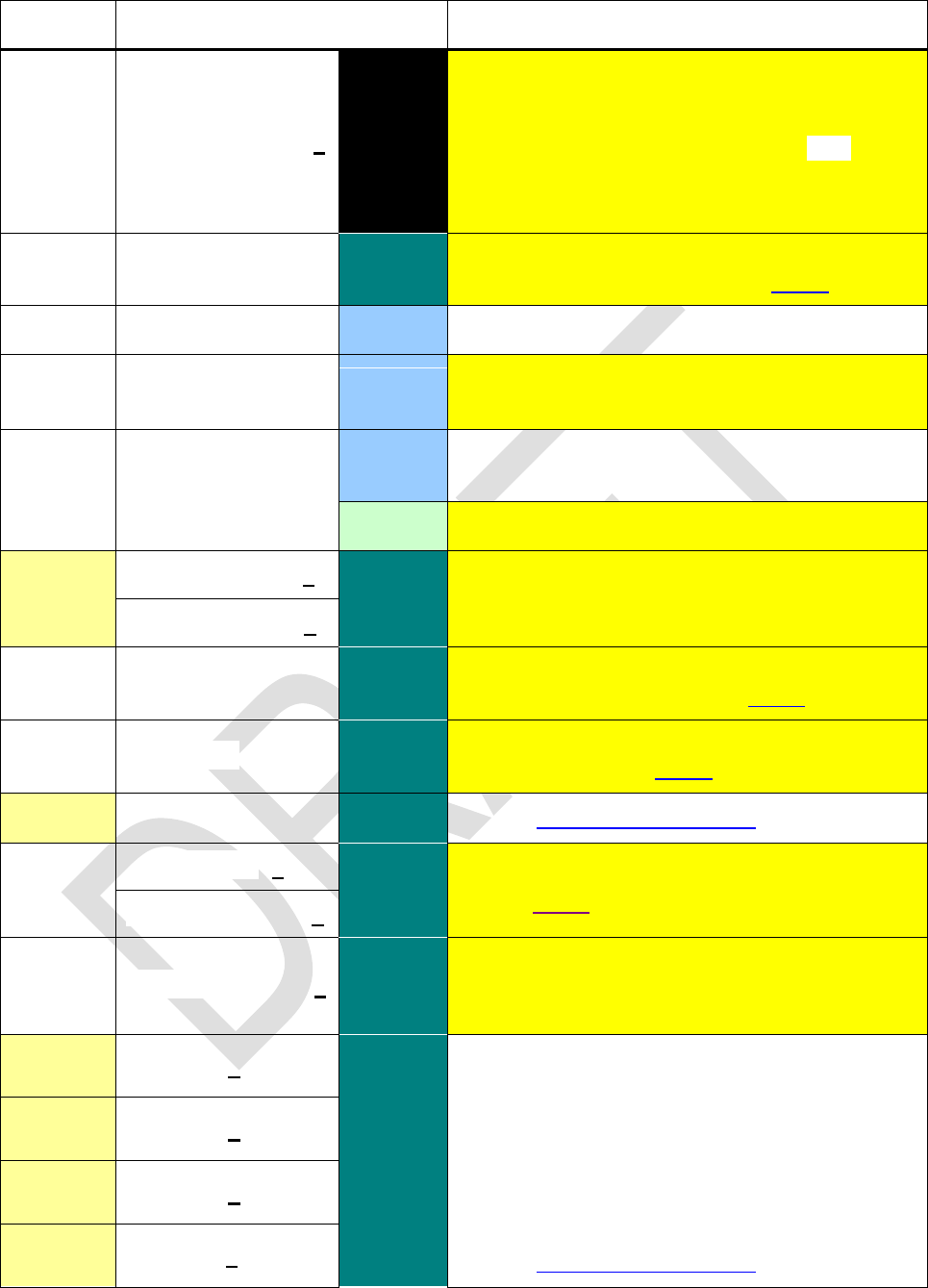
Edition 3.0
Page 51 of 103
Name
Keys to press
in modes
Remarks
PUTK
PUTK a
All
Assumes a key code in address a . Stops pro-
gram execution, takes said code and puts it in
the keyboard buffer resulting in immediate ex-
ecution of the corresponding call. is re-
quired to resume program execution.
May help in user interaction with programs.
P
P n
\
Exchanges the user program space with the
contents of flash segment n (see above).
RAD
DECM
Sets angular mode to radians.
RAD
DECM
Takes x as radians and converts them to the an-
gular mode currently set.
RAN#
DECM
Returns a random number between 0 and 1 like
RAN in HP-42S.
Integer
Returns a random bit pattern for the word size set.
RCF
RCFs
\
Works like RCL but recalls from a register in
flash memory. Also the six recall arithmetic op-
erations may be performed like with RCL.
RCFs
RCF.RG
\
Recovers all general purpose registers from the
backup region (see SAVE and above).
RCF.ST
\
Recovers the system state from the backup re-
gion (see SAVE and above).
RCL
\
See the addressing table above for CRCL.
RCLM
s
\
Recalls mode settings stored via STOM as de-
scribed above.
RCLM s
RCLS
RCLS s
\
Recalls 4 or 8 values from a set of registers
starting at address s, and pushes them on the
stack. This is the converse command of STOS.
RCL+
s
\
Recalls the content of address s, executes the
specified operation on it and pushes the result
on the stack.
E.g. RCL12 subtracts r12 from x and displays
the result (acting like 12 , but without
losing a stack level). In analogy, CRCL12 sub-
tracts r12 from x and r13 from y.
See the addressing table above for CRCL.
RCL–
s
RCL×
s
RCL/
s
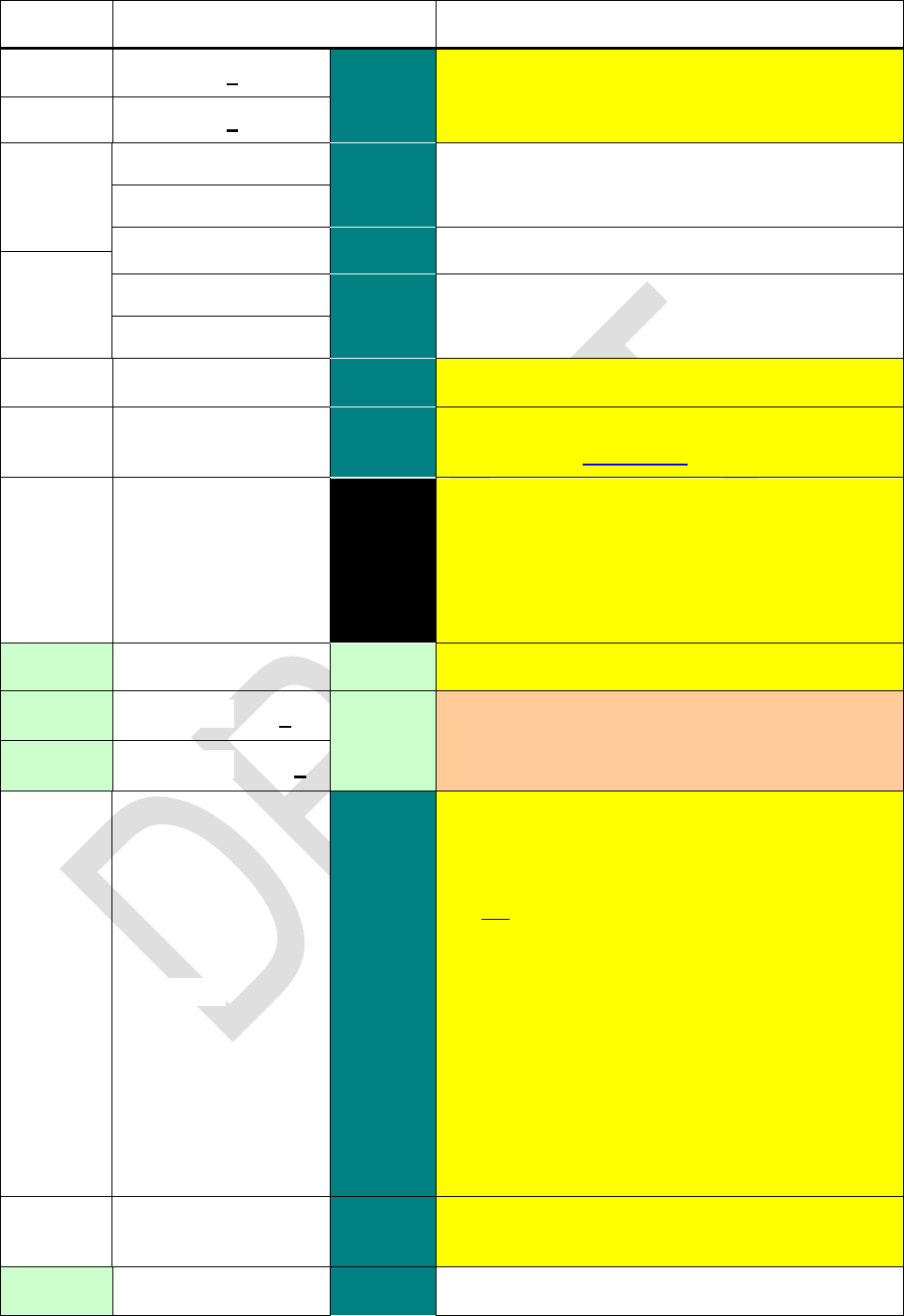
Edition 3.0
Page 52 of 103
Name
Keys to press
in modes
Remarks
RCL
s
\
RCL () recalls the maximum (minimum) of the
values in s and X.
RCL
s
RDX,
RDX,
\
Sets the decimal mark to a comma.
RDX,
Toggles the radix mark.
RDX.
RDX.
\
Sets the decimal mark to a point.
RDX.
REALM?
\
Tests if your WP 34S is in real mode.
RECV
\
Prepares your WP 34S for receiving data via
serial I/O. See Appendix A for more.
RESET
All
Executes CLALL and resets all modes to start-
up default, i.e. 24h, 2COMPL, ALL 00, DEG,
DENANY, DENMAX 9999, DECM, LinF,
PROFRC, RDX., SCIOVR, SSIZE4, WSIZE 64,
Y.MD. See these commands for more informa-
tion. RESET is not programmable.
RJ
Integer
Right adjusts, in analogy to LJ on HP-16C.
RL
RL n
Integer
Works like n consecutive RLs / RLCs on
HP-16C. n n
64. RL 0 and RLC 0 execute as NOP.
RLC
RLC n
RM
\
Sets the floating point rounding mode. This is for
numerical mathematics geeks only, since it is
only used when converting from the high preci-
sion internal format to packed real numbers. It
will not alter the display nor change the behavior
of ROUND. The following modes are supported:
0: round half even: ½ = 0.5 rounds to next even
number (default).
1: round half up: 0.5 rounds up.
2: round half down: 0.5 rounds down.
3: round up: away from 0.
4: round down: towards 0 (truncates).
5: ceiling: rounds towards .
6: floor: rounds towards .
RM?
\
Returns the floating point rounding mode set.
See RM for more.
RMDR
\
Equals RMD on HP-16C.
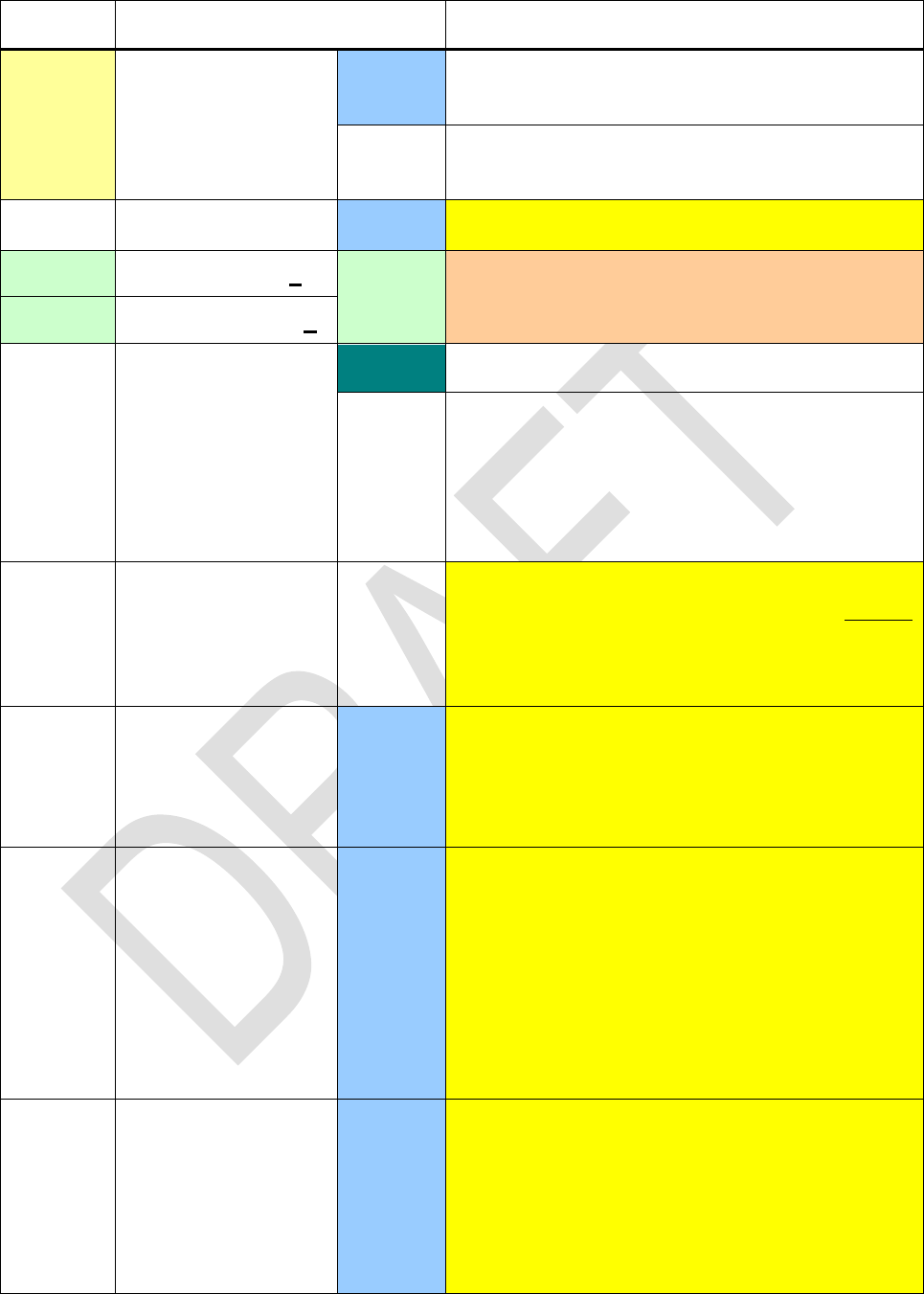
Edition 3.0
Page 53 of 103
Name
Keys to press
in modes
Remarks
ROUND
DECM
Rounds x using the current display format, like
RND in HP-42S.
FRC
Rounds x using the current denominator, like
RND in HP-35S fraction mode.
ROUNDI
DECM
Rounds x to next integer. ½ rounds to 1.
RR
RR n
Integer
Works like n consecutive RRs / RRCs on
HP-16C. See RL / RLC for more.
RRC
RRC n
RTN
\PRG
Moves the program pointer to step 000.
PRG
Last command in a routine. Returns control to
the calling routine in program execution, i.e.
moves the program pointer one step behind the
most recent XEQ instruction encountered. If
there is none, program execution halts and the
program pointer is set to step 000.
RTN+1
PRG
Returns control to the calling routine like RTN,
but moves the program pointer to the second
line following the most recent XEQ instruction
encountered. If there is none, program execution
halts.
R.CLR
DECM
Interprets x in the form ss.nn . Clears nn reg-
isters starting with number ss .
E.g. for x = 34.56, R-CLR will clear R34 through
R89.
R.COPY
DECM
Interprets x in the form ss.nndd . Takes nn
registers starting with number ss and copies
their contents to dd etc.
E.g. for x = 7.0345678, r07, r08, r09 will be co-
pied into R45, R46, R47, respectively.
For x < 0 , R-COPY will take nn registers from
flash memory instead, starting with register
number |ss| there.
R.SORT
DECM
Interprets x in the form ss.nn . Sorts the con-
tents of nn registers starting with number ss .
Assume x = 49.036 , r49 = 1.2 , r50 = 3.4 ,
and r51 = 0 ;
then R-SORT will return r49 = -3.4 , r50 = 0 ,
and r51 = 1.2.
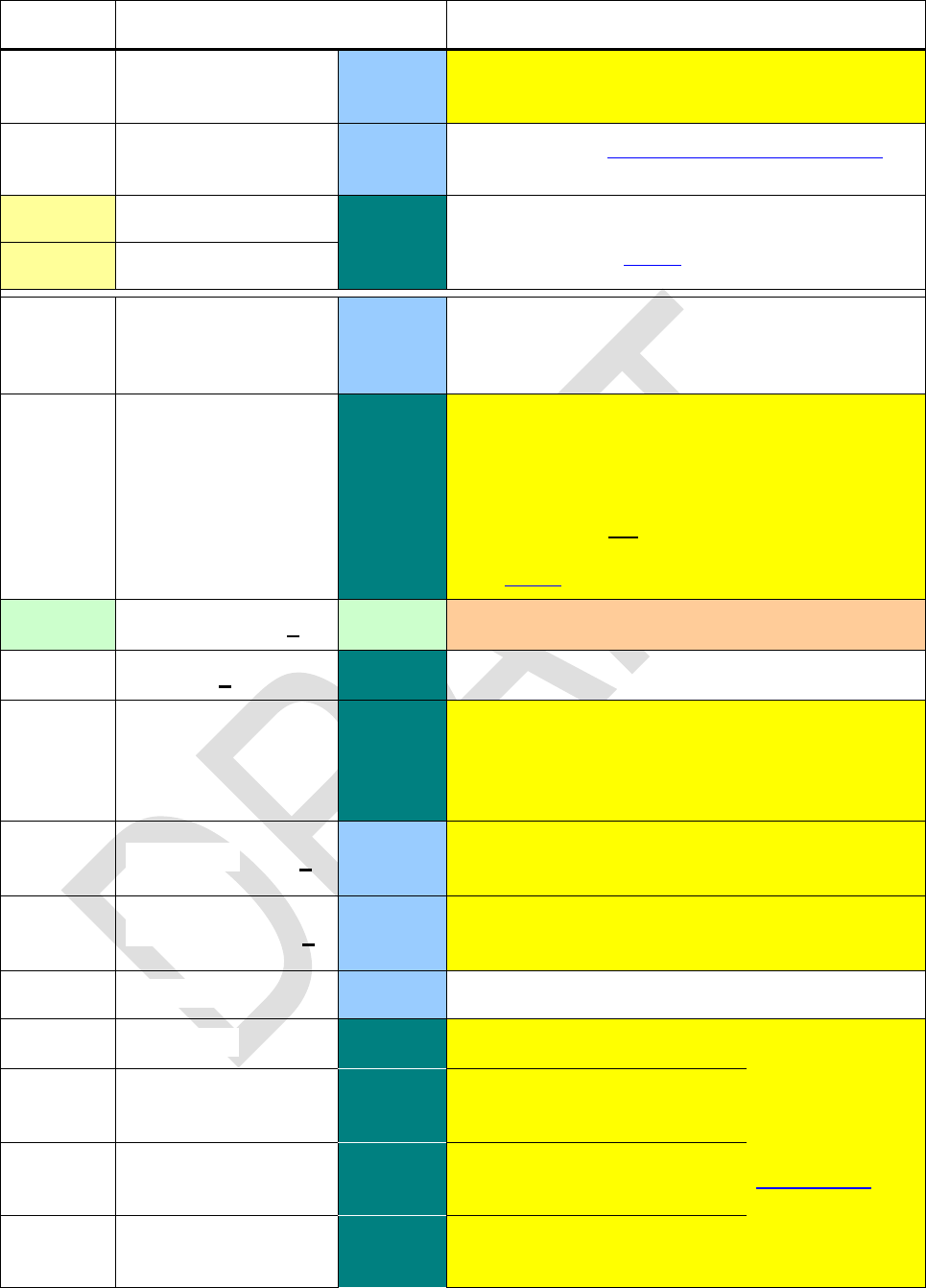
Edition 3.0
Page 54 of 103
Name
Keys to press
in modes
Remarks
R.SWAP
DECM
Works like R-COPY but swaps the contents of
source and destination registers.
RD
DECM
Please see the catalog of conversions below for
conversions of radians to degrees.
R
\
Rotates the stack contents one level up or down,
respectively. See above for details.
R
S - U
s
DECM
Takes the statistical sums accumulated, calcu-
lates the sample standard deviations sy and sx
and pushes them on the stack.
SAVE
\
Saves user program space, registers and sys-
tem state to flash memory. Program space is
stored in segment 0. Registers and system state
are in their own special region.
WARNING: Do not use SAVE in program loops!
Else you might kill your flash memory very fast
(see above).
SB
SB n
Integer
Sets the specified bit in x .
SCI
n
\
Sets scientific display format.
SCIOVR
\
Numbers exceeding the range displayable in
ALL or FIX will be shown in scientific format (de-
fault as in vintage HP calculators). Compare
ENGOVR.
SDL
SDL n
DECM
Shifts digits left by n decimals, equivalent to mul-
tiplying x by 10n .
SDR
SDR n
DECM
Shifts digits right by n decimals, equivalent to
dividing x through 10n .
SEED
DECM
Stores a seed for random number generation.
SENDA
\
to the device
connected. See
Appendix A be-
low for more.
SENDL
SENDL n
\
Sends the library file of re-
gion n
SENDP
\
Sends the user program
SENDR
\
Sends the general purpose
registers 00 to 99
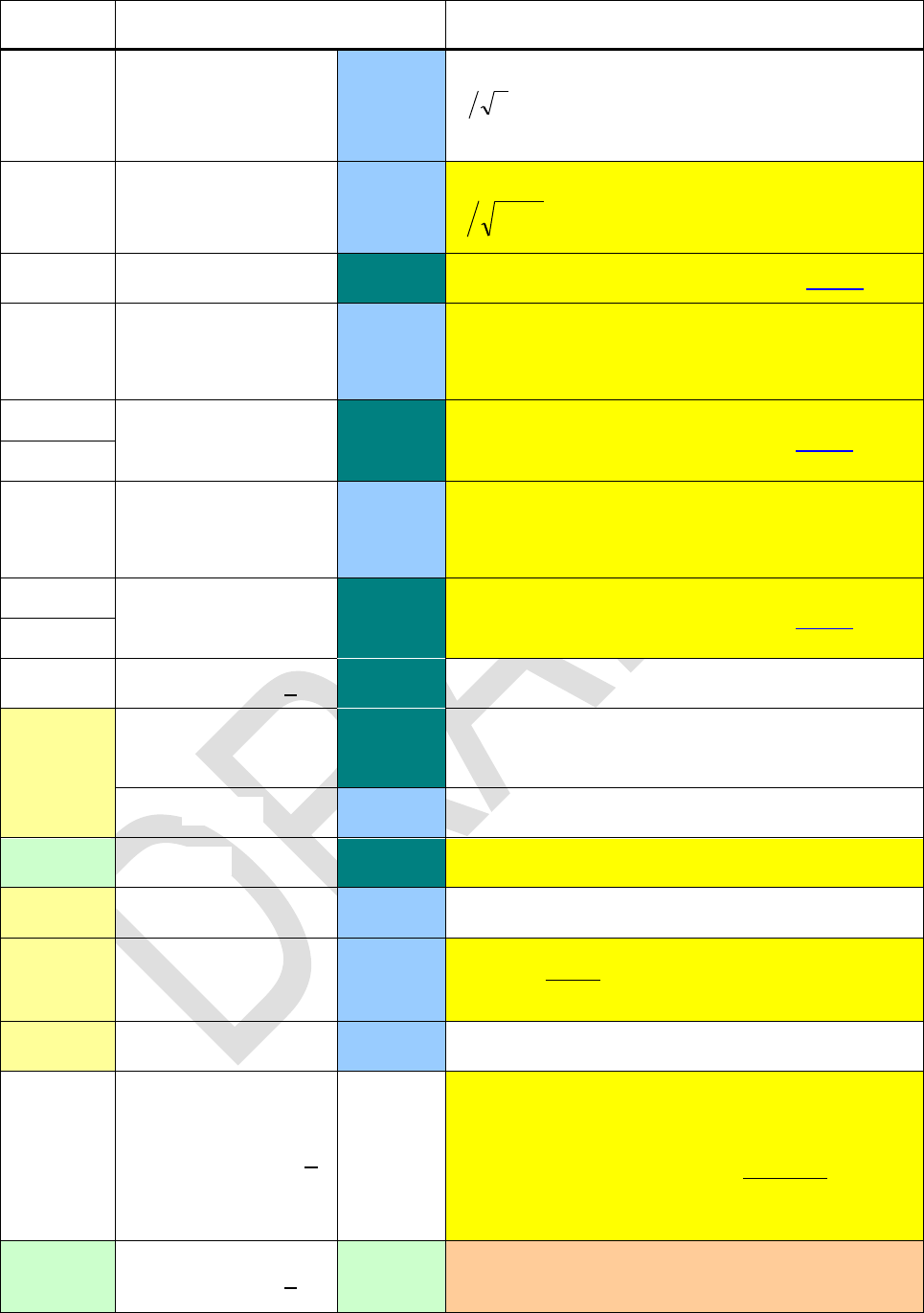
Edition 3.0
Page 55 of 103
Name
Keys to press
in modes
Remarks
SERR
DECM
Works like s but pushes the standard errors
ns
on the stack (i.e. the standard deviations
of and ).
SERRw
DECM
Works like sw but returns the standard error
i
ys
(i.e. the standard deviation of w).
SETCHN
\
Sets some regional preferences (see above).
SETDAT
DECM
Sets the date for the real time clock
work with the emulator, since the emulator takes
this information from the PC clock).
SETEUR
\
Set some regional preferences (see above).
SETIND
SETTIM
DECM
Sets the time for the real time clock
work with the emulator, since the emulator takes
this information from the PC clock).
SETUK
\
Set some regional preferences (see above).
SETUSA
SF
SF n
\
Sets the flag specified.
SIGN
\
Returns 1 for x > 0, 1 for x < 0, and 0 for
x = 0 or non-numbers.
DECM
Returns the unit vector of x + i y in X and Y.
SIGNMT
\
Sets sign-and-mantissa mode for integers.
SIN
DECM
Returns the sine of the angle in X.
SINC
DECM
Returns
x
xsin
.
SINH
DECM
Returns the hyperbolic sine of x.
SKIP
SKIP n
PRG
Skips n program steps forwards (1 n 99). So
e.g. SKIP 02 skips over the next two steps,
going e.g. from step 123 to step 126. If the skip
would land beyond the end of occupied program
memory, the same will happen as if a RTN had
been encountered.
SL
SL n
Integer
Works like n (up to 63) consecutive SLs on
HP-16C. SL 0 executes as NOP.
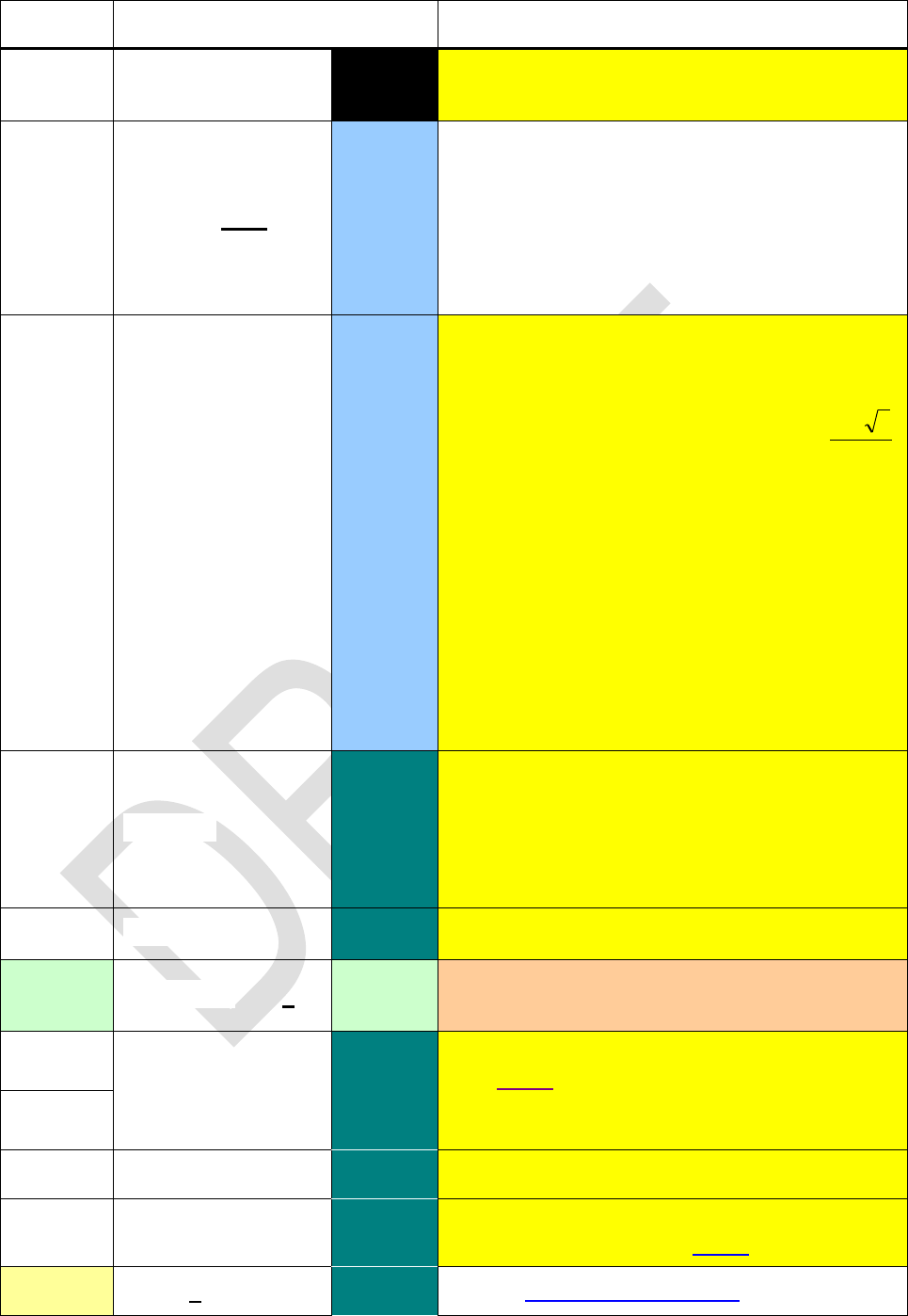
Edition 3.0
Page 56 of 103
Name
Keys to press
in modes
Remarks
SLOW
All
entered for low battery voltage.
SLV
label
DECM
Solves the equation f(x) = 0 , with f(x) calcu-
lated by the routine specified. Two initial esti-
mates of the root must be supplied in X and Y
when calling SLV. For the rest, the user interface
is as in HP-15C. This also means SLV acts as a
test, so the next program step will be skipped if
SLV failed to find a root.
SLVQ
DECM
Solves the quadratic equation
0
2 cbxax
,
with the real parameters put on the stack
[ c, b, a
If
04: 2 acbr
, SLVQ returns
a
rb
2
in Y and X. In a program, the step after
SLVQ will be executed.
Else, SLVQ returns the real part of the first
complex root in X and its imaginary part in Y
(the 2nd root is the conjugate of the first see
CONJ). If run directly from the keyboard, the
complex indicator is lit then in a program,
the step after SLVQ is skipped.
In either case, r is returned in Z. Higher stack
levels are kept unchanged. L contains c.
SMODE?
\
Returns the integer sign mode set, i.e.
-.
SPEC?
\
True if x is special, i.e. infinity or NaN.
SR
SR n
Integer
Works like n consecutive SRs on HP-16C. SR 0
executes as NOP.
SSIZE4
\
Sets the stack size to 4 or 8 levels, respectively.
See above. Please note register contents will
remain unchanged in this operation. The same
will happen if stack size is changed via RCLM.
SSIZE8
SSIZE?
\
Returns the number of stack levels accessible.
STATUS
\PRG
Shows the status of all user flags, similar to
STATUS on HP-16C. See above.
STO
d
\
See the addressing table above for CSTO.
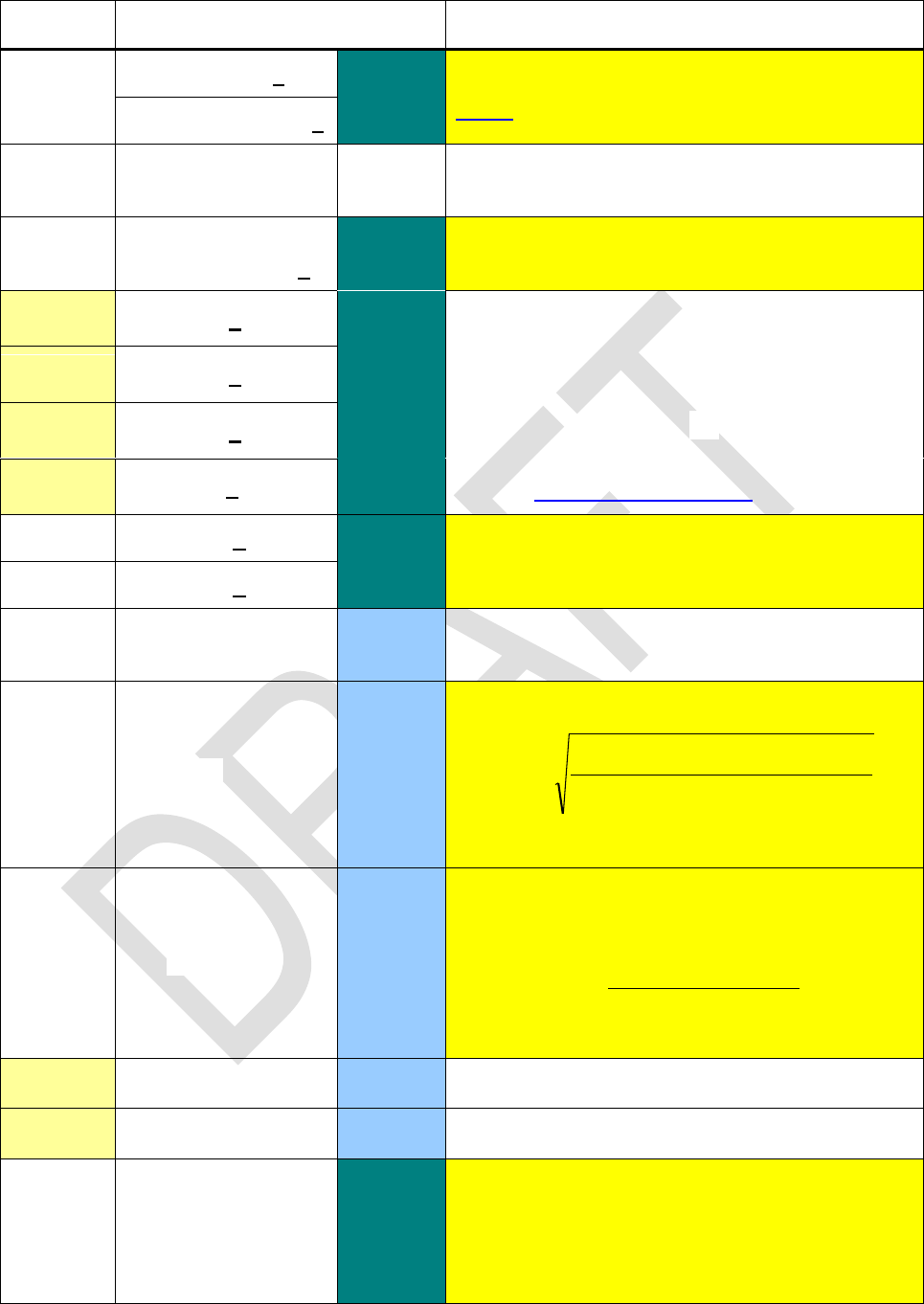
Edition 3.0
Page 57 of 103
Name
Keys to press
in modes
Remarks
STOM
s
\
Stores mode settings for later use as described
above. Take RCLM to recall them.
STOM s
STOP
PRG
Stops program execution. May be used to wait
for an input, for example.
STOS
STOS d
\
Stores all stack levels in a set of 4 or 8 registers,
starting at destination d.
STO+
d
\
Executes the specified operation on the content
of address d and stores the result into said ad-
dress.
E.g. STO12 subtracts x from r12 like the se-
quence 12 12 does, but
without touching the stack at all.
See the addressing table above for CSTO.
STO–
d
STO×
d
STO/
d
STO
d
\
STO () takes the maximum (minimum) of the
values in d and X and stores it.
STO
d
SUM
DECM
Recalls the linear sums Σy and Σx . Useful for
elementary vector algebra in 2D.
sw
DECM
Returns the standard deviation for weighted data
2
2
2
2
ii
iiiii
wyy
xyxyy
s
with the weights entered in y via .
sxy
DECM
Returns the sample covariance for two data sets.
It depends on the fit model selected. For LinF, it
returns
)1(
nn
yxyxn
siiii
xy
.
See COV for the population covariance.
TAN
DECM
Returns the tangent of the angle in X.
TANH
DECM
Returns the hyperbolic tangent of x.
TICKS
\
Returns the number of ticks from the real time
clock at execution time. With the quartz built in,
1 tick = 0.1 s. Without, it may be 10% more or
less. So the quartz is inevitable prerequisite for
the clock being useful in medium to long range.
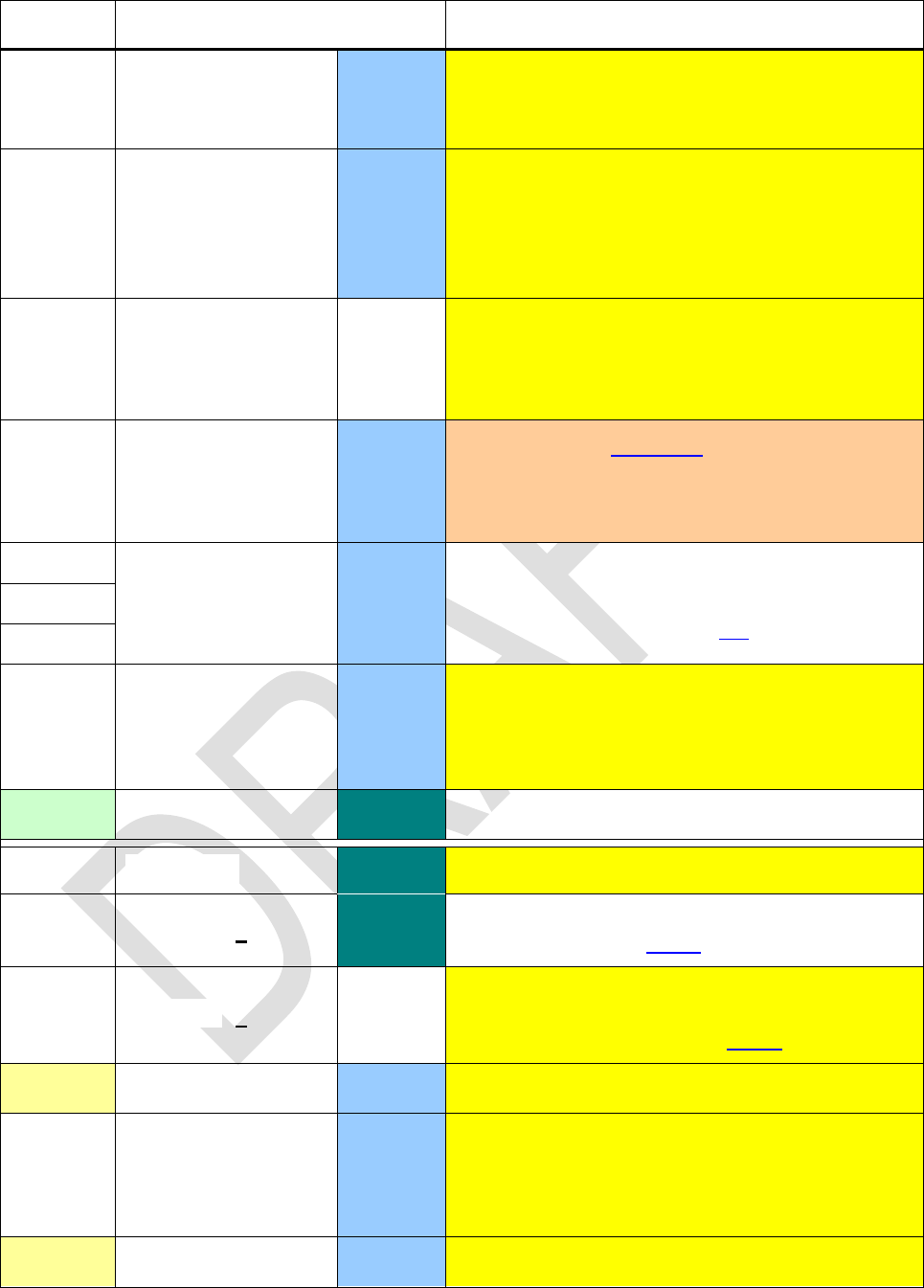
Edition 3.0
Page 58 of 103
Name
Keys to press
in modes
Remarks
TIME
DECM,
Recalls the time from the real time clock at ex-
ecution, displaying it in the format hh.mmssdd in
24h-mode. Chose FIX 6 for best results.
Tn
DECM
Chebychev's
Tschebyscheff) polynomials of first kind Tn(x)
with n in Y, solving the differential equation
0'"1 22 ynyxyx
.
TOP?
PRG
Executes the next step only if it is called from a
program that isn't a subroutine, i.e. if the pro-
gram running flag is set and the return stack
pointer points to an empty stack.
TRANSP
DECM
Takes a matrix descriptor in X and returns the
descriptor of its transpose. The transpose is
done in-situ and does not require any additional
registers or storage.
tP(x)
DECM
Q(t) in
HP-21S. The degrees of freedom are stored in J.
tP(x) denotes the respective pdf.
t(x)
t 1(p)
Un
DECM
Chebychev's polynomials of second kind Un(x)
with n in Y, solving the differential equation
02'3"1 2 ynnyxyx
.
UNSIGN
\
Sets unsigned mode for integers.
V - Z
VERS
\PRG
Shows your firmware version and build number.
VIEW
s
\
Displays the content of address s until the next
key is pressed. See below for more.
VW+
s
Displays the alpha register in the top line plus
the contents of address s in the bottom line until
the next key is pressed. See below for more.
W
DECM
Rx 1/e .
WDAY
DECM
Takes x as a date in the format selected and re-
turns the name of the day in the dot matrix and a
corresponding integer in the numeric display
(Monday = 1, Sunday = 7).
W 1
DECM
Returns x for given W ( -1). See W above.
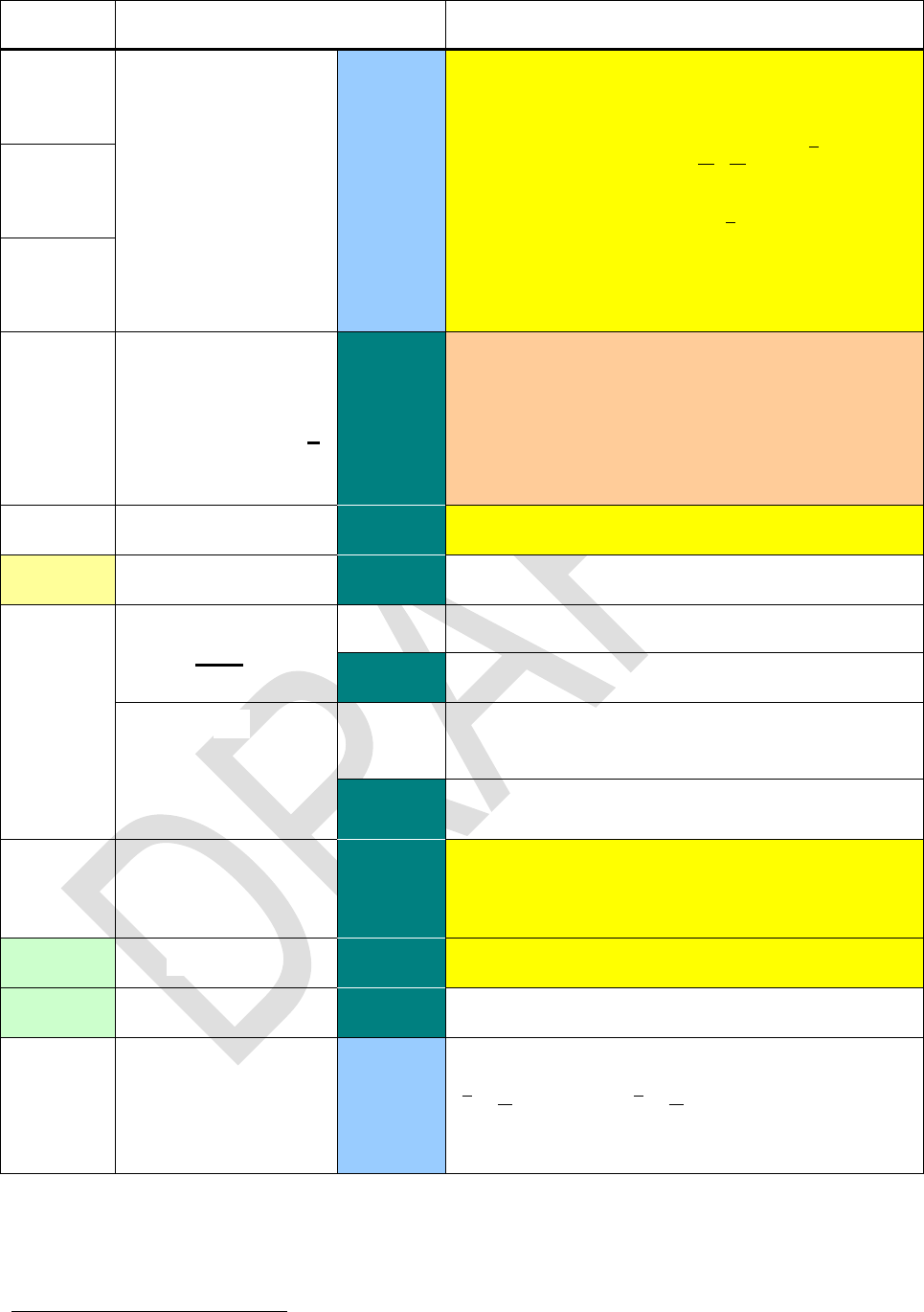
Edition 3.0
Page 59 of 103
Name
Keys to press
in modes
Remarks
Weibl
DECM
Weibull distribution with the shape parameter b
in J and the characteristic lifetime T in K:
WeiblP 23 returns
b
T
t
b
We
T
t
T
b
tf
1
)(
,
Weibl returns
b
T
t
WetF
1)(
.
Weibl 1 returns the survival time ts for given
probability FW , b in J and T in K.
WeiblP
Weibl 1
WSIZE
WSIZE n
\
Works like on HP-16C, but with the parameter
following the command instead of taken from X.
Reducing the word size truncates the values in
the stack registers employed, including L.
WSIZE 0 sets the word size to maximum, i.e. 64
bits.
WSIZE?
\
Recalls the word size set.
x 2
\
XEQ
label
PRG
Calls the respective subroutine.
\PRG, \
Executes the respective program.
,,, or
(you may need for
reaching these hotkeys
in integer bases >10.)
PRG
Calls the respective subroutine, so e.g. XEQ C
will be inserted when is pressed.
\PRG, \
Executes the respective program if defined.
XEQ
\
Takes the first three characters of alpha (or less
if there are less) as a label and calls or executes
the respective routine.
XNOR
\
Works in analogy to AND.
XOR
\
Works in analogy to AND.
DECM
Returns the arithmetic means, pushing
y
n
y1
and
x
n
x1
on the stack. See
also s, SERR, and .
23 The pdf equals WEIBULL(x; b; T; 0) and the cdf WEIBULL(x; b; T; 1) in MS Excel.
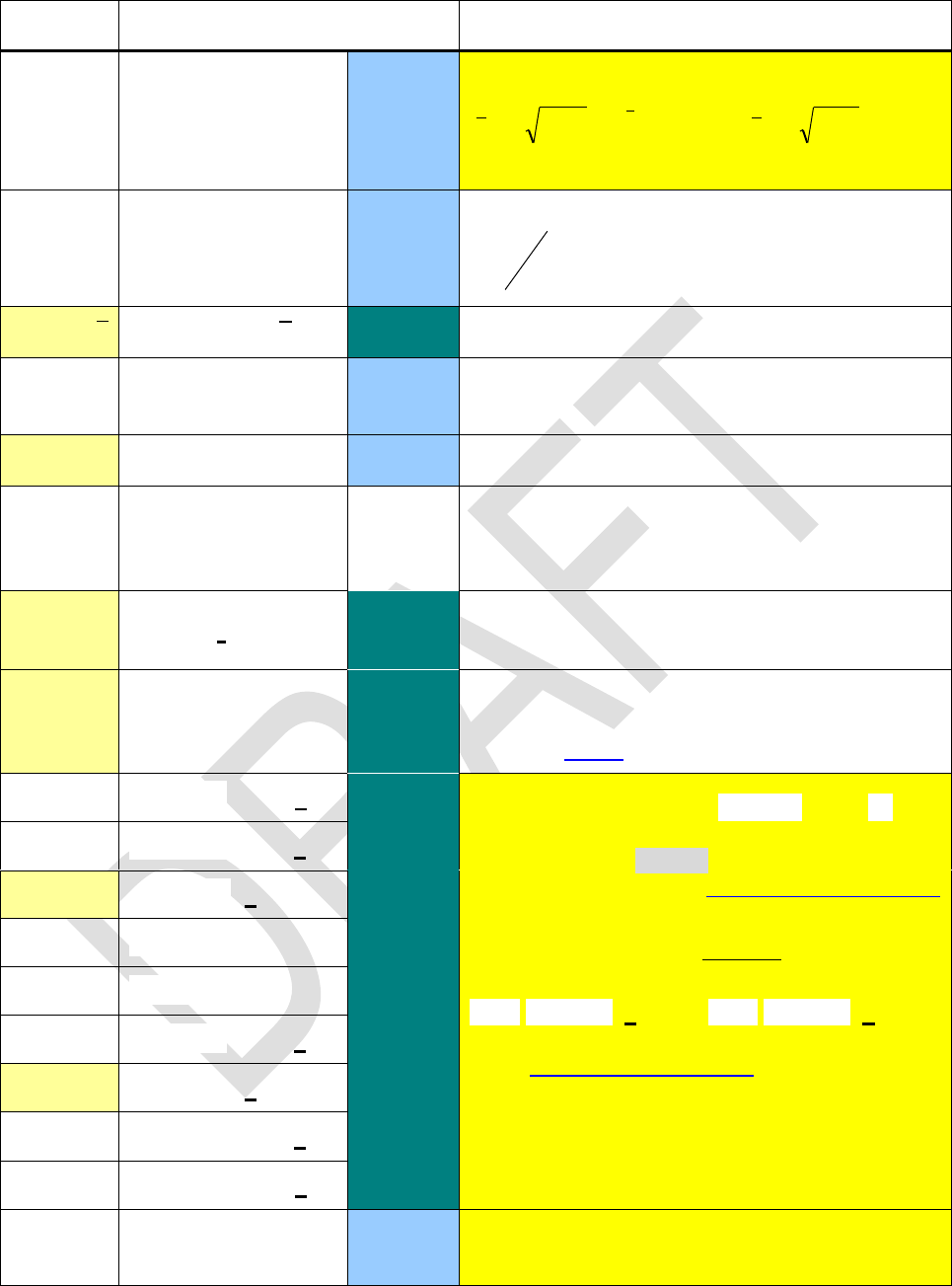
Edition 3.0
Page 60 of 103
Name
Keys to press
in modes
Remarks
g
DECM
Returns the geometric means, pushing
y
n
n
geyy ln
1
and
n
gxx
on the
stack. See also , m , and P .
w
DECM
Returns the weighted arithmetic mean
y
xy
. See also sw and SERRw.
\
DECM
Returns a forecast x for a given y (in X) follow-
ing the fit model chosen. See L.R. for more.
x !
DECM
Return the factorial, equaling Γ(x + 1) .
x
Interprets x as character code. Appends the re-
spective character to alpha, similar to XTOA in
HP-42S.
x
r
\
Swaps the contents of X and r , in analogy to
xy.
x
y
\
Swaps x and y , performing ReIm if a com-
plex operation was executed immediately be-
fore. See above for details.
x < ?a
\
Compare x with a. E.g. x < ? will
compare x with the contents of register K , and
will be listed as in a program. See the
examples given in the addressing table above
for more.
x ? will be true if the rounded values of x and
a are equal (see ROUND).
a and a com-
pare the complex number x + i y as explained
in the addressing table above.
The signed tests x = +0 ? and x = 0 ? are
meant for integer modes 1COMPL and SIGNMT,
and for DECM if flag D is set. Then, e.g. 0 di-
vided by -7 will display -0.
a
x = … ?
a
x = +0 ?
x=+0?
x = 0 ?
x=0?
a
x ≠ … ?
a
a
x > ?a
YEAR
DECM
Assumes x containing a date in the format se-
lected and extracts the year.
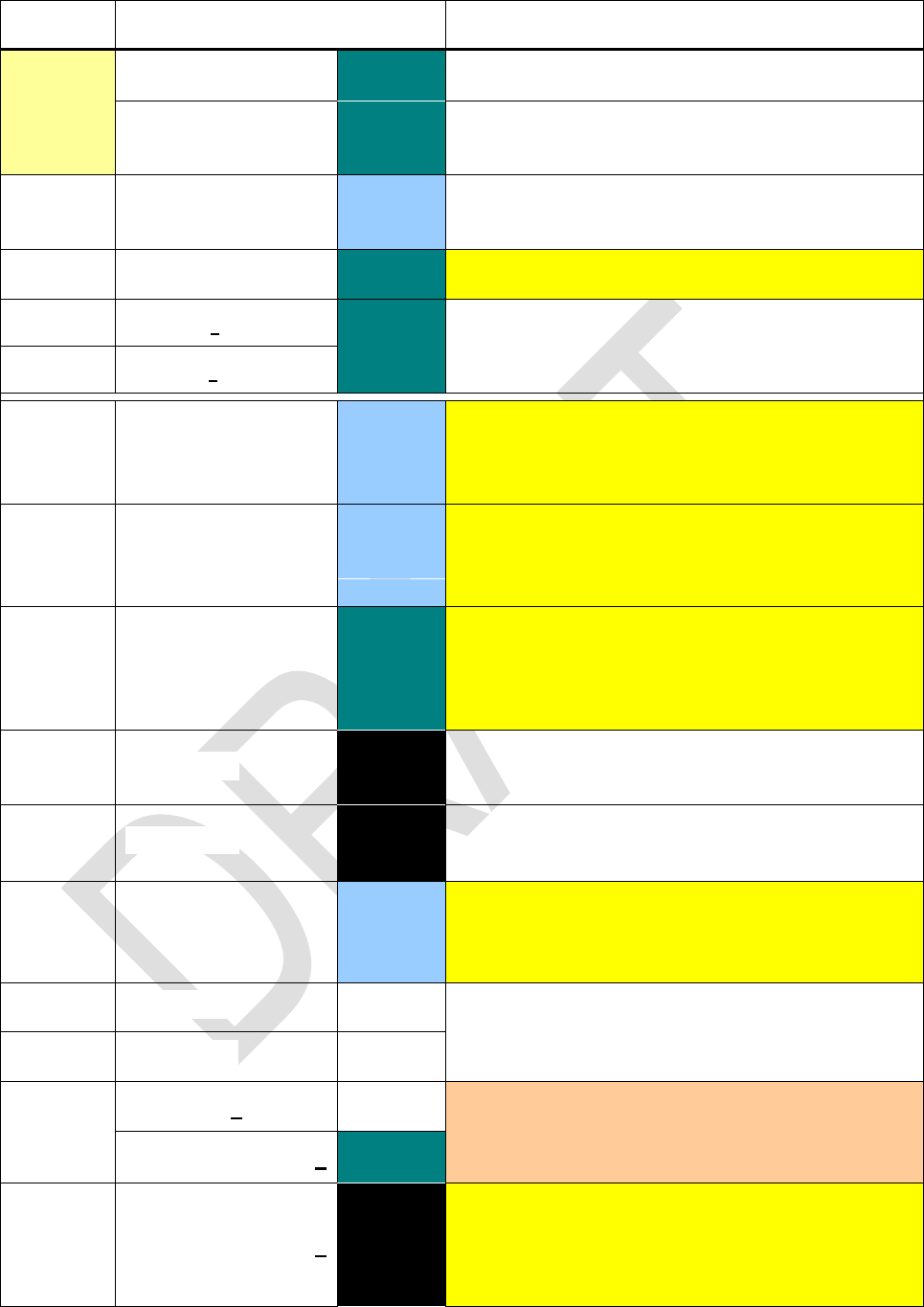
Edition 3.0
Page 61 of 103
Name
Keys to press
in modes
Remarks
y x
\
In integer modes x
\ & \(13,
14, 15, h)
Shortcut working as long as label C is not de-
fined yet.
DECM
Returns a forecast y (in X) for a given x follow-
ing the fit model chosen. See L.R. for more.
Y.MD
\
Sets the format for date display.
y
r
\
Swaps the contents of Y or Z and r , in analogy
to x.
z
r
-
DATE
\integer
Takes x as a date and appends it to alpha in the
format set. See DATE. To append a date
stamp to alpha, call DATE DATE.
DAY
\integer
Takes x as a date, recalls the name of the re-
spective day and appends its first 3 letters to al-
pha.
GTO
GTO nn
\
Takes the contents of Rnn as character code.
Takes the first three characters of the converted
code (or less if there is only less) as an alpha
label and positions the program pointer to it.
IP
All
Appends the integer part of x to alpha, similar to
AIP in HP-42S.
LENG
All
Returns the number of characters found in al-
pha, like ALENG in HP-42S.
MONTH
\integer
Takes x as a date, recalls the name of the re-
spective month and appends its first 3 letters to
alpha.
OFF
PRG &
Work like AOFF and AON in HP-42S, turning
alpha mode off and on.
ON
PRG & \
RCL
s
Interprets the content of the source s as charac-
ters and appends them to alpha.
RCL s
\
RC#
RC# s
All
Takes the content of s as a number, converts it
to a string in the format set, and appends this to
alpha. If e.g. s = 1234 and ENG 2 and RDX. are
set, then 1.23E3 will be appended.
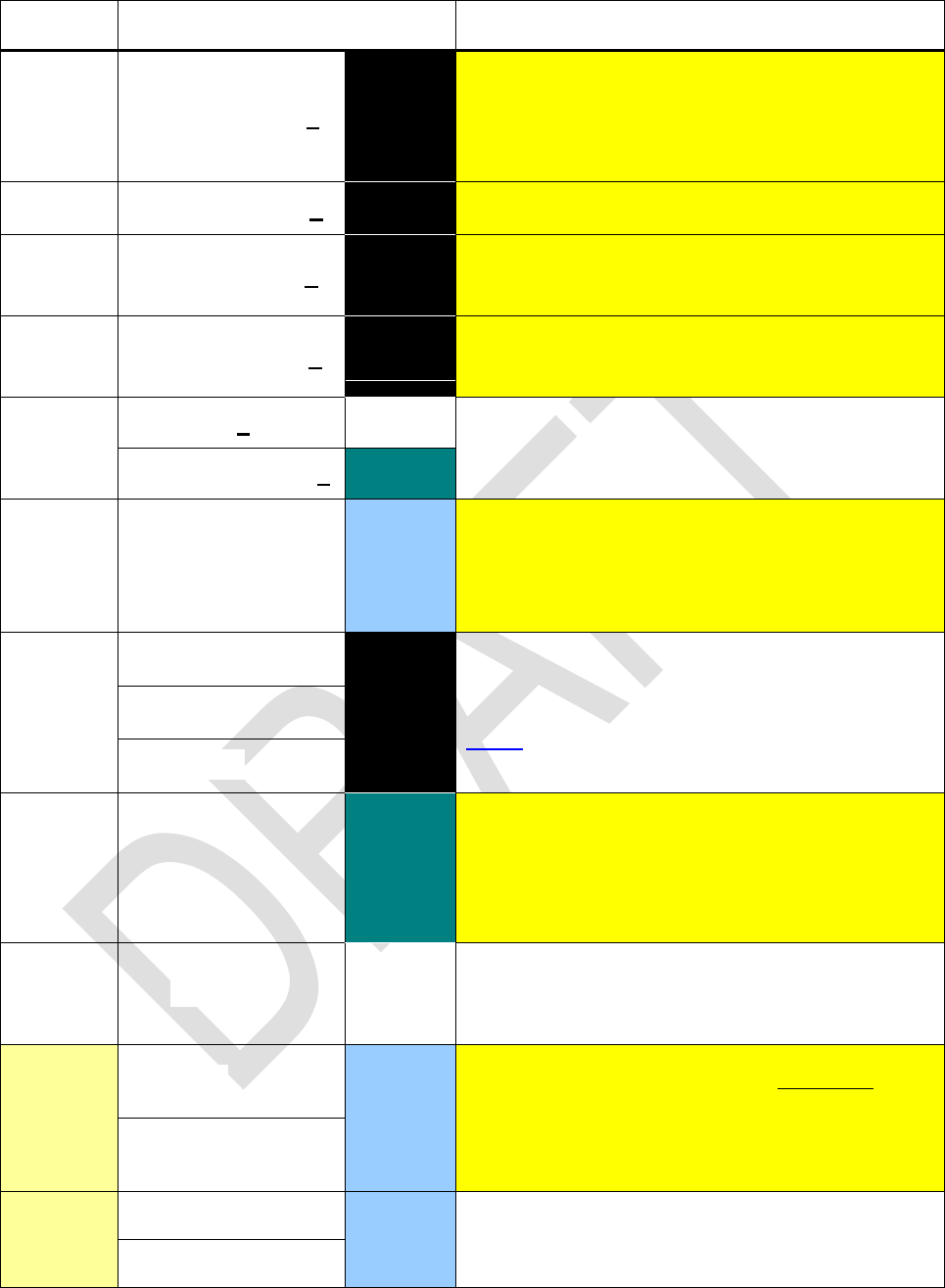
Edition 3.0
Page 62 of 103
Name
Keys to press
in modes
Remarks
RL
RL n
All
Rotates alpha by n characters like AROT in HP-
42S, but with n ≥ 0 and the parameter trailing
the command instead of taken from X. RL 0
executes as NOP.
RR
RR n
All
Works like RL but rotates to the right.
SL
SL n
All
Shifts the n leftmost characters out of alpha, like
ASHF in HP-42S. SL 0 equals NOP.
SR
SR n
All
Works like SL but takes the n rightmost cha-
racters instead.
STO
d
Stores the first (i.e. leftmost) 6 characters in the
alpha register into destination d .
STO d
\
TIME
\integer
Takes x as a decimal time and appends it to al-
pha in the format hh:mm:ss according to the
time mode selected. See TIME. To append a
time stamp to alpha, call TIME TIME.
VIEW
All
Displays alpha in the top line and - - - in the
bottom line until the next key is pressed. See
below for more.
XEQ
XEQ nn
\
Takes the contents of Rnn as character code.
Interprets the first three characters (or less if
there are only less) of the converted code as an
alpha label and calls or executes the respective
routine.
x
Returns the character code of the leftmost cha-
racter in alpha and deletes this character, like
ATOX in HP-42S.
DECM
yx
yx
yxB
,
with
0Re x
,
0Re y
. Called
here for avoid-
ing ambiguities.
Γ
DECM
Returns Γ(x) . Additionally, calls
1 x
.
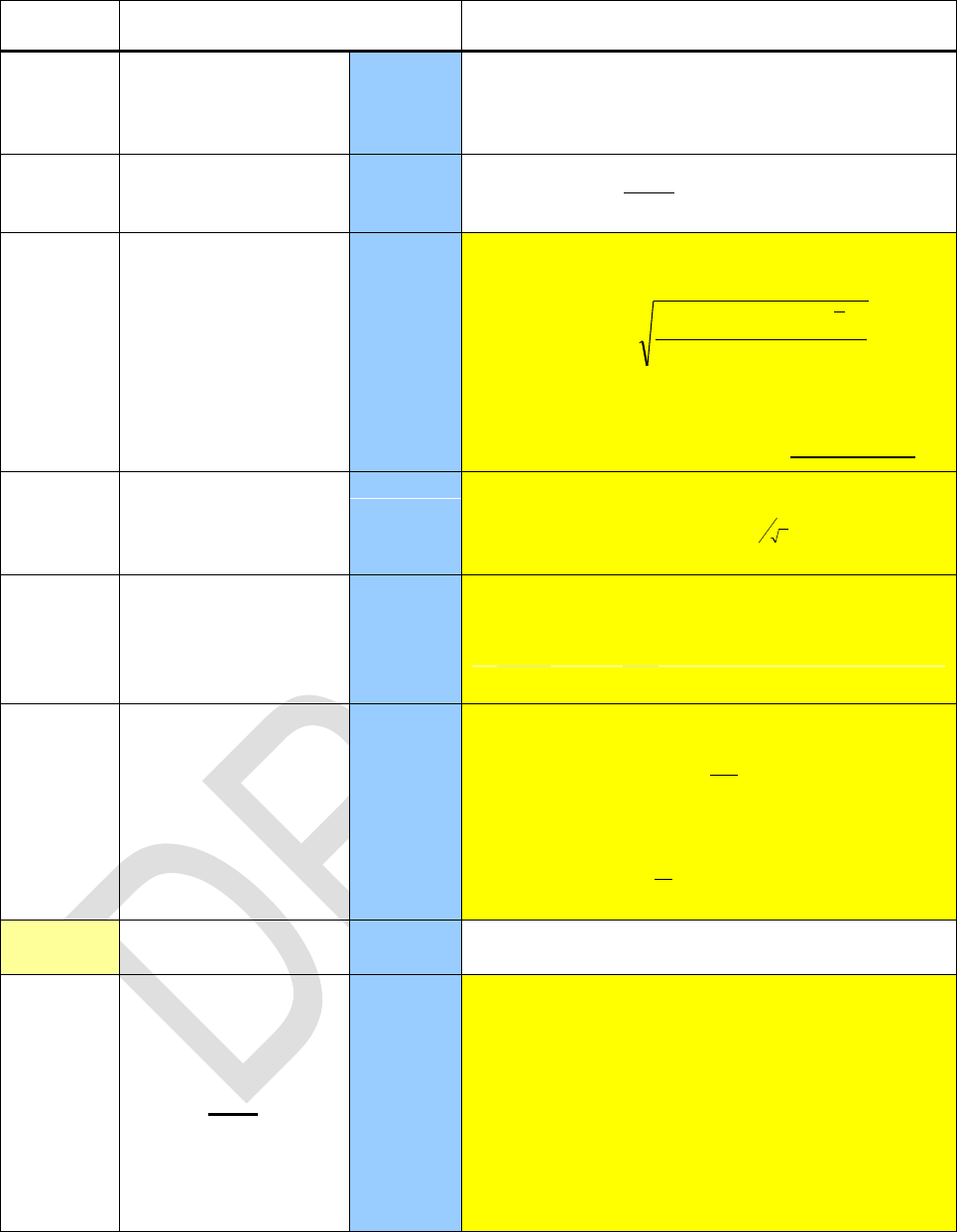
Edition 3.0
Page 63 of 103
Name
Keys to press
in modes
Remarks
DAYS
DECM
Assumes X and Y containing dates in the format
chosen and calculates the number of days be-
tween them. Works like in HP-12C.
DECM
Returns
y
yx
100
like %CH in HP-42S.
DECM
Calculates the scattering factors (or geometric
standard deviations) for lognormally distributed
data
1
ln2ln
)ln(
2
n
yny G
y
and
)ln( x
and pushes them on the stack. This
works for the geometric mean g in analogy to
s for the arithmetic mean but multiplicative.
m
m
DECM
Works like but pushes the scattering factors of
the geometric means
n
m
1
on the stack.
p
p
DECM
Works like but with a denominator n instead of
n – 1 , returning the scattering factors of the
populations. Streichkandidaten. Zusatzab-
schnitt über lognv Daten vorne einfügen.
DECM
Returns for real argu-
ments, with
1
1
nx
n
x
for x > 1 and its
analytical continuation for x < 1 :
xxxx xx
11
2
sin2 1
.
π
DECM
Complex version copies in X and clears Y.
label
DECM
Computes a product with the routine specified by
label. Initially, X contains the loop control num-
ber in the format cccccc.fffii and the
product is set to 1. Each run through the routine
specified computes a factor. At its end, this fac-
tor is multiplied with said product; the operation
then decrements ccccccc by ii and runs
said routine again if then ccccccc fff ,
else returns the resulting product in X.
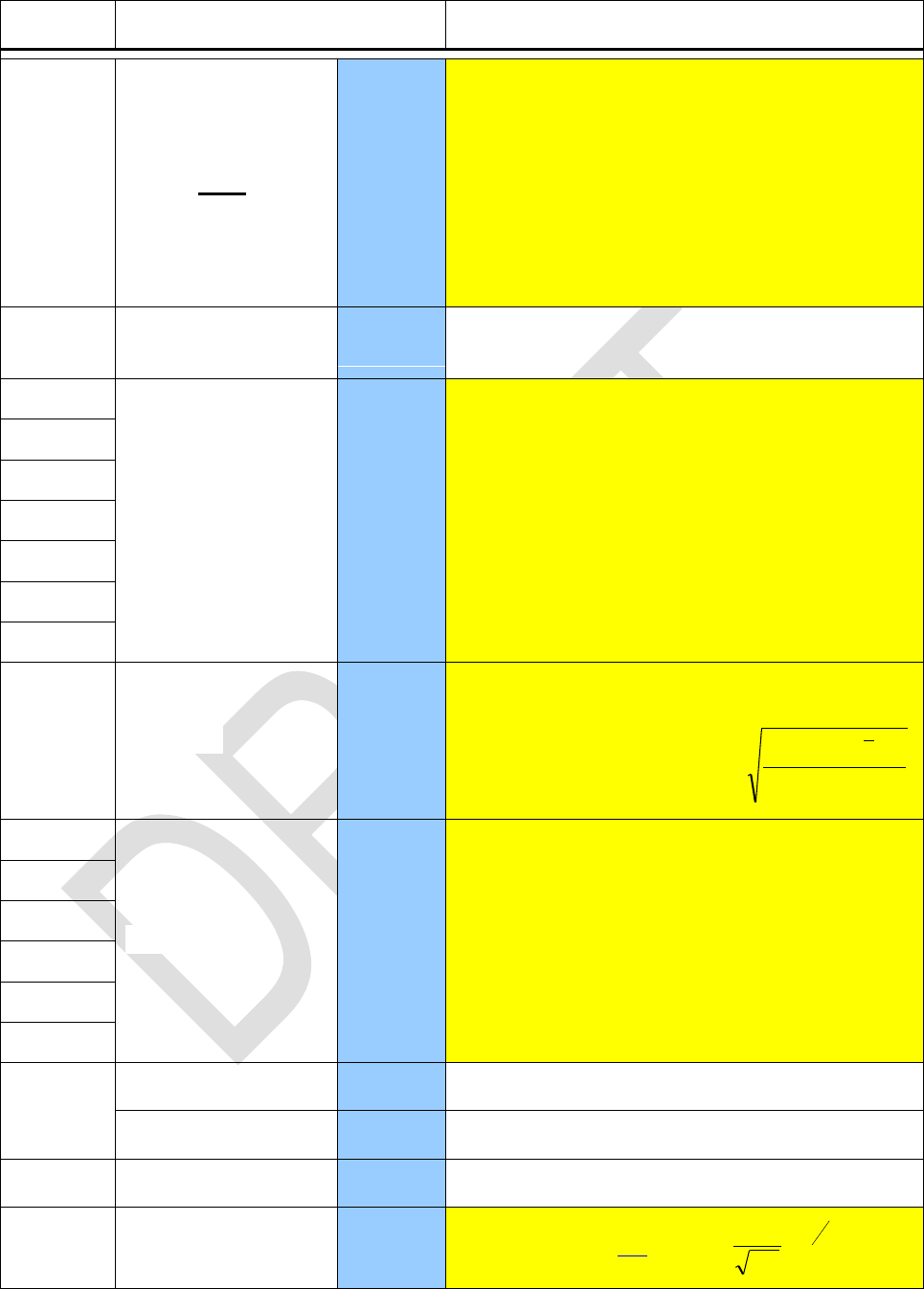
Edition 3.0
Page 64 of 103
Name
Keys to press
in modes
Remarks
- the End
label
DECM
Computes a sum with the routine specified by
label. Initially, X contains the loop control num-
ber in the format cccccc.fffii and the
sum is set to 0. Each run through the routine
specified computes a summand. At its end, this
summand is added to said sum; the operation
then decrements ccccccc by ii and runs
said routine again if then ccccccc fff ,
else returns the resulting sum in X.
DECM
Works like s but returns the standard deviations
of the populations instead.
2x
DECM
Recall the respective statistical sums. These
sums are necessary for curve fitting models
beyond pure linear. Calling them by name en-
hances readability of programs significantly.
2y
w
DECM
Works like sw but returns the standard devia-
tion of the population instead.
i
wii
wy
xxy 2
DECM
Recall the respective statistical sums. These
sums are necessary for basic statistics and li-
near curve fitting. Calling them by name en-
hances readability of programs significantly.
2
2y
2
+
DECM
Adds a data point to the statistical sums.
DECM
Shortcut as long as label A is not defined yet.
DECM
Subtracts a data point from the statistical sums.
(x)
DECM
Standard normal pdf:
2
2
2
1x
ex
.

Edition 3.0
Page 65 of 103
Name
Keys to press
in modes
Remarks
Φ(x)
DECM
Standard normal cdf
z
dxxz
, equals
1 Q in HP-32E and 1 Q(z) in HP-21S with
z = x .
Φ 1(p)
2
2
etc.
DECM
Chisquare distribution. The cdf 2 (with the de-
grees of freedom given in J) equals 1 Q(2) in
HP-21S.
2INV
2P
(-1) X
(-1) X
\
For x not being a natural number, this function
will return
x
cos
.
+
\
Returns y + x .
–
\
Returns y x .
×
\
Returns y · x .
/
\
Returns y / x .
+/–
\
Unary minus like CHS in HP-35.
DEG
DECM
Takes x as an angle in the angular mode cur-
rently set and converts it to degrees. Prefix
may be omitted.
GRAD
DECM
Like DEG, but converts to gon or grads.
H
DECM
Takes x as hours or degrees in the format
hhhh.mmssdd and converts them into a de-
cimal time or angle.
H.MS
DECM
Takes x as decimal hours or degrees and con-
verts them into hhhh.mmssdd as in vintage
HPs. For calculations, use H.MS+ or H.MS
then or reconvert to decimal values before.
POL
DECM
Assumes X and Y containing 2D Cartesian
coordinates (x , y) of a point and converts them
to the respective polar coordinates (r ,
) with
the radius
22 yxr
RAD
DECM
Works like DEG, but converts to radians.
REC
DECM
Assumes X and Y containing 2D polar coordi-
nates (r ,
) of a point and converts them to the
respective Cartesian coordinates (x , y) .
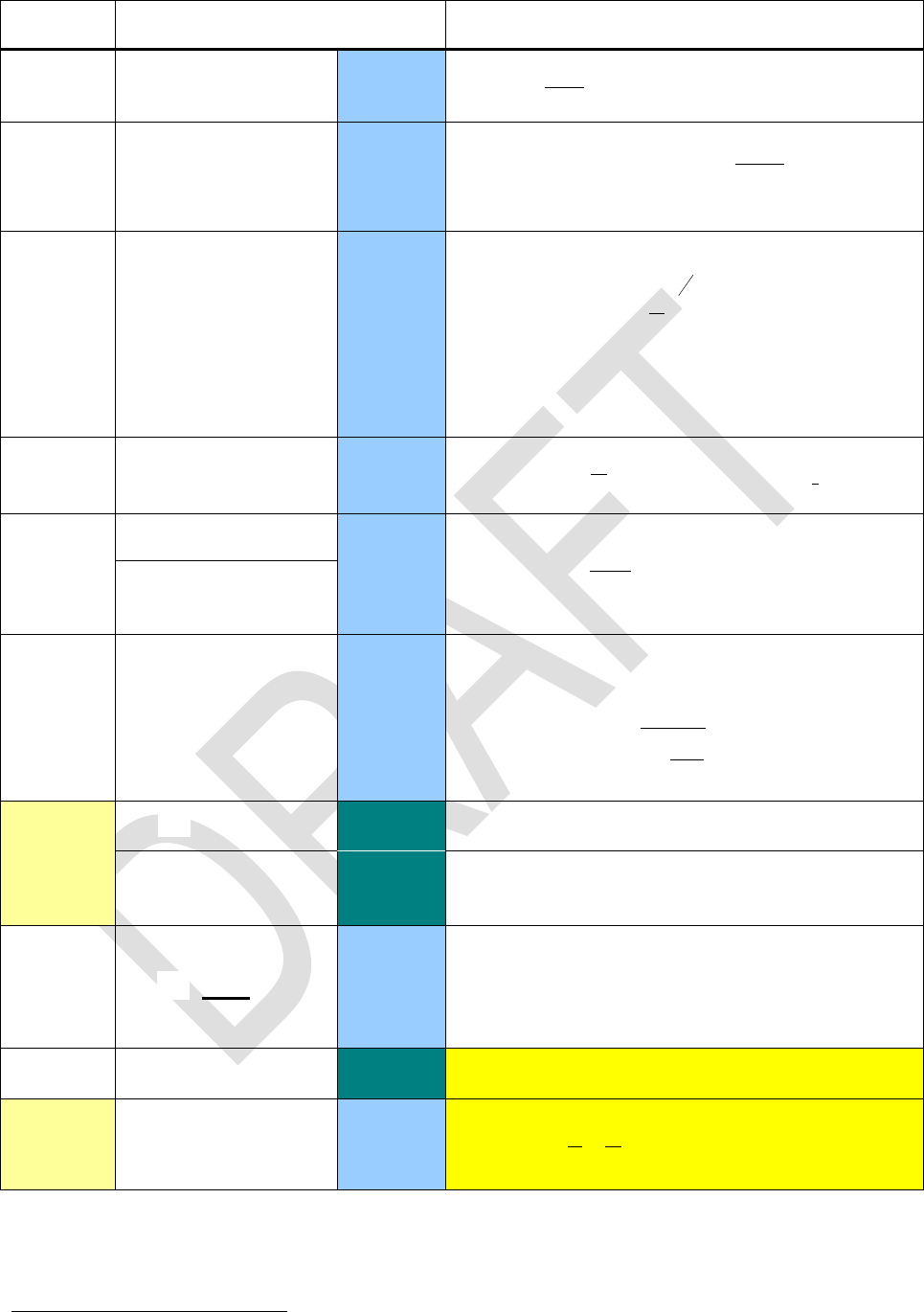
Edition 3.0
Page 66 of 103
Name
Keys to press
in modes
Remarks
%
DECM
Returns
100
yx
, leaving Y unchanged.
%MG
MG
DECM
Returns the margin 24
x
yx
100
in % for a
price x and cost y , like %MU-Price in HP-17B.
%MRR
MRR
DECM
Returns the mean rate of return in percent per
period, i.e.
1100
1z
y
x
with x = future
value after z periods, y = present value.
For z = 1
%T
T
DECM
Returns
y
x
100
, interpreted as % of total.
%
DECM
Returns
x
x
100
.
%+MG
+MG
DECM
Calculates a sales price by adding a margin of
x % to the cost y , as %MU-Price does in
HP-17B. Formula:
100
1x
y
√‾
\
\, \14,
\15, \h
Shortcut working as long as label D is not de-
fined yet.
∫
label
DECM
Integrates the function given in the routine speci-
fied. Lower and upper integration limits must be
supplied in Y and X, respectively. Otherwise,
the user interface is as in HP-15C.
∞?
…
\
Tests x for infinity.
| |
DECM
Returns
1
11
yx
.
24
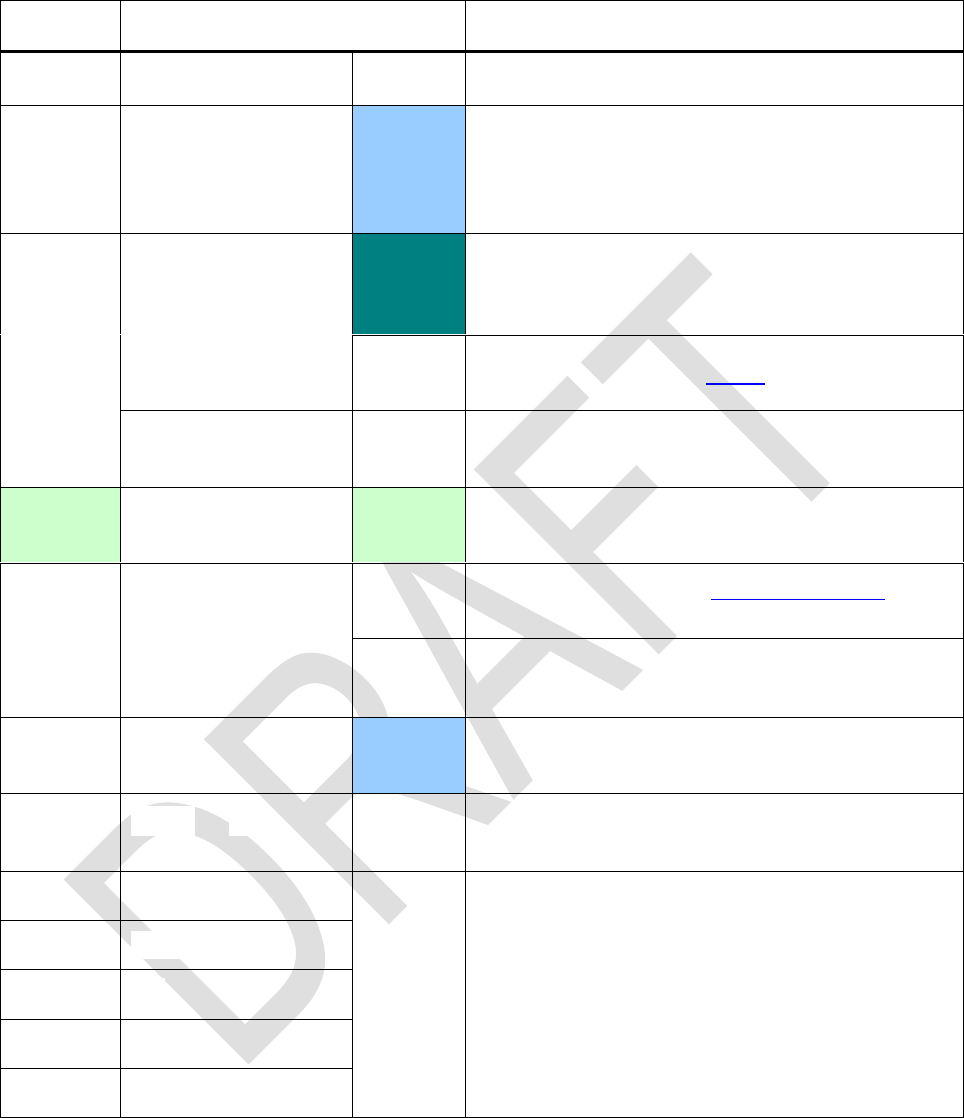
Edition 3.0
Page 67 of 103
Alphanumeric input:
Character
Keys to press
in modes
Remarks
Appends a blank space to alpha.
°
DECM
Separates degrees or hours from minutes and
seconds, so input format is hhhh.mmssdd.
The user has to take care where an arbitrary real
number represents such an angle or time.
\
Standard numeric input. For integer bases <10,
input of illegal digits is blocked. Please note you
cannot enter more than 12 digits in the mantissa.
in ad-
dressing
Register input. See the tables above for more.
, , ,
Appends the respective digit to alpha.
(grey print)
11, 12, 13,
14, 15, h
Numeric input for digits >10. See page 6 for
more information.
(grey print)
in ad-
dressing
Register input. See the addressing tables above
for the letters applicable.
Appends the respective Latin letter to alpha.
Use to toggle cases.
EEX
DECM &
\FRACT
Works like in the Pioneers.
(grey print)
Appends the respective Greek letter to alpha.
will toggle cases. See page 7 for more.
(
(
Appends the respective symbol to alpha.
)
)
+
x
Edition 3.0
Page 68 of 103
Character
Keys to press
in modes
Remarks
/
Second
DECM
A persistent 2nd in input switches to fraction
mode. It will be interpreted as explained below.
Please note you cannot enter after you
entered twice but you may delete the 2nd dot
while editing the input line.
FRC
First is interpreted as a space, 2nd as a frac-
tion mark. E.g. input of results in
2 ¾ in the display. Improper fractions may be
entered starting with a , e.g. .
Appends a slash to alpha.
±
Appends the respective symbol to alpha.
,
.
. or ,
DECM
Inserts a radix mark as selected.
!
Appends the respective symbol to alpha.
?
(grey print)
%
$
(grey print)
(grey print)
£
(grey print)
¥
(grey print)
√
&
\
|
Edition 3.0
Page 69 of 103
Non-programmable Control, Clearing and Information Commands
Keys to press
in modes
Remarks
25
Input pending
Deletes the last digit or character put in.
Deletes the rightmost character in alpha.
PRG
Deletes current step.
Else
Acts like CLx.
/ 26
Status open
Goes to previous / next set of flags.
Catalog open
Goes to previous / next item in this catalog.
Scrolls the display window six characters to the left /
right in alpha if possible. If less than six characters are
beyond the limits of the display window on the left / right
side, the window will be positioned to the beginning /
end of string. Useful for longer strings.
Else
Acts like BST / SST in HP-42S.
/
Integer
Shifts the display window to the left / right like in
HP-16C. Helpful while working with small bases.
Toggles upper and lower case (indicated by ).
\
Enters a memory browser.
DELP label
PRG
Deletes program steps from the current position down-
stream until, but excluding, the label specified.
If the program pointer is on the step containing said la-
bel, nothing will be deleted.
Catalog open
Selects the current item like below.
Turns alpha mode off.
Else
Acts like the command ENTER described above.
25 The mode conditions specified will be checked top down for this command:
If there is a pending input, the last digit / character entered will be deleted;
else if alpha mode is set, the last character of alpha will be deleted;
else if the WP 34S is in programming mode, the current step will be deleted;
else CLx will be called. Period.
This method holds for all commands listed here using this symbolic.
26 These two navigation keys will repeat with 5Hz when held down for longer than 0.5s.
Edition 3.0
Page 70 of 103
Keys to press
in modes
Remarks
Catalog open
Leaves the catalog without executing anything.
Input pending
Cancels the execution of pending operations, returning
to the calculator status as it was before.
Program run-
ning
Stops the running program like . See below.
PRG
Leaves programming mode like . See below.
Turns alpha mode off like . See above.
Else
Does nothing.
\PRG
Turns calculator off.
Calculator off
Turns calculator on.
Else
There are several -key combinations available. See
below for more.
\
Toggles programming mode for keyboard entry.
Program run-
ning
Stops the program execution immediately.
will be shown in the upper row until the next keystroke.
\PRG & \
Runs the current program or resumes its execution
starting with the current step.
alpha.
PRG
Acts like the command STOP described above.
DECM & \PRG
Shows the full mantissa until the next key is pressed.
See above.
PRG
Displays a CRC checksum of program memory con-
tents, allowing validation of program integrity.
Catalog open
Selects the item currently displayed and exits, executing
the respective command. See below.
Else
Acts like the command XEQ described above.
\
Shows x as integer to base 10 or 16, respectively. Re-
turns to the base set with the next keystroke. Prefix
may be omitted here.
\
Shows x as integer to base 2 or 8, respectively. Returns
to the base set with the next keystroke.
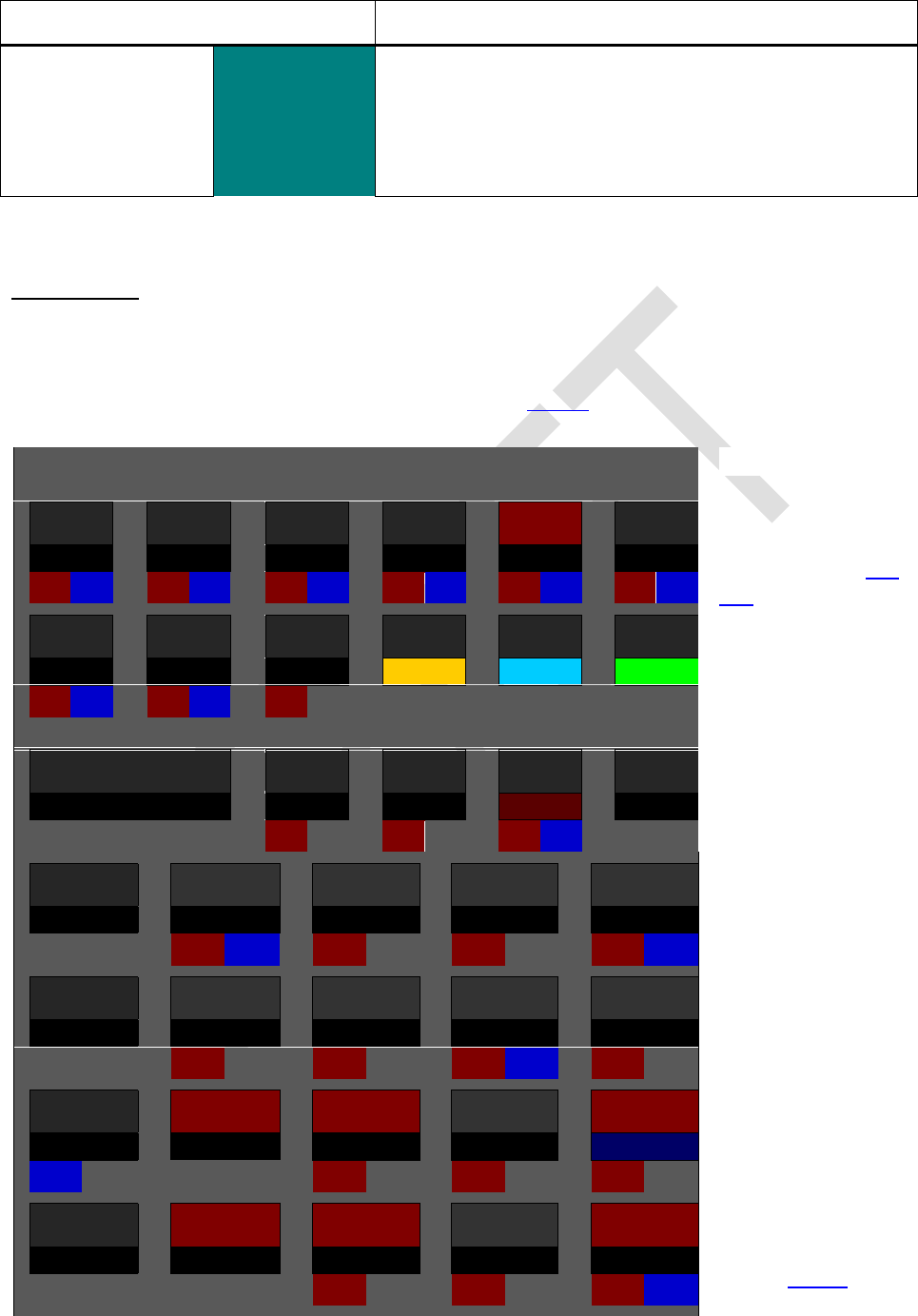
Edition 3.0
Page 71 of 103
Keys to press
in modes
Remarks
\
Turns on alpha mode for keyboard entry. When entering
alpha constants in programs, please note there is no
concatenation character added characters are ap-
pended to alpha always. For starting a new string, use
CL
CATALOGS
A catalog on your WP 34S is a collection of items, e.g. operations or characters. Open-
ing a catalog will set alpha mode to allow for typing the first character(s) of the item
wanted. A subset of the full alpha keyboard shown above is sufficient for browsing:
1/x
( = )
allows for easy
reverse conver-
sions in CONV
as described be-
low.
just calls
the character
while browsing a
catalog.
A
B
C
D
E
F
f
g
h
G
H
I
ENTER
J
K
L
-
and
browse the open
catalog.
or
select the item
displayed, recall
or execute it, and
exit the catalog.
leaves the
catalog without
executing any-
thing, i.e. cancels
the catalog call.
See below for
some examples.
XEQ
M
N
O
P
Q
R
S
T
1
2
(
U
V
W
EXIT
0
+
X
Y
Z
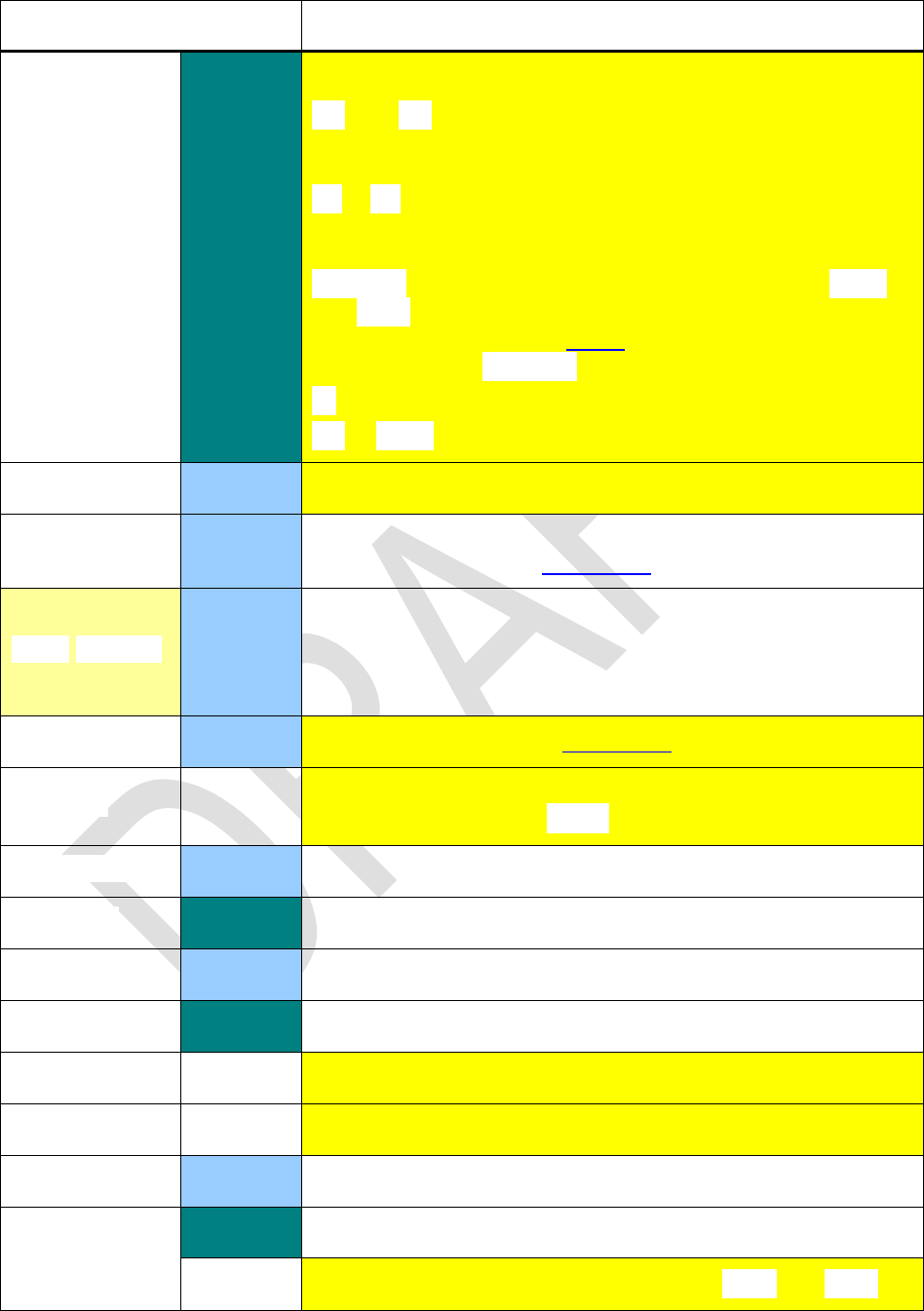
Edition 3.0
Page 72 of 103
Such catalogs may be called using the keystrokes listed below:
Keys to press
in modes
Contents of said catalog
\
Predefined alpha labels. Some special rules apply here:
and browse the catalog as usual, but in the numeric
line the location of the respective label is indicated (RAM,
Lib for XROM, or SEG n for flash memory segment n ).
trigger a search starting in the flash segment speci-
fied (and continued in further segments as long as neces-
sary) for the first alpha label defined.
goes to the alpha label as displayed, while or
execute it. These keystrokes will perform a label
search as described above. Labels in XROM cannot be
accessed by .
goes to the first alpha label in XROM.
or leave CAT returning to the state as it was before.
DECM
Curve fit functions.
DECM
Constants like in HP35s. Picking a constant will recall it. See
the constants listed in a table below.
DECM
This catalog contains the same constants as in real domain.
Picking one, however, does a complex recall here. So, if the
stack did look like [x, y calling CONST, it will con-
tain [constant, 0, x, y
DECM
Conversions as listed in a table below.
etters mandatory for many languages. Case is de-
termined by setting (see above).
DECM
Matrix operations library.
\
Mode setting functions.
DECM
Extra probability distributions.
\
Extra programming and I/O functions.
Subscripts.
Superscripts.
DECM
Extra statistical functions.
\
All tests except the two on the keyboard.
Comparison symbols and brackets, except and .
Edition 3.0
Page 73 of 103
Keys to press
in modes
Contents of said catalog
DECM
Extra real functions.
These three catalogs are
merged in mode PRG to ease
programming.
Integer
Extra integer functions.
Extra alpha functions.
DECM
Extra complex functions.
Punctuation marks and text symbols.
Arrows and mathematical symbols.
Reopening the very last catalog called, the last command selected therein is displayed
for easy repetitive use.
See the table below about addressing cataloged items, and the next pages for detailed
item lists of the various catalogs. Within each catalog, items are sorted alphabetically
(see above for the sorting order). You may access particular items fast and easily by typ-
ing the first characters of their names. See below for some examples and constraints.
A single function, e.g. CB, may be contained in more than one catalog.
The alpha catalogs are found three pages below. See also the special catalogs CONST
and CONV in separate paragraphs further below.
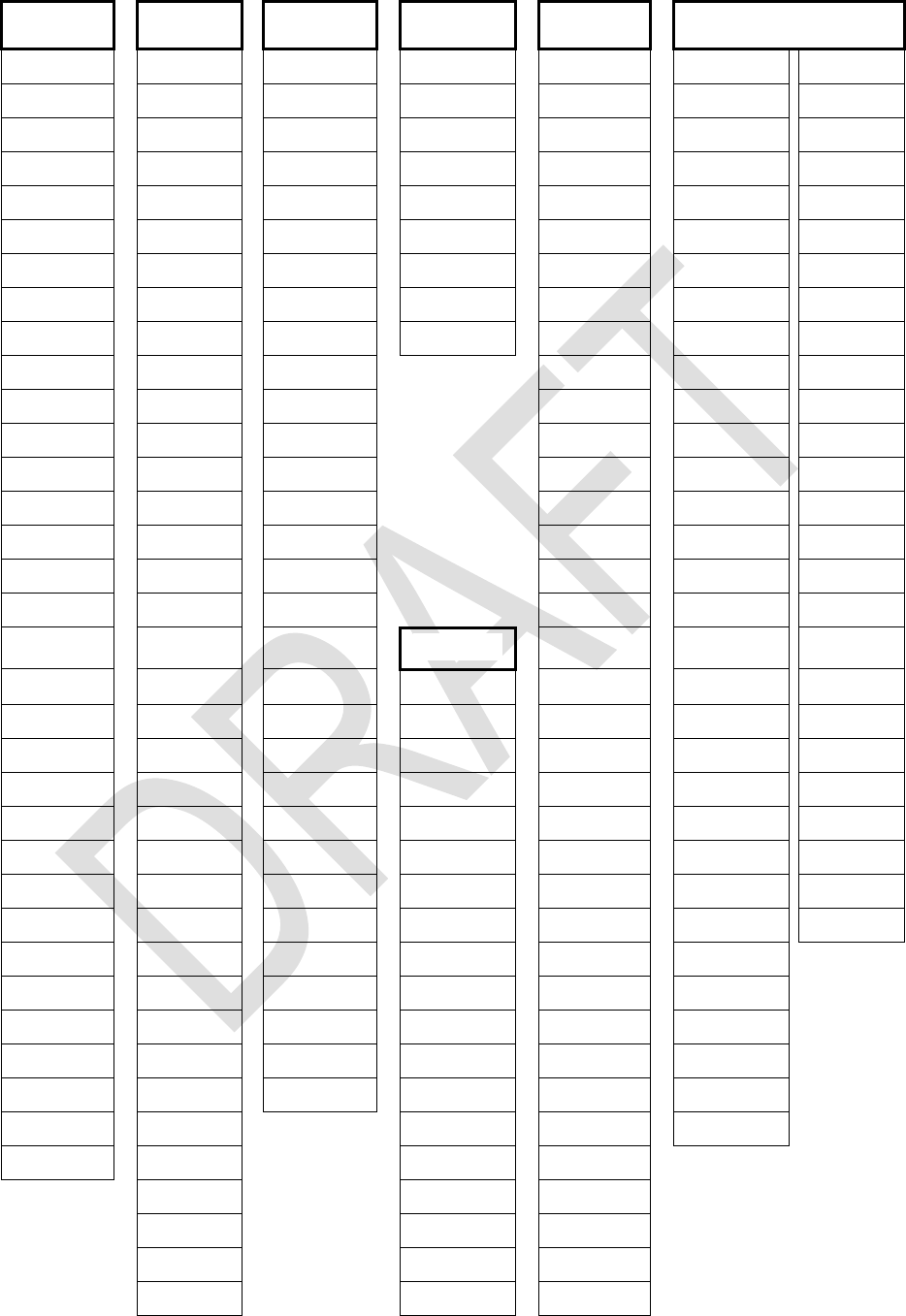
Edition 3.0
Page 74 of 103
Catalog Contents in Detail:
12h
Binom
LN
BestF
BC?
BACK
RDX,
1COMPL
BinomP
COV
BS?
CF
RDX.
24h
Binom 1
ExpF
ENTRY?
CLFLAG
RECV
2COMPL
Cauch
SEED
LinF
EVEN?
CLP
RTN+1
BASE
CauchP
SERR
LogF
FC?
CLSTK
R.CLR
DENANY
Cauch 1
SERRw
L.R.
FC?C
DATE
R.COPY
DENFAC
Expon
SUM
PowerF
FC?F
DEC
R.SORT
DENFIX
Expon P
sw
sxy
FC?S
DELP
R.SWAP
DENMAX
Expon 1
FP?
DSL
SAVE
DISP
FP(x)
w
FS?
DSZ
SENDA
D.MY
F(x)
FS?C
ERR
SENDL
E3OFF
F 1(p)
FS?F
FF
SENDP
E3ON
Geom
FS?S
SENDR
FAST
Geom P
m
IBASE?
SF
FRACT
Geom 1
p
INTM?
GTO
SKIP
LZOFF
Lgnrm
INT?
H.MS+
STOM
LZON
Lgnrm P
2x
KEY?
H.MS-
STOS
M.DY
Lgnrm 1
2y
KTY?
INC
TICKS
RDX,
Logis
DET
LBL?
ISE
TIME
RDX.
LogisP
LINEQS
LEAP?
ISZ
VW+
RM
Logis 1
MROW+×
M.SQR?
LOAD
XEQ
SETCHN
Norml
w
MROW×
NaN?
MSG
GTO
SETEUR
Norml P
MROW
ODD?
NOP
OFF
SETIND
Norml 1
2
M+×
PRIME?
PRCL
ON
SETUK
Poiss
2y
M-1
REALM?
PROMPT
XEQ
SETUSA
PoissP
M-ALL
RM?
PSTO
VIEW
SIGNMT
Poiss 1
M-COL
SMODE?
PUTK
SLOW
tP(x)
M-DIAG
SPEC?
P
SSIZE4
t(x)
2
M-ROW
SSIZE?
RCF
SSIZE8
t 1(p)
M×
TOP?
RCF.RG
UNSIGN
Weibl
%
M.COPY
WSIZE?
RCF.ST
WSIZE
Weibl P
M.IJ
x < ?
RCLM
Y.MD
Weibl 1
M.LU
x ?
RCLS
M.REG
x ?
2
nCOL
x
2 INV
nROW
x > ?
2P
TRANSP
∞?
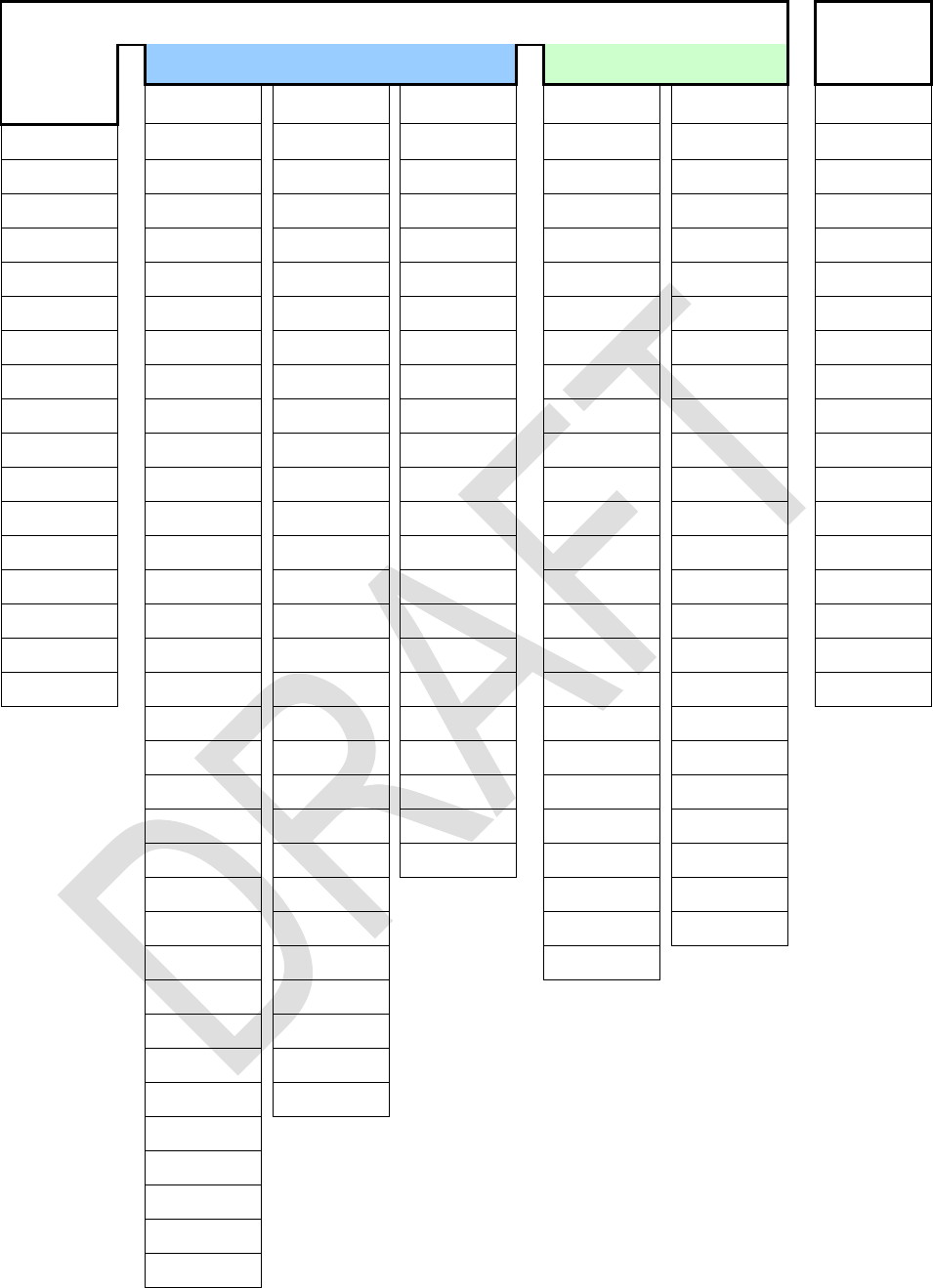
Edition 3.0
Page 75 of 103
varies with the mode set, except in PRG. I
mode:
decimal mode:
AGM
LN
DATE
ASR
RCF
CAGM
CLALL
ANGLE
DAY
BATT
RESET
CCONJ
CLREG
BATT
MANT
IP
CB
RJ
CCUBE
RESET
Bn
MAX
LENG
CLALL
RL
CCUBERT
VERS
Bn*
MIN
MONTH
CLFLAG
RLC
CDROP
x
CEIL
MONTH
RCL
CLREG
RR
Cex -1
DATE
CLALL
NAND
RC#
CUBE
RRC
CFIB
DAY
CLREG
NEXTP
RL
CUBERT
SB
CLN1+x
IP
CUBE
NOR
RR
DBLR
SEED
CLN
LENG
CUBERT
Pn
SL
DBL*
SIGN
C
MONTH
DAY
RAD
SR
DBL/
SL
CRCF
RC#
DAYS+
RCF
STO
DROP
SR
CSIGN
RL
DECOMP
RESET
TIME
FB
VERS
CSINC
RR
DEG
ROUNDI
FIB
XNOR
CW
SL
DROP
SDL
GCD
XROOT
CW1
SR
DJ
SDR
DAYS
LCM
IP
C
TIME
erf
SETDAT
LJ
LENG
C
x
erfc
SETTIM
(-1)X
MASKL
RCL
C(-1)x
EXPT
SIGN
%
MG
MASKR
RC#
ex -1
SINC
%
MRR
MAX
RL
FIB
SLVQ
%
T
MIN
RR
FLOOR
Tn
%
MIRROR
SL
GCD
Un
%
+MG
NAND
SR
GRAD
VERS
nBITS
STO
Hn
W
NEXTP
(-1)X
Hnp
WDAY
NOR
I
W1
XNOR
JG1582
x
JG1752
YEAR
JD
LCM
Ln
LN1+x
Ln
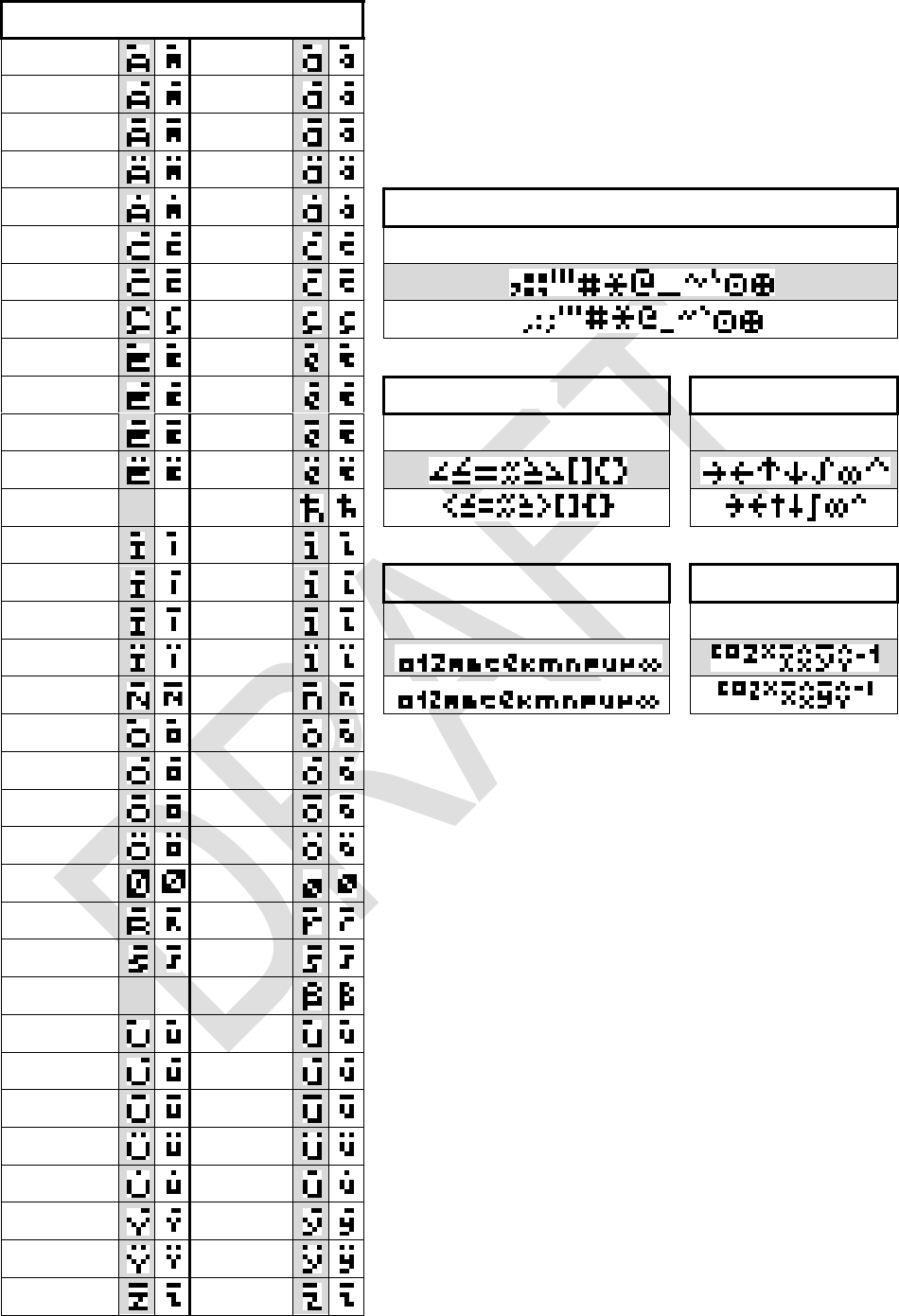
Edition 3.0
Page 76 of 103
Here are the contents of the alpha catalogs
making the WP 34S the most versatile global
calculator known. Large font is printed in grey
cells on this page. Accented letters show the
same width as plain ones wherever possible.
, : ;
#*@_~`
[]{}
∫∞^
(subscripts)
(superscripts)
∞
c2 X -1
The letters provided in your WP 34S allow for cor-
rect writing the languages of more than 3·109 people
(still only half of mankind yet), i.e.:
Deutsch, Eesti, English, Español, Euskara,
Français, Gaeilge, Galego, Greek, Bahasa Indone-
sia, Italiano, Basa Jawa, Kiswahili, Kreyòl ayisyen,
Magyar, Bahasa Melayu, Nederlands, Português,
Sunda, Suomeksi, Svenska, Tagalog, Winaray,
wén (with a little trick explained below), and
almost Dansk and Norsk (sorry, no æ) as well as
. If you know further living
languages covered, please tell us.
wén) features four tones, usual-
as
well. With six pixels total character height we found no
way to display these in both fonts nicely, keeping letters
and accents separated for easy reading. For an unambi-
guous solution, we suggest using a dieresis (else not em-
Pinyin writers, we ask for your understanding.
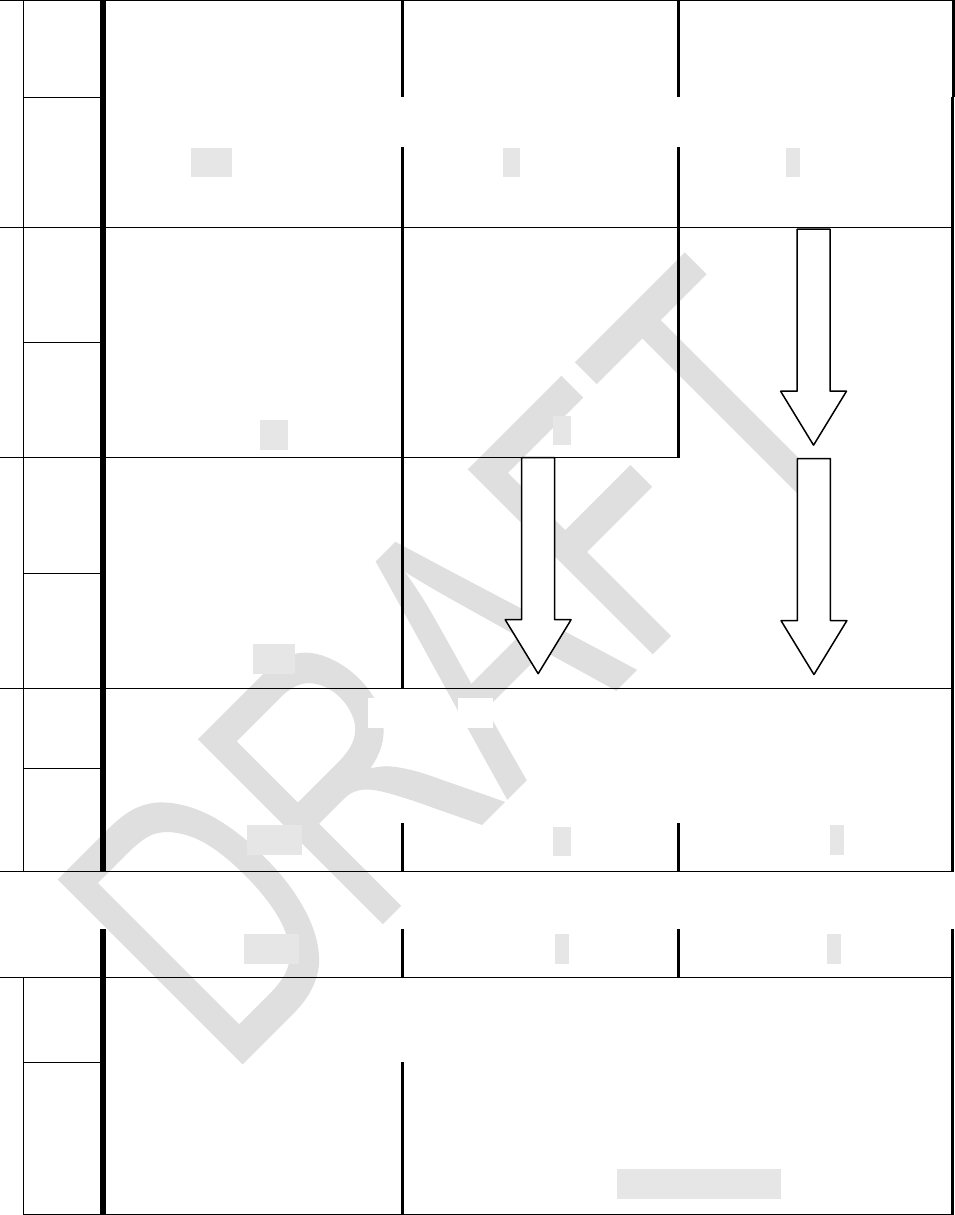
Edition 3.0
Page 77 of 103
Addressing Catalog Items
1
User
input
, , ,
, , ,
, or
, , or
in alpha mode
, , or
in alpha mode
Dot
matrix
display
S h o w s 1 st i t em i n s e l e c t e d c a t a l o g .
(e.g. in )
Alpha mode is set.
(e.g. Á in )
(e.g. in )
2
User
input
, , , ,
or 1st character
(e.g. )
, , , ,
or character
(e.g. )
Dot
matrix
display
Shows 1st item starting
with this character *)
(e.g. )
Shows 1st item starting
with this letter *)
(e.g. Ó )
3
User
input
, , , ,
or 2nd character
(e.g. )
Dot
matrix
display
Shows 1st item starting
with this sequence *)
(e.g. )
4
User
input
, , , or
(e.g. )
Dot
matrix
display
S h o w s n e x t i t e m i n t h i s c a t a l og
(e.g. )
(e.g. Ò )
(e.g. )
Continue browsing this way until reaching the item desired
(e.g. ).
(e.g. ).
(e.g. ).
n
User
input
Calculator leaves the catalog returning to the mode set before
Dot
matrix
display
inserts the command
chosen, or recalls the
constant selected.
R e s u l t
alpha.
C o n t e n t s o f a l p h a r eg i s t e r
(e.g. - )
*) If a character or sequence specified is not found in this catalog then the first item following alphabetical-
ly will be shown. If there is no such item, then the last item in this catalog is displayed. You may key in
even more than two characters after 3 seconds, however, or after or , the search string will
be reset and you may start with a first character again.
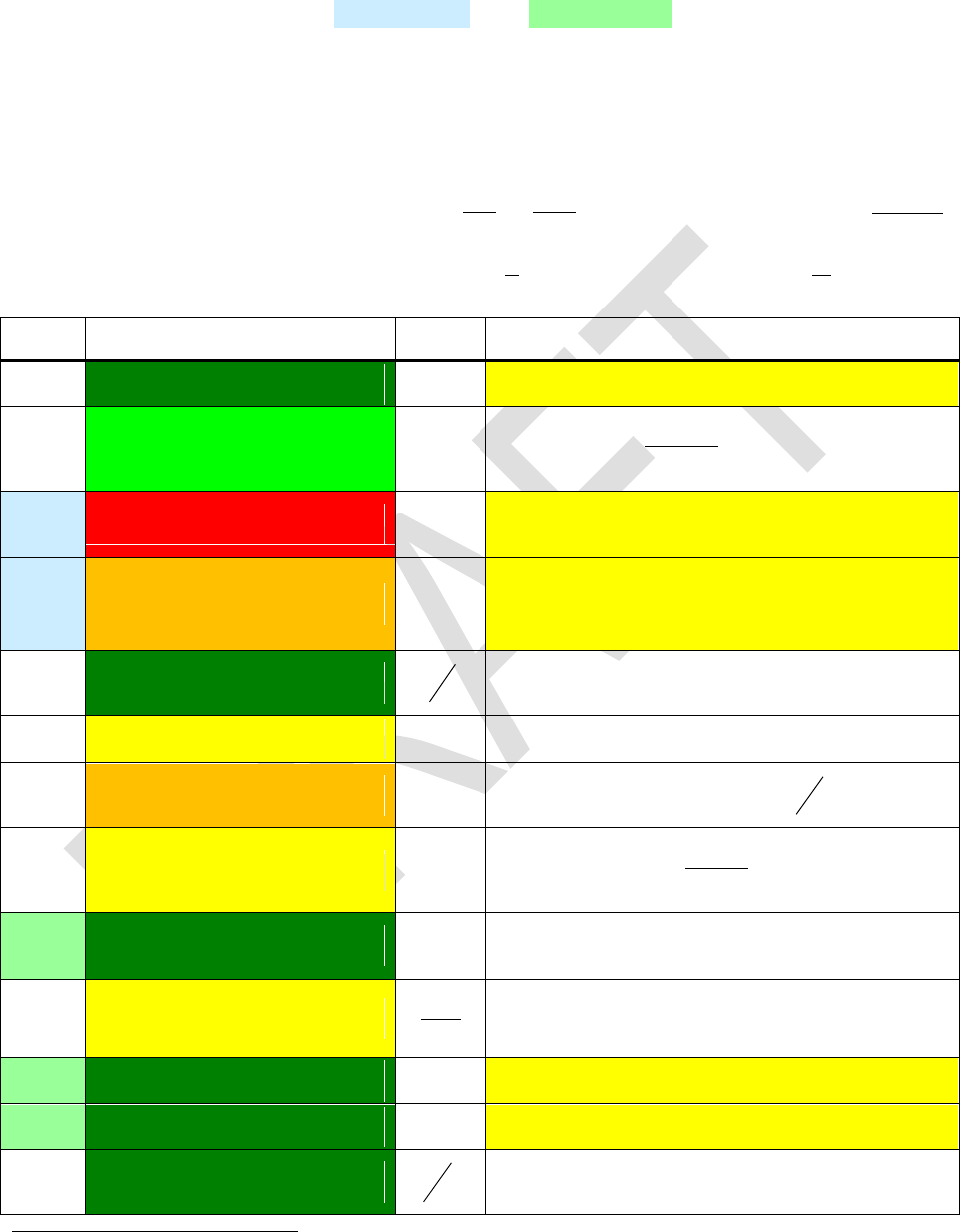
Edition 3.0
Page 78 of 103
Constants
Below you find the contents of the catalog CONST. Navigation works as in the catalogs
mentioned before. Names of astronomical and mathematical constants are printed on
colored background below. Values of physical constants (incl. their relative standard
deviations given in parentheses below) are from CODATA 2010, copied in July 2011,
unless stated otherwise explicitly. Green background denotes exact or almost exact val-
ues. The more the color turns to red, the less precise the respective constant is
known 27.
For the units, remember Tesla with
22 111 m
sV
m
Wb
T
, Joule with
2
2
111 s
mkg
mNJ
and on the other hand
TeVeV
e
sAVsWJ 6
1024.6
1
111
. Thus
2
11 mA
T
J
.
Name
Numeric value
Unit
Remarks
a
365.2425 (per definition)
d
Gregorian year
a0
5.2917721092E-11 (3.2E-10)
m
Bohr radius
R
4
am
384.4E6 (1E-3)
m
Semi-
the Earth
a
1.495979E11 (1E-6)
m
Semi-
sun. Within the uncertainty stated here, it
equals 1 AU.
c
2.99792458E8 (per definition)
s
m
Vacuum speed of light
c1
3.74177153E-16 (4.4E-8)
Wm
2
First radiation constant
2
2ch
c2
0.014387770 (9.1E-7)
Km
Second radiation constant
k
hc
e
1.602176565E-19 (2.2E-8)
C
Electron charge
00
2G
RK KJ
eE
1
etter e represents
the electron charge elsewhere in this table.
F
96485.3365 (2.2E-8)
mol
C
= e NA
F
2.5029078750958928...
1
F
4.6692016091029906...
1
g
9.80665 (per definition)
2
s
m
Standard earth acceleration
27 The bracketed values printed here for your kind attention allow you to compute the precision of results
you may obtain using these constants. The procedure to be employed is called error propagation. It is
often ignored, though essential for trustworthy results not only in science. Please turn to respective
texts before you believe in 4 decimals of a calculation result based on yardstick measurements.
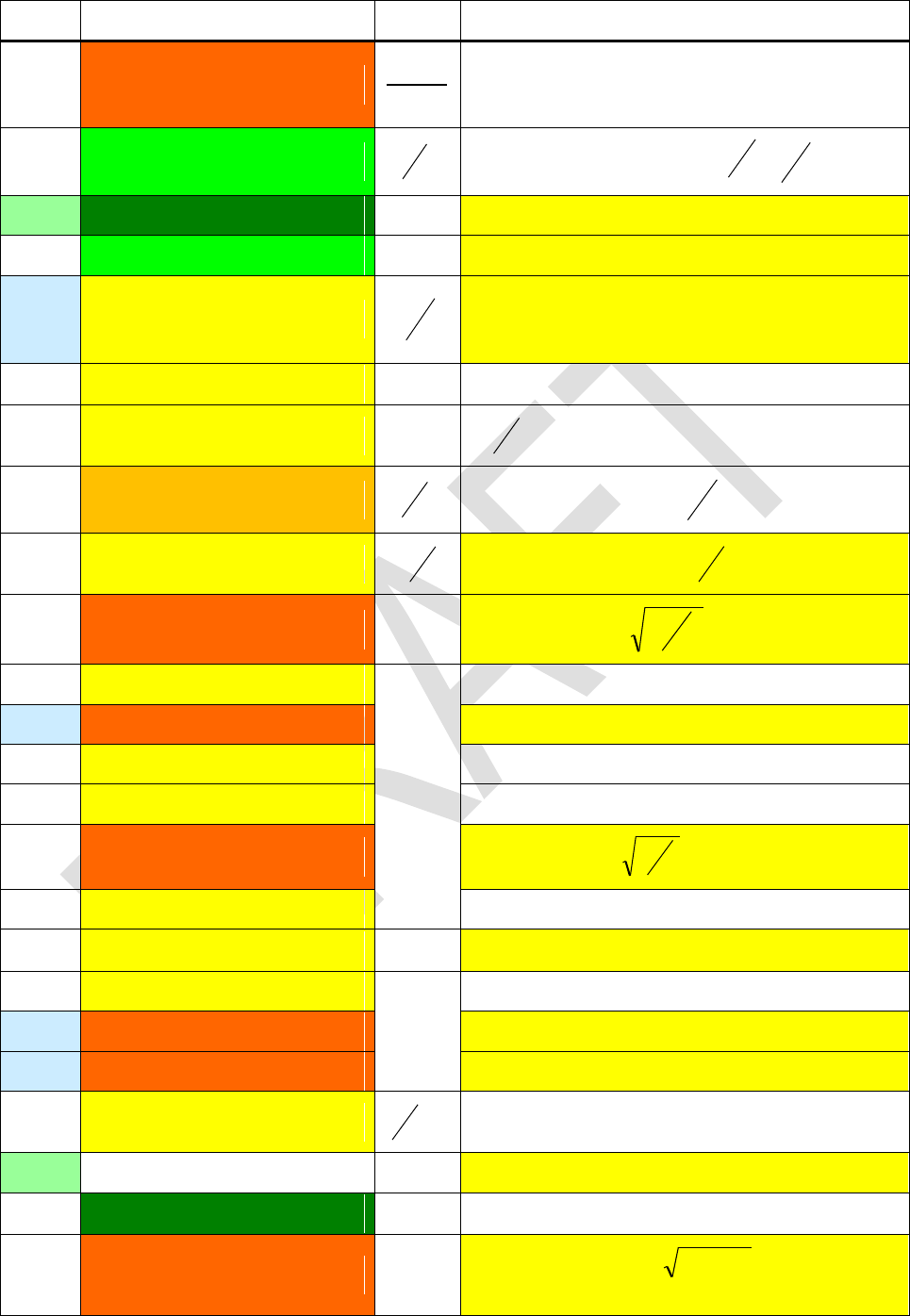
Edition 3.0
Page 79 of 103
Name
Numeric value
Unit
Remarks
G
6.67384E-11 (1.2E-4)
2
3
skg
m
. See GM below
for a more precise value.
Go
7.7480917346E-5 (3.2E-10)
1
Conductance quantum
K
Rh
e2
22
Gc
1
ge
2.00231930436153 (2.6E-13)
1
() electron g-factor
GM
3.986004418E14 (2.0E-9)
2
3
s
m
(according to WGS84, see Sa below).
h
6.62606957E-34 (4.4E-8)
J s
Planck constant
1.054571726E-34 (4.4E-8)
2
h
k
1.3806488E-23 (9.1E-7)
K
J
Boltzmann constant
A
N
R
j
4.83597870E14 (2.2E-8)
V
Hz
Josephson constant
h
e2
lp
1.616199E-35 (6.0E-5)
m
Planck length
ct
c
Gp
3
me
9.10938291E-31 (4.4E-8)
kg
Electron mass
Mm
7.349E22 (5E-4)
Mass of the Moon
mn
1.674927351E-27 (4.4E-8)
Neutron mass
mp
1.672621777E-27 (4.4E-8)
Proton mass
Mp
2.17651E-8 (6.0E-5)
Planck mass
g
G
c
22
mu
1.660538921E-27 (4.4E-8)
Atomic unit mass = 10-3 kg / NA
muc2
1.492 417 954E-10 (4.4E-8)
J
Atomic unit mass energy equivalent
mµ
1.883531475E-28 (5.1E-8)
kg
Muon mass
M
1.9891E30 (5E-5)
Mass of the sun
M
5.9736E24 (5E-5)
Mass of the Earth
NA
6.02214129E23 (4.4E-8)
mol
1
NaN
po
101325 (per definition)
Pa
Standard atmospheric pressure
qp
1,8755459E-18 (6.0E-5)
As
Planck charge
ec 7.1140
. This
was in CODATA 2006, but in 2010 no more.
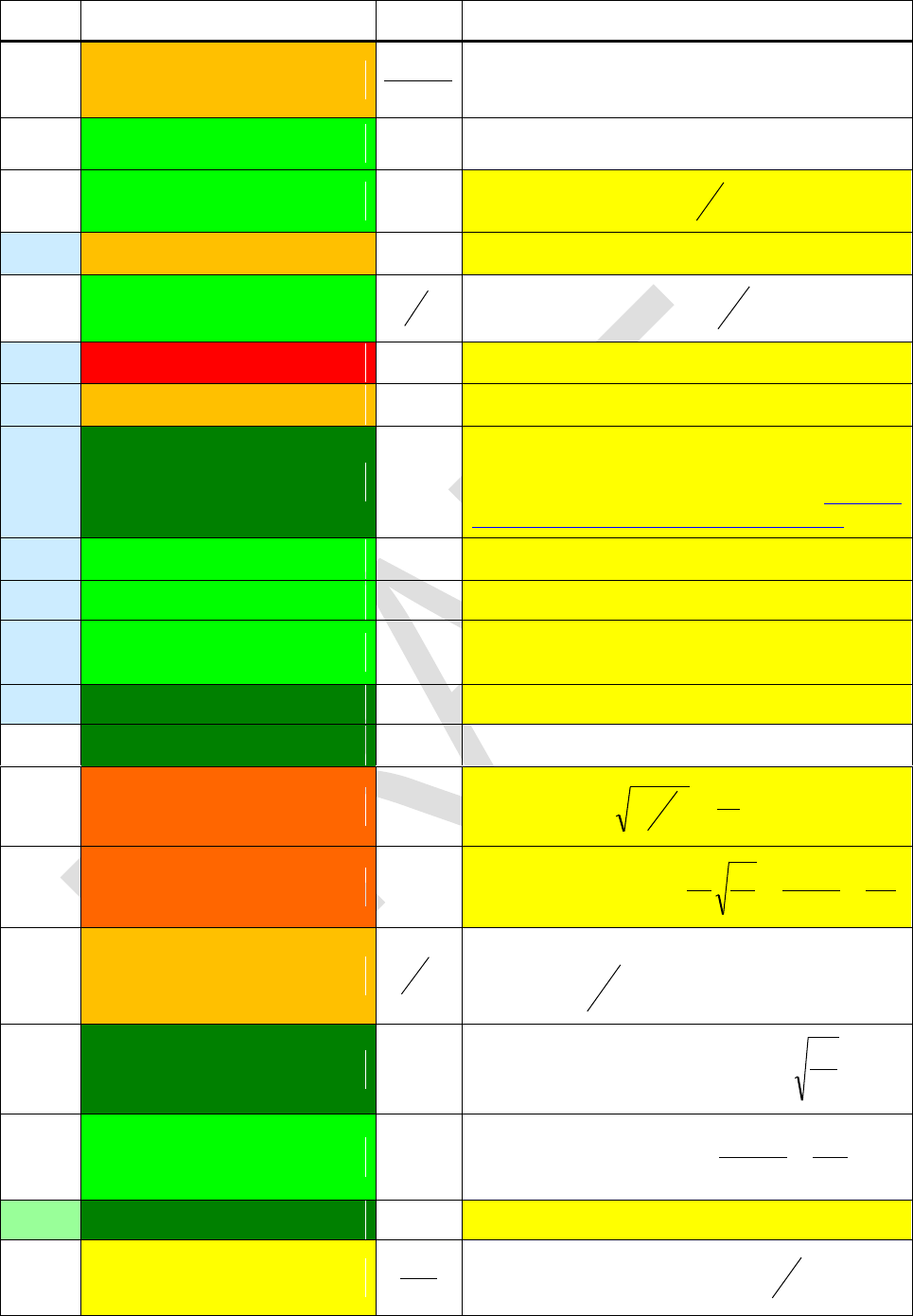
Edition 3.0
Page 80 of 103
Name
Numeric value
Unit
Remarks
R
8.3144621 (9.1E-7)
Kmol
J
Molar gas constant
re
2.8179403267E-15 (9.7E-10)
m
Classical electron radius
0
2a
RK
25812.8074434 (3.2E-10)
Ω
von Klitzing constant
2
e
h
Rm
1.737530E6 (5E-7)
m
Mean radius of the Moon
R
1.0973731568539E7 (5.0E-12)
m
1
Rydberg constant
h
cme2
2
R
6.96E8 (5E-3)
m
Mean radius of the sun
R
6.371010E6 (5E-7)
m
Mean radius of the Earth
Sa
6.3781370E6 (per definition)
m
Semi-major axis of the model WGS84 used to
define the surface for GPS and other
surveying purposes ( http://earth-
info.nga.mil/GandG/publications/tr8350.2/tr8350_2.html)
Sb
6.3567523142E6 (1.6E-11)
m
Semi-minor axis of WGS84
Se2
6.69437999014E-3 (1.5E-12)
1
First eccentricity squared of WGS84
Se2
6.73949674228E-3 (1.5E-12)
1
Second eccentricity squared of WGS84 (it is
2 in this article, I apologize)
Sf -1
298.257223563 (per definition)
1
Flattening parameter of WGS84
To
273.15 (per definition)
K
= 0°C, standard temperature
tp
5.39106E-44 (6.0E-5)
s
Planck time
c
l
c
Gp
5
Tp
1.416833E32 (6.0E-5)
K
Planck temperature
k
E
k
cM
G
c
k
cpp
2
2
Vm
0.022413968 (9.1E-7)
mol
m3
Molar volume of an ideal gas at standard con-
ditions
0
0p
RT
Zo
376.7303
Charact. impedance of vacuum
c
0
0
0
7.2973525698E-3 (3.2E-10)
1
Fine-structure constant
137
1
40
2 c
e
EM
1
Euler-Mascheroni constant
p
2.675222005E8 (2.4E-8)
Ts
1
Proton gyromagnetic ratio
P
2
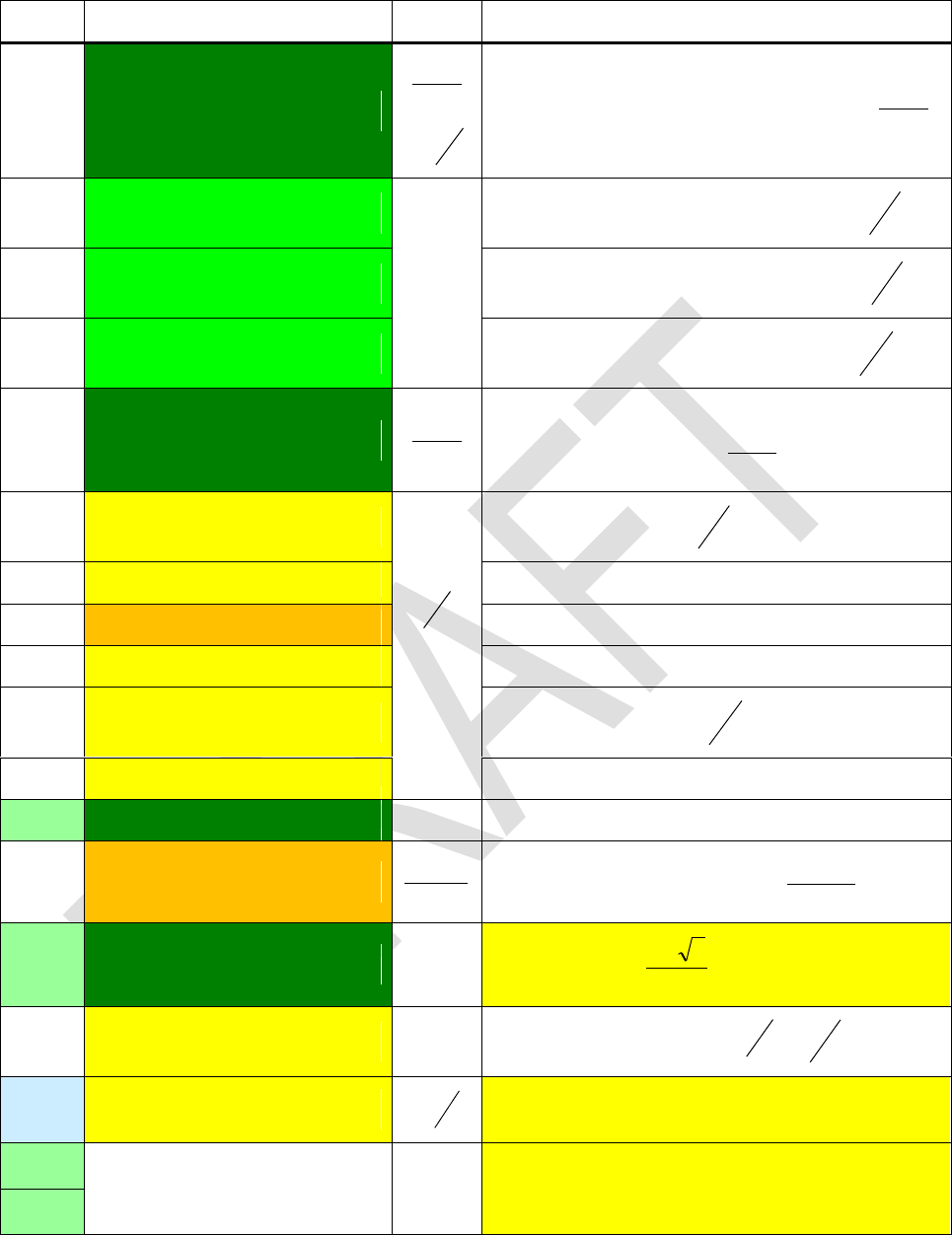
Edition 3.0
Page 81 of 103
Name
Numeric value
Unit
Remarks
o
E-12
mV
sA
or
m
F
Electric constant, vacuum permittivity
2
0
1
c
-c
2.4263102389E-12 (6.5E-10)
m
Compton wavelength of the electron
cm
h
e
-cn
1.3195909068E-15 (8.2E-10)
Compton wavelength of the neutron
cm
h
n
-cp
1.32140985623E-15 (7.1E-10)
Compton wavelength of the proton
cm
h
p
µo
E-6
mA
sV
Magnetic constant, also known as vacuum
permeability
mA
sV
7
104
(per definition)
µB
9.27400968E-24 (2.2E-8)
T
J
or
2
mA
e
m
e2
µe
-9.28476430E-24 (2.2E-8)
Electron magnetic moment
µn
-9.6623647E-27 (2.4E-7)
Neutron magnetic moment
µp
1.410606743E-26 (2.4E-8)
Proton magnetic moment
µu
5.05078353E-27 (2.2E-8)
Nuclear magneton
p
m
e2
µµ
-4.49044807E-26 (3.4E-8)
Muon magnetic moment
1
B
5.670373E-8 (3.6E-6)
42 Km
W
Stefan Boltzmann constant
23
45
15
2
ch
k
1
Golden ratio
2
51
o
2.067833758E-15 (2.2E-8)
V s
Magnetic flux quantum
J
Ke
h1
2
7.292115E-5 (2E-8)
s
rad
Angular velocity of the Earth according to
WGS84 (see Sa above)
-
1
Negative and positive infinity (may the Lord of
Mathematics forgive us calling these two con-
stants)
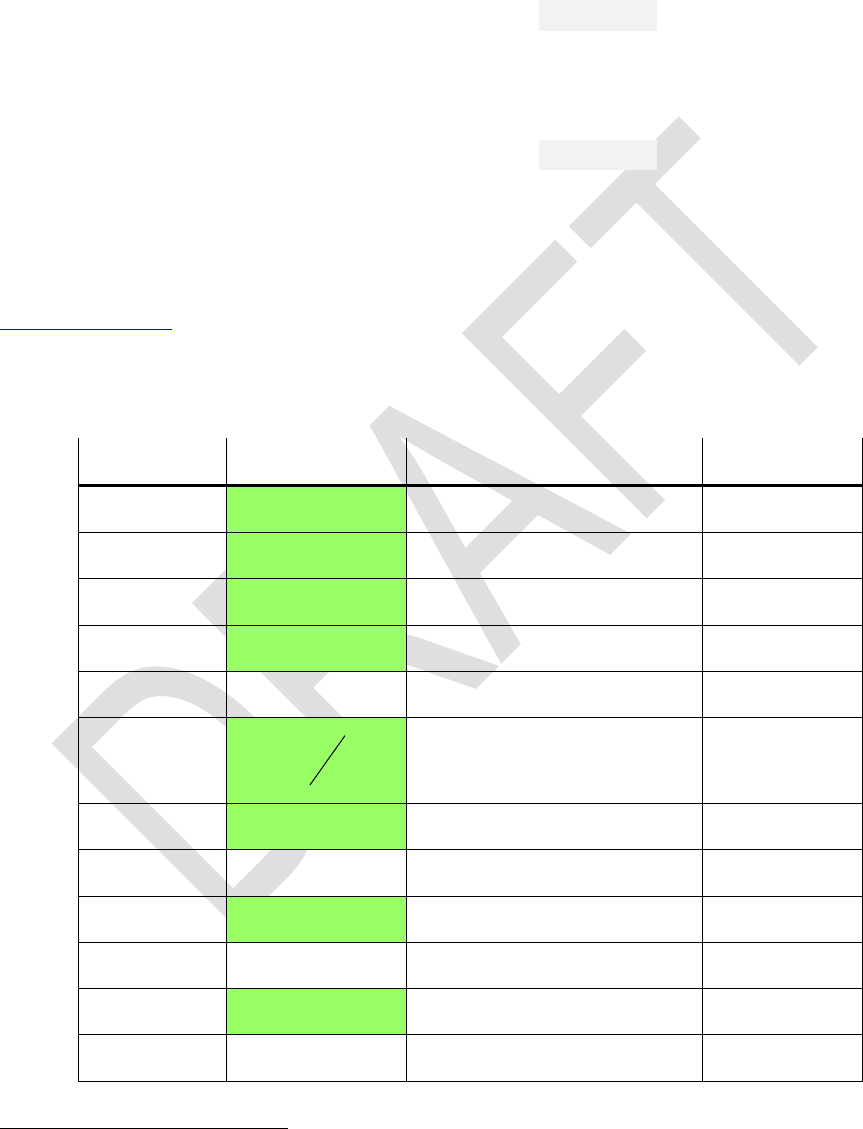
Edition 3.0
Page 82 of 103
Unit Conversions
Find below the contents of the catalog CONV 28. Navigation works as in the other cata-
logs. There is one specialty, however: (i.e. ) will execute the inverse of the
conversion displayed and leave CONV.
Example: Assume the display set to FIX 3. Then keying in
will display and 1.619 below telling
you 4 acres equal 1.619 hectares.
Now press and you will get 9.884 instead, being the amount of
acres equaling 4 hectares.
Press again and you will see and 4.000 below confirm-
ing what was just said.
Leave the catalog via and the display will return to 9.884.
The constant To may be useful for conversions of temperatures, too; it is found in the
catalog CONST and is not repeated here since being only added or subtracted. The
conversion factors or divisors listed below for your information are user transparent in
executing a conversion those printed on light green background in this table apply ex-
actly.
Conversion
Remarks
Class
°C°F
* 1.8 + 32
Temperature
°F°C
- 32 ) / 1.8
Temperature
°G
/ 0.9
Angle
°rad
Equals DR
Angle
acresha
* 0.4046873
1 ha = 104 m²
Area
ar.dB
2
1
lg20 a
a
Amplitude ratio
Ratio
atmPa
* 1.01325E5
Pressure
AUkm
* 1.495979E8
Astronomic units
Length
barPa
* 1E5
Pressure
BtuJ
* 1055.056
British thermal units
Energy
calJ
* 4.1868
Energy
cftl
* 28.31685
Cubic feet
Volume
28 For most readers, many of the units appearing in CONV may look obsolete at least. They die hard,
however, in some corners of this world. All these corners have in common is English being spoken
there. For symmetry reasons, we may also add some traditional Indian and Chinese units. Anyway, this
catalog provides the means to convert local to common units.
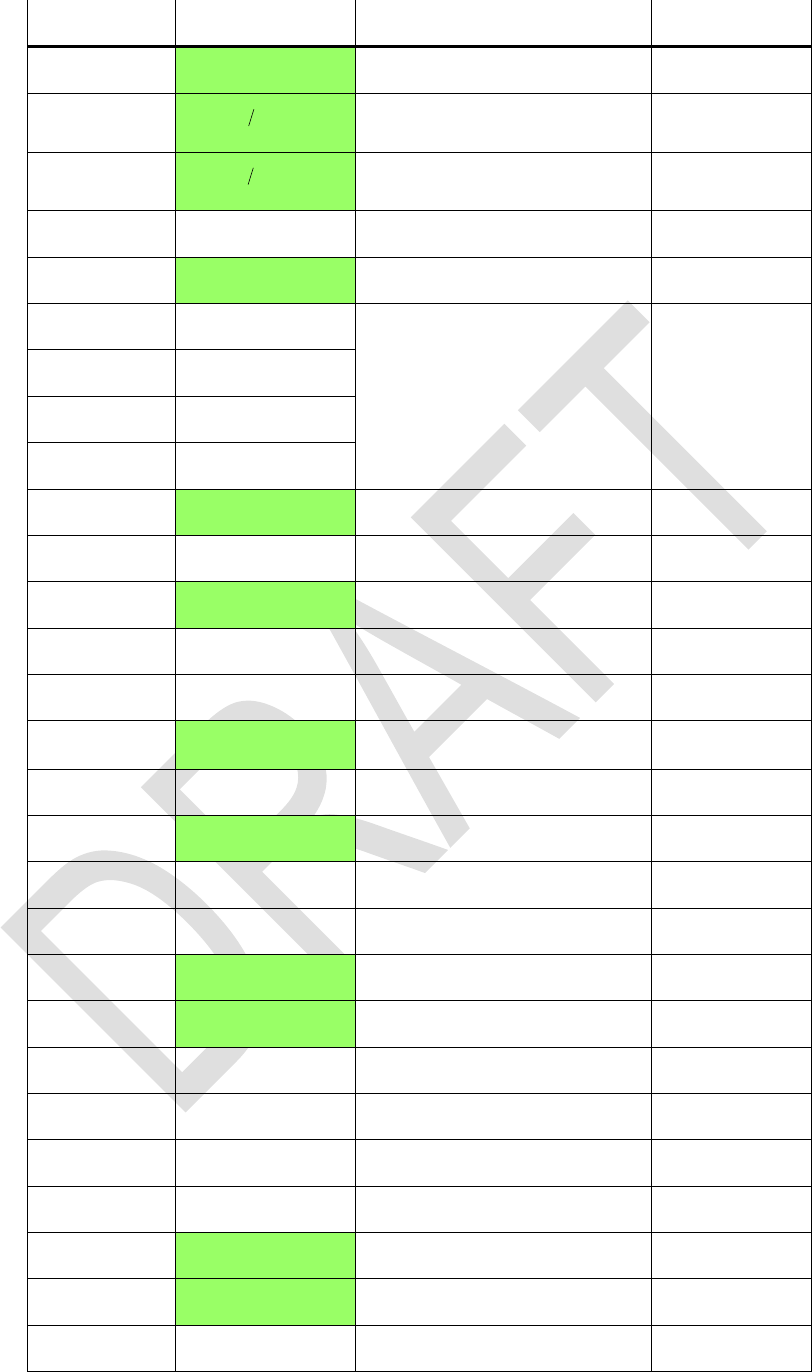
Edition 3.0
Page 83 of 103
Conversion
Remarks
Class
cminches
/ 2.54
Length
dBar.
20
10 dB
R
Amplitude ratio
Ratio
dBpr.
10
10 dB
R
Power ratio
Ratio
fathomm
* 1.8288
Length
feetm
* 0.3048
Length
flozUKml
* 28.41306
1 l = 1/1000 m3
Volume
flozUSml
* 29.57353
galUK l
* 4.54609
galUS l
* 3.785418
G°
* 0.9
Grads or gon
Angle
goz
/ 28.34952
Mass
Grad
Angle
gtr.oz
/ 31.10348
Mass
haacres
/ 0.4046873
1 ha = 10000 m²
Area
HPeW
* 746
Electric horse power
Power
hpUKW
* 745.6999
British horse power
Power
inchescm
* 2.54
Length
inHgPa
* 3386.389
Pressure
JBtu
/ 1055.056
Energy
Jcal
/ 4.1868
Energy
JkWh
/ 3.6E6
Energy
kglb
/ 0.4535924
Mass
kgstones
/ 6.35029318
Mass
kmAU
/ 1.495979E8
Astronomic units
Length
kml.y.
/ 9.460730E12
Light years
Length
kmmiles
/ 1.609344
Length
kmnmi
/ 1.852
Nautical miles
Length
kmpc
/ 3.085678E16
Parsec
Length
Edition 3.0
Page 84 of 103
Conversion
Remarks
Class
kWhJ
* 3.6E6
Energy
lbfN
* 4.448222
Force
lbkg
* 0.4535924
Mass
l.y.km
* 9.460730E12
Light years
Length
l cft
/ 28.31685
1 l = 1/1000 m3
Volume
l galUK
/ 4.54609
l galUS
/ 3.785418
mileskm
* 1.609344
Length
mlflozUK
/ 28.41306
1 ml = 1 cm3
Volume
mlflozUS
/ 29.57353
mmHgPa
* 133.3224
1 torr = 1 mm Hg
Pressure
mfathom
/ 1.8288
Length
mfeet
/ 0.3048
Length
myards
/ 0.9144
Length
nmikm
* 1.852
Nautical miles
Length
Nlbf
/ 4.448222
Force
ozg
* 28.34952
Ounces
Mass
Paatm
/ 1.01325E5
1 Pa = 1 N/m2
Pressure
Pabar
/ 1E5
Pressure
PainHg
/ 3386.389
Pressure
PammHg
/ 133.3224
Pressure
Papsi
/ 6894.757
Pressure
Patorr
/ 133.3224
Pressure
pckm
* 3.085678E16
Parsec
Length
pr.dB
2
1
lg10 P
P
Power ratio
Ratio
psiPa
* 6894.757
Pounds per square inch
Pressure
PS(hp)W
* 735.4988
Horse power
Power
rad°
Equals RD
Angle
Edition 3.0
Page 85 of 103
Conversion
Remarks
Class
radG
Angle
stoneskg
* 6.35029318
Mass
s.tonst
* 0.9071847
Short tons
Mass
tonst
* 1.016047
Imperial tons
Mass
torrPa
* 133.3224
1 torr = 1 mm Hg
Pressure
tr.ozg
* 31.10348
Troy ounces
Mass
ts.tons
/ 0.9071847
1 t = 1000 kg
Mass
ttons
/ 1.016047
WHPe
/ 746
Power
WhpUK
/ 745.6999
Power
WPS(hp)
* 735.4988
Power
yardsm
* 0.9144
Length
You may, of course, combine conversions as you like. For example, filling your tires with
a maximum pressure of 30 psi the following will help you at a gas station in Europe and
beyond:
resulting in 2.1 bar.
Now you can set the filler and will not blow your tires.
In cases of emergency of a particular kind, remember Becquerel equals Hertz, Gray is
the unit for deposited or absorbed energy (
kgJGy 11
), and Sievert (Sv) is Gray
times a radiation dependant dose conversion factor for the damage caused in human
bodies.
In this area also some outdated units may be found in older literature: Pour les amis de
Mme. Curie,
sdecaysBqCi 1010 107.3107.31
. And for those admiring the very
first Nobel laureate in physics, Mr. Röntgen, for finding the x-rays (ruining his hands in
these experiments), the charge generated by radiation in matter was measured by the
unit
kg
As
R4
1058.21
. A few decades ago, Rem (i.e. Röntgen equivalent men)
was measuring what Sievert does today.
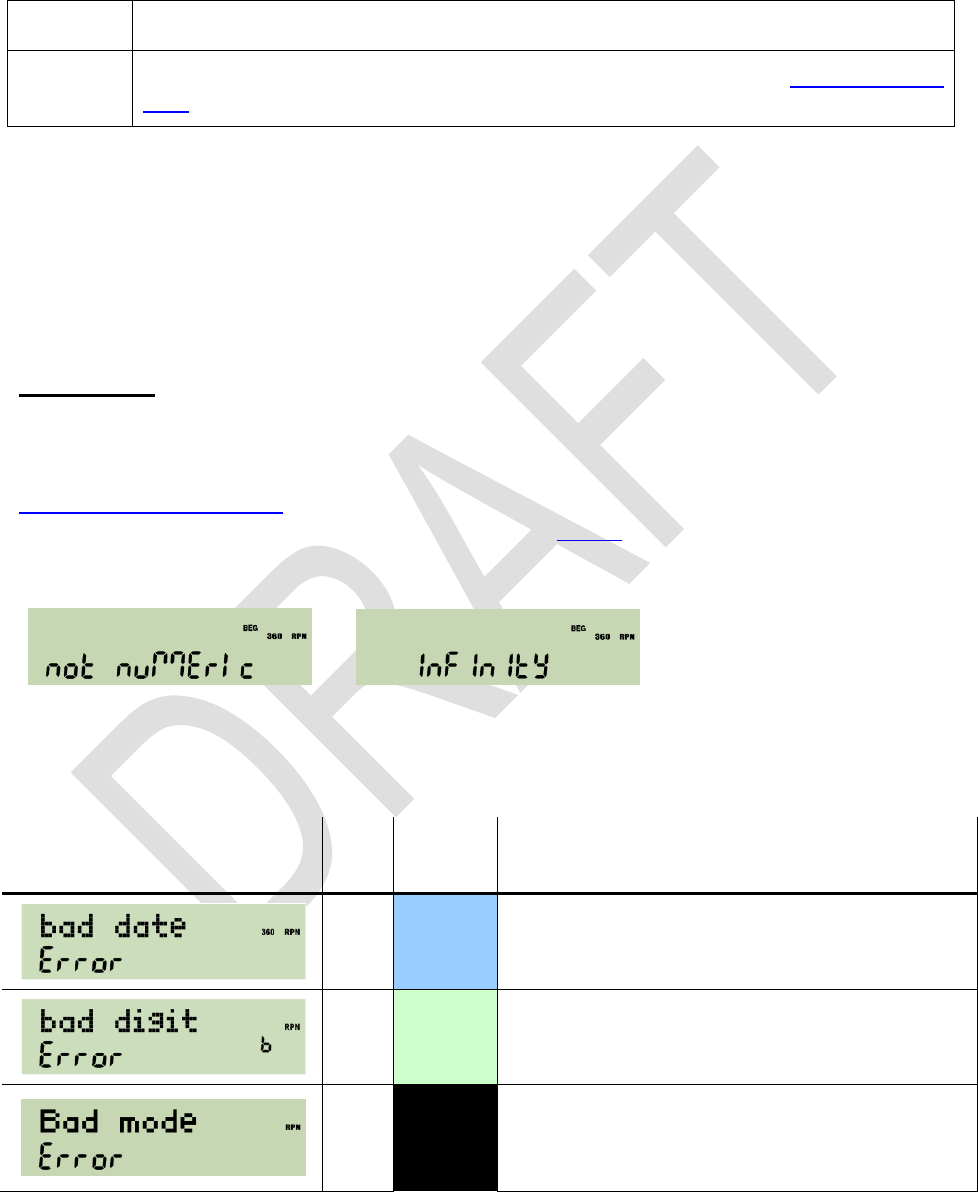
Edition 3.0
Page 86 of 103
Predefined Global Alpha Labels
There are a few labels employed and provided for particular tasks already. You find
them listed in CAT when the respective routines are loaded in XROM. Thus they will not
take any steps from user program memory.
WHO
Displays credits to those brave men who did the work.
Provides the step size for differentiation. See f fin the Index of Opera-
tions for more information.
More routines are found at http://wp34s.svn.sourceforge.net/viewvc/wp34s/library/ as
text files with extension .wp34s by convention. This includes, for example, a suite of ba-
sic 3D vector operations, a TVM application, and more. You may open these files using
e.g. Notepad, and download them following your needs. README_ASM explains the
loading procedure.
MESSAGES
There are some commands generating messages, also in the dot matrix section of the
display. Four of them, DAY, DAYS+, STATUS, and VERS, were introduced above in the
paragraph about display already. Others are PROMPT, VIEW and many more alpha
commands, and the test commands as mentioned above.
Also two constants will return a special display when called: NaN and will show
or , respectively.
Furthermore, there are a number of error messages. Depending on error conditions, the
following messages will be displayed in the mode(s) listed:
Message
Error
Code
Mode(s)
Explanation and Examples
2
DECM
Invalid date format or incorrect date in input,
e.g. month >12, day >31 etc.
9
Integer
Invalid digit in integer input, e.g. 2 in binary, 9
in octal, or +/- in unsigned mode.
13
All
Caused by calling an operation in a mode
where it is not defined, e.g. SIN in hexade-
cimal.
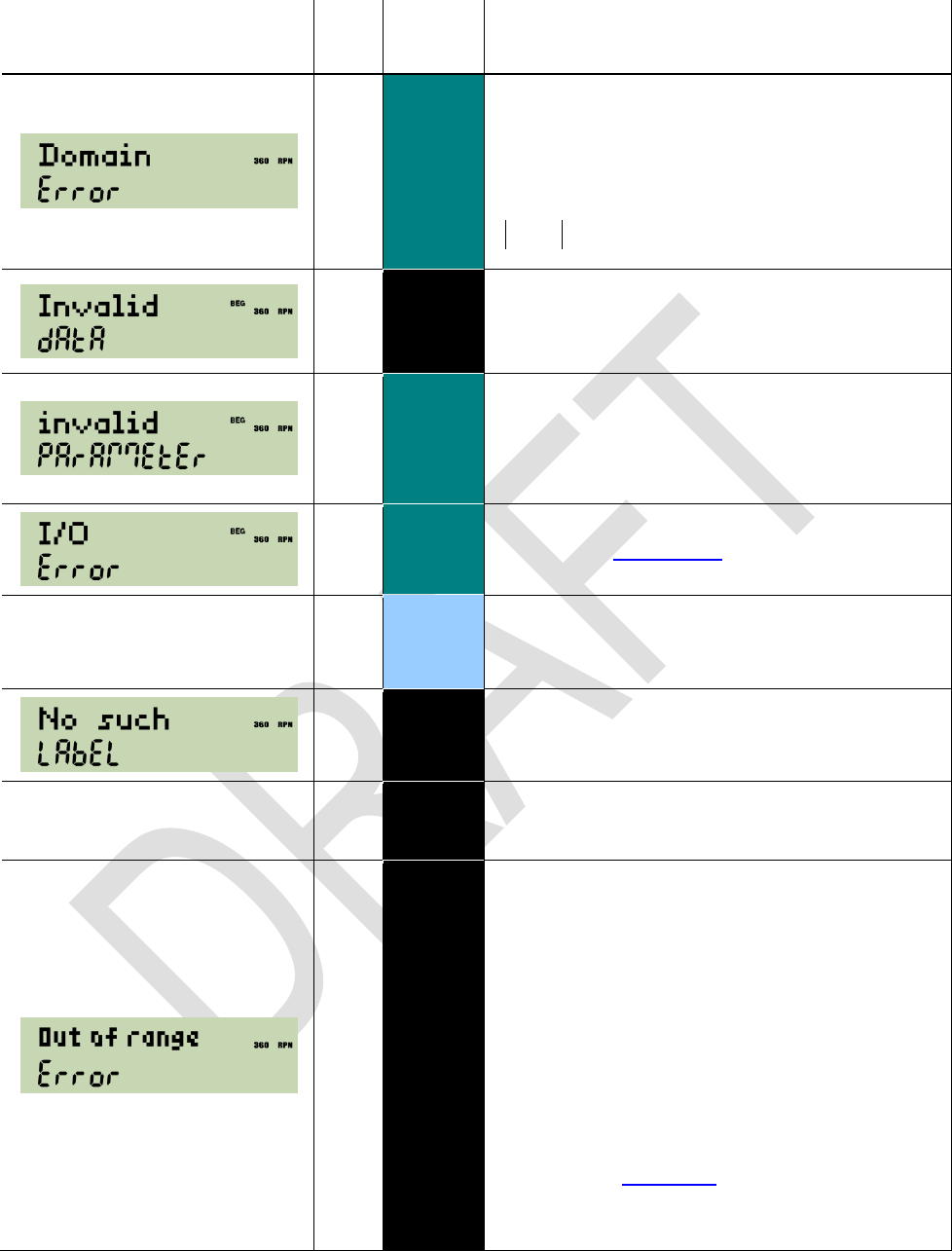
Edition 3.0
Page 87 of 103
Message
Error
Code
Mode(s)
Explanation and Examples
1
\
An argument exceeds the domain of the ma-
thematical function called. May be caused by
roots or logs of negative numbers (if not pre-
ceded by ), by 0 / 0, LN(0), (0),
TAN(90°) and equivalents, ATANH(x) for
1Re x
, ACOSH(x) for
1Re x
, etc.
18
All
Set when there is a checksum error either in
flash or as part of a serial download. It is also
set if a flash segment is otherwise unusable.
16
\
Similar to error 1 but a parameter specified in
J or K is out of supported range for the func-
tion called. May appear e.g. if LgNrm is called
with j < 0.
17
\
Please see Appendix A.
Matrix / dIMEnSIon
21
DECM
A matrix isn't square when it should be.
Matrix sizes aren't miscible.
6
All
Attempt to address an undefined label.
No write / In FLASH
19
All
Attempt to delete program lines while
inside a flash segment..
8
All
A number exceeds the valid range.
Caused e.g. by specifying decimals >11,
word size >64, negative flag numbers, in-
tegers 64, hours or degrees >9000,
A register address exceeds the valid
range. May also happen in indirect ad-
dressing.
An R-operation (e.g. R.COPY) attempts
exceeding valid register numbers (0 .. 99).
A matrix descriptor would go beyond the
registers available or a row or column in-
dex is too large.
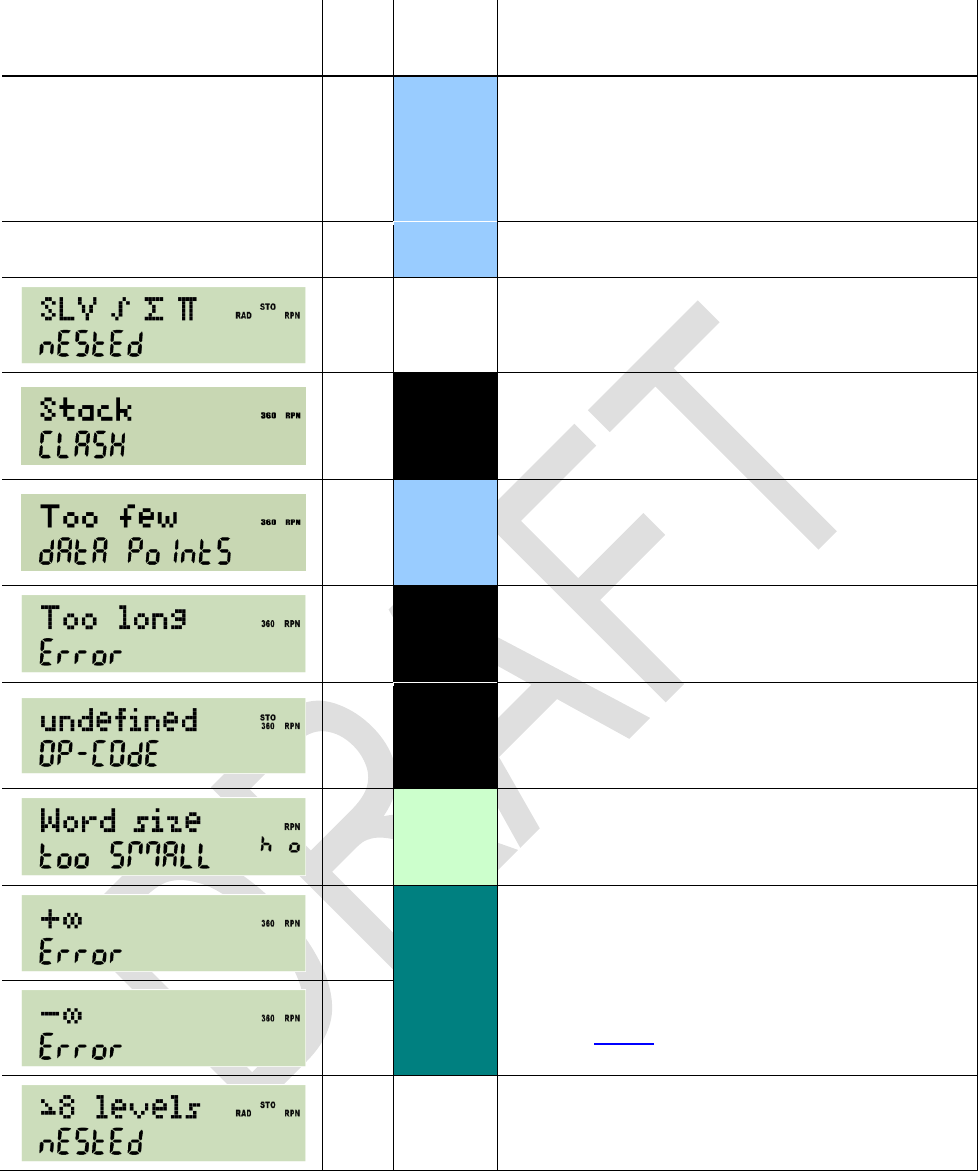
Edition 3.0
Page 88 of 103
Message
Error
Code
Mode(s)
Explanation and Examples
Singular / Error
22
DECM
Attempt to use a LU decomposed matrix
for solving a system of equations.
Attempt to invert a matrix when it isn't of
full rank.
Solve / FAILEd
20
DECM
The solver did not converge.
7
PRG
Nested use of solve (SLV and SLVQ), inte-
grate, sum or product is not allowed.
12
All
STOS or RCLS attempt using registers that
would overlap the stack. Will happen with e.g.
SSIZE = 8 and STOS 94.
15
DECM
A statistical calculation was started based on
too few data points, e.g. regression or stan-
dard deviation for < 2 points.
10
All
Keyboard input is too long for the buffer
(should never happen, but who knows).
3
All
An instruction with an undefined op-code oc-
curred (should never happen, but who
knows).
14
Integer,
\PRG
Stack or register content is too big for the
word size set.
4
\
\PRG
Division of a number > 0 (or < 0) by zero.
Divergent sum or product or integral.
Positive (or negative) overflow in DECM
(see above).
5
11
PRG
Subroutine nesting exceeds 8 levels.
Any key pressed will erase the error message displayed and execute with the stack contents
present. Thus, the easiest return to the display shown before the error occurred is pressing a
prefix twice.

Edition 3.0
Page 89 of 103
PROGRAMMED INPUT AND OUTPUT
A number of commands may be employed for controlling I/O of programs. In the index
above, their behavior is described if they are entered from the keyboard. Executed by a
program, however, this will differ in a characteristic way.
With a program running, the display will be updated at certain instances only instead of
after each operation. So where a command in manual mode shows an information until
the next key is pressed, it will show it until the next display update in automatic mode.
Such an update will occur with PROMPT, PSE, STOP, VIEW, VW+, and VIEW only.
This allows for the following operations (please note parameters are omitted here):
Output of messages or other information for a defined time interval using the fol-
lowing code segment
(or simply PSE alone) for plain numeric calculated output or
(or even VW+)
for complex alphanumeric information you composed in alpha.
Asking for numeric input employing
(or VW+)
or simply PROMPT, the latter being identical to VW+ X plus STOP.
Whatever number you key in will be in X when you continue the program by press-
ing . If you want it elsewhere, take care of it.
Prompting for alphanumeric input by
Whatever you key in will be appended to alpha here. Again, the program will con-
tinue when you pressed .
Please see the index for more information about these commands and their parameters.

Edition 3.0
Page 90 of 103
INTERACTIVE PROGRAMMING
This chapter deals with writing programs that interact with the user. Topics covered are
the display of messages, getting input from the user, hot keys and truly interactive "real
time" programs.
Interrupting a Program for Display of Information
When a program is started, the display contents are replaced by the "Running Program"
message. To display a number while a program is executing, use VIEW in programming
and specify a register to display. Here, X is a valid parameter so you can present the
standard top stack level contents to the user. The command formats the number to the
present settings and updates the LCD to display it. This causes a small overhead so ex-
pect that your program slows down a bit with each update. This is especially true if the
displays follow each other in a tight loop because the flicker avoidance logic needs to
wait for a complete display refresh cycle before the next update is allowed.
Another way to show what would normally appear on the display without a program run-
ning is to use the PSE instruction specifying the time in 10ths of seconds to suspend
execution. A time of zero will have the same effect as a VIEW X instruction. PSE fol-
lowing VIEW s works as expected: it will display the contents of address s. The display
will then stay unchanged until the next VIEW or PSE instruction is executed, not only for
the time specified with PSE. The next PSE or STOP will switch back to the normal dis-
play of x . VIEW s followed by STOP will display the contents of address s until the user
presses .
To make things clearer: VIEW immediately displays the register when encountered in
program execution. When followed by PSE or STOP, the display persists. Only the next
PSE or STOP (or keyboard entry after the program has halted) will revert to the normal x
display. To make sure that STOP or PSE always display a specific information it is best
to directly precede it by the respective VIEW instruction. There is no way to get the
"Running Program" message back once it has been replaced by a programmed display.
Generally speaking, a message is a string of characters that is shown in the upper re-
gion of the display. The program interface to this area is via the alpha register. You need
to switch to alpha mode to access most of the commands that deal with this register.
The annunciator INPUT lights if alpha mode is active. The X.FCN catalogue changes in
alpha mode to contain alpha commands. Displaying a message will normally start with a
CL[alpha] instruction because most commands append their output to what is already
stored. To save space, characters in program mode may be entered in groups of three
by typing while already in alpha mode. This saves one program step per three char-
acters but does not allow all special symbols to be entered because the catalogues are
not available in this mode. Single characters and grouped characters can be freely
mixed. The register is 31 characters wide. The display capacity is considerably smaller
and depends on the width of each symbol. The display switches to a smaller font if nec-
essary. The contents can be scrolled in interactive alpha mode with the up and down ar-
row keys (as described above).
If you just want to display a text message and no number with it, use VIEW. To get to
this command you must be out of alpha mode and open the P.FCN catalogue.
brings you to the alpha commands. The VIEW display starts at the first charac-
ter of the string. The numeric portion of the LCD is replaced by three dashes. You can of
course display a message together with a chosen register. Go to alpha mode and press

Edition 3.0
Page 91 of 103
VIEW. This will produce the VW+ nn command. It is meant to display alpha together
with ('+') numeric data coming from any register. As with VIEW, X is allowed here. The
above comments regarding PSE or STOP following any of these commands are valid
here, too.
Another way to display the alpha register is to switch to alpha mode with ON. The main
difference is that you are presented the tail of the string instead of its head. Also, a PSE
is necessary to update the actual display which ON alone does not do. If followed by a
STOP, alpha mode stays on causing user input to go to the upper display! OFF returns
everything to normal.
Temporary Displays
Whenever the display does not show the actual contents of the X register in the current
mode, this is considered a temporary display. To distinguish this from the normal dis-
play, the RPN annunciator is off during temporary displays and on otherwise. The follow-
ing displays are considered temporary:
1. Any errors,
2. VIEW,
3. VW+ nn,
4. VIEW nn where nn is not X,
5. VIEW X if encountered in a program because X may have changed before the
stop,
6. H.MS display,
7. Temporary display in another base (not programmable).
Press or to get back to the normal display.
Data Input
The easiest way of getting user input, apart from expecting everything on the stack, is
just stopping the program with STOP, letting the user input a number and let him press
to continue execution. Without any clue what the program is asking for, this is only
suitable for very simple programs. The least you want to do is present a message to the
user what he is supposed to enter when the program stops. This can be done with any
of the [alpha]VIEW commands followed by STOP. There is a shorthand especially made
for this: PROMPT. It is a combination of [alpha]VW+ X and STOP. It displays the alpha
register together with the current X register and halts program execution. This is good
for entering a lengthy list of parameters in a given order without much programming.
Hotkeys
A more versatile way of doing things is using the dedicated keys A to D in the top row. If
the user presses one of these keys the program executes the next subroutine or pro-
gram with a label of the same name. If you have more than one program using labels A
to D in RAM or in a flash region, it's necessary to move the program counter (PC) to the
top of the program and stop there. A typical program structure might be the following:

Edition 3.0
Page 92 of 103
LBL 'MYP'
CL[alpha]
[alpha]'Hel'
[alpha]'lo!'
LBL 00
PROMPT
BACK 01
LBL A
ENTRY?
SKIP 01
XEQ 01
STO 01
GTO 00
LBL B
...
This sets up a message and stops. does nothing, it simply returns to the prompt. If
the user enters a number and hits A, the program starts with the ENTRY? test which is
true if the user has entered fresh data. The input will be stored in register 01 and the
program jumps back to the prompt. If the user has not entered any information after the
last prompt, subroutine 01 will be called to compute a new value which is then stored
and displayed. This is the way the TVM application is implemented.
Keyboard Codes
Sometimes, the hot keys to aren't enough. But there are ways to extend the
number of directly addressable subroutines by a simple trick: shorthand addressing of
numeric labels. To make this possible, each key is identified by a row and a column,
each starting with one.
A B C D -> CPX
11 12 13 14 15 16
STO RCL Rv f g h
21 22 23 24 25 26
ENTER^ x<>y +/- EEX <-
31 32 33 34 35
XEQ 7 8 9 /
41 42 43 44 45
^ 4 5 6 x
51 52 53 54 55
v 1 2 3 -
61 62 63 64 65
EXIT 0 . R/S +
71 72 73 74 75
Whenever you are asked for the entry of a two-digit label, any of the keys marked in
italic in the above picture can be used as direct input. The label will be replaced by the
row/column code of the respective key. Some keys are not available this way because
they have a predefined meaning in this context. They can still be used for a short ad-
dress by preceding the key with the f prefix. Only the f prefix itself cannot be used for

Edition 3.0
Page 93 of 103
shorthand addressing. If you want to associate a program with the key , just put the
label 21 in front of the routine and it can be conveniently called with by the
user.
Direct Keyboard Access
The same codes are returned by the KEY? command which allows true "real time" re-
sponse to user input from the keyboard. KEY? takes a register argument (X is allowed
but does not lift the stack) and stores the key most recently pressed during program
execution in the specified register. R/S and EXIT cannot be queried, they stop program
execution immediately. The keyboard is active during execution but it is of course desir-
able to show a message and suspend the program with the PSE command while waiting
for user input. PSE is interrupted by a key press, so you can simply use a PSE 99
statement in a loop to wait for input. KEY? acts as a conditional at the same time so a
typical user input loop will look like this:
LBL 'USR'
CLα
α 'KEY'
α ?
LBL 00
αVIEW
PSE 99
KEY? 00
GTO 00
LBL?->00
XEQ->00
GTO 00
This code fragment prompts for a key and stores it in register 00. The line directly after
KEY? is executed when no key was pressed. The statement KEY? is only executed
every 9.9 seconds if the user does not press a key. If he does, the PSE is immediately
terminated, KEY? is executed, finds the key code and stores it in register 00. The
LBL00 instruction checks if a label corresponding to the key code has been defined
and executes it if found. Instead of the dumb waiting loop, the program can do some
computations and update the display before the next call to PSE and KEY? think of a
lunar lander game.
To be even more versatile, the instruction KTY? nn is designed to return the key type
of a row / column code in register nn: 0 to 9 for the respective digits, 10 for the other
numeric keys (. , +/- and EEX), 11 for any of the three shift keys and 12 for the rest. An
invalid code in the target register throws an "Invalid Range Error".
If you decide not to handle the key in the program you may feed it back to the main
processing loop of the calculator with the PUTK nn command. What happens is that
the program halts and the key is treated as if pressed after the stop. This is especially
useful if you want to allow numeric input while waiting for some special keys like the ar-
rows. This allows writing of a vector or matrix editor in user code. After execution of the
PUTK command the user is responsible for letting the program continue its work by
pressing or a hot key.

Edition 3.0
Page 94 of 103
APPENDIX A: SUPPORT FOR FLASHING, SERIAL I/O ETC.
How to Flash Your HP 20b or 30b
You may do the flashing yourself. Then you need your calculator, a special connecting cable,
and specific software on your PC or Mac. A PC featuring an hardware serial port and running
Windows XP is beneficial. Please read this paragraph completely before actually starting
the procedure.
You will get the necessary software the SAM-BA In-system Programmer here for free:
http://www.atmel.com/dyn/products/tools_card.asp?tool_id=3883
Install it as explained by Atmel.
You may get the cable from Gene Wright.
The specific file you will need to transmit to your calculator to make it your WP 34S is called
calc.bin and is included in the zipped package you can download from here:
http://sourceforge.net/projects/wp34s/files/
Alternatively, you may download calc.bin alone from
http://wp34s.svn.sourceforge.net/viewvc/wp34s/trunk/realbuild/
Now, having got these three (SAM-BA, the cable, and calc.bin ), please turn to the file
http://dl.dropbox.com/u/10022608/Flashing%20a%2020b%20Calculator.pdf (edited by Tim
Wessmann and Gene Wright). Read it thoroughly for information about connecting and flashing.
ATTENTION: If your PC does not feature an hardware serial interface, you will need an
USB-to-serial converter to connect the special cable to your PC. Following our experience,
converters containing FTDI chips will work others may not.
On other operating systems than XP flashing may work or not (definitively not on Windows
2000 or earlier). Please check.
On Windows 7 load MS Windows Virtual PC and Windows XP Mode, then work therein.
Then proceed as described in Flashing a 20b Unit in said file, steps 1 to 3 only.
ATTENTION: Flashing your HP 20b or 30b will erase the HP firmware in step 3, meaning
your business calculator will be gone then. The firmware will be replaced with the WP 34S
file completely! After this flash is finished, you will have a WP 34S RPN Scientific i.e. your
calculator will react as documented in this very manual.
This also means your device will not do anything useful for you between step 3 and 13. It
may even look dead it is not, be assured, at least it will just be eating your batteries (see
below)! If you (have to) interrupt the flashing process at any time in this interval for any rea-
son whatsoever
displayed in step 3 anymore. That does not matter, just stick to the procedure.
As long as the cable is connected to your calculator, it will draw a considerable current from
the calculator batteries. If you happen to hang anywhere in the flashing process, also the
processor is left running at full speed. So chances are high your coin cells will be drained
while you are trying to find out what is going wrong. Thus it is wise to disconnect the cable
from your calculator when you will not need the cable for the next couple of minutes. For re-
peated flashing, an external 3V DC supply may pay very fast. Take care to connect + to the
outer and to the inner contact. The following will work with a good 3V supply only.
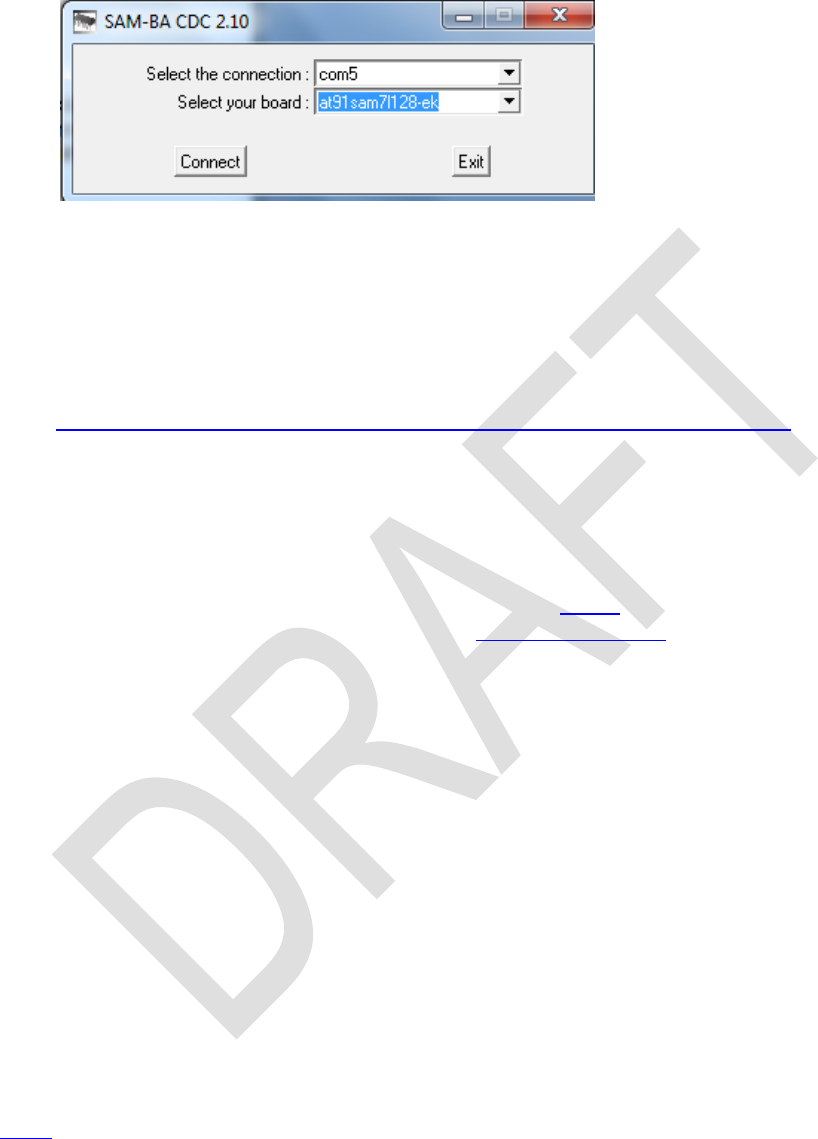
Edition 3.0
Page 95 of 103
Having completed step 3 of said file, call your SAM-BA for step 4. It may take a long time to start
up (some sixty seconds), so be patient. When it launches (step 5), a window pops up:
Choose the correct connection
(take the port you put your cable
in it may differ from what is
printed here). Select the board
built in your calculator (i.e.
AT91SAM7L128-EK as shown).
Press [Connect] then. This was
step 6.
In step 7, put in the address of calc.bin on your PC. Then continue according to steps 8 to
13. Not reaching step 7 may be due to low supply voltage on your calculator (see above).
After flashing successfully, a keyboard overlay is very helpful for further work since most labels
deviate from the ones used on said business calculators. You may get adhesive overlays from
Eric Rechlin. Preliminary paper overlays are most easily made of a file provided here:
http://wp34s.svn.sourceforge.net/viewvc/wp34s/artwork/wp34s_overlay.png
Set the overall width of this picture to 68mm and print it. Cut it out, span it over your
WP 34S using some transparent adhesive tape, and you are done.
Commands for Handling Flash Memory on Your WP 34S
Flash memory is very useful for backups as explained above. Alternatively to the commands
SAVE and LOAD contained in X.FCN (see the index of operations), you may use another ap-
proach. Hold down (i.e. ) and press one of the following keys:
for backup: Creates a copy of the RAM in flash memory like SAVE does.
for restore: Restores the most recent backup like LOAD does.
S (i.e. ) for SAM-BA: Clears the GPNVM1 bit and turns the calculator off.
ATTENTION: You can now only boot in SAM-BA mode! Without
the SAM-BA software and the cable mentioned above, you will be
lost!
These ON key combinations have to be pressed twice in a row without releasing the ON key to
be executed.
We recommend doing a SAVE or + before flashing a new release! After flashing,
your backup will still be available if you used + to get into SAM-BA boot mode and
didn't accidently press the ERASE button on the cable.
Further flash memory operations are PRCL, PSTO, P, RCF, RCF.RG, and RCF.ST. See the
index.


Edition 3.0
Page 96 of 103
Mapping of Memory Regions to Emulator State Files
Region
Start address
in flash
State file
Remarks
Unnamed
0x11FC00
wp34s-R.dat
Backup of 112 registers, flags and state.
0
0x11F800
wp34s-0.dat
Backup of program memory (506 steps).
1
0x11F400
wp34s-1.dat
Space for generic user programs. Each region
contains 506 steps again.
The files wp34s-n.dat are written when-
ever a respective flash command is executed.
You will find some sample files at Sourceforge.
2
0x11F000
wp34s-2.dat
3
0x11EC00
wp34s-3.dat
4
0x11E800
wp34s-4.dat
5
0x11E400
wp34s-5.dat
6
0x11E000
wp34s-6.dat
7
0x11DC00
wp34s-7.dat
8
0x11D800
wp34s-8.dat
9
0x11D400
wp34s-9.dat
RAM
n/a
wp34s.dat
Backup of the emulator RAM area (registers,
state, and programs) this file is written only
when exiting the emulator.
All files are only read into memory at emulator startup.
Data Transfer Between Your WP 34S and Your PC (SAM-BA)
This method is superseded by the one using serial I/O commands see next paragraph. It is still
interesting enough to leave it here as a reference.
The entire RAM is saved to address 0x11F800 (relative address 0x1F800 ) by SAVE or its
equivalent + . This content can be copied to your PC or loaded from it if the special
interface cable mentioned above is connected. Then, the transfer is performed as follows:
1. From calculator to PC:
a. Press + ,
then + (see below),
then + .
b. Press once again and start SAM-BA on the PC. Both devices should connect.
c. Set the start address to 0x11F800 and the size to 0x800.
d. Enter a file name of your choice in the receive field. You can now receive the file with
SAM-BA.
e. Move it into your emulator directory (where wp34sgui.exe is stored) under the
name wp34s.dat .
f. The emulator should accept the file. Your registers and programs will then be in place.

Edition 3.0
Page 97 of 103
g. To get your calculator back in business, start the "Boot from flash" script in SAM-BA
the same procedure you should know from flashing the firmware.
h. Reset and press to power up. Restore with +. If RAM is lost (most
probably due to an accidental press of the ERASE button on the cable), the most re-
cent backup (i.e. the one of step a. here) will be automatically restored.
2. From PC to calculator:
a. Execute steps 1.a + b.
b. Set the start address to 0x11F800 .
c. Point SAM-BA to your wp34s.dat file from the emulator.
d. You can now send the short file with SAM-BA.
e. Execute steps 1.g + h.
The program regions accessible with the commands PSTO, PRCL and P are stored at ad-
dresses mentioned in the table above and have a length of 0x400 (1 kB) each. The emulator
creates files wp34s-n.dat, with n being the region number. You can handle these files the
same way as the complete state file from the emulator. The regions have identical formatting
and can be swapped by copying their data to the wrong place. The register and state portion of
the backup area at 0x11FC00 is formatted differently.
If you want to get your emulator data from your PC into your calculator all in once, do the follow-
ing in Windows:
copy /b calc.bin+wp34s-9.dat+wp34s-8.dat+ … +wp34s-2.dat
+wp34s-1.dat+wp34s.dat calc-full.bin
As an alternative, the following will copy the backup data instead of the RAM state file:
copy /b calc.bin+wp34s-9.dat+ …
+wp34s-1.dat+wp34s-0.dat+wp34s-R.dat calc-full.bin
The resulting file can be transferred into flash and all data will be readily available.
Data Transfer Between Your WP 34S and Your PC (Serial I/O)
You will need the special interface cable mentioned above once again, or a modified 20b or 30b
as described elsewhere. Said special cable draws current from the batteries of your calculator; it
shall thus be disconnected from your WP 34S as soon as not needed anymore.
Communication is between your WP 34S and another WP 34S. The Windows emulator counts
as a valid partner so you can exchange data between your WP 34S and the PC. Since PCs tend
to have more than one port you have to tell the emulator which one to use. Create a text file
wp34s.ini in the directory where the state files wp34s.dat reside and put the name of the
port as the only line in this file, e.g. COM5: the very same port SAM-BA uses to access your
WP 34S for flashing.
The following commands allow for sending programs, registers or all RAM. They are found in the
P.FCN catalog.
On the receiving device, start the command RECV. It will display .
On the sender you have four choices:
1. SENDP will send the user program space. After successful termination, the receiver will
display .

Edition 3.0
Page 98 of 103
2. SENDR will send the registers 00 to 99. The receiver will display after suc-
cessful termination.
3. SENDA will send the complete 2 KB of non-volatile memory. The receiver will display
-- after successful termination.
4. SENDL n will send a library region directly. It will arrive in RAM and may be stored using
PSTO.
The commands for sending and receiving feature a fixed timeout of some 10 seconds for setting
up the connection. After an interval of inactivity of said length, is displayed indi-
cating no communication has occurred. If appears in the middle of a transmis-
sion try again.
On a device without the crystal installed, you may get said error because of the baud rate
setting may be a bit too far off. To determine the speed, use the loop
and let it run for 30 seconds. The expected result at nominal speed is around 191000.
The I/O commands accept a correction factor in percent in X. Try with 95 if your device is
a bit too slow or 105 if it is a bit too fast. Values between 80 and 120 are accepted all
other are ignored. On the emulator or with the crystal installed, x is ignored.
The little "=" annunciator is lit while the serial port is in use. can be used to abort the
communication.
More Keyboard Commands Employing ON
+ or : Adjust display contrast.
+ : Tells the system a quartz crystal is installed for the real time clock. The
quartz is inevitable prerequisite for the clock being useful in medium to long
range (see TICKS). Its installation is a hardware modification described
elsewhere.
ATTENTION: If this command is entered though the hardware does
not contain said modification, the system will hang and can only be
brought back to live with a reset or a battery pull!
+ : Enters debugging mode (use at your own risk).
+ : Toggles the radix mark as does.

Edition 3.0
Page 99 of 103
APPENDIX B: MORE ROUTINES AND COMMANDS
Library Routines
TVM and WHO live in the library file wp34s-1.dat, located in the library directory. Here is
how to install these two routines in the emulator and on the calculator.
1. Copy wp34s-1.dat into the emulator directory.
2. Start the emulator and the calculator with the serial cable still connected. Make sure a file
wp34s.ini exists in the emulator directory naming the COM port in use.
3. Make sure you have a backup of your programs on the calculator and on the emulator.
4. Use PRCL 1 on the emulator to copy the library into user program RAM.
5. Use RECV on the calculator and SENDP on the emulator. This will transfer the program
memory of the emulator to the calculator.
6. On the calculator, use PSTO to save the library.
7. Restore your backups.
Alternatively use SAM-BA to transfer the image directly to a RAM region as described else-
where.
Internal Commands (Use at Your Own Risk)
Some commands are used in internal routines exclusively and are not accessible from the key-
board. Others are placed here until they are sufficiently tested for being officially released. They
are listed below for sake of a complete documentation only:
Name
Purpose and remarks
iC n
Recalls internal constants, selected by the number specified:
0 0
1 1
2 5.01402 Kronrod only weight loop initializer (constants 5 - 14 below)
3 15.02903 Gauss-Kronrod weight loop initializer (constants 15 - 29 below)
Midpoint location is 0.5.
4 0.149445554002916905664936468389821 Kronrod weight for midpoint k10
5 0.995657163025808080735527280689003 Kronrod location of k0 and k20
6 0.011694638867371874278064396062192 Kronrod weight for k0 and k20
7 0.930157491355708226001207180059508 Kronrod location of k2 and k18
8 0.054755896574351996031381300244580 Kronrod weight for k2 and k18
9 0.780817726586416897063717578345042 Kronrod location of k4 and k16
10 0.093125454583697605535065465083366 Kronrod weight for k4 and k16
11 0.562757134668604683339000099272694 Kronrod location of k6 and k14
12 0.123491976262065851077958109831074 Kronrod weight for k6 and k14
13 0.294392862701460198131126603103866 Kronrod location of k8 and k12
14 0.142775938577060080797094273138717 Kronrod weight for k8 and k12
15 0.973906528517171720077964012084452 Location of g0, g9, k1 and k19
16 0.066671344308688137593568809893332 Gauss weight for g0 and g9
17 0.032558162307964727478818972459390 Kronrod weight for k1 and k19

Edition 3.0
Page 100 of 103
Name
Purpose and remarks
18 0.865063366688984510732096688423493 Location of g1, g8, k3 and k17
19 0.149451349150580593145776339657697 Gauss weight for g1 and g8
20 0.075039674810919952767043140916190 Kronrod weight for k3 and k17
21 0.679409568299024406234327365114874 Location of g2, g7, k5 and k15
22 0.219086362515982043995534934228163 Gauss weight for g2 and g7
23 0.109387158802297641899210590325805 Kronrod weight for k5 and k15
24 0.433395394129247190799265943165784 Location of g3, g6, k7 and k13
25 0.269266719309996355091226921569469 Gauss weight for g3 and g6
26 0.134709217311473325928054001771707 Kronrod weight for k7 and k13
27 0.148874338981631210884826001129720 Location of g4, g5, k9 and k11
28 0.295524224714752870173892994651338 Gauss weight for g4 and g5
29 0.147739104901338491374841515972068 Kronrod weight for k9 and k11
Constants 2 .. 29 are for the 10 / 21 point Gauss-Kronrod quadrature used by the
internal integration command. Locations are in the range (0, 1) which is scaled to
match the interval of integration. The quadrature sums the weight times the function
value at each location to estimate the integral. In Gauss-Kronrod schemes the
Gauss points are common to both quadratures although the weights are different.
This means two estimates of the integral can be performed without increasing the
number of function evaluations which in turn allows an estimate of the error to be
made. The cost for this is a reduction in the degree of polynomial function that is
always integrated exactly.
The following two solver commands SLVI and SLVS may use some hidden regis-
ters and flags. The start points of the respective register and flag blocks are passed
as one argument n.
Registers:
n+0 , n+1: first two estimates a and b for the root
n+2: third estimate c
n+3: function value at first estimate f(a)
n+4: function value at second estimate f(b)
Flags:
n+0 .. n+7: an eight bit iteration counter
n+8: true if we've got an interval with f(a) * f(b) < 0
n+9: true if all function evaluations have been constant so far
SLVI n
Initializes the solver. SLVI clears the iteration counter, takes a and b and calculates
f(a) and f(b), sets the last 2 flags accordingly, and produces a guess c. There is no
stack interaction.
SLVS n
Solver step. Updates the internal solver state based on the last function evaluation.
In particular, SLVS takes a, b, c, f(a), and f(b) from the register block plus f(c) from
X and updates the register values so that c and f(c) replace one of a and f(a) or b
and f(b). It also produces a new guess c and returns zero in X if the solving should
continue and non-zero if not. Otherwise, the stack isn't altered.

Edition 3.0
Page 101 of 103
Name
Purpose and remarks
The built in solver loop looks like this in principle, assuming n = 0 :
SLVI ; calculate f(a) and f(b) and initialize the registers and flags
LBL 00
RCL 02 ; recall c
XEQUSR ; call the user's subroutine calculating f(c)
; test if the solution has converged
GTO 01 ; converged, so exit the routine
SLVS ; update estimates
x= 0? ; should we continue?
GTO 00 ; loop back again
LBL 01
RCL 02 ; best guess so far
RTN
The actual solver is fairly complex. A combination of quadratic interpolation and a guarded
secant method is used.
XEQUSR
Calls a user subroutine (used by SLV, ∫ ). The subroutine is defined by the
argument to the initial command (either numeric of alpha label).

Edition 3.0
Page 102 of 103
APPENDIX C: RELEASE NOTES
Date
Release notes
1
9.12.08
Start
1.1
15.12.08
Added the table of indicators; added NAND, NOR, XNOR, RCLWS, STOWS, //, N, SERR, SIGMA,
< and >; deleted HR, INPUT, 2 flag commands, and 2 conversions; extended explanations for addressing and
COMPLEX put XOR on the keyboard; corrected errors.
1.2
4.1.09
Added ASRN, CBC?, CBS?, CCB, SCB, FLOAT, MIRROR, SLN, SRN, >BIN, >DEC, >HEX, >OCT, BETA, D>R,
DATE, DDAYS, D.MY, M.DY, Y.MD, CEIL, FLOOR, DSZ, ISZ, D>R, R>D, EMGAM, GSB, LNBETA, LNGAMMA,
MAX, MIN, NOP, REAL, RJ, W and WINV, ZETA, %+ and %-; renamed the top left keys B, C, and D, and bottom
left EXIT.
1.3
17.1.09
Added AIP, ALENG, ARCL, AROT, ASHF, ASTO, ATOX, XTOA, AVIEW, CLA, PROMPT (all taken from 42S),
the bit commands closer; deleted the 4 carry bit operations.
1.4
10.2.09
Added CONST and a table of constants provided, D>J and J>D, LEAP?, %T, RCL and STO and , and 2 for-
gotten statistics registers; deleted CHS, EMGAM, GSB, REAL and ZETA; purged and renamed the bit operations;
renamed many commands.
1.5
5.3.09
Added RNDINT, CONV and its table, a memory table, the description of XEQ B, C, D to the operation index, and a
and ge to the table of constants; put CLSTK on a key, moved CL and FILL, changed the % and log labels on the
keyboard, put CLALL in X.FCN; checked and cleaned alpha mode keyboard and added a temporary alpha key-
board; rearranged the alphabet to put Greek after Latin, symbols after Greek consistently; separated the input and
non-programmable commands; cleaned the addressing tables.
1.6
12.8.09
Added BASE, DAYS+, DROP, DROPY, E3OFF, E3ON, FC?F, FC?S, FIB, FS?F, FS?S, GCD, LCM, SETDAT,
SETTIM, SET24, SINC, TIME, VERS, DAY, MONTH, RC#; %-, t-, and 2-distributions and their
inverses; reassigned DATE, modified DENMAX, FLOAT, ROT, SHIFT; deleted BASE arithmetic, BIN, DEC,
HEX, and OCT; updated the alpha keyboards; added flags in the memory table; included indirect addressing for
comparisons; added a paragraph about the display; updated the table of indicators; corrected errors.
1.7
9.9.09
Added P.FCN and STAT catalogs, 4 more conversions, 3 more flags, Greek character access, CLFLAG,
DECOMP, DENANY, DENFAC, DENFIX, I, I, DATE, RL, RR, SL, SR, TIME, 12h, 24h, fraction mode
limits, normal distribution and its inverse for arbitrary µ and , and Boolean operations working within FLOAT; de-
leted ROT, SHIFT, the timer, and forced radians after inverse hyperbolics; renamed WINV to W 1, and beta and
gamma commands to Greek; added tables of catalog contents; modified label addressing; relabeled PRGM to P/R
and PAUSE to PSE; swapped SHOW and PSE as well as % and % on the keyboard; relabeled Q; corrected CEIL
and FLOOR; updated X.FCN and alpha commands; updated the virtual alpha keyboard.
1.8
29.10.09
Added R-CLR, R-COPY, R-SORT, R-SWAP, RCLM, STOM, alpha catalogs, 1 more constant and some more con-
versions, a table of error messages, as well as the binomial, Poisson, geometric, Weibull and exponential distribu-
tions and their inverses; renamed some commands; put √‾ instead of on hotkey D.
1.9
14.12.09
Added two complex comparisons; swapped and changed labels in the top three rows of keys, dropped CLST;
completed function descriptions in the index.
1.10
19.1.10
Added IMPFRC, PROFRC, CENTER, BEG, END, and an addressing table for items in catalogs; updated tempo-
rary alpha mode, display and indicators, RCLM and STOM, alpha-commands and the message table; renamed the
exponential distribution; wrote the introduction.
1.11
21.9.10
Changed keyboard layout to bring and to the front, relabeled binary log, swapped the locations of CLPR,
and STATUS, as well as SF and FS?; created a menu TEST for the comparisons removed and the other pro-
grammable tests from P.FCN; added %MG, %+MG, %MRR, RESET, SSIZE4, SSIZE8, SSIZE?, CDROP, CFILL,
CR, CR, registers J and K, a table of contents and tables for stack mechanics and addressing in complex opera-
tions; updated memory and real number addressing tables, DECOMP, OFF, ON, , and ; renamed ROUNDI,
WSIZE?, (x,y), (x) and the constant p0 ; deleted DROPY (use xy, DROP instead), APP, BEG, END, and
; deleted Josephson and von Klitzing constants (they are just the inverses of other
constants included in CONST already); brought more symbols on the alpha keyboard.
1.12
22.12.10
Modified keyboard layout; added catalogs MODE and PROB; changed mode word, catalog contents and handling
(XEQ instead of ENTER), as well as some non-programmable info commands; expanded IMPFRC and PROFRC;
added a paragraph about the fonts provided and explained alpha catalogs in detail; added PRIME? and some con-
versions; deleted FRACT, OFF and ON.
1.13
3.2.11
Modified keyboard layout; , radix setting, H.MS+ and H.MS-; added EVEN?, FP?, INT?, LZOFF,
LZON, ODD?, RCLS, STOS, returned FRACT; added and renamed some conversions; updated the paragraph
about display; added appendices A and B; baptized the device WP 34S.

Edition 3.0
Page 103 of 103
1.14
18.3.11
Started the Windows emulator.
Added DEC and INC, renamed FLOAT to DECM; and H.MS mode; updated appendix A; docu-
mented the annunciators BEG and = as well as underflows and overflows in H.MS; corrected some errors showing
up with the emulator.
1.15
21.3.11
Modified FIX, removed ALL from MODE, updated CONV.
1.16
27.3.11
Added LBL?, and ; modified PSE; upgraded catalog searching.
1.17
9.5.11
Modified keyboard layout for adding a fourth hotkey; added AGM, BATT, Bn, Bn*, Cauch, Lgnrm, Logis and their
inverses, all the pdf, COV, CUBE, CUBERT, DEG, ENGOVR, ENTRY?, erfc, GRAD, GTO . hotkey, KEY?,
RAD, SCIOVR, SERRw, SLVQ, sw, sxy, TICKS, TVM, xg, , m, p, , w, (-1)X, the polynomials, four angular
conversions, four Planck constants, the regional settings, global alpha labels, and three messages; renamed most
cdf; changed DEG, RAD, GRAD to leaving angular mode as set; altered PSE for early termination by key-
stroke; made D.MY default instead of Y.MD; moved degrees to radians conversions to CONV; removed CCLx,
H.MS mode, %+ and %-; corrected errors.
1.18
5.6.11
Expanded program memory; modified label addressing (A and fraction mode limits, changed ANGLE to work
in real and complex domains, renamed MOD to RMDR, changed the keyboard layout; put BACK, ERR, SKIP, and
SPEC? to the main index; added CAT and the I/O commands for flash memory, expanded R-COPY; corrected
x.
2.0
21.7.11
Entered beta test phase.
Added DAY, MONTH, YEAR, FAST, SLOW, S.L, S.R, VW+, flag A, ON + and , some constants, and a para-
graph about I/O; renamed old DAY to WDAY, RRCL to RCFRG, SRCL to RCFST; added an inverse conversion
shortcut, stoneskg, and changed Pambar to Pabar; modified the VIEW commands, ALL, DISP, MODE,
RCLM, STOM, and X.FCN; repaired hyperlinks; corrected some errors; included flash.txt; updated the first chap-
ters, explained stack mechanics in more detail.
2.1
3.10.11
Added serial I/O commands, DELP, DSL, EXPT, IBASE?, INTM?, ISE, KTY?, MANT, NEXTP, PUTK, REALM?,
RM, RM?, SMODE?, TOP?, xy, signed tests for zero, some constants, and the paragraph about interactive pro-
gramming; updated the values in CONST to CODATA 2010, also updated SLVQ, SHOW, and the paragraphs
about statistics, predefined alpha labels and memory; corrected some errors; deleted complex ANGLE, BIN,
DEC, HEX, and OCT; redistributed the contents of X.FCN and P.FCN; renamed S.L and S.R to SDL and
SDR and moved £ to P to make room for ; expanded Appendix A; reorganized the
structure of the document; added first aid to the front page; rewrote the keyboard chapter.
2.2
26.10.11
Added MSG, y, z, and matrix operations, a paragraph about them and two new error messages for them.
3.0
2.11.11
Added MATRIX and CFIT catalogs, a footnote for DELP, returned BIN, DEC, HEX,
and OCT; changed keyboard layout to bring MATRIX to the front and to swap OFF and
SHOW; swapped 8 and 10, removed xa from the key plate; redistributed commands in the
catalogs; updated the introduction to statistics.
WARNING: This is just a working document to support discussion of new features.
