MS6252B通用说明书 Mastech MS 6252B Digital Anemometer Manual
User Manual: Mastech-MS-6252B-Digital-Anemometer-Manual
Open the PDF directly: View PDF  .
.
Page Count: 10
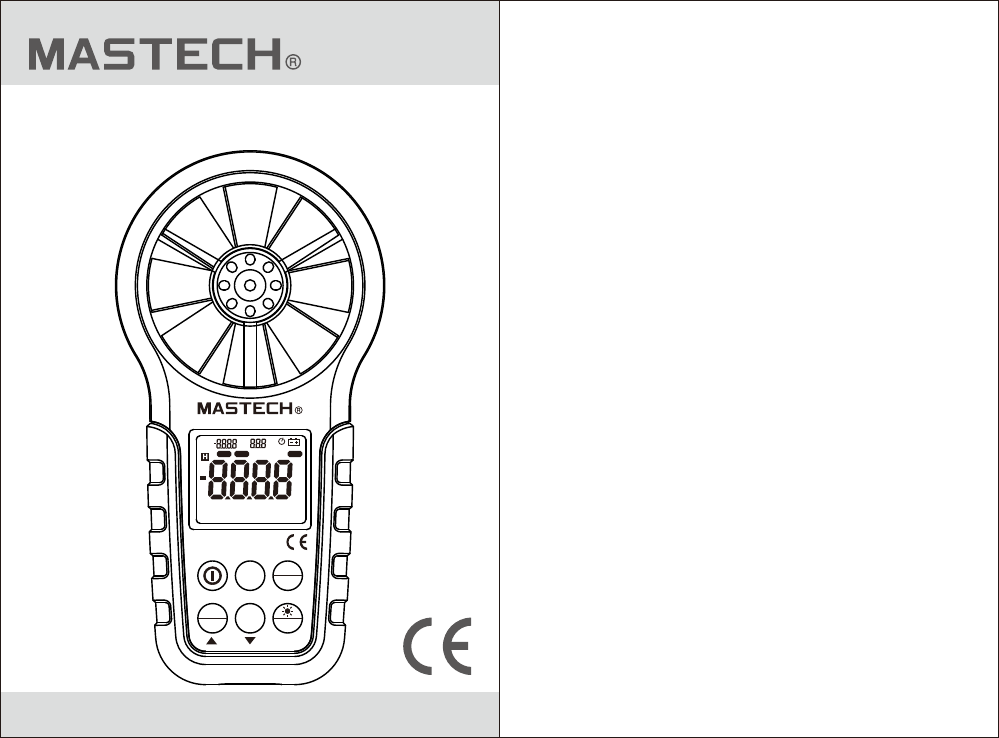
MS6252B
Digital Anemometer
Operation Manual
MS6252B
Digital Anemometer
FUNC HOLE
MODE
UNIT
MAX
MIN USB
DP
WB
MAX MIN VEL FLOW AREA USB
°C
°F % RH
m2
ft2
x10
ft/m
ml/h
ft/s
km/h
knots
m/s
FPM CMM
CFM CMS

1. Safety Information...........................1
1.1 Preparation........................................1
1.2 Usage................................................1
1.3 Marking.............................................1
1.4 Maintenance......................................2
CONTENTS CONTENTS
2. Description..........................................3
2.1 Part name..........................................3
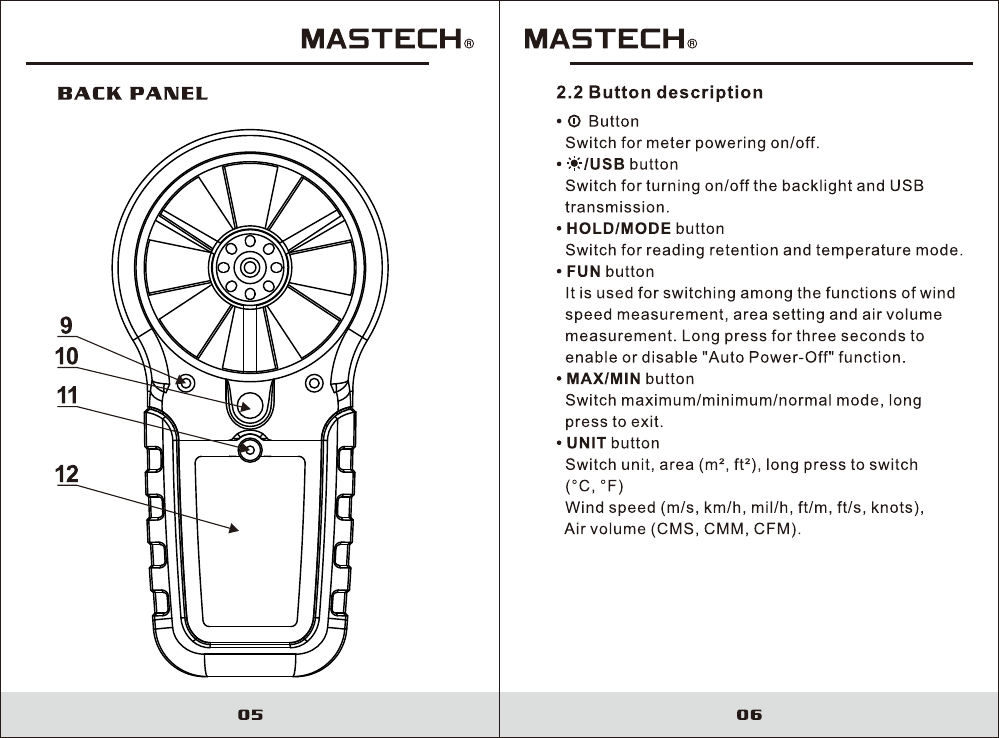
2.2 Button description..............................6
2.3 Sign definition....................................7
3. Specification......................................8
3.1 General.............................................8
3.2 Technique data.................................9
4. Operating Guidance.........................11
4.1 Power On/Off...................................11
4.2 Reading hold ...................................11
4.3 Backlight function.............................12
4.4 Wind speed measurement................12
4.5 Wind speed unit selection.................13
4.6 Area setting......................................13
4.7 Air volume measurement..................13
4.8 Air volume unit selection...................14
4.9 Temperature unit selection................14
4.10 Temperature mode selection...........14
4.11 USB real time data uploading..........14
4.12 Use tripod connection receptacle.....15
4.13 Replace battery...............................16
5. Attachments............................................16
03 04
2. DESCRIPTION
-This meter is a digital anemometer for measuring
the ambient temperature, humidity, dew point
temperature, wet bulb temperature, wind speed,
and air volume.
-This meter is a portable, professional measuring
instrument with large-screen LCD and backlight,
multi-unit switching functions.
-This meter can be used for hand-held or fixed
measurement.
-This meter has the functions of reading hold,
maximum, minimum, etc.
-It has a low battery indicator and USB real time
data uploading functions.
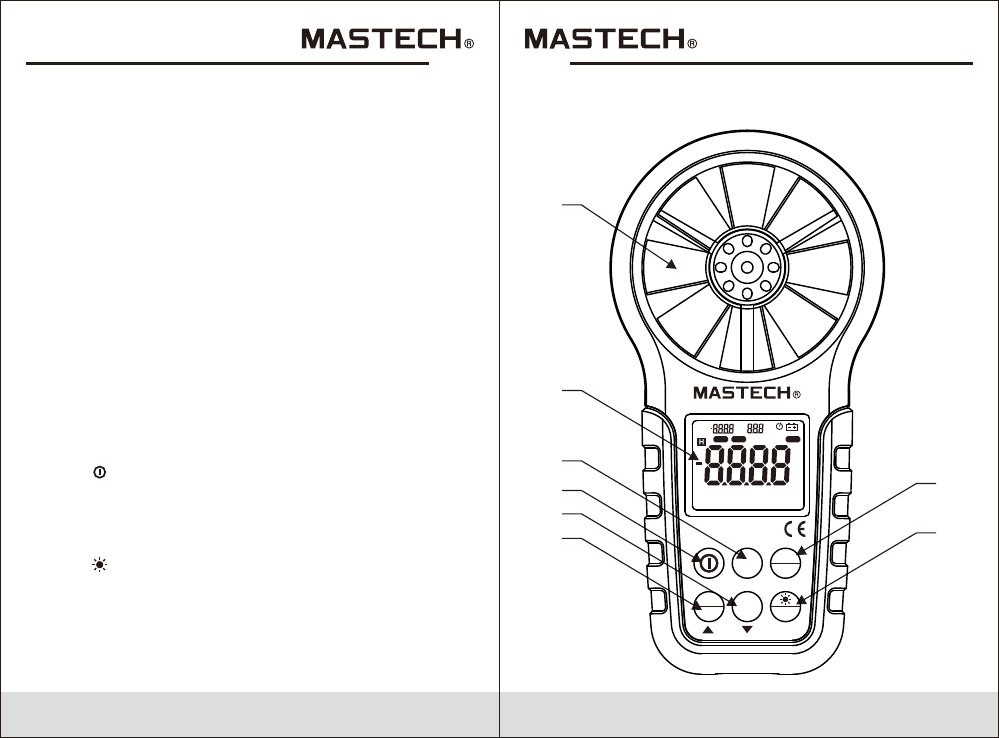
2.1 Part name
(1) Fan
(2) LCD
(3) “FUN” — Function switching button
(4) “ ”— Power switch
(5) “UNIT” — Unit switching button
(6) Maximum/Minimum button
(7) “HOLD/MODE” hold display, switch temperature mode
(8) “ /USB” — Backlight/USB real time data
uploading functions
(9) Fan retaining bolt hole
(10) Connection hole for fixing measurement bracket
(11) Battery housing cover retaining bolt hole
(12) Battery cover
FRONT PANEL
1
2
3
4
5
6
7
8
MS6252B
Digital Anemometer
FUNC HOLE
MODE
UNIT
MAX
MIN USB
DP
WB
MAX MIN VEL FLOW AREA USB
°C
°F % RH
m2
ft2
x10
ft/m
ml/h
ft/s
km/h
knots
m/s
FPM CMM
CFM CMS
07 08
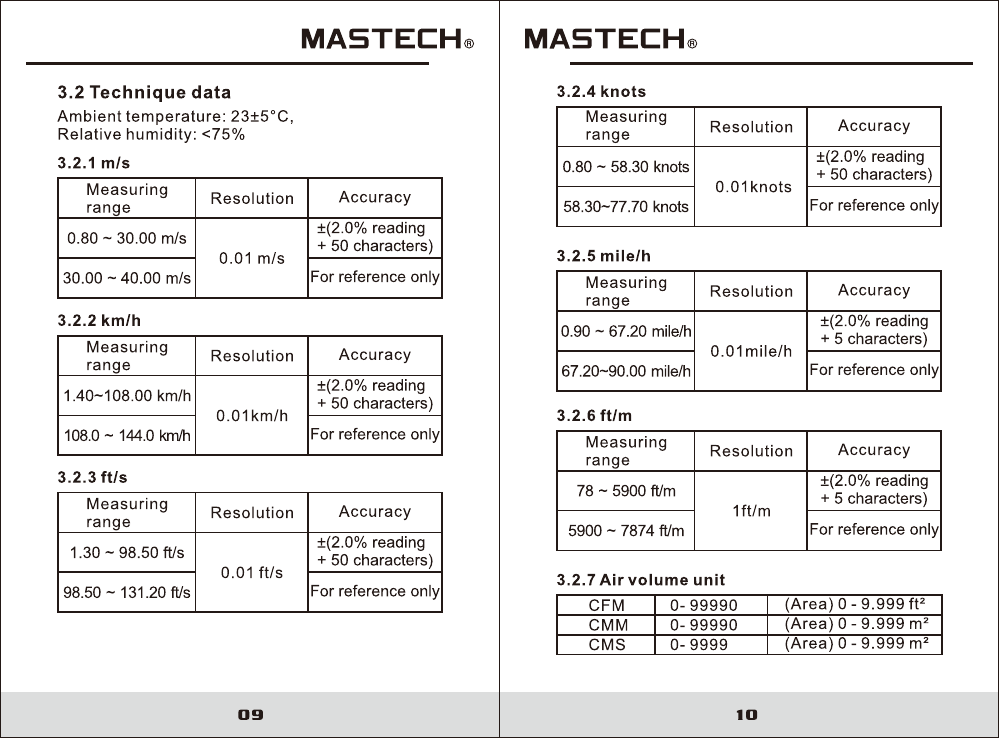
3. SPECIFICATION
The meter should be recalibrated under the condition
of 18°C~28°C, relative humidity <75% every year.
3.1 General
3.1.1 Work height: Maximum 2000m
3.1.2 Work mode:
Frequency of wind speed conversion
3.1.3 Display: LCD
3.1.4 Maximum show value: 9999
3.1.5 Sampling time: About 0.4s/time.
3.1.6 Low battery indicator: sign displays on LCD.
3.1.7 Work power: 1×9V 6F22 battery.
3.1.8 Operation environment:
Relative humidity–0~85%RH,
no moisture condensation
Temperature–0°C~40°C,
no moisture condensation
3.1.9 Detector (fan) operation environment:
Relative humidity– 0~95%RH,
no moisture condensation.
Temperature–-20°C~80°C,
no moisture condensation.
3.1.10 Storage environment:
Relative humidity– 0~80%RH,
no moisture condensation
Temperature–-10°C~50°C,
no moisture condensation
3.1.11 Dimension: Meter –165LX85 WX38Hmm.
3.1.12 Weight: About 200g
2.3 Sign definition
Indicates Auto Power-Off status
H Reading hold state
VEL Wind speed measurement state
FLOW Air volume measurement state
AREA Area setting required by air volume
DP Indicates that the current mode is dew point
temperature mode
WB Indicates that the current mode is wet bulb
temperature mode
°C, °F Temperature unit
%RH Relative humidity sign
USB Indicates that USB real time data uploading
is enabled
MAX Displays maximum after entering
maximum/minimum mode
MIN Displays minimum after entering
maximum/minimum mode
m² Indicates that the current area setting unit
is square meter
ft² Indicates that the current area setting unit
is square foot
CMM Cubic meters per minute
CMS Cubic meters per second
CFM Cubic meters per minute
knots Nautical miles per hour, 1850 meters per hour
ft/s Feet per second
ft/m Feet per minute
m/s Meters per second
Km/h Kilometers per hour
mil/h Nautical miles per hour
Low battery indicator
(1) Battery 9V, NEDA 1604, 6F22
(2) Detector Bracket
(3) Packaging Bag
(4) Operation Manual
(5) CD
4.13 Replacing battery
4.13.1 If the “ ”sign appears, this indicates that
the battery should be replaced.
4.13.2 Power off the meter and remove the battery
cover.
4.13.3 Replace the old battery.
4.13.4 Install the battery cover properly.
5. ATTACHMENTS
1pc
Optional
1pc
1pc
1pc
15
enable the USB function of the meter.
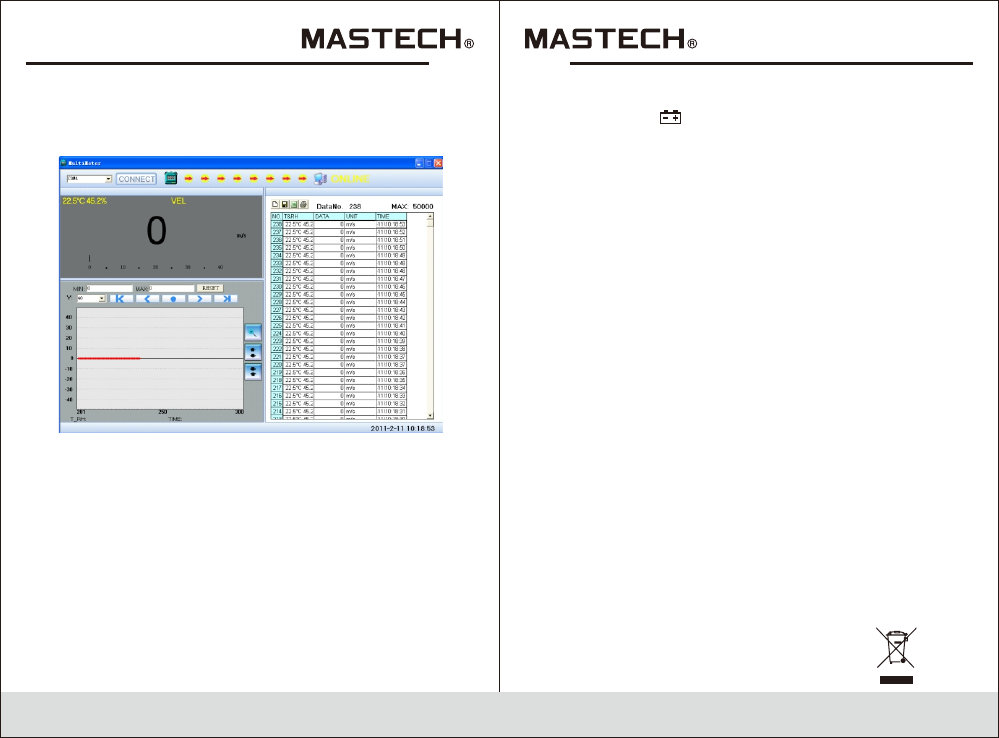
5.The PC software displays data and diagrams.
6. Save or print data.
4.12 Using tripod connection receptacle
4.12.1 When necessary, the meter can be fixed on
a tripod.
4.12.2 When necessary, the meter can be used by
hang.
16
ONLINE
HYS006709
