MyHR System User Guide _8_ My HR V1
User Manual:
Open the PDF directly: View PDF  .
.
Page Count: 7

MyHR System User Guide
1. User Login............................................................................................................ 2
2. Self-service Terminal............................................................................................ 2
2.1. Personal Information View or Modify............................................................... 2
2.2. Other Information View or Append .................................................................. 3
3. Online Leave Application...................................................................................... 4
3.1. Balance Query................................................................................................. 4
3.2. Leave Record Query ....................................................................................... 4
3.3. Leave Application ............................................................................................ 4
3.4. Leave Application Modification........................................................................ 4
3.5. Leave Approval Status .................................................................................... 4
4. Attendance Records Query.................................................................................. 4
5. Manager Portal..................................................................................................... 6
5.1. Staff Query ...................................................................................................... 6
5.2. Staff Balance Check........................................................................................ 6
5.3. Leave Approve (HR System)........................................................................... 6
5.4. Leave Approve (Email).................................................................................... 6
5.5. Staff Attendance Query ................................................................................... 7
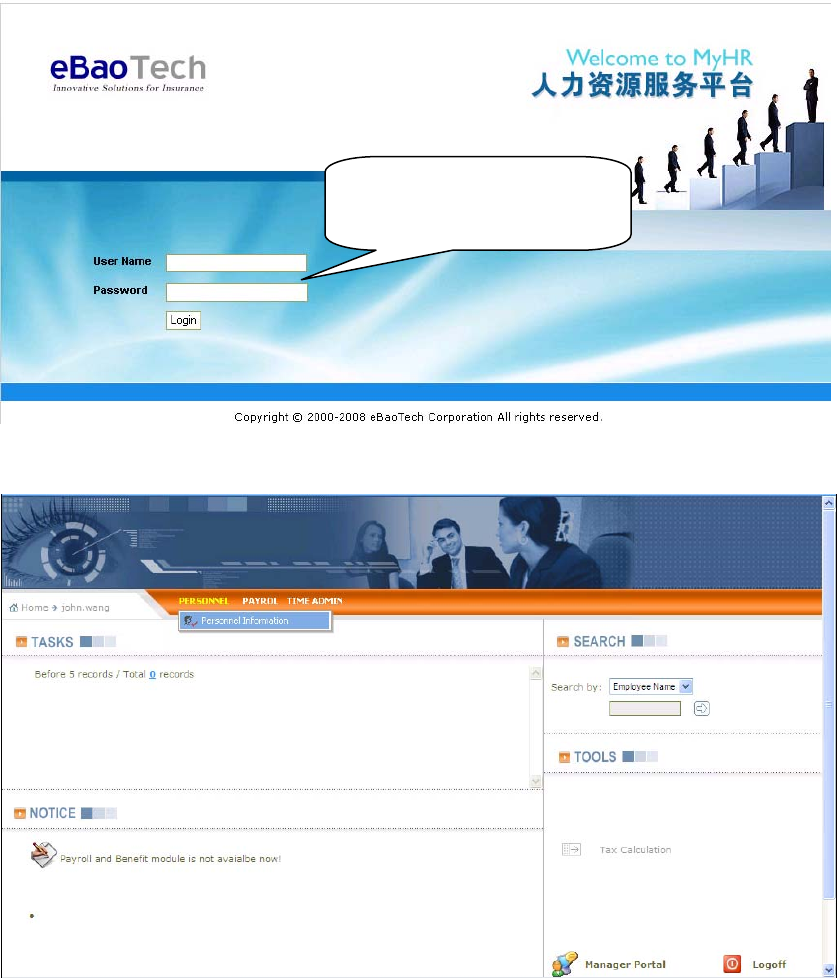
1. User Login
Website address: http://myhr.ebaotech.com
As a user, please use your company email account and password to log in the system.
2. Self-service Terminal
2.1. Personal Information View or Modify
Click Personal information to view or Modify related information
Use your email account
and password to log in the
s
y
stem
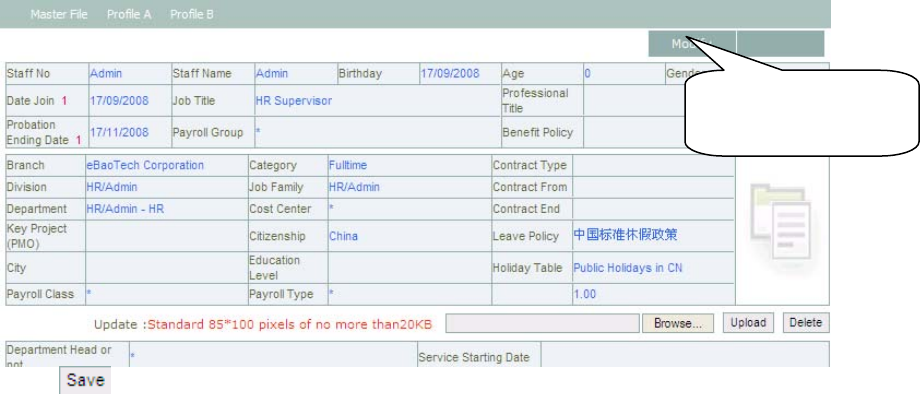
Click to save the information
2.2. Other Information View or Append
Click Master File / Profile A / Profile B to view or append related information
Click here to
modify personal
information
3. Online Leave Application
3.1. Balance Query
Click Time Admin > Leave > Balance Query
3.2. Leave Record Query
Click Time Admin > Leave > Leave Records
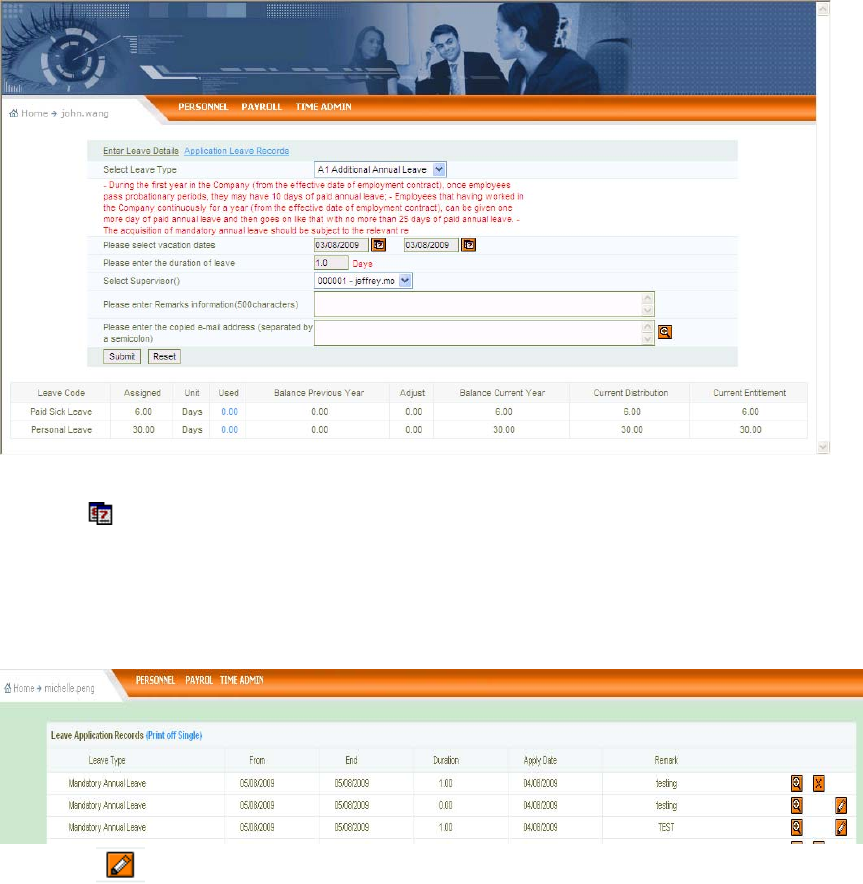
3.3. Leave Application
Click Time Admin > Leave > Leave Application
Click leave type dropdown list, select leave type you want to apply
Click to select leave start/end date
Click Duration pane, system will automatically calculate leave days via vacation dates
Select Supervisor: Direct up level
Click Submit button, system will send leave application to your supervisor for approval
3.4. Leave Application Modification
Click Time Admin > Leave > Approval Status
Click to modify leave start/end date
3.5. Leave Approval Status
Click Time Admin > Leave > Approval Status
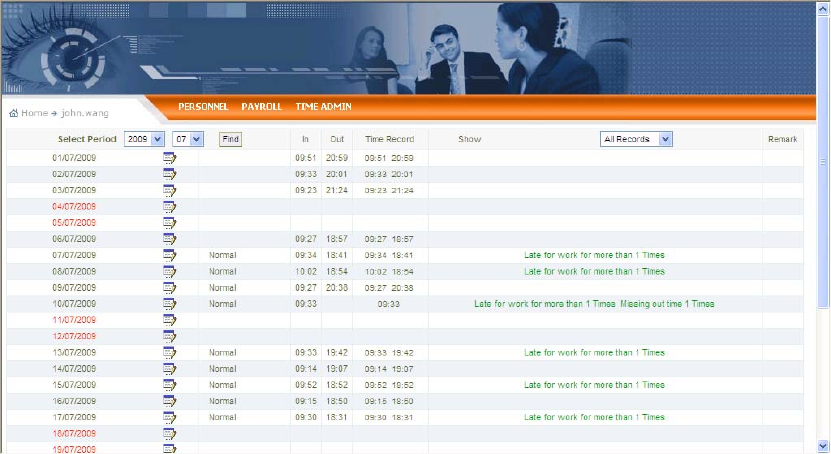
4. Attendance Records Query
Click Time Admin > Attendance Records
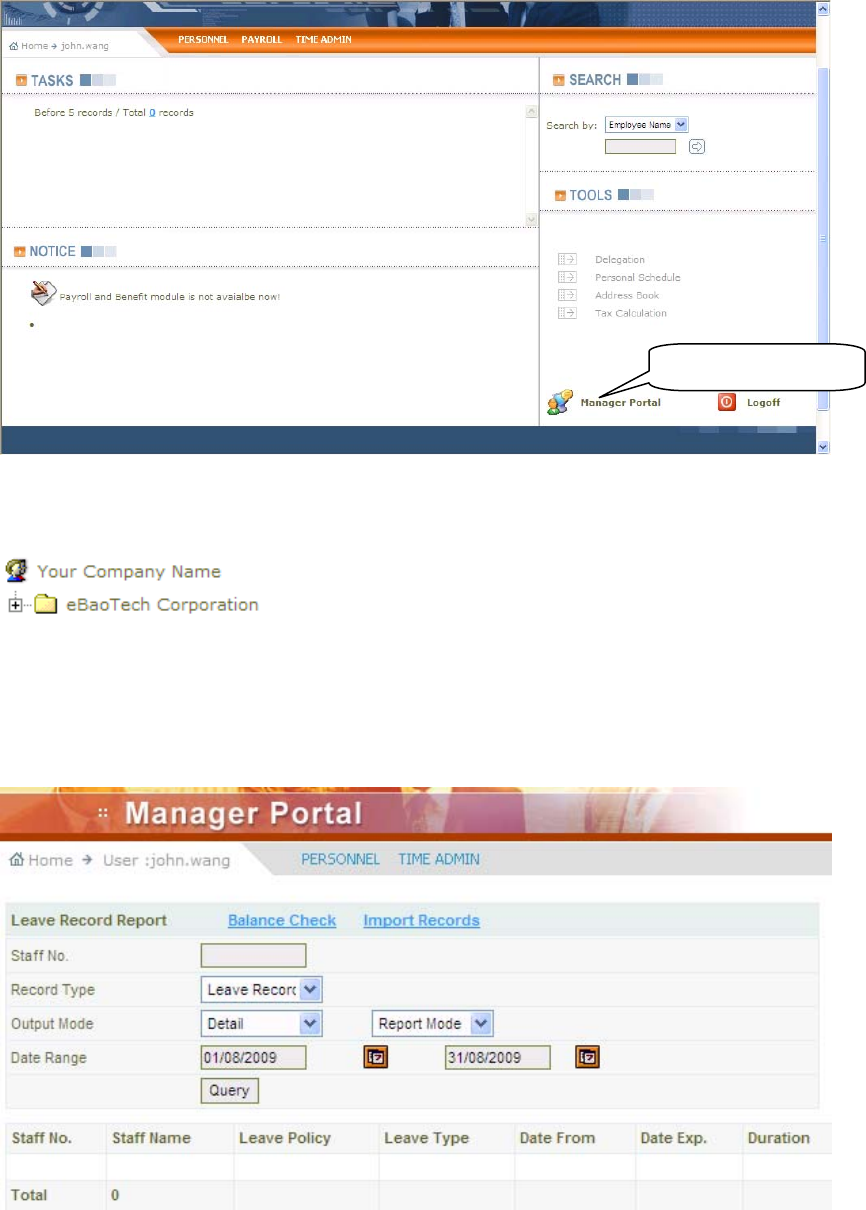
5. Manager Portal
5.1. Staff Query
Click Manager Portal > Staff Query
Click the folder icon and you will find your subordinates list, and then click one staff name or staff code to
view his/her details authenticated by HR
5.2. Staff Balance Check
Click Manager Portal > Time Admin > Leave Records > Records > Balance Check
5.3. Leave Approve (HR System)
Click Manager Portal > Time Admin > Leave Approve > To process
5.4. Leave Approve (Email)
Double click email attachment you received and then do the related action (Approve or Reject)
Management
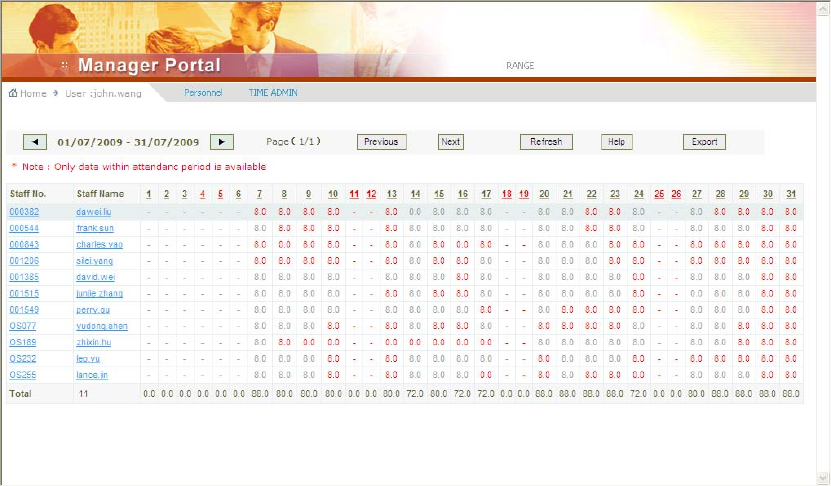
5.5. Staff Attendance Query
Click Manager Portal > Time Admin > Attendance Check
Click one Staff Name or Staff Code to view attendance details
