PlantUML语言参考指引 Plant UML Language Reference Guide Zh
User Manual:
Open the PDF directly: View PDF  .
.
Page Count: 174 [warning: Documents this large are best viewed by clicking the View PDF Link!]

使用 PlantUML 绘制的 UML
PlantUML 语言参考指引
(Version 1.2019.6)
PlantUML 是一个开源项目,支持快速绘制:
•时序图
•用例图
•类图
•活动图
•组件图
•状态图
•对象图
•部署图
•定时图
同时还支持以下非 UML 图:
•线框图形界面
•架构图
•规范和描述语言 (SDL)
• Ditaa diagram
•甘特图
• MindMap diagram
• Work Breakdown Structure diagram
•以AsciiMath 或JLaTeXMath 符号的数学公式
通过简单直观的语言来定义这些示意图。
1时序图
1时序图
1.1 简单示例
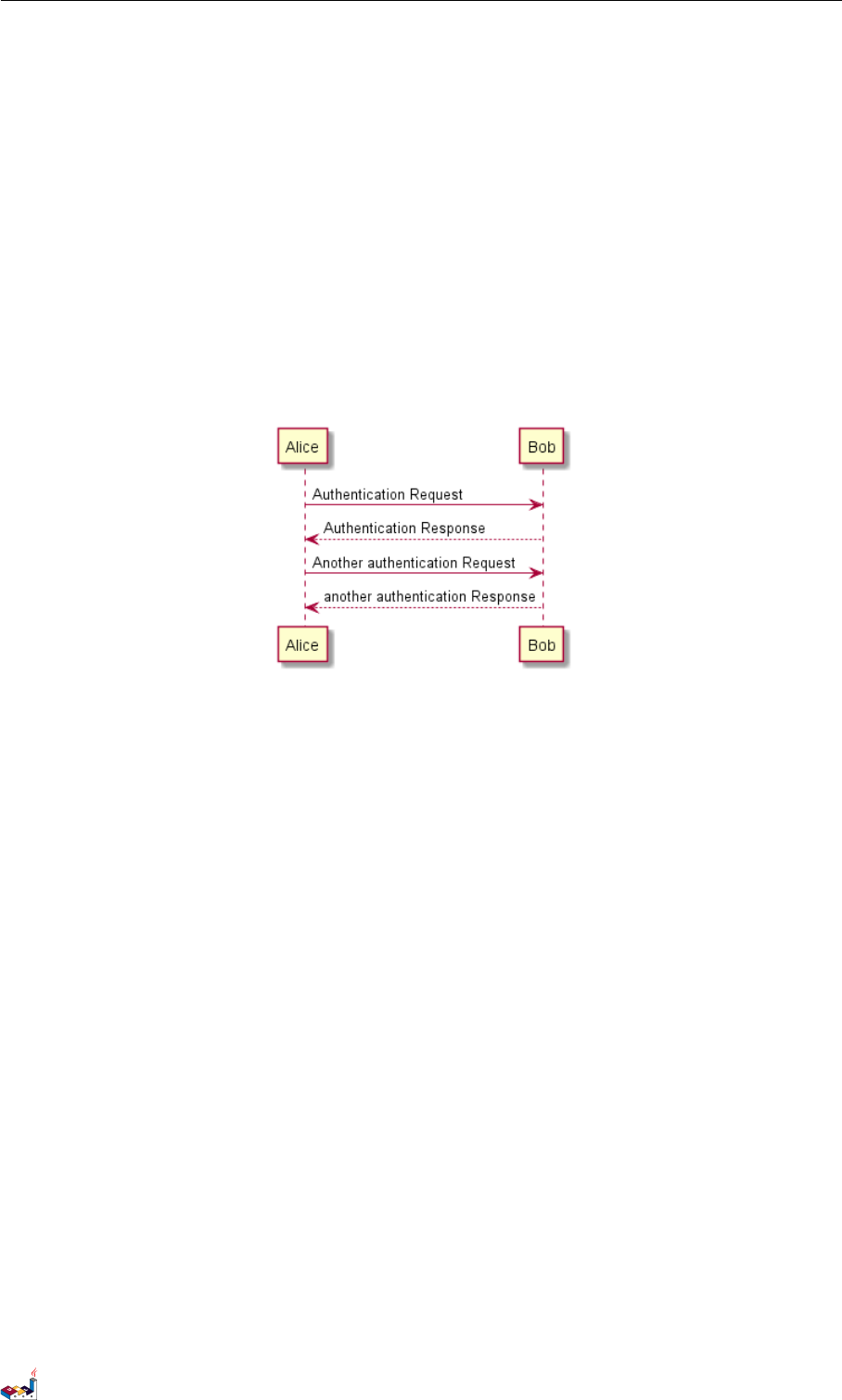
你可以用 -> 来绘制参与者之间传递的消息,而不必显式地声明参与者。
你也可以使用 --> 绘制一个虚线箭头。
另外,你还能用 <- 和<--,这不影响绘图,但可以提高可读性。注意:仅适用于时序图,对于其它示意
图,规则是不同的。
@startuml
Alice -> Bob: Authentication Request
Bob --> Alice: Authentication Response
Alice -> Bob: Another authentication Request
Alice <-- Bob: another authentication Response
@enduml
1.2 声明参与者
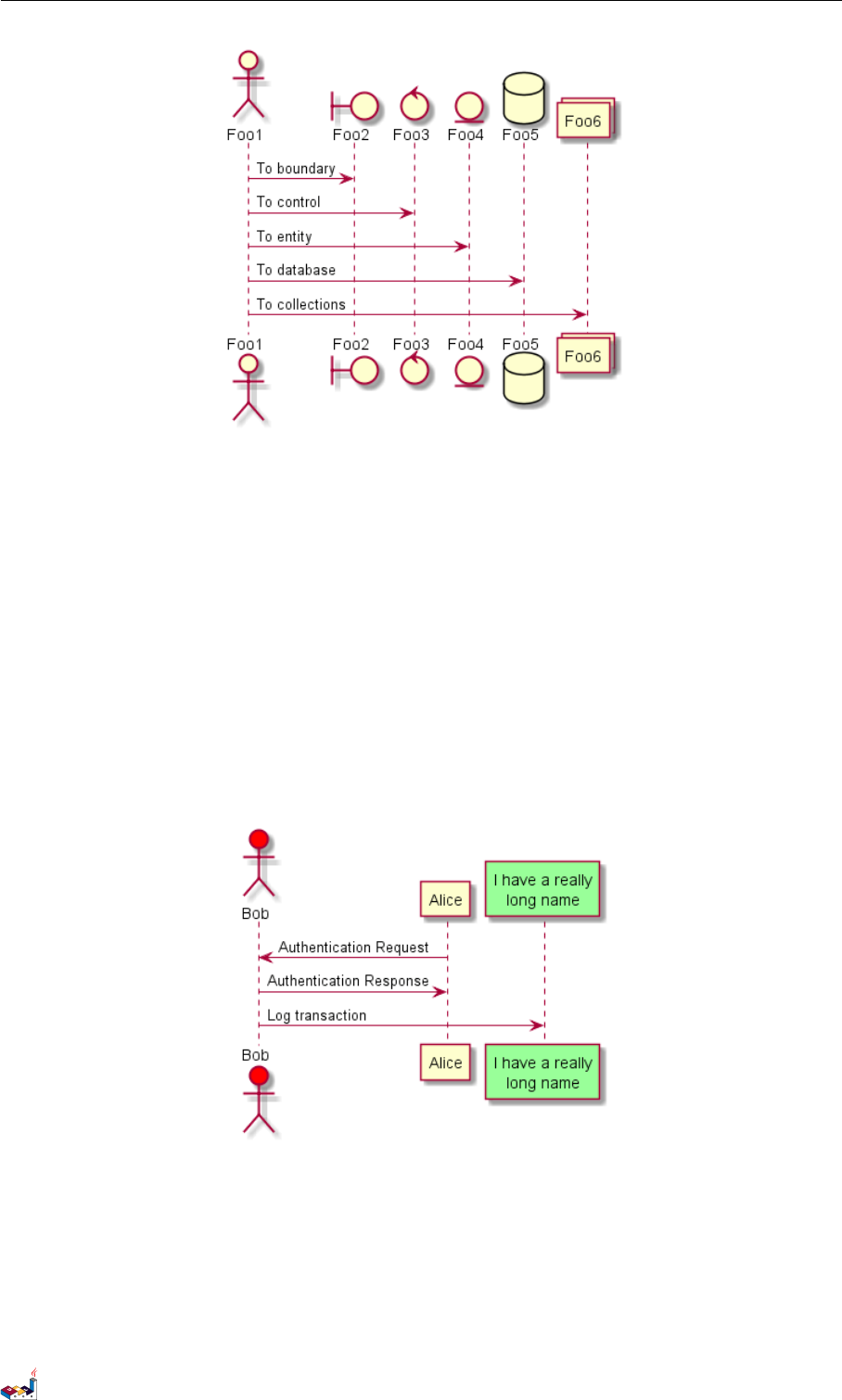
关键字 participant 用于改变参与者的先后顺序。
你也可以使用其它关键字来声明参与者:
•actor
•boundary
•control
•entity
•database
@startuml
actor Foo1
boundary Foo2
control Foo3
entity Foo4
database Foo5
collections Foo6
Foo1 -> Foo2 : To boundary
Foo1 -> Foo3 : To control
Foo1 -> Foo4 : To entity
Foo1 -> Foo5 : To database
Foo1 -> Foo6 : To collections
@enduml
PlantUML 语言参考指引 (1.2019.6) 1 / 173
1.2 声明参与者 1时序图
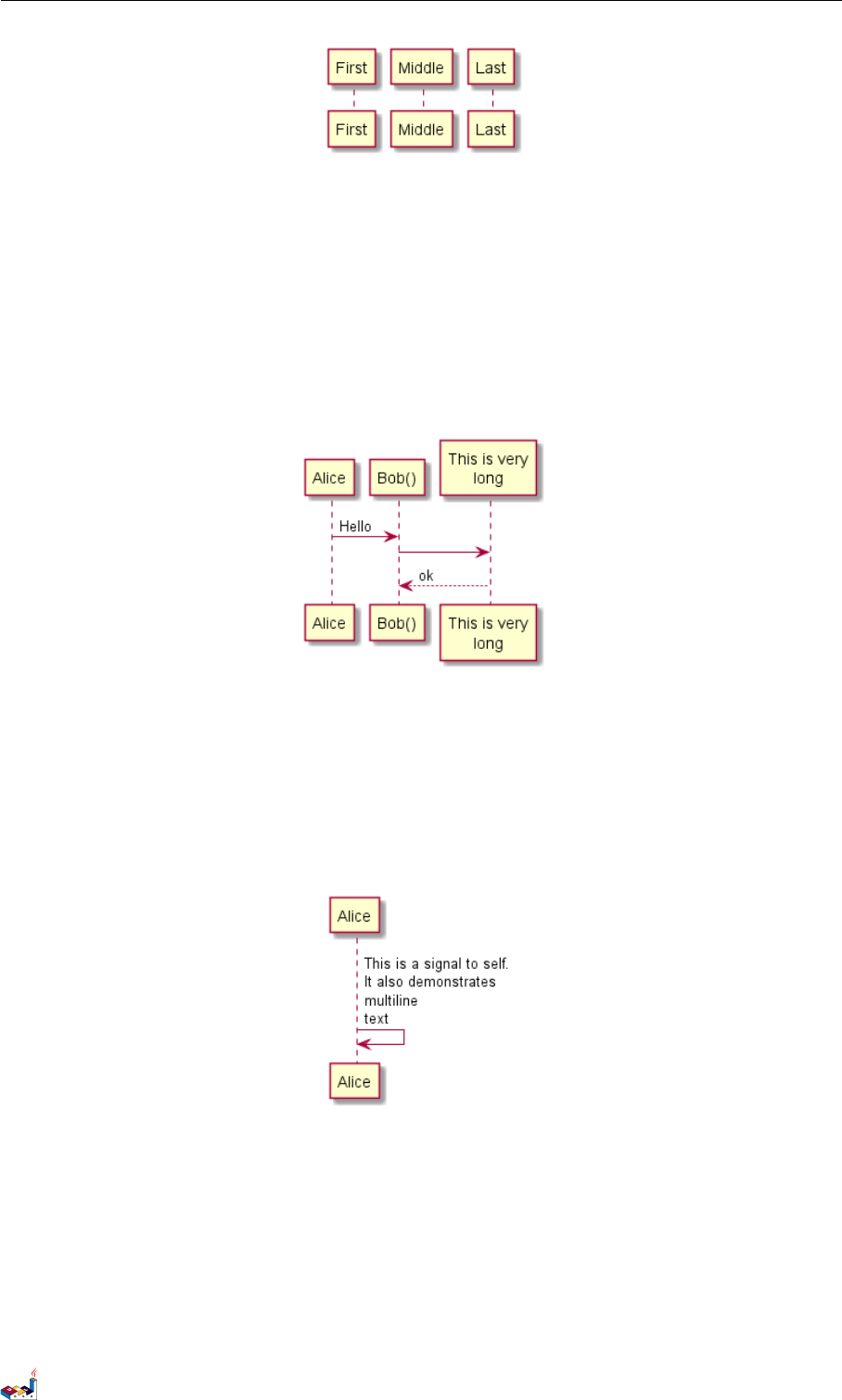
关键字 as 用于重命名参与者
你可以使用 RGB 值或者颜色名修改 actor 或参与者的背景颜色。
@startuml
actor Bob #red
' The only difference between actor
'and participant is the drawing
participant Alice
participant "I have a really\nlong name" as L #99FF99
/' You can also declare:
participant L as "I have a really\nlong name" #99FF99
'/
Alice->Bob: Authentication Request
Bob->Alice: Authentication Response
Bob->L: Log transaction
@enduml
您可以使用关键字 order 自定义顺序来打印参与者。
@startuml
participant Last order 30
participant Middle order 20
participant First order 10
@enduml
PlantUML 语言参考指引 (1.2019.6) 2 / 173
1.3 在参与者中使用非字母符号 1时序图
1.3 在参与者中使用非字母符号
你可以使用引号定义参与者,还可以用关键字 as 给参与者定义别名。
@startuml
Alice -> "Bob()" : Hello
"Bob()" -> "This is very\nlong" as Long
' You can also declare:
' "Bob()" -> Long as "This is very\nlong"
Long --> "Bob()" : ok
@enduml
1.4 给自己发消息
参与者可以给自己发信息,
消息文字可以用 \n 来换行。
@startuml
Alice->Alice: This is a signal to self.\nIt also demonstrates\nmultiline \ntext
@enduml
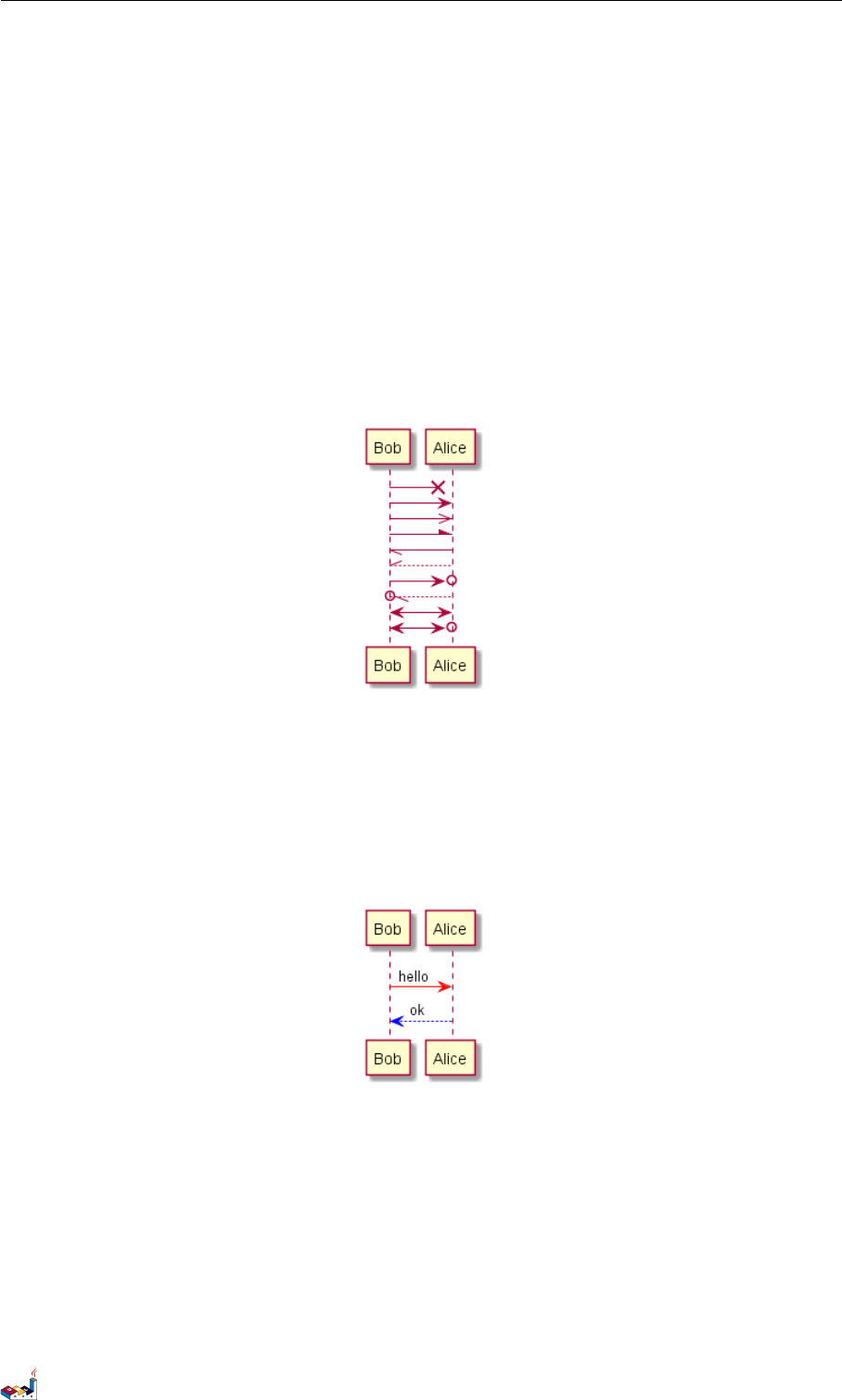
1.5 修改箭头样式
修改箭头样式的方式有以下几种:
•表示一条丢失的消息:末尾加 x
•让箭头只有上半部分或者下半部分:将 <和>替换成 \或者 /
•细箭头:将箭头标记写两次 (如>> 或//)
•虚线箭头:用 -- 替代 -
PlantUML 语言参考指引 (1.2019.6) 3 / 173
1.6 修改箭头颜色 1时序图
•箭头末尾加圈:->o
•双向箭头:<->
@startuml
Bob ->x Alice
Bob -> Alice
Bob ->> Alice
Bob -\ Alice
Bob \\- Alice
Bob //-- Alice
Bob ->o Alice
Bob o\\-- Alice
Bob <-> Alice
Bob <->o Alice
@enduml
1.6 修改箭头颜色
你可以用以下记号修改箭头的颜色:
@startuml
Bob -[#red]> Alice : hello
Alice -[#0000FF]->Bob : ok
@enduml
1.7 对消息序列编号
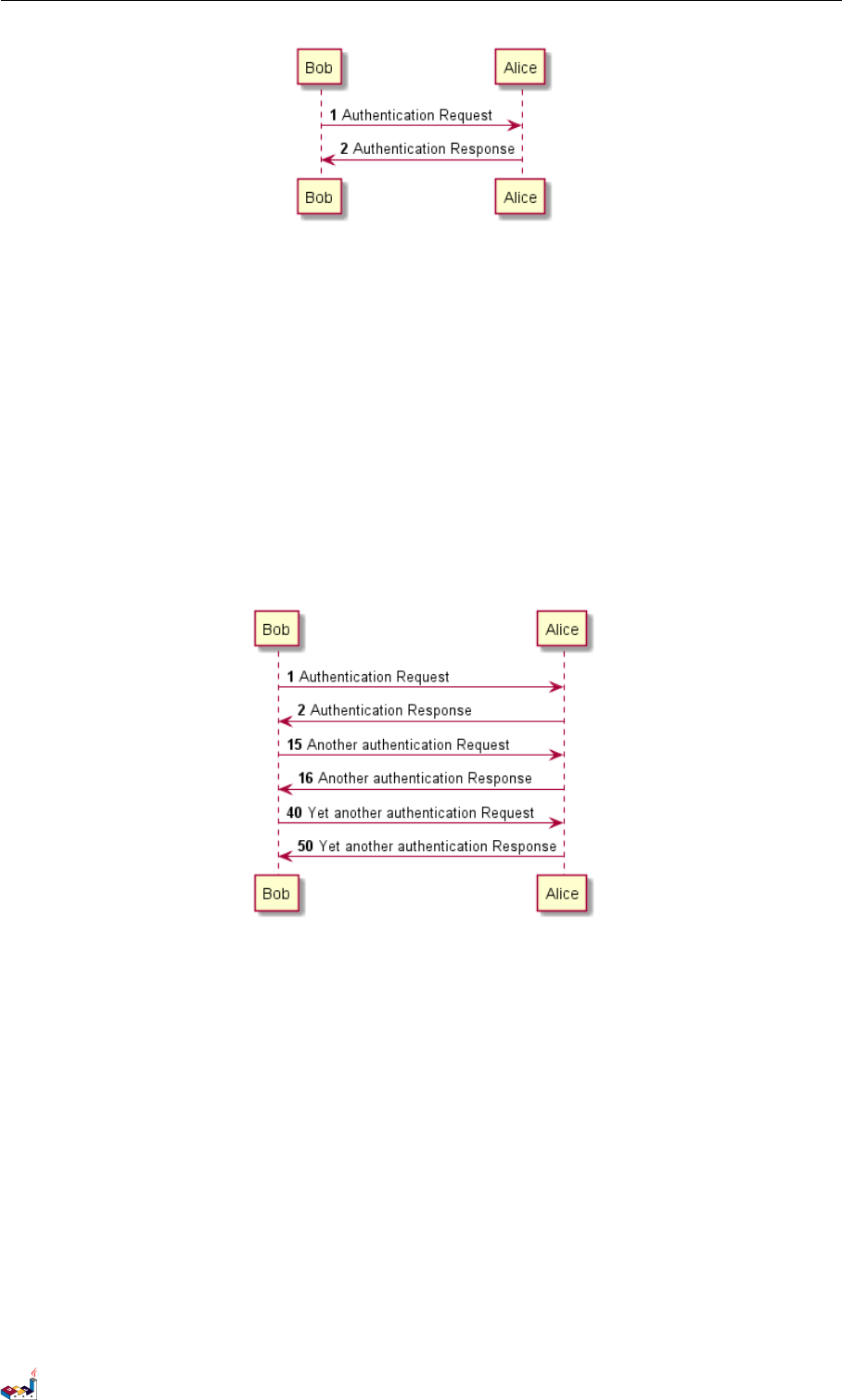
关键字 autonumber 用于自动对消息编号。
@startuml
autonumber
Bob -> Alice : Authentication Request
Bob <- Alice : Authentication Response
@enduml
PlantUML 语言参考指引 (1.2019.6) 4 / 173
1.7 对消息序列编号 1时序图
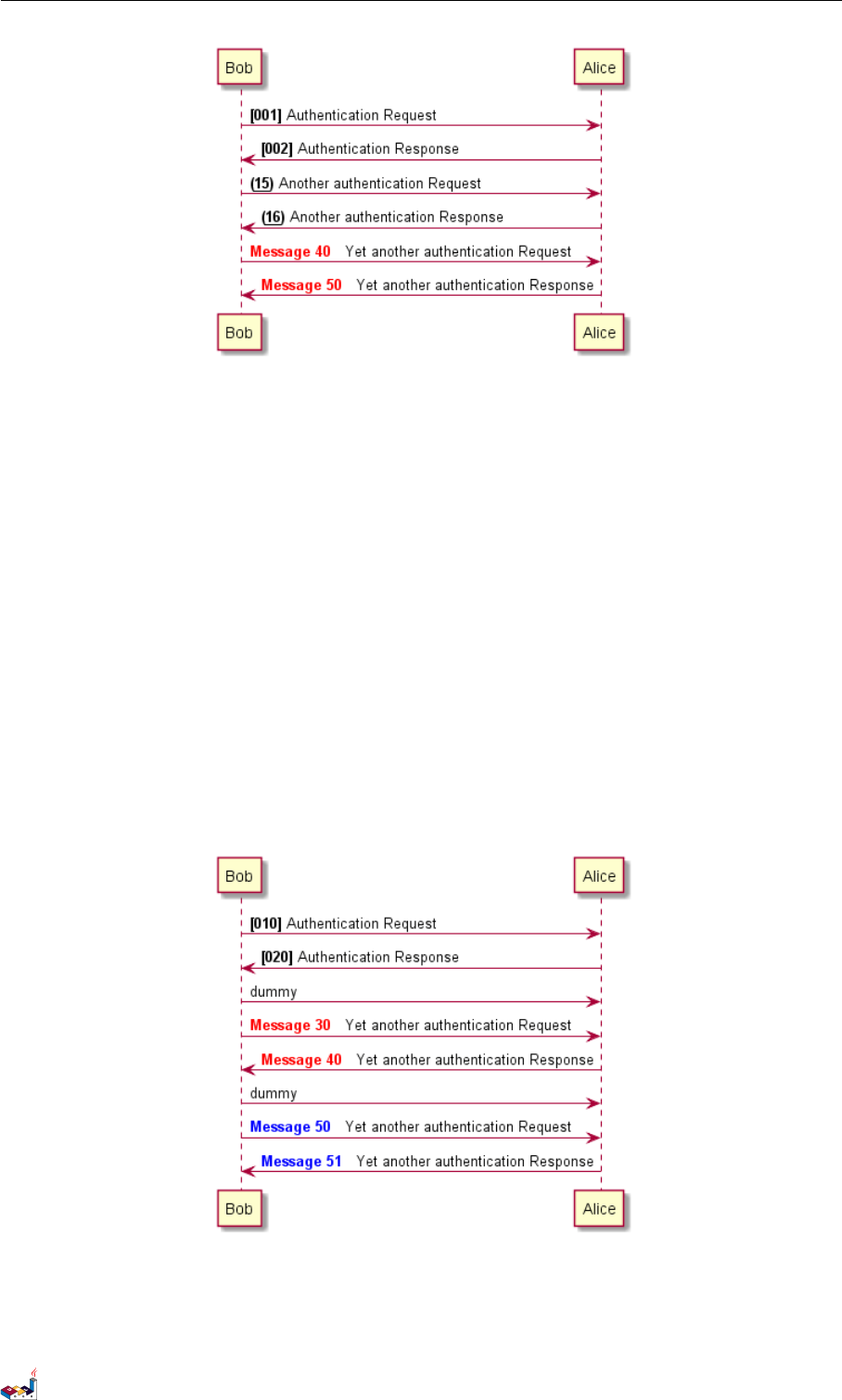
语句 autonumber start 用于指定编号的初始值,而 autonumber start increment 可以同时指定编号
的初始值和每次增加的值。
@startuml
autonumber
Bob -> Alice : Authentication Request
Bob <- Alice : Authentication Response
autonumber 15
Bob -> Alice : Another authentication Request
Bob <- Alice : Another authentication Response
autonumber 40 10
Bob -> Alice : Yet another authentication Request
Bob <- Alice : Yet another authentication Response
@enduml
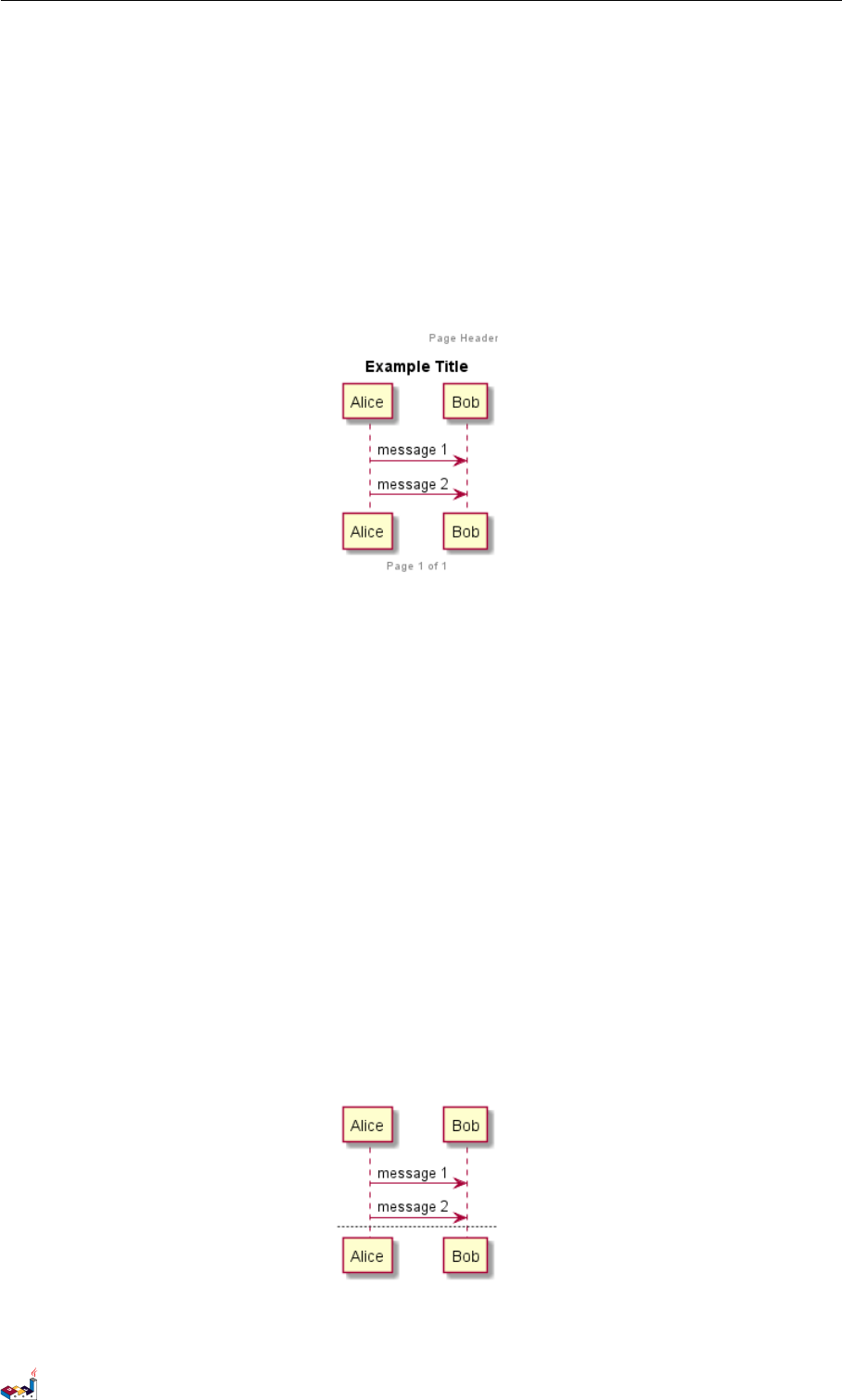
你可以在双引号内指定编号的格式。
格式是由 Java 的DecimalFormat 类实现的:(0表示数字;#也表示数字,但默认为 0)。
你也可以用 HTML 标签来制定格式。
@startuml
autonumber "<b>[000]"
Bob -> Alice : Authentication Request
Bob <- Alice : Authentication Response
autonumber 15 "<b>(<u>##</u>)"
Bob -> Alice : Another authentication Request
Bob <- Alice : Another authentication Response
autonumber 40 10 "<font color=red><b>Message 0 "
Bob -> Alice : Yet another authentication Request
Bob <- Alice : Yet another authentication Response
@enduml
PlantUML 语言参考指引 (1.2019.6) 5 / 173
1.8 Page Title, Header and Footer 1 时序图
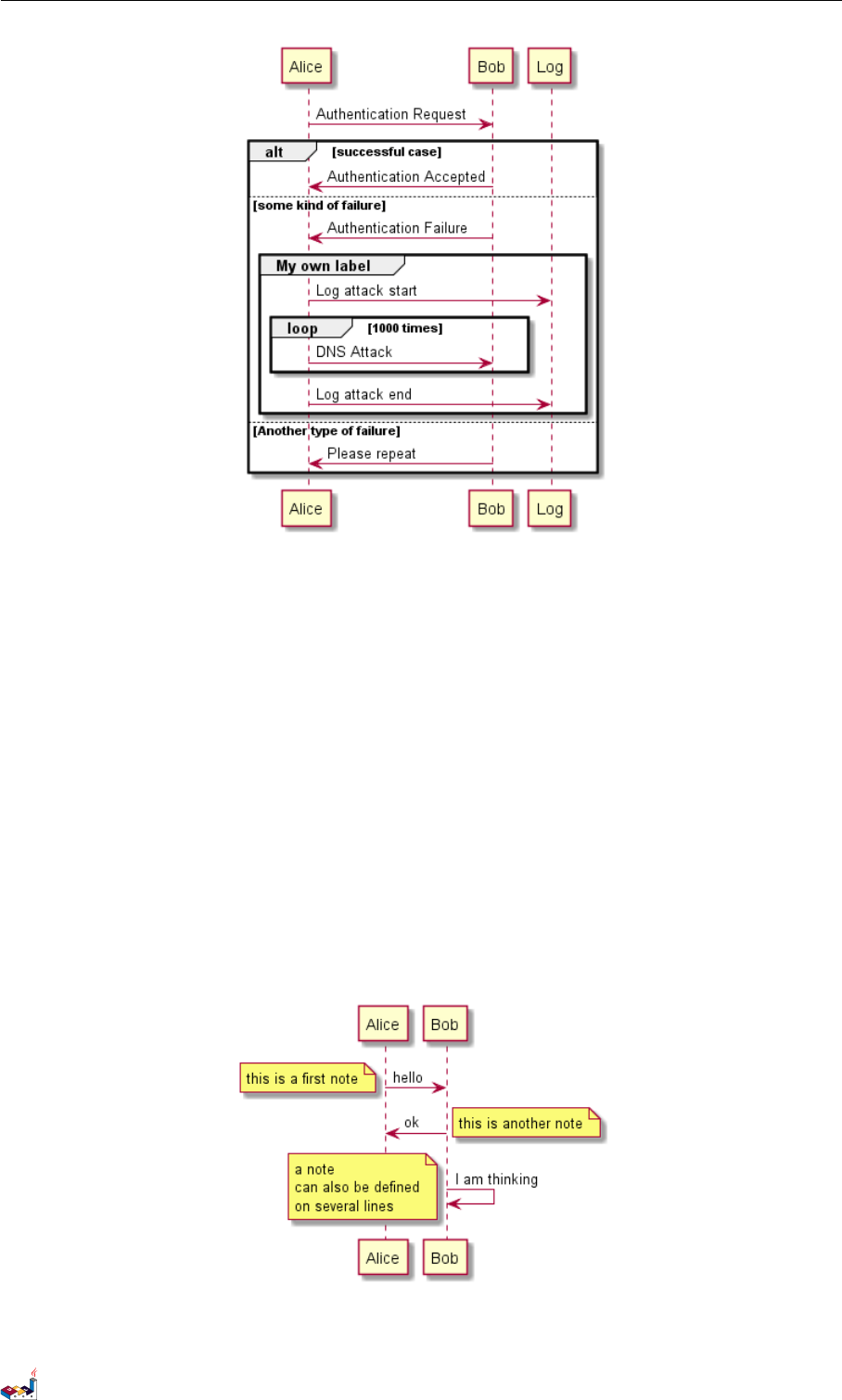
你还可以用语句 autonumber stop 和autonumber resume increment format 来表示暂停或继续使用自
动编号。
@startuml
autonumber 10 10 "<b>[000]"
Bob -> Alice : Authentication Request
Bob <- Alice : Authentication Response
autonumber stop
Bob -> Alice : dummy
autonumber resume "<font color=red><b>Message 0 "
Bob -> Alice : Yet another authentication Request
Bob <- Alice : Yet another authentication Response
autonumber stop
Bob -> Alice : dummy
autonumber resume 1 "<font color=blue><b>Message 0 "
Bob -> Alice : Yet another authentication Request
Bob <- Alice : Yet another authentication Response
@enduml
1.8 Page Title, Header and Footer
The title keyword is used to add a title to the page.
PlantUML 语言参考指引 (1.2019.6) 6 / 173
1.9 分割示意图 1时序图
Pages can display headers and footers using header and footer.
@startuml
header Page Header
footer Page %page% of %lastpage%
title Example Title
Alice -> Bob : message 1
Alice -> Bob : message 2
@enduml
1.9 分割示意图
关键字 newpage 用于把一张图分割成多张。
在newpage 之后添加文字,作为新的示意图的标题。
这样就能很方便地在 Word 中将长图分几页打印。
@startuml
Alice -> Bob : message 1
Alice -> Bob : message 2
newpage
Alice -> Bob : message 3
Alice -> Bob : message 4
newpage A title for the\nlast page
Alice -> Bob : message 5
Alice -> Bob : message 6
@enduml
PlantUML 语言参考指引 (1.2019.6) 7 / 173

1.10 组合消息 1时序图
1.10 组合消息
我们可以通过以下关键词将组合消息:
•alt/else
•opt
•loop
•par
•break
•critical
•group,后面紧跟着消息内容
可以在标头 (header) 添加需要显示的文字 (group 除外)。
关键词 end 用来结束分组。
注意,分组可以嵌套使用。
@startuml
Alice -> Bob: Authentication Request
alt successful case
Bob -> Alice: Authentication Accepted
else some kind of failure
Bob -> Alice: Authentication Failure
group My own label
Alice -> Log : Log attack start
loop 1000 times
Alice -> Bob: DNS Attack
end
Alice -> Log : Log attack end
end
else Another type of failure
Bob -> Alice: Please repeat
end
@enduml
PlantUML 语言参考指引 (1.2019.6) 8 / 173
1.11 给消息添加注释 1时序图
1.11 给消息添加注释
我们可以通过在消息后面添加 note left 或者 note right 关键词来给消息添加注释。
你也可以通过使用 end note 来添加多行注释。
@startuml
Alice->Bob : hello
note left: this is a first note
Bob->Alice : ok
note right: this is another note
Bob->Bob : I am thinking
note left
a note
can also be defined
on several lines
end note
@enduml
PlantUML 语言参考指引 (1.2019.6) 9 / 173
1.12 其他的注释 1时序图
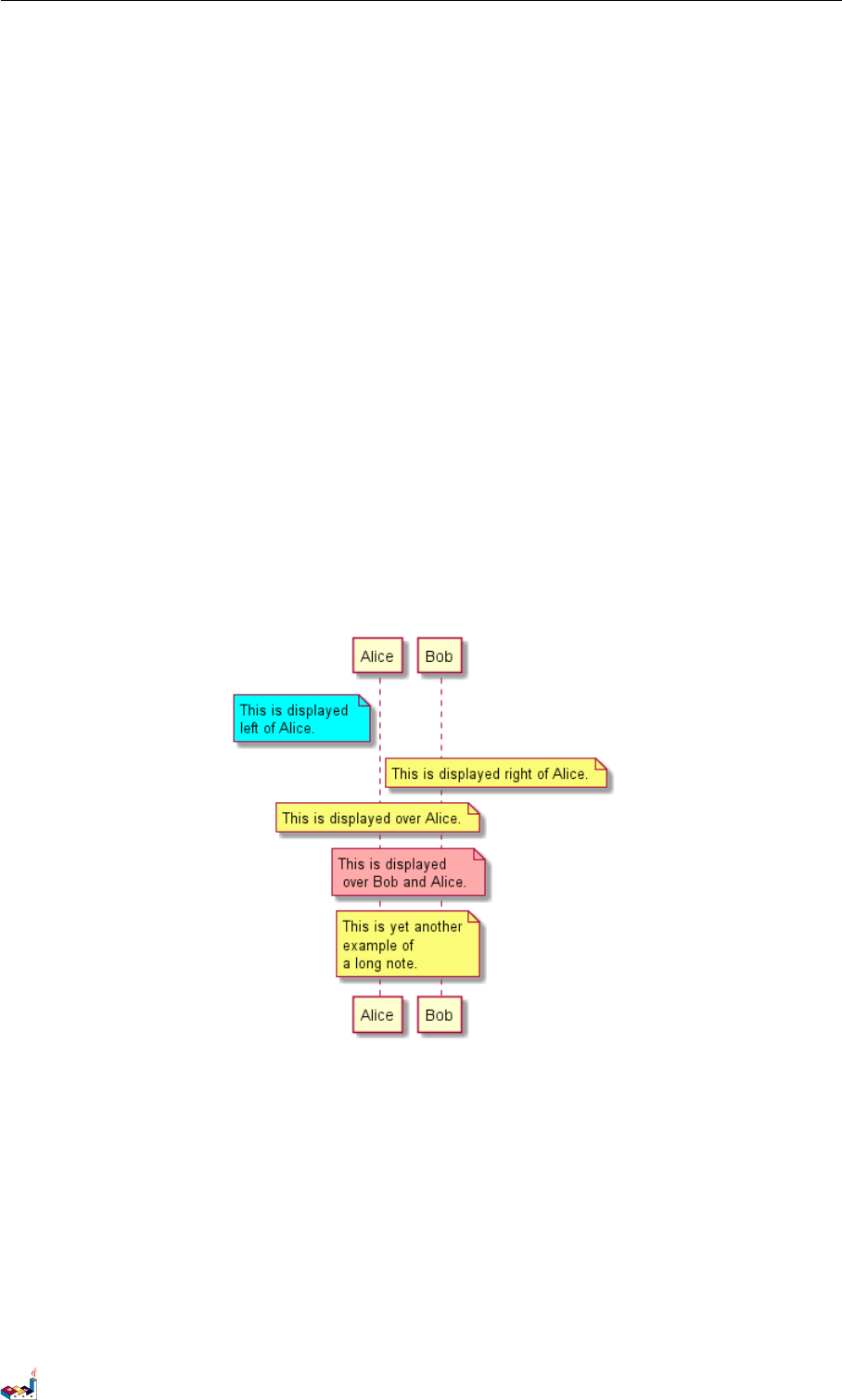
1.12 其他的注释
可以使用 note left of,note right of 或note over 在节点 (participant) 的相对位置放置注释。
还可以通过修改背景色来高亮显示注释。
以及使用关键字 end note 来添加多行注释。
@startuml
participant Alice
participant Bob
note left of Alice #aqua
This is displayed
left of Alice.
end note
note right of Alice: This is displayed right of Alice.
note over Alice: This is displayed over Alice.
note over Alice, Bob #FFAAAA: This is displayed\n over Bob and Alice.
note over Bob, Alice
This is yet another
example of
a long note.
end note
@enduml
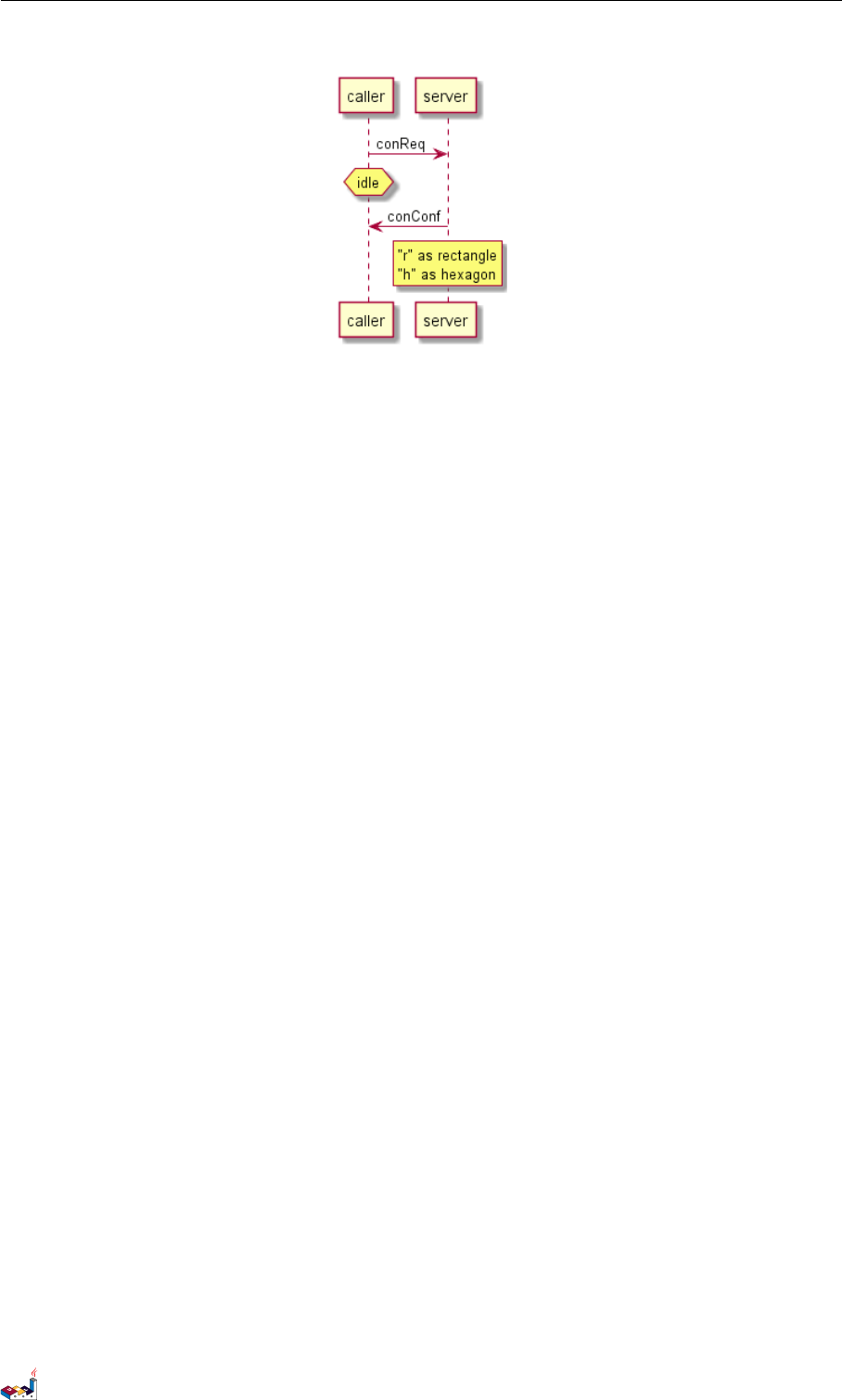
1.13 改变备注框的形状
你可以使用 hnote 和rnote 这两个关键字来修改备注框的形状。
@startuml
caller -> server : conReq
hnote over caller : idle
caller <- server : conConf
rnote over server
"r" as rectangle
"h" as hexagon
endrnote
PlantUML 语言参考指引 (1.2019.6) 10 / 173
1.14 Creole 和HTML 1 时序图
@enduml
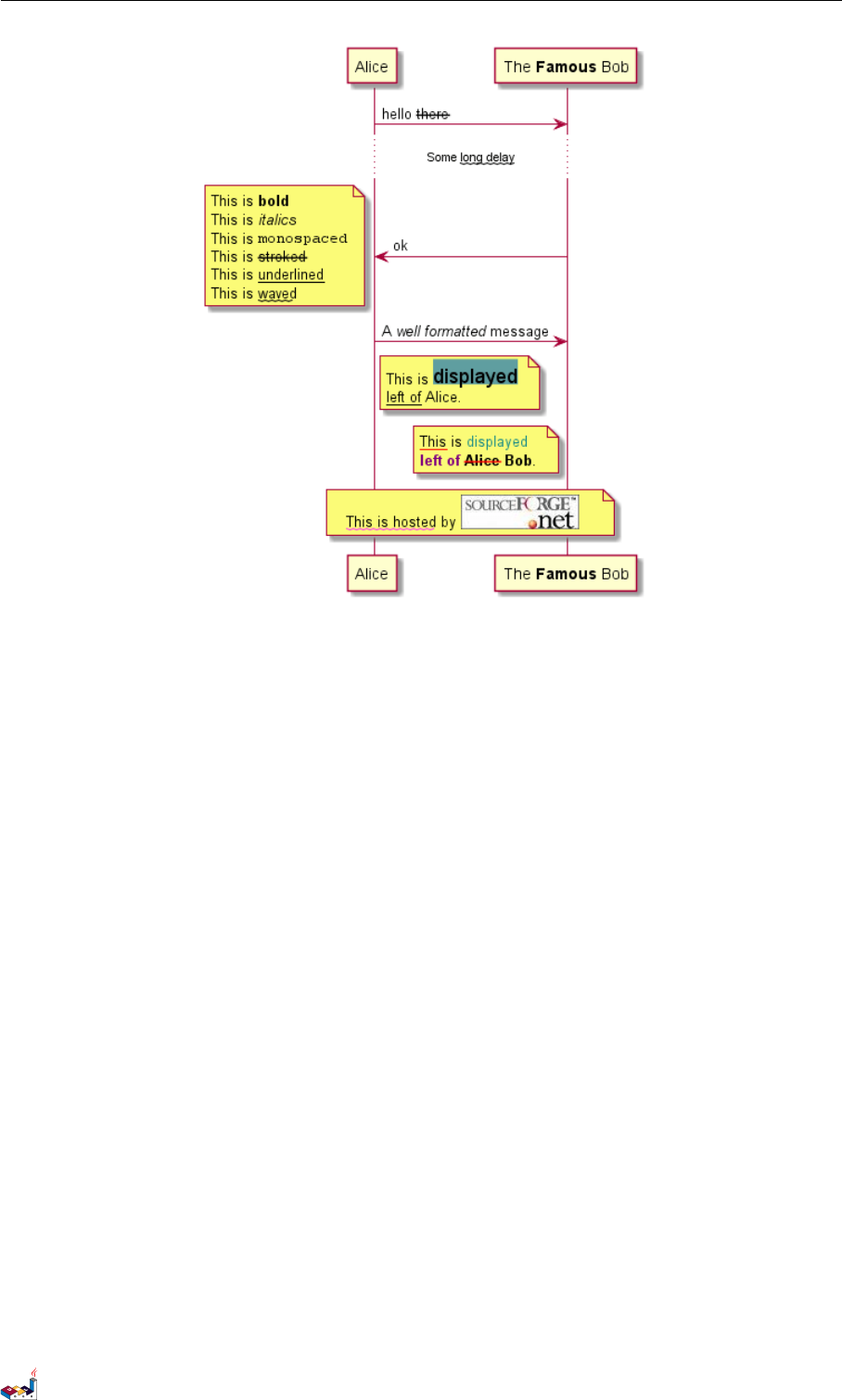
1.14 Creole 和HTML
可以使用 creole 格式。
@startuml
participant Alice
participant "The **Famous** Bob" as Bob
Alice -> Bob : hello --there--
... Some ~~long delay~~ ...
Bob -> Alice : ok
note left
This is **bold**
This is //italics//
This is ""monospaced""
This is --stroked--
This is __underlined__
This is ~~waved~~
end note
Alice -> Bob : A //well formatted// message
note right of Alice
This is <back:cadetblue><size:18>displayed</size></back>
__left of__ Alice.
end note
note left of Bob
<u:red>This</u> is <color #118888>displayed</color>
**<color purple>left of</color> <s:red>Alice</strike> Bob**.
end note
note over Alice, Bob
<w:#FF33FF>This is hosted</w> by <img sourceforge.jpg>
end note
@enduml
PlantUML 语言参考指引 (1.2019.6) 11 / 173
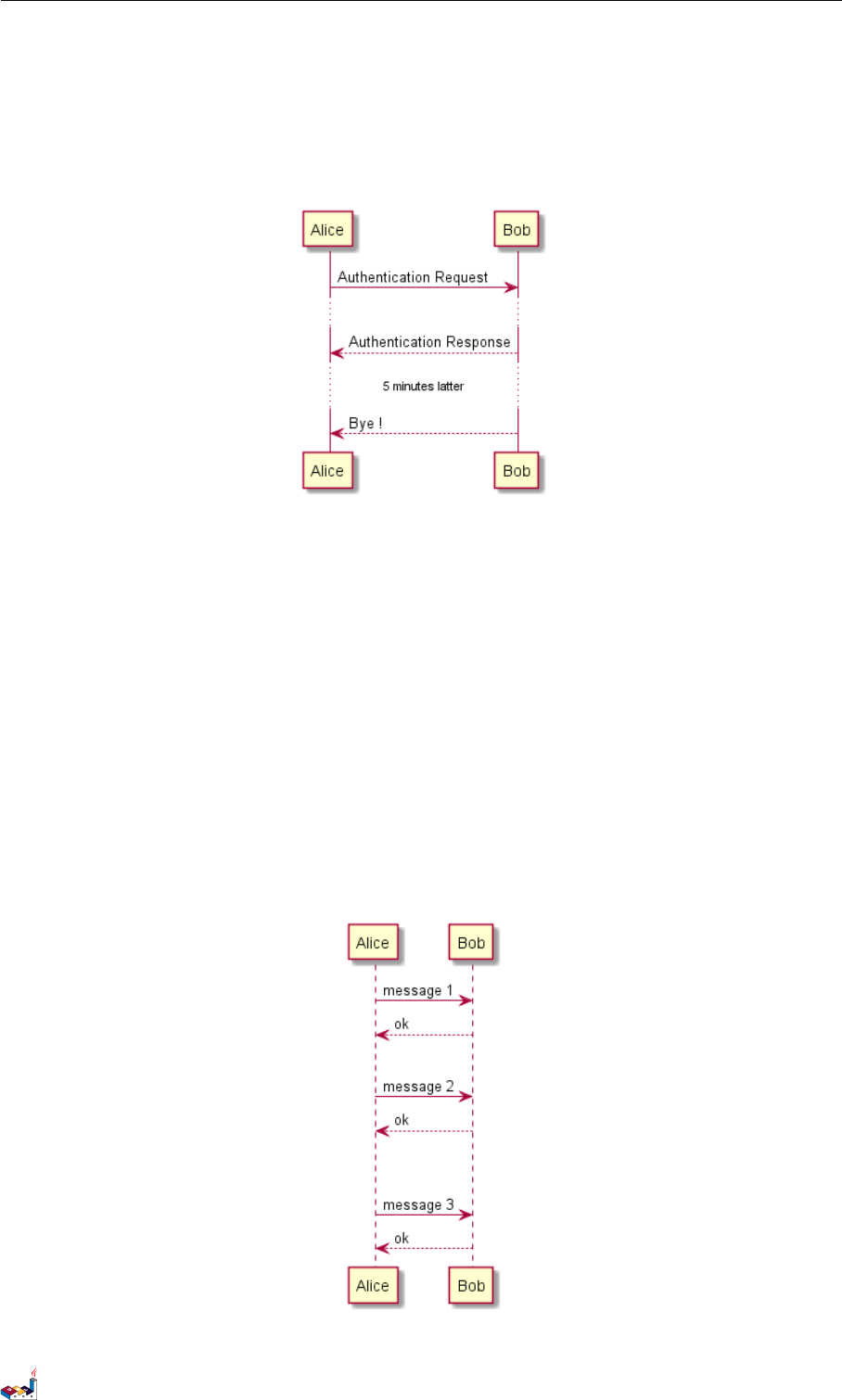
1.18 空间 1时序图
Alice -> Bob: Authentication Request
...
Bob --> Alice: Authentication Response
...5 minutes latter...
Bob --> Alice: Bye !
@enduml
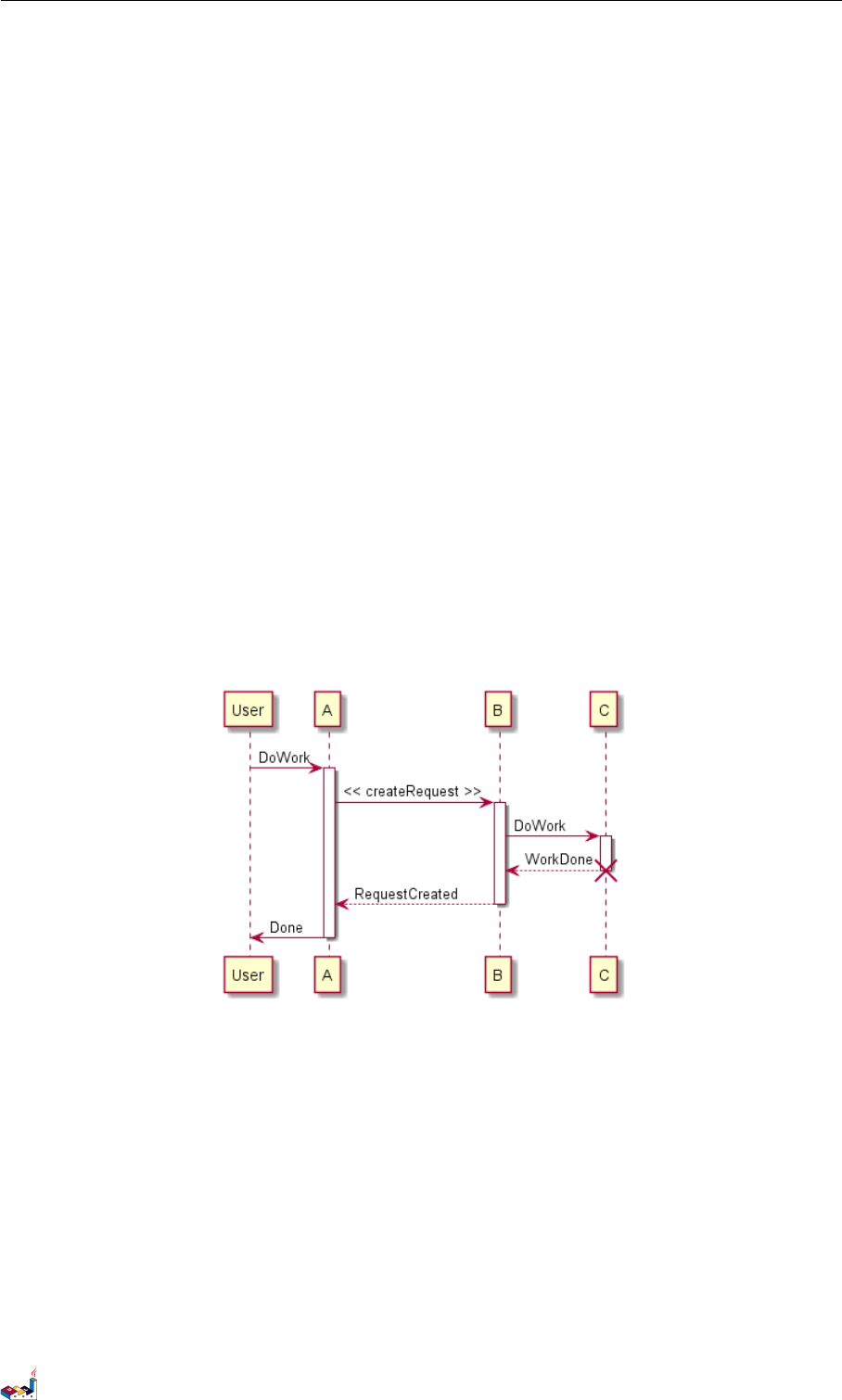
1.18 空间
你可以使用 ||| 来增加空间。
还可以使用数字指定增加的像素的数量。
@startuml
Alice -> Bob: message 1
Bob --> Alice: ok
|||
Alice -> Bob: message 2
Bob --> Alice: ok
||45||
Alice -> Bob: message 3
Bob --> Alice: ok
@enduml
PlantUML 语言参考指引 (1.2019.6) 14 / 173
1.19 生命线的激活与撤销 1时序图
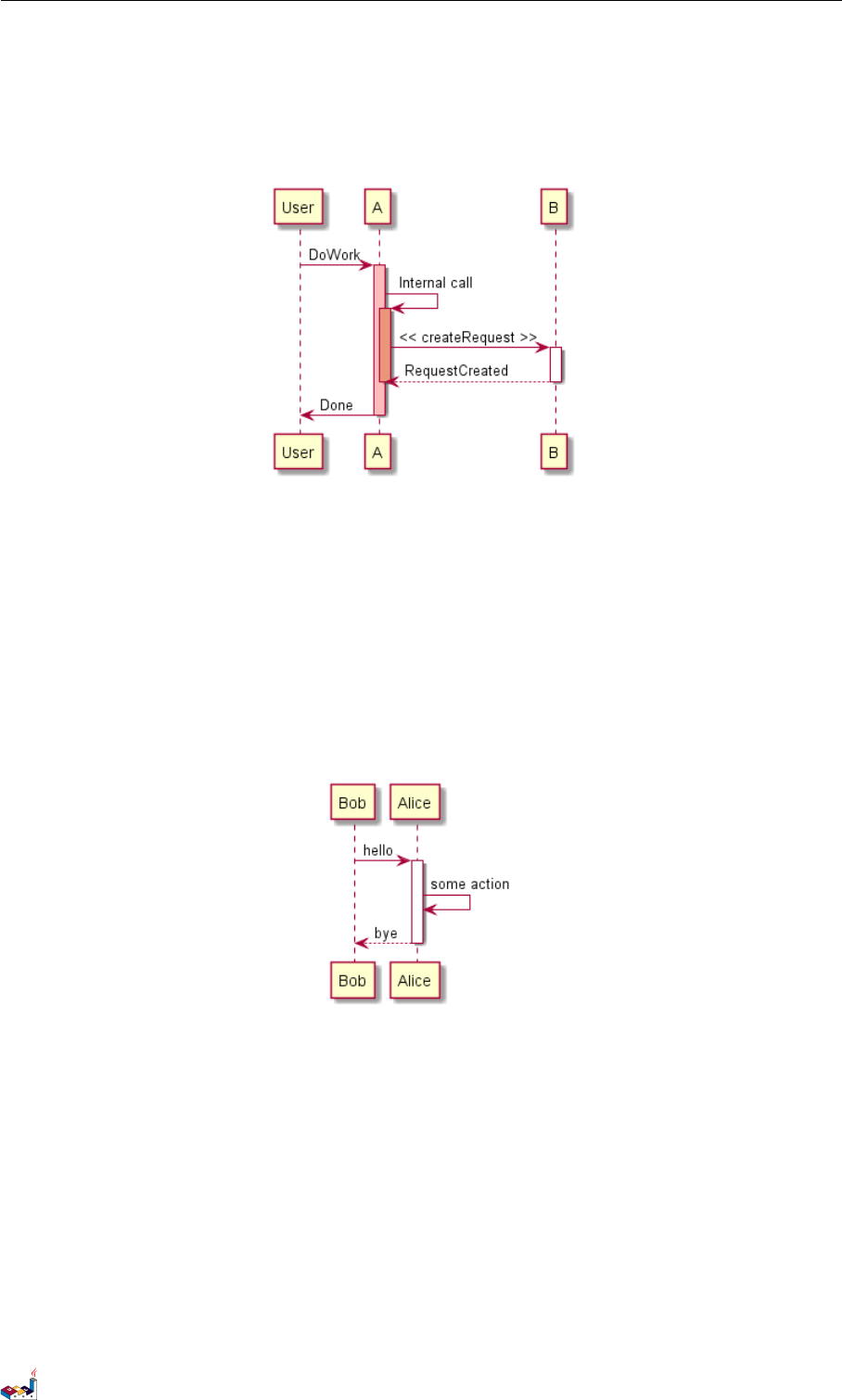
1.19 生命线的激活与撤销
关键字 activate 和deactivate 用来表示参与者的生命活动。
一旦参与者被激活,它的生命线就会显示出来。
activate 和deactivate 适用于以上情形。
destroy 表示一个参与者的生命线的终结。
@startuml
participant User
User -> A: DoWork
activate A
A -> B: << createRequest >>
activate B
B -> C: DoWork
activate C
C --> B: WorkDone
destroy C
B --> A: RequestCreated
deactivate B
A -> User: Done
deactivate A
@enduml
还可以使用嵌套的生命线,并且运行给生命线添加颜色。
@startuml
participant User
User -> A: DoWork
activate A #FFBBBB
A -> A: Internal call
activate A #DarkSalmon
A -> B: << createRequest >>
activate B
B --> A: RequestCreated
PlantUML 语言参考指引 (1.2019.6) 15 / 173
1.20 Return 1 时序图
deactivate B
deactivate A
A -> User: Done
deactivate A
@enduml
1.20 Return
A new command return for generating a return message with optional text label. The point returned to is the point
that cause the most recently activated life-line. The syntax is simply return label where label, if provided, can be
any string acceptable on conventional messages.
@startuml
Bob -> Alice : hello
activate Alice
Alice -> Alice : some action
return bye
@enduml
1.21 创建参与者
你可以把关键字 create 放在第一次接收到消息之前,以强调本次消息实际上是在创建新的对象。
@startuml
Bob -> Alice : hello
create Other
Alice -> Other : new
create control String
Alice -> String
note right : You can also put notes!
PlantUML 语言参考指引 (1.2019.6) 16 / 173
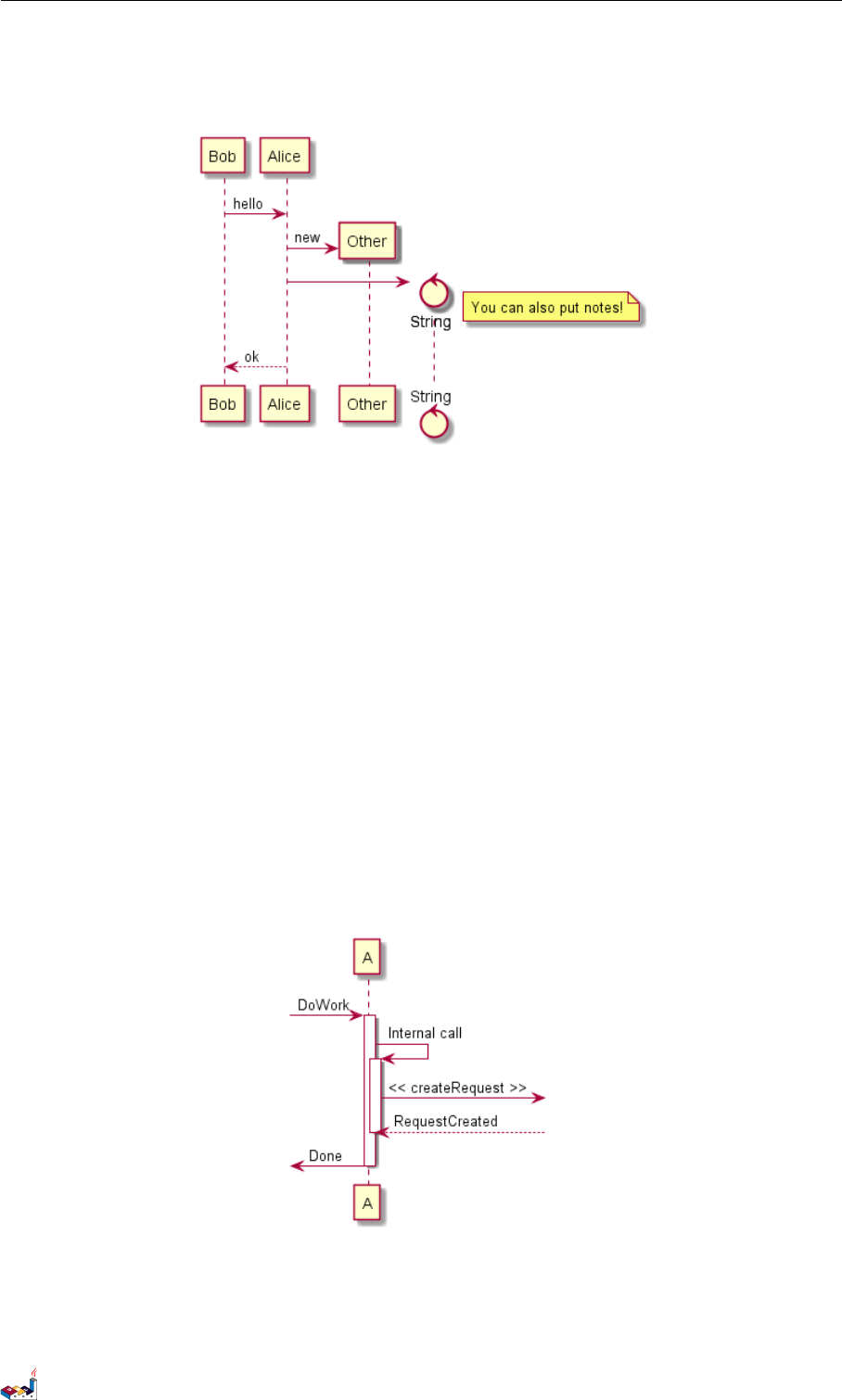
1.22 进入和发出消息 1时序图
Alice --> Bob : ok
@enduml
1.22 进入和发出消息
如果只想关注部分图示,你可以使用进入和发出箭头。
使用方括号 [和]表示图示的左、右两侧。
@startuml
[-> A: DoWork
activate A
A -> A: Internal call
activate A
A ->] : << createRequest >>
A<--] : RequestCreated
deactivate A
[<- A: Done
deactivate A
@enduml
还可以使用下面的语法:
@startuml
[-> Bob
[o-> Bob
PlantUML 语言参考指引 (1.2019.6) 17 / 173
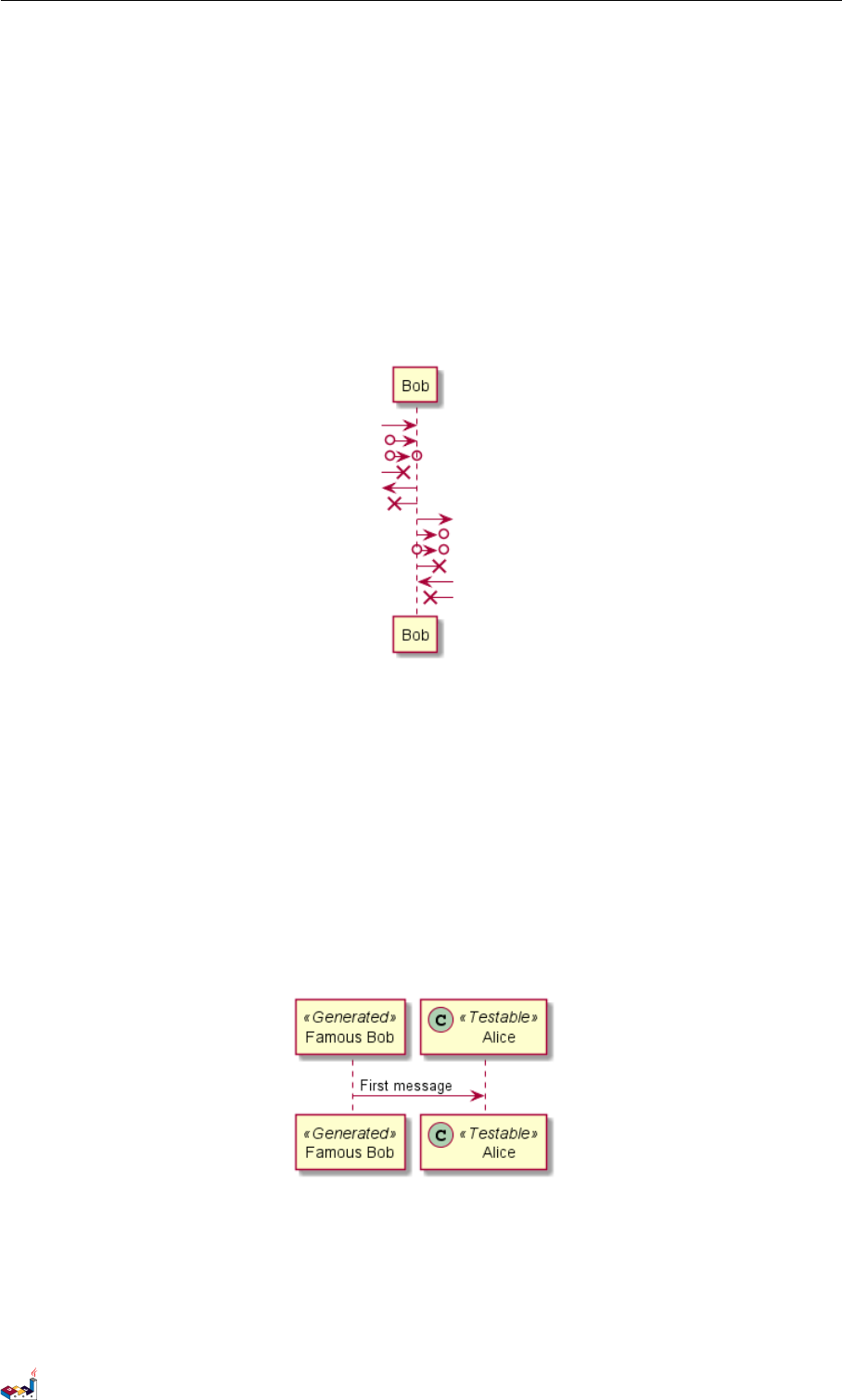
1.23 构造类型和圈点 1时序图
[o->o Bob
[x-> Bob
[<- Bob
[x<- Bob
Bob ->]
Bob ->o]
Bob o->o]
Bob ->x]
Bob <-]
Bob x<-]
@enduml
1.23 构造类型和圈点
可以使用 << 和>> 给参与者添加构造类型。
在构造类型中,你可以使用 (X,color) 格式的语法添加一个圆圈圈起来的字符。
@startuml
participant "Famous Bob" as Bob << Generated >>
participant Alice << (C,#ADD1B2) Testable >>
Bob->Alice: First message
@enduml
默认使用 guillemet 字符来显示构造类型。你可以使用外观参数 guillemet 来修改显示行为。
@startuml
skinparam guillemet false
participant "Famous Bob" as Bob << Generated >>
participant Alice << (C,#ADD1B2) Testable >>
PlantUML 语言参考指引 (1.2019.6) 18 / 173
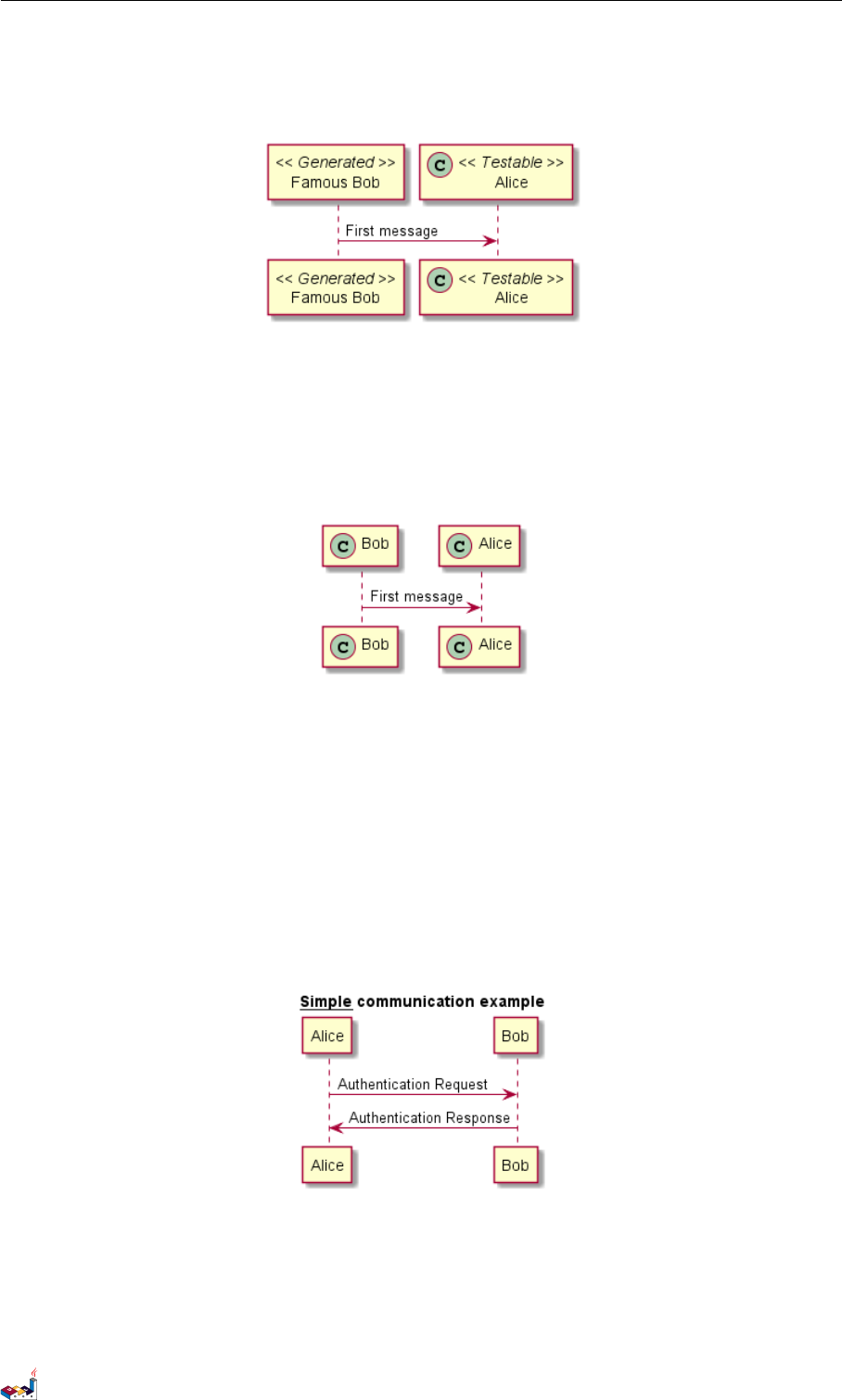
1.24 更多标题信息 1时序图
Bob->Alice: First message
@enduml
@startuml
participant Bob << (C,#ADD1B2) >>
participant Alice << (C,#ADD1B2) >>
Bob->Alice: First message
@enduml
1.24 更多标题信息
你可以在标题中使用 creole 格式。
@startuml
title __Simple__ **communication** example
Alice -> Bob: Authentication Request
Bob -> Alice: Authentication Response
@enduml
在标题描述中使用 \n 表示换行。
@startuml
title __Simple__ communication example\non several lines
Alice -> Bob: Authentication Request
PlantUML 语言参考指引 (1.2019.6) 19 / 173
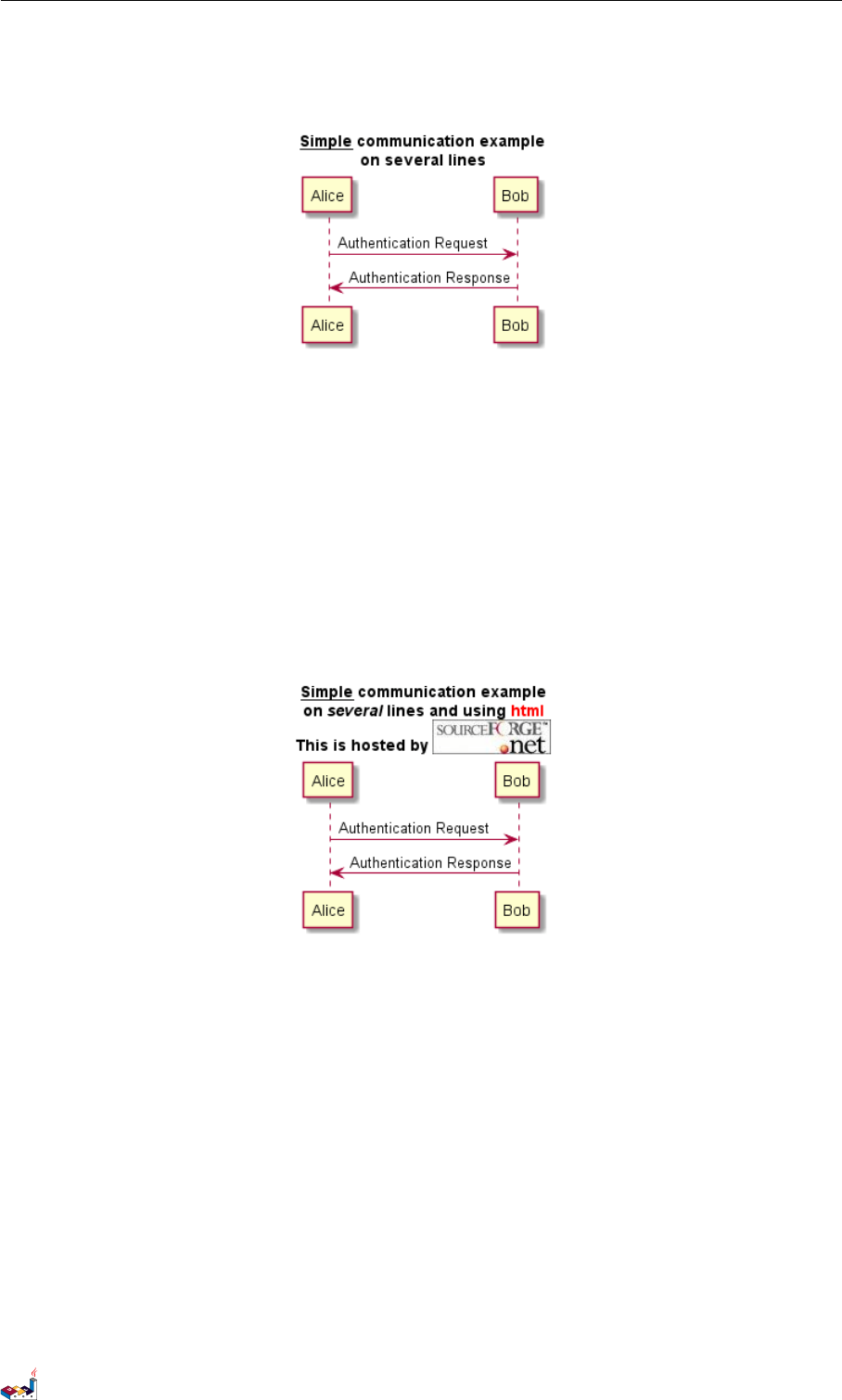
1.25 包裹参与者 1时序图
Bob -> Alice: Authentication Response
@enduml
还可以使用关键字 title 和end title 定义多行标题。
@startuml
title
<u>Simple</u> communication example
on <i>several</i> lines and using <font color=red>html</font>
This is hosted by <img:sourceforge.jpg>
end title
Alice -> Bob: Authentication Request
Bob -> Alice: Authentication Response
@enduml
1.25 包裹参与者
可以使用 box 和end box 画一个盒子将参与者包裹起来。
还可以在 box 关键字之后添加标题或者背景颜色。
@startuml
box "Internal Service" #LightBlue
participant Bob
participant Alice
end box
participant Other
Bob -> Alice : hello
Alice -> Other : hello
PlantUML 语言参考指引 (1.2019.6) 20 / 173
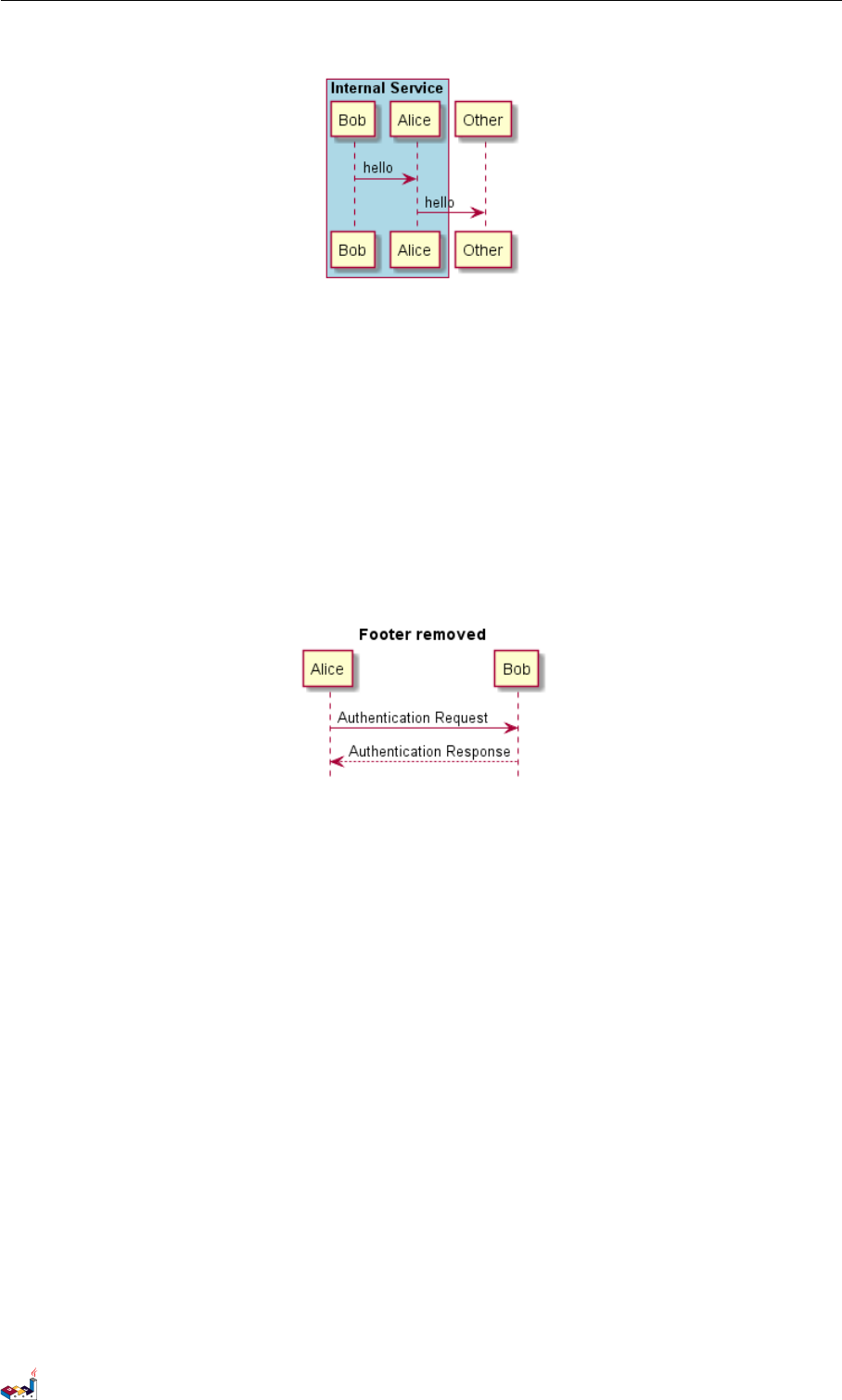
1.26 移除脚注 1时序图
@enduml
1.26 移除脚注
使用 hide footbox 关键字移除脚注。
@startuml
hide footbox
title Footer removed
Alice -> Bob: Authentication Request
Bob --> Alice: Authentication Response
@enduml
1.27 外观参数 (skinparam)
用skinparam 改变字体和颜色。
可以在如下场景中使用:
•在图示的定义中,
•在引入的文件中,
•在命令行或者 ANT 任务提供的配置文件中。
你也可以修改其他渲染元素,如以下示例:
@startuml
skinparam sequenceArrowThickness 2
skinparam roundcorner 20
skinparam maxmessagesize 60
skinparam sequenceParticipant underline
actor User
participant "First Class" as A
participant "Second Class" as B
participant "Last Class" as C
User -> A: DoWork
PlantUML 语言参考指引 (1.2019.6) 21 / 173
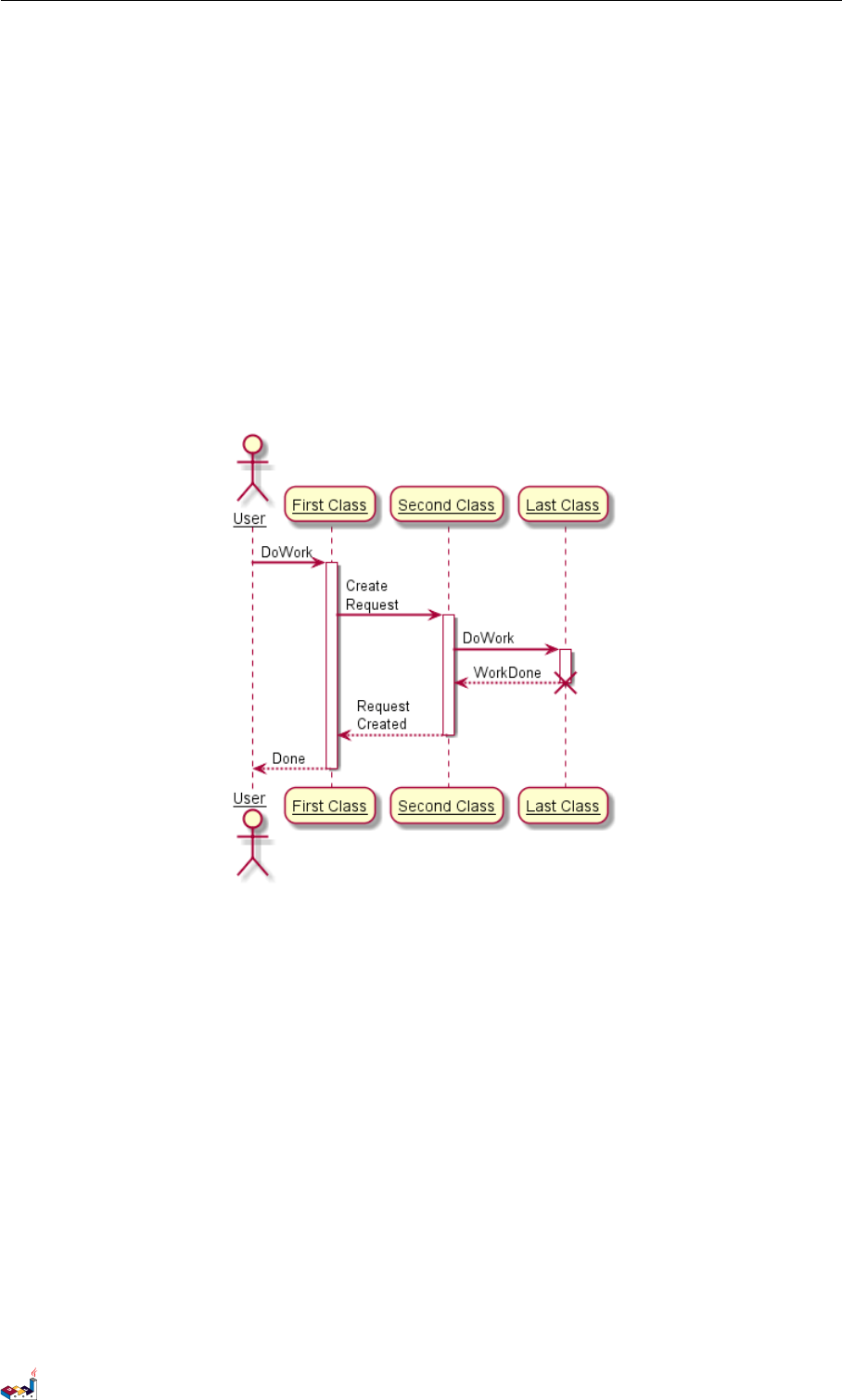
1.27 外观参数 (skinparam) 1 时序图
activate A
A -> B: Create Request
activate B
B -> C: DoWork
activate C
C --> B: WorkDone
destroy C
B --> A: Request Created
deactivate B
A --> User: Done
deactivate A
@enduml
@startuml
skinparam backgroundColor #EEEBDC
skinparam handwritten true
skinparam sequence {
ArrowColor DeepSkyBlue
ActorBorderColor DeepSkyBlue
LifeLineBorderColor blue
LifeLineBackgroundColor #A9DCDF
ParticipantBorderColor DeepSkyBlue
ParticipantBackgroundColor DodgerBlue
ParticipantFontName Impact
ParticipantFontSize 17
ParticipantFontColor #A9DCDF
ActorBackgroundColor aqua
ActorFontColor DeepSkyBlue
ActorFontSize 17
ActorFontName Aapex
PlantUML 语言参考指引 (1.2019.6) 22 / 173
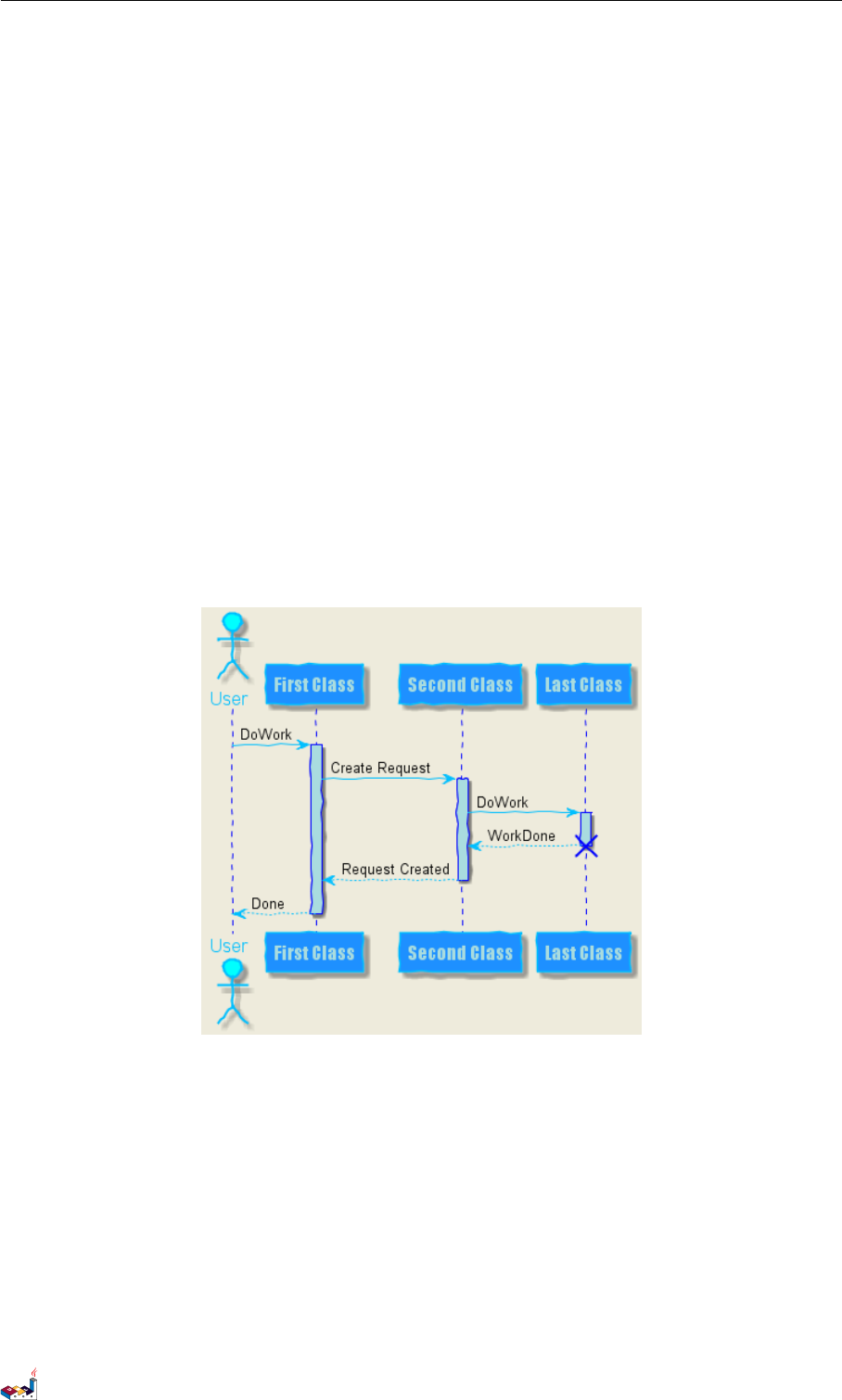
1.28 填充区设置 1时序图
}
actor User
participant "First Class" as A
participant "Second Class" as B
participant "Last Class" as C
User -> A: DoWork
activate A
A -> B: Create Request
activate B
B -> C: DoWork
activate C
C --> B: WorkDone
destroy C
B --> A: Request Created
deactivate B
A --> User: Done
deactivate A
@enduml
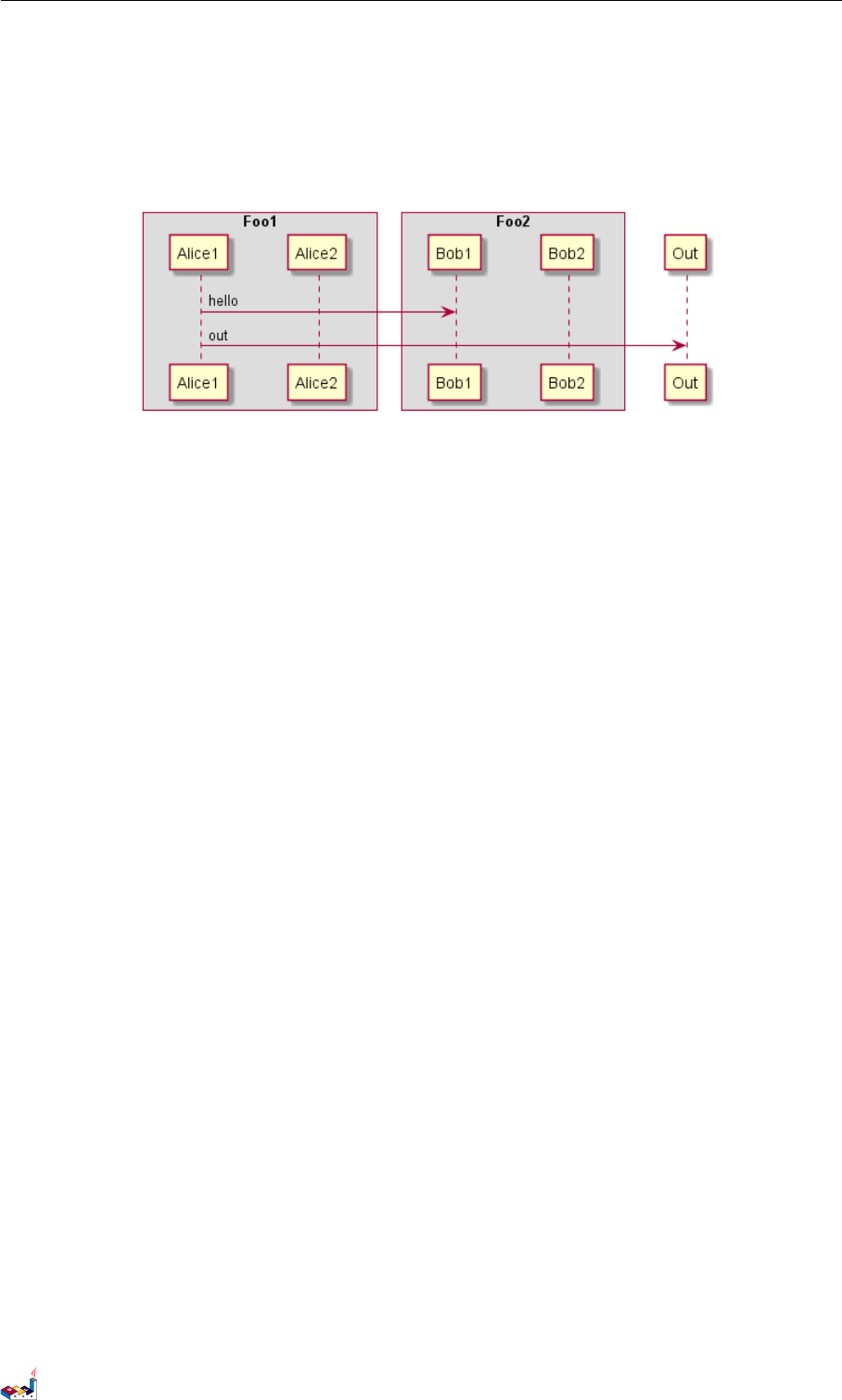
1.28 填充区设置
可以设定填充区的参数配置。
@startuml
skinparam ParticipantPadding 20
skinparam BoxPadding 10
box "Foo1"
participant Alice1
participant Alice2
end box
PlantUML 语言参考指引 (1.2019.6) 23 / 173
2用例图
2用例图
Let's have few examples :
Note that you can disable the shadowing using the skinparam shadowing false command.
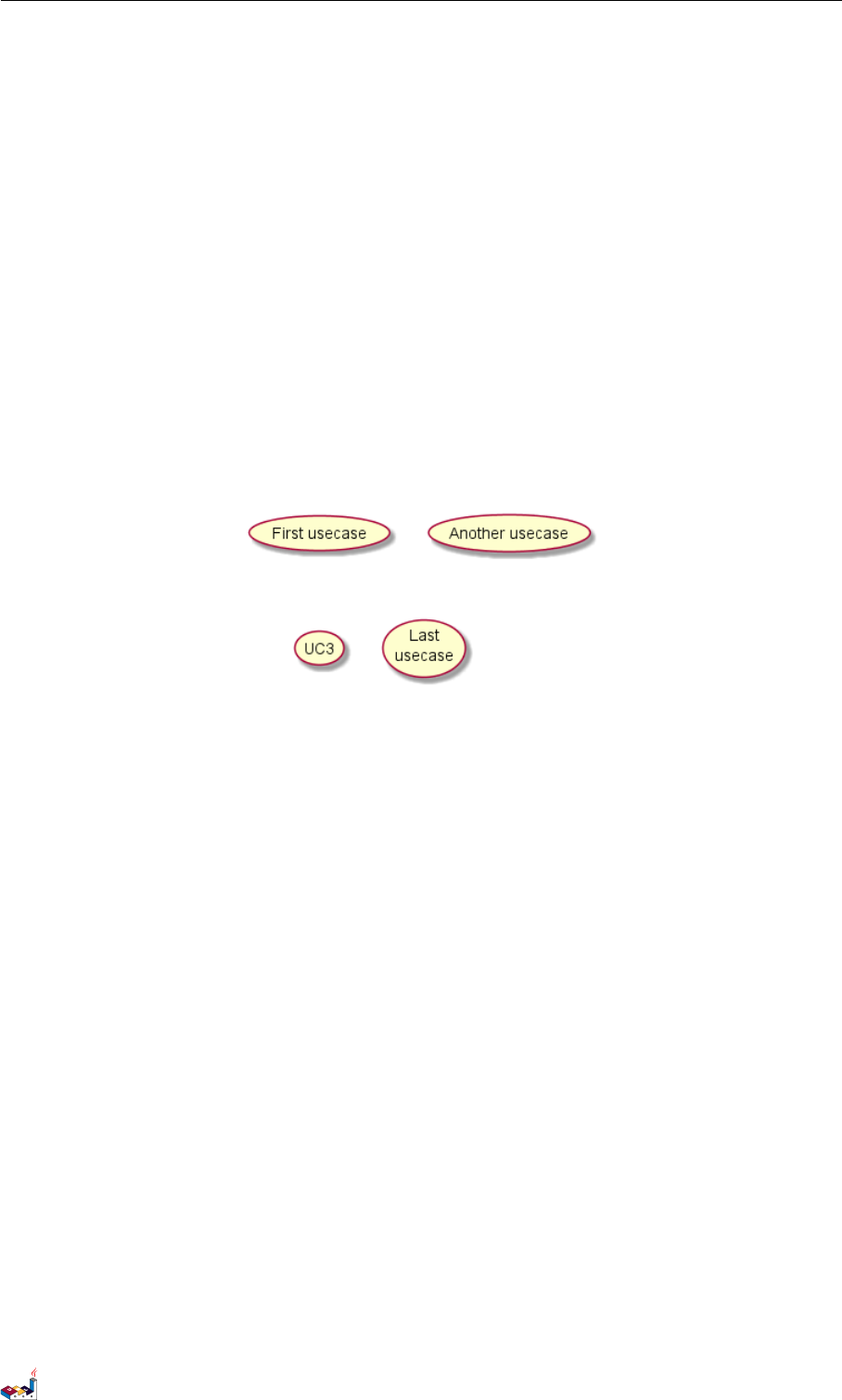
2.1 用例
用例用圆括号括起来。
也可以用关键字 usecase 来定义用例。还可以用关键字 as 定义一个别名,这个别名可以在以后定义关
系的时候使用。
@startuml
(First usecase)
(Another usecase) as (UC2)
usecase UC3
usecase (Last\nusecase) as UC4
@enduml
2.2 角色
角色用两个冒号包裹起来。
也可以用 actor 关键字来定义角色。还可以用关键字 as 来定义一个别名,这个别名可以在以后定义关
系的时候使用。
后面我们会看到角色的定义是可选的。
@startuml
:First Actor:
:Another\nactor: as Men2
actor Men3
actor :Last actor: as Men4
@enduml
PlantUML 语言参考指引 (1.2019.6) 25 / 173
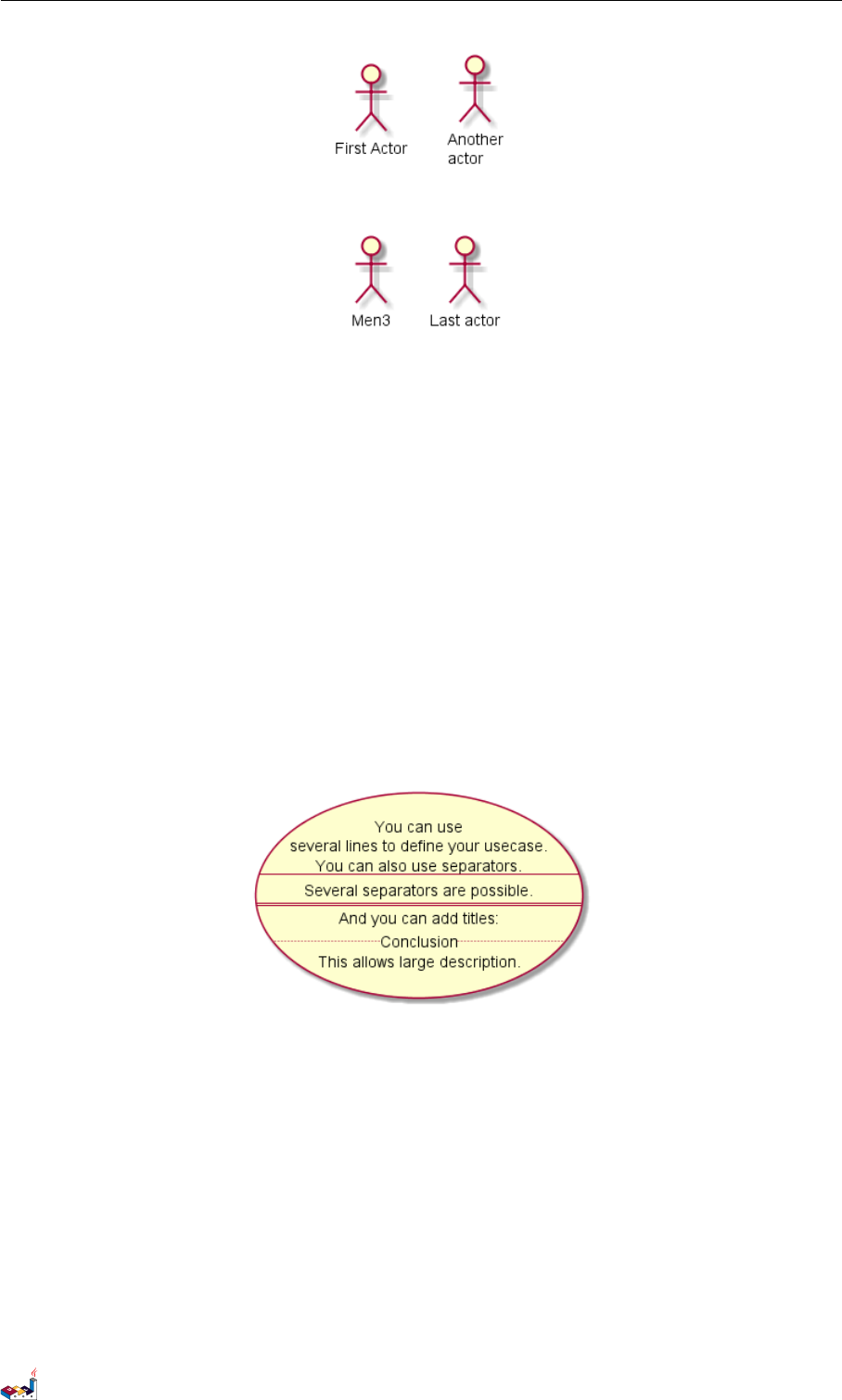
2.3 用例描述 2用例图
2.3 用例描述
如果想定义跨越多行的用例描述,可以用双引号将其裹起来。
还可以使用这些分隔符:-- .. == __。并且还可以在分隔符中间放置标题。
@startuml
usecase UC1 as "You can use
several lines to define your usecase.
You can also use separators.
--
Several separators are possible.
==
And you can add titles:
..Conclusion..
This allows large description."
@enduml
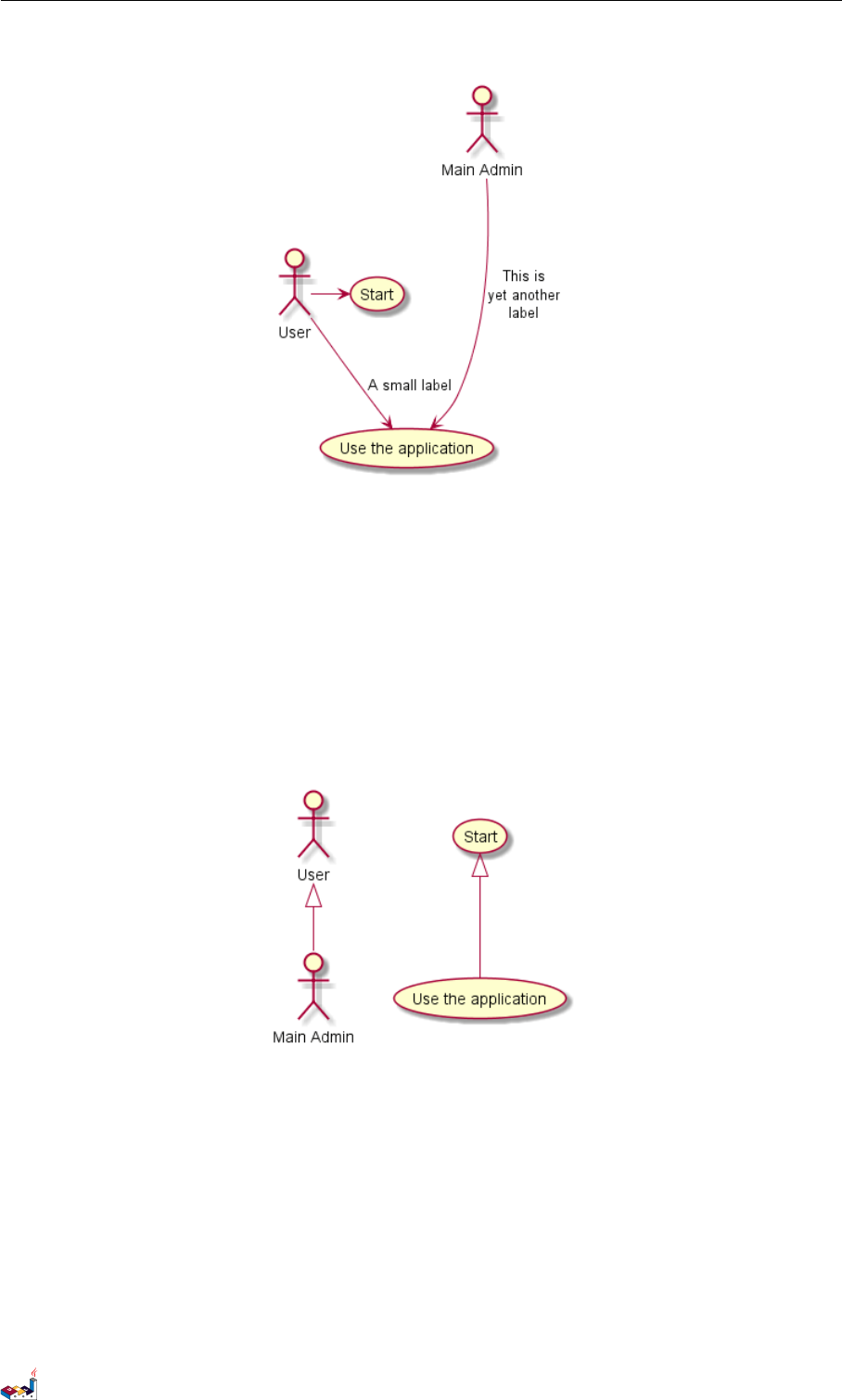
2.4 基础示例
用箭头 --> 连接角色和用例。
横杠 -越多,箭头越长。通过在箭头定义的后面加一个冒号及文字的方式来添加标签。
在这个例子中,User 并没有定义,而是直接拿来当做一个角色使用。
@startuml
User -> (Start)
User --> (Use the application) : A small label
:Main Admin: ---> (Use the application) : This is\nyet another\nlabel
PlantUML 语言参考指引 (1.2019.6) 26 / 173
2.5 继承 2用例图
@enduml
2.5 继承
如果一个角色或者用例继承于另一个,那么可以用 <|--符号表示。
@startuml
:Main Admin: as Admin
(Use the application) as (Use)
User <|-- Admin
(Start) <|-- (Use)
@enduml
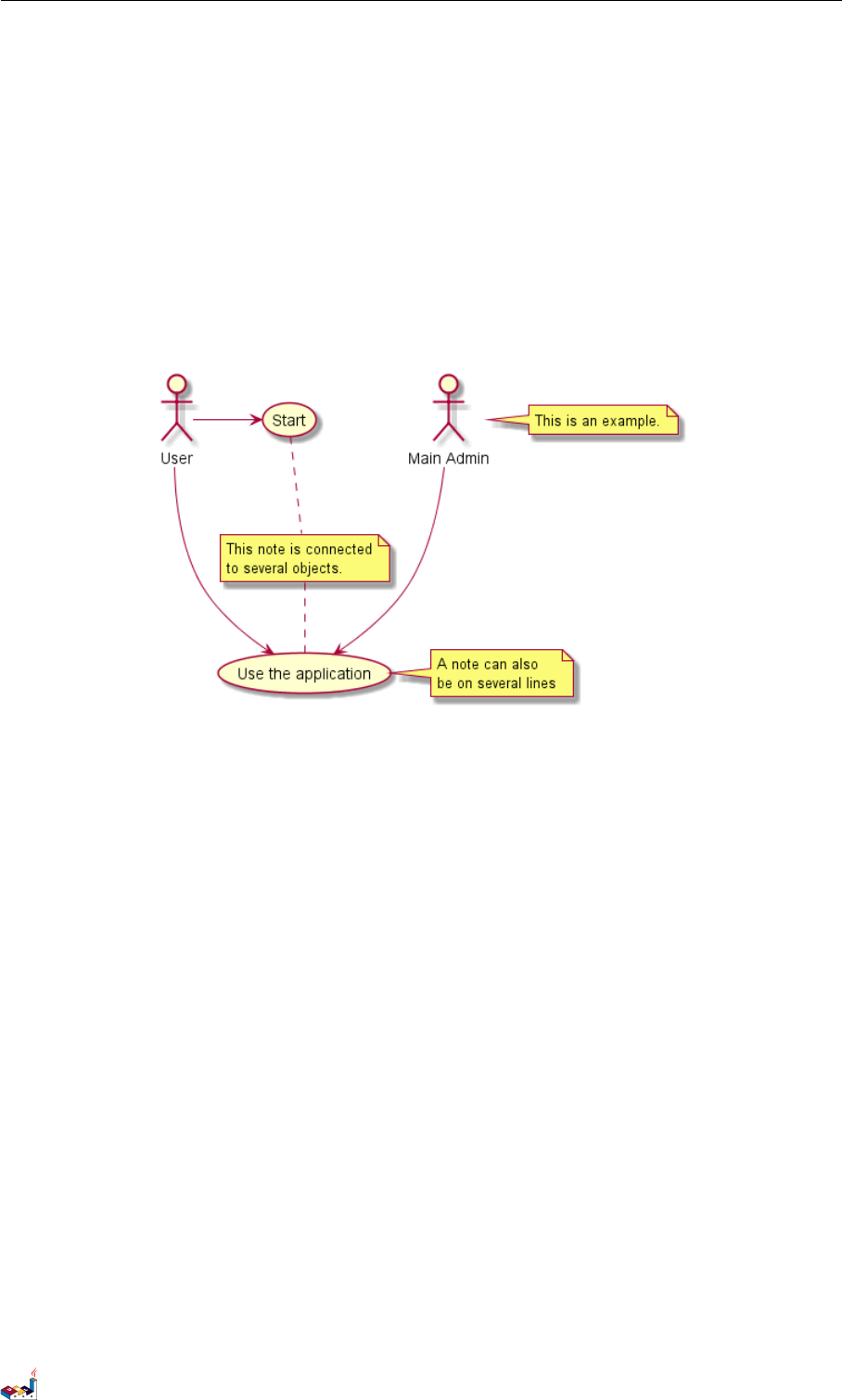
2.6 使用注释
可以用 note left of ,note right of ,note top of ,note bottom of 等关键字给一个对象添加注释。
注释还可以通过 note 关键字来定义,然后用.. 连接其他对象。
@startuml
:Main Admin: as Admin
(Use the application) as (Use)
User -> (Start)
User --> (Use)
PlantUML 语言参考指引 (1.2019.6) 27 / 173
2.7 构造类型 2用例图
Admin ---> (Use)
note right of Admin : This is an example.
note right of (Use)
A note can also
be on several lines
end note
note "This note is connected\nto several objects." as N2
(Start) .. N2
N2 .. (Use)
@enduml
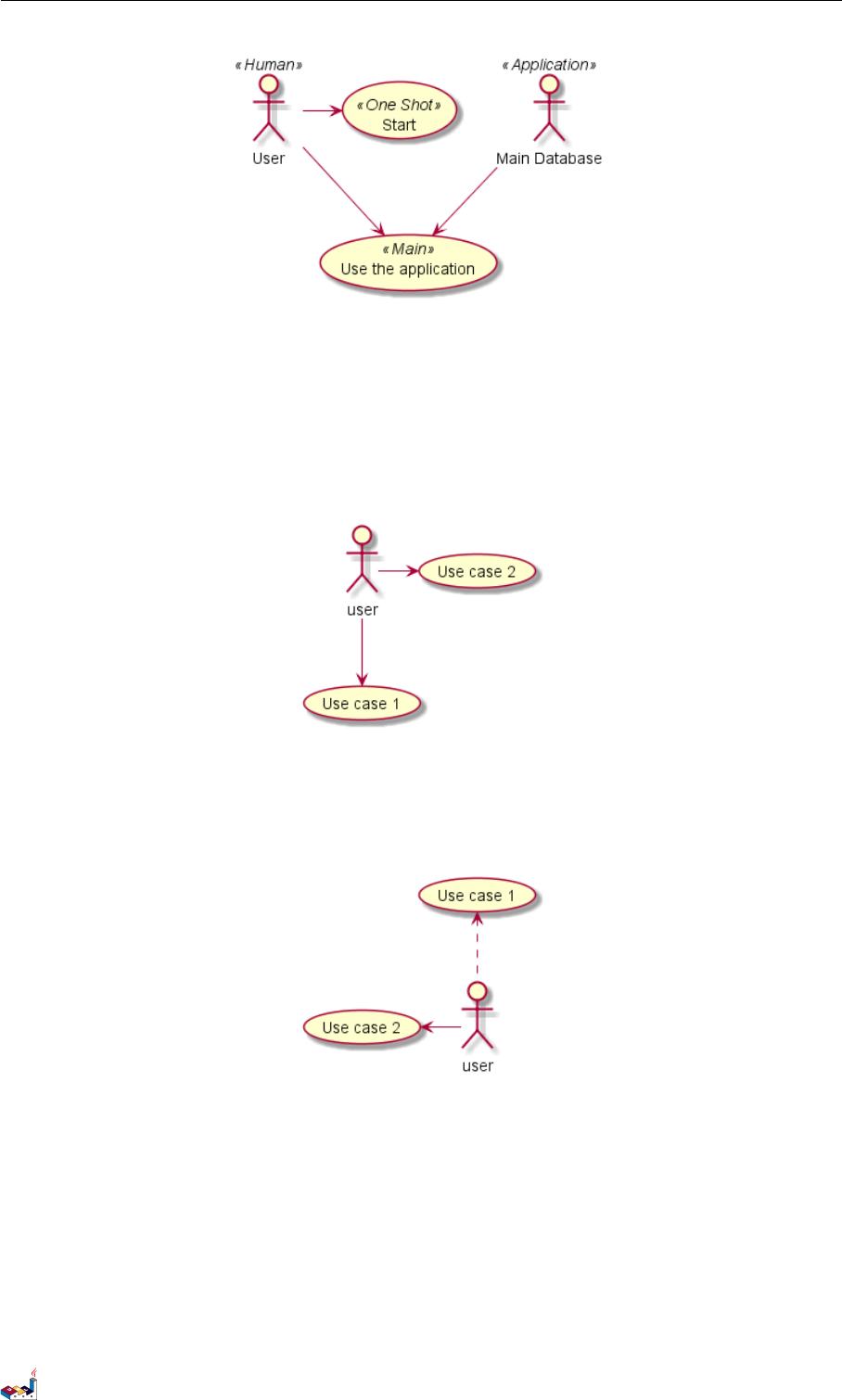
2.7 构造类型
用<< 和>> 来定义角色或者用例的构造类型。
@startuml
User << Human >>
:Main Database: as MySql << Application >>
(Start) << One Shot >>
(Use the application) as (Use) << Main >>
User -> (Start)
User --> (Use)
MySql --> (Use)
@enduml
PlantUML 语言参考指引 (1.2019.6) 28 / 173
2.8 改变箭头方向 2用例图
2.8 改变箭头方向
默认连接是竖直方向的,用 --表示,可以用一个横杠或点来表示水平连接。
@startuml
:user: --> (Use case 1)
:user: -> (Use case 2)
@enduml
也可以通过翻转箭头来改变方向。
@startuml
(Use case 1) <.. :user:
(Use case 2) <- :user:
@enduml
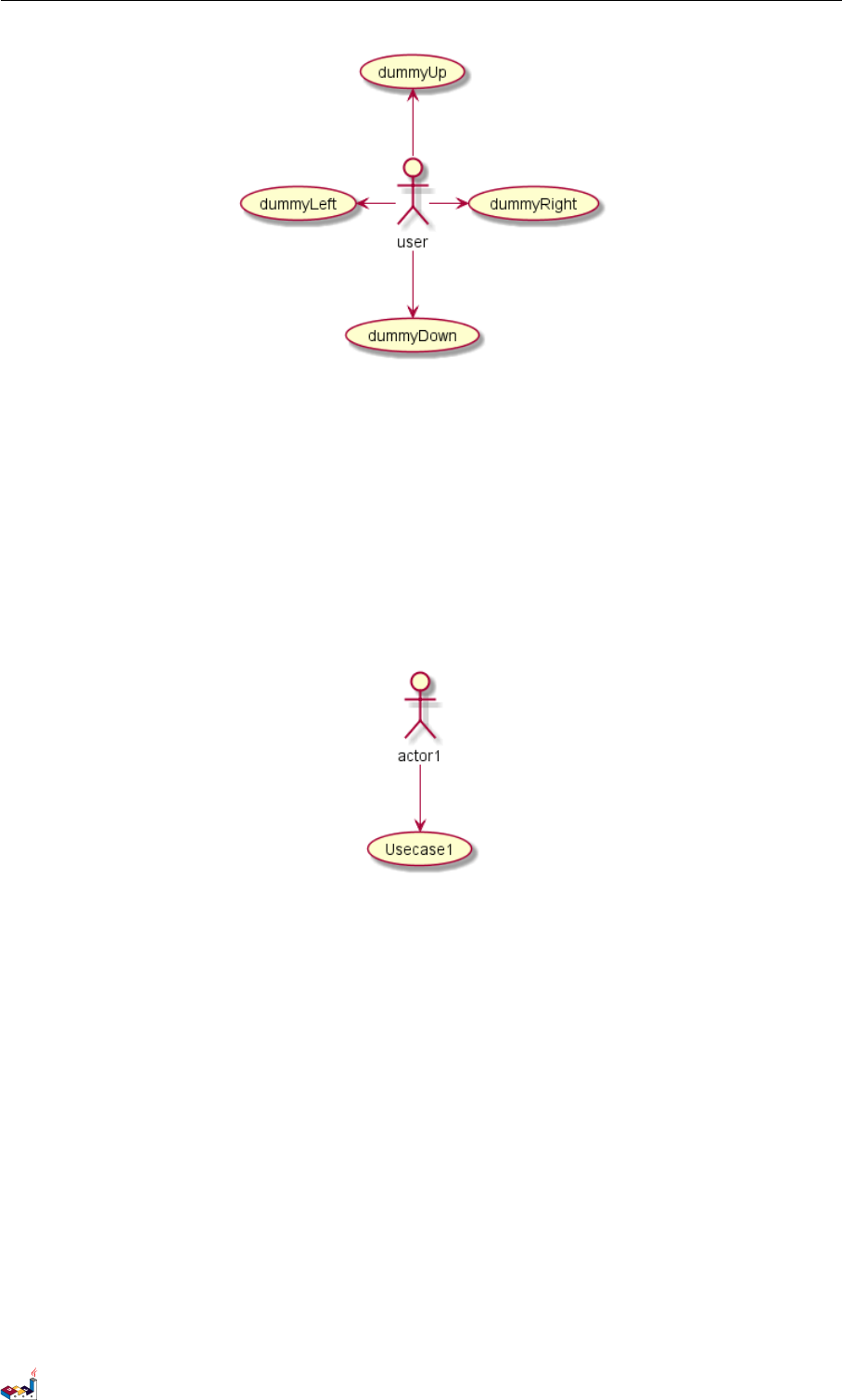
还可以通过给箭头添加 left,right,up 或down 等关键字来改变方向。
@startuml
:user: -left-> (dummyLeft)
:user: -right-> (dummyRight)
:user: -up-> (dummyUp)
:user: -down-> (dummyDown)
@enduml
PlantUML 语言参考指引 (1.2019.6) 29 / 173
2.9 分割图示 2用例图
这些方向关键字也可以只是用首字母或者前两个字母的缩写来代替。
但是请注意,这样的缩写不要乱用,Graphviz 不喜欢这样。
2.9 分割图示
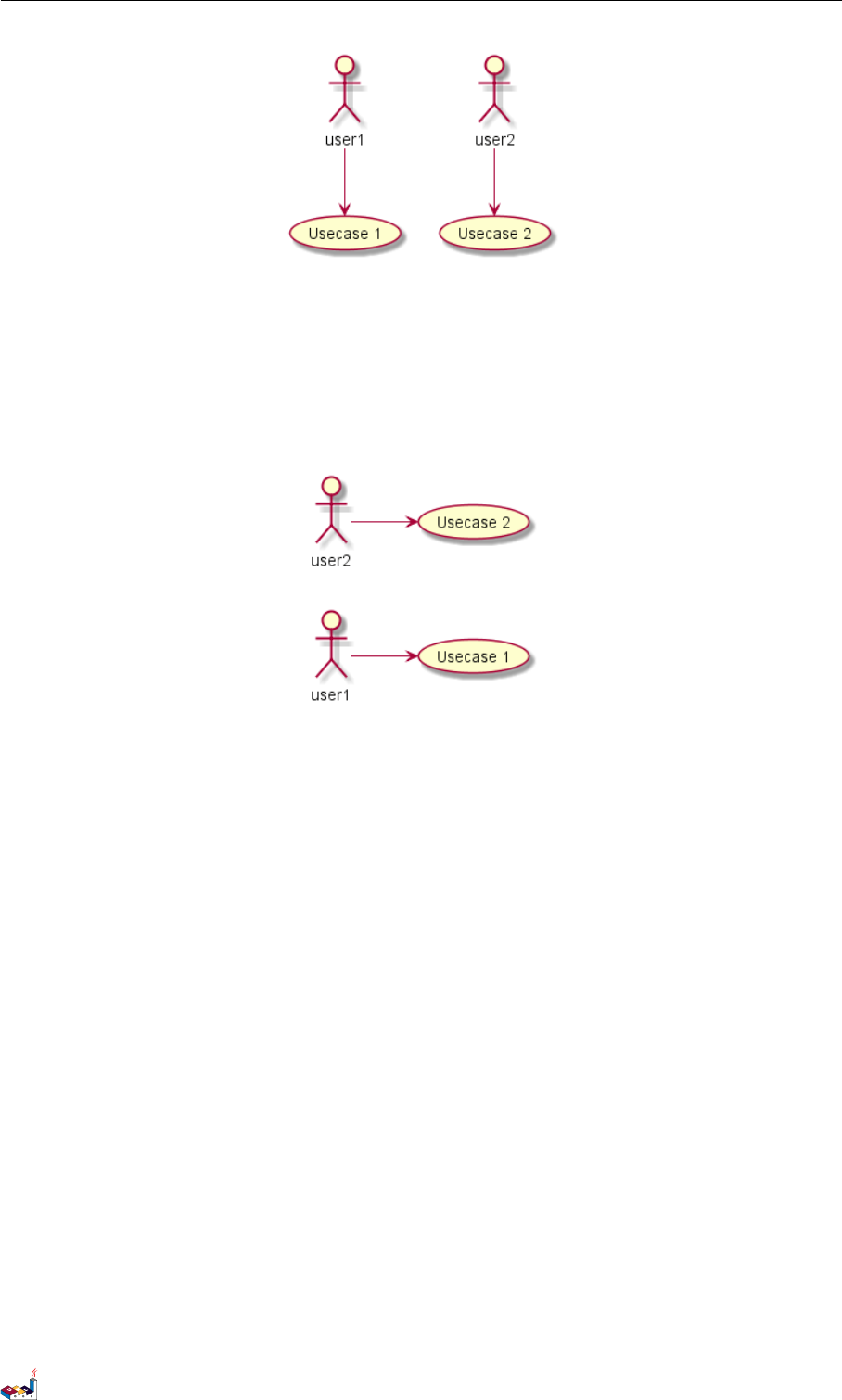
用newpage 关键字将图示分解为多个页面。
@startuml
:actor1: --> (Usecase1)
newpage
:actor2: --> (Usecase2)
@enduml
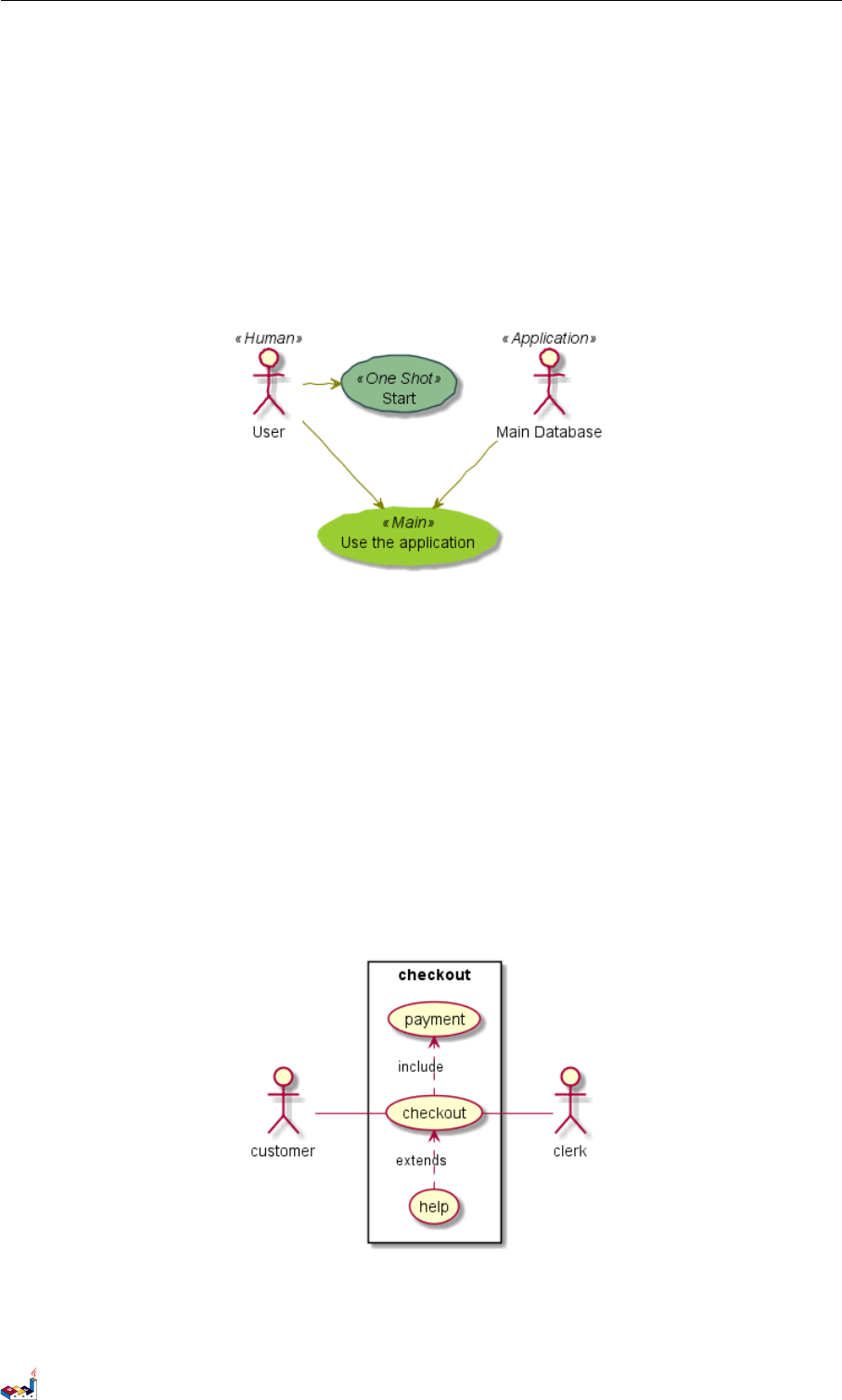
2.10 从左向右方向
默认从上往下构建图示。
@startuml
'default
top to bottom direction
user1 --> (Usecase 1)
user2 --> (Usecase 2)
@enduml
PlantUML 语言参考指引 (1.2019.6) 30 / 173
2.11 显示参数 2用例图
你可以用 left to right direction 命令改变图示方向。
@startuml
left to right direction
user1 --> (Usecase 1)
user2 --> (Usecase 2)
@enduml
2.11 显示参数
用skinparam 改变字体和颜色。
可以在如下场景中使用:
•在图示的定义中,
•在引入的文件中,
•在命令行或者 ANT 任务提供的配置文件中。
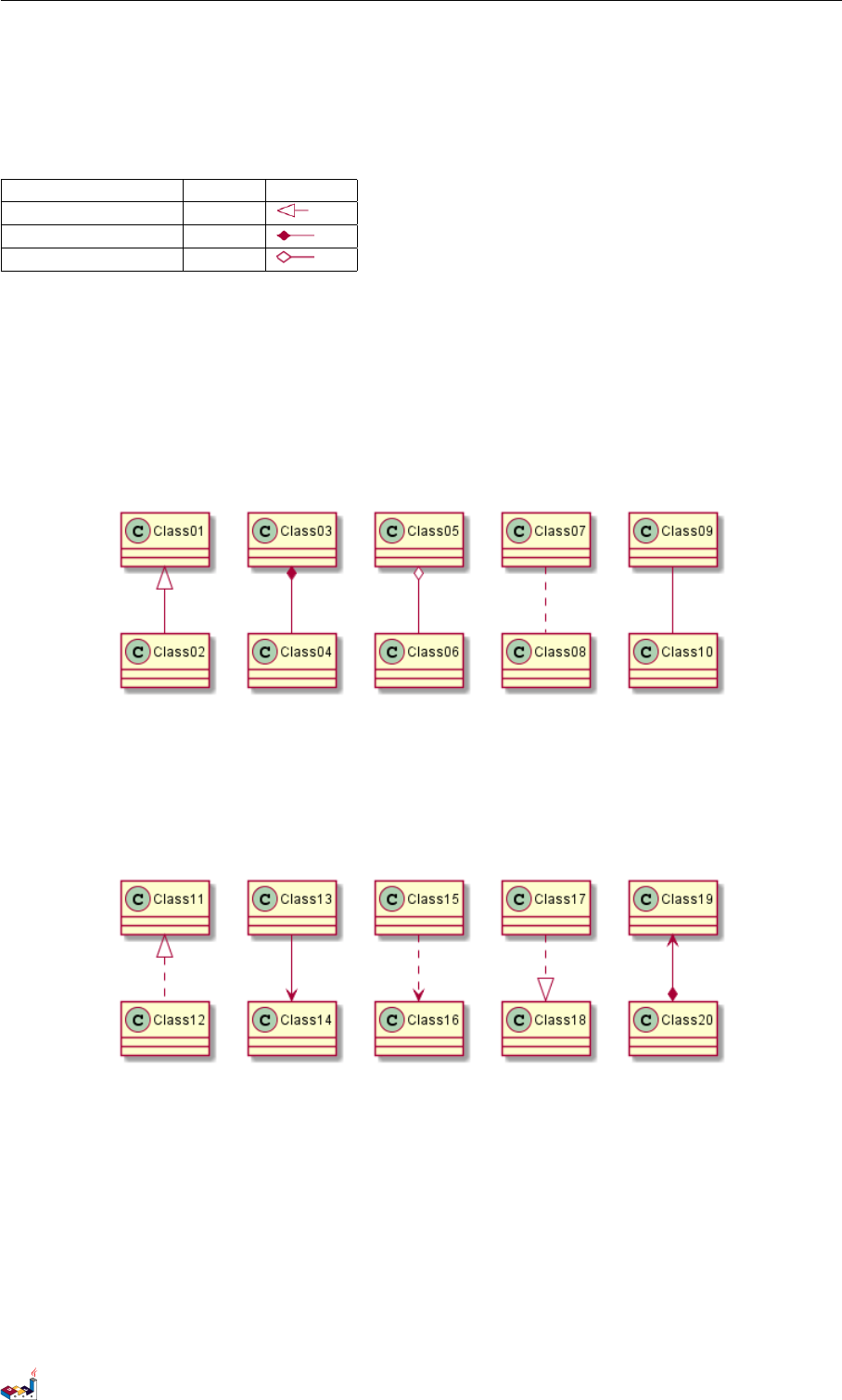
你也可以给构造的角色和用例指定特殊颜色和字体。
@startuml
skinparam handwritten true
skinparam usecase {
BackgroundColor DarkSeaGreen
BorderColor DarkSlateGray
BackgroundColor<< Main >> YellowGreen
BorderColor<< Main >> YellowGreen
ArrowColor Olive
ActorBorderColor black
ActorFontName Courier
ActorBackgroundColor<< Human >> Gold
}
PlantUML 语言参考指引 (1.2019.6) 31 / 173
2.12 一个完整的例子 2用例图
User << Human >>
:Main Database: as MySql << Application >>
(Start) << One Shot >>
(Use the application) as (Use) << Main >>
User -> (Start)
User --> (Use)
MySql --> (Use)
@enduml
2.12 一个完整的例子
@startuml
left to right direction
skinparam packageStyle rectangle
actor customer
actor clerk
rectangle checkout {
customer -- (checkout)
(checkout) .> (payment) : include
(help) .> (checkout) : extends
(checkout) -- clerk
}
@enduml
PlantUML 语言参考指引 (1.2019.6) 32 / 173
3类图
3类图
3.1 类之间的关系
类之间的关系通过下面的符号定义:
Type Symbol Drawing
Extension(扩展) <|--
Composition(组合) *--
Aggregation(聚合) o--
使用.. 来代替 -- 可以得到点线.
在这些规则下,也可以绘制下列图形
@startuml
Class01 <|-- Class02
Class03 *-- Class04
Class05 o-- Class06
Class07 .. Class08
Class09 -- Class10
@enduml
@startuml
Class11 <|.. Class12
Class13 --> Class14
Class15 ..> Class16
Class17 ..|> Class18
Class19 <--* Class20
@enduml
@startuml
Class21 #-- Class22
Class23 x-- Class24
Class25 }-- Class26
Class27 +-- Class28
Class29 ^-- Class30
@enduml
PlantUML 语言参考指引 (1.2019.6) 33 / 173
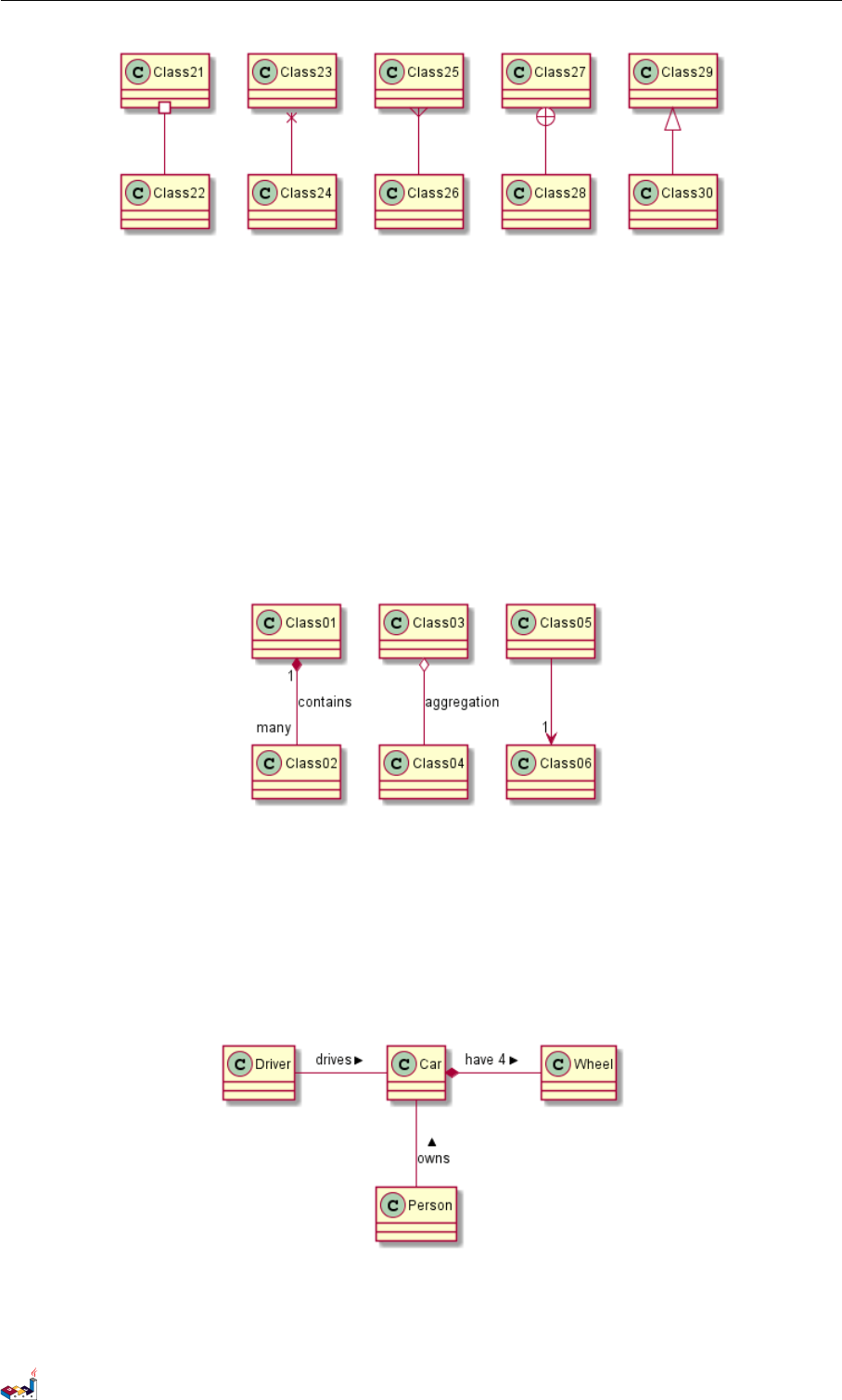
3.2 关系上的标识 3类图
3.2 关系上的标识
在关系之间使用标签来说明时,使用 :后接标签文字。
对元素的说明,你可以在每一边使用 "" 来说明.
@startuml
Class01 "1" *-- "many" Class02 : contains
Class03 o-- Class04 : aggregation
Class05 --> "1" Class06
@enduml
在标签的开始或结束位置添加 <或>以表明是哪个对象作用到哪个对象上。
@startuml
class Car
Driver - Car : drives >
Car *- Wheel : have 4 >
Car -- Person : < owns
@enduml
PlantUML 语言参考指引 (1.2019.6) 34 / 173
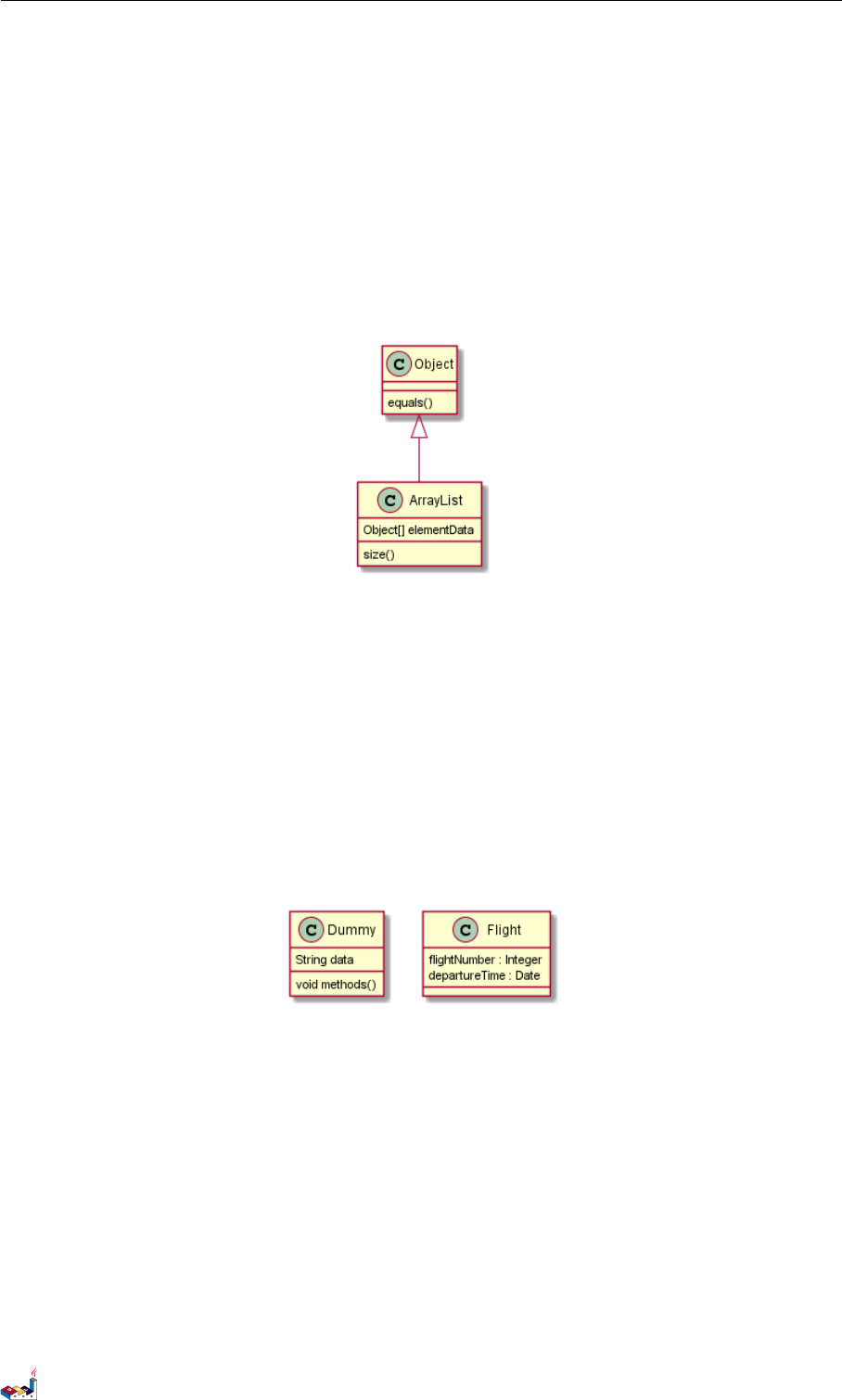
3.3 添加方法 3类图
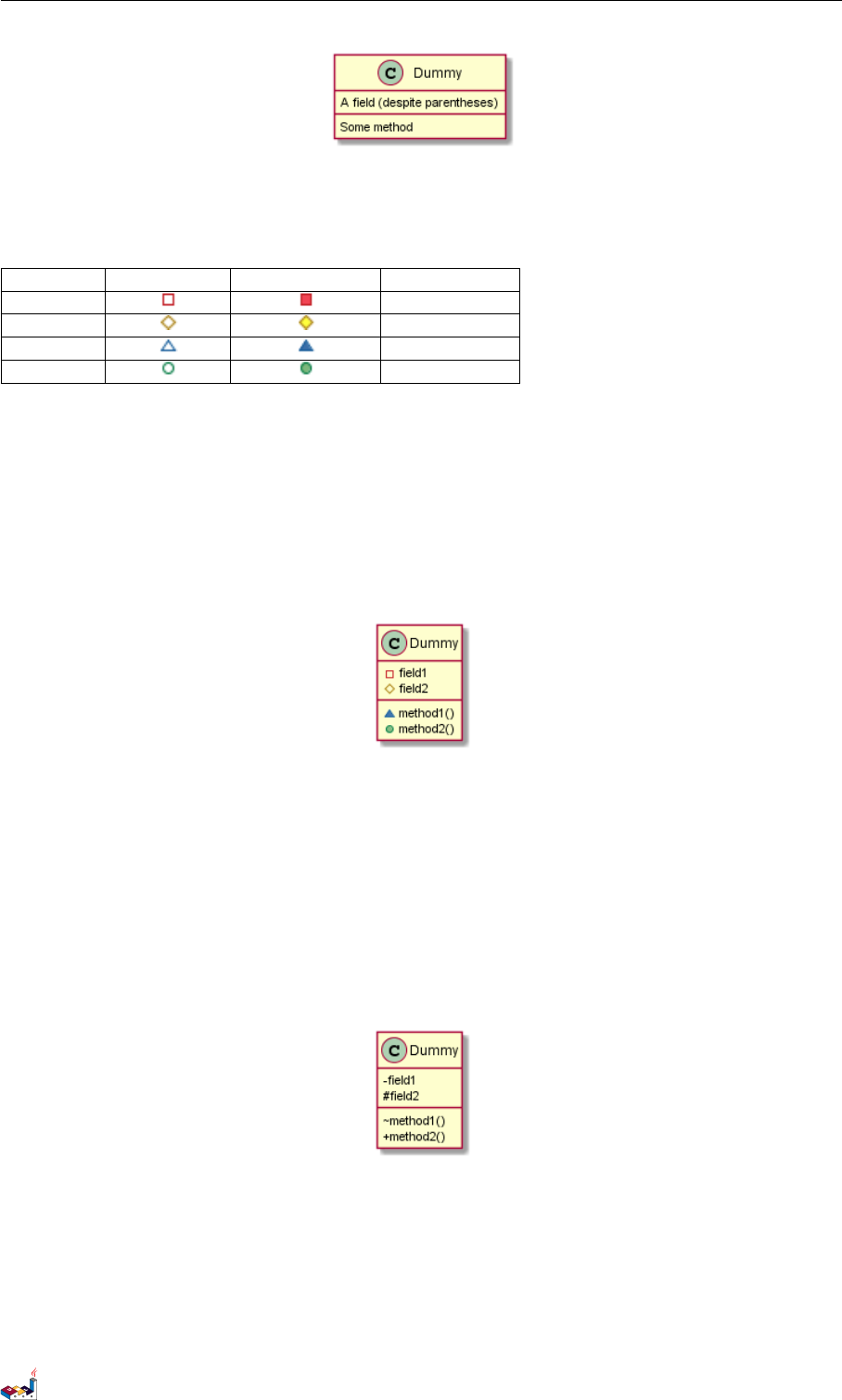
3.3 添加方法
为了声明字段 (对象属性)或者方法,你可以使用后接字段名或方法名。
系统检查是否有括号来判断是方法还是字段。
@startuml
Object <|-- ArrayList
Object : equals()
ArrayList : Object[] elementData
ArrayList : size()
@enduml
也可以使用 {} 把字段或者方法括起来
注意,这种语法对于类型/名字的顺序是非常灵活的。
@startuml
class Dummy {
String data
void methods()
}
class Flight {
flightNumber : Integer
departureTime : Date
}
@enduml
你可以(显式地)使用 {field} 和{method} 修饰符来覆盖解析器的对于字段和方法的默认行为 <block-
quote> You can use {field} and {method} modifiers to override default behaviour of the parser about fields and
methods. </blockquote>
@startuml
class Dummy {
{field} A field (despite parentheses)
{method} Some method
}
@enduml
PlantUML 语言参考指引 (1.2019.6) 35 / 173
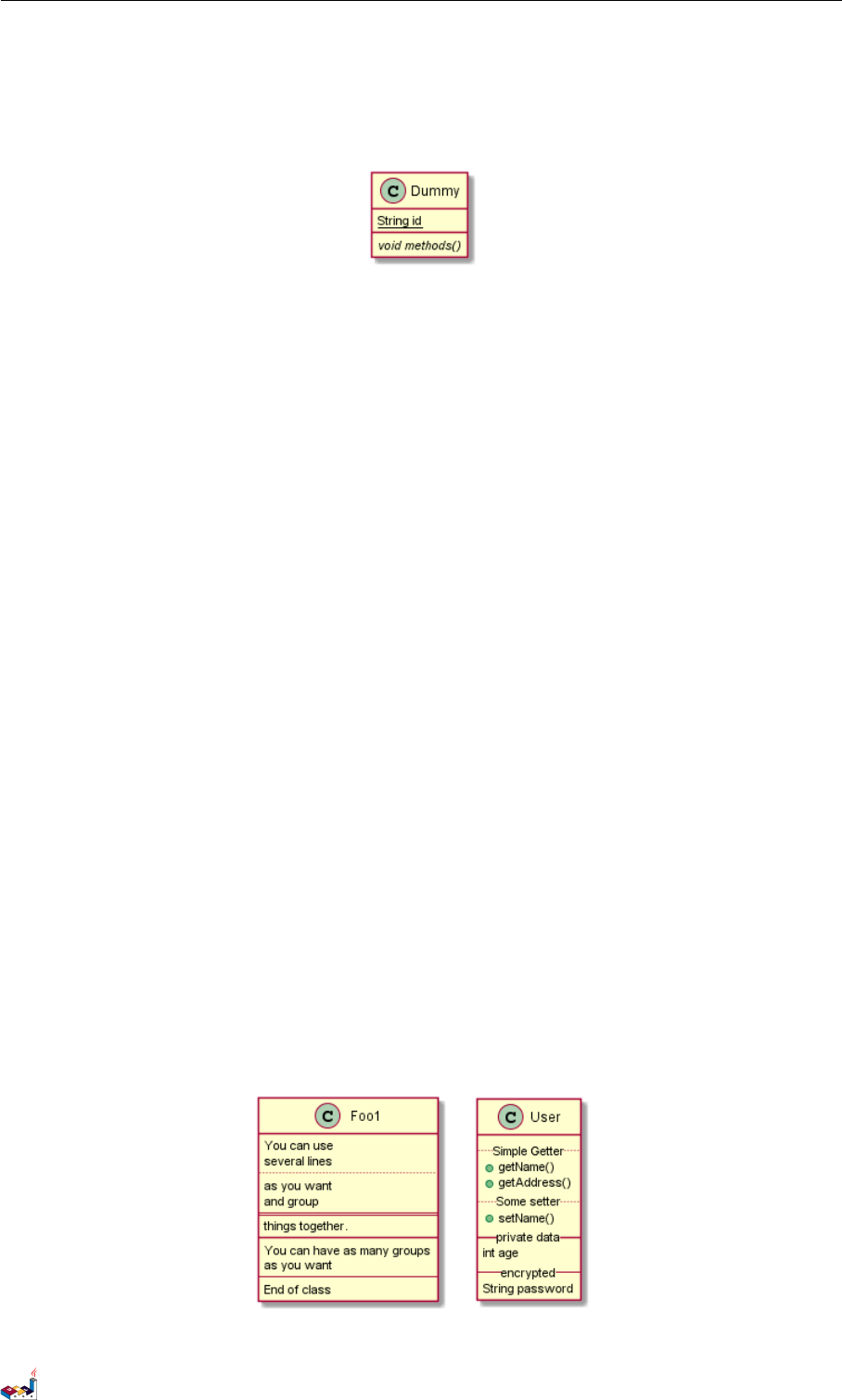
3.4 定义可访问性 3类图
3.4 定义可访问性
一旦你定义了域或者方法,你可以定义相应条目的可访问性质。
Character Icon for field Icon for method Visibility
-private
#protected
~package private
+public
@startuml
class Dummy {
-field1
#field2
~method1()
+method2()
}
@enduml
你可以采用以下命令停用这些特性 skinparam classAttributeIconSize 0 :
@startuml
skinparam classAttributeIconSize 0
class Dummy {
-field1
#field2
~method1()
+method2()
}
@enduml
3.5 抽象与静态
通过修饰符 {static} 或者 {abstract},可以定义静态或者抽象的方法或者属性。
这些修饰符可以写在行的开始或者结束。也可以使用 {classifier} 这个修饰符来代替 {static}.
@startuml
PlantUML 语言参考指引 (1.2019.6) 36 / 173
3.6 高级类体 3类图
class Dummy {
{static} String id
{abstract} void methods()
}
@enduml
3.6 高级类体
PlantUML 默认自动将方法和属性重新分组,你可以自己定义分隔符来重排方法和属性,下面的分隔符都
是可用的:-- .. == __.
还可以在分隔符中添加标题:
@startuml
class Foo1 {
You can use
several lines
..
as you want
and group
==
things together.
__
You can have as many groups
as you want
--
End of class
}
class User {
.. Simple Getter ..
+ getName()
+ getAddress()
.. Some setter ..
+ setName()
__ private data __
int age
-- encrypted --
String password
}
@enduml
PlantUML 语言参考指引 (1.2019.6) 37 / 173
3.7 备注和模板 3类图
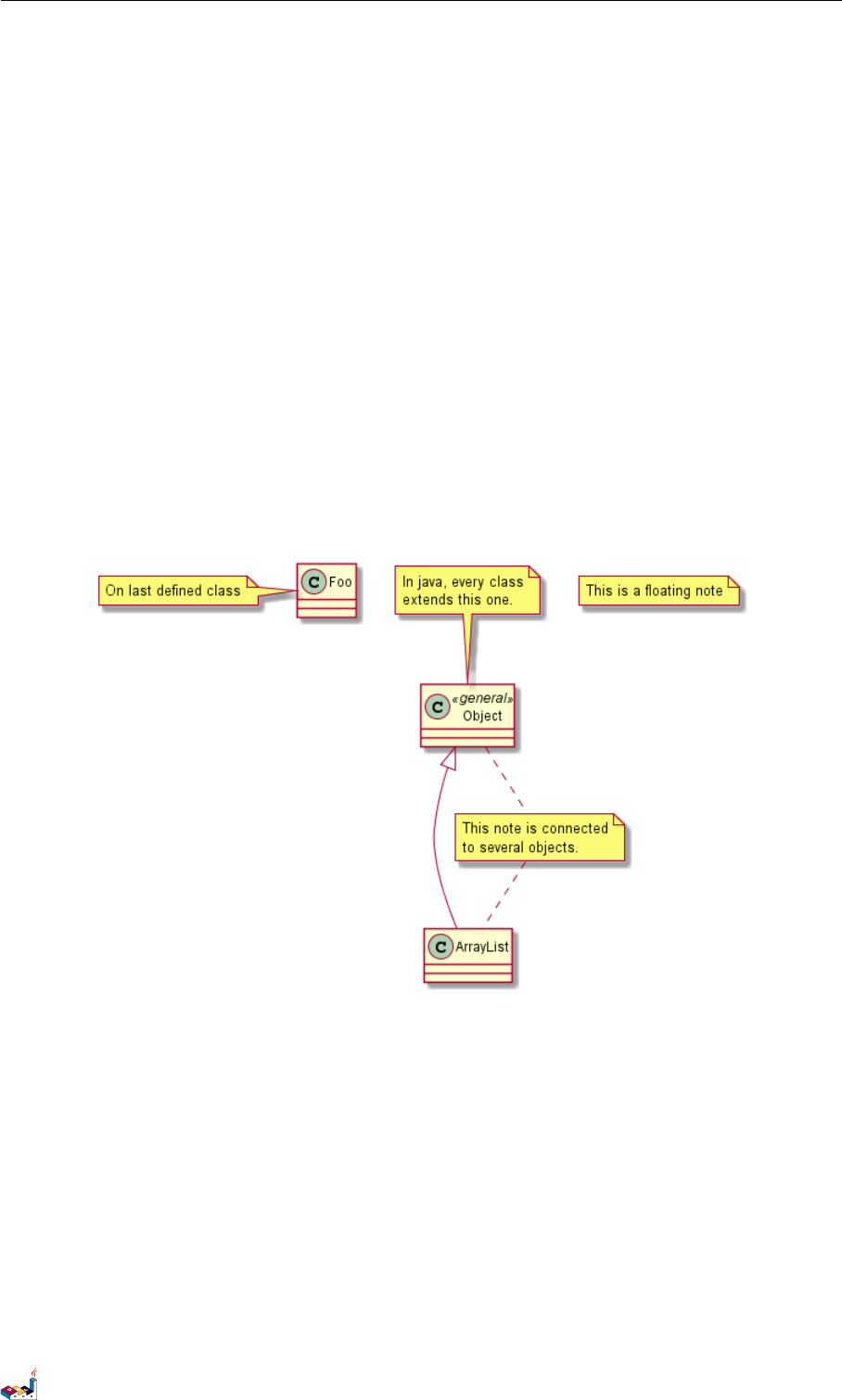
3.7 备注和模板
模板通过类关键字 ("<<" 和">>") 来定义
你可以使用 note left of ,note right of ,note top of ,note bottom of 这些关键字来添加备注。
你还可以在类的声明末尾使用 note left,note right,note top,note bottom 来添加备注。
此外,单独用 note 这个关键字也是可以的,使用 .. 符号可以作出一条连接它与其它对象的虚线。
@startuml
class Object << general >>
Object <|--- ArrayList
note top of Object : In java, every class\nextends this one.
note "This is a floating note" as N1
note "This note is connected\nto several objects." as N2
Object .. N2
N2 .. ArrayList
class Foo
note left: On last defined class
@enduml
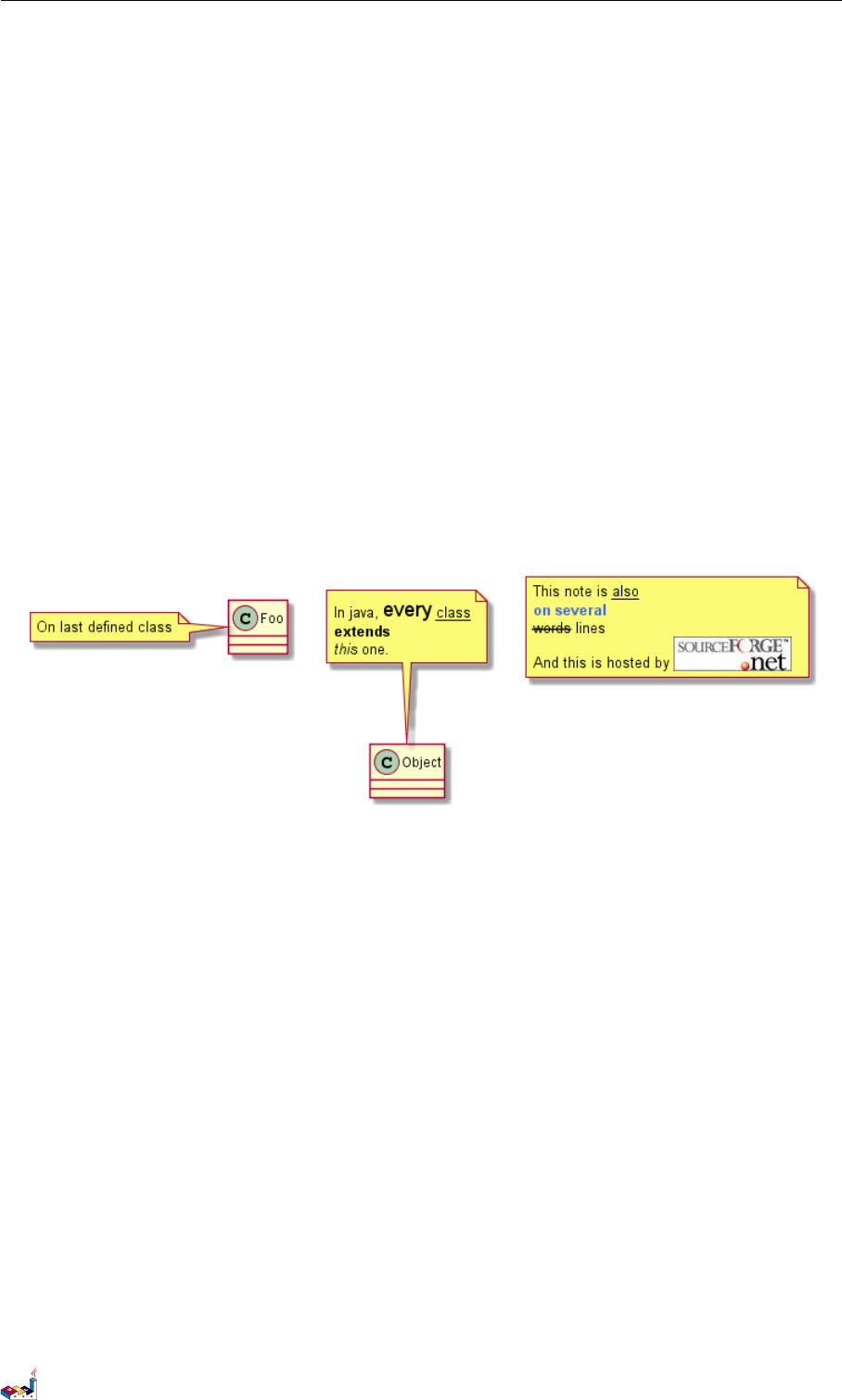
3.8 更多注释
可以在注释中使用部分 html 标签:
•<b>
•<u>
•<i>
•<s>,<del>,<strike>
•<font color="#AAAAAA"> or <font color="colorName">
•<color:#AAAAAA> or <color:colorName>
•<size:nn> to change font size
PlantUML 语言参考指引 (1.2019.6) 38 / 173
3.9 链接的注释 3类图
•<img src="file"> or <img:file>: the file must be accessible by the filesystem
你也可以在注释中展示多行。
你也可以在定义的 class 之后直接使用 note left,note right,note top,note bottom 来定义注释。
@startuml
class Foo
note left: On last defined class
note top of Object
In java, <size:18>every</size> <u>class</u>
<b>extends</b>
<i>this</i> one.
end note
note as N1
This note is <u>also</u>
<b><color:royalBlue>on several</color>
<s>words</s> lines
And this is hosted by <img:sourceforge.jpg>
end note
@enduml
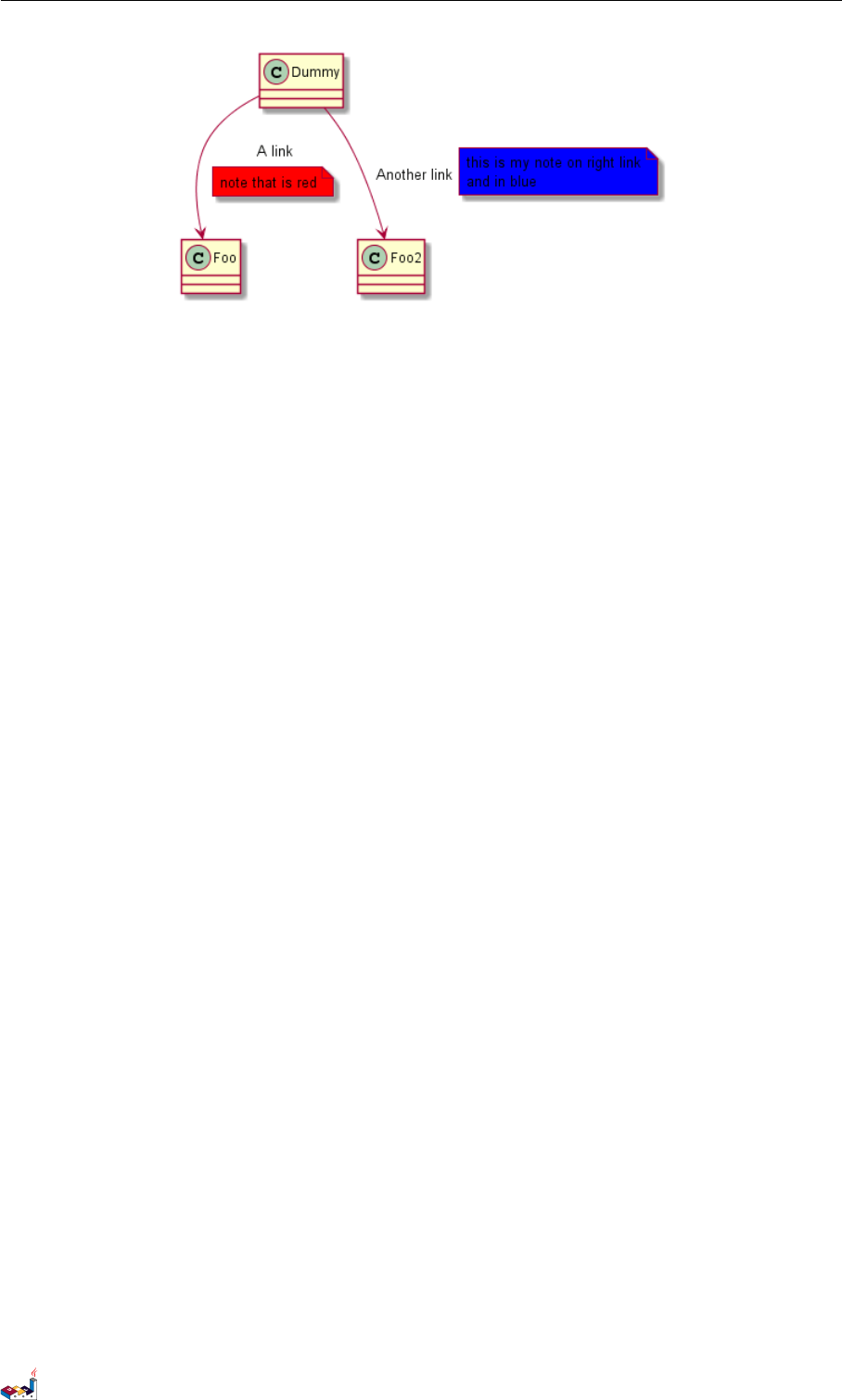
3.9 链接的注释
在定义链接之后,你可以用 note on link 给链接添加注释
如果想要改变注释相对于标签的位置,你也可以用 note left on link,note right on link,note
bottom on link。(对应位置分别在 label 的左边,右边,下边)
@startuml
class Dummy
Dummy --> Foo : A link
note on link #red: note that is red
Dummy --> Foo2 : Another link
note right on link #blue
this is my note on right link
and in blue
end note
@enduml
PlantUML 语言参考指引 (1.2019.6) 39 / 173
3.10 抽象类和接口 3类图
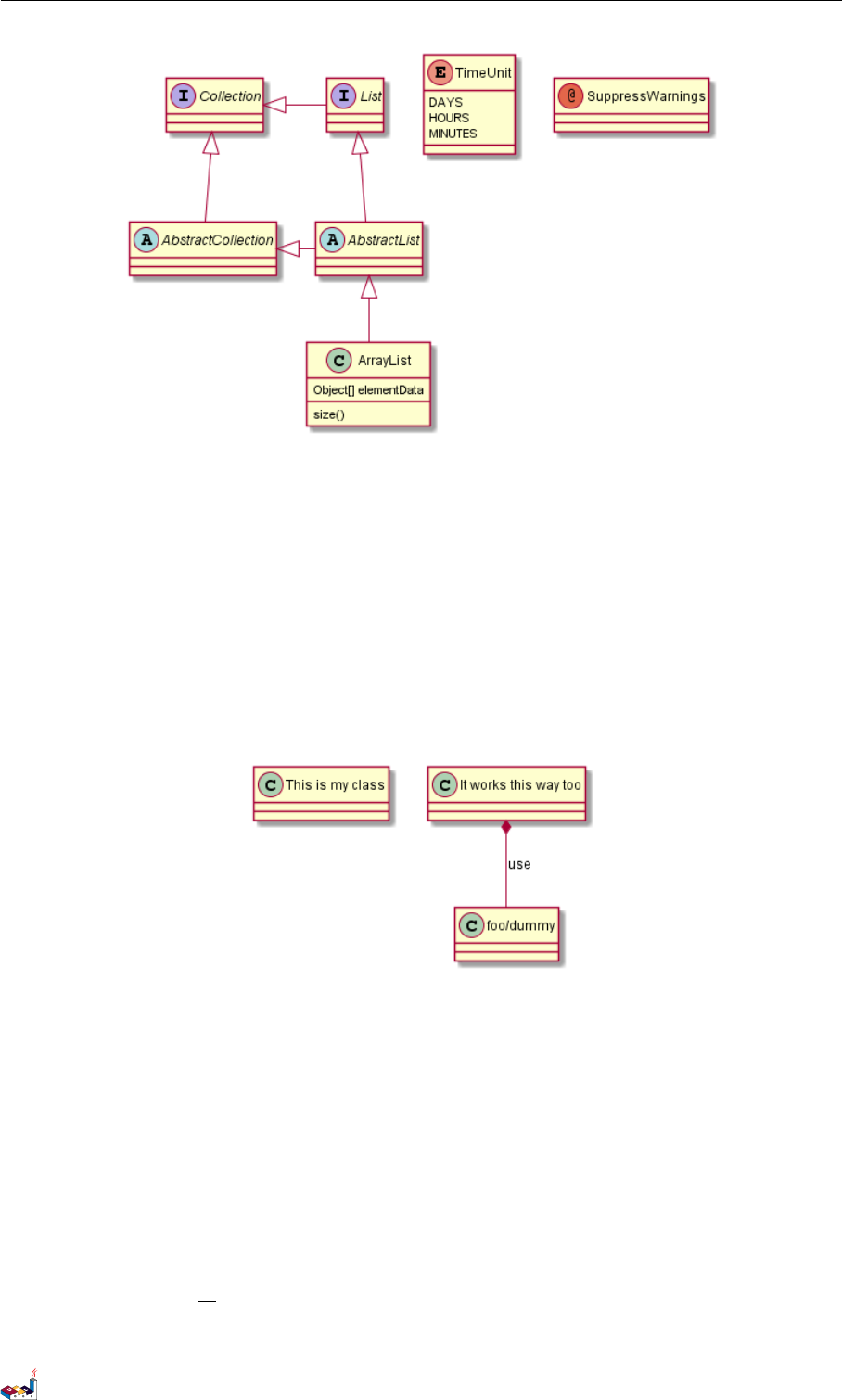
3.10 抽象类和接口
用关键字 abstract 或abstract class 来定义抽象类。抽象类用斜体显示。也可以使用 interface,
annotation 和enum 关键字。
@startuml
abstract class AbstractList
abstract AbstractCollection
interface List
interface Collection
List <|-- AbstractList
Collection <|-- AbstractCollection
Collection <|- List
AbstractCollection <|- AbstractList
AbstractList <|-- ArrayList
class ArrayList {
Object[] elementData
size()
}
enum TimeUnit {
DAYS
HOURS
MINUTES
}
annotation SuppressWarnings
@enduml
PlantUML 语言参考指引 (1.2019.6) 40 / 173
3.11 使用非字母字符 3类图
3.11 使用非字母字符
如果你想在类(或者枚举)的显示中使用非字母符号,你可以:
•在类的定义中使用 as 关键字
•在类名旁边加上 ""
@startuml
class "This is my class" as class1
class class2 as "It works this way too"
class2 *-- "foo/dummy" : use
@enduml
3.12 隐藏属性、函数等
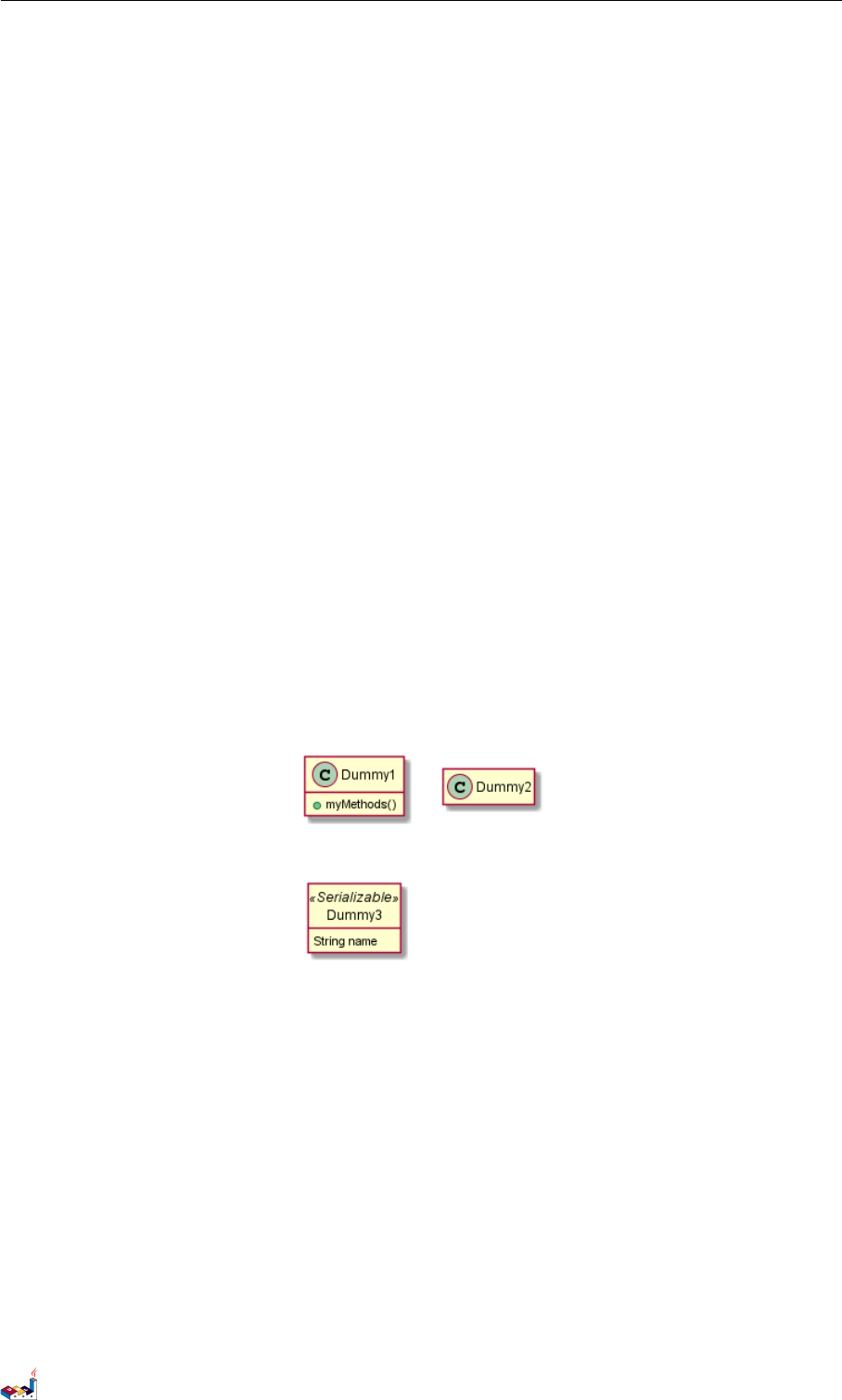
通过使用命令“hide/show”,你可以用参数表示类的显示方式。
基础命令是:hide empty members.这个命令会隐藏空白的方法和属性。
除empty members 外,你可以用:
•empty fields 或者 empty attributes 空属性,
•empty methods 空函数,
•fields 或attributes 隐藏字段或属性,即使是被定义了
•methods 隐藏方法,即使是被定义了
•members 隐藏字段 和 方法,即使是被定义了
•circle 类名前带圈的,
PlantUML 语言参考指引 (1.2019.6) 41 / 173
3.13 隐藏类 3类图
•stereotype 原型。
同样可以使用 hide 或show 关键词,对以下内容进行设置:
•class 所有类,
•interface 所有接口,
•enum 所有枚举,
•<<foo1>> 实现 foo1 的类,
•一个既定的类名。
你可以使用 show/hide 命令来定义相关规则和例外。
@startuml
class Dummy1 {
+myMethods()
}
class Dummy2 {
+hiddenMethod()
}
class Dummy3 <<Serializable>> {
String name
}
hide members
hide <<Serializable>> circle
show Dummy1 methods
show <<Serializable>> fields
@enduml
3.13 隐藏类
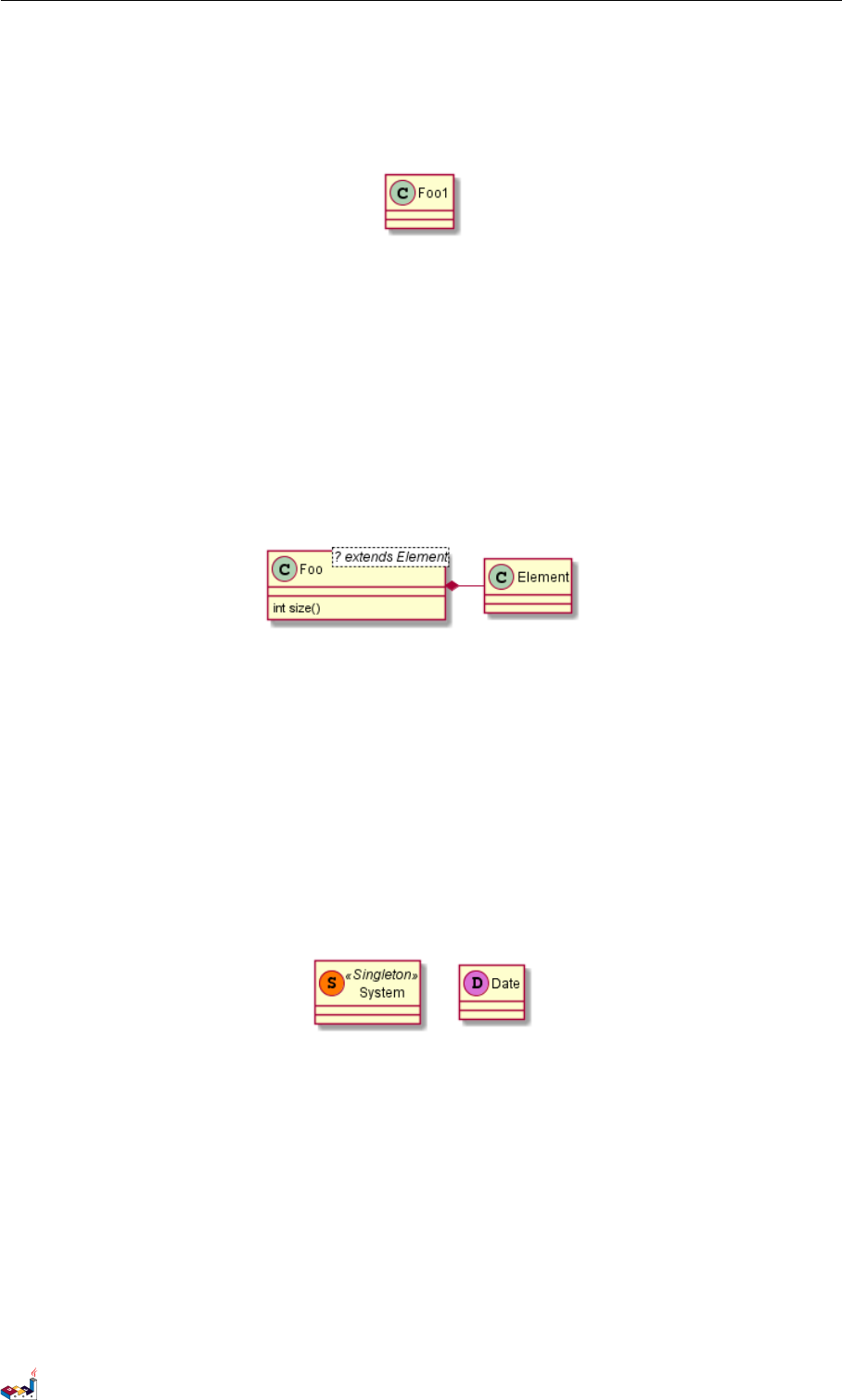
你也可以使用 show/hide 命令来隐藏类
如果你定义了一个大的!included 文件,且想在文件包含之后隐藏部分类,该功能会很有帮助。
@startuml
class Foo1
class Foo2
Foo2 *-- Foo1
hide Foo2
@enduml
PlantUML 语言参考指引 (1.2019.6) 42 / 173
3.14 泛型(generics)3类图
3.14 泛型(generics)
你可以用 <和>来定义类的泛型。
@startuml
class Foo<? extends Element> {
int size()
}
Foo *- Element
@enduml
It is possible to disable this drawing using skinparam genericDisplay old command.
3.15 指定标记(Spot)
通常标记字符 (C, I, E or A) 用于标记类 (classes), 接口(interface),枚举(enum)和抽象类(abstract classes)
.
但是当你想定义原型时,可以增加对应的单个字符及颜色,来定义自己的标记(spot),就像下面一样:
@startuml
class System << (S,#FF7700) Singleton >>
class Date << (D,orchid) >>
@enduml
3.16 包
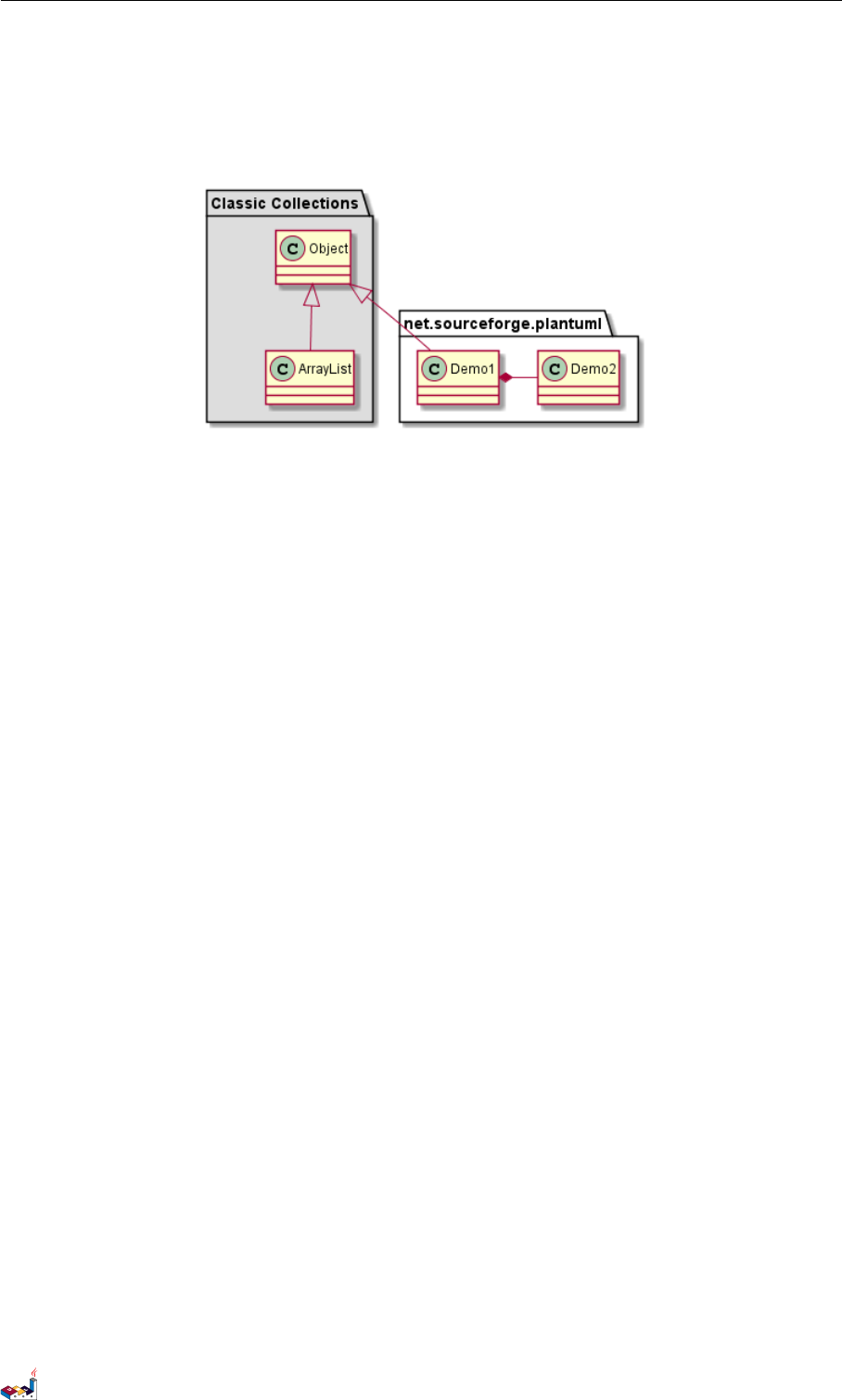
你可以通过关键词 package 声明包,同时可选的来声明对应的背景色(通过使用 html 色彩代码或名称)。
注意:包可以被定义为嵌套。
@startuml
package "Classic Collections" #DDDDDD {
Object <|-- ArrayList
}
package net.sourceforge.plantuml {
PlantUML 语言参考指引 (1.2019.6) 43 / 173
3.17 包样式 3类图
Object <|-- Demo1
Demo1 *- Demo2
}
@enduml
3.17 包样式
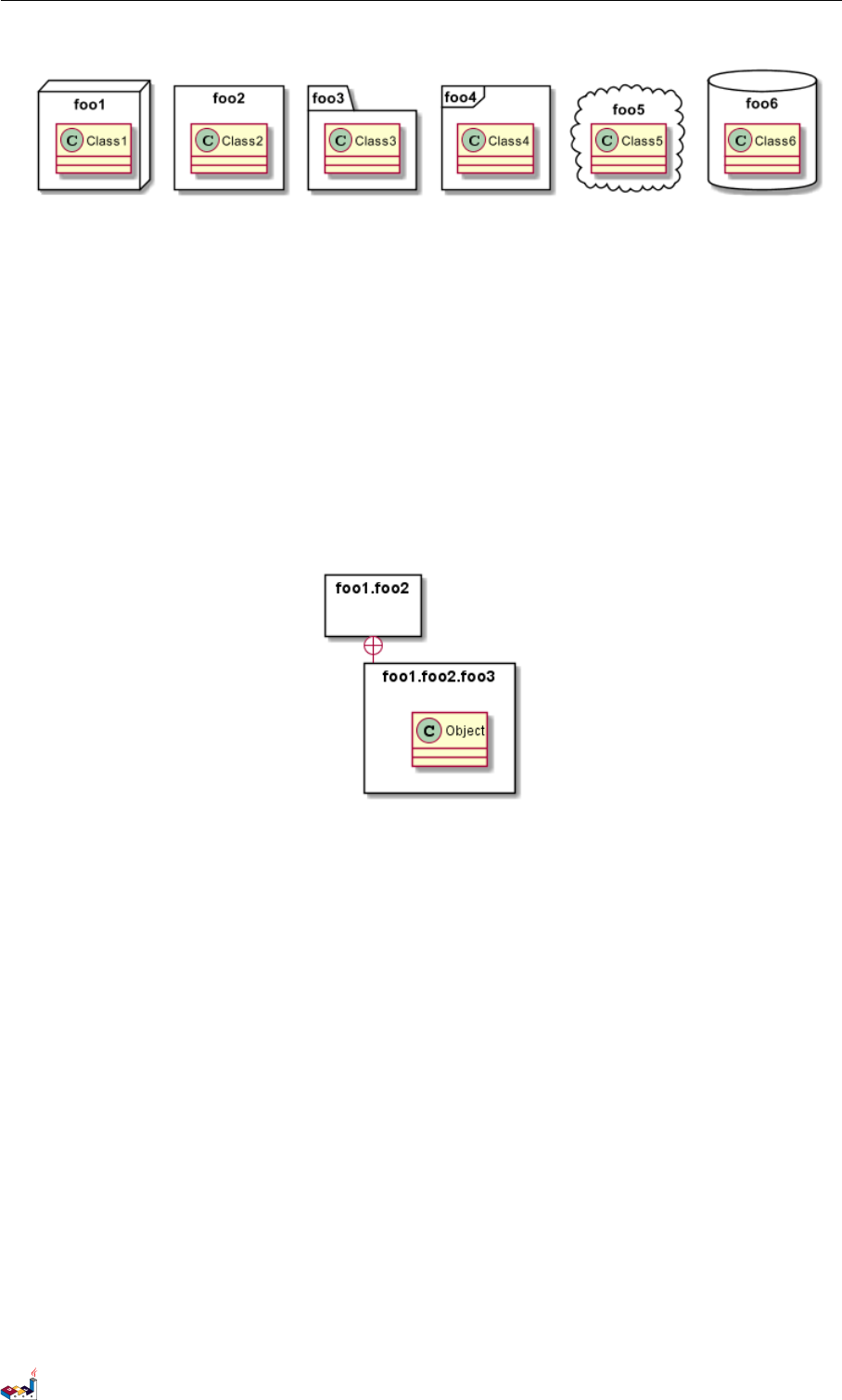
包可以定义不同的样式。
你可以通过以下的命令来设置默认样式:skinparam packageStyle,或者对包使用对应的模板:
@startuml
scale 750 width
package foo1 <<Node>> {
class Class1
}
package foo2 <<Rectangle>> {
class Class2
}
package foo3 <<Folder>> {
class Class3
}
package foo4 <<Frame>> {
class Class4
}
package foo5 <<Cloud>> {
class Class5
}
package foo6 <<Database>> {
class Class6
}
@enduml
PlantUML 语言参考指引 (1.2019.6) 44 / 173
3.18 命名空间(Namespaces)3类图
你也可以参考下面的示例来定义包之间的连线:
@startuml
skinparam packageStyle rectangle
package foo1.foo2 {
}
package foo1.foo2.foo3 {
class Object
}
foo1.foo2 +-- foo1.foo2.foo3
@enduml
3.18 命名空间(Namespaces)
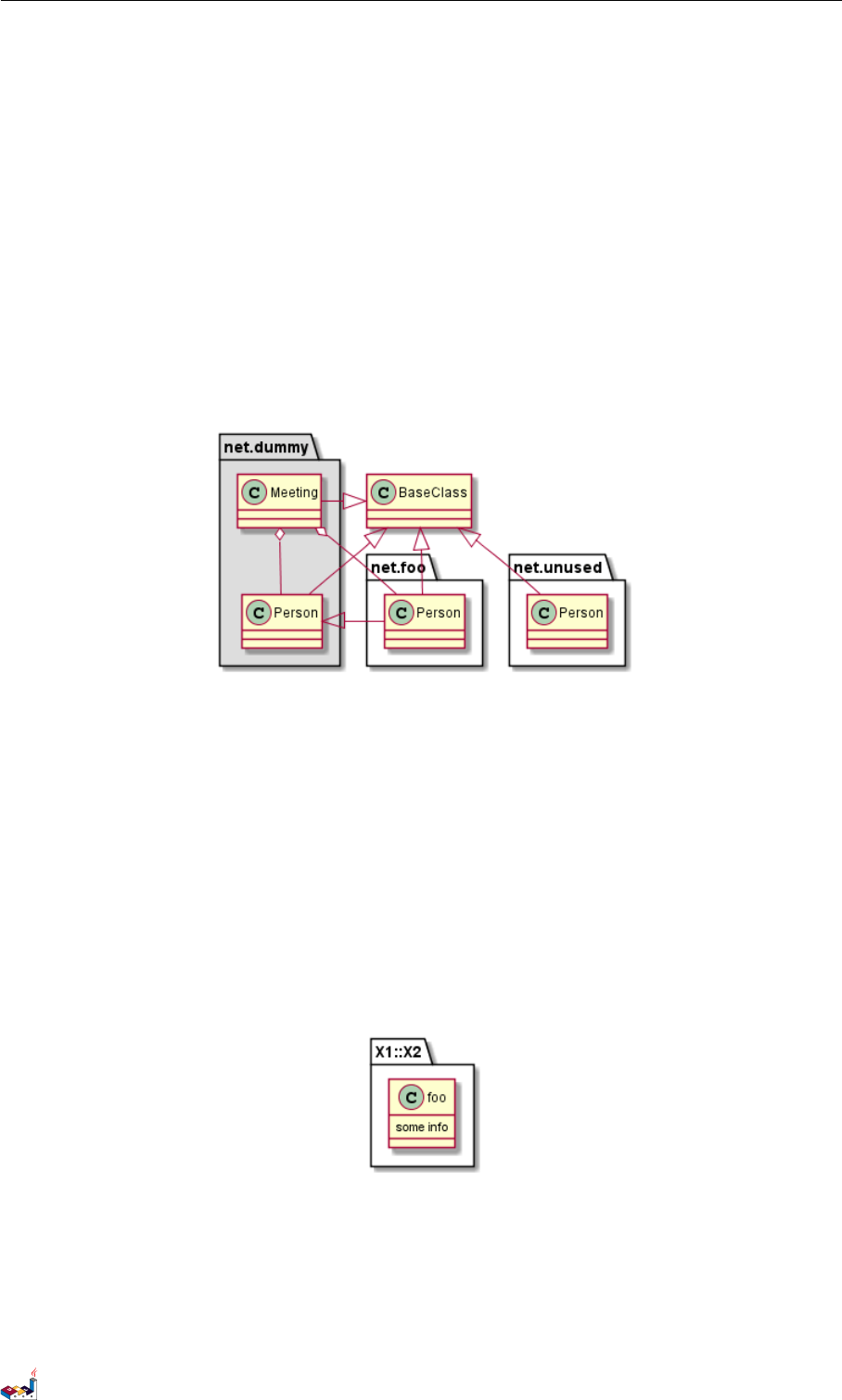
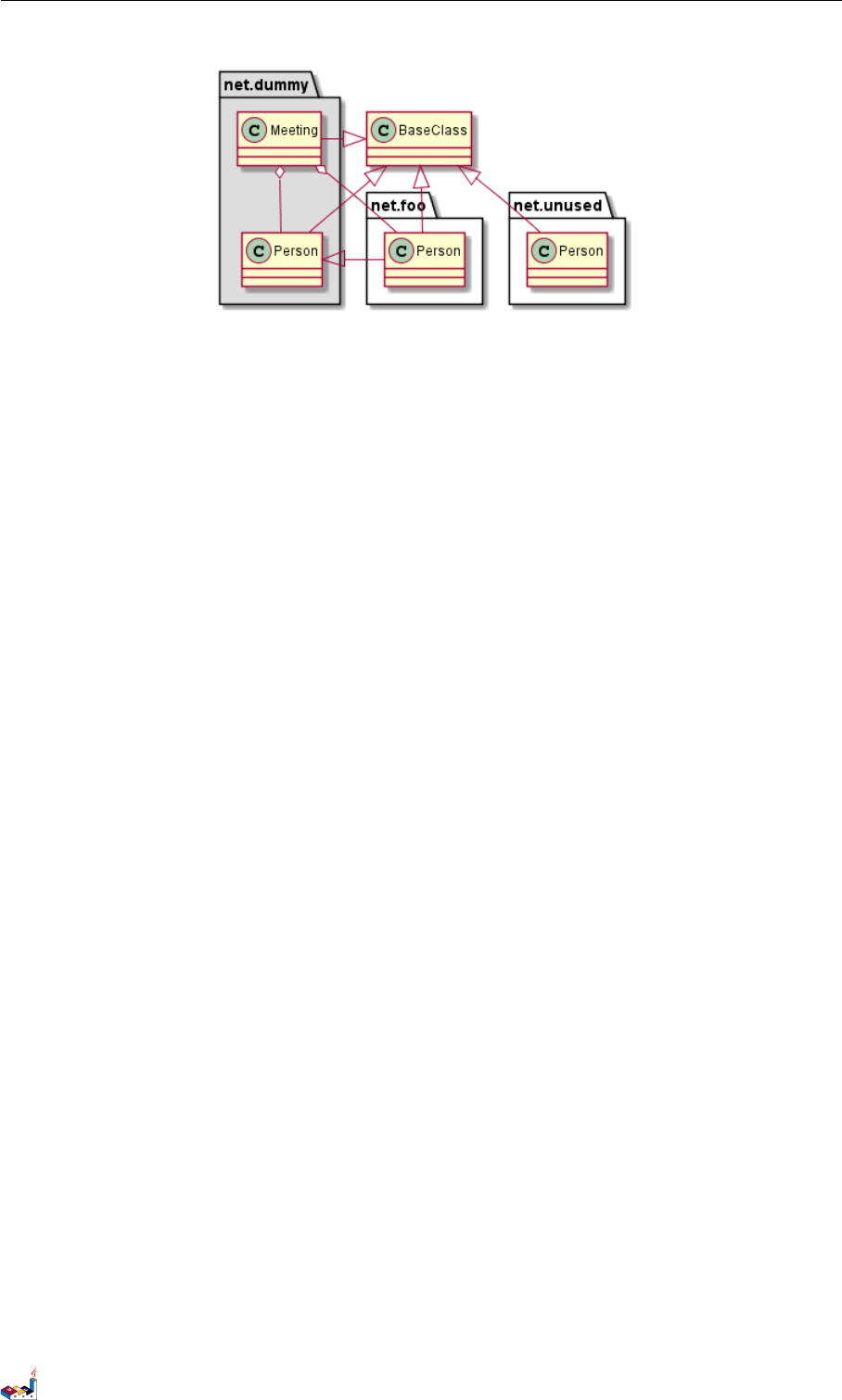
在使用包(package)时(区别于命名空间),类名是类的唯一标识。也就意味着,在不同的包(package)
中的类,不能使用相同的类名。
<blockquote> In packages, the name of a class is the unique identifier of this class. It means that you cannot have
two classes with the very same name in different packages. </blockquote>
在那种情况下(译注:同名、不同全限定名类),你应该使用命名空间来取而代之。<blockquote> In that
case, you should use namespaces instead of packages. </blockquote>
你可以从其他命名空间,使用全限定名来引用类,默认命名空间(译注:无名的命名空间)下的类,以一
个“." 开头(的类名)来引用(译注:示例中的 BaseClass).
<blockquote> You can refer to classes from other namespaces by fully qualify them. Classes from the default
namespace are qualified with a starting dot. </blockquote>
注意:你不用显示地创建命名空间:一个使用全限定名的类会自动被放置到对应的命名空间。<blockquote>
Note that you don't have to explicitly create namespace : a fully qualified class is automatically put in the right
namespace. </blockquote>
@startuml
class BaseClass
namespace net.dummy #DDDDDD {
PlantUML 语言参考指引 (1.2019.6) 45 / 173
3.19 自动创建命名空间 3类图
.BaseClass <|-- Person
Meeting o-- Person
.BaseClass <|- Meeting
}
namespace net.foo {
net.dummy.Person <|- Person
.BaseClass <|-- Person
net.dummy.Meeting o-- Person
}
BaseClass <|-- net.unused.Person
@enduml
<blockquote> - .BaseClass 为默认命名空间下的类 -net.unused. 为自动生成的命名空间 </blockquote>
3.19 自动创建命名空间
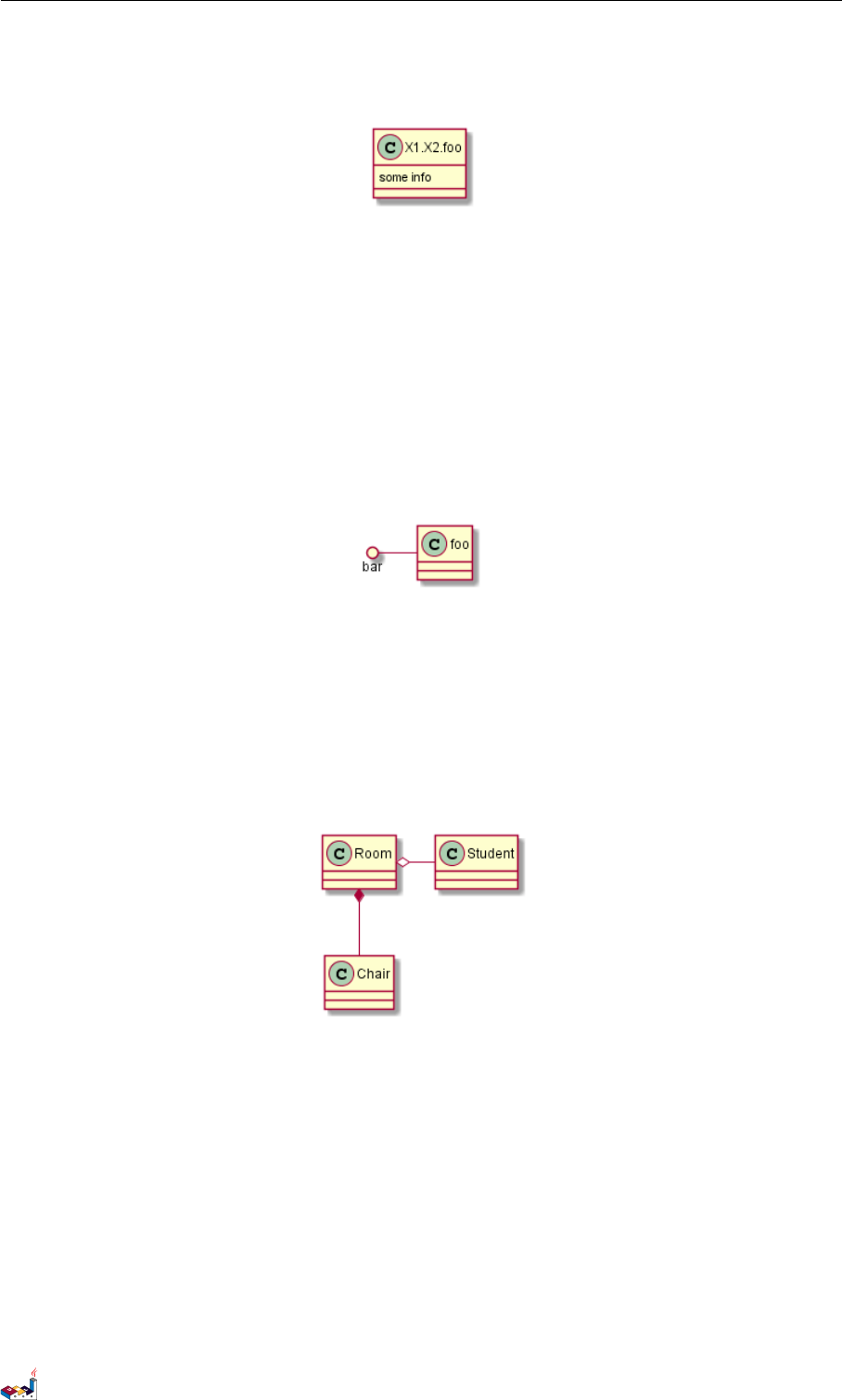
使用命令 set namespaceSeparator ??? 你可以自定义命名空间分隔符(为“.”以外的字符).
@startuml
set namespaceSeparator ::
class X1::X2::foo {
some info
}
@enduml
禁止自动创建包则可以使用 set namespaceSeparator none.
@startuml
set namespaceSeparator none
class X1.X2.foo {
some info
PlantUML 语言参考指引 (1.2019.6) 46 / 173
3.20 棒棒糖接口 3类图
}
@enduml
3.20 棒棒糖接口
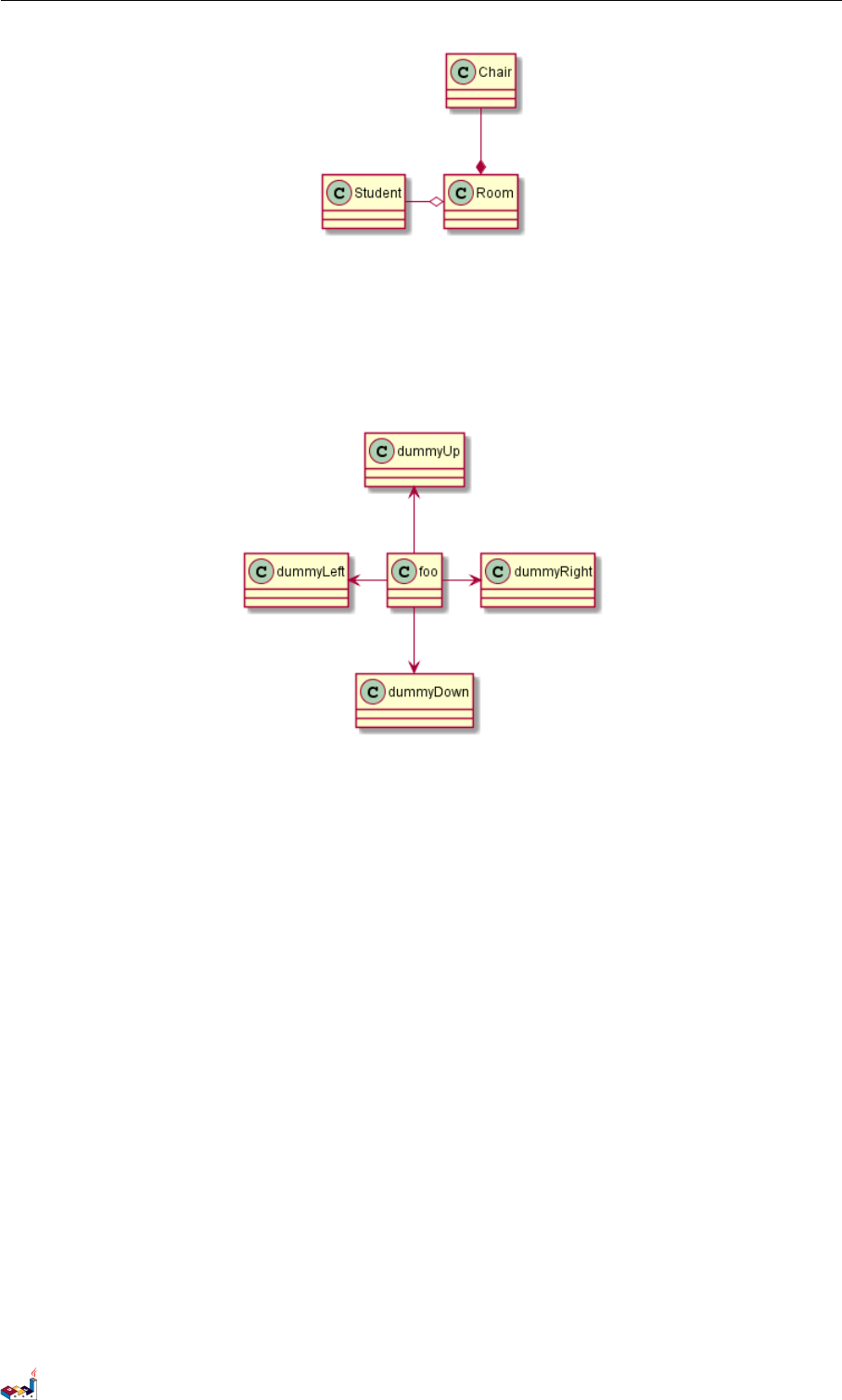
需要定义棒棒糖样式的接口时可以遵循以下语法:
•bar ()- foo
•bar ()-- foo
•foo -() bar
@startuml
class foo
bar ()- foo
@enduml
3.21 改变箭头方向
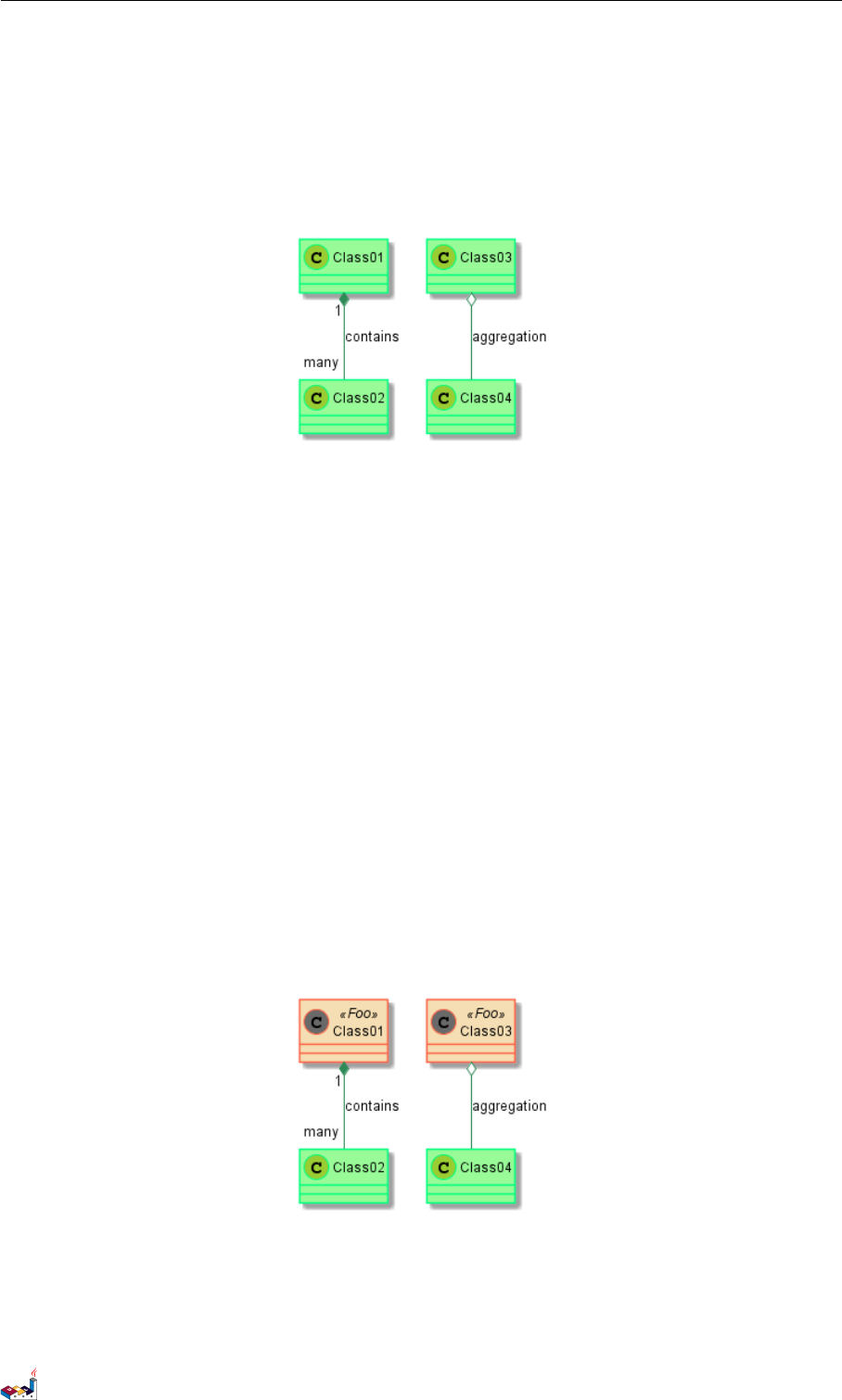
类之间默认采用两个破折号 -- 显示出垂直方向的线.要得到水平方向的可以像这样使用单破折号 (或者
点):
@startuml
Room o- Student
Room *-- Chair
@enduml
你也可以通过改变倒置链接来改变方向
@startuml
Student -o Room
Chair --* Room
@enduml
PlantUML 语言参考指引 (1.2019.6) 47 / 173
3.22 “关系”类 3类图
也可通过在箭头内部使用关键字,例如 left,right,up 或者 down,来改变方向
@startuml
foo -left-> dummyLeft
foo -right-> dummyRight
foo -up-> dummyUp
foo -down-> dummyDown
@enduml
You can shorten the arrow by using only the first character of the direction (for example, -d- instead of -down-)
or the two first characters (-do-).
Please note that you should not abuse this functionality : Graphviz gives usually good results without tweaking.
3.22 “关系”类
你可以在定义了两个类之间的关系后定义一个 关系类 association class 例如:
@startuml
class Student {
Name
}
Student "0..*" - "1..*" Course
(Student, Course) .. Enrollment
class Enrollment {
drop()
cancel()
}
@enduml
PlantUML 语言参考指引 (1.2019.6) 48 / 173

3.23 皮肤参数 3类图
也可以用另一种方式:
@startuml
class Student {
Name
}
Student "0..*" -- "1..*" Course
(Student, Course) . Enrollment
class Enrollment {
drop()
cancel()
}
@enduml
3.23 皮肤参数
用skinparam 改变字体和颜色。
可以在如下场景中使用:
•在图示的定义中,
•在引入的文件中,
•在命令行或者 ANT 任务提供的配置文件中。
@startuml
skinparam class {
BackgroundColor PaleGreen
ArrowColor SeaGreen
BorderColor SpringGreen
PlantUML 语言参考指引 (1.2019.6) 49 / 173
3.24 Skinned Stereotypes 3 类图
}
skinparam stereotypeCBackgroundColor YellowGreen
Class01 "1" *-- "many" Class02 : contains
Class03 o-- Class04 : aggregation
@enduml
3.24 Skinned Stereotypes
You can define specific color and fonts for stereotyped classes.
@startuml
skinparam class {
BackgroundColor PaleGreen
ArrowColor SeaGreen
BorderColor SpringGreen
BackgroundColor<<Foo>> Wheat
BorderColor<<Foo>> Tomato
}
skinparam stereotypeCBackgroundColor YellowGreen
skinparam stereotypeCBackgroundColor<< Foo >> DimGray
Class01 <<Foo>>
Class03 <<Foo>>
Class01 "1" *-- "many" Class02 : contains
Class03 o-- Class04 : aggregation
@enduml
3.25 Color gradient
It's possible to declare individual color for classes or note using the # notation.
PlantUML 语言参考指引 (1.2019.6) 50 / 173

3.26 辅助布局 3类图
You can use either standard color name or RGB code.
You can also use color gradient in background, with the following syntax: two colors names separated either by:
•|,
•/,
•\,
• or -
depending the direction of the gradient.
For example, you could have:
@startuml
skinparam backgroundcolor AntiqueWhite/Gold
skinparam classBackgroundColor Wheat|CornflowerBlue
class Foo #red-green
note left of Foo #blue\9932CC
this is my
note on this class
end note
package example #GreenYellow/LightGoldenRodYellow {
class Dummy
}
@enduml
3.26 辅助布局
有时候,默认布局并不完美...
你可以使用 together 关键词将某些类进行分组:布局引擎会尝试将它们捆绑在一起(如同在一个包
(package) 内)
你也可以使用建立 隐藏链接的方式来强制布局
@startuml
class Bar1
class Bar2
together {
class Together1
class Together2
class Together3
}
Together1 - Together2
Together2 - Together3
Together2 -[hidden]--> Bar1
Bar1 -[hidden]> Bar2
PlantUML 语言参考指引 (1.2019.6) 51 / 173
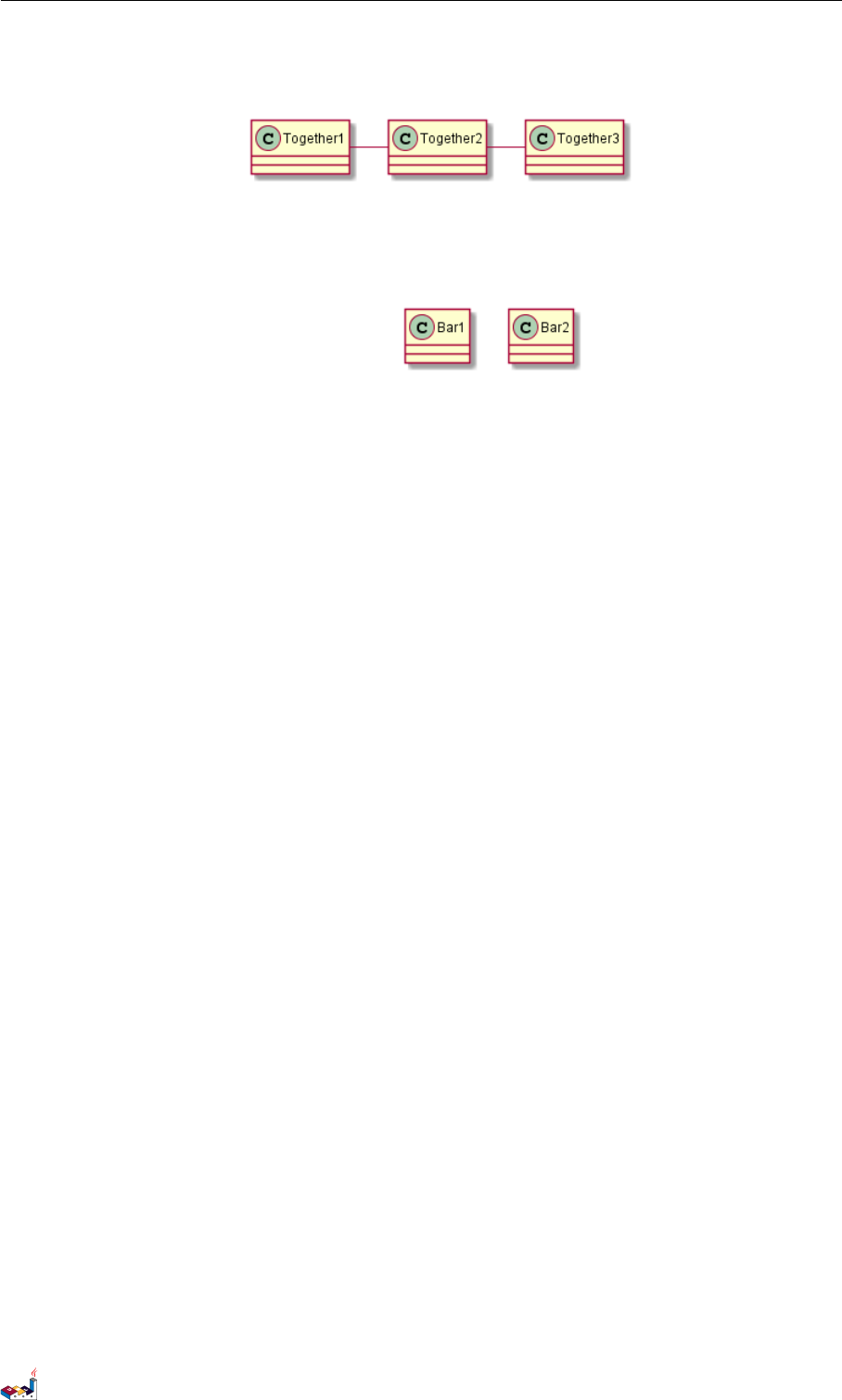
3.27 拆分大文件 3类图
@enduml
3.27 拆分大文件
有些情况下,会有一些很大的图片文件。
可以用 page (hpages)x(vpages) 这个命令把生成的图片文件拆分成若干个文件。
hpages 用来表示水平方向页面数,and vpages 用来表示垂直方面页面数。
你也可以使用特定的皮肤设定来给分页添加边框(见例子)
@startuml
' Split into 4 pages
page 2x2
skinparam pageMargin 10
skinparam pageExternalColor gray
skinparam pageBorderColor black
class BaseClass
namespace net.dummy #DDDDDD {
.BaseClass <|-- Person
Meeting o-- Person
.BaseClass <|- Meeting
}
namespace net.foo {
net.dummy.Person <|- Person
.BaseClass <|-- Person
net.dummy.Meeting o-- Person
}
BaseClass <|-- net.unused.Person
@enduml
PlantUML 语言参考指引 (1.2019.6) 52 / 173
4活动图
4活动图
4.1 简单活动
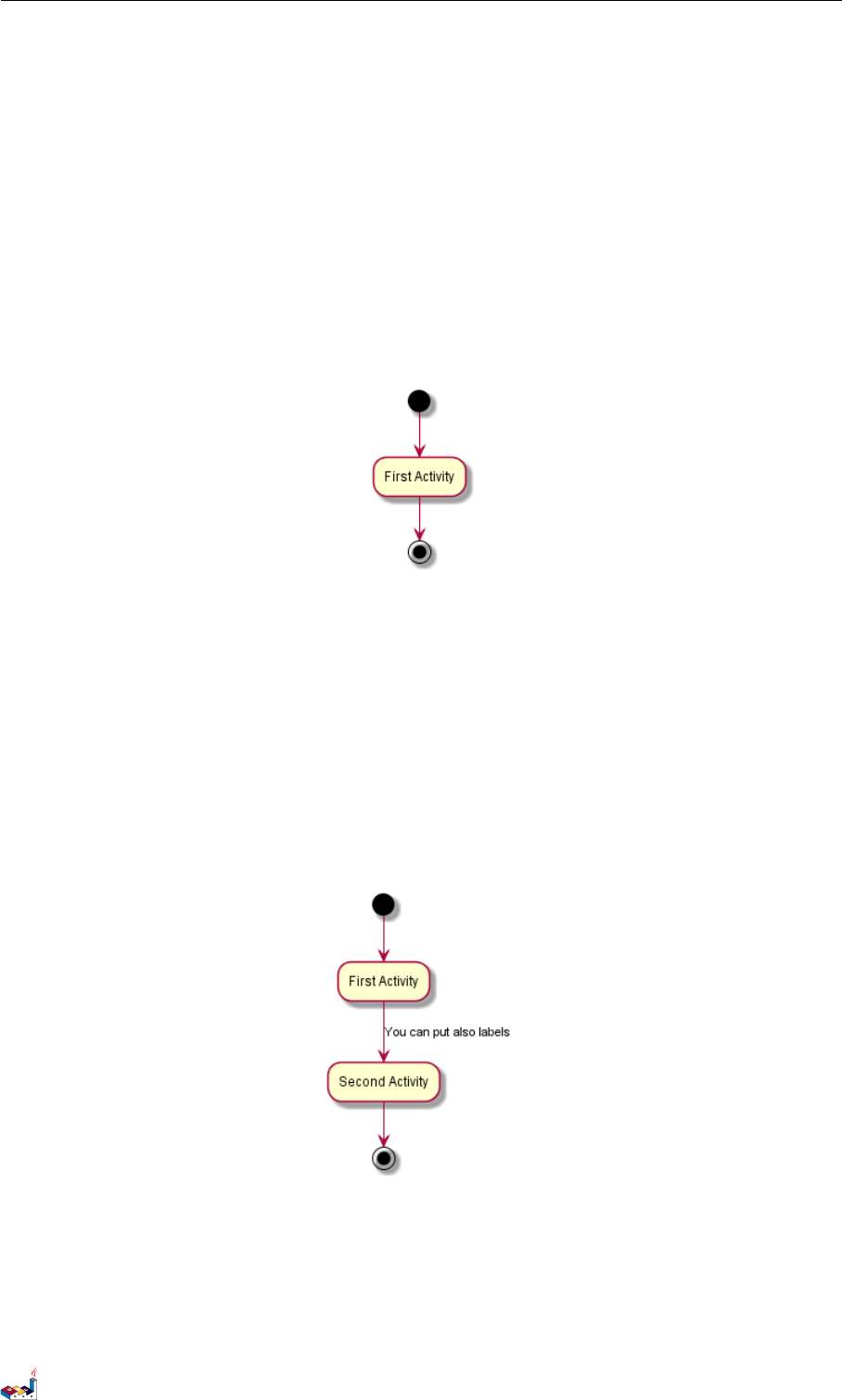
使用 (*) 作为活动图的开始点和结束点。
有时,你可能想用 (*top) 强制开始点位于图示的顶端。
使用 --> 绘制箭头。
@startuml
(*) --> "First Activity"
"First Activity" --> (*)
@enduml
4.2 箭头上的标签
默认情况下,箭头开始于最接近的活动。
可以用 [和]放在箭头定义的后面来添加标签。
@startuml
(*) --> "First Activity"
-->[You can put also labels] "Second Activity"
--> (*)
@enduml
4.3 改变箭头方向
你可以使用 -> 定义水平方向箭头,还可以使用下列语法强制指定箭头的方向:
•-down-> (default arrow)
PlantUML 语言参考指引 (1.2019.6) 54 / 173
4.4 分支 4活动图
•-right-> or ->
•-left->
•-up->
@startuml
(*) -up-> "First Activity"
-right-> "Second Activity"
--> "Third Activity"
-left-> (*)
@enduml
4.4 分支
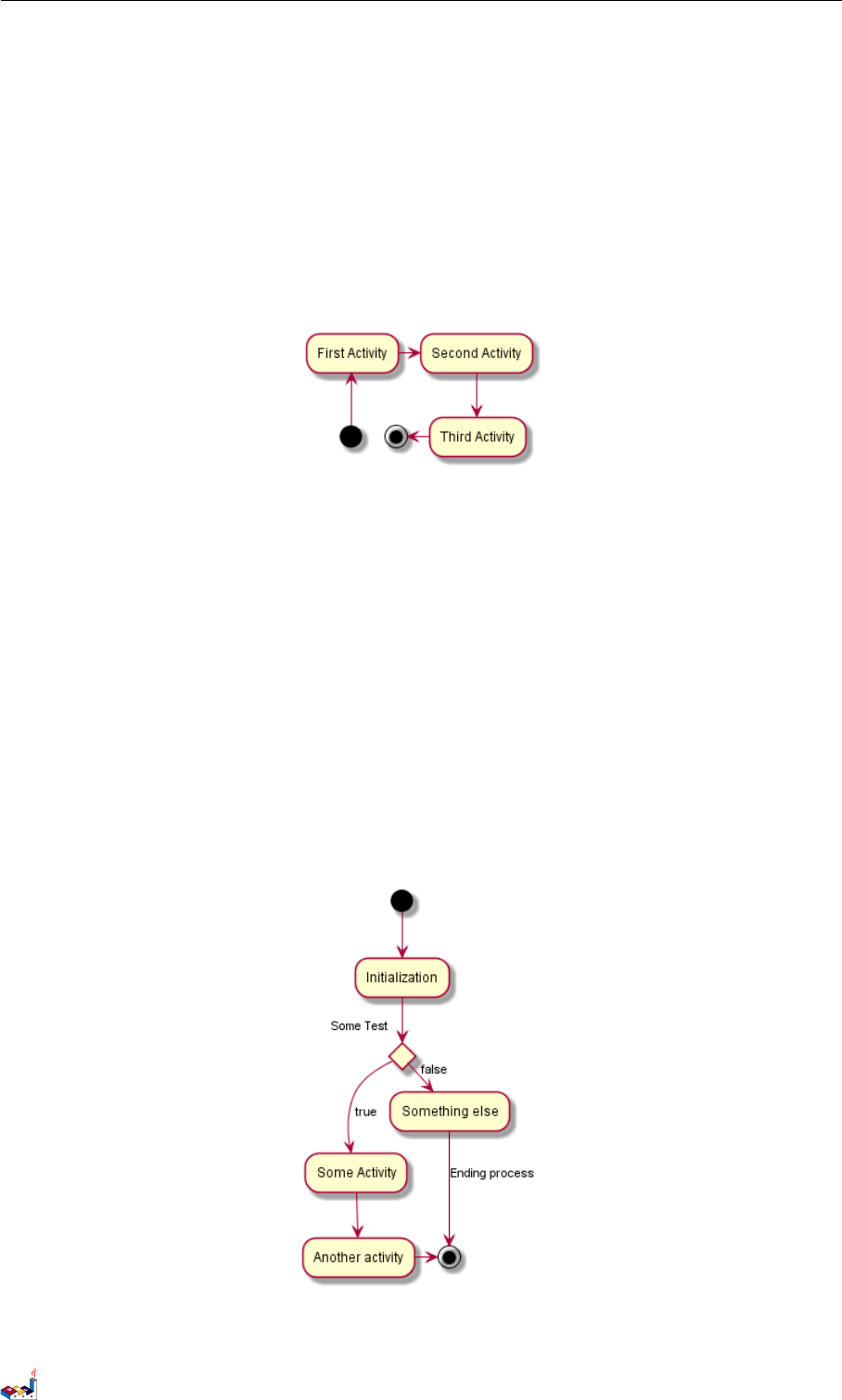
你可以使用关键字 if/then/else 创建分支。
@startuml
(*) --> "Initialization"
if "Some Test" then
-->[true] "Some Activity"
--> "Another activity"
-right-> (*)
else
->[false] "Something else"
-->[Ending process] (*)
endif
@enduml
不过,有时你可能需要重复定义同一个活动:
PlantUML 语言参考指引 (1.2019.6) 55 / 173
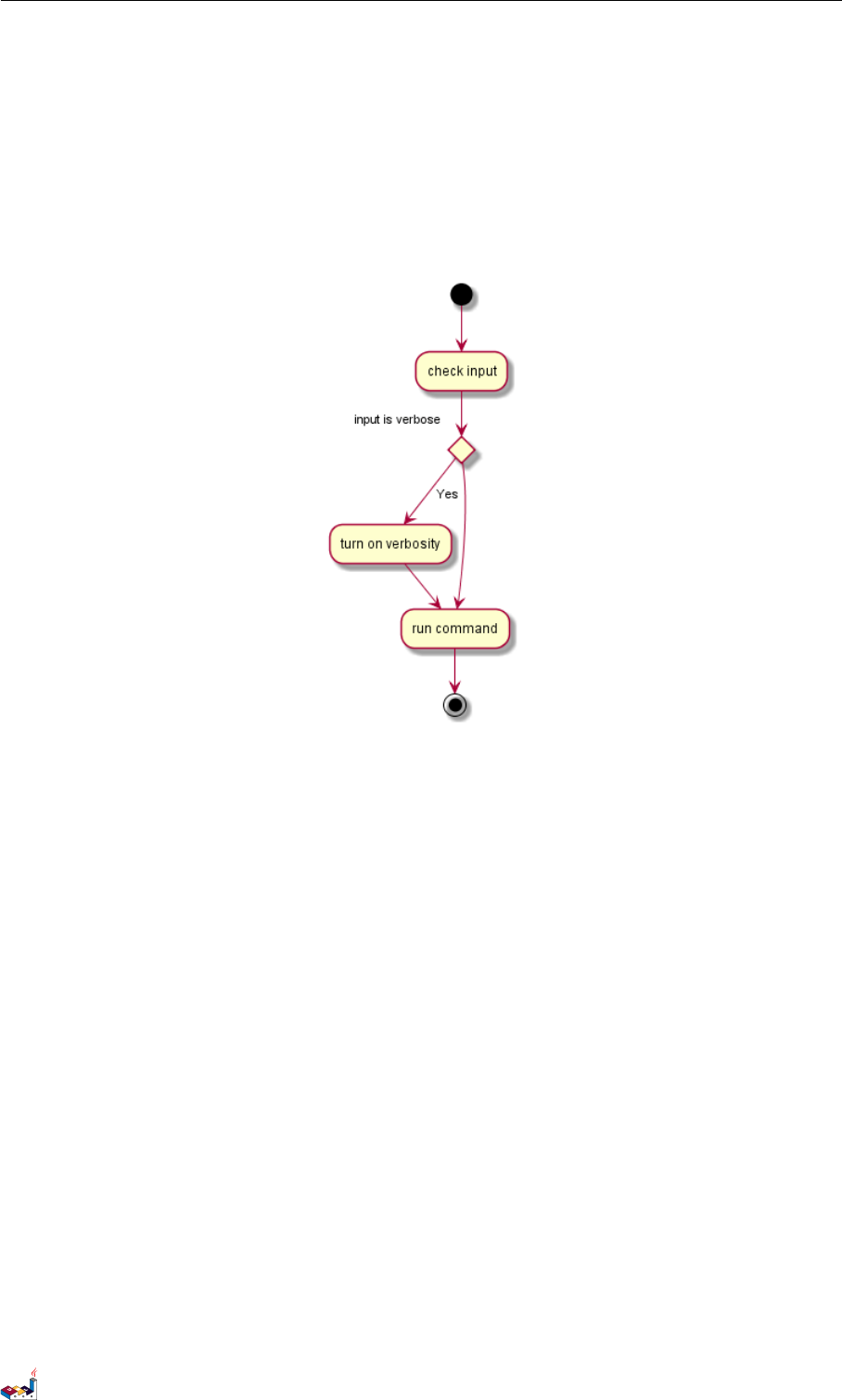
4.5 更多分支 4活动图
@startuml
(*) --> "check input"
If "input is verbose" then
--> [Yes] "turn on verbosity"
--> "run command"
else
--> "run command"
Endif
-->(*)
@enduml
4.5 更多分支
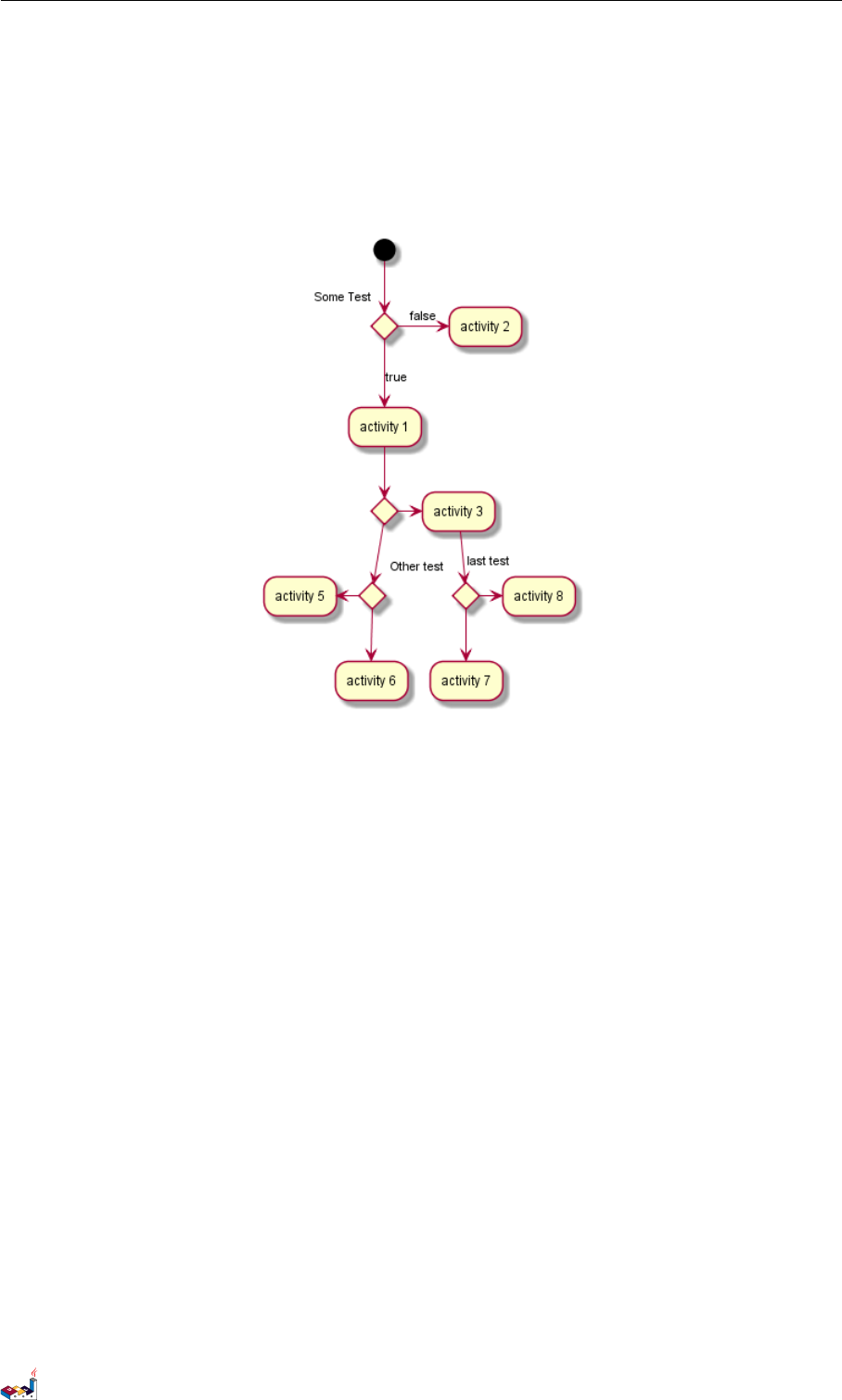
默认情况下,一个分支连接上一个最新的活动,但是也可以使用 if 关键字进行连接。
还可以嵌套定义分支。
@startuml
(*) --> if "Some Test" then
-->[true] "activity 1"
if "" then
-> "activity 3" as a3
else
if "Other test" then
-left-> "activity 5"
else
--> "activity 6"
endif
endif
else
->[false] "activity 2"
endif
PlantUML 语言参考指引 (1.2019.6) 56 / 173
4.7 长的活动描述 4活动图
4.7 长的活动描述
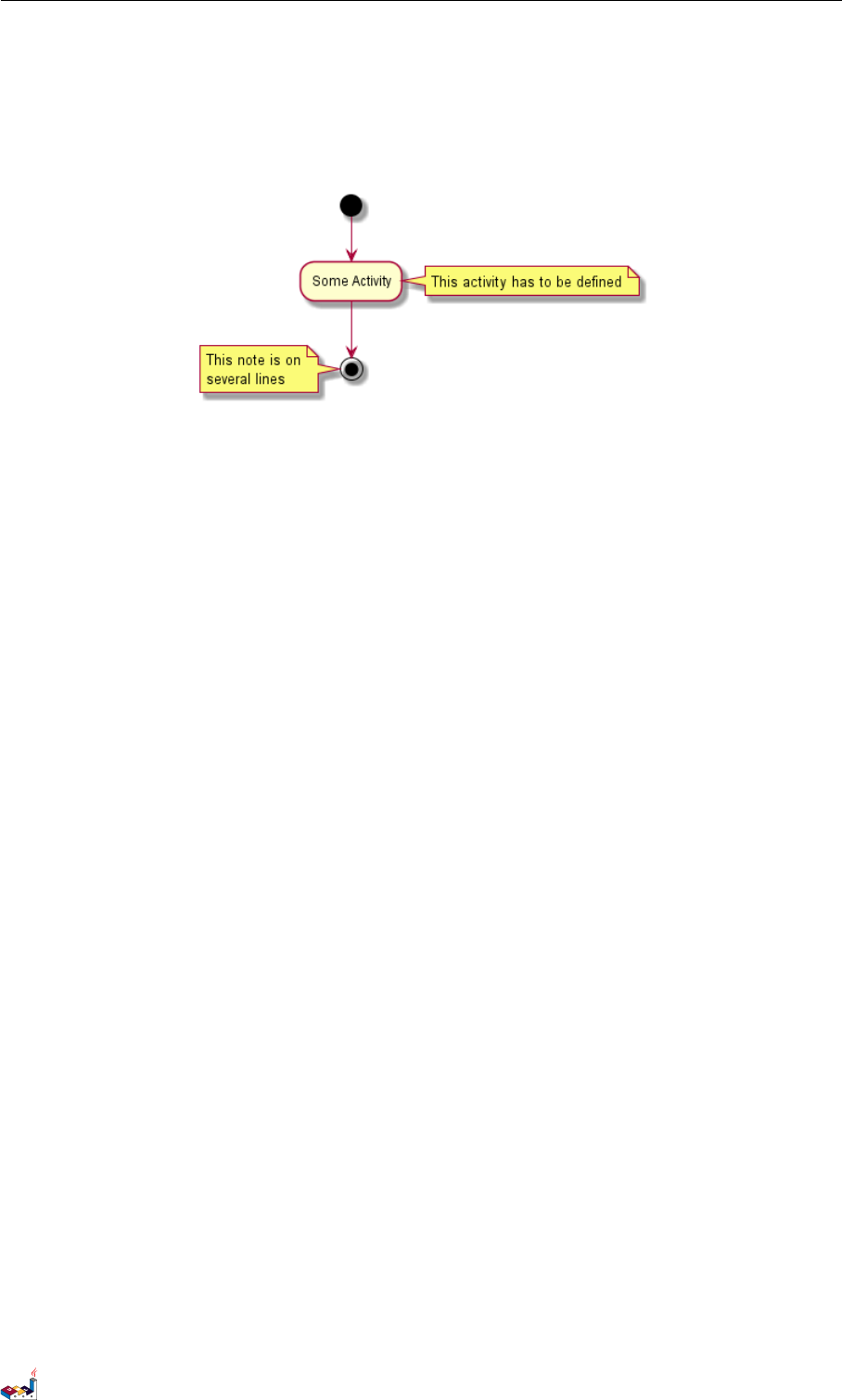
定义活动时可以用 \n 来定义跨越多行的描述。
还可以用 as 关键字给活动起一个短的别名。这个别名可以在接下来的图示定义中使用。
@startuml
(*) -left-> "this <size:20>activity</size>
is <b>very</b> <color:red>long2</color>
and defined on several lines
that contains many <i>text</i>" as A1
-up-> "Another activity\n on several lines"
A1 --> "Short activity <img:sourceforge.jpg>"
@enduml
4.8 注释
你可以在活动定义之后用 note left,note right,note top or note bottom,命令给活动添加注释。
如果想给开始点添加注释,只需把注释的定义放在活动图最开始的地方即可。
也可以用关键字 endnote 定义多行注释。
@startuml
(*) --> "Some Activity"
note right: This activity has to be defined
"Some Activity" --> (*)
PlantUML 语言参考指引 (1.2019.6) 58 / 173
4.9 分区 4活动图
note left
This note is on
several lines
end note
@enduml
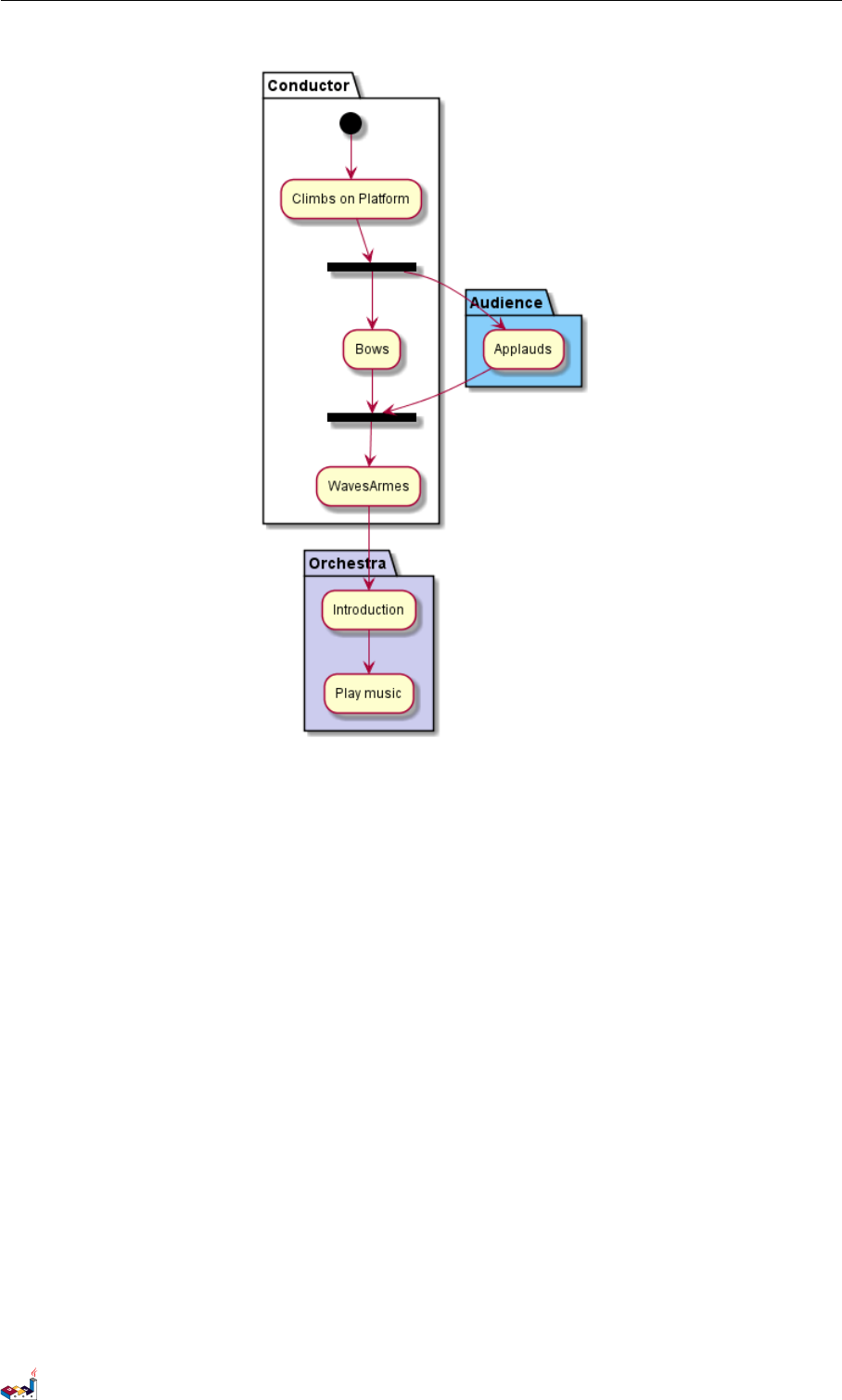
4.9 分区
用关键字 partition 定义分区,还可以设置背景色 (用颜色名或者颜色值)。
定义活动的时候,它自动被放置到最新的分区中。
用}结束分区的定义。
@startuml
partition Conductor {
(*) --> "Climbs on Platform"
--> === S1 ===
--> Bows
}
partition Audience #LightSkyBlue {
=== S1 === --> Applauds
}
partition Conductor {
Bows --> === S2 ===
--> WavesArmes
Applauds --> === S2 ===
}
partition Orchestra #CCCCEE {
WavesArmes --> Introduction
--> "Play music"
}
@enduml
PlantUML 语言参考指引 (1.2019.6) 59 / 173
4.10 显示参数 4活动图
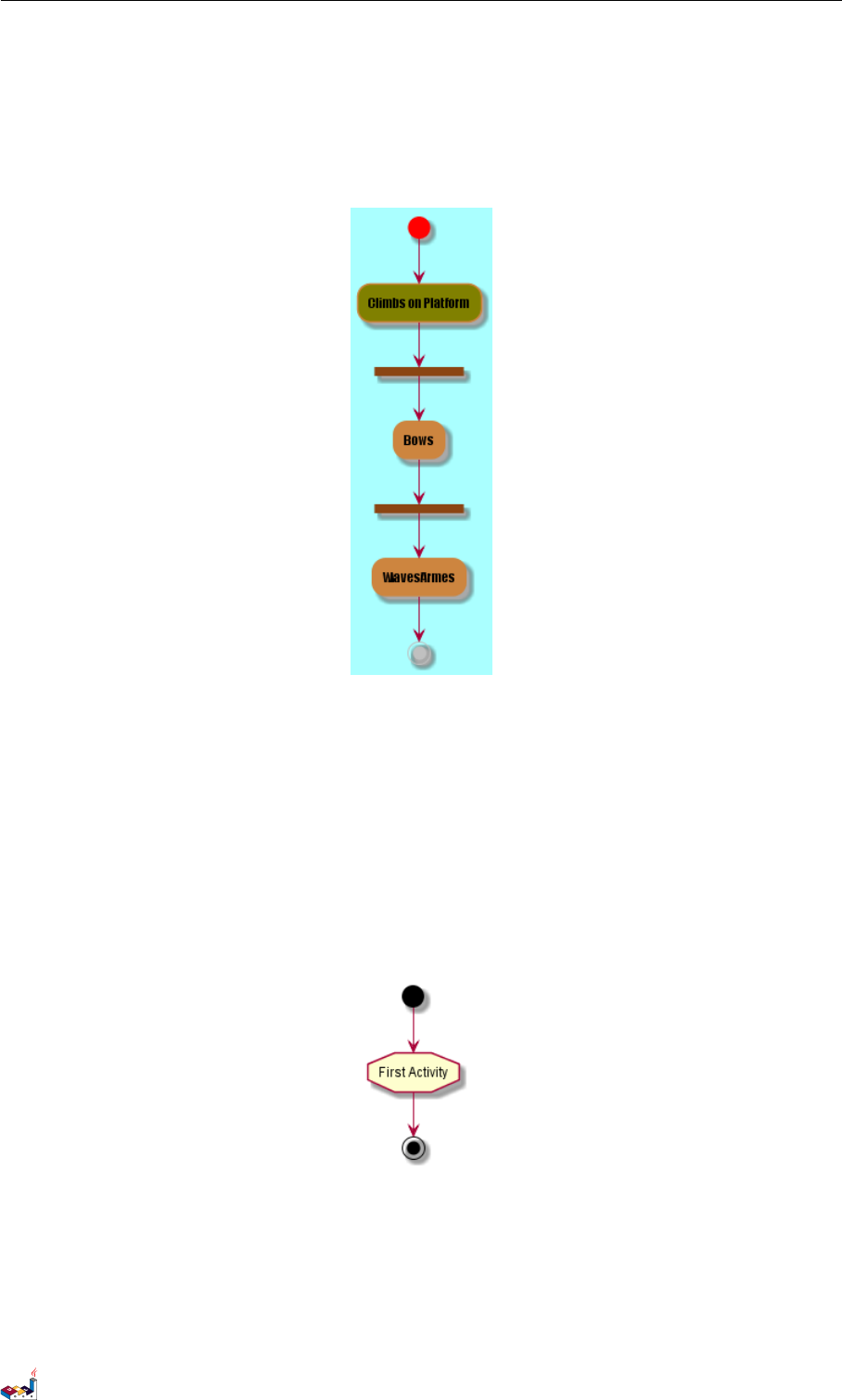
4.10 显示参数
用skinparam 命令修改字体和颜色。
如下场景可用:
•在图示定义中
•在引入的文件中
•在命令行或 ANT 任务提供的配置文件中。
还可以为构造类型指定特殊颜色和字体。
@startuml
skinparam backgroundColor #AAFFFF
skinparam activity {
StartColor red
BarColor SaddleBrown
EndColor Silver
BackgroundColor Peru
BackgroundColor<< Begin >> Olive
BorderColor Peru
FontName Impact
}
(*) --> "Climbs on Platform" << Begin >>
PlantUML 语言参考指引 (1.2019.6) 60 / 173
4.11 八边形活动 4活动图
--> === S1 ===
--> Bows
--> === S2 ===
--> WavesArmes
--> (*)
@enduml
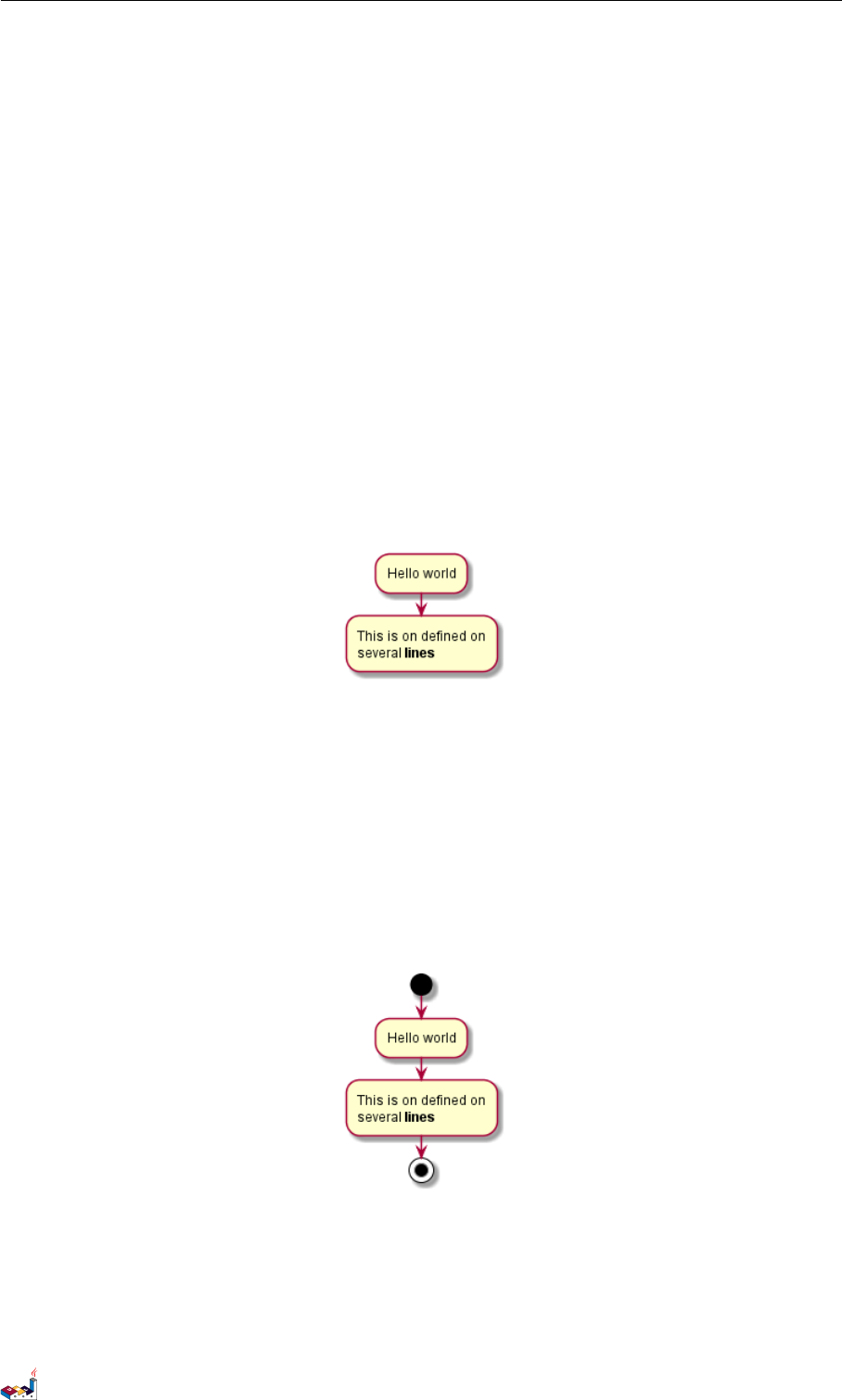
4.11 八边形活动
可用用 skinparam activityShape octagon 命令将活动的外形改为八边形。
@startuml
'Default is skinparam activityShape roundBox
skinparam activityShape octagon
(*) --> "First Activity"
"First Activity" --> (*)
@enduml
4.12 一个完整的例子
@startuml
title Servlet Container
(*) --> "ClickServlet.handleRequest()"
PlantUML 语言参考指引 (1.2019.6) 61 / 173

4.12 一个完整的例子 4活动图
--> "new Page"
if "Page.onSecurityCheck" then
->[true] "Page.onInit()"
if "isForward?" then
->[no] "Process controls"
if "continue processing?" then
-->[yes] ===RENDERING===
else
-->[no] ===REDIRECT_CHECK===
endif
else
-->[yes] ===RENDERING===
endif
if "is Post?" then
-->[yes] "Page.onPost()"
--> "Page.onRender()" as render
--> ===REDIRECT_CHECK===
else
-->[no] "Page.onGet()"
--> render
endif
else
-->[false] ===REDIRECT_CHECK===
endif
if "Do redirect?" then
->[yes] "redirect request"
--> ==BEFORE_DESTROY===
else
if "Do Forward?" then
-left->[yes] "Forward request"
--> ==BEFORE_DESTROY===
else
-right->[no] "Render page template"
--> ==BEFORE_DESTROY===
endif
endif
--> "Page.onDestroy()"
-->(*)
@enduml
PlantUML 语言参考指引 (1.2019.6) 62 / 173

5活动图 (新语法 )
5活动图 (新语法)
当前活动图 (activity diagram) 的语法有诸多限制和缺点,比如代码难以维护。
所以从 V7947 开始提出一种全新的、更好的语法格式和软件实现供用户使用 (beta 版)。
就像序列图一样,新的软件实现的另一个优点是它不再依赖与 Graphviz。
新的语法将会替换旧的语法。然而考虑到兼容性,旧的语法仍被能够使用以确保向前兼容。
但是我们鼓励用户使用新的语法格式。
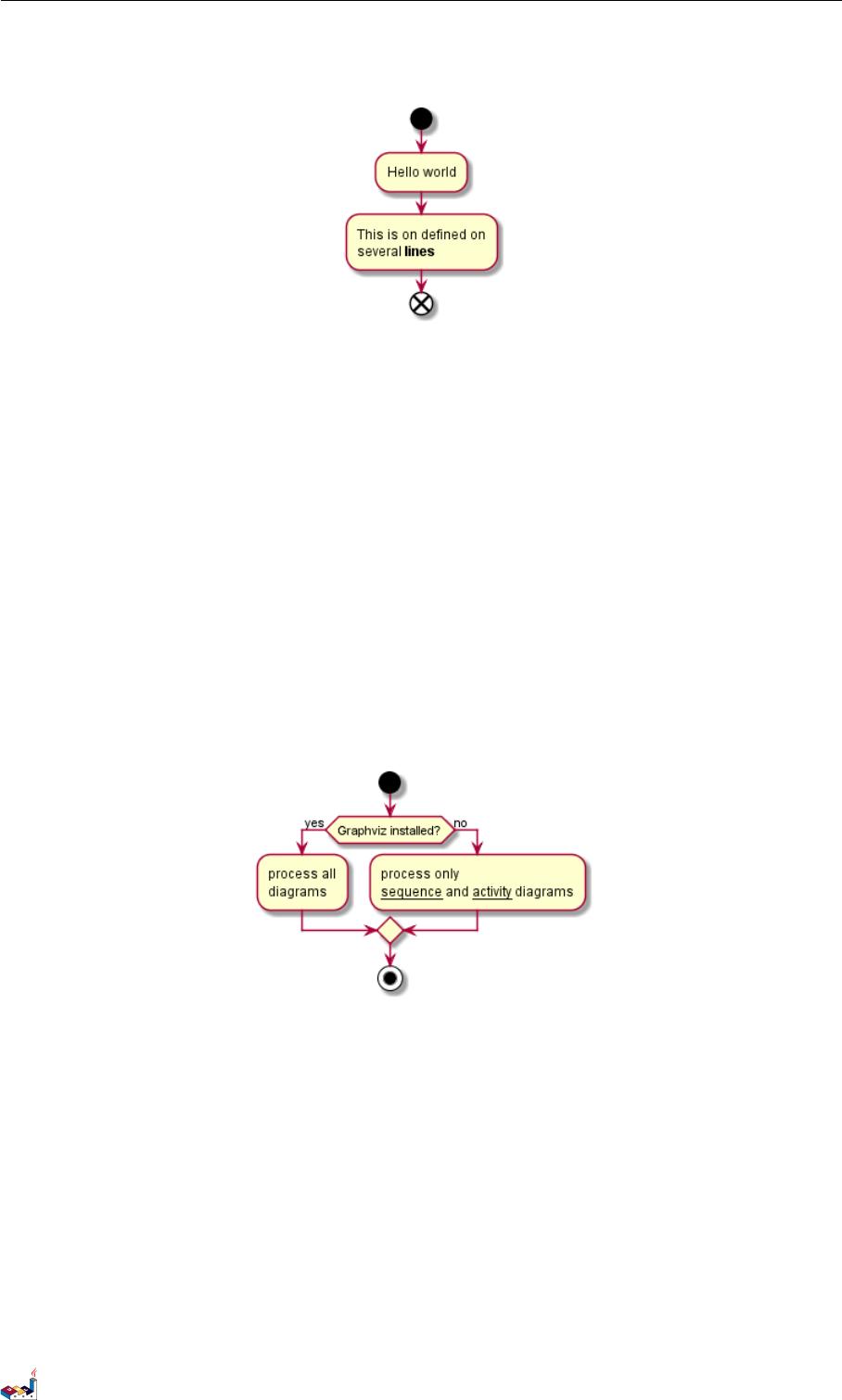
5.1 简单活动图
活动标签 (activity label) 以冒号开始,以分号结束。
文本格式支持 creole wiki 语法。
活动默认安装它们定义的顺序就行连接。
@startuml
:Hello world;
:This is on defined on
several **lines**;
@enduml
5.2 开始/结束
你可以使用关键字 start 和stop 表示图示的开始和结束。
@startuml
start
:Hello world;
:This is on defined on
several **lines**;
stop
@enduml
也可以使用 end 关键字。
@startuml
start
:Hello world;
:This is on defined on
several **lines**;
PlantUML 语言参考指引 (1.2019.6) 64 / 173
5.3 条件语句 5活动图 (新语法 )
end
@enduml
5.3 条件语句
在图示中可以使用关键字 if,then 和else 设置分支测试。标注文字则放在括号中。
@startuml
start
if (Graphviz installed?) then (yes)
:process all\ndiagrams;
else (no)
:process only
__sequence__ and __activity__ diagrams;
endif
stop
@enduml
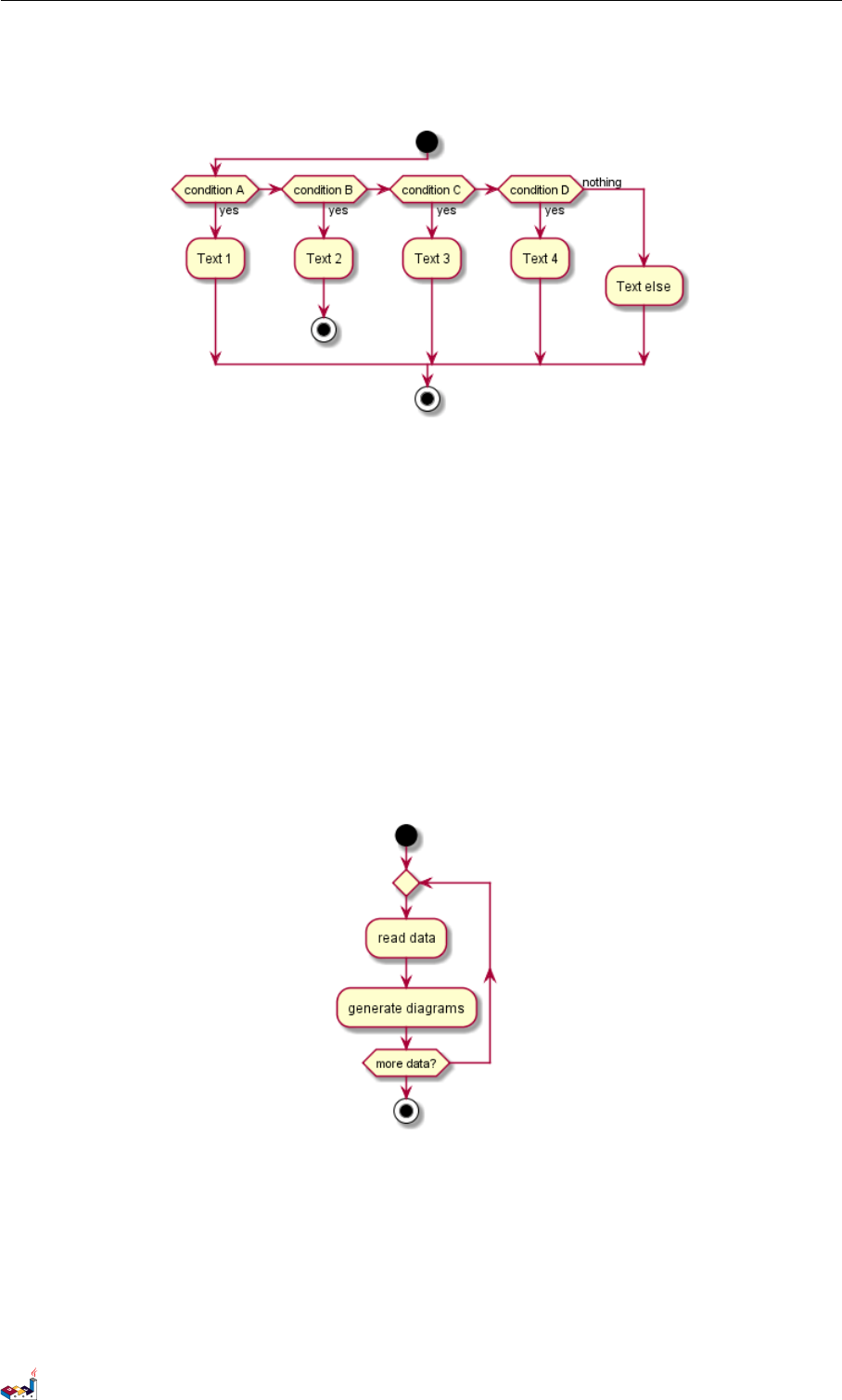
也可以使用关键字 elseif 设置多个分支测试。
@startuml
start
if (condition A) then (yes)
:Text 1;
elseif (condition B) then (yes)
:Text 2;
stop
elseif (condition C) then (yes)
:Text 3;
elseif (condition D) then (yes)
:Text 4;
else (nothing)
:Text else;
PlantUML 语言参考指引 (1.2019.6) 65 / 173
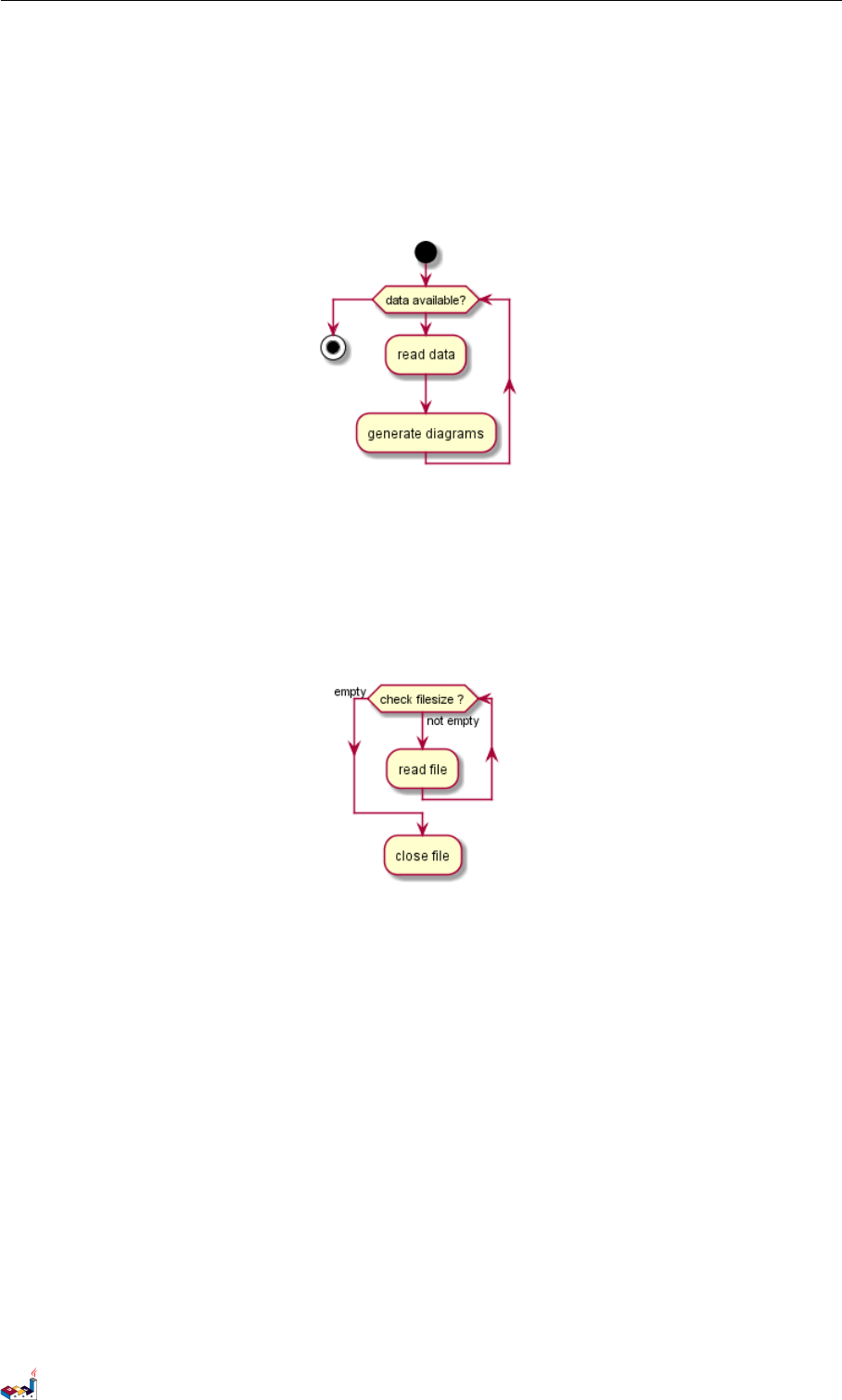
5.6 并行处理 5活动图 (新语法 )
while (data available?)
:read data;
:generate diagrams;
endwhile
stop
@enduml
还可以在关键字 endwhile 后添加标注,还有一种方式是使用关键字 is。
@startuml
while (check filesize ?) is (not empty)
:read file;
endwhile (empty)
:close file;
@enduml
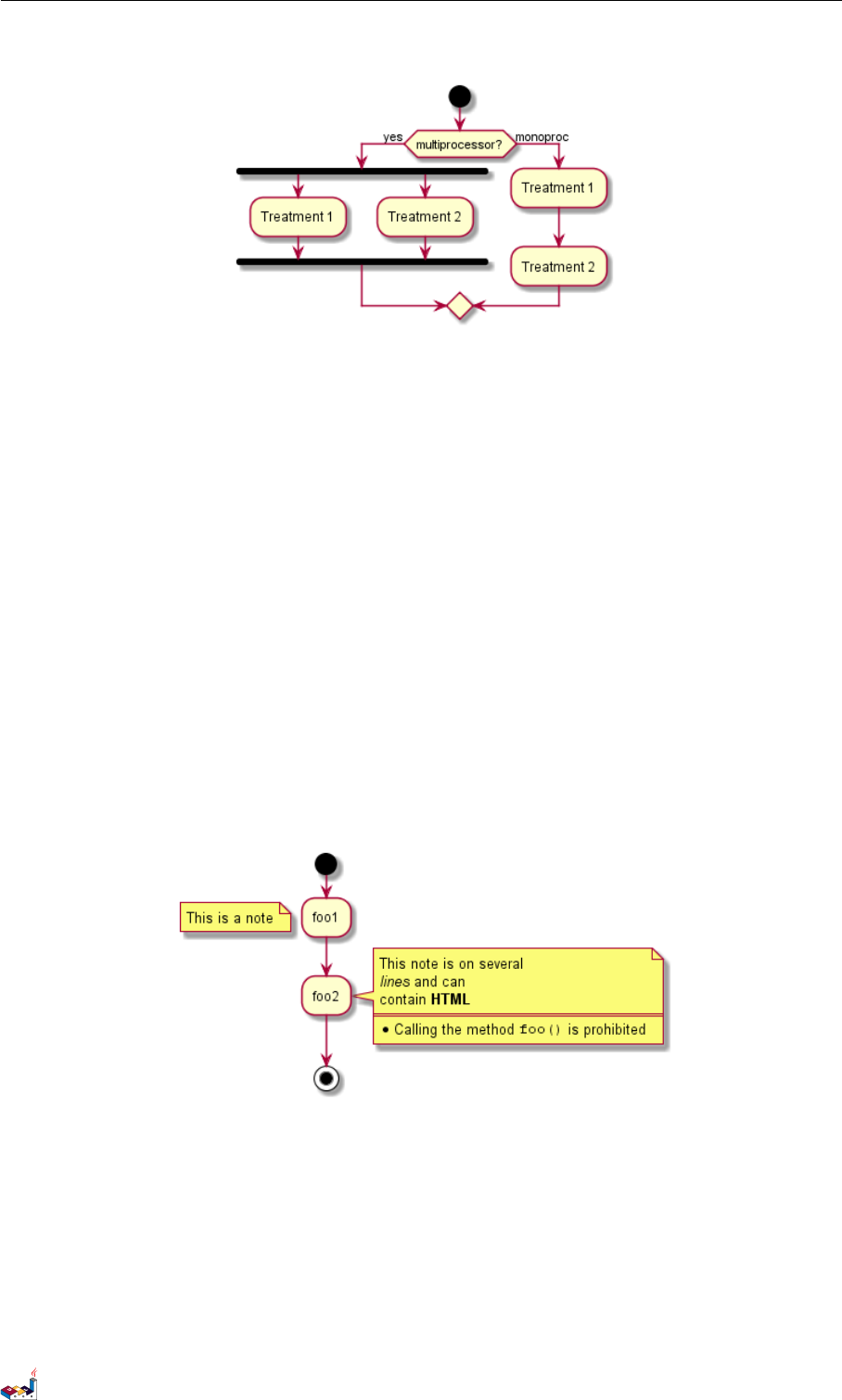
5.6 并行处理
你可以使用关键字 fork,fork again 和end fork 表示并行处理。
@startuml
start
if (multiprocessor?) then (yes)
fork
:Treatment 1;
fork again
:Treatment 2;
end fork
else (monoproc)
:Treatment 1;
:Treatment 2;
endif
PlantUML 语言参考指引 (1.2019.6) 67 / 173
5.7 注释 5活动图 (新语法 )
@enduml
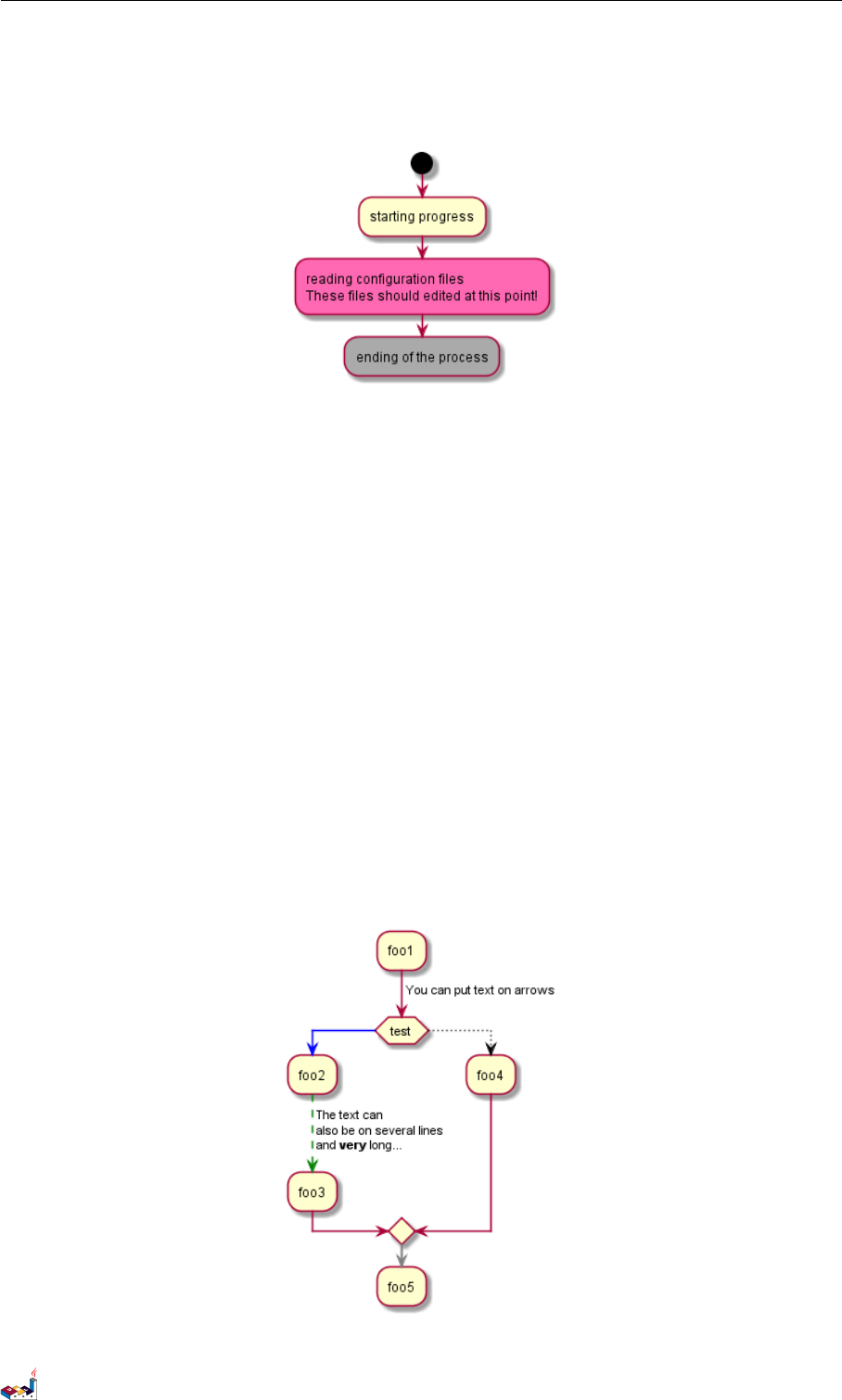
5.7 注释
文本格式支持 creole wiki 语法。
A note can be floating, using floating keyword.
@startuml
start
:foo1;
floating note left: This is a note
:foo2;
note right
This note is on several
//lines// and can
contain <b>HTML</b>
====
* Calling the method ""foo()"" is prohibited
end note
stop
@enduml
5.8 颜色
你可以为活动 (activity) 指定一种颜色。
@startuml
start
:starting progress;
#HotPink:reading configuration files
PlantUML 语言参考指引 (1.2019.6) 68 / 173
5.9 箭头 5活动图 (新语法)
These files should edited at this point!;
#AAAAAA:ending of the process;
@enduml
5.9 箭头
使用 -> 标记,你可以给箭头添加文字或者修改箭头颜色。
同时,你也可以选择点状 (dotted),条状 (dashed),加粗或者是隐式箭头
@startuml
:foo1;
-> You can put text on arrows;
if (test) then
-[#blue]->
:foo2;
-[#green,dashed]-> The text can
also be on several lines
and **very** long...;
:foo3;
else
-[#black,dotted]->
:foo4;
endif
-[#gray,bold]->
:foo5;
@enduml
PlantUML 语言参考指引 (1.2019.6) 69 / 173
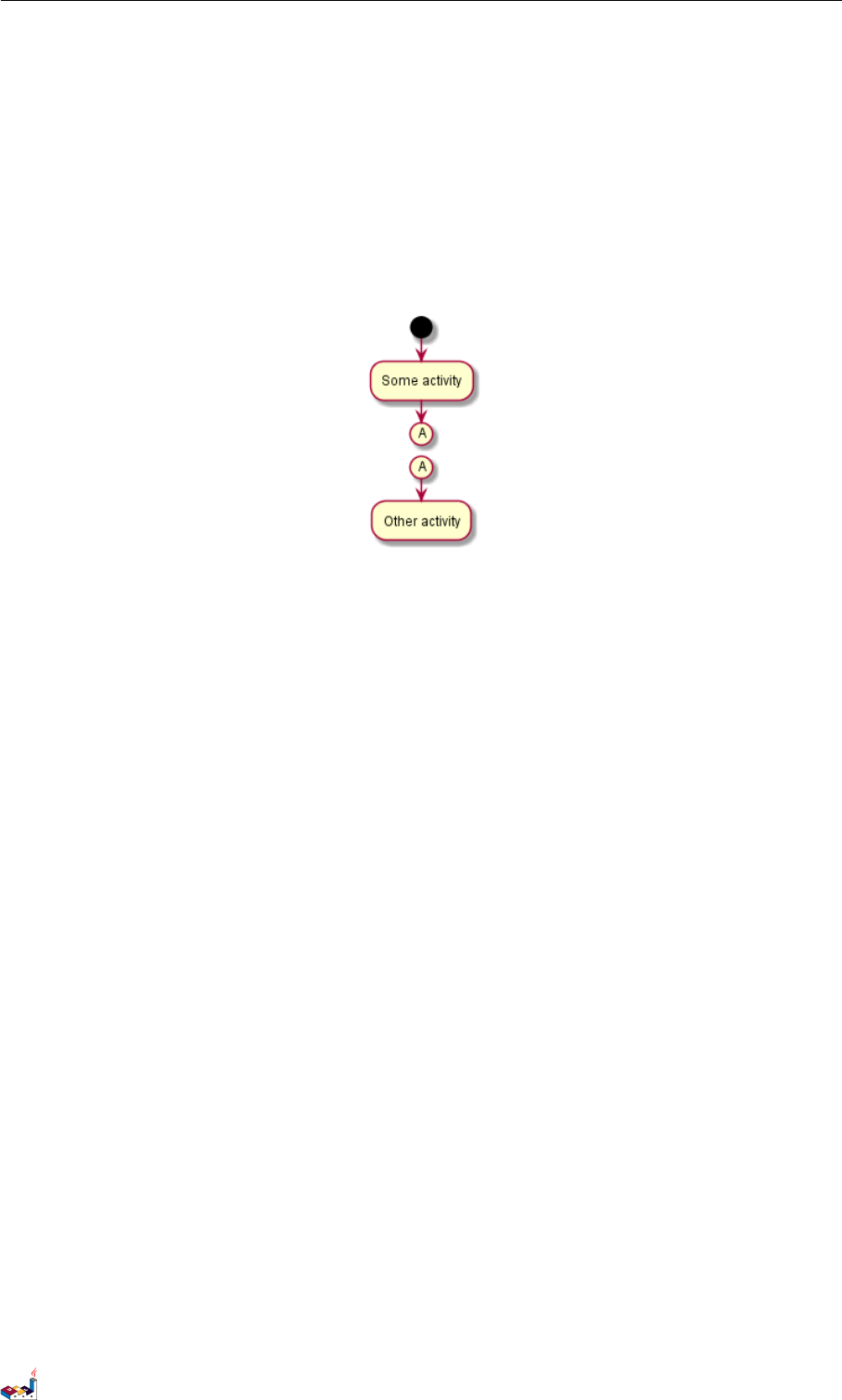
5.10 连接器 (Connector) 5 活动图 (新语法)
5.10 连接器 (Connector)
你可以使用括号定义连接器。
@startuml
start
:Some activity;
(A)
detach
(A)
:Other activity;
@enduml
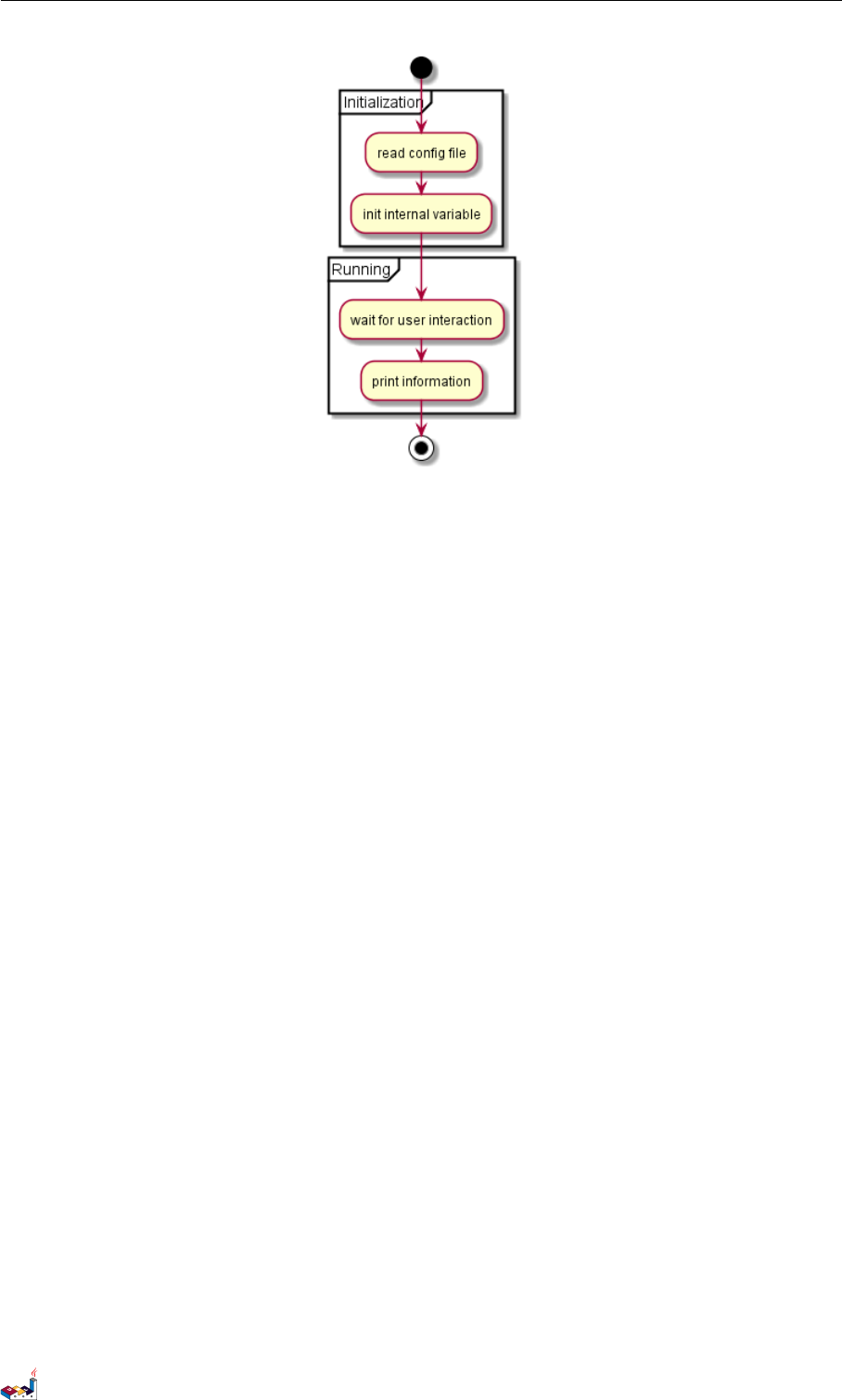
5.11 组合 (grouping)
通过定义分区 (partition),你可以把多个活动组合 (group) 在一起。
@startuml
start
partition Initialization {
:read config file;
:init internal variable;
}
partition Running {
:wait for user interaction;
:print information;
}
stop
@enduml
PlantUML 语言参考指引 (1.2019.6) 70 / 173
5.14 特殊领域语言 (SDL) 5 活动图 (新语法 )
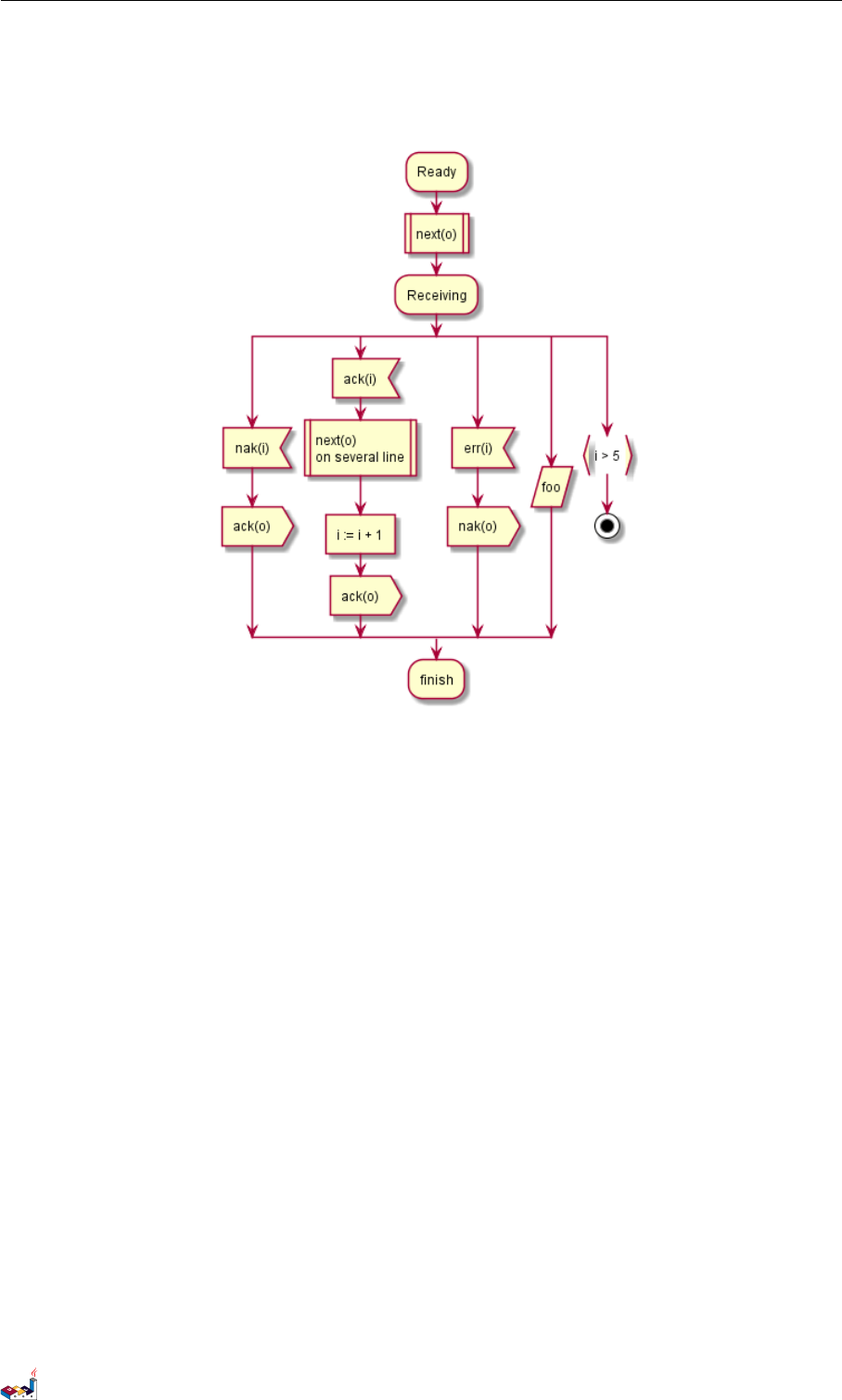
5.14 特殊领域语言 (SDL)
通过修改活动标签最后的分号分隔符 (;),可以为活动设置不同的形状。
•|
•<
•>
•/
•]
•}
@startuml
:Ready;
:next(o)|
:Receiving;
split
:nak(i)<
:ack(o)>
split again
:ack(i)<
:next(o)
on several line|
:i := i + 1]
:ack(o)>
split again
:err(i)<
:nak(o)>
split again
:foo/
split again
:i > 5}
PlantUML 语言参考指引 (1.2019.6) 73 / 173
5.15 一个完整的例子 5活动图 (新语法 )
stop
end split
:finish;
@enduml
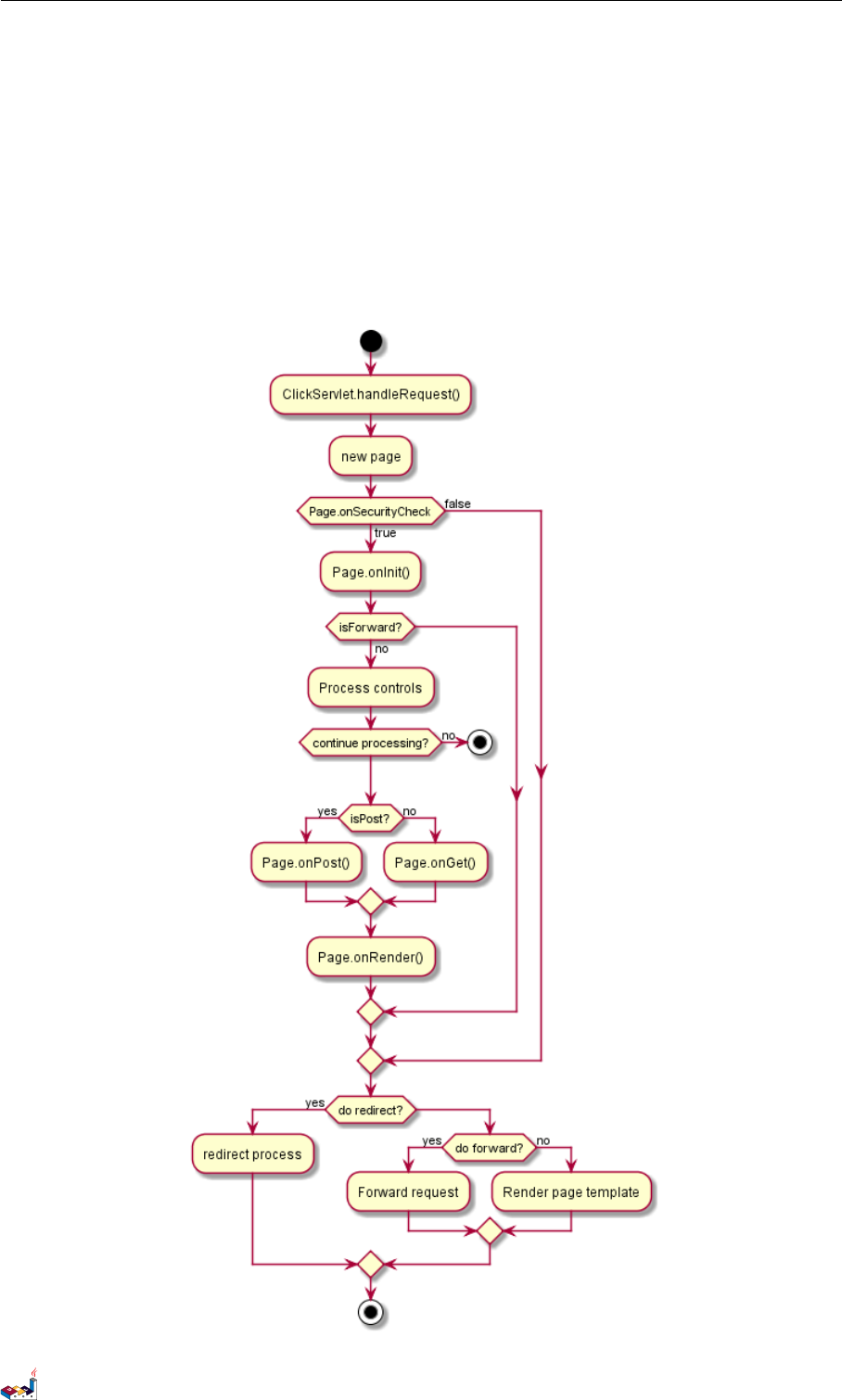
5.15 一个完整的例子
@startuml
start
:ClickServlet.handleRequest();
:new page;
if (Page.onSecurityCheck) then (true)
:Page.onInit();
if (isForward?) then (no)
:Process controls;
if (continue processing?) then (no)
stop
endif
if (isPost?) then (yes)
:Page.onPost();
else (no)
:Page.onGet();
endif
:Page.onRender();
endif
else (false)
endif
if (do redirect?) then (yes)
PlantUML 语言参考指引 (1.2019.6) 74 / 173

6组件图
6组件图
我们来看几个例子:
6.1 组件
组件必须用中括号括起来。
还可以使用关键字 component 定义一个组件。并且可以用关键字 as 给组件定义一个别名。这个别名可
以在稍后定义关系的时候使用。
@startuml
[First component]
[Another component] as Comp2
component Comp3
component [Last\ncomponent] as Comp4
@enduml
6.2 接口
接口可以使用 () 来定义 (因为这个看起来像个圆)。
还可以使用关键字 interface 关键字来定义接口。并且还可以使用关键字 as 定义一个别名。这个别名
可以在稍后定义关系的时候使用。
我们稍后可以看到,接口的定义是可选的。
@startuml
() "First Interface"
() "Another interface" as Interf2
interface Interf3
interface "Last\ninterface" as Interf4
@enduml
PlantUML 语言参考指引 (1.2019.6) 76 / 173
6.3 基础的示例 6组件图
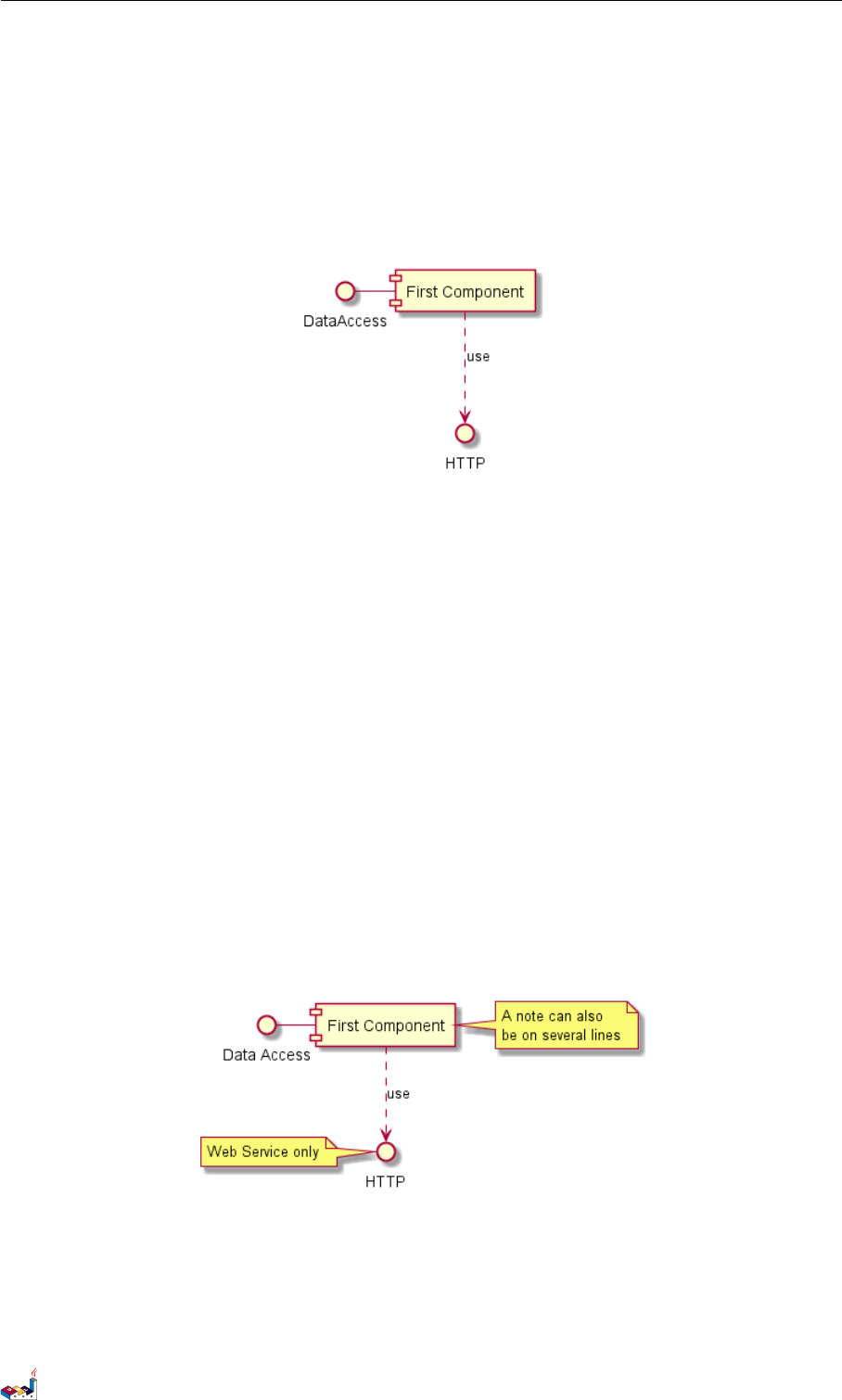
6.3 基础的示例
元素之间可以使用虚线 (..)、直线 (--)、箭头 (-->)进行连接。
@startuml
DataAccess - [First Component]
[First Component] ..> HTTP : use
@enduml
6.4 使用注释
你可以使用 note left of ,note right of ,note top of ,note bottom of 等关键字定义相对于对象
位置的注释。
也可以使用关键字 note 单独定义注释,然后使用虚线 (..)将其连接到其他对象。
@startuml
interface "Data Access" as DA
DA - [First Component]
[First Component] ..> HTTP : use
note left of HTTP : Web Service only
note right of [First Component]
A note can also
be on several lines
end note
@enduml
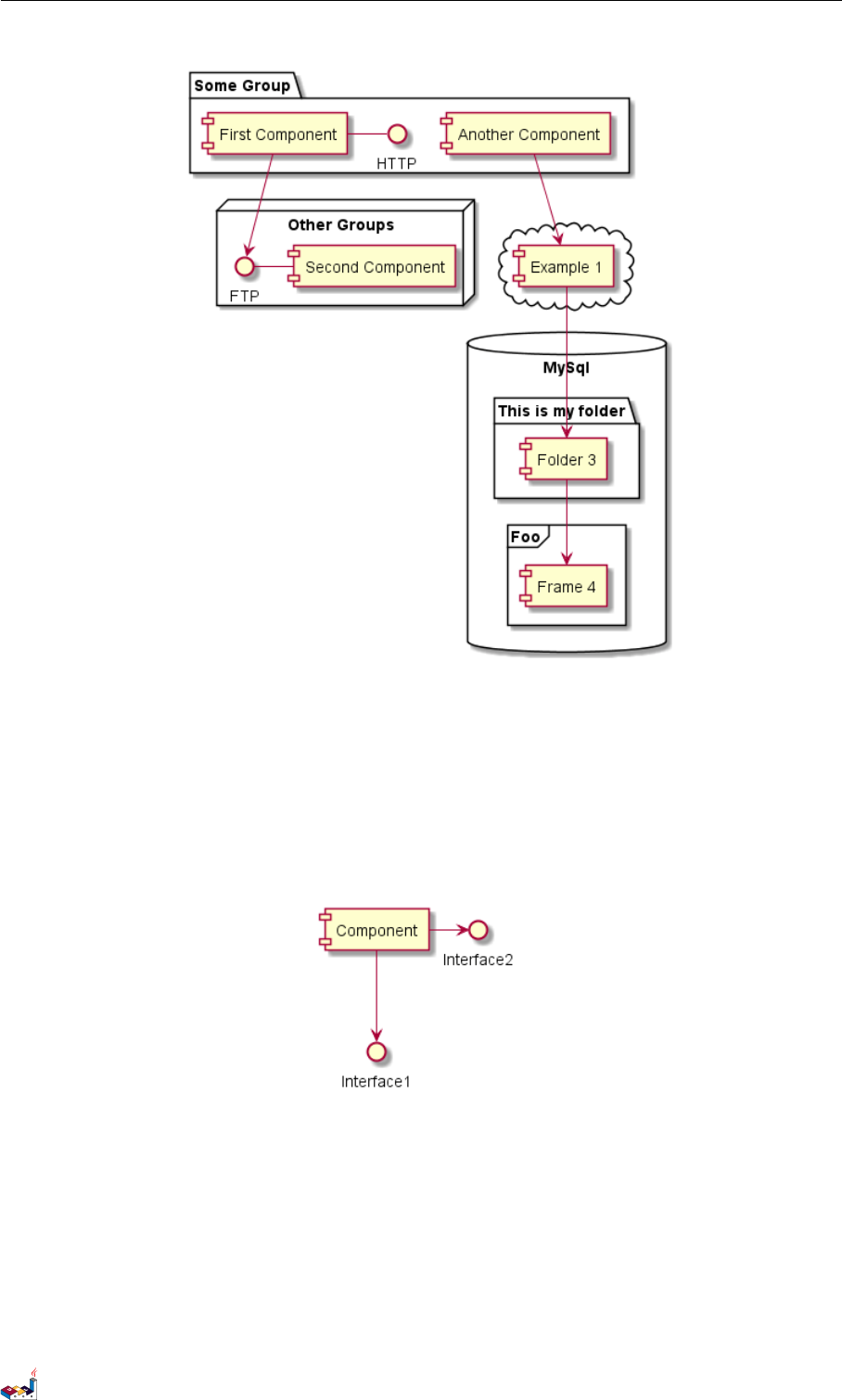
6.5 组合组件
你可以使用多个关键字将组件和接口组合在一起。
•package
PlantUML 语言参考指引 (1.2019.6) 77 / 173

6.5 组合组件 6组件图
•node
•folder
•frame
•cloud
•database
@startuml
package "Some Group" {
HTTP - [First Component]
[Another Component]
}
node "Other Groups" {
FTP - [Second Component]
[First Component] --> FTP
}
cloud {
[Example 1]
}
database "MySql" {
folder "This is my folder" {
[Folder 3]
}
frame "Foo" {
[Frame 4]
}
}
[Another Component] --> [Example 1]
[Example 1] --> [Folder 3]
[Folder 3] --> [Frame 4]
@enduml
PlantUML 语言参考指引 (1.2019.6) 78 / 173
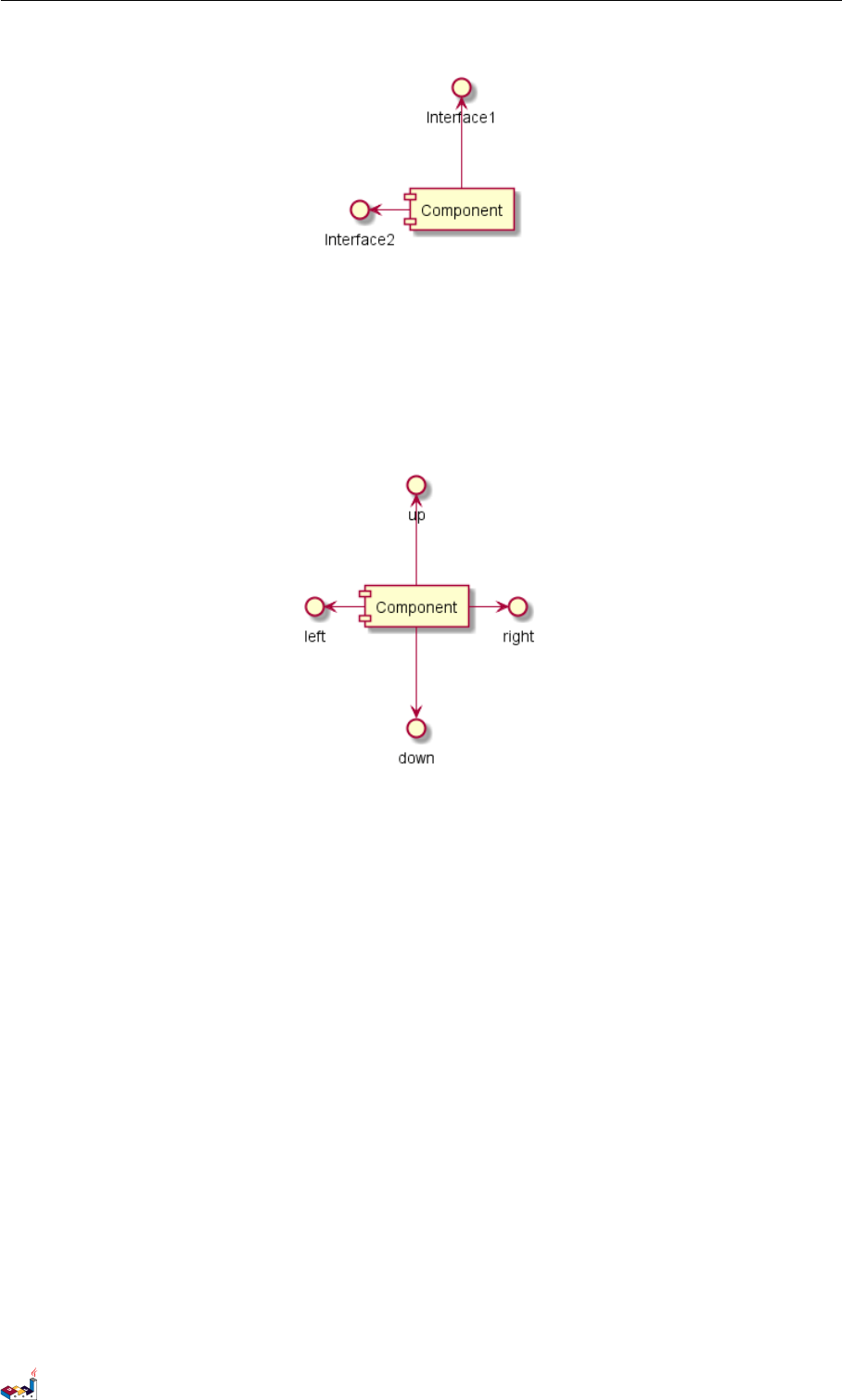
6.7 使用 UML2 标记符 6组件图
还可以使用关键字 left,right,up or down 改变箭头方向。
@startuml
[Component] -left-> left
[Component] -right-> right
[Component] -up-> up
[Component] -down-> down
@enduml
允许使用方向单词的首字母或者前两个字母表示方向 (例如 -d-,-do-,-down-都是等价的)。
请不要乱用这些功能:Graphviz(PlantUML 的后端引擎)不喜欢这个样子。
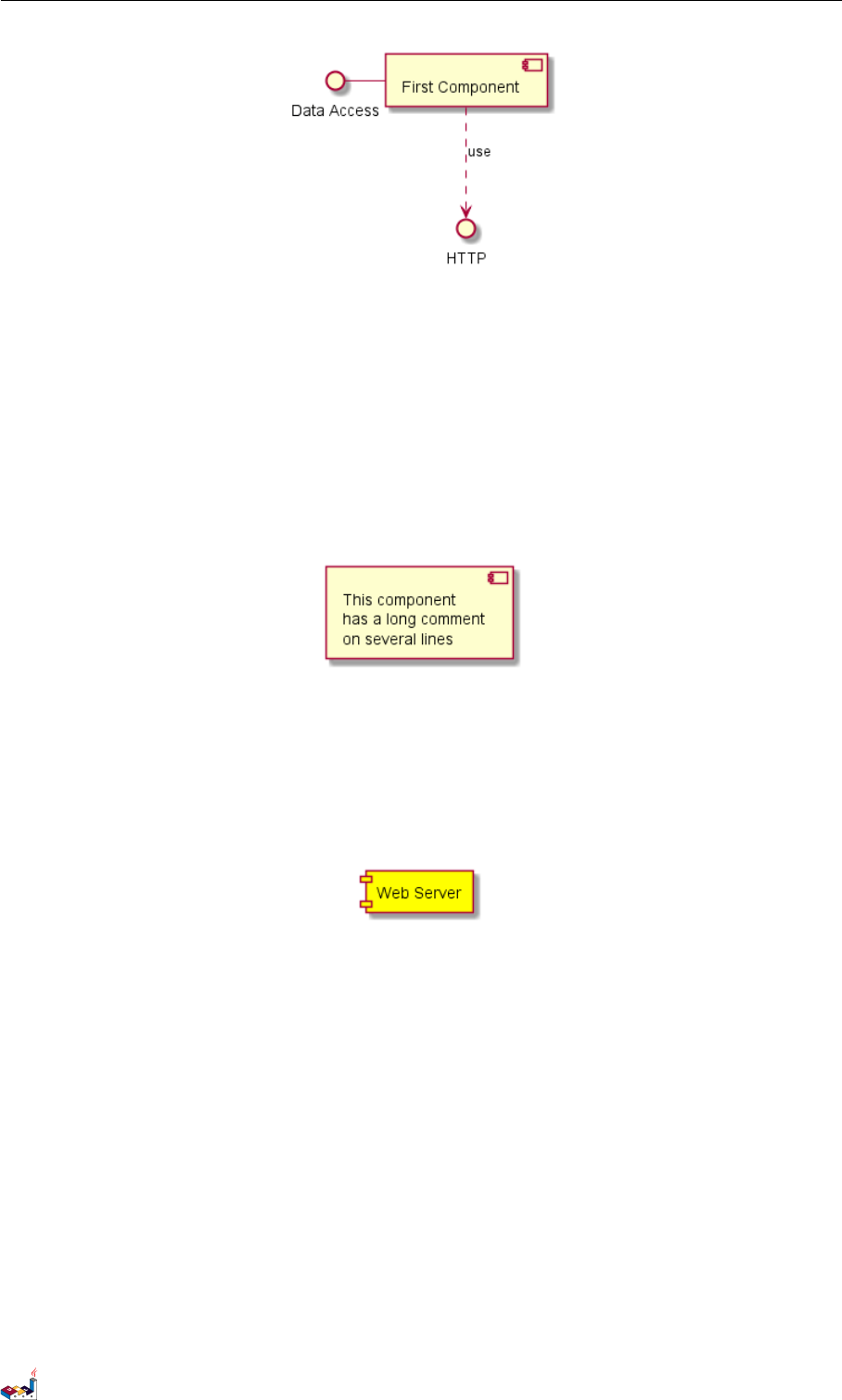
6.7 使用 UML2 标记符
命令 skinparam componentStyle uml2 可以切换到 UML2 标记符。
@startuml
skinparam componentStyle uml2
interface "Data Access" as DA
DA - [First Component]
[First Component] ..> HTTP : use
@enduml
PlantUML 语言参考指引 (1.2019.6) 80 / 173
6.8 长描述 6组件图
6.8 长描述
可以用方括号"[ ]" 在连线上添加描述。
@startuml
component comp1 [
This component
has a long comment
on several lines
]
@enduml
6.9 不同的颜色表示
你可以在声明一个组件时加上颜色的声明。
@startuml
component [Web Server] #Yellow
@enduml
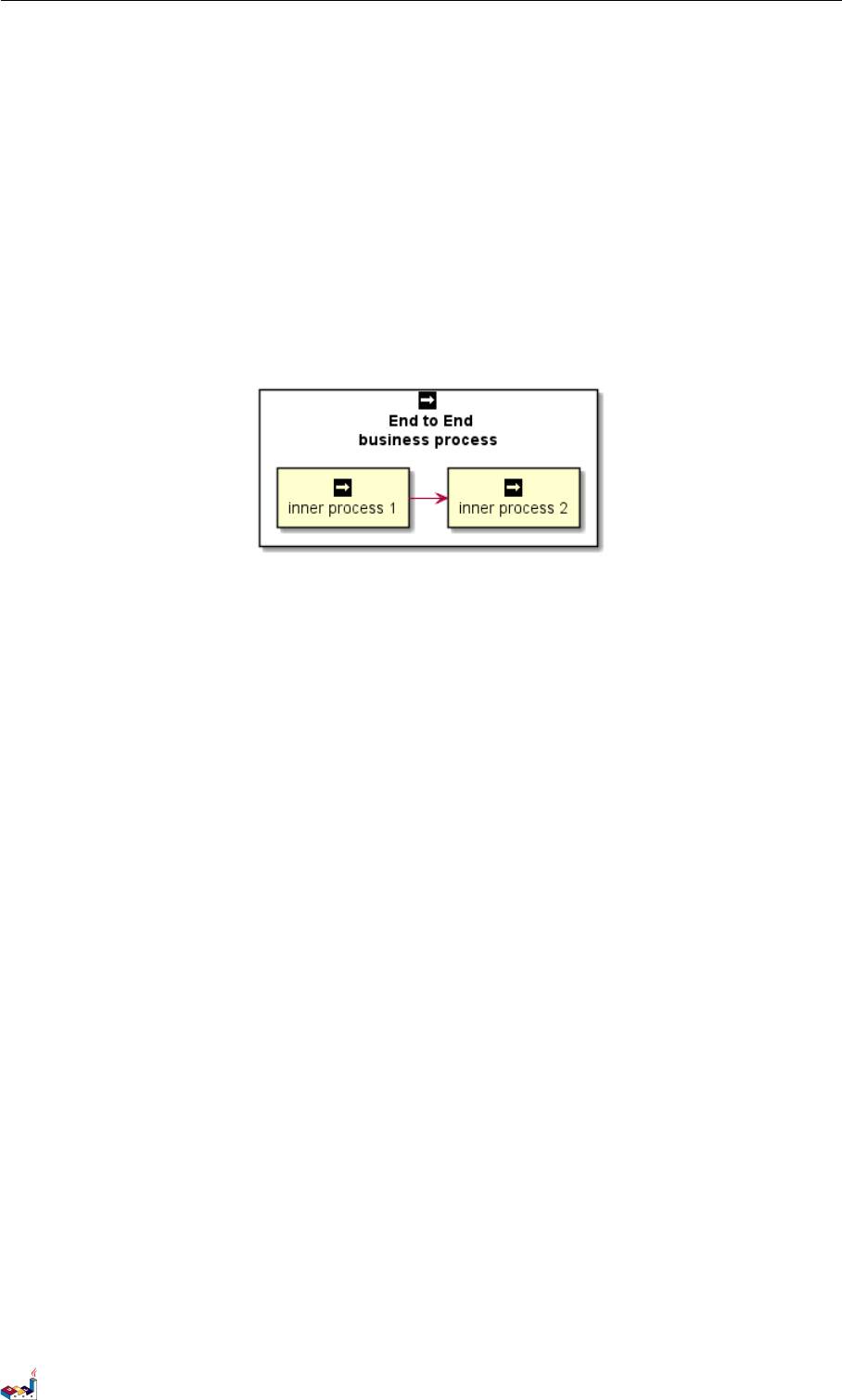
6.10 在定型组件中使用精灵图
你可以在定型组件中使用精灵图(sprite)。
@startuml
sprite $businessProcess [16x16/16] {
FFFFFFFFFFFFFFFF
FFFFFFFFFFFFFFFF
FFFFFFFFFFFFFFFF
FFFFFFFFFFFFFFFF
FFFFFFFFFF0FFFFF
FFFFFFFFFF00FFFF
FF00000000000FFF
FF000000000000FF
FF00000000000FFF
FFFFFFFFFF00FFFF
FFFFFFFFFF0FFFFF
PlantUML 语言参考指引 (1.2019.6) 81 / 173
6.11 显示参数 6组件图
FFFFFFFFFFFFFFFF
FFFFFFFFFFFFFFFF
FFFFFFFFFFFFFFFF
FFFFFFFFFFFFFFFF
FFFFFFFFFFFFFFFF
}
rectangle " End to End\nbusiness process" <<$businessProcess>> {
rectangle "inner process 1" <<$businessProcess>> as src
rectangle "inner process 2" <<$businessProcess>> as tgt
src -> tgt
}
@enduml
6.11 显示参数
用skinparam 改变字体和颜色。
可以在如下场景中使用:
•在图示的定义中,
•在引入的文件中,
•在命令行或者 ANT 任务提供的配置文件中。
可以为构造类型和接口定义特殊的颜色和字体。
@startuml
skinparam interface {
backgroundColor RosyBrown
borderColor orange
}
skinparam component {
FontSize 13
BackgroundColor<<Apache>> Red
BorderColor<<Apache>> #FF6655
FontName Courier
BorderColor black
BackgroundColor gold
ArrowFontName Impact
ArrowColor #FF6655
ArrowFontColor #777777
}
() "Data Access" as DA
DA - [First Component]
[First Component] ..> () HTTP : use
PlantUML 语言参考指引 (1.2019.6) 82 / 173
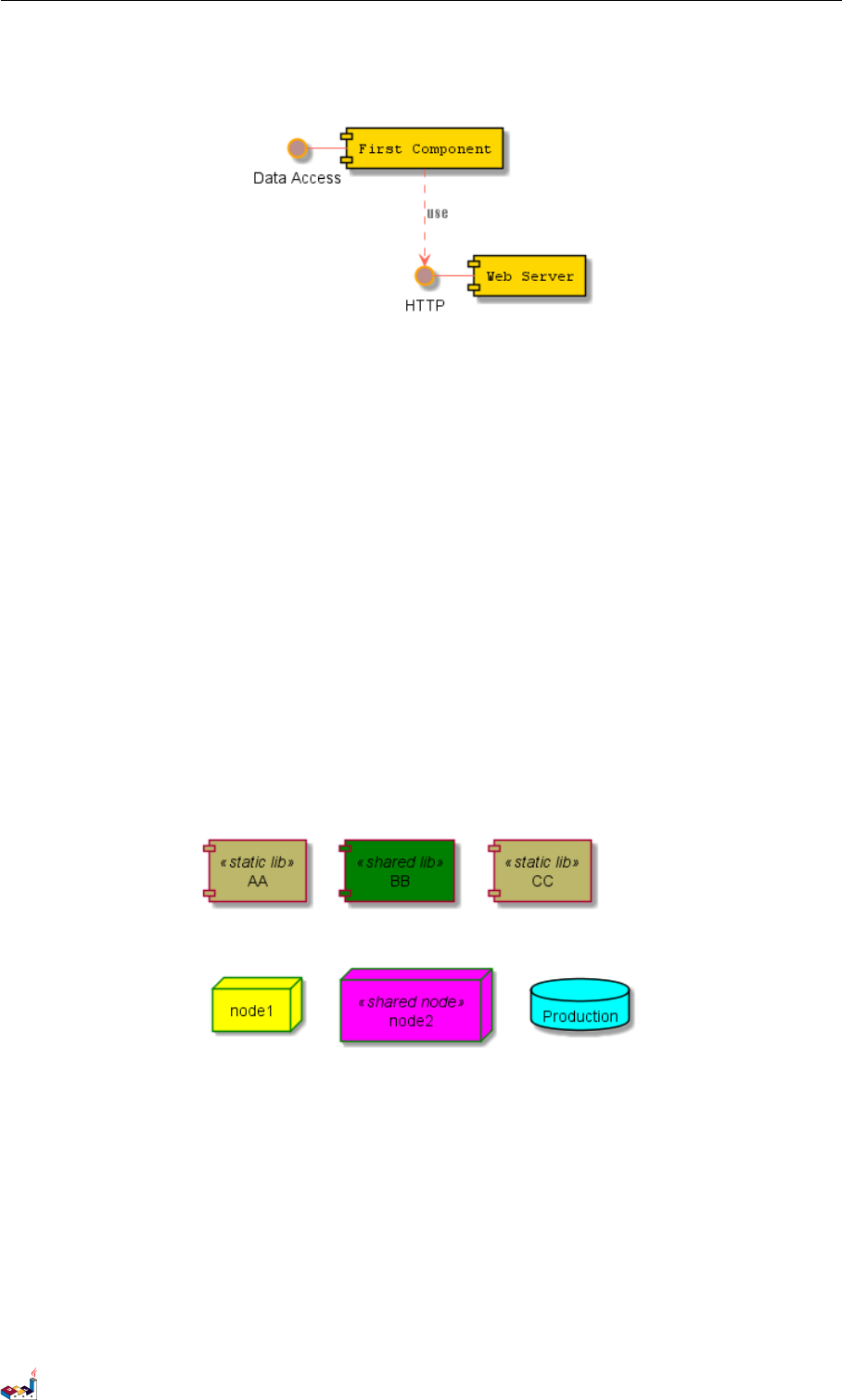
6.11 显示参数 6组件图
HTTP - [Web Server] << Apache >>
@enduml
@startuml
[AA] <<static lib>>
[BB] <<shared lib>>
[CC] <<static lib>>
node node1
node node2 <<shared node>>
database Production
skinparam component {
backgroundColor<<static lib>> DarkKhaki
backgroundColor<<shared lib>> Green
}
skinparam node {
borderColor Green
backgroundColor Yellow
backgroundColor<<shared node>> Magenta
}
skinparam databaseBackgroundColor Aqua
@enduml
PlantUML 语言参考指引 (1.2019.6) 83 / 173
7状态图
7状态图
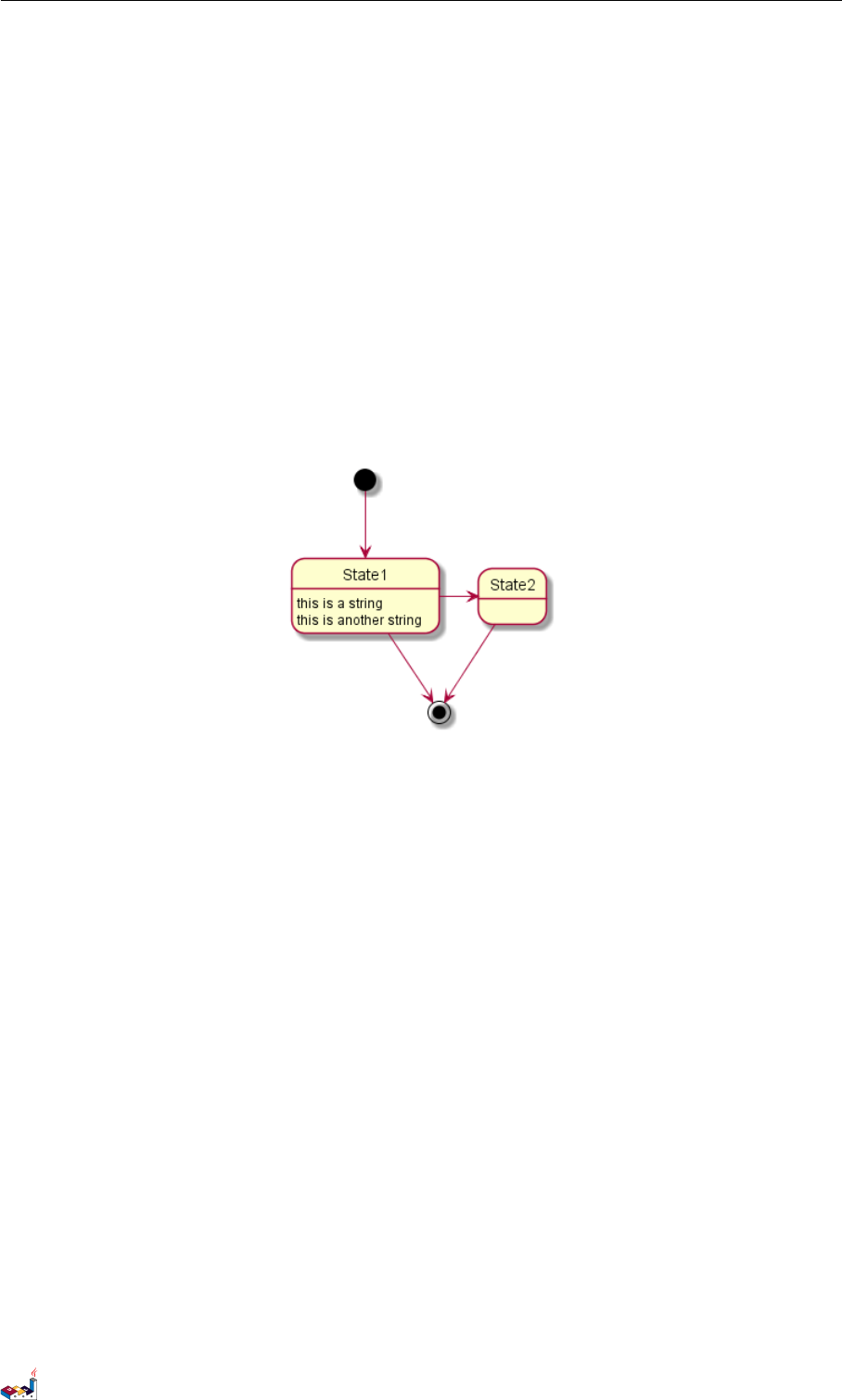
7.1 简单状态
使用 ([*])开始和结束状态图。
使用 --> 添加箭头。
@startuml
[*] --> State1
State1 --> [*]
State1 : this is a string
State1 : this is another string
State1 -> State2
State2 --> [*]
@enduml
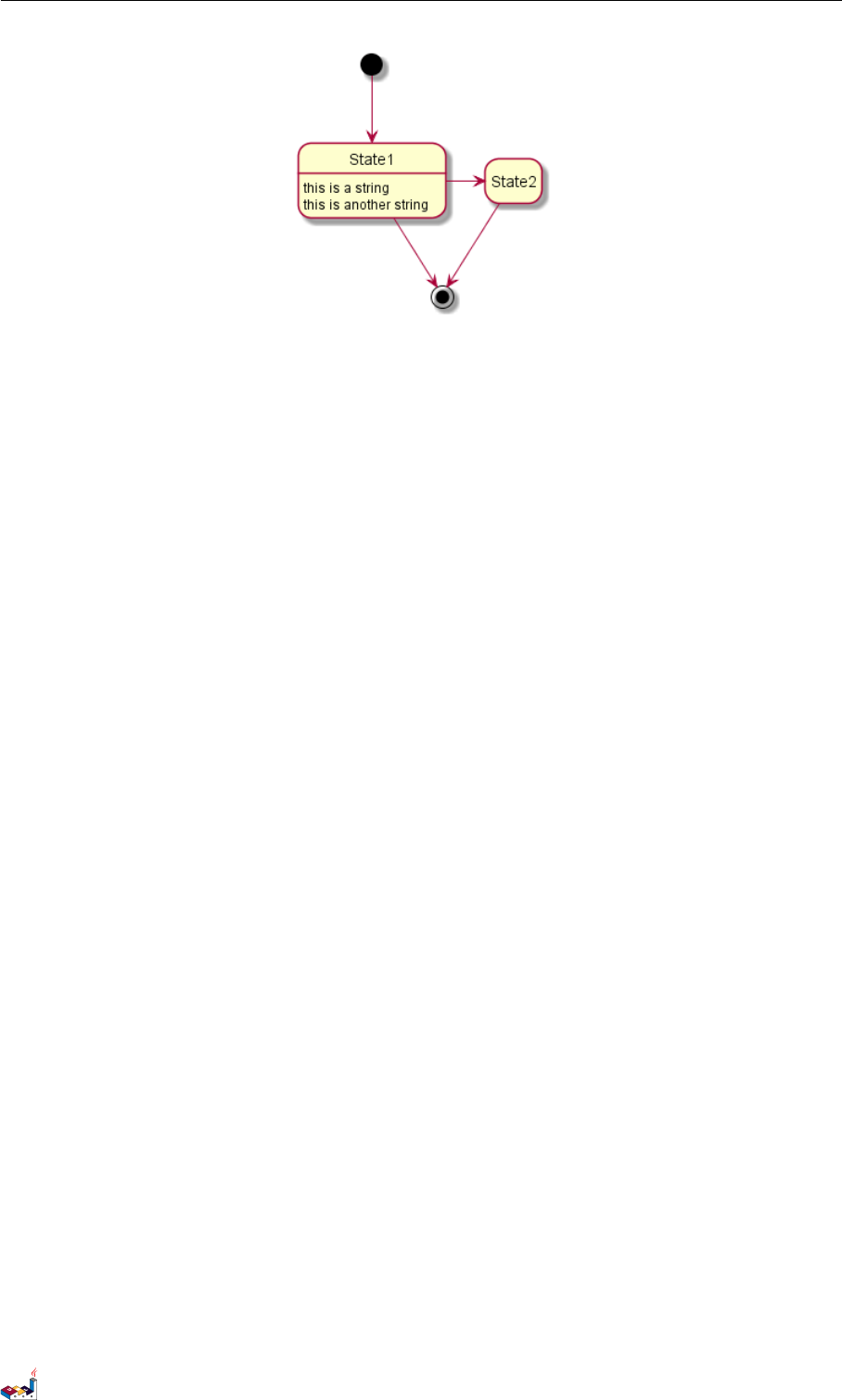
7.2 Change state rendering
You can use hide empty description to render state as simple box.
@startuml
hide empty description
[*] --> State1
State1 --> [*]
State1 : this is a string
State1 : this is another string
State1 -> State2
State2 --> [*]
@enduml
PlantUML 语言参考指引 (1.2019.6) 84 / 173
7.3 合成状态 7状态图
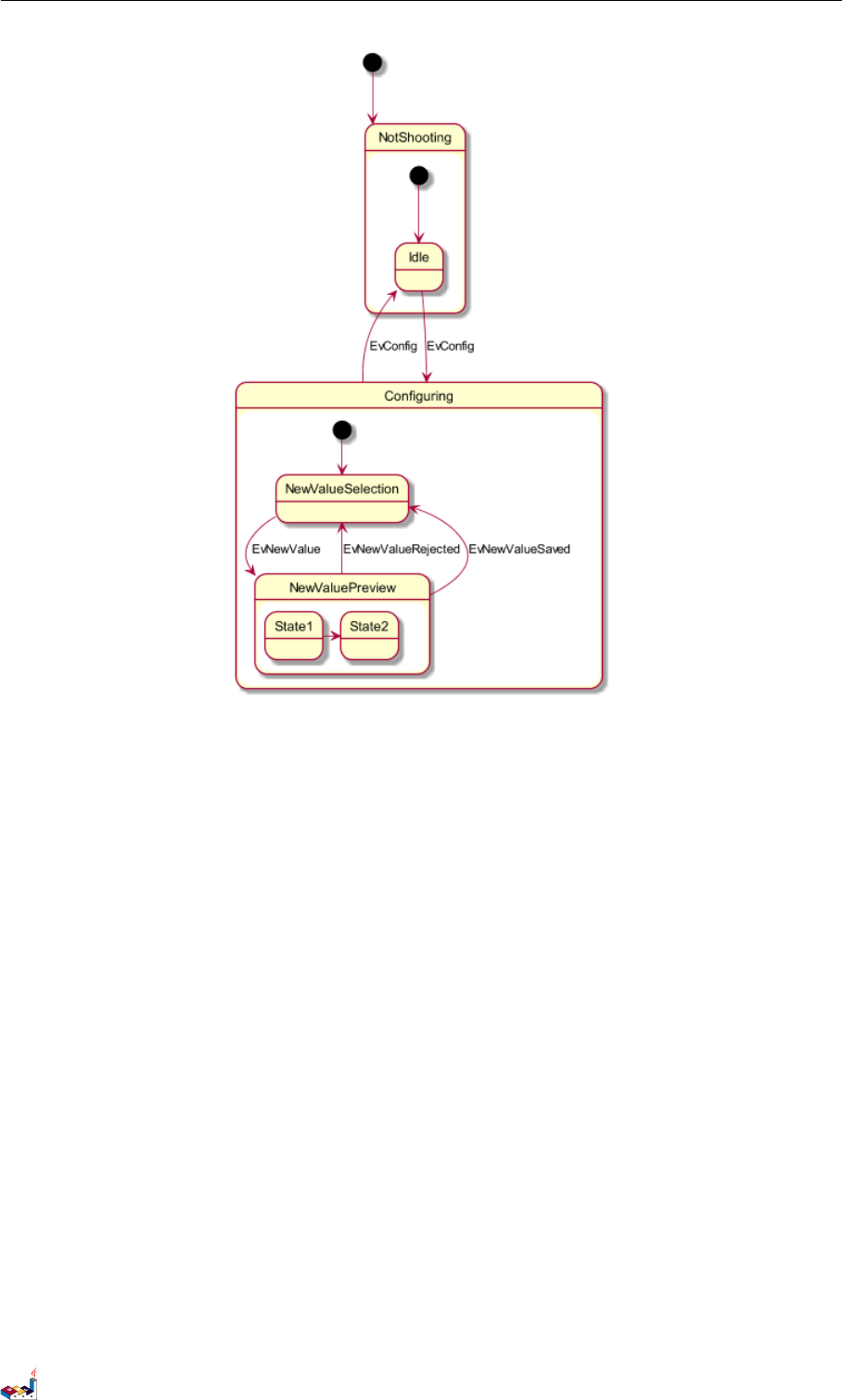
7.3 合成状态
一个状态也可能是合成的,必须使用关键字 state 和花括号来定义合成状态。
@startuml
scale 350 width
[*] --> NotShooting
state NotShooting {
[*] --> Idle
Idle --> Configuring : EvConfig
Configuring --> Idle : EvConfig
}
state Configuring {
[*] --> NewValueSelection
NewValueSelection --> NewValuePreview : EvNewValue
NewValuePreview --> NewValueSelection : EvNewValueRejected
NewValuePreview --> NewValueSelection : EvNewValueSaved
state NewValuePreview {
State1 -> State2
}
}
@enduml
PlantUML 语言参考指引 (1.2019.6) 85 / 173
7.4 长名字 7状态图
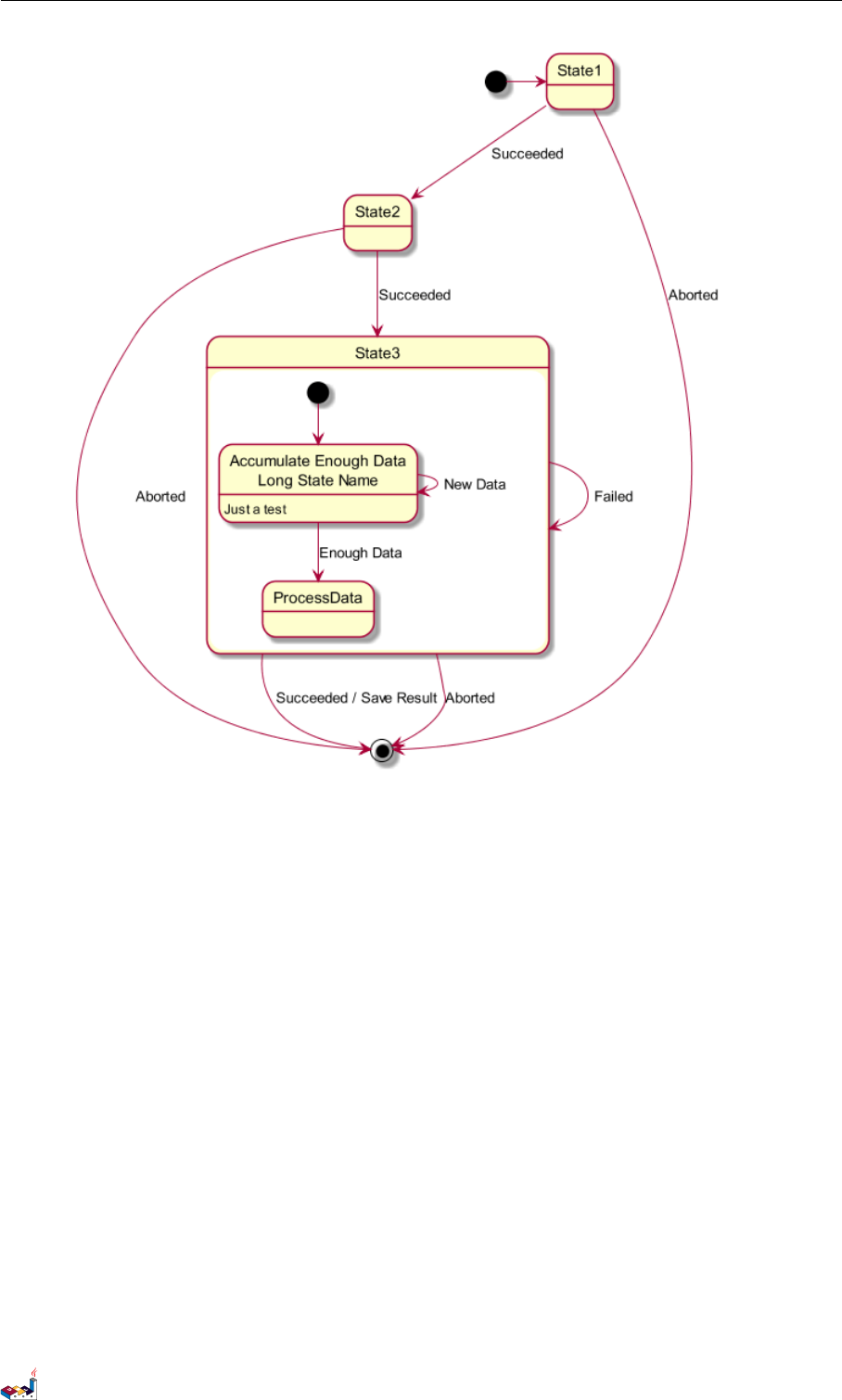
7.4 长名字
也可以使用关键字 state 定义长名字状态。
@startuml
scale 600 width
[*] -> State1
State1 --> State2 : Succeeded
State1 --> [*] : Aborted
State2 --> State3 : Succeeded
State2 --> [*] : Aborted
state State3 {
state "Accumulate Enough Data\nLong State Name" as long1
long1 : Just a test
[*] --> long1
long1 --> long1 : New Data
long1 --> ProcessData : Enough Data
}
State3 --> State3 : Failed
State3 --> [*] : Succeeded / Save Result
State3 --> [*] : Aborted
@enduml
PlantUML 语言参考指引 (1.2019.6) 86 / 173
7.5 并发状态 7状态图
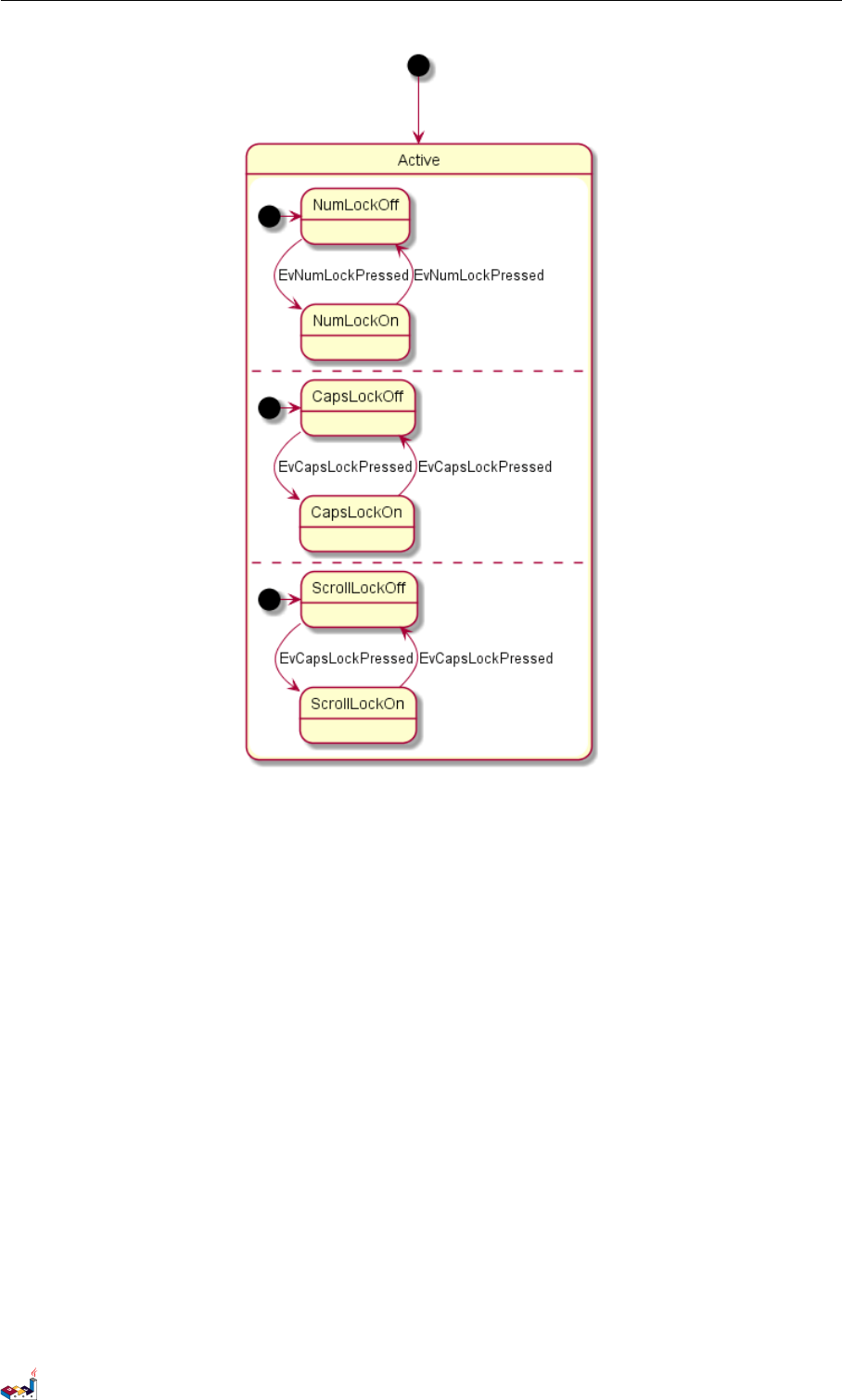
7.5 并发状态
用-- or || 作为分隔符来合成并发状态。
@startuml
[*] --> Active
state Active {
[*] -> NumLockOff
NumLockOff --> NumLockOn : EvNumLockPressed
NumLockOn --> NumLockOff : EvNumLockPressed
--
[*] -> CapsLockOff
CapsLockOff --> CapsLockOn : EvCapsLockPressed
CapsLockOn --> CapsLockOff : EvCapsLockPressed
--
[*] -> ScrollLockOff
ScrollLockOff --> ScrollLockOn : EvCapsLockPressed
ScrollLockOn --> ScrollLockOff : EvCapsLockPressed
}
@enduml
PlantUML 语言参考指引 (1.2019.6) 87 / 173
7.7 注释 7状态图
可以用首字母缩写或者开始的两个字母定义方向 (如,-d-,-down-和-do-是完全等价的)。
请不要滥用这些功能,Graphviz 不喜欢这样。
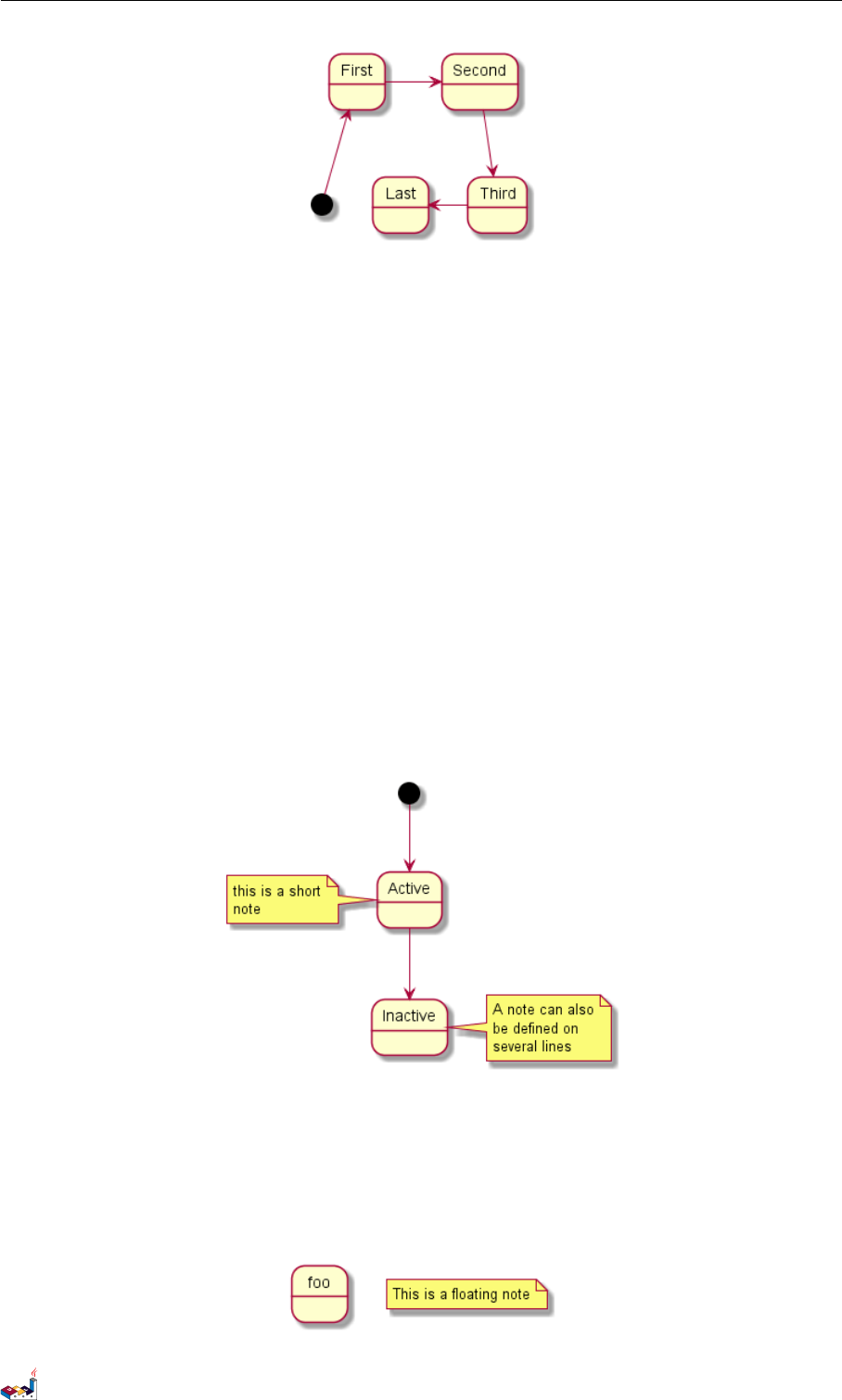
7.7 注释
可以用 note left of,note right of,note top of,note bottom of 关键字来定义注释。
还可以定义多行注释。
@startuml
[*] --> Active
Active --> Inactive
note left of Active : this is a short\nnote
note right of Inactive
A note can also
be defined on
several lines
end note
@enduml
以及浮动注释。
@startuml
state foo
note "This is a floating note" as N1
@enduml
PlantUML 语言参考指引 (1.2019.6) 89 / 173
7.8 更多注释 7状态图
7.8 更多注释
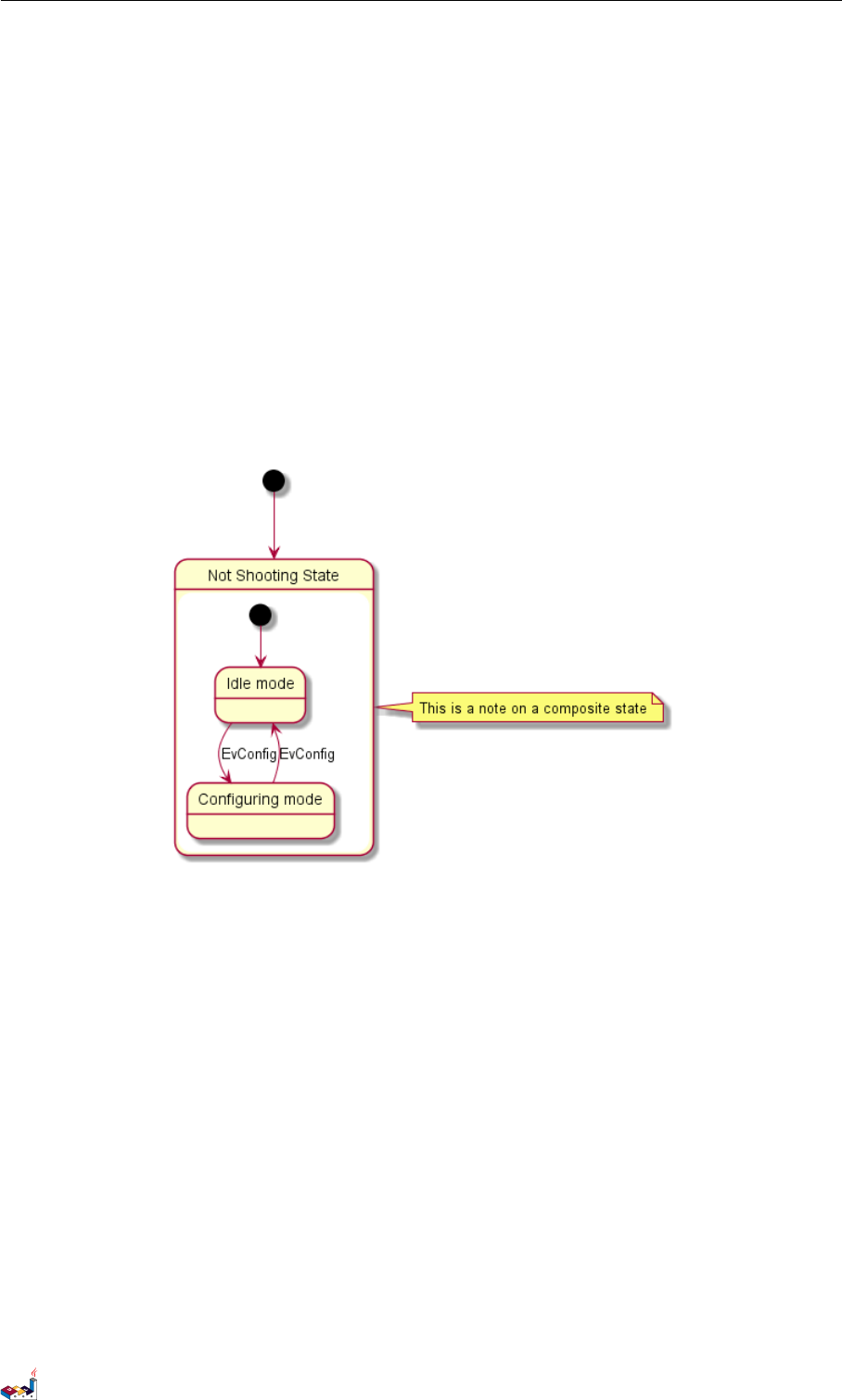
可以在合成状态中放置注释。
@startuml
[*] --> NotShooting
state "Not Shooting State" as NotShooting {
state "Idle mode" as Idle
state "Configuring mode" as Configuring
[*] --> Idle
Idle --> Configuring : EvConfig
Configuring --> Idle : EvConfig
}
note right of NotShooting : This is a note on a composite state
@enduml
7.9 显示参数
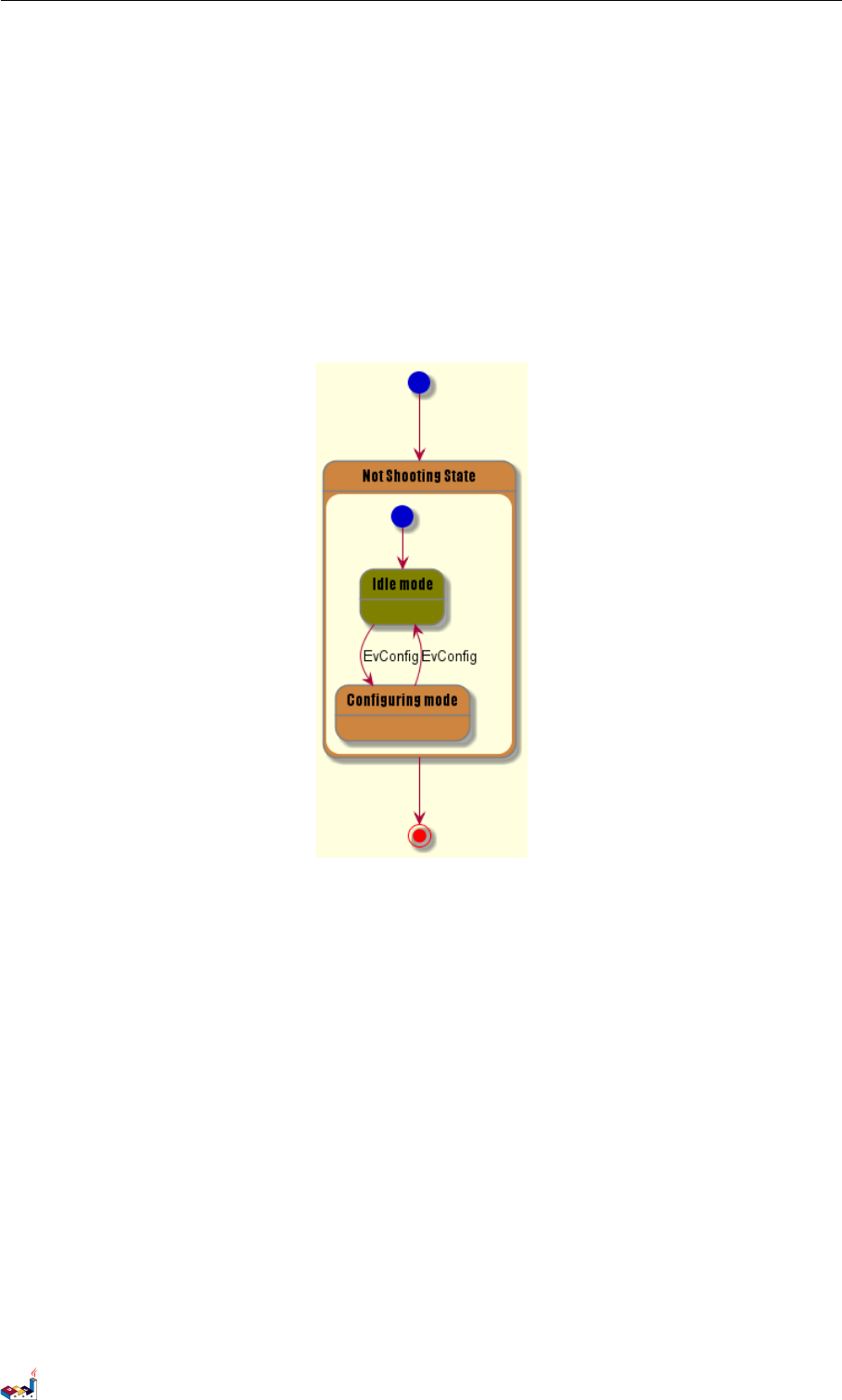
用skinparam 改变字体和颜色。
可以在如下场景中使用:
•在图示的定义中,
•在引入的文件中,
•在命令行或者 ANT 任务提供的配置文件中。
还可以为状态的构造类型指定特殊的字体和颜色。
@startuml
skinparam backgroundColor LightYellow
skinparam state {
StartColor MediumBlue
EndColor Red
BackgroundColor Peru
BackgroundColor<<Warning>> Olive
BorderColor Gray
FontName Impact
PlantUML 语言参考指引 (1.2019.6) 90 / 173
8对象图
8对象图
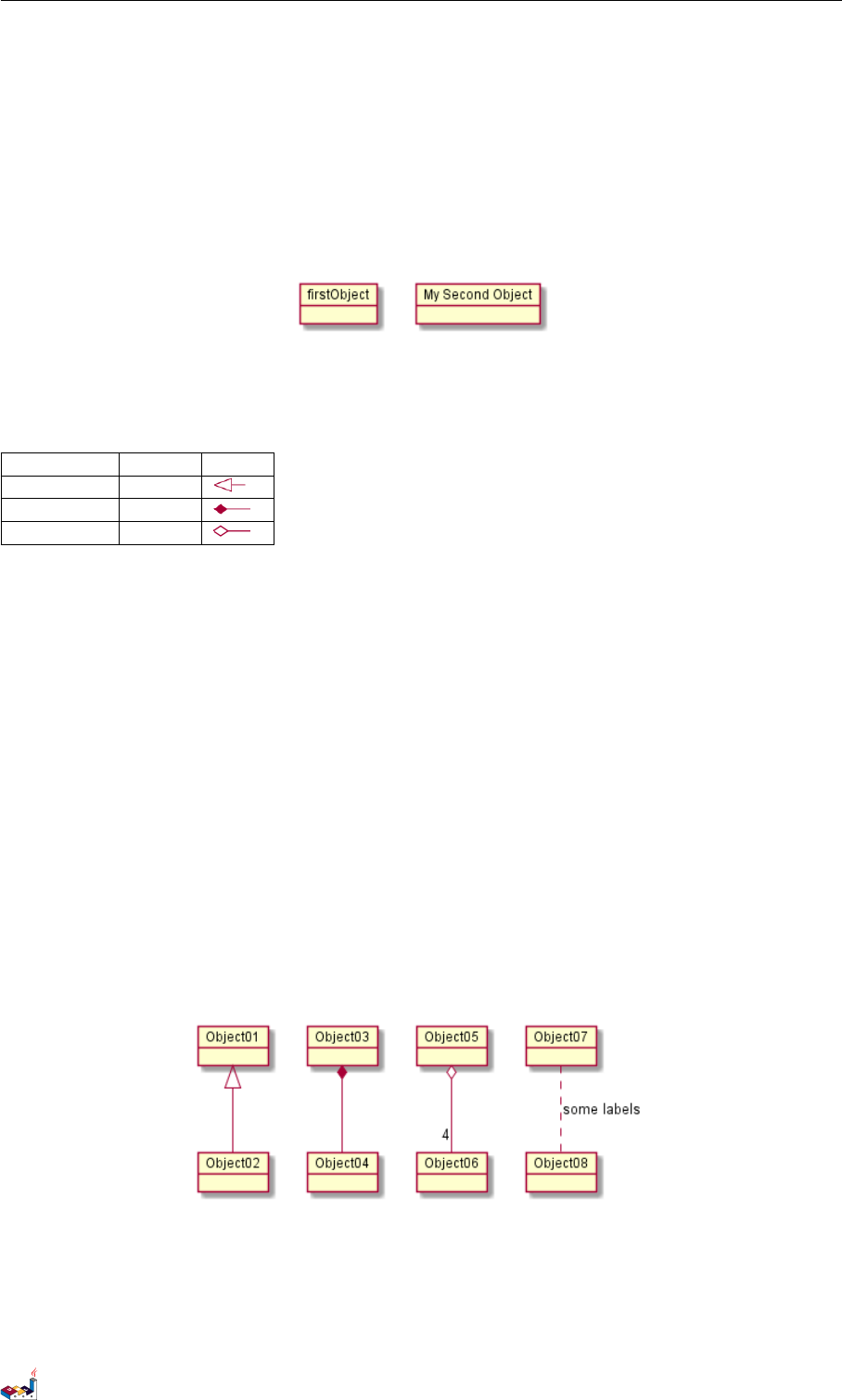
8.1 对象的定义
使用关键字 object 定义实例。
@startuml
object firstObject
object "My Second Object" as o2
@enduml
8.2 对象之间的关系
对象之间的关系用如下符号定义:
Type Symbol Image
Extension <|--
Composition *--
Aggregation o--
也可以用 .. 来代替 -- 以使用点线。
知道了这些规则,就可以画下面的图:
可以用冒号给关系添加标签,标签内容紧跟在冒号之后。
用双引号在关系的两边添加基数。
@startuml
object Object01
object Object02
object Object03
object Object04
object Object05
object Object06
object Object07
object Object08
Object01 <|-- Object02
Object03 *-- Object04
Object05 o-- "4" Object06
Object07 .. Object08 : some labels
@enduml
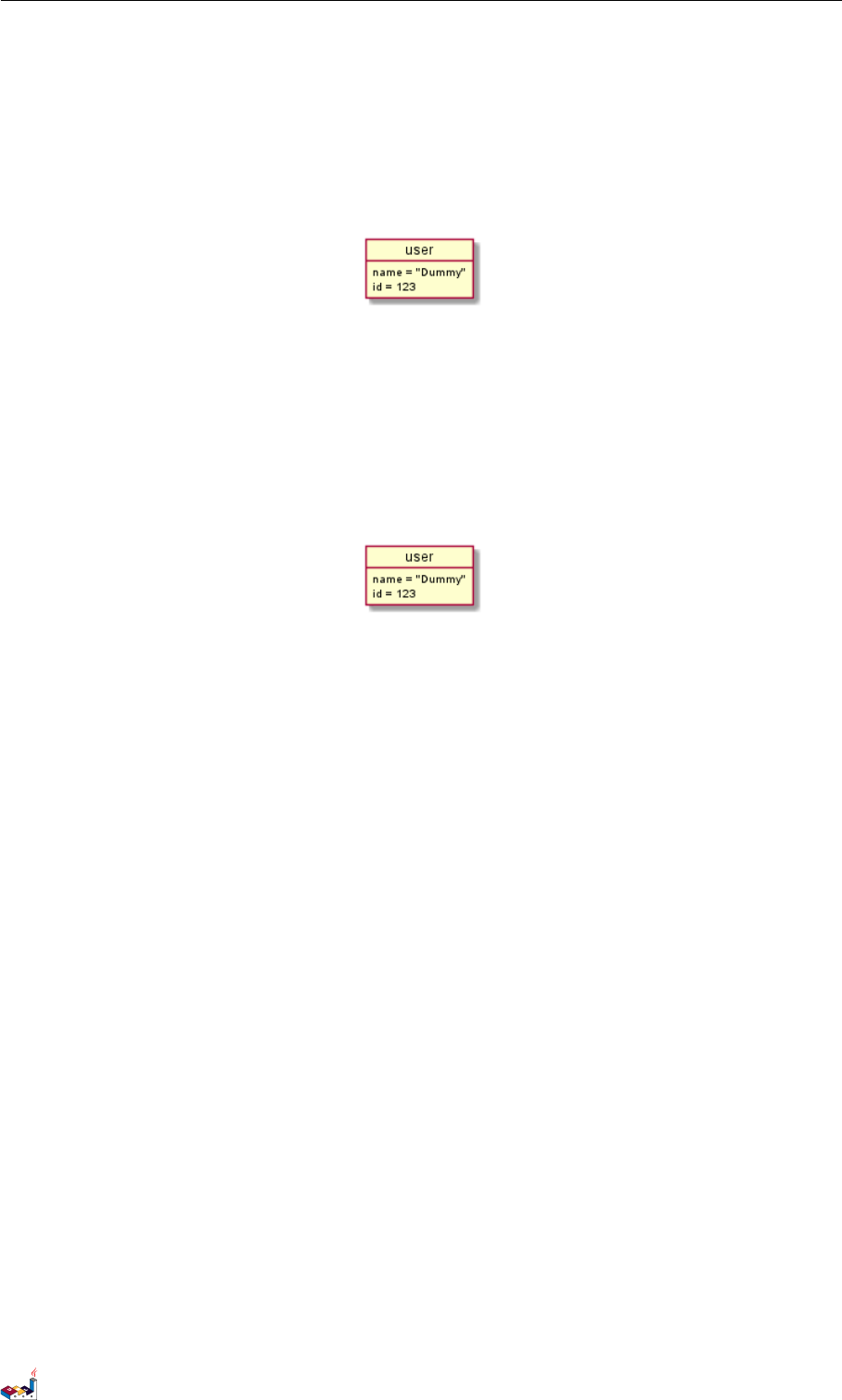
8.3 添加属性
用冒号加属性名的形式声明属性。
PlantUML 语言参考指引 (1.2019.6) 92 / 173

9时序图
9时序图
这只是个提案,主题和内容可能改变.
非常欢迎您参与这个新特性的讨论。您的反馈、创意和建议可以帮助我们找寻适合的解决方案。
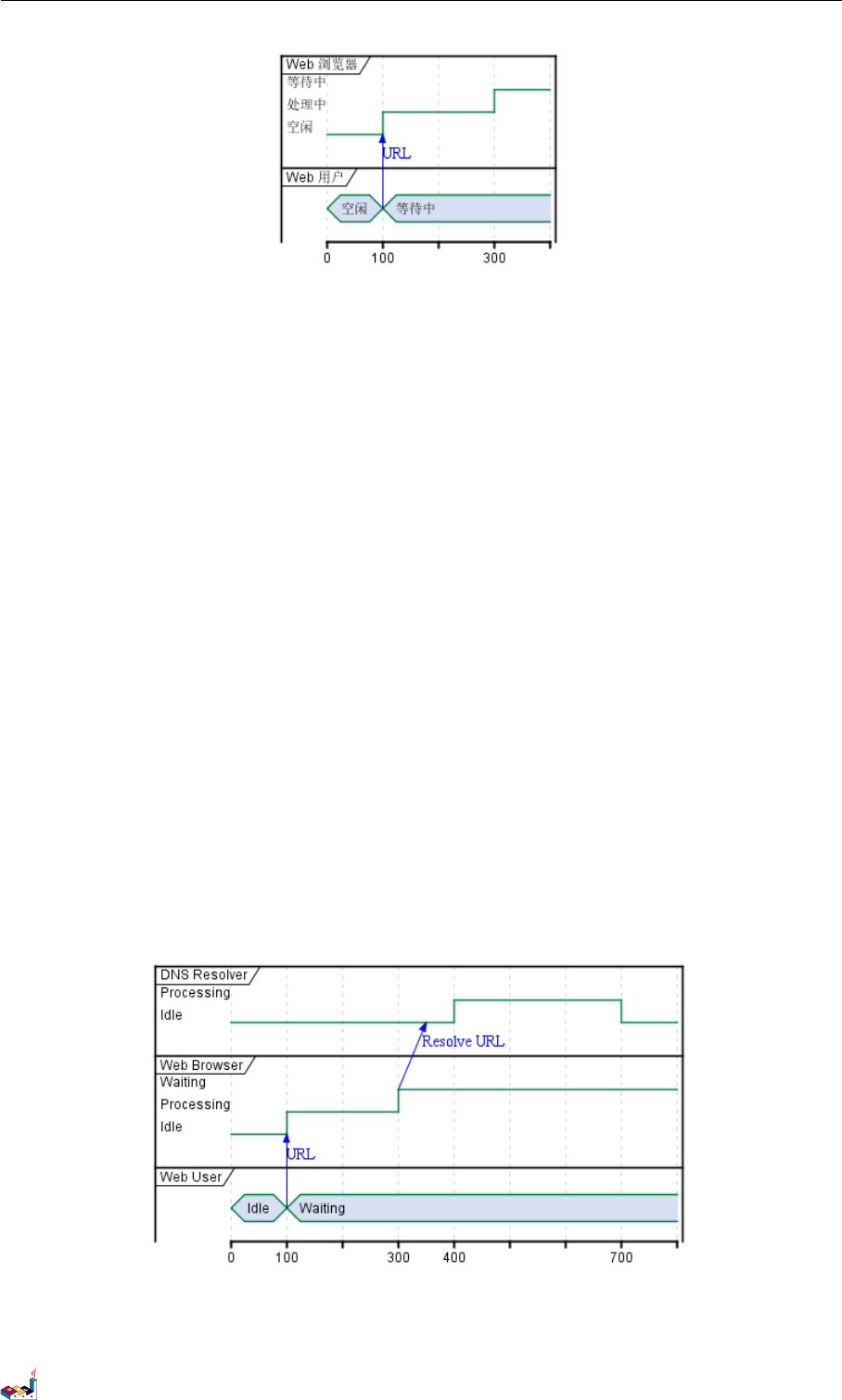
9.1 声明参与者
使用 concise or robust 关键字声明参与者,选择哪个取决于所需的显示样式。
通过 @标注,和is 动词定义状态.
@startuml
robust "Web 浏览器" as WB
concise "Web 用户" as WU
@0
WU is 空闲
WB is 空闲
@100
WU is 等待中
WB is 处理中
@300
WB is 等待中
@enduml
9.2 增加消息
使用下述的语法增加对消息的描述。
@startuml
robust "Web 浏览器" as WB
concise "Web 用户" as WU
@0
WU is 空闲
WB is 空闲
@100
WU -> WB : URL
WU is 等待中
WB is 处理中
@300
WB is 等待中
@enduml
PlantUML 语言参考指引 (1.2019.6) 94 / 173
9.3 相对时间 9时序图
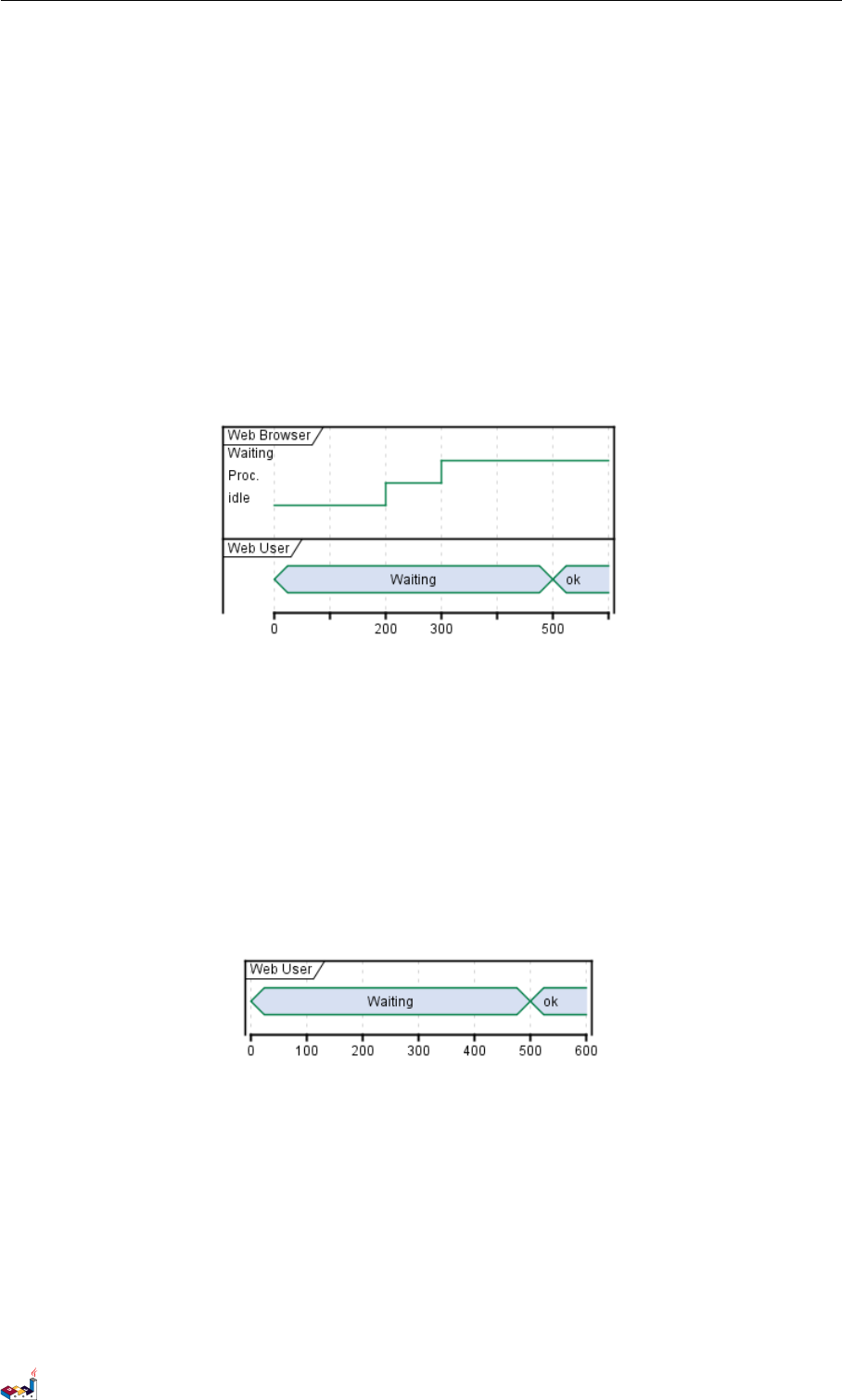
9.3 相对时间
It is possible to use relative time with @.
@startuml
robust "DNS Resolver" as DNS
robust "Web Browser" as WB
concise "Web User" as WU
@0
WU is Idle
WB is Idle
DNS is Idle
@+100
WU -> WB : URL
WU is Waiting
WB is Processing
@+200
WB is Waiting
WB -> DNS@+50 : Resolve URL
@+100
DNS is Processing
@+300
DNS is Idle
@enduml
PlantUML 语言参考指引 (1.2019.6) 95 / 173
9.4 Participant oriented 9 时序图
9.4 Participant oriented
Rather than declare the diagram in chronological order, you can define it by participant.
@startuml
robust "Web Browser" as WB
concise "Web User" as WU
@WB
0 is idle
+200 is Proc.
+100 is Waiting
@WU
0 is Waiting
+500 is ok
@enduml
9.5 Setting scale
You can also set a specific scale.
@startuml
concise "Web User" as WU
scale 100 as 50 pixels
@WU
0 is Waiting
+500 is ok
@enduml
9.6 Initial state
You can also define an inital state.
@startuml
robust "Web Browser" as WB
concise "Web User" as WU
WB is Initializing
WU is Absent
PlantUML 语言参考指引 (1.2019.6) 96 / 173
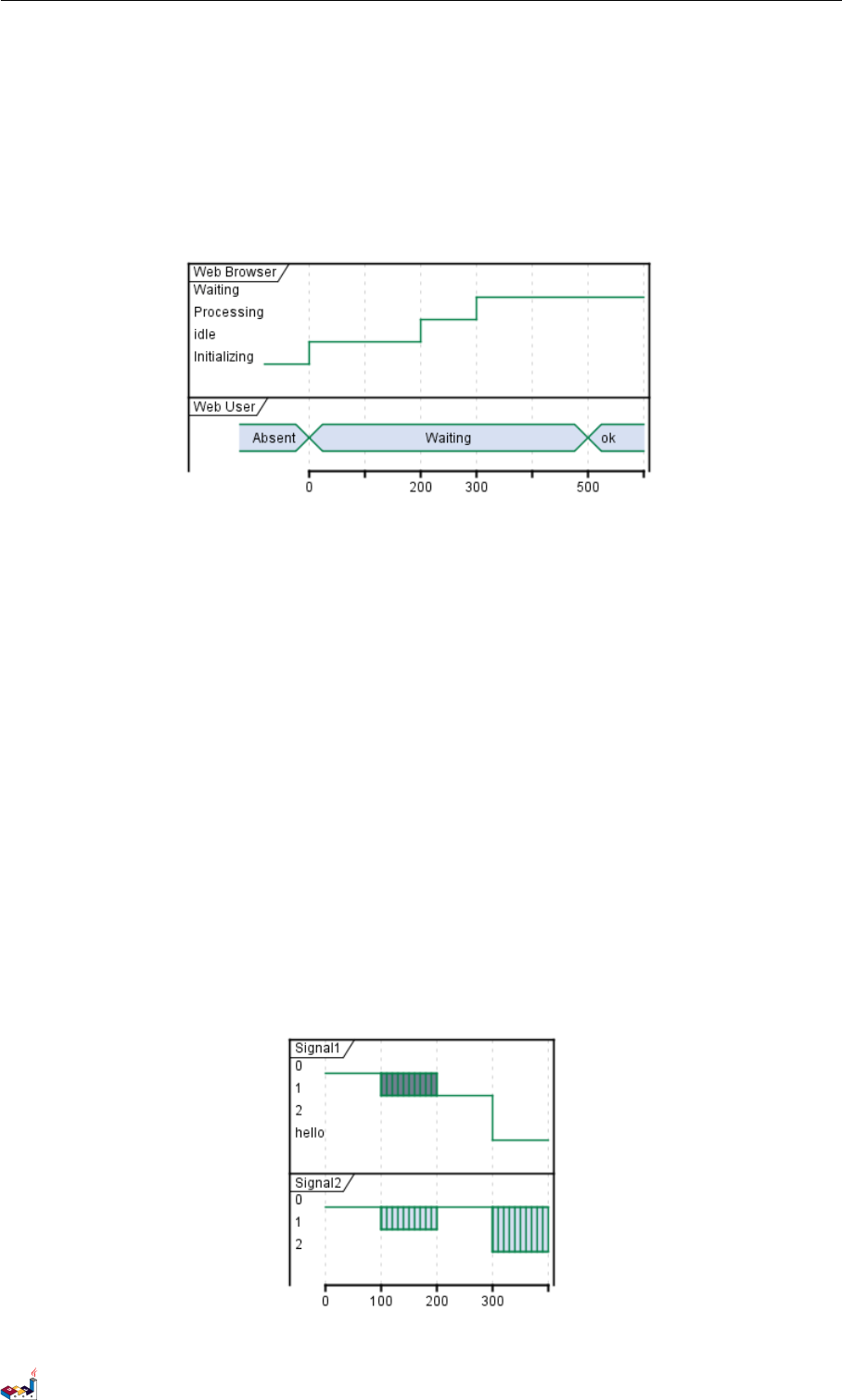
9.7 Intricated state 9 时序图
@WB
0 is idle
+200 is Processing
+100 is Waiting
@WU
0 is Waiting
+500 is ok
@enduml
9.7 Intricated state
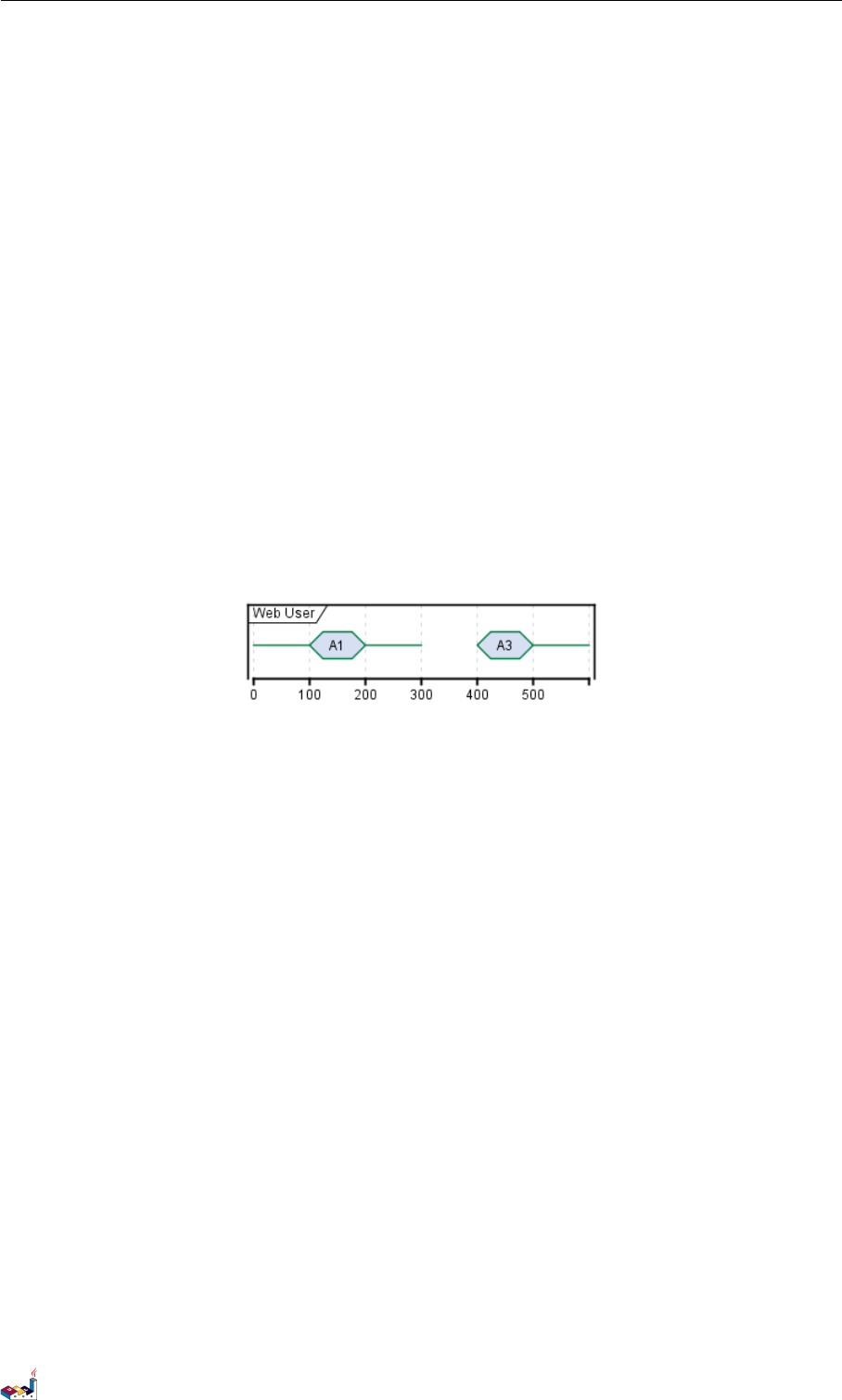
A signal could be in some undefined state.
@startuml
robust "Signal1" as S1
robust "Signal2" as S2
S1 has 0,1,2,hello
S2 has 0,1,2
@0
S1 is 0
S2 is 0
@100
S1 is {0,1} #SlateGrey
S2 is {0,1}
@200
S1 is 1
S2 is 0
@300
S1 is hello
S2 is {0,2}
@enduml
PlantUML 语言参考指引 (1.2019.6) 97 / 173
9.8 Hidden state 9 时序图
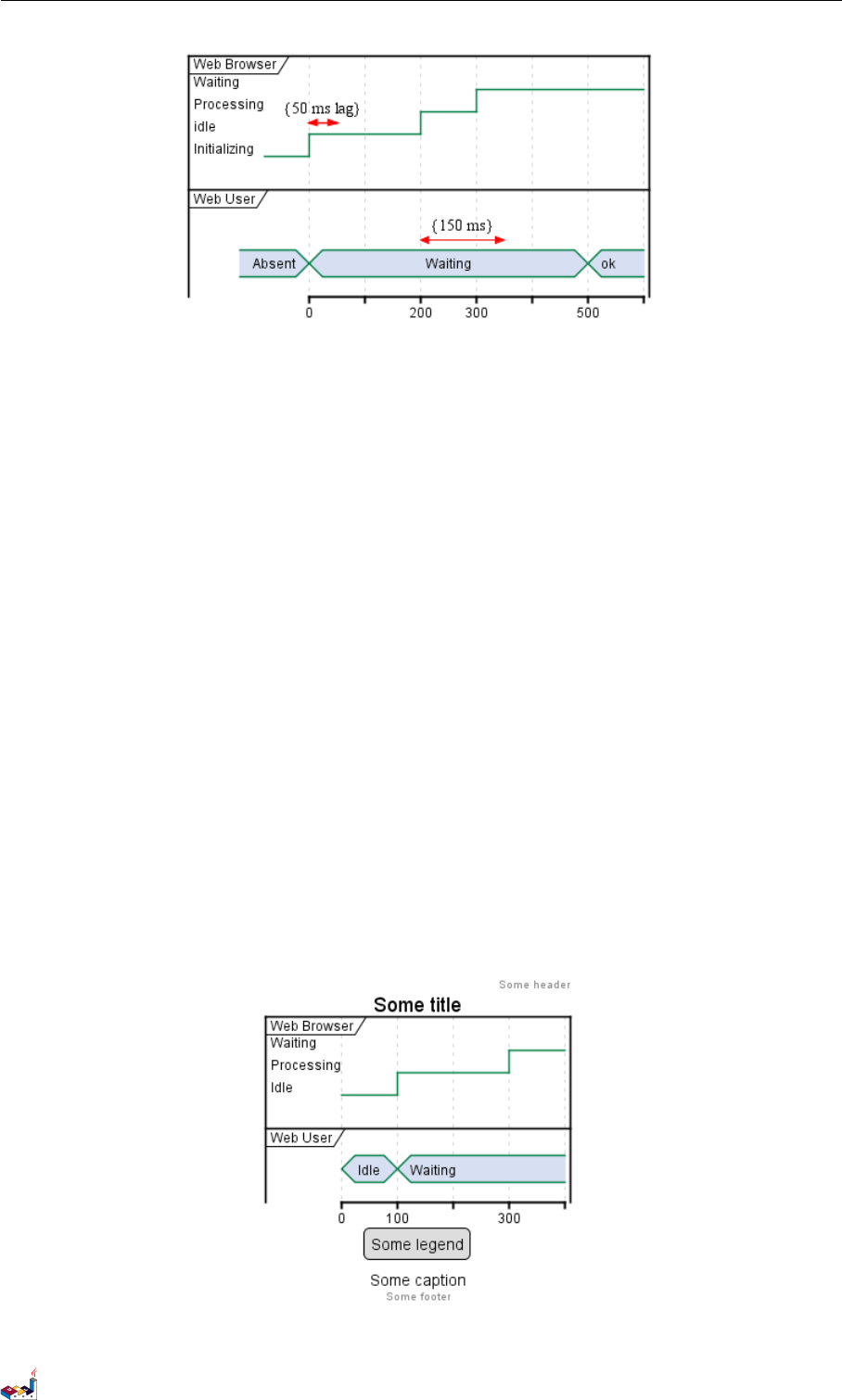
9.8 Hidden state
It is also possible to hide some state.
@startuml
concise "Web User" as WU
@0
WU is {-}
@100
WU is A1
@200
WU is {-}
@300
WU is {hidden}
@400
WU is A3
@500
WU is {-}
@enduml
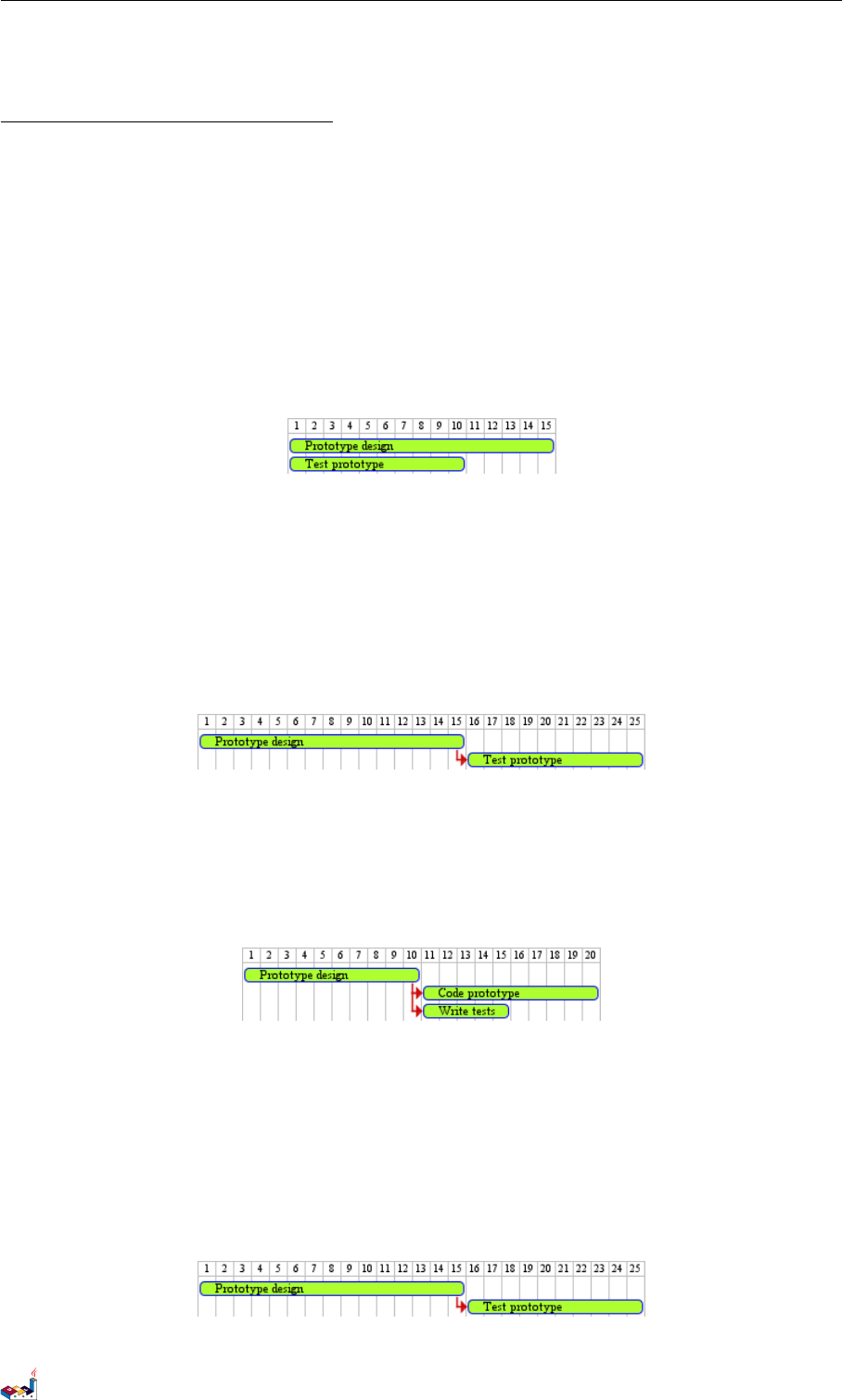
9.9 Adding constraint
It is possible to display time constraints on the diagrams.
@startuml
robust "Web Browser" as WB
concise "Web User" as WU
WB is Initializing
WU is Absent
@WB
0 is idle
+200 is Processing
+100 is Waiting
WB@0 <-> @50 : {50 ms lag}
@WU
0 is Waiting
+500 is ok
@200 <-> @+150 : {150 ms}
@enduml
PlantUML 语言参考指引 (1.2019.6) 98 / 173
9.10 Adding texts 9 时序图
9.10 Adding texts
You can optionally add a title, a header, a footer, a legend and a caption:
@startuml
Title this is my title
header: some header
footer: some footer
legend
Some legend
end legend
caption some caption
robust "Web Browser" as WB
concise "Web User" as WU
@0
WU is Idle
WB is Idle
@100
WU is Waiting
WB is Processing
@300
WB is Waiting
@enduml
PlantUML 语言参考指引 (1.2019.6) 99 / 173
10 GANTT DIAGRAM
10 Gantt Diagram
This is only a proposal and subject to change.
You are very welcome to create a new discussion on this future syntax. Your feedbacks, ideas and suggestions help
us to find the right solution.
The Gantt is described in natural language, using very simple sentences (subject-verb-complement).
10.1 Declaring tasks
Tasks defined using square bracket. Their durations are defined using the last verb:
@startgantt
[Prototype design] lasts 15 days
[Test prototype] lasts 10 days
@endgantt
10.2 Adding constraints
It is possible to add constraints between task.
@startgantt
[Prototype design] lasts 15 days
[Test prototype] lasts 10 days
[Test prototype] starts at [Prototype design]'s end
@endgantt
@startgantt
[Prototype design] lasts 10 days
[Code prototype] lasts 10 days
[Write tests] lasts 5 days
[Code prototype] starts at [Prototype design]'s end
[Write tests] starts at [Code prototype]'s start
@endgantt
10.3 Short names
It is possible to define short name for tasks with the as keyword.
@startgantt
[Prototype design] as [D] lasts 15 days
[Test prototype] as [T] lasts 10 days
[T] starts at [D]'s end
@endgantt
PlantUML 语言参考指引 (1.2019.6) 100 / 173
10.4 Customize colors 10 GANTT DIAGRAM
10.4 Customize colors
It also possible to customize colors.
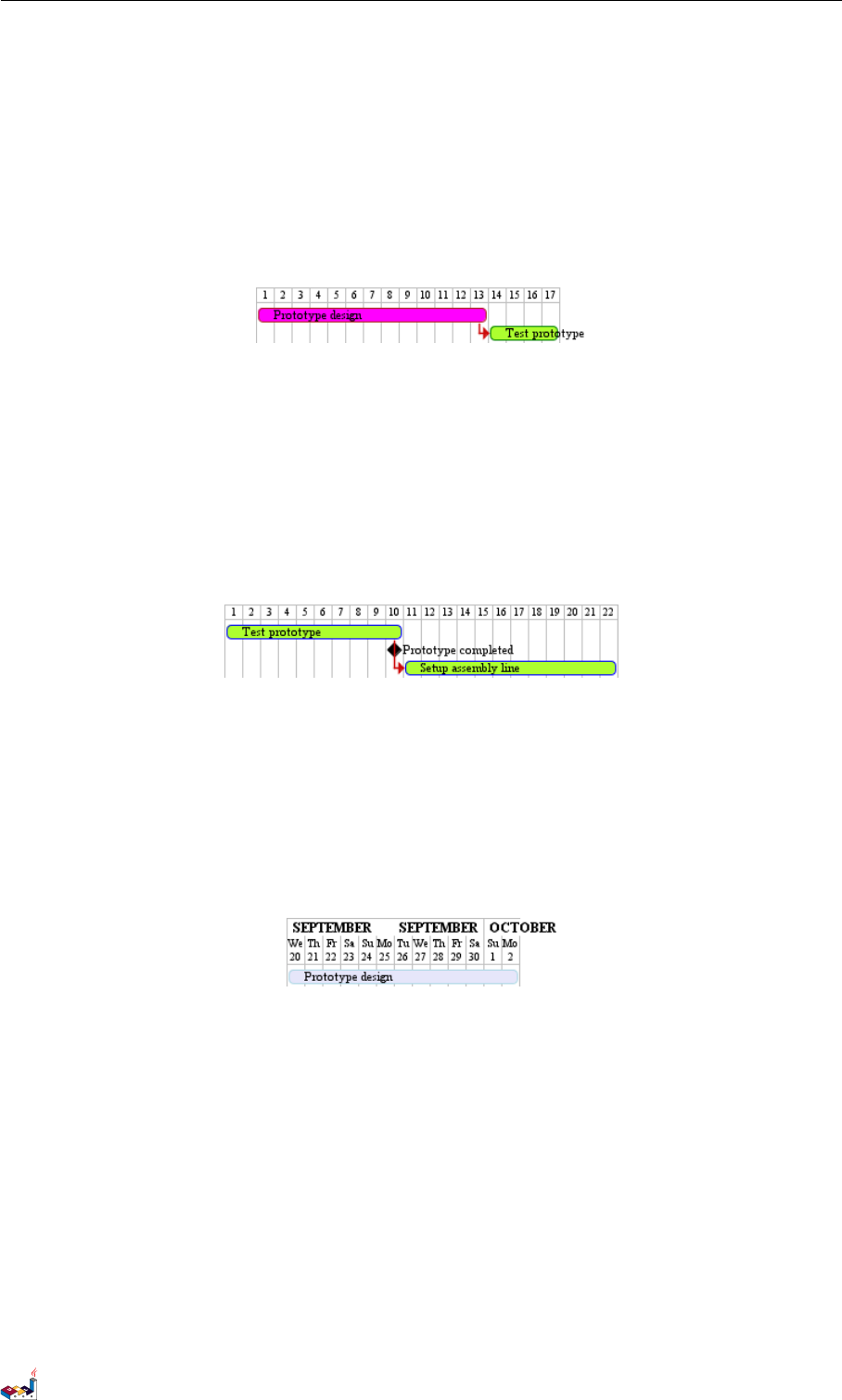
@startgantt
[Prototype design] lasts 13 days
[Test prototype] lasts 4 days
[Test prototype] starts at [Prototype design]'s end
[Prototype design] is colored in Fuchsia/FireBrick
[Test prototype] is colored in GreenYellow/Green
@endgantt
10.5 Milestone
You can define Milestones using the happens verb.
@startgantt
[Test prototype] lasts 10 days
[Prototype completed] happens at [Test prototype]'s end
[Setup assembly line] lasts 12 days
[Setup assembly line] starts at [Test prototype]'s end
@endgantt
10.6 Calendar
You can specify a starting date for the whole project. By default, the first task starts at this date.
@startgantt
Project starts the 20th of september 2017
[Prototype design] as [TASK1] lasts 13 days
[TASK1] is colored in Lavender/LightBlue
@endgantt
10.7 Close day
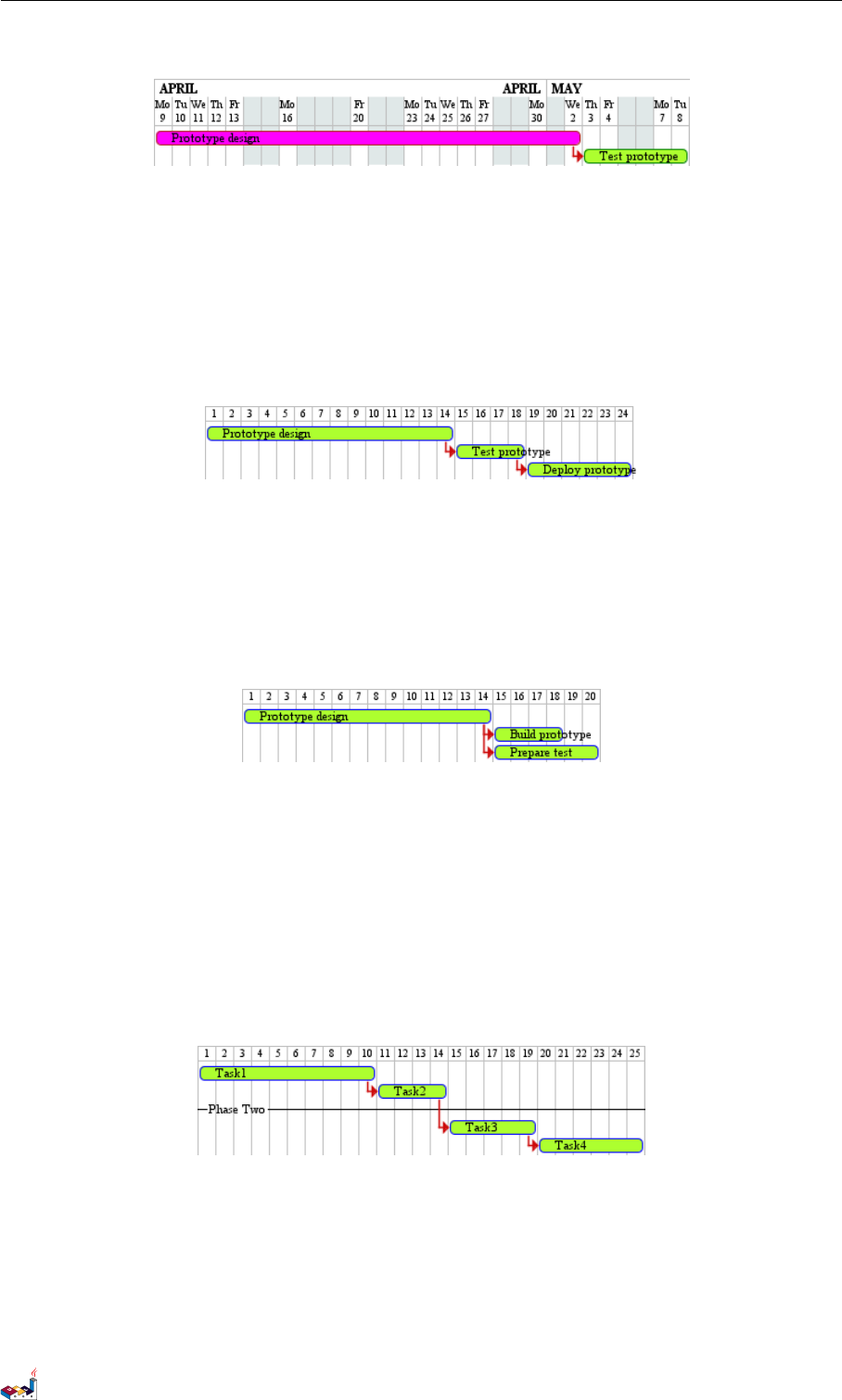
It is possible to close some day.
@startgantt
project starts the 2018/04/09
saturday are closed
sunday are closed
2018/05/01 is closed
2018/04/17 to 2018/04/19 is closed
[Prototype design] lasts 14 days
[Test prototype] lasts 4 days
[Test prototype] starts at [Prototype design]'s end
[Prototype design] is colored in Fuchsia/FireBrick
[Test prototype] is colored in GreenYellow/Green
PlantUML 语言参考指引 (1.2019.6) 101 / 173
10.8 Simplified task succession 10 GANTT DIAGRAM
@endgantt
10.8 Simplified task succession
It's possible to use the then keyword to denote consecutive tasks.
@startgantt
[Prototype design] lasts 14 days
then [Test prototype] lasts 4 days
then [Deploy prototype] lasts 6 days
@endgantt
You can also use arrow ->
@startgantt
[Prototype design] lasts 14 days
[Build prototype] lasts 4 days
[Prepare test] lasts 6 days
[Prototype design] -> [Build prototype]
[Prototype design] -> [Prepare test]
@endgantt
10.9 Separator
You can use -- to separate sets of tasks.
@startgantt
[Task1] lasts 10 days
then [Task2] lasts 4 days
-- Phase Two --
then [Task3] lasts 5 days
then [Task4] lasts 6 days
@endgantt
10.10 Working with resources
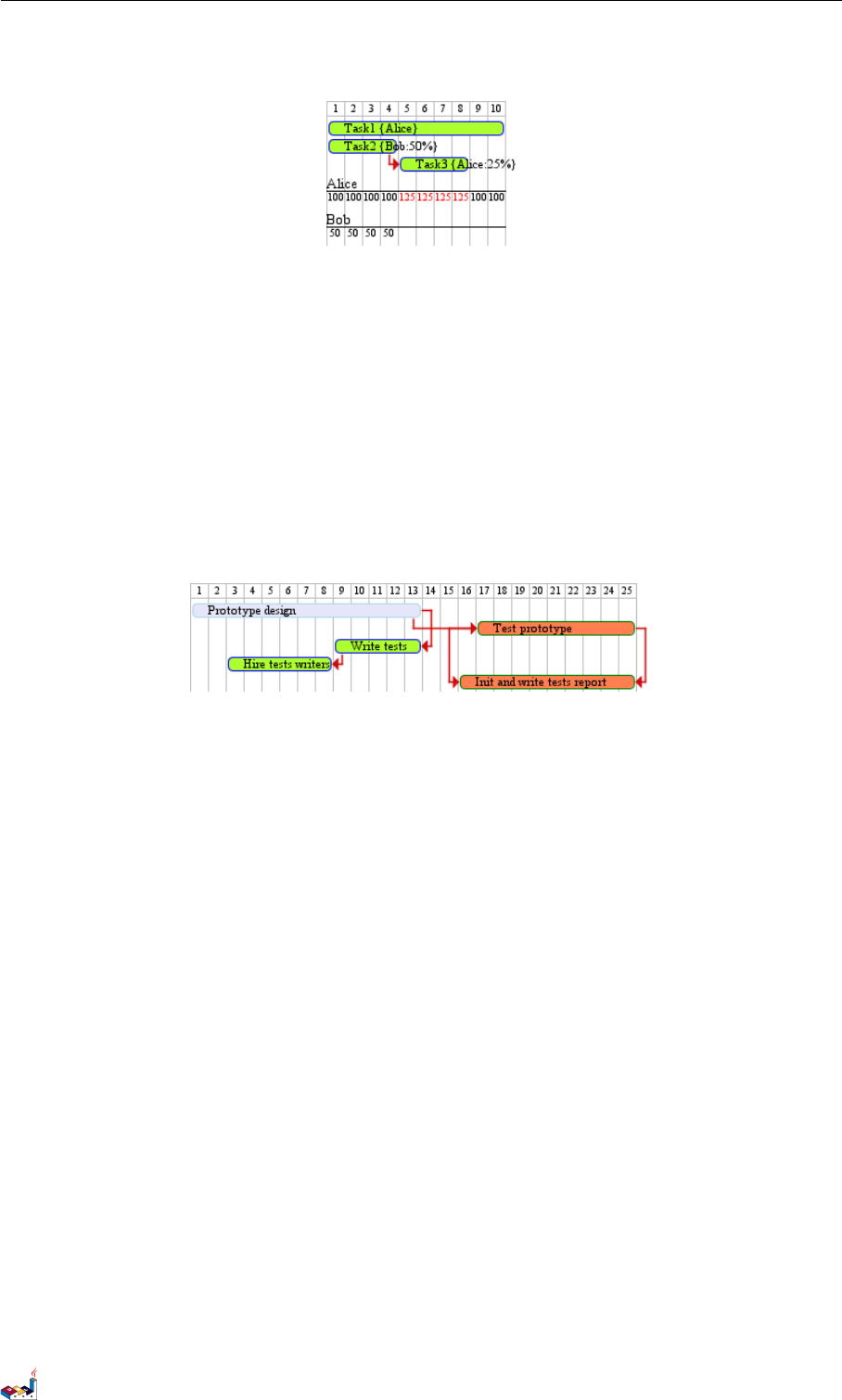
You can affect tasks on resources using the on keyword and brackets for resource name.
@startgantt
[Task1] on {Alice} lasts 10 days
[Task2] on {Bob:50%} lasts 2 days
PlantUML 语言参考指引 (1.2019.6) 102 / 173
10.11 Complex example 10 GANTT DIAGRAM
then [Task3] on {Alice:25%} lasts 1 days
@endgantt
10.11 Complex example
It also possible to use the and conjunction.
You can also add delays in constraints.
@startgantt
[Prototype design] lasts 13 days and is colored in Lavender/LightBlue
[Test prototype] lasts 9 days and is colored in Coral/Green and starts 3 days after [Prototype design]'s end
[Write tests] lasts 5 days and ends at [Prototype design]'s end
[Hire tests writers] lasts 6 days and ends at [Write tests]'s start
[Init and write tests report] is colored in Coral/Green
[Init and write tests report] starts 1 day before [Test prototype]'s start and ends at [Test prototype]'s end
@endgantt
PlantUML 语言参考指引 (1.2019.6) 103 / 173
11 MINDMAP
11 MindMap
MindMap diagram are still in beta: the syntax may change without notice.
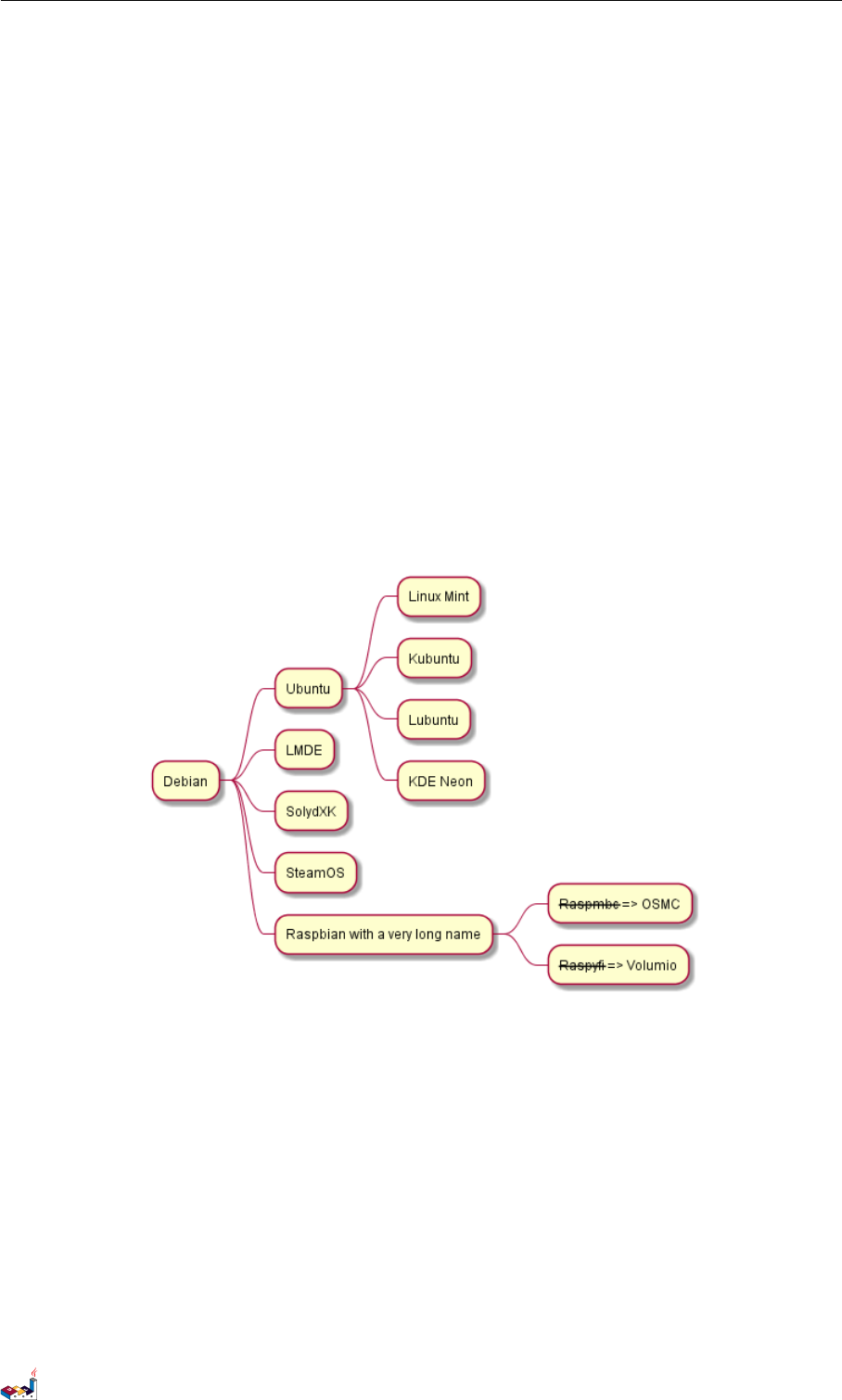
11.1 OrgMode syntax
This syntax is compatible with OrgMode
@startmindmap
* Debian
** Ubuntu
*** Linux Mint
*** Kubuntu
*** Lubuntu
*** KDE Neon
** LMDE
** SolydXK
** SteamOS
** Raspbian with a very long name
*** <s>Raspmbc</s> => OSMC
*** <s>Raspyfi</s> => Volumio
@endmindmap
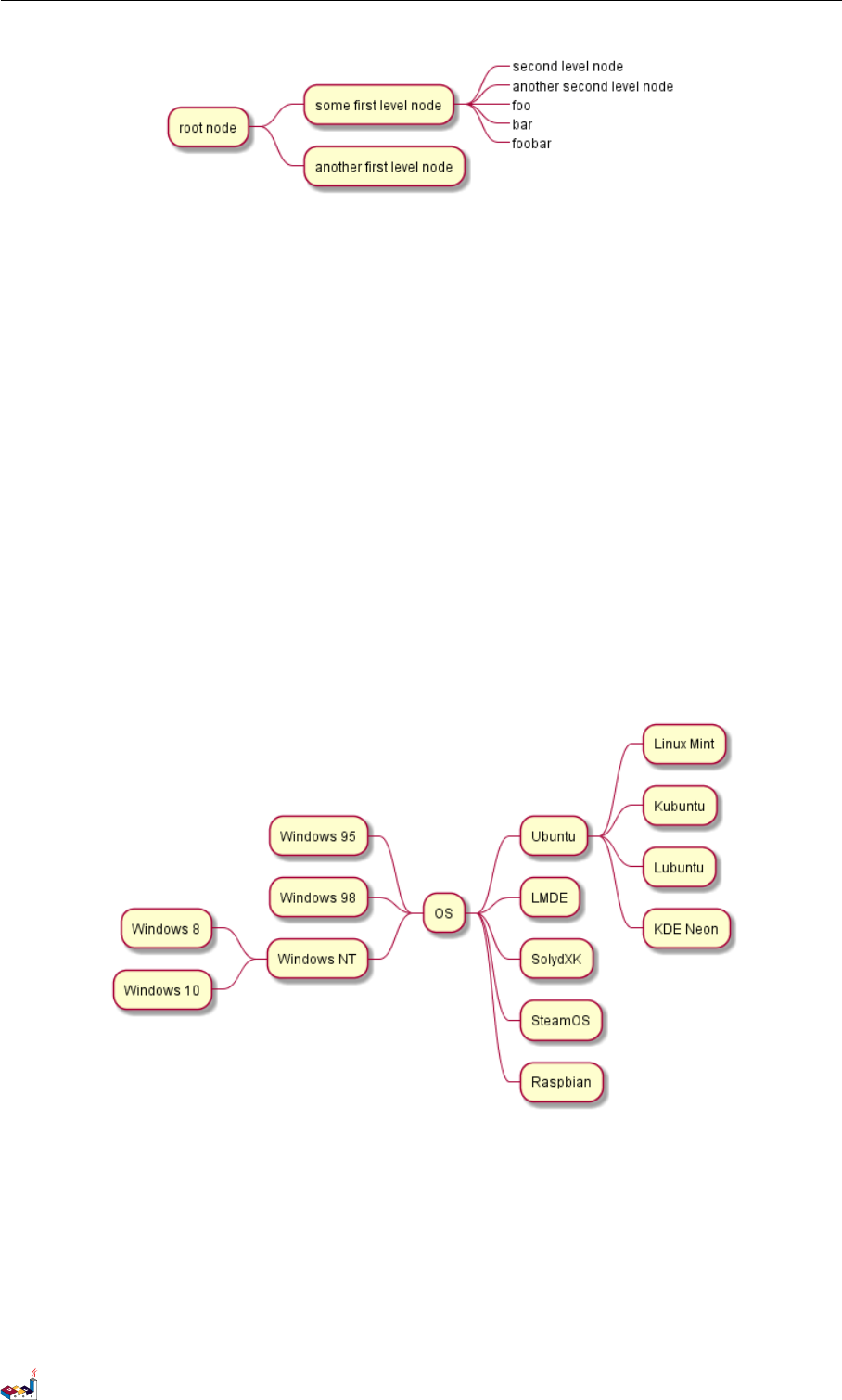
11.2 Removing box
You can remove the box drawing using an underscore.
@startmindmap
* root node
** some first level node
***_ second level node
***_ another second level node
***_ foo
***_ bar
***_ foobar
** another first level node
@endmindmap
PlantUML 语言参考指引 (1.2019.6) 104 / 173
11.3 Arithmetic notation 11 MINDMAP
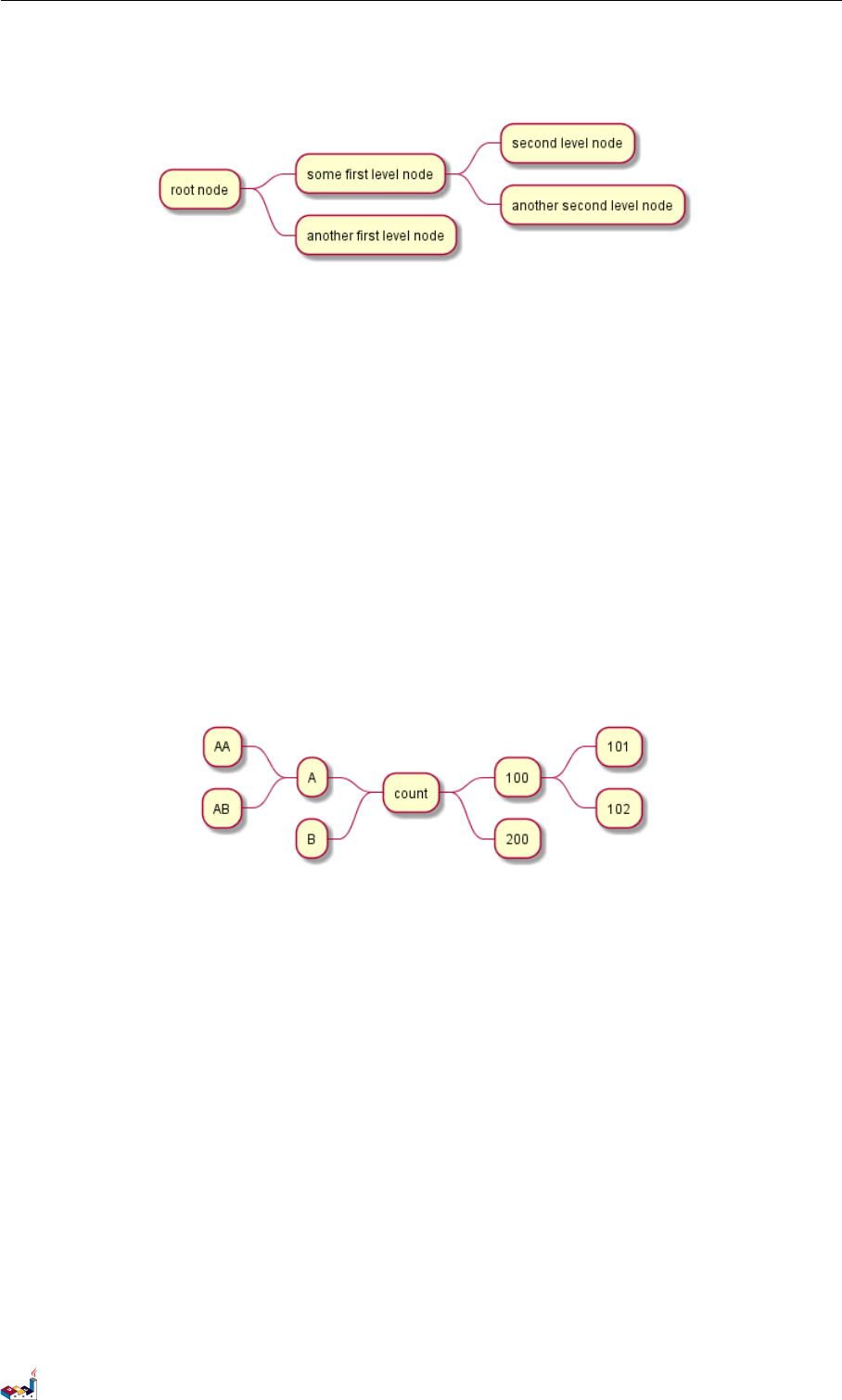
11.3 Arithmetic notation
You can use the following notation to choose diagram side.
@startmindmap
+ OS
++ Ubuntu
+++ Linux Mint
+++ Kubuntu
+++ Lubuntu
+++ KDE Neon
++ LMDE
++ SolydXK
++ SteamOS
++ Raspbian
-- Windows 95
-- Windows 98
-- Windows NT
--- Windows 8
--- Windows 10
@endmindmap
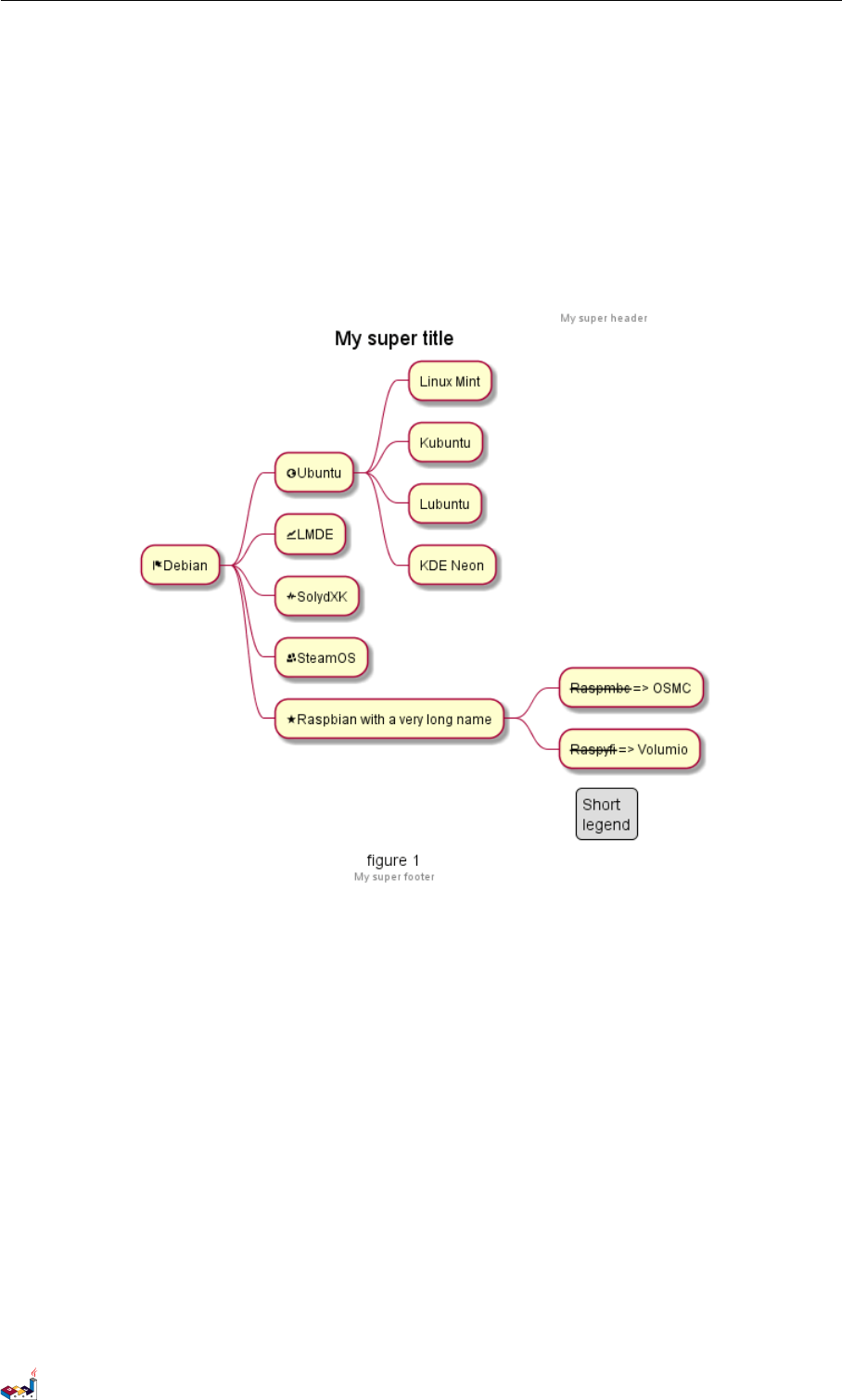
11.4 Markdown syntax
This syntax is compatible with Markdown
@startmindmap
* root node
* some first level node
* second level node
* another second level node
PlantUML 语言参考指引 (1.2019.6) 105 / 173
11.5 Changing diagram direction 11 MINDMAP
* another first level node
@endmindmap
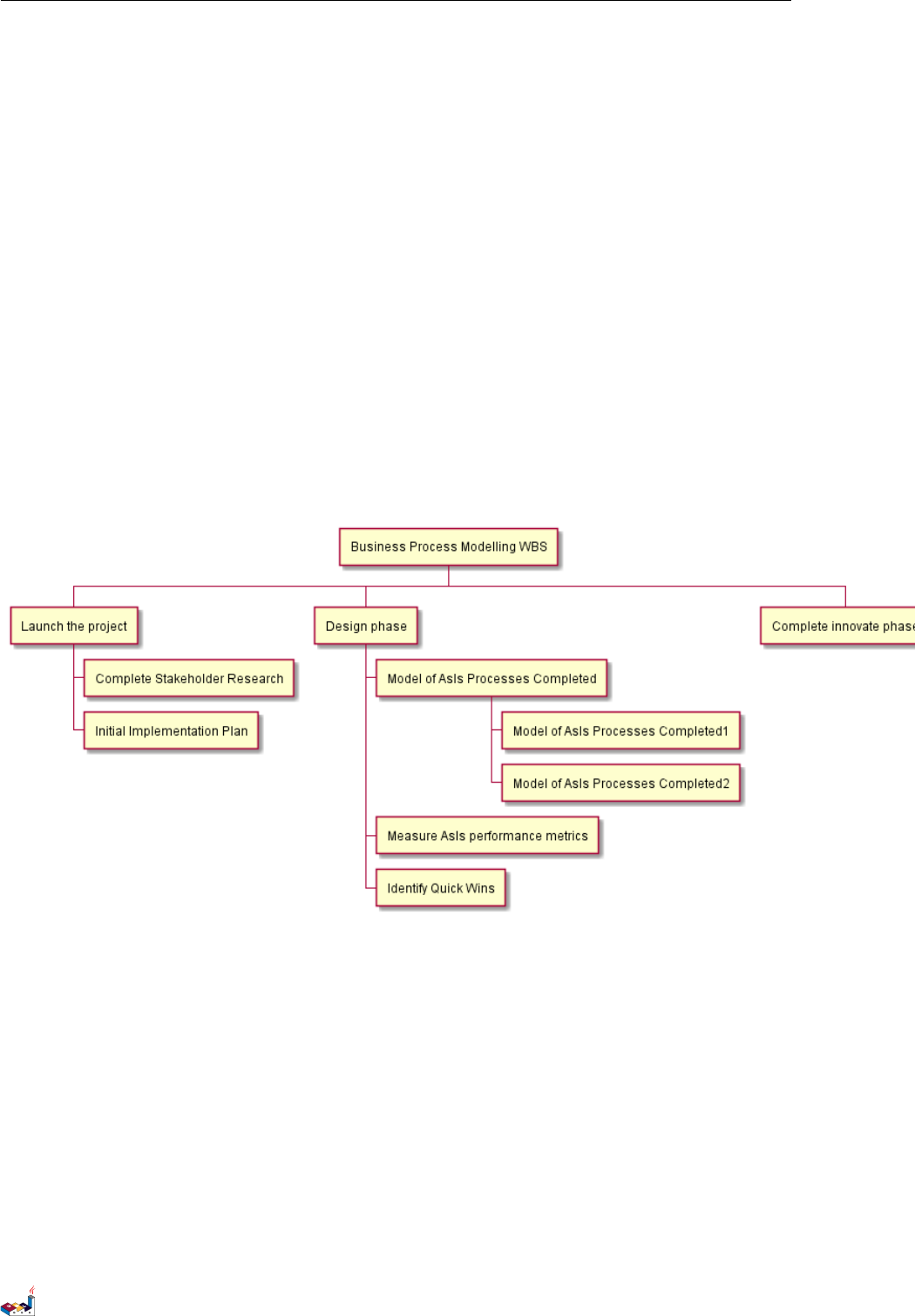
11.5 Changing diagram direction
It is possible to use both sides of the diagram.
@startmindmap
* count
** 100
*** 101
*** 102
** 200
left side
** A
*** AA
*** AB
** B
@endmindmap
11.6 Complete example
@startmindmap
caption figure 1
title My super title
* <&flag>Debian
** <&globe>Ubuntu
*** Linux Mint
*** Kubuntu
*** Lubuntu
*** KDE Neon
** <&graph>LMDE
** <&pulse>SolydXK
** <&people>SteamOS
** <&star>Raspbian with a very long name
*** <s>Raspmbc</s> => OSMC
*** <s>Raspyfi</s> => Volumio
PlantUML 语言参考指引 (1.2019.6) 106 / 173
12 WORK BREAKDOWN STRUCTURE
12 Work Breakdown Structure
WBS diagram are still in beta: the syntax may change without notice.
12.1 OrgMode syntax
This syntax is compatible with OrgMode
@startwbs
* Business Process Modelling WBS
** Launch the project
*** Complete Stakeholder Research
*** Initial Implementation Plan
** Design phase
*** Model of AsIs Processes Completed
**** Model of AsIs Processes Completed1
**** Model of AsIs Processes Completed2
*** Measure AsIs performance metrics
*** Identify Quick Wins
** Complete innovate phase
@endwbs
12.2 Change direction
You can change direction using <and >
@startwbs
* Business Process Modelling WBS
** Launch the project
*** Complete Stakeholder Research
*** Initial Implementation Plan
** Design phase
*** Model of AsIs Processes Completed
****< Model of AsIs Processes Completed1
****> Model of AsIs Processes Completed2
***< Measure AsIs performance metrics
***< Identify Quick Wins
PlantUML 语言参考指引 (1.2019.6) 108 / 173
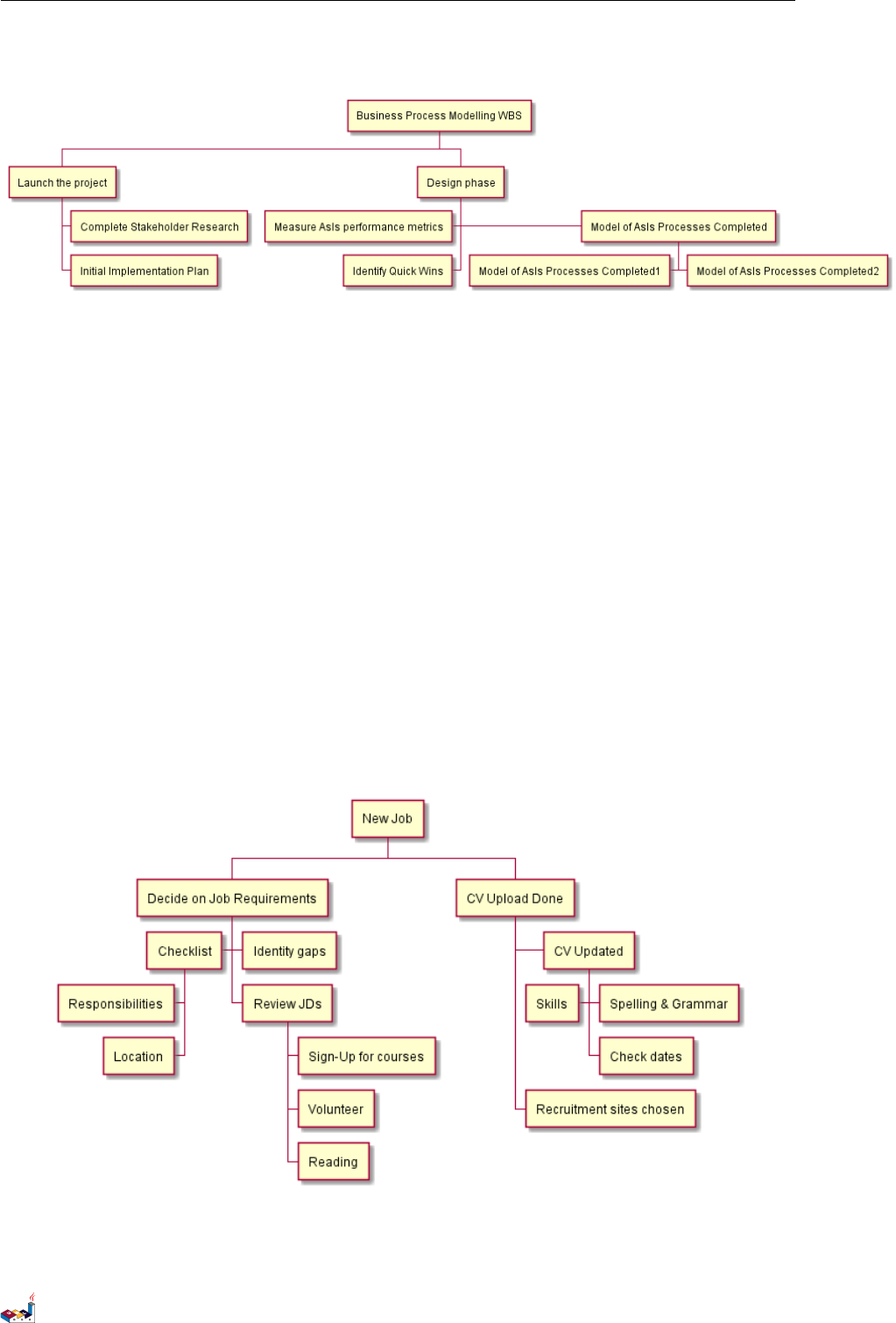
12.3 Arithmetic notation 12 WORK BREAKDOWN STRUCTURE
@endwbs
12.3 Arithmetic notation
You can use the following notation to choose diagram side.
@startwbs
+ New Job
++ Decide on Job Requirements
+++ Identity gaps
+++ Review JDs
++++ Sign-Up for courses
++++ Volunteer
++++ Reading
++- Checklist
+++- Responsibilities
+++- Location
++ CV Upload Done
+++ CV Updated
++++ Spelling & Grammar
++++ Check dates
---- Skills
+++ Recruitment sites chosen
@endwbs
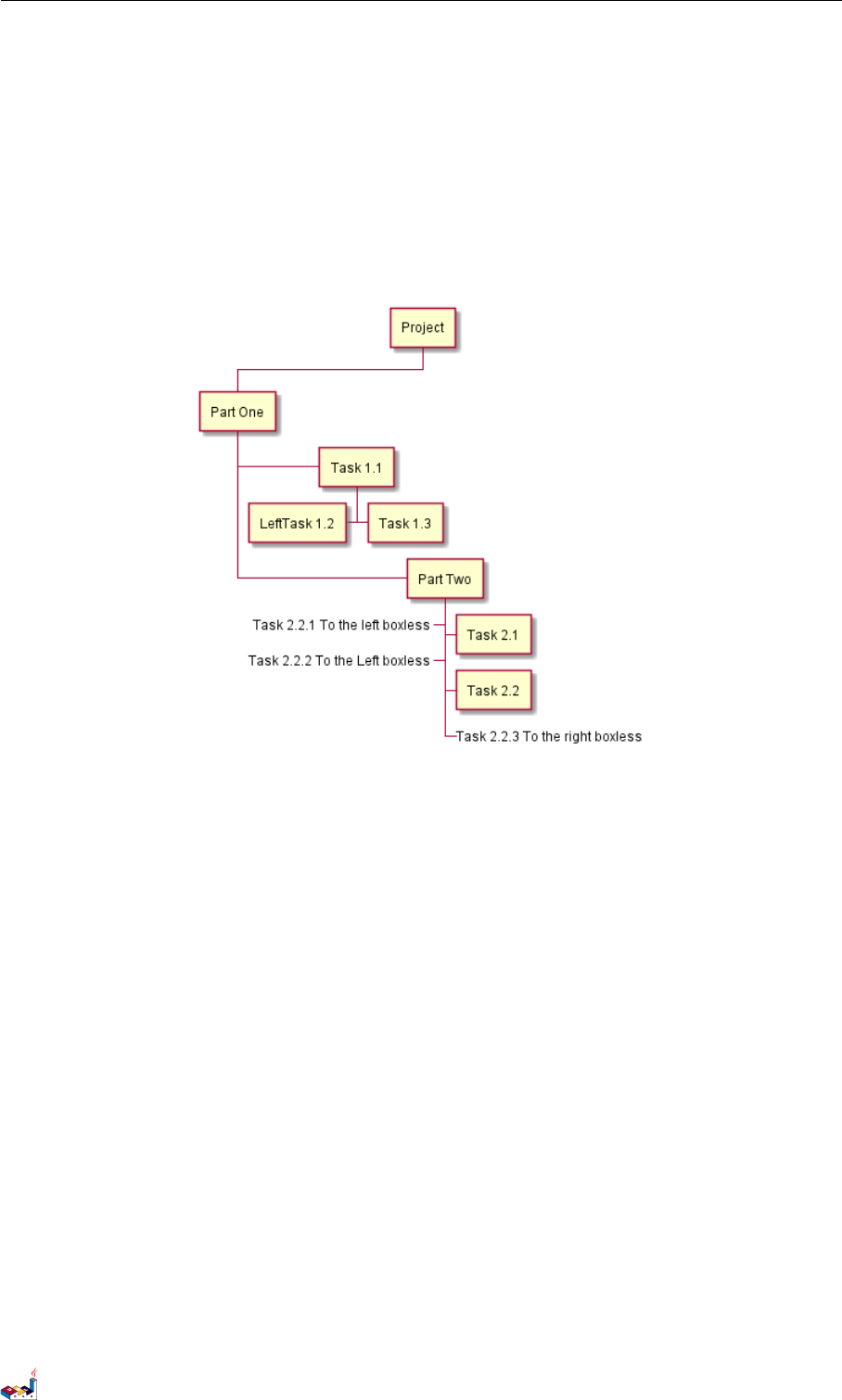
You can use underscore _to remove box drawing.
@startwbs
+ Project
PlantUML 语言参考指引 (1.2019.6) 109 / 173
13 = 简介 =
13 = 简介 =
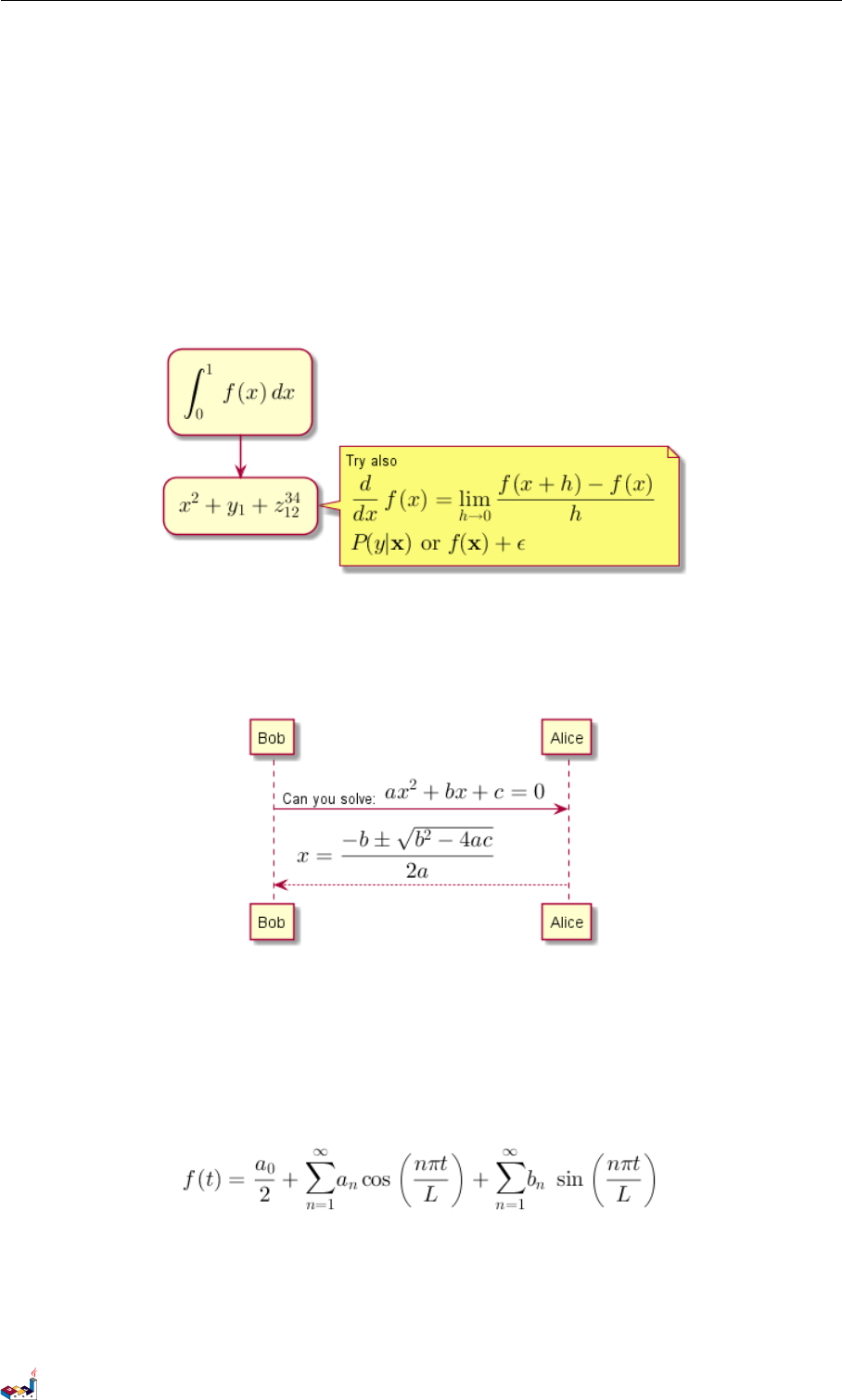
您可以在 PlantUML 中用 AsciiMath 或JLaTeXMath 符号:
@startuml
:<math>int_0^1f(x)dx</math>;
:<math>x^2+y_1+z_12^34</math>;
note right
Try also
<math>d/dxf(x)=lim_(h->0)(f(x+h)-f(x))/h</math>
<latex>P(y|\mathbf{x}) \mbox{ or } f(\mathbf{x})+\epsilon</latex>
end note
@enduml
或:
@startuml
Bob -> Alice : Can you solve: <math>ax^2+bx+c=0</math>
Alice --> Bob: <math>x = (-b+-sqrt(b^2-4ac))/(2a)</math>
@enduml
13.1 独立图
您也可以用 @startmath/@endmath 来创建独立的 AsciiMath 公式。
@startmath
f(t)=(a_0)/2 + sum_(n=1)^ooa_ncos((npit)/L)+sum_(n=1)^oo b_n\ sin((npit)/L)
@endmath
或用 @startlatex/@endlatex 来创建独立的 JLaTeXMath 公式。
@startlatex
\sum_{i=0}^{n-1} (a_i + b_i^2)
@endlatex
PlantUML 语言参考指引 (1.2019.6) 111 / 173

13.2 这是如何工作的? 13 = 简介 =
13.2 这是如何工作的?
要绘制这此公式, PlantUML 使用了两个开源项目:
• AsciiMath 转换 AsciiMath 符号为 LaTeX 表达式。
• JLatexMath 来显示 LaTex 数学公式。JLaTeXMath 是最好的显示 LaTeX 代码的 Java 类库。
ASCIIMathTeXImg.js 是一个小到足以集成到 PlantUML 标准发版的。
由于 JLatexMath 太大,您要单独到下载它,然后解压 4 jar 文件 (batik-all-1.7.jar,jlatexmath-minimal-1.0.3.jar,
jlm_cyrillic.jar 和jlm_greek.jar)到PlantUML.jar 同一目录下。
PlantUML 语言参考指引 (1.2019.6) 112 / 173
14 通用命令
14 通用命令
14.1 注释
所有以 单引号'开头的语句,被认为是一个注释.
多行注释,以 /' 和'/ 作为起始
14.2 Footer and header
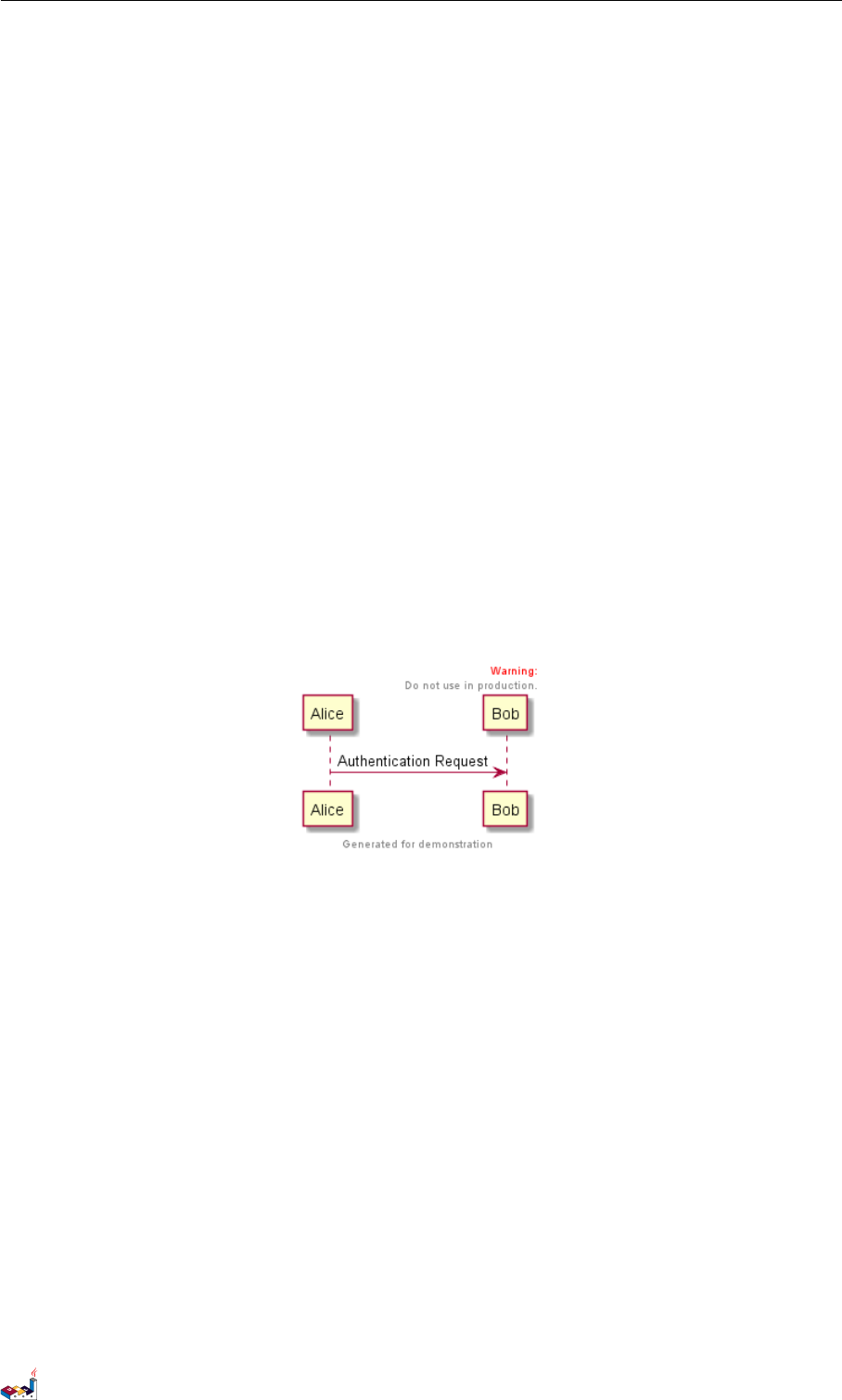
You can use the commands header or footer to add a footer or a header on any generated diagram.
You can optionally specify if you want a center,left or right footer/header, by adding a keyword.
As for title, it is possible to define a header or a footer on several lines.
It is also possible to put some HTML into the header or footer.
@startuml
Alice -> Bob: Authentication Request
header
<font color=red>Warning:</font>
Do not use in production.
endheader
center footer Generated for demonstration
@enduml
14.3 缩放
You can use the scale command to zoom the generated image.
You can use either a number or a fraction to define the scale factor. You can also specify either width or height (in
pixel). And you can also give both width and height : the image is scaled to fit inside the specified dimension.
•scale 1.5
•scale 2/3
•scale 200 width
•scale 200 height
•scale 200*100
•scale max 300*200
•scale max 1024 width
•scale max 800 height
PlantUML 语言参考指引 (1.2019.6) 113 / 173
14.4 标题 14 通用命令
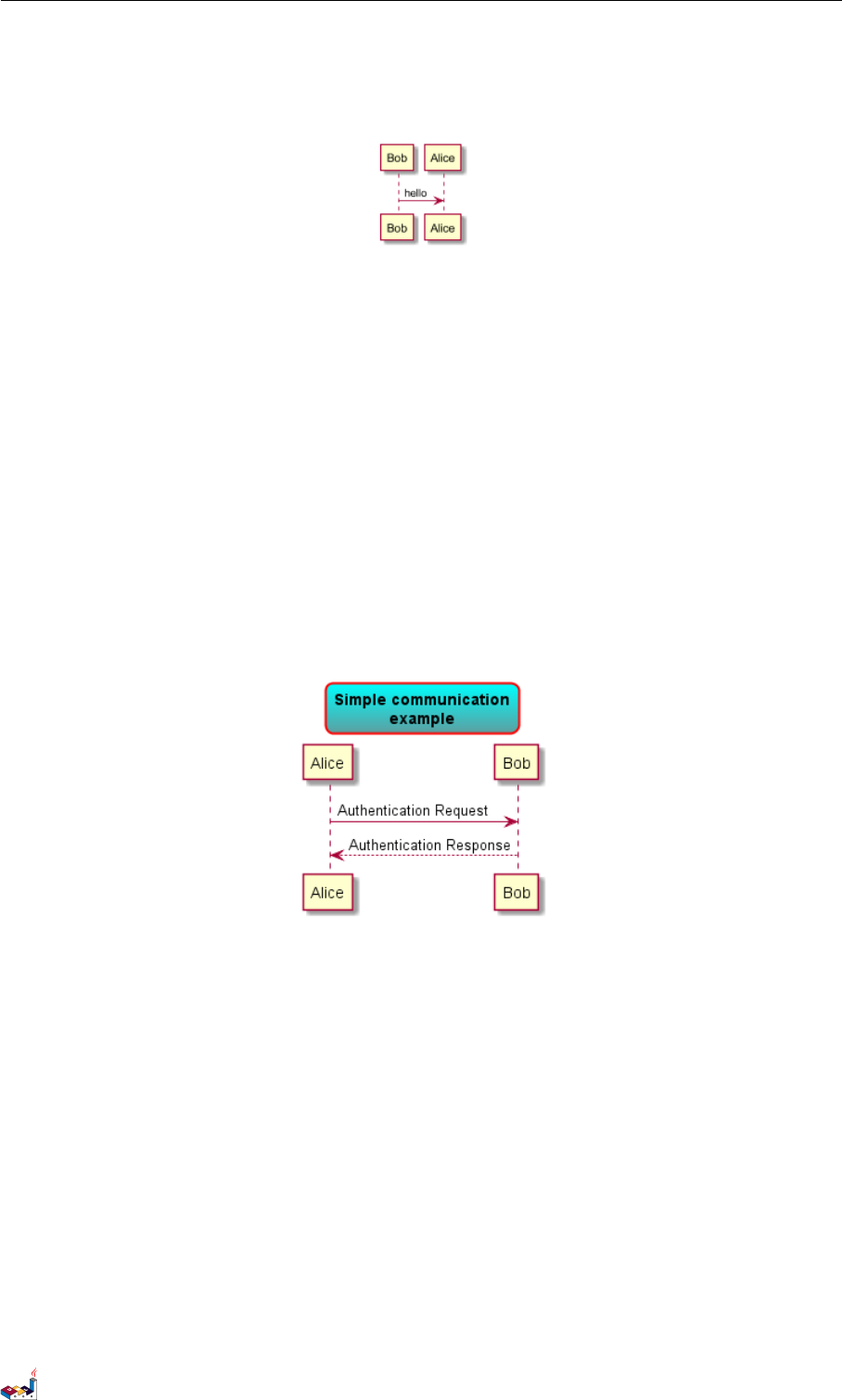
@startuml
scale 180*90
Bob->Alice : hello
@enduml
14.4 标题
使用 title 关键字添加标题。你可以在标题描述中使用 \n 添加新行。
Some skinparam settings are available to put borders on the title.
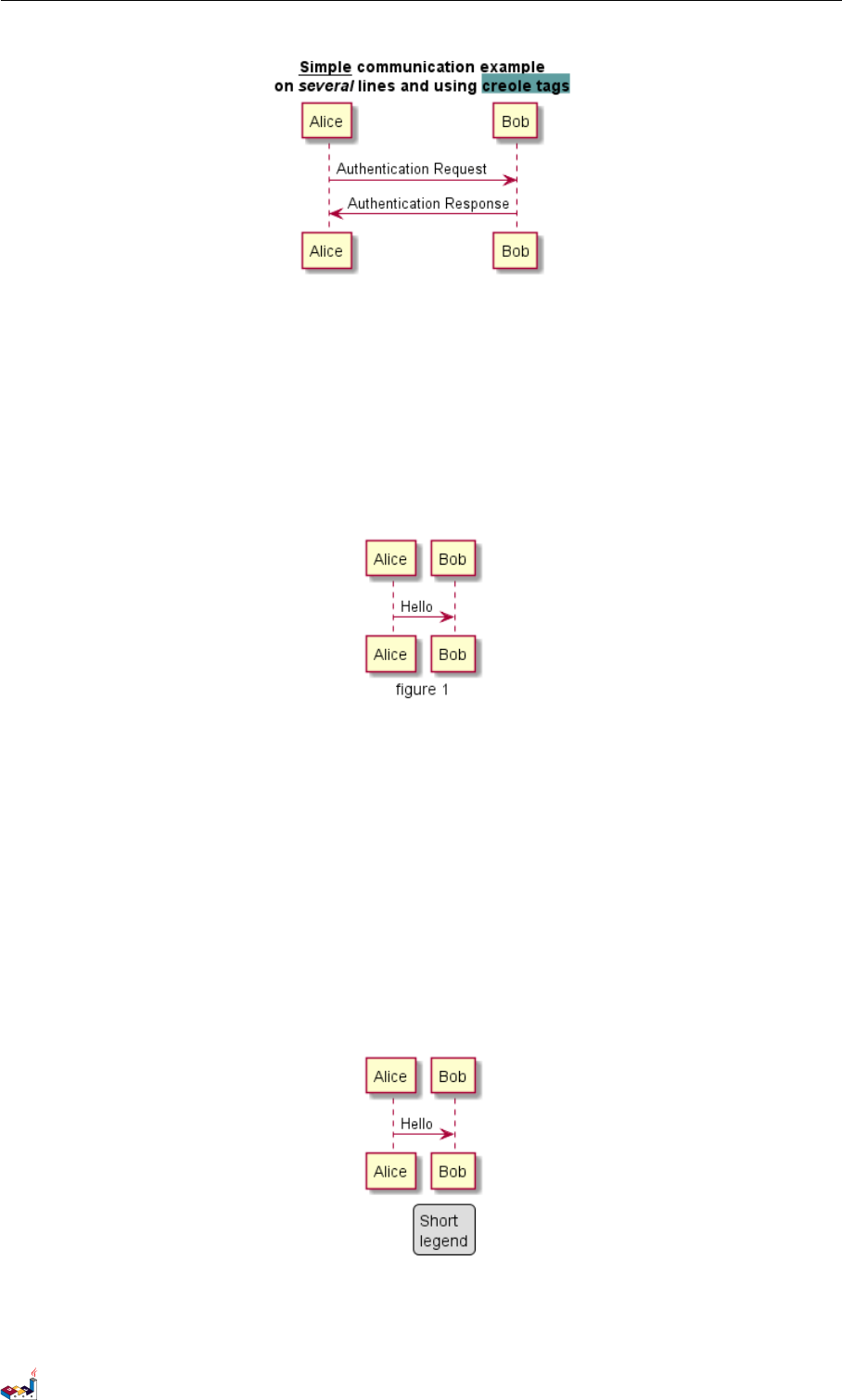
@startuml
skinparam titleBorderRoundCorner 15
skinparam titleBorderThickness 2
skinparam titleBorderColor red
skinparam titleBackgroundColor Aqua-CadetBlue
title Simple communication\nexample
Alice -> Bob: Authentication Request
Bob --> Alice: Authentication Response
@enduml
You can use creole formatting in the title.
You can also define title on several lines using title and end title keywords.
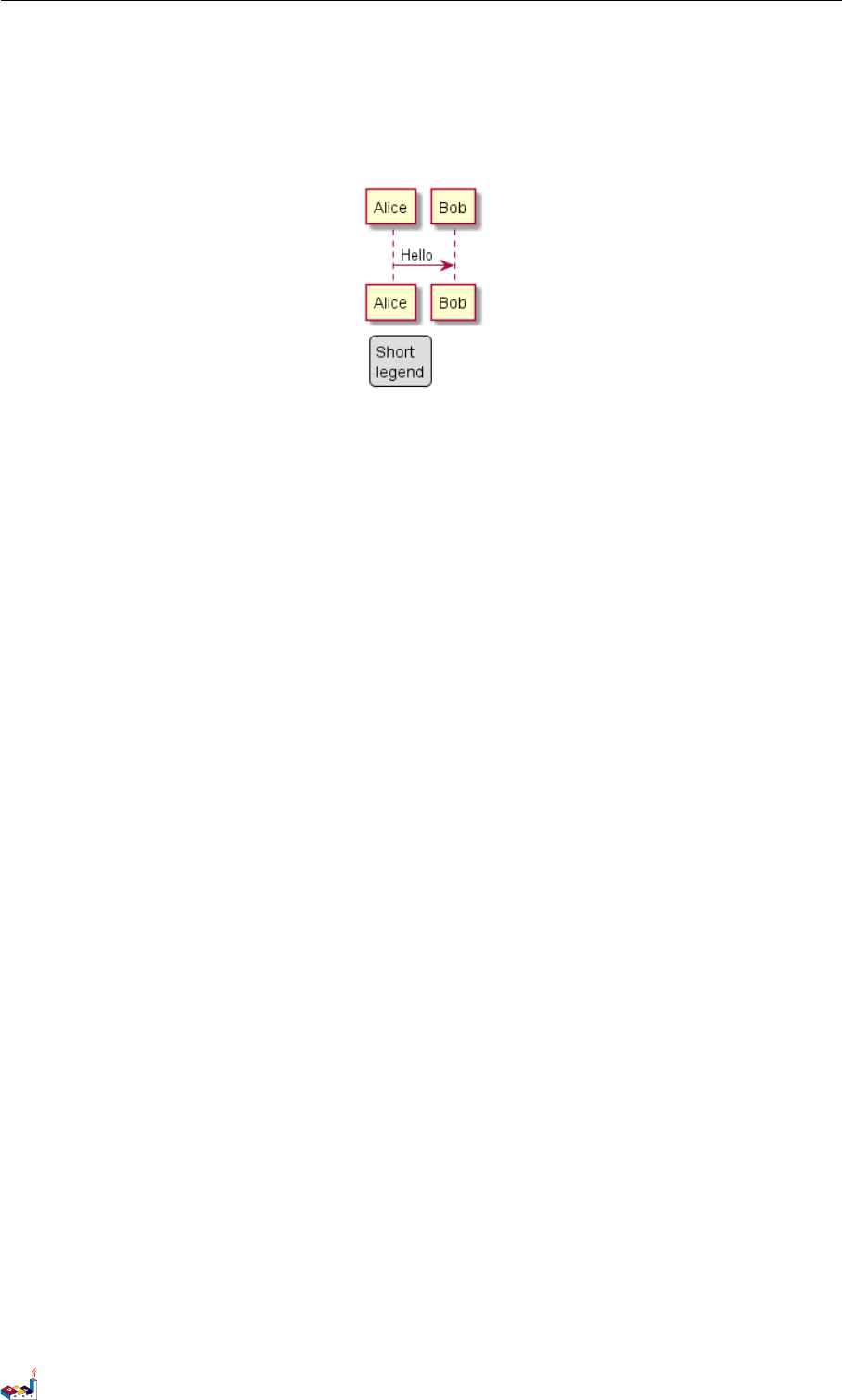
@startuml
title
<u>Simple</u> communication example
on <i>several</i> lines and using <back:cadetblue>creole tags</back>
end title
Alice -> Bob: Authentication Request
Bob -> Alice: Authentication Response
@enduml
PlantUML 语言参考指引 (1.2019.6) 114 / 173
14.5 图片标题 14 通用命令
14.5 图片标题
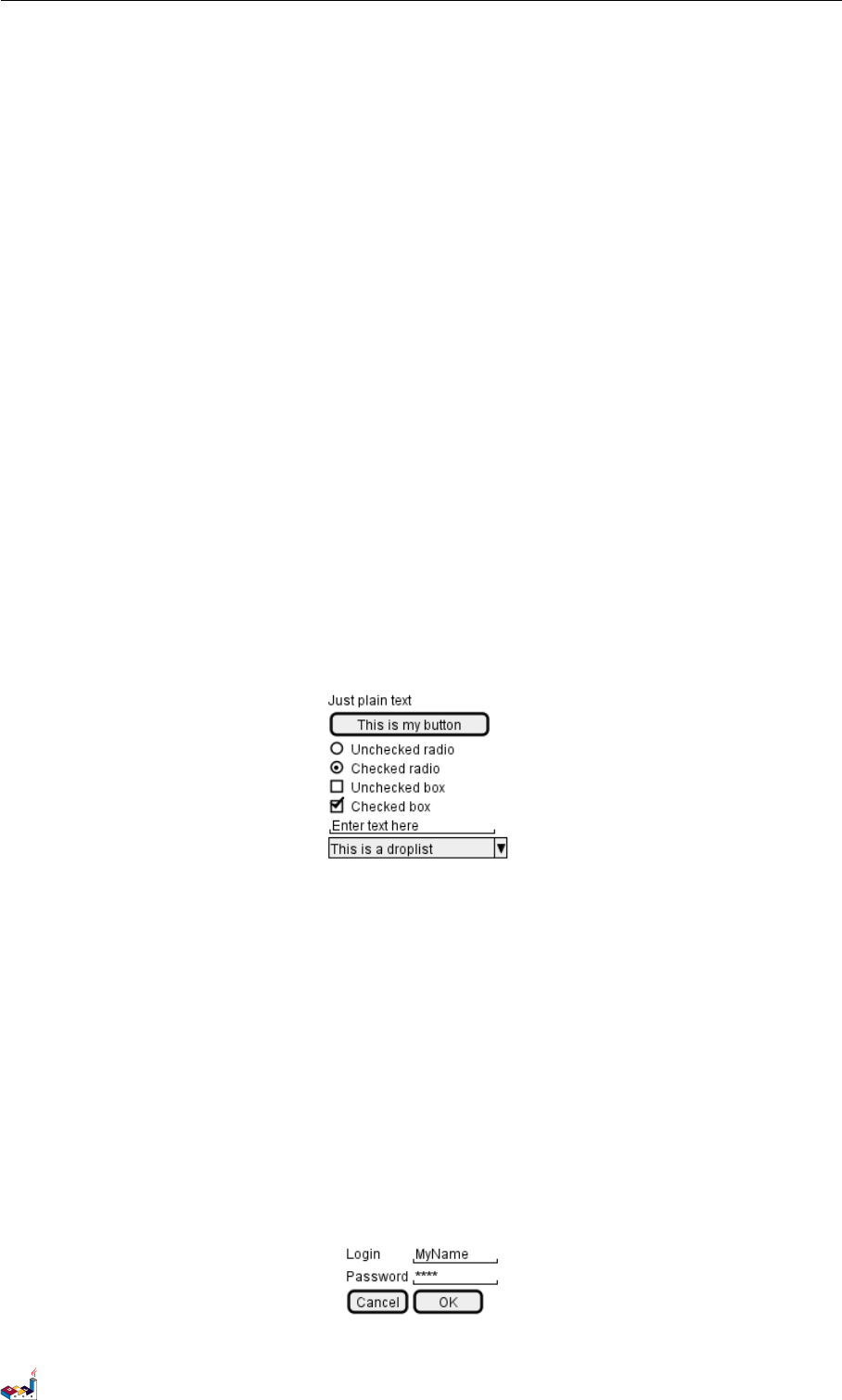
使用 caption 关键字在图像下放置一个标题.
@startuml
caption figure 1
Alice -> Bob: Hello
@enduml
14.6 图例说明
legend 和end legend 作为关键词,用于配置一个图例 (legend). 支持可选地使用 left,right,center 为
这个图例指定对齐方式.
@startuml
Alice -> Bob : Hello
legend right
Short
legend
endlegend
@enduml
@startuml
Alice -> Bob : Hello
PlantUML 语言参考指引 (1.2019.6) 115 / 173
15 SALT
15 Salt
Salt 是PlantUML 下面的子项目用来帮助用户来设计图形接口.
可以用 @startsalt 关键字,或者使用 @startuml 紧接着下一行使用 salt 关键字.
15.1 基本部件
一个窗口必须以中括号开头和结尾。接着可以这样定义:
•按钮用 [和]。
•单选按钮用 (和)。
•复选框用 [和]。
•用户文字域用 "。
@startuml
salt
{
Just plain text
[This is my button]
() Unchecked radio
(X) Checked radio
[] Unchecked box
[X] Checked box
"Enter text here "
^This is a droplist^
}
@enduml
这个工具是用来讨论简单的示例窗口。
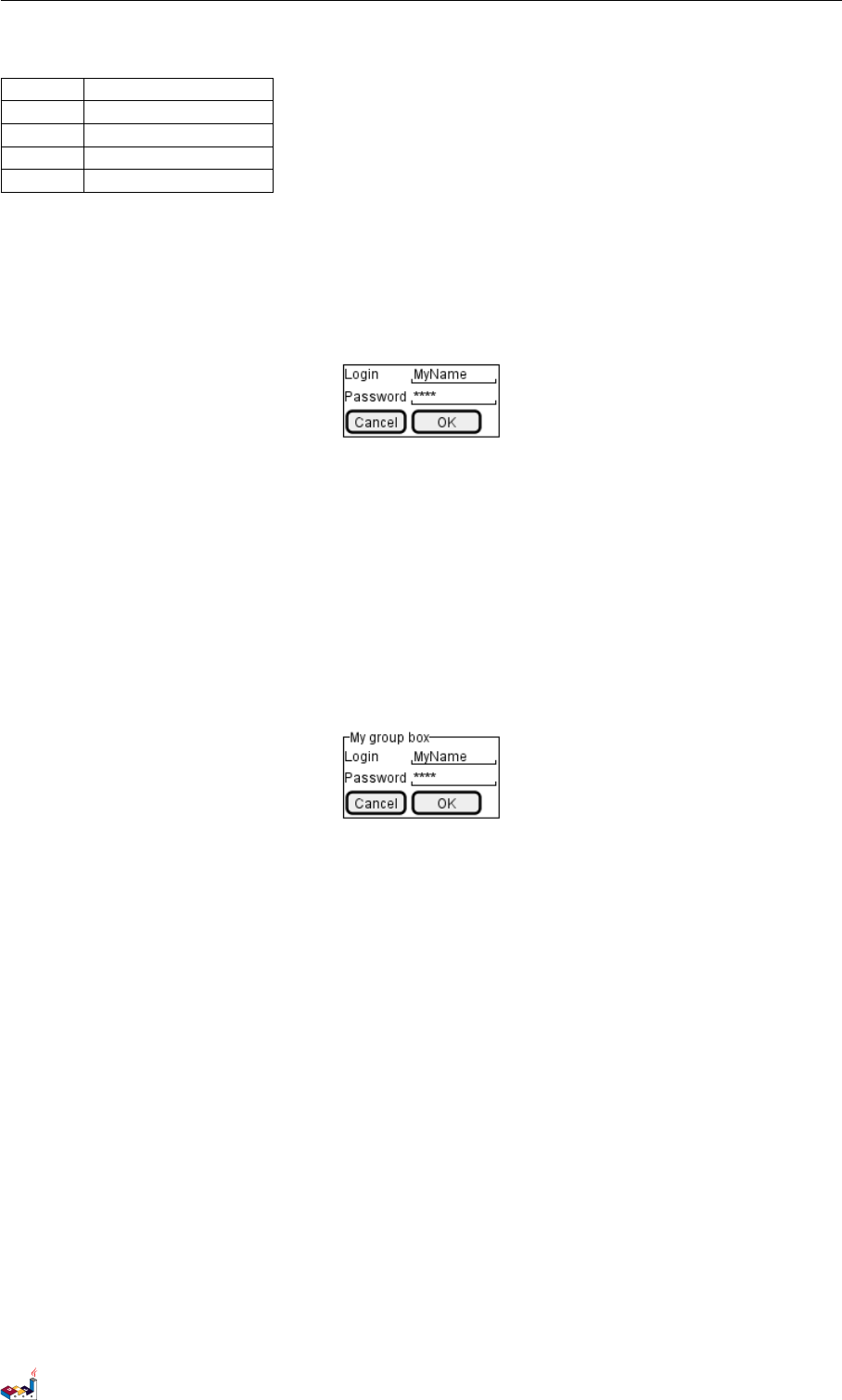
15.2 使用表格
当在输入关键词 {后,会自动建立一个表格
当输入 |说明一个单元格
例子如下
@startsalt
{
Login | "MyName "
Password | "**** "
[Cancel] | [ OK ]
}
@endsalt
PlantUML 语言参考指引 (1.2019.6) 117 / 173
15.3 Group box 15 SALT
在启用关键词后,你可以使用以下字符来绘制表格中的线及列:
Symbol Result
#显示所有垂直水平线
!显示所有垂直线
-显示所有水平线
+显示外框线
@startsalt
{+
Login | "MyName "
Password | "**** "
[Cancel] | [ OK ]
}
@endsalt
15.3 Group box
more info
@startsalt
{^"My group box"
Login | "MyName "
Password | "**** "
[Cancel] | [ OK ]
}
@endsalt
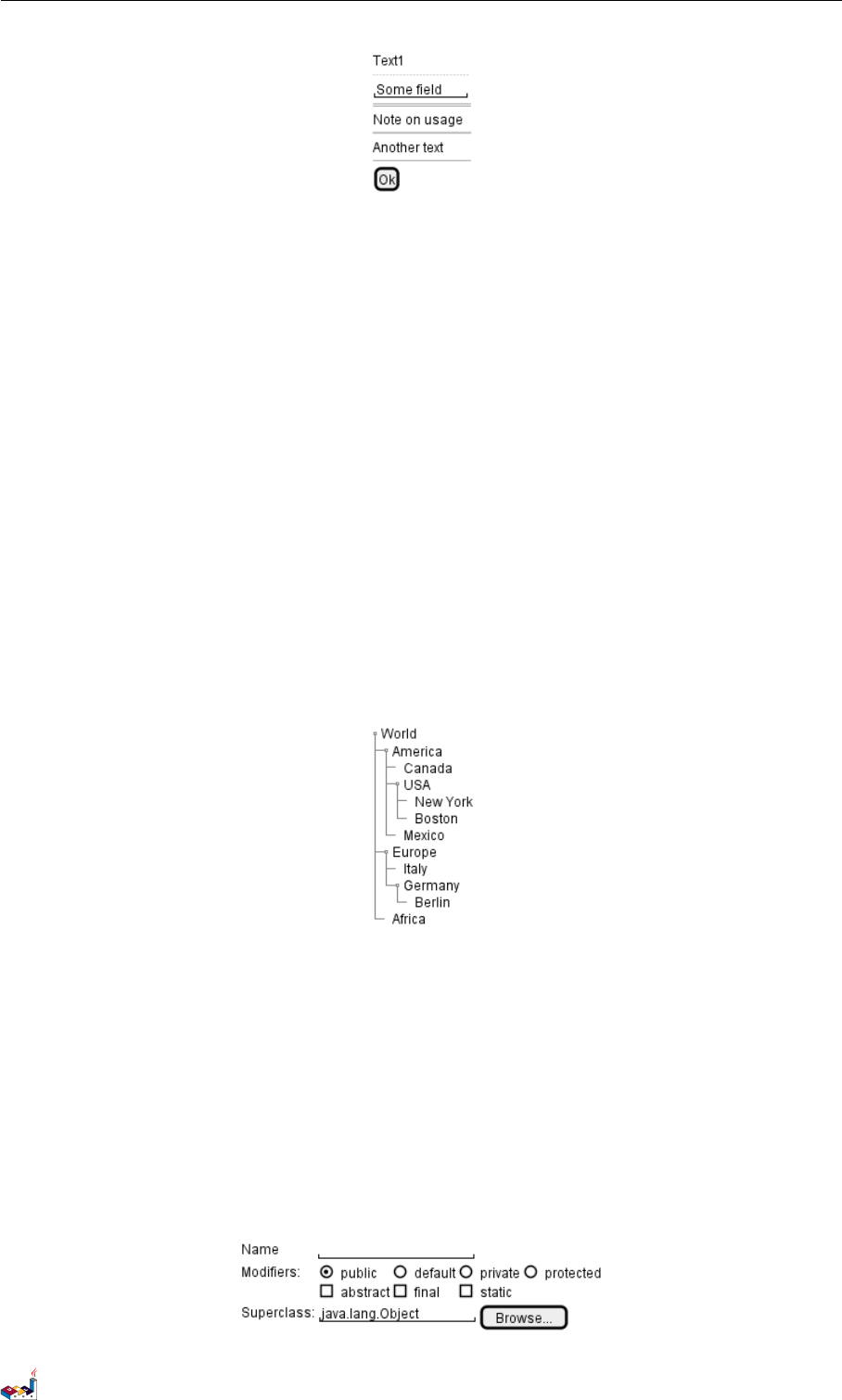
15.4 使用分隔符
你可以使用几条横线表示分隔符
@startsalt
{
Text1
..
"Some field"
==
Note on usage
~~
Another text
--
[Ok]
}
@endsalt
PlantUML 语言参考指引 (1.2019.6) 118 / 173
15.5 树形外挂 15 SALT
15.5 树形外挂
使用树结构,你必须要以 {T 进行起始,然后使用 +定义层次。
@startsalt
{
{T
+ World
++ America
+++ Canada
+++ USA
++++ New York
++++ Boston
+++ Mexico
++ Europe
+++ Italy
+++ Germany
++++ Berlin
++ Africa
}
}
@endsalt
15.6 Enclosing brackets
You can define subelements by opening a new opening bracket.
@startsalt
{
Name | " "
Modifiers: | { (X) public | () default | () private | () protected
[] abstract | [] final | [] static }
Superclass: | { "java.lang.Object " | [Browse...] }
}
@endsalt
PlantUML 语言参考指引 (1.2019.6) 119 / 173
15.7 添加选项卡 15 SALT
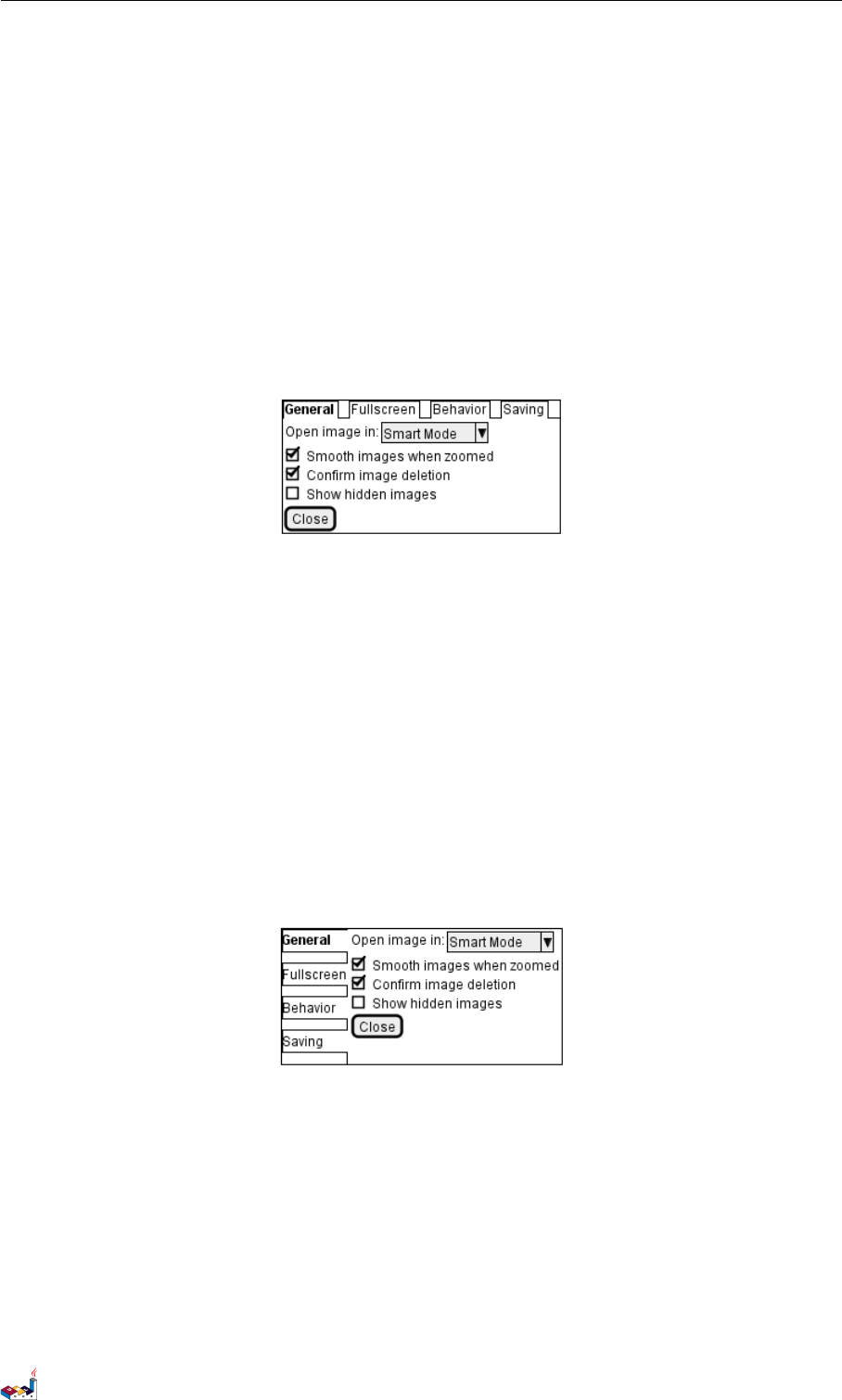
15.7 添加选项卡
你可以通过 {/ 标记增加对应的选项卡。注意:可以使用 HTML 代码来增加粗体效果。
@startsalt
{+
{/ <b>General | Fullscreen | Behavior | Saving }
{
{ Open image in: | ^Smart Mode^ }
[X] Smooth images when zoomed
[X] Confirm image deletion
[ ] Show hidden images
}
[Close]
}
@endsalt
可以定义垂直选项卡,如下:
@startsalt
{+
{/ <b>General
Fullscreen
Behavior
Saving } |
{
{ Open image in: | ^Smart Mode^ }
[X] Smooth images when zoomed
[X] Confirm image deletion
[ ] Show hidden images
[Close]
}
}
@endsalt
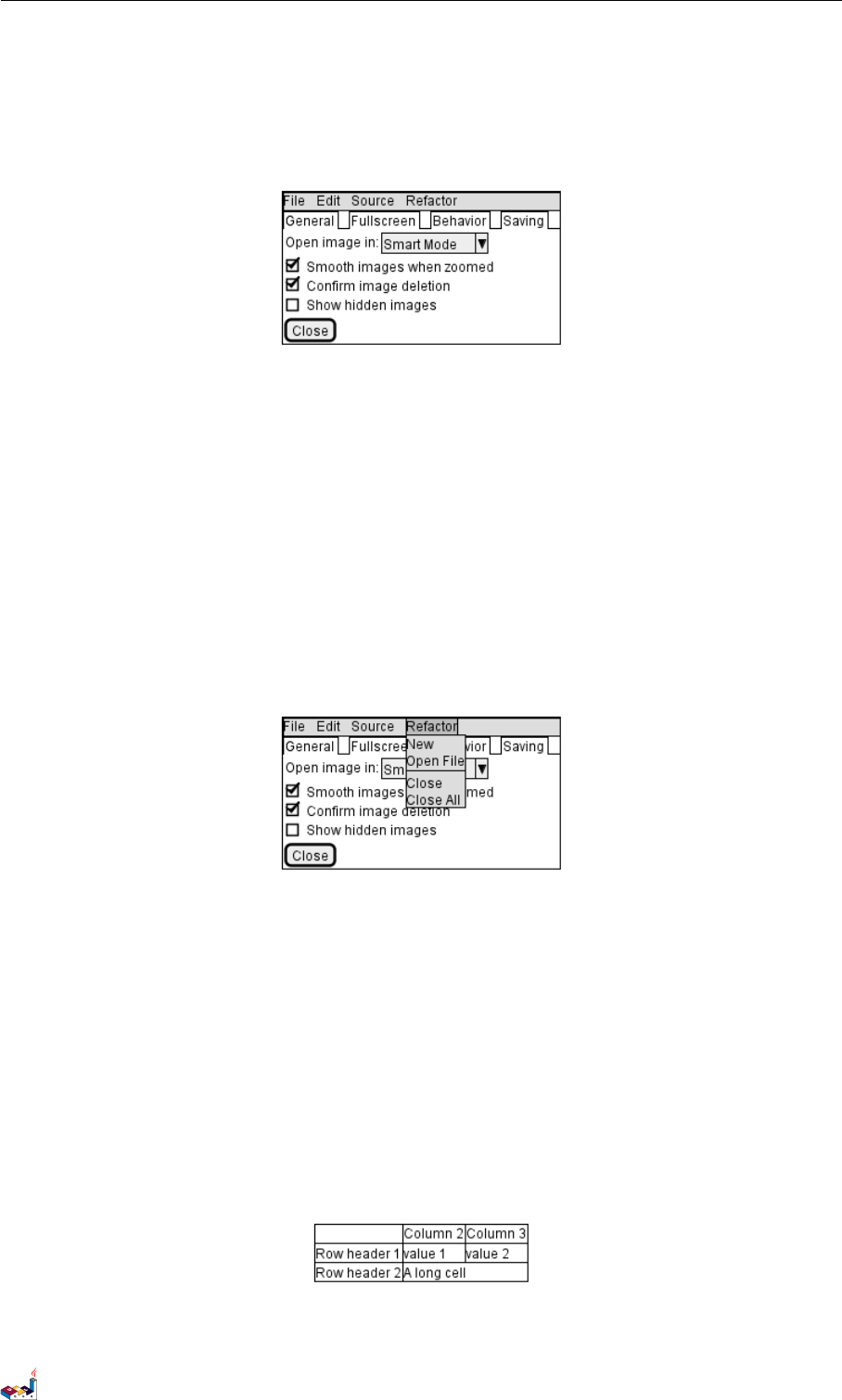
15.8 使用菜单
你可以使用记号 {* 来添加菜单。
@startsalt
{+
{* File | Edit | Source | Refactor }
{/ General | Fullscreen | Behavior | Saving }
{
{ Open image in: | ^Smart Mode^ }
[X] Smooth images when zoomed
PlantUML 语言参考指引 (1.2019.6) 120 / 173
15.9 高级表格 15 SALT
[X] Confirm image deletion
[ ] Show hidden images
}
[Close]
}
@endsalt
你也可以打开一个菜单:
@startsalt
{+
{* File | Edit | Source | Refactor
Refactor | New | Open File | - | Close | Close All }
{/ General | Fullscreen | Behavior | Saving }
{
{ Open image in: | ^Smart Mode^ }
[X] Smooth images when zoomed
[X] Confirm image deletion
[ ] Show hidden images
}
[Close]
}
@endsalt
15.9 高级表格
对于表格有两种特殊的标记:
•*单元格同时具备 span 和left 两个属性
•.是空白单元格
@startsalt
{#
. | Column 2 | Column 3
Row header 1 | value 1 | value 2
Row header 2 | A long cell | *
}
@endsalt
PlantUML 语言参考指引 (1.2019.6) 121 / 173
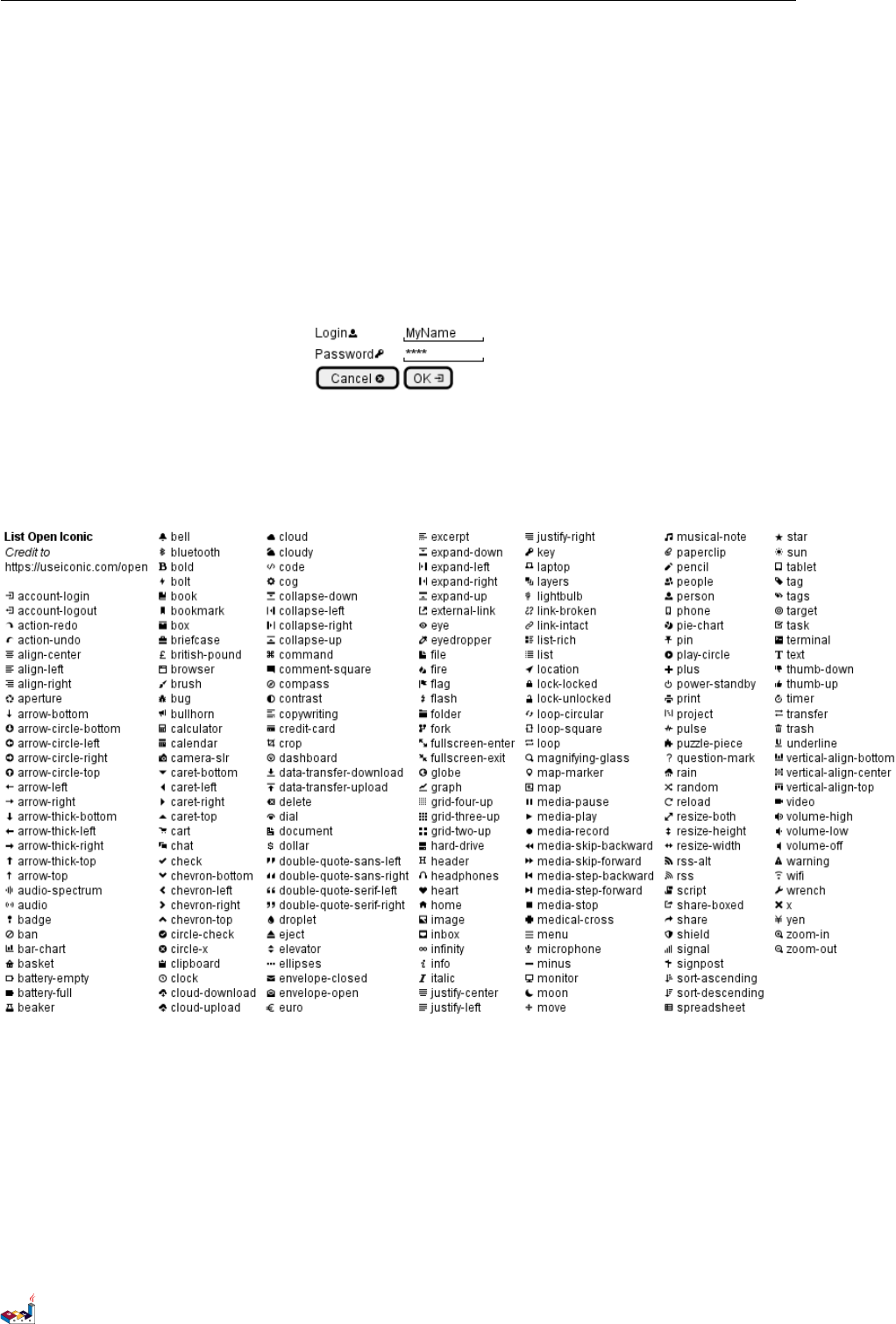
15.10 OpenIconic 15 SALT
15.10 OpenIconic
OpenIconic is an very nice open source icon set. Those icons have been integrated into the creole parser, so you
can use them out-of-the-box.
You can use the following syntax: <&ICON_NAME>.
@startsalt
{
Login<&person> | "MyName "
Password<&key> | "**** "
[Cancel <&circle-x>] | [OK <&account-login>]
}
@endsalt
The complete list is available on OpenIconic Website, or you can use the following special diagram:
@startuml
listopeniconic
@enduml
15.11 Include Salt
see: http://forum.plantuml.net/2427/salt-with-minimum-flowchat-capabilities?show=2427#q2427
@startuml
(*) --> "
{{
salt
{+
<b>an example
choose one option
PlantUML 语言参考指引 (1.2019.6) 122 / 173
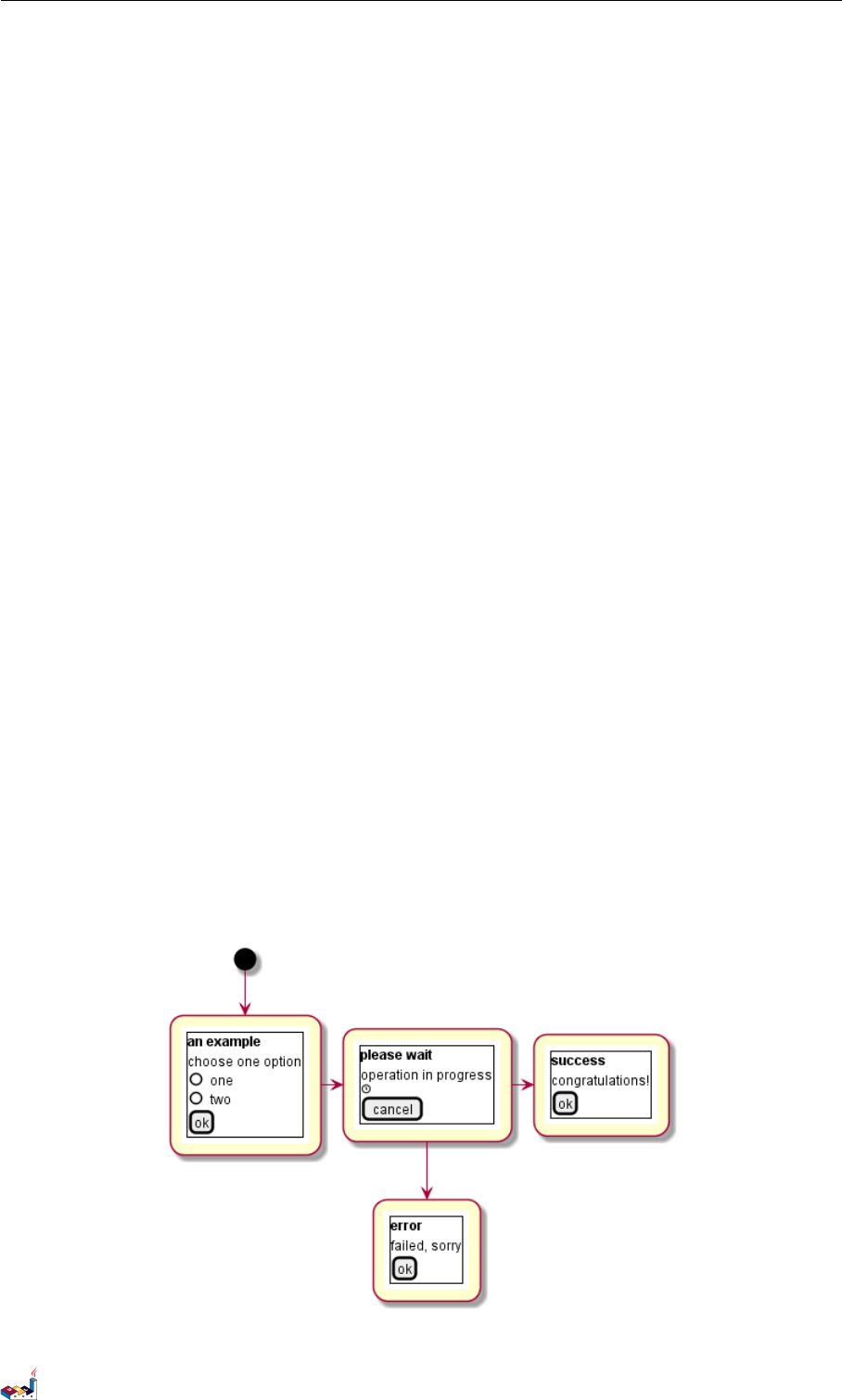
15.11 Include Salt 15 SALT
()one
()two
[ok]
}
}}
" as choose
choose -right-> "
{{
salt
{+
<b>please wait
operation in progress
<&clock>
[cancel]
}
}}
" as wait
wait -right-> "
{{
salt
{+
<b>success
congratulations!
[ok]
}
}}
" as success
wait -down-> "
{{
salt
{+
<b>error
failed, sorry
[ok]
}
}}
"
@enduml
It can also be combined with define macro.
PlantUML 语言参考指引 (1.2019.6) 123 / 173

15.11 Include Salt 15 SALT
@startuml
!unquoted function SALT($x)
"{{
salt
%invoke_void_func("_"+$x)
}}" as $x
!endfunction
!function _choose()
{+
<b>an example
choose one option
()one
()two
[ok]
}
!endfunction
!function _wait()
{+
<b>please wait
operation in progress
<&clock>
[cancel]
}
!endfunction
!function _success()
{+
<b>success
congratulations!
[ok]
}
!endfunction
!function _error()
{+
<b>error
failed, sorry
[ok]
}
!endfunction
(*) --> SALT(choose)
-right-> SALT(wait)
wait -right-> SALT(success)
wait -down-> SALT(error)
@enduml
PlantUML 语言参考指引 (1.2019.6) 124 / 173
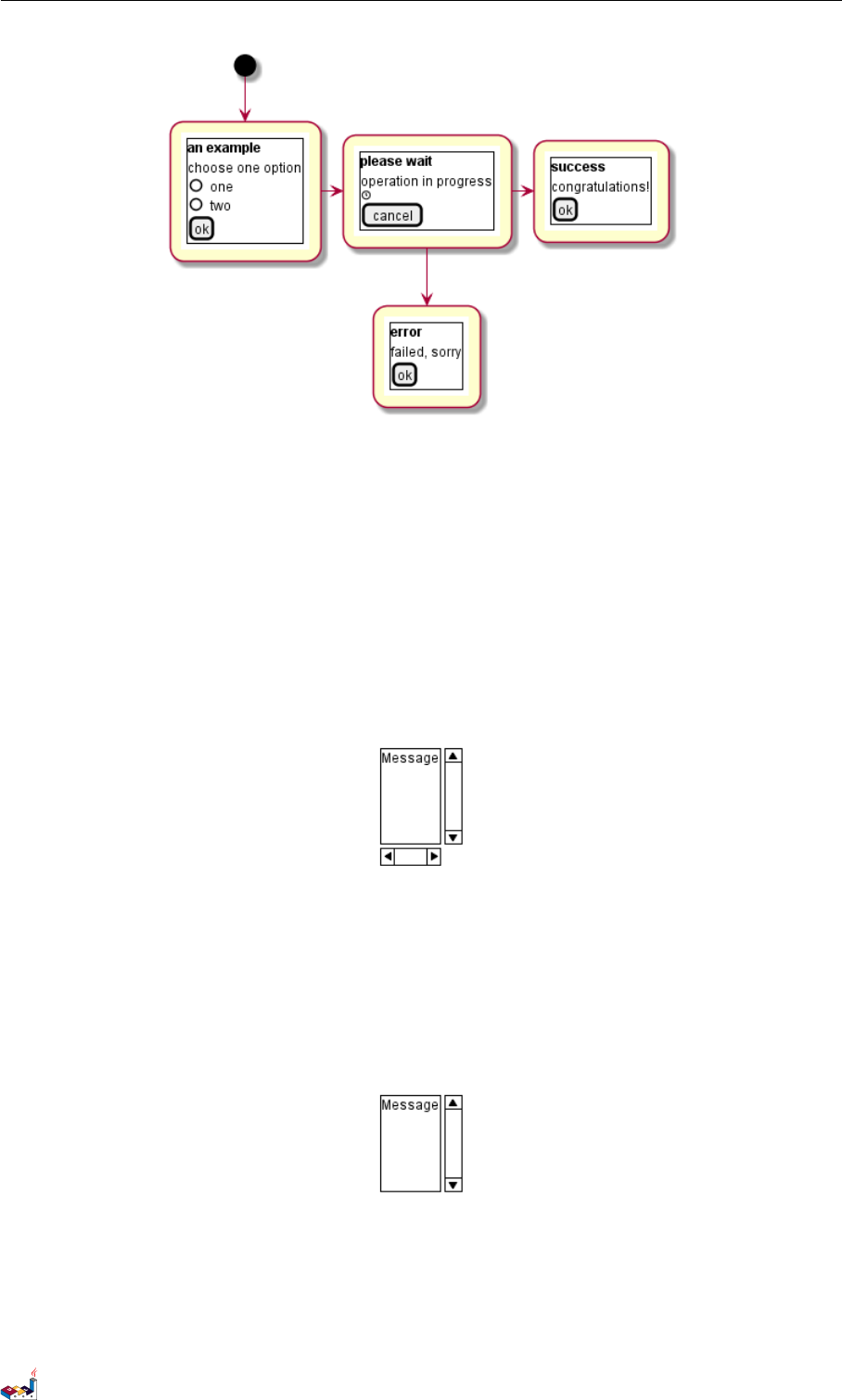

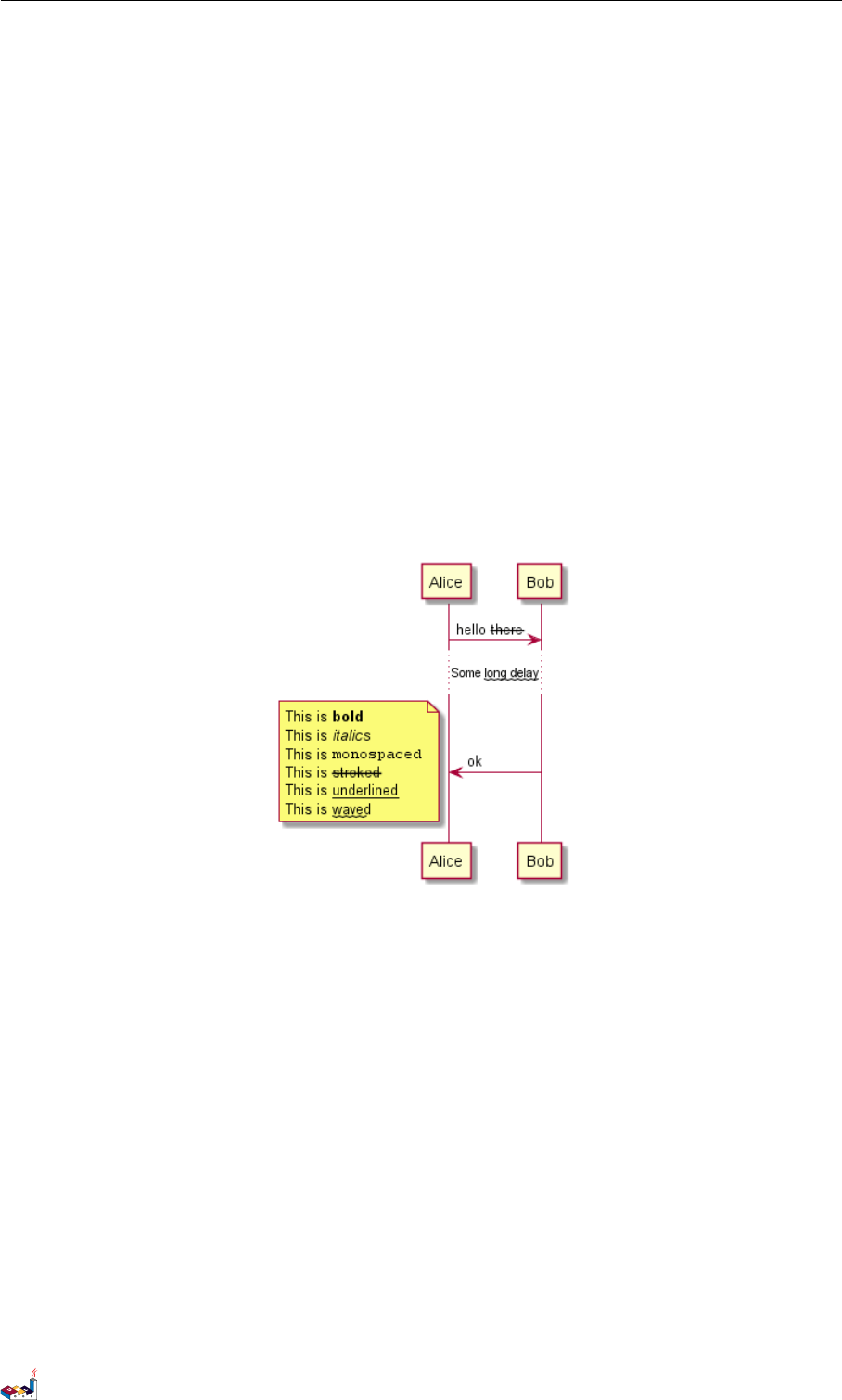
16 CREOLE
16 Creole
A light Creole engine has been integrated into PlantUML to have a standardized way of defining text style.
All diagrams are now supporting this syntax.
Note that ascending compatibility with HTML syntax is preserved.
16.1 Emphasized text
@startuml
Alice -> Bob : hello --there--
... Some ~~long delay~~ ...
Bob -> Alice : ok
note left
This is **bold**
This is //italics//
This is ""monospaced""
This is --stroked--
This is __underlined__
This is ~~waved~~
end note
@enduml
16.2 List
@startuml
object demo {
* Bullet list
* Second item
}
note left
* Bullet list
* Second item
** Sub item
end note
legend
# Numbered list
# Second item
## Sub item
## Another sub item
PlantUML 语言参考指引 (1.2019.6) 127 / 173
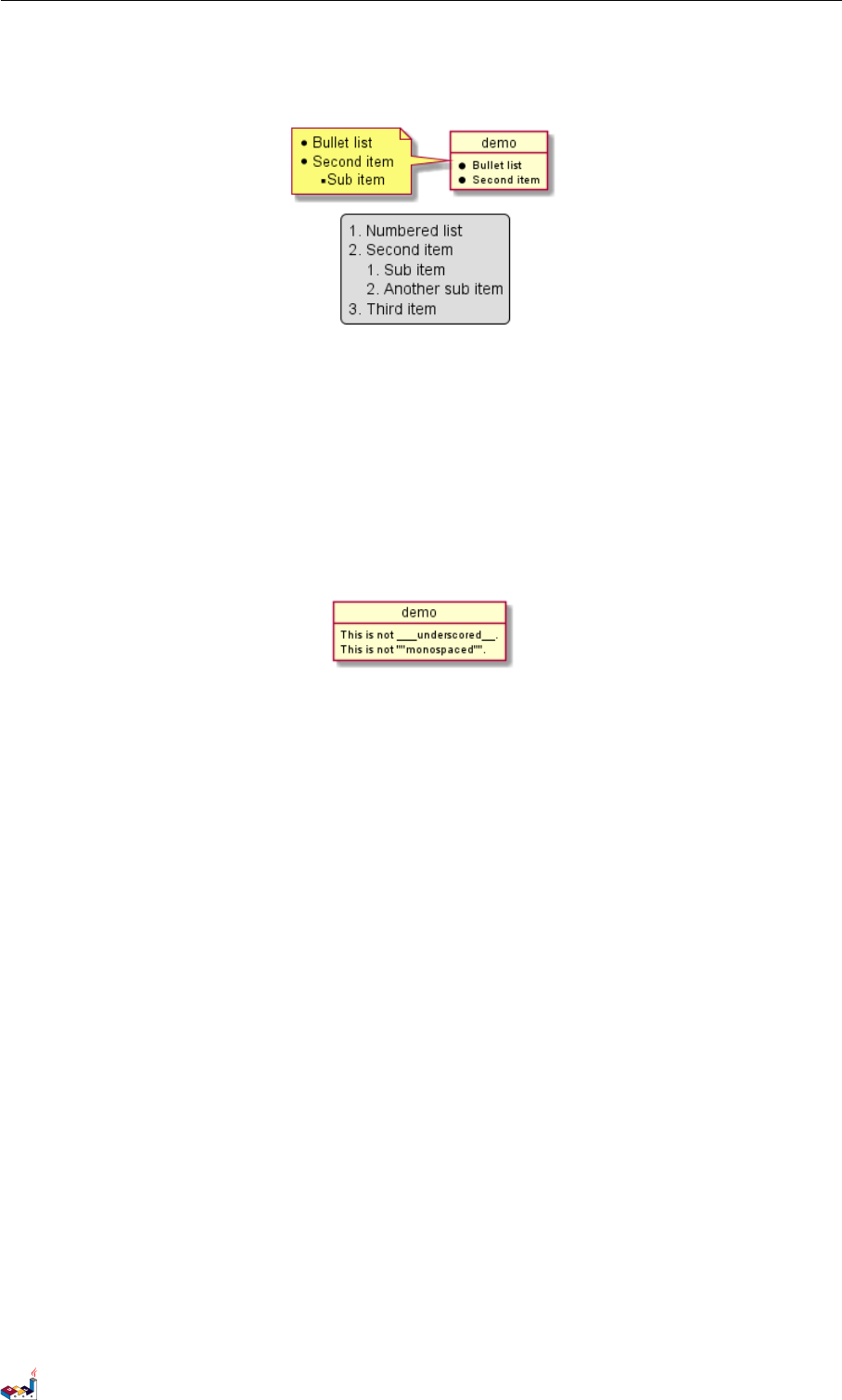
16.3 Escape character 16 CREOLE
# Third item
end legend
@enduml
16.3 Escape character
You can use the tilde ~to escape special creole characters.
@startuml
object demo {
This is not ~___underscored__.
This is not ~""monospaced"".
}
@enduml
16.4 Horizontal lines
@startuml
database DB1 as "
You can have horizontal line
----
Or double line
====
Or strong line
____
Or dotted line
..My title..
Enjoy!
"
note right
This is working also in notes
You can also add title in all these lines
==Title==
--Another title--
end note
@enduml
PlantUML 语言参考指引 (1.2019.6) 128 / 173
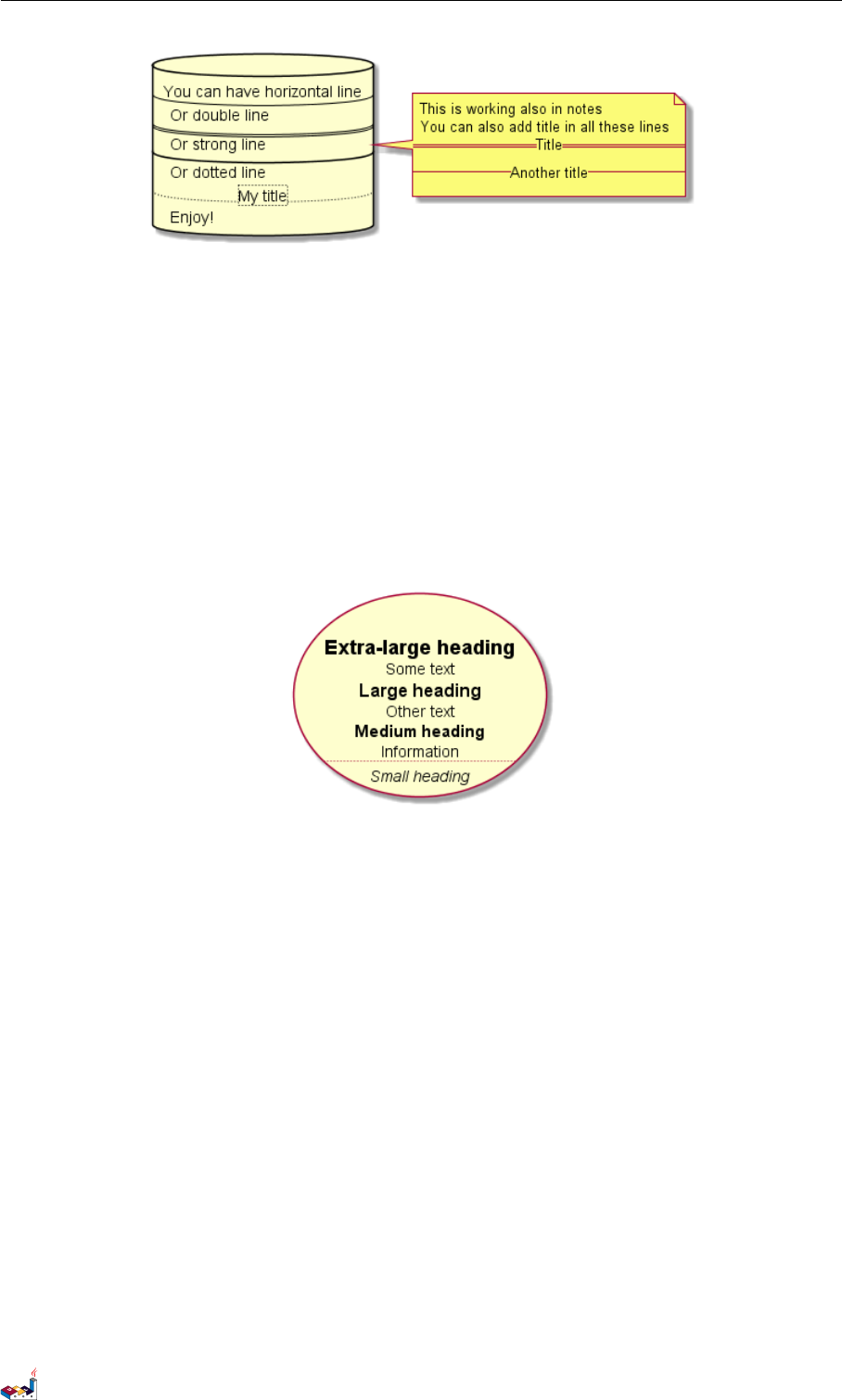
16.5 Headings 16 CREOLE
16.5 Headings
@startuml
usecase UC1 as "
= Extra-large heading
Some text
== Large heading
Other text
=== Medium heading
Information
....
==== Small heading"
@enduml
16.6 Legacy HTML
Some HTML tags are also working:
•<b> for bold text
•<u> or <u:#AAAAAA> or <u:colorName> for underline
•<i> for italic
•<s> or <s:#AAAAAA> or <s:colorName> for strike text
•<w> or <w:#AAAAAA> or <w:colorName> for wave underline text
•<color:#AAAAAA> or <color:colorName>
•<back:#AAAAAA> or <back:colorName> for background color
•<size:nn> to change font size
•<img:file> : the file must be accessible by the filesystem
•<img:http://plantuml.com/logo3.png> : the URL must be available from the Internet
@startuml
:* You can change <color:red>text color</color>
* You can change <back:cadetblue>background color</back>
* You can change <size:18>size</size>
PlantUML 语言参考指引 (1.2019.6) 129 / 173
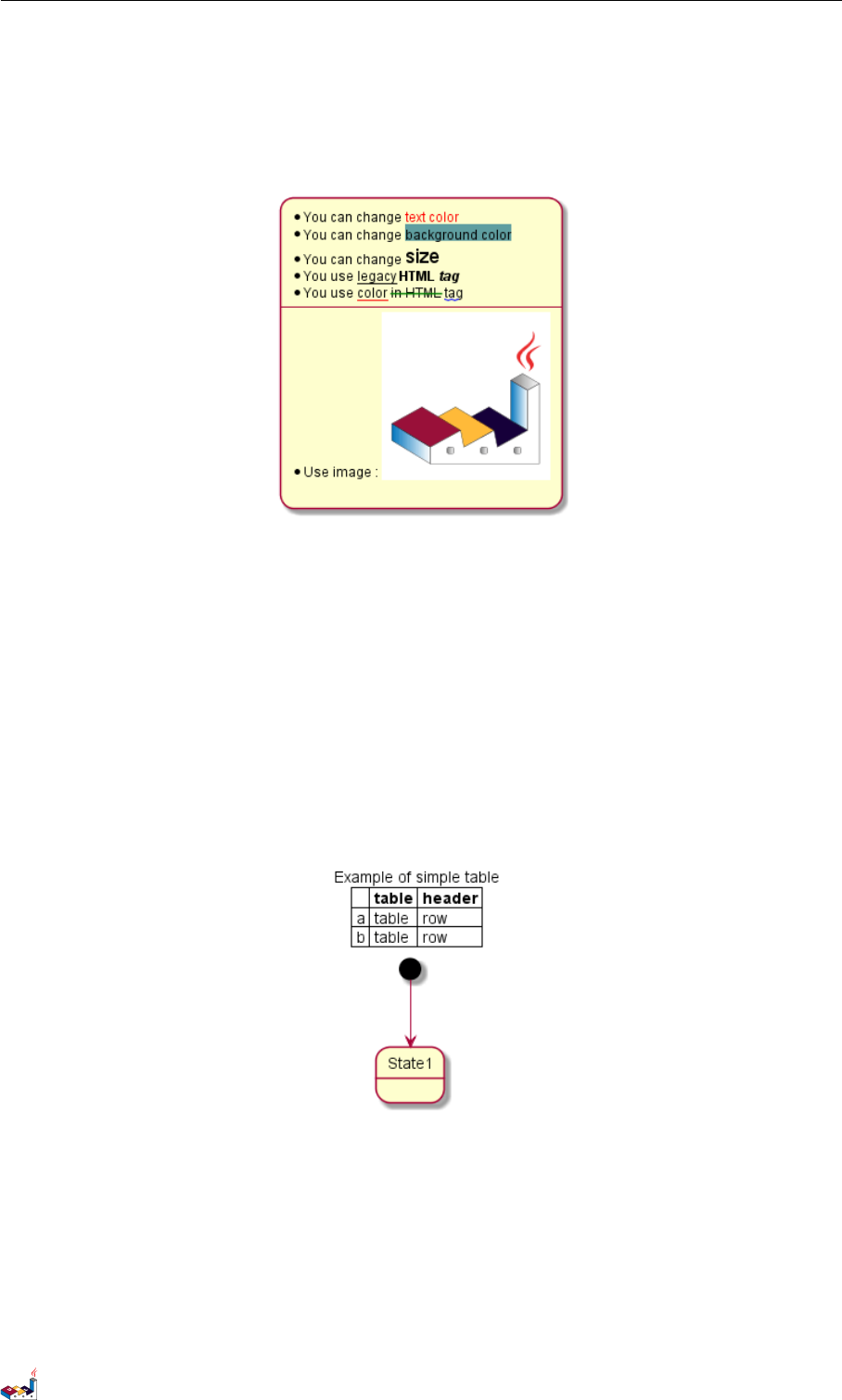
16.7 Table 16 CREOLE
* You use <u>legacy</u> <b>HTML <i>tag</i></b>
* You use <u:red>color</u> <s:green>in HTML</s> <w:#0000FF>tag</w>
----
* Use image : <img:http://plantuml.com/logo3.png>
;
@enduml
16.7 Table
It is possible to build table.
@startuml
skinparam titleFontSize 14
title
Example of simple table
|= |= table |= header |
| a | table | row |
| b | table | row |
end title
[*] --> State1
@enduml
You can specify background colors for cells and lines.
@startuml
start
:Here is the result
|= |= table |= header |
| a | table | row |
|<#FF8080> red |<#80FF80> green |<#8080FF> blue |
<#yellow>| b | table | row |;
@enduml
PlantUML 语言参考指引 (1.2019.6) 130 / 173
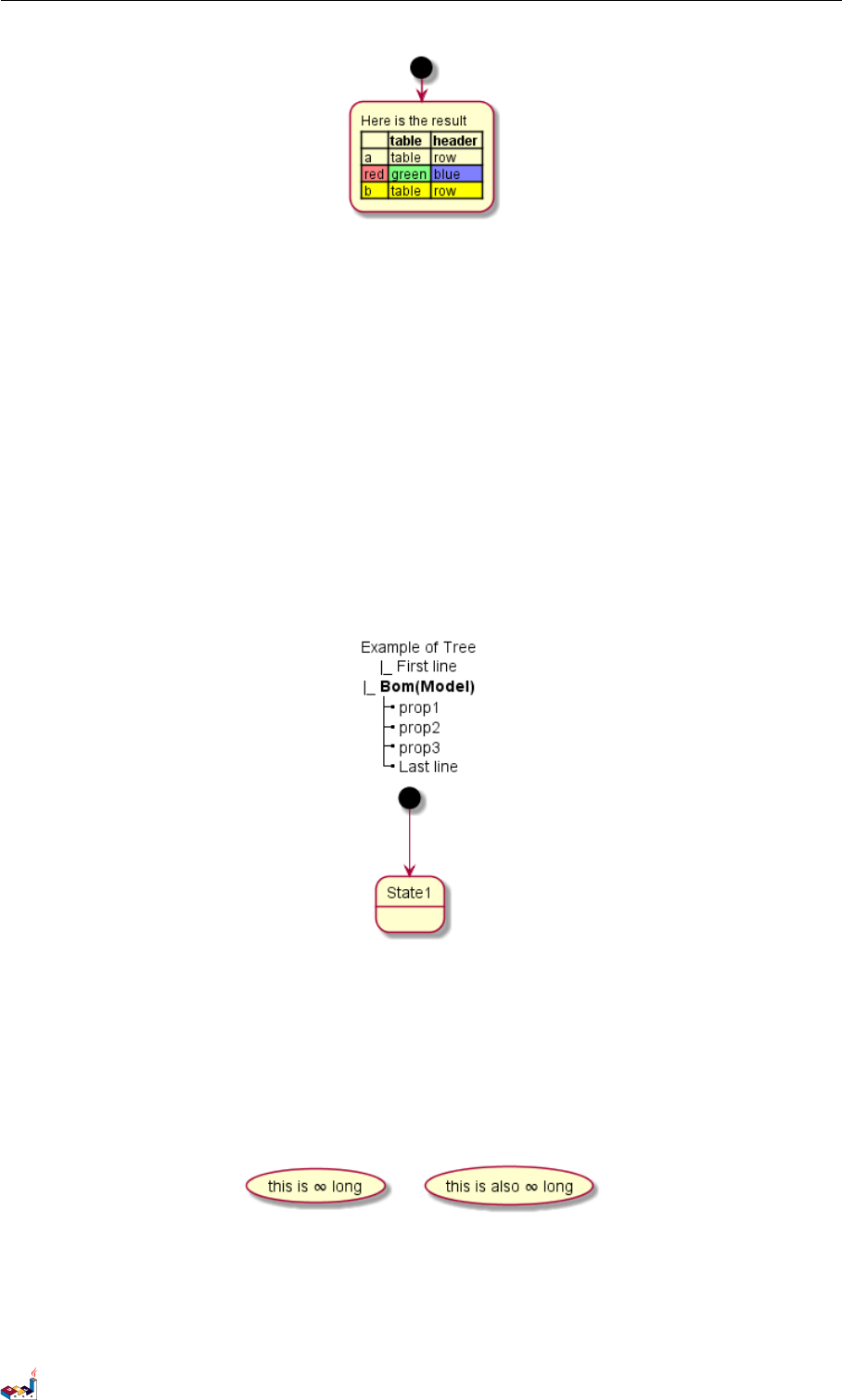
16.8 Tree 16 CREOLE
16.8 Tree
You can use |_ characters to build a tree.
@startuml
skinparam titleFontSize 14
title
Example of Tree
|_ First line
|_ **Bom(Model)**
|_ prop1
|_ prop2
|_ prop3
|_ Last line
end title
[*] --> State1
@enduml
16.9 Special characters
It's possible to use any unicode characters with &# syntax or <U+XXXX>
@startuml
usecase foo as "this is ∞ long"
usecase bar as "this is also <U+221E> long"
@enduml
16.10 OpenIconic
OpenIconic is an very nice open source icon set. Those icons have been integrated into the creole parser, so you
can use them out-of-the-box.
PlantUML 语言参考指引 (1.2019.6) 131 / 173

16.10 OpenIconic 16 CREOLE
You can use the following syntax: <&ICON_NAME>.
@startuml
title: <size:20><&heart>Use of OpenIconic<&heart></size>
class Wifi
note left
Click on <&wifi>
end note
@enduml
The complete list is available on OpenIconic Website, or you can use the following special diagram:
@startuml
listopeniconic
@enduml
PlantUML 语言参考指引 (1.2019.6) 132 / 173
17 DEFINING AND USING SPRITES
17 Defining and using sprites
ASprite is a small graphic element that can be used in diagrams.
In PlantUML, sprites are monochrome and can have either 4, 8 or 16 gray level.
To define a sprite, you have to use a hexadecimal digit between 0 and F per pixel.
Then you can use the sprite using <$XXX> where XXX is the name of the sprite.
@startuml
sprite $foo1 {
FFFFFFFFFFFFFFF
F0123456789ABCF
F0123456789ABCF
F0123456789ABCF
F0123456789ABCF
F0123456789ABCF
F0123456789ABCF
F0123456789ABCF
F0123456789ABCF
FFFFFFFFFFFFFFF
}
Alice -> Bob : Testing <$foo1>
@enduml
You can scale the sprite.
@startuml
sprite $foo1 {
FFFFFFFFFFFFFFF
F0123456789ABCF
F0123456789ABCF
F0123456789ABCF
F0123456789ABCF
F0123456789ABCF
F0123456789ABCF
F0123456789ABCF
F0123456789ABCF
FFFFFFFFFFFFFFF
}
Alice -> Bob : Testing <$foo1{scale=3}>
@enduml
PlantUML 语言参考指引 (1.2019.6) 133 / 173
17.1 Encoding Sprite 17 DEFINING AND USING SPRITES
17.1 Encoding Sprite
To encode sprite, you can use the command line like:
java -jar plantuml.jar -encodesprite 16z foo.png
where foo.png is the image file you want to use (it will be converted to gray automatically).
After -encodesprite, you have to specify a format: 4, 8, 16, 4z, 8z or 16z.
The number indicates the gray level and the optional zis used to enable compression in sprite definition.
17.2 Importing Sprite
You can also launch the GUI to generate a sprite from an existing image.
Click in the menubar then on File/Open Sprite Window.
After copying an image into you clipboard, several possible definitions of the corresponding sprite will be displayed
: you will just have to pickup the one you want.
17.3 Examples
@startuml
sprite $printer [15x15/8z] NOtH3W0W208HxFz_kMAhj7lHWpa1XC716sz0Pq4MVPEWfBHIuxP3L6kbTcizR8tAhzaqFvXwvFfPEqm0
start
:click on <$printer> to print the page;
@enduml
@startuml
sprite $bug [15x15/16z] PKzR2i0m2BFMi15p__FEjQEqB1z27aeqCqixa8S4OT7C53cKpsHpaYPDJY_12MHM-BLRyywPhrrlw3qumqNThmXgd1TOterAZmOW8sgiJafogofWRwtV3nCF
sprite $printer [15x15/8z] NOtH3W0W208HxFz_kMAhj7lHWpa1XC716sz0Pq4MVPEWfBHIuxP3L6kbTcizR8tAhzaqFvXwvFfPEqm0
sprite $disk {
444445566677881
436000000009991
43600000000ACA1
53700000001A7A1
53700000012B8A1
53800000123B8A1
63800001233C9A1
634999AABBC99B1
744566778899AB1
7456AAAAA99AAB1
8566AFC228AABB1
8567AC8118BBBB1
867BD4433BBBBB1
39AAAAABBBBBBC1
}
title Use of sprites (<$printer>, <$bug>...)
class Example {
Can have some bug : <$bug>
Click on <$disk> to save
}
PlantUML 语言参考指引 (1.2019.6) 134 / 173

18 SKINPARAM 命令
18 Skinparam 命令
你可以使用 skinparam 命令来改变绘图的颜色和字体。
<blockquote> 原文: You can change colors and font of the drawing using the skinparam command. </blockquote>
示例:
skinparam backgroundColor transparent
18.1 使用
你可以(以以下方式)使用本命令:
•在图 (diagram) 的定义中,和其他命令类似
•在一个包含文件中
•在一个配置文件中,提供给命令行或者 ANT 任务使用。
<blockquote> You can use this command : * In the diagram definition, like any other commands, * In an included
file, * In a configuration file, provided in the command line or the ANT task. </blockquote>
18.2 内嵌
为了避免重复 (xxxx 的部分),允许内嵌(相关的)定义。
因此,如下的定义:
<blockquote> To avoid repetition, it is possible to nest definition. So the following definition : </blockquote>
skinparam xxxxParam1 value1
skinparam xxxxParam2 value2
skinparam xxxxParam3 value3
skinparam xxxxParam4 value4
严格等价于: <blockquote> is strictly equivalent to: </blockquote>
skinparam xxxx {
Param1 value1
Param2 value2
Param3 value3
Param4 value4
}
18.3 黑白 (Black and White)
你可以强制使用黑白输出格式,通过 skinparam monochrome true 命令。<blockquote> You can force the
use of a black&white output using skinparam monochrome true command. </blockquote>
@startuml
skinparam monochrome true
actor User
participant "First Class" as A
participant "Second Class" as B
participant "Last Class" as C
User -> A: DoWork
activate A
A -> B: Create Request
PlantUML 语言参考指引 (1.2019.6) 136 / 173
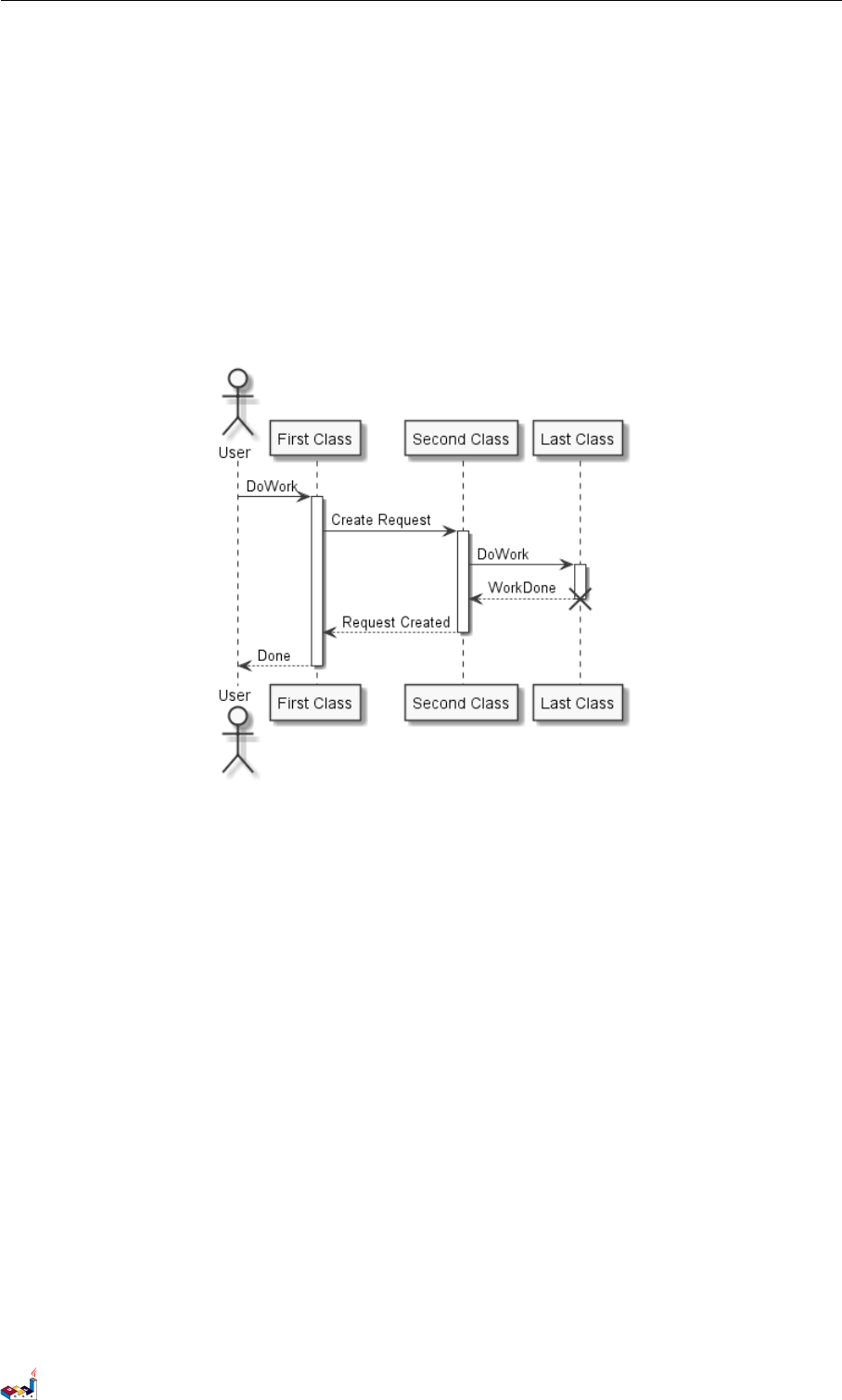
18.4 颜色翻转 (Reverse colors) 18 SKINPARAM 命令
activate B
B -> C: DoWork
activate C
C --> B: WorkDone
destroy C
B --> A: Request Created
deactivate B
A --> User: Done
deactivate A
@enduml
18.4 颜色翻转 (Reverse colors)
可以通过 skinparam monochrome reverse 命令,强制使用黑和白的输出,在黑色背景的环境下,尤其
适用。
<blockquote> You can force the use of a black&white output using skinparam monochrome reverse command.
This can be useful for black background environment. </blockquote>
@startuml
skinparam monochrome reverse
actor User
participant "First Class" as A
participant "Second Class" as B
participant "Last Class" as C
User -> A: DoWork
activate A
A -> B: Create Request
activate B
B -> C: DoWork
PlantUML 语言参考指引 (1.2019.6) 137 / 173
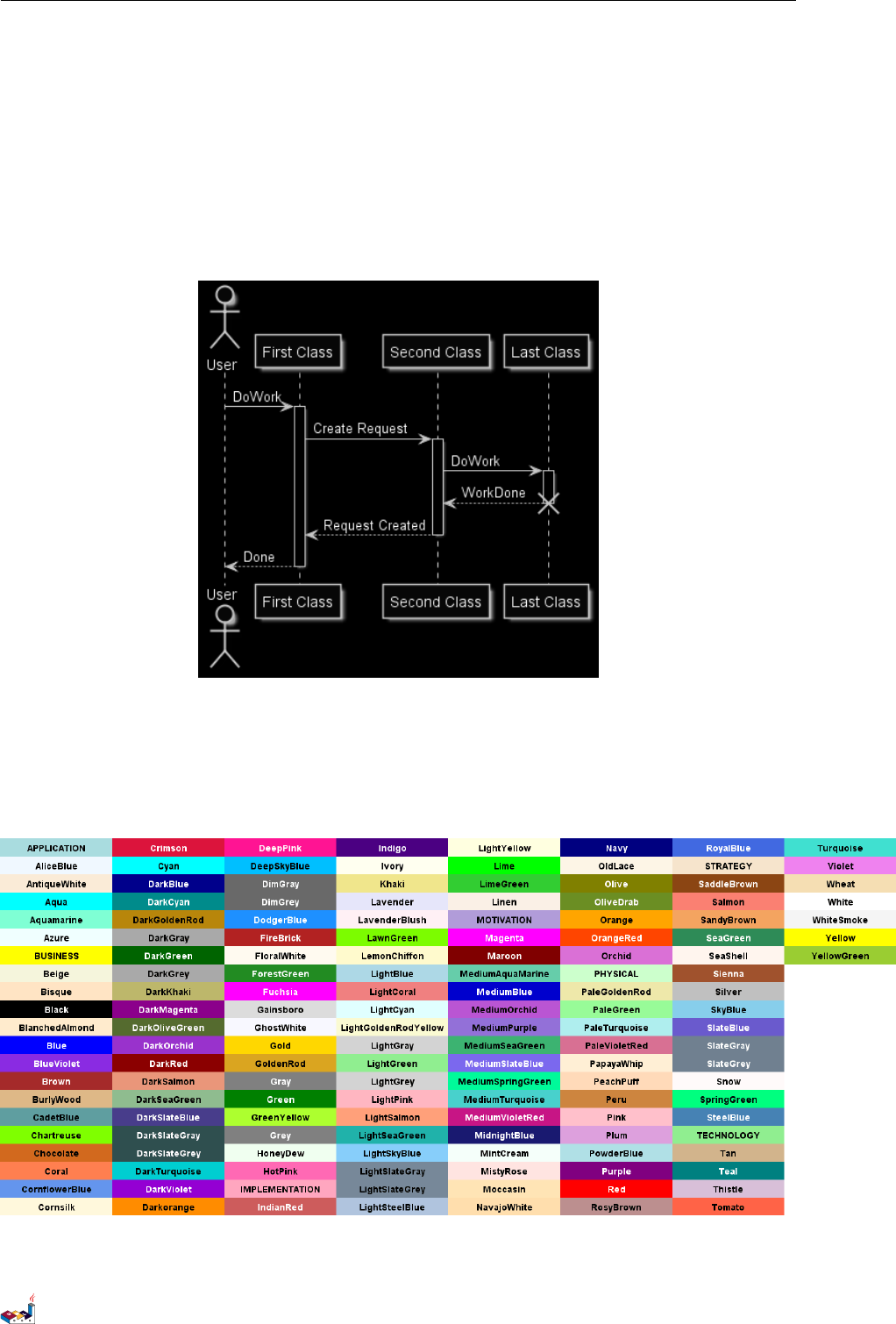
18.5 颜色 (Colors) 18 SKINPARAM 命令
activate C
C --> B: WorkDone
destroy C
B --> A: Request Created
deactivate B
A --> User: Done
deactivate A
@enduml
18.5 颜色 (Colors)
你可以使用标准颜色名称或者 RGB 码
<blockquote> You can use either standard color name or RGB code. </blockquote>
transparent 只能用于图片背景
PlantUML 语言参考指引 (1.2019.6) 138 / 173
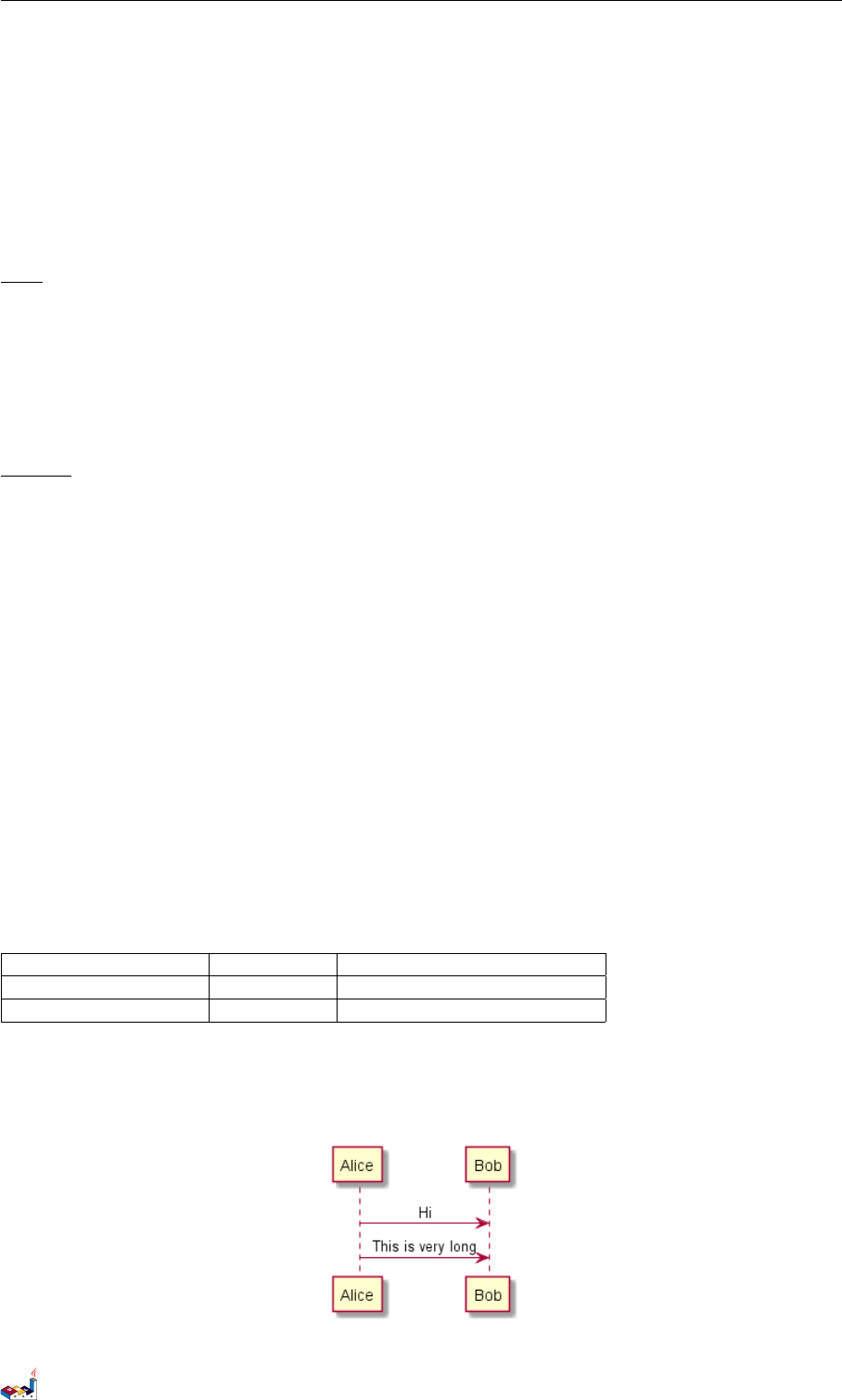
18.6 字体颜色、名称、大小 (Font color, name and size) 18 SKINPARAM 命令
<blockquote> transparent can only be used for background of the image. </blockquote>
18.6 字体颜色、名称、大小 (Font color, name and size)
可以通过使用 xxxFontColor,xxxFontSize ,xxxFontName 三个参数,来修改绘图中的字体 (颜色、大小、
名称)。
<blockquote> You can change the font for the drawing using xxxFontColor,xxxFontSize and xxxFontName
parameters. </blockquote>
示例:
skinparam classFontColor red
skinparam classFontSize 10
skinparam classFontName Aapex
也可以使用 skinparam defaultFontName 命令,来修改默认的字体。
<blockquote> You can also change the default font for all fonts using skinparam defaultFontName. </block-
quote>
Example:
skinparam defaultFontName Aapex
请注意:字体名称高度依赖于操作系统,因此不要过度使用它,当你考虑到可移植性时。Helvetica and
Courier 应该是全平台可用。
<blockquote> Please note the fontname is highly system dependent, so do not over use it, if you look for portability.
Helvetica and Courier should be available on all system. </blockquote>
还有更多的参数可用,你可以通过下面的命令打印它们:
java -jar plantuml.jar -language
<blockquote> A lot of parameters are available. You can list them using the following command: java -jar plan-
tuml.jar -language </blockquote>
18.7 文本对齐 (Text Alignment)
通过 left,right or center,可以设置文本对齐.
也可以 sequenceMessageAlign 指令赋值为 direction 或reverseDirection 以便让文本对齐与箭头方
向一致。
<blockquote> Text alignment can be set up to left,right or center. You can also use direction or reverseDirection
values for sequenceMessageAlign which align text depending on arrow direction. </blockquote>
Param name Default value Comment
sequenceMessageAlign left 用于时序图中的消息 (message)
sequenceReferenceAlign center 在时序图中用于 ref over
@startuml
skinparam sequenceMessageAlign center
Alice -> Bob : Hi
Alice -> Bob : This is very long
@enduml
PlantUML 语言参考指引 (1.2019.6) 139 / 173

18.8 Examples 18 SKINPARAM 命令
18.8 Examples
@startuml
skinparam backgroundColor #EEEBDC
skinparam handwritten true
skinparam sequence {
ArrowColor DeepSkyBlue
ActorBorderColor DeepSkyBlue
LifeLineBorderColor blue
LifeLineBackgroundColor #A9DCDF
ParticipantBorderColor DeepSkyBlue
ParticipantBackgroundColor DodgerBlue
ParticipantFontName Impact
ParticipantFontSize 17
ParticipantFontColor #A9DCDF
ActorBackgroundColor aqua
ActorFontColor DeepSkyBlue
ActorFontSize 17
ActorFontName Aapex
}
actor User
participant "First Class" as A
participant "Second Class" as B
participant "Last Class" as C
User -> A: DoWork
activate A
A -> B: Create Request
activate B
B -> C: DoWork
activate C
C --> B: WorkDone
destroy C
B --> A: Request Created
deactivate B
A --> User: Done
deactivate A
@enduml
PlantUML 语言参考指引 (1.2019.6) 140 / 173
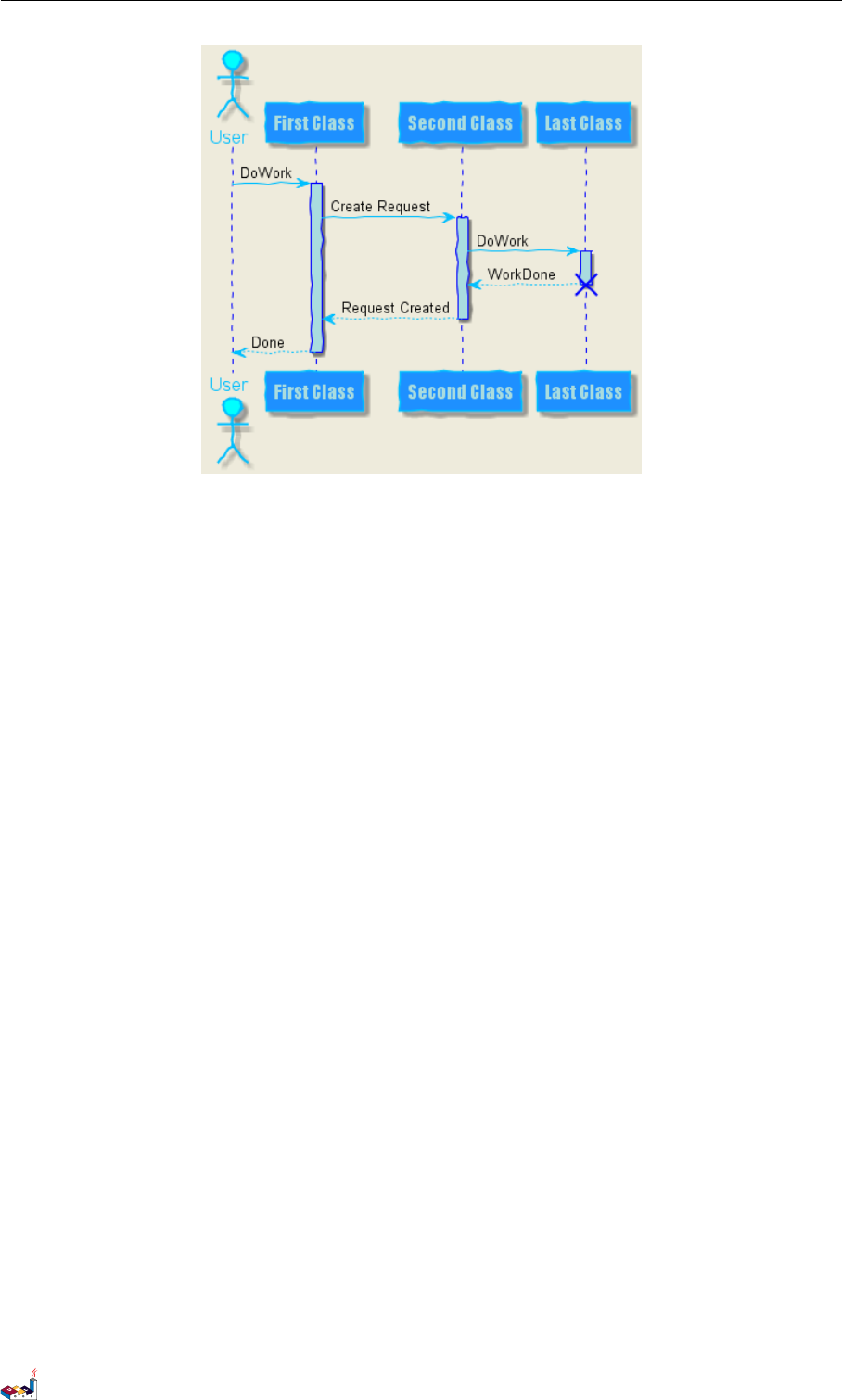
18.8 Examples 18 SKINPARAM 命令
@startuml
skinparam handwritten true
skinparam actor {
BorderColor black
FontName Courier
BackgroundColor<< Human >> Gold
}
skinparam usecase {
BackgroundColor DarkSeaGreen
BorderColor DarkSlateGray
BackgroundColor<< Main >> YellowGreen
BorderColor<< Main >> YellowGreen
ArrowColor Olive
}
User << Human >>
:Main Database: as MySql << Application >>
(Start) << One Shot >>
(Use the application) as (Use) << Main >>
User -> (Start)
User --> (Use)
MySql --> (Use)
@enduml
PlantUML 语言参考指引 (1.2019.6) 141 / 173
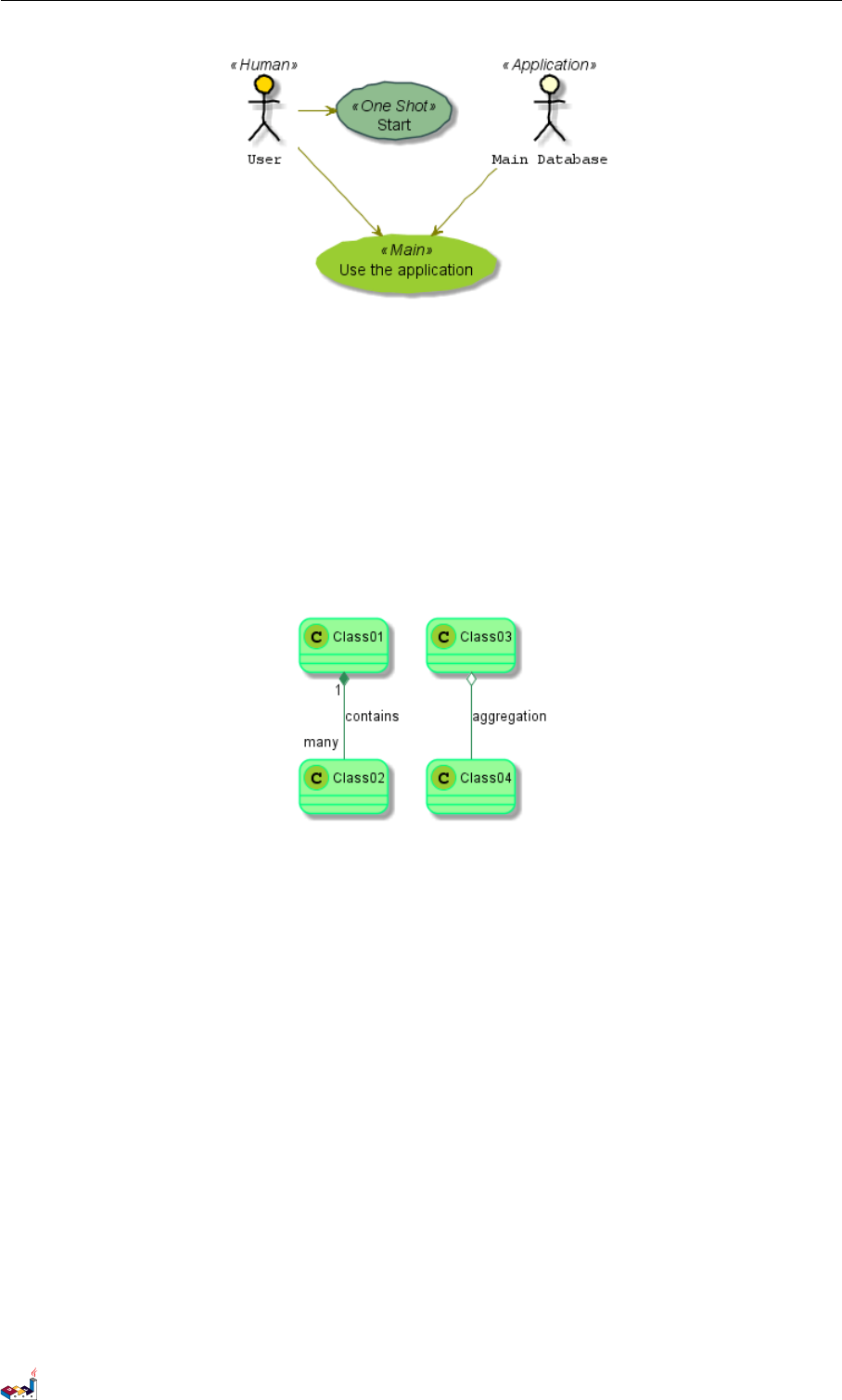
18.8 Examples 18 SKINPARAM 命令
@startuml
skinparam roundcorner 20
skinparam class {
BackgroundColor PaleGreen
ArrowColor SeaGreen
BorderColor SpringGreen
}
skinparam stereotypeCBackgroundColor YellowGreen
Class01 "1" *-- "many" Class02 : contains
Class03 o-- Class04 : aggregation
@enduml
@startuml
skinparam interface {
backgroundColor RosyBrown
borderColor orange
}
skinparam component {
FontSize 13
BackgroundColor<<Apache>> Red
BorderColor<<Apache>> #FF6655
FontName Courier
BorderColor black
BackgroundColor gold
ArrowFontName Impact
ArrowColor #FF6655
ArrowFontColor #777777
}
() "Data Access" as DA
DA - [First Component]
[First Component] ..> () HTTP : use
PlantUML 语言参考指引 (1.2019.6) 142 / 173
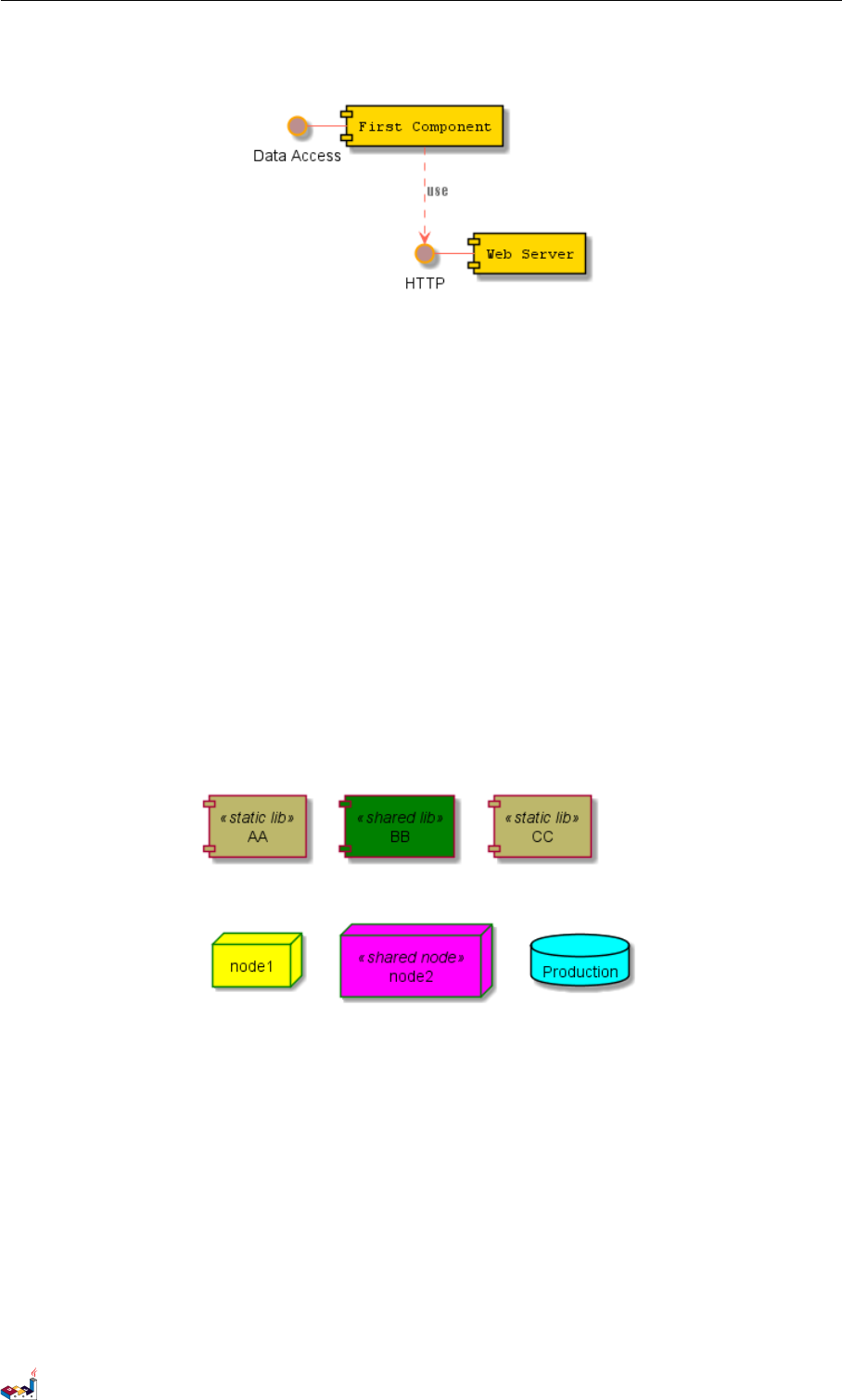
18.9 所有 skinparam 的参数列表 (List of all skinparam parameters) 18 SKINPARAM 命令
HTTP - [Web Server] << Apache >>
@enduml
@startuml
[AA] <<static lib>>
[BB] <<shared lib>>
[CC] <<static lib>>
node node1
node node2 <<shared node>>
database Production
skinparam component {
backgroundColor<<static lib>> DarkKhaki
backgroundColor<<shared lib>> Green
}
skinparam node {
borderColor Green
backgroundColor Yellow
backgroundColor<<shared node>> Magenta
}
skinparam databaseBackgroundColor Aqua
@enduml
18.9 所有 skinparam 的参数列表 (List of all skinparam parameters)
<blockquote> 本文档并不总能保持最新,你可以使用下面命令查看完成的参数列表 </blockquote>
<blockquote> Since the documentation is not always up to date, you can have the complete list of parameters using
this command: </blockquote>
java -jar plantuml.jar -language
或者可以使用命令,产生一幅有所有 skinparam 参数的图: <blockquote> Or you can generate a "diagram"
with a list of all the skinparam parameters using: </blockquote>
@startuml
help skinparams
PlantUML 语言参考指引 (1.2019.6) 143 / 173


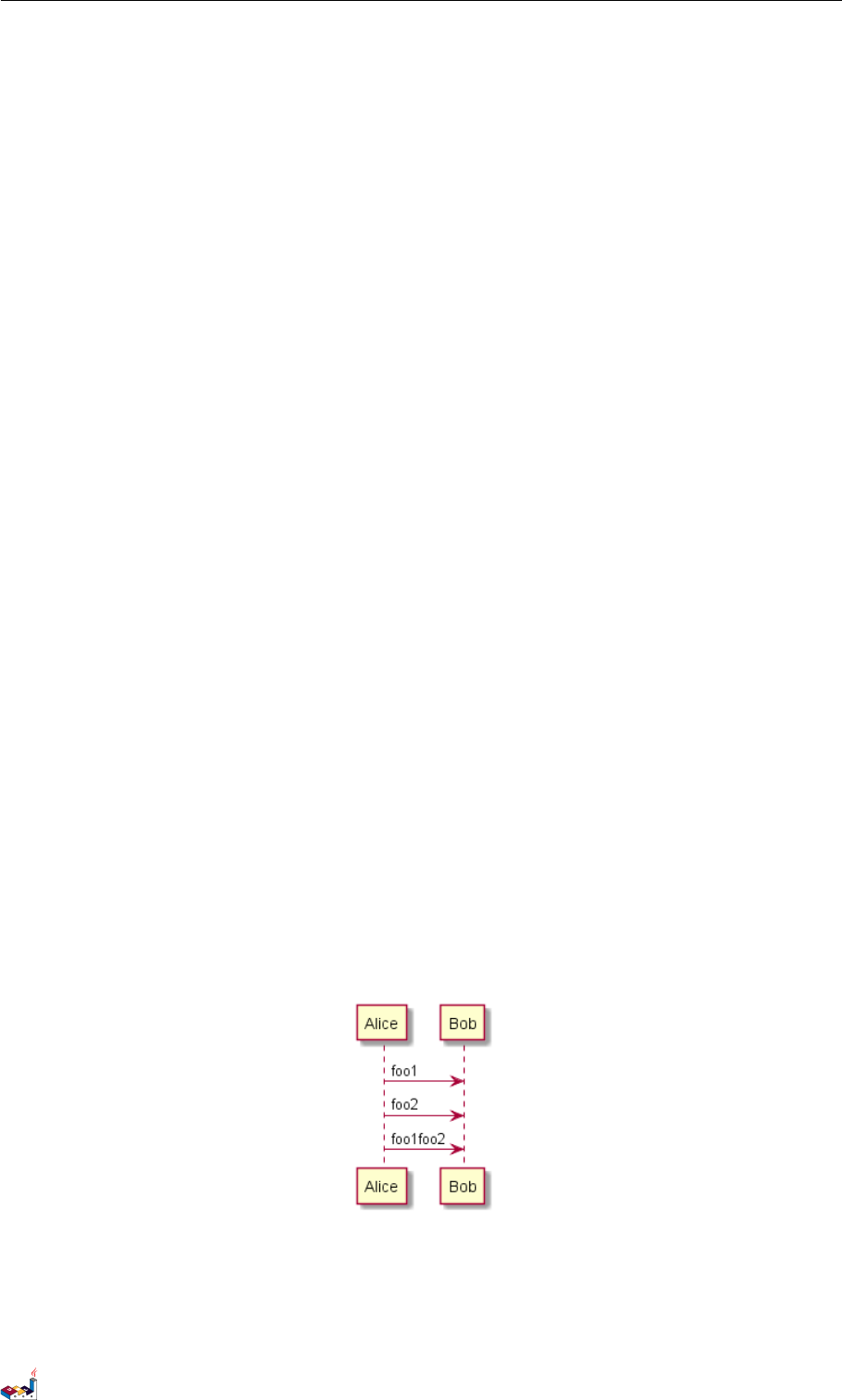
19 PREPROCESSING
19 Preprocessing
Some minor preprocessing capabilities are included in PlantUML, and available for all diagrams.
Those functionalities are very similar to the C language preprocessor, except that the special character #has been
changed to the exclamation mark !.
19.1 Migration notes
The actual preprocessor is an update from some legacy preprocessor.
Even if some legacy feature are still supported with the actual preprocessor, you should not use them any more
(they might be finally removed in some long term future).
• You should not use !define and !definelong anymore. Use !function and variable definition instead
•!include allows now multiple inclusions : you don't have to use !include_many anymore
•!include now accept URL, so you don't need !includeurl
• Some features (like %date%) have been replaced by builtin functions (for example %date())
• When calling a legacy !definelong macro with no arguments, you do have to use parenthesis. That is you
have to use my_own_definelong() because my_own_definelong without parenthesis is not recognized
by the new preprocessor.
Please contact us if you have any issues.
19.2 Variable definition
Although this is not mandatory, we highly suggest that variable name start with a $. There are two kind of data:
• Integer number
• String, that must be surrender by simple quote or double quote.
Variable created outside function are global, that is you can access to them from everywhere (including from
functions). You can emphasize this by using the optional global keyword when defining a variable.
@startuml
!$ab = "foo1"
!$cd = "foo2"
!global $ef = $ab + $cd
Alice -> Bob : $ab
Alice -> Bob : $cd
Alice -> Bob : $ef
@enduml
19.3 Conditions
• You can use expression in condition.
PlantUML 语言参考指引 (1.2019.6) 147 / 173
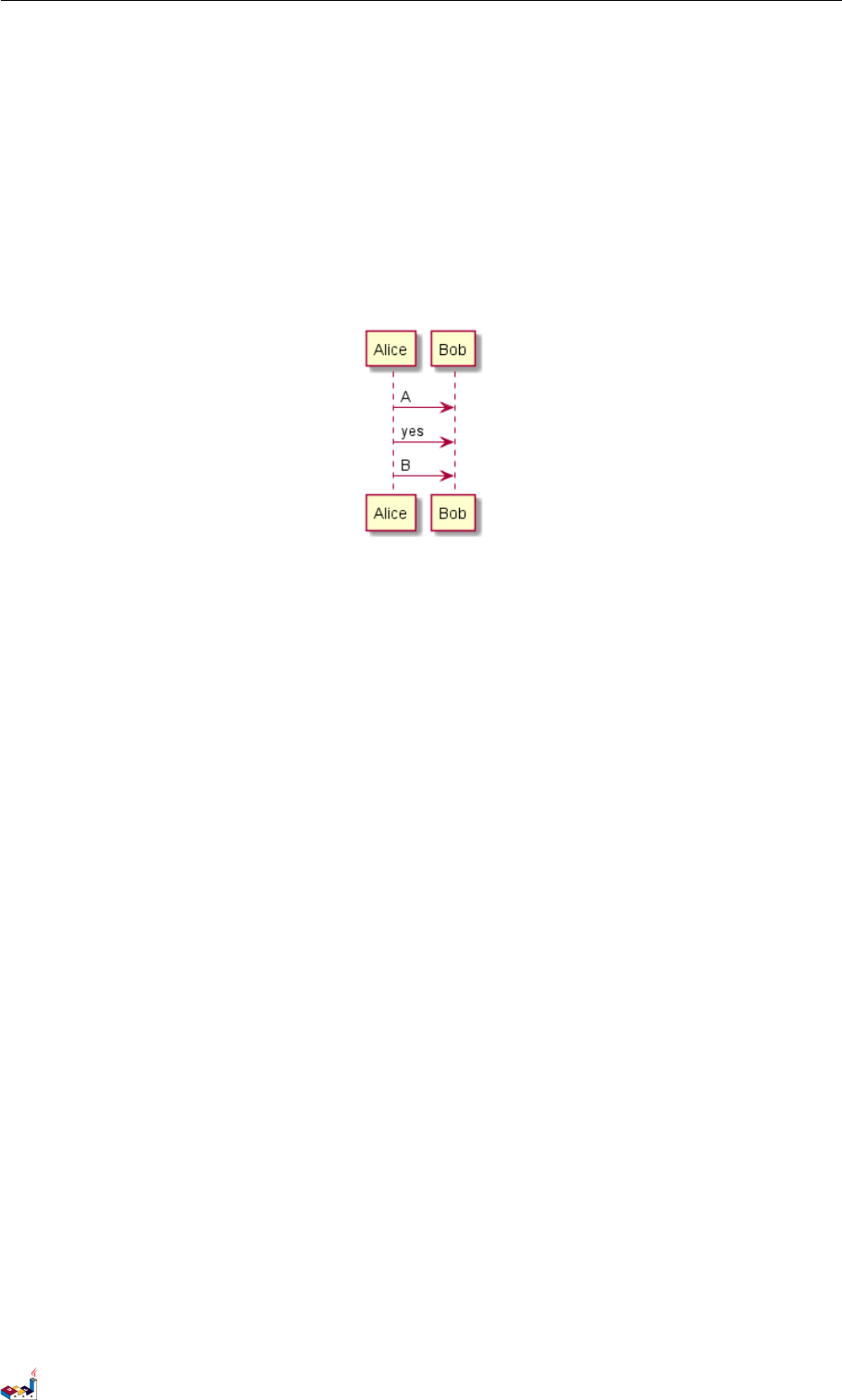
19.4 Void function 19 PREPROCESSING
•else is also implemented
@startuml
!$a = 10
!$ijk = "foo"
Alice -> Bob : A
!if ($ijk == "foo") && ($a+10>=4)
Alice -> Bob : yes
!else
Alice -> Bob : This should not appear
!endif
Alice -> Bob : B
@enduml
19.4 Void function
• Function name should start by a $
• Argument names should start by a $
• Void functions can call other void functions
Example:
@startuml
!function msg($source, $destination)
$source --> $destination
!endfunction
!function init_class($name)
class $name {
$addCommonMethod()
}
!endfunction
!function $addCommonMethod()
toString()
hashCode()
!endfunction
init_class("foo1")
init_class("foo2")
msg("foo1", "foo2")
@enduml
PlantUML 语言参考指引 (1.2019.6) 148 / 173
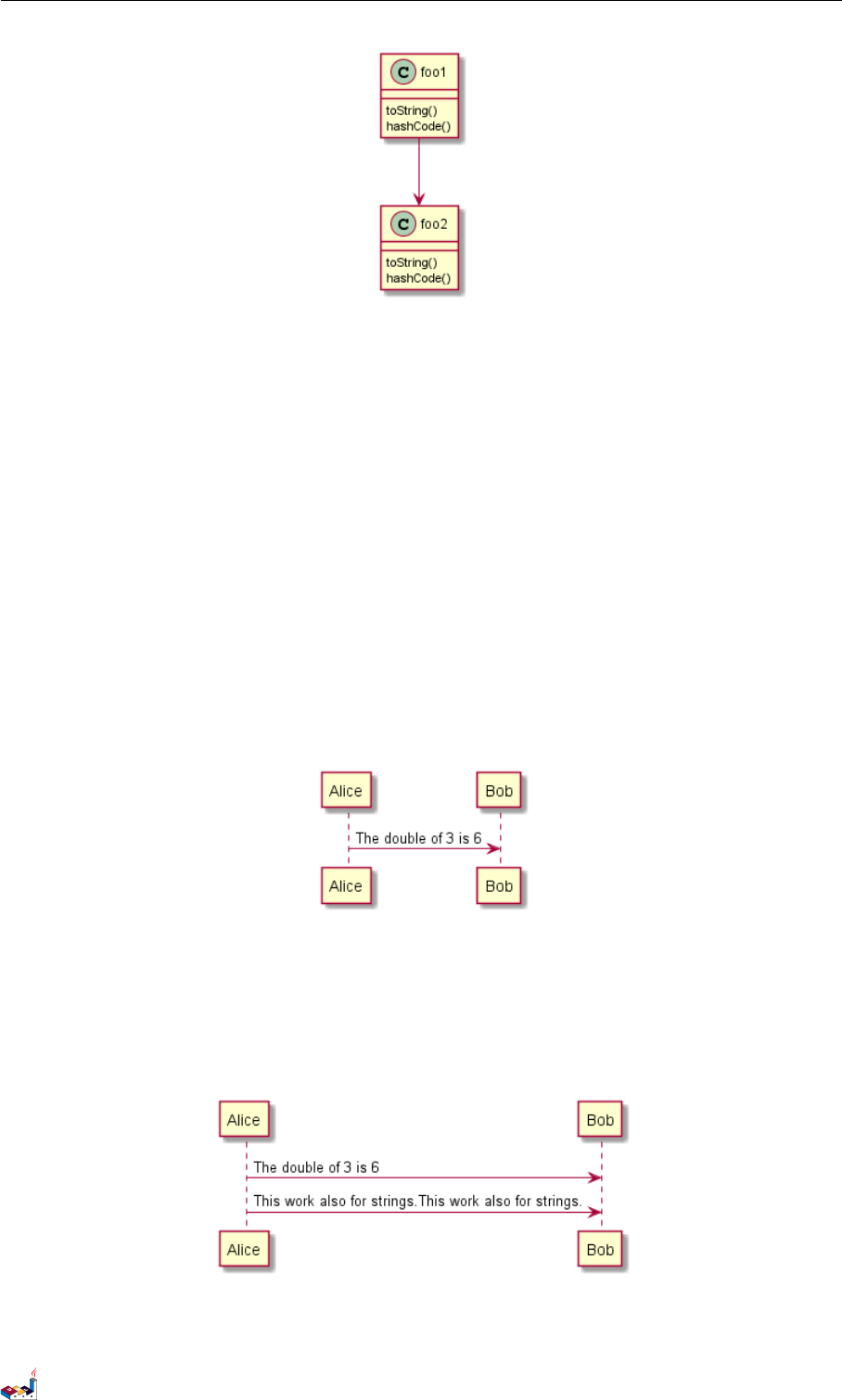
19.5 Return function 19 PREPROCESSING
Variables defined in functions are local. It means that the variable is destroyed when the function is exited.
19.5 Return function
A return function does not output any text. It just define a function that you can call:
• directly in variable definition or in diagram text
• from other return function
• from other void function
• Function name should start by a $
• Argument names should start by a $
@startuml
!function $double($a)
!return $a + $a
!endfunction
Alice -> Bob : The double of 3 is $double(3)
@enduml
It is possible to shorten simple function definition in one line:
@startuml
!function $double($a) return $a + $a
Alice -> Bob : The double of 3 is $double(3)
Alice -> Bob : $double("This work also for strings.")
@enduml
PlantUML 语言参考指引 (1.2019.6) 149 / 173
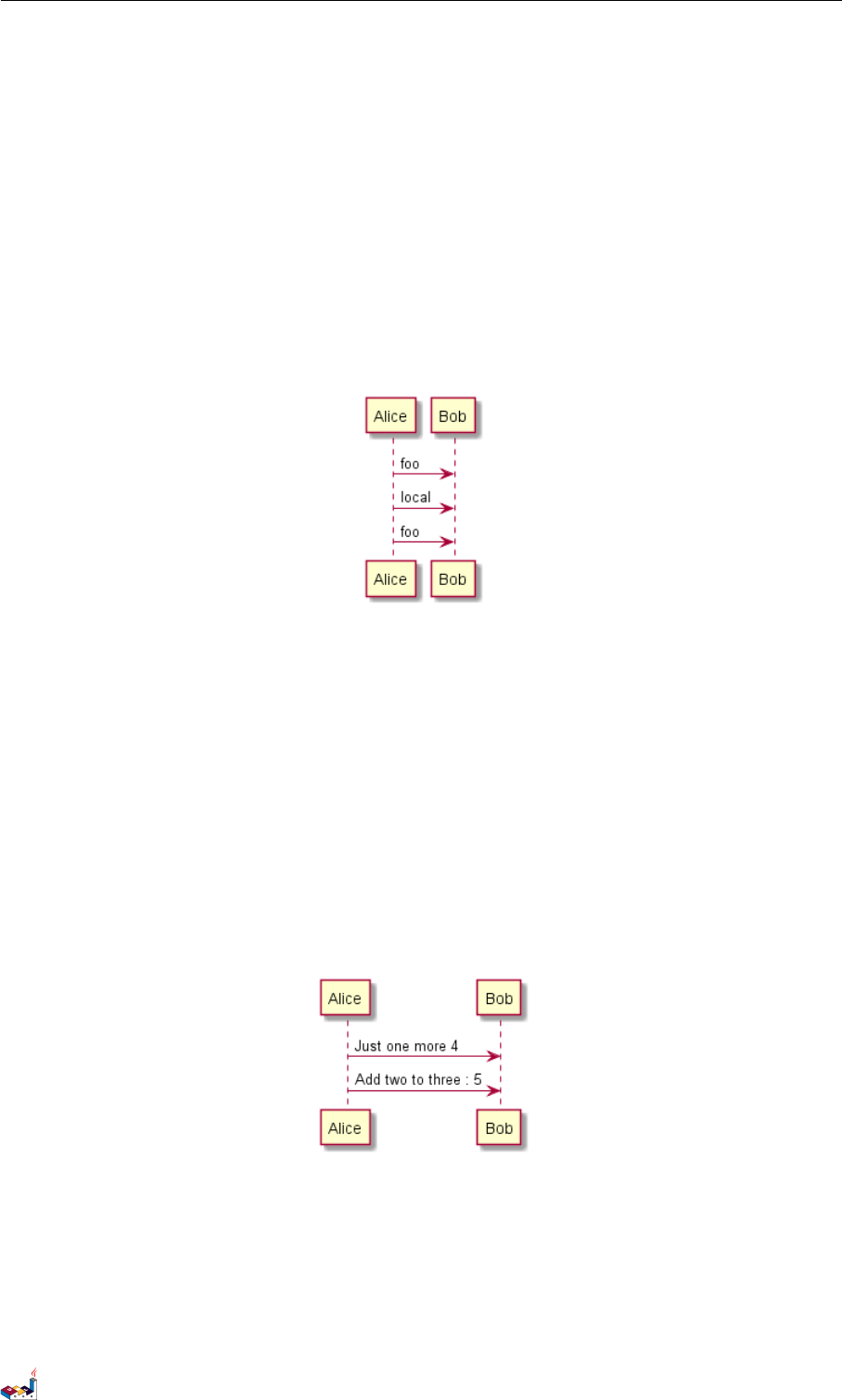
19.6 Default argument value 19 PREPROCESSING
As in void function, variable are local by default (they are destroyed when the function is exited). However, you
can access to global variables from function. However, you can use the local keyword to create a local variable
if ever a global variable exists with the same name.
@startuml
!function $dummy()
!local $ijk = "local"
Alice -> Bob : $ijk
!endfunction
!global $ijk = "foo"
Alice -> Bob : $ijk
$dummy()
Alice -> Bob : $ijk
@enduml
19.6 Default argument value
In both return and void function, you can define default value for argument.
@startuml
!function $inc($value, $step=1)
!if $step==0
!return $value
!endif
!return $value + $step
!endfunction
Alice -> Bob : Just one more $inc(3)
Alice -> Bob : Add two to three : $inc(3, 2)
@enduml
19.7 Unquoted function
By default, you have to put quotes when you call a function. It is possible to use the unquoted keyword to indicate
that a function does not require quotes for its arguments.
@startuml
!unquoted function id($text1, $text2="FOO") return $text1 + $text2
PlantUML 语言参考指引 (1.2019.6) 150 / 173
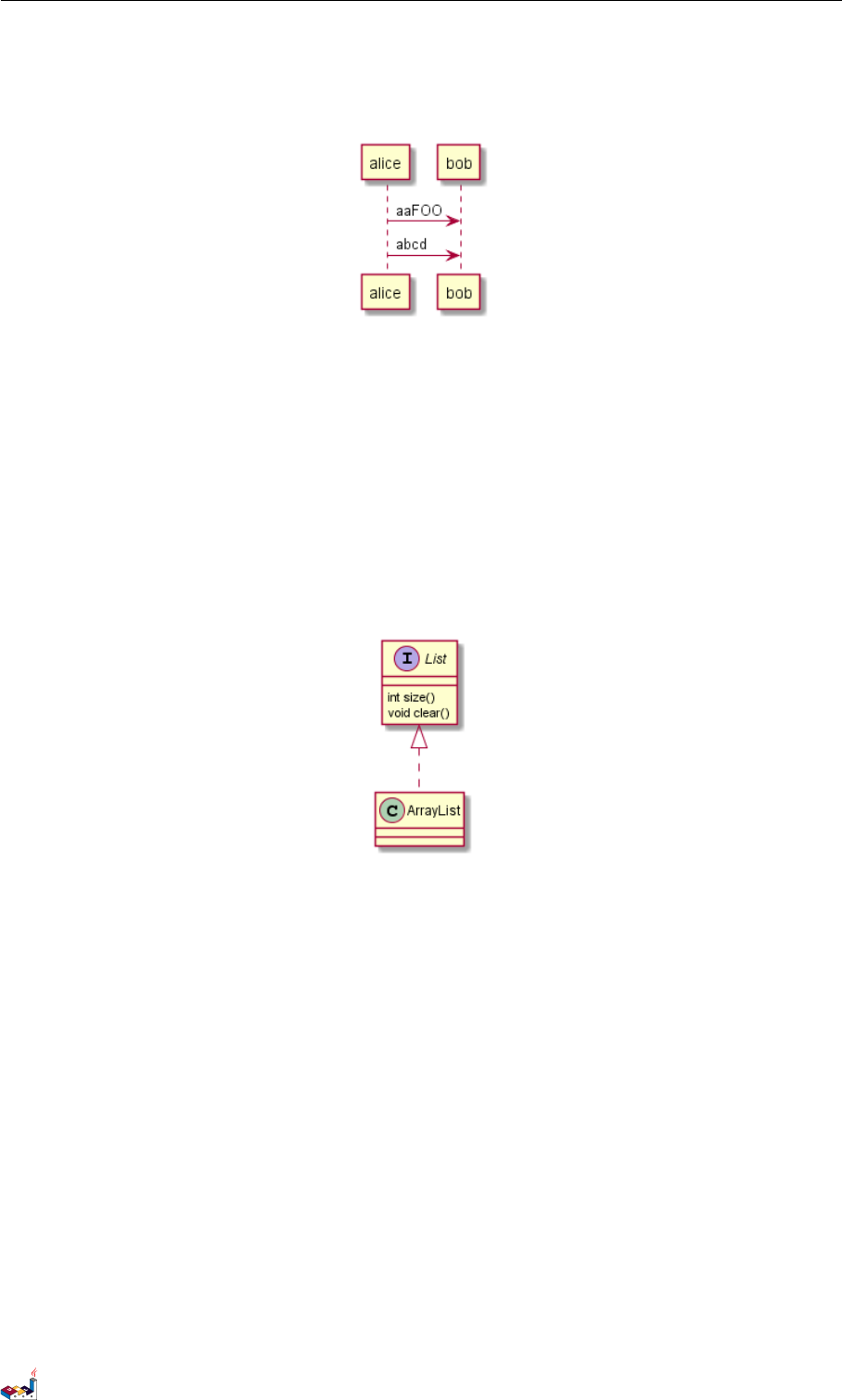
19.8 Including files or URL 19 PREPROCESSING
alice -> bob : id(aa)
alice -> bob : id(ab,cd)
@enduml
19.8 Including files or URL
Use the !include directive to include file in your diagram. Using URL, you can also include file from Internet/In-
tranet.
Imagine you have the very same class that appears in many diagrams. Instead of duplicating the description of this
class, you can define a file that contains the description.
@startuml
!include List.iuml
List <|.. ArrayList
@enduml
File List.iuml
interface List
List : int size()
List : void clear()
The file List.iuml can be included in many diagrams, and any modification in this file will change all diagrams
that include it.
You can also put several @startuml/@enduml text block in an included file and then specify which block you
want to include adding !0 where 0is the block number. The !0 notation denotes the first diagram.
For example, if you use !include foo.txt!1, the second @startuml/@enduml block within foo.txt will be
included.
You can also put an id to some @startuml/@enduml text block in an included file using @startuml(id=MY_OWN_ID)
syntax and then include the block adding !MY_OWN_ID when including the file, so using something like !include
foo.txt!MY_OWN_ID.
By default, a file can only be included once. You can use !include_many instead of !include if you want to
include some file several times. Note that there is also a !include_once directive that raises an error if a file is
included several times.
PlantUML 语言参考指引 (1.2019.6) 151 / 173

19.9 Including Subpart 19 PREPROCESSING
19.9 Including Subpart
You can also use !startsub NAME and !endsub to indicate sections of text to include from other files using
!includesub. For example:
file1.puml:
@startuml
A -> A : stuff1
!startsub BASIC
B -> B : stuff2
!endsub
C -> C : stuff3
!startsub BASIC
D -> D : stuff4
!endsub
@enduml
file1.puml would be rendered exactly as if it were:
@startuml
A -> A : stuff1
B -> B : stuff2
C -> C : stuff3
D -> D : stuff4
@enduml
However, this would also allow you to have another file2.puml like this:
file2.puml
@startuml
title this contains only B and D
!includesub file1.puml!BASIC
@enduml
This file would be rendered exactly as if:
@startuml
title this contains only B and D
B -> B : stuff2
D -> D : stuff4
@enduml
19.10 Builtin functions
Some functions are defined by default. Their name starts by %
PlantUML 语言参考指引 (1.2019.6) 152 / 173
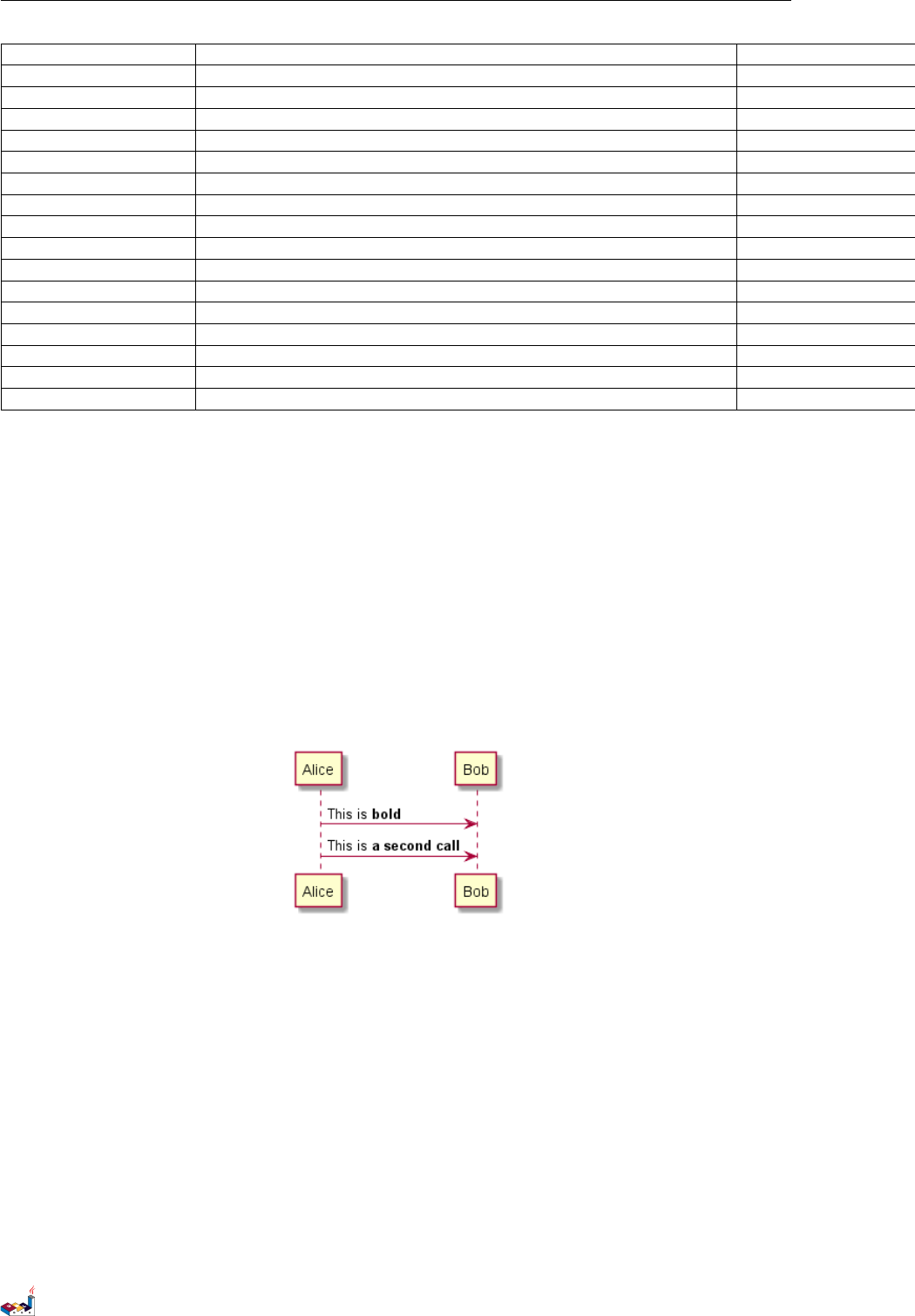
19.11 Logging 19 PREPROCESSING
Name Description Example Return
%strlen Calculate the length of a String %strlen("foo") 3 in the example
%substr Extract a substring. Takes 2 or 3 arguments| %substr("abcdef", 3, 2) "de" in the example
%strpos Search a substring in a string %strpos("abcdef", "ef") 4 (position of ef)
%inval Convert a String to Int %intval("42") 42
%file_exists Check if a file exists on the local filesystem %file_exists("c:/foo/dummy.txt") true if the file exists
%function_exists Check if a function exists %function_exists("$some_function") true if the function has been defined
%variable_exists Check if a variable exists %variable_exists("$my_variable") true if the variable has been defined exists
%set_variable_value Set a global variable %set_variable_value("$my_variable", "some_value") An empty string
%get_variable_value Retrieve some variable value %get_variable_value("$my_variable") the value of the variable
%getenv Retrieve environment variable value %getenv("OS") The value of OS variable
%dirpath Retrieve current dirpath %dirpath() Current path
%filename Retrieve current filename %filename() Current filename
%date Retrieve current date. You can provide an optional format for the date %date("yyyy.MM.dd at HH:mm") Current date
%true Return always true %true() true
%false Return always false %false() false
%not Return the logical negation of an expression %not(2+2==4) false in that example
19.11 Logging
You can use !log to add some log output when generating the diagram. This has no impact at all on the diagram
itself. However, those logs are printed in the command line's output stream. This could be useful for debug purpose.
@startuml
!function bold($text)
!$result = "<b>"+ $text +"</b>"
!log Calling bold function with $text. The result is $result
!return $result
!endfunction
Alice -> Bob : This is bold("bold")
Alice -> Bob : This is bold("a second call")
@enduml
19.12 Memory dump
You can use !memory_dump to dump the full content of the memory when generating the diagram. An optional
string can be put after !memory_dump. This has no impact at all on the diagram itself. This could be useful for
debug purpose.
@startuml
!function $inc($string)
!$val = %intval($string)
!log value is $val
!dump_memory
!return $val+1
!endfunction
Alice -> Bob : 4 $inc("3")
PlantUML 语言参考指引 (1.2019.6) 153 / 173
19.13 Assertion 19 PREPROCESSING
!unused = "foo"
!dump_memory EOF
@enduml
19.13 Assertion
You can put assertion in your diagram.
@startuml
Alice -> Bob : Hello
!assert %strpos("abcdef", "cd")==3 : "This always fail"
@enduml
19.14 Building custom library
It's possible to package a set of included files into a single .zip or .jar archive. This single zip/jar can then be
imported into your diagram using !import directive.
Once the library has been imported, you can !include file from this single zip/jar.
Example:
@startuml
!import /path/to/customLibrary.zip
' This just adds "customLibrary.zip" in the search path
!include myFolder/myFile.iuml
' Assuming that myFolder/myFile.iuml is located somewhere
' either inside "customLibrary.zip" or on the local filesystem
...
PlantUML 语言参考指引 (1.2019.6) 154 / 173
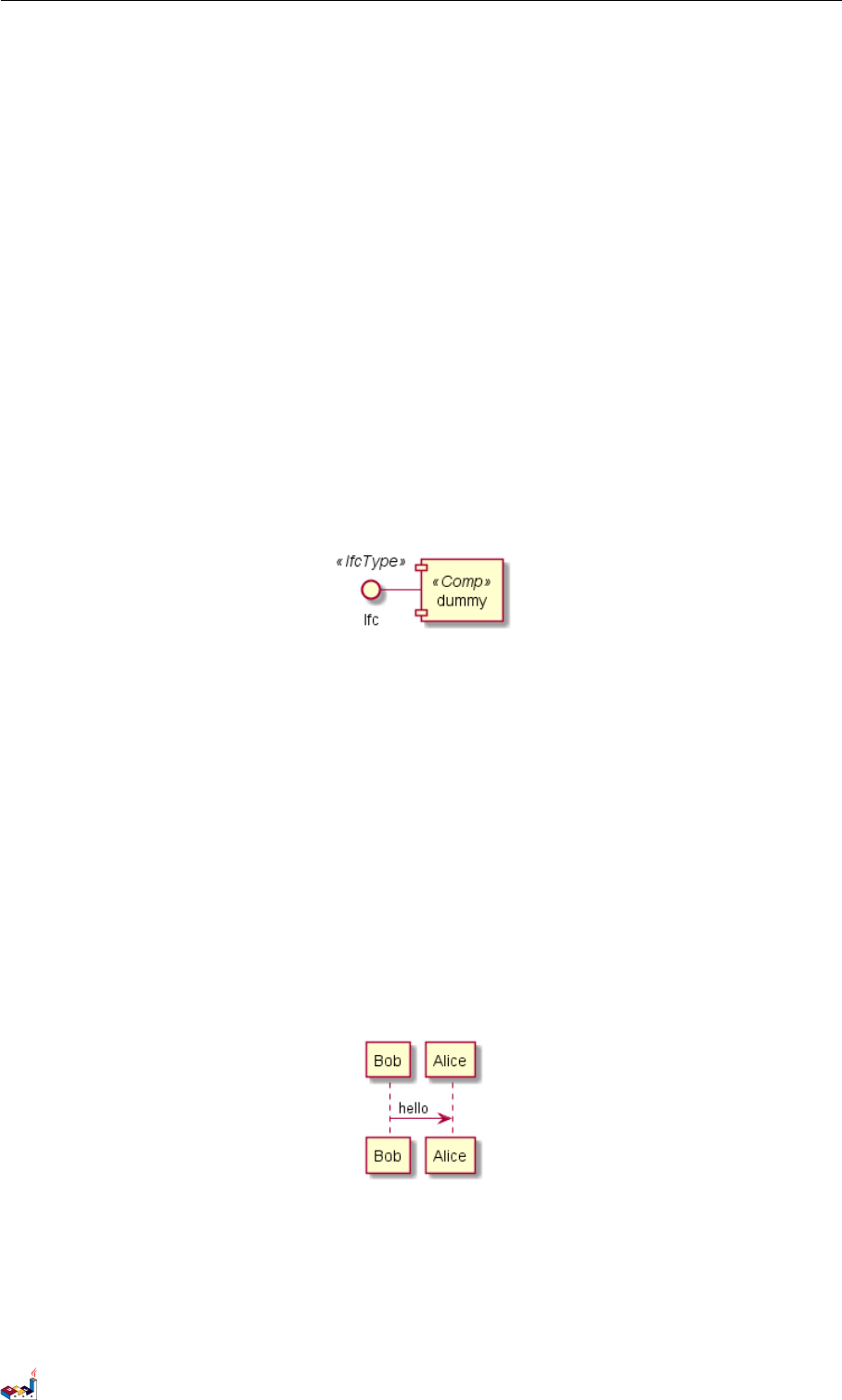
19.15 Search path 19 PREPROCESSING
19.15 Search path
You can specify the java property plantuml.include.path in the command line.
For example:
java -Dplantuml.include.path="c:/mydir" -jar plantuml.jar atest1.txt
Note the this -D option has to put before the -jar option. -D options after the -jar option will be used to define
constants within plantuml preprocessor.
19.16 Argument concatenation
It is possible to append text to a macro argument using the ## syntax.
@startuml
!unquoted function COMP_TEXTGENCOMP(name)
[name] << Comp >>
interface Ifc << IfcType >> AS name##Ifc
name##Ifc - [name]
!endfunction
COMP_TEXTGENCOMP(dummy)
@enduml
19.17 Dynamic function invocation
You can dynamically invoke a void function using the special %invoke_void_func() void function. This function
takes as first argument the name of the actual void function to be called. The following argument are copied to the
called function.
For example, you can have:
@startuml
!function $go()
Bob -> Alice : hello
!endfunction
!$wrapper = "$go"
%invoke_void_func($wrapper)
@enduml
For return functions, you can use the corresponding special function %call_user_func() :
@startuml
!function bold($text)
!return "<b>"+ $text +"</b>"
!endfunction
PlantUML 语言参考指引 (1.2019.6) 155 / 173
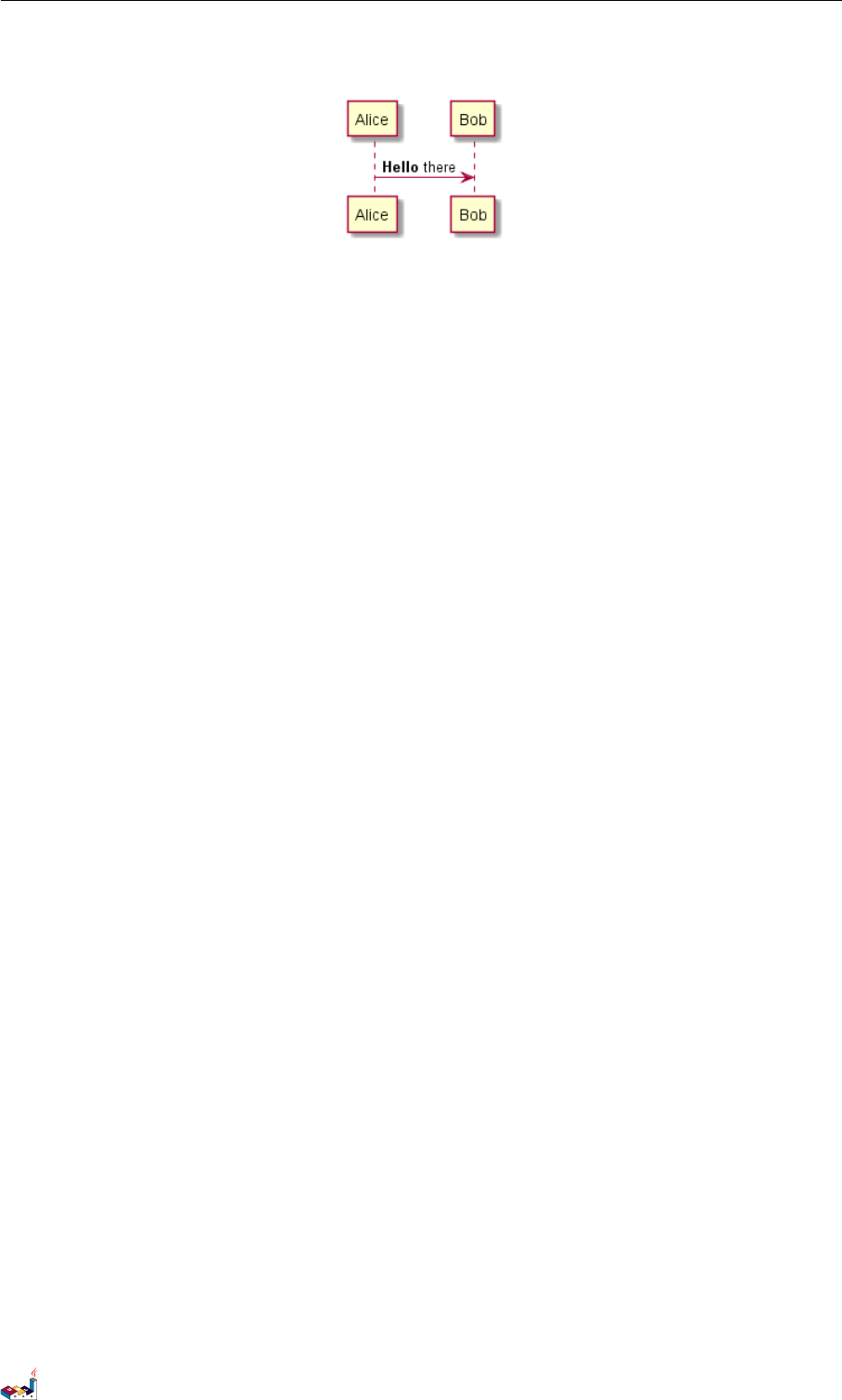
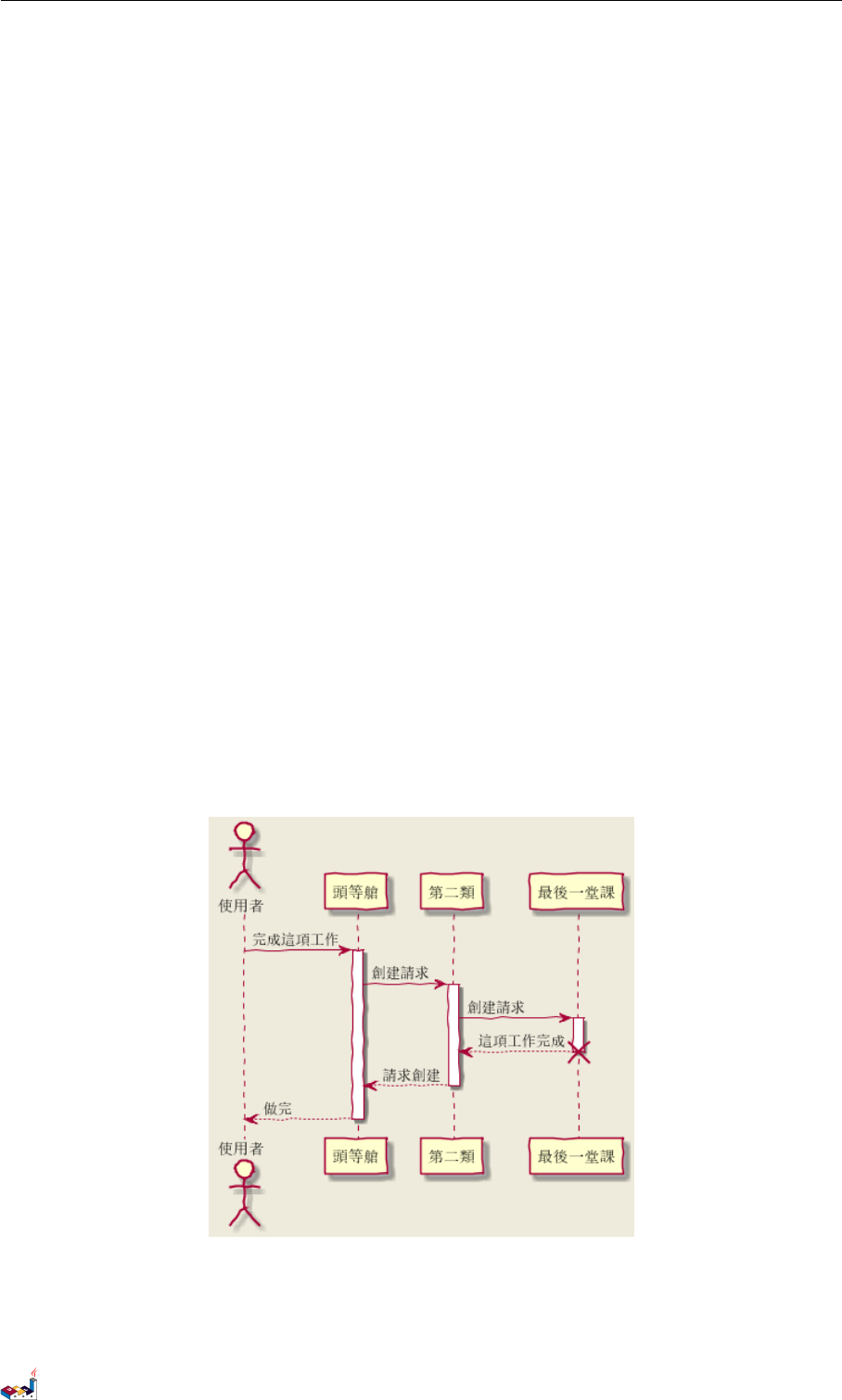
20 UNICODE
20 Unicode
The PlantUML language use letters to define actor, usecase and soon.
But letters are not only A-Z latin characters, it could be any kind of letter from any language.
20.1 Examples
@startuml
skinparam handwritten true
skinparam backgroundColor #EEEBDC
actor 使用者
participant "頭等艙" as A
participant "第二類" as B
participant "最後一堂課" as 別的東西
使用者 -> A: 完成這項工作
activate A
A -> B: 創建請求
activate B
B -> 別的東西:創建請求
activate 別的東西
別的東西 --> B: 這項工作完成
destroy 別的東西
B --> A: 請求創建
deactivate B
A --> 使用者:做完
deactivate A
@enduml
@startuml
(*) --> "膩平台"
--> === S1 ===
PlantUML 语言参考指引 (1.2019.6) 157 / 173
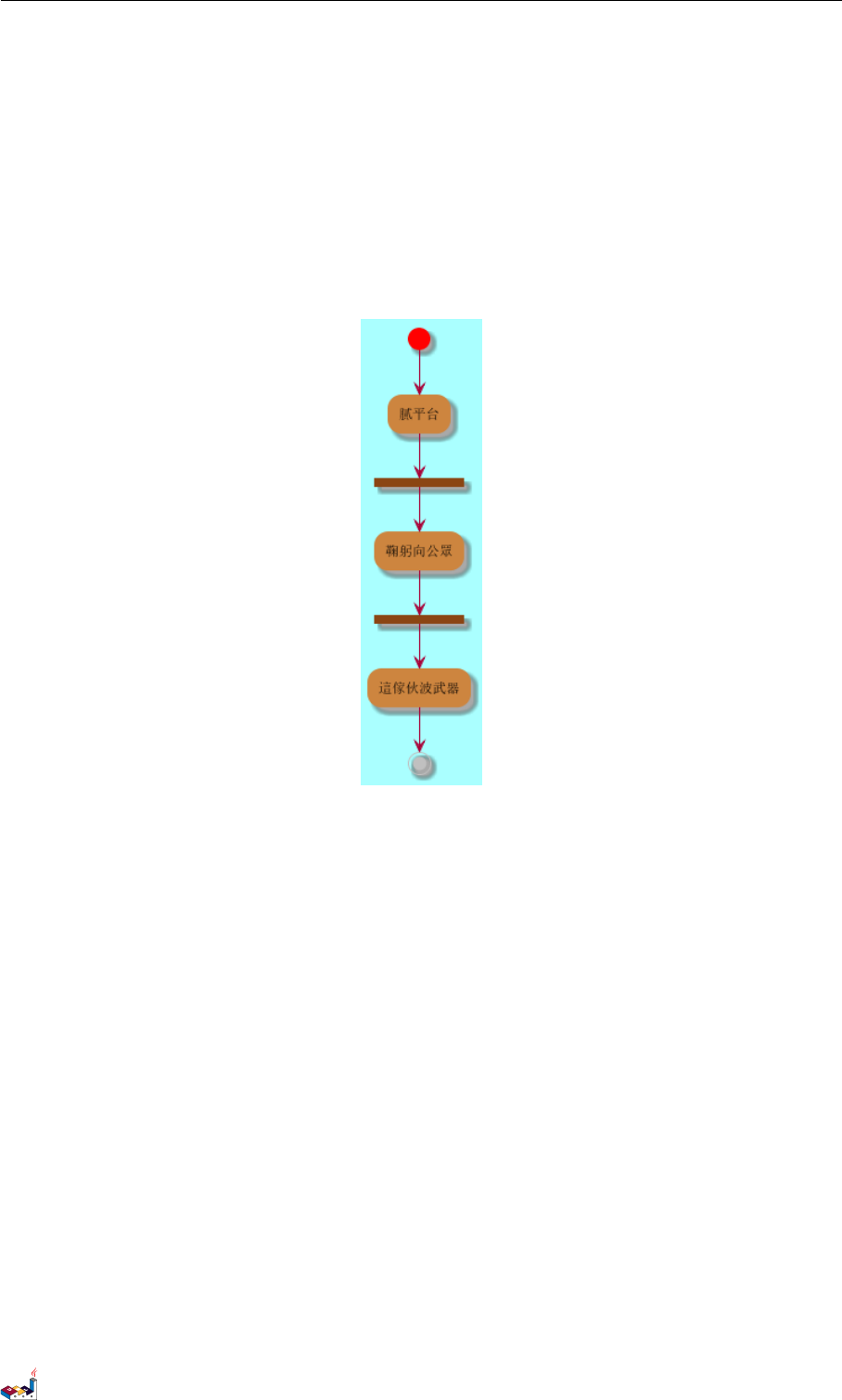
20.1 Examples 20 UNICODE
--> 鞠躬向公眾
--> === S2 ===
--> 這傢伙波武器
--> (*)
skinparam backgroundColor #AAFFFF
skinparam activityStartColor red
skinparam activityBarColor SaddleBrown
skinparam activityEndColor Silver
skinparam activityBackgroundColor Peru
skinparam activityBorderColor Peru
@enduml
@startuml
skinparam usecaseBackgroundColor DarkSeaGreen
skinparam usecaseArrowColor Olive
skinparam actorBorderColor black
skinparam usecaseBorderColor DarkSlateGray
使用者 << 人類 >>
"主數據庫" as 數據庫 << 應用程式 >>
(草創) << 一桿 >>
"主数据燕" as (贏余) << 基本的 >>
使用者 -> (草創)
使用者 --> (贏余)
數據庫 --> (贏余)
@enduml
PlantUML 语言参考指引 (1.2019.6) 158 / 173
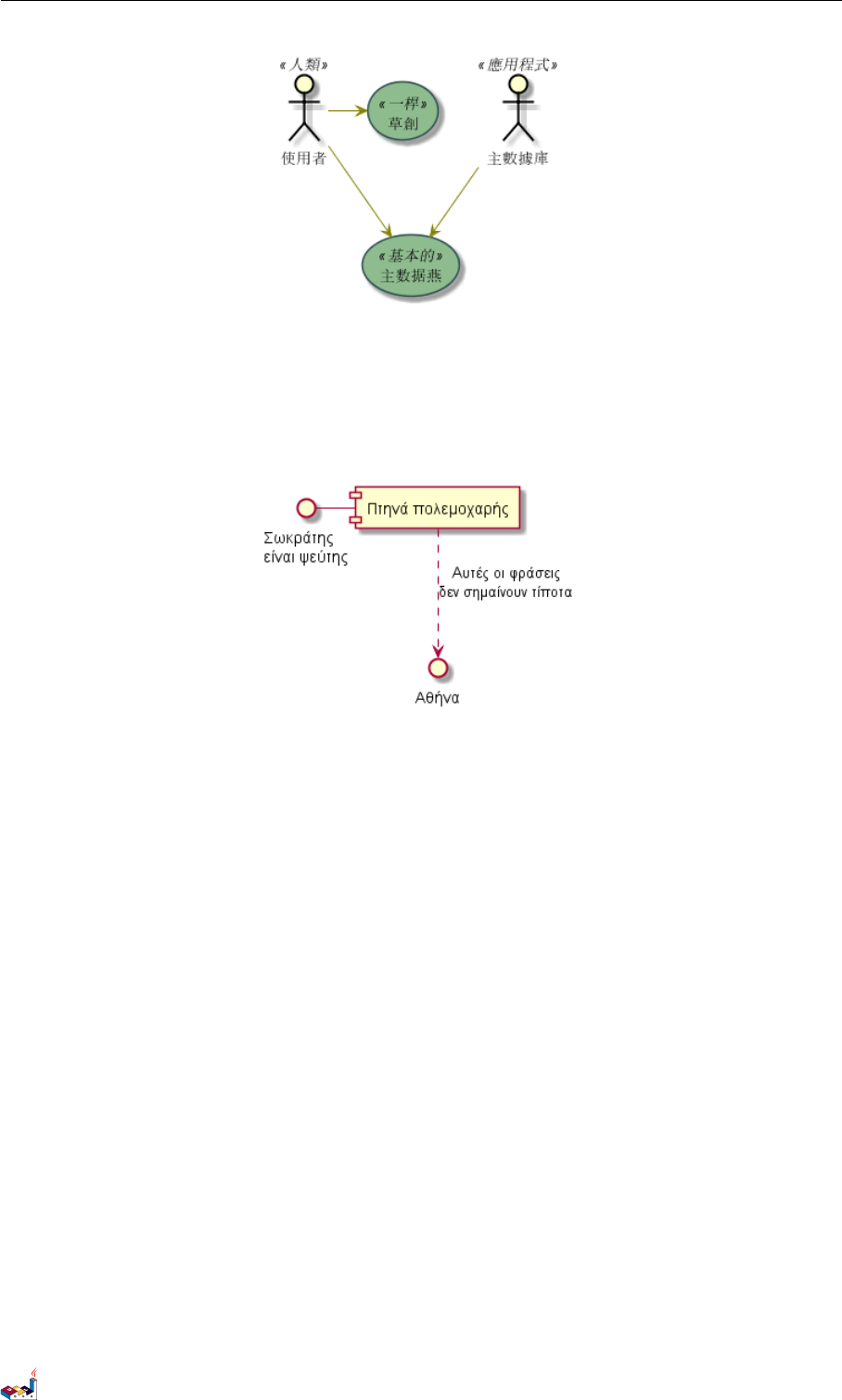
20.2 Charset 20 UNICODE
@startuml
() "Σωκράτηςψεύτης" as Σωκράτης
Σωκράτης - [Πτηνά πολεμοχαρής]
[Πτηνά πολεμοχαρής] ..> () Αθήνα : Αυτές οι φράσειςσημαίνουν τίποτα
@enduml
20.2 Charset
The default charset used when reading the text files containing the UML text description is system dependent.
Normally, it should just be fine, but in some case, you may want to the use another charset. For example, with the
command line:
java -jar plantuml.jar -charset UTF-8 files.txt
Or, with the ant task:
<!-- Put images in c:/images directory -->
<target name="main">
<plantuml dir="./src" charset="UTF-8" />
Depending of your Java installation, the following charset should be available: ISO-8859-1,UTF-8,UTF-16BE,
UTF-16LE,UTF-16.
PlantUML 语言参考指引 (1.2019.6) 159 / 173
21 STANDARD LIBRARY
21 Standard Library
This page explains the official Standard Library for PlantUML This Standard Library is now included in official
releases of PlantUML. Including files follows the C convention for "C standard library" (see https://en.wikipedia.
org/wiki/C_standard_library )
Contents of the library come from third party contributors. We thank them for their usefull contribution!
21.1 AWS library
https://github.com/milo-minderbinder/AWS-PlantUML
The AWS library consists of Amazon AWS icons, it provides icons of two different sizes.
Use it by including the file that contains the sprite, eg: !include <aws/Storage/AmazonS3/AmazonS3>. When
imported, you can use the sprite as normally you would, using <$sprite_name>.
You may also include the common.puml file, eg: !include <aws/common>, which contains helper macros de-
fined. With the common.puml imported, you can use the NAME_OF_SPRITE(parameters...) macro.
Example of usage:
@startuml
!include <aws/common>
!include <aws/Storage/AmazonS3/AmazonS3>
!include <aws/Storage/AmazonS3/bucket/bucket>
AMAZONS3(s3_internal)
AMAZONS3(s3_partner,"Vendor's S3")
s3_internal <- s3_partner
@enduml
21.2 Azure library
https://github.com/RicardoNiepel/Azure-PlantUML/
The Azure library consists of Microsoft Azure icons.
Use it by including the file that contains the sprite, eg: !include <azure/Analytics/AzureEventHub.puml>.
When imported, you can use the sprite as normally you would, using <$sprite_name>.
You may also include the AzureCommon.puml file, eg: !include <azure/AzureCommon.puml>, which contains
helper macros defined. With the AzureCommon.puml imported, you can use the NAME_OF_SPRITE(parameters...)
macro.
Example of usage:
@startuml
!include <azure/AzureCommon.puml>
!include <azure/Analytics/AzureEventHub.puml>
!include <azure/Analytics/AzureStreamAnalytics.puml>
!include <azure/Databases/AzureCosmosDb.puml>
left to right direction
PlantUML 语言参考指引 (1.2019.6) 160 / 173
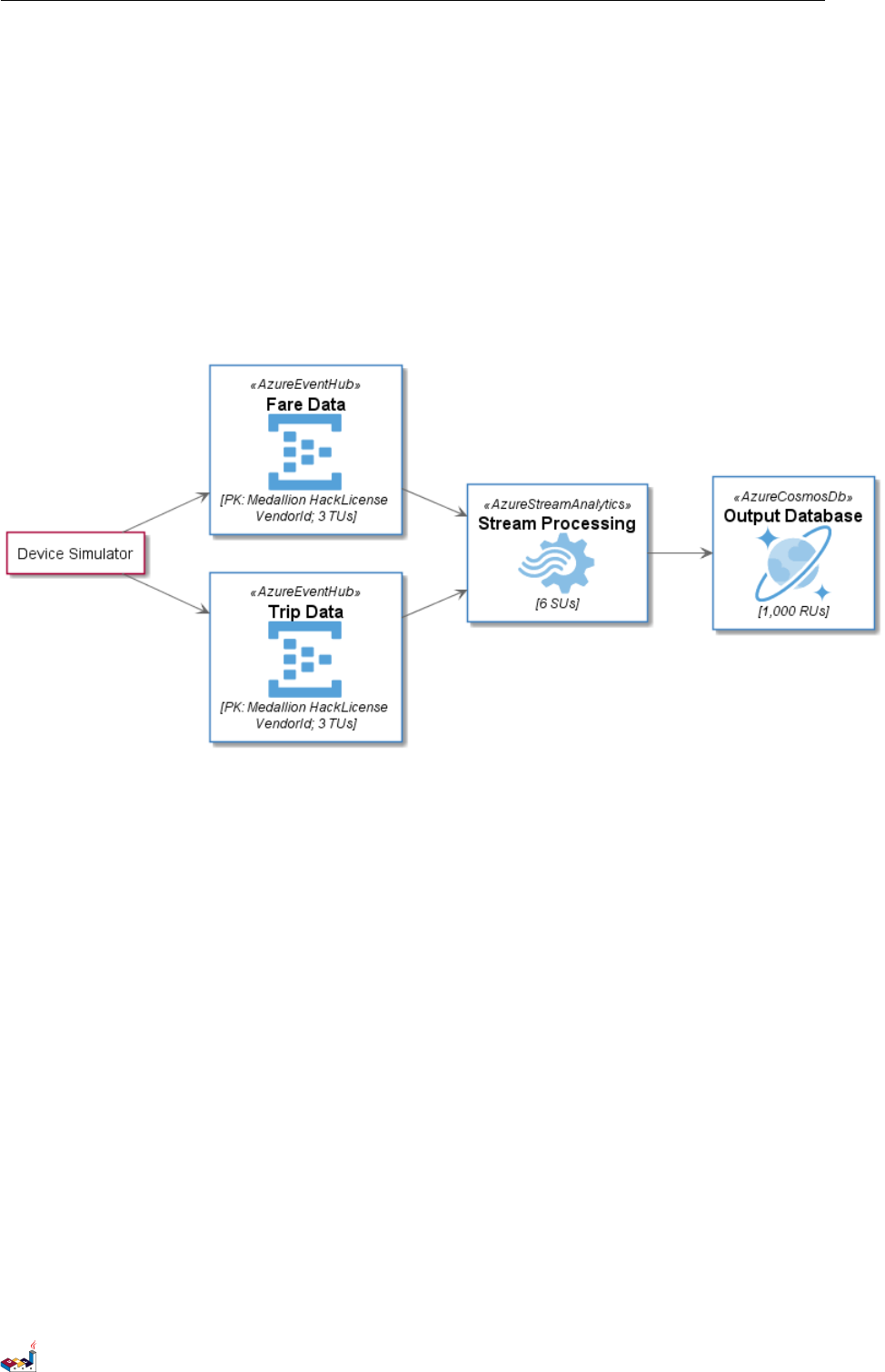
21.3 Cloud Insight 21 STANDARD LIBRARY
agent "Device Simulator" as devices #fff
AzureEventHub(fareDataEventHub, "Fare Data", "PK: Medallion HackLicense VendorId; 3 TUs")
AzureEventHub(tripDataEventHub, "Trip Data", "PK: Medallion HackLicense VendorId; 3 TUs")
AzureStreamAnalytics(streamAnalytics, "Stream Processing", "6 SUs")
AzureCosmosDb(outputCosmosDb, "Output Database", "1,000 RUs")
devices --> fareDataEventHub
devices --> tripDataEventHub
fareDataEventHub --> streamAnalytics
tripDataEventHub --> streamAnalytics
streamAnalytics --> outputCosmosDb
@enduml
21.3 Cloud Insight
https://github.com/rabelenda/cicon-plantuml-sprites
This repository contains PlantUML sprites generated from Cloudinsight icons, which can easily be used in Plan-
tUML diagrams for nice visual representation of popular technologies.
@startuml
!include <cloudinsight/tomcat>
!include <cloudinsight/kafka>
!include <cloudinsight/java>
!include <cloudinsight/cassandra>
title Cloudinsight sprites example
skinparam monochrome true
rectangle "<$tomcat>\nwebapp" as webapp
queue "<$kafka>" as kafka
rectangle "<$java>\ndaemon" as daemon
database "<$cassandra>" as cassandra
webapp -> kafka
kafka -> daemon
daemon --> cassandra
PlantUML 语言参考指引 (1.2019.6) 161 / 173
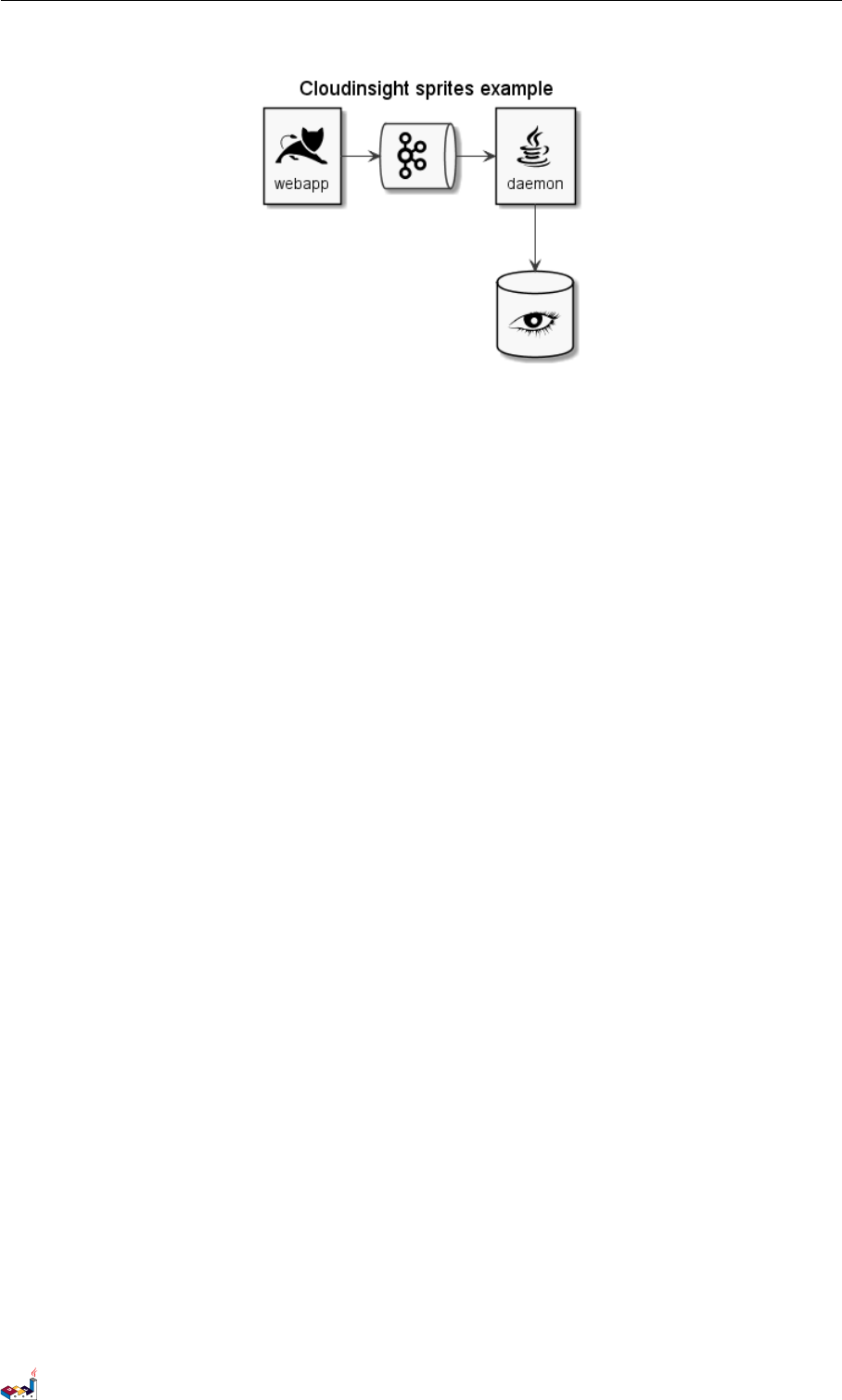
21.4 Devicons and Font Awesome library 21 STANDARD LIBRARY
@enduml
21.4 Devicons and Font Awesome library
https://github.com/tupadr3/plantuml-icon-font-sprites
These two library consists respectively of Devicons and Font Awesome libraries of icons.
Use it by including the file that contains the sprite, eg: !include <font-awesome/align_center>. When
imported, you can use the sprite as normally you would, using <$sprite_name>.
You may also include the common.puml file, eg: !include <font-awesome/common>, which contains helper
macros defined. With the common.puml imported, you can use the NAME_OF_SPRITE(parameters...) macro.
Example of usage:
@startuml
!include <tupadr3/common>
!include <tupadr3/font-awesome/server>
!include <tupadr3/font-awesome/database>
title Styling example
FA_SERVER(web1,web1) #Green
FA_SERVER(web2,web2) #Yellow
FA_SERVER(web3,web3) #Blue
FA_SERVER(web4,web4) #YellowGreen
FA_DATABASE(db1,LIVE,database,white) #RoyalBlue
FA_DATABASE(db2,SPARE,database) #Red
db1 <--> db2
web1 <--> db1
web2 <--> db1
web3 <--> db1
web4 <--> db1
@enduml
PlantUML 语言参考指引 (1.2019.6) 162 / 173
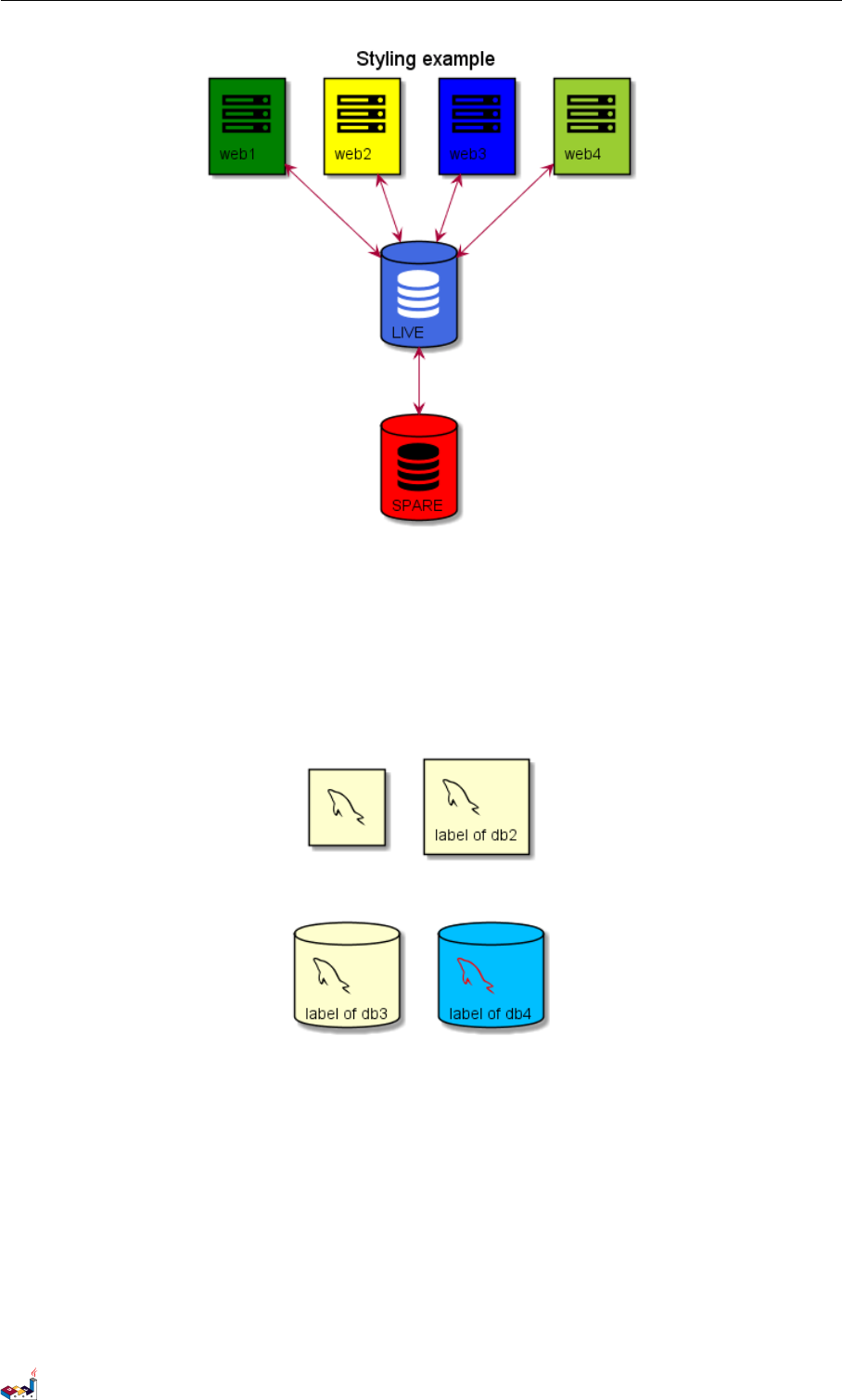
21.5 Google Material Icons 21 STANDARD LIBRARY
@startuml
!include <tupadr3/common>
!include <tupadr3/devicons/mysql>
DEV_MYSQL(db1)
DEV_MYSQL(db2,label of db2)
DEV_MYSQL(db3,label of db3,database)
DEV_MYSQL(db4,label of db4,database,red) #DeepSkyBlue
@enduml
21.5 Google Material Icons
https://github.com/Templarian/MaterialDesign
This library consists of a free Material style icons from Google and other artists.
Use it by including the file that contains the sprite, eg: !include <material/ma_folder_move>. When im-
ported, you can use the sprite as normally you would, using <$ma_sprite_name>. Notice that this library requires
an ma_ preffix on sprites names, this is to avoid clash of names if multiple sprites have the same name on different
libraries.
You may also include the common.puml file, eg: !include <material/common>, which contains helper macros
defined. With the common.puml imported, you can use the MA_NAME_OF_SPRITE(parameters...) macro, note
PlantUML 语言参考指引 (1.2019.6) 163 / 173
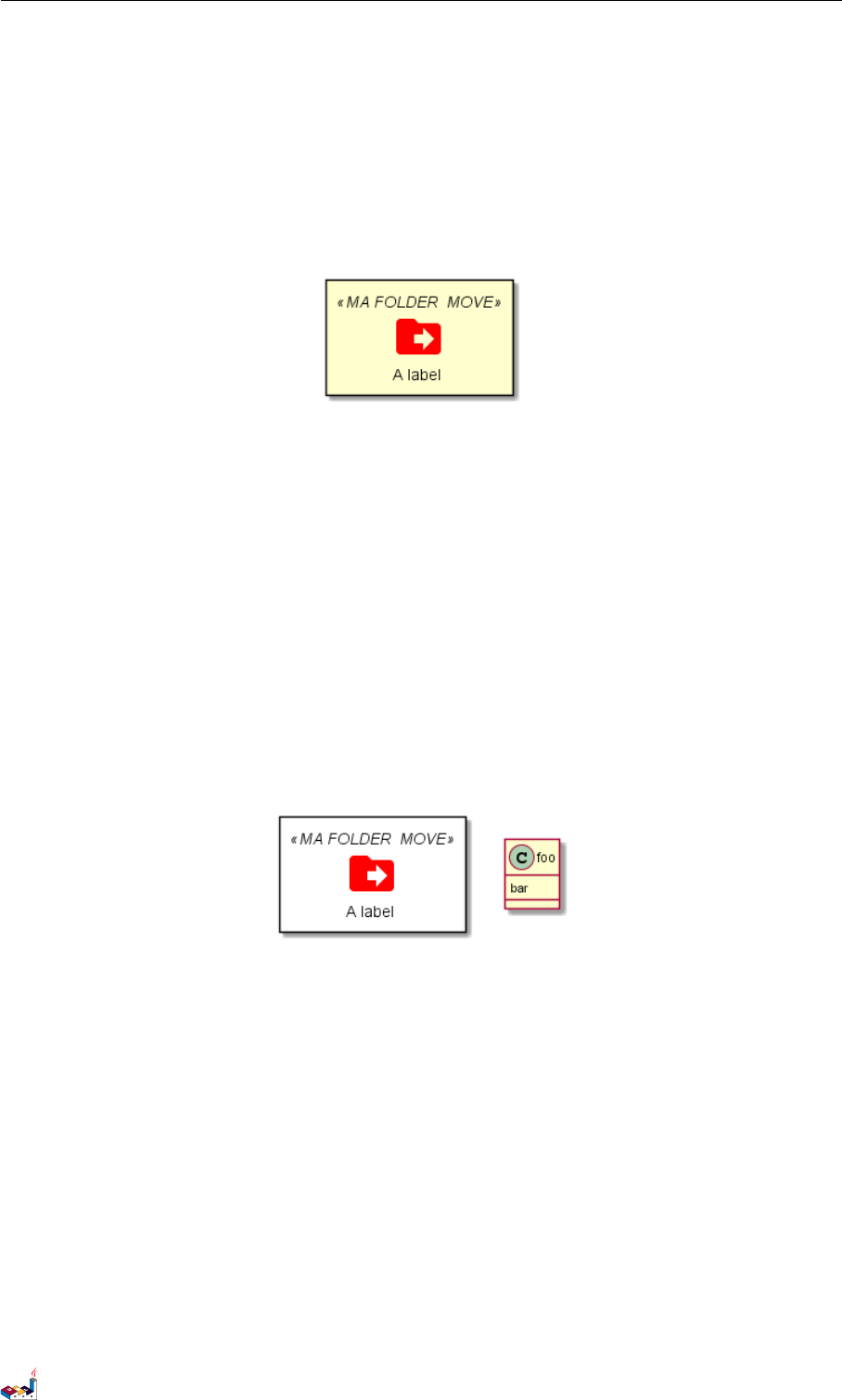
21.6 Office 21 STANDARD LIBRARY
again the use of the prefix MA_.
Example of usage:
@startuml
!include <material/common>
' To import the sprite file you DON'T need to place a prefix!
!include <material/folder_move>
MA_FOLDER_MOVE(Red, 1, dir, rectangle, "A label")
@enduml
Notes
When mixing sprites macros with other elements you may get a syntax error if, for example, trying to add a rectangle
along with classes. In those cases, add {and }after the macro to create the empty rectangle.
Example of usage:
@startuml
!include <material/common>
' To import the sprite file you DON'T need to place a prefix!
!include <material/folder_move>
MA_FOLDER_MOVE(Red, 1, dir, rectangle, "A label") {
}
class foo {
bar
}
@enduml
21.6 Office
https://github.com/Roemer/plantuml-office
There are sprites (*.puml) and colored png icons available. Be aware that the sprites are all only monchrome even
if they have a color in their name (due to automatically generating the files). You can either color the sprites with
the macro (see examples below) or directly use the fully colored pngs. See the following examples on how to use
the sprites, the pngs and the macros.
Example of usage:
@startuml
!include <tupadr3/common>
!include <office/Servers/database_server>
!include <office/Servers/application_server>
!include <office/Concepts/firewall_orange>
!include <office/Clouds/cloud_disaster_red>
PlantUML 语言参考指引 (1.2019.6) 164 / 173

21.6 Office 21 STANDARD LIBRARY
title Office Icons Example
package "Sprites" {
OFF_DATABASE_SERVER(db,DB)
OFF_APPLICATION_SERVER(app,App-Server)
OFF_FIREWALL_ORANGE(fw,Firewall)
OFF_CLOUD_DISASTER_RED(cloud,Cloud)
db <-> app
app <--> fw
fw <.left.> cloud
}
@enduml
@startuml
!include <tupadr3/common>
!include <office/servers/database_server>
!include <office/servers/application_server>
!include <office/Concepts/firewall_orange>
!include <office/Clouds/cloud_disaster_red>
' Used to center the label under the images
skinparam defaultTextAlignment center
title Extended Office Icons Example
package "Use sprite directly" {
[Some <$cloud_disaster_red> object]
}
package "Different makro usages" {
OFF_CLOUD_DISASTER_RED(cloud1)
OFF_CLOUD_DISASTER_RED(cloud2,Default with text)
OFF_CLOUD_DISASTER_RED(cloud3,Other shape,Folder)
OFF_CLOUD_DISASTER_RED(cloud4,Even another shape,Database)
OFF_CLOUD_DISASTER_RED(cloud5,Colored,Rectangle, red)
OFF_CLOUD_DISASTER_RED(cloud6,Colored background) #red
}
@enduml
PlantUML 语言参考指引 (1.2019.6) 165 / 173
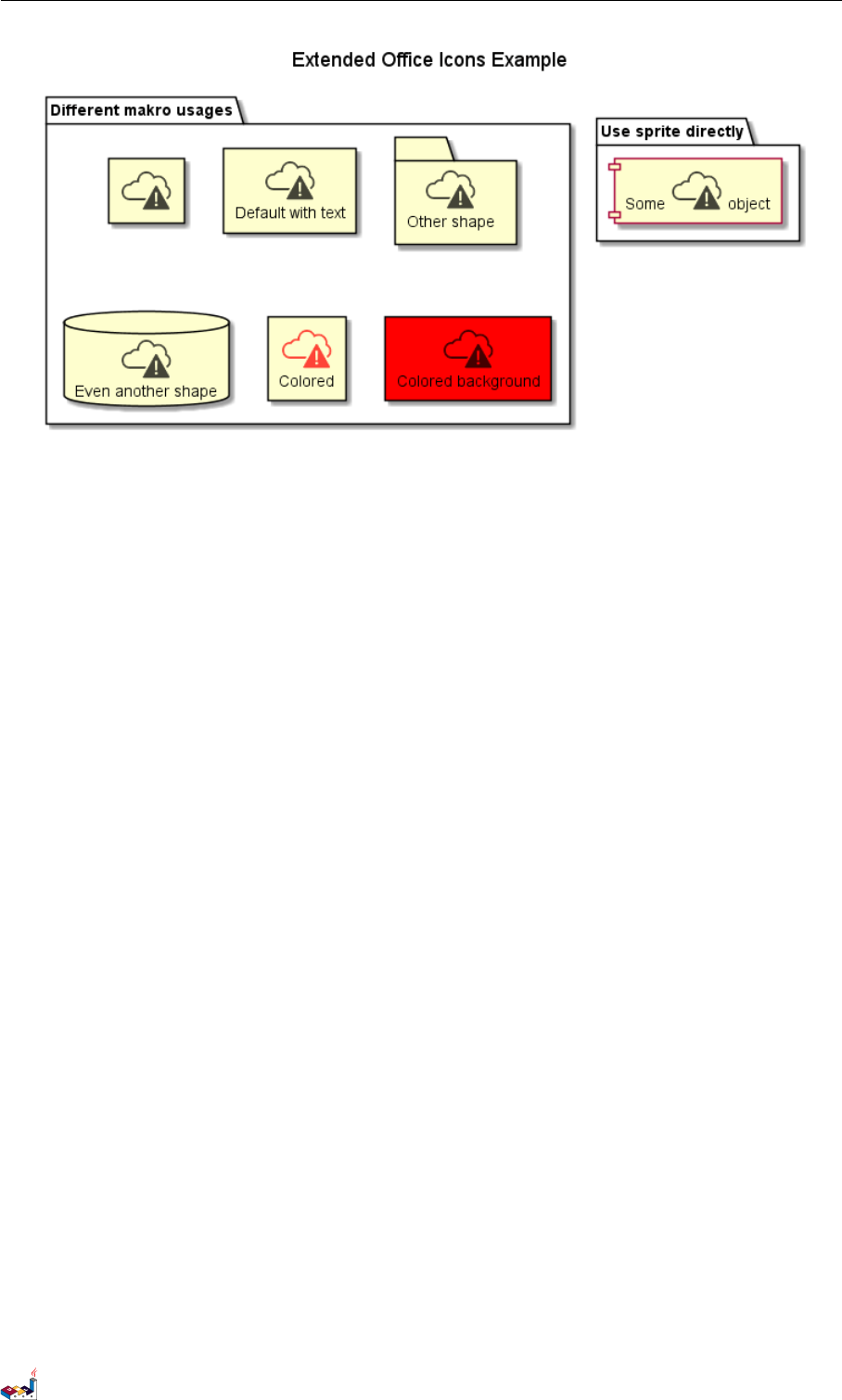
21.7 ArchiMate 21 STANDARD LIBRARY
21.7 ArchiMate
https://github.com/ebbypeter/Archimate-PlantUML
This repository contains ArchiMate PlantUML macros and other includes for creating Archimate Diagrams easily
and consistanly.
@startuml Internet Browser Example
!includeurl https://raw.githubusercontent.com/ebbypeter/Archimate-PlantUML/master/Archimate.puml
title Archimate Sample - Internet Browser
' Elements
Business_Object(businessObject, "A Business Object")
Business_Process(someBusinessProcess,"Some Business Process")
Business_Service(itSupportService, "IT Support for Business (Application Service)")
Application_DataObject(dataObject, "Web Page Data \n 'on the fly'")
Application_Function(webpageBehaviour, "Web page behaviour")
Application_Component(ActivePartWebPage, "Active Part of the web page \n 'on the fly'")
Technology_Artifact(inMemoryItem,"in memory / 'on the fly' html/javascript")
Technology_Service(internetBrowser, "Internet Browser Generic & Plugin")
Technology_Service(internetBrowserPlugin, "Some Internet Browser Plugin")
Technology_Service(webServer, "Some web server")
'Relationships
Rel_Flow_Left(someBusinessProcess, businessObject, "")
Rel_Serving_Up(itSupportService, someBusinessProcess, "")
Rel_Specilization_Up(webpageBehaviour, itSupportService, "")
Rel_Flow_Right(dataObject, webpageBehaviour, "")
Rel_Specilization_Up(dataObject, businessObject, "")
Rel_Assignment_Left(ActivePartWebPage, webpageBehaviour, "")
Rel_Specilization_Up(inMemoryItem, dataObject, "")
Rel_Realization_Up(inMemoryItem, ActivePartWebPage, "")
Rel_Specilization_Right(inMemoryItem,internetBrowser, "")
Rel_Serving_Up(internetBrowser, webpageBehaviour, "")
Rel_Serving_Up(internetBrowserPlugin, webpageBehaviour, "")
Rel_Aggregation_Right(internetBrowser, internetBrowserPlugin, "")
Rel_Access_Up(webServer, inMemoryItem, "")
PlantUML 语言参考指引 (1.2019.6) 166 / 173
21.8 Miscellaneous 21 STANDARD LIBRARY
It is also possible to use the command line java -jar plantuml.jar -stdlib to display the same list.
Finally, you can extract the full standard library sources using java -jar plantuml.jar -extractstdlib.
All files will be extracted in the folder stdlib.
Sources used to build official PlantUML releases are hosted here https://github.com/plantuml/plantuml-stdlib.You
can create Pull Request to update or add some library if you find it relevant.
PlantUML 语言参考指引 (1.2019.6) 168 / 173

CONTENTS CONTENTS
Contents
1时序图 1
1.1 简单示例 ............................................... 1
1.2 声明参与者 .............................................. 1
1.3 在参与者中使用非字母符号 .................................... 3
1.4 给自己发消息 ............................................ 3
1.5 修改箭头样式 ............................................ 3
1.6 修改箭头颜色 ............................................ 4
1.7 对消息序列编号 ........................................... 4
1.8 PageTitle,HeaderandFooter .................................... 6
1.9 分割示意图 .............................................. 7
1.10 组合消息 ............................................... 8
1.11 给消息添加注释 ........................................... 9
1.12 其他的注释 .............................................. 10
1.13 改变备注框的形状 .......................................... 10
1.14 Creole 和HTML ........................................... 11
1.15 分隔符 ................................................ 12
1.16 引用 .................................................. 13
1.17 延迟 .................................................. 13
1.18 空间 .................................................. 14
1.19 生命线的激活与撤销 ........................................ 15
1.20Return................................................. 16
1.21 创建参与者 .............................................. 16
1.22 进入和发出消息 ........................................... 17
1.23 构造类型和圈点 ........................................... 18
1.24 更多标题信息 ............................................ 19
1.25 包裹参与者 .............................................. 20
1.26 移除脚注 ............................................... 21
1.27 外观参数 (skinparam) ........................................ 21
1.28 填充区设置 .............................................. 23
2用例图 25
2.1 用例 .................................................. 25
2.2 角色 .................................................. 25
2.3 用例描述 ............................................... 26
2.4 基础示例 ............................................... 26
2.5 继承 .................................................. 27
2.6 使用注释 ............................................... 27
2.7 构造类型 ............................................... 28
2.8 改变箭头方向 ............................................ 29
2.9 分割图示 ............................................... 30
2.10 从左向右方向 ............................................ 30
2.11 显示参数 ............................................... 31
2.12 一个完整的例子 ........................................... 32
3类图 33
3.1 类之间的关系 ............................................ 33
3.2 关系上的标识 ............................................ 34
3.3 添加方法 ............................................... 35
3.4 定义可访问性 ............................................ 36
3.5 抽象与静态 .............................................. 36
3.6 高级类体 ............................................... 37
3.7 备注和模板 .............................................. 38
3.8 更多注释 ............................................... 38
3.9 链接的注释 .............................................. 39
3.10 抽象类和接口 ............................................ 40
3.11 使用非字母字符 ........................................... 41
3.12 隐藏属性、函数等 .......................................... 41
PlantUML 语言参考指引 (1.2019.6) 169 / 173

CONTENTS CONTENTS
3.13 隐藏类 ................................................ 42
3.14 泛型(generics)........................................... 43
3.15 指定标记(Spot).......................................... 43
3.16 包................................................... 43
3.17 包样式 ................................................ 44
3.18 命名空间(Namespaces)...................................... 45
3.19 自动创建命名空间 .......................................... 46
3.20 棒棒糖接口 .............................................. 47
3.21 改变箭头方向 ............................................ 47
3.22 “关系”类 .............................................. 48
3.23 皮肤参数 ............................................... 49
3.24SkinnedStereotypes.......................................... 50
3.25Colorgradient............................................. 50
3.26 辅助布局 ............................................... 51
3.27 拆分大文件 .............................................. 52
4活动图 54
4.1 简单活动 ............................................... 54
4.2 箭头上的标签 ............................................ 54
4.3 改变箭头方向 ............................................ 54
4.4 分支 .................................................. 55
4.5 更多分支 ............................................... 56
4.6 同步 .................................................. 57
4.7 长的活动描述 ............................................ 58
4.8 注释 .................................................. 58
4.9 分区 .................................................. 59
4.10 显示参数 ............................................... 60
4.11 八边形活动 .............................................. 61
4.12 一个完整的例子 ........................................... 61
5活动图 (新语法) 64
5.1 简单活动图 .............................................. 64
5.2 开始/结束 ............................................... 64
5.3 条件语句 ............................................... 65
5.4 重复循环 ............................................... 66
5.5 while 循环 .............................................. 66
5.6 并行处理 ............................................... 67
5.7 注释 .................................................. 68
5.8 颜色 .................................................. 68
5.9 箭头 .................................................. 69
5.10 连接器 (Connector).......................................... 70
5.11 组合 (grouping)............................................ 70
5.12 泳道 (Swimlanes)........................................... 71
5.13 分离 (detach) ............................................. 72
5.14 特殊领域语言 (SDL)......................................... 73
5.15 一个完整的例子 ........................................... 74
6组件图 76
6.1 组件 .................................................. 76
6.2 接口 .................................................. 76
6.3 基础的示例 .............................................. 77
6.4 使用注释 ............................................... 77
6.5 组合组件 ............................................... 77
6.6 改变箭头方向 ............................................ 79
6.7 使用 UML2 标记符 ......................................... 80
6.8 长描述 ................................................ 81
6.9 不同的颜色表示 ........................................... 81
6.10 在定型组件中使用精灵图 ...................................... 81
6.11 显示参数 ............................................... 82
PlantUML 语言参考指引 (1.2019.6) 170 / 173

CONTENTS CONTENTS
7状态图 84
7.1 简单状态 ............................................... 84
7.2 Changestaterendering ........................................ 84
7.3 合成状态 ............................................... 85
7.4 长名字 ................................................ 86
7.5 并发状态 ............................................... 87
7.6 箭头方向 ............................................... 88
7.7 注释 .................................................. 89
7.8 更多注释 ............................................... 90
7.9 显示参数 ............................................... 90
8对象图 92
8.1 对象的定义 .............................................. 92
8.2 对象之间的关系 ........................................... 92
8.3 添加属性 ............................................... 92
8.4 类图中的通用特性 .......................................... 93
9时序图 94
9.1 声明参与者 .............................................. 94
9.2 增加消息 ............................................... 94
9.3 相对时间 ............................................... 95
9.4 Participantoriented.......................................... 96
9.5 Settingscale.............................................. 96
9.6 Initialstate .............................................. 96
9.7 Intricatedstate............................................. 97
9.8 Hiddenstate.............................................. 98
9.9 Addingconstraint........................................... 98
9.10Addingtexts.............................................. 99
10 Gantt Diagram 100
10.1Declaringtasks ............................................ 100
10.2Addingconstraints .......................................... 100
10.3Shortnames.............................................. 100
10.4Customizecolors ........................................... 101
10.5Milestone ............................................... 101
10.6Calendar................................................ 101
10.7Closeday ............................................... 101
10.8Simplifiedtasksuccession ...................................... 102
10.9Separator ............................................... 102
10.10Workingwithresources........................................ 102
10.11Complexexample........................................... 103
11 MindMap 104
11.1OrgModesyntax ........................................... 104
11.2Removingbox............................................. 104
11.3Arithmeticnotation.......................................... 105
11.4Markdownsyntax........................................... 105
11.5Changingdiagramdirection ..................................... 106
11.6Completeexample .......................................... 106
12 Work Breakdown Structure 108
12.1OrgModesyntax ........................................... 108
12.2Changedirection ........................................... 108
12.3Arithmeticnotation.......................................... 109
13 = 简介 = 111
13.1 独立图 ................................................ 111
13.2 这是如何工作的?........................................... 112
PlantUML 语言参考指引 (1.2019.6) 171 / 173

CONTENTS CONTENTS
14 通用命令 113
14.1 注释 .................................................. 113
14.2Footerandheader........................................... 113
14.3 缩放 .................................................. 113
14.4 标题 .................................................. 114
14.5 图片标题 ............................................... 115
14.6 图例说明 ............................................... 115
15 Salt 117
15.1 基本部件 ............................................... 117
15.2 使用表格 ............................................... 117
15.3Groupbox............................................... 118
15.4 使用分隔符 .............................................. 118
15.5 树形外挂 ............................................... 119
15.6Enclosingbrackets .......................................... 119
15.7 添加选项卡 .............................................. 120
15.8 使用菜单 ............................................... 120
15.9 高级表格 ............................................... 121
15.10OpenIconic .............................................. 122
15.11IncludeSalt .............................................. 122
15.12ScrollBars .............................................. 125
16 Creole 127
16.1Emphasizedtext............................................ 127
16.2List .................................................. 127
16.3Escapecharacter ........................................... 128
16.4Horizontallines............................................ 128
16.5Headings ............................................... 129
16.6LegacyHTML ............................................ 129
16.7Table ................................................. 130
16.8Tree .................................................. 131
16.9Specialcharacters........................................... 131
16.10OpenIconic .............................................. 131
17 Defining and using sprites 133
17.1EncodingSprite............................................ 134
17.2ImportingSprite............................................ 134
17.3Examples ............................................... 134
18 Skinparam 命令 136
18.1 使用 .................................................. 136
18.2 内嵌 .................................................. 136
18.3 黑白 (BlackandWhite)........................................ 136
18.4 颜色翻转 (Reversecolors) ...................................... 137
18.5 颜色 (Colors) ............................................. 138
18.6 字体颜色、名称、大小 (Font color, name and size) . . . . . . . . . . . . . . . . . . . . . . . . 139
18.7 文本对齐 (TextAlignment) ..................................... 139
18.8Examples ............................................... 140
18.9 所有 skinparam 的参数列表 (List of all skinparam parameters) . . . . . . . . . . . . . . . . . . 143
19 Preprocessing 147
19.1Migrationnotes............................................ 147
19.2Variabledefinition .......................................... 147
19.3Conditions............................................... 147
19.4Voidfunction ............................................. 148
19.5Returnfunction ............................................ 149
19.6Defaultargumentvalue........................................ 150
19.7Unquotedfunction .......................................... 150
19.8IncludingfilesorURL ........................................ 151
PlantUML 语言参考指引 (1.2019.6) 172 / 173

CONTENTS CONTENTS
19.9IncludingSubpart........................................... 152
19.10Builtinfunctions ........................................... 152
19.11Logging................................................ 153
19.12Memorydump ............................................ 153
19.13Assertion ............................................... 154
19.14Buildingcustomlibrary........................................ 154
19.15Searchpath .............................................. 155
19.16Argumentconcatenation ....................................... 155
19.17Dynamic function invocation . . . . . . . . . . . . . . . . . . . . . . . . . . . . . . . . . . . . . 155
20 Unicode 157
20.1Examples ............................................... 157
20.2Charset ................................................ 159
21 Standard Library 160
21.1AWSlibrary.............................................. 160
21.2Azurelibrary ............................................. 160
21.3CloudInsight ............................................. 161
21.4 Devicons and Font Awesome library . . . . . . . . . . . . . . . . . . . . . . . . . . . . . . . . . 162
21.5GoogleMaterialIcons ........................................ 163
21.6Office ................................................. 164
21.7ArchiMate............................................... 166
21.8Miscellaneous............................................. 167
PlantUML 语言参考指引 (1.2019.6) 173 / 173
