DynaPoint H3T6001 BLUETOOTH User Manual UserManual
DynaPoint (Dong Guan) Inc. BLUETOOTH UserManual
USERS MANUAL
User Manual
GOGOPAD User manual
1. Feature:
Electronic
Touch Pad DPI 200
Button
Mouse RB ;Mouse LB ;Mouse Scroll
up/down ;Media ;Play ;prev. ;next ;volum
up/down
Radio Class Bluetooth Class II
Frequence 2402 - 2480 MHz
Bluetooth Spec Bluetooth specification V2.0
Channal Frequency Hopping.
Distance 7 M
RF Output Power 0 dBm
PWR consumption 7ma
Charging time 4hr
Bat. life 2 month
Mechanical
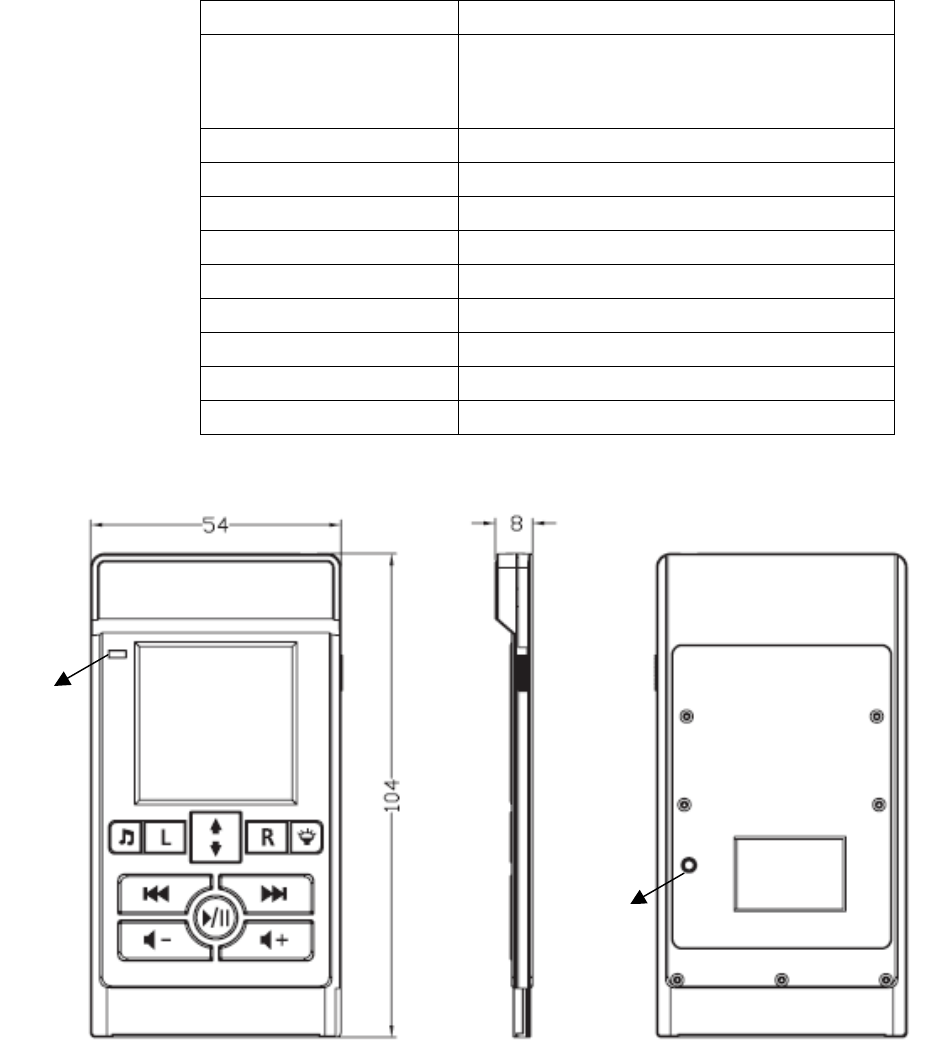
Communication :Go PAD to Host
ID
key
LED
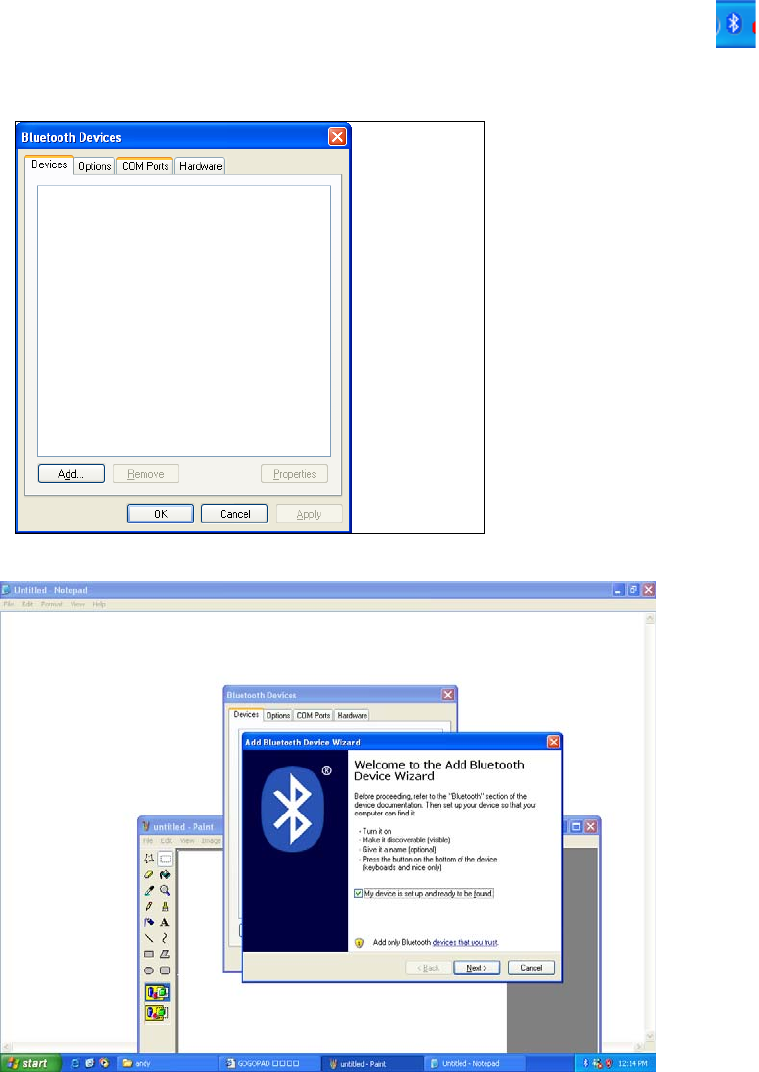
2.1 Connect the Blooth dongle to USB port on PC. If your PC builds Bluetooth
while having, please turn on Bluetooth.
2.2 Bluetooth logo of lower right corner of the computer that please double
click
2.3 Click “ADD” Button
2.4 Select □My device is set up and ready to be found 。then click Next
2.5 The computer will jump out the window below at this moment. Then push
GO PAD ID key, and the LED will be blinking.
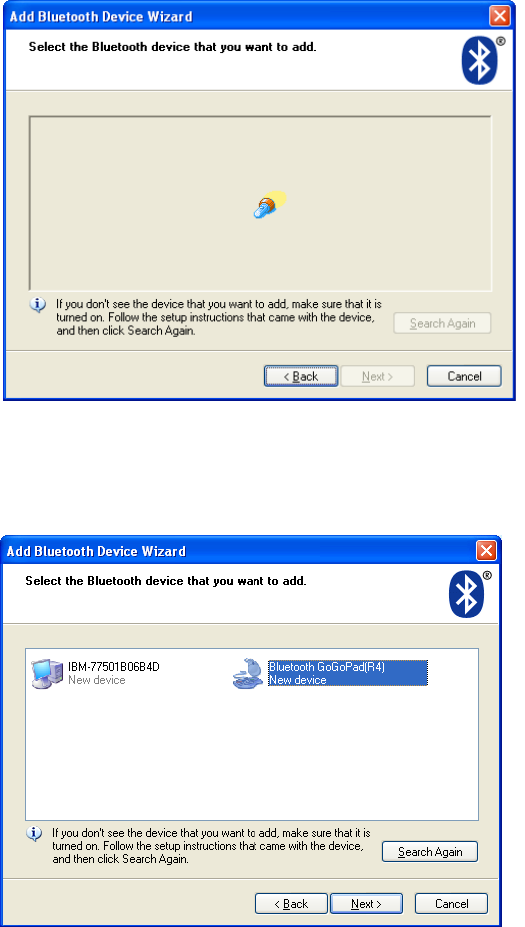
2.6 PC will find “Bluetooth GoGoPad”. Click “Bluetooth GoGopad” then click
the next step
2.7 Select ○Don’t use a passkey ,and click Next 。
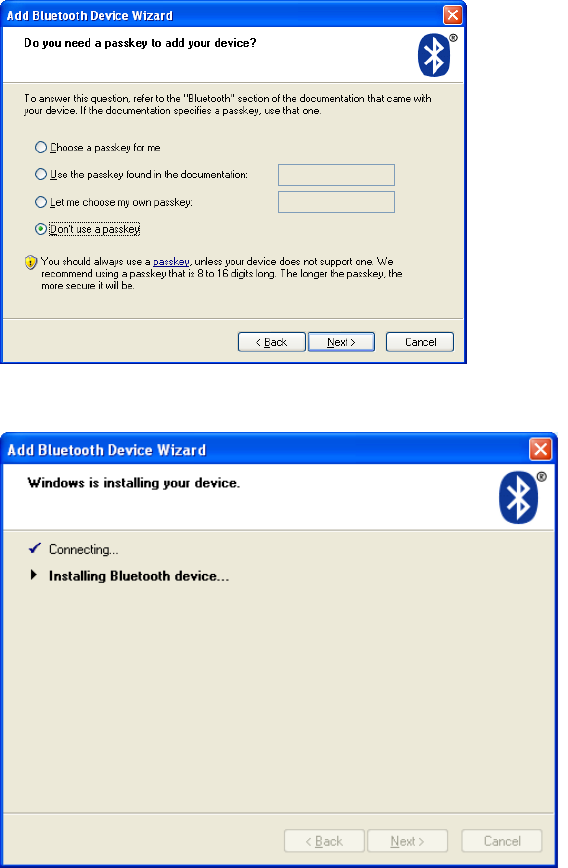
2.8 PC is installing the driver of the Bluetooth GoGoPad
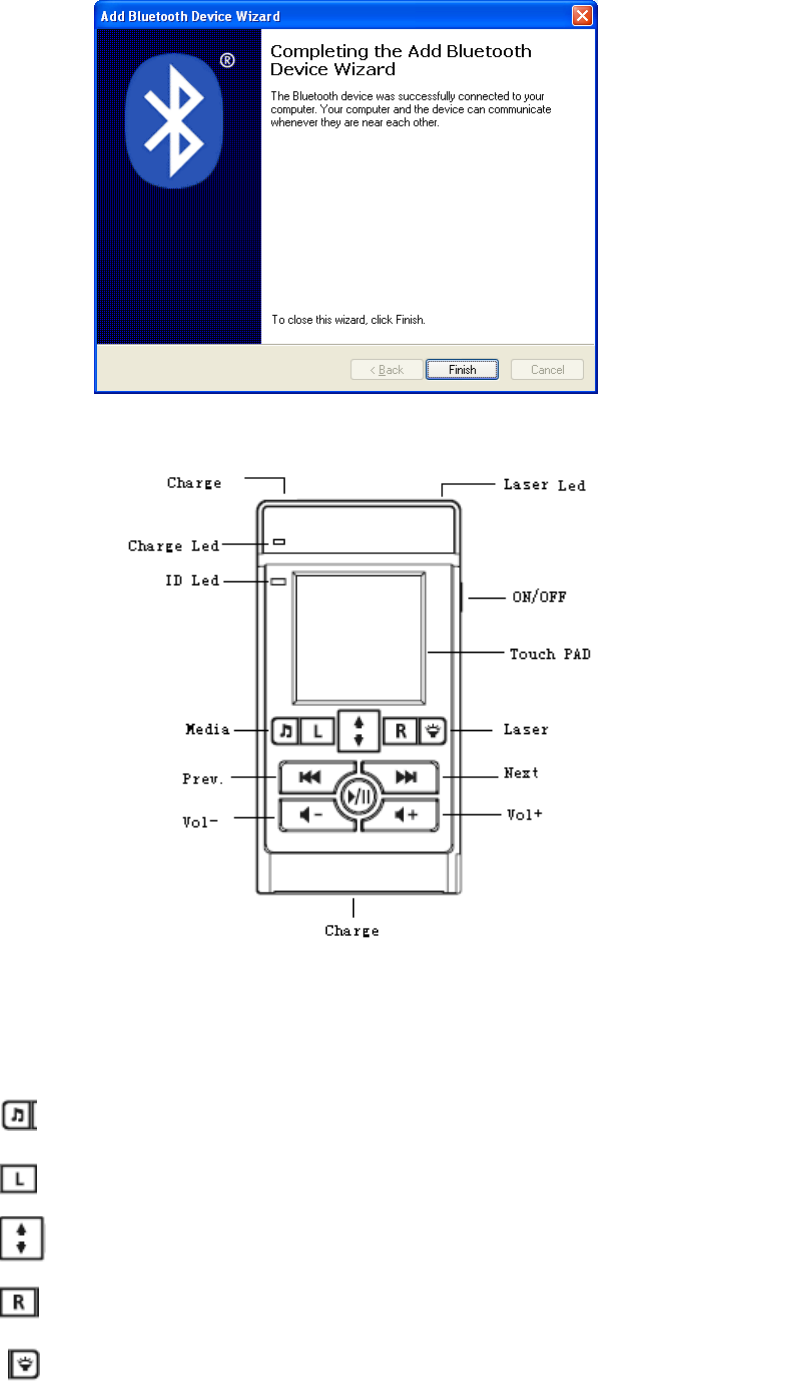
2.9 Click finish. GoGoPad led will be off,Bluetooth GoGoPad can work at this
moment.
3. Operation:
3.1 As you move the finger on PAD, the cursor will be followed to move. At
doubling click PAD, equal as you left key of mouse double click
3.2 KEY function:
Media Open media play
LB Left Key of mouse
Wheel Scroll up and down
RB Right Key of mouse
Laser Laser on/off
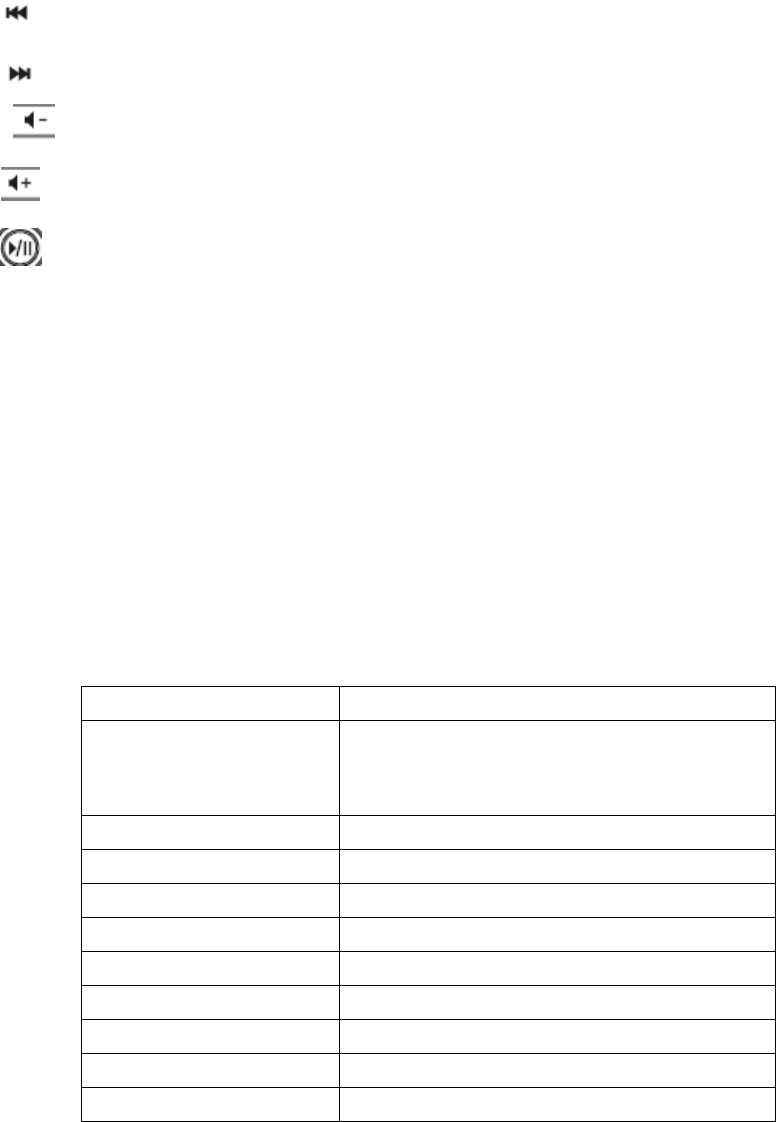
Prev. Prev of media play
Next Next of media pla
Vol- Volume down of media play
Vol+ Volume up of media play
Play/Pause Play/pluse of media play
4. Charging function:
GoGoPad offer two way charge, can choose PCMCIA slot or USB port to
be charged
4.1 Insert BT in the PCMCIA slot of the compute. GoPad LED will be on while
charging, charge finishing LED will off
4.2 Join usb cable from PC to GoPAD. GoPad LED will be on while charging,
charge finishing LED will off
Specification:
Electronic
Touch Pad DPI 200
Button
Mouse RB ;Mouse LB ;Mouse Scroll
up/down ;Media ;Play ;prev. ;next ;volum
up/down
Radio Class Bluetooth Class II
Frequence 2.4 - 2.48 GHz
Bluetooth Spec Bluetooth specification V2.0
Channal Frequency Hopping.
Distance 7 M
RF Output Power 0 dBm
PWR consumption 7ma
Charging time 4hr
Bat. life 2 month
FCC WARNING
This device complies with Part 15 of the FCC Rules. Operation is
subject to the following two conditions:
(1) this device may not cause harmful interference, and
(2) this device must accept any interference received, including interference that may cause
undesired operation.
NOTE: This equipment has been tested and found to comply with the limits for a Class B
digital device, pursuant to part 15 of the FCC Rules. These limits are designed to provide
reasonable protection against harmful interference in a residential installation. This equipment
generates, uses and can radiate radio frequency energy and, if not installed and used in accordance
with the instructions, may cause harmful interference to radio communications. However, there is
no guarantee that interference will not occur in a particular installation. If this equipment does
cause harmful interference to radio or television reception, which can be determined by turning
the equipment off and on, the user is encouraged to try to correct the interference by one or more
of the following measures:
- Reorient or relocate the receiving antenna.
- Increase the separation between the equipment and receiver.
-Connect the equipment into an outlet on a circuit different from that to which the receiver is
connected.
-Consult the dealer or an experienced radio/TV technician for help.
NOTE: The manufacturer is not responsible for and radio or TV interference caused by
unauthorized modifications to this equipment. Such modifications could void the user’s authority
to operate the equipment.