Contents
- 1. Users Manual-1
- 2. Users Manual-2
Users Manual-1
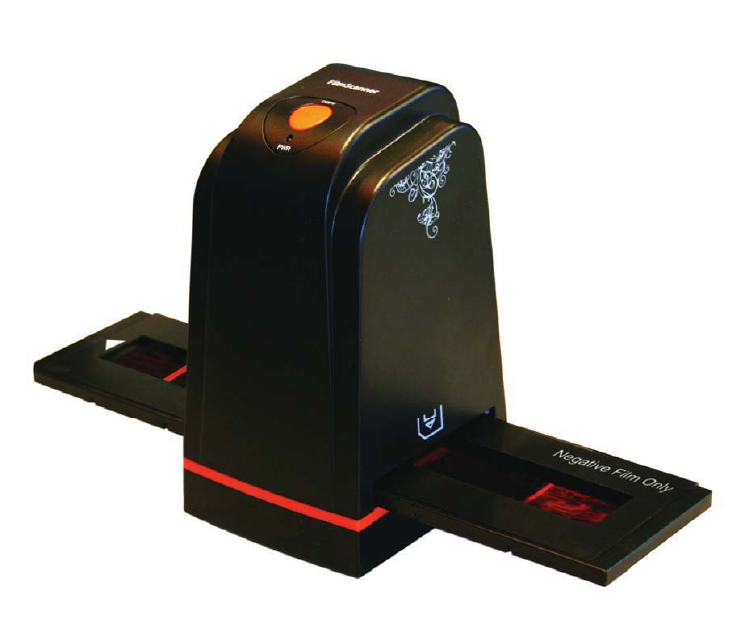
FilmScan35 I
User Manual
Version 2.00 Mar 2011
FSͲIͲ5M

Index
I. Unpack FilmScan35I ………...……………………………….. 1
II. Install Film into Holder ………………………………………. 2
III. Connect FilmScan35I …………..…………………………… 6
IV. Install Bundled Application …………….….………………….. 7
V. Use FilmScan35I ……………………..……………………… 11
VI. Introduce User Interface ……………………………………... 15
VII. Specifications …..……………………………………………… 22
Appendix. Clean FilmScan35I
1
I. UnpackFilmScan35 I
NOTE
Westronglysuggestusingaclean,dry,nonͲalcoholcottonswabtoinsertinto
thefilmscannerslotandcleantheglasssurfaceperiodicallytoproducea
clearimage.
MakeSureallnegativefilms,slidefilmsandcovertraysarefreeofdustand
dirtbeforeinsertingintotheFilmScan35Iasthismayaffecttheimagequality
whenscanning.
Whencleaningfilms,pleaseuseaprofessionalrecommendedpurgerfroma
photostoretoavoiddamagingoldorpreciousfilms.
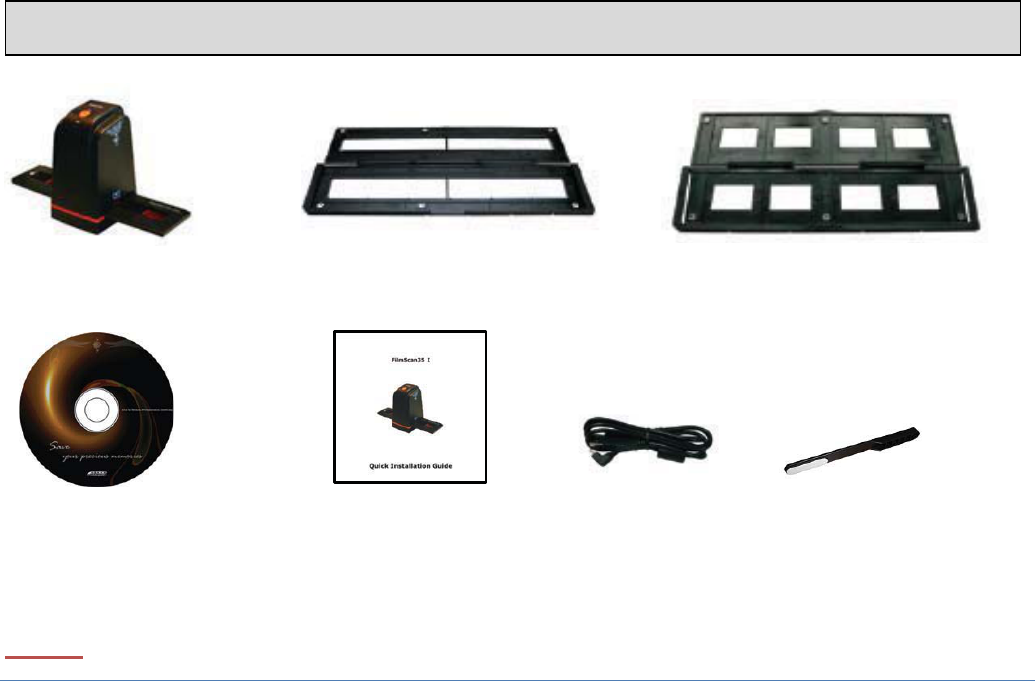
FilmScan35I SlideFilmHolderNegativeFilmHolder
CDͲROM Cleanbrush
QuickInstallationGuide USBcable
2
II. Installfilmintoholder
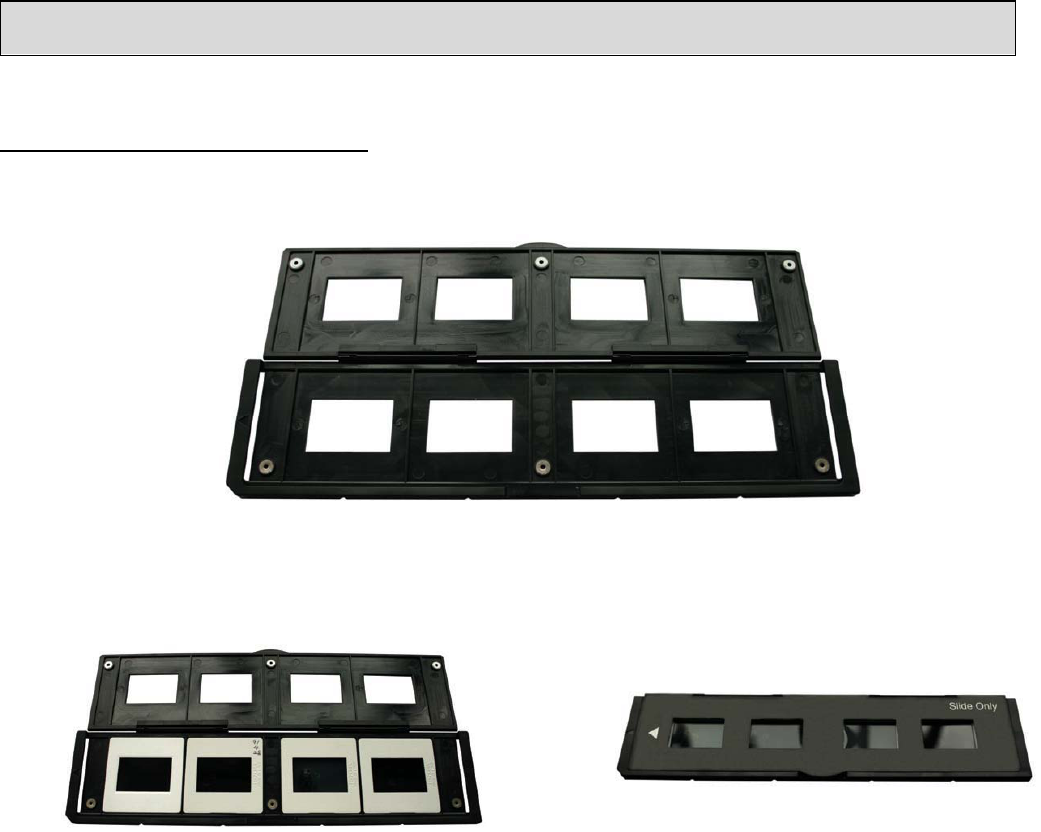
Installtheslideintoholder:
1. Opentheslideholderasillustrated
2. Putslideintopositiveslideslot 3. Closethefilmholder
3
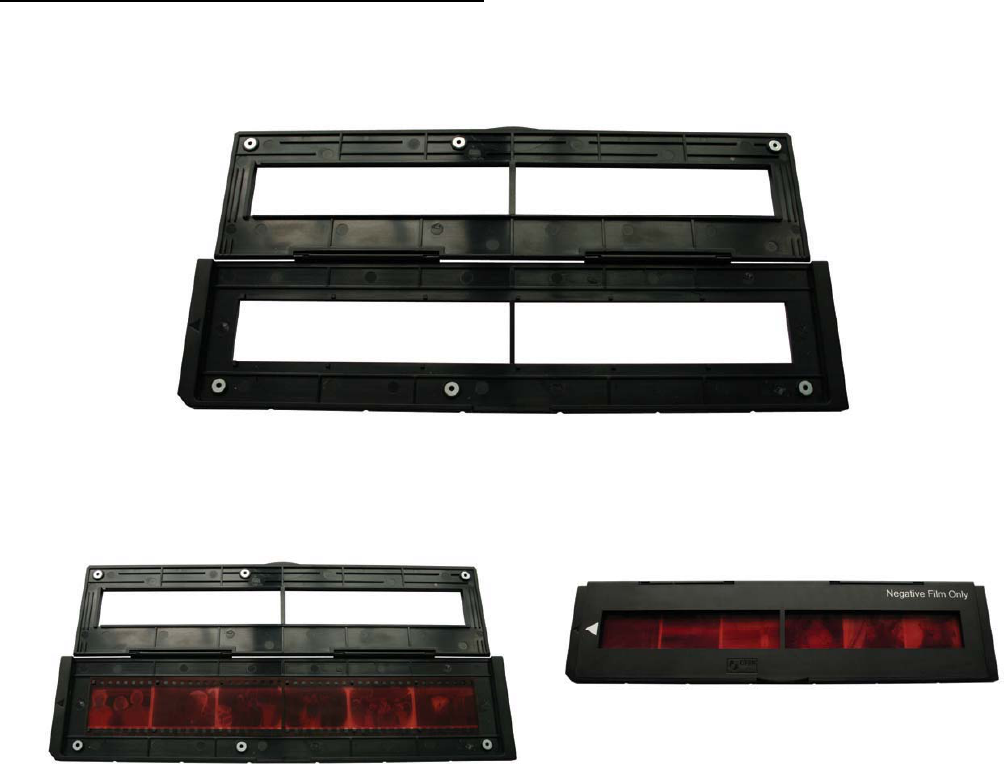
Installthenegativefilmintoholder:
1. Openthefilmholderasillustrated
2. Installfilmintonegativefilmslot 3. Closethefilmholder
4
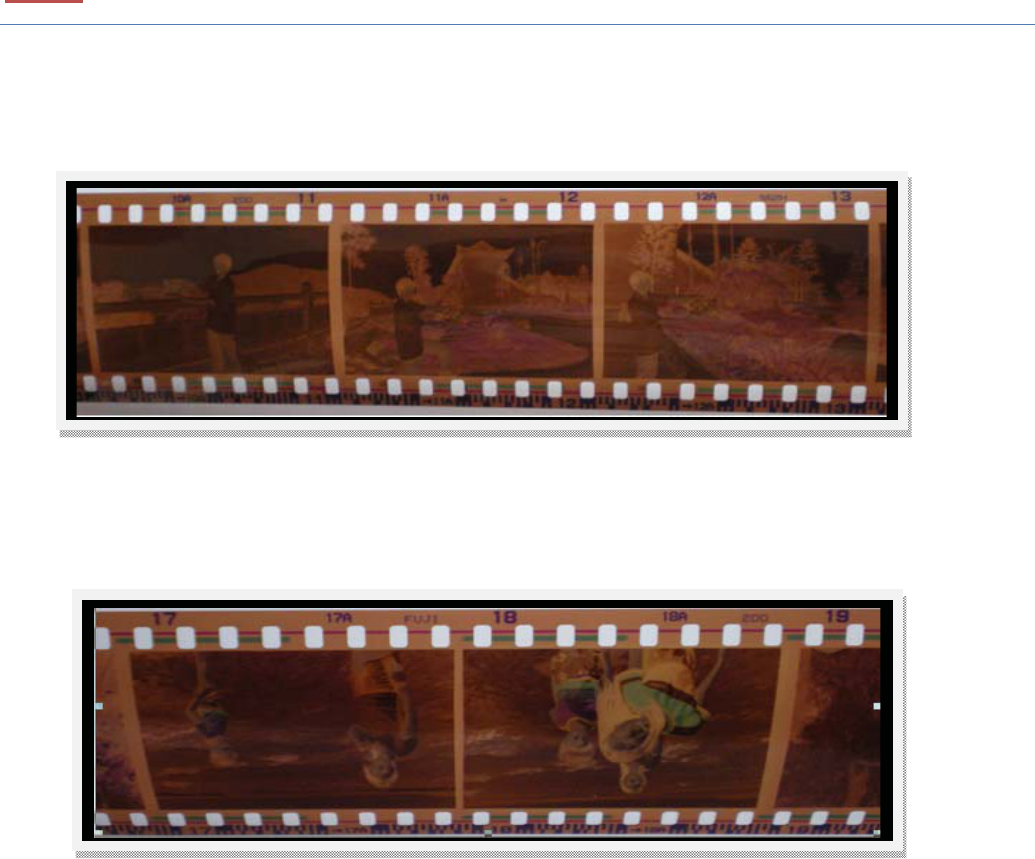
NOTE
Toavoidmirrorimage,followtheserialnumbers(fromlefttoright)ontopof
filmwheninstallnegativefilmintoholder.
Figure1
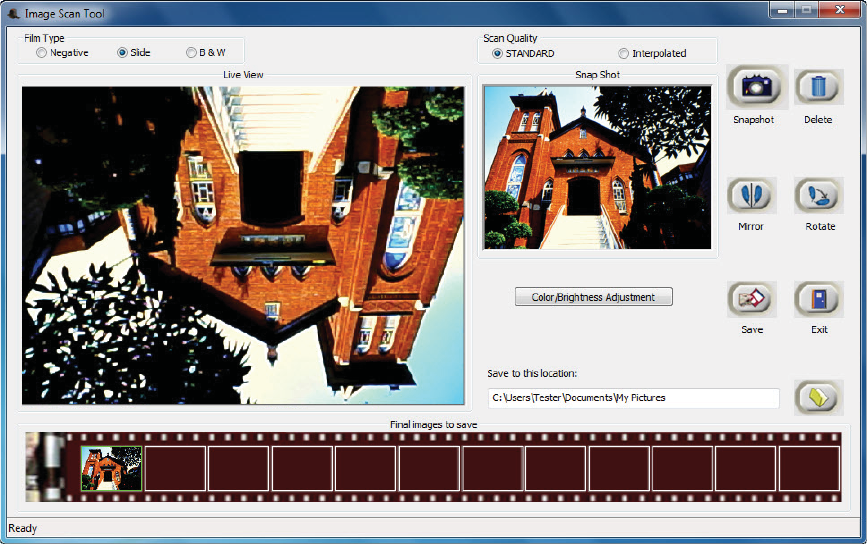
If the image is upside down [see fig. 2] , the image can be corrected by
continuously“Rotate”functioninImageScanToolaftercapture[seefig.3].
Figure2
5
Figure3

6
III. ConnectFilmScan35I
PluginUSBcabletocomputerwithoutinstallinganynecessarydriver.Whenthe
statusiconontheleftbuttoncornershowsinformation“Yourdeviceisreadyto
use”.Thescannerisnowreadytouse.
7
IV. Installbundledapplication
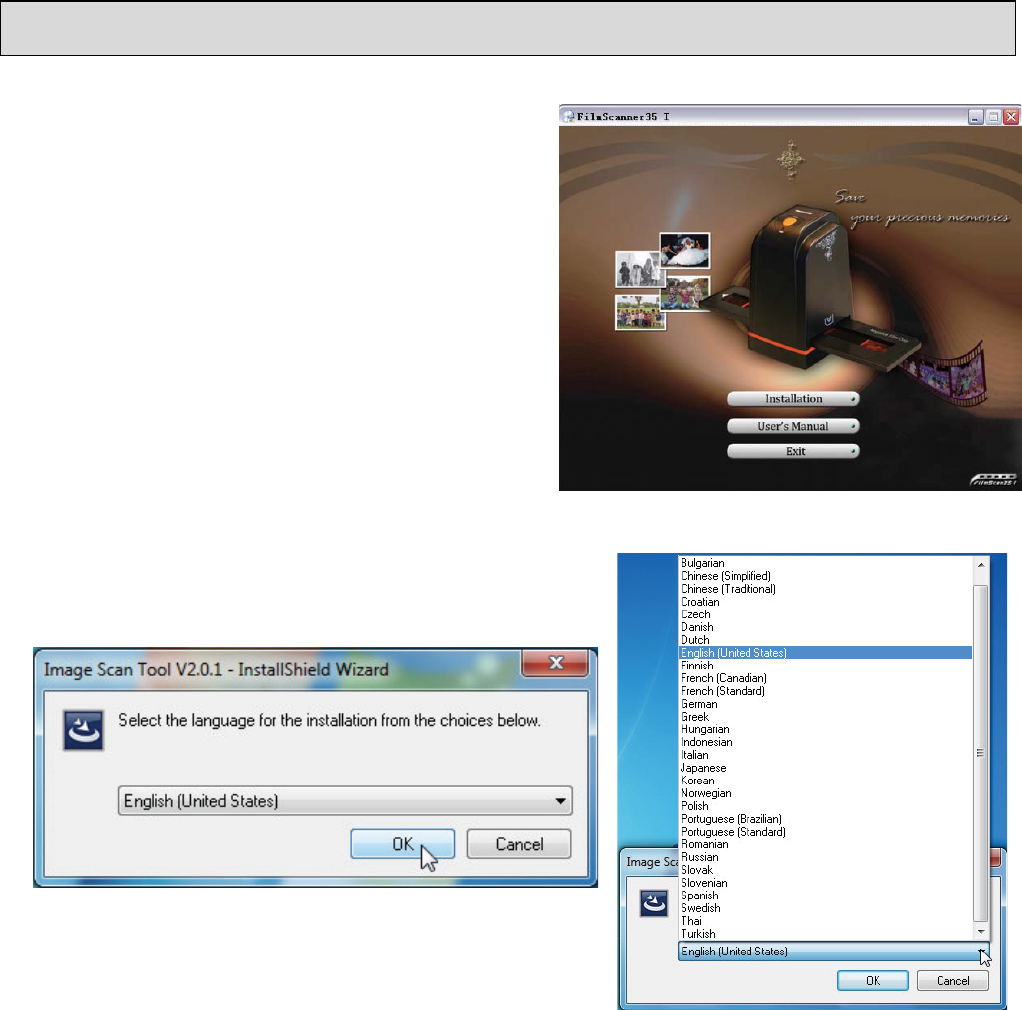
Thepackagebundledwithafriendlyand
easytouseapplicationthathasfunctions
forcapture,save,delete,mirror,rotate
andexposureandcolorcontrol.
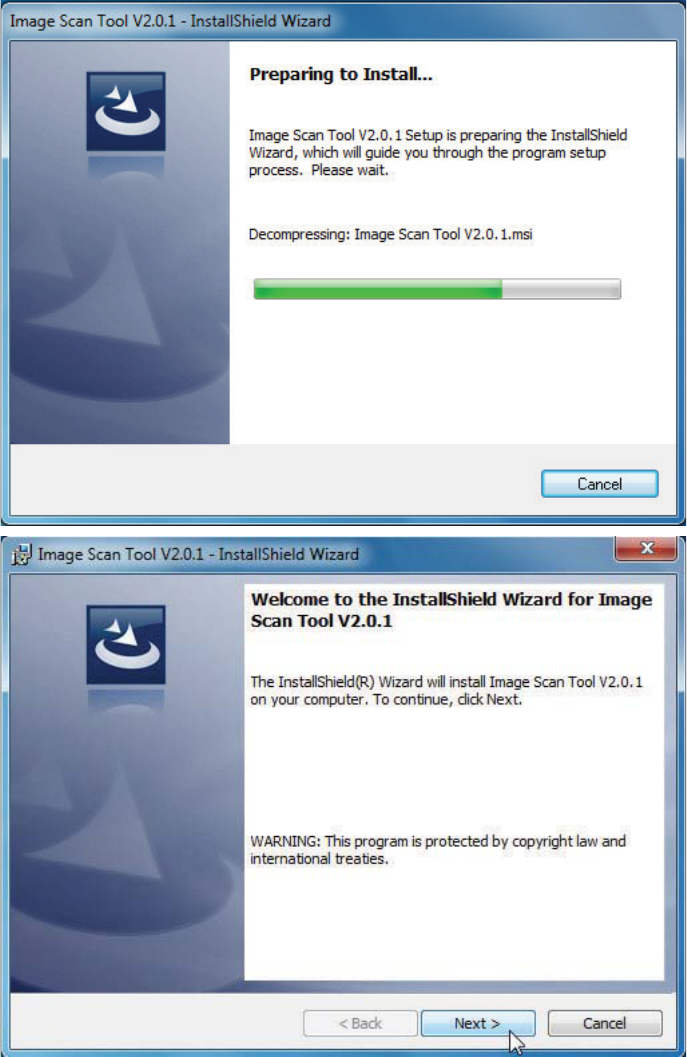
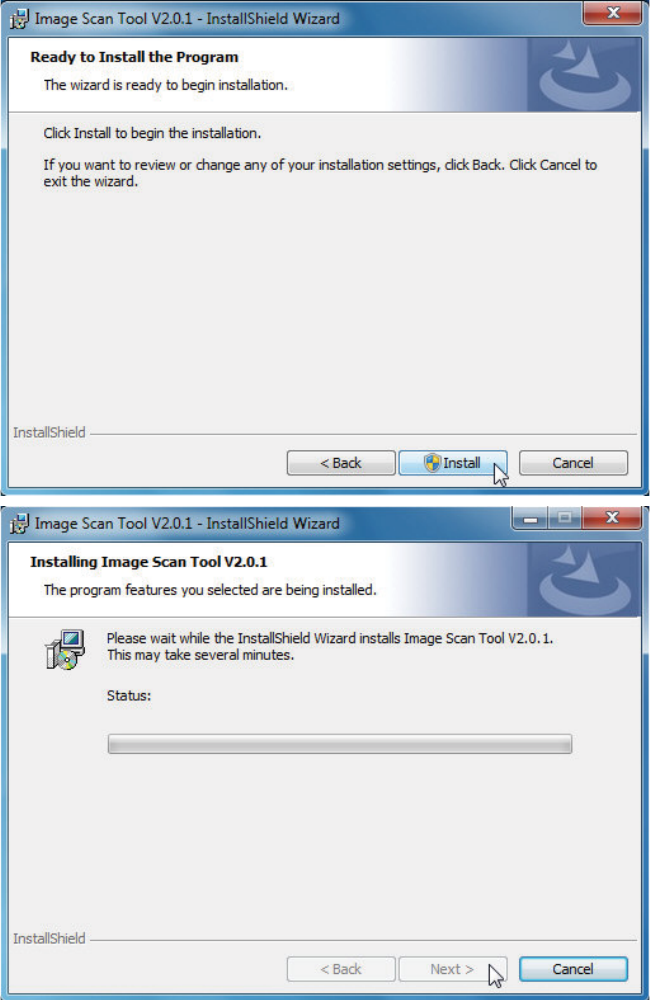
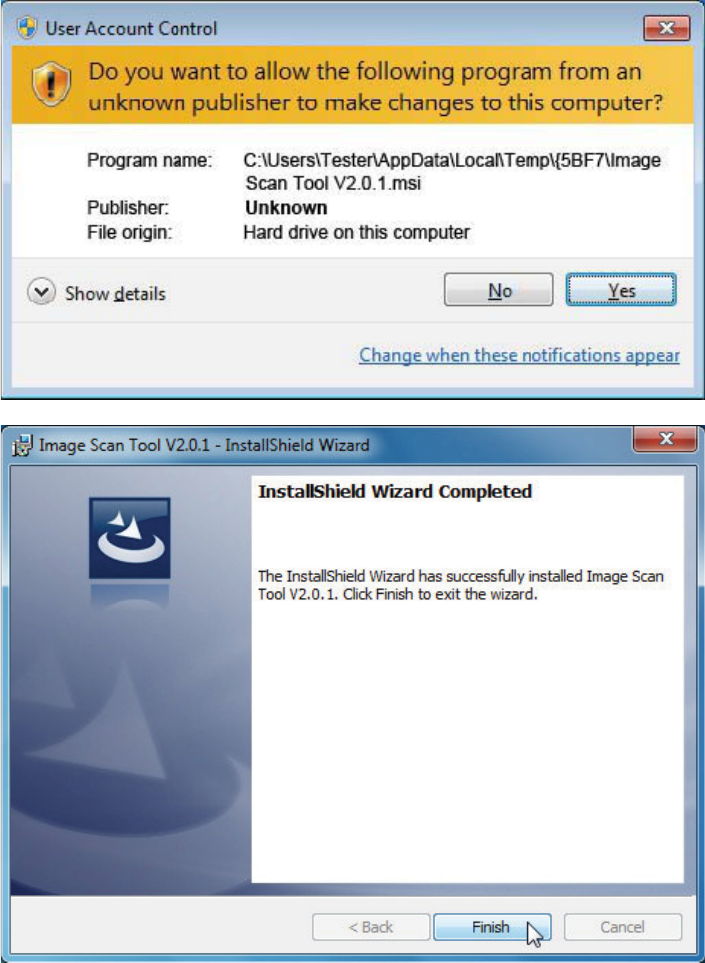
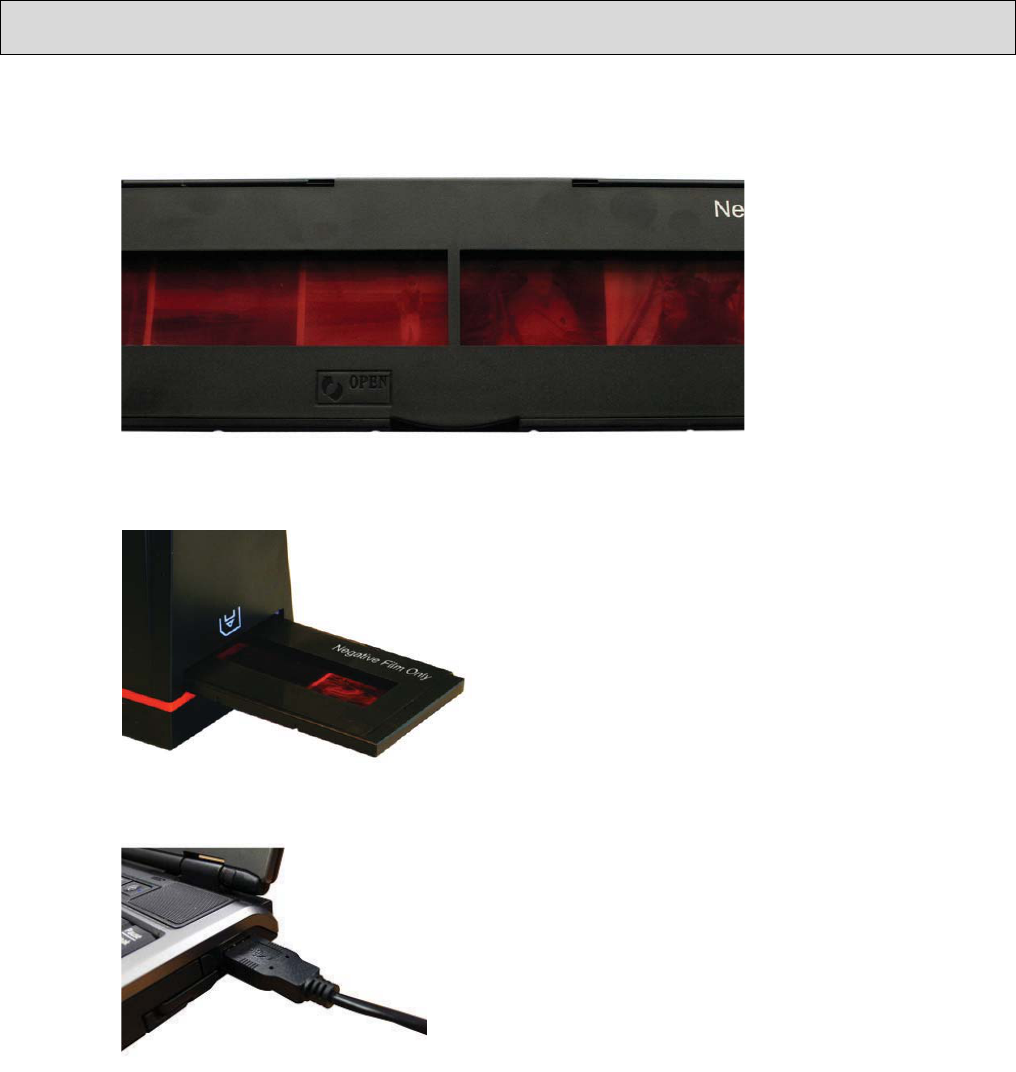
Pleasefollowthestepstocompletethe
applicationinstallation.
8
9
10
11
V. UseFilmScan35I
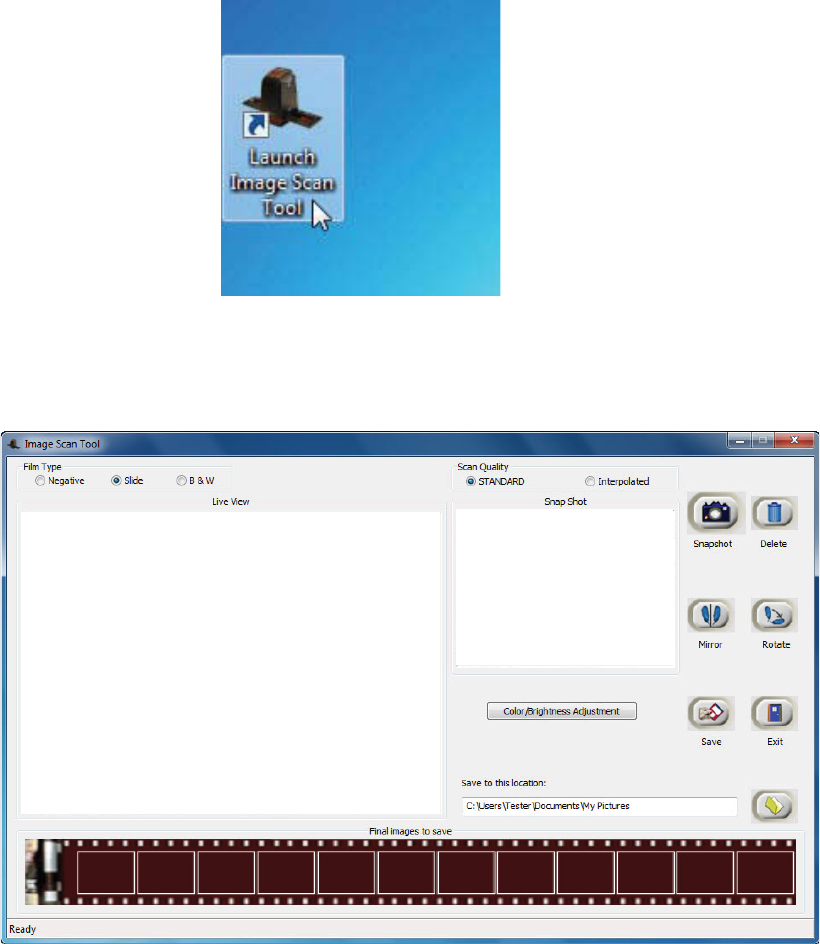
1. PutFilmintofilmholder
2. InserttheholderintoFilmScan35I
3. MakesureUSBcableisconnectedtoFilmScan35IandPC
12
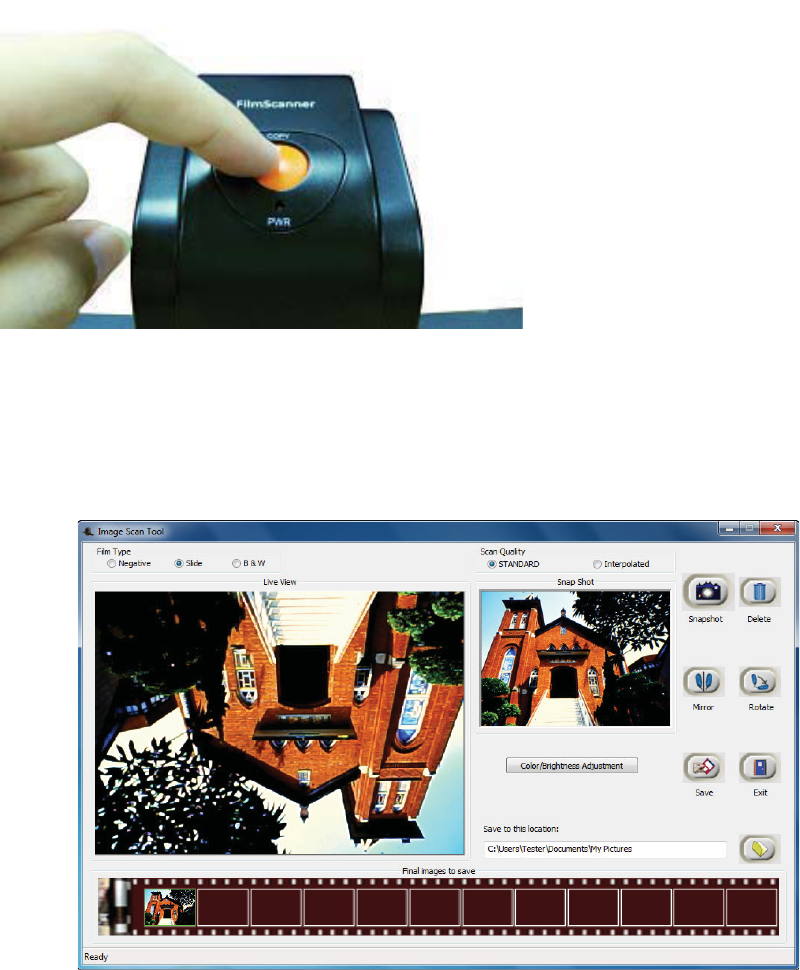
4. OnDesktopdoubleclickon“LaunchImageScanTool”icon
5. Click“ImageScanTool”toenteroperationinterfaceasbelow
13
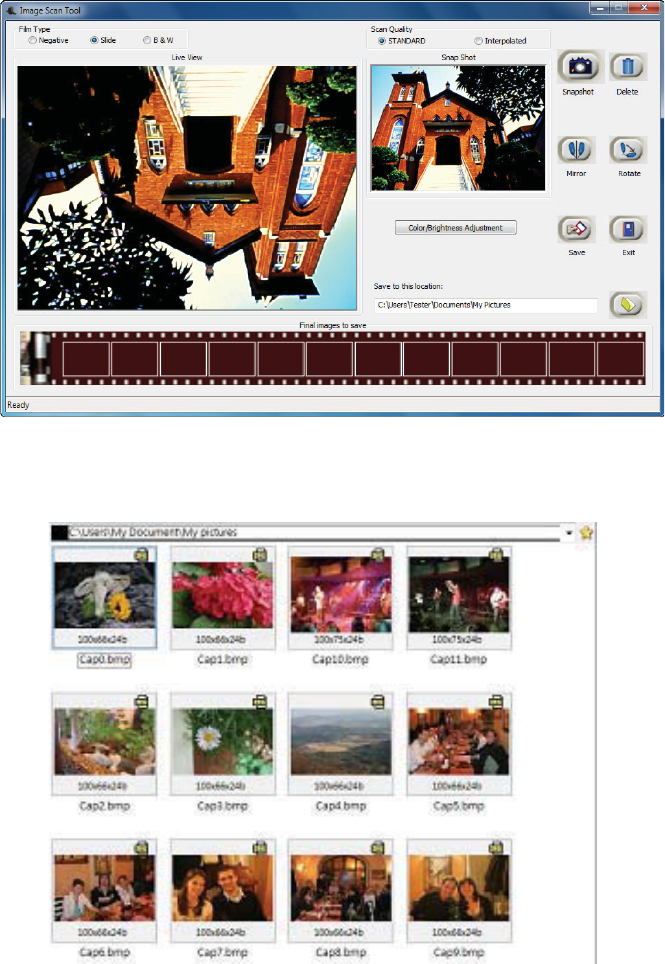
6. Press“Copy”hardbuttontocapturetheimagetostoreinthumbnail.
7. Clickonfunctionofmirror,rotate,colorandbrightnesscontroltomakeimageto
preferstate.
14
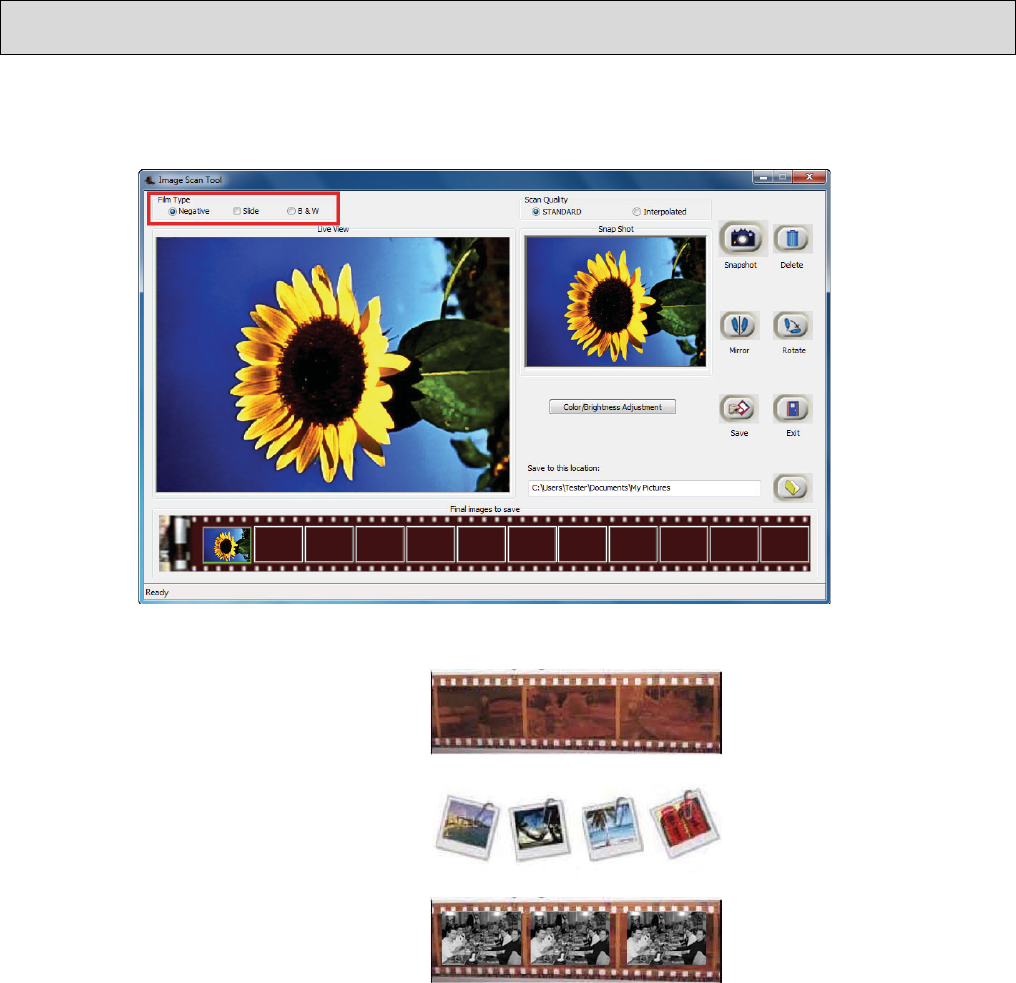
8. PressSavetostorecapturedimagestoharddisk.Theimagesstoredinthumbnail
barisclearedaftersave.
9. Retrievesavedimagesfromtheharddisktofurtherreviewandedit.
15
VI. Introduceuserinterface
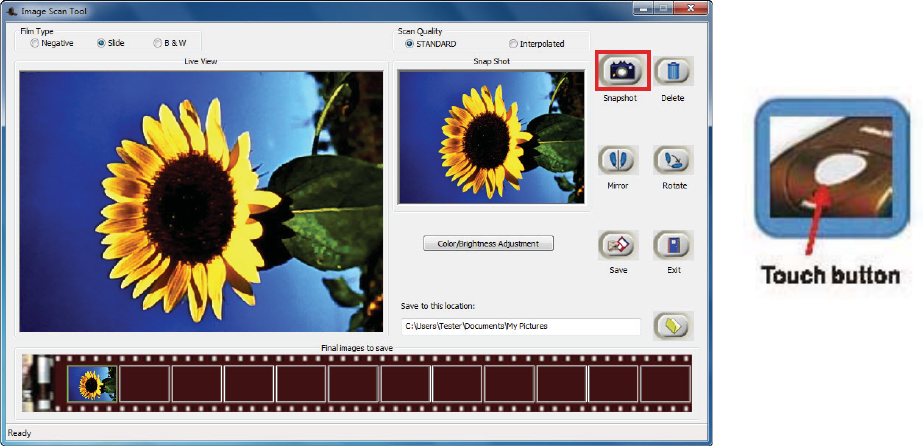
FirststepisalwaystoselectthecorrectFilmType.
Negative
Slide
B&W
16
User can either click on “Snapshot” icon or press the hard key “Copy” touch button to
capture images. Captured images will be first stored in the thumbnail bar. Total of 12
thumbnailimagesareabletostoreinthebar.
Theimagecontrol,mirror,rotate,colorandbrightnessinImageScanToolispreviewinstantly
inSnapShotwindow.