Electra T2490 T2490 Video Transmitter User Manual TC 900HP INSTRUCTIONS

Electra Enterprises T2490 Video Transmitter TC 900HP INSTRUCTIONS

Users Manual

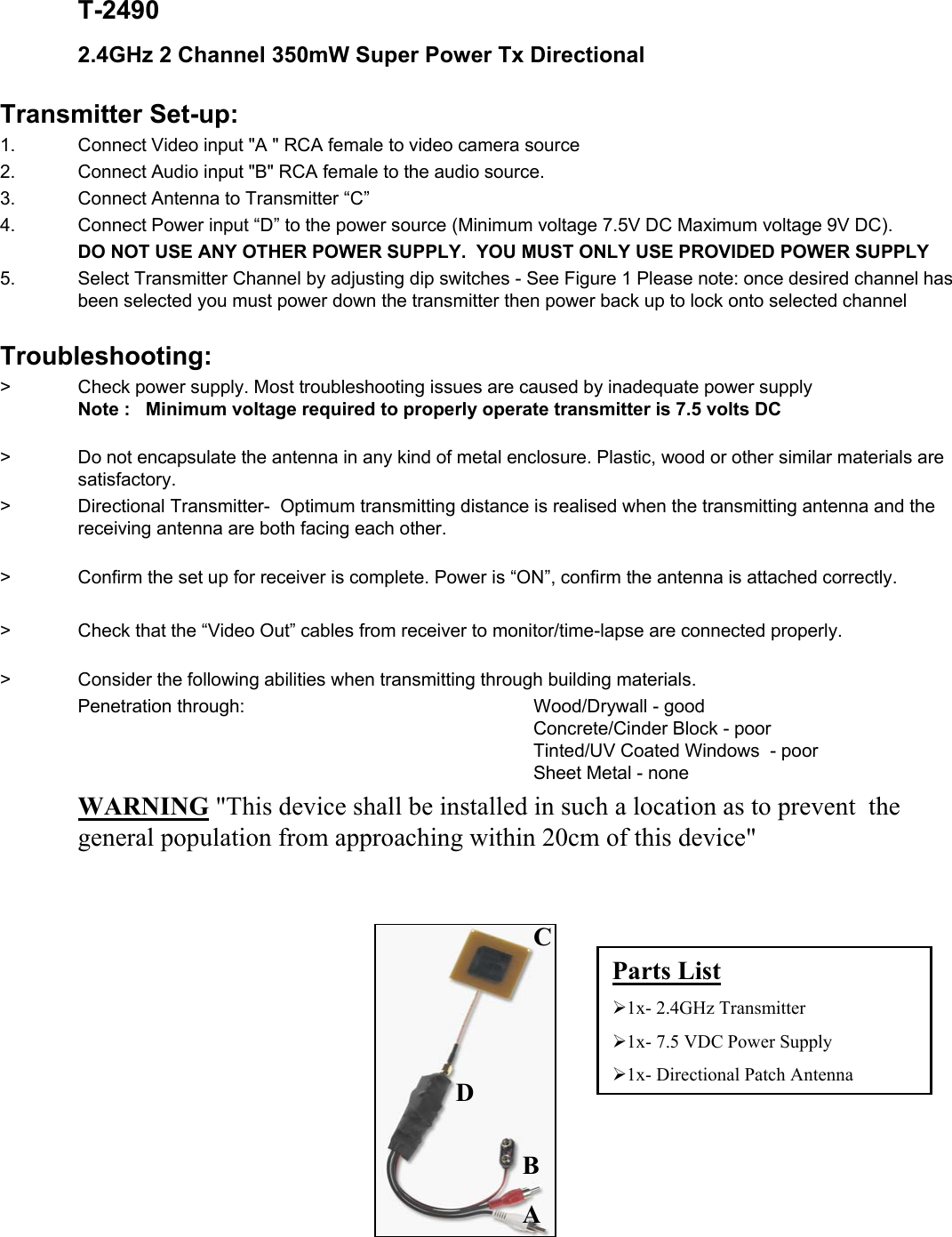
T-24902.4GHz 2 Channel 350mW Super Power Tx Directional Transmitter Set-up:1.    Connect Video input "A " RCA female to video camera source2. Connect Audio input "B" RCA female to the audio source. 3. Connect Antenna to Transmitter “C”4. Connect Power input “D” to the power source (Minimum voltage 7.5V DC Maximum voltage 9V DC).DO NOT USE ANY OTHER POWER SUPPLY.  YOU MUST ONLY USE PROVIDED POWER SUPPLY5. Select Transmitter Channel by adjusting dip switches - See Figure 1 Please note: once desired channel has been selected you must power down the transmitter then power back up to lock onto selected channelTroubleshooting:>    Check power supply. Most troubleshooting issues are caused by inadequate power supplyNote :   Minimum voltage required to properly operate transmitter is 7.5 volts DC>   Do not encapsulate the antenna in any kind of metal enclosure. Plastic, wood or other similar materials are satisfactory.>    Directional Transmitter- Optimum transmitting distance is realised when the transmitting antenna and the receiving antenna are both facing each other.>     Confirm the set up for receiver is complete. Power is “ON”, confirm the antenna is attached correctly.>    Check that the “Video Out” cables from receiver to monitor/time-lapse are connected properly.>   Consider the following abilities when transmitting through building materials.Penetration through:       Wood/Drywall - goodConcrete/Cinder Block - poorTinted/UV Coated Windows  - poorSheet Metal - noneWARNING "This device shall be installed in such a location as to prevent the general population from approaching within 20cm of this device"BDACParts List¾1x- 2.4GHz Transmitter¾1x- 7.5 VDC Power Supply¾1x- Directional Patch Antenna

Navigation menu