FZONE TECHNOLOGY U2 Wireless Guitar System User Manual U2
SHENZHEN FZONE TECHNOLOGY CO.,LTD Wireless Guitar System U2
User Manual
1.Observe all instructions carefully in the U2 manual.
2.Do not to perform service operations beyond those
described in the U2 Manual. Services required when
the apparatus has been damaged in any way, such as:
/LTXLGKDVEHHQVSLOOHGRUREMHFWVKDYHIDOOHQLQWRWKH
DSSDUDWXV7KHXQLWKDVEHHQH[SRVHGWRUDLQRU
PRLVWXUH7KHXQLWGRHVQRWRSHUDWHQRUPDOO\RU
FKDQJHVLQSHUIRUPDQFHLQDVLJQLILFDQWZD\7KHXQLW
is dropped or the enclosure is damaged
3.Do not place near heat sources, such as radiators,
heat registers, or appliances which produce heat.
*XDUGDJDLQVWREMHFWVRUOLTXLGVHQWHULQJWKHGHYLFH
Do not use or place unit near water.
5.Clean only with a damp cloth.
6.Only use attachments/accessories specified by the
manufacturer.
7.Prolonged listening at high volume levels may cause
irreparable hearing loss and/or damage. Always be
sure to practice “safe listening.”
Before using your Xvive U2 Digital Wireless System,
carefully read the operating instructions.
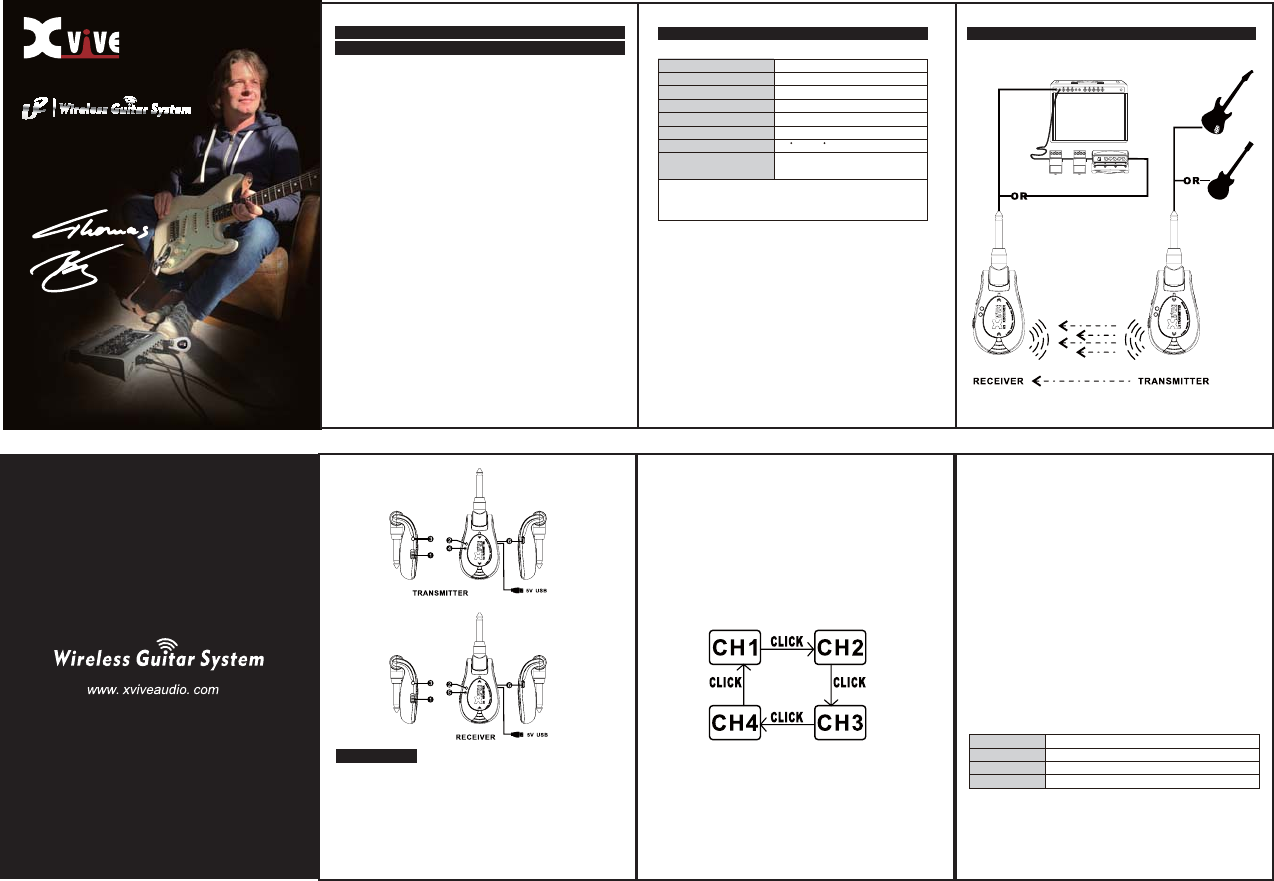
Quick Start Diagram
Important Safety Instructions - please these instructions
in a safe place
ؾت224*75MM ߕૅ157Յୢڦ࠳Ն֚ثܑ
5DQJH!IHHW/LQHVLWHRXWGRRUV
/DWHQF\ PV
)UHTXHQF\5HVSRQVH.+=G%G%
7+'1RLVH .+=#GE)6
'\QDPLF5DQJH !G%$ZHLJKWHG
2SHUDWLQJ%DQG *+=,60:RUOGZLGH
2SHUDWLQJ7HPSHUDWXUH&WR&
6DPSOH5DWH ELWN+]XQFRPSUHVVHG
digital transmission
*Note:
Actual range is dependent on RF environment,
including reflections, interference and absorption
System Specification
4.Transmitter Audio signal indicator LED
Ó:KHQ3RZHULVRQWKH%OXH/('ZLOOIODVKWRLQGLFDWH
WKHSUHVHWFKDQQHO
ÓAfter activating the channel selection function, click the
EXWWRQWRVHWXSWKHFKDQQHOWKHEOXH/('ZLOOIODVKWR
indicate the channel
1.Power
– Slide Switch to turn on/off
75$160(7(55(&(,9(5
2.Power LED and Battery LED
Ó6ROLG5HG/('LQGLFDWHVWKHSRZHURQ
Ó7KHIODVKLQJUHG/('LQGLFDWHVWKHEDWWHU\LVORZ
6. USB Port – Battery recharger port.
Chart 1, Flashing channel indication
&KDQQHO7KH$XGLRVLJQDO/('ZLOOIODVKRQFH
&KDQQHO7KH$XGLRVLJQDO/('ZLOOIODVKWZLFH
&KDQQHO7KH$XGLRVLJQDO/('ZLOOIODVKWKUHHWLPHV
&KDQQHO7KH$XGLRVLJQDO/('ZLOOIODVKIRXUWLPHV
Basic Operation
)RUWKHIODVKLQJFKDQQHOLQGLFDWLRQSOHDVHUHIHUWRFKDUW
)RUWKHIOLFNLQJFKDQQHOLQGLFDWLRQSOHDVHUHIHUWRFKDUW
5.Receiver Audio Signal indicator LED
Ó:KHQWKHSRZHULVRQWKHEOXH/('ZLOOIODVKWR
LQGLFDWHWKHSUHVHWFKDQQHO
ÓAfter activating the channel selection function, click
WKHFKDQQHOEXWWRQWKHEOXH/('ZLOOIODVKWRLQGLFDWH
the channel
Ó7KH5HFHLYHUDXGLRVLJQDOLQGLFDWRU/('ZLOOEHFRPH
VROLGEOXHZKHQWKH7UDQVPLWWHUDQG5HFHLYHUDUHLQ
alignment.
Ó:KHQWKHVLJQDOLVJRRG7KHUHFHLYHUDXGLR6LJQDO
LQGLFDWRU/('ZLOOEHFRPHVROLGEOXHLWZLOOVWDUWWR
flash if the signal is no good .
)RUWKHIODVKLQJFKDQQHOLQGLFDWLRQSOHDVHUHIHUWRFKDUW
charge, it needs to be recharged .
Ó,QWKHSURJUHVVRIFKDUJLQJWKHOLJKWZLOOVWRSIODVKLQJ
and will turn off when it is fully charge.
3.Channel Select - Align TRANSMITTER and
RECEIVER channels.
ÓDouble click the switch to activate the channel select
function,
ÓFollow the diagram below to set up the channel ,
PHDQZKLOHWKHDXGLRVLJQDOLQGLFDWRU/('ZLOOIODVKWR
indicate the channel.
Warnings:
This device complies with Industry Canada’s licence-exempt RSSs
Operation is subject to the following two conditions:
(1) This device may not cause interference and (2) this device must accept any
interference, including interference that may cause undesired operation of the
device.
This device complies with Part 15 of the FCC Rules. Operation is subject to the following two
conditions: (1) this device may not cause harmful interference, and (2) this device must accept any
interference received, including interference that may cause undesired operation.
Changes or modifications not expressly approved by the party responsible for compliance could
void the user's authority to operate the equipment.
NOTE: This equipment has been tested and found to comply with the limits for a Class B digital
device, pursuant to Part 15 of the FCC Rules. These limits are designed to provide reasonable
protection against harmful interference in a residential installation. This equipment generates, uses
instructions, may cause harmful interference to radio communications. However, there is no
guarantee that interference will not occur in a particular installation. If this equipment does cause
harmful interference to radio or television reception, which can be determined by turning the
equipment off and on, the user is encouraged to try to correct the interference by one or more of
the following measures:
-- Reorient or relocate the receiving antenna.
-- Increase the separation between the equipment and receiver.
-- Connect the equipment into an outlet on a circuit different from that to which the receiver is
connected.
-- Consult the dealer or an experienced radio/TV technician for help.
This device complies with Industry Canada's licence-exempt RSSs. Operation is subject
to the following two conditions:
(1) This device may not cause interference; and
(2) This device must accept any interference, including interference that may cause
undesired operation of the device.
Cet appareil est conforme aux CNR exemptes de licence d'Industrie Canada . Son
fonctionnement est soumis aux deux conditions suivantes :
( 1 ) Ce dispositif ne peut causer d'interférences ; et
( 2 ) Ce dispositif doit accepter toute interférence , y compris les interférences qui
peuvent causer un mauvais fonctionnement de l'appareil.