Fego Precision Co RF7091BLN01 Remote Control User Manual

Fego Precision Industrial Co Ltd Remote Control

User Manual

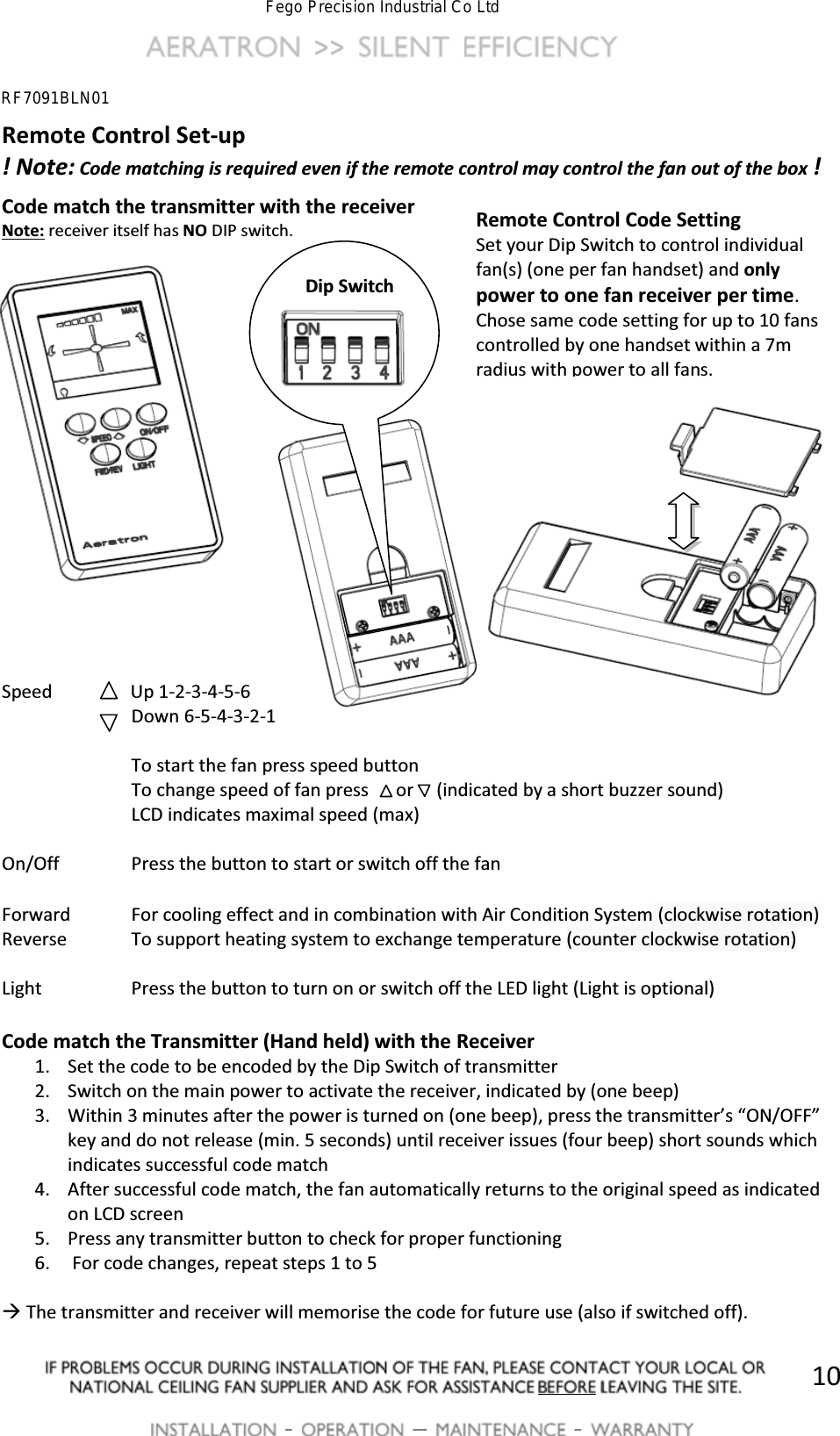
 >>          -   [  -   10Remote Control Set-up ! Note: Code matching is required even if the remote control may control the fan out of the box ! Code match the transmitter with the receiver Note: receiver itself has NO DIP switch.                   Speed                Up 1-2-3-4-5-6   Down 6-5-4-3-2-1      To start the fan press speed button     To change speed of fan press      or     (indicated by a short buzzer sound)     LCD indicates maximal speed (max)  On/Off    Press the button to start or switch off the fan  Forward  For cooling effect and in combination with Air Condition System (clockwise rotation) Reverse  To support heating system to exchange temperature (counter clockwise rotation)  Light    Press the button to turn on or switch off the LED light (Light is optional)  Code match the Transmitter (Hand held) with the Receiver 1. Set the code to be encoded by the Dip Switch of transmitter 2. Switch on the main power to activate the receiver, indicated by (one beep) 3. Within 3 minutes after the power is turned on (one beep)͕ƉƌĞƐƐƚŚĞƚƌĂŶƐŵŝƚƚĞƌ͛Ɛ͞KEͬK&&͟key and do not release (min. 5 seconds) until receiver issues (four beep) short sounds which indicates successful code match 4. After successful code match, the fan automatically returns to the original speed as indicated on LCD screen 5. Press any transmitter button to check for proper functioning 6.  For code changes, repeat steps 1 to 5  Æ The transmitter and receiver will memorise the code for future use (also if switched off). Remote Control Code Setting Set your Dip Switch to control individual fan(s) (one per fan handset) and only power to one fan receiver per time.  Chose same code setting for up to 10 fans controlled by one handset within a 7m radius with power to all fans.     Dip Switch RF7091BLN01Fego Precision Industrial Co Ltd
Federal Communication Commission Interference Statement 15.21FCC Caution: Any changes or modifications not expressly approved by the party responsible for compliance could void the user's authority to operate this equipment. 15.19This device complies with Part 15 of the FCC Rules. Operation is subject to the following two conditions: (1) This device may not cause harmful interference, and (2) this device must accept any interference received, including interference that may cause undesired operation. FCC RF Radiation Exposure Statement: 1. This Transmitter must not be co-located or operating in conjunction with any otherantenna or transmitter.2. This equipment complies with FCC RF radiation exposure limits set forth for anuncontrolled environment.

Navigation menu