Fluke 975 Application Note
2015-09-09
: Fluke Fluke-975-Application-Note-808552 fluke-975-application-note-808552 fluke pdf
Open the PDF directly: View PDF  .
.
Page Count: 3
Application Note
Monitoring temperature,
humidity, and airflow
in data centers
A market in need of measurement
From the Fluke Digital Library @ www.fluke.com/library
Using a Fluke Ti20 Thermal Imager and a
Fluke 975V AirMeter™ test tool, customers
protect their servers by monitoring envi-
ronments in rented data centers.
The international law firm
depicted in this story owns no
data centers, despite the large
amount of data it stores and
retrieves. Like many other high-
tech companies, it rents space for
its servers in data centers owned
by others. “The sites we use are
just hosts,” says the law firm’s
data center support analyst. “The
racks we have there are ours, but
we rent the environment, power
and the bandwidth.”
Each of the firm’s offices has
one or two racks of servers in a
local data center to service that
site’s needs. In addition, the
company has a centralized U.S.
server location, a secondary cen-
ter for backup and redundancy,
and plans for new locations
overseas.
Fluke instruments used
At present, the analyst uses two
Fluke instruments to monitor the
firm’s data centers and the status
of its servers in those centers:
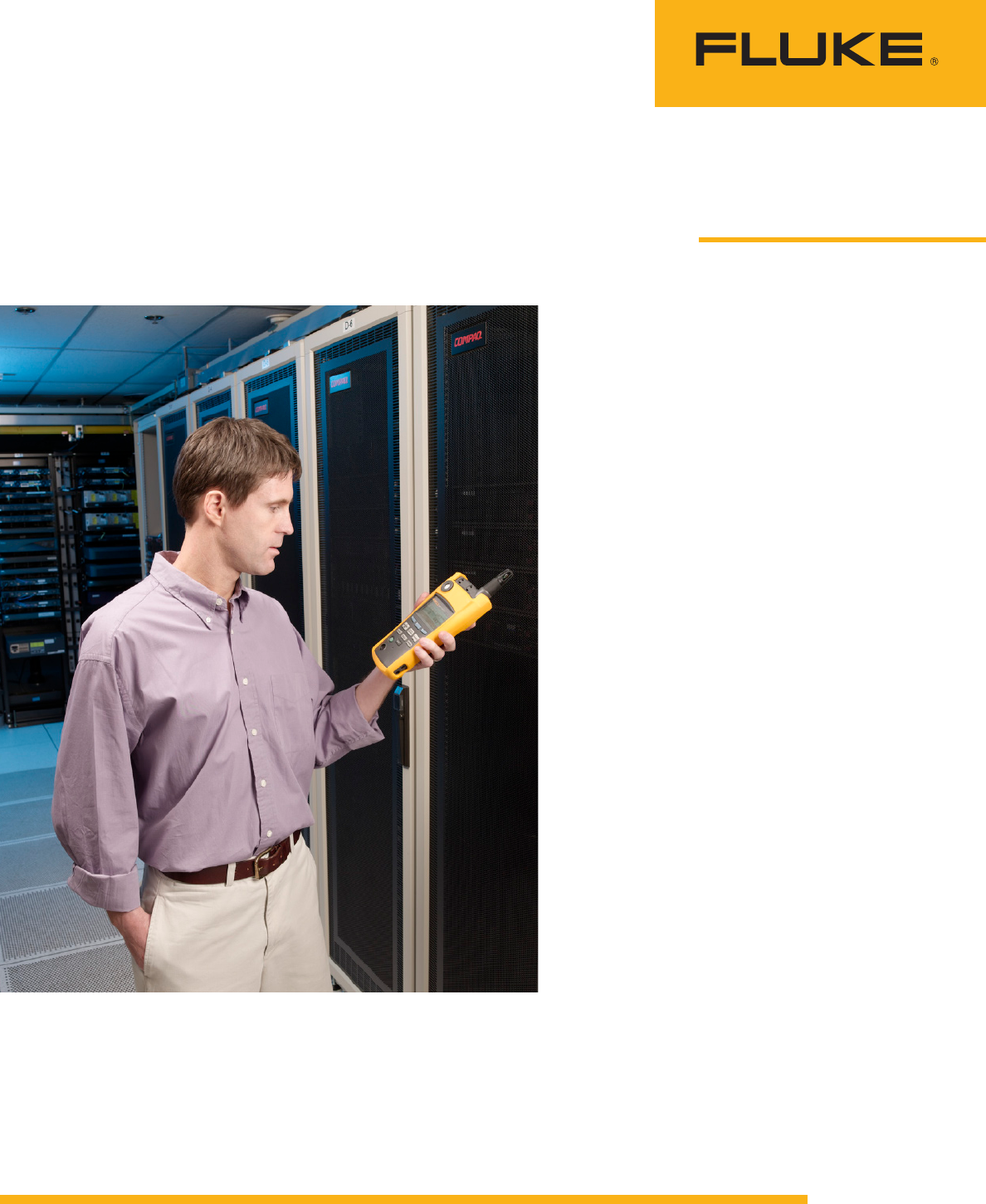
The Fluke 975 AirMeter can
record ten fundamental param-
eters associated with indoor air
quality. Of special importance to
data centers are air temperature,
relative humidity, and airflow (air
velocity). Since servers generate
considerable heat, they must be
cooled to manufacturer-specified
temperatures and subjected to no
more than 45 to 50 percent rela-
tive humidity.
2 Fluke Corporation Monitoring temperature, humidity, and airflow in datacenters
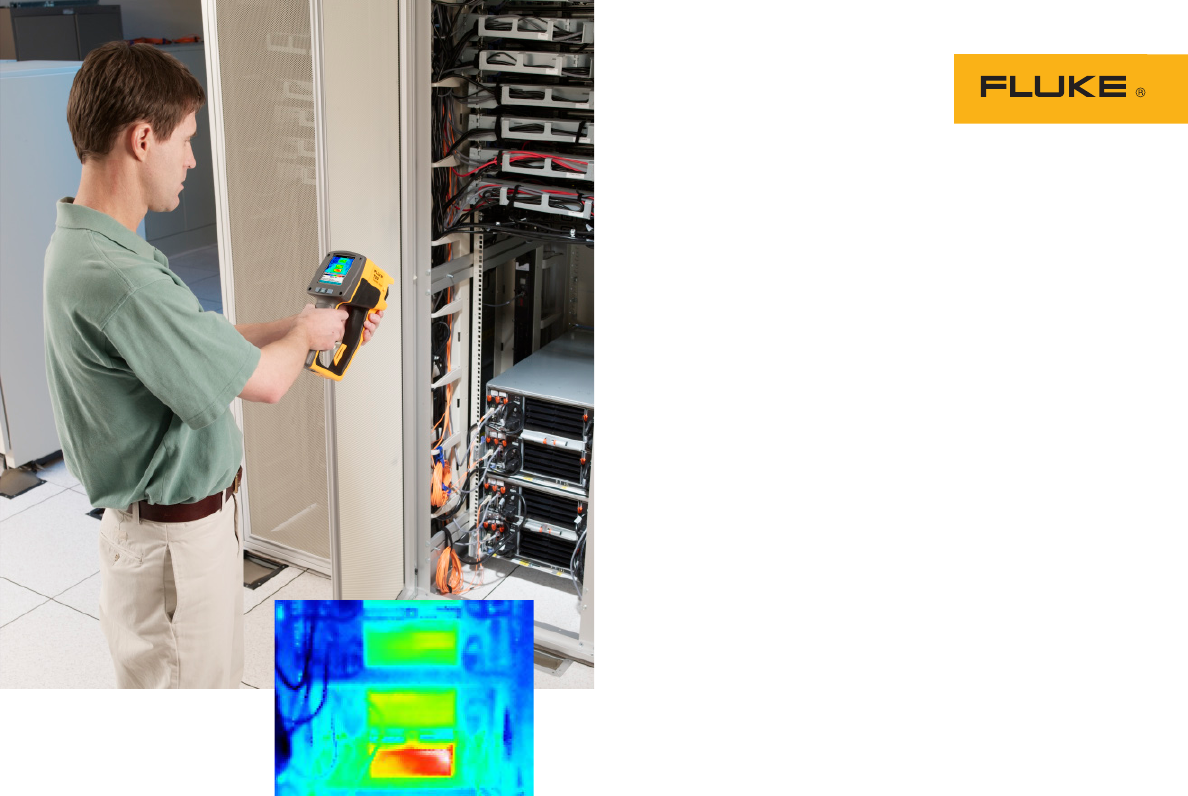
The Fluke Ti20 Thermal
Imager makes two-dimensional
representations of the surface
temperatures of objects in an
infrared image. The support
analyst uses the Ti20 to monitor
data centers for general cool-
ing efficiency and to inspect law
firm’s servers in those centers.
Software that comes with the
imager allows him to change key
parameters, optimize images, and
extract maximum details from
collected data.
Problems and solutions
As the law firm seeks to expand
its data handling capabilities,
the biggest problem the support
analyst faces is that data centers
lack the required power and
cooling capabilities to support
new technologies.
“We want to take advantage
of the latest blade servers, but
it’s difficult to find data centers
that can support them,” he says.
“Blade servers are much more
efficient [than traditional serv-
ers]. We can pack six or seven
virtual servers onto a single
blade. An enclosure or rack
holds eight blades, but each full
enclosure requires a lot of power.
Many data centers simply can’t
supply that power. They want
us to use an older technology so
they can support our needs.”
Blade servers also produce
considerable heat and require
more cooling than many cen-
ters can supply. In such cases,
the analyst uses the Fluke Ti20
and Fluke 975 to 1) map cool-
ing patterns in data centers, 2)
find faulty cooling arrangements
and 3) determine when cooling,
air flow and air temperatures
are inadequate to guard against
breaches of server warranties.
Mapping cooling patterns
allows company personnel to
see the overall effects of cooling
within a data center. This may
seem like a duplication of effort,
since data centers themselves
monitor the environmentals—
power, air, humidity, cooling, etc.
However, “our primary use for
these tools is to check what we
are told by the data centers,” the
analyst says. “Then, if necessary,
we can suggest corrective mea-
sures to keep our servers func-
tioning efficiently.”
The support analyst cites the
local data center as an example:
“The way the room is set up
right now greatly restricts the air
flow going to some of the devices
positioned across the room from
the air-conditioning unit. Using
the Ti20, we were able to take
temperature readings of surfaces
in each area of the room. Then,
using those readings, we were
able to plot out where the cool
air travels. We found that while
one area of the room is cold,
as we worked our way around
the room, areas were gradually
warmer and warmer.”
He says that the Fluke 975
AirMeter used in conjunction
with the Ti20 allowed for a
more in-depth analysis of the
local data center: “Temperature
and humidity readings indicated
that the hot air that should be
exhausted from the room is actu-
ally being dumped back into the
room in an endless cycle. The
air-conditioner cools itself down
and shuts off. But the circulation
fans keep working. They actu-
ally kick the hot air back into the
room. Overall, it’s a very poorly
designed room. We’re looking to
the data center to restructure the
cooling system.”
Finding faulty cooling
arrangements for the law firm’s
servers is another of the analyst’s
uses for the Ti20. “Because of the
cooling requirements for blade
servers, we have been using the
Ti20 to monitor the temperatures
of the air flowing into the fronts
and out the backs of our blade
racks,” he says.
A common problem experi-
enced by their blade servers is
hot air entering the front of the
blades. Only cooling air should
be entering the rack fronts.
Two situations that lead to this
problem are 1) missing blanks
on empty rack slots and 2)
server aisles set up with servers
arranged front to back.
Using the Ti20 to scan
heat output from the
backside of blade servers.

3 Fluke Corporation Monitoring temperature, humidity, and airflow in datacenters
The first situation usually
occurs because a user of the data
center does not need all eight
slots in a rack or because the
data center lacks the capability
to provide power to a full rack.
In either case, there are empty
slots. Blanking panels should
cover those unused slots so that
they are not open to the environ-
ment.
The analyst says that he has
documented instances of miss-
ing blanking panels at the firm’s
secondary center. “There were
empty spaces on the top four
slots,” he says. “Nobody could
believe it, but hot air from the
backs of the servers was circu-
lating over the tops of the racks
and coming right back in the
front. That greatly increased the
temperature of the blades and
decreased their efficiency. We
needed to fill the tops of those
racks with blanking plates.”
The best strategy for a data
center—especially a data center
with blade servers—is to install
servers back-to-back in rows
facing the fronts of servers in
adjacent rows. This creates alter-
nating cold aisles and hot aisles.
“A lot of data centers are set
up with one row of servers after
another—back to front, back to
front, back to front,” he says dis-
approvingly. “The hot air from
one row of servers blows onto
the fronts of the next row, and
that’s continued throughout the
center. In Europe, we are looking
for a center with alternating hot
and cold aisles.”
Safeguarding server war-
ranties is the analyst’s principal
impetus for monitoring the law
firm’s servers. “Our blade manu-
facturer has a recommended
maximum temperature that serv-
ers can reach. If a server gets
above that threshold, it is no lon-
ger covered under our warranties
and contracts. That would be a
huge problem for us.”
Because of these warranty
considerations, company per-
sonnel need to verify what data
center owners tell them about
the cooling in their facilities. And
while the blades themselves
Fluke Corporation
PO Box 9090, Everett, WA USA 98206
Fluke Europe B.V.
PO Box 1186, 5602 BD
Eindhoven, The Netherlands
For more information call:
In the U.S.A. (800) 443-5853 or
Fax (425) 446-5116
In Europe/M-East/Africa +31 (0) 40 2675 200 or
Fax +31 (0) 40 2675 222
In Canada (800)-36-FLUKE or
Fax (905) 890-6866
From other countries +1 (425) 446-5500 or
Fax +1 (425) 446-5116
Web access: http://www.fluke.com
©2007 Fluke Corporation. All rights reserved.
Specifications subject to change without notice.
Printed in U.S.A. 5/2007 3034678 A-EN-N Rev A
Fluke. Keeping your world
up and running.®
have internal monitors that track
their temperatures, the analyst
needs know how effectively the
cooling supplied by the data cen-
ter is doing the job.
He uses the Ti20 to collect
thermal images of the fronts
of the blades to determine the
temperature of the air flowing
in. Then, he compares this tem-
perature to the temperature of
the air coming out the back of
the rack. Finally, he compares
these temperatures to the blade
manufacturer’s recommended
temperature threshold for the
servers.
“If necessary,” he says, “we
can go back to a data center’s
owners and say, ‘This is the air-
flow that you are telling us we’re
getting, and this is what we see.
You’re not meeting our require-
ments. We need you to upgrade
your systems to make sure you
meet our specifications.’”
Additional capabilities
with the Fluke 975
The Fluke 975 AirMeter allows
the analyst to precisely measure
air temperatures and convert the
air-meter data into reports for
superiors or data center opera-
tors. Using the Ti20 Thermal
Imager and the 975 AirMeter
together “provides results from
different angles,” he says. “If we
use the imager to reveal the sur-
face temperatures, then we can
use the airflow meter to register
the actual temperature of the air
going into racks.”
The 975 AirMeter also mea-
sures relative humidity (RH)
and airflow. Excessive humid-
ity in a data center can lead
to condensation on equipment
and places an undue load on
the air-conditioning system. RH
readings played a significant
role in uncovering difficulties at
the local data center. Regard-
ing airflow, “In our primary and
secondary data centers, the air
comes in through the floors,”
he says. “We can use the air-
flow sensor on the 975 to make
sure that airflow is at the rate
required by our servers.”
Creating tracking
databases
The analyst’s job includes creat-
ing and maintaining tracking
databases. To do this, he peri-
odically uses the Ti20 to make
images at specific points in the
primary and secondary data cen-
ters. He then logs the data into
the database for review as nec-
essary. “We can graph the data
for each location and see if the
temperature is rising, falling or
staying the same over time,” he
explains.
Equipment frequently moves
within data centers, as clients
expand their server capacity or
stop using the center altogether.
If the law firm brings a new
piece of equipment into a data
center or reacts to a temperature
problem by moving an existing
server, the tracking database
allows them to assess how the
change affected ambient tem-
peratures.
From such findings, the sup-
port analyst, in cooperation with
data center personnel, can deter-
mine when the center needs
more cooling or when equip-
ment is packed in too densely.
In general, the database lets the
law firm and data center person-
nel pinpoint areas where the
air is more or less cool or where
there is more or less airflow. The
analyst speculates that as he
becomes more familiar with the
975 AirMeter and its data logging
capabilities, it will play a greater
role in his tracking databases.
