GOLD FINGERS TECHNOLOGY BTH100 Bluetooth Earphone User Manual BTH100 Instructions 20150724
GOLD FINGERS TECHNOLOGY CO.,LTD Bluetooth Earphone BTH100 Instructions 20150724
User Manual
Introduction
Thank you for choosing the Sport Bluetooth Earphone. This
manual will guide your operation, please read through the
manual before using the earphone.
1.Keep the earphone away from sharp edges, uneven surfaces,
metal components and other damages.
2.Do not modify, repair or disassemble the earphone without
professional instruction.
3.Do not clean the earphone with corrosive or volatile liquid.
4.Do not use the earphone in a hazardous environment.
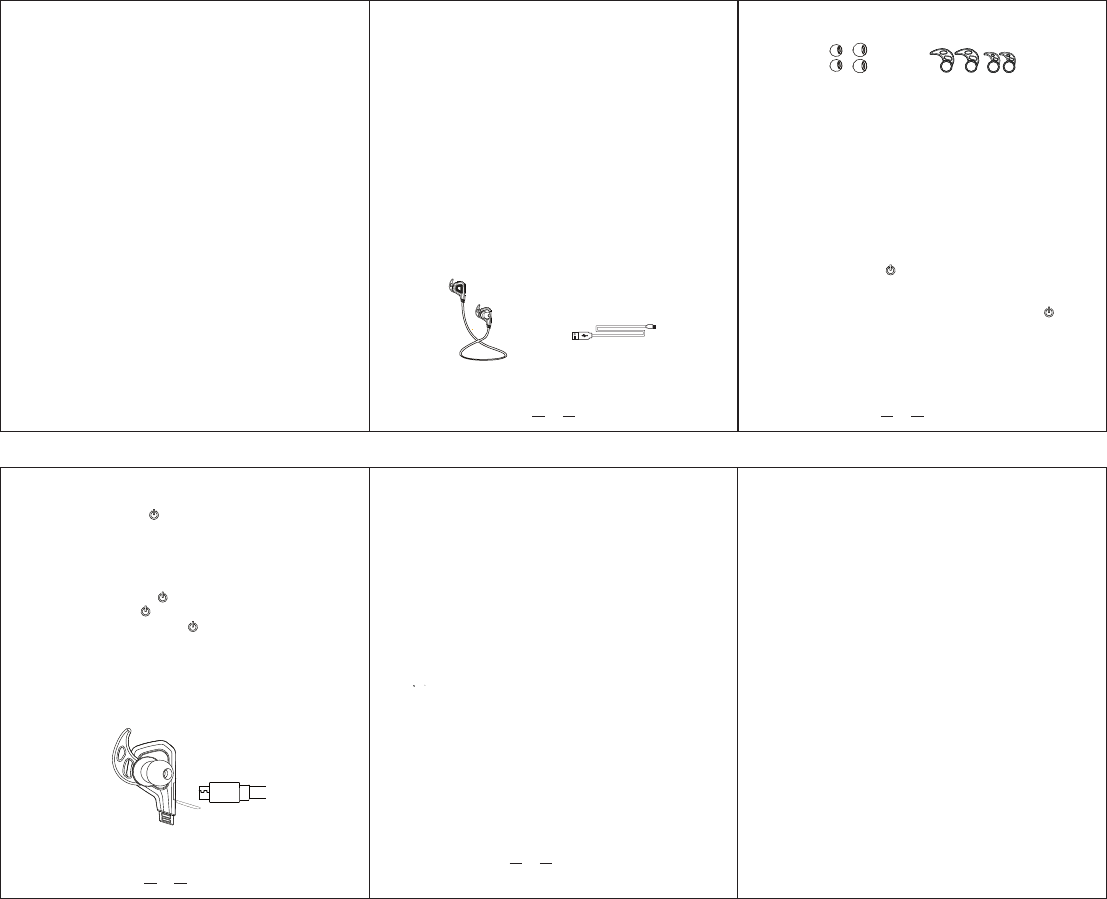
Packing List
1
1*Sport Bluetooth Earphone(The earphone is with middle size
ear buds and ear hooks.)
1*USB Charging Cable
2*spare ear buds(Big and small sizes)
2*spare ear hooks(Big and small sizes)
Power on : Press the “ ” button for 3 seconds to power on
the device, voice guide “Power on” and LED light flashes in blue
slowly.
Enter the pairing mode:In power off status, press the “ ”
button to power on the device and keep holding the button for
another 5 seconds to enter pairing mode, voice guide “Pairing”,
LED light quickly flashes in red and blue alternately.
Increase Volume: Press “+” button.
Decrease Volume: Press “-” button
General Functions
2
BTH100 USB Charging Cable
Ear Buds Ear-Hooks
Bluetooth Connection
1.The earphone can be connected with mobile devices and
computers via Bluetooth.
2.Power on the earphone and enter pairing mode.
3.Activate the Bluetooth software on the mobile
devices/computers, select “BTH100” from the found devices
to connect, if connection pin code need, please enter “0000”.
4.The will be a voice guide “Paired” when successfully
connected. You can start to enjoy music now.
Please charge the earphone via USB charging cable, LED
light is in red during charging, and it's turned into blue when
the earphone is fully charged.
The earphone will be fully charged within 2 hours, over time
charging will decrease the battery life.
Bluetooth version: V4.1
Bluetooth profile: HFP, HSP, A2DP, AVRCP
RF range: 10m
Noise reduction: CVC6.0
Standby time: 175 hours
Play time: 4-5 hours
Talk time: 4.5 hours
Charging time: 1-2 hours
Dimension: 40*24*33.5mm
Weight:16.5g
Technical Specifications
4
3
Power Off: Press the “ ” for 3 seconds, voice guide
“Power Off” and LED light turns off.
Low battery warning: LED light flashes in red, and voice
guide “ Battery Low”.
Charging: Charge the earphone via USB cable, LED light
is in red.
Answer call: Press the “ ” to answer the call.
End Call: Press the “ ” to end the call.
Reject call: Double press the “ ” button to reject a call.
Charging your device
Bluetooth Earphone
user manual
BTH100
—Reorient or relocate the receiving antenna.
—Increase the separation between the equipment and receiver.
—Connect the equipment into an outlet on a circuit different from that to which the receiver is
connected.
—Consult the dealer or an experienced radio/TV technician for help.
This device complies with part 15 of the FCC Rules. Operation is subject to the
following two conditions:
(1)This device may not cause harmful interference, and
(2) this device must accept any interference received, including interference that may
cause undesired operation.
changes or modifications not expressly approved by the party responsible for compliance could
void the user's authority to operate the equipment.
This equipment complies with FCC radiation exposure limits set forth for an uncontrolled
environment .The device has been evaluated to meet general RF exposure requirement.
The device can be used in portable exposure condition without restriction.
FCC Information and Copyright
This equipment has been tested and found to comply with the limits for a Class B digital device,
pursuant to part 15 of the FCC Rules.
These limits are designed to provide reasonable protection against harmful interference in a residential
installation. This equipment generates,
uses and can radiate radio frequency energy and, if not installed and used in accordance with the
instructions, may cause harmful interference
to radio communications. However, there is no guarantee that interference will not occur in a particular
installation. If this equipment does
cause harmful interference to radio or television reception, which can be determined by turning the
equipment off and on, the user is
encouraged to try to correct the interference by one or more of the following measures:
—Reorient or relocate the receiving antenna.
—Increase the separation between the equipment and receiver.
—Connect the equipment into an outlet on a circuit different from that to which the receiver is
connected.
—Consult the dealer or an experienced radio/TV technician for help.
This device complies with part 15 of the FCC Rules. Operation is subject to the
following two conditions:
(1)This device may not cause harmful interference, and
(2) this device must accept any interference received, including interference that may
cause undesired operation.
changes or modifications not expressly approved by the party responsible for compliance could
void the user's authority to operate the equipment.
This equipment complies with FCC radiation exposure limits set forth for an uncontrolled
environment .The device has been evaluated to meet general RF exposure requirement.
The device can be used in portable exposure condition without restriction.