GREAT WORLD GW6088 Electric Heater User Manual

GREAT WORLD LTD Electric Heater

User manual

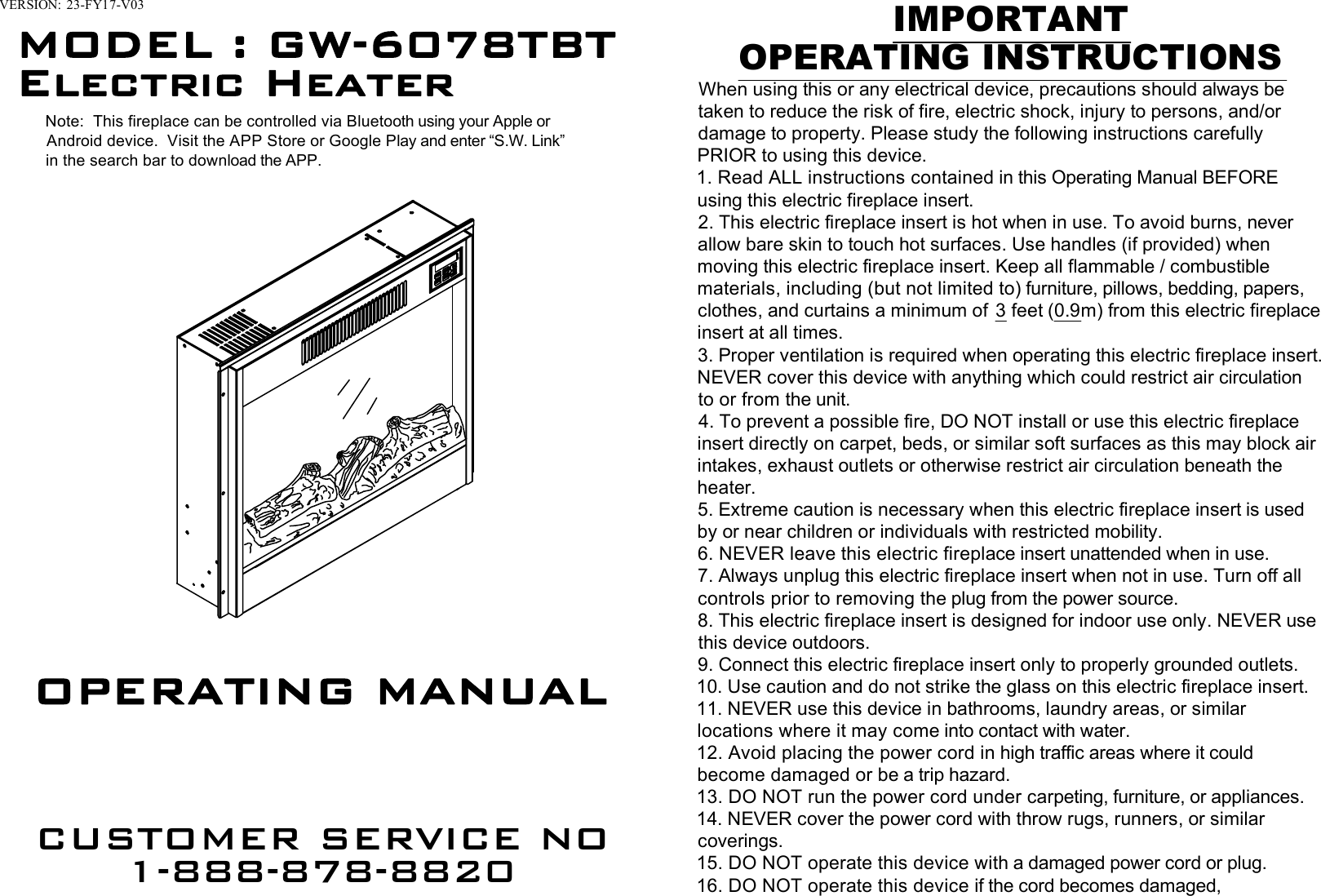
VERSION:  23-FY17-V03MODEL : GW-6078TBTOPERATING MANUALCUSTOMER SERVICE NO1-888-878-8820IMPORTANTOPERATING INSTRUCTIONSWhen using this or any electrical device, precautions should always betaken to reduce the risk of fire, electric shock, injury to persons, and/ordamage to property. Please study the following instructions carefullyPRIOR to using this device.1. Read ALL instructions contained in this Operating Manual BEFOREusing this electric fireplace insert.2. This electric fireplace insert is hot when in use. To avoid burns, neverallow bare skin to touch hot surfaces. Use handles (if provided) whenmoving this electric fireplace insert. Keep all flammable / combustiblematerials, including (but not limited to) furniture, pillows, bedding, papers,clothes, and curtains a minimum of  3 feet (0.9m) from this electric fireplaceinsert at all times.3. Proper ventilation is required when operating this electric fireplace insert.NEVER cover this device with anything which could restrict air circulationto or from the unit.4. To prevent a possible fire, DO NOT install or use this electric fireplaceinsert directly on carpet, beds, or similar soft surfaces as this may block airintakes, exhaust outlets or otherwise restrict air circulation beneath theheater.5. Extreme caution is necessary when this electric fireplace insert is usedby or near children or individuals with restricted mobility.6. NEVER leave this electric fireplace insert unattended when in use.7. Always unplug this electric fireplace insert when not in use. Turn off allcontrols prior to removing the plug from the power source.8. This electric fireplace insert is designed for indoor use only. NEVER usethis device outdoors.9. Connect this electric fireplace insert only to properly grounded outlets.10. Use caution and do not strike the glass on this electric fireplace insert.11. NEVER use this device in bathrooms, laundry areas, or similarlocations where it may come into contact with water.12. Avoid placing the power cord in high traffic areas where it couldbecome damaged or be a trip hazard.13. DO NOT run the power cord under carpeting, furniture, or appliances.14. NEVER cover the power cord with throw rugs, runners, or similarcoverings.15. DO NOT operate this device with a damaged power cord or plug.16. DO NOT operate this device if the cord becomes damaged,Note:  This fireplace can be controlled via Bluetooth using your Apple orAndroid device.  Visit the APP Store or Google Play and enter “S.W. Link”in the search bar to download the APP.Electric Heater
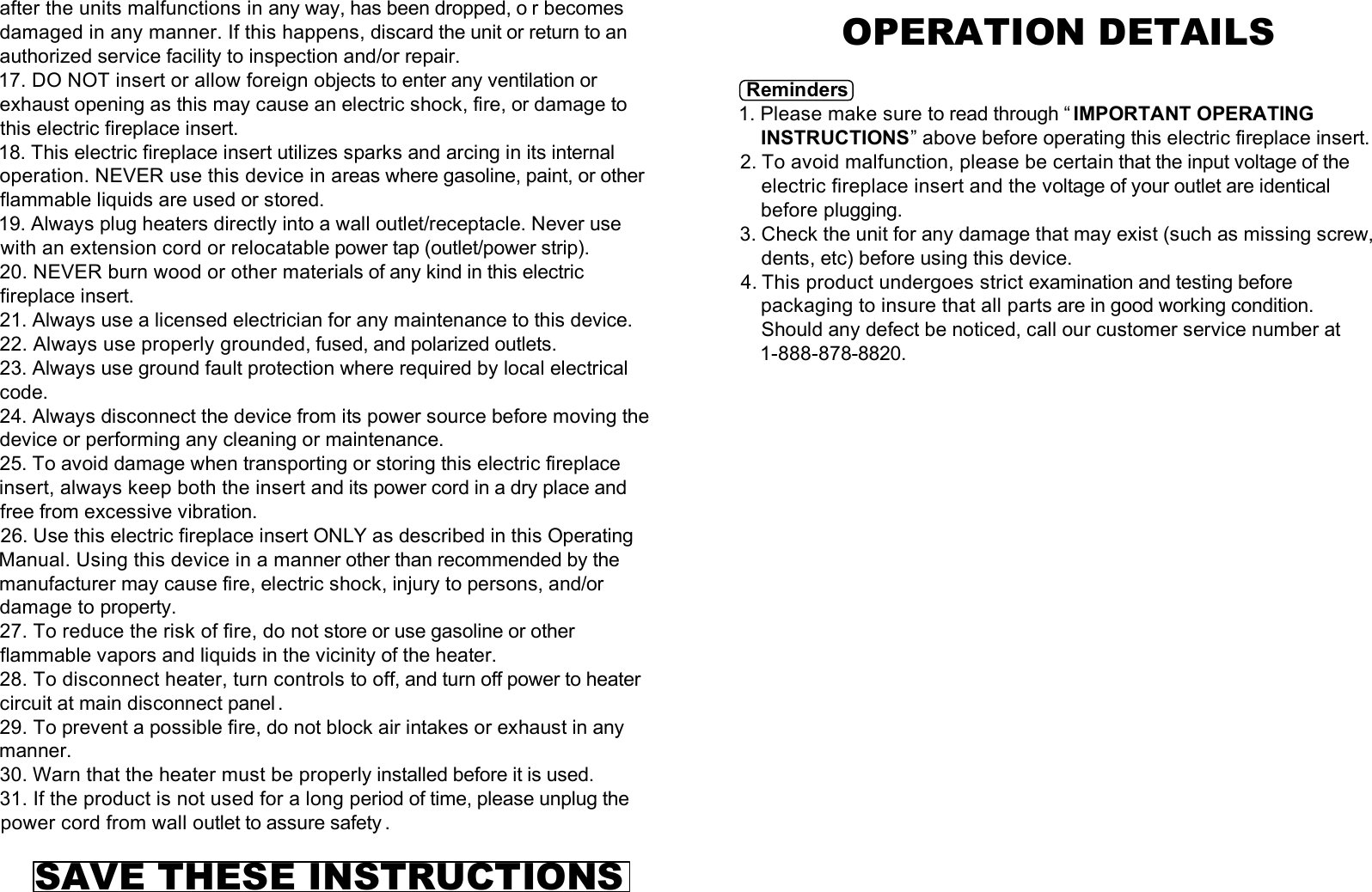
after the units malfunctions in any way, has been dropped, o r becomesdamaged in any manner. If this happens, discard the unit or return to anauthorized service facility to inspection and/or repair.17. DO NOT insert or allow foreign objects to enter any ventilation orexhaust opening as this may cause an electric shock, fire, or damage tothis electric fireplace insert.18. This electric fireplace insert utilizes sparks and arcing in its internaloperation. NEVER use this device in areas where gasoline, paint, or otherflammable liquids are used or stored.19. Always plug heaters directly into a wall outlet/receptacle. Never usewith an extension cord or relocatable power tap (outlet/power strip).20. NEVER burn wood or other materials of any kind in this electricfireplace insert.21. Always use a licensed electrician for any maintenance to this device.22. Always use properly grounded, fused, and polarized outlets.23. Always use ground fault protection where required by local electricalcode.24. Always disconnect the device from its power source before moving thedevice or performing any cleaning or maintenance.25. To avoid damage when transporting or storing this electric fireplaceinsert, always keep both the insert and its power cord in a dry place andfree from excessive vibration.26. Use this electric fireplace insert ONLY as described in this OperatingManual. Using this device in a manner other than recommended by themanufacturer may cause fire, electric shock, injury to persons, and/ordamage to property.27. To reduce the risk of fire, do not store or use gasoline or otherflammable vapors and liquids in the vicinity of the heater.28. To disconnect heater, turn controls to off, and turn off power to heatercircuit at main disconnect panel.29. To prevent a possible fire, do not block air intakes or exhaust in anymanner.30. Warn that the heater must be properly installed before it is used.31. If the product is not used for a long period of time, please unplug thepower cord from wall outlet to assure safety .SAVE THESE INSTRUCTIONSOPERATION DETAILSReminders1. Please make sure to read through “ IMPORTANT OPERATINGINSTRUCTIONS” above before operating this electric fireplace insert.2. To avoid malfunction, please be certain that the input voltage of theelectric fireplace insert and the voltage of your outlet are identicalbefore plugging.3. Check the unit for any damage that may exist (such as missing screw,dents, etc) before using this device.4. This product undergoes strict examination and testing beforepackaging to insure that all parts are in good working condition.Should any defect be noticed, call our customer service number at1-888-878-8820.
Remote Control Battery InstallationRemote Control Function          Remote Control                                                     Control PanelReminder: There are 2 indicators at the right side of control panel, whenthe heater has its initial use and heater function is set at the high level,both L and H indicators will light up; when the heater is set at the low level,only L indicator will light up. This model has thermostat function,when theenvironment temperature reaches the desired temperature, heater will shutdown automatically; however, the indicator will still light up to let usersknow the heater mode is still active, not the current heater working level.-There are six(6) buttons on the remote control and  six(6) correspondingbuttons on the control panel of the electric fireplace insert.1. [POWER(    or    )] turns the electric fireplace insert either on or off.When the heater is off, press this button once to turn the heater on;press it again to turn the heater off.2.[DIMMER(     or     )] controls the brightness of flame and lo g, there are 5levels. When heater is turned on the first time, flame and log is at theirbrightest level. Press the button and the brightness of the logs will  beginto change, from the brightest level to the weakest level.  Thecorresponding digital display will blink    ,    ,    ,    ,     for a period of time.If there is no other operation, digital display will go back to defaulttemperature setting and show environmental temperature.3.[HEATER(     or     )] controls the heating element. Press once, the heatReceiverLow heat level Indicator1. Pull out the battery holder fromthe bottom of the remote control.2. Place cell battery in the battery holderwith “+”(positive) mark face up tocorrespond the “+” mark on the batteryholder, then push it into the remotecontrol.3. Assembly complete.UPDOWNDigital Display    is at the high level, H and L indicator will both light up; press    again, the heat is at the low level, L indicator will light up; then    press again, heat stops, and heating element is turned off,    both H and L indicator are off.4. [TIMER(    or     )] is the timer setting button. Press once, the digitaldisplay will blink which indicate the time can be entered, so touch [UP]or [DOWN] button may increase or decrease the time in between 0-12hours.5. [UP(     or     )] increases the time and temperature. When the mode is attimer setting, press once, the digital display will increase by 0.5(half)    hour. Long press this button, time will go up continuously. The options    are between 0-12 hours; when the mode is at temperature setting, press    once, temperature will increase by 1℉. Long press this button,    temperature will go up continuously. The options are between    60℉-97℉.6. [DOWN(     or     )] decreases the time and temperature. When the mode    is at timer setting, press once, the digital display will decrease by    0.5(half) hour. Long press this button,  time will go down continuously.    The options are between 12-0 hours; when the mode is at temperature    setting, press once, temperature will decrease by 1 ℉. Long press this    button, temperature will go down continuously.  The options are between    97℉-60℉.7. [    ] indicates the Bluetooth connection is successfully paired if the    indicator is on. Refer to the operation manual in the APP to continue.    Other Important Features8. To protect the heater, the fan will continue turning for  quite a few    seconds after heater is shut down.9. When the [POWER] is firstly turned on, only the flame and log work; to    have the heat to blow out, you have to press [HEATER]. Other than    [POWER] button, all other operation button will function when the power    is turned on.10. If the temperature inside of the electric fireplace insert becomes    abnormally high, the temperature protection mechanism will turn on    automatically and the heater will be shut down within  a few seconds (fan    will be stopped in around 15 seconds of retardation). Any operation are    prohibited. Please remove the power cord from outlet and wait a few    minutes for heater to cool down or till temperature protection mechanism    reconnect, then plug in the power cord to resume the condition before    the abnormality of the electric heater. Temperature setting and operationDOWNUPHigh heat level IndicatorBluetooth connection Indicator
     Under the use of electric fireplace, touch [UP] or [DOWN], if the temperature shownon digital display is greater than the environmental temperature, heater will be turnedon, hot air will start blowing; if temperature shown on digital display is less than theenvironmental temperature, heater will not turn on, but fan will turn and blow cold airfor a while and then stop. Touch [UP] or [DOWN], the digital display will blink, desiredtemperature can be adjusted between 60-97 ℉, each time they are touched,temperature will increase or decrease by 1 ℉, temperature on the digital display willblink several seconds and stop, then desired  temperature is automatically set. Longtouch [UP] or [DOWN] willcontinuously increase or decrease the temperature to reach your desiredtemperature faster.  After turning on the electric fireplace by pressing [POWER], touching[HEATER], [UP], or [DOWN] will turn on the heater; however, when thedetector detects the environmental temperature is greater than or equal toyour desired temperature, heater will stop. When environmentaltemperature descend and is lower than the desired temperature, heater willstart working after a while, and it will not stop until the environmentaltemperature is reached desired temperature.IMPORTANTUnder the condition that the default setting of desired temperature is 77 ℉,there are 2 possibility:1. When the insert detects the environment temp. lower than 77 ℉, theheater will begin to work at high heat status automatically.2. When the insert detects the environment temp. higher than 77 ℉, theheater will first blow cold air for  a few seconds, and then stop.     a. If you want to let the heater to work, simply set the desired temp.         from 77℉ to be higher than the environment temp(this will show on         the display panel when the power is turned on). NOTE: Default setting of desired temperature is 77 ℉. If the environmentaltemperature is greater than 77℉, heater will not turn on, only cold air willblow; if the environmental temperature is less than 77 ℉, heater will turn onand start blowing hot air.  REMINDER: When the environmental temperature is greater than 97 ℉,heater will stop immediately.  Timer setting  Under the condition when the electric fireplace is turned on, press[TIMER] to switch to timer setting mode. Time on digital display will blink.Press [UP] or [DOWN] to adjust the hour, which will be the time for heaterto work and heater will be automatically turned off beyond the hours youset. When the desired time is determined, the digital display will blink for afew seconds, then the time is automatically set. Long press [UP] or[DOWN], time will continuously to go up or down so that you may reachyour desired hour faster.  To cancel timer, press [UP] or [DOWN] till the digital display show "0 .0H".  REMINDER:  a. When time reaches 10 hour, then press [UP], time increase by 1 hour      from 10:00, 11:00, to 12:00.  b. When time reaches 12 hour, then press [DOWN], time      decrease by 1 hour from 12:00, 11:00, to 10:00.  Display panel hibernate mode  Under the status that the electric fireplace is turned on, if there isn't anyoperation in 12-15 seconds, any numbers or indication light shown ondigital display will all disappear. At this condition, touch any buttons(eitherthose on remote control or control panel), digital display will show up thecurrent environmental temperature.  Children lock-Touch [UP] and [DOWN] buttons on the control panel at the same time formore than 2 seconds, the electric fireplace will be locked, preventingmisuse by children and interference by other remote controls of other homedevices. Also, the remote control function of this electric fireplace will alsobe locked. Digital display will show up "L" and blink 5 times before showingback to environmental temperature.-To unlock, again, touch [UP] and [DOWN] buttons on the control panel atthe same time for more than 2 seconds.-When children lock function is activated, display panel will show up "L"and blink, indicating the electric fireplace is locked.-When electric fireplace is locked, and display panel hibernates after 12seconds, if the electric fireplace is waken up by touching any button on thecontrol panel, display panel will show up "L" and blink 5 times beforeshowing back to environmental temperature.Attention1. When first used, the electric fireplace insert may emit a slight odor. Thisis normal and harmless and will go awayafter the first few uses.2. The outlet must be 120V / 60Hz / 15A.3. DO NOT touch the vent when heater is turned on.HeaterVentDo nottouch
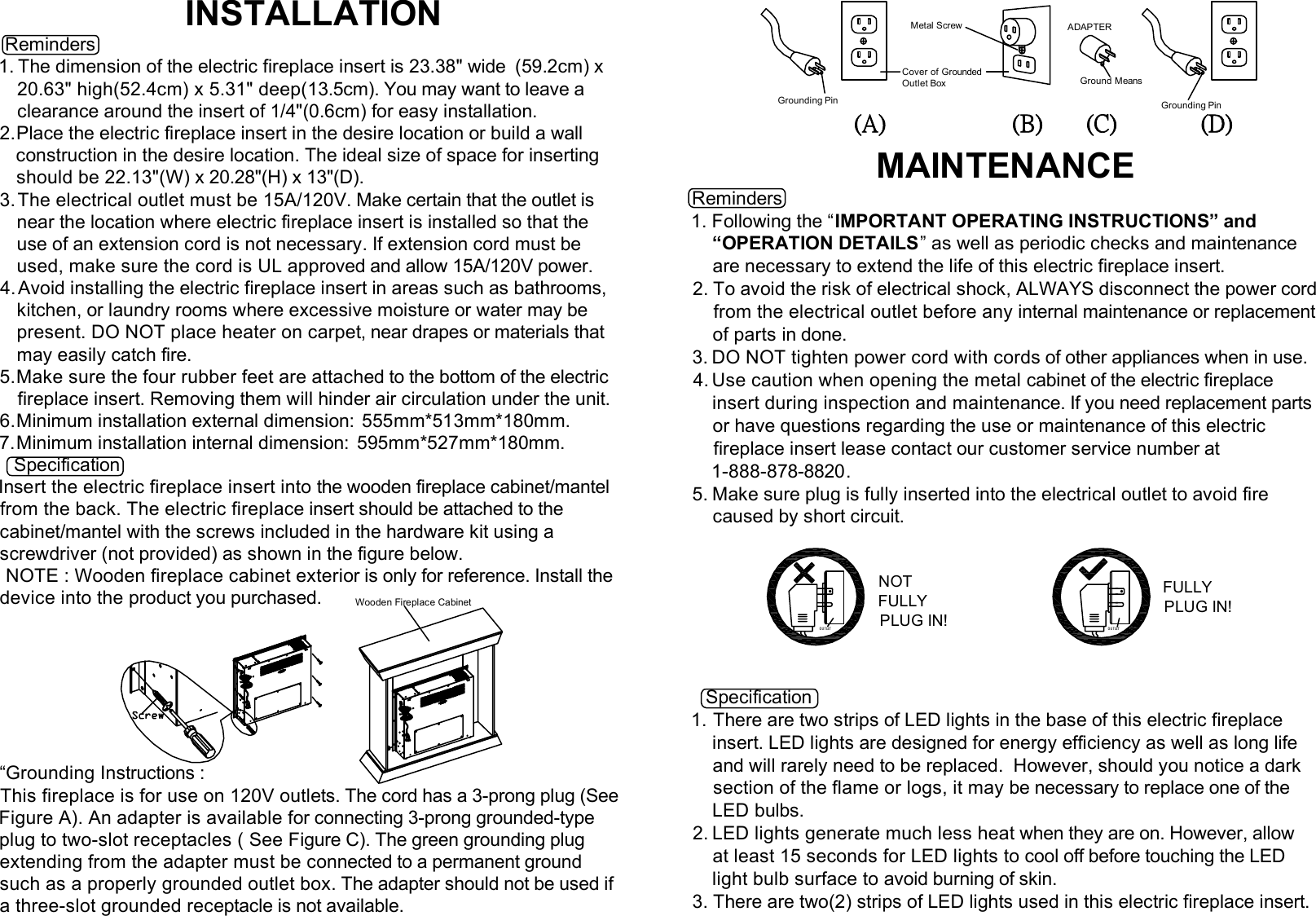
INSTALLATION Reminders1. The dimension of the electric fireplace insert is 23.38" wide  (59.2cm) x20.63" high(52.4cm) x 5.31" deep(13.5cm). You may want to leave aclearance around the insert of 1/4"(0.6cm) for easy installation.2.Place the electric fireplace insert in the desire location or build a wall   construction in the desire location. The ideal size of space for inserting   should be 22.13"(W) x 20.28"(H) x 13"(D).3. The electrical outlet must be 15A/120V. Make certain that the outlet isnear the location where electric fireplace insert is installed so that theuse of an extension cord is not necessary. If extension cord must beused, make sure the cord is UL approved and allow 15A/120V power.4. Avoid installing the electric fireplace insert in areas such as bathrooms,kitchen, or laundry rooms where excessive moisture or water may bepresent. DO NOT place heater on carpet, near drapes or materials thatmay easily catch fire.5.Make sure the four rubber feet are attached to the bottom of the electricfireplace insert. Removing them will hinder air circulation under the unit.6.Minimum installation external dimension:  555mm*513mm*180mm.7.Minimum installation internal dimension:  595mm*527mm*180mm.   SpecificationInsert the electric fireplace insert into the wooden fireplace cabinet/mantelfrom the back. The electric fireplace insert should be attached to thecabinet/mantel with the screws included in the hardware kit using ascrewdriver (not provided) as shown in the figure below. NOTE : Wooden fireplace cabinet exterior is only for reference. Install thedevice into the product you purchased.“Grounding Instructions :This fireplace is for use on 120V outlets. The cord has a 3-prong plug (SeeFigure A). An adapter is available for connecting 3-prong grounded-typeplug to two-slot receptacles ( See Figure C). The green grounding plugextending from the adapter must be connected to a permanent groundsuch as a properly grounded outlet box. The adapter should not be used ifa three-slot grounded receptacle is not available.MAINTENANCEReminders1. Following the “IMPORTANT OPERATING INSTRUCTIONS” and“OPERATION DETAILS” as well as periodic checks and maintenanceare necessary to extend the life of this electric fireplace insert.2. To avoid the risk of electrical shock, ALWAYS disconnect the power cordfrom the electrical outlet before any internal maintenance or replacementof parts in done.3. DO NOT tighten power cord with cords of other appliances when in use.4. Use caution when opening the metal cabinet of the electric fireplaceinsert during inspection and maintenance. If you need replacement partsor have questions regarding the use or maintenance of this electricfireplace insert lease contact our customer service number at1-888-878-8820.5. Make sure plug is fully inserted into the electrical outlet to avoid firecaused by short circuit.Specification1. There are two strips of LED lights in the base of this electric fireplaceinsert. LED lights are designed for energy efficiency as well as long lifeand will rarely need to be replaced.  However, should you notice a darksection of the flame or logs, it may be necessary to replace one of theLED bulbs.2. LED lights generate much less heat when they are on. However, allowat least 15 seconds for LED lights to cool off before touching the LEDlight bulb surface to avoid burning of skin.3. There are two(2) strips of LED lights used in this electric fireplace insert.Ground MeansCover of GroundedOutlet BoxMetal ScrewGrounding Pin(A)Grounding Pin(B) (C) (D)ADAPTEROU TLET OUTLETNOTFULLYPLUG IN!FULLYPLUG IN!Wooden Fireplace Cabinet
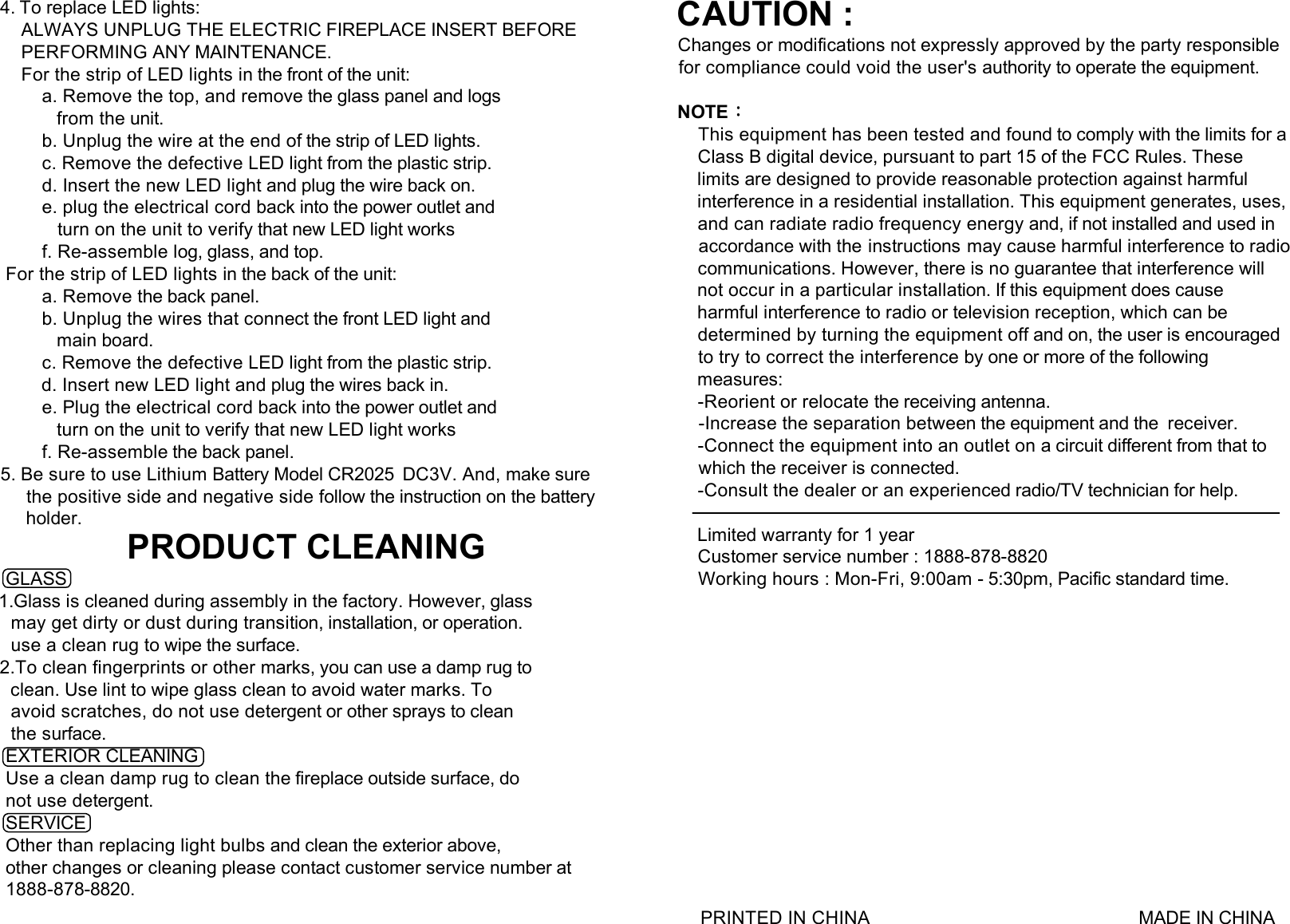
4. To replace LED lights:    ALWAYS UNPLUG THE ELECTRIC FIREPLACE INSERT BEFORE    PERFORMING ANY MAINTENANCE.    For the strip of LED lights in the front of the unit:        a. Remove the top, and remove the glass panel and logs           from the unit.        b. Unplug the wire at the end of the strip of LED lights.        c. Remove the defective LED light from the plastic strip.        d. Insert the new LED light and plug the wire back on.        e. plug the electrical cord back into the power outlet and           turn on the unit to verify that new LED light works        f. Re-assemble log, glass, and top. For the strip of LED lights in the back of the unit:        a. Remove the back panel.        b. Unplug the wires that connect the front LED light and           main board.        c. Remove the defective LED light from the plastic strip.        d. Insert new LED light and plug the wires back in.        e. Plug the electrical cord back into the power outlet and           turn on the unit to verify that new LED light works        f. Re-assemble the back panel.5. Be sure to use Lithium Battery Model CR2025  DC3V. And, make surethe positive side and negative side follow the instruction on the battery     holder.PRODUCT CLEANING GLASS1.Glass is cleaned during assembly in the factory. However, glass  may get dirty or dust during transition, installation, or operation.  use a clean rug to wipe the surface.2.To clean fingerprints or other marks, you can use a damp rug to  clean. Use lint to wipe glass clean to avoid water marks. To  avoid scratches, do not use detergent or other sprays to clean  the surface. EXTERIOR CLEANING Use a clean damp rug to clean the fireplace outside surface, do not use detergent. SERVICE Other than replacing light bulbs and clean the exterior above, other changes or cleaning please contact customer service number at 1888-878-8820.  PRINTED IN CHINA                                                     MADE IN CHINACAUTION :Changes or modifications not expressly approved by the party responsiblefor compliance could void the user's authority to operate the equipment.NOTE:This equipment has been tested and found to comply with the limits for aClass B digital device, pursuant to part 15 of the FCC Rules. Theselimits are designed to provide reasonable protection against harmfulinterference in a residential installation. This equipment generates, uses,and can radiate radio frequency energy and, if not installed and used inaccordance with the instructions may cause harmful interference to radiocommunications. However, there is no guarantee that interference willnot occur in a particular installation. If this equipment does causeharmful interference to radio or television reception, which can bedetermined by turning the equipment off and on, the user is encouragedto try to correct the interference by one or more of the followingmeasures:-Reorient or relocate the receiving antenna.-Increase the separation between the equipment and the  receiver.-Connect the equipment into an outlet on a circuit different from that towhich the receiver is connected.-Consult the dealer or an experienced radio/TV technician for help.Limited warranty for 1 yearCustomer service number : 1888-878-8820Working hours : Mon-Fri, 9:00am - 5:30pm, Pacific standard time.
  This device complies with Part 15 of the FCC Rules. Operation is subject to the following two  conditions: (1) this device may not cause harmful interference, and (2) this device must accept any  interference received, including interference that may cause undesired operation.  Changes or modifications not expressly approved by the party responsible for compliance could  void the user's authority to operate the equipment.  NOTE: This equipment has been tested and found to comply with the limits for a Class B digital  device, pursuant to Part 15 of the FCC Rules. These limits are designed to provide reasonable  protection against harmful interference in a residential installation. This equipment generates, uses  instructions, may cause harmful interference to radio communications. However, there is no  guarantee that interference will not occur in a particular installation. If this equipment does cause  harmful interference to radio or television reception, which can be determined by turning the  equipment off and on, the user is encouraged to try to correct the interference by one or more of  the following measures:  -- Reorient or relocate the receiving antenna.  -- Increase the separation between the equipment and receiver.  -- Connect the equipment into an outlet on a circuit different from that to which the receiver is  connected.  -- Consult the dealer or an experienced radio/TV technician for help.

Navigation menu