GUANGZHOU TAIJI ELECTRONIC O2NAILS-V11P Mobile Nail Printer User Manual

GUANGZHOU TAIJI ELECTRONIC CO.,LTD Mobile Nail Printer Users Manual

Users Manual

User ManualPlease read this User Manual carefully before using this printer and keep it properly for future reference.Mobile Nail Printer V11
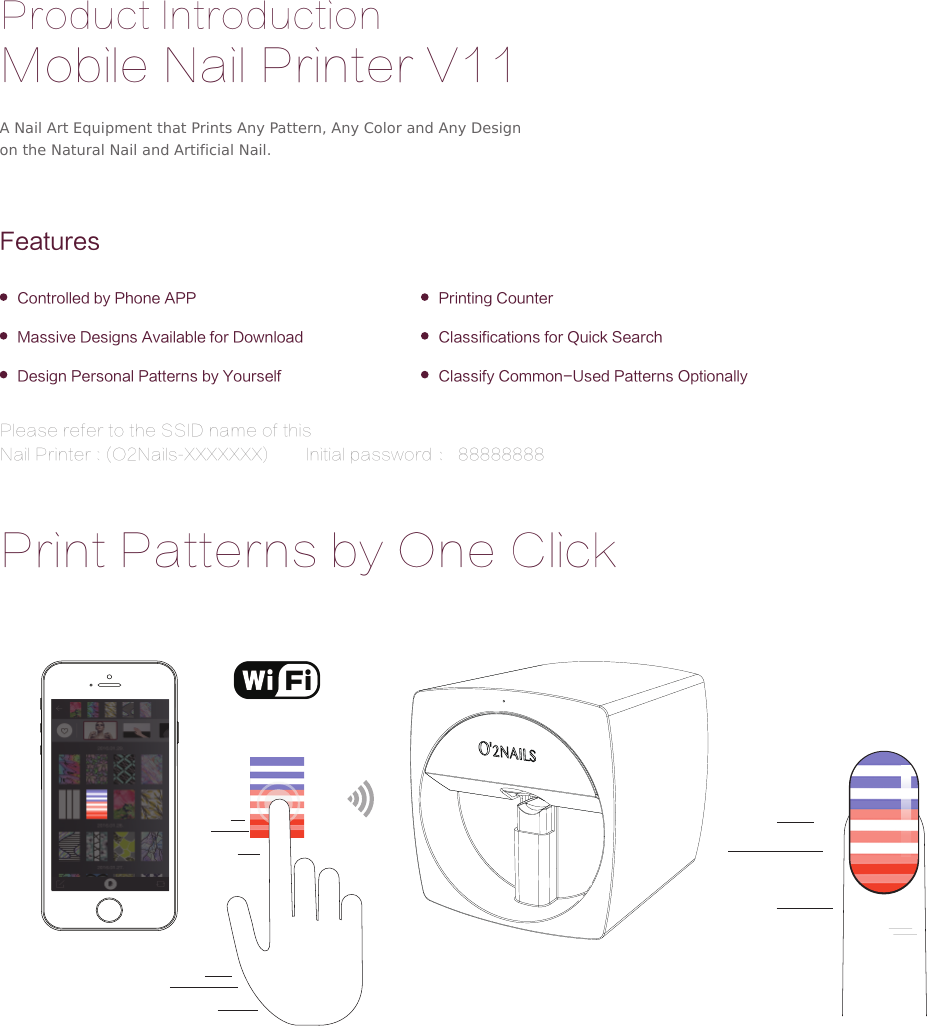
Product IntroductionMobile Nail Printer V11FeaturesControlled by Phone APPMassive Designs Available for DownloadDesign Personal Patterns by Yourself Classify Common-Used Patterns OptionallyPrinting CounterClassifications for Quick SearchA Nail Art Equipment that Prints Any Pattern, Any Color and Any Design on the Natural Nail and Artificial Nail.Print Patterns by One ClickPlease refer to the SSID name of this  Nail Printer : (O2Nails-XXXXXXX)        Initial password : 88888888
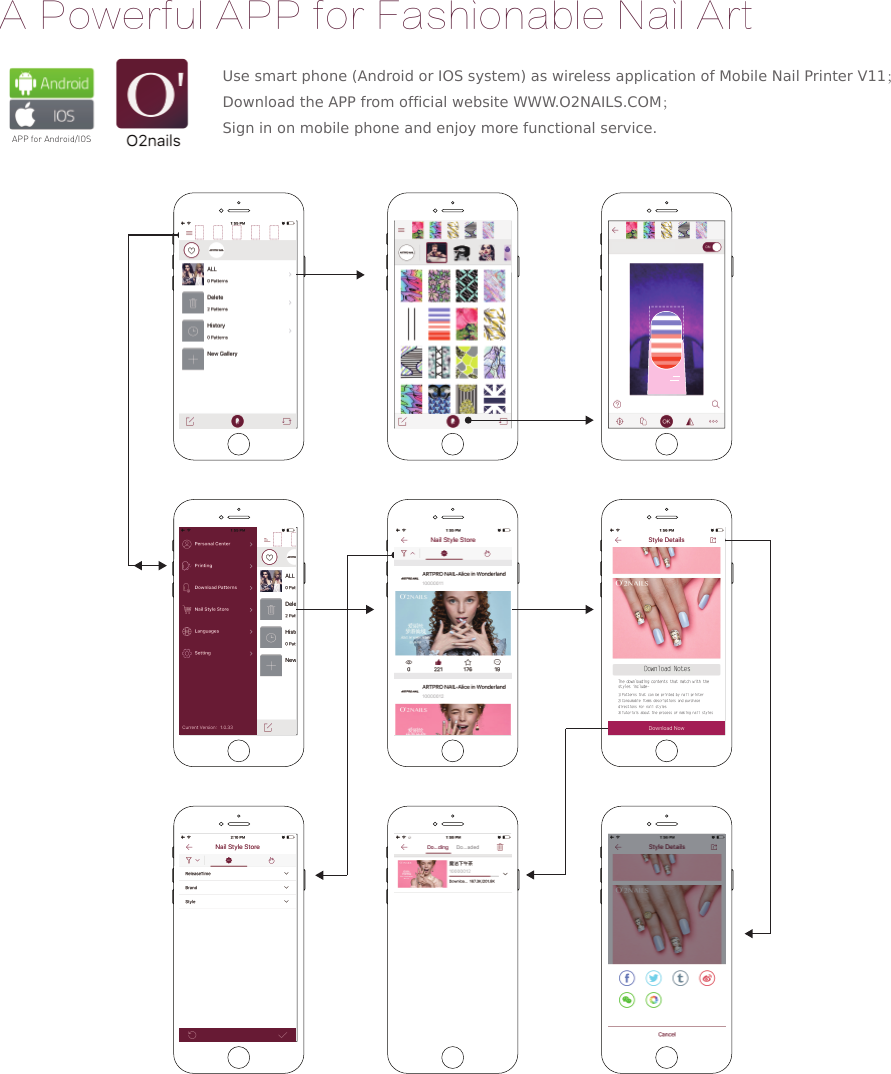
A Powerful APP for Fashionable Nail ArtAPP for Android/IOSDownload NotesThe downloading contents that match with the styles include-1)Patterns that can be printed by nail printer2)Consumable items descriptions and purchase directions for nail styles3)Tutorials about the process of making nail stylesUse smart phone (Android or IOS system) as wireless application of Mobile Nail Printer V11;Download the APP from official website WWW.O2NAILS.COM;Sign in on mobile phone and enjoy more functional service.
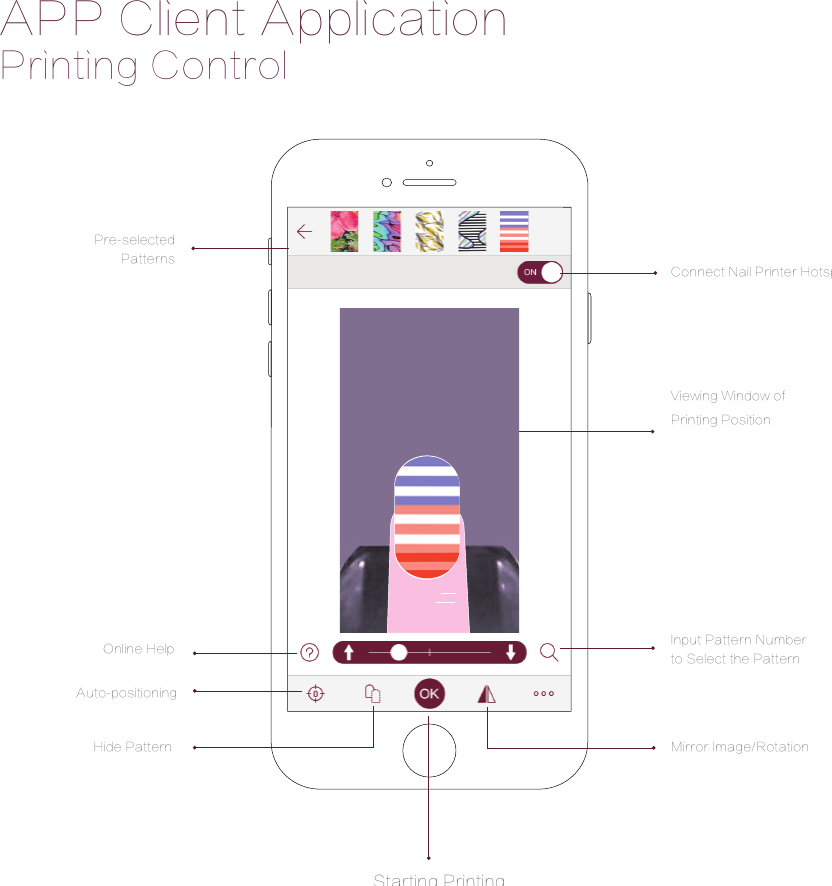
Printing ControlAPP Client ApplicationPre-selectedPatternsHide PatternOnline HelpAuto-positioningInput Pattern Number to Select the Pattern Mirror Image/RotationViewing Window of Printing Position Connect Nail Printer HotspotStarting Printing
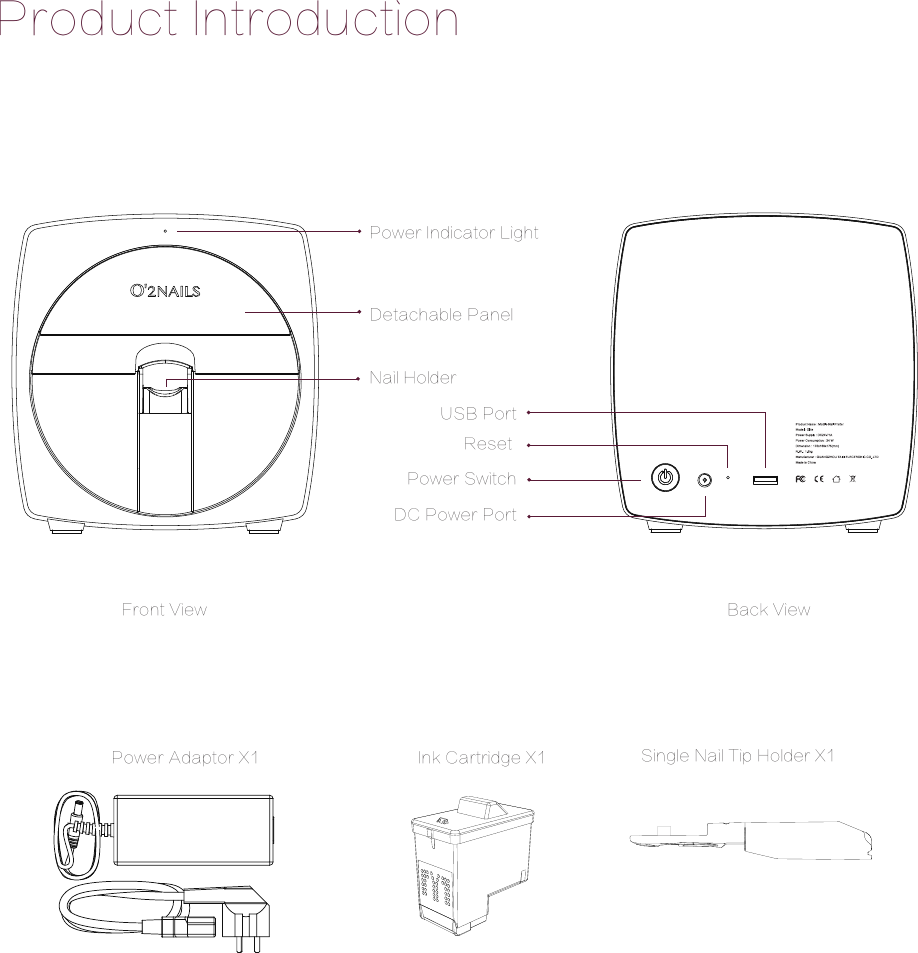
Detachable PanelNail HolderPower Indicator LightPower SwitchReset USB PortDC Power PortFront View Back ViewPower Adaptor X1 Ink Cartridge X1 Single Nail Tip Holder X1Product Introduction
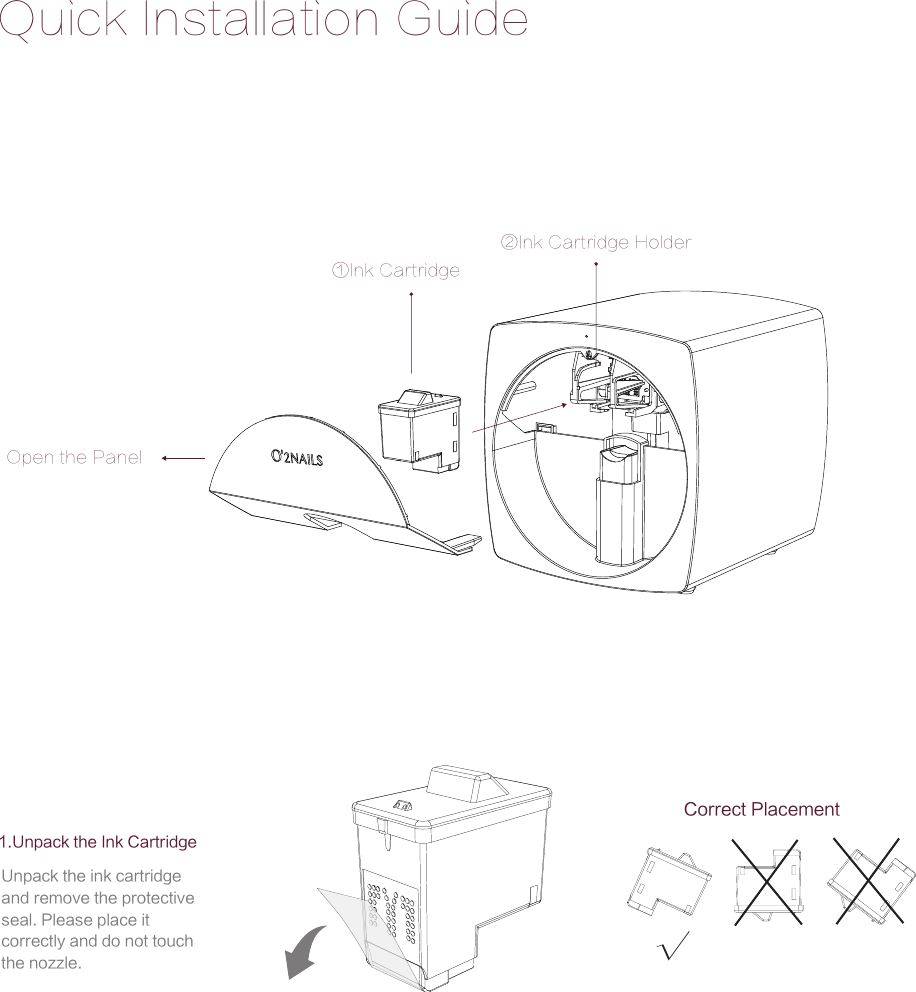
Quick Installation Guide√Open the Panel①Ink Cartridge②Ink Cartridge Holder1.Unpack the Ink Cartridge Correct PlacementUnpack the ink cartridge and remove the protective seal. Please place it correctly and do not touch the nozzle.
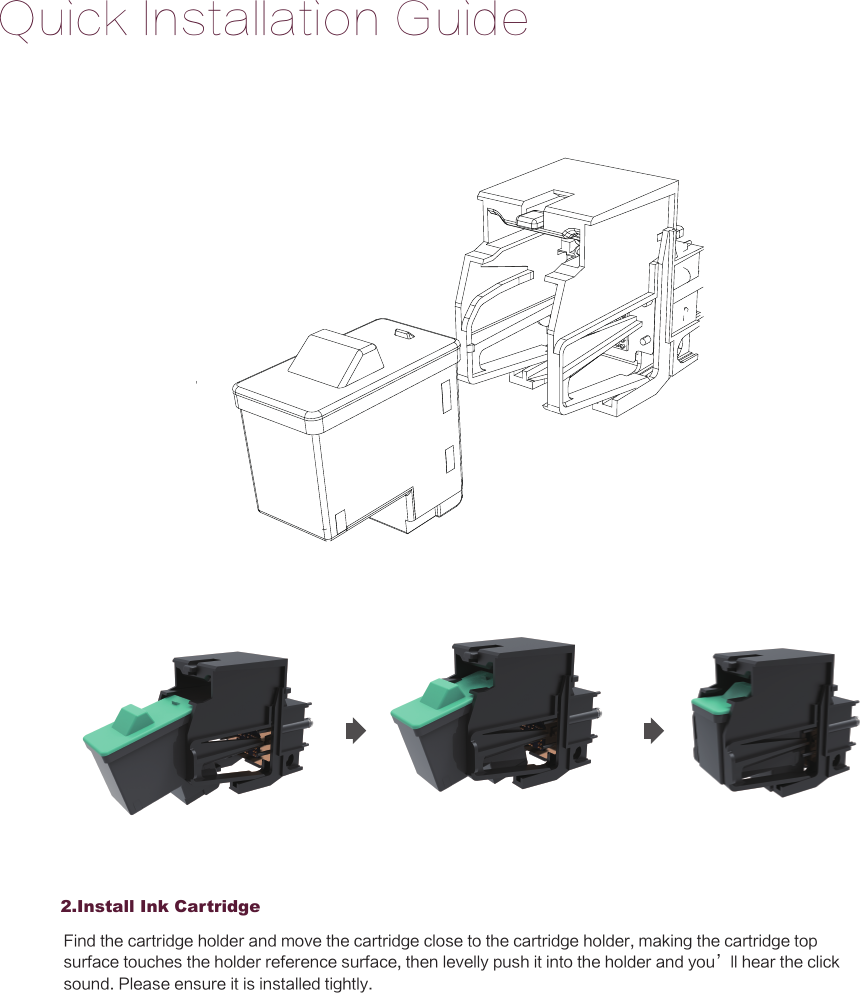
Quick Installation Guide2.Install Ink CartridgeFind the cartridge holder and move the cartridge close to the cartridge holder, making the cartridge top surface touches the holder reference surface, then levelly push it into the holder and you’ll hear the click sound. Please ensure it is installed tightly.
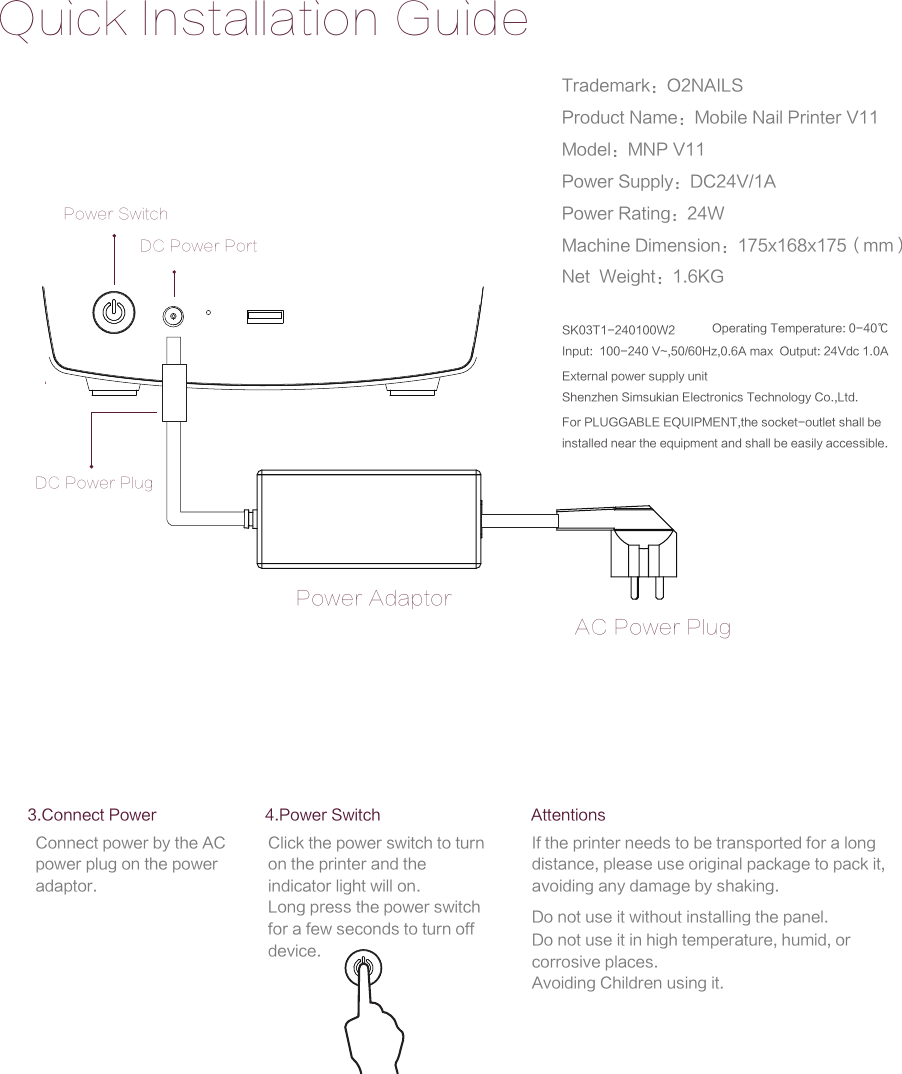
Quick Installation GuidePower SwitchPower AdaptorAC Power PlugDC Power PortDC Power PlugAttentionsIf the printer needs to be transported for a long distance, please use original package to pack it, avoiding any damage by shaking.Do not use it without installing the panel.Do not use it in high temperature, humid, or corrosive places.Avoiding Children using it.3.Connect PowerConnect power by the AC power plug on the power adaptor.4.Power SwitchClick the power switch to turn on the printer and the indicator light will on.Long press the power switch for a few seconds to turn off device.Trademark:O2NAILSProduct Name:Mobile Nail Printer V11Model:MNP V11Power Supply:DC24V/1APower Rating:24WMachine Dimension:175x168x175(mm)Net  Weight:1.6KGExternal power supply unitShenzhen Simsukian Electronics Technology Co.,Ltd.SK03T1-240100W2Input:  100-240 V~,50/60Hz,0.6A max  Output: 24Vdc 1.0A Operating Temperature: 0-40℃For PLUGGABLE EQUIPMENT,the socket-outlet shall be installed near the equipment and shall be easily accessible.
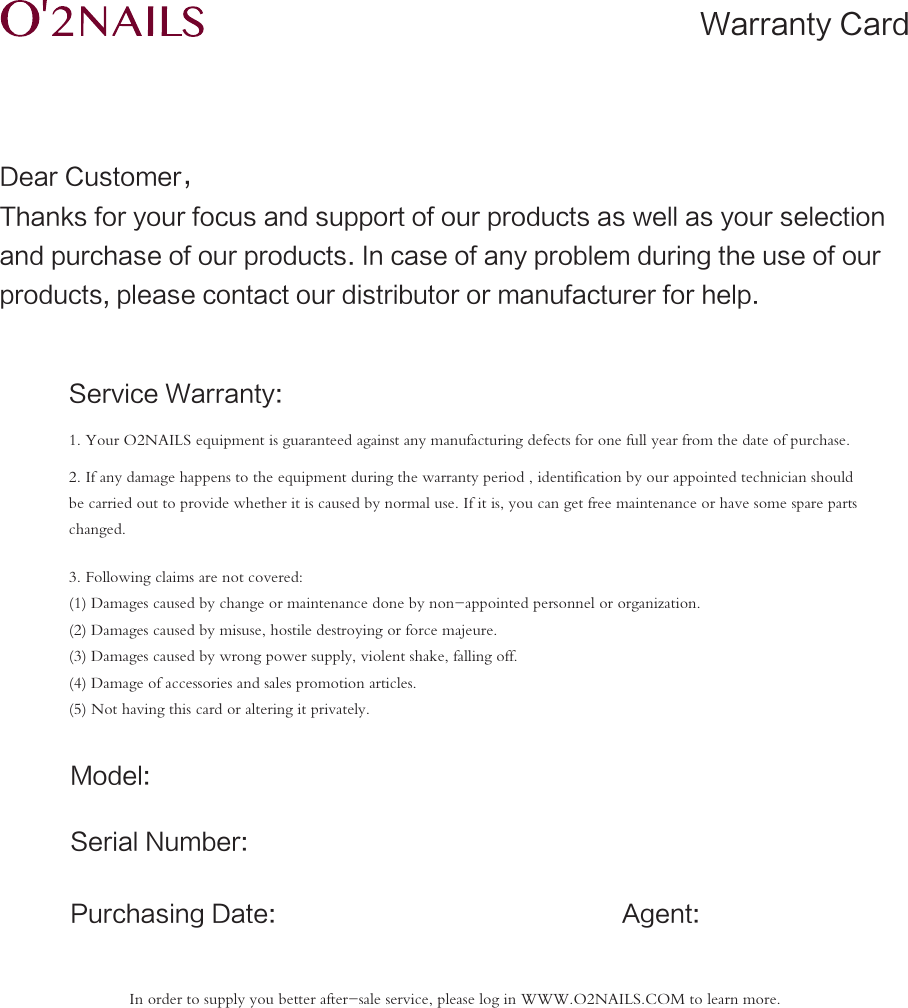
Dear Customer,Thanks for your focus and support of our products as well as your selectionand purchase of our products. In case of any problem during the use of our products, please contact our distributor or manufacturer for help.Service Warranty:Model:Serial Number:Agent:Purchasing Date:1. Your O2NAILS equipment is guaranteed against any manufacturing defects for one full year from the date of purchase.2. If any damage happens to the equipment during the warranty period , identification by our appointed technician should be carried out to provide whether it is caused by normal use. If it is, you can get free maintenance or have some spare parts changed.3. Following claims are not covered:(1) Damages caused by change or maintenance done by non-appointed personnel or organization.(2) Damages caused by misuse, hostile destroying or force majeure.(3) Damages caused by wrong power supply, violent shake, falling off.(4) Damage of accessories and sales promotion articles.(5) Not having this card or altering it privately.Warranty CardIn order to supply you better after-sale service, please log in WWW.O2NAILS.COM to learn more.
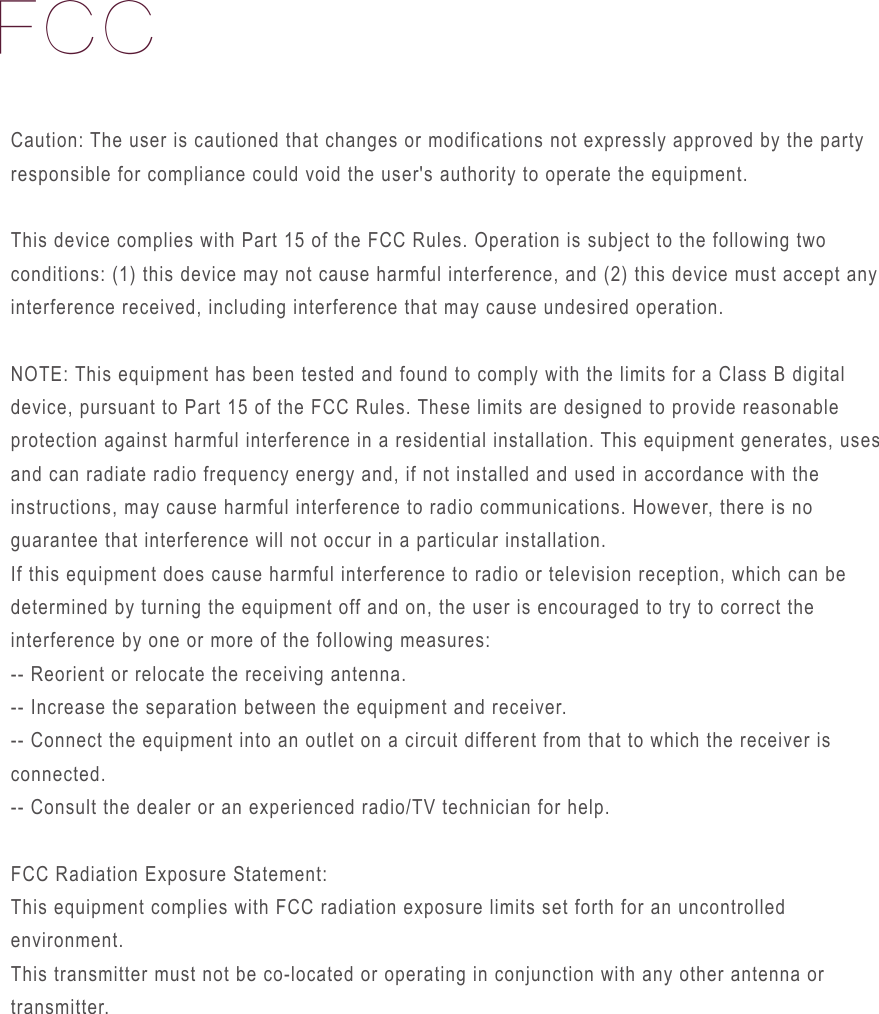
FCCCaution: The user is cautioned that changes or modifications not expressly approved by the party responsible for compliance could void the user's authority to operate the equipment.This device complies with Part 15 of the FCC Rules. Operation is subject to the following two conditions: (1) this device may not cause harmful interference, and (2) this device must accept any interference received, including interference that may cause undesired operation.NOTE: This equipment has been tested and found to comply with the limits for a Class B digital device, pursuant to Part 15 of the FCC Rules. These limits are designed to provide reasonable protection against harmful interference in a residential installation. This equipment generates, uses and can radiate radio frequency energy and, if not installed and used in accordance with the instructions, may cause harmful interference to radio communications. However, there is no guarantee that interference will not occur in a particular installation. If this equipment does cause harmful interference to radio or television reception, which can be determined by turning the equipment off and on, the user is encouraged to try to correct the interference by one or more of the following measures: -- Reorient or relocate the receiving antenna.-- Increase the separation between the equipment and receiver. -- Connect the equipment into an outlet on a circuit different from that to which the receiver is connected. -- Consult the dealer or an experienced radio/TV technician for help.FCC Radiation Exposure Statement:This equipment complies with FCC radiation exposure limits set forth for an uncontrolled environment. This transmitter must not be co-located or operating in conjunction with any other antenna or transmitter.
a.For PLUGGABLE EQUIPMENT, the socket-outlet shall be installe d near the equipment and shall be easily accessible.b.Only use the attachments/accessories specified by manufacturer.External power supply unit, Manufacturer: ShenZhen Simsukian Electronics Technology Co.,Ltd.; Model name: SK03T1-240100W2; Rating, Input: 100-240V~, 50/60Hz, 0.6A max; Output: 24V , 1A.
All information and data listed on this manuel are for reference only, the final explanation right belongs to this company.GUANGZHOU TAIJI ELECTRONIC CO., LTD. (Manufacturer) E1, 25/F, Everbright Bank Building, No. 689 Tianhe North Road, Guangzhou, ChinaHotline :(+8620) -38732006 / +86-400-098191E-Mail:SALES@CYBERNAIL.COMWWW.O2NAILS.COM2018-03

Navigation menu