Glue HUBV1 GLUE WI-FI HUB User Manual installation

Glue AB GLUE WI-FI HUB Users Manual installation

Users Manual - installation

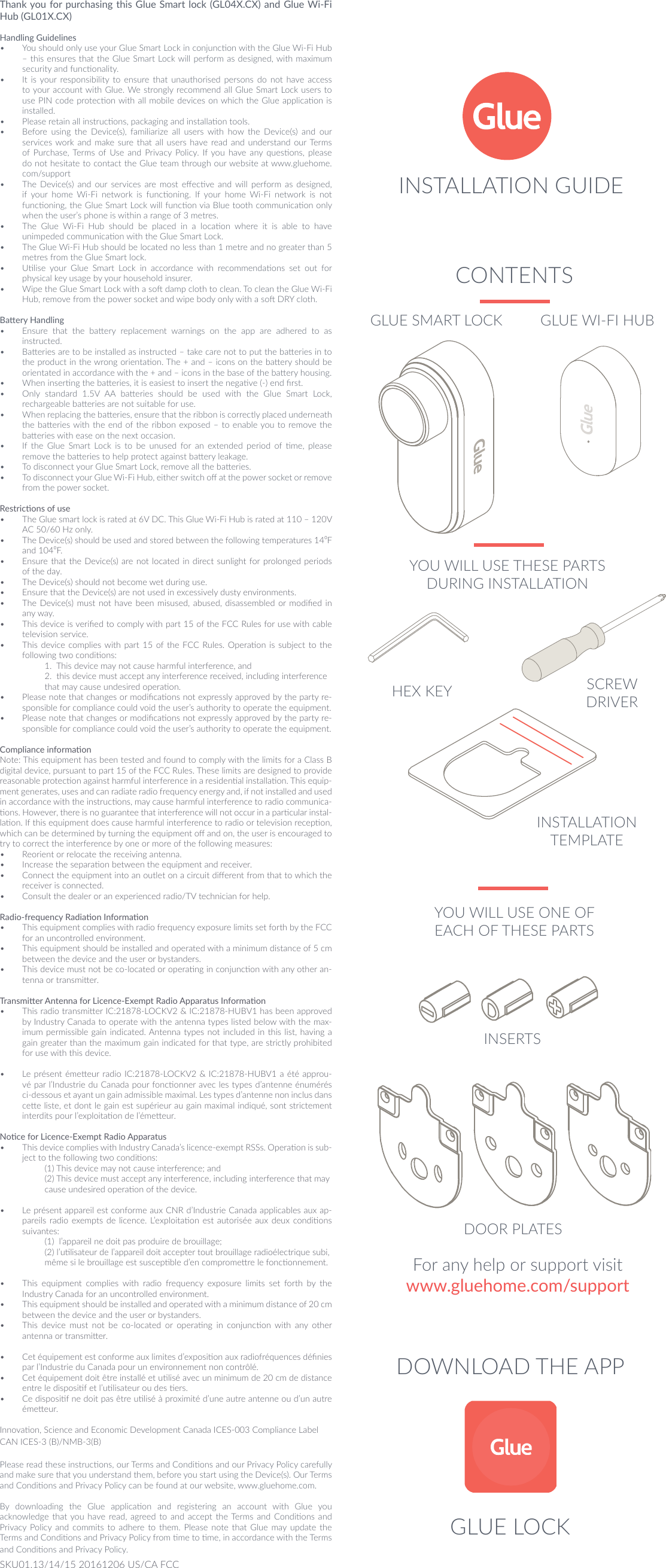
DOWNLOAD THE APPFor any help or support visitwww.gluehome.com/supportThank you for purchasing this Glue Smart lock (GL04X.CX) and Glue Wi-Fi Hub (GL01X.CX)Handling Guidelines•  You should only use your Glue Smart Lock in conjuncon with the Glue Wi-Fi Hub – this ensures that the Glue Smart Lock will perform as designed, with maximum security and funconality.•  It is your  responsibility to ensure that unauthorised  persons  do  not have access to your account with Glue. We strongly recommend all Glue Smart Lock users to use PIN code protecon with all mobile devices on which the Glue applicaon is installed.•  Please retain all instrucons, packaging and installaon tools. •  Before  using  the  Device(s),  familiarize  all  users  with  how  the  Device(s)  and  our services work and  make sure that all  users  have  read and understand our Terms of Purchase, Terms  of Use and  Privacy Policy.  If you  have any quesons, please do not hesitate to contact the Glue team through our website at www.gluehome.com/support•  The  Device(s)  and  our  services  are most  eecve  and  will  perform  as  designed, if  your  home  Wi-Fi  network  is  funconing.  If  your  home  Wi-Fi  network  is  not funconing, the Glue Smart Lock will funcon via Blue tooth communicaon only when the user’s phone is within a range of 3 metres.•  The  Glue  Wi-Fi  Hub  should  be  placed  in  a  locaon  where  it  is  able  to  have unimpeded communicaon with the Glue Smart Lock.•  The Glue Wi-Fi Hub should be located no less than 1 metre and no greater than 5 metres from the Glue Smart lock.•  Ulise  your  Glue  Smart  Lock  in  accordance  with  recommendaons  set  out  for physical key usage by your household insurer.•  Wipe the Glue Smart Lock with a so damp cloth to clean. To clean the Glue Wi-Fi Hub, remove from the power socket and wipe body only with a so DRY cloth.Baery Handling•  Ensure  that  the  baery  replacement  warnings  on  the  app  are  adhered  to  as instructed.•  Baeries are to be installed as instructed – take care not to put the baeries in to the product in the wrong orientaon. The + and – icons on the baery should be orientated in accordance with the + and – icons in the base of the baery housing.•  When inserng the baeries, it is easiest to insert the negave (-) end rst.•  Only  standard  1.5V  AA  baeries  should  be  used  with  the  Glue  Smart  Lock, rechargeable baeries are not suitable for use.•  When replacing the baeries, ensure that the ribbon is correctly placed underneath the baeries with the end of the ribbon exposed – to enable you to remove the baeries with ease on the next occasion.•  If  the  Glue  Smart  Lock  is  to  be  unused  for  an  extended  period  of  me,  please remove the baeries to help protect against baery leakage.•  To disconnect your Glue Smart Lock, remove all the baeries.•  To disconnect your Glue Wi-Fi Hub, either switch o at the power socket or remove from the power socket.Restricons of use•  The Glue smart lock is rated at 6V DC. This Glue Wi-Fi Hub is rated at 110 – 120V AC 50/60 Hz only. •  The Device(s) should be used and stored between the following temperatures 14⁰F and 104⁰F.•  Ensure that the Device(s) are not located in direct  sunlight for prolonged periods of the day.•  The Device(s) should not become wet during use.•  Ensure that the Device(s) are not used in excessively dusty environments.•  The Device(s)  must not have been misused, abused, disassembled or modied in any way.•  This device is veried to comply with part 15 of the FCC Rules for use with cable television service.•  This device complies with part 15 of the FCC Rules. Operaon is  subject  to the following two condions:   1.  This device may not cause harmful interference, and   2.  this device must accept any interference received, including interference    that may cause undesired operaon.•  Please note that changes or modicaons not expressly approved by the party re-sponsible for compliance could void the user’s authority to operate the equipment.•  Please note that changes or modicaons not expressly approved by the party re-sponsible for compliance could void the user’s authority to operate the equipment.Compliance informaonNote: This equipment has been tested and found to comply with the limits for a Class B digital device, pursuant to part 15 of the FCC Rules. These limits are designed to provide reasonable protecon against harmful interference in a residenal installaon. This equip-ment generates, uses and can radiate radio frequency energy and, if not installed and used in accordance with the instrucons, may cause harmful interference to radio communica-ons. However, there is no guarantee that interference will not occur in a parcular instal-laon. If this equipment does cause harmful interference to radio or television recepon, which can be determined by turning the equipment o and on, the user is encouraged to try to correct the interference by one or more of the following measures:•  Reorient or relocate the receiving antenna.•  Increase the separaon between the equipment and receiver.•  Connect the equipment into an outlet on a circuit dierent from that to which the receiver is connected.•  Consult the dealer or an experienced radio/TV technician for help.Radio-frequency Radiaon Informaon•  This equipment complies with radio frequency exposure limits set forth by the FCC for an uncontrolled environment. •  This equipment should be installed and operated with a minimum distance of 5 cm between the device and the user or bystanders. •  This device must not be co-located or operang in conjuncon with any other an-tenna or transmier.Transmier Antenna for Licence-Exempt Radio Apparatus Informaon•  This radio transmier IC:21878-LOCKV2 & IC:21878-HUBV1 has been approved by Industry Canada to operate with the antenna types listed below with the max-imum permissible gain indicated. Antenna types not included in this list, having a gain greater than the maximum gain indicated for that type, are strictly prohibited for use with this device. •  Le présent émeeur radio IC:21878-LOCKV2 & IC:21878-HUBV1 a été approu-vé par l’Industrie du Canada pour fonconner avec les types d’antenne énumérés ci-dessous et ayant un gain admissible maximal. Les types d’antenne non inclus dans cee liste, et dont le gain est supérieur au gain maximal indiqué, sont strictement interdits pour l’exploitaon de l’émeeur.Noce for Licence-Exempt Radio Apparatus•  This device complies with Industry Canada’s licence-exempt RSSs. Operaon is sub-ject to the following two condions:   (1) This device may not cause interference; and   (2) This device must accept any interference, including interference that may    cause undesired operaon of the device. •  Le présent appareil est conforme aux CNR d’Industrie Canada applicables aux ap-pareils radio  exempts de licence. L’exploitaon est autorisée  aux  deux condions suivantes:  (1)  l’appareil ne doit pas produire de brouillage;  (2) l’ulisateur de l’appareil doit accepter tout brouillage radioélectrique subi,    même si le brouillage est suscepble d’en compromere le fonconnement.•  This  equipment  complies  with  radio  frequency  exposure  limits  set  forth  by  the Industry Canada for an uncontrolled environment. •  This equipment should be installed and operated with a minimum distance of 20 cm between the device and the user or bystanders. •  This  device  must  not  be  co-located  or  operang  in  conjuncon  with  any  other antenna or transmier.•  Cet équipement est conforme aux limites d’exposion aux radiofréquences dénies par l’Industrie du Canada pour un environnement non contrôlé. •  Cet équipement doit être installé et ulisé avec un minimum de 20 cm de distance entre le disposif et l’ulisateur ou des ers. •  Ce disposif ne doit pas être ulisé à proximité d’une autre antenne ou d’un autre émeeur.Innovaon, Science and Economic Development Canada ICES-003 Compliance Label CAN ICES-3 (B)/NMB-3(B) Please read these instrucons, our Terms and Condions and our Privacy Policy carefully and make sure that you understand them, before you start using the Device(s). Our Terms and Condions and Privacy Policy can be found at our website, www.gluehome.com. By  downloading  the  Glue  applicaon  and  registering  an  account  with  Glue  you acknowledge that you  have read, agreed  to  and  accept the Terms and Condions and Privacy Policy  and  commits to adhere to them. Please note that Glue may  update the Terms and Condions and Privacy Policy from me to me, in accordance with the Terms and Condions and Privacy Policy.CONTENTSINSERTSDOOR PLATESINSTALLATION TEMPLATEGLUE LOCKYOU WILL USE THESE PARTS DURING INSTALLATIONHEX KEY SCREW DRIVERYOU WILL USE ONE OF EACH OF THESE PARTSGLUE SMART LOCK GLUE WI-FI HUBSKU01.13/14/15 20161206 US/CA FCCINSTALLATION GUIDE

Navigation menu