Golfzon UDR-100IF Low Power Communication Device User Manual ver2

Golfzon Co., Ltd. Low Power Communication Device ver2

Users Manual

Safety Instructions            A1Product Configuration        B1~2How to OperateFull Configuration and Specifications....................................... B-1Function Description.............................................................. B-2How to Operate.............. ......................................................D-1How to Install                   C1How to Install........................................................................C-1Table of Contents
A-1Cautions!Do not install it under direct sunlight.!Do not install it where the ambient temperature is too high or low.!Do not install it where the power is not stable.!Do not install it where is too humid.!Do not impact it externally.!!Do not assemble or repair it.!Do not spill alcohol or benzene over it.Care must be taken not to allow water or debris infiltrated in it.!Prior to use, check if the adaptor and the power are correct.Safety InstructionsThe contents in this manual are subject to change without notice for product feature enhancement.Note
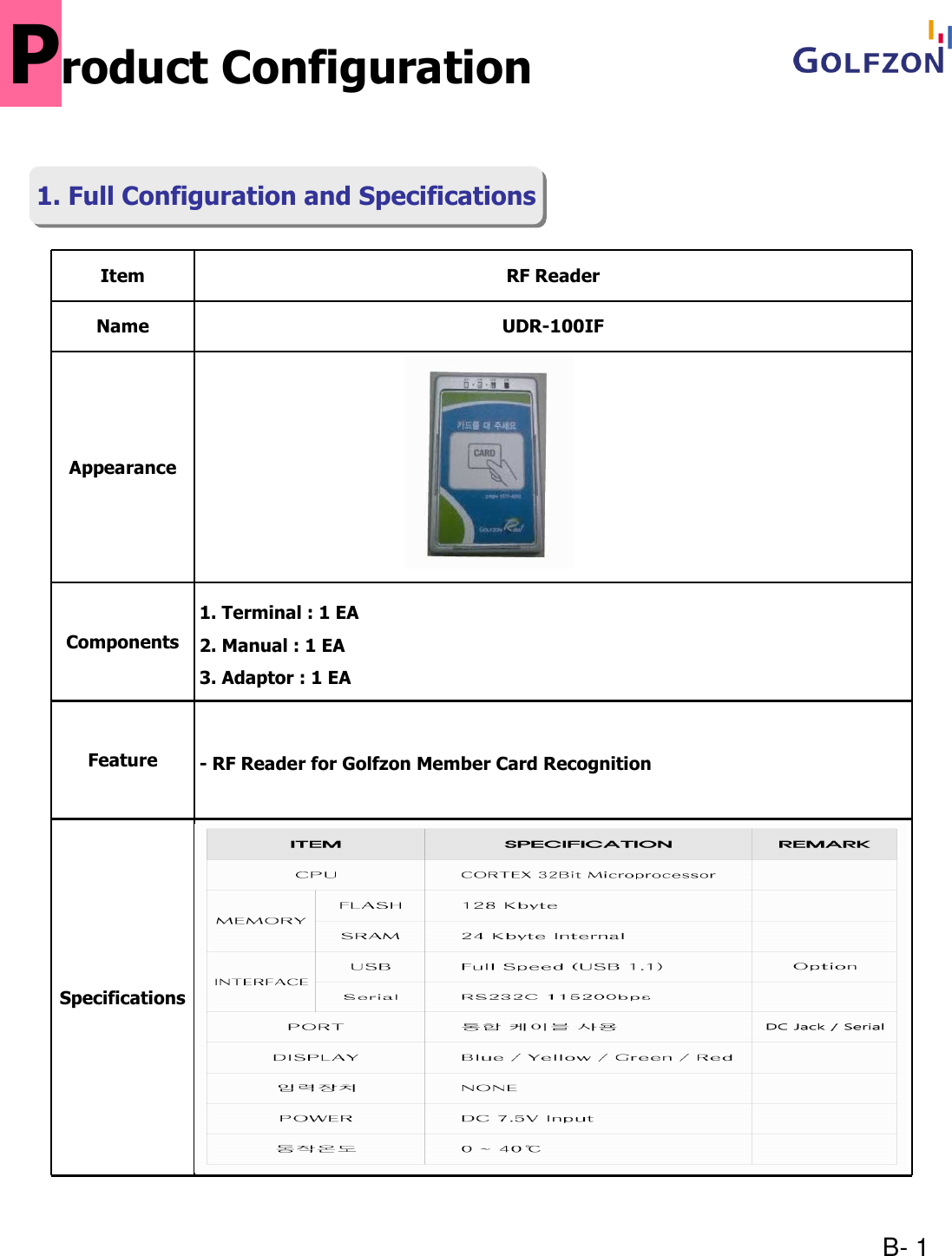
B- 1Item RF ReaderName UDR-100IFAppearanceComponents1. Terminal : 1 EA2. Manual : 1 EA3. Adaptor : 1 EAFeature - RF Reader for Golfzon Member Card RecognitionSpecificationsProduct Configuration1. Full Configuration and Specifications1. Full Configuration and Specifications
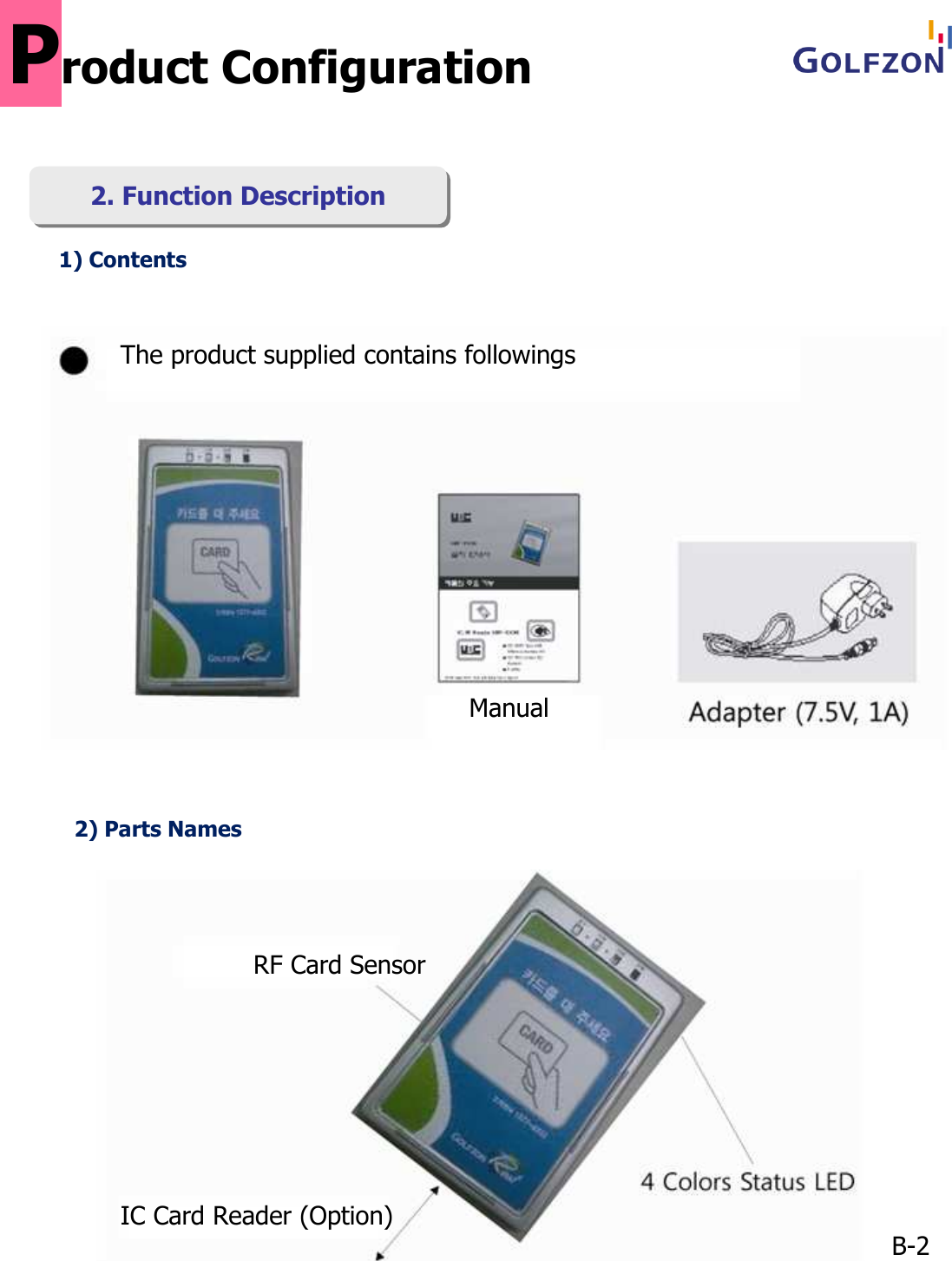
1) ContentsB-22) Parts NamesProduct Configuration2. Function Description2. Function DescriptionThe product supplied contains followingsManualRF Card SensorIC Card Reader (Option)
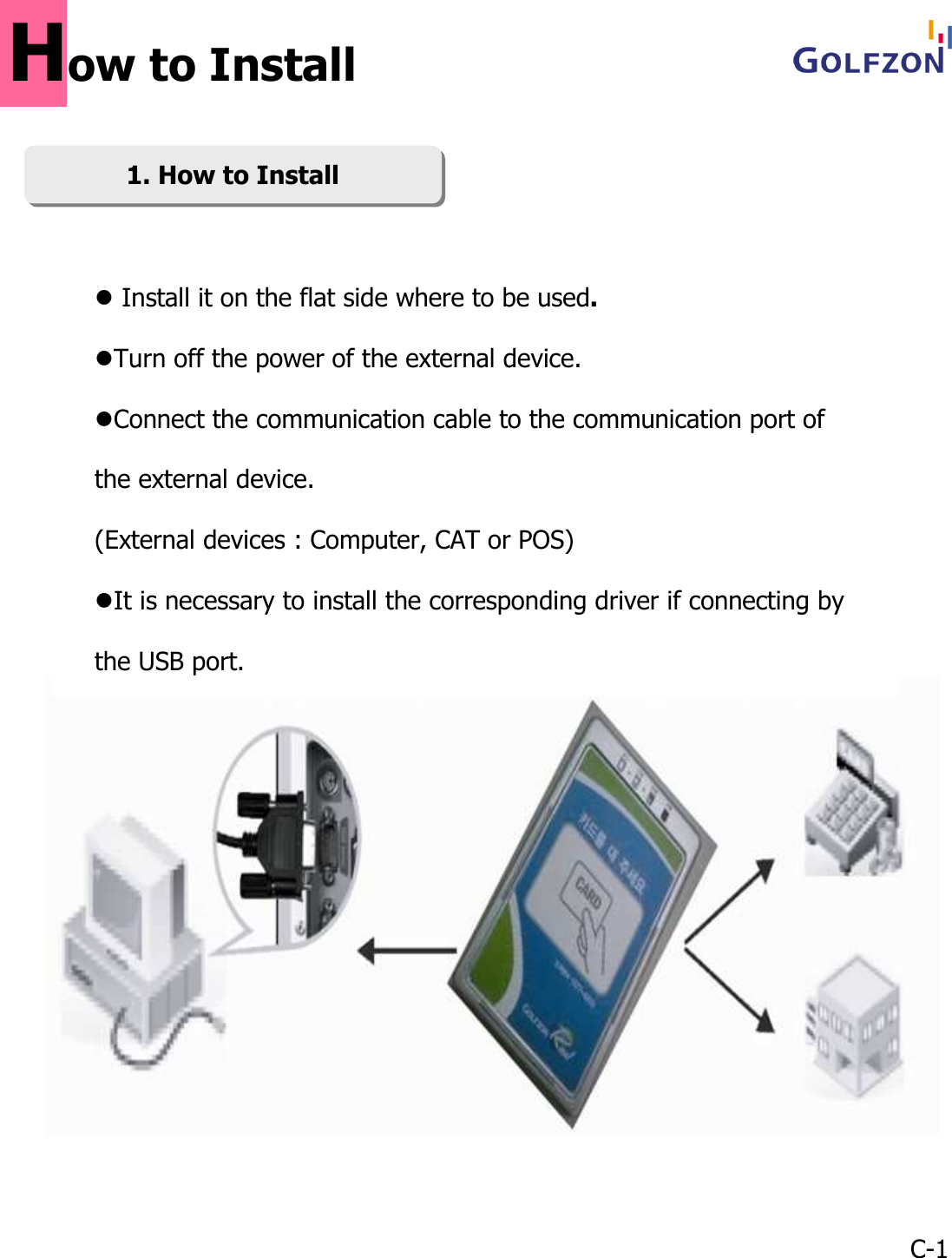
1. How to Install1. How to InstallC-1Install it on the flat side where to be used.Turn off the power of the external device.Connect the communication cable to the communication port of the external device.(External devices : Computer, CAT or POS)It is necessary to install the corresponding driver if connecting by the USB port.How to Install
D- 1How to OperateReady  Processing Done     ErrorReady  Processing Done     ErrorReady  Processing Done     ErrorReady  Processing Done     ErrorReady  Processing Done     ErrorReady  Processing Done     ErrorReady  Processing Done     ErrorWhen the power is supplied, [Ready] lamp is lit and it is ready to receive command from the external device.When the reader recognizes the card, [Progress] lamp is lit and [Ready] lamp is off.When the read completes payment information exchange with the card, [Done] lamp is it.While waiting approval, [Done] lamp is continuously lit.When normally approved, [Ready] lamp is lit again.If error, [Error] lamp is lit, and after for a moment, [Ready] lamp is lit.

Navigation menu