Gouldin Technologies WP460 Watchman User Manual

Gouldin Technologies, LLC Watchman

User Manual

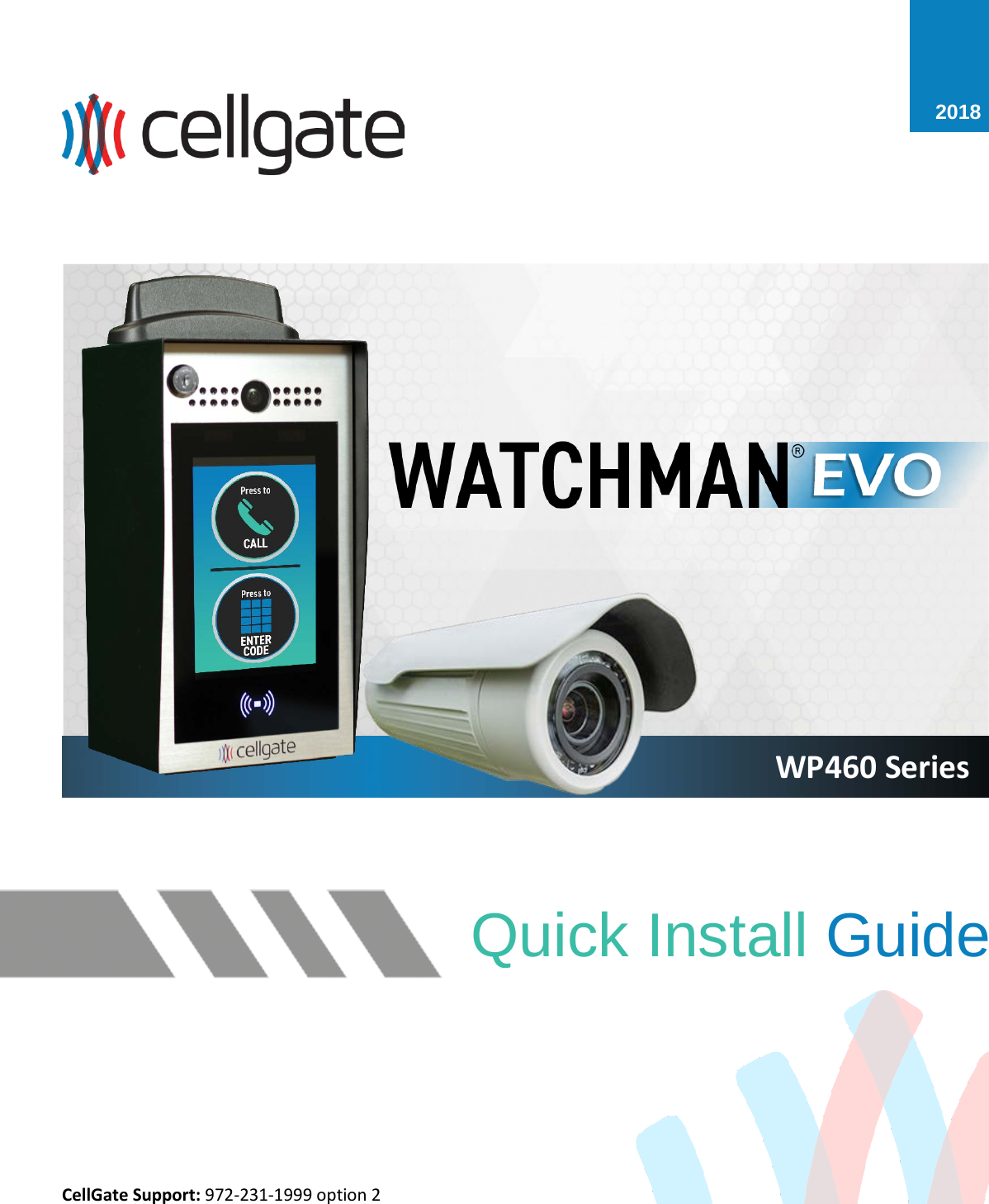
Quick Install Guide CellGate Support: 972-231-1999 option 2 2018 WP460 Series
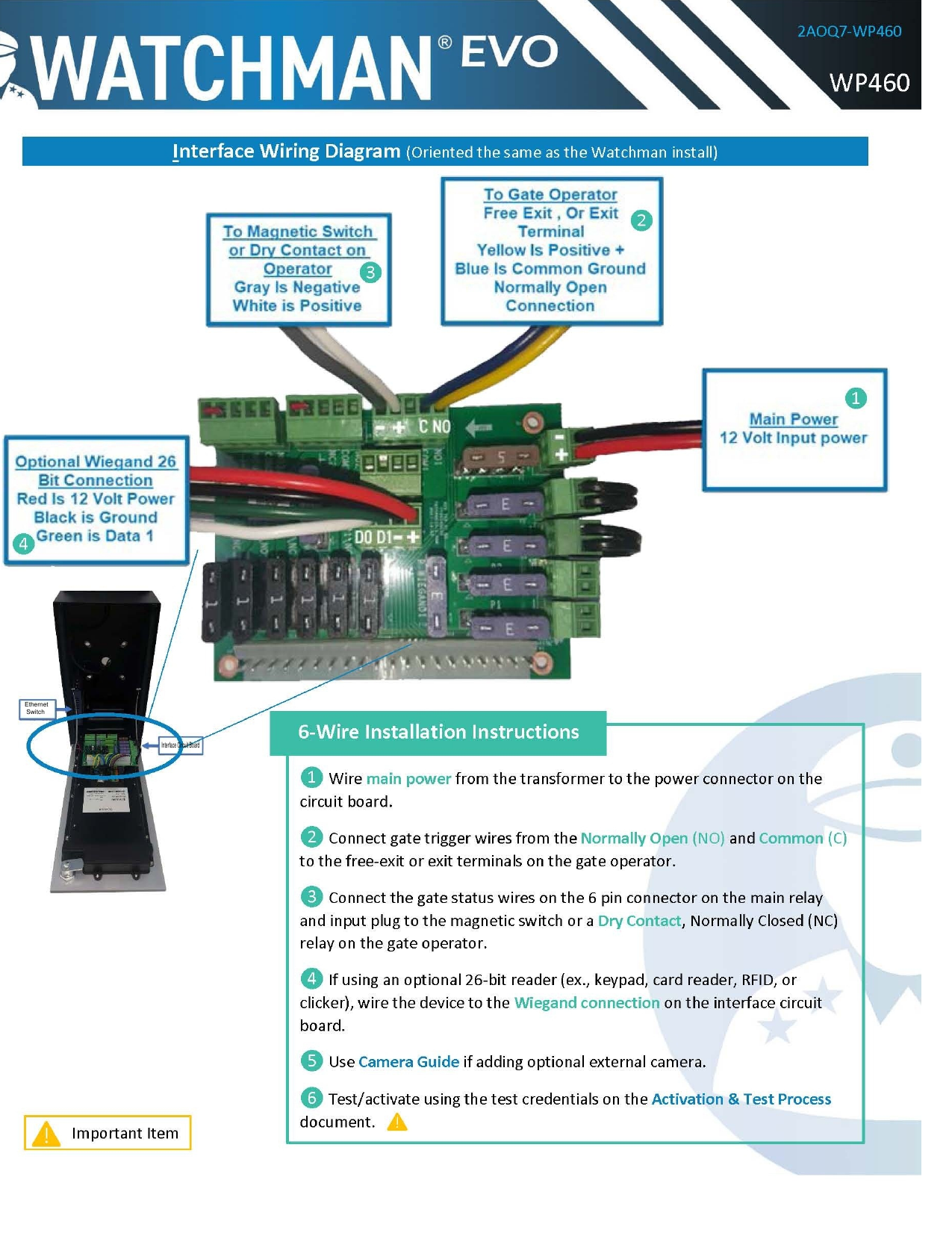
EthernetSwitchInterface Circuit Board
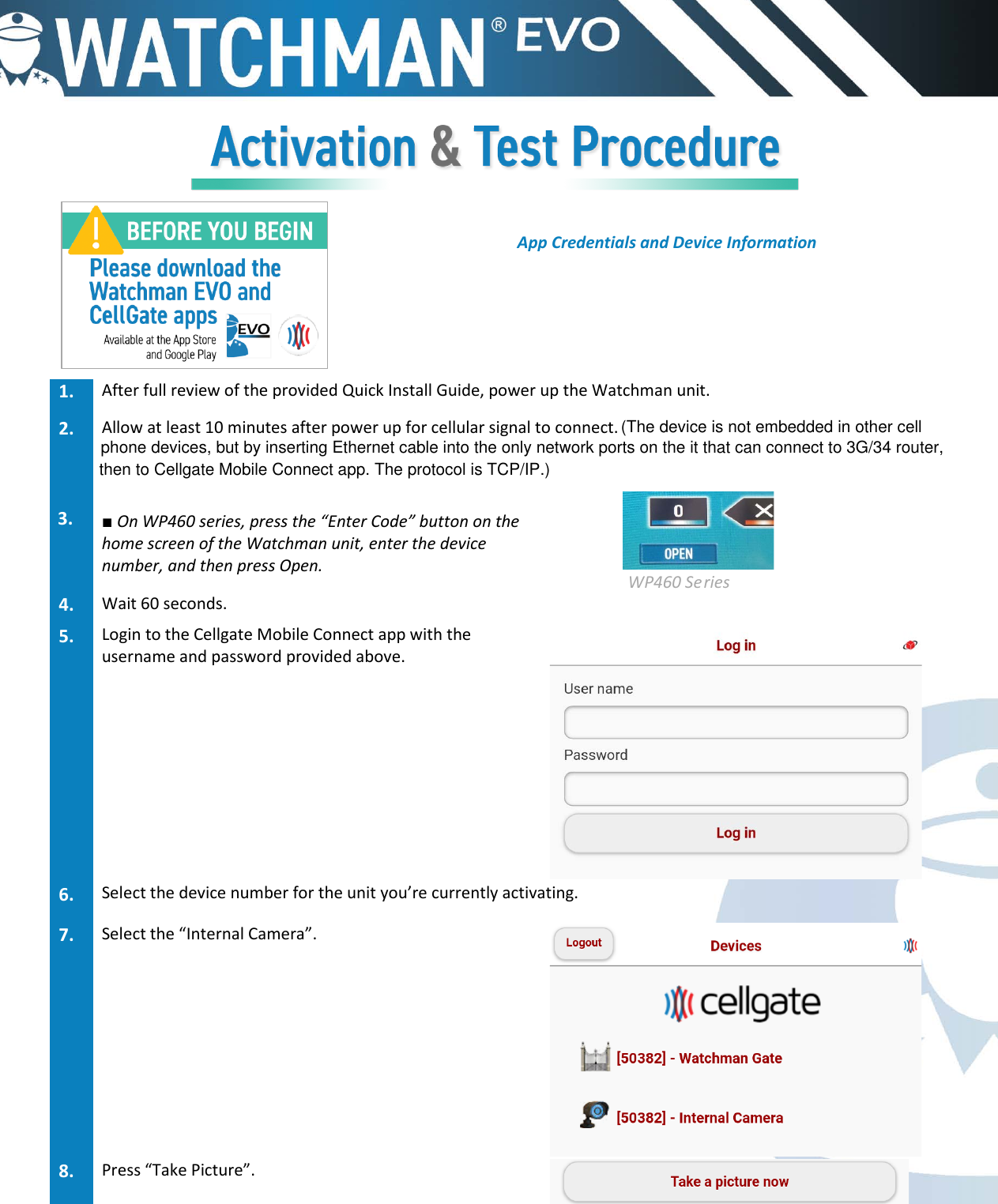
App Credentials and Device Information 1. After full review of the provided Quick Install Guide, power up the Watchman unit.2. Allow at least 10 minutes after power up for cellular signal to connect.3. ■On WP460 series, press the “Enter Code” button on thehome screen of the Watchman unit, enter the devicenumber, and then press Open.   WP460 Series 4. Wait 60 seconds.5. Login to the Cellgate Mobile Connect app with theusername and password provided above.6. Select the device number for the unit you’re currently activating.7. Select the “Internal Camera”.8. Press “Take Picture”.(The device is not embedded in other cellphone devices, but by inserting Ethernet cable into the only network ports on the it that can connect to 3G/34 router,then to Cellgate Mobile Connect app. The protocol is TCP/IP.)
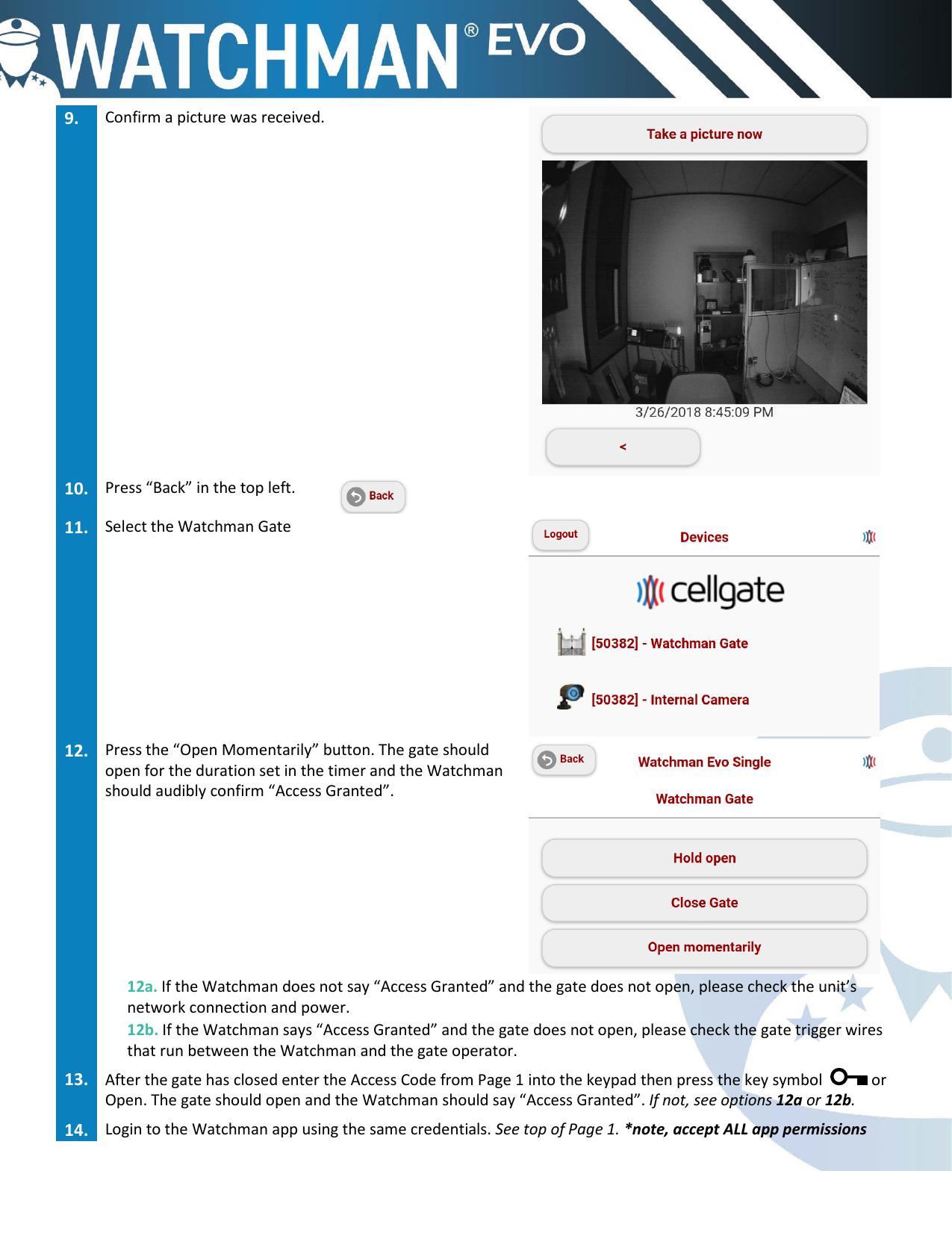
9. Confirm a picture was received.10. Press “Back” in the top left.11. Select the Watchman Gate12. Press the “Open Momentarily” button. The gate shouldopen for the duration set in the timer and the Watchmanshould audibly confirm “Access Granted”.12a. If the Watchman does not say “Access Granted” and the gate does not open, please check the unit’s network connection and power. 12b. If the Watchman says “Access Granted” and the gate does not open, please check the gate trigger wires that run between the Watchman and the gate operator. 13. After the gate has closed enter the Access Code from Page 1 into the keypad then press the key symbol  or Open. The gate should open and the Watchman should say “Access Granted”. If not, see options 12a or 12b.14. Login to the Watchman app using the same credentials. See top of Page 1. *note, accept ALL app permissions
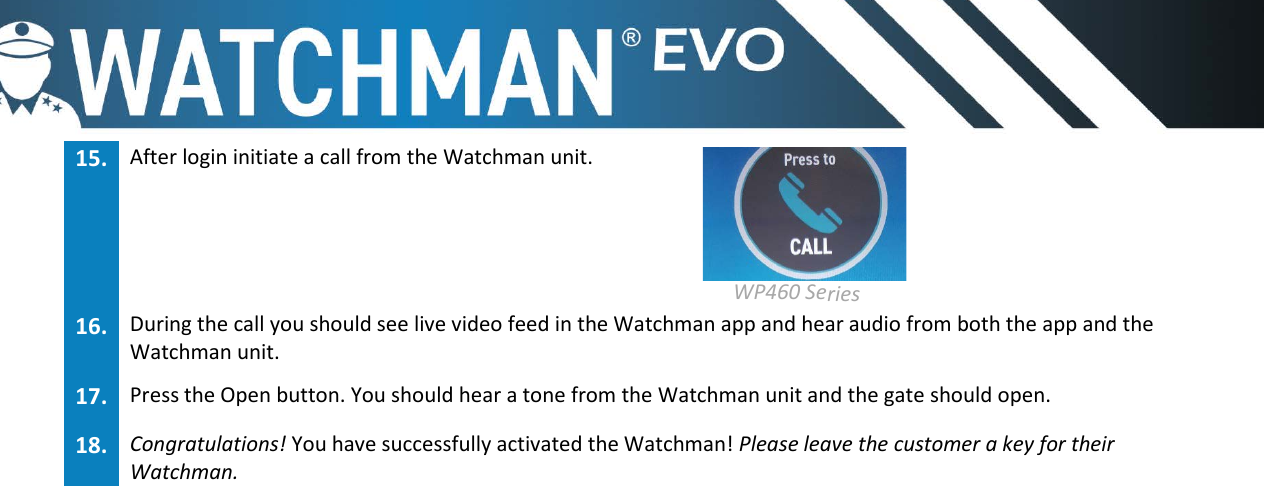
15. After login initiate a call from the Watchman unit.  WP460 Series  16. During the call you should see live video feed in the Watchman app and hear audio from both the app and theWatchman unit.17. Press the Open button. You should hear a tone from the Watchman unit and the gate should open.18. Congratulations! You have successfully activated the Watchman! Please leave the customer a key for theirWatchman.
 FCC Caution: AnyChangesormodificationsnotexpresslyapprovedbythepartyresponsibleforcompliancecouldvoidtheuser'sauthoritytooperatetheequipment.Thisdevicecomplieswithpart15oftheFCCRules.Operationissubjecttothefollowingtwoconditions:(1)Thisdevicemaynotcauseharmfulinterference,and(2)thisdevicemustacceptanyinterferencereceived,includinginterferencethatmaycauseundesiredoperation.Note:ThisequipmenthasbeentestedandfoundtocomplywiththelimitsforaClassBdigitaldevice,pursuanttopart15oftheFCCRules.Theselimitsaredesignedtoprovidereasonableprotectionagainstharmfulinterferenceinaresidentialinstallation.Thisequipmentgenerates,usesandcanradiateradiofrequencyenergyand,ifnotinstalledandusedinaccordancewiththeinstructions,maycauseharmfulinterferencetoradiocommunications.However,thereisnoguaranteethatinterferencewillnotoccurinaparticularinstallation.Ifthisequipmentdoescauseharmfulinterferencetoradioortelevisionreception,whichcanbedeterminedbyturningtheequipmentoffandon,theuserisencouragedtotrytocorrecttheinterferencebyoneormoreofthefollowingmeasures:—Reorientorrelocatethereceivingantenna.—Increasetheseparationbetweentheequipmentandreceiver.—Connecttheequipmentintoanoutletonacircuitdifferentfromthattowhichthereceiverisconnected.—Consultthedealeroranexperiencedradio/TVtechnicianforhelp.

Navigation menu