Grand Mate RFC Remote Control Transmitter User Manual
Grand Mate Co., Ltd Remote Control Transmitter
User manual
關 隆 股 份 有 限 公 司
Grand Mate Co.,Ltd
1
RFC remote functional spec. sheet
Revision Control
REV DATE REV. BY: Detail of Revision
D01 2009/07/31 Alvin New Rule
D02 2009/08/20 Alvin Change:(1.3.3) ;(1.3.4) ;(2.1.2.2)(2.1.2.3)
(2.2.2);(2.2.3);(2.3.1) ;(2.4.1)
Add: (2.8);(2.9);(2.10);(2.11)(3.0)
D03 2009/8/21 Alvin Change: (2.8.1);(2.9.1)
D04 2009/8/24 Alvin Change: (2.1.1);(2.8.1);(2.9.1);(3.4)
1. Specification:
1.1: Power Supply: AAA 1.5V *3
1.2: RF module: 315 MHz
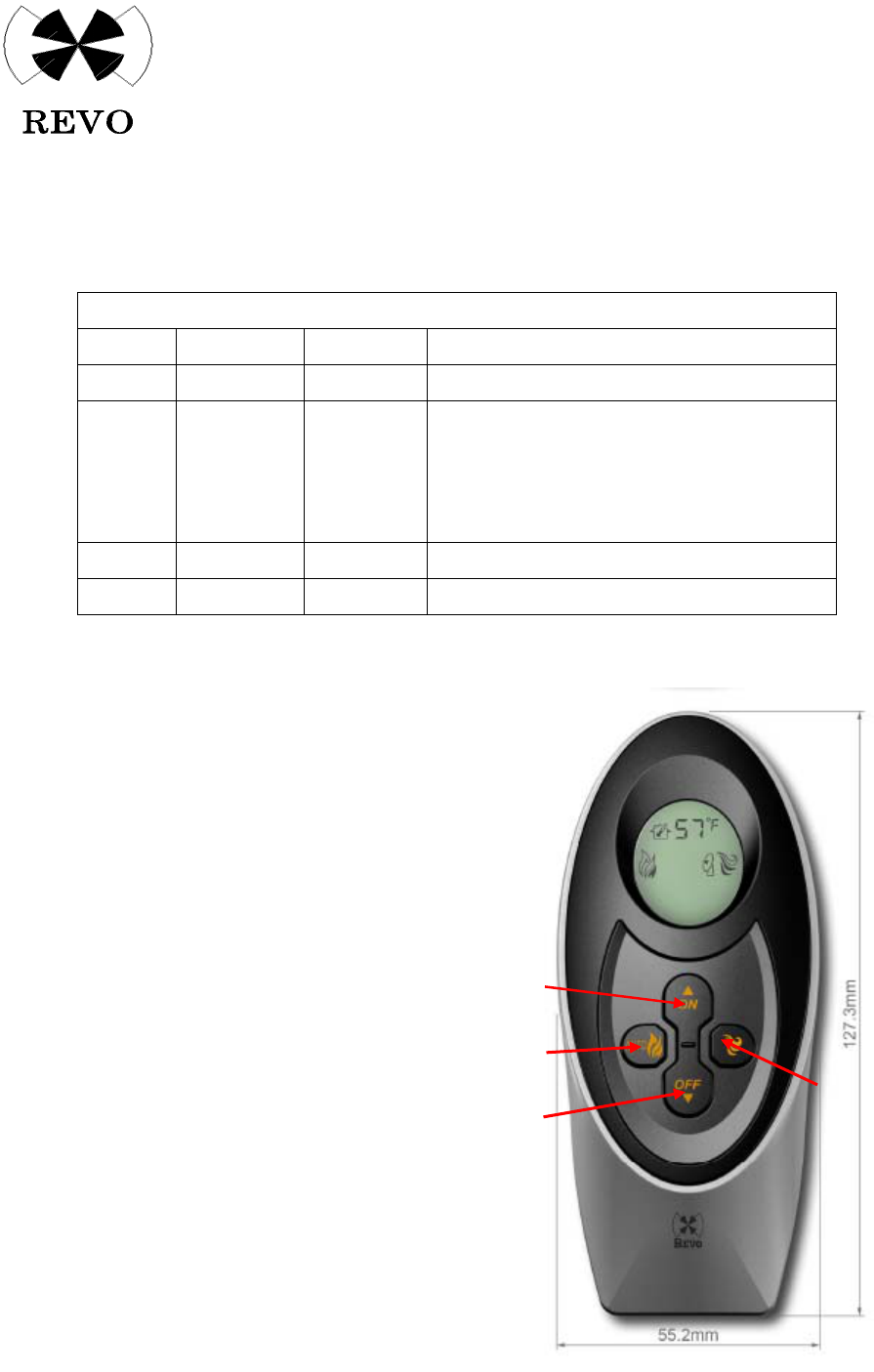
1.3: Remote Keys :
1.3.1: ON▲
1.3.2: OFF▼ (ON▲)
1.3.3: TEMP(Left)
1.3.4: FUNC.(Righ) (TEMP)
(FUNC.)
1.4: Range: 12.7 meter radius (OFF▼)
1.5: Certificate Require:
1.5.1: CSA
1.5.2: FCC
1.5.3: IC
關 隆 股 份 有 限 公 司
Grand Mate Co.,Ltd
2
2. Function
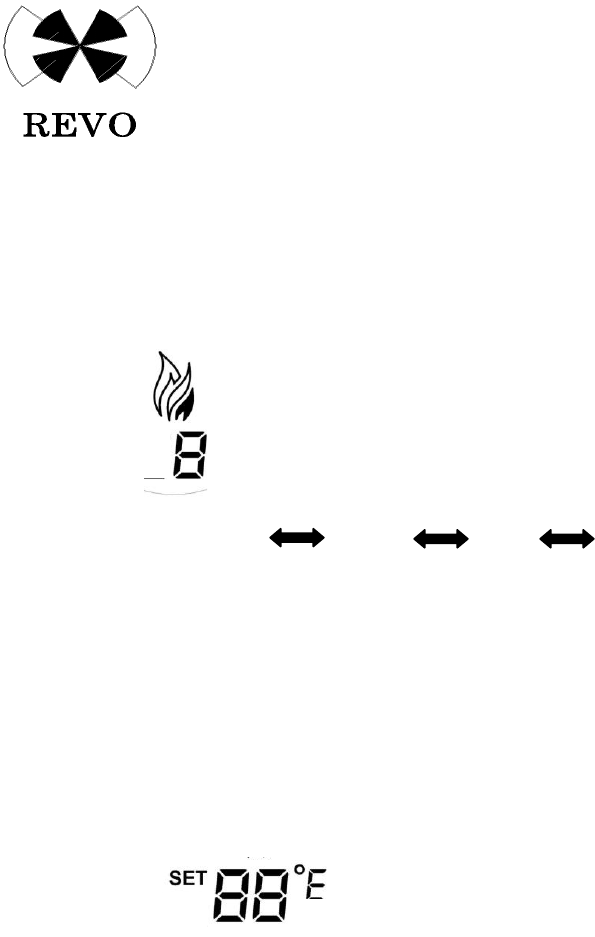
2.1: Flame Adjustment: Adjust flame Hi and Low
ICON:
2.1.1 Steps: 4 steps(include OFF)
ON(Hi) Middle Low OFF(Shot off)
2.1.2 Flow Chat:
2.1.2.1: Press ON▲ → system will proceed ignition process
2.1.2.2: After ignited can use FUNC. Key to select flame function then use ON▲, or
OFF▼ to adjust the flame Hi/Low
2.1.2.3: Press OFF▼ to shut down the system( flame ICON will turn off)
2.2: Constant Temp. Mode: Auto sense environment temp., it will turn on or shut off
ICON:
2.2.1: Temp. setting Range: 50°F~95°F (10℃~35℃)
2.2.2: Flow Chat:
2.2.2.1: Press TEMP. Key→ into constant temp. mode (will indicate temp. setting mode)
2.2.2.2: When set temp appear, use ON▲ or OFF▼ to adjust the temp.
2.2.2.3: Press TEMP→ shut off the constant temp mode
2.2.2.4: When system into the constant temp. mode, the system will not shut off (always
standby)
2.2.3: Logic:
2.2.3.1: SET TEMP > ROOM TEMP 4°F → System auto off
2.2.3.2: SET TEMP < ROOM TEMP 4°F → System auto on
關 隆 股 份 有 限 公 司
Grand Mate Co.,Ltd
3
2.3: ℃ / °F Switch: the Temp. indicator icon can be change
ICON:
2.3.1: Flow Chat:
2.3.1.1: Battery input→ the screen appear °F ICON
2.3.1.2: When ℃ / °F appear, use ON▲, or OFF▼
To chose ℃ or °F
2.3.1.3: Without press any key, the display will back to normal after 5 sec.
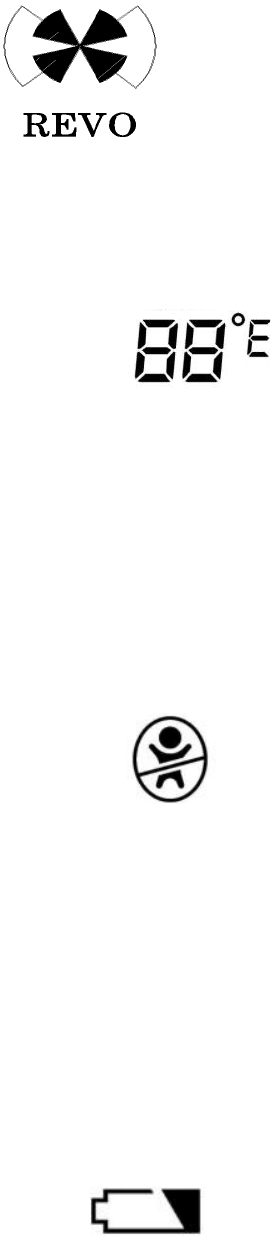
2.4 Children Lockout: Lock the entire bottom to prevent child accident turn on the
fireplace
ICON:
2.4.1: Flow Chat:
2.4.2: Into Children Lockout Function:
Press ON▲ and OFF▼ at same time for 3 sec.
2.4.3: Disarm Children Lockout Function:
When system is in the lockout mode, press ON▲
And OFF▼ for 3 sec. to disarm
2.5 Low Power Indicate: When battery power is not enough, the system will self detect
ICON:
2.5.1 When battery power is lower than 3.5VD, the system will indicate low power ICON
關 隆 股 份 有 限 公 司
Grand Mate Co.,Ltd
4
2.6 Back Light
2.6.1: When press any key, the back light will turn on
2.6.2: The back light will turn off without touch any key for 5 sec.
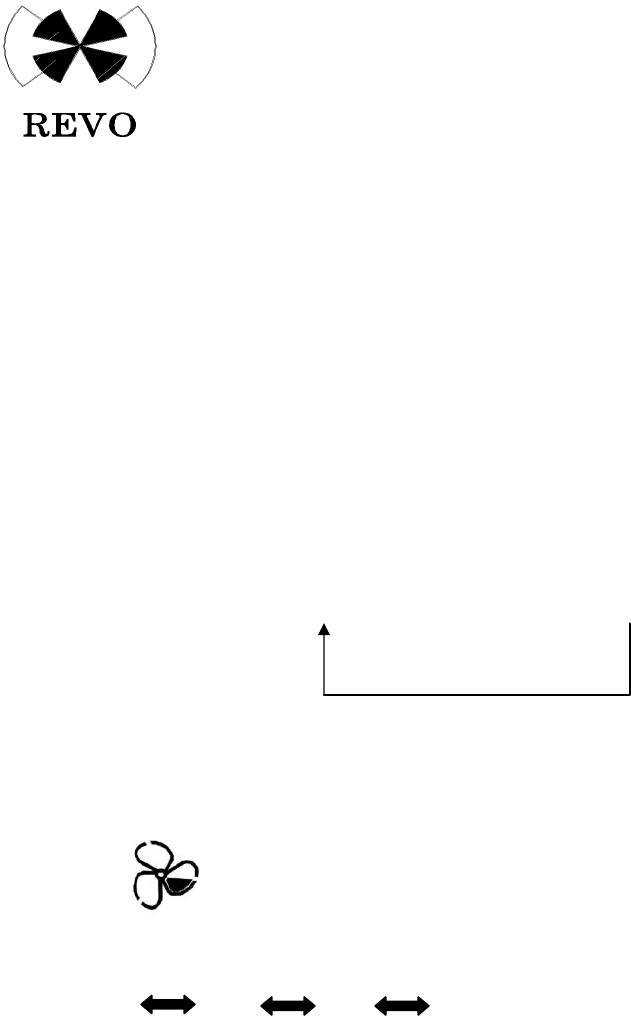
2.7 FUNC. Key: Functional Option
2.7.1: Flow Chat:
2.7.1.1: Press FUNC. Once, the display will appear one function
2.7.1.2: The function option as follow:
Flame → Fan → AUX → Light →TIMER
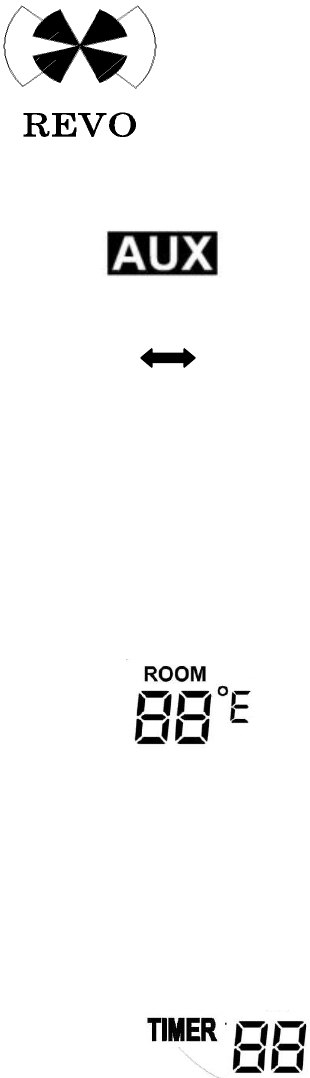
2.8 Fan Function: to control fan levels
ICON:
2.8.1 Level: 4 level( include OFF)
HI MED LOW OFF
2.8.2 Flow Chat:
2.8.2.1: Press FUNC. , Chose
2.8.2.2: When FAN ICON chose appear on the screen, use ON▲ or OFF▼ to adjust the level
of the fan
關 隆 股 份 有 限 公 司
Grand Mate Co.,Ltd
5
2.9 AUX function: ON/OFFF Add On Module
ICON:
2.9.1 Switch:2
ON OFF
2.9.2 Flow Chat:
2.9.2.1: Press FUNC. Key ,Chose AUX ICON, then use ON▲, or
OFF▼ to turn on or off the AUX function
2.10 ROOM TEMP Function: Indoor Temp. detect
ICON:
2.10.1: ROOM TEMP Detect and Display
2.10.1.1 Detect: Every 30 seconds detect once
2.10.1.2 Display: Every minute refresh the LCD DISPLAY once
2.11 TIMER Function: Shut off Timer
ICON:
2.11.1 Step: Total 9 steps, every step add 10 min.
2.11.2 Flow Chat:
2.11.2.1: Press FUNC. key ,chose TIMER ICON, use ON▲, or
OFF▼ to chose the setting times
2.11.3: Display
2.11.3.1: When system into TIMER function, it will stay on until the time run out
關 隆 股 份 有 限 公 司
Grand Mate Co.,Ltd
6
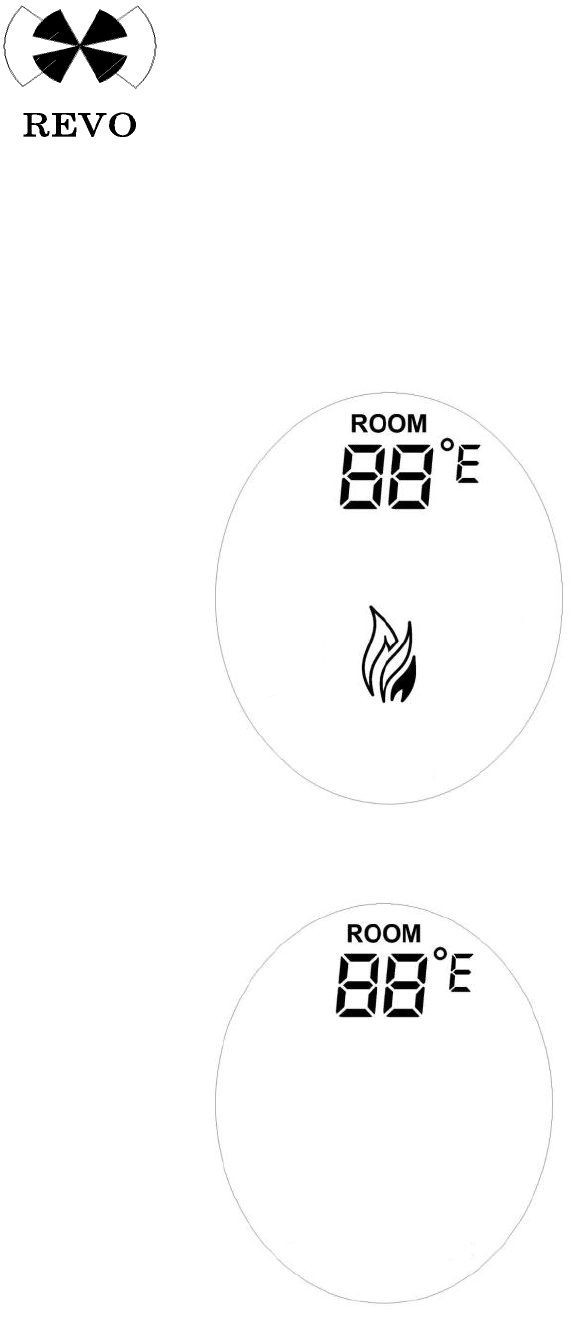
3. LCD DISPLAY
3.1: Turn on: (ON): Appear use ICON and ROOM TEMP
DISPLAY:
3.2: Turn off: (OFF): only appear ROOM TEMPÆ Shut off all the icon after 3 minutes
DISPLAY:
關 隆 股 份 有 限 公 司
Grand Mate Co.,Ltd
7
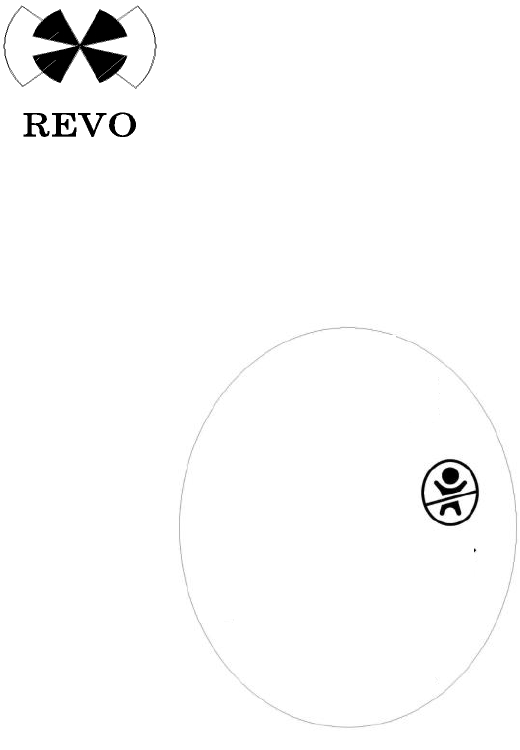
3.3: Children Lockout: Into Children Lockout mode, the display will only appear Children
lockout ICON (will remain on until disarm)
DISPLAY:
3.4: Standby Mode:
3.4.1 Shut Off:
When system shut off after 3 min. into standby mode, the LCD will not appear any
icon, press any key to wake up the system (Children lockout will be exceptional)
3.4.2 Turn On:
When system turn on after 3 min. the system will into standby mode, only appear
the icon is use (No appear environment temp.)
3.5:
You are cautioned that changes or modifications not expressly approved by the party responsible for
compliance could void your authority to operate the equipment.
Operation is subject to the following two conditions:
(1) this device may not cause interference, and
(2) this device must accept any interference, including interference that may cause undesired operation
of the device