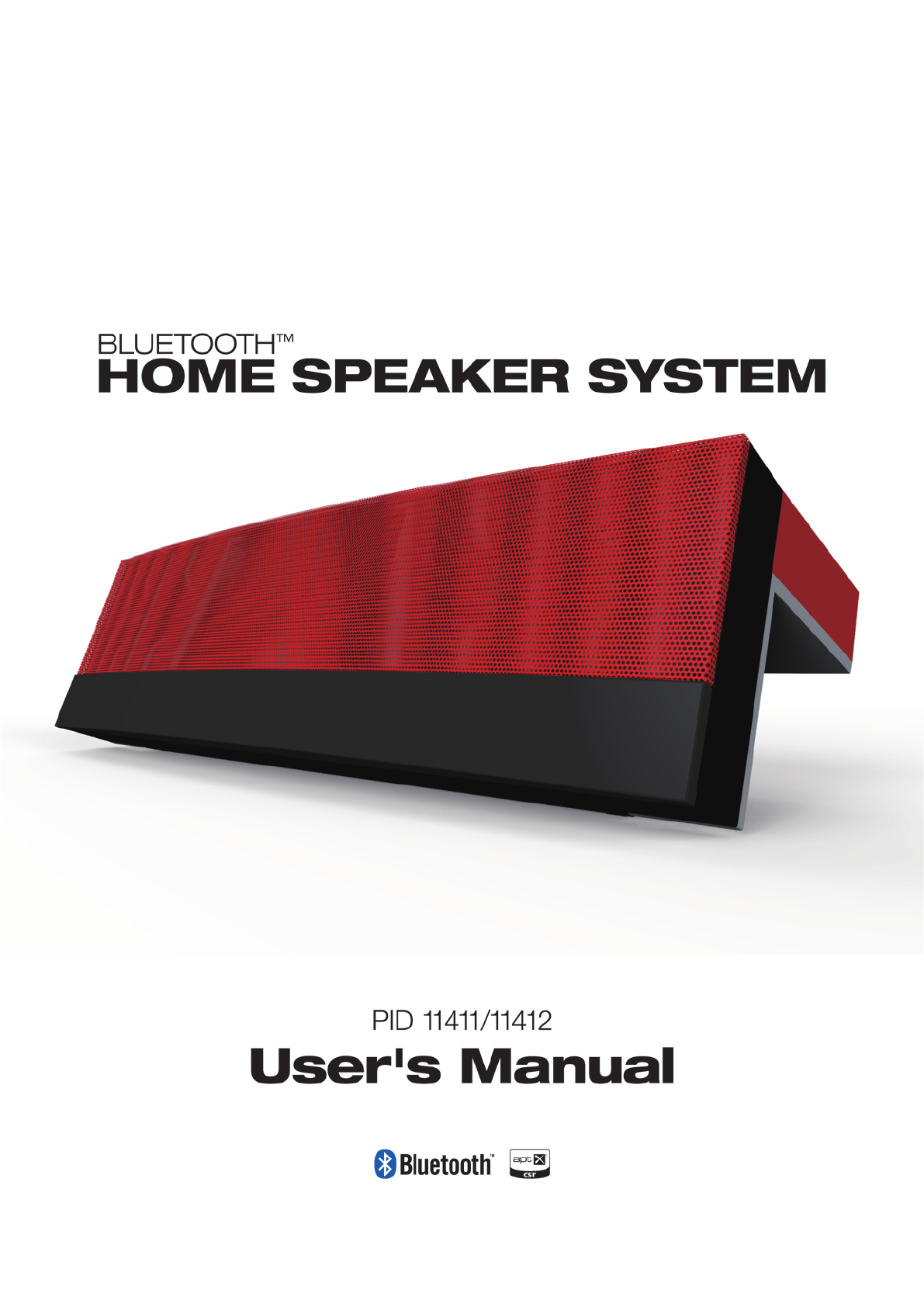
Guoguang Electric 00005 BLUETOOTH SPEAKER 2.1 User Manual
Guoguang Electric Co.,Ltd BLUETOOTH SPEAKER 2.1
User Manual
SAFETY WARNINGS AND GUIDELINES
Please read this manual thoroughly prior to using this device. Pay particular
attention to these Safety Warnings and Guidelines. Keep this manual in a safe
place for future reference.
•Do not expose this device to water or moisture of any kind. Do not
place drinks or other containers with liquid on or near the device. If
moisture does get in or on the device, immediately unplug it from the
power outlet.
•Do not expose this device to fire or other heat sources. Do not install it
on or near heat sources, such as ventilators, radiators, or near a
fireplace. Do not place objects with open flame, such as lit candles, on
or near this device.
•This device contains no user-serviceable parts. Do not open or attempt
to modify this device.
•Take care to ensure that the power cord does not get crimped, kinked,
pinched, stepped on, or otherwise damaged. Take care that the cord
cannot be a trip/fall hazard.
•When unplugging connections, always grasp the connector head or AC
adapter body. Never pull on the cord or wires.
•Use only the AC adapter included with this device. If the AC adapter is
lost or damaged, use only an exact replacement.
•Remove power from this device when it will not be in use for some
time.
•Do not use solvents or chemical cleaners on this device. Clean using a
soft, dry cloth only. For particularly stubborn dirt, moisten the cloth with
warm water.
FEATURES
•2.1 channel system with two full range drivers and two bass drivers
•10 watts per channel full range amplifier and 20 watts bass amplifier
•Uses Bluetooth v4.0 with the A2DP and AVRCP profiles
•NFC functionality for automatic Bluetooth pairing
•Features the aptX® codec for superior audio clarity
•Five selectable EQ settings (Normal, Jazz, Rock, Pop, Classic)
•USB port for charging mobile devices
•3.5mm stereo auxiliary input
•Full function IR remote control
•3.5mm stereo headphone output
•Touch panel controls
PACKAGE CONTENTS
Please take an inventory of the package contents to ensure you have all the
items listed below. If anything is missing or damaged, please contact
1x Bluetooth home speaker system
1x AC power adapter (15 VDC, 3A)
1x 3.5mm audio patch cable
1x IR remote control
1x User's manual
Customer Service for a replacement.
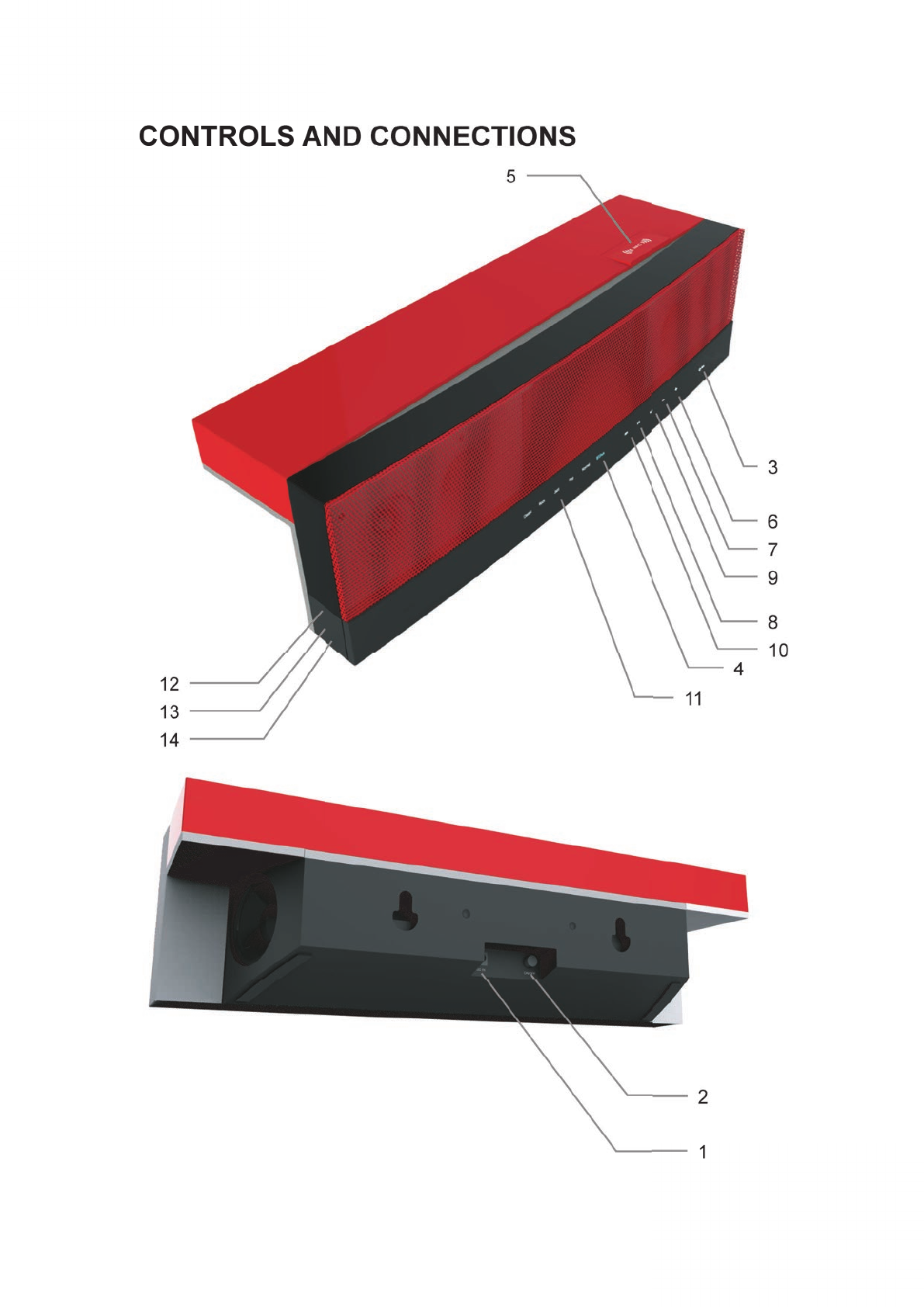
1. DC IN
Plug the power adaptor into the DC INsocket on the rear panel.
2. ON/OFF Button
This button applies and removes power to the speaker system. When
power is applied, the system goes into Standby mode.
3. Standby/EQ Button/Indicator
•When in Standby, the indicator is Red and all other indicators are off.
•Press to turn the unit on and the indicator will turn White.
•With the unit powered on, press the Standby/EQ button to cycle
through the available EQ settings.
•To return to Standby mode, press and hold the button for about 3
seconds.
4. BT/Aux Indicator
•The indicator flashes Blue when there is no active Bluetooth
connection and the device is ready to be paired.
•The indicator glows Blue steadily when there is an active Bluetooth
connection.
•The indicator glows Green steadilywhen the Auxiliary input is in use.
5. NFC Hotspot
Place your NFC equippeddevice on the NFC Hotspot to automatically
pair it and connect or disconnect to the speaker system.
6. Volume + Button
Press this button to increase the volume level.
7. Volume – Button
Press this button to decrease the volume level.
8. Play/Pause Button
•Press this button to start or pause playback from your Bluetooth
equipped device. This button has no effect if the Auxiliary input is in
use.
• Press and hold this button for about 3 seconds to delete the current
pairing, allowing the speaker system to be paired to a different device.
9. Next Button
Press this button to skip forwards to the next track in the playlist. This
button has no effect when the Auxiliary input is in use.
10. Previous Button
Press this button to skip back to the beginning of the current track. If
already at the beginning, it will skip back to the beginning of the previous
track in the playlist. This button has no effect when the Auxiliary input is in
use.
11. EQ Indicators
These indicators show which EQ setting is in use. The available EQ
settings are:
•Normal
•Classic
•Rock
•Jazz
•Pop
•Normal
12. Headphone Jack
Plug a pair of headphones into this 3.5mm TRS jack to listen to music
privately. The speakers are automatically muted whenever a TRS plug is
inserted into this jack.
13. Aux In Jack
Plug a 3.5mm TRS audio cable into this jack to connect a device that lacks
Bluetooth connectivity. The Auxiliary input overrides any existing Bluetooth
connection.
14. USB Power Port
Plug any USB powered device (smartphone, tablet, mp3 player, etc.) into
this USB port to power or charge the device. This port provides 5 VDC,
2000mA of charging power.
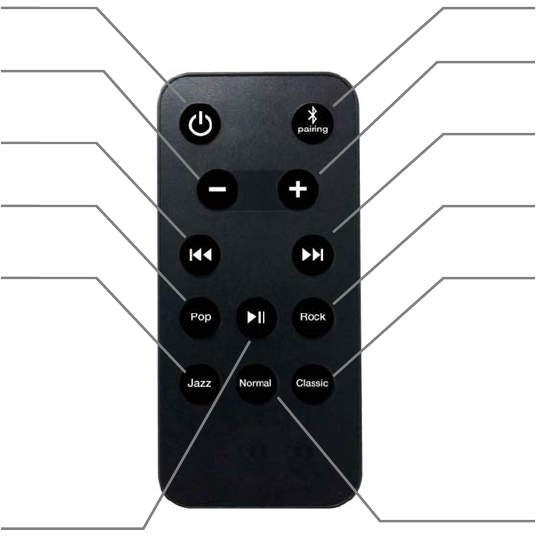
REMOTE CONTROL
15. Power ON/OFF
Press this button to turn the unit on or to put it into Standby mode.
16. Bluetooth pairing
Press and hold this button for about 3 seconds to disconnect the current
pairing, allowing the speaker system to be paired to a different device.
17. Volume down
Press this button to decrease the volume level.
18. Volume up
Press this button to increase the volume level.
19. Previous
Press this button to skip back to the beginning of the current track. If
already at the beginning, it will skip back to the beginning of the previous
track in the playlist. This button has no effect when the Auxiliary input is in
use.
1
5
1
6
1
7
1
9
2
2
2
4
2
6
1
8
2
1
2
3
2
0
2
5
20. Play/Pause
•Press this button to start or pause playback from your Bluetooth
equipped device. This button has no effect if the Auxiliary input is in
use.
21. Next
Press this button to skip forwards to the next track in the playlist. This
button has no effect when the Auxiliary input is in use.
22. EQ Pop
Press this button to select the Pop EQ setting.
23. EQ Rock
Press this button to select the Rock EQ setting.
24. EQ Jazz
Press this button to select the Jazz EQ setting.
25. EQ Normal
Press this button to select the Normal EQ setting.
26. EQ Classic
Press this button to select the Classic EQ setting.
INITIAL SETUP
1. Plug one end of the AC adapter into the DC IN jack on the rear panel.
Plug the other end into a nearby AC power outlet.
2. Depress the ON/OFF button on the rear panel. The Standby/EQ
button/indicator on the front panel will glow Red in response.
3. Press the Standby/EQ button/indicator on the front panel. The indicator
will change to White and the other buttons and indicators will illuminate
in response.
4. Pair the system with your Bluetooth equipped audio device or physically
connect it to the AUX IN jack on the left side panel.
NFC PAIRING
If your Bluetooth device is equipped with NFC, you can pair it to the speaker
system automatically by performing the following steps:
1. Check the BT/Aux indicator on the front panel. If it is flashing Blue, the
system is ready for pairing. If it is glowing Blue steadily, it is already
paired. To disconnect the existing pairing, press and hold the Play/
Pause button on the front panel for about 3 seconds until the indicator
begins flashing.
2. Check your device to ensure that both Bluetooth and NFC are activated.
3. Place your Bluetooth device on the NFC Hotspot. The device will
automatically pair with the speaker system and the BT/Aux indicator will
cease flashing and will glow Blue continuously.
MANUAL PAIRING
If your Bluetooth device lacks NFC or if you simply wish to manually pair the
device with the speaker system, perform the following steps:
1. Check the BT/Aux indicator on the front panel. If it is flashing Blue, the
system is ready for pairing. If it is glowing Blue steadily, it is already
paired. To delete the existing pairing, press and hold the Play/Pause
button on the front panel for about 3 seconds until the indicator begins
flashing.
2. Ensure your device is within 3 feets (1 meter) of the speaker system.
3. Open the Bluetooth setup section on your device.
4. Initiate a Scan for nearby Bluetooth devices.
5. In the list of devices, select the entry labeled
6. When pairing is complete, the BT/Aux indicator will cease flashing and
will glow Blue continuously.
7.
BT speaker.
After pairing is complete, you may need to tap the BT speaker entry
again to establish the connection.

DISCONNECT A PAIRING
If you want to pair the speaker system with a different device, you will need to
delete the current pairing by performing the following steps:
1. Press and hold the Play/Pause button on the front panel for about
seconds.
2. The BT/Aux indicator will begin flashing, indicating that the speaker
system is ready to be paired to another device.
SPECIFICATIONS
Full Range Amplifier: 10 watts x 2 channels
Bass Amplifier: 20 watts
Full Range Driver Type: 2"
Woofer Driver Type: 3" fiber reinforced paper cone with rubber surround
Frequency Response: 70 Hz ~ 20 kHz (+/- 3dB)
Signal to Noise Ratio: 70dB
Bluetooth Version: v4.0 with NFC
Bluetooth Range: up to 32 feets (10 meters)
Bluetooth Profiles: A2DP (aptX®), AVRCP
Codec Support: aptX®
AC Adapter Input: 100 ~ 240 VAC, 50/60 Hz
AC Adapter Output: 15 VDC, 3A
Dimensions: 20.5" x 5.8" x 5.6" (520 x 147 x 142 mm)
Weight: 8.6 lbs. (3.9kg)
3
Safety and Compliance
FCC Information
WARNING: To reduce the risk of fire or electrical shock, do not expose the system to rain or moisture.
A warning that batteries (battery pack or batteries installed) shall not be exposed to excessive heat
such as sunshine, fire or the light.
This equipment has been tested and found to comply with the limits for a Class B digital
device, pursuant to part 15 of the FCC Rules. These limits are designed to provide
reasonable protection against harmful interference in a residential installation. This
equipment generates, uses and can radiate radio frequency energy and, if not installed
and used in accordance with the instructions, may cause harmful interference to radio
communications. However, there is no guarantee that interference will not occur in a
particular installation. If this equipment does cause harmful interference to radio or
television reception, which can be determined by turning the equipment off and on,
the user is encouraged to try to correct the interference by one or more of the following
measures:
• Reorient or relocate the receiving antenna.
• Increase the separation between the equipment and receiver.
• Connect the equipment into an outlet on a circuit different from that to which the receiver is connected.
• Consult the dealer or an experienced radio/TV technician for help
Changes or modifications not expressly approved by the party responsible for
compliance.
May cause interference and void the user’s authority to operate the equipment.
This device complies with Part 15 of the FCC Rules. Operation is subject to the
following two conditions: (1) This device may not cause harmful interference, and (2)
this device must accept any interference received, including interference that may
cause undesired operation.