Guoguang Electric 00007 Bluetooth Mono Speaker User Manual B00GUTY3DK 14 0543 MAN V3 indd
Guoguang Electric Co.,Ltd Bluetooth Mono Speaker B00GUTY3DK 14 0543 MAN V3 indd
User Manual
3
Instruction Manual ∙ English
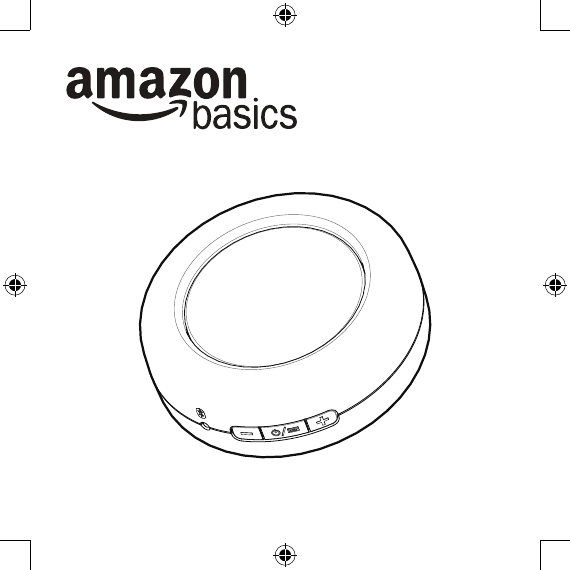
AmazonBasics Micro Ultra-Portable Bluetooth® Speaker
Contents
• Mono Portable Bluetooth Speaker
• Carrying pouch
• USB charging cable
• This instruction manual
Bluetooth 4.0 supported
4
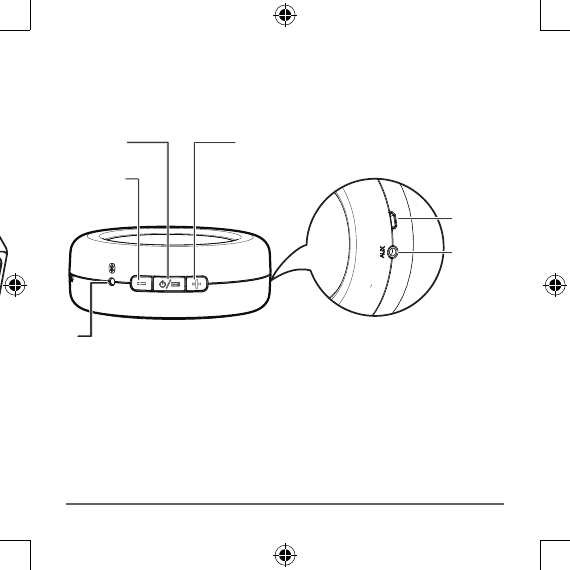
Product overview
Top/Front
Side
Function
/ Power Volume up
Setup
Your speaker is partially charged when it arrives so you can
use it right away. For the best reception, keep your speaker
within 30 feet of the device it’s paired to.
Volume
down
Charging
port
LED
AUX jack
5
Pairing your speaker with a device
1. Turn ON your speaker. A tone sounds, the LED blinks
and your speaker enters last device searching mode.
2. Press and hold the function button for 1 to 3 seconds
to put your speaker in paring mode. A tone sounds
and the LED blinks quickly.
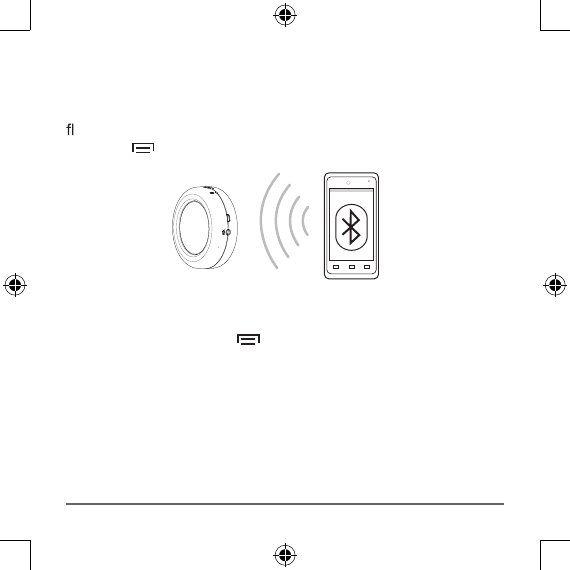
3. Turn ON your Bluetooth device (like a phone or tablet).
4. On your device, locate your Bluetooth settings and turn on
Bluetooth.
5. In Bluetooth Settings, scan for devices if necessary, then
select Amazon_BT4 from your device’s list. The LED
stops blinking and lights blue. Your device and speaker
are paired and your speaker is ready to use.
6
Note: Your speaker stays in pairing mode for 3 minutes or
until you pair a device. If you do not pair a device within
3 minutes, your speaker exits pairing mode and the LED
ashes slowly. To start pairing mode again, press the
function button once.
Pairing another device or reconnecting to a paired device
1. Disconnect from the previous device by pressing and
holding the function button for 1 to 3 seconds. A tone
sounds, the LED blinks quickly, and your speaker enters
pairing mode.
2. Repeat the pairing steps for your next device.
Note: You can pair multiple devices but you can only have one
device actively paired at a time.
7
Play music
• Start playing music on your paired device. Music plays
through your speaker.
• On your speaker, press + or
—
to increase or decrease
the volume.
Note: A tone sounds when the maximum volume setting
is reached.
8
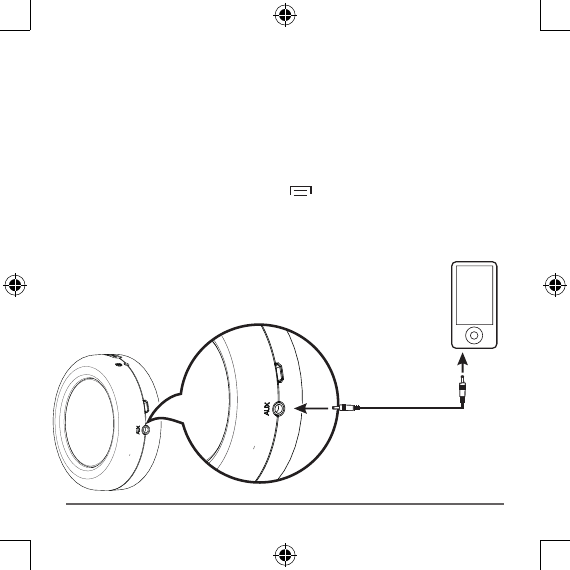
Connect with an audio cable
1. Connect a 3.5 mm audio cable (not included) from your
speaker’s AUX jack to your audio device (like an MP3
player).
2. You should disconnect from Bluetooth while using Aux jack
to play music.
Press and hold the function button 1~3 seconds to
disconnect Bluetooth.
Note: When connected to AUX, use the controls on the
device instead of your speaker.
9
Charge your speaker
When your speaker is turned on and the battery is low, your
ashes red. If not charged, your speaker turns
off.
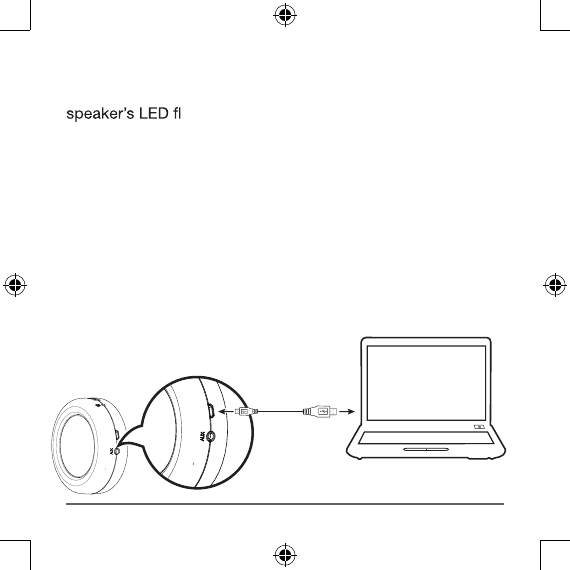
To charge your speaker, connect the USB charging cable to
the port on your speaker and an available USB port on your
computer.
• If your speaker is ON, the LED flashes red & blue when
charging. When fully charged and connected to a
Bluetooth device, the LED lights blue.
• If your speaker is OFF, the LED lights red while charging
and turns off when fully charged.
10
Troubleshooting
My speaker won’t pair.
• Move your speaker and Bluetooth device closer together.
• If you do not pair a device within 3 minutes, your speaker
ashes slowly. Press the
function button once to put your speaker into pairing
mode. A tone sounds and the LED blinks quickly.
• Press and hold the function button to make sure that
your speaker is not connected to any other Bluetooth
device.
The sound is too quiet or loud.
• Adjust the volume on your device. It should be at about
50%.
• Adjust your speaker volume.
I hear static through my speaker.
• Move your speaker closer to your paired device. The
maximum distance is 30 feet.
• Turn down the volume.
11
My speaker buttons aren’t controlling my device.
• Some functions may be restricted depending on the
device paired to your speaker.
• If the device is connected to the AUX jack, you must use
the controls on the device.
• Make sure the device is within 30 feet of your speaker.
• Make sure your device supports Bluetooth 4.0.
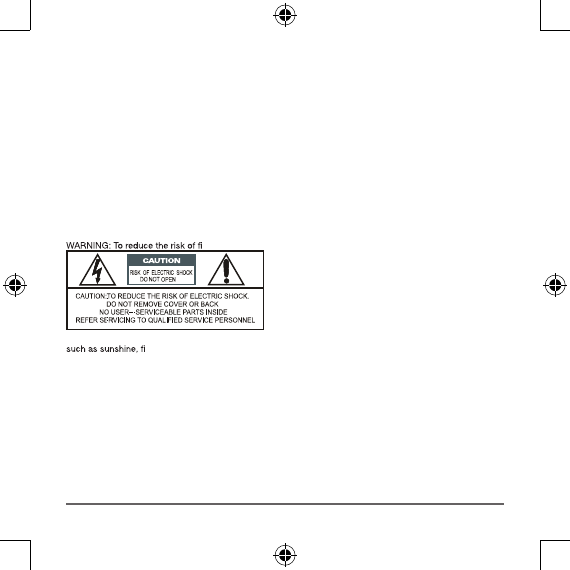
Safety and Compliance
re or electric shock: Do not expose this appliance to rain or moisture.
A warning that batteries (battery pack or batteries installed) shall not be exposed to excessive heat
re or the light.
12 Made in China
liates. All Rights reserved. Amazon and the AmazonBasics
liates.
FCC Information
This equipment has been tested and found to comply with the limits for a Class B digital device,
pursuant to Part 15 of the FCC Rules. These limits are designed to provide reasonable protection
against harmful interference in a residential installation. This equipment generates, uses and can
radiate radio frequency energy and, if not installed and used in accordance with the instructions,
may cause harmful interference to radio communications. However, there is no guarantee that
interference will not occur in a particular installation. If this equipment does cause harmful interference
to radio or television reception, which can be determined by turning the equipment off and on, the
user is encouraged to try to correct the interference by one or more of the following measures:
• Reorient or relocate the receiving antenna.
• Increase the separation between the equipment and receiver.
• Connect the equipment into an outlet on a circuit different from that to which the receiver is connected
• Consult the dealer or an experienced radio/TV technician for help.
cations not expressly approved by the party responsible for compliance may cause
interference and void the user’s authority to operate the equipment.
This device complies with Part 15 of the FCC Rules. Operation is subject to the following two
conditions: (1) This device may not cause harmful interference, and (2) this device must accept any
interference received, including interference that may cause undesired operation.”
PRODUCT DISPOSAL INFORMATION
Dispose of this product in accordance with Local and National Disposal Regulations.
WEEE
Regulatory Information: Disposal of Waste Electrical and Electronic Equipment (WEEE)
The Waste Electrical and Electronic Equipment (WEEE) Directive aims to minimize the impact of electrical
and electronic goods on the environment, by increasing re-use and recycling and by reducing the amount of
es that this product must be dis-
posed separately from ordinary household wastes at its end of life. Be aware that this is your responsibility to
dispose of electronic equipment at recycling centers in order to help conserve natural resources.
Each country should have its collection centers for electrical and electronic equipment recycling. For infor-
mation about your recycling drop off area, please contact your related electrical and electronic equipment
ce, or your household waste disposal service.
V0 00-0000