HANGZHOU CENTURY DB202 Dual Channel Deactivator User Manual
HANGZHOU CENTURY CO., LTD Dual Channel Deactivator Users Manual
User Manual
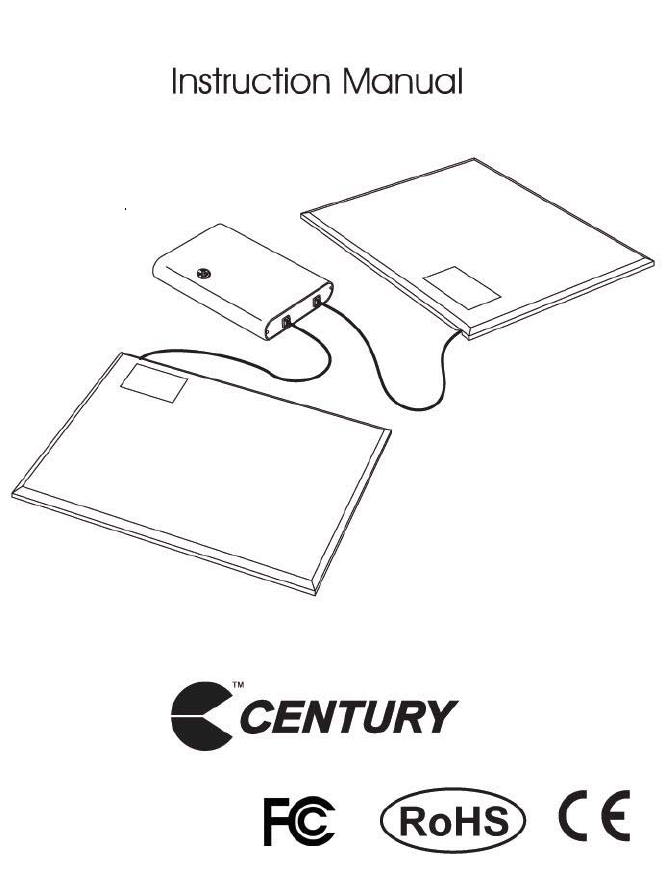
DUAL CHANNEL DEACTIVATOR
DB20
2
SYSTEM DESCRIPTION
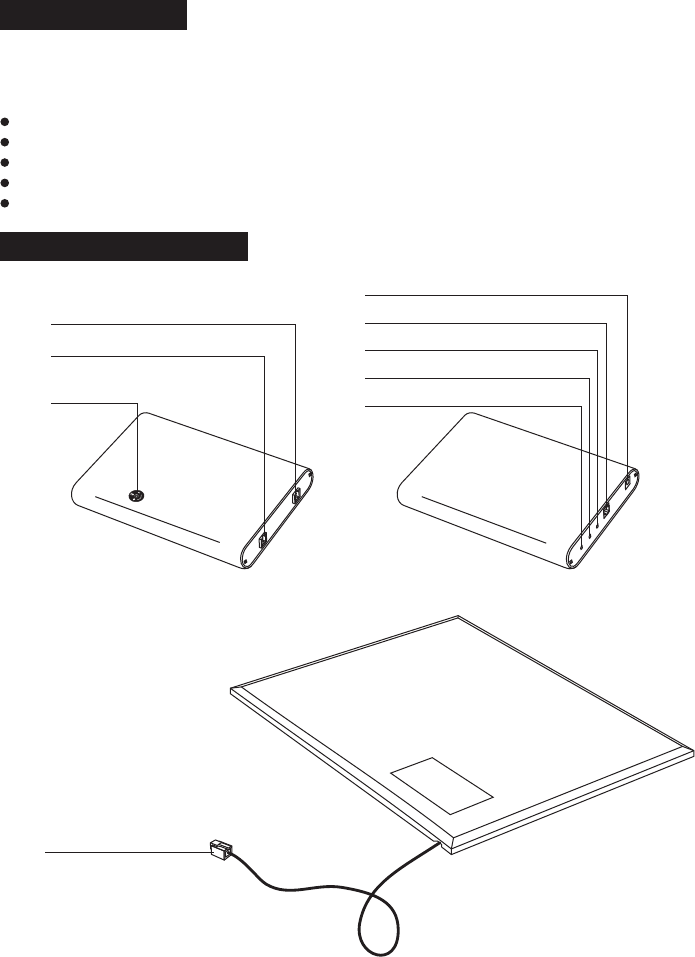
COMPONENTS INSTRUCTION
DB202 is a RF deactivator with 2 channels, can be deactivate 8.2MHz RF label. If none
deactivate RF label or RF hard tag close to, it will beep to remind you.
Deactivate range:7.6-8.8MHz.
No need to synchronize with other EAS system.
Can be match with speaker socket outside device to adjust the beep volume.
Detecting 30cm, deactivation 25cm.
DSP technology.
Control Box
Deactivate Pad
Port P2 of Deactivate pad
Port P1 of Deactivate pad
Power port
Speaker socket outside port
Deactivate LED
Detect LED
Power LED
Volume adjustment
device
Plug
1
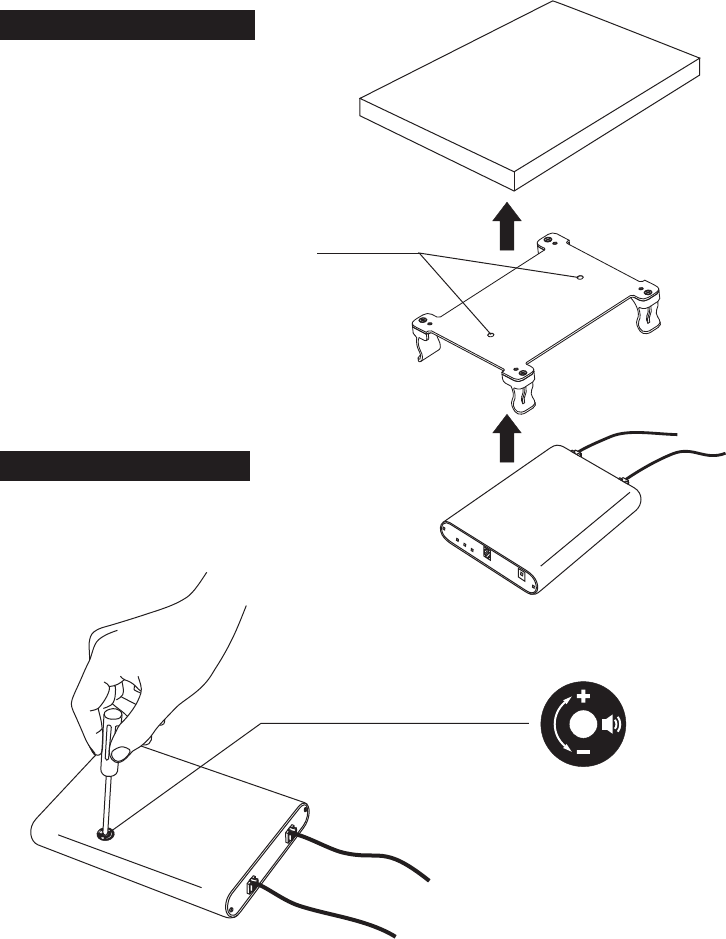
2 Insert the control box into the bracket.
Fix the bracket of control box under
the counter. COUNTER
Control box
HOW TO INSTALL THE BRACKET
Screw holes
HOW TO ADJUST THE VOLUME
Use the screwdriver to clockwise or anticlockwise
the volume adjustment device, which locates on
the control box, to change the volume.
Bracket of
control box
USE GUIDE
BEFORE OPERATION
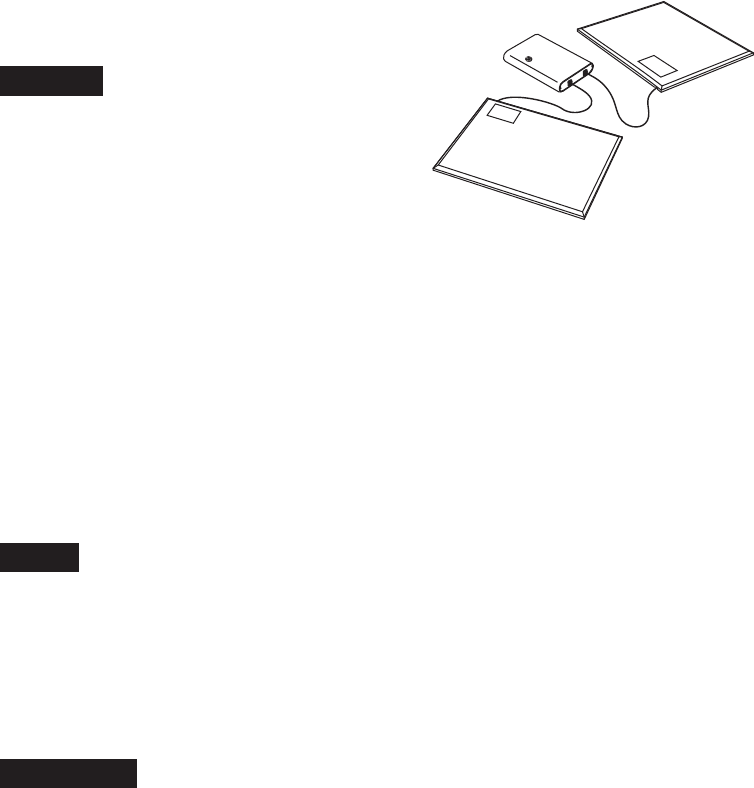
1. Connect the deactivate Pad to the port P1 or
P2 of control box.
2. Plug the power on, LED of control box flashes
Red and beeps one to remind you the DB202
can be work now.
OPERATION
NOTICE
If Deactivable RF label is above the deactivate pad about 30cm and keeps down to the
pad, the deactivate control box beeps one time and detect LED flashes green, it's means RF
label is nearby. If deactivate control box beeps 2 times and deactivate LED flashes yellow,
detect LED flashes green, it's means the RF label is deactivated.
When the deactivable RF label close to the pad, detect LED will flash green, please keep the
label closer to the pad, until control box beeps 2 times of deactivate indicator to prevent
false indicator.
NOTICE
1. Keep the deactivate pad away from POS machine, computer of 0.5M, to prevent false
alarming.
3. When use with 1 channel, please plug the port of the other, in order to avoid the interfere
of the other channel.
2. Keep the pad to mental parts 4cm side distance and 30cm above of mental parts to
prevent reduce the deactivation.
SPECIFICATION
Deactivate Pad
Size: 306X256X11.5mm
N.W.: 0 64kg.
Control Box
Size:
N.W.:
<200mA
156X108X26mm
0 64kg
Input: 12~15VDC
Idle current: <120mA
Beep current:
.
Power Adaptor
Input: 100~240VAC,
50Hz/60Hz, 0.30A
Out 12VDC, 1.25Aput:
3.According to customer's actual reuirementthe pad may be positioned transversely or vertically
FCC STATEMENT
1. This device complies with Part 15 of the FCC Rules. Operation is subject to the following two
conditions:
(1) This device may not cause harmful interference.
(2) This device must accept any interference received, including interference that may cause
undesired operation.
2. Changes or modifications not expressly approved by the party responsible for compliance could
void the user's authority to operate the equipment.
NOTE: This equipment has been tested and found to comply with the limits for a Class B digital
device, pursuant to Part 15 of the FCC Rules. These limits are designed to provide reasonable
protection against harmful interference in a residential installation.
This equipment generates uses and can radiate radio frequency energy and, if not installed and
used in accordance with the instructions, may cause harmful interference to radio communications.
However, there is no guarantee that interference will not occur in a particular installation. If this
equipment does cause harmful interference to radio or television reception, which can be
determined by turning the equipment off and on, the user is encouraged to try to correct the
interference by one or more of the following measures:
ǂ Reorient or relocate the receiving antenna.
ǂ Increase the separation between the equipment and receiver.
ǂ Connect the equipment into an outlet on a circuit different from that to which the receiver is
connected.
ǂ Consult the dealer or an experienced radio/TV technician for help.