Hyco Genyong Technology W562 Smart Watch ( with BT,WIFI) User Manual

Hyco Genyong Technology Co., Ltd. Smart Watch ( with BT,WIFI) Users Manual

User Manual

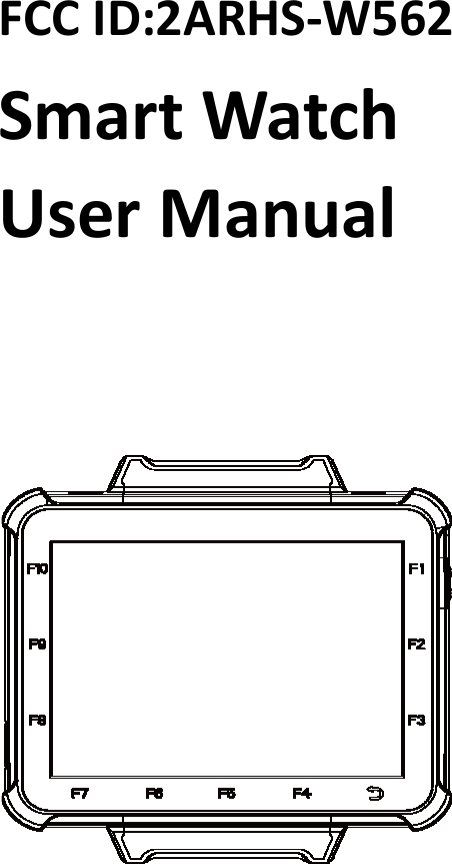
FCC ID:2ARHS-W562Smart WatchUser Manual
Smart Watch User ManualDisclaimer:Please read through the manual carefully before using the product and operate itaccording to the manual. It is advised that you should keep this manual for futurereference.Do not disassemble the device or remove the seal label from the device. Otherwise,Shanghai Hyco Genyong Technology Co., Ltd. does not assume responsibility for thewarranty or replacement.The products depicted in this manual may include software copyrighted by ShanghaiHyco Genyong Technology Co., Ltd. or a third party. The user, corporation orindividual, shall not duplicate, in whole or in part, distribute, modify, decompile,disassemble, decode, reverse engineer, rent, transfer or sublicense such softwarewithout prior written consent from the copyright holders.Shanghai Hyco genyong Technology Co., Ltd. reserves the right to make finalinterpretation of the statement above. .http://www.hyco.cc
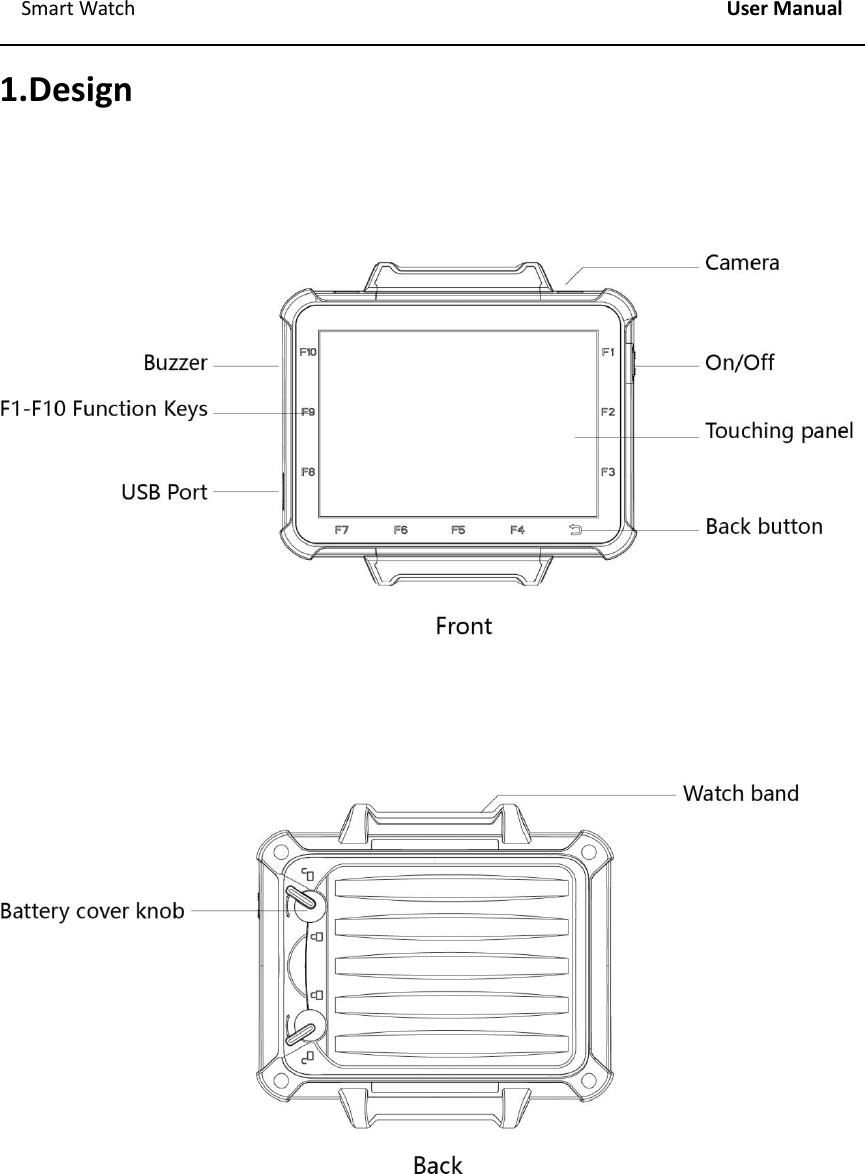
Smart Watch User Manual1.Design
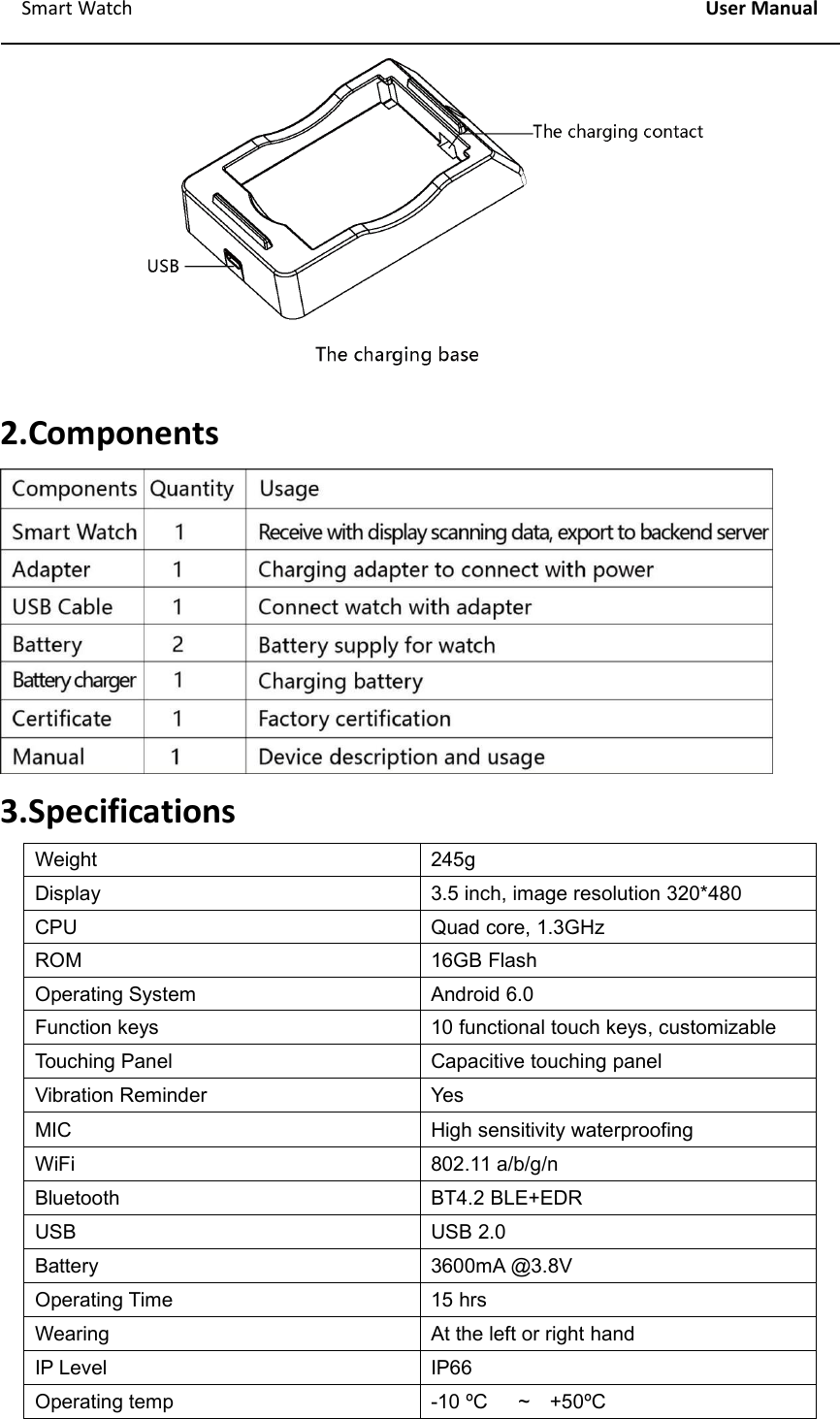
Smart Watch User Manual2.Components3.SpecificationsWeight245gDisplay3.5 inch, image resolution 320*480CPUQuad core, 1.3GHzROM16GB FlashOperating SystemAndroid 6.0Function keys10 functional touch keys, customizableTouching PanelCapacitive touching panelVibration ReminderYesMICHigh sensitivity waterproofingWiFi802.11 a/b/g/nBluetoothBT4.2 BLE+EDRUSBUSB 2.0Battery3600mA @3.8VOperating Time15 hrsWearingAt the left or right handIP LevelIP66Operating temp-10 ºC ~ +50ºC
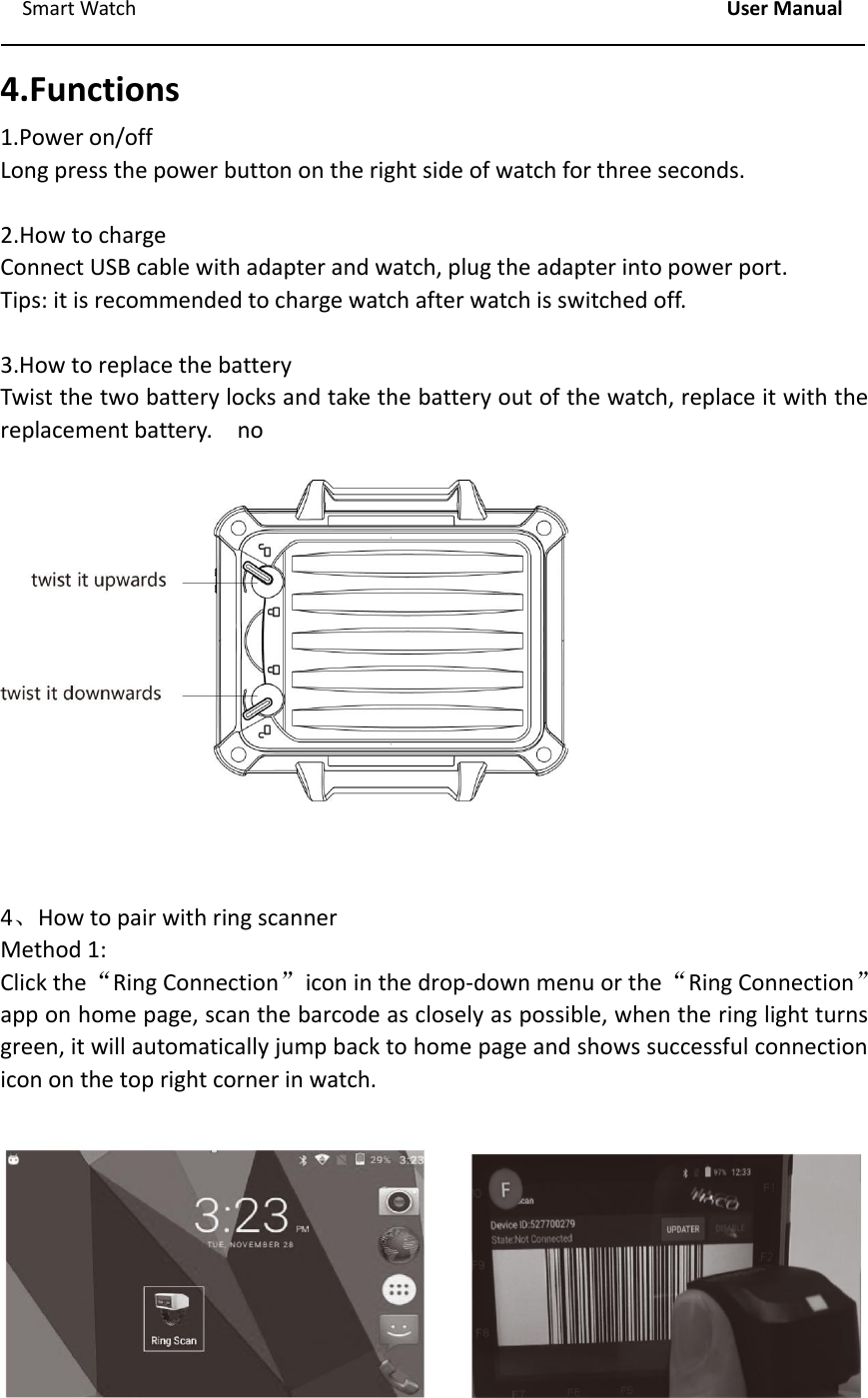
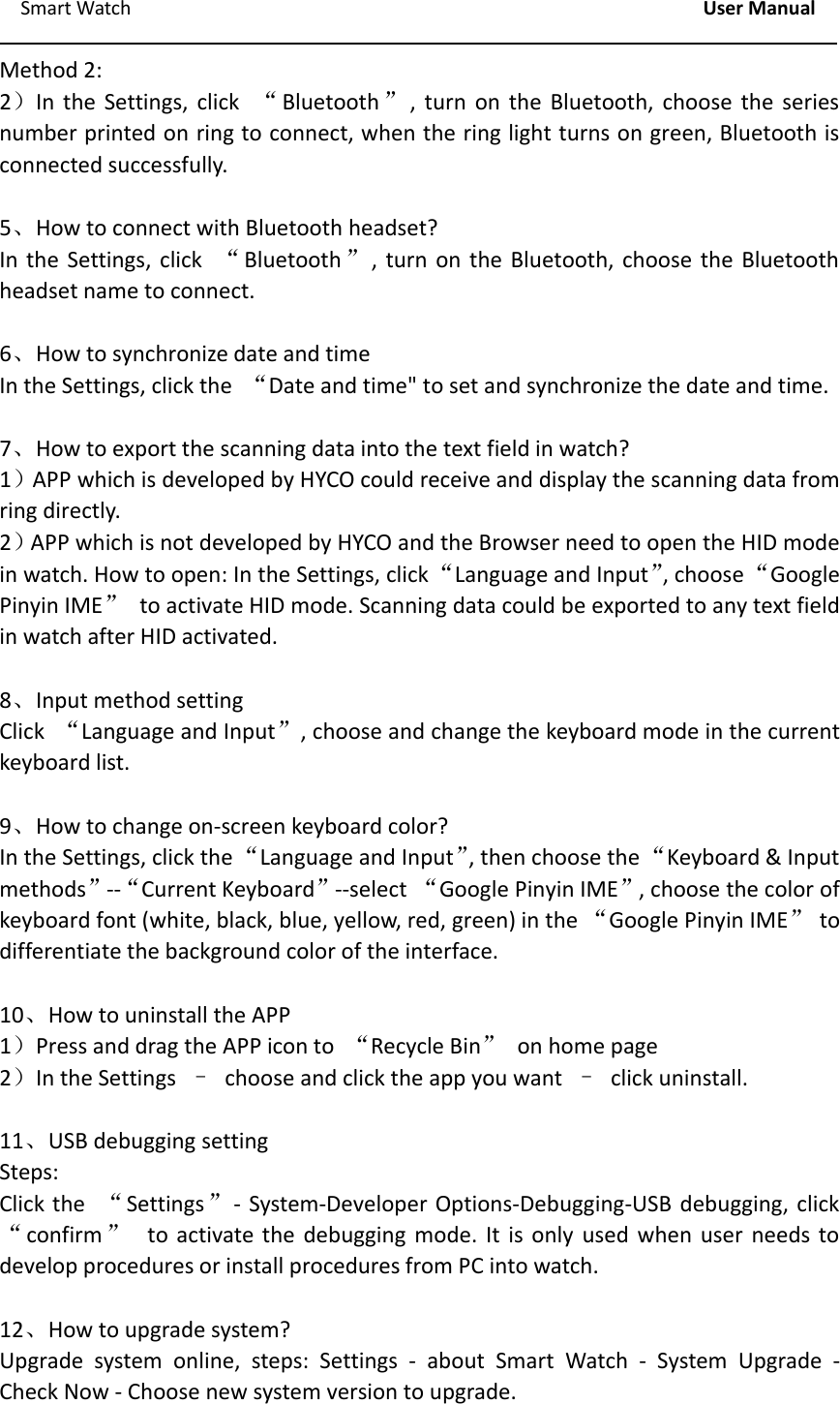
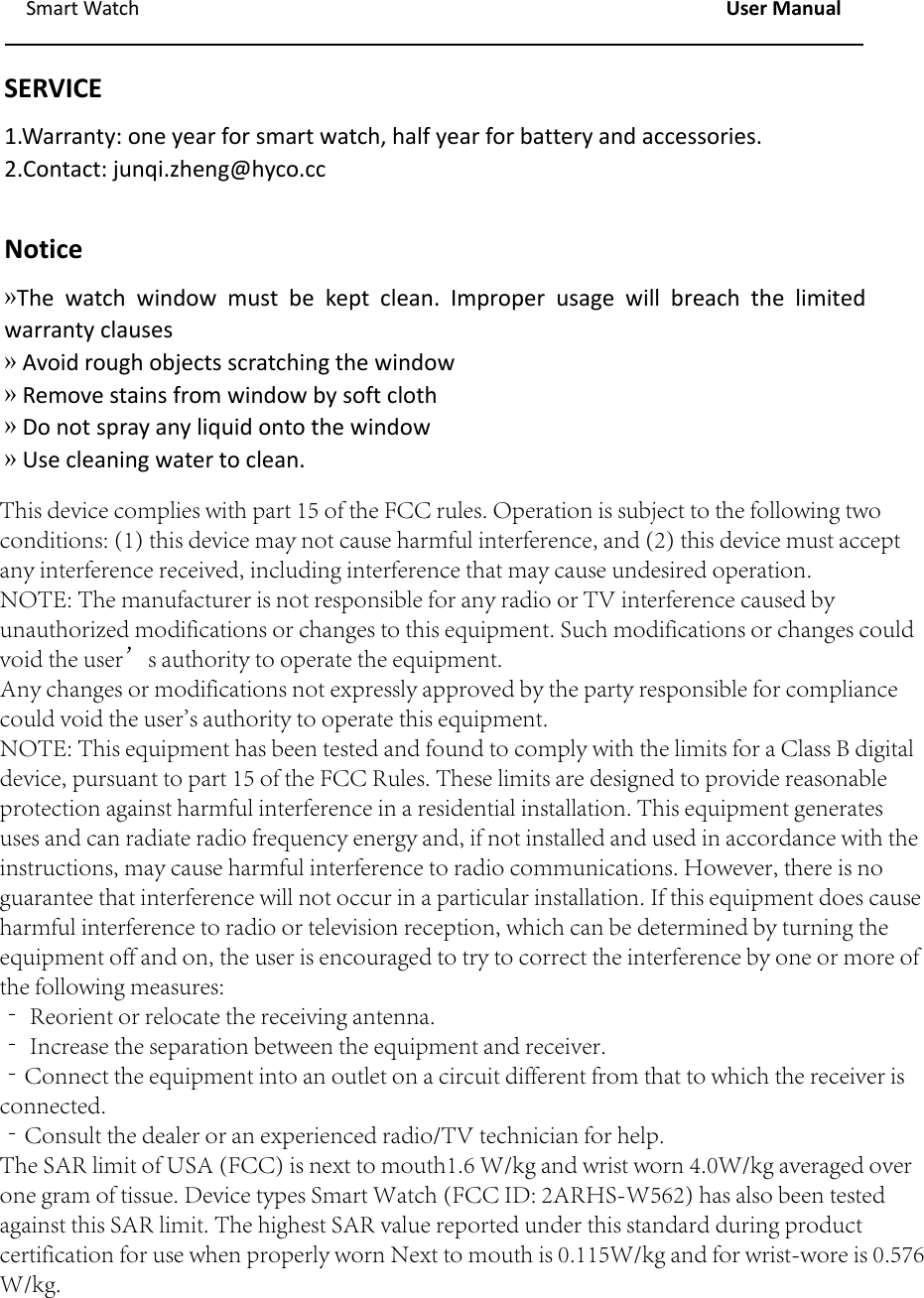
Smart Watch User Manual4.Functions1.Power on/offLong press the power button on the right side of watch for three seconds.2.How to chargeConnect USB cable with adapter and watch, plug the adapter into power port.Tips: it is recommended to charge watch after watch is switched off.3.How to replace the batteryTwist the two battery locks and take the battery out of the watch, replace it with thereplacement battery. no4、How to pair with ring scannerMethod 1:Click the“Ring Connection”icon in the drop‐down menu or the“Ring Connection”app on home page, scan the barcode as closely as possible, when the ring light turnsgreen, it will automatically jump back to home page and shows successful connectionicon on the top right corner in watch.
Smart Watch User ManualMethod 2:2)In the Settings, click “Bluetooth ”, turn on the Bluetooth, choose the seriesnumber printed on ring to connect, when the ring light turns on green, Bluetooth isconnected successfully.5、How to connect with Bluetooth headset?In the Settings, click “Bluetooth ”, turn on the Bluetooth, choose the Bluetoothheadset name to connect.6、How to synchronize date and timeIn the Settings, click the “Date and time" to set and synchronize the date and time.7、How to export the scanning data into the text field in watch?1)APP which is developed by HYCO could receive and display the scanning data fromring directly.2)APP which is not developed by HYCO and the Browser need to open the HID modein watch. How to open: In the Settings, click“Language and Input”, choose“GooglePinyin IME”to activate HID mode. Scanning data could be exported to any text fieldin watch after HID activated.8、Input method settingClick “Language and Input”, choose and change the keyboard mode in the currentkeyboard list.9、How to change on‐screen keyboard color?In the Settings, click the “Language and Input”, then choose the “Keyboard & Inputmethods”‐‐“Current Keyboard”‐‐select “Google Pinyin IME”, choose the color ofkeyboard font (white, black, blue, yellow, red, green) in the “Google Pinyin IME”todifferentiate the background color of the interface.10、How to uninstall the APP1)Press and drag the APP icon to “Recycle Bin”on home page2)In the Settings –choose and click the app you want –click uninstall.11、USB debugging settingSteps:Click the “Settings”‐System‐Developer Options‐Debugging‐USB debugging, click“confirm ”to activate the debugging mode. It is only used when user needs todevelop procedures or install procedures from PC into watch.12、How to upgrade system?Upgrade system online, steps: Settings ‐about Smart Watch ‐System Upgrade ‐Check Now ‐Choose new system version to upgrade.
Smart Watch User ManualSERVICE1.Warranty: one year for smart watch, half year for battery and accessories.2.Contact: junqi.zheng@hyco.ccNotice»The watch window must be kept clean. Improper usage will breach the limitedwarranty clauses»Avoid rough objects scratching the window»Remove stains from window by soft cloth»Do not spray any liquid onto the window»Use cleaning water to clean.This device complies with part 15 of the FCC rules. Operation is subject to the following twoconditions: (1) this device may not cause harmful interference, and (2) this device must acceptany interference received, including interference that may cause undesired operation.NOTE: The manufacturer is not responsible for any radio or TV interference caused byunauthorized modifications or changes to this equipment. Such modifications or changes couldvoid the user’s authority to operate the equipment.Any changes or modifications not expressly approved by the party responsible for compliancecould void the user's authority to operate this equipment.NOTE: This equipment has been tested and found to comply with the limits for a Class B digitaldevice, pursuant to part 15 of the FCC Rules. These limits are designed to provide reasonableprotection against harmful interference in a residential installation. This equipment generatesuses and can radiate radio frequency energy and, if not installed and used in accordance with theinstructions, may cause harmful interference to radio communications. However, there is noguarantee that interference will not occur in a particular installation. If this equipment does causeharmful interference to radio or television reception, which can be determined by turning theequipment off and on, the user is encouraged to try to correct the interference by one or more ofthe following measures:‐ Reorient or relocate the receiving antenna.‐ Increase the separation between the equipment and receiver.‐Connect the equipment into an outlet on a circuit different from that to which the receiver isconnected.‐Consult the dealer or an experienced radio/TV technician for help.The SAR limit of USA (FCC) is next to mouth1.6 W/kg and wrist worn 4.0W/kg averaged overone gram of tissue. Device types Smart Watch (FCC ID: 2ARHS-W562) has also been testedagainst this SAR limit. The highest SAR value reported under this standard during productcertification for use when properly worn Next to mouth is 0.115W/kg and for wrist-wore is 0.576W/kg.

Navigation menu