Innovative Concepts and Design UHF-6100-R2 Wireless Receiver User Manual

Innovative Concepts and Design LLC Wireless Receiver

User Manual

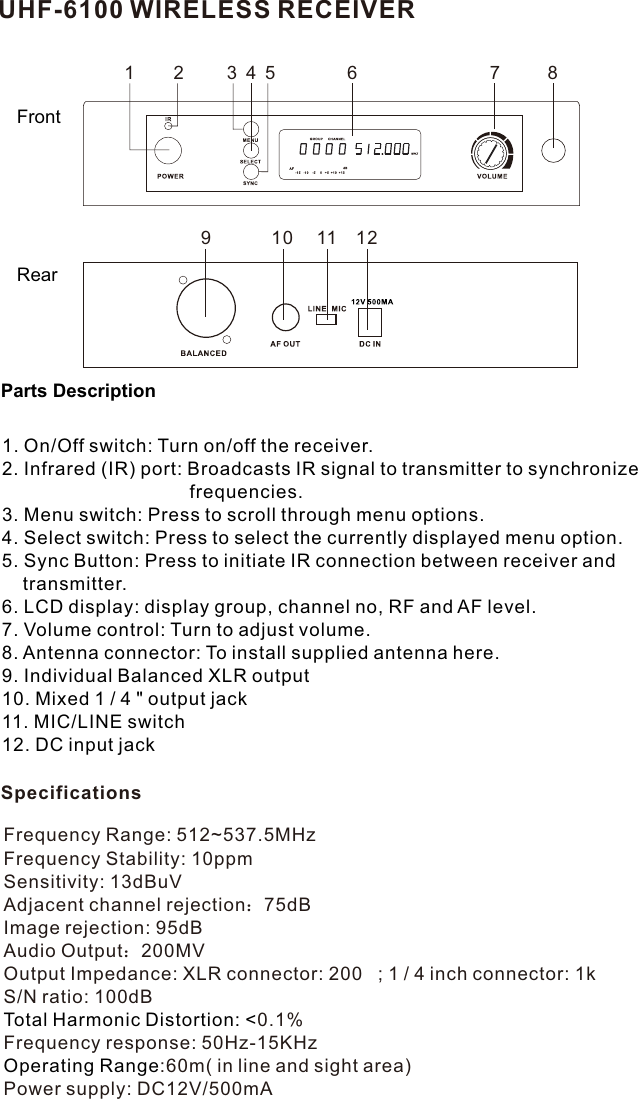
UHF-6100 WIRELESS RECEIVERFrontRear9 10 11 121 2 3784561. On/Off switch: Turn on/off the receiver.2. Infrared (IR) port: Broadcasts IR signal to transmitter to synchronize                                     frequencies. 3. Menu switch: Press to scroll through menu options.4. Select switch: Press to select the currently displayed menu option.5. Sync Button: Press to initiate IR connection between receiver and     transmitter.6. LCD display: display group, channel no, RF and AF level.7. Volume control: Turn to adjust volume.8. Antenna connector: To install supplied antenna here.9. Individual Balanced XLR output10. Mixed 1 / 4 " output jack11. MIC/LINE switch12. DC input jackParts DescriptionSpecificationsFrequency Range: 512~537.5MHz Frequency Stability: 10ppmSensitivity: 13dBuVAdjacent channel rejection:75dBImage rejection: 95dBAudio Output:200MVOutput Impedance: XLR connector: 200   ; 1 / 4 inch connector: 1k S/N ratio: 100dB0.1%Total Harmonic Distortion: <Frequency response: 50Hz-15KHz:60m( in line and sight area)Operating RangePower supply: DC12V/500mA
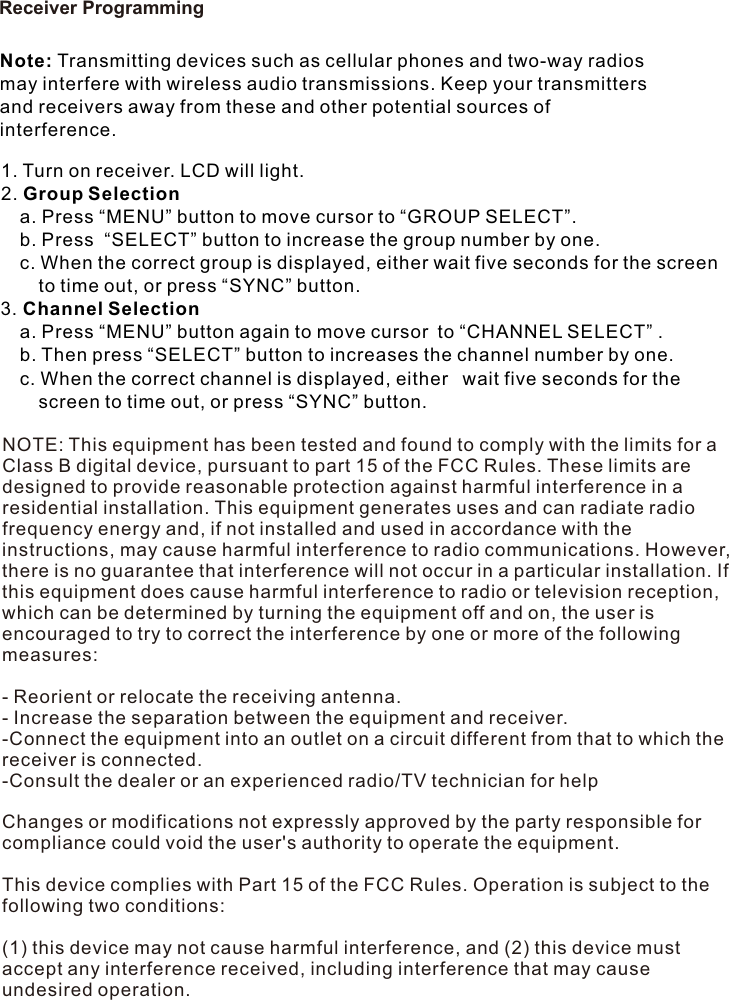
Receiver ProgrammingNote: Transmitting devices such as cellular phones and two-way radios may interfere with wireless audio transmissions. Keep your transmitters and receivers away from these and other potential sources of interference.1. Turn on receiver. LCD will light.2. Group Selection  a. Press “MENU” button to move cursor to “GROUP SELECT”.   b. Press  “SELECT” button to increase the group number by one.   c. When the correct group is displayed, either wait five seconds for the screen     to time out, or press “SYNC” button. 3. Channel Selection  a. Press “MENU” button again to move cursor to “CHANNEL SELECT” .  b. Then press “SELECT” button to increases the channel number by one.   c. When the correct channel is displayed, either  wait five seconds for the     screen to time out, or press “SYNC” button. NOTE: This equipment has been tested and found to comply with the limits for a Class B digital device, pursuant to part 15 of the FCC Rules. These limits are designed to provide reasonable protection against harmful interference in a residential installation. This equipment generates uses and can radiate radio frequency energy and, if not installed and used in accordance with the instructions, may cause harmful interference to radio communications. However, there is no guarantee that interference will not occur in a particular installation. If this equipment does cause harmful interference to radio or television reception, which can be determined by turning the equipment off and on, the user is encouraged to try to correct the interference by one or more of the following measures: - Reorient or relocate the receiving antenna. - Increase the separation between the equipment and receiver. -Connect the equipment into an outlet on a circuit different from that to which the receiver is connected. -Consult the dealer or an experienced radio/TV technician for help Changes or modifications not expressly approved by the party responsible for compliance could void the user's authority to operate the equipment. This device complies with Part 15 of the FCC Rules. Operation is subject to the following two conditions: (1) this device may not cause harmful interference, and (2) this device must accept any interference received, including interference that may cause undesired operation.

Navigation menu