Ixia GC617644 802.11a/b/g Multi AP Emulator (Client Device) User Manual IxWLANUserGuide
Ixia 802.11a/b/g Multi AP Emulator (Client Device) IxWLANUserGuide
Ixia >
Contents
User Manual 2

IxWLAN User Guide, Release 6.20 5-23
The Command Line Interface (CLI)
Virtual Station Setup and Control Commands
Cipher .................... WEP(RC4)
Data Encryption ........... Off
Shared-key Index .......... 0
Fragmentation Threshold ... 2346
RTS Threshold ............. 2346
Mode ...................... internal
Layer .................. 3
Load Application .......... ping
Target IP Address ......... 10.1.83.1
Ping Transmit Count ....... 100
Ping Data Size ............ 1024
autorun Automatically runs one or more configured virtual stations that are in the ready
state. It is intended for use in conjunction with the autoconf command. Any
other use may produce unexpected results.The command issues the run com-
mand for the specified number of virtual stations.
autorun [nVstas]
[nVstas]: Optional number of virtual stations (1…128). If this parameter is omit-
ted, the total number of auto-configured (autoconf) virtual stations is used.
clear group Clears the certfile, SSID, or statistics for the specified vSTA or all vSTAs within
the specified group.
clear group <grpID> <object>
Valid objects are:
<certfile>: Clears vSTA group certfile names.
<SSID>: Clears vSTA group SSIDs.
<stats>: Clears vSTA group statistics.
clear vsta Clears all statistics for one or more virtual stations.
clear vsta <vStaId>:all:master:<object>
<vStaId>: Virtual Station ID (1…128), all, or master. If <vStaId> is set to all
(that is, clear vsta all stats), this command clears all statistics for all virtual sta-
tions. If <vStaId> is set to master (that is, clear vsta master stats), this command
clears all statistics for IxWLAN.
NOTE: By default, all virtual stations that are created in the CLI are assigned to
group 1. This can be changed using the set vsta <vStaId> group <grpId>
command.

The Command Line Interface (CLI)
Virtual Station Setup and Control Commands
5-24 IxWLAN User Guide, Release 6.20
5
Example:
[wport1]IxWLAN -> clear vsta 1 stats
[wport1]IxWLAN ->
Valid objects are:
<certfile>: Clears vSTA certfile names.
<SSID>: Clears vSTA SSIDs.
<stats>: Clears vSTA statistics.
conf Configures a virtual station. It specifies a virtual station's IP address, WLAN
MAC address, and load application mode. It also specifies the load application
protocol, target host, and application specific parameters. After a virtual station is
configured, it must be initialized using the init command. The virtual station’s
wport attribute defaults to the current wport.
conf <vStaId> <ip|dhcp_value> <mac> <mode> <lp> <targetIP> <count> <size>
<vStaId>: Virtual Station ID (1…128)
<ip|dhcp_value>: Specifies the virtual station’s WLAN IP address
(nnn.nnn.nnn.nnn) or a <dhcp_value>. <dhcp_value> can be on, off, or auto. on
= manual (needs the acquireip command to start), off = DHCP is not active.
vSTA(s) must have a static IP address, auto = initiate lease negotiation if associa-
tion succeeds.
<mac>: Virtual station’s WLAN MAC address (xx:xx:xx:xx:xx:xx). The starting
MAC address must be within the range of MAC addresses defined by the WLAN
Base MAC Address and WLAN MAC Mask configured for the specified wport
(see set wlanmac on page 5-85 and set wlanmask on page 5-85).
<mode>: external or internal. If external mode is used, the remaining parameters
(<lp> <target> <count> <size>) are optional.
<lp>: Specifies the Load Application Protocol (ping).
<targetIP>: Target IP address (nnn.nnn.nnn.nnn)
<count>: Number of ICMP Echo Requests to transmit: 0…2,147,483,647.
<size>: Number of data bytes to be included in ICMP Echo Requests: 64…1024.
The conf command does not include the full set of attributes that can be assigned
to a virtual station. When these attributes are not otherwise specified, IxWLAN
uses the default values for these attributes, as listed in Table 5-1 on page 5-25.

IxWLAN User Guide, Release 6.20 5-25
The Command Line Interface (CLI)
Virtual Station Setup and Control Commands
Table 5-1. Attributes
Attribute Default Value
authentication open-system
certfile (not set)
cipher wep
csmode persistent
dhcplease 3600
dhcpretry 4
dhcpinterval 8
dhcpoffers 1
dhcpserver 0.0.0.0
eapalgorithm tls
encryption off
fastradius disabled
fragmentthreshold 2346
gateway 0.0.0.0
group 1
inneralgorithm ms-chapv2
ipmask 255.255.255.0
keyindex 0 (not defined)
kmtime-out 0 (that is, no time-out)
layer 3
outeridentity (not set)
passphrase (not set)
password (not set)
pmkcache enabled
psk (not set)
retry 2
roamtype reassociation
rtsthreshold 2346
timeout 300
SSID (not set)

The Command Line Interface (CLI)
Virtual Station Setup and Control Commands
5-26 IxWLAN User Guide, Release 6.20
5
The set vsta command allows you to change any of these default values.
Example:
[wport1]IxWLAN -> conf 3 10.1.40.20 00:0b:cd:59:00:01 internal ping 10.1.40.16 64000
1024
[wport1]IxWLAN -> OK
[wport1]IxWLAN -> conf 1 10.1.35.150 02:CF:1F:00:00:01 int ping 10.1.35.38 10 1024
[wport1]IxWLAN -> OK
[wport1]IxWLAN -> conf 1 on 02:CF:1F:00:00:01 int ping 10.1.35.38 10 1024
[wport1]IxWLAN -> OK
[wport1]IxWLAN -> conf 1 auto 02:CF:1F:00:00:01 int ping 10.1.35.38 10 1024
[wport1]IxWLAN -> OK
deauth Starts the de-authentication sequence for one or more virtual stations. This
sequence also drops any WPA/RSN security associations. The virtual station(s)
must be configured, initialized, and authenticated before this command can be
used. The following command starts the de-authentication sequence for one or all
virtual stations.
deauth vsta <vStaId>
<vStaId>: Virtual Station ID (1…128) or all. If <vStaId> is set to all (that is,
deauth vsta all), the de-authentication sequence is initiated for all virtual stations.
The following command starts the de-authentication sequence for all virtual sta-
tions in a specified group.
deauth group <grpId>
<grpId>: Group ID (1…128)
Example:
[wport1]IxWLAN -> deauth vsta 1
[wport1]IxWLAN -> OK
[wport1]IxWLAN -> vSTA ID:1 NOTIFY Operation DEAUTH succeeded - TUE JUL 15 03:09:56
2003
[wport1]IxWLAN ->
userid (not set)
wport 1
Attribute Default Value
NOTE: By default, all virtual stations that are created in the CLI are assigned to
group 1. This can be changed using the set vsta <vStaId> group <grpId>
command.

IxWLAN User Guide, Release 6.20 5-27
The Command Line Interface (CLI)
Virtual Station Setup and Control Commands
del group Clears all configuration parameters for a specified group and removes the group
from the system.
del group <grpId>
<grpId>: Group Number (1…128)
Example:
[wport1]IxWLAN -> del group 2
5 vSTAs deleted
[wport1]IxWLAN -> OK
[wport1]IxWLAN ->vSTA ID:6 NOTIFY DELETED - reason: delete command - WED JUL 16
07:35:27 2003
[wport1]IxWLAN -> OK
[wport1]IxWLAN ->vSTA ID:7 NOTIFY DELETED - reason: delete command - WED JUL 16
07:35:27 2003
[wport1]IxWLAN -> OK
[wport1]IxWLAN ->vSTA ID:8 NOTIFY DELETED - reason: delete command - WED JUL 16
07:35:27 2003
[wport1]IxWLAN -> OK
[wport1]IxWLAN ->vSTA ID:9 NOTIFY DELETED - reason: delete command - WED JUL 16
07:35:28 2003
[wport1]IxWLAN -> OK
[wport1]IxWLAN ->vSTA ID:10 NOTIFY DELETED - reason: delete command - WED JUL 16
07:35:28 2003
[wport1]IxWLAN ->
del vSTA Clears all configuration attributes for one or more virtual stations and removes
the virtual station(s) from the system.
del vsta <vStaId>
<vStaId>: Virtual Station ID (1…128) or all. If <vStaId> is set to all (that is, del
vsta all), all virtual stations are deleted.
Example:
[wport1]IxWLAN -> del vsta 1
[wport1]IxWLAN -> OK
[wport1]IxWLAN ->vSTA ID:1 NOTIFY DELETED - reason: delete command - WED JUL 16
07:44:09 2003
[wport1]IxWLAN ->
disassoc Starts the 802.11 disassociation sequence for one or more virtual stations. This
sequence also drops any WPA/RSN security associations. The virtual station(s)
must be configured, initialized, authenticated, and associated before this com-
mand can be used. The following command starts the disassociation sequence for
one or all virtual stations.
disassoc vsta <vStaId>

The Command Line Interface (CLI)
Virtual Station Setup and Control Commands
5-28 IxWLAN User Guide, Release 6.20
5
<vStaId>: Virtual Station ID (1…128) or all. If <vStaId> is set to all (that is, dis-
assoc vsta all), the disassociation sequence starts for all virtual stations.
The following command initiates the disassociation sequence for all virtual sta-
tions in a specified group.
disassoc group <grpId>
<grpId>: Group ID (1…128)
Example:
[wport1]IxWLAN -> disassoc vsta 1
[wport1]IxWLAN -> OK
[wport1]IxWLAN ->vSTA ID:1 NOTIFY Operation DISASSOC
succeeded - TUE JUL 15 03:09:50 2003
[wport1]IxWLAN ->
get group Retrieves and shows a configuration parameter or statistics for all virtual stations
in a group.
get group <grpId> <attribute>
<grpId>: Group Number (1…128). If <attribute> is summary, you may specify
all as the group number (that is, get group all summary) to show summary statis-
tics for all groups.
<attribute>: The attribute of the information to get/display. It can be one of the
following (See set group on page 5-42 for a more detailed description of the
information that may be shown by each of these attributes):
•authentication: Shows the group’s authentication mode (open-system,
shared-key, wpa-psk, wpa, rsn, or rsn-psk).
•certfile: If authentication is rsn or wpa, shows the group’s certificate file
name.
•cipher: Shows the group’s cipher mode (wep, tkip, or aes-ccm).
•conf: Displays the group’s configuration and adds the wports assigned to it.
•count: If mode is internal, shows the configured ping count
(0…2,147,483,647).
•csmode: Shows the group’s connection mode (persistent or non-persistent)
•dhcpinfo: If dhcpmode is on or auto, shows DHCP information.
•dhcpmode: Shows the DHCP Mode setting (on, off, or auto).
•dhcplease: Displays the dhcpLease attribute of the specified vSTA, all
vSTAs, or all vSTAs within the specified group.
•dhcpretry: Displays the dhcpRetry attribute of the specified vSTA, all vSTAs,
or all vSTAs within the specified group.

IxWLAN User Guide, Release 6.20 5-29
The Command Line Interface (CLI)
Virtual Station Setup and Control Commands
•dhcpinterval: Displays the dhcpInterval attribute of the specified vSTA, all
vSTAs, or all vSTAs within the specified group.
•dhcpoffers: Displays the dhcpOffer attribute of the specified vSTA, all
vSTAs, or all vSTAs within the specified group.
•dhcpserver: Displays the dhcpServer attribute of the specified vSTA, all
vSTAs, or all vSTAs within the specified group.
•eapalgorithm: If authentication mode is rsn or wpa, shows the group's
authentication protocol: TLS, PEAP, or TTLS.
•encryption: Shows the group’s encryption mode: on or off.
•fastradius: Shows the group’s fast RADIUS reconnection mode: enabled or
disabled.
•fragmentthreshold: Shows the fragmentation threshold setting (256…2346).
•gateway: Displays the gateway attribute of the specified vSTA or all vSTAs
within the specified group.
•inneralgorithm: If eapalgorithm is peap or ttls, shows the group's Phase 2
authentication algorithm: ms-chapv2 or eap-ms-chapv2.
•ipmask: Displays the ipmask attribute of the specified vSTA or all vSTAs
within the specified group.
•keyindex: Shows the group’s shared-key index (1, 2, 3, or 4).
•kmTimeout: AKMP Timeout shows the wait state timer for virtual stations in
this group.
•layer: If mode is external, shows the method (layer 2 or 3) that is used to cap-
ture external data frames.
•lp: Shows the group’s load protocol: ping.
•mode: Shows the group’s test mode (external or internal)
•outeridentity: If eapalgorithm is peap or ttls, shows the group's separate user
ID that is used in Phase 1 authentication. It can be a string of up to 64 charac-
ters.
•passphrase: If authentication is rsn-psk or wpa-psk, shows the group's pass-
phrase (up to 63 ASCII characters).
•password: If eapalgorithm is peap or ttls, shows the group's password that is
used in Phase 2 authentication. It can be a string of up to 64 characters.
•pmkcache: Shows the group’s PMKSA cache mode: enabled or disabled.
•psk: If authentication is rsn-psk or wpa-psk, shows the group's Pre-Shared
Key (64 ASCII-hex characters).
•retry: Shows the configured Authentication/Association retry limit
(1…2,147,483,647 or zero (=no retries)).
•roamtype: Shows the group’s Roam type: reassociation or disassociation.
•rtsthreshold: Shows the group’s RTS threshold setting (1…2346).
•size: If mode is internal, shows the configured ping packet size (64…1024).

The Command Line Interface (CLI)
Virtual Station Setup and Control Commands
5-30 IxWLAN User Guide, Release 6.20
5
•ssid: Shows the group’s SSIDs.
•state: Shows the current state of each virtual station in the group.
•stats: Shows statistics counters for all virtual stations in a group.
•summary: Shows cumulative summary statistics for all virtual stations in one
or all groups.
•target: If mode is internal, shows the configured target IP address.
•timeout: Shows the configured Authentication/Association timeout in milli-
seconds (1…2,147,483,647 or zero (0=immediate timeout)).
•userid: For groups configured for WPA or RSN authentication and a certifi-
cate file, shows the group’s user ID string that is needed for the certificate
file.
•wport: Displays the wport assigned the identified group.
Example:
[wport1]IxWLAN -> get group 1 csmode
vSTA 1 connection mode: persistent
vSTA 2 connection mode: persistent
vSTA 3 connection mode: persistent
vSTA 4 connection mode: persistent
vSTA 5 connection mode: persistent
5 vSTAs found
[wport1]IxWLAN ->
get vsta Retrieves and displays a configuration attribute or statistics for one or all virtual
stations.
get vsta <vStaId> <attribute>
<vStaId>: Virtual Station ID (1…128). Use all to show <attribute> for all virtual
stations. If <attribute> is set to stats to show statistics, the <vStaId> can be set to
master to show statistics for IxWLAN (that is, get vsta master stats). If
<attribute> is summary, <vStaId> must be set to all.
<attribute>: The attribute of the information to get. Omit this attribute (for
example, get vsta 1) to show a virtual station's complete configuration or use one
of the following attributes to show a specific configuration attribute. See set vsta
on page 5-46 for a more detailed description of the information that can be shown
by each of these attributes.
•authentication: Shows the virtual station’s authentication mode: open-sys-
tem, shared-key, rsn, rsn-psk, wpa, or wpa-psk.
•certfile: If authentication is wpa or rsn, shows the virtual station’s certificate
file name.
•cipher: Shows the virtual station’s cipher mode: wep, tkip, or aes-ccm.
•conf: Shows the virtual station's complete configuration data.

IxWLAN User Guide, Release 6.20 5-31
The Command Line Interface (CLI)
Virtual Station Setup and Control Commands
•count: If mode is internal, shows the configured ping count
(0…2,147,483,647).
•csmode: Displays the virtual station’s connection mode: persistent or non-
persistent.
•dhcpinfo: If dhcpmode is on or auto, shows DHCP information.
•dhcpmode: Displays the DHCP Mode setting: on, off, or auto.
•dhcplease: Displays the dhcpLease attribute of the specified vSTA.
•dhcpretry: Displays the dhcpRetry attribute of the specified vSTA.
•dhcpinterval: Displays the dhcpInterval attribute of the specified vSTA.
•dhcpoffers: Displays the dhcpOffer attribute of the specified vSTA.
•dhcpserver: Displays the dhcpServer attribute of the specified vSTA.
•eapalgorithm: If authentication mode is rsn or wpa, shows the authentication
protocol: tls, peap, or ttls.
•encryption: Shows the virtual station’s encryption mode: on or off.
•fastradius: Shows the virtual station’s fast RADIUS reconnection mode:
enabled or disabled.
•fragmentthreshold: Shows the fragmentation threshold setting (256…2346).
•gateway: Displays the gateway attribute of the specified vSTA.
•inneralgorithm: If eapalgorithm is range or ttls, shows the inner algorithm
(ms-chapv2 or eap-ms-chapv2) to be used in Phase 2 authentication.
•ipmask: Displays the ipmask attribute of the specified vSTA.
•keyindex: If encryption is on, shows the virtual station’s shared-key index (1,
2, 3, or 4).
•kmTimeout: AKMP Timeout shows the virtual station’s wait state timer.
•layer: Shows the method (layer 2 or 3) used to capture external data frames.
•lp: If mode is internal, shows the virtual station’s Load Protocol (ping).
•mode: Shows the virtual station’s test mode: external or internal.
•outeridentity: If eapalgorithm is peap or ttls, shows the user ID that is used in
Phase 1 authentication algorithm. It can be a string of up to 64 characters.
•passphrase: If authentication is rsn-psk or wpa-psk, shows the passphrase
(up to 63 ASCII characters) assigned to one or more virtual stations.
•password: If eapalgorithm is peap or ttls, shows the user password that is
used in Phase 2 authentication. It can be a string of up to 64 characters.
•pmkcache: Shows the virtual station’s PMKSA cache mode: enabled or dis-
abled.
•psk: If authentication is rsn-psk or wpa-psk, shows the Pre-Shared Key (64
ASCII-hex characters) assigned to one or more virtual stations.
•retry: Shows the Authentication/Association retry limit (1…2,147,483,647 or
zero (0=no retries)).

The Command Line Interface (CLI)
Virtual Station Setup and Control Commands
5-32 IxWLAN User Guide, Release 6.20
5
•roamtype: Shows the virtual station’s Roam type: reassociation or disassoci-
ation.
•rtsthreshold: Shows the RTS threshold setting (1…2346).
•size: If mode is internal, shows the configured ping packet size (64…1024).
•ssid: Shows the vSTA’s SSID.
•state: Shows the virtual station’s current state.
•stats: Depending on the value of <id>, shows statistics counters for one vir-
tual station, all virtual stations, or IxWLAN.
•summary: Shows cumulative summary statistics for all virtual stations
•target: If mode is internal, shows the configured ping target IP address (that
is, 10.1.35.100).
•timeout: Shows the Authentication/Association timeout in milliseconds
(1…2,147,483,647 or zero (0=immediate timeout)).
•userid: For virtual stations configured for WPA or RSN authentication and a
certificate file (certfile), shows the user ID string that is needed for the certif-
icate file.
•wport: Displays the wport assigned the identified vSTA(s).
Example for get vsta <vStaId> dhcpinfo:
[wport1]IxWLAN -> get vsta 1 dhcpinfo
** vSTA 1 DHCP Lease Information **
State ............ BOUND
Last XID ......... 0x0000167e
Try limit ........ 4
Current try ...... 0
Offer limit ...... 1
Current offer .... 1
Try interval ..... 8 (Secs)
Current timer .... 0 (Secs)
Pkts xmtd ok ..... 2
DISCOVERs ...... 1
REQUESTs ....... 1
RENEWALs ...... 0
REBINDs ........ 0
RELEASEs ....... 0
DECLINEs ....... 0
Pkts xmtd err .... 0
Pkts rcvd ok ..... 3
OFFERs ......... 2
ACKs ........... 1
NAKs ........... 0
Pkts rcvd err .... 0
state err ...... 0
xid err ........ 1
Requested lease .. 3600
Lease duration ... 3600
Expiration ticks . 3577
Renewal ticks .... 1777
Rebind ticks ..... 3127

IxWLAN User Guide, Release 6.20 5-33
The Command Line Interface (CLI)
Virtual Station Setup and Control Commands
Leased Address ... 10.1.35.56
DHCP Server ...... 10.2.10.10
Relay ............ 10.1.35.1
Server/relay MAC . 00:00:00:00:00:00
Subnet Mask ...... 255.255.255.0
Gateway .......... 10.1.35.1
DNS Server ....... 0.0.0.0
[wport1]IxWLAN ->
Example for get vsta <vStaId> conf:
[wport1]IxWLAN -> get vsta 1 conf
vSTA Configuration:
ID ........................ 1
Group ID .................. 1
wport...................... 1
IP Address ................ 10.1.83.2
DHCP ................... Off
MAC Address ............... 00:0b:16:01:00:01
Connection Mode ........... persistent
Auth/Assoc Retry .......... 2
Authentication Timeout .... 300 mSec
Association Timeout ....... 300 mSec
Authentication ............ RSN
Pre-Shared Key ............ Not set
Passphrase ................ Not set
EAP Algorithm.............. TTLS
Inner Auth Algorithm....... ms-chapv2
Certfile .................. jqp.pfx
Userid .................... jqp
Wport ..................... 3
Password................... one1two2three3
Outer ID................... OuterIDString
AKMP Timeout .............. 0 Seconds
Cipher .................... AES-CCM
Data Encryption ........... On
Shared-key Index .......... 0
Fragmentation Threshold ... 2346
RTS Threshold ............. 2346
Mode ...................... External
Layer .................. 2
Load Application .......... ping
Target IP Address ......... 10.1.83.253
Ping Transmit Count ....... 1000
Ping Data Size ............ 1024
[wport1]IxWLAN ->
Example for get vsta <vStaId> count:
[wport1]IxWLAN -> get vsta 1 count
vSTA 1 Ping count: 1000
[wport1]IxWLAN ->
Example for get vsta <vStaId> state:
[wport1]IxWLAN -> get vsta 1 state

The Command Line Interface (CLI)
Virtual Station Setup and Control Commands
5-34 IxWLAN User Guide, Release 6.20
5
vSTA: 1
State: Running
Mode: internal
vStaPingRcv:Active
vStaPingXmt:Active
[wport1]IxWLAN ->
Example for get vsta <vStaId> stats:
[wport1]IxWLAN -> get vsta 1 stats
vSTA 1: MAC 00:0b:cd:59:00:01, IP 10.1.35.150, State:
Running
Authentications: 1, Deauthentications: 0
Associations: 1, Disassociations: 0
Rcv Sig Strength: 72, Ack Sig Strength: 83
Rcv Rate: 24, Tx SF Rate: 54, Tx LF Rate: 54
Frame counts: MSDUs Data Mcast Mgmt Ctrl
Rcv 240 238 0 2 0
Tx 95 97 0 2 0
vSTA 1 Ping statistics:
Transmit count: 1000
Transmit data size: 1024
Packets transmitted: 96 Round-trip (uSec):
Bytes transmitted: 99072 Min: 50000
Transmit ENOBUFS: 0 Max: 100000
Packets received: 96 Avg: 74725
Bytes received: 99072 Stddev: 25137
vSTA 1 WPA/RSN statistics:
Total EAPOL Frames Tx: 0, WPA/RSN Auth Failure Ct: 0
Total EAPOL Frames Rx: 0, WPA/RSN Authentication Ct: 0
EAPOL Key Frames Rx: 0, EAPOL Key Frames Tx: 0
EAPOL Request Frames Rx: 0, Invalid EAPOL Frames Rx: 0
EAPOL Rsp Id Frames Tx: 0, EAPOL Rsp Frames Tx: 0
EAPOL Req Id Frames Rx: 0, EAPOL Len Err Frames Rx: 0
4Way Handshake Msg1 Rx: 0, 4Way Handshake Msg2 Tx: 0
4Way Handshake Msg3 Rx: 0, 4Way Handshake Msg4 Tx: 0
Group Key Msg1 Rx: 0, Group Key Msg2 Tx: 0
TKIP Local MIC Failures: 0, TKIP Rply Ctr Failures: 0
TKIP ICV Errors: 0, CCMP Rply Ctr Failures: 0
CCMP Decrypt Errors: 0, MIC Failure Reports Tx: 0
Last EAPOL Frame Ver: 0, EAPOL Start Frames Tx: 0
Rcv Errors: 1, Tx Errors: 0
Rcv PHY Errors: 1, Excess Retries: 0
Rcv CRC Errors: 0, Total Retries: 0
Rcv Duplicates: 0, Tx Filtered: 0
Rcv Discarded: 0, Tx Discarded: 0
Ack Rcv Fails: 0, RTS Fails: 0
Encryption: Off, FCS Fails: 0
Rcv Decrypt Errs: 0, WEP Excluded: 0
[wport1]IxWLAN ->
Example for get vsta all summary:
[wport1]IxWLAN -> get vsta all summary
Summary statistics for 5 vSTAs:

IxWLAN User Guide, Release 6.20 5-35
The Command Line Interface (CLI)
Virtual Station Setup and Control Commands
Authentications: 6 Deauthentications: 3
Associations: 6 Disassociations: 0
Pre-Authentication: 2 attempts, 1 successful, 1 failed
PMKSA cache: 2 entries BSSID
PMKID
entry 0 00:12:d9:c4:1d:d0 0x62151d5ca3b2c4ea8545842f9a7adb6b
entry 1 00:15:70:00:77:50 0x7dad3ec63036b7af087bd9c595035e50
Signal Quality: Min Max Avg
Rcv Strength 0 61 36
Ack Strength 0 60 35
Rcv Rate 54 54 54
Tx SF Rate 54 54 54
Tx LF Rate 54 54 54
Rcv Frames: Min Max Avg Total
MSDUs 0 10 6 30
Data 0 0 0 0
Multicast 0 0 0 0
Management 0 6 4 18
Control 0 4 2 12
Error 0 0 0 0
Tx Frames: Min Max Avg Total
MSDUs 0 4 2 12
Data 0 0 0 0
Multicast 0 0 0 0
Management 0 4 2 12
Control 0 0 0 0
Error 0 0 0 0
Tx Retries 0 0 0 0
Rcv Errors: 0, Tx Errors: 0
Rcv PHY Errors: 0, Excess Retries: 0
Rcv CRC Errors: 0, Total Retries: 0
Rcv Duplicates: 3, Tx Filtered: 0
Rcv Discarded: 0, Tx Discarded: 0
Ack Rcv Fails: 0, RTS Fails: 0
Rcv Decrypt Errs: 0, WEP Excluded: 0
FCS Fails:
WPA statistics: Min Max Avg Total
Auth Okay 0 0 0 0
Auth Fail 0 0 0 0
EAPOL Rx 0 0 0 0
EAPOL Tx 0 0 0 0
EAPOL Key Rx 0 0 0 0
EAPOL Key Tx 0 0 0 0
EAPOL Req Rx 0 0 0 0
EAPOL Rsp Tx 0 0 0 0
EAPOL Req Id Rx 0 0 0 0
EAPOL Rsp Id Tx 0 0 0 0
EAPOL Start Tx 0 0 0 0
EAPOL Inv Rx 0 0 0 0
EAPOL Len Err Rx 0 0 0 0
4Way Msg1 Rx 0 0 0 0
4Way Msg2 Tx 0 0 0 0
4Way Msg3 Rx 0 0 0 0
4Way Msg4 Tx 0 0 0 0
Grp Key Msg1 Rx 0 0 0 0
Grp Key Msg2 Tx 0 0 0 0
TKIP Lcl Mic Fail 0 0 0 0

The Command Line Interface (CLI)
Virtual Station Setup and Control Commands
5-36 IxWLAN User Guide, Release 6.20
5
TKIP Rply Fail 0 0 0 0
TKIP ICV Err 0 0 0 0
CCMP Dcrpt Err 0 0 0 0
CCMP Rply Fail 0 0 0 0
MIC Fail Rpt Tx 0 0 0 0
[wport1]IxWLAN ->
Example for get vsta all wport:
[wport2]IxWLAN -> get vsta all wport
vSTA 1 Wport: 2
vSTA 2 Wport: 2
vSTA 3 Wport: 1
halt Starts an immediate halt of the load application currently being run by one or
more virtual stations. The virtual station(s) must be configured, initialized,
authenticated, associated, and running a load application. As long as the specified
virtual station remains in the associated state, the load application may be re-
started by issuing a run command. The following command executes a halt for
one or all virtual stations.
halt vsta <vStaId>:all
<vStaId>: Virtual Station ID (1…128) or all. If <vStaId> is set to all (that is, halt
vsta all), the halt command is sent to all virtual stations.
The following command executes the halt for all virtual stations in a group.
halt group <grpId>
<grpId>: Group ID (1…128)
Example:
[wport1]IxWLAN -> halt vsta 1
[wport1]IxWLAN ->
vSTA ID:1 halted OK
[wport1]IxWLAN ->
init Initialize one or more virtual stations. A virtual station must be configured before
it can be initialized. See conf on page 5-24.
The following command initializes one or all virtual stations.
init vsta <vStaId>: all
<vStaId>: Virtual Station ID (1…128) or all. If <vStaId> is set to all (that is, init
vsta all), all virtual stations are initialized.
The following command initializes all virtual stations in a specified group.

IxWLAN User Guide, Release 6.20 5-37
The Command Line Interface (CLI)
Virtual Station Setup and Control Commands
init group <grpId>
<grpId>: Group ID (1…128)
Example:
[wport1]IxWLAN -> init vsta 1
[wport1]IxWLAN -> OK
[wport1]IxWLAN ->
preauth Starts the 802.11i pre-authentication with the indicated BSSID. The vSTA’s
authentication mode must be RSN and the vSTA must be in the Ready or Run-
ning state with its current BSS. IxWLAN stores the PMKSA resulting from a
successful Preauthentication completion in the corresponding vSTA PMKSA
cache.
The following command starts the 802.11i pre-authentication for one or for all
virtual stations.
preauth vsta <vStaId> <bssid>
<vStaId>: Virtual Station ID (1…128) or all. If <vStaId> is set to all (that is, init
vsta all), all virtual stations are initialized.
Example:
[wport1]IxWLAN -> preauth vsta 1 00:0B:CD:59:23:44
[wport1]IxWLAN -> OK
vSTA ID:1 NOTIFY Preauth with remote AP succeeded - THU FEB 23 18:15:50 2006
The following command starts the 802.11i pre-authentication for all virtual
stations within a specified group.
preauth group <grpId> <bssid>
<grpId>: Group ID (1…128).
releaseip Releases the specified virtual station’s DHCP IP address lease. Following suc-
cessful completion of this command, the specified virtual station(s) transit(s) to
the lowest state needed to initiate DHCP lease negotiations. The vSTA’s current
IP address is set to zero. If the vSTA is operating in internal mode, it is removed
from the ARP table.
The following command releases the DHCP IP address lease for one or all virtual
stations.
releaseip vsta <vStaId>
<vStaId>: Virtual Station ID (1…128) or all. If <vStaId> is set to all (that is,
releaseip vsta all), the DHCP IP address lease is released for all virtual stations.

The Command Line Interface (CLI)
Virtual Station Setup and Control Commands
5-38 IxWLAN User Guide, Release 6.20
5
The following command releases the DHCP IP address lease for all virtual sta-
tions in a specified group.
releaseip group <grpId>
<grpId>: Group ID (1…128)
Example:
[wport1]IxWLAN -> releaseip vsta 1
[wport1]IxWLAN -> 10.1.35.10 (10.1.35.10) deleted
OK
reset group Resets all virtual stations in a group to the Initialized state and clears all group
statistics counters.
reset group <grpId>
<grpId>: Group Number (1…128)
Example:
[wport1]IxWLAN -> reset group 1
5 vSTAs reset
[wport1]IxWLAN ->
reset vsta Resets virtual stations to the Initialized state and clears the virtual station's statis-
tics counters.
reset vsta <vStaId>
<vStaId>: Virtual Station ID (1…128) or all. If <vStaId> is set to all (that is,
reset vsta all), this command resets all virtual stations.
Example:
[wport1]IxWLAN -> reset vsta 1
[wport1]IxWLAN ->
roam Starts a Roam of the specified vSTAs to the target AP indicated by its BSSID.
The following command roams the identified vSTA(s) to the BSS. The Roam
sequence includes a Probe Request for each vSTA unless the noprobe option is
present. The Roam sequence includes the 802.11 authentication for each vSTA
unless the noauth option is present.
roam vsta|group <id>|all <newBssid> [noprobe] [noauth]
<id>: the virtual station or group identifier

IxWLAN User Guide, Release 6.20 5-39
The Command Line Interface (CLI)
Virtual Station Setup and Control Commands
<newBssid>: the BSSID to which the vSTA(s) are to roam
Example for roam vsta all <newBssId> [noprobe] [noauth]:
roam vsta all 00:06:2e:35:6b:1d noprobe
Example for roam vsta <vStaId> <newBssid> [noprobe] [noauth]:
roam vsta 6 00:06:2e:35:6b:1d noprobe
Example for roam group <groupId> <newBssid> [noprobe] [noauth]:
roam group 2 00:06:2e:35:6b:1d noprobe
run Starts running the load application for one or more virtual stations. The virtual
station(s) must be configured, initialized, authenticated, and associated before
issuing this command. After a run command has completed, it may be reissued/
restarted as long as the virtual station remains in the associated state. The follow-
ing command starts running the load application for one or all virtual stations.
run vsta <vStaId>
<vStaId>: Virtual Station ID (1…128) or all. If <vStaId> is set to all (that is, run
vsta all), the run command is sent to all virtual stations.
The following command starts running the load application for all virtual stations
in a specified group.
run group <grpId>
<grpId> = Group ID (1…128)
Example:
[wport1]IxWLAN ->run vsta 1
[wport1]IxWLAN ->
vSTA ID:1 running OK
[wport1]IxWLAN ->vSTA ID:1 NOTIFY Operation RUN completed.
[wport1]IxWLAN ->
save group(stats/
summary) save group stats
Saves statistics information in a file for all virtual stations in a specified group.
Each virtual station in the group is saved to its own file. The file is stored in the /
Statistics subdirectory and named Vsta#Stats.dat (where # is the virtual station
ID).

The Command Line Interface (CLI)
Virtual Station Setup and Control Commands
5-40 IxWLAN User Guide, Release 6.20
5
save group <grpId> stats
<grpId>: Group ID (1…128)
save group summary
Saves cumulative summary statistics in a file for all virtual stations in one or all
groups. Each group is saved to its own file. The file is stored in the /Statistics
subdirectory and named Grp#Summ.dat (where # is the group ID).
save group <grpId> summary
<grpId>: Group ID (1…128) or all. If <grpId> is set to all (that is, save group all
summary), summary statistics are saved for all virtual stations in all groups.
save vsta(stats/
summary) save vsta stats
Writes all statistics for virtual stations to a file in the flash file system. The file is
stored in the /Statistics subdirectory and named Vsta#Stats.dat (where # is the
virtual station ID).
save vsta <vStaId> stats
<vStaId>: Virtual Station ID (1…128), all, or master. If <vStaId> is set to all
(that is, save vsta all stats), statistics for all virtual stations are written to individ-
ual files. If <vStaId> is set to master (that is, save vsta master stats), IxWLAN
statistics information are written in the /Statistics/VstaMasterStats.dat file.
Example:
[wport1]IxWLAN -> save vsta 1 stats
Wrote vSTA 1 statistics to file
[wport1]IxWLAN ->
save vsta all summary
Saves cumulative summary statistics for all virtual stations to the /Statistics/
VstaAllSumm.dat file.
save vsta all summary
Example:
[wport1]IxWLAN -> save vsta all summary
Wrote vSTA all summary to file
[wport1]IxWLAN ->
sendprobe Starts the probe operation for the specified vSTA or group. The only state restric-
tions placed on a probe operation are:

IxWLAN User Guide, Release 6.20 5-41
The Command Line Interface (CLI)
Virtual Station Setup and Control Commands
•The vSTA must be in Initialized state or higher
•IxWLAN must be joined with an AP.
sendprobe <vsta/group> <id>
A given IxWLAN may have many SSIDs configured, a global SSID, and up to
128 per-vSTA SSIDs.
The rules that determine which SSID is used when a specific vSTA probes, asso-
ciates, and re-associates with an AP are:
•If a vSTA’s SSID attribute is set, it is always used.
•If a vSTA’s SSID attribute is not set and the AP beacons a hidden SSID, the
SSID used is either the global IxWLAN SSID (if set) or the broadcast SSID.
•If a vSTA’s SSID attribute is not set and the AP does not beacon a hidden
SSID, the SSID contained within the AP’s beacon frame is used.
•The global IxWLAN SSID is set by default to be string “IxWLAN Test Wire-
less Network,” which is interpreted by the IxWLAN as not set.
A probe request frame is constructed and transmitted for the specified vSTA or
for each vSTA within the specified group. The SSID information element in the
probe request is set by using the previously stated rules.
The probe operation consists of probe transmission, waiting on a probe response,
and retrying if no response is received within a timeout period.
A NOTIFY message is generated upon completion of a probe operation. The sta-
tus field indicates if a response was received or not.

The Command Line Interface (CLI)
Virtual Station Setup and Control Commands
5-42 IxWLAN User Guide, Release 6.20
5
Example:
sendprobe vsta 1
vSTA ID:1 NOTIFY Operation PROBE succedded-
sendprobe vsta 2
vSTA ID:2 NOTIFY Operation PROBE failed-reason:No response from AP-
set group Modifies configuration attributes for all virtual stations in a specified group.
set group <grpId> <attribute> <value>
<grpId>: Group Number (1…128)
<attribute>/<value>: The allowable <attribute>/<value> combinations are
defined in Table 5-2.
Table 5-2. Allowable Attributes
<attribute> <value> Default
authentication open-system, shared-key, rsn, rsn-psk, wpa, or wpa-psk open-system
certfile certificate file name string none
cipher wep, tkip, or aes-ccm wep
count 0…2,147,483,647 1000
csmode persistent or non-persistent persistent
dhcpmode on, off, or auto off
dhcplease 300...-1 3600
dhcpretry 0...5 4
dhcpinterval 1...64 4
dhcpoffers 1...3 1
dhcpserver IP address of the server 0.0.0.0
eapalgorithm tls, peap, or ttls tls
encryption on or off off
fastradius enabled/disabled disabled
fragmentthreshold 256…2346 2346
gateway IP address of the gateway to be used by the vSTA(s) 0.0.0.0
inneralgorithm ms-chapv2 or eap-ms-chapv2 ms-chapv2
ipmask Subnet mask to be used by a vSTA 255.255.255.0
keyindex 1, 2, 3, or 4 0 (not defined)
kmTime-out 0…3600 s 0 (no timeout)

IxWLAN User Guide, Release 6.20 5-43
The Command Line Interface (CLI)
Virtual Station Setup and Control Commands
The attributes are:
•authentication: Sets the authentication mode (open-system, shared-key, rsn,
rsn-psk, wpa, or wpa-psk) for all virtual stations in the specified group.
•certfile: If authentication is rsn or wpa, this attribute defines a certificate file
name for all virtual stations in the specified group.
•cipher: Defines a cipher mode (wep, tkip, or aes-ccm) for all virtual stations
in the specified group. If authentication is open-system or shared-key, wep
is the only valid selection.
•count: If mode is internal, this attribute sets the ping count
(0…2,147,483,647).
•csmode: When csmode is enabled (persistent), virtual stations in this group
remain persistent (connected) if the System Under Test deauthenticates or
disassociates. If IxWLAN loses connection to a System Under Test, persis-
tence allows it to recover and continue the test at the point where it was inter-
rupted. For example, if a virtual station is in a run or associated state and an
802.11 management frame (deauth or disassoc) is sent by the System Under
Test and received by IxWLAN, the virtual station tries to return to the state it
was in before the management frame was received. If the virtual station was
layer 2 or 3 3
lp ping ping
mode external or internal internal
outeridentity up to 64 ASCII characters none (displayed as “Not Set”)
passphrase up to 63 ASCII characters none (displayed as “Not Set”)
password up to 64 ASCII characters none (displayed as “Not Set”)
pmkcache on/off on
psk 64 ASCII-hex characters none (displayed as “Not Set”)
retry 0…2,147,483,647 2
roamtype disassociation/ reassociation reassociation
rtsthreshold 1…2346 2346
size 64…1024 1024
ssid text string or hexadecimal string (not set)
target An IP address in ASCII Dotted Decimal Notation:
nnn.nnn.nnn.nnn (for example, 10.1.35.100).
none
timeout 0…2,147,483,647 300
userid user ID string none
wport 1...3 1
<attribute> <value> Default

The Command Line Interface (CLI)
Virtual Station Setup and Control Commands
5-44 IxWLAN User Guide, Release 6.20
5
running a ping test, the ping test continues. If it was in an associated state, the
virtual station reissues the associate request.
•dhcpmode: The DHCP mode allows virtual stations to have IP addresses
dynamically acquired from a DHCP server on the network rather than a fixed,
configured IP address. If dhcpmode is off, DHCP mode is not active and vir-
tual stations must have a static IP address. If dhcpmode is on, the acquireip
command must be used to initiate lease negotiation. If dhcpmode is auto,
IxWLAN automatically starts lease negotiation if association succeeds. The
default value is off.
•dhcplease: Sets the dhcpLease attribute of the specified vSTA, all vSTAs, or
all vSTAs within the specified group to the given value, specifying the lease
time a vSTA requests.
•dhcpretry: Sets the dhcpRetry attribute of the specified vSTA, all vSTAs, or
all vSTAs within the specified group to the given value, specifying the num-
ber of times a vSTA retries a DHCP operation (discover, request) before tim-
ing out.
•dhcpinterval: Sets the dhcpInterval attribute of the specified vSTA, all
vSTAs, or all vSTAs within the specified group to the given value, specifying
the interval between retries.
•dhcpoffers: Sets the dhcpOffer attribute of the specified vSTA, all vSTAs, or
all vSTAs within the specified group to the given value, specifying the num-
ber of offers to ignore before generating a request.
•dhcpserver: Sets the dhcpServer attribute of the specified vSTA, all vSTAs, or
all vSTAs within the specified group to the given value, specifying the DHCP
server from which a vSTA is to accept offers.
•eapalgorithm: If authentication is rsn or wpa, this parameter specifies the
authentication protocol: tls, peap, or ttls.
•encryption: Sets the encryption mode (on or off) for all virtual stations in the
specified group.
•fastradius: Sets the vSTA’s fast RADIUS reconnection mode: enabled or dis-
abled.
•fragmentthreshold: Defines the fragmentation threshold for the virtual sta-
tion(s) configured by this command. The fragmentation threshold limits the
number of bytes in any 802.11 frame transmitted by the vSTA. If <value> is
set to 2346 (that is, the maximum 802.11 frame size), fragmentation is effec-
tively disabled. The default value is 2346.
•gateway: Sets the gateway attribute of the specified vSTA or all vSTAs within
the specified group to the given value, specifying the IP address of the gate-
way to be used by the vSTA(s).
•inneralgorithm: If eapalgorithm is peap or ttls, this parameter specifies an
inner authentication algorithm (ms-chapv2 or eap-ms-chapv2) to be used in
Phase 2 authentication. ms-chapv2 is normally used for ttls. eap-ms-chapv2
is normally used for peap.
•ipmask: Sets the ipmask attribute of the specified vSTA or all vSTAs within
the specified group to the given value, specifying the subnet mask to be used
by a vSTA.

IxWLAN User Guide, Release 6.20 5-45
The Command Line Interface (CLI)
Virtual Station Setup and Control Commands
•keyindex: If authentication is shared-key, this attribute assigns a shared key
index number (1…4) to all virtual stations in the specified group. The shared
keys are defined by the set key command.
•kmTimeout: AKMP Timeout sets a wait state timer for virtual stations in the
specified group. In situations where the System Under Test does not start or
respond during a 4-way handshake, the affected virtual station may stall in a
wait state. This timer can be used to recover the virtual station into an opera-
ble state. If the virtual station remains in a wait state until this timer expires, it
is 802.11 de-authenticated and returned to the initialized state.
•layer: If mode is external, this attribute specifies how the external data
stream is captured. If layer is 2, frames is captured based on the source 802.3
MAC address. If layer is 3, frames is captured based on the source IP address.
The default value is 3.
•lp: If mode is internal, this attribute defines the Load Protocol (ping).
•mode: Defines the test mode (internal or external) for all virtual stations in the
specified group.
•outeridentity: If eapalgorithm is peap or ttls, this parameter assigns a sepa-
rate user ID for use in Phase 1 authentication. It can be up to 64 characters in
the range A…Z, a…z, 0…9, or other legal characters: period (.), dash (-), at-
sign (@).
•passphrase: If authentication is rsn-psk or wpa-psk, this attribute defines a
passphrase of up to 63 ASCII characters. If the passphrase contains spaces,
the passphrase must be specified in double-quotes “like so”. To specify a
passphrase that contains a double-quote, you must escape the double-quote
“like \” so”.
•password: If eapalgorithm is peap or ttls, this parameter assigns a user pass-
word for use in Phase 2 authentication. It can be up to 64 characters.
•pmkcache: When enabled (on), vSTA uses cached PMKSA info, if any, to
skip up 802.1X authentication and proceed to 4-Way handshake immediately
after the 802.11 association frame exchange. Upon (re)associating to a given
APUT, if PMKSA caching is enabled and there is a matching PMKID in the
vsta PMKSA cache, IxWLAN inserts the PMKID in the RSN Information
Element included in (re)association request frame. Default is on.
•psk: If authentication is rsn-psk or wpa-psk, this attribute defines a Pre-
Shared Key (64 ASCII-hex characters) for all virtual stations in this group.
•retry: Defines the group’s Authentication/Association retry limit (zero = no
retries).
•roamtype: Selects the Disassociation Roam or Reassociation Roam
type.When set to disassociation, the default message sequence upon a roam
event is achieved by disassociation from the old AP and subsequent authenti-
cation and association with the new AP; when set to reassociation, the
default roam sequence is Auth (new AP), Reassociate (new AP), with no dis-
association from the old AP. The default is reassociation.
•rtsthreshold: Defines the RTS threshold for the virtual station(s) configured
by this command. Any frame to be transmitted by a vSTA that exceeds the
vSTA’s RTS threshold needs a successful RTS/CTS frame exchange before

The Command Line Interface (CLI)
Virtual Station Setup and Control Commands
5-46 IxWLAN User Guide, Release 6.20
5
the frame is transmitted. The minimum value (1) effectively needs RTS/CTS
for all transmit frames. The maximum value (2346) is the maximum 802.11
frame size and effectively disables RTS. The default value is 2346.
•size: If mode is internal, this attribute defines the Ping Packet Size
(64…1024).
•ssid: Defines the SSID to be used in probes and association.
•target: If mode is internal, this attribute defines the target IP address.
•timeout: Defines the Authentication/Association timeout in ms(0=immediate
timeout).
•userid: If authentication is rsn or wpa, this attribute defines a user ID string
that is needed for a certificate file (certfile) for all virtual stations in the spec-
ified group. It can be up to 64 characters in the range A…Z, a…z, 0…9, or
other legal characters: period (.), dash (-), at-sign (@).
•wport: Assigns the identified vSTA(s) to the specified wport. Values range
between 1 and 3, depending on the number of wports present. The default
value is 1.
Example:
[wport2]IxWLAN -> set group 1 size 64
5 vSTAs updated
OK
[wport2]IxWLAN -> set group 2 wport 1
OK
set vsta Modifies virtual station attributes.
set vsta <vStaId> <attribute> <value>
<vStaId>: Virtual Station ID (1…128). If <attribute> is anything other than ip or
mac, the <vStaId> can be all to apply the configuration attribute to all virtual sta-
tions.
<attribute>/<value>: The allowable <attribute>/<value> combinations are
defined in Table 5-3.
Table 5-3. Allowable Attributes
<attribute> <value> Default
authentication open-system, shared-key, rsn, rsn-psk, wpa, or wpa-psk open-system
certfile certificate file name string none
cipher wep, tkip, or aes-ccm wep
count 0…2,147,483,647 1000
csmode persistent or non-persistent persistent

IxWLAN User Guide, Release 6.20 5-47
The Command Line Interface (CLI)
Virtual Station Setup and Control Commands
dhcpmode on, off, or auto off
dhcplease 300...-1 3600
dhcpretry 0...5 4
dhcpinterval 1...64 4
dhcpoffers 1...3 1
dhcpserver IP address of the server 0.0.0.0
eapalgorithm tls, peap, or ttls tls
encryption on or off off
fastradius enabled, disabled disabled
fragmentthreshold 256…2346 2346
gateway IP address of the gateway to be used by the vSTA, in ASCII
Dotted Decimal Notation: nnn.nnn.nnn.nnn
0.0.0.0
group 1…128 1
inneralgorithm ms-chapv2 or eap-ms-chapv2 ms-chapv2
ip IP address in ASCII Dotted Decimal Notation:
nnn.nnn.nnn.nnn (for example, 10.1.35.100)
none
ipmask Subnet mask to be used by a vSTA 255.255.255.0
keyindex 1, 2, 3, or 4 0 (not defined)
kmTimeout 0…3600 seconds 0 (no timeout)
layer 2 or 3 3
lp ping ping
mac MAC address in ASCII Colon Separated Hexadecimal
Notation: xx:xx:xx:xx:xx:xx (for example, 02:cf:1f:00:00:01)
none
mode external or internal internal
outeridentity up to 64 ASCII characters none (displayed as “Not Set”)
passphrase up to 63 ASCII characters none (displayed as “Not Set”)
password up to 64 ASCII characters none (displayed as “Not Set”)
pmkcache enabled, disabled enabled
psk 64 ASCII-hex characters none (displayed as “Not Set”)
retry 0…2,147,483,647 2
roamtype reassociation, disassociation reassociation
rtsthreshold 1…2346 2346
size 64…1024 1024
<attribute> <value> Default

The Command Line Interface (CLI)
Virtual Station Setup and Control Commands
5-48 IxWLAN User Guide, Release 6.20
5
The attributes are:
•authentication: Sets the authentication mode for virtual station(s) configured
by this command. It can be one of the following: open-system, shared-key,
rsn, rsn-psk, wpa, or wpa-psk.
•certfile: If authentication is wpa or rsn, this attribute defines a certificate file
name for virtual station(s) configured by this command.
•cipher: Sets the cipher mode (wep, tkip, or aes-ccm) for virtual station(s)
configured by this command. If authentication is open-system or shared-
key, wep is the only valid selection.
•count: If mode is internal, this attribute sets the ping count
(0…2,147,483,647)
•csmode: When csmode is enabled (persistent), virtual stations remain persis-
tent (connected) if the System Under Test deauthenticates or disassociates. If
IxWLAN loses connection to a System Under Test, persistence allows it to
recover and continue the test at the point where it was interrupted. For exam-
ple, if a virtual station is in a run or associated state and an 802.11 manage-
ment frame (deauth or disassoc) is sent by the System Under Test and
received by IxWLAN, the virtual station tries to return to the state it was in
before the management frame was received. If the virtual station was running
a ping test, the ping test continues. If it was in an associated state, the virtual
station reissues the associate request.
•dhcpmode: The DHCP mode allows virtual stations to have IP addresses
dynamically acquired from a DHCP server on the network rather than a fixed,
configured IP address. If dhcpmode is off, DHCP mode is not active and vir-
tual stations must have a static IP address. If dhcpmode is on, the acquireip
command must be used to initiate lease negotiation. If dhcpmode is auto,
IxWLAN automatically starts lease negotiation if association succeeds. The
default value is off.
•dhcplease: Sets the dhcpLease attribute of the specified vSTA to the given
value, specifying the lease time a vSTA requests.
•dhcpretry: Sets the dhcpRetry attribute of the specified vSTA to the given
value, specifying the number of times a vSTA retries a DHCP operation (dis-
cover, request) before timing out.
•dhcpinterval: Sets the dhcpInterval attribute of the specified vSTA to the
given value, specifying the interval between retries.
ssid text string or hexadecimal string (not set)
target an IP address in ASCII Dotted Decimal Notation:
nnn.nnn.nnn.nnn (for example, 10.1.35.100).
none
timeout 0…2,147,483,647 300
userid user ID string none
wport 1...3 1
<attribute> <value> Default

IxWLAN User Guide, Release 6.20 5-49
The Command Line Interface (CLI)
Virtual Station Setup and Control Commands
•dhcpoffers: Sets the dhcpOffer attribute of the specified vSTA to the given
value, specifying the number of offers to ignore before generating a request.
•dhcpserver: Sets the dhcpServer attribute of the specified vSTA to the given
value, specifying the DHCP server from which a vSTA is to accept offers.
•eapalgorithm: If authentication is rsn or wpa, this parameter specifies the
authentication protocol: tls, peap, or ttls.
•encryption: Sets the encryption mode (on or off) for virtual station(s) config-
ured by this command.
•fastradius: Sets the vSTA’s fast RADIUS reconnection mode: enabled or dis-
abled.
•fragmentthreshold: Defines the fragmentation threshold for the virtual sta-
tion(s) configured by this command. The fragmentation threshold limits the
number of bytes in any 802.11 frame transmitted by the vSTA. If <value> is
set to 2346 (that is, the maximum 802.11 frame size), fragmentation is effec-
tively disabled. The default value is 2346.
•group: The value of this attribute assigns one or more virtual stations to a
group (1…128).
•gateway: Sets the gateway attribute of the specified vSTA to the given value,
specifying the IP address of the gateway to be used by the vSTA.
•inneralgorithm: If eapalgorithm is peap or ttls, this parameter specifies an
inner authentication algorithm (ms-chapv2 or eap-ms-chapv2) to be used in
Phase 2 authentication. ms-chapv2 is normally used for ttls. eap-ms-chapv2
is normally used for peap.
•ip: Assigns an IP address to an individual virtual station.
•ipmask: Sets the ipmask attribute of the specified vSTA to the given value,
specifying the subnet mask to be used by a vSTA.
•keyindex: If authentication is shared-key, this attribute assigns a shared key
index number (1…4) to virtual station(s) configured by this command. The
shared keys are defined by the set key command.
•kmTimeout: AKMP Timeout Sets a wait state timer for virtual station(s) con-
figured by this command. In situations where the System Under Test does not
initiate or respond during a 4-way handshake, the affected virtual station may
stall in a wait state. This timer can be used to recover the virtual station into
an operable state. If the virtual station remains in a wait state until this timer
expires, it is 802.11 de-authenticated and returned to the initialized state.
•layer: If mode is external, this attribute specifies how the external data
stream is captured. If layer is 2, frames are captured based on the source
802.3 MAC address. If layer is 3, are be captured based on the source IP
address. The default value is 3.
•lp: If mode is internal, this attribute defines the Load Protocol (ping).
•mac: Assigns an MAC address to an individual virtual station.
•mode: Defines the test mode (internal or external) for virtual station(s) con-
figured by this command.

The Command Line Interface (CLI)
Virtual Station Setup and Control Commands
5-50 IxWLAN User Guide, Release 6.20
5
•outeridentity: If eapalgorithm is peap or ttls, this parameter assigns a sepa-
rate user ID for use in Phase 1 authentication. It can be up to 64 characters in
the range A…Z, a…z, 0…9, or other legal characters: period (.), dash (-), at-
sign (@).
•passphrase: If authentication is rsn-psk or wpa-psk, this attribute defines a
passphrase of up to 63 ASCII characters. If the passphrase contains spaces,
the passphrase must be specified in double-quotes “like so”. To specify a
passphrase that contains a double-quote, you must escape the double-quote
“like \” so”.
•password: If eapalgorithm is peap or ttls, this parameter assigns a user pass-
word for use Phase 2 authentication. It can be up to 64 characters.
•pmkcache: When enabled (on), vSTA uses cached PMKSA info, if any, to
skip up 802.1X authentication and proceed to 4-Way handshake immediately
after the 802.11 association frame exchange. Upon (re)associating to a given
APUT, if PMKSA caching is enabled and there is a matching PMKID in the
vSTA PMKSA cache, IxWLAN inserts the PMKID in the RSN Information
Element included in (re)association request frame. Default is on.
•psk: If authentication is rsn-psk or wpa-psk, this attribute defines a Pre-
Shared Key (64 ASCII-hex characters) for all virtual station(s) configured by
this command.
•retry: Defines the Authentication/Association retry limit (zero = no retries).
•roamtype: Selects the Disassociation Roam or Reassociation Roam
type.When set to disassociation, the default message sequence upon a roam
event is achieved by disassociation from the old AP and subsequent authenti-
cation and association with the new AP; when set to reassociation, the
default roam sequence is Auth (new AP), Reassociate (new AP), with no dis-
association from the old AP. The default is reassociation.
•rtsthreshold: Defines the RTS threshold for the virtual station(s) configured
by this command. Any frame to be transmitted by a vSTA that exceeds the
vSTA’s RTS threshold needs a successful RTS/CTS frame exchange before
the frame is transmitted. The minimum value (1) effectively needs RTS/CTS
for all transmit frames. The maximum value (2346) is the maximum 802.11
frame size and effectively disables RTS. The default value is 2346.
•size: If mode is internal, this attribute defines the Ping Packet Size
(64…1024).
•ssid: Defines the SSID to be used in probes and association.
•target: If mode is internal, this attribute defines the target IP address.
•timeout: Defines the Authentication/Association timeout in ms (0=immediate
timeout).
•userid: For RSN or WPA authentication and a certificate file (certfile), this
attribute defines a user ID string that is needed for the certificate file. It can be
up to 64 characters in the range A…Z, a…z, 0…9, or other legal characters:
period (.), dash (-), at-sign (@).
•wport: Assigns the identified vSTA(s) to the specified wport. Values range
between 1 and 3, depending on the number of wports present. The default
value is 1.

IxWLAN User Guide, Release 6.20 5-51
The Command Line Interface (CLI)
Statistics File Commands
Example:
[wport1]IxWLAN -> set vsta 1 count 100
[wport1]IxWLAN -> OK
[wport1]IxWLAN -> set vsta 1 csmode persistent
[wport1]IxWLAN -> OK
[wport1]IxWLAN -> set vsta 1 csmode non-persistent
[wport1]IxWLAN -> OK
[wport1]IxWLAN -> set vsta 1 dhcpmode auto
[wport1]IxWLAN -> OK
[wport1]IxWLAN -> set vsta 1 fragmentthreshold 1000
[wport1]IxWLAN -> OK
[wport1]IxWLAN -> set vsta 1 rtsthreshold 1000
[wport1]IxWLAN -> OK
Statistics File Commands
The following commands allow you to show and delete statistics files:
del statfile -- Delete a vSTA statistics file
del summfile -- Delete a vSTA statistics summary file
get statfile -- Display vSTA statistics from file
get summfile -- Display vSTA statistics summary from file
See Chapter 7, Statistics Counters for a description of the fields that may be dis-
played by any of the commands in this group that show statistics counters. Also
see the group and vsta commands under Virtual Station Setup and Control
Commands on page 5-14 for commands that display, clear, and save statistics
counters for a group or one or more virtual stations.
This section covers the following topics:
•Delete Statistics File on page 5-51.
•Get/Display Statistics File on page 5-52.
Delete Statistics File del statfile group
Deletes the statistic file for all virtual stations in a specified group.
del statfile group <grpId>
<grpId>: Group ID (1…128)
del statfile vsta
Deletes the statistic file for one or more virtual stations.
del statfile vsta <vStaId>

The Command Line Interface (CLI)
Statistics File Commands
5-52 IxWLAN User Guide, Release 6.20
5
<vStaId>: Virtual Station ID (1…128), all, or master. If <vStaId> is set to all
(that is, del statfile vsta all), this command deletes the statistics file for all virtual
stations. If <vStaId> is set to master (that is, del statfile vsta master), this com-
mand deletes the statistics file for IxWLAN.
Example:
[wport1]IxWLAN -> del statfile vsta 1
Deleted vSta 1 statistics file
[wport1]IxWLAN ->
del summfile group
Deletes the group summary statistics file for one or all groups.
del summfile group <grpId>
<grpId>: Group ID (1…128) or all. If <grpId> is set to all (that is., get group all
summfile), group summary statistics are deleted for all groups.
del summfile vsta all
Deletes the overall summary statistics file for all virtual stations.
del summfile vsta all
Get/Display
Statistics File get statfile group
Retrieves and shows a statistics file for all virtual stations in a specified group.
get statfile group <grpId>
<grpId>: Group ID (1…128)
get statfile vsta
Retrieves and shows a statistics file for one or more virtual stations.
get statfile vsta <vStaId>
<vStaId>: Virtual Station ID (1…128), all, or master. If <vStaId> is set to all
(that is, get statfile vsta all), this command shows the statistics file for all virtual
stations. If <vStaId> is set to master (that is, get statfile vsta master), this com-
mand shows the statistics file for IxWLAN.

IxWLAN User Guide, Release 6.20 5-53
The Command Line Interface (CLI)
Event Log Commands
get summfile group
Shows cumulative statistics from a summary statistics file for all virtual stations
in one or all groups.
get summfile group <grpId>
<grpId>: Group ID (1…128) or all. If <grpId> is set to all (that is, get summfile
group all), group summary statistics are shown for all groups.
get summfile vsta all
Shows cumulative statistics from a summary statistics file for all virtual stations.
get summfile vsta all
Event Log Commands
These commands can be used to clear the event log, show the event log, set event
log controls, and save the event log in a file.
clear evlog -- Clear event log file or buffer
get evlog -- Display event log data
save evlog -- Save the event log buffer to file
set evlog -- Set event log controls
Also see Appendix B, Event Logging, for more information about how IxWLAN
creates and maintains the event log.
This section covers the following topics:
•Clear Event Log on page 5-53.
•Get/Display Event Log on page 5-54.
•Save Event Log (save evlog) on page 5-56.
•Set Event Log Controls on page 5-56.
Clear Event Log clear evlog buffer
Clears IxWLAN's event log buffer.
clear evlog buffer
Example:
[wport1]IxWLAN -> clear evlog buffer

The Command Line Interface (CLI)
Event Log Commands
5-54 IxWLAN User Guide, Release 6.20
5
clear evlog file
Clears a log file.
clear evlog file <fileAorB>
<fileAorB>: A or B
Example:
[wport1]IxWLAN -> clear evlog file A
[wport1]IxWLAN ->
Get/Display Event
Log get evlog buffer
Shows event log data from the event log buffer.
get evlog buffer <n>
<n>: the number of records to show. The CLI shows the last <n> number of
records in the buffer. Omit this parameter to view all records in the buffer.
Example:
[wport1]IxWLAN -> get evlog buffer
1/17/2003,10:25:14,5527.040462,0, Joined, BSSID 00:04:e2:38:52:18, chan 5280
1/17/2003,10:27:19,5651.922666,1, vSta conf ID 1, IP 10.1.35.231, mac
02:22:33:44:55:61, mode external
1/17/2003,10:27:19,5652.172465,2, vSta conf ID 2, IP 10.1.35.232, mac
02:22:33:44:55:62, mode external
1/17/2003,10:27:20,5652.672575,3, vSta init ID 1
1/17/2003,10:27:20,5652.922582,4, vSta init ID 2
1/17/2003,10:27:21,5653.839116,5, vSta auth ID 1
1/17/2003,10:27:22,5654.339023,6, vSta auth ID 2
1/17/2003,10:27:23,5655.339004,7, vSta assoc ID 1
1/17/2003,10:27:23,5655.839090,8, vSta assoc ID 2
[wport1]IxWLAN ->

IxWLAN User Guide, Release 6.20 5-55
The Command Line Interface (CLI)
Event Log Commands
set evlog file
Shows event log data from an event log file.
get evlog file <fileAorB> [<startRec#> [<count>]]
get evlog file <fileAorB> ?
<fileAorB>: A or B
<startRec#>: The first record to be shown. Omit this parameter to start with the
first record in the file.
<count>: The number of records to be shown. Omit this parameter to show all
remaining records in the file. This parameter can only be used if <startRec#> is
specified.
Use? to show the number of records in the file.
Example:
[wport1]IxWLAN -> get evlog file A ?
Log file A has 15 records
[wport1]IxWLAN -> get evlog file A
1/1/1970,0:00:37,30.963149,0, CLI: set date 5/5/2003 15:21
5/5/2003,15:21:03,34.229892,1, CLI: (null)
5/5/2003,15:21:21,52.663185,2, CLI: autoconf 5 ip 10.1.35.150 mac 00:0b:cd:59:00:01
1 mode external
5/5/2003,15:21:23,54.646520,3, CLI: join
5/5/2003,15:21:23,61.952464,4, Joined, BSSID 00:04:e2:3a:3c:32, chan 5180
5/5/2003,15:21:45,83.939091,5, CLI: autoconf 2 ip 10.1.35.150 mac 00:0b:cd:59:00:02
mode external
5/5/2003,15:21:45,83.939443,6, vSTA 1: configured, IP 10.1.35.150, mac
00:0b:cd:59:00:03, mode external
5/5/2003,15:21:45,84.189298,7, vSTA 2: configured, IP 10.1.35.151, mac
04:cf:1f:00:00:02, mode external
5/5/2003,15:21:46,84.439303,8, vSTA 1: initialized
5/5/2003,15:21:46,84.689242,9, vSTA 2: initialized
5/5/2003,15:21:46,85.022468,10, vSTA 1: authenticated
5/5/2003,15:21:47,85.272568,11, vSTA 2: authenticated
5/5/2003,15:21:47,85.522474,12, vSTA 1: associated
5/5/2003,15:21:47,85.772538,13, vSTA 2: associated
5/5/2003,15:21:53,91.422499,22, CLI: save evlog
[wport1]IxWLAN ->
get evlog settings
Shows the current event log control settings.
get evlog settings
Example:
[wport2]IxWLAN -> get ev set
Event logging is enabled

The Command Line Interface (CLI)
Event Log Commands
5-56 IxWLAN User Guide, Release 6.20
5
Event log verbosity : critical events only
WLANTX module: disabled
WLANRX module: disabled
IxWLAN module: enabled
VSTA module: enabled
UI module: enabled
WPA/RSN module: enabled
DHCP module: disabled
Event data to console: disabled
Event data to file : disabled
[wport2]IxWLAN ->
If Event data to console shows enabled, this command also shows whether log-
ging to console is enabled to this or another CLI console.
Example:
Event data to console: enabled to this CLI console
or
Event data to console: enabled to another CLI console
Save Event Log
(save evlog)
Flushes all records from the log buffer to the current log file, even if log to file is
not enabled.
save evlog
Set Event Log
Controls set evlog
Enables/disables event logging.
set evlog <mode>
<mode>: enable/disable
Example:
[wport1]IxWLAN -> set evlog enable
[wport1]IxWLAN ->
set evlog console
Enables/disables event logging to the console.
NOTE: When logging to file is enabled (that is, set evlog file enable), event
records are automatically written to the log file as they occur. The save evlog
command is intended for use when log to file is not enabled, but there are
significant events in the event log buffer that you want to save to file.

IxWLAN User Guide, Release 6.20 5-57
The Command Line Interface (CLI)
Event Log Commands
set evlog console <mode>
<mode>: enable/disable
When set evlog console enable is entered at a CLI console (that is, connected to
the serial port or via a telnet session), event data is posted to that console only.
No more than one console receives event data at a given time. When set evlog
console disable is entered at a CLI console, event logging is disabled to all con-
soles.
Example:
[wport1]IxWLAN -> set evlog console enable
Event data to this CLI console is enabled
[wport1]IxWLAN ->
set evlog file
Enables/disables event logging to event log files.
set evlog file <mode>
<mode>: enable/disable
Example:
[wport1]IxWLAN -> set evlog file enable
[wport1]IxWLAN ->
set evlog level
Sets the level at which events are logged. The verbosity level sets an importance
threshold for events: at lower verbosity, only more important events are logged;
at higher verbosity, less important events may also be logged.
set evlog level <level>
<level>: 0 or critical = Log critical events only, 1 or low = Set log level to low
verbosity, 2 or medium = Set log level to medium verbosity, 3 or high = Set log
level to high verbosity.
Example:
[wport1]IxWLAN -> set evlog level 1
[wport1]IxWLAN ->
set evlog module
Enables/disables event logging for specific modules.
set evlog module <module_name> <mode>

The Command Line Interface (CLI)
IxWLAN Commands
5-58 IxWLAN User Guide, Release 6.20
5
<module_name>: WLANTX = 802.11 WLAN frame transmissions, WLANRX
= 802.11 WLAN frame receptions, IxWLAN = IxWLAN control, vSTA = Vir-
tual station control, UI = User interface actions, WPA = WPA/RSN Events.
<mode>: enable/disable
Example:
[wport1]IxWLAN -> set evlog module IxWLAN enable
[wport1]IxWLAN ->
IxWLAN Commands
The commands in this group allow to show and modify the IxWLAN configura-
tion.
clear sntpserver -- Clear SNTP/NTP server IP address
clear systemname -- Clear the IxWLAN system name
cryptotest -- Crypto hardware self-test
del key -- Delete Encryption key
exec -- Execute a command file
ftp -- Software update via FTP
get association -- Display Association Table
get bkjoin -- Display Background Join
get bootscan -- Display Boot Scan Mode
get channel -- Display Radio Channel
get config -- Display current IxWLAN configuration
get countrycode -- Display Country Code
get cryptocap -- Display crypto hardware capabilities
get features -- Display authorized features
get frequency -- Display Radio Frequency (MHz)
get gateway -- Display Gateway IP Address
get hardware -- Display Hardware Revisions
get ipaddr -- Display IP Address
get ipmask -- Display IP Subnet Mask
get key -- Display Encryption Key
get keyentrymethod -- Display Encryption Key Entry Method
get login -- Display Login User Name
get mic -- Display Software MIC Control
get multiradiomode -- Display multi-radio mode
get pmmode -- Display Power Management Mode
get power -- Display Transmit Power Setting
get psinterval -- Display Power Save Listen Interval
get rate -- Display Data Rate
get sntpserver -- Display SNTP/NTP Server IP Address
get station -- Display Station Status
get status -- Display IxWLAN status
get systemname -- Display the IxWLAN system name
get telnet -- Display Telnet Mode
get tzone -- Display Time Zone Setting
get uptime -- Display UpTime
get vsta -- Display vSTA information
get wirelessmode -- Display Wireless LAN Mode
get wlanmac -- Display Wireless LAN MAC Address

IxWLAN User Guide, Release 6.20 5-59
The Command Line Interface (CLI)
IxWLAN Commands
get wlanmask -- Display Wireless LAN Address Mask
get wport -- Display wport information
help -- Display CLI Command List
history -- Display the command line history
import -- Import PKCS#12 certfile via FTP
ping -- Ping
quit -- Logoff
reboot -- Reboot the IxWLAN
reset wlanmac -- Reset the WLAN MAC address to default value
set bkjoin -- Set Background Join
set bootscan -- Set Bootscan mode
set countrycode -- Set Country Code
set date -- Set the system date
set factorydefault -- Restore to Default Factory Settings
set features -- Upgrade current feature set
set gateway -- Set Gateway IP Address
set ipaddr -- Set IP Address
set ipmask -- Set IP Subnet Mask
set key -- Set Encryption Key
set keyentrymethod -- Select Encryption Key Entry Method
set login -- Modify Login User Name
set mic -- Set Software MIC Control
set multiradiomode -- Set multi-radio mode
set password -- Modify Password
set pmmode -- Set Power Management Mode
set power -- Set Transmit Power
set psinterval -- Set Power Save Listen Interval
set rate -- Set Data Rate
set sntpserver -- Set SNTP/NTP Server IP Address
set systemname -- Set the IxWLAN system name
set telnet -- Set Telnet Mode
set time -- Set the system time
set tzone -- Set Time Zone Setting
set wirelessmode -- Set Wireless LAN Mode
set wlanmac -- Set WLAN MAC Address
set wlanmask -- Set WLAN Address Mask
set wport -- Set wport for configuration
timeofday -- Display Current Time of Day
version -- Software version
version -- Software version
Warning: When IxWLAN configuration settings are changed using many of
these commands, the device writes all settings to a new configuration file in
Flash. This process is delayed to allow multiple parameters to be changed. The
new file is written within one minute from the time the first parameter is
changed. The CLI shows the following warning and confirmation:
**
** DO NOT REMOVE POWER FROM THE IxWLAN HARDWARE!
** Wait for the IxWLAN to update the configuration file in
** Flash or use the "reboot" command for immediate
** update & reboot.
** Automatic update will be done within one minute.
**
...Configuration file update completed.

The Command Line Interface (CLI)
IxWLAN Commands
5-60 IxWLAN User Guide, Release 6.20
5
This section describes the following commands:
•clear sntpserver on page 5-62.
•clear systemname on page 5-62.
•cryptotest on page 5-62.
•del key on page 5-63.
•exec on page 5-63.
•ftp on page 5-64.
•get association on page 5-65.
•get bkjoin on page 5-65.
•get bootscan on page 5-65.
•get channel on page 5-66.
•get config on page 5-66.
•get countrycode on page 5-68.
•get cryptocap on page 5-68.
•get features on page 5-69.
•get frequency on page 5-69.
•get gateway on page 5-69.
•get hardware on page 5-69.
•get ipaddr on page 5-70.
•get ipmask on page 5-70.
•get key on page 5-70.
•get keyentrymethod on page 5-70.
•get login on page 5-70.
•get mic on page 5-71.
•get multiradiomode on page 5-71.
•get pmmode on page 5-71.
•get power on page 5-71.
•get psinterval on page 5-71.
•get rate on page 5-72.
•get sntpserver on page 5-72.
•get station on page 5-72.
•get status on page 5-72.
•get systemname on page 5-73.
•get telnet on page 5-73.
•get tzone on page 5-73.

IxWLAN User Guide, Release 6.20 5-61
The Command Line Interface (CLI)
IxWLAN Commands
•get uptime on page 5-73.
•get wirelessmode on page 5-73.
•get wlanmac on page 5-73.
•get wlanmask on page 5-74.
•get wport on page 5-74.
•help on page 5-75.
•history on page 5-75.
•import on page 5-75.
•ping on page 5-76.
•quit on page 5-77.
•reboot on page 5-77.
•reset wlanmac on page 5-77.
•set bkjoin on page 5-77.
•set bootscan on page 5-77.
•set countrycode on page 5-78.
•set date on page 5-78.
•set factorydefault on page 5-79.
•set features on page 5-79.
•set gateway on page 5-79.
•set ipaddr on page 5-80.
•set ipmask on page 5-80.
•set key on page 5-80.
•set keyentrymethod on page 5-80.
•set login on page 5-80.
•set mic on page 5-81.
•set multiradiomode on page 5-81.
•set password on page 5-81.
•set pmmode on page 5-81.
•set power on page 5-82.
•set psinterval on page 5-83.
•set rate on page 5-83.
•set sntpserver on page 5-84.
•set systemname on page 5-84.
•set telnet on page 5-84.
•set time on page 5-84.

The Command Line Interface (CLI)
IxWLAN Commands
5-62 IxWLAN User Guide, Release 6.20
5
•set tzone on page 5-85.
•set wirelessmode on page 5-85.
•set wlanmac on page 5-85.
•set wlanmask on page 5-85.
•set wport on page 5-85.
•timeofday on page 5-86.
•version on page 5-86.
clear sntpserver Clears the IP Address of the SNTP server.
clear sntpserver
clear systemname Clears the IxWLAN system name.
clear systemname
cryptotest Starts a self-test of the crypto hardware. It indicates past cumulative results for
each test type and results for the current run.
cryptotest
Example:
[wport1]IxWLAN -> cryptotest
Running crypto hardware self-test...
...Crypto hardware self-test PASSED! Details:
Test Name History Current Test
--------- ------- ------------
Raw RC4 : OK Passed
40-bit WEP : OK Passed
TKIP : OK Passed
Raw AES : OK Passed
AES-CCM : OK Passed
3DES : OK Passed
MD5 : OK Passed
HMAC_MD5 : OK Passed
SHA-1 : OK Passed
HMAC_SHA-1 : OK Passed
ModExp : OK Passed
RSA : OK Passed
RNG : OK Passed
If any faults were detected in the current self-test, this command shows the fail-
ure condition.
Example:
...Crypto hardware self-test FAILED! Details:
Test Name History Current Test

IxWLAN User Guide, Release 6.20 5-63
The Command Line Interface (CLI)
IxWLAN Commands
--------- ------- ------------
Raw RC4 : OK Passed
40-bit WEP * Faulted FAILED: status 5 (0x00000005):
EXCRYPT_STAT_INSUFF_RESOURCE: insufficient resources
TKIP : OK Passed
Raw AES : OK Passed
AES-CCM : OK Passed
3DES : OK Passed
MD5 : OK Passed
HMAC_MD5 : OK Passed
SHA-1 : OK Passed
HMAC_SHA-1 : OK Passed
ModExp : OK Passed
RSA : OK Passed
RNG : OK Passed
Driver-specific error code 0 (0x00000000): OK
If any faults were detected in a previous self-test but the current tests are success-
ful, the History column shows the failure condition.
Example:
...Crypto hardware self-test PASSED! Details:
Test Name History Current Test
--------- ------- ------------
Raw RC4 : OK Passed
40-bit WEP : Faulted Passed
TKIP : OK Passed
Raw AES : OK Passed
AES-CCM : OK Passed
3DES : OK Passed
MD5 : OK Passed
HMAC_MD5 : OK Passed
SHA-1 : OK Passed
HMAC_SHA-1 : OK Passed
ModExp : OK Passed
RSA : OK Passed
RNG : OK Passed
If no crypto hardware was detected at startup, the following information displays:
[wport1]IxWLAN -> cryptotest
Running crypto hardware self-test...
...Self-test not supported at this time
del key Deletes the encryption key.
del key <key_number>
exec Executes a command file. The command file must contain a series of CLI com-
mands. When this command is executed, the commands in the file are treated/
executed as entered using the CLI.
exec <file_name>

The Command Line Interface (CLI)
IxWLAN Commands
5-64 IxWLAN User Guide, Release 6.20
5
<file_name>: The name of the command file to be executed
Example: The try.txt file in this example contains the version and get associa-
tion CLI commands.
[wport1]IxWLAN -> exec try.txt
run -> version
Ixia IxWLAN Rev 5.00
run -> get association
STA MAC Address State
0 00:04:E2:38:56:78 up
SUT 00:04:E2:38:A8:D2 up
[wport1]IxWLAN ->
ftp Transfers a file between the IxWLAN flash file system and the command PC. It
is most often used to download new software from the command PC to the IxW-
LAN SED/SED-MR+ chassis. It can also be used to download command files
(executed by the exec command) from the command PC to the IxWLAN SED/
SED-MR+ chassis.
ftp <host_name>
<host_name>: The IP address of the target host.
The CLI opens for the following entries:
Username: The user name needed to access the remote file.
Password: The password needed to access the remote file.
Remote File: The file name on the remote host. The full pathname should be
included (that is, c:\ixia\ixwlan.sys).
Local File: The name of the file to be used in IxWLAN.
download or upload: download (to transfer a file from the remote host to the
IxWLAN chassis) or upload (to transfer a file from the IxWLAN chassis to the
remote host). This entry is case-sensitive.
Example:
[wport1]IxWLAN -> ftp 192.168.0.2
Username:
Password:
Remote File: c:\ixwlan.sys
Local File: ixwlanNEW.sys
NOTE: Use the ftp command to download the command file from the command
PC to the IxWLAN flash file system.
NOTE: An FTP server must be running on <host_name>.

IxWLAN User Guide, Release 6.20 5-65
The Command Line Interface (CLI)
IxWLAN Commands
download or upload: download
Getting @192.168.0.2:c:\ixwlan.sys -> ixwlanNEW.sys
###########################################################
###########################################################
###########################################################
###########################################################
###########################################################
###########################################################
###########################################################
###########################################################
###########################################################
###########################################################
###########################################################
###########################################################
#
done
1007441 bytes
[wport1]IxWLAN ->
get association Shows a list of known stations and their association status. This list includes the
master station, the System Under Test, and all virtual stations.
get association
Example:
[wport1]IxWLAN -> get association
AID vSTA DEV MAC Address State
SUT wlan0 00:04:E2:37:E6:A1 Up
1 1 wlan0 00:0B:16:57:00:01 Associated
2 2 wlan0 00:0B:16:57:00:02 Associated
get bkjoin Shows the Background Join mode.
get bkjoin
Example:
[wport1]IxWLAN ->get bkjoin
Background Join is enabled
[wport1]IxWLAN ->
get bootscan Shows the Scan at Boot mode.
[wport1]IxWLAN -> get bootscan
Example:
[wport1]IxWLAN -> get bootscan
Scan at Boot mode: enabled

The Command Line Interface (CLI)
IxWLAN Commands
5-66 IxWLAN User Guide, Release 6.20
5
get channel Shows the radio channel/frequency used by IxWLAN. The channel is set auto-
matically when it joins with the System Under Test.
get channel
Example:
[wport1]IxWLAN -> get channel
Radio Frequency: 5260 MHz (IEEE 52)
[wport1]IxWLAN ->
get config Shows the IxWLAN configuration.
get config
Example:
[wport2]IxWLAN -> get config
========== System Attributes ==========
IxWLAN Cfg Rev: 4
System Name:
Login Username: Admin
IP Address: 10.10.10.15
IP Mask: 255.255.255.0
Host IP Address: 10.10.10.25
Gateway IP Address: 0.0.0.0
SNTP/NTP Server IP Address:
Time Zone:
Telnet Access: Enabled
========== Global Radio Attributes ==========
Multi-radio Mode: dynamic
Country Code: NA
Scan at Boot: enabled
Background Join: disabled
========== Per-Radio Attributes ==========
******************************
wport1
******************************
SSID: IxWLAN Test Wireless Network
BSSID of System Under Test: 00:0b:6b:30:05:9f
WLAN MAC Address: 00:0b:6b:4e:ef:7f (default)
WLAN MAC Address Mask: ff:ff:ff:ff:00:00
Wireless Mode: 802.11a
Data Rate: best
DTIM: 1
HW Transmit Retry Limit: 4
Configured Transmit Power: full
Current Runtime Transmit Output Power 18.0 dBm
Default transmit key: 1
Shared Key 1, size 40, 1234567890
Key Entry Method: hexadecimal
******************************
wport2

IxWLAN User Guide, Release 6.20 5-67
The Command Line Interface (CLI)
IxWLAN Commands
******************************
SSID: IxWLAN Test Wireless Network
BSSID of System Under Test: 00:0b:6b:30:05:9f
WLAN MAC Address: 00:0b:6b:4f:ef:7f (set by user)
WLAN MAC Address Mask: ff:ff:ff:ff:00:00
Wireless Mode: 802.11a
Data Rate: best
DTIM: 1
HW Transmit Retry Limit: 4
Configured Transmit Power: full
Current Runtime Transmit Output Power 18.0 dBm
Default transmit key: 1
Shared Key 1, size 40, 1234567890
Key Entry Method: hexadecimal
******************************
wport3
******************************
SSID: IxWLAN Test Wireless Network
BSSID of System Under Test: 00:0b:6b:30:05:9f
WLAN MAC Address: 00:0b:6b:50:ef:7f (set by user)
WLAN MAC Address Mask: ff:ff:ff:ff:00:00
Wireless Mode: 802.11a
Data Rate: best
DTIM: 1
HW Transmit Retry Limit: 4
Configured Transmit Power: full
Current Runtime Transmit Output Power 18.0 dBm
Default transmit key: 1
Shared Key 1, size 40, 1234567890
Key Entry Method: hexadecimal
[wport2]IxWLAN ->

The Command Line Interface (CLI)
IxWLAN Commands
5-68 IxWLAN User Guide, Release 6.20
5
get countrycode Shows the country code that is currently configured in IxWLAN.
get countrycode
Example:
[wport1]IxWLAN -> get country code
Country Code: US
[wport1]IxWLAN ->
get cryptocap Identifies the crypto hardware installed on the IxWLAN SED/SED-MR+ chassis,
the capabilities supported by that hardware, and includes an indication of the
cumulative fault status.
get cryptocap
Example:
[wport1]IxWLAN -> get cryptocap
Crypto hardware: cn505
Hardware capabilities:
Raw RC4 (ARC4) encryption
40(64)-bit WEP encryption
104(128)-bit WEP encryption
TKIP encryption
Raw AES encryption
AES-CCM (CCMP) encryption
3DES encryption
MD5 hash
HMAC_MD5 authentication
SHA-1 hash
HMAC_SHA-1 authentication
Modular exponentiation
RSA public key encryption
Random number generator
Crypto hardware status: OK
[wport1]IxWLAN ->
If any faults were detected in a self-test, the following message displays:
Crypto hardware status: Faulted, run "cryptotest" command for details
If no crypto hardware was detected at startup, the following information displays:
[wport1]IxWLAN -> get cryptocap
Crypto hardware: None
Hardware capabilities: None
[wport1]IxWLAN ->
If crypto hardware was detected at startup, but the license key does not include
WPA/RSN, the following information displays:
[wport1]IxWLAN -> get cryptocap
Crypto hardware: Detected but not licensed
Hardware capabilities: None

IxWLAN User Guide, Release 6.20 5-69
The Command Line Interface (CLI)
IxWLAN Commands
get features Shows features that have been enabled by your authorization code/feature key:
get features
Example:
[wport1]IxWLAN -> get features
Features: 802.11A, 802.11B, 802.11G, WPA/RSN
[wport1]IxWLAN ->
See 802.11b/g Commands on page 5-86 for more commands that are available if
your feature set includes 802.11B or 802.11G. If the feature key includes WPA/
RSN, but no crypto hardware was detected at startup, this command displays the
following message:
[wport1]IxWLAN -> get features
Features: 802.11A, 802.11B, 802.11G
* * WARNING: licensed for WPA but no encryption hardware
get frequency Shows IxWLAN's radio frequency setting.
get frequency
Example:
[wport1]IxWLAN -> get frequency
Radio Frequency: 5260 MHz (IEEE 52)
[wport1]IxWLAN ->
get gateway Shows IxWLAN's default gateway IP address defined in the configuration file
(set by set gateway).
get gateway
Example:
[wport1]IxWLAN -> get gateway
Gateway's IP Address:10.1.35.1 (config file value)
[wport1]IxWLAN ->
get hardware Shows hardware revisions.
[wport1]IxWLAN -> get hardware
Example:
[wport1]IxWLAN -> get hardware
wlan1 revisions: mac 5.6 phy 4.1 analog 1.7
PCI Vendor ID: 0x168c, Device ID: 0x13
Sub Vendor ID: 0x168c, Sub Device ID: 0x2026

The Command Line Interface (CLI)
IxWLAN Commands
5-70 IxWLAN User Guide, Release 6.20
5
get ipaddr Shows IxWLAN's IP address.
get ipaddr
Example:
[wport1]IxWLAN -> get ipaddr
IP Address: 192.168.0.50
[wport1]IxWLAN ->
get ipmask Shows IxWLAN's IP subnet mask defined in the configuration file (set by set
ipmask).
get ipmask
Example:
[wport1]IxWLAN -> get ipmask
IP Subnet Mask: 255.255.0.0 (config file value)
[wport1]IxWLAN ->
get key Shows an encryption key.
get key <key_number>
<key_number>: Key Number (1…4)
Example:
[wport1]IxWLAN -> get key 1
Shared Key 1, size 40, 1234567890
[wport1]IxWLAN ->
get keyentrymethod Shows the current WEP Encryption Key Entry Method:
get keyentrymethod
Example:
[wport1]IxWLAN -> get keyentrymethod
Key Entry Method: Hexadecimal
[wport1]IxWLAN ->
get login Shows the logon user name.
-> get login
Login Username:

IxWLAN User Guide, Release 6.20 5-71
The Command Line Interface (CLI)
IxWLAN Commands
Example:
[wport1]IxWLAN -> get login
Login Username: My_User_Name
[wport1]IxWLAN ->
get mic Shows the MIC check setting that is currently configured on the IxWLAN chas-
sis.
get mic
Example:
[wport1]IxWLAN -> get mic
MIC check enabled
get multiradiomode Displays the multi-radio mode.
get multiradiomode
Example:
[wport1]IxWLAN -> get multiradiomode
Multi-radio mode: Dynamic
get pmmode Shows the IxWLAN power management mode.
get pmmode
Example:
[wport1]IxWLAN -> get pmmode
Power Management mode ........ Power Save
Power Save listen interval ... 1 beacon period
[wport1]IxWLAN ->…
get power Shows the IxWLAN transmit power setting.
get power
Example:
[wport1]IxWLAN -> get power
TransmitPower: half (-3 dB)
Current Transmit Output Power 18 dBm
[wport1]IxWLAN ->
get psinterval Shows the power save interval.
get psinterval

The Command Line Interface (CLI)
IxWLAN Commands
5-72 IxWLAN User Guide, Release 6.20
5
Example:
[wport1]IxWLAN -> get psinterval
Power Save listen interval ... 3 beacon periods
Power Management mode ........ Power Save
[wport1]IxWLAN ->
get rate Shows the IxWLAN data rate.
get rate
Example:
[wport1]IxWLAN -> get rate
Data Rate: best
[wport1]IxWLAN ->
get sntpserver Shows the IP Address of the SNTP server.
get sntpserver
get station Shows the status of an 802.11 STA from the IxWLAN station’s information
base. This command is intended for diagnostic purposes.
get station <id>
<id>: Station Index
get status Shows a high-level summary of IxWLAN's current status. It includes: the BSSID
of the System Under Test, an indication of whether this system has been detected
and if IxWLAN is joined with it, and a count of the current virtual stations.
For the IxWLAN SED chassis, this command displays the MAC address of the
additional Ethernet port and adds the Mgmt or Data prefix for each port.
get status
Example:
[wport2]IxWLAN -> get status
IxWLAN(tm) software version 6.20.0.127 EB
Number of wports present ....... 3
Multi-radio mode ............... Dynamic
Mgmt LAN MAC address ........... 00:08:9b:68:2c:81
Data LAN MAC address ........... 00:08:9b:68:2c:82
MIC check ...................... Enabled
Crypto hardware ................ OK
1 vSTA currently in the system:
1 vSTA in External mode:
1 in the Initialized state.
Group 128 has 1 vSTA.

IxWLAN User Guide, Release 6.20 5-73
The Command Line Interface (CLI)
IxWLAN Commands
get systemname Shows the IxWLAN system name.
get systemname
get telnet Shows the telnet mode and the current state of telnet connections.
get telnet
Example:
[wport1]IxWLAN -> get telnet
Telnet Access: Enabled
1 of 4 connections active
2 connection attempts
2 good logins
0 failed logins
[wport1]IxWLAN ->
get tzone Shows the current time zone setting.
get tzone
Example:
[wport1]IxWLAN -> get tzone
SNTP/NTP Time Zone: -8
[wport1]IxWLAN ->
get uptime Shows the elapsed time since IxWLAN has been up and running.
get uptime
Example:
[wport1]IxWLAN -> get uptime
IxWLAN Uptime -- 5 days, 15:32:29
[wport1]IxWLAN ->
get wirelessmode Shows the current Wireless LAN Mode (11a, 11b, or 11g).
get wirelessmode
Example:
[wport1]IxWLAN -> get wirelessmode
Wireless LAN Mode: 11g
[wport1]IxWLAN ->
get wlanmac Shows the current Wireless LAN MAC Address.
get wlanmac

The Command Line Interface (CLI)
IxWLAN Commands
5-74 IxWLAN User Guide, Release 6.20
5
Example:
[wport1]IxWLAN -> get wlanmac
WLAN MAC Address: 00:0b:cd:59:23:44
[wport1]IxWLAN ->
get wlanmask Shows the Wireless LAN Address Mask.
get wlanmask
Example:
[wport1]IxWLAN -> get wlanmask
WLAN Address Mask: ff:ff:ff:ff:00:00
[wport1]IxWLAN ->
get wport Displays wport information.
get wport <N> [stats]
get wport <N> Displays a summary status report for wport <N>.
get wport <N>
<N>: the wport number. The default value is 1. Must be in the 1...3 range,
depending on the number of wports present.
Example:
[wport1]IxWLAN -> get wport 2
WLAN mode ...................... 802.11b
WLAN MAC address ............... 00:02:6f:05:16:34
WLAN address mask .............. ff:ff:ff:ff:00:00
BSSID of System Under Test ..... 00:04:e2:83:cb:3f
IxWLAN-SUT connection status ... Joined
Power Management mode .......... Active (always awake)
1 vSTA on wport 2:
1 vSTA in Internal mode:
1 in the Running state.
Group 1 has 1 vSTA: ID 3
get wport <N> stats Displays a statistics report for wport <N>.
get wport <N> stats
stats: statistics reports including per-wport counters and statistical information
Example:
[wport1]IxWLAN -> get wport 2 stats

IxWLAN User Guide, Release 6.20 5-75
The Command Line Interface (CLI)
IxWLAN Commands
Wport 2: MAC 00:02:6f:05:16:34
Authentications: 10, Deauthentications: 0
Associations: 10, Disassociations: 0
Reassociations: 0
Rcv Sig Strength: 49, Ack Sig Strength: 58
Rcv Rate: 6, Tx SF Rate: 18, Tx LF Rate: 18
Frame counts: MSDUs Data Mcast Mgmt Ctrl
Rcv 3429 700 0 3729 0
Tx 595 525 0 70 0
Rcv Errors: 0, Tx Errors: 0
Rcv PHY Errors: 0, Excess Retries: 0
Rcv CRC Errors: 0, Total Retries: 0
Rcv Duplicates: 0, Tx Filtered: 0
Rcv Discarded: 0, Tx Discarded: 0
Ack Rcv Fails: 0, RTS Fails: 0
Encryption: n/a, FCS Fails: 4
Rcv Decrypt Errs: 0, WEP Excluded: 0
help Shows all commands available in the CLI command set.
help
history Shows the last 20 commands that were entered in the CLI.
history
Example:
[wport1]IxWLAN -> history
1 set date 2/4/03 11:09:30
2 join
3 autoconf 2 ip 10.1.35.231 mac 10:20:30:40:50:61 mode
external
4 get vsta 1 conf
[wport1]IxWLAN ->
import Imports a PKCS#12 certificate file via FTP. The successful completion of this
command stores the specified certificate file in the /Certificates directory in the
IxWLAN flash file system. The specified password (Certfile password) is
encrypted and stored in the /Cache directory (only visible in admin mode).
import certfile [<remote filename>] [certpass <password>]
[ftphost <hostname>] [ftpuser <username>] [ftppass
<userpass>]
Prompts for parameters that are not specified in the command line.
NOTE: This subcommand is similar to the get vsta master stats command,
which displays aggregate statistics for the entire IxWLAN unit.

The Command Line Interface (CLI)
IxWLAN Commands
5-76 IxWLAN User Guide, Release 6.20
5
Example:
[wport1]IxWLAN -> import certfile
Remote Certfile: c:\myCert.pfx
Certfile password: ****
FTP Hostname: 192.168.0.2
FTP Username:
FTP Password:
Importing @192.168.0.2:c:\myCert.pfx -> /Certificates/
myCert.pfx
#####
myCert.pfx imported successfully
remote certfile [<remote filename>]: The file name on the remote host. The full
path name must be included (for example, c:\myCert.pfx).
certfile password [certpass <password>]: The password associated with the cer-
tificate file.
ftp hostname [ftphost <hostname>]: The IP address of the FTP host where the
certificate file resides.
ftp username [ftpuser <username>]: The user name needed to access the certifi-
cate file on the FTP host.
ftp password [ftppass <userpass>]: The password needed to access the certifi-
cate file on the FTP host.
ping Allows you to ping other hosts on the subnet. If <count> is not supplied, three
pings are sent.
ping <host_name> <count>
<host_name>: Host name.
<count>: Number of ping packets to send: 0…2,147,483,647.
Example:
[wport1]IxWLAN -> ping 10.10.10.233 3
PING 10.10.10.233: 56 data bytes
64 bytes from here(10.10.10.233) : icmp-seq=O. time=O. ms
64 bytes from here(10.10.10.233) : icmp-seq=l. time=O. ms
64 bytes from here(10.10.10.233) : icmp-seq=2. time=O. ms
----10.10.10.233 PING Statistics ----
3 packets transmitted, 3 packets received, 0% packet loss
round-trip (ms) min/avg/max = 0/0/0
-> ping 10.10.10.233 1
10.10.10.233 is alive
[wport1]IxWLAN ->
NOTE: An FTP server must be running on FTP Hostname.

IxWLAN User Guide, Release 6.20 5-77
The Command Line Interface (CLI)
IxWLAN Commands
quit Exits the CLI.
quit
You must reopen the telnet connection to log on after this command is used.
reboot Reboots IxWLAN.
reboot
reset wlanmac Resets the Wireless LAN MAC Address to its default value:
reset wlanmac
Example:
[wport1]IxWLAN -> reset wlanmac
**
** DO NOT REMOVE POWER FROM THE IxWLAN HARDWARE!
** Wait for the IxWLAN to update the configuration file in
Flash
** or use the "reboot" command for immediate update &
reboot.
** Automatic update will be done within one minute.
**
set bkjoin Selects the Background Join mode.
This setting is saved in the configuration file and is stored upon the reboot of the
system.
The default setting for the Background Join mode is enabled.
set bkjoin enabled/disabled
Example:
[wport1]IxWLAN ->set bkjoin enabled
Background Join is enabled
set bootscan Selects the Scan at Boot mode.
It can be set to:
•enabled: scans the configured wireless mode (that is, 802.a/b/g).
•allmode: scans all valid wireless modes at boot time.
•disabled: no scan at boot time.
This persistent setting is saved in the configuration file and restored upon the
reboot of the system.

The Command Line Interface (CLI)
IxWLAN Commands
5-78 IxWLAN User Guide, Release 6.20
5
The default setting for Scan in Boot mode is enabled.
set bootscan enabled/allmode/disabled
Example:
[wport1]IxWLAN -> set bootscan allmode
Scan at Boot mode: allmode
set countrycode Updates the IxWLAN configuration with the new country code and reboots the
system.
set countrycode <value>
<value>: An ISO standard country code (for example, DB - DEBUG, NA -
NO_COUNTRY_SET, PR - PUERTO_RICO, US - UNITED_STATES, and so
on)
Example:
[wport1]IxWLAN -> set countrycode <value>
Setting the country code will reboot the system, continue?
[y/n: y]? n
[wport1]IxWLAN ->
If there are any vSTAs in the authenticated or above state, the command informs
the user that all vSTAs must be deauthenticated before invoking the command.
Example:
[wport1]IxWLAN -> set countrycode <value>
Setting the country code will reboot the system, continue?
[y/n: y]? y
Error: 1 vSTA active, all vSTAs must be at state configured
or initialized.
[wport1]IxWLAN ->
set date Sets the current system date and (optionally) time in IxWLAN.
set date <date> [<time>]
<date>: Current date in the format: mm/dd/yyyy
<time>: Current time in the format: hh:mm:ss. Use 24-hour clock numbers (that
is, 13:30:00 = 1:30 p.m.). This parameter is optional. If not specified, the current
system time is used. The system time starts at midnight when the unit is powered
on or reset. If the time is given, the seconds component is optional. If not speci-
fied, the seconds value is initialized to zero.

IxWLAN User Guide, Release 6.20 5-79
The Command Line Interface (CLI)
IxWLAN Commands
Example:
[wport1]IxWLAN -> set date 06/04/03 06:14:15
System date & time: THU JUL 31 09:00:00 2003
Use the "set date" or "set time" command to adjust
[wport1]IxWLAN ->
set factorydefault Resets the IxWLAN configuration to default factory settings and reboots the sys-
tem.
[wport1]set factorydefault
Resetting to factory defaults will reboot the system,
continue? [y/n:y]? n
[wport1]IxWLAN ->
If there are any vSTAs in the authenticated or above state, the command informs
the user that all vSTAs must be deauthenticated before invoking the command.
[wport1]set factorydefault
Resetting to factory defaults will reboot the system,
continue? [y/n:y]? y
Error: 1 vSTA active, all vSTAs must be at state configured
or initialized.
[wport1]IxWLAN ->
set features This command can be used to modify your authorization code keyfile in the flash
file system to enable new features (for example, 802.11b, 802.11g, WPA/RSN).
[wport1]IxWLAN -> set features
This command will modify your system!!
Do you have your new Activation Codes ready (y/n)y
*** This IxWLAN has not been Node Locked
*** Please enter "admin" to continue
[wport1]IxWLAN -> admin
Password: ***
Ok
Please Enter IxWLAN Authorization Codes for MAC:
00:0b:16:00:00:07
Input? ba27108c5b7d16dda96094be96b3105f34643030303030300000
Thank you...Authorization Codes Accepted
CONGRATULATIONS! you have been authorized for
Features: 802.11A, 802.11B and 802.11G
[wport1]IxWLAN ->
This command is used only when you upgrade the IxWLAN software with new
features.
set gateway Sets the IxWLAN default gateway IP address.

The Command Line Interface (CLI)
IxWLAN Commands
5-80 IxWLAN User Guide, Release 6.20
5
set gateway <ip_address>
<ip_address>: A valid IP address in ASCII dotted-decimal notation
(nn.nn.nn.nn). Use an IP address that is compatible with the network addressing
scheme at your facility. The default gateway address is 0.0.0.0.
set ipaddr Sets the IxWLAN IP address.
set ipaddr <ip_address>
<ip_address>: A valid IP address in ASCII dotted-decimal notation
(nn.nn.nn.nn). Use an IP address that is compatible with the network addressing
scheme at your facility. The default IP address is 192.168.0.50.
set ipmask Sets the IxWLAN IP subnet mask.
set ipmask <ip_mask>
<ip_mask>: A valid IP address mask in ASCII dotted-decimal notation
(nn.nn.nn.nn).
set key Sets an encryption key or default shared key.
set key["keynum"|unique][40|104|128]keystring
set key [1-4] default
Example:
[wport1]IxWLAN -> set key
set key [1-4] default
set key ["keynum"|unique] [40|104|128] value
[wport1]IxWLAN ->
[wport1]IxWLAN -> set key 1 40 1234567890
Shared Key 1, size 40: 1234567890
[wport1]IxWLAN ->
[wport1]IxWLAN -> get key 1
Shared Key 1, size 40, 1234567890
[wport1]IxWLAN ->
set keyentrymethod Sets the WEP Encryption Key Entry Method.
set keyentrymethod <method>
<method>: hexadecimal = Key contains (0 - 9, A - F), asciitext = Key contains
keyboard characters
set login Sets the logon user name. The logon user name is a text string and can be up to 32
characters. Control characters are not permitted.
set login <User_Name_String>

IxWLAN User Guide, Release 6.20 5-81
The Command Line Interface (CLI)
IxWLAN Commands
Example:
[wport1]IxWLAN -> set login Your_User_Name
Login Username: Your_User_Name
[wport1]IxWLAN ->
set mic Sets the MIC check configuration parameter for IxWLAN.
set mic <mode>
<mode>: enable, disable, or spot. The default value is enabled.
set multiradiomode Sets the multi-radio mode.
set multiradiomode static|dynamic
static: Sets the multi-radio mode to be static. In the static mode, each wport is
totally independent of the others and must have non-matching MACs, and the
system does not support vSTA migration among wports for roaming or other pur-
poses. The assignment of vSTAs to wports can still be changed, but must ensure
vSTA MAC consistency with its wport. The wport hardware for wports 1, 2, and
3 is each programmed by the system with its configured WLAN MAC address, if
set, or else it defaults to factory settings. The system ensures that each has a suit-
ably unique WLAN MAC address and overrides the factory default, if necessary.
dynamic: The wports are used as a virtual extension of one another with consis-
tent MACs to the extent of the WLAN address mask, and vSTAs may be moved
among wports. The wport hardware for wports 2 and 3 is programmed by the sys-
tem with a WLAN MAC address consistent with that of wport1.
Default is static.
Example:
[wport1]IxWLAN -> set multiradiomode dynamic
Multi-radio mode: Dynamic
set password Sets the password needed to log on to the IxWLAN command line interface and
web-based user interface. Type the new password twice to confirm the use of the
new password. The password is a text string and can be up to 32 characters. Con-
trol characters are not permitted. The password is case-sensitive.
[wport1]IxWLAN -> set password
Password: *******
Type password again to confirm: *******
Password confirmed
[wport1]IxWLAN ->
set pmmode Sets the IxWLAN power management mode.

The Command Line Interface (CLI)
IxWLAN Commands
5-82 IxWLAN User Guide, Release 6.20
5
set pmmode <mode>
<mode>: active (always awake) or psave (Power Save: doze for the specified lis-
ten interval set by set psinterval). Default: active.
When Power Management mode is set to active, IxWLAN remains in the awake
state at all times.
When the Power Management mode is set to psave, IxWLAN enters a dozing
state until awakened by the listen interval set by set psinterval. When dozing:
•IxWLAN does not accept WLAN frames transmitted to any vSTA.
•IxWLAN awakens at each listen interval to receive the next beacon and poll
for frames buffered for any vSTA in accordance with 802.11 Power Manage-
ment needs.
•IxWLAN awakens at DTIM intervals to receive DTIM beacons when buff-
ered broadcast/multicast frames are indicated.
While in either state, any WLAN frames to be transmitted from any vSTA may
be immediately placed in the Transmit Queue for transmission by the WLAN
interface. Any transmission from any vSTA indicates the IxWLAN SED/SED-
MR+ chassis current Power Management mode.
Example:
[wport1]IxWLAN -> set pmmode psave
[wport1]IxWLAN -> OK
set power Sets the transmit power setting. A lower setting reduces the range of IxWLAN.
set power <mode>
<mode>: One of the following:
•full = maximum (normal) transmit power (18 dBm/64 mW)
•half = fractional (1/2) transmit power (15 dBm/31.5 mW)
•quarter = fractional (1/4) transmit power (12 dBm/16 mW)
•eighth = fractional (1/8) transmit power (9 dBm/8 mW)
•min = minimum transmit power (3 dBm/2 mW)
The dBm/mW values are applicable only when countrycode=US. In other coun-
tries, power settings are relative to the maximum transmit power available for the
country.
Example:
[wport1]IxWLAN -> set power half
Transmit Power: half (-3 dB)
**
** DO NOT REMOVE POWER FROM THE IxWLAN HARDWARE!

IxWLAN User Guide, Release 6.20 5-83
The Command Line Interface (CLI)
IxWLAN Commands
** Wait for the IxWLAN to update the configuration file in Flash
** or use the "reboot" command for immediate update & reboot.
** Automatic update will be done within one minute.
**
[wport1]IxWLAN -> ...Configuration file update completed.
get power
TransmitPower: half (-3 dB)
Current Transmit Output Power 18 dBm
[wport1]IxWLAN -> …
set psinterval When the IxWLAN power management mode is set to Power Save mode (that
is, set pmmode psave), this command sets the listen interval.
set psinterval <nBeacons>
<nBeacons>: Number of beacon intervals (1…100). The default value is 1.
The beacon rate is determined by the System Under Test, normally by some user-
configurable parameter. IxWLAN receives beacons that are sent by the System
Under Test. A typical beacon rate is one every 100 Time Units. An 802.11 Time
Unit is defined as 1024 microseconds ( ). As a result, the beacon rate would be
one every 102.4 milliseconds (ms), or about 10 per second (s). As an example, if
the pmmode command is set to psave and psinterval is set to 3, IxWLAN wakes
up about every 307.2 ms to poll for frames queued in the System Under Test.
Also see get pmmode on page 5-71 and set pmmode on page 5-81 for more infor-
mation about how this interval is used.
Example:
[wport1]IxWLAN -> set psinterval 3
[wport1]IxWLAN -> OK
set rate Sets the IxWLAN data rate. Available selections differ, depending on the current
wireless mode: 802.11a, 802.11b, or 802.11g. When you choose the best rate,
IxWLAN tries to deliver unicast data packets at the highest possible data rate. If
there are any obstacles or interference, IxWLAN automatically steps down to an
optimum data rate that supports reliable data transmission. In addition, the opti-
mum data rate is adjusted periodically based on past performance of the data
transmissions at different neighboring data rates.
set rate <rate>
<rate>: If the wireless mode is 802.11a, <rate> can be: 6, 9, 12, 18, 24, 36, 48,
54, or best (variable rate). If the wireless mode is 802.11b, <rate> can be: 1, 2,
5.5, 11, or best (variable rate). If the wireless mode is 802.11g, <rate> can be: 1,
2, 5.5, 11, 6, 9, 12, 18, 24, 36, 48, 54, or best (variable rate). All values are Mb/s.
If a <rate> value is not given, the CLI shows a list of available rates for the cur-
rent wireless mode.
μ
s

The Command Line Interface (CLI)
IxWLAN Commands
5-84 IxWLAN User Guide, Release 6.20
5
Example:
[wport1]IxWLAN -> get wirelessmode
Wireless LAN Mode: 11g
[wport1]IxWLAN -> set rate
rate best -- Select best data rate
rate 1 -- Select 1 Mbps
rate 2 -- Select 2 Mbps
rate 5.5 -- Select 5.5 Mbps
rate 11 -- Select 11 Mbps
rate 6 -- Select 6 Mbps
rate 9 -- Select 9 Mbps
rate 12 -- Select 12 Mbps
rate 18 -- Select 18 Mbps
rate 24 -- Select 24 Mbps
rate 36 -- Select 36 Mbps
rate 48 -- Select 48 Mbps
rate 54 -- Select 54 Mbps
Not enough parameters!
[wport1]IxWLAN ->
set sntpserver Sets the SNTP server address. If an SNTP server address is configured, IxWLAN
tries to retrieve the time from that server during initialization.
set sntpserver <ip_address>
<ip_address>: The IP address of the SNTP server.
set systemname Sets the IxWLAN system name. It can be up to 32 characters. Control characters
are not allowed.
set systemname <name>
<name>: Up to 32 printable characters
set telnet Enables/disables telnet mode.
set telnet <mode>
<mode>: Enable = allow access to the IxWLAN CLI via telnet, disable = do not
allow access via telnet
set time This command sets the current system time.
set time <time>
<time>: current time in the hh:mm:ss format. Use 24-hour clock numbers (that
is, 13:30:00 = 1:30 p.m.). Seconds are optional. If omitted, the seconds are set to
zero.

IxWLAN User Guide, Release 6.20 5-85
The Command Line Interface (CLI)
IxWLAN Commands
Example:
[wport1]IxWLAN -> set time 07:01:15
System date & time: THU JUL 31 09:00:00 2003
Use the "set date" or "set time" command to adjust
[wport1]IxWLAN ->
set tzone Sets the local time zone. If no time zone is defined, GMT time is used. For exam-
ple, use set tzone -8 to set the time zone for the west coast of North America.
set tzone <zone>
<zone>: -12…14
set wirelessmode Sets the IxWLAN Wireless LAN Mode:
set wirelessmode <mode>
<mode>: 11a = 802.11a, 11b = 802.11b, or 11g = 802.11g. The default value is
11g.
set wlanmac Sets the Wireless LAN MAC Address:
set wlanmac <MAC_address>
<MAC_address>: any non-broadcast or non-multicast valid MAC address (for
example, 00:0b:cd:59:23:44).
set wlanmask Sets the Wireless LAN Address Mask:
set wlanmask <MAC_mask>
<MAC_mask>: a valid address mask (for example, ff:ff:ff:ff:00:00)
set wport Set wport for configuration.
set wport <N>
<N>: the wport number. The default value is 1. Must be in the 1...3 range,
depending on the number of wports present.
Example:
[wport2]IxWLAN -> set wport 1
Current wport: 1
[wport1]IxWLAN ->
NOTE: The feature set you ordered from Ixia may limit the number of available
wireless mode selections. The CLI shows an error message if the wireless
mode selection is not in your feature set.

The Command Line Interface (CLI)
802.11b/g Commands
5-86 IxWLAN User Guide, Release 6.20
5
timeofday Shows the current system time.
timeofday
Example:
[wport1]IxWLAN -> timeofday
System date & time: THU JUL 31 09:00:00 2003
Use the "set date" or "set time" command to adjust
[wport1]IxWLAN ->
version Shows the software version. Use the get version command to show the version
of the configuration file saved in Flash.
versionExample:
[wport1]IxWLAN -> version
Ixia IxWLAN(tm) software version 6.00.m4
Jan 16 2006, 19:02:38
802.11b/g Commands
The following commands are available only when the wireless mode is set to
802.11b or 802.11g.
get basic11b -- Display Basic 11b Rates
get ctsmode -- Display CTS mode (11g)
get ctsrate -- Display CTS rate (11g)
get ctstype -- Display CTS type (11g)
get shortpreamble -- Display Short Preamble (11b/11g) Usage
get shortslottime -- Display Short Slot Time (11g) Usage
set basic11b -- Set Use of Basic 11b Rates
set ctsmode -- Set CTS Mode (11g)
set ctsrate -- Set CTS Rate (11g)
set ctstype -- Set CTS Type (11g)
set shortpreamble -- Set Short Preamble (11b/11g) Usage
set shortslottime -- Set Short Slot Time (11g) Usage
These commands are specific to the current wireless mode. If you enter an 11g
only command while in 802.11a or 802.11b wireless mode for example, the CLI
shows the following message:
This command is not applicable for this wireless mode
[wport1]IxWLAN ->
This section describes the following commands:
•basic11b (get/set) on page 5-87.
•ctsmode (get/set) on page 5-87.
•ctsrate (get/set) on page 5-88.
•ctstype (get/set) on page 5-88.
•shortpreamble (get/set) on page 5-88.

IxWLAN User Guide, Release 6.20 5-87
The Command Line Interface (CLI)
802.11b/g Commands
•shortslottime (get/set) on page 5-89.
basic11b (get/set) get basic11b (11b only)
Shows the current setting of the basic 802.11b mode (enabled or disabled):
get basic 11b
Example:
[wport1]IxWLAN -> get basic11b
Use only basic 11b Rates (1, 2): Disabled
[wport1]IxWLAN ->
set basic11b (11b only)
Enables or disables the use of basic 802.11b rates only. When enabled, only basic
802.11b rates (1 and 2Mbps) are used. When disabled, all rates are used.
set basic11b <mode>
<mode>: enable = use only basic 802.11b rates, disable = disable only basic 11b
rates—use all rates.
ctsmode (get/set) These commands are used to display and set the CTS protection mode. 802.11 is
a listen and wait protocol (CSMA/CA or collision avoidance) that needs the air-
waves to be clear before transmission. Because 802.11b and 802.11g use differ-
ent modulation schemes (CCK for 11b and OFDM for 11g), the RTS/CTS
mechanism can be used to allow 11b and 11g devices to communicate. When the
CTS protection mode is enabled (mode = always or auto), IxWLAN uses RTS/
CTS (as defined by ctstype) to communicate with an 11b device.
get ctsmode (11g only)
Shows the current CTS protection mode setting.
get ctsmode
Example
[wport1]IxWLAN -> get ctsmode
CTS Mode: AUTO
[wport1]IxWLAN ->
set ctsmode (11g only)
Sets the CTS protection mode.
set ctsmode <mode>

The Command Line Interface (CLI)
802.11b/g Commands
5-88 IxWLAN User Guide, Release 6.20
5
<mode>: none = never use CTS protection, always = always use CTS Protection,
or auto = use CTS protection when an 802.11b device is detected.
ctsrate (get/set) get ctsrate (11g only)
Shows the current CTS rate.
get ctsrate
Example:
[wport1]IxWLAN -> get ctsrate
CTS Rate: 11 Mbps
[wport1]IxWLAN ->
set ctsrate (11g only)
When the CTS mode is enabled (always or auto), this command sets the rate at
which RTS/CTS frames are transmitted:
set ctsrate <rate>
<rate>: 1, 2, 5.5, or 11 Mbps.
ctstype (get/set) get ctstype (11g only)
Shows the current CTS type setting.
get ctstype
Example:
[wport1]IxWLAN -> get ctstype
CTS Type: CTS-ONLY
[wport1]IxWLAN ->
set ctstype (11g only)
When the CTS mode is enabled (always or auto), this command sets the CTS
type.
set ctstype <type>
<type>: cts-only = before transmission, IxWLAN transmits a CTS frame or rts-
cts = transmission follows an RTS/CTS frame exchange.
shortpreamble (get/
set)
The preamble is a field in the 802.11 header. An 802.11b or 802.11g frame for-
mat can use a Short or Long preamble (Short = 56 bits, Long = 128 bits).

IxWLAN User Guide, Release 6.20 5-89
The Command Line Interface (CLI)
802.11b/g Commands
get shortpreamble (11b/11g)
Shows the current Short Preamble (11b/11g) Usage setting (enabled or dis-
abled).
get shortpreamble
Example:
[wport1]IxWLAN -> get shortpreamble
Short Preamble (11b/11g) Usage: Enabled
[wport1]IxWLAN ->
set shortpreamble (11b/11g)
Enables or disables Short Preamble (11b/11g) usage.
set shortpreamble <mode>
<mode>: enable = Enable Short and Long Preamble, disable = Disable Short
Preamble (use only long).
shortslottime (get/
set) get shortslottime (11g only)
Shows the current Short Slot Time (11g) Usage setting (enabled or disabled):
get shortslottime
Example:
[wport1]IxWLAN -> get shortslottime
Short Slot Time: Enabled
[wport1]IxWLAN ->
set shortslottime (11g only)
Enables/disables Short Slot Time (11g) usage. When enabled, IxWLAN adver-
tises using 9 ms slot times. When disabled, IxWLAN advertises using 20 ms slot
times.
set shortslottime <mode>
<mode>: enable = Enable Short Slot Time (G mode), disable = Disable Short
Slot Time (use only long).

The Command Line Interface (CLI)
Administrative Mode Commands
5-90 IxWLAN User Guide, Release 6.20
5
Administrative Mode
Commands
The following commands are available only in the administrative mode in the
Command Line Interface. They are not available in the user mode or in IxW-
LAN's web-based user interface.
[wport1]IxWLAN -> admin
Password: ****
Ok
[wport1]IxWLAN -> help
List of IxWLAN CLI commands:
# -- Identifies a comment line in a command file
? -- Display CLI Command List
admin -– Temporary factory admin
boot flash -- Boot from flash
boot ethernet -- Boot from network
bootrom -- Update boot ROM image
clear admin -- Quit admin mode
cp -- Copy file
format -- Format flash file system
get basic11g -- Display Basic 11g Rates
get calibration -- Display noise & offset calibration mode
get hostipaddr -- Display Host IP Address
get watchdog -- Display Watchdog Mode.
ls -- List the files in the flash file system
mv –- Move file
rm -- Remove file
set calibration -- Set noise and offset calibration mode
set basic11g -- Set Use of Basic 11g Rates
set hostipaddr -- Set Host IP Address
set regulatorydomain –- Set Regulatory Domain
set watchdog -- Set Watchdog Mode
trace -- Enable/Disable IxWLAN debug trace functions.
[wport1]IxWLAN ->
If you try to enter any of the commands before activating the administrative
mode, the CLI indicates that the command does not exist.
Example:
[wport1]IxWLAN -> get calibration
Invalid parameter: calibration
Type "help" for a list of valid commands.
[wport1]IxWLAN ->
Warning: Do not use these commands unless instructed to do so by Ixia.

IxWLAN User Guide, Release 6.20 5-91
The Command Line Interface (CLI)
Administrative Mode Commands
You must use the admin command to activate the administrative mode before
using any of the following commands.
This section describes the following commands:
•admin (clear) on page 5-91.
•basic (get/set) on page 5-91.
•boot on page 5-92.
•bootrom on page 5-93.
•calibration (get/set) on page 5-93.
•cp on page 5-94.
•format on page 5-94.
•hostipaddr (get/set) on page 5-94.
•hwtxretries (get/set) on page 5-94.
•ls on page 5-95.
•mv on page 5-95.
•regulatorydomain (set) on page 5-95.
•rm on page 5-95.
•trace on page 5-95.
•watchdog (get/set) on page 5-96.
admin (clear) Activates and deactivates the administrative mode. Type admin and the adminis-
trative mode password (Ixia) to activate the administrative mode. The password
is case-sensitive (use Ixia, not ixia). Enter clear admin and press ENTER to
deactivate the administrative mode.
[wport1]IxWLAN -> admin
Password: ***
Ok
[wport1]IxWLAN -> clear admin
Ok
[wport1]IxWLAN ->
basic (get/set) get basic11g (11g only)
Shows the current setting of 802.11g wireless mode basic rates.
get basic 11g
NOTE: The admin command is not the same as the default Admin password.
The default Admin password is case-sensitive. This admin command is not
case-sensitive. The administrative mode password needed to successfully
execute this command is case-sensitive.

The Command Line Interface (CLI)
Administrative Mode Commands
5-92 IxWLAN User Guide, Release 6.20
5
Example:
[wport1]IxWLAN -> get basic11g
Basic Rate Set (11g): (1, 2, 5.5, 11)
[wport1]IxWLAN ->
set basic11g (11g only)
This command sets the basic rates to be used in the 802.11g wireless mode.
set basic11g <mode>
<mode>: 11 = Use Basic rates (1, 2), 11b = Use Basic rates (1, 2, 5.5, 11), 11g =
Use Basic rates (1, 2, 5.5, 11, 6, 12, 24), ofdm = Use Basic rates (6, 12, 24).
boot Reboots IxWLAN from flash or from the network.
IxWLAN -> boot <source> <file> [hostname [hostIP [username [password]
<source>: flash or ethernet
<filename>: The name of an image file (.sys) to use to boot IxWLAN
<hostname>: If <source> is ethernet, the name of the host computer where
<filename> resides.
<hostIP>: If <source> is ethernet, the IP address of the host computer where
<filename> resides.
<username>: If <source> is ethernet, the user name needed to access <host-
name>.
<password>: If <source> is ethernet, the password needed to access <host-
name>.
Example for booting from the network:
[wport1]IxWLAN -> boot ethernet ixwlan.sys my_host
192.168.0.2 anonymous my_password
boot device : fei:
unit number : 0
processor number : 0
host name : host
file name : ixwlan.sys
inet on ethernet (e) : 10.10.10.40:ffffff00
host inet (h) : 10.10.10.20
user (u) : anonymous
ftp password (pw) : my_password
flags (f) : 0x0
other (o) : fei

IxWLAN User Guide, Release 6.20 5-93
The Command Line Interface (CLI)
Administrative Mode Commands
Example for booting from Flash:
[wport1]IxWLAN -> boot flash ixwlan.sys
boot device : ata:
unit number : 0
processor number : 0
host name : host
file name : /ata0a/ixwlan.sys
inet on ethernet (e) : 10.10.10.40:ffffff00
host inet (h) : 10.10.10.20
user (u) : anonymous
ftp password (pw) : my_password
flags (f) : 0x0
other (o) : fei
bootrom Allows you to update the IxWLAN boot ROM image.
bootrom
When you enter this command, you are prompted to confirm execution of this
command.
Updating boot firmware with a flat binary file bootrom*.sys
This is a risky operation!
Are you sure (y/n)?
calibration (get/set) To ensure performance of IxWLAN over temperature and environment changes,
the software performs periodic calibration.
get calibration
Shows the current calibration period.
get calibration
Example:
[wport1]IxWLAN -> get calibration
Calibration time: 60 seconds
[wport1]IxWLAN ->
set calibration
Sets the current calibration period.
[wport1]IxWLAN -> set calibration <seconds>
<seconds> = 0…60 seconds (zero disables the periodic calibration).
NOTE: The bootrom command is not available for the IxWLAN SED 6.10.

The Command Line Interface (CLI)
Administrative Mode Commands
5-94 IxWLAN User Guide, Release 6.20
5
cp Copies a file in the IxWLAN SED/SED-MR+ chassis flash file system.
IxWLAN -> cp <source_file> <destination_file>
format Formats the IxWLAN SED/SED-MR+ chassis flash file system.
[wport1]IxWLAN -> format
hostipaddr (get/set) get hostipaddr
This command is used for debugging purposes only. It allows IxWLAN to find
the host PC to load software via FTP from a file on the PC into RAM (instead of
from flash into RAM, as is the normal operation).
[wport1]IxWLAN -> get hostipaddr
set hostipaddr
Sets the host IP address that can be used by the get hostipaddr command.
[wport1]IxWLAN -> set hostipaddr <ip_address>
<ip_address>: A valid IP address in ASCII dotted-decimal notation
(nn.nn.nn.nn).
hwtxretries (get/set) get hwtxretries
This command specifies the number of times the radio module should retransmit
a frame that has not been acknowledged (at 802.11 protocol level) by an AP.
[wport1]IxWLAN -> get hwtxretries
set hwtxretries
Sets the number of times the radio module should retransmit a frame that has not
been acknowledged (at 802.11 protocol level) by an AP.
[wport1]IxWLAN -> set hwtxretries <n>
<n>: A number in the 1...15 range.
Example:
[wport1]IxWLAN -> get hwtxretries
HW Transmit Retry Limit: 4
[wport1]IxWLAN ->
[wport1]IxWLAN ->set hwtxretries 4
HW Transmit Retry Limit: 4
**
** A change in this setting requires a reboot.

IxWLAN User Guide, Release 6.20 5-95
The Command Line Interface (CLI)
Administrative Mode Commands
**
[wport1]IxWLAN ->
ls Lists the files in the IxWLAN SED/SED-MR+ chassis flash file system.
[wport1]IxWLAN -> ls <directory_name>
Example:
[wport1]IxWLAN -> ls
Directory listing of ".":
11/21/2002 8:33:02 <DIR> Logs
12/01/2002 9:03:32 <DIR> Scenarios
12/06/2002 11:03:06 <DIR> Statistics
2/18/2003 17:12:24 1009597 ixwlan.sys
1/21/2003 14:06:00 598 config.bak
3/05/2003 12:27:24 598 config
4 directories, 5 files
1839104 bytes free
[wport1]IxWLAN ->
mv Renames a file in the IxWLAN SED/SED-MR+ chassis flash file system.
[wport1]IxWLAN -> mv <old_file_name> <new_file_name>
regulatorydomain
(set)
Enables different radio frequencies for different countries.
[wport1]IxWLAN -> set regulatorydomain <domain>
<domain>: NONE, FCC, MKK, or ETSI
rm Removes or deletes a file from the IxWLAN SED/SED-MR+ chassis flash file
system.
[wport1]IxWLAN -> rm <file_name>
trace Enables or disables the IxWLAN debug trace functions.
trace <mode>
<mode>: Can be one of the following:
all = Enable all IxWLAN debug trace functions. See the NOTES later on.
NOTE: If <file_name> is a non-existent file or a directory that contains files, this
command does not give an error indication. A directory that contains files is not
deleted. You must delete all of the files in the directory before you can delete the
directory.

The Command Line Interface (CLI)
Administrative Mode Commands
5-96 IxWLAN User Guide, Release 6.20
5
none = Disable all IxWLAN debug trace functions
ctask = Toggle virtual station control debug trace function
mtask = Toggle virtual station master debug trace function
prdr = Toggle Ping Reader debug trace function
pwrt = Ping Writer debug trace function
dso = Toggle DS Out debug trace function
dsi = Toggle DS In debug trace function
arp = Toggle ARP debug trace function
show = Display IxWLAN debug trace status
watchdog (get/set) get watchdog
Shows the current watchdog setting.
[wport1]IxWLAN -> get watchdog
Watchdog: Enabled
set watchdog
Enables or disables the system watchdog. If enabled, the watchdog monitors the
system for processes and services that are not responding. It also maintains the
hardware watchdog timer.
set watchdog <mode>
<mode>: enable or disable
NOTES:
•If you are running a load generator, do not enable trace all. This causes
numerous printf statements to be generated in the background and IxWLAN
may not function properly.
•This command is also available in user mode, but it does not display among
the other CLI commands in the help output.

IxWLAN User Guide, Release 6.20 5-97
The Command Line Interface (CLI)
Example Configurations
Example Configurations
This section covers the following topics:
•Example First Time Configuration on page 5-97.
•Example Security Configurations on page 5-99.
•Changing the IxWLAN IP Address on page 5-111.
Example First Time
Configuration
IxWLAN is shipped with default configuration parameters. You can change con-
figuration settings using the CLI or the web-based user interface. The CLI can be
accessed using the serial port or a telnet connection.
It is strongly recommended that you keep careful records of the current configu-
ration of each IxWLAN in use at your facility. Use the get config CLI command
to show a detailed configuration report.
The default IP address of your IxWLAN is 192.168.0.50. For the first configura-
tion of your IxWLAN SED/SED-MR+ chassis, use the provided crossover Ether-
net cable to establish a direct connection between a PC and the chassis. The PC
must also be configured with an IP address in the 192.168.0.xxx range. You can
then use telnet on the PC to log on to IxWLAN and use the CLI to set the desired
configuration parameters. You may want to change the settings listed in Table 5-
4 on page 5-98 from their defaults.

The Command Line Interface (CLI)
Example Configurations
5-98 IxWLAN User Guide, Release 6.20
5
Table 5-4. First Time Configuration
A suitable static IP address must be assigned to IxWLAN in accordance with the
network policy at your facility. Each IxWLAN must have its own IP address. If
you use multiple IxWLANs at your facility, each of them should have a WLAN
MAC whose prefix is unique. For example, on the first IxWLAN, use WLAN
MAC Address 04:0d:e0:62:23:57 and on the second IxWLAN, use WLAN
MAC Address 06:0f:14:62:32:a0.
Table 5-5 shows some additional, optional parameters you may want to set.
Table 5-5. Optional Parameters
Parameter Default CLI Command Example
IP address 192.168.0.50 set ipaddr set ipaddr
10.1.35.16
Subnet mask 255.255.255.0 set ipmask set ipmask
255.255.255.0
Gateway 0.0.0.0 set gateway set gateway
10.1.35.1
Username Admin set login set login Admin
Password IxWLAN set password set password
(then follow
prompts)
BSSID of the System
Under Test
00:00:00:00:00:0
0
set bssid set bssid
00:04:e2:38:52:1
8
WLAN Base MAC
Address
set wlanmac set wlanmac
00:0b:cd:59:23:4
4
WLAN MAC Mask ff:ff:ff:ff:00:00 set wlanmask set wlanmask
ff:ff:ff:ff:00:00
Parameter Default CLI Command Example
System name (none) set systemname set systemname
IxWLAN_1
SNTP server (none) set sntpserver set sntpserver
128.138.140.44
Time zone -8 (that is, PST) set tzone set tzone -6

IxWLAN User Guide, Release 6.20 5-99
The Command Line Interface (CLI)
Example Configurations
Example Security
Configurations
These example configurations show how to configure a virtual station to use one
of the following authentication methods:
•Shared-Key
•WPA-PSK
•WPA/EAP-TLS
•RSN-PSK
•RSN/EAP-TTLS
•RSN/EAP-PEAP
Example Shared-Key Authentication Configuration
Step 1: Configure the virtual station.
[wport1]IxWLAN -> conf 1 10.1.40.18 04:cf:1f:00:00:01 internal ping 10.1.40.16 10
1000000 1024
[wport1]IxWLAN -> OK
[wport1]IxWLAN ->
Step 2: Turn on data encryption for the specified virtual station.
[wport1]IxWLAN -> set vsta 1 encryption on
[wport1]IxWLAN -> OK
[wport1]IxWLAN ->
Step 3: Set the shared key to 40 bit with the following key.
[wport1]IxWLAN -> set key 1 40 1234567890
Shared Key 1, size 40: 1234567890
[wport1]IxWLAN ->
Step 4: Set a virtual station to the shared-key index (1-4) to be used.
[wport1]IxWLAN -> set vsta 1 keyindex 1
[wport1]IxWLAN -> OK
[wport1]IxWLAN ->
Step 5: Use the following command to turn on authentication using
shared keys.
[wport1]IxWLAN -> set vsta 1 authentication shared-key
[wport1]IxWLAN -> OK
[wport1]IxWLAN ->

The Command Line Interface (CLI)
Example Configurations
5-100 IxWLAN User Guide, Release 6.20
5
Step 6: (Optional) Display the virtual station's configuration to verify that
all parameters are correctly set.
[wport1]IxWLAN -> get vsta 1
vSTA Configuration:
ID ........................ 1
Group ID .................. 1
IP Address ................ 10.1.40.18
DHCP ................... Off
MAC Address ............... 04:cf:1f:00:00:01
Connection Mode ........... persistent
Auth/Assoc Retry .......... 2
Authentication Timeout .... 300 mSec
Association Timeout ....... 300 mSec
Authentication ............ shared-key
Pre-Shared Key............. Not set
Passphrase................. Not set
EAP Algorithm.............. tls
Inner Auth Algorithm ...... MS-CHAPv2
Certfile................... Not set
User ID.................... Not set
Password .................. Not set
Outer ID .................. Not set
AKMP Timeout .............. 0 Seconds
Cipher .................... WEP(RC4)
Data Encryption ........... On
Shared-key Index .......... 1
Fragmentation Threshold ... 2346
RTS Threshold ............. 2346
Mode ...................... internal
Layer .................. 3
Load Application .......... ping
Target IP Address ......... 10.1.40.16
Ping Transmit Count ....... 1000
Ping Data Size ............ 1024
[wport1]IxWLAN ->
Example WPA-PSK Authentication Configuration
In this example configuration, the following parameters are used to configure a
vSTA for WPA Pre-Shared Key authentication:
•authentication: wpa-psk
•cipher: tkip
•encryption: on
•psk (or passphrase): is set to the shared secret
Step 1: Configure the virtual station.
[wport1]IxWLAN -> conf 1 10.1.40.18 04:cf:1f:00:00:01 internal ping 10.1.40.16 10
1000000 1024
[wport1]IxWLAN -> OK
[wport1]IxWLAN ->

IxWLAN User Guide, Release 6.20 5-101
The Command Line Interface (CLI)
Example Configurations
Step 2: Turn on authentication using wpa-psk.
[wport1]IxWLAN -> set vsta 1 authentication wpa-psk
[wport1]IxWLAN -> OK
Step 3: Set the cipher mode to tkip.
[wport1]IxWLAN -> set vsta 1 cipher tkip
[wport1]IxWLAN -> OK
Step 4: Turn on data encryption for the specified virtual station.
[wport1]IxWLAN -> set vsta 1 encryption on
[wport1]IxWLAN -> OK
Step 5: Set the shared secret passphrase.
[wport1]IxWLAN -> set vsta 1 passphrase "hello, world"
[wport1]IxWLAN -> OK
Step 6: (Optional) Display the virtual station's configuration to verify that
all parameters are correctly set.
[wport1]IxWLAN -> get vsta 1
vSTA Configuration:
ID ........................ 1
Group ID .................. 1
IP Address ................ 10.1.40.18
DHCP ................... Off
MAC Address ............... 04:cf:1f:00:00:01
Connection Mode ........... persistent
Auth/Assoc Retry .......... 2
Authentication Timeout .... 300 mSec
Association Timeout ....... 300 mSec
Authentication ............ wpa-psk
Pre-Shared Key ............
ec321676243351a9443b7712d9d8dc1b9dc51761cebdb0439c
812d7759b643cb
Passphrase ................ "hello, world"
EAP Algorithm.............. tls
Inner Auth Algorithm ...... MS-CHAPv2
Certfile................... Not set
User ID.................... Not set
Password .................. Not set
Outer ID .................. Not set
AKMP Timeout .............. 0 Seconds
Cipher .................... TKIP
Data Encryption ........... On
Shared-key Index .......... 1
Fragmentation Threshold ... 2346

The Command Line Interface (CLI)
Example Configurations
5-102 IxWLAN User Guide, Release 6.20
5
RTS Threshold ............. 2346
Mode ...................... internal
Layer .................. 3
Load Application .......... ping
Target IP Address ......... 10.1.40.16
Ping Transmit Count ....... 1000
Ping Data Size ............ 1024
[wport1]IxWLAN ->
Example WPA/EAP-TLS Authentication Configuration
In this example configuration, the following parameters are used to configure a
vSTA for WPA/EAP-TLS authentication:
•authentication: wpa
•cipher: tkip
•encryption: on
•eapalgorithm: tls
•certfile: an imported certfile found in the IxWLAN Flash file system in the /
Certificates directory.
•userid: the userid associated with the certfile
Step 1: Configure the virtual station.
[wport1]IxWLAN -> conf 1 10.1.40.18 04:cf:1f:00:00:01 internal ping 10.1.40.16 10
1000000 1024
[wport1]IxWLAN -> OK
[wport1]IxWLAN ->
Step 2: Turn on authentication using wpa.
[wport1]IxWLAN -> set vsta 1 authentication wpa
[wport1]IxWLAN -> OK
Step 3: Set the cipher mode to tkip.
[wport1]IxWLAN -> set vsta 1 cipher tkip
[wport1]IxWLAN -> OK
Step 4: Turn on data encryption for the specified virtual station.
NOTE: The parameters needed to configure WPA-PSK can be set individually
as shown in this example or all at once, using the autoconf command. If the
vSTA authentication is wpa-psk, the vSTA tries WPA Pre-Shared Key
authentication and succeeds or fails based on the values of the other attributes.

IxWLAN User Guide, Release 6.20 5-103
The Command Line Interface (CLI)
Example Configurations
[wport1]IxWLAN -> set vsta 1 encryption on
[wport1]IxWLAN -> OK
Step 5: Select the EAP algorithm.
[wport1]IxWLAN -> set vsta 1 eapalgorithm tls
[wport1]IxWLAN -> OK
Step 6: Set the certificate file.
[wport1]IxWLAN -> set vsta 1 certfile MyCert.pfx
[wport1]IxWLAN -> OK
Step 7: Set the user ID.
[wport1]IxWLAN -> set vsta 1 userid MyUser
[wport1]IxWLAN -> OK
Step 8: (Optional) Display the virtual station's configuration to verify that
all parameters are correctly set.
[wport1]IxWLAN -> get vsta 1
vSTA Configuration:
ID ........................ 1
Group ID .................. 1
IP Address ................ 10.1.40.18
DHCP ................... Off
MAC Address ............... 04:cf:1f:00:00:01
Connection Mode ........... persistent
Auth/Assoc Retry .......... 2
Authentication Timeout .... 300 mSec
Association Timeout ....... 300 mSec
Authentication ............ wpa
Pre-Shared Key ............ Not set
Passphrase ................ Not set
EAP Algorithm.............. tls
Inner Auth Algorithm ...... MS-CHAPv2
Certfile .................. MyCert.pfx
User ID ................... MyUser
Password .................. Not set
Outer ID .................. Not set
AKMP Timeout .............. 0 Seconds
Cipher .................... TKIP
Data Encryption ........... On
Shared-key Index .......... 1
Fragmentation Threshold ... 2346
RTS Threshold ............. 2346
Mode ...................... internal
Layer .................. 3
Load Application .......... ping

The Command Line Interface (CLI)
Example Configurations
5-104 IxWLAN User Guide, Release 6.20
5
Target IP Address ......... 10.1.40.16
Ping Transmit Count ....... 1000
Ping Data Size ............ 1024
[wport1]IxWLAN ->
Example RSN-PSK Authentication Configuration
In this example configuration, the following parameters are used to configure a
vSTA for RSN Pre-Shared Key authentication:
•authentication: rsn-psk
•cipher: aes-ccm
•encryption: on
•psk (or passphrase): is set to the shared secret
Step 1: Configure the virtual station.
[wport1]IxWLAN -> conf 1 10.1.40.18 04:cf:1f:00:00:01 internal ping 10.1.40.16 10
1000000 1024
[wport1]IxWLAN -> OK
[wport1]IxWLAN ->
Step 2: Turn on authentication using rsn-psk.
[wport1]IxWLAN -> set vsta 1 authentication rsn-psk
[wport1]IxWLAN -> OK
Step 3: Set the cipher mode to aes-ccm.
[wport1]IxWLAN -> set vsta 1 cipher aes-ccm
[wport1]IxWLAN -> OK
Step 4: Turn on data encryption for the specified virtual station.
[wport1]IxWLAN -> set vsta 1 encryption on
[wport1]IxWLAN -> OK
Step 5: Set the shared secret passphrase.
[wport1]IxWLAN -> set vsta 1 passphrase "hello, world"
[wport1]IxWLAN -> OK
NOTE: The parameters needed to configure WPA can be set individually as
shown in this example or all at once, using the autoconf command. If the vSTA
authentication is wpa, the vSTA tries WPA authentication using EAP-TLS and
succeeds or fails based on the values of the other attributes.

IxWLAN User Guide, Release 6.20 5-105
The Command Line Interface (CLI)
Example Configurations
Step 6: (Optional) Show the virtual station's configuration to verify that all
parameters are correctly set.
[wport1]IxWLAN -> get vsta 1
vSTA Configuration:
ID ........................ 1
Group ID .................. 1
IP Address ................ 10.1.40.18
DHCP ................... Off
MAC Address ............... 04:cf:1f:00:00:01
Connection Mode ........... persistent
Auth/Assoc Retry .......... 2
Authentication Timeout .... 300 mSec
Association Timeout ....... 300 mSec
Authentication ............ rsn-psk
Pre-Shared Key ............ ec321676243351a9443b7712d9d8dc1b9dc51761cebdb0439c
812d7759b643cb
Passphrase ................ "hello, world"
EAP Algorithm.............. tls
Inner Auth Algorithm ...... MS-CHAPv2
Certfile................... Not set
User ID.................... Not set
Password .................. Not set
Outer ID .................. Not set
AKMP Timeout .............. 0 Seconds
Cipher .................... aes-ccm
Data Encryption ........... On
Shared-key Index .......... 1
Fragmentation Threshold ... 2346
RTS Threshold ............. 2346
Mode ...................... internal
Layer .................. 3
Load Application .......... ping
Target IP Address ......... 10.1.40.16
Ping Transmit Count ....... 1000
Ping Data Size ............ 1024
[wport1]IxWLAN ->
NOTE: The parameters needed to configure RSN-PSK can be set individually
as shown in this example or all at once, using the autoconf command. If the
vSTA authentication is rsn-psk, the vSTA tries RSN Pre-Shared Key
authentication and succeeds or fails based on the values of the other attributes.

The Command Line Interface (CLI)
Example Configurations
5-106 IxWLAN User Guide, Release 6.20
5
Example RSN/EAP-TTLS Authentication Configuration
In this example configuration, the following parameters are used to configure a
vSTA for RSN/EAP-TTLS authentication:
•authentication: rsn
•cipher: aes-ccm
•encryption: on
•eapalgorithm: ttls
•certfile: an imported certfile found in the IxWLAN Flash file system in the /
Certificates directory.
•userid: the userid associated with the certfile
•inneralgorithm: ms-chapv2 to use in Phase 2 authentication
•outeridentity: the user identity to use in Phase 1 authentication
•password: the password to use in Phase 2 authentication
Step 1: Configure the virtual station.
[wport1]IxWLAN -> conf 1 10.1.40.18 04:cf:1f:00:00:01 internal ping 10.1.40.16 10
1000000 1024
[wport1]IxWLAN -> OK
[wport1]IxWLAN ->
Step 2: Turn on authentication using rsn.
[wport1]IxWLAN -> set vsta 1 authentication rsn
[wport1]IxWLAN -> OK
Step 3: Set the cipher mode to aes-ccm.
[wport1]IxWLAN -> set vsta 1 cipher aes-ccm
[wport1]IxWLAN -> OK
Step 4: Turn on data encryption for the specified virtual station.
[wport1]IxWLAN -> set vsta 1 encryption on
[wport1]IxWLAN -> OK
Step 5: Select the EAP algorithm.
[wport1]IxWLAN -> set vsta 1 eapalgorithm ttls
[wport1]IxWLAN -> OK

IxWLAN User Guide, Release 6.20 5-107
The Command Line Interface (CLI)
Example Configurations
Step 6: Select the inner algorithm.
[wport1]IxWLAN -> set vsta 2 inneralgorithm ms_chapv2
[wport1]IxWLAN -> OK
Step 7: Set the outer identity.
[wport1]IxWLAN -> set vsta 1 outeridentity MyOuterId
[wport1]IxWLAN -> OK
Step 8: Set the password.
[wport1]IxWLAN -> set vsta 1 password MyPass
[wport1]IxWLAN -> OK
Step 9: Set the certificate file.
[wport1]IxWLAN -> set vsta 1 certfile MyCert.pfx
[wport1]IxWLAN -> OK
Step 10: Set the user ID.
[wport1]IxWLAN -> set vsta 1 userid MyUser
[wport1]IxWLAN -> OK
Step 11: (Optional) Show the virtual station's configuration to verify that
all parameters are correctly set.
[wport1]IxWLAN -> get vsta 1
vSTA Configuration:
ID ........................ 1
Group ID .................. 1
IP Address ................ 10.1.40.18
DHCP ................... Off
MAC Address ............... 04:cf:1f:00:00:01
Connection Mode ........... persistent
Auth/Assoc Retry .......... 2
Authentication Timeout .... 300 mSec
Association Timeout ....... 300 mSec
Authentication ............ rsn
Pre-Shared Key ............ Not set
Passphrase ................ Not set
EAP Algorithm.............. ttls
Inner Auth Algorithm ...... MS-CHAPv2
Certfile .................. MyCert.pfx
User ID ................... MyUser
Password .................. MyPass
Outer ID .................. MyOuterId

The Command Line Interface (CLI)
Example Configurations
5-108 IxWLAN User Guide, Release 6.20
5
AKMP Timeout .............. 0 Seconds
Cipher .................... aes-ccm
Data Encryption ........... On
Shared-key Index .......... 1
Fragmentation Threshold ... 2346
RTS Threshold ............. 2346
Mode ...................... internal
Layer .................. 3
Load Application .......... ping
Target IP Address ......... 10.1.40.16
Ping Transmit Count ....... 1000
Ping Data Size ............ 1024
[wport1]IxWLAN ->
Example RSN/EAP-PEAP Authentication Configuration
In this example configuration, the following parameters are used to configure a
vSTA for RSN/EAP-PEAP authentication:
•authentication: rsn
•cipher: aes-ccm
•encryption: on
•eapalgorithm: peap
•certfile: an imported certfile found in the IxWLAN Flash file system in the /
Certificates directory.
•userid: the userid associated with the certfile, if used.
•fastreconnect: enabled
•inneralgorithm: eap-ms-chapv2 to be used in Phase 2 authentication
•outeridentity: the user identity to be used in Phase 1 authentication
•password: the password to be used in Phase 2 authentication
Step 1: Configure the virtual station.
[wport1]IxWLAN -> conf 1 10.1.40.18 04:cf:1f:00:00:01 internal ping 10.1.40.16 10
1000000 1024
[wport1]IxWLAN -> OK
[wport1]IxWLAN ->
NOTE: The parameters needed to configure RSN can be set individually as
shown in this example or all at once, using the autoconf command. If the vSTA
authentication is rsn, the vSTA tries RSN authentication using EAP-TTLS and
succeeds or fails based on the values of the other attributes.

IxWLAN User Guide, Release 6.20 5-109
The Command Line Interface (CLI)
Example Configurations
Step 2: Turn on authentication using rsn.
[wport1]IxWLAN -> set vsta 1 authentication rsn
[wport1]IxWLAN -> OK
Step 3: Set the cipher mode to aes-ccm.
[wport1]IxWLAN -> set vsta 1 cipher aes-ccm
[wport1]IxWLAN -> OK
Step 4: Turn on data encryption for the specified virtual station.
[wport1]IxWLAN -> set vsta 1 encryption on
[wport1]IxWLAN -> OK
Step 5: Select the EAP algorithm.
[wport1]IxWLAN -> set vsta 1 eapalgorithm peap
[wport1]IxWLAN -> OK
Step 6: Select the inner algorithm.
[wport1]IxWLAN -> set vsta 1 inneralgorithm eap-ms-chapv2
[wport1]IxWLAN -> OK
Step 7: Set the outer identity.
[wport1]IxWLAN -> set vsta 1 outeridentity MyOuterId
[wport1]IxWLAN -> OK
Step 8: Set the password.
[wport1]IxWLAN -> set vsta 1 password MyPass
[wport1]IxWLAN -> OK
Step 9: Set the certificate file.
[wport1]IxWLAN -> set vsta 1 certfile MyCert.pfx
[wport1]IxWLAN -> OK

The Command Line Interface (CLI)
Example Configurations
5-110 IxWLAN User Guide, Release 6.20
5
Step 10: Set the user ID.
[wport1]IxWLAN -> set vsta 1 userid MyUser
[wport1]IxWLAN -> OK
Step 11: Set the use of cached peap.
[wport1]IxWLAN -> set vsta 1 fastreconnect enabled
[wport1]IxWLAN -> OK
Step 12: (Optional) Show the virtual station's configuration to verify that
all parameters are correctly set.
[wport1]IxWLAN -> get vsta 1
vSTA Configuration:
ID ........................ 1
Group ID .................. 1
IP Address ................ 10.1.40.18
DHCP ................... Off
MAC Address ............... 04:cf:1f:00:00:01
Connection Mode ........... persistent
Auth/Assoc Retry .......... 2
Authentication Timeout .... 300 mSec
Association Timeout ....... 300 mSec
Authentication ............ rsn
Pre-Shared Key ............ Not set
Passphrase ................ Not set
EAP Algorithm.............. peap
Inner Auth Algorithm ...... EAP-MS-CHAPv2
Certfile .................. MyCert.pfx
Fastreconnect ............ Enabled
User ID ................... MyUser
Password .................. MyPass
Outer ID .................. MyOuterId
AKMP Timeout .............. 0 Seconds
Cipher .................... aes-ccm
Data Encryption ........... On
Shared-key Index .......... 1
Fragmentation Threshold ... 2346
RTS Threshold ............. 2346
Mode ...................... internal
Layer .................. 3
Load Application .......... ping
Target IP Address ......... 10.1.40.16
Ping Transmit Count ....... 1000
Ping Data Size ............ 1024
[wport1]IxWLAN ->
NOTE: The parameters needed to configure RSN can be set individually as
shown in this example or all at once, using the autoconf command. If the vSTA
authentication is rsn, the vSTA tries RSN authentication using EAP-PEAP and
succeeds or fails based on the values of the other attributes.
IxWLAN User Guide, Release 6.20 5-111
The Command Line Interface (CLI)
Example Configurations
Changing the
IxWLAN IP Address
The following example describes how to change the IxWLAN IP address to
match the IP subnet addressing scheme of the network where it is being installed.
The example assumes the IP subnet of the network is 10.1.40.x.
Step 1: Change the IP Address and subnet mask of the command PC as
follows:
•Select Control Panel from the Start menu on the PC.
•Double-click the Network Connections icon.
•Right-click the Local Area Connection icon for the Ethernet controller that
is connected to IxWLAN. Select Properties from the right-click menu to
show the Local Area Connection Properties dialog, as shown in Figure 5-1.
Figure 5-1. Local Area Connection Properties
•Select/highlight Internet Protocol (TCP/IP).
•Click the Properties button to open the Internet Protocol (TCP/IP) Proper-
ties dialog, as shown in Figure 5-2 on page 5-112.
The Command Line Interface (CLI)
Example Configurations
5-112 IxWLAN User Guide, Release 6.20
5
Figure 5-2. TCP / IP Properties
•Select the Use the following IP address radio button and enter the IP
address for the Ethernet connection. Use an IP Address that resides on the
same IP subnet as IxWLAN. For example, use 192.168.0.2 if you are using
the IxWLAN default IP address 192.168.0.50.
•Click OK to close the Internet Protocol (TCP/IP) Properties dialog.
•Click Close to close the Local Area Connection Properties dialog.
•Open a DOS window and verify if your PC's IP address has changed.
C:\>ipconfig
Windows IP Configuration
Ethernet adapter Local Area Connection:
Connection-specific DNS Suffix . :
IP Address. . . . . . . . . . . . : 192.168.0.2
Subnet Mask . . . . . . . . . . . : 255.255.255.0
Default Gateway . . . . . . . . . :
C:\>
Step 2: Open a telnet connection to IxWLAN (192.168.0.50) and log on.
C:\>telnet 192.168.0.50
IxWLAN login: Admin
Password: ******
The default logon name is Admin. The default password is IxWLAN. Fol-
lowing successful logon, the CLI opens the logon banner:
Ixia IxWLAN Rev 5.00
System date & time: MON MAY 09 00:00:20 2005
Use the "set date" or "set time" command to adjust
Ixia IxWLAN Rev 5.00
WLAN mode .................... 802.11a

IxWLAN User Guide, Release 6.20 5-113
The Command Line Interface (CLI)
Example Configurations
WLAN MAC address ............. 00:02:8a:b6:1e:c9
WLAN address mask ............ ff:ff:ff:ff:00:00
LAN MAC address .............. 00:0b:16:00:00:57
BSSID of System Under Test ... 00:04:e2:38:a7:9c
IxWLAN-SUT connection status ..... SUT not detected in most
recent scan
Power Management mode ........ Active (always awake)
MIC Check .................... Enabled
Crypto Hardware............... OK
0 vSTAs now in the system.
[wport1]IxWLAN ->
Step 3: Change the IxWLAN IP address.
[wport1]IxWLAN -> set ipaddr 10.1.40.17
IP Address: 10.1.40.17
[wport1]IxWLAN ->
Step 4: Reboot.
[wport1]IxWLAN -> reboot
Rebooting IxWLAN...
Step 5: Repeat Step 1, but change the IP address of the command PC to
your desired subnet (for example, 10.1.40.15).
Step 6: Re-establish the telnet connection and log back on to IxWLAN.
C:\>telnet 10.1.40.17
IxWLAN login: Admin
Password: **
Ixia IxWLAN Rev 5.00
System date & time: MON MAY 09 00:00:20 2005
Use the "set date" or "set time" command to adjust
Ixia IxWLAN Rev 5.00
WLAN mode .................... 802.11a
WLAN MAC address ............. 00:02:8a:b6:1e:c9
WLAN address mask ............ ff:ff:ff:ff:00:00
LAN MAC address .............. 00:0b:16:00:00:57
BSSID of System Under Test ... 00:04:e2:38:a7:9c
IxWLAN-SUT connection status ..... SUT not detected in most
recent scan
Power Management mode ........ Active (always awake)
MIC Check .................... Enabled
Crypto Hardware............... OK
0 vSTAs now in the system.
[wport1]IxWLAN ->

The Command Line Interface (CLI)
CLI Editor
5-114 IxWLAN User Guide, Release 6.20
5
CLI Editor
After you have entered one or more CLI commands, press the ESC key to enter
the edit mode. In the edit mode, you can use UNIX vi-style commands to quickly
navigate, edit, and resubmit previous CLI commands. Use the history (hi) com-
mand to show a history of the last up-to-20 commands.
This section covers the following topics:
•Movement and Search Commands on page 5-114.
•Insert Commands on page 5-115.
•Editing Commands on page 5-115.
•Special Commands on page 5-116.
Movement and
Search Commands
In the following commands, the default value for n is 1.
nG: Go to command number n (for example, 2G = go to command number 2)
/s: Search backward in history for string s (for example, /stats = search backward
for stats)
?s: Search forward in history for string s (for example, ?stats = search forward
for stats)
n: Repeat last search.
N: Repeat last search in opposite direction.
nk or n-: Get nth previous shell command in history.
nj or n+: Get nth next shell command in history.
nh or <Ctrl>H: Move cursor left n characters.
nl or <Space>: Move right n characters.
nw: Move n words forward.
nW: Move n blank-separated words forward.
ne: Move to end of the nth next word.
nE: Move to end of the nth next blank-separated word.
nb: Move back n words.
nB: Move back n blank-separated words.
fc: Find character c, searching forward.

IxWLAN User Guide, Release 6.20 5-115
The Command Line Interface (CLI)
CLI Editor
Fc: Find character c, searching backward.
^: Move cursor to first non-blank character in line.
$: Go to end of line.
0 (zero): Go to beginning of line.
Insert Commands In the following commands, input is expected until you press the ESC key.
a: Append.
A: Append at end of line.
c SPACE: Change character.
cl: Change character.
cw: Change word.
cc or S: Change entire line.
c$ or C: Change everything from cursor to end of line.
i: Insert.
I: Insert at beginning of line.
R: Type over characters.
Editing Commands In the following commands, the default value for n is 1.
nrc: Replace the following n characters with c.
nx: Delete n characters starting at cursor.
nX: Delete n characters to the left of the cursor.
d SPACE: Delete character.
dl: Delete character.
dw: Delete word.
dd: Delete entire line.
d$ or D: Delete everything from cursor to end of line.
p: Put last deletion after the cursor.
P: Put last deletion before the cursor.

The Command Line Interface (CLI)
CLI Editor
5-116 IxWLAN User Guide, Release 6.20
5
u: Undo last command.
~: Toggle case, lower to upper or vice versa.
Special Commands CTRL-U: Delete line and exit edit mode.
CTRL-L: Redraw line.
CTRL-D: Fill in symbol name.
RETURN: Give line to shell and exit edit mode.

IxWLAN User Guide, Release 6.20 5-117
The Command Line Interface (CLI)
CLI Editor

The Command Line Interface (CLI)
CLI Editor
5-118 IxWLAN User Guide, Release 6.20
5

IxWLAN User Guide, Release 6.20 6-1
6Chapter 6: The Programming
Interface (Perl)
The IxWLAN SDK is a set of Perl modules that provide an application program-
ming interface to the Ixia IxWLAN family of products. With this interface, users
can create Perl scripts that configure IxWLAN Virtual Stations and perform other
functions programmatically, as provided by the IxWLAN CLI and the IxWLAN
Web-Based User Interface.
Note that the Perl scripts execute on the command PC, not on IxWLAN.

The Programming Interface (Perl)
6-2 IxWLAN User Guide, Release 6.20
6

IxWLAN User Guide, Release 6.20 7-1
7Chapter 7: Statistics Counters
The statistics counters defined in this chapter can be:
•Selected when creating a new monitor in the Monitoring/New Monitor dia-
log.
•Shown as legends or table headings in a monitor or reports page.
•Displayed using CLI commands.
This chapter covers the following topics:
•Individual Virtual Station Counters on page 7-1.
•Summary Statistics on page 7-7.
•wport Statistics on page 7-16.
Individual Virtual Station
Counters
If statistics for individual virtual stations are selected, one or more of the follow-
ing values may display:
•Individual Virtual Station DHCP Statistics on page 7-2.
•Individual Virtual Station 802.11 Management Counters on page 7-3.
•Individual Virtual Station Signal Quality Indication on page 7-3.
•Individual Virtual Station Frame Counters on page 7-3.
•Individual Virtual Station Ping Statistics on page 7-4.
•Individual Virtual Station WPA/RSN Statistics on page 7-4.
•Individual Virtual Station Statistics on page 7-6.
•Individual Virtual Station Roaming Statistics on page 7-6.

Statistics Counters
Individual Virtual Station Counters
7-2 IxWLAN User Guide, Release 6.20
7
Individual Virtual
Station DHCP
Statistics
Example:
[wport2]IxWLAN -> get vsta 1 dhcpinfo
** vSTA 1 DHCP Lease Information **
State ............ NULL
Last XID ......... 0x00000000
Try limit ........ 0
Current try ...... 0
Offer limit ...... 0
Current offer .... 0
Try interval ..... 0 (Secs)
Current timer .... 0 (Secs)
Pkts xmtd ok ..... 0
DISCOVERs ...... 0
REQUESTs ....... 0
RENEWALs ...... 0
REBINDs ........ 0
RELEASEs ....... 0
DECLINEs ....... 0
Pkts xmtd err .... 0
Pkts rcvd ok ..... 0
OFFERs ......... 0
ACKs ........... 0
NAKs ........... 0
Pkts rcvd err .... 0
state err ...... 0
xid err ........ 0
Requested lease .. 0
Lease duration ... 0
Expiration ticks . 0
Renewal ticks .... 0
Rebind ticks ..... 0
Leased Address ... 0.0.0.0
DHCP Server ...... 0.0.0.0
Relay ............ 0.0.0.0
Server/relay MAC . 00:00:00:00:00:00
[wport2]IxWLAN ->

IxWLAN User Guide, Release 6.20 7-3
Statistics Counters
Individual Virtual Station Counters
Individual Virtual
Station 802.11
Management
Counters
Associations: Number of times that the virtual station has Associated with the
System Under Test
Reassociations: Number of times that the virtual station has Re-associated with
the System Under Test
Authentications: Number of times that the virtual station has Authenticated with
the System Under Test
Deauthentications: Number of times that the virtual station has De-authenticated
from the System Under Test
Disassociations: Number of times that the virtual station has Disassociated from
the System Under Test
Roams: Number of successful Roams
Individual Virtual
Station Signal
Quality Indication
Ack Signal Strength: RSSI in the most recently received ACK frame
Rcv Rate: Data rate for the most recently received frame
Rcv Signal Strength: Signal strength indication for the most recently received
frame
Tx LF Rate: Data rate for the most recently transmitted long frame
Tx SF Rate: Data rate for the most recently transmitted short frame
Individual Virtual
Station Frame
Counters
Rcv Ctrl: Control frames received by the virtual station
Rcv Data: Data frames received by the virtual station
Rcv Mcast: Multicast frames received by the virtual station
Rcv Mgmt: Management frames received by the virtual station
Rcv MSDUs: Total frames received by the virtual station, all frame types
Tx Ctrl: Control frames transmitted by the virtual station
Tx Data: Data frames transmitted by the virtual station
Tx Mcast: Multicast frames transmitted by the virtual station
Tx Mgmt: Management frames transmitted by the virtual station
Tx MSDUs: Total frames transmitted by the virtual station, all frame types

Statistics Counters
Individual Virtual Station Counters
7-4 IxWLAN User Guide, Release 6.20
7
Individual Virtual
Station Ping
Statistics
These counters display only if the virtual station was configured for the internal
mode:
Bytes Received: Number of data bytes that were received in ICMP Echo
Response packets
Bytes Transmitted: Number of data bytes that were transmitted in ICMP Echo
packets
Packets Received: Number of ICMP Echo Response packets that were received
Packets Transmitted: Number of ICMP Echo packets that were transmitted
Round-trip Avg: Average time difference between transmitted ICMP Echo and
received ICMP Echo Response, in microseconds (µs)
Round-trip Max: Time difference between transmitted ICMP Echo and received
ICMP Echo Response, maximum observed
Round-trip Min: Time difference between transmitted ICMP Echo and received
ICMP Echo Response, minimum observed
Round-trip Stddev: Standard deviation in time difference between transmitted
ICMP Echo and received ICMP Echo Response
Transmit Count: Number of Pings that the virtual station is configured to send
Transmit Data Size: Size of the data payload in the ICMP Echo message
Transmit ENOBUFS: Number of times that a buffer was not available for trans-
mission
Individual Virtual
Station WPA/RSN
Statistics
4Way Handshake Msg1 Rx: Number of 4-Way handshake message 1s received
by this virtual station
4Way Handshake Msg2 Tx: Number of 4-Way handshake message 2s sent by this
virtual station
4Way Handshake Msg3 Rx: Number of 4-Way handshake message 3s received
by this virtual station
4Way Handshake Msg4 Tx: Number of 4-Way handshake message 4s transmitted
by this virtual station
CCMP Decrypt Errors: Number of received MPDUs discarded by the CCMP
decryption algorithm
CCMP Replays: Number of received CCMP MPDUs discarded by the replay
mechanism

IxWLAN User Guide, Release 6.20 7-5
Statistics Counters
Individual Virtual Station Counters
EAPOL Key Frames Rx: Number of EAPOL key frames received by this virtual
station
EAPOL Key Frames Tx: Number of EAPOL key frames transmitted by this vir-
tual station
Eapol Length Error Frames Rx: Number of EAPOL frames that were received by
this virtual station in which the Packet Body Length field of the EAPOL header
is invalid
EAPOL Request Frames Rx: Number of EAP (Extensible Authentication Proto-
col) Request frames (other than Rq/Id frames) that were received by this virtual
station
Eapol Request Id Frames Rx: Number of EAP Req/Id frames that were received
by this virtual station
Eapol Response Frames Tx: Number of valid EAP Response frames (other than
Resp/Id frames) that were transmitted by this virtual station
Eapol Response Id Frames Tx: Number of EAP Resp/Id frames that were trans-
mitted by this virtual station
Eapol Start Frames Tx: Number of EAPOL Start frames that were transmitted by
this virtual station
Group Key Msg1 Rx: Number of Group Key handshake message 1s received by
this virtual station
Group Key Msg2 Tx: Number of Group Key handshake message 2 sent by this
virtual station
Invalid EAPOL Frames Rx: Number of EAPOL frames that were received by this
virtual station in which the frame type is not recognized
Last EAPOL Frame Ver: The protocol version number carried in the most
recently received EAPOL frames
MIC Fails Sent: Number of EAPOL frames sent to the AP as a MIC failure report
event
Tkip ICV Errors: Number of TKIP ICV errors encountered when decrypting
packets
TKIP Local MIC Failures: Number of Michael MIC failures encountered when
checking the integrity of packets received from the vSTA at this entity
TKIP Rply Ctr Failures: Number of TKIP replay errors detected
Total EAPOL Frames Rx: Number of EAPOL frames of any type that were
received by this virtual station

Statistics Counters
Individual Virtual Station Counters
7-6 IxWLAN User Guide, Release 6.20
7
Total EAPOL Frames Tx: Number of EAPOL frames of any type that were trans-
mitted by this virtual station
WPA Auth Failure Ct: Total number of failed WPA Authentications
WPA Authentication Ct: Total number of successful WPA Authentications
Individual Virtual
Station Statistics
Ack Rcv Fails: ACK receipt failures
Authentication Type: Virtual station authentication type
Encryption: Virtual station encryption mode (on/off)
Excess Retries: Transmit retry tries exceeded
FCS_Fails: Frame checksum errors in received frames
Rcv CRC Errors: CRC errors in received frames
Rcv Decrypt Errs: Received frame decryption CRC errors
Rcv Discarded: Received frames discarded
Rcv Duplicates: Duplicate frames received
Rcv Errors: Total receive errors
Rcv PHY Errors: Receive errors at the PHY level
RTS Fails: RTS-CTS failures
Total Retries: Total transmission retries
Tx Discarded: Transmit frames discarded
Tx Errors: Total transmit errors
Tx Filtered: Transmit frames filtered
WEP_Excluded: Received frames that were rejected because of incorrect encryp-
tion
Individual Virtual
Station Roaming
Statistics
Roam start-to-stop time: Measures the time during which the station was unable
to pass data frames due to roaming.
Data-frame-to-data-frame: Measures the time between successive data frames
transmitted or received before and after a Roam.
Transmit frames dropped: Count of transmit frames discarded during a Roam

IxWLAN User Guide, Release 6.20 7-7
Statistics Counters
Summary Statistics
Summary Statistics
Summary statistics provide a summary report taken over a set of virtual stations.
The virtual stations set can be a defined group or all virtual stations currently in
the system. By contrast, the individual virtual station statistics report offers a list
of statistics and counters for an individual virtual station. The summary report
provides a summary of the statistics and counters taken over the indicated set of
virtual stations. For each counter, the summary contains: the minimum and max-
imum values for that counter found in the set of virtual stations examined, the
average value, and, where applicable, the total (sum) over the set of virtual sta-
tions. One or more of the following values may display:
•Summary Signal Counters on page 7-7.
•Summary Transmit Statistics on page 7-8.
•Summary Receive Statistics on page 7-9.
•Summary Error Statistics on page 7-10.
•WPA/RSN Summary Statistics on page 7-10.
•Summary Roaming Statistics on page 7-15.
Summary Signal
Counters
AckSigAvg: Average RSSI in received ACK frames
AckSigMax: Maximum RSSI in received ACK frames
AckSigMin: Minimum RSSI in received ACK frames
RxRateAvg: Average data rate for received frames
RxRateMax: Maximum data rate for received frames
RxRateMin: Minimum data rate for received frames
RxSigAvg: Average signal strength indication for received frames
RxSigMax: Maximum signal strength indication for received frames
RxSigMin: Minimum signal strength indication for received frames
TxRateLfAvg: Average data rate for transmitted long frames
TxRateLfMax: Maximum data rate for transmitted long frames
TxRateLfMin: Minimum data rate for transmitted long frames
TxRateSfAvg: Average data rate for transmitted short frames
TxRateSfMax: Maximum data rate for transmitted short frames
TxRateSfMin: Minimum data rate for transmitted short frames

Statistics Counters
Summary Statistics
7-8 IxWLAN User Guide, Release 6.20
7
Summary Transmit
Statistics
TxCtrlAvg: Average Control Frames transmitted per virtual station
TxCtrlFrames: Total Control Frames transmitted by all virtual stations
TxCtrlMax: Maximum Control Frames transmitted per virtual station
TxCtrlMin: Minimum Control Frames transmitted per virtual station
TxDataAvg: Average data frames transmitted per virtual station
TxDataFrames: Total data frames transmitted by all virtual stations
TxDataMax: Maximum data frames transmitted per virtual station
TxDataMin: Minimum data frames transmitted per virtual station
TxErrAvg: Average transmission errors per virtual station
TxErrMax: Maximum transmission errors per virtual station
TxErrMin: Minimum transmission errors per virtual station
TxErrors: Total transmission errors by all virtual stations
TxMcastAvg: Average Multicast frames transmitted per virtual station
TxMcastFrames: Total Multicast Frames transmitted by all virtual stations
TxMcastMax: Maximum Multicast frames transmitted per virtual station
TxMcastMin: Minimum Multicast frames transmitted per virtual station
TxMgmtAvg: Average Management Frames transmitted per virtual station
TxMgmtFrames: Total Management Frames transmitted by all virtual stations
TxMgmtMax: Maximum Management Frames transmitted per virtual station
TxMgmtMin: Minimum Management Frames transmitted per virtual station
TxMsduAvg: Average frames transmitted per virtual station, all frame types
TxMsduMax: Maximum frames transmitted per virtual station, all frame types
TxMsduMin: Minimum frames transmitted per virtual station, all frame types
TxMSDUs: Total frames transmitted by all virtual stations, all frame types
TxRetryAvg: Average transmission retries per virtual station
TxRetryMax: Maximum transmission retries per virtual station

IxWLAN User Guide, Release 6.20 7-9
Statistics Counters
Summary Statistics
TxRetryMin: Minimum transmission retries per virtual station
TxTotalRetries: Total transmission retries by all virtual stations
Summary Receive
Statistics
RxCtrlAvg: Average Control Frames received per virtual station
RxCtrlFrames: Total Control Frames received by all virtual stations
RxCtrlMax: Maximum Control Frames received per virtual station
RxCtrlMin: Minimum Control Frames received per virtual station
RxDataAvg: Average data frames received per virtual station
RxDataFrames: Total data frames received by all virtual stations
RxDataMax: Maximum data frames received per virtual station
RxDataMin: Minimum data frames received per virtual station
RxErrAvg: Average receive errors per virtual station
RxErrMax: Maximum receive errors per virtual station
RxErrMin: Minimum receive errors per virtual station
RxErrors: Total receive errors by all virtual stations
RxMcastAvg: Average Multicast frames received per virtual station
RxMcastFrames: Total Multicast Frames received by all virtual stations
RxMcastMax: Maximum Multicast frames received per virtual station
RxMcastMin: Minimum Multicast frames received per virtual station
RxMgmtAvg: Average Management Frames received per virtual station
RxMgmtFrames: Total Management Frames received by all virtual stations
RxMgmtMax: Maximum Management Frames received per virtual station
RxMgmtMin: Minimum Management Frames received per virtual station
RxMsduAvg: Average frames received per virtual station, all frame types
RxMsduMax: Maximum frames received per virtual station, all frame types
RxMsduMin: Minimum frames received per virtual station, all frame types
RxMSDUs: Total frames received by all virtual stations, all frame types

Statistics Counters
Summary Statistics
7-10 IxWLAN User Guide, Release 6.20
7
Summary Error
Statistics
Ack_Rcv_Fails: ACK receipt failures
FCS_Fails: Frame checksum errors in received frames
Rcv_CRC_Errors: CRC errors in received frames
Rcv_Decrypt_Errors: Received frame decryption CRC errors
Rcv_Discarded: Total received frames discarded
Rcv_Duplicates: Duplicate frames received
Rcv_PHY_Errors: Receive errors at the PHY level
Tx_Discarded: Total transmit frames discarded
Tx_Excess_Retries: Transmit retry tries exceeded
WEP_Excluded: Received frames rejected because of incorrect encryption
WPA/RSN
Summary Statistics
WpaAuthFail: Total failed 802.1x Authentications per virtual station
WpaAuthFailAvg: Average failed 802.1x Authentications per virtual station
WpaAuthFailMax: Maximum failed 802.1x Authentications per virtual station
WpaAuthFailMin: Minimum failed 802.1x Authentications per virtual station
WpaAuthOkay: Total successful 802.1x Authentications per virtual station
WpaAuthOkayAvg: Average successful 802.1x Authentications per virtual station
WpaAuthOkayMax: Maximum successful 802.1x Authentications per virtual sta-
tion
WpaAuthOkayMin: Minimum successful 802.1x Authentications per virtual sta-
tion
WpaCcmpDecErr: Total received MPDUs discarded by the CCMP decryption
algorithm per virtual station
WpaCcmpDecErrAvg: Average received MPDUs discarded by the CCMP
decryption algorithm per virtual station
WpaCcmpDecErrMax: Maximum received MPDUs discarded by the CCMP
decryption algorithm per virtual station
WpaCcmpDecErrMin: Minimum received MPDUs discarded by the CCMP
decryption algorithm per virtual station

IxWLAN User Guide, Release 6.20 7-11
Statistics Counters
Summary Statistics
WpaCcmpRplFail: Total received CCMP MPDUs discarded by the replay mech-
anism per virtual station
WpaCcmpRplFailAvg: Average received CCMP MPDUs discarded by the replay
mechanism per virtual station
WpaCcmpRplFailMax: Maximum received CCMP MPDUs discarded by the
replay mechanism per virtual station
WpaCcmpRplFailMin: Minimum received CCMP MPDUs discarded by the
replay mechanism per virtual station
WpaRxEapol: Total EAPOL frames received (any type) per virtual station
WpaRxEapolAvg: Average EAPOL frames received (any type) per virtual station
WpaRxEapolInv: Total Invalid EAPOL frames received (unrecognized types) per
virtual station
WpaRxEapolInvAvg: Average Invalid EAPOL frames received (unrecognized
types) per virtual station
WpaRxEapolInvMax: Maximum Invalid EAPOL frames received (unrecognized
types) per virtual station
WpaRxEapolInvMin: Minimum Invalid EAPOL frames received (unrecognized
types) per virtual station
WpaRxEapolKey: Total EAPOL Key frames received per virtual station
WpaRxEapolKeyAvg: Average EAPOL Key frames received per virtual station
WpaRxEapolKeyMax: Maximum EAPOL Key frames received per virtual station
WpaRxEapolKeyMin: Minimum EAPOL Key frames received per virtual station
WpaRxEapolLenErr: Total EAPOL frames received with an invalid packet body
length per virtual station
WpaRxEapolLenErrAvg: Average EAPOL frames received with an invalid
packet body length per virtual station
WpaRxEapolLenErrMax: Maximum EAPOL frames received with an invalid
packet body length per virtual station
WpaRxEapolLenErrMin: Minimum EAPOL frames received with an invalid
packet body length per virtual station
WpaRxEapolMax: Maximum EAPOL frames received (any type) per virtual sta-
tion

Statistics Counters
Summary Statistics
7-12 IxWLAN User Guide, Release 6.20
7
WpaRxEapolMin: Minimum EAPOL frames received (any type) per virtual sta-
tion
WpaRxEapolReq: Total EAPOL Request frames received (other than Rq/Id) per
virtual station
WpaRxEapolReqAvg: Average EAPOL Request frames received (other than Rq/
Id) per virtual station
WpaRxEapolReqId: Total EAP Req/Id frames received per virtual station
WpaRxEapolReqIdAvg: Average EAP Req/Id frames received per virtual station
WpaRxEapolReqIdMax: Maximum EAP Req/Id frames received per virtual sta-
tion
WpaRxEapolReqIdMin: Minimum EAP Req/Id frames received per virtual sta-
tion
WpaRxEapolReqMax: Maximum EAPOL Request frames received (other than
Rq/Id) per virtual station
WpaRxEapolReqMin: Minimum EAPOL Request frames received (other than
Rq/Id) per virtual station
WpaRxGrpMsg1: Total Group Key Handshake Msg1 frames received per virtual
station
WpaRxGrpMsg1Avg: Average Group Key Handshake Msg1 frames received per
virtual station
WpaRxGrpMsg1Max: Maximum Group Key Handshake Msg1 frames received
per virtual station
WpaRxGrpMsg1Min: Minimum Group Key Handshake Msg1 frames received
per virtual station
WpaRxMsg1: Total 4Way Handshake Msg1 frames received per virtual station
WpaRxMsg1Avg: Average 4Way Handshake Msg1 frames received per virtual
station
WpaRxMsg1Max: Maximum 4Way Handshake Msg1 frames received per virtual
station
WpaRxMsg1Min: Minimum 4Way Handshake Msg1 frames received per virtual
station
WpaRxMsg3: Total 4Way Handshake Msg3 frames received per virtual station
WpaRxMsg3Avg: Average 4Way Handshake Msg3 frames received per virtual
station

IxWLAN User Guide, Release 6.20 7-13
Statistics Counters
Summary Statistics
WpaRxMsg3Max: Maximum 4Way Handshake Msg3 frames received per virtual
station
WpaRxMsg3Min: Minimum 4Way Handshake Msg3 frames received per virtual
station
WpaTkipIcvErr: Total TKIP ICV errors detected when decrypting packets per
virtual station
WpaTkipIcvErrAvg: Average TKIP ICV errors detected when decrypting packets
per virtual station
WpaTkipIcvErrMax: Maximum TKIP ICV errors detected when decrypting
packets per virtual station
WpaTkipIcvErrMin: Minimum TKIP ICV errors detected when decrypting pack-
ets per virtual station
WpaTkipMicFail: Total MIC failures encountered when checking the integrity of
packets received per virtual station
WpaTkipMicFailAvg: Average MIC failures encountered when checking the
integrity of packets received per virtual station
WpaTkipMicFailMax: Maximum MIC failures encountered when checking the
integrity of packets received per virtual station
WpaTkipMicFailMin: Minimum MIC failures encountered when checking the
integrity of packets received per virtual station
WpaTkipRplFail: Total TKIP replay errors detected per virtual station
WpaTkipRplFailAvg: Average TKIP replay errors detected per virtual station
WpaTkipRplFailMax: Maximum TKIP replay errors detected per virtual station
WpaTkipRplFailMin: Minimum TKIP replay errors detected per virtual station
WpaTxEapol: Total EAPOL frames transmitted (any type) per virtual station
WpaTxEapolAvg: Average EAPOL frames transmitted (any type) per virtual sta-
tion
WpaTxEapolKey: Total EAPOL Key frames transmitted per virtual station
WpaTxEapolKeyAvg: Average EAPOL Key frames transmitted per virtual sta-
tion
WpaTxEapolKeyMax: Maximum EAPOL Key frames transmitted per virtual sta-
tion

Statistics Counters
Summary Statistics
7-14 IxWLAN User Guide, Release 6.20
7
WpaTxEapolKeyMin: Minimum EAPOL Key frames transmitted per virtual sta-
tion
WpaTxEapolMax: Maximum EAPOL frames transmitted (any type) per virtual
station
WpaTxEapolMin: Minimum EAPOL frames transmitted (any type) per virtual
station
WpaTxEapolRsp: Total EAP response frames (other than Resp/Id) transmitted
per virtual station
WpaTxEapolRspAvg: Average EAP response frames (other than Resp/Id) trans-
mitted per virtual station
WpaTxEapolRspId: Total EAP Resp/Id frames transmitted per virtual station
WpaTxEapolRspIdAvg: Average EAP Resp/Id frames transmitted per virtual sta-
tion
WpaTxEapolRspIdMax: Maximum EAP Resp/Id frames transmitted per virtual
station
WpaTxEapolRspIdMin: Minimum EAP Resp/Id frames transmitted per virtual
station
WpaTxEapolRspMax: Maximum EAP response frames (other than Resp/Id)
transmitted per virtual station
WpaTxEapolRspMin: Minimum EAP response frames (other than Resp/Id) trans-
mitted per virtual station.
WpaTxEapolSt: Total EAPOL start frames transmitted per virtual station
WpaTxEapolStAvg: Average EAPOL start frames transmitted per virtual station
WpaTxEapolStMax: Maximum EAPOL start frames transmitted per virtual sta-
tion
WpaTxEapolStMin: Minimum EAPOL start frames transmitted per virtual station
WpaTxGrpMsg2: Total Group Key Handshake Msg2 frames transmitted per vir-
tual station
WpaTxGrpMsg2Avg: Average Group Key Handshake Msg2 frames transmitted
per virtual station
WpaTxGrpMsg2Max: Maximum Group Key Handshake Msg2 frames transmit-
ted per virtual station
WpaTxGrpMsg2Min: Minimum Group Key Handshake Msg2 frames transmitted
per virtual station

IxWLAN User Guide, Release 6.20 7-15
Statistics Counters
Summary Statistics
WpaTxMicFail: Total EAPOL MIC failure report events transmitted per virtual
station
WpaTxMicFailAvg: Average EAPOL MIC failure report events transmitted per
virtual station
WpaTxMicFailMax: Maximum EAPOL MIC failure report events transmitted
per virtual station
WpaTxMicFailMin: Minimum EAPOL MIC failure report events transmitted per
virtual station
WpaTxMsg2: Total 4Way Handshake Msg2 frames transmitted per virtual station
WpaTxMsg2Avg: Average 4Way Handshake Msg2 frames transmitted per virtual
station
WpaTxMsg2Max: Maximum 4Way Handshake Msg2 frames transmitted per vir-
tual station
WpaTxMsg2Min: Minimum 4Way Handshake Msg2 frames transmitted per vir-
tual station
WpaTxMsg4: Total 4Way Handshake Msg4 frames transmitted per virtual station
WpaTxMsg4Avg: Average 4Way Handshake Msg4 frames transmitted per virtual
station
WpaTxMsg4Max: Maximum 4Way Handshake Msg4 frames transmitted per vir-
tual station
WpaTxMsg4Min: Minimum 4Way Handshake Msg4 frames transmitted per vir-
tual station
Summary Roaming
Statistics
Roam start-to-stop time: Measures the time during which a station was unable to
pass data frames due to roaming.
Data-frame-to-data-frame time: Measures the time between successive data
frames transmitted or received before and after a Roam.
Transmit frames dropped: Count of transmit frames discarded during a Roam

Statistics Counters
wport Statistics
7-16 IxWLAN User Guide, Release 6.20
7
wport Statistics
If statistics for a particular wport are selected, one or more of the following val-
ues may display:
DFS Statistics These statistics display solely if there has been at least one DFS Channel Switch
event for a given wport.
Ch Sw Tx Discarded: Transmit frames discarded during the last DFS channel
switch execution.
Ch Sw Tx Discarded Tot: Total transmit frames discarded during all DFS channel
switch executions since last power on.
DFS CS Success Count: Total number of successful DFS channel switches
DFS CS Failure Count: Total number of failed DFS channel switches
DFS Last Channel Sw: Status of last DFS channel switch—failed or succeeded
Chan move time: Time it took to execute the last DFS channel switch, in millisec-
onds
Chan tx closing time: Time to stops transmission on an original channel after
receiving DFS channel switch event, in milliseconds
Example:
[wport1]IxWLAN -> get wport 1 stats
wport1: MAC 00:02:6f:20:f8:d1
Authentications: 0, Deauthentications: 0
Associations: 0, Disassociations: 0
Reassociations: 0
Rcv Sig Strength: 35, Ack Sig Strength: 0
Rcv Rate: 6, Tx SF Rate: 6, Tx LF Rate: 6
Frame counts: MSDUs Data Mcast Mgmt Ctrl
Rcv 8080 0 0 8080 0
Tx 0 0 0 0 0
Rcv Errors: 0, Tx Errors: 0
Rcv PHY Errors: 0, Excess Retries: 0
Rcv CRC Errors: 0, Total Retries: 0
Rcv Duplicates: 0, Tx Filtered: 0
Rcv Discarded: 2, Tx Discarded: 0
Ack Rcv Fails: 0, RTS Fails: 0
Encryption: n/a, FCS Fails: 0
Rcv Decrypt Errs: 0, WEP Excluded: 0
Ch Sw Tx Discarded: 0, Ch Sw Tx Discarded Tot: 0
DFS CS Success Count: 2
DFS CS Failure Count: 0
DFS Last Channel Sw: Succeded
Chan move time: 2.509 msec
Chan tx closing time: 0.049 msec


Statistics Counters
wport Statistics
7-18 IxWLAN User Guide, Release 6.20
7

IxWLAN User Guide, Release 6.20 8-1
8Chapter 8: Troubleshooting
This chapter covers the following topics: \
•Login Name and/or Password Recovery on page 8-1.
•Using a Third-Party Load Generator on page 8-2.
•Chassis Installation and LEDs on page 8-2.
•Web-Based User Interface Problems on page 8-3.
•Missing Key File on page 8-7.
•Recovering a Corrupted Firmware File on page 8-9.
•Configuration Records on page 8-14.
Login Name and/or Password
Recovery
If the configuration records for your IxWLAN are lost and you do not remember
the user name or password, it may not be possible to log on to the device. If this
should happen, a special logon sequence prompts IxWLAN to reset the logon
name and password to their factory defaults.
•Open a serial or telnet connection to the device.
•At the logon prompt, type RESET in response to the IxWLAN logon prompt
and FACTORY in response to the Password prompt. Both are case-sensitive.
IxWLAN login: RESET
Password: *******
In response to this sequence, IxWLAN resets both the logon user name and the
logon password to factory defaults (User Name: Admin, Password: IxWLAN).
A new configuration file with the reset logon and password is written to the Flash
file system, and IxWLAN requires a new logon operation. No other configuration
parameters are affected by this operation.

Troubleshooting
Using a Third-Party Load Generator
8-2 IxWLAN User Guide, Release 6.20
8
You may now log on using the factory default logon name (Admin) and pass-
word (IxWLAN). Following successful logon, you may use the set login or set
password CLI commands to set these parameters as desired. Be sure to record
the new settings for future reference. See Configuration Records on page 8-14.
Using a Third-Party Load
Generator
Symptom: Telnet or the Web Client becomes unresponsive during a test or can-
not connect at the conclusion of a test. Possible problems:
•If your Load Generator exceeds the maximum 802.3 rate specified in IxW-
LAN Specifications during a test:
•Telnet and/or the Web Client may not be able to establish a new connec-
tion.
•If connected, Telnet and/or the Web Client may lose connectivity to IxW-
LAN.
•If Telnet or the Web Client become unresponsive during a test or cannot con-
nect at the conclusion of a test, make sure your Load Generator is not
responding to ARP requests that are targeted to the IxWLAN address. If this
occurs, the ARP request transmitted from the PC Client (running Telnet) or
the Web Client in a bid to obtain the MAC address of an IP address, responds
with the Load Generator's MAC address instead of IxWLAN's MAC address.
All data sourced from the PC client would incorrectly be destined to the Load
Generator instead of IxWLAN.
Chassis Installation and LEDs
When you attach the Ethernet cable between the command PC and the IxWLAN
SED/SED-MR+ chassis, the Ethernet link LED should flash momentarily and
then light ON (solid). This should occur if you are attaching directly to the IxW-
LAN SED/SED-MR+ chassis using a crossover cable or through a hub or switch
using a straight cable. If the LED remains OFF, check the cable connections. If
the LED remains OFF, one or more of the following problems may exist:
•Incorrect or defective cable
•Defective hub or switch
•the wrong port on a hub or switch is used (that is, uplink port instead of 10/
100 port)

IxWLAN User Guide, Release 6.20 8-3
Troubleshooting
Web-Based User Interface Problems
Web-Based User Interface
Problems
The following section describes how to correct some of the more common prob-
lems that may occur in the Web-Based User Interface:
•Security Settings on page 8-3.
•Login Error on page 8-4.
•Splash Page Error on page 8-5.
•IxWLAN Busy or Not Responding on page 8-5.
•Loading Files from the Command PC on page 8-7.
Security Settings Add the IxWLAN IP Address to your list of Trusted Sites and set the security
level to Low for trusted sites, as shown in Figure 8-1.
Figure 8-1. Security Settings
•Select Internet Options from the Tools menu in Internet Explorer.
•Click the Security tab in the Internet Options dialog.
•Click the Trusted sites icon.
•Set the Security level for this zone to Low. If the security level for the zone is
not Low, set the default level to Low.
•Click the Sites… button.
Troubleshooting
Web-Based User Interface Problems
8-4 IxWLAN User Guide, Release 6.20
8
•In the Trusted sites dialog, enter the IxWLAN IP address in the Add this Web
site to the zone field and click the Add button. Make sure that the Require
server verification (https:) for all sites in this zone field is not checked.
•Click OK in the Trusted sites dialog.
•Click OK in the Internet Options dialog.
Startup Error
The web-based user interface needs Internet Explorer 6.0 or higher. In addition,
the Check for newer versions of stored pages on every visit to the page option
must be selected under Temporary Internet files settings. If this option is not
selected, the dialog shown in Figure 8-2 opens.
Figure 8-2. Startup Error
If this dialog displays:
•Select Internet Options from the Tools menu in Internet Explorer.
•Select the General tab in the Internet Options dialog.
•Click the Settings… button in the Temporary Internet Files section of the dia-
log.
•In the Settings dialog, make sure that the Every visit to page radio button is
clicked under Check for newer versions of stored pages. Click OK to close
the Settings dialog and return to the Internet Options dialog.
•Click the Continue button in the Error—Web Page Dialog.
Login Error If you are running a personal firewall product (for example, ZoneAlarm, McA-
fee's software firewall, and so on) on the command PC, the error dialog shown in
Figure 8-3 is opened by your browser immediately following successful logon to
IxWLAN.
Figure 8-3. Logon Error
IxWLAN User Guide, Release 6.20 8-5
Troubleshooting
Web-Based User Interface Problems
If this error dialog opens, simply click No to continue. This error has no impact
on the operation of the web-based user interface or IxWLAN.
Splash Page Error The web-based user interface needs pop-ups. If pop-up blocker software is
enabled on the command PC, the main page does not display and a message on
the splash screen indicates that a pop-up blocker is running, as shown in Figure
8-4. Remember that add-on tool bars, such as Yahoo! or Google tool bars, might
block pop-ups by default, so these should be disabled as well.
Figure 8-4. Pop-Up Blocked
Select the Privacy tab in the Internet Options dialog and unclick the Block pop-
ups checkbox and/or disable any pop-up blocking software that may be running
on the command PC.
IxWLAN Busy or
Not Responding
The status bar in the top-right corner of the web-based user interface main page
shows the status of IxWLAN with the System Under Test, as shown in Figure 8-
5.
Figure 8-5. Status Bar
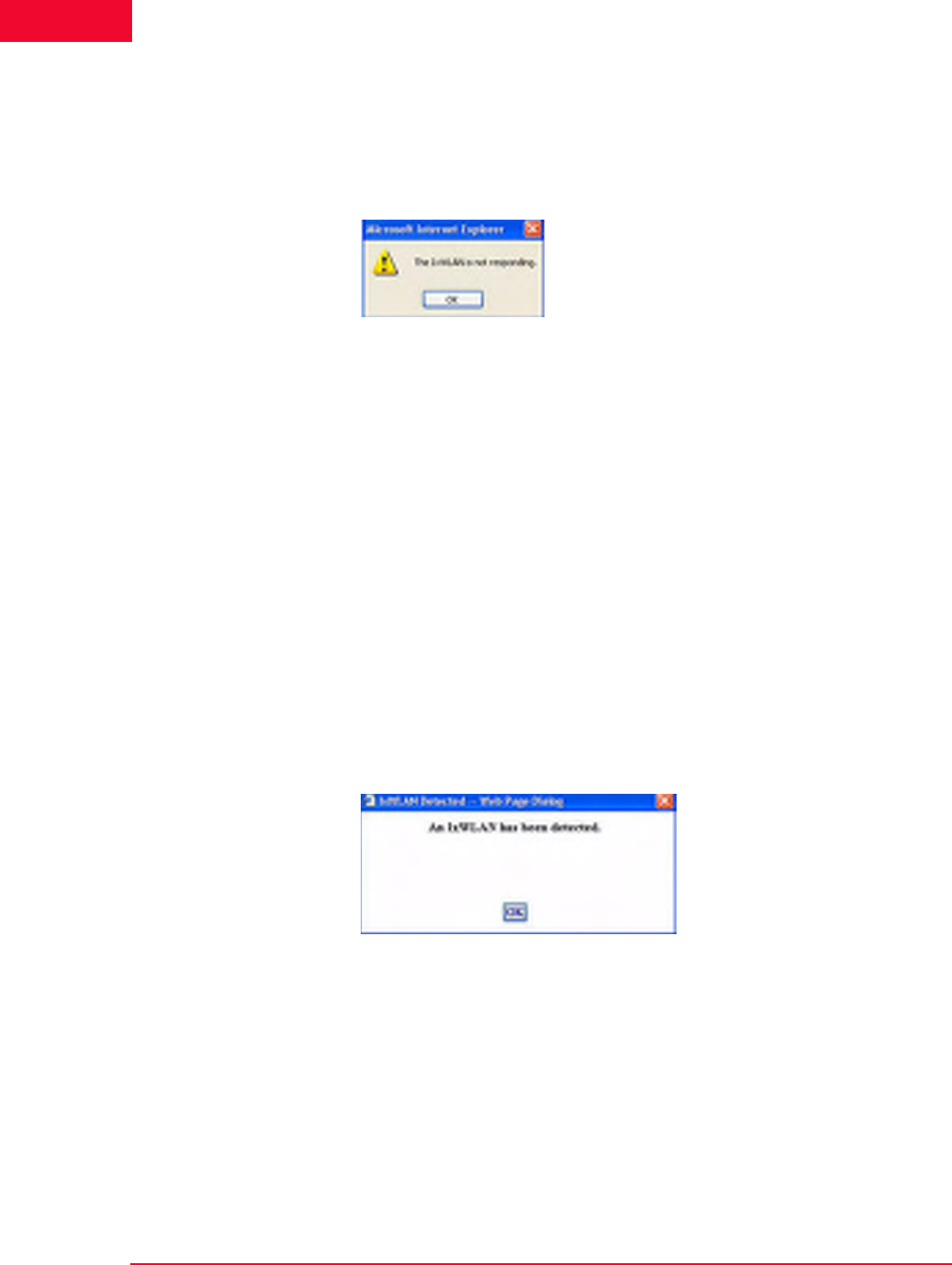
Troubleshooting
Web-Based User Interface Problems
8-6 IxWLAN User Guide, Release 6.20
8
The status (for example, Online) next to the IxWLAN IP address indicates the
current status of IxWLAN with the web-based user interface. This status may
intermittently show Busy. If the Busy condition lasts longer than the Polling
Timeout specified in the Configure IxWLAN dialog, the status changes to Not
Responding and the dialog shown in Figure 8-6 opens.
Figure 8-6. Not Responding Dialog
When this dialog opens, the user interface disables all actions until IxWLAN
starts responding again. When you click OK to dismiss this dialog, the IxWLAN/
System connection status in the status bar shows Offline.
•If Busy displays frequently in the status bar, increase the value of the Polling
Interval in the Configure IxWLAN dialog (see IxWLAN->Configure IxWLAN
on page 4-44).
•If the IxWLAN Not Responding dialog displays frequently, increase the
value of the IxWLAN Polling Timeout in the Configure IxWLAN dialog (see
IxWLAN->Configure IxWLAN on page 4-44).
•If the IxWLAN Not Responding dialog continues to display, check the cable
connections between the command PC and IxWLAN.
•You may also establish a telnet connection to access and log on to the CLI to
verify that IxWLAN is responding or not.
When the Not Responding status is cleared and the web-based user interface
receives a response from IxWLAN, the dialog shown in Figure 8-7 opens.
Figure 8-7. IxWLAN Detected

IxWLAN User Guide, Release 6.20 8-7
Troubleshooting
Missing Key File
Loading Files from
the Command PC
If you try to load a scenario file from the command PC using the web-based user
interface, the browser may open the warning dialog shown in Figure 8-8.
Figure 8-8. Loading Files from the Command PC
If Figure 8-8 opens:
•Click Internet Options from the Tools menu in Internet Explorer.
•Click the Security tab in the Internet Options dialog.
•Click the Trusted sites icon.
•Set the Security level for this zone to Low.
•Click the Sites… button. In the Trusted sites dialog, enter the IxWLAN IP
address in the Add this Web site to the zone field and click the Add button.
Make sure that the Require server verification (https:) for all sites in this
zone field is not checked.
•Click OK in the Trusted sites dialog.
•Click OK in the Internet Options dialog.
Missing Key File
IxWLAN is offered in the following configurations:
•IxWLAN 11a: Supports IEEE 802.11a only.
•IxWLAN 11b: Supports IEEE 802.11b only.
•IxWLAN 11b/g: Supports IEEE 802.11b and 802.11g.
•IxWLAN 11a/b/g: Supports IEEE 802.11a, 802.11b, and 802.11g.
•Each of these configurations can be enhanced with a feature key that enables
IEEE 802.11i-compliant security features including RSN and WPA operation.
Each configuration is shipped with a unique feature key that is stored in the IxW-
LAN flash file system. If the keyfile does not exist or is corrupted, or you have
requested a feature upgrade, the CLI asks you to enter your authorization code to
create the keyfile. There are only two conditions when the authorization code
must be entered:
•Feature Upgrades
and
•Corrupted or non-existent keyfile

Troubleshooting
Missing Key File
8-8 IxWLAN User Guide, Release 6.20
8
If the keyfile is corrupted or does not exist, or you have requested a feature
upgrade, you are asked to enter your unique key or authorization code when you
establish a telnet or serial connection and log on to the CLI.
Example:
C:\>telnet 192.168.0.50
IxWLAN login: Admin
Password: **
Ixia IxWLAN Rev 5.00
System date & time: MON MAY 09 00:00:20 2005
Use the "set date" or "set time" command to adjust
Ixia IxWLAN Rev 5.00
WLAN mode .................... 802.11a
WLAN MAC address ............. 00:02:8a:b6:1e:c9
WLAN address mask ............ ff:ff:ff:ff:00:00
LAN MAC address .............. 00:0b:16:00:00:57
BSSID of System Under Test ... 00:04:e2:38:a7:9c
IxWLAN-SUT connection status ..... SUT not detected in most recent scan
Power Management mode ........ Active (always awake)
MIC Check .................... Enabled
Crypto Hardware............... OK
0 vSTAs now in the system.
IxWLAN ->
*** This IxWLAN has not been Node Locked
*** Please enter "admin" to continue
Enter the admin command and enter Ixia at the password prompt:
IxWLAN -> admin
Password: ***
Ok
When the administrative mode is activated using this command, the CLI prompts
for the authorization code:
Please Enter IxWLAN Authorization Codes for MAC: 00:0b:16:00:00:07
IxWLAN ->
Enter your authorization code at the IxWLAN –> prompt. This authorization
code is provided on a separate sheet in your shipping container with IxWLAN. If
you have lost your authorization code, please contact Ixia Technical Support
(www.ixiacom.com). After you enter the correct authorization code, the CLI
shows the following message.
Thank you...Authorization Codes Accepted
NOTE: The web-based user interface does not give any indication of a missing
keyfile. When the keyfile is missing, the IxWLAN web server does not respond
to the browser.

IxWLAN User Guide, Release 6.20 8-9
Troubleshooting
Recovering a Corrupted Firmware File
When this message displays, the keyfile is created in flash and this procedure is
no longer needed.
Recovering a Corrupted
Firmware File
If you cannot re-establish a telnet connection to the CLI or access the web-based
user interface after a new firmware file is loaded, use the supplied serial cable to
establish a serial connection between the IxWLAN chassis and the command PC.
If the IxWLAN CLI shows the boot prompt ([Boot]:) when connected via the
serial connection, this indicates that the firmware file is invalid or corrupted. You
may recover the system by completing the following procedure.
Needs •A PC to function as an FTP server.
•The IxWLAN firmware file ixwlan.sys
•The serial cable that was shipped with IxWLAN
•A terminal emulation program (for example, HyperTerminal)
•Ethernet cable to connect the IxWLAN chassis with the FTP server over the
network
Summary 1. Make the firmware file available on a local FTP server.
2. Connect the serial cable and start a terminal emulation session.
3. Apply power to the unit and press ESCAPE to show the boot prompt.
4. Change the boot parameters to boot over the network.
5. Perform file management as necessary.
6. Restore the firmware in Flash.
7. Reconfigure the boot parameters to boot from Flash.
Detailed Steps Step 1: Make the firmware file available on a local FTP server.
•The latest IxWLAN firmware file can be downloaded from the Ixia Web site
at http://www.ixiacom.com.
•You must have an FTP server available, from which IxWLAN can load the
firmware file from the network. The ixwlan.sys firmware file must reside on
the FTP server and the server must be configured as necessary with a user ID
that can reach the folder containing the firmware file.
•Use the supplied Ethernet cable to connect the IxWLAN chassis to the net-
work where the FTP server resides (that is, typically, the command PC).
NOTE: If you have installed IxWLAN version 4.1 or later on a unit that was
manufactured before the release of v4.1, your unit may fail in the bootloader
due to an older bootrom version. Please refer to the note at the end of this
procedure.

Troubleshooting
Recovering a Corrupted Firmware File
8-10 IxWLAN User Guide, Release 6.20
8
Step 2: Connect the serial cable and start a terminal emulation session.
•Use the serial cable that is supplied with the unit to connect the IxWLAN
chassis to the command PC.
•On the command PC, run a terminal emulation program such as HyperTermi-
nal, or some other suitable application. The PC’s COM port must be config-
ured at 115200 baud, 8 data bits, 1 stop bit, and no parity.
Step 3: Apply power to the IxWLAN chassis and press ESCAPE on the
command PC until the Boot ([Boot]:) prompt displays.
Step 4: Change the boot parameters to boot over the network.
•At the [Boot]: prompt, use the p command (use lowercase letters) to show the
current boot parameters. Make a note of this information for future reference.
Example:
[Boot]: p
boot device : ata:
unit number : 0
processor number : 0
file name : /ata0a/ixwlan.sys
inet on ethernet (e) : 192.168.0.50:ffffff00
host inet (h) : 192.168.1.254
user (u) : anonymous
ftp password (pw) : ftp
flags (f) : 0x0
other (o) : fei
[Boot]:
•Use the c command (use lowercase letters) to change boot parameters.
•The boot device field must be changed from the Flash file system (ata:0) to
the network device (fei0).
•The file name field must be changed to the location of the firmware file on
your FTP server (for example, c:\temp\ixia\ixwlan.sys).
•Press RETURN to move the cursor past any fields that you do not want to
change.
•The host inet field may need to be changed to the IP address of your FTP
server. Fill in the user field with your FTP password, if necessary, per your
server configuration.
•You may also need to change the IxWLAN IP address and subnet mask (inet
on ethernet) and/or the gateway IP address (gateway inet), as necessary, to
allow IxWLAN to reach your FTP server over the network.
NOTE: The pathname can be no longer than 80 characters and must not
contain any spaces.

IxWLAN User Guide, Release 6.20 8-11
Troubleshooting
Recovering a Corrupted Firmware File
•Press RETURN to end each changed field. Press CTRL-D when finished or
press RETURN past any remaining fields.
Example:
[Boot]: c
'.' = clear field; '-' = go to previous field; ^D = quit
boot device : ata:0 fei0
processor number : 0
host name :
file name : /ata0a/ixwlan.sys C:\Temp\Ixia\ixwlan.sys
inet on ethernet (e) : 192.168.0.20:ffffff00
inet on backplane (b):
host inet (h) : 192.168.0.101 192.168.0.123
gateway inet (g) :
user (u) : anonymous ^D
[Boot]:
•Use the p command (use lowercase letters) again to review the edited boot
parameters.
Example:
[Boot]: p
boot device : fei
unit number : 0
processor number : 0
file name : C:\Temp\Ixia\ixwlan.sys
inet on ethernet (e) : 192.168.0.20:ffffff00
host inet (h) : 192.168.0.123
user (u) : anonymous
ftp password (pw) : my_password
flags (f) : 0x0
other (o) : fei
[Boot]:
•Use the @ command to boot IxWLAN using the current boot parameters.
Example:
[Boot]: @
Attached TCP/IP interface to fei0.
Attaching network interface lo0... done.
Loading... 18936 + 1294544 + 105600
Starting at 0x80480000...
Step 5: Perform file management as necessary.
•Use the terminal emulation program to log on to the IxWLAN CLI.

Troubleshooting
Recovering a Corrupted Firmware File
8-12 IxWLAN User Guide, Release 6.20
8
Example:
IxWLAN login: Admin
Password: **
•Use the ls and ls {dirName} commands to examine the available space in the
file system.
•It may be necessary to delete unused files to create enough available space for
the firmware file. You may want to use the ftp command to save an archive
before deleting. Use the rm command to delete a file.
Step 6: Restore the boot image in flash. Installing the firmware file into
flash can be done from the CLI or the web-based user interface.
•See Appendix C, Software Updates, for procedures needed to update system
software from the CLI. Use the ls command to verify that the file was prop-
erly installed (for example, check the size).
•See IxWLAN->Configure IxWLAN on page 4-44 for procedures needed to
update system software from the web-based user-interface.
Step 7: Reconfigure the boot parameters to boot from Flash.
•At the CLI, activate the administrative mode and use the boot command.
Example:
IxWLAN -> admin
Password: ***
Ok
IxWLAN -> boot flash ixwlan.sys
boot device : ata:
unit number : 0
processor number : 0
file name : /ata0a/ixwlan.sys
inet on ethernet (e) : 192.168.0.20:ffffff00
host inet (h) : 192.168.0.123
user (u) : anonymous
ftp password (pw) : my_password
flags (f) : 0x0
other (o) : fei
•This restores the boot parameters to load the system from the firmware file in
flash.

IxWLAN User Guide, Release 6.20 8-13
Troubleshooting
Recovering a Corrupted Firmware File
Step 8: Done! Reboot and resume operations.
NOTE: If you have installed firmware version 4.1 or later on an IxWLAN unit that
was manufactured before the release of version 4.1, your unit may fail in the
bootloader process due to an older boot ROM version. This can be recovered
using a boot ROM update procedure that is provided in a separate document
that is included with version 4.1+ downloads. If this is the case, you should go to
the Ixia Web site (http://www.ixiacom.com), download IxWLAN firmware version
earlier than v4.1, proceed as directed in Recovering a Corrupted Firmware File
on page 8-9 to boot this version over the network, and perform the bootrom
update procedure. You may then install IxWLAN firmware version 4.1 or later.

Troubleshooting
Configuration Records
8-14 IxWLAN User Guide, Release 6.20
8
Configuration Records
Print the page shown in Table 8-1 and use the form to keep a record of the IxW-
LAN configuration parameters.
Table 8-1. IxWLAN Configuration Parameters
Parameters Default CLI Commands Configured Value
IP address 192.168.0.50 set ipaddr
Subnet mask 255.255.255.0 set ipmask
Gateway 0.0.0.0 set gateway
Username Admin set login
Password IxWLAN set password
WLAN MAC
Address
(wport1)
00:0b:6b:4e:ef:7f set wlanmac
WLAN MAC
Address
(wport2)
00:0b:6b:4e:ef:7f set wlanmac
WLAN MAC
Address
(wport3)
00:0b:6b:4e:ef:7f set wlanmac
WLAN MAC
Mask
(wport1)
ff:ff:ff:ff:00:00 set wlanmask
WLAN MAC
Mask
(wport2)
ff:ff:ff:ff:00:00 set wlanmask
WLAN MAC
Mask
(wport3)
ff:ff:ff:ff:00:00 set wlanmask

IxWLAN User Guide, Release 6.20 8-15
Troubleshooting
Configuration Records
Table 8-1. IxWLAN Configuration Parameters (Continued)
Parameters Default CLI Commands Configured Value

Troubleshooting
Configuration Records
8-16 IxWLAN User Guide, Release 6.20
8

IxWLAN User Guide, Release 6.20 A-1
AAppendix A: Specifications
This appendix covers the following topics:
•Hardware on page A-1.
•Software on page A-2.
Hardware
Standards: IEEE 802.3, 802.3u, 802.11a, 802.11b, 802.11g, 802.11i, 802.1X
Ports:
•IxWLAN SED/SED-MR+ Ports:
•(1) 10/100Base-T Ethernet management port, RJ-45 (UTP)
•(1) 10/100/1000Base-T Ethernet data port, RJ-45 (UTP)
•(1) RS-232 (DB9)
•(1) 3-prong power cord receptacle
Frequency Range: 802.11a: 5GHz UNII band, 802.11b/g: 2.4 GHz band.
Modulation Technology: OFDM and CCK
Data Rates:
• 54, 48, 36, 24, 18, 9, 6 Mb/s OFDM
• 11, 5.5 Mb/s CCK
• 2 Mb/s QPSK
• 1 Mb/s BPSK
Media Access Control: CSMA/CA
Wireless Frequency Range:
•2.4 to 2.4825 GHz

Software
A-2 IxWLAN User Guide, Release 6.20
A
•4.900 to 5.825 GHz
LEDs:
•Ethernet Link/Activity
•Wireless Activity
Antenna Type: Dual 1.5dBi stable diversity antenna (2.4G/5G). Power software
configurable.
Physical Dimensions:
•IxWLAN SED: L = 8 inches, W = 13 inches, H = 2 inches
•IxWLAN SED-MR+: L = 8 inches, W = 13 inches, H = 2 inches
Temperature:
•Operating: 0°C to 55°C (32°F to 131°F)
•Storing: -40°C to 70°C (-40°F to 158°F)
Humidity: 5%-95% Typical, non-condensing
Safety and Emissions: FCC
Channels supported in GHz: The following are the standard channels set by
default for USA usage: 802.11a: 36(5.180), 40(5.200), 44(5.220), 48(5.240),
52(5.260), 56(5.280), 60(5.300), 64 (5.320), 149 (5.745), 153 (5.765), 157
(5.785), 161 (5.805), 165 (5.825). 802.11b/g: 1 (2.412), 2 (2.417), 3 (2.422), 4
(2.427), 5 (2.432), 6 (2.437), 7 (2.442), 8 (2.447), 9 (2.452), 10 (2.457), 11
(2.462). Additional channels, as appropriate, are enabled and supported by set-
ting the Country Code (see IxWLAN Commands on page 5-59).
Software
IxWLAN Core:
•IEEE 802.11a, 802.11b, 802.11g
•Maximum number of vSTAs:
•IxWLAN SED: 64 (59 if all are configured for WPA or RSN authentica-
tion)
•IxWLAN SED-MR+: 128 (128, if all are configured for WPA or RSN
authentication and multiradiomode is static and 59 if multiradiomode is
dynamic)
Performance:
•Average Latency per frame (us) at 54 Mbps: IxWLAN-to-System Under Test:
minimum 263, maximum 609, average 279. System Under Test-to-IxWLAN:
minimum 279, maximum 574, average 315.

IxWLAN User Guide, Release 6.20 A-3
Software
•Internal traffic ping rate: 4 pings/s/vSTA with packet size 0...1024 bytes.
Maximum rate for IxWLAN SED: 4 x 64=256 packets/s
Maximum rate for IxWLAN SED-MR+: 4x128 =512 packets/s.
•Rate of vSTA authentication/association management frames: 1 authentica-
tion or association each 50 ms.
•Network Management: Web-Based browser with JavaScript and Command
Line Interface (CLI)
•To prevent multiple interfaces from generating extraneous ACK frames in the
event that more than one interface is tuned to the same channel when in the
dynamic mode, automatic ACK generation is turned off in higher-numbered
interfaces. It is possible that this may cause an issue if the device is used in a
test in which the antenna is removed and the device is cabled directly to the
SUT. Note that conducted operation is not fully supported.
Web-Based User Interface:
•Maximum number of groups per Scenario: 10
•Maximum monitors per Scenario: 4
Security:
•Cipher Encryption Mode: Shared WEP key, TKIP, or AES-CCM per vSTA
•Authentication: Open-System, Shared-Key, RSN, RSN-PSK, WPA or WPA-
PSK per vSTA
•Up to 4 Shared WEP encryption keys: 40-, 104-, 128-bit for Open-System
and Shared Key Authentication
•Pre-Shared Key or Passphrase per vSTA for RSN-PSK and WPA-PSK
Authentication
•Certificate and user ID per vSTA for RSN and WPA Authentication
•EAP Algorithm: TLS, TTLS, or PEAP per vSTA for RSN and WPA Authen-
tication
•Inner Algorithm: MS-CHAPv2 or EAP-MS-CHAPv2 per vSTA for TTLS
and PEAP EAP Algorithms.
•Outer ID and Password per vSTA for TTLS and PEAP EAP Algorithms.
RTS/CTS: Support for RTS/CTS per vSTA
Fragmentation: Fragment Threshold support per vSTA
Rates: 802.11a: 6, 9, 12, 18, 24, 26, 48, 54 Mbps. 802.11b: 1, 2, 5.5, 11 Mbps.
802.11g: 1, 2, 5.5, 11, 6, 9, 12, 18, 24, 36, 48, 54.
Circular Event Log: up to 8000 records. The web-based user interface displays
up to the last 100 records.
Telnet Sessions: up to 4

Performance
A-4 IxWLAN User Guide, Release 6.20
A
Maximum 802.3 packet size: 1518 bytes
802.11 Emulation: Fully emulates 802.11 station states in terms of: authentica-
tion, association, disassociation, de-authentication
Operational Mode: Constant Awake Mode (CAM) or Power Save Mode
External mode: Layer 2 traffic or Layer 3 IP/ARP traffic, per vSTA
DHCP client: available per vSTA
Internal Login: user name and password
Flash size: 3.0 MBytes Total/1.2 MBytes Available for scenarios, event logs, and
statistics storage
Performance
Table A-1 shows the calculated theoretical throughput of an 802.11a, b, or g sta-
tion when associated with an 802.11-compliant access point. Due to the nature of
testing in an 802.11 environment, the results that you experience may vary
depending on the device being tested and other system components, as IxWLAN
assesses the entire System Under Test. Throughput is shown for unidirectional
traffic between a theoretical Station and AP (System Under Test) and is given in
Mb/s and Packets-per-second. Calculations for 802.11g assume that the 802.11g
AP is set to give compatibility with 802.11b stations, thus degrading overall the-
oretical 802.11g throughput.
Table A-1. Theoretical Throughput of an 802.11 System
802.11a Theoretical
unidirectional @54Mbps 802.11b Theoretical
unidirectional @11Mbps 802.11g Theoretical
Unidirectional @54 Mbps, in
802.11b-Compatibility Mode
64 Bytes 2.65 Mbps/5181 pps 0.70 Mbps/1358 pps 0.84 Mbps/1644 pps
128 Bytes 5.00 Mbps/4878 pps 1.31 Mbps/1278 pps 1.65 Mbps/1612 pps
256 Bytes 9.27 Mbps/4524 pps 2.34 Mbps/1142 pps 3.22 Mbps/1572 pps
512 Bytes 15.99 Mbps/3831 pps 3.85 Mbps/941 pps 6.06 Mbps/1479 pps
1024 Bytes 24.31 Mbps/2967 pps 5.71 Mbps/697 pps 10.89 Mbps/1329 pps
1280 Bytes 27.44 Mbps/2680 pps 6.32 Mbps/617 pps 12.99 Mbps/1269 pps
1518 Bytes 29.68 Mbps/2444 pps 6.76 Mbps/557 pps 14.73 Mbps/1213 pps

IxWLAN User Guide, Release 6.20 A-5
Performance
NOTES:
1. Frames include the TCP/IP header, plus the data packet.
2. Data Packet is the payload within the frame.
3. pps = Packets-per-Second.
4. Detailed performance results for IxWLAN in terms of throughput (Mb/s and
Packets-per-Second) are available upon request from Ixia.

Performance
A-6 IxWLAN User Guide, Release 6.20
A

IxWLAN User Guide, Release 6.20 B-1
BAppendix B: Event Logging
This chapter covers the following topics:
•Overview on page B-1.
•Event Record Format on page B-2.
•CLI Commands on page B-3.
•The Web-Based User Interface on page B-4.
Overview
During normal operation, IxWLAN processes and can log various types of
events. When an event is logged, a record of the event is stored for future analy-
sis. The event record includes a timestamp, an indicator of the type of event that
occurred, and a limited amount of data to describe the event. Event logging is
controlled on three levels:
•master enable (controlled by set evlog enable/disable) on page B-1.
•verbosity level (controlled by set evlog level <level>) on page B-1.
•module enable (controlled by set evlog module <module name> enable/
disable) on page B-2.
master enable
(controlled by set
evlog enable/
disable)
The master enables controls whether event logging occurs at all. The master con-
trol is independent of other filters. If set evlog disable is used, enabling event
logging for a particular module has no effect.
verbosity level
(controlled by set
evlog level <level>)
The verbosity level sets an importance threshold for events: at lower verbosity,
only more important events are logged; at higher verbosity, less important events
may also be logged.

Event Record Format
B-2 IxWLAN User Guide, Release 6.20
B
module enable
(controlled by set
evlog module
<module name>
enable/disable)
Each event is processed by a given module or process within IxWLAN. The var-
ious processes of the system can be individually enabled for event logging.
The event logging function stores event records into a buffer area in memory.
The log buffer is a circular buffer that can store 512 event records. The get evlog
buffer command can be used to display the contents of the buffer at any time.
Event data can also be written to a log file in Flash. When writing to a file is
enabled by the set evlog file enable command, the log buffer is flushed to a file
every 30 seconds or every time it wraps at the 512-record limit (whichever comes
first). There are two log files, A and B. IxWLAN alternates between the two files
so that at least one full file is available at any given time. Each log file can store
up to 4,000 event records. You can show the records stored in either file using the
get evlog file A and get evlog file B CLI commands.
Event Record Format
Event records are printed in the following format:
[header]: [message] [optional parameters]
[header] is a standard header consisting of a timestamp, microsecond clock ref-
erence, and sequence number (for example, 12/27/2002, 9:59:57,
2296.320226,11396). timestamp = time the event occurred, taken from the sys-
tem clock (for example, 12/27/2002,9:59:57). microsecond clock reference =
time in seconds (s), resolution to 1 microsecond ( ), not synchronized to times-
tamp (for example, 2296.320226). sequence number = a sequential number
assigned to each record (for example, 11396; next event would be 11397, 11398,
and so on)
[message] is a very brief text string (typically < 15-20 characters) indicating the
type of event that occurred (for example, RX: ok indicates a valid 802.11 frame
received without error).
[optional parameters] describes the specific circumstances of this particular
occurrence of the event. It can be up to four 32-bit parameters (for example,
pDesc 0x9326c0 hwStatus 01cd803c:0be20203 numRxDesc 9643712).
Example:
12/27/2002,9:59:57,2296.320226,11396: RX: ok pDesc 0x9326c0 hwStatus
01cd803c:0be20203 numRxDesc 9643712
μs

IxWLAN User Guide, Release 6.20 B-3
CLI Commands
CLI Commands
The following CLI commands control event logging:
set evlog enable/disable: This is the master control to enable/disable event log-
ging (that is, to the event log buffer in RAM). The default is enabled.
set evlog level <level>: Sets the verbosity level (0/critical, 1/low, 2/medium, or
3/high) for event logging. The default is critical.
set evlog module <module> enable/disable: Enables or disables logging of
events from a specified module or process: IxWLAN control, virtual station con-
trol, WLAN transmit/receive events, User Interface events, and WPA/RSN
events. By default, the following processes are enabled for event logging: IxW-
LAN control events, virtual station control events, and WPA/RSN events. The
following processes are disabled for event logging: WLAN transmit and receive
events and User Interface events.
set evlog console enable/disable: Enables or disables logging directly to the
console. The default is disabled. When the set evlog console enable command is
entered at a CLI console (for example, connected to the serial port or via a telnet
session), event data is posted to that console only. No more than one console
receives event data at a given time. When the set evlog console disable com-
mand is entered at any console, event logging is disabled to all consoles.
set evlog file enable/disable: Enables or disables recording logged events to file.
The default is disabled.
get evlog settings: This command shows the current event log control settings.
get evlog buffer [n]: Prints the last n events logged to the log buffer in memory.
If [n] is omitted or zero, all events currently in the log buffer display.
get evlog file A/B <startRec#> <count>: Shows event records in log file A or B.
If no starting record number <startRec#> is given, records display starting with
the first record in the file. If no count of records is given, all records display. You
can also use “?” to display the number of records in the file.
clear evlog file A/B: Clears all records from log file A or B.
clear evlog buffer: Clears all event records from the log buffer.
save evlog: Flushes all records from the log buffer to the log file, even if log to
file is not enabled.
NOTE: Event log control settings are not permanent. They are not saved with
other configuration controls. They must be entered following startup as desired
to change event log operation from the default settings.

The Web-Based User Interface
B-4 IxWLAN User Guide, Release 6.20
B
The Web-Based User Interface
You can configure and display the event log by selecting the Logging tab in the
web-based user interface side bar. For details, see Event Log Side Bar on page 4-
63.
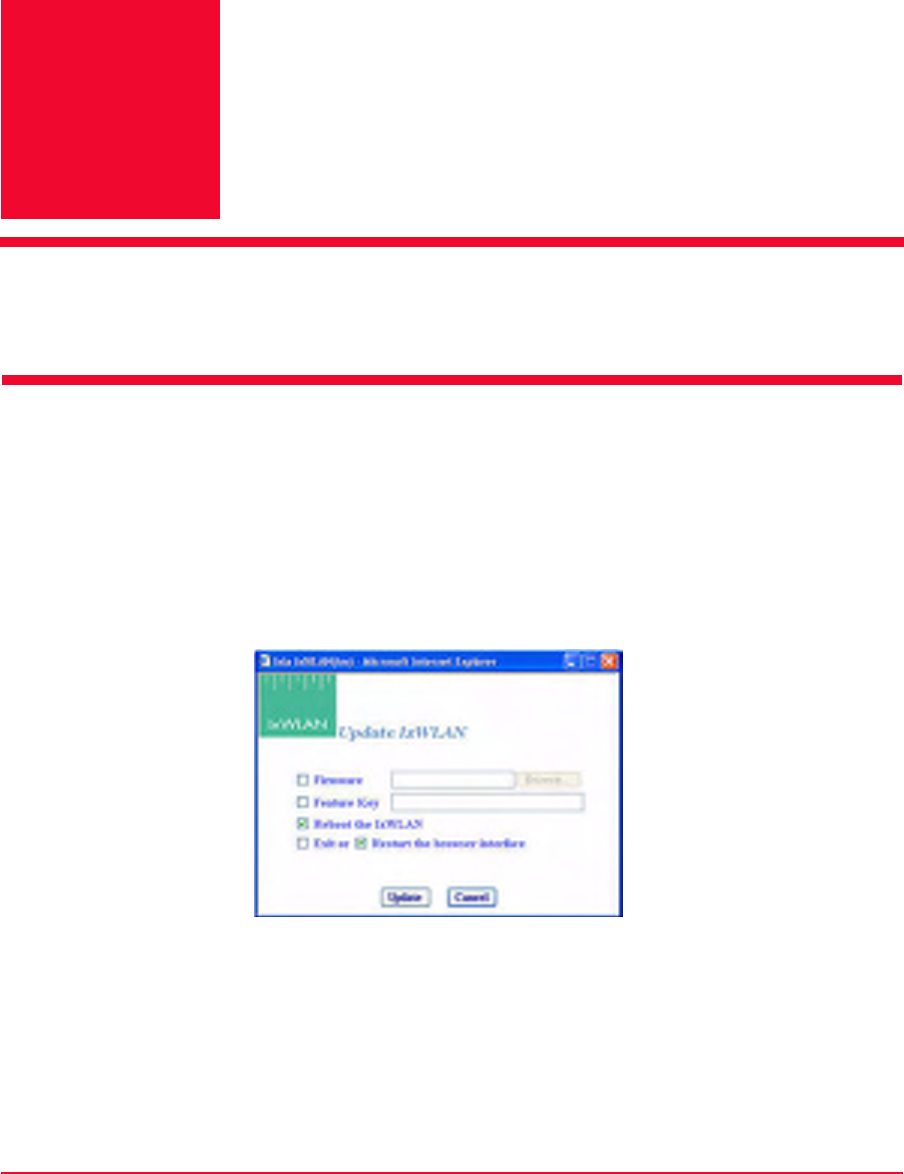
IxWLAN User Guide, Release 6.20 C-1
CAppendix C: Software Updates
This appendix covers the following topics:
•Using the Web-Based User Interface on page C-1.
•Using the CLI on page C-3.
Using the Web-Based User
Interface
IxWLAN software can be updated using the web-based user interface or the CLI.
Click the Update button in the IxWLAN side bar or select Update IxWLAN...
from the About menu to open the Update IxWLAN dialog, as shown in Figure
C-1.
Figure C-1. Update IxWLAN Dialog
Firmware: To update IxWLAN firmware, check this box and enter the location
of the firmware image file on the command PC or click the Browse... button to
select the location on the command PC. The Firmware field must be a valid file
name with a file type of .SYS (case insensitive) and the file must exist on the
command PC.
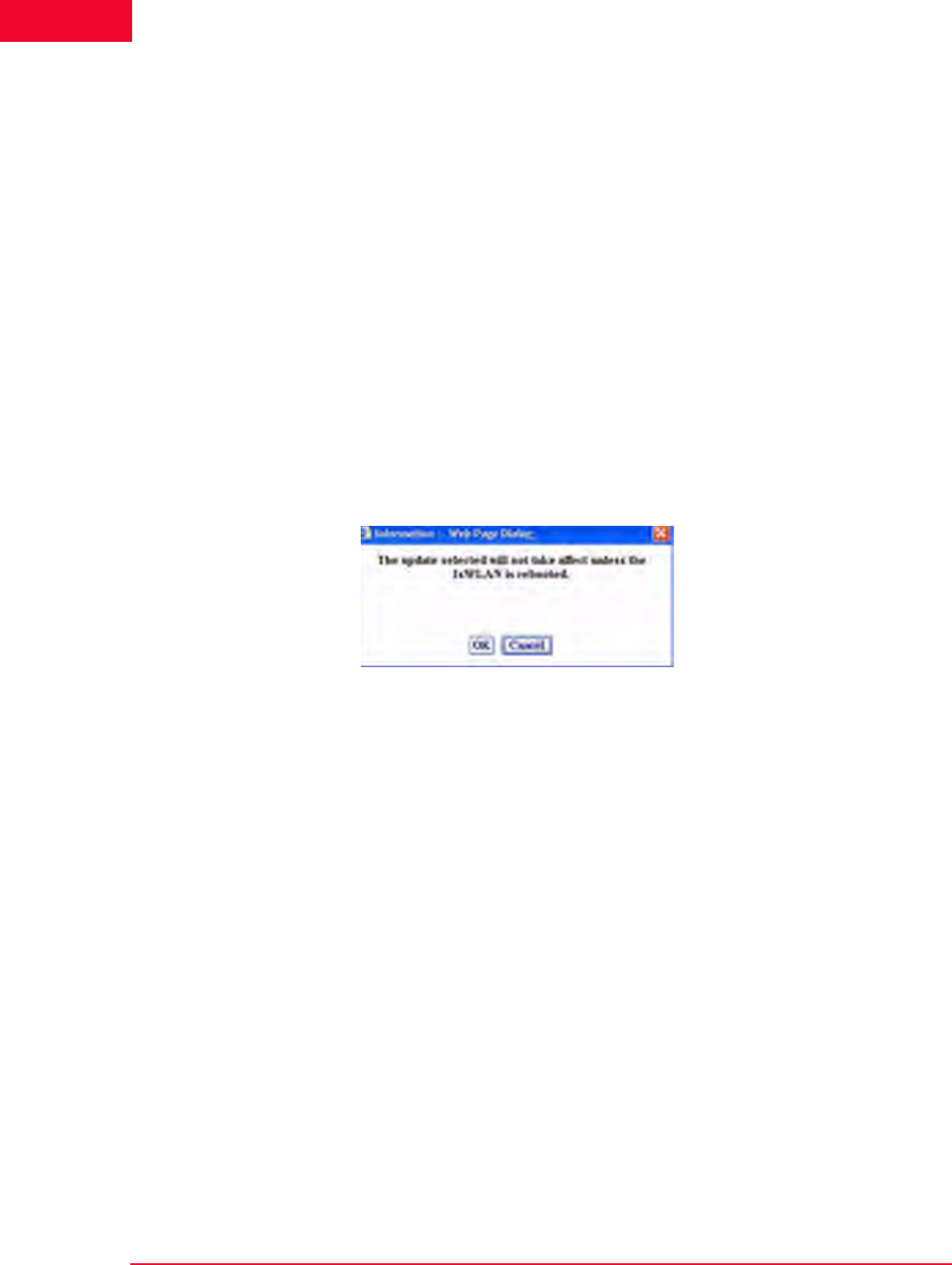
Using the Web-Based User Interface
C-2 IxWLAN User Guide, Release 6.20
C
Feature Key: To update the IxWLAN feature key, check this box and enter the
feature key hex string. The Feature Key must be a valid ASCII hex string of
exactly 52 characters and a valid feature key.
Reboot IxWLAN: Check this box to reboot IxWLAN after the new firmware
image or feature key is successfully loaded.
Exit or Restart the browser interface: Check the box next to Exit to exit the web-
based user interface after the new firmware image or feature key is successfully
loaded. Check the box next to Restart to restart the web-based user interface fol-
lowing successful IxWLAN update.
•Click the Update button to start the IxWLAN Update.
•Click the Cancel button to exit this dialog.
If this dialog is not completed correctly (for example, invalid or missing firm-
ware file, invalid feature key, and so on), the field is highlighted and an error
message dialog identifies the error. If the Reboot IxWLAN checkbox is not
clicked, a warning dialog opens, as shown in Figure C-2:
Figure C-2. Warning Dialog
•Click OK to continue IxWLAN Update without Reboot.
•Click Cancel to return to the Update IxWLAN dialog.
If any errors occur during firmware update (for example, flash file system is full),
the error is reported in an error message dialog. If an invalid or corrupted firm-
ware image file is specified, the IxWLAN reboot fails. If this condition occurs,
the CLI must be used to correct the problem. See Recovering a Corrupted
Firmware File on page 8-9.

IxWLAN User Guide, Release 6.20 C-3
Using the CLI
Using the CLI
Complete the following steps to load a new software file on the IxWLAN chassis
flash file system using the CLI.
Step 1: If you are already logged on to the CLI, type reboot to return
IxWLAN to a known state.
reboot
Step 2: Use Telnet to log back on to the CLI.
C:\>telnet 192.168.0.50
IxWLAN login: Admin
Password: ******
Ixia IxWLAN Rev 5.00
[wport1]IxWLAN ->
This step uses the IxWLAN default IP address (192.168.0.50). If you have
changed the IP address, use the address that you have previously configured in
IxWLAN.
Step 3: Use the ls command to verify that there is enough space in the
flash file system for the new software.
[wport1]IxWLAN -> ls
Step 4: Compare the bytes free count to the size of the software file that
you want to download. If there is not enough space, use the rm command
to remove one or more files from flash. Do not remove: keyfile, eecfg, or
ixwlan.sys.
[wport1]IxWLAN -> rm <file_name>
Step 5: You must have an FTP server running to complete this step. In
the CLI, enter the ftp command and the command PC’s IP address.
[wport1]IxWLAN -> ftp 192.168.0.2
Step 6: Enter your FTP server user name and password. Press RETURN
in response to either prompt, if there is no user name or password.
Username: <your_user_name>
Password: <your_password>
Step 7: At the prompt for a remote file, provide the pathname to the latest
ixwlan.sys file on your PC (for example, c:\ixwlan.sys). For the local file,
use ixwlanNEW.sys. Enter download at the download or upload prompt.

Using the CLI
C-4 IxWLAN User Guide, Release 6.20
C
Remote File: c:\ixwlan.sys
Local File: ixwlanNEW.sys
download or upload: down
Getting @192.168.0.2:c:\ixwlan.sys -> ixwlanNEW.sys
###########################################################
###########################################################
###########################################################
###########################################################
###########################################################
###########################################################
###########################################################
###########################################################
###########################################################
###########################################################
###########################################################
###########################################################
###########################################################
###########################################################
#
done
1007441 bytes
[wport1]IxWLAN ->
Step 8: When the transfer completes, use the ls command to verify that
the size of the file in Flash has the same number of bytes as the file on
the FTP server/command PC.
[wport1]IxWLAN -> ls
Step 9: At the IxWLAN -> prompt, type the following command to move
the file and use the correct boot name.
[wport1]IxWLAN -> mv ixwlanNEW.sys ixwlan.sys
Step 10: When the move is complete, use the ls command to verify that
the file has been moved with the correct name.
[wport1]IxWLAN -> ls
Step 11: Use the reboot command to reboot IxWLAN and activate the
new software.
[wport1]IxWLAN -> reboot
After reboot, you must re-establish the telnet session to log back on to the CLI.
•If you are not able to re-establish the telnet session after a software update,
see Recovering a Corrupted Firmware File on page 8-9.
•If the CLI displays the “This IxWLAN has not been Node Locked” message
after you enter the logon name and password, see Missing Key File on page 8-
7.

IxWLAN User Guide, Release 6.20 C-5
Using the CLI
If you are using the web-based user interface, you must clear the Internet
Explorer cache after a software upgrade.
•From Internet Explorer, select Tools->Internet Options.
•From Internet Options, under Temporary Internet files, click the Delete
Files…button.
•From Delete Files, click Delete all offline content, then OK.

Using the CLI
C-6 IxWLAN User Guide, Release 6.20
C
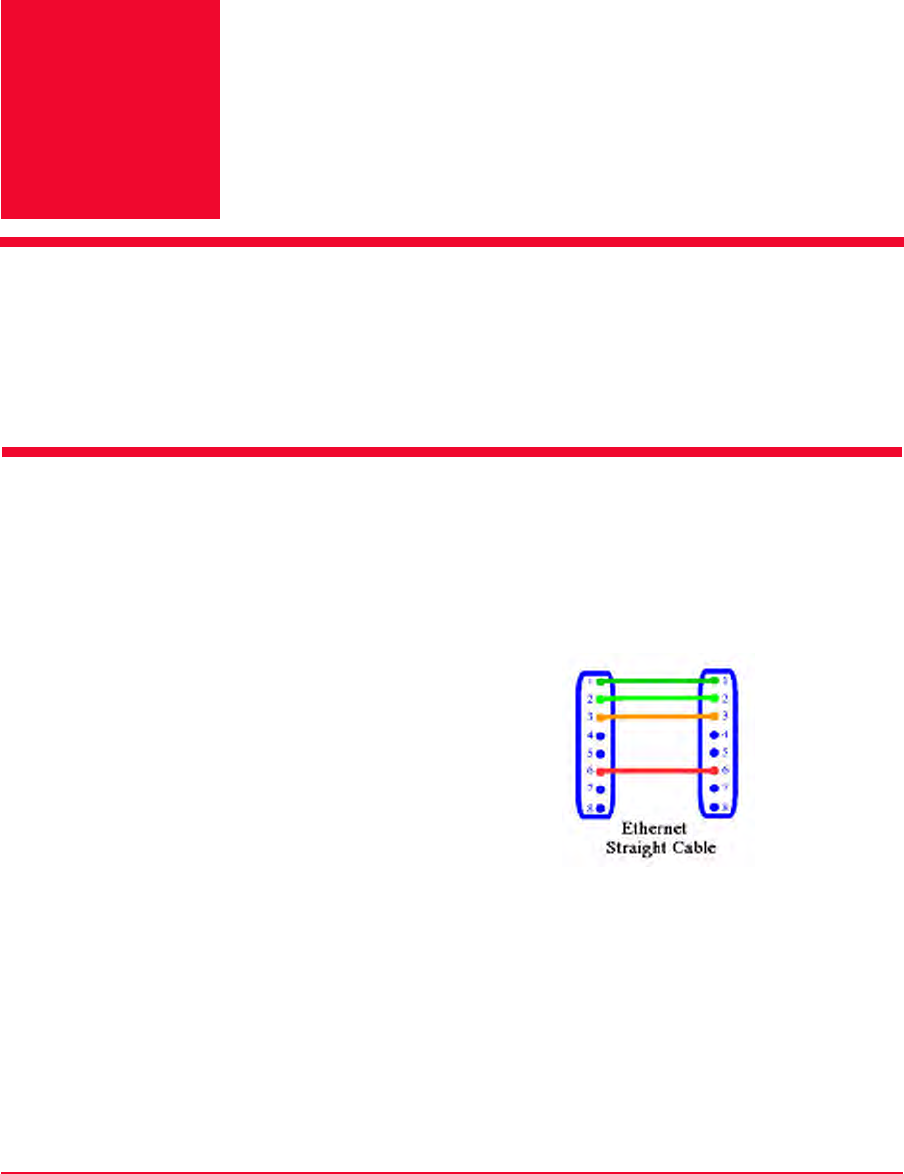
IxWLAN User Guide, Release 6.20 D-1
DAppendix D: Cable Pin Assignments
This appendix covers the following topics:
•Standard Ethernet Cable on page D-1.
•Ethernet Crossover Cable on page D-2.
•RJ-45 Connector on page D-2.
•Serial Cable on page D-3.
Standard Ethernet Cable
A straight cable can be used to connect the Command PC to a hub and the hub to
the IxWLAN SED/SED-MR+ chassis. For a straight cable, the wires match one
for one (Figure D-1). This cable is not provided with IxWLAN.
Figure D-1. Connecting via Standard Ethernet Cable
Pin 1: Rx+
Pin 2: Rx-
Pin 3: Tx+
Pin 4: Not Used
Pin 5: Not Used
Pin 6: Tx-
Pin 7: Not Used
Pin 8: Not Used
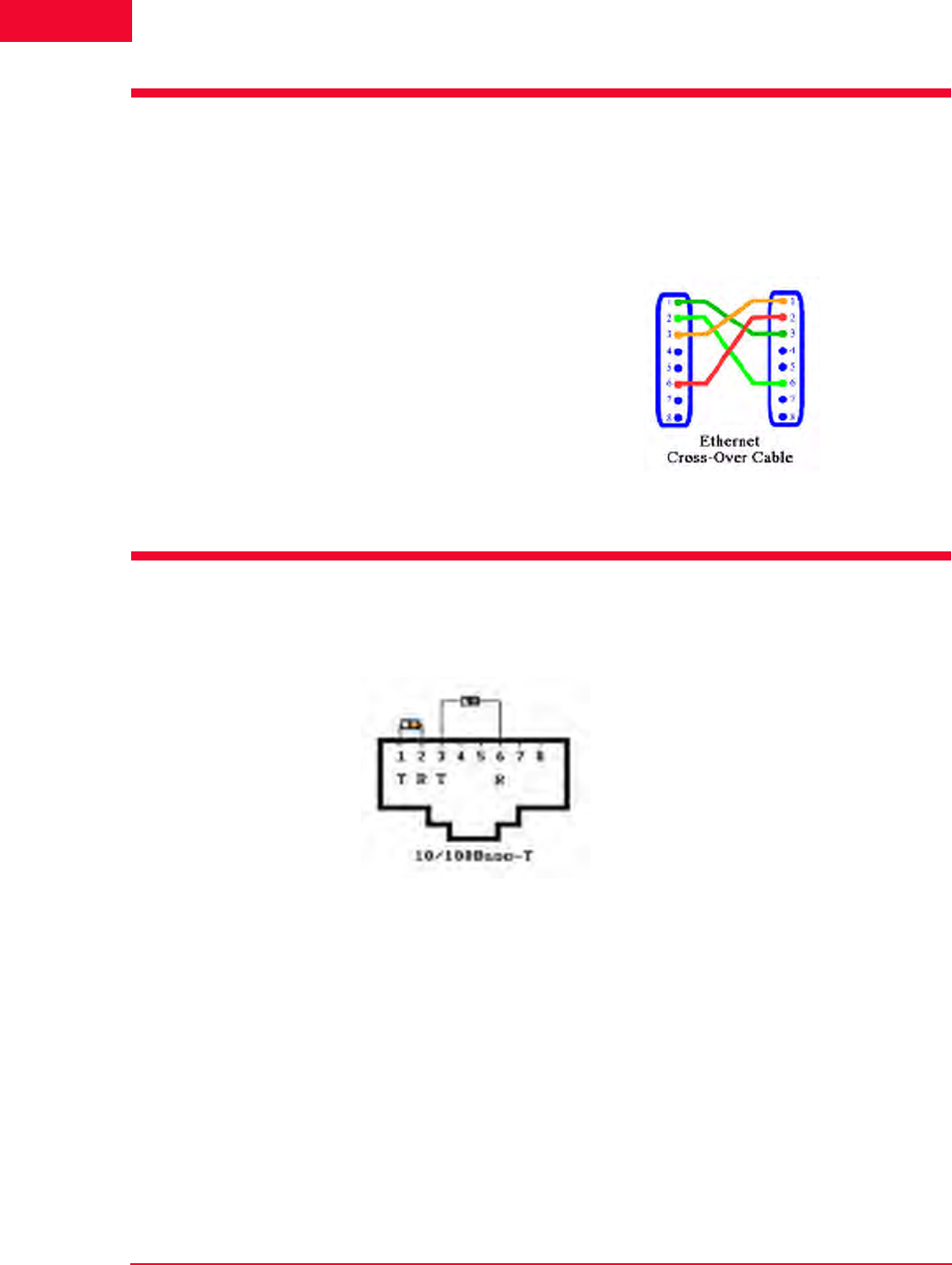
Ethernet Crossover Cable
D-2 IxWLAN User Guide, Release 6.20
D
Ethernet Crossover Cable
A crossover cable must be used to connect the Command PC directly to the IxW-
LAN SED/SED-MR+ chassis (Figure D-2). This cable is provided with IxW-
LAN.
Figure D-2. Connecting via Ethernet Crossover Cable
RJ-45 Connector
Refer to Figure D-3.
Figure D-3. RJ-45 Connector
Pin 1: Rx+
Pin 2: Rx-
Pin 3: Tx+
Pin 4: Not Used
Pin 5: Not Used
Pin 6: Tx-
Pin 7: Not Used
Pin 8: Not Used

IxWLAN User Guide, Release 6.20 D-3
Serial Cable
Serial Cable
Table D-1 shows the connector pin assignments for the DB9 connector. The pro-
vided serial cable is a straight cable with female and male connectors. In this
table, DTE refers to the local or IxWLAN side of the connection, while DCE is
the remote side.
Table D-1. DB-9 Connector Assignments
DB-9 Signal Direction Signal Name
1 x Protective Ground
3 DTE-to-DCE Transmitted Data
2 DCE-to-DTE Received Data
7 DTE-to-DCE Request To Send
8 DCE-to-DTE Clear To Send
6 DCE-to-DTE Data Set Ready
5 x Signal Ground
1 DCE-to-DTE Received Line Signal Detector (Carrier
Detect)
4 DTE-to-DCE Data Terminal Ready
9 DCE-to-DTE Ring Indicator

Serial Cable
D-4 IxWLAN User Guide, Release 6.20
D

IxWLAN User Guide, Release 6.20 E-1
EAppendix E: Error and Status
Messages
The CLI may show the following error and status messages in response to incor-
rect or unexpected user actions or WLAN activity.
•IxWLAN or Virtual Station Control Messages on page E-1.
•WLAN Driver Error Messages on page E-5.
•MAC Layer Management Messages on page E-6.
•Standard 802.11 WLAN Reason Codes on page E-7.
•Standard 802.11 WLAN Status Codes on page E-8.
IxWLAN or Virtual Station
Control Messages
Authentication suite invalid or not set: This message is related to missing or
inconsistent Information Element fields/values (related to security). The security
Information Elements are in Beacon frames (broadcast by a System Under Test),
Probe Response frames (transmitted by a System Under Test), and Association
Requests frames (transmitted by a vSTA). The WPA Information Element
includes entries that are used to negotiate the authentication algorithm and data
encryption algorithm. When enabled by a feature key, IxWLAN supports the Pre-
Shared Key over 802.1X authentication algorithm. This message indicates that
the vSTA has not been configured for WPA-PSK.
Can’t add entry to ARP table: This message is generated when the system tries
to add an IP/MAC address pair to the ARP table and the operation fails. This
message indicates that the IP address is already in the ARP table, some other net-
work node has claimed the same IP address, or system resources are low.
Can’t allocate TLS session resource: The system is unable to allocate memory
for a TLS (Transport Layer Security) session related resource. This message indi-
cates a system level condition, as there should always be enough memory for the
maximum number of WPA or RSN vSTAs.

IxWLAN or Virtual Station Control Messages
E-2 IxWLAN User Guide, Release 6.20
E
Can't resolve gateway's address: The target IP address (internal mode vSTA) is
not on the same IP subnet/net as IxWLAN. IxWLAN must forward the Ping
frames to a gateway (through which the target may be reached). To forward
frames to the gateway, IxWLAN must resolve the gateway's MAC address. This
is done by issuing ARP (Address Resolution Protocol) requests for the gateway's
MAC address. The error message indicates that the gateway is either not up or
not responding to ARP requests. The gateway must be on the same IP subnet/net
as IxWLAN.
Can't resolve target's address: The target host is not responding to IxWLAN
ARP requests. In order for IxWLAN to forward Ping frames to the target IP
address, IxWLAN must resolve the target's MAC address. This is done by issu-
ing ARP (Address Resolution Protocol) requests for the target's MAC address.
The error message indicates that the target is either not up or not responding to
ARP requests. The target host must be on the same IP subnet/net as IxWLAN or
on the same IP subnet/net as IxWLAN's gateway.
Certfile not configured: The certfile attribute for the specified vSTA has not
been set. This attribute is needed in order for IxWLAN to find and parse the
user’s certificate.
Certfile not found: The certificate file specified by the certfile attribute for the
specified vSTA was not found on the IxWLAN flash file system.
Certificate’s public key doesn’t match private key: An incorrect key pair is
being used. Most likely the certificate was not generated correctly.
Certificate’s user password not set: When the certificate represented by the
certfile attribute was generated, the user password field was not specified.
DHCP Discover/Request timed out: A DHCP server has not responded to IxW-
LAN's (vSTA) DHCP discovery frame or to a DHCP request frame within ~32
seconds (4 retries, 8 second interval between tries). Neither the timeout value nor
the interval value is user configurable.
DHCP IP offered already in use: The address offered by the DHCP server is
already assigned to a vSTA.
DHCP Lease expired: The lease on an IP address has expired. IP addresses are
“leased” for a period of time and may or may not be renewed.
IxWLAN Lost SUT (no beacons): IxWLAN was joined with the System Under
Test but has stopped receiving beacons from it.
IxWLAN Not joined with System Under Test: A requested operation could not
be performed because IxWLAN is not joined with a System Under Test.
vSTA Timed out 4-way handshake: IxWLAN has timed out the AKMP 4-way
handshake. This message indicates that either message 1 or message 3 has not
been received for the specified vSTA. The vSTA's kmTimeout attribute speci-
fies the timeout value in milliseconds (ms).

IxWLAN User Guide, Release 6.20 E-3
IxWLAN or Virtual Station Control Messages
vSTA Timed out TLS handshake: The TLS (Transport Layer Security) hand-
shake has been timed out by IxWLAN for a given vSTA. This occurs when IxW-
LAN is expecting a TLS response from the Authenticator that has not arrived
within a specified time period.
Internal system error: Requested operation resulted in an unspecified internal
error.
Invalid message identifier: Internal error—the vSTA control task received a
Command message with an invalid message identifier.
Invalid object identifier: The vSTA control task received a GET or SET Com-
mand message with an invalid Object identifier.
Invalid object value: The vSTA control task received a SET Command message
with an invalid object value.
Invalid operation: Internal error—the vSTA control task received a Command
message with an invalid operation code.
Invalid vSTA identifier: The vSTA control task received a Command message
with an invalid vSTA identifier.
Invalid vSTA state for operation: A requested operation could not be per-
formed because the specified vSTA is not in the appropriate state.
Multicast Cipher invalid or not set: This message is related to missing or
inconsistent Information Element fields/values (related to security). The security
Information Elements are in Beacon frames (broadcast by a System Under Test),
Probe Response frames (transmitted by a System Under Test), and Association
Requests frames (transmitted by a vSTA). The WPA Information Element
includes entries that are used to negotiate the authentication algorithm and data
encryption algorithm. IxWLAN supports: none, WEP, TKIP, or AES-CCM mul-
ticast ciphers. This message indicates that the vSTA has not been configured with
a valid cipher setting (not set or does not match what the System Under Test
allows/wants).
No AUTH/ASSOC response from AP: This message is generated if IxWLAN
timeout logic has timed out the auth/assoc request (set vsta n timeout).
Pre-Shared Key not set: Either the passPhrase or the PSK (Pre-Shared Key)
attribute for the specified vSTA has not been set. Note that IxWLAN can use the
passPhrase value to generate the Pre-Shared Key.
Server denied access: IxWLAN received an EAP_FAILURE message for the
specified vSTA.
TLS Error, see event log: This message is generated when the TLS (Transport
Layer Security) stack has reported errors for the previous operation. In some
cases, more than a single error may have occurred. Each error is recorded in the
event log and may be viewed using the get evlog buffer command or the get
evlog file command (if logging to file has been enabled). These errors usually

IxWLAN or Virtual Station Control Messages
E-4 IxWLAN User Guide, Release 6.20
E
indicate some problem with a certificate, namely, wrong format, invalid content,
and so on. The following is an example of the event log output generated by
using an invalid certificate:
IxWLAN -> assoc vsta 1
IxWLAN -> Error:TLS Error, see event log
IxWLAN -> get evlog file a
10/24/2004,2:19:54,245860.029095,42, vSTA 1: SSL error: pk12_read:Error reading
PKCS#12 file
10/24/2004,2:19:54,245860.029136,43, vSTA 1: SSL error 0x0d0680a8: lib asn1 encoding
routines, func ASN1_CHECK_TLEN, reason wrong tag
10/24/2004,2:19:54,245860.029176,44, vSTA 1: SSL error 0x0d07803a: lib asn1 encoding
routines, func ASN1_ITEM_EX_D2I, reason nested asn1 error, Type=PKCS12
Too many WPA vSTAs, maximum allowed is 59: This message is generated
when the 60th WPA vSTA tries to associate. Although you may configure up to
64 WPA vSTAs, only 59 may be associated at one time.
Unicast Cipher invalid or not set: This message is related to missing or incon-
sistent Information Element fields/values (related to security). The security Infor-
mation Elements are in Beacon frames (broadcast by a System Under Test),
Probe Response frames (transmitted by a System Under Test), and Association
Requests frames (transmitted by a vSTA). The WPA Information Element
includes entries that are used to negotiate the authentication algorithm and data
encryption algorithm. IxWLAN supports: none, WEP, TKIP, or AES-CCM uni-
cast ciphers. This message indicates that the vSTA has not been configured with
a valid cipher setting (not set or does not match what the System Under Test
allows/wants).
User ID not configured: The userid attribute for the specified vSTA has not
been set. This attribute is needed for use in the EAP Identity Response.
vSTA idle: A requested operation could not be performed because the specified
vSTA is in the Idle state.
vSTA is configured for DHCP: The virtual station is configured with DHCP
mode set to on or auto.
vSTA is not configured for DHCP: This message can be generated in response
to an acquireip or releaseip command when the specified virtual station is not
configured with DHCP mode set to on or auto.
vSTA not configured: A requested operation could not be performed because
the specified vSTA has not been configured.
vSTA not idle: A requested operation could not be performed because the speci-
fied vSTA is busy.
vSTA not initialized: A requested operation could not be performed because the
specified vSTA has not been initialized.

IxWLAN User Guide, Release 6.20 E-5
WLAN Driver Error Messages
vStaControl() Err writing NOTIFY into UI's queue: The vSTA control task
cannot post a message because the UI task queue is full. This may occur if a web
user logs out while IxWLAN is running.
vStaControl() Task for NOTIFY no longer exists: The vSTA control task can-
not post a message because the UI task is no longer present. This may occur if a
telnet user logs out while IxWLAN is running.
wport <N> not supported: the <N> wport number is not supported for the initi-
ated CLI session.
WLAN Driver Error Messages
These messages may be opened as the error text in a NOTIFY message or as a
message on IxWLAN's console. These error messages apply only to internal
mode vSTAs transmitting data frames.
WLAN DRV:No WLAN device: The WLAN device is not present or not started
or IxWLAN has lost contact with the AP.
WLAN DRV:No ATL table entry: There is no entry in the Address Translation
Logic table for the vSTA sending the frame.
WLAN DRV:Invalid ATL entry state: The current state of the vSTA's Address
Translation Logic table entry does not allow transmission of the frame.
WLAN DRV:TXQ Limit exceeded: Too many frames are queued for transmis-
sion.
WLAN DRV:No descriptors available: There are no free WLAN descriptor
blocks. This is a transient condition that could be caused by extreme network
congestion.
WLAN DRV:802.11 encapsulation error: An error occurred while encapsulat-
ing the frame for transmission.
WLAN DRV:802.11 transmit call failed: An error occurred while preparing the
frame for transmission.
WLAN DRV:Not associated: The vSTA is not 802.11 associated. The vSTA
may have been deauthenticated by the AP during the process of sending the
frame.
WLAN DRV:Invalid vSTA identifier: The vSTA identifier associated with the
frame is not valid or is no longer valid.

MAC Layer Management Messages
E-6 IxWLAN User Guide, Release 6.20
E
MAC Layer Management
Messages
Invalid parameter: Internal error—an MLME function was invoked with an
invalid parameter.
MLME Already in BSS: Internal error—a requested MLME function was
rejected because IxWLAN is already a member of a BSS.
MLME Driver error: Internal error—an MLME function encountered an
unspecified error in the device driver.
MLME Op not supported: Internal error—an MLME function was invoked that
is not supported in the current configuration.
MLME Op refused: Internal error—a requested MLME function was rejected
due to other current system activity.
MLME No ACK from AP: An invoked MLME function (for example, Authen-
tication or Association) did not complete within the programmed timing parame-
ters.
MLME Too many requests: Internal error—an MLME function was invoked
repeatedly without adequate completion.

IxWLAN User Guide, Release 6.20 E-7
Standard 802.11 WLAN Reason Codes
Standard 802.11 WLAN Reason
Codes
Table E-1. 802.11 Reason Codes
802.11
Reason
Code
Message Text: Description
1 1: Unspecified: Unspecified reason
2 2: Authentication expired: Previous authentication of a station is
no longer valid.
3 3: Leaving: Station deauthentication or disassociation because
the station is leaving a BSS
4 4: Inactivity: A station was disassociated due to inactivity
5 5: Too many associations: System Under Test cannot handle all
currently associated stations.
6 6: Class 2 frame received vSTA not AUTH: A class 2 frame was
received from a nonauthenticated station.
7 7: Class 3 frame received vSTA not ASSOC: A class 3 frame was
received from a non-associated station.
8 8: Leaving
9 9: Not authenticated: Station requesting association is not
authenticated.
10 10: Reserved
11 11: Enhanced security needed by IE
12 12: Enhanced security used inconsistently
13 13: Invalid information element
14 14: MIC Failure
15 15: 4-way handshake timeout
16 16: Group key update timeout
17 17: 4-way handshake IE mismatch
18 18: Multicast cipher invalid
19 19: Unicast cipher invalid
20 20: AKMP invalid
21 21: Unsupported RSNE version
22 22: Invalid RSNE capabilities

Standard 802.11 WLAN Status Codes
E-8 IxWLAN User Guide, Release 6.20
E
Standard 802.11 WLAN Status
Codes
23 23: 802.1X Authentication failed
24 24: Cipher suite rejected per security policy
Table E-1. 802.11 Reason Codes (Continued)
802.11
Reason
Code
Message Text: Description
Table E-2. 802.11 WLAN Status Codes
802.11 Status
Code Message Text
1 1: Unspecified failure
2 - 9 Reserved
10 10: Can’t support all requested capabilities
11 11: Reassociation denied – Can’t confirm association exists
12 12: Association denied – Reason outside scope of standard
13 13: Specified algorithm not supported
14 14: Authentication frame with unexpected sequence
15 15: Authentication rejected – challenge failure
16 16: Authentication rejected – next frame timed out
17 17: Association denied – too many stations
18 18: Association denied – STA does not support all data
rates
19 19: Association denied – STA does not support short
preamble
20 20: Association denied – STA does not support PBCC
21 21: Association denied – STA does not support channel
agility
22 22: Association denied - Spectrum Mgmt capability needed
23 23: Association denied - Power Capability info
unacceptable
24 24: Association denied - Supported Channels info
unacceptable
25 25: Association denied – STA does not support short slot
time

IxWLAN User Guide, Release 6.20 E-9
Standard 802.11 WLAN Status Codes
26 26: Association denied – STA does not support DSSS-
OFDM
27-39 Reserved
40 40: Invalid information element
41 41: Invalid group cipher
42 42: Invalid pairwise cipher
43 43: Invalid AKMP
44 44: Unsupported RSN information element version
45 45: Invalid RSN information element capabilities
46 46: Cipher suite rejected per security policy
47 47: Association denied - Listen Interval too large
Table E-2. 802.11 WLAN Status Codes (Continued)
802.11 Status
Code Message Text

Standard 802.11 WLAN Status Codes
E-10 IxWLAN User Guide, Release 6.20
E

IxWLAN User Guide, Release 6.20 F-1
FAppendix F: Additional Copyright
and Trademark Notices
Some or all of the following notices may or may not apply depending on the fea-
tures in IxWLAN.
•The GoAhead WebServer: Copyright © 2003 GoAhead Software, Inc. All
rights reserved.
•OpenSSL: Copyright (c) 1998-2003 The OpenSSL Project. All rights
reserved.
Redistribution and use in source and binary forms, with or without modifica-
tion, are permitted given that the following conditions are met:
•Redistributions of source code must retain the above copyright notice, this
list of conditions and the following disclaimer.
•Redistributions in binary form must reproduce the above copyright notice,
this list of conditions and the following disclaimer in the documentation
and/or other materials given with the distribution.
•All advertising materials mentioning features or use of this software must
display the following acknowledgment: “This product includes software
developed by the OpenSSL Project for use in the OpenSSL Toolkit. (http:/
/www.openssl.org/)”
•The names “OpenSSL Toolkit” and “OpenSSL Project” must not be used
to endorse or promote products derived from this software without prior
written permission. For written permission, please contact openssl-
core@openssl.org.
•Products derived from this software may not be called “OpenSSL” nor
may “OpenSSL” appear in their names without prior written permission of
the OpenSSL Project.
•Redistributions of any form whatsoever must retain the following
acknowledgment: “This product includes software developed by the
OpenSSL Project for use in the OpenSSL Toolkit (http://
www.openssl.org)”
THIS SOFTWARE IS GIVEN BY THE OpenSSL PROJECT “AS IS” AND
ANY EXPRESSED OR IMPLIED WARRANTIES, INCLUDING, BUT
NOT LIMITED TO, THE IMPLIED WARRANTIES OF MERCHANT-

F-2 IxWLAN User Guide, Release 6.20
F
ABILITY AND FITNESS FOR A PARTICULAR PURPOSE ARE DIS-
CLAIMED. IN NO EVENT SHALL THE OpenSSL PROJECT OR ITS
CONTRIBUTORS BE LIABLE FOR ANY DIRECT, INDIRECT, INCI-
DENTAL, SPECIAL, EXEMPLARY, OR CONSEQUENTIAL DAMAGES
(INCLUDING, BUT NOT LIMITED TO, PROCUREMENT OF SUBSTI-
TUTE GOODS OR SERVICES; LOSS OF USE, DATA, OR PROFITS; OR
BUSINESS INTERRUPTION) HOWEVER CAUSED AND ON ANY THE-
ORY OF LIABILITY, WHETHER IN CONTRACT, STRICT LIABILITY,
OR TORT (INCLUDING NEGLIGENCE OR OTHERWISE) ARISING IN
ANY WAY OUT OF THE USE OF THIS SOFTWARE, EVEN IF ADVISED
OF THE POSSIBILITY OF SUCH DAMAGE.
This product includes cryptographic software written by Eric Young
(eay@cryptsoft.com).
This product includes software written by Tim Hudson (tjh@cryptsoft.com).
Copyright (C) 1995-1998 Eric Young (eay@cryptsoft.com) All rights
reserved.
This package is an SSL implementation written by Eric Young (eay@crypt-
soft.com).
The implementation was written so as to conform with Netscapes SSL. This
library is free for commercial and non-commercial use as long as the follow-
ing conditions are aheared to. The following conditions apply to all code
found in this distribution, be it the RC4, RSA, lhash, DES, etc., code; not just
the SSL code. The SSL documentation included with this distribution is cov-
ered by the same copyright terms except that the holder is Tim Hudson
(tjh@cryptsoft.com).
Copyright remains Eric Young's, and as such any Copyright notices in the
code are not to be removed. If this package is used in a product, Eric Young
should be given attribution as the author of the parts of the library used. This
can be in the form of a textual message at program startup or in documenta-
tion (online or textual) given with the package.
Redistribution and use in source and binary forms, with or without modifica-
tion, are permitted given that the following conditions are met:
•Redistributions of source code must retain the copyright notice, this list of
conditions and the following disclaimer.
•Redistributions in binary form must reproduce the above copyright notice,
this list of conditions and the following disclaimer in the documentation
and/or other materials given with the distribution.
•All advertising materials mentioning features or use of this software must
display the following acknowledgement: “This product includes crypto-
graphic software written by Eric Young (eay@cryptsoft.com)”. The word
'cryptographic' can be left out if the routines from the library being used
are not cryptographic related.
•If you include any Windows specific code (or a derivative thereof) from
the apps directory (application code) you must include an acknowledge-
ment: “This product includes software written by Tim Hudson (tjh@crypt-
soft.com)”.

IxWLAN User Guide, Release 6.20 F-3
THIS SOFTWARE IS GIVEN BY ERIC YOUNG “AS IS'' AND ANY
EXPRESS OR IMPLIED WARRANTIES, INCLUDING, BUT NOT LIM-
ITED TO, THE IMPLIED WARRANTIES OF MERCHANTABILITY AND
FITNESS FOR A PARTICULAR PURPOSE ARE DISCLAIMED. IN NO
EVENT SHALL THE AUTHOR OR CONTRIBUTORS BE LIABLE FOR
ANY DIRECT, INDIRECT, INCIDENTAL, SPECIAL, EXEMPLARY, OR
CONSEQUENTIAL DAMAGES (INCLUDING, BUT NOT LIMITED TO,
PROCUREMENT OF SUBSTITUTE GOODS OR SERVICES; LOSS OF
USE, DATA, OR PROFITS; OR BUSINESS INTERRUPTION) HOWEVER
CAUSED AND ON ANY THEORY OF LIABILITY, WHETHER IN CON-
TRACT, STRICT LIABILITY, OR TORT (INCLUDING NEGLIGENCE
OR OTHERWISE) ARISING IN ANY WAY OUT OF THE USE OF THIS
SOFTWARE, EVEN IF ADVISED OF THE POSSIBILITY OF SUCH
DAMAGE.
The license and distribution terms for any publicly available version or deriv-
ative of this code cannot be changed. that is this code cannot simply be copied
and put under another distribution license [including the GNU Public
License.]
•XSupplicant -- A client-side 802.1x implementation
This code is released under both the GPL version 2 and BSD licenses. Either
license may be used. The respective licenses are.
Copyright (C) 2002 Bryan D. Payne & Nick L. Petroni Jr.
Copyright (C) 2003, 2004 The Open1x Team
All Rights Reserved
--- GPL Version 2 License ---
This program is free software; you can redistribute it and/or modify it under
the terms of the GNU General Public License as published by the Free Soft-
ware Foundation; either version 2 of the License, or (at your option) any later
version.
This program is distributed in the hope that it is useful, but WITHOUT ANY
WARRANTY; without even the implied warranty of MERCHANTABILITY
or FITNESS FOR A PARTICULAR PURPOSE. See the GNU General Pub-
lic License for more details.
You should have received a copy of the GNU General Public License along
with this program; if not, write to the Free Software Foundation, Inc., 59
Temple Place - Suite 330, Boston, MA 02111-1307, USA.
--- BSD License ---
Redistribution and use in source and binary forms, with or without modifica-
tion, are permitted given that the following conditions are met:
•Redistributions of source code must retain the above copyright notice, this
list of conditions and the following disclaimer.
•Redistributions in binary form must reproduce the above copyright notice,
this list of conditions and the following disclaimer in the documentation
and/or other materials given with the distribution.

F-4 IxWLAN User Guide, Release 6.20
F
•All advertising materials mentioning features or use of this software must
display the following acknowledgement: This product includes software
developed by the University of Maryland at College Park, the Open1x
team, and its contributors.
•Neither the name of the University or Open1x team, nor the names of its
contributors may be used to endorse or promote products derived from this
software without specific prior written permission.
THIS SOFTWARE IS GIVEN BY THE COPYRIGHT HOLDERS AND
CONTRIBUTORS “AS IS” AND ANY EXPRESS OR IMPLIED WAR-
RANTIES, INCLUDING, BUT NOT LIMITED TO, THE IMPLIED WAR-
RANTIES OF MERCHANTABILITY AND FITNESS FOR A
PARTICULAR PURPOSE ARE DISCLAIMED. IN NO EVENT SHALL
THE COPYRIGHT OWNER OR CONTRIBUTORS BE LIABLE FOR
ANY DIRECT, INDIRECT, INCIDENTAL, SPECIAL, EXEMPLARY, OR
CONSEQUENTIAL DAMAGES (INCLUDING, BUT NOT LIMITED TO,
PROCUREMENT OF SUBSTITUTE GOODS OR SERVICES; LOSS OF
USE, DATA, OR PROFITS; OR BUSINESS INTERRUPTION) HOWEVER
CAUSED AND ON ANY THEORY OF LIABILITY, WHETHER IN CON-
TRACT, STRICT LIABILITY, OR TORT (INCLUDING NEGLIGENCE
OR OTHERWISE) ARISING IN ANY WAY OUT OF THE USE OF THIS
SOFTWARE, EVEN IF ADVISED OF THE POSSIBILITY OF SUCH
DAMAGE.
•Copyright (c) 2003-2004 Cavium Networks (support@cavium.com). All
rights reserved.
Redistribution and use in source and binary forms, with or without modifica-
tion, are permitted given that the following conditions are met:
•Redistributions of source code must retain the above copyright notice, this
list of conditions and the following disclaimer.
•Redistributions in binary form must reproduce the above copyright notice,
this list of conditions and the following disclaimer in the documentation
and/or other materials given with the distribution.
•All advertising materials mentioning features or use of this software must
display the following acknowledgement: This product includes software
developed by Cavium Networks
•Cavium Networks' name may not be used to endorse or promote products
derived from this software without specific prior written permission.
•User agrees to enable and use only the features and performance purchased
on the target hardware.
This Software, including technical data, may be subject to U.S. export control
laws, including the U.S. Export Administration Act and its associated regula-
tions, and may be subject to export or import regulations in other coun-
tries.You warrant that You comply strictly in all respects with all such
regulations and acknowledge that you have the responsibility to obtain
licenses to export, re-export or import the Software.
TO THE MAXIMUM EXTENT PERMITTED BY LAW, THE SOFTWARE IS
GIVEN “AS IS” AND WITH ALL FAULTS AND CAVIUM MAKES NO

IxWLAN User Guide, Release 6.20 F-5
PROMISES, REPRESENTATIONS OR WARRANTIES, EITHER
EXPRESS,IMPLIED,STATUTORY, OR OTHERWISE, WITH RESPECT TO
THE SOFTWARE, INCLUDING ITS CONDITION,ITS CONFORMITY TO
ANY REPRESENTATION OR DESCRIPTION, OR THE EXISTENCE OF
ANY LATENT OR PATENT DEFECTS, AND CAVIUM SPECIFICALLY
DISCLAIMS ALL IMPLIED (IF ANY) WARRANTIES OF TITLE, MER-
CHANTABILITY, NONINFRINGEMENT,FITNESS FOR A PARTICULAR
PURPOSE,LACK OF VIRUSES, ACCURACY OR COMPLETENESS, QUIET
ENJOYMENT, QUIET POSSESSION OR CORRESPONDENCE TO
DESCRIPTION. THE ENTIRE RISK ARISING OUT OF USE OR PERFOR-
MANCE OF THE SOFTWARE LIES WITH YOU.

F-6 IxWLAN User Guide, Release 6.20
F

IxWLAN User Guide, Release 6.20 G-1
GAppendix G: Regulatory Information
This appendix covers the following topics:
•Radio Frequency Interference Needs on page G-1.
•FCC Declarations of Conformity and Warning on page G-1.
•RF Exposure Needs on page G-2.
•EU Declarations of Conformity (Europe) on page G-2.
Radio Frequency Interference
Needs
802.11a devices transmit in the 5 GHz band. 802.11b and 802.11g devices trans-
mit in the 2.4 GHz band. FCC regulations needs this product to be used indoors
to reduce the potential for interference with (to or from) other devices that oper-
ate in the same frequency range.
FCC Declarations of Conformity
and Warning
This equipment has been tested and found to comply with the limits for Class A
digital device pursuant to Part 15 of the FCC Rules. These limits are designed to
give reasonable protection against harmful interference when the equipment is
operated in a commercial environment. This equipment generates, uses, and can
radiate radio frequency energy and, if not installed and used in accordance with
the instructions in this manual, may cause interference to radio communications.
Operation of this equipment in a residential area is likely to cause interference in
case the user is needed to correct the interference. The user is cautioned that
changes and modifications made to the equipment without approval of Ixia could
void the user's authority to operate this equipment.

RF Exposure Needs
G-2 IxWLAN User Guide, Release 6.20
G
RF Exposure Needs
To ensure compliance with FCC RF exposure needs, the antenna used for this
device must be installed to give a separation distance of at least 20 cm from all
persons and must not be found or operating in conjunction with any other
antenna or radio transmitter. Installers and end-users must follow the installation
instructions given in this guide.
EU Declarations of Conformity
(Europe)
Ixia declares that select members of the IxWLAN product family (specifically
Ixia IxWLAN part number 920-8010) conform to the specifications listed below,
following the provisions of the European R&TTE directive 1999/5/EC:
•EN 301 489-1, 301 489-17 General EMC needs for Radio equipment
•EN 609 50 Safety
•EN 300-328-1, EN 300-328-2 Technical needs for Radio equipment
Ixia déclare la IxWLAN est conforme aux conditions essentielles et aux
dispositions relatives à la directive 1999/5/EC.
France: 2.4 GHz Band: les canaux 10, 11, 12, 13 (2457, 2462, 2467, et 2472
MHz respectivement) sont complétement libres d'utilisation en France (en
utilisation intérieur). Pour ce qui est des autres canaux, ils peuvent être soumis à
autorisation selon le départment. L'utilisation en extérieur est soumis à
autorisation préalable et très restreint. Vous pouvez contacter l'Autorité de
Régulation des télécommunications (http://www.art-telecom.fr) pour de plus
amples renseignements.
CAUTION: This equipment is intended to be used in all EU and EFTA countries.
Outdoor use may be restricted to certain frequencies and/or may need a license
for operation. Contact local authority for procedure to follow.
NOTE: Combinations of power levels and antennas resulting in a radiated
power level of above 100 mW equivalent isotropic radiated power (EIRP) are
considered as not compliant with the above mentioned directives and are not
allowed for use within the European community and countries that have
adopted the European R&TTE directive 1999/5/EC.

IxWLAN User Guide, Release 6.20 Glossary-1
Glossary
A
AAA Authentication, Authorization and Accounting
AES Advanced Encryption Standard
AKMP Authentication Key Management Protocol
AP Access Point
API Application Key Management Protocol
ARP Address Resolution Protocol
B
BPSK Binary Phase Shift Keying
BSS Basic Service Set is population of 802.11 stations (STA) communicating with
each other.
BSSID The Basic Service Set Identifier is the unique identifier for a given BSS (AP).
The used format is the IEEE 48 bit MAC address. In an BSS infrastructure, the
BSSID is the AP’s MAC address. The BSSID is present as an address in 802.11
frames.
C
CCK Complementary Code Keying

Glossary
Glossary-2 IxWLAN User Guide, Release 6.20
CCMP Counter Mode with Cipher Block Chaining Message Authentication Protocol
CHAP PPP Challenge Handshake Authentication Protocol
CLI Command Line Interface
CSMA/CA Carrier Sense Multiple Access/Collision Avoidance
CSV Comma-Separated-Values
D
DA Destination Address
dBm/mW Power ratio in dB (decibel) of the measured power referenced to one milliwatt.
DHCP Dynamic Host Control Protocol
DTIM Delivery Traffic Indication Map
DS Distribution System
E
EAP Extensible Authentication Protocol
EAPOL Extensible Authentication Protocol Over LAN
ESS An extended Service Set is a collection of APs and STAs where the APs
communicate one with another via the Distribution Service.
F
FTP File Transfer Protocol
G
GMK Group Master Key
GTK Group Transient Key
IxWLAN User Guide, Release 6.20 Glossary-3
Glossary
H
HMAC keyed-Hash Message Authentication Code
I
IAPP Inter-Access Point Protocol
IBSS An Infrastructure BSS is the same as a BSS with one STA implementing the
Distribution Services function (aka AP). It is the acronym for an independent
BSS.
ICMP Internet Control Message Protocol
IEEE Institute of Electrical and Electronics Engineers
IP Internet Protocol
L
LAN Local Area Network
M
MAC Medium Access Control or Message Authentication Code
Mbps Megabits per second
MD5 Message-Digest algorithm 5
MIC Message Integrity Check/Code
MLME MAC Layer Management Entity
MPDU MAC Protocol Data Units
MS-CHAPv2 Microsoft PPP CHAP Extensions, Version 2
MSDU MAC Service Data Unit

Glossary
Glossary-4 IxWLAN User Guide, Release 6.20
O
OFDM Orthogonal Frequency Division Multiplexing
P
PEAP Protected Extensible Authentication Protocol
PHY Physical Layer
PKCS Public-Key Cryptography Standards
PKI Public Key Infrastructure
PMK Pairwise Master Key
PMKD Pairwise Master Key Identifier
PMKA Pairwise Master Key Security Association
POST Power On Self-Test
PPP Point-to-Point Protocol
PSK Pre-Shared Key
PTK Pairwise Transient Key
Q
QPSK Quadrature Phase Shift Keying
R
RF Radio Frequency
RSN Robust Security Network
RSSI Received Signal Strength Indicator

IxWLAN User Guide, Release 6.20 Glossary-5
Glossary
S
SDK Software Developer Kit
SHA Secure Hash Algorithm
SNTP Simple Network Time Protocol
SSID The Service Set Identity is one of the information defined by the 802.11
specifications. The SSID Information Element is present in all 802.11 association
requests, re-association requests, probe requests, probe responses and beacons.
The SSID is the Service Set Identity of the IEEE 802.11 WLAN and, as such, it is
often the name of a network. The SSID Information Element is defined as a TLV
(Tag-Length-Value) object.
SUT System Under Test
T
TKIP Temporal Key Integrity Protocol
TLS Transport Layer Security
TTLS Tunneled Transport Layer Security
U
UNII Unlicensed National Information Infrastructure
usec microsecond
V
vSTA Virtual Station
W
WEP Wired Equivalency Privacy
WISP Wireless Internet Service Protocol
WLAN Wireless Local Area Network

Glossary
Glossary-6 IxWLAN User Guide, Release 6.20
WLANA Wireless LAN Association
WPA WiFi Protected Access

IxWLAN User Guide, Release 6.20 Index-1
Index
Numerics
802.11
Association 4-31, 4-80, 4-85, 4-88, 4-89, 5-16
Authentication 4-31, 4-32, 4-80, 4-85, 4-88, 4-89, 5-
17
Deauthentication 4-80, 5-26
Disassociation 4-80, 5-27
Management Counters 7-1
A
acquireip 5-16
admin 5-92
administrative mode (admin) CLI command 5-92
Administrative mode commands
hwtxretries 5-95
assoc 5-16
Association 4-31, 4-80, 4-85, 4-88, 4-89, 5-16, 5-66
auth 5-17
Authentication 4-31, 4-32, 4-80, 4-85, 4-88, 4-89, 5-17
Authentication Mode 5-28, 5-29, 5-30, 5-100, 5-102, 5-
103, 5-105, 5-107, 5-110
autoconf 5-18
autorun 5-23
Available 4-36
B
basic 5-92
Basic Service Set (BSS) ID 5-8
Basic Service Set (BSS) List 5-9
bootrom 5-94
bssid 5-8
bsslist 5-9
Busy 4-45, 8-6
C
Calibration 5-94
Chassis 8-2
Choosing 4-3
Cipher 5-25, 5-42, 5-46
Cipher Mode 5-28
Clear 5-54
clear 5-23, 5-63
CLI 5-3, 5-4
Administrative Mode Commands 5-91
Editor 5-115
Event Log Commands 5-54
Log Off/Quit 5-4
Logon 8-8
Statistics Commands 5-52
System Under Test Commands 5-7
Usage Notes 5-3
Virtual Station Set-Up & Control Commands 5-14
CLI Command
acquireip 5-16
admin 5-92
assoc 5-16
association 5-66
auth 5-17
autoconf 5-18
autorun 5-23
basic11g 5-92
boot 5-93
bootrom 5-94
bssid 5-8
bsslist 5-9
calibration 5-94
channel 5-67
conf 5-24

Index
Index-2 IxWLAN User Guide, Release 6.20
config 5-67
countrycode 5-69
cp 5-95
cryptocap 5-69
cryptotest 5-63
ctsmode 5-88
ctsrate 5-89
ctstype 5-89
date 5-79
deauth 5-26
disassoc 5-27
evlog 5-54
exec 5-64
factorydefault 5-80
features 5-70
format 5-95
frequency 5-70
ftp 5-65
halt 5-36
help 5-76
history 5-76
hostipaddr 5-95
hwtxretries 5-95
import certfile 5-76
init 5-36
ipaddr 5-71
join 5-10
key 5-64
keyentrymethod 5-71
login 5-71
ls 5-96
mv 5-96
password 5-82
ping 5-77
pmmode 5-72
power 5-72
psinterval 5-72
quit 5-78
rate 5-73
reboot 5-78
regulatorydomain 5-96
releaseip 5-37
rm 5-96
run 5-39
scan 5-11
shortpreamble 5-90
shortslottime 5-90
sntpserver 5-63
station 5-73
systemname 5-63
telnet 5-74
time 5-85
trace 5-96
tzone 5-74
uptime 5-74
vsta 5-23
watchdog 5-97
wirelessmode 5-74
Command Line Interface (CLI) 5-1
conf 5-24
Configuration 4-71, 8-14
Preferences 4-77
Country Code 5-69
cryptotest 5-63
ctsmode 5-88
D
Data Rate 5-73
Date/Time 5-79, 5-85
Deauthentication 4-80, 5-26
del 5-64
Delete 5-52
DHCP 4-27, 5-20, 5-24, 5-32, 5-44, 5-49
Acquire IP Address 5-16
Information 5-28, 5-31
Release IP Address 5-37
Disassociation 4-80, 5-27
E
Encryption
Keys 4-35, 5-19, 5-64
Mode 4-32, 4-72, 5-19, 5-31
Event Log 4-63, B-1
Clear 4-64, 5-54, 5-55
CLI Commands 5-54
Configuration 4-65, 5-56
Controls/Configuration 5-57
Display 4-63, 5-55
Export 4-64
Modules 4-65, 5-58, B-2, B-3
Record Format B-2
Verbosity Level 4-65, 5-58, B-1, B-3
exec 5-64
External Mode 4-7, 4-28, 5-20, 5-24
Layer 2/3 Frame Capture 4-28, 5-21, 5-45, 5-50
F
Factory Default Configuration 5-80
File Transfer Protocol (FTP) 5-65
Files
Command 5-64
Event Log 5-56, B-2
Summary Statistics 5-54
Fragmentation Threshold per vSTA 4-30, 5-21, 5-44,
5-50
ftp 5-65

IxWLAN User Guide, Release 6.20 Index-3
Index
G
geet multiradiomode 5-72
Get 5-53, 5-55
get 5-28, 5-30, 5-66, 5-67, 5-69, 5-70, 5-71, 5-72, 5-73, 5-
74, 5-75
get wport 5-75
GID 4-20
Group Control 4-19
H
halt 5-36
I
import 5-76
Individual 7-1, 7-3, 7-4, 7-6
init 5-36
Insert 5-116
Internal Mode 4-6, 4-28, 5-20, 5-24
Interval
IxWLAN Polling 4-45
Monitor Update 4-62
IP Address 5-71
Iteration 4-20, 4-29, 4-30, 4-77
IxWLAN 8-5
Busy 4-16, 4-45
Changing IP Address 5-112
CLI Commands 5-60
Configuration 5-67
Not Reponding 8-6
Not Responding 4-45
Polling Interval 8-6
Polling Timeout 8-6
Power Save Mode 4-50
Reboot 4-53, 5-78
Receive Parameters 4-45
Reconnect 4-52
Reset 4-53
Transmit Parameters 4-46
Transmit Power 4-50
Virtual Station Status 5-73
Wireless Mode 4-48
J
join 5-10
K
kmtimeout 5-21
L
Layer 2 Frame Capture 4-28, 5-21, 5-45, 5-50
Layer 3 Frame Capture 4-28, 5-21, 5-45, 5-50
Load Profiles 4-21, 4-24
Loading 8-7
Logging
CLI Commands 5-54
Login 5-3, 8-1, 8-4
M
Menus 4-78
Edit 4-84
File 4-82
Group 4-87
Options 4-91
Reports 4-90
Scenario 4-84
vSTA 4-89
Missing 8-7
Monitor Controls 4-59
Monitors 4-55
Clear 4-60
Configure 4-62
Delete 4-60
Export 4-61
Maximum Number 4-56
Predefined 4-56
Stored in RAM 4-56
Summary 4-57
Toolbar 4-81
Update Interval 4-62
Update Timeout 4-62
Virtual Station 4-58
N
negotiation 5-16
Not Responding 8-6
P
Password 5-3, 5-82
Recovery 8-1
Persistence 4-31
Polling Interval 4-16, 4-45
Polling Timeout 4-16, 4-46
Power Save Mode 4-50
Power Supply Connector 1-11
preauth 5-37
Preferences 4-77
R
Radio Channel/Frequency 5-67
Radio Frequency 5-70
Reboot 4-53, 5-78
Recovering 8-9

Index
Index-4 IxWLAN User Guide, Release 6.20
releaseip 5-37
Reports
Export 4-70
Group Summary 4-68
Master Station 4-69
Templates 4-70
Virtual Station Detail 4-70
reset 5-38
rm 5-96
roam 5-38
RSN 1-6
EAP Algorithm 4-35
Events 4-65, 5-59
Example Configuration 5-107, 5-109
Passphrase 4-35, 5-11
PEAP/TTLS Parameters 4-35
RSN-PSK
Example Configuration 5-105
Virtual Station Configuration 4-34
RTS Threshold per vSTA 4-30, 5-21, 5-46, 5-51
run 5-39
S
Save 5-57
save 5-39, 5-40
scan 5-11
Scenario
Group 4-87
Menu 4-84
Open Existing 4-4
Run 4-9
Save 4-12, 4-13
Security 8-3
Security Configuration Example 5-100, 5-101, 5-103,
5-105, 5-107, 5-109
sendprobe 5-40
Serial Port 3-5
Set 5-57
set 5-42, 5-46, 5-80, 5-82, 5-86
set wport 5-86
shortpreamble 5-89
SNTP Server 5-63
Software Upgrades C-3
Splash 8-5
Startup 4-1, 8-4
Statistics
Clear 5-23
CLI Commands 5-52
File 5-53
Group 5-23
Saving 5-39
Signal Counters 7-4
Virtual Stations 5-23, 7-1
Statistics Summary 7-7
Status/Error Messages E-1
Summary 7-7, 7-8, 7-9, 7-10, 7-15
System 5-7
System Name 5-63, 5-74
System Requirements 1-10, 3-3
System Under Test
BSS List 5-8
Changing 5-7
CLI Commands 5-7
Join 4-9, 4-43, 5-10
Scan 4-22, 5-11
T
Test Clock 4-18
Test Toolbar 4-17, 4-79
The 5-1
Time Zone 5-74
Toolbars 4-78
Traffic Types 4-28
Transmit Power 4-50, 5-72
U
User 5-3, 5-4
User Interface Configuration 4-77
User Name 5-3, 5-71
Using 8-2
V
Virtual Stations
Add to Group 4-39
Address Generation 4-27
Auto Configure 5-18
CLI Commands 5-14, 5-27
Edit 4-21
Encryption 5-19, 5-31
Halt 4-80, 4-89, 5-36
Initialize 4-79, 4-89, 5-36, 5-37
IP Addresses 4-27, 5-19
MAC Addresses 4-27, 5-19, 5-24
Persistence 4-31
Run 4-80, 4-89, 5-39
Run Time Parameters 4-30
Security 4-32
Statistics 5-23
Status 5-73
Toolbar 4-17, 4-79
Traffic Types 4-28, 5-20, 5-24

IxWLAN User Guide, Release 6.20 Index-5
Index
Transitional States 4-77
vSTA 4-25
W
Web 8-3
Web-Based User Interface 4-1
Welcome Screen 4-78
Wireless Mode 4-42
WPA 1-6, 7-10
AKMP Information 5-17
EAP Algorithm 4-35
Event 5-59
Events 4-65
Example Configuration 5-103
Passphrase 4-35, 5-7, 5-11
PEAP/TTLS Parameters 4-35
Pre-Shared Key 4-34, 4-74
WPA Certificate Files 1-7
WPA-PSK
Example Configuration 5-101
Virtual Station Configuration 4-34

Index
Index-6 IxWLAN User Guide, Release 6.20