Kpnetworks ISH-1101-003 Gateway Board User Manual

Kpnetworks Ltd. Gateway Board

User Manual

  - 1 -  A2A-15043-00 ISH-1101-003 NZ-BOX Gateway circuit Board Instruction Manual Rev 1.0      2016/3/1 Kpnetworks Ltd.
  - 2 -  A2A-15043-00 Revision History  Description Date Rev 1.0 First Edition December 15, 2015 Rev 1.1 Added Warnings. March 1, 2016
  - 3 -  A2A-15043-00 Table of Contents WARNINGS .................................................................................................................................. 4 CAUTION .................................................................................................................................... 4 KEY TO SYMBOLS ....................................................................................................................... 5 NOTE .......................................................................................................................................... 5 OVERVIEW OF THE NZ-BOX GATEWAY CIRCUIT BOARD ............................................... 7 THE FRONT BOARD .................................................................................................................... 7 THE BACK BOARD ...................................................................................................................... 8 HOW TO USE THE NZ-BOX GATEWAY CIRCUIT BOARD ............................................................... 9 INSTALLATION ............................................................................................................................ 9 POWER ON/OFF ...................................................................................................................... 10 RESET THE NZ-BOX GATEWAY CIRCUIT BOARD ....................................................................... 10 STATUS OF THE NZ-BOX GATEWAY CIRCUIT BOARD ................................................................. 11 CAUTION FOR THE OPERATION ................................................................................................. 12 REGULATORY INFORMATION TO HOST MANUFACTURER ........................................................... 13
  - 4 -  A2A-15043-00 Safety Warnings Warnings  Connect the earth wire to the outlet before turning on the power, to prevent an electric shock.    Place the power code in the outlet which is connected to the earth wire.  Do  not  use  the  NZ-Box  Gateway  circuit  Board  in  an  environment  that consists of excessive humidity or flammable gas.  Changes  or  modifications  not  expressly  approved  by  Kpnetworks  Ltd. responsible  for  compliance  could  void  the  user’s  authority  to  operate  the equipment.  This equipment complies with radio frequency exposure limits set forth by the  FCC  and  Industry  Canada  for  an  uncontrolled  environment.  This equipment should be installed and operated with a minimum distance of 20 cm between the device and the user or bystanders. This device must not be co-located  or  operating  in  conjunction  with  any  other  antenna  or transmitter.  Cet équipement est conforme aux limites d'exposition aux radiofréquences définies  par  la  FCC  et  Industrie  Canada  pour  un  environnement  non contrôlé. Cet équipement doit être installé et utilisé avec un minimum de 20  cm  de  distance  entre  le  dispositif  et  l'utilisateur  ou  des  tiers.  Ce dispositif ne doit pas être utilisé à proximité d’une autre antenne ou d’un autre émetteur.  Caution  The  NZ-Box  Gateway  circuit  Board  is  an  electrostatic  sensitive  device.   Pay sufficient attention to static electricity during the operation.
  - 5 -  A2A-15043-00 Key to Symbols WWaarrnniinngg:  Ensure  that  the  operator  fully  understands  the  contents  of  the statements  with  this  sign.    The  warning  statements  indicate  a possibility  of  injury  if  operational  procedures  are  not  followed correctly.  CCaauuttiioonn:  Ensure  that  the  operator  fully  understands  the  contents  of  the statements  with  this  sign.  The  caution  statements  indicate  a possibility of damage to the NZ-Box  Gateway circuit Board or its peripheral  equipment  if  operational  procedures  are  not  followed correctly.      Note This  equipment  has  been  tested  and  found  to  comply  with  the  limits  for  a Class B digital device, pursuant to part 15 of the FCC Rules. These limits are designed  to  provide  reasonable  protection  against  harmful  interference  in  a residential installation. This equipment generates, uses and can radiate radio frequency  energy  and,  if  not  installed  and  used  in  accordance  with  the instructions,  may  cause  harmful  interference  to  radio  communications. However, there is no guarantee that interference will not occur in a particular installation.  If  this  equipment  does  cause  harmful  interference  to  radio  or television  reception,  which  can  be  determined  by  turning  the  equipment  off and on, the user is encouraged to try to correct the interference by one or more of the following measures: —  Reorient or relocate the receiving antenna. —  Increase the separation between the equipment and receiver. —  Connect  the  equipment  into  an  outlet  on  a  circuit  different  from  that  to which the receiver is connected. —  Consult the dealer or an experienced radio/TV technician for help.  Changes or modifications not expressly approved by the party responsible for compliance could void the user’s authority to operate the equipment.
  - 6 -  A2A-15043-00 This device complies with Industry Canada’s licence-exempt RSSs. Operation is subject to the following two conditions: (1)  this device may not cause interference; and (2)  this device must accept any interference, including interference that may cause undesired operation of the device.   Le présent appareil est conforme aux CNR d'Industrie Canada applicables aux appareils  radio  exempts  de  licence.  L'exploitation  est  autorisée  aux  deux conditions suivantes: (1)  l'appareil ne doit pas produire de brouillage; (2)  l'utilisateur  de  l'appareil  doit  accepter  tout  brouillage  radioélectrique subi,  même  si  le  brouillage  est  susceptible  d'en  compromettre  le fonctionnement.  Innovation,  Science  and  Economic  Development  Canada  ICES-003 Compliance Label Information: CAN ICES-3 (B) / NMB-3(B)
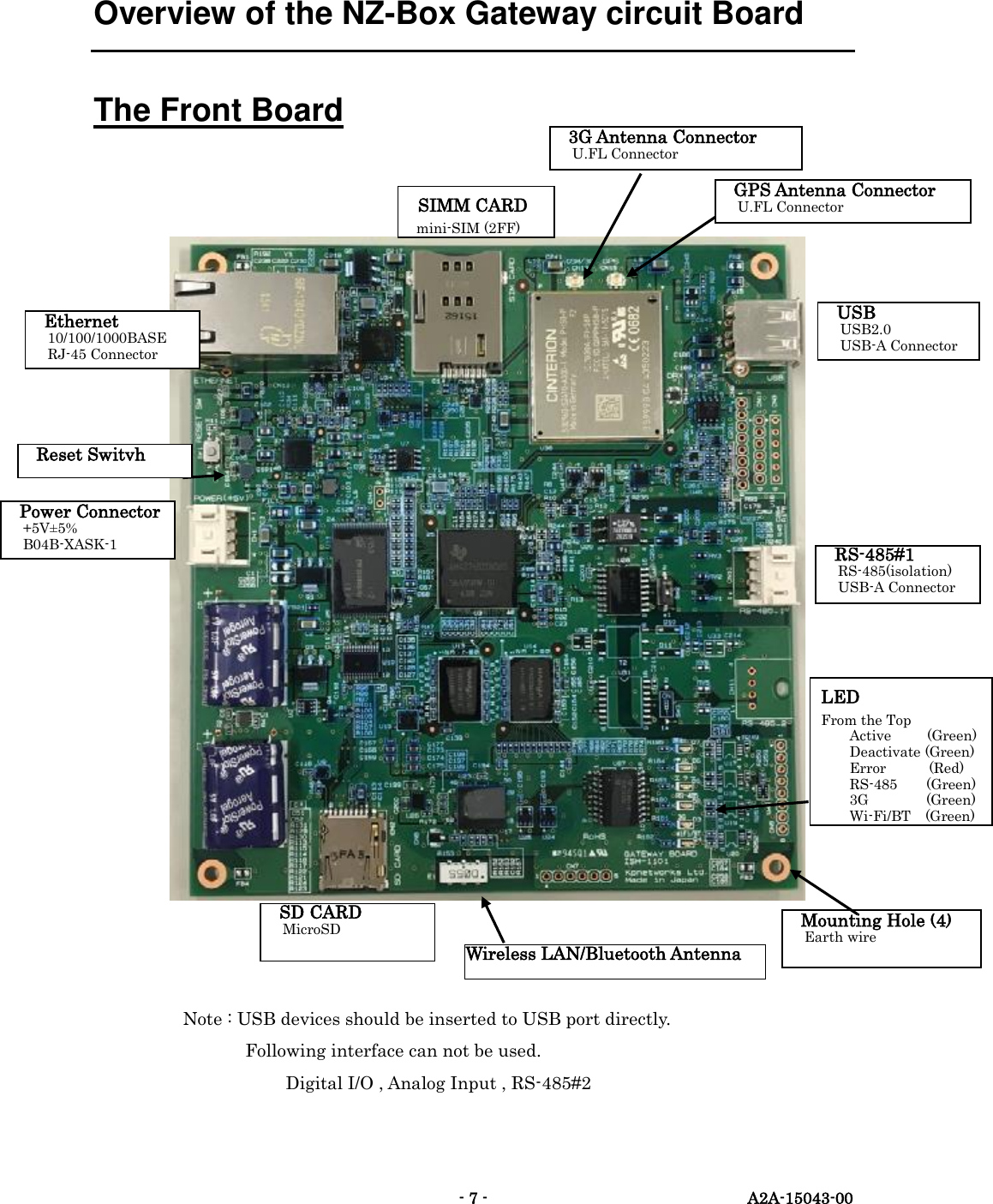
  - 7 -  A2A-15043-00 Overview of the NZ-Box Gateway circuit Board The Front Board         Note : USB devices should be inserted to USB port directly. Following interface can not be used.                           Digital I/O , Analog Input , RS-485#2 LED From the Top Active          (Green) Deactivate (Green) Error            (Red) RS-485        (Green) 3G     (Green) Wi-Fi/BT (Green) SIMM CARD mini-SIM (2FF)  USB USB2.0 USB-A Connector  Power Connector +5V±5% B04B-XASK-1  RS-485#1 RS-485(isolation) USB-A Connector   SD CARD MicroSD  Ethernet 10/100/1000BASE RJ-45 Connector   Wireless LAN/Bluetooth Antenna    GPS Antenna Connector U.FL Connector  3G Antenna Connector U.FL Connector  Reset Switvh  Mounting Hole (4) Earth wire
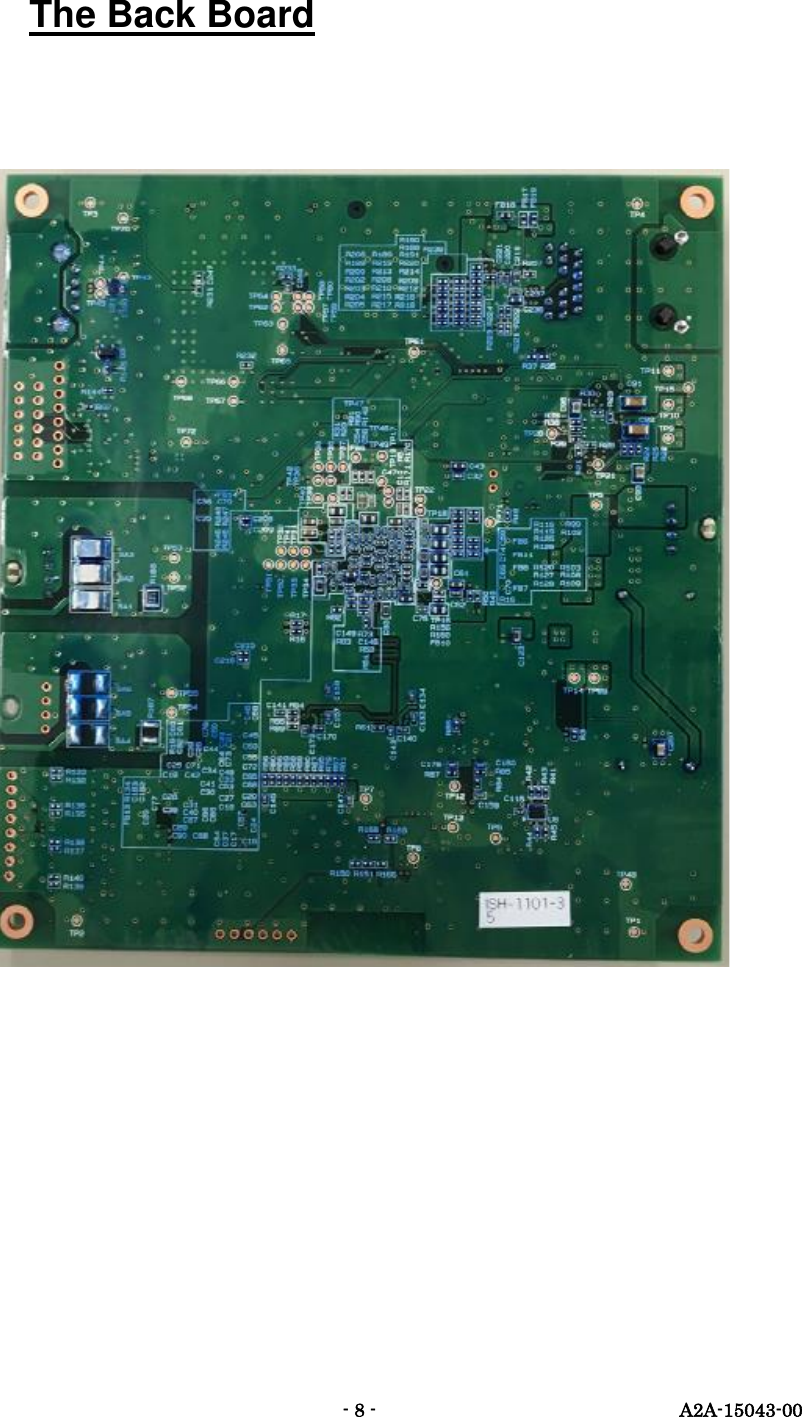
  - 8 -  A2A-15043-00 The Back Board
  - 9 -  A2A-15043-00 How to Use the NZ-Box Gateway circuit Board Installation Use the specified cable for the power code.    The polarity must be correct.    To use the  mounting  holes,  the  earth  wire  must  be  connected.    Connect  the  NZ-Box  Gateway circuit Board according to the following power requirements,        Output Voltage : +5V        Output Current : Over 1.5A  WWaarrnniinngg:The earth wire must be properly grounded to prevent electric shock.  CCaauuttiioonn:Before the operation, eliminate static electricity from the operator.  WWaarrnniinngg:The following actions may cause fire or electric shock, 1. Damage the power cord 2. Processe the power code 3. Bend the power code 4. Pull the power code 5. Twist the power code   6. Bundle the power code. Avoid placing heavy objects or heating the power code, as it damages it and increase the risks of fire or electric shock.
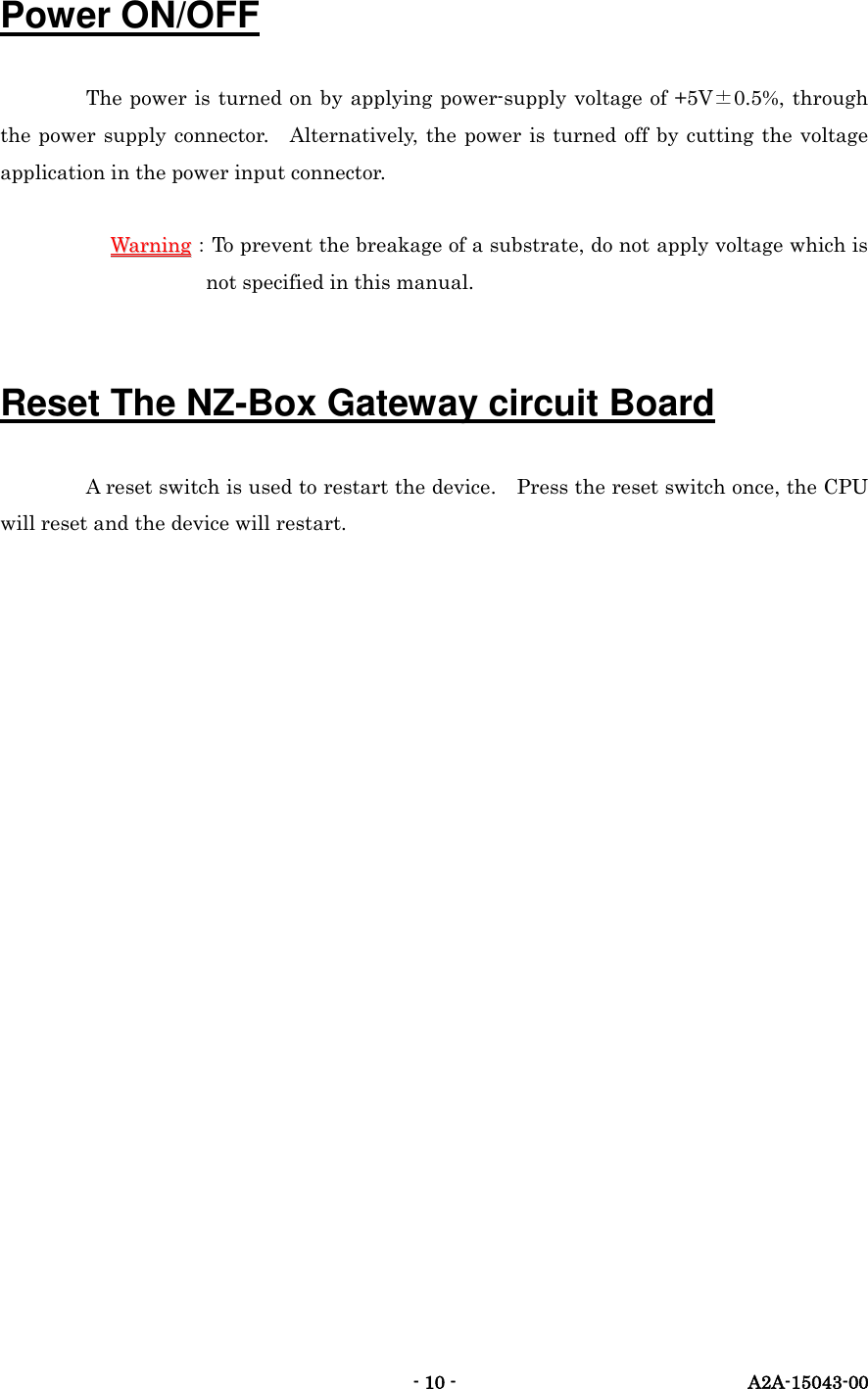
  - 10 -  A2A-15043-00 Power ON/OFF The power is turned on by applying power-supply voltage of +5V±0.5%, through the power  supply connector.  Alternatively, the  power is turned  off by cutting the voltage application in the power input connector.  WWaarrnniinngg:To prevent the breakage of a substrate, do not apply voltage which is not specified in this manual.  Reset The NZ-Box Gateway circuit Board A reset switch is used to restart the device.    Press the reset switch once, the CPU will reset and the device will restart.
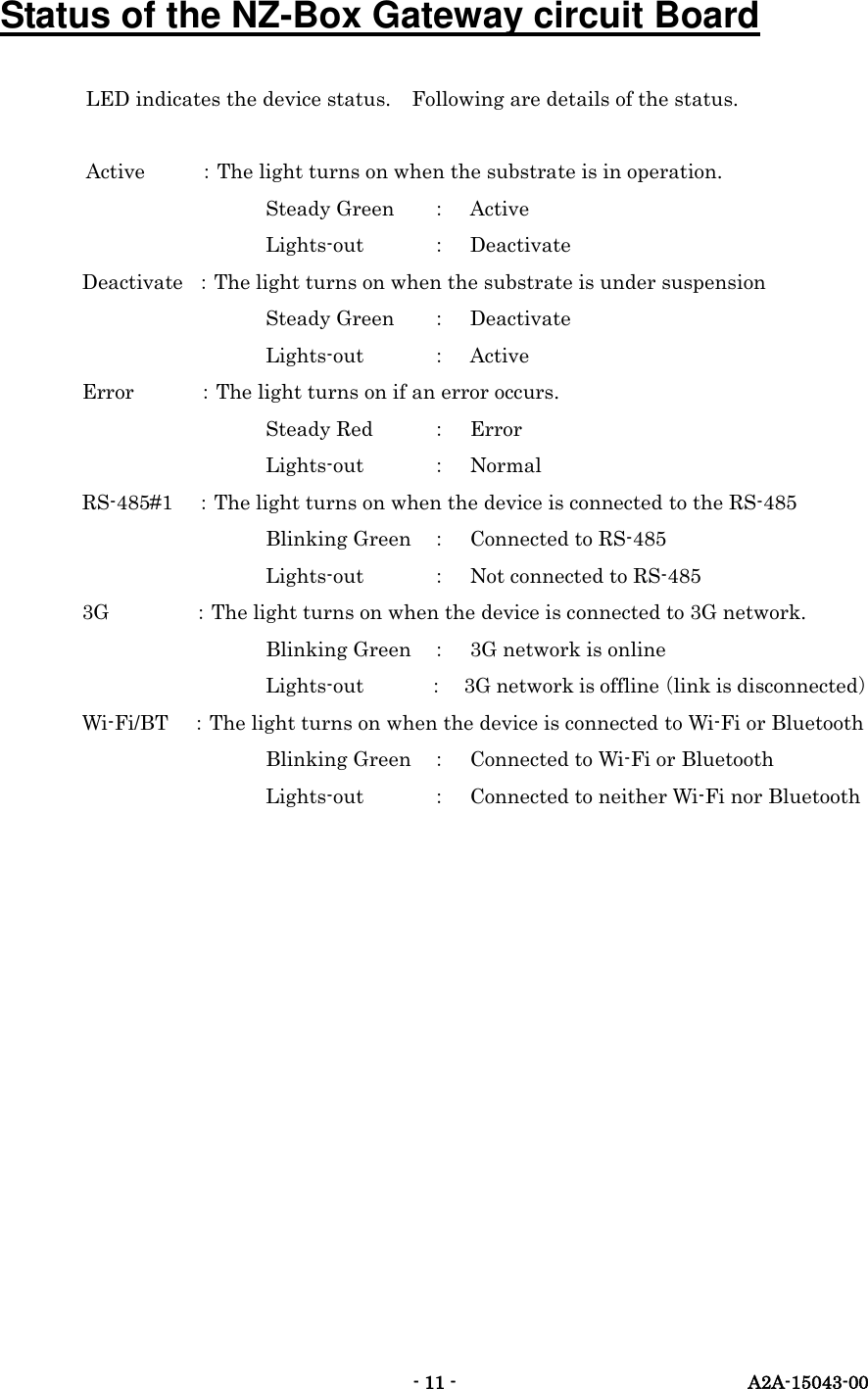
  - 11 -  A2A-15043-00 Status of the NZ-Box Gateway circuit Board LED indicates the device status.    Following are details of the status.    Active    :The light turns on when the substrate is in operation.              Steady Green  : Active              Lights-out  : Deactivate         Deactivate  :The light turns on when the substrate is under suspension              Steady Green  : Deactivate              Lights-out  : Active         Error            :The light turns on if an error occurs.              Steady Red  : Error              Lights-out  : Normal         RS-485#1    :The light turns on when the device is connected to the RS-485              Blinking Green  : Connected to RS-485              Lights-out  : Not connected to RS-485         3G          :The light turns on when the device is connected to 3G network.              Blinking Green  : 3G network is online              Lights-out  : 3G network is offline(link is disconnected)         Wi-Fi/BT    :The light turns on when the device is connected to Wi-Fi or Bluetooth              Blinking Green  : Connected to Wi-Fi or Bluetooth              Lights-out      :  Connected to neither Wi-Fi nor Bluetooth
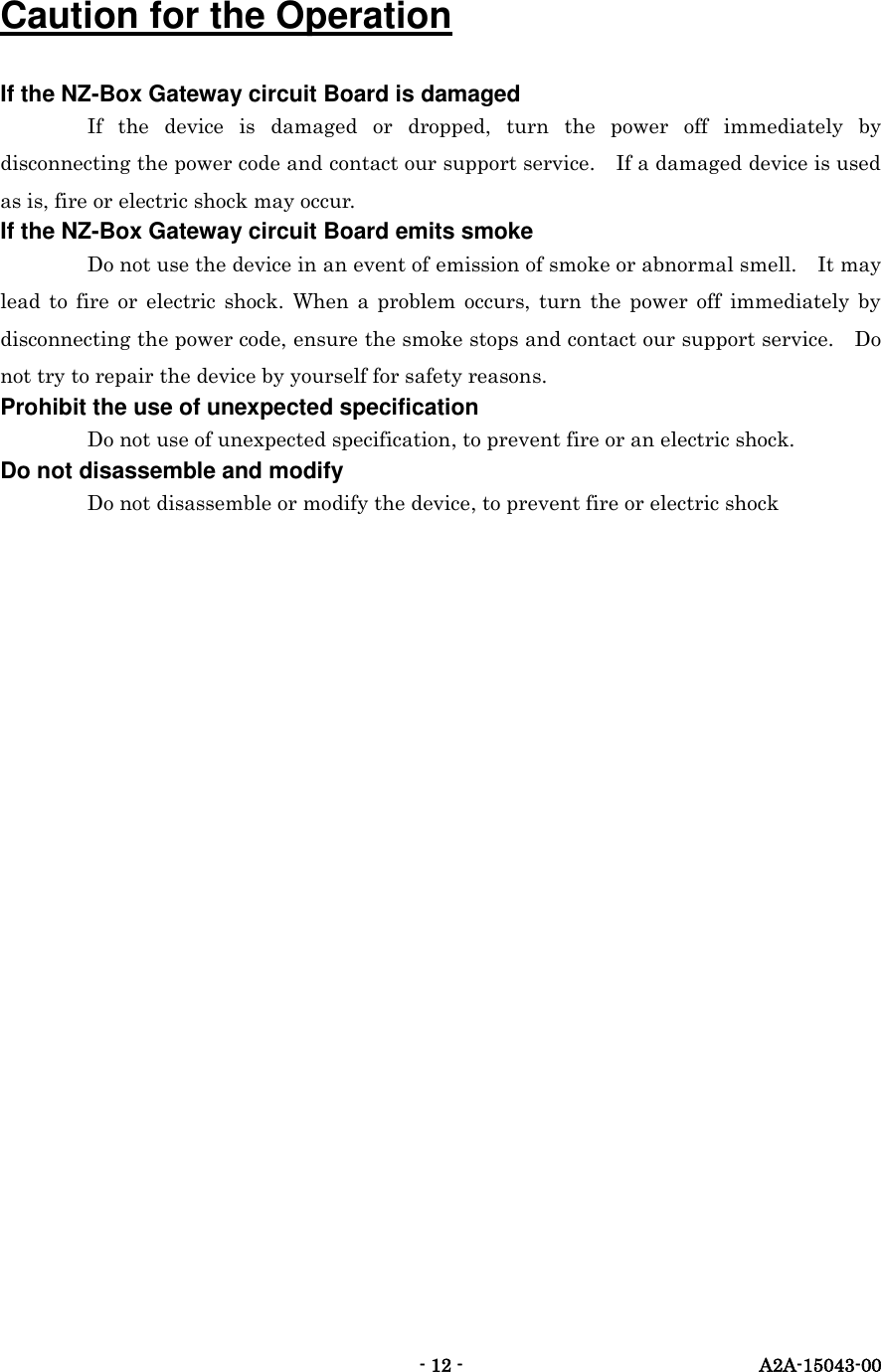
  - 12 -  A2A-15043-00  Caution for the Operation If the NZ-Box Gateway circuit Board is damaged If  the  device  is  damaged  or  dropped,  turn  the  power  off  immediately  by disconnecting the power code and contact our support service.    If a damaged device is used as is, fire or electric shock may occur.   If the NZ-Box Gateway circuit Board emits smoke Do not use the device in an event of emission of smoke or abnormal smell.    It may lead  to  fire  or  electric  shock.  When  a  problem  occurs,  turn  the  power  off immediately  by disconnecting the power code, ensure the smoke stops and contact our support service.    Do not try to repair the device by yourself for safety reasons.   Prohibit the use of unexpected specification Do not use of unexpected specification, to prevent fire or an electric shock. Do not disassemble and modify Do not disassemble or modify the device, to prevent fire or electric shock
  - 13 -  A2A-15043-00 Regulatory Information to host manufacturer Since this radio product ISH-1101-003 is granted as Single Limited Modular Approval, this radio product is for OEM integration only. And this radio device cannot be sold to general public. Therefore, we Kpnetworks Ltd. will ask OEM integrator to include the following statements required by FCC and ISED on the host product and in its Installation manual.  1.  Label of host product 1)The host manufacturer must include the following three ID numbers at the label of the host product. " Contains FCC ID: 2AGR9ISH-1101-003" " Contains IC: 20941-ISH1101003" " Contains IC: 7830A-PHS8P" ISED number 7830A-PHS8P is granted to Cinterion Wireless Modules GmbH.  2)Following sentence must be indicated on the product.    It may be located in the user manual for small size products. This device complies with Part 15 of the FCC Rules. Operation is subject to the following two conditions: (1)  this device may not cause harmful interference, and (2)  this device must accept any interference received, including interference that may cause undesired operation.  3) ICES-003 Compliance Label must be indicated on the product. CAN ICES-3 (*)/NMB-3(*) * Insert either “A” or “B” but not both to identify the applicable Class of ITE.  2.  User manual of host product This manual must include all required regulatory information/warning as shown in this manual.  1) Changes or modifications not expressly approved by the party responsible for compliance could void the user’s authority to operate the equipment.
  - 14 -  A2A-15043-00 2) Statement in accordance with FCC §15.105. Based on the class of the host product, either one of two statements must be indicated.  For Class A equipment: NOTE: This equipment has been tested and found to comply with the limits for a Class A digital device, pursuant to part 15 of the FCC Rules. These limits are designed to provide reasonable protection against harmful interference when the equipment is operated in a commercial environment. This equipment generates, uses, and can radiate radio frequency energy and, if not installed and used in accordance with the instruction manual, may cause harmful interference to radio communications. Operation of this equipment in a residential area is likely to cause harmful interference in which case the user will be required to correct the interference at his own expense.  For Class B equipment: NOTE: This equipment has been tested and found to comply with the limits for a Class B digital device, pursuant to part 15 of the FCC Rules. These limits are designed to provide reasonable protection against harmful interference in a residential installation. This equipment generates, uses and can radiate radio frequency energy and, if not installed and used in accordance with the instructions, may cause harmful interference to radio communications. However, there is no guarantee that interference will not occur in a particular installation. If this equipment does cause harmful interference to radio or television reception, which can be determined by turning the equipment off and on, the user is encouraged to try to correct the interference by one or more of the following measures: —  Reorient or relocate the receiving antenna. —  Increase the separation between the equipment and receiver. —  Connect the equipment into an outlet on a circuit different from that to which the receiver is connected. —  Consult the dealer or an experienced radio/TV technician for help.   3) This equipment complies with radio frequency exposure limits set forth by the FCC and Industry Canada for an uncontrolled environment. This equipment should be installed and operated with a minimum distance of 20 cm between the device and the user or bystanders. This device must not be co-located or operating in conjunction with any other antenna or transmitter.
  - 15 -  A2A-15043-00 Cet équipement est conforme aux limites d'exposition aux radiofréquences définies par la FCC et Industrie Canada pour un environnement non contrôlé. Cet équipement doit être installé et utilisé avec un minimum de 20 cm de distance entre le dispositif et l'utilisateur ou des tiers. Ce dispositif ne doit pas être utilisé à proximité d’une autre antenne ou d’un autre émetteur.   4) This device complies with Industry Canada’s licence-exempt RSSs. Operation is subject to the following two conditions: (1)  this device may not cause interference; and (2)  this device must accept any interference, including interference that may cause undesired operation of the device.  Note: 2.4GHz Wireless LAN and Bluetooth transmitters are classified as licence-exempt device.  Le présent appareil est conforme aux CNR d'Industrie Canada applicables aux appareils radio exempts de licence. L'exploitation est autorisée aux deux conditions suivantes: (1)  l'appareil ne doit pas produire de brouillage; (2)  l'utilisateur de l'appareil doit accepter tout brouillage radioélectrique subi, même si le brouillage est susceptible d'en compromettre le fonctionnement.

Navigation menu