LEIYON INTELLIGENCE TECHNOLOGY LYBX25 Bluetooth Speaker User Manual
GUANGDONG LEIYON INTELLIGENCE TECHNOLOGY CORP. Bluetooth Speaker
user manual
ET-P2532B
Instruction Manual
LIGHT
This device complies with part 15 of the FCC Rules. Operation is subject to the
following two conditions: (1) this device may not cause harmful interference,
and (2) this device must accept any interference received, including interference
that may cause undesired operation.
Changes or Modifications not expressly approved by the party responsible could
void the user’s authority to operate this device.
This equipment has been tested and found to comply with the limits for a Class B
digital device, pursuant to Part 15 of the FCC Rules. These limits are designed to
provide reasonable protection against harmful interference in a residential installation.
This equipment generates, uses and can radiate radio frequency energy and, if not
installed and used in accordance with the instructions, may cause harmful interference
to radio communications. However, there is no guarantee that interference will not
occur in a particular installation.
If this equipment does cause harmful interference to radio or television reception,
which can be determined by turning the equipment off and on, the user is encouraged
to try to correct the interference by one or more of the following measures:
-- Reorient or relocate the receiving antenna.
-- Increase the separation between the equipment and receiver.
-- Connect the equipment into an outlet on a circuit different from that
to which the receiver is connected.
-- Consult the dealer or an experienced radio/TV technician for help.
“The normal function of the product may be disturbed by strong Electro-Magnetic
Interference. If so, simply reset the product to resume normal operation by
following the instruction manual. In case the function could not resume,
please use the product in other location.”

EN-1
CONTENTS
NOTES 2
SAFETY PRECAUTIONS 3
CHARGING INSTRUCTIONS 4
INTRODUCTION 5
USB OPERATION 6
FM OPERATION 6
OPERATION 6
CONNECTION 7
WORKING TYPLE 7
TROUBLESHOOTING 8
SPECIFICATIONS 8
WIRELESS BT
WIRELESS BT
EN-2
NOTES
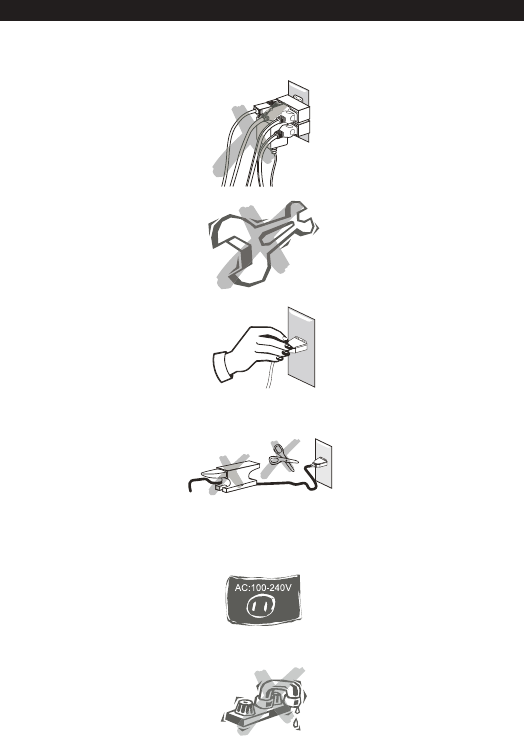
Do not share the power socket with another appliance.
Do not disassemble, do not repair and do not assemble the appliance on your own.
If you are not using the appliance, pull the power cord out of the mains socket.
Be careful of the power cord and maintain it as appropriate.
To ensure safety, do not twist the power cord, do not pull it out of the socket, do not
compress it or stretch its length.
Do not use the appliance if the supply voltage is lower than 110 V or higher than 240 V.
If the supply voltage is lower than 110 V, the appliance may not work and its lifetime may be
affected. If the voltage is higher than 240 V, the appliance may catch on fire or cause a fire.
Do not wash the appliance or use it in the bathroom, or it may cause potential injuries and other
problems.

EN-3
1. This appliance must not be used by persons (including children) with physical or mental
impairments or by persons with insufficient experience and knowledge, unless they are under
supervision or have been instructed about the operation of the appliance by the person
responsible for their safety.
2. Children should be under supervision and should not play with the appliance.
3. Do not submerge the power cord, the plug or the appliance in water or other liquids.
SAFETY PRECAUTIONS
Installation location
Leave sufficient space around the appliance of at least 5 cm from any wall/obstacle to ensure
proper ventilation and prevent the appliance from overheating. The following places are not suitable
installation locations for the appliance:
•an unstable location
•a location near a heat source or in direct sunlight.
•in a wet or dusty environment
Warning
To prevent suffering an electrical shock or another accident, do not operate the appliance in a rainy or
humid environment.
Cleaning and maintenance
•Use a soft cloth or cotton dipped in a neutral solution for cleaning the surface of appliances. Do
not use the type of cloth that you use for washing dishes or aggressive chemical agents.
Before moving the appliance
•Before moving the appliance to a different location, please take the disc out of the appliance so
that the disc and appliance will not be damaged.
Storm
•If the appliance is not working properly during a storm, please disconnect the plug from the power
socket and reinsert it after a minute.
Do not drop small items or a liquid into the appliance
•In the event that you find small items or a liquid inside the appliance, you see smoke or smell
an odour, immediately disconnect the appliance from the power grid. Send the appliance to an
authorised service centre.
Repacking the appliance
•When sending the appliance by a transport company, use the original packaging to prevent its
damage during transport.

This unit able to operates on a built-in Li-ion battery that can be recharged either
using from power adaptor.
Note: The DC input jack located on back of this unit is mainly designed for operator
and charging the built- in
Li-ion battery. The unit will still operate normally while charging.
CHARGING THE BATTERY
Charge the built-in Li-ion battery a minimum of 4 hours prior to first use.
After prolonged use, the battery voltage may discharge and operation might become
intermittent. When the internal battery charge is very low, the unit will turn off
automatically.
Battery Note and Care
Do not burn or bury batteries.
Do not puncture or crush.
Do not disassemble.
charge the batteries.
Recycle Li-ion batteries. Do not dispose of in the trash.
Use only chargers rated for Li-ion cells. Be sure the charger’s
voltage and current settings are correct for the battery pack being charged.
Charge batteries on a fireproof surface away from flammable items or liquids.
Batteries should NEVER be left unattended while charging. Only adults should
CHARGING INSTRUCTIONS
EN-4
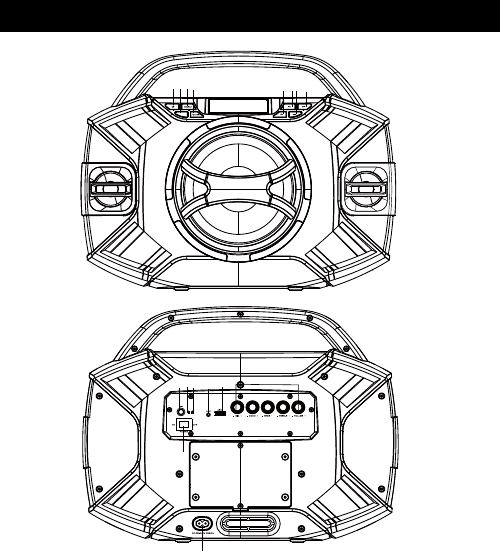
1.Standby 10.Charging light
11.Battery Low light
12.AUX
13.USB
14.S.Effect(Echo-/+;Bass-/+;Treble-/+;Volume-/+)
15.Power Switch
2.Light
3.Source
4.Folder
5.10+
6.Prew
7.Play/Pause
8.Next
9.Mic jack 16.AC IN
INTRODUCTION
LIGHT
LOW
CHARGE
1 2
9 10 11 12 13 14
15
16
3 4 5 6 7 8
EN-5
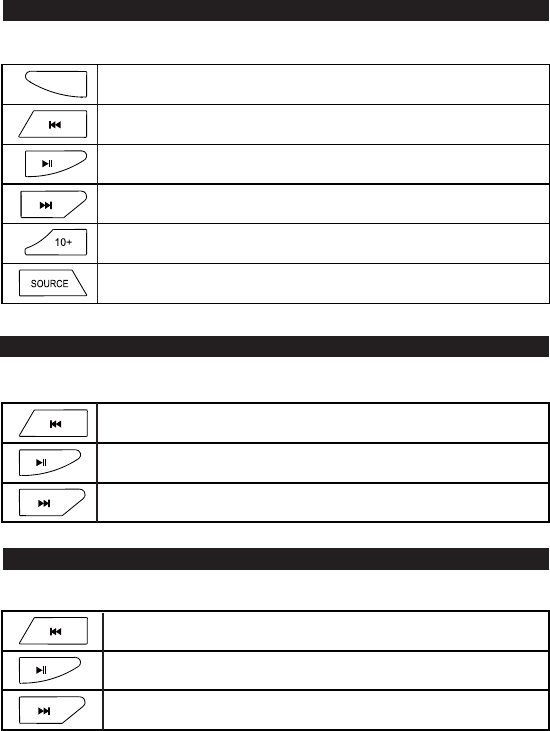
Press to temporarily pause a playback. Press it again to resume the playback.
Press it longer to disconnect ;
Press to return to previous track, hold to fast rewind playback
Press to skip to next track, hold to fast rewind playback
Press to return to previous track, hold to fast rewind playback
Press to temporarily pause a playback. Press it again to resume the playback
Press to skip to next track, hold to fast rewind playback
Press to jump the track by 10 everytime
Press to switch between different modes: WIRELESS BT ,USB,AUX,FM
FM OPERATION
all
WIRELESS BT OPERATION
USB OPERATION
Press 「source」to enter FM Mode.
Press 「source」to enter WIRELESS BT Mode.
LIGHT Press to switch the light working mode: by pressing it,you could choose to stopPress to switch the light working mode: by pressing it,you could choose to stop
light, orlight, or working with one colorful light or with different colorful lights byturn.working with one colorful light or with different colorful lights byturn.thethe
Press
Press
to auto scanning for the broadcasting radio channels, and presets
available stations
to skip to next station, hold to scan for available channel at higher frequency
Press to skip to previous station, hold to scan for available channel at lower
frequency
EN-6
USB support music USB stick only.
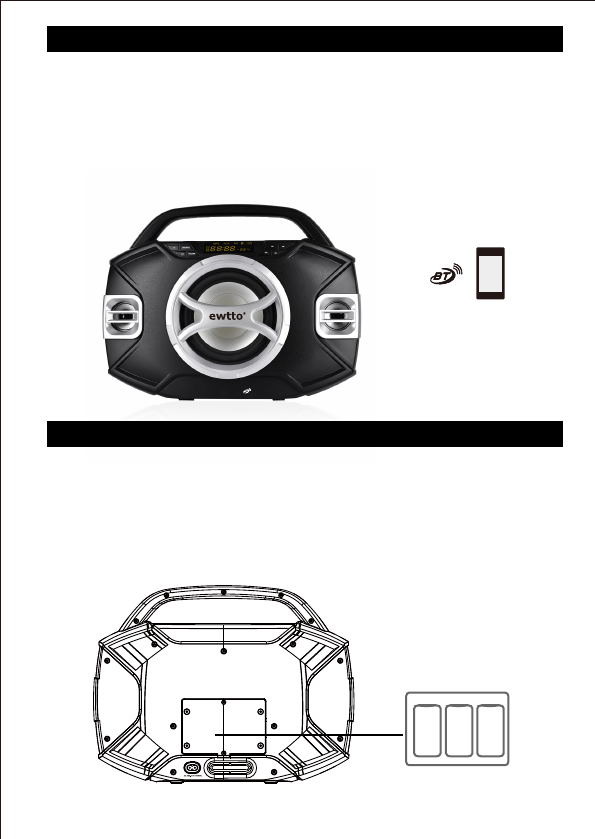
The model of the unit is ET-P2532B , press [SOURCE] button to switch to the corresponding
signal source ( ), use your enabled mobile device to search and pair the the
unit by selecting ET-P2532B . The unit will synchronize play songs with your mobile device
after connected successfully. Disconnect the connection by holding
[PLAY/PAUSE] on the front panel or the remote control.
NOTE: In mode, [PLAY/ PAUSE], [NEXT] and [PREVIOUS] buttons are
also active.
Working Type
You could choose to work by connecting with a AC plug by voltage of 110-240V or by the
rechargeable battery inside as well.
2. when under charging, the charge indicator light will display red color and flashing.
3. when charge full, the light will keep on and turn to green color.
1. When the battery is with low battery, the low indicator light on the label with flashing to
remind you the unit needs to recharge.
Battery
EN-7
C onnection
WIRELESS BT
WIRELESS BT
WIRELESS BT
WIRELESS BT
WIRELESS BT
TROUBLESHOOTING
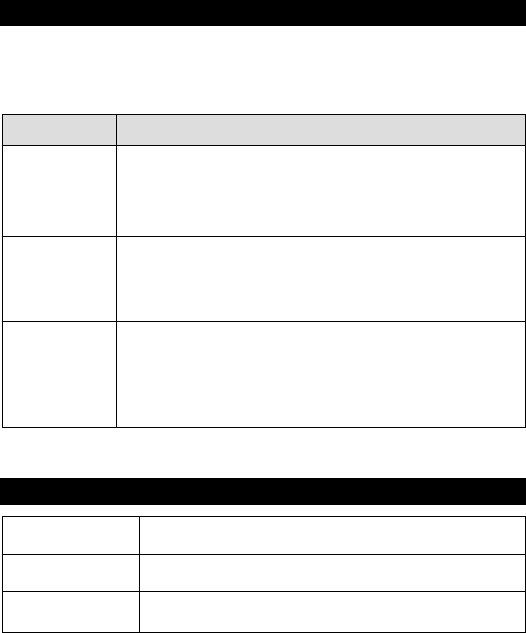
In the ev ent of problems with the system and before taking it to an authorised service centre,
please check the following:
Consumption Power
Output power
Input voltage
32W
AC 0 - 211 40 V, 50/60 Hz,
RMS 25W (Speaker:6.5’’+2’’x2,4 Ω , 10 %THD)
SPECIFICATIONS
EN-8
Malfunction Inspection and action
•please check that the power cord is inserted into a working power
socket
•please check that the system is turned on
•Please make sure the rechargeable battery is full charge enough to
support work when disconnect with AC plug
No power supply
Failure
Playback of USB/SD,
no sound or hissing
•press and hold the stand-by mode button (Stand by) for 5 seconds.
The system will turns itself off
•Make sure the formats in the USB/SD card are MP3/WMA format
•Make sure the downloaded file is complete and without loss.