Lakeshore Learning Materials GG127 Gear-Bot User Manual GG127 Booklet FOR TESTING

Lakeshore Learning Materials Gear-Bot GG127 Booklet FOR TESTING

User Manual

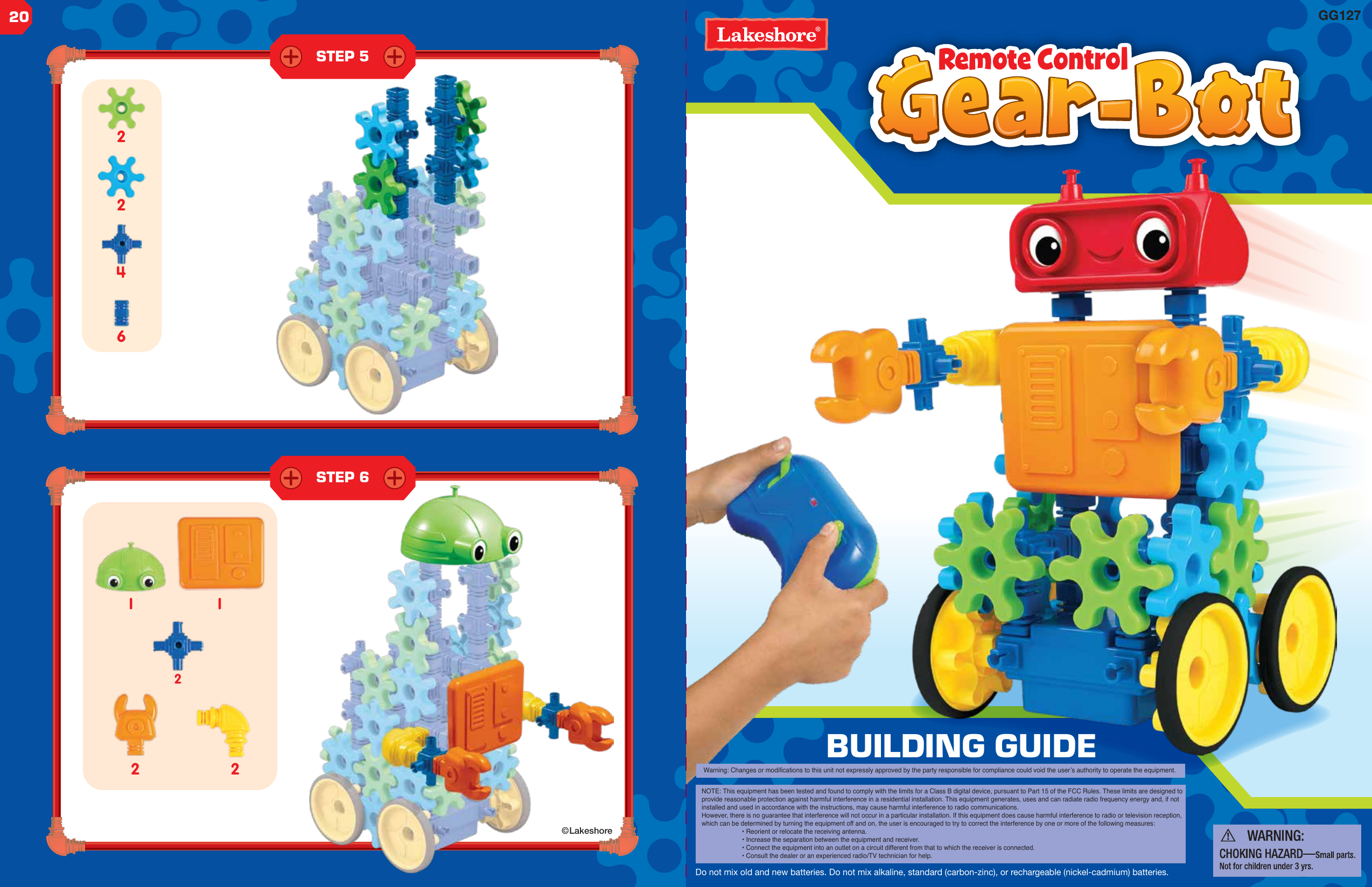
1 12 2Remote Control©LakeshoreBUILDING GUIDE2642220Warning: Changes or modifications to this unit not expressly approved by the party responsible for compliance could void the user’s authority to operate the equipment.NOTE: This equipment has been tested and found to comply with the limits for a Class B digital device, pursuant to Part 15 of the FCC Rules. These limits are designed to provide reasonable protection against harmful interference in a residential installation. This equipment generates, uses and can radiate radio frequency energy and, if not installed and used in accordance with the instructions, may cause harmful interference to radio communications.However, there is no guarantee that interference will not occur in a particular installation. If this equipment does cause harmful interference to radio or television reception, which can be determined by turning the equipment off and on, the user is encouraged to try to correct the interference by one or more of the following measures:  • Reorient or relocate the receiving antenna.  • Increase the separation between the equipment and receiver.  • Connect the equipment into an outlet on a circuit different from that to which the receiver is connected.  • Consult the dealer or an experienced radio/TV technician for help.GG127Do not mix old and new batteries. Do not mix alkaline, standard (carbon-zinc), or rechargeable (nickel-cadmium) batteries.STEP 5STEP 6
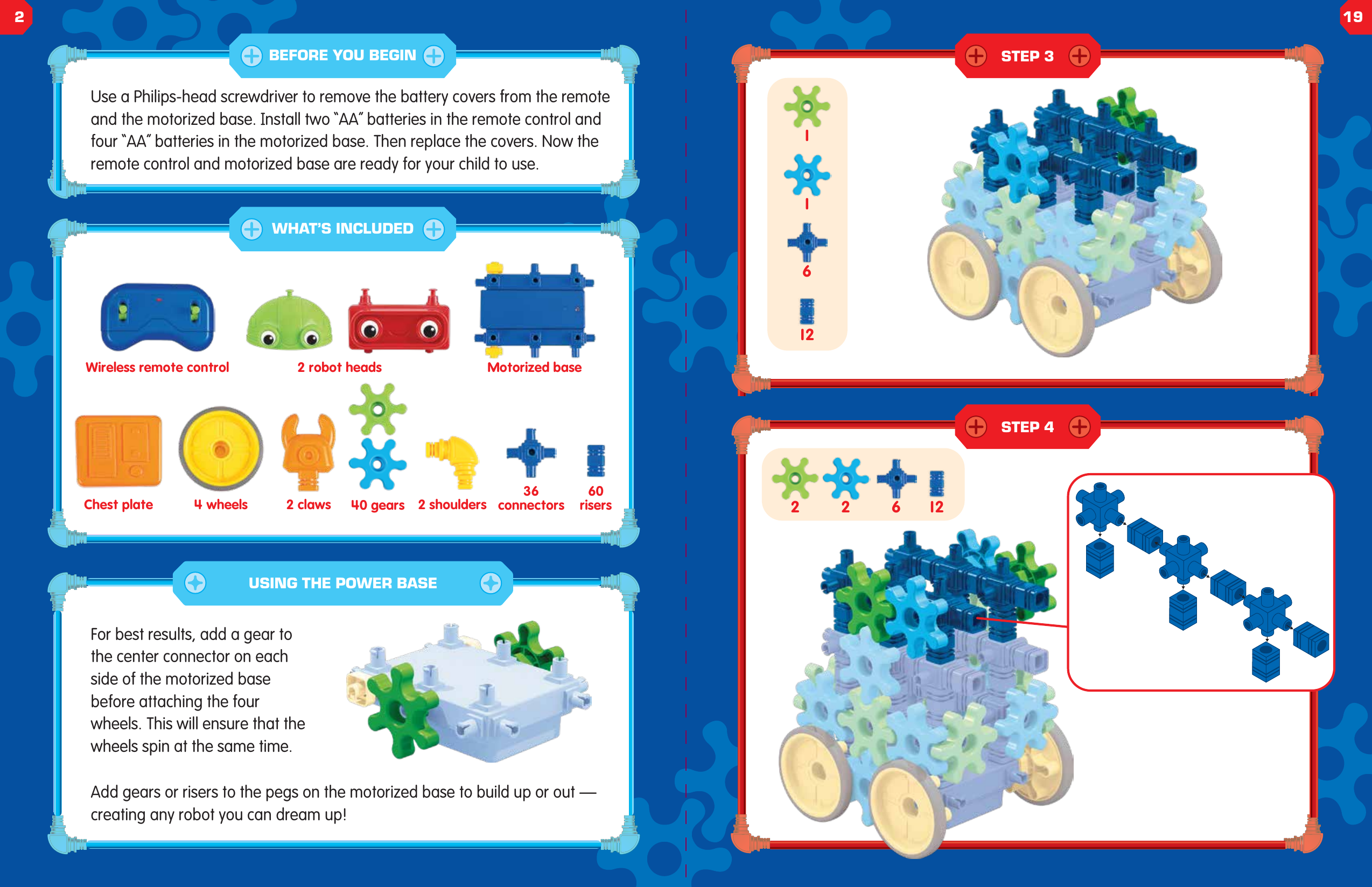
126111262 2Use a Philips-head screwdriver to remove the battery covers from the remote and the motorized base. Install two “AA” batteries in the remote control and four “AA” batteries in the motorized base. Then replace the covers. Now the remote control and motorized base are ready for your child to use.For best results, add a gear to the center connector on each side of the motorized base before attaching the four wheels. This will ensure that the wheels spin at the same time.Add gears or risers to the pegs on the motorized base to build up or out — creating any robot you can dream up!Wireless remote control 2 robot heads Motorized baseChest plate 4 wheels 40 gears 2 shoulders60risers36connectors2 clawsUSING THE POWER BASEBEFORE YOU BEGINWHAT’S INCLUDEDSTEP 3STEP 4219
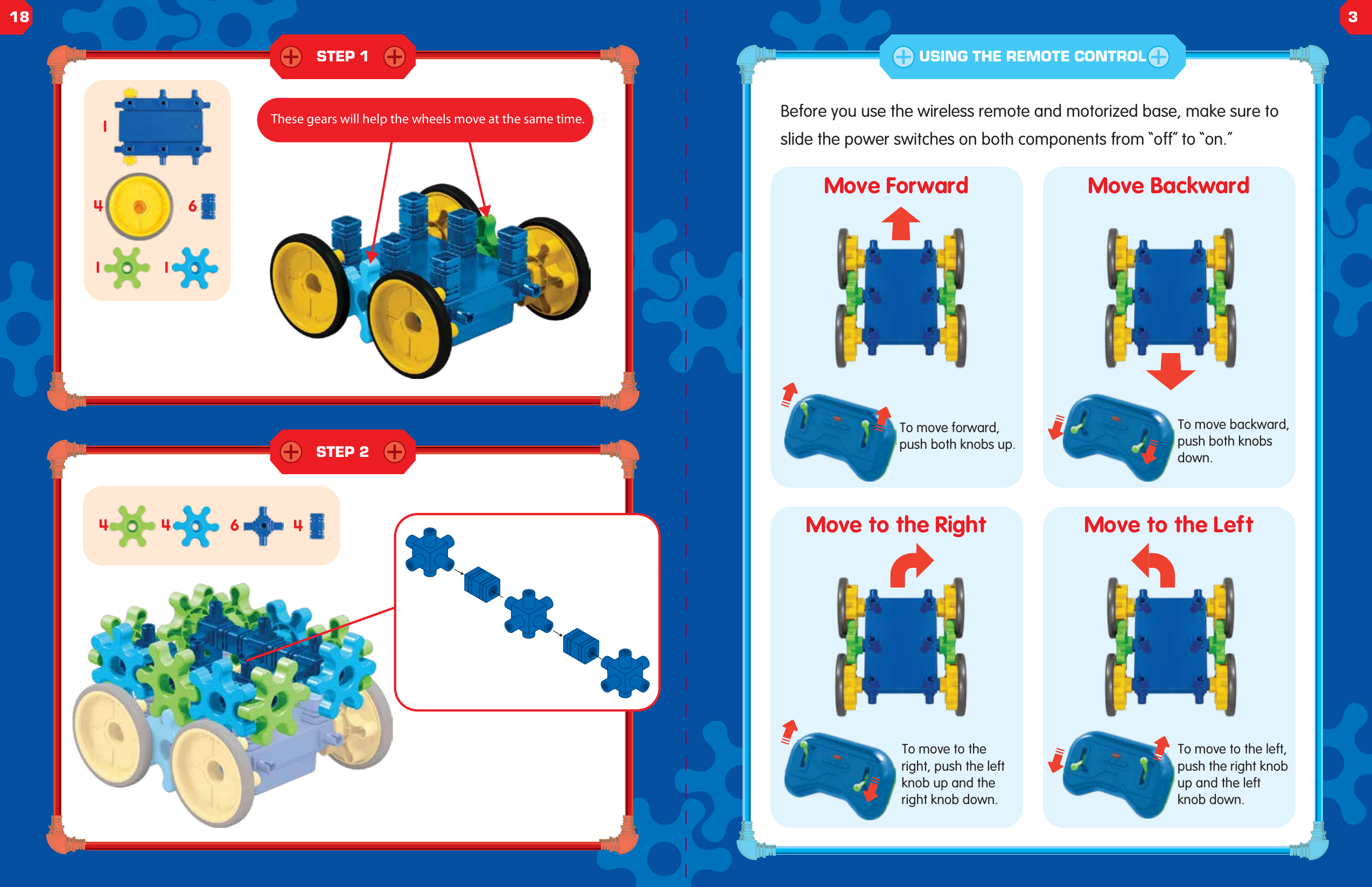
STEP 1STEP 2644411146Before you use the wireless remote and motorized base, make sure to slide the power switches on both components from “off” to “on.”Move ForwardTo move forward, push both knobs up.To move backward, push both knobs down.To move to the left, push the right knob up and the left knob down.To move to the right, push the left knob up and the right knob down.Move BackwardMove to the Right Move to the LeftUSING THE REMOTE CONTROLThese gears will help the wheels move at the same time.18 3
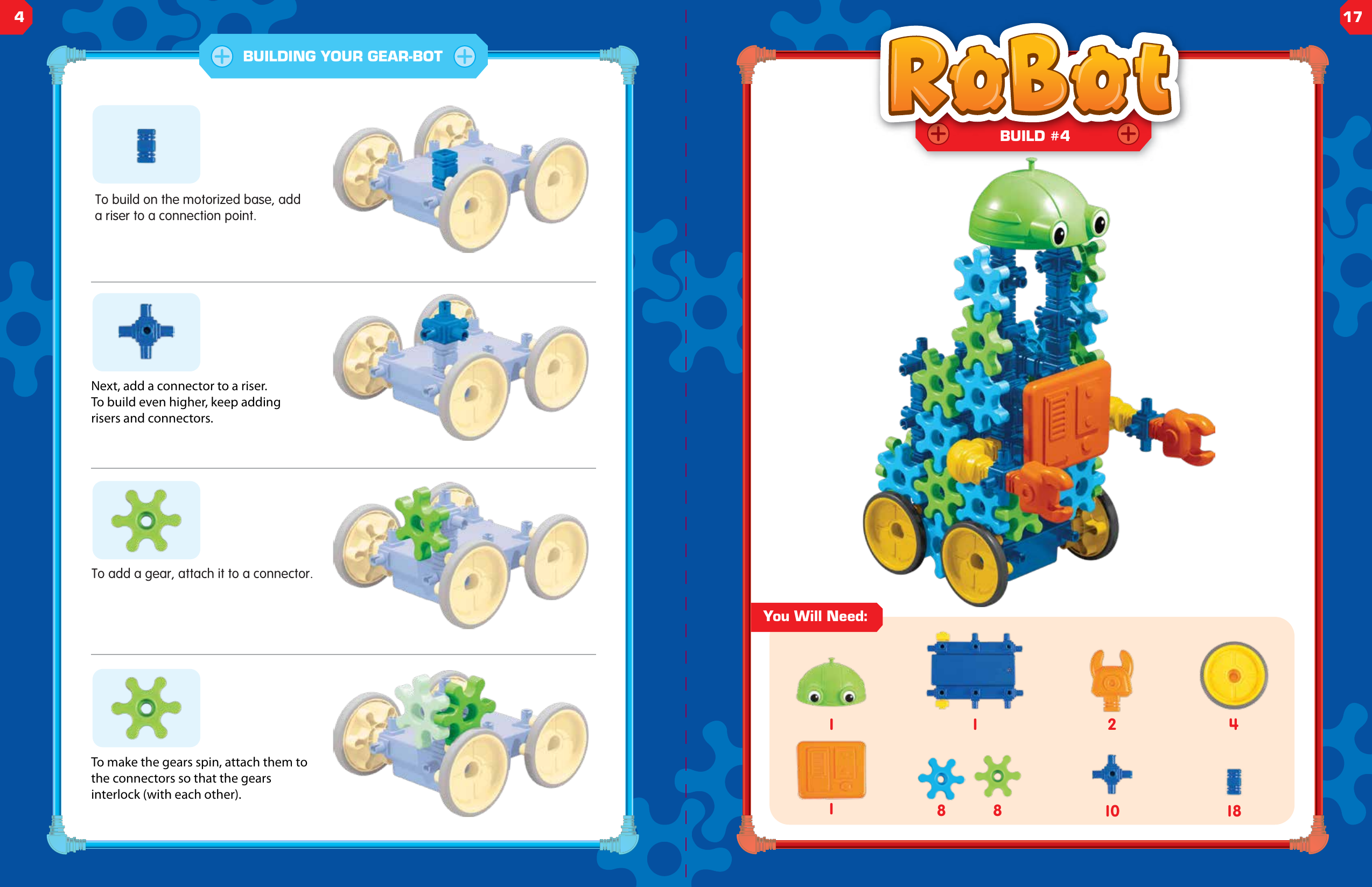
To build on the motorized base, add a riser to a connection point.Next, add a connector to a riser. To build even higher, keep adding risers and connectors.To add a gear, attach it to a connector.To make the gears spin, attach them to the connectors so that the gears interlock (with each other).BUILDING YOUR GEAR-BOT1You Will Need:2 418101BUILD #48 81417
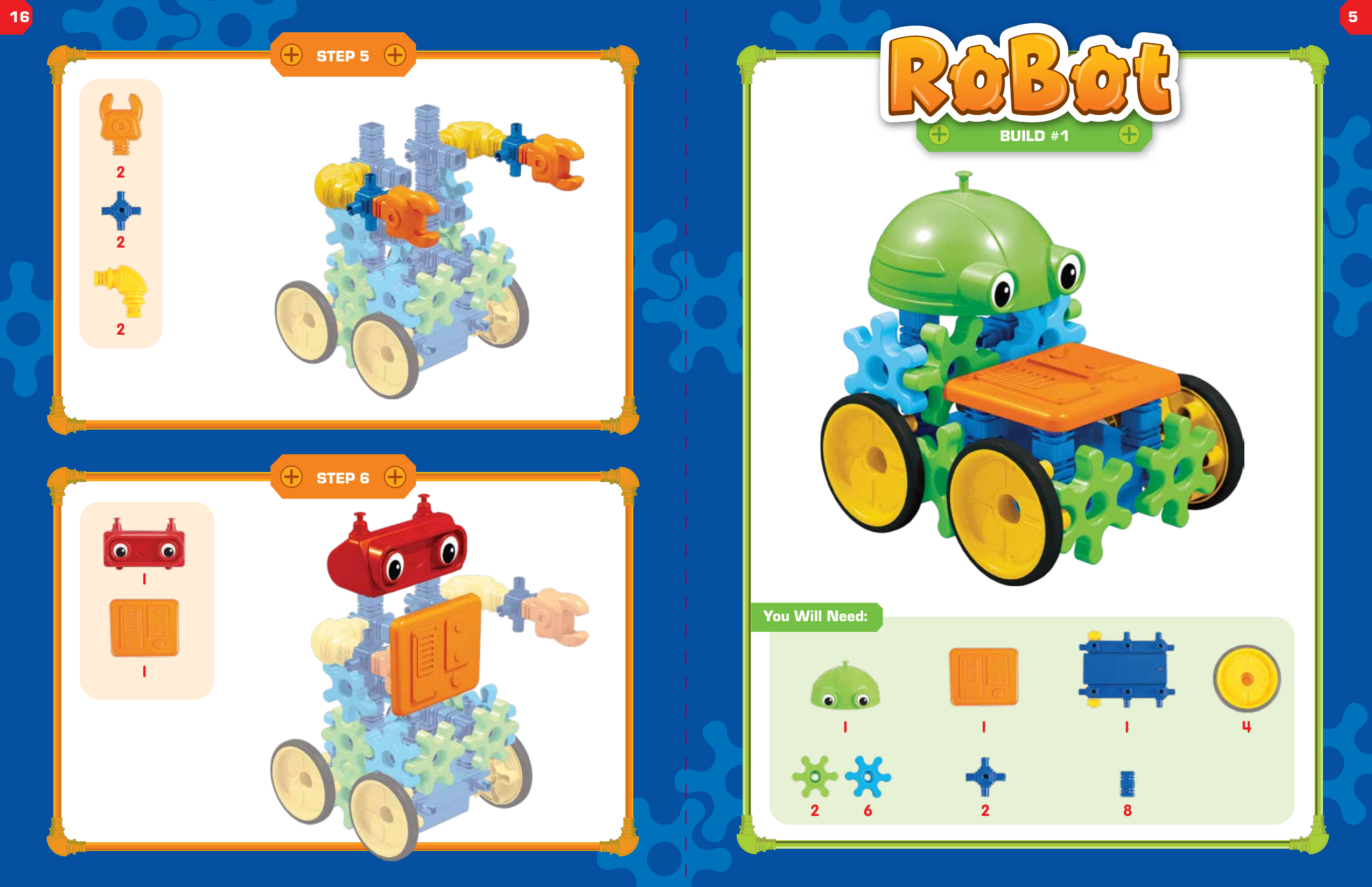
STEP 5STEP 6122121 42 6 821 1BUILD #1You Will Need:16 5
6444STEP 1STEP 2STEP 34121042STEP 4These gears will help the wheels move at the same time.615
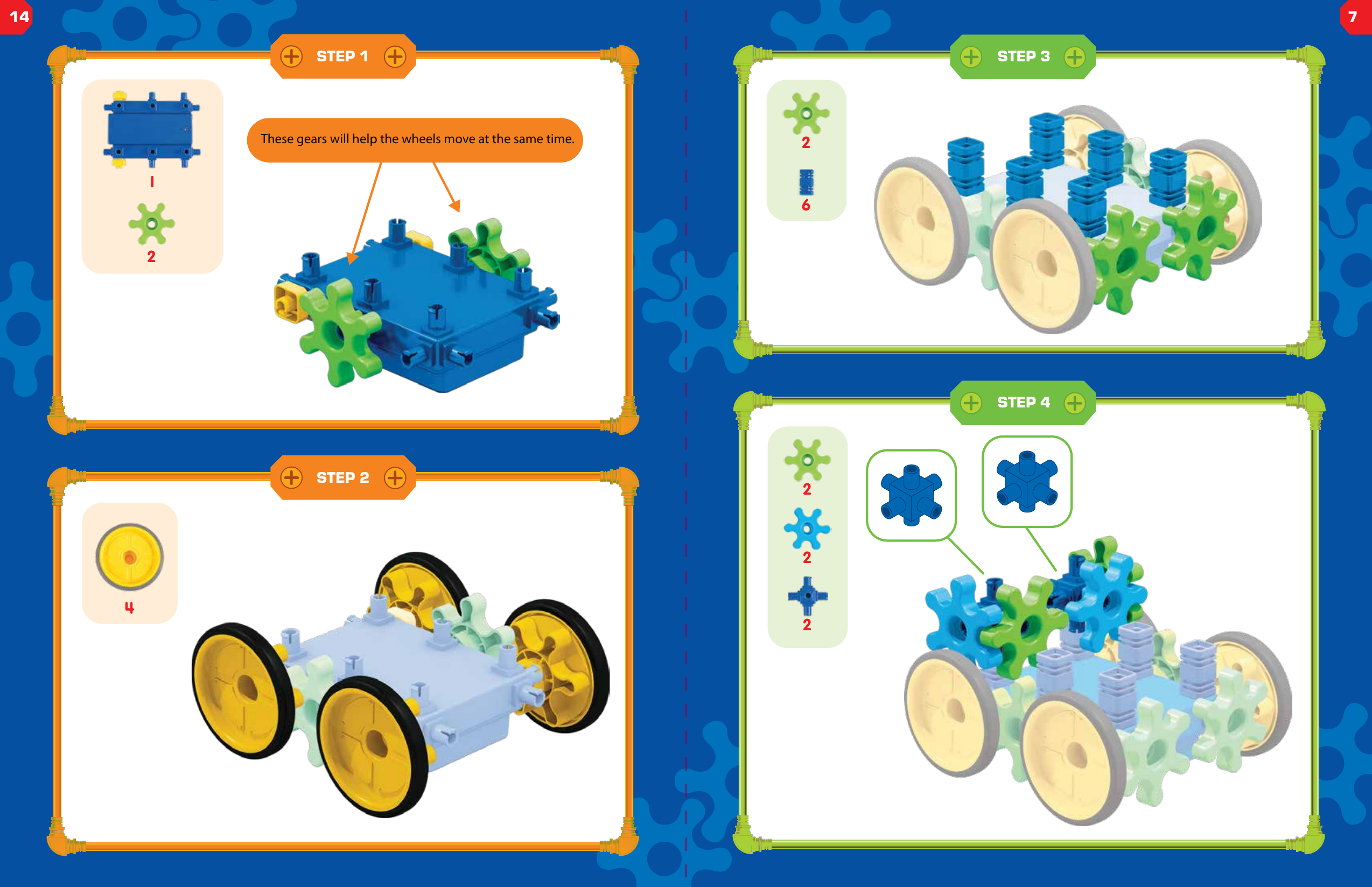
62These gears will help the wheels move at the same time.124222STEP 3STEP 4STEP 1STEP 214 7
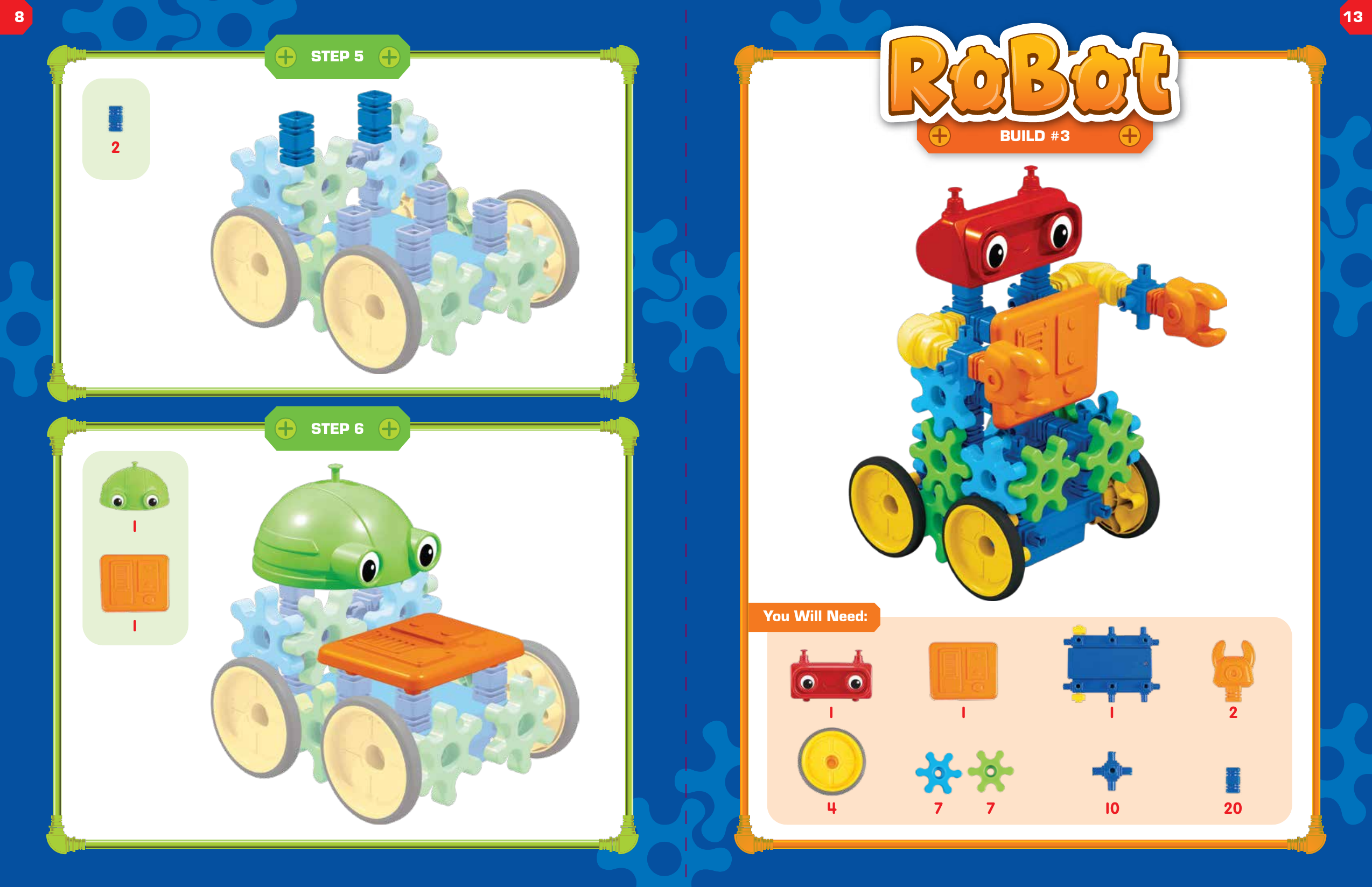
STEP 52111You Will Need:247 7 20101 1BUILD #3STEP 5STEP 6813
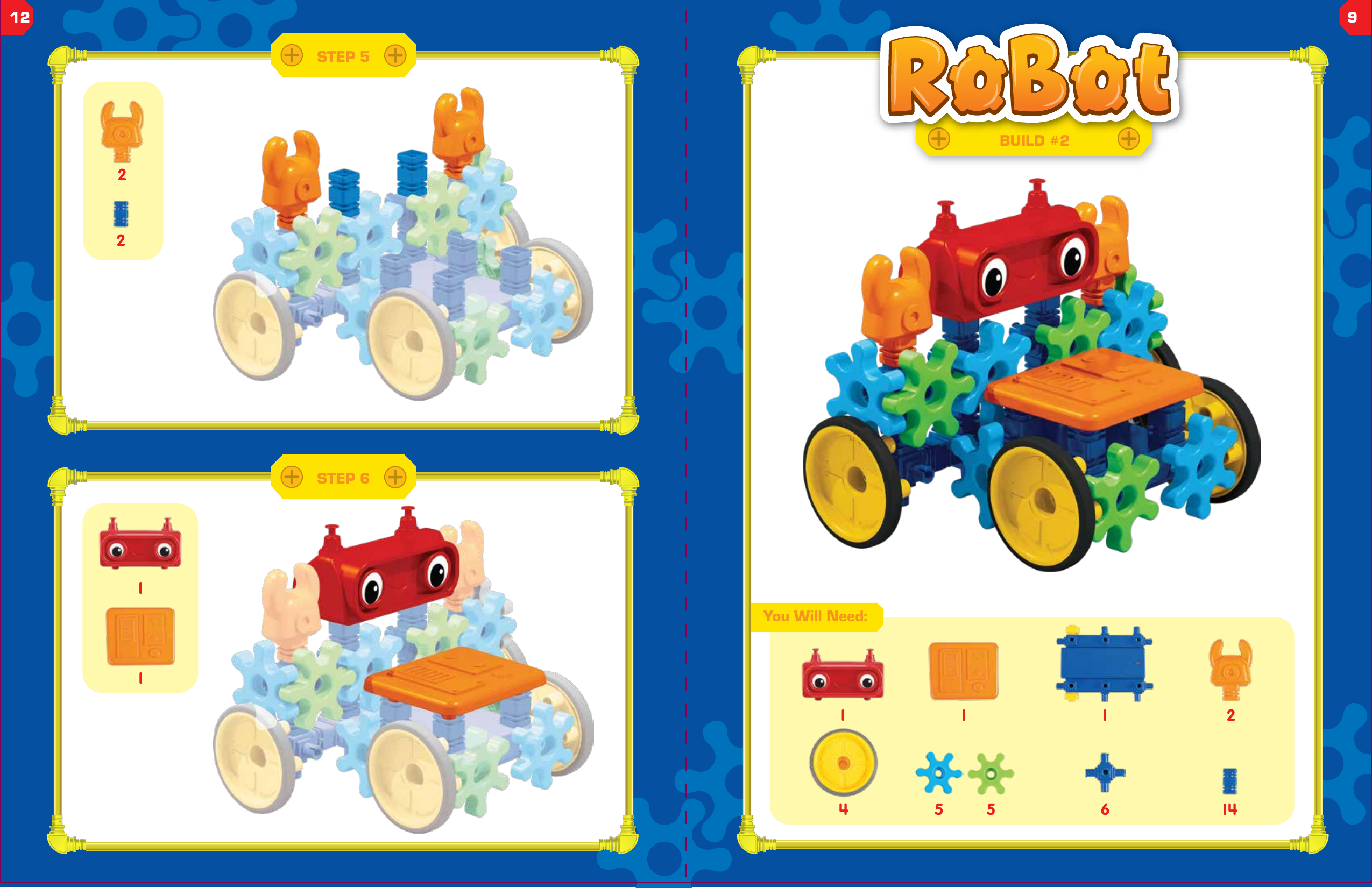
2121STEP 5STEP 61 245 5 1461 1You Will Need:BUILD #212 9
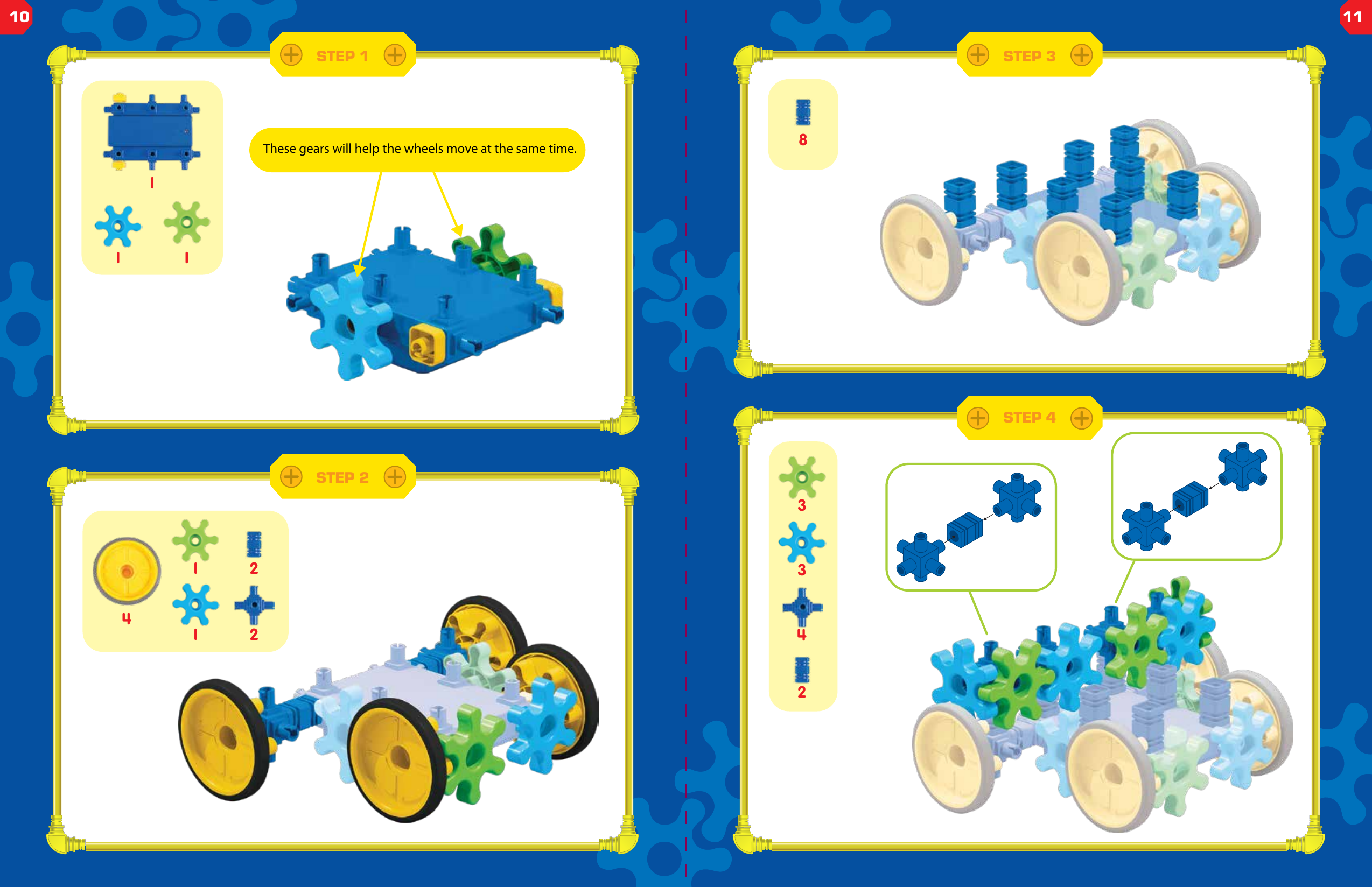
These gears will help the wheels move at the same time.11 122411STEP 1STEP 2STEP 3STEP 44338210 11
FCC STATEMENT    1. This device complies with Part 15 of the FCC Rules. Operation is subject to the following two conditions:    (1) This device may not cause harmful interference, and       (2) This device must accept any interference received, including interference that may cause undesired operation.    2. Changes or modifications not expressly approved by the party responsible for compliance could void the user’s authority to operate the equipment.        This equipment has been tested and found to comply with the limits for a Class B digital device, pursuant to part 15 of the FCC Rules. These limits are designed to provide reasonable protection against harmful interference in a residential installation. This equipment generates, uses and can radiate radio frequency energy and, if not installed and used in accordance with the instructions, may cause harmful interference to radio communications. However, there is no guarantee that interference will not occur in a particular installation. If this equipment does cause harmful interference to radio or television reception, which can be determined by turning the equipment off and on, the user is encouraged to try to correct the interference by one or more of the following measures:    —Reorient or relocate the receiving antenna.       —Increase the separation between the equipment and receiver.         —Connect the equipment into an outlet on a circuit different from that to which the receiver is connected.     —Consult the dealer or an experienced radio/ TV technician for help.

Navigation menu