Latch Systems C1 Smart Access Control Product with Wi-Fi and BLE User Manual

Latchable, Inc. Smart Access Control Product with Wi-Fi and BLE Users Manual

Users Manual

INSTALLATION GUIDEC  SERIESINSTALLATION GUIDE
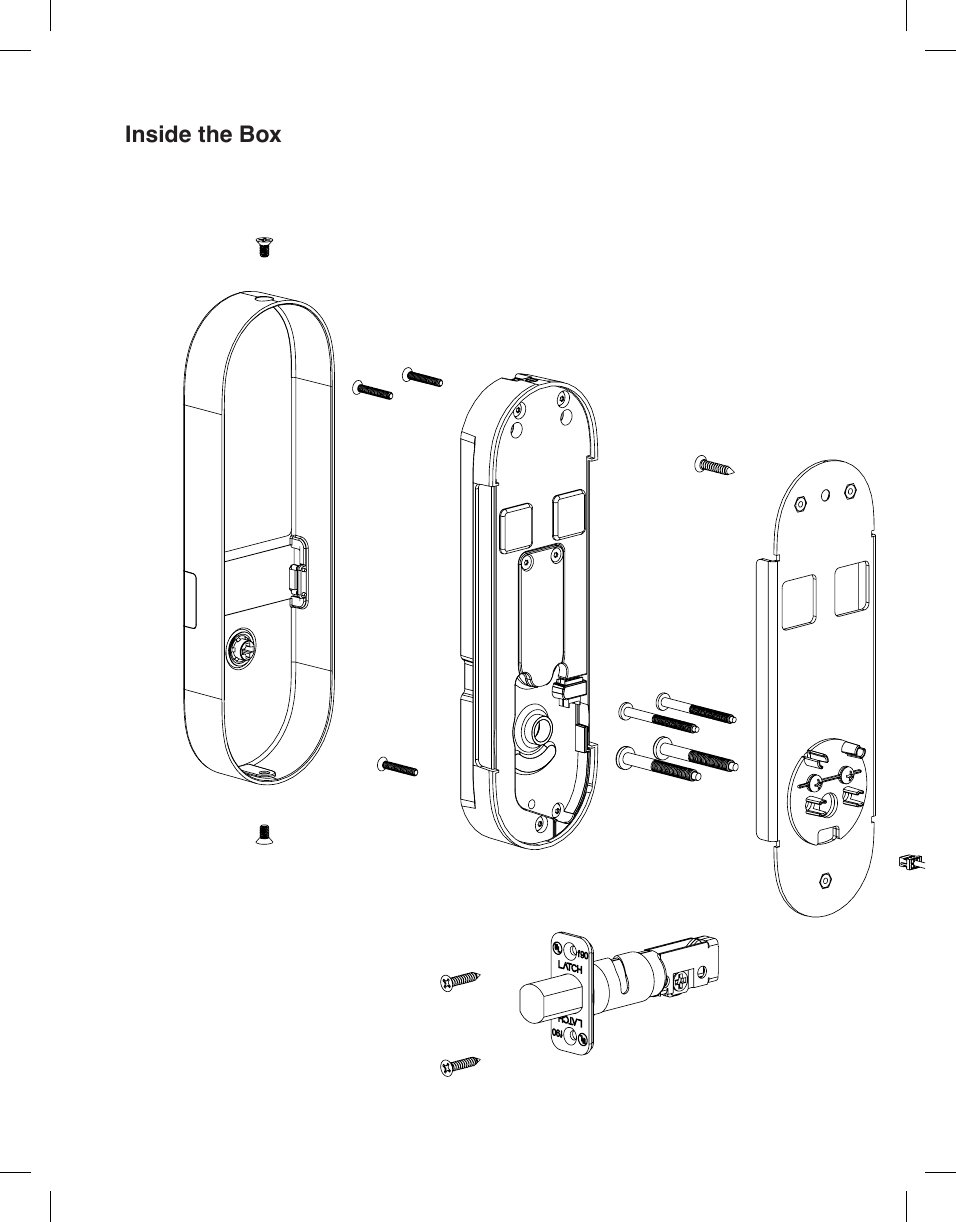
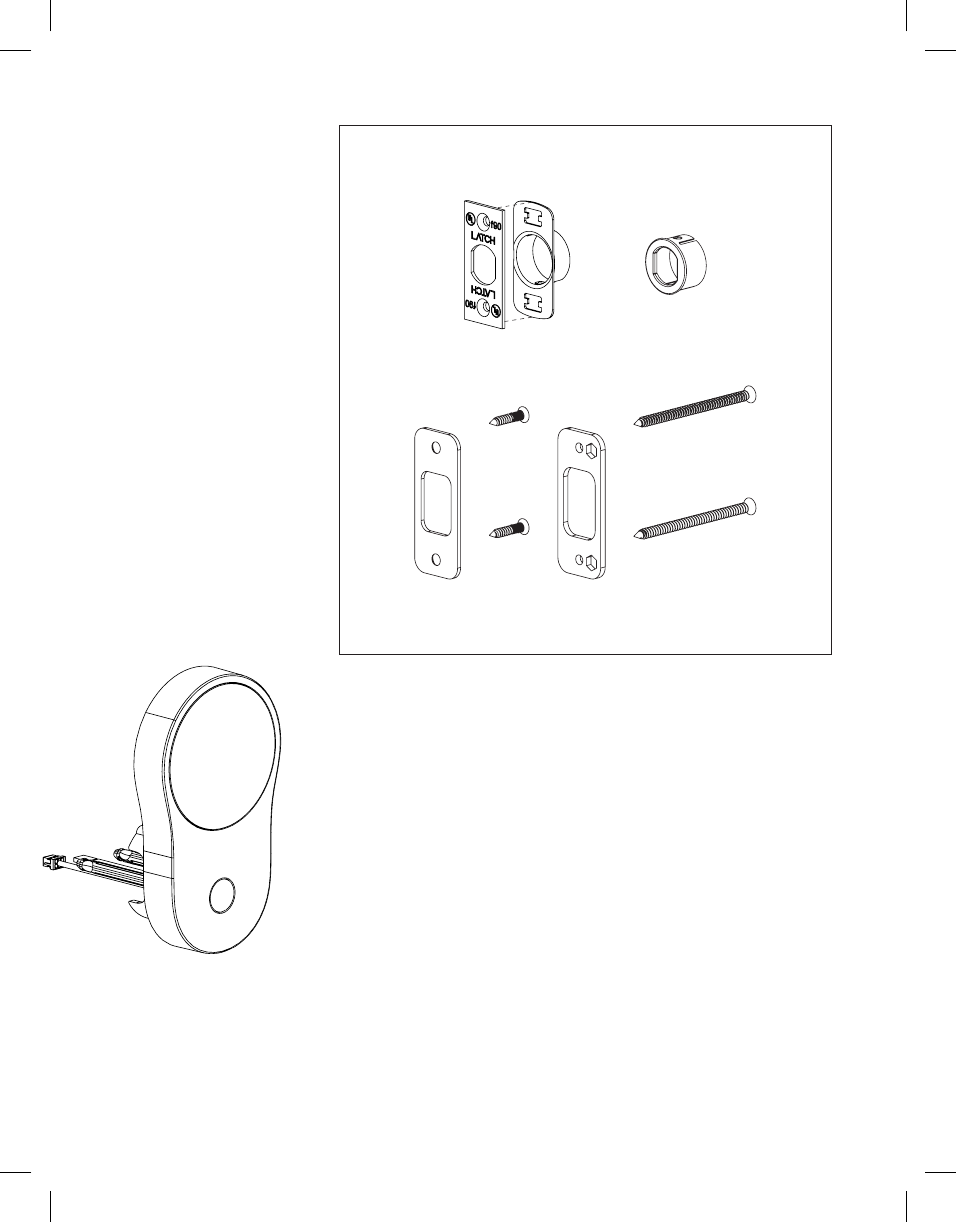
Inside the Box
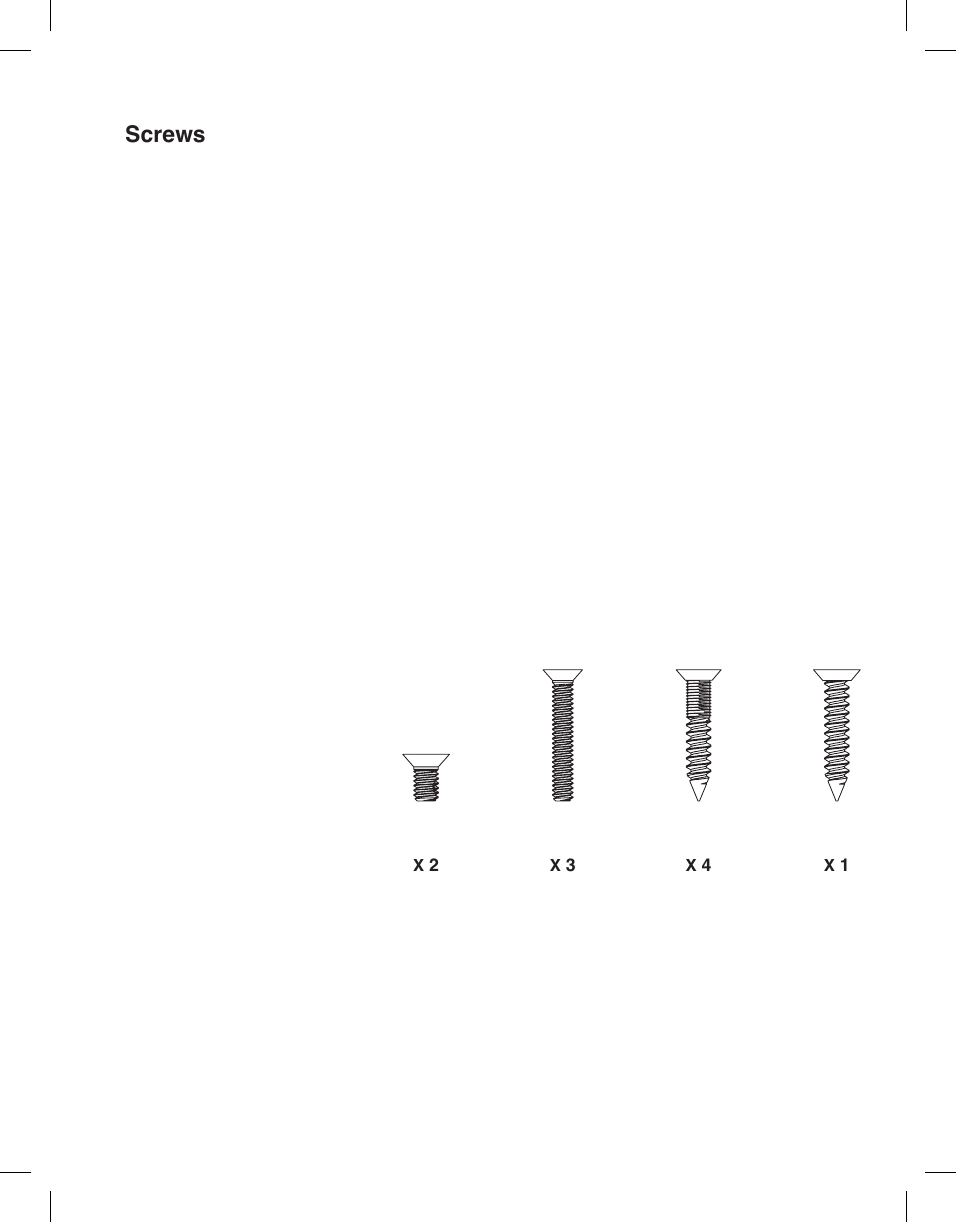
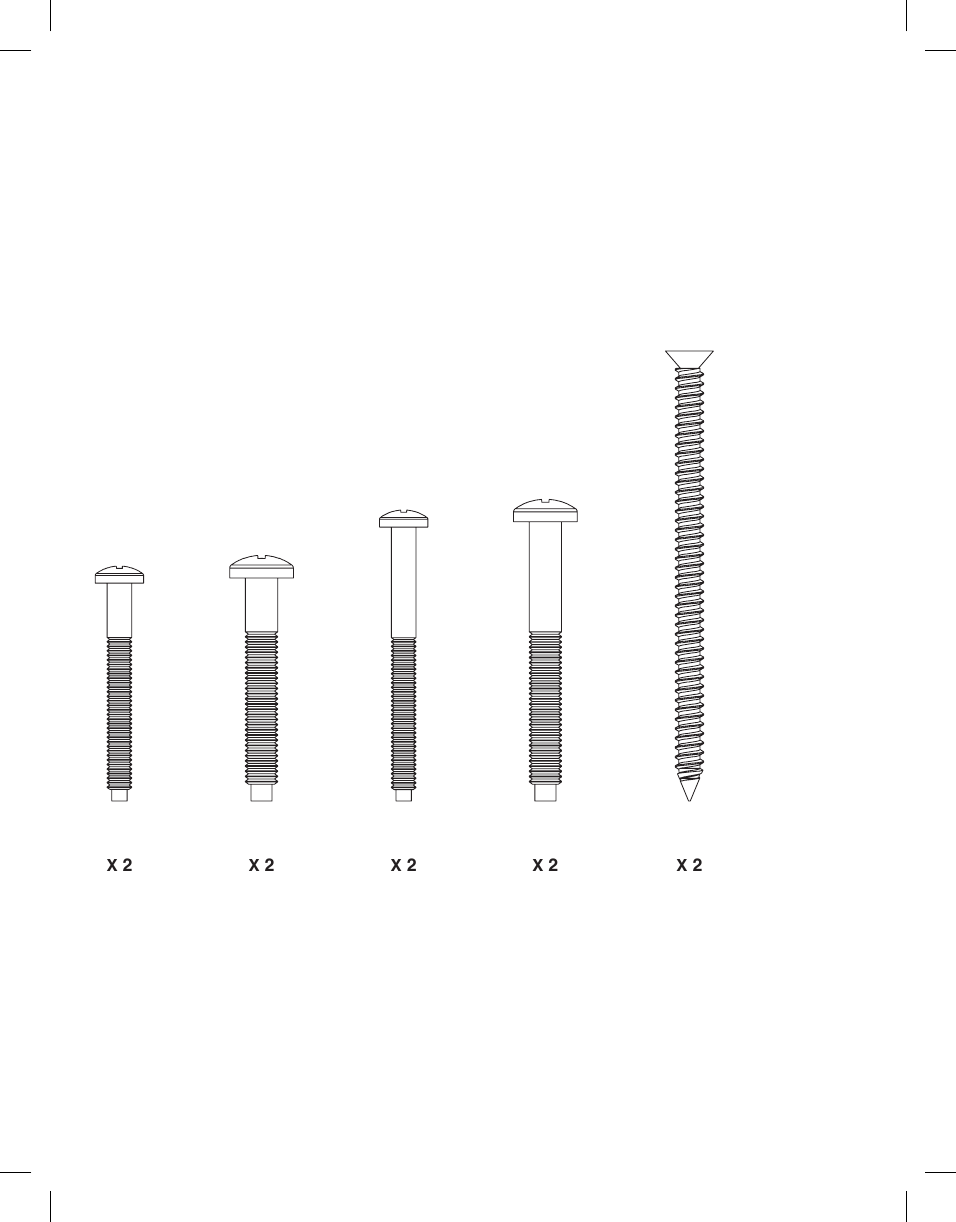
Screws X 4X 3X 2 X 1
X 2 X 2X 2 X 2 X 2
PREPARATION
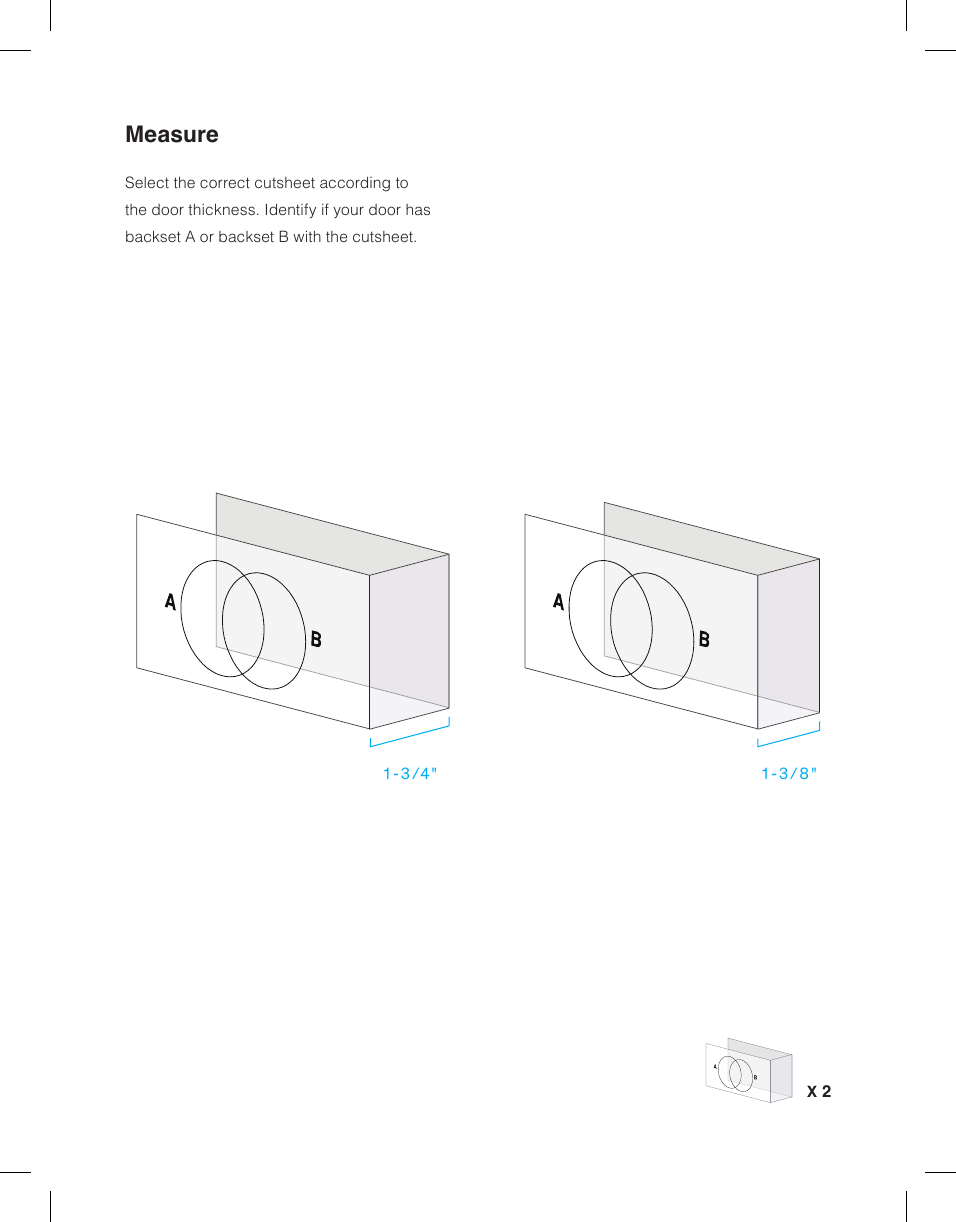
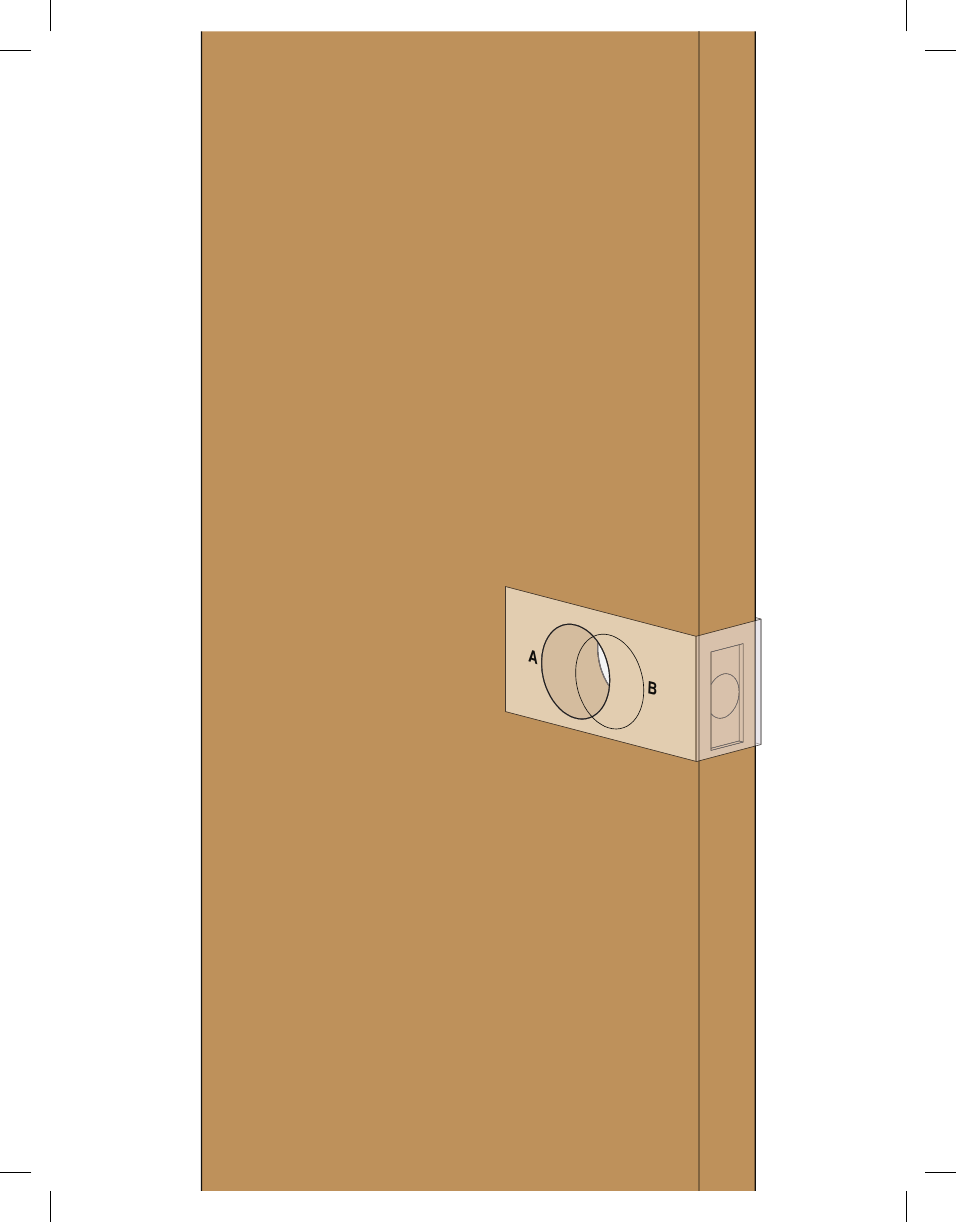
MeasureSelect the correct cutsheet according to the door thickness. Identify if your door has backset A or backset B with the cutsheet.X 2AB1-3/8"1- 3 /4"
AB
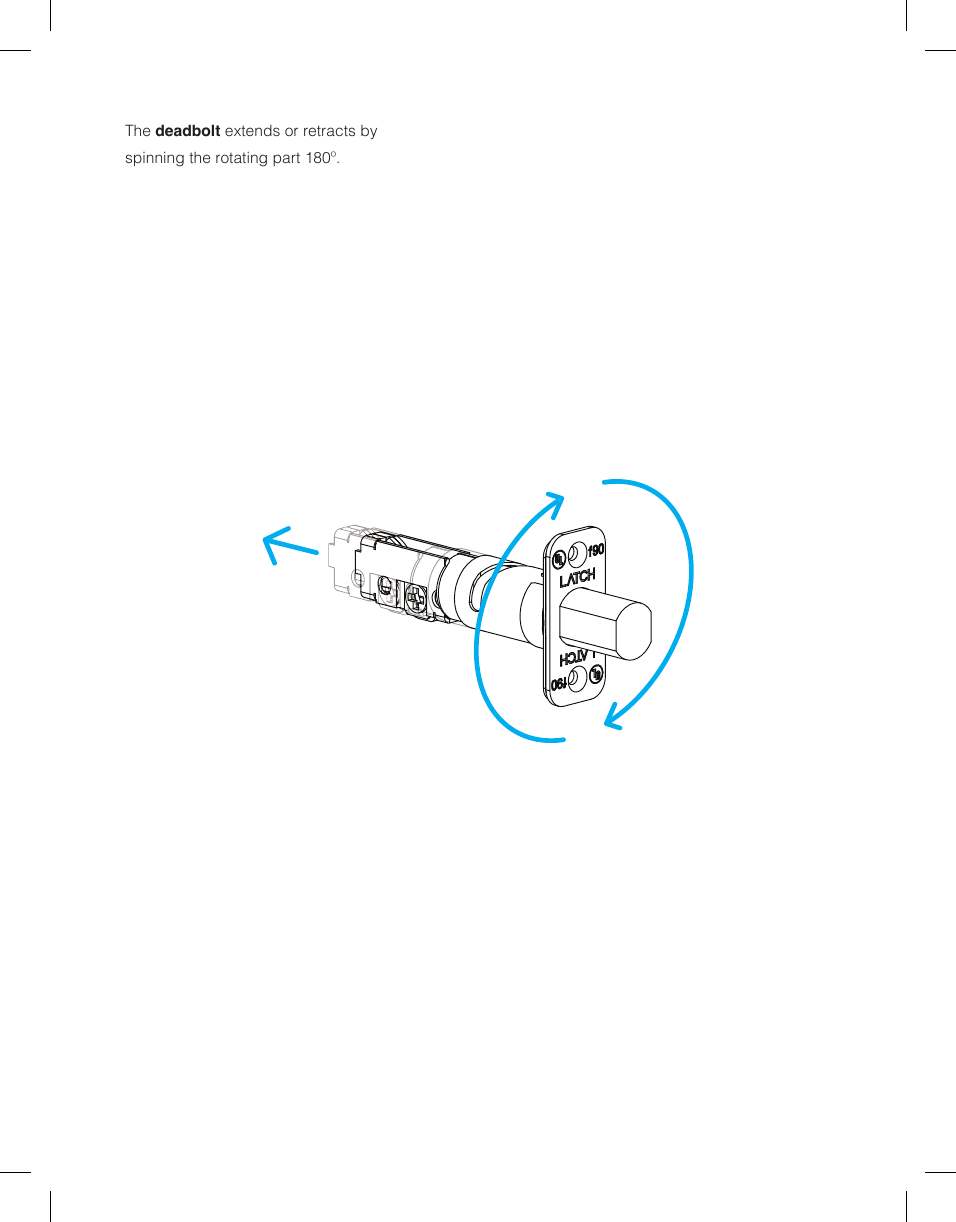
The deadbolt extends or retracts by spinning the rotating part 180º.
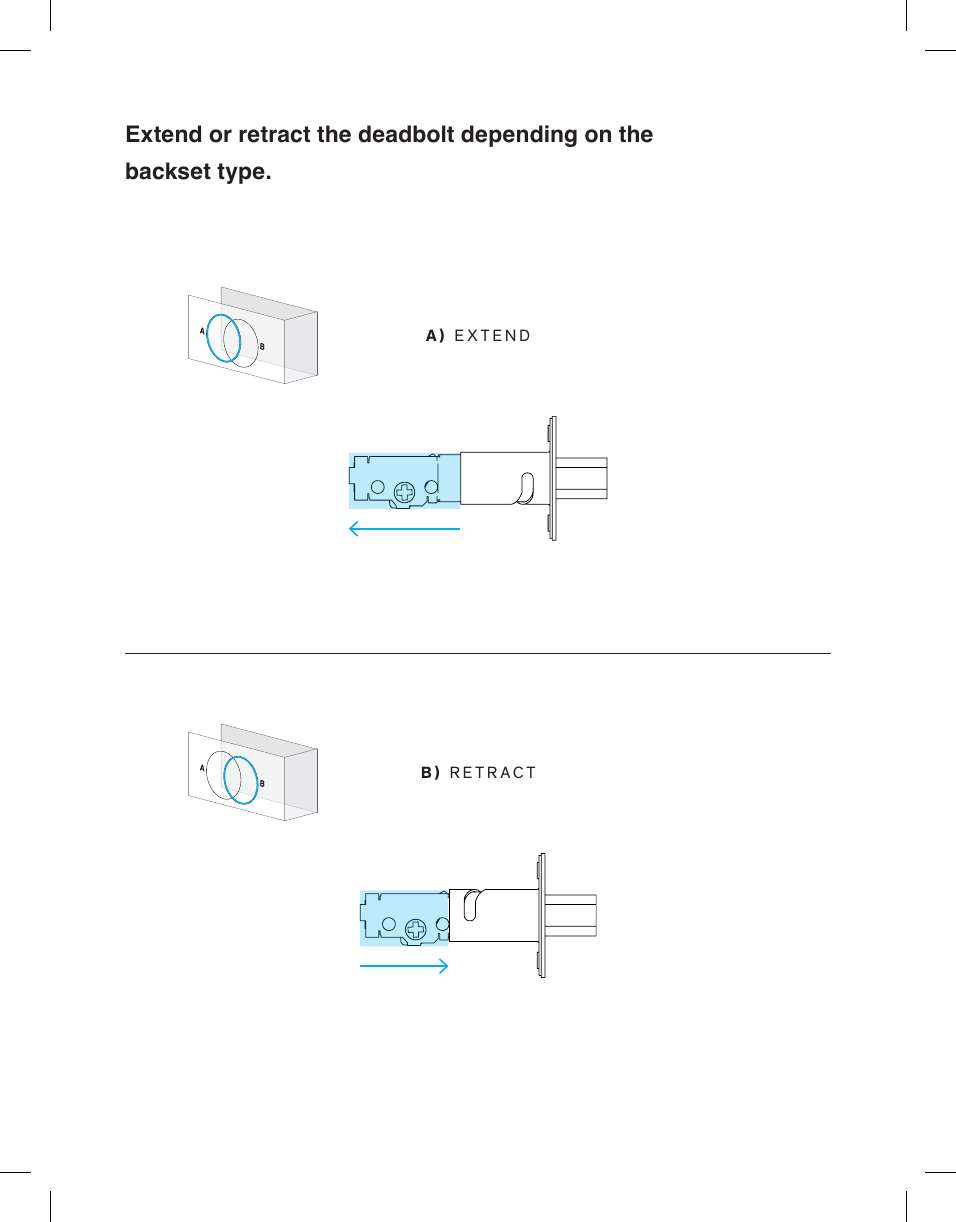
Extend or retract the deadbolt depending on the  backset type.A) EXTENDB) RETRACTABAB
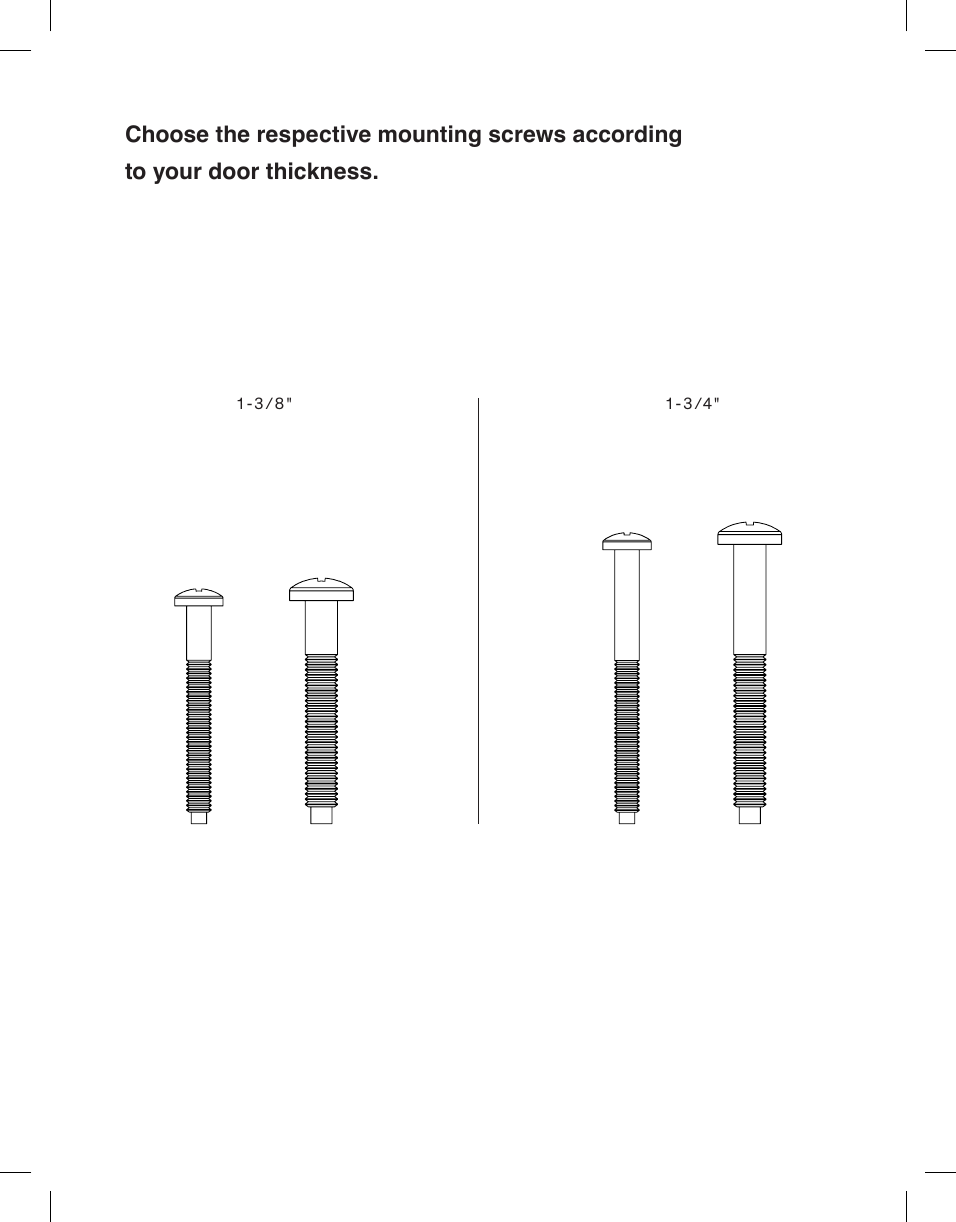
Choose the respective mounting screws according to your door thickness.1-3/8" 1- 3/4"
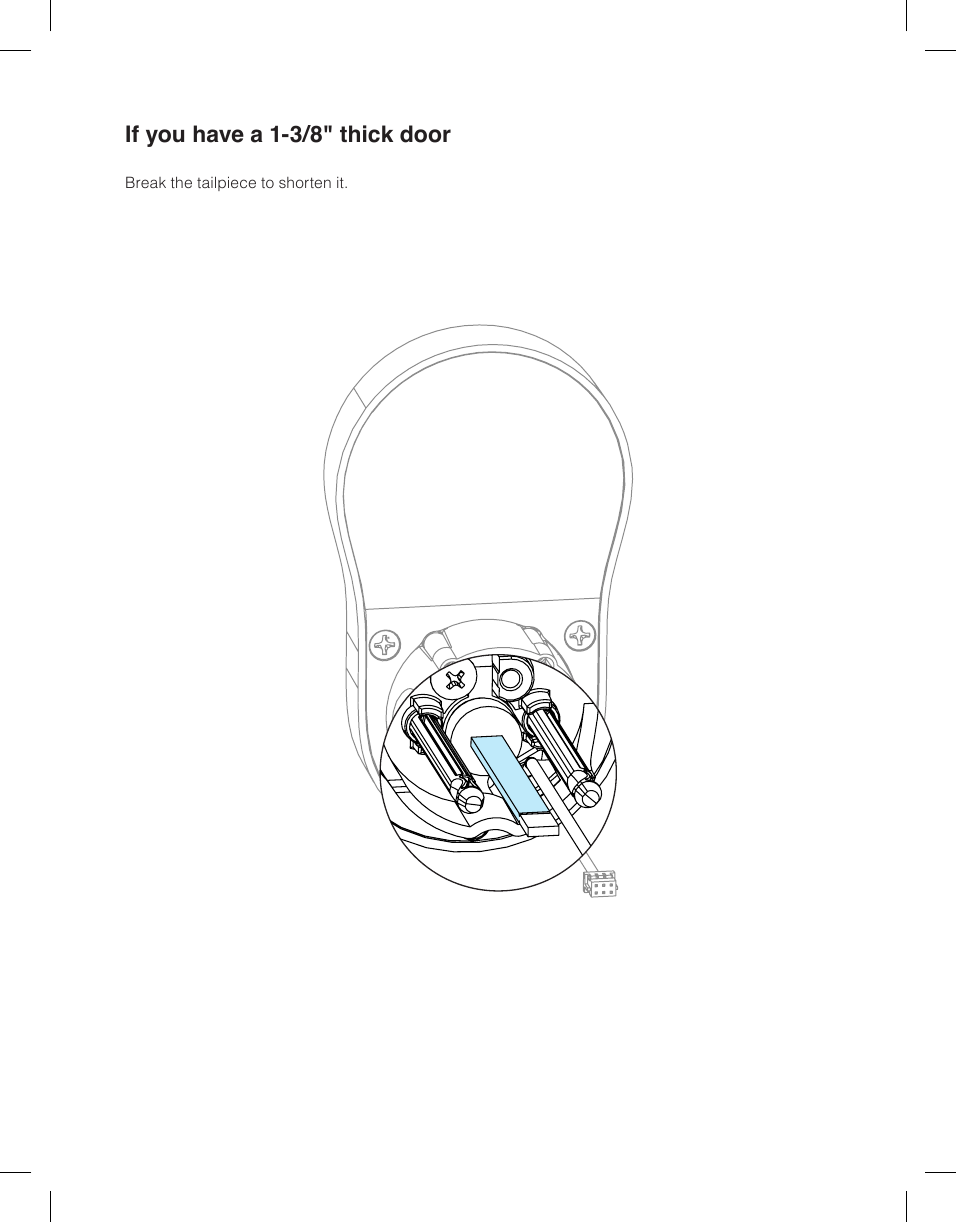
If you have a 1-3/8" thick doorBreak the tailpiece to shorten it.
INSTALLATION
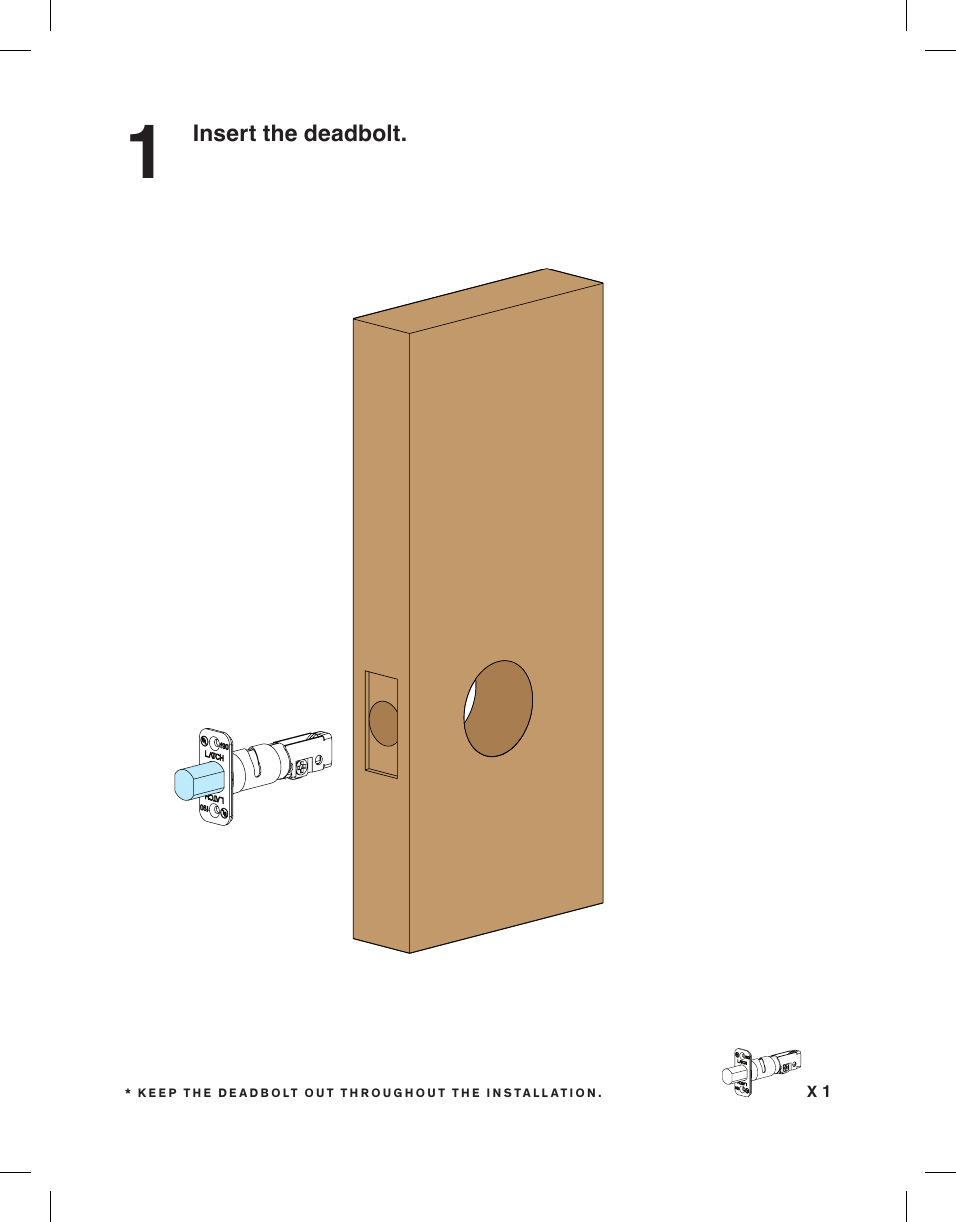
Insert the deadbolt.1X 1* KEEP THE DEADBOLT OUT THROUGHOUT THE INSTALLATION.
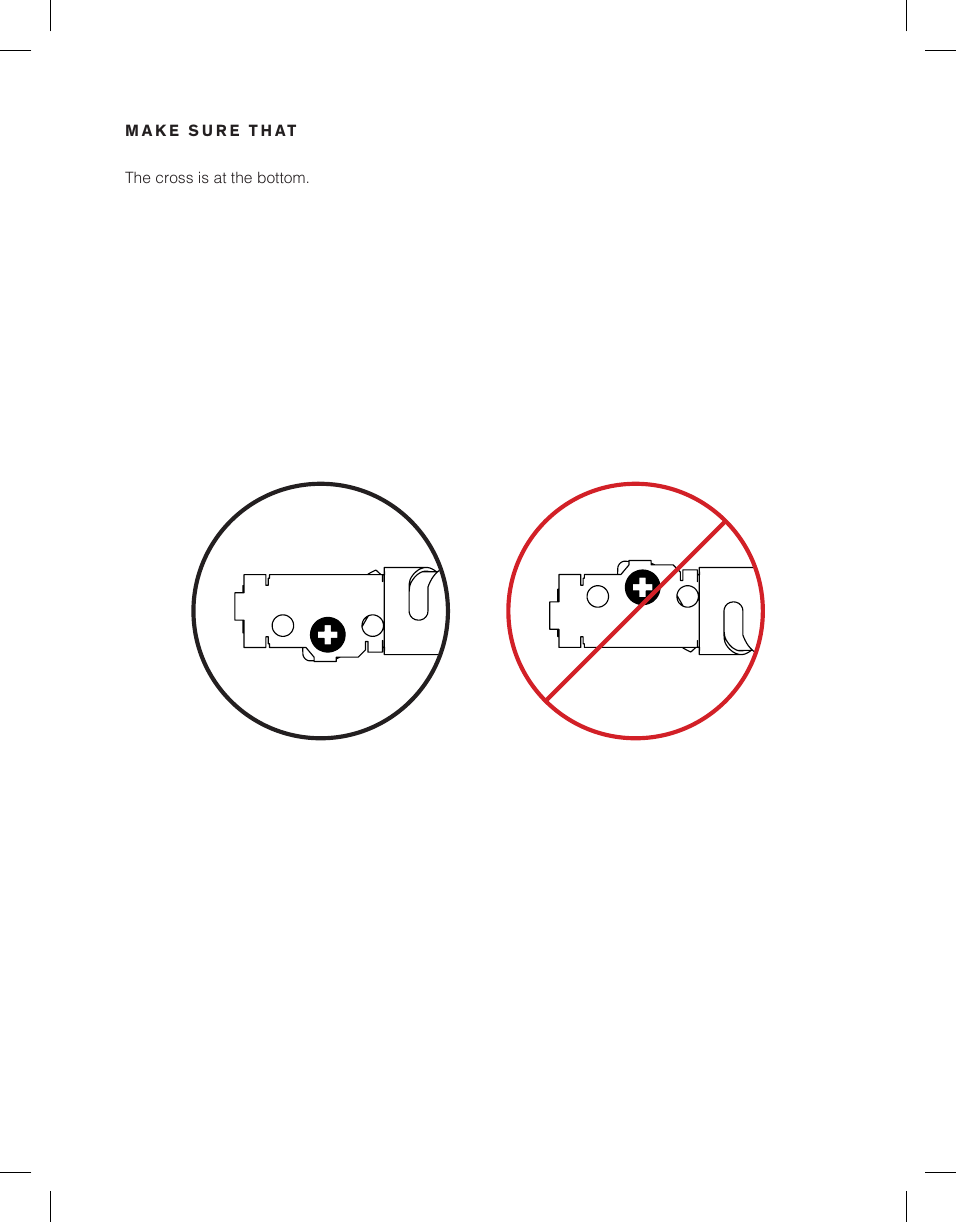
MAKE SURE THATThe cross is at the bottom.
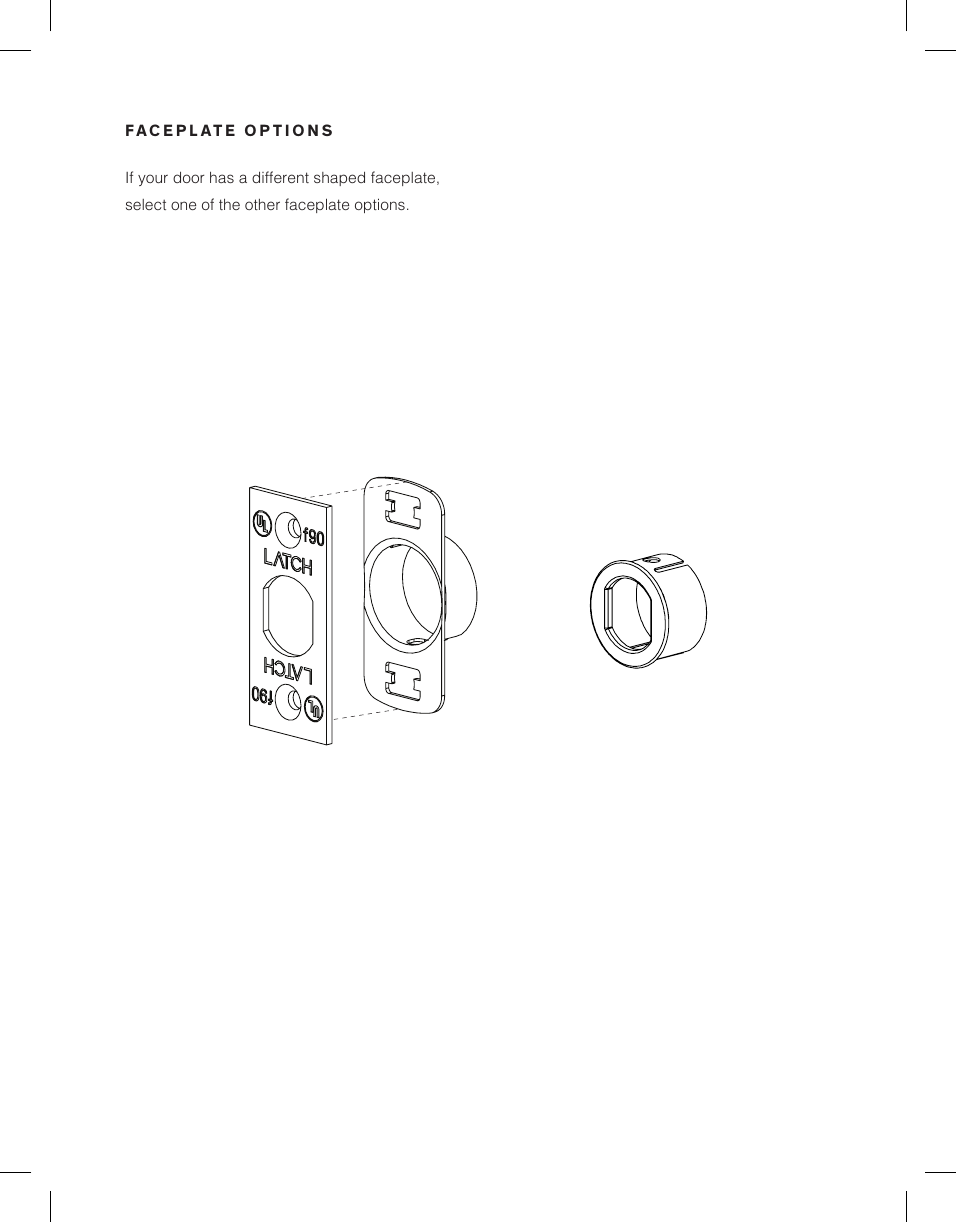
If your door has a different shaped faceplate, select one of the other faceplate options.FACEPLATE OPTIONS
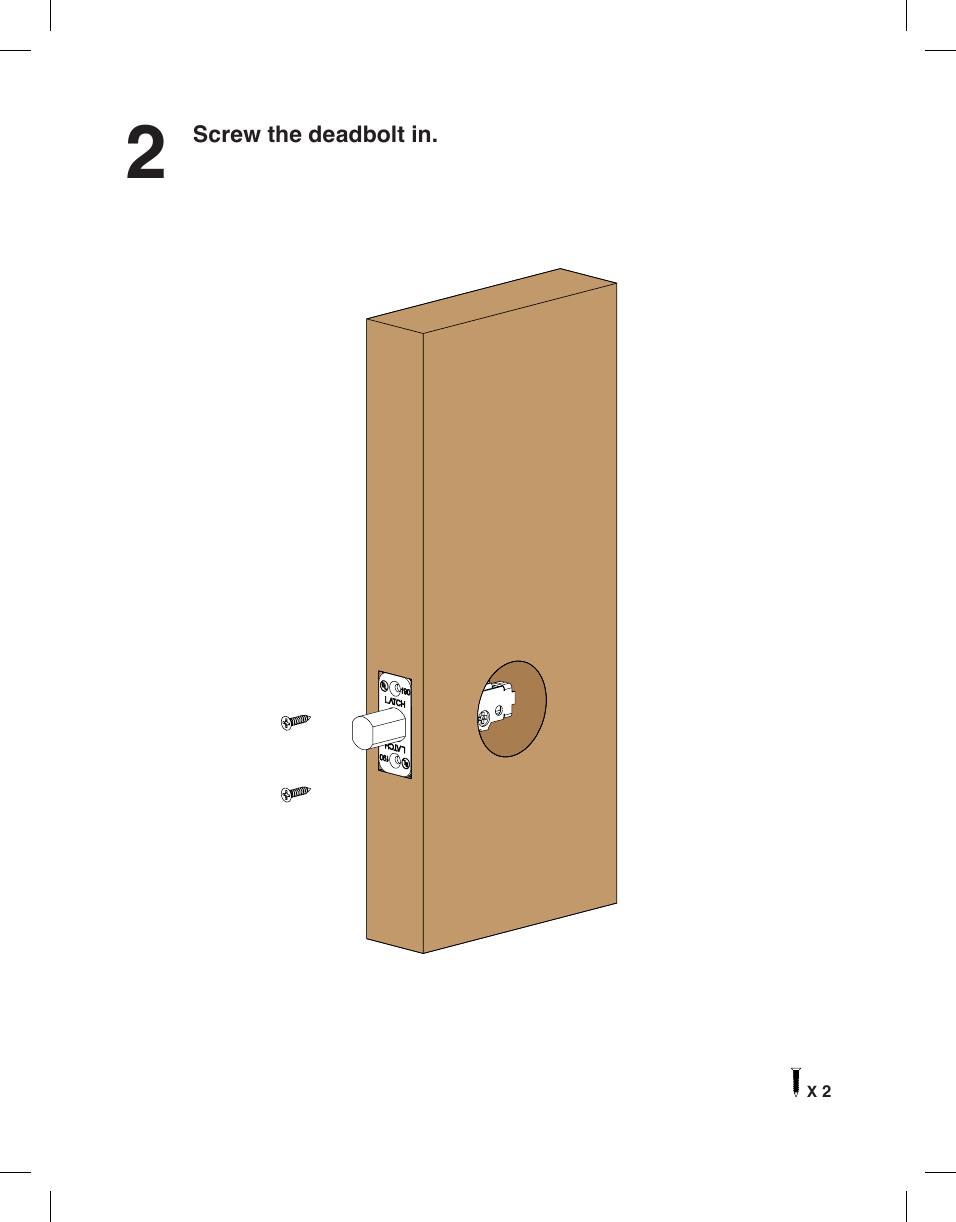
Screw the deadbolt in.2X 2
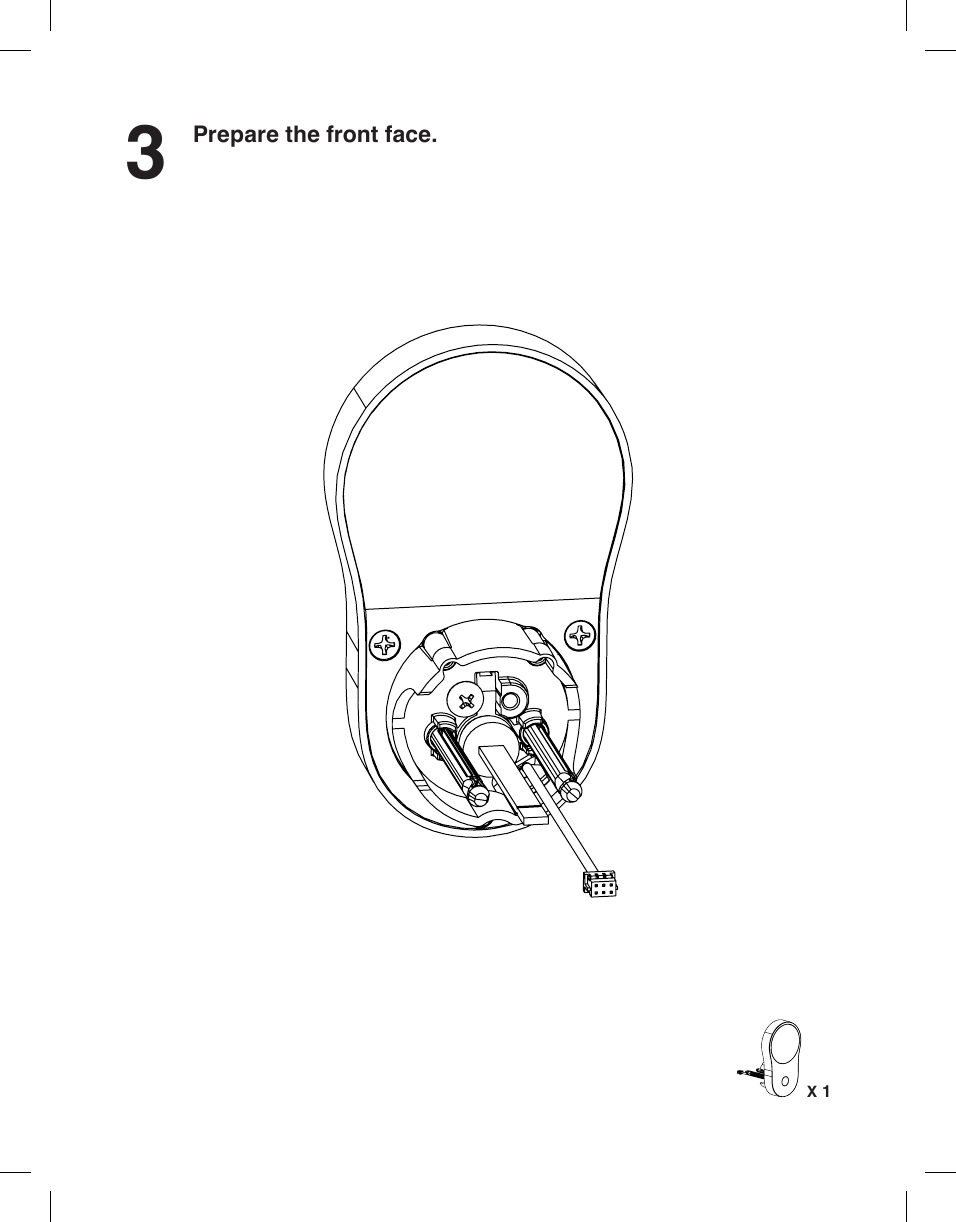
Prepare the front face.3X 1
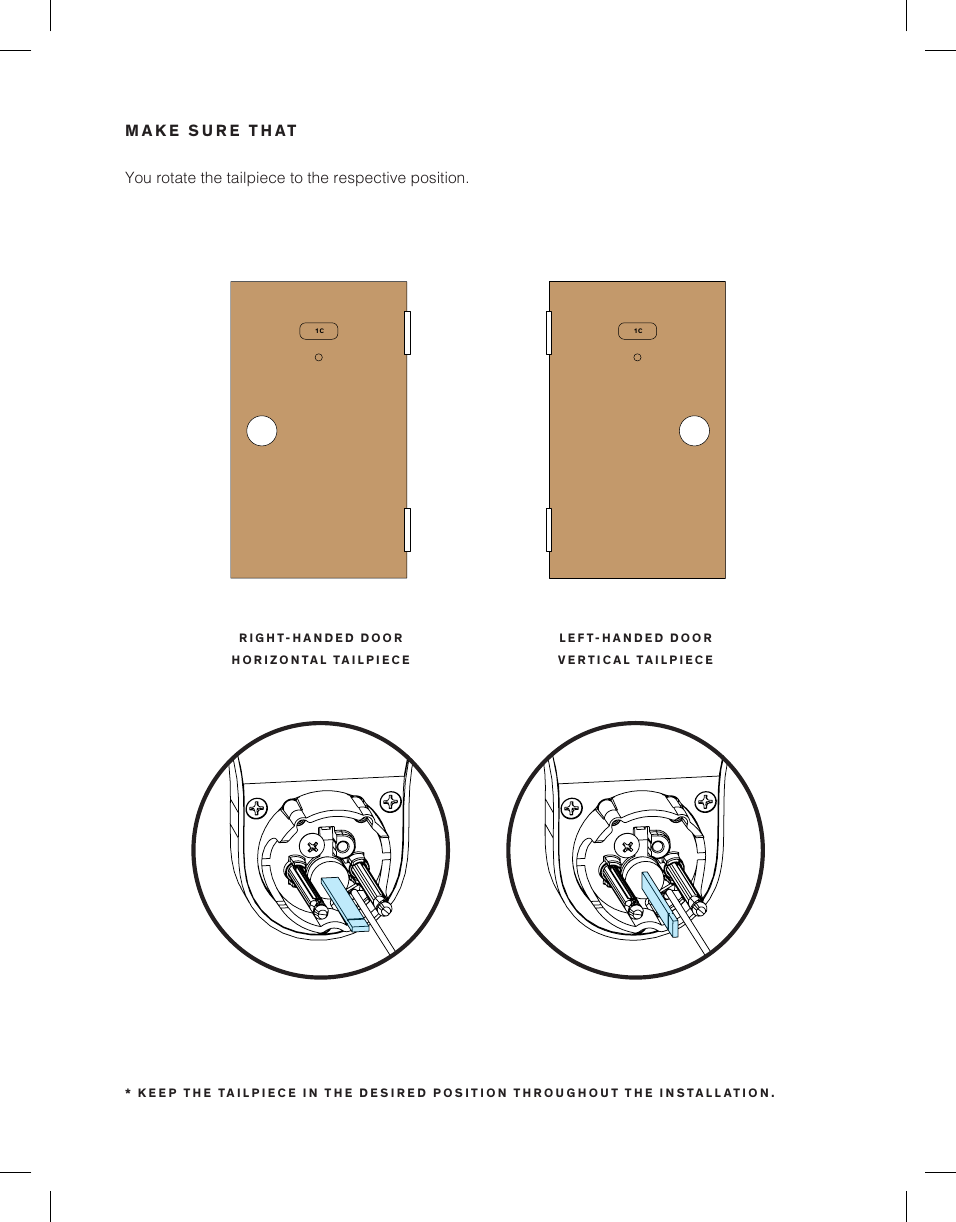
You rotate the tailpiece to the respective position.MAKE SURE THAT1C 1C1C 1CRIGHT-HANDED DOORHORIZONTAL TAILPIECELEFT-HANDED DOORVERTICAL TAILPIECE* KEEP THE TAILPIECE IN THE DESIRED POSITION THROUGHOUT THE INSTALLATION.
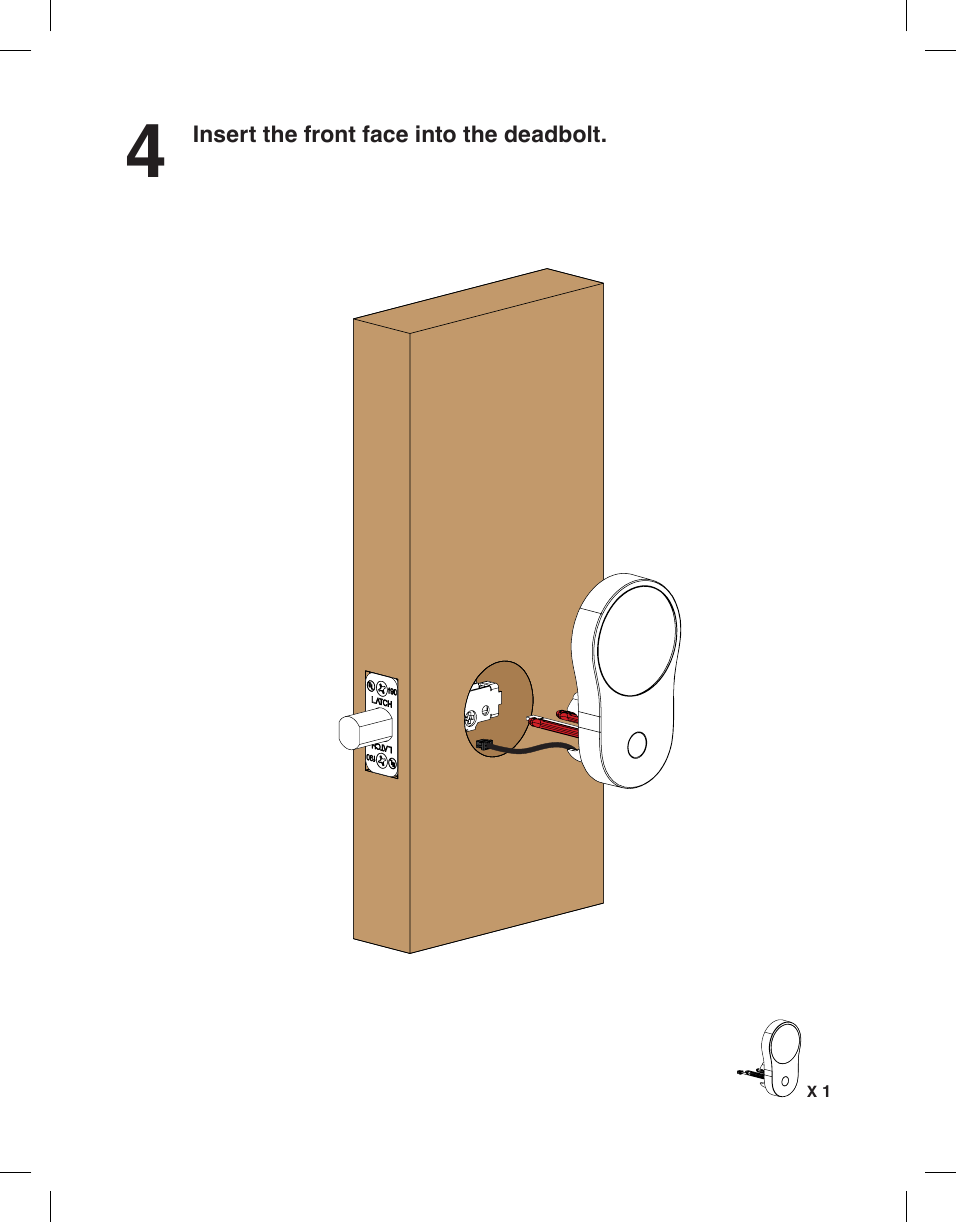
4Insert the front face into the deadbolt.X 1
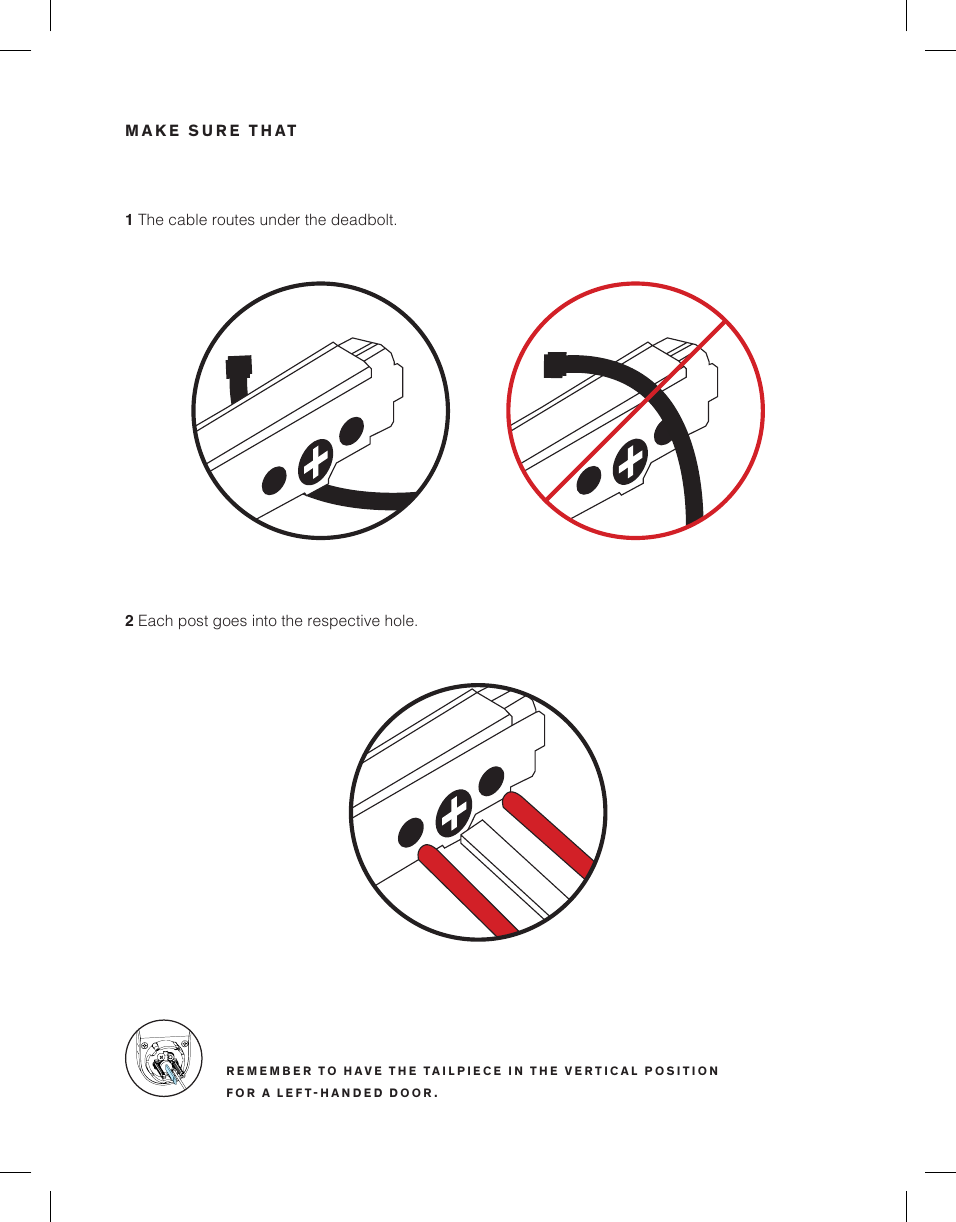
MAKE SURE THAT1 The cable routes under the deadbolt.2 Each post goes into the respective hole.REMEMBER TO HAVE THE TAILPIECE IN THE VERTICAL POSITION FOR A LEFTHANDED DOOR.
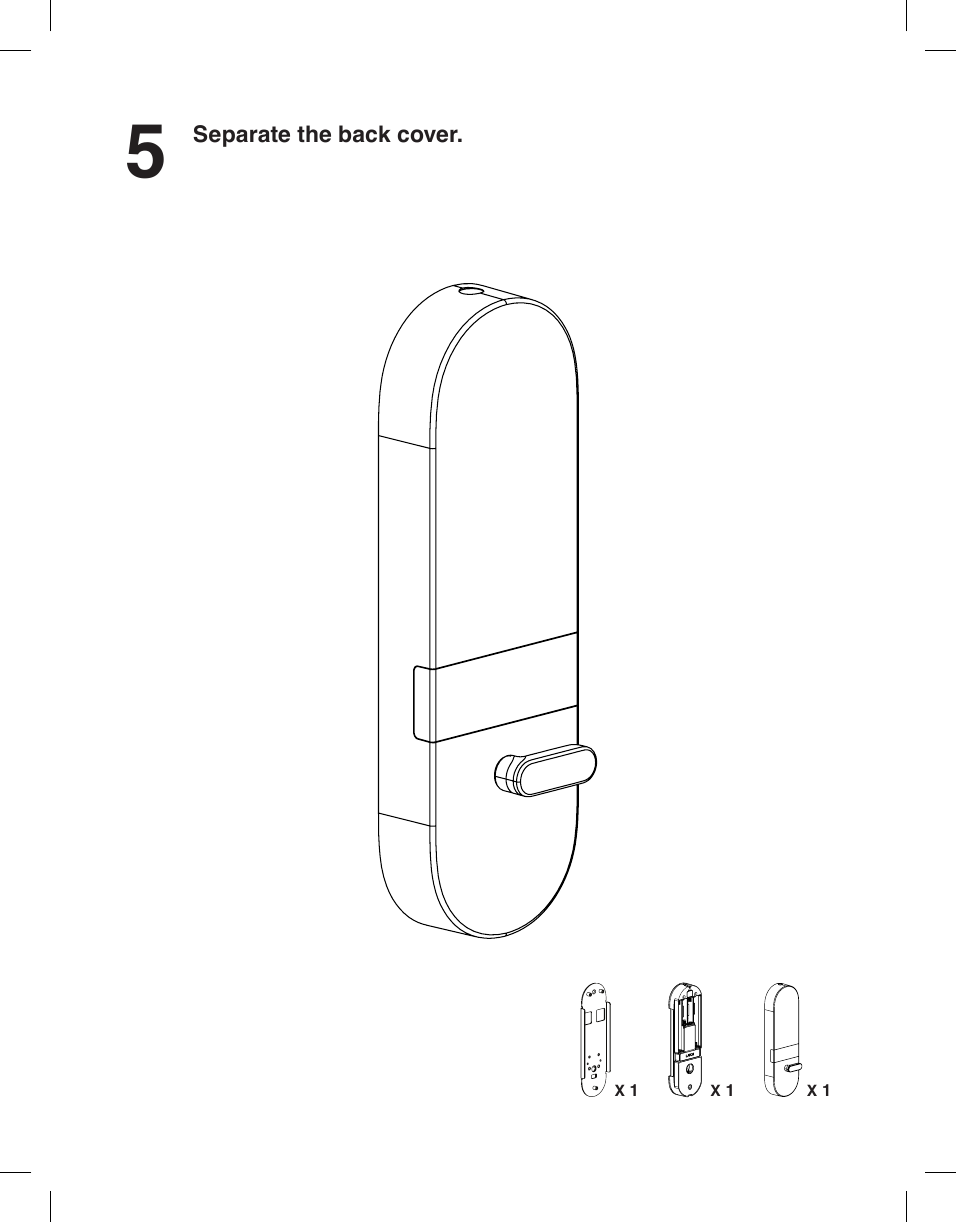
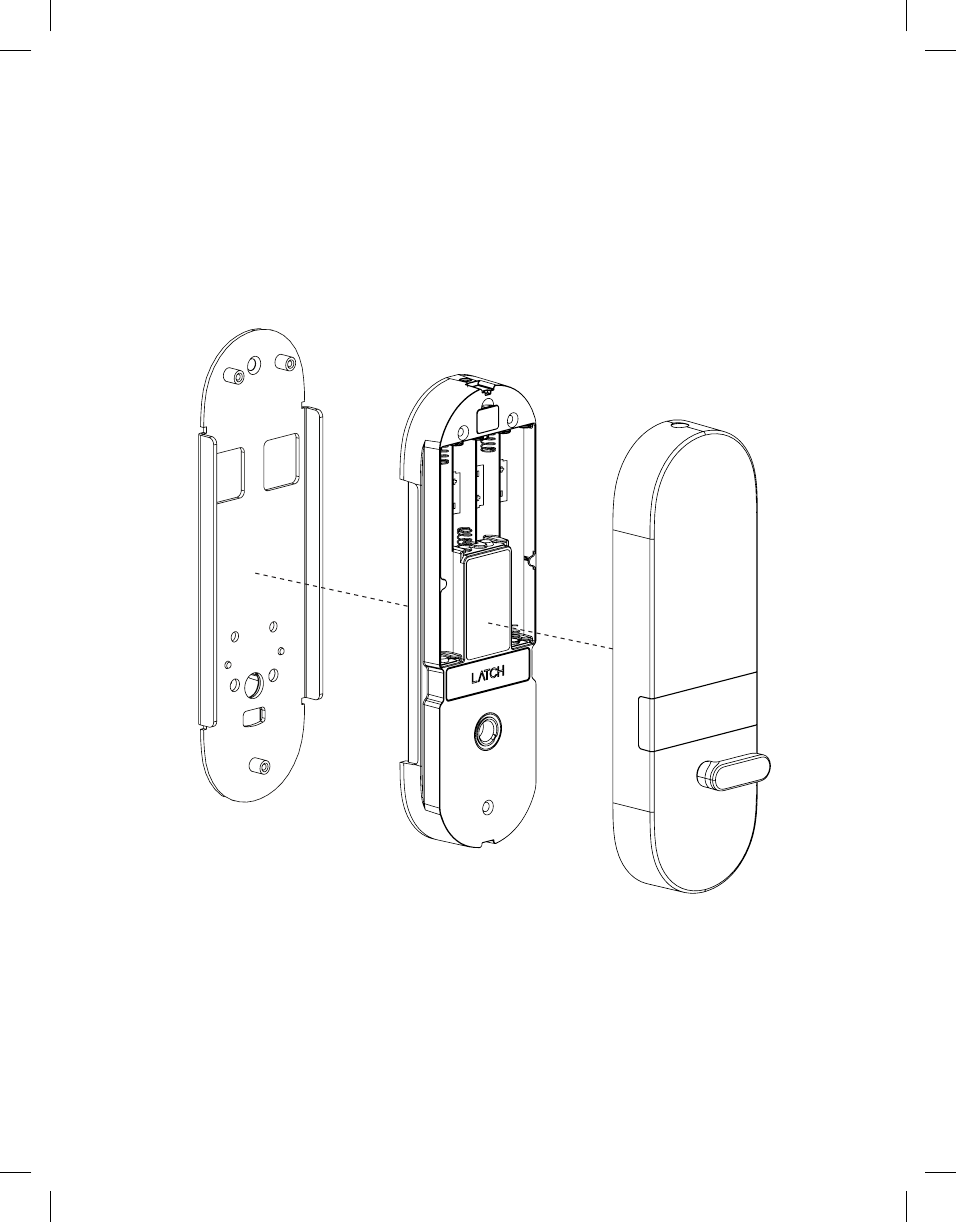
5Separate the back cover.X 1 X 1 X 1
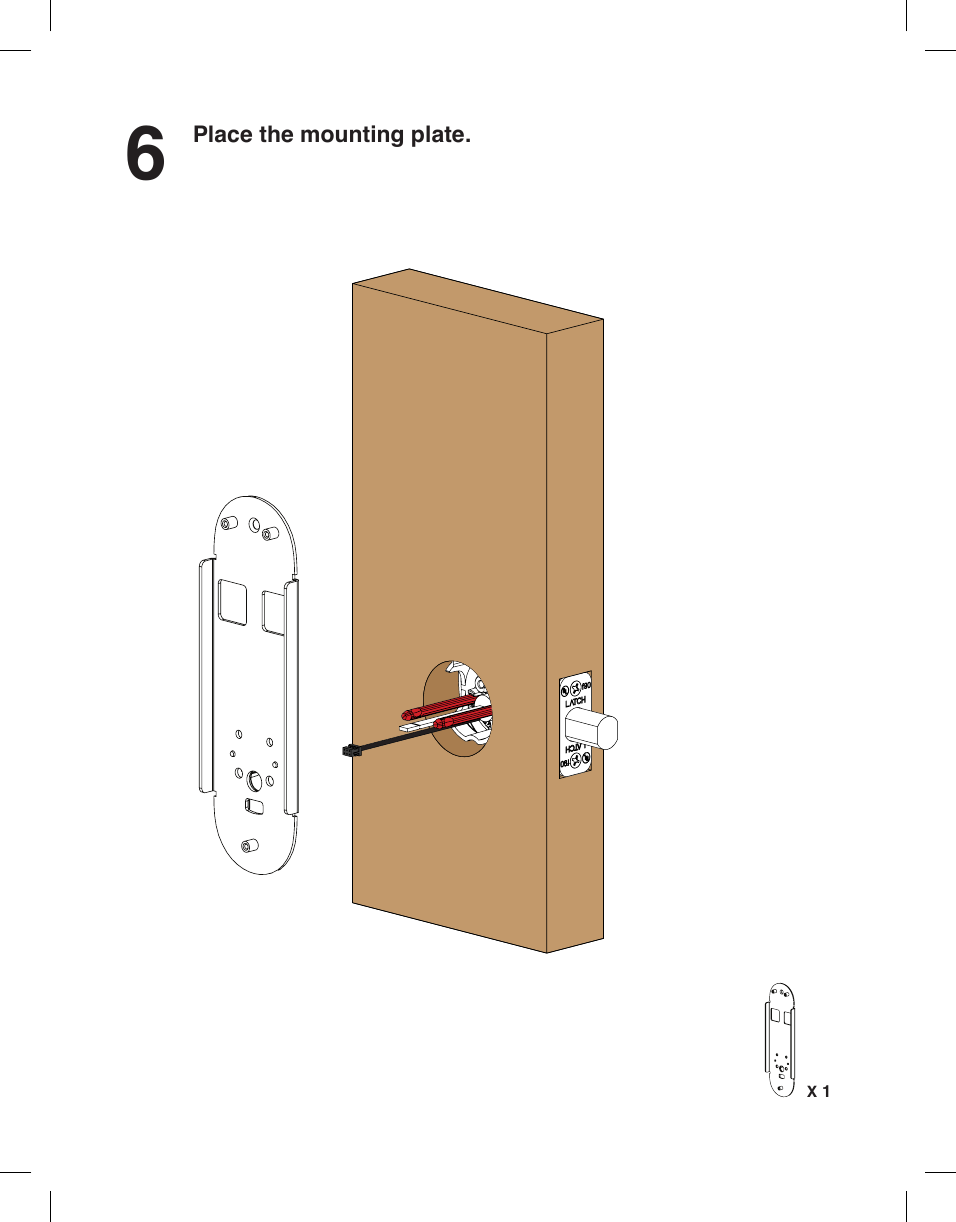
6Place the mounting plate.X 1
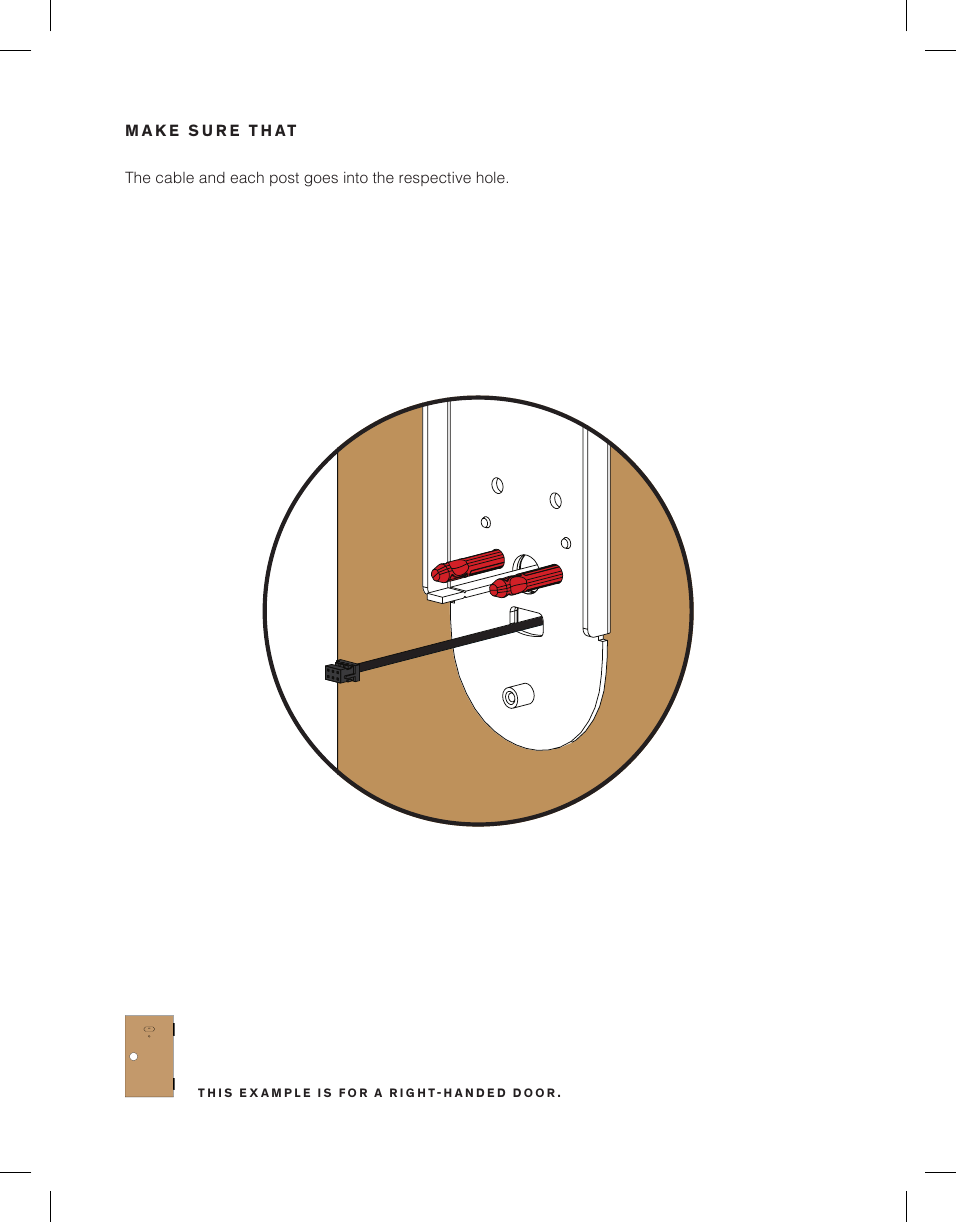
The cable and each post goes into the respective hole.MAKE SURE THAT1C 1CTHIS EXAMPLE IS FOR A RIGHTHANDED DOOR.
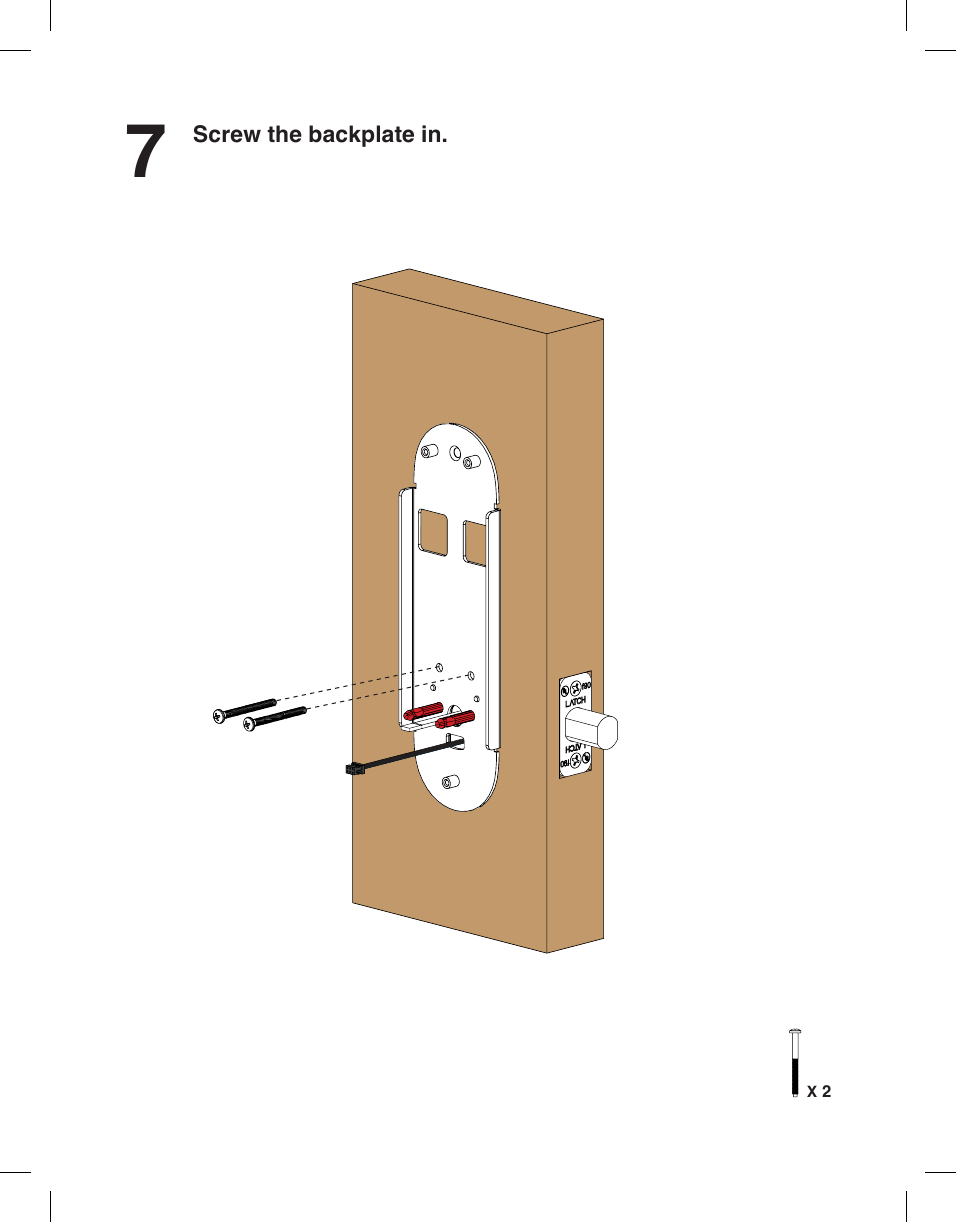
7Screw the backplate in.X 2
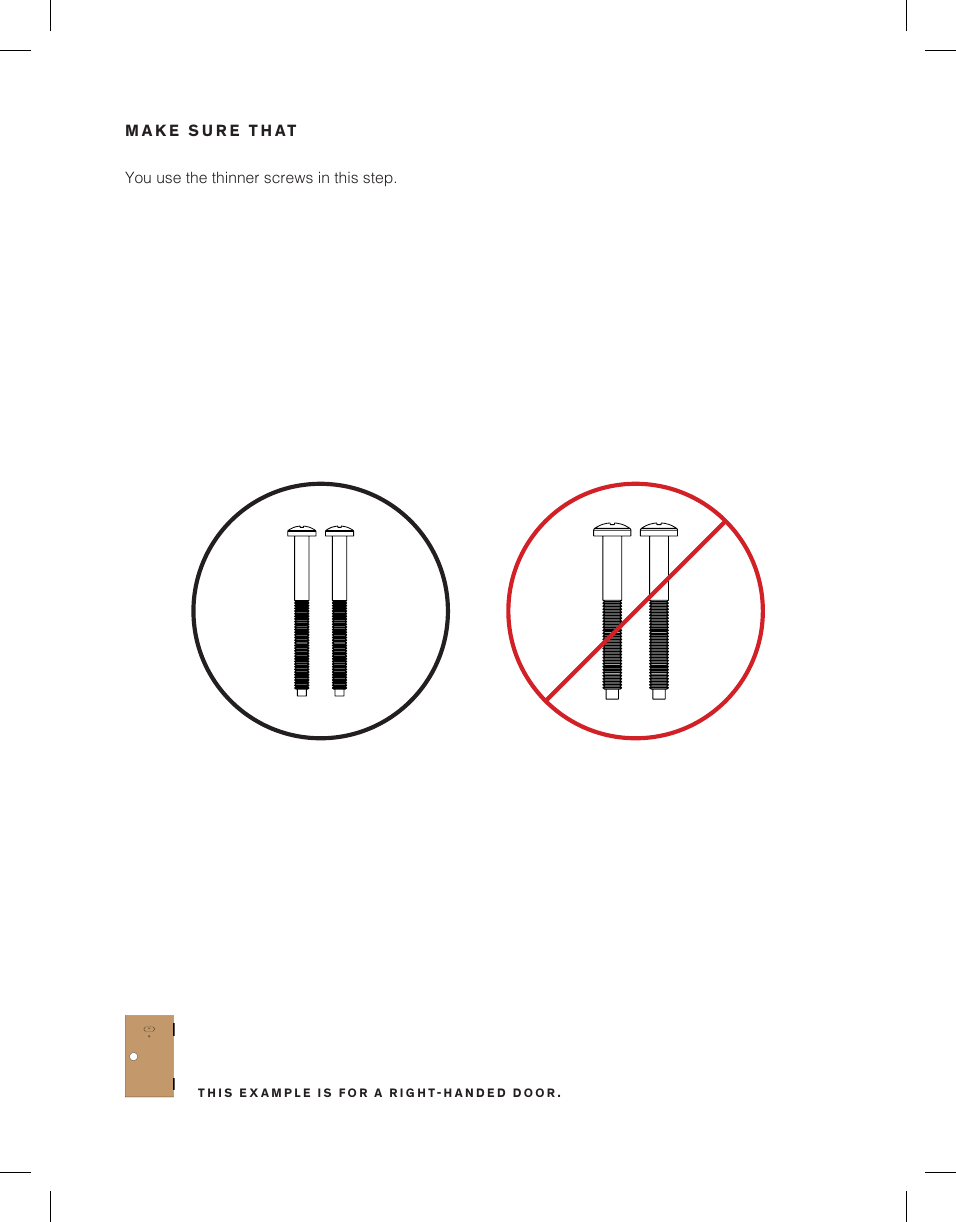
You use the thinner screws in this step.MAKE SURE THAT1C 1CTHIS EXAMPLE IS FOR A RIGHTHANDED DOOR.
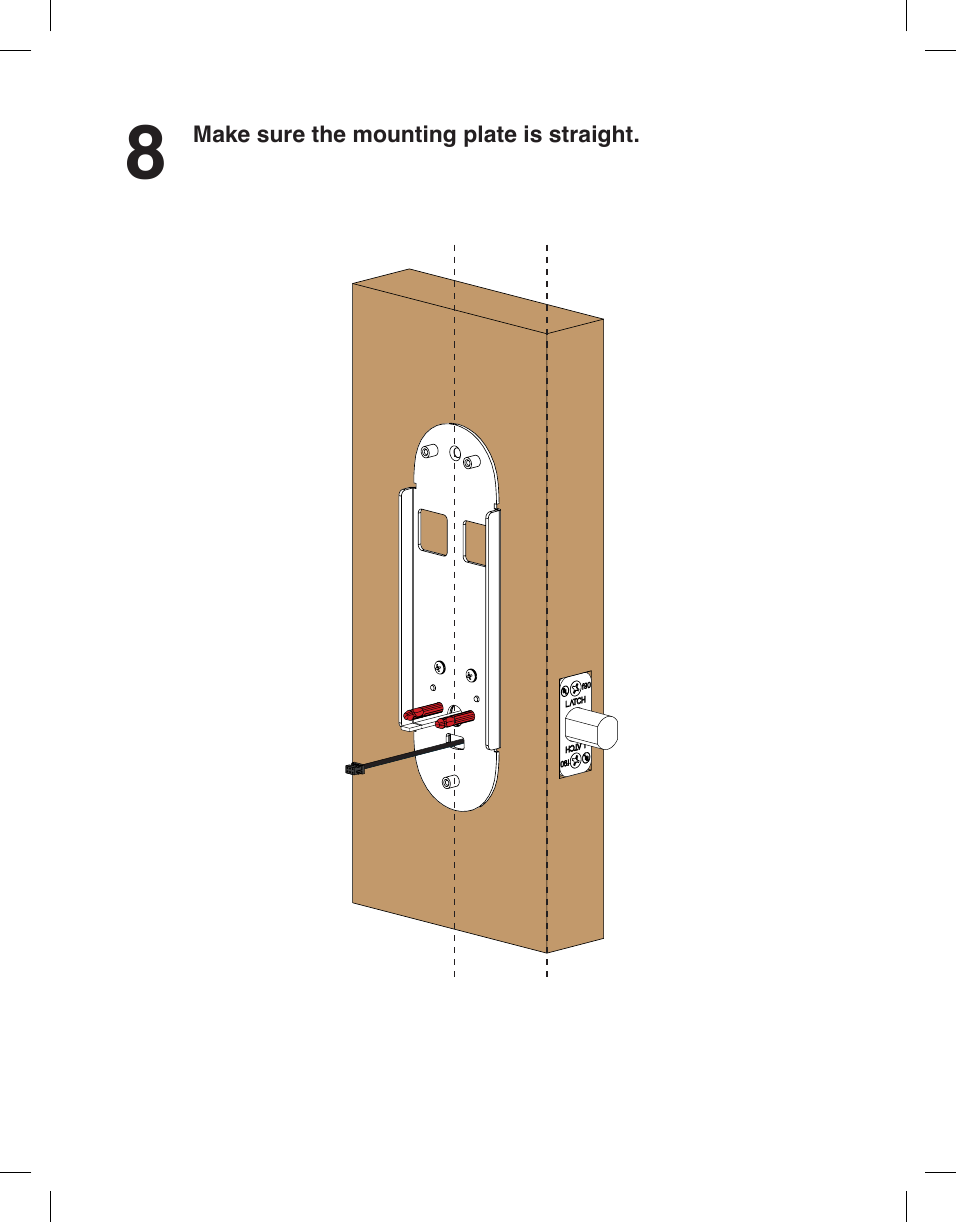
8Make sure the mounting plate is straight.
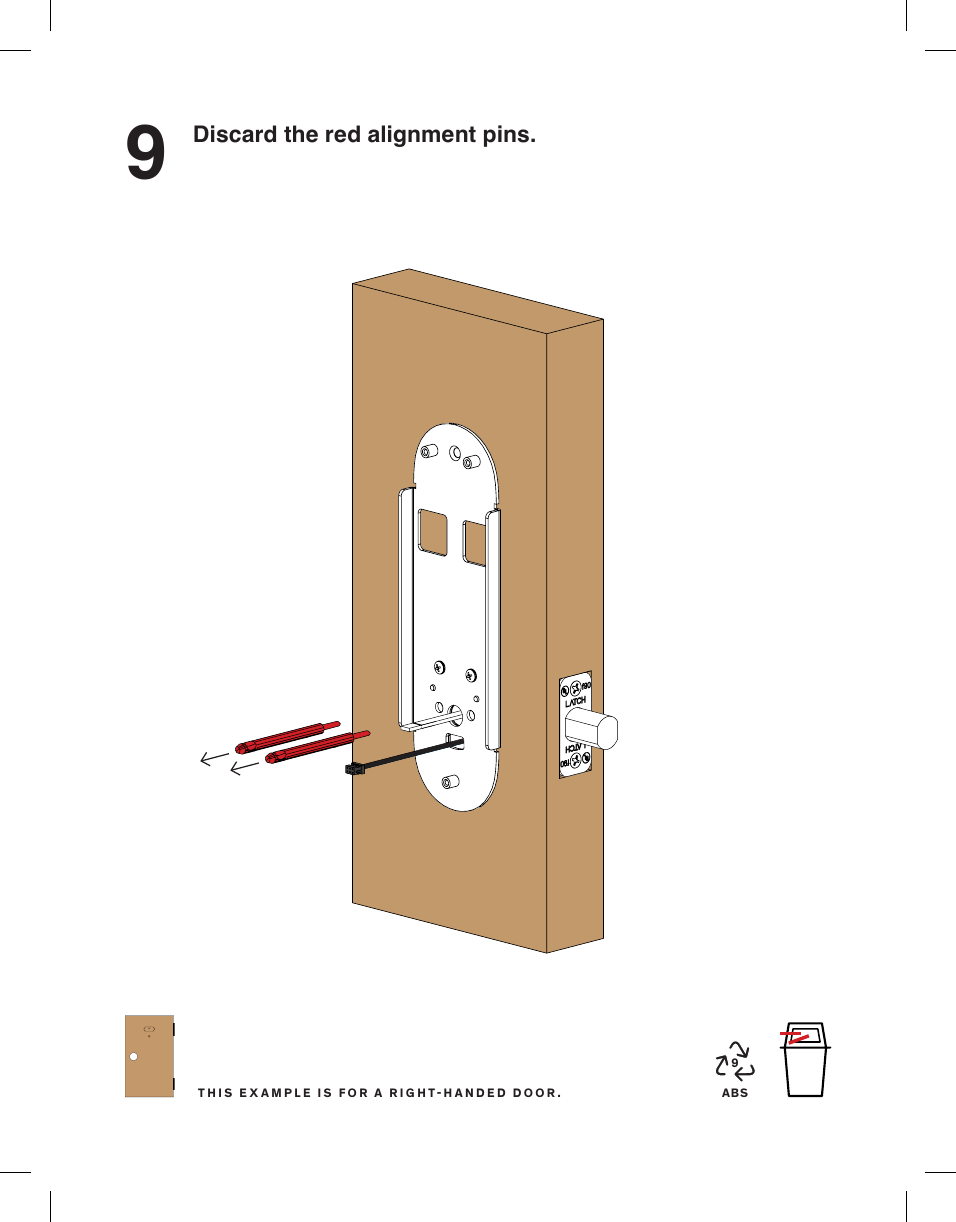
9Discard the red alignment pins.ABS91C 1CTHIS EXAMPLE IS FOR A RIGHTHANDED DOOR.
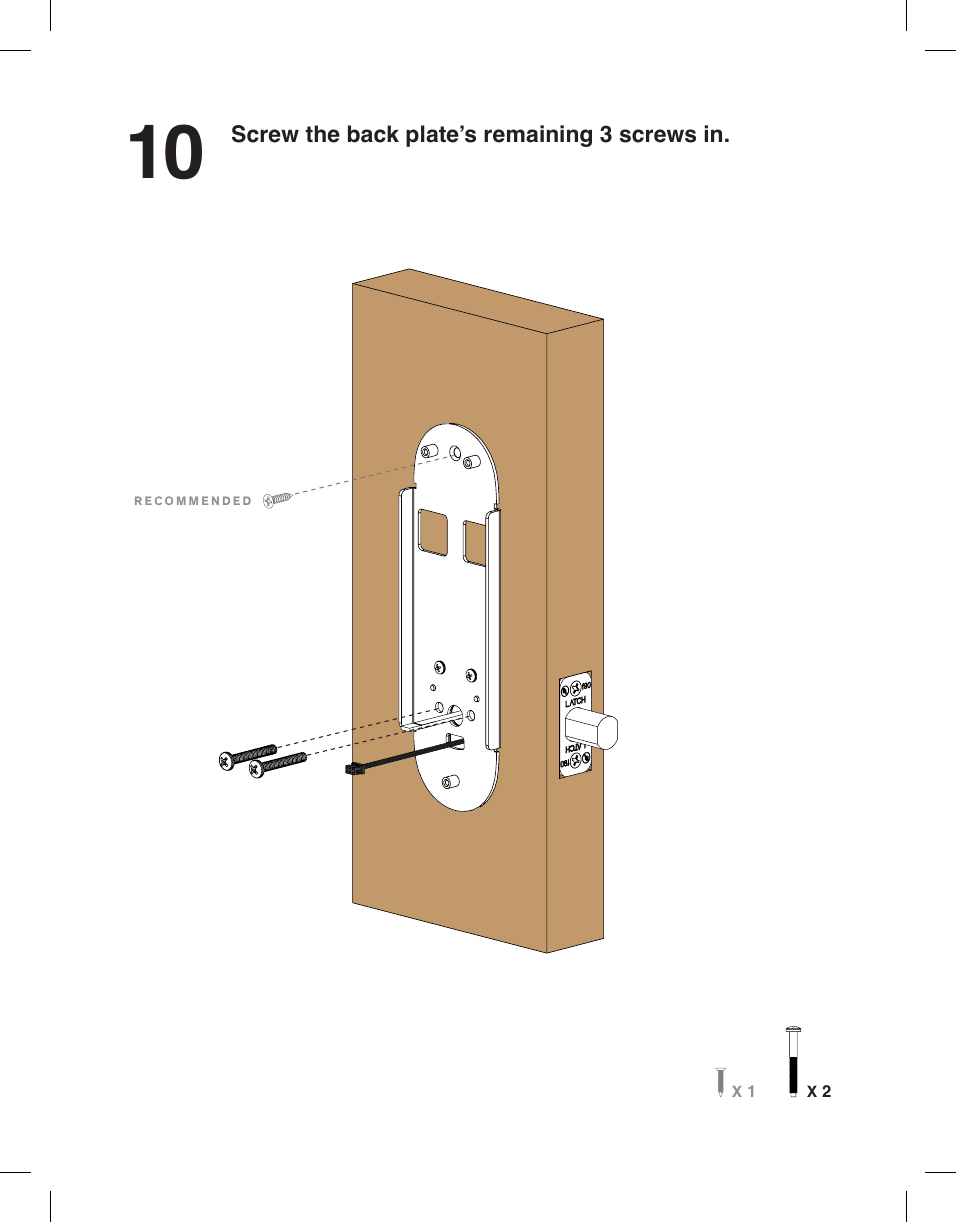
10 Screw the back plate’s remaining 3 screws in.X 2X 1RECOMMENDED
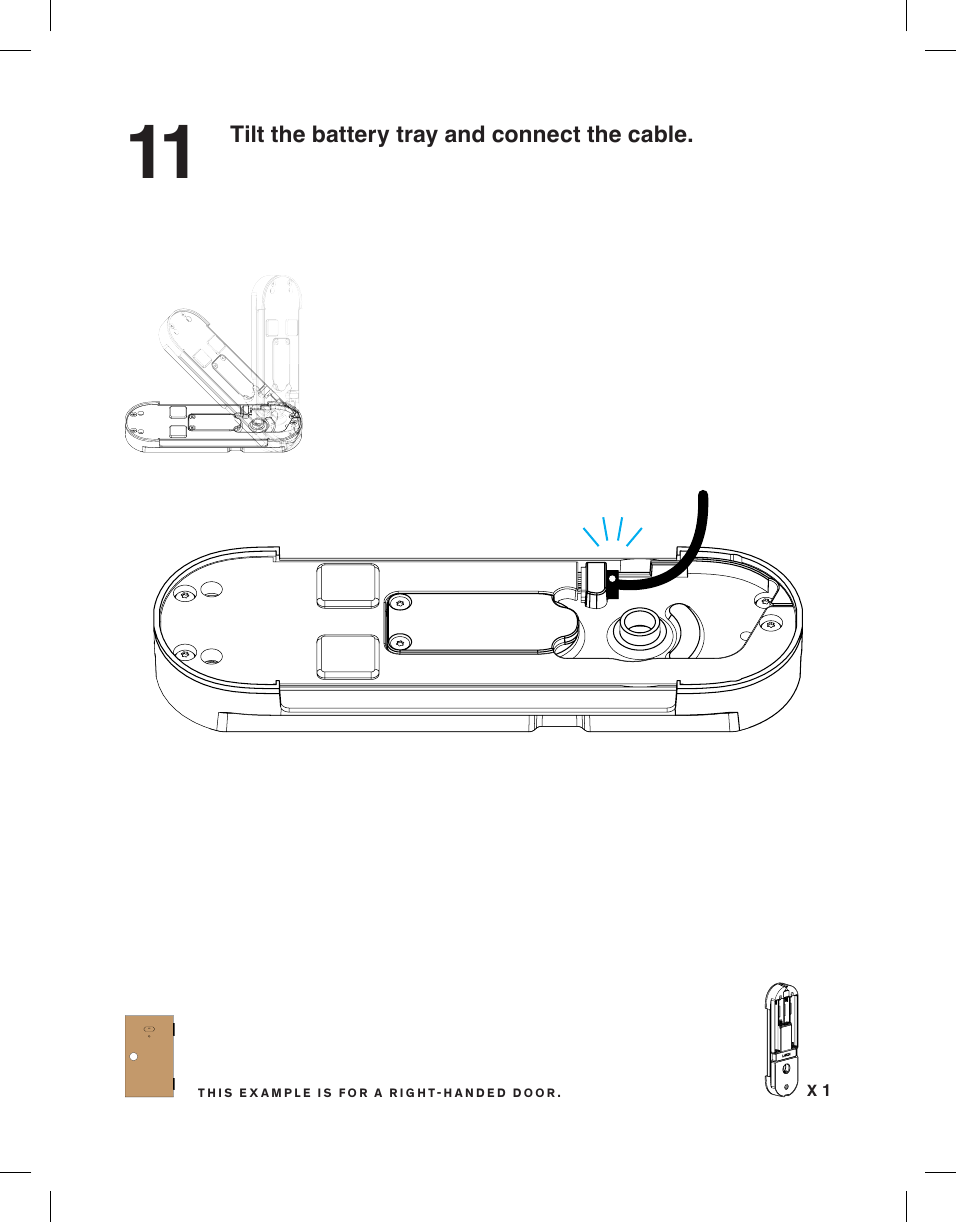
11 Tilt the battery tray and connect the cable.X 11C 1CTHIS EXAMPLE IS FOR A RIGHTHANDED DOOR.
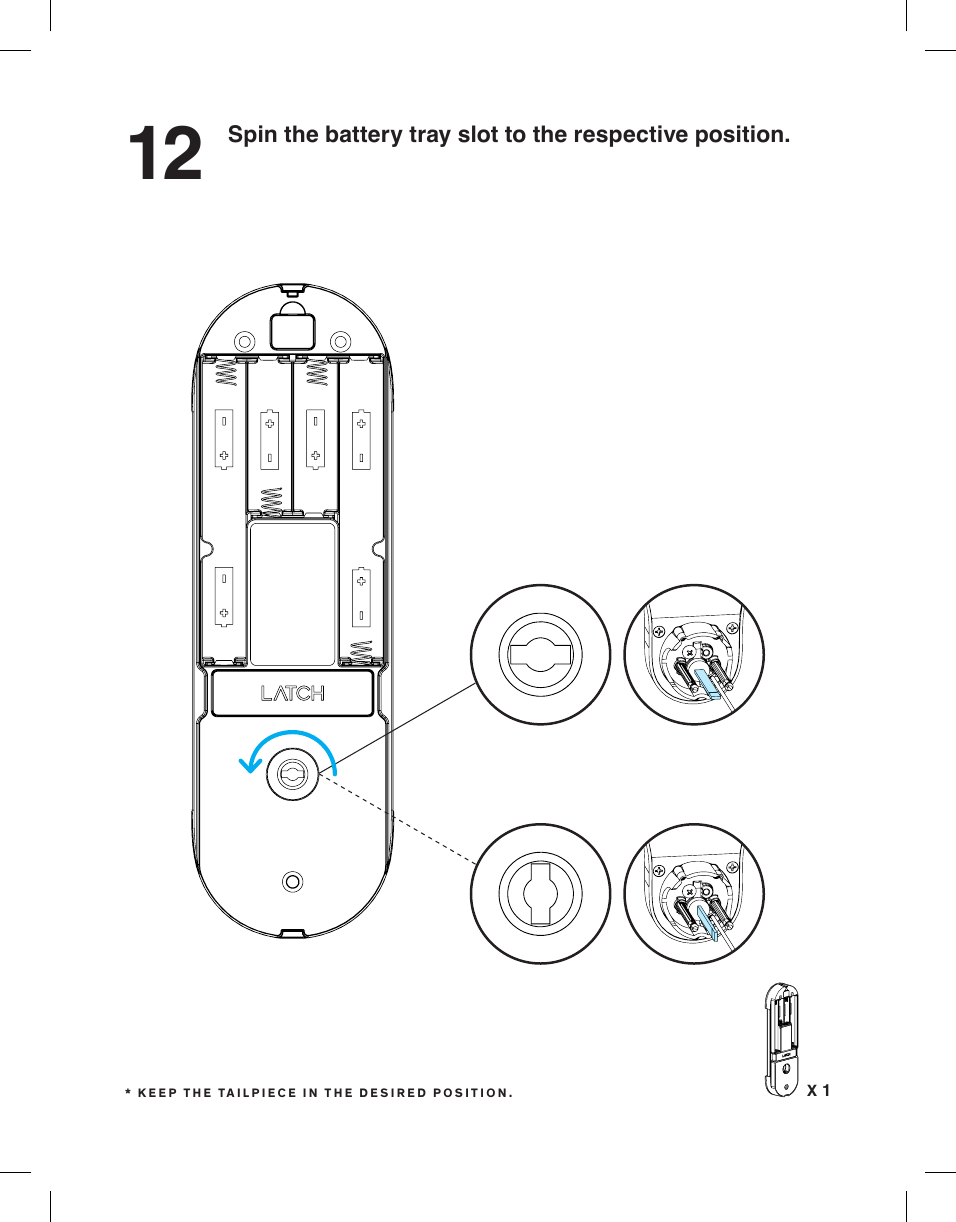
12 Spin the battery tray slot to the respective position.X 1* KEEP THE TAILPIECE IN THE DESIRED POSITION.
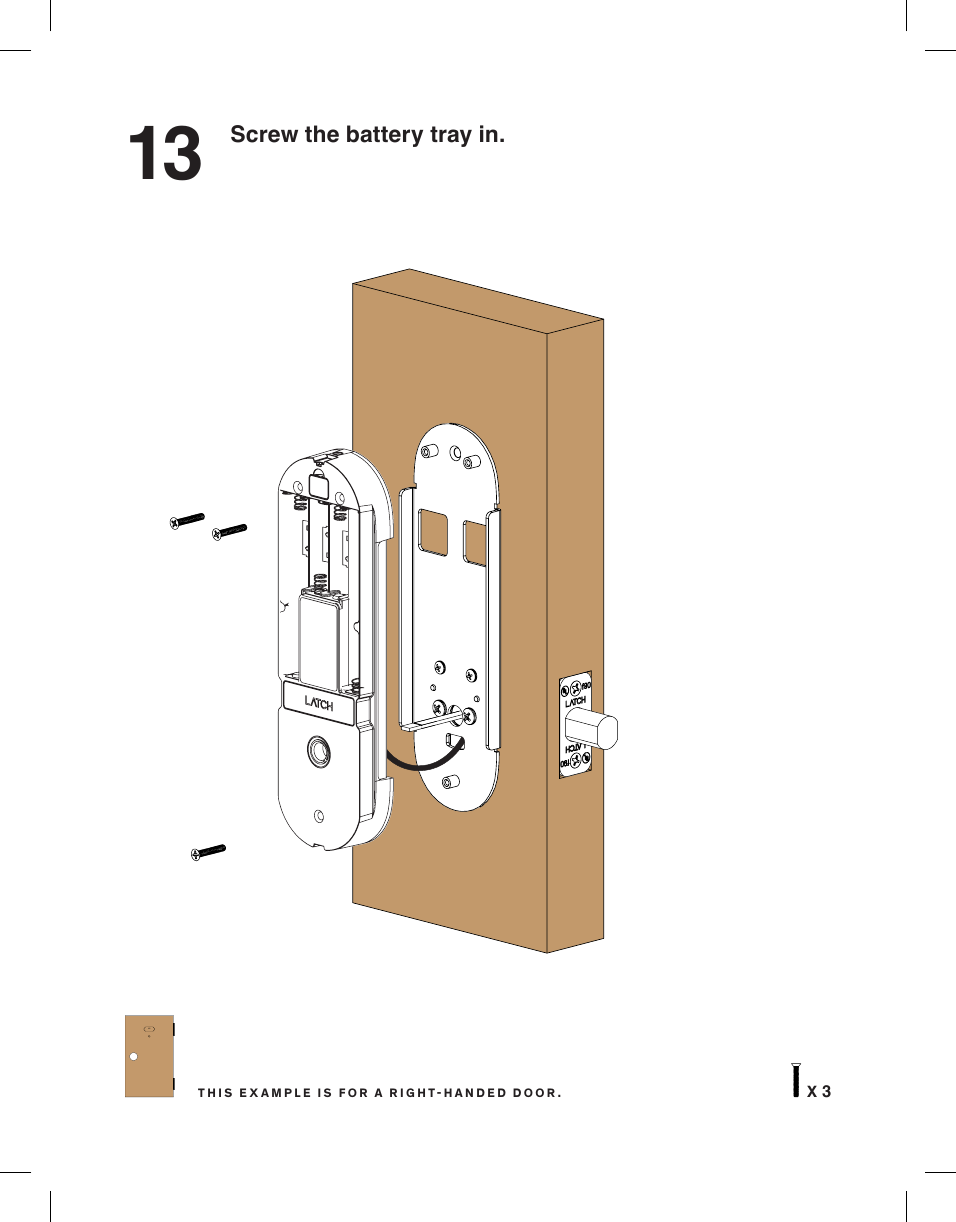
13 Screw the battery tray in.X 31C 1CTHIS EXAMPLE IS FOR A RIGHTHANDED DOOR.
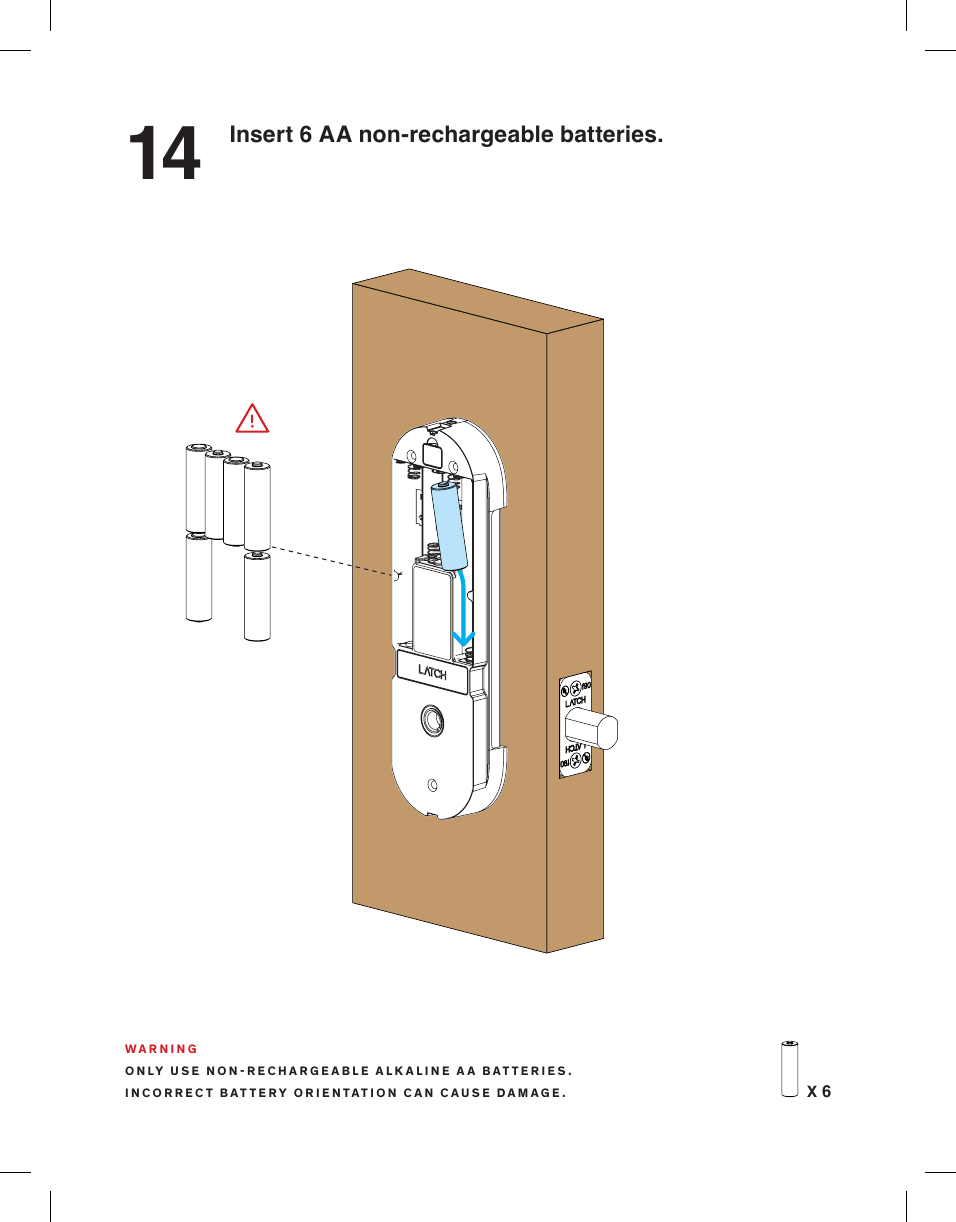
14 Insert 6 AA non-rechargeable batteries.X 6WARNINGONLY USE NONRECHARGEABLE ALKALINE AA BATTERIES.INCORRECT BATTERY ORIENTATION CAN CAUSE DAMAGE.
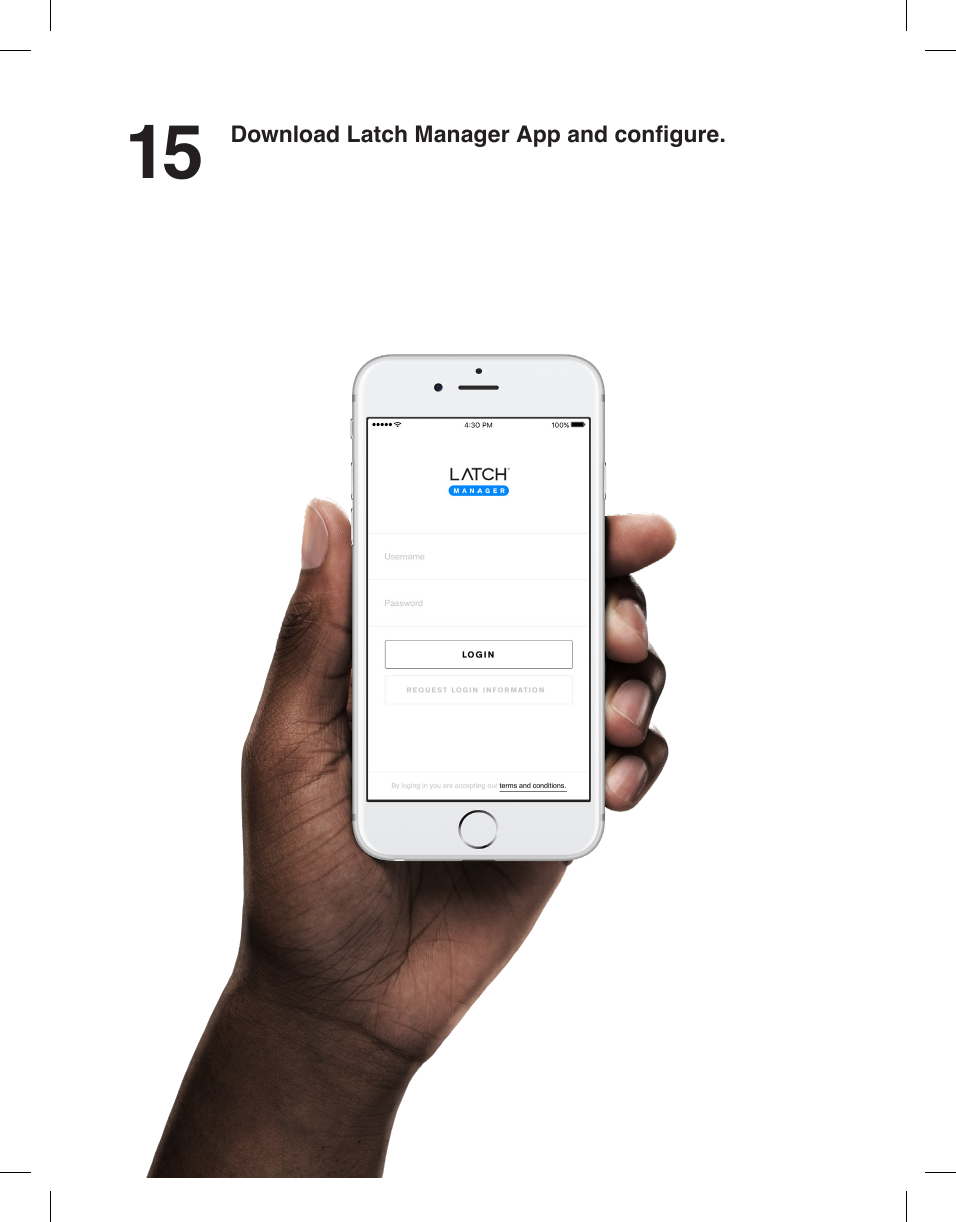
15 Download Latch Manager App and congure.
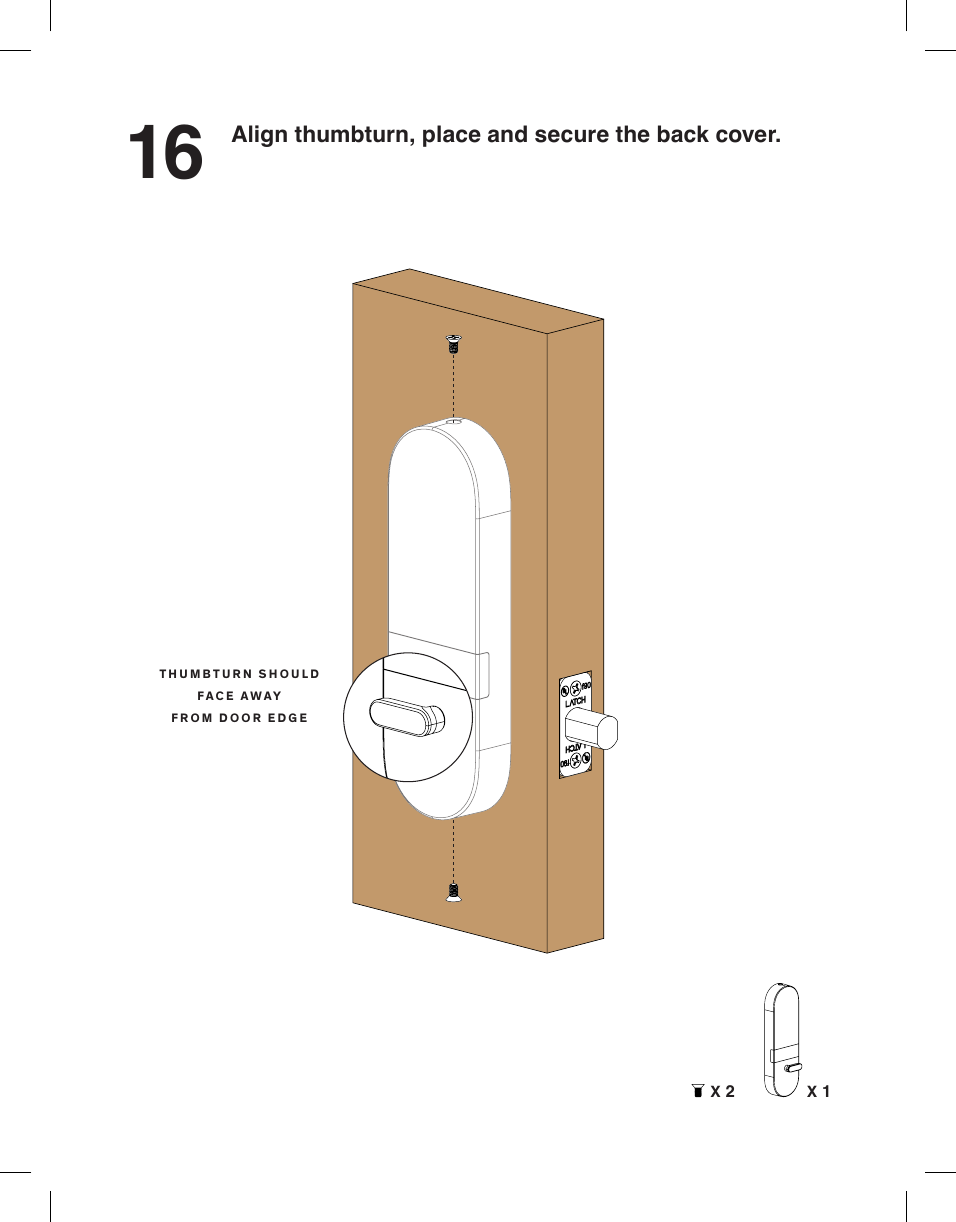
16 Align thumbturn, place and secure the back cover.THUMBTURN SHOULDFACE AWAYFROM DOOR EDGEX 2 X 1
(A)  Federal Communications Commission StatementThis device complies with FCC Rules Part 15. Operation is subject to the following two conditions:• This device may not cause harmful interference.• This device must accept any interference received, including interference that may cause undesired operation.(B)  This equipment has been tested and found to comply with the limits for a class B digital device, pursuant to Part 15 of the Federal Communications Commission (FCC) rules. These limits are designed to provide reasonable protection against harmful interference in a residential installation. This equipment generates, uses, and can radiate radio frequency energy and, if not installed and used in accordance with the instructions, may cause harmful interference to radio communications. However, there is no guarantee that interference will not occur in a particular installation. If this equipment causes harmful interference to radio or television reception, which can be determined by turning the equipment off and on, the user is encouraged to try to correct the interference by doing one or more of the following measures:• Reorient or relocate the receiving antenna.• Increase the separation between the equipment and receiver.• Connect the equipment into an outlet on a circuit different from that to which the receiver is connected.• Consult the dealer or an experienced radio/TV technician for help(C)  Radiation Exposure Statement:This equipment must be installed and operated in accordance with provided instructions and the antenna(s) used for this transmitter must be installed to provide a separation distance of at least 20 cm from all persons and must not be co-located or operating in conjunction with any other antenna or transmitter.(A)  Radio Frequency (RF) Exposure InformationThe radiated output power of the Wireless Device is below the Industry Canada (IC) radio frequency exposure limits. The Wireless Device should be used in such a manner such that the potential for human contact during normal operation is minimized. This device has been evaluated for and shown compliant with the IC Specic Absorption Rate (“SAR”) limits when installed in specic host products operated in portable exposure conditions.Canada’s REL (Radio Equipment List) can be found at the following web address:http://www.ic.gc.ca/app/sitt/reltel/srch/nwRdSrch.do?lang=engAdditional Canadian information on RF exposure also can be found at the following web address:http://www.ic.gc.ca/eic/site/smt-gst.nsf/eng/sf08792.html(B)  Canada, avis d’Industrie Canada (IC)Cet appareil numérique de classe B est conforme aux normes canadiennes ICES-003 et RSS-247.Son fonctionnement est soumis aux deux conditions suivantes: (1) cet appareil ne doit pas causer d’interférence et (2) cet appareil doit accepter toute interférence, notamment les interférences qui peuvent affecter son fonctionnement. L’identiantInformations concernant l’exposition aux fréquences radio (RF)La puissance de sortie émise par cet appareil sans l est inférieure à la limite d’exposition aux fréquences radio d’ Industrie Canada (IC). Utilisez l’appareil sans l de façon à minimiser les contacts humains lors du fonctionnement normal.Ce périphérique a été évalué et démontré conforme aux limites SAR (Specic Absorption Rate – Taux d’absorption spécique) d’ IC lorsqu’il est installé dans des produits hôtes particuliers qui fonctionnent dans des conditions d’exposition à des appareilsportables.Ce périphérique est homologué pour l’utilisation au Canada. Pour consulter l’entrée correspondant à l’appareil dans la liste d’équipement radio (REL - Radio Equipment List) d’Industrie Canada rendezvous sur:http://www.ic.gc.ca/app/sitt/reltel/srch/nwRdSrch.do?lang=engPour des informations supplémentaires concernant l’exposition aux RF au Canada rendez-vous sur :http://www.ic.gc.ca/eic/site/smt-gst.nsf/eng/sf08792.htmlFCC Compliance StatementIndustry Canada Statement
v.4.0

Navigation menu