Lelux Electronics 639S VISITOR CHIME AND WATCH DOG/ALARM User Manual 639R English manual

Lelux Electronics Ltd VISITOR CHIME AND WATCH DOG/ALARM 639R English manual

Users Manual

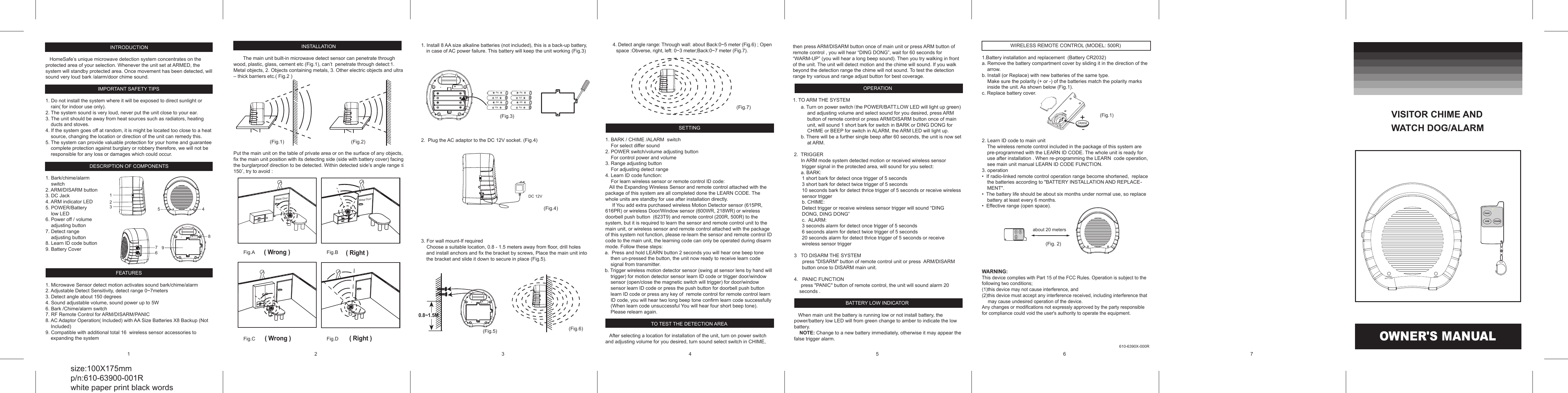
 INTRODUCTION     HomeSafe’s unique microwave detection system concentrates on the protected area of your selection. Whenever the unit set at ARMED, the system will standby protected area. Once movement has been detected, will sound very loud bark /alarm/door chime sound.   IMPORTANT SAFETY TIPS  1. Do not install the system where it will be exposed to direct sunlight or rain( for indoor use only). 2. The system sound is very loud, never put the unit close to your ear. 3. The unit should be away from heat sources such as radiators, heating ducts and stoves. 4. If the system goes off at random, it is might be located too close to a heat source, changing the location or direction of the unit can remedy this. 5. The system can provide valuable protection for your home and guarantee complete protection against burglary or robbery therefore, we will not be responsible for any loss or damages which could occur.  DESCRIPTION OF COMPONENTS  1. Bark/chime/alarm      switch 2. ARM/DISARM button 3. DC Jack 4. ARM indicator LED  5. POWER/Battery      low LED 6. Power off / volume     adjusting button 7. Detect range      adjusting button 8. Learn ID code button 9. Battery Cover    FEATURES  1. Microwave Sensor detect motion activates sound bark/chime/alarm 2. Adjustable Detect Sensitivity, detect range 0~7meters 3. Detect angle about 150 degrees  4. Sound adjustable volume, sound power up to 5W 6. Bark /Chime/alarm switch                                               7. RF Remote Control for ARM/DISARM/PANIC 8. AC Adaptor Operation( Included) with AA Size Batteries X8 Backup (Not Included) 9. Compatible with additional total 16  wireless sensor accessories to expanding the system   INSTALLATION         The main unit built-in microwave detect sensor can penetrate through wood, plastic, glass, cement etc (Fig.1), can’t  penetrate through detect:1. Metal objects, 2. Objects containing metals, 3. Other electric objects and ultra – thick barriers etc.( Fig.2 )                   Put the main unit on the table of private area or on the surface of any objects, fix the main unit position with its detecting side (side with battery cover) facing the burglarproof direction to be detected. Within detected side’s angle range ≤ 150˚, try to avoid :                               1 2 3 7 6 9 5  4 8 AA AA AA AA AA AA AA AA (Fig.3) DC 12V (Fig.4) (Fig.5) (Fig.7) (Fig.6)      a. Turn on power switch(the POWER/BATT.LOW LED will light up green) and adjusting volume and select sound for you desired, press ARM button of remote control or press ARM/DISARM button once of main unit, will sound 1 short bark for switch in BARK or DING DONG for CHIME or BEEP for switch in ALARM, the ARM LED will light up.      b. There will be a further single beep after 60 seconds, the unit is now set at ARM.  2.  TRIGGER       In ARM mode system detected motion or received wireless sensor trigger signal in the protected area, will sound for you select:      a. BARK:   1 short bark for detect once trigger of 5 seconds 3 short bark for detect twice trigger of 5 seconds 10 seconds bark for detect thrice trigger of 5 seconds or receive wireless sensor trigger b. CHIME:  Detect trigger or receive wireless sensor trigger will sound “DING DONG, DING DONG” c.  ALARM: 3 seconds alarm for detect once trigger of 5 seconds 6 seconds alarm for detect twice trigger of 5 seconds 20 seconds alarm for detect thrice trigger of 5 seconds or receive wireless sensor trigger  3   TO DISARM THE SYSTEM       press "DISARM" button of remote control unit or press  ARM/DISARM button once to DISARM main unit.   4.   PANIC FUNCTION      press "PANIC" button of remote control, the unit will sound alarm 20 seconds .  BATTERY LOW INDICATOR     When main unit the battery is running low or not install battery, the power/battery low LED will from green change to amber to indicate the low battery.     NOTE: Change to a new battery immediately, otherwise it may appear the false trigger alarm.  OWNER'S MANUAL VISITOR CHIME AND  WATCH DOG/ALARM 1   2   3   4  5 1. Install 8 AA size alkaline batteries (not included), this is a back-up battery, in case of AC power failure. This battery will keep the unit working (Fig.3)               2.  Plug the AC adaptor to the DC 12V socket. (Fig.4)                 3. For wall mount-If required     Choose a suitable location, 0.8 - 1.5 meters away from floor, drill holes and install anchors and fix the bracket by screws, Place the main unit into the bracket and slide it down to secure in place (Fig.5).                                                                                                        4. Detect angle range: Through wall: about Back:0~5 meter (Fig.6) ; Open space :Obverse, right, left: 0~3 meter;Back:0~7 meter (Fig.7).SYSTEM              SETTING  1. BARK / CHIME /ALARM  switch     For select differ sound   2. POWER switch/volume adjusting button     For control power and volume 3. Range adjusting button     For adjusting detect range  4. Learn ID code function:     For learn wireless sensor or remote control ID code:    All the Expanding Wireless Sensor and remote control attached with the package of this system are all completed done the LEARN CODE. The whole units are standby for use after installation directly.      If You add extra purchased wireless Motion Detector sensor (615PR, 616PR) or wireless Door/Window sensor (600WR, 218WR) or wireless doorbell push button  (623T9) and remote control (200R, 500R) to the system, but it is required to learn the sensor and remote control unit to the main unit, or wireless sensor and remote control attached with the package of this system not function, please re-learn the sensor and remote control ID code to the main unit, the learning code can only be operated during disarm mode. Follow these steps:    a.  Press and hold LEARN button 2 seconds you will hear one beep tone then un-pressed the button, the unit now ready to receive learn code signal from transmitter.    b. Trigger wireless motion detector sensor (swing at sensor lens by hand will trigger) for motion detector sensor learn ID code or trigger door/window sensor (open/close the magnetic switch will trigger) for door/window sensor learn ID code or press the push button for doorbell push button  learn ID code or press any key of  remote control for remote control learn ID code, you will hear two long beep tone confirm learn code successfully (When learn code unsuccessful You will hear four short beep tone). Please relearn again.  TO TEST THE DETECTION AREA     After selecting a location for installation of the unit, turn on power switch and adjusting volume for you desired, turn sound select switch in CHIME, (Fig.1) 6  7 size:100X175mm p/n:610-63900-001R white paper print black words ( Wrong )  ( Right ) ( Wrong )  ( Right ) r o o D   l a t e M r o o D   l a t e M Fig.A Fig.C Fig.B Fig.D      0.8~1.5M  (Fig.2)  (Fig.1) 610-6390X-000R WIRELESS REMOTE CONTROL (MODEL: 500R)  1.Battery installation and replacement  (Battery CR2032) a. Remove the battery compartment cover by sliding it in the direction of the arrow. b. Install (or Replace) with new batteries of the same type.      Make sure the polarity (+ or -) of the batteries match the polarity marks inside the unit. As shown below (Fig.1). c. Replace battery cover.        2. Learn ID code to main unit The wireless remote control included in the package of this system are pre-programmed with the LEARN ID CODE. The whole unit is ready for use after installation . When re-programming the LEARN  code operation, see main unit manual LEARN ID CODE FUNCTION. 3. operation •  If radio-linked remote control operation range become shortened,  replace the batteries according to "BATTERY INSTALLATION AND REPLACE-MENT". •  The battery life should be about six months under normal use, so replace battery at least every 6 months. •  Effective range (open space).           WARNING: This device complies with Part 15 of the FCC Rules. Operation is subject to the following two conditions; (1)this device may not cause interference, and  (2)this device must accept any interference received, including interference that may cause undesired operation of the device. Any changes or modifications not expressly approved by the party responsible for compliance could void the user's authority to operate the equipment.       ARM POWER/ BATT. LOW about 20 meters (Fig. 2) ARMPANICDISARMARM POWER/ BATT. LOW ARMPANICDISARMthen press ARM/DISARM button once of main unit or press ARM button of remote control , you will hear “DING DONG”, wait for 60 seconds for “WARM-UP” (you will hear a long beep sound). Then you try walking in front of the unit. The unit will detect motion and the chime will sound. If you walk beyond the detection range the chime will not sound. To test the detection range try various and range adjust button for best coverage.   OPERATION  1. TO ARM THE SYSTEM

Navigation menu