Lenbrook PULSEFLEX ALL-IN-ON COMPACT WIRELESS STREAMING MUSIC SYSTEM User Manual User Maunal I

Lenbrook Industries Limited ALL-IN-ON COMPACT WIRELESS STREAMING MUSIC SYSTEM User Maunal I

Contents

User Maunal I

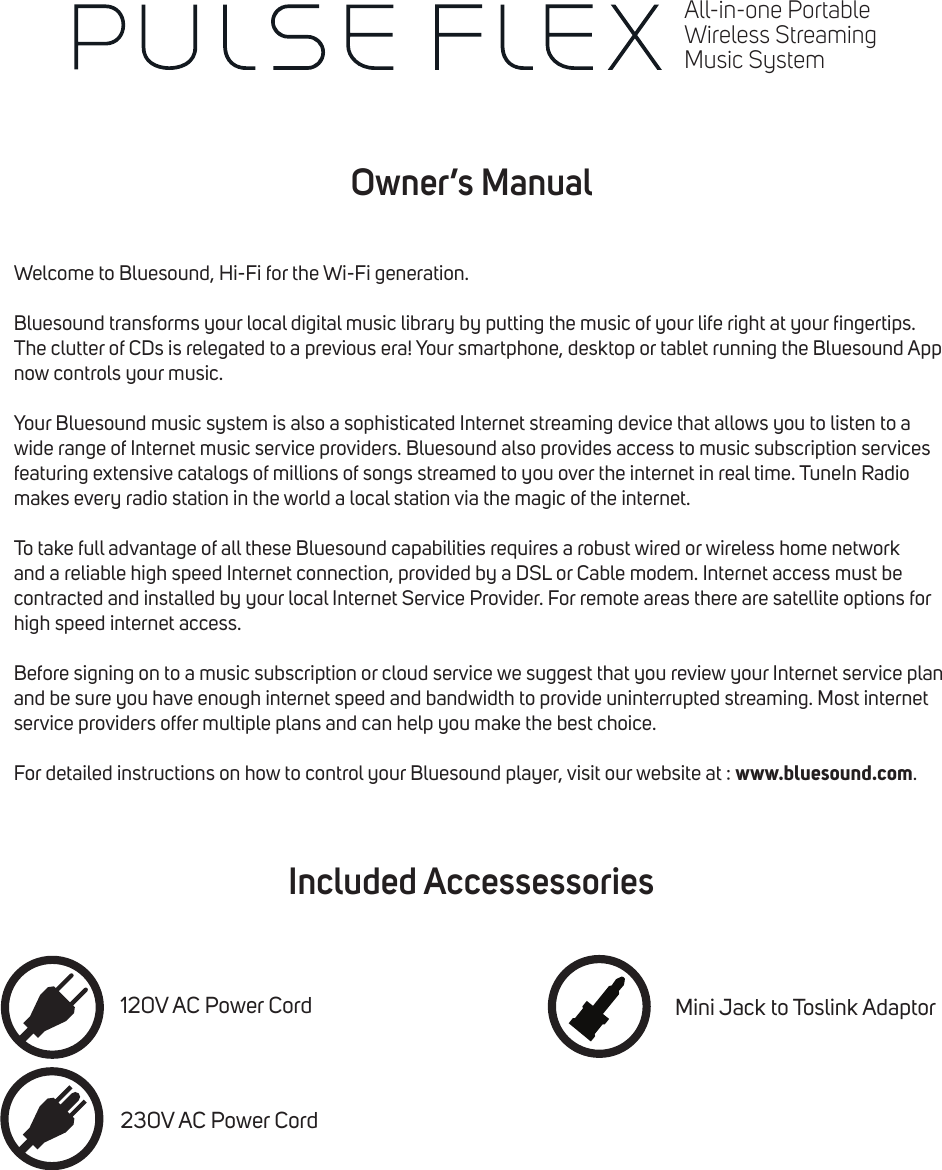
Owner’s ManualIncluded AccessessoriesWelcome to Bluesound, Hi-Fi for the Wi-Fi generation.Bluesound transforms your local digital music library by putting the music of your life right at your ngertips. The clutter of CDs is relegated to a previous era! Your smartphone, desktop or tablet running the Bluesound App now controls your music.Your Bluesound music system is also a sophisticated Internet streaming device that allows you to listen to a wide range of Internet music service providers. Bluesound also provides access to music subscription services featuring extensive catalogs of millions of songs streamed to you over the internet in real time. TuneIn Radio makes every radio station in the world a local station via the magic of the internet.To take full advantage of all these Bluesound capabilities requires a robust wired or wireless home network and a reliable high speed Internet connection, provided by a DSL or Cable modem. Internet access must be contracted and installed by your local Internet Service Provider. For remote areas there are satellite options for high speed internet access.Before signing on to a music subscription or cloud service we suggest that you review your Internet service plan and be sure you have enough internet speed and bandwidth to provide uninterrupted streaming. Most internet service providers offer multiple plans and can help you make the best choice.For detailed instructions on how to control your Bluesound player, visit our website at : www.bluesound.com.120V AC Power Cord230V AC Power CordMini Jack to Toslink AdaptorAll-in-one PortableWireless StreamingMusic System
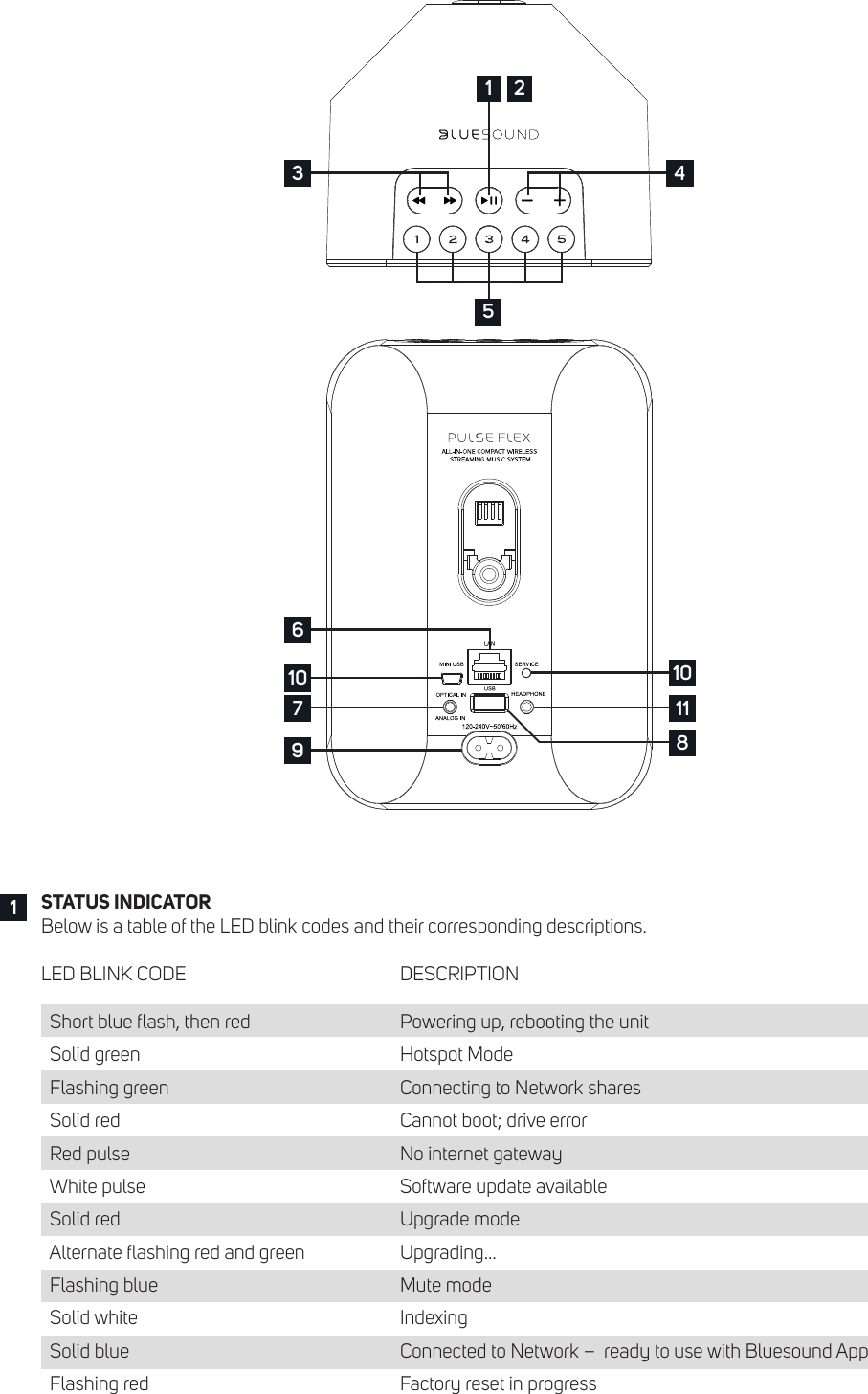
STATUS INDICATORBelow is a table of the LED blink codes and their corresponding descriptions.LED BLINK CODE          DESCRIPTION  Short blue ash, then red       Powering up, rebooting the unit  Solid green            Hotspot Mode  Flashing green          Connecting to Network shares  Solid red             Cannot boot; drive error  Red pulse             No internet gateway  White pulse            Software update available  Solid red             Upgrade mode  Alternate ashing red and green      Upgrading…  Flashing blue            Mute mode  Solid white            Indexing  Solid blue          Connected to Network –  ready to use with Bluesound App  Flashing red            Factory reset in progress1310 107 11896451 2
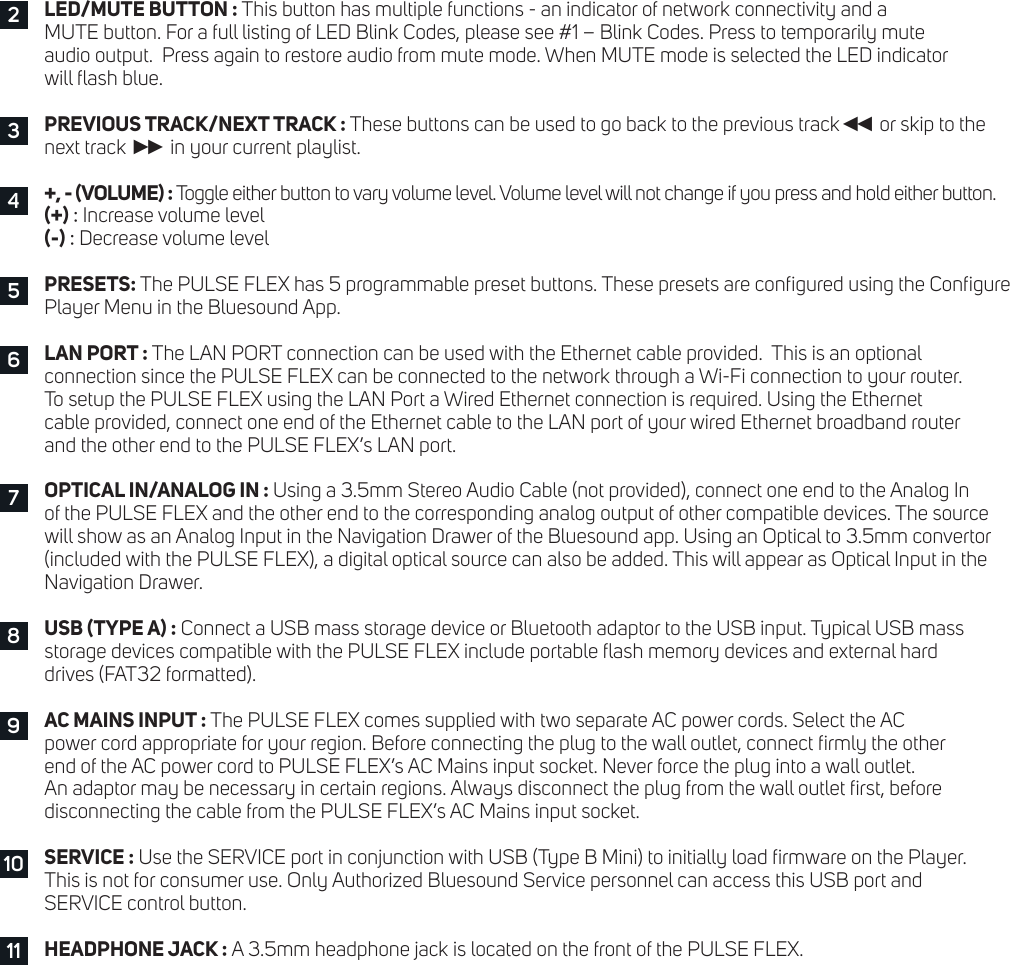
LED/MUTE BUTTON : This button has multiple functions - an indicator of network connectivity and a  MUTE button. For a full listing of LED Blink Codes, please see #1 – Blink Codes. Press to temporarily mute  audio output.  Press again to restore audio from mute mode. When MUTE mode is selected the LED indicator  will ash blue.PREVIOUS TRACK/NEXT TRACK : These buttons can be used to go back to the previous track◄◄  or skip to the  next track ►►  in your current playlist.+, - (VOLUME) : Toggle either button to vary volume level. Volume level will not change if you press and hold either button.  (+) : Increase volume level(-) : Decrease volume levelPRESETS: The PULSE FLEX has 5 programmable preset buttons. These presets are congured using the Congure Player Menu in the Bluesound App.LAN PORT : The LAN PORT connection can be used with the Ethernet cable provided.  This is an optional  connection since the PULSE FLEX can be connected to the network through a Wi-Fi connection to your router.  To setup the PULSE FLEX using the LAN Port a Wired Ethernet connection is required. Using the Ethernet  cable provided, connect one end of the Ethernet cable to the LAN port of your wired Ethernet broadband router  and the other end to the PULSE FLEX’s LAN port.OPTICAL IN/ANALOG IN : Using a 3.5mm Stereo Audio Cable (not provided), connect one end to the Analog In  of the PULSE FLEX and the other end to the corresponding analog output of other compatible devices. The source  will show as an Analog Input in the Navigation Drawer of the Bluesound app. Using an Optical to 3.5mm convertor (included with the PULSE FLEX), a digital optical source can also be added. This will appear as Optical Input in the Navigation Drawer.USB (TYPE A) : Connect a USB mass storage device or Bluetooth adaptor to the USB input. Typical USB mass  storage devices compatible with the PULSE FLEX include portable ash memory devices and external hard  drives (FAT32 formatted).AC MAINS INPUT : The PULSE FLEX comes supplied with two separate AC power cords. Select the AC  power cord appropriate for your region. Before connecting the plug to the wall outlet, connect rmly the other  end of the AC power cord to PULSE FLEX’s AC Mains input socket. Never force the plug into a wall outlet.  An adaptor may be necessary in certain regions. Always disconnect the plug from the wall outlet rst, before  disconnecting the cable from the PULSE FLEX’s AC Mains input socket.SERVICE : Use the SERVICE port in conjunction with USB (Type B Mini) to initially load rmware on the Player.  This is not for consumer use. Only Authorized Bluesound Service personnel can access this USB port and  SERVICE control button.HEADPHONE JACK : A 3.5mm headphone jack is located on the front of the PULSE FLEX.234576891011
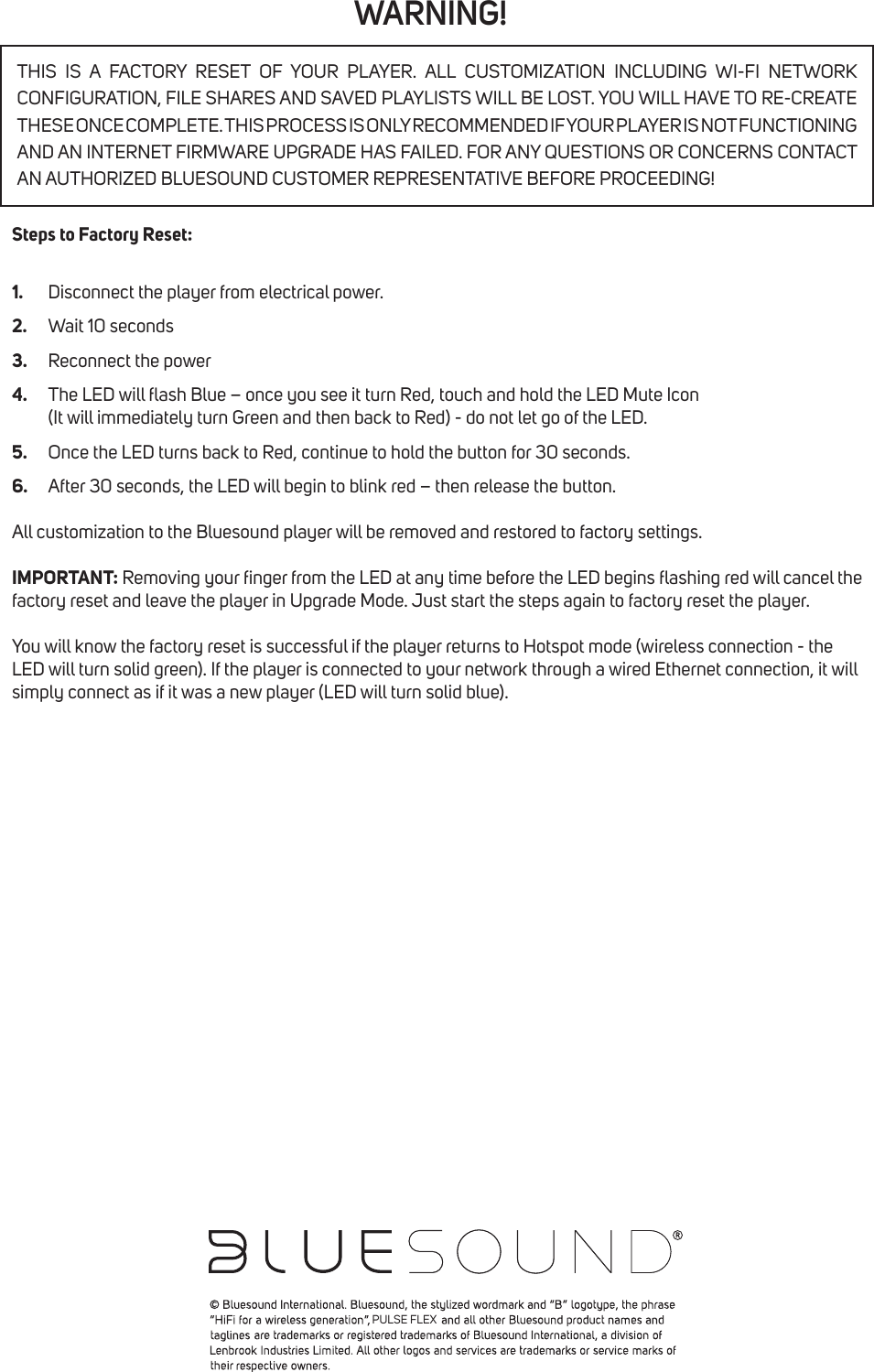
WARNING!Steps to Factory Reset:1.  Disconnect the player from electrical power.2.  Wait 10 seconds3.  Reconnect the power4.  The LED will ash Blue – once you see it turn Red, touch and hold the LED Mute Icon    (It will immediately turn Green and then back to Red) - do not let go of the LED.5.  Once the LED turns back to Red, continue to hold the button for 30 seconds.6.  After 30 seconds, the LED will begin to blink red – then release the button.All customization to the Bluesound player will be removed and restored to factory settings.IMPORTANT: Removing your nger from the LED at any time before the LED begins ashing red will cancel the factory reset and leave the player in Upgrade Mode. Just start the steps again to factory reset the player.You will know the factory reset is successful if the player returns to Hotspot mode (wireless connection - the LED will turn solid green). If the player is connected to your network through a wired Ethernet connection, it will simply connect as if it was a new player (LED will turn solid blue).THIS IS A FACTORY RESET OF YOUR PLAYER. ALL CUSTOMIZATION INCLUDING WI-FI NETWORK CONFIGURATION, FILE SHARES AND SAVED PLAYLISTS WILL BE LOST. YOU WILL HAVE TO RE-CREATE THESE ONCE COMPLETE. THIS PROCESS IS ONLY RECOMMENDED IF YOUR PLAYER IS NOT FUNCTIONING AND AN INTERNET FIRMWARE UPGRADE HAS FAILED. FOR ANY QUESTIONS OR CONCERNS CONTACT AN AUTHORIZED BLUESOUND CUSTOMER REPRESENTATIVE BEFORE PROCEEDING!PULSE FLEX

Navigation menu