Life Technologies WUBR508GN 802.11bgn USB Dongle User Manual

Life Technologies Holdings Pte Ltd 802.11bgn USB Dongle

user manual

1     100027791 Life Technologies Conector USB SpeedPlus  Quick Installiaton Guide
2 Version 1.0
3  Contents1. Package Contents..........................................................................52. WiFi Network Card Installation...................................................63. Connect to Wireless Access Point.............................................11
4 Copyright statement  No part of this publication may be reproduced, stored in a retrieval system, or transmitted in  any form or by any means, whether electronic, mechanical, photocopying, recording, or  otherwise without the prior writing of the publisher. April 2012
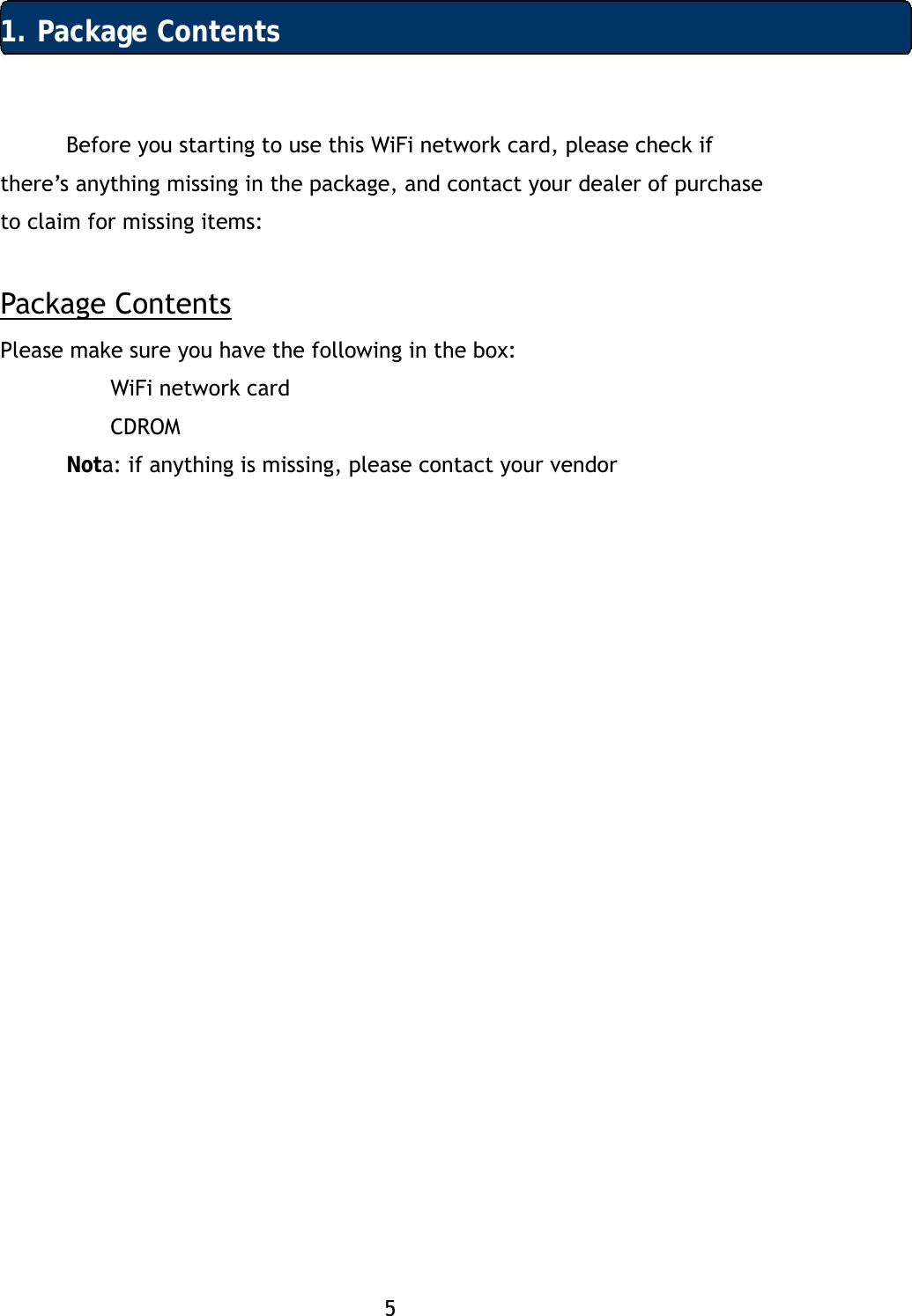
5 1. Package Contents Before you starting to use this WiFi network card, please check if there’s anything missing in the package, and contact your dealer of purchase to claim for missing items:  Package Contents Please make sure you have the following in the box:  WiFi network card   CDROM  Nota: if anything is missing, please contact your vendor 
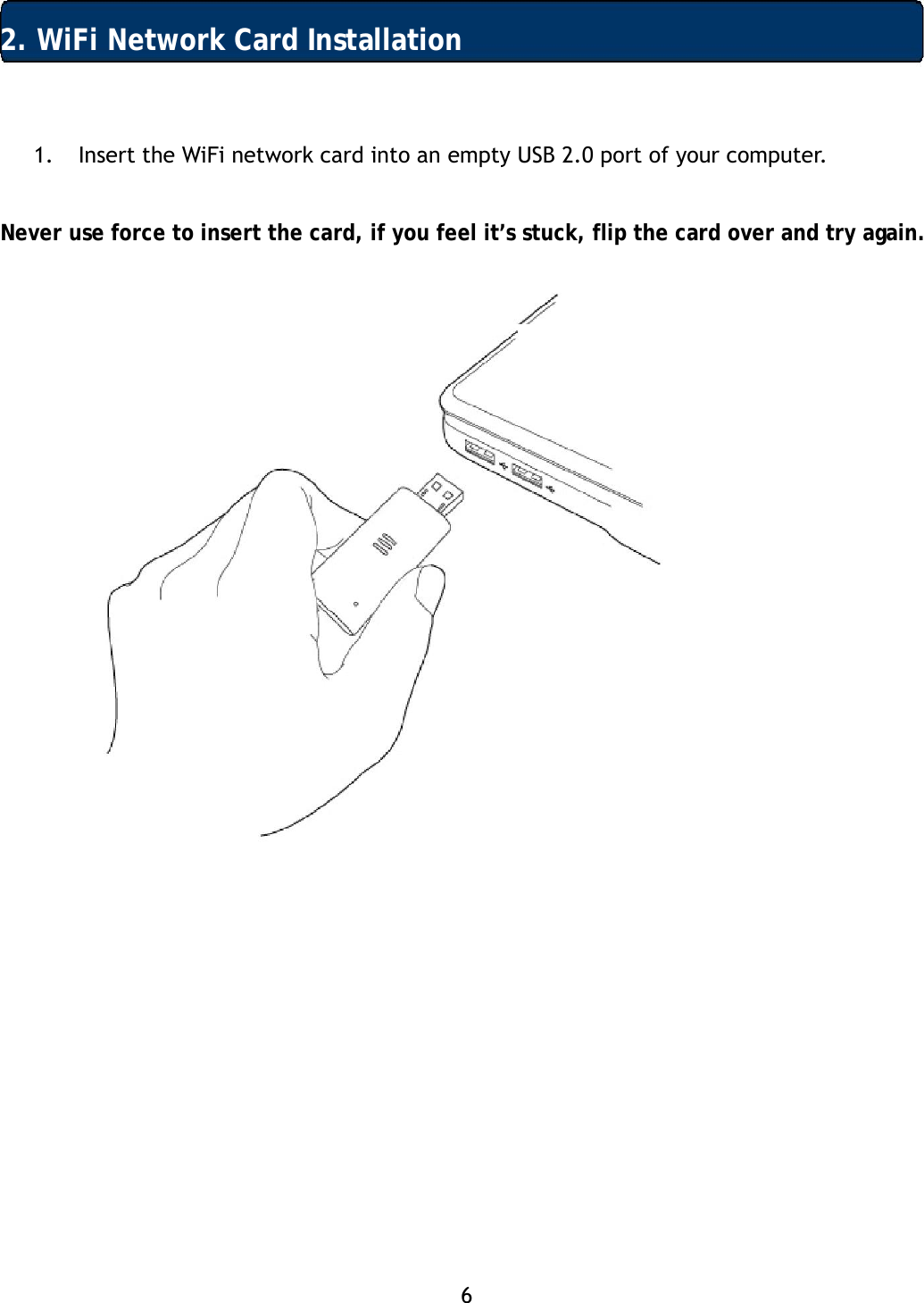
6  2. WiFi Network Card Installation 1. Insert the WiFi network card into an empty USB 2.0 port of your computer.   Never use force to insert the card, if you feel it’s stuck, flip the card over and try again.
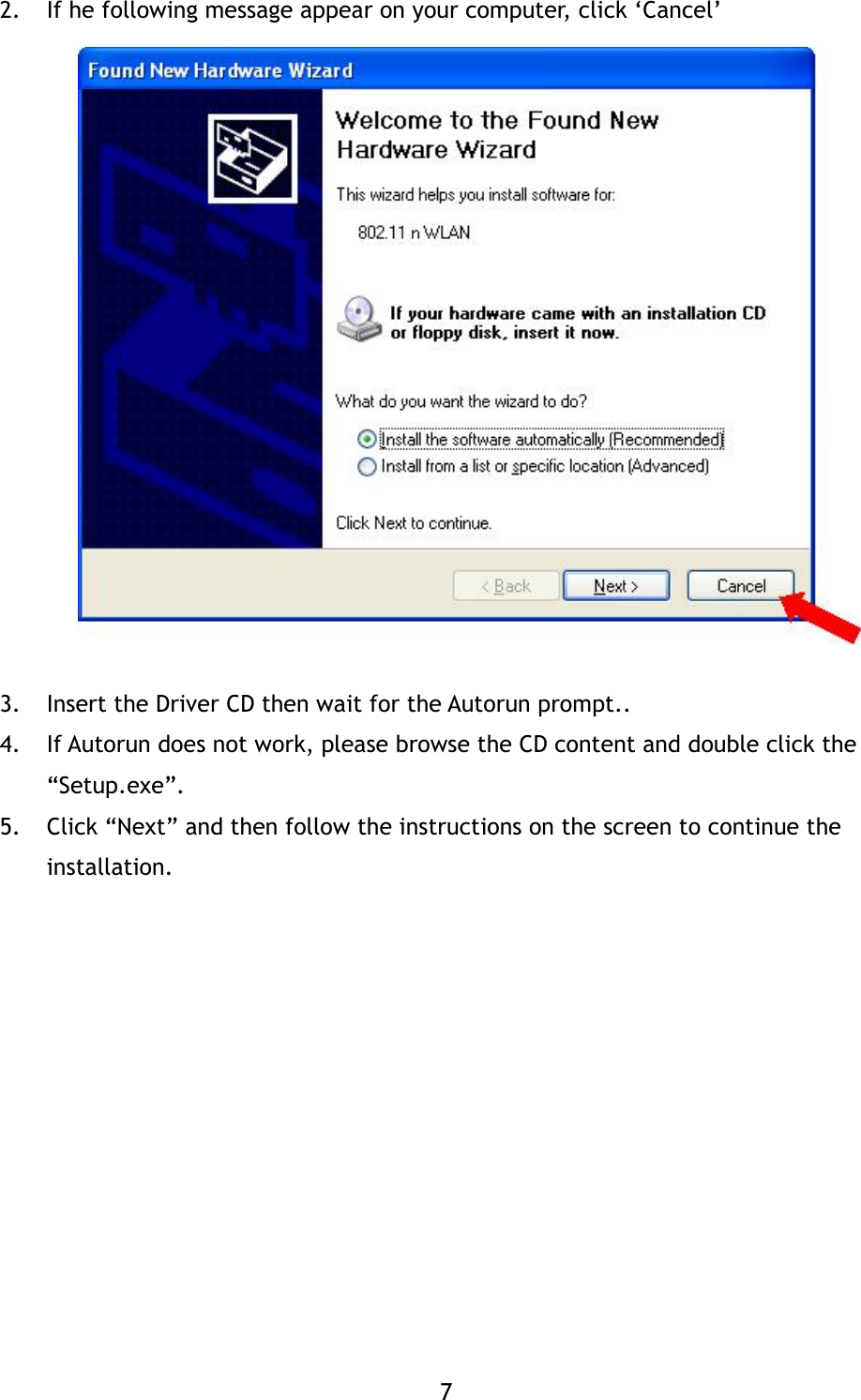
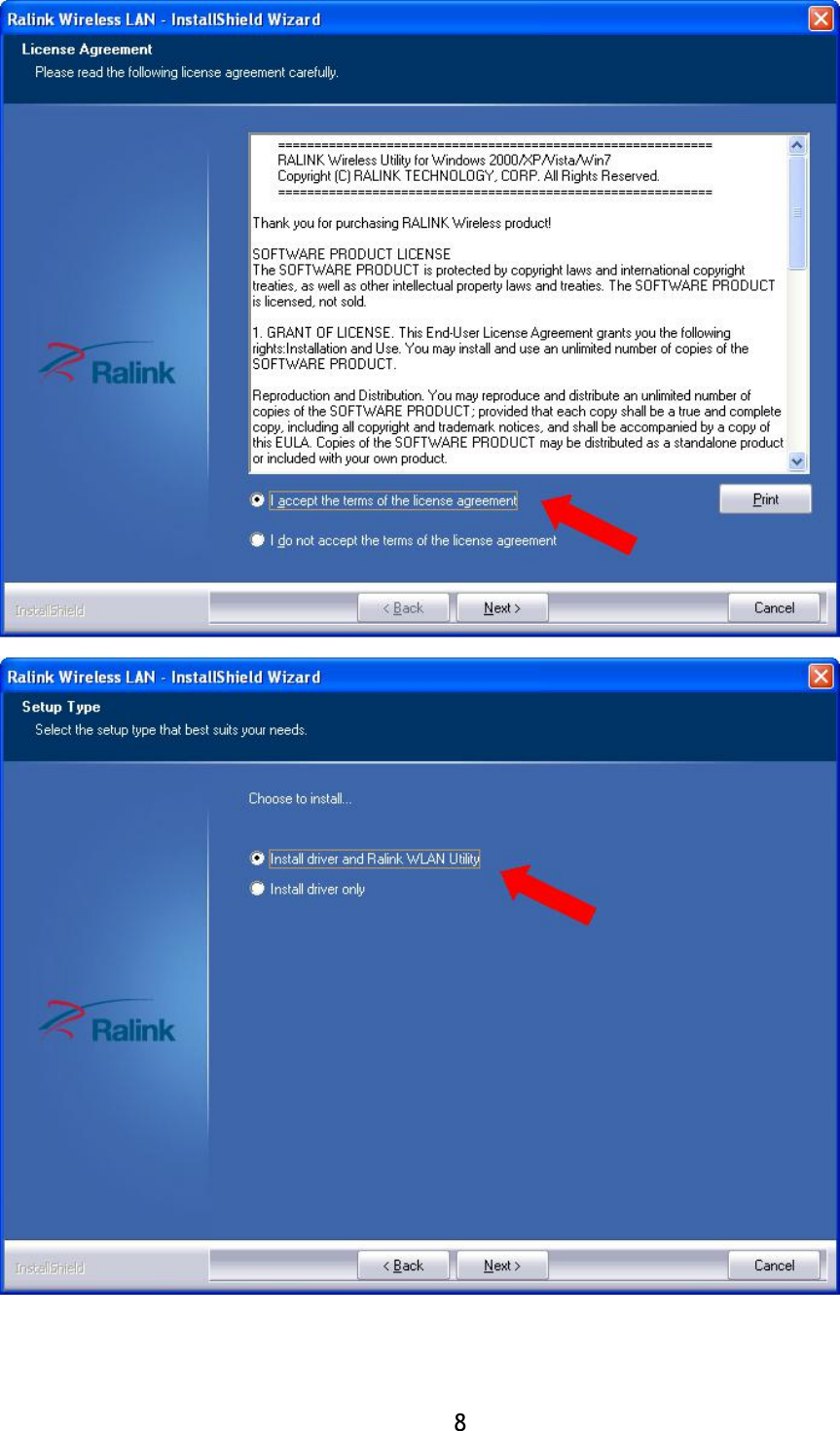
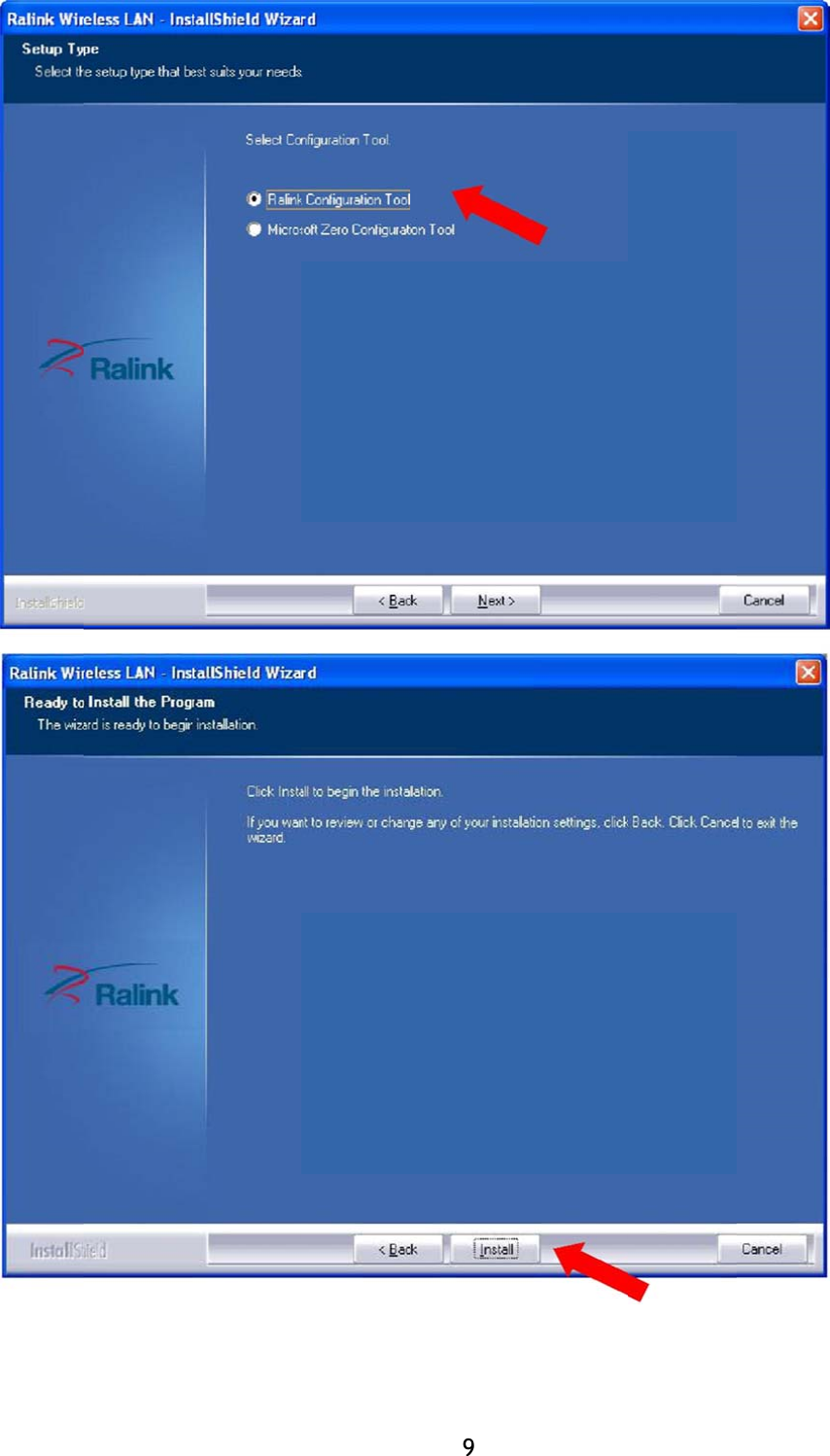
7 2. If he following message appear on your computer, click ‘Cancel’                 3. Insert the Driver CD then wait for the Autorun prompt..  4. If Autorun does not work, please browse the CD content and double click the “Setup.exe”.  5. Click “Next” and then follow the instructions on the screen to continue the installation.
8 
                                                                      9
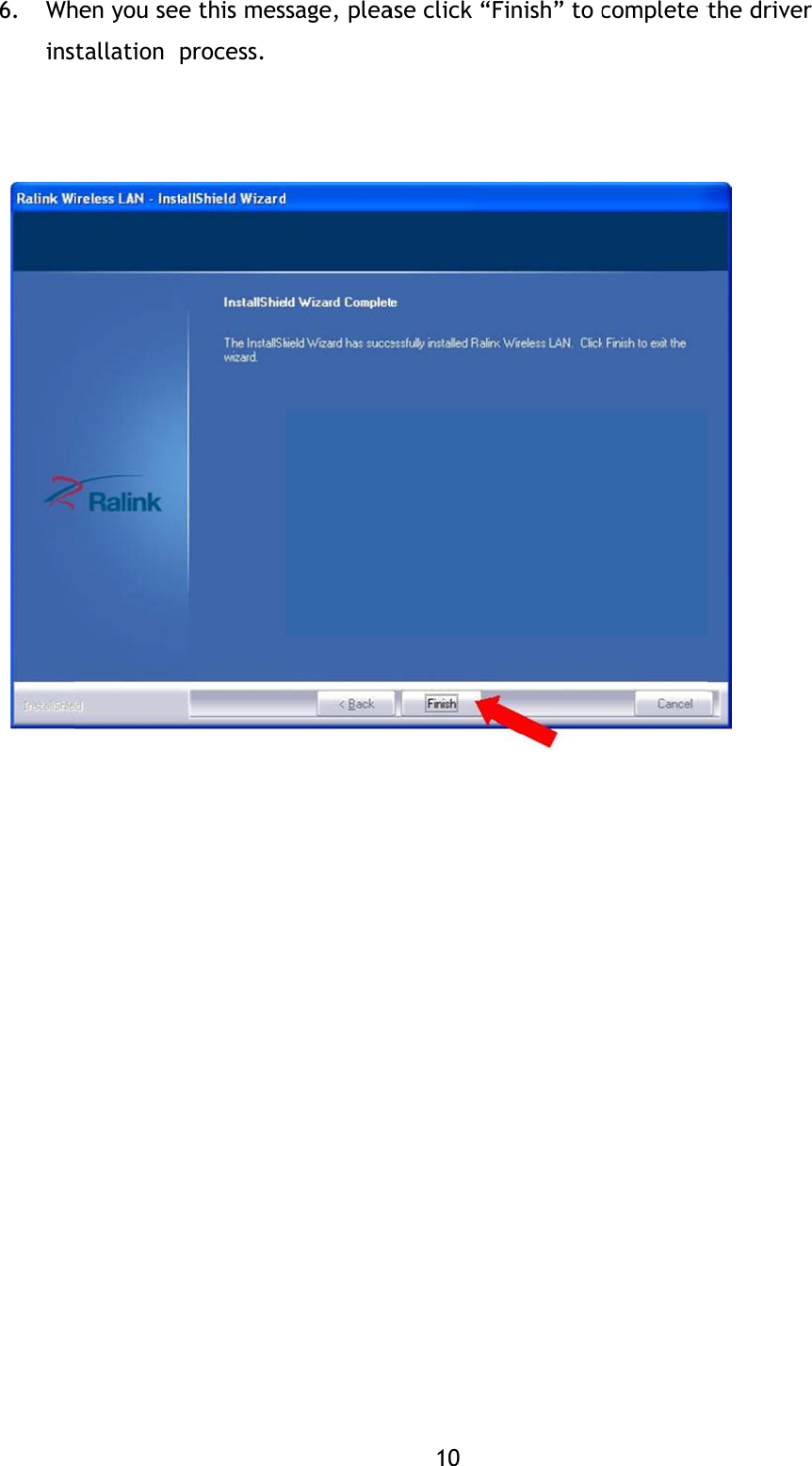
           6. Whins           hen you seestallation  e this mesprocess. sage, plea10 ase click “FFinish” to ccomplete tthe driver
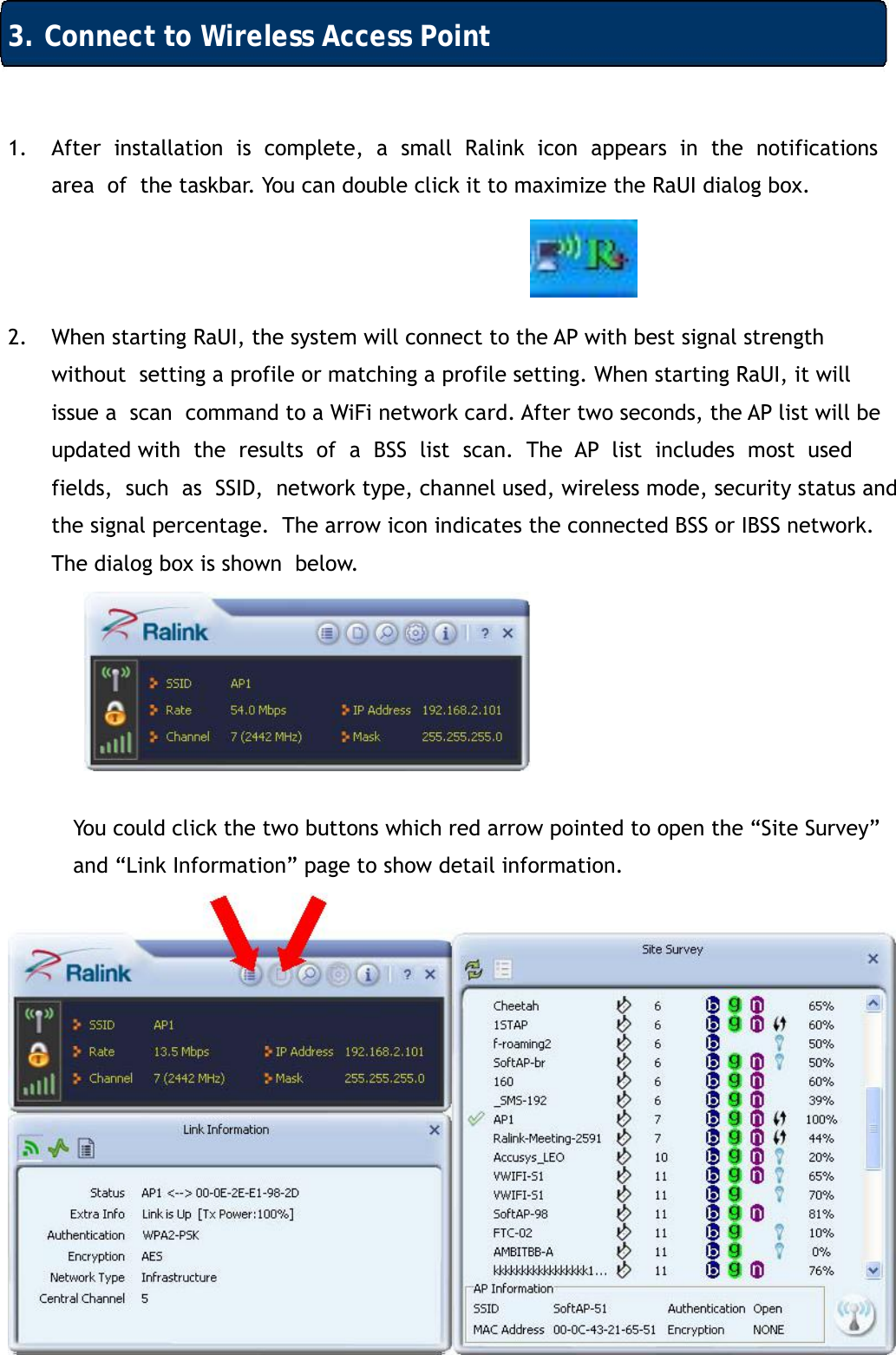
11 3. Connect to Wireless Access Point 1. After  installation  is  complete,  a  small  Ralink  icon  appears  in  the  notifications  area  of  the taskbar. You can double click it to maximize the RaUI dialog box.    2. When starting RaUI, the system will connect to the AP with best signal strength without  setting a profile or matching a profile setting. When starting RaUI, it will issue a  scan  command to a WiFi network card. After two seconds, the AP list will be updated with  the  results  of  a  BSS  list  scan.  The  AP  list  includes  most  used  fields,  such  as  SSID,  network type, channel used, wireless mode, security status and the signal percentage.  The arrow icon indicates the connected BSS or IBSS network. The dialog box is shown  below.       You could click the two buttons which red arrow pointed to open the “Site Survey”  and “Link Information” page to show detail information.
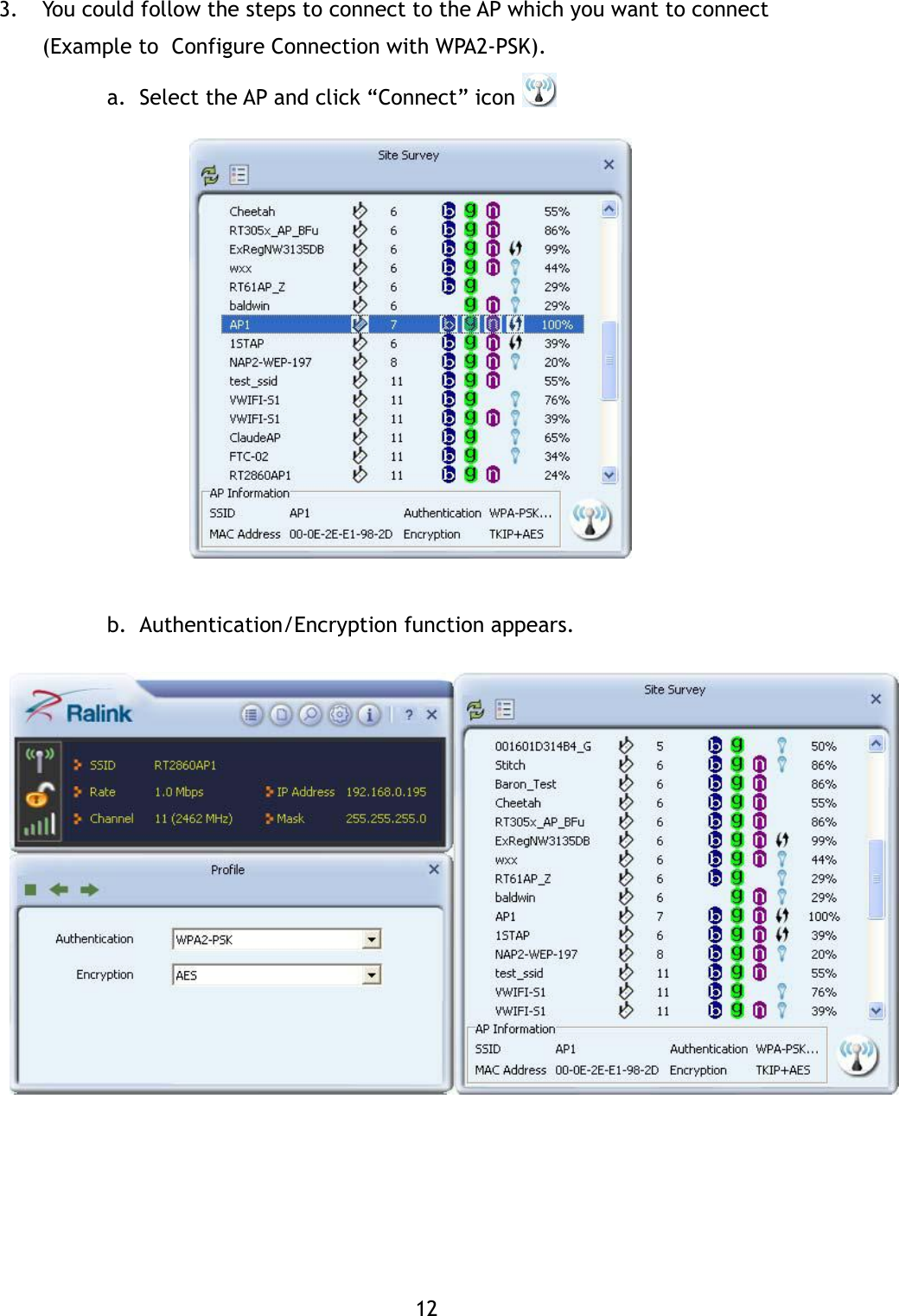
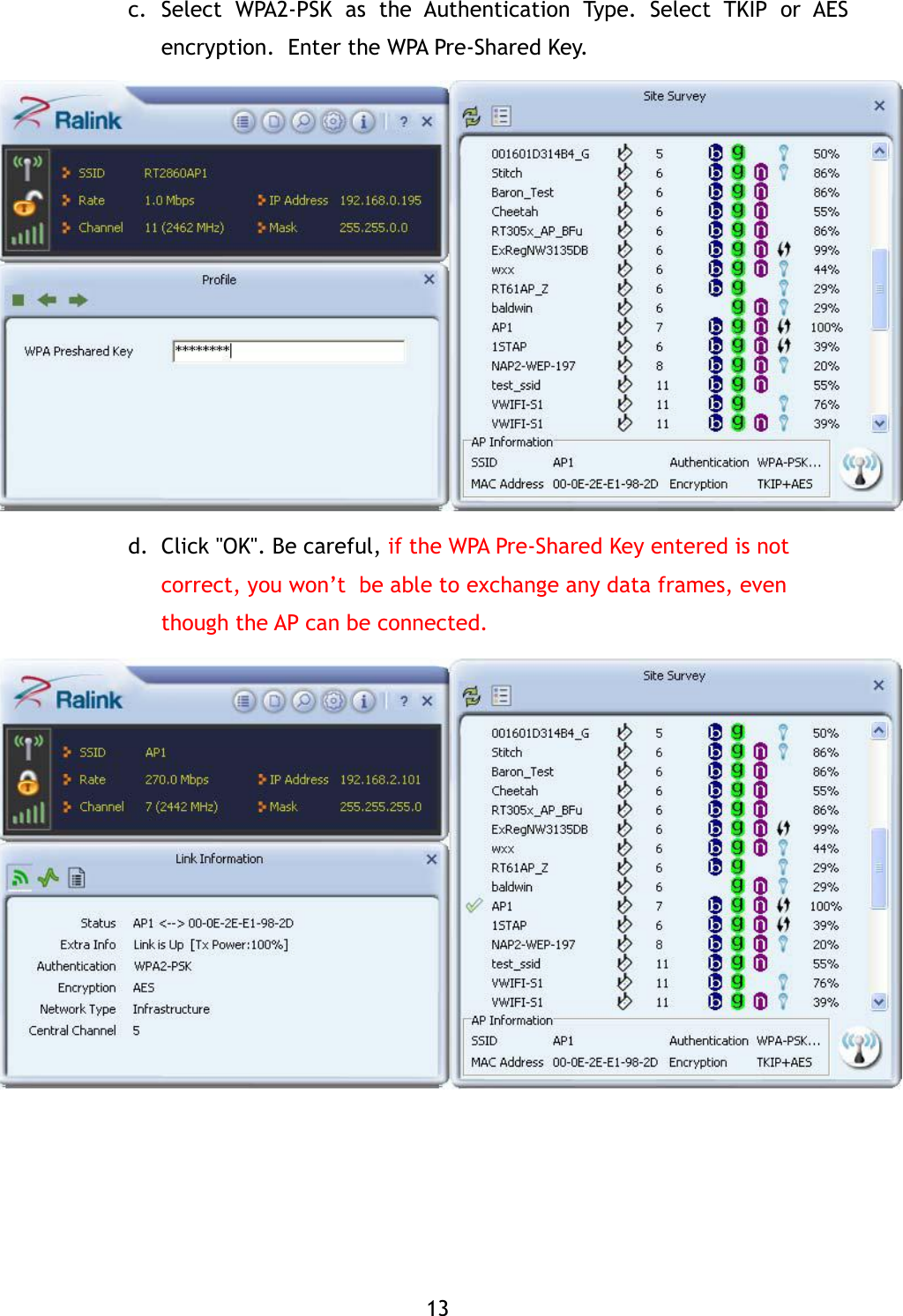
12 3. You could follow the steps to connect to the AP which you want to connect (Example to  Configure Connection with WPA2-PSK).   a. Select the AP and click “Connect” icon                 b. Authentication/Encryption function appears.
13 c. Select  WPA2-PSK  as  the  Authentication  Type.  Select  TKIP  or  AES  encryption.  Enter the WPA Pre-Shared Key.               d. Click "OK". Be careful, if the WPA Pre-Shared Key entered is not correct, you won’t  be able to exchange any data frames, even though the AP can be connected.
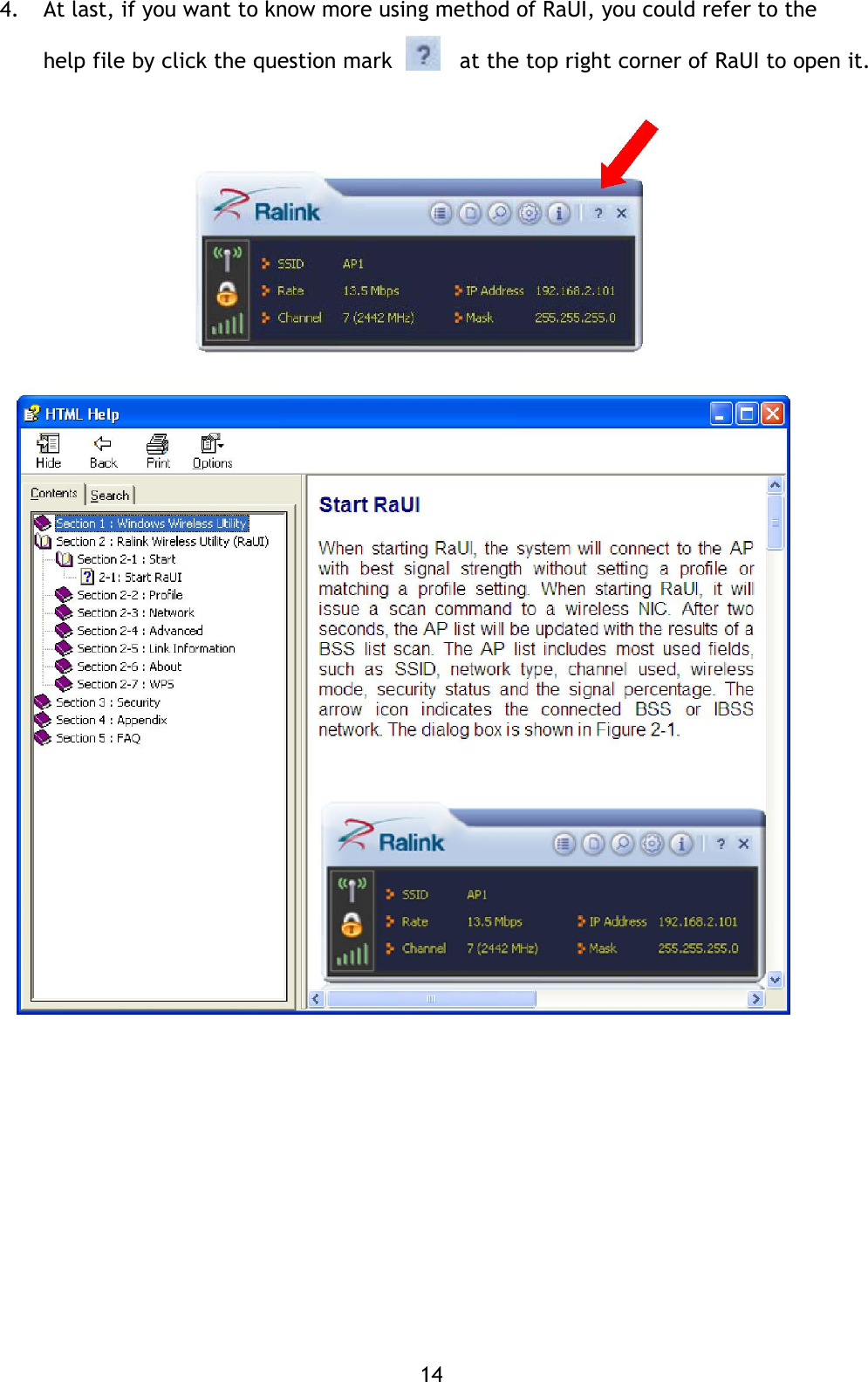
14 4. At last, if you want to know more using method of RaUI, you could refer to the help file by click the question mark      at the top right corner of RaUI to open it.
15 Federal Communication Commission Interference Statement  This  equipment  has  been  tested  and  found  to  comply  with  the  limits  for  a  Class  B  digital device,  pursuant  to  Part  15  of  the  FCC  Rules.   These  limits  are  designed  to  provide reasonable  protection  against  harmful  interference  in  a  residential  installation.   This equipment generates, uses and can radiate radio frequency energy and, if not installed and used  in  accordance  with  the  instructions,  may  cause  harmful  interference  to  radio communications.   However,  there  is  no  guarantee  that  interference  will  not  occur  in  a particular  installation.   If  this  equipment  does  cause  harmful  interference  to  radio  or television reception, which can be determined by turning the equipment off and on, the user is encouraged to try to correct the interference by one or more of the following measures:  - Reorient or relocate the receiving antenna. -  Increase the separation between the equipment and receiver. -  Connect the equipment into an outlet on a circuit different from that to which the receiver is connected. -  Consult the dealer or an experienced radio/TV technician for help.  FCC Caution: Any changes or modifications not expressly approved by the party responsible for compliance could void the user's authority to operate this equipment.  -The Country Code Selection feature is disabled for products marketed in the US/Canada  This device complies with Part 15 of the FCC Rules. Operation is subject to the following two conditions:  (1)  This  device  may  not  cause  harmful  interference,  and  (2)  this  device  must accept any interference received, including interference that may cause undesired operation.  This EUT is compliance with SAR for general population/uncontrolled exposure limits in ANSI/IEEE C95.1-1999 and had been tested in accordance with the measurement methods and procedures specified in OET Bulletin 65 Supplement C. This equipment should be installed and operated with minimum distance 0.5cm between the radiator & your body.
16 Canada - Industry Canada (IC)  This device complies with Industry Canada license exempt RSS standard(s). Operation is subject to the following two conditions: (1) this device may not cause interference, and (2) this device must accept any interference, including interference that may cause undesired operation of the device.   Le présent appareil est conforme aux CNR d'Industrie Canada applicables aux appareils radio exempts de licence. L'exploitation est autorisée aux deux conditions suivantes : (1) l'appareil ne doit pas produire de brouillage, et (2) l'utilisateur de l'appareil doit accepter tout brouillage radioélectrique subi, même si le brouillage est susceptible d'en compromettre le fonctionnement.  CAN ICES-3 (B)/NMB-3(B)  IC Radiation Exposure Statement  This EUT is compliance with SAR for general population/uncontrolled exposure limits in IC RSS-102 and had been tested in accordance with the measurement methods and procedures specified in IEEE 1528. This equipment should be installed and operated with minimum distance 0.5cm between the radiator & your body.

Navigation menu