Lumi United Technology MCCGQ11LM Window and Door Sensor User Manual

Lumi United Technology Co., Ltd Window and Door Sensor Users Manual

Users Manual

 1 The Door and Window Sensor User’s Manual Introduce        Aqara’s  Door/Window  Sensor  (DWS)  is  a  smart  device  featuring  low  power consumption, small size, and cost-efficiency, utilizing the ZigBee© wireless protocol. It is powered  by  a  CR1632  battery,  and  complies  with  ZigBee’s  HA1.2  (Home  Automation) standard. The DWS communicates with the Aqara multi-functional gateway.            1. This device complies with Part 15 of the FCC Rules. Operation is subject to the following two conditions: (1) This device may not cause harmful interference. (2)  This  device  must  accept  any  interference  received,  including interference  that  may cause undesired operation.           2.  Changes  or  modifications  not  expressly  approved  by  the  party  responsible  for compliance could void the user's authority to operate the equipment.  NOTE: This equipment has been tested and found to comply with the limits for a Class B digital device, pursuant to Part 15 of the FCC Rules. These limits are designed to provide reasonable protection against harmful interference in a residential installation.           This equipment generates uses and can radiate radio frequency energy and, if not installed and used in accordance with the instructions, may cause harmful interference to radio communications. However, there is no guarantee that interference will not occur in a particular  installation.  If  this  equipment  does  cause  harmful  interference  to  radio  or television reception, which can be determined by turning the equipment off and on, the user  is  encouraged  to  try  to  correct  the  interference  by  one  or  more  of  the  following measures:  Reorient or relocate the receiving antenna.  Increase the separation between the equipment and receiver.  Connect  the  equipment  into  an  outlet  on  a  circuit  different  from  that  to  which  the receiver is connected.  Consult the dealer or an experienced radio/TV technician for help.  FCC Radiation Exposure Statement This equipment complies with FCC radiation exposure limits set forth for an uncontrolled environment.  This  equipment  should  be  installed  and  operated  with  minimum  distance 20cm between the radiator & your body.  Parameter Product Model: MCCGQ11LM Product Size: 41x22x11mm Battery Type: CR1632 Detect Range :~22 mm Operation Temperature:- 10℃-+ 50℃
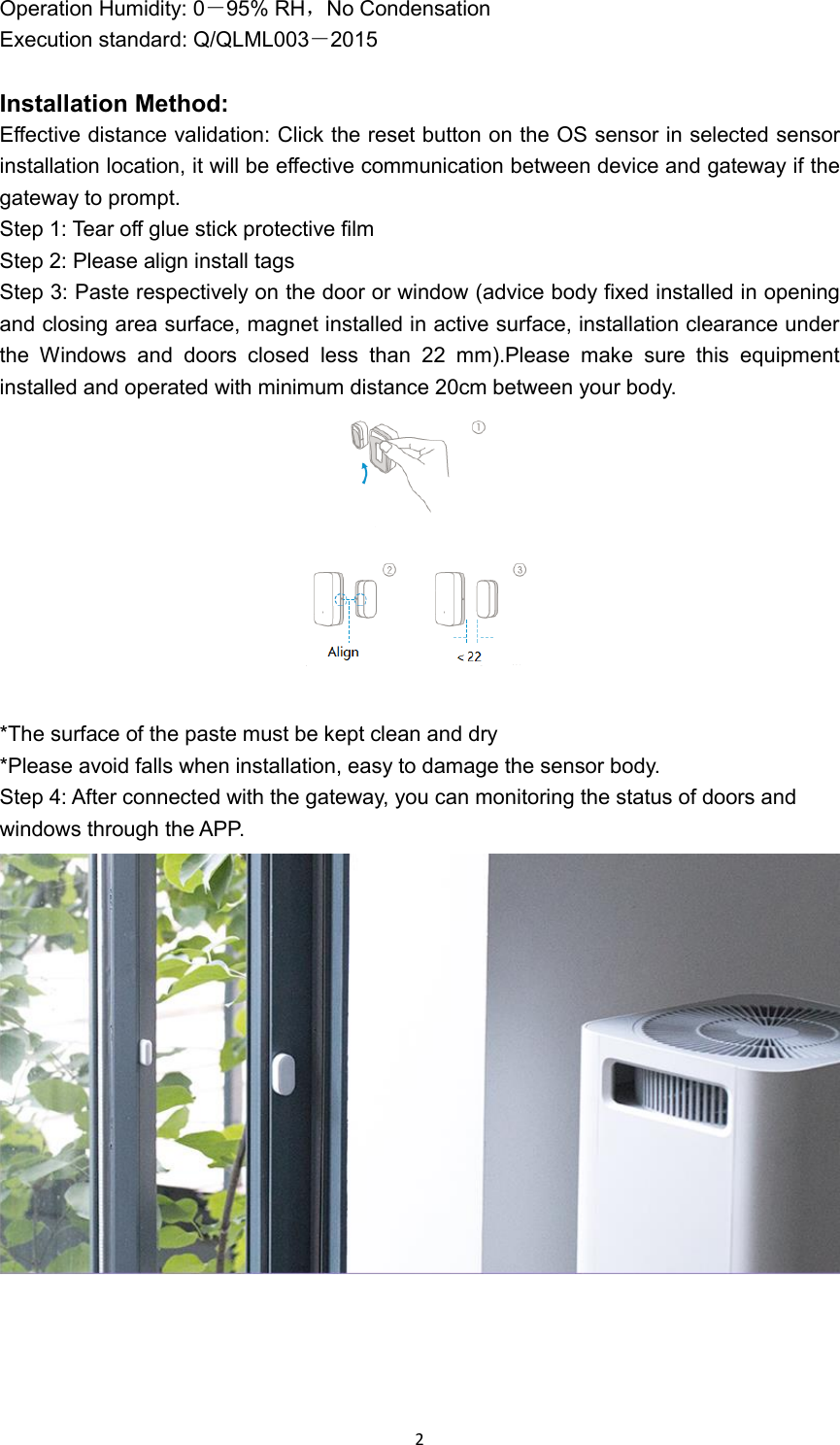
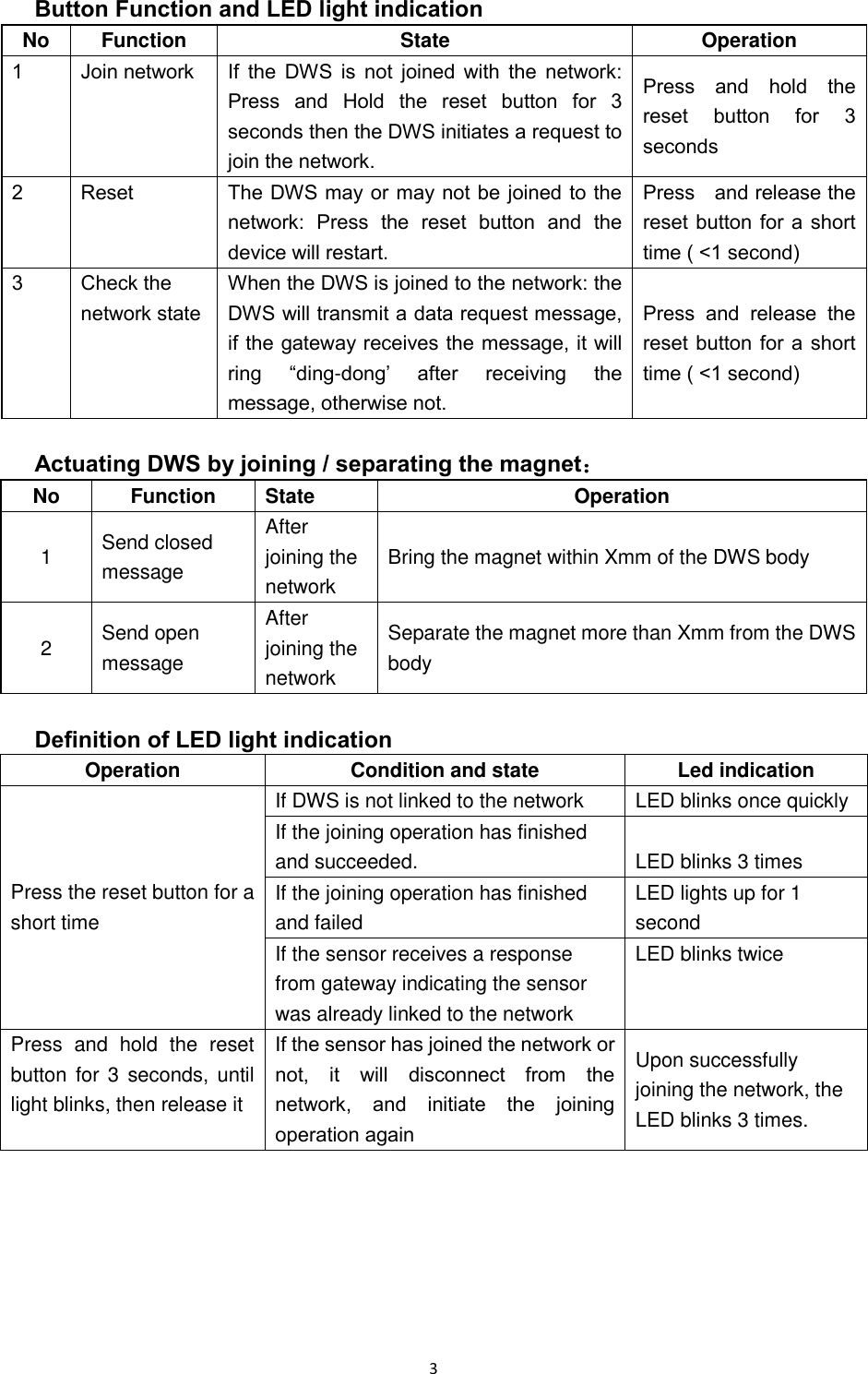
 2 Operation Humidity: 0-95% RH,No Condensation Execution standard: Q/QLML003-2015  Installation Method: Effective distance validation: Click the reset button on the OS sensor in selected sensor installation location, it will be effective communication between device and gateway if the gateway to prompt. Step 1: Tear off glue stick protective film Step 2: Please align install tags Step 3: Paste respectively on the door or window (advice body fixed installed in opening and closing area surface, magnet installed in active surface, installation clearance under the  Windows  and  doors  closed  less  than  22  mm).Please  make  sure  this  equipment installed and operated with minimum distance 20cm between your body.   *The surface of the paste must be kept clean and dry *Please avoid falls when installation, easy to damage the sensor body. Step 4: After connected with the gateway, you can monitoring the status of doors and windows through the APP.
 3 Button Function and LED light indication No Function State Operation 1 Join network If  the  DWS  is  not  joined  with  the  network: Press  and  Hold  the  reset  button  for  3 seconds then the DWS initiates a request to join the network. Press  and  hold  the reset  button  for  3 seconds 2 Reset The DWS may or may not be joined to the network:  Press  the  reset  button  and  the device will restart.   Press    and release the reset button for a short time ( <1 second) 3 Check the network state When the DWS is joined to the network: the DWS will transmit a data request message, if the gateway receives the message, it will ring  “ding-dong’  after  receiving  the message, otherwise not. Press  and  release  the reset button for a short time ( <1 second)  Actuating DWS by joining / separating the magnet: No Function State Operation 1 Send closed message After joining the network Bring the magnet within Xmm of the DWS body 2 Send open message After joining the network Separate the magnet more than Xmm from the DWS body  Definition of LED light indication Operation Condition and state Led indication Press the reset button for a short time If DWS is not linked to the network LED blinks once quickly If the joining operation has finished and succeeded. LED blinks 3 times If the joining operation has finished and failed LED lights up for 1 second If the sensor receives a response from gateway indicating the sensor was already linked to the network LED blinks twice Press  and  hold  the  reset button for 3  seconds, until light blinks, then release it If the sensor has joined the network or not,  it  will  disconnect  from  the network,  and  initiate  the  joining operation again Upon successfully joining the network, the LED blinks 3 times.

Navigation menu