MYSTIC Z100 3G Mobile Phone User Manual Warranty Details

MYSTIC CORPORATION S.A. 3G Mobile Phone Warranty Details

Users Manual

3G Mobile PhoneMysticZ100MYSTIC CORPORATION S.A.FCC ID: 2ABWM-Z100
ContentsContentsContentsContentsGeneralGeneralGeneralGeneralSafetySafetySafetySafetyInstructionsInstructionsInstructionsInstructions………………………………………………………………………………………………………………………………………………………………………………………………………………………………………………………………....4444HandlingandMaintenance…………………………………………………………………………………….4UsageEnvironment……………………………………………………………………………………………….4Safety……………………………………………………………………………………………………………………4Accessories………………………………………………………………………………………………………………5Usageconditionsandrestrictions……………………………………………………………………………5Abbreviations/Terminology…………………………………………………………………………………….6ProductProductProductProductOverviewOverviewOverviewOverview……………………………………………………………………………………………………………………………………………………………………………………………………………………………………………………………………………………………………………………........7777GettingGettingGettingGettingStaredStaredStaredStared…………………………………………………………………………………………………………………………………………………………………………………………………………………………………………………………………………………………………………………………………………8888BeforeFirstUse……………………………………………………………………………………………………….8MicroSDCard………………………………………………………………………………………………………….8SIMCard(2G/3G)……………………………………………………………………………………………………8InsertingtheSIMCard(s)andBattery…………………………………………………………………….8Charging…………………………………………………………………………………………………………………..9SwitchOn/Off………………………………………………………………………………………....................9TurnOn/OfftheScreen………………………………………………………………………………………….9Volume…………………………………………………………………………………………………………………10LinkingWithYourGoogleAccount………………………………………………………………………...10SIMManagement…………………………………………………………………………………………………10OperationOperationOperationOperation……………………………………………………………………………………………………………………………………………………………………………………………………………………………………………………………………………………………………………………………………………………………….12.12.12.12EnteringYourPIN……………………………………………………………………………………………………12ScreenOperation……………………………………………………………………………………………………12PhoneCalls……………………………………………………………………………………………………………13CallSettings………………………………………………………………………………………………………….18Contacts……………………………………………………………………………………………………………….18Messaging…………………………………………………………………………………………………………….19ApplicationsandWidgets……………………………………………………………………………………..20AddandManageDesktopIcons………………………………………………………………………….21ConnectWithComputer……………………………………………………………………………………….22Browser………………………………………………………………………………………………………………..23ScreenCompatibility…………………………………………………………………………………………….24BackgroundApplications……………………………………………………………………………………..24GetandInstallApplications………………………………………………………………………………….24UninstallApplications…………………………………………………………………………………………..25PlayStoreandCalendarErrorMessages………………………………………………………………25Settings……………………………………………………………………………………………....................26WirelessandNetworks………………………………………………………………………………………..26Bluetooth…………………………………………………………………………………………………………….28Device…………………………………………………………………………………………………………………28Personalization……………………………………………………………………………………………………29System………………………………………………………………………………………………………………..32Camera………………………………………………………………………………………………………………..32DownloadFilesManagement……………………………………………………………………………….33Page2Content
Radio……………………………………………………………………………………………………………………33SpecificationsSpecificationsSpecificationsSpecifications……………………………………………………………………………………………………………………………………………………………………………………………………………………………………………………………………………………………………………………………………………………………………………………........34343434RepairRepairRepairRepairandandandandRefurbishedRefurbishedRefurbishedRefurbished…………………………………………………………………………………………………………………………………………………………………………………………………………………………………………………………………………....35353535WarrantyWarrantyWarrantyWarrantyDetailsDetailsDetailsDetails……………………………………………………………………………………………………………………………………………………………………………………………………………………………………………………………………………………………………………………36363636Page3Content
GeneralGeneralGeneralGeneralSafetySa fetySafetySafetyInstructionsIn structionsInstructionsInstructionsReadthismanualthoroughlybeforefirstuseandkeepitinasafeplaceforfuturereference,alongwiththecompletedwarrantycard,purchasereceiptandcarton.Thesafetyprecautionsenclosedhereinreducetheriskoffire,electricshockandinjurywhencorrectlyadheredto.HandlingHandlingHandlingHandlingandan dandandmaintenancema intenancemaintenancemaintenance�Water:Water:Water:Water:Ensurethatthisproductdoesnotgetwetandprotectitfromwatersplashes,rain,excessivehumidityandsweat.Contactwithwaterwillcausethephonetoshort-circuit,corrodeorcauseelectricshock.Donotuseitwhereitcanfallintowater(suchasnearapool,pond,bathetc.).Donotuseitwithwethands.Donotimmerseitinwater.Donotturnitonifitiswet.Donottrytodryitinamicrowaveoven.�Handling:Handling:Handling:Handling:Toavoiddamagingthephone,batteryorcharger,donotdropitorshakeitvigorouslyasthismaycausedeviceorbatteryfailure,fireorexplosion.�Repair:Repair:Repair:Repair:Thisdeviceisahighprecisionelectronicproduct.Itcontainsnouserserviceablepartsinside.Donottrytodismantle,modifyorrepairthedeviceorchargeryourself.AnymodificationscouldvoidyourwarrantyUsageUsageUsageUsageenvironmenten vironmentenvironmentenvironment�Environment:Environment:Environment:Environment:Donotusethisproductwhereitisexcessivelyhotcold,dustyorhumid,orwhereitisexposedtostrongmagneticfieldorlongperiodsofsunshine.Exposuretoveryloworveryhightemperaturesmaycausedeviceorbatteryfailure,fireorexplosion.�HeatHeatHeatHeatsources:so urces:sources:sources:Donotleavetheproductnearanyheatsources,stoves,ovensorotherappliances(includingamplifiers)thatproduceheat�Interference:Donotusethephonenearotherelectronicdevicesthatuseradiofrequencysignals.Avoidusingitwithina15cmrangeofapacemaker(ifyouhaveapacemaker,donotcarrythephoneinabreastpocket).SafetySafetySafetySafety�RoadRo adRoadRoadsafety:sa fety:safety:safety:Obeyallocallawsandregulationsontheuseofmobiledeviceintheareawhereyoudrive.Payfullattentiontodrivingandtheroad.Keepyourhandsfreetooperatethevehicleatthetimes;usehand-freeoperationifphoneusageisrequired.�HealthHealthHealthHealthfacilities:fa cilities:facilities:facilities:Observerelevantrulesorregulationsregardingmobilephoneuseinhealthfacilities.Turnoffthephoneinthevicinityofmedicaldevicesandwhereverdirectedtodosobypostedsigns.Mobilephoner adiationmayinterferewithpacemakers,hearingaidsandothermedicalequipment.Page4GeneralSafetyInstruction
�Aircraft:Ai rcraft:Aircraft:Aircraft:Turnoffthesmartphonewhenboardinganairplaneinordertoavoidinterferencewithaircraftradiosignals.�MagneticMagneticMagneticMagneticequipment:eq uipment:equipment:equipment:Stayawayfrommagneticequipmenttoavoidtheriskofinterferingwithorerasingtheinformationstoredonthedevice.�Volume:Volume:Volume:Volume:Alwaysselecttheappropriatevolumewhenusingthemusicorvideofunction.Thevolumeshouldnotbetooloudwhenusingearphones.�ExplosiveExplosiveExplosiveExplosiveenvironments:en vironments:environments:environments:Turnoffthephoneinblastingareasandinanypotentiallyexplosiveenvironment(suchasatapetrolstationorotherrefuelingpoints).�Back-up:Back-up:Back-up:Back-up:Toavoidlossofdata,werecommendalwaysbackingupanyimportanttotheeyesofpeopleorpets.AccessoriesAccessoriesAccessoriesAccessories�Accessories:Ac cessories:Accessories:Accessories:OnlyusethedevicewiththemicroUSBcableandbatterychargersupplied.Useofotheraccessoriesnotrecommendedinthismanualmaycausedamagetotheunitandvoidyourwarranty.�BatteryBatteryBatteryBatterycharger:ch arger:charger:charger:Onlyusethechargerprovided.Donotusethephonewhileitischarging.Donotdroporcauseanimpacttothecharger.�BatteryBatteryBatteryBatteryhandling:ha ndling:handling:handling:Donotexposethebatterytohightemperatures.Takecarewhenhandleachargedbattery,particularlywhenplacingitinsideyourpocket,purseorothercontainerwithmetalobjects.�PowerPowerPowerPowercord:co rd:cord:cord:Donotbendanddamagethecableofbatterycharger.�Damage:Damage:Damage:Damage:Donotusethechargerifthecableorplugisdamaged.Incaseofdamage,contacttheaftersalessupportlineforadvice.�Disconnect:Disconnect:Disconnect:Disconnect:Griptheplugwhendisconnectingthecharger;donotpullonthecord.�MemoryMemoryMemoryMemorycard:ca rd:card:card:Alwayshandlethephone’smemorycard(s)withcare.Protectthecard(s)fromstaticelectricityandstrongshocks.UsageUsageUsageUsageconditionsco nditionsconditionsconditionsandan dandandrestrictionsre strictionsrestrictionsrestrictions�Packaging:Packaging:Packaging:Packaging:Plasticpackagingmaterialscanpresentsuffocationhardforyoungchildrenandbabies.Keepallpackagingmaterialsoutofchildren’sreachtoensuretheydonotplaywiththese.�PersonalPersonalPersonalPersonalusage:us age:usage:usage:Donotusethisproductforanythingotherthanitsintendedpurpose,andonlyuseitasdescribedinthismanual.�RestrictedRestrictedRestrictedRestrictedusage:us age:usage:usage:Theequipmentisnotintendedforusebypersons(includingchildren)withreducedphysical,sensoryormentalcapabilities,orlackofexperienceandknowledge,unlesstheyhavebeengivensupervisionorinstructionconcerninguseoftheequipmentbyapersonresponsiblefortheirsafety.GeneralSafetyInstructionPage5GeneralSafetyInstruction
Wi-FiWi-FiWi-FiWi-FiWirelessFidelityBTBTBTBTBluetoothSDSDSDSDcardca rdcardcardSecureDigitalFlashMemoryCardSIMSIMSIMSIMcardca rdcardcardSubscriberIdentityModule(MobileServiceCard)�Children:Ch ildren:Children:Children:Thisphoneisnotatoy.Keepthephone,batteryandchargerawayfromyoungchildren.Superviseyoungchildrenwhenthephoneisgoingtobeusedbyornearyoungchildren.�Cleaning:Cleaning:Cleaning:Cleaning:Cleanthehousingofthedevicelightlywithadrycottoncloth.Donotusealcohol,thinners,benzeneoranyotherchemicalcleaningsolutions.�LostLostLostLostphone:ph one:phone:phone:WerecommendyouinformyourtelecommunicationsserviceprovidertoblockyourSIMcard(s)whenyourphoneislost.Youmayalsowanttoaskthemtoblockthephone’sIMEInumber(s),theseareprintedonalabelinsidethephoneunderneaththebattery.(Alternatively,thenumber(s)willbeincludedonalabelwiththepackaging.)Pleasenotedownthisnumberssoyouhavethemhandyincaseyourphoneislost.�Disposal:Disposal:Disposal:Disposal:Whendiscardingthisdevice,observelocalregulationsanddisposeofitappropriatelyforrecycling.Neverdisposeofthebatteryinafire.Contactyourlocalauthoritiesforadviceonfacilities.�Noncompliance:Noncompliance:Noncompliance:Noncompliance:Weacceptnoliabilityforanydamagecausedbynoncompliancewiththeseinstructionsoranyotherimproperuseormishandling.Abbreviations/TeAbbreviations/TeAbbreviations/TeAbbreviations/Terrrrminologymi nologyminologyminologyPage6GeneralSafetyInstruction
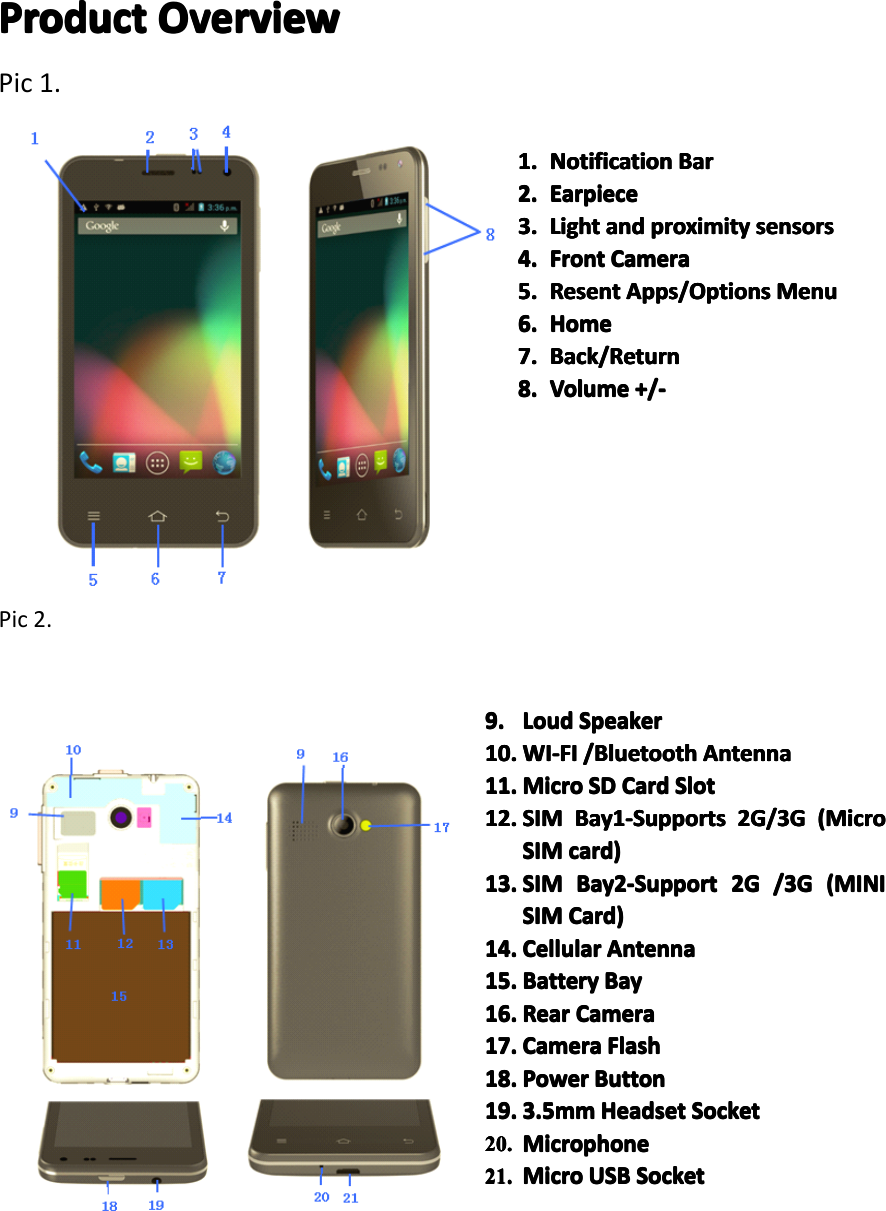
ProductProductProductProductOvervieOv ervieOvervieOverviewwwwPic1.Pic2.1.1.1.1.NotificationNo tificationNotificationNotificationBarBa rBarBar2.2.2.2.EarpieceEa rpieceEarpieceEarpiece3.3.3.3.LightLi ghtLightLightandan dandandproximitypr oximityproximityproximitysensorsse nsorssensorssensors4.4.4.4.FrontFr ontFrontFrontCameraCa meraCameraCamera5.5.5.5.ResentRe sentResentResentApps/OptionsAp ps/OptionsApps/OptionsApps/OptionsMenuMe nuMenuMenu6.6.6.6.HomeHo meHomeHome7.7.7.7.Back/ReturnBa ck/ReturnBack/ReturnBack/Return8.8.8.8.VolumeVo lumeVolumeVolume+/-+/-+ /-+/-9.9.9.9.LoudLo udLoudLoudSpeakerSp eakerSpeakerSpeaker10.10.10.10.WI-FIWI -FIWI-FIWI-FI/Bluetooth/Bl uetooth/Bluetooth/BluetoothAntennaAn tennaAntennaAntenna11.11.11.11.MicroMi croMicroMicroSDSDS DSDCardCa rdCardCardSlotSl otSlotSlot12.12.12.12.SSSSIMIMI MIMBay1-SupportsBa y1-SupportsBay1-SupportsBay1-Supports2G/3G2G /3G2G/3G2G/3G(Micro(M icro(Micro(MicroSSSSIMIMIMIMcard)ca rd)card)card)13.13.13.13.SSSSIMIMI MIMBay2-SupportBa y2-SupportBay2-SupportBay2-Support2G2G2 G2G/3G/3G/3 G/3G((((MINIMI NIMINIMINISSSSIMIMIMIMCard)Ca rd)Card)Card)14.14.14.14.CellularCe llularCellularCellularAntennaAn tennaAntennaAntenna15.15.15.15.BatteryBa tteryBatteryBatteryBayBa yBayBay16.16.16.16.RearRe arRearRearCameraCa meraCameraCamera17.17.17.17.CameraCa meraCameraCameraFlashFl ashFlashFlash18.18.18.18.PowerPo werPowerPowerButtonBu ttonButtonButton19.19.19.19.3.5mm3. 5mm3.5mm3.5mmHeadsetHe adsetHeadsetHeadsetSocketSo cketSocketSocket20.20.20.20.MicrophoneMi crophoneMicrophoneMicrophone21.21.21.21.MicroMi croMicroMicroUSBUS BUSBUSBSocketSo cketSocketSocketPage7ProductionOverview
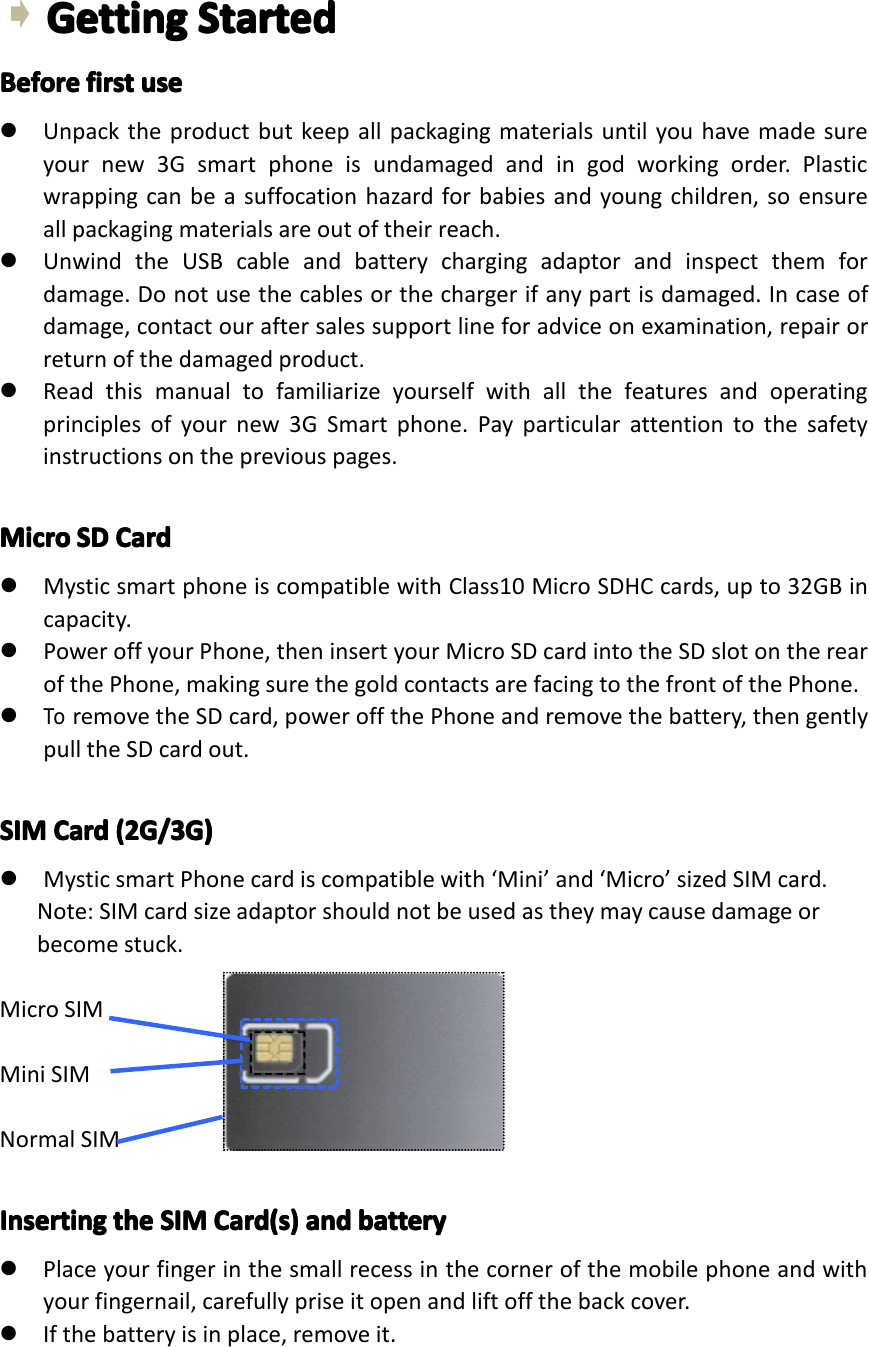
GettingGettingGettingGettingStartedSt artedStartedStartedBeforeBeforeBeforeBeforefirstfi rstfirstfirstuseus euseuse�Unpacktheproductbutkeepallpackagingmaterialsuntilyouhavemadesureyournew3Gsmartphoneisundamagedandingodworkingorder.Plasticwrappingcanbeasuffocationhazardforbabiesandyoungchildren,soensureallpackagingmaterialsareoutoftheirreach.�UnwindtheUSBcableandbatterychargingadaptorandinspectthemfordamage.Donotusethecablesorthechargerifanypartisdamaged.Incaseofdamage,contactouraftersalessupportlineforadviceonexamination,repairorreturnofthedamagedproduct.�Readthismanualtofamiliarizeyourselfwithallthefeaturesandoperatingprinciplesofyournew3GSmartphone.Payparticularattentiontothesafetyinstructionsonthepreviouspages.MicroMicroMicroMicroSDSDS DSDCardCa rdCardCard�MysticsmartphoneiscompatiblewithClass10MicroSDHCcards,upto32GBincapacity.�PoweroffyourPhone,theninsertyourMicroSDcardintotheSDslotontherearofthePhone,makingsurethegoldcontactsarefacingtothefrontofthePhone.�ToremovetheSDcard,poweroffthePhoneandremovethebattery,thengentlypulltheSDcardout.SIMSIMSIMSIMCardCa rdCardCard(2G/3G)(2 G/3G)(2G/3G)(2G/3G)�MysticsmartPhonecardiscompatiblewith‘Mini’and‘Micro’sizedSIMcard.Note:SIMcardsizeadaptorshouldnotbeusedastheymaycausedamageorbecomestuck.MicroSIMMiniSIMNormalSIMInsertingInsertingInsertingInsertingtheth ethetheSIMSI MSIMSIMCard(s)Ca rd(s)Card(s)Card(s)andan dandandbatteryba tterybatterybattery�Placeyourfingerinthesmallrecessinthecornerofthemobilephoneandwithyourfingernail,carefullypriseitopenandliftoffthebackcover.�Ifthebatteryisinplace,removeit.Page8GettingStarted
�InsertyourSIMcard(s)intothededicatedbays.Baynumber(1)supportsMicroSIMCardsfor3Gand2G;baynumber(2)supportsMiniSIMCardsfor2Gonly.Ifrequired,insertamicroSDcardintoitsdedicatedspace.�OncetheSIMandSDcardsaresecurelyinplace,insertthebattery(supplied)intothephone,makingsuretoalignthepinswiththecontact�Reinstallthebackcover.Itwilllockintoplace.NOTE:NOTE:NOTE:NOTE:SomeSIMcardsrequireaPINnumbertobeenteredbeforeuse(seepage13fordetails).ThisPINmaybeprintedontheSIMcardpackaging,oryoumayhavetocontactyourserviceproviderforthenumber.ChargingChargingChargingChargingThebatteryhasbeenpartiallychargedatthefactory.Toperformallfunctions,werecommendyoufullyrechargeitasfollows:�ToToT oTochargerch argerchargerchargertheth ethethedevicede vicedevicedevicewithwi thwithwiththeth ethethebatteryba tterybatterybatterycharger,ch arger,charger,charger,plugthelargeendoftheUSBcableintothechargingadaptorandthesmallerendintothemicroUSBportonthe3GSmartphone.Plugthechargerintoyourmainspowersupply.�ToToToTochargech argechargechargetheth ethethedevicede vicedevicedeviceusingus ingusingusingtheth ethetheUSBUS BUSBUSBcableca blecablecableandan dandandcomputer,co mputer,computer,computer,plugthelargeendoftheUSBcableintoaUSBportonyourcomputerandthesmallerendintothemicroUSBportonthe3GSmartphone.Ensureyourcomputeristurnedon.�Whenthephoneindicatesafullcharge(thebatterystatusiconislocatedinthetoprightcornerofthedisplay),disconnectthechargerorUSBcable.�Followoneofthesechargingprocedureswheneveryour3GSmartphoneindicatesalowbatterycharge.SwitchSwitchSwitchSwitchon/offon /offon/offon/offPowerPowerPowerPowerbuttonbu ttonbuttonbutton�Longpresstoturnon,�Wheninpower-onstate,presstoturnonoroffthescreen.�Wheninpower-onstate,longpresstodisplaythepoweroffmenu.NOTE:NOTE:NOTE:NOTE:ifphonebecomesunresponsive,removeandreinsertthebatterySwitchSwitchSwitchSwitchonono non�Whenthepower-onstate,pressandholdthepowerfor2secondsandthedevicewillstartup.SwitchSwitchSwitchSwitchoffof foffoff�Pressandholdthepowerfor2seconds:anoptionslistwillappearonthescreen.�Choosetoswitchoffthedevice.TurnTurnTurnTurnon/offon /offon/offon/offtheth ethethescreensc reenscreenscreenThescreenwillautomaticallyturnoffwheninidletimePage9GettingStarted
�Afteraperiodofinactivity,thescreenautomaticallyturnsofftosavebatterypower.Thiscanbesetusingthe‘Sleep’settingfromthedisplaymenuinthedevicesettingsmenu.�Ifafteralongtimeinsleepstatethescreendoesnotturnon,removethenreinsertthebattery.Thenpressthepowerbuttontoturnonagain.TurnTurnTurnTurnonono nontheth ethethescreensc reenscreenscreen�Ifthescreenisoff,PressthepowerbuttontoturnitbackonVolumeVolumeVolumeVolume�Toadjusttheringervolume,presstheVolumeDownbuttonsontherightsideofthe3GSmartphonetothedesiredlevel.Whileadjustingtheringervolume,awindowwillappearonthescreendisplayingthevolumelevels.LinkingLinkingLinkingLinkingwithwi thwithwithyouryo uryouryourGoogleGo ogleGoogleGoogleaccountac countaccountaccountWhenyouturnonthephoneforthefirsttime,youcansignintoyourGoogleAccount,soyoucansynchronizeGmail/GoogleMail,CalendarandContactsbetweenyourphoneandtheweb.YoualsoneedtosignintoaGoogleAccounttouseGoogleAppssuchasGoogleTalk™andPlayStore.Onyourphone,goto‘Settings’andtap‘ppAccount’>‘Google’>‘Existing’.Tap“signin”,enteryourusernameandpasswordandthentap“Signin”.Aftersigningin,allemails,contacts,andcalendareventsonyourGoogleAccountwillautomaticallysynchronizewithyourphone.NOTE:NOTE:NOTE:NOTE:Tap“Create”ifyoudonothaveaGoogleAccountyet.GoogleGoogleGoogleGoogleAccountAc countAccountAccountpasswordpa sswordpasswordpasswordIfyoucannotrememberyourGoogleAccountpassword,followthestepsbelowtoretrieveit:�Onyourcomputer,openyourbrowserandgotohttp://google.com/accounts.�Ontherightsideofthepage,tap“Can’taccessyouraccount”.�Inthe“Havingtroublesigningin?”section,select“Idon’tknowmypassword”.�Followtheprocedureonhowtorecoveryourpassword.SIMSIMSIMSIMmanagementma nagementmanagementmanagementThis3GSmartphonecanbeusedwithtwoSIMcards:WhenyouhavetwoSIMcardsinserted,youcanchoosetouseeitherSIM1orSIM2,orbothofthem.UnlessyouhavedetermineduseofoneparticularSIMcardasyourdefaultcardinthesettings,youwillbepromptedtochooseanappropriateSIMcardeverytimeyouwanttomakeacallorsendamessage.NOTE:NOTE:NOTE:NOTE:OnlySIMcardbaynumber1supports3Gdataconnection.Page10GettingStarted
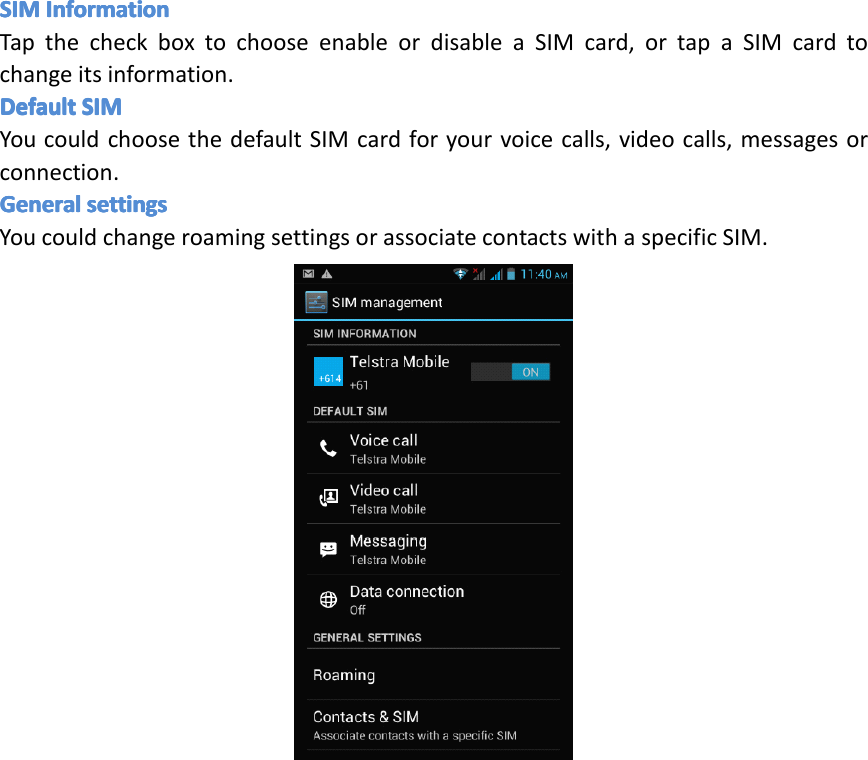
SIMSIMSIMSIMInformationIn formationInformationInformationTapthecheckboxtochooseenableordisableaSIMcard,ortapaSIMcardtochangeitsinformation.DefaultDefaultDefaultDefaultSIMSI MSIMSIMYoucouldchoosethedefaultSIMcardforyourvoicecalls,videocalls,messagesorconnection.GeneralGeneralGeneralGeneralsettingsse ttingssettingssettingsYoucouldchangeroamingsettingsorassociatecontactswithaspecificSIM.Page11GettingStarted
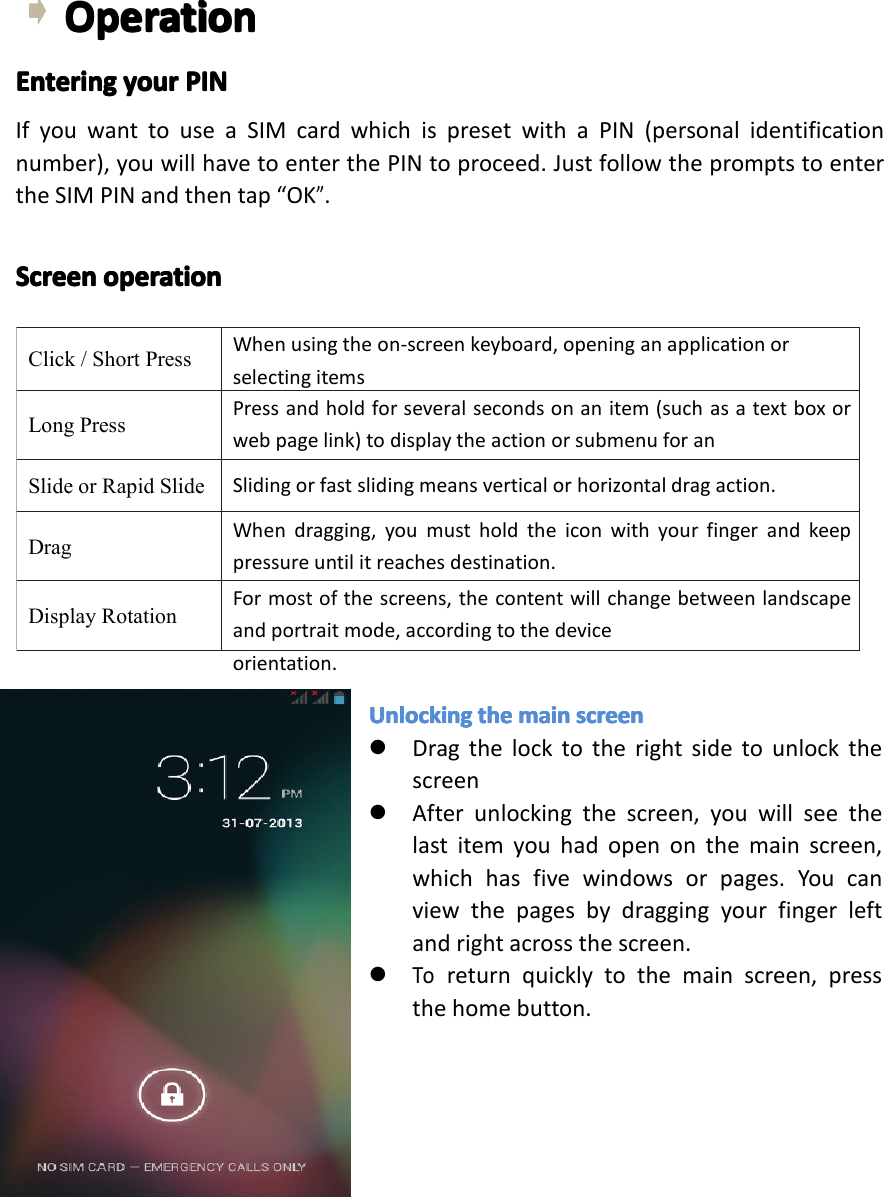
Click/ShortPressWhenusingtheon-screenkeyboard,openinganapplicationorselectingitemsLongPressPressandholdforseveralsecondsonanitem(suchasatextboxorwebpagelink)todisplaytheactionorsubmenuforanitem,ifavailable.SlideorRapidSlideSlidingorfastslidingmeansverticalorhorizontaldragaction.DragWhendragging,youmustholdtheiconwithyourfingerandkeeppressureuntilitreachesdestination.DisplayRotationFormostofthescreens,thecontentwillchangebetweenlandscapeandportraitmode,accordingtothedeviceorientation.OperationOperationOperationOperationEnteringEnteringEnteringEnteringyouryo uryouryourPINPI NPINPINIfyouwanttouseaSIMcardwhichispresetwithaPIN(personalidentificationnumber),youwillhavetoenterthePINtoproceed.JustfollowthepromptstoentertheSIMPINandthentap“OK”.ScreenScreenScreenScreenoperationop erationoperationoperationUnlockingUn lockingUnlockingUnlockingtheth ethethemainma inmainmainscreensc reenscreenscreen�Dragthelocktotherightsidetounlockthescreen�Afterunlockingthescreen,youwillseethelastitemyouhadopenonthemainscreen,whichhasfivewindowsorpages.Youcanviewthepagesbydraggingyourfingerleftandrightacrossthescreen.�Toreturnquicklytothemainscreen,pressthehomebutton.Page12Operation
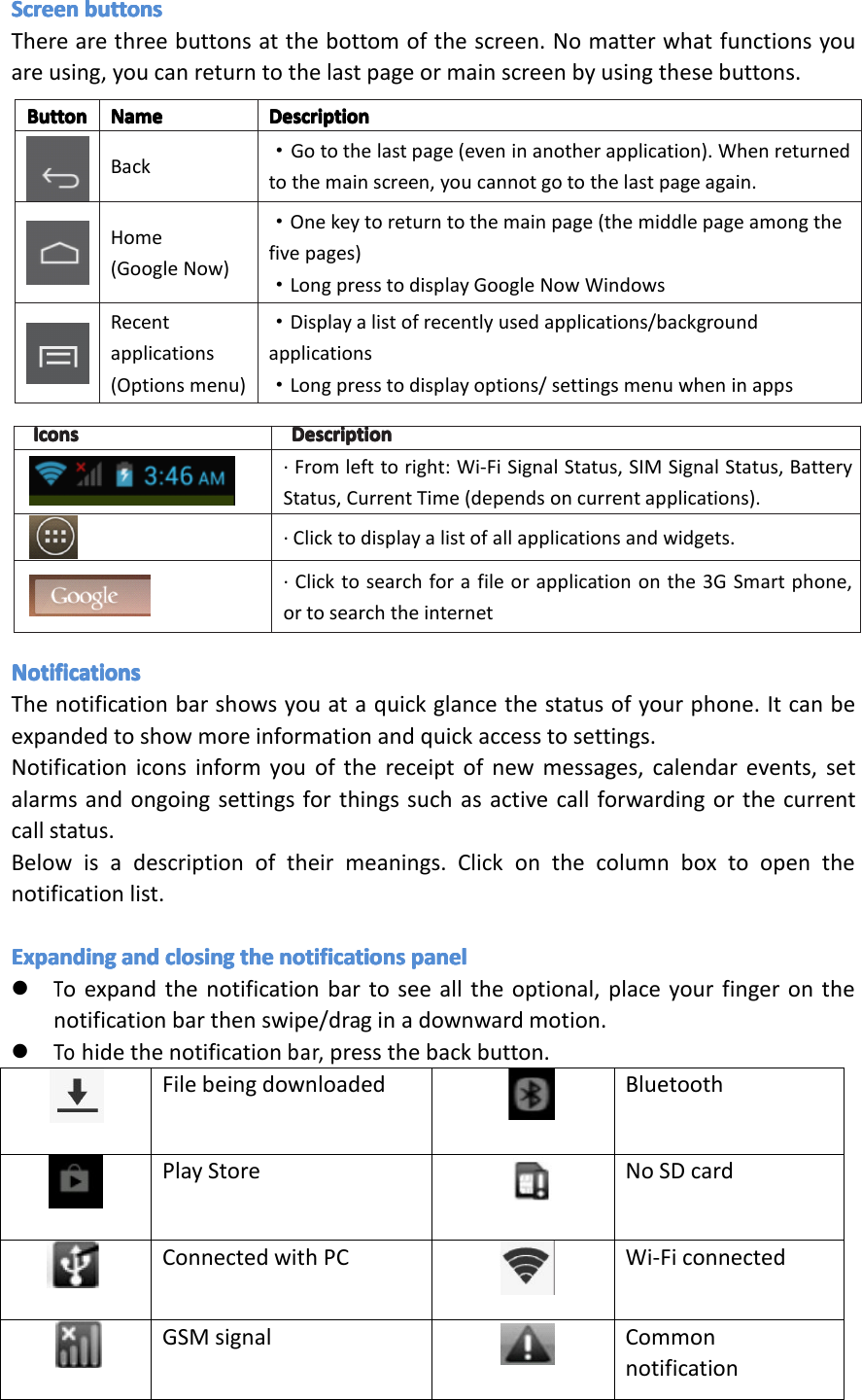
IconsIconsIconsIcons DescriptionDescriptionDescriptionDescription·Fromlefttoright:Wi-FiSignalStatus,SIMSignalStatus,BatteryStatus,CurrentTime(dependsoncurrentapplications).·Clicktodisplayalistofallapplicationsandwidgets.·Clicktosearchforafileorapplicationonthe3GSmartphone,ortosearchtheinternetButtonButtonButtonButton NameNameNameName DescriptionDescriptionDescriptionDescriptionBack·Gotothelastpage(eveninanotherapplication).Whenreturnedtothemainscreen,youcannotgotothelastpageagain.Home(GoogleNow)·Onekeytoreturntothemainpage(themiddlepageamongthefivepages)·LongpresstodisplayGoogleNowWindowsRecentapplications(Optionsmenu)·Displayalistofrecentlyusedapplications/backgroundapplications·Longpresstodisplayoptions/settingsmenuwheninappsScreenScreenScreenScreenbuttonsbu ttonsbuttonsbuttonsTherearethreebuttonsatthebottomofthescreen.Nomatterwhatfunctionsyouareusing,youcanreturntothelastpageormainscreenbyusingthesebuttons.NotificationsNotificationsNotificationsNotificationsThenotificationbarshowsyouataquickglancethestatusofyourphone.Itcanbeexpandedtoshowmoreinformationandquickaccesstosettings.Notificationiconsinformyouofthereceiptofnewmessages,calendarevents,setalarmsandongoingsettingsforthingssuchasactivecallforwardingorthecurrentcallstatus.Belowisadescriptionoftheirmeanings.Clickonthecolumnboxtoopenthenotificationlist.ExpandingExpandingExpandingExpandingandan dandandclosingcl osingclosingclosingtheth ethethenotificationsno tificationsnotificationsnotificationspanelpa nelpanelpanel�Toexpandthenotificationbartoseealltheoptional,placeyourfingeronthenotificationbarthenswipe/draginadownwardmotion.�Tohidethenotificationbar,pressthebackbutton.Filebeingdownloaded BluetoothPlayStore NoSDcardConnectedwithPC Wi-FiconnectedGSMsignal CommonnotificationPage13Operation
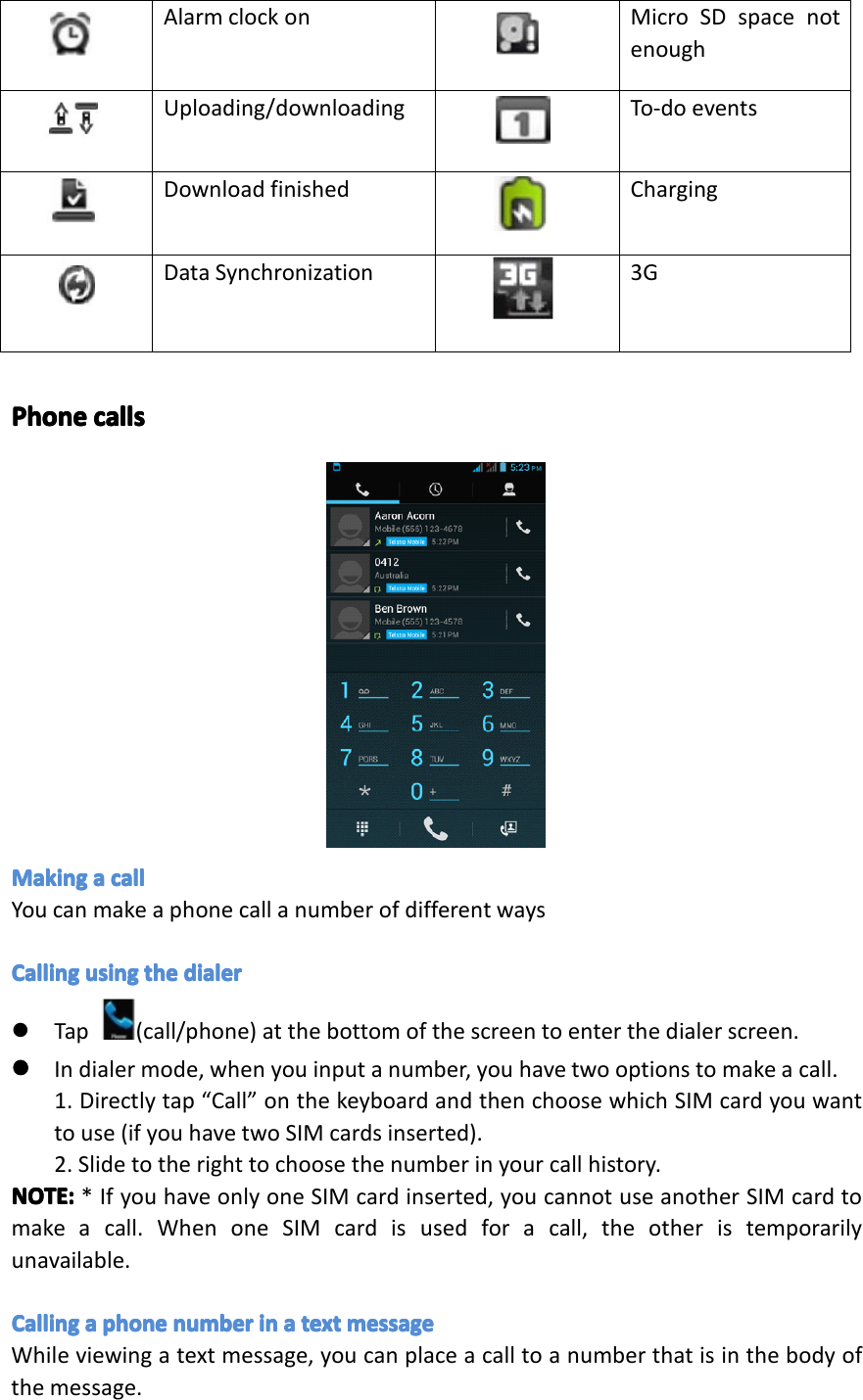
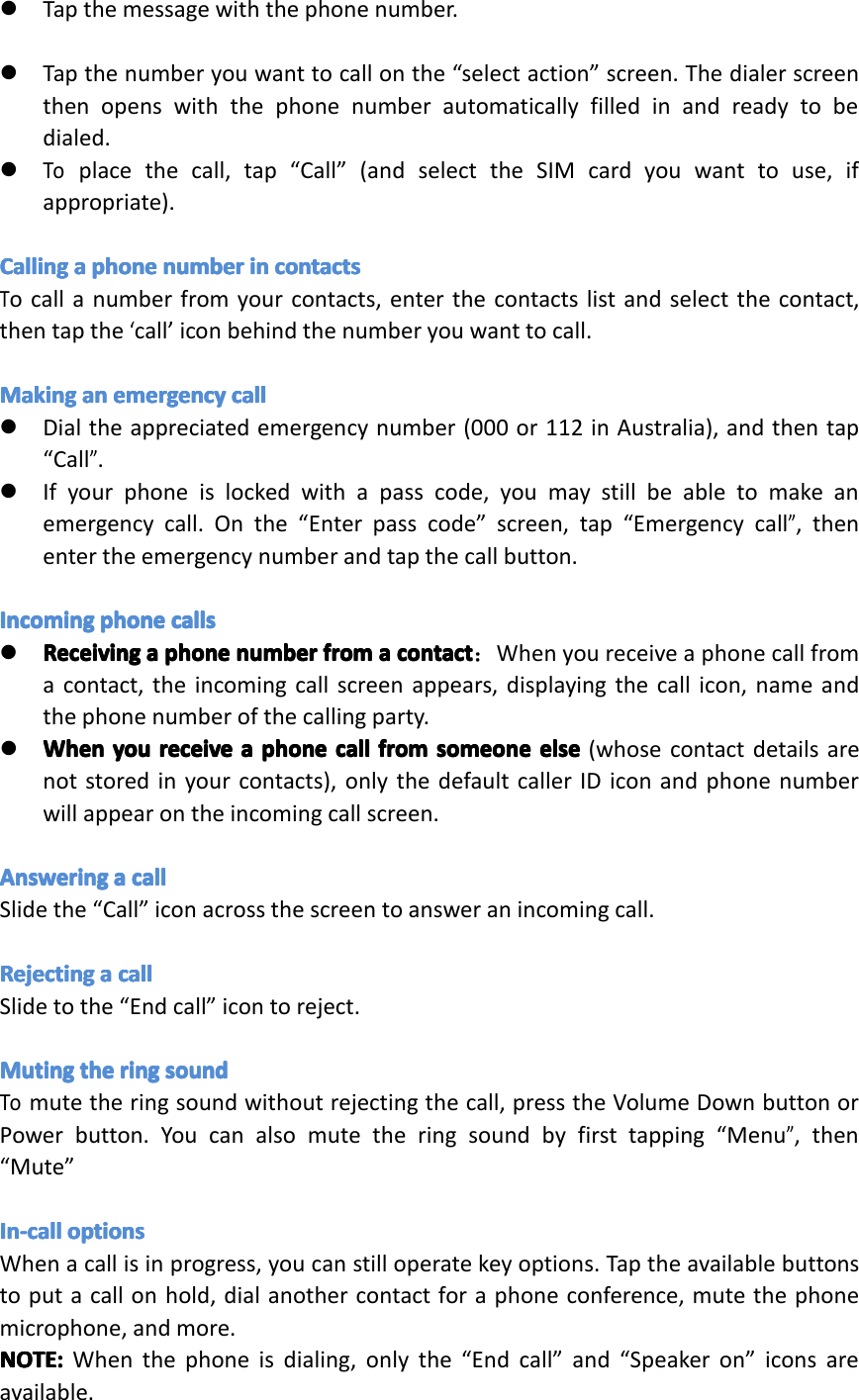
FilebeingdownloadBluetoothplaystoreNoSDcardConnectedwithPCWi-FiconnectedGMSsignalCommonnotificationAlarmclockonMicroSDspacenotenoughUploading/downloadingTo-doeventsDownloadingfinishedChargingDatasynchronization3GAlarmclockon MicroSDspacenotenoughUploading/downloading To-doeventsDownloadfinished ChargingDataSynchronization 3GPhonePhonePhonePhonecallsca llscallscallsMakingMakingMakingMakingaaaacallca llcallcallYoucanmakeaphonecallanumberofdifferentwaysCallingCallingCallingCallingusingus ingusingusingtheth ethethedialerdi alerdialerdialer�Tap(call/phone)atthebottomofthescreentoenterthedialerscreen.����Indialermode,whenyouinputanumber,youhavetwooptionstomakeacall.1.Directlytap“Call”onthekeyboardandthenchoosewhichSIMcardyouwanttouse(ifyouhavetwoSIMcardsinserted).2.Slidetotherighttochoosethenumberinyourcallhistory.NOTE:NOTE:NOTE:NOTE:*IfyouhaveonlyoneSIMcardinserted,youcannotuseanotherSIMcardtomakeacall.WhenoneSIMcardisusedforacall,theotheristemporarilyunavailable.CallingCallingCallingCallingaaaaphoneph onephonephonenumbernu mbernumbernumberinini ninaaaatextte xttexttextmessageme ssagemessagemessageWhileviewingatextmessage,youcanplaceacalltoanumberthatisinthebodyofthemessage.Page14Operation
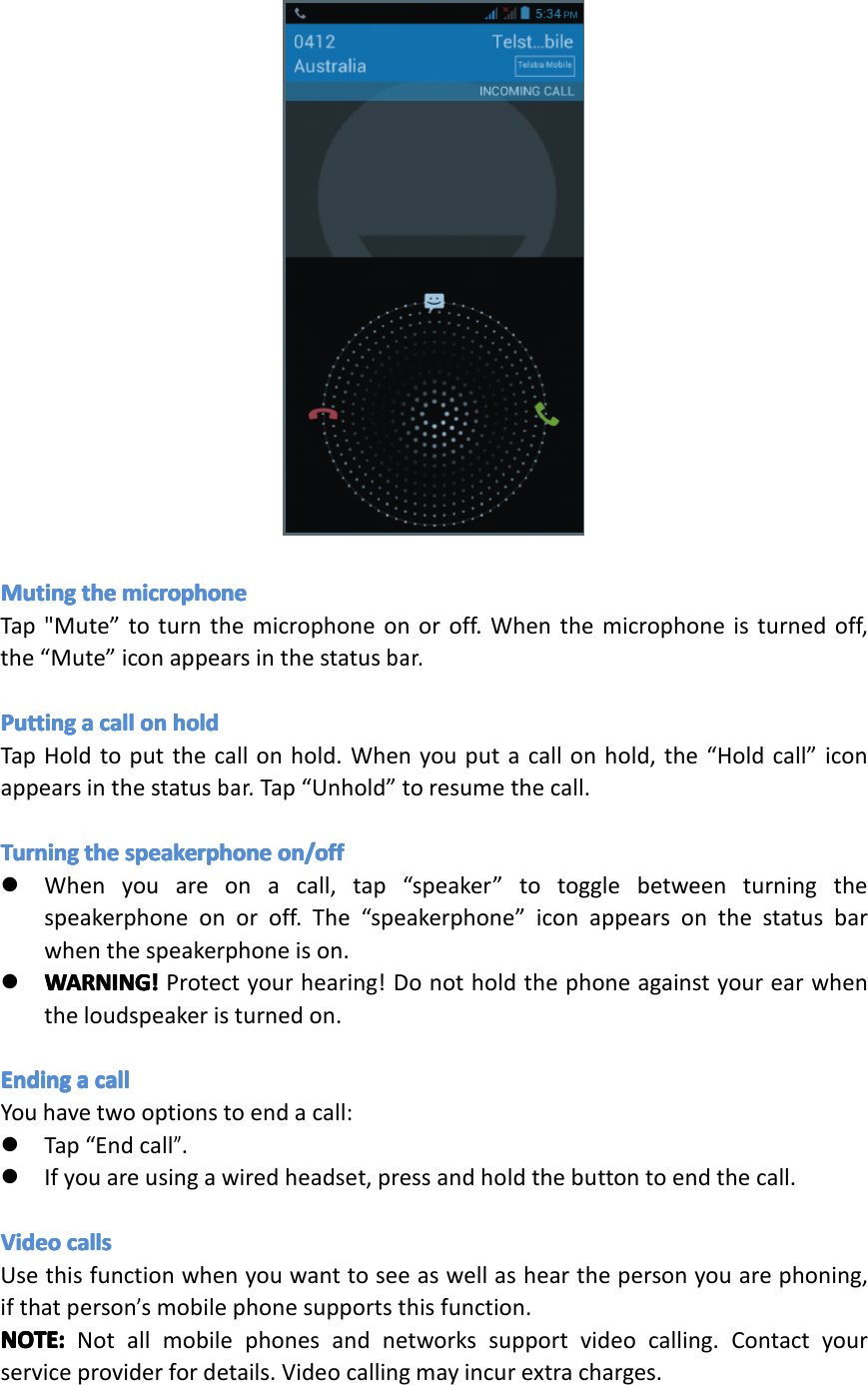
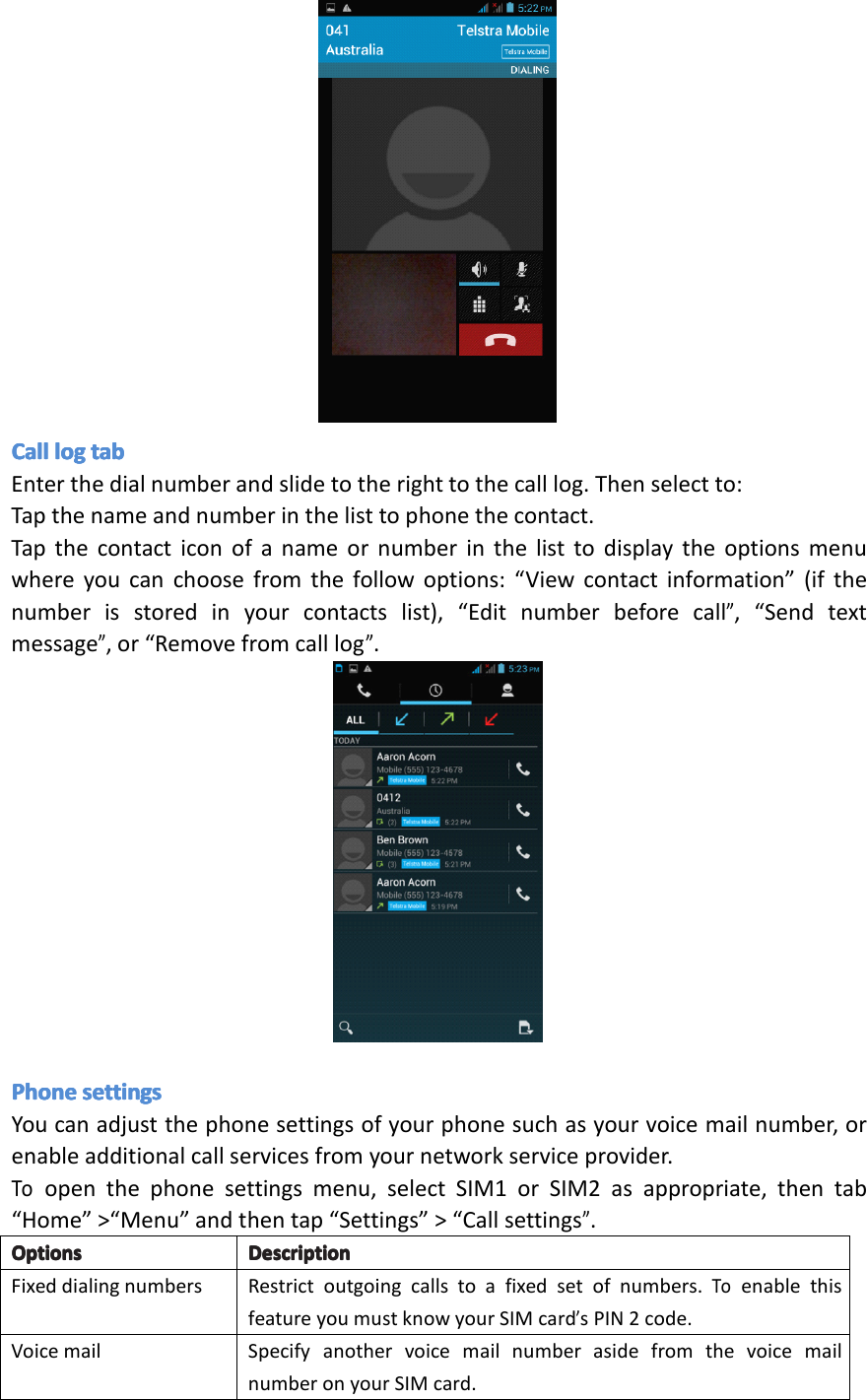
�Tapthemessagewiththephonenumber.�Tapthenumberyouwanttocallonthe“selectaction”screen.Thedialerscreenthenopenswiththephonenumberautomaticallyfilledinandreadytobedialed.�Toplacethecall,tap“Call”(andselecttheSIMcardyouwanttouse,ifappropriate).CallingCallingCallingCallingaaaaphoneph onephonephonenumbernu mbernumbernumberinini nincontactsco ntactscontactscontactsTocallanumberfromyourcontacts,enterthecontactslistandselectthecontact,thentapthe‘call’iconbehindthenumberyouwanttocall.MakingMakingMakingMakinganana nanemergencyem ergencyemergencyemergencycallca llcallcall�Dialtheappreciatedemergencynumber(000or112inAustralia),andthentap“Call”.�Ifyourphoneislockedwithapasscode,youmaystillbeabletomakeanemergencycall.Onthe“Enterpasscode”screen,tap“Emergencycall”,thenentertheemergencynumberandtapthecallbutton.IncomingIncomingIncomingIncomingphoneph onephonephonecallsca llscallscalls�ReceivingReceivingReceivingReceivingaaaaphoneph onephonephonenumbernu mbernumbernumberfromfr omfromfromaaaacontactco ntactcontactcontact:Whenyoureceiveaphonecallfromacontact,theincomingcallscreenappears,displayingthecallicon,nameandthephonenumberofthecallingparty.�WhenWhenWhenWhenyouyo uyouyoureceivere ceivereceivereceiveaaaaphoneph onephonephonecallca llcallcallfromfr omfromfromsomeoneso meonesomeonesomeoneelseel seelseelse(whosecontactdetailsarenotstoredinyourcontacts),onlythedefaultcallerIDiconandphonenumberwillappearontheincomingcallscreen.AnsweringAnsweringAnsweringAnsweringaaaacallca llcallcallSlidethe“Call”iconacrossthescreentoansweranincomingcall.RejectingRejectingRejectingRejectingaaaacallca llcallcallSlidetothe“Endcall”icontoreject.MutingMutingMutingMutingtheth ethetheringri ngringringsoundso undsoundsoundTomutetheringsoundwithoutrejectingthecall,presstheVolumeDownbuttonorPowerbutton.Youcanalsomutetheringsoundbyfirsttapping“Menu”,then“Mute”In-callIn-callIn-callIn-calloptionsop tionsoptionsoptionsWhenacallisinprogress,youcanstilloperatekeyoptions.Taptheavailablebuttonstoputacallonhold,dialanothercontactforaphoneconference,mutethephonemicrophone,andmore.NOTE:NOTE:NOTE:NOTE:Whenthephoneisdialing,onlythe“Endcall”and“Speakeron”iconsareavailable.Page15Operation
MutingMutingMutingMutingtheth ethethemicrophonemi crophonemicrophonemicrophoneTap"Mute”toturnthemicrophoneonoroff.Whenthemicrophoneisturnedoff,the“Mute”iconappearsinthestatusbar.PuttingPuttingPuttingPuttingaaaacallca llcallcallonono nonholdho ldholdholdTapHoldtoputthecallonhold.Whenyouputacallonhold,the“Holdcall”iconappearsinthestatusbar.Tap“Unhold”toresumethecall.TurningTurningTurningTurningtheth ethethespeakerphonesp eakerphonespeakerphonespeakerphoneon/offon /offon/offon/off�Whenyouareonacall,tap“speaker”totogglebetweenturningthespeakerphoneonoroff.The“speakerphone”iconappearsonthestatusbarwhenthespeakerphoneison.�WARNING!WARNING!WARNING!WARNING!Protectyourhearing!Donotholdthephoneagainstyourearwhentheloudspeakeristurnedon.EndingEndingEndingEndingaaaacallca llcallcallYouhavetwooptionstoendacall:�Tap“Endcall”.�Ifyouareusingawiredheadset,pressandholdthebuttontoendthecall.VideoVideoVideoVideocallsca llscallscallsUsethisfunctionwhenyouwanttoseeaswellashearthepersonyouarephoning,ifthatperson’smobilephonesupportsthisfunction.NOTE:NOTE:NOTE:NOTE:Notallmobilephonesandnetworkssupportvideocalling.Contactyourserviceproviderfordetails.Videocallingmayincurextracharges.Page16Operation
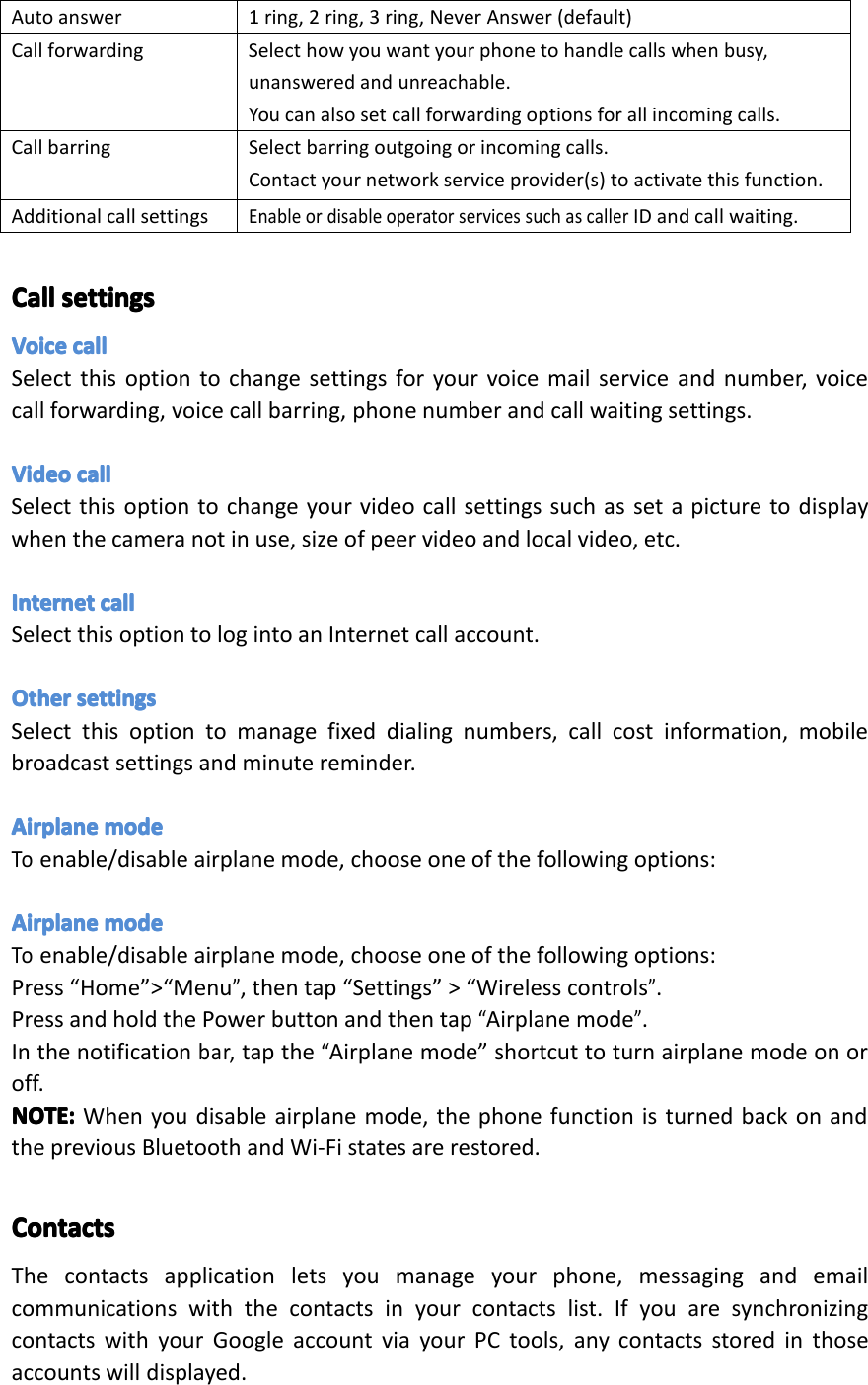
CallCallCallCallloglo gloglogtabta btabtabEnterthedialnumberandslidetotherighttothecalllog.Thenselectto:Tapthenameandnumberinthelisttophonethecontact.Tapthecontacticonofanameornumberinthelisttodisplaytheoptionsmenuwhereyoucanchoosefromthefollowoptions:“Viewcontactinformation”(ifthenumberisstoredinyourcontactslist),“Editnumberbeforecall”,“Sendtextmessage”,or“Removefromcalllog”.PhonePhonePhonePhonesettingsse ttingssettingssettingsYoucanadjustthephonesettingsofyourphonesuchasyourvoicemailnumber,orenableadditionalcallservicesfromyournetworkserviceprovider.Toopenthephonesettingsmenu,selectSIM1orSIM2asappropriate,thentab“Home”>“Menu”andthentap“Settings”>“Callsettings”.OptionsOptionsOptionsOptionsDescriptionDe scriptionDescriptionDescriptionFixeddialingnumbersRestrictoutgoingcallstoafixedsetofnumbers.ToenablethisfeatureyoumustknowyourSIMcard’sPIN2code.VoicemailSpecifyanothervoicemailnumberasidefromthevoicemailnumberonyourSIMcard.Page17Operation
Autoanswer1ring,2ring,3ring,NeverAnswer(default)CallforwardingSelecthowyouwantyourphonetohandlecallswhenbusy,unansweredandunreachable.Youcanalsosetcallforwardingoptionsforallincomingcalls.CallbarringSelectbarringoutgoingorincomingcalls.Contactyournetworkserviceprovider(s)toactivatethisfunction.AdditionalcallsettingsEnableordisableoperatorservicessuchascallerIDandcallwaiting.CallCallCallCallsettingsse ttingssettingssettingsVoiceVoiceVoiceVoicecallca llcallcallSelectthisoptiontochangesettingsforyourvoicemailserviceandnumber,voicecallforwarding,voicecallbarring,phonenumberandcallwaitingsettings.VideoVideoVideoVideocallca llcallcallSelectthisoptiontochangeyourvideocallsettingssuchassetapicturetodisplaywhenthecameranotinuse,sizeofpeervideoandlocalvideo,etc.InternetInternetInternetInternetcallca llcallcallSelectthisoptiontologintoanInternetcallaccount.OtherOtherOtherOthersettingsse ttingssettingssettingsSelectthisoptiontomanagefixeddialingnumbers,callcostinformation,mobilebroadcastsettingsandminutereminder.AirplaneAirplaneAirplaneAirplanemodemo demodemodeToenable/disableairplanemode,chooseoneofthefollowingoptions:AirplaneAirplaneAirplaneAirplanemodemo demodemodeToenable/disableairplanemode,chooseoneofthefollowingoptions:Press“Home”>“Menu”,thentap“Settings”>“Wirelesscontrols”.PressandholdthePowerbuttonandthentap“Airplanemode”.Inthenotificationbar,tapthe“Airplanemode”shortcuttoturnairplanemodeonoroff.NOTE:NOTE:NOTE:NOTE:Whenyoudisableairplanemode,thephonefunctionisturnedbackonandthepreviousBluetoothandWi-Fistatesarerestored.ContactsContactsContactsContactsThecontactsapplicationletsyoumanageyourphone,messagingandemailcommunicationswiththecontactsinyourcontactslist.IfyouaresynchronizingcontactswithyourGoogleaccountviayourPCtools,anycontactsstoredinthoseaccountswilldisplayed.Page18Operation
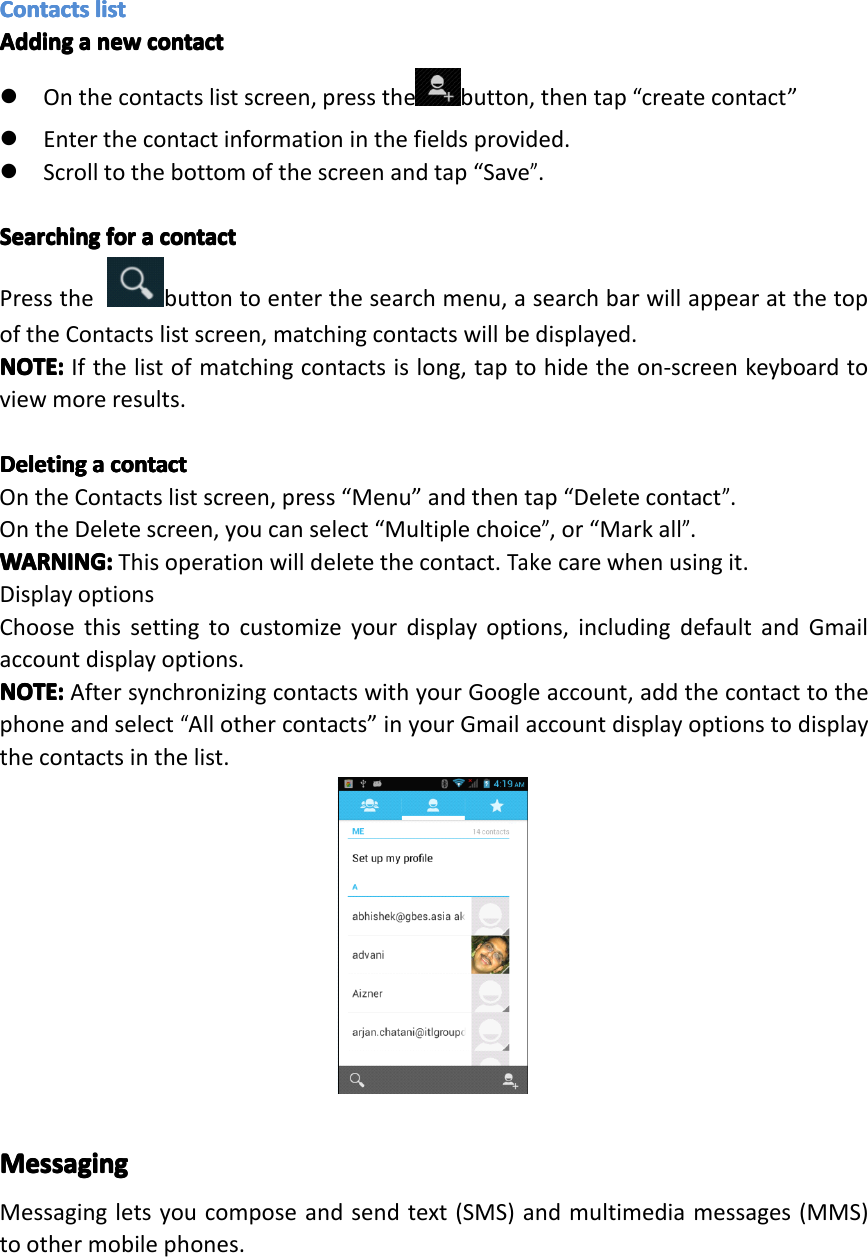
ContactsContactsContactsContactslistli stlistlistAddingAddingAddingAddingaaaanewne wnewnewcontactco ntactcontactcontact�Onthecontactslistscreen,pressthe button,thentap“createcontact”�Enterthecontactinformationinthefieldsprovided.�Scrolltothebottomofthescreenandtap“Save”.SearchingSearchingSearchingSearchingforfo rforforaaaacontactco ntactcontactcontactPressthebuttontoenterthesearchmenu,asearchbarwillappearatthetopoftheContactslistscreen,matchingcontactswillbedisplayed.NOTE:NOTE:NOTE:NOTE:Ifthelistofmatchingcontactsislong,taptohidetheon-screenkeyboardtoviewmoreresults.DeletingDeletingDeletingDeletingaaaacontactco ntactcontactcontactOntheContactslistscreen,press“Menu”andthentap“Deletecontact”.OntheDeletescreen,youcanselect“Multiplechoice”,or“Markall”.WARNING:WARNING:WARNING:WARNING:Thisoperationwilldeletethecontact.Takecarewhenusingit.DisplayoptionsChoosethissettingtocustomizeyourdisplayoptions,includingdefaultandGmailaccountdisplayoptions.NOTE:NOTE:NOTE:NOTE:AftersynchronizingcontactswithyourGoogleaccount,addthecontacttothephoneandselect“Allothercontacts”inyourGmailaccountdisplayoptionstodisplaythecontactsinthelist.MessagingMessagingMessagingMessagingMessagingletsyoucomposeandsendtext(SMS)andmultimediamessages(MMS)toothermobilephones.Page19Operation
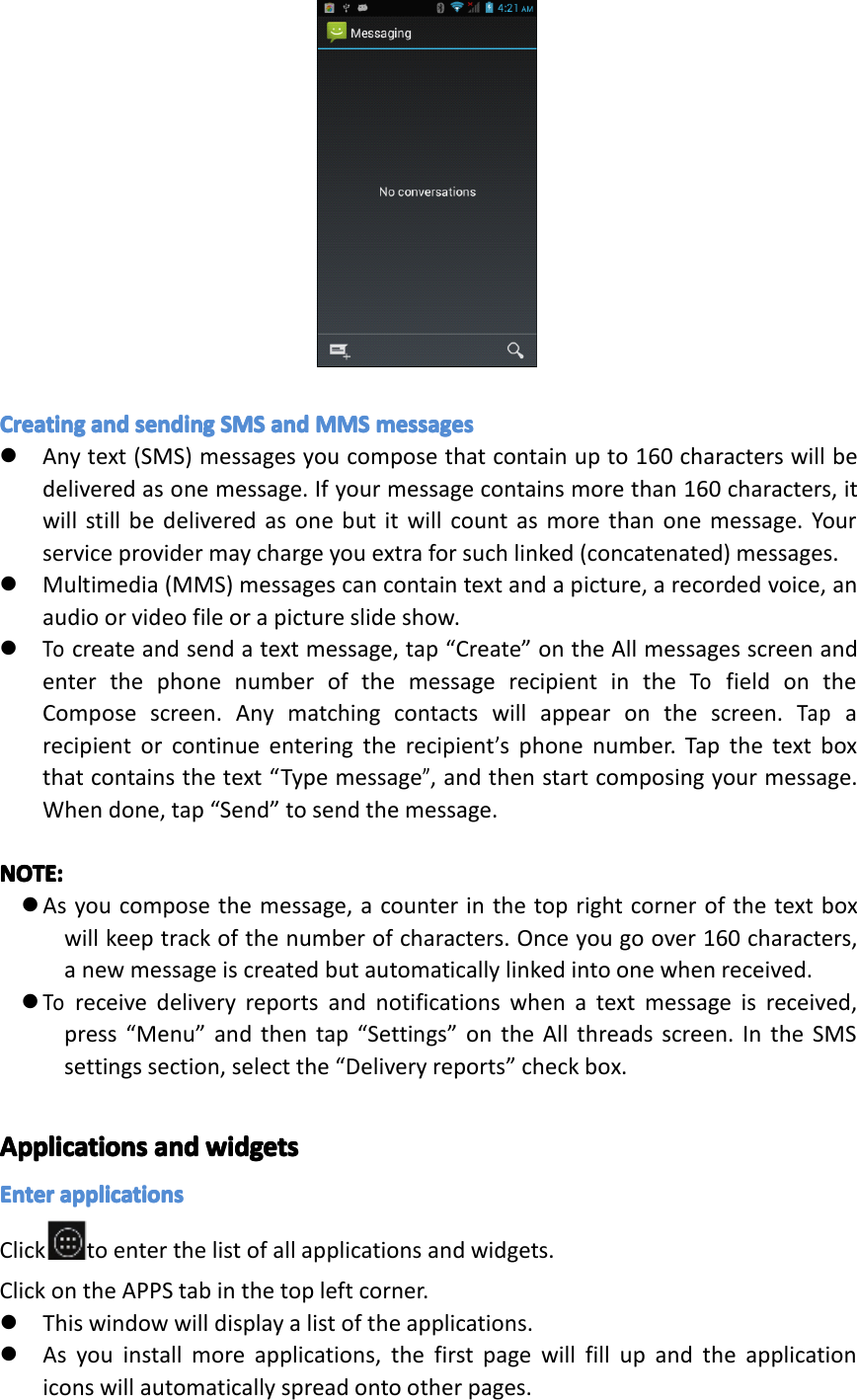
CreatingCreatingCreatingCreatingandan dandandsendingse ndingsendingsendingSMSSM SSMSSMSandan dandandMMSMM SMMSMMSmessagesme ssagesmessagesmessages�Anytext(SMS)messagesyoucomposethatcontainupto160characterswillbedeliveredasonemessage.Ifyourmessagecontainsmorethan160characters,itwillstillbedeliveredasonebutitwillcountasmorethanonemessage.Yourserviceprovidermaychargeyouextraforsuchlinked(concatenated)messages.�Multimedia(MMS)messagescancontaintextandapicture,arecordedvoice,anaudioorvideofileorapictureslideshow.�Tocreateandsendatextmessage,tap“Create”ontheAllmessagesscreenandenterthephonenumberofthemessagerecipientintheTofieldontheComposescreen.Anymatchingcontactswillappearonthescreen.Taparecipientorcontinueenteringtherecipient’sphonenumber.Tapthetextboxthatcontainsthetext“Typemessage”,andthenstartcomposingyourmessage.Whendone,tap“Send”tosendthemessage.NOTE:NOTE:NOTE:NOTE:�Asyoucomposethemessage,acounterinthetoprightcornerofthetextboxwillkeeptrackofthenumberofcharacters.Onceyougoover160characters,anewmessageiscreatedbutautomaticallylinkedintoonewhenreceived.�Toreceivedeliveryreportsandnotificationswhenatextmessageisreceived,press“Menu”andthentap“Settings”ontheAllthreadsscreen.IntheSMSsettingssection,selectthe“Deliveryreports”checkbox.ApplicationsApplicationsApplicationsApplicationsandan dandandwidgetswi dgetswidgetswidgetsEnterEnterEnterEnterapplicationsap plicationsapplicationsapplicationsClick toenterthelistofallapplicationsandwidgets.ClickontheAPPStabinthetopleftcorner.�Thiswindowwilldisplayalistoftheapplications.�Asyouinstallmoreapplications,thefirstpagewillfillupandtheapplicationiconswillautomaticallyspreadontootherpages.Page20Operation
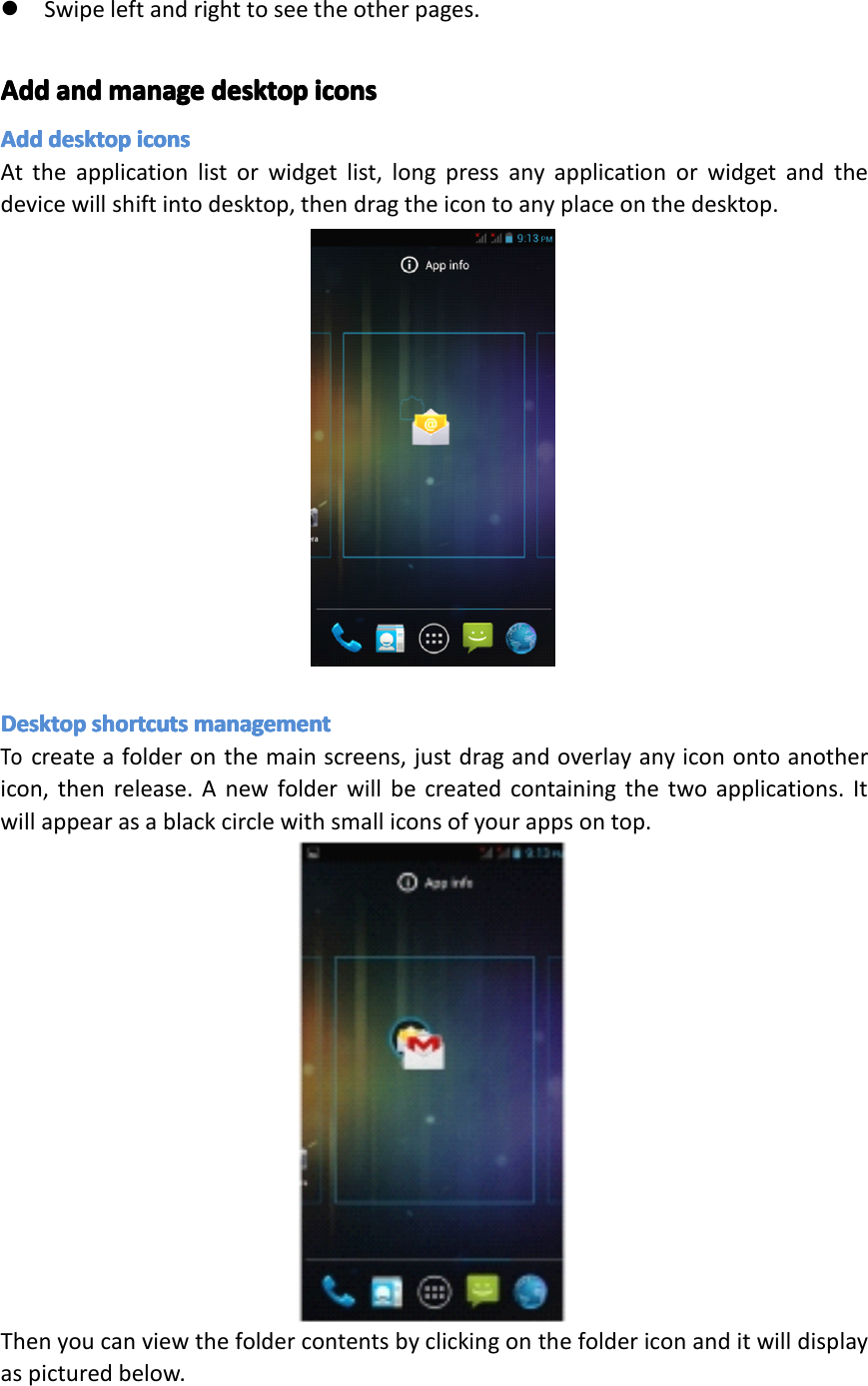
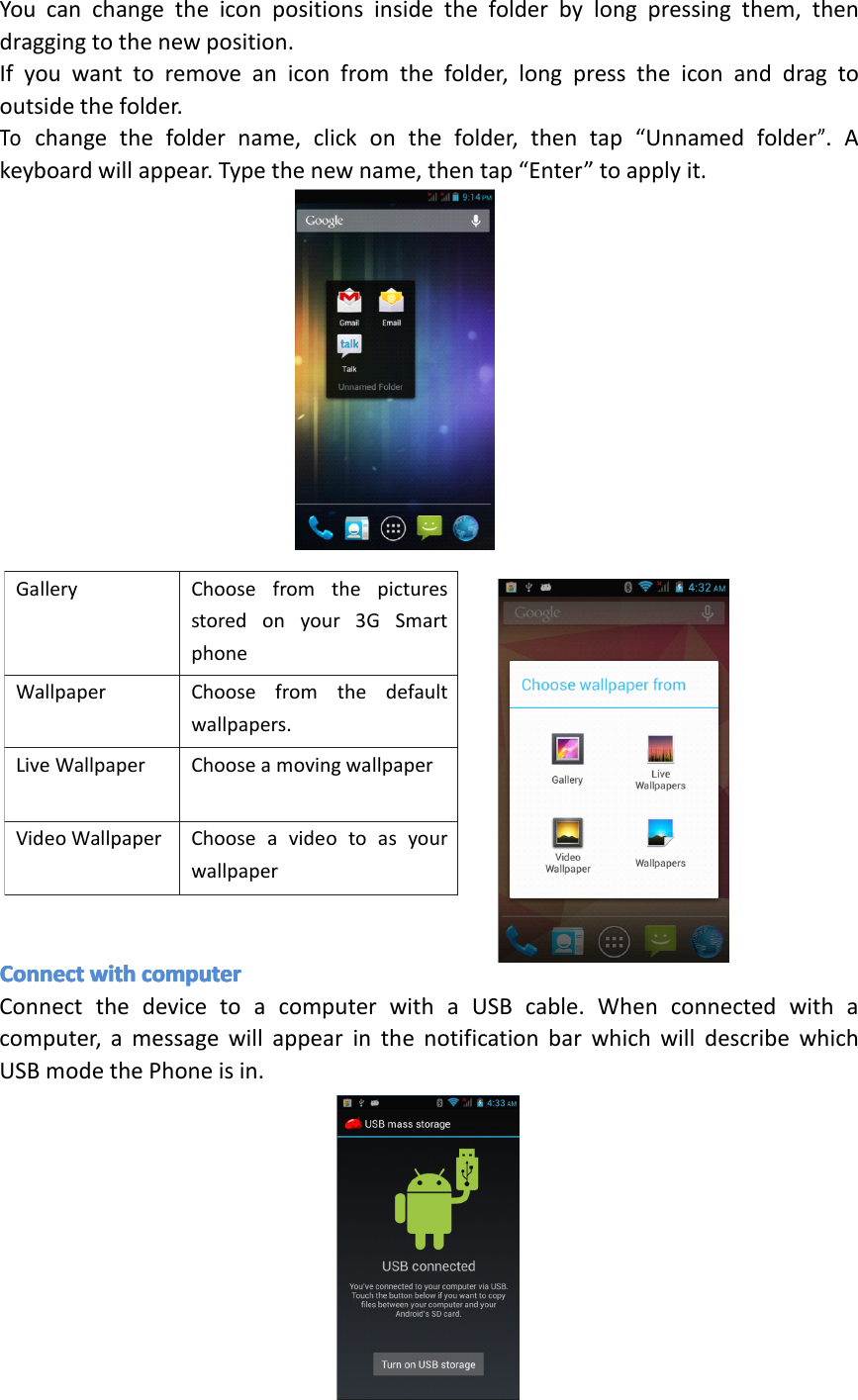
�Swipeleftandrighttoseetheotherpages.AddAddAddAddandan dandandmanagema nagemanagemanagedesktopde sktopdesktopdesktopiconsic onsiconsiconsAddAddAddAdddesktopde sktopdesktopdesktopiconsic onsiconsiconsAttheapplicationlistorwidgetlist,longpressanyapplicationorwidgetandthedevicewillshiftintodesktop,thendragtheicontoanyplaceonthedesktop.DesktopDesktopDesktopDesktopshortcutssh ortcutsshortcutsshortcutsmanagementma nagementmanagementmanagementTocreateafolderonthemainscreens,justdragandoverlayanyiconontoanothericon,thenrelease.Anewfolderwillbecreatedcontainingthetwoapplications.Itwillappearasablackcirclewithsmalliconsofyourappsontop.Thenyoucanviewthefoldercontentsbyclickingonthefoldericonanditwilldisplayaspicturedbelow.Page21Operation
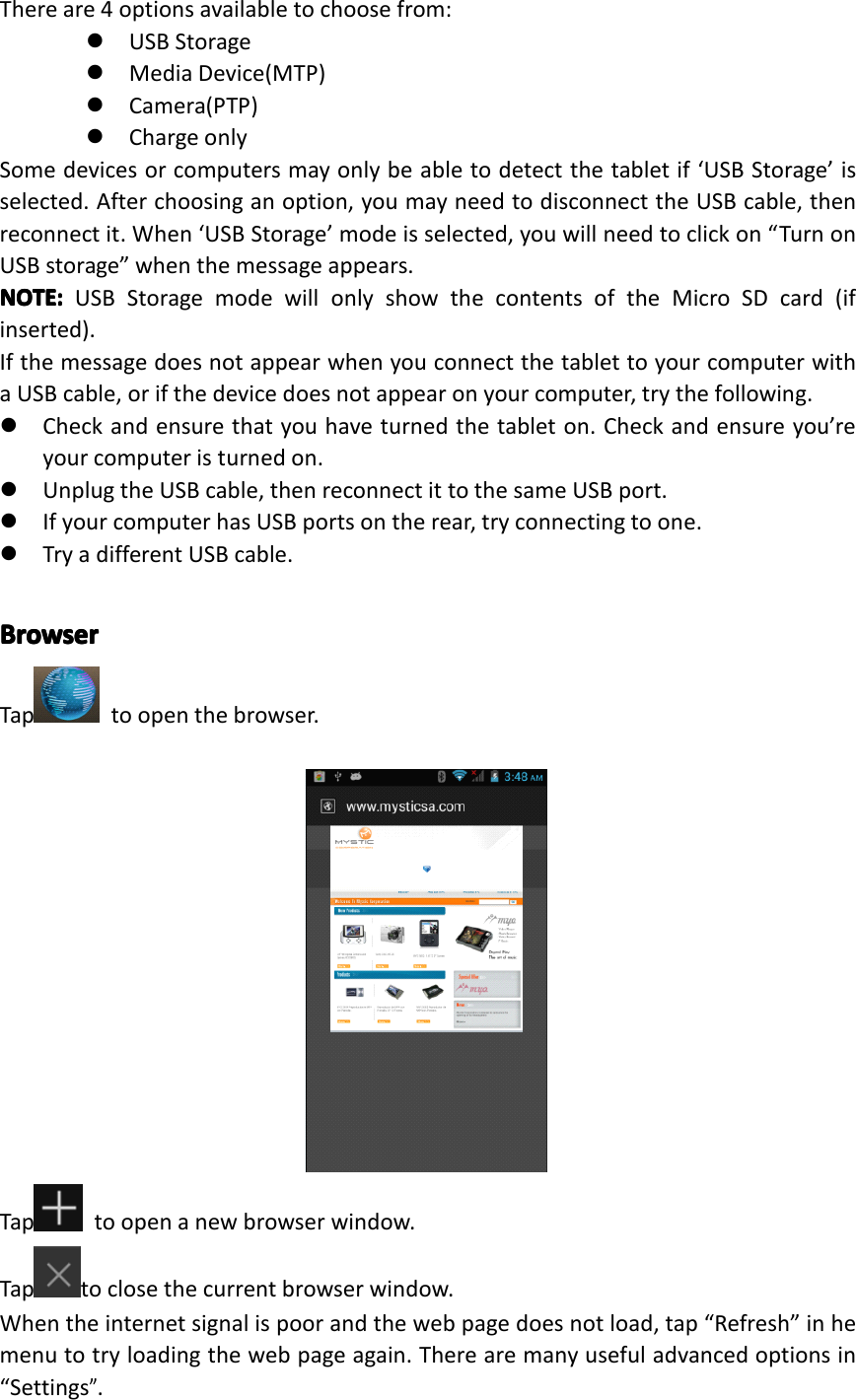
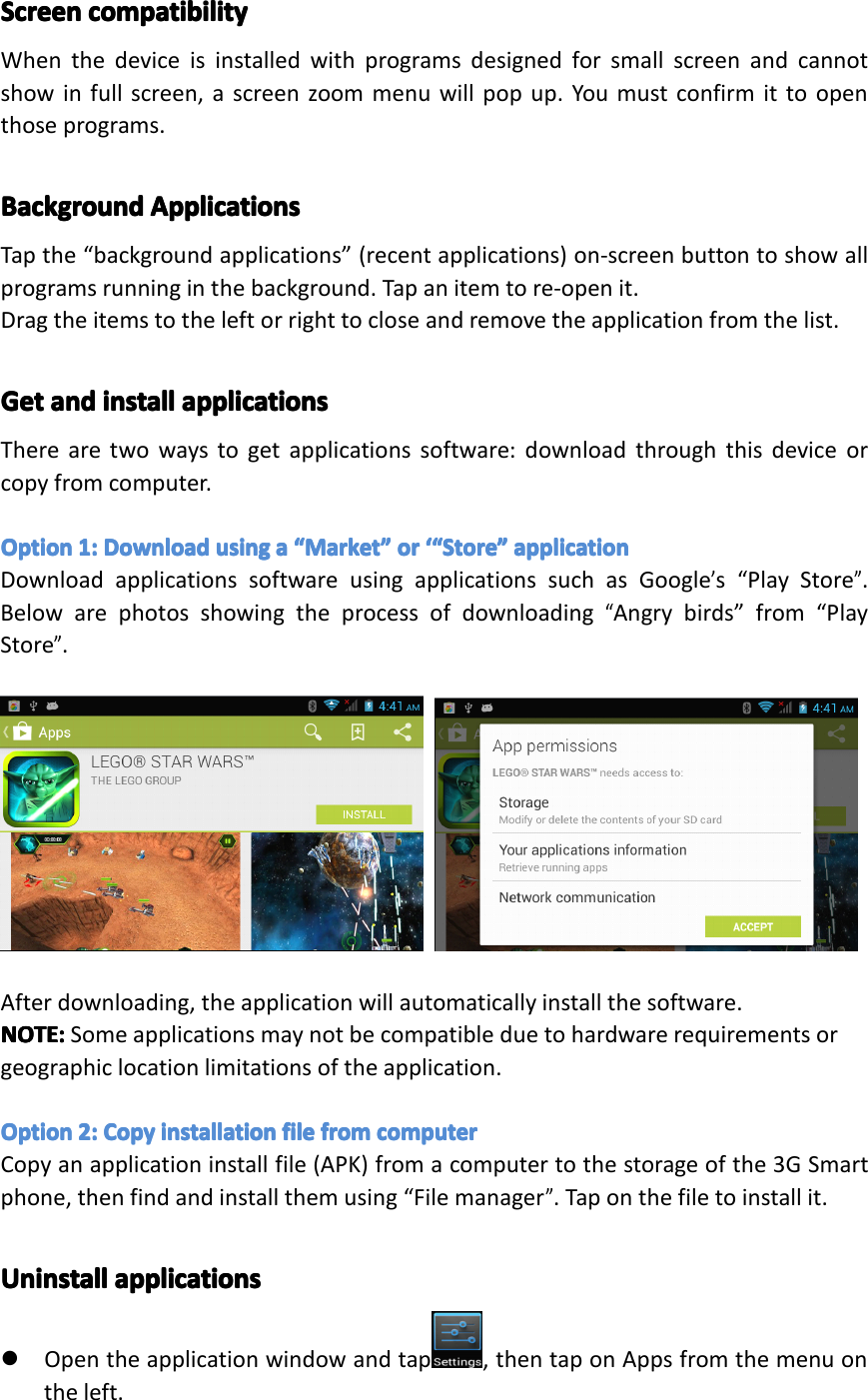
Gallery Choosefromthepicturesstoredonyour3GSmartphonecameragalleryWallpaper Choosefromthedefaultwallpapers.LiveWallpaper ChooseamovingwallpaperVideoWallpaper ChooseavideotoasyourwallpaperYoucanchangetheiconpositionsinsidethefolderbylongpressingthem,thendraggingtothenewposition.Ifyouwanttoremoveaniconfromthefolder,longpresstheiconanddragtooutsidethefolder.Tochangethefoldername,clickonthefolder,thentap“Unnamedfolder”.Akeyboardwillappear.Typethenewname,thentap“Enter”toapplyit.ConnectConnectConnectConnectwithwi thwithwithcomputerco mputercomputercomputerConnectthedevicetoacomputerwithaUSBcable.Whenconnectedwithacomputer,amessagewillappearinthenotificationbarwhichwilldescribewhichUSBmodethePhoneisin.Page22Operation
Thereare4optionsavailabletochoosefrom:�USBStorage�MediaDevice(MTP)�Camera(PTP)�ChargeonlySomedevicesorcomputersmayonlybeabletodetectthetabletif‘USBStorage’isselected.Afterchoosinganoption,youmayneedtodisconnecttheUSBcable,thenreconnectit.When‘USBStorage’modeisselected,youwillneedtoclickon“TurnonUSBstorage”whenthemessageappears.NOTE:NOTE:NOTE:NOTE:USBStoragemodewillonlyshowthecontentsoftheMicroSDcard(ifinserted).IfthemessagedoesnotappearwhenyouconnectthetablettoyourcomputerwithaUSBcable,orifthedevicedoesnotappearonyourcomputer,trythefollowing.�Checkandensurethatyouhaveturnedthetableton.Checkandensureyou’reyourcomputeristurnedon.�UnplugtheUSBcable,thenreconnectittothesameUSBport.�IfyourcomputerhasUSBportsontherear,tryconnectingtoone.�TryadifferentUSBcable.BrowserBrowserBrowserBrowserTap toopenthebrowser.Tap toopenanewbrowserwindow.Taptoclosethecurrentbrowserwindow.Whentheinternetsignalispoorandthewebpagedoesnotload,tap“Refresh”inhemenutotryloadingthewebpageagain.Therearemanyusefuladvancedoptionsin“Settings”.Page23Operation
ScreenScreenScreenScreencompatibilityco mpatibilitycompatibilitycompatibilityWhenthedeviceisinstalledwithprogramsdesignedforsmallscreenandcannotshowinfullscreen,ascreenzoommenuwillpopup.Youmustconfirmittoopenthoseprograms.BackgroundBackgroundBackgroundBackgroundApplicationsAp plicationsApplicationsApplicationsTapthe“backgroundapplications”(recentapplications)on-screenbuttontoshowallprogramsrunninginthebackground.Tapanitemtore-openit.Dragtheitemstotheleftorrighttocloseandremovetheapplicationfromthelist.GetGetGetGetandan dandandinstallin stallinstallinstallapplicationsap plicationsapplicationsapplicationsTherearetwowaystogetapplicationssoftware:downloadthroughthisdeviceorcopyfromcomputer.OptionOptionOptionOption1:1:1 :1:DownloadDow nloadDownloadDownloadusingus ingusingusingaaaa““““MarketMa rketMarketMarket””””ororo ror‘“‘“‘ “‘“StoreSt oreStoreStore””””applicationap plicationapplicationapplicationDownloadapplicationssoftwareusingapplicationssuchasGoogle’s“PlayStore”.Belowarephotosshowingtheprocessofdownloading“Angrybirds”from“PlayStore”.Afterdownloading,theapplicationwillautomaticallyinstallthesoftware.NOTE:NOTE:NOTE:NOTE:Someapplicationsmaynotbecompatibleduetohardwarerequirementsorgeographiclocationlimitationsoftheapplication.OptionOptionOptionOption2:2:2 :2:CopyCo pyCopyCopyinstallationin stallationinstallationinstallationfilefi lefilefilefromfr omfromfromcomputerco mputercomputercomputerCopyanapplicationinstallfile(APK)fromacomputertothestorageofthe3GSmartphone,thenfindandinstallthemusing“Filemanager”.Taponthefiletoinstallit.UninstallUninstallUninstallUninstallapplicationsap plicationsapplicationsapplications�Opentheapplicationwindowandtap ,thentaponAppsfromthemenuontheleft.Page24Operation
�Usethetabatthetopandscrollupanddownthroughthelistofapplicationsuntilyoufindtheapplicationyouwishtouninstall.�Clickontheapplication,thenanAppinfopagewillappear.�ClickontheUninstallbuttonandtheapplicationwillberemoved.�PlayPlayPlayPlayStoreSt oreStoreStoreandan dandandCalendarCa lendarCalendarCalendarerrorer rorerrorerrormessagesme ssagesmessagesmessagesOccasionallywhenlinkinganewGoogleaccounttoyour3GSmartphone,youmayreceivevariouserrormessagessuchas“...error(-101)...”inthePlayStore,oryourCalendarappointmentsandeventsmaynotappear.Tofixthisissueandre-syncronizethe3GSmartphonewithyourGoogleaccount,pleasefollowthestepsbelow.1.Opentheapplicationswindowandtap ,thentapon“Apps”fromthemenuontheleft2.Inthewindowontheright-handside,tapthe“All”tabatthetop.3.Scrollupanddownthroughthelistofapplicationsuntilyoufind“Google.Services.Framework”andclickonit.4.Tapthe“Cleardata”icon.5.Clickon“Yes”.6.PressandholdthePowerbuttonfor2seconds.7.Tap“Yes”toagreetoturnoffthe3GSmartphone.8.Oncethephonehasfinishedshuttingdown,turnthephonebackon.9.Openthe“PlayStore”appandwaitfortheimagestoload.Oncetheyhavefinishedloading,presstheBackbutton.10.Waitfor30secondsthenreopen‘PlayStore’app.11.Youmaynowopen“Calendar”andcheckyourentriesarethere,oropen“PlayStore”anddownloadtheapplicationyouthatwasgivingtheerrormessage.Page24Operation
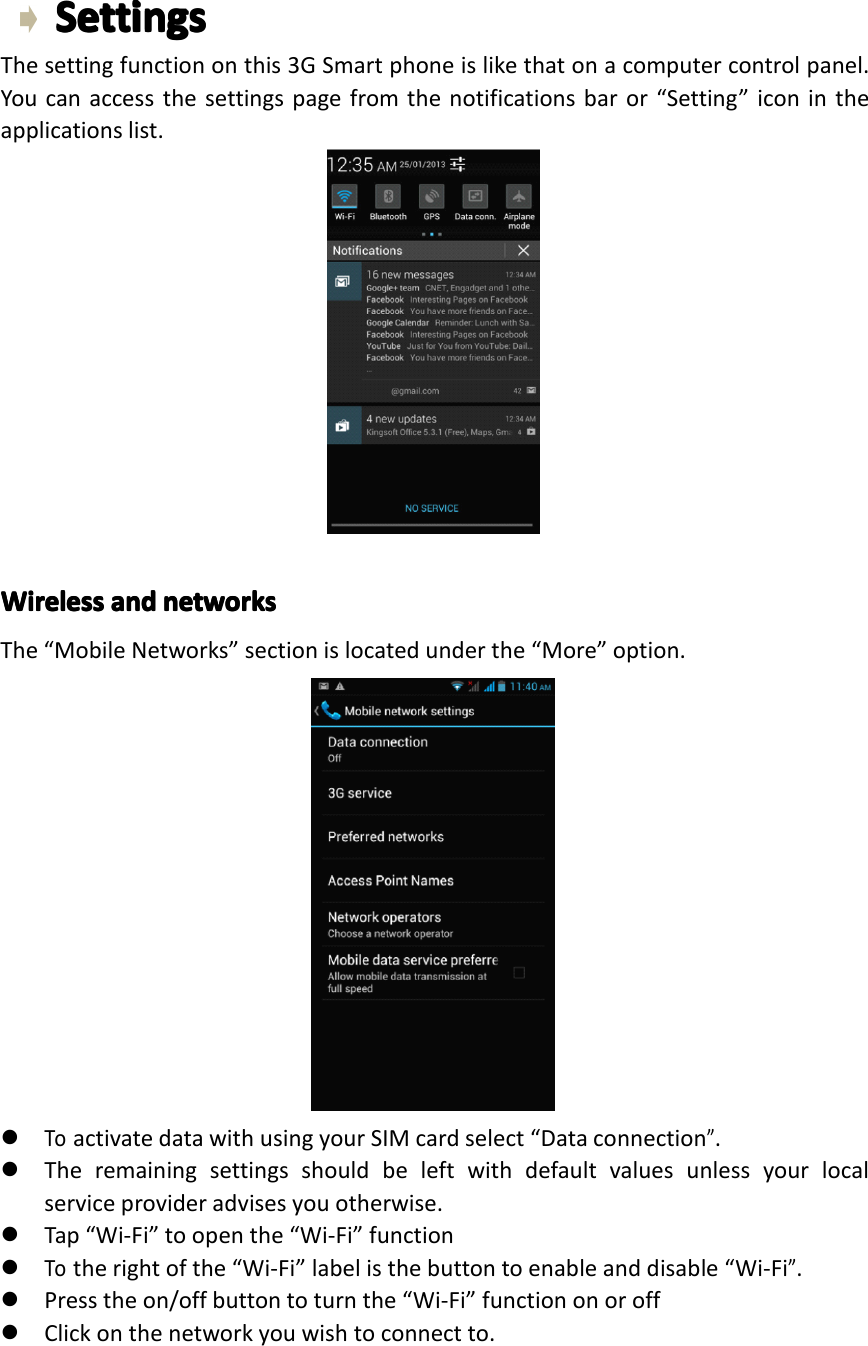
SettingsSettingsSettingsSettingsThesettingfunctiononthis3GSmartphoneislikethatonacomputercontrolpanel.Youcanaccessthesettingspagefromthenotificationsbaror“Setting”iconintheapplicationslist.WirelessWirelessWirelessWirelessandan dandandnetworksne tworksnetworksnetworksThe“MobileNetworks”sectionislocatedunderthe“More”option.�ToactivatedatawithusingyourSIMcardselect“Dataconnection”.�Theremainingsettingsshouldbeleftwithdefaultvaluesunlessyourlocalserviceprovideradvisesyouotherwise.�Tap“Wi-Fi”toopenthe“Wi-Fi”function�Totherightofthe“Wi-Fi”labelisthebuttontoenableanddisable“Wi-Fi”.�Presstheon/offbuttontoturnthe“Wi-Fi”functiononoroff�Clickonthenetworkyouwishtoconnectto.Page26Settings
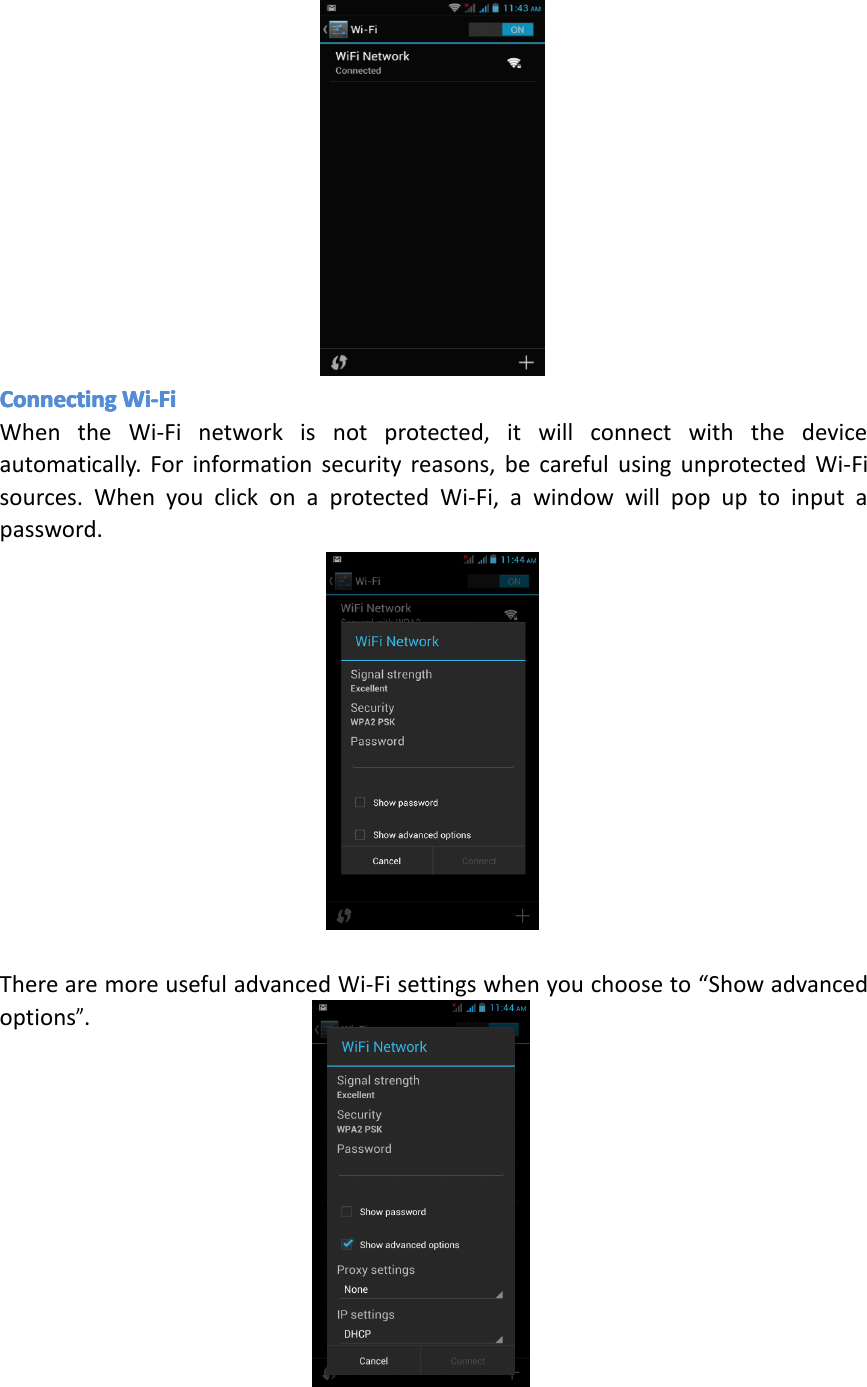
ConnectingConnectingConnectingConnectingWi-FiWi -FiWi-FiWi-FiWhentheWi-Finetworkisnotprotected,itwillconnectwiththedeviceautomatically.Forinformationsecurityreasons,becarefulusingunprotectedWi-Fisources.WhenyouclickonaprotectedWi-Fi,awindowwillpopuptoinputapassword.TherearemoreusefuladvancedWi-Fisettingswhenyouchooseto“Showadvancedoptions”.Page27Settings
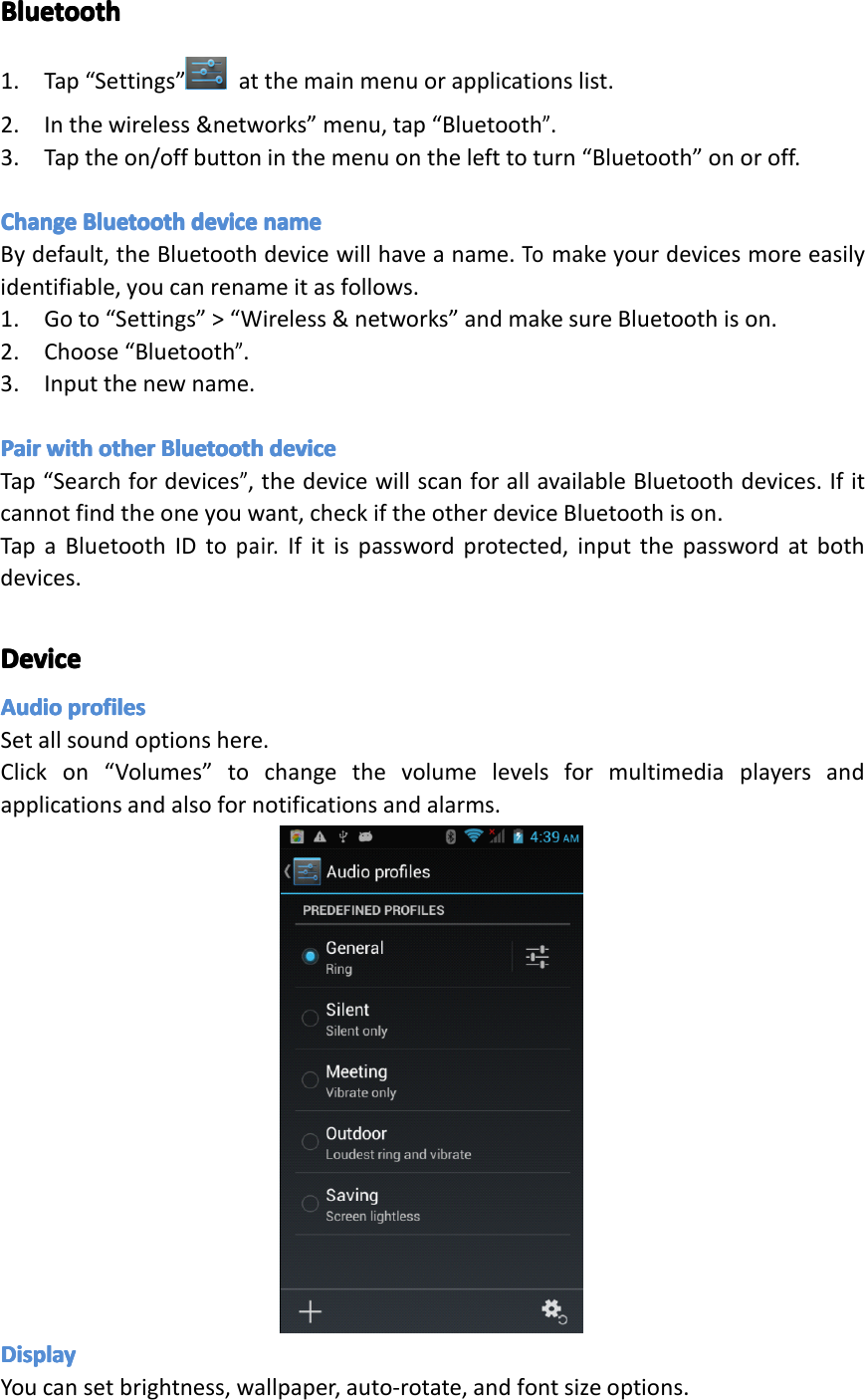
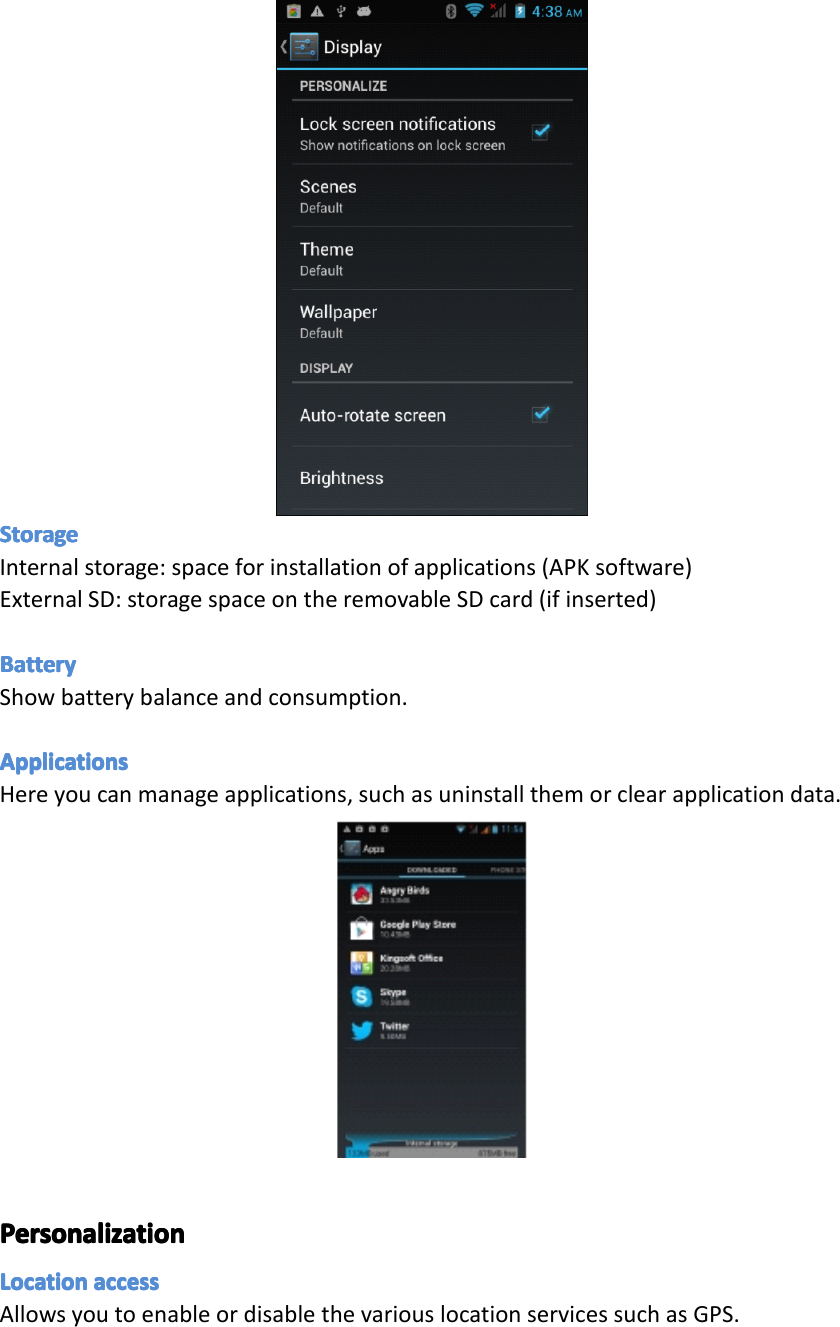
BluetoothBluetoothBluetoothBluetooth1.Tap“Settings” atthemainmenuorapplicationslist.2.Inthewireless&networks”menu,tap“Bluetooth”.3.Taptheon/offbuttoninthemenuonthelefttoturn“Bluetooth”onoroff.ChangeChangeChangeChangeBluetoothBl uetoothBluetoothBluetoothdevicede vicedevicedevicenamena menamenameBydefault,theBluetoothdevicewillhaveaname.Tomakeyourdevicesmoreeasilyidentifiable,youcanrenameitasfollows.1.Goto“Settings”>“Wireless&networks”andmakesureBluetoothison.2.Choose“Bluetooth”.3.Inputthenewname.PairPairPairPairwithwi thwithwithotherot herotherotherBluetoothBl uetoothBluetoothBluetoothdevicede vicedevicedeviceTap“Searchfordevices”,thedevicewillscanforallavailableBluetoothdevices.Ifitcannotfindtheoneyouwant,checkiftheotherdeviceBluetoothison.TapaBluetoothIDtopair.Ifitispasswordprotected,inputthepasswordatbothdevices.DeviceDeviceDeviceDeviceAudioAudioAudioAudioprofilespr ofilesprofilesprofilesSetallsoundoptionshere.Clickon“Volumes”tochangethevolumelevelsformultimediaplayersandapplicationsandalsofornotificationsandalarms.DisplayDisplayDisplayDisplayYoucansetbrightness,wallpaper,auto-rotate,andfontsizeoptions.Page28Settings
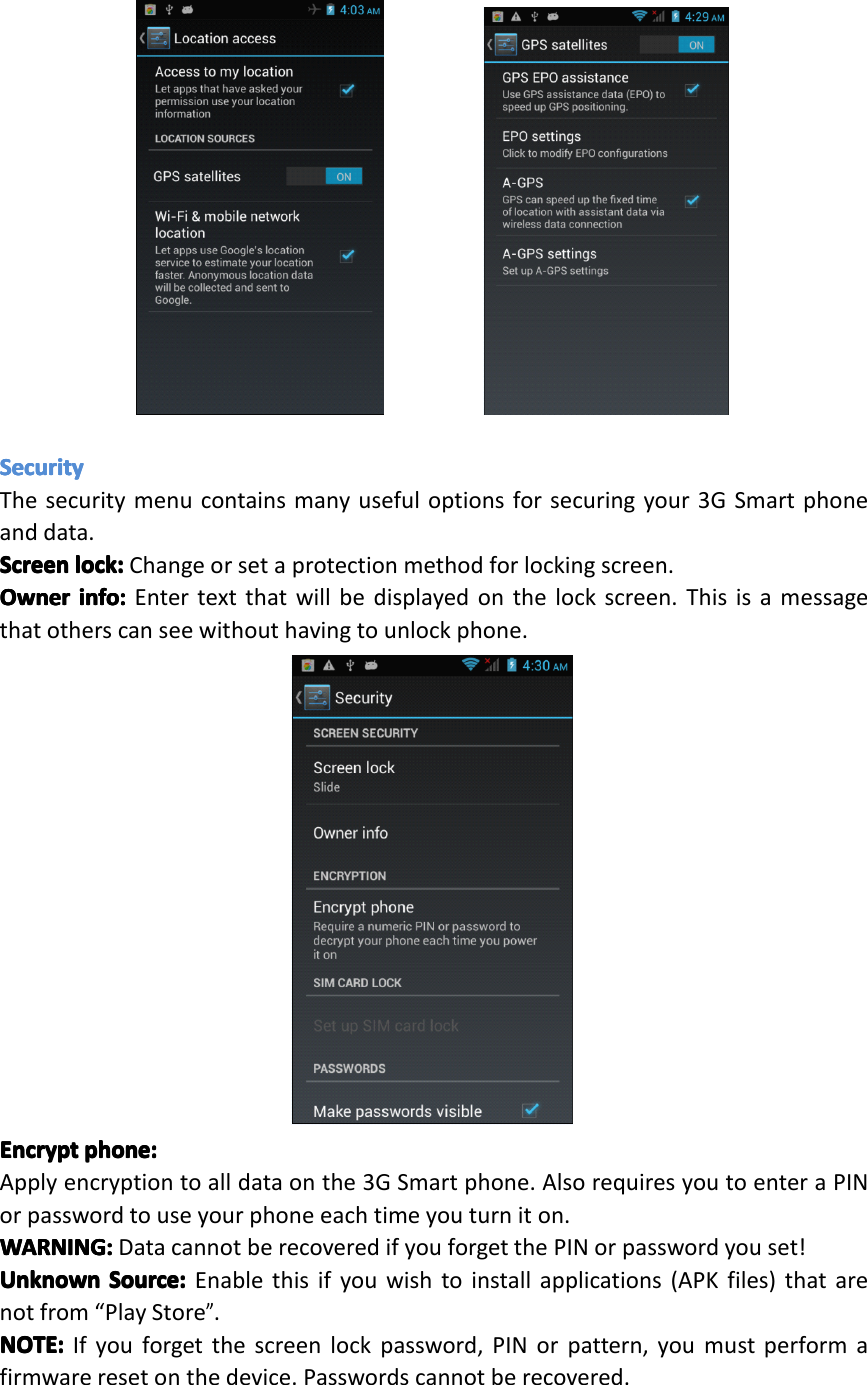
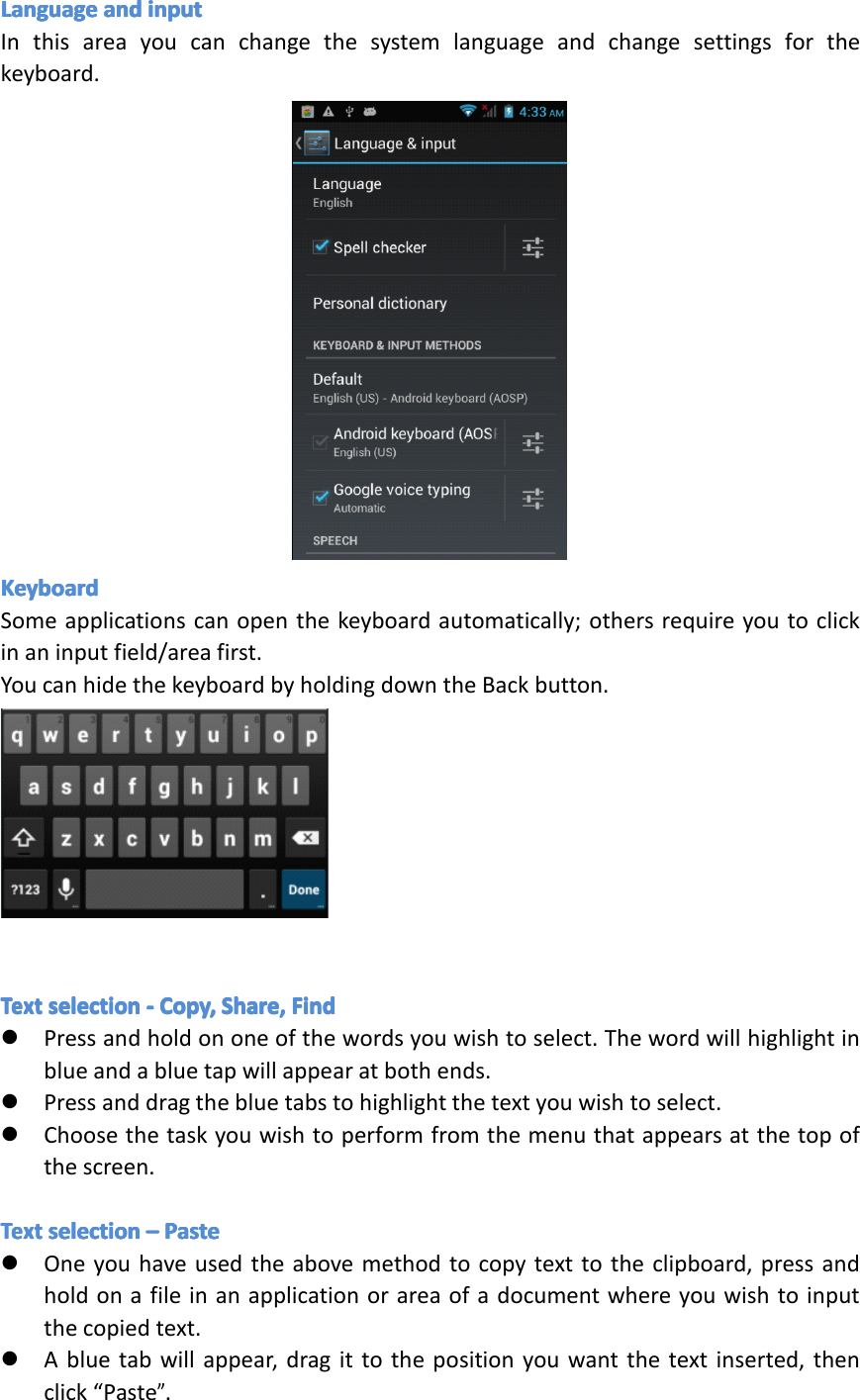
StorageStorageStorageStorageInternalstorage:spaceforinstallationofapplications(APKsoftware)ExternalSD:storagespaceontheremovableSDcard(ifinserted)BatteryBatteryBatteryBatteryShowbatterybalanceandconsumption.ApplicationsApplicationsApplicationsApplicationsHereyoucanmanageapplications,suchasuninstallthemorclearapplicationdata.PersonaliPersonaliPersonaliPersonalizzzzationat ionationationLocationLocationLocationLocationaccessac cessaccessaccessAllowsyoutoenableordisablethevariouslocationservicessuchasGPS.Page29Settings
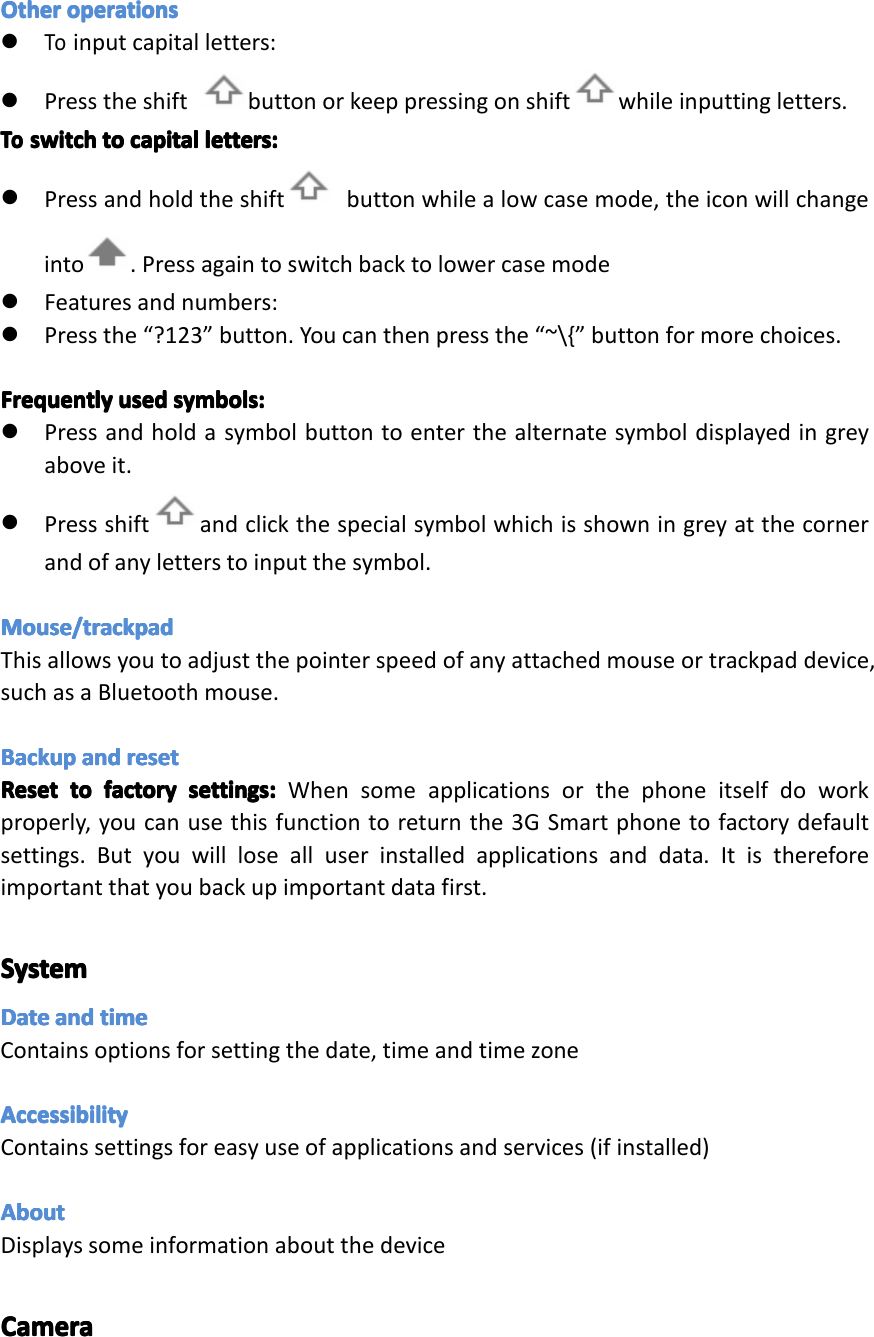
SecuritySecuritySecuritySecurityThesecuritymenucontainsmanyusefuloptionsforsecuringyour3GSmartphoneanddata.ScreenScreenScreenScreenlock:lo ck:lock:lock:Changeorsetaprotectionmethodforlockingscreen.OwnerOwnerOwnerOwnerinfo:in fo:info:info:Entertextthatwillbedisplayedonthelockscreen.Thisisamessagethatotherscanseewithouthavingtounlockphone.EncryptEncryptEncryptEncryptphone:ph one:phone:phone:Applyencryptiontoalldataonthe3GSmartphone.AlsorequiresyoutoenteraPINorpasswordtouseyourphoneeachtimeyouturniton.WARNING:WARNING:WARNING:WARNING:DatacannotberecoveredifyouforgetthePINorpasswordyouset!UnknownUnknownUnknownUnknownSource:So urce:Source:Source:Enablethisifyouwishtoinstallapplications(APKfiles)thatarenotfrom“PlayStore”.NOTE:NOTE:NOTE:NOTE:Ifyouforgetthescreenlockpassword,PINorpattern,youmustperformafirmwareresetonthedevice.Passwordscannotberecovered.Page30Settings
LanguageLanguageLanguageLanguageandan dandandinputin putinputinputInthisareayoucanchangethesystemlanguageandchangesettingsforthekeyboard.KeyboardKeyboardKeyboardKeyboardSomeapplicationscanopenthekeyboardautomatically;othersrequireyoutoclickinaninputfield/areafirst.YoucanhidethekeyboardbyholdingdowntheBackbutton.TextTextTextTextselectionse lectionselectionselection----Copy,Co py,Copy,Copy,Share,Sh are,Share,Share,FindFi ndFindFind�Pressandholdononeofthewordsyouwishtoselect.Thewordwillhighlightinblueandabluetapwillappearatbothends.�Pressanddragthebluetabstohighlightthetextyouwishtoselect.�Choosethetaskyouwishtoperformfromthemenuthatappearsatthetopofthescreen.TextTextTextTextselectionse lectionselectionselection––––PastePa stePastePaste�Oneyouhaveusedtheabovemethodtocopytexttotheclipboard,pressandholdonafileinanapplicationorareaofadocumentwhereyouwishtoinputthecopiedtext.�Abluetabwillappear,dragittothepositionyouwantthetextinserted,thenclick“Paste”.Page31Settings
OtherOtherOtherOtheroperationsop erationsoperationsoperations�Toinputcapitalletters:�Presstheshift buttonorkeeppressingonshift whileinputtingletters.ToToToToswitchsw itchswitchswitchtotot otocapitalca pitalcapitalcapitalletters:le tters:letters:letters:�Pressandholdtheshift buttonwhilealowcasemode,theiconwillchangeinto.Pressagaintoswitchbacktolowercasemode�Featuresandnumbers:�Pressthe“?123”button.Youcanthenpressthe“~\{”buttonformorechoices.FrequentlyFrequentlyFrequentlyFrequentlyusedus edusedusedsymbols:sy mbols:symbols:symbols:�Pressandholdasymbolbuttontoenterthealternatesymboldisplayedingreyaboveit.�Pressshift andclickthespecialsymbolwhichisshowningreyatthecornerandofanyletterstoinputthesymbol.Mouse/trackpadMouse/trackpadMouse/trackpadMouse/trackpadThisallowsyoutoadjustthepointerspeedofanyattachedmouseortrackpaddevice,suchasaBluetoothmouse.BackupBackupBackupBackupandan dandandresetre setresetresetResetResetResetResettotot otofactoryfa ctoryfactoryfactorysettings:se ttings:settings:settings:Whensomeapplicationsorthephoneitselfdoworkproperly,youcanusethisfunctiontoreturnthe3GSmartphonetofactorydefaultsettings.Butyouwilllosealluserinstalledapplicationsanddata.Itisthereforeimportantthatyoubackupimportantdatafirst.SystemSystemSystemSystemDateDateDateDateandan dandandtimeti metimetimeContainsoptionsforsettingthedate,timeandtimezoneAccessibilityAccessibilityAccessibilityAccessibilityContainssettingsforeasyuseofapplicationsandservices(ifinstalled)AboutAboutAboutAboutDisplayssomeinformationaboutthedeviceCameraCameraCameraCameraPage32Settings
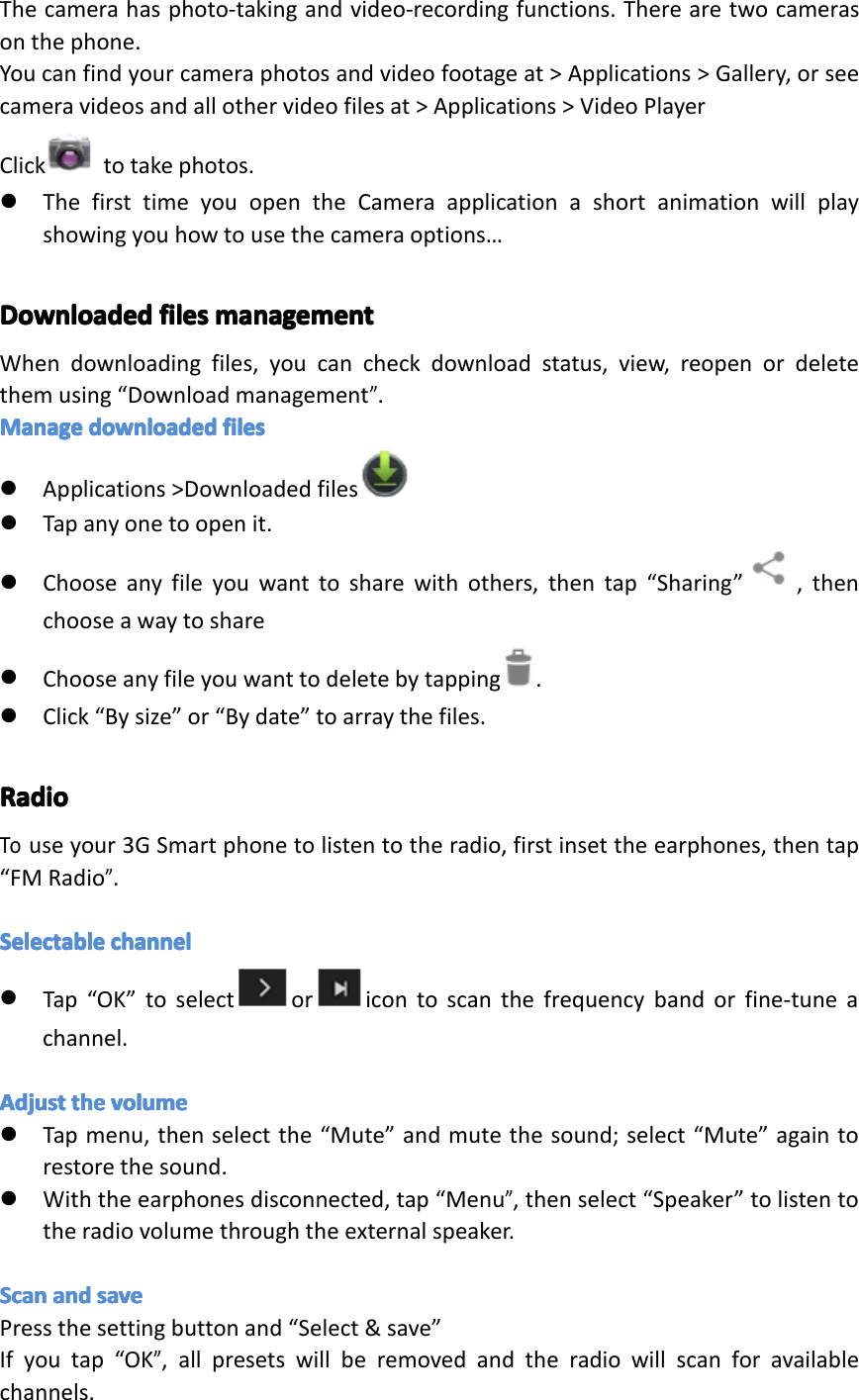
Thecamerahasphoto-takingandvideo-recordingfunctions.Therearetwocamerasonthephone.Youcanfindyourcameraphotosandvideofootageat>Applications>Gallery,orseecameravideosandallothervideofilesat>Applications>VideoPlayerClick totakephotos.�ThefirsttimeyouopentheCameraapplicationashortanimationwillplayshowingyouhowtousethecameraoptions…DownloadedDownloadedDownloadedDownloadedfilesfi lesfilesfilesmanagementma nagementmanagementmanagementWhendownloadingfiles,youcancheckdownloadstatus,view,reopenordeletethemusing“Downloadmanagement”.ManageManageManageManagedownloadeddo wnloadeddownloadeddownloadedfilesfi lesfilesfiles�Applications>Downloadedfiles�Tapanyonetoopenit.�Chooseanyfileyouwanttosharewithothers,thentap“Sharing” ,thenchooseawaytoshare�Chooseanyfileyouwanttodeletebytapping.�Click“Bysize”or“Bydate”toarraythefiles.RadioRadioRadioRadioTouseyour3GSmartphonetolistentotheradio,firstinsettheearphones,thentap“FMRadio”.SelectableSelectableSelectableSelectablechannelch annelchannelchannel�Tap“OK”toselect or icontoscanthefrequencybandorfine-tuneachannel.AdjustAdjustAdjustAdjusttheth ethethevolumevo lumevolumevolume�Tapmenu,thenselectthe“Mute”andmutethesound;select“Mute”againtorestorethesound.�Withtheearphonesdisconnected,tap“Menu”,thenselect“Speaker”tolistentotheradiovolumethroughtheexternalspeaker.ScanScanScanScanandan dandandsavesa vesavesavePressthesettingbuttonand“Select&save”Ifyoutap“OK”,allpresetswillberemovedandtheradiowillscanforavailablechannels.Page33Settings
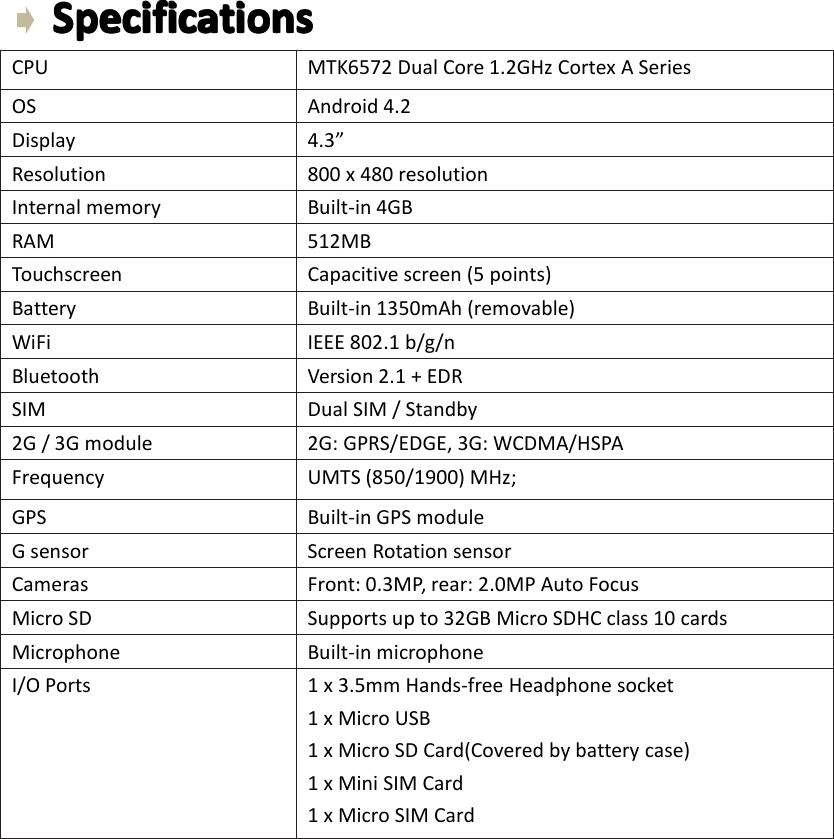
SpecificationsSpecificationsSpecificationsSpecificationsCPU MTK6572DualCore1.2GHzCortexASeriesOS Android4.2Display 4.3”Resolution 800x480resolutionInternalmemory Built-in4GBRAM 512MBTouchscreen Capacitivescreen(5points)Battery Built-in1350mAh(removable)WiFi IEEE802.1b/g/nBluetooth Version2.1+EDRSIM DualSIM/Standby2G/3Gmodule 2G:GPRS/EDGE,3G:WCDMA/HSPAFrequency UMTS(850/1900)MHz;GPS Built-inGPSmoduleGsensor ScreenRotationsensorCameras Front:0.3MP,rear:2.0MPAutoFocusMicroSD Supportsupto32GBMicroSDHCclass10cardsMicrophone Built-inmicrophoneI/OPorts 1x3.5mmHands-freeHeadphonesocket1xMicroUSB1xMicroSDCard(Coveredbybatterycase)1xMiniSIMCard1xMicroSIMCardPage34Specifications
Repair Repair Repair Repairand and and andRefurbished Refurbished Refurbished RefurbishedGoods Goods Goods Goodsor or or orParts Parts Parts PartsNotice Notice Notice NoticeUnfortunately,fromtimetotime,faultyproductsaremanufacturedwhichneedtobereturnedtothesupplierforrepair.Pleasebeawarethatifyourproductiscapableofretaininguser-generateddata(suchasfilesstoredonacomputerharddrive,telephonenumbersstoredonamobiletelephone,songsstoredonaportablemediaplayer,gamessavedonagamesconsoleorfilesstoredonaUSBmemorystick)duringtheprocessofrepair,someorallofyourstoreddatamaybelost.We We We Werecommend recommend recommend recommendyou you you yousave save save savethis this this thisdata data data dataelsewhere elsewhere elsewhere elsewhereprior prior prior priorto to to tosending sending sending sendingthe the the theproduct product product productfor for for forrepair. repair. repair. repair.Youshouldalsobeawarethatratherthanrepairinggoods,wemayreplacethemwithrefurbishedgoodsofthesametypeoruserefurbishedpartsintherepairprocess.Page35RepairandRefurbished
Warranty Warranty Warranty WarrantyDetails Details Details DetailsTheproductisguaranteedtobefreefromdefectsinworkmanshipandpartsforaperiodof12monthsfromthedateofpurchase.Defectsthatoccurwithinthiswarrantyperiod,undernormaluseandcare,willberepaired,replacedorrefundedatourdiscretion,solelyatouroptionwithnochargeforpartsandlabour.ThebenefitsconferredbythiswarrantyareinadditiontoallrightsandremediesinrespectoftheproductthattheconsumerhasundertheCompetitionandConsumerAct2010andsimilarstateandterritorylaws.OurgoodscomewithguaranteesthatcannotbeexcludedunderthePanamaConsumerLaw.Youareentitledtoareplacementorrefundforamajorfailureandforcompensationforanyotherreasonablyforeseeablelossordamage.Youarealsoentitledtohavethegoodsrepairedorreplacedifthegoodsfailtobeofacceptablequalityandthefailuredoesnotamounttoamajorfailure.Page36WarrantyDetails
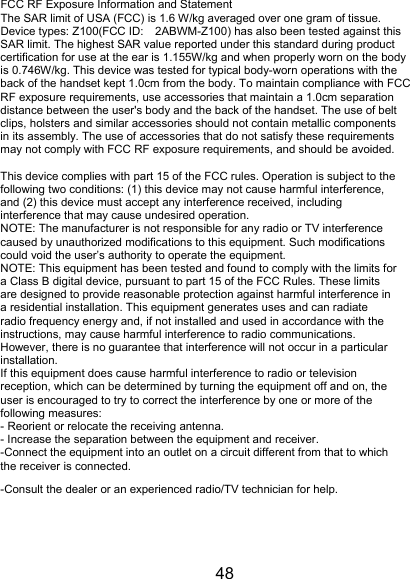
48 FCC RF Exposure Information and Statement The SAR limit of USA (FCC) is 1.6 W/kg averaged over one gram of tissue. Device types: Z100(FCC ID: 2ABWM-Z100) has also been tested against this SAR limit. The highest SAR value reported under this standard during product certification for use at the ear is 1.155W/kg and when properly worn on the body is 0.746W/kg. This device was tested for typical body-worn operations with the back of the handset kept 1.0cm from the body. To maintain compliance with FCC RF exposure requirements, use accessories that maintain a 1.0cm separation distance between the user's body and the back of the handset. The use of belt clips, holsters and similar accessories should not contain metallic components in its assembly. The use of accessories that do not satisfy these requirements may not comply with FCC RF exposure requirements, and should be avoided.  This device complies with part 15 of the FCC rules. Operation is subject to the following two conditions: (1) this device may not cause harmful interference, and (2) this device must accept any interference received, including interference that may cause undesired operation. NOTE: The manufacturer is not responsible for any radio or TV interference caused by unauthorized modifications to this equipment. Such modifications could void the user’s authority to operate the equipment. NOTE: This equipment has been tested and found to comply with the limits for a Class B digital device, pursuant to part 15 of the FCC Rules. These limits are designed to provide reasonable protection against harmful interference in a residential installation. This equipment generates uses and can radiate radio frequency energy and, if not installed and used in accordance with the instructions, may cause harmful interference to radio communications. However, there is no guarantee that interference will not occur in a particular installation. If this equipment does cause harmful interference to radio or television reception, which can be determined by turning the equipment off and on, the user is encouraged to try to correct the interference by one or more of the following measures: - Reorient or relocate the receiving antenna. - Increase the separation between the equipment and receiver. -Connect the equipment into an outlet on a circuit different from that to which the receiver is connected. -Consult the dealer or an experienced radio/TV technician for help.

Navigation menu