Maytel MS-1124G Multicom Stationary 2.4G (MTT Stationary T-1) User Manual 1

Maytel Co., Ltd Multicom Stationary 2.4G (MTT Stationary T-1) 1

User Manual

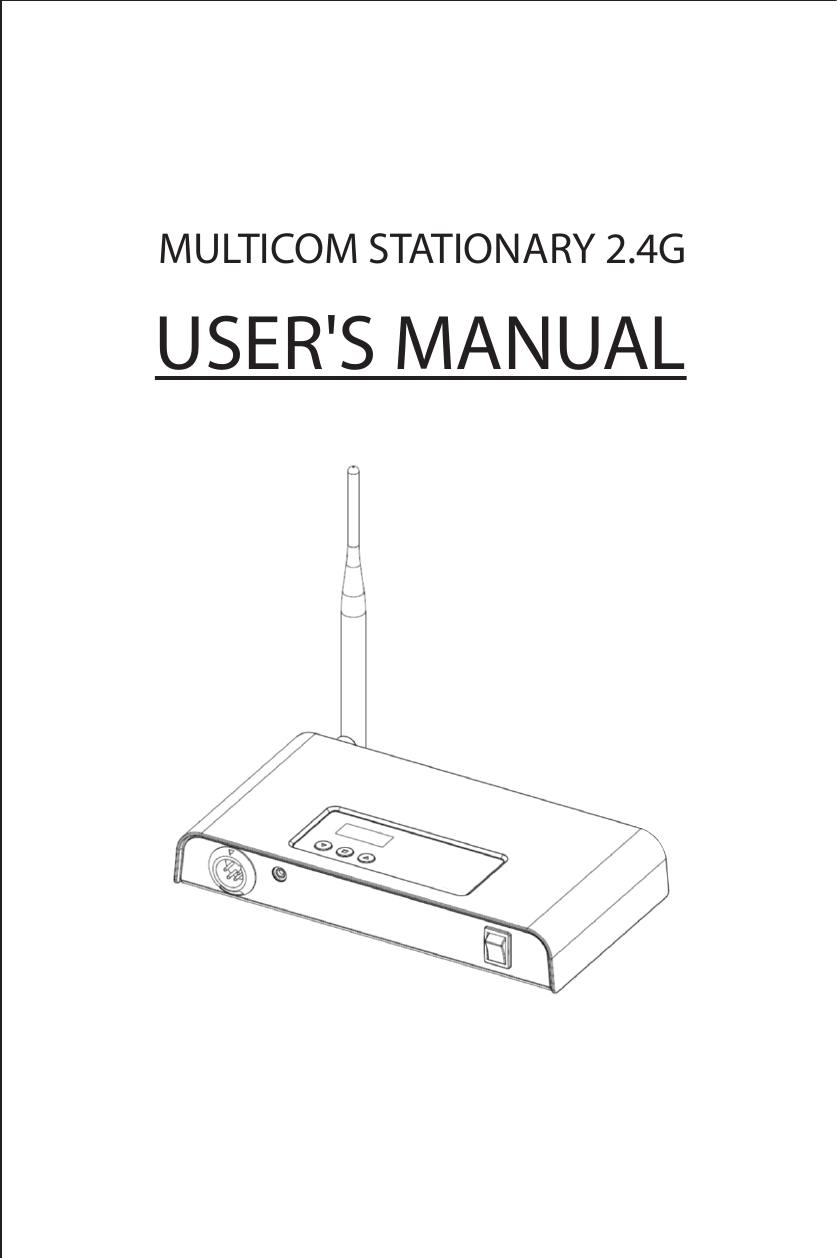
MULTICOM STATIONARY 2.4GUSER'S MANUAL
1. General Information1.1 IntroductionThe "Multicom Stationary 2.4G" is designed by using the most advanced Multiplex communication technology. It serves user-friendly features and extremely convenient to operate including a crystal clear sound quality and also long distance communication coverage.It gives the operation as a central broad cast station to the unlimited number of listeners who carry the MTT-R Receiver devices with them and also provides a communication in full duplex with up to two other users who carry the MTT-T Multicom devices.It is recommendable you read the user's manual thoroughly to enjoy its maximized performance  and features this station has to oer.1.2 Main Features* Audio publishing to the unlimited number of people who carry the    MTT-R Receiver* Multiplex communication with up to two other users who carry the    MTT-T Multicom devices* Long distance communication coverage over 400m typically* Crystal clear sound quality* 39 dierent Group selection* Audio output HI/Low selection* Audio volume control with 9 steps* Side tone On/O selection* Direct microphone sensitivity control with 5 steps* Convenient dual external power supply source either USB plug for the    purpose of its portable using by connection Mobile phone    Power bank into it or DC 5.0V adapter via AC input
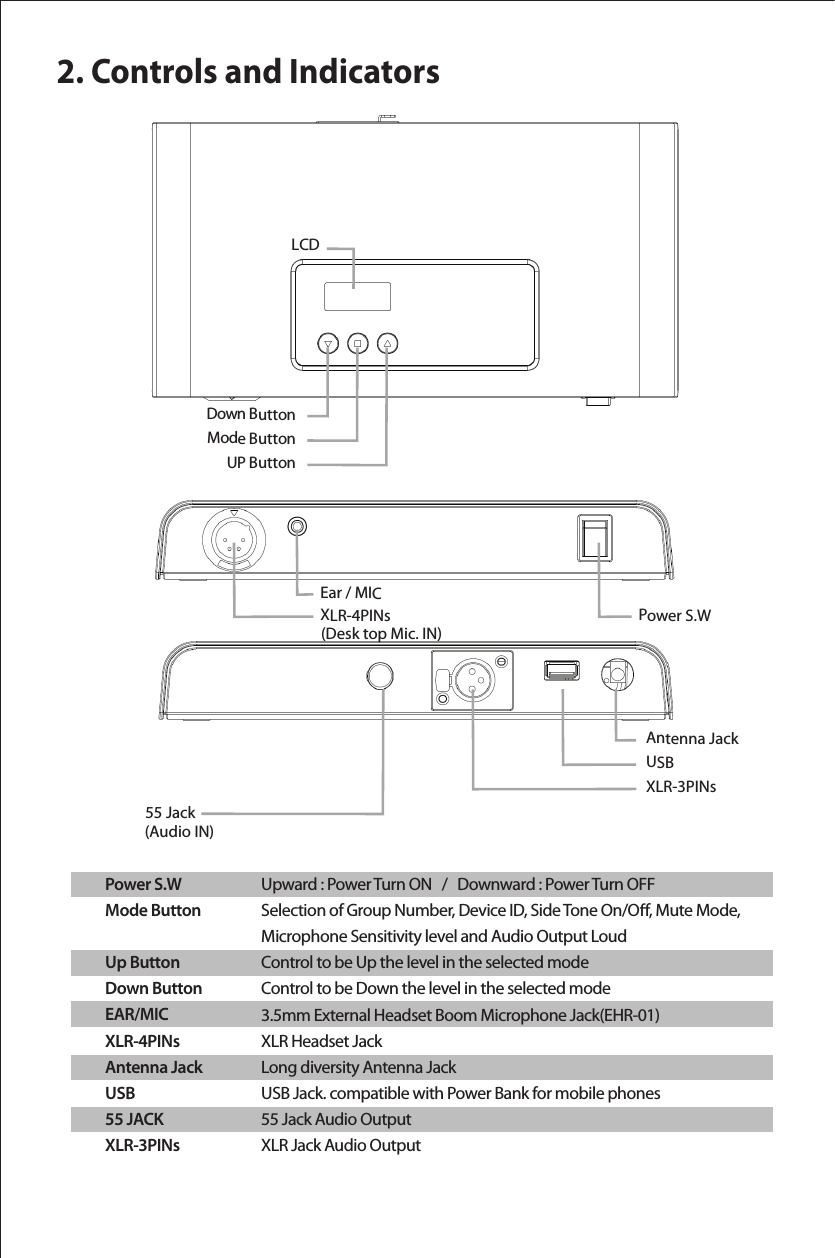
2. Controls and IndicatorsPower S.WMode ButtonUp ButtonDown ButtonEAR/MICXLR-4PINsAntenna JackUSB55 JACKXLR-3PINsUpward : Power Turn ON   /   Downward : Power Turn OFFSelection of Group Number, Device ID, Side Tone On/O, Mute Mode, Microphone Sensitivity level and Audio Output LoudControl to be Up the level in the selected modeControl to be Down the level in the selected mode3.5mm External Headset Boom Microphone Jack(EHR-01) XLR Headset JackLong diversity Antenna Jack USB Jack. compatible with Power Bank for mobile phones55 Jack Audio OutputXLR Jack Audio OutputUP Button Down Button Mode Button 55 JackXLR-3PINsAntenna JackUSBXLR-4PINs (Desk top Mic. IN)  (Audio IN) Power S.WEar / MICLCD
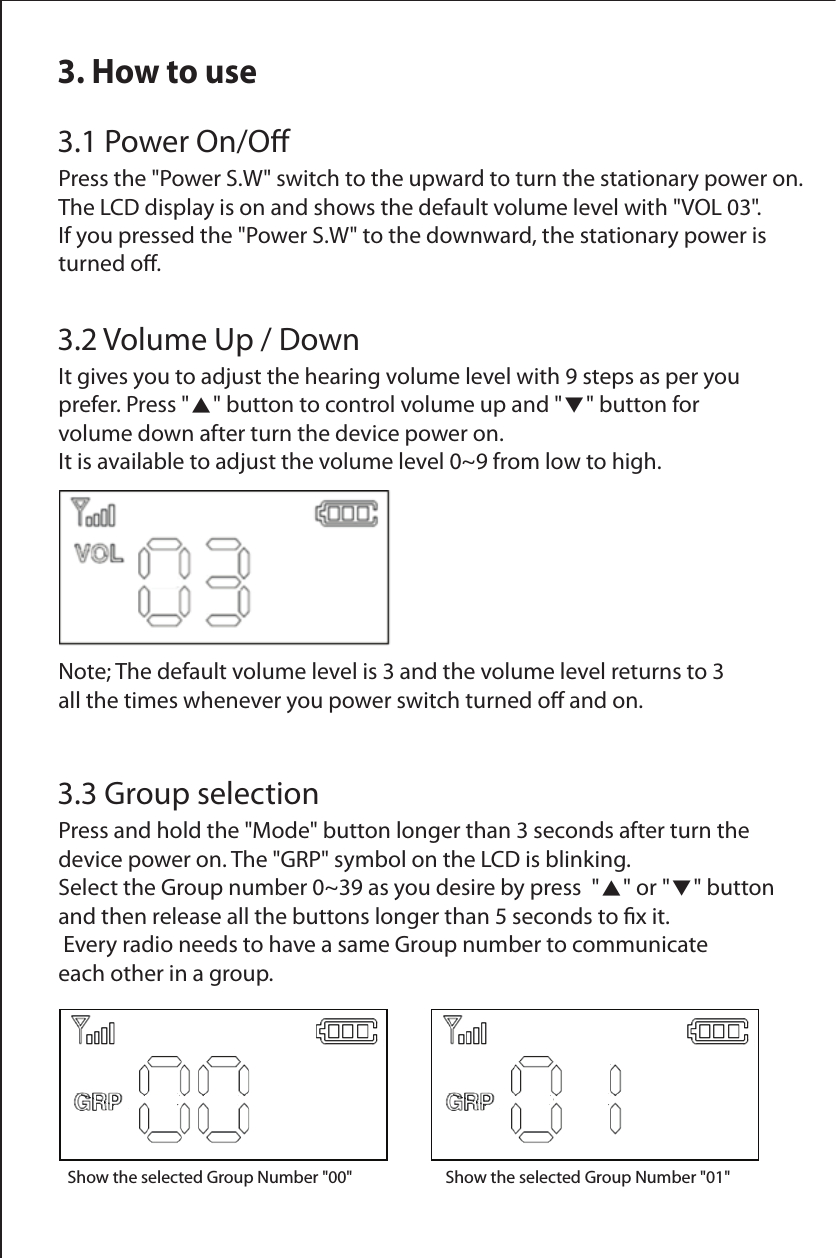
3. How to use3.1 Power On/OPress the "Power S.W" switch to the upward to turn the stationary power on. The LCD display is on and shows the default volume level with "VOL 03". If you pressed the "Power S.W" to the downward, the stationary power is turned o.3.2 Volume Up / DownIt gives you to adjust the hearing volume level with 9 steps as per you prefer. Press "▲" button to control volume up and "▼" button for volume down after turn the device power on. It is available to adjust the volume level 0~9 from low to high.Note; The default volume level is 3 and the volume level returns to 3 all the times whenever you power switch turned o and on.Show the selected Group Number "00"       Show the selected Group Number "01"  3.3 Group selectionPress and hold the "Mode" button longer than 3 seconds after turn the device power on. The "GRP" symbol on the LCD is blinking. Select the Group number 0~39 as you desire by press  "▲" or "▼" button and then release all the buttons longer than 5 seconds to x it. Every radio needs to have a same Group number to communicate each other in a group.
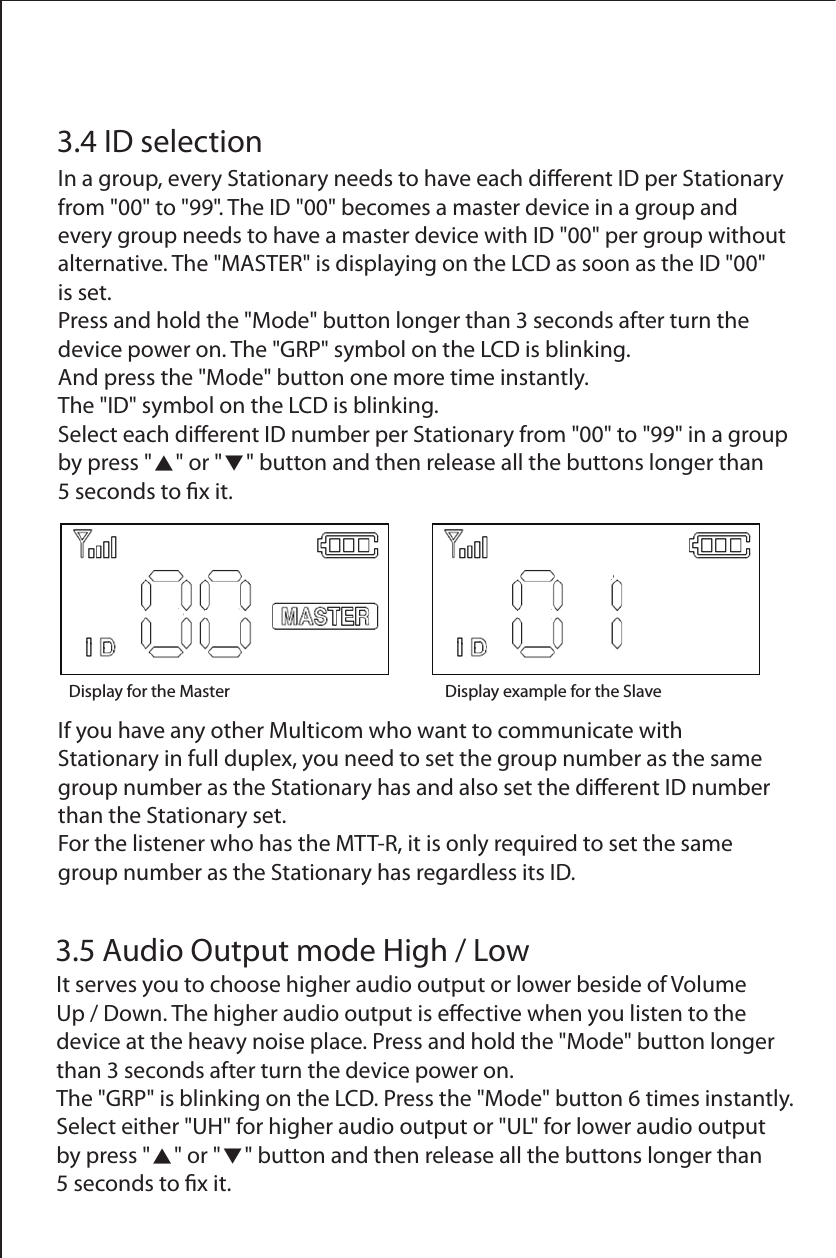
Display for the Master Display example for the Slave  3.4 ID selectionIn a group, every Stationary needs to have each dierent ID per Stationary from "00" to "99". The ID "00" becomes a master device in a group and every group needs to have a master device with ID "00" per group without alternative. The "MASTER" is displaying on the LCD as soon as the ID "00" is set.Press and hold the "Mode" button longer than 3 seconds after turn the device power on. The "GRP" symbol on the LCD is blinking. And press the "Mode" button one more time instantly. The "ID" symbol on the LCD is blinking. Select each dierent ID number per Stationary from "00" to "99" in a group by press "▲" or "▼" button and then release all the buttons longer than5 seconds to x it.3.5 Audio Output mode High / LowIt serves you to choose higher audio output or lower beside of Volume Up / Down. The higher audio output is eective when you listen to the device at the heavy noise place. Press and hold the "Mode" button longer than 3 seconds after turn the device power on.The "GRP" is blinking on the LCD. Press the "Mode" button 6 times instantly.Select either "UH" for higher audio output or "UL" for lower audio output by press "▲" or "▼" button and then release all the buttons longer than 5 seconds to x it.If you have any other Multicom who want to communicate with Stationary in full duplex, you need to set the group number as the same group number as the Stationary has and also set the dierent ID number than the Stationary set.For the listener who has the MTT-R, it is only required to set the same group number as the Stationary has regardless its ID.
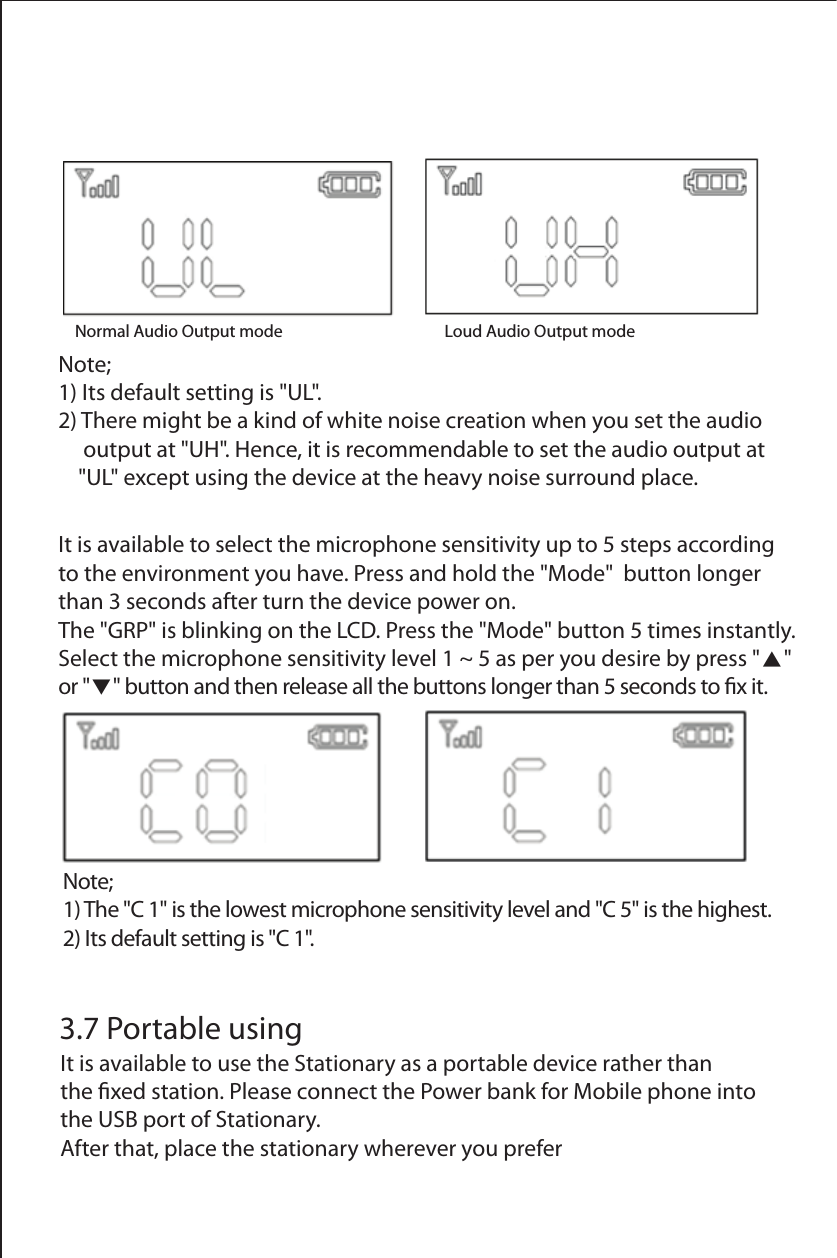
Normal Audio Output mode             Loud Audio Output modeNote; 1) The "C 1" is the lowest microphone sensitivity level and "C 5" is the highest.2) Its default setting is "C 1".It is available to select the microphone sensitivity up to 5 steps according to the environment you have. Press and hold the "Mode"  button longer than 3 seconds after turn the device power on.The "GRP" is blinking on the LCD. Press the "Mode" button 5 times instantly.Select the microphone sensitivity level 1 ~ 5 as per you desire by press "▲" or "▼" button and then release all the buttons longer than 5 seconds to x it.3.7 Portable usingIt is available to use the Stationary as a portable device rather than the xed station. Please connect the Power bank for Mobile phone into the USB port of Stationary. After that, place the stationary wherever you preferNote; 1) Its default setting is "UL".2) There might be a kind of white noise creation when you set the audio      output at "UH". Hence, it is recommendable to set the audio output at     "UL" except using the device at the heavy noise surround place.
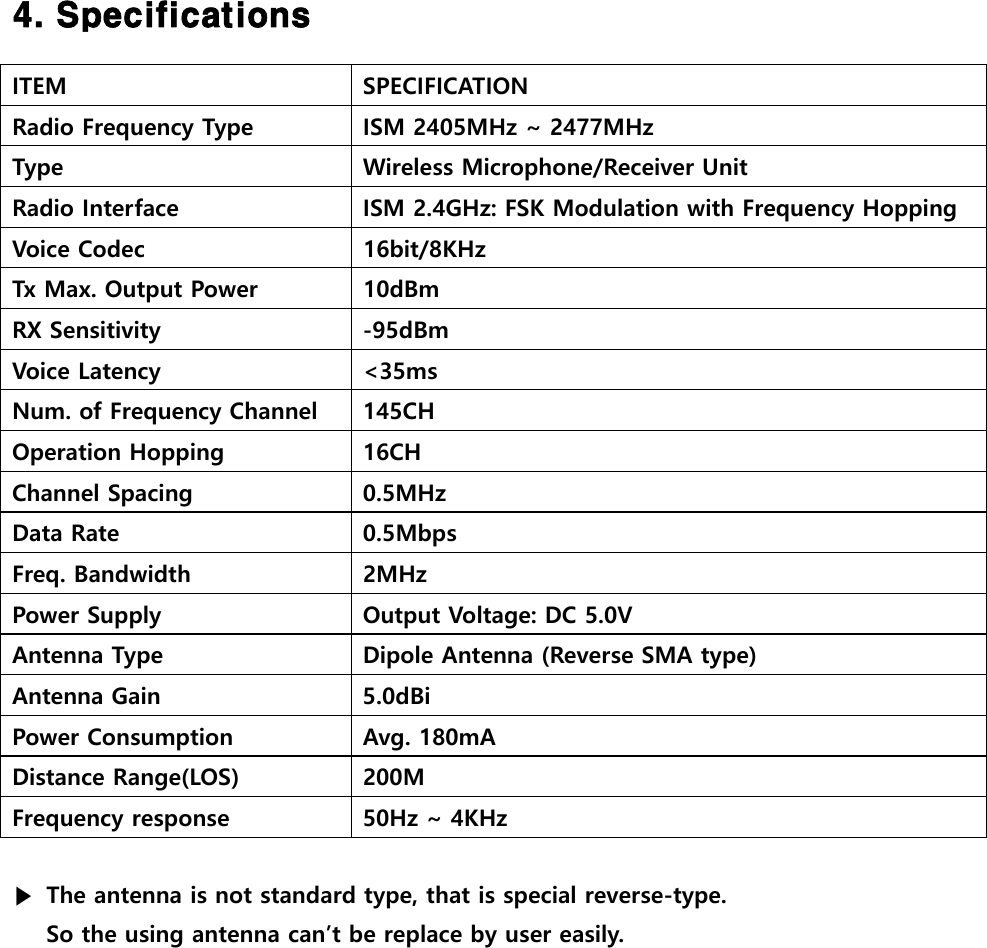
 4. Specifications  ITEM  SPECIFICATION Radio Frequency Type  ISM 2405MHz ~ 2477MHz Type  Wireless Microphone/Receiver Unit Radio Interface  ISM 2.4GHz: FSK Modulation with Frequency Hopping Voice Codec  16bit/8KHz Tx Max. Output Power  10dBm RX Sensitivity  -95dBm Voice Latency  <35ms Num. of Frequency Channel  145CH Operation Hopping  16CH Channel Spacing  0.5MHz Data Rate  0.5Mbps Freq. Bandwidth  2MHz Power Supply  Output Voltage: DC 5.0V Antenna Type  Dipole Antenna (Reverse SMA type) Antenna Gain  5.0dBi Power Consumption  Avg. 180mA Distance Range(LOS)  200M Frequency response  50Hz ~ 4KHz  ▶  The antenna is not standard type, that is special reverse-type.   So the using antenna can’t be replace by user easily.
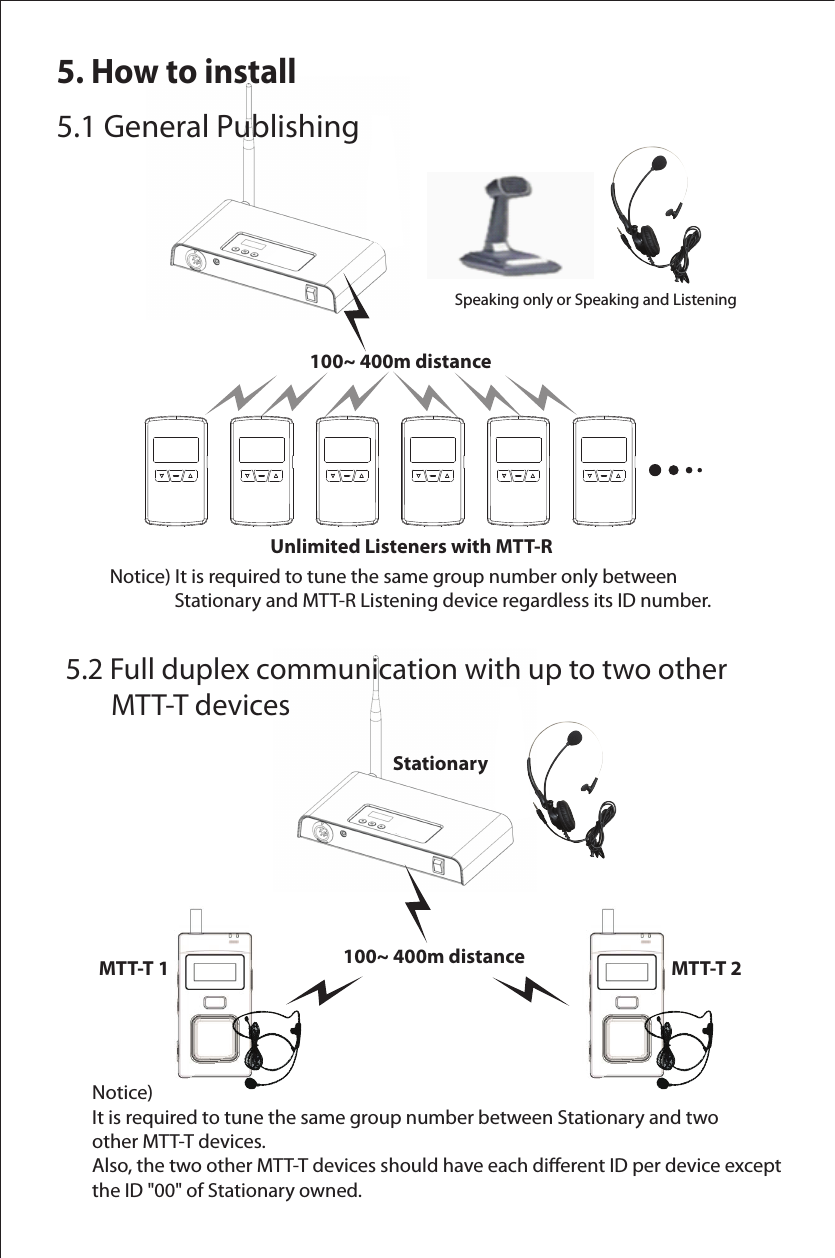
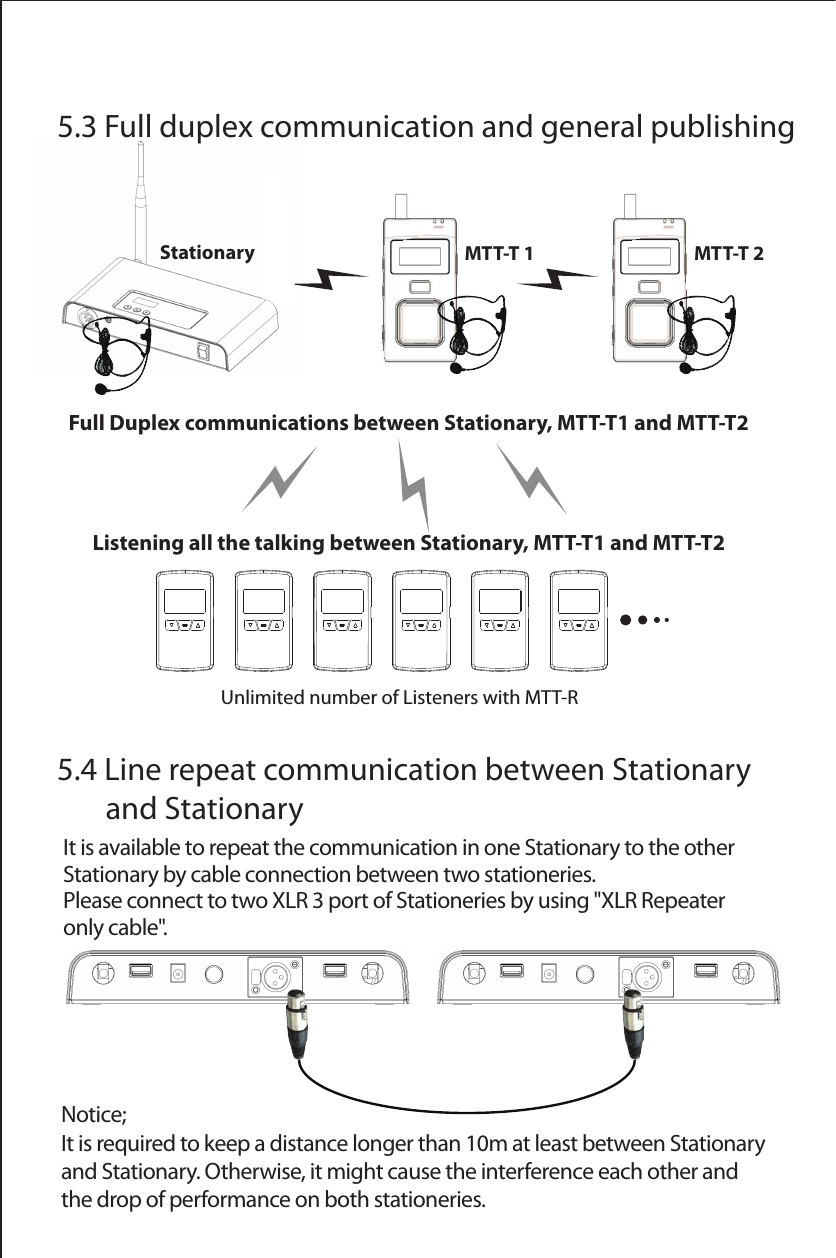
5. How to install5.1 General Publishing5.2 Full duplex communication with up to two other        MTT-T devices Notice) It is required to tune the same group number only between                 Stationary and MTT-R Listening device regardless its ID number.Notice) It is required to tune the same group number between Stationary and two other MTT-T devices.Also, the two other MTT-T devices should have each dierent ID per device except the ID "00" of Stationary owned.          100~ 400m distanceStationaryMTT-T 1           Unlimited Listeners with MTT-RSpeaking only or Speaking and Listening          100~ 400m distance MTT-T 2
StationaryNotice; It is required to keep a distance longer than 10m at least between Stationary and Stationary. Otherwise, it might cause the interference each other and the drop of performance on both stationeries. 5.4 Line repeat communication between Stationary        and StationaryIt is available to repeat the communication in one Stationary to the other Stationary by cable connection between two stationeries.Please connect to two XLR 3 port of Stationeries by using "XLR Repeater only cable".5.3 Full duplex communication and general publishingUnlimited number of Listeners with MTT-RFull Duplex communications between Stationary, MTT-T1 and MTT-T2Listening all the talking between Stationary, MTT-T1 and MTT-T2MTT-T 1 MTT-T 2
FCC Information to User This equipment has been tested and found to comply with the limits for a Class B digital device, pursuant to Part 15 of the FCC Rules. These limits are designed to provide reasonable protection against harmful interference in a residential installation. This equipment generates, uses and can radiate radio frequency energy and, if not installed and used in accordance with the instructions, may cause harmful interference to radio communications. However, there is no guarantee that interference will not occur in a particular installation. If this equipment does cause harmful interference to radio or television reception, which can be determined by turning the equipment off and on, the user is encouraged to try to correct the interference by one of the following measures: • Reorient or relocate the receiving antenna. • Increase the separation between the equipment and receiver. • Connect the equipment into an outlet on a circuit different from that to which the receiver is con-nected. • Consult the dealer or an experienced radio/TV technician for help.  Caution Modifications not expressly approved by the party responsible for compliance could void the user’s authority to operate the equipment.  FCC Compliance Information : This device complies with Part 15 of the FCC Rules. Operation is subject to the following two conditions: (1) This device may not cause harmful interference, and (2) this device must accept any interference received, including interference that may cause undesired operation  IMPORTANT NOTE: FCC RF Radiation Exposure Statement: This equipment complies with FCC RF radiation exposure limits set forth for an uncontrolled environment.  The antennas used for this transmitter must be installed to provide a separation distance of at least 20Cm from all persons and must not be co-located or operating in conjunction with any other antenna or transmitter.
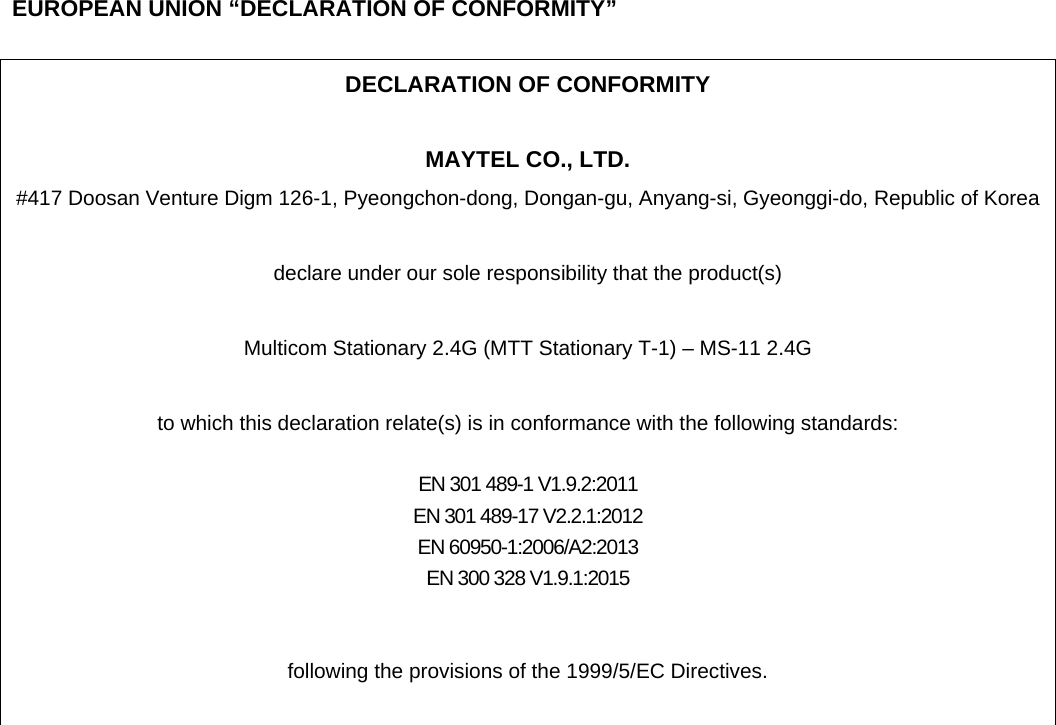
 1) Read these instructions. 2) Keep these instructions. 3) Heed all warnings. 4) Follow all instructions.   5) Do not use this equipment near water. 6) Do not using near any heat sources such as radiators, heat resisters, stove, or other equipment that produce heat.   European CE notice to users and product statements This product is CE marked according to the provisions of the R&TTE Directive(1999/5/EC). Hereby, Maytel Co., Ltd declares that this product is in compliance with the essential requirements and other relevant provisions of Directive 1999/5/EC.   For further information, please contact    http:// www.maytel.com   Maytel Co., Ltd   #417 Doosan Venture Digm 126-1, Pyeongchon-dong, Dongan-gu, Anyang-si, Gyeonggi-do, Republic of Korea     Tel: +82-31-478-5508       Fax: +82-31-440-9331 URL: www.maytel.com
 CONTACT INFORMATION Manufacturer Address    #417 Doosan Venture Digm 126-1, Pyeongchon-dong, Dongan-gu, Anyang-si, Gyeonggi-do, Republic of Korea   To locate in-country MAYTEL CO., LTD., distributors of the Multicom Stationary 2.4G (MTT Stationary T-1)   please refer to the MAYTEL CO., LTD. Website http:// www.maytel.com These distributor(s) represent local contacts for this product.  CORPORATE HEADQUARTERS: MAYTEL CO., LTD.   #417 Doosan Venture Digm 126-1, Pyeongchon-dong, Dongan-gu, Anyang-si, Gyeonggi-do, Republic of Korea     Tel: +82-31-478-5508       Fax: +82-31-440-9331 Web: http:// www.maytel.com    This  device complies with Industry Canada license-exempt RSS standard(s).   Operation is Subject to the following two condition: (1) this device may not cause interference ,and (2) this device must accept any interference, including interference that may cause undesired   operation of the device.
    EUROPEAN UNION “DECLARATION OF CONFORMITY”  DECLARATION OF CONFORMITY  MAYTEL CO., LTD. #417 Doosan Venture Digm 126-1, Pyeongchon-dong, Dongan-gu, Anyang-si, Gyeonggi-do, Republic of Korea  declare under our sole responsibility that the product(s)  Multicom Stationary 2.4G (MTT Stationary T-1) – MS-11 2.4G  to which this declaration relate(s) is in conformance with the following standards:  EN 301 489-1 V1.9.2:2011 EN 301 489-17 V2.2.1:2012 EN 60950-1:2006/A2:2013 EN 300 328 V1.9.1:2015   following the provisions of the 1999/5/EC Directives.

Navigation menu