MetroTel of Minnesota MT9104RTM Cellular Tank Monitor User Manual WRMS Cellular Tank Monitor Quick Installation Guide RevF 2017 01 19
MetroTel Corp of Minnesota Cellular Tank Monitor WRMS Cellular Tank Monitor Quick Installation Guide RevF 2017 01 19
Contents
- 1. WRMS Cellular Tank Monitor - Quick Installation Guide RevF - 2017-01-19
- 2. WRMS Residential LTE Cellular Tank Monitor - Operation Manual RevB - 2017-12-13
WRMS Cellular Tank Monitor - Quick Installation Guide RevF - 2017-01-19
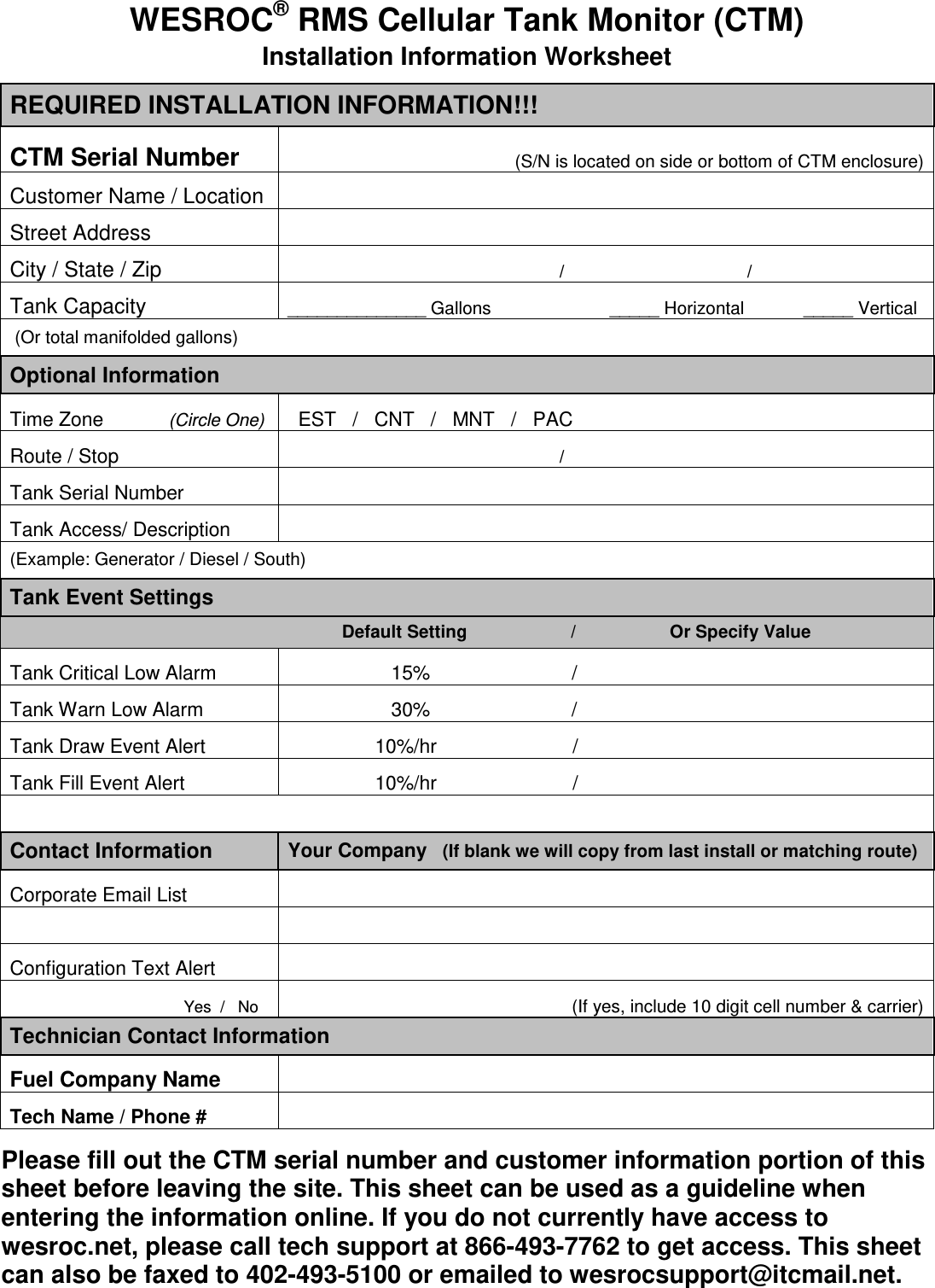
![72-70-165, Rev. F 01/19/2017 WESROC® RMS Cellular Tank Monitor (CTM) Quick Installation Guide 1] Complete the CTM Installation Information Worksheet on the reverse side of this document and send it to your WESROC host administrator. You MUST record the CTM serial number on the worksheet to match the installation location to the monitoring hardware. 2] If not already present, install the correct Rochester remote ready dial or ITC large dial assembly on the tank gauge. Remote ready dials and large dial assemblies are available for a wide variety of gauge types. 3] Remove the CTM from the box and make sure the small round programming magnet is secured in the OFF position on the CTM enclosure. (Off mode.) 4] Mount the CTM on or near the tank to be monitored using the attached mounting magnets. Try not to place the CTM right next to a vertical metal object such as a tank dome or hood. Cellular signal reception will be affected by distance and by obstructions such trees, mountainous terrain, buildings, metal structures, large vehicles parked nearby, etc. The best signal reception will be achieved with a line of sight path between the CTM and the cell tower. This is rarely the case in the real world, but should be kept in mind when selecting a mounting location for the CTM. Versions of the CTM with a longer sensor cable allow for mounting the CTM a few feet away from the tank to improve cellular reception. 5] Connect the CTM sensor cable to the remote ready dial. Large dial installations use an in-line connector to attach the CTM to the dial. When attaching the connector, make sure the connector is fully seated and that the locking ring has been fully turned to ensure a weather tight seal. 6] (Option A) Force a configuration report to Host using the default CTM configuration settings. o Remove the programming magnet from the OFF position on the CTM and step away. (Normal mode.) Do not block the cellular signal with your body while the CTM is reporting to the Host. 6] (Option B) Make CTM configuration settings changes and force a configuration report to Host. o Place programming magnets in the OFF and INIT positions on the CTM. (Configuration mode.) o Make system and application configuration changes using a WESROC Portable Diagnostic Unit (PDU). o Remove both programming magnets from the CTM at the same time and step away. (Normal mode.) Do not block the cellular signal with your body while the CTM is reporting to the Host. The CTM will now perform a configuration report to the Host. A report is typically completed in less than a minute, but can take up to 3 minutes under weak cellular signal conditions. The CTM does not provide any direct feedback regarding report success or failure; therefore it is recommended to use a handheld PDU when performing CTM installations. 7] Once a successful report has been completed, secure the sensor cable using the appropriate fasteners (cable ties, etc.). Route the sensor cable to make sure the cable will not be damaged by a moving object such as a tank dome or hood. 8] (Optional) Initialize the CTM to a WESROC Base Unit if you are using the local display feature. o Place a programming magnet in the INIT position on the CTM. (Initialization mode.) o Place the Base Unit into Initialization mode. o Wait for the CTM tank level to appear on the Base Unit display. o Remove programming magnet from the CTM, and return the Base Unit to normal operation. Remove all programming magnets from the CTM enclosure before leaving the installation site. Refer to the WESROC Cellular Tank Monitor Operation Manual for more detailed operating instructions. Independent Technologies, Inc. Blair, NE - www.IndependentTech.com - (402) 426-3700](https://usermanual.wiki/MetroTel-of-Minnesota/MT9104RTM.WRMS-Cellular-Tank-Monitor-Quick-Installation-Guide-RevF-2017-01-19/User-Guide-3730632-Page-1.png)