Mizco TT-SP45 Bluetooth Speaker User Manual

Mizco International Inc. Bluetooth Speaker

User Manual

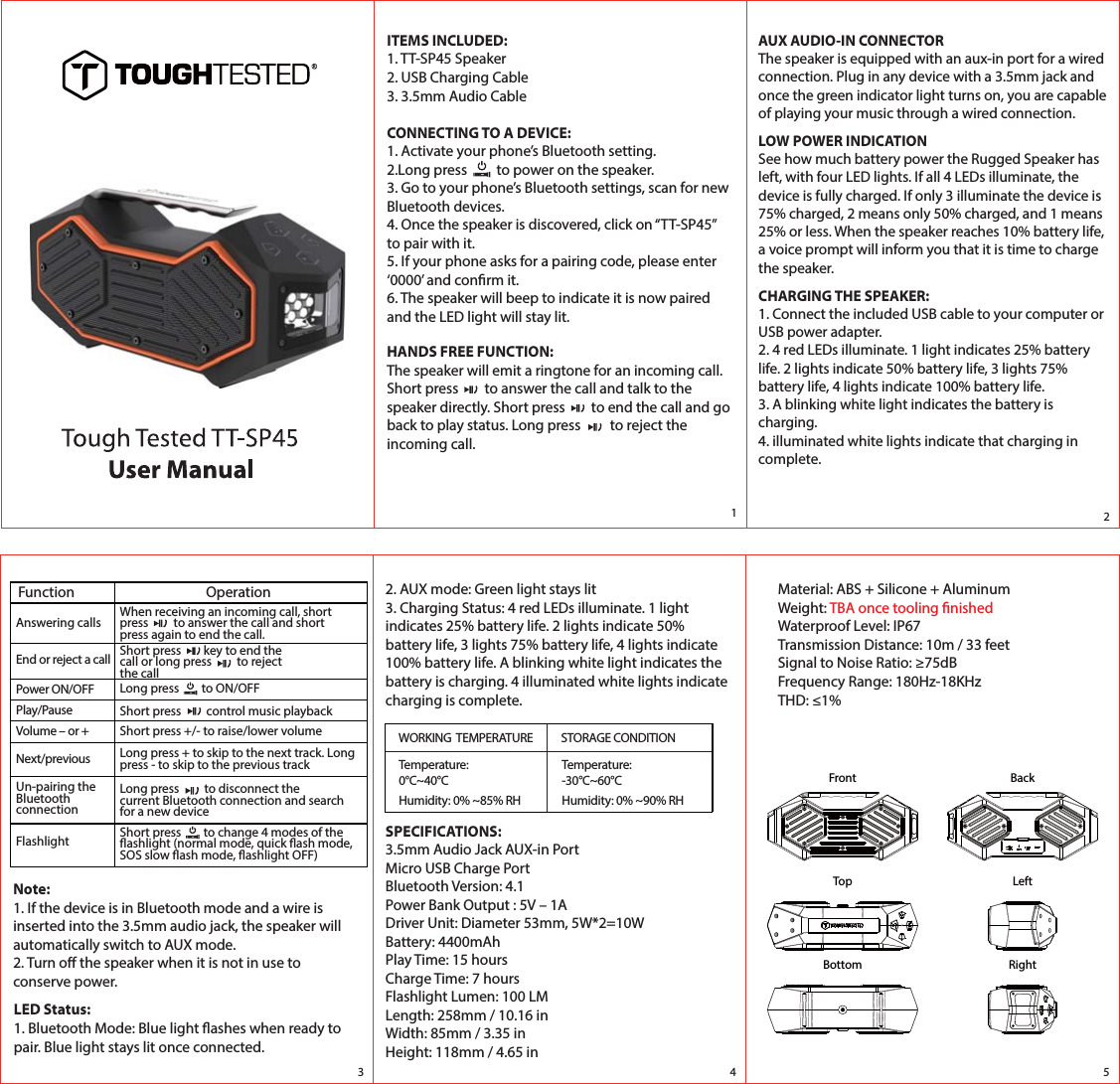
Long press         to disconnect the current Bluetooth connection and search for a new deviceITEMS INCLUDED:1. TT-SP45 Speaker2. USB Charging Cable3. 3.5mm Audio CableCONNECTING TO A DEVICE:1. Activate your phone’s Bluetooth setting.2.Long press         to power on the speaker.3. Go to your phone’s Bluetooth settings, scan for new Bluetooth devices.4. Once the speaker is discovered, click on “TT-SP45” to pair with it.5. If your phone asks for a pairing code, please enter ‘0000’ and conrm it. 6. The speaker will beep to indicate it is now paired and the LED light will stay lit. HANDS FREE FUNCTION:The speaker will emit a ringtone for an incoming call. Short press        to answer the call and talk to the speaker directly. Short press        to end the call and go back to play status. Long press         to reject the incoming call. AUX AUDIO-IN CONNECTORThe speaker is equipped with an aux-in port for a wired connection. Plug in any device with a 3.5mm jack and once the green indicator light turns on, you are capable of playing your music through a wired connection.LOW POWER INDICATIONSee how much battery power the Rugged Speaker has left, with four LED lights. If all 4 LEDs illuminate, the device is fully charged. If only 3 illuminate the device is 75% charged, 2 means only 50% charged, and 1 means 25% or less. When the speaker reaches 10% battery life, a voice prompt will inform you that it is time to charge the speaker.CHARGING THE SPEAKER:1. Connect the included USB cable to your computer or USB power adapter.2. 4 red LEDs illuminate. 1 light indicates 25% battery life. 2 lights indicate 50% battery life, 3 lights 75% battery life, 4 lights indicate 100% battery life.3. A blinking white light indicates the battery is charging.4. illuminated white lights indicate that charging in complete.Function OperationAnswering calls When receiving an incoming call, short press         to answer the call and short press again to end the call.End or reject a call Short press        key to end the call or long press         to reject the callPower ON/OFF Long press        to ON/OFFPlay/Pause Short press         control music playbackVolume – or + Short press +/- to raise/lower volumeNext/previous Long press + to skip to the next track. Long press - to skip to the previous trackUn-pairing the Bluetooth connection Flashlight Short press        to change 4 modes of theashlight (normal mode, quick ash mode, SOS slow ash mode, ashlight OFF)Note:1. If the device is in Bluetooth mode and a wire is inserted into the 3.5mm audio jack, the speaker will automatically switch to AUX mode.2. Turn o the speaker when it is not in use to conserve power.2. AUX mode: Green light stays lit3. Charging Status: 4 red LEDs illuminate. 1 light indicates 25% battery life. 2 lights indicate 50% battery life, 3 lights 75% battery life, 4 lights indicate 100% battery life. A blinking white light indicates the battery is charging. 4 illuminated white lights indicate charging is complete.LED Status:1. Bluetooth Mode: Blue light ashes when ready to pair. Blue light stays lit once connected.WORKING  TEMPERATURE STORAGE CONDITIONTemperature: 0°C~40°CHumidity: 0% ~85% RHTemperature: -30°C~60°CHumidity: 0% ~90% RH12345SPECIFICATIONS:3.5mm Audio Jack AUX-in PortMicro USB Charge PortBluetooth Version: 4.1Power Bank Output : 5V – 1ADriver Unit: Diameter 53mm, 5W*2=10WBattery: 4400mAhPlay Time: 15 hoursCharge Time: 7 hoursFlashlight Lumen: 100 LMLength: 258mm / 10.16 inWidth: 85mm / 3.35 inHeight: 118mm / 4.65 inMaterial: ABS + Silicone + AluminumWeight: TBA once tooling nishedWaterproof Level: IP67Transmission Distance: 10m / 33 feetSignal to Noise Ratio: ≥75dBFrequency Range: 180Hz-18KHzTHD: ≤1%FrontTopBottomBackLeftRight
FCC Warning This device complies with Part 15 of the FCC Rules. Operation is subject to the following two conditions: (1) This device may not cause harmful interference, and (2) this device must accept any interference received, including interference that may cause undesired operation. NOTE 1: This equipment has been tested and found to comply with the limits for a Class B digital device, pursuant to part 15 of the FCC Rules.   These limits are designed to provide reasonable protection against harmful interference in a residential installation.  This equipment generates uses and can radiate radio frequency energy and, if not installed and used in accordance with the instructions, may cause harmful interference to radio communications. However, there is no guarantee that interference will not occur in a particular installation. If this equipment does cause harmful interference to radio or television reception, which can be determined by turning the equipment off and on, the user is encouraged to try to correct the interference by one or more of the following measures: - Reorient or relocate the receiving antenna. - Increase the separation between the equipment and receiver. -Connect the equipment into an outlet on a circuit different from that to which the receiver is connected. -Consult the dealer or an experienced radio/TV technician for help. NOTE 2: Any changes or modifications to this unit not expressly approved by the party responsible for compliance could void the user's authority to operate the equipment.

Navigation menu